#🆘│community-support
1 messages · Page 72 of 1
 hasty crescent
How can it auto save a transcript when the ticket gets closed?
 pseudo ravine
Hey there. You can go to the Dashboard > Transcript > Auto Save Transcript > Set it to closed
hasty crescent
Thats a premium feature
pseudo ravine
Yes it is
hasty crescent
Wait is it possible to make a custom command that executes multiple ticket tool commands? $delete, $transcriptsave, $close?
pseudo ravine
I don’t believe so, I haven’t tested that yet
 jade topaz
Is there like a forms youtube tutorial or something?
 humble sequoiaBOT
A Discord Form lets the user answer individual questions in a pop-up Form, which then displays the answers in the ticket message. This can save time if you already know what you want to ask the user.
Setup Forms
Forms can be enabled under Panel Settings > Form Options > Edit Forms Options. In the new pop-up window, you can now enable and edit your own Form.
Form Options
You can add up to 5 questions in the Discord form. This is a Discord limitation. Each question can have a placeholder in the input field, a minimum and maximum input, multi-line, and also the option to have the answer required.
Options
Question Title ➞ Your Question goes here
Question Placeholder ➞ The placeholder text in the input field
Required ➞ If enabled, the user has to answer this question, to submit the form
Multi-Line Input ➞Allows the user to input multiple lines
Minimum and Maximum Input ➞ Set a minimum and maximum input value for the user
Displaying the Answer
To display the answers from the user, you need to enable Auto display form results on the ticket message as an additional embed
If you don't want a second embed, go into your Panel Configs > Ticket Options > Edit Ticket Message. You use the variable {create.form.x} and replace x with the number of your question. For example, the response to Question 5 can be displayed with {create.form.5}.
 jade topaz
Thanks
pseudo ravine
You’re welcome, glad I could help!
jade topaz
Is there like a review thing after the ticket is closed user could review how was the support (free)
pseudo ravine
Unfortunately not
You can do something like what we do, which is have a #📈│reviews channel

 plush mauve
Ticket bots are ticket bots tho
"anyone" can make one, I love how active this server is cause I steal some good #💡│suggestions 😄
 scenic plinth
jade topaz
scenic plinth
jade topaz
Nobody copied anybody. It makes logical sense that a Ticket Bot use a ticket logo, especially if its a public bot. Though no, they aren't "almost the exact same". Just because they are both ticket icons doesn't mean that they are at all identical in design. You can obviously tell the difference if you looked.
 median ore
Please help, what do I need here to by pass?
Using mobile btw any idea?

 limber portal
median ore
Please help, what do I need here to by pass?
Using mobile btw any idea?
limber portal
median ore
Please help, what do I need here to by pass?
Using mobile btw any idea?
Hey, you need to select a server to invite the bot to
median ore
limber portal
Hey, you need to select a server to invite the bot to
When I try to select server it doesn't show up any
humble sequoiaBOT
Don't see your server in the dashboard?
Try using the Sync Servers button on your top center of the Dashboard page
You will possibly need to relog. Look below to see the steps on how to relog.
If this doesn't work
You should relog from the dashboard, you can do this by clicking here to log out immediately, and then log back in
Note:
You need one of these 3 things to access the dashboard.
1. Server Owner (Level: 6)
2. Server Administrator (Level: 4)
3. Dashboard Role (Level: 2)
:warning: You can check your level using the </permissionlevel:1029797400174399542> command on your Discord Server
If the bot's response is:
- @User is permission level: 0 (User)
You don't have any of the 3 levels required to access the server's dashboard
 limber portal
median ore
When I try to select server it doesn't show up any
limber portal
median ore
When I try to select server it doesn't show up any
Check  out
out
You will first need administrator or manage guild to invite the bot, then follow this guide to access the dashboard
pseudo ravine
Hey there. Ticket Tool automatically sends the Ticket Message when a ticket gets opened, are you looking for something else?
 ashen spruce
pseudo ravine
Hey there. Ticket Tool automatically sends the Ticket Message when a ticket gets...
ashen spruce
pseudo ravine
Hey there. Ticket Tool automatically sends the Ticket Message when a ticket gets...
I mean a message that I write it not the main one
pseudo ravine
What kind of message?
median ore
limber portal
You will first need administrator or manage guild to invite the bot, then follow...
Thank you
I have one more issue, how am I going to be able to create my invite link
 iron nightBOT
Gave +1 Rep to @limber portal
limber portal
median ore
Thank you
I have one more issue, how am I going to be able to create my invite l...
Do you mean an invite to the server?
median ore
limber portal
Do you mean an invite to the server?
Yes
limber portal
median ore
Yes
Discord
Instant Invites allow you to invite anyone to your server, at any time! You can set a temporary invite link that only lasts 30 minutes, or one that doesn’t expire at all, if you are in a Community ...
 floral birch
Hi
 timid monolith
Hello, I need to get a ticket to recover my login and password, some God who can tell me privately or help me please
humble sequoiaBOT

⚠️ You're in the wrong place
We provide support for Ticket Tool Discord bot and cannot help you with whatever issue you have.
- We don't know which Support Team you should contact to get this issue resolved, and unfortunately we won't be able to accurately tell you.
If you don't have any further questions regarding our bot Ticket Tool, please close this ticket
 marsh cosmos
How do I do tickets Logs
 unkempt bear

 wild spire
marsh cosmos
How do I do tickets Logs
wild spire
marsh cosmos
How do I do tickets Logs
go to logging in panel configs.
Enable what u need
humble sequoiaBOT
━━ saleh's inquiry has been moved to a ticket ━━
 solar mango
Hello team, I would like to cancel my subscription to ticket tool premium as the server I was using it in closed down but I'm still being billed. How can I go about doing this?
 timber kernel
solar mango
Hello team, I would like to cancel my subscription to ticket tool premium as the...
timber kernel
solar mango
Hello team, I would like to cancel my subscription to ticket tool premium as the...
Please open a ticket -> #🎫│make-a-ticket
And we help you there.
 granite dirge
@here
Hi I have a problem.
I have several channels on my server. I also have a ticket tool participating in those channels.
What I want to do is "I want to send the same message to all the threads in which the ticket tool is participating at once."
If anyone knows how to solve this, please let me know!
 amber nova
what if there's 150 tickets opened
gotta add the role to all tickets one by one??
(i'm tryna add a role to reply in every tickets)
wild spire
amber nova
gotta add the role to all tickets one by one??
unfortunately yes, with $add (roleID)
amber nova
what can i do when my tickets start opening at the top & not under category?

is there a way around that ?
wild spire
Please dont ping 
also did they ever go in the correct category or did they go straight to the top?
wild spire
then u have 50 tickets in ur category and we call it overflow
u need to add a second ticket category in the dashboard
amber nova
can you guide me to find that?
wild spire
$help
humble sequoiaBOT
wild spire
$help
1. Go into your Dashboard
2. Open your Panel Configs tab
3. Select the panel you want to grant access to
4. Open the Category options menu
5. Select the categories of your preference
6. Save changes
 amber nova
 wild spire
amber nova
can you guide me to find that?
wild spire
amber nova
can you guide me to find that?
Justement allez a le dashboard > panel configs > category.
amber nova
is this linked to my issue?
wild spire
amber nova
is this linked to my issue?
that means one user can open 100 tickets
it’s per user, not all tickets combined
iron nightBOT
Gave +1 Rep to @wild spire
wild spire
No worries!
 runic oracle
i need help having issue getting this problom about me being banned wrong saying i was stream sniping and was not
humble sequoiaBOT
⚠️ You're in the wrong place
We provide support for Ticket Tool Discord bot and cannot help you with whatever issue you have.
- We don't know which Support Team you should contact to get this issue resolved, and unfortunately we won't be able to accurately tell you.
If you don't have any further questions regarding our bot Ticket Tool, please close this ticket
 vagrant garden
Hi there, I have a question,
I want to mention the user, who opened a ticket. To that what do I have to write to edit message ?
limber portal
vagrant garden
Hi there, I have a question,
I want to mention the user, who opened a ticket. To...
The {user} variable will ping the ticket creator
vagrant garden
but that didn't work :/
limber portal
vagrant garden
but that didn't work :/
Can you send a screenshot please
 buoyant karma
How do you automatically change ticket name cause i dont want #ticket-0001
wild spire
panel configs > ticket > ticket opened channel name
This requires premium
 wanton cradle
Como posso comprar pedras para anime fighters
humble sequoiaBOT
⚠️ Está en el lugar equivocado
Brindamos soporte para el bot de Discord Ticket Tool y no le podemos ayudar con el problema que presenta.
- No sabemos a que equipo de soporte debería contactar para solucionar este problema, y desafortunadamente no podremos ayudarle acertadamente.
Si no tiene alguna duda relacionada a nuestro bot, Ticket Tool, por favor cierre este ticket.
 wraith schooner
Hey is this meant to be so, that the Embed Editor can only fit 244 characters, trying to write something after that, won't be shown.
wild spire
wraith schooner
Hey is this meant to be so, that the Embed Editor can only fit 244 characters, t...
yes. you get a lot more characters with premium
 rustic gale
 bleak heart
Can someone help me create a ticket?
bleak heart
Can someone help me create a ticket?
You can take a look at the Setup Guide in #📂│information
 light maple
is there a way to make the bot ping the user when you send a message in the ticket?
 gilded verge
light maple
is there a way to make the bot ping the user when you send a message in the tick...
gilded verge
light maple
is there a way to make the bot ping the user when you send a message in the tick...
this is added by default but you need {user} variable,
go to Panel Configs->Ticket->Edit Ticket Message->and add {user} to Message Content

 azure plinth
Hello, I need help on an issue. I created a support system, but I don't know how to adjust the buttons. Can the authorities help?
 humble sequoiaBOT
For more convenient use of multipanels, you can now combine panels on the dashboard. This will allow you to directly send the multipanel from the dashboard or via the $panel ID command.
Where can I find this?
You can find this setting on the Dashboard -> Panel Configs -> Panel -> Attached Panels
Note: if you're attaching all the panels to a panel called English, don't include English in the attached panel's box (If you do this, it will create a duplicate)
This will put all buttons from all of your panels on one message. The message is the panel message from the panel you're combining these panels in.
 limber portal
azure plinth
Hello, I need help on an issue. I created a support system, but I don't know how...
limber portal
azure plinth
Hello, I need help on an issue. I created a support system, but I don't know how...
You can add multiple buttons on the bottom with multipanels, check out
azure plinth
limber portal
You can add multiple buttons on the bottom with multipanels, check out <:this:89...
OK thanks
iron nightBOT
Gave +1 Rep to @limber portal
 mint spade
Guys how to make that people that opened ticket cant close it? I need to do it so only admins can do it
limber portal
mint spade
Guys how to make that people that opened ticket cant close it? I need to do it s...
Hey, head to dashboard > panel configs > buttons > 'close ticket' > enable 'support team only'
you can also fine tune certain roles that are allowed / disallowed from there
iron nightBOT
Gave +1 Rep to @limber portal
limber portal
no worries
 chrome dust
oh, I can also ask questions here? O///O
humble sequoiaBOT
━━ User's inquiry has been moved to a ticket ━━
light maple
gilded verge
this is added by default but you need `{user}` variable,
go to Panel Configs->Ti...
i mean like whenever i say hi in the ticket it pings the user who created the ticket
or like any message i send
rustic gale
You can do that with a custom command with regex
 arctic sundial
Quick question, how do you mention a channel in a ticket message for when someone opens a ticket?
ik how to mention roles but I forgot how to mention channels
humble sequoiaBOT
Within all the messages the bot sends (both embeds and text) you can mention either channels, roles, or even users, these mentions will only send a notification to the user if they are used within a text field, e.g: a role mentioned in an embed won't ping at all the users who have that role.
For mentioning a role you can use one out of three options:
{@Role Name} ➞ Which is Case Sensitive.
{RoleID} ➞ Replace RoleId with the Id of the role you are trying to ping.
<@&RoleID> ➞ Discord's native syntax to ping roles.
<#ChannelID> ➞ Mention a channel by its ID.
<@UserID> ➞ Mention a user by its ID.
 raw fern
Hi i tried creatinga ticket with my alt but it say you dont have permission to open how can i solve this?
rustic gale
raw fern
Hi i tried creatinga ticket with my alt but it say you dont have permission to o...
«You don't have permissions to use this»
Are your members seeing this message when they try to create a ticket?You may have accidentally denied them permission to use the Create Ticket button.
Look in the following places in your server's dashboard:
👉 Server Configs -> Blacklist Roles
Any roles there will be unable to interact with the bot in any way, including creating tickets.👉 Panel Configs -> Buttons -> Create Ticket -> Support team only
If this is enabled, only your staff will be able to use the button.
👉 Panel Configs -> Buttons -> Create Ticket -> Disabled Roles
Any roles there will be unable to use the button.
raw fern
ty
raw fern
@rustic gale it still is not working can you come in the server and check?
sorry for ping
rustic gale
raw fern
<@832864595726172162> it still is not working can you come in the server and che...
We don't join people's servers unless it's strictly necessary
If you tell me your server's ID though, i can take a look at the settings online
raw fern
rustic gale
If you tell me your server's ID though, i can take a look at the settings online
should i give id here or dms?
rustic gale
Please do not contact me through DMs
raw fern
rustic gale
Please ***do not*** contact me through DMs
here is id - 1005390126039441538
lmk when its done
rustic gale
raw fern
lmk when its done
I forgot about this completely
Here's the thing
You have two panels
Panel 1 is fine
Panel 2 has the create ticket button set to Support Team Only
that's probably why the permission is denied
raw fern
Can you disable it?
raw fern
Kk ill check it and do
 summer oxide
Alr
 haughty meteor
What is "application do not respond"?
limber portal
haughty meteor
What is "application do not respond"?
«The application did not respond»
Are you seeing this message when you use a Ticket Tool command in a channel? It may be because the bot is missing permissions in that channel.
Try the following:
- Right-click the channel, select Edit Channel, then Permissions
- Scroll down to Advanced Permissions and add Ticket Tool there
- Make sure that View Channel and Send Messages are
for Ticket Tool
- Save the changes
- In the channel, use the /debug command to check for any other missing permissions
- If needed, go back to the Permissions menu and grant Ticket Tool any missing permissions
- Retry using the command you wanted to use and confirm that it works properly now.
 normal lantern
How do I make a certain rank appear on the tickt
raw fern
ty for your help @rustic gale @summer oxide
iron nightBOT
Gave +1 Rep to @rustic gale
 rose flame
Is there any feature so when someone creates a ticket the ticket handlers gets pinged
And how can I enable it
humble sequoiaBOT
1. Go into your Dashboard
2. Open your Panel Configs tab
3. Select the panel you want to grant access to
4. Open the General options menu
5. Select your Support Team Roles
6. Save changes
 limber portal
normal lantern
How do I make a certain rank appear in the tickt
limber portal
normal lantern
How do I make a certain rank appear in the tickt
Hey, check
 humble sequoiaBOT
1. Go into your Dashboard
2. Open your Panel Configs tab
3. Select the panel you want to grant access to
4. Open the Category options menu
5. Select the categories of your preference
6. Save changes
 slender minnow
@hexed basin select the categories again from the dashboard
 hexed basin
Can u tell me where is this bc I can't found it
slender minnow
Panel Config > Categories
hexed basin
Yes I found it but Can't find a cancelled ticket just text channels and vc channels
hexed basin
 hexed basin
....
 dire thunder
Hey there, how can i setup Ticket transcript logs ?
humble sequoiaBOT
1. Go into your Dashboard
2. Open your Panel Configs tab
3. Select the panel you want to grant access to
4. Open the Transcript options menu
5. Using the Transcript Channel selector, pick the channel you want your transcripts to be sent to
6. Save changes
 limber portal
dire thunder
Hey there, how can i setup Ticket transcript logs ?
limber portal
dire thunder
Hey there, how can i setup Ticket transcript logs ?
Hey, check
 spice saffron
Does anyone know if there is a way to have the bot provide a link to a google speadsheet in the ticket message?
 humble sequoiaBOT
For more convenient use of multipanels, you can now combine panels on the dashboard. This will allow you to directly send the multipanel from the dashboard or via the $panel ID command.
Where can I find this?
You can find this setting on the Dashboard -> Panel Configs -> Panel -> Attached Panels
Note: if you're attaching all the panels to a panel called English, don't include English in the attached panel's box (If you do this, it will create a duplicate)
This will put all buttons from all of your panels on one message. The message is the panel message from the panel you're combining these panels in.
 idle flint
dire thunder
need to remove this one.
idle flint
dire thunder
need to remove this one.
Go to “attached Panels” and remove what you have put there
dire thunder
thx worked
 last nova
How do u give people perms to send images in tickets
limber portal
last nova
How do u give people perms to send images in tickets
Dashboard > panel configs > permissions > ticket owner (edit opened) > change attach files to ✅
light maple
rustic gale
You can do that with a custom command with regex
how do i do?
 vague arrow
how can i add an clame panel whan someone open one ?
humble sequoiaBOT
Our claiming feature allows your support team to assign tickets to a support member. With this feature you will be able to change the ticket's name, it's category and permissions! We highly encourage you to explore this feature by checking our Claiming Options Documentation
Note: This is a 💎 Premium exclusive feature.
 limber portal
vague arrow
how can i add an clame panel whan someone open one ?
limber portal
vague arrow
how can i add an clame panel whan someone open one ?
Hey, check
vague arrow
limber portal
Hey, check <:this:894279341108772914>
thx
iron nightBOT
Gave +1 Rep to @limber portal
 plucky sand
Anyone know if their a way to add a file/picture attachment for ticket submitting? So when people submit tickets they can include pictures?
wild spire
plucky sand
Anyone know if their a way to add a file/picture attachment for ticket submittin...
have you enabled “attach files” and “embed links” in Ticket owner permissions?
 plucky sand
I turned on “attach files” do I turn on embed links too? @wild spire
 wind bridge
does anyone know why i’m not able to change the panel message and if there is something i can do to fix that?
 unborn gate
hey i dont know how to make the bot ping a role...how do i do it?
limber portal
 random plaza
How do I use private threads?
random plaza
How do I use private threads?
Dashboard > panel configs > thread style > ‘enable thread style ticket creation’
limber portal
wind bridge
does anyone know why i’m not able to change the panel message and if there is so...
Hey, you may be trying to edit things like the footer which are premium only
random plaza
limber portal
Dashboard > panel configs > thread style > ‘enable thread style ticket creation’
I already enabled it, my server has boost level 3 and all the necessary permissions, but it didn't work
humble sequoiaBOT
1. Go into your Dashboard
2. Open your Panel Configs tab
3. Select the panel you want to ping your support on
4. Open the Ticket options menu
5. Click on Edit Ticket Message
6. In the Message Content use one of the role mention syntax (**{@Role Name}**/**{Role ID}**)
7. Save changes
Note: For this to work properly, Ticket Tool requires the Mention Everyone permission. Or the role must have the Allow anyone to @mention this role setting enabled
 limber portal
unborn gate
hey i dont know how to make the bot ping a role...how do i do it?
limber portal
unborn gate
hey i dont know how to make the bot ping a role...how do i do it?
Hey, check
limber portal
random plaza
I already enabled it, my server has boost level 3 and all the necessary permissi...
What specifically didn’t work? Did it not create the ticket at all, or was it just created as a channel?
random plaza
limber portal
What specifically didn’t work? Did it not create the ticket at all, or was it ju...
the ticket was created as a channel, not a thread
limber portal
random plaza
the ticket was created as a channel, not a thread
Can you send a screenshot of dashboard > panel configs > thread mode please
random plaza
limber portal
Can you send a screenshot of dashboard > panel configs > thread mode please
 limber portal
random plaza
limber portal
random plaza
Are you sure you’ve enabled it for the correct panel? Scroll to the top to check
random plaza
I created a selection menu across multiple panels within just one, should I activate it in all of them?
limber portal
random plaza
I created a selection menu across multiple panels within just one, should I acti...
Yes - you have to enable thread style per panel
jade topaz
Hi
Is there a way to add {user} to the ticket title name
So when someone opens a ticket, it will be {username}-myticket-01
limber portal
jade topaz
So when someone opens a ticket, it will be {username}-myticket-01
Hey, head to dashboard > panel configs > ticket > Ticket Opened channel name > use the {user.name} variable
jade topaz
limber portal
Hey, head to dashboard > panel configs > ticket > `Ticket Opened channel name` >...
Doesnt work

 limber portal
jade topaz
limber portal
jade topaz
The {ticket.user.name} variable should work
 fathom inlet
hey ! i need support guys
why whene i use /setup command the bot give me the error 'The application did not respond'
@lament sandal
limber portal
fathom inlet
why whene i use /setup command the bot give me the error 'The application did no...
«The application did not respond»
Are you seeing this message when you use a Ticket Tool command in a channel? It may be because the bot is missing permissions in that channel.
Try the following:
- Right-click the channel, select Edit Channel, then Permissions
- Scroll down to Advanced Permissions and add Ticket Tool there
- Make sure that View Channel and Send Messages are
- Save the changes
- In the channel, use the /debug command to check for any other missing permissions
- If needed, go back to the Permissions menu and grant Ticket Tool any missing permissions
- Retry using the command you wanted to use and confirm that it works properly now.
 heavy brook
I cant change pannel message content
jade topaz
Hey, is it possible to move the ticket to another category? Something like /changecategory
limber portal
jade topaz
Hey, is it possible to move the ticket to another category? Something like /chan...
You can change the default category tickets are sent to in dashboard > panel configs > category
You can’t change the category of a currently opened ticket with a command, if you have premium you can enable a ‘claim category’ that claimed tickets get moved to
jade topaz
limber portal
You can change the default category tickets are sent to in dashboard > panel con...
Yes, but I mean for example: A player creates a ticket in the Cheater category but wanted in another. And is there a chance that there is such a command as ?changecategory and moves to another category
fathom inlet
limber portal
> **«The application did not respond»**
>
> Are you seeing this message when yo...
i did ... bot i have the problem again
pseudo ravine
Hey there. I'll be taking over for him. Ticket Tool does not have the View Channel permission inside the channel
jade topaz
pseudo ravine
Hey there. I'll be taking over for him. Ticket Tool does not have the `View Chan...
Could you check the ticket -> #1163473002156011570
 pseudo ravine
jade topaz
Could you check the ticket -> <#1163473002156011570>
pseudo ravine
jade topaz
Could you check the ticket -> <#1163473002156011570>
There's no need to mention tickets in here, a support member will assist when they're available
humble sequoiaBOT
━━ ! Shadower's inquiry has been moved to a ticket ━━
 atomic shale
Why cant i edit this page
 atomic shale
pseudo ravine
There's no need to mention tickets in here, a support member will assist when th...
atomic shale
pseudo ravine
There's no need to mention tickets in here, a support member will assist when th...
?
atomic shale
pseudo ravine
There's no need to mention tickets in here, a support member will assist when th...
i am trying to change the embed and it isnt working
pseudo ravine
Please don't mention in replies for support, especially in messages that weren't directed towards you
You will need premium to edit most of them
limber portal
 obtuse palm
~~ Each vote is worth 12 hours of premium and can be redeemed once you have atleast 6 votes.
Your current votes.
You can check your current votes with the $vote command in #🤖│bot-spam ~~
pseudo ravine
they made a ticket sacrifice 
limber portal
Ah I read the wrong username lol, ty for mentioning
 thorn barn
when the bot save transcript, is it possible to not send the file but just the message with the link of direct transcript?
pseudo ravine
Hey there. Unfortunately not
 pseudo ravine
What exactly is it resetting?
thorn barn
pseudo ravine
What exactly is it resetting?
the first panel
the number of ticket created
pseudo ravine
Did it make the number of tickets created 0? That's what I'm inferring from your messages
thorn barn
pseudo ravine
Did it make the number of tickets created 0? That's what I'm inferring from your...
no
pseudo ravine
Then what exactly is it resetting?
thorn barn
pseudo ravine
Then what exactly is it resetting?
nothing i click and nothing happens
pseudo ravine
It only resets the time range, it resets itself back to default
 thorn barn
ah, so not the number of ticket created?
pseudo ravine
No
thorn barn
is possible to do it?
pseudo ravine
It's not possible to reset the number of tickets created
random plaza
good morning. How do I set permission to send messages to private threads?
to the member who opened the support team
pseudo ravine
Hey there. You can go to the Dashboard > Permissions > Ticket Owner Permissions > Edit opened > Send Messages should be set to
heavy brook
I cant change pannel message content
fathom inlet
can't any one help meeee !!!???
limber portal
fathom inlet
can't any one help meeee !!!???
Hey, jdog did reply to you -> #🆘│community-support message
 undone island
How to close all tickets at once?
limber portal
heavy brook
I cant change pannel message content
Hey, you may be trying to edit a premium only section.
limber portal
undone island
How to close all tickets at once?
Hey - you can use the /purge command to delete all tickets. You have to be the server owner to use this
limber portal
 proven sedge
hii can you help me
proven sedge
hii can you help me
Hi, what do you need help with
undone island
Ok thank you so much
proven sedge
can't help me?
fathom inlet
limber portal
Hey, jdog did reply to you -> https://discord.com/channels/509192800865353738/77...
yea
But I still have that problem
please ...
i need it !
limber portal
fathom inlet
yea
But I still have that problem
Try giving ticket tool the administrator permission
proven sedge
him scammer 4ubgl
limber portal
proven sedge
can't help me?
What do you need help with?
fathom inlet
limber portal
Try giving ticket tool the `administrator` permission
i did , it has all the prems
limber portal
fathom inlet
i did , it has all the prems
Can you run /debug and send a screenshot please
If it still returns application did not respond, then as jdog said it more than likely doesn’t have perms to view the channel
fathom inlet
limber portal
If it still returns application did not respond, then as jdog said it more than ...
i checked ! it has
can u join one sec and check ?
 humble sequoiaBOT
⚠️ You're in the wrong place
We provide support for Ticket Tool Discord bot and cannot help you with whatever issue you have.
- We don't know which Support Team you should contact to get this issue resolved, and unfortunately we won't be able to accurately tell you.
If you don't have any further questions regarding our bot Ticket Tool, please close this ticket
proven sedge
 pseudo ravine
We can't help you with that game
humble sequoiaBOT
⚠️ Please read the messages previously sent by our team ⚠️
wild spire
fathom inlet
i checked ! it has
debug came back with all these permissions missing.

 dapper stag
hey! I'm sorry if this is mentioned somewhere but I was curious if the ticket channels could automatically be renamed to the "opener" of the ticket?
ticket 1,2,3 etc isnt really helpful when you need a quick overview
humble sequoiaBOT
The ticket name is the default channel name of all tickets. To edit it, go to your Dashboard > Panel Configs > Ticket. There you can edit the channel name of opened and closed tickets. You can also use variables in there.

 Note: This is a premium feature
dapper stag
Note: This is a premium feature
dapper stag
eep
limber portal
dapper stag
hey! I'm sorry if this is mentioned somewhere but I was curious if the ticket ch...
Hey, check (It is a premium feature)
dapper stag
sorry thanks!
limber portal
no worries 👍
 weak sand
i remember, there was an option to vote to redeem premium. is that still a thing?
limber portal
weak sand
i remember, there was an option to vote to redeem premium. is that still a thing...
Hey, yes this is still a thing
Each vote is worth 12 hours of premium and can be redeemed once you have at least 6 votes.
You can check your current votes with the $vote command in #🤖│bot-spam
heavy brook
heavy brook
..
jade topaz
Hello. I'm wondering how we can have a drop-down menu witch Ticket Tool so we can add a lot of '' reasons '' to make a ticket please ?
humble sequoiaBOT
The Drop-down menu or Select Menu replaces the buttons on your panel message and uses a drop-down menu with all of your panels. To set this up, go to your Panel Configs and select your main Panel.
<:Numbericons1:1018864164032225340> Enable Select Style
First you enable Select Style. Then you add an item in the Dropdown Editor. Now you can start editing your dropdown!
<:Numbericons2:1018864168041971712> Dropdown Editor
Each line in the dropdown editor represents a line in the drop down menu on discord. You can add more "Items", by clicking on 

First you select a panel. That's the panel this option will open a ticket for.  DONT select the same panel twice. Each option should have a different Panel
After that, you can put a Display. This is the title of this option and will appear in the drop down menu. The *Description can be set right after that, which will be below the title in grey.
Additionally you can select an emoji, that will be shown in front of each option. You can either manually input the ID of an emoji or select it in the selector.
Common Issues ⚠️
- Panel doesn't send? Make sure you have a valid emoji selected
- Option doesn't show up? Check if two options have the same panel in the DropDown Editor

$dropdown
limber portal
jade topaz
Hello. I'm wondering how we can have a drop-down menu witch Ticket Tool so we ca...
Hey, check
jade topaz
limber portal
Hey, check <:this:894279341108772914>
Is it something i need to buy ?
limber portal
jade topaz
Is it something i need to buy ?
No, dropdowns are free
jade topaz
limber portal
No, dropdowns are free
Ok thank you i'll check more than. For now i still didn't see that stuff.
iron nightBOT
Gave +1 Rep to @limber portal
heavy brook
How can i change the pannel message name
jade topaz
limber portal
No, dropdowns are free
I'm sorry i've checked everywhere but still couldn't find out where i have to go on it. :/
 wheat rose
Yardımcı olabilecek biri varmı
limber portal
jade topaz
I'm sorry i've checked everywhere but still couldn't find out where i have to go...
Dashboard > panel configs > DropDown style
jade topaz
limber portal
Dashboard > panel configs > DropDown style
Ok got it thanks friend
iron nightBOT
Gave +1 Rep to @limber portal
limber portal
jade topaz
Ok got it thanks friend
No worries
jade topaz
limber portal
No worries
Sorry for my time i'm really out of my mind sometimes so i don't look enough around me
limber portal
wheat rose
Yardımcı olabilecek biri varmı
Hey, what specifically do you need help with?
Hey, özellikle hangi konuda yardıma ihtiyacın var? (google translate)
limber portal
jade topaz
Sorry for my time i'm really out of my mind sometimes so i don't look enough aro...
No problem, happy to help
wheat rose
limber portal
Hey, what specifically do you need help with?
Hey, özellikle hangi konuda yardı...
Özel olarak birinin ticket açması engellenebiliyormu
limber portal
wheat rose
Özel olarak birinin ticket açması engellenebiliyormu
Sort of, you can only blacklist a role so users would need to have that role in order to stop them opening tickets.
Dashboard > Server Configs > Blacklist roles
Bir nevi, yalnızca bir rolü kara listeye alabilirsiniz, böylece kullanıcıların bilet açmalarını engellemek için bu role sahip olmaları gerekir.
Kontrol Paneli > Sunucu Yapılandırmaları > Kara liste rolleri
wheat rose
limber portal
Sort of, you can only blacklist a role so users would need to have that role in ...
Teşekkür ederim 😇
limber portal
wheat rose
Teşekkür ederim 😇
No problem!
Sorun değil!
wind bridge
limber portal
Hey, you may be trying to edit things like the footer which are premium only
is the top part the footer? i know the embed stuff is premium but the message box above doesn’t have any indication so i assumed it was free for all to use/change
 limber portal
wind bridge
is the top part the footer? i know the embed stuff is premium but the message bo...
limber portal
wind bridge
is the top part the footer? i know the embed stuff is premium but the message bo...
The premium only sections will have a  symbol - the rest you can edit
heavy brook
heavy brook
How can i change the pannel message name
Why is no one answering?
limber portal
heavy brook
How can i change the pannel message name
Hey, you can edit the panel message in dashboard > panel configs > messages > panel message
heavy brook
limber portal
Hey, you can edit the panel message in dashboard > panel configs > messages > pa...
Why cant i edit it
 limber portal
heavy brook
Why cant i edit it
limber portal
heavy brook
Why cant i edit it
Can you try refreshing the page
limber portal
heavy brook
I even closed the hole browser and re opened it
Hm, to be honest I'm not best sure how to help as there should be the embed editor option on that page. I'd advise making a ticket in #🎫│make-a-ticket so staff can take a closer look and help you out
heavy brook
Ok ty
limber portal
No worries, hope you are able to get it fixed
 fair gull
i need help with bot. in my server certain people cant make a ticket. it worked fine for one person without any roles/permissions then two others tried and couldnt make a ticket
limber portal
fair gull
i need help with bot. in my server certain people cant make a ticket. it worked ...
Hey, do they receive an error message when they try to open a ticket?
 limber portal
fair gull
ya
limber portal
fair gull
ya
«You don't have permissions to use this»
Are your members seeing this message when they try to create a ticket?You may have accidentally denied them permission to use the Create Ticket button.
Look in the following places in your server's dashboard:
👉 Server Configs -> Blacklist Roles
Any roles there will be unable to interact with the bot in any way, including creating tickets.👉 Panel Configs -> Buttons -> Create Ticket -> Support team only
If this is enabled👉 Panel Configs -> Buttons -> Create Ticket -> Disabled Roles
Any roles there will be unable to use the button.
fair gull
limber portal
> **«You don't have permissions to use this»**
> Are your members seeing this me...
all those are blank and support only is already off.
limber portal
fair gull
all those are blank and support only is already off.
Can you send a screenshot of both the server blacklisted roles section and panel disabled roles section please
Alternatively, you can make a ticket in #🎫│make-a-ticket - you may receive better help from staff who can look directly at your dashboard
fair gull
limber portal
Can you send a screenshot of both the server blacklisted roles section and panel...

 fair gull
limber portal
Alternatively, you can make a ticket in <#571706435449257997> - you may receive ...
fair gull
limber portal
Alternatively, you can make a ticket in <#571706435449257997> - you may receive ...
i made one hopefully its a easy fix
limber portal
fair gull
i made one hopefully its a easy fix
👍 staff staff shoukd be with you soon if you haven’t had a response yet
fair gull
limber portal
👍 staff staff shoukd be with you soon if you haven’t had a response yet
yay
 gleaming smelt
Can i get another 7 day free trial? 😢
 cursive phoenix
It's one free trial per server
You can get free premium by voting . Head over to #🤖│bot-spam and use $vote
light maple
cursive phoenix
It's one free trial per server
You can get free premium by voting . Head over ...
permenant or
cursive phoenix
one free 7 day trial per server
Vote gives a few hours of premium per vote
cursive phoenix
please do not randomly reply ping to a message that was not addressed to you/related to what your asking etc.
if you are the server owner and would like to remove all tickets in your server you can use the /purge command
fathom inlet
wild spire
debug came back with all these permissions missing.
bot can not message in my server
and it has adminstratore permission !
limber portal
fathom inlet
bot can not message in my server
and it has adminstratore permission !
That screenshot shows what permissions the bot is missing, you should add those permissions in channel perms
 digital idol
Hello
Some ticket bots have a command that lets you switch the panel of a ticket. IE if I have a team that does half of a process and a team that does the other half, is there a way I can use the first panel from the first team, they complete their ticket, then I switch the ticket to the other panel with the other support team?
If anyone has the answer pls ping me
limber portal
digital idol
Some ticket bots have a command that lets you switch the panel of a ticket. IE i...
unfortunatly there's no way to switch the panel of an open ticket
fathom inlet
limber portal
That screenshot shows what permissions the bot is missing, you should add those ...
bot has the adminstratore premission ! so how ?
ok , ig the problem is from bot ! can any one come to my server and fix it ?
limber portal
fathom inlet
ok , ig the problem is from bot ! can any one come to my server and fix it ?
I’d recommend making a ticket in #🎫│make-a-ticket so staff can have a closer look. As 2 support members have said its a permission issue this is the likely problem but they will be able to assist better
 undone eagle
we're considering switching to tickettool and would like to know if mods/admin can make a ticket and pull a user into it?
limber portal
undone eagle
we're considering switching to tickettool and would like to know if mods/admin c...
Hey, this is possible - the mod can make the ticket and then add the user with the $add command
undone eagle
brilliant, thank you
& thats included in the free version? or would we have to buy premium?
limber portal
undone eagle
brilliant, thank you
& thats included in the free version? or would we have to b...
No, $add is free
undone eagle
thanks so much @limber portal
iron nightBOT
Gave +1 Rep to @limber portal
limber portal
undone eagle
thanks so much <@1065295463089180763>
no worries
 prime vault
pseudo ravine
prime vault
pseudo ravine
Do you need any support for Ticket Tool?
 lone pecan
Good day support, I won Stella 2 challenge, and I am here to claim it.
I won Stella 2 challenge
humble sequoiaBOT
⚠️ You're in the wrong place
We provide support for Ticket Tool Discord bot and cannot help you with whatever issue you have.
- We don't know which Support Team you should contact to get this issue resolved, and unfortunately we won't be able to accurately tell you.
If you don't have any further questions regarding our bot Ticket Tool, please close this ticket
jade topaz
support role is set as staff, but staff cant see the tickets. any idea why?
@old steeple
oh well no one has been here for hours so i didnt think i would be noticed-
So I get warned but not help? Whoever is reading this kindly review yourself...
 south topaz
jade topaz
support role is set as staff, but staff cant see the tickets. any idea why?
south topaz
jade topaz
support role is set as staff, but staff cant see the tickets. any idea why?
 cursive phoenix
south topaz
cursive phoenix
south topaz
they left the server
 fringe tulip
Hey I was in a server and they use this ticket bot, I got banned but never got transcript ticket and I really need it?
idle flint
fringe tulip
Hey I was in a server and they use this ticket bot, I got banned but never got t...
That is up to the server owner of that discord. We cant access the transcript for you.
fringe tulip
idle flint
That is up to the server owner of that discord. We cant access the transcript fo...
Ok well there won't be one because they scammed me and won't want the evidence
idle flint
Okay, I am sorry to hear that. Unfortunatley, there is nothing that we as TicketTool support can do to assist you with this. I would advise that you contact Discord Support and report the scam there.
fringe tulip
idle flint
Okay, I am sorry to hear that. Unfortunatley, there is nothing that we as Ticket...
I will report them but hard with out proof
 solar laurel
hi, i am a server owner, we have 2 tickets and due to a discord server issue they're permanently inaccesable and in limbo how would i fix this?
limber portal
solar laurel
hi, i am a server owner, we have 2 tickets and due to a discord server issue the...
Hey, if you are referring to the issue when deleted channel/tickets sometimes still show up in the channel list, try restarting your discord
solar laurel
nope it is not that! Let me show you
this ticket and another ticket has been stuck like this for a while, unable to be deleted
 limber portal
solar laurel
this ticket and another ticket has been stuck like this for a while, unable to b...
limber portal
solar laurel
this ticket and another ticket has been stuck like this for a while, unable to b...
Try full restarting your discord and see if the channels are still there
solar laurel
limber portal
Try full restarting your discord and see if the channels are still there
Still there! has been for months 😄
These tickets were created when there was a discord server outage and are stuck in limbo
limber portal
Does it show for other users or just you?
solar laurel
others too, my entire staff team can see it
limber portal
solar laurel
others too, my entire staff team can see it
Ah, that makes more sense - I’d suppose you have to contact discord as I don’t believe there’s anything that can be done from a user perspective
solar laurel
limber portal
Ah, that makes more sense - I’d suppose you have to contact discord as I don’t b...
Figured, i thought it might have something to do with the bot
I'll contact discord, thank you very much
limber portal
solar laurel
Figured, i thought it might have something to do with the bot
No worries, this happens to me a decent amount as well and generally a full restart fixes it
I suppose its persisting as it was made during a server outage
solar laurel
limber portal
No worries, this happens to me a decent amount as well and generally a full rest...
Yup, it is indeed, deleting the channel just does nothing, we will see 🙂
 runic river
I have a question (I tried the search before but I couldn't find the answer).
Because of the "new" Discord feature of Communities, certain channels will hide after inactivity. Is there a way to prevent the "Create Ticket" channel to do this?
pseudo ravine
Hey there. Most likely the only way will be to either have Show All Channels enabled, or have the category the channel is in marked as followed
 sudden drift
I keep getting dis notification

 hoary bough
is it possible to add new support roles to already existing tickets
pseudo ravine
Hey there. Could you please run the /debug command
Ticket Tool is missing the Send Messages permission in that channel
Run the command again
It’s still missing the permission inside the channel
iron nightBOT
Gave +1 Rep to @pseudo ravine
pseudo ravine
You’re welcome, glad I could help!
 fervent plume
is anyone else having issues with panel message being uneditable?
limber portal
fervent plume
is anyone else having issues with panel message being uneditable?
Hey, can you send a screenshot please
fervent plume

edit raw is grayed out and i can't click into the text field to edit the panel message
and when i send the panel to the channel, it shows with an empty message
sudden drift
sudden drift
I keep getting dis notification
I keep getting the undefined message what to do
 gentle holly
ع
 sinful comet
السلام عليكم
limber portal
fervent plume
Can you edit the embed with the embed editor?
fervent plume
limber portal
Can you edit the embed with the embed editor?
embed edit works. message edit does not work
limber portal
fervent plume
embed edit works. message edit does not work
Can you try refreshing the page?
fervent plume
tried. and also tried different browser
also i tried editing the CSS to make the field editable. it looks like it updated on the back end but when i send the panel, it still sends empty
limber portal
fervent plume
also i tried editing the CSS to make the field editable. it looks like it update...
Sorry for the lack of response, I’ve ended up being quite busy today - I’d recommend making a ticket in #🎫│make-a-ticket so staff can check it out
 safe prairie
 sand fog
can someone help me pls
sand fog
can someone help me pls
Open a ticket #🎫│make-a-ticket, ask a direct question and don't ping us.
humble sequoiaBOT
━━ KaiBrave's inquiry has been moved to a ticket ━━
━━ aran's inquiry has been moved to a ticket ━━
limber portal
Hey, you can set the category tickets go into in dashboard > panel configs > category
jade topaz
I sent my verification to the ticket for ZMcapital group but got no response
humble sequoiaBOT
⚠️ You're in the wrong place
We provide support for Ticket Tool Discord bot and cannot help you with whatever issue you have.
- We don't know which Support Team you should contact to get this issue resolved, and unfortunately we won't be able to accurately tell you.
If you don't have any further questions regarding our bot Ticket Tool, please close this ticket
humble sequoiaBOT
The first thing you will need to do is invite the premium bot, an invite can be found here
Once the bot is in your server we will head to the dashboard and manage your server. When you are managing your server, you want to head into "Server Configs" then click the drop down menu under "Select the bot you would like to use on this server" then click "Ticket Tool#6207" and then save.
 granite dirge
Hi I have a problem.
I have several channels on my server. I also have a ticket tool participating in those channels.
What I want to do is "I want to send the same message to all the threads in which the ticket tool is participating at once."
If anyone knows how to solve this, please let me know!
rustic gale
granite dirge
Hi I have a problem.
I have several channels on my server. I also have a ticket...
That is not possible. There is no such feature sadly.
granite dirge
rustic gale
That is not possible. There is no such feature sadly.
Thank you for your response.
iron nightBOT
Gave +1 Rep to @rustic gale
 rustic gale
jade topaz
" im owner "
rustic gale
jade topaz
" im owner "
If you're experiencing that problem then you're not the owner.
humble sequoiaBOT
Error: You do not have permission to use this
Blacklisted Roles
Head to your Dashboard. Proceed to Server Configs and make sure you have no role(s) selected under Blacklisted Roles.
Note that anyone with a blacklisted role cannot interact at all with Ticket Tool, for more information run $blacklist.
Buttons
Head to your Dashboard. Proceed to Panel Configs and click on Button Options. Choose the button(s) you have seen the error pop up:
- Check your Disabled roles, anyone with one of these roles can't use the button you are editing.
- Check your button is not Support team only, otherwise, only members with a Suppor Team Role can use this button.
Commands
Head to your Dashboard. Proceed to Command Configs and choose the command(s) you have seen the error showing up when running it:
- Check your Disabled roles.
- Check your command is not set to Support team only mode.
 trail linden
@humble sequoia
jade topaz
rustic gale
If you're experiencing that problem then you're not the owner.
This is the problem of one of the members
rustic gale
jade topaz
This is the problem of one of the members
Feel free to read the information above to see some possible causes
iron nightBOT
Gave +1 Rep to @rustic gale
 little agate
hi how do i setup application ticket
humble sequoiaBOT
First you will want to invite the bot to your server. Once the bot is in your server, you can manage your server in the dashboard.

To create a panel we are going to need to head over to the Panel Configs Tab on the Dashboard.
Once at the dashboard we will need to click Create Panel.
Enter a panel name (Fill in any optional settings you want).
Click Create Panel and you are ready to get started with configuring your panel.
An example of a creating a panel is shown below.

Once the panel has been created, use the blue Send button and select the channel you want the panel to be sent to.
The Panel wasn't send
Use the </debug:ID> command to diagnose possible permission issues with the bot.
 little agate
is that a application ticket panel?
pseudo ravine
No, it's a normal panel. There's no templates for panels
little agate
oh ok but how do i setup application ticket
pseudo ravine
Set it up how you want, go through all the configurations and choose what you want and don't want. How someone else sets it up might not be how you want it setup
little agate
oh ok, thx for the info
pseudo ravine
You're welcome, glad I could help!
jade topaz
How do I grant my Ticket Team access to the tickets?
humble sequoiaBOT
1. Go into your Dashboard
2. Open your Panel Configs tab
3. Select the panel you want to grant access to
4. Open the General options menu
5. Select your Support Team Roles
6. Save changes
limber portal
jade topaz
How do I grant my Ticket Team access to the tickets?
Hey, check
jade topaz
limber portal
Hey, check <:this:894279341108772914>
thanks
iron nightBOT
Gave +1 Rep to @limber portal
 sacred island
What problem?

How I can fix it and send the panel
@covert swallow can you help me
humble sequoiaBOT
This error indicates you have selected an invalid emoji, i.e. an emoji the bot isn't capable of using, in a button field
Which Emoji?
This depends upon which action the error is appearing, the most common cases are the Create Ticket button or one of your Dropdown emojis. You can visit your Button's List to find all available buttons and find the conflicting one by yourself.
Why doesn't the bot accept it as valid?
- You selected an emoji that doesn't exist anymore, i.e. that has been deleted
- You wrote text there, instead of an emoji (or in addition to an emoji)
- You entered a code for a custom emoji from a server that the bot is not a member of
- You entered a custom emoji code incorrectly
- You're on iPhone and entered an emoji using the phone's emoji pad (use the emoji selector in the website instead)
 limber portal
sacred island
What problem?
limber portal
sacred island
What problem?
Hey, check
sacred island
How i add claim button to ticket?
humble sequoiaBOT
Our claiming feature allows your support team to assign tickets to a support member. With this feature you will be able to change the ticket's name, it's category and permissions! We highly encourage you to explore this feature by checking our Claiming Options Documentation
Note: This is a 💎 Premium exclusive feature.
limber portal
sacred island
How i add claim button to ticket?
Hey, check (This is a premium feature)
jade topaz
It’s saying when I click add to my discord is saying ticket tool dose not have permission
limber portal
jade topaz
It’s saying when I click add to my discord is saying ticket tool dose not have p...
Hey, can you send a screenshot?
jade topaz
limber portal
Hey, can you send a screenshot?

 tawny summit
hey
i have a question
is it possible to take a look at the ticket which is already closed...?
limber portal
jade topaz
You need to make sure ticket tool has both ‘send messages’ and ‘view channel’ set to ✅ in channel perms
jade topaz
limber portal
You need to make sure ticket tool has both ‘send messages’ and ‘view channel’ se...
Could u join my server and do it for me real quick sorry about that
limber portal
tawny summit
is it possible to take a look at the ticket which is already closed...?
Hey, for deleted tickets, if you have transcripts set up and transcripted the ticket, you can view it in your transcripts channel
Otherwise, there is unfortunately no way to regain the content of a deleted ticket
limber portal
jade topaz
Could u join my server and do it for me real quick sorry about that
I’m not entirely sure on the rules of that here, so I won’t for now.
Open the channel settings, add ticket tool in the permissions section, and apply the mentioned permissions
jade topaz
limber portal
I’m not entirely sure on the rules of that here, so I won’t for now.
Open the ...
It’s not working
limber portal
jade topaz
It’s not working
Can you please be more specific?

 stray cosmos
Hey is it possible for ticket tool to send an email when ticket is created?
limber portal
jade topaz
I did what u said
Ticket tool is still lacking the required permissions in that channel
limber portal
stray cosmos
Hey is it possible for ticket tool to send an email when ticket is created?
Hey, this isn’t possible
jade topaz
limber portal
Ticket tool is still lacking the required permissions in that channel
It has every permission
limber portal
jade topaz
It has every permission
Can you run /debug and send a screenshot please?
jade topaz

 limber portal
jade topaz
limber portal
jade topaz
Can you please run it in the channel you are trying to send the panel to and send another screenshot?

 limber portal
Try refreshing the dashboard and sending the panel again
jade topaz
Nope
 limber portal
jade topaz
Nope
limber portal
jade topaz
Nope
Ah, this is a separate error. Check below:
humble sequoiaBOT
This error indicates you have selected an invalid emoji, i.e. an emoji the bot isn't capable of using, in a button field
Which Emoji?
This depends upon which action the error is appearing, the most common cases are the Create Ticket button or one of your Dropdown emojis. You can visit your Button's List to find all available buttons and find the conflicting one by yourself.
Why doesn't the bot accept it as valid?
- You selected an emoji that doesn't exist anymore, i.e. that has been deleted
- You wrote text there, instead of an emoji (or in addition to an emoji)
- You entered a code for a custom emoji from a server that the bot is not a member of
- You entered a custom emoji code incorrectly
- You're on iPhone and entered an emoji using the phone's emoji pad (use the emoji selector in the website instead)
jade topaz
Did it I put words in my emoji thanks
limber portal
jade topaz
Did it I put words in my emoji thanks
No worries
jade topaz
Thank u
 sleek orchid
How do I make such a ticket? I put pictures and more than one Embed message
 limber portal
sleek orchid
How do I make such a ticket? I put pictures and more than one Embed message
limber portal
sleek orchid
How do I make such a ticket? I put pictures and more than one Embed message
Hey, to make a ticket like this you will need premium - both images and multiple embeds require it. If you have premium, you can edit your panel message to look like this in dashboard > messages > panel message
 limpid hedge
1452642172
sleek orchid
limber portal
Hey, to make a ticket like this you will need premium - both images and multiple...
But the person who did this does not have a special copy. Look at his picture
limber portal
sleek orchid
But the person who did this does not have a special copy. Look at his picture
Premium features can be used on the standard bot
sleek orchid
limber portal
Premium features can be used on the standard bot
How do I buy a premium version and how much does it cost as an annual subscription?
humble sequoiaBOT

Premium can now be purchased directly through discord! Either in the app directory (server settings) or directly from the bots profile.
<:TTWarning:1034178155872784494> Important Information <:TTWarning:1034178155872784494>
ONLY purchase premium through ONE of the two Ticket Tool Bots. If you purchased premium on the primary bot (White logo) and plan to use the premium bot, don't kick the primary bot!
What's different?
 The Monthly price changed from
 $6.00 to $5.99

 Yearly subscriptions are not yet available
Don't kick the bot, otherwise, the subscription will be canceled automatically
You'll need to buy the subscription from a computer or on the Application Directory
You might need to run the /premium command on your server to sync the premium status with your dashboard
 A subscription can not be transferred between Servers
 limber portal
sleek orchid
How do I buy a premium version and how much does it cost as an annual subscripti...
limber portal
sleek orchid
How do I buy a premium version and how much does it cost as an annual subscripti...
Check out - there isn’t an annual subscription but you can prepay for a year by opening a billing ticket in #🎫│make-a-ticket
I believe it’s $66 as support have said (#premium-support message) you get a month free
Ah, apologies you won’t be able to see that link - message below
 rustic gale
That is true
 clever herald
is there anyway to reorganize the order of the multi panel? or does it follow the panel creation order?
 serene steeple
Hi, we have the premium bot. I see an option for private thread.
What we need is a ticket bot that could feed data into specific threads.
For context, We are trying to have a feedback system where submitters can see only thread titles, select that thread, submit a response, and then have admins with proper roles be able to view each thread and the responses everyone put into them. Is this possible?
limber portal
clever herald
is there anyway to reorganize the order of the multi panel? or does it follow th...
Hey, it depends on the order you have them attached in the multipanels box in dashboard > panel
clever herald
limber portal
Hey, it depends on the order you have them attached in the multipanels box in da...
no it reorder the button to whatever the panel number is
limber portal
clever herald
no it reorder the button to whatever the panel number is
I did check my theory before I replied, and on testing it, for me it relied on the multipanel attachment order


 clever herald
limber portal
I did check my theory before I replied, and on testing it, for me it relied on t...
clever herald
limber portal
I did check my theory before I replied, and on testing it, for me it relied on t...
hmmmm
lemme explore the rest of the stuff. been a while. might end up using dropdown 😛
limber portal
👍🏻
 solar pine
hello
anyone here know how to copy data ticket tools to new one ?
my server get nuke and i need all the data in there to put in new one
humble sequoiaBOT
The Backup and Restore feature allows you to transfer your panels, tags, and all settings to a new server, even if the server the settings were created has been deleted! You will want to copy the whole key.
First, go to your server's Dashboard ➞ then Server Configs ➞ under Config Backup & Restore (Server Owner Only) click on Old version can be found here and generate a new backup key by pressing the green button. Now, a key should be generated in the box above. You may need to refresh the page to see this.
Once you have your backup key, navigate to the same page on the new server. Copy the key on the Restore from backup key field.
Now you can choose what you want to copy. Finally, press the green Restore Configs button.
IMPORTANT NOTE
- We suggest you keep this backup key somewhere safe, in case your server is deleted so you are able to recover your panel's settings.
- This feature is only usable by the server's owner
Hey, check
 versed sentinel
Aynone know how to delete all tickets in your server
solar pine
humble sequoia
thank you its help me, how i transfer the premium bot to the new one server ?
iron nightBOT
Gave +1 Rep to @humble sequoia
humble sequoiaBOT
━━ AiMLOCK's inquiry has been moved to a ticket ━━
limber portal
solar pine
thank you its help me, how i transfer the premium bot to the new one server ?
Unfortunately Discord app subscriptions can't be transferred between servers. You end the old one and start a new one on the new server.
 unique shuttle
هلا
jade topaz
 primal trench
I cannot get ticket tool to work i've set up panel but can't create a ticket
pseudo ravine
Hey there. I'm assuming you're getting an error?
primal trench
Nah i can't even use the /new to open a ticket. I did the panel
pseudo ravine
Using the /new command requires that command-style tickets must be enabled, are they enabled?
If not, you will need to click on the Create ticket button
primal trench
I don't even have the option to create ticket
This is what it's telling me
New command not monitoring this channel
To see what channel is monitored visit the Dashboard -> Panel Configs -> Settings -> Command Style Tickets -> Channel to monitor for command $new
pseudo ravine
Could you please send the server ID
primal trench
Server id - 1163174390909907044
pseudo ravine
It seems like you don't have command-style enabled on either panel, so you will need to create tickets from the panel
primal trench
so how do i enable it?
pseudo ravine
You can go to the Dashboard > Command Style > Enable the first option
 blissful fractal
te tengo fe por favor como puedo venderte mi cuenta de free fire , te hablo al ig por q no se usar discor
 sacred coral
 analog grove
hi - can someone tell me where is the option to have a ticket auto-delete after closed?
jade topaz
How many form questions we can add per panel ?
limber portal
analog grove
hi - can someone tell me where is the option to have a ticket auto-delete after ...
Dashboard > panel configs > general > disable 2 step ticket
analog grove
limber portal
Dashboard > panel configs > general > disable 2 step ticket
thank you!
iron nightBOT
Gave +1 Rep to @limber portal
limber portal
No worries
limber portal
jade topaz
How many form questions we can add per panel ?
Hey, 5 questions per form is the limit
 peak bane
Yearly Suscription
 steel oxide
Hi! What happens when you lower the open ticket limit per user? Will existing tickets be deleted?
limber portal
peak bane
Yearly Suscription
Hey, you can prepay for a year for $66 by making a billing ticket in #🎫│make-a-ticket
limber portal
steel oxide
Hi! What happens when you lower the open ticket limit per user? Will existing t...
Hey, they won’t be deleted no
peak bane
limber portal
Hey, you can prepay for a year for $66 by making a billing ticket in <#571706435...
okay thank you
iron nightBOT
Gave +1 Rep to @limber portal
 limber portal
peak bane
Can anyone explain pls?
limber portal
peak bane
Can anyone explain pls?
This may be due to discords new username system, as maybe display names aren’t classified as nicknames - however I could very well be wrong so you might be better making a #premium-tickets to talk to staff about it
primal trench
I cannot get this bot to work on my discord?
New command not monitoring this channel
To see what channel is monitored visit the Dashboard -> Panel Configs -> Settings -> Command Style Tickets -> Channel to monitor for command $new
Keeps telling me this after i already did it
gilded verge
primal trench
New command not monitoring this channel
To see what channel is monitored visit t...
please show screenshot from Panel Configs -> Command Style
primal trench
command style tickets/
gilded verge
yes, this one
 primal trench
My pc's or laptop won't let me load up ticket tool but my phone does
gilded verge
it will be the same view so you can take screenshot from mobile too ^^
primal trench


 gilded verge
nono, you need go to dashboard, not docs
i think redirect link will work, so please go there, choose your server and show screenshot: https://tickettool.xyz/dashboard/server-id/panel-configs-v2#pc-menu/pc-commandStyle
 wild spire
What is the server name?
primal trench
primal trench
Server id - 1163174390909907044
here
wild spire
okido 👌🏻
jade topaz
hi
how can. i make the ticket to mention a role when a guy open a ticket
humble sequoiaBOT
Within all the messages the bot sends (both embeds and text) you can mention either channels, roles, or even users, these mentions will only send a notification to the user if they are used within a text field, e.g: a role mentioned in an embed won't ping at all the users who have that role.
For mentioning a role you can use one out of three options:
{@Role Name} ➞ Which is Case Sensitive.
{RoleID} ➞ Replace RoleId with the Id of the role you are trying to ping.
<@&RoleID> ➞ Discord's native syntax to ping roles.
<#ChannelID> ➞ Mention a channel by its ID.
<@UserID> ➞ Mention a user by its ID.
jade topaz
oghh
wild spire
primal trench
here
You didnt add a channel
 gilded verge
humble sequoia
gilded verge
humble sequoia
and please add this mention to Panel Configs->Ticket->Ticket Message->Message Content
jade topaz
ty
wild spire
Also morning Miro.
Miss you 
primal trench
That worked thank y'all
wild spire
No worries 
 vital rain
Guys, where can I get my ticket to get a role on the server?
limber portal
vital rain
Guys, where can I get my ticket to get a role on the server?
I think you may be in the wrong place, you can’t get a role here just through making a ticket
 neon rose
when i make a ticket, i need to close It when i am done or just leave it open?
jade topaz
Hi I wanted to know if I can have premium bot on 2 discord servers?

hey 👋🏻
Yes, you can but premium needs to be purchased on each server individually, if thats what you‘re asking
(Maud answered this one for me when I asked this)
plush mauve
limber portal
This *may* be due to discords new username system, as maybe display names aren’t...
user.username shows either like u know if when tags where there, now with display names they added a new field to the objects of users called displayname
 blissful nimbus
I’m having a hard time making my mods claim tickets idk why its not working
humble sequoiaBOT
Our claiming feature allows your support team to assign tickets to a support member. With this feature you will be able to change the ticket's name, it's category and permissions! We highly encourage you to explore this feature by checking our Claiming Options Documentation
Note: This is a 💎 Premium exclusive feature.
limber portal
blissful nimbus
I’m having a hard time making my mods claim tickets idk why its not working
Hey, check (it is a premium feature)
limber portal
plush mauve
user.username shows either like u know if when tags where there, now with displa...
As I said I wasn’t 100% certain, you would probably be better off making a ticket
blissful nimbus
Ah ok
plush mauve
limber portal
As I said I wasn’t 100% certain, you would probably be better off making a ticke...
i'm here just to take inspirations lol
neon rose
when i make a ticket, i need to close It when i am done or just leave it open? i Just want some clarification
pseudo ravine
Hey there. Usually you're able to close it yourself, but sometimes the server admins only let the support team close tickets. So it depends on the server
jade topaz
how can I tag a channel from my server in here? is it possible?

im trying like this with 0 luck
 pseudo ravine
Hey there. You can't mention channels in embed footers, Discord doesn't do it
jade topaz
thanks @pseudo ravine
iron nightBOT
Gave +1 Rep to @pseudo ravine
pseudo ravine
You're welcome, glad I could help!
 tight violet
does anybody know how to get the transcripts of a ticket you created on a server you dont have staff perms too?
rustic gale
tight violet
does anybody know how to get the transcripts of a ticket you created on a server...
By asking staff there
tight violet
wdym?
can you guys access my transcripts too?
(@rustic gale)
oop sorry
wait i just realized what you said (i cant read). So i need to see my transcripts for that server because they kinda scammed me and i have no solid proof but that ticket transcript
ofc the staff there arent gonna help me tho
rustic gale
That's very sad to hear, and i regret to say we cannot help you.
tight violet
well i got somewhere with staff. Does anybody know how to see past transcripts or does this bot just not do those at all
rustic gale
?
@tight violet If staff didn't actually create a transcript before deleting the ticket, then the contents are lost forever.
 dull trout
Hello, my server uses Ticket Tool and we'd like the bot to post two pre-typed messages with instructions immediately upon opening the ticket. Is that offered in the premium version?
humble sequoiaBOT
Premium can now be purchased directly through discord! Either in the app directory (server settings) or directly from the bots profile.
<:TTWarning:1034178155872784494> Important Information <:TTWarning:1034178155872784494>
ONLY purchase premium through ONE of the two Ticket Tool Bots. If you purchased premium on the primary bot (White logo) and plan to use the premium bot, don't kick the primary bot!
What's different?
The Monthly price changed from $6.00 to $5.99
Yearly subscriptions are not yet available
Don't kick the bot, otherwise, the subscription will be canceled automatically
You'll need to buy the subscription from a computer or on the Application Directory
You might need to run the /premium command on your server to sync the premium status with your dashboard
A subscription can not be transferred between Servers
tight violet
rustic gale
<@718493651872776192> If staff didn't actually create a transcript before deleti...
Maybe it should be automatic then
scenic plinth
That form of automation is a premium feature.
 cold wren
Me india reseller
humble sequoiaBOT
⚠️ You're in the wrong place
We provide support for Ticket Tool Discord bot and cannot help you with whatever issue you have.
- We don't know which Support Team you should contact to get this issue resolved, and unfortunately we won't be able to accurately tell you.
If you don't have any further questions regarding our bot Ticket Tool, please close this ticket
 young sage
Bonjour
 wanton gate
bonjour
 crystal ravine
/help
 mighty tulip
Hi guys, anyone noticed the premium bot not creating tickets in the set category? Currently it's just dumping all new tickets by themselves...

 pliant heron
Hi guys, how can i set certain role to be pinged when the ticket is created?
pseudo ravine
mighty tulip
Hi guys, anyone noticed the premium bot not creating tickets in the set category...
Hey there. That’s usually because it doesn’t have permissions to view the category
humble sequoiaBOT
1. Go into your Dashboard
2. Open your Panel Configs tab
3. Select the panel you want to ping your support on
4. Open the Ticket options menu
5. Click on Edit Ticket Message
6. In the Message Content use one of the role mention syntax (**{@Role Name}**/**{Role ID}**)
7. Save changes
Note: For this to work properly, Ticket Tool requires the Mention Everyone permission. Or the role must have the Allow anyone to @mention this role setting enabled
pseudo ravine
@pliant heron Read this ^
 small minnow
ayuda
 mighty tulip
pseudo ravine
Hey there. That’s usually because it doesn’t have permissions to view the catego...
mighty tulip
pseudo ravine
Hey there. That’s usually because it doesn’t have permissions to view the catego...
See that's the weird thing.. It was working
 woeful plank
Its not working 😭?
 pseudo ravine
mighty tulip
See that's the weird thing.. It was working
pseudo ravine
mighty tulip
See that's the weird thing.. It was working
With the premium bot?
mighty tulip
That is correct
pseudo ravine
woeful plank
Its not working 😭?
Hey there. Could you please run the /debug command in that channel
woeful plank
Alrighty
pseudo ravine
mighty tulip
That is correct
Could you please run the /debug command in one of the tickets inside the category
woeful plank
 pseudo ravine
No worries
mighty tulip
pseudo ravine
Could you please run the /debug command in one of the tickets inside the categor...
There you go 🙂
pseudo ravine
woeful plank
Ticket Tool is missing the Send Messages permission inside that channel
woeful plank
Okay!!
pseudo ravine
mighty tulip
There you go 🙂
You have 50 channels in that category, that’s the max amount you can have. That’s why Ticket Tool is creating the tickets outside all categories
mighty tulip
Well... That would explain it. Thanks
woeful plank
ITS WORKING NOW TYY
pseudo ravine
You’re both welcome, glad I could help!
 restive thistle
humble sequoiaBOT
restive thistle
humble sequoiaBOT
First you will want to invite the bot to your server. Once the bot is in your server, you can manage your server in the dashboard.
To create a panel we are going to need to head over to the Panel Configs Tab on the Dashboard.
Once at the dashboard we will need to click Create Panel.
Enter a panel name (Fill in any optional settings you want).
Click Create Panel and you are ready to get started with configuring your panel.
An example of a creating a panel is shown below.
Once the panel has been created, use the blue Send button and select the channel you want the panel to be sent to.
The Panel wasn't send
Use the </debug:ID> command to diagnose possible permission issues with the bot.
gilded verge
humble sequoia
@restive thistle, please check
jade topaz
I want to change this panel to another server how do I do you can help me please?

 signal agate
О
gilded verge
jade topaz
I want to change this panel to another server how do I do you can help me please...
if i understand correctly, then https://tickettool.xyz/manage-servers
jade topaz
I want to have on this server bot premium

 sharp mango
How I fix?

 edgy field
How do I create one of these ?
 humble sequoiaBOT
First you will want to invite the bot to your server. Once the bot is in your server, you can manage your server in the dashboard.
To create a panel we are going to need to head over to the Panel Configs Tab on the Dashboard.
Once at the dashboard we will need to click Create Panel.
Enter a panel name (Fill in any optional settings you want).
Click Create Panel and you are ready to get started with configuring your panel.
An example of a creating a panel is shown below.
Once the panel has been created, use the blue Send button and select the channel you want the panel to be sent to.
The Panel wasn't send
Use the </debug:ID> command to diagnose possible permission issues with the bot.
pseudo ravine
@edgy field Read this ^
fringe tulip
Can i report scam servers all using your ticket tool?
humble sequoiaBOT
━━ User's inquiry has been moved to a ticket ━━
slender minnow
fringe tulip
Can i report scam servers all using your ticket tool?
Please open a ticket through #🎫│make-a-ticket
ah mb just saw the bot's message
 crimson tide
I get a message like this. How do I empower a robot?
 rustic gale
crimson tide
I get a message like this. How do I empower a robot?
rustic gale
crimson tide
I get a message like this. How do I empower a robot?
Probably an emoji issue
humble sequoiaBOT
This error indicates you have selected an invalid emoji, i.e. an emoji the bot isn't capable of using, in a button field
Which Emoji?
This depends upon which action the error is appearing, the most common cases are the Create Ticket button or one of your Dropdown emojis. You can visit your Button's List to find all available buttons and find the conflicting one by yourself.
Why doesn't the bot accept it as valid?
- You selected an emoji that doesn't exist anymore, i.e. that has been deleted
- You wrote text there, instead of an emoji (or in addition to an emoji)
- You entered a code for a custom emoji from a server that the bot is not a member of
- You entered a custom emoji code incorrectly
- You're on iPhone and entered an emoji using the phone's emoji pad (use the emoji selector in the website instead)
 swift thorn
Is there a way to make a cooldown for making tickets? Like 5 minutes or 10 minutes?
limber portal
swift thorn
Is there a way to make a cooldown for making tickets? Like 5 minutes or 10 minut...
Hey, unfortunately this isn’t possible
swift thorn
Ah dang, ty for the response.
swift thorn
limber portal
Hey, unfortunately this isn’t possible
While your here, is there a way to where nobody can talk in the ticket unless its been claimed by one of the support members?
wild spire
swift thorn
While your here, is there a way to where nobody can talk in the ticket unless it...
No it is not.
If u enable the feature “change support team permissions when claimed”
The person who claimed will get the support team permissions.
So that would make the claimer unable to send anything once its claimed
swift thorn
wild spire
No it is not.
If u enable the feature “change support team permissions when cla...
Oh so the support team wont be able to talk unless its claimed, but the person who made the ticket can?
wild spire
swift thorn
Oh so the support team wont be able to talk unless its claimed, but the person w...
also that.
swift thorn
Gotcha, thank you.
 ornate garden


 swift thorn
@wild spire Also, what permissions do I select to do that. Like when the support team cant talk in the ticket unless they claimed it. https://i.gyazo.com/26df50e0de633b4cff1be52aa56e25fb.png
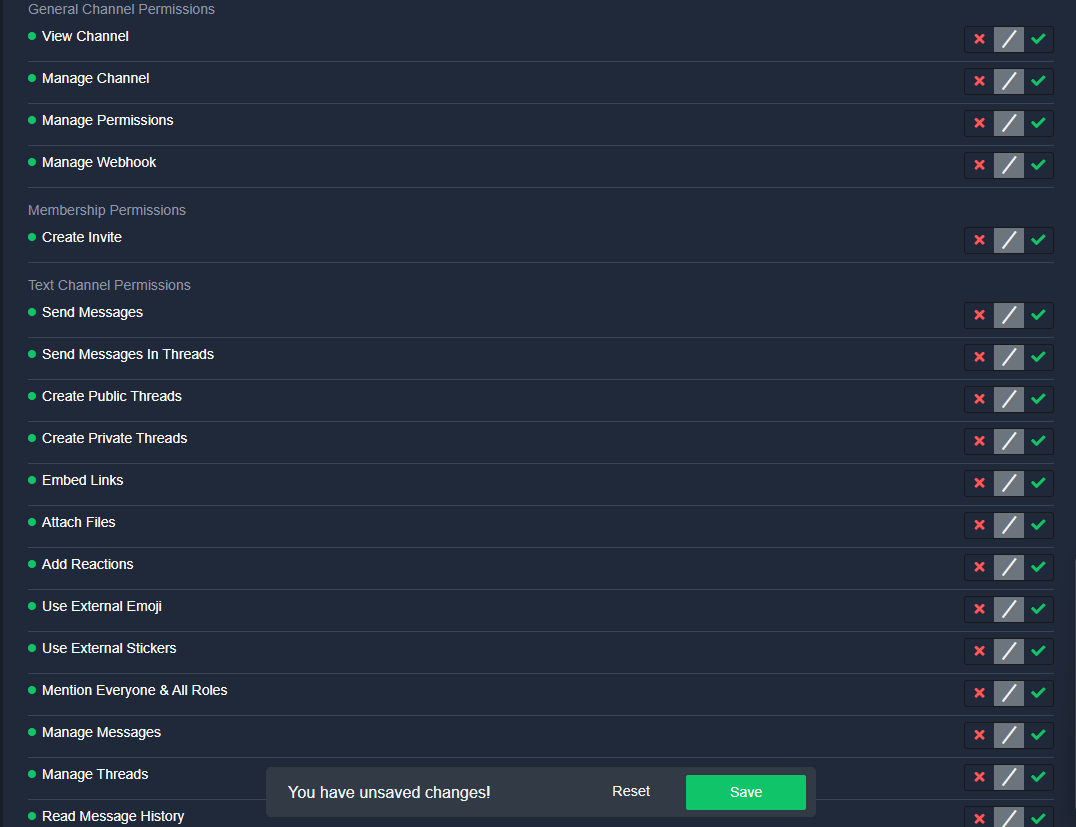 ornate garden
New launching tokencypto Hay done high value market
wild spire
swift thorn
<@822579606074032178> Also, what permissions do I select to do that. Like when t...
is that support team opened or where are you looking?
Also you did read that the claimer will not be able to talk I typed above?
swift thorn
Ya I clicked dis https://i.gyazo.com/98c5c06417f704e612aafe3444ec1c80.png
 wild spire
swift thorn
Ya I clicked dis https://i.gyazo.com/98c5c06417f704e612aafe3444ec1c80.png
wild spire
swift thorn
Ya I clicked dis https://i.gyazo.com/98c5c06417f704e612aafe3444ec1c80.png
thats claimed permissions.
not support team opened.
You need to set claimed permissions to
view channel
send messages
If you only want your support team to be able to talk after a ticket was claimed
swift thorn
Do i put the rest of the claimed permissions on ❌ or /?
wild spire
neutral
swift thorn
Alright, let me test it out
wild spire
You need to set support team opened (panel configs > permissions > support team)
view channel
send messages ❌
But last warning that the person who actually claims the ticket will not be able to send anything.
swift thorn
wild spire
You need to set support team opened (panel configs > permissions > support team)...
Right, im just confused. I enabled those on the Role called "Mastermode 6" and I gave the Mastermode 6 role to my alt account "guru" and im still allowed to type even if I have not claimed. https://i.gyazo.com/8ce555e51b2b1dd1c108116dcfb972ed.png. I just dont understand why if they claim it, they cant send anything.
wild spire
swift thorn
Right, im just confused. I enabled those on the Role called "Mastermode 6" and I...
Did you change the settings in the panel permissions > support team opened?
Is that user talking a support team member?
I explained in my first message the person who claims the ticket (the claimer) will get the original support team permissions (not able to talk) once a ticket is claimed.
swift thorn
wild spire
Did you change the settings in the panel permissions > support team opened?
Is t...
Ok, so there is just no fix to that? Like I cant reverse that? And this is where im going for the Mastermode 6 role. https://i.gyazo.com/a1070f250cb752a6ba73f95dc2d2030c.png

 pine violet
Hola! Como podria poner hacer que en mi servidor haya un panel para que la demas gente pueda crear tickets si tienen algun problema? @severe path @radiant moss @safe prairie @timber kernel @slender minnow
wild spire
swift thorn
Ok, so there is just no fix to that? Like I cant reverse that? And this is where...
no there’s nothing to fix that.
The setting is intended so the other people are not able to talk after a ticket is claimed, but only the claimer is.
So reversing it the other way around will give the claimer the support team opened permissions, and the rest of your team will get the change permissions when claimed settings
wild spire
pine violet
Hola! Como podria poner hacer que en mi servidor haya un panel para que la demas...
$esticket
humble sequoiaBOT

Equipo de Soporte Español
Querido usuario, si está buscando ayuda, por favor abra un ticket para contactar al Equipo de Soporte Español. Diríjase a #🎫│make-a-ticket y presione el botón :flag_es:.
wild spire
Sidenote, do not ping support members. Not everyone you pinged speaks spanish.
 robust sandalBOT
wild spire
Sidenote, do not ping support members. Not everyone you pinged speaks spanish.
robust sandalBOT
wild spire
Sidenote, do not ping support members. Not everyone you pinged speaks spanish.
Nota al margen, no haga ping a los miembros de soporte. No todas las personas a las que has hecho ping hablan español.
 English (en) → Spanish (es)
pine violet
wild spire
$esticket
English (en) → Spanish (es)
pine violet
wild spire
$esticket
ok thank you
iron nightBOT
Gave +1 Rep to @wild spire
swift thorn
wild spire
no there’s nothing to fix that.
The setting is intended so the other people are ...
Oh wait, the claimer will get the permissions? Meaning my support team will get the permissions?
Or the claimer as in the person who made the ticket?
wild spire
Claimer is the one person in your support team who presses the claim button.
he/she will not be able to talk after they claimed a ticket.
I’ll try to explain it easy
- ticket is created everyone gets the support team opened permissions
- ticket is claimed
claimer gets the support team opened permissions
Rest of the support team gets the claimed permissions
swift thorn
So, What if I make a separate role for the people creating the ticket, and than give that seperate role the permission to talk. Will that work?
wild spire
How would u do that? 
They get the ticket owner permissions you set in the dashboard and are not changeable by a setting in claiming.
pine violet
wild spire
$esticket
How long does it take more or less to respond?
wild spire
pine violet
How long does it take more or less to respond?
When they have time.
pine violet
ok
swift thorn
wild spire
How would u do that? <a:TTMM_SLOWtoohless:1148679231124025436>
They get the tic...
Ohh ok. Dang man that sucks. Does attatching a thread to the ticket work?
wild spire
swift thorn
Ohh ok. Dang man that sucks. Does attatching a thread to the ticket work?
You can auto attach a private thread for ur support team of thats what u mean?
swift thorn
Ya like where the ticket owner can talk in
swift thorn
Hmmmm, do you know why that is that you cant have the support team only talk once they claim it and the members can always talk?
wild spire
swift thorn
Hmmmm, do you know why that is that you cant have the support team only talk onc...
its just how it is 
I’m not the developer. I can only say what the bot can or cannot do at this moment in time.
If u want something else added use #1019685143046279208
$pc 511020026883604491
humble sequoiaBOT
wild spire
$pc 511020026883604491

Thank you
Thank you for purchasing Ticket Tool Premium @swift thorn. You have now been given the <@&535595160189403136> role!
Found 2 servers in total and 1 with premium and permission
wild spire
Now u should be able to see the channel
jade topaz
hi guys, i have a LOT of clientele and the ticket category fills up fast... is there a better way than making a second category?
sinful comet
You speak arabic
 uncut garden
is it possible to have multi dropdown support like this with this bot https://i.imgur.com/GB4NVlM.png
 velvet coyote
I'm trying to make a form with multiple questions, even if I set the questions up as required though only one question pops up any reason why this is?
 hard lagoon
how can make limit to tickets ?
jade topaz
hard lagoon
how can make limit to tickets ?
need this too
 remote atlas
How can i connect 2 panels together?
velvet coyote
hard lagoon
how can make limit to tickets ?
Limits in what way?
 gaunt sun
hello i want to know if its possible to edit the text embed of a panel
jade topaz
Can I make the bot post questions when the ticket is made
 hasty crown
It say application did not respond how do I fix that

 errant granite

 noble fossil
My members don’t have permissions apparently, anyone know how to fix?
errant granite
errant granite
Fix
gaunt sun
how do you delete a panel
pseudo ravine
uncut garden
is it possible to have multi dropdown support like this with this bot https://i....
Hey there. You could send multiple panels with dropdowns, and then remove the embed from the message
pseudo ravine
velvet coyote
I'm trying to make a form with multiple questions, even if I set the questions u...
Are you saving your changes on the dashboard? And are you creating a ticket/editing the correct panel?
pseudo ravine
hard lagoon
how can make limit to tickets ?
Hey there. You can go to the Dashboard > Limits
humble sequoiaBOT
For more convenient use of multipanels, you can now combine panels on the dashboard. This will allow you to directly send the multipanel from the dashboard or via the $panel ID command.
Where can I find this?
You can find this setting on the Dashboard -> Panel Configs -> Panel -> Attached Panels
Note: if you're attaching all the panels to a panel called English, don't include English in the attached panel's box (If you do this, it will create a duplicate)
This will put all buttons from all of your panels on one message. The message is the panel message from the panel you're combining these panels in.
pseudo ravine
@remote atlas Read this ^
humble sequoiaBOT
The panel message is where people react to make a ticket. To customize it head over to your Dashboard --> Panel Configs -> Panel -> Edit Panel Message
 pseudo ravine
@gaunt sun Read this ^
humble sequoiaBOT
A Discord Form lets the user answer individual questions in a pop-up Form, which then displays the answers in the ticket message. This can save time if you already know what you want to ask the user.
Setup Forms
Forms can be enabled under Panel Settings > Form Options > Edit Forms Options. In the new pop-up window, you can now enable and edit your own Form.
Form Options
You can add up to 5 questions in the Discord form. This is a Discord limitation. Each question can have a placeholder in the input field, a minimum and maximum input, multi-line, and also the option to have the answer required.
Options
Question Title ➞ Your Question goes here
Question Placeholder ➞ The placeholder text in the input field
Required ➞ If enabled, the user has to answer this question, to submit the form
Multi-Line Input ➞Allows the user to input multiple lines
Minimum and Maximum Input ➞ Set a minimum and maximum input value for the user
Displaying the Answer
To display the answers from the user, you need to enable Auto display form results on the ticket message as an additional embed
If you don't want a second embed, go into your Panel Configs > Ticket Options > Edit Ticket Message. You use the variable {create.form.x} and replace x with the number of your question. For example, the response to Question 5 can be displayed with {create.form.5}.
pseudo ravine
@reef bolt Read this ^
pseudo ravine
noble fossil
Hey there. Go to the Dashboard > Buttons > Create Ticket > Make sure Support Team Only is not enabled, and make sure that you don't have any Allowed or Disabled roles
noble fossil
pseudo ravine
Hey there. Go to the Dashboard > Buttons > Create Ticket > Make sure `Support Te...
Thanks gang
iron nightBOT
Gave +1 Rep to @pseudo ravine
 smoky wraith
في ادمن سعودي او عربي ؟
pseudo ravine
noble fossil
Thanks gang
You're welcome, glad I could help!
 distant jetty
any idea about this? "Failed: Invalid Form Body components[0].components[0].emoji.name[BUTTON_COMPONENT_INVALID_EMOJI]: Invalid emoji"
humble sequoiaBOT
This error indicates you have selected an invalid emoji, i.e. an emoji the bot isn't capable of using, in a button field
Which Emoji?
This depends upon which action the error is appearing, the most common cases are the Create Ticket button or one of your Dropdown emojis. You can visit your Button's List to find all available buttons and find the conflicting one by yourself.
Why doesn't the bot accept it as valid?
- You selected an emoji that doesn't exist anymore, i.e. that has been deleted
- You wrote text there, instead of an emoji (or in addition to an emoji)
- You entered a code for a custom emoji from a server that the bot is not a member of
- You entered a custom emoji code incorrectly
- You're on iPhone and entered an emoji using the phone's emoji pad (use the emoji selector in the website instead)
rustic gale
@distant jetty ^
 rustic gale
 modest holly
Is there a option like this?
modest holly
Is there a option like this?
That's just a custom close question.
The close question can't be edited like that without premium
But with premium it can.
Panel Configs -> Messages -> Close Question

 empty mirage
Is there a way to have a role set as "support team" but then only certain users or certain roles can "/close" or close the ticket?
rustic gale
errant granite
???
It says Click for info. Did you click for info?
rustic gale
empty mirage
Is there a way to have a role set as "support team" but then only certain users ...
Panel Configs -> Buttons
For each button you can set up allowed roles and disabled roles
You will probably want to set up allowed and disabled roles for the Close Ticket button and the Confirm Close button
empty mirage
rustic gale
You will probably want to set up allowed and disabled roles for the Close Ticket...
found that. so that will affect the /close commands as well then?
rustic gale
No. The /close command has its own permission setup.
That's on the Command Configs screen
empty mirage
ah ok so setting perms on both. got it. tyvm for that. super fast help ❤️
thanks @rustic gale
iron nightBOT
Gave +1 Rep to @rustic gale

 limber portal
errant granite
limber portal
errant granite
«The application did not respond»
Are you seeing this message when you use a Ticket Tool command in a channel? It may be because the bot is missing permissions in that channel.
Try the following:
- Right-click the channel, select Edit Channel, then Permissions
- Scroll down to Advanced Permissions and add Ticket Tool there
- Make sure that View Channel and Send Messages are for Ticket Tool
- Save the changes
- In the channel, use the /debug command to check for any other missing permissions
- If needed, go back to the Permissions menu and grant Ticket Tool any missing permissions
- Retry using the command you wanted to use and confirm that it works properly now.
errant granite
limber portal
>>> **«The application did not respond»**
Are you seeing this message when you ...
Thanks you
iron nightBOT
Gave +1 Rep to @limber portal
 languid prism
What would cause the claim button to no longer be available when a new ticket has been opened? It was working fine yesterday, but today it just suddenly wasn't there any more
 elder jolt
Why this message, although i have Administrator Permissions
 wild spire
languid prism
What would cause the claim button to no longer be available when a new ticket ha...
wild spire
languid prism
What would cause the claim button to no longer be available when a new ticket ha...
Did your premium end? Did someone else make changes to the dashboard?
wild spire
elder jolt
Why this message, although i have Administrator Permissions
Run $level in the server and see if it does say administrator
languid prism
 wild spire
languid prism
wild spire
languid prism
That was to a different user. 😅
Can u check if your premium has ended or someone else made changes to the dashboard?
 tranquil spindle
How will i know if people have mad a ticket in my server?
wild spire
tranquil spindle
How will i know if people have mad a ticket in my server?
It will open up a channel.
If u want to be pinged in tickets use the following format in the ticket message
humble sequoiaBOT
Within all the messages the bot sends (both embeds and text) you can mention either channels, roles, or even users, these mentions will only send a notification to the user if they are used within a text field, e.g: a role mentioned in an embed won't ping at all the users who have that role.
For mentioning a role you can use one out of three options:
{@Role Name} ➞ Which is Case Sensitive.
{RoleID} ➞ Replace RoleId with the Id of the role you are trying to ping.
<@&RoleID> ➞ Discord's native syntax to ping roles.
<#ChannelID> ➞ Mention a channel by its ID.
<@UserID> ➞ Mention a user by its ID.
iron nightBOT
Gave +1 Rep to @wild spire
 wild spire
errant granite
wild spire
errant granite
Bot is probably missing permissions for the ticket category
errant granite
wild spire
Bot is probably missing permissions for the ticket category
I not understand
Can you fix ?
wild spire
I cannot fix it for you.
If English isnt your best language, I suggest making an arabic ticket.
$articket
humble sequoiaBOT

فريق الدعم الفني العربي
عميلنا العزيز ان كنت تبحث عن مساعدة يرجى فتح تكت خاص بفريق الدعم الفني العربي
اذهب الى#🎫│make-a-ticket
ثم قم بلضغط على الايموجي الاتي (🇯🇴)
errant granite
wild spire
I cannot fix it for you.
If English isnt your best language, I suggest making an...
Ok thx
iron nightBOT
Gave +1 Rep to @wild spire
wild spire
errant granite
Ok thx
3Afwan 👍🏻
errant granite
wild spire
3Afwan 👍🏻
You Arabic ??
wild spire
errant granite
You Arabic ??
Taaliba Fusha 😂
So no
errant granite
Ah ok
 lusty forge
i looked everywhere and i cant find the ids my panels to send a message, i dont understand where or how to find it
wild spire
lusty forge
i looked everywhere and i cant find the ids my panels to send a message, i dont ...
The ID of a panel? or can u elaborate what ID you’re looking for
lusty forge
A panels id
wild spire
Are you trying to send your panel?
wild spire
Use the command $panel number
Number is what u see in front (like 22, 23, 24,… in my screenshot)
 iron nightBOT
Gave +1 Rep to @wild spire
wild spire
no worries
 stuck wigeon
Hi, is it possible to make the ticket tool send direct message to a member whenever a support member responds to his ticket?
wild spire
stuck wigeon
Hi, is it possible to make the ticket tool send direct message to a member whene...
No.
Only when the ticket opens and closes
stuck wigeon
wild spire
No.
Only when the ticket opens and closes
Ok. Thanks
iron nightBOT
Gave +1 Rep to @wild spire
 dire sun
how do I make the delete button not appear here and how do I make it so certain people can't use the $delete command
 wild spire
dire sun
how do I make the delete button not appear here and how do I make it so certain ...
wild spire
dire sun
how do I make the delete button not appear here and how do I make it so certain ...
To not have the moderator message turn of two step ticket in panel configs > general.
To set the perms for $delete go to command configs > delete.
U can set allowed and disabled roles.
dire sun
wild spire
To not have the moderator message turn of **two step ticket** in panel configs >...
I already set it like this but it still let's people with the role called support to use the $delete command

but I don't want the support role to be able to do that
wild spire
dire sun
I already set it like this but it still let's people with the role called suppor...
Are they a support team role?
It says enabled at the top
dire sun
wild spire
Are they a support team role?
for ticket tool?
how do I check
wild spire
dire sun
for ticket tool?
how do I check
in panel configs > general
is that role added to support roles
iron nightBOT
Gave +1 Rep to @wild spire
wild spire
dire sun
wild spire
<:PabloThumbsUp:988868803817521152>
how do I make it so the ticket doesn't automatically get deleted upon closure
wild spire
dire sun
how do I make it so the ticket doesn't automatically get deleted upon closure
I thought u didnt want the delete button. 😅
Turn on two step ticket
and go to buttons > delete ticket
 show this button
dire sun
wild spire
I thought u didnt want the delete button. 😅
ye I dont but I dont want it to get automatically deleted either
dire sun
wild spire
and go to buttons > delete ticket
<:Switch_disabled:1041734620770750474> show th...
got it
elder jolt
wild spire
Run $level in the server and see if it does say administrator
I will
elder jolt
wild spire
Run $level in the server and see if it does say administrator
That is the response
 gilded verge
elder jolt
That is the response
gilded verge
elder jolt
That is the response
level 0 means that you don't have any permissions to manage ticket tool (you don't have admin permission but you said you have),
in other words, ask your admins so they can add your role to Server Configs -> Dashboard Roles or ask owner for administrator permission
elder jolt
gilded verge
level 0 means that you don't have any permissions to manage ticket tool (you don...
I have Administrator Permission 🙂

 gilded verge
please read your screenshots again, you're using wrong accounts
i think that cause i can't see any other way
elder jolt
gilded verge
i think that cause i can't see any other way
I will see
Thanks for your support
jade topaz
hi
can i buy premium ticket tool bot but for two discord server ? or i need to pay 5.99$ x2 ?
ping if someone know please
pseudo ravine
Hey there. It's per server, so you'll need to pay $5.99 x2
 boreal prawn
Is there a way to add a custom ticket escalation command? I'm not big into coding so I don't understand much of the custom variables or how to pair them together.
My idea is to create a custom command when someone sends .esc it removes everyone except for people with administrator perms and the ticket owner.
pseudo ravine
Hey there. Unfortunately there is not a way. Custom Commands don't do anything besides send a message
boreal prawn
Is there a way to have the bot respond with a command, then read its own command and kick certain roles?
pseudo ravine
If by "kick certain roles" you mean remove their permissions from the ticket, then no
There have been at least 1 suggestion (most likely multiple) regarding escalation, so there is a possibility it will be implemented in the future
boreal prawn
Alright, thank you for your help!
pseudo ravine
You're welcome, glad I could help!
 sinful bay
i DMed u saying thank you for your help and i got warned?
pseudo ravine
DMing staff is against the rules, which are listed in #📂│information
If you do not need any support with Ticket Tool, please don't message in this channel
pseudo ravine
Just make sure to not do it again in the future
 twin willow
how do i make the ticket tool have the question options thingy
Like when someone clicks on a ticket n it asks questions before creating the ticket?
humble sequoiaBOT
A Discord Form lets the user answer individual questions in a pop-up Form, which then displays the answers in the ticket message. This can save time if you already know what you want to ask the user.
Setup Forms
Forms can be enabled under Panel Settings > Form Options > Edit Forms Options. In the new pop-up window, you can now enable and edit your own Form.
Form Options
You can add up to 5 questions in the Discord form. This is a Discord limitation. Each question can have a placeholder in the input field, a minimum and maximum input, multi-line, and also the option to have the answer required.
Options
Question Title ➞ Your Question goes here
Question Placeholder ➞ The placeholder text in the input field
Required ➞ If enabled, the user has to answer this question, to submit the form
Multi-Line Input ➞Allows the user to input multiple lines
Minimum and Maximum Input ➞ Set a minimum and maximum input value for the user
Displaying the Answer
To display the answers from the user, you need to enable Auto display form results on the ticket message as an additional embed
If you don't want a second embed, go into your Panel Configs > Ticket Options > Edit Ticket Message. You use the variable {create.form.x} and replace x with the number of your question. For example, the response to Question 5 can be displayed with {create.form.5}.
 crystal belfry
yo how do i fix the issue where other members of my server cannot open a ticket but only i can
rustic gale
crystal belfry
yo how do i fix the issue where other members of my server cannot open a ticket ...
«You don't have permissions to use this»
Are your members seeing this message when they try to create a ticket?
You may have accidentally denied them permission to use the Create Ticket button.
Look in the following places in your server's dashboard:
👉 Server Configs -> Blacklist Roles
Any roles there will be unable to interact with the bot in any way, including creating tickets.
👉 Panel Configs -> Buttons -> Create Ticket -> Support team only
If this is enabled , only your staff will be able to use the button.
👉 Panel Configs -> Buttons -> Create Ticket -> Disabled Roles
Any roles there will be unable to use the button.
 small dagger
Hello, I'm trying to create a ticket, nothing works, what should I do, maybe I missed something on the site
 jade topaz
how creat ticket
 zenith shore
algum suporte BR?
 flint socket
zenith shore
algum suporte BR?
flint socket
zenith shore
algum suporte BR?
eu sou BR, posso tentar ajudar me manda DM
pseudo ravine
No, DM support is not allowed
flint socket
pseudo ravine
No, DM support is not allowed
So can I provide support in Portuguese?
pseudo ravine
In here, yes
flint socket
Ok
flint socket
zenith shore
algum suporte BR?
Pode falar
zenith shore
flint socket
Pode falar
Boa noite, desculpa a demora.
Eu queria saber se tem alguma variável ou alguma função do bot, que no uso do estilo suspenso, ao escolher uma opção, a mesma aparecer em destaque na mensagem do ticket quando é aberto, tentei de todas as maneiras, e não consegui...
flint socket
zenith shore
Boa noite, desculpa a demora.
Eu queria saber se tem alguma variável ou alguma ...
Vc quer colocar uma variável como descrição? tipo @zenith shore aqui é o ticket de suporte...
zenith shore
ISSO
Tem várias opções;
Patrocínios
Recompensa de eventos
Denúncias
Aí quando abrirem o ticket escolhendo uma delas, a mensagem do painel mostrar qual opção o membro escolheu.
flint socket
zenith shore
Tem várias opções;
Patrocínios
Recompensa de eventos
Denúncias
Aí quando abrire...
vc quer que ele pegue o nome do painel e precisa da variavel pra isso né?
zenith shore
Não exatamente uma variável, qualquer coisa que me mostre a escolha do membro.
zenith shore
flint socket
vc quer que ele pegue o nome do painel e precisa da variavel pra isso né?
Não o nome do painel, mas o nome das opções do estilo suspenso
zenith shore
Pera ai, vou pegar o pc
AAAAAA PERA, ACHO QUE CONSEGUI FAZER
Consegui, eu tinha que ter feito um painel para cada opção do estildo suspenso, desculpa o incomodo Weslei!
flint socket
zenith shore
Consegui, eu tinha que ter feito um painel para cada opção do estildo suspenso, ...
sem problemas
magina amigo
 elfin turret
Need to fill out an appeal for Connecticut state rp User is Samplayzr0bl0x113
humble sequoiaBOT
⚠️ You're in the wrong place
We provide support for Ticket Tool Discord bot and cannot help you with whatever issue you have.
- We don't know which Support Team you should contact to get this issue resolved, and unfortunately we won't be able to accurately tell you.
If you don't have any further questions regarding our bot Ticket Tool, please close this ticket
rustic gale
small dagger
Hello, I'm trying to create a ticket, nothing works, what should I do, maybe I m...
Did you solve this, or do you still need help?
 slate mantle
humble sequoia
slate mantle
humble sequoia
is there a way to edit the form?

 rustic gale
 wintry idol
“Server at channel limit of 500”
robust sandalBOT
Isso significa que o servidor atingiu 500 canais e não é possível criar mais canais. Isso inclui ingressos. A única maneira de resolver isso é entrar em contato com a equipe do servidor de outra forma e informá-los de que o limite foi atingido.
English (en) → Portuguese (pt)
rustic gale
ingressos = tickets
wintry idol
robust sandal
Como é que eu faço para comunicar-nos
rustic gale

robust sandalBOT
Não temos nenhuma relação com esse servidor. Você deveria perguntar lá, não aqui.
English (en) → Portuguese (pt)
small dagger
The ticket tool has all the rights, but I can’t create a ticket
 small dagger
a ticket is created and then immediately deleted
humble sequoiaBOT
━━ Mikebrooks2's inquiry has been moved to a ticket ━━
 gleaming garden
How can I make somebody supporter, so that he can look into tickets?
humble sequoiaBOT
━━ LeandinLP's inquiry has been moved to a ticket ━━
 broken heath
Hey. As owner of the server is there a setting so I can create more then one ticket of the same panel?
broken heath
Thankyou
humble sequoiaBOT
⚠️ You're in the wrong place
We provide support for Ticket Tool Discord bot and cannot help you with whatever issue you have.
- We don't know which Support Team you should contact to get this issue resolved, and unfortunately we won't be able to accurately tell you.
If you don't have any further questions regarding our bot Ticket Tool, please close this ticket
limber portal
^
 shadow marlin
can anyone help me ? how can i do something like if someone opens ticket it will show their name the person who opened the ticket
humble sequoiaBOT
━━ User's inquiry has been moved to a ticket ━━
 remote estuary
We can't fix this issue.Pls help us
 rustic gale
shadow marlin
can anyone help me ? how can i do something like if someone opens ticket it will...
rustic gale
shadow marlin
can anyone help me ? how can i do something like if someone opens ticket it will...
Add {ticket.user.name} to the ticket message
rustic gale
remote estuary
We can't fix this issue.Pls help us
«You don't have permissions to use this»
Are your members seeing this message when they try to create a ticket?
You may have accidentally denied them permission to use the Create Ticket button.
Look in the following places in your server's dashboard:
👉 Server Configs -> Blacklist Roles
Any roles there will be unable to interact with the bot in any way, including creating tickets.
👉 Panel Configs -> Buttons -> Create Ticket -> Support team only
If this is enabled , only your staff will be able to use the button.
👉 Panel Configs -> Buttons -> Create Ticket -> Disabled Roles
Any roles there will be unable to use the button.
remote estuary
rustic gale
>>> **«You don't have permissions to use this»**
Are your members seeing this me...
okay.Thx :]
 robust ibex
rustic gale
>>> **«You don't have permissions to use this»**
Are your members seeing this me...
robust ibex
rustic gale
>>> **«You don't have permissions to use this»**
Are your members seeing this me...
It works!!
Thank u soo much
iron nightBOT
Gave +1 Rep to @rustic gale
jade topaz
how do i make it ping a role
humble sequoiaBOT
1. Go into your Dashboard
2. Open your Panel Configs tab
3. Select the panel you want to ping your support on
4. Open the Ticket options menu
5. Click on Edit Ticket Message
6. In the Message Content use one of the role mention syntax (**{@Role Name}**/**{Role ID}**)
7. Save changes
Note: For this to work properly, Ticket Tool requires the Mention Everyone permission. Or the role must have the Allow anyone to @mention this role setting enabled
rustic gale
See above
jade topaz
rustic gale
See above
thx
iron nightBOT
Gave +1 Rep to @rustic gale
slate mantle
Hi is there a way to edit the form created inside the ticket
rustic gale
I'm not 100% sure what you mean
But if you mean the automatic embed with the form answers
No, that's not possible
You can manually set up a custom embed with the form answers, but it's premium only
 pallid garnet
hello, is there a way to ban someone from creating tickets on your server?
thorn barn
humble sequoia
━━ *Mikebrooks2's inquiry has been moved to a ticket* ━━
how do you send this message? I understand it's a custom commands but which variable did you use on the message
 cedar jackal
I had a same problem with my toll can someone help me?
rustic gale
thorn barn
how do you send this message? I understand it's a custom commands but which vari...
An argument variable
rustic gale
cedar jackal
I had a same problem with my toll can someone help me?
Which problem?
rustic gale
pallid garnet
hello, is there a way to ban someone from creating tickets on your server?
Give them a blacklist role
You set up blacklist roles in Server Configs in the dashboard
pallid garnet
thank you
thorn barn
rustic gale
An argument variable
ok, i created the argument variable, what do i do now to ping the user or just write his username?
humble sequoiaBOT
━━ @rustic gale's inquiry has been moved to a ticket ━━
rustic gale
Our command actually uses
{argument.1?fb=User}'s inquiry has been moved to a ticket
If no argument is given, it writes “User” in place of the variable
humble sequoiaBOT
━━ User's inquiry has been moved to a ticket ━━
thorn barn
rustic gale
Our command actually uses
> {argument.1?fb=User}'s inquiry has been moved to a t...
how you send this message with slash command or by just typing something?
rustic gale
By typing m2t
rustic gale
thorn barn
how you send this message with slash command or by just typing something?
Have a look at the Custom Commands main menu
 thorn barn
lemme try
rustic gale
The command trigger (2.) is what you type to send the command
rustic gale
Arguments are added with the New button (bottom right)
thorn barn
rustic gale
Arguments are added with the New button (bottom right)
yeah but i don't know how to modify the variable, i mean input does that variable
and how to select which user
rustic gale
Uhhh
thorn barn
rustic gale
Uhhh
if u type m2t right now how do you select which user will be pinged?
rustic gale
 humble sequoiaBOT
━━ asdfghjklasdfghjkl's inquiry has been moved to a ticket ━━
thorn barn
to send the tag instead of the username i just need to send m2t @htyfgnjtyhfgjunm ?
Alr, i understood now, it took a few but i got it
rustic gale
Great

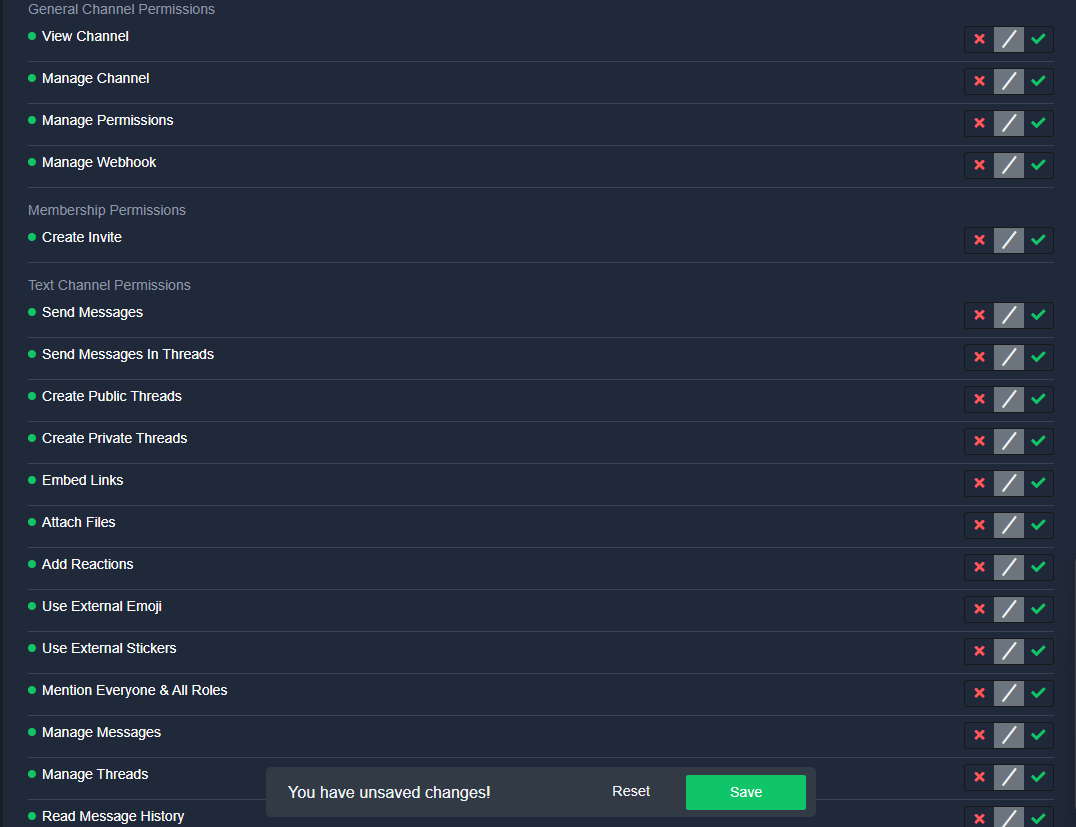

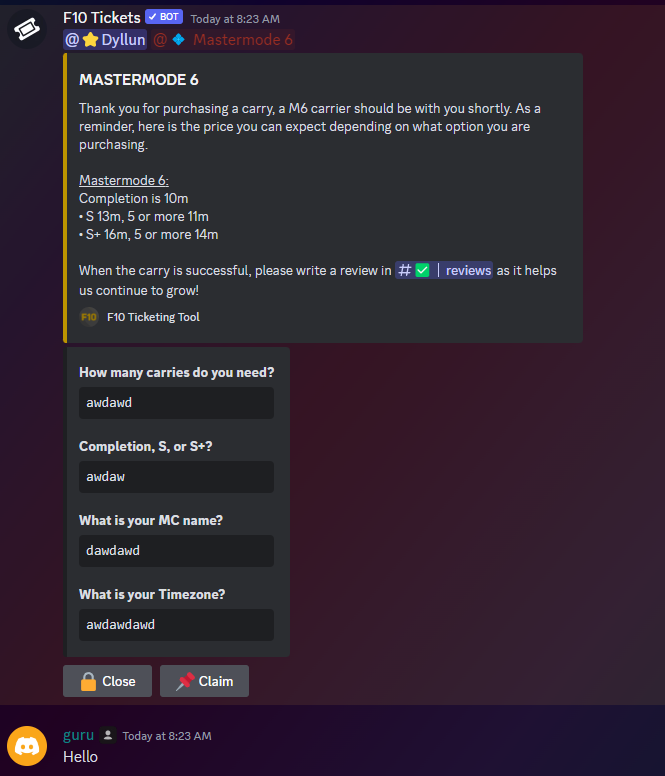
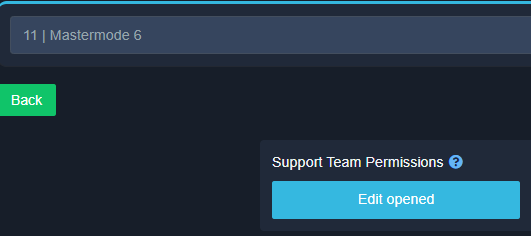
 thorn barn
rustic gale
Great
thorn barn
rustic gale
Great
Also why ticket tool can't use custom emoji from the server?
rustic gale
Of course it can, why would you believe it can't?
Use the /id command to obtain the emoji ID, and use that in the bot's messages
thorn barn
no way it's possible
i just treid to send my emoji like this :customemoji:
and i guess by sending in this way it doesn't work
it's <idemoji> ?
rustic gale
It looks like this
< emoji name : a bunch of numbers >
Here's an example !PabloTiphat

Animated emojis are <a:name:numbers>
 gloomy charm
hello is there anyway without trainscript i can see the history of the texts between me and my friends in the tickets?
pseudo ravine
Hey there. The only way is from the transcript
gloomy charm
pseudo ravine
Hey there. The only way is from the transcript
i lost a valueable thing in there is there any way of form you can help?
pseudo ravine
Unfortunately not. We do not store any transcripts
gloomy charm
alright have a good day
pseudo ravine
You too!
 digital stone
What does the Placeholder Text do?
rustic gale
It's displayed in the box before the user enters text
digital stone
rustic gale
It's displayed in the box before the user enters text
Ok thank you
iron nightBOT
Gave +1 Rep to @rustic gale
jade topaz
How to invite prem bot ?
humble sequoiaBOT
The first thing you will need to do is invite the premium bot, an invite can be found here
Once the bot is in your server we will head to the dashboard and manage your server. When you are managing your server, you want to head into "Server Configs" then click the drop down menu under "Select the bot you would like to use on this server" then click "Ticket Tool#6207" and then save.
limber portal
jade topaz
How to invite prem bot ?
Check out
 ebon gust
I seen this in a server I’m in and was wondering how do you do it
 rustic gale
How do you do what?
ebon gust
rustic gale
How do you do what?
How do you give a embed multiple responses
humble sequoiaBOT
For more convenient use of multipanels, you can now combine panels on the dashboard. This will allow you to directly send the multipanel from the dashboard or via the $panel ID command.
Where can I find this?
You can find this setting on the Dashboard -> Panel Configs -> Panel -> Attached Panels
Note: if you're attaching all the panels to a panel called English, don't include English in the attached panel's box (If you do this, it will create a duplicate)
This will put all buttons from all of your panels on one message. The message is the panel message from the panel you're combining these panels in.
rustic gale
By adding the extra buttons to Attached Panels
ebon gust
rustic gale
By adding the extra buttons to Attached Panels
Thanks
iron nightBOT
Gave +1 Rep to @rustic gale
 gritty island
Hello, I just made the purchase through Discord for Premium but I went to the desktop and it doesn't have Premium mode activated, could any support help me?
gritty island
I already solve
I have another question, I think only support can answer me, for example a customer purchased a plan after clicking pay the Ticket and the panel appears Would it be possible that on this panel screen the customer would have options to select which plan they contracted? Or for that you would have to have your own bot