#🆘│community-support
1 messages · Page 59 of 1
 vague cosmos
 jade topaz
I want to create ticket style like this https://www.youtube.com/watch?v=tXA_UYW8a-I. but problem is creating ticket via command won't get notify like this (in the picture)


By watching this video you will learn to setup DropDown Ticket Support System on Discord using Ticket tool and Sapphire Bot.
► Timestamps
Final Product → 0:00
Setting up channels → 0:17
Adding Sapphire ID to Ticket Tool → 2:25
Setting up Sapphire Triggers → 2:53
Setting up Sapphire Main Panel → 4:24
Setting up the dropdown menu → 5:02
Setting...
 wild spire
jade topaz
I want to create ticket style like this https://www.youtube.com/watch?v=tXA_UYW8...
wild spire
jade topaz
I want to create ticket style like this https://www.youtube.com/watch?v=tXA_UYW8...
it wont for the user, that’s why I tell you to enable DM opened ticket.
When you do $new (userID)
the person from userID will receive a DM.
edit the DM message to say A ticket was created for you in channel {ticket}
But DMing the ticket owner is a premium feature
 woven abyss
Hello
vague cosmos
How can I help you, @woven abyss?
woven abyss
vague cosmos
How can I help you, <@922926962438197280>?
im Applications for support arabic, but received no response
vague cosmos
If you're not contacted you didn't make it.
woven abyss
Does this mean that I am rejected?
vague cosmos
woven abyss
Does this mean that I am rejected?
I can't see that, but if you didn't hear back (yet) I assume that as a yes. Maybe you have more luck next time.
jade topaz
wild spire
it wont for the user, that’s why I tell you to enable DM opened ticket.
When yo...
Ahhhhh I see, I really appreciated it. There is no other way to work around right? like create custom comand
wild spire
jade topaz
Ahhhhh I see, I really appreciated it. There is no other way to work around righ...
unfortunately not. Custom commands will always DM the person who triggers it
u can ping the user in the ticket message with the variable {ticket.owner}
then they’ll get pinged in the new ticket
woven abyss
vague cosmos
I can't see that, but if you didn't hear back (yet) I assume that as a yes. Mayb...
ok thank you
 iron nightBOT
Gave +1 Rep to @vague cosmos
vague cosmos
No problem, did you have any other questions?
jade topaz
wild spire
unfortunately not. Custom commands will always DM the person who triggers it
Oh ok, Thank you so much. I really appreciated your help! @wild spire and @vague cosmos
iron nightBOT
Gave +1 Rep to @wild spire
vague cosmos
No worries! Did you have any other questions?
jade topaz
Nope, thats all ❤️
 jagged hornet
Hey I made this form before opening a ticket but I don’t see the answers in the ticket (like the email) at all


 jagged hornet
Let me try to enable this
vague cosmos
If you enable that, your form answers will be displayed.
iron nightBOT
Gave +1 Rep to @vague cosmos
vague cosmos
Haha no problem. Happy to help, did you have any other questions?
jade topaz
how to make custom command
 humble sequoiaBOT
Custom Commands
Custom Commands are used to send a predefined response to your channels. Commands will only respond if the command itself is used, it will not function if you put the tag into a sentence.
To create commands, go to: Dashboard > Custom Commands > New. After creating and naming one, you can edit the command trigger and behaviors. Tap on the edit message button to edit the response of the command.
 jade topaz
@jade topaz Follow above 🙂 👆
 obtuse laurel
I can't do claim in the ticket the bot say the claim don't disabo
humble sequoiaBOT
Claiming allows you to change the ticket name, category and permissions. To use it you have to enable it first on your Dashboard > Panel Configs > Claiming

 Note: This is a premium feature
vague cosmos
Note: This is a premium feature
vague cosmos
Claiming is a premium only feature.
And since you don't have premium, you can't use it.
@obtuse laurel you can eventually get free premium by voting, see $vote in #🤖│bot-spam for more information on that.
vague cosmos
No worries, did you have any other questions?
obtuse laurel
No , thanks 🙏
 dusty venture
Hello when i want to close a ticket the bots say this : System Failure: Buttons must have a label and/or an emoji
how fix it ?

 rustic gale
dusty venture
Hello when i want to close a ticket the bots say this : System Failure: Buttons ...
rustic gale
dusty venture
Hello when i want to close a ticket the bots say this : System Failure: Buttons ...
The bot is trying to send a message with one or more buttons that have no label or emoji.
Those could be the Confirm Close, Cancel Close, Delete, Transcript, and/or Re-Open buttons
Those are all in Panel Configs -> Buttons in the dashboard
dusty venture
rustic gale
Those are all in Panel Configs -> Buttons in the dashboard
Okay, I see. Thanks
rustic gale
Good luck, let us know if you keep having trouble
 keen violet
Hi
I have bought the premium bot and want to change the branding of the ticket tool, where can I do this?
jade topaz
How do you mean “Branding”?
humble sequoiaBOT
Ticket Tool Custom Avatar
As of now, you are not able to change Ticket Tool's profile picture, nonetheless, our Development Team is working on the release of white labels, this is your own custom bot!
For the time being, you can change the bot's nickname by right-clicking the bot in the user list on your server and clicking Change Nickname
 jade topaz
Hello, I wanted to know how to solve a problem. When you open a ticket, the ticket appears at the top, above all the categories making it annoying in my opinion. If anyone can help me thanks.
 pseudo ravine
Hey there. You can go to the Dashboard > Panel Configs > Category > Assign a Category Opened/Created category and newly created tickets will be under that category

 rustic gale
jade topaz
the same thing keeps happening
rustic gale
jade topaz
the same thing keeps happening
Do you see an error message when you create the ticket?
An error message saying something like “missing permissions in that category” etc etc
jade topaz
this?
 jade topaz
this?
jade topaz
jade topaz
this?
Run /debug in a channel and then give it the permissions it needs.
The Manage Channels permission is 100% needed as this permission allows TicketTool to move channels into the correct category etc.
rustic gale
There's also the boring solution of giving the bot the Administrator permission
jade topaz
I still don't know what's wrong
 pseudo ravine
jade topaz
this?
pseudo ravine
jade topaz
this?
You need the give the permissions listed in this picture in your Help category
 solid sage
Every time I try and set up a ticket this happens

 dense crown
&gen Netflix
pseudo ravine
solid sage
Every time I try and set up a ticket this happens
Hey there. Could you please run the /debug command in that channel and send the link if you receive one?
pseudo ravine
dense crown
&gen Netflix
Do you need any help with Ticket Tool?
solid sage
pseudo ravine
Hey there. Could you please run the `/debug` command in that channel and send th...
I’ll try
solid sage
pseudo ravine
Hey there. Could you please run the `/debug` command in that channel and send th...
I was met with this
 pseudo ravine
No worries
It seems like Ticket Tool does not have the Send Messages permission inside that channel, which is why the application can't respond
pseudo ravine
No worries
 elder yew
Hai , I was wondering if ticket tool has any option where: only a role can create certain amount of tickets. Like I want a role to have opportunity to make only 3 tickets , is that possible somehow ?
@covert swallow
 idle flint
elder yew
Hai , I was wondering if ticket tool has any option where: only a role can crea...
idle flint
elder yew
Hai , I was wondering if ticket tool has any option where: only a role can crea...
Hmm, not directly.
A workaround is:
From the dashboard > Panel Configs > Limits, you could set a max of 3 open tickets per user for your panel, and then set roles to bypass the limit.
elder yew
hmm no i know about open ticket limits but i want a "all time" limit , wish if it could be a option , maybe u guys can add it , its really useful
idle flint
elder yew
hmm no i know about open ticket limits but i want a "all time" limit , wish if i...
You could add it to the #💡│suggestions channel
 tawdry anvil
how do i ping a role when tickets open
humble sequoiaBOT
Within all the messages the bot sends (both embeds and text) you can mention either channels, roles, or even users, these mentions will only send a notification to the user if they are used within a text field, e.g: a role mentioned in an embed won't ping at all the users who have that role.
For mentioning a role you can use one out of three options:
{@Role Name} ➞ Which is Case Sensitive.
{RoleID} ➞ Replace RoleId with the Id of the role you are trying to ping.
<@&RoleID> ➞ Discord's native syntax to ping roles.
<#ChannelID> ➞ Mention a channel by its ID.
<@UserID> ➞ Mention a user by its ID.
 slender minnow
@tawdry anvil add the variable outisde your embed ^
 covert tide
hey @slender minnow need help
 timber kernel
covert tide
hey <@776084862728667156> need help
timber kernel
covert tide
hey <@776084862728667156> need help
Please don't ping staff and what is your question ?
covert tide
timber kernel
Please don't ping staff and what is your question ?
i have support category but many tickets are opened in general ticket with separate category
i want to give permission to mods to handle tickets and already have given power in panel config support team but still they cant see tickets
timber kernel
covert tide
i have support category but many tickets are opened in general ticket with separ...
Do you have more than 50 Tickets in that category already?
50 is the Discord limit and you need to use a second category if you reach that limit.
For your second question, please check your permissions for the Support Team
covert tide
timber kernel
Do you have more than 50 Tickets in that category already?
50 is the Discord lim...
permission granted to community mod

still they can't see genereal tickets
here too
 timber kernel
covert tide
permission granted to community mod
timber kernel
covert tide
permission granted to community mod
Please check in the Ticket Tool dashboard.
Panel config -> Permissions
 covert tide
am i doing something wrong ?
timber kernel
Support Team -> edit opened
covert tide
timber kernel
Support Team -> edit opened
also done , can we do vc ?
timber kernel
covert tide
also done , can we do vc ?
Sry, not possible atm.
Please open a ticket, we need to go into more detail.
covert tide
timber kernel
Sry, not possible atm.
Please open a ticket, we need to go into more detail.
56684 check please
covert tide
timber kernel
Sry, not possible atm.
Please open a ticket, we need to go into more detail.

 upper glen
how to enable claim on my panel?
jade topaz
upper glen
how to enable claim on my panel?
Claiming is a premium feature sadly
upper glen
jade topaz
Claiming is a premium feature sadly
i do have peremium
humble sequoiaBOT
Claiming allows you to change the ticket name, category and permissions. To use it you have to enable it first on your Dashboard > Panel Configs > Claiming
Note: This is a premium feature
jade topaz
@upper glen, see above 🙂 👆
upper glen
jade topaz
<@883060771054039091>, see above 🙂 👆
yeah but where in wich categry is this setting
jade topaz
Dashboard —> Panel Configs —> Claiming
upper glen
jade topaz
Dashboard —> Panel Configs —> Claiming
oh lol now i see
jade topaz
Yep, and when you enable the feature every new ticket created should show the claim button 🙂
 bronze raft
hey, quick question. i upgraded to premium, switched the bot to the premium bot, updated my panel(s), all is working then i figured id removed the free tier bot because having double the options for closing/etc was annoying, but as soon as i removed that bot, discord cancelled my subscription 😄 can i just resubscribe manually when my expiration date is near? or do i need to keep the free tier bot in the discord?
vague cosmos
Hey! Did you subscribe via @pseudo glen?
bronze raft
Correct
vague cosmos
You'll need to keep that bot in the server, otherwise your subscription will stop.
But you can also pay via @humble sequoia, right?
bronze raft
Yeah it already said my subscription was cancelled lel, could i just resubscribe via the @humble sequoia when my benefits expiry date is close and not have any service issues?
vague cosmos
Didn't see that, I'm not sure how it exactly works (lifetime user) so you might want to open a ticket for that. I am sure the support team knows it the best.
bronze raft
Gotcha thanks
humble sequoiaBOT
━━ Lation's inquiry has been moved to a ticket ━━
 untold plank
hello
vague cosmos
Hey!
untold plank
why ain’t it working
vague cosmos
Could you explain in more detail, what you mean exactly? What isn't working?
untold plank
how do i answer the questions ticket tool provides
i reply but it doesn’t do anything
@vague cosmos
vague cosmos
No need to ping me, I'll see your message.
Do you mean the forms where answers are not displayed?
untold plank
i’ll dm it
vague cosmos
Send a screenshot here of what you mean, don't DM me.
untold plank
 vague cosmos
Ah, you can do that using forms (see the message below) on how to set it up.
humble sequoiaBOT
A Discord Form lets the user answer individual questions in a pop-up Form, which then displays the answers in the ticket message. This can save time if you already know what you want to ask the user.
Setup Forms
Forms can be enabled under Panel Settings > Form Options > Edit Forms Options. In the new pop-up window, you can now enable and edit your own Form.
Form Options
You can add up to 5 questions in the Discord form. This is a Discord limitation. Each question can have a placeholder in the input field, a minimum and maximum input, multi-line, and also the option to have the answer required.
Options
Question Title ➞ Your Question goes here
Question Placeholder ➞ The placeholder text in the input field
Required ➞ If enabled, the user has to answer this question, to submit the form
Multi-Line Input ➞Allows the user to input multiple lines
Minimum and Maximum Input ➞ Set a minimum and maximum input value for the user
Displaying the Answer
To display the answers from the user, you need to enable Auto display form results on the ticket message as an additional embed
In case you don't want a second embed, go into your Panel Configs > Ticket Options > Edit Ticket Message. In there you use the variable {create.form.x} and just replace x with the number of your question. For example, the response to Question 1 can be displayed with {create.form.1}. If you don't use this variable, the response from the user is lost.
 untold plank
where is forms where’s the OPTION to go onto forms provide an image
untold plank
this is on a separate server mate there isn’t no dashboard i can see
tell me STEP BY STEP how to get on
humble sequoiaBOT

Ticket Tool - Ticketing without clutter - The #1 discord Ticketing bot
vague cosmos
humble sequoia
You can access the dashboard from there, then you can follow what I said here (#🆘│community-support message) and then follow the embed.
untold plank
NO HOW DO I ANSWER THE QUESTIONS? THIS IS ON A SEPARATE SERVER AND ITS NOT MY TICKETBOT SO I CANT EDIT IT
vague cosmos
- We don't know how you can answer the questions now as it's in another server. Contact the staff there about it.
- There is NO NEED to use capslock when someone is trying to assist you, show some respect.
jade topaz
untold plank
NO HOW DO I ANSWER THE QUESTIONS? THIS IS ON A SEPARATE SERVER AND ITS NOT MY TI...
Ask the server owner for permissions to access the dashboard, then you can edit it.
untold plank
there’s no way of contacting the owner
untold plank
how can i know when i can’t actually speak to anyone in the server
jade topaz
not our problem sir
vague cosmos
Can you send messages in the ticket?
untold plank
yea
vague cosmos
Ask it there, we can't help with it here.
untold plank
there’s no reply
vague cosmos
Again, we can not help you with it. We give support for the bot, we can't help you with issue(s) you have in your case.
You'll need to get in contact with a team member from there, sorry.
untold plank
waste of time.
vague cosmos
What? The fact we can't help you or the fact you can't contact someone in that server?
vague cosmos
I understand that, but your best thing is to wait and hope you get a reply to the ticket. Nothing more I can suggest.
Did you have any other questions, related to Ticket Tool, @untold plank? Otherwise, you're welcome to chat with us in #💬│general-chat.
untold plank
naw
 elfin lion
hello tickets people are making dont have any names on them
vague cosmos
Hey, what do you mean exactly?
@elfin lion do you mean, the username of the user who opened the ticket is not in the channel name?
 silent prairie
How do get warzone skin izunami and the pink camo
humble sequoiaBOT

⚠️ You're in the wrong place
We provide support for Ticket Tool Discord bot and cannot help you with whatever issue you have.
- We don't know which Support Team you should contact to get this issue resolved, and unfortunately we won't be able to accurately tell you.
If you don't have any further questions regarding our bot Ticket Tool, please close this ticket
jade topaz
silent prairie
How do get warzone skin izunami and the pink camo
Please read above 🙂 👆
 violet quiver

Nobody in my server can make a ticket it says that pop up message what can it mean
vague cosmos
Hey, does this happen also when you make a new panel?
@violet quiver - Just a normal panel, without anything else.
Also, it looks like an issue that should fix itself normally.
 valid sparrow
hello
humble sequoiaBOT
@valid sparrow, we would love to help you, but if you don't tell us what you need help with we can't help you :(
vague cosmos
Just "hello" does not bring us anywhere.
 vague cosmos
You want the button to create a ticket to be visible? Do I understand that right?
valid sparrow
yes
vague cosmos
Did you send the panel you created on the dashboard?
valid sparrow
well, i set it up in my bot commands channel but i chose the catagory and channel for the ticket tool
obtuse laurel
Hi how can i vot for bot?
vague cosmos
I understand that, did you make a panel on the dashboard? @valid sparrow
@obtuse laurel you can run $vote in #🤖│bot-spam for more information about voting.
valid sparrow
vague cosmos
I understand that, did you make a panel on the dashboard? <@1104659930511855657>...
whats a panel, sorry?
obtuse laurel
Ok ty @vague cosmos
iron nightBOT
Gave +1 Rep to @vague cosmos
vague cosmos
valid sparrow
whats a panel, sorry?
A panel is used to create tickets, see the message below on how to create one:
humble sequoiaBOT
A panel is the core of Ticket Tool, so its important to do the adequate process:
1. Go into your Dashboard
2. Open your Panel Configs tab
3. Click on the+or in theCreatebutton
4. Fill in the blanks
5. Create the panel
 valid sparrow
i only understood up to here

 gilded verge
valid sparrow
my issue
gilded verge
valid sparrow
my issue
//just note: looks like you opened a ticket, so next time to prevent misunderstanding, make sure you ask for help in one channel
valid sparrow
oh ok
valid sparrow
gilded verge
//just note: looks like you opened a ticket, so next time to prevent misundersta...
closed it
vague cosmos
Alright, you have a panel. If you send it, people can create tickets in your server, @valid sparrow.
humble sequoiaBOT
1. Go into your Dashboard
2. Open your Panel Configs tab
3. Select the panel you want to send
4. Indicate to which channel it should be sent to
5. Send the panel

 vague cosmos
No worries, did you have any other questions? 🙂
obtuse laurel
I do vote for bot can i do cliam now ?
vague cosmos
You need a X amount of votes in order to get premium.
"Each vote is worth 12 hours of premium and can be redeemed once you have atleast 6 votes."
From the $vote command and you can vote two times evey 12 hours, so if you do both votes every 12 hours, you can get free premium after 3 days for X time. My math isnt that good.
@obtuse laurel
valid sparrow
vague cosmos
No worries, did you have any other questions? 🙂
sorry was busy, no i dont 🙂
vague cosmos
No worries and alright! If you have any questions in the future feel free to reach out, we're happy to help.
obtuse laurel
vague cosmos
You need a X amount of votes in order to get premium.
I don't know what u main how many votes i need to get premium
vague cosmos
You need at least 6 votes, you can check your votes by doing $vote in #🤖│bot-spam.
 finite ember
Yo Guys, I wanna replicate the style of a server of the ticket tool panel, who can help me with this?
vague cosmos
What do you mean by "the style of a server"?
 tawny solar
الدعم العربي وين
vague cosmos
You want to change colours of the embeds, created by Ticket Tool?
finite ember
Like, how their ticket is made, to make mine too, but like bit diff cuz roles
vague cosmos
finite ember
Like, how their ticket is made, to make mine too, but like bit diff cuz roles
Mind if you share a screenshot of what you mean exactly?
finite ember

 vague cosmos
$articket
humble sequoiaBOT

فريق الدعم الفني العربي
عميلنا العزيز ان كنت تبحث عن مساعدة يرجى فتح تكت خاص بفريق الدعم الفني العربي
اذهب الى#🎫│make-a-ticket
ثم قم بلضغط على الايموجي الاتي (🇯🇴)
finite ember
To replicate these 2 panels
vague cosmos
humble sequoia
@tawny solar
humble sequoiaBOT
The Ticket Message is the first message sent by the bot on a new ticket. To customize it head over to your Dashboard ➞ Panel Configs ➞ Ticket ➞ Edit Ticket Message
 tawny solar
vague cosmos
<@760885584050126878>
tawny solar
vague cosmos
<@760885584050126878>
You don't have permissions to use this.
tawny solar
tawny solar
You don't have permissions to use this.
يجيني ذا الكلام ؟؟
vague cosmos
See this for the first image and below for the second image.
 severe linden
trying to figure out why i cant send the panel to a channel heres the debug
https://discordapp.com/channels/509192800865353738/662692902245498910/1128033626525798471
humble sequoiaBOT
The panel message is where people react to make a ticket. To customize it head over to your Dashboard --> Panel Configs -> Panel -> Edit Panel Message
 finite ember
alr will do and lyk
vague cosmos
severe linden
trying to figure out why i cant send the panel to a channel heres the debug
http...
Hey! Can you send a screenshot of your debug respone? I can't access those links.
severe linden
 vague cosmos
tawny solar
يجيني ذا الكلام ؟؟
vague cosmos
tawny solar
يجيني ذا الكلام ؟؟
إذا فتحت تذكرة دعم باللغة العربية ، فسوف يساعدك شخص يتحدث العربية ..
vague cosmos
severe linden
What is the exact error you get? Did you make any changes to the button(s)?
finite ember
btw how do I reset the message, cuz I had something earlier and wanna reset it
severe linden
when i am picking a channel to send the panel it wont let me send it to that channel
vague cosmos
@severe linden check the permissions for the channel in Discord, make sure Ticket Tool has the required permissions. Check also the category permissions.
@finite ember you can change the message at the dashboard > panel config > messages. After you changed it, re-send the panel.
severe linden
it litterly says right there it has all the perms for that channel
vague cosmos
severe linden
it litterly says right there it has all the perms for that channel
Doube check and also check the category. Also you should get an error on the dashboard, normally. What does that say?
tawny solar
How do I add a Tciket to a chat
humble sequoiaBOT
**١- دعوة البوت إلى سيرفرك**
يجب عليك اولاً دعوة البوت إلى سيرفرك من خلال رابط دعوة البوت، بعد ذلك يُمكنك تعديل خصائص البوت عبر لوحة التحكم.

**٢- إنشاء لوحة**
لإنشاء لوحة يجب عليك التوجه إلى لوحة التحكم ، ثم قم بإختيار سيرفرك ، بعد ذلك توجه إلى قسم "Panel Config".
بمُجرد وصولك إلى القسم المذكور أعلاه، يجب عليك الضغط على زر "Create Panel" لإنشاء اللوحة ، ومن ثمها قُم بإدخال اسم اللوحة (يمكنك ملء اي اعدادات اختياريه تريدها).
بعد إدخال اسم اللوحة و ملء الإعدادات ، قُم بالضغط على "Create Panel" لإتمام عملية انشاء اللوحة الخاصة بك بنجاح!
سيتم إرفاق صورة توضيحية لعملية إنشاء اللوحة بالطريقة الصحيحة؛
**٣- إرسال اللوحة إلى روم**
بعد الإنتهاء من عملية إنشاء اللوحة بنجاح ، يجب عليك الآن إرسالها إلى روم بإستخدام زر "Send" على لوحة التحكم بقسم الـ "Panel Config".
بعد الضغط على الزر ، قم بإختيار الروم المفضل لإرسال اللوحة.
بعد إختيار الروم قُم بالضغط على زر "Send" لإتمام عملية إرسال اللوحة!
سيتم إرفاق صورة توضيحية لعملية إرسال اللوحة بالطريقة الصحيحة؛
**هل تواجهك مشكلة أثناء محاولة إرسال اللوحة؟**
قُم بإرسال الامر `/debug" في اي روم يستطيع البوت رؤيته ، ثم تأكد أن البوت لدية جميع الصلاحيات اللازمة لإرسال اللوحة.
vague cosmos
@tawny solar ^
tawny solar
شكرا
severe linden
vague cosmos
Doube check and also check the category. Also you should get an error on the das...
i get no error just that channel is not listed in the drop down
vague cosmos
Did you create the channel recently?
If so, try to refresh the dashboard and see if the channel appears then.
severe linden
yes and how do i refresh the dashboard?
vague cosmos
F5?
severe linden
im trying to add it to the channel via the setup command
do you mean reload discord?
vague cosmos
No... can you try to do it via the dashboard? It might work there.
severe linden
i have no idea what dashboard you mean
humble sequoiaBOT
Ticket Tool - Ticketing without clutter - The #1 discord Ticketing bot
vague cosmos
@severe linden you can manage the bot (and it's stuff) from there.
finite ember
yo, so, I deleted the Category 2 from the ticket dashboard, but when i send the panel the option to open a ticket like that is still there but it gives error
I deleted the Purchase Ace

 pseudo ravine
Hey there. Go to the Dashboard > Panel Configs > DropDown Style > Dropdown Items > Remove the deleted panel from the list
finite ember
pseudo ravine
Hey there. Go to the Dashboard > Panel Configs > DropDown Style > Dropdown Items...
Thanks broski, now I got a question about the emojis that I wanna use in panel
iron nightBOT
Gave +1 Rep to @pseudo ravine
pseudo ravine
Sure
finite ember
iron night
Gave +1 Rep to **<@865714582613524491>**
Damn this gave me a idea for the helper role 😂
finite ember
pseudo ravine
Sure
So, when I send the panel, its sending as :doty: but I want it to be send as :doty:
 orchid topaz
ok4
pseudo ravine
finite ember
So, when I send the panel, its sending as `:doty:` but I want it to be send as :...
On the dropdown option?
finite ember
pseudo ravine
On the dropdown option?
nah on the ticket message
pseudo ravine
Go back to the Dashboard > Panel Configs > Messages > Edit Ticket Message > Embed Editor > Add the missing : at the end of the emote
pseudo ravine
Could you send a screenshot please? Of the Embed Editor
finite ember
 pseudo ravine
It needs to have the emoji ID as well, run the /id command in your server to get the whole emoji text. Replace your current :emoji: with that
finite ember
pseudo ravine
It needs to have the emoji ID as well, run the `/id` command in your server to g...
Thanks a lot, this fixed everything fr
iron nightBOT
Gave +1 Rep to @pseudo ravine
pseudo ravine
You're welcome, glad I could help. If you have any other questions/issues, don't hesitate to reach out again 
finite ember
pseudo ravine
You're welcome, glad I could help. If you have any other questions/issues, don't...
Actually I got one more question, how can I do like to request the reason of creating the ticket
humble sequoiaBOT
A Discord Form lets the user answer individual questions in a pop-up Form, which then displays the answers in the ticket message. This can save time if you already know what you want to ask the user.
Setup Forms
Forms can be enabled under Panel Settings > Form Options > Edit Forms Options. In the new pop-up window, you can now enable and edit your own Form.
Form Options
You can add up to 5 questions in the Discord form. This is a Discord limitation. Each question can have a placeholder in the input field, a minimum and maximum input, multi-line, and also the option to have the answer required.
Options
Question Title ➞ Your Question goes here
Question Placeholder ➞ The placeholder text in the input field
Required ➞ If enabled, the user has to answer this question, to submit the form
Multi-Line Input ➞Allows the user to input multiple lines
Minimum and Maximum Input ➞ Set a minimum and maximum input value for the user
Displaying the Answer
To display the answers from the user, you need to enable Auto display form results on the ticket message as an additional embed
In case you don't want a second embed, go into your Panel Configs > Ticket Options > Edit Ticket Message. In there you use the variable {create.form.x} and just replace x with the number of your question. For example, the response to Question 1 can be displayed with {create.form.1}. If you don't use this variable, the response from the user is lost.
finite ember
I love this guy
 analog abyss
how can i set like user can open ticket?

 analog mango
hello i wanna ask about smth, when i open ticket can i change the name automatic?
vague cosmos
analog abyss
how can i set like user can open ticket?
What does the error say in English?
pseudo ravine
analog mango
hello i wanna ask about smth, when i open ticket can i change the name automatic...
Hey there. You can, but it's Premium feature
analog mango
pseudo ravine
Hey there. You can, but it's Premium feature
where i can find it ?
analog abyss
vague cosmos
What does the error say in English?
This interaction failed
pseudo ravine
analog mango
where i can find it ?
Dashboard > Panels Configs > Ticket > Ticket Opened channel name
vague cosmos
Let the user try again.
analog mango
pseudo ravine
Dashboard > Panels Configs > Ticket > Ticket Opened channel name
oh okay okay , ty man
iron nightBOT
Gave +1 Rep to @pseudo ravine
pseudo ravine
analog mango
oh okay okay , ty man
You're welcome, glad I could help. If you have any other questions/issues, don't hesitate to reach out again
analog abyss
vague cosmos
Let the user try again.
im trying from 2 hrs 😄
vague cosmos
Interaction failed is something that we can't fix.
analog abyss
oh
vague cosmos
Let a user open a ticket, does the error appear for the user?
analog abyss
to me with the permissions from admin it allows me to open it to the user but no
analog mango
pseudo ravine
You're welcome, glad I could help. If you have any other questions/issues, don't...
last thing , where can i find price of premium ?
vague cosmos
analog abyss
to me with the permissions from admin it allows me to open it to the user but no
Does the user get a different error?
pseudo ravine
analog mango
last thing , where can i find price of premium ?
It's $5.99/month
analog mango
pseudo ravine
It's $5.99/month
in the year ?
analog abyss
Only the user does not open the ticket, the discord admins yes
humble sequoiaBOT
PayPal - paypal@tickettool.xyz
BitCoin - 3HhKKAdb9eEvCe2tvzB8bAa8nebHY6qcPA
LiteCoin - MEQX3knLAuotrKnvk3HDNBK5gdRn6PZhHy

Prepay/Direct Payment
To prepay send the payment using your desired method - Available options listed bellow.
⚠️ $18 per 3 months. ⚠️
$66 per year.
(If using the direct payment option, you need to be paying for at-least 3+ months.)
Regular Prices when paying within Discord:
$5.99/per month
Once your payment is sent let us know so we can confirm and get you your key.
- Purchases done with this method are non-refundable.
<:paypal:924596360840372234> Paypal ("Goods and Services" or "Family and Friends")
paypal@tickettool.xyz
<:bitcoin:924638849135689749> BTC - Bitcoin
3HhKKAdb9eEvCe2tvzB8bAa8nebHY6qcPA
<:Litecoin:972176945972383815> LTC - LiteCoin
MEQX3knLAuotrKnvk3HDNBK5gdRn6PZhHy
I sent the payment now what?
After you send the payment, please send a screenshot with proof of payment, our <@&615146349700186112> will verify your payment and will get you setup. For crypto payments, we are waiting for at least ONE verification.

All prices in USD - 3 months min for direct payment
pseudo ravine
@analog mango ^
vague cosmos
I get that, but does the user get an error when they try to open a ticket? @analog abyss
analog abyss
ye This interaction failed
analog mango
pseudo ravine
<@749174676739063848> ^
ty man
iron nightBOT
Gave +1 Rep to @pseudo ravine
pseudo ravine
You're welcome
vague cosmos
analog abyss
ye This interaction failed
Is this for every user? Or just one?
analog abyss
all user role
vague cosmos
analog abyss
all user role
Can you check the following: Dashboard > Panel Config > Buttons > Create Ticket > Edit Button
Can you send a screenshot of that page?
analog abyss
 vague cosmos
Can you remove the role from Allowed roles and see if it works then?
analog abyss
not working
vague cosmos
Same error? I assume you saved it first?
analog abyss
ye i saved and same error
vague cosmos
Do you have multiple panels or just one?
@analog abyss if you have just one panel: I'd suggest you to open a ticket in #🎫│make-a-ticket so the staff can look into it.
If you have multiple, does it error for all?
analog abyss
vague cosmos
<@326994285905838080> if you have just one panel: I'd suggest you to open a tick...
ok ty
iron nightBOT
Gave +1 Rep to @vague cosmos
vague cosmos
No worries.
 gritty mauve
Hi tickettolls is off ?
vague cosmos
no?
gritty mauve
 vague cosmos
What is your server ID?
jade topaz
it's down
vague cosmos
Status page doesn't say anything. @jade topaz does it appear offline for you too?
 vague cosmos
@shut bolt sorry to ping you - but are you aware of the fact that the bot seems to be done on servers?
And can you eventually look into this / make a #📣│bot-news?
 remote hearth
is still down
jade topaz
How do you get ticket tool gold
vague cosmos
I can confirm that the free version is down.
 rotund orbit
vague cosmos
I can confirm that the free version is down.
rotund orbit
vague cosmos
I can confirm that the free version is down.
Me too
vague cosmos
jade topaz
How do you get ticket tool gold
You need to pay for it, it's the premium bot.
vague cosmos
You don't have premium, NPC.
 ancient sand
way?
 analog mango
?? and i can`t find the bot with my another server??

 humble sequoiaBOT
The first thing you will need to do is invite the premium bot, an invite can be found here
Once the bot is in your server we will head to the dashboard and manage your server. When you are managing your server, you want to head into "Server Configs" then click the drop down menu under "Select the bot you would like to use on this server" then click "Ticket Tool#6207" and then save.

 sterile zinc
One question guys, I have invited the bot on one of my servers and it does not appear in the configuration panel no matter how much I refresh it.
 cursive phoenix
We are looking into the reports of the bot issues, please hang tight
iron nightBOT
Gave +1 Rep to @reef thistle
vague cosmos
sterile zinc
One question guys, I have invited the bot on one of my servers and it does not a...
Can you do a /permissionlevel and tell me what it says?
 stark bramble
On my server the ticket tool is offline.
jade topaz
oops, my bad
vague cosmos
analog mango
w
What do you mean?
jade topaz
$thanks @vague cosmos
 limber viper
Hi guys, ticket tool is already working in my server but when i connect to dashboard it says there is no bot in my server but its already in the server and working 😣
vague cosmos
Hi,
It seems like @pseudo glen is offline, please be patient and keep an eye on #📣│bot-news for the last updates.
They're looking into it.

 river jasper
cursive phoenix
We are looking into the reports of the bot issues, please hang tight
river jasper
cursive phoenix
We are looking into the reports of the bot issues, please hang tight
Does that mean that the bot is down?
vague cosmos
sterile zinc
Hmm, can you relog the dashboard?
cursive phoenix
We are looking into the issues, I dont have any other info at this time. Please be patient while we look into this
vague cosmos
Can we get a #📣│bot-news update, Jayy?
sterile zinc
vague cosmos
Hmm, can you relog the dashboard?
I already did all the possible combinations and nothing.
Restart the page, delete cookies, the history. I opened an incognito tab and nothing.
vague cosmos
Hmm, when did the issue appear? Might have to do with the downtime.
analog mango
vague cosmos
What do you mean?
i was change smth in bot , AND WHEN I MAKE Save, all site restart and then i can`t find the bot in dashbord
cursive phoenix
vague cosmos
Can we get a <#571104498483986466> update, Jayy?
im not in charge of that ....just hang tight while things are being looked into
sterile zinc
vague cosmos
Hmm, when did the issue appear? Might have to do with the downtime.
Just today I invite the bot and my servers don't jump where they already were.
vague cosmos
analog mango
i was change smth in bot , AND WHEN I MAKE Save, all site restart and then i ca...
Do you have permission to access the dashboard?
 burnt saffron
Is the bot down currently? I was using it and now im getting a 404 error on the dashboard.
analog mango
vague cosmos
Do you have permission to access the dashboard?
ya
remote hearth
i was testing on my server and instantly shuted down the bot
vague cosmos
Hi,
It seems like @pseudo glen is offline, please be patient and keep an eye on #📣│bot-news for the last updates.
They're looking into it.
burnt saffron
Ah, ok, thanks. 😄
analog mango
vague cosmos
Do you have permission to access the dashboard?
and they tell the bot out from my server?
vague cosmos
Hi,
It seems like @pseudo glen is offline, please be patient and keep an eye on #📣│bot-news for the last updates.
If you have problems to access the dasboard on this moment, this can come because of the issues that appear. Please be patient.
They're looking into it.
 shut bolt
Hello, we are looking into this issue, thanks for your patience
jade topaz
i just bought premium again, and it still won't let me use the premium bot. Any ideas?
is it one subscription per server
burnt saffron
thanks @vague cosmos
iron nightBOT
Gave +1 Rep to @vague cosmos
vague cosmos
jade topaz
i just bought premium again, and it still won't let me use the premium bot. Any ...
Did you switch using /botswitcher?
vague cosmos
jade topaz
is it one subscription per server
Yes, you pay per server.
iron nightBOT
Gave +1 Rep to @vague cosmos
 vague cosmos
 lean flicker
Hi,
It seems like @pseudo glen is offline, please be patient and keep an eye on #📣│bot-news for the last updates.
They're looking into it.
 cloud trout
vague cosmos
Hi,
It seems like <@557628352828014614> is offline, please be patient and keep ...
cloud trout
vague cosmos
Hi,
It seems like <@557628352828014614> is offline, please be patient and keep ...
^
 stark runeBOT
**Ticket Tool - Technical Difficulties Notice**
Official Ticket Tool bot(s) are currently experiencing some technical difficulties in some shards.
Please stand by as the TT Development Team looks into and fixes the issues.
Please do not spam tickets within the support server & do not keep asking in public channels.
You can view our status page here and keep an eye on #📣│bot-news!
 jade topaz
If the bot is down can i not switch
vague cosmos
jade topaz
If the bot is down can i not switch
Please wait until it's resolved.
 sullen carbon
Apparently, reading isn’t required in this server. Holy cow
lean flicker
vague cosmos
Hi,
It seems like <@557628352828014614> is offline, please be patient and keep ...
Okay
 prime bridgeBOT
<:notallowed:660789872600285184> #🆘│community-support has been locked!
You will gain access again once the lockdown is lifted.
shut bolt

We are aware the bot is experiencing some issues and are actively looking into the matter
stark runeBOT
**Ticket Tool - All Systems are now __Online!__**
All Ticket Tool systems are fully online again! We apologize for any inconvenience this may have caused on your server.
If you are still experiencing any problem with Ticket Tool, please reach out to the <@&540295656720302081> within a ticket here, #🎫│make-a-ticket
 prime bridgeBOT
<:allowed:660789592647008258> #🆘│community-support has been unlocked!
Everyone now has access to this channel.
jade topaz
Bot isn't working
 lunar solar
Can you elaborate?
jade topaz
It's not doing anything. Can't create tickets, delete tickets, can't do anything basically lol
lunar solar
Error message?
 meager briar
No config changes for like 2 months
Embed is gone now

 lunar solar
meager briar
No config changes for like 2 months
Embed is gone now
lunar solar
meager briar
No config changes for like 2 months
Embed is gone now
How are you creating tickets? With a button or using command?
 fair crescent
down still?
meager briar
Button
 meager briar
Opens, and closes fine its just the embed not showing
jade topaz
(after opening a ticket)
lunar solar
I have made our developer aware please bare with us
meager briar
lit thanks
jade topaz
Thank you, everything was fine until the update. Thank you again
 scenic plinth
There seems to have been a singular shard that took longer than the others to start, if your bot was momentarily offline please give another check.
 final anchor
good night could you tell me what is that?

 wheat rose
@final anchor new setup
scenic plinth
final anchor
good night could you tell me what is that?
Ensure the bot has the required permissions that it is missing. Ticket Tool does not have access to that permission so it cannot currently modify that permission.
final anchor
wheat rose
<@1107677109939347588> new setup
How do I open a ticket now?
scenic plinth
We are currently working on a fix for the embeds not appearing for anyone on free servers. Please be patient while we work on fixing this issue!
Meanwhile, here is a free Pikachu hug 
wheat rose
@final anchor if the server is yours, you need to reload the ticket
final anchor
wheat rose
<@1107677109939347588> if the server is yours, you need to reload the ticket
What if it's not?
wheat rose
my opinion
jade topaz
bot still down?
wheat rose
@final anchor talk to server owner
 tight goblet
bot isnt wokring
wheat rose
jade topaz
bot still down?
no, it's opened
tight goblet
opens a ticket and message for opened ticket doesnt show
final anchor
wheat rose
<@1107677109939347588> talk to server owner
ok thank you very much friend
iron nightBOT
Gave +1 Rep to @wheat rose
scenic plinth
Mustafa, politely if you have no idea what you're talking about, please refrain from offering support. What you're stating is relatively confusing for anyone to be understanding.
scenic plinth
tight goblet
opens a ticket and message for opened ticket doesnt show
We're aware of this issue, we're currently attempting to implement a fix for it. Please bare with us.
scenic plinth
scenic plinth
## We are currently working on a fix for the embeds not appearing for anyone on ...
wheat rose
final anchor
ok thank you very much friend
you're welcome, it's okay
tight goblet
scenic plinth
We're aware of this issue, we're currently attempting to implement a fix for it....
thank you any eta on time fix many new members are opening tickets and instructions are not showing lol, i set an announcemetn but just to let my team know
iron nightBOT
Gave +1 Rep to @scenic plinth
scenic plinth
No, there isn't currently any ETA given.
 solid stream
scenic plinth
## We are currently working on a fix for the embeds not appearing for anyone on ...
solid stream
scenic plinth
## We are currently working on a fix for the embeds not appearing for anyone on ...
This has been fixed
atleast one of the causes of it.. can't 100% guarantee there's not other side cases
 rich sable
WHYM E TICKET no work
jade topaz
solid stream
atleast one of the causes of it.. can't 100% guarantee there's not other side ca...
its working here now, thank you!
iron nightBOT
Gave +1 Rep to @solid stream
jade topaz
but this is still broken

actually, now it has a character limit on the embed (?)
cant put more than this
 pseudo ravine
Free version of Ticket Tool has a 250 character limit
jade topaz
ohhhh that explains it
 idle igloo
I am receiving the following error with my form tickets:
 scenic plinth
(always had)
jade topaz
thank you (sorry)
rich sable
rich sable
WHYM E TICKET no work
😭
rich sable
idle igloo
I am receiving the following error with my form tickets:
SAME
pseudo ravine
jade topaz
thank you (sorry)
No worries
scenic plinth
scenic plinth
Ensure the bot has the required permissions that it is missing. Ticket Tool does...
I don't know why nobody in reality understands what that is telling you, but refer to this.
wheat rose
scenic plinth
Mustafa, politely if you have no idea what you're talking about, please refrain ...
excuse me🙏
idle igloo
scenic plinth
I don't know why nobody in reality understands what that is telling you, but ref...
Thank you. Had to check, uncheck, and recheck but it working now.
iron nightBOT
Gave +1 Rep to @scenic plinth
solid stream
idle igloo
I am receiving the following error with my form tickets:
Errors like this are new, before we just skipped permissions we didn't have access to manage, but that resulted it permissions not working like people expected.
so I've added in these new permission errors, I'll be working on adding error pages to the docs so it can quickly tell you how to fix it.

 rustic gale
They're different tickets from different panels.
 rustic gale
That's funny.
Please #🎫│make-a-ticket so we can check it
Please make an English ticket, not an Arabic ticket
 placid plover
what do i do plz help
 pseudo ravine
Hey there. You need to give Ticket Tool the View Channel permission
solid stream
Or grant ticket tool the permission on the category it's creating tickets into
placid plover
pseudo ravine
Hey there. You need to give Ticket Tool the `View Channel` permission
im not the owner of the server]
and thats there only support system
pseudo ravine
Are you just a member?
placid plover
ya
pseudo ravine
Then you'll need to DM the owner or an admin of that server
placid plover
alr ill try thx
pseudo ravine
You're welcome, glad I could help. If you have any other questions/issues, don't hesitate to reach out again
 timber plover
Help
 humble sequoiaBOT
⚠️ You're in the wrong place
We provide support for Ticket Tool Discord bot and cannot help you with whatever issue you have.
- We don't know which Support Team you should contact to get this issue resolved, and unfortunately we won't be able to accurately tell you.
If you don't have any further questions regarding our bot Ticket Tool, please close this ticket
 urban wind
Each time a ticket is created, the messages in the channel that holds the ticket attempts to display an emoji that the bot apparently does not have access to. Was told to ask here about it because it was stated to be an External Emojis permission issue. However, the bot has administrator permissions.
https://cdn.discordapp.com/attachments/1128124572844167300/1128124573016141874/image.png
https://cdn.discordapp.com/attachments/1128124572844167300/1128124573334896691/image.png

 rustic gale
urban wind
Each time a ticket is created, the messages in the channel that holds the ticket...
rustic gale
urban wind
Each time a ticket is created, the messages in the channel that holds the ticket...
Try using the /debug command
that won't solve the issue, but it will pull some information to help figure it out

 pseudo ravine
 undone raven
i already granted the permission same issue "(
undone raven
i already granted the permission same issue "(
Hey there. Did you give the permission on the role or inside the channel/category?
undone raven
pseudo ravine
Hey there. Did you give the permission on the role or inside the channel/categor...
On the role
pseudo ravine
It needs the permission inside the channel
rustic gale
@urban wind Did the bot send a link when you used /debug?
undone raven
pseudo ravine
It needs the permission inside the channel
Is this new? I used to be able to just have the tickets generated and I could move them into a different category
pseudo ravine
Where did you receive the error? When someone tries to make a ticket?
undone raven
pseudo ravine
Where did you receive the error? When someone tries to make a ticket?
yep - last created ticket was this morning no issues - nothing has changed
I got a temp fix right now and just assigned it to it's own category to generate tickets
but previously i didn't need to do that
pseudo ravine
The bot needs to view the channel where the panel is
It's possible someone accidentally messed with permissions
pseudo ravine
Alright
 tawdry quiver
Hi there, having an issue with the bot not responding, I see there was an outage earlier so guessing this is a server specific issue? Any help much appreciated 🙂

 sage dome
Hi, I have a problem with my ticket and I don't know what to do

 paper tartan
I have a problem when i make a ticket its doesnt count as one and i cant close or open

 modern solstice
mine bot keeps saying it doesnt have premission to send messages even though it does?
 cinder citrus
 pseudo ravine
tawdry quiver
Hi there, having an issue with the bot not responding, I see there was an outage...
pseudo ravine
tawdry quiver
Hi there, having an issue with the bot not responding, I see there was an outage...
Hey there. It seems like Ticket Tool cannot view that channel, which is why the application can't respond
pseudo ravine
sage dome
Hi, I have a problem with my ticket and I don't know what to do
Hey there. Could you please go to the Dashboard > Panel Configs > Category > Send a screenshot please
pseudo ravine
paper tartan
I have a problem when i make a ticket its doesnt count as one and i cant close o...
Hey there. It looks like you created a ticket, no?
pseudo ravine
modern solstice
mine bot keeps saying it doesnt have premission to send messages even though it ...
Hey there. Could you please run the /debug command and send the link if you receive one?
humble sequoiaBOT
⚠️ You're in the wrong place
We provide support for Ticket Tool Discord bot and cannot help you with whatever issue you have.
- We don't know which Support Team you should contact to get this issue resolved, and unfortunately we won't be able to accurately tell you.
If you don't have any further questions regarding our bot Ticket Tool, please close this ticket
pseudo ravine
@cinder citrus ^
paper tartan
pseudo ravine
Hey there. It looks like you created a ticket, no?
i already fixed it
pseudo ravine
Great!
cinder citrus
pseudo ravine
<@960646251647488000> ^
tell me
pseudo ravine
If you have any other questions/issues, don't hesitate to reach out again
pseudo ravine
cinder citrus
tell me
We cannot help you with your issue, sorry
modern solstice
pseudo ravine
Hey there. Could you please run the `/debug` command and send the link if you re...
it says it the application did not respond
pseudo ravine
No worries. It seems like Ticket Tool does not have the View Channel and Send Messages permission inside the channel. Which is why the application isn't responding
cinder citrus
Why can't you help me am I the only one?
pseudo ravine
We are not Roblox Support, we cannot help with that
cinder citrus
damn it, the x1 luck is over because of a bot that reported me
and who is support? can you help me with that please
pseudo ravine
Nobody here is Roblox Support
sage dome
pseudo ravine
Hey there. Could you please go to the Dashboard > Panel Configs > Category > Sen...
 cinder citrus
Where can I contact an administrator or support? I don't want to wait a long time.
pseudo ravine
sage dome
Alright. You will need to give Ticket Tool the Manage Channels permission inside that category
pseudo ravine
cinder citrus
Where can I contact an administrator or support? I don't want to wait a long tim...
We don't know, you'll may need to look on the roblox site. But we cannot help you anymore unfortunately
 hallow kayak
Im having a similar issue, all my tickets have the smae error message.
pseudo ravine
Hey there. Could you send a screenshot of the error message?
hallow kayak
 cinder citrus
You are making your appeal I already made and they don't answer me they will answer me when I'm dead it's unfair that's the way the internet cable is waiting months
pseudo ravine
hallow kayak
You need to give Ticket Tool those permissions inside the channel permissions or role permissions
pseudo ravine
cinder citrus
You are making your appeal I already made and they don't answer me they will ans...
I'm sorry, but we can't help you with anything. If you don't need support for Ticket Tool, I'd suggest you leave this chat
pseudo ravine
hallow kayak
But what made the change, I already gave them perms
What caused the error message to be sent?
shut bolt
@cinder citrus es la última vez que alguien en el servidor te lo indica, estás en el servidor equivocado, por favor no preguntes más respecto a este tema.
hallow kayak
Clicking the ticket button, only noticed when a new applicant to my server posted the screenshot. Its been working fine for months.
sage dome
Thank you
pseudo ravine
hallow kayak
Clicking the ticket button, only noticed when a new applicant to my server poste...
I'm going to assume Ticket Tool gives these permissions when a ticket is created, yes?
hallow kayak
Yes
cinder citrus
How long should I wait
pseudo ravine
If you need the permissions to be given I would recommend to give Ticket Tool the permissions inside the category
cinder citrus
 pseudo ravine
sage dome
Thank you
pseudo ravine
sage dome
Thank you
You're welcome, glad I could help. If you have any other questions/issues, don't hesitate to reach out again
hallow kayak
what permissions specifically, because it worked yesterday and now even after re-adding perms i get the same error
pseudo ravine
hallow kayak
The permissions listed here
hallow kayak
pseudo ravine
The permissions listed here
Facepalm, thanks man
iron nightBOT
Gave +1 Rep to @pseudo ravine
pseudo ravine
You’re welcome, glad I could help. If you have any other questions/issues, don’t hesitate to reach out again
tawdry quiver
pseudo ravine
Hey there. It seems like Ticket Tool cannot view that channel, which is why the ...
Hi I'm so sorry I realized my mistake 🤦♂️ the actual issue is this error when trying to create tickets, and it looks like we're unable to give the bot thread perms as it's managed by the integration? Not sure what changed which has caused this to start happening
 pseudo ravine
You can give permissions to the bot role, you just can’t delete the role
urban wind
hallow kayak
what permissions specifically, because it worked yesterday and now even after re...
I suspect it's when they pushed some kind of upgrades today when the bot was offline, because my TT was working perfectly before the outage and now the permissions are all weird (mine won't produce emojis even though it's an Administrator).
shut bolt
urban wind
I suspect it's when they pushed some kind of upgrades today when the bot was off...
Slash commands have a weird permissions, they are sent with a webhook actually and Discord hasn't yet fixed this, to make the emojis show up the everyone role needs to have the external emojis permission within the channel

GitHub
Description Permission calculation for webhook and interaction responses is available, but when updating an interaction, it hasn't been updated, there is still the old permission calculation sy...
This is the GitHub issue that explains the cause
 minor scarab
Storage mode error
:grid_right: You don't have any storage categories set.
:hash_tag: 5169a4c8-f50c-11ed-a05b-0242ac120003
hallow kayak
urban wind
I suspect it's when they pushed some kind of upgrades today when the bot was off...
Yah was a bit confused myself
 solid stream
 mystic socket
how do you fix?
mystic socket
how do you fix?
Check your category settings, you likely have a deleted category selected.

 toxic coral
How do you guys rename the ticket tool premium bot?
vague cosmos
Right click the bot > change display name
It’s just how you would change any name of someone in the server. @toxic coral
solid stream
jade topaz
How do i add a selection on options
That would be under the panel configs "dropdown style"
toxic coral
vague cosmos
It’s just how you would change any name of someone in the server. <@342301021562...
Ok thank you
iron nightBOT
Gave +1 Rep to @vague cosmos
toxic coral
And can I know how to change the profile picture?
humble sequoiaBOT
Ticket Tool Custom Avatar
As of now, you are not able to change Ticket Tool's profile picture, nonetheless, our Development Team is working on the release of white labels, this is your own custom bot!
For the time being, you can change the bot's nickname by right-clicking the bot in the user list on your server and clicking Change Nickname
vague cosmos
You can’t (yet).
toxic coral
vague cosmos
You can’t (yet).
Ok thank you
iron nightBOT
Gave +1 Rep to @vague cosmos
vague cosmos
No problem, did you have any other questions?
 versed sentinel
Anyone know how to fix this?
 vague cosmos
Give the bot the required permission.
humble sequoiaBOT
When first invited to your server, Ticket Tool should have the permissions shown below in order to ensure an appropriate functioning:
When customizing permissions for the different ticket participants, you must make sure Ticket Tool has the permissions you want it to grant to others, you can learn more about this here.
Missing Permissions
This error is a direct outcome of the bot missing permissions as depicted above. When troubleshooting this error we suggest you go through these steps:
- Use the </debug:1029783024264564765> command to check if the bot is lacking core role or channel permissions.
- Compare the category/channel's overrides and contrast them with the bot's roles to identify any permission denial that is breaking the functioning
- If you can't still figure it out, let our <@&540295656720302081> know so they can guide you through
Additional Resources
- If you are a server administrator and would like to understand more how to set up your server's permissions, we suggest checking the Discord Support Knowledge Base
- If you are a bot developer and are interested in the internal permission hierarchy we suggest you this part of the Discord Developer Docs
Important Note
- Giving Administrator permissions is NOT required and we do NOT encourage you to do unless you are trying to troubleshoot your permissions setup.
 vague cosmos
@versed sentinel see above, the answer is in your own screenshot.
versed sentinel
vague cosmos
<@185960639552815123> see above, the answer is in your own screenshot.
 vague cosmos
What are you trying to do?
versed sentinel
Was working for about a year then randomly stopped working today
 undone slate
As did mine
versed sentinel
That was the /debug command
vague cosmos
humble sequoia
You should follow this for your issue, your problem is in the screenshot you did send.
The bot can’t view the channel.
vague cosmos
undone slate
As did mine
What are you trying to do?
undone slate
vague cosmos
What are you trying to do?
I already opened a ticket for it so no worries; just prior configuration that's worked for quite a while isn't working right now
humble sequoiaBOT
━━ Kuru's inquiry has been moved to a ticket ━━
undone slate
Ooo fancy
versed sentinel
undone slate
As did mine
Moderator helped me resolve give your bot admin role
vague cosmos
Giving admin perms is not required, @versed sentinel.
undone slate
I avoid giving admin perms to any bot ;;
Has create channel globally so that wouldn't be the issue
vague cosmos
I’d think it’s the best if you wait for a response in your ticket, @undone slate.
Also @versed sentinel don’t interrupt a next time, thanks.
iron nightBOT
Gave +1 Rep to @undone slate
 civic sparrow
Hi guys,
how can I setup ticket tool, that when someone is creating new ticket it will mark in the ticket some rangs like mods and admin to get notification stright away?
thank you in advance for any tips 😄
humble sequoiaBOT
1. Go into your Dashboard
2. Open your Panel Configs tab
3. Select the panel you want to ping your support on
4. Open the Ticket options menu
5. Click on Edit Ticket Message
6. In the Message Content use one of the role mention syntax (**{@Role Name}**/**{Role ID}**)
7. Save changes
Note: For this to work properly, Ticket Tool requires the Mention Everyone permission. Or the role must have the Allow anyone to @mention this role setting enabled 
civic sparrow
vague cosmos
<@311121911067312138> you know how to setup the bot normally too?
yes, everything works for me perfectly, just somehow missed how to ping roles in the ticket 😄 but i believe this is it, in the link you paste here
thanks man!
vague cosmos
Awesome, let me know if it works and if you have any other questions feel free to reach out.
vague cosmos
@civic sparrow did it work? 🙂
elder yew
a person whose placed on timeout can open ticket ?
vague cosmos
No @elder yew.
If a user is in timeout, they can read in the server but not interact in anyway way.
elder yew
cool
civic sparrow
vague cosmos
<@311121911067312138> did it work? 🙂
yes, it's all good now mate, thanks once again!
iron nightBOT
Gave +1 Rep to @vague cosmos
vague cosmos
civic sparrow
yes, it's all good now mate, thanks once again!
No worries and happy to help!
vague cosmos
elder yew
cool
Did you have any other questions?
 feral scroll
did the bot come back?
vague cosmos
Yes @feral scroll. See #📣│bot-news, are you still having issues?
 bronze mason
Anyone unable to use tool? I'm getting this error
 vague cosmos
Hey, could you try to give the bot permission to manage webhooks (and the support role)?
bronze mason
It already does, should I remove them and try regive?
vague cosmos
You can try that, indeed.
bronze mason
It was working perfectly up until the outage last night, then certain aspects started working again, like being able to close already open tickets but unable to open new ones
vague cosmos
Hmm, could you open a ticket in #🎫│make-a-ticket so the support team can look into this?
bronze mason
Cheers bud, will do
vague cosmos
No worries, somehow I can't reproduce it.
humble sequoiaBOT
━━ Apoc's inquiry has been moved to a ticket ━━
bronze mason
Sorted it, in case anyone else gets the same issues @vague cosmos the update seems to have removed the permission for ticket tool to manage channels. All the other permissions were still there but not manage channels so it couldn't create subchannels for the ticket.
Weird but easy fix 🙂
Thanks for your help!
iron nightBOT
Gave +1 Rep to @vague cosmos
vague cosmos
Oh awesome, did you have any other questions?
bronze mason
That was all, thanks so much
jade topaz
Can anyone fix this command?

 silk lark
need Help please,
got my wallet Hacked,is there a way to save my token which are connected to the wallet ,
after claiming when the presale ends
humble sequoiaBOT
⚠️ You're in the wrong place
We provide support for Ticket Tool Discord bot and cannot help you with whatever issue you have.
- We don't know which Support Team you should contact to get this issue resolved, and unfortunately we won't be able to accurately tell you.
If you don't have any further questions regarding our bot Ticket Tool, please close this ticket
vague cosmos
humble sequoia
@silk lark
vague cosmos
jade topaz
Can anyone fix this command?
You're not running the command in a ticket.
 civic wagon
But doesn't the error say that it must be used outside of the ticket?
civic wagon
vague cosmos
Yea, I missread that... is that a typo?
Don't think so
jade topaz
vague cosmos
You're not running the command in a ticket.
Yeah I’m running the command outside of the ticket
jade topaz
vague cosmos
<@456226577798135808> are you the server owner?
Yep
vague cosmos
Hmm, can you try to run it in another channel?
 vague cosmos
Hmm, not sure what is causing this. Could you open a support ticket so the support team can look into this?
jade topaz
Ok
humble sequoiaBOT
━━ ItzYourBread's inquiry has been moved to a ticket ━━
 vague cosmos
Hey @mortal yew do you have storage mode turned on?
Dashboard > Server Configs > Make sure storage mode is 
 vague cosmos
Not sure what is going on, what are you trying to do exactly?
vague cosmos
Alright.
Could you check the following:
Do the support team and additonal roles have permissions in a ticket? If so, does the bot have the exact same permissions?
 mortal yew
Yes, they have all permissions and everything was working until yesterday, when we were unable to create a ticket, then we were able and now I see that we can't with those weird messages. So, there is nothing wrong with roles and permissions
 arctic hedge
mortal yew
Yes, they have all permissions and everything was working until yesterday, when ...
arctic hedge
mortal yew
Yes, they have all permissions and everything was working until yesterday, when ...
me too
 edgy yoke
mortal yew
https://prnt.sc/3ceV0jX-mAf- i am getting this
edgy yoke
mortal yew
https://prnt.sc/3ceV0jX-mAf- i am getting this
I have a same issue and not sure what is it 😦
 ornate citrus
hello i was wondering how to stop server logging
vague cosmos
Could you both open a ticket in #🎫│make-a-ticket so the staff can look into it?
@ornate citrus see below:
jade topaz
WHY THE FKİNG BOT İS NOT WORKİNG
humble sequoiaBOT
With Ticket Tool, you can customize the behavior the bot takes when logging your tickets! For editing these options follow these steps:
Dashboard ➞ Panel Configs ➞ Logging Options
Logging Channel
Here you will define which channel @humble sequoia will save the Logs in (ticket created/deleted/closed, etc.)
Logs you can save:
➞ Ticket Created ➞ Logs when a ticket is created
➞ Ticket Closed ➞ Logs when a ticket is closed
➞ Ticket Opened ➞ Logs when a ticket is opened
➞ Ticket Renamed ➞ Logs when a ticket is renamed
➞ Ticket Deleted ➞ Logs when a ticket is deleted
➞ Transcript Saved ➞ Logs when a ticket is saved
Select with  (disable) or (enabled) which logs you would like
Below you can see an example of what the Logging Options will look like:

 ornate citrus
vague cosmos
Could you both open a ticket in <#571706435449257997> so the staff can look into...
ornate citrus
vague cosmos
Could you both open a ticket in <#571706435449257997> so the staff can look into...
sure i did
mortal yew
Yeah, same, bot was working fine, now all of sudden we are getting those weird messages
vague cosmos
I'm currently asking about it, would be nice to know how to fix this. 😛
vague cosmos
jade topaz
WHY THE FKİNG BOT İS NOT WORKİNG
You know that screaming isn't going to work, right? I currently have no clue on this, opening a support ticket is the best way for now.
rich sable
 vague cosmos
rich sable
vague cosmos
rich sable
Devs are aware of this, I currently don’t have a solution for this sorry.
rich sable
vague cosmos
Devs are aware of this, I currently don’t have a solution for this sorry.
Ok
humble sequoiaBOT
@oblique meadow, we would love to help you, but if you don't tell us what you need help with we can't help you :(
 oblique meadow
Kk
I have a server with 233 its a helping server members make tickets and ask what they need and helpers respond and they help them for payment so the questions that appear when u click on create ticket are different so i want to know where to change them
humble sequoiaBOT
A Discord Form lets the user answer individual questions in a pop-up Form, which then displays the answers in the ticket message. This can save time if you already know what you want to ask the user.
Setup Forms
Forms can be enabled under Panel Settings > Form Options > Edit Forms Options. In the new pop-up window, you can now enable and edit your own Form.
Form Options
You can add up to 5 questions in the Discord form. This is a Discord limitation. Each question can have a placeholder in the input field, a minimum and maximum input, multi-line, and also the option to have the answer required.
Options
Question Title ➞ Your Question goes here
Question Placeholder ➞ The placeholder text in the input field
Required ➞ If enabled, the user has to answer this question, to submit the form
Multi-Line Input ➞Allows the user to input multiple lines
Minimum and Maximum Input ➞ Set a minimum and maximum input value for the user
Displaying the Answer
To display the answers from the user, you need to enable Auto display form results on the ticket message as an additional embed
In case you don't want a second embed, go into your Panel Configs > Ticket Options > Edit Ticket Message. In there you use the variable {create.form.x} and just replace x with the number of your question. For example, the response to Question 1 can be displayed with {create.form.1}. If you don't use this variable, the response from the user is lost.
vague cosmos
Do you mean that?
vague cosmos
Your welcome!
oblique meadow
Thanks @vague cosmos
iron nightBOT
Gave +1 Rep to @vague cosmos
analog mango
where can i change the plan?
 vague cosmos
Subscription page of Discord
 oblique meadow
I think it tell u that u already got a ticket
Hello
Anyone here i have a serious problem
mortal yew
oblique meadow
Anyone here i have a serious problem
I think it's a global problem
oblique meadow
Its a server ending problem😂
vague cosmos
@oblique meadow does a ticket channel appear?
oblique meadow
vague cosmos
<@594365563925430337> does a ticket channel appear?
Everything with the tickets is good but smth else
A guy has a 4 members server and he did the same idea of mine that its the helpers application idea and called me copyrighter while i did the idea before him and he wanna report my server
So does the ticket tool creators allow that ppl use tickets for the same reason?
vague cosmos
Yes. We can't help you with that and I don't think Discord will do anything either about it.
 opal patrol
Salut ! Hi how can i fix this "Failed to send: Access Denied (Ticket Tool doesn't have permission to view or send into this channel)"
vague cosmos
Hey @opal patrol, check the permissions where you want to send a message.
oblique meadow
opal patrol
Salut ! Hi how can i fix this "Failed to send: Access Denied (Ticket Tool doesn'...
Im not sure but put ticket tool perms
And put it in high role I recommend
vague cosmos
@oblique meadow that isn't going to work, they'll need to check the permissions in Discord. I got it. 😉
 vague cosmos
 twin willow
Dashboard > Server Config > Make sure storage mode is
oblique meadow
vague cosmos
<@594365563925430337> that isn't going to work, they'll need to check the permis...
I myself press add member and add ticket tool and put almost all perms right and then it works🙃
twin willow
vague cosmos
Dashboard > Server Config > Make sure storage mode is <:Switch_disabled:10417346...
Bro I didn't understand
vague cosmos
It works in most cases, but I know that people here need more in detail help. Anyway, did you have more questions? @oblique meadow
vague cosmos
twin willow
Bro I didn't understand
What don't you understand?
oblique meadow
vague cosmos
It works in most cases, but I know that people here need more in detail help. An...
No thanks 😊
iron nightBOT
Gave +1 Rep to @vague cosmos
opal patrol
oblique meadow
Im not sure but put ticket tool perms
He got it
twin willow
vague cosmos
Dashboard > Server Config > Make sure storage mode is <:Switch_disabled:10417346...
This @vague cosmos
analog mango
vague cosmos
Subscription page of Discord
i can`t find
opal patrol
oblique meadow
Im not sure but put ticket tool perms
I put it fondateur all perm but he say again that
how can i fix that Failed to send: Access Denied (Ticket Tool doesn't have permission to view or send into this channel) pls
vague cosmos
twin willow
This <@143705466734641152>
Can be found at the dasboard, can you find that?
vague cosmos
analog mango
i can`t find
It is under user settings.
twin willow
vague cosmos
Can be found at the dasboard, can you find that?
Where is it idk
vague cosmos
opal patrol
how can i fix that Failed to send: Access Denied (Ticket Tool doesn't have permi...
Does Ticket Tool have permission to view the channel and send messages in it?
analog mango
vague cosmos
It is under user settings.
this one ?
 humble sequoiaBOT
Ticket Tool - Ticketing without clutter - The #1 discord Ticketing bot
opal patrol
vague cosmos
Does Ticket Tool have permission to view the channel and send messages in it?
I think i do that
vague cosmos
humble sequoia
https://tickettool.xyz/manage-servers
@twin willow see above.
@analog mango no, user settings in Discord; left bottom the cog icon.
vague cosmos
opal patrol
I think i do that
Can you run /debug in the channel where you want to send the message and send a screenshot here of the response you get?
oblique meadow
Ehhhh it worked and then did this
 vague cosmos
@oblique meadow:
There's currently a bug that requires the bot to have permissions globally, which it is granting to users or roles.
Please try to give the bot these permissions globally (not just channel or category).
oblique meadow
What perms are missing
vague cosmos
Read the message above and you'll need to check that yourself.
oblique meadow
vague cosmos
Read the message above and you'll need to check that yourself.
Ok thanks i pressed on the ticket bot and put in highest role and i put for it the administration perm and it worked
iron nightBOT
Gave +1 Rep to @vague cosmos
opal patrol
vague cosmos
Can you run `/debug` in the channel where you want to send the message **and sen...
np
vague cosmos
Giving it administrator permission works always, @oblique meadow lets hope the issue gets fixed soon.
 vague cosmos
Alright, your permissions are fine and I see the problem. You are trying to send a panel right?
Or are you trying to make a ticket? Because then I know which steps I need to give you.
opal patrol
I want put a ticket here
vague cosmos
A ticket or a message to let users create the ticket?
opal patrol
Message to let users create the ticket
vague cosmos
Alright! Gotcha!
Can you do the following for me?
Dashboard > Panel Config > Buttons > Create Ticket > Edit Button and send a screenshot of that page.
You should see something like this, but ofcourse with your settings.
 opal patrol
 vague cosmos
Hmm, that seems fine. Do you have more panels?
opal patrol
that ?

 weary bramble
oblique meadow
I think it tell u that u already got a ticket
weary bramble
oblique meadow
I think it tell u that u already got a ticket
0 tickets opened 🤡
vague cosmos
opal patrol
that ?
Yes, check the other two panels too and if you're unsure feel free to send screenshots.
@weary bramble hey! Was your issue solved already?
 vague cosmos
Okay, since when does the issue appear?
oblique meadow
vague cosmos
Okay, since when does the issue appear?
How can i become a helper like u?
vague cosmos
@weary bramble can you create a new panel and see if the issue appears there too?
weary bramble
Sure
vague cosmos
Keep me updated.
weary bramble
Happens too tried in different servers and devices
opal patrol
 vague cosmos
weary bramble
Happens too tried in different servers and devices
vague cosmos
weary bramble
Happens too tried in different servers and devices
Can you give the bot temporary admin perms?
weary bramble
Sure
opal patrol
He Fondator
weary bramble
Still happening
vague cosmos
opal patrol
You're using text at the button emoji; that wont work.
You can set the text at button text but not in the emoji field (unless you use a custom emoji).
vague cosmos
weary bramble
Still happening
Alright! Could you open a support ticket in #🎫│make-a-ticket so the support staff can look into this?
weary bramble
Okay, thank you!!!!
vague cosmos
No problem, best of luck!
humble sequoiaBOT
━━ @weary bramble's inquiry has been moved to a ticket ━━
vague cosmos
opal patrol
He Fondator
What do you mean?
opal patrol
No mb
vague cosmos
@opal patrol just wondering, if you remove the text from the emoji field. Does everything work? 🙂
opal patrol
the same
 vague cosmos
opal patrol
vague cosmos
opal patrol
Can you send a screenshot of this page again, but updated? Only the part in the middle is needed, not the stuff around it.
opal patrol


 vague cosmos
You have text at the button emoji remove that.
Place the text at Button Text and it will work.
Do you understand what I mean, Laska?
mortal yew
oblique meadow
Ok thanks i pressed on the ticket bot and put in highest role and i put for it t...
I did that and still have issue
vague cosmos
Ah.
Vous avez du texte dans le champ emoji, supprimez-le et conservez uniquement l'emoji. Vous pouvez placer le texte sous le texte du bouton et cela devrait fonctionner.
 oblique meadow
Did u give perms for ticket tool in the channel itself
opal patrol
Like that ?
 mortal yew
oblique meadow
Did u give perms for ticket tool in the channel itself
mortal yew
oblique meadow
Did u give perms for ticket tool in the channel itself
Everywhere
oblique meadow
mortal yew
Everywhere
Invite me to the server and imma see
vague cosmos
@oblique meadow that is not allowed.
oblique meadow
Oh..
vague cosmos
CC: @mortal yew
oblique meadow
mortal yew
Everywhere
Are u trying to create a ticket and it gives u this msg?
opal patrol
that WAS GOOD
vague cosmos
opal patrol
Like that ?
Oui, vous pouvez modifier le texte du bouton comme vous le souhaitez. Voir un peu plus bas.
mortal yew
vague cosmos
CC: <@525715105925562375>
Yes?
jade topaz
mortal yew
https://prnt.sc/lCKCJLyAtwZP
Head to the dashboard link below and follow these steps:
https://tickettool.xyz/manage-servers
Dashboard > Panel Configs > Category
Make sure the correct category is selected.
Save your changes, try re-opening a ticket.
Ticket Tool - Ticketing without clutter - The #1 discord Ticketing bot
vague cosmos
Was for the fact someone wanted to join your server for support, its not allowed.
oblique meadow
mortal yew
Yes?
We must keep the help in this channel
opal patrol
i am other probleme
vague cosmos
Sup?
opal patrol
i dont want 3 text only 2
 mortal yew
jade topaz
Head to the dashboard link below and follow these steps:
https://tickettool.xyz...
mortal yew
jade topaz
Head to the dashboard link below and follow these steps:
https://tickettool.xyz...
Woah ty, worked
jade topaz
mortal yew
Woah ty, worked
No worries, happy to help ❤️
vague cosmos
opal patrol
i dont want 3 text only 2
Vous pouvez supprimer une option de plusieurs panneaux. Après cela, renvoyez le panneau et vous devriez avoir deux boutons.
opal patrol
Where ?
humble sequoiaBOT
Pour une utilisation plus pratique des multipanels, vous pouvez maintenant combiner des panneaux sur le Dashboard. Vous pouvez envoyer le multipanel par le Dashboard ou par la commande /panel ID
Où puis-je trouver ça?
Vous pouvez trouver ce paramètre sur le Dashboard -> Panel configs -> Settings -> Panel
Remarque: si vous attachez tous les panneaux à un panneau appelé Support, n'ajoutez pas le panneau Support dans la cas du "Attached Panels" (si vous faites cela, vous créerez un doublon)
Le message envoyé est le message du panneau auquel vous avez attaché les autres panneaux. Tous les boutons de vos panneaux vont être ajoutés à ce message.
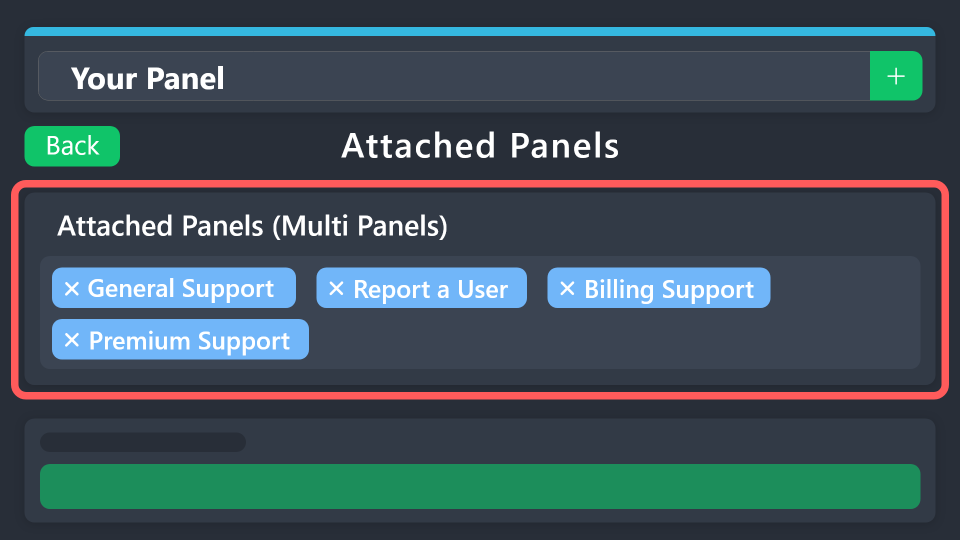 vague cosmos
Puisque vous parlez français. 😉
opal patrol
i have 2 but i get 3
 vague cosmos
L'un des panneaux est-il le même que le panneau actif que vous modifiez ?
opal patrol
I have 2 correct but i got a clone
opal patrol
What is teh centre ?
 opal patrol
that ?
 vague cosmos
Le nom du panneau 3 est-il également sélectionné pour s'afficher en tant que panneau multiple ?
opal patrol
i have delete
 vague cosmos
Quel panneau avez-vous actuellement actif ? Quel est son nom ?
opal patrol
On my server ?
vague cosmos
Sur le tableau de bord.
opal patrol

 vague cosmos
Si vous avez le deuxième panneau actif, n'ajoutez pas celui-ci aux multiples boutons. Seul l'autre et le même va si vous avez le premier actif.
Vous ne devriez donc avoir qu'un seul panneau attaché répertorié.
opal patrol
Now i only have one
 vague cosmos
Pouvez-vous m'envoyer une nouvelle capture d'écran de l'endroit où vous avez défini les multiples panneaux ?
opal patrol

 vague cosmos
Ajoutez uniquement Demande da Boosting.
Ensuite, enregistrez-le et envoyez le panneau.
opal patrol
 vague cosmos
Oui. Enregistrez-le et envoyez le panneau.
opal patrol
That good thx u bro
 vague cosmos
Pas de soucis! Avez-vous d'autres questions?
opal patrol
No thankds !
 vernal elm
Hi! Is there any way to remove this message?
 vague cosmos
Dashboard > Panel Configs > Category > Is there a category selected?
vernal elm
Yes
vernal elm
Yes, but I want to remove that message
vague cosmos
You can click on "Eliminar este", it's a message only you can see and it normally should show the ticket thas is created. You can't disable it.
vague cosmos
No worries.
slender minnow
vernal elm
Hi! Is there any way to remove this message?
Hey can you open a ticket please, so that we can take a closer look as this response is not normal.
vague cosmos
slender minnow
Hey can you open a ticket please, so that we can take a closer look as this resp...
More users are having it, mind if you share the solution if you have one?
slender minnow
sure, would be even better if i could know how to reproduce that
elfin lion
hello why am i getting this messageFailed to Create
Failed to create a ticket channel
Cannot read properties of undefined (reading 'includes')
5169a0fe-f50c-11ed-a05b-0242ac120003
vague cosmos
Hey! How can I help you?
elfin lion
vague cosmos
Hey! How can I help you?
hi
vague cosmos
slender minnow
sure, would be even better if i could know how to reproduce that
Wasn't able to reproduce it yet.
vague cosmos
elfin lion
hello why am i getting this messageFailed to Create
Failed to create a ticket c...
This happens when you want to create a ticket?
@elfin lion if so:
There's currently a bug that requires the bot to have permissions globally, which it is granting to users or roles.
Please try to give the bot these permissions globally (not just channel or category).
That might fix it for now.
elfin lion
vague cosmos
That might fix it for now.
i have the premium bot and normal bot in my discord
vague cosmos
Which one is active?
vague cosmos
No, not needed.
vague cosmos
vague cosmos
<@254630322602246144> if so:
There's currently a bug that requires the bot to h...
But if @pseudo glen is active follow this for that one.
vague cosmos
That should work too.
elfin lion
Failed to Create
:grid_line: Failed to create a ticket channel
:grid_right: Cannot read properties of undefined (reading 'includes')
:hash_tag: 5169a0fe-f50c-11ed-a05b-0242ac120003
its still doing it
vague cosmos
Hmm, can you open a support ticket for this?
 vague cosmos
jade topaz
vague cosmos
jade topaz
I don't have a solution (yet) but can you tell me what you did to get this error?
 fringe prawn
Hello friends, does anyone know how to subscribe to the TicketToll robot?
jade topaz
vague cosmos
I don't have a solution (yet) but can you tell me what you did to get this error...
Esse erro da na hora que o usuário tenta criar um ticket
vague cosmos
fringe prawn
Hello friends, does anyone know how to subscribe to the TicketToll robot?
You can do this in your server by clicking on the subscribe button.
humble sequoiaBOT
PayPal - paypal@tickettool.xyz
BitCoin - 3HhKKAdb9eEvCe2tvzB8bAa8nebHY6qcPA
LiteCoin - MEQX3knLAuotrKnvk3HDNBK5gdRn6PZhHy
Prepay/Direct Payment
To prepay send the payment using your desired method - Available options listed bellow.
⚠️ $18 per 3 months. ⚠️
$66 per year.
(If using the direct payment option, you need to be paying for at-least 3+ months.)
Regular Prices when paying within Discord:
$5.99/per month
Once your payment is sent let us know so we can confirm and get you your key.
- Purchases done with this method are non-refundable.
<:paypal:924596360840372234> Paypal ("Goods and Services" or "Family and Friends")
paypal@tickettool.xyz
<:bitcoin:924638849135689749> BTC - Bitcoin
3HhKKAdb9eEvCe2tvzB8bAa8nebHY6qcPA
<:Litecoin:972176945972383815> LTC - LiteCoin
MEQX3knLAuotrKnvk3HDNBK5gdRn6PZhHy
I sent the payment now what?
After you send the payment, please send a screenshot with proof of payment, our <@&615146349700186112> will verify your payment and will get you setup. For crypto payments, we are waiting for at least ONE verification.
All prices in USD - 3 months min for direct payment
vague cosmos
jade topaz
Esse erro da na hora que o usuário tenta criar um ticket
OK! O ticket é criado certo? Acredito que os desenvolvedores estejam cientes disso, nada que possamos fazer no momento.
jade topaz
ok, obrigado
fringe prawn
vague cosmos
You can do this in your server by clicking on the subscribe button.
I subscribe to this robot I subscribe to this robot
vague cosmos
Sem problemas, tenha um ótimo dia!
fringe prawn
@pseudo glen
vague cosmos
Yes but then you can't kick it or it will cancel the sub.
fringe prawn
This subscription for this robot is enough for me - we have a GTA Online game server
vague cosmos
Then you can do that by clicking the upgrade button in your server.
analog mango
where i can change this?
 vague cosmos
You can't change it.
 vague cosmos
 late iron
There's currently a bug that requires the bot to have permissions globally, which it is granting to users or roles.
Please try to give the bot these permissions globally (not just channel or category).
late iron
thanks
vague cosmos
No worries, let me know if it works.
 amber falcon
Hi there, users can't make a ticket on my discord, it says
Permission Issues
:grid_line: Missing required permissions:
:grid_right: UseExternalEmojis - member - #support
:hash_tag:
vague cosmos
amber falcon
Hi there, users can't make a ticket on my discord, it says
Permission Issues
:...
There's currently a bug that requires the bot to have permissions globally, which it is granting to users or roles.
Please try to give the bot these permissions globally (not just channel or category).
amber falcon
Ah ok, where would I set this?
vague cosmos
Role permission from the Ticket Tool role in your server.
 sly root
The tickets have been working fine for months but now this pops up when I try to make a ticket... why is this?
 vague cosmos
sly root
The tickets have been working fine for months but now this pops up when I try to...
vague cosmos
sly root
The tickets have been working fine for months but now this pops up when I try to...
There's currently a bug that requires the bot to have permissions globally, which it is granting to users or roles.
Please try to give the bot these permissions globally (not just channel or category).
 echo crest
vague cosmos
There's currently a bug that requires the bot to have permissions globally, whic...
echo crest
vague cosmos
There's currently a bug that requires the bot to have permissions globally, whic...
whats is mean?
i give him mod role
vague cosmos
It means that you need to give the permissions to the built-in role.
echo crest
where can i do it? if you don't mind showing
vague cosmos
In your server at the role settings.
echo crest
I gave him all permissions
vague cosmos
Should work then.
echo crest
 vague cosmos
Dashboard > Panel Config > Category > Did you set a category for openend / closed tickets?
 uncut pivot
السلام عليكم
vague cosmos
مرحبًا ، كيف يمكنني المساعدة؟
uncut pivot
متى بيتم قبول المتقدمين بالاختبارات للغه العربيه ؟
vague cosmos
إذا قبلوك ، فإنهم يتصلون بك. إذا لم يفعلوا ذلك فلن تتلقى ردًا منهم.
uncut pivot
كيف اعرف أنه تم رفضي إذاً ؟
 tawny summit
وش المشكله
 vague cosmos
tawny summit
وش المشكله
vague cosmos
tawny summit
وش المشكله
حدد فئة للتذاكر المفتوحة ، هل تعرف أين؟
tawny summit
vague cosmos
حدد فئة للتذاكر المفتوحة ، هل تعرف أين؟
لا للأسف
vague cosmos
uncut pivot
كيف اعرف أنه تم رفضي إذاً ؟
لا.
humble sequoiaBOT
1. Go into your Dashboard
2. Open your Panel Configs tab
3. Select the panel you want to grant access to
4. Open the Category options menu
5. Select the categories of your preference
6. Save changes
 uncut pivot
vague cosmos
لا.
uncut pivot
vague cosmos
لا.
يا رجل المترجم الذي تستخدمه يترجم لك الكلام بالخطأ
vague cosmos
humble sequoia
@tawny summit
tawny summit
vague cosmos
<@189525798011666432>
ok thanks
iron nightBOT
Gave +1 Rep to @vague cosmos
uncut pivot
اقول لك كيف اعلم أنه تم رفضي
vague cosmos
ترجمة Google سيئة ، ولكن على الأقل يمكنني تقديم "بعض المساعدة".
vague cosmos
uncut pivot
اقول لك كيف اعلم أنه تم رفضي
لن تعرف.
uncut pivot
vague cosmos
لن تعرف.
إذاً إلى متى سأنتظر حتى اعلم انه تم قبولي
vague cosmos
ليس لدي أي فكرة ، أنا مجرد مستخدم.
uncut pivot
حسناً شكرا
vague cosmos
على الرحب والسعة!
jade topaz
I have 3 drop-down styles how can I make one drop-down go in a category and make ticket in the category I what it to go?
 humble sequoiaBOT
1. Go into your Dashboard
2. Open your Panel Configs tab
3. Select the panel you want to grant access to
4. Open the Category options menu
5. Select the categories of your preference
6. Save changes
lunar solar
jade topaz
I have 3 drop-down styles how can I make one drop-down go in a category and make...
Well each dropdown style option is its own panel
So just define the category on each panel to the one you desire
jade topaz
Huh?
lunar solar
and make sure the bot has perms to all those categories
jade topaz
Ok
jade topaz
lunar solar
Well each dropdown style option is its own panel
Where do I find that
@lunar solar
 kindred prawn
Cannot destructure property 'panel_id' of '(intermediate value)' as it is undefined.
Our players get this message by try open new tickets what happen?
vague cosmos
kindred prawn
Cannot destructure property 'panel_id' of '(intermediate value)' as it is undefi...
Does this happen if you make a new panel too?
kindred prawn
vague cosmos
Does this happen if you make a new panel too?
Not tested. But we can not make on 10 DC Servers over 50 new panels
It worked all the time, since 10 minutes this message comes
vague cosmos
Hmm, could you open a support ticket in #🎫│make-a-ticket? I know that there are a lot of bugs now, so it might be the best to let support look into it.
@jade topaz what do you need to find?
jade topaz
Like I have 3 drop-down style and I'm tryna do is when someone makes a ticket like paying with Paypal something like that I what the ticket to go to PayPal category
humble sequoiaBOT
1. Go into your Dashboard
2. Open your Panel Configs tab
3. Select the panel you want to grant access to
4. Open the Category options menu
5. Select the categories of your preference
6. Save changes
 crimson jackal
يخوان
vague cosmos
humble sequoia
You'll need to do this for each panel, @jade topaz.
crimson jackal
وين سبورت عربي بتكت محد يرد 
vague cosmos
يمكنك طرحها هنا أو:
humble sequoiaBOT
فريق الدعم الفني العربي
عميلنا العزيز ان كنت تبحث عن مساعدة يرجى فتح تكت خاص بفريق الدعم الفني العربي
اذهب الى#🎫│make-a-ticket
ثم قم بلضغط على الايموجي الاتي (🇯🇴)
vague cosmos
@crimson jackal ^
jade topaz
vague cosmos
You'll need to do this for each panel, <@456226577798135808>.
I mad a mistake how can I delete panals now?
vague cosmos
Dashboard > Panel Config > Select the panel you want to delete > Click Delete and confirm.
jade topaz
vague cosmos
Dashboard > Panel Config > Select the panel you want to delete > Click **Delete*...
I don't see it
vague cosmos
Where at the dashboard are you?
@jade topaz it's there if you click on panel config.
 crimson jackal
vague cosmos
<@856842798212710401> ^
crimson jackal
vague cosmos
<@856842798212710401> ^
شالت استلام
jade topaz
vague cosmos
<@456226577798135808> it's there if you click on **panel config**.
Deleted
 halcyon ridge
I need help with the ticket tool
 balmy stratus
How do you get the premium bot?
humble sequoiaBOT
@halcyon ridge, we would love to help you, but if you don't tell us what you need help with we can't help you :(
scenic plinth
balmy stratus
How do you get the premium bot?
Are you talking about inviting it or purchasing it?
 crisp trail
Is there a way to let my ticket permissions go via the category permissions

 scenic plinth
Apologies, I had to double check to ensure this was not related to the recent outage. You will need the administrative permission, not just a role named admin or other forms of permissions.
scenic plinth
crisp trail
Is there a way to let my ticket permissions go via the category permissions
No, newly created tickets don't sync to categories.
vague cosmos
Kinzylla can you take mines over too? Going to sleep.
crisp trail
scenic plinth
No, newly created tickets don't sync to categories.
ah damn alright thank you
iron nightBOT
Gave +1 Rep to @scenic plinth
scenic plinth
jade topaz
Ensure the bot has permissions to see and manage the category appropriately.
 past ice
i have a general questio but this server i was in used the ticket tool to "resolve" something wgile i was asleep and not even there. Does this brake terms or rules?
scenic plinth
I am not quite sure what you're asking, though we don't enforce anything on other servers.
past ice
it seemed like they abused the ticket tool and resolved something in the dm's while i wasn't even there which im the complaining party, was windering if maybe discord also had a rule against resolving tickets w/o the complaining party being present
 robust turret


 jade topaz
jade topaz
jade topaz
Can someone help me
scenic plinth
past ice
it seemed like they abused the ticket tool and resolved something in the dm's wh...
No...? Discord doesn't have anything to do with how Ticket Tool is used. If it were Discord itself, then maybe, but thats Discord Trust and Safety and I have 0 idea what their guidelines are as I am not a Discord employee.
 teal grail
What do you need?
teal grail
jade topaz
Try taking it off and putting it back on
And make sure you're on the right panel
solid stream
I've reverted the permisison system
and will look into why the new system is having issues later.
 prisma wasp
The system was working fine, but today it started to knock out an error. What could be the problem?the settings did not climb
 teal grail
Idk
solid stream
prisma wasp
The system was working fine, but today it started to knock out an error. What co...
Give me just a moment and i'll have this fixed.
technicly you have storage mode enabled on your server configs but didn't select a category.
but.. this seems to be a command issue so I'll add a pre-check for that condition.
solid stream
prisma wasp
The system was working fine, but today it started to knock out an error. What co...
it should work now.
prisma wasp
Thank you
jade topaz
Help me someone
jade topaz
jade topaz
Help me someone
What’s up?
jade topaz
jade topaz
This
jade topaz
jade topaz
I saw you have 6 or more panels, did you make sure to add the categories on the correct panel that’s sent in Discord?
jade topaz
jade topaz
I saw you have 6 or more panels, did you make sure to add the categories on the ...
How do I check
It is usually the panel name…
So whatever the embed title is for the “Make A Ticket” in your discord, is most likely the panel you need to change the category’s on.
Send a screenshot of the embed in your Discord, and your panels. And I could tell you which one to change 🙂