#🆘│community-support
1 messages · Page 42 of 1
 timber kernel
 void hound
timber kernel
I don't think so, but not 100% sure.
void hound
timber kernel
I don't think so, but not 100% sure.
How do I invite the premium bot? I just paid for it?
 timber kernel
void hound
How do I invite the premium bot? I just paid for it?
timber kernel
void hound
How do I invite the premium bot? I just paid for it?
Here you go:
 humble sequoiaBOT
The first thing you will need to do is invite the premium bot, an invite can be found here
Once the bot is in your server we will head to the dashboard and manage your server. When you are managing your server, you want to head into "Server Configs" then click the drop down menu under "Select the bot you would like to use on this server" then click "Ticket Tool#6207" and then save.
 void hound
timber kernel
Here you go:
void hound
timber kernel
Here you go:
I never received a key tho how do I find the key?
timber kernel
void hound
I never received a key tho how do I find the key?
You already have premium enabled 🙂
It shows in your premium status as you see in you screen. -> Linked subscription
You only get a key if you paid via direct payment.
void hound
Okay
timber kernel
void hound
Okay
One more thing.
Do not kick the white ticket bot after you switched to the gold one.
If you bought premium through the white bot, it need to stay on your server.
void hound
So I still didn’t get answered? How to invite the premium bot?
 glass swallow
i've gone to panel config on the web then what
timber kernel
glass swallow
i've gone to panel config on the web then what
You click Dropdown Style
Enable it
Add the dropdown items below.
You may need to create your panels first.
To have everything ready.
glass swallow
how do i create a panel
timber kernel
glass swallow
how do i create a panel
The green/white "+" on top right:
 glass swallow
ok so i have created it what do i do now
timber kernel
glass swallow
ok so i have created it what do i do now
You add them here:

Panel Configs -> Dropdown Style
glass swallow
can you edit panel names
timber kernel
glass swallow
can you edit panel names
Yes, the rename button:
 glass swallow
timber kernel
Yes, the rename button:
glass swallow
timber kernel
Yes, the rename button:
ok thanks lol
 iron nightBOT
Gave +1 Rep to @timber kernel
glass swallow
I have done it what do i do now
timber kernel
glass swallow
I have done it what do i do now
Send the panel to the channel (send button)
glass swallow
timber kernel
Send the panel to the channel (send button)
ok thank you alot
iron nightBOT
Gave +1 Rep to @timber kernel
timber kernel
glass swallow
ok thank you alot
You are welcome 
 ebon hull
.
 quartz orbit
الدعم العربي
 robust sandalBOT
quartz orbit
الدعم العربي
robust sandalBOT
quartz orbit
الدعم العربي
Arab Support
 Arabic (ar) → English (en)
quartz orbit
Arabic (ar) → English (en)
quartz orbit
Where ticket support Arabic ?
 rustic gale
quartz orbit
rustic gale
quartz orbit
Is close
 wild spire
quartz orbit
Is close
wild spire
quartz orbit
Is close
it opens again tomorrow
quartz orbit
wild spire
it opens again tomorrow
Ok
 deft grove
I know we can use multipanels for the ticket-create message, but can we use them inside the ticket itself?
I want to make a custom button that will send a message when the support team clicks it.
wild spire
deft grove
I know we can use multipanels for the ticket-create message, but can we use them...
unfortunately no, just create a custom command with a tag for your support team to use
deft grove
Thanks
 boreal idol
How can I add the bot to my server?
@humble sequoia
 candid spear
Hey
I was curious to know about to get this thing done.
When user close the ticket it is moved to closed category. Is thier any system that it can be auto deleted after user closes the ticket. Because discord allow 25 channel only in 1 category so after that category fills up the closed ticket will overflow among servers.
 tacit gust
Hi! When tickets are being issued, they all move to the top of the server and its bugging me out! When I check my the category I want to have my tickets issued at, and when I check the panel and try to issue a ticket, it says that the category is at its limit. I have two ticket formats online on my server, and I was wondering if there was a limit issue. Can someone help me?
candid spear
Discord limit the channel in per category.
So you need to close the ticket to avoid overflow
humble sequoiaBOT
Discord only allows to stack up to 50 channels per category, meaning that if you have already 50 tickets in one category, the bot won't be able to place a ticket in that category, for such reason Ticket Tool counts with overflow categories, meaning that if your main category is filled, the bot will go ahead and place the ticket on the next one available, simply choose a second category in the category pickers:
 rustic gale
@tacit gust Please check the above
rustic gale
candid spear
Hey
I was curious to know about to get this thing done.
> When user close the t...
Head to Panel Configs -> General and disable Two Step Ticket 
This will cause tickets to be immediately deleted when closed.
candid spear
Alright Thanks
glass swallow
how can i make it so the ticket is made in the same channel
 idle flint
glass swallow
how can i make it so the ticket is made in the same channel
idle flint
glass swallow
how can i make it so the ticket is made in the same channel
Are you meaning you want the ticket to be "created" within the same channel as where your panel is?
If that is the case, it is not possible. Tickets take the form of individual Discord channels, each ticket occupying its own channel.
glass swallow
idle flint
Are you meaning you want the ticket to be "created" within the same channel as w...
Ok thanks
iron nightBOT
Gave +1 Rep to @idle flint
 worn olive
Hi, for some reason I cannot open more then 1 ticket at a time, how do I solve this?
timber kernel
worn olive
Hi, for some reason I cannot open more then 1 ticket at a time, how do I solve t...
Check the limits here:

If this is not helping, also have a look at the global limits:
 worn olive
Still won't work, both the settings are put on a high number. It will only allow on ticket open at a time
rustic gale
worn olive
Still won't work, both the settings are put on a high number. It will only allow...
If your dashboard has more than one panel, make sure you've edited the settings for the correct panel.
 pure echo
someone know how i can add a confirm message to open a ticket?
 kindred prawn
how we can make "autodelete" closed tickets?
rustic gale
kindred prawn
how we can make "autodelete" closed tickets?
Depends what you mean by that
If you mean immediately deleting tickets when closed, instead of keeping them as closed tickets, then you want to disable Two Step Ticket in Panel Configs -> General.
If you mean scheduling a delete when the ticket is closed, that's done with automation and it's a premium feature.
If you mean mass deleting your existing closed tickets instead of having to delete them one by one, the server owner can do it with the /purge command.
If you mean something else, please clarify and we'll help
worn olive
rustic gale
If your dashboard has more than one panel, make sure you've edited the settings ...
No, only one panel
worn olive
The actual problem is that, it shows people do not have permission to open a ticket, and if people with admin open, it will only let one be open.
rustic gale
worn olive
The actual problem is that, it shows people do not have permission to open a tic...
Can you find the server's ID please
timber kernel
worn olive
The actual problem is that, it shows people do not have permission to open a tic...
It seems you only allow the support team to use the create ticket button (see screenshot).
And also you did not configured any support role in general settings.
 rustic gale
This seems to be the case 
You set the Create Ticket button to Support Team Only, in other words, only staff can make tickets
and you set a disabled role for it. Users with that role can't create tickets
worn olive
Ah, thank you!
timber kernel
worn olive
Ah, thank you!
np
But please don't use the everyone role as support team role.
Better is to add your mods there and uncheck the "Support Team only" for the create button
worn olive
Yes, but it won't let us see the option of "Create Ticket"
So we can't set it to everyone
rustic gale
What do you mean it won't let you see the option?
 rustic gale
worn olive
rustic gale
worn olive
That's the Command Configs menu in the dashboard.
worn olive
It isn't in Panel Configs either
rustic gale
That's for setting up permissions for commands. Why would you look for the Create Ticket button there?
worn olive
I don't know, we had someone to fix our tickets but they left
So I don't really know what to do
rustic gale
What you have to do depends on what you want to achieve.
What's the problem that needs fixing?
worn olive
Nothing now, it's fixed
rustic gale
Is everything working correctly for now?
rustic gale
Sounds good, let us know if something else comes up.
 tacit burrow
hello everyone i forgot how to mention a role or user directly in the panel (embeed) what's the prefix plz ? tyy
pure echo
someone know how i can add a confirm message to open a ticket?
humble sequoiaBOT
Within all the messages the bot sends (both embeds and text) you can mention either channels, roles, or even users, these mentions will only send a notification to the user if they are used within a text field, e.g: a role mentioned in an embed won't ping at all the users who have that role.
For mentioning a role you can use one out of three options:
{@Role Name} ➞ Which is Case Sensitive.
{RoleID} ➞ Replace RoleId with the Id of the role you are trying to ping.
<@&RoleID> ➞ Discord's native syntax to ping roles.
<#ChannelID> ➞ Mention a channel by its ID.
<@UserID> ➞ Mention a user by its ID.
timber kernel
tacit burrow
hello everyone i forgot how to mention a role or user directly in the panel (emb...
tacit burrow
timber kernel
<:this:894279341108772914>
thx
iron nightBOT
Gave +1 Rep to @timber kernel
timber kernel
pure echo
someone know how i can add a confirm message to open a ticket?
That is not possible afaik
 normal jacinth
Do you know how tickets are ordered if multiple are opened in the same second? like are they ordered alphabetically, according to ASCII, or another way?
 lost storm
Hello guys do you know how I can make on the ticket bot de modular formulare
 scenic plinth
normal jacinth
Do you know how tickets are ordered if multiple are opened in the same second? l...
scenic plinth
normal jacinth
Do you know how tickets are ordered if multiple are opened in the same second? l...
They are opened in a queue, whatever comes first it appears at the bottom of the category first.
lost storm
scenic plinth
They are opened in a queue, whatever comes first it appears at the bottom of the...
Can you help me I want this
 humble sequoiaBOT
A Discord Form lets the user answer individual questions in a pop-up Form, which then displays the answers in the ticket message. This can save time if you already know what you want to ask the user.
Setup Forms
Forms can be enabled under Panel Settings > Form Options > Edit Forms Options. In the new pop-up window, you can now enable and edit your own Form.
Form Options
You can add up to 5 questions in the Discord form. This is a Discord limitation. Each question can have a placeholder in the input field, a minimum and maximum input, multi-line, and also the option to have the answer required.
Options
Question Title ➞ Your Question goes here
Question Placeholder ➞ The placeholder text in the input field
Required ➞ If enabled, the user has to answer this question, to submit the form
Multi-Line Input ➞Allows the user to input multiple lines
Minimum and Maximum Input ➞ Set a minimum and maximum input value for the user
Displaying the Answer
To display the answers from the user, you need to enable Auto display form results on the ticket message as an additional embed
In case you don't want a second embed, go into your Panel Configs > Ticket Options > Edit Ticket Message. In there you use the variable {create.form.x} and just replace x with the number of your question. For example, the response to Question 1 can be displayed with {create.form.1}. If you don't use this variable, the response from the user is lost.
 normal jacinth
scenic plinth
They are opened in a queue, whatever comes first it appears at the bottom of the...
normal jacinth
scenic plinth
They are opened in a queue, whatever comes first it appears at the bottom of the...
Ok! Is there any kind of overflow where they get ordered in any specific pattern if there are alot of them all at once?
scenic plinth
If they overflow, they get ordered the same way. Assuming you have a category set, it goes until you fill up that category in the order Ticket Tool receives the request, once it runs out of available space or categories it stacks them at the top of the server in the same order.
normal jacinth
scenic plinth
If they overflow, they get ordered the same way. Assuming you have a category se...
Ok thank you! I appreciate it!
iron nightBOT
Gave +1 Rep to @scenic plinth
 cosmic prairie
Is anyone else’s ticket bot offline?
scenic plinth
Everything appears fine at the moment, so no.
scenic plinth
Currently restarted a few servers, if your server appears offline for a short term, it should be back up momentarily.
 limber portal
If ticket tool is kicked how long will it remember it’s settings for?
 shut bolt
limber portal
If ticket tool is kicked how long will it remember it’s settings for?
shut bolt
limber portal
If ticket tool is kicked how long will it remember it’s settings for?
Forever
We don't delete em
limber portal
shut bolt
We don't delete em
Thats useful lol, thanks
iron nightBOT
Gave +1 Rep to @shut bolt
shut bolt

 trim hinge
 humble sequoiaBOT
━━ moved to ticket ━━
 acoustic depot
hi i have asupport team i want to manage tickets. how do i add them?
i added this in but when i made a new ticket i couldnt see the "Vision work staff" in the ticket

 harsh spear
 analog garden
What if our premium expires? Will the buttons in the ticket message stop working?
I just wanna edit message with premium feature and keep everything as it is.
 sweet flint
can have mutiple panels with command style tickets?
i have 3 panels name 1 , 2 and 3
anyone know the command to open each type of ticket?
 lone summit
Hey, is it possible for when someone joins a server a ticket automatically opens with a message with the new joiner?
 smoky shoal
lone summit
Hey, is it possible for when someone joins a server a ticket automatically opens...
smoky shoal
lone summit
Hey, is it possible for when someone joins a server a ticket automatically opens...
no, you can manage it like when someone joins a server they only see the ticket panel channel (forcing them to create a ticket, and when they create a ticket, tickettool gives them a role on creations or close)
smoky shoal
analog garden
What if our premium expires? Will the buttons in the ticket message stop working...
yes tickettool will stop working
smoky shoal
acoustic depot
i added this in but when i made a new ticket i couldnt see the "Vision work staf...
check your perms

 fiery plinth
Is the Verified Bot Developer role still claimable?
lone summit
smoky shoal
no, you can manage it like when someone joins a server they only see the ticket ...
oh, so theres it dosen't auto create a ticket with the new joiner? thats such a shame...
Is there any other bots that do?
smoky shoal
lone summit
oh, so theres it dosen't auto create a ticket with the new joiner? thats such a ...
Nope, why would you want that?
 mint hatch
smoky shoal
Nope, why would you want that?
mint hatch
smoky shoal
Nope, why would you want that?
I wonder why all interactions are failed in my server.
How should I ask for help? @smoky shoal
 round falcon
mint hatch
I wonder why all interactions are failed in my server.
round falcon
mint hatch
I wonder why all interactions are failed in my server.
Is it commands too? Or just buttons?
rustic gale
lone summit
Is there any other bots that do?
You could combine Ticket Tool with any bot that is capable of sending a custom message when a user joins.
It takes a bit of work to set up, but it's doable
rustic gale
mint hatch
I wonder why all interactions are failed in my server.
There could be many reasons. Check that the bot is online in your server, and try using the /debug command
 native karma
i need to help!
 sharp elbow
how do i make it that only certain roles can create tickets?
round falcon
sharp elbow
how do i make it that only certain roles can create tickets?
There's a permission section in the "buttons" area where you can change that stuff
sharp elbow
round falcon
There's a permission section in the "buttons" area where you can change that stu...
awesome thanks! i did it awhile ago when i was first setting it up i just forgot where
iron nightBOT
Gave +1 Rep to @round falcon
round falcon
Sure thing
If you're talking about commands there's a separate area under "permissions" I believe
 odd tartan
I added the ticket bot to my server, how do I get the ticket active?
 regal current
Hi i have problem reguler roles dont have permission to create ticket somebody know why?
 fallow ingot
odd tartan
I added the ticket bot to my server, how do I get the ticket active?
fallow ingot
odd tartan
I added the ticket bot to my server, how do I get the ticket active?
Follow the setup instructions below
 stark runeBOT
1. Invite Ticket Tool to your server
First you will want to invite the bot to your server. Once the bot is in your server, you can manage your server in the dashboard.

2. Create a Panel
To create a panel we are going to need to head over to the panel configs on the dashboard.
Once at the dashboard we will need to click Create Panel.
Enter a panel name (Fill in any optional settings you want).
Click Create Panel and your ready to get started with configuring your panel.
An example of a creating a panel is shown below.

3. Send the Panel to a Channel
Once you've created a panel on the dashboard you will need to send it to a channel using send on the dashboard.
Select the channel you want your panel to be created in and click send.
For other questions checkout $help faq.
An example of a sending a panel is shown below.
Having a Problem Sending the Panel?
Do $debug in a channel with Ticket Tool and make sure it has all the necessary Discord permissions.
 fallow ingot
regal current
Hi i have problem reguler roles dont have permission to create ticket somebody k...
fallow ingot
regal current
Hi i have problem reguler roles dont have permission to create ticket somebody k...
Is it only that specific role which is unable to open tickets?
If so, it’s possible the you have accidentally blacklisted that role from using ticket tool.
humble sequoiaBOT
Any role you assign as a blacklisted role won't be able to use commands or reactions.
Selecting a blacklisted role
Go to your Dashboard ➞ Server Configs. There you will find the option to select blacklisted roles.
Note: Don't forget to save.
 regal current
fallow ingot
If so, it’s possible the you have accidentally blacklisted that role from using ...
regal current
fallow ingot
If so, it’s possible the you have accidentally blacklisted that role from using ...
yep thank you its now working
iron nightBOT
Gave +1 Rep to @fallow ingot
 round falcon
Cause you have two attached to the main one in the multipanel section
iron nightBOT
Gave +1 Rep to @round falcon
round falcon
Sure thing
rustic gale
 iron plaza
How to turn this off when my subscription ran out ?
iron plaza
How to turn this off when my subscription ran out ?
It should be disabled. Are threads still getting created?
 echo haven
Is there a maximum number of opening tickets or the number of opening current tickets?
round falcon
echo haven
Is there a maximum number of opening tickets or the number of opening current ti...
Yeah you can enable both
echo haven
round falcon
Yeah you can enable both
I want to disable it
round falcon
Ah ok, go into "Limits" and edit it there
echo haven
round falcon
Ah ok, go into "Limits" and edit it there
Can you record the screen while you do it
 echo haven
Thanks ❤️
round falcon
Sure thing chief
 midnight flame
How to I invite gold bot?
humble sequoiaBOT
━━ moved to ticket ━━
 fathom mist
Can someone help me?
 near coral
How do I reset the ticket count again?
 idle flint
fathom mist
Can someone help me?
idle flint
fathom mist
Can someone help me?
What do you require help with?
fathom mist
I want to create form
But I don't think I know how to create right
Every time I make a form in the bot it creates a ticket
I wanted all forms to be saved in a channel
I spent a long time without using discord and I'm having a little trouble
I wanted form tutorial and how to save in ONE channel, not create so many tickets
idle flint
because we are a bot that creates tickets, our form feature functions by creating a ticket (channel) each time a form is submitted.
It sounds like you have it set up correctly for our bot, but I don't think we can achieve what you are wanting unfortunately.
fathom mist
I thought form was different, but thanks. I'm not even sure if I'm doing it right or not
 inner crag
anyone know how to make a ticket channel like this?

 humble sequoiaBOT
The Drop-down menu or Select Menu replaces the buttons on your panel message and uses a drop-down menu with all of your panels. To set this up, go to your Panel Configs and select your main Panel.
<:Numbericons1:1018864164032225340> Enable Select Style
First you enable Select Style. Then you add an item in the Dropdown Editor. Now you can start editing your dropdown!
<:Numbericons2:1018864168041971712> Dropdown Editor
Each line in the dropdown editor represents a line in the drop down menu on discord. You can add more "Items", by clicking on 

First you select a panel. That's the panel this option will open a ticket for.  DONT select the same panel twice. Each option should have a different Panel
After that, you can put a Display. This is the title of this option and will appear in the drop down menu. The *Description can be set right after that, which will be below the title in grey.
Additionally you can select an emoji, that will be shown in front of each option. You can either manually input the ID of an emoji or select it in the selector.
Common Issues ⚠️
- Panel doesn't send? Make sure you have a valid emoji selected
- Option doesn't show up? Check if two options have the same panel in the DropDown Editor

$dropdown
 chrome peak
السلام عليكم
inner crag
im lost on what it means by select a panel like do i need to put a whole new category on where the tickets get made or ??

 lament mesa
how do i change bot language on my server?
 alpine sleet
can someone help me? the dashboard for ticket bot doesn't say the bot is in my server even though it is
inner crag
alpine sleet
can someone help me? the dashboard for ticket bot doesn't say the bot is in my s...
did u auth it?
alpine sleet
yes
inner crag
idk tbh try reinviting it maybe?
 jade topaz
can someone pls explain to me how linking votes work? my friend linked her votes to me but i never got her votes i dont think
like so example if my friends linked to me and we all voted enough times to redeem the free premium would i be able to redeem it with their linked votes
idle flint
inner crag
im lost on what it means by select a panel like do i need to put a whole new cat...
That is correct, you need to create multiple panels, and then link them within your drop-down configuration
humble sequoiaBOT
━━ moved to ticket ━━
iron plaza
rustic gale
It should be disabled. Are threads still getting created?
Yeah. @rustic gale
 native inlet
Hey not sure if this is said anywhere else but how do you give a specific role access to the dashboard? Or just management of the bot.
humble sequoiaBOT
Any role you put there will have full access to the ticket tool dashboard. The server owner and users with admin permissions already have access to the dashboard.
Be careful of which roles to put here
 native inlet
Well that is useful
rustic gale
iron plaza
Yeah. <@832864595726172162>
That's bad. It's best to #🎫│make-a-ticket about it since staff may have to fix it from the backend
jade topaz
is there a way to make the bot ping the support role when a ticket is opened?
humble sequoiaBOT
━━ moved to ticket ━━
 drowsy ice
hello anyone knows how to add an image to the ticket panel
humble sequoiaBOT
━━ moved to ticket ━━
 swift bramble
Is it possible to see all tickets made for a given panel?
in: discord-transcript application
Where application is a name of the panel
And discord-transcript is the channel you're dumping transcripts into.
This is a hacky workaround with terrible UX, is there something proper, like via the website?
 warm totem
humble sequoiaBOT
warm totem
humble sequoiaBOT
The ticket name is the default channel name of all tickets. To edit it, go to your Dashboard > Panel Configs > Ticket. There you can edit the channel name of opened and closed tickets. You can also use variables in there.

 Note: This is a premium feature
 stray bobcat
for a single ticket, $rename new-name-of-ticket
 sinful musk
Hi, I'm new for Ticket Tool. I read the doc.
I want distribut task use Ticket Tool. I want people open a Ticket, and then update the result. Maybe a shortcut Image. Then I want transfer them another role after recive an image.
I noticed there is a 500 channel create limit for a day. Can I create another 500 channel for second day. What is the better config when I need for thousands task?
- If I can do this transfer them another role after recive an image?
- I didn't understand the Category config. It says there is 50 channel limit in one Category. Which means a max number of 50 opening ticket simultaneously. Is it a method to add the max number? Will it be okay to create a ticket in other category? What categories are usally used?
jade topaz
why is this happening?

when they click on the button it shows that they dont have permission to use this
@severe path
can sm1 help me pls
jade topaz
no way ur warning me when ive made a ticket and no ones answering 💀
 civic wagon
Please be patient and have a read through #📂│information
 iron plinth
can someone help me with this please?faild to send: acces denided ticket toll doesint have perms to view or sned into the channel.

@civic wagon
 teal grail
iron plinth
teal grail
iron plinth
Make sure the bot can see the channel and send messages in it!
iron plinth
it was working before but now it is not
teal grail
iron plinth
it was working before but now it is not
Make sure the bot can see the channel and send messages in it!
iron nightBOT
Gave +1 Rep to @teal grail
teal grail
Go the server discord
iron plinth
it works now ty
teal grail
And edit the bot role permissions
teal grail
iron plinth
it works now ty
Ohh ok.
iron plinth
have a good day/night @teal grail
teal grail
Same. 😁
teal grail
iron plinth
have a good day/night <@712689282413756417>
Day*
iron plinth
teal grail
Day*
WAIT OTHE PEOPLE THEN JUST ME CAN LOOK IN TICKETS
teal grail
Kk
iron plinth
HOW I FIX
iron plinth
teal grail
Kk
like everyone can not just me and a member help
iron plinth
like other people can see other tickets
teal grail
iron plinth
like other people can see other tickets
Like staff?
iron plinth
No members
rustic gale
iron plinth
like everyone can not just me and a member help
Panel Configs -> Permissioms -> Everyone Opened
iron plinth
Ok
rustic gale
Make sure View Chsnnel is 
rustic gale
Then close the old tickets and reopen them
rustic gale
Also on Discord, make sure you didn't give Administrator to an everyone role
Or a generic member role
iron plinth
Ik
rustic gale
Lol
iron nightBOT
Gave +1 Rep to @rustic gale
rustic gale
Glad to help
iron plinth
Cya
sinful musk
Hi, I'm new for Ticket Tool. Can someone help me?
I want distribut task use Ticket Tool. I want people open a Ticket, and then update the result. Maybe a shortcut Image. Then I want transfer them another role after recive an image.
I noticed there is a 500 channel create limit for a day. Can I create another 500 channel for second day. What is the better config when I need for thousands task?
2. If I can do this transfer them another role after recive an image?
3. I didn't understand the Category config. It says there is 50 channel limit in one Category. Which means a max number of 50 opening ticket simultaneously. Is it a method to add the max number? Will it be okay to create a ticket in other category? What categories are usally used?
jade topaz
hi if any staff here can check #1094016348406952066 thanks
timber kernel
sinful musk
Hi, I'm new for Ticket Tool. Can someone help me?
I want distribut task use Tick...
Hello 
- The 500 channel limit is directly from Discord not from TT bot. What you can do is use storage mode if needed. (see screenshot)
- Can you please rephrase this question? Not sure I got it.
- Yes, Discord limits the number of channel for each category to 50. You can use overflow categories for that issue.
 humble sequoiaBOT
Discord only allows to stack up to 50 channels per category, meaning that if you have already 50 tickets in one category, the bot won't be able to place a ticket in that category, for such reason Ticket Tool counts with overflow categories, meaning that if your main category is filled, the bot will go ahead and place the ticket on the next one available, simply choose a second category in the category pickers:
sinful musk
timber kernel
Hello <:RedPandaWave_FF:1036218859671269396>
1. The 500 channel limit is direct...
Thank you for help. I mean if I can the detect the user upload an image file in the ticket conversation. If he upload an image, the bot change the user's role.
iron nightBOT
Gave +1 Rep to @timber kernel
rustic gale
sinful musk
Thank you for help. I mean if I can the detect the user upload an image file in ...
That's not something Ticket Tool can do. I see a way to code a @iron night custom command to do it
But despite the misleading nickname, @iron night is not related to Ticket Tool and we don't provide support for it here
jade topaz
Is it possible to make ticket tool send a message a button to embed?
sinful musk
rustic gale
That's not something Ticket Tool can do. I see a way to code a <@204255221017214...
Thanks a lot. I will consider it.
iron nightBOT
Gave +1 Rep to @rustic gale
rustic gale
jade topaz
Is it possible to make ticket tool send a message a button to embed?
Please clarify the question
jade topaz
rustic gale
Please clarify the question
can I make a ticket tool bot send a this button to some embed from webhook
 rustic gale
jade topaz
can I make a ticket tool bot send a this button to some embed from webhook
rustic gale
jade topaz
can I make a ticket tool bot send a this button to some embed from webhook
Not possible
jade topaz
rustic gale
Not possible
why?
rustic gale
Ticket Tool's buttons go in Ticket Tool's messages.
jade topaz
rustic gale
Ticket Tool's buttons go in Ticket Tool's messages.
So why don't u make it work
rustic gale
Make Ticket Tool attach buttons to messages from other users/bots/webhooks?
Discord doesn't work like that.
jade topaz
rustic gale
Make Ticket Tool attach buttons to messages from other users/bots/webhooks?
Not other bots only other webhooks
and it is possible I just did it with DiscoHook Utils
rustic gale
Feel free to send the suggestion to #1019685143046279208
jade topaz
rustic gale
Feel free to send the suggestion to <#1019685143046279208>
how do i name this thing
jade topaz
I activated the ''show button'' (Claim) option but it doesn't show me when I open a ticket, how do I do it?
timber kernel
solved in a ticket 🙂
 rotund jackal
Hello I need help.
round falcon
rotund jackal
Hello I need help.
Considering you're premium, I'd recommend you head to #premium-support
rotund jackal
Alright.

 lilac sentinel
rustic gale
lilac sentinel
rustic gale
 red sail
i put link image and didn't Appears what i should do ?
red sail
i put link image and didn't Appears what i should do ?
Send the panel message again using the Send button
jade topaz
can someone help me please
red sail
rustic gale
Send the panel message again using the **Send** button
bot reply with :
Failed: Invalid Form Body components[0].components[0].emoji.id[BUTTON_COMPONENT_INVALID_EMOJI]: Invalid emoji
 rustic gale
red sail
bot reply with :
Failed: `Invalid Form Body
components[0].components[0].emoji....
rustic gale
red sail
bot reply with :
Failed: `Invalid Form Body
components[0].components[0].emoji....
Invalid emoji
You probably entered something in the Button Emoji field that the bot doesn't recognize as a valid emoji
red sail
rustic gale
You probably entered something in the **Button Emoji** field that the bot doesn'...
i am solve this problem but embed image not appear
humble sequoiaBOT
@amber igloo, we would love to help you, but if you don't tell us what you need help with we can't help you :(
rustic gale
red sail
i am solve this problem but embed image not appear
Did the bot send the panel message at least?
 rustic gale
red sail
yes
rustic gale
red sail
yes
Please #🎫│make-a-ticket and ping me
rustic gale
 sly lichen
how do i add info on here?
sly lichen
how do i add info on here?
That looks like an empty ticket message.
The field you're looking for is inside the Embed Editor probably.
sly lichen
in my own ticket tool, how do i type in the black area
 rustic gale
sly lichen
in my own ticket tool, how do i type in the black area
rustic gale
sly lichen
in my own ticket tool, how do i type in the black area
In your dashboard, head to Panel Configs -> Messages -> Edit Ticket Message
then click the text that says Embed Editor
sly lichen
rustic gale
In your dashboard, head to Panel Configs -> Messages -> Edit Ticket Message
 sly lichen
what next?
rustic gale
rustic gale
then click the text that says **Embed Editor**
This
 muted mulch
hi
I want a video to explain how to claim a ticket
Because I do it in the ticke tool but it doesn't show up when someone creates a ticket
idle flint
muted mulch
I want a video to explain how to claim a ticket
Hi there, claiming is a premium feature of TicketTool. Are you using the free or premium version?
muted mulch
free
idle flint
Okay, you wont be able to enable claiming. Anything shown with a small Diamond is a premium feature, not available using the free bot
muted mulch
this ?
 rustic gale
Enabling the Claim button is not the same as enabling claiming.
jade topaz
Is there a limit to ticket #?
rustic gale
jade topaz
Is there a limit to ticket #?
Depends what you mean by that.
“a limit to ticket #” can mean a lot of different things.
What exactly are you afraid that might happen?
jade topaz
Like every ticket made increases by one so 0001 then 0002 does it cap at 9999
rustic gale
No. It goes to 10000
jade topaz
Okay
 willow citrus
Hey guys, can we see the statistics of tickets per moderators?
is there any option to export the reports per mods?
odd tartan
To create a ticket react with how can i change this message
@olive eagle @severe path
 safe prairie
Don't ping team members!
humble sequoiaBOT
The panel message is where people react to make a ticket. To customize it head over to your Dashboard --> Panel Configs -> Panel -> Edit Panel Message

 white trellis
Hey there, i wandering if someone can help. I have redone permissions in ticket tool, yet now new tickets are opening unlocked. when i tested it seemed fine, I'm at a loss, guessing i may have enabled something that's causing this?
 rustic gale
white trellis
Hey there, i wandering if someone can help. I have redone permissions in ticket ...
rustic gale
white trellis
Hey there, i wandering if someone can help. I have redone permissions in ticket ...
What does «unlocked» mean here?
rustic gale
 peak coyote
Use /botswitcher to choose the correct bot
 mellow steppe
how to make like this?


 sinful magnet
jade topaz
i selected a server thats i have adminstrator on it
sinful magnet
jade topaz
i selected a server thats i have adminstrator on it
What u see when u type / permissionlevel?
rustic gale
mellow steppe
how to make like this?
That's called a dropdown menu
humble sequoiaBOT
The Drop-down menu or Select Menu replaces the buttons on your panel message and uses a drop-down menu with all of your panels. To set this up, go to your Panel Configs and select your main Panel.
<:Numbericons1:1018864164032225340> Enable Select Style
First you enable Select Style. Then you add an item in the Dropdown Editor. Now you can start editing your dropdown!
<:Numbericons2:1018864168041971712> Dropdown Editor
Each line in the dropdown editor represents a line in the drop down menu on discord. You can add more "Items", by clicking on
First you select a panel. That's the panel this option will open a ticket for. DONT select the same panel twice. Each option should have a different Panel
After that, you can put a Display. This is the title of this option and will appear in the drop down menu. The *Description can be set right after that, which will be below the title in grey.
Additionally you can select an emoji, that will be shown in front of each option. You can either manually input the ID of an emoji or select it in the selector.
Common Issues ⚠️
- Panel doesn't send? Make sure you have a valid emoji selected
- Option doesn't show up? Check if two options have the same panel in the DropDown Editor
$dropdown
white trellis
rustic gale
What does «unlocked» mean here?
Hey
It is regarding who can see the tickets. I think it is fixed now. Is it possible for someone to walk me through it on screen share?
rustic gale
white trellis
Hey
It is regarding who can see the tickets. I think it is fixed now. Is it poss...
Sure, why not. You can join #1070106933115240448
What do you mean by creating multipanels with command style?
jade topaz
sinful magnet
What u see when u type / permissionlevel?
i have 0 level
sinful magnet
I asked alr. And now I'm waiting for an answer
humble sequoiaBOT
Any role you put there will have full access to the ticket tool dashboard. The server owner and users with admin permissions already have access to the dashboard.
Be careful of which roles to put here
rustic gale
Ask the server owner to make one of these for you.
sinful magnet
Thx u
jade topaz
Having a issue where members cannot see the panel , they can view the channel and everything however
rustic gale
jade topaz
Having a issue where members cannot see the panel , they can view the channel an...
Make sure they have the Read Message History permission
 opal pecan
My old server has been deleted. I understand this was supposed to happen, but throughout the weekend I've been looking for a new upgraded server to claim. It has never shown up, and still hasn't.
I did read the instructions how to make the transition, but it starts with "look in the dashboard of your HappyBox for a new server to claim", but again, it never appeared. So now I am on the outside looking in, from a vanilla plex server.
any advice?
humble sequoiaBOT

⚠️ You're in the wrong place
We provide support for Ticket Tool Discord bot and cannot help you with whatever issue you have.
- We don't know which Support Team you should contact to get this issue resolved, and unfortunately we won't be able to accurately tell you.
If you don't have any further questions regarding our bot Ticket Tool, please close this ticket
 magic marsh
404
Failed to connect to Ticket Tool(bot)
Ticket Tool is either offline or experiencing connection difficulties, please try again later. ?
white trellis
rustic gale
Sure, why not. You can join <#1070106933115240448>
Thanks for that. I fell asleep sorry, I was meant to add tomorrow..
iron nightBOT
Gave +1 Rep to @rustic gale
jade topaz
السلام عليكم
 sly dove
Hello everyone , i would like to know how to reset my ticket count, more like start it all the way to 0 , and how to make the auto close ticket delete from itself without proceeding to delete it every time . Thanks !
rustic gale
sly dove
Hello everyone , i would like to know how to reset my ticket count, more like st...
how to reset my ticket count, more like start it all the way to 0 ,
Use the Set Count button in the dashboard. You can set it to anything you want, including 0
and how to make the auto close ticket delete from itself without proceeding to delete it every time
Please clarify, i don't understand
 tacit comet
why no panel
 humble sequoiaBOT
━━ moved to ticket ━━
mellow steppe
rustic gale
That's called a dropdown menu
Oh
 worthy raft
Hello, I changed my smartphone because the old one broke, and I couldn't recover the access keys to the google authenticator, so I need them to reset the 2FA code of my Login.
 hollow folio
Hi, wondering if the bot can send a custom message in a specified channel (not inside the ticket) when a ticket is created? Similar to how log works, but customised.
Saw potential of this under Automation but right now seems like it only extends to automatically sending a custom command which would still be inside the ticket.
rustic gale
hollow folio
Hi, wondering if the bot can send a custom message in a specified channel (not i...
Not possible currently
hollow folio
Thanks @rustic gale. Submitted my suggestion. :)
 fleet bramble
 unique sonnet
How the voting system actually works. it would be great if anyone could explain that
Thank you
 ornate parcel
My account is stuck at the loading screen help
humble sequoiaBOT
━━ moved to ticket ━━
jade topaz
why do I have this message while clicking on create a ticket ?
 jade topaz
nop its 📩
 little zealot
How do I set a roll for those who see the tickets?
jade topaz
its admin role
little zealot
حد بيتكلم عربي
 severe path
jade topaz
why do I have this message while clicking on create a ticket ?
severe path
jade topaz
why do I have this message while clicking on create a ticket ?
Does this message comes up, if you want to create a ticket?
jade topaz
severe path
Does this message comes up, if you want to create a ticket?
yes exactly
 heady imp
Hello I need help
It used to workS, but now the message can’t be sent. Bot has administrator privileges.
 severe path
jade topaz
yes exactly
severe path
jade topaz
yes exactly
Then your delete ticket button have an invalid emoji (or claim if you have it enabled)
severe path
heady imp
Hello I need help
It used to workS, but now the message can’t be sent. Bot has ...
Ticket Tool don't have permissions to see the channel or send messages
heady imp
severe path
Ticket Tool don't have permissions to see the channel or send messages
It used to workS, but now the message can’t be sent. Bot has administrator privileges.
severe path
heady imp
Hello I need help
It used to workS, but now the message can’t be sent. Bot has ...
The bot have admin permissions but this error still comes up, if you want to send the panel message?
heady imp
severe path
The bot have admin permissions but this error still comes up, if you want to sen...
Yes
severe path
heady imp
Yes
Could you send me a screenshot of the ticket tool role with admin perms?
heady imp
severe path
Could you send me a screenshot of the ticket tool role with admin perms?
I have 6 panel, only the sixth one doesn’t work

Panel 1 -5 can send message to this channel
heady imp
severe path
Could you send me a screenshot of the ticket tool role with admin perms?

Is it because the emoji?
severe path
Yes
heady imp
severe path
Yes
I changed the emoji, it works, thank you!
iron nightBOT
Gave +1 Rep to @severe path
 shut bolt
 tropic tide
Why is this happening
tropic tide
Why is this happening
The bot is likely missing permissions on that channel in order to answer
 dry kindle
tropic tide
dry kindle
tropic tide
If you create a role for your bots, set the permissions to administrator, and give Ticket Tool that role, this should stop that error
 lavish meteor
Hi
 vocal slate
What is the price Premium ticket tool
 arctic pagoda
vocal slate
What is the price Premium ticket tool
arctic pagoda
vocal slate
What is the price Premium ticket tool
$6 if you pay monthly
$66 if you pay yearly
Any info on how to buy it can be found in #📌│automated-support selecting the billing option
vocal slate
Can i pay via credit's @arctic pagoda?
arctic pagoda
vocal slate
Can i pay via credit's <@742367118628225034>?
What do you mean with credits?
vocal slate
credit probot @arctic pagoda
arctic pagoda
vocal slate
credit probot <@742367118628225034>
Not with probot credits but if you have enough @tepid island credits you can buy premium using them. If you didn't mean this try and take a look at #📌│automated-support billing section
vocal slate
OK thanks
arctic pagoda
No problem
 polar patio
Silly question
anyone know how to make it to where when someone creates a ticket it will ping a role? as in @ staff, etc
I can't seem to find it

 ripe silo
polar patio
anyone know how to make it to where when someone creates a ticket it will ping a...
ripe silo
polar patio
anyone know how to make it to where when someone creates a ticket it will ping a...
Seeking this answer myself 🆘 lol
polar patio
ripe silo
Seeking this answer myself 🆘 lol
Fr. What kind of server do you own?
jade topaz
how do i see transcripts
ripe silo
polar patio
Fr. What kind of server do you own?
I’m a mod on a DayZ server.
shut bolt
polar patio
anyone know how to make it to where when someone creates a ticket it will ping a...
Ticket Message > Edit it, and include one of the following options
humble sequoiaBOT
Within all the messages the bot sends (both embeds and text) you can mention either channels, roles, or even users, these mentions will only send a notification to the user if they are used within a text field, e.g: a role mentioned in an embed won't ping at all the users who have that role.
For mentioning a role you can use one out of three options:
{@Role Name} ➞ Which is Case Sensitive.
{RoleID} ➞ Replace RoleId with the Id of the role you are trying to ping.
<@&RoleID> ➞ Discord's native syntax to ping roles.
<#ChannelID> ➞ Mention a channel by its ID.
<@UserID> ➞ Mention a user by its ID.
shut bolt
 grizzled ether
Those fields are premium restricted
shut bolt
jade topaz
how do i see transcripts
Be more specific
jade topaz
like
jade topaz
shut bolt
Be more specific
ticket transcripts
polar patio
shut bolt
Ticket Message > Edit it, and include one of the following options
you’re a real one bro. Much thanks
iron nightBOT
Gave +1 Rep to @shut bolt
jade topaz
how can i see them, like what people said and stuff
cause i need proof of something and its in a ticket that was closed
polar patio
ripe silo
I’m a mod on a DayZ server.
a MOD?! we need to get you to admin
shut bolt
polar patio
you’re a real one bro. Much thanks
Np
humble sequoiaBOT
━━ moved to ticket ━━
grizzled ether
shut bolt
Those fields are premium restricted
even the panel name?
shut bolt
grizzled ether
even the panel name?
You can rename the panel if you had like, that's just a variable used in the author field
grizzled ether
shut bolt
You can rename the panel if you had like, that's just a variable used in the aut...
Yeah but its not letting me rename the panel name 😭
where it says {panel_name}
grizzled ether
oh damn
grizzled ether
got itt
shut bolt
Nvm the green
grizzled ether
thanks sm
shut bolt
 gleaming swan
I have a user with perms to see new tickets unable to see new tickets. Problem just started today. Anyone else seen this?
 autumn jasper
What happens to the premium features you edited after your Premium expires?
rustic gale
autumn jasper
What happens to the premium features you edited after your Premium expires?
They stay saved but inactive
rustic gale
 uncut cairn
<@832864595726172162>
uncut cairn
<@832864595726172162>
Do not ping people for support. It's rude, it doesn't get you faster help, and pinging staff is against the rules of the server
uncut cairn
rustic gale
Do not ping people for support. It's rude, it doesn't get you faster help, and p...
I am sorry i diden’t know
 vocal needle
I have a question , can u buy premium for a server u are not a mod/admin for?
timber kernel

Top right corner.
In the dashboard.
Just click the green / white "+"
np

You know how to get to the dashboard?
humble sequoiaBOT

Ticket Tool - Ticketing without clutter - The #1 discord Ticketing bot
timber kernel
Please follow this link 🙂
Chosse the server you want to manage and then click "Manage"
vocal needle
vocal needle
I have a question , can u buy premium for a server u are not a mod/admin for?
Tux could you please give me information on what i asked?
timber kernel
timber kernel
Chosse the server you want to manage and then click "Manage"
You have to login first.
Create a new panel.
You now see this?
 timber kernel
vocal needle
Tux could you please give me information on what i asked?
timber kernel
vocal needle
Tux could you please give me information on what i asked?
Yes that is possible.
Click on the

Then you get:
 stark runeBOT
1. Invite Ticket Tool to your server
First you will want to invite the bot to your server. Once the bot is in your server, you can manage your server in the dashboard.
2. Create a Panel
To create a panel we are going to need to head over to the panel configs on the dashboard.
Once at the dashboard we will need to click Create Panel.
Enter a panel name (Fill in any optional settings you want).
Click Create Panel and your ready to get started with configuring your panel.
An example of a creating a panel is shown below.
3. Send the Panel to a Channel
Once you've created a panel on the dashboard you will need to send it to a channel using send on the dashboard.
Select the channel you want your panel to be created in and click send.
For other questions checkout $help faq.
An example of a sending a panel is shown below.
Having a Problem Sending the Panel?
Do $debug in a channel with Ticket Tool and make sure it has all the necessary Discord permissions.
timber kernel
Here is the initial setup for you 🙂
You can delete the message in the channel if you send it twiche.
Multipanel feature:
humble sequoiaBOT
For more convenient use of multipanels, you can now combine panels on the dashboard. This will allow you to directly send the multipanel from the dashboard or via the $panel ID command.
Where can I find this?
You can find this setting on the Dashboard -> Panel Configs -> Settings -> Panel
Note: if you're attaching all the panels to a panel called English, don't include English in the attached panel's box (If you do this, it will create a duplicate)
This will put all buttons from all of your panels on one message. The message is the panel message from the panel you're combining these panels in.
 timber kernel
You need to create the new panels first.
Like 3
And then add them in Attached panels
Please reload the dashboard to see if it fixes it.
 primal dew
how do u make ur ticket tool thing send that message
how do you get the option to create a ticket
 fierce crown
um
 calm bobcat
hello
i wanted to know if a ticket owner could make their ticket accessible to specific people?
round falcon
If allowed to use the command they can use /add and /remove
round falcon
Sure thing
calm bobcat
oh one more thing
so the command log popped up in the same channel that the ticket creating button is in
can I change that function through Ticket Tool or do I need to use another bot for that
you know what nevermind, I was looking in the wrong channel. sorry
 dreamy inlet
Anyone active atm?
dreamy inlet
On a existing server, we have it setup to place the tickets in non default location. How to alter this loction to below the location you raise the ticket?
 feral portal
how do I figure out which permission its missing? is it through discord or the dashboard
 timber kernel
dreamy inlet
On a existing server, we have it setup to place the tickets in non default locat...
timber kernel
dreamy inlet
On a existing server, we have it setup to place the tickets in non default locat...
Please have a look at the Category settings:
 timber kernel
feral portal
how do I figure out which permission its missing? is it through discord or the d...
timber kernel
feral portal
how do I figure out which permission its missing? is it through discord or the d...
Run
/debug
in the transcript channel
feral portal
timber kernel
Run
/debug
in the transcript channel
thats the thing it returns this
 timber kernel
You now have at least 2 panels.
One "main panel" on which you add the multi panels to.
And 1 or more panels you add to this via multipanel option.
You can follow?
timber kernel
feral portal
thats the thing it returns this
It is missing Read Channel permissions for that specific channel:

So please check your channel settings / channel permissions
feral portal
timber kernel
It is missing Read Channel permissions for that specific channel:
so is this through discord's perms or the dashboard for the bot.
timber kernel
feral portal
so is this through discord's perms or the dashboard for the bot.
Discord perms.
For that specific channel.
feral portal
timber kernel
Discord perms.
got it. fixed it, thanks! 👍
iron nightBOT
Gave +1 Rep to @timber kernel
timber kernel
You need to send or update the panel.
That's all.
The panel you attached the multi panels too.
Is the one you need to send.
calm bobcat
can I change the names of ticket channels?
timber kernel
Yes exaclty.
You can rename the text on the buttons via Panel Configs -> Buttons -> Create Ticket
So not everyone is saying the same.
timber kernel
calm bobcat
can I change the names of ticket channels?
Yes it is possible, but it is a Premium feature.
timber kernel
calm bobcat
oh
 calm bobcat
thanks anyways though
iron nightBOT
Gave +1 Rep to @timber kernel
timber kernel
Like this only owner can use the create ticket button.
remove the support ticket one here:

then send it again
iron nightBOT
Gave +1 Rep to @timber kernel
timber kernel
You are welcome
 indigo crag
How do I get my tickets to transcript? Like at the end when I close the ticket?
rustic gale
indigo crag
How do I get my tickets to transcript? Like at the end when I close the ticket?
You should see a message like this...
humble sequoiaBOT
Solved in another channel.
scenic plinth
My bad... Discord lag...
rustic gale
Which whuh
scenic plinth
indigo crag
How do I get my tickets to transcript? Like at the end when I close the ticket?
For this one, answered this in #premium-support.
You have slightly broken English here respectively, if you can explain a little better on what you mean, I am sure someone can help you!
 civic tartan
i can find in the documentation how to ping a role, but i cannot find how to make a clickable link to another channel
rustic gale
I would recommend enabling forms
humble sequoiaBOT
A Discord Form lets the user answer individual questions in a pop-up Form, which then displays the answers in the ticket message. This can save time if you already know what you want to ask the user.
Setup Forms
Forms can be enabled under Panel Settings > Form Options > Edit Forms Options. In the new pop-up window, you can now enable and edit your own Form.
Form Options
You can add up to 5 questions in the Discord form. This is a Discord limitation. Each question can have a placeholder in the input field, a minimum and maximum input, multi-line, and also the option to have the answer required.
Options
Question Title ➞ Your Question goes here
Question Placeholder ➞ The placeholder text in the input field
Required ➞ If enabled, the user has to answer this question, to submit the form
Multi-Line Input ➞Allows the user to input multiple lines
Minimum and Maximum Input ➞ Set a minimum and maximum input value for the user
Displaying the Answer
To display the answers from the user, you need to enable Auto display form results on the ticket message as an additional embed
In case you don't want a second embed, go into your Panel Configs > Ticket Options > Edit Ticket Message. In there you use the variable {create.form.x} and just replace x with the number of your question. For example, the response to Question 1 can be displayed with {create.form.1}. If you don't use this variable, the response from the user is lost.
rustic gale
civic tartan
i can find in the documentation how to ping a role, but i cannot find how to mak...
Include a channel mention in the message. A channel mention looks like this [#🆘│community-support](/guild/509192800865353738/channel/776680605517742090/) You can find the channel's mention using Ticket Tool's /id command
 twin minnow
Are you guys hiring translator? For french.
wild spire
twin minnow
Are you guys hiring translator? For french.
nous n’avons pas besoin pour les francophones maintenant. Mais merci 
Mention something in the ticket message or name about what panel it is
what language do you speak?
Make a ticket in #🎫│make-a-ticket
We have one Polish staff
We want to help you in English by all means but we seem to be bumping in a language barrier here.
panel configs > ticket
For each panel name them
support-{count}
staff report-{count}
member report-{count}
 civic tartan
rustic gale
Include a channel mention in the message. A channel mention looks like this \<#7...
civic tartan
rustic gale
Include a channel mention in the message. A channel mention looks like this \<#7...
thank you, that is very helpful, which page of the documentation can this be found?
iron nightBOT
Gave +1 Rep to @rustic gale
humble sequoiaBOT
Within all the messages the bot sends (both embeds and text) you can mention either channels, roles, or even users, these mentions will only send a notification to the user if they are used within a text field, e.g: a role mentioned in an embed won't ping at all the users who have that role.
For mentioning a role you can use one out of three options:
{@Role Name} ➞ Which is Case Sensitive.
{RoleID} ➞ Replace RoleId with the Id of the role you are trying to ping.
<@&RoleID> ➞ Discord's native syntax to ping roles.
<#ChannelID> ➞ Mention a channel by its ID.
<@UserID> ➞ Mention a user by its ID.
iron nightBOT
Gave +1 Rep to @wild spire
rustic gale
civic tartan
thank you, that is very helpful, which page of the documentation can this be fou...
It's not really documented because it's a Discord feature rather than a Ticket Tool feature
civic tartan
that makes sense why i couldn't find it anywhere
rustic gale
civic tartan
that makes sense why i couldn't find it anywhere
I can't even find it on Discord's documentation amazingly
Anyway. If you want to mention whatever, use Ticket Tool's /id command to find its ID, which is also usually the way to mention it in the bot's messages
That goes for users, roles, channels, and even emojis
 zinc sandal
Hi, simple question. Can someone remind me how I can set up one little drop down menu for my different type of tickets instead of having a physical panel for each?
humble sequoiaBOT
The Drop-down menu or Select Menu replaces the buttons on your panel message and uses a drop-down menu with all of your panels. To set this up, go to your Panel Configs and select your main Panel.
<:Numbericons1:1018864164032225340> Enable Select Style
First you enable Select Style. Then you add an item in the Dropdown Editor. Now you can start editing your dropdown!
<:Numbericons2:1018864168041971712> Dropdown Editor
Each line in the dropdown editor represents a line in the drop down menu on discord. You can add more "Items", by clicking on
First you select a panel. That's the panel this option will open a ticket for. DONT select the same panel twice. Each option should have a different Panel
After that, you can put a Display. This is the title of this option and will appear in the drop down menu. The *Description can be set right after that, which will be below the title in grey.
Additionally you can select an emoji, that will be shown in front of each option. You can either manually input the ID of an emoji or select it in the selector.
Common Issues ⚠️
- Panel doesn't send? Make sure you have a valid emoji selected
- Option doesn't show up? Check if two options have the same panel in the DropDown Editor
$dropdown
unique sonnet
Dose the premium keys ever gets expired?
rustic gale
Premium keys stay valid until used
 bleak stream
Can I make deleted tickets save transcripts as well?
rustic gale
bleak stream
Can I make deleted tickets save transcripts as well?
Please clarify what you mean by this
bleak stream
So I want to $purge my tickets. But that deleted them. And I want it to still save and send my transcripts
rustic gale
Purge will not save transcripts
bleak stream
Dang ok
rustic gale

 frank mantle
Is there a way to automatically delete the closed tickets after a few days to avoid clutter?
rustic gale
jade topaz
when my tickets are created it isnt at the top how do i get it there?
Where are they being created instead?
rustic gale
frank mantle
Is there a way to automatically delete the closed tickets after a few days to av...
Yes. Set up an automation that deletes the ticket after closing. You can do that in Panel Configs -> Automation
Should look like this probably

There i set it to 259200 seconds, which is 3 days, as an example
jade topaz
how do i make the bot update i added some new features but it isnt actually loading anythijg
 gray stirrup
jade topaz
how do i make the bot update i added some new features but it isnt actually load...
gray stirrup
jade topaz
how do i make the bot update i added some new features but it isnt actually load...
Click sync on the sidebar on the dashboard, that should fix the issue.
jade topaz
how do i add a emoji from my server into the panel message?
rustic gale
jade topaz
how do i make the bot update i added some new features but it isnt actually load...
Update what?
jade topaz
rustic gale
Update what?
i got that already
rustic gale
jade topaz
how do i add a emoji from my server into the panel message?
Use the /id command to find the emoji's ID, then paste that into the message
 plush nebula
i’m having an issue where it notifies everybody when someone makes a ticket and closes it. how to i turn off notifications for everyone when a ticket it made
 violet venture
is it possible to change the name of the ticket, for example from #ticket-xxxx to #applicant-xxxx etc etc
plush nebula
violet venture
is it possible to change the name of the ticket, for example from #ticket-xxxx t...
I believe so if you buy the premium feature
plush nebula
plush nebula
i’m having an issue where it notifies everybody when someone makes a ticket and ...
anyone wanna help me out ?
rustic gale
violet venture
is it possible to change the name of the ticket, for example from #ticket-xxxx t...
Renaming tickets can be done manually with the /rename command
But if you mean automatic ticket names, yes, that's premium
humble sequoiaBOT
The ticket name is the default channel name of all tickets. To edit it, go to your Dashboard > Panel Configs > Ticket. There you can edit the channel name of opened and closed tickets. You can also use variables in there.
Note: This is a premium feature
rustic gale
plush nebula
i’m having an issue where it notifies everybody when someone makes a ticket and ...
What do you mean notifies everybody
plush nebula
When someone makes a ticket it will notify the entire server that somebody has made a ticket but it will not show the channel for them
i wanna get rid of the notifications for the entire server im not sure why they’re getting notifications for the tickets
rustic gale
Can you post a screenshot of those notifications
plush nebula

my computer on an alt account with no permissions is getting notifications for a ticket they cannot access
(i didnt make the ticket on the computer)
rustic gale
That looks like a browser thing rather than a Ticket Tool thing
Are you logged in on both accounts at the same time?
plush nebula
yes but i know everybody is getting notifications for it because they keep telling me they are
im just using this alt to hear and see if the notifications pop up
to see it from their prospective
rustic gale
That's weird.
This deserves a closer look, so i'm going to take it to the ticket you made
plush nebula
yeah ive been trying to figure it out for everything
plush nebula
rustic gale
This deserves a closer look, so i'm going to take it to the ticket you made
okay
rustic gale
jade topaz
everytime i try to turn on claim
Claiming is enabled in the Claiming menu
and it's premium-only
jade topaz
fr?
rustic gale
If your server doesn't have premium you won't be able to enable it
What you're probably doing is enable the claim command
or the claim button
jade topaz
rustic gale
or the claim button
yea
rustic gale
but that's useless if you don't enable the claim feature
Which you can't do without premium
jade topaz
rustic gale
Which you can't do without premium
is premium paid for right?
rustic gale
Yes
jade topaz
that is awfu;
rustic gale
jade topaz
that is awfu;
Well you can get free premium by voting
jade topaz
rustic gale
Well you can get free premium by voting
Where where
rustic gale
Use the $vote command, it tells you what you need to know
jade topaz
$vote
humble sequoiaBOT
jade topaz
$vote
Votes
Current Votes: 0
Lifetime Votes: 0
Linked Votes: 0
Vote Links
Linking Info
Linked User: Not Linked
You can give your future votes to another user by linking with that user.
To link use $vote link (@user or userId)
To unlink use $vote unlink
Redeeming
Each vote is worth 12 hours of premium and can be redeemed once you have atleast 6 votes.
Your current votes are worth 0m
To redeem your current votes use $vote redeem
 river oracle
can someone help me with my bot i had a dude completly screw my bot so bad
Warning: Ticket limit reached, You already have 0 tickets across all panels of the global limit set for this server
humble sequoiaBOT
Unlike the regular Ticket Limit, the global limit will limit the amount of tickets a user can create at the same time for ALL Panels. When a ticket is closed again, the limit resets for that user.
To customize it head over to your Dashboard ➞ Server Configs ➞ Global Ticket Limit
Note: This is not a limit for how many tickets a user can open at all times or how many tickets you can have open on the server in total. This is just a limit per user for open tickets.
 shut bolt
This is the cause of your problem
river oracle
Thank u so much
 fickle forge
i am really confused on something that maybe you can help with. I keep getting ticket at limit-skipping on the ticket thing, don't know what that means? Does that mean my ticket that I submitted no longer exisists? Also are we supposed to close the tickets or do the admins of the server?
anyone?
 topaz vector
Hey, if i were to get premium via voting or purchasing with this servers currency then would it be possible for me to get premium subscriber role?
jade topaz
Hello everyone, please help me! How can I transfer the ticket tool logs to another channel?
rustic gale
fickle forge
i am really confused on something that maybe you can help with. I keep getting t...
Where are you getting that? What are you trying to do when you get that?
It sounds as if you're not staff in the server where this is happening
fickle forge
submit a ticket
to one of the admins
and when i do the message below the ticket says "ticket message at limit-skipping"
rustic gale
jade topaz
Hello everyone, please help me! How can I transfer the ticket tool logs to anoth...
What do you mean by «transfer the ticket tool logs»?
rustic gale
fickle forge
and when i do the message below the ticket says "ticket message at limit-skippin...
Can you share a screenshot of it?
 rustic gale
topaz vector
Hey, if i were to get premium via voting or purchasing with this servers currenc...
rustic gale
topaz vector
Hey, if i were to get premium via voting or purchasing with this servers currenc...
I don't think so. I believe timed keys don't count for Premium Subscriber because they're not a subscription
rustic gale
fickle forge
Oh. That's because the category is full
Discord sets a limit of 50 channels per category
fickle forge
oh i see. does that mean the ticket i submit doesn't exisit/
rustic gale
When Ticket Tool tries to create a ticket in a full category, it creates it outside any categories instead
In your case, the ticket you created is at the very top of the channel list
fickle forge
right? so does that mean the admins of the server can see it still?
rustic gale
Yes
Tickets are just channels in a server. Viewing permissions for tickets work the same as viewing permissions for any other channel
fickle forge
oh good, and as for the tickets themselves. do we have to lock them or do the admins do that?
rustic gale
It depends on the server
Closing a ticket usually removes you from it though.
It's what you do when you no longer need support, generally
wild spire
fickle forge
so locking the ticket means that the admins can no longer see it?
someone with administrator permissions in your server can always see channels as long as their not deleted
fickle forge
oh okay...cool thanks sorry if i sounded confused had never used tickets before
wild spire
no worries
fickle forge
@rustic gale @wild spire thanks for the help
iron nightBOT
Gave +1 Rep to @rustic gale
rustic gale
Thanks @wild spire
iron nightBOT
Gave +1 Rep to @wild spire
rustic gale
There we go. I share the rep
 😂
rustic gale
rustic gale
I don't think so. I believe timed keys don't count for Premium Subscriber becaus...
😂
rustic gale
rustic gale
I don't think so. I believe timed keys don't count for Premium Subscriber becaus...
@topaz vector Looks like i was mistaken. If the duration is long enough, it can be used to get the role. The time limit is to prevent the free trial from counting towards the role
 rustic gale
Scroll up a bit
There's a text that says Embed Editor
Press it
that displays a menu where you can edit that field.
 torn kiln
TYY
 vagrant zenith

I’ve made a mistake somewhere in my permission set up and I can’t remember where 🙃
Members can’t create tickets only admins can
also it doesn't look like the tickets are privatised..? Regular members can see into the channel tickets
timber kernel
vagrant zenith
I’ve made a mistake somewhere in my permission set up and I can’t remember where...
Check this:

Panel Config -> Buttons -> Button Create Ticket
You may only allowed it for Support team
vagrant zenith
timber kernel
Check this:
ah! Thank you!
iron nightBOT
Gave +1 Rep to @timber kernel
timber kernel
vagrant zenith
ah! Thank you!
topaz vector
rustic gale
<@1056198910042984501> Looks like i was mistaken. If the duration is long enough...
could you please explain the last line a bit? and how many days it needs to be to get the role
 elder ingot
hi, after downloading the transcript, how to I open to see the ticket messages/content?
wild spire
topaz vector
could you please explain the last line a bit? and how many days it needs to be t...
7days +

 opal cradle
Wrong place buddy
 muted tiger
What do you mean, brother
@opal cradleCan you teach me how to transfer NL market to 2
opal cradle
muted tiger
<@603880226631450624>Can you teach me how to transfer NL market to 2
wrong server
muted tiger
I don't know English, brother. They all take photos and translate one by one
humble sequoiaBOT
⚠️ You're in the wrong place
We provide support for Ticket Tool Discord bot and cannot help you with whatever issue you have.
- We don't know which Support Team you should contact to get this issue resolved, and unfortunately we won't be able to accurately tell you.
If you don't have any further questions regarding our bot Ticket Tool, please close this ticket
muted tiger
At first, I thought it was ready-made points. Do I need to record one by one?
 patent prism
is there a possibility that when you open a ticket, it opens under that channel where your panel is in?
wild spire
patent prism
is there a possibility that when you open a ticket, it opens under that channel ...
you mean as a thread?
wild spire
 lost kernel
hello guys, how can i disable the autodelete ticket?
lost kernel
hello guys, how can i disable the autodelete ticket?
Enable 2 step ticket
patent prism
wild spire
you mean as a thread?
yes like a thread
wild spire
patent prism
yes like a thread
Thats in thread style, but that’s a premium feature
patent prism
ah okay thank you!
jade topaz
how can we do like that if we create a ticket then it ask for the reason that why you are creating the ticket and then the ticket is created
humble sequoiaBOT
A Discord Form lets the user answer individual questions in a pop-up Form, which then displays the answers in the ticket message. This can save time if you already know what you want to ask the user.
Setup Forms
Forms can be enabled under Panel Settings > Form Options > Edit Forms Options. In the new pop-up window, you can now enable and edit your own Form.
Form Options
You can add up to 5 questions in the Discord form. This is a Discord limitation. Each question can have a placeholder in the input field, a minimum and maximum input, multi-line, and also the option to have the answer required.
Options
Question Title ➞ Your Question goes here
Question Placeholder ➞ The placeholder text in the input field
Required ➞ If enabled, the user has to answer this question, to submit the form
Multi-Line Input ➞Allows the user to input multiple lines
Minimum and Maximum Input ➞ Set a minimum and maximum input value for the user
Displaying the Answer
To display the answers from the user, you need to enable Auto display form results on the ticket message as an additional embed
In case you don't want a second embed, go into your Panel Configs > Ticket Options > Edit Ticket Message. In there you use the variable {create.form.x} and just replace x with the number of your question. For example, the response to Question 1 can be displayed with {create.form.1}. If you don't use this variable, the response from the user is lost.
wild spire
jade topaz
how can we do like that if we create a ticket then it ask for the reason that wh...
look here 👆🏻
jade topaz

 wild spire
jade topaz
wild spire
jade topaz
if you run debug in a different channel, it won't show the correct permissions
jade topaz
Issues fixed @wild spire
wild spire
jade topaz
Issues fixed <@822579606074032178>
okido
 fossil patrol
Hello, I would like to make ticket tool automatically open a ticket when someone joins my server. How can I do this?
wild spire
fossil patrol
Hello, I would like to make ticket tool automatically open a ticket when someone...
this is not directly integrated within Ticket Tool, but if you find a bot that can send a custom message upon someone joining, you let it say $new (target: user that joined), enable command style in your dashboard, whitelist the bot ID that Ticket Tool needs to listen to in your dashboard et voila
fossil patrol
wild spire
this is not directly integrated within Ticket Tool, but if you find a bot that c...
How do I whitelist the bot id?
wild spire
fossil patrol
How do I whitelist the bot id?
server configs

 fossil patrol
wild spire
server configs
fossil patrol
wild spire
server configs
legend
wild spire
 haughty swift
i'm not sure i get what you mean
wild spire
haughty swift
Bot not start I don’t know where problem
that's not a Ticket Tool page, so not sure which bot you are trying to start
haughty swift
ESB-TKR
wild spire
haughty swift
ESB-TKR
then you’re in the wrong place
haughty swift
Hahahah
jade topaz
Hu
 gilded dagger
If the ticket tool has to much volume & is being overload in the server how can I get the tickets to open correctly
 covert swallow
Server storage, its enabled in the server configs portion of the dashboard
covert swallow
gilded dagger
If the ticket tool has to much volume & is being overload in the server how can ...
Do you mean in regards to channel limit or ratelimits?
gilded dagger
covert swallow
Do you mean in regards to channel limit or ratelimits?
So many ticket trying to be opened @ one time
covert swallow
Whats the server ID
 potent lichen
Quick Question..what do I need to do that people with a specific role get pinged when a ticket opens
round falcon
potent lichen
Quick Question..what do I need to do that people with a specific role get pinged...
Run /id @role to get the role's ID, then put it in the opening ticket message. The top bar, if it's within the embed it won't ping
potent lichen
Let me check that real quick
potent lichen
round falcon
Run /id @role to get the role's ID, then put it in the opening ticket message. T...
So I putted the ID with an @ to the top bar but nothing pings
round falcon
potent lichen
So I putted the ID with an @ to the top bar but nothing pings
Show me what you put please
potent lichen
 potent lichen
round falcon
Show me what you put please
potent lichen
round falcon
Show me what you put please
any ideas?
humble sequoiaBOT
Within all the messages the bot sends (both embeds and text) you can mention either channels, roles, or even users, these mentions will only send a notification to the user if they are used within a text field, e.g: a role mentioned in an embed won't ping at all the users who have that role.
For mentioning a role you can use one out of three options:
{@Role Name} ➞ Which is Case Sensitive.
{RoleID} ➞ Replace RoleId with the Id of the role you are trying to ping.
<@&RoleID> ➞ Discord's native syntax to ping roles.
<#ChannelID> ➞ Mention a channel by its ID.
<@UserID> ➞ Mention a user by its ID.
shut bolt
@potent lichen you missed the <>
round falcon
Yeah sorry parents started talking to me, yeah you need to include the <>'s
So like <@&ID>
potent lichen
Perfect, it works now
Thanks to you 2 😄
 hallow kayak
How do I ping the creator of a ticket
round falcon
hallow kayak
How do I ping the creator of a ticket
There's a variable for that, should be in the variables menu
shut bolt
{ticket.user}
 sick garnet
Hello, I wanted to ask if it's possible for a fillable field to become the ticket name? i.e. order number?
rustic gale
sick garnet
Hello, I wanted to ask if it's possible for a fillable field to become the ticke...
It should, try using the corresponding {create.form._} variable in the ticket name
Note that this requires premium in any case
vagrant zenith
how do I fix this?

I thought it was in issue in the buttons module but that hasn't fixed the problem
dry kindle
vagrant zenith
how do I fix this?
Did you blacklist everyone/member role on dashboard?
sick garnet
rustic gale
Note that this requires premium in any case
That'll work all good
rustic gale
vagrant zenith
how do I fix this?
«You don't have permissions to use this»
Are your members seeing this message when they try to create a ticket?You may have accidentally denied them permission to use the Create Ticket button.
Look in the following places in your server's dashboard:
👉 Server Configs -> Blacklist Roles
Any roles there will be unable to interact with the bot in any way, including creating tickets.👉 Panel Configs -> Buttons -> Create Ticket -> Support team only
If this is enabled, only your staff will be able to use the button.
👉 Panel Configs -> Buttons -> Create Ticket -> Disabled Roles
Any roles there will be unable to use the button.
 midnight jay
What is the problem?
 idle flint
midnight jay
What is the problem?
idle flint
midnight jay
What is the problem?
Somewhere in your configuration, you have either a incorrectly referenced emoji or an emoji that no longer exists in an accessible location for the bot
midnight jay
idle flint
Somewhere in your configuration, you have either a incorrectly referenced emoji ...
All the buttons working except the close button , I didn’t change the button emoji I deleted the text
idle flint
midnight jay
All the buttons working except the close button , I didn’t change the button emo...
Your best bet, if you are not sure where your issue lies, head to #🎫│make-a-ticket, so that we can grab some additional info, such as your Server & Panel ID and assist you
 eternal ridge
midnight jay
All the buttons working except the close button , I didn’t change the button emo...
eternal ridge
midnight jay
All the buttons working except the close button , I didn’t change the button emo...
I advice you to just make ur own ticket bot xD
midnight jay
eternal ridge
I advice you to just make ur own ticket bot xD
I can but why should I when there’s one already?
eternal ridge
midnight jay
I can but why should I when there’s one already?
u cant set everything completely as u want on ticket tool and other ticket bots
rustic gale
midnight jay
All the buttons working except the close button , I didn’t change the button emo...
Were you able to solve this issue?
rustic gale
 urban tide
How To Make The ticket Select Menu ?
urban tide
How To Make The ticket Select Menu ?
Check out the following information
humble sequoiaBOT
The Drop-down menu or Select Menu replaces the buttons on your panel message and uses a drop-down menu with all of your panels. To set this up, go to your Panel Configs and select your main Panel.
<:Numbericons1:1018864164032225340> Enable Select Style
First you enable Select Style. Then you add an item in the Dropdown Editor. Now you can start editing your dropdown!
<:Numbericons2:1018864168041971712> Dropdown Editor
Each line in the dropdown editor represents a line in the drop down menu on discord. You can add more "Items", by clicking on
First you select a panel. That's the panel this option will open a ticket for. DONT select the same panel twice. Each option should have a different Panel
After that, you can put a Display. This is the title of this option and will appear in the drop down menu. The *Description can be set right after that, which will be below the title in grey.
Additionally you can select an emoji, that will be shown in front of each option. You can either manually input the ID of an emoji or select it in the selector.
Common Issues ⚠️
- Panel doesn't send? Make sure you have a valid emoji selected
- Option doesn't show up? Check if two options have the same panel in the DropDown Editor
$dropdown
midnight jay
rustic gale
Were you able to solve this issue?
No sadly
rustic gale
midnight jay
No sadly
Can you tell me the ID of the server
midnight jay
rustic gale
Can you tell me the ID of the server
957579643316240414
rustic gale
That's a server called “Closed”?
midnight jay
rustic gale
That's a server called “Closed”?
Yes
rustic gale
midnight jay
Yes
When does this error occur exactly?
midnight jay
rustic gale
When does this error occur exactly?
Today
rustic gale
No, what is the action that causes this error to appear
midnight jay
Close button
rustic gale
Which device are you accessing the dashboard from?
midnight jay
rustic gale
Which device are you accessing the dashboard from?
My phone
rustic gale
What type of phone is it
midnight jay
iPhone
rustic gale
Figures
iPhone has a weird thing when you enter emojis using the phone's emoji keyboard
For some emojis, it adds an invisible character that interferes with the bot's emoji detection
In your specific case, that is the emoji you selected for the Cancel Close button
Please select it again using the emoji selector in the website, instead of your phone's emoji keyboard
midnight jay
Okey I’ll try
rustic gale
 midnight jay
rustic gale
midnight jay
rustic gale
Thanks for help the button works again
iron nightBOT
Gave +1 Rep to @rustic gale
rustic gale
Awesome
 upbeat oxide
hello, how do i edit the message that comes with the panel?
wild spire
upbeat oxide
hello, how do i edit the message that comes with the panel?
panel configs > messages > edit panel message
upbeat oxide
wild spire
panel configs > messages > edit panel message
ok, ty! <3
 lavish urchin
How can we make the bot's page in Turkish?
And how do we get people to post things like images on the ticket?
timber kernel
lavish urchin
How can we make the bot's page in Turkish?
If you are talking about the dashboard, that is not possible. You can leave a #💡│suggestions if you like.
timber kernel
lavish urchin
And how do we get people to post things like images on the ticket?
Check the permissions, if you maybe not allow it.
 lavish urchin
timber kernel
Check the permissions, if you maybe not allow it.
lavish urchin
timber kernel
Check the permissions, if you maybe not allow it.
O'kay, thank you.
iron nightBOT
Gave +1 Rep to @timber kernel
lavish urchin
Again I have a question, how do I tag a role in the ticket message?
humble sequoiaBOT
Within all the messages the bot sends (both embeds and text) you can mention either channels, roles, or even users, these mentions will only send a notification to the user if they are used within a text field, e.g: a role mentioned in an embed won't ping at all the users who have that role.
For mentioning a role you can use one out of three options:
{@Role Name} ➞ Which is Case Sensitive.
{RoleID} ➞ Replace RoleId with the Id of the role you are trying to ping.
<@&RoleID> ➞ Discord's native syntax to ping roles.
<#ChannelID> ➞ Mention a channel by its ID.
<@UserID> ➞ Mention a user by its ID.
timber kernel
Here you go ^
 floral frigate
Hello
I have issues with my zecry wallet
I was sent transcript from zecrey discord to come here... #ticket-1119
humble sequoiaBOT
━━ User's inquiry has been moved to a ticket ━━
 tawdry spindle
Is there any way I can set up ticket schedules for certain panels?
jade topaz
Also, I wanna create a command that when u do it, it will ping the Administrator role
For example I do the $admin command
A message from the bot will appear by pining the Admin role and removing any mods from the ticket
 polar dune
Ticket tool is no longer moving closed tickets into the configured Category
(No changes have been made)
- I've re sent the Bot to the Channel -> still closed tickets remain at the same position
potent lichen
I know you can show with {user_name} the discord name of an person
Is there a way to show the specific name, if he changed it only for the server?
potent lichen
tawdry spindle
Is there any way I can set up ticket schedules for certain panels?
Under the point "Limits" you have the option for a Time schedule
tawdry spindle
thx
rustic gale
potent lichen
I know you can show with {user_name} the discord name of an person
Is there a w...
{user.nickname}
{user} and its associated variables are badly supported though
Better to use something else depending on the specific member, such as {author} or {ticket.user}
 iron silo
Hello, I have a problem. I just added this bot to my server, but I don't see the dashboard. Can someone tell me where it is? I tried with the description of the bot but it doesnt let me
humble sequoiaBOT
Ticket Tool - Ticketing without clutter - The #1 discord Ticketing bot
 mortal valve
Hey hi, so, weird issue. Might be config related.
Adding a role to my ticket results in the role being added to the channel, but doesn't explicitly set "view channel" to true. So, yeah, the role doesn't actually gain access?
 tired pewter
I buyed premium but I don't see where to invite it. When I type /botswitcher nothing happen.
shut bolt
mortal valve
Hey hi, so, weird issue. Might be config related.
Adding a role to my ticket re...
It will assign the same permissions set to the ticket owner
shut bolt
tired pewter
I buyed premium but I don't see where to invite it. When I type /botswitcher not...
Check the message below
mortal valve
shut bolt
It will assign the same permissions set to the ticket owner
Is this documented somewhere?
shut bolt
mortal valve
Is this documented somewhere?
The usage of the command or the user permissions?
mortal valve
Adding individual users seems to add the view channel permission just fine, adding a role does not do this.
 thorny path
Hi how do i go to arabic support
shut bolt
mortal valve
Adding individual users seems to add the view channel permission just fine, addi...
Shouldn't be different from what I recall
mortal valve
And, checking it real quick, the ticket owner already has the view channel permission.
tired pewter
After buying it say that bot isn't invited on any server, but it's on all of them....
 mortal valve
So, something else is going on?
shut bolt
tired pewter
After buying it say that bot isn't invited on any server, but it's on all of the...
Seems to be an issue with the bot, let me check real quick
mortal valve
shut bolt
Shouldn't be different from what I recall
Ticket owner perms
 tired pewter
shut bolt
Check the message below
tired pewter
shut bolt
Check the message below
It redirect to Ticket Tool White bot, I want to gold one
tired pewter
shut bolt
Seems to be an issue with the bot, let me check real quick
Okay..
 keen temple
I just recently added the bot, it will not let me manage the dashboard, as the owner left me in charge of the ticket tool.
shut bolt
tired pewter
It redirect to Ticket Tool White bot, I want to gold one
The message I intended to sent didn't get sent actually
shut bolt
mortal valve
Ticket owner perms
I'll check this soon thanks for your patience
iron nightBOT
Gave +1 Rep to @mortal valve
humble sequoiaBOT
The first thing you will need to do is invite the premium bot, an invite can be found here
Once the bot is in your server we will head to the dashboard and manage your server. When you are managing your server, you want to head into "Server Configs" then click the drop down menu under "Select the bot you would like to use on this server" then click "Ticket Tool#6207" and then save.
shut bolt
humble sequoia
@tired pewter this was the message
tired pewter
shut bolt
<@492385240166301717> this was the message
Invited but can't do anything, still same issue
 shut bolt
tired pewter
Invited but can't do anything, still same issue
shut bolt
tired pewter
Invited but can't do anything, still same issue
Yeah sorry for that, we are looking into it but for now you'll have to wait
@tired pewter would you mind trying again?
tired pewter
shut bolt
<@492385240166301717> would you mind trying again?
seem ok
mortal valve
I appear to have stumbled upon a new issue 😅
Adding a role to a ticket, and then closing the ticket, doesn't remove the role from the closed ticket.
Adding a user, on the other hand, does remove them from the closed ticket.
 north sand
 plain minnow
Hey super quick question? Are you able to set up the ticket bot for a specific role to have access or is it mods only in a server
 frozen token
rustic gale
plain minnow
Hey super quick question? Are you able to set up the ticket bot for a specific r...
frozen token
rustic gale
plain minnow
Hey super quick question? Are you able to set up the ticket bot for a specific r...
Depends on what you mean by «have access to it». Have access to what, exactly?
rustic gale
mortal valve
Adding a role to a ticket, and then closing the ticket, doesn't remove the role ...
This sounds like an issue you should #🎫│make-a-ticket for, as it may need a closer look
plain minnow
rustic gale
Depends on what you mean by «have access to it». Have access to what, exactly?
As in lets say group “a” makes a ticket. Can a group “b” have a discord role assigned that allows them to manage the submitted tickets from group a? Or can only a moderator for a server manage the submitted tickets
rustic gale
plain minnow
As in lets say group “a” makes a ticket. Can a group “b” have a discord role ass...
That's called a support team role
humble sequoiaBOT
1. Go into your Dashboard
2. Open your Panel Configs tab
3. Select the panel you want to grant access to
4. Open the General options menu
5. Select your Support Team Roles
6. Save changes

 sleek kindle
What's the "faster premium only bot"? Is it new function or just react faster than standard version?
 slender minnow
sleek kindle
What's the "faster premium only bot"? Is it new function or just react faster t...
slender minnow
sleek kindle
What's the "faster premium only bot"? Is it new function or just react faster t...
if you mean @humble sequoia, then it offers a better response time and uptime as its in less servers as compared to @pseudo glen
sleek kindle
slender minnow
if you mean <@722196398635745312>, then it offers a better response time and upt...
Thanks!!! 🙂
iron nightBOT
Gave +1 Rep to @slender minnow
 austere arrow
slender minnow
if you mean <@722196398635745312>, then it offers a better response time and upt...
austere arrow
slender minnow
if you mean <@722196398635745312>, then it offers a better response time and upt...
Hello, no one can see chat history of their ticket. how can i change this
 kind ginkgo
When using the custom commands feature, how exactly do you use these "arguments"?
rustic gale
austere arrow
Hello, no one can see chat history of their ticket. how can i change this
Give your users the Read Message History permission in your server
Also don't ping people for support. It's rude, it doesn't get you faster help, and pinging staff is against the rules
rustic gale
kind ginkgo
When using the custom commands feature, how exactly do you use these "arguments"...
I saw this question. I would have to look up the answer
 elder sonnet
Hi
is it possible to trigger the /panel slash-command with my bot? (Bearbeitet)
humble sequoiaBOT
User's issue has been solved in another channel.
austere arrow
rustic gale
Give your users the Read Message History permission in your server
Also don't pi...
I simply replied to someone who had recently been active. I dont see anything rude about that.
rustic gale
You'll have to take me on my word then
It is rude. Also, two hours earlier isn't what passes as “recently” in this channel. Two hours is more than enough for someone's attention to move away entirely. We're volunteers, we provide help when we're available, we don't want to get pinged into the support channel out of the blue
round falcon
rustic gale
Give your users the Read Message History permission in your server
Also don't pi...
About this, is there a particular reason that it isn't disabled via automod? The pings wouldn't even come through
scenic plinth
We are aware the bot is offline. Please refer to #📣│bot-news for updates. Do not direct message staff during this time, you will be disciplined accordingly. Chats will remain locked for the duration of the outage.
stark runeBOT
**Ticket Tool - All Systems are now __Online!__**
All Ticket Tool systems are fully online again! We apologize for any inconvenience this may have caused on your server.
If you are still experiencing any problem with Ticket Tool, please reach out to the <@&540295656720302081> within a ticket here, #🎫│make-a-ticket

 hollow turret
Is premium 5.99 / server or 5.99 / account?
 devout coral
 rustic gale
hollow turret
Is premium 5.99 / server or 5.99 / account?
rustic gale
hollow turret
Is premium 5.99 / server or 5.99 / account?
It's 5.99 USD per server
rustic gale
jade topaz
How to make like one panel but I can choose 2 option
Please read the following
humble sequoiaBOT
The Drop-down menu or Select Menu replaces the buttons on your panel message and uses a drop-down menu with all of your panels. To set this up, go to your Panel Configs and select your main Panel.
<:Numbericons1:1018864164032225340> Enable Select Style
First you enable Select Style. Then you add an item in the Dropdown Editor. Now you can start editing your dropdown!
<:Numbericons2:1018864168041971712> Dropdown Editor
Each line in the dropdown editor represents a line in the drop down menu on discord. You can add more "Items", by clicking on
First you select a panel. That's the panel this option will open a ticket for. DONT select the same panel twice. Each option should have a different Panel
After that, you can put a Display. This is the title of this option and will appear in the drop down menu. The *Description can be set right after that, which will be below the title in grey.
Additionally you can select an emoji, that will be shown in front of each option. You can either manually input the ID of an emoji or select it in the selector.
Common Issues ⚠️
- Panel doesn't send? Make sure you have a valid emoji selected
- Option doesn't show up? Check if two options have the same panel in the DropDown Editor
$dropdown
jade topaz
How to make embed image panel
rustic gale
Adding images to the embeds is premium-only. Do you have premium?
jade topaz
rustic gale
Adding images to the embeds is premium-only. Do you have premium?
Owh
No premium 😭
rustic gale
Open a regular English ticket
 sharp mango
need help for the mw warzone 2019 uav
sharp mango
anyone here can help?
 rugged gate
web Down
 potent root
Yes
sharp mango
this means what ?
 normal root
Ticket tool Site Down Where
jade topaz
 timber kernel
We are aware of the current problems. Our dev is already checking it.
Please be patient.
jade topaz
timber kernel
Please be patient.
Okey
timber kernel
jade topaz
Please try again.
jade topaz
timber kernel
Please try again.
Work
 tulip escarp
Hello! How can I create a create ticket embed with multiple cateogories/options to create a ticket? Like the one in #🎫│make-a-ticket
Is there a tutorial for that?
humble sequoiaBOT
For more convenient use of multipanels, you can now combine panels on the dashboard. This will allow you to directly send the multipanel from the dashboard or via the $panel ID command.
Where can I find this?
You can find this setting on the Dashboard -> Panel Configs -> Settings -> Panel
Note: if you're attaching all the panels to a panel called English, don't include English in the attached panel's box (If you do this, it will create a duplicate)
This will put all buttons from all of your panels on one message. The message is the panel message from the panel you're combining these panels in.
timber kernel
It is the multipanel feature.
Feel free to ask questions if you get stuck configuring it.
sharp mango
When is the uav for warzone 1 ready to work?
humble sequoiaBOT
⚠️ You're in the wrong place
We provide support for Ticket Tool Discord bot and cannot help you with whatever issue you have.
- We don't know which Support Team you should contact to get this issue resolved, and unfortunately we won't be able to accurately tell you.
If you don't have any further questions regarding our bot Ticket Tool, please close this ticket
rustic gale
Why would it be?
 radiant glen
why wouldn't it be
new tickets should automatically be synced with the category its created in
rustic gale
Because each ticket uses custom permissions to grant access to a single ticket user.
radiant glen
so how do i grant a speicifc user access to every ticket
rustic gale
Give them a support team role
radiant glen
ok
humble sequoiaBOT
1. Go into your Dashboard
2. Open your Panel Configs tab
3. Select the panel you want to grant access to
4. Open the General options menu
5. Select your Support Team Roles
6. Save changes
rustic gale
Or an additional role
humble sequoiaBOT
Additional Roles are roles that are independent of Support Roles. You can assign unique permissions for roles defined as additional roles in tickets.
To assign permissions for additional roles, go to Dashboard ➞ Panel Configs ➞ Permission Options ➞ Additional Opened/Closed Permissions.
Note: Additional Roles do NOT get affected by the Change other support team permissions when claimed feature under Claiming Options, meaning they don't gain/lose any permissions set in that feature once a ticket is claimed.
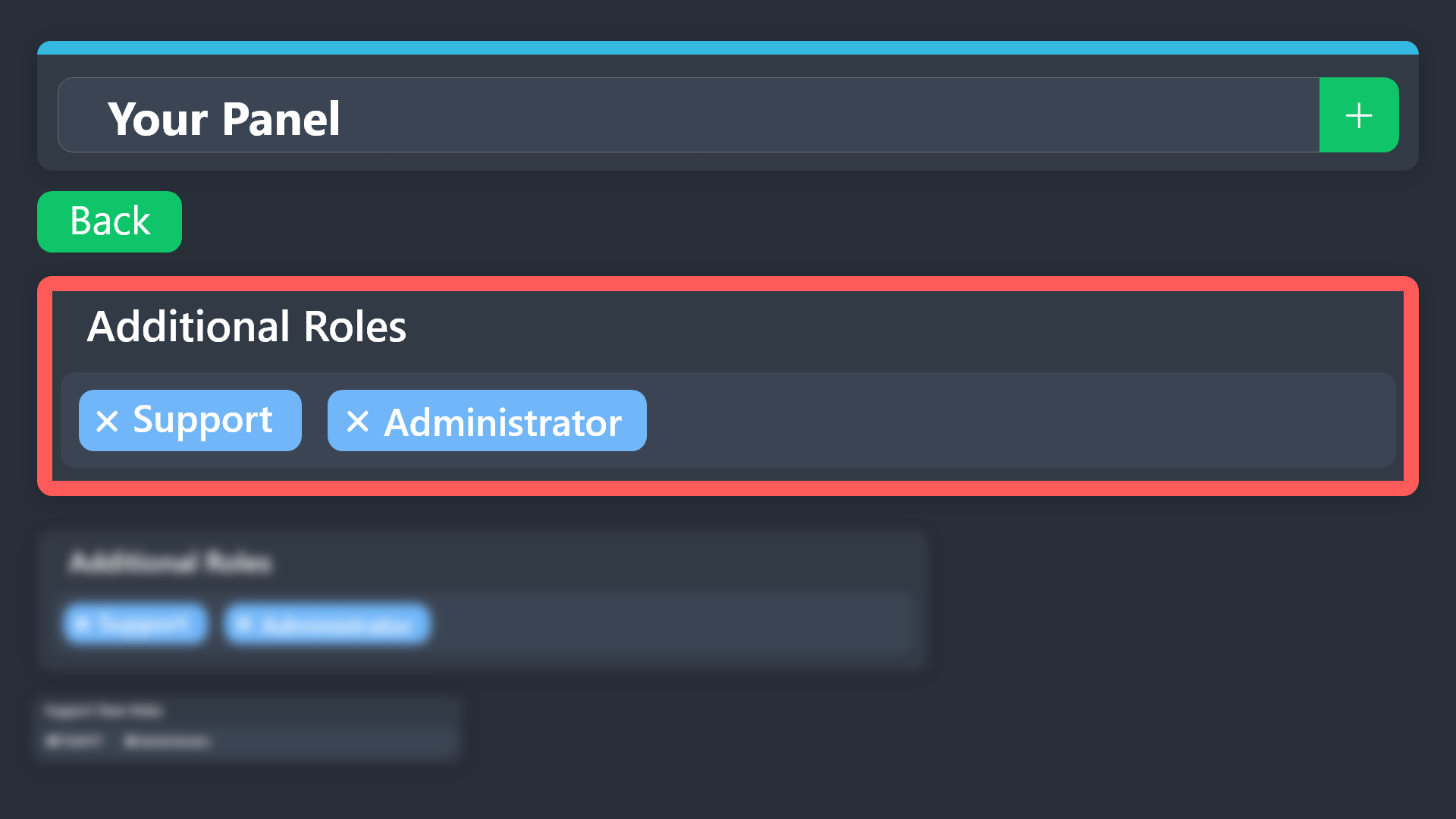 rustic gale
Note that if you have to create a brand-new support role or additional role, it won't be added to old tickets automatically.
You would have to close and reopen them, or you would have to add the role manually ticket by ticket with the /add command.
 grand marsh
Is there a setting that makes a custom command only work in tickets?
rustic gale
grand marsh
Is there a setting that makes a custom command only work in tickets?
Sadly no
iron nightBOT
Gave +1 Rep to @rustic gale
hallow kayak
What is the best way to add an extra player to a ticket. Say Player A opens it, the mod team can see it, but we want to add Player B to ask extra questions.
 hexed edge
How can I add multiple filed on Form?
rustic gale
hallow kayak
What is the best way to add an extra player to a ticket. Say Player A opens it, ...
Use the /add command
rustic gale
hexed edge
How can I add multiple filed on Form?
Depends on what you mean by this
If you mean having more than one question in the form, press the Add Question button
You can have up to 5 questions
hexed edge
but it's not showing
hexed edge
only one is showing
rustic gale
Can you share a screenshot?
hexed edge
rustic gale
Can you share a screenshot?
Sure
There is only one question and one answer filed but I want more filed

 rustic gale
Did you save the settings then press the create ticket button again?
hexed edge
After saving i have updated the previous message and I have tried to create the another ticket but this still same
 rustic gale
hexed edge
rustic gale
hexed edge
This is not relevant
rustic gale
hexed edge
I'm taking a look at your settings, and what's displayed on this screenshot is what is set up in your dashboard
So i'm not sure what exactly seems to be the problem.
I suggest to #🎫│make-a-ticket for help.
hexed edge
I don't know how to explain it properly but the thing is it's not working
rustic gale
You could also share your screen in #1070106933115240448.
hexed edge
ok sure
hexed edge
yeah
rustic gale
Updating the panel is completely unnecessary unless you have made changes to the message
hexed edge
oo
rustic gale
Either to the content of the embed, or the buttons that appear
Other types of changes do not need the Update button to be pushed
hexed edge
okh
rustic gale
it is also very strange that your panel has two buttons
Because neither of your panels has attached panels set up
What the hell. The settings i'm seeing are not synced with the settings you have
 rain comet
hi, I have a little problem idk if u can help me
humble sequoiaBOT
Hello, we would love to help you, but if you don't tell us what you need help with we can't help you :(