#🆘│community-support
1 messages · Page 15 of 1
 jade topaz
 lunar solar
No worries, have a good day / evening
 iron nightBOT
Gave +1 Rep to @lunar solar
lunar solar
Ignore that
 rustic moon
Hi
 simple raven
hey, i have a question
if i closed a ticket and deleted without doing transcript is there a way of getting the transcript of tht ticket?
rustic moon
The bot always send 4 buttons but i made 3 why?
 lunar solar
simple raven
hey, i have a question
if i closed a ticket and deleted without doing transcript...
lunar solar
simple raven
hey, i have a question
if i closed a ticket and deleted without doing transcript...
Unfortunately no, with premium you can auto save all transcripts to a channel
lunar solar
rustic moon
The bot always send 4 buttons but i made 3 why?
You’ve attached the same panel to itself, head back to where you attached the other panels and remove the first one
After that either use the update button or delete it and resend it
 earnest quartz
Hey, how to add multiple options for dropdown ticket system?
 gilded verge
earnest quartz
Hey, how to add multiple options for dropdown ticket system?
gilded verge
earnest quartz
Hey, how to add multiple options for dropdown ticket system?
Hey, so like this?

 humble sequoiaBOT
For a more convenient use of multipanels, you can now combine panels on the dashboard. This will allow you to directly send the multipanel from the dashboard or via the $panel ID command.
Where can I find this?
You can find this setting on the Dashboard -> Panel Configs -> Settings -> Panel
Note: if you're attaching all the panels to a panel called English, don't include English in the attached panel's box (If you do this, it will create a duplicate)
This will put all buttons from all of your panels on one message. The message is the panel message from the panel you're combining these panels in.
 gilded verge
I will try to make a video (if you need), but mainly it is about multipanels and DropDown style
 earnest quartz
gilded verge
I will try to make a video (if you need), but mainly it is about multipanels and...
earnest quartz
gilded verge
I will try to make a video (if you need), but mainly it is about multipanels and...
okay but do I have to enable the dropdown option on all the panels in the DropDown Style category?
earnest quartz
or I just have to create the panels
gilded verge
earnest quartz
okay but do I have to enable the dropdown option on all the panels in the DropDo...
I don't know yet, but I'll find out soon 😳
earnest quartz
😳
 carmine ice
I can't get ticket tool to send a message
carmine ice
carmine ice
I can't get ticket tool to send a message
anyone
humble sequoiaBOT
━━ moved to ticket ━━
 devout fern
any one help me please guys !
lunar solar
devout fern
any one help me please guys !
Hi how can we help today?
lunar solar
Whats the issue?
devout fern
u can tall me prve sec
lunar solar
We do not discuss things via DM, you can either utilise this channel or #premium-support or you can #🎫│make-a-ticket
devout fern
done make a ticket
gilded verge
@earnest quartz, Hello again ^^ okay, now I wanted to apologize for being misleading because Multipanels are for buttons, not select-menu 😕
Now I can answer you that you don't need to enable this option in all panels, it is enough in the main one ^^
If you want to select-menu then use DropDown Style. It would be best for you to create the "main panel" for the selectmenu and additional panels that you add to the main one.
I showed an example in the video 
devout fern
tall me in Ticket bro 1
earnest quartz
gilded verge
<@398415808935755781>, Hello again ^^ okay, now I wanted to apologize for being ...
thank you, we did the same thing showed in the video.
iron nightBOT
Gave +1 Rep to @gilded verge
 granite vector
any one help me #Thanks ❤️
lunar solar
granite vector
any one help me #Thanks ❤️
Please elaborate on what you need
granite vector
any one help me for this massege
 lunar solar
granite vector
any one help me for this massege
lunar solar
granite vector
any one help me for this massege
Appears to be a limit issue, you can change this under:
Panel Configs --> Limits --> Tickets Open & Tickets Closed
 lunar solar
Then it's a global limit issue
Server Configs --> General Options --> Global Ticket Limit
granite vector
@lunar solar is work now Verry Thanks ❤️
iron nightBOT
Gave +1 Rep to @lunar solar
lunar solar
shh
lunar solar
granite vector
<@892854649172946985> is work now Verry Thanks ❤️
No worries 🙂
 night surge
There are member role in disabled roles for close the ticket.but Members can close the ticket
 lunar solar
night surge
There are member role in disabled roles for close the ticket.but Members can clo...
lunar solar
night surge
There are member role in disabled roles for close the ticket.but Members can clo...
What are the two roles in Allowed for?
night surge
they are admin
lunar solar
night surge
they are admin
You can delete everything from both boxes and just have Support Team Only checked and it should work
 vital cosmos
It says "System Failure: Missing Access"
lunar solar
lunar solar
You can delete everything from both boxes and just have `Support Team Only` chec...
that or add @ everyone to Disabled roles
night surge
lunar solar
You can delete everything from both boxes and just have `Support Team Only` chec...
okey I will do
lunar solar
vital cosmos
It says "System Failure: Missing Access"
Please do /debug in the channel where you want ticket tool to work
vital cosmos
lunar solar
Please do `/debug` in the channel where you want ticket tool to work
it says that in every channel
night surge
I did but Members can close
 lunar solar
vital cosmos
it says that in every channel
lunar solar
vital cosmos
it says that in every channel
Then it would appear you have a permission issue, please #🎫│make-a-ticket so we can take a further look
lunar solar
night surge
I did but Members can close
Could you also #🎫│make-a-ticket please
vital cosmos
lunar solar
Then it would appear you have a permission issue, please <#571706435449257997> s...
i cant change the permissions on the ticket tool website
lunar solar
vital cosmos
i cant change the permissions on the ticket tool website
As I said please #🎫│make-a-ticket
night surge
members can still close the ticket with this settings
 lunar solar
night surge
members can still close the ticket with this settings
lunar solar
night surge
members can still close the ticket with this settings
Please #🎫│make-a-ticket so we can take a further look
lunar solar
vital cosmos
i cant change the permissions on the ticket tool website
Seeing as you don't want to make a ticket, what permissions do you see on the Dashboard under Server Info --> Bot Permission Info?
vital cosmos
lunar solar
Seeing as you don't want to make a ticket, what permissions do you see on the Da...
i made a ticket for germany support
lunar solar
vital cosmos
i made a ticket for germany support
Ah my apologies then
I don't get @  for those
 late blade
can anyone help me with a setup issue? I feel i have all the perms right. my users can create a ticket but once the ticket is created they cant see the actual ticket. my staff can. the user cannot. global perms are set for the category that the tickets go to. so i feel i have messed something up in the tickettool dashboard, i just cant figure out what
 modest lynx
late blade
can anyone help me with a setup issue? I feel i have all the perms right. my use...
modest lynx
late blade
can anyone help me with a setup issue? I feel i have all the perms right. my use...
When going to the panel, there is a ‘User Permissions’ section. Make sure that read channel is set to a check along with sending messages. This allows the user that created the ticket to chat and view the channel.
late blade
modest lynx
When going to the panel, there is a ‘User Permissions’ section. Make sure that r...
 modest lynx
late blade
modest lynx
late blade
Was that prior to what I said or did you do that just now?
late blade
modest lynx
Was that prior to what I said or did you do that just now?
prior
modest lynx
late blade
prior
Which method are you using?
late blade
modest lynx
Which method are you using?
what do you mean by that? like the ticket creation method?
gilded verge
late blade
can anyone help me with a setup issue? I feel i have all the perms right. my use...
Did you use View As Role when you checked this? 🤔
 primal violet
hi
When I enter the bot and want to make a panel, it does not show the server to make a panel
HELP PLEASE
late blade
gilded verge
Did you use `View As Role` when you checked this? 🤔
yes. does it not work like that? 😳
primal violet
hi
When I enter the bot and want to make a panel, it does not show the server to make a panel
HELP PLEASE
lunar solar
late blade
yes. does it not work like that? 😳
Please check #1031190063645741127
primal violet
hi
When I enter the bot and want to make a panel, it does not show the server to make a panel
HELP PLEASE
humble sequoiaBOT

You can check our documentation here;
You can also check #📂│information for the basic setup;
or run the </setup:1025379472167403530> command within #🤖│bot-spam
Our documentation contains all the info you need about the bot to be able to setup and configure the bot however you like.
 stark runeBOT
1. Invite Ticket Tool to your server
First you will want to invite the bot to your server. Once the bot is in your server, you can manage your server in the dashboard.

2. Create a Panel
To create a panel we are going to need to head over to the panel configs on the dashboard.
Once at the dashboard we will need to click Create Panel.
Enter a panel name (Fill in any optional settings you want).
Click Create Panel and your ready to get started with configuring your panel.
An example of a creating a panel is shown below.

3. Send the Panel to a Channel
Once you've created a panel on the dashboard you will need to send it to a channel using send on the dashboard.
Select the channel you want your panel to be created in and click send.
For other questions checkout $help faq.
An example of a sending a panel is shown below.
Having a Problem Sending the Panel?
Do $debug in a channel with Ticket Tool and make sure it has all the necessary Discord permissions.
 humble sequoiaBOT
View As Role feature
Discord's integrated View As Role feature will allow you to see how different groups of roles will have access to your server's channels. Even though, this feature isn't reliable for thoroughly testing Ticket Tool considering that the tickets are created based on User roles, and that Roles permissions are only used for Support Team Roles, and Additional Roles.
For testing Ticket Tool as a user we suggest you ask a friend to open a ticket for you as a regular member would do, or use an alternative account to simulate the same process to make sure everything is set properly.
gilded verge
humble sequoia
@late blade, 
lunar solar
@primal violet Have a look through the abiove
gilded verge
lunar solar
Please check <#1031190063645741127>
awww sorry, i didn't notice your answer 😅
lunar solar
Na all goods 🙂
primal violet
Does not show server
primal violet
lunar solar
Na all goods 🙂
Does not show server
humble sequoiaBOT
Don't see your server in the dashboard?
You will possibly need to relog. Look below to see steps on how to relog.
How to relog in the Dashboard.
Note:
You need one of these 3 things to access the dashboard.
1. Server Owner (Level: 6)
2. Server Administrator (Level: 4)
3. Dashboard Role (Level: 2)
:warning: You can check your level using $level on your Discord Server
User permission level with Ticket Tool
@User is permission level: 0 (User)
```» *If it shows that your permission is **0**, you don't have any of the above **3 things** to manage the dashboard.*
**See the Image below on how to relog:** primal violet
done
lunar solar
primal violet
done
Can you see it now?
primal violet
yes
vital cosmos
lunar solar
Seeing as you don't want to make a ticket, what permissions do you see on the Da...
no one replied yet

i cant change it
 rustic gale
vital cosmos
i cant change it
rustic gale
vital cosmos
i cant change it
You don't change them from there
You change them in your server
 hollow oak
hi is there a way to change the embed color?
rustic gale
hollow oak
hi is there a way to change the embed color?
With premium, yes
hollow oak
rustic gale
With premium, yes
bruh, ok rip
 copper mirage
how do you put that in discord again ? ive updated mine and totaly forgot how to put it back

 tawny fox
How to send a re-trade request
rustic gale
copper mirage
how do you put that in discord again ? ive updated mine and totaly forgot how to...
The easy way would be to use the /panel command in that channel
/panel 1
Should do the trick
 halcyon iris
Hi
rustic gale
If that doesn't work, you go into the dashboard, select Panel Configs, then use the Send button
rustic gale
tawny fox
How to send a re-trade request
Wrong server
rustic gale
halcyon iris
Hi
Don't just say hello in chat, if you need help explain what you need help with so you can get help
jade topaz
ticket tool dont shows server i tried relogin
gilded verge
@tawny fox, wielokrotnie otrzymywałeś informacje, że jesteś na złym serwerze więc proszę przestań spamować, okay?
Jak chcesz skonfigurować bilety to sprawdź poniżej.
jade topaz
worked now how can i create a ticket
stark runeBOT
1. Invite Ticket Tool to your server
First you will want to invite the bot to your server. Once the bot is in your server, you can manage your server in the dashboard.
2. Create a Panel
To create a panel we are going to need to head over to the panel configs on the dashboard.
Once at the dashboard we will need to click Create Panel.
Enter a panel name (Fill in any optional settings you want).
Click Create Panel and your ready to get started with configuring your panel.
An example of a creating a panel is shown below.
3. Send the Panel to a Channel
Once you've created a panel on the dashboard you will need to send it to a channel using send on the dashboard.
Select the channel you want your panel to be created in and click send.
For other questions checkout $help faq.
An example of a sending a panel is shown below.
Having a Problem Sending the Panel?
Do $debug in a channel with Ticket Tool and make sure it has all the necessary Discord permissions.
gilded verge
@jade topaz, check ^^
rustic gale
tawny fox
/panel
Not here. In your server, in the channel where you want to send it
jade topaz
When I add a role and save it and someone makes a ticket the role is not there
@covert swallow
rustic gale
Don't ping staff
rustic gale
jade topaz
When I add a role and save it and someone makes a ticket the role is not there
Make a ticket #🎫│make-a-ticket and we'll check your settings
jade topaz
Oki
 tranquil spade
are we able to review transcripts
rustic gale
tranquil spade
are we able to review transcripts
You should get them all in your transcript channel and you can view them as you need.
 flat ivy
How do i make it so that when someone opens a ticket it automatically goes to a certain category
pls help
gilded verge
flat ivy
How do i make it so that when someone opens a ticket it automatically goes to a ...
uhm, set category in category tab

 ruby ingot
I am new to this bot and would like to make tickets but I'm unsure how to do so, can anyone tell me how to? I've tried a bunch of different commands and still cannot figure it out.
stark runeBOT
1. Invite Ticket Tool to your server
First you will want to invite the bot to your server. Once the bot is in your server, you can manage your server in the dashboard.
2. Create a Panel
To create a panel we are going to need to head over to the panel configs on the dashboard.
Once at the dashboard we will need to click Create Panel.
Enter a panel name (Fill in any optional settings you want).
Click Create Panel and your ready to get started with configuring your panel.
An example of a creating a panel is shown below.
3. Send the Panel to a Channel
Once you've created a panel on the dashboard you will need to send it to a channel using send on the dashboard.
Select the channel you want your panel to be created in and click send.
For other questions checkout $help faq.
An example of a sending a panel is shown below.
Having a Problem Sending the Panel?
Do $debug in a channel with Ticket Tool and make sure it has all the necessary Discord permissions.
gilded verge
stark rune
Hey @ruby ingot, check
ruby ingot
gilded verge
Hey <@908459722607329313>, check <:this:894279341108772914>
Thank you! I'll try it!
iron nightBOT
Gave +1 Rep to @gilded verge
gilded verge
If you need something, just ask ^^
jade topaz
I added my admin role to see tickets but they can't
gilded verge
Are you using View As Role?
 gilded verge
If you don't use it, well then I can rule it out, hm...
What's your server ID or name?
jade topaz
gilded verge
What's your server ID or name?
Online Services
gilded verge
in your server please run /debug and send link from bot
gilded verge
It looks like the permissions are fine. When you tested it, did you use an alt account?
jade topaz
Nope no alt i am logged in
 gilded verge
what did you use on discord when you checked it? please send a screenshot from the newly created ticket
*I mean a screenshot of the entire Discord window
 crude egret
I’m considering buying premium, what are the premium perks?
humble sequoiaBOT
 Faster Premium Bot
Automatic Transcripts
Full Customization
Custom Buttons
Direct Messages
Ticket Automation
Premium Support
Scheduled Panel Availability
Integrations
You can purchase premium here:
Price
$6 - Monthly
$66 - Yearly
 Premium
gilded verge
Premium
gilded verge
here ^^
 wise mica
por favor alguem pode me ajudar comprei o app paguei no pix mas nao tenho o app
humble sequoiaBOT

⚠️ Você está no lugar errado
Nós oferecemos suporte para o bot de Discord Ticket Tool, então não podemos ajudá-lo com qualquer outro problema que você tenha.
- Certifique-se de entrar em contato com a equipe de suporte apropriada para solucionar seu problema.
Se você não possui nenhuma dúvida sobre o nosso bot de tickets, por favor feche este ticket.
 harsh ledge
wise mica
por favor alguem pode me ajudar comprei o app paguei no pix mas nao tenho o app
harsh ledge
wise mica
por favor alguem pode me ajudar comprei o app paguei no pix mas nao tenho o app
guys, why my server don't show on the list of servers? I am owner of my server, i should be able to see
 dreamy abyss
harsh ledge
guys, why my server don't show on the list of servers? I am owner of my server, ...
dreamy abyss
harsh ledge
guys, why my server don't show on the list of servers? I am owner of my server, ...
Try logging out and logging back in.
harsh ledge
dreamy abyss
Try logging out and logging back in.
ok
thx, it worked
thanks @dreamy abyss
iron nightBOT
Gave +1 Rep to @dreamy abyss
harsh ledge
👍
dreamy abyss
No problem.
 ashen mountain
Hola...
jade topaz
How do I verify people using ticket verification
humble sequoiaBOT
━━ moved to ticket ━━
gilded verge
 vernal walrus
Can someone reply to my tiktok please 7047
vernal walrus
Can someone reply to my tiktok please 7047
You mean ticket? You did not write anything so there is nothing to answer.
ah right, my bad.
 vernal walrus
gilded verge
You mean ticket? ~~You did not write anything so there is nothing to answer.~~
vernal walrus
gilded verge
You mean ticket? ~~You did not write anything so there is nothing to answer.~~
Sorry I wrote now
gilded verge
Just wait for someone, be patient ^^
vernal walrus
gilded verge
Just wait for someone, be patient ^^
thank you
iron nightBOT
Gave +1 Rep to @gilded verge
jade topaz
Hi
 winged olive
hey where to select in the website which channel to send the panel ?
lunar solar
winged olive
hey where to select in the website which channel to send the panel ?
Panel configs --> send (blue button) top centre --> choose your channel
winged olive
thanks
 deft nest
I want Arabic support
 harsh cradle
deft nest
I want Arabic support
harsh cradle
deft nest
I want Arabic support
Mee too 😮💨
lunar solar
We have Arabic support here:
humble sequoiaBOT

فريق الدعم الفني العربي
عميلنا العزيز ان كنت تبحث عن مساعدة يرجى فتح تكت خاص بفريق الدعم الفني العربي
اذهب الى#🎫│make-a-ticket
ثم قم بلضغط على الايموجي الاتي (🇯🇴)
lunar solar
@deft nest @harsh cradle
harsh cradle
@lunar solar i have already one bute no one open tickets 😮💨
lunar solar
harsh cradle
<@892854649172946985> i have already one bute no one open tickets 😮💨
The staff will respond at earliest convenience
jade topaz
Can we not have multiple options in a drop-down?
 lilac juniper
Question, as I am having to re-set up ticket tool in a server that recently was nuked due to a hack incident, trying to figure out how the server storage options feature in the config dashboard works. Before our server was nuked we had a huge pile of closed tickets that built up we tried to keep tabs on and im hoping this will somehow help as 60+ channels gets to be a bit much to work with.
TLDR: How does this work? The docs online don't explain it well

From what I am gathering, it basically re-uses the ticket channel itself repeatedly when this is enabled. where does the logs of those tickets go after the fact?
 scenic plinth
Logs are still functioning the same as the contents of the channels are deleted when they are moved into storage options.
deft nest
lunar solar
The staff will respond at earliest convenience
2 hours with no comment
lunar solar
deft nest
2 hours with no comment
If you read the ticket it says please allow 24-48hrs for a response.
deft nest
Can i close ticket and ask here
lunar solar
That’s up to you
lunar solar
jade topaz
Can we not have multiple options in a drop-down?
Yes you can, for each item you have you have to attach a panel to it to the right of the item name.
lunar solar
gilded verge
<@398415808935755781>, Hello again ^^ okay, now I wanted to apologize for being ...
See video for help
jade topaz
lunar solar
Yes you can, for each item you have you have to attach a panel to it to the righ...
is there any video to help me out?
gilded verge
lunar solar
See video for help
@jade topaz, message was for you
jade topaz
oh, mb thank you so much. Sorry for not seeing it before 
do i need to disable buttons?
before enabling the drop-down?
gilded verge
uhm... you mean this buttons which you added as multipanel? im sorry, im not sure what you mean 😬
jade topaz
ah so I'm talking about my previous settings. That is buttons, the button you select to open a ticket? Those buttons
Do i need to disable the buttons before enabling the drop-down panel?
hope that's clearer (maybe)
gilded verge
I haven't checked it but probably not 🤔
okay checked, you don't have to turn it off if you don't want to because from what I can see whether the button is on or not, when it is placed in the dropdown like in the video you saw, it works normally ^^
jade topaz
gilded verge
okay checked, you don't have to turn it off if you don't want to because from wh...
thank you so so so much. Sorry for reply this late i was at the dashboard.
iron nightBOT
Gave +1 Rep to @gilded verge
 gilded verge
I thought you saw the video that @Lupus redirected you to 🤔
jade topaz
i did
i filled out all the spaces too, when i do $panel 2 it sends the panel without the dropdown
And i enabled the dropdown style
gilded verge
you've disabled select style? 🤔

 gilded verge
okay, now try to send panel again
jade topaz
And still no drop-down
 gilded verge
hmm, what's your server ID or name?
stark runeBOT
1. Invite Ticket Tool to your server
First you will want to invite the bot to your server. Once the bot is in your server, you can manage your server in the dashboard.
2. Create a Panel
To create a panel we are going to need to head over to the panel configs on the dashboard.
Once at the dashboard we will need to click Create Panel.
Enter a panel name (Fill in any optional settings you want).
Click Create Panel and your ready to get started with configuring your panel.
An example of a creating a panel is shown below.
3. Send the Panel to a Channel
Once you've created a panel on the dashboard you will need to send it to a channel using send on the dashboard.
Select the channel you want your panel to be created in and click send.
For other questions checkout $help faq.
An example of a sending a panel is shown below.
Having a Problem Sending the Panel?
Do $debug in a channel with Ticket Tool and make sure it has all the necessary Discord permissions.
gilded verge
sorry, my mistake 
humble sequoiaBOT
For a more convenient use of multipanels, you can now combine panels on the dashboard. This will allow you to directly send the multipanel from the dashboard or via the $panel ID command.
Where can I find this?
You can find this setting on the Dashboard -> Panel Configs -> Settings -> Panel
Note: if you're attaching all the panels to a panel called English, don't include English in the attached panel's box (If you do this, it will create a duplicate)
This will put all buttons from all of your panels on one message. The message is the panel message from the panel you're combining these panels in.
 gilded verge
@jade topaz, Okay, I still don't know what happened but to make sure everything works as it should, create the main panel and add the panel you want there. Just like example in the video https://cdn.discordapp.com/attachments/776680605517742090/1031171159124873236/TT_sup_398415808935755781.mp4
it is the same video but I am throwing you so that you do not have to search 😅
jade topaz
lemme try it sir
gilded verge
🤨 this video is for @viz
jade topaz
gilded verge
🤨 this video is for `@viz`
but cant make buttons its showing options
gilded verge
humble sequoia
.
i don't know if you want multipanels as button or select-menu, you didn't describe what you need exactly
use command /add ^^
 digital dagger
Why can't I edit this? Or how do I

 devout musk
is anyone else having an issue with ticket tool being down right now?
digital dagger
devout musk
is anyone else having an issue with ticket tool being down right now?
no
jade topaz
None of ur tickets are working
jade topaz
devout musk
is anyone else having an issue with ticket tool being down right now?
yes even theres aren't working. #🎫│make-a-ticket
devout musk
got it!
jade topaz
breh fix ur bot
i got a community of 23k people and there is tickets atleast every few minutes
jade topaz
jade topaz
breh fix ur bot
Lmao
ALL BOTS WHEN DOWN THEY NEED UPDATE TO NEW UPDATE (2.2.1) (I just had to do it for my bots) pip install py-cord==2.2.1
cheers mate 👍
 hidden flame
Is tickettool down? My panel stopped interacting

 upper gulch
noticed that i cant close tickets in my server
devout musk
yep it’s down for a few people right now
jade topaz
hidden flame
Is tickettool down? My panel stopped interacting
ALL BOTS WHEN DOWN THEY NEED UPDATE TO NEW UPDATE (2.2.1) (I just had to do it for my bots) pip install py-cord==2.2.1
gilded verge
Please wait for information 
jade topaz
gilded verge
**Please wait for information** <:peepoBlush:843212225208123412>
They can't read 😭
hidden flame
jade topaz
ALL BOTS WHEN DOWN THEY NEED UPDATE TO NEW UPDATE (2.2.1) (I just had to do it f...
Thanks musty, how to install? sorry I am new
iron nightBOT
Gave +1 Rep to @hallow ferry
 feral sierra
I can't put the open channels of the ticket into categories. Can someone help me?
jade topaz
It's a Bot hosting side, nothing to on our end.
jade topaz
feral sierra
I can't put the open channels of the ticket into categories. Can someone help me...
Bot is down sir.
gilded verge
Problem has been fixed.
gilded verge
now
feral sierra
jade topaz
Bot is down sir.
Ok, but you can put the channels opened by the ticket into categories, right?
devout musk
thank you!! it’s working in ranboo’s again :D
jade topaz
gilded verge
🤨 this video is for `@viz`
i was able to make the drop-down, but i cant add more than one option
🥲
 gilded verge
uhm, I have nooo idea what to answer, so I will write you to create a new "main" panel, then add the panels you want to the main panel (exactly as I showed in the video)
jade topaz
alright 🥲
jade topaz
gilded verge
uhm, I have nooo idea what to answer, so I will write you to create a new "main"...
It does mention this A panel can only be used on one item at a time, using it more than once will result in the other items not showing.
If that's the case then how am I supposed to add any more options
gilded verge
c-can you show screenshot with that? 😳


 jade topaz
Oh, so I'll have to make multiple panels?
gilded verge
yup, this is like multipanels but in dropdown menu ^^
jade topaz
ah i understand now
so for example, the panel i have rn, i just clone it right? Then just add another dropdown in that clone panel
And so on?
ok i don't underestand :bonk:
gilded verge
I don't know if it will help you 😅
but:
 jade topaz
oooooohh lemme try again
jade topaz
gilded verge
I don't know if it will help you 😅
but:
IT WORKED. Thank you thank you thank you!! I can't thank you enough
iron nightBOT
Gave +1 Rep to @gilded verge
gilded verge
Woooohooooo! I'm soo happy ^^
jade topaz
you're so helpful and kind, sorry for being so bothering all along
one more question, can we change the name of the channel opened for each ticket option opened?
For example if i click giveaway a ticket opens named "giveaway - #0001" and if i click event, a ticket named "event - #0001" opens
if that makes sense
humble sequoiaBOT
The ticket name is the default channel name of all tickets. To edit it, go to your Dashboard > Panel Configs > Ticket. There you can edit the channel name of opened and closed tickets. You can also use variables in there.

 Note: This is a premium feature
gilded verge
Note: This is a premium feature
gilded verge
here
jade topaz
premium aaaa 
gilded verge
oh, but you can make an alternative that the giveaway panel and the event will have its own category ^^
jade topaz
ig I'll have to do that 🥹
gilded verge
heey but you know you can have premium for free? i mean just vote for Ticket Tool 😳
 gilded verge
jade topaz
you're kidding 😭
gilded verge
jade topaz
you're kidding 😭
nope, wait for instruction ^^
jade topaz
ive added 6 drop downs only 1 shows
jade topaz
gilded verge
I don't know if it will help you 😅
but:
@jade topaz
ive done that

You must've added the same panel for all the options
bro 💀 wdym
 jade topaz
jade topaz
jade topaz
look at their panels
gilded verge
so @jade topaz, please go to #🤖│bot-spam or your server and use $vote or /vote -there is my example :>
Then vote in Top.gg and BotsForDiscord. Vote on both sites and after 12 hours do the same again.
You need minimum 6 votes to redeem premium ($vote redeem) | 6 votes = 3 days of premium
jade topaz
jade topaz
bro 💀 wdym
They're all the same panels, use different panel for each dropdown
how does it link then
jade topaz
jade topaz
They're all the same panels, use different panel for each dropdown
how does it link then
gilded verge
If you need help with Ticket Tool, then yes
jade topaz
$add (user id)
gilded verge
use with slash command, its better /add
gilded verge
jade topaz
- A panel can only be used on one item at a time, using it more than once will result in the other items not showing.
so this is problem because you have the same panel
 jade topaz
how does it link then
jade topaz
jade topaz
how does it link then
Let's see.
Step1: I can see your main panel is named "purchase ticket".
Go back and clone this panel.
Step2: Now one option can have only one category, if you've given the "boost bot" option to "purchase ticket" then you need to give the "boosts" option to the clone of the first panel
so
oh let me see
gilded verge
but you try to use slash commands in your server right?
jade topaz
yes
 gilded verge
dev mode not required, just use command 😄
 jade topaz
oh let me see
jade topaz
jade topaz
oh let me see
ye, quite tricky but once you get a hold of it, it's easy
 remote urchin
did I miss anything or since when does the bot support slash commands?
gilded verge
some error?
gilded verge
remote urchin
did I miss anything or since when does the bot support slash commands?
now support slash
if you have error, please send screenshot
remote urchin
gilded verge
now support slash <:peepoBlush:843212225208123412>
Thanks so much
iron nightBOT
Gave +1 Rep to @gilded verge
gilded verge
@jade topaz
What's your permissions in your server?
Hmm... do you have permission Adminitrator in your role?

Server Settings->Role->choose your role and check in Permissions tab
hmm, do you have the option to use slash commands of any bot on your server? just write / on any channel and take a screenshot
Example:

oh nothing...
I wonder if... Could I join your server and create a ticket? I just want to check it out 🤔
If so, please send invite in private message
 graceful willow
Hi , how can i active the bot plz
gilded verge
yes but not in this case
jade topaz
graceful willow
Hi , how can i active the bot plz
through the dashboard, create a panel- make sure you adjust and manage the settings right
 unreal sphinx
do you have arabic support?
 opal ember
Hey i did a simple ticket tool setup but i have one issue whenever i decide to delete/close a ticket and it gets deleted it creates another "closed-0000" ticket channel with nothing in it in my admin category and i dont want it to do that but i cant find the solution
Someone point me in the right direction in the settings ?
@covert swallow
Sorry 😦
 orchid stone
hello I don't know how the ticket tool can do it
 fervent loom
I was wondering if there's a way to automatically put tickets into a category so that it's collapsible, anyone know if thats possible?
humble sequoiaBOT
Discord only allows to stack up to 50 channels per category, meaning that if you have already 50 tickets in one category, the bot won't be able to place a ticket in that category, for such reason Ticket Tool counts with overflow categories, meaning that if your main category is filled, the bot will go ahead and place the ticket on the next one available, simply choose a second category in the category pickers:
 gilded verge
humble sequoia
gilded verge
humble sequoia
@fervent loom, i don't understand what you mean by collapsible, but I hope helps you
fervent loom
thanks @gilded verge , i also had a question about the server storage option. i tried setting it up but does it only reuse tickets once the category is full? (50 channels) cause i only have like 20 in there rn and it keeps making new channels instead of reusing the cleared ones.
gilded verge
Unfortunately, I haven't used this option yet, so please wait for a response from someone else ^^
 wet jay
Are bedwars problems solved here?
scenic plinth
gilded verge
Unfortunately, I haven't used this option yet, so please wait for a response fro...
It will reuse tickets on a basis of whether or not the server has reached the limit of channels created per day (500), not whether or not limits have been reached in sense of categories. Reusing the channel allows for you to bypass those limitations, and to avoid complications as far as logging and such, as to my knowledge it does not rename the ticket when~~ created~~ reused.
Then again, not many servers according to our developer exceed 200 tickets or tickets that are created here per day, so not many people have had to worry about such.
scenic plinth
fervent loom
thanks <@334671104704774154> , i also had a question about the server storage op...
(Since I replied to a support question, and not your question, view my reply above as far as this question goes.)
 upbeat light
Hey, if i kick the Ticket bot. How long will the Ticket Transcript will saved?
jade topaz
I need help
When I assign ticket roles @scenic plinth my ticket still only lets staff mod and muted ppl to basically use the ticket when I want to add more and it won’t update when I do on your website
jade topaz
scenic plinth
(Since I replied to a support question, and not your question, view my reply abo...
Help
 craggy geyser
upbeat light
Hey, if i kick the Ticket bot. How long will the Ticket Transcript will saved?
craggy geyser
upbeat light
Hey, if i kick the Ticket bot. How long will the Ticket Transcript will saved?
It's saved as long as the messahe in discord with the transcript is there. If that gets deleted the transcript gets deleted once discord clear their cache (max 30 days. Nornally much sooner)
 prisma matrix
Why doesn't the bot work when I make a ticket in my server?
 compact harness
how can i solve this problem?
 lunar solar
compact harness
how can i solve this problem?
lunar solar
compact harness
how can i solve this problem?
You’ve hit the global limit, easy enough fix
jade topaz
whitelist on
lunar solar
Server Configs —> Global limit —> Adjust the number to a higher number
compact harness
lunar solar
Server Configs —> Global limit —> Adjust the number to a higher number
prisma matrix
prisma matrix
Why doesn't the bot work when I make a ticket in my server?
Can someone pls reply?
lunar solar
prisma matrix
Can someone pls reply?
Can you elaborate on “doesn’t work” please?
What specifically isn’t it doing? What error messages are you getting?
prisma matrix
Whenever I make a new ticket it says
This application did not respond
lunar solar
Have you tried again recently?
prisma matrix
Yep.
lunar solar
Can you do:
/debug
In the channel where you are trying to create a ticket and screenshot what you get back please

 lunar solar
prisma matrix
Here
lunar solar
prisma matrix
Here
Give it the Read Channels permission
prisma matrix
Okay
lunar solar
Then try again
prisma matrix
The debug command or create a ticket command?
I did both, here are the results
When I did the debug command, the tool now had every permission
When I did the /new command, it said "This application did not respond"
 hasty root
Hi, where can I find which role or users have permission to close tickets?
lunar solar
prisma matrix
I did both, here are the results
When I did the debug command, the tool now had...
Best go ahead and #🎫│make-a-ticket so we can take a better look
prisma matrix
Alright, thanks for helping though!
wise mica
 remote mason
Hi! I was wondering how I could set up the bot to send transcripts to a specific channel?
I did this but I don't think this is the right thing to do because it's still not working 😅
 rustic gale
remote mason
Hi! I was wondering how I could set up the bot to send transcripts to a specific...
rustic gale
remote mason
Hi! I was wondering how I could set up the bot to send transcripts to a specific...
You're setting up the permissions of the transcript command
All of those should be empty
What you need to do is head to Panel Configs -> Transcript
remote mason
Okay! Lemme give that a go (:
remote mason
rustic gale
What you need to do is head to Panel Configs -> Transcript
It worked! Thank you so much (:
iron nightBOT
Gave +1 Rep to @rustic gale
jade topaz
Sorry what's the command for change the name of the ticket?
jade topaz
Thanks

 glacial harbor
Hey guys 🙂 how do I remove the 2nd button?

 opal vapor
I’ve joined your client ge3te3’s server but I can’t become official member
 errant bear
how can i do that only admins can close tickets
humble sequoiaBOT
━━ moved to ticket ━━
 sweet ether
how to get the ticket thig to go in a chanel
humble sequoiaBOT
ᅠ
@pseudo glen requires the following permissions:
Add Reactions
Read Channels
Send Messages
Manage Messages
Embed Links
Attach Files
Read History
Manage Roles
Manage Channels
To change the role permissions, you can go to your Discord Server ➞ Server Settings ➞ Roles ➞ @Ticket Tool
To change the channel permissions, you can go to your Channel Settings ➞ Permissions ➞ Ticket Tool
ᅠ
Note:
You can give Ticket Tool Administrative Permissions instead of all the permissions listed above, but it's entirely optional and NOT necessary.
 gilded verge
humble sequoia
gilded verge
humble sequoia
@jade topaz, I don't know if your problem has been solved, but remember that the bot must have required permissions.
stark runeBOT
1. Invite Ticket Tool to your server
First you will want to invite the bot to your server. Once the bot is in your server, you can manage your server in the dashboard.
2. Create a Panel
To create a panel we are going to need to head over to the panel configs on the dashboard.
Once at the dashboard we will need to click Create Panel.
Enter a panel name (Fill in any optional settings you want).
Click Create Panel and your ready to get started with configuring your panel.
An example of a creating a panel is shown below.
3. Send the Panel to a Channel
Once you've created a panel on the dashboard you will need to send it to a channel using send on the dashboard.
Select the channel you want your panel to be created in and click send.
For other questions checkout $help faq.
An example of a sending a panel is shown below.
Having a Problem Sending the Panel?
Do $debug in a channel with Ticket Tool and make sure it has all the necessary Discord permissions.
gilded verge
stark rune
@sweet ether,
 pulsar wren
how can I delete the channel that the ticket made when it doesn't even delete
pulsar wren
pulsar wren
how can I delete the channel that the ticket made when it doesn't even delete
like, I tried deleting it but it didn't work and it won't even load or anything so I can't use commands
gilded verge
nooo, you need edit this permissions in discord
Server Settings->Roles->search Ticket Tool->Permissions tab->and there
gilded verge
pulsar wren
like, I tried deleting it but it didn't work and it won't even load or anything ...
what's your server ID or name?
pulsar wren
gilded verge
what's your server ID or name?
♫Eternal Matter𖤐 AUTUMN REVAMP (idk if that's what you meant)
iron nightBOT
Gave +1 Rep to @gilded verge
gilded verge
pulsar wren
♫Eternal Matter𖤐 AUTUMN REVAMP (idk if that's what you meant)
hmm, permissions are fine 🤔
do you see any error when trying to delete the channel? if so, please send screenshot ^^
pulsar wren
gilded verge
hmm, permissions are fine 🤔
do you see any error when trying to delete the cha...
it just won't delete or load anything when I go into the channel
I tried deleting it myself with the discord thing but that didn't work too
gilded verge
you're in discord mobile or pc?
pulsar wren
mobile
humble sequoiaBOT

Update your Discord App
Devices running old versions of Discord may interfere with the proper display of interactions such as buttons or context menus. Please verify that you have the latest version of Discord, by going to the App Store, or Play Store.
Discord for the  App Store
Discord for the  Play Store
gilded verge
please check
pulsar wren
gilded verge
please check <:this:894279341108772914>
it worked, thank you sm :')
iron nightBOT
Gave +1 Rep to @gilded verge
 sharp grove
can i use it for free? or do people need to pay to use this?
 slender minnow
sharp grove
can i use it for free? or do people need to pay to use this?
slender minnow
sharp grove
can i use it for free? or do people need to pay to use this?
Ticket Tool is free to use however it imposes certain restriction such as embed strip color, editing certain values of your embed, some features like claiming, automated actions including auto transcript, dm transcript, etc.
Free users also has a restriction of 10 tickets per minute, meaning only 10 tickets will be made every minute. Premium servers are able to bypass this restriction.
sharp grove
slender minnow
Ticket Tool is free to use however it imposes certain restriction such as embed ...
Thanks, It works great!!
iron nightBOT
Gave +1 Rep to @slender minnow
 summer perch
Hi, how do you ping a role automatically when you open a ticket
 runic wharf
How do I set the ticket bot
 fallow ingot
summer perch
Hi, how do you ping a role automatically when you open a ticket
fallow ingot
summer perch
Hi, how do you ping a role automatically when you open a ticket
Head to your dashboard > Panel Configs > Ticket > Edit Ticket Message.

In the blue box that I have highlighted for you this is where you will ping your role.
So grab the role ID
and format it like this <Role_ID>
You can also ping people by just using the role name so like this <@Role_Name>
Please avoid from pinging members of our team. This is a violation of the server rules ( #📂│information )
Please check the what the support team opened permissions are.

 hasty mist
How do you change the ticket message in the create ticket channel?
humble sequoiaBOT
You can check our documentation here;
You can also check #📂│information for the basic setup;
or run the </setup:1025379472167403530> command within #🤖│bot-spam
Our documentation contains all the info you need about the bot to be able to setup and configure the bot however you like.
fallow ingot
@runic wharf 
fallow ingot
hasty mist
How do you change the ticket message in the create ticket channel?
The panel message?
hasty mist
fallow ingot
The panel message?
Yes sorry
 hasty mist
Ohh okay tysm ❤️
fallow ingot
No problem, happy to help! 
 lean mountain
Hey hello Everyone, i'm french and i need help
humble sequoiaBOT

L'équipe du support Français
Cher client,
Si vous avez besoin d'aide, ouvriez un ticket pour le support Français s'il vous plaît.
Allez au #🎫│make-a-ticket et tapez sur le button contenant l'emoji 🇫🇷
lean mountain
Oh thanks
 sacred needle
trying to get a gif on my ticket panel, can someone help?
fallow ingot
Open a ticket and I'll assist further.
fallow ingot
sacred needle
trying to get a gif on my ticket panel, can someone help?
Sure, what problem are you experiencing?
sacred needle
i dont know how to do it 😛
fallow ingot
yep
fallow ingot
sacred needle
i dont know how to do it 😛
ah that makes sense lol
Where do you want the GIF to go?
sacred needle
instead of this, i want it to be my gif

 modern saddle
trying to use the Tag function to respond with a server emote and a user ping; i have ping working but cant seem to figure out how to get it to use a server emote (nvm figured it out)
fallow ingot
sacred needle
instead of this, i want it to be my gif
You need premium to do that sadly 
sacred needle
I got premium :)

 summer perch
fallow ingot
Head to your dashboard > Panel Configs > Ticket > Edit Ticket Message.
summer perch
fallow ingot
Head to your dashboard > Panel Configs > Ticket > Edit Ticket Message.
Tanks you
fallow ingot
sacred needle
heres my attempt 😂
Good attempt. Insert that link into the area I've highlighted in screenshot.
 sacred needle
😂 so simple haha
think my file is to big

ill compress it and try again, looks like the only problem 🙂
thank you very much for your help
fallow ingot
^
jade topaz
Hey, is it possible to have a ticket timeout after a certain amount of time?
fallow ingot
Sadly not.
iron nightBOT
Gave +1 Rep to @fallow ingot
sacred needle
thanks @fallow ingot
iron nightBOT
Gave +1 Rep to @fallow ingot
 shell arrow
why is ticket tool offline
 maiden berry
💀
 brittle dew
bot off :)))
jade topaz
Bot off @fallow ingot
fallow ingot
Thanks for reporting :) we'll investigate! 
sacred needle
i broke it trying to upload mp4 instead of gif 😂
fallow ingot
LOL
jade topaz
fallow ingot
LOL
Do you now eta to repair it?
fallow ingot
sacred needle
i broke it trying to upload mp4 instead of gif 😂
Nah we're working on it.
 glass rose
Почему бот офф-лайн?
jade topaz
fallow ingot
Nah we're working on it.
BOT OFF
fallow ingot
jade topaz
Do you now eta to repair it?
At the moment, no.
jade topaz
ok
fallow ingot
YEAH!
sacred needle
oh the patience of a discord mod 🙏 hats off to you haha
 frigid musk
why is my ticket tool offline
maiden berry
 muted axle
Why do I keep getting "This interaction failed"
 azure frost
help

 tacit dove
same problem here
 sleek vector
muted axle
sleek vector
muted axle
glad were all on the same page haha
slender minnow
Please refer #📣│bot-news for updates regarding the outage. Thank you very much!
tacit dove
I can't get it to load
slender minnow
shh
 burnt cliff
is the bot down?
tacit dove
yeah, it won't load the servers
burnt cliff
ight
 glad ether
does it take when it goes offline?
 dapper vapor
@pseudo glen is offline in one of my servers I'm member in
 sharp saddle
dapper vapor
<@557628352828014614> is offline in one of my servers I'm member in
sharp saddle
dapper vapor
<@557628352828014614> is offline in one of my servers I'm member in
Same here, I believe it is an outage on all servers as it says in #📣│bot-news channel
 maiden badger
I have the same buddy
 digital totem
I want to know why is the bot not working well
 hollow lodge
my guys, we have an outtage
dapper vapor
Yeah
 grim pilot
Why aren’t outages in #📣│bot-news sent as an announcement? Following the channel doesn’t do much for me or anyone else if the announcement doesn’t actually get announced to servers following the channel.
Can this be improved?
 tribal current
i apologize if this has been asnwered. But is the bot down currently?
 stable falcon
tribal current
i apologize if this has been asnwered. But is the bot down currently?
stable falcon
tribal current
i apologize if this has been asnwered. But is the bot down currently?
Was about the ask the same
slender minnow
Yes it is, please keep a track of #📣│bot-news for any updates.
stable falcon
Sorry, didnt see the channel now i know ty
stark runeBOT
**Ticket Tool - All Systems are now __Online!__**
All Ticket Tool systems are fully online again! We apologize for any inconvenience this may have caused on your server.
If you are still experiencing any problem with Ticket Tool, please reach out to the <@&540295656720302081> within a ticket here, #🎫│make-a-ticket

 alpine cedar
when creating a panel why can i only choose the name and not the channel
humble sequoiaBOT
━━ moved to ticket ━━
 fleet rapids
Hello,
I was woundering if there was a way to change who has access to closed Tickets?
Currently we have it configured ( for this panel) that People with Role X can see all opened tickets, and subsequently see all closed tickets then delete them.
Is it possible to configure it so people with Role X can see and handle opened tickets, but once they are closed Role X can no longer see them and we can have another Role Y View and then finally delete them?
 fossil imp
Hi, why the bot mor my server is offline ?
 radiant terrace
is off?
fossil imp
not for this server but for mine yes
 shrewd nymph
The bot is offline for my server
 eager oxide
Same here
 leaden blade
?????? i cant make a ticket in my server. i was only testing it to see if it worked from the last time i tried but it didnt
 shrewd nymph
leaden blade
?????? i cant make a ticket in my server. i was only testing it to see if it wor...
shrewd nymph
leaden blade
?????? i cant make a ticket in my server. i was only testing it to see if it wor...
Same
leaden blade
it might be a bug or sum
shrewd nymph
leaden blade
it might be a bug or sum
Is ur bot offline my is
leaden blade
this happened with the Mimu bot aswellit was offline in basically everyones servers
 viral agate
leaden blade
?????? i cant make a ticket in my server. i was only testing it to see if it wor...
viral agate
leaden blade
?????? i cant make a ticket in my server. i was only testing it to see if it wor...
same man this needs fixing
i pay monthly whats the point if its gone down
 tawny oasis
it doesnt work
jade topaz
Bot isnot working
shrewd nymph
viral agate
i pay monthly whats the point if its gone down
You have the premium bot?
 lofty jay
ticket tool still offline?
shrewd nymph
viral agate
shrewd nymph
You have the premium bot?
idk i pay $6 month for this shit
leaden blade
😭
viral agate
bro wtf is going on shits not even showing up

 pliant lagoon
you're saying that as if $6 is a fortune. Outages are quite common, relax. They're working on it for sure 🙂
shrewd nymph
leaden blade
MAN FIX YO BOT GOD DAMN 😭
viral agate
pliant lagoon
you're saying that as if $6 is a fortune. Outages are quite common, relax. They'...
cant afford outrages fix the dam bot
leaden blade
im absoloutly appauled rn
jade topaz
..
leaden blade
flabbergasted
 silk ember
stark rune
silk ember
stark rune
lies
viral agate
bullshit!!!!!!
 shrewd nymph
Me watching people die after 5 minutes of the bot going down
 leaden blade
viral agate
bullshit!!!!!!
leaden blade
viral agate
bullshit!!!!!!
💀
jade topaz
Bot is sus
 young ferry
Hey if your having a problem, open a ticket
leaden blade
shrewd nymph
Me watching people die after 5 minutes of the bot going down
lmfao
 sick sentinel
bot hella dead
shrewd nymph
I can’t take this anymore fix it please
 viral agate
why tf is this saying add bot but he had roles im confused
 craggy geyser
Development team are aware
shrewd nymph
craggy geyser
Development team are aware
 supple estuary
hello again down right?
eager oxide
rip
viral agate
craggy geyser
Development team are aware
im so confused why am i paying 6$ tho cancelling rn
leaden blade
 jade topaz
how can i add permissions to bot dashboard for my admins/
 modern flint
I cant open more than 1 ticket on my server, how can I remove this limit?
 shrewd nymph
modern flint
I cant open more than 1 ticket on my server, how can I remove this limit?
modern flint
shrewd nymph
modern flint
I cant open more than 1 ticket on my server, how can I remove this limit?
modern flint
bot says that I can only open 1 ticket
craggy geyser
viral agate
im so confused why am i paying 6$ tho cancelling rn
Well the premium bot is online so if you are paying you can use that. But if yoy aren't happy paying for a service with a lot less downtime than many bots, feel free to unsubscribe
craggy geyser
You can add the premium bot. But features work on both bots
humble sequoiaBOT
The first thing you will need to do is invite the premium bot, an invite can be found here
Once the bot is in your server we will head to the dashboard and manage your server. When you are managing your server, you want to head into "Server Configs" then click the drop down menu under "Select the bot you would like to use on this server" then click "Ticket Tool#6207" and then save.

 fallen star
I can't even open tickets haha
jade topaz
bot is down
 prisma cove
Has it been pushed to only slash commands?
 fleet prairie
how do i fix?
 craggy geyser
Developer is working on it
fleet prairie
o ok
craggy geyser
It will be back soon
eager oxide
I think they know it's down now
prisma cove
craggy geyser
It will be back soon
Thanks
iron nightBOT
Gave +1 Rep to @craggy geyser
 drowsy idol
craggy geyser
Developer is working on it
drowsy idol
craggy geyser
Developer is working on it
Good to know thanks! any idea how long this will take?
iron nightBOT
Gave +1 Rep to @craggy geyser
craggy geyser
drowsy idol
Good to know thanks! any idea how long this will take?
Hopefully not too long. The bot is reconnecting so hopefully that means intentionally
burnt cliff
is the bot still broken?
 gloomy tinsel
i think so
drowsy idol
craggy geyser
Hopefully not too long. The bot is reconnecting so hopefully that means intentio...
Thanks for the info, have a nice day
iron nightBOT
Gave +1 Rep to @craggy geyser
burnt cliff
how long until its back up
 winged tusk
Soon™️
jade topaz
ticket tool is down
 olive lava
Also down on our server
gloomy tinsel
ooo just saw that
craggy geyser
Not back in my test server yet either
olive lava
I see the info now
gloomy tinsel
craggy geyser
Not back in my test server yet either
not back in mine either
 maiden hamlet
I can't even access the dashboard. Any guess to when it will be back up?
craggy geyser
Once the bot is online in your server (it takes a bit as there is a lot of shards) you should see the dashboard
maiden hamlet
ok thanks👍
olive lava
We appreciate the info. We use your bot everyday. Thanks again
 maiden brook
What is the estimated time for the bot to be activated again?
 tepid pawn
Do you have a ETA?
maiden brook
tepid pawn
Do you have a ETA?
no
winged tusk
No ETA, being worked on rn
gloomy tinsel
Hi, One of the servers i have admin in is not showing up in the dashboard eevn though it was there like 5 minutes ago
tepid pawn
F its funny how the prem bots are online lol
maiden brook
gloomy tinsel
Hi, One of the servers i have admin in is not showing up in the dashboard eevn t...
Yeah
winged tusk
gloomy tinsel
Hi, One of the servers i have admin in is not showing up in the dashboard eevn t...
Is offline atm
 serene beacon
hi, when i make a category and change the visibility for moderators, (so they can see and reply to tickets) it doesn't allow it. channel specific perms don't seem to be effecting it either, what can i do?
 cyan pollen
gloomy tinsel
the dashboard?
cyan pollen
gloomy tinsel
the dashboard?
Dashboard probably doesn’t work since it’s hooked to the bot or that’s at least how my bot works
 gray nymph
Thanks for all y’all do, noticed status site wasn’t updated, glad to see Its not me.
winged tusk
Dashboard I guess doesn’t work when bot doesn’t work because someone earlier said they can’t invite the premium bot since the bot is down
gloomy tinsel
winged tusk
Dashboard I guess doesn’t work when bot doesn’t work because someone earlier sai...
okay ty
iron nightBOT
Gave +1 Rep to @winged tusk
serene beacon
serene beacon
hi, when i make a category and change the visibility for moderators, (so they ca...
please ping me if any moderators have an answer 🙂
 sonic bronze
Is the Ticket bot down for anyone else?
 tight grail
yes me too
winged tusk
serene beacon
hi, when i make a category and change the visibility for moderators, (so they ca...
You have them as staff roles?
tight grail
looks like the ticket bot is broken are there any news about that?
 grizzled imp
Is there a problem with the ticket bot?
winged tusk
In the specific panel itself
Yes it’s down atm @grizzled imp @tight grail being worked on rn
tight grail
winged tusk
In the specific panel itself
ah ok thx
iron nightBOT
Gave +1 Rep to @winged tusk
serene beacon
winged tusk
You have them as staff roles?
not sure what that means, but yes they have staff permissions- if it's meant to be through the bot, then no i do not have that set up
stark runeBOT
**Ticket Tool - Restart Notice**
Shards within the Ticket Tool bot(s) are going through a restart at the moment of this notice, the Development Team is fully aware of the possible inconveniences this may cause, thanks for your patience!
To keep track of this restart keep an eye on #📣│bot-news, you can also visit our status page here.
Please do not spam tickets within the support server & do not keep asking in public channels.
gloomy tinsel
yass
winged tusk
serene beacon
not sure what that means, but yes they have staff permissions- if it's meant to ...
Yeah when the dashboard comes back online go into panel config and you should be able to give them staff role on the bot for specific panels or all panels 🙂
serene beacon
winged tusk
Yeah when the dashboard comes back online go into panel config and you should be...
amazing, thank you so much 😄
iron nightBOT
Gave +1 Rep to @winged tusk
 thorny vale
Can you tell me the approximate time of turning on the bot or is it unknown?
winged tusk
Unknown atm
thorny vale
:c
 solid oyster
is it possible to make so new created ticket channels appear under a chosen category?
winged tusk
Yes
winged tusk
solid oyster
is it possible to make so new created ticket channels appear under a chosen cate...
Tickets Opened
Tickets Closed
In category options in your panel settings
solid oyster
alright cool, thx 👍
jade topaz
its still downnn
 silent mango
Yes
 terse kiln
does anyone know why the bot is saying "this interaction failed" ?
 formal silo
reason ?
 terse kiln
formal silo
reason ?
terse kiln
formal silo
reason ?
yes mate
terse kiln
eager oxide
They're working on fixing it, but no eta
thanks mate 🙂
iron nightBOT
Gave +1 Rep to @eager oxide
 nova pagoda
Bot tjr off ?
jade topaz

 plain surge
stark rune
plain surge
stark rune
^

 fossil imp
 hollow heath
scenic plinth
hollow heath
scenic plinth
**  Please notice **
We are well aware the primary bot is offline in some or all servers. There is no ETA on when this will be fixed as of now. The Development Team is working on fixing this.
Please avoid asking consistently. We likely do not have any changes in the answer for you. This also means avoid using / spamming #1020426768450080899 because the bot does not work for your server.
You can read updates in the  pinned messages within this channel and review #📣│bot-news for new updates.
Thanks!
Ticket Tool Support
 shut bolt
 stark runeBOT
**Ticket Tool - All Systems are now __Online!__**
All Ticket Tool systems are fully online again! We apologize for any inconvenience this may have caused on your server.
If you are still experiencing any problem with Ticket Tool, please reach out to the <@&540295656720302081> within a ticket here, #🎫│make-a-ticket
shut bolt

olive lava
Thank you!
 glass lagoon
 shut bolt
Try again
 shadow hinge
OI
jade topaz
I was wondering how do I transfer my premium to another account
humble sequoiaBOT

Premium Transfer
If you would like to move premium, panels, & tags to another server, please provide your old servers ID and your new servers ID or you can use our transfer feature yourself, learn more here
How do I find my server ID.
Open your Discord server, right-click on the server name, then select Copy ID or you can do $id in your server.
Server deleted? Can’t find the server ID?
If the server is deleted, please go into your search history and find the last time you were managing that server. At the end of the website, it should show a ID. That is your server ID.
I can't find either of them
Please notify a Support Team member that you can not find any of your Server IDs & they will assist you.
gilded verge
here
 gilded verge
jade topaz
How do I change the color of the embed message like this?
gilded verge
jade topaz
How do I change the color of the embed message like this?
Your server need premium.
Panel Configs->Ticket->Edit TIcket Message->Embed Editor->Field Editor

 glacial steeple
 jade topaz
How do I invite the premium bot
jade topaz
gilded verge
Your server need premium.
Panel Configs->Ticket->Edit TIcket Message->Embed Edit...
Can you capture an entire screen
 jade topaz
gilded verge
jade topaz
gilded verge
 gilded verge
jade topaz
gilded verge
jade topaz
Ticket->Edit TIcket Message->Embed Editor->Field Editor

and please switch bot from premium to free because you have BOT ERROR


 gilded verge
jade topaz
gilded verge
jade topaz
uhm... I wrote (3 times) exactly where you should go so I don't understand why you are sending screenshots 😕
jade topaz
gilded verge
uhm... I wrote (3 times) exactly where you should go so I don't understand why y...
I want to change the color of the embed message, can you make a video for me to know how to change the color of the embed message?
gilded verge
I can see that I have no other choice 😅 sure, please wait
gilded verge
jade topaz
I want to change the color of the embed message, can you make a video for me to ...
jade topaz
gilded verge
Thanks dad
iron nightBOT
Gave +1 Rep to @gilded verge
 iron wing
Hi, my closed tickets stopped moving to the correct category. Settings are correct, used to work then stopped working for a while now
 silk ember
i have premium but it says i need to upgrade and the premium features arent working


 outer grail
Good night I have a little problem in the game I made the purchase of 75 ahg and I converted 72 to Gold I just want Gold and not even the remaining 3 ahg went to the game what should I do?
rustic gale
iron wing
Hi, my closed tickets stopped moving to the correct category. Settings are corre...
Probably an overflow problem
humble sequoiaBOT
Discord only allows to stack up to 50 channels per category, meaning that if you have already 50 tickets in one category, the bot won't be able to place a ticket in that category, for such reason Ticket Tool counts with overflow categories, meaning that if your main category is filled, the bot will go ahead and place the ticket on the next one available, simply choose a second category in the category pickers:
rustic gale
jade topaz
Why not send
You likely enabled the premium bot but didn't invite it. Please #🎫│make-a-ticket so we can take a closer look
You probably enabled the premium bot but you didn't invite it or don't have premium. Please #🎫│make-a-ticket so we can take a closer look
jade topaz
Bet
jade topaz
*overflow
 sharp robin
does anyone know how to gain access to the ticket tool helper?
i saw its features and i wanna know if I can add it into my server
humble sequoiaBOT
━━ moved to ticket ━━
 flint river
Hey, all my closed tickets suddenly were sent out of the Closed category and just thrown at the top? How do I solve this?
Was this due to the bot going down yesterday? its a brand new setup, fresh, so the categories are not maxing out.
 iron wing
rustic gale
Probably an overflow problem
iron wing
rustic gale
Probably an overflow problem
oh thanks it is!
iron nightBOT
Gave +1 Rep to @rustic gale
flint river
In the initial setup, do I need to set perms for people to see the categories for the ticket channels to be created and posted in them?
 rough berry
Hi Guys,
searching for a new ticket bot for our Discord with >10k members and found this one.
Is the ticket directly created when the user hits the button? Or just after he send his message?
We had a bot in the past with buttons and ppl are clicking it to "test it" which was really annoying. Our actual bot works like that you have to send him a DM and a channel for the moderators is getting created. But they are using Heroku which are cancelling the free plan and we are not that sure if we want to stay with this bot even paying for it would be an option for us.
drowsy idol
rough berry
Hi Guys,
searching for a new ticket bot for our Discord with >10k members and fo...
Yooyoo
I really like this tickettool, creates a ticket immediately and then your members can ask there question in it
jade topaz
Hello I need help bad can someone please setup my tickets for me I have no clue how to do this sorry.
drowsy idol
jade topaz
Hello I need help bad can someone please setup my tickets for me I have no clue ...
hey Everyone! hope you enjoyed today's Video on how to set up a ticket tool bot for your discord server!
Don't Forget to Drop a Like and Subscribe to my channel and Comment Down Below! ;)
---------------------------------------------------------------------!
Links:-
➣ Ticket tool: https://tickettool.xyz/
--------------------------------------...
jade topaz
Thanks
craggy geyser
rough berry
Hi Guys,
searching for a new ticket bot for our Discord with >10k members and fo...
Hi there. Default is that the button opens a ticket, however you can set up a form to go with it. Feel free to check out #🎫│make-a-ticket where forms are included (if you cancel the form it won't open one)
jade topaz
How do you make them a form to fill out before the ticket opens
humble sequoiaBOT
A Discord Form lets the user answer individual questions in a pop-up Form, which then displays the answers in the ticket message. This can save time if you already know what you want to ask the user.
Setup Forms
Forms can be enabled under Panel Settings > Form Options > Edit Forms Options. In the new pop-up window, you can now enable and edit your own Form.
Form Options
You can add up to 5 questions in the Discord form. This is a Discord limitation. Each question can have a placeholder in the input field, a minimum and maximum input, multi-line, and also the option to have the answer required.
Options
Question Title ➞ Your Question goes here
Question Placeholder ➞ The placeholder text in the input field
Required ➞ If enabled, the user has to answer this question, to submit the form
Multi-Line Input ➞Allows the user to input multiple lines
Minimum and Maximum Input ➞ Set a minimum and maximum input value for the user
Displaying the Answer
To display the answers from the user, you need to go into your Panel Settings > Ticket Options > Edit Ticket Message. In there you use the variable {create.form.x} and just replace x with the number of your question. For example, the response to Question 1 can be displayed with {create.form.1}. If you don't use this variable, the response from the user is lost.
 digital dagger
Why can't I edit this? Or how do I

 pale pilot
@digital dagger the editor should be right above that
digital dagger
pale pilot
<@929031089173975141> the editor should be right above that
Is it only for premium users?
lunar solar
digital dagger
Is it only for premium users?
You can edit the description, title and a few other things with the embed editor as a free user
Anything that doesn’t have the 
rough berry
Is it also possible to open a ticket when sending a DM to the bot?
Some bots allow that and it would be cool to use both ways.
fallow ingot
Sadly you cannot DM ticket tool to open a ticket.
 rough berry
fallow ingot
Sadly you cannot DM ticket tool to open a ticket.
rough berry
fallow ingot
Sadly you cannot DM ticket tool to open a ticket.
Could that be an option in the feature? Or is it not planned?
 normal bolt
Is this upgrade the same as the website one or is it additional?

 covert swallow
Different payement processor, website is chargebee, thats discord
 dusky anchor
How many tickets can be created on a server?
normal bolt
covert swallow
Different payement processor, website is chargebee, thats discord
Yeah, but does it give you the same thing?
covert swallow
Yes
normal bolt
covert swallow
Yes
Oh okay thank you.
iron nightBOT
Gave +1 Rep to @covert swallow
covert swallow
dusky anchor
How many tickets can be created on a server?
up to 500, at a time its a discord limit
jade topaz
how do i restore a ticket if it was deleted?
slender minnow
jade topaz
how do i restore a ticket if it was deleted?
if you have a transcript, you can then just check the transcript
other then that, there is no way of recovering a deleted ticket
fallow ingot
They left :(
humble sequoiaBOT

Suggestions for Ticket Tool
To make a suggestion use the s!suggest suggestion command in #🤖│bot-spam. Note that you'll suggestion will be first reviewed by our Support Team before it's posted into #💡│suggestions, channel in which you'll be able to vote for other suggestions!
fallow ingot
@desert osprey
 desert osprey
fallow ingot
<@177954163752304640> <:This:729503857662492782>
desert osprey
fallow ingot
<@177954163752304640> <:This:729503857662492782>
tyty thank you!
iron nightBOT
Gave +1 Rep to @fallow ingot
fallow ingot
np
gilded verge
rule 4
jade topaz
ok but can any answer me?
gilded verge
the bots work without problems ^^
jade topaz
but i have problems
fallow ingot
What sort of problems?
jade topaz
using bot
fallow ingot
Is the bot online?
jade topaz
I can't create the react tab to open a ticket I've already given all the roles etc and nothing
stark runeBOT
1. Invite Ticket Tool to your server
First you will want to invite the bot to your server. Once the bot is in your server, you can manage your server in the dashboard.
2. Create a Panel
To create a panel we are going to need to head over to the panel configs on the dashboard.
Once at the dashboard we will need to click Create Panel.
Enter a panel name (Fill in any optional settings you want).
Click Create Panel and your ready to get started with configuring your panel.
An example of a creating a panel is shown below.
3. Send the Panel to a Channel
Once you've created a panel on the dashboard you will need to send it to a channel using send on the dashboard.
Select the channel you want your panel to be created in and click send.
For other questions checkout $help faq.
An example of a sending a panel is shown below.
Having a Problem Sending the Panel?
Do $debug in a channel with Ticket Tool and make sure it has all the necessary Discord permissions.
fallow ingot
Follow this step by step guide ^^
fallow ingot
That was quick..
jade topaz
I did this before
fallow ingot
Are you experiencing any error when sending the panel?
jade topaz
no
fallow ingot
Do you have a security bot like wick?
 fallow ingot
You'll have to wait for a member of the Portuguese support team to assist you.
jade topaz
but i can talk in english
fallow ingot
Do you want me to close your current one and open you an English one then?
jade topaz
yes
fallow ingot
I'll do that now.
fallow ingot
issue resolved ^^
jade topaz
is someone here playing valorant?
 real jewel
اكلب ابن كلب
jade topaz
sry english?
real jewel
@jade topaz I am Arab, do you understand?
@jade topaz
أين يمكنني أن أجد المساعدة للبسالة؟
ح
 robust sandalBOT
real jewel
اكلب ابن كلب
robust sandalBOT
real jewel
اكلب ابن كلب
Dog son of a dog
 Arabic (ar) → English (en)
fallow ingot
Arabic (ar) → English (en)
fallow ingot
Please use this channel for it's purpose (which is support for @pseudo glen)
 soft mica
Can i do a Backup from the Settings to use it on another Server?
humble sequoiaBOT
Backup and Restore allows you to transfer your premium status, panels, tags, and all settings to a new server.
You can also use it to keep a backup of your settings incase you need to suddenly move servers. We suggest you keep this backup key somewhere safe, incase your server is deleted. You will want to copy the whole key.
First, go to your dashboard, then Server Configs and generate a new backup key by pressing the green button. Now, a key should be generated in the box above. You may need to refresh the page to see this.
Once you have your backup key, navigate to the same page on the new server. Copy the key on the second field.
Now you can choose what you want to copy. Finally, press the green “Restore Configs” button.
soft mica
Thx
 hot ore
.work
 dense violet
Can someone help set it up in a server Im in
 vapid night
is there a way i can make this message ping a separate role?
 slender minnow
$mentions
humble sequoiaBOT
Within all the messages the bot's sends (both embeds and text) you can mention either channels, roles, or even users, these mentions will only send a notification to the user if they are used within a text field, e.g: a role mentioned in an embed won't ping at all the users who have that role.
For mentioning a role you can use one out of three options:
{@Role Name} ➞ Which is Case Sensitive.
{RoleID} ➞ Replace RoleId with the Id of the role you are trying to ping.
<@&RoleID> ➞ Discord's native syntax to ping roles.
<#ChannelID> ➞ Mention a channel by its ID.
<@UserID> ➞ Mention a user by its ID.
vapid night
thank you 💚
jade topaz
I have a problem
i add the ticket tool on my server, but i don't see this on the dashboard
sorry for bad english
vapid night
the role does not ping
 stark runeBOT
1. Invite Ticket Tool to your server
First you will want to invite the bot to your server. Once the bot is in your server, you can manage your server in the dashboard.
2. Create a Panel
To create a panel we are going to need to head over to the panel configs on the dashboard.
Once at the dashboard we will need to click Create Panel.
Enter a panel name (Fill in any optional settings you want).
Click Create Panel and your ready to get started with configuring your panel.
An example of a creating a panel is shown below.
3. Send the Panel to a Channel
Once you've created a panel on the dashboard you will need to send it to a channel using send on the dashboard.
Select the channel you want your panel to be created in and click send.
For other questions checkout $help faq.
An example of a sending a panel is shown below.
Having a Problem Sending the Panel?
Do $debug in a channel with Ticket Tool and make sure it has all the necessary Discord permissions.
gilded verge
stark rune
@dense violet
humble sequoiaBOT
Don't see your server in the dashboard?
You will possibly need to relog. Look below to see steps on how to relog.
How to relog in the Dashboard.
Note:
You need one of these 3 things to access the dashboard.
1. Server Owner (Level: 6)
2. Server Administrator (Level: 4)
3. Dashboard Role (Level: 2)
:warning: You can check your level using $level on your Discord Server
User permission level with Ticket Tool
@User is permission level: 0 (User)
```» *If it shows that your permission is **0**, you don't have any of the above **3 things** to manage the dashboard.*


**See the Image below on how to relog:**@jade topaz
 burnt cliff
ticket tool bot down again?
gilded verge
Restarting, please wait
gilded verge
humble sequoia
@vapid night, please read again because you didn't put @
gilded verge
 onyx patrol
how do you find the settings in ticket tool panel thingy
onyx patrol
how do you find the settings in ticket tool panel thingy
what exactly settings?
onyx patrol
This is what i am looking for
 gilded verge
o-oh... in Category 😅
 onyx patrol
ohhh thank you so much
vapid night
gilded verge
<@991546206411034654>, please read <:this:894279341108772914> again because you ...
oh my gosh i’m so sorry i skipped right over that 😦
gilded verge
it's okay
 sacred plinth
hello i sent a ticket when will the answer come
slender minnow
sacred plinth
hello i sent a ticket when will the answer come
should be soon, please give the staff team some time as they have irl responsibilities as well ^^
sacred plinth
okay thank you take it easy..
Will the lock on the room I put the ticket in will stay open or will I just leave it?
slender minnow
sacred plinth
Will the lock on the room I put the ticket in will stay open or will I just leav...
what lock?
sacred plinth
 slender minnow
sacred plinth
slender minnow
sacred plinth
that's only an emoji on the button
just like the alphabets on your keyboard
sacred plinth
ok i wrote what is necessary i will wait for my answer
jade topaz
سلام عليكم
Hello
@slender minnow
I want to ask a question
How can I become tech support?
Tickets Support
slender minnow
jade topaz
How can I become tech support?
maybe you can start by reading rules and stuff in #📂│information
because you are not allowed to cold ping the support team for any queries
slender minnow
$staffapps
humble sequoiaBOT
How do be I become a Support Member?
You can become a support member in 2 ways:
1. You can be really active in #🆘│community-support gain <@&799500225579712543> role and get chosen by a Manager
2. You can apply VIA our applications that would be sent in #📣│server-news
We currently have Support Teams for the following languages:
:flag_us: English
:flag_jo: Arabic
:flag_fr: French
:flag_de: German
:flag_br: Portuguese
:flag_es: Spanish.
slender minnow
jade topaz
It is normal for me to inquire
but not with a ping
if you need help you can ask here or open a ticket through #🎫│make-a-ticket
jade topaz
humble sequoia
Arabic
slender minnow
and wait for a member to respond to your ticket
jade topaz
Ok
 ebon cliff
Hey all, I have 2 current active subs with ticket tool but I can't seem to find how to invite the premium bot without adding another subscription, any ideas?
 pearl dragon
man
gets on site > goes to dashboard > connection closes unexpectedly > refresh > login > choose server > panels > rate limited

 crude rover
Hi guys I would like to buy premium ticket tool for one of my server but i would like to know if the Admin of my serv would be able to also manage the dashboard ?
slender minnow
crude rover
Hi guys I would like to buy premium ticket tool for one of my server but i would...
anyone with admin perm in role can access the dashboard other then the server owner
slender minnow
pearl dragon
man
gets on site > goes to dashboard > connection closes unexpectedly > refresh...
try again after some time please
slender minnow
ebon cliff
Hey all, I have 2 current active subs with ticket tool but I can't seem to find ...
you'll have to redeem the sub to the server you want premium bot in, after that head to server config to invite the premium bot
ebon cliff
slender minnow
you'll have to redeem the sub to the server you want premium bot in, after that ...
Ah perfect, found it. Thanks mate!
iron nightBOT
Gave +1 Rep to @slender minnow
crude rover
slender minnow
anyone with admin perm in role can access the dashboard other then the server ow...
ok thx alot
iron nightBOT
Gave +1 Rep to @slender minnow
 rustic gale
 jade kettle
what is the reason of this
jade kettle
what is the reason of this
“Invalid emoji”
Whatever you're trying to do is trying to make use of an incorrectly inserted emoji
Probably in a button
jade kettle
I checked, there are no emojis
rustic gale
What's your server's ID

 jade kettle
okay one minute
jade topaz
I can't edit anything in my embed, anyway to fix this?

 still sparrow
jade topaz
I can't edit anything in my embed, anyway to fix this?
still sparrow
jade topaz
I can't edit anything in my embed, anyway to fix this?
get premium lol
 solemn kraken
hi guys, I didn't understand very well, I'm trying to create a form, I created everything right but I have 2 problems, the first is that I can't see the form responses and the second is that When I finish the form I need to close Discord because it freezes
 rustic gale
solemn kraken
hi guys, I didn't understand very well, I'm trying to create a form, I created e...
rustic gale
solemn kraken
hi guys, I didn't understand very well, I'm trying to create a form, I created e...
To display the form responses, you can enable the automatic embed in Panel Configs -> Forms
solemn kraken
OK
rustic gale

 turbid reef
$mentions
humble sequoiaBOT
Within all the messages the bot's sends (both embeds and text) you can mention either channels, roles, or even users, these mentions will only send a notification to the user if they are used within a text field, e.g: a role mentioned in an embed won't ping at all the users who have that role.
For mentioning a role you can use one out of three options:
{@Role Name} ➞ Which is Case Sensitive.
{RoleID} ➞ Replace RoleId with the Id of the role you are trying to ping.
<@&RoleID> ➞ Discord's native syntax to ping roles.
<#ChannelID> ➞ Mention a channel by its ID.
<@UserID> ➞ Mention a user by its ID.
gilded verge
turbid reef
$mentions
If you don't answer the question (i mean help to someone), please use commands/tags in #🤖│bot-spam
turbid reef
gilded verge
If you don't answer the question (i mean help to someone), please use commands/t...
I helped myself
I searched Mentions in this chat & found the answer to my question
gilded verge
So please use #🤖│bot-spam
 full shadow
Yall my server won't show up on the list of servers what do I do 😭
humble sequoiaBOT
Don't see your server in the dashboard?
You will possibly need to relog. Look below to see steps on how to relog.
How to relog in the Dashboard.
Note:
You need one of these 3 things to access the dashboard.
1. Server Owner (Level: 6)
2. Server Administrator (Level: 4)
3. Dashboard Role (Level: 2)
:warning: You can check your level using $level on your Discord Server
User permission level with Ticket Tool
@User is permission level: 0 (User)
```» *If it shows that your permission is **0**, you don't have any of the above **3 things** to manage the dashboard.*


**See the Image below on how to relog:**@full shadow,
full shadow
Oh thats what relogging means
gilded verge
^^
full shadow
Thank you :D
 queen hazel
I have a weird issue with Ticket Tool giving itself a role in the server
scenic plinth
It automatically gives itself the role called ticket tool, it doesn't give itself anything else.
queen hazel
It keeps giving itself a role that I've created
Every time I remove the role it re-applies it. I thought maybe it was something to do with auto-role from another bot but this is the only bot that does this and ticket tool was in the server before the bot I use for auto-role
scenic plinth
Can you send a screenshot of the audit log of when this occurs?
queen hazel
My bad, it is the other bot doing it. I don't get why it's only applying to ticket tool and not any other bots. I'll have to reach out to their support. Sorry.
 scenic plinth
Usually if you click the action arrow (on the right side) you can see why and fix it yourself, but good to know.
queen hazel
Thanks for the help. I just blacklisted ticket tool from being auto-roled and that fixed the issue.
thanks @scenic plinth
iron nightBOT
Gave +1 Rep to @scenic plinth
 tacit zenith
can someone help me
when i make a ticket the person who claimed the ticket cant see their own ticket which is weird
and when i change the settings and someone opens the ticket the reset of the server can see the ticket which is weird
tacit zenith
alright
jade topaz
How to purchase premium
 woven solar
is there an easy way to blacklist users who abuse the ticket system from making more tickets for a while?
scenic plinth
You can add a blacklist role to them, and make sure that it is set via the dashboard.
humble sequoiaBOT
Any role you assign as a blacklisted role won't be able to use commands or reactions.
Selecting a blacklisted role
Go to your Dashboard ➞ Server Configs. There you will find the option to select blacklisted roles.
Note: Don't forget to save.

 weak thunder
Ticket tool is thinking.... what can be the problem please @scenic plinth

Oh sorry for the ping
scenic plinth
Provide your servers ID and do not ping me when you respond.
weak thunder
949766863779422219
jade topaz
weak thunder
Ticket tool is thinking.... what can be the problem please <@615207454443044904...
The same thing is happening on my server
scenic plinth
Can you provide your server ID as well please?
jade topaz
1028047001042030662
scenic plinth
Does that occur only when creating a ticket?
jade topaz
As far as I know, yes. For example, I can get an id using the bot
scenic plinth
Can you try resending the panel?
jade topaz
I'll give it a try
It couldn't send a new panel and I figured out it was a channel perm mistake. Solved, thank you and sorry for taking your time !
weak thunder
Resend the panel to the server ?
weak thunder
jade topaz
It couldn't send a new panel and I figured out it was a channel perm mistake. So...
Channel permission mistake? I don't understand
scenic plinth
Try resending the panel to the channel you have set.
weak thunder
Ok ser
jade topaz
Yeah Ticket tool didnt had the permission to view or send message on the specific channel
weak thunder
Working now, thanks
 pulsar coyote
Can anyone point me in what permissions to enable for people to use the button on the bot?
pale pilot
$buttons
humble sequoiaBOT
Buttons within Discord can have multiple functions and are used to control your tickets. With Ticket Tool, you can edit all the buttons however you like! Buttons can show emojis, text and can have 4 different colors.
Where can I edit them?
With the 
 Panel Config V2 Editor, buttons don't have their own place anymore. Now buttons can be found under the message settings for each message that has a button!
Example: The Close and Claim Buttons are on the Ticket Message. Therefore, you can edit the buttons under Ticket > Edit Ticket Message. The buttons are below the message editor.
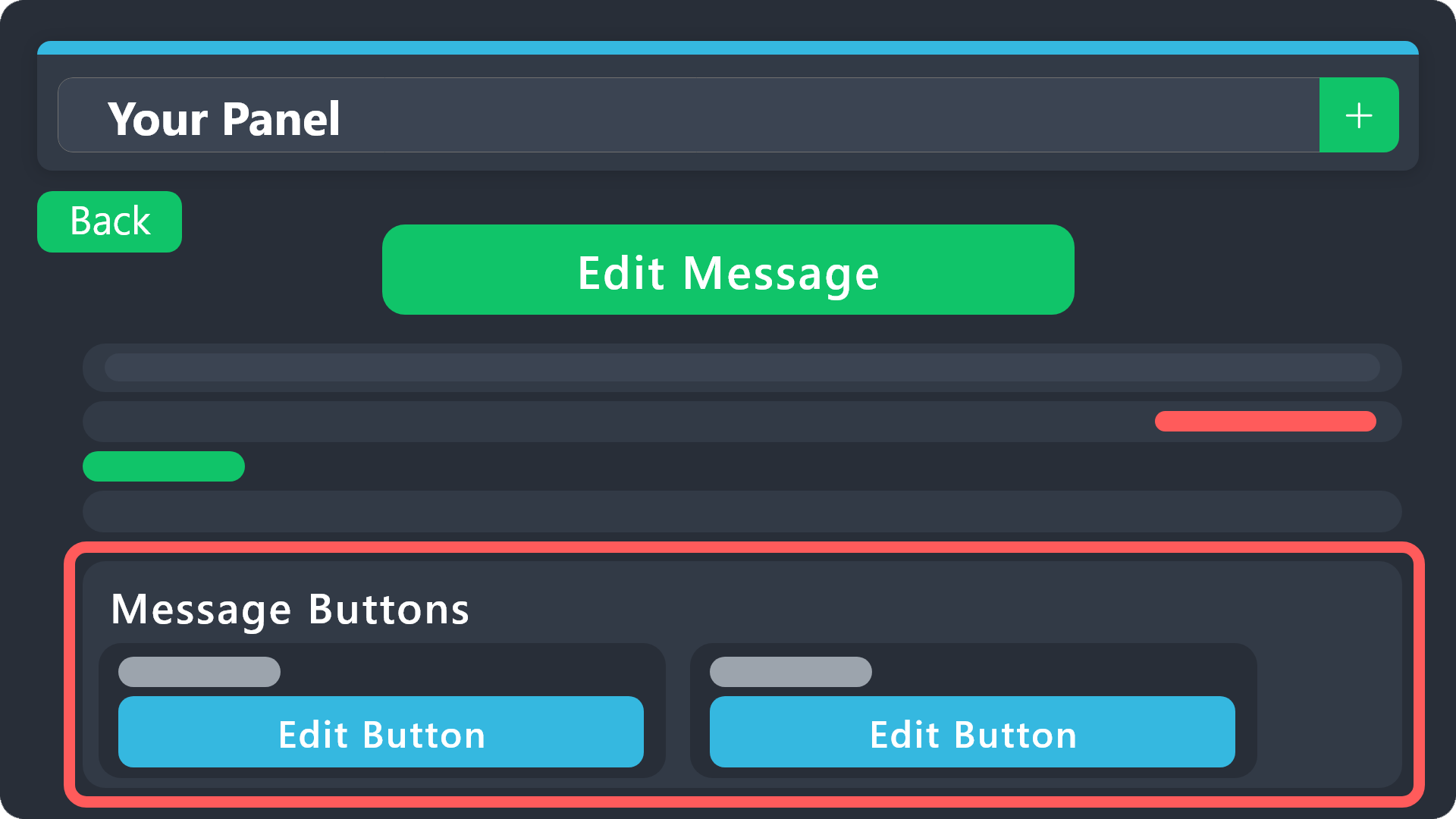 pale pilot
You can find buttons on the message they are attached to.
In there you can set permissions. Is that what you meant?
pulsar coyote
the buttons work for me but not any of the other roles
 proper marsh
Ticket tool is thinking when players make tickets... nothing happens
pale pilot
If the button doesn't work for anyone else, can you tell me what error message they get? There are multiple things that could cause this
pale pilot
proper marsh
Ticket tool is thinking when players make tickets... nothing happens
Do you by any chance have a ton of tickets created in the last 24 hours?
pale pilot
Can you check if the bot is still in the server?
pulsar coyote
Ticket Tool
BOT
— Today at 3:57 AM
You don't have permissions to use this.
Only you can see this • Dismiss message
humble sequoiaBOT
Any role you assign as a blacklisted role won't be able to use commands or reactions.
Selecting a blacklisted role
Go to your Dashboard ➞ Server Configs. There you will find the option to select blacklisted roles.
Note: Don't forget to save.
pale pilot
Then check if you have blacklisted roles here. Anyone with that role can't interact with the bot
proper marsh
 pulsar coyote
no one blacklisted lets admins use button and create ticket but the other roles get error message
pale pilot
pulsar coyote
no one blacklisted lets admins use button and create ticket but the other roles ...
Then go to Panel > Edit Panel Message > Create Ticket Button. Disable "Support Team Only" and/or check permissions on the button