#linux-and-android
1 messages · Page 7 of 1
 valid python
I would admit I may underestimate how difficult it could actually be installing arch or whatnot when I barely know about the world of linux in the first place
valid python
 sand pecan
I'd try it out in a vm first before implementing it in a live system
sand pecan
I'd try it out in a vm first before implementing it in a live system
yeah I was considering this as well, going through a demo first
valid python
valid python
I would admit I may underestimate how difficult it could actually be installing ...
but this is what I could consider where the fun part is and the art of it
sand pecan
My first three install didn't work correctly
So
It's a steep learning curve but it's worth it in my opinion
valid python
totally
sand pecan
Customisation as you mentioned is the key strength of arch
Instead of spending time to find the perfect distro
You customise arch into what you want
Although even without the customisation arch still has several key advantages
The package manager being one of them
sand pecan
Yes
sand pecan
It is
sand pecan
Ironically I've had an easier time with arch than debian based
Just because the documentation was better
I'd probably start by experimenting in a VM
Don't make the mistake I did lol
💀
valid python
lmao
also what benefit would I have again if I use linux with an AMD gpu?
is it for gaming or just compatibility with the os?
sand pecan
The open source drivers are generally more reliable for radeon gpus
On linux at least
The linux radeon experience is generally better than on windows
valid python
interesting
bonus points for me i guess
anything else to add, say if you were to persuade me into switching to linux?
like other benefits and such
sand pecan
Depends on the use case tbh
valid python
what would yours be?
sand pecan
It just works
Let me elaborate
Windows has always tried kill itself every 6 months for me
And it always succeeds
That combined with the annoying updates (which is the reason they keep breaking)
The hyper-monetisation of windows 11
As well as the better customisation options linux offers
I use a tiling window manager which makes my workflow a lot more efficient
Package management is also way better on linux imo
There are downsides but in my case
The benefits far outweigh the drawbacks
Ofc it would be entirely different for your case
But that's also one of the key aspects of linux really
You can individualise your linux experience
Which is what I've always liked about it
valid python
noting on that do you use an android? lol
valid python
cus I never really switched to apple literally cause of the customizations of android lmao
yeah agree
sand pecan
Android had a pretty decent FOSS scene too
valid python
would it be better to also include dual booting on a vm as well? so the VM really is just like what I would do fully in actuality?
sand pecan
That's unnecessary
Actually it may be a good idea
To practice
Since windows doesn't like sharing efis
There's some shennaigans
It's good to work out a solution before you install it on the actual system yeah
valid python
this really gonna take some time huh
sand pecan
Arch is a hobby
It took me a year until I had something that wasn't broken
Due to skill issues on my part
I'm happy to say that it all worked out in the end
valid python
anything you miss having from windows at least?
sand pecan
Although it was a massive pain in the ass for the initial years
sand pecan
valid python
anything you miss having from windows at least?
Software
That's it
And that can be solved with a vm
And a dual boot if necessary
valid python
oh yeah i don't see why I couldn't just use a VM for using windows
sand pecan
I'm at the point where my workflow is so optimised to my setup that if I went to windows I'd be frustrated
valid python
that's great then hahah
sand pecan
valid python
oh yeah i don't see why I couldn't just use a VM for using windows
Certain games don't like vms
It's a good practice to keep windows around for edge cases
valid python
I stopped playing valorant anyway 
hope cs runs fine on it though
valid python
sand pecan
It's a good practice to keep windows around for edge cases
yup
so dual booting it is
sand pecan
Oh yeah valve titles are the most likely to work
The love linux
Biggest supporter of linux in recent years
valid python
that's perfect then, i just realize they literally based their own os on linux
yessirr
should I expect to free a lot of storage to be able to do what ima do?
sand pecan
Yes
valid python
dang
sand pecan
Also steam doesn't like sharing game libraries between linux and windows installs
I usually keep them separate
valid python
eh no problem
sand pecan
Expect some things to just not work at all
I've had an easier time running games (I mostly play singleplayer) than software like adobe or affinity
valid python
probably better to keep my work and leisure separate with os tho so yea
valid python
hopefully davinci works just fine or even better, it's my main work thing
will see in the future
but if no then dual boot to windows easy
sand pecan
Davinci is one of the ones that is less broken
They do have linux packages
I've had mixed results
It may or may not work out of the box
valid python
lol i gotta mentally prepare myself for all the troubleshooting i'll be doing lmao
have to start learning again on the vm stuff too
it's at least a start though
think it would help with my IT course as well so hooray
 smoky fable
Here's a thread that might be helpful
https://forum.blackmagicdesign.com/viewtopic.php?f=21&t=56878
valid python
smoky fable
Here's a thread that might be helpful
https://forum.blackmagicdesign.com/viewtop...
pretty cool, thanks for this
 fast mango

 valid python
@sand pecan I have 400 gigs on my sata SSD
would it be just pretty fine to use sada ssd? cus my nvme only got like 120gigs
for the VM that is
 fallow belfry
valid python
would it be just pretty fine to use sada ssd? cus my nvme only got like 120gigs
fallow belfry
valid python
would it be just pretty fine to use sada ssd? cus my nvme only got like 120gigs
SATA is perfectly acceptable, as long as it's a SSD
fast mango
fallow belfry
SATA is perfectly acceptable, as long as it's a SSD
How big is the root partition on your computer
Since you split home
fallow belfry
Whatever was left of my 1TB drive after swap and boot partitions.
/Home is on a separate 1TB drive.
fallow belfry
That depends on how you expect to use the space. Are you planning to install more programs, games, etc, or personal data like photos and documents?
fast mango
Games and videos are gonna be on there so home has to be pretty big
Oh root is only taking up 7 gigs
I can just give it 50 and even that would be a lot
fallow belfry
If you'll be using steam you can tell it to store games in a subfolder in /home then
fast mango
fallow belfry
If you'll be using steam you can tell it to store games in a subfolder in /home ...
Wouldnt it automatically make .steam again or not because home is a different partition
But I read that linux still treats it the same even if its on a different partition
Just automount it and its like its all together
sand pecan
fast mango
Wouldnt it automatically make .steam again or not because home is a different pa...
What?
It should be the same since you're only separating / from /home
Steam should be untouched in /home, where your programs sre installed
 dusk kernel
Reading through the dual-boot conversation, I didn't see anyone mention that Windows should be installed first because it will over-write some of the boot-related stuff. I think it's the EFI partition?
Also, during the Windows install process, make the EFI partition a little larger because it'll have Linux stuff in it later, but Windows doesn't know that at the time of installation.
There are lots of tutorials out there that describe this much better than I did. I just wanted to make sure the issue was mentioned.
My other dual-boot tip is to keep in mind that Linux will be able to access the NTFS partitions used for Windows. However, unless something has changed in the last couple of years, Windows will not be able to access the partitions used for Linux. So depending on what you will be using each OS for, you might want to have a "shared" partition, probably NTFS format, for files that you expect to access from both OS's.
fallow belfry
dusk kernel
My other dual-boot tip is to keep in mind that Linux will be able to access the ...
Something has indeed changed in the last few years. Windows Subsystem for Linux.
https://learn.microsoft.com/en-us/windows/wsl/wsl2-mount-disk

Learn how to set up a disk mount in WSL 2 and how to access it.
It takes some additional setup but it's possible now without third party tools
dusk kernel
Aaahhh, cool... I wasn't aware that it was actually useful now. Thanks for the correction!
fast mango
Oh looks like you can use whatever
sand pecan
Yeah you can use different kernels
 flint mantle
Anyone know where I can find this information?

This is OpenRGB
Why are my fans flashing while I type lmao
flint mantle
Apparently the header was loose
fast mango
Fellas I think I found my issue
Linux doesnt like vram overclocks i dont think
Because I didnt touch it and have had no problems
Idk maybe I spoke too soon we gotta see for a few days really
flint mantle
flint mantle
Anyone know where I can find this information?
Oh that's great, I have the RGB header on my AIO connected along with five fans
sand pecan
fast mango
Linux doesnt like vram overclocks i dont think
Maybe it was just unstable?
fast mango
sand pecan
Maybe it was just unstable?
Its weird because the vram clock on windows was higher and had no problems
On windows I could crank it all the way up and chill
fast mango
Honestly I am surprised I didnt catch this sooner
sand pecan
It makes perfect sense too lmao
fast mango
Like literally a block of the screen was a bunch of artifacts
And I was too stubborn to see

fast mango
CoreCtrl
sand pecan
Hmm
fast mango
What I did was change the power profile to compute and somehow net the same performance while having stock vram speeds
sand pecan
Could be something buggy with the scripts, drivers or some random thing
fast mango
And have no issues
sand pecan
Or just a bad OC
fast mango
Maybe the amd driver doesn't like messing with that stuff because windows had no issues
My windows setup had an even lower offset too
Lower voltage offset and higher mem clocks
sand pecan
Is it a 1:1 OC tho
fast mango
But changing the power profile fixed it so far so it is what it is
fast mango
sand pecan
Is it a 1:1 OC tho
Wym
sand pecan
Are the settings the exact same?
fast mango
No because I cant have as extreme of a profile compared to what I can have on windows which is weird
On windows I was below -60 and can max out the memory slider but cant do that on linux
I think it was actually at -70
sand pecan
Perhaps it's not 1:1 to windows
When you apply those changes
Or maybe it's some weird quirk of the oc software, drivers, or some other thing
fast mango
sand pecan
Perhaps it's not 1:1 to windows
Yeah thats what I am thinking
Brotha really thought he would do the same thing and forget about it
sand pecan
mfw Linux doesn't work
 sand pecan
lmao
fast mango
I was hoping it would recover itself like how it usually does but then it just kept making different patters for like over 5 minutes
 dusk kernel
fast mango
dusk kernel
fast mango
You should screencap that and use it for wallpaper. 😁
fallow belfry
Like that broken screen wallpaper that you can use on your phone lol, love that idea
fast mango

valid python
fast mango
https://cdn.discordapp.com/attachments/811385368112267267/1358553827095220325/IM...
thing looks like random blocks in minecraft lmao
fast mango
sand pecan
Or maybe it's some weird quirk of the oc software, drivers, or some other thing
Its the corectrl power profiles messing everything up
I found out
Lact does not have this issue
You can set it to automatic for lact and let the gpu do its own thing
So this makes lact more like adrenalin I guess
Just move the sliders and chill
But the undervolt is still more sensitive though
I actually had my windows uv to -75 and +150 vram with no problem but vram oc even with lact and -70 at the same core speed was still causing issues
So I went -60 and I am not touching this anymore
Tired of it ngl 
Also I found out how to fix this black screen issue after I have a gpu reset. Basically when I get a gpu reset from an unstable undervolt and restart the computer, kde will go completely black for a second and come back as if I am restarting the plasmashell service or something. Then does it again and on the third time it goes black, it stays black forever until I reboot and the cycle repeats. I can still use the computer if I open stuff before it goes away, and can open stuff via terminal and keep using the computer its just that I have no DE. A fix for this is to reset kde by deleting ~/.config/plasma-org.kde.plasma.desktop-appletsrc and ~/.config/plasmashellrc then rebooting. Potentially deleting ~/.config/kwinoutputconfig.json can help too since that has your display information, because apparently setting the monitor color profile to prefer accuracy can create the grounds for some issues to form
Linux jank
sand pecan
I can't tell if that's KDE jank or Nobara jank
dusk kernel
 fast mango
sand pecan
I can't tell if that's KDE jank or Nobara jank
fast mango
sand pecan
I can't tell if that's KDE jank or Nobara jank
Kde jank I think
Setting the color accuracy to prefer accuracy instead of efficiency does it
Efficiency is the default setting
sand pecan
the what
It's funny how you have all these features and I'm just like
"le WM works, not gonna touch it"
fast mango
 sand pecan
 fast mango
I cant tell a difference between the two dettings so I owned myself
sand pecan
this is all i have
fast mango
sand pecan

sand pecan
Minimalism moment
it works tho that's the funny part
this is pretty stable
as stable as arch installs can be at least
fast mango
sand pecan
this is all i have
When you minimalize the minimalism
 fast mango
What I like about kde is their widgets

And there is still a little bit more


On the bottom of my second monitor there is a timer which is useful
I mean I probably wont use the majority of these ever but there is a lot you can do
 near maple
YES I CAN PLAY ROBLOX ON ARCH
I THOUGHT I CAN'T
AND IT RUNS LIKE BUTTER
THIS JANKY PORT RUNS BETTER THAN THAT BLOATED OS
not just a performance boost
literly 2x performance
near maple
So far
every game i've played just runs better
than windows
except minecraft , i couldn't figure out how to use my nvidia gpu
fast mango
When you do get it to work it should be like a 40% increase
Compared to windows I went from 160 to 210
near maple
ill try when i find free time
sand pecan
near maple
except minecraft , i couldn't figure out how to use my nvidia gpu
What launcher are you using
if you're using prism
Install nvidia-prime
go into the launch settings of prism launcher
In the "wrapper command" box
Insert:
prime-run
near maple
sand pecan
What launcher are you using
legacy launcher
fast mango
Reddit
Explore this post and more from the linux_gaming community
fast mango
near maple
legacy launcher
Get prism it goes hard
Can download mods, shaders, resource packs all from it and it sorts it all for you
near maple
if am not wrong , gaming on proton is almost as good as windows in alot of cases
but what about native versions?
 proven mirage
near maple
YES I CAN PLAY ROBLOX ON ARCH
proven mirage
near maple
YES I CAN PLAY ROBLOX ON ARCH
Let's hope they don't kill support for it this time
fast mango
Be one of those weirdos that have the browser restrict telling websites what operating system you are using
fast mango
Kernel dev moment
https://youtu.be/6UR8TgY8NUY

After quitting upstreaming stuff into the Linux Kernel, Asahi Lina has returned again, this time to start linux kernel drama entirely of her own volition for something that the other person involves was happy to fix from the very first message.
==========Support The Channel==========
► Patreon: https://brodierobertson.xyz/patreon
► Paypal: ...
sand pecan
Average arch experience
fast mango

 sand pecan
 fast mango
Goes hard
sand pecan
Minimalism
I should get a 16GB stick (my system is unstable with two sodimms for some reason)
DDR4 is dirt cheap these days so
I wonder if Kaby Lake R can even take advantage of 3200MHz

Now that we have RAM modules capable of up to 4266MHz, we need to find out... does high speed RAM ACTUALLY make a difference?
Tunnelbear sponsor link: Try Tunnelbear for free at https://www.tunnelbear.com/LTT and save 10%
Check out our merch: https://www.designbyhumans.com/shop/LinusTechTips/
Buy DDR4 RAM
On Amazon (Paid Link): http://geni.u...
ok from this old LTT video
seems like Kaby Lake does not care at all
valid python
any and all of what you guys talk about kinda scares me getting into linux lmfao
sand pecan
It's scary until you get used to it
I've gotten so used to it that the thought of using windows causes me pain
 forest latch
Honestly anybody with a decent amount of basic problem solving and reading ability should be able to use nearly any distro with no issue
Don't understand something? Google it, read documentation, ask other users
Some people do that for windows as well
In fact, windows has a boatload of documentation on learn.microsoft.com
As well as many blogs
fast mango
Kinda crazy how often fedora updates
They really killin it out here
Laptop was on 6.13.8 and my desktop is on 6.14.2
Only been a few weeks
I gotta enable hibernate on here
fast mango
fast mango
Laptop was on 6.13.8 and my desktop is on 6.14.2
Lol the rollbacks are 6.13.4, .8 and 14.2
Bro barely updates this is crazy
sand pecan
I usually don't update that often
Usually once a month or once every 2 weeks
With arch you don't want to update too often
But you don't want to update too little either
Both has the chance of breaking the system
Average arch experience
 brave isle
I update Arch like twice a week and have been fine, and I have ran this install for over a year now.
forest latch
Meanwhile me on an old ass debian install that hasn't been updated in years
near maple
can i create my own linux program and make it into a package?
any place to get started?
fast mango
I think you mean to make it
Like build it yourself
If so, yeah you can but I forgot
I just use app images or rpm or flatpak if nothing else is available
Some things are only flatpak so in that case I use that too
sand pecan
near maple
can i create my own linux program and make it into a package?
Yes
A lot of linux packages are often compiled from source code for different distros
You can compile source into a .deb package for debian-based distros
Or, for arch linux, you can use the PKGBUILD system to compile packages
near maple
if i install another instance of arch or a diffrent linux os that uses grub , and i add it to the grub of my old os , wouldn't that mean that booting into it through the old grub will take me through grub twice?
dusk kernel
near maple
if i install another instance of arch or a diffrent linux os that uses grub , an...
This video should be helpful.
https://www.youtube.com/watch?v=Crleyglb4mo

In this video I'll go over how to dualboot and also how to multiboot, in order to install as many operating systems as you want! Grub is primarily used here but there are other options such as systemd-boot which I will cover in another video. I also cover an important step in order to dual/multiboot with Windows.
If you like my videos and/or ...
near maple
thanks
dusk kernel
Not that anybody asked, but.... I've got the beginning of a rough plan for that system I saved from being recycled. The motherboard supports RAID, and I have a couple of old but barely used 500GB drives. Unfortunately, the case only has one 3.5" bay. It's a bit of a bodge, but I managed to add another drive.
So, I'm going to experiment with some backup options like Amanda and Bacula, and perhaps others that are suggested. If I get a backup system working, I'll upgrade the drives to maybe a pair of new 6TB drives. Good times!
sand pecan
We love a good budget server
dusk kernel
Looks like most of my searches for the next several days will include "raid." LOL
near maple
i love hyprland on my laptop but
god , it will be amazing if i had a 32inch flat display to go with it
soo much apps at once
near maple

Exodia OS isn’t just another Linux distribution — it’s a masterpiece built for hackers, developers, and even everyday users. Based on Arch Linux, Exodia OS combines stunning aesthetics with military-grade tools for cybersecurity, OSINT, and penetration testing. Whether you're a seasoned hacker or just someone who appreciates a sleek and fa...
the boot loader looks like an offbrand mobile game ☠️
btw
what is an os
inspecific
what is a distro , what does it do
fast mango
A distro is a linux operating system that includes the kernel and its own packages designs etc
Libraries
Basically their own take on linux I guess
forest latch
distribution
every version of linux you can use is a distribution (e.g. debian ubuntu arch rhel)
though some distributions are based off of another distro (e.g. ubuntu is built on debian, so all .deb packages will install and run fine on ubuntu)
think of distrobutions kinda like.... windows 10 vs windows 11
if that makes any sense
dusk kernel
forest latch
think of distrobutions kinda like.... windows 10 vs windows 11
I don't know if Win10 and Win11 are alike enough that they would be examples of distributions. I think a better example would be racing cars. Within any racing class (e.g, NASCAR, F1, etc.) there are rules that give all the cars a lot in common. But each team does their own adaptations and tweaks that make each car unique. So here the teams are the distributions.
dusk kernel
near maple
the boot loader looks like an offbrand mobile game ☠️
Yeah, that's a pretty stylish GRUB menu. But it's not particularly unique if you've browsed https://www.gnome-look.org/browse/ at all.
I had a Fedora version of that theme on my main desktop for a while. Heck, it might still be what I'm using. But I don't remember because I was playing with the GRUB menu on my laptop a couple of hours ago and that's all I can visualize at the moment. LOL

https://www.gnome-look.org/browse/
Browse Latest | https://www.gnome-look.org/browse/ | A community for free and open source software and libre content
forest latch
dusk kernel
I don't know if Win10 and Win11 are alike enough that they would be examples of ...
i mean, both are based off the NT kernel
and honestly not much has really changed under the hood outside of some additional "features" on windows 11
fast mango
Yeah you can see in the terminal it still shows version like 10.8 or something like that
Maybe a little higher by now
Traditionally it always showed a different version with every release but "11" will still show version 10.x in the terminal
Windows 10+
I'll stick with the original

sand pecan
11 is just 10 but you're the product and not the consumer
 small fractal
So Oblivion remastered came out and it’s free on game pass soooo now I’m considering reconfiguring my partition tables for a duel boot with windows. I currently have Pop!OS as my current OS. Any recommendations on how to do it, or good videos, also do I have to buy the windows OS?
 mortal totem
Not really, and if you are dual booting you probably wouldn’t care about the watermark too much anyway
mortal totem
small fractal
So Oblivion remastered came out and it’s free on game pass soooo now I’m conside...
Also this person posted this video, idk how good it is though so you can find out for me 🙂 #linux-and-android message
small fractal
Bless lol, yeah I would likely only use windows for Xbox game pass andd maybe some of the amd overlocking software to speed stuff up
fast mango
Ryzen master applies the settings to bios
My ryzen master oc + co sticks on linux because the changes it applies are to the bios
small fractal
mortal totem
Also this person posted this video, idk how good it is though so you can find ou...
It doesn’t necessarily have windows specific stuff
But I’m gonna go through the process and see if it’s like having multiple distros
wish me luck
fast mango
small fractal
*wish me luck*
I think you gotta have pbo on in bios for it to stick
Then itll just write in the settings
 stray geode
sand pecan
11 is just 10 but you're the product and not the consumer
stray geode
sand pecan
11 is just 10 but you're the product and not the consumer
10 but with 2 new features and a new ui
sand pecan
stray geode
10 but with 2 new features and a new ui
features*
Most of them are for data collection
small fractal
The things I do for oblivion
fast mango
It wont even run well
small fractal
I am a victim of nostalgia
My rig can handle the dual boot, it’s meant to run high performance code lol
fast mango
Erm akshually its low performance code  ☝️
☝️
dusk kernel
Ugh... but I don't wanna learn how to install a stupid web server just to get an interface for backup software. Why can't a basic web server be included with the backup software? Ugh. I don't have the mental energy for this.
sand pecan
What are you using?
mortal totem
In the past I’ve used xampp on windows. But now i usually just use nginx docker containers
dusk kernel
sand pecan
What are you using?
I'm not actually using anything yet, I'm still in the "checking out options" phase. I was trying to setup BackupPC when I got annoyed about the web server issue. The GUI for Bacula also requires a web server but I haven't checked it out at all yet.
sand pecan
dusk kernel
I'm not actually using anything yet, I'm still in the "checking out options" pha...
I use syncthing
It comes with a web server
dusk kernel
I've seen syncthing mentioned in a few "top X" lists. I don't recall details but I don't think it meets my needs. I'll eventually get around to dealing with web server installation and configuration. Maybe. 😁
fast mango

VideoCardz.com
Proton 10.0 now available under beta New game support, Wine 10.0 integration. Proton, a Vulkan translation layer for DirectX, has now reached the milestone 10.0-1 beta release. While we’re still three years away from Proton’s 10-year anniversary, it’s not an understatement to say that it has significantly changed the gaming market by enabl...

What they cookin bruh

dusk kernel
I just saw this and will check it out more later today. Seems like a good marketing idea.
https://endof10.org/
fast mango
True
dusk kernel
After browsing that site a bit... it seems pretty useful. People and organizations can add themselves to a searchable list. That should be handy.... unless it gets abused and full of random garbage info.
fast mango
I think like 2/3 of it are german locations
Is linux really popping off like that in germany
fast mango
Crazy how I can set a charge limit on linux
Free os can do this but apple locks this behind getting new iphone models
dusk kernel
fast mango
Is linux really popping off like that in germany
I think Linux has been popular in Germany for quite a while. If I recall correctly there was a city/town that got rid of all their Microsoft licenses and switched to Linux. I'm not sure if that lasted or not though.
forest latch
Linux has been pretty popular for decades
On the server front
Only reason to use windows server is really just ad ds
near maple
when is linux 2 dropping ?🔥
sand pecan
fast mango
Is linux really popping off like that in germany
Germans love the power of linux
fast mango
Its real

Maybe thats why ge didnt make a new version for a bit
Also doing fedora 42 stuff too so not the best timing to release another ge version
sand pecan
👀
 merry barn
if i run windows in a virtual machine can i play games than block linux with their anticheat>?
fast mango
They will probably see that you are on a vm and ban you
Unless you spoof it really really well
But it is hard to do
So not worth imo
Sometimes you gotta yield to the microshaft
forest latch
That's what they call me
stray geode
Wut lol
 sweet marlin
stray geode
Wut lol
sweet marlin
stray geode
Wut lol
You wouldnt get it
stray geode
yeah i'm known to be a bit above average
dusk kernel
forest latch
That's what they call me
Well... I don't mean to brag, but they call ME... "Dr. Love."
https://www.youtube.com/watch?v=CRMnCRoDguc

Music video by Kiss performing Calling Dr. Love. (C) 2012 Universal Music Group
 fast mango
Nvm I trolled myself
It was there the whole time but the name threw me off
Like yeah im gonna know what uefi os is

forest latch
fast mango
Like yeah im gonna know what uefi os is
Bios is technically incorrect terminology
Or rather outdated terminology
fast mango
People probably still say it because probably easier to say it
Idk how it still stuck
forest latch
Some people are calling the bios a bios even though that has pretty much been obsolete the entire time they've been alive
forest latch
fast mango
Idk how it still stuck
I think it's because many new people into tech don't realize that uefi was standard since like the mid/late 2000s and the older people who have been in tech since the 90s just have the habit
Though saying "bios" (bi-os) rolls off the tongue easier than "uefi" (you ee eff eye/oo fee)
sand pecan
Just like how people call external ssds hard drives
dusk kernel
I'm tired of hearing people say they "taped" something using their phone and referring to video recording. C'mon humans, update your brain, geez.
sand pecan
that's like the boomer version of "caught in 4k"
forest latch
Me filming a video on a digital sensor
dusk kernel
I really wish that dnf5 worked with the local cache plugin. After upgrading a few systems to Fedora 42, the only way I could get that plugin to work was to soft link dnf5, dnf4, and dnf to dnf-3. I suspect that any updates to any of the dnf packages will break that and I'll need to re-link the files.
fast mango
https://www.phoronix.com/news/Mesa-25.2-VCN5-RDNA4-Video
https://www.phoronix.com/news/Mesa-25.2-High-Priority-USERQ
https://www.phoronix.com/news/Mesa-25.2-Faster-RADV-RDNA4-RT
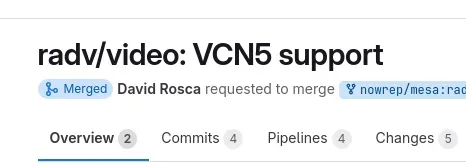
Posted for the AMDGPU Linux kernel driver in early 2024 was the initial Video Core Next 5.0 IP enablement that was part of their bring-up for the Radeon RX 9000 'RDNA4' graphics processors
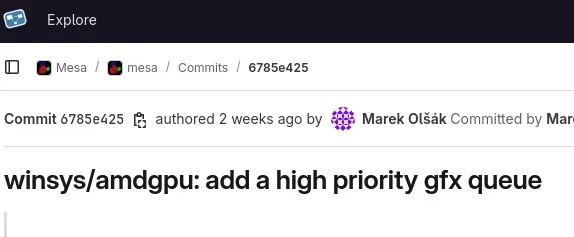
For making use of AMDGPU user queue functionality, the latest Mesa user-space side work has been merged for Mesa 25.2 to enable support for high priority graphics user queues.
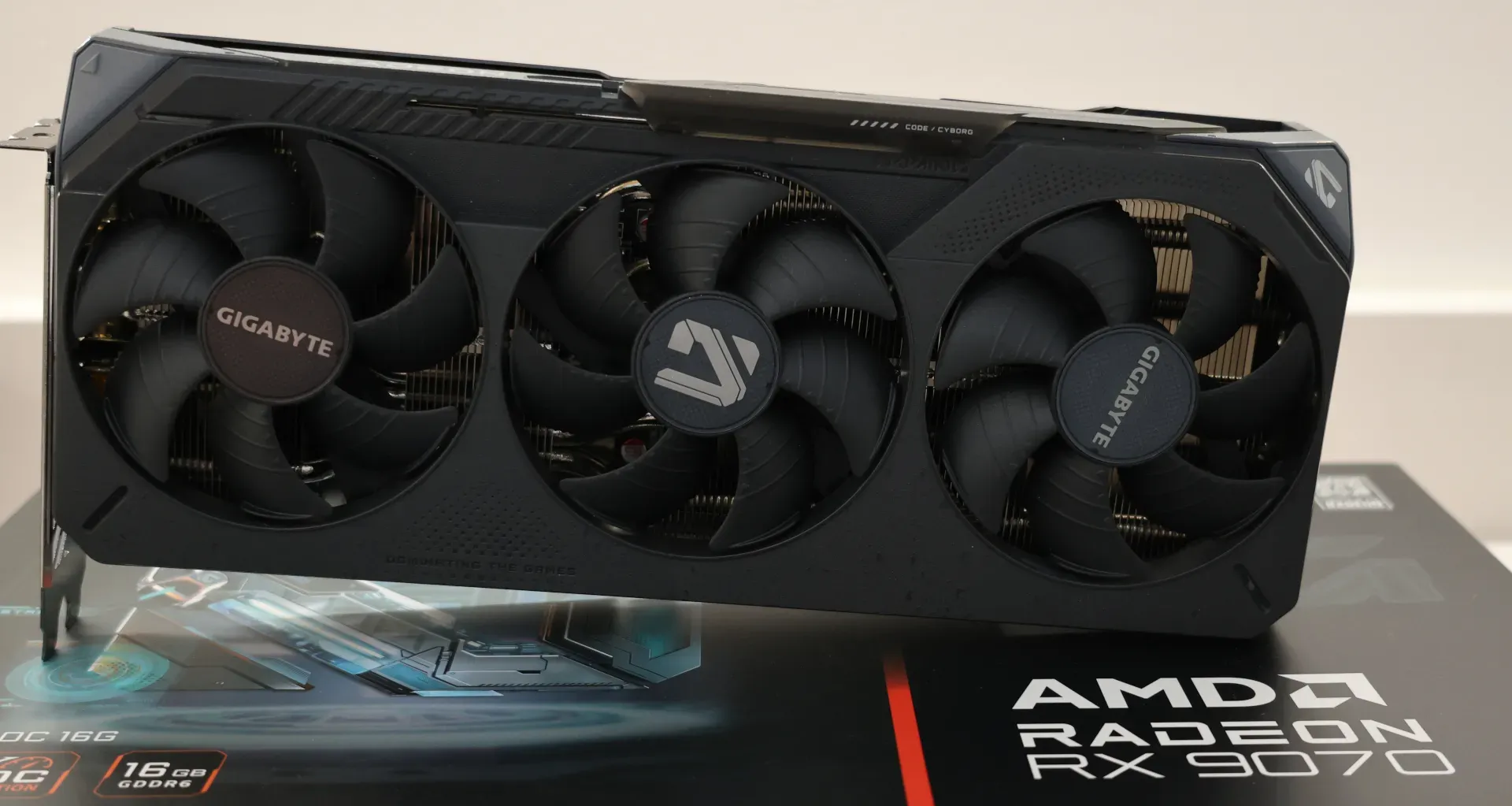
Merged for the Mesa 25.2 release next quarter are some further enhancements to the Vulkan ray-tracing support with the RADV open-source driver for AMD's new RDNA4 graphics cards.
I think 25.2 will be big
 fast mango
Damn I see why there was this video of this really old guy making a video of distros that dont use systemd
https://youtu.be/iCU4W5Ab33c

A few months back I put out a video on Enrico Weigelt of the Xorg project spiking up the commit count for the Xorg project, and recently he decided to fork the project and start up something called Xlibre. But that did not go over completely smoothly
==========Support The Channel==========
► Patreon: https://brodierobertson.xyz/patreon
► Pa...
sand pecan
Wayland is still pretty buggy at times
This is why we need an X11 alternative until Wayland's bugs have been ironed out
dusk kernel
And until we can get more random apps to be compatible with Wayland.
cough-cough-Gyazo-cough-cough
 drowsy surge
we waited a whole year more to get terrible looking oneUi 7.0 on a15 🥀
fast mango
So much corpo politics with red hat
https://youtu.be/lNp4jjW_Xgw

Red Hat does not want you to know that X Windows still exists, but Devuan & OpenMandriva support X11Libre. Plus: KiCad dev shares why Wayland is not ready.
More from The Lunduke Journal:
https://lunduke.com/
There is even more to it, crazy
I knew red hate was kinda sussy but this is just crazy
These fedora guys are almost like cultists
Oh he brings it up towards the end of the video but yeah these insane devs also say nutty things about lunduke for exposing how these guys operate

The other day I put a video out on the Xlibre fork of the Xorg project and there's a lot of opinions about this floating around, and now within the Xorrg project we're starting to see a lot of reverts for the changes the Xlibre dev, Enrico Weigelt brought in.
==========Support The Channel==========
► Patreon: https://brodierobertson.xyz/patre...
fast mango

Phoronix spent the last few years praising the X11Libre developer. Now that Red Hat has decided that dev (and project) is evil, Phoronix is now attacking it.
More from The Lunduke Journal:
https://lunduke.com/
sand pecan
Free arch linux advertisement
fast mango
True
fast mango

And we've got the first screenshot of a Linux distro (OpenMandriva) running the Xorg fork! Plus: XLibre is coming to BSD as well.
More from The Lunduke Journal:
https://lunduke.com/
Brutal truth pill
 sand pecan
Wayland copers are another level of delusional
I use Wayland and it is definitely NOT perfect
dusk kernel
My work laptop is being upgraded from Win10 to Win11 tomorrow. Wish me luck. I'll be hugging my Linux boxes while the update happens.
fast mango
fast mango
https://youtu.be/ONdcalK5JLQ
 fast mango
dusk kernel
My work laptop is being upgraded from Win10 to Win11 tomorrow. Wish me luck. I...
fast mango
dusk kernel
My work laptop is being upgraded from Win10 to Win11 tomorrow. Wish me luck. I...
 fast mango
sand pecan
I use Wayland and it is definitely NOT perfect
fast mango
sand pecan
I use Wayland and it is definitely NOT perfect
I dont have issues but that is because I dont use anything that causes any issues
I think kde is on the wayland bandwagon too

Wait what
flatpak?

They have gone too far
sand pecan
fast mango
I dont have issues but that is because I dont use anything that causes any issue...
I have nvidia
💀 💀 💀 💀 💀 💀 💀
merry barn
near maple
😍
games peak
fast mango
Another nuke dropped by the man
https://youtu.be/u_Lxkt50xOg

#ad - Shop G FUEL https://gfuel.ly/pdp-cb
🌎 Get an exclusive 15% discount on Saily data plans! Use code pewdiepie at checkout. Download Saily app or go to https://saily.com/pewdiepie ⛵
🧎#Subscribe🧎
📰 Get "The Kjellberg Mail" (family newsletter w Mertz): https://the-kjellberg-mail.beehiiv.com/p/july
Get exclusive NordVPN deal he...
His linux video just hit 6m
sand pecan
based
fast mango
sand pecan
based
Brotha started self hosting this is crazy
sand pecan
I'm going to try kubuntu
(My ventoy usb broke and I just happened to have a kubuntu usb)
Would prefer debian but eh
Just gonna mess around a bit more
Haven't used KDE in a while
Gonna get straight to debloating
And customisation
It's gonna be a breath of fresh air to be sure
I can use a GUI instead of editing text files
Oh right
I forgot how to use a gui
I keep clicking hotkeys instead of using the mouse
dusk kernel
Speaking of "editing text files"... I need to remember to try out the tiling functionality in KDE. Hopefully it'll be good enough that I don't need to learn hyprland. 😁
merry barn
sand pecan
I'm going to try kubuntu
its really good
for me at least
ubuntu stability+kde=good fun distro
mortal totem
For years I have just defaulted to kde or xfce, now I decided to try out gnome and i’ve been liking it so far
dusk kernel
I just saw this via a random video in my youtube feed. Has anyone tried "Orb"?
https://www.youtube.com/watch?v=ZkQqpeaJOKI
https://orb.net/
merry barn
guys why does my distro say glados
 stray geode
merry barn
guys why does my distro say glados
stray geode
merry barn
guys why does my distro say glados
Cast your machine into the depths of hell
merry barn
stray geode
Cast your machine into the depths of hell
yea better find a nearby salt mine
dusk kernel
merry barn
guys why does my distro say glados
All your base are belong to GLaDOS?
fast mango
 dusk kernel
Rather than installing something like Bacula, Amanda, BackupPC, etc., I'm going to try TrueNAS. I want to retain the ability to use the box as a generic desktop if necessary, so I'll try TrueNAS in a VM. If you have experience with TrueNAS in a VM, feel free to toss suggestions/warnings in my direction. 😁
mortal totem
Well besides the fact that it is meant as a dedicated nas solution you can install it in a vm and many people have good luck with that.
I would say you just have to watch how you are passing through your drives in the vm and would probably advise against running vms from within truenas when it is running in a vm lol
dusk kernel
Right... I wouldn't run a VM inside a VM... except if I were bored and was just curious how poorly it would perform.. 😁 If I were going to run multiple VM's, I'd probably try Proxmox, then run both Fedora and TrueNAS as VM's.
mortal totem
using proxmox as a hypervisor for this is a fairly common usecase
dusk kernel
I might do that later, but I'm trying to keep it simple as long as possible.
If I get this working, I might upgrade the CPU (i5-9400F @ 2.90GHz with 8C&8T) to one with integrated graphics. That would allow me to remove the noisy little GPU (GT 635) and get better CPU & GPU performance. Would the extra 8 threads on an 8C&16T CPU be utilized enough to justify the extra $120-ish? Or would an 8C&8T CPU be sufficient?
mortal totem
What are you running on this machine besides truenas
dusk kernel
TL;DR -- Probably won't be doing anything else while TrueNAS is running.
Fedora 42 is the main OS with TrueNAS in a VM. At the moment, I only plan to use TrueNAS for file backup/syncing with my other boxes. (that could change) I have a 2TB SSD connected to my router for random file sharing between machines so I don't need this machine running 24/7 as a NAS. The SSD will get backed up too. I don't plan to be doing anything else when the TrueNAS VM is running.
mortal totem
is that fedora desktop?
if so you might not even need truenas. it's great for zfs and the built in services but if all you need is a simple backup and maybe a share you could probably manually set that up as a service in fedora
you can setup rsync or something similar for backups and add a samba or nfs share for other devices on your network
dusk kernel
Correct.... generic Fedora 42 with KDE
Hmmm... fair point. I figure there's no harm in trying out TrueNAS... and it's installed now. heh heh
I've watched too many youtube videos about NAS's, homelabs, etc. and have apparently been bitten by the TrueNAS bug. 🪲 😁
fast mango

This is the FIRST video I have ever made using Linux as a windows replacement for a gaming system and it was REALLY easy! I should have done this sooner!
Check out the Specs on the Viewsonic VP2788-5K Here -
https://www.viewsonic.com/us/vp2788-5k-27-colorpro-5k-mac-compatible-monitor-with-100w-thunderbolt-4-usb-c-and-dci-p3-color-gamut.html
...
ge spotted

mortal totem
been enjoying bazzite so far. but that's also because im shifting all my work related tasks to my macbook
fast mango
I did the customization
 dusk kernel
Good grief... trying to setup a network bridge so a VM can connect to my LAN and WAN is driving me nuts. I'm surely missing one little bit of info somewhere, but it evades my google fu.
I may come back later and describe what I'm doing but feel free to suggest reference materials. I'm using virt-manager on Fedora+KDE
sand pecan
Last time I tried something like that
I had to buy an external usb adapter
And it was super jank
forest latch
Bridging requires a dedicated physical adapter
Well
It's not a hard requirement
But your host will have terrible speeds
If you share it
sand pecan
Something something laptop wifi adapters don't like being bridged and therefore I needed a usb adapter
That's all I remember from trying to bridge my laptop wifi to my vm
mortal totem
Makes sense
dusk kernel
OK, you've collectively persuaded me to abandon the "TrueNAS in a VM" approach. I may eventually setup a box directly running TrueNAS, but my next attempt will be....
Automate Backups with Rsync 2025: Script Guide
https://www.onlinehashcrack.com/guides/tutorials/automate-backups-with-rsync-2025-script-guide.php
forest latch
sand pecan
Something something laptop wifi adapters don't like being bridged and therefore ...
Any adapters honestly
Unless they got 2 ports
mortal totem
Yeah setting up rsync via ssh isn’t too difficult. I will add it probably would be best with folders that aren’t too too large and with computers that are mostly active.
I tried to use it recently but realized my files take a few hours just to scan and check for differences, but then the remote machine would turn off and cancel the whole sync and id have to start again lol
dusk kernel
mortal totem
Yeah setting up rsync via ssh isn’t too difficult. I will add it probably would ...
There are 4 systems I care about backing up. One is running during the day while I work (I work from home), One is running in the afternoon/evening after work and most of the day on weekends. The other 2 only run as needed and one of those is the box I'll be using to store file backups. For now, I don't plan to automate very much.So I shouldn't need to worry about machines turning off. 😁
I'll probably just make backups something I do weekly, then will look for consistent patterns that can be automated.
I'll need to backup a Windows installation too, and I see that rsync will run on Windows. Should the partition that Windows is getting backed up to be using the NTFS filesystem, or can that be ext4 also? I'll be googling that soon-ish.
dusk kernel
OK, here's a somewhat generic Linux backup question. 😁 Is it necessary to backup everything in a Linux installation? Would this cover everything and allow recreation of a system if the hardware fails?
- Generate a list of all packages installed, save that somewhere in /home
- back up /home and /etc
To restore... - Do a fresh install on the "new" hardware
- Update using the previously saved list of installed packages
- Restore the previous /home & /etc
I know the repos used will need to be factored in there somewhere, but I'm just curious what major issue I'm surely forgetting.
mortal totem
If you wanted something like that you might want to look into running your apps as containers. Isolated environment that can be spun up with the exact same configuration as long as you just backup any necessary persistent storage volumes
dusk kernel
That's an interesting idea for sure. But I'd need to add "containers" to my study list, which is already getting kinda long. 😁 For now I prefer to stick with the "typical old school" installation.
mortal totem
containers aren't too difficult, especially if you are using official images from dockerhub, linuxserver, etc. but basically it runs another instance on linux within your host os that is completely separate, you use an image to tell it what distro to use, what dependencies to install and the software to run. then you can connect your config files for the app via volumes.
So if I want to move a web app to another system I just have to move the config files and pull the same image. or if it broke and I need to reinstall you just recreate the image and it will rebuild it with the same config
dusk kernel
Aaahhh... gotcha. That could definitely be useful in some situations. All my systems are just generic desktop systems that I use for different things and update every day. I'm not sure how much benefit there would be to use containers in this context.
mortal totem
oh if it's just a desktop than probably not
sand pecan
dusk kernel
Aaahhh... gotcha. That could definitely be useful in some situations. All my sys...
You can backup /home
And backup the list of packages you have
And perhaps key config files
Like /etc/fstab
My / and /home are in separate partitions so in case it decided to die randomly
I can just nuke /
dusk kernel
sand pecan
My / and /home are in separate partitions so in case it decided to die randomly
Same here. I can't think of anything else in / besides /home and /etc that should be backed up. But I feel like I'm probably forgetting something. Any suggestions?
sand pecan
maybe /usr
dusk kernel
The only thing I can think of in /usr that might need to be backed up would be manually installed applications. But I got lazy a long time ago and started putting those in /home/[user]/bin instead of /usr/local etc. So those would be backed up with /home. I'll browse around in /usr again though.
sand pecan

kinda mid
I need to mess with waybar a bit more to get it to look the way I want

going for this look
sand pecan

slightly closer
I think I'll stickw ith this for now
colors are a bit faded on thunar because it unfocused when I took a ss
sand pecan

rounded the corners on two of the items
looks a lot closer to the real thing
I should probably change the rofi theme to the right shade of gold tho
fast mango

There's some Malware discovered in the Arch User Repo packages on Arch Linux. Some users who may have downloaded these packages maybe infected by the CHAOS RAT malware package. Linux user repos are great but don't always trust the package sources.
My Linux Bundle is here:
📚 https://savvynik.com
Share this free tool and support Small YouTube...
fr
stray geode
Maybe not the best time for me to get arch then....
stray geode
?
sand pecan
Don't download anything sus and you're good
fast mango
I thought this too until I realized the infected packages were firefox, librewolf and zen
The real best practice would be to look through it yourself, not just blindly downloading it but you wouldn't really think about it with something like a firefox update
About browsers, seeing cachy browser deprecated had me bummed
Reasons were not much support and not much usage either
Apparently even devs were not using it
And what checks out is that the browser got deprecated two months ago and I just found out yesterday
Although not because I rejected the browser, because I just dont use cachy that much
But the times that I do spend more than 15 minutes on cachy every few weeks, I would use it
Basically just a firefox fork with ublock preinstalled and some hardening
stray geode
How does arch do performance wise?
fast mango
stray geode
How does arch do performance wise?
Do you use linux
stray geode
No
fast mango
I would not recommend arch then
stray geode
Hm
fast mango
But you seem to like arch so get cachy
stray geode
I mean im open to options
fast mango
It is based on arch and has the cachy kernel
It has additional optimizations
Also not hard to use
fast mango
I dont use cachy much but the only issue I can remember having is some mirror problems when updating but this is easily solved with a simple command
What is also cool is previously entered commands will show in the terminal when you are typing
So if you remember like half of the command, it might show the rest
fast mango
stray geode
What other distros would be good to try for a first timer?
My two to recommend are nobara and cachy
Both are easy to use and have their own helpful apps that make things easier
stray geode
Alr
fast mango
In fact there is a video from the same youtuber going over the sudden shutdown of clear linux and he recommended cachy os with its cpu optimizations
sand pecan
fast mango
I thought this too until I realized the infected packages were firefox, librewol...
It's also not official packages
It's not firefox
nor librewolf
it's third party packages
If you stick to the official packages like librewolf-bin or firefox or regular zen
you wouldn't run into issues
You'd have to go out of your way to download a suspicious fork of firefox or librewolf or zen
the official packages are
librewolf/librewolf-bin
zen-browser/zen-browser bin
sand pecan
Yeah it's really just a matter of common sense
The packages I install are usually listed on arch wiki or other official sources
fast mango
It is a new package with a different name, not something existing
fast mango
sand pecan
You'd have to go out of your way to download a suspicious fork of firefox or lib...
Yeah
fast mango
this is like those torrents that have spoofed amount of seeders to make it look legit
sand pecan
or those suspicous apks
fast mango
sand pecan
or those suspicous apks

sand pecan
or csgo aimbots
dusk kernel
I posted this in #storage-devices but got no response, so I figured I'd also ask here, where the cool folks are. 😁
I'm looking for a couple of HDD's to setup as RAID1 for NAS duty. This is the top contender at the moment. Are there any negative issues I'm missing?
WD Red Plus 10TB NAS Hard Disk Drive - 7200 RPM Class SATA 6Gb/s, CMR, 256MB Cache, 3.5 Inch - WD101EFBX-NE -- $179.99
https://www.newegg.com/red-plus-wd101efbx-10tb/p/1B4-005X-001D5
sand pecan
These are solid drives
dusk kernel
Cool, thanks! Trigger pulled, order placed. [chuckle]
near maple
fast mango
I would not recommend arch then
i think start with arch is fine , cuz thats what i did
that is if he KNOWS what he is going into
also past the getting started part , my system been very stable
compared to windows
that is
stray geode
near maple
that is if he KNOWS what he is going into
I do not
near maple
stray geode
I do not
arch is for if you want a barebone machine to customize to your heart's content , if you don't want a headache while figuring stuff out , you should use something like mint , pop os , ubunto
i choose arch cuz i wanted to learn more about linux tbh
and the customization
fast mango
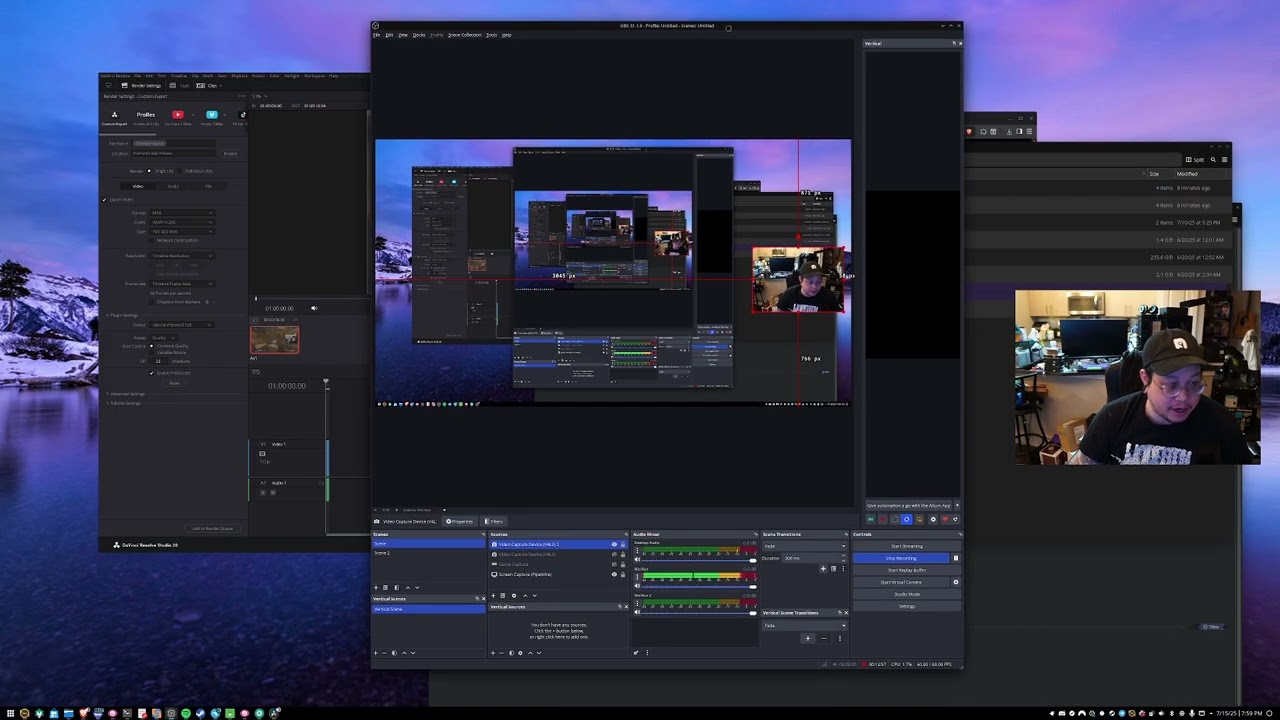
00:00 Intro
01:12 Using Nobara's Davinci Resolve install wizard
05:12 Configure Resolve to use your GPU
06:08 Adding AMD/Intel GPU Encode support + CPU and ProRes encode support
12:52 Configuring OBS for recording audio to use with Resolve
14:40 Install the correct version of OBS
16:37 Why to install Nobara's version of OBS, plugins included
19:...
I knew ge made things like this easier but didnt know what exactly
I am sure there is more to be discovered
mortal totem
Nerd
dusk kernel
My HDD's should arrive today so I'll be setting those up this evening..  I'll be using rsync to do backups onto these drives, and I have data on at least 3 filesystems (ext4, ntfs, vfat). I plan to backup data onto the same filesystem as the source. I.e., ext4 onto ext4, ntfs onto ntfs. I can't think of any reason why that would be "bad" but is that actually necessary?
My assumption is that the different filesystems have different permissions and properties that might not get saved. E.g., if a file on ext4 is backed up to ntfs, it'll lose any properties that ntfs doesn't support.
dusk kernel
I just want you to know that every time you post a pic of a tiling WM, I'm tempted to set up with one of my boxes like that. And if that happens, I'll be asking you lots of newb questions. So "consider yourself warned." LOL
dusk kernel
tmux could be pretty handy. I've been using "Yakuake" for years and usually just open a tab when necessary.
https://apps.kde.org/yakuake/
 dusk kernel
Cool... I just might need to check out tmux. But, that'll be after I finish the current "OMG, I should be backing up my files!" project. 😁
dusk kernel
I just saw mention of "Kopia." Has anyone tried it?
https://github.com/kopia/kopia

GitHub
Cross-platform backup tool for Windows, macOS & Linux with fast, incremental backups, client-side end-to-end encryption, compression and data deduplication. CLI and GUI included. - kopia/kopia
fast mango
mortal totem
Nerd
Fr
fast mango
dusk kernel
My HDD's should arrive today so I'll be setting those up this evening.. <:MikeEx...
I am not sure how to clone my btrfs to my new nvme
Either I make a new snapshot in some folder and send it, or I use foxclone and format the whole drive
I may do the second one
Actually
I might do both just to see what happens
dusk kernel
I've always used Clonezilla for drive cloning.
https://clonezilla.org/
fast mango
Clonezilla says btrfs is experimental or something

Learn about the Fedora 43 proposal to discontinue MBR partitioning for new UEFI installations on x86 systems.
How will this affect dual booters
mortal totem
I thought mbr wasn’t really used much anymore
sand pecan
It's also 32 bit
I mean most fedora users probably aren't on 32 bit systems that doesn't support uefi
And if it's a server...
Well it'd probably be running something like debian
merry barn
fork bombs are funny
dusk kernel
Ah ha! So, the fact that the system with the RAID array in it wouldn't shut down is normal. This is pretty much what I was seeing:
https://forums.opensuse.org/t/long-raid-sync-silently-prevents-shutdown-on-new-installation/162256
Just a FYI for anyone thinking about playing with RAID for the first time. 😁
Also, this looks like a good list of RAID monitoring tools:
https://docs.cherryservers.com/knowledge/monitoring-software-raid-on-linux-server
Learn how to monitor and automate software RAID health checks using mdadm and smartmontools on Linux to prevent data loss and ensure system stability.
dusk kernel
I just swapped out a stock Intel CPU cooler with a Cooler Master Hyper 212 Pro and went from (at 100% CPU) 68C @ 62db to.... 54C @ 51db
 tight eagle
Dang they still make 212s
fast mango
dusk kernel
Actually.... I bought two... shipped, for $35 from newegg. LOL
They were on sale and I made an even cheaper offer ($10 each plus shipping) not expecting them to accept the offer.
sand pecan
$35 for two?
Eh
I guess you could do worse for $17.5 per cooler so
That's not bad tbh
I was expecting retail price
Ok nvm
Assassin X is $18
dusk kernel
Yeah, I think full retail is close to $40.
sand pecan
yikes
dusk kernel
And it was an impulse purchase, like "Oh, I bet you won't accept this offer!" But they did. 😆
dusk kernel
Total, including shipping was $35-ish.
sand pecan
oh 35$ was including shipping?
oh $10 per cooler isn't bad then
that's a fair price
dusk kernel
$6 each for shipping was stupid, But less than half price each was acceptable.
sand pecan
yeah
tbh
if you have amazon prime
you can get an assassin x for $18 with free shipping
for practically the same price per cooler
do you at least get two fans?
dusk kernel
They're a single fan cooler, and work fine for this system.
sand pecan
damn
dusk kernel
BUT! .... ARGB! LOL
dusk kernel
I just checked.... reg. price was $35... on sale for $20... I offered $10 each for 2. Then plus $6-ish each for shipping.
dusk kernel
I didn't really research this... or compare it to other coolers. I didn't expect the offer to be accepted, but... surprise! LOL
dusk kernel
If I needed a GOOD cooler, I'd research more... and would spend more too.
sand pecan
but well
well that's the thing tho
the assassin x is pretty much the best price/perf single tower air cooler for $17-20
dusk kernel
Aaah... gotcha.
sand pecan
So yeahhh
In hindsight you can probably see why they accepted the $10 each
the shipping is what kills the value imo
dusk kernel
yeah... I figured ordering 2 might help persuade them. heh heh
dusk kernel
yeah, shipping pissed me off and that's why I offered half the sale price.
dusk kernel
All I know is.... money spent, cooler is installed, it made a good difference, and I'm not taking it out. LOL
dusk kernel
And definitely good enough for this application.
sand pecan
and it's only medicore at its price because thermalright came in spamming coolers at very low prices
dusk kernel
Now that I know a kinda low offer might be accepted... I'll use that function more.
tight eagle
I offer 0 dabloon
sand pecan
I mean
it depends on the product
Thermalright is probably the reason why they accepted that offer
A lot of reps at cooling companies have stated that they simply can't match thermalright's cost per unit
Thermalright pretty owns the budget cooler market now
...and they're penetrating into the $100+ aio market
cpu cooler imperialism fr
dusk kernel
Have a look at these options:
https://www.androidauthority.com/best-terminal-emulators-android-1201492/
Android Authority
Android is a modern OS, but sometimes you need to hit up the good old command line. Here are the best terminal emulators for Android.
stray geode
Can you use this to ping towers i wonder
sand pecan
Go to https://surfshark.com/michaelmjd or use code MICHAELMJD at checkout to get 4 extra months FREE!
Thanks to Surfshark for sponsoring this video!
Well here's something you don't see everyday. In this video, we're gonna explore a Linux distro that made headlines recently for being developed by a (former) Microsoft employee.
AnduinOS: https:...
Based???
Former MS employee makes a linux distro
aimed at developers too
THIS is what we need for linux to go mainstream
guy's got the right idea
stray geode
Named anduin too
stray geode
Hm yeah
sand pecan
What I really want to see is how it would integrate tools like bottles and wine
stray geode
???
sand pecan
They're windows compatibility tools
stray geode
Oh cool
sand pecan
The linux space is severely lacking a push towards software compatibility
and a lot of the recent developments are reaping benefits off the gaming side rather than spearheading its own developments
sand pecan
Vieb is treating me well

pretty fast browser and pretty lightweight as well
only annoying thing is that google doesn't work
but that's only because google is going out of their way to block third party browsers
smoky fable
Shouldn't use Google anyways, yucky
smoky fable
I mean you can use yt without using google as a search engine
sand pecan
smoky fable
I mean you can use yt without using google as a search engine
I can't log into my account
that's the annoying part really
smoky fable
You can login to a yt account without using google as your search engine
sand pecan
The search engine doesn't affect it
tight eagle
I logged out of google on my firefox and youtub is still signed in
sand pecan
It's blocked on a browser level
It's not firefox or chromium based
Google doesn't like that
smoky fable
Oh you were referring to all Google services, I see what you mean now
I thought you were just talking about the search engine
sand pecan
lol
sand pecan

 flat axle
hello i have a question is there any benefit of having or using arch systems compared to debian based options like what is the difference here ?
they both seem pretty similar to me with the only major difference being arch systems are more annoying to install but more customisable and debian based machines overall seem to be much more user friendly and ("windows") like and im here talking about ubunutu mint pop os etc compared to arch linux like for the average user how will switching to an arch system be beneficial i would like to hear people's take on it since im trying to make the switch but confused on what to choose and Thank you for your time .
sand pecan
flat axle
they both seem pretty similar to me with the only major difference being arch sy...
The biggest difference is probably the package manager
Just use whatever works
It really doesn't matter all that much
In terms of functionality
Aside from package manager
A debian based system should perform the same as an arch based system
They run the same kernel underneath
You can even run (mostly) the same sortware


Spot the difference (you can't)
I wouldn't really recommend as arch as a starting point if you're serious about switching
It's a pain in the ass to deal with
At least when you're starting off
But if you use an arch based os
The experience would be pretty much the same as using a debian based os
As least on average
The only really notable differences would be to do with package management
Arch has a more streamlined approach to package manager compared to debian
But it's also a rolling release meaning that you get the most cutting edge of packages, but has the potential to be unstable
In terms of packages management arch is less annoying than debian
It also has pretty good documentation (same with debian really)
You don't have to install arch from scratch
Using an arch based distro works fine (as long as it's not Manjaro)
fast mango
Yeah I say to use pika for debian
Cachy for arch
Pika is probably the most user friendly
Even more so than cachy and maybe even nobara
Nobara actually uses some repo from pika for something
I forgot what exactly
But pika does come up from time to time when I update
I dont remember seeing it come up in a while but whatever
Those are the three I think you should look at
Cachy is really really lightweight but still has things to help you
There is a gui for installing stuff and another that has some troubleshooting options and updating
Nobara has some more things that help, but pika has the most
I have not used pika though
All I know is that it has the most things that make it easy for people new to linux use linux
To rank them pika is 1, nobara 2, cachy 3, but they are all easy to get into
Nobara package manager has a notification that tells you updates came out
With cachy you have to remember to update but it is easy to do so
The CachyOS Hello gui has an update button, or you can open the terminal and just type update
ez
sand pecan
I'm a upstream distro person
so
- Debian
- Arch
- Fedora
I'm a minimalist so I just take the base distro and only install the absolute minimum
dusk kernel
sand pecan
1. Debian
2. Arch
3. Fedora
I started my Linux journey with Mandrake (based on Red Hat, with KDE desktop) in the late 1990's, then in the early 2000's I changed to Fedora. Around 2006 (?) I started singing with a funk/rock band and my stage name was "Fedora Jones," but that was related to an opera I sang in around that same time and had nothing to do with Linux. So my point is... Fedora would have to really piss me off before I would change to a different distro. 😆
(I do have one box with Ubuntu Studio but I'm trying to convert that to Fedora Jam.)
sand pecan
dusk kernel
I started my Linux journey with Mandrake (based on Red Hat, with KDE desktop) in...
It's more of a list of distros rather than a ranking
They're the best in their respective use cases
omitted ubuntu because it's just debian but mid
flat axle
alright so i got a debian based system ( mint ) everything is working okay except my nvidia drivers
got them installed but no second monitor nor can i change my refresh rate
its says unknown display looked it up on google and asked gpt no luck so far any tips ?
thank you for ur time
they were working before i updated the drivers via driver manager
dusk kernel
ARGH.... trying to get ssh and sudo and rsync to play well together is giving me a headache.
mortal totem
What exactly is going wrong so far?
dusk kernel
I'm trying to back up /etc, which (I assume) requires root/sudo permissions. The user I'm using can use sudo, but I haven't found a "good" way to make this work. It works if I type in the password, but ugh.
I have SSH keys setup on both machines and can login without passwords in both directions. I'm wondering if I need to setup keys for root so that sudo works? That's just a random thought.
After installing sshpass, I can put the password in a file and use "sshpass -f [file] rsync [the usual rsync stuff]" But I'd prefer to do this "the right way."
I've tried adding a bit in sudoers to not require a password if using rsync. That didn't seem to make any difference..
mortal totem
usually id say just use ssh keys and disable passwords for logins. what exactly is the error you are getting with rsync?
dusk kernel
No error with rsync, I'm just required to type a password, then it works. So I think this is an ssh or sudo issue rather than rsync.
mortal totem
what options are you using? did you try specifying a ssh key? or check that you are using the correct users
dusk kernel
rsync -azh -e ssh --info=progress2 --delete src/etc/ dest/etc
... and....
rsync -azh -e ssh --info=progress2 --delete --rsync-path="sudo /usr/bin/rsync" src/etc/ dest/etc
... both require a password.
I'm using sudo to run the script for access to /etc/ on the source.
dusk kernel
AH HA! I figured out something, by making random guess. It seems that I needed additional SSH keys for not just the regular user, but for "sudo [user]" also. I no longer need to enter the password after doing this:
Make SSH keys for regular user:
Login to server...
$ ssh user@server-ip
(input password then CTRL+D to logout)
$ ssh-keygen
([enter] three times for no passphrase)
Copy keys to server:
$ssh-copy-id user@server-ip
... AND THEN ALSO DO THIS....
Make SSH keys for "sudo user":
Login to server...
$ sudo ssh user@server-ip
(input password then CTRL+D to logout)
$ sudo ssh-keygen
([enter] three times for no passphrase)
Copy keys to server:
$ sudo ssh-copy-id user@server-ip
This probably also depends on something else I did. E.g., the script fails if I remove this from the rsync command:
--rsync-path="sudo /usr/bin/rsync"
The jury is out on whether this is a hack or a bodge. [chuckle] And there are probably some security issues, but all machines are in the same house so I'm not too concerned.
So how horribly have I FUBAR'd my systems & network? 😆
fast mango

Get 30% discount in the GVGMALL 418 Anniversary Sale with my "SKAG" code!
Windows 11 Pro ($22): https://www.gvgmall.com/gvg/SKAG1
Windows 10 Pro ($15): https://www.gvgmall.com/gvg/SKAG
Windows 10 Home ($14): https://www.gvgmall.com/gvg/SKAGH
Windows 11 Home ($20): https://www.gvgmall.com/gvg/SKAG1H
Windows LTSC 2021 ($9): https://www.gvgmall.c...
Clickbait thumbnail
fast mango
tight eagle
sand pecan
Linux propaganda
 near maple
- thought that i should get a better looking greeter
- switches from gdm to lightdm lightdm doesn't start
- restarts my pc but it starts boot looping ( it doesn't reach my boot loader and couldn't enter bios ),
- after hard shutting down my pc multiple times , i finally boot, but linux doesn't find the the uuid of the drive
- after all of the bios settings were reset to default , i disable vmd and it works now
- gets lightdm to work but the specific greeter doesn't work
- gets the greeter to work , but it doesn't run hyprland after login it just loops back into itself
- gives up and switches back to gdm
this is the peak linux experience i've wasted 6 hours to achieve absolutely nothing
near maple
sand pecan
Something something depends on use case
from my experience , games that rely on the cpu , or are bottlenecked by my laptop optimus setup or whatever its called tend to run better on linux
i got higher frame rates in cyberpunk on linux compared to windows , cuz i was cpu bottlenecked
or rather ram bottlenecked
sand pecan
near maple
- thought that i should get a better looking greeter
- switches from gdm to ligh...
I use greetd but it's not really on the aesthetic side
 unreal raven
How do i remove people from the popup list when sharing something on android
Ex is still there after 4 months of her being blocked
starting to pmo seeing her still there
 fast mango
unreal raven
fast mango
unreal raven
There should be a toggle in the settings that turns suggested contacts off but idk about removing individual ones
Maybe you have to remove the contact
Perhaps remove and add again
But with that name you probably won’t add again 
fast mango
near maple
from my experience , games that rely on the cpu , or are bottlenecked by my lapt...
ntsync apparently helps with this
Also latency when cpu bound too
fast mango
fast mango
Maybe you have to remove the contact
Try clearing cache for whichever app and this
near maple

uh did i download a zero click virus or something
why does firefox random give me
a checkmark gif download
the other files are mine ignore them
fast mango
near maple
why does firefox random give me
I have it set to ask me to download every download
It used to ask you every time by default but not anymore
near maple
I Think its related to anki
cuz i remember one time i clicked something randomly on the app anki and it prombted the download
sand pecan
Turns out
Winapps's UI doesn't mesh that well on tiling WMs
But I do just run the "windows applet"
Which just runs a xfreerdp session
fast mango

Looks like we're finally seeing a resolve for the Linus and Linux BCacheFS drama that's been unfolding over the last few months. Linus Torvalds has officially updated the maintainers file for bcache and we're seeing a new status for the project. Let's get into the latest news in open source.
My Linux Bundle is here:
📚 https://savvynik.com
S...
sand pecan
lmao
dusk kernel
 sand pecan
Canonical should be next to windows
 maiden pine
sand pecan
Canonical should be next to windows
sand pecan
maiden pine
And debian is https://www.debian.org/releases/trixie/release-notes/upgrading.en....
maiden pine
sand pecan
Canonical should be next to windows
sand pecan
maiden pine
And debian is https://www.debian.org/releases/trixie/release-notes/upgrading.en....
Debian is ...?
maiden pine
Debian is like, "Read this manual to upgrade, good luck" where in fedora you just open GNOME software and click "get upgrade"
sand pecan
maiden pine
Debian is like, "Read this manual to upgrade, good luck" where in fedora you jus...
That's not a debian issue
That's a DE issue
If you install KDE plasma on Debian or Arch or Fedora
You will get more or less the same experience
maiden pine
Yeah I'm saying it's not as easy to maintain as Fedora or Ubuntu. 🤷
I guess it wouldn't go next to arch or kali though so y'know
sand pecan
It's quite the opposite
It's supposed to be stable
And in terms of easy package management...
You can do that on Debian
You just have to install the right software
I don't use gnome so I can't say much about that but KDE Plasma should be pretty consistent across distributions
I'd argue this has nothing to do with the distribution itself and everything to do with the desktop environment
proven mirage
sand pecan
Canonical should be next to windows
is it that bad? i was thinking about switching back to ubuntu because some of my stuff doesnt work as well on fedora.
sand pecan
proven mirage
is it that bad? i was thinking about switching back to ubuntu because some of my...
I'm not a huge fan of ubuntu
Personally would just use Debian
But if it works for you it works for you
proven mirage
I really want to use debian, but even Trixie doesn't have a new enough kernel version for my hardware, and I tried to update through backports in two different ways, but I broke the os so bad that I had to reinstall both times.
sand pecan
Whatever works works
dusk kernel
 dusk kernel
I finally found a screenshot application that works on Wayland and functions very similarly to Gyazo: https://screencloud.net/
There's only one difference that I'll need to get used to. In Gyazo when selecting the rectangle of the screenshot, it automatically grabs the image when you release the mouse button. In ScreenCloud, the rectangle is selected, then you still need to tap Enter to save the image. That means an extra hand motion. But you can move the rectangle around before tapping Enter.
So yeah... if you were looking for a way to share screenshots on a Wayland system, now you have a candidate to check out. 😁 Does anyone know of other similar applications?
ScreenCloud - Easy screenshot sharing
fast mango
I just use spectacle
sand pecan
I use hyprshot
Extremely minimal
It's just a square region
Drag and select and it saves automatically
I have mod + print screen binded to rectangle region screenshot
And print screen binded to full screenshot
 urban atlas
I have a usb stick with me, is it like downloading windows on a usb but its linux?
tight eagle
From the distro's official website
urban atlas
distro watch?
urban atlas
 tight eagle
I just use the top one so I have it installed
P if you don't wanna install it
X86 if you can't use more than 4gb of ram on your computer or arm64 if you can't use x86 apps on your computer
urban atlas
Yea my laptp has 32gb of ram
its a asus vivibook oled
but my class is full so there making me install linux on my laptop ;/
tight eagle
Whar
urban atlas
yea it was that or me dropping the coarse
urban atlas
its like first come first serve type basis for the linux
urban atlas
tight eagle
Does the course require access to a Linux system
ye
I got my usb stick plugged in, now what? i install balena etcher onto it?
tight eagle
Why does the class being full mean you have to install it on your laptop
Rufus/balena etcher are for flashing ISOs onto the flash drive
Is there a specific requirement of what Linux distro you need?
I just get to the official download of whatever distro I'm thinking about using from Wikipedia usually, they link the official site on the distro's article

Linux Mint is a community-developed Linux distribution based primarily on Ubuntu, with an alternative version based on Debian known as Linux Mint Debian Edition (LMDE). It is available for x86-64 systems, while LMDE also supports the IA-32 architecture. First released in 2006, Linux Mint is often noted for its ease of use, out-of-the-box functio...
urban atlas
so with the linux in school we use the bash powershell
tight eagle
This is what I'm gonna install on things
Bash is in most distros I guess so you can choose what you want
I think mint would be a good option
urban atlas
alrighty
is mint easy to use?
and am i still able to use like microsoft word on linux? and microsoft 365?
oh yea this is what i use in school
 tight eagle
I watch someordinarygamers and he recommends mint as the easiest thing to make the switch
urban atlas
Is Ubuntu under mint?
tight eagle
Different distro
urban atlas
yea thats what we use in class is ubuntu
tight eagle
urban atlas
and am i still able to use like microsoft word on linux? and microsoft 365?
You can't use that unless you run a windows virtual machine or something I think
Might as well use what the class is using I suppose
urban atlas
Yea so do i just download it on my usb stick?
tight eagle
tight eagle
You can't use that unless you run a windows virtual machine or something I think
I use libre office on Windows
tight eagle
urban atlas
Yea so do i just download it on my usb stick?
Use Rufus/BE to flash the iso to the flash drive, making sure to select the flash drive
You can find a video tutorial about flashing ISOs if you need a visual guide
sand pecan
I use a remote windows vm
urban atlas
i can set that up once i get this downloaded
?
once i have ubuntu download i download balencetecher and thenchoose Ubuntu?
tight eagle
Doesn't matter which order you download the iso and the flash utility


 tight eagle
Yep
urban atlas
perfect! after this ill prolly do a remote windows vm
for i can use word
i only need it for notes ngl so if theres a app for notes ill just use it
tight eagle
So once it's done, you can close BE, eject the flash drive, and power off the computer to be rebooted into the flash drive, if you don't have anything on your system currently that you want to save or back up before getting started with the installation
smoky fable
urban atlas
perfect! after this ill prolly do a remote windows vm
Can try libreoffice first
urban atlas
will it automatically reboot into the flash drive? or do i need to plyug the usb back in
urban atlas
smoky fable
Can try libreoffice first
will do!