#overclocking
1 messages · Page 87 of 1
 short blade
setting it not auto disables built in silicon protection regardless of any other settings
 modern walrus
what about exceeding 180 amps for TDC/EDC?
I just noticed I have a setting to set VDDCR Current Capability to 110, 120, or 130%
will allow me to exceed 180 amps for TDC/EDC?
or does this just have bad idea written all over it?
ya my PBO doesn't have more than +200mhz
I'm gonna set it to 110% & set TDC/EDC to 181 & see if it even goes above 180 at all
 zenith palm
Sounds bought right lmao
modern walrus
if you set it to live or whatever on Benchmate, you won't even see it do the run it just appears all the sudden
if you do only 1 render
short blade
testing 4000c14 on new bios
zenith palm
Gl
short blade
okay lol yeah performance still gets mauled
 short blade
huge yikes
 short blade
3933 test time
zenith palm
Scrub numbers
zenith palm
Big yike
short blade
time to test 3933
modern walrus
so here's a random story
I broke up with my girl a little while ago cuz she drives me nuts
I get a knock on the door today
and there's a freaking 55" TV and a note that says I'm sorry
tf
modern walrus
I'm leave it at her house with a note that says 65"+ & 120hz & we'll talk
lol
I need a new discord name. Using my school ID is lazy
short blade
ask her for another 3090
modern walrus
another? I have a 3070 & 3060 lol
short blade
oh
modern walrus
if I didn't waterblock this 3070 I might try to get a 3080 or 3090 but now I'm committed
short blade
ask her to get you a 3090 and redo your loop for you
modern walrus
lol you think if I got a 3090 and waterblocked it with another EK block it would line up?
I guess I could put a 3090 in my 10900K system and sell the 3060
I think Razer synapse uses a lot of resources
how do you set like an application's level of importance?
 clever epoch
modern walrus
and there's a freaking 55" TV and a note that says I'm sorry
clever epoch
modern walrus
and there's a freaking 55" TV and a note that says I'm sorry
She's just trying to get in on your overclocked goodness. Don't fall for it!
||Relationship advice is probably outside the scope of this channel||
That said, if a girl got me a 3090 I would be tempted to jump a couple hoops...
modern walrus
lol my bad
clever epoch
modern walrus
how do you set like an application's level of importance?
Task manager, process details, right click, set priority
clever epoch
It's past 5AM for me, I need to sleep or I'll be up all night at this point lol
modern walrus
ya it's 6:11 here
zenith palm
modern walrus
I'm leave it at her house with a note that says 65"+ & 120hz & we'll talk


zenith palm
modern walrus
I found my 2000 points I lost in Time Spy
SYNAPSE WAS ROBBING YOU OF 2K POINTS....
modern walrus
ya
That and TT RGB
yesterday I couldn't beat 13000 & was going nuts trying to figure out why

I ran it with HWiNFO, Synapse, & TT RGB closed
and boom miracle
lol
zenith palm
Lol
modern walrus
amazing Synapse is so intense like that wth
I'm trying rn to see if I can pull off a 47.25 all core for benchmate
I dunno if 1.300v is high enough and I'm not going past 1.3
looking like a no
I wish Asus made it clear whether level 1 or level 5 LLC was the highest
modern walrus
well I got 47.25 to go I almost scored 24k
gonna see if 47.5 will play ball
hmm 1.306 too high? lol just for one cinebench?
oh nice SVI2 only shows 1.294-1.300
nice 24,097
awwwwww yeeeee

I wanna thank my parents, the academy, those guys over there at AMD and Thermaltake--without you this couldn't be possible--and anyone else who's helped me get where I am today
modern walrus
I managed to get my overclock to 47.5 all core
somehow it stayed below 1.3 under load. still dunno how
Plus as soon as I finished that run & tried to go again the system crashed lol
clever epoch
Ah you did the "cinebench stable" strategy
Congrats though 
clever epoch
modern walrus
I wish Asus made it clear whether level 1 or level 5 LLC was the highest
Level 1 has the most droop, level 5 has no droop
modern walrus
Thanks. I figured it out the hard way lol
clever epoch
It's the same with all motherboards except MSI, who make level 1 with no droop, and every subsequent level has more droop
Go to sleep!
modern walrus
btw I'm not running the computer on that cinebench stable
it was just to put up the benchmark numbers
clever epoch
No, you can't lol
modern walrus
I'm back to PBO with a core offset lol
clever epoch
Yeah that's the way (unless you're actually running cinema4d or blender all the time)
modern walrus
I'll never get all-core 5ghz+ so I'll never see that on 1-2 core use so gotta go with PBO
clever epoch
modern walrus
I'll never get all-core 5ghz+ so I'll never see that on 1-2 core use so gotta go...
Never say never. You might come across some spare LN2...
modern walrus
That seems like so much more of a headache than it's worth
If there was a smaller version of the pinned picture on this discord I might be interested in getting a closed LN2 system but carefully pouring it for single use? no thanks lol
 sudden torrent
modern walrus
If there was a smaller version of the pinned picture on this discord I might be ...
sudden torrent
modern walrus
If there was a smaller version of the pinned picture on this discord I might be ...

What happens when world famous overclocker KINGPIN wants a more efficient way of overclocking with LN2? He makes a hybrid closed loop LN2 cooling system!
Computex 2018 coverage sponsored by http://www.evga.com
○○○ All music provided with permission by epidemicsound.com○○○
SUBSCRIBE! http://bit.ly/sub2JayzTwoCents
WATCH MY MOST POPULAR VIDEOS...
Fits in a mid tower lol
modern walrus
oh no don't show me this lol
how much?
2018? Why don't people buy it?
or this isn't widely available?
this is crazy
This does not fit in a mid tower lol
Is 17251 decent for 10900K? I gotta check HWbot
sudden torrent
No idea where you'd buy it
 proven canopy
Why don't people buy it? Really?
modern walrus
That was before I watched the video
I'm thinking like some goofy looking AIO
nope
it's nice and compact until you see the massive 6' cylinders on either side
proven canopy
At 1000w gaming load you'd burn through 18 litres an hour
 weary valley
A 20l dewar is $500 on average
modern walrus
which is about 59 liters
sudden torrent
Maybe medical grade is but not lower grade
modern walrus
and those tanks look like at least 2 kegs
imagine how much condensation you'd have gaming for 10 hours running through that whole tank
unless you're in a walk in freezer
weary valley
sudden torrent
Maybe medical grade is but not lower grade
No, just ones on amazon
sudden torrent
Well there's your problem
modern walrus
lol but Amazon will deliver it for free with prime
so that offsets a bit of the cost I imagine
I can't get past 17263 on R23 with the 10900K
I'm gonna have to try to get 5.2ghz stable enough to do a run
but my voltage at VRVOUT will be looking well past 1.305
Since 1.305 is the lowest I can get get 5.1 stable
sucks intel doesn't let you do anything but whole numbers
No clue how I beat this guy
 sudden torrent
He used SS cooling, you'd need something exotic like that
modern walrus
I know but 5.4ghz somehow I outdid him
with whatever SS cooling is
what's SS cooling?
lol
sudden torrent
Single stage
sudden torrent
 modern walrus
how th did I beat that contraption?
sudden torrent
I guess you're just better
modern walrus
lol no for real
sudden torrent
I'm curious if he posted a picture, because either he is new at subzero cooling or he meant to hit aio instead of ss
clever epoch
Could be clock stretching maybe?
 left bladeBOT
 eraser1#4351 has been warned
Reason: Bad word usage
clever epoch
Or he had a bunch of background stuff open
sudden torrent
Clock stretching with benchmate on? Not likely
Background stuff is possible
But that's a rookie move, and goes back to being new
Daaaang he's got his memory at 4600 14-14-14-28
modern walrus
wish I had that lol
sudden torrent
He pushed 1.5v on the test, max temp is zero so checks out for cooling
sudden torrent
Aha! Found the problem I think, he limited the OS so it only has 2.1gb memory
proven canopy
You have to set a maxmem on b-die somewhere over 1.65v
sudden torrent
Yeah but restricting it that much could hurt his score. Might have been worth loosening timings a hair to allow a little more memory.
proven canopy
People have bad effi for all kinds of reasons yeah
remember both cpuz windows https://hwbot.org/submission/4798720_ggood003_cinebench___r23_multi_core_with_benchmate_core_i9_10900k_17263_pts

HWBOT
The Core i9 10900K @ 5102.5MHzscores getScoreFormatted in the Cinebench - R23 Multi Core with BenchMate benchmark. ggood003ranks #33 worldwide and #23 in the hardware class. Find out more at HWBOT.
if it helps
sudden torrent
Just ran r23 to test and yep, cb alone used 2400mb of memory, plus what windows and benchmate were asking for, so he was doing some serious page file thrashing.
sudden torrent
Both are the same tab
Oops
modern walrus
I suck at life bro wtf
 daring olive
modern walrus
I suck at life bro wtf
daring olive
modern walrus
I suck at life bro wtf
Why do you say that?
modern walrus
I put both CPU-Zs on CPU
modern walrus
I'll say
daring olive
modern walrus
I'll say
Lol
 wheat lintel
@modern walrus Whats some good life advice?
Actually tho how long should i run memtest64?
short blade
guys my 5800x is really starting to break some speed records

 short blade
i know you jealous pato
short blade
bet you wish your cpu was as cool as mine
zenith palm
Jokes on you my cpu is a lot cooler cus i haven't shoved a sun into mine 😛
modern walrus
wheat lintel
<@!808772530017665024> Whats some good life advice?
Just go talk to her. I think it was Michael Jordan who said, "you miss 100% of the shots you don't take."
 zenith palm
 long lantern
Pretty sure my phone is in my hand and not the famous rapper future but whatever floats your goat
long lantern
...
 long lantern
no
 rugged cloak
Yes
 prisma arch
long lantern
prisma arch
long lantern
no
clever epoch
Hello guys is this how to overclock GPU
https://cdn.discordapp.com/attachments/708138174853021797/876273261426655272/232736352_639619777429446_1540057663777567366_n.mp4
||joking||
zenith palm
..........
 full crag
clever epoch
Hello guys is this how to overclock GPU
https://cdn.discordapp.com/attachments/7...
full crag
clever epoch
Hello guys is this how to overclock GPU
https://cdn.discordapp.com/attachments/7...
this physically hurts to watch
 tall pelican
its an old gigabyte windforce card, I doubt its worth more than $200
short blade
mmm can't imagine how much cancer just got released into the air
never fails to astound me the things people will do for social media views
 distant gazelle
anyone know why my gpu stays at 1882mhz and memory at 7700
 faint tangle
distant gazelle
anyone know why my gpu stays at 1882mhz and memory at 7700
faint tangle
distant gazelle
anyone know why my gpu stays at 1882mhz and memory at 7700
It's how gpus work
Mem clock is much higher than core clock
distant gazelle
faint tangle
It's how gpus work
yeah but why is it staying at that clock when im idle?
fresh boot
weary valley
Because you are idle...
 sterile flame
How high on the 3d mark rx 570 leaderboards do you think I can get an air-cooled 4gb card
I want to test it out. It's basically brand new, and I got my 5 year old 1080fe to #28 (*on firestrike extreme and only for my gpu/cpu combination, not overall)
proven canopy
Surely the card in that video was already dead
sterile flame
It looked like a windforce gtx 960 so
Probably wasn't broken, but they probably upgraded when 900 series got dropped from driver support a couple months ago
zenith palm
sterile flame
How high on the 3d mark rx 570 leaderboards do you think I can get an air-cooled...
If you bios mod, high, rawr has spot number 15 or something
sterile flame
On an aircooled 4gb rx570?
For which test?
The mobile app is wonky, I'll check it out when I get home
 lavish tundra
4
lavish tundra
sterile flame
How high on the 3d mark rx 570 leaderboards do you think I can get an air-cooled...
Im 15th on timespy
Floppa is a few ahead of me
hes 9th iirc
remember the first 4 people cheated btw
lavish tundra
sterile flame
And what have you done to it, just the bios mod?
yep
lavish tundra
sterile flame
Cheated how?
if you use another gpu and a 570 in the same system it submits the results to both
so theres 3 scores using a 2080 and a 570
and another using some card I cant figure out and a 570
lavish tundra
sudden torrent
You can report those
yeh floppa has done that i think
he even spoke to people over at 3dmark
sudden torrent
I'll report too then, they need to clean that up
sterile flame
That's grimy
short blade
sterile flame
Probably wasn't broken, but they probably upgraded when 900 series got dropped f...
900 series is not dropped yet
you thinking of 700 series
sterile flame
Oh, my bad.
short blade
900 series getting dropped would be a huge slap in the face considering how many people are still buying 900 series to get through the gpu shortage
 lucid depot
does overclocking my gpus core clock increase its power draw?
short blade
lucid depot
does overclocking my gpus core clock increase its power draw?
not necessarily
it is possible to raise core clock while lowering power draw
or keeping it the same
proven canopy

 short path
overclocking's become pretty mainstream in the last 10 years or so
is it just as easy to underclock?
reason I ask is because my CPU is just a bit much for my graphics card
and I probably wouldn't notice if it was underclocked anyway
sterile flame
No real reason to underclock, especially since modern CPUs tend to have enough headroom to hit their rated frequencies at lower than stock voltages anyway
Unless it's for thermal reasons, or if your PSU doesn't support high enough power output (in which case 100% just get a new PSU don't leave stuff like that up to chance) underclocking is pointless
short path
thanks
sterile flame
Another reason to underclock would be if your motherboards power delivery was under powered
For instance, the Asus rampage vi apex did not have enough power delivery for the higher end CPUs of it's socket
But in that case, again, a new motherboard is the only truly safe route to take
So again, only for thermal limitations (small/ passively cooled builds) would make sense to underclock
And even then your cpu is gonna do a way better job of underclocking itself than you are anyway
zenith palm
I'd rather just undervolt if it was a thermal issue or something
sterile flame
True, but if you really wanted an excuse to underclock that's the only reason I can think of to do it lol
Or if you really wanted to get to the bottom of 3d marks lists
zenith palm
Lol
sterile flame
undervolting alone doesn't work on bad bins
sudden torrent
sterile flame
Or if you really wanted to get to the bottom of 3d marks lists
The funny thing is I tried this. I disabled all but one core on my cpu, locked the frequency to 800 MHz, and I still didn't get the steam achievement for having a cpu bottleneck.
lavish tundra
sudden torrent
The funny thing is I tried this. I disabled all but one core on my cpu, locked t...
Make ur cpu do 1mhz like sippys cpu
And yes I mean mhz not ghz
sudden torrent
lavish tundra
Make ur cpu do 1mhz like sippys cpu
Mine won't go that low, the minimum speed on my board is 800
At least, it'll go down to 400 but it won't post below 800
 lean helm
I keep getting ram bsod's should i disabled the overclock? It started happening out of nowhere whenever i turn my PC on
zenith palm
lean helm
I keep getting ram bsod's should i disabled the overclock? It started happening ...
What overclock are you running on what kit?
lean helm
2400mhz ram running on 2933mhz
it was fine some days ago but then it started to bsod every time i turned on my pc
zenith palm
Did you stress test it?
lean helm
no
zenith palm
There's your problem
And you probs needed to loosen timings
And adjust voltages etc
What timings was default and what timings did you use?
 zenith palm
So default timings
lean helm
i guess
zenith palm
You need to loosen basically all the primary timings
lavish tundra
You might need to reinstall windows as well if corruptions are too high @lean helm
Pato and I had to when we OCed our ram
lavish tundra
Yep
lean helm
bruh
lavish tundra
Theres a reason stress testing is important
lean helm
how do i stress test
 barren ridge
bit flips makes windows go dead
lavish tundra
barren ridge
bit flips makes windows go dead
Yeh
barren ridge
cause corruption
lean helm
isnt there any other way
lavish tundra
lean helm
how do i stress test
TM5 on extreme anta config
lean helm
than reinstalling os
barren ridge
nope
lean helm
idk what that is
barren ridge
if it's done, it's done
tm5 is testmem 5
windows corruptions from ram oc are serious
barren ridge
cause when it does, it usually hits the important files or something
so windows dies
lean helm
kinda poop
if system is corrupted cuz of it gonna have to reinstall windows for like the 300th time
lavish tundra

Overclock.net
Hello everybody
I am just making a very light tutorial with a collection of custom config files and a DOWNLOAD LINK for TM5 v0.12
None of the work is mine but it seems like a pretty good and fast testing app
lavish tundra
lean helm
if system is corrupted cuz of it gonna have to reinstall windows for like the 30...
It is 100% ur fault this time
lavish tundra
Overclocking and then not stress testing any component is plain dumb
lean helm
ive had this overclock mainly always
lean helm
yeah ill lower it as soon as i finish my class
lavish tundra
If ur having often bsods i would 100% reinstall
lean helm
its annoying to have a bsod on ur face every time i turn on my pc
lavish tundra
lean helm
yeah ill lower it as soon as i finish my class
Wont do much
lavish tundra
lean helm
its annoying to have a bsod on ur face every time i turn on my pc
Yep that’s corrupted windows
Format drive and reinstall
Dont bother reinstall while keeping data
lavish tundra
And stress test ur damn ocs
lean helm
i didnt know abt that
lavish tundra
lean helm
i didnt know abt that
Its an important step given in literally any guide written by any person who is half competent
zenith palm
lean helm
if system is corrupted cuz of it gonna have to reinstall windows for like the 30...
You can reinstall but keep files, it will take like 30 mins-1hr but ye
lean helm
the thing that bothers me is ive had to reinstall it so many times cuz windows issues
lavish tundra
zenith palm
You can reinstall but keep files, it will take like 30 mins-1hr but ye
wont recommend it
format drive and start fresh
lean helm
i cant make my pc crash since it only happens when i turn it off overnight and the next day when i turn it on it happens
proven canopy
This option is garbage, do not use it
 zenith palm
lavish tundra
wont recommend it
zenith palm
lavish tundra
wont recommend it
Aye it only sometimes works and even then you wanna use usb method
zenith palm
lean helm
i cant make my pc crash since it only happens when i turn it off overnight and t...
Sounds like you done goofed boot loader
proven canopy
19 days to go, get your subs in  https://hwbot.org/competition/CORSAIRDDR4OCOPEN/stage/5273_aida64_-_memory_read
Regardless of your score, chance to win
 proven canopy
Also most of the hwbot guys don't own corsair ddr4, so it won't be nearly as competitive as other comps even if you do go for top 5
HWBOT Community Forums
The wait is almost over.... HWBOT Competition Page E-Sports Competition Page Only prerequisite to enter: Retail Corsair DDR4 memory sticks For Air and Water Cooling setups only (no chillers nor any form of extreme cooling allowed) The Corsair DDR4 OC competition will run over 3 stages: Stage 1 fr...
 proven canopy
Pretty much, what sticks/IC you got?
zenith palm
Samsung c
3200cl16 xmp
And 3600 18 19 19 40 that used to work then pooped itself one day
Haven't had a chance to re oc since
As exams where close and ehh didn't want it not working lol
Hella borked windows
tall pelican
I managed to get corsair 2x4 edie to 4533 last night, just need to tighten timings enough to get over 60gb/s, then I'll be beating all the am4 people lmao
So uhhhh both of the lpx kits that I've ever owned do 4533 
tall pelican
Because its Samsung edie, not micron reve
zenith palm
Ohh ik just usually corsair has meh dies
tall pelican
Vers 4.24 is edie, and I say a lot of dr sticks of it
But comp is pretty much get max frequency stuff, so sr better
My previous kit from a year ago was some godly cjr
short blade
CPU must be above 20c idle?
I've gotten 18c idle before on a cheap 240mm aio and no thermal paste :(
zenith palm
short blade
CPU must be above 20c idle?
Wdym?
short blade
one of the rules in that oc competition
is that cpu must be above 20c idle
lol
so I guess my i5-10400 and i7-10700f @ 3W are disqualified
zenith palm
short blade
no a/c just night time low ambient
 short blade
delicious
 bleak saddle
The CPU heat has to go somewhere.
That’s probably what the KFConsole’s chicken chamber was for.
As greasy as that seems.
zenith palm
Yup tis what it's for
sterile flame
If you could get any card at msrp, what would it be and why
sterile flame
I mean specific cards
I'm curious what people who take overclocking seriously look for in a PCB. Just lots of inductors? Specific voltage controller sku's?
Like if you could get any card at msrp, you wouldn't just grab the first 3060ti or 3080 you saw.
 dull ginkgo
reviews
dull ginkgo
@sterile flame like bz looking at stuff
https://youtu.be/2EmhV73Giuc

My Patreon: https://www.patreon.com/buildzoid
Teespring: https://teespring.com/stores/actually-hardcore-overclocking
The Twitch:https://www.twitch.tv/buildzoid
The Facebook: https://www.facebook.com/actuallyhardcoreoverclocking
#Nvidia #ASUS #RTX3080
tho just looking doesn't give you the full story
actual testing helps
sterile flame
The trouble with that logic is that if you listen to what buildzoid says, you may as well just get the Galax HOF version
But also according to buildzoid, there is absolutely no reason to go with the Galax HOF card apart from "it's got the best of everything"
But that's way overkill and a pointless waste of money
I'm asking what a person like the people who frequent this channel, which are presumably people like myself who like overclocking but who don't have unlimited disposable income, would buy if they could get it at MSRP
I know it's a dumb question and I'm probably phrasing it dumbly, but I'm genuinely curious
If you, the person reading this had your card die tomorrow, and we lived in a world where gpu stock was an actual thing, what would you be going to microcenter with the intention of buying
dull ginkgo
sterile flame
The trouble with that logic is that if you listen to what buildzoid says, you ma...
That's the thing with your question, if it assumes everything is the same price, why not buy the GPU with the best of everything?
But well, for the average consumer, any card really works
And for 3080, I'd prob just go with bz and grab a strix
Good VRMs pretty high PL and iirc has good thermal pads for vram
There isn't that much that goes into GPU oc at the end of the day, power delivery, cooling, and that's about it
faint tangle
Strix is so expensive, 3080 tis going for like 1900-2100
dull ginkgo
Still on the "if every card is at MSRP" premise
proven canopy
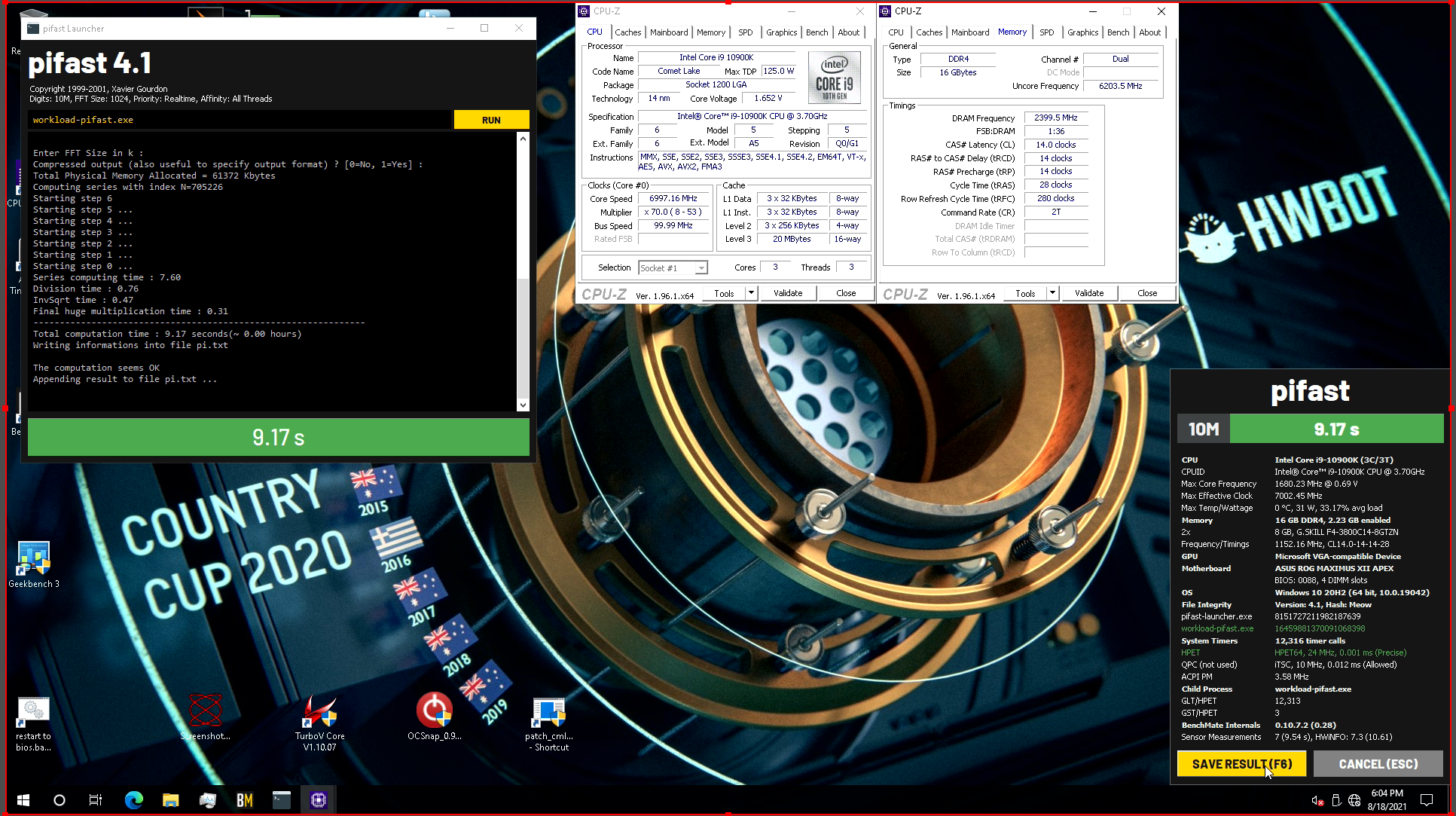
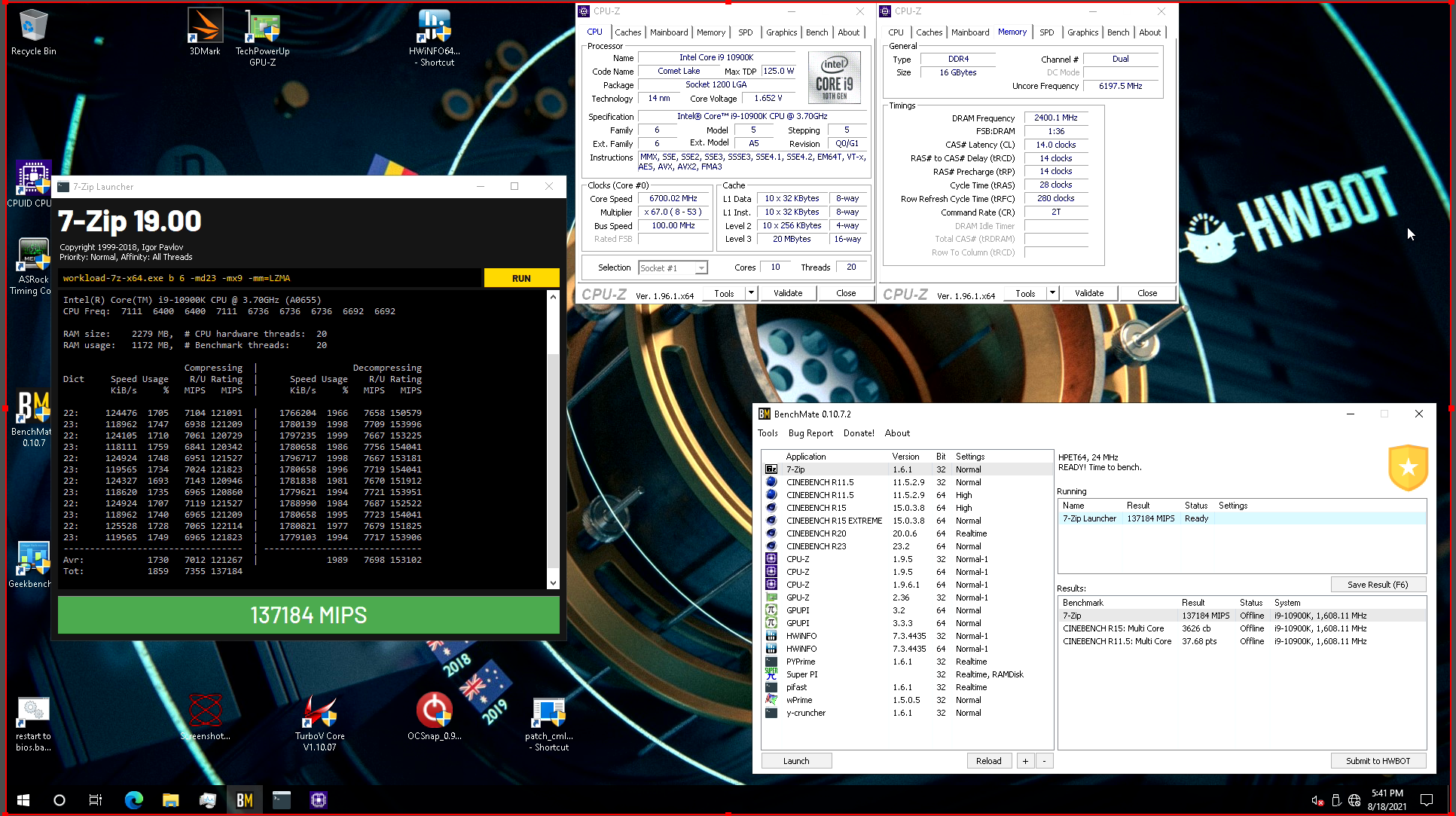
Spent most of the session in 10c/20t, had to be somewhere at 6:30 but did some very quick 3c3t 7ghz stuff at the end.
Definitely going to re-run 32m at 7+
 tall pelican
sterile flame
I mean specific cards
I'm curious what people who take overclocking seriously lo...
tall pelican
sterile flame
I mean specific cards
I'm curious what people who take overclocking seriously lo...
6900xts, depending on your cooling either xtx or xtxh
sudden torrent
short blade
is that cpu must be above 20c idle
That's mostly to keep the extreme cooling stuff out. There's a couple commands you can run to set it so your processor doesn't let the cores sleep, so it idles a little higher without affecting performance under load.
short blade
I choose to believe that hwbot is discriminating against siberia
sudden torrent
PowerCfg /SETACVALUEINDEX SCHEME_CURRENT SUB_PROCESSOR IDLEDISABLE 001
PowerCfg /SETACTIVE SCHEME_CURRENT
To revert set the 001 to 000 and run the second command again
short blade
outdoor overclocking session
-40c ambient
cpu idle -36c

I've seen people put their PC outdoors while it's snowing for overclocking before
sudden torrent
I kinda did that. I lived in a snowy area and I'd leave my window open, and my room would still be the warmest in the house.
short blade
living in california is sad for my pc
proven canopy
20c is a low idle, last ambient comp, keep's, was 15c min idle
lavish tundra
@short blade any idea what that code means
 short blade
i do not
lavish tundra
It was stable through 2 runs of tm5 a while back
0 changes
unstable now
UGH
I dont even renember what my last change was

C die
you know what
I cba
im going xmp
sudden torrent
Sometimes with c-die you'll get better results trying to get 3200c14
lavish tundra
sudden torrent
Sometimes with c-die you'll get better results trying to get 3200c14
Yeh I should try that
lavish tundra
sudden torrent
Sometimes with c-die you'll get better results trying to get 3200c14
no boot with 3200c14 everything else on auto
sudden torrent
Oh well, maybe you can get some of the other primaries tightened. Try 3200 16-18-18-36 and see if that boots. Then you can see which ones will tighten more.
lavish tundra
sudden torrent
Oh well, maybe you can get some of the other primaries tightened. Try 3200 16-18...
tried
no boot
lavish tundra
sudden torrent
Oh well, maybe you can get some of the other primaries tightened. Try 3200 16-18...
Oh wait nvm
thats my xmp
I thought you said 3200c14 18 18 36
sudden torrent
If that's XMP you can almost certainly get it tighter
lavish tundra
sudden torrent
If that's XMP you can almost certainly get it tighter
Yeh I just sat through an hour of torture rn so ill work on it later
faint tangle
Scam
daring olive
Scam bot
lean helm
@lavish tundra i think i was on time to turn the oc off
my pc didnt crash when i turned it on this time
lavish tundra
lean helm
my pc didnt crash when i turned it on this time
that doesnt mean much
sterile flame
@dull ginkgo being able to get a card at msrp is not even kind of the same thing as every card being the same price. What?
Maybe it'll help if I explain why I'm asking;
A friend of mine is taking steps to start botting trading cards. I know that sounds ridiculous but stuff got real weird in the last year or so. He's been supporting his family after he lost his job at the start of the pandemic by scalping trading cards. So far he's been able to do it in person but recently they started only doing "valuable" card drops online due to people getting violent at the drops (I know, it's crazy. Like literal grown men fist fighting in target parking lots over pokemon cards and stuff)
So these bots are the same ones that people use to get GPUs
Since I'm helping him build his PC out of mostly my spare parts, he said once he had it all up and running that he'd try to use his bots to hook me up with a GPU at retail
I'm already pretty sure I just want to get a white Asus strix 3070, cause it matches my build and I only play at 1440p anyway, but I'm curious what people on here would go for.
lavish tundra
@sterile flame #graphics-cards
sterile flame
I know I know and I'm genuinely sorry that I've been pestering the channel with this for like 2 days now but I specifically wanted to ask the people in this channel who like overclocking what they would get
What about you, rawr? What would you get if you could get anything at MSRP
zenith palm
lean helm
as long as everything works for me and dosent crash im ok
Both i and rawr, and other have had stable ram ocs that then turned unstable and messed up windows 🙃
lean helm
rip
zenith palm
sterile flame
<@278694081440251905> being able to get a card at msrp is not even kind of the s...
They mean every model of card ie gigabyte eagle and asus strix being the same prices
lavish tundra
sterile flame
What about you, rawr? What would you get if you could get anything at MSRP
I would get an HOF card
or a red devil ultimate
one of those
Hard to get a HOF outside asia during the best of times tho
proven canopy
I think the 3090 FE is a pretty easy answer for that question lol
Or 3090 KP just for the cooler if that's your thing tbh
I'd still rather have the strix
lavish tundra
I love how the HOF looks and it OCs VERY well too
dull ginkgo
sterile flame
<@278694081440251905> being able to get a card at msrp is not even kind of the s...
Oh I see, I thought you meant every card at card launch msrp, i.e. 500$ for 3070, 700$ for 3080, 1500$ for 3090, etc.
proven canopy
Pretty sure hof's one of the few cards that are actually binned
sudden torrent
Is Galax one of the ones that doesn't sell in US though?
lavish tundra
sudden torrent
Is Galax one of the ones that doesn't sell in US though?
Yes
 lean minnow
Would anyone be able to help me overclock my gpu. I have absolutely no idea how to go about it
sterile flame
Download msi afterburner, put voltage, power, and temperature limits all the way to the right, and play with the frequencies @lean minnow
lean minnow
sterile flame
Download msi afterburner, put voltage, power, and temperature limits all the way...
even though mine is a asus and not msi
sterile flame
Doesn't matter, afterburner will work
Increase mhz by 40-60 each time until it crashes, then dial it back a step and increase by smaller increments until it happens again
zenith palm
sterile flame
Download msi afterburner, put voltage, power, and temperature limits all the way...
I wouldn't recommend blindly sliding voltage
Depends on the gpu, if rtx 30xx then you can do 15mhz
sudden torrent
Voltage is the one thing that can actually damage parts. Granted, the manufacturer limits are safe enough for short term, but will probably reduce life long term.
dull ginkgo
And heat long term
sterile flame
It's fiiiiiiine
Sliders go brrrrr
If you're using a recent card the voltage regulation will take care of you so long as you don't max the frequency sliders too
dull ginkgo
Sliders doesn't usually do that much
sterile flame
There is no version of overclocking that won't degrade your chip faster than stock settings would, apart from just raising frequencies and not touching anything else but youre gonna gain hardly anything from that
dull ginkgo
Undervolting tho
Like pbo with negative offsets
Its just gonna be like stock boosting behavior, except lower voltage than stock
sterile flame
Right. But they want to get into overclocking, they're most likely trying to get high 3dmark/unigine numbers, not the same numbers at lower voltage
dull ginkgo
sterile flame
There is no version of overclocking that won't degrade your chip faster than sto...
Statement was too broad :p
sterile flame
Afterburner voltage slider seems to have little to no effect on my actual voltage under load anyway. It's 1.050 stock, it's 1.050 with the slider maxed and an extra 240mhz core
zenith palm
sterile flame
There is no version of overclocking that won't degrade your chip faster than sto...
A lot of gpus can get extra frequency like +100(depending on gpu) with power still at 100% soo
zenith palm
sterile flame
Afterburner voltage slider seems to have little to no effect on my actual voltag...
Don't assume that's the same for every card
dull ginkgo
Voltage slider usually doesn't do much because v/f curve kinda acts like it's the same curve
zenith palm
v/f curve better anyway
sterile flame
I don't assume it's the same, I assume if anything the power regulation is more aggressive on newer cards because it is lol
zenith palm
mb they have like a 750 ti or something tho  you dont know how the older cards act
dull ginkgo
I mean like v/f curve will continue to boost like it does, usually doesn't really get affected
but yea, older cards might actually do more when you use the slider
sterile flame
If it's a 750ti , then it's not your only card
And if it's a 750ti and you have no backup, you shouldn't be overclocking it
He isn't getting into overclocking to make his card last longer
zenith palm
sterile flame
If it's a 750ti , then it's not your only card
And if it's a 750ti and you have ...
dont assume that ik someone who just upgraded from a 750 ti
zenith palm
sterile flame
He isn't getting into overclocking to make his card last *longer*
also they might not know that
sterile flame
Was that person asking you how to overclock the 750ti a week ago
dull ginkgo
whatever, doesn't really matter, just ask the guy if they want to OC further
zenith palm
lol true
 lean minnow
It’s a rtx 2060 lol
sterile flame
See?
Lol
They're right though, you really shouldn't just dump voltage into it
But short term, like for a bench run, it'll be fine lol
lean minnow
I just don’t wanna crash it
dull ginkgo
OCing is gonna be bringing you to the limit between crashing and not crashing, that's why you do stress tests to test each oc
dull ginkgo
when Ocing
crashing is common
it's just what happens
you just need to stress test it to find what's actually stable
or theoretically stable
sterile flame
@lean minnow crashing is not as big a deal as you've been trained to think it is
dull ginkgo
well, crashing gpu oc with software if you only mess around with frequency, it's just as simple as turning it back on and trying a less aggressive oc
sterile flame
Under normal circumstances, yes, crashing bad. But that's when you aren't messing with any settings. When you're playing with overclocks crashing is normal and perfectly fine (within reason)
lean minnow
Ok I got it
short blade
crashing isn't inherently a big deal
my ssd has logged 175 unsafe shutdowns on this pc i built 1.5 months ago

dull ginkgo
lol
short blade
it's running perfectly fine
dull ginkgo
I think I've only had that many unsafe shutdowns through the last year
short blade
i oced cpu, gpu, and ram
many crash
but boy now that it's stable it was worth
watching my 5800x 3080 beat fallen's 5900x 3080ti by 15% makes it feel all worth
sterile flame
What are you running currently?
dull ginkgo
horrible bin 3800x
on a refurb board
with DR hynix cjr
with a SSD that has an issue with having around half the rated seq write for some reason
¯_(ツ)_/¯
sterile flame
CJR isn't that bad
Are you 100% sure those other issues aren't all caused by the refurbished board...
dull ginkgo
Mostly sure
Because SSD did do rated seq speeds at the start
and there are plenty of other reports on forums of the same issue
hypothesis of controller overheating for some reason (it's just phison e12 but eh), led me to buy a m.2 heatsink with no improvement
and it's early bin 3800x
it was like first few weeks of zen 2, and earlier bins are known to be kinda crappy as heck
and well, cjr is cjr, but I just can't get them to do much other than tighten some terts
touching basically any primary timing will make it fail tm5
anyways
just sad things
sterile flame
I really know like very very very little about memory OC, I just know CJR is roughly on par with micron rev e and my rev e is pretty good
sterile flame
Oh wait yeah I may be thinking of djr oops
sterile flame
I got my rev e (3200mhz c16) to 3666 c16 with some awful minor timings
But this was my first ever attempt and I went in blind. I'm lucky I didn't damage anything tbh
 sterile flame
I did see a video recently of buildzoid getting some ridiculous memory speeds out of e die the other day
dull ginkgo
buildzoid does buildzoid things
sterile flame
Yeah but this wasn't the typical buildzoid "I soldered a second memory controller to the ram chips and now it runs at 2.0v"
It was just some OEM bare green pcb e die that he got to like 4666 or something ridiculous like that
Actually I think he doubled the stock speed, so 4266
dull ginkgo
that's normal buildzoid
dull ginkgo
sterile flame
Actually I think he doubled the stock speed, so 4266
pretty sure he does like 5000c19 to bin his reve
short blade
sterile flame
I really know like very very very little about memory OC, I just know CJR is rou...
lol no way
DJR is a great choice for intel systems because it can push very high frequencies, less of a good choice for ryzen because it doesn't tighten quite as well at lower frequencies
rev. e is great on both, you can push high frequencies or tight timings are lower frequencies
CJR is quite a bit worse, still a decent die but definitely not on the same level as rev. e
rev. e can do 3800c14 - 4000c14 on ryzen systems pretty consistently
CJR you might expect anywhere from 3600c16 - 3800c16
proven canopy
DJR isn't cheap enough to justify it over rev.e or b-die imo
TBH, anyone who wants performance at 16GB - b-die is the way
But I've seen some people tune djr to <40ns aida lol
Probably have to go 2 dimm board
short blade
i think i got sub 40 on that wack 8700k that wouldn't go above 3200
that was rev. e though
proven canopy
6c die though, but still great latency
short blade
ah nvm it was 40.7
if only the imc wasn't so shot i probably could have done better
had to max out the vccsa/vccio for 3200
i just got a 10600K on hand that i know for a fact has never been overclocked, would probably try to tune some rev. e on it for fun if classes didn't just start lol
speaking of which, my lecture just started and i think prof is wearing a gaming headset lol
dull ginkgo
Thank
sudden torrent
No wonder it's one of the few tier lists I agree with mostly
zenith palm
dull ginkgo
stole random tier list, p sure I have 16gb cjr
Never heard of nanya ram?
sudden torrent
It's uncommon in the wild
dull ginkgo
Nanya is smallest ddr4 producer iirc
weary valley
Nanya was pretty popular for DDR3
zenith palm
I see
 orchid flame
dull ginkgo
Nanya is smallest ddr4 producer iirc
orchid flame
dull ginkgo
Nanya is smallest ddr4 producer iirc
Power chip
orchid flame
weary valley
Nanya was pretty popular for DDR3
Not really. You may be thinking of ElPida
Nanya DDR3 had about presence as Nanya DDR4
Maybe a tiny bit more cause micron wasn’t a giant back then
Though Hynix was a bit bigger
weary valley
I have tons of Nanya DDR3
orchid flame
Yeah…so do I…but I also have a tonne of DDR3 in general
Also have Nanya DDR4 though so like
tall pelican
I have like a dozen sticks of ddr3, all but 2 are samsung, the other two are micron and unknown
short blade
i recently tore open my old laptop from middle school
had 2x4 nanya ddr3-1333 sodimms
played so much minecraft on those bad boys xd
sterile flame
Ryzen 5600G is cheaper than 5600x?
Guessing that's the reason I've been seeing so many new 5600G scores and memory scores on 5600G
sudden torrent
5600G is the one that has the integrated GPU, but less cache so gaming performance is a little lower. More comparable to the 3600X in gaming.
It should only be used in small form factor builds, or if you are unable to use a PC until you get a discrete GPU.
sterile flame
I wasn't asking what a 5600G is. I know what it is.
It shouldn't be used "only in sff builds" Vermeer APUs are really good for memory overclocking
sudden torrent
Sure. Given proper tuning it can be a fairly competent low end GPU. But it's just that. Low end.
sterile flame
I'm not talking about the igpu, I'm talking about the memory controller
sudden torrent
Why would you buy an APU if you weren't going to use the GPU? I get the memory controller and all but that's an edge case that applies to very few people.
It's not worth sacrificing half your cache for something you'll not use
orchid flame

nanya has been consistent
they havent gotten bigger or smaller
their sales have been proportional to total market
so yeah
Nanya wasnt really popular for DDR3
tall pelican
did micron buy elpida?
 sterile flame
Whats a good ram timing and mhz for r7 2700x?
clever epoch
that's the brand, it doesn't really mattery
clever epoch
although if you send a picture of the label on the back, we can figure out what ICs are in it specifically
sterile flame
Do i have to send u a pick of my ram
sudden torrent
And a bonus of how high you can expect it to overclock
sterile flame
Or tbe box
clever epoch
ram itself
sterile flame
Kk
sudden torrent
There's a white label on the memory with a version number
 sudden torrent
C-die
Voltage scales up to 1.35v and if you're lucky you could get it to 3200 c14, but c16 is still good. You can try to tighten the other primaries if c14 fails.
sterile flame

Gigabyte bios
RIP
I cant get in to my pc now
It freezes everytime i load in

Make sure if you mess with memory speed it stays coupled to fclk.
Generally speaking it will, but I've heard ASRock bios likes to revert settings on you if you don't do things in a certain order and I don't know much about gigabyte bios other than they can be pretty non user friendly
Stuck on this screen
You just loaded the xmp profile?
What motherboard is it?
I tried to put the core to 4200mhz
sudden torrent
With a 2700X it might have trouble with that CMP if you're unlucky tbh
sudden torrent
sterile flame
I tried to put the core to 4200mhz
Yeah don't do that
sterile flame
Did i mess it up
Uhhhhh
Yes
Lol
Dam
What do i do
Do you have a bios reset button
Reset bios?
Will i lose my storage
No
Ok
Just bios settings
Ok
Mobo is the b450 aorus m
Btw
Ok
This time, if you want to overclock your cpu, either watch a guide to overclocking Ryzen 2000 or use Ryzen master
Okay
I have ryzen master but i didnt know that
Ryzen master will keep you from killing your cpu, which you very well could have done if you'd decided to input, say, 4500mhz rather than 4200mhz on the core just now
Use Ryzen master, keep voltage at 1.225v, and aim much lower than 4.2ghz
And in the meantime watch some guide videos
sudden torrent
sterile flame
Use Ryzen master, keep voltage at 1.225v, and aim much lower than 4.2ghz
It's Zen+, the older node process could handle more voltage. 1.35v is safe according to AMD, the community has found 1.38v is okay.
Probably don't jump right to that though
sterile flame
All I know is that he just ran zen+ at 4.2ghz with all other settings on auto
I don't know zen+ voltages, but I'm familiar with the frequencies and I figured better safe than sorry
Especially on a b450 vrm
sudden torrent
Yeah you should still get decent results around the 1.2-1.3v range. You need high performance cooling to go past that, at least a good 360mm AIO.
You could get 4.1 GHz at 1.35v but work your way up to that. Voltage CAN kill it in the wrong circumstances.
 tepid stratus
Those are some interesting numbers
I have a looped build doing 4.2ghz all core at sub 1.1v
completely stable and gets around high 27k/low 28k on r23
sudden torrent
Ok? The part you didn't mention is what cpu
That's easy on a newer one, but a 2700X? Not possible.
short blade
he just wants to flex his 5950x lol
sudden torrent
Yeah probably lol
tall pelican
ehhhh 4.2 at 1.1v could be possible with a 2700x, mine did 4.35 at 1.28v
also 27-28k r23 for a 5950x is absolute garbage https://hwbot.org/benchmark/cinebench_-_r23_multi_core_with_benchmate/rankings?hardwareTypeId=processor_6347&cores=16#start=80#interval=20
sudden torrent
tall pelican
ehhhh 4.2 at 1.1v could be possible with a 2700x, mine did 4.35 at 1.28v
It was more the r23 score that was impossible with 2700X
tall pelican
just need to change the timers
sudden torrent
I feel it was probably more of a "oh you need 1.35v to get 4.1ghz? Well I get 4.2 so nyeh"
sterile flame
@tall pelican lol right
My 3600 non x gets nearly half that score on six cores and an older architecture
@tepid stratus run prime 95 small FFTs with that 4.2ghz at 1.1 oc before you say it's stable
Adversely, if you're just running that oc profile on Ryzen master then it isn't applying at startup, so just cause you made the OC profile doesn't mean that's what your cpu is really running at.
1.1v 4.2ghz isn't impossible for zen 3, but ehhhh
tepid stratus
sterile flame
<@388788787326615552> run prime 95 small FFTs with that 4.2ghz at 1.1 oc before ...
I don't use ryzen master at all
everything is hard applied via bios or ai suite (which does the same except in windows instead of needing to reboot every 3 sec)
sterile flame
And prime 95 small FFTs didn't crash?
tepid stratus
will run it now
it didn't have any issues running 30min straight of r23 mt
it's a zen3
so it's not that out of the ordinary though
sterile flame
Be prepared for a crash
Your cpu can theoretically do it, but prime 95 small FFTs (Well actually smallest, but don't try that) is the most intensive synthetic workload I can think of. It will stress your cpu a lot more than regular use would
tepid stratus
only instances of crash on my rig so far have been from gpu tweaks
and nothing else
sterile flame
What have you been using to stress test
sterile flame
Or have you just been validating the OC on cinebench
tepid stratus
aida and cinebench
for oc validation
followed by 3dmark for gpu bench
since that's all it was intended for
sterile flame
If you watch your cpu power, cinebench will pull more current than the Aida stress test will
Prime 95 will pull even more than that
tepid stratus
it stays under 150w power draw
which is crap ton less than my usual oc setting for 3dmark which will hit 240+w power draw
sterile flame
What's pulling 150w?
sterile flame
3dmark should not be boosting your cpu to 240w+ unless it's the cpu test
Also, 3d mark is just a test suite, which test are you actually running
tepid stratus
sterile flame
3dmark should not be boosting your cpu to 240w+ unless it's the cpu test
240w+ on the oc test via r23 cb
i think i've seen peaks around 180/190w on the high oc settings
it scores around 17k+ cpu even with smt on for 3dmark
r23 is hair over 31k at that setting
sterile flame
Which 3dmark test though. There's like 16 of them
sterile flame
Oh, ok. Yeah it gives you a CPU score, but there are tests in the 3d mark suite specifically for testing CPU. Timespy is a GPU test, so your cpu is gonna pull less current during timespy than it does during cinebench/ other CPU benchmarks
I thought you were saying your cpu was pulling 250w on a graphics test and I was like uhhhhhh that's not normal at all lmao
tepid stratus
again i set up the cpu oc for the 3dmark test
since there is quite a bit of a boost from the cpu score in the overall score for timespy
now just cruising around in normal day to day setup which is 4.2ghz all core at hair under 1.1v
it's technically set to 1.1v
sterile flame
So is it "completely stable"
Or just stable enough for timespy
tepid stratus
but usually see tiny bit under that even on load
250w power load?
i wouldn't say it's 100% stable
i think it gets dicey when the ram gets warm more so than cpu
b-dies are tiny bit too temp sensitive
sterile flame
You "wouldnt"
But you did lol
 tepid stratus
4.2ghz = sub 150w load
that's stable
4.6x all core = 250w power load
that's somewhat questionable on longer loads
sorry typo on the power load
sterile flame
Ok now I'm really curious
Run prime 95 small FFTs and let us know if it crashes or not
tepid stratus
i will give it shot after i finish the fan swaps on the unicorn build
tall pelican
sterile flame
Be prepared for a crash
Your cpu *can theoretically* do it, but prime 95 small F...
Small is more stressful than smallest
tepid stratus
higher OC results in orange and 27.9k number in the middle for daily

with the higher oc setting, it can run most of the 10min test but it will app crash eventually once the ram gets warm
tall pelican
tepid stratus
it scores around 17k+ cpu even with smt on for 3dmark
17k in timespy cpu is what my 10900kf does with only 10c/20t
tepid stratus
tall pelican
17k in timespy cpu is what my 10900kf does with only 10c/20t
apparently having SMT on impacts the score pretty hard on the 5950x
tall pelican
Not cpu score
tepid stratus
supposedly it does for cpu score on 5950x
tepid stratus
that's because you have less than the number of thread it tests if you turn smt off
tall pelican
Smt off hurts cpu scores
tepid stratus
only if you have less cores than the thread it uses
sterile flame
big oof
tall pelican
Iirc 3175x and 3970x are the highest cpu score cpus for ts, 3990x hits the limit
tepid stratus
Hey like i was saying before, i've been told by those who have hit higher scores that in timespy for 5950x, you gain a bit of score with the smt turned off
I haven't run timespy with SMT off to confirm
but the gains with it off compared to with it on are supposedly pretty decent
maybe there is a bit more oc headroom with the smt turned off who knows
tall pelican
yeah, gpu score gains, because gpu is about 3x more impactful to overall score than cpu
clever epoch
tepid stratus
it didn't have any issues running 30min straight of r23 mt
cinebench is not a stability test. you can run a horrendously unstable OC that can run cinebench
clever epoch
tepid stratus
that's somewhat questionable on longer loads
250W on a water cooled 5950X is fine. It's the current you have to watch out for
zenith palm
Current is amps my guy
lavish tundra
tepid stratus
Hey like i was saying before, i've been told by those who have hit higher scores...
I would trust fitz over anyone else when it comes to oc
zenith palm
lavish tundra
I would trust fitz over anyone else when it comes to oc
Or forks
lavish tundra
Not really tbh
zenith palm
Fair enough
sterile flame
Since my requests in general keep getting lost in chat
How can i improve my overclock?
I use msi ab and i think my oc is +170 core and +800 mem
Gtx 1650
if i add more core overclock it’s unstable
sudden torrent
Well, you could try a different vbios with a higher power limit (and the same power inputs), increase your core voltage, or hard mod the card
sterile flame
Will increasing core voltage potentially damage anything if done incorrectly
sudden torrent
vbios is set so damage is unlikely but it will degrade faster
As long as you can cool it, because it will get hotter
sterile flame
What’s vbios
sudden torrent
sterile flame
What’s vbios<:kek:585582975136301077>
video card bios
Flashing a vbios from another GPU alters its behavior and limits
clever epoch
there are some vBIOSes with effectively removed limits, although those are hard to come by (accidentally) for modern cards.
zenith palm
I doubt there are many for 1650's anyway lol
sterile flame
Can somebody let me join their HWbot team please lol
Being on the rookie team sucks
zenith palm
Wegg has one iirc
zenith palm
sterile flame
Can somebody let me join their HWbot team please lol
Being on the rookie team su...
Check pins
sterile flame
Oh, cool. Thank you
proven canopy
If you join, please take care to sub properly. Feel free to ask fitz or me for any questions.
Also check out the Corsair competition that's currently running if you own Corsair ddr4
sterile flame
I run crucial ballistix, unfortunately
Also, what do you mean sub properly? Cause Ive submitted two scores so far and I'm definitely doing it wrong lol
proven canopy
Link them. I mean, just check the rules link for every benchmark. Also, very easy to look at the top subs and see how the pros do it
sterile flame
I know and I've been looking around trying to see what I gotta do to assimilate properly but you can't edit your rig details after you submit the score
Which makes perfect sense so people aren't lying about their setups, but yeah, imo these scores are basically worthless cause it just has my CPU, GPU, frequencies, and score
And ram, but still

HWBOT
The Ryzen 5 3600 @ 4391.9MHzscores getScoreFormatted in the Cinebench - R20 with BenchMate benchmark. WerewolfMoneyranks #196 worldwide and #74 in the hardware class. Find out more at HWBOT.

HWBOT
The Ryzen 5 3600 @ 4392MHzscores getScoreFormatted in the Cinebench - R23 Multi Core with BenchMate benchmark. WerewolfMoneyranks #112 worldwide and #27 in the hardware class. Find out more at HWBOT.
sudden torrent
sterile flame
https://hwbot.org/submission/4804437_
You need three cpu-z windows open to the main page, spd, and memory. That'll cover about 90% of the different types of cpu test submissions. Each test has its own rules.
You can look at mine for an example https://hwbot.org/submission/4792558_falcie_cinebench___r23_multi_core_with_benchmate_ryzen_7_5800x_15950_pts

HWBOT
The Ryzen 7 5800X @ 4675.2MHzscores getScoreFormatted in the Cinebench - R23 Multi Core with BenchMate benchmark. FalCieranks #69 worldwide and #57 in the hardware class. Find out more at HWBOT.
sterile flame
Yeah I know that now. I'm running the benchmarks again so I can get proper verification
Gonna delete the others
My bad, sorry
so like this, then?
 sterile flame
The rules say I only need cpuz tabs for CPU and memory, and the example it shows in the rules has cpu, memory, and mainboard
short blade
i've never needed to show SPD
none of my hundreds of subs have it and none have been removed
sterile flame
 short blade
good enough
 proven canopy
You only need to show spd during comps when explicitly stated.
sudden torrent
Yeah it's not always needed but I do it out of habit
sterile flame
Can I retake the screenshot I already have of my high score on firestrike extreme with the cpuz tabs open and get it verified or do I have to straight up run the benchmark again
sudden torrent
That way I don't forget to have SPD open when I actually need it
You can just open your saved score with the cpu-z open
For those tests make sure you include your verified 3dmark result page
proven canopy
You probably don't need to delete any subs, just make sure future ones follow the rules
Users can't delete subs, need to bother a mod to do it
short blade
i think we used to be able to delete subs?
sterile flame
Ok good, cause for the life of me I cannot match my top score on firestrike extreme
short blade
i made some subs through benchmate where the built in screenshot glitched out
spent a while trying to figure out how to delete it
sudden torrent
Ah yes, the anomaly score that is 100 points higher than we can ever get again... we've all had that
sterile flame
I'm glad it's not just me
Cause this was a used mining gpu and the memory doesn't clock nearly as high as it should, so I was starting to worry it had literally just degraded since I got the score
🥳
proven canopy
As long as your botched sub isn't a  or front page score, it's really nbd, especially if you beat it later
sudden torrent
Nice catch on that typo lol
short blade
mining shouldn't degrade the vram
dull ginkgo
Unless they did dumb things to it
sterile flame
Actually I don't even know if the memory should clock higher, it's hard to find info. I just know that when I try to go over +160 memory speed it artifacts real hard, and over 170 it bsods
short blade
which card?
sudden torrent
Not unless it ran too hot, like over 100 on GDDR5/5X/6 or 110 on 6X
short blade
could just be the worst bin of all time
my pathetic 3080 only does +275
got a 3070 Ti for a flip that would do +1450 rock solid
unbelievable levels of salt
sterile flame
1080fe
There are 1080 scores on firestrike with mem +400 and higher. Could be in ln2, when I was looking I was only checking against 3dmarks scores, not HWbot.
sterile flame
Right, that's what I'm saying. 160 should not be the upper limit
sudden torrent
It really could just be a bad bin, or factory overclocked already
sterile flame
1080fe, at least the zotac version, doesn't have temp sensors on the memory so I have no clue if it's a thermal issue or just crappy memory
I don't see how it could be a thermal issue, I have it watercooled. I can't see memory temps, but core temp never goes over 50° so I can't imagine the memory is running much hotter
although
It isn't real water cooling, it's an aio and a kraken g12
sudden torrent
Do you have anything blowing over the rest of the card? Because other parts besides the core can get hot
sterile flame
Yeah, the g12 bracket is kind of like the EVGA hybrid cooler, only universal. It has a 92mm fan for vram and VRM cooling
I saw a video where dude used a g12 bracket on his 2080ti FE and it brought the vram temps down by around 15°c, so my memory should be running cooler now than it was on the stock blower cooler
short blade
sterile flame
Right, that's what I'm saying. 160 should not be the upper limit
well my 3080 can only do +275 when some people are getting +1500 and "average" is like +1000
sterile flame
Is it an early sample 3080?
sterile flame
I know they were having trouble cooling gddr6x when the cards first came out
short blade
I changed the pads
82c mem junction
was instantly slamming into 110c and thermal throttling with stock pads
even at 100% fan speed
sterile flame
Way to go, nvidia
sudden torrent
That's not an Nvidia problem, that's cheap manufacturers trying to save a few cents
dull ginkgo
or, bleach just gets low bins because deus vult
short blade
literally more than a 40c drop if we consider it had to throttle to stay at 110c
short blade
dull ginkgo
or, bleach just gets low bins because deus vult
well the temp problem has nothing to with lottery
dull ginkgo
maybe you got unlucky with a manufacturing defect
sterile flame
I also have an rx 570 4GB that I replaced the thermal interface on with the intention of selling it
But I decided to keep it cause I think it would be really good for overclocking.
short blade
when my 3080 started malfunctioning and I sent it in for RMA I was really hoping they would replace it but they didn't
short blade
dull ginkgo
maybe you got unlucky with a manufacturing defect
no lol this was normal
dull ginkgo
Someone got a finger of a rubber glove on their memory on the 3090 FE
short blade
110c vram is normal on most unmodded 3080s
sterile flame
@dull ginkgo was it in the memory? I thought it was literally pasted in atop the die
short blade
I tore it open twice if there was a glove there I would've noticed man
sterile flame
But yeah, I kinda want to put the g12 bracket on my rx 570 cause I think I could farm a lot of points with it, but that's a lot of work and I am real REAL lazy
According to user benchmark (lol) it performed in the 87th percentile of rx 570s (which includes 8GB model rx 570s)
That was about a year ago though, back before I knew user benchmark was an unreliable POS. It should still theoretically be accurate though, considering it was only being compared to other rx 570s
zenith palm
sterile flame
According to user benchmark (lol) it performed in the 87th percentile of rx 570s...
 sterile flame
I know, I know
But imo as long as youre comparing AMD to AMD it should be relatively accurate.
Also, apparently I submitted but never saved my actual top score on firestrike
How incredibly frustrating
proven canopy
Different cards have different stock and boost clocks, when comparing - state the true core clock vs +150 etc
sterile flame
I didn't consider that
However
Iirc correctly the gpu fan didn't even kick on during the benchmark, meaning it stayed below 55° the whole time
So maybe I can get way more out of the core clock than it runs at stock
sterile flame
Ok so for the different competitions it says I need to make at least three submissions
Is that three submissions with the same settings or can you submit three separate results with different settings
sterile flame
I brought my memory speed down and got a higher score on firestrike.
It wasnt that high to begin with (+120 to +100)
My memory's gotta be shot
short blade
seeing higher scores from bringing down memory speed isn't necessarily abnormal
proven canopy
Yeah, you'll see performance regression due to ecc before crashing or artifacts sometimes
short blade
that and also lowering memory speed can sometimes free up power budget for core
I've seen core go up by an observable amount from lowering memory speed before in power constrained situations
not huge but something
my 1080ti did +1000 stable but had optimal performance at +700, just gotta test it
sadly I don't have any 1080 runs to compare scores with you
sudden torrent
That's why we test in increments
short blade
lol I start going up in increments of +500
once it crashes or fails I start finetuning from there
if it passes +500 and fails +1000 I take binary search and go +750
once it's stable I'll go down in increments of 25 and see if I'm gaining or losing performance
then increments of 5 for final tuning
sterile flame
@short blade ooooh yeah that would make a lot of sense considering the cards power delivery is p small compared to what it pulls at stock settings
Iirc it's got 5 50a phases for the core and 1 for the memory which I don't remember the amperage
Which is not very much for a card that will pull 200w at stock settings
faint tangle
I like your funny words magic man
 fair junco
help funny magic people
i have an amd gpu
and i need help for overclock and to mine crypto with salad :)
daring olive


 fair junco
daring olive
https://tenor.com/view/what-are-you-talking-about-huh-what-what-are-you-saying-s...
fair junco
daring olive
https://tenor.com/view/what-are-you-talking-about-huh-what-what-are-you-saying-s...
do you know how to overclock a amd gpu?
 grand socket
im ready to oc my 3090
sudden torrent
Good luck. Hope your power supply is up to it.
grand socket
so i have my 3090 set at stock clocks and i have a 1000w psu
sudden torrent
Which 1000W?
sudden torrent
Yeah that's the A tier one, good
grand socket
but how much should i add to my core clock for a better time spy score
sudden torrent
First order of business is to max out your power limit, then test again with everything else stock
grand socket
max power limit is set to 110%
sudden torrent
Good, I'd say go up in increments of 90 on the core (boost bins are increments of 15) until it can't pass a run on time spy, then drop it down until it's stable again
grand socket
alright ill try
sudden torrent
You can do the same with memory but start at around +1000, many 3090s can do that if not better. Mine is a crappy model and it does +1280.
grand socket
ok just the core clock helped a bit
I was close to hitting over 20k on gpu score alone
My cpu scrapes around 5k but im not worried about that as much
sudden torrent
Most 3090s can do over 20k easy
Memory will push you over the top
grand socket
Ohhh ok yeah im testing the gpu again now with +1000 memory
Oops.. Doing 180 extra core and 2000 mem if def limit lol
faint tangle
sudden torrent
You can do the same with memory but start at around +1000, many 3090s can do tha...
My 3060 ti does 1100
I think 175 on core
But I think 3090s overclock much better
Diff gpus ofc
sudden torrent
+2000 is going to be REALLY hard even for the best bins
faint tangle
^^
grand socket
Yeah i noticed
sudden torrent
+1500 isn't unheard of
faint tangle
Maybe if you liquid cooled with liquid nitrogen or smthn
grand socket
At least i found what not to do
faint tangle
I know some people do that for overclocking scores
Also
What cpu do you have to get 5k?
I get over 7000 with a 3600
grand socket
11600k
faint tangle
No yeah on stock I get over 7k
grand socket
Also my ram is not xmp at 2666mhz with 16gb
faint tangle
Oh wait you have stuff open other than timespy
grand socket
Discord and voice mod
faint tangle
Yeah thats definitely not right
I dont think the ram would limit it that much
Also why such cheap ram with a 3090 build lol
lavish tundra
grand socket
Also my ram is not xmp at 2666mhz with 16gb
have you set it to XMP in the bios?
grand socket
Yeah but too unstable for some reason
faint tangle
What's the cl?
grand socket
I had to disbale it
lavish tundra
link the ram you bought
grand socket
I have Crucial ballistix (2x8gb) 3200mhz CL16