#overclocking
1 messages · Page 35 of 1
 acoustic crane
 abstract wedge
"game stable" gpu with a modern AAA game is probably more useful than testing with furmark or its clones tbh
gpu stress tests all kinda suck
acoustic crane
Hence why I said this
 steady lance
I play:
- Halo Infinite
- War Thunder
- Fortnite
I also play Ark Ascended a little but not much
@abstract wedge, @acoustic crane
 sudden torrent
War Thunder is unironically a good stress test for the whole system
steady lance
sudden torrent
War Thunder is unironically a good stress test for the whole system
really?
 dull ginkgo
Wargame red dragon is my one game that shows me when something is unstable
I could play 5hrs of war thunder and no issues, then get on wgrd and game crash 20min into a match :p
I feel like it'll just be what you end up actually playing and have experience with
sudden torrent

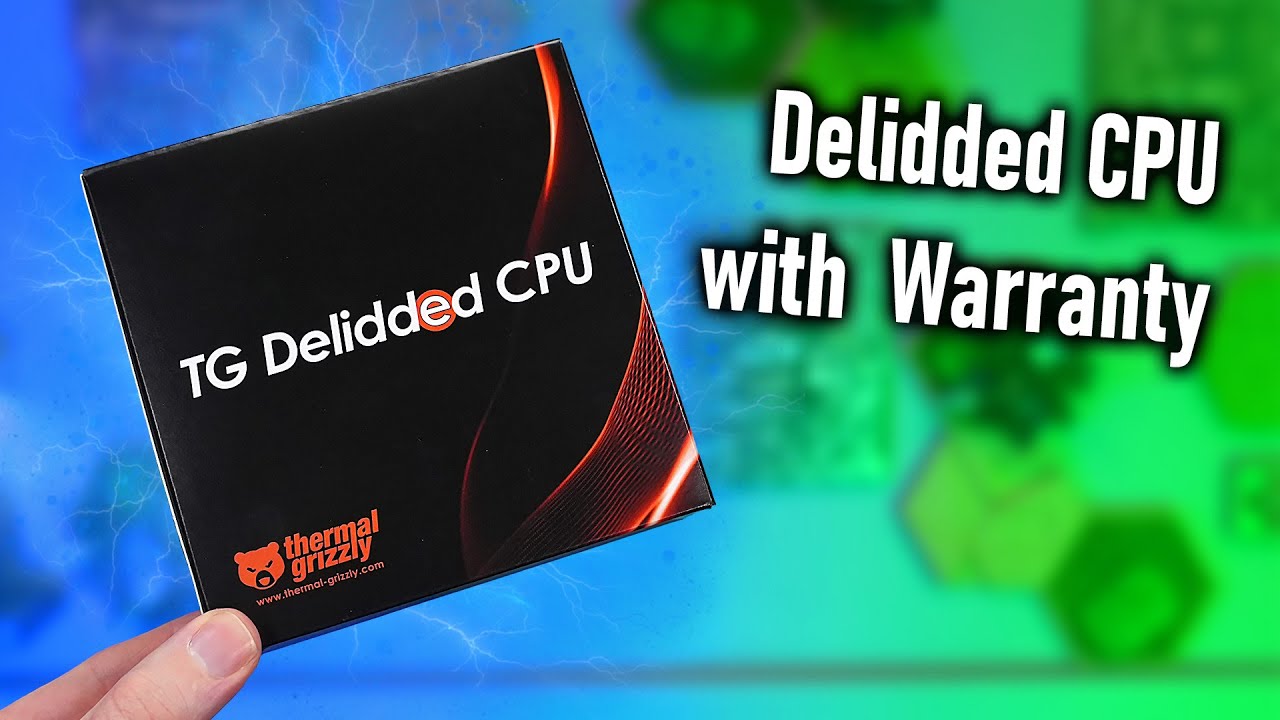
Find the delidded 9800X3D with 2 years Warranty here:
https://www.thermal-grizzly.com/en/amd-tg-delidded-cpu/s-tg-del-cpu-001
Important: VAT in the cart is changed in the 2nd step after you confirmed the country. So the price could be higher in the first moment.
Music / Credits:
Outro:...
 frigid locust
Why tho
sudden torrent
The AM5 IHS is very thick so you can only do so much to cool the CPU without removing it.
Delidded CPUs are easier to cool with the right hardware to pair with it.
Cooler CPU, bigger clocks, more stable at those clocks
frigid locust
Why not pure copper IHS swap?
Like Linus did a while back
To a 13900K iirc
Wait WARRANTY
Okay I see now
sudden torrent
YES with warranty is the big part here
Anyone can delid but it voids the warranty, unless you get it like that
sudden torrent
frigid locust
Why not pure copper IHS swap?
It's already mostly copper with only a thin nickel plating to prevent corrosion and oxidation
frigid locust
It's not even a big upsell
Like
That's pretty much only a 10% upcharge for me
And it's already validated by an OC guru AND even has the default IHS included in case I just want a good CPU
That's unironically like
Super awesome value for a 9800X3D
For me anyway
Cuz I assume they get good dies
steady lance
sudden torrent
https://www.youtube.com/watch?v=RYLUBvISa7I
<a:hyperWOW:593758496240173058>
delidded with warranty?
sudden torrent
Yes
steady lance
what's the catch?
sudden torrent
Not so much delidded as it never had a lid to begin with
sudden torrent
steady lance
what's the catch?
It costs a little more but it's also been validated as a good bin
 sudden torrent
I'll pay more for a known good bin fr
steady lance
Good bin, warranty, and no ihs?
sudden torrent
Yep
 sudden torrent
IHS included in the box if you want it later too
steady lance
that's actually awesome.
I hope they do this for the 9950x3D.
I see so TG covers the warranty
and this also gets them a 2nd source of income
sudden torrent
steady lance
I can buy this straight from AMD or?
You have to buy it from thermal grizzly
steady lance
cause people will buy their direct die myco block
sudden torrent
Yeah
steady lance
also gives me the excuse I needed to do a custom loop that actually has benefits
@sudden torrent how would you suggest doing a loop in the Phanteks NV9? I am thinking of using that case when I do a loop.
 manic seal
sudden torrent
https://www.youtube.com/watch?v=RYLUBvISa7I
<a:hyperWOW:593758496240173058>
manic seal
sudden torrent
https://www.youtube.com/watch?v=RYLUBvISa7I
<a:hyperWOW:593758496240173058>
oh hey
thermal grizzly is finally taking over what good old silicon lottery was doing in the past before they shutdown
steady lance
manic seal
oh hey
thermal grizzly is finally taking over what good old silicon lottery was ...
shutdown?
steady lance
TG is going out of business?
manic seal
no, this is old news, silicon lottery shutdown a few years ago at this point
steady lance
Oh okay.
manic seal
used to do (intel) cpu binning and delidding
frigid locust
TG said they will @steady lance
Sadly the 9800X3D stock ran out in like
3 minutes
I wish I was kidding
 inner vigil
is this good or should i restore
 acoustic crane
+96 core is pretty decent, +200 mem is almost nothing
 kind walrus
If it's an nvidia card do it in steps of +15 if its under 5 years old
The 6 does nothing
Radeon will however do 96
Though you should use adrenalin for that tbh or mct
steady lance
Is there any difference for overclocking between an X870E and X670E motherboard?
As far as I can tell, X870E is just X670E with guarenteed USB 4.0.
kind walrus
Cos that's exactly what it is
B850 and B840 as well
Just recycled older chipsets with new labels
kind walrus
Does it happen stock
If so then it could be that or the cpu
If it doesn't then it's the settings we talked about
steady lance
Newish CPU and passes every thing I throw at it.
It was sent as a replacement from AMD for the one that did have issues
kind walrus
Hmmm ok so board could be more likely, fair
steady lance
kind walrus
Does it happen stock
After nearly 100 hours (yes I am serious) of testing the ram, cpu, gpu, etc every thing works flawlessly and the only thing showing potential problems is the damned board.
Essentially it gets stuck in training on the red/yellow light combo and only powering the pc off and on repeatedly can get it unstuck
steady lance
and for out of Enabled/Disabled/Auto options for MCR, only Auto has shown a potential bandaid where the pc will reboot fine IF and only If it's restarted, if the system is powered off for a short period I need to repeat the power cycle trick
steady lance
kind walrus
Did you know sata drives can cause that
I tried unplugging my sata drive
kind walrus
Try every other device as well
Anything that plugs into it that isn't a ram stick or gpu
Even m.2
Fans, pumps
Overcurrent to the NB can cause that kind of behaviour
Mobos have built in protection for this but it doesn't always trigger (as I found out)
steady lance
Note, all parts remained the same and this problem occured recently after having moved from Mexico to Alaska where I did witness the working essentially chucking me pc.
kind walrus
It's really important you spend an hour or so testing this before warrantying the board
steady lance
as for the fans and pumps I know that they work and the fans are powered by a fan hub
kind walrus
steady lance
Note, all parts remained the same and this problem occured recently after having...
Anything is suspect even core parts, but core is much less likely as the symptom is i/o
kind walrus
steady lance
as for the fans and pumps I know that they work and the fans are powered by a fa...
Fan hub could be suspect
As I said, anything and everything that plugs in
For me, a sata 3 ssd killed my 7950x3d with nearly identical behaviour
steady lance
I hear you, and it's also extremely frustrating.
kind walrus
kind walrus
For me, a sata 3 ssd killed my 7950x3d with nearly identical behaviour
And said behaviour caused massive usb disconnects when it got really bad
steady lance
also I have tried reseating all connections.
kind walrus
Didn't say reseat
steady lance
GPU, CPU, RAM, Cables, etc.
steady lance
Well that was bold lmao
I did try without the gpu and 1 stick of ram at a time and alternating the sticks
kind walrus
Have you tried with everything else disconnected tho
steady lance
Admittedly no.
kind walrus
Cos here's the funny thing, if you can find this as a connected device problem, you can just change the usb ports and it should work again just fine
Or rather
Extremely high chance it does
steady lance
so just unplug every fan, drive, etc and try booting?
kind walrus
Yeah
steady lance
how long till the cpu overheats?
kind walrus
Pump would be the first thing I plug back in lmao
I would test this for an hour before settling on a $200~ board
Worth the time even for the wealthy
Lol
steady lance
kind walrus
Worth the time even for the wealthy
that's a iffy statement.
But I do agree with fixing vs replacing if possible
steady lance
I have spent nearly a 100 hours on this damned thing, though I have been trying fixes via bios.
the bulk of it is mostly just spending 4-5 hours a time rebooting the damned thing
kind walrus
$2 an hour is the type of price I'd pay for a full meal in mexico city as you'd probably know lol
steady lance
kind walrus
$2 an hour is the type of price I'd pay for a full meal in mexico city as you'd ...
Where did you buy a meal for 40 peso in mexico lmao?
kind walrus
I survived half a week there on $10 and I was living lavish 
kind walrus
steady lance
Where did you buy a meal for 40 peso in mexico lmao?
Is it different now? This was 2018
steady lance
a single tamala from a stall is around 30-40 peso.
20ish if you get one with no filling.
kind walrus
Odd
I went over there with a 200 usd food budget and came back with 190
I was upset that I paid more in conversion fees
Like 60usd lol
steady lance
Granted I eat for 2 people but for me to be full from a meal is usually around 300 pesos or $15.
steady lance
what part of mexico?
steady lance
ahh food is cheaper there.
kind walrus
It has a castle in the middle
kind walrus
Oh so it's a regional thing
kind walrus
steady lance
beach town
Tourism rates maybe?
kind walrus
Damn
steady lance
Honestly I wouldn't be surprised if that's what killed my first 7950x3D.
kind walrus
I wasn't sure if the water was filtered where I was so I was drinking out of cans for 4 days 
Lol
steady lance
There was a storm that caused the power to go out about 3-4 times a day for a week
kind walrus
steady lance
Honestly I wouldn't be surprised if that's what killed my first 7950x3D.
It's possible
I've definitely become switched on to power with amd since it happened to mine
The 9800x3d had the same symptoms until that ssd came out
steady lance
MSI X670E Tomahawk WiFi or MSI X670E Gaming WiFi? $20 difference
steady lance
the gaming is cheaper though it's a Amazon Renewed - Excellent condition at $164 with a 90 day return window
kind walrus
Some x670 boards are kitted with better features than other x670e
steady lance
my only gripe is that it's white when I have a all black setup except for my ram
kind walrus
So yeah if you see a gaming x gigglebit
Or maybe aorus elite
It's likely very good for near 200
They both have like
12 usb at the back
It's a stacked board
steady lance
I'd prefer not to spend more than $200 on a board unless it provides a difference for overclocking or diagnosing problems when they occur
kind walrus
Agree
steady lance
I'd pay a bit for mobo armor but not by much more
kind walrus
Very little difference outside of usb even down to like $110 and gradual vrm improvement (to a point)
steady lance
what matters to me is 4x M.2 slots
kind walrus
Are they sub 200?
steady lance
the Gaming is $164 but white though it has mb armor
steady lance
it's also part of Amazon's Renewed program in excellent condition so I get a 90 day money back & replacement window + no missing parts or damages
steady lance
steady lance
it's also part of Amazon's Renewed program in excellent condition so I get a 90 ...
the gaming board
steady lance
hmmm, how tricky is it to do a white pc build or paint the mb armor/heatsinks
steady lance
yeah just the white bits
kind walrus
White case? Varying degrees of easy to hard
 kind walrus
Oh that looks simple
steady lance
do I just take it off and spray paint it?
kind walrus
Just avoid the underside
steady lance
so tape off the bottom gotcha
kind walrus
Yeah
steady lance
cause from a physical appearance
kind walrus
Easy enough they should all unscrew if you look for pics
steady lance
it looks way bnetter
kind walrus
Full spray is a one way trip tho unless you do plastidip
steady lance
it pisses me off that they cheaped out and didn't put mb armor on all the slots for the tomahawk
kind walrus
steady lance
it pisses me off that they cheaped out and didn't put mb armor on all the slots ...
Tomahawk also has no lanes *to slots either
kind walrus
steady lance
?
Rubber paint, not permanent
Grainy look tho
Tomahawk iirc is like
1x 1x 1x 4x?
Despite all the extra slots
AM5 is mostly just an aesthetic choice when you go atx
Very few boards have full working pcie slots
Anyway ima dip I got paperwork to do tonight
Good luck testing the board tho
kind walrus
Ye pretty serious
Just check vrm if it's msi gaming
The msi gaming boards are cheap
If it runs a 7950x tho under 100C *vrm it's fine
steady lance
14+2+1 80 AMP
kind walrus
That will be solid then
Yeah test your current board first tho. Good luck
Really gotta go bye
steady lance
see ya
steady lance
I noticed while I was testing my motherboard recently that my ram uses screws to hold the heatsink in place.
Does that mean I can remove the heatsinks easily?
abstract wedge
probably not tbh
usually a sticky thermal pad thingy holding heatsink to ic's
and occasionally just double sided tape 
 pliant lava
How is this for a fan curve on a 9070xt? trying to find a stable OC for it. It was good at +10% power, +500mhz core and -100 for off set on Friday for like 12 hours but last night i was getting a message "driver timeout" which i think is a gpu crash while playing Destiny 2, first time playing it in years so not sure if that is actually just a driver issue but i doubt it.
 abstract wedge
i always just have fan at like minimum rpm under 0 load and then 100% at anything over 60c 
headphones exist to make pc inaudible
 idle oar
Is undervolting nvidia cards a thing?
sudden torrent
Yes
You can use a tool like MSI afterburner to adjust the voltage/frequency curve
Plenty of guides on that too
idle oar
Cool, I just got suggested a video to undervolt my card, supposedly can gain 15-20 fps and drop around 5c for temp
Are there any risks with OC of doing damage or bricking the card completely? Or is it just gonna crash and then you revert settings?
Also is it true you likely need to flash the bios?
manic seal
not too much of a risk until you adjust voltages (higher)
afaik there isnt really any permanant damage that you would be able to cause from undervolting
idle oar
You need to do more than undervolt for increased performance right? You have to oc as well?
idle oar
@steady lance when you have time to send any info my way. I'm gonna look for some guides too
sudden torrent
idle oar
You need to do more than undervolt for increased performance right? You have to ...
That depends on your ultimate goal and the fitness of your silicon 
If you just want to reduce power use and heat, uv alone can do that with little or no performance loss
idle oar
sudden torrent
That depends on your ultimate goal and the fitness of your silicon <:SiliconLott...
Getting more performance would be cool. Especially if I can do it while using less power and bringing down temps, just wanna do it safely and in a smart way
Never done this before
sudden torrent
Safety isn't an issue with GPUs. They won't let you do anything that can cause irreparable harm unless you modify the hardware.
What you'll do to target increasing performance is find your stable core max, stress test it, find out what voltage and frequency it wants to sit at, and use that as your baseline to start undervolting on the curve.
Then you can bump your vram to use the new power headroom you get
idle oar
are there any 'standard' guides used to step through this to figure that out?
sudden torrent
idle oar
are there any 'standard' guides used to step through this to figure that out?

GitHub
Nvidia GPU Overclocking Guide. Contribute to LunarPSD/NvidiaOverclocking development by creating an account on GitHub.
idle oar
ill start researching
https://www.youtube.com/watch?v=_we_cvY2Zto
lol this card only gave around 5% more

Check out safe and GDPR-compliant Hosting with Hetzner:
https://htznr.li/der8auer/250202_en
Music / Credits:
Outro:
1998 Beats - Strange Things
Paid content in this video:
- Hetzner Spot
Samples used in this video:
- RTX5070Ti...
steady lance
idle oar
<@217356391675985921> when you have time to send any info my way. I'm gonna look...
What kind of OC are you looking to? I have experience with CPU/RAM.
idle oar
GPU mainly
 vale nymph
Overclock my life
idle oar
I'm guessing oc'ing a 9800 isn't much worth it
kind walrus
It does a little bit
To any meaningful degree with a 5070ti not really
Maybe if you were only playing fps games it'd be meaningful enough
Otherwise if you just want quick and dirty just turn on pbo and look up buildzoid ez timings
idle oar
I might just leave it all stock and accept it
kind walrus
Granted, ez timings only works if you have hynix ram
idle oar
idle oar
I might just leave it all stock and accept it
And then cry when someone shows their oc'ed 9070 matching a 5080
steady lance
idle oar
I'm guessing oc'ing a 9800 isn't much worth it
If you do CPU and RAM properly with decent bins you can probably gain 5-10% boost.
Do ram first then CPU.
Start by finding your highest stable frequency then work from Tertiaries to Secondaries to Primary timings.
sudden torrent
That engine is such a stability test, for every component
That's why it was the thing revealing bad Intel CPUs the most
And memory overclocks you thought were stable, and are in everything else
 paper tulip
sudden torrent
And memory overclocks you thought were stable, and are in everything else
paper tulip
sudden torrent
And memory overclocks you thought were stable, and are in everything else
Yeah...its stable in everything else
Weird
paper tulip
Yeah..I have a driver issue of something. Getting occasional black screens that are followed by a 100% full fan speed.
 proven canopy
Post core and mem speed as seen in gpuz instead of the offset.
idle oar
steady lance
Do ram first then CPU.
i dont even know where to start with RAM, or CPU, or GPU (other than the guide linked to me earlier)
steady lance
idle oar
i dont even know where to start with RAM, or CPU, or GPU (other than the guide l...
start with this. figure out what dies your ram has. was it hynix?
idle oar
should be, we will see
kind walrus
Can normally tell from just the xmp advertised
idle oar
the brand is owned by SK Hynix so fingers crossed
kind walrus
Kingston is not a guarantee of hynix
Lol
It's a better chance though I'll agree
Of 5 kingston kits I've owned only one was hynix
idle oar
Kingston? I bought Klevv
kind walrus
Oh is it that 5600 white stick kit
acoustic crane
kind walrus
Of 5 kingston kits I've owned only one was hynix
Yeah I think Kingston is more of a budget line
idle oar
kind walrus
Oh is it that 5600 white stick kit
6400/cl32 2x24
kind walrus
Klevv is owned by hynix btw? Never knew
Oh that's H24M
100%
Don't even need to check
idle oar
what is h24m?
kind walrus
Hynix 24gbit m die
idle oar
"KLEVV is a premium brand of Essencore, a company that is a customer/vertical integration partner of SK Hynix"
kind walrus
You can run those at 8K+ on the right board in desync
But you will lose sanity to do so
Fast af tho
idle oar
I kind of want to make sure it's stable out of the box and then call it a day
I havent seen anything compelling enough to fully convince me OC is worth it
5-10% doesnt seem that meaningful
kind walrus
All depends on what you'll be gaming on
5-10% if you're only cpu limited sure
The bigger benefit is 1% lows shoot right up
So less hitches and stutters (Yes this will happen even when stable)
idle oar
yeah im pretty worried about the stutters after that video that was posted the other day
but it sounds like more driver related
cause nvidia just doesnt care anymore apparently
kind walrus
572 is ass
I'll preach it until I die
They refused to admit to a lot of things at GTC despite the troubles
idle oar
they were busy talking about ai, tokens and scaling
kind walrus
There was an interview made where they were directly questioned about it at GTC

Check out the new Thermal Grizzly Duronaut:
https://www.thermal-grizzly.com/en/duronaut/s-tg-d-002
Original Video by Gamestar Talk:
https://www.youtube.com/watch?v=sjpSYmj1Rho&t=2553s
Music / Credits:
Outro:
1998 Beats - Strange...
They were asked about the melting connectors, gave pretty poor responses, prices, repeated the falsities about shipped stock being more than Ada
The guy was stuttering a lot too
It just felt like a political type reaction
Lots of empty words and dodging
No actual understanding
 sudden torrent
kind walrus
They refused to admit to a lot of things at GTC despite the troubles
sudden torrent
kind walrus
They refused to admit to a lot of things at GTC despite the troubles
"No first party Nvidia power adapters have melted," Pinocchio said as his nose grew longer
kind walrus
sudden torrent
"No first party Nvidia power adapters have melted," Pinocchio said as his nose g...
I could believe the 50 series ones. The problem is he was throwing blame everywhere instead of admitting to the problem
sudden torrent
Oh you mean like the one where they claim to have shipped more 50 series cards than 40 series cards in the same time frame (there's 4 times as many models out in that same time)
Or maybe the one where less than 5% of the actual wafer allocation is going to gaming GPUs
kind walrus
sudden torrent
Oh you mean like the one where they claim to have shipped more 50 series cards t...
That and just blanket blaming any other connector when there are perfectly good ones out there
Those manufacturers work with nvidia to make their connectors
Absolutely snubbed
sudden torrent
Oh yeah blaming the power supplies for the problems with the standard on the GPU side
abstract wedge
POOP connector is POOP 🤯
sudden torrent
No load balancing leads to an unbalanced load, WHO WOULD HAVE GUESSED
abstract wedge
why 7A across 6 pins when u can have 42A on one pin instead?
efficiency
nvidia smart
kind walrus

 clever folio
kind walrus
https://youtu.be/UlZWiLc0p80
clever folio
kind walrus
https://youtu.be/UlZWiLc0p80
The8uilder feels like a name id come up with as like a pc gaming tag as a 12yo
😭
kind walrus
Fr
steady lance
idle oar
should be, we will see
Btw small heads up if you are trying to reach out to me just ping me otherwise things slip past my notice.
Since it's Hynix voltage wise you are a okay up to 1.45v without any worries at all. If you bump video up to 1.45v or higher I suggest disabling iGPU nothing confirmed but it can potentially degrade the iGPU faster over time.
I don't know about how 24GB Hynix M sticks react but I ran 1.6V on my 32GB hynix (likely M) dies for 4 months without degrading. Been running at 1.45 as I am waiting for my new board to arrive before I try oc again.
steady lance
idle oar
5-10% doesnt seem that meaningful
With decent bins 5-10% higher average should be fairly feasible if you take your time to do it right.
As for your frames while 5-10% gain is nice but not great the main benefit is that your 1% and 0.1% lows will be much better in my experience around 20% from tuning on 10th gen Intel, 5700G AMD and 2 different 7950x3D.
What I usually do is tune my system as best as I can then frame cap myself to around my 1% lows for the smoothest experience.
@kind walrus I have 2x32GB Kingston Fury (non RGB) hynix sticks. The heat spreaders are held together by what looks like 2 little screws on either corner. To take them off do I unscrew them and use a hairdryer to heat up the thermal material?
idle oar
I dont know what a lot of this means 😄 but I am willing to slowly give it a try
steady lance
idle oar
I dont know what a lot of this means 😄 but I am willing to slowly give it a try
Basically my suggestion is this.
- Apply 1.45V VDD/VDDQ/VDDIO
- Disable the iGPU (integrated graphics)
- Up the DRAM frequency by 200mhz till no post
- Boot up with the last dram frequency that posted and run stability test plus gaming.
That's step 1.
Make sure MCLK is set to MCLK=UCLK.
Otherwise your board will desync the ram.
idle oar
guide for doing step 1 & 3?
kind walrus
steady lance
<@101107951401455616> I have 2x32GB Kingston Fury (non RGB) hynix sticks. The h...
Idk
Some use glue some use pads
No definitive answer cos I've only used the LP furys
kind walrus
idle oar
I dont know what a lot of this means 😄 but I am willing to slowly give it a try
If this is way too confusing, do some light research first to learn what you don't entirely understand
Rome wasn't built in a day
idle oar
also i think i remember reading somewhere that just because the system is stable it may became more unstable over time and start crashing, any truth to that?
kind walrus
It's not exactly easy to understand especially if you don't know what the acronyms mean
idle oar
cant remember which form of OC i read that
steady lance
For step 1:
- Power on the PC and enter bios
- Once in bios look for your amp and apply it
- Look for voltages labeled VDD, VDDQ, VDDIO.
- Change them to 1.45v
kind walrus
idle oar
also i think i remember reading somewhere that just because the system is stable...
Ram being unstable can do that
Slowly vampires the OS partition through eventual errors
steady lance
idle oar
also i think i remember reading somewhere that just because the system is stable...
Long story short it called degrading usually from to much voltage.
steady lance
Degrading leads to unstable untimings over time as the ram slowly becomes worse.
kind walrus
The explanation is both simple and complicated
idle oar
if i recall it was something along the lines of 'things may run fine for a week or two, even three, but then crashing will start and youll have to start dialing back'
kind walrus
Basically chips all run to certain voltages
Their physical design is made to tolerate up to a certain amount
Current as well
What happens with degradation is you have tons and tons of little data lines in a chip
Pipelines, cache, interconnects for example
By running too much voltage or current you can induce going over the spec that the chip design can handle
And what that typically manifests as in current technology is degradation in the form of
Tantulum nitride layers wearing away
Everything in a chip is insulated
And they use coatings of inert materials to keep the data lines conductive and uninterrupted by outside noise interferring with the signal
The degradation effectively can break down the silicon or even the layers of insulation around it
Leading to signal noise and physical quality regression where it happens
So the signal of data isn't as clear and clean before
The chip now no longer can send the data as quickly and successfully due to the eroded damage
To the point where some chips can no longer work if pushed too far
idle oar
I see where to change frequency, is the voltage for VDD, VDDQ and VDDIO likely lower down in the 'Voltage Setting' section?
 steady lance
idle oar
I see where to change frequency, is the voltage for VDD, VDDQ and VDDIO likely l...
steady lance
idle oar
I see where to change frequency, is the voltage for VDD, VDDQ and VDDIO likely l...
aren't you on the 9800x3D?
idle oar
steady lance
aren't you on the 9800x3D?
i will be
kind walrus
You don't need to know what everything does exactly, but you ought to know what the expectations are for what you change
steady lance
Ahh, don't use the voltages I said on your DDR4 system as I have no idea what chip or dies you have.
idle oar
im not doing it now
thats just a screenshot from a video of MSI bios
trying to familiarize myself with the bios settings
idle oar
yeah dont worry, i wont attempt this until i have the 9800/ddr5
im just filling the void while i wait for shipping
will probably be awhile since my PSU cables have to make it across the world
steady lance
gotcha.
Btw @kind walrus I am super excited, the board should be here by Thursday.
I purchased the MSI X670E Gaming board from Amazon as Refurbished Excellent (all contents, no damages, 90 day return window) for $168 total.
steady lance
alrighty
I am not to worried because part of the 90 day return is no questions asked.
but good to check and also have proof just incase
idle oar
i also have to check my GPU to make sure it has all the ROP's lul
idle oar
kind walrus
You don't need to know what everything does exactly, but you ought to know what ...
what exactly do I look for when trying to understand that? 'what should i expect to happen when i change voltage on VDD, VDDQ, and VDDIO'?
steady lance
idle oar
what exactly do I look for when trying to understand that? 'what should i expect...
Things to expect:
- More heat
- TImings and Frequency should scale better
Ideally try to keep the ram around 60c under load and you will be fine. if it's in the 80s-90s range then add a fan to it or bring the voltage down.
kind walrus
idle oar
what exactly do I look for when trying to understand that? 'what should i expect...
I would start with buildzoid easy timings and go from there
There's a ton to learn
PBO is it's own beast
steady lance
kind walrus
PBO is it's own beast
yep....
kind walrus
Ideally you want to be able to watch a skatterbencher guide and know what he's doing
But you don't need to be skatterbencher smart
idle oar
i dont even see mem temps inside HWinfo
steady lance
Doing it properly can take weeks to dial in.
steady lance
idle oar
i dont even see mem temps inside HWinfo
check under DDR5 section.
kind walrus
idle oar
i dont even see mem temps inside HWinfo
Old ddr4 didn't have it on many of them
idle oar
ah ok
steady lance
 idle oar
So I see excessive voltage can shorten lifespan, is that along the lines of the degradation you mentioned? "Safe Limits: 1.45V-1.5V is common for aggressive overclocks, but longevity concerns exist."
Is MemTest86 or Karhu RAM Test a good test for stability?
steady lance
idle oar
So I see excessive voltage can shorten lifespan, is that along the lines of the ...
Yep.
abstract wedge
idle oar
So I see excessive voltage can shorten lifespan, is that along the lines of the ...
use testmem5 with absolut and pcbdestroyer profiles instead of mt86
steady lance
idle oar
So I see excessive voltage can shorten lifespan, is that along the lines of the ...
For Memory Stability i usually run TM5 with PCBdestroy and Anta777Extreme profile/configs then test with Prime95 CPU/RAM test before moving on to gaming.
steady lance
Anta777 for a quick test then PCBdestroyer overnight for a heat/sustained test
abstract wedge
i just run y cruncher vt3 for imc
tm5 for mem
kind walrus
86 is like, at best ok for knowing if you can boot to windows
It's not a stability test
It sucks lmao
idle oar
where do you find testmem5? all the links when you google it are sus
steady lance
idle oar
where do you find testmem5? all the links when you google it are sus
i can send you my files.
would be quicker
idle oar
Is aluminum heatsinks pretty standard?
steady lance
sending you my entire test suite as a 7zip file k?
steady lance
idle oar
Is aluminum heatsinks pretty standard?
yeah, copper ones are very rare
idle oar
inb4 keylogger trojan ransomware 😄
steady lance
steady lance
sending you my entire test suite as a 7zip file k?
has every thing for Monitoring and PBO/RAM that's important.
can get fancier but ehh to much extra work for no gains.
just numbers lmao
steady lance
idle oar
inb4 keylogger trojan ransomware 😄
 idle oar
lol
steady lance
it's taking a good minute or so to compress.
kind walrus
idle oar
Is aluminum heatsinks pretty standard?
Sometimes even plastic lol
steady lance
I really want to buy some copper heatsinks for my ram.
steady lance
ugly though to have a giant fan on top.
kind walrus
Otherwise tone down the tune until they're fine in ambient
steady lance
I wouldn't mind a attachment that looks clean, it's just currently it looks so janky with a 120mm fan strapped to the top of my case via zip ties blowing down onto the fans.
kind walrus
Delidding ram is too risky to advocate copper sinks
Even I haven't ever gone that far
You do that at your own peril
steady lance
my reasoning for delidding is that and also I want to know what dies I have exactly.
kind walrus
You'll know by what it boots
idle oar
its weird that such a popular memtest thing isnt available somewhere easily, to me anyway
steady lance
it's managed to boot things that exhibit both A and M like behavior so it's been a mess to figure out
idle oar
theres thousands of posts on the overclock.net forums
kind walrus
H16m will boot like 7000 max in just post testing ambient at 64gb
H16a at 64gb will do like 7800
Just posting
steady lance
Highest I have done was 7600
kind walrus
idle oar
its weird that such a popular memtest thing isnt available somewhere easily, to ...
The sus links are the dive everyone takes sadly lol
kind walrus
steady lance
Highest I have done was 7600
Sounds like A
kind walrus
Idk how that's a thing there's only like two timings affected by rev a lmao
idle oar
im starting to feel too dumb for this lmao
kind walrus
They're very similar bar one slightly tighter and the other much higher freq.
steady lance
trfc and I forget the name of the other one I think it was trefi?
kind walrus
idle oar
im starting to feel too dumb for this lmao
It took me years to understand
kind walrus
steady lance
trfc and I forget the name of the other one I think it was trefi?
Not trefi
steady lance
idle oar
im starting to feel too dumb for this lmao
Trust me, it takes time...
idle oar
kind walrus
It took me years to understand
ive been building PC's since like 2004 and I've always ignored OC stuff because it feels beyond me
kind walrus
I can't remember either but think it's tras or trc
steady lance
I have been doing this for well over 150 hours in actual tuning time let alone research and I still get confused a lot.
kind walrus
idle oar
ive been building PC's since like 2004 and I've always ignored OC stuff because ...
Building is wayyyyyy easier
Lol
steady lance
but yeah, best way to learn is to ask and keep trying
steady lance
steady lance
Highest I have done was 7600
Desync iirc isn't worth it till 8,200 right?
around*
steady lance
xD.
I am guessing it's only gonna get worse since I plan on getting a 2x48GB kit at some point.
steady lance
guess I will be the lab rat
idle oar
what is the true gain of going to 8k?
steady lance
my #1 test for the new board is easily CAN IT BOOT WITHOUT ME SPENDING 4 HOURS POWERING IT
kind walrus
idle oar
what is the true gain of going to 8k?
On AMD basically nothing
At 8000 you pass the penalty for something called desync
Which basically means you can now do better performance than people on 6000-6400
Desync is a whole thing
idle oar
So I would mainly be doing this to improve the 1% lows?
steady lance
I wouldn't bother with desync unless you can get it to like 8200/8400 desynced vs 6400 synced
kind walrus
You would go beyond 8000 if you want to lose your sanity imo
If you stick to 6000-6400 you can learn and be done within a couple days
Depends on your base level knowledge ofc
steady lance
Sounds like the rabbit hole I go through when I do per core Curve Optimizer values lmao.
1.5 weeks per ccd.
idle oar
my head already hurts lmao
kind walrus
If you take easy numbers you definitely won't be spending that long
I really would just start simple and learn gradually
Buildzoid easy timings is a good cheat sheet honestly
idle oar
the lack of clearly defined downloads for these tools has me feeling weird
kind walrus
idle oar
the lack of clearly defined downloads for these tools has me feeling weird
Welcome to OC
Where like half the tools use mediafire servers lmao
idle oar
some seem to be in russian too which makes me even more uneasy
idle oar
kind walrus
Buildzoid easy timings is a good cheat sheet honestly

Text version: https://www.patreon.com/posts/low-effort-rank-77403831
My Patreon: https://www.patreon.com/buildzoid
Teespring: https://teespring.com/stores/actually-hardcore-overclocking
Bandcamp: https://machineforscreams.bandcamp.com/music
Twitch: https://www.twitch.tv/buildzoid
Twitter: https://twitter.com/Buildzoid1
Facebook: https://www.fa...
kind walrus
Ye
kind walrus
idle oar
some seem to be in russian too which makes me even more uneasy
Benchmate is a pretty trustworthy one if you want ycruncher vt3
Y cruncher website itself is a bit sus but real
Vt3 is a good one as is tm5 anta777
idle oar
How long have you been in PC's?
kind walrus
idle oar
How long have you been in PC's?
5th year this year
Lol
Had mild interest just before it
steady lance
I have been interested in pcs for about 7 years, starting building my own in the last 4, and starting overclocking in the last 3ish.
idle oar
well, there used to be this hacking clan back in the early 00's called 'myg0t'. I downloaded a file from one of their IRCs thinking I could trust them (I was young and dumb and had a lot to learn), and it changed the config for my entire computer and I could barely use it. I ended up doing a reformat to fix it, but found out later I could run a script to reverse it all. They used it as a tool to teach people not to trust random files. Ever since then I've been mega skpetical of random files
and stuff like keyloggers and ransomware didnt exist back then, its 100x worse now
kind walrus
idle oar
well, there used to be this hacking clan back in the early 00's called 'myg0t'. ...
Perfectly valid fear
Use alphas files and just sanitise them if you want to avoid the sus sites
steady lance
- Prime95: CPU/RAM
- CoreCycler: Per Core CPU
- OCCT: CPU/RAM
- TM5: RAM
kind walrus
Unfortunately not many people host these
steady lance
for RAM testing I suggest using P95 and TM5, and get Y-Cruncher VST3 (file size to large to upload).
idle oar
it's kinda sad i work in IT and dont even know how to sanitise them properly
kind walrus
idle oar
it's kinda sad i work in IT and dont even know how to sanitise them properly
Use a virus checker site and have defender check them too
One more thing btw
These things will act like power viruses
That's the intent of them
To test the system for errors they need to push that part to the limit
(This probably makes the whole virus concern thing more concerning LMAO but yeah the behaviours are similar in one sense)
steady lance
Agreed lmao.
idle oar
kind walrus
(This probably makes the whole virus concern thing more concerning LMAO but yeah...
yeah, my eyebrows cant get anymore raised at this point lmao
steady lance
But yeah that is exactly what they do, force a part to run at full throttle till it errors, if it doesn't then your good to go
kind walrus
idle oar
yeah, my eyebrows cant get anymore raised at this point lmao
I mean if you think about it, games are gpu power viruses
Lol
steady lance
and Chrome is your RAM power virus xD
kind walrus
I guess for better words It's a workload emulation
idle oar
i stopped using chrome when they blocked adblock
and my stepson used opera and i hated it
steady lance
idle oar
i stopped using chrome when they blocked adblock
please me it's FireFox and not Edge or something obnoxious.
kind walrus
But yeah these synthetic tests are meant to push the system so if you suddenly think the pc is running slow, yeah it's because of the stress tests
idle oar
yeah I use FF, I dont know what else there is to use other than Edge
steady lance
Gosh I feel old now...
I used to use FireFox lmao.
what was it called before that? Mozilla browser or smth
idle oar
you feel old lol, imagine how I feel doing this for 20 years and have 1% of the knowledge build boi does
someone in this server recently told me they often think im in my 20s. which says a lot about me lol
steady lance
How old are you?
idle oar
36
kind walrus
idle oar
36
Explains why we can talk so easily
idle oar
I can turn on the adult brain when I have to, but I deal with execs, directors and managers all day at work, i dont want to be in that headspace offline too
kind walrus
Lmfao
steady lance
idle oar
I can turn on the adult brain when I have to, but I deal with execs, directors a...
agreed....
idle oar
being ultra professional is exhausting sometimes
plus ive been perpetually online for 25 years so im probably not as mature as im supposed to be
steady lance
I manage the sales pipeline for a business that deals with providing capital and advisory to startups. the entrepreneurs i encounter are ugh interesting to say the least sometimes.
idle oar
im just an application admin, but i have to work directly with a lot of higher-ups because my manager is worthless so i have to do everything myself
steady lance
Yikes.
idle oar
like Friday I was thrown onto an email chain with only managers directly from the CIO. I was the only one willing to reply
and the CIO likes to come to my desk for chats because I am good at my job and communicating
steady lance
CIO (Chief Innovation Officer) I assume?
kind walrus
idle oar
and the CIO likes to come to my desk for chats because I am good at my job and c...
One day that dude is gonna give you a hell of a promotion lol
steady lance
fair fair, very different sectors.
idle oar
kind walrus
One day that dude is gonna give you a hell of a promotion lol
thats my hope, i have several directors/managers who come to me for everything they need
steady lance
I work with startups you work with corps.
steady lance
transports when? xD.
kind walrus
idle oar
thats my hope, i have several directors/managers who come to me for everything t...
The moment they give you some extra assignment to "test you" could be a lucky break
idle oar
ive been here for 8 years, we've gone from $8 billion in assets to $30 billion in that time, while the whole of IT has largely stayed the same
later this year we are going to absorb another bank into three of our existing ones
idle oar
kind walrus
The moment they give you some extra assignment to "test you" could be a lucky br...
I volunteer for everything and anything. Our Solutions director told me last week that all of the willingness I have to step-up and take things on when asked is being noticed.
steady lance
Nice.
kind walrus
idle oar
I volunteer for everything and anything. Our Solutions director told me last wee...
Gonna be back here next month as the next senior director
steady lance
It's great when hard work is being noticed.
idle oar
Yeah, my first few years here I had some trouble and thought I wasn't going to make it but I've done a lot to fix my reputation. I am well-known throughout most of IT.
I am waiting to hear back on a move to IT Audit though. I think it suits me more than trying to make Adobe apps work inside Citrix
steady lance
@kind walrus any ideas as to how this happened?

I sent Cosmic the files and without me noticing somehow I sent a message about italian meatballs and edited it???
idle oar
"That message from Discord typically appears when a file has characteristics similar to known malware or is from an unverified source"
steady lance
ahh it's OCCT.
kind walrus
Wha
steady lance
I sent all 4 files and OCCT wasn't on the list of files that went through.
idle oar
Is this it?
Ocbase is the home of OCCT, the most popular all-in-one stability / stress testing / benchmarking / monitoring tool available for PC
steady lance
lmao I have no idea.
idle oar
fear intensifies
 steady lance
idle oar
fear intensifies
steady lance
idle oar
fear intensifies

this is the cloest thing you'd get to a virus from me lmao.
it's called becoming a Anime Weeb
and possibly a addiction to overclocking
 idle oar
are there any other settings inside the BIOS to pay attention to when looking at this? like any of this stuff? Im just watching some videos and curious
 steady lance
idle oar
are there any other settings inside the BIOS to pay attention to when looking at...
steady lance
idle oar
are there any other settings inside the BIOS to pay attention to when looking at...
FCLK, and then Tertiary, Secondary, then Primary timings.
do at your own risk but upping the CPU's SoC voltage to 1.3 (max) can help a lot with ram and cpu overclocking.
Some 7000 series X3D chips had died at voltages between 1.35-1.45v SoC.
I run 1.3V daily but you should be fore warned.
idle oar
Buildzoid actually has a video with almost identical components

actually no
his is cl26, mine is cl32
and 2x32gb
steady lance
my kit does 6400cl28 though I think I am cpu or board limited.
@kind walrus what's your bet regarding 6600 working on the new board?
I am able to get 6600cl32 to post albeit not stable on this current board.
idle oar
buildzoid videos are a bit confusing though, its just a bunch of info on the screen and he's talking about it but there's no benchmarks or anything
steady lance
idle oar
buildzoid videos are a bit confusing though, its just a bunch of info on the scr...
benchmarks aren't going to be easy to find and will vary from system to system.
Best to review the info and ask questions if confused.
idle oar
im sure all this info is meaningful in some way


 steady lance
VST3 is the benchmark
steady lance
idle oar
im sure all this info is meaningful in some way
those are all different benchmarks
Prime95, Y-Cruncher (VST3), and I can't figure out the last one.
VST3 is my favorite over night test.
good for tracking variances in performance and for testing stability on cpu/ram at the same time.
idle oar
Cool, this is what half my components say for tracking now, but Ive been sitting here all morning and nothing has happened. There's no access code to my property
 steady lance
P95 is pretty much a heat test.
steady lance
idle oar
Cool, this is what half my components say for tracking now, but Ive been sitting...
double check the address?
idle oar
its correct, i can see the road from my desk and the mailman has never gone by
steady lance
add additional delivery instructions just incase and if need be call up Amazon to figure out where they are holding it to pick it up in person
idle oar
bout to go drive around and find him
The paper mail that was supposed to get here today wasnt delivered either, so I am hoping it's just a weird mixup
otherwise he tried delivering my stuff to the wrong address
Hopefully it's just a mishap cause I dont want to deal with Amazon
steady lance
I conquer.
idle oar
I see him now on my road
alright, he didnt have room in his truck so it was left at the post office
steady lance
idle oar
alright, he didnt have room in his truck so it was left at the post office
did he tell you which PO?
idle oar
yeah we only have one here
idle oar
yeah, i might do it on my lunch
im also going into the office tomorrow, i might just wait till tomorrow
steady lance
steady lance
bring your ID
this part is important.
idle oar
i wouldnt leave the house without my ID anyway 😄
steady lance
Usually your driver's license is accepted though sometimes the po asks for my passport.
idle oar
my DL is my ID here
steady lance
So bring both just incase is my suggestion.
I used to live at a place without a delivery address so whenever I purchased stuff I had to call up amazon to keep the item at the PO and go in to pick up the stuff myself
idle oar
i told him he's gonna struggle tomorrow too cause I have 14+ packages
steady lance
yikes
just pick up the packages yourself with that many, it will get home safer most likely too.
idle oar
yeah, i dont really wanna use my lunch to drive in for it but i probably will
steady lance
idle oar
yeah, i dont really wanna use my lunch to drive in for it but i probably will
Zero Sugar Monster and a Hearty Sandwich will keep you going.
the Zero Sugar ones don't have much of a energy drop period.
idle oar
i dont drink caffeine lol, i have meal prep for my lunch. ill just have to sneak in a workout while im still on the clock
steady lance
idle oar
i dont drink caffeine lol, i have meal prep for my lunch. ill just have to sneak...
my night shifts lately has caused my energy drink consumption to skyrocket
usually I drink 1-2 a day, lately it's been closter to 4 as a result.
idle oar
yep, i worked night shifts for almost 15 years, i was doing 400-500mg caffeine a day
but my health has fallen off a cliff this past year so ive had to cut back on basically anything remotely unhealthy, caffeine was one of the first to go
steady lance
...
idle oar
im also on a medication now that doesnt do well with caffeine so it was going to happen either way
steady lance
I just realized I am drinking between 640-800mg a day right now to keep up with these night shifts
idle oar
the recommended max per day is 500mg lol
steady lance
granted I am much bigger than most people.
230lb.
so I don't think it hits me quite as hard.
idle oar
in January I was 290, 5'11
idle oar
but I am down 18 pounds since then, and expect to keep that pace
idle oar
I will, I have no choice, doctors have made that clear
steady lance
interesting the average american is about 180lb.
so I did some rough math
if the average person is 180lb and the max recommended caffeine is 500mg and by accounting for my body weight my maximum recommend is around 610.
So I am drinking between 5-20% over my recommended limit based on body weight.
how did this go from a overclocking discussion to caffeine intakes and formulas for solving them lmao
idle oar
you really are addicted to overclocking, even overclocking your heart
steady lance
idle oar
you really are addicted to overclocking, even overclocking your heart
brain too.
Don't forget about the taurine.
idle oar
my ADHD meds overclock my heart for me enough
steady lance
Accelerates brain activity.
which is a plus / minus for someone with multiple active personalities.
idle oar
While I loved caffeine, it really caused my anxiety and stress problems most days
steady lance
idle oar
While I loved caffeine, it really caused my anxiety and stress problems most day...
fair
 distant cypress
steady lance
I am 6"3 at 230 right now.
distant cypress
steady lance
I am 6"3 at 230 right now.
I’m 6’3 210 lmao
 faint tangle
Im 5'10 140
I need to gain weight i wasn't eating enough while I was in the hospital
acoustic crane
steady lance
if the average person is 180lb and the max recommended caffeine is 500mg and by ...
pretty sure the daily recommended limit is 400mg not 500/600
idle oar
yeah it is 400, i got mixed up and thought it was 500. the energy drinks i used to have daily (reign) had 300
acoustic crane
steady lance
I just realized I am drinking between 640-800mg a day right now to keep up with ...
so this is concerning
 tall pelican
caffeine is fun, until you stop feeling the effects of it
tall pelican
steady lance
if the average person is 180lb and the max recommended caffeine is 500mg and by ...
its not off body weight because its a chemical that affects your brain and isnt used by anything else in your system
acoustic crane
tall pelican
its not off body weight because its a chemical that affects your brain and isnt ...
Ok so I was actually about to say this earlier but then I looked it up and it seems that body weight does have some effect on the strength of caffeine
Though the research seems less conclusive than for something like alcohol
Possibly because it's harder to quantify the effects of caffeine
sudden torrent
People were hospitalized when Panera made caffeinated lemonade and included it in the unlimited drink subscription
It was like 390mg per large cup
Drink 3 in one day and overclock your brain until it melts
abstract wedge
idle oar
where do you find testmem5? all the links when you google it are sus
software
▬▬▬▬▬▬▬▬▬▬▬▬▬▬▬▬▬▬▬
ZenTimings (Ryzen):
https://zentimings.protonrom.com/
▬▬▬▬▬▬▬▬▬▬▬▬▬▬▬▬▬▬▬
Asrock Timing Configurator (Intel):
https://download.asrock.com/Utility/Formula/TimingConfigurator(v4.0.9).zipCPU-Z:
▬▬▬▬▬▬▬▬▬▬▬▬▬▬▬▬▬▬▬
CPU-Z
https://www.cpuid.com/softwares/cpu-z.html
▬▬▬▬▬▬▬▬▬▬▬▬▬▬▬▬▬▬▬
HWiNFO:
https://www.hwinfo.com/download/
▬▬▬▬▬▬▬▬▬▬▬▬▬▬▬▬▬▬▬
prime95:
https://www.mersenne.org/download/
▬▬▬▬▬▬▬▬▬▬▬▬▬▬▬▬▬▬▬
y-cruncher:
http://www.numberworld.org/y-cruncher/
▬▬▬▬▬▬▬▬▬▬▬▬▬▬▬▬▬▬▬
OCCT:
https://www.ocbase.com/download
▬▬▬▬▬▬▬▬▬▬▬▬▬▬▬▬▬▬▬
HCI MemTest:
https://hcidesign.com/memtest/
▬▬▬▬▬▬▬▬▬▬▬▬▬▬▬▬▬▬▬
TestMem5:
https://www.overclock.net/threads/memory-testing-with-testmem5-tm5-with-custom-configs.1751608/
▬▬▬▬▬▬▬▬▬▬▬▬▬▬▬▬▬▬▬
probably everything relevant
oh man how do i remove embeds on mobile
abstract wedge
:)))
kind walrus
abstract wedge
software
▬▬▬▬▬▬▬▬▬▬▬▬▬▬▬▬▬▬▬
**ZenTimings (Ryzen):**
https://zentimings.proton...
Made embeds disappear too
Lol
Apparently I can do that 
kind walrus
All resources are welcome
abstract wedge
General Resources:
▬▬▬▬▬▬▬▬▬▬▬▬▬▬▬▬▬▬▬
What is Overclocking?
https://www.reddit.com/r/overclocking/wiki/index#wiki_what_is_overclocking.3F
▬▬▬▬▬▬▬▬▬▬▬▬▬▬▬▬▬▬▬
DDR4 Overclocking Guide
https://github.com/integralfx/MemTestHelper/blob/oc-guide/DDR4 OC Guide.md
▬▬▬▬▬▬▬▬▬▬▬▬▬▬▬▬▬▬▬
Nvidia GPU Overclocking/Undervolting Guide
https://github.com/LunarPSD/NvidiaOverclocking/blob/main/Nvidia Overclocking.md
▬▬▬▬▬▬▬▬▬▬▬▬▬▬▬▬▬▬▬
Precision Boost Overdrive (PBO) Guide
https://www.reddit.com/r/overclocking/comments/qikcbd/zen_3_pbo_curve_optimiser_tweaking_guide/
▬▬▬▬▬▬▬▬▬▬▬▬▬▬▬▬▬▬▬
Throttlestop Guide
https://www.ultrabookreview.com/31385-the-throttlestop-guide/
▬▬▬▬▬▬▬▬▬▬▬▬▬▬▬▬▬▬▬
Impact of RAM OC on Intel
https://kingfaris.co.uk/blog/13900k-ram-oc-impact/intro
▬▬▬▬▬▬▬▬▬▬▬▬▬▬▬▬▬▬▬
Impact of RAM OC on AMD
https://github.com/xxEzri/Vermeer/blob/main/Guide.md
▬▬▬▬▬▬▬▬▬▬▬▬▬▬▬▬▬▬▬
Memory Stability Testing - TM5 guide
https://www.overclock.net/threads/memory-testing-with-testmem5-tm5-with-custom-configs.1751608
▬▬▬▬▬▬▬▬▬▬▬▬▬▬▬▬▬▬▬
Free Download of 3Dmark Basic Edition - No Steam Needed
https://www.techspot.com/downloads/5775-3dmark.html
faris' mem oc comparisons r pretty awesome
kind walrus
Yep pinning that too
kind walrus
abstract wedge
# General Resources: #
▬▬▬▬▬▬▬▬▬▬▬▬▬▬▬▬▬▬▬
**What is Overclocking?**
https://w...
Sorry was checking 2 of the links
Hadn't seen them before
All checks out
 thank
thank
abstract wedge
trojan horse successful, returning to hq
kind walrus
Lol
proven canopy
Great resources there - maybe we should consolidate the pins and delete some of the old?
kind walrus
If you think it's worth doing yeah for sure
proven canopy
TBF, gotta preserve some classics #overclocking message
 steady lance
sudden torrent
Drink 3 in one day and overclock your brain until it melts
steady lance
sudden torrent
Drink 3 in one day and overclock your brain until it melts
most people must have a very low tolerence.
sudden torrent
Uh, no that would be triple the daily recommended maximum at that point.
Nearly 1200 mg
That's enough to make a teenager that didn't have a heart issue before show signs of heart failure
steady lance
sudden torrent
Nearly 1200 mg
I missed the "3 in one day" part.
sudden torrent
Ah, yes that's an important detail lol
steady lance
I can usually sustain 600-700mg/day for a span of a month or two.
Granted I prefer drinking less caffeine if possible so I have low and high days.
About 5 years ago for a work I was drinking coffee like a lunatic and at the end of the push I had the bright idea of chugging a gallon of espresso.... that didn't turn out so well.
Helped get me through the final stretch but to this day my stomach still doesn't react very well to plain coffee as a result.
Wait...
steady lance
steady lance
About 5 years ago for a work I was drinking coffee like a lunatic and at the end...
I just realized, @sudden torrent based on what you said shouldn't that of put me in the hospital?
steady lance
steady lance
About 5 years ago for a work I was drinking coffee like a lunatic and at the end...
I was asleep for about 2.5-3 days straight once the crash came in.
sudden torrent
steady lance
I just realized, <@396513761550270464> based on what you said shouldn't that of ...
Not necessarily. You had a tolerance built up by that point and not everyone reacts that severely to overdose on caffeine. The percentage of people that do is large enough that they set the legal limit lower.
sudden torrent
Noice
steady lance
I am extremely excited.
I recall having told Felix which board I got, did I inform you yet?
sudden torrent
I was lurking at the time, I saw
I check in randomly through the day and chime in if needed
acoustic crane
^^^ @steady lance note that while caffeine tolerance does build up, that doesn't mean its necessarily healthy for you to consume large amounts daily just because you have said tolerance
https://www.medicalnewstoday.com/articles/chronic-high-caffeine-consumption-coffee-increase-heart-disease-risk#High-caffeine-levels-linked-to-elevated-heart-rate-blood-pressure
https://www.acc.org/Latest-in-Cardiology/Articles/2024/08/14/16/39/Chronic-High-Caffeine-Consumption-Impacts-Heart-Rate-BP

American College of Cardiology

People who chronically drink high amounts of caffeine — equivalent to four cups of coffee or two energy drinks — may increase their risk of cardiovascular disease, a new study indicates.
steady lance
acoustic crane
^^^ <@217356391675985921> note that while caffeine tolerance does build up, tha...
I recognize it is not healthy.
abstract wedge
brittle bones 
steady lance
abstract wedge
brittle bones <:pepelaughpoint:805266887683473408>
I think my bones are fine lmao.
I do 1,200lb calve raises 3-4 times a week at 5 sets of 10 starting from 450lb ending with 1,200lb.
tall pelican
acoustic crane
^^^ <@217356391675985921> note that while caffeine tolerance does build up, tha...
My 1 of 1 long term "study" is that I've been having 2+ 300mg energy drinks a day for the past 15 years and have a bp of 92/60 and resting heart rate of 74 as of March of this year (T1D and sugar free drinks)
vale nymph
Is that better or worse
manic seal
i also have a relatively low bp for the amount of sodium i intake lmao
i probably intake like 300-600% of the recommended daily value of sodium just because i like adding msg and crap
like, i also like instant ramen (especially like shin bone broth black ramen) and that's already 3/4 of the daily value
and then i add like fish tofu or whatever it's called and that probably brings it up to 100% after that idk
or at least to like 85%
but yeah i consume probably way too much sodium lmfao but my health appears to be fine
at least in terms of blood pressure
abstract wedge
oc scene so dead we're talking about blood pressure from poor dieting 😭
manic seal
Ong
kind walrus
abstract wedge
oc scene so dead we're talking about blood pressure from poor dieting 😭
Thank intel for plus ultra cpus
And the seemingly imminent refresh of such for another year of it
dull ginkgo
18a panther lake is either gonna be the biggest letdown or the biggest comeback
Either way one more year
sudden torrent
A refresh of arrow lake makes sense to me. We know the actual next generation was planned to be on a new socket, which is the kind of thing you plan 4-5 years in advance. With meteor lake flopping so hard it forced Intel to refresh raptor lake, that would end up making LGA1851 a single generation socket.
The memes would be endless.
 calm grail
You think they'll go back to LGA1700?
sudden torrent
No
Absolutely not
They were already complaining about having too few pins on 1851
(which does also suggest that next real gen will be even bigger)
dull ginkgo
lga2026 time
kind walrus
LGAbankrupt next
calm grail
they should increase it by 1 pin every year
dull ginkgo
they're just gonna do 1151v1 and 1151v2 again
same thing but not compatible out of box
sudden torrent
1150/1151 was such a joke
At least you could do BIOS mods back then to add CPU support to older boards
dull ginkgo
needed to mod the board and block off certain pins to go from lga1151v1 to lga1151v2 iirc
abstract wedge
bring back 2066 🙏
dull ginkgo
10980xe is peak Intel naming
abstract wedge
x299 naming scheme was so simple to understand even tho the socket had like 50 chips
abstract wedge
too bad it sucked
abstract wedge
it seemed to not wana work with a2 s8b very well
idk if it's an a0 board or not but it felt like it was
also clocked core like 200mhz lower than the refreshed gigabyte board i messed with but i never did too much with cpu so meh
i would drop channel or just not boot trying over 3600-3800 range.
maybe it's good cold idk ive never went cold
bios layout was the nicest ive ever tried :>
kind walrus
Older platforms seem to be not too nice with newer A2
It could've very well been that one tbh
proven canopy
abstract wedge
maybe it's good cold idk ive never went cold
Haha that's what I ran for my very first ln2 run
10920x with dr m8e
Didn't even own 4 sticks of dr s8b at the time
abstract wedge
s8b back in 2019 was mythical stuff lol
proven canopy
I think I had 4x8 flarex a0 32c14 @ 38c14 in the daily at the time before I side-graded to my first m9a
steady lance
Are all 2x48GB kits currently Hynix M?
https://www.amazon.com/G-SKILL-Ripjaws-CL40-40-40-83-Desktop-Computer/dp/B0D2888BLV/ref=mp_s_a_1_19?

Ripjaws S5 is a performance DDR5 DRAM memory series made with hand-screened memory ICs that passed G.SKILL rigorous validation tests. Each Ripjaws S5 memory kit strikes an ideal balance between performance, compatibility, and stability and is available in matte black or matte white aluminum heats...
I am wondering because this is quite tempting at $150.
sudden torrent
There's a new Micron 24Gb die that's popped up occasionally but the vast majority are Hynix. Either way it's good.
steady lance
sudden torrent
There's a new Micron 24Gb die that's popped up occasionally but the vast majorit...
What do you think my odds of this being Hynix M die is? Cause at neatly half the price of guaranteed Hynix M that's quite appealing since I already know how to configure timings.
sudden torrent
95% Hynix
If it's made in the last few months then it could be Micron
Either way it's great for overclocking, both 24Gb dies do 10k+ afaik
steady lance
sudden torrent
Either way it's great for overclocking, both 24Gb dies do 10k+ afaik
Oh dang so I'd run into a CPU or board issue long before ram gotcha
sudden torrent
Yes. It's quite amazing that there's endgame memory available so soon after the DDR5 launch.
steady lance
Agreed.
sudden torrent
It took ages for DDR4-5000 kits to be available
steady lance
Also Fal, I installed the new board but I am experiencing the same booting issues.
Do you think my ram or CPU is at fault?
sudden torrent
It was long training right? Could be the memory controller at this point
It's worth trying another memory kit first though
steady lance
sudden torrent
It was long training right? Could be the memory controller at this point
Stuck on startup.
sudden torrent
Ah right
 sudden torrent
AMD will tell you to swap all the other related parts before they'll accept a RMA anyway
sudden torrent
Yeah they've been available for what, a bit over a year now? Year and a half?
frigid locust
I need information because my curiosity is piqued
frigid locust
24gb on a single-sided stick?
steady lance
24 and 48GB kits
frigid locust
Ah ye
So double side stick would be 48 gigs
Two of those would be a 96gb kit right?
steady lance
196GB is not realistic?
sudden torrent
4 sticks of anything is hard as hell to run
steady lance
I have been planning on making a Ark and Minecraft server computer to run at home.
frigid locust
You CAN run it
But quite a bit downclocked
sudden torrent
It was never meant to be in the DDR5 spec at all, they tacked on the extra 2 slots at the last minute
steady lance
Each ark server needs a minimum of 16GB to run reasonably and a cluster currently would have 6 servers.
frigid locust
I mean some mfgs even sell dummy sticks
For the lighting
I remember some old ASF memory standard required dummy sticks to run
What was it?
IIRC it was RAMBUS's thing
steady lance
sudden torrent
It was long training right? Could be the memory controller at this point
On the ram?
sudden torrent
Mem controller is located on the CPU IO die
steady lance
Oh wait that's cpu
Haven't slept in 26hrs...
So buy a new ram kit and see if that solves the issue is the suggestion?
sudden torrent
And if it doesn't you can always return the ram
idle oar
Anyone here have a 9800x3d and access to timespy (not the extreme) who can run a benchmark for me and tell me something about it when they do it?
idle oar
There's a YT video of it showing the CPU test takes about ~25 seconds. When I run the CPU test it ends after 12 seconds. And now the score is showing abut ~700 off the average scores listed for the same hardware. I am trying to figure out if the test is working fine and I am just assuming it should run longer, or if there's actually something wrong.
sudden torrent
Keep in mind that most people that run time spy are overclocking, which raises the average
idle oar
Right, so I am trying to figure out if Ive spent the last 18 hours having a meltdown for nothing or if there's actually something wrong
sudden torrent
Do you have a link to your run to compare with?
idle oar
I am doing a full run right now and will post momentarily, if I can figure out how to share it
sudden torrent
Hit the "compare" button and it'll open a webpage, copy that link
idle oar
Getting Discord reinstalled on the new machine and I will post it
I can probably improve the score as I have the memory downclocked right now

3DMark.com
AMD Ryzen 7 9800X3D, NVIDIA GeForce RTX 5070 Ti x 1, 49152 MB, 64-bit Windows 11}
Last night the CPU score was 8k-9500. So something has definitely changed
The main difference I can think of is I am using a much older chipset driver that MSI recommends. I have no RGB software installed. And I downclocked the memory heavily and changed the timings and some voltages.
sudden torrent
14500-15000 is about right, and the small disparity there is probably attributable to the memory speed
idle oar
but ive been running tests and benchmarks for hours and hours so it could be any number of things
sudden torrent
Have you debloated windows and turned off memory protection?
Those things alone can add like 1000 points
idle oar
I will look into those.
I will say, I tried all the main RGB software and the only one that actually recognizes my stuff correctly is mystic light 😦
sudden torrent
OpenRGB worked great with MSI for me
idle oar
For me it didn't detect my GPU, or one of my RGB headers, and the one's it did detect it wouldnt change anything. The only thing that would change for me is the memory RGB
sudden torrent
Sometimes you need to download a beta version for it to detect newer hardware
idle oar
yeah i found a post mentioning that, i tried it
RGB is the least of my worries at this point
Just for fun I saved the downclocked BIOS and made a new profile with all default settings for the Memory, enabled Expo and nothing else. Increased the CPU score by 1500. Now I am annoyed lol
idle oar
sudden torrent
Have you debloated windows and turned off memory protection?
Is it worth the security downsides to disable the memory integrity?
sudden torrent
imo yes
It's a very specific kind of attack that it prevents. One that requires a virus to already be on your computer with administration privileges.
idle oar
It's looking like I can just return the replacement ram I bought as this ram does appear stable after all
steady lance
sudden torrent
Have you debloated windows and turned off memory protection?
Please explain I am curious.
I haven't debloated my windows
sudden torrent
There's a script pinned in #windows-ios
It removes unnecessary default and force installed apps and changes a couple settings. The default mode leaves stuff that's important for games like Xbox and game bar.
The end result is less disk space used, faster start times, and less memory usage. Possibly reduced stutter in games because background apps aren't trying to run.
steady lance
sudden torrent
The end result is less disk space used, faster start times, and less memory usag...
thank you, I just ran the default mode
acoustic crane
I don't think so
^i mean idk if it's against tos or not but Newegg is definitely not getting a letter from Microsoft about it lol
manic seal
debloating? i doubt it
it isnt piracy
it's like the opposite of piracy because you're removing crap

i think it is against microsoft TOS if people were selling like modified windows images
calm grail
I just saw that, imma try it tomorrow
manic seal
but a debloat script shouldnt fall under that since realistically all it is doing is uninstalling stuff that is generally not critical for the operation of the os
calm grail
Is it like tiny11 or sm?
manic seal
no
you take a normal windows install
then run a script which uninstalls a bunch of windows "features" (pretty much just bloatware)
calm grail
Nice
acoustic crane
I can't say whether I actually see a perf gain from running it; but I can say I've never had an issue with it breaking things or removing an app I later needed
Which basically confirms it's just Microsoft bs bloat apps that it's removing
I suppose there's the privacy stuff as well which I do appreciate
 south sky
sudden torrent
It was never meant to be in the DDR5 spec at all, they tacked on the extra 2 slo...
south sky
sudden torrent
It was never meant to be in the DDR5 spec at all, they tacked on the extra 2 slo...
DDR5 spec doesn't define anything to do with slots
vale nymph
Debloating is literally uninstalling apps and doing registry changes lol
If it's illegal then we shouldn't be able to do it manually
Debloater just automates it
south sky
steady lance
Are all 2x48GB kits currently Hynix M?
https://www.amazon.com/G-SKILL-Ripjaws-C...
That is probably going to be Samsung 24Gb B-Die, which is pure garbage and in many cases won't even achieve 6000MT/s. Really, Samsung 24Gb B-Die is the 2nd worst DDR5 IC.
Majority of those 5200 40-40 bin 24Gb G.SKILL's have been S24B for a while now.
south sky
sudden torrent
There's a new Micron 24Gb die that's popped up occasionally but the vast majorit...
Which Micron die, M24B sucks. The stuff won't even hit 7000 reliably and timings are terrible. M24C clocks well, but if it isn't binned, timings are terrible. M24C has only been in retail kits for a few months.
M24B is pretty much higher capacity M16G but on the newer process and easier to run, the stuff isn't very good at all.
M24B is the only DDR5 die on the process that it is on, that says a lot considering the next process, has M16D, M24C, and M32B on it.
M16D, M24C and M32B all do 8000 without binning, if you bin them, 9000+ is possible.
Just like DDR4, micron needs binning to be good, unlike later Hynix DDR4 and Hynix DDR5.
south sky
sudden torrent
It took ages for DDR4-5000 kits to be available
Yet samsung e-die did 5000 no problem and the stuff was around in 2016. It was all IMCs, boards and DRAM pcbs that allowed ram to clock that high.
DDR4, Samsung B-Die is 2nd gen stuff. Hynix 16Gb A-Die and 24Gb M-Die too are 2nd gen stuff. Also look at DDR3, with hypers and strong PSC (1Gb), those were early too. 2nd gen stuff being strong is the norm.
The best dies for overclocking in terms of performance, being 2nd gen stuff goes back 3 gens now. It's only max clocks where that differs, as 4Gb MFR on DDR3 and 8Gb DJR for DDR4, are both later stuff that had max clock records. But neither 4Gb MFR or 8Gb DJR are relevant for performance based benching.
steady lance
south sky
That is probably going to be Samsung 24Gb B-Die, which is pure garbage and in ma...
which 24GB die is best for overclocking? Hynix M?
south sky
Yes
Currently, in retail kits you can get Samsung 24Gb P-Die, Samsung 24Gb B-Die, Micron 24Gb Rev.B, Micron 24Gb Rev.C and Hynix 24Gb M-Die. 24Gb M-Die is way better than all the others for OC.
Currently Hynix 24Gb M-Die is the best for overclocking, in both pure clocks (aka valids), for performance XOC, and for daily.
But, it has it's flaws. It is much harder on the IMC than newer dies from samsung and micron. Samsung 16Gb E-Die, and many micron dies such as 24Gb Rev.C are way easier to run.
steady lance
Understood, I plan to use it on my 7950x3D which can run Hynix 2x32GB sticks at 6400 synced
@south sky
south sky
On X3D it doesn't matter much what ram you use, the extra L3 cache negates much of the performance differences
If you manually overclock on X3D, the differences between the worst and the best DDR5 die are quite insignificant.
I personally tested a full tune of Micron 16Gb Rev.A, which is the worst die, on my 7800X3D vs Hynix 16Gb A-Die in gaming. The Micron only did 5333, it literally would not clock higher, yet the performance difference was still pretty insignificant.
Hynix 16Gb A-Die and 24Gb M-Die are extremely similar. 24Gb M-Die is a little easier to run, while 16Gb A-Die does marginally better timings.
Hynix 24Gb M-Die and 16Gb A-die timings aren't special though. Nanya 16Gb A-die, and Micron 16Gb Rev.D and 24Gb Rev.C can achieve close to the performance of the hynix dies timings wise.
Nanya 16Gb A-Die is stupidly good at tRCD.
 solar wigeon
My hardware monitoring is enabled though?
 idle oar
http://www.3dmark.com/spy/54840445
Here's the best score I can get without making changes specifically for benchmarking tools. I had to disable X3D mode in BIOS to get the CPU score to be above 10k.
I have the GPU undervolted down to .850 from 1.050 with a 10% power boost, only lose about 8mhz and hardly any FPS, drops the temps 5-10c. A 9070 non-XT can hit these same numbers which is depressing, but it is what it is. The average FPS during the Cyberpunk benchmark with all ray tracing to ultra is 120fps, that's about the only advantage the card has as far as I can tell.
Memory timings after two days of tuning also included. Have done lots of anta777 extreme testing and think it's finally stable, but we will see when I start actually playing games this week.
All attempts to get PBO to work failed, even with extremely safe settings the core clock locks to 600mhz, auto or disabled seem to be the only usable option.


3DMark.com
AMD Ryzen 7 9800X3D, NVIDIA GeForce RTX 5070 Ti x 1, 49152 MB, 64-bit Windows 11}
steady lance
Good news! I am getting better RAM overclocking results with the new motherboard then I did with the previous one.


I am actually able to max out TREFI.
solar wigeon
idle oar
http://www.3dmark.com/spy/54840445
Here's the best score I can get without maki...
Do you think you could help me with this?
solar wigeon
solar wigeon
My hardware monitoring is enabled though?
.
I want to finally overclock everything to the max and try and get some highscores now that I have my new PSU
abstract wedge
holy moley alatron is still around?