#building-and-recc-chat
1 messages · Page 1347 of 1
 sand falcon
 dark nova
I just checked again and now I can?
sand falcon
Actually wait, you're good now
dark nova
Interesting LOL
sand falcon
Either a friendly mod is watching or you leveled up at exactly the right time
 flint sapphire
Those level up timings 👀
dark nova
That’s what I was thinking haha
sand falcon
That you sips?
 cyan ravine
so not including the pcie slot it's 280mm clearance, with the pcie cover it's 291mm, I just measured
I just measured mine lol
 frigid night
Are we... comparing...
sand falcon
Yes
frigid night
I'll get my ruler
cyan ravine
no, I have a 220t
flint sapphire
 goodd could show up at any moment thinking it’s a flex off
dark nova
Also I went very creative with my build as you can tell. Not all 4 ram sticks are black. They are white,black,white,black
cyan ravine
you'll need to rerun the mobo cable to make the gpu fit & also look good lol
flint sapphire
Oh I was wondering what that small size difference was, didn’t think it would be the color
dark nova
flint sapphire
Oh I was wondering what that small size difference was, didn’t think it would be...
Yeah honestly it’s weird how they look like different size
sand falcon
We're definitely in "might fit, but tight" territory
cyan ravine
 frigid night
sand falcon
We're definitely in "might fit, but tight" territory
frigid night
sand falcon
We're definitely in "might fit, but tight" territory
I really like that territory.
flint sapphire
Best territory to be in
 sand falcon
Mine is 360mm btw
dark nova
I will say though I hate that my aio tube just like lays on my gpu? Like idk I definitely need to try to fix that at some point at least
flint sapphire
Founders has been pretty in stock at Best Buy
cyan ravine
according to ||a reddit post, very reliable||
sand falcon
cyan ravine
would like to vote for a no context channel here starting today
You mean like this?
 dark nova
I will say I like the way founder’s edition cards look
sand falcon
They were nice this generation
cyan ravine
 sand falcon
Yessir
 sand falcon
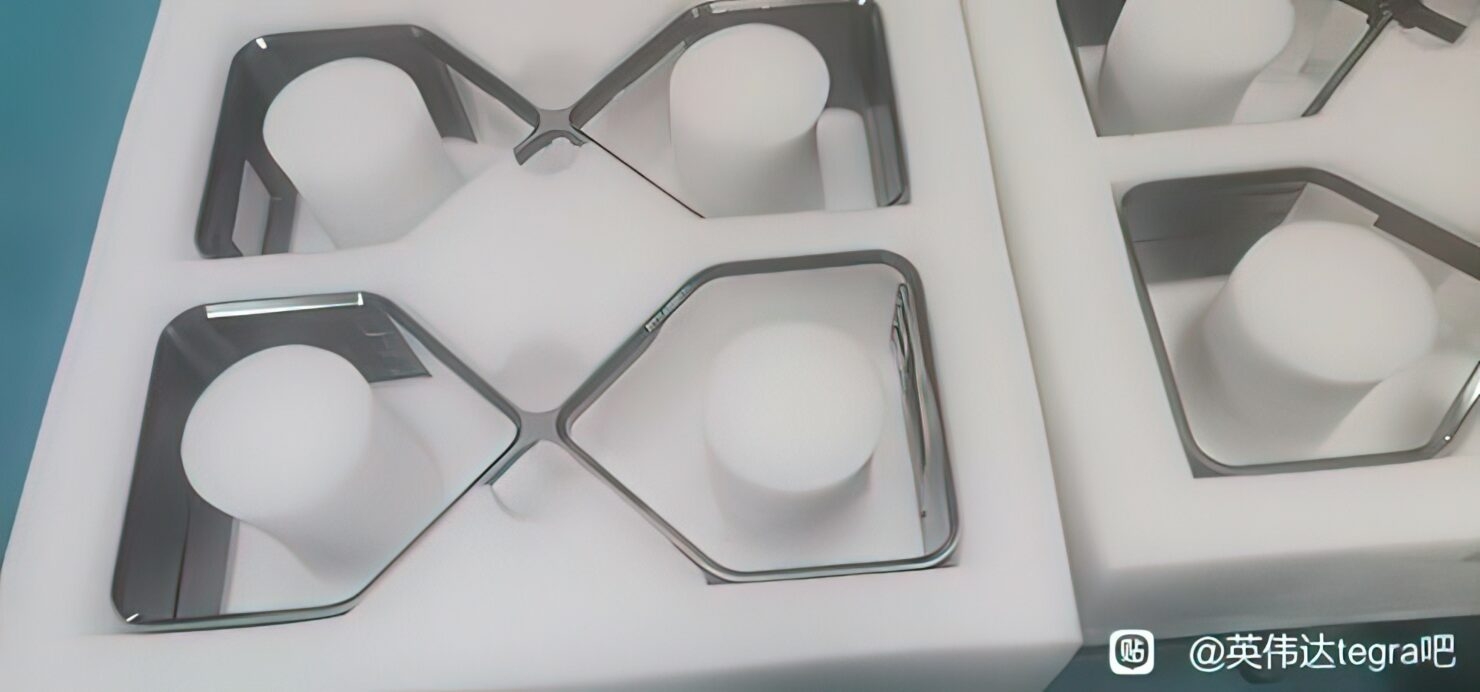
Jensen loves his hourglass figures
flint sapphire
Look at that little bowtie 
cyan ravine
deeeeep bowtie
sand falcon
Thicc bowtie too
sand falcon
I'll have you know I got a triple slot strix card into my matx case
sand falcon
I'm looking, it was a while back
flint sapphire
Mod power abuse keep it pg
dark nova
3070 founder’s edition 242mm $649
3070ti founder’s edition 267mm $749
3080 founder’s edition 285mm $893 (according to Amazon)
That’s the 3 I’m looking at so far. Hoping either of the 3 should fit no issues lol
cyan ravine
sand falcon
I'll have you know I got a triple slot strix card into my matx case
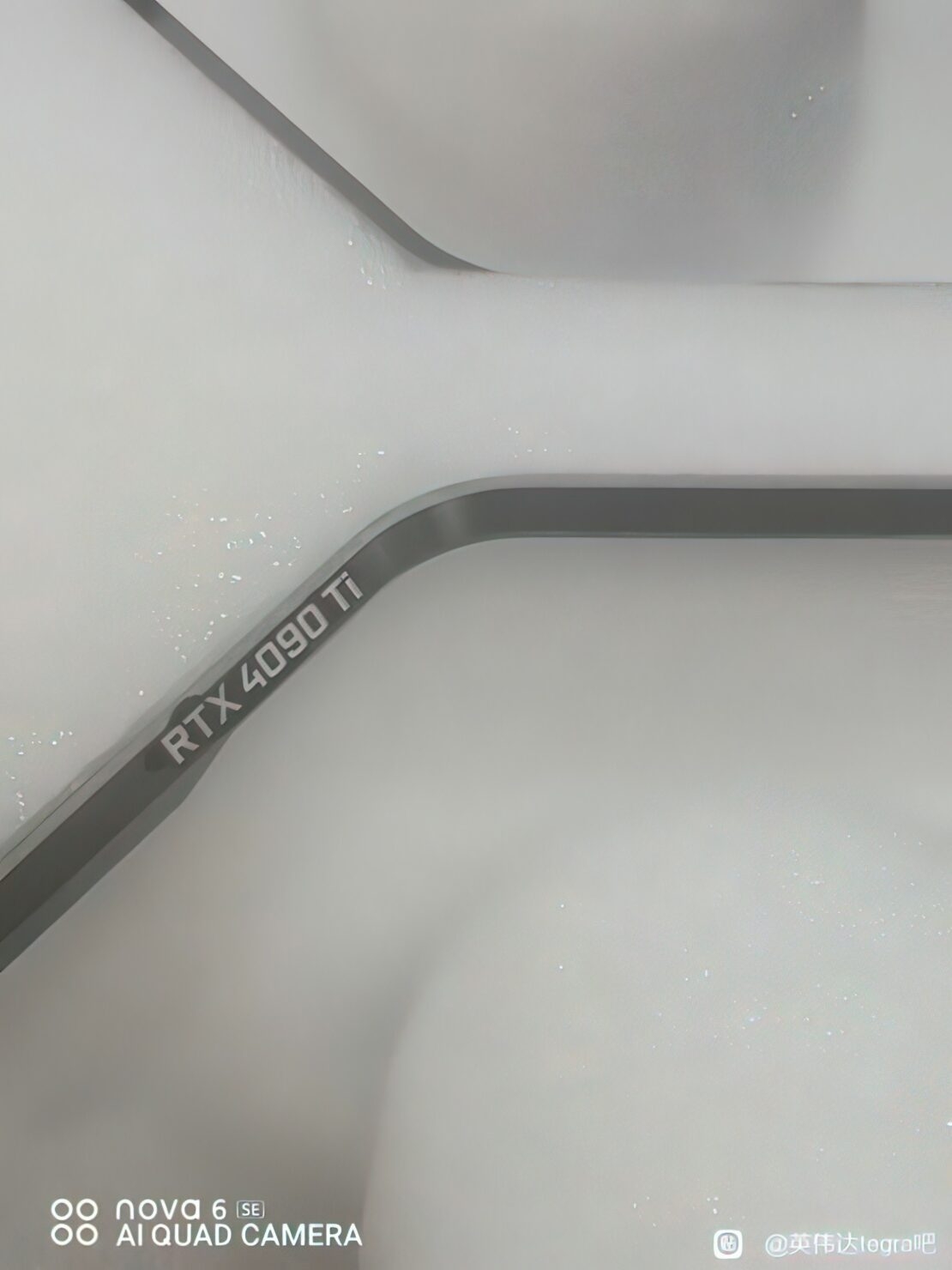
these (probably fake) 4090 coolers look thicc'er than 3 slots tho lol
flint sapphire
They seem to be 4 slot 
 cyan ravine

sand falcon
Everything fits better in the new case
flint sapphire
What did you end up in?
sand falcon
Meshify 2 compact
cyan ravine
ooo love it
flint sapphire
Nice I’m in the original meshify c and I still love it 
cyan ravine
oh!
strix lc
strix lc would fit 100%
such a waste tho 
3080 hybrids 
EVGA
omg nvm, 289mm
frigid night
Whats a 3080 hybrid?
cyan ravine

 thorn island
cyan ravine
thorn island
cyan ravine
cool
 stuck juniper
PC Builder - Intel Core i5-12400F, GeForce RTX 3060 Ti, DAN Cases A4-H20 X4 Mini ITX Desktop
 fossil cedar
stuck juniper
https://de.pcpartpicker.com/list/WWznd9 gud?
fossil cedar
stuck juniper
https://de.pcpartpicker.com/list/WWznd9 gud?
You deff going witha dan case?
 still bay
anyone know of a decent 1080p 144hz monitor that doesnt look too egregiously like... gamery? idk about budget not sure whats out there
cyan ravine
still bay
yeah thatll do. thanks :)
cyan ravine
np 👍
still bay
hm delivery july 18th off amazon.ca, let me see if theres any other canadian vendors that have it
 little osprey
how much smaller can it get than cases in this similar bracket, just the Cerberus?
fossil cedar
little osprey
how much smaller can it get than cases in this similar bracket, just the Cerberu...
Hmm?
If you want smaller tho why not go itx?
little osprey
I like matx, Good ITX Cases and mobos come at a price jump and I already own a mATX mobo
[Yes I know the Cerberus is also quite expensive]
little osprey
fossil cedar
Hmm?
Basically the question was is the Cerberus the only mATX case in its size bracket or close to it
little osprey
 topaz kestrel
Isn’t the v21 from thermal take pretty snake
topaz kestrel
Isn’t the v21 from thermal take pretty snake
I prefer
How do I put it;
It's small yes, but it sacrifices vertical smallness for horizontal largeness, if that makes sense
and to me I'd prefer the opposite
fossil cedar
little osprey
Basically the question was is the Cerberus the only mATX case in its size bracke...
Well the one you linked is called the lian li 205m
fossil cedar
Then why are you calling it cerebarus?
little osprey
I'm not calling it the Cerberus
I'm referring to
Sliger Designs is a manufacturing company based in the United States specializing in computer cases and systems.
topaz kestrel
They aren’t there is a case called the sliger Cerberus
 mossy venture
that is not a good case
little osprey
Didn't think so
little osprey
Either way I was still asking if there's alternatives similar to it
Or is the best bet just going a bit bigger like the 205m or Pop Air Mini
fossil cedar
little osprey
https://www.sliger.com/products/cases/cerberus/
Woah that's way too expensive, you can get an itx case for 60-80 and an itx board for like 20$ or so more than a matx or atx board
little osprey
Yeah I'm aware its too expensive
little osprey
little osprey
Either way I was still asking if there's alternatives similar to it
.
This is why the initial question was asked
topaz kestrel
Why not just to itx it isn’t that much more expensive especially when you are trying to compare to a 200+ case for size
Kinda scuffed
fossil cedar
little osprey
Or is the best bet just going a bit bigger like the 205m or Pop Air Mini
Pop air is atx btw
fossil cedar
Ah right well why not just go itx tho
topaz kestrel
^
little osprey
Because the Pop Air Mini and 205m and similar are actually priced decently so I wouldn't be having to spend, right now,
up front
ITX case money + ITX mobo money
 frank stirrup
beep boop
little osprey
Get Case, can keep mobo or upgrade to a different mATX or ITX mobo later down the line
fossil cedar
fossil cedar
Woah that's way too expensive, you can get an itx case for 60-80 and an itx boar...
^
little osprey
Going ITX right now forces me to get a new mobo right now
fossil cedar
Ahh
fossil cedar
You in the us?
little osprey
Yeah
fossil cedar
Does it needa be white or just happens that 205m was white?
little osprey
I'd very much prefer white
fossil cedar

BitFenix Prodigy M 2022 MicroATX Mini Tower Case (BFC-PM2-300-WWGSW-RP)
Check this

Cooler Master TD300 Mesh MicroATX Mini Tower Case (TD300-WGNN-S00)
little osprey
I know this may seem silly but, for those two
Cerberus: (LxWxH) 358 x 172 x 319 mm
205m: (LxWxH) 415 x 210 x 400 mm
Pop Mini Air: (LxWxH) 432 x 215 x 393 mm
Cooler Master TD300: (LxWxH) 433 x 210 x 420.5 mm
BitFenix Prodigy M: (LxWxH) 359 x 250 x 404 mm
Feel like The Cooler Master makes unneeded sacrifices on the Vertical and the Bitfenix, while a lot less so, still suffers the; "It's small yes, but it sacrifices vertical smallness for horizontal largeness, if that makes sense"
frigid night
It's cool that you are taking a case seriously. Gotta make sure you like what you get. I don't see that to often in here.
Usually just see "what's best case"
"this one"
"ok, just bought it"
little osprey
Lol, wait till its some place that recommends the H510
 obsidian wigeon
i mean a good case in an objective sense is just
good quality, is mesh, is not too expensive
little osprey
obsidian wigeon
good quality, is mesh, is not too expensive
Being not a pain to build in would also be a plus
obsidian wigeon
ye
fossil cedar
little osprey
Cerberus: (LxWxH) 358 x 172 x 319 mm
205m: (LxWxH) 415 x 210 x 400 mm
Pop Mini ...
The reason they do that is to ensure good airflow also it's just a less tall version of the td500 mesh same length afaik
little osprey
you mean the vertical smallness comment?
I mean yes but I also dont have much desk space and both my monitors barely make it in whilist I currently use the 205m
adding to that by too much is gonna complicate that
fossil cedar
Have you considered the floor lol
little osprey
I'd prefer not to
fossil cedar
Sounds like your asking too much out of a matx case then lol
little osprey
guess so
fossil cedar
You could look at the fractal torrent mini, don't think it comes in white tho
little osprey
Cerberus size or similar probably would be Cerberusly priced anyway 💀
fossil cedar
It's basically an itx case
Cooler master n200 might fight your specs but don't think it's in white either
little osprey
fossil cedar
You could look at the fractal torrent mini, don't think it comes in white tho
Torrent Compact I'd say is more normal sized [which is also kinda shown by it supporting even eATX] and the Torrent Nano is mITX
little osprey
fossil cedar
Cooler master n200 might fight your specs but don't think it's in white either
Sadly does not, yeah
being that its dimensions are bigger than the cerberus I don't see why the torrent nano couldn't fit mATX 😔, maybe I could mod it in?
Really like the look of it, but its not mATX, on the nano, yeah
fossil cedar
Probably doesn't fit unless you fancy modding your board instead xD
 strong raft
The nano is only itx, not matx afaik. 
 potent portal
Correct, ITX only but at least it uses full ATX PSU
The money you save on the case ends up going to the mobo lol
strong raft
Kind of a dumn (sized) case tbh. 
potent portal
At least ITX boards tend to be higher quality
strong raft
Should be for their usual price premium, haha. Lyss wanted matx. People just need to adjust their room or desk sometimes. Approx 30" deep desktop is awesome, usually have my pc behind the monitor(s)
--ignore the ghost ping, saw a meshilicious on sale forgetting it was itx.
little osprey
haha all good, saw the meshilicious myself and was like "oh this looks decent" but then itx
I probably will eventually move to ITX, just way way way further down the line
strong raft
Xproto shoukd have an matx version but they're imo too expensive for what they aren
 trim acorn
can't wait
 strong raft
Take this crap to General.
 rich void
That's not build chat
trim acorn
chips coming out isn't build chat?
trim acorn
the more you know. thanks.
 earnest olive
#cpus-mobo-and-memory would also fit
little osprey
strong raft
Xproto shoukd have an matx version but they're imo too expensive for what they a...
Seems to only support itx
strong raft
Guaranteed there's an atx version I just forget if specifically there's an Matx model. Tbh the atx is maybe super similar & just an inch or 2 taller in reality.
Basically no bigger than an matx version since matx mobos are same "length". $180+ is nuts though.
 fossil cedar
Calling it a case is a bit of an overstatement
strong raft
I consider it a fancy test bench. Gonna just build something similar, but w/ mobo horizontal & perhaps mount underneath the top of my desk. 
fossil cedar
That's exactly what it is
little osprey
I consider it a fancy test bench
basically yeah, and at 180$+ at that
earnest olive
cardboard box is superior
strong raft
Easily cut/modded also. You know what, I'm gonna do that for the LuLz.
potent portal
Milk crate best airflow case
earnest olive
"mesh"
 astral holly
I have everything in my cart except the monitor and GPU (already own a 2060 super), just want to make sure this is good lol https://pcpartpicker.com/list/
PC Builder
PC Builder - Intel Core i5-12400F, GeForce RTX 2060 SUPER, Phanteks Eclipse G360A ATX Mid Tower
trim acorn
nice build
astral holly
nice
trim acorn
was $1k your target budget?
astral holly
trim acorn
was $1k your target budget?
Since I'm not getting a GPU, yeah
and it included that monitor as well
fossil cedar
astral holly
https://pcpartpicker.com/list/vymdxs mb lol
Would go gigabyte g27q for the monitor
astral holly
why
fossil cedar
Like 250$ and good
Imo if you're spending anymore just go straight to gigabyte m27q-p or m27q-x in the us anyway
astral holly
I mean I won't be getting the monitor right now
without the monitor though, if I had like 200 - 250 USD extra to spend, would any of you guys make any changes
like up to 900 USD
 spring hedge
cyan ravine
spring hedge
cyan ravine
It's a really solid choice 👍 , just make sure the PSU is capable of running it, you could give us the model and the cpu as well if you want to check that
spring hedge
850w i7 12700f
cyan ravine
Which 850W? Do you remember?
cyan ravine
Gold doesn't tell the whole story, the specific model will
But as long as it's a decent 850W it'll be fine
rich void
spring hedge
Should I get this https://www.newegg.com/msi-geforce-rtx-3080-rtx-3080-gaming-z-...
Personally I'd go for this over that: https://www.evga.com/products/product.aspx?pn=10G-P5-3885-KL
 muted notch
rich void
muted notch
rich void
It has to be compatible with the socket, have enough ram clearance, and fit in your case
potent portal
You also probably want a cooler that's capable of actually cooling whatever CPU it is. Higher power = lots more heat in general.
 sweet whale
someone able to help me with cabling 3070ti FE?
potent portal
Should just plug your PCIe power cables into the 12 pin adapter, nothing special
 potent portal
I'd use two separate cables instead of the daisy chain
sweet whale
oh okay
potent portal
I doubt the 3070 ti will use enough power for it to be a real problem but the potential is always there
cyan ravine
Which psu is that?
sweet whale
evga 750 gt
cyan ravine
Ah yeah, separate
potent portal
Judging from the cable sleeves I would have guessed either EVGA or Corsair
sweet whale
the 6+2 pin side is the one that goes into the 12 pin adapater right? or does it not matter?
cyan ravine
Yes
potent portal
Correct 6+2 goes to the adapter
Which one of the connectors on the end doesn't technically matter
sweet whale
okay sounds good, was actually straight up gonna use a single cable, but sounds good that it may have not mattered in the end
The fact that there are two extra ends poking out is a slight inconvenience
cyan ravine
potent portal
Which one of the connectors on the end doesn't technically matter
Can, I've killed a psu this way lol
potent portal
cyan ravine
Can, I've killed a psu this way lol
I meant which one of the daisy chained connectors
cyan ravine
Oh my b
potent portal
Sorry if that wasn't clear lol
cyan ravine
I thought you meant which end
Nah all good
Thankfully my story was scary enough they believed my warranty claim 
sweet whale
carrying the motherboard by the cpu cooler should be fine right?
potent portal
Things can bend that shouldn't bend if you do
cyan ravine
Uhhh, i wouldn't
By the mobo heatsink and by the cooler maybe, that's grabbing the bulk of the weight
potent portal
You can support it from the bottom and use the cooler to guide it into place once it's sitting on a surface though
Just don't use too much force to do so or a heat pipe might bend
sweet whale
alright guess I've only been rotating it, so it should be fine
potent portal
There's an EVGA cable for the FE that doesn't need the adapter if you want it to look nicer, I got a similar one for my Corsair. https://www.evga.com/products/product.aspx?pn=100-NK-3000-B9
cyan ravine
It's a type 4 cable??
potent portal
My corsair one? Yeah fits my RM850x
They sell it at Best Buy too
I got mine same day pickup
cyan ravine
I have to remember that because it's a far better idea than straight extensions
potent portal

Best Buy
Shop CORSAIR 12-Pin GPU Power Cable, Sleeved Black at Best Buy. Find low everyday prices and buy online for delivery or in-store pick-up. Price Match Guarantee.
It's a bit short but works fantastically
sweet whale
EATX12V is where the CPU cables are put on right?

there doesnt seem to be any other 8pin connecters that are meant to be the cou
potent portal
Yes that seems to be what they're calling the EPS12V (CPU power)
sweet whale
why dont they just call it the CPU connector...
potent portal
Blame Intel for that one, they made the standards and everyone hates their naming and made up their own
cyan ravine
Some brands do
 leaden mauve
sweet whale
evga 750 gt
leaden mauve
sweet whale
evga 750 gt
nice, did you get yours from evga bstock by any chance?
sweet whale
idk what bstock is, i just got it from amazon
also it seems that the splitty end of the cpu cable doesnt fit to the MB but the otherside does
is that how it's supposed to be?
NVM, i am blind
cyan ravine
Splitty end into mobo
 rancid quartz
I just set up my new pre built desktop that received in the mail today. My display works for about 5-10 minutes, then it goes black. Doesn't flicker or anything. PC remains on, fans going, the whole thing. Does not seem to be faulty cables on my end as I tested my monitor on my old pc and it worked fine. Any ideas? :(
obsidian wigeon
Sounds like it's just installing some gpu drivers
Unless it lasts more than a minute
rancid quartz
It is well more than a minute. It will remain black unless I reboot my PC. I installed the newest drivers for my gpu and made sure the windows updates were up to date as well. I always try to figure it out myself beforehand, but Im kind of at a loss here.
 still roostBOT
DDU (Display Driver Uninstaller) Guide by Pato
https://github.com/NeweggTechie/Graphics-cards/wiki/How-to-use-DDU
GitHub
Contribute to NeweggTechie/Graphics-cards development by creating an account on GitHub.
rancid quartz
I will give it a try, thanks!
rancid quartz
No luck unforutnately. Still getting a black screen. It briefly flickered with green lines across it though.
Is it possible something got knocked around during transit or something? I'm pretty disappointed right now and I'm not too sure what else to do.
potent portal
It's possible the GPU or a wire came loose inside during shipping
rancid quartz
Is that an easy fix I could do myself? I've never even built a pc myself, so I don't know how to go about it.
potent portal
It's pretty easy. Take the side panel off, take out the screws securing the GPU, release the lock on the PCIe slot, and it comes right out. Reverse the process to reinstall.
You can check if the slot got bent while the GPU is out too, that's happened before lol

We thought the bar for prebuilt PCs couldn’t get much lower after reviewing the systems from Dell & Cyberpower. iBUYPOWER's Slate MR is here to show us how wrong we were.
Sponsor: Get 10% off Squarespace purchases (https://geni.us/BqEpf)
The iBUYPOWER Slate MR1004 is the next in our lineup of pre-built gaming PCs to review. As usual, we have ga...
Time stamped to show what went wrong
cyan ravine
Could also try a new cable
potent portal
Cable and monitor worked on another computer
rancid quartz
Yeah I'll try to reinstall the card itself, thanks again. I appreciate the help!
 rancid quartz
That seemed to have fixed my issue, been on as it should be for good bit now. Thank you so much!💕 @potent portal
potent portal
Cool, happy to help
potent portal
 undone trench
need some advice
undone trench
need some advice
What's the PC for and what budget?
cyan ravine
Would do almost that entire list differently
undone trench
potent portal
What's the PC for and what budget?
gaming + personal use
Budget is around $2500 converted from currency here
cyan ravine
PC Builder - Intel Core i7-12700F, Radeon RX 6900 XT, NZXT H510 Flow ATX Mid Tower
Something like this (PSU is evga supernova GT b stock)
 desert gulch
cyan ravine
Something like this (PSU is evga supernova GT b stock)
desert gulch
cyan ravine
Something like this (PSU is evga supernova GT b stock)
Probs not in USA imo
"converted from currency here"
cyan ravine
Prolly not no but I'm 500 under budget
desert gulch
Ye
potent portal
undone trench
Budget is around $2500 converted from currency here
What's your region so we can pick out local deals?
undone trench
Im from Malaysia
cyan ravine
I don't think pcpp is reliable for this, got 0 prices for PSU's if I use SG lol
Are you buying all this from one or two stores?
undone trench
Here its easier & cheaper to buy as bundle than purchasing parts separately
undone trench
cyan ravine
Pretty poor ssd and gpu selection, no radeon lol
undone trench
Thats becoz here not many know about PC
they just buy whatever is cheaper regardless of its quality
cyan ravine
I somehow went over budget lol
 stoic island
could prob also use
https://shopee.com.my/
cyan ravine
Shopee is good yeah
cyan ravine
Yes
undone trench
Once i ordered Dualsense, they gave me Sony headphones
cyan ravine
How did I go over budget when I had weaker specs 😖
undone trench
in Lazada
stoic island
Fun, I don't really like lazada but some people have good experiences with it so I mentioned it
cyan ravine
Shopping is like that over there
Rule of thumb is like 98% or lower rating on the seller is a scam lol
undone trench
If only had something like Micro Center here
cyan ravine
Well I ended up somehow 500 over budget, lemme go back to the drawing board again
Those drop down menus are difficult on mobile
undone trench
Take your time man
cyan ravine
Turns out they had only one 6800XT available
undone trench
Thanks alot
cyan ravine
Np 👍
 undone trench
Thanks again
sweet whale
where is this supposed to go into in a motherboard?

nvm, it does not go into the motherboard
or it does, i have no idea
stoic island
looks like you plug your argb fans into it
frank stirrup
^
strong raft
That's a daisychain argb wire for extra fans, or somethin like that. I don't mess w/ rgb or argb crap stuff.
sweet whale
omg, it's just there if you purchase the complement rgb strip. So that it can be controlled by the front I/O
my god, there's a tiny diagram in the case manual
strong raft
amazing things, those manuals. Lots of people these days lose their ability to read paper.
obsidian wigeon
^
 ripe spear
sweet whale
where is this supposed to go into in a motherboard?
ripe spear
sweet whale
where is this supposed to go into in a motherboard?
That is if you want to control the RGB with the button on your case
 eager vessel
graphics cards are slowly coming down!
eager vessel
I haven't checked in a bit
I have two sli 1080s
I don't game nearly as much as i used to
ripe spear
Not a lot of games really supports SLI much
eager vessel
yeah i know
even back in the day, maybe just a double handful?
i just feel outdated in graphics
i have a 10th gen i9, with 32 gb of ram, m.2 drive but the 1080 gpu
i got it liquid cooled to 5.2 ghz tho 🙂
<points excitedly at cpu-z
 eager chasm
 astral holly
My bank really tried telling me there’s no way they can change my debit card limit and to “wait till tomorrow”
I got the last of my stuff btw
 zenith flicker
Recommend any videos or websites that tell you how to put a pc together?
I just bought everything but don’t know how to build it
fossil cedar
Here's a fairly in depth video guide
https://m.youtube.com/watch?v=BL4DCEp7blY
Thanks to Seasonic for sponsoring this video! Buy a Seasonic TX 1000 PSU today at https://geni.us/aryiquT
We’ve done plenty of build guides before – But now we’re taking it to the next level. Not only will you know how to build a PC, you’ll know how to build ANY PC – This is the LAST guide you’ll ever need!
Discuss on the forum: https://linust...
obsidian wigeon
i was about to post that
too speedy smh
but that guide is the best and latest one, ya
 astral holly
fossil cedar
Here's a fairly in depth video guide
https://m.youtube.com/watch?v=BL4DCEp7blY
astral holly
fossil cedar
Here's a fairly in depth video guide
https://m.youtube.com/watch?v=BL4DCEp7blY
Can’t wait to watch this video next week
zenith flicker
thanks
sweet whale
my ssd is not showing up on the boot priority area

does this mean I have to reseed it?
nvm I just went for it
potent portal
Default settings are usually fine for most people. Maybe enable XMP/DOCP so your memory runs at the rated speeds but that's it.
fossil cedar
I also prefer setting a custom fan curve usually to something more gradual than the janky default ones given
 frigid carbon

eBay
GIGABYTE AORUS GeForce RTX 3070 MASTER 8GB GDDR6 Graphics Card.
Do you guys think this is legit?
potent portal
It's an auction so that's not the final price but yeah looks ok to me
frigid carbon
I might try to snipe it then
 near garden
I got a question what is the lowest aka the cheapest cpu you can use with a asus maximus z690 hero board
potent portal
Lowest we can recommend is the 12100f, lowest possible is a pentium dual core with only 2 threads
near garden
I just found a list I just need a cpu to test the pins to make sure it'll boot
Has a few bent pins and im going to try and bend them back and then test it
near garden
Gonna try I got a rog strix z690-e and the z690 maximus so 2 tries
cyan ravine
Would definitely choose a maximus over a strix in that scenario
I imagine these were cheap?
near garden
$10 for both
 tough jungle
near garden
I just found a list I just need a cpu to test the pins to make sure it'll boot
tough jungle
near garden
I just found a list I just need a cpu to test the pins to make sure it'll boot
then anything using LGA1700 will do
near garden

cyan ravine
Wow yeah that's worth the effort
near garden
See why ima try
desert gulch
Even if nothing else, neat paperweight
cyan ravine
Pull that off you're making bank
near garden
I have a b550 in my current build that I got for $50 new
desert gulch
Damn, that rivals demonmit here in deals tbh
near garden
desert gulch
Even if nothing else, neat paperweight
If I can't Im possibly going to do a custom desk with them
desert gulch
Oh hell yeah, cast them in epoxy resin?
desert gulch
Just gotta get all those bubbles out in the pour, and it'd look sweet
near garden
Also gonna do some amd cpus that have broke pins
desert gulch
Lol
near garden
We get them all time so shouldn't be hard
desert gulch
Yea
near garden
I can't send a picture in here but the maximus has like 1 max 3 bent pins
The Rog strix z690 has like 8-10
desert gulch
Damn
near garden
Ima be the first person with a maximus with a Celeron G6900 in it
 jagged ember
smh bend them back
near garden
Fr

 unborn mesa
I mean the white thing on it
unborn mesa
Cuz its like a peel thing so just wondering
unborn mesa
Dont feel like a stick but alr
 dusk ginkgo
sup
mossy venture
Yo
mossy venture
dusk ginkgo
sup
You need help with smthn?
mossy venture
Budget, use case, and sata or nvme
dusk ginkgo
Budget
mossy venture
Also your country
dusk ginkgo
US
I have m.2 and sata
I currently have 2 2tb hdds and one 250gb ssd for my os
I'm looking into replacing my hdds
mossy venture
With an ssd?
dusk ginkgo
Yeah
mossy venture
So you're looking for a 4tb?
dusk ginkgo
Or 2 2tb
dusk ginkgo
200
mossy venture
Theyre both ssds
mossy venture
And $200 won't get you 4tb of ssd storage any way you put it
Here's a $147 2tb nvme drive, good for storage https://pcpartpicker.com/product/Gs7G3C/team-mp33-pro-2-tb-m2-2280-nvme-solid-state-drive-tm8fpd002t0c101

TEAMGROUP MP33 PRO 2 TB M.2-2280 NVME Solid State Drive (TM8FPD002T0C101)
Oh wai
Wrong one
Regular mp33 is oos atm
That's the mp33 pro, slightly better
Than the mp33 non pro*
dusk ginkgo
Cause I also had this unconventional back up
The plan was if I couldn't get two I could get one of those laptop hdds that has 2tb, I know it would be slower but I'd only use it tor file storage of things like svgs
mossy venture
Why replace an hdd with an hdd
dusk ginkgo
Space
mossy venture
But like
You're replacing one hard drive
With another hard drive of the same size
dusk ginkgo
Alright so let me explain why
I have this hdd bay
And I'm trying to build a lcd laptop display into my pc which would require space for a control board and it can't get too hot
mossy venture
So why not get an hdd bay that fits your current hdds
Instead of getting a new hard drive
dusk ginkgo
mossy venture
So why not get an hdd bay that fits your current hdds
Oh it does
It's just too much spave
mossy venture
The hard drives can rest on the bottom of your case, if that would work
Also you can now
Your name turned green so you can
dusk ginkgo
Based
Let me how so you can visualize
Excuse the dust, her is my bay. Here is the screen inside to visualize. As we know hdds get pretty toasty and my controller board is very heat sensitive so I have to be creative


 mossy venture
Couldn't you just route the cables to the left?
dusk ginkgo
And they block my bottom fan
dusk ginkgo
mossy venture
Couldn't you just route the cables to the left?
The bay my friend, it's hot
dusk ginkgo
mossy venture
Could also get an external bay for them
Yeah but then that's more money
mossy venture
dusk ginkgo
Yeah but then that's more money
As opposed to $140 for a 2tb ssd?
dusk ginkgo
mossy venture
Hdds don't get hot
You never touched an on hdd? They are toasty
dusk ginkgo
Yeah idk
mossy venture
Ah, anyways
If you want 4tb of ssd storage, the bottom budget would pretty much be $280+ tax
If yhe hdds are doing fine for you, I'd just get an external bay for them
dusk ginkgo
What if I did 1tb m.2 and a 2tb ssd
mossy venture
Would be better off just doing 3tb across two nvme
Sata ssds don't tend to be noticeably cheaper
Maybe sk s31, depending on price
Thats as good as some lower end nvme drives
flint sapphire
Do some gen 3s in raid 0 for lols
mossy venture
Nvm, $98 for a 1tb s31
Mp33 1tb is $68
Plus $148 for the mp33 pro 2tb
Do you use all 4tb btw?
mossy venture
Then why not just get a good 2tb nvme? This is the best gen 3 drive
https://pcpartpicker.com/product/NLbTwP/sk-hynix-gold-p31-2-tb-m2-2280-nvme-solid-state-drive-shgp31-2000gm-2
SK Hynix SHGP31-2000GM-2 2 TB M.2-2280 NVME Solid State Drive (SHGP31-2000GM-2)
It's on sale rn for $170
dusk ginkgo
hmm maybe
Idk
I might just get a 1tb m.2 and a laptop 2 tb hdd cause those are fairly cheap snd I can hid it well
mossy venture
dusk ginkgo
I might just get a 1tb m.2 and a laptop 2 tb hdd cause those are fairly cheap sn...
I wouldnt bother, if you dont even use 1tb atm the ssd would be the better option
dusk ginkgo
Maybe
Either way if I did that it wouldn't be expensive
I'd only use it for svg files
unborn mesa
@mossy venture i built that second pc and i bought some ram but it wouldnt boot with 4 sticks in but it did boot with 2
Are those two sticks bad or is it sum else?
potent portal
4 sticks is a lot harder on the IMC. You probably need to increase the resistance on the cad bus and drive strength. Let me find an example of a 4 stick OC.
@unborn mesa #tech-deals-discussion message
That's what Risen has to run for 4 sticks to work, really high resistances and drive strength.
unborn mesa
Im on a 5700g and a b550a pro mobo if that changes anything to it
potent portal
Not much difference
unborn mesa
Alr
potent portal
That just means you can run higher frequency but that's extra hard with 4 sticks
unborn mesa
Only reason i got 4 sticks was cuz it was cheaper for my to buy 2 sets of 8gbx2 instead of 2x16gb
potent portal
You checked that they were the same memory die right
unborn mesa
Exact same
potent portal
If you're able to post with the 4 sticks you can try messing with the bus and drive like I said. You'll need a lot of vSoC too, try 1.1v
unborn mesa
Tried to a couple times but it wouldnt post
So im guessing one of the sticks might be bad
Ill try now tho
unborn mesa
@potent portal wont post anymore
unborn mesa
Nvm those ram sticks are dead
flint sapphire


 wheat coral
do what it says?
unborn mesa
its looping
 empty pollen
maybe you have a corrupted windows installer
unborn mesa
just made it again
empty pollen
that should be my first guess on a loop like that
unborn mesa
it downloads the files then said it needed to restart
fossil cedar
You trying to make a windows install usb?
unborn mesa
already made it
and tried my oem drive too
said it had corrupted files so i made one
fossil cedar
So you're trying to install windows on windows now?
empty pollen
try installing on another drive
fossil cedar
unborn mesa
But this looks like a in windows error?
unborn mesa
yea it didnt manage to install
fossil cedar
I'd try creating the drive again tbh, might be corrupted
fossil cedar
Weird
unborn mesa
yea first 2 of my ram came out dead so im booting with only 16 til i get new ram sticks
empty pollen
try another drive on your next install to see what happens
 bitter mason
on 5600g, PBO (for igpu--it's a thing on new AGESA update) runs 1.25v SOC, so I think 1.25v SOC is safe voltage on non-IOD die
fossil cedar
But you boot to usb it brings you to like screen with blue/purple background and windows looking window floating over it with the install right?
fossil cedar
Yeah I'd make the stick again, also make sure to change boot order/remove usb
When install says it's done
unborn mesa
alr ill be back once i try it
empty pollen
yeah you need to discard suspects, starting with your thumb drive... go and format that and copy a new windows installer
empty pollen
bios have nothing to do with that, dont add fuel to the fire D:
unborn mesa
yea but still need to update anyways
empty pollen
touche
unborn mesa
its a b550a pro mobo so
twas 120 but i liked it so i got it
also went and got rid of some rgb from my build
flint sapphire
The 550 pro is actually a super decent mobo can run pretty much any of intels lineup
unborn mesa
why
empty pollen
you should feel bad
unborn mesa
why tho
empty pollen
xD
mixed a 550 mobo with a intel cpu 😛 could happen to anyone, we were just jk about that 😛
unborn mesa
took u a bit to type that out u ok?
empty pollen
im fine, im just alt tabbin a lot
unborn mesa
apparently this 5700g is hitting a higher clock speed than my 5900x
@empty pollenhow i get rid of the windows files?
empty pollen
on your stick?
unborn mesa
on the new pc
empty pollen
same error? or this time the installation was successful?
empty pollen
usually on the installation process windows will prompt you to format a partition to install windows
empty pollen
oh
unborn mesa
same error
lemme goto bios to see if i can make it use the usb
changed my boot order now
empty pollen
yeah boot form the stick, partition the disk again to fresh install windows and see what happens this time
empty pollen
destroy the old partition and make a new partition to install a fresh windows
unborn mesa
0X8007025D error code
unborn mesa
 empty pollen
yikes
unborn mesa
might be memory stick tbh
had trouble with 2 so
should i throw my pc ram into it and see?
unborn mesa
no i mean my ram from my pc into new pc
 visual notch
You can do that.
empty pollen
yup
unborn mesa
gonna try it if it works then im returning these ram sticks
visual notch
Especially since you know it works, it will help problem solve this faster
unborn mesa
gotta turn this pc off
visual notch
and drain the power.
empty pollen
use your phone
empty pollen
however if its the ram then this time it will be a smoth installation
visual notch
if that RAM shows the same thing, you might have a defective mobo
hate to the bearer of bad news
unborn mesa
Under warranty so idc
visual notch
okay good
unborn mesa
I just bought the parts today so i can return
visual notch
you could also try reseating the CPU
if you had even one bad pin contact, it could toss that error too
unborn mesa
Lmao if cpu it comes to cpu then its getting done another day
Didnt post with my ram sticks
unborn mesa
24
visual notch
so 0 and 2, okay, hmm, try 1 and 3.
unborn mesa
Dont post at all in 13
visual notch
try one stick of the RAM in slot 1
visual notch
so it's either mobo or CPU related
I'd just RMA both to be sure.
or return exchange rather
potent portal
Extremely unlikely that it's the CPU unless there's bent pins
unborn mesa
Nah i check before hand
visual notch
I agree, but you never know
unborn mesa
Seated it and it fell right in
unborn mesa
Amd
visual notch
and you checked all pins to ensure they were aligned in a perfect grid?
unborn mesa
Yes
potent portal
Talking numbers, CPUs have the lowest successful RMA rate (the RMA resolved the issue) out of all the PC components, so even when they do get replaced they're not the cause.
unborn mesa
Ah got it to post with my ram sticks
visual notch
wut?
unborn mesa
Wym wut
unborn mesa
Yea it works fine but the ram sticks i got i guess are faulty so its been iffy
visual notch
hmmm, just return exchange the RAM
unborn mesa
Reseated and blew the sockets a bit just incase
visual notch
or RMA it
unborn mesa
Oh yea ofc its getting returned
visual notch
Glad you got it working ^_^
unborn mesa
I got them at micro center so ill just go when it opens today to return it
visual notch
nice
unborn mesa
Now lets see if windows installs
visual notch
that's handy
unborn mesa
These specific sticks tho not the brand in general
Aye never mention corsair ram sticks around here
Nah g skill
Same brand i got in my build
But i got ripjaws instead of neos
visual notch
Hmm, yeah that's odd to have faulty GSkill sticks, but not unheard of. It does happen.
unborn mesa
Yea oh well
potent portal
Gotta love Corsair sticks. They keep me on my toes. Never know when you'll get a crap die that was binned too high and can't hit xmp.
unborn mesa
Atleast i didnt wait to build the pc
visual notch
potent portal
Gotta love Corsair sticks. They keep me on my toes. Never know when you'll get a...
Love feeling that rush of gambling
ROLL THE DICE
unborn mesa
Ahh ofc
Thats why i got no warranty on any parts
Ill gamble but not high stakes
Says need to restart to continue
Lets hope it boots up again
BRUHHHH
visual notch
potent portal
Gotta love Corsair sticks. They keep me on my toes. Never know when you'll get a...
 unborn mesa
Worked
visual notch
Nice
unborn mesa
Lmao
I guess im returning two sets of ram instead of one
Killed my mood tbh
Well now ik whats wrong can do it tmrw
potent portal
Now you can get the 2x16 kit instead lol
unborn mesa
Nope
They getting the same ammount
They dont need 32
Oh wait nvm i read that wrong
@visual notch aye i got a question

Does this go on with the little protector or do i take it off
visual notch
that's your backplate to your mobo is it not?
visual notch
is your CPU cooler mounted properly and everything?
visual notch
keep it in a spare-parts area just in case you ever need it.
visual notch
Oh, huh. My mobo didn't come with such a thing.
unborn mesa
Both of mine did
The b550f has it on but the b550a doesnt
I left it on the f cause i didnt see it but i saw it on the new one and took it off
visual notch
Not sure if that's part of the anti-grounding kit to prevent shorts or what. Maybe someone else knows.
unborn mesa
Could be 🤷♂️
 formal girder
That's a backplate for certain coolers on am4 boards they have two different methods
fossil cedar
visual notch
Oh, huh. My mobo didn't come with such a thing.
With am4 you basically always use stock backplate it's great
visual notch
fossil cedar
With am4 you basically always use stock backplate it's great
Yeah, I remembered not having to remove anything from the back of my mobo for my AIO mount on my former desktop
unborn mesa
fossil cedar
With am4 you basically always use stock backplate it's great
I used the stock backplate but it had like a plastic piece between the backplate and the mobo
fossil cedar
That's probably supposed to be like that
unborn mesa
I took it off
potent portal
unborn mesa
I used the stock backplate but it had like a plastic piece between the backplate...
That's to keep the metal backplate from touching metal on the back of the board
fossil cedar
Ye
unborn mesa
Ill put it on later then
potent portal
Most boards design a safe zone where that backplate is supposed to be but better safe than sorry
potent portal
Any electrician will tell you that's a bad idea unless it's a standalone unit and not the building's.

 forest briar
Oof
potent portal
I think what Kenzie meant was, what are you trying to accomplish? What do you want to happen?
 analog pulsar
potent portal
I think what Kenzie meant was, what are you trying to accomplish? What do you wa...
analog pulsar
potent portal
I think what Kenzie meant was, what are you trying to accomplish? What do you wa...
no

 olive cypress
Lol
potent portal
Oh fun
frigid carbon
Finally
 frigid carbon
🤔
olive cypress
Its just so that I can appreciate that GPU
dont want to steal it
 thorn merlin
Hello friends, I built a pc on a website because I don't know my way around and don't trust websites that much. Can you tell me if all the components are compatible and if so, that would be good
Link: https://de.pcpartpicker.com/list/#compatibility_notes
empty pollen
they are
olive cypress
Yes
empty pollen
compatibility issues on pcp is just pcp being stupid as normal
jagged ember
gotta copy and paste the link in yellow
empty pollen
now that i think on it, we were all tricked
empty pollen
but the statement still stands. pcp compatibility most of the time is pcp being stupid
fossil cedar
thorn merlin
Hello friends, I built a pc on a website because I don't know my way around and ...
Send this one
 earnest olive
empty pollen
but the statement still stands. pcp compatibility most of the time is pcp being ...
earnest olive
empty pollen
but the statement still stands. pcp compatibility most of the time is pcp being ...
is it? it's usually just bios update warnings
fossil cedar
Yeah bios warnings are usually the only one you wanna ignore
jagged ember
oh it's not in yellow
fossil cedar
It is in non dark mode
jagged ember
ree
earnest olive
definitely don't ignore bios update warnings lol
at least need to know in which situations you can ignore it
fossil cedar
Not to say ignore but definitely some false positives
jagged ember
ignore cpu and mobo incompatiblity
earnest olive
ah yes
jagged ember
amd go on intel mobo
earnest olive
thats how you get that one dude on facebook that hammered a 2700x into a z390
jagged ember
no way
earnest olive
then tried to sell it as "brand new never been used don't know why it doesn't turn on"
jagged ember
what a guy
empty pollen
fossil cedar
It is in non dark mode
using light mode on 2022? my man
earnest olive
imagine not using dark mode and then using a dark mode extension on dark mode to get darker mode
empty pollen
you sir, will be arrested for crimes against humanity

 thorn merlin
fossil cedar
Send this one
fossil cedar
thorn merlin
fossil cedar
Send this one
fossil cedar
It's compatible but I'd make some changes 1 sec
fossil cedar
Also what price is that power supply supposed to be?
olive cypress
Looks good but where's the cooler?
empty pollen
12400 have an intel cooler
thorn merlin
fossil cedar
Also what price is that power supply supposed to be?
80€
fossil cedar
Okay
fossil cedar
thorn merlin
80€
Id do this
https://de.pcpartpicker.com/list/rWQPgb
PC Builder - Intel Core i5-12400, Radeon RX 6650 XT, Phanteks Eclipse G360A ATX Mid Tower
thorn merlin
But Can i still use the msi 110r case beacause i Get from a friend for 50€
fossil cedar
I wouldn't it's not very good but you can use it yes
mossy venture
Why not 12400f?
thorn merlin
fossil cedar
I wouldn't it's not very good but you can use it yes
Ok Thank you for you Help
mossy venture
11 euro cheaper
thorn merlin
fossil cedar
Id do this
https://de.pcpartpicker.com/list/rWQPgb
But i have a question wich Card is better the rx 6650 xt or the rtx 3060
empty pollen
6650xt hands down
check the pins on #graphics-cards to see a rough comparison between different gpus
 crystal berry
guys do l need a monitor 144hz bcs l have rx 6600 and i3 12100f
mossy venture
thorn merlin
But i have a question wich Card is better the rx 6650 xt or the rtx 3060
6650xt
empty pollen
crystal berry
guys do l need a monitor 144hz bcs l have rx 6600 and i3 12100f
need is a strong word, you could make better use of a 6600 at 1080p on a 60HZ+ monitor... but not a need
crystal berry
empty pollen
need is a strong word, you could make better use of a 6600 at 1080p on a 60HZ+ m...
ok thanks the prob is l have old monitors and l dont thunk they have 1080p l think they both have 60hz
empty pollen
as i said, not a need, but a welcome upgrade if you can afford it
that depends entirely on your wallet pal
your 6600 could use a better monitor anytime
crystal berry
empty pollen
as i said, not a need, but a welcome upgrade if you can afford it
yea l can in 5 months or more lol
crystal berry
empty pollen
your 6600 could use a better monitor anytime
bcs my old monitor like 60hz but idk what resolution they are
thorn merlin
Did i Need One More cpu cooler beacause with my CPU ist a cooler
crystal berry
its old but but not so much
strong raft
Overthinking stuff. Bottom line, more performance if you're under 1080p
crystal berry
they are philips and asus
empty pollen
thorn merlin
Did i Need One More cpu cooler beacause with my CPU ist a cooler
pato put an ak400 on your list, that one is very good for your 12400f
the stock one is a very basic one, even a 20$ aftermarket cooler can beat it
thorn merlin
But Can i use it from my cpu
empty pollen
yes, that one have the brackets for your cpu socket
mossy venture
thorn merlin
But Can i use it from my cpu
Ak400 is a cpu cooler
empty pollen
if you are asking about your gpu, no, gpu have their own built in cooling solution
thorn merlin
mossy venture
Ak400 is a cpu cooler
Is the artic freezer 34 better
mossy venture
No
earnest olive
crystal berry
guys do l need a monitor 144hz bcs l have rx 6600 and i3 12100f
it depends on what games you play
esports/competitive games? yes get 144hz
AAA titles? you're fine with 1080p60, but it doesn't hurt to get 144hz either
earnest olive
personally I'd want a 1080p 144hz monitor to pair with a 6600
crystal berry
yea but l cant afford at moment nor 5 or more months
thorn merlin
Is the corsair vengeance lpx 16gb 2x8 better than the Patriot Viper Steel 16 gb 8x2 better
still roostBOT
 ,Hamza#4115 has been warned
Reason: Bad word usage
 sharp bear
Oops
thorn merlin
sharp bear
Oops
What is better
sharp bear
corsair does bad ram
thorn merlin
Ok 👌
 rare musk
1400-1500$ usd
ill be using the build for mainly hd gaming, musical production, and research purposes.
games such as subnautica, dead by daylight, cod, stuff like that
i am planning to purchase when i have all the money saved up and set aside
i do need just a monitor and a mobo with wifi connectivity
im trying to keep it amd cpu and nvidia gpu but change if necessary
https://pcpartpicker.com/list/rHDZzf
what should be changed
earnest olive
PC Builder - Intel Core i5-12400F, GeForce RTX 3070 LHR, Phanteks Eclipse G360A ATX Mid Tower
better cpu, much better gpu, better monitor, more fans with your case, $200 cheaper
@rare musk
https://pcpartpicker.com/list/NYpBhk if you care a lot about having a white gpu, a white 3070 is $30 more
PC Builder - Intel Core i5-12400F, GeForce RTX 3070 LHR, Phanteks Eclipse G360A ATX Mid Tower
 rugged anvil
gonna wipe windows in a little bit, does it save my ram OC?
cyan ravine
Oh nvm music
earnest olive
i dunno what kind of research he's doing, but if it uses cuda he definitely wants the 3070
1440p monitor definitely fits in the budget though
cyan ravine
Yeah would def use a 1440p with a 3070
earnest olive
1080p high refresh is fine with a 3070 too, depends on the games
if you really really want to always have 144+ fps
PC Builder - Intel Core i5-12400F, GeForce RTX 3070 LHR, Phanteks Eclipse G360A ATX Mid Tower
so yeah, white 3070 + 1440p144 monitor still comes out to 1500
cyan ravine
Also note the 850W supernova gt is $50 on evga b stock (it doesn't show on pcpp)
https://www.evga.com/products/productlist.aspx?type=8&associatecode=SG6LFX7LRLICR2Y
Still way too good to pass up lol
 clear star
just got my steam deck!!

 rancid schooner
need some advice. should i get this motherboard or not. Gigabyte Z590 UD Motherboard
little osprey
clear star
just got my steam deck!!
You should try homebrewing it + running moonlight (stream games from your nvidia gpu to the gamepad)
mossy venture
rancid schooner
need some advice. should i get this motherboard or not. Gigabyte Z590 UD Motherb...
do you already have a 10th/11th gen cpu?
rancid schooner
mossy venture
do you already have a 10th/11th gen cpu?
i7
mossy venture
please do not
first off, 7th gen cpus are always overpriced
second, 7th gen cpus do not work on z590s
what country do you live in?
rancid schooner
australia
rancid schooner
i have got a rtx 2070 graphic card
mossy venture
k
rancid schooner
just need a good mmotherboard
mossy venture
do you have anything other than the gpu
cyan ravine
what's the budget and what's it being used for
rancid schooner
being use for gaming and maybe streaming
motherboard looking tto spend somewhere around 150 - 200 aud
cyan ravine
budget for the whole pc
mossy venture
i just need a budget for the whole build besides the gpu
rancid schooner
budget ffor whole pc is around 1.5 - 1.8
mossy venture
2070 is super below the budget for that build
rancid schooner
yea i know i got it form a friend that he doesnt need
rancid schooner
but i can upgrade later on
visual notch
Pro tip: Get him a surplus PSU
mossy venture
yeye i know
rancid schooner
was also thinking off this case to start off
Deepcool Matrexx 55 Mesh A-RGB Case
rancid schooner
no worries
mossy venture
PC Builder - Intel Core i5-12600KF, Corsair 4000D Airflow ATX Mid Tower
gives you plenty of leeway to add in a better gpu later on
cyan ravine
crucial ballistix 32gb whites are cheaper
mossy venture
are they?
rancid schooner
alright
mossy venture
PC Builder - Intel Core i5-12600KF, Corsair 4000D Airflow ATX Mid Tower
 torn mesa
Everything arrived today as per https://pcpartpicker.com/list/QFmc4s and I wanted to know if all 5 of the fans could be daisy chained and plugged into one 12v rgb header.
The motherboard manual (https://download.msi.com/archive/mnu_exe/mb/MAGB660MMORTARWIFIDDR4_MAGB660MMORTARDDR4.pdf) only states the number of leds for the argb connectors. Here are the specs for the fans: https://www.arctic.de/media/17/34/38/1630395532/Spec_Sheet_P12_PWM_PST_RGB_0dB_DE.pdf
rancid schooner
i am just buying bit by bit just because i dont have the money to buy itt all at once so yea
i shall just buy the case and motherboard becuase i only have enough money for them 2 atm
torn mesa
cyan ravine
12 per fan = 60 total = yes I think
Awesome. Thanks.
cyan ravine
yes it says up to two meters of 12v rgb or 3A on that header which should be wayyyy more than 60 LED's. EDIT: Yes, only 1.2A for 5 fans
in the manual
rancid schooner
mossy venture
https://au.pcpartpicker.com/list/84t3mr
so you recommond that the motherboard for what i am doing will do everything
in terms of the cpu as well
cyan ravine
we both do
12600KF stomps anything from last year or the year before it save for like a 5950X
mossy venture
rancid schooner
so you recommond that the motherboard for what i am doing will do everything
the cpu is better than any 7th gen cpu, and the motherboard will work with that cpu
mossy venture
cyan ravine
12600KF stomps anything from last year or the year before it save for like a 595...
well, i think 10900k matches it in multi core
and 5700x is similar in single and multi
rancid schooner
imma gonna order just the case and the motherboard
ok i ordered both of thoes items
rancid schooner
mossy venture
well, i think 10900k matches it in multi core
thanks for the help and advice
 arctic jungle
hey! Can anyone help me build a parts list for a low end pc build? i'm looking to spend 500 to 800$. I would like to make it white, and have glowing white lights. Performance doesn't need to be insane- just enough to run singleplayer open world games like hollowknight and the occasional minecraft game at 1080p
mossy venture
arctic jungle
hey! Can anyone help me build a parts list for a low end pc build? i'm looking t...
in the US?
mossy venture
mossy venture
in the US?
and does the psu have to be white?
eager vessel
its rated for 4500
mossy venture
mossy venture
and does the psu have to be white?
same thing for the gpu
eager vessel
my psu is black and the graphics card is black
mossy venture
talking about the build list for the person who asked for a white build
white gpu not really doable for the budget
but this is what i have without one https://pcpartpicker.com/list/63bpmr
PC Builder - Intel Core i3-12100F, Radeon RX 6600, Phanteks Eclipse P360A ATX Mid Tower
eager vessel
well certain builds have a certain color, my case is white to reflect aura
i built a pink pc once
i actually thought it looked kinda good
mossy venture
mossy venture
but this is what i have without one https://pcpartpicker.com/list/63bpmr
or could just do 5600g build, if that would be enough
eager vessel
what build do you have forg?
mossy venture
rebuilding soon, but currently a 3600 3060 ti build