#building-and-recc-chat
1 messages · Page 1326 of 1
 potent portal
And most sata drives, if you open them, are actually adapted M.2 drives lol
 winter marsh
True but ssd' don't last as long as regular hd's, so I installed a 8tb as my storage drive for files not in use and to restore anything lost when the ssd fails
 wheat coral
ssds can last as long or longer than hdds
say you write 15tb a year on your ssd
your ssd has 150 tbw
10 years
potent portal
If you're talking about shelf life then SSDs actually last a lot longer
 fossil cedar
winter marsh
True but ssd' don't last as long as regular hd's, so I installed a 8tb as my sto...
fossil cedar
winter marsh
True but ssd' don't last as long as regular hd's, so I installed a 8tb as my sto...
Ssds are far more likely to outlive a hard drive thanks to no moving parts
winter marsh
I use ssd over M.2 because of the price to performance ratio's
fossil cedar
winter marsh
I use ssd over M.2 because of the price to performance ratio's
Nvme drives are often cheaper and better
wheat coral
by a long shot
even the crappiest drive we recommend here is what 4x faster than sata
(mp33)
i havent quite had this drive for 1 year yet but 18tbw and still 99% health
 potent portal
"Crappiest" being just a low budget but still high performing drive
 viral ore
winter marsh
I use ssd over M.2 because of the price to performance ratio's
viral ore
winter marsh
I use ssd over M.2 because of the price to performance ratio's
i too use my ssds over M.2
wheat coral
wheat coral
i havent quite had this drive for 1 year yet but 18tbw and still 99% health
i'd need to write 50tb a year for this drive to die in 10 years
fossil cedar
@winter marsh 500gb ssds sorted low to high all the sata ones are bad lol, the cheapest vvme's are good
 potent portal
Mine has 11 TBW and still says 100%
wheat coral
i write to my ssd a lot more than the averafge person
i stil will get 15 years of lifespan out of this drive without upgrading
potent portal
Then I have a cheapo old drive that has 24 TBW and 88%
fossil cedar
My 240gb drive that's 7? Years old is still at 99 or 100%
wheat coral
at least 15 years
27tbw, 5 year old drive, 94% health

a year old, 99% health

if anything my screenshots show that sata drives are less durable than nvme drives LOL
winter marsh
Looks like a $80 to a $100 price increase to me on Newegg
wheat coral
for what size
viral ore
1tb prolly
potent portal
wheat coral
if anything my screenshots show that sata drives are less durable than nvme driv...
Same lmao
wheat coral
viral ore
1tb prolly
price difference, not just flat out pricing
fossil cedar
2tb 980 pro vs kingston a400 
winter marsh
2 tb, my pc doubles as my media streamer
 fossil cedar
@winter marsh
 winter marsh
no they are $180 for a ssd vs $290 for a M.2

 potent portal
winter marsh
no they are $180 for a ssd vs $290 for a M.2
potent portal
winter marsh
no they are $180 for a ssd vs $290 for a M.2
Umm, no?
wheat coral
p2, mp33 all good storage drives
viral ore
winter marsh
no they are $180 for a ssd vs $290 for a M.2
what do you mean by ssd
wheat coral
10$ more than a sata drive, and theyll last a ton longer
viral ore
an M.2 ssd is an ssd
potent portal
wheat coral
p2, mp33 all good storage drives
Not P2, P1 is good
fossil cedar
viral ore
what do you mean by ssd
Sata 2.5"
viral ore
i want him to answer that
wheat coral
mp33 pro is also 10$ more
mp34 20$ more
and these sata drives are flat out garbage for that price
look yourself
winter marsh
Maybe I'm going off of local retail but it's never been pretty
potent portal
MP33 2TB is $160 right now https://pcpartpicker.com/product/C3xbt6/team-mp33-2-tb-m2-2280-nvme-solid-state-drive-tm8fp6002t0c101

Team MP33 2 TB M.2-2280 NVME Solid State Drive (TM8FP6002T0C101)
viral ore
yeah i dunno where you are getting your numbers from, but SATA and M.2 ssds have been nearly the same prices for YEARS
winter marsh
I buy the kids cheaper Team Group ssd at 1tb each
fossil cedar
fossil cedar
<@163874490248462336>
^ bad(sata), good, good good (nvmes) in order of ssds and sorted low to high
 ornate condor
teamgroup have good ssd + ram bundles at amazon
potent portal
Team is hit or miss, they have good and bad drives
ornate condor
z440 and A440 is good 

fossil cedar
Their sata drives are meh bit I don't think there's a bad nvme team ssd
winter marsh
Eww I hate Amazon, because as a customer and a driver they are bad
fossil cedar
Okay and?
winter marsh
I've seen how merchandise is actually handled lol
potent portal
Ok, well it's on newegg too
viral ore
yeah amazon sucks
ornate condor
I think combo team deals is only on amazon
potent portal
And I'm a former Amazon employee too, yes the practices suck but I like saving money
winter marsh
I'll go M.2 on my Ryzen 7000 X670 build
fossil cedar
Do i like Amazon? No, am i gonna gonna spend 10$ more to buy it somewhere else lol no
winter marsh
I'm not touching 670E but sticking with the Tuf series
fossil cedar
Wait til boards and prices are out
potent portal
Not many people will actually need 670E anyway
viral ore
nobody really needs what b650 offers either, but theres really no other lower options as far as we know so far
potent portal
I beg to differ, USB 4.0 is fantastic
viral ore
for?
fossil cedar
potent portal
Not many people will actually need 670E anyway
But i need the Micro Star International Micro Star International extreme gaming Ace x670 extreme
potent portal
viral ore
for?
Thunderbolt 4 is included in the spec
viral ore
ohhhhh
winter marsh
@fossil cedarAmazon has declined more payments and locked my account over make believe security issues than I can count on both hands, I got to the point I demanded my account closed
viral ore
was not aware
fossil cedar
Okay then don't buy from them
winter marsh
I don't buy or work for them anymore, I get to avoid thier constant COVID contaminations too
Pull a semi trailer to em to find out they've evacuated everything lol
fossil cedar
fossil cedar
But i need the Micro Star International Micro Star International extreme gaming ...
@viral ore why you need x670e, yes that's a real motherboard
Not crummy usb 4 pfft
winter marsh
I trust Asus to get it right
viral ore
i trust gamers nexus to tell me who did it right
fossil cedar
Asus aren't perfect
potent portal
You're allowed to have your preferences and brand loyalty, no one will contradict that
They might express their own opinions in response though
winter marsh
No but thier product support has never failed me in over a decade
fossil cedar
Z690 asus tuf was pretty disappointing imo
And their z690 was it crosshair/hero can't remember had a backwards capacitor 💀
winter marsh
I got two Z97 mobo's here still up and running
I pawn em off on the kids and they are both Asus Sabertooth models
fossil cedar
Pc parts bar hard drives will usually last pretty long, I've got a 2nd gen intel laptop that still works
winter marsh
I've seem more VGA failures than hard drives
fossil cedar
Do you mean graphics cards?
Or the actual vga port lol
Cuz wouldn't be surprised vga bad port
winter marsh
I bricked a GT 7400 back in the day with a bad firmware update
fossil cedar
Well that's not it failing lol
winter marsh
Yeah but I've lost two GT 6800's, one of three GT 550, and slew of older AGP cards
wheat coral
AGP cards are notorious for dying
fossil cedar
Yup they're also so old idk what they stand for
wheat coral
accellerated graphics port
fossil cedar
Oh yeah
potent portal
I have had several hard drives fail over the years, usually it's mechanical failure like the motor or a stuck read arm but some of the older ones are demagnetized so they're basically read only and will eventually be unreadable.
wheat coral
or as i like to call it
actually crappy port
even pci cRds at the time just had an agp beidge chip so they suffered the same fate as agp
 bitter mason
potent portal
MP33 2TB is $160 right now https://pcpartpicker.com/product/C3xbt6/team-mp33-2-t...
bitter mason
potent portal
MP33 2TB is $160 right now https://pcpartpicker.com/product/C3xbt6/team-mp33-2-t...
MP33 pro tho
winter marsh
and I forgot I've had more than a few bad sticks of DDR3 and a recent DDR4 Team Group stick go bad, but my old Corsair DDR2 ram runs just fine
potent portal
Team DDR4 is usually just bad in general
And Corsair was good in DDR2/DDR3 days, but DDR4 they're a bit behind. Some of their kits can't even hit their XMP rating.
potent portal
And I've seen some of those 3200 Teams not able to get even that without overclocking/overvolting the IMC
winter marsh
I found most of it in Newegg archives
 potent portal
400 CL2? Very nice set
winter marsh
This was the brick victim, I was gaming and the screen went plaid so I tried to fix it.

 desert gulch
potent portal
And I've seen some of those 3200 Teams not able to get even that without overclo...
desert gulch
potent portal
And I've seen some of those 3200 Teams not able to get even that without overclo...
I got a good priced kit of Corsair bdie
And it's horrible
Wrong reply rip
Meant to reply to potato
potent portal
Yeah Corsair uses low quality PCB even with b-die
desert gulch
Yeah bdie can be good, but bdie in general can be just meh
The cjr in the PC rn is better than the bdie kit I have. Just think of that for a second
potent portal
I sort of want to put my old spare c-die kit back in my pc with my b-die so I have 32gb, and FS 2020 will stop crashing 🙃
wheat coral
potent portal
I sort of want to put my old spare c-die kit back in my pc with my b-die so I ha...
worth
be a floppa and run mixed kits at 3200 cause you hate yourself
fossil cedar
Mm yes b die at 3600cl18 🙃
potent portal
My c-die is 3200c16, and I'n not sure how well my IMC and board will do with 4 sticks so I might end up stuck there
wheat coral
potent portal
My c-die is 3200c16, and I'n not sure how well my IMC and board will do with 4 s...
ehh if you have a modernish cpu you should be okay
afterall im running rev.e with bdie
hell, my bdie is 2133 rated running 3200 just fine
potent portal
It's a 5800X but I'm also on X470
wheat coral
i think youd be okay
potent portal
One way to find out I guess
wheat coral
send it time
potent portal
Time to backup bios settings and test it
wheat coral
mhm
 south cliff
should i?
potent portal
Sure. It basically deletes and reinstalls the Windows folder if you do the "keep my files" option.
So you'll need to reinstall all your programs and redo settings etc
potent portal
Do you have a USB with the installer on it?
south cliff
no
potent portal
Cloud then
south cliff
so it will reinstall windows by itself?
potent portal
Yes, it'll download the files it needs, backup the old windows folder, and install a new copy
The old stuff will still be in windows.old for a little while
potent portal
Yeah, it doesn't really hurt anything. You'll just need to reinstall programs because the registry gets reset.
 ripe spear
Just picture a phone getting factory reset which that is all you're doing with your PC
potent portal
Almost like that. Phone factory resets also delete user data, PC reset doesn't have to but it can.
south cliff
umm something happened
it went to the blue screen and asked if i wanted to continue or trouble shoot ect
and i stll got everything
Should i do it again
 glad moat
Need advice, my old pc got fried, im getting a new one and debating between a 3070 and 3080... 3080 is around 500$ more, is it worth it?
 mossy venture
glad moat
Need advice, my old pc got fried, im getting a new one and debating between a 30...
mossy venture
glad moat
Need advice, my old pc got fried, im getting a new one and debating between a 30...
whats your budget for the whole build
also no it isnt
glad moat
mossy venture
whats your budget for the whole build
3-3.5k
mossy venture
alr one sec
mossy venture
glad moat
3-3.5k
cad or usd?
glad moat
mossy venture
cad or usd?
cad
mossy venture
kk
mossy venture
glad moat
cad
are you fine with an amd gpu?
glad moat
mossy venture
are you fine with an amd gpu?
sure, im open to anything
mossy venture
is 3-3.5k just tower, or including monitors and such?
glad moat
i already have a monitor and accessories, just tower
mossy venture
@earnest olive any reccs on tower to fit a 420mm aio other than 7000d airflow?
would p500a be fine?
i cant be 100% sure on all of this, but so far ive got this https://ca.pcpartpicker.com/list/tVtg3y
PC Builder - Intel Core i9-12900KF, GeForce RTX 3080 12GB LHR, Phanteks Eclipse P500A D-RGB ATX Mid Tower
ram and case mainly
glad moat
would it be stupid to up the ram to 64 gb?
mossy venture
glad moat
would it be stupid to up the ram to 64 gb?
depends, are you gaming?
glad moat
mossy venture
depends, are you gaming?
yes
mossy venture
32gb is good then, you can always upgrade it later
but as of rn you wont use more than 32gb unless you plan to run 3 heavy games at once
glad moat
alright
south cliff
bro for somereason my chrome crashes and says STATUS_ACCESS_VIOLATION
glad moat
alright
mossy venture
im unfamiliar with cad market
glad moat
no worries
winter marsh
back and bored waiting on cup coffee
potent portal
south cliff
bro for somereason my chrome crashes and says STATUS_ACCESS_VIOLATION
That's often ads that are poorly written or malicious requesting memory space they aren't allowed to have. Sometimes it's addons as well.
potent portal
potent portal
I sort of want to put my old spare c-die kit back in my pc with my b-die so I ha...
So much for this idea. I can't even seem to get 3200 c16 stable. Even 3200 auto timings isn't stable.
ornate condor
Imagine not having 6000mhz rams 
mossy venture
imagine overpaying for 6000mhz rams

 desert gulch
mossy venture
imagine overpaying for 6000mhz rams
desert gulch
mossy venture
imagine overpaying for 6000mhz rams
And then getting Corsair and it running at the 3200 ddr4 xmp profile
 warped shale
hello!
i need a little help with selecting a side monitor that's 200 dollars or less. it's gonna be used for chrome, spotify, discord, other small things. doesnt have to be good all i want is like 1080p?
 autumn wolf
do you plan on having it horizontal or vertical?
could go for something used or refurbished, terms of what specs, go with a va or ips panel if you can, a tn panel is fine as well depending on the angle you have it at
if you dont want to go about trying to find something online or local for used/refurbished, then something like this can work
https://www.amazon.com/LG-24MP400-B-Virtually-Borderless-FreeSync/dp/B097NWD3TL/
probably some cheaper stuff out there
27" version pretty much
winter marsh
nice price
 little osprey
Anyone know how to overclock RAM other than using XMP 2? Like timings etc.? I have it at stock but am wondering if I should change the timings etc.
warped shale
autumn wolf
do you plan on having it horizontal or vertical?
hortizontal
warped shale
autumn wolf
27" version pretty much
Thank you!
 frigid night
little osprey
Anyone know how to overclock RAM other than using XMP 2? Like timings etc.? I ...
frigid night
little osprey
Anyone know how to overclock RAM other than using XMP 2? Like timings etc.? I ...
Thats a good question to post in #overclocking
little osprey
frigid night
Thats a good question to post in <#610602203849162772>
Thanks!
 deft solar
Imagine paying 1M for Electrinics
warped shale
MSI Optix G273QPF 27" - is this a good main monitor?
autumn wolf
ye but you could also go for the g27q from gigabyte
bit cheaper i believe and might be a bit better screen
144hz i think though vs 160hz
$250 on newegg for the g27q but says sale ends in 23hrs, dont know if thats true or not and if theyll just immediately put it back up for sale
 torn peak
#build-pics message
Ignore the TV show in the background
 strong raft
autumn wolf
$250 on newegg for the g27q but says sale ends in 23hrs, dont know if thats tru...
strong raft
autumn wolf
$250 on newegg for the g27q but says sale ends in 23hrs, dont know if thats tru...
Yea it's semi-often that price. 🤘
warped shale
autumn wolf
144hz i think though vs 160hz
is it a big difference? i have a rtx3070ti
😅 its my first time buying & building a pc im not very informed
warped shale
ive been aiming for 165 but if it's not that big a difference i might change my mind
frigid night
I love my g27q so much I bought another 1.
warped shale
money's tight pain
frigid night
For its current price.. its a steal.
It was a steal when I bought it on sale for 260 a few months ago.. the fact you can get it for 235 now is amazing.
 analog hearth
warped shale
is it a big difference? i have a rtx3070ti
analog hearth
warped shale
is it a big difference? i have a rtx3070ti
it's not a big difference
people have high standards. because of that, they'll upgrade from 144Hz 1080p to 160Hz 1080p because "more is better"
 analog pulsar
https://youtu.be/QZdScv4zxXM?t=308 said amd ONLY supporting ddr5
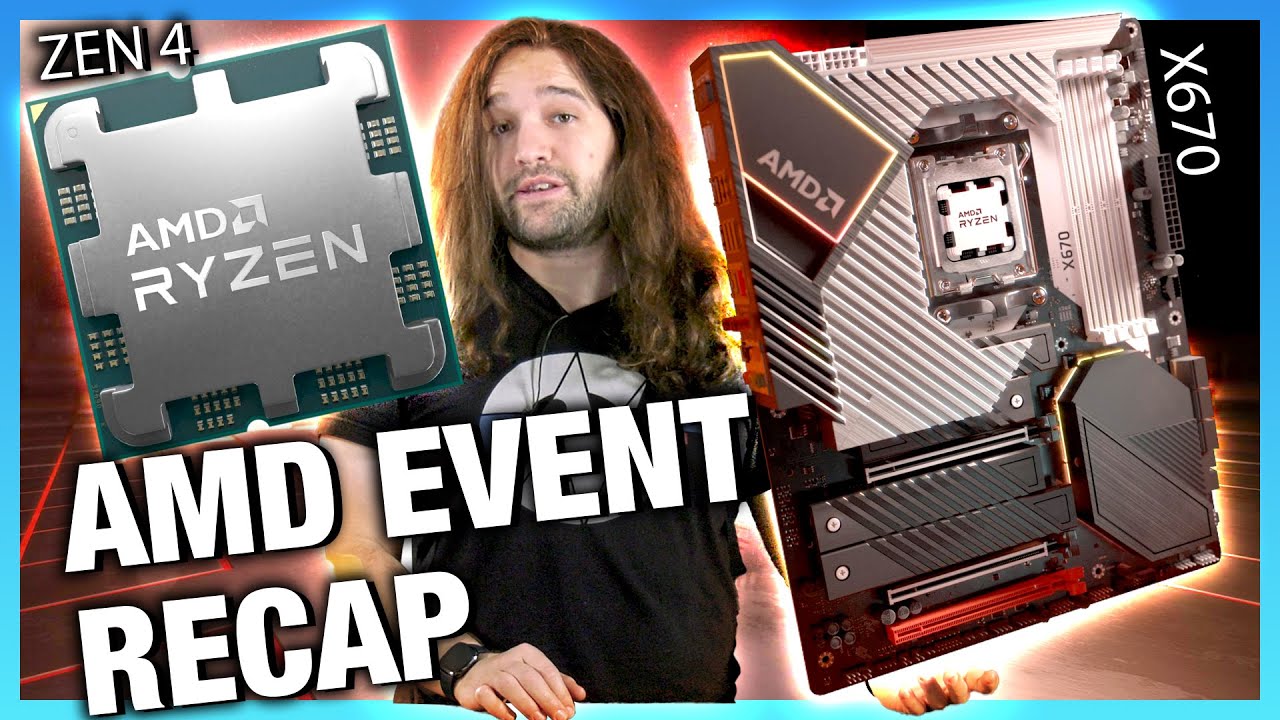
AMD has finally officially announced its Zen 4 CPUs, including a 16-core CPU buried in the footnotes. These are in the Ryzen 7000 desktop line and launch with X670, X670E, and B650.
Sponsor: Linode Hosting - get $100 credit with GN (https://geni.us/UaKrUmF)
AMD's Zen 4 CPUs are officially on the way. The release date for Ryzen 7000 CPUs is vag...
fossil cedar
Yeah am5 being only ddr has been news since like November
analog pulsar
fossil cedar
Yeah am5 being only ddr has been news since like November
last november
fossil cedar
Ye lol
analog pulsar
@fossil cedar well rawr said to wait to build pc but everyone says dont buy DDR5 so like what you do?
i mean am5 could be good in performance boost but DDR5

analog pulsar
fossil cedar
When am5 comes out prices may have dropped more
hm okay
 obsidian wigeon
dual chipset tho
desert gulch
And 5n
analog pulsar
hm
analog pulsar
obsidian wigeon
dual chipset tho
i saw that but GN said the shipset is near each other so they are gunna be under same cooler but theres is 2
 frank stirrup
analog pulsar
<@191276897227898880> well rawr said to wait to build pc but everyone says dont...
frank stirrup
analog pulsar
<@191276897227898880> well rawr said to wait to build pc but everyone says dont...
I didnt say wait and buy am5 i said wait and see what happens... prices for 5000 series will drop anyway even if am5 chips are ehhhh because ddr5
 humble fossil
hi
PC Builder - AMD Ryzen 7 5800X, GeForce RTX 3070 LHR, Cooler Master MasterCase H500P Mesh ATX Mid Tower
Sometimes some pieces are cheaper
obsidian wigeon
The build is meh
The cooler is trash lol
You can go for 5700X and save money, and that platinum psu is unneeded
obsidian wigeon
^
humble fossil
i will change the cooler
humble fossil
obsidian wigeon
You can go for 5700X and save money, and that platinum psu is unneeded
sometimes be 200$
mossy venture
https://pcpartpicker.com/list/JJ8rGL what you can do for the same price
PC Builder - Intel Core i7-12700F, GeForce RTX 3080 12GB LHR, Phanteks Eclipse P400A Digital ATX Mid Tower
humble fossil
PC Builder - AMD Ryzen 7 5800X, GeForce RTX 3070 LHR, Cooler Master MasterCase H500P Mesh ATX Mid Tower
fossil cedar
Motherboard,case and power supply prices are gross can you return?
 flint sapphire
Rip that case
fossil cedar
I stg I've made them lists before
Oh i looked at my history, they're in saudi, but still gross prices
 green egret
can someone help me w/ an msi motherboard i made
i have the b660m mortar motherboard and 2 nvme m.2 which one goes in what slot on the motherboard? there's a faster m.2 slot that connects directly to the chipset right? or is that the slower one?
 stoic island
green egret
i have the b660m mortar motherboard and 2 nvme m.2 which one goes in what slot o...
stoic island
green egret
i have the b660m mortar motherboard and 2 nvme m.2 which one goes in what slot o...
Both NVMe slots are of the same spec, the only difference is the top slot is (only theoretically) a couple of nanoseconds closer to the CPU, and defaults to show up earlier in boot order
Basically, no difference, technically, miniscule difference
green egret
oh. so i should install windows to the top slot
ok
ty
i never installed windows to an nvme before
stoic island
You could put windows on the drive on the bottom slot, just have to move the drive to the front of the boot order in bios, you're welcome
stoic island
Same process as usual, shouldn't be hard
green egret
ok
so is this order ok.. i know what im doing but im tired havent eaten lunch and 2nd guessing myself... 1. cpu + cooler 2. ram 3. nvme 4. gpu 5. psu 6. test it not in case first and can install windows 7. test in case and connect all case wires 8. install drivers
mossy venture
Just to make sure, you used thermal paste, right
stoic island
Could put in ram and nvme drives before cooler for tower, the tower can get in the way
green egret
i haven't begun but im assuming it does..its a stock fan
mossy venture
Ah ok
green egret
hahah
stoic island
but yea
green egret
im just worried abt hooking up the case fans
stoic island
That's the simple part
green egret
last time i hooked it up to a gigabyte mobo and it fried the motherboard and blue the rgb on the fans
lol
stoic island
rip
green egret
i connected the argb to the motherboard and it just needed the rgb
but the manual for msi says to use the argb
stoic island
green egret
so is this order ok.. i know what im doing but im tired havent eaten lunch and 2...
After testing out of case, I'd recommend taking GPU out, putting into case, and then installing GPU again
stoic island
I mean, go off what the document for the fans say, if fans are rgb, use rgb, if they're argb, use argb
green egret
yea says argb
i asked them in coolermaster discord to be sure
ok im gona build it now
oh btw i have windows 10 on my external SSD
do i need to format it before i install windows 11?
if so how i completely forgot this part
as FAT32 right?
potent portal
If you're clean installing 11 then just delete all the partitions and tell the installer to use the empty space. It'll create all the things it needs.
green egret
ok i formated it..
is windows 11 free? like windows 10 had a free version
im installing onto a ssd for a brand new build
potent portal
Yeah you don't need to have a license. You just can't use the customization menu
green egret
ok
so do i want the .iso file or the middle option? https://www.microsoft.com/software-download/windows11
the middle right?
potent portal
If you're making a USB you want the "create installation media" option
green egret
potent portal
If you're making a USB you want the "create installation media" option
and i just put that .exe onto my usb and thats it? or do i need to open it up first
potent portal
You'll run it, and it'll download the iso file and install that to your usb
 supple geode
Anyone have a good you suggestion for a gpu on an amd 5600x on a gigabyte aurous b550 board?
Does smart access memory actually make a difference over an nvidia card
frank stirrup
supple geode
Does smart access memory actually make a difference over an nvidia card
i dont get the question?
green egret
Ok it seems like my motherboard is missing a backplate
potent portal
supple geode
Does smart access memory actually make a difference over an nvidia card
SAM is just AMD's term for Resizeable BAR, nvidia has it too
green egret
Are they supposed to provide one or do I need to order it separately
potent portal
supple geode
Anyone have a good you suggestion for a gpu on an amd 5600x on a gigabyte aurous...
Whatever GPU fits in your budget. You could use a 3090 ti with a 5600X perfectly fine.
frank stirrup
Also sam works only amd cpu and gpu and is actually good, rebar sucks with nvidia cards tbh
supple geode
I’ve been looking at a gigabyte aorus radeon 6800xt
mossy venture
whats the price on it?
supple geode
899
mossy venture

Sapphire Radeon RX 6800 XT 16 GB PULSE Video Card (11304-03-20G)

ASRock Radeon RX 6900 XT 16 GB Phantom Gaming D OC Video Card (RX6900XT PGD 16GO)
supple geode
I’m also considering a gigabyte aorus 6750xt for 595
Ooo let me look at those links real quick
mossy venture
or on the nvidia end https://pcpartpicker.com/product/VpJgXL/gigabyte-geforce-rtx-3080-12gb-lhr-12-gb-gaming-oc-video-card-gv-n3080gaming-oc-12gd

Gigabyte GeForce RTX 3080 12GB LHR 12 GB GAMING OC Video Card (GV-N3080GAMING OC-12GD)
supple geode
So is there no added benefit from matching an Aorus mobo with an Aorus gpu other than aesthetic?
supple geode
Everything expect the gpu
supple geode
I was going to use my older gpu for the time being . I have two Xfx Radeon 7850 lol
I bought a Corsair 750
mossy venture
rmx?
supple geode
Rm750
mossy venture
ok good
supple geode
Can’t have it blowing up while my wife is using it lol
Thanks for the help! @mossy venture @potent portal
winter marsh
No comment
mossy venture
winter marsh
No comment
yes comment
 crude onyx
this is sad, I bought my first ssd and the package was opened and cut by the distributor
potent portal
You can check if it was tampered with or swapped with a used drive with something like crystal disk info
If it has a bunch of GB written to it already they might have swapped it for a used one
desert gulch
potent portal
You can check if it was tampered with or swapped with a used drive with somethin...
Always a chance SMART data was wiped tho
Unlikely but possible tbh
potent portal
A chance sure but a LOT of work for a simple scam
green egret
Should I install windows 11 home or pro
I am not using a key btw
I’m just using free version
potent portal
Most people don't need the pro features
 void summit
Can anyone let me know if all these parts will fit? I believe they will but I’m not 100% certain
green egret
Ok I just installed windows I think??? But now it’s taking me through the install process again……
 potent portal
green egret
Ok I just installed windows I think??? But now it’s taking me through the instal...
potent portal
green egret
Ok I just installed windows I think??? But now it’s taking me through the instal...
Did you remove the USB when it restarted after installing?
potent portal
Ah, restart it and remove that usb
green egret
How do I restart it if it’s not in my case
green egret
I don’t have the power button I have scissors and the pins on my mobo
potent portal
You could jump the reset pins then instead of the power pins
Or just close the installer and it'll ask to reboot
green egret
I closed it and it automatically rebooted
I removed the usb
It’s stuck now

Should I have not removed the usb
potent portal
No it definitely needed to be removed
green egret
Ok so I’ll try restarting it with the scissors
potent portal
Restart it again, yeah
green egret
If not can I just turn off my psu
potent portal
That would work
potent portal
void summit
Can anyone let me know if all these parts will fit? I believe they will but I’m ...
They'll fit but you'd need an adapter for the USB C port on the front
void summit
Where can I find one of those?
green egret
It’s trying to make me connect to the internet
Says I can’t install unless I’m connected?
potent portal
Should be able to skip that
green egret
I can’t lol
potent portal
void summit
Where can I find one of those?

Front Panel Header Adapter USB 3.0 (3.1 Gen 2) Front 19PIN to 3.1 Type-C Front Panel Header Type-E Adapter 20 to 19 Pin Expansion Card for Computer MainboardSupports all motherboards with USB 3.0/ 3.1 19-pin header Motherboard: USB 3.0 Internal 19 Pin MB Male Housing Header Front Panel: USB 3.1 A...
green egret
 potent portal
Weird, that doesn't look like the Windows setup
potent portal
idk I haven't done too many 11 installs, it could be correct
It's entirely possible they changed the interface since I installed
green egret
Yeah i checked the link it’s fine
void summit
Would I need the Adapted because of the case? Also would my parts fit in a mid tower build or would I need a full tower?
green egret
But what the hell im no where near my Ethernet
potent portal
green egret
But what the hell im no where near my Ethernet
It's not picking up your wireless, probably needs drivers.
At least by this point you know it works.
green egret
potent portal
It's not picking up your wireless, probably needs drivers.
At least by this poin...
I can bring up cmd by prsssing shift+f10 is there a way around this
potent portal
void summit
Would I need the Adapted because of the case? Also would my parts fit in a mid t...
A mid tower is totally fine. Your motherboard doesn't have the proper header for a USB C port, so any case that has one you'll need an adapter to use that port.
green egret
Or is there a way to shut down the comp properly in cmd instead of just turning offf my psu
potent portal
shutdown /s /t 0
void summit
What are usb c ports used for?
green egret
Cool Man U r the best
potent portal
void summit
What are usb c ports used for?
Most often VR headsets but you can also connect smart phones that have the double ended C type cable, wifi adapters, etc
void summit
Gotcha. Thank you for all your help!!
green egret
One more thing before I go is this a sticker for my nvme? Or will it get in the way of the heat sink or make it better
 potent portal
Looks like an optional heat spreading sticker. If you have a heatsink on the board no need for it.
Honestly you probably don't need it anyway unless you have a high performance gen 4 drive.
green egret
I’ll just put it on
Yes. I have heat sink though
I think I have a high performance gen 4 but idk
 untold beacon
yeah it didnt affect my pc at all when i left mine on there
green egret
I have an msi b660m mortar wifi ddr4
potent portal
Even with a gen 4 drive like that it'll only ever get hot enough to need it when you're doing large write operations of 100gb+
green egret
Would it hurt to use it
potent portal
But it's still nice to have so you don't need to worry. Better overkill than underkill.
 potent portal
Yeah that's the side with the controller, the only part that cares about getting hot
green egret
Cool
potent portal
It's the chip that says "phison" on it if you're curious
green egret
Seems weird that you’d put glue/sticker on it since it’s getting hot
potent portal
The glue is designed for high heat and the sticker has metal in it to spread the heat over more area
untold beacon
i mean iwevajOOOOOOOOOOOOOOOOOOOkfzlgemb
dang it
my keyboard i swear
im a strangle it one day
one day
ornate condor
I always worrying about that sticker on ssd lol
I put my S70 blade with its heatsink under mobo heatsink lmao
potent portal
 analog pulsar
@fossil cedar
The whole reason why I wanted to get vms in first place is so they could run games via high settings and have a good time my whole thought process was not a good enough gpu can't fit in these cases like via the PCIE slot so I was gunna parsec the pcs into vms and stuff and run games that way but now I may not need to do that if pcie risers do exist I can just plugged into pc and boom pc has a gpu to run only bad side is case will look a bit ugly but that doesn't matter
So we might not need to build such a high end pc anymore
Bc me being a dumb forgot pcie RISERS EXISTED

potent portal
Holy run on sentence Batman
analog pulsar
Ofc the pc won't be best of best but it's something to get then started
analog pulsar
potent portal
Holy run on sentence Batman
Idk how to add . So just take one big breath in and read
I hate myself rn
fossil cedar
analog pulsar
<@191276897227898880>
The whole reason why I wanted to get vms in first place i...
They'll fit even without riser lol
analog pulsar
fossil cedar
They'll fit even without riser lol
Not in the other pc
Well I wanted to make the pcs fair so I was gunna get 2 6600xt and stick them into pc
untold beacon
my brain studiered so much when i tried to read that in one breath
analog pulsar
But pcs arnt same
One pc I'd i3 3220 and other is i7 3770k
I feel like i3 computer is fine for running like fornite which is what they want and I was gunna do i7 pc to run gta 5 with mods
untold beacon
yea i got a i9 11900k to most of all my games
fossil cedar
analog pulsar
Not in the other pc
Wdym? The case you had was plenty of room
 untold beacon
probably gonna get a upgrade soon though
analog pulsar
Rn I have to pc builds for the brothers both very old computers
untold beacon
yep thats the fun in it
fossil cedar
analog pulsar
<@191276897227898880> not i3 case
Oh right well might want more cpu compute + gen 4 anyway
analog pulsar
Well trying to make the i3 computer at least usable
@fossil cedar but if we go with pcie risers route I could build a computer for cheaper
Will i5 12th gen bottle neck 3080 or will they run good together
fossil cedar
analog pulsar
Well trying to make the i3 computer at least usable
No i3 is gonna be useable for vms
analog pulsar
fossil cedar
No i3 is gonna be useable for vms
One moment
@fossil cedar I'm sending video bc texting my brain is blocking up but I hope you can listen to video
analog pulsar
Tbh yea the i7 wouldn't need a riser has its fits a 3080 but the i3 computer might need one
@fossil cedar but with that out of the way we have 3 options I can do the vm route or I could buy riser for the pc plus 2 6600xt or I can do one pc with 6600xt and another with 6400xt
fossil cedar
Oof 6400 would be a no go
 obsidian wolf
Best case for airflow and cooling?
analog pulsar
fossil cedar
Oof 6400 would be a no go
why
fossil cedar
Because it needs pcie 4.0 to run good
analog pulsar
fossil cedar
Because it needs pcie 4.0 to run good
i mean im running 3080 on pcie 3.0 rn
potent portal
I was about to say... Untitled Goose Game?!?!
fossil cedar
obsidian wolf
Best case for airflow and cooling?
There's no real best case but corsair 4000d/5000d airflow versions, phanteks p360a/p400a/p500a, fractal meshify 2/torrent are all good picks
fossil cedar
analog pulsar
i mean im running 3080 on pcie 3.0 rn
3080 doesn't need 4.0 tho, it's pcie gen 4x16 lanes which means it can run in 3x16 mode so that's fine but 6500xt and lower are gen 4 x 4 lanes
analog pulsar
fossil cedar
3080 doesn't need 4.0 tho, it's pcie gen 4x16 lanes which means it can run in 3x...
what about 6600xt then
fossil cedar
Which means 6500xt and lower will run it pcie gen 3x4 which is 1/4
6600xt isn't as bad
It's 4x8 lanes
So 3x8 is okay
analog pulsar
what gpu would i need to get to run 16
fossil cedar
I'd probably opt for rx 6600 non xt in that case especially for 300$
fossil cedar
analog pulsar
what gpu would i need to get to run 16
6700xt and 3050 are the lowest for amd/nv respectively but rx 6600 would be fine
Still better than 3050
analog pulsar
ay 3050
analog pulsar
i mean maybe if i can snag a 3050 off bstock for $250
analog pulsar
fossil cedar
3050 meh it's like 50$ more than 6600
newegg has this rn
 analog pulsar
fossil cedar
And cheaper
analog pulsar
fossil cedar
And cheaper
yea amd is cheaper in most cases but running 3.0x16 would be better to try to get all performance out of the gpu
obsidian wolf
fossil cedar
There's no real best case but corsair 4000d/5000d airflow versions, phanteks p36...
Thank you
analog pulsar
https://pcpartpicker.com/list/WvJMFg @fossil cedar okay since i dont need to run vms anymore we can go with lower specs what you think i5 or i7 but ram 16GB or 32GB also case can be changed also i would like an AIO on my cpu yes price will go up but i like the looks of aios on cpus
PC Builder - Intel Core i5-12600K, GeForce RTX 3080 12GB LHR, Fractal Design Torrent RGB ATX Mid Tower
but i would like to go intel if i dont neeed to run vms as they have 5.0 pcie unlocked
what about video editing
@fossil cedar theres no window how am i suppose to see the RGB
 potent portal
analog pulsar
<@191276897227898880> theres no window how am i suppose to see the RGB
potent portal
analog pulsar
<@191276897227898880> theres no window how am i suppose to see the RGB
There's tempered glass models
analog pulsar
oh
isnt this bad to do have more out take then intake

brb im gunna go look at some cases
potent portal
Sometimes. Run the front fans faster to compensate.
frigid night
I took my side panel off 2 days ago to hit that cmos jumper... I've just neglected to put it back on.
prolly should... but I literally don't see any difference in my temps
analog pulsar
https://youtu.be/ffuAnwGivO8 I'm gunna watch this video and pick the case I like

Our Best PC Cases in 2021 So Far content looks at everything from budget airflow cases to noise-focused cases. We talk about best airflow & cooling cases, mechanical design, & more.
Sponsor: Buy Thermal Grizzly Conductonaut on Amazon (https://geni.us/1D8Eeq) or Hydronaut paste (https://geni.us/Fsray)
If you're building a new system or updating ...
frigid night
analog pulsar
https://youtu.be/ffuAnwGivO8 I'm gunna watch this video and pick the case I like
5000D airflow.
potent portal
Just remember they do recommend the torrent, but it's best for air cooling and custom liquid cooling. If using an AIO it's a pain because you have to move the 180s to the bottom.
analog pulsar
Well torrent is not much of an option anymore
Only reason I got it is bc I was getting a 420mm rad but I don't need to get that rad anymore
fossil cedar
analog pulsar
newegg has this rn
300 on Amazon and b&h
https://pcpartpicker.com/product/wdvdnQ/xfx-radeon-rx-6600-8-gb-speedster-swft-210-video-card-rx-66xl8lfdq

XFX Radeon RX 6600 8 GB Speedster SWFT 210 Video Card (RX-66XL8LFDQ)
fossil cedar
analog pulsar
yea amd is cheaper in most cases but running 3.0x16 would be better to try to ge...
6600 is better than a 3050 even on pcie 3x8
analog pulsar
Hm
ornate condor
fossil cedar
@analog pulsar how much rgb you want?
analog pulsar
yea I said "I would like an AIO on my cpu yes price will go up but i like the looks of aios on cpus"
but even thos what cpu do you think is best for value i7 or i5
fossil cedar
Right 1 sec
analog pulsar
i saw one time i7 was like $50 more then i5 once
analog pulsar
fossil cedar
Right 1 sec
okay
 analog pulsar
Not to small or not to big ig
fossil cedar
So lian li 205 mesh look okay size to you?
Think it would be quite nice, fits the 3080, you can top mount a 280mm aio
Comes with rgb fans
analog pulsar
I like these cases and 5000D

 fossil cedar
Okay, did you look at the lian li 205 mesh too?
I assume you want 3 fans on front then
analog pulsar
Well 2x200mm or 3x120/140 would work for me
obsidian wolf
fossil cedar
There's no real best case but corsair 4000d/5000d airflow versions, phanteks p36...
Thank you
fossil cedar
Np
 fossil cedar
analog pulsar
Well 2x200mm or 3x120/140 would work for me
fossil cedar
analog pulsar
Well 2x200mm or 3x120/140 would work for me
I'd probably do this then
https://pcpartpicker.com/list/cNrDwc
PC Builder - Intel Core i5-12600KF, GeForce RTX 3080 12GB LHR, Lian Li LANCOOL 215 ATX Mid Tower
analog pulsar
fossil cedar
I'd probably do this then
https://pcpartpicker.com/list/cNrDwc
the list looks nice but micro ATX i kinda dont like boards that small
mossy venture
That's a nice price on the d.f


 fossil cedar
analog pulsar
the list looks nice but micro ATX i kinda dont like boards that small
fossil cedar
analog pulsar
the list looks nice but micro ATX i kinda dont like boards that small
Nothing wrong with it but here
https://pcpartpicker.com/list/WFQ6Bj
PC Builder - Intel Core i5-12600KF, GeForce RTX 3080 12GB LHR, Lian Li LANCOOL 215 ATX Mid Tower
fossil cedar
analog pulsar
this looks nice
That's also nice
analog pulsar
@fossil cedar anyway to get faster ram
@fossil cedar what your thoughts on 5000D airfloe
fossil cedar
analog pulsar
<@191276897227898880> anyway to get faster ram
4000mhz cl18 is plenty fast without going into bad pricing
fossil cedar
analog pulsar
<@191276897227898880> what your thoughts on 5000D airfloe
Good, i think it would look weird with a 280mm aio tho I'd rather go 4000d airflow so the 280mm doesn't look empty in the 360mm space on the 5000d personally
analog pulsar
Okay
@fossil cedar I'm not feeling well so I'm gunna go lay down and check in later
frigid night
analog pulsar
<@191276897227898880> I'm not feeling well so I'm gunna go lay down and check in...
are you dying?
 frigid night
https://tenor.com/view/detective-pikachu-anime-pikachu-ears-up-excited-gif-15119...
frigid night
frigid night
https://tenor.com/view/detective-pikachu-anime-pikachu-ears-up-excited-gif-15119...
Jk, I do like you I promise.
analog pulsar

frigid night
analog pulsar
<:peepogun:799524552886845480>

 wanton tundra
https://pcpartpicker.com/list/fQKXfv Any thoughts on what you would pay for this build second-hand?
mossy venture
i personally wouldnt even have built that, seeing as https://pcpartpicker.com/list/KNsh9r
PC Builder - Intel Core i7-12700F, GeForce RTX 3080 12GB LHR, Phanteks Eclipse P400A Digital ATX Mid Tower
but if youre selling id say maybe 2500 is the absolute most youll get for it
mossy venture
mossy venture
but if youre selling id say maybe 2500 is the absolute most youll get for it
and thats only if a person who doesnt know pcs is buying it
wanton tundra
yeah I'm asking because it's on craigslist, I just know very little about what anything is worth
mossy venture
wanton tundra
yeah I'm asking because it's on craigslist, I just know very little about what a...
not worth it at all
mossy venture
mossy venture
i personally wouldnt even have built that, seeing as https://pcpartpicker.com/li...
can do this build, has essentially the same performance
maybe 3% worse gpu perf
nothing youll notice
wanton tundra
mossy venture
not worth it at all
Any advice for someone looking to build/buy a modern build? I don't have a particular budget in mind. My current build is https://pcpartpicker.com/list/YvDgKB but is all ebay parts over several years and is starting to have issues, so I kind of want a new clean build that can last long term.
Or maybe a better question, is there a good website I can use to benchmark a builds performance? Or should i just look at the individual rating of the CPU, GPU
mossy venture
im unsure on how good the aio is, im always weary with corsair products
the ssd might also be usable as a secondary drive
mossy venture
i think its an old version of h100i
prolly still fine
you know anything about the psu?
oh wait
thats the hx
autumn wolf
oh ye it is but it should be fine assuming its an aio you already had and youre just transferring it but be weary of water/fluid that mightve evaporated over time depending on how long youve had it
mossy venture
wanton tundra
Any advice for someone looking to build/buy a modern build? I don't have a parti...
id do the list i just linked, but you can keep your power supply, ssd (kingston drive) and the aio
and take out the psu ssd and heatsink that were in the list i made
analog pulsar
@fossil cedar so I just found out i3 3220 is 2.0 not 3.0 💀
wanton tundra
mossy venture
id do the list i just linked, but you can keep your power supply, ssd (kingston ...
How much of an upgrade is this compared to my current build?
mossy venture
wanton tundra
How much of an upgrade is this compared to my current build?
huge
580 8gb is similar to 1660s i believe
3080 12gb is one of the best gaming gpus
12400 is also a huge improvement over 7600k
analog pulsar
mossy venture
3080 12gb is one of the best gaming gpus
I have one 
I saw a few 12GB for $999 dollars and some 10GB versions $899
potent portal
There's also the 6900 XT that's been $950 constantly in stock
mossy venture
analog pulsar
I saw a few 12GB for $999 dollars and some 10GB versions $899
theyre in stock consistently for cheaper than those prices
strong raft
Many 10GB 80's have been $850 or less recently
analog pulsar
mossy venture
theyre in stock consistently for cheaper than those prices
I'm just talking about Amazon
mossy venture
why though
analog pulsar
Omg
potent portal
Ah of course, continuing the Amazon shilling
analog pulsar
Bc that's where all my money was so I had to shop there
They don't let you take gift card money out
mossy venture
when you returned your 3060 ti you couldve had them put the money back on your card
theres an option to
strong raft
Overpay just to use that card balance. Nice
potent portal
Well that would depend on where you live. In California for example they're required to allow you to cash $10 or less value
mossy venture
unless you originally used gc balance
analog pulsar
mossy venture
when you returned your 3060 ti you couldve had them put the money back on your c...
No me and Amazon lady it had no option
I called customer support no option for return money only continue
So I think large purchases are different
analog pulsar
mossy venture
unless you originally used gc balance
When I got 60ti 458 was gift card and 177 was bank card
I asked Amazon lady to put all in bank card and she was like let me put you on hold bc I don't see then option here

Just says original payment
analog pulsar
analog pulsar
I asked Amazon lady to put all in bank card and she was like let me put you on h...
She then placed me on hold and came back and said I exqusted my resources but there's no option for gift card only or card only so she said the 458 will go back into gift card and 177 will go back into bank
I would have picked credit card bc I saw a nice 3090 for 1.2k on b stock
I think it was FTW3 so it had nice RGB
little osprey
planning on getting a PC with Ryzen 7 5800x, 3070 ti, and 32 gigs of ram. trying to conserve enough money for peripherals and decorations as possible. are 4K monitors worth having?
Asus TUF Gaming VG289Q 28.0" 3840x2160 60 Hz Monitor
those are the ones i have on my list
winter marsh
@mossy venture Corsair products are sketchy for the most part, I've had AIO's fail after a month and Psu's dead out of the box multiple times
mossy venture
little osprey
planning on getting a PC with Ryzen 7 5800x, 3070 ti, and 32 gigs of ram. tryin...
Have you bought anything yet
little osprey
winter marsh
<@654444344274845698> Corsair products are sketchy for the most part, I've had A...
I plan on getting a case, psu, and fans from them. are the cases and fans ok? what psu brand should i go for.
little osprey
mossy venture
Have you bought anything yet
no
mossy venture
Depends on your budget for the whole setup
little osprey
mossy venture
What's the budget?
6880
winter marsh
2k is a good target
little osprey
6880 for everything
little osprey
lmao
mossy venture
One minute
little osprey
Im working all summer at 20 an hour to save up for this
i dont want it to go to waste
the main PC stuff and peripherals i am getting
mossy venture
https://pcpartpicker.com/list/BhxH3y for the monitor
PC Builder - Intel Core i9-12900KF, Radeon RX 6950 XT, Phanteks Eclipse P500A D-RGB ATX Mid Tower
mossy venture
little osprey
the main PC stuff and peripherals i am getting
Private list, also check the one I made
5000 series is a dead platform and not worth
winter marsh
I need to case Minsc & Boo in a new home
 mossy venture
Well not dead, but 12th gen better price/perf
little osprey
ive had people say "intel bad" and "amd bad" so idk what to go for
mossy venture
For monitor, id get an m27q or another 1440p monitor, I dont know monitors enough to give a proper recc for your budget
mossy venture
little osprey
ive had people say "intel bad" and "amd bad" so idk what to go for
Neither is bad
Performance is all that matters
winter marsh
Go for what you can afford on a reliable platform
mossy venture
12900k has same perf as 5950x and is cheaper
potent portal
They've been trading blows between AMD and Intel for a few years now
winter marsh
I've built AMD and Intel rigs for the kids
AMD maybe cheaper but Intel Benchmarks better
mossy venture
Not true
Amd isn't cheaper atm, nor does intel bench better
Depends on the specific skus you're comparing first off, depends on what you're benching with
potent portal
12th gen Intel took back the mid and low budget value pick slots. Top end is still pretty even.
mossy venture
Eh, 12900f at $490 is pretty nice
winter marsh
That's nolonger true with the 5000 series, when I built the pc's there was only Ryzen 1000, 2000, and 3000 so I purchased a 3600XT on a X570 mobo
mossy venture
mossy venture
Eh, 12900f at $490 is pretty nice
Considering it can run on a $130 b660 without issue, better buy than 5950x if not ocing
Also
potent portal
You need to be very specific when it comes to comparing AMD and Intel, generational gaps are notable
mossy venture
You said you don't have the money atm
New gpus are coming out soon
Possibly as early as July
winter marsh
So buying Ryzen 1500X was my chip of choice if not a i5 6970
little osprey
whats a good intel MB with RGB
potent portal
Q3 for Nvidia 4000 yeah
mossy venture
mossy venture
Possibly as early as July
So since you're not building rn, prices aren't very relevant atm
winter marsh
I'm a biased MSI/Asus fanboy
potent portal
little osprey
whats a good intel MB with RGB
For which CPU?
ripe spear
winter marsh
So buying Ryzen 1500X was my chip of choice if not a i5 6970
i5 6970?
little osprey
also with wifi
potent portal
little osprey
k
Ah ok. How much RGB are we talking?
little osprey
potent portal
Ah ok. How much RGB are we talking?
not alot
but like
visible not like MSI's barely visible lightstrip on the b450 tomahawk
winter marsh
Something along that line, I don't care to boot up the Asus Z97 Sabertooth S it's sitting in to ID it properly
ripe spear
There is no such thing as a i5 6970 though
potent portal
And you want RGB on the board itself, not just headers?
winter marsh
So maybe it's a 5970
ripe spear
i5's don't go that high in the numbers
winter marsh
Well that goes to show how lil I pay attention to thier product lines
little osprey
potent portal
And you want RGB on the board itself, not just headers?
yep
potent portal
potent portal
And you want RGB on the board itself, not just headers?
Also, DDR4 or DDR5?
potent portal
Do you need a header for USB C?
winter marsh
socket is lga 1150
potent portal
little osprey
ATX

Asus ROG STRIX Z690-A GAMING WIFI D4 ATX LGA1700 Motherboard (ROG STRIX Z690-A GAMING WIFI D4)
little osprey
white wouldn't look good with my build
winter marsh
looks like it was a 4th gen i5 4690 but the tdp is listed as 84 when the chips I purchased are 95 watts tdp
I guess it was an i7 5th gen cpu
either way it stutters in gaming so I don't use it
potent portal
little osprey
what about this MB

ASRock Z690 Extreme WiFi 6E ATX LGA1700 Motherboard (Z690 EXTREME WiFi 6E)
little osprey
perfect
winter marsh
That looks like one on the front
potent portal
That MSI board does have the header but it's DDR5
little osprey
weird
PCPartPicker isn't giving me a compatibility error
are ram slots backwards compatible or something
potent portal
They are not
potent portal
DDR4 and DDR5 are both 288 pin but they're keyed differently
winter marsh
Confirmed the MSI has a Type C header

The same as my Nephew's kid's new MSI B550 Gaming Edge WiFi
potent portal
little osprey
how is this 1080p monitor
Good but overpriced. Most people can't tell the difference between ~165 and 240 hz also.
You'd be better off getting a gigabyte G27Q
winter marsh
I've already hit the 144 fps wall with a GTX 1060
little osprey
ok nice i managed somehow to get my price down about 200 bucks
winter marsh
anyway back to my lame game
potent portal
Saving money without compromising quality and features is always a good feeling
mossy venture
little osprey
how is this 1080p monitor
With how much you're spending, id recommend a 1440p monitor
green egret
Windows I is frozen here but I can move my mouse and get cmd screen
 potent portal
Try using the tab key on the keyboard to select the buttons
Shift tab goes back a selection
winter marsh
Anyone notice the free Windows 11 upgrades offered by microsoft?
green egret
Meh it worked after I rebooted
potent portal
winter marsh
Anyone notice the free Windows 11 upgrades offered by microsoft?
What do you mean? They've done that since launch
green egret
I think I’ve already made the partition automatically right?
This is the partition yah? Or nah

Or do I need to make a partition still
potent portal
Yes that should be the partition it created on install
green egret
I forgot what to do now lol I’m on my desktop now do I need to just get drivers or is it automatic
Wait it’s not recognizing my other nvme
winter marsh
Mobo drivers are either on a outdated disc or better yet dl'd from the manufacturer
I typically dl them to a thumb drive for that purpose
winter marsh
Windows is good for generic drivers but on specific features you are better off getting them from the motherboard manufacturer
winter marsh
Okay do you have another pc with net access?
green egret
I don’t see wifi anywhere
I’m connected to Ethernet right now
But I don’t have Ethernet in my bedroom I’m in my office
winter marsh
Thats okay, goto the mobo support page
winter marsh
It mostly needs software provided there
green egret
What is Utility
Do I need all the drivers
Idk what to download
There’s alot there
 green egret
See all the options though

Do I need all of them
Isn’t some already installed
Like why would I need the chipset driver
winter marsh
Go down the list and grab the latest versions excluding BETA drivers and Bios
green egret
Soo I need all of them
winter marsh
No Windows gives generic drivers that can sometimes disable features
green egret
Ok
winter marsh
Just the latest versions
green egret
I’m just going to download all of them
It wants me to restart my comp. Can I install all of them first and then restart?
Or it has to be one by one
green egret
winter marsh
Just the latest versions
Is there a way to see if I have some of them already
winter marsh
For Example Version 10.42.526.2020
2020/07/21 12.57 MBytes
Realtek LAN driver V10.42.526.2020 For Windows 10 64-bit.
DOWNLOAD
Version 10.35.510.2019
2019/08/01 12.52 MBytes
Realtek LAN Driver
Install Realtek LAN Driver.
DOWNLOAD
Version 10.34.307.2019
2019/07/03 12.53 MBytes
Realtek LAN Driver
Only version 10.42.526.2020
is current
winter marsh
Windows will never give you manufacturer specific drivers, only generic drivers to start the OS
green egret
Why isn’t it detecting my other nvme?
green egret
winter marsh
Okay the NVME most likely needs to be set in bios
Yeah
winter marsh
You should dl the owners manual to ready up on it's installation
winter marsh
It should be a zip file you rt click to un zip
green egret
Yeah the other ones were but this literally didn’t have anything to install
winter marsh
in that folder should be a installer .exe file
green egret
It was hidden in like 5 folders and it said Failed to parse setup.xml when I tried to run it
Ok that was weird I did it again and is installing it more
winter marsh
Wait a sec
green egret
Want me to share my screen in discord
 green egret
Yah I found it
winter marsh
Lol
green egret
The Bluetooth one is harder to find
winter marsh
Its in one of the folders
green egret
It’s win10 driver for some reason
potent portal
It'll still work on 11
potent portal
Typical
winter marsh
There have been issues with Intel WiFi drivers, it works fine on my X570 but the drivers on the new B550 have never worked
I ended up putting a Asus WiFi adapter back in it
 green egret
What is aida64 extreme
winter marsh
Wrong picture

It's a trial version of a popular PC software
I already tried and uninstalled it already
winter marsh
Helps to diagnos and inspect your OS and system settings
green egret
I don’t see dragon center I see msi center and Aida64 extreme
stoic island
Aida64 can be useful for a few things, hwinfo64 just more lightweight
winter marsh
lol I like Control Center
stoic island
Don't grab MSI center or any MSI branded software
winter marsh
it's like Asus Armor Crate
green egret
So yes to msi center or no
stoic island
It's just bloat
green egret
What should I get instead
stoic island
Nothing
green egret
Yes to aids 64
stoic island
Hwinfo64 for lightweight monitoring software
potent portal
green egret
What should I get instead
To control RGB use openrgb or signalrgb
stoic island
Dragon center or MSI center is just bloat
winter marsh
upto you, it has a minor monitoring ability and system software downloads as well as adware type offers
potent portal
That's all you'll really use MSI Center for anyway, RGB. Because the monitoring sucks and fan control does too.
green egret
Ok I have rgb on my fans and ram soo I guess I need it
winter marsh
Unlike Armor Crate you can't set RGB lighting, that is called MSI Mystic Light or something
strong raft
aida is like hwinfo64 in a way, but also has some cpu related "tests"
potent portal
green egret
Is Aida like msi after burner
No it tests memory latency and a couple other things
green egret
Idk hwinfo
potent portal
winter marsh
Unlike Armor Crate you can't set RGB lighting, that is called MSI Mystic Light o...
It's part of MSI Center now
green egret
Should I test everything
winter marsh
Trouble is AIDA is atrial verson so only functions for about 30 days
stoic island
Aida64 does a lot of things tbh, it's just another option to doing many things
green egret
I’m just downloading both of them screw it
potent portal
You can't get mystic light separate without downloading old versions that don't work with new hardware
stoic island
No guarantee it'll work well, and it will be a drain on system resources
green egret
Soo what should I get instead
winter marsh
Anything directly connected to the board like fans, RGB Ram, or Video Card lighting effects
stoic island
For most of what MSI center does, you just don't need it, rgb, openrgb or signalrgb
It's just mobo software stuffs everything you don't need into a piece of software and drains system resources
green egret
Is it normal to be using 12% of my memory and it’s 32gb?
winter marsh
I got fed up with RGB fans and controllers awhile ago, this becomes bloatware once you dabble into too many systems
potent portal
green egret
Is it normal to be using 12% of my memory and it’s 32gb?
Yes
green egret
What benchmarks should I run on my pc now to make sure everything is working good
flint sapphire
Love when msi center throttles your connection to make it better for gaming
winter marsh
Mobo, keyboard & mouse, and fans can easily end up requiring thier own RGB software
obsidian wigeon
openrgb solves that problem of bloatware
green egret
flint sapphire
Love when msi center throttles your connection to make it better for gaming <:ke...
Is that gaming mode?
potent portal
green egret
What benchmarks should I run on my pc now to make sure everything is working goo...
3Dmark time spy, there's a free demo version
flint sapphire
Yeah don’t turn it on
green egret
Oh You were sarcastic
flint sapphire
No
green egret
Eh
flint sapphire
It actually reduces your internet speeds to prioritize whatever it thinks is gaming packets
flint sapphire
It’s ridiculous
green egret
So you don’t love it
green egret
What’s qos
winter marsh
The only unified RGB seems to be Corsairs IQue
stoic island
icue is even more of a drain on resources :p
flint sapphire
Like gig up gig down internet connection it turned my download/upload to 15mbps
stoic island
openrgb/signalrgb can be nice
green egret
Soo what should I install then
 flint sapphire
Had no idea why it was doing it
stoic island
None of them
stoic island
I would just uninstall msi center entirely but yea
winter marsh
That would be Mystic Lights lol
green egret
I’ve gotten 2 program not responding m messages appear
stoic island
MSI doesn't even offer mystic lights separately now
green egret
That’s not good
winter marsh
The Charger app is pretty useful
green egret
Should not be happening on a brand new comp
stoic island
no, that's just the program doing whatever
obsidian wigeon
You can literally plug in and the mobo will charge things for you
No need for extra software
stoic island
green egret
Should not be happening on a brand new comp
most problems tend to be just software doing something weird, and not the hardware
green egret
Kkkk
stoic island
no matter how good your computer is, if the software is trash, it'll just crash itself
flint sapphire
Msi software ain’t that great besides afterburner… hardware is pretty alright tho
winter marsh
Anyway how is the WiFi working for you now?
flint sapphire
(Not peripherals)
winter marsh
Lol I don't hate Afterburner but I prefere Asus GPU Tweak 3
green egret
I like the mystic light it’s working on my ram
green egret
But not detecting my gpu
obsidian wigeon
managed to put vram oc on it with afterburner
green egret
My cpu is 44c
winter marsh
I'd say that about 1 and 2, I'm mindful to keep it updated
green egret
Ok I’m going into bios to see why it’s not detecting my m.2
stoic island
Or it's detecting and you need to initialize it in disk management
green egret
Hmm
winter marsh
Oh I found NZXT CAM to be a useful app dealing with this 5800X3D hot potato
obsidian wigeon
nzxt cam, eef
winter marsh
Sure
green egret
Wait Nevermind idk
winter marsh
I'm gonna try to eat my nephew's burnt kabobe
winter marsh
XMP profiles are safe because it was developed by Intel
 winter marsh
with there should be a tab for advanced settings
obsidian wigeon
xmp profile is just oc profile for ram
it should be safe to enable if the kit isn't faulty
winter marsh
if not highlight the memory setting
green egret
It is set to enable already