#building-and-recc-chat
1 messages · Page 996 of 1
 wicked frigate
 balmy patio
wicked frigate
<@701918286115373216> if u can, can u post link
balmy patio
wicked frigate
<@701918286115373216> if u can, can u post link
but that doesn't support the sata interface that's on some m.2 ssd's, so make sure if you buy that, you don't buy a m.2 ssd with the sata interface
wicked frigate
So all I have to do is buy an m.2 and that
balmy patio
here's a pic so that you see how they're different, the top one has the b+m key, and the bottom one has the m key, top is sata and bottom is nvme
 balmy patio
wicked frigate
So all I have to do is buy an m.2 and that
balmy patio
wicked frigate
So all I have to do is buy an m.2 and that
yeah
wicked frigate
Ok can I dm u if I need more help
balmy patio
yeah fs
 twilit sun
I have come with hopes that someone can help me with my pc.
Yesterday my windows claimed the Boot/bcd was missing or corrupt and refused to boot to my m.2, after attempting to fix that via bootable media device then accessing the command prompt. I had no luck. Decided to just reformat and and re-partition my m.2 and do a clean install of windows. Everything went smoothly until II rebooted after reinstalling all myy essentials (discord and steam and league and such.) Upon rebooting I recieved the same exact error that boot/bcd was missing. (error code 0cx000000f). I said F it and decided I was going to go through another reformat/clean install of windows to the m.2. Just before doing so I booted up to my HDD which was my old windows and for whatever reason. It booted my m.2 version of windows. It has everything I installed on it last night. I'm confused as to where my HDD windows went but I don't care a whole lot about it. I'm more so concerned as to why my m.2 version of windows booted up despite me selecting my HDD in my Bios. I want to know if rebooting again will cause some sort of other issue.
Please ping or DM me if you would like to help. Thanks
A few things to note, I typed in a few commands to teh command prompt via the bootable media device, those including but not limiited to bootrec /fixmbr. bootrec /fixboot, bcdedit /export c:\bcdbackup, and a few others
 wanton cliff
twilit sun
Please ping or DM me if you would like to help. Thanks
wanton cliff
twilit sun
Please ping or DM me if you would like to help. Thanks
could be that Windows saved snapshots of itself to the HDD
as for your SSD, sounds like a dying drive or something like that
twilit sun
my m.2 is new, came in the mail less than 2 weeks ago
 muted patio
Since you have another HDD installed with a working copy of Windows, there are two boot managers installed
Best practice in that case is to unhook all drives except the one you want Windows installed to when you install it
complete the Windows installation on the M.2 with the other drive unhooked
Plug in the other drive, go into the BIOS and make sure the M.2 drive is selected as boot #1
After that, it should be fine
twilit sun
This all stemmed from me trying to fix something else. I had my m.2 as boot prio #1. However upon booting up i would get a black screen saying something like "please insert a bootable mediia device, no bootable deviices found"
however, iif I went to Bios and selected my m.2 manually, it would boot up completely fine
I wanted to fix this so i went to disk mangement and right clicked my M.2 and "set as active"
then I got the boot/bcd issue
 stoic island
What about just unplugging the hdd, reset cmos, and clean install windows onto m.2? I feel like part of the problem might be windows thinking the hdd is what you want to boot off of.
twilit sun
resetting cmos just requires you to take out battery and put it back in correct?
and I partially don't want to do another clean install of windows as I'd have to reinstall all my essentials with my poor down speed
muted patio
stoic island
What about just unplugging the hdd, reset cmos, and clean install windows onto m...
THIS
 fair birch
battery?
muted patio
Unplug all other drives then install Windows to the M.2
stoic island
Basically power cycle, the point is to drain the power out so the settings reset, so don't just out and back in
fair birch
oh its a laptop
fair birch
oh
stoic island
It's on desktops and laptops
fair birch
im not very smart lol
twilit sun
I'm confused. even if my pc was trying to boot to my HDD windows, why would it claim it had a boot/bcd issue iif I had no problems booting to that drive prior to thsi morning
fair birch
if whatever they say doesnt work put it in rice
stoic island
Yea, unplug HDD, clear cmos, windows again is what I'd do
muted patio
That way there is no confusion on boot records
stoic island
If you absolutely can't clean install, just unplug HDD, reset cmos, and try booting, at least that
twilit sun
Do I need to unplug just the sata of the HDD or the power cable as well?
muted patio
Just the data cable is fine
stoic island
Might as well both :p
twilit sun
and other than takiing out and putting back in the Cmos battery, do I do anything else? regarding the Cmos?
stoic island
But definitely unplug data
Take it out, press the power button a few times, wait a few minute, put it back in
twilit sun
Gotcha, as for the clean install of windows. I should, clear the m.2, reformat/re-partition it. then reinstall windows?
and upon resetting cmos, will I need to change any sort of bios settings after doing so?
muted patio
Turn XMP back on
For your ram
Otherwise, nothing else needed
Clean and format the drive during the Windows installation process
twilit sun
Would I need to go into a command prompt to clean it or would I just delete partition, format, then install?
muted patio
Just do it during the installation
Clear all the partitions previously created
Then tell Windows to install to the drive
twilit sun
Got it, I gotta workout however I will come back with updates
muted patio
Sounds good
twilit sun
after installing windows again and installing my essentials, I am good to plug in my other drives?
when my pc is off ofc
muted patio
yes
twilit sun
thanks for all the help friiends
muted patio
YW
Keep this as a rule of thumb any time you install windows
Best to have ONLY the drive you want to install to active/plugged in
 brittle tinsel
Yo vintage
What is your opinion on msi mag b550 tomahawk?
I’ve ready a lot of good reviews but some said the audio driver sounds crackly
stoic island
If you care about audio, get external amp/dac and not use integrated sound chips
brittle tinsel
The headset I have has a dac but it connects with usb
stoic island
usb uses it's own thing, sound chip should have no effect on it
stoic island
alc1200 is a fairly competent chip (for integrated chips), but not sure on the isolation
brittle tinsel
If their audio driver sucks could I install realtek instead?
stoic island
what
It should be realtek
they shouldn't have their own driver
it's a realtek alc1200 chip
brittle tinsel
 stoic island
please don't say you're going off newegg/amazon customer reviews
stoic island
No offense to anyone, but customer reviews are dumb
muted patio
What does weight have to do with a good or bad mobo
brittle tinsel
Idk
muted patio
Onboard audio in general sounds like poo
brittle tinsel
I was only interested in the audio review part
muted patio
If your headset has a USB connection, it isn't using onboard
stoic island
Tom's hardware review on stuff that matters:
https://www.tomshardware.com/reviews/msi-b550-tomahawk
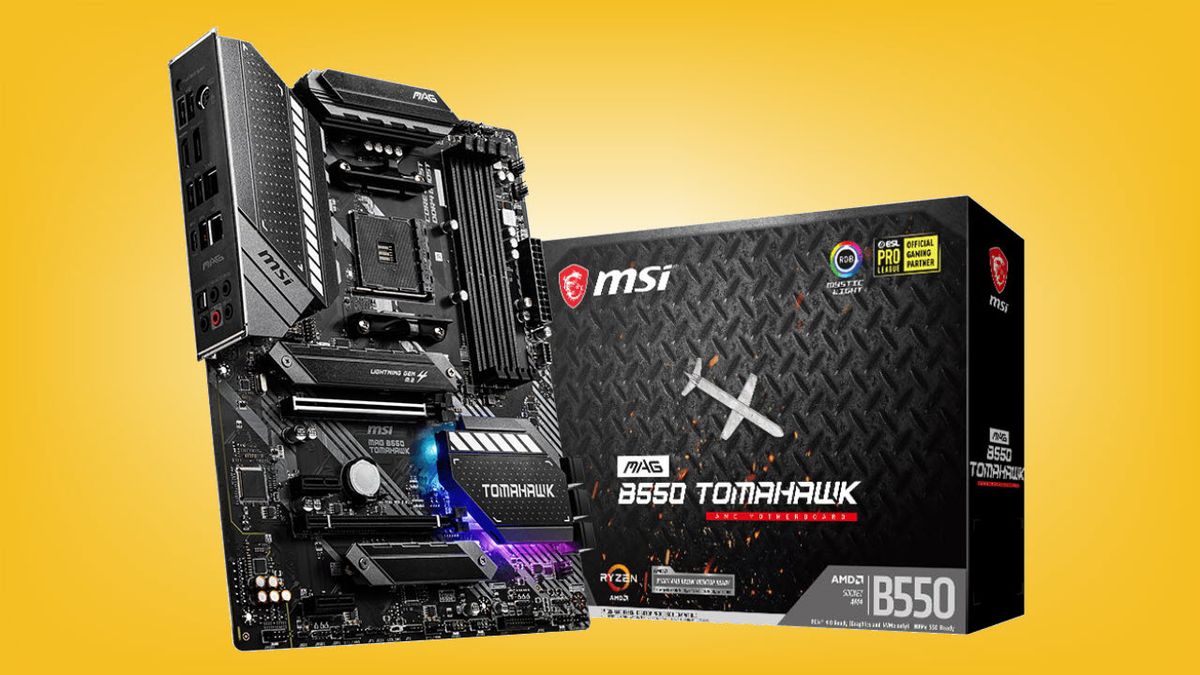
Tom's Hardware
The B550 Tomahawk includes solid power delivery, plus 2.5 and 1 GbE.
brittle tinsel
It’s a razer kraken tournament v2, it has a little remote control thing that the headset hooks to and then the controller uses usb to plug to the pc, I call it a remote but their website calls it a dac
stoic island
and I believe the "other boards have better codec" Is referring to costier boards usually having alc1220 over the alc1200 in tomahawk
being plugged in via usb means there's a dac on there somewhere
brittle tinsel
Now Toms hardware listed 6 USB ports as a con but why? My old pc that burnt up, had 6 rear io ports as well
And 3 front panel usbs that quit working a year into use
stoic island
@brittle tinsel simple answer:
Some people use a LOT
brittle tinsel
I do too but I have a usb hub
muted patio
Eh, just get a hub if yo need that many lol
brittle tinsel
If it didn’t get fried in the surge
When a psu surges does it kill any usb devices?
muted patio
brittle tinsel
When a psu surges does it kill any usb devices?
Anyhting is possible
brittle tinsel
Cause I may have just lost a $100 max
Mic
$100 mouse
$35 mouse pad and $25 keyboard
stoic island
wait psu surges as in protection pops or
stoic island
muted patio
Anyhting is possible
Well, maybe not the mouse pad part
brittle tinsel
This was cheap psu didn’t even have 80+ bronze
brittle tinsel
stoic island
Well, maybe not the mouse pad part
Well not the mouse pad but the rgb lining
brittle tinsel
Big time
stoic island

brittle tinsel
It blew the wire up
stoic island
fun
brittle tinsel
muted patio
Like, smoke and burn
Is it better than it did or worse? After about 5 seconds of sparks and smoke the pc shutoff
stoic island
anyways basically anything is possible
 jagged ember
twilit sun
muted patio
yes
jagged ember
twilit sun
muted patio
yes
Currently in windows setup. After deleting the old partition and clicking next to install. I've been promoted with a windows saying. "The partitions on the disk selected for instillation are not in the recommended order. For additional info about installing to GPT disks go to the microsoft website. Do you want to proceed with the installation?"
twilit sun
Even the msr?
muted patio
Yes, ALL the partitions
twilit sun
Ok
twilit sun
I found that out yesterday. Had to use convert gpt in command prompt when trying to fix my issue.
 little osprey
Hey, is this an appropriate place I can ask a quick question or two about sorting something out for my PC? tl;dr I need to get a new motherboard, but hardware isn't my specialty. Trying to figure out what new motherboard can fit in my current case, but the case I have is like over a decade old so I'm not sure how to figure out what can/can't fit.
 desert gulch
what cpu?
twilit sun
Also restarting cmos fixed another issue. My power button refused to light up and now it lights up again :)
little osprey
desert gulch
what cpu?
Were you asking me or someone else? Sorry, I'm like half awake here. 😂
little osprey
I was going to get a new CPU as well since the one I have is discontinued.
Currently have an Intel i7-2600k
 ashen fulcrum
Would this be a good build? Or will something not fit im not very good at pcs lol
NZXT H510 Compact ATX Mid-Tower
ASUS Prime Z390-A LGA 1151
Intel Core i9 9900K
G.SKILL Ripjaws V Series 16GB (2 x 8GB)
TOPTOWER TOP-800WB 800W
XPG GAMMIX GAMING SSD S11 Pro 1TB
ZOTAC GAMING GeForce RTX 3060
ashen fulcrum
What would you recommend
desert gulch
budget?
ashen fulcrum
$1200 maybe
ashen fulcrum
Ok
little osprey
Motherboard I'm using right now I desperately need to replace is an MS-7756.
I can wait until later since it looks like you're busy. I ain't in no rush. ^_^
desert gulch
yea imma have class in a few so maybe someone else will swing by and be able to help ya
little osprey
Cool, cool. Good luck with your classes!
ashen fulcrum
^
desert gulch
thx
little osprey
I'd just use the pc builder, but my case isn't on there and I'm having trouble figuring out what a similar/same size case would be. >_>
wanton cliff
change that B460 to a B560 Pro4
 desert scarab
It is
 desert scarab
o
wanton cliff
whats your budget
desert scarab
I kinda already bought all the parts
wanton cliff

desert scarab
My last part which is the mobo comes tmrow
wanton cliff

wanton cliff
thats a 10400f
desert gulch
like 100 ish bucks i think
wanton cliff
dummy
desert scarab
what
wanton cliff
desert gulch
still a b550 is cheaper
the build has a 10400f
not a 5600x or whatever
desert scarab
Is the build good??
wanton cliff
no
desert gulch
oops meant b560
desert gulch
i hope sub 250
 desert gulch
and msrp w10 key
wanton cliff
probs hasnt been bought yet
desert gulch
mp33 too
desert gulch
a little bit
 rich helm
Cpu
desert gulch
i could run my sysyem on a 550 esaily
little osprey
gigabyte PSUs are on dangerous list on tier list lmao
desert gulch
mhmm
wanton cliff
some are A tier
desert gulch
doubt that one is
little osprey
i mean pgm
desert gulch
desert scarab
Is the build good??
you do realize that ram wont run at 3000mhz on a b460 with an i5 right?
 severe axle
wanton cliff
some are A tier
severe axle
wanton cliff
some are A tier
yeah, one of them
desert gulch
i think itll run at 2666 with an i5
muted patio
Yes
desert gulch
vintage what tier is that psu?
Gigabyte P-B 550 W 80+ Bronze Certified ATX Power Supply
muted patio
D
desert gulch
yeah
c tier minimum id go on that build
especially when you can get a setotep for not much more
segotep is b or a tier?
muted patio
B
desert gulch
hmm but still pretty good for a 10400f and 1660s build imo
 static ravine
okay thanks vintage
desert gulch
niceeee
stoic island
Segotep sg-g (non mod) is like 50$ for 600w
twilit sun
Likewise, I couldn't thank you enough
 hollow grail
i just turned off dms
stoic island
Product is mislabeled, this is actually the sg-g
https://www.newegg.com/segotep-gp-series-600w-non-modular/p/1HU-00Z0-00008
But it's good
twilit sun
one of my drives isn't showing up in disk management but I think that's becuase I didn't secure the SATA cable
stoic island
Might just need to turn it off and plug the sata data cable in again
twilit sun
installing one more thiing then i'll do that

 marsh kiln
What y'all think of this 1080ti sc2 gpu?
desert gulch
price?
stoic island
@robust vigil If you're talking 3995wx it's 5500$ smh
https://www.newegg.com/amd-ryzen-threadripper-pro-3995wx/p/N82E16819113675
stoic island
I'd say 400$ seems reasonable-ish considering the market
marsh kiln
None right now just looking most are around 400-700
marsh kiln
But you can get a 1080
desert gulch
yeah
stoic island
I'd personally only pay like 300$, but 400$ makes sense for 1080ti atm
 robust vigil
Oh my newegg it $7000
 desert gulch
5 dollar shipping lol
desert gulch
same here
marsh kiln
There is no way I could get a 3060
desert gulch
shows as 5500
robust vigil
Yeah i’m .ca not .com
desert gulch
^
robust vigil
So on my I go to it still 7000
desert gulch
mr1 be typin an essay over here
desert gulch
lol thats what i was gonna say
stoic island
can't do alt codes on this
muted patio
®
desert gulch
CAD Does Not = USD
muted patio
Says who?
stoic island
what
muted patio
Ÿ
stoic island
I'm talking about alt codes on this laptop
desert gulch
lol
muted patio
®
stoic island
not discord
muted patio
Google Alt Codes
stoic island
I'm pretty sure alt codes are only usable with full keeb
so
tkl ftw
and laptop keeb ftw
robust vigil
Nope
desert gulch
vintage how many do you have memorized?
robust vigil
Cad difference
muted patio
2
stoic island
robust vigil
Nope
United States dollars are not Canadian dollars, I think we can agree on that
desert gulch
wait thats not eulers number is it
stoic island
You sure that's not summation symbol?
stoic island
Yes
desert scarab
wanton cliff
what did you pay for the 1660 super?
250
desert gulch
id go 10400f or 10600k if you wanna oc
10400f cheaper but locked to stock speed
10600k a bit more but able to oc
but you would need z490 to be able to oc cpu
stoic island
@little osprey 9600k and b560 is literally incompatible :p
Go for 10400f or 10600k
stoic island
Sn550 250gb for 50$... Plz no
desert gulch
also 212 for 40 is meh
stoic island
500gb drives are usually just like 60$
stoic island
Sn550 500gb, helix L, etc
desert gulch
ive heard lpx was not the best die
also 90 bucks for 2x8 3200 c16 is overpriced imo
mr1 isnt silicon power 3200 c16 stuff decent?
like 70 something bucks for a 2x8 kit
muted patio
Yes, it's just fine for XMP speeds
stoic island
Lpx is "throw it into a bin and just grab one out" die
muted patio
"what do we have in the leftovers bin" die LOL
desert gulch
lol
desert scarab
yo I need help w my build
desert gulch
ok
desert scarab
desert scarab
Mobo?
desert gulch
yeah
muted patio
stoic island
Lpx is "throw it into a bin and just grab one out" die
B560 is on PCPP now
Just FYI
desert gulch
b560 mobo
desert scarab
Anything else?
desert gulch
b560 will let you run ram faster than 2666 with i5
 worn wave
B560 Pro4
desert gulch
b460 wont
desert scarab
Ooo
ok I’ll upgrade to that then since I kinda already have the parts
I’ll upgrade to that soon
desert scarab
Fr?
desert scarab
Why’s it bad?
desert gulch
d tier power supply go boom
its just not a great one
doesnt have great protections
and could damage hardware
muted patio
Yeah, gigabyte PSU's kinda spoop, specially Tier D
desert scarab
damn bru
desert gulch
mhmm
muted patio
Lasck of protections
desert gulch
yup
and value is bad when you can get a segotep b tier one for not much more
another thing is the windows key
you can get a pro key for a few bucks on ebay
desert scarab
I got a windows key for 9 dollars
desert gulch
ok good
desert scarab
dw
wanton cliff
hollow grail
i just turned off dms
I still get some useful DMs from people tho so
¯_(ツ)_/¯
wanton cliff
I consider that useful
 whole wind
hey guys im sorry but im very uber lacking in the department of computer tech 😦 i am looking for some 1 on 1 help to get what i want in the price range im looking for can any of you help me please?
desert gulch
Budget?
whole wind
$600
desert gulch
Ummm
Thats gonna be fairly hard to do rn as budget gpus are expensive
Like 570 and 580 which could fit in that price range are way overpriced rn
stoic island
@whole wind well, what will it be used for?
stoic island
Didn't we just tell you what was wrong with that list?
desert gulch
Alot of things is fix
stoic island
:p
desert gulch
Yea
whole wind
stoic island
<@818620546115043390> well, what will it be used for?
@ Mr 1111 ok is it will be used for doing internet surfing streaming my netflix used everyday all day and playing games too like World of War Craft Call of Duty Doom and so on
desert gulch
1080p gaming?
whole wind
yes
stoic island
Gaming is going to be hard at a 600$ budget right now, hm
desert gulch
and just put their msrp on there
desert gulch
mhmm
stoic island
I'm gonna make an iGPU list
whole wind
im so lost lol my normal guy who builds them for me shot him self last year 😦 a good friend i miss him very much and so now i have no one to call and ask for help in what to order
muted patio
I had a $500 Intel list put together
stoic island
4650g build
Eating atm, can ya edit it down @desert gulch
https://pcpartpicker.com/list/GDMkPV
whole wind
last comp he built me was a Gigabyte 970A-d3 with some AMD processor but to be honest i dont know all the lingo lol
desert gulch
ight mr1
stoic island
@whole wind fair, anyways, do you need wifi?
whole wind
no i dont think so i know i need internet and i know i want to go SSD drives i think that is what they are called?
desert gulch
yeah ssd
theres two main types
2.5 inch sata ssd

like this
usually cheaper but a bit slower than m.2 if m.2 is nvme
then other type of ssd is m.2

like this
goes on motherboard
so this pc will be able to get ethernet where it will be going?
whole wind
so i would say the faster one but also if i could manage it 1 T bite for the gaming storage too ?
desert gulch
desert gulch
so this pc will be able to get ethernet where it will be going?
@whole wind ?
whole wind
it will be in my home to a wire internet
desert gulch
ok
whole wind
im sorry im a slow typer and reader
desert gulch
all good
desert gulch
i wouldnt
muted patio
I wouldn't do either of those
desert gulch
vintage
desert gulch
with the power cables that are for it
wicked frigate
And I have a molex cable
muted patio
Too manythings like this happen
 desert gulch
and just leave 2 dangle
stoic island
molex goes smelling like burning plastic
wicked frigate
Wait
desert gulch
mr1 i worked on list a bit
wicked frigate
So I can’t connect to my gpu
stoic island
other than the 1tb drive thing, should be able tot get it under 600$
muted patio
Really poor connection that tends to get hot and melt. molex wasn't designed for large power draws
stoic island
lemme see
muted patio
There's a reason the power connectors are different now
desert gulch
fan hubs
desert gulch
we can all help you here
desert gulch
ok
whole wind
desert gulch
<@!818620546115043390> ?
if it helps i dont need all the flashy RGB lights and stuff i just want ti to be able to play with high grafix and stream my net flix in high def
desert gulch
whole wind
if it helps i dont need all the flashy RGB lights and stuff i just want ti to be...
yeah we have not hardly any aesthetics stuff in this build
wicked frigate
So I have Mai gaming x 1050ti and I can’t connect to the power so I have 2 dangling molex cables for my psi what do I do
desert gulch
then plug the 6 into the port
stoic island
ah crap
wicked frigate
I don’t have any
stoic island
just realized 4650g listing is tray, no cooler
whole wind
desert gulch
yeah we have not hardly any aesthetics stuff in this build
ok cool
stoic island
might need to step down to 3400g
desert gulch
oof
wicked frigate
I have only 2 molex cables
desert gulch
so wait
wicked frigate
Here wanna pic
desert gulch
you need to go from 6 pin to 8 pin?
wicked frigate
I can show
wicked frigate
Here wait
desert gulch
ok
stoic island
oml the pricing on everything
desert gulch
better than the gskill crap you had in there before
wicked frigate
Ok look
desert gulch
ok
stoic island
might just settle with this
https://pcpartpicker.com/list/DrLQ9N
@desert gulch whoa whoa whoa don't you go insult my aegis like that
desert gulch
mr1
stoic island
aegis ftw
desert gulch
they dont need wifi
stoic island
ye I know
 stoic island
the mobo in there isn't wifi?
desert gulch
yeah but theres cheaper b550
stoic island
 little osprey
stoic island
<@456226577798135808> 9600k and b560 is literally incompatible :p
Go for 10400f ...
little osprey
stoic island
<@456226577798135808> 9600k and b560 is literally incompatible :p
Go for 10400f ...
Should I do the integrated graphics?
desert gulch
oof
little osprey
Should I do the integrated graphics for the cpu
stoic island
I'm also gonna quickly look around 600$ prebuilts
@little osprey need more context than "should I do X"
whole wind
was there something i am suposed to click on ? or you still putting a list together ?
wicked frigate
@desert gulch help
 rich sphinx
wicked frigate
rich sphinx
wicked frigate
so your psu doesnt have a 6 or 6+2 or 8 pin connector?
stoic island
desert gulch
wicked frigate
<@!473206416782655508> help
thats a pic of 2 molex cables
those do not power a gpu
wicked frigate
Noooo
desert gulch
look for a cable with PCIE on it
wicked frigate
That all I have available
stoic island
This is actually kinda good @desert gulch
https://www.newegg.com/abs-ali474/p/N82E16883360059
wicked frigate
Look
muted patio
DOn't use Molex for anything but fans
stoic island
prob only single 8gb stick but dGPU makes up for that
desert gulch
did you plug in gpu power into cpu header?
wicked frigate
 stoic island
So I think that's the best option atm
wicked frigate
That is a similar gpu to this
little osprey
wicked frigate
Umm can I show
stoic island
lemme just edit that
stoic island
@whole wind Right now, so far, this is the best option I've found
https://www.newegg.com/abs-ali474/p/N82E16883360059
nah man
wicked frigate
 rich sphinx
this looks like an oem psu probably not gonna have connector
wicked frigate
But it was an prebuilt
desert gulch
looks like maybe you added a gpu?
wicked frigate
So
desert gulch
did it come with a gpu?
wicked frigate
No
desert gulch
ok
wicked frigate
Came like this
desert gulch
so the company didnt plan for a gpu
and didnt buy psu that could support one
to save costs
 wicked frigate
Yep
rich sphinx
they make gpus that dont need external power
wicked frigate
Expect I took out the sound card
 lyric thistle
300w psu
wicked frigate
Cause I don’t use it
desert gulch
yeah id say new psu time
rich sphinx
they make sff psu
desert gulch
yeah they make a ton of form factors
you could always buy one and have it just power gpu
just have it sit outside the case
stoic island
@little osprey what's the budget
lyric thistle
GTX 1050, 1050 Ti, 1650
desert gulch
you need a psu that can support a gpu
stoic island
welp, if it's 1200$
https://pcpartpicker.com/list/NYtGRT
wicked frigate
So should I replace the psu
stoic island
can cut down more but yea
wicked frigate
So what should I do
desert gulch
ahh ic
mr1 what would you do for a old pc that doesnt have pcie cables for gpu power
we need a 6 pin, gpu doesnt have them
wicked frigate
@desert gulch help
desert gulch
non modular
stoic island
not using a gpu
wicked frigate
I am trying to use on e
stoic island
I wouldn't trust that psu to handle it
desert gulch
wouldnt you need a new one?
to replace old one?
or just buy new one and just set it outside case to power gpu
wicked frigate
But I don’t have a cable to power the gpu
desert gulch
thats why you need a new psu
wicked frigate
So my friend told me to get molex to 6 pin
 desert gulch
mhmmm
wicked frigate
Old system
stoic island
Yes
lyric thistle
Putting a psu outside of a case as a secondary psu is a silly thing to do
wicked frigate
And trying to put an 1050ti
lyric thistle
If you get a new psu, just replace the old one
desert gulch
lyric thistle
Putting a psu outside of a case as a secondary psu is a silly thing to do
but if that psu in there is not a standard one
wicked frigate
But which psu
desert gulch
like what if it wasnt a 24 pin mobo
 rich sphinx
is this a dell???
whole wind
stoic island
<@!818620546115043390> Right now, so far, this is the best option I've found
htt...
ok is that up grade able also like i can throw better stuff at it later and make it even better?
stoic island
@whole wind to a certain degree, new ram, new storage for sure, GPU upgrade if the PSU is decent, might need better PSU, but CPU upgrades might be iffy
desert gulch
500 watt psu
enough for a better gpu ig
h410m in there
so yeah cpu upgrade may be meh
whole wind
stoic island
<@!818620546115043390> to a certain degree, new ram, new storage for sure, GPU u...
ok is this pre built ? or something i build?
stoic island
Prebuilt
desert gulch
yup all you gotta do is plug it in
and maybe update windows and stuff
idk how long its been sitting
stoic island
software updates shouldn'tbe hard
desert gulch
yeah
wicked frigate
Ok so should I just get an psu
lyric thistle
Probably
wicked frigate
Which psu that would fit in their
muted patio
if you're getting a new PC, you should just get the new PC and don't spend money on this one
lyric thistle
Get a Corsair CX 450, or a be quiet! Pure Power 11
wicked frigate
But this one works perfectly and I have an spare gpu cause I am getting a new one
whole wind
stoic island
Prebuilt
ok last thing and then ill let you guys go ... what Grafix card would you say later on i should bump up too?
wicked frigate
But I need one that would fit in there perfectly
stoic island
That's a question for when you do want to upgrade, that's completely dependent on the GPU market situation
And budget
wicked frigate
So Corsair
lyric thistle
Measure the side lengths of the psu
desert gulch
wicked frigate
So Corsair

wicked frigate
Umm ok wait
muted patio
That's just a regular ATX power supply
stoic island
lyric thistle
Get a Corsair CX 450, or a be quiet! Pure Power 11
Or segotep sg-g
wicked frigate
 lyric thistle
Oo
lyric thistle
It says it's atx
stoic island
ATX is normal size
muted patio
Yes
desert gulch
yea
lyric thistle
So you should be fine with any normal atx psu
whole wind
stoic island
That's a question for when you do want to upgrade, that's completely dependent o...
oh im sorry i meant like when i buy the unit if i have the money to do it most likely in a few weeks from now what i should upgrade to
desert gulch
cx 450
stoic island
Well, how much money do you foresee yourself having then?
muted patio
You're not getting a fully modular for cheap
stoic island
And right now, the market is extremely volatile, GPUs might come in stock tomorrow, or in a week, or never, who knows.
whole wind
probley like 250 to 300?
desert gulch
could do a 1660 super for that probably
stoic island
Well
desert gulch
if market is decent
stoic island
Probably not
stoic island
Stock has been gone for weeks
desert gulch
should
lyric thistle
Wth is a segotep sg-g lol
desert gulch
a psu
muted patio
lyric thistle
Wth is a segotep sg-g lol
Cheap Tier B power supply better than EVGA
lyric thistle
Link me pls
wicked frigate
Air are the cables long
desert gulch
vintage wouldnt a cx 450 work fine for them?
wicked frigate
Cause I don’t have that much space to put
stoic island
Mislabeled on wegg, but @lyric thistle
https://www.newegg.com/segotep-gp-series-600w-non-modular/p/1HU-00Z0-00008
wicked frigate
I have to fit in that case
muted patio
lyric thistle
Link me pls
Or the fully modular for $72 https://www.amazon.com/Segotep-Supply-Certified-Gaming-Fully-Modular/dp/B0832F6NS8
stoic island
It's the same platform as GP-G, as according to the guy who literally made the ltt tier list lol
(SG-G)
wicked frigate
@stoic island cx same price
stoic island
one is 450w, one is 600w
stoic island
:P
wicked frigate
But why do I need 600?
muted patio
IT'S NOT FOR YOU
desert gulch
theyre not talking to you i dont think
wicked frigate
Ohhhh
stoic island
upgradability, CX450 only comes with 1x8 PCIe power :P
muted patio
Check the replies lol
lyric thistle
Neat
muted patio
Well, 450 can only power one GPU anyway
desert gulch
yeah
stoic island
cx450 vs sg-g 600w is clear sg-g win imo
wicked frigate
@desert gulch so cx also will I have space to put the long cables
wicked frigate
K
muted patio
stoic island
cx450 vs sg-g 600w is clear sg-g win imo
They're in SA, no Segotep there
As I recall
wicked frigate
I’ll just shove the things
muted patio
Pretty much Corsair or EVGA only IIRC
lyric thistle
Pure Power 11 500w comes with 2x 6+2
wicked frigate
Thx guys
rich sphinx
just cut the wries if theyre in your way lols
desert gulch
lol
wicked frigate
And this comes with 6plus 2
desert gulch
while psu is on
wicked frigate
Lol
desert gulch
should have all that
desert gulch
1 x 24-pin ATX
1 x EPS12V/ATX12V Connector
1 x PCIe Connector
4 x SATA Connector
4 x 4-Pin Peripheral Connector
whole wind
thank you guys very much for all your help. Stay Safe out there 😉
lyric thistle
I've been wanting another alternative psu that's under 80 bucks just to know about lol thanks
desert gulch
What thing
rich sphinx
this segotep
rich sphinx
huh noice
desert gulch
Thanks to vintage
desert gulch
Well you pinned it
muted patio
i didn't pin it here either
desert gulch
In cases and psu
desert gulch
In #cases-psu-and-cooling you did
muted patio
Nah, not here. before my time as mod assist
desert gulch
Ik
worn wave
 muted patio
Yeah, someone else pinned it here
desert gulch
Was saying in cases and psu channel
muted patio
That list isn't an end all be all either but it's a good cheat sheet
worn wave
What about it?
wanton cliff
ic
 final delta
Thank you! And yes it’s a b550 F
 autumn aurora
I used an Asrock board for mine
 inland quartz
Hello, I am new here and in need of some help with my build. Having issues getting the pc to post. Called both Newegg customer svc and ASUS who is the maker of my motherboard. Both stated I may have chosen an incompatible PSU or graphics card. Is this the right place to post this?
muted patio
SOunds good
desert gulch
Gpu and psu?
muted patio
When you hit the power button, what exactly happens?
inland quartz
Gpu- MSI gt 1030. PSU - EVGA GA 650W
muted patio
Those should both work
desert gulch
Those should work fine
muted patio
What happens when you hit the power button?
inland quartz
Hit the power button, LED on Mb turns on, fans all spin. No beep nothing, no image
desert gulch
Where is it plugged in
muted patio
Where is it plugged in, to the GPU or motherboard by USB ports?
inland quartz
Into the GPU
desert gulch
Ok
muted patio
Try the HDMI or DP by the USB ports
inland quartz
Haha yeah that was a roadblock
Honestly, I’ve googled this and have followed some guides. Removed and plugged everything with the exception of the CPU
inland quartz
A2 and B2, which is what the manual says to do
inland quartz
So, that is the one thing I am not too confident about. It’s plugged in but the plug didn’t necessarily match the motherboard, read online that this was still ok
desert gulch
maybe they talking about the 24 pin
inland quartz
Aye it does, but instead of being two squares it is a bit round
desert gulch
pic may help
muted patio
In the CPU slot
Also, the big 24 pin connector, the part that goes into the power supply, you have BOTH of those plugged in, yes?
 inland quartz
 muted patio
yes, those are correct
2 4 PIN connectors
Might need to put one in before the other depending on how they're keyed
 desert gulch
marsh kiln
desert gulch
marsh kiln
not worth, could do a 5600x and 3070 build for around 13-1400 imo
marsh kiln
Yes but getting them is the thing
desert gulch
yeah
muted patio
5600x is pretty available now, it's the GPU that's tough
desert gulch
mhmm
muted patio
5800x for sure
desert gulch
if you want the looks, then go for it ig
but if you wanted a pure dollar to performance build then could def go cheaper
muted patio
inland quartz
Also check the connections into the power supply. Make sure both MB connections are plugged in
inland quartz
👍 all is plugged in properly. I spent almost all day Saturday trying to get this running, honestly at a complete loss
muted patio
Something probably isn't plugged in properly
CPU fan power cord is on the CPU_FAN header?
inland quartz
Yup, it runs and everything when I turn the power on
muted patio
Well
We don't know that
Fans spin is all we know
Without diagnostic lights or a speaker we don't know anything TBH
Motherboards haven't come with a beeper for nigh on 10 years now
Do you ahve a drive installed?
If so, what kind?
muted patio
Ah, what NVME exactly? And what slot?
inland quartz
M.2 in the 1 slot
inland quartz
Oh my bad. Intel 665p
inland quartz
HDMI
muted patio
CPU fan plugged in above the ram?
inland quartz
Yup
muted patio
Unplug everything we don't need
USB
Front panel except power switch
Sata drive
etc
Just 24 pin, 8 pin power, GPU and power switch
inland quartz
That’s how I have it right now, minus the power switch.
muted patio
Ok, unplug it from the wall
Remove the button cell battery
leave it out for aminute or two, put it back in, plug the power supply back in and boot again
Does the GPU fan spin?
I didn't ask that
inland quartz
Gpu only has the heat sink
desert gulch
ahh passive cooling?
inland quartz
Got this one to get me by for work, waiting for those damn 30s
muted patio
Got it
Ok, do a CMOS reset with the battery
If that doesn't work, take the ram and GPu out and make sure they're fully seated
inland quartz
Alright, give me a minute for the cmos
muted patio
Sure
inland quartz
I definitely appreciate y’all’s help
inland quartz
So, I had to remove the gpu to take out the battery for the cmos. So I’ll make sure to plug that in good. Removed the ram, and put only one stick in the a slot
muted patio
Good, if this doesn't work, send pics of the connections on the power supply
inland quartz
Plugged off I’m assuming? Did not post :/
inland quartz
 muted patio
Hmmm
That looks OK
What happens if you just let it sit?
Does it power cycle a couple times?
This is going to be really hard to troubleshoot without diagnostic LED's or a speaker
Could be anything TBH
inland quartz
That’s the interesting part, I can let it sit here for a while. Fans spin nothing happens. I’ve messed with the monitor to see if it’s something there but nothing
muted patio
Just because the fans spin doesn't mean it's working :/
inland quartz
I see
muted patio
Could be CPU, RAM, GPU or motherboard
 small osprey
im betting its ram