#building-and-recc-chat
1 messages · Page 878 of 1
 hollow grail
i am NOT
 muted patio
ye
hollow grail
if youre keeping important stuff you want an array
 little osprey
no lol xd
muted patio
I have 2 backups
 severe axle
@wicked frigate arctic freezer ii and lian li gallahad
 cursive wharf
Arctic Freezer II or EK
muted patio
6 TB platter and 8 TB platter on the network
little osprey
@cursive wharf I played on a friends pc and it said 7,8gb usage
little osprey
muted patio
I have 2 backups
ofc backup is very important
muted patio
That's allocated, not used
little osprey
watched a lot of benchmarks to
 strange hinge
What’s a good board for the r5 3600 for a starter pc? doesn’t have to be anything too crazy but i’m thinking of a ASRock B450 Pro4 atm
 wicked frigate
Wait does aio have cooler temps than air coolers
cursive wharf
little osprey
<@!207156621531545600> I played on a friends pc and it said 7,8gb usage
Aye, but what were you using to measure the VRAM usage and what GPU was it?
muted patio
They can
little osprey
ah okay thanks my fault
hollow grail
wicked frigate
Wait does aio have cooler temps than air coolers
not universally but in most cases a top tier aio will beat a high end air cooler
wicked frigate
Which top tier aio
little osprey
water cooling is better than air anyways xd
wicked frigate
@hollow grail which top tier aio
hollow grail
wicked frigate
<@!730975292755279933> which top tier aio
literally the ones that hei told you to get
little osprey
cursive wharf
Aye, but what were you using to measure the VRAM usage and what GPU was it?
It's perfectly fine but you can with asus' TUF series B450 or strix
wicked frigate
Ok
muted patio
Not RAM, VRAM
little osprey
@cursive wharf I watched some benchmarks on warzone mainly. then i decided to play it myself on the friends pc myself( he has a 2080 ti), but made the fault, by lookin at task manager to see VRAM usage
strange hinge
little osprey
It's perfectly fine but you can with asus' TUF series B450 or strix
i think this was aimed at me but alright, i’ll consider it !
hollow grail
if you dont want to worry about a board for a while theres always the tuf x570, will work all the way up to ryzen 5000 no issues
generally the motherboard is the most annoying part to swap so if you plan on sticking with the system for a while it might be better to spend a bit more on it right now and be able to have the system grow with your needs later @strange hinge
little osprey
You can work with B450(for 5000 series) to right I heard u need to update the bios
cursive wharf
little osprey
<@!207156621531545600> I watched some benchmarks on warzone mainly. then i decid...
iirc TM gets usage rather then allocation so that's fine. Tho given the 11GB of VRAM it may cache more "unneeded" stuff and thus use more. Either way, I'd say 10GB is fine for QHD
strange hinge
hollow grail
generally the motherboard is the most annoying part to swap so if you plan on st...
that makes a lot of sense! i will see what’s available and if i can get that board for a decent price
little osprey
thank you @cursive wharf but with another 1080p monitor with youtube and discord on it?
hollow grail
little osprey
thank you <@!207156621531545600> but with another 1080p monitor with youtube and...
yes
generally basic windows tasks arent something the gpu handles
muted patio
There's no way for the software to monitor VRAM. it will always be allocated according to everything I've read and seen.
hollow grail
youll be fine
little osprey
Okay thank you for your help
 fluid cargo
What do you think
muted patio
I think you need some zip ties
fluid cargo
hollow grail
2/10
severe axle
try to hide those monitor cables
fluid cargo
I did
fluid cargo
Do you now see the last 2 bottom pictures
severe axle
no like this
severe axle
what
fluid cargo
From the whole setup you spot that 😂
severe axle
yes
muted patio
Ye, we do
severe axle
little stuff like that can be noticable
especially when its a black cable against a light wall
fluid cargo
Ok let me zip tie it sounds the. Lol
 tender peak
I'd be more worried about the cable velcroed to the support leg of that scissor style table.
muted patio
I mean they even spot weird stuff with this lol
fluid cargo
It’s something wrong I did it so it wouldn’t be lose
muted patio
Like my fan controller being crooked -_-
 slim escarp
Help
muted patio
new build?
fluid cargo
Download windows ten into a usb and
little osprey
fluid cargo
Download windows ten into a usb and
U mean installation media
hollow grail
muted patio
I mean they even spot weird stuff with this lol
the ssd
fluid cargo
Put it on one of the storage device
slim escarp
Yes new
tender peak
Change your boot device in the bios
muted patio
Need windows 10 boot disc on a USB drive
fluid cargo
Yes
muted patio
Put in USB port, boot from that to install Windows
hollow grail
slim escarp
Help
do you have a usb over 8gb?
muted patio
Drives don't come with Windows
slim escarp
No
hollow grail
well go buy one
cursive wharf
muted patio
There's no way for the software to monitor VRAM. it will always be allocated ac...
TM and Afterburner should be say usage
muted patio
From what I read on Tom's Hardware, they don't?
Windows 10 here: https://support.microsoft.com/en-us/windows/create-installation-media-for-windows-99a58364-8c02-206f-aa6f-40c3b507420d
Learn how to create installation media for installing or reinstalling Windows 7, Windows 8.1, or Windows 10.
hollow grail
i use these @slim escarp https://www.amazon.com/Samsung-BAR-Plus-64GB-Champagne/dp/B07BPHN7LV
muted patio
Tom's Hardware Forum
First of all my question is do you guys know any programs that show VRAM usage? I'm not talking about programs like MSI afterburner, Aurus Engine, or even the Task Manager because they show the allocation
And on the side of things, a lot of people are worried that the 8GB or the 10GB of VRAM...
"There is no way for external software to know how much of the memory that applications request actually gets used short of running a debug environment to spy on the GPU's internal activity."
slim escarp
What do I do after I get the usb
muted patio
Learn how to create installation media for installing or reinstalling Windows 7, Windows 8.1, or Windows 10.
 rich helm
Don’t get a usb over 32 gigs right
cursive wharf
muted patio
From what I read on Tom's Hardware, they don't?
ResetEra
Nov 17th 2020: Per Process VRAM Monitoring now is supported internally, and works in all games.
Install MSI Afterburner 4.6.3 Beta 4 Build 15910 from -MSIAfterburnerSetup463Beta4Build15910.rar']over here.
Enter the MSI Afterburner settings/properties menu
Click the monitoring tab (should be...
hollow grail
rich helm
Don’t get a usb over 32 gigs right
any size works
muted patio
That's before the thread on Tom's hardware though. I'll bet it's still allocation
hollow grail
i had to install windows from my 2tb usb once 
 tepid wind
ok
cursive wharf
muted patio
That's before the thread on Tom's hardware though. I'll bet it's still allocati...
except there was no mention of that, so I doubt they even knew about it
tepid wind
what motheboard is good
hollow grail
for?
muted patio
For what processor?
tepid wind
uhhh
slim escarp
Wait can I download the free windows on the usb
tepid wind
muted patio
Well, it's not "free"
tepid wind
look at it
 muted sluice
u need a better cooler i think
hollow grail
you still need to buy a key but itll work without one @slim escarp
little osprey
tepid wind
https://pcpartpicker.com/list/
It's empty👍
muted patio
Eh, stock cooler will be fine for most folks.
hollow grail
and we have sent the link 4 times 
little osprey
Make it public and share it
 pliant lake
3600 CL16, and get cheaper ram
hollow grail
where is your storage
tepid wind
idkk
little osprey
muted patio
I mean they even spot weird stuff with this lol
one of ur ssd is white 😂
little osprey
GPU?
muted patio
It's metal
little osprey
Storage?
muted sluice
the one with wifi 6
hollow grail
tepid wind
https://pcpartpicker.com/list/PMZnNP
fixed build
minus gpu because idk what u want there
 formal cosmos
muted sluice
the one with wifi 6
formal cosmos
muted sluice
the one with wifi 6
uhh
tepid wind
what gpu is good
little osprey
Does the 3600 support 3600mhz memory???
muted sluice
yea
hollow grail
yes
formal cosmos
formal cosmos
my sexc build
muted sluice
muted patio
Depending on the motherboard
well most amd mobo support 3600
little osprey
But wait
hollow grail
formal cosmos
https://pcpartpicker.com/list/NGp768
little osprey
little osprey
The r5 dosent support 3600mhz of memory
formal cosmos
hollow grail
https://www.amazon.com/2974Mbps-Bluetooth-Ultra-Low-802-11AX-Dual-Band/dp/B07Y2M...
is it good?
hollow grail
it has an intel module so yes
little osprey
hollow grail
https://pcpartpicker.com/list/zNcQLP
nice build 👍
formal cosmos
what does that mean?
hollow grail
intel makes the best wifi chips
formal cosmos
oh ok
muted patio
Yeah, the 3600 does support 3600 ram speed
muted patio
ANY 3600 mhz ram is OC
little osprey
i using corsair vengeance rgb pro 3600
 fossil halo
i got intel wifi chilp
little osprey
yes
muted patio
Wut about Intel WiFI?
little osprey
fossil halo
but its rgb so it is actually 234897238472893749238472 mhz
lol xd
little osprey
rams not everheating if have normal airflow in case lol
fossil halo
fck gigabyte rgb fusion all my homies hate rgb fusion
little osprey
i sometimes worrying about my m2 which is under gpu . it heating up to 50-55C while transtering big files
little osprey
fossil halo
fck gigabyte rgb fusion all my homies hate rgb fusion
aorus is cool xd
fossil halo
yea
tender peak
Hehe. Not how wavelength works for heat retention and dissipation but red makes things go faster!
little osprey
yep even gigabyte bios is coded by a 5 years old ig xd
little osprey
I love aorus colors and design it look really cool
hollow grail
fossil halo
fck gigabyte rgb fusion all my homies hate rgb fusion

GitLab
Open source RGB lighting control that doesn't depend on manufacturer software. Supports Windows and Linux. ASUS, ASRock, Corsair, G.Skill, Gigabyte, HyperX, MSI, Razer, ThermalTake, and more...
little osprey
msi z490s is looks great too
 blazing aurora
what's the amd equivalent of the 3060ti
muted patio
That's the closes AMD has right now
blazing aurora
alright then
muted patio
300 MB/s transfer speed, get the cheaper one lol
wicked frigate
They are the same
little osprey
Yeah
wicked frigate
So sn is better
little osprey
You won‘t Notice the difference
wicked frigate
Also what hd should I get
muted patio
Toshiba platter drive
wicked frigate
For gaming
little osprey
muted patio
Toshiba platter drive
idk why im cringe about toshiba hdd xd
wicked frigate
Any other ones
wicked frigate
How
muted patio
Better than WD or Seagate
little osprey
seagate barracuda or wd blue
wicked frigate
How is it better
little osprey
muted patio
Better than WD or Seagate
maybe its just me but i had 3 toshiba (1 on laptop 2 external ) they both failed in 2 years lol
muted patio
Not talking about 2.5" drives 😉
little osprey
so i dont trust their 3.5 too lol
wicked frigate
CAn u link to the ones your talking about
And I guess I am getting the 980
I can t get sn in future
little osprey
wicked frigate
I need someone else to teel me if toshiba is better
muted patio
@hollow grail these folks dogging on Toshiba drives
wicked frigate
I just want more proof
muted patio
lili works in a datacenter so
hollow grail
toshiba drives are stellar
muted patio
IDK, buy whatever you want
wicked frigate
So should I get toshiba
muted patio
IDK, you don't like them so get WD or Seagate then
hollow grail
it goes hgst>toshiba>wd>any rando brand>seagate
wicked frigate
What’s hgst
wicked frigate
Which one is that
little osprey
lol im happy with seagate actually . yeah it sounds much but works great xd
wd blue is good too xd
hollow grail
little osprey
lol im happy with seagate actually . yeah it sounds much but works great xd
seagate is complete and total ass
100%
wicked frigate
Hey guys I have an AMD A6-3640 2.6 GHz can I add a graphic card
little osprey
hollow grail
seagate is complete and total ass
lol im not stroage nerd all i thing about hdds is long lifespan xd
and wd black is best about lifespan ig
cursive wharf
insert Seagate 3tb lifespan
wicked frigate
So is toshiba the best
cursive wharf
wicked frigate
For lifespan
little osprey
its much expencive but wd black is best with 5 years warranty xd
wicked frigate
Ok so I’ll get toshiba
@hollow grail Hey guys I have an AMD A6-3640 2.6 GHz can I add a graphic card
wicked frigate
I’m
hollow grail
if u care abt data get a nas drive from wd/toshiba
hollow grail
if u just want games wd blue is more than fine
muted patio
WD RED
little osprey
muted patio
Warranty won't save your data
yes but warranty time is important lol xd
wicked frigate
The mobo is this
cursive wharf
not really
muted patio
Warranty time just makes you feel good
cursive wharf
warranty is meh, hardware is important
wicked frigate
That
muted patio
If you buy good hardware you don't NEED a warranty
wicked frigate
hollow grail
yeah get back to me on warranty when ur entire array fails at once
little osprey
i had only toshiba hdd failed
wicked frigate
How
little osprey
non of another
wicked frigate
@muted patio i sent
muted patio
Yeah you can add a GPU but it's only PCI-E 2.0
Do don't put anything too beefy in there
little osprey
1030 maybe ?
hollow grail
little osprey
i had only toshiba hdd failed
when i did data recovery
50 seagate drives came in for every 1 wd
wicked frigate
Which one @muted patio
cursive wharf
little osprey
i had only toshiba hdd failed
every product has a failure chance, doesnt matter what it is. One off instances mean nothing in determining failure chances
cursive wharf
not to mention 
little osprey
cursive wharf
every product has a failure chance, doesnt matter what it is. One off instances ...
i had 1 laptop hdd and 2 external failed on light usage 🙄
hollow grail
little osprey
i had 1 laptop hdd and 2 external failed on light usage 🙄
2.5 inch hdds are trash
there are exactly 0 good ones
from anyone
little osprey
hollow grail
from anyone
even samsung 🤔
hollow grail
3.5 inch is the only drive anyone with half a brain should consider
hollow grail
little osprey
even samsung 🤔
samsung no longer makes hdds
wicked frigate
Ok
hollow grail
little osprey
I have samsung pullout hdd using as external lol
little osprey
hollow grail
3.5 inch is the only drive anyone with half a brain should consider
but we need external too lol
hollow grail
little osprey
but we need external too lol
external 3.5 inch drives exist
little osprey
hollow grail
external 3.5 inch drives exist
i dont think i can carry 3.5 drive in my pocket lol
hollow grail
little osprey
i dont think i can carry 3.5 drive in my pocket lol
thats you not using the drive right
wicked frigate
@muted patio which gpu
cursive wharf
you shouldnt be carrying any HDD in your pocket
 little osprey
lol i do xd
hollow grail
ssds exist use those
little osprey
nou only my toshiba hdds failed xd
wicked frigate
Wait @hollow grail can u link the I should get
muted patio
Depends on power supply, what resolution you want to game at, that's an old system. Is it worth putting a GPU in it?
hollow grail
wicked frigate
Wait <@!730975292755279933> can u link the I should get
how much storage do u want
wicked frigate
Like 3 or 4
little osprey
@muted patio 1030 is best ig
muted patio
I mean, even that's overkill
wicked frigate
Than which one
muted patio
This is socket FM1 stuff here
little osprey
it have low power and not require any 6pin xd
muted patio
this is decade old hardware
wicked frigate
So I should put one
muted patio
I'd just run the APU built into the CPU for video
wicked frigate
I been getting 20 FPS to 60
little osprey
lets say wd blue is best for gaming and finish this lol
hollow grail
wicked frigate
I thought u said I should get toshiba
toshiba is also good but blue is cheaper
hollow grail
wicked frigate
What’s the rpm
hollow grail
it literally says it on the amazon page
little osprey
@hollow grail is m2 headsink on mobo really helping ? if i may ask
muted patio
Only for extended read/write times
hollow grail
little osprey
<@!730975292755279933> is m2 headsink on mobo really helping ? if i may ask
it depents
muted patio
most times not needed
hollow grail
depends
wicked frigate
Where
hollow grail
extended usage yes bursty stuff no
hollow grail
wicked frigate
Where
read the listing, it's important to be able to find out information for yourself
wicked frigate
Ok
little osprey
i sending usualy files about 100gb to my 2nd ssd which is under gpu and have no headsink and it getting up to 50-55c
while transfer
main m2 have headsink and its close to cpu and its not heating up that much so far
hollow grail
little osprey
i sending usualy files about 100gb to my 2nd ssd which is under gpu and have no ...
if it hits 60-70+ then worry
and even then itll just throttle
best heatsink on the market if u need one
little osprey
i thinking about it but wanna know it really helping ?
muted patio
formal cosmos
@hollow grail which one?
muted patio
I've never heard of either of those brands
little osprey
yep
 desert gulch
I'd go with a better one
little osprey
desert gulch
I used the one on my mobo
my mobo have only one headsink sadly
muted patio
I mean, without a good router/modem both are overkill
formal cosmos
muted patio
I mean, without a good router/modem both are overkill
talking to me?
muted patio
Yes
hollow grail
formal cosmos
<@!730975292755279933> which one?
theyre the same
formal cosmos
why is one more expensive?
hollow grail
muted patio
Eh, I just used this one https://www.amazon.com/EKWB-EK-M-2-NVMe-Heatsink-Black/...
that is a $3 heatsink with a $14 ek logo on it hehe
hollow grail
formal cosmos
why is one more expensive?
because its a generic design that people rebrand
formal cosmos
hmm
muted patio
Same chipset
formal cosmos
so the one you sent me before is good?
desert gulch
Yeah
formal cosmos
doesn’t matter
desert gulch
Most routers don't even do 3k mbps
formal cosmos
my wifi router is only 25 mbps 😢
hollow grail
muted patio
Get the cheaper one but don't expect the advertised speed
itll hit it if you have a good AP
desert gulch
Oof
muted patio
Yeah
hollow grail
100%
desert gulch
That's with the built in stuff right vintage?
hollow grail
muted patio
Yeah, INtel M.2 wifi
desert gulch
Epic
hollow grail
actually laughed when i saw it
little osprey
desert gulch
Put cpu cooler on m.2
big brain xd
hollow grail
muted patio
active M.2 cooling with a heatpipe
i might actually consider it if it was bigger
i have some enterprise nvme drives that are long and run HOT
like 90 degrees medium load no heatsink hot
 next kestrel
try sticking old dead GPU heatsinks on them lol
desert gulch
Oof
little osprey
next kestrel
try sticking old dead GPU heatsinks on them lol
liked this one xd
next kestrel
some of the passive low profiles ones look like they mgiht work
hollow grail
if that was bigger i would 100% buy just for the funny
desert gulch
Lol
next kestrel

eBay
ITEM FOR SALE IS A LOT GPU'S AMD AND NVIDIA. I WILL USE THEM TO TEST MOTHERBOARDS. MOST OF THEM WORK!
little osprey
next kestrel
https://www.ebay.com/itm/lot-of-7-GPUs-amd-nvidia-1GB-MEMORY-MAX/174578532038?ha...
i have one dead passive lol i'd try it if im not lazy xd
next kestrel
sounds like an LTT video idea lmao
fossil halo
rgb fusion is a$$
wait is a$$ against the rules
i think im one strike away
from

thta being said
i should change my name
yes
little osprey
😂
 sullen spoke
well if you were evading filter that is also against rules
formal cosmos
so... should i get this? WiFi 6 Card for PC | Wireless PCIe WiFi Card | Max 3000Mbps with Bluetooth 5.1 | Intel AX200 Chip,MU-MIMO,OFDMA,Ultra-Low Latency | 802.11AX Dual-Band PCI-E Card (for Windows 10, 64-bit Only) https://www.amazon.com/dp/B07Y2MYK4N/ref=cm_sw_r_cp_api_glc_fabc_fQp9FbFKFJB4X (my speeds are 25 mbps btw)
little osprey
Ethernet
little osprey
60ft cable
formal cosmos
and my parents don’t want a cable going around the house
pliant lake
dont go around the house, go through the house
formal cosmos
lmao
muted patio
Ethernet doesn't matter when internet only 25 mbps. That wifi card will work just fine
 buoyant flame
Anybody have an idea what this nzxt proprietary cable is for in their x63 aio? It appears that they short changed me a cable for it to plug into
little osprey
@formal cosmos just get the wifi card
muted patio
Looks like 12 volt RGB to me
buoyant flame
Well I honestly have no idea, it looks bigger than a 12v rgb cable in person but I have the fans and pump plugged in so ig I can boot up without worrying about overheating
little osprey
it can be rgb controller 🤔
it not looks like 12v rgb it looks like cable for rgb controller
muted patio
Might be PWM fan too looking at it more closely
little osprey
i think its for addetional rgb controller header
 stoic island
Pwm would be female on the fan side
muted patio
Well
I was thinking it went into the pump or controller
Cuz they all should be female
buoyant flame
It is a male cable amd I'm thinking it's a pwm connector too now
little osprey
@buoyant flame if you dont have any rgb controller leave this cable alone
buoyant flame
Well I'm gonna get it setup, if I'm missing some kind of functionality I'll come back to it
stoic island
@buoyant flame where does it come out of?
muted patio
Same
stoic island
Also manual
little osprey
ofc xd
little osprey
buoyant flame
Manuel lists it as a split off cable lol
lol
stoic island
Very helpful nzxt
muted patio
THeir manuals honestly are poo
buoyant flame
indeed
stoic island
At least it's not like Corsair and you just don't get one
Corsair needs to list their manuals
little osprey
lol
 fluid escarp
Hello! Was just connected to this chat via the newegg site. Hoping I can find some help in building a gaming pc for my kids from scratch or maybe if there is a build already out there
Looking to spend below or around 1500-1700. I have a media server pc I built but games are laggy on that due to the background processes I assume
 tardy lintel
Is there even a point in getting like an xe chip over just like a k intel
buoyant flame
Well I wasn't expecting this... the pc isn't booting because of the gpu (3060 ti). Debugging lights stay on vga however it does post on integrated cpu graphics
muted patio
Try a CMOS reset with the card installed
buoyant flame
Card blocks the battery so I'm gonna have to take it out
buoyant flame
Ok
buoyant flame
Sorry for the delay, had to do smth but looks like that did it
muted patio
Sweet!
buoyant flame
Its not detecting my USB drive for windows installation tho...
Not in the front or rear usbs
buoyant flame
Welp, I restarted it and now I'm having the same gpu posting issue
muted patio
Mmmmm
buoyant flame
But no I didn't see it in the boot manager when I was in bios
buoyant flame
Yes. And I restarted again and I'm in the creation tool rn
I'm gonna install windows and then figure out the inconsistency of the booting process ig
Flash drive was 32 btw
buoyant flame
Alr I'll check that
muted patio
Yeah, that's the best way for a couple reasons
Primarily, it will keep the games from trying to use your iGPU
buoyant flame
Well this is interesting...
muted patio
Which can get really annoying
muted patio
Yeah, need to delete the partitons on the install disk
Rather, where you're installing to
but that will delete data on it
buoyant flame
This drive has no data on it yet
 exotic marten
Delete create new volume then install
muted patio
Good
buoyant flame
It was brand new
muted patio
Yeah, delete the volume and make a new one
buoyant flame
That's not an option, it's grayed out
exotic marten
Show pic
buoyant flame
buoyant flame
Oh wait
exotic marten
Are those separate drives or one?
muted patio
Is ytour MP34 500gb or 1 TB?
buoyant flame
I'm tired 😂
buoyant flame
Yep
Although my 2tb barracuda isn't being recognized either
But ig I'll cross that bring when I get to it
exotic marten
New should still be highlighted on unallocated space
muted patio
Well, if you have 2 NVME drives, it may disable sata ports depending on the board. Can cross that bridge later
exotic marten
Ye that's true
buoyant flame
Checked that, its not that
exotic marten
Does bios see it?
muted patio
Well, get Windows installed first
buoyant flame
Getting into windows first
exotic marten
She'll be done in like 10min
 drowsy thorn
New to PC just bought a used pc.
Asus x570-plus.
Ryzen 7
Amd could cooler.
Question on how to change the outside ring rgb? I've tried everything but no settings to do so
muted patio
ASUS Rgb Software
drowsy thorn
doesnt give an option
drowsy thorn
just fan rgb
drowsy thorn
i dont know, but i dont think so i bought this second hand and no cables
drowsy thorn
This is where it's plugged in at
There is 2 cables from it looks like
Dunno if that is a better picture
muted patio
Hmnmm, that looks like RGB to me
So, that RGB header only controls the fan. For the ring AND the fan, you need the USB cable apparently. Let me check mine, it's still in the box
Ok, @drowsy thorn after checking my cooler
That's just fan power
You need either the RGB cable or USB cable to control the RGB
drowsy thorn
what does that look like?
muted patio
This is 4 PIN RGB
I'd recomend the USB cable
Stand by
here's both of them

eBay
Brand new, custom made high quality cable. Compatible with AMD Wraith AMD Ryzen 9 3900X Specifications Colour: Black Shipping Information Package Contents: 1x AMD Wraith Spire/Prism RGB 4-pin Cables USB or: 1x RGB Header control Cable or 1x RGB 4-pin Cables USB & 1x RGB Header control Cable Packaging: Standard protective packaging.
hollow grail
ez
little osprey
nahh
severe axle
its still at the same inflated prices
muted patio
Prices went up today, MSRP did
wicked frigate
I can’t get anything
stoic island
@muted patio really? can ya link?
 stoic island
thanks
muted patio
EVGA and FE still same price
wicked frigate
Which gpu
stoic island
interesting
muted patio
Mmhmmm
stoic island
no number on how much they'll go up
wicked frigate
Should I get attic freezer
stoic island
fr?
muted patio
Ye
stoic island
that was the msrp card
wicked frigate
ll
muted patio
Yes
stoic island
and EVGA are the guys with the queue system AND they're still gonna chill around MSRP
Freezer ii best aio tested by GN
severe axle
gallahad if you want rgb
wicked frigate
@stoic island what aio should I get
stoic island
galahad, ek-aio, freezer ii, whichever one is the cheapest one that's in stock
stoic island
yes
stoic island
that's why I mentioned them
wicked frigate
What color if I am going with white fans ll series and black lian li case
@stoic island
blazing aurora
is r/hardwareswap a good place to buy used parts
wicked frigate
Black and white theme
stoic island
no idea what kind of style it's supposed to look like
wicked frigate
Black
stoic island
like the problem is I don't know what kind of proportion of white and back you want
so if you want more white
galahad
severe axle
if you want alternating I'd get white aio
stoic island
if you want more black, freezer ii
stoic island
ek-aio and freezer ii are only black. freezer ii is more solidly black
so galahad is your white option
wicked frigate
Ok
What color would u go with
From those 3 which one has best performance
Freezer right?
stoic island
gimmick
 small osprey
Means that the difference between the three doesnt really matter
stoic island
possibility of run to run variation affecting the results for one product to seem to perform better
wicked frigate
Also
stoic island
they go into more details here
https://youtu.be/fmTOJP4KOyk
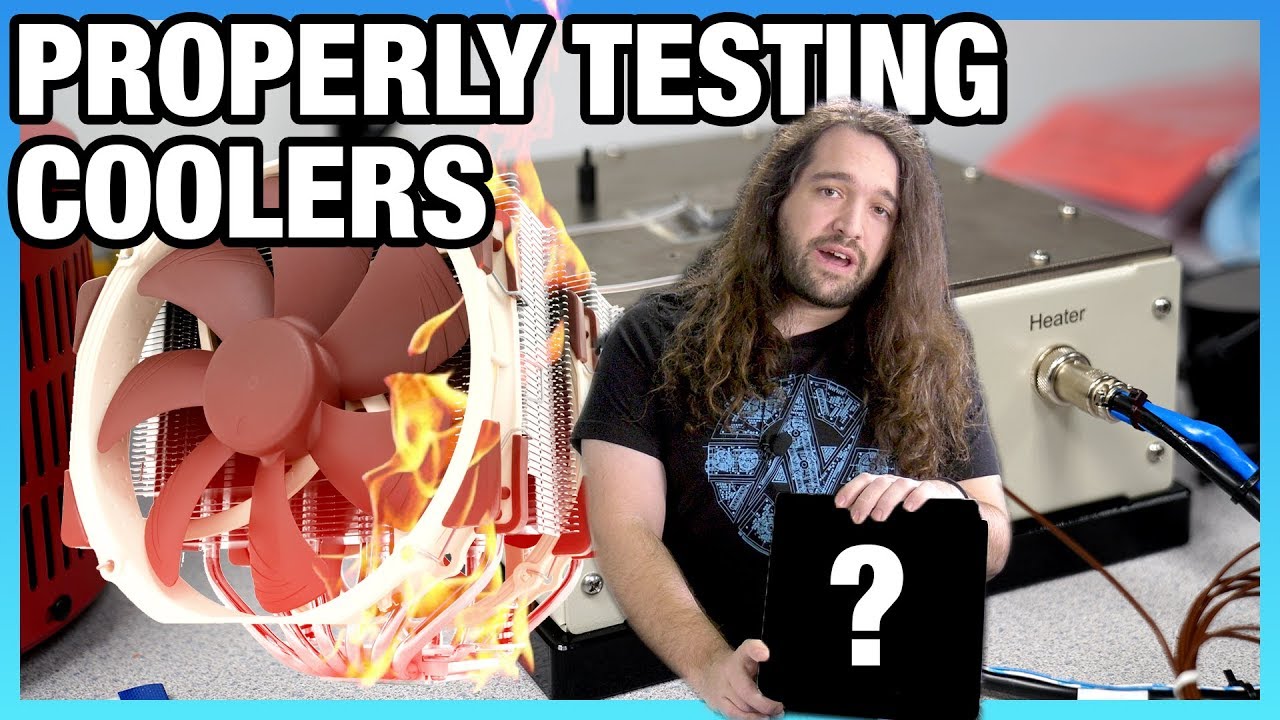
This video defines our benchmarking methodology for the next several years of CPU cooler testing, highlighting common errors made that we've solved for.
Sponsor: Support our testing overhauls on Patreon (https://geni.us/wl916e) - this is a great way to help us fund staying true to our content style and focus on depth, but to also get some behind...
wicked frigate
Is there a way I can see a 3D version of my build
stoic island
why..?
wicked frigate
I want to see how my build would look like with white and black
Also
Should o get toshiba
Hd
Or???
small osprey
Get an ssd
small osprey
Then u dont need hdd
pliant lake
wicked frigate
Is there a way I can see a 3D version of my build
easiest is if you know a 3d modeling software to make your own model
wicked frigate
Any ideas for what hd
severe axle
theres also pc building simulator
wicked frigate
Wut that
wicked frigate
@stoic island what hd
stoic island
what
stoic island
prob get wd
little osprey
@wicked frigate you could ask on #storage-devices
lili is awlays there and maybe could help you out on it.
rich helm
@fluid escarp I could help
hollow grail
i hate answering ppl who have their minds made up already
lol
toshiba good, wd also good, get one of the two drives i listed and have fun @wicked frigate
muted patio
Looks nice @buoyant flame !
hollow grail
yeah lookin good :))))
cursive wharf
wow, GPU adapter doesnt murder looks
fluid escarp
rich helm
<@642518510139998208> I could help
DM me please whenever you have time. Thank you
muted patio
@buoyant flame one piece of advice. Really try and get the radiator above the level of the pump. Might trap air in the pump, just an FYI
hollow grail
cursive wharf
wow, GPU adapter doesnt murder looks
are there custom sleeved cables for that yet
if not, someone is gonna make a good amount of $ making them because they always look bad
muted patio
That's a custom one
cursive wharf
is that not a custom sleeved one?
muted patio
The nVidia ones are round cables
cursive wharf
Some come with the PSUs
hollow grail
not that im getting a FE
buoyant flame
Ye thats the nvidis connector
muted patio
Yeah, I wanted an FE but got EVGA
cursive wharf
some are from random companies
hollow grail
and also not that im caring abt cable management next build
buoyant flame
Also, ik about the radiator, but thats literally the only way it would mount
buoyant flame
Preciate it
hollow grail
its going in a rack anyways lol
cursive wharf
flip rad and move it up?
muted patio
Oh, the one not showing in Bios?
cursive wharf
put fans outside case and move to top of case
buoyant flame
There aren't mounting holes 1 level up.
cursive wharf
make them
buoyant flame

hollow grail
muted patio
Oh, the one not showing in Bios?
nvme issue?
cursive wharf
what case is it?
buoyant flame
I had a barracuda hdd that isn't showing up in bios or partition manager
buoyant flame
cursive wharf
what case is it?
Td500 mesh
muted patio
Tried all the ports?
buoyant flame
Alr
buoyant flame
It's not that. Only one is installed
muted patio
Ye
buoyant flame
Aorus z490 elite ac
hollow grail
worth humoring me and moving it down one
cursive wharf
what? you really cant flip rad and move it one slot up?
muted patio
Getting manual, BRB
buoyant flame
hollow grail
worth humoring me and moving it down one
The nvme?
buoyant flame
cursive wharf
what? you really cant flip rad and move it one slot up?
Correct lol
I was surprised too
hollow grail
buoyant flame
The nvme?
the sata drive
buoyant flame
I've tried 2 ports so far
buoyant flame
Tries 2 up top and 1 bottom one now
hollow grail
if not then honestly it might just be seagate being seagate and you got a doa drive
cursive wharf
What's in the way? Seems like enough room
hollow grail
did you get it from newegg?
muted patio
"The availability of the SATA connectors may be affected by the type of device installed in the M.2 connector.
The M2M_SB connector shares bandwidth with the SATA3 4, 5 connectors. The M2A_SB connector
shares bandwidth with the SATA3 1 connector. Refer to the following tables for details"
buoyant flame
hollow grail
did you get it from newegg?
Yes
hollow grail
does the drive spin up?
buoyant flame
cursive wharf
What's in the way? Seems like enough room
There's not mounting holes to move it up one fan space and and to flip it the tubing is blocked by the psu shroud
buoyant flame
hollow grail
does the drive spin up?
Gonna have to open the side panel, 1 sec
hollow grail
and maybe a pic of the drive would be nice too
muted patio
I see the issue already
AHEM
NVME needs to be in the top slot
not the middle or lower
hollow grail
also that yeah
buoyant flame
muted patio
NVME needs to be in the top slot
Ok so
cursive wharf
doing 280mm I assume?
hollow grail
i just have ptsd from newegg killing drives
buoyant flame
The upmost slot is disabled and lacking functionality according to my Manuel. So I put it in the middle
muted patio
Um
cursive wharf
the heck, NE kill drives?
muted patio
Is it a SATA m.2 or PCI-E
muted patio
K, so NVME
buoyant flame
cursive wharf
doing 280mm I assume?
Yep
muted patio
According to the manual
there room for a standoff right be the PCI-E x1 slot
for a 2280 drive
muted patio
Hmmm
hollow grail
cursive wharf
the heck, NE kill drives?
a lot of third party sellers that newegg allows to sell stuff package drives extremely poorly and also newegg just uses the cheapest shipping vs amazon
buoyant flame
Alr
buoyant flame
cursive wharf
honestly just use those ones and ignore the top two
Ig that's a possibility
hollow grail
i only get my drives from best buy in person
buoyant flame
hollow grail
very common for drives to arrive doa on newegg
I was unaware of that lol
hollow grail
yeah its no good
muted patio
One NVME or 2?
buoyant flame
I only have one nvme drive
muted patio
K
cursive wharf
Im already using like half of the screws I should be using for my 360 rad cuz I cant really screw the screws in easily (have to do it from inside of case, some stuff is just blocked off)
muted patio
Use the lowest M.2 slot then. That way it only kills SATA1 port
The slot you're in right now kills 3 ports
3/4/5
Or just use slot 1/2 and leave it
for the 2 TB
cursive wharf
but.. but... better speeds/latency
buoyant flame
I have this picture that might help explain a little. The top m.2 slot without a heatsink had a sticker on it telling me not to use it. Manual said the same thing. So I installed the nvme on the middle one (topmost m.2 slot with a heatsink)
hollow grail
oh that board is cute
muted patio
Yeah, I see that in the book now
buoyant flame
hollow grail
<@!354316598439313419> if it was packaged like this then ur fine
It was most definitely not lol
muted patio
So, the "middle" slot kills SATA 3/4/5 ports
Leaving 0/1/2 open
The bottom M.2 slot
Only kills SATA 1 port
hollow grail
buoyant flame
It was most definitely not lol

muted patio
So, there ya go
muted patio
Mebbe
buoyant flame
It's in "slot 0" rn and is not showing up
buoyant flame
Drive feels like it's vibrating too
muted patio
Move it down one space
buoyant flame
To slot 2?
muted patio
Yeah
buoyant flame
Ok
hollow grail
also this is gonna sound super dumb but you plugged sata power in as well right
buoyant flame
Yes lol
muted patio
The manual only mentions SATA 1 so it may be the whole stack
hollow grail
just asking because man theres some interesting ppl on here lol
buoyant flame
Alr booting in slot 2 rn
muted patio
And no, it's not a Hitachi
muted patio
sweet!!
muted patio
GPT is fine
hollow grail
muted patio
And no, it's not a Hitachi

muted patio
YW
hollow grail
@buoyant flame if u ever need to upgrade that drive i wouldnt go seagate again btw
theyre SMR which is omega cringe tbh
buoyant flame
I thought the barracuda was kind of the standard
hollow grail
standard of bad drives
buoyant flame
Noted lol
hollow grail
people who know enough abt storage recommend them because they see 7200 rpm and the price tag and are like "oh nice"
but the actual technology they use is different
its like how a ssd can be a good price/speed but be qlc instead of tlc
and how you want tlc over qlc even if it costs a bit more
buoyant flame
Alr so what's your go to drive?
muted patio
Hitachi or Toshiba
hollow grail
for consumers toshiba is nice, so is the wd blue lineup
for nas, wd red/toshiba nas/hgst
little osprey
hey guys
my friend has a budget of $700 for a PC
can I have some help/recommendations on what to buy? he can't build it

 woven wedge
you could also use a ryzen 5 2600 and a cheaper mobo
 scarlet gazelle
what is he wanting to do with it
woven wedge
this was a like 800 or 900 dollar build
little osprey
He wants to game
scarlet gazelle
thats a solid build to start as a template
i would say he could get by with downgrading cpu too
depends on what he wants to play though. anything in particular?
some people just want a pc for fortnite lol
scarlet gazelle
mhm
little osprey
gta
woven wedge
get a rx 580. You can probably find one for around $100. I have one rn and i get good fps for apex or fortite
scarlet gazelle
hm fortnite is more cpu intensive iirc
little osprey
ooh
 zinc marsh
little osprey
gta
zinc marsh
little osprey
gta
honestly if he's got a low budget and he's JUST looking to game then he should prob just get one of the new consoles
woven wedge
so this build with a rx 580 should do pretty well. its very similar to what i use
scarlet gazelle
yeah true. with $700 he could get a new gen console
whats the scalping markup now
zinc marsh
that's if he can find it on msrp
I would never suggest anyone buy from scalpers
but yeah you can prob buy an xbox one series s for 300 and get nearly the same or better performance with it than the $700 pc
only issue is that it's just gaming
 cyan aspen
 uneven mist
ah yes
cyan aspen
uneven mist
ah yes
Its the best most expensive rig out there. 10/10 for money well spent
 still roostBOT
 biggasamboori#4411 has been warned
Reason: Bad word usage
fossil halo
shii fr tho
uneven mist
cyan aspen
Its the best most expensive rig out there. 10/10 for money well spent
yes. best money usage ive ever seen
 frozen junco
Sorry what can I use to monitor my CPU’s temps
uneven mist
HWMonitor?
frozen junco
Ok thanks
uneven mist
idk thats all i could think of on the spot
frozen junco
These are good temps right
Look at the max I took the pic a few seconds late
(After it ended)
muted patio
Yeah that's fine
frozen junco
Ok thanks
 normal osprey
Why are graphic cards so hard to find rn
hollow grail
everyone wants them
still roostBOT
 Heisenberg#5935 has been warned
Reason: Duplicated text
 coarse cove
Is there anything I need to change on this list or is it good enough?
https://au.pcpartpicker.com/list/xnQ9RT
 viral ore
mobo and ram kinda pricy for what they are
coarse cove
ah
viral ore
rest is fine
coarse cove
thanks!
viral ore
bad ssd, psu kinda meh, and i would suggest a b460 board
also asrock gpus are not all that great
coarse cove
viral ore
https://au.pcpartpicker.com/list/JwnTt8
is there a wifi variant of the motherboard?
hollow grail
didnt see that one the first time
viral ore
coarse cove
is there a wifi variant of the motherboard?
the AX is the wifi variant
hence the name
viral ore
"AX"
coarse cove
thanks
viral ore
np
hollow grail
@viral ore is the only good thing they managed to put into that build the ram?