#building-and-recc-chat
1 messages · Page 400 of 1
 limpid merlin
 forest zealot
There are firmware limitations that quadros dont have which is why they can do 2 point percesion
Because its literally the same chip
 pulsar garnet
RX 5700 XT best for 1440p gaming
 little osprey
Best gaming solution = Titan RTX
edit: ^when budget is no concern
pulsar garnet
If you also want to spend $2,000 on a 144Hz 4K monitor then yes
little osprey
I think the 5x00's will be impressive performers for their cost. Even on release drivers they compete well with nvidia's cards at the same price points.
pulsar garnet
@little osprey they do perform really well. I'm hoping the later cards will improve further because this is a great generation.
 high temple
is this wehre i should ask
pulsar garnet
high temple
ok ty
little osprey
I'm excited to see 5700's with non-reference coolers. The 5900 should be really exciting
pulsar garnet
Yes yes yes
I'm excited for the whole 5000 series
Because the 5700s have been really good so far
I wonder when the 3900x will be back in stock for more than 5 mins tho
Maybe when the 3950x comes out
little osprey
I think a ton of retailers are getting 10k+ 3900x shipments around August 10. Hopefully prices even out before then. I'm almost tempted to try flip another 3900x haha
pulsar garnet
You flipped one? :/
Capitalist scum
I'll probably wait until Cyber Monday anyways in case there are any good sales, so whatevs. Aorus X570 Master squad.
little osprey
I have a x570 master as well haha, there's a group chat if you want in
 pulsar garnet
@little osprey I don't have one yet but it's my planned board
So if you wanna invite me go ahead
 pulsar siren
I am torn on the 5700xt, but I think it just because I haven’t used an AMD card in decades lol. I’ll do some digging on them
 lime forge
uhhh from what ive heard the 5700 and 5700xt are great but they get crazy hot
little osprey
Just wait for the non-reference coolers to come out, I plan to grab a 5700. Too bad EVGA won't carry any.
pulsar garnet
^^^
Wait another month and get one with better coolers
My 5700 XT is holding up really well so far in games and has given great benchmarks
 dense reef
So I have a Sapphire nitro, and dark rock so I was wondering what are the best parts for $500 without need of the psu or storage required in the list
little osprey
Oh, word? Y'all ain't seen? Hmm
Yeston 5700's
Atleast someone's still putting effort into trying new designs, even if they're not outright popular established designs like hard edged aib's of years prior.
https://www.reddit.com/r/Amd/comments/ckz6c5/yeston_5700_series_at_chinajoy_2019/
pulsar garnet
ªªªªª
Those are adorable
Honestly the white one would be really nice in an all white build
White and pink
Have some pink accents in there
 fallow tusk
just dropped 480 on the aorus 2060 super how yall feel about it
 balmy canopy
Why
 high tangle
Hello , where is the right place to ask if my choice for MB+DDR4+Processor will work toegther?
 next tangle
Hey everyone, I have a budget of 1100$ (only like 0-50$ over is okay). I want to build it myself and will be streaming and gaming on it. I will be playing games at 1080p and want a PC that looks nice but also has great performance for the price. If someone could put together a list on pcpartpicker for me, that would be awesome, thanks!
 hazy seal
Or you can go to part picker... make one... and we can make suggestions and changes
hazy seal
Lazy butt.... lol
next tangle
hazy seal
That looks like a good set up.. if you can go 650+ on the PSU... 620 seems like an odd number.. lol good brand though
next tangle
hazy seal
Painting the PC RED? Or just want paint in your list
next tangle
you know the part of the h500 that covers the cables
for cable management
to save money, I can just paint it red myself
hazy seal
1000W is more then enough power...
little osprey
Open to suggestions?
little osprey
Should I keep a 1660ti for 1080p gaming or should I get a RTX 2060 for future proof?
 chilly marsh
if you got the money you can
little osprey
3600 and 3700x are better value vs 3600x unless you're getting a $40 newegg combo discount or something.
If you like the looks of that ram, keep it, but you can get "better on paper" for the same price.
Unsure if blower cooler on 5700xt is fine, non-reference cooler models will relsease soon
Good ssd pick, If you know you're going to be writing 50GB files to the drive somewhat often, I'd recommend a $110 1TB NVME drive, but TLC vs the QLC 660p
PSU isn't bad, but you can probably get something nicer for the money.
https://www.tomshardware.com/reviews/pc-power-and-cooling-silencer-1050w-psu,5871.html
 coarse coral
1660Ti is more than enough for 1080p gaming for next two years
next tangle
@little osprey thanks for the suggestions! and what do you mean for the ram?
coarse coral

Based on 88,561 user benchmarks for the Nvidia GTX 1660-Ti and the RTX 2060-6GB, we rank them both on effective speed and value for money against the best 621 GPUs.
little osprey
Yeah but I'm thinking I should return it due to ray tracing being introduced to most games but i bought impulsively
coarse coral
oh
well, if you have the money 2060 SUPER is pretty much the new 2070 if you're into that sort of thing
little osprey
Yeah but im not thinking of buying a 2060 super for 1080p
I actually don't know anyone who enthusiastically expresses their appreciation for RTX
Kind of on a budget but im willing to spend the extra $50 for 2060
little osprey
Over temp protection
 little osprey
@coarse coral Oh absolutely, But that didn't come until OBS 23.0 Jan 2019
next tangle
and what is inaccurate power-good signal, lousy transient response and long component leads? sorry for asking a lot of questions, still semi-new to this PSU stuff
little osprey
Before then, the NVENC render had to copy frames from vram to main memory to encode, NVENCnew skips that.
Hold up time = how long PSU can power the PC when it loses input 120v
the rest mean the PSU doesn't respect the ATX specification's manners
Same tbh, the LTT guys are making a new PSU tier list btw
And updated AM4/x570 mobo tier list
next tangle
ohhh
thank you so much man
or woman.
@little osprey what do you mean about the ram? when you said "If you like the looks of that ram, keep it, but you can get "better on paper" for the same price" ?
little osprey
The affect of faster ram on the real-world application performance of zen2 builds is debatable
So I just try to recommend what's most likely to work without having to do more work
next tangle
ohhh
you're right
I know a 3600mhz 2x8gb ram that looks really ugly for 70$ 😛
I can just get those ram heat sinks thing
for like 15$
that has rgb
little osprey
I wouldn't remove the ram heat spreaders
coarse coral
^
next tangle
oh y?
 little osprey
I actually tried to peel off a flarex heat spreader, gave up half way and now that stick just runs hot
little osprey
That's the best/cheap option for ram that will perform well out of the box.
You can, but why
next tangle
because of the speed
and I want RGB on the ram
and if I do remove the heatsink @little osprey do I need some like cooling pad tape or something?
little osprey
Seems like an unnecessary risk, why not buy ram that comes with a heatspreader you like
next tangle
because it would be more expensive to buy that ram
@little osprey would it be better if I went with the 2060 super?
I mean 2070 super?
and then when the reference cards from other manufacturers come out for 5700 XT, get that?
because I will be buying all these parts towards like mid september
maybe even october'
nvm 2070 super is 500$
i'll just stick with the 5700 XT
@little osprey ?
next tangle
https://pcpartpicker.com/list/4Xk7cY how about that @hazy seal
 shy galleon
okay do you guys mind if i send you a link to what i want my build to be and if there is anything that i need to change can you guys tell me because i dont know a lot about computers and my budget is around 600-700 dollars
little osprey
I'd go with a 3600, whatever 3600+mobo combo deal fits your use/budget best, a psu like a focus plus gold 650, and then ya, wait for a non-reference cooler 5700/xt
shy galleon

Micro Center
does this look good?
also there is a discount at my micro center that gives the cpu and motherboard combo for around 200 dollars
and the 1660 ti is 270
dollars
us
little osprey
Haha send the pcpp link again
shy galleon
does it work now?
my budget is around 600 - 700 but i dontk now how to bring down the price and i want a good cpu, gpu, etc
decent*
little osprey
shy galleon
and i also want a decent amount of storage
pulsar garnet
@little osprey I swear I made that exact same build for another guy who wanted a $700 budget
little osprey
😩
next tangle
@little osprey what is a non reference cooler 5700xt?
@little osprey and what mobo do you suggest since I am on a budget
 hardy fractal
Anyone know why my pc turns on in the night
pulsar garnet
Ghosts
hardy fractal
That’s what I thought
hardy fractal
I got the newest Logitech
hardy fractal
Probably
lime forge
my computer used to turn on at the worst times to do windows updates
next tangle
virus?
lime forge
it got me thinking, what if my laptop was in a bag or something and it just turned on to update
it would overheat and die
so thats how laptops stay in business 
little osprey
Do you have a big gaming laptop?
hardy fractal
That happened to me once
little osprey
CPU can't create too much heat, the cooler for cpu/gpu is likely combined, windows updates are also usually single thread limited and obvi don't use gpu.
But I'd leave it out of the bag haha
hardy fractal
Lol
 vast valve
Would anyone be willing to connect a car radiator to their cpu if they knew it were efficient?
hardy fractal
Heck yeah
Not really
The first build that I did I ordered the wrong M.2 and I ended up getting 3
Whoops
little osprey
I've thought of trying it with an extra oil cooler, 8AN tubing all around, but you're going to have too much trouble with galvanic corrosion
lime forge
sorry for not responding im back now
anyways
right now i have a gaming laptop but its not super huge
 fossil hedge
 agile bear
I think a gt 8800 would be the better pick
little osprey
i have a question
is the gpu and the watercooling system going to fit in the same case
since the gpu is a triple fan gpu
 open gazelle
@little osprey Triple fan owner here, check the clearance of the GPU vs the GPU clearance itself
Case allows 370 mm, the GPU is 280.35 mm.
little osprey
but would the radiator fit too
 lapis rampart
little osprey
lapis rampart
little osprey
9700k extremely comparable to the r7/r5 3rd gen in gaming unless the game is optimized for intel, and the amd chips have more cache, automatic overclocking, good cooler, etc.
 snow forge
How would this be for a dual monitor 4k gaming build? Do a good bit of editing, and wanted to stick with Asus for perfect RGB matching
snow forge
Most likely. Or a single 4k 120/240hz monitor with a 1440p side monitor. I play a lot of DND, so I keep the map open on one screen and character sheet on the other.
little osprey
The main issue with the build is improper balance on where money's being allocated
snow forge
What would you suggest? Obviously changing from 64gigs of ram to 32 or even 16 (was kind of over the top on 64)
little osprey
The GPU could handle one monitor at 60fps - 90fps
at 4k
Just to note
And the cpu you picked is not necessarily the best for it
3900x is
Cheaper mobo, 3900x, same ram, m.2 only
I'll mess with it
But is ASUS absolutely necessary
snow forge
It was more so an aesthetic thing, so no. Not at all.
The 3800x has a higher base clock, but .1ghz lower OC. Is the 3900x that much better?
little osprey
3900x has many more cores and a more sophisticated dye quality in most cases
2080ti is usually outperforming most cpu's, 9900k and 3900x show its limits though
little osprey
Amazing
From what I've seen
No benefit from AIO or better cooling
Only difference is 81c vs 91c
but it never really passes 91c
plus if you use thermal grizzly as the coolant it'll help as well with cooling by a few degrees
snow forge
What would be the best x570 motherboard?
little osprey
x570 is pointless
the fans are proprietary so if they die your entire board is useless, pci gen 4 hasn't been optimized yet and pci gen 3 hasn't been fully utilized yet, so you see 1fps for $150 more on the board. PCIeGenx4 also gives better m.2 performance but the cost to performance is $150-200 more for no noticeable performance, we're talking 3,000 to 4,000 reads/writes.
And the drives you had already picked would not take even half advantage of this
Because they're a lower model pci 3
and a normal ssd
x470 is perfect for most
Because as of now, no one needs the benefits of x570
will be a good budget board in future.
snow forge
I'm glad I'm actually learning a lot, usually people just tell me the builds suck with no advice.
snow forge
Alright, I'm looking around as well. Still not sure what case I like. Currently have a p400s housing my parts.
snow forge
I'll look into it
little osprey
It's another high end case
keep in mind you don't have to go high end on the case either.
Same price overall, SSD with double the speed on both of them (From 1,500-2000 to 3,000-3,500 and from 350-400 to 500-700r/w)
Still a very nice rgb case and mobo
low-ish latency ripjaws ram
(You could also go with 32gb royals for better timings)
and a better cpu
snow forge
Have you worked with the case at all?
snow forge
What would you truly suggest? Cable management is a big factor for me
little osprey
Best case for cable management?
snow forge
I love CableMod cables and like my build looking orderly. Doesn't have to be the best.
little osprey
Also, Gamers Nexus is the best person to listen to for AMD cpu's, GPU thermals, and fan reviews
He goes very in depth, I've been learning a lot from him
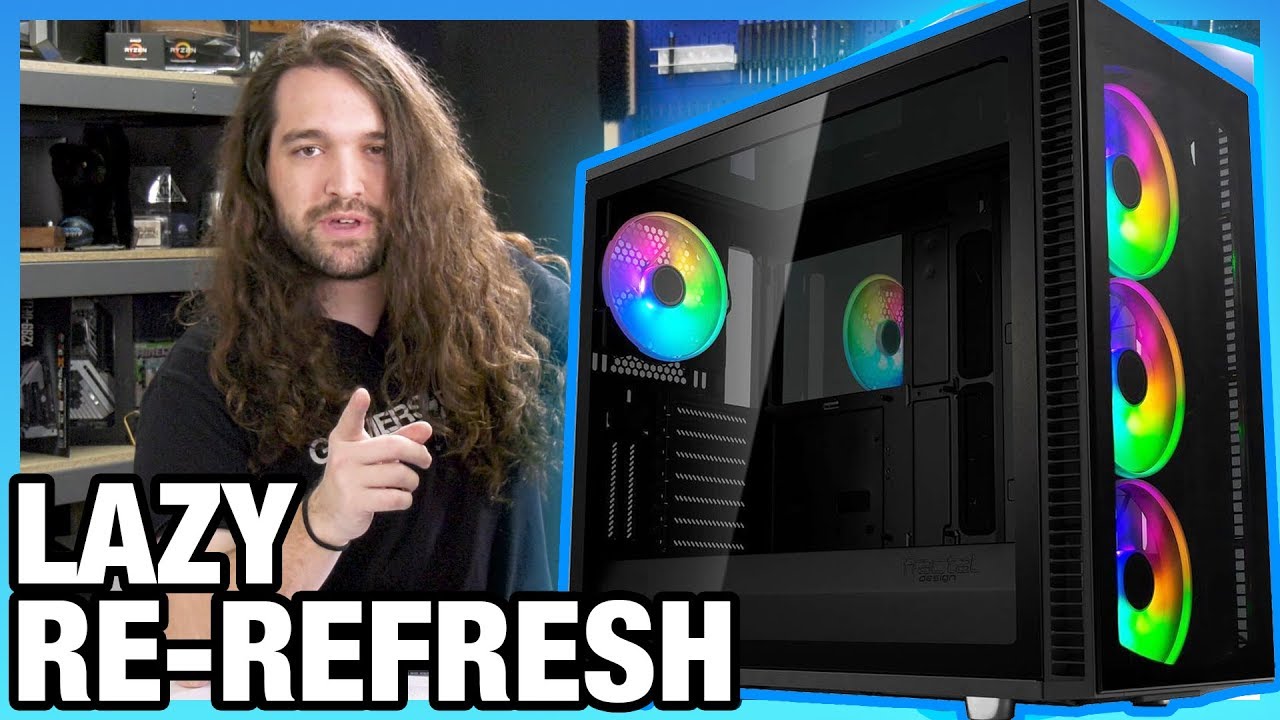
Fractal's Define S2 Vision RGB might be the company's laziest case refresh yet, and at the price, that's pushing it. Ad: Buy GBT's gaming monitor (https://ge...
That's his review of the case, I haven't seen it yet.
hardwarecanucks is pretty good too but they are more for glamor shots of the cases rather than complete information like Steve usually provides.
snow forge
Yeah, I enjoy HardwareCanucks but more so for peripherals. I'll watch his video. Seems to be the same thing, higher price.
little osprey
Peripherals HardwareCanucks are actually a bit on the amateur side sadly
I would recommend RocketJumpNinja for mice, he has around 20 years of experience and got me into trying lots of mice before I got locked onto logitech's amazing sensors. RIP Corsair lmao
snow forge
Using Quake to show sensors was the smartest thing I've seen
He's the one that got me to get the g502
little osprey
As for Keyboards, /r/mechanicalkeyboards is the best place for questions, as for youtubers it's hard to say that there's a specific channel, randomfrankp is like the bottom line, lots of personal builders in the mechanical keyboards community have independent channels and you can sometimes buy keyboards from them, but not from the best though (In my opinion) ActualGlacier (Also known for blowing up over his post of Minecraft with PathTracing a few months ago on Twitter)
snow forge
I'm sticking with my Logitech peripherals. I have my g502 (mouse), g910 orion spectrum (keyboard), and g633 (headset)
little osprey
Same mouse here
I love it
G403, G502 are both good
I'm considering upgrading to the G703
snow forge
I was thinking about upgrading to the Lightspeed Wireless
little osprey
It's an amazing case
Be Quiet is top notch
Good PSU's, Fans, Cases, CPU coolers, etc.
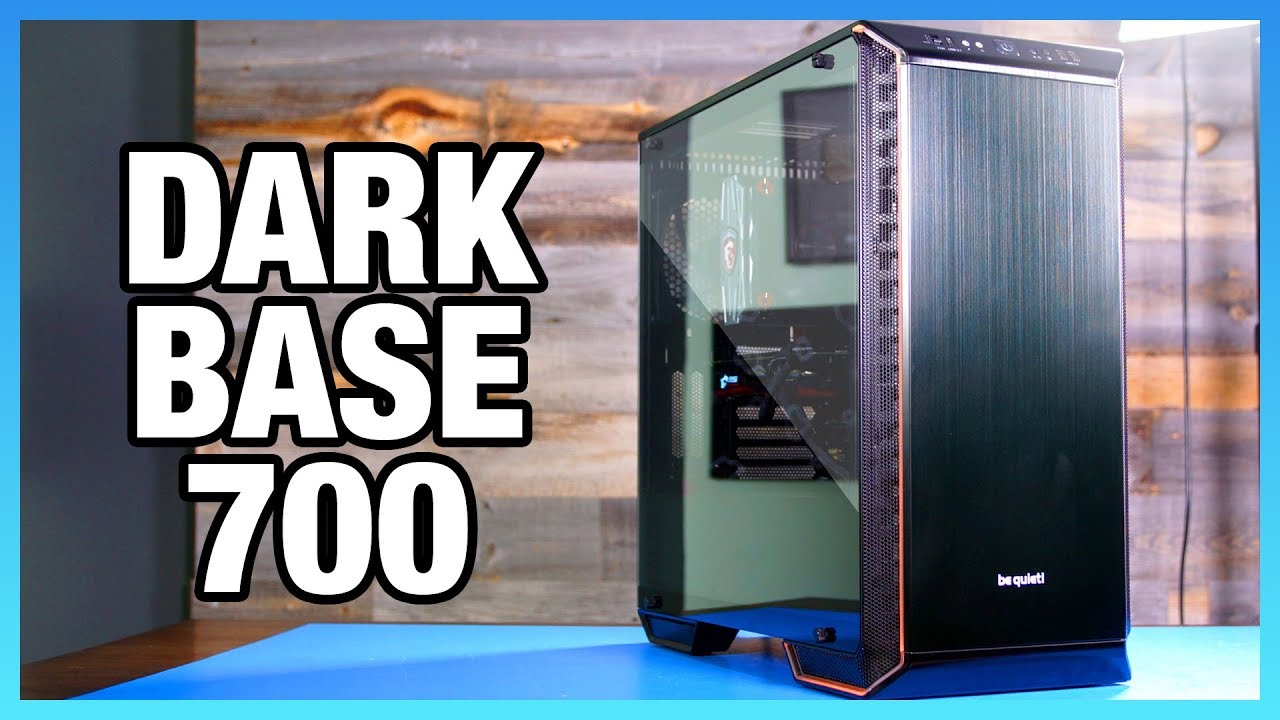
Reviewing the new Be Quiet! Dark Base 700 case, including tests for noise, thermals, build quality, and cable management. Ad: Buy Thermal Grizzly Conductonau...
Your gpu would be slightly too long for it without removing some drive cages though
I had to do that with my previous build
snow forge
I'm looking for a smaller 2080ti
little osprey
EVGA
and that specific one has amazing reviews
There's also a cable management accessory for it
That case will give you amazing cooling btw
snow forge
The OC is 120hz lower. Any difference really shown?
little osprey
You can overclock that without affecting stability on the card yourself
I do it to every computer I touch lol, much higher than 120
MSI Afterburner
You wouldn't even have to change voltage.
snow forge
Is that just the manufacture recommendation?
little osprey
Not to mention it makes 0 difference.
120mhz is nothing on the clock
Also, here is the difference in synthetic performance between the 3700x and the 3900x
snow forge
Oh damn
snow forge
Also, I just hate how EVGA's GPU's look. Might have to do a paintjob on that
little osprey
Ah

REALLY GOOD: My Ryzen 9 3900X and Ryzen 7 3700X Review and Benchmarks! ⇨ Sponsor: Cooler Master SF120P https://amzn.to/2FtZRjN and SF240P https://amzn.to/2FJ...
snow forge
I could just stick with horizontal mounting.
little osprey

This review of the AMD R7 3700X CPU looks at its performance versus the Intel i7-9700K, AMD R5 3600, and AMD R9 3900X. Ad: Buy Thermal Grizzly Conductonaut (...
snow forge
Is the 9900k really that much better?
little osprey
3900x shines in overclocking and workloads
 still roostBOT
 JesusisGodHChrist#7777 has been warned
Reason: Bad word usage
little osprey
9900k uses a lot of power though
Too much honestly
And due to its less cores among other things, it will often have stuttering at 4k (According to a few reviewers)
It's best suited for Adobe suite users and gamers using like 2 2080ti's
but it requires over 1,500 watts with 1 2080ti and a 9900k at full load
ridiculous
little osprey
you got tricked
the royal you picked ram wise are cas19
cas19 is above the infinity fabrics latency
therefor it will desync
Get these instead
they're CL14
the perfect number with 3200mhz
so the absolute sweet spot on Ryzen 3rd gen, even better than 3600mhz
3900x comes very close to threadripper performance.
Reference to the high wattage of Z390 INTEL:
https://www.youtube.com/watch?v=IBrumDWpl-c
snow forge
Take off the 570 and go with the one you sent?
snow forge
Yeah, I changed the build to the one you sent
snow forge
The ram link you sent

 snow forge
I'd rather not need a 1000 watt PSU
little osprey
electric bill, component survival rate over the next year
That's the best I believe.
 little osprey
I know these are the best for their spec:
-M.2 B+M speed wise and review wise
-X470 from MSI, they made the best mobos for gen 2 surprisingly
-3900x, one of the best overall and def the best AMD's got rn
-Psu is one of the best
-Ram is the most optimal
Only thing you had to cut down on was that 64gb ram
to 32
snow forge
Any difference in the TridentZ vs Royal?
coarse coral
depends
little osprey
which desyncs from the infinity fabric
little osprey
so the timings being 14 on the ones I threw in there are mmm
coarse coral
but what speed
little osprey
plus it's not that expensive surprisngly for 14, but I would prefer lower.
3200mhz, sweet spot rather than full speed since he intends for gaming
coarse coral
everyone recommending 3600 for new ryzen
little osprey
I know, but the timings are so high it makes their performance below 3200mhz
coarse coral

little osprey
Anything over 18 rn is desyncing from the infinity fabric.
and 16 is worse than CL14 with the infinity fabric
Wendell pointed this out at the beginning of the ryzen 3 launch, he was also the one to point out many of the motherboard incompatabilities and errors prior to and during the launch.
After that GN has begun mentioning it
and even Linus somehow was informed enough to make a vid on it
coarse coral

snow forge
Has to be something if LTT would cover it, lol.
little osprey

snow forge
Would I need the SeaSonic 850W or stick with the BQ 750W?
little osprey

Ryzen 3000 is finally out, And you might want to build a brand new rig, or even update the one you have right now.well, theres something that a lot of people...
This was the main one I looked at during the launch as well
Lots of information
Most of what I've said and most others are saying
@snow forge The seasonic is a higher quality
and cheaper
cause of a sale mainly
snow forge
Now, WiFi card choice?
little osprey
I have one but why wifi
This works perfect, I have it as well
It's bluetooth 5.0 and wifi in one
has an optional adapter
snow forge
There are times when I can't always have ethernet access
Have any info on Hard Line LC?
snow forge
Liquid Cooling
little osprey
Ah
It's not worth water cooling the 3900x
The gpu would like it though
Ref:
https://www.youtube.com/watch?v=DBQ1RUeV_oo
https://www.youtube.com/watch?v=2Wzhh3zH9Hs
I would go for an aio gpu if you're wanting to water cool
Ryzen does equally well on its stock fan and aio
snow forge
EVGA
The EVGA HYBRID cooler for the GeForce RTX 2080 Ti is an All-in-One water cooling solution that significantly lowers the GPU and VRAM operating temperature. Best of all? The water cooler is completely self-contained with the included 120mm radiator and fan. No filling, no cus...
?
little osprey
Yes
Just make sure its for the same model number
But yeah that's one way
There's also models with it built in
But not sure if the 2080ti has any of them
snow forge
It's for their 2080ti's
little osprey
But its for specific models of the 2080ti
it lists them
I would just make sure first.
But its a good idea
snow forge
Compatibility of the EVGA HYBRID Kit for EVGA/NVIDIA GeForce RTX 2080 Ti XC/XC2/FE, 400-HY-1384-B1, RGB (400-HY-1384-B1): EVGA GeForce RTX 2080 Ti BLACK EDITION GAMING, 11G-P4-2281-KR, 11GB GDDR6, Dual HDB Fans, RGB LED, Metal Backplate
Yup
snow forge
Buy EVGA GeForce RTX 2080 Ti XC Hybrid Gaming, 11GB GDDR6, Hybrid & RGB LED Graphics Card 11G-P4-2384-KR: Graphics Cards - Amazon.com ✓ FREE DELIVERY possible on eligible purchases
little osprey
but its so nice now owo
snow forge
Yeah, it did
little osprey
oooo
Get the built one
Then its their fault if it breaks
Wait
That one has bad reviews specifically
little osprey
ye
None of them have good reviews
like they have 10-15% bad
gigabyte had the worst
msi had the second worse
as expected of msi
so evga's is still the best
but it can have an issue with the fan being loud, temps being a lil weird, and it randomly changing voltage.
From what I've read.
snow forge
Yeah, I saw that part
Seems to be two different cards, just the Amazon link has the able to be chosen between. So the reviews are added from the two
little osprey
This is a TON more but is a kingpin, so overclocked by KingPin's team
the best GPu overclocker
And a 240mm radiator
snow forge
That $600 premium. Yikes
little osprey
Yeah
For Kingpin and double the radiator
Plus you're ensuring you have the best dyes essentially
it's like buying from silicone lottery
because they can't make a kingpin without high quality everything
It's the only one with perfect reviews on both sites
and its the only one with that good of cooling
and that good of overclocks
but it may be out of price range, that I expect
snow forge
Yeah
little osprey

Reviewing the KINGPIN 2080 Ti is a tough job, but we've looked at it for "regular" use, water-cooled overclocking, liquid nitrogen overclocking, and more. Ad...
snow forge
I'm at $3500 with monitors
little osprey
not bad
wow
its so good quality wise they managed to get 1400mhz on ram like nothing
oof
still roostBOT
 iForsakenHD#7787 has been warned
Reason: Bad word usage
snow forge
Screw it, I've played with x2 1080p monitors for four years. I'll wait a little longer for the 4k monitor
snow forge
What would be best for this build?
little osprey
Same GPU?
snow forge
The exact build I just sent
snow forge
That's what I assumed
"Warning!Some AMD X470 chipset motherboards may need a BIOS update prior to using Zen 2 CPUs. Upgrading the BIOS may require a different CPU that is supported by older BIOS revisions.
Note:The be quiet! Dark Base 700 ATX Mid Tower Case supports video cards up to 430mm long, but video cards over 286mm may block drive bays. Since the EVGA GeForce RTX 2080 Ti 11 GB KINGPIN GAMING Video Card is 290.83mm long, some drive bays may not be usable.
Note:The motherboard M.2 slot #2 shares bandwidth with a SATA 6.0 Gb/s port. When the M.2 slot is populated, one SATA 6.0 Gb/s port is disabled.
Note:Some physical dimension restrictions cannot (yet) be automatically checked, such as cpu cooler / RAM clearance with modules using tall heat spreaders."
Any of those actually to worry about?
little osprey
You just get microcenter to update it for $30
or you buy a $40 cpu and upgrade it yourself
still cheaper than x570
for their good boards
and no performance loss/gain as mentioned earlier
snow forge
The $50 difference worth anything? https://pcpartpicker.com/product/gwPgXL/msi-mpg-x570-gaming-edge-wifi-atx-am4-motherboard-mpg-x570-gaming-edge-wifi
little osprey
That's a low end x570
snow forge
Don't have a MicroCenter near me
little osprey
Overheats
Buy this cpu then to update it and sell it on ebay afterward or keep it
unless you want to update it with the gpu unplugged
in which case the athlon
and as for the sata "Warning" it's telling you that your sata is almost all used up, but you won't be using sata anyway outside of the second m.2 drive.
So there's no concern.
snow forge
There's 8 sata ports on the board anyway lol
little osprey
My WORKING build has warnings because the website got confused on the motherboard needing update, etc.
snow forge
Is it necessary to even update it? Or could it even be an error?
little osprey
It is necessary
It cannot recognize the third generation without the update
But its super easy
little osprey
you put a file on a clean usb, plug it in and reboot with the cpu in
and it might, but my board said it would take ryzen 3rd gen but required a 5 minute update
snow forge
Yeah, says it supports 2nd gen

In this video we show you all you need to know about the MSI X470 GAMING PRO CARBON motherboard. It's tailored to make full use of AMD's 2nd generation RYZEN...
little osprey
GN, I wanna have time to get lit in the morning
snow forge
Lol
It's 5:30am. Tired as shit. Second night awake without sleep
GN man, really appreciate it
OOH

Buildzoid looks at the best motherboards for AMD Ryzen 3000 CPUs, including the best X570 boards, X570 vs. X470, B450 for R9 3900X or R5 3600, and more. Ad: ...
He says B450M is best for 2080ti, odd
snow forge
Compared to X470?
little osprey
X470 can better handle the 3900x's cores though
They are a little too much for b450m, but its not very noticable if at able
its certainly doable
there was a good video on it

Sponsored by Nerd or Die's new Glitch 2 package: https://nerdordie.com/product/glitch-2-stream-package/ref/eposvox/?campaign=AdSpotJuly72019 Stream benchmark...
Wendell + Eposvox, always good
snow forge
Will watch all of them. Now, go to bed lol
little osprey
That's the 3700x but the 3900x should also work
still not as recommended as x470 tho
 compact cove
What kind of frames would I get with low settings with the build I sent?
For Fortnite, CSGO PUGB BO4 etc
pulsar garnet
You probably won't get consistent 240FPS from that card
 jaunty relic
Hey everyone, doing my first build and looking to get some feedback on my parts, especially on picking a proper PSU for it. Any and all thoughts are appreciated! https://pcpartpicker.com/list/4bzd4q
little osprey
so i have an ok-ishly strong pc but the graphics card is trash and it has had problem after problem should i just sell it and build a pc?
jaunty relic
If the rest of your system is well and can still handle the work you do, you could just get a new graphics card to replace the old one
little osprey
its been running into problems and it blue screens with the new card (even with the drivers)
little osprey
PFF
It's a 1660ti @compact cove
Weak
Get a ryzen 5 3600, its equal to the 9700k
Get a 5700xt and you can do 240hz 1080p low
snow forge
@little osprey Started buying parts. Decided to spent all my money on one part until I get paid again https://pcpartpicker.com/product/dxL48d/evga-geforce-rtx-2080-ti-11-gb-kingpin-gaming-video-card-11g-p4-2589-kr
pulsar garnet
@little osprey XT on 1080p ultra still gets like 144FPS average (idk about higher because my monitor is 144Hz)
little osprey
@shy galleon https://gpu.userbenchmark.com/Compare/Nvidia-GTX-1660-vs-AMD-RX-590/4038vs4033 the 1660 is about 8% better in games but in a few games the 590 gets better FPS. That link will show you more detail.
Based on 25,657 user benchmarks for the AMD RX 590 and the Nvidia GTX 1660, we rank them both on effective speed and value for money against the best 621 GPUs.
 shy galleon
is that one overclockable or am i just a dumb dumb and think that gpus are overclockable
i dont know a lot about computers so shut up (jk)
pulsar garnet
1660Ti
pulsar garnet
Ah okay
balmy canopy
1660 is best in that situation imo
 daring beacon
Im new to pc gaming and I've decided I want to build my first pc. I have a budget of around $650, I have come up with a list of parts and im wondering if it is reasonable or if it could be better for the price.
 deep skiff
ok
deep skiff

daring beacon
MSI GAMING GeForce GTX 1060 3GB GDDR5
NZXT H510
MSI Performance Gaming AMD Ryzen 1st and 2nd Gen AM4 M.2 USB 3 DDR4 DVI HDMI Micro-ATX Motherboard (B450M Gaming Plus)
Raidmax Hybrid 530W ATX12V/EPS12V Power Supply RX-530SS
WD Blue 2TB PC Hard Drive - 5400 RPM Class, SATA 6 Gb/s, 256 MB Cache, 3.5" - WD20EZAZ
Kingston Technology HyperX Fury Black 8GB 2666MHz DDR4 CL16 DIMM 1Rx8 (HX426C16FB2/8)
AMD 199-999575 Wraith Max Cooler with RGB LED
AMD Ryzen 5 2600 Processor with Wraith Stealth Cooler - YD2600BBAFBOX
deep skiff
- u can get a case for $30 less, the only important thing is ascetics
- 2tb is a lot of storage, go with 1tb at 7.2k rpm
- go with 16gb of ram 3000mhz
daring beacon
ok thx
deep skiff
and can u link the gpu?
daring beacon
yes
deep skiff
the only ones i see are overpriced
deep skiff
if you can see if you can find a rx 580 for around the same price, so are the same price for a bit better performance
deep skiff
👍
daring beacon
ok, thanks for the help!
shy galleon
what do you guys think of this cpu and motherboard combo?

Micro Center
also can i overclock with this board?
snow forge
Yeah, seems so. Just looked at the reviews.
"I upgraded to this and have not had a single complaint. Over clocking is easy and I get 4ghz on my ryzen 1600 cpu easily. Definitely recommend."
snow forge
"Bought this as part of a Ryzen 3700X bundle, an incredible deal for this motherboard. Have had zero issues with the BIOS and was able to overclock my Corsair Vengeance RGB 3000 (CL15) to 3333 (CL16) easily with the XMP Profile. The BIOS itself is a bit barebones in appearance but has everything you'd expect.
Be sure to check that this has enough headers for the case/peripherals you plan to use. I was a bit lax when preparing but lucked out and had the exact number of USB and fan headers that I needed."
shy galleon
lmao
snow forge
Are you going to be using RGB in the build?
snow forge
Alright. Because the build doesn't seem to have any RGB headers.
shy galleon
im mostly going for performance
i dont care about lights r ight now
im just going for raw performance
and im also blessed with a micro center
snow forge
I was just making sure.
shy galleon
yeah thanks for the help
 floral parrot
Best gaming pc for 800 dollars CAD
snow forge
Canadian? I'm working on one for you now. I'll translate it to CAD
Have you picked a case out, yet?
shy galleon
are you talking to @floral parrot ?
snow forge
Yeah
shy galleon
k just making sure lmao
snow forge
Your mobo and stuff is good now lol
floral parrot
Yeah I don't really care what it looks like but I want it to play GTAV at like high settings
snow forge
I never realized the difference between CAD and USD was so high
A $800 USD system is $1100 for you
floral parrot
Yeah it sucks
floral parrot
1 dollar Canadian is like 1.30 USD
shy galleon
or something like a micro center?
floral parrot
No
shy galleon
maybe you can come down to minnesota and shop
there is a micro center here
im just messing wit hyou
you dont have to do that
floral parrot
Lol there are conversations so it really wouldn't make any change
shy galleon
yeah its all good whatever works for you
floral parrot
For my new pc I want to build a 3600 and 5700XT when the AIB come out
shy galleon
ive heard bad things about the 5700xt because it overheats and stuff but if you can get some good colers then go ahead and get it
floral parrot
Yeah when 3rd partys make them they will have better cooling so I can leave it at stock and keep a good temp
snow forge
So hard to make a CAD build without taking away performance
floral parrot
Lol
shy galleon
yeah i get it
heck its hard enough for me because i dont make a lot of moneyh and just want a simple 600-700 dollar machine
not trying to complain
snow forge
That's around his budget CAD
floral parrot
Yeah I'm a kid so I don't pay taxes
shy galleon
lmao me neither
floral parrot
Wow that's a lot for what your getting
floral parrot
Here is what I wanna build https://ca.pcpartpicker.com/list/GLyxD2 but I already have an aftermarket cooler for it
Gammaxx 400
snow forge
Brings it up to 897$ CAD
floral parrot
Ok
snow forge
The MOBO in the build you want is eh
snow forge
They had some MEG issues with it
snow forge
3rd gen is best for price.
floral parrot
But that is only board I can afford
snow forge
One sec, I'll look
Your x470 would need to be updated via another cpu or computer shop
This x570 won't need to be updated
floral parrot
To much $
snow forge
It's cheaper?
floral parrot
Oh I thought its was 299
snow forge
Yours is $215 USD, this one is $199 USD
floral parrot
No the other one is 215 CAD
daring beacon
whats a good speed for ram?
 blazing bear
3k min
daring beacon
ok
blazing bear
all imo
shy galleon

so im kind of worried about getting this ram for my build
*when i get my build
because even though its some pretty good ram for the price
people are saying that you cant overclock it and it sticks at 2133mhz
and some people say it doesnt work
so idk what to do
coarse coral
check your motherboard manfact's qvl memory list of working memory
shy galleon
Micro Center
this is the motherboard that i was thinking about getting
ignore the cpu
coarse coral

AMD AM4 Socket; Supports DDR4 3200+ (OC); 1 PCIe 3.0 x16, 1 PCIe 2.0 x16, 1 PCIe 2.0 x1; AMD Quad CrossFireX™; Graphics Output: HDMI, DVI-D, D-Sub; 7.1 CH HD Audio (Realtek ALC892 Audio Codec), ELNA Audio Caps; 4 SATA3, 1 Ultra M.2 (PCIe Gen3 x4), 1 M.2 (SATA3); 2 USB 3.1 G...
shy galleon
yeah it supports it
i think
ooo and it can overclock
sorry im just figuring this out
coarse coral
no problem
shy galleon
so i think that the ram and motherboard combo is pretty good would you say?
also does the cpu come with thermal paste?
or do i have to buy it
coarse coral
should have some preapplied on the cooler th at comes with 2600
shy galleon
oh okay cool thanks for the info
and thanks for the help with the ram
appreciate it
little osprey
my current build http://prntscr.com/optdi0
 next tangle
https://pcpartpicker.com/list/qzs3V6 would that be good for streaming?
Trying to stay under 1100$ (0-30$ over is fine with me)
If you guys have any things you think I should change that would stay under my budget then please edit that and link it again 😄
next tangle
I will be streaming, gaming, editing and sometimes rendering (rarely)
And recording
@little osprey would you happen to know if that would be good for me?
shy galleon
@next tangle i have a recommendation
if you want to save a couple of dollars
try this for an ssd
little osprey
@next tangle I would go with a dual fan cooled video card as the blower cooled cards usually get pretty hot sometimes to the point of the performance being throttled.
next tangle
I will be getting this toward the end of 2019 @little osprey so by then I think dual fan cards for the 5700 series will come out
hopefully
little osprey
@next tangle Yeah hopefully. There's been a lot of reports of the new 5700 series cards overheating. I was even watching AMD stream and one customer was complaining his card reached 107C, made an audible POP, and stopped working. He had to RMA.
 fringe river
Intel Core i7-9700K
GIGABYTE GeForce RTX 2070 Super GAMING OC 8G
Gigabyte Z390 Aorus Ultra LGA 1151 ATX
G.Skill Trident Z RGB 16GB 2 x 8GB DDR4-3200
EVGA SuperNOVA 750 G+ 80 Plus Gold 750W Fully Modular
NZXT H500i RGB Tempered Glass ATX Mid-Tower
Hydro Series™ H100i Extreme Performance CPU Cooler 240mm
Never wanted to be that guy but will this work and fit in that case
its my first build
someone told me that was a bad cooler but idk what other aios that would fit and have a good warranty
 modest pawn
My buddy uses an h100i so idk it’s all about preference
But yes that works. I have the h500i case and I love it. If you are looking for good cooling though the h500i is exhaust only
Not intake
modest pawn
I use it and it’s fine. I’m using the Ryzen 3700x with the wraith cooler that comes with it. I’ve had no problems whatsoever
coarse coral
Front airflow is terrible
fringe river
oh yeah im changing the case to a fractal meshify c
i forgot to change it on the thing
modest pawn
Yeah i wish I could’ve gotten one with better airflow but it’s fine. No problems
fringe river
so do you think that is a good mobo for all the stuff im going to plug into it
modest pawn
GB is pretty good for mobo, I have the X570
And it’s good cause ur video card is also GB
fringe river
yeah you're right
yeah im about to start gathering parts i want to make sure everything fits and everything can be plugged in
still roostBOT
 🦀fps_low_af🦀#9371 has been warned
Reason: Bad word usage
fringe river
oof i forgot
 fringe river
it would suck for me to put this all together and not have it fit or work
lime forge
when building my dads computer we accidentally installed an extra standoff
had everything done, but then realized
and had to undo everything and get the stupid standoff off
but it was worth it because if not we coulda shorted it
$2000 gone
modest pawn
I didn’t need to put standoffs on
lime forge
um
fringe river
thats tuff i dont wanna do that at all ive watched bitwit and all those guys but im still gonna get with my friend that knows how to do this so he can help
i was editing the message and i forgot to take that out 🙃
 warm nova
some cases come with the standoffs installed, some don't, some cases don't need standoffs. Always check to be sure which you have before installing the board. Most of the time a modern powersupply will stop you from killing your hardware, but its still very possible depending on what is shorted.
fringe river
gotcha
fringe river
alright lol
yo do you recommend a 240mm aio i can go ive heard alot of different stuff about products
warm nova
also always check to make sure the standoffs are tight even if they were preinstalled. it sucks if you need to remove your board for some reason and all the standoffs come loose
I am a big fan of aio's
just make sure there is clearance
warm nova
A build I did a few years ago I thought i was good, but I was about 1mm short and my gpu wouldnt fit because it was hitting the fans on my aio. ended up having to mod the case to get everything to fit
warm nova
it was an easy fix and only took about 5 minutes, and I would have probably still ordered the same parts either way. I initially did my math based on a corsair h100 and ended up getting an h105 with a thicker radiator because it was on sale but didnt think to do the math again after I changed the parts
 lapis bear
Hey! I'm trying to build a video machine. I have two old zotac 1070 GPU's an an MSI z270-a pro motherboard. trying to figure out what size case i need
some say mini, mid, full
atx
lime forge
anything that can fit an ATX motherboard
and has enough space for 2 gpus
id say go mix atx or full atx
lapis bear
okay, so anything that says atx, but not atx mini or anything like that eh?
lime forge
for dual gpus, nah
lapis bear
so a mid would probably work though?
lime forge
yeah
lapis bear
awesome, thanks for the tips!
lime forge
sure
also just check the length of the gpu and make sure the case specs list larger than that
also probably dont wanna cut it too close either
 scarlet spear
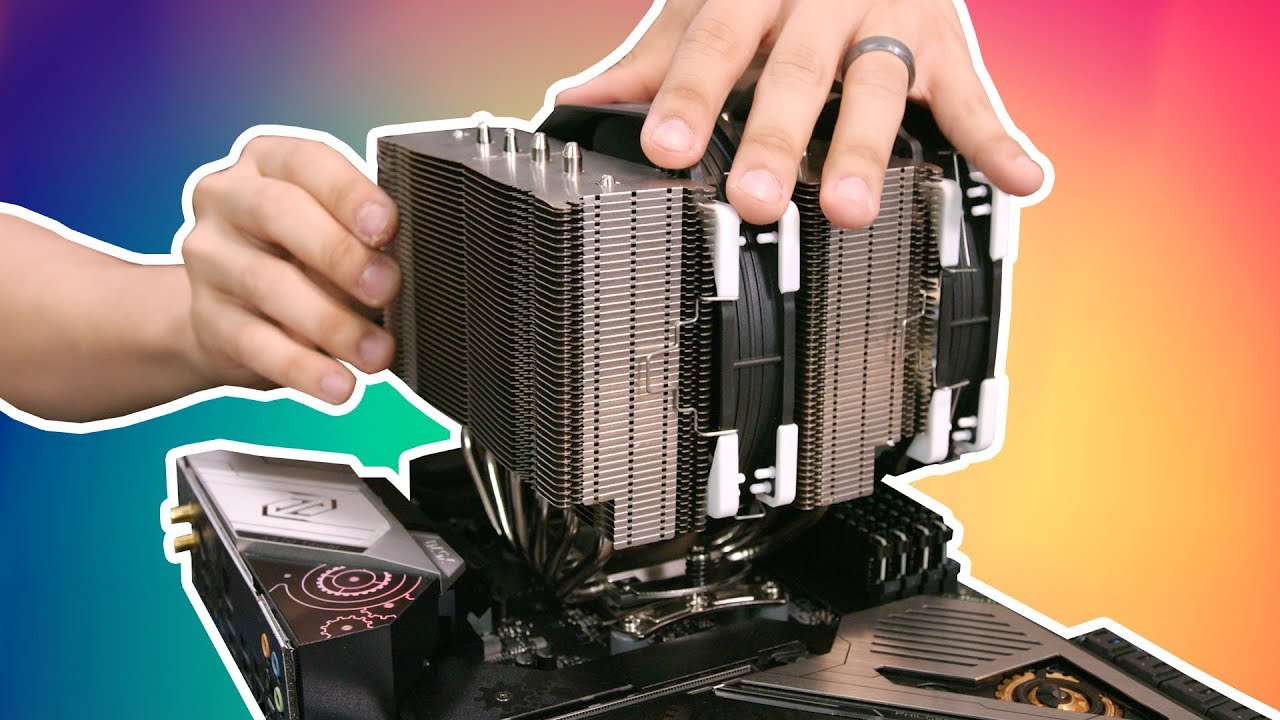
Check out the free Neighbors app by Ring to start making your neighborhood a safer place! http://www.ring.com/bitwit :+:+:PARTS:+:+: Fractal Design Meshify C...
neat
deep skiff
Might also want to consider selling both gpu’s and getting like a rx 5700xt tho
sli is pretty much dead
shy galleon
yeah it kind of is
okay i have a question
it says that items that are over 25 dollars are free shipping
but it still says that i need to pay 65 dollars in shipping so im kind of confused
 sick thistle
I need help so there’s nothing wrong with the hub all the led’s work some reason when I plug into the 6 slot on the hub the led won’t turn on I tried switching the hub out and also I tried switching it to different USB port
shy galleon
is there any amazon pros in here to help me out?
next tangle
had to shorten the links but
does my mobo https://bit.ly/2YPH9hr have the connectors for these? https://amzn.to/31ruEq9
coarse coral
@next tangle your motherboard has 3 connectors for chassis fan control. if buy 3 2in1 pwm spitter cables you can run all of those fans
next tangle
next tangle
@coarse coral https://www.ebay.com/itm/3-4-Pin-PWM-To-Dual-PWM-Power-Y-Splitter-Adapter-Cable-for-CPU-PC-Case-Fan-New/263589957294?hash=item3d5f2f8eae%3Ag%3ABTQAAOSwLe5axHID&LH_BIN=1 could I trust that?

eBay
These 26cm extension cables allow you more choice in where you want to position your PWM or standard 3 pin fans inside your case. The wires are 26cm sleeved in black braiding with a 4pin female connector at 1 end and splits to 2 4pin male connectors at the other.
 cloud compass
an yone has a few mins to answer a few pc temp questions
whats a good fan curve for the cpu i am using(its the 8700k) default or a custom or full 100%
coarse coral
Air cool or aio
cloud compass
i have game boost on and xmp and a curve of at 75 to use 100% fan, 65 to use 64%, at 50 to use 40% and at 35 to use 25% of fans now.
air
i have the hype 212
coarse coral
What cpu
cloud compass
8700k
coarse coral
Sorry half asleep haha
cloud compass
np
cloud compass
i had cpu z running for like 10 mins at its at 73
like what would you say would be a better setting
coarse coral
I haven't turned on my PC with th e hyper 212 in a while but I ran it pretty agressively to keep my old fx comp
Do you have a lot of intake air coming in?
cloud compass
i have the storm trooper case, the top 240 fan is a intake, i have the 2 120 blowing in from left to right and thats a intake and the rear is the out
and the power supply is aimed down to the vent holes
 left jay
coarse coral
left jay
coarse coral
@cloud compass you could make your curve after 50c to be higher if you're paranoid about heat like I am
cloud compass
yea i dont want heat lol but what about the life of the fans
these are the numbers as i was runing the cpuz stree test
stress test
after the test
also is it normal for the package of the cpu to go from like 38-40 to 58 for a sec then back down to the 38-40 when idle?
coarse coral
Yeah, the CPU heats up whenever you do something that requires it calculations including launching apps
next tangle
@coarse coral could you help me out a little?
coarse coral
with
next tangle
So right now I'm probably gonna spend 3-400$ for an upgrade
https://pcpartpicker.com/list/d2Qmjy that is my PC right now 😦
I wanna upgrade some stuff in it for under 3-400$
But I don't know what
Do you have any suggestions? @coarse coral
coarse coral
well...
cant upgrade anything besides cpu mobo and memory at the same time
thats going to cost a pretty penny
you cant recycle the cpu mobo or memory into a new upgrade
next tangle
How come I can't recycle?
I'm sure I can sell those on ebay
Or like craigslist and stuff like that
next tangle
Streaming
 leaden dawn
Streaming what
next tangle
Games like fortnite
coarse coral
because he older cpu wont fit or work with the newer motherboards and memory
new boards, different sockets, different memory (ddr4 vs. the older ddr3)
next tangle
True
leaden dawn
I mean, if you are tight on a budget, I would try small upgrades, maybe an 8 core fx
next tangle
8350?
leaden dawn
2000 ram, whatever better card you can afford after that
Yeah, might want to avoid the 9xxx though
next tangle
Yeah
coarse coral
i wouldnt waste money on FX line anymore
leaden dawn
Those were made after most fx boards, and they can't handle the extra power needed
coarse coral
you're just spending money on something that came out 6+ years ago
next tangle
True
leaden dawn
Jeez, feeling old now
leaden dawn
Typoz
next tangle
Oh lol
leaden dawn
I mean, fx was always a solid processor in my opinion, was paying Doom 2016 on my 9590 system the other day
After my gigabyte board blew up, I bought the only board that seemed able to handle it, asus crosshair
next tangle
Even though there will be bottle necking, what if I just got a 5700 and spent 50$ on ram
coarse coral
i had a fx8350
leaden dawn
But yeah, it still is a bit silly to spend money there
coarse coral
it bottlenecks on everything
the single core performance was terrible and if you're planning to do FX line your plans to game and stream at the same time will be terrible
leaden dawn
But the fact is, you're either doing a complete system upgrade
Or dealing with the silly fact of spending money on it
next tangle
Would 500$ for an upgrade be better
I am using a prebuilt pc so I dont even know the ram, cpu cooler and psu
I'm just guessing for those parts
And my ram speed is some type of speed you can't get
1333mhz I believe
leaden dawn
You would need new ram too
next tangle
Ik
coarse coral
leaden dawn
Unfortunately I haven't built a budget system in a while, so I don't know the best bang for buck stuff. Built myself a thread ripper machine to celebrate paying off my college loans last lol
coarse coral
i wouldn't go anything lower than 2600 or 3600
leaden dawn
Does that mobo support that ram speed?

 leaden dawn
It's a pretty high speed, so I was a bit skeptical
Probably best to save money and just get slower ram
coarse coral
it wont matter much past 3200/3400 for gaming
next tangle
Oh how do you know it cant?
leaden dawn
I have an expensive board and it doesn't even support it's advertised 3600 without messing with voltages
It should show it in specifications
coarse coral
research the board for what speeds it can support
leaden dawn
Usually has a long list of all the speeds
next tangle
Yeah I just checked

AMD AM4 Socket; Supports DDR4 3533+ (OC); 1 PCIe 3.0 x16, 1 PCIe 2.0 x16, 1 PCIe 2.0 x1; AMD Quad CrossFireX™; Graphics Output: DisplayPort, HDMI; 7.1 CH HD Audio (Realtek ALC892 Audio Codec), Nichicon Fine Gold Series Audio Caps; 4 SATA3, 1 Ultra M.2 (PCIe Gen3 x4), 1 M.2 ...
Can it go to 3600?
leaden dawn
Just from the thumbnail, seems the OC speed is 3533
Which I didn't even know was a standard speed
pulsar garnet
Just stick to 3200MHz
leaden dawn
I mean, why? You would end up spending less money in slower ram
I don't know how much you're willing to get into overclocking either
next tangle
True
pulsar garnet
Stick to 8-16GB 3200MHz
leaden dawn
But an OC speed is very rarely going to just work
pulsar garnet
What do you need a 700W PSU for
next tangle
Idk there is a 600w same one for 2 dollars less
coarse coral
the 2600 is 30 dollars cheaper and has better single core performance
soooooo
i recommend you do that
pulsar garnet
^^^
leaden dawn
My thread ripper build runs on 750W for perspective lol
next tangle
Based on 245,193 user benchmarks for the AMD Ryzen 5 2600 and the Ryzen 7 1700X, we rank them both on effective speed and value for money against the best 1,176 CPUs.
pulsar garnet
2600 isn't going to need a 700W PSU
next tangle
But it's just 2$ more than 600w
And this is for now for like a few months
I will soon go with like a 5700xt and 3600 or x
When I say a few months, I mean 5-7 months
pulsar garnet
Why don't you save the $400 you have now and use it then for a better upgrade?
Idk
Might as well get a 3600 now if you're planning a 5700 later
leaden dawn
Try to hold off on the PSU, use that to get 3600, and buy PSU with video card later
leaden dawn
At 65W, I'm sure what you have now is fine
next tangle
I forgot who but someone in #building-and-recc-chat sent me a picture of a lot of b350 and x470 mobos that can flash
Bios flash
leaden dawn
You mean flashing the bios? As in upgrading?
leaden dawn
Oh, dunno about that specifically, but it usually is a thing
I'd it's the right socket, you should be fine
The only time it's a problem is like when the 9590s stupidly high power draw blew up my older fx board
next tangle
Oh

reddit
904 votes and 394 comments so far on Reddit
There
https://pcpartpicker.com/list/K2sd4q how about that? @leaden dawn @coarse coral @pulsar garnet
next tangle
True
next tangle
But can it handle a bit of ocing?
coarse coral
if you're telling us you're on a certain budget, i wouldn't oc
next tangle
Lol well it's cheap for 77$
And yes I like rgb 
So should I go with the 3600x?
Well ttyl I'm gonna head to bed
 sudden turret
probably, looks like it only comes with 80mm exhaust fan
shy galleon
shoot
@sudden turret will i survive without fans? im on a very strict budget and i dont want to spend a lot more then needed
sudden turret
3pack of fans are inexpensive.
save a little more, then not worry about stuff over heating.,
lime forge
i helped someone else build a pc with a case like that
graphics card wouldnt go in
he took it to a computer shop and they cut a bunch of metal and gave him this back :/
sudden turret
what the fu?>
 naive ore
Ok so how is this for a build?
coarse coral
Cpu is lacking
next tangle
@shy galleon do you have prime?
deep skiff
@naive ore might want a slightly better cooler on the 9400k