#building-and-recc-chat
1 messages · Page 325 of 1
 cyan ravine
cyan ravine
cyan ravine
Daisy chain is fine if you don't use a stupid vbios and a good psu lol
May PSUs don't have good awg daisies
But some do
RMx always comes to mind, 16 awg cables, 16 or 18 awg daisies which is more than enough
 topaz rose
@cyan ravine he has 850w psu, idk which one yet
cyan ravine
Well knowing the exact model will tell us everything
 nimble thorn
Question just finished my first build and was wondering if its normal for a red light to turn on when booting up? It only does it briefly once fully on it turns off. Is this normal?
 mossy venture
yeah thats normal
 cyan ravine
5090 yeah with the right CPU lol
 potent portal
As long as it's not an unpatched 14900K or something pulling 350W yeah
cyan ravine
I'm betting that the new card has higher transients due to the 25% odd more cudas
topaz rose

MSI MAG A850GL PCIE5 850 W 80+ Gold Certified Fully Modular ATX Power Supply (MAG A850GL PCIE5)
cyan ravine
8.5/10
cyan ravine
Yeah that'll do one
Cpu limit of like, either a stupidly unlocked 13th/14th i9 and a threadripper lol
potent portal
MSI supposedly has one of the best 12VHPWR cables too. Lower rates of failure than average.
topaz rose
potent portal
MSI supposedly has one of the best 12VHPWR cables too. Lower rates of failure th...
o word
iv been keeping my 12vhpwr cable just incase
5070 ready!
cyan ravine
@potent portal https://youtu.be/O9uHI0EAK8s

Check out PCWorld Video MSI's Potential 12VHPWR Fix
https://youtu.be/d1WLq4arovo
⭕ Visit our ecommerce shop and buy all your tools at https://northridgefix.com
⭕ Ask questions and Engage in our Forum at https://northridgefix.com/forum/
⭕ Need a repair? http://northridgefix.com/mail-in/
⭕ We are an Amtech Flux Distributor. Buy AMTECH NC-559...
It was so genius that Jon and Corsair adopted it in white
potent portal
Oh yeah the colored tips
cyan ravine
They show you that you're an idiot by highlighting how much they're inserted
Yes
Yessss
potent portal
If you can see color it's not in
topaz rose
cyan ravine
<@396513761550270464> https://youtu.be/O9uHI0EAK8s
the yellow is so peak
cyan ravine
It was ingenious
topaz rose
if u see yellow that means its not in
cyan ravine
This is one of the big reasons I just slap agl on almost any pc lmao
It's RMe tier and the genius cable idea carries over
This came out like, a year and a half ago?
I was immediately on that the moment I saw it like 😂😂
"It's idiot proof! Brilliant!"

topaz rose
sometimes i wished i went for corsair because its slightly quieter
but i put my iems in and i dont hear it anymore
cyan ravine
The agl is fine
Rme is actually quite noisy
That's the main part of why it's so cheap
But the 2025 corsair models should be corsairs return to form
You get highlighted 12vhpwr like msi, but also sleeved cables stock
topaz rose
i love my cable extentions
cyan ravine
On top of already good units we should be no longer needing extensions
They don't use like polyester sleeve tho
It's like some rubbery plastic iirc
Still looks nice
topaz rose
o yeah the 12vhpwr cable looks nice
u wont be replacing it with extedntions cause it just looks so good
cyan ravine
Corsair was overdue, they've been sitting on their laurels for years
Being a better quality package is a plus for me
topaz rose
noctua psu whewn thats silent
topaz rose
cyan ravine
<@396513761550270464> did you see the new 4000D
i wanna see it
cyan ravine

Corsair Made Everything About the 4000D Better - CES 2025
▷ MY STORE - shirts, pint glasses & hoodies: http://paulshardware.net
Many Thanks to my Sponsors for CES 2025! 🙏
Thermaltake - https://thermaltakeusa.com/
MSI - https://us.msi.com/
Gigabyte - https://www.gigabyte.com/
Lexar - https://americas.lexar.com/
► TIMESTAMPS
0:00 Welcome to C...
Case and psus in here
Very good year it looks like for Corsair
Well overdue
cyan ravine
Esp. after the garbage that were the dual chamber cases
cyan ravine
topaz rose
how muc h is that case
99
mossy venture
cyan ravine
Well overdue
now if only they adress their ram/aios
topaz rose
cyan ravine
99
holy
cyan ravine
mossy venture
now if only they adress their ram/aios
I wish ☠️☠️☠️
topaz rose
i might buy that for another build...
topaz rose
that case is sexy
cyan ravine
mossy venture
then corsair shills will have an actual reason to shill
TRUE
topaz rose
mossy venture
then corsair shills will have an actual reason to shill
idk what so good about their ram...
cyan ravine
topaz rose
idk what so good about their ram...
Nothing
mossy venture
their ram sucks ass
topaz rose
it looks cool thats it 
mossy venture
most prominent failure of any ddr4 brand
cyan ravine
Their ram is bottom tier for anything but an icue shill
Even the good models with dominator heatsinks being genuinely useful, they're overpriced and the PCBs often suck ass underneath
They're also the only brand to execute basically like an intel z board type tier moment for ddr5
Locking the pmics down in certain models so you can't overclock even if you want to
1.435v voltage cap baby
Let's go
 flint sapphire
Nah bro trust my dominators 2666 cl20 are running great
 tawdry lance
I have a RM1000x (2021) PSU and it only has 3 PCIE cables, so if I was to get a 5090 would I have to get a 12V-2x6 cable?
potent portal
We don't know yet
But I know the daisy chains are ok to use on the RMx series so you're probably good there
Corsair cables are built like tanks
tawdry lance
Daisy chaining is in reference to that PCIE cable side seperates into two ends? or what does daisy chaining mean?
 severe dove
I have 7800x3d with phantom spirit 120 evo on it. On all games I get around 65-79ish temp depending on the game. Except for Marvel Rivals which instantly hits the max temp 87C all the time. Does anyone know the reason and if there is a fix to this issue?
potent portal
The reason is because AMD 7000 series runs hot by nature, and having the cores located under a thick stack of cache insulates the heat even more
The fix is to upgrade to a 9800X3D, which switches the cache and core around so the cores are easier to cool
 plucky timber
It's not throttling is it?
potent portal
For the record 87 is perfectly acceptable, within spec, and does not hurt your performance at all
mossy venture
severe dove
I have 7800x3d with phantom spirit 120 evo on it. On all games I get around 65-7...
like fal said the 7800x3d just runs hot, you could try remounting your cooler putting new paste, or maybe trying a new/better paste but it'll likely be small differences
severe dove
I figured it out. Everything fixed when I disabled Discord Game Overlay feature
Now it is stable 76c
potent portal
Overlays, yeah that happens when you have more than one running
Discord, Steam, AMD, they all want to run
potent portal
Depends on specific models, but I can say for sure that most people don't need the extras from X870
And there's B650 boards that have more features than cheaper X870 ones
 manic cloak
potent portal
And there's B650 boards that have more features than cheaper X870 ones
manic cloak
potent portal
And there's B650 boards that have more features than cheaper X870 ones
For that little giveaway nivida is having with r/buildapc
I just wanted to submit something and get a little learning experience out of it cause why not
Part List - AMD Ryzen 7 9800X3D, GeForce RTX 5090
cause I planned on submitting a mess like this
 analog hearth
@earnest olive potential memory issue? I have this weird issue that I'll notice. Sometimes I'll work from home, so I'll leave my computer on all day for when I need to access it for work. Sometimes I'll turn it on in the morning and not have to use it all day, so I don't use it until the afternoon or evening. This is when I notice that I get some slight OS instability. I presume Windows just isn't clearing the RAM as properly is it should? (I haven't done too much experimenting)
But I was wondering what you think could cause this, as I’m thinking it's either bad memory settings in the BIOS or potentially my Windows install not clearing the RAM
(Basically, my theory is that Windows is accumulating some small data throughout the day and it's causing some sluggishness in my PC by the end of the day. Idk though)
I’m usually restarting my PC at the end of the day just to use it without any instability
 tough beacon
Does anyone know how to boot into windows with a AIO Cooler on ASUS TUF Motherboard?
Won't let me boot because of CPU Fan error on the American Megatrends.
cyan ravine
Plug any fan or aio into the cpu fan header on the top right of the motherboard
You can also disable the popup but that's more complicated
There's no other way to fix this
analog hearth
@cyan ravine thoughts on my issue? idk whether it's a Windows thing or if my memory is crapping out (something else?) It's basically the same G.Skill memory that comes in the Micro Center bundles if that helps
Google doesn't help
analog hearth
Man nobody can fix my issue I guess lol
cyan ravine
analog hearth
<@101107951401455616> thoughts on my issue? idk whether it's a Windows thing or ...
Idk what you mean by instability
There's like 2 words in that story that explain the meat and guts of the problem lol
analog hearth
Remember the desktop stuttering issues I was having a month or two ago?
analog hearth
f
cyan ravine
I help a dozen people a day I forget pretty quickly sometimes
analog hearth
understandable
There's a few things I wanna try anyways. I might just go through with that
cyan ravine
Alr
analog hearth
Starting with a new SSD (I've had this current SSD for years and it's only a PCIe gen 3. I kinda want more storage so I'll probably just get a PCIe gen 4 2TB)
Take full advantage of this motherboard
That'll be a full Windows reinstall for me atp. So if that doesn't fix it, RAM is probably the issue
And that should pretty much fix my issues once and for all. If not? it's gotta be either the CPU or motherboard or I'm just an idiot and Ryzen just works like this
cyan ravine
Do you use extensions
 cyan ravine
analog hearth
Like in Firefox? Yes but not that many
cyan ravine
analog hearth
Like in Firefox? Yes but not that many
Psu xD
analog hearth
Bruh don't tell me that 💀
cyan ravine
?
analog hearth
oh 💀
cyan ravine
analog hearth
Why would it be the PSU though?
Too much vdroop
analog hearth
Corsair TX850m
cyan ravine
Extension yes no
analog hearth
And I've had it across like three motherboards now
ohhh that's wym
no extensions
cyan ravine
Ah
analog hearth
bruh
cyan ravine
Have you tried swapping the cpu cables
analog hearth
I don't have anymore CPU cables
cyan ravine
Ok then swap the existing ones around
analog hearth
I (sort of) recently got an NZXT C1000 (before they turned evil btw) that I have yet to swap in though. Would it be worth trying that?
cyan ravine
cyan ravine
Ok then swap the existing ones around
You're gonna think this is stupid but it's a thing
Ram does this too
cyan ravine
Alr
analog hearth
Might just swap the whole PSU tbh
I have a C1000 that's sitting in a system that doesn't need it (system isn't functional either)
analog hearth
The most probable issue: the ADATA XPG SX8200 that I've been using for years
Garbage SSD and I've been using it as my C drive for a few years. It's just time to upgrade and ditch that thing
 scenic forge
resources for familiarizing mysslf with components that are compatible?
analog hearth
pcpartpicker
cyan ravine
pcpartpicker
mossy venture
Pcpartpicker
 weary galleon
Choose Your Parts
 crimson zinc
plucky timber
potent portal
crimson zinc
plucky timber
potent portal
I think we got the idea guys
mossy venture
sad pcpartpicker noises
 versed current
@cyan ravine everything is here but the cpu cooler I’m building on Sunday!
cyan ravine
Nice
 umbral jetty
can anyone give me some tips, im building my pc i power it on but the case fans wont come on i have a b650 riptide mobo and a bitfenix noba mesh case
plucky timber
Perhaps the motherboard don't turn them on until a certain threshold
 dusky hearth
umbral jetty
can anyone give me some tips, im building my pc i power it on but the case fans ...
dusky hearth
umbral jetty
can anyone give me some tips, im building my pc i power it on but the case fans ...
Is the PC working normally though
umbral jetty
i havent gotten to far yet it boots to bios let me put the gpu in and see if i can set fan speed therr
dusky hearth
You don't have to worry about fans not running, since the heatsinks and such can absorb a fair bit of heat
I recommend using fan control rather than setting fan speeds in bios

GitHub
This is the release repository for Fan Control, a highly customizable fan controlling software for Windows. - Rem0o/FanControl.Releases
umbral jetty
yeah i have a thermalright assassin for the cpu fans but this was my first time building a pc so im puzzled on why they wouldnt turn on
 full atlas
https://pcpartpicker.com/list/6mVxfd
thoughts on this sff build? I need something for college that isn’t big and heavy like my main PC, all I would use for is photo editing, schoolwork, and light gaming (all esports titles so easy to run)
Anything marked $0 I got for free from random computers over time.
Part List - AMD Ryzen 3 4100, Jonsbo C6 MicroATX Mini Tower
plucky timber
umbral jetty
yeah i have a thermalright assassin for the cpu fans but this was my first time ...
Does the cpu fan turn on?
plucky timber
full atlas
https://pcpartpicker.com/list/6mVxfd
thoughts on this sff build? I need somethi...
What about a laptop?
umbral jetty
yes the cpu fans power on but not the case fans
plucky timber
You can get used 8th gen laptops for stupid cheap
Also I wouldn't use the corsair vengeance LPX even if it was free
They're notorious for being DOA
And the ones that work are extremely mediocre
full atlas
I’ll look into it thanks
full atlas
plucky timber
Also I wouldn't use the corsair vengeance LPX even if it was free
These ones specifically are unstable at xmp speeds😭
Which is why they were free
plucky timber
At least you didn't pay money for it
On the bright side DDR4 is relatively cheap these days
The R9 285 wouldn't get driver support these days
I wonder if an apu could outperform it
plucky timber
full atlas
I’ll look into it thanks
But yeah for college/uni I'd have something portable
A lot of these 8th gen laptops are enteprise dumps so you can find them for reasonable prices
plucky timber
What kind of games do you run on them?
full atlas
Just like valorant, Fortnite, rocket league, and stuff that’s easy to run like that
plucky timber
hmm
Damn
Probably not used laptops then
Yeah actually I'd just go with your list and use your current laptop for work
What are the specs if you don't mind me asking?
gaming laptops back then were pretty meh for general use
full atlas
It’s just an old chomebook so it really doesn’t do anything more than taking notes and some web browsing
plucky timber
ah
I suppose that'd be fine for a bit
Given your budget that pcpp list is pretty decent
It'd struggle with newer titles but esports titles shouldn't be too annoying
full atlas
I’ve used that gpu a few different times between ones I’ve had in my actual computer and it ran what I wanted fine and the legacy drivers seemed decent luckily, my computer is just a little big for college and I don’t really want to take it apart either.
plucky timber
Honestly this might be the best you could do for the budget
So it's perfectly fine given what you're working with
I used to game on a Q9400 and a HD7850 back in 2018
full atlas
The worst I’ve ever gamed on was a 7750 as a child and then again recently but it was temporary and paired with a modern cpu which helped
plucky timber
Yeah the biggest issues with the list is mostly just driver issues with the radeon but esports titles shouldn't put up too much of a fuss
full atlas
plucky timber
Honestly this might be the best you could do for the budget
The only things I’m really considering changing are maybe getting more storage and possibly a different cpu if I can get something better locally. I would toss a better gpu in if I did find an amazing deal on something like a 1660 super/ti.
And I will fit fans in as needed, and maybe just steal the ram from my computer if I do have any issues
plucky timber
Yeah the ram is the biggest red flag atm
That's probably my #1 on the future upgrade list
full atlas
I’ve got really good ram In my computer so I could just use that I just wouldn’t want to take anything more besides my gpu but my gpu is definitely too big
plucky timber
Size?
I could fit a HD7850 inside a jonsbo C6

This one specifically
Small card
full atlas
Yeah the card in my computer is 318mm so it’s way too big, the card I’m hoping to put in is technically too long but I think I can make it fit
 vale epoch
You guys have any large mousepad recs that are hard like a board?
My desk has this sort of uneven concave space on the right side which makes it tough to use a regular soft pad

 vale epoch

 odd venture
at this point just fill the concave with epoxy, sand it, slap a vinyl over it or buy a new desk 
vale epoch
odd venture
at this point just fill the concave with epoxy, sand it, slap a vinyl over it or...
Yeah i’m thinking epoxy too
 elder plume
my pc freezes when i’m playing then says your pc ran into a problem :/, crashes, then goes into bios
anyone know why or how to fix it
potent portal
elder plume
my pc freezes when i’m playing then says your pc ran into a problem :/, crashes,...
What's the error message on the blue screen?
 hardy remnant
you were correct lmao
I didn't have any issues stress testing at all, stability tests ran fine but since a week ago it keeps crashing on me again and again in very weird ways
explorer freezes, some Adobe software freezes when closing or opening or launching a resource intensive game crashes it too
Malwarebytes scan crashes it too
The most recent event ID's that pop up for me are ID 10016 and 263 (my mouse has been consistently bugging out / jittering through the screen), during Malwarebytes Scans I get the error message
"The instruction at 0x00007FFBE791FE70 referenced memory at 0x00007FFBB8DB4B88. The required data was not placed into memory because of an I/O error status of Oxc000000e."
I ran checkdisk, disabled fast startup, took almost everything i could out of auto start, looked for corrupted windows files, disabled the icpu, but no idea.
If anyone has an idea what to check, please let me know. 
 jagged ember
Maybe the ram itself is still dying indeed
hardy remnant
i really hope it's not
I thought it was a driver or windows issue because of the repeated mouse stutters and 263 event
hardy remnant
internal you mean? or usb?
 stoic island
Could be one of the USB devices
manic cloak
Bent cpu pin possibly? It’s a very wide assumption considering it’s a new board and cpu, plus you’d have to bend a pretty certain amount of pins
severe dove
I'm working on my other setup, 2080 super ryzen 9 3900X. It says in the task manager base clock is 4.00 Ghz and the advertised speed is 4.6 Ghz. How do I make it 4.6 Ghz? ASUS VIII HERO Motherboard. Any help is greatly appreciated.
 rustic terrace
Yo this my build from about 3 years go what should i upgrade i got like 500-1000 for a budget but rather not spend as much what should i upgrade(also can i get some budget mouse and keyboards along wit it please)


 vague oracle
Frankly? Just build a new computer for that budget, someone here can help you put a parts list together
vague oracle
Yeah, basically every part in that is terrible
rustic terrace
How much should i range to get off this build then
like from minimum to maximum money
vague oracle
Uhhh
I ain't the most sure on prices for the used market but I'm sure someone else can chime in
 mossy citrus
rustic terrace
How much should i range to get off this build then
mossy citrus
rustic terrace
How much should i range to get off this build then
Youll get like $500 tops
Part List - AMD Ryzen 5 8400F, Radeon RX 7700 XT, Montech XR ATX Mid Tower
1k id do this
rustic terrace
mossy citrus
Youll get like $500 tops
and what the minimum i should do on it ?
rustic terrace
mossy citrus
https://pcpartpicker.com/list/fh4K74
and this is the best i can get for 1k?
mossy citrus
yeah
mossy citrus
rustic terrace
and what the minimum i should do on it ?
what
mossy citrus
$450-500
rustic terrace
oh aii bet bet
rustic terrace
mossy citrus
yeah
bet thanks can u add me jus in case i got more questions imma start selling it rn
If not it’s okay
rustic terrace
mossy citrus
https://pcpartpicker.com/list/fh4K74
also thanks for this imma get this one and imma pay someone to build it cause im lazy 😭😭😭
rustic terrace
mossy citrus
$450-500
yo bro also what mouse u recommend for like 50-100 or less range
mossy citrus
rustic terrace
yo bro also what mouse u recommend for like 50-100 or less range
Incott g23/g24 just pick whichever shape you like
g23 is like a g pro shape and g24 is like a deathadder/model d
elder plume
potent portal
What's the error message on the blue screen?
“your pc ran into a problem :/“
mossy venture
mossy citrus
https://pcpartpicker.com/list/fh4K74
no
hell no
the 8400f is horrid
mossy venture
rustic terrace
also thanks for this imma get this one and imma pay someone to build it cause im...
pls no
Part List - AMD Ryzen 5 7600, Radeon RX 7700 XT, Montech XR ATX Mid Tower
it's like a 30% difference in games
if not more
the 7500f off aliexpress for $130 is the only cheaper option for am5 that makes sense
rustic terrace
mossy venture
pls no
So this one better
mossy venture
the 7600 is far better than the 8400f in games, and the b650m gaming wifi from gigabyte is one of the worst b650s
rustic terrace
Bet imma get this then
mossy venture
this one has less storage, but a good bit better cpu performance and a better motherboard
its also slightly cheaper
rustic terrace
storage is wtv i dont plays lot of games performance is what matters to me
mossy venture
and you can always add storage
rustic terrace
Yeah
mossy venture
100%
dusky hearth
elder plume
“your pc ran into a problem :/“
there ususally is a smaller error code near the bottom ish
rustic terrace
it got a tb of storage tho 😭
mossy venture
yeah lmao
mossy venture
games take up a lot of storage, especially if you get into modding
ive got 320gb on block ops 3
rustic terrace
type budget
mossy venture
there's a lot of good options and I'm not super knowledgable with mice. infinity is more knowledgable than me for that
rustic terrace
mossy venture
ive got 320gb on block ops 3
Holyyyy i jus play r6, rust and gta rp😭🙏🏽
mossy venture
i really need to delete some of it i dont play it much anymore
2tb is normally plenty for most people
rustic terrace
Yeah bet thanks then so much
rustic terrace
mossy citrus
Incott g23/g24 just pick whichever shape you like
bet bet
rustic terrace
mossy citrus
Incott g23/g24 just pick whichever shape you like
so there’s no diff except the shape of it then?
rustic terrace
mossy venture
there's a lot of good options and I'm not super knowledgable with mice. infinity...
yo also how much more up would my budget need to go for more performance or i should be good wit this
elder plume
dusky hearth
there ususally is a smaller error code near the bottom ish
it says it for a split second then restarts the computer
mossy citrus
mossy venture
the 7600 is far better than the 8400f in games, and the b650m gaming wifi from g...
was not aware
dusky hearth
hmm, in that case, download whocrashed
mossy citrus
rustic terrace
so there’s no diff except the shape of it then?
yeah same internals
rustic terrace
mossy citrus
yeah same internals
thanks
elder plume
okay
dusky hearth
elder plume
it says it for a split second then restarts the computer
https://www.resplendence.com/download/whocrashedSetup.exe here's the direct link
elder plume
thanks 🙏
mossy venture
rustic terrace
yo also how much more up would my budget need to go for more performance or i sh...
The only thing I'd spend more on is gpu, and that's a personal thing
The 7700xt is still capable
mossy venture
mossy citrus
was not aware
Yeah all of 8000 series has cut down cache
mossy citrus
wtf
mossy venture
It's the same as any apu series
4500 had cut down cache
It sucks but it's normal
 rain bloom
CPU is running way hotter than expected (above 50C idle and hit 90C while downloading games). Is there anything wrong physically based on this picture?
 plucky timber
what case?
rain bloom
Montech XR
rain bloom
It looks like the thermal paste spread appropriately? Should I just try reinstalling the fan and see if it happens again?
plucky timber
could be something wrong with the sensors
I'd try getting more data ye
use hwinfo64
rain bloom
Assuming that’s a command? What am I looking for?
plucky timber

Start to analyze your hardware right now! HWiNFO has available as an Installer and Portable version for Windows (32/64-bit) and Portable version for DOS.
rain bloom
What am I looking for on this software?
plucky timber
temperatures
rain bloom
I can't find anything about temperatures, mostly just how fast it's working
According to my AMD app we're at 56C while I'm talking to you and troubleshooting, which sounds way too hot?
plucky timber
that's fine
ryzen idles high
what I'm worried about is it somehow reaching 90c with low loads
plucky timber
rain bloom
I can't find anything about temperatures, mostly just how fast it's working
click sensors
weary galleon
plucky timber
what I'm worried about is it somehow reaching 90c with low loads
tbf depending on what's being downloaded it could also be unpacking/installing which can be cpu heavy. though 90c does seem a bit high
rain bloom
Ah there it is. Should I run a game or something and see how hot it gets? Is it safe to put the glass back on the case?
rain bloom
weary galleon
tbf depending on what's being downloaded it could also be unpacking/installing w...
Street Fighter 6, Tekken 8, and Guilty Gear Strive if that matters?
weary galleon
game downloads are typically compressed yeah
rain bloom
Surely this isn't true?
 weary galleon
35C ambient is 95F lol
rain bloom
Oh that's a hot room
plucky timber
95C load yes
weary galleon
really hot room
rain bloom
I'm in a basement it's cold lol
plucky timber
rain bloom
Ah there it is. Should I run a game or something and see how hot it gets? Is it ...
absolutely
that way you get the most accurate readings
keep hwinfo in the background
it should record the temps
if it doesn't throttle while at gaming loads it should be fine
dusky hearth
rain bloom
Surely this isn't true?
tiny cooler
rain bloom
So I ran through some tutorials on marvel rivals and it looks like I capped at 96C. I know Ryzens run hot but is that excessive?
GPU did not go above 55C
stoic island
on stock cooler? sounds normal and it's throttling
rain bloom
What does throttling mean in this context? Would I notice it in performance?
Also getting that hot is bad for the CPU right?
plucky timber
to oversimplify, throttling is when a cpu limits performance to prevent overheating
96c is normal on a stock cooler
But it's not ideal
It might be a good idea to get a new cooler
 rain carbon
Stock cooler=subpar cooling for 99% of processors
rain carbon
Theyre usable technically
plucky timber
yeah technically they're fine
they are designed to cool the cpus they come with
but I wouldn't recommend using one
especially on higher sustained loads
such as gaming
rain carbon
For 20-30 bucks theres no reason to stay with stock coolers imo unless youre saving up a bit
plucky timber
There's a couple of coolers that I will recommend here:
Fine for current cpu:
ID-COOLING SE-214-XT -$16.98
https://pcpartpicker.com/product/Zr8bt6/id-cooling-se-214-xt-argb-682-cfm-cpu-cooler-se-214-xt-argb
Thermalright Assassin X 120 - $17.89
https://pcpartpicker.com/product/q6H7YJ/thermalright-assassin-x-120-refined-se-6617-cfm-cpu-cooler-ax120-se-d3
Premium options (if you want to upgrade in the future):
Thermalright Peerless Assassin 120 SE - $34.90
https://pcpartpicker.com/product/hYxRsY/thermalright-peerless-assassin-120-se-6617-cfm-cpu-cooler-pa120-se-d3
Thermalright Phantom Spirit 120 SE - $35.90
https://pcpartpicker.com/product/GpbRsY/thermalright-phantom-spirit-120-se-6617-cfm-cpu-cooler-ps120se

ID-COOLING SE-214-XT ARGB 68.2 CFM CPU Cooler (SE-214-XT ARGB)

Thermalright Assassin X 120 Refined SE 66.17 CFM CPU Cooler (AX120 SE-D3)

Thermalright Peerless Assassin 120 SE 66.17 CFM CPU Cooler (PA120 SE-D3)

Thermalright Phantom Spirit 120 SE 66.17 CFM CPU Cooler (PS120SE)
not sure if the phantom spirit is really better but for $1 more for the peerless assassin you might as well
mossy venture
Theres also the id cooler a620 at $30
Just as good as the phantom spirit
Any of these are more than fine tho
rain bloom
Thank you! I realized I was probably overreacting but I just wanted to make sure since I spent a fair amount of money on this build
mossy venture
Understandable
weary galleon
pretty similar to a 4060
idk the canadian market but for that price range maybe 7600xt?
or a used card
mossy venture
 winged hazel
https://ca.pcpartpicker.com/product/pD8bt6/msi-geforce-rtx-3060-ventus-2x-12g-ge...
winged hazel
https://ca.pcpartpicker.com/product/pD8bt6/msi-geforce-rtx-3060-ventus-2x-12g-ge...
6700xt/6750xt would be ideal
plucky timber
Part List - AMD Ryzen 5 7500F, Radeon RX 7700 XT, Montech X3 Mesh ATX Mid Tower
@winged hazel
mossy venture
Part List - AMD Ryzen 5 7500F, Radeon RX 6750 XT, Montech X3 Mesh ATX Mid Tower
oh wait
i didnt see you did 7700xt
idk why i thought you used 7600
mb
plucky timber
oh I edited the message
mossy venture
ohh
mossy venture
lmao thats funny
winged hazel
mossy venture
6700xt/6750xt would be ideal
thanks
plucky timber
I wonder tho
winged hazel
🙏
plucky timber
if we could squeeze a 7800XT in here
mossy venture
7700xt/7800xt are good choices as well
the better the gpu the more fps/better settings
elder plume
plucky timber
mossy venture
the better the gpu the more fps/better settings
in your opinion, is a CX650 passable for a 7800XT?
elder plume
if i want to install this on my pc do i take off the paste and use the one on the motherboard or just install it with the paste
mossy venture
plucky timber
in your opinion, is a CX650 passable for a 7800XT?
ill take a look, few min
in a game of val
plucky timber
alright
Part List - AMD Ryzen 5 7500F, Radeon RX 7800 XT, Montech X3 Mesh ATX Mid Tower
here's the list for reference
jagged ember
You should probably stop touching the paste at all
But you install it with the paste if the heatsink doesn't have any
elder plume
the heatsink has some
too
mossy venture
Part List - AMD Ryzen 5 7500F, Radeon RX 7800 XT, Antec AX61 ELITE ATX Mid Tower
plucky timber
elder plume
I have several questions,
1: Where did the thermal pad come from?
2: Is the pad on your motherboard brand new?
3:Is there a heatsink on the motherboard?
plucky timber
mossy venture
https://ca.pcpartpicker.com/list/Wkz8Zc
@winged hazel take a look at this list, it'll get you the best gpu
mossy venture
https://ca.pcpartpicker.com/product/sysV3C/thermalright-burst-assassin-120-se-argb-6617-cfm-cpu-cooler-ba120-se-argb better coolers not a bad idea
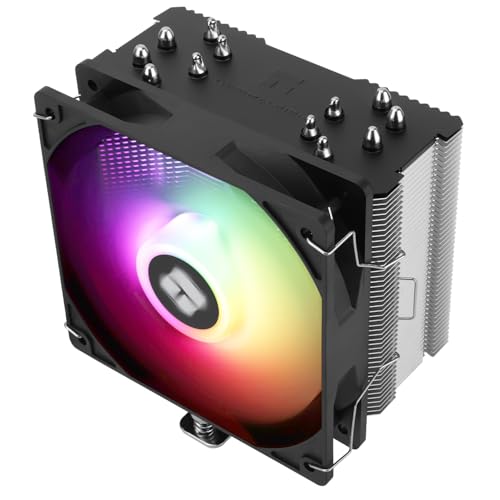
Thermalright Burst Assassin 120 SE ARGB 66.17 CFM CPU Cooler (BA120 SE ARGB)
plucky timber
there is certain the budget for it
$1479 damn that's pretty impressive
I never cease to be amazed
even squeezed in a better mobo
elder plume
plucky timber
I have several questions,
1: Where did the thermal pad come from?
2: Is the pad...
the green paste is from my old laptop i just removed the ssd to try and put it in my pc.
the pad is brand new yes still has the plastic on its pad
it’s a aorus b650 elite ax ice i believe it does has a heatsink
plucky timber
I'd remove the paste from the ssd
jagged ember
Use the new paste yeah
plucky timber
and then use the board's heatsink and thermal pad instead
jagged ember
Remove the old one
winged hazel
plucky timber
<@530938708309049344> take a look at this list, it'll get you the best gpu
ok
plucky timber
I like how we went from 7600 to 7800XT
elder plume
alright thanks
 analog hearth
looking at the product and researching it a little helps
jagged ember
It kinda does say the difference on the listing
8k still stupid tho fr some games just freak out and skip inputs
manic cloak
Ngl I don’t really see a difference between the 8k and 1k polling
That’s just me though
Plus I play on high mouse sensitivity, low cursor sensitivity
rustic terrace
mossy citrus
Just het the 1k
Bet thanks i jus have no idea when it comes to mouses thanks
mossy citrus
jagged ember
8k still stupid tho fr some games just freak out and skip inputs
Cpus cant handle it
potent portal
Is it the CPU or just the USB standard
weary galleon
manic cloak
Ngl I don’t really see a difference between the 8k and 1k polling
I mean 1k (1000hz) is already pretty high so that makes sense
I could see higher than 1k maybe being good for 360/480/560hz monitors
mossy citrus
potent portal
Is it the CPU or just the USB standard
usualy cpu from what i can tell
it also might just be usb standard not being rated for more than 1k stable
but ive seen cpu usage go crazy high on 8k polling
crimson zinc
rustic terrace
yo what’s the diff
G502 for that price >>>
 strong raft
I miss when Viper Ultimate was sub-$60. I'd go back & get a spare or 2. (pro tip: just don't install synapse)
potent portal
vague oracle
You like playing with a massive weight strapped to your hand?
I do actually. I use all the included weights with my G502. I have a habit from trackball days of lifting the mouse too often and this helps with that habit.
vague oracle
Thats fair, I had the issue where I was just getting bad wrist pains after using my G502 for hours every day
Switched to a G pro x superlight and all issues went away
 languid nimbus
potent portal
I do actually. I use all the included weights with my G502. I have a habit from ...
languid nimbus
potent portal
I do actually. I use all the included weights with my G502. I have a habit from ...
I do the same
You’re one of the only ones on here I’ve seen say that too 
I always get crapped on for not wanting the featherweight holes-in-the-mouse ones
dusky hearth
i also use a weighted mouse, though i don't play comp fps
or any competitive game at all lmao
it just feels right to have a bit of weight to the mouse
vague oracle
The lightweight always throws me off slightly when getting a new mouse because I always used tk associate weight with quality
manic cloak
strong raft
I miss when Viper Ultimate was sub-$60. I'd go back & get a spare or 2. <:kekw:7...
haha I got that deal, still using the mouse rn
and synapse isn't bad, just opening it is torture 😔
strong raft
Nice! Might not even have to login. I open it just to set dpi at 1st, then open once in a while to confirm battery is above 40% or whenever if I have a gaming tourney.
manic cloak
i'm basically autoclicking with synapse whenever I play minecraft cause it's got the double click feature (synapse mouse button thingy)
i'm kinda upset at razer for not giving us a wired cable though
like I had to pay 13$ for a wire cause my wireless stand wouldn't charge anymore
weary galleon
Synapse is a lot better for me ever since they did some sort of big update/overhaul
winged hazel
CPU - R7 5800x3d
GPU - Gigabyte 4070 ti Gaming OC
RAM - 32gb ddr4 Corsair Vengeance pro 3600mhz
STORAGE - 2tb WD Black SN850X and a WD Blue 1tb
PSU - Corsair 850x Shift 80+ Gold
MB - Gigabyte B550 Aorus Elite AX V2 AMD
CASE - Corsair 4000x RGB
how much should this pc go for used
mossy venture
at very most 1500, if youre selling
plucky timber
I assume you're buying
based on yesterday's conversations
if you are buying I'd strongly recommend replacing the ram
winged hazel
if i where to buy it how much should i but it for
plucky timber
true
winged hazel
cad
mossy venture
winged hazel
if i where to buy it how much should i but it for
how much is it listed at?
potent portal
If you could get it for about 2k CAD that would be a decent enough deal
plucky timber
from a price/performance perspective I wouldn't pay more then 1.8K cad for it
winged hazel
mossy venture
how much is it listed at?
thats with perf but i dont need but a second monitor woould be nice
mossy venture
id say offer 1850
potent portal
To which he'll probably counter 2100
mossy venture
higher if youre worried he wont respond
potent portal
But you can probably get him below 2k easy enough
plucky timber
over 2K is really bad tbh
Part List - AMD Ryzen 7 7800X3D, Radeon RX 7900 XT, Antec AX61 ELITE ATX Mid Tower
potent portal
Including peripherals though
potent portal
Mouse/keeb/monitor are included in price
Steel series aerox 3 mouse
Corsair K65 RGB Mini keyboard
Asus TUF Gaming 27” 1080p 165hz curved monitor
plucky timber
oh it's all overpriced crap
monitor might be decent
I'd say $1850 is reasonable then
potent portal
plucky timber
oh it's all overpriced crap
Easy enough to flip the periphs
mossy venture
Part List - AMD Ryzen 5 7600, Radeon RX 7900 XT, Antec AX61 ELITE ATX Mid Tower
what i did
plucky timber
yeah that facebook marketplace listing is bloated as hell with overpriced crap
no X3D but better gpu
potent portal
Ye that would perform pretty similar and have an upgrade path, plus new parts/warranties
plucky timber
^
AM5 is worth not having X3D
it also costs less
one day we should go on facebook marketplace and just make fun of the trash value builds
actually imma do that in general right now
 frigid jackal
friend's looking to buy a pc on marketplace
HP RTX 2060
I5 10700 8-core
32gb dd4
500gb m.2 1tb hhd
does this look kuel for five hundy
😝
i7
mossy venture
frigid jackal
friend's looking to buy a pc on marketplace
HP RTX 2060
I5 10700 8-core
32gb d...
Ehh
For 500 you could do better
Especially considering it's an hp build
frigid jackal
looking into trying to get them building one
mossy venture
Could 100% do better especially with a used cpu and gpu
One sec
Part List - AMD Ryzen 5 5600, GameMax M60 MicroATX Mid Tower
Could find a 1080, 1080 ti, 2060 super, 2070, 5700, 5700xt, or similar for the gpu
 analog egret
I want to buy high spped , desktop for sqlserver 2022 with 2 remote desktop connectivity can you recommend desktop sepcs and server licence please. i am looking for 256 / 128 GB ram and 2 /4 TB hard disk
dusky hearth
i would use linux for this
potent portal
Yeah no need to pay for the server license for such a small time thing. Just use a Linux distro.
potent portal
analog egret
I want to buy high spped , desktop for sqlserver 2022 with 2 remote desktop conn...
What kind of budget do you have? Threadripper money or standard desktop money?
 opaque hearth
I need help
my pc has window 11 pro
But apparently my I need window 11 home
Also I got a WiFi adapter it won’t connect to my phone WiFi but it would connect to hotspot on my phone
mossy venture
opaque hearth
But apparently my I need window 11 home
It doesnt make a difference
mossy venture
opaque hearth
Also I got a WiFi adapter it won’t connect to my phone WiFi but it would connect...
Gotta download drivers
opaque hearth
mossy venture
Gotta download drivers
What the hell is drivers
plucky timber

 stuck kraken
Per Ai overview, A computer driver is a software program that allows a computer's operating system to communicate with a piece of hardware. Drivers are essential for a computer to function properly.
mossy venture
opaque hearth
I’m back here already downloading it
Nice, I was abt to suggest a YouTube tutorial
Sorry i was cooking dinner
opaque hearth
mossy venture
Sorry i was cooking dinner
What u making
U finna slide some ?
I’ll pay for the mail fee
mossy venture
Just chicken and rice but I gotchu
opaque hearth
Bet
Bruh
The fact I’m using my hotspot to download my drivers so I can use my home WiFi is crazy
plucky timber
They used to bundle cds with drivers
Considering the average retail pc does not come with optical drives
opaque hearth
Literally
opaque hearth
Well
plucky timber
No drivers just to save what
opaque hearth
The dude who gaved me this pc
plucky timber
$1 per product
plucky timber
Imo it should come with the network adapter
opaque hearth
plucky timber
How do you download drivers without an internet connection?
I got me a WiFi adapter it
plucky timber
?
plucky timber
what do you mean?
 opaque hearth
That’s what I brought
plucky timber
Those should be the kind that auto installs drivers
opaque hearth
nah
plucky timber
unless you use linux
opaque hearth
Well idk man
plucky timber
It is a cheapo so
plucky timber
?
 pseudo pollen
He didn't update it in 2018? That doesn't narrow it down
plucky timber
I have no idea what he said
opaque hearth
pseudo pollen
He didn't update it in 2018? That doesn't narrow it down
Well idk
idk mane
dusky hearth
plucky timber
They used to bundle cds with drivers
key word "used to"
back when every pc had an optical drive 
but for whatever a bunch of companies still just bundle a cd... which tbf is cheaper than a usb stick
plucky timber
dusky hearth
key word "used to"
back when every pc had an optical drive <:KEKW:10233572441396...
Still it's kinda annoying how they don't bundle drivers with network devices especially
Surely a 1GB flash drive isn't expensive these days
Then again that'd probably double production cost considering how cheap some of these devices are to produce
opaque hearth
I got a 64G flash drive so?
dusky hearth
it is a fair bit of cost due to manufacturing
unless they package it as a bare pcb but i highly doubt they would do that
plucky timber
?????????????
pseudo pollen
I'm sorry this brainrot language is unintelligible I have no idea what you're saying
opaque hearth
Bruh I hate texting properly
dusky hearth
plucky timber
Still it's kinda annoying how they don't bundle drivers with network devices esp...
also speaking of this, this is one of the use cases i use the beryl for; i can use it as a "hotspot" to give internet to the eth since that works without specific drivers 90% of the time, and then i can download all the drivers needed
it's also faster than a wifi hotspot
opaque hearth
Sorry, but I was at 6 Drivers Now I am at 2 drives to download, Do you understand this now, Sir?
Ugly ah
He gaved me a basilisk x hyper speed mouse is it good or nah ?
plucky timber
dusky hearth
also speaking of this, this is one of the use cases i use the beryl for; i can u...
Can be powered off a power bank too
dusky hearth
indeed
plucky timber
Great addition to a network admin's toolkit
dusky hearth
though normally if you need to install drivers for a desktop you'll have power nearby
plucky timber
That openwrt one router looks like it's got more or less the same functionality
Powers off usb pd too
opaque hearth
dusky hearth
though normally if you need to install drivers for a desktop you'll have power n...
Indeed
plucky timber
Honestly these open source routers are amazing
dusky hearth
yeah, slightly more features, but also a bit more expensive
technically the beryl isnt "open source" but it uses open source software yeah
plucky timber
Moving it to openwrt shouldn't be too much of a hassle right?
At least relative to other routers
Where you have to deal with tftp shenanigans
dusky hearth
plucky timber
Moving it to openwrt shouldn't be too much of a hassle right?
it already is openwrt; the default skin is just a custom one, but you can still access the default openwrt skin, or hell, just the terminal
i believe you are able to put the image of the "vanilla" openwrt with no gl-inet skin though without any issue
plucky timber
I don't mind the gl-inet skin
More if it's going to get driver support in the future
dusky hearth
don't quote me on this but iirc flashing openwrt onto the router doesnt void the warranty for this, unlike most other routers
plucky timber
I'm not too fussed about that
When I do need to flash vanilla openwrt (no more official gl-inet updates) the beryl will probably be older than the warranty anyways
Still pretty nice if they would allow it
plucky timber
@white temple do you already have the 2400g? Would you consider using a compact matx case instead?
 white temple
@plucky timber
So I have a random cpu (2400g) that I wanna use for a project. The project being either to make a Mini PC that I can carry around with me for the purpose of party games, or to put into a case of a Xbox 360
Yes I already have it
plucky timber
case?
white temple
I haven't thought that far
plucky timber
Compact matx will be a lot more cost effective
With ITX you're spending a lot on psu, case and motherboard
white temple
I want it to be small.
 white temple
Looks cool
plucky timber
They're really not that big
white temple
Is there a smaller one
plucky timber
 white temple
There we go
plucky timber
Most itx cases aren't much smaller than these two cases
You're really not gaining much by going itx
white temple
Hmmm
plucky timber
You spend way more money for diminishing returns
white temple
I see. So itx is a no go
plucky timber

Jonsbo Jonsplus Z20 MicroATX Desktop Case (Z20 Black)
~$100
- you can find used b450 boards for a relatively good price
plucky timber
white temple
I see. So itx is a no go
It all comes down to case design
A well designed MATX case can be really compact
And besides
Even with ITX they have to take into account cooler clearances, gpus, etc
That makes these MATX cases better a lot of times
Since you get around the same effective size but way better hardware compatibility
white temple
Would you know a good GPU that combo well with the cpu that isn't too expensive
white temple
Hmmm
plucky timber
Older games won't be bottlenecked as much by the 2400g
Newer games would struggle a lot more
Since you're limited to 4c/8t
white temple
I could see that. Would it be good for emulation
white temple
plucky timber
Since you're limited to 4c/8t
Whar?
plucky timber
Depends on what kind of emulation
plucky timber
white temple
Whar?
Quad core
white temple
Ah
plucky timber
As long as you're not running ps3 or something you might be able to run it off the igpu
white temple
Like, maybe wii u at most, but other than that, no newer than wii
plucky timber
It is possible to run the entire thing off the igpu
white temple
I understand, but I'd want it to have a lot more power
If that was the case, I'd get a 8700g
white temple
I see
plucky timber
Or less
white temple
I guess I'll stick with the 5700 xt
plucky timber
Again if you want gpu power I'd go with a used 1080ti or 5700xt
If you can find it sub-$200
There is the arc b570 but
Driver overhead shenanigans
Bit hesitant with recommending it
white temple
Yeah, I'm kind of iffy when it comes to amd gpus
white temple
I had nothing but problems when I first got my 7800 xt. A lot of problems
Crashed a lot, then found out that it happens when I have 2 monitors on at once while running an intense game
plucky timber
Honestly since the 5700xt is an older card it'd be fine
The drivers are more perfected
white temple
Ok
plucky timber
And if you go linux you'd get a pretty solid experience
white temple
That's good
plucky timber
I'd go with something like fedora or debian linux
And get a script to launch steam in big screen mode
 full elk
My 9900x can finally load quest 3 airlink without stutters
plucky timber
did motor redirect everything here again
analog hearth
yeah
plucky timber
He gotta stop doing that
full elk
The 5800x messes up weird
analog hearth
Ambassador knew but I had to redirect corv before he messed everything up
plucky timber
Is this even a #building-and-recc-chat question
analog hearth
Thanks for cooperating corv
plucky timber
armchair modding 💀
full elk
analog hearth
Thanks for cooperating corv
Np there’s hella clueless peeps in there sometimes
backseat gaming
full elk
안요
plucky timber
Are you willing to go used?
plucky timber
B450s can be quite cheap if you can find a decent one off ebay
white temple
Am I looking for micro atx
full elk
I’ll need help on the 30th deciding which 50 series to get after reviews lol
analog hearth
full elk
안요
bro started talking in Squid Game
plucky timber
white temple
Am I looking for micro atx
Yes
analog hearth
plucky timber
Motor really just redirected you here for no reason
I made a conditional statement: "If you're asking for help, go to #building-and-recc-chat." He's not even asking for help and he's here. Not my fault
analog hearth
L opinion
plucky timber
Seriously there's people who actually need help
analog hearth
yeah I told him to come here
IF
he needed help
plucky timber
go back to #general-chat
analog hearth
plucky timber
Seriously there's people who actually need help
how do I turn my finger into a 5090?
plucky timber
white temple
Am I looking for micro atx
https://pcpartpicker.com/list/G6bkwY if you need to get new this is... Not ideal on the motherboard side but it's the cheapest
Part List - AMD Ryzen 5 2400G, Jonsbo Jonsplus Z20 MicroATX Desktop
I'd ask @mossy venture for a better list
white temple
Ok
I'm noticing something about how the motherboard may not have an updated bios to support the cpu
plucky timber
It has flashback
dusky hearth
it probably wont even need an update
plucky timber
Yeah it's a 2400g + it's a newer b450
Pcpartpicker really needs to update that bios compatibility message
white temple
OK good
hardy remnant
There is no way to diagnose if the cpu or mb is failing without having spare parts is there?
Windows had issues installing amd drivers from a fresh install with usb, system keeps crashing after logging in, mouse cursor has the little loading wheel, if i click on anything in the task bar it freezes and crashes
I have nothing in auto start, only the gpu & chipset drivers installed, I am very sure it has to be hardware and the only things I switched from my perfectly working system is the MB and cpu
flint sapphire
hardy remnant
I have nothing in auto start, only the gpu & chipset drivers installed, I am ver...
 yeah that’s not sounding good, make sure your cpu cooler is mounted correctly just in case. I’d try to reinstall windows personally
hardy remnant
flint sapphire
<:KEKDespair:1032348604888797184> yeah that’s not sounding good, make sure your ...
i tried that 3 times with new boot devices
flint sapphire
Ah
hardy remnant
even during the install window of the boot device my mouse was jittering
the same issue i thought was a driver issue
flint sapphire
Check the pins on your mobo
hardy remnant
I need to remove the cooler for transport either way
I'll get it to a repair shop, i have no spare parts
flint sapphire
Have you tried a bios reset?
hardy remnant
yes
flint sapphire
Like button battery wipe
hardy remnant
yes
flint sapphire
F
flint sapphire
Sometimes uneven mounting pressure or loose coolers can cause some weird throttling behavior is my only thought atm
hardy remnant
wouldn't you see a temp spike in something like HWInfo then?
hardy remnant
well even with benchmark testing something like ff14 dt it never got above 65°C
flint sapphire
hardy remnant
i could
it ran relatively stable yesterday....
and today i booted up and windows was laggy, froze and crashed when i tried to click on the taskbar
does not store minidumps although it is set to do so
flint sapphire
I’d say strip it down to barely functional… like if you have a igpu on your cpu use that and strip out any excess ram
Then add parts back in slowly see if anything changes
Idk I’m throwing poo at the wall
hardy remnant
when i asked the repair shop about it they said they had a lot of people come in with asrock boards
and that the chipset driver could cause issues
in the worst case dmg the cpu
so they just told me to not boot it up anymore if i could
I'll check the mobo and cpu for physical damage
flint sapphire
Gl
 flint sapphire
I will say, I’ve seen some cursed ram kits cause some crazy issues… 
flint sapphire
If you had no prior issues with it you’re probably fine
hardy remnant
0 bent pins, no damage to cpu
I have no idea
at this point I'm just thinking the mobo is faulty
cyan ravine
@hardy remnant sometimes ryzen cpus just turn up faulty with no real explicable reason
Food for thought
Mobos are less likely to be faulty in my experience (Everyone says the opposite but I often doubt it due to experience)
You may end up with maybe some faulty slot for the ram
But ryzen chip being doa does happen a dime a dozen
Try different cpu power cable(s) might do something
rain carbon
do you have anything else you could isolate the issue with?
say a family member with a r5 pc or something?
hardy remnant
all my family lives 5 hours away
no one i know with even a self built pc here
it's alright tho, there is a really good repair shop here, the guy has been going at it for 20 years now and takes a look at issues for free if you are a student
hardy remnant
rain carbon
do you have anything else you could isolate the issue with?
i have my old intel cpu + mobo but I do not have the time currently to take all of the stuff out, put the new mobo in and plug stuff in, I have most of my projects due starting next week
 plucky bone
hey.... do you u guys think its the end of the world for the cpu back plate to be upside down? Thing is, it seated a little bit better for the chrome bases on the other side, it wasn't perfect for "intel" holes, and it's not like i shorted anything?? and it's still like 30 degrees idle haha...
 cyan ravine
Should be fine if there's no specific keying or shape to it
Done that myself before, but only because it wasn't specific to orientation
rain carbon
plucky bone
hey.... do you u guys think its the end of the world for the cpu back plate to b...
its sideways
plucky bone
rain carbon
its sideways
huh?
plucky bone
cyan ravine
Done that myself before, but only because it wasn't specific to orientation
thanks... the holes lined up fine with the cooler, and screwed in snug the same on both sides...
rain carbon
flip it 360°
plucky bone
rain carbon
flip it 360°
yeah but then i have to pull the cooler off again, its a used ebay machine and i don't want to pull off the cooler? there's pressure you know?
rain carbon
put some blinker fluid in it
dusky hearth
@plucky bone #build-pics message get a shorter usb a to usb a cable(also black if possible), and pull the loose cable into the back
plucky bone
dusky hearth
<@400317902122778624> https://discord.com/channels/500085440221806603/5747407488...
thats more money for an already 975$ build...
dusky hearth
it would probably like $5
weary galleon
Not caring is free
But maybe keep it to yourself don't tarnish the beauty of #build-pics /lh
plucky bone
why do i have to care about a cable not made for a pcie to pci, who's to say that cable isn't specially made for pci throughput?
weary galleon
?
plucky bone
huh?
weary galleon
I don't understand the question
plucky bone
who's to say that cable isn't specifically made for the pci throughput?
weary galleon
I think he was just suggesting a shorter one for asthetics
plucky bone
what's wrong with blue? when half of it is chome, and half of it is black? If i wanted it 'murdered out', i feel i would have...
murdered out isn't exactly vintage asthetic neither
dusky hearth
plucky bone
why do i have to care about a cable not made for a pcie to pci, who's to say tha...
it's just a regular usb 3 cable, carrying only pcie 1x bandwidth
you were asking for opinions and i gave you opinions, whether you take those suggestions is up to you
plucky bone
dusky hearth
it's just a regular usb 3 cable, carrying only pcie 1x bandwidth
you were askin...
thanks.... but im pretty sure i asked a question.
also feeling is subjective, kinda like the "stature" that America is apparently suppose to return to...
 sick parcel
do i get this or do i just get a i7
 analog hearth
"i7" okay which one?
sick parcel
 analog hearth
the i7
sick parcel
okay
dusky hearth
sick parcel
do i get this or do i just get a i7
do you not have any other options
if you have the budget, it makes way more sense to get a 7000 series ryzen
mossy venture
sick parcel
do i get this or do i just get a i7
Whats your budget for the whole pc
And the 12700kf isn't really a great choice for a gaming pc
And if you're not building a full pc what parts are you buying
mossy venture
dusky hearth
if you have the budget, it makes way more sense to get a 7000 series ryzen
This, otherwise 12600kf/12400f make the most sense
Hell id take an 8400f at $150 over a 12700kf in a gaming build
sick parcel
mossy venture
Whats your budget for the whole pc
under 700
weary galleon
mossy venture
Hell id take an 8400f at $150 over a 12700kf in a gaming build
Potential issue with this is it has 1/2 the L3 cache of a 7600 or 7500F
mossy venture
sick parcel
under 700
Did you buy anything yet?
mossy venture
weary galleon
Potential issue with this is it has 1/2 the L3 cache of a 7600 or 7500F
Yeah its about a 5600 in games
weary galleon
I'd save a bit more for 7500F or just go AM4 or 12400
mossy venture
Part List - Intel Core i5-12400F, Radeon RX 7600, GameMax M60 MicroATX Mid Tower
Part List - Intel Core i5-12600KF, Radeon RX 7600, GameMax M60 MicroATX Mid Tower
Add cpu/mobo to cart on newegg
Should come up $30 off
weary galleon
isn't 12400 ~= to 5600 for gaming?
oh wait, nvm
didn't see the bundle and though you were reccomending a really espensive 12400 lol
mossy venture
Lol
sick parcel
mossy venture
Did you buy anything yet?
no
sick parcel
okay thanks
 stray dome
Having a hard time with finding information on where the cables plug into my motherboard. Msi x670e gaming plus wifi.
Do plug the 240mm liquid freezer iii aio into cpu fan 1 or pump fan? First build and the plugs are under the top rad
 ruby ledge
whats a good price for a used rtx 3060? new ones are around $290
mossy venture
ruby ledge
whats a good price for a used rtx 3060? new ones are around $290
Unless you need specifically nvidia and high vram for a workstation task, I wouldn't bother with one
The 3060 ti is usually not much more and is 30% better, and any 20 series gpu 2070 super or higher performs better, and you can likely find one cheaper.
Not to mention 5700xt/1080 ti like boeing did, and also worth looking for a 6700xt/6750xt/6650xt/6600xt/6600 imo
potent portal
sick parcel
If you get that make sure to get DDR5 memory and a DDR5 compatible motherboard, or else you'll lose between 10-20% of your performance. Anything at the level of the 12600K/13400 or higher this applies to.
crimson zinc
mossy venture
The 3060 ti is usually not much more and is 30% better, and any 20 series gpu 20...
3060tis can be found on fbmp for $200
@ruby ledge
ruby ledge
crimson zinc
3060tis can be found on fbmp for $200
how do i know they work fine or wtv
i was mainly looking at ebay cuz of buyers protection
jagged ember
Do not use personal transfer or whatever
 fair raven
Hi team,
My pc has been randomly rebooting occasionally, typically it'll restart and try to get back to doing stuff it'll reboot again, then be good for a bit. I updated windows.
I checked my event viewer and I was getting some errors for something related to gameinputsvc and I went through the troubleshooting for that and it has since stopped showing up in event viewer but I still have issues with random reboots. The only other noticeable thing in event viewer was a critical just saying that my pc unexpectedly shutdown. No other error codes, and I haven't gotten any bsods at all.
I checked to make sure my psu was plugged in all the way, no funny sounds or anything, I'm not overheating (I watched temps), I had some issues with programs freezing but it only happened for about 10mins and it hasn't been an issue since (I watched my task manager when all of that was happening and nothing spiked, not ram or anything.)
I think it's my psu, but I notice when it reboots my desktop power button light doesn't turn off. So I'm not really sure if that's an indicator or anything? Or if the odds are it's still the psu.
I was gonna run a memtest to make sure it's not my ram cause I've had issues in the past where I can't get my ram from 4800mhz to the advertised 6000mhz.
but does anyone have any ideas? Sorry for the big paragraph.
dusky hearth
what kind of reboots? black screen of death (screen suddenly goes black)?
or was it a bsod?
plucky timber
What memory are you using?
fair raven
I have this ram and my psu is the be quiet! pure power 750w
 plucky timber
❌ Vengeance
fair raven
dusky hearth
what kind of reboots? black screen of death (screen suddenly goes black)?
or was...
It just goes black, then comes up with the reboot circle spin > windows sign in
plucky timber
Ok so far so good
dusky hearth
hmm
plucky timber
Any unusual sounds when it reboots?
fair raven
Not that I've noticed, but I do have earbuds in
Today it actually has NOT crashed which is a record. It's been about 3 hours since I turned my pc on.
plucky timber
I'm going to go on a hunch and say it's not a psu issue
dusky hearth
hmm....
plucky timber
Those older bequiet units are solid
What gpu are you using?
and cpu too
Full specs would be helpful actually
fair raven
I can send my full build
plucky timber
👍🏻
dusky hearth
hate intermittent issues
fair raven
Part List - Intel Core i5-12600K, GeForce RTX 4070, NZXT H5 Flow (2022) ATX Mid Tower
dusky hearth
that should be fine with a 750w theoretically
fair raven
I built this a little over a year ago
 cursive wharf
fair raven
Hi team,
My pc has been randomly rebooting occasionally, typically it'll restar...
cursive wharf
fair raven
Hi team,
My pc has been randomly rebooting occasionally, typically it'll restar...
The only other noticeable thing in event viewer was a critical just saying that my pc unexpectedly shutdown
As in, Kernal Power with error code 41?
plucky timber
Since it's an older model psu with a newer system
I'd lean more on memory issues tho
potent portal
Clear cmos, don't change anything in bios, not even xmp, and see if you still crash
?cmos
 jolly riverBOT
How to clear CMOS (works for AMD and Intel)
https://www.intel.com/content/www/us/en/support/articles/000025368/processors.html

Intel
Defines CMOS technology and how to clear CMOS using the jumper or battery methods.
fair raven
cursive wharf
> The only other noticeable thing in event viewer was a critical just saying tha...
Yes,
 plucky timber
What windows version are you using if you don't mind me asking?
Might be unrelated, might not
fair raven
plucky timber
I'd lean more on memory issues tho
You think? My reason for being psu was the lack of error codes, I figured with ram it might at least give me bsod but I really don't know
plucky timber
Windows 11 24H2 by any chance?
plucky timber
fair raven
You think? My reason for being psu was the lack of error codes, I figured with r...
Not sure but that seems to be one of the easier things to test for
So it's a good starting point
That and clearing bios
fair raven
plucky timber
Windows 11 24H2 by any chance?
