#building-and-recc-chat
1 messages · Page 315 of 1
 little osprey
 dusky hearth
By testing a different slot or different drive
dusky hearth
little osprey
amazon only shows up to 12 ft
Ideally, probably something like 16 ft, but yeah it's hard to find premade cables that can go that far
dusky hearth
Oh then you'll probably need much longer then
The valve index has almost a 20ft cable
It's like 19 and a half or smth
little osprey
it’s not a big distance but it’s still i’d say like a nice 9 feet away from my desk
actually no shorter
6 feet
little osprey
oh, found a 16 ft cable

ZEEXUS USB-C to USB-C Cable 16 Feet - Fast Charging, High Speed, Stable Data Transfer - Compatible with Any USB-C Port Device
looks like it won’t break either if i plan on laying down on my other side either
dusky hearth
Not a bad price as long as it works fine which the reviews seen to say it does
 cyan ravine
A.I is so nice.

 weary galleon
This is the cable I use

KIWI design Link Cable Accessories 16FT with Cable Clip Compatible with Quest 3/2/1/Pro, and Pico 4, High Speed PC Data Transfer, USB 3.0 to USB C Cable for VR Headset
Though if you have usbc on your mobo or gpu a C to C cable might be better. This one has served me well though
 tepid meteor
Did i mess up by going with 5200MHz CL36 ram with a AMD Ryzen 7 9800 x3d?
 tawny violet
tepid meteor
Did i mess up by going with 5200MHz CL36 ram with a AMD Ryzen 7 9800 x3d?
tawny violet
tepid meteor
Did i mess up by going with 5200MHz CL36 ram with a AMD Ryzen 7 9800 x3d?
What specific kit is it?
The speeds themselves hardly matter, the chips in the sticks is what matters
tepid meteor
i can send you the name of the board and the sticks
tawny violet
if it's a Hynix kit you can very easily and safely overclock it to 6000 MT CL30 (which is considered the "ideal" layout)
tawny violet
tepid meteor
i can send you the name of the board and the sticks
Sure, I can try checking what dies are in it for you
 tulip patrol
(repost from #cpus-mobo-and-memory): hey guys idk if this is the right place to ask but i recently built a pc with a friend and he keeps getting a DRAM light on his mb, we've changed the ram and it doesn't stop, we tried it all: BIOS reset, changing the ram kit, reseating cpu and nothing worked
tawny violet
tulip patrol
(repost from <#500101047612604427>): hey guys idk if this is the right place to ...
could be a dead memory channel, could be a defective CPU, could be dead memory sticks
tulip patrol
tawny violet
could be a dead memory channel, could be a defective CPU, could be dead memory s...
getting 2 times dead memory sticks would be wild tho
tawny violet
try using a different, known working CPU, try using a single known working stick of memory
go through the standard way of troubleshooting
tawny violet
tulip patrol
getting 2 times dead memory sticks would be wild tho
so this isn't the first time the board isn't working?
put a different CPU in it
mem controller could be kaput
tulip patrol
tawny violet
so this isn't the first time the board isn't working?
yeah we had another kit before
tawny violet
or one of the channels is just borked on the board, which would need RMA
tulip patrol
tawny violet
put a different CPU in it
thing is we got no cpu around
tepid meteor
same stuff came up
tulip patrol
only one i got is an athlon from 2009 😭
tawny violet
buy a 7500F from Aliexpress ig
tawny violet
tepid meteor
https://www.newegg.com/msi-mag-b650-tomahawk-wifi-atx-amd-b650-am5/p/N82E1681314...
what memory do you use?
that matters more than the board
weary galleon
Sounds like they tried 2 completely different kits, so I'd guess it's the motherboard. Or maybe cpu
 potent portal
tulip patrol
(repost from <#500101047612604427>): hey guys idk if this is the right place to ...
potent portal
tulip patrol
(repost from <#500101047612604427>): hey guys idk if this is the right place to ...
How long are you waiting when the memory light comes on? It can take 5-10 minutes to train the memory on the first boot, especially if you got an older BIOS version
tulip patrol
potent portal
How long are you waiting when the memory light comes on? It can take 5-10 minute...
well my friend let it run for about 20 mins and still nothing, kept rebooting every 5 mins and we used Q flash plus to update before
cyan ravine
Oh I think I know what this is
cyan ravine
potent portal
How long are you waiting when the memory light comes on? It can take 5-10 minute...
Dammit he beat me to it
potent portal
Have you tried one stick of memory at a time, and if it doesn't work try another slot on another channel?
tulip patrol
potent portal
Have you tried one stick of memory at a time, and if it doesn't work try another...
that too
potent portal
You have? Ok that would rule out bad slots and channels
potent portal
Or dead mobo/bad socket
A single slightly bent pin in the wrong spot can ruin your day
cyan ravine
My money is on the chip tho as AMD cpus have a tendency to turn up just randomly doa or somehow unstable
See it rarely in their gpus too
tulip patrol
potent portal
Or dead mobo/bad socket
might just change the cpu & mb at the same time
2 birds with one stone
cyan ravine
I'd take it in, get the chip tested in the store you bought it from
potent portal
That sounds like a microcenter combo board so if you have one of those nearby they'll help troubleshoot too
cyan ravine
Odds are they'd know in 15 minutes
tepid meteor
tawny violet
that matters more than the board
cant find it on newegg
tawny violet
Just tell me the name lol
tepid meteor
but i found a way im gonna buy a set of ne sticks
tawny violet
Or rather the string of letters and numbers on the sticker on one of the sticks
tepid meteor
imma look up the name
Kingston 32GB (2x16GB) DDR5 5200MHz CL36 FURY Be
Im just gonna have to oc my board and get a new pair of sticks to match with my cpu
i use the ryzen 7 9800 x3d
 mossy venture
tepid meteor
Kingston 32GB (2x16GB) DDR5 5200MHz CL36 FURY Be
mossy venture
tepid meteor
Kingston 32GB (2x16GB) DDR5 5200MHz CL36 FURY Be
I wouldnt grab these
Slow ram
I'd aim for 5600+ cl32 or lower
tepid meteor
found 6000mhz cl30
 analog hearth
Go for it
tepid meteor
thanks again guys!
potent portal
smh can't believe we're still recommending 6000c30 when everyone knows the 9800X3D supports 8000c36 ||/s||
 crimson zinc
potent portal
smh can't believe we're still recommending 6000c30 when everyone knows the 9800X...
crimson zinc
potent portal
smh can't believe we're still recommending 6000c30 when everyone knows the 9800X...

 dim forge

 lone flame
how do i make this go away whatever school account is logged in i dont have access to anymore
 potent portal
Delete the account
You can try changing it into a local account if that's not an option
https://support.microsoft.com/en-us/windows/change-from-a-local-account-to-a-microsoft-account-395203bf-9f1b-eb24-b042-5b8dae6c1d20
Learn how to change your Windows sign in from a local account to a Microsoft account to sync your settings across all your devices.
lone flame
potent portal
Delete the account
like delete it from the pc?
analog hearth
yeah
lone flame
omg all i had to do this whole time was just disconnect it
analog hearth
bruh
analog hearth
The type of customer to walk into an IT department's front desk
(I would know because I work in IT lol)
lone flame
my dad does idk how he has the patience to do it
analog hearth
you just get used to it tbh
waiting for the user to figure it out are the best tickets
ngl most of the time I just walk to the user and give them a small push by saying "click this" and then they'll slowly figure out the rest
lone flame
 cerulean plume
i have a 6600 rn
cerulean plume
i have a 6600 rn
depends on your budget for both for cpu/gpu, and what you'd be upgrading your 3700x to
analog hearth
you could get a top-end AM4 CPU and save money or you could platform swap to AM5 with as low-end as a 7600X and 32GB
lone flame
^
analog hearth
idk those might be the same price idk haven't checked prices in a while
lone flame
5700x3D could be an upgrade since 5800x3D is basically oos iirc
cerulean plume
between the two should I upg the gpu or cpu first
analog hearth
CPU
Wait for new GPUs to release (should be within a couple months from now if these two red and green idiots get it together)
 plucky timber
5700x3d isn't too expensive
plucky timber
cerulean plume
between the two should I upg the gpu or cpu first
what's your current specs and budget for upgrade?
Part List - AMD Ryzen 7 5700X3D, Radeon RX 7900 XT
Part List - AMD Ryzen 7 5700X3D, Radeon RX 7800 XT
what is your current power supply btw?
plucky timber
Damn #building-and-recc-chat dead today
analog hearth
@cyan ravine Quick question. Idk if you remember when we were discussing my Intel side build and how we were discussing AIOs (it was when I was joking about the ROG AIO lol). It was either this one or another one you said was bad. I can't remember. So, what about this one? Suggestions on another if this one is a bad AIO?
https://pcpartpicker.com/product/F9kH99/thermalright-frozen-infinity-360-argb-689-cfm-liquid-cpu-cooler-frozen-infinity-360-white

Thermalright Frozen Infinity 360 ARGB 68.9 CFM Liquid CPU Cooler (Frozen Infinity 360 WHITE)
I just forgot whether I changed the AIO to the good one you suggested when we were talking about it lol
Gonna ask for some parts for Christmas lol
cyan ravine
analog hearth
<@101107951401455616> Quick question. Idk if you remember when we were discussin...
Any other thermalright is better but if you love the looks it's not bad
analog hearth
This will be going in an Asus Prime AP201 without the glass side panel so looks won't matter much (apparently it supports a 360mm)
cyan ravine
analog hearth
This will be going in an Asus Prime AP201 without the glass side panel so looks ...
Then any of the other 360mm ones or even 240mm if the cpu isn't really 360 worthy
analog hearth
This will be for a 13700K. idk if a 240mm would be good enough lol
so 280mm or 360mm imo
I like hefty cooling
280mm AIOs are expensive though wtf
cyan ravine
360mm then
 rain carbon
you can never have too much cooling
unless youre way in the negatives
then maybe you have too much cooling
analog hearth

ARCTIC Liquid Freezer III 360 A-RGB 48.82 CFM Liquid CPU Cooler (ACFRE00152A)
cyan ravine
analog hearth
hmmmm
https://pcpartpicker.com/product/cdP8TW/arctic-liquid-freezer-iii-360-a-rg...
No
analog hearth
darn
rain carbon
oOoOoOo pick the rgb WoOoOoOo
cyan ravine
LF3 is crap on intel
rain carbon
intel is crap
cyan ravine
The fix is to burn the mount they ship with it literally
rain carbon
until they fix heat issues
cyan ravine
And make a new one
That's the only successful LF3 I've seen to date
A life hack lah ass LF3 with a fake mount
analog hearth
I think I have this one on my gf's parts list
https://pcpartpicker.com/product/YXFmP6/thermalright-aqua-elite-v3-6617-cfm-liquid-cpu-cooler-aqua-elite-360-white-v3

Thermalright Aqua Elite V3 66.17 CFM Liquid CPU Cooler (Aqua Elite 360 White V3)
analog hearth
yeah but I'll probably reuse it later in a build. Much later down the road but the case is also white. I'd prefer to otherwise stick with the aesthetics
cyan ravine
Aqua V3 is good
analog hearth
Plus I'm asking for it for Christmas. So basically free to me
cyan ravine
analog hearth
Plus I'm asking for it for Christmas. So basically free to me
I swear to god if this turns into a strix cooler somehow
analog hearth
💀
analog hearth
nah I only stick to Asus or it's a GPU or motherboard. Or if it's an AP201
 golden quartz
Hello. Grodd is back 🙂
golden quartz
rain carbon
intel is crap
What a burn! 🙂
golden quartz
rain carbon
grodd pinged me to say that
Yes. Thought that was funny since you said there was heat issues
cyan ravine
tawny violet
What's wrong with the mount?
Proprietary mount, results in garbage pressure dispersion, leads to bad temps (And often poor pin pressure mounts like early contact frames)
You can't just not use it either, the frame is integrated into the lga1700 mount
So you need a custom fit mount to bypass it
rain carbon
when the 100 dollar box doesnt do its one job
rain carbon
No tech company is free of their sins
cyan ravine
tawny violet
They usually make pretty good stuff
It's tied best for AM5 which is so unusual as well
If you manage to ditch the proprietary mount then you can get top tier LGA1700 temps as well
And consequentially LGA1851
tawny violet
Nice
 small hamlet
Hey everyone, I ordered the Corsair RM750e and I was wondering if I can use the cables that came with it until the white Corsair custom cables I ordered come in. It says the customs are compatible with my PSU. But was wondering if I can swap them when the new ones come in
 pseudo pollen
small hamlet
Hey everyone, I ordered the Corsair RM750e and I was wondering if I can use the ...
pseudo pollen
small hamlet
Hey everyone, I ordered the Corsair RM750e and I was wondering if I can use the ...
You absolutely can 👍
weary galleon
felix how many times have you changed pfp and nickname in the past couple weeks?
small hamlet
pseudo pollen
You absolutely can 👍
Thank you!
pseudo pollen
No problem
 gentle pollen
I am quite curious. What setup do you guys run? @mossy venture, @potent portal, @wide sparrow
potent portal
My PC is in my bio
 wide sparrow
gentle pollen
I am quite curious. What setup do you guys run? <@654444344274845698>, <@396513...
wide sparrow
gentle pollen
I am quite curious. What setup do you guys run? <@654444344274845698>, <@396513...
5800x3d/3080ti
I'm going to skip 5000 series
gentle pollen
Epic setups.
gentle pollen
wide sparrow
I'm going to skip 5000 series
May I ask why? I am curious.
weary galleon
chances of 5000 series being good value 📉
gentle pollen
potent portal
My PC is in my bio
Congratulations on the CPU upgrade.
Fal'cie, You had a 5800X before if I recall right?
potent portal
That was out of necessity, MSI killed my 5800X that I was perfectly happy with
gentle pollen
May it rest in peace. Did you give it a memorial?
wide sparrow
gentle pollen
May I ask why? I am curious.
I need to prioritize my money to more important things
potent portal
It rests in pieces with the motherboard
gentle pollen
wide sparrow
I need to prioritize my money to more important things
Fair. I know that feeling all to well these past couple of years. Every time I managed to save up 2-3 grand I ended up having hospital expenses come up that's screwed me over from getting any pc upgrades.
wide sparrow
weary galleon
chances of 5000 series being good value 📉
Not happening
gentle pollen
Remember when the 4090 came out? I had finally saved up enough then had to move homes and go to the hospital shortly after.
 dusk crag
got a question
my virtual memory is at 4800
and my gta keeps crashing saying game memory error
potent portal
When a midrange GPU can do path tracing at 1440p high/ultra without dlss I'll upgrade
dusk crag
i have 32gb of ram, i have mods installed everythings installed but idk what to do
im just tryna run my gta mods
gentle pollen
dusk crag
im just tryna run my gta mods
Does it work without the mods?
dusk crag
uh good question, ill remove the mods folder and see
weary galleon
potent portal
When a midrange GPU can do path tracing at 1440p high/ultra without dlss I'll up...
without dlss
You and i both, huffing that hopium
wide sparrow
gentle pollen
Remember when the 4090 came out? I had finally saved up enough then had to move...
That sucks. Life throws curve balls at all of us.
potent portal
GTA with mods crashing is nothing new tbh
gentle pollen
dusk crag
im just tryna run my gta mods
I mod games quite often (spent 9 hours making a modpack lastnight for minecraft) and usually memory errors come from a mod breaking the game rather than a hardware issue..
analog hearth
"Virtual memory" do you mean RAM?
dusk crag
nah just idk why im gettin a game memory issue
wide sparrow
potent portal
When a midrange GPU can do path tracing at 1440p high/ultra without dlss I'll up...
Smarttt
dusk crag
analog hearth
"Virtual memory" do you mean RAM?
uh idrk it says game memory error
potent portal
That's more likely your vram
dusk crag
gentle pollen
I mod games quite often (spent 9 hours making a modpack lastnight for minecraft)...
doesnt run without mods either
 gentle pollen
wide sparrow
That sucks. Life throws curve balls at all of us.
gentle pollen
wide sparrow
That sucks. Life throws curve balls at all of us.
Yep. Good news is this time around, work has been going well for me and my medical expenses aren't as bad anymore. So all goes well I should have 2.5-3 saved up for when 5000 series comes out. I plan to try and snag a 5090, psu, and a monitor ideally.
weary galleon
huh?
gentle pollen
huh?
potent portal
dusk crag
doesnt run without mods either
Verify your game files and update your GPU drivers. If it's up to date already, roll back a version.
wide sparrow
gentle pollen
Yep. Good news is this time around, work has been going well for me and my medi...
damn. Cant wait to see what you get 
dusk crag
potent portal
Verify your game files and update your GPU drivers. If it's up to date already, ...
if i verify wont it delete my game version
gentle pollen
wide sparrow
damn. Cant wait to see what you get <:DizzyEgg:598228578185773130>
I am looking forward to it 
It shall be the day I finally play above FHD.
weary galleon
oh?
potent portal
dusk crag
if i verify wont it delete my game version
You'll have to install the mods again but that's it
 weary galleon
Something about sending [Valve's game launcher]community dot com is deleting my messages for language btw
gentle pollen
I have played on QHD displays and Mac Retina displays but on hardware that can't run those displays (old low-end laptops) making it ultimately pointless.. So I am looking forward to trying out a good QHD or UHD monitor at high frames
dusk crag
no idea if this changes anythin
 gentle pollen
@potent portal, @wide sparrow do you think I can snag a good OLED +144hz monitor for about $500 and a good 1,000 watt PSU for like $100 come Christmas/Hanukkah sales?
wide sparrow
HHHHHHHMMMMMMMMMMMMMMMMMMMMMMMM
weary galleon
weary galleon
Something about sending [Valve's game launcher]community dot com is deleting my ...
mods? any idea what's going on
dusk crag
steam?

 gentle pollen
I am expecting a 5090 to cost between $1,799-1,899 which would fit $600 for a good monitor and psu assuming I come up with 2.5K rather than 3k for the holidays.
weary galleon
gentle pollen
I am expecting a 5090 to cost between $1,799-1,899 which would fit $600 for a go...
what makes you think that when 4090's are like $2300
wide sparrow
gentle pollen
<@396513761550270464>, <@350124341238824960> do you think I can snag a good OLED...
ATM....550 is the lowest
for 27 inch 240hz
 elfin flame
weary galleon
what makes you think that when 4090's are like $2300
elfin flame
weary galleon
what makes you think that when 4090's are like $2300
Paper launch
Ofc actual sales will be different story
gentle pollen
weary galleon
what makes you think that when 4090's are like $2300
Call it a hunch but mine are usually right.
elfin flame
Good luck getting an FE at launch
gentle pollen
Right now people are jacking up the prices of 4090 because there are people who either are buying it as a Holiday gift and folks who simply don't know better than to wait till after next gen launch for a cheaper 4090.
weary galleon
Pretty sure 4090s have been over 2k for quite a while
elfin flame
It'll be awhile for 4090/4080Super prices to drop when 50 series launches.
gentle pollen
It was like last week that I saw 4090 still at $1,800 for a AIB model.
Was a Asus Tuf if I recall.
I have been stalking amazon lmao.

Love Gaming with the all-new ZOTAC GAMING GeForce® graphics cards based on the NVIDIA Ada Lovelace architecture integrated with next generation technologies, breakthrough bandwidth, and ultra-fast graphics memory to power the win. Designed with aerodynamic concepts for an optimized airflow, Trini...
elfin flame
Would rather pay $820 for a 7900XTX
gentle pollen
For gaming exclusively I would agree.
elfin flame
Even for video editing and some workstation tasks, AMD still performs well
Blender
Example
If you were doing anything ML/AI development on a "budget", then yea, I'd argue NVIDIA
weary galleon
yeah nvidia is still pretty far ahead for AI
elfin flame
But everything else, you wouldn't be missing much performance going with AMD
 gentle pollen
I use Blender for modelling and rendering.
With the release of the mod Nvidium for Minecraft, if I want massive render distances at good frames (I do), Nvidia GPUs are my only bet.
Note, I also am invested in Nvidia so I do admittedly have some bias towards it.
weary galleon
ok yeah nvidium is pretty sweet
elfin flame
It all depends on what you're doing
gentle pollen
Agreed.
weary galleon
no shaders with nvidium though :(
gentle pollen
I do usually recommend AMD gpus to my friends who are just gaming.
gentle pollen
weary galleon
no shaders with nvidium though :(
They added support recently
I have yet to try it myself though.
gentle pollen
Sasquast or smth did a video on it.
elfin flame
I reference puget system's benchmark lookup tool for a lot of relative GPU performance numbers
weary galleon
gentle pollen
They added support recently
Are you sure it isn't like Distant horizons?
gentle pollen
weary galleon
I thought it like wasn't possible
Shoot sorry, I got the mods mixed up.
weary galleon
yup
gentle pollen
Distant Horizons is the one.
I wonder if Crypto Mining would be effective now especially if you use a Solar Panel to produce the power used.
weary galleon
Both Nvidium and iris devs have said shaders aren't planned to come to nvidium
elfin flame
I'm gonna stay with my current system for eons, gonna be too busy with work anyway to bother upgrading for all but the 4-5 games I play nowadays kek
weary galleon
gentle pollen
I wonder if Crypto Mining would be effective now especially if you use a Solar P...
would probably make more money sellijng the nergy back to the util company lol
once ETH went proof of stake mining kinda died
gentle pollen
xD guess that all depends on how valuable btc becomes I suppose. I bought in at 36k, unfortunately I had to sell when hospital bills came up. Recently bought back in at around 90.
elfin flame

dusk crag
figured out the issue was a graphics back lmfao
 bold turret
Hello I just got 2 new monitor same brand and model I have installed drivers changed fps and done the monitors settings anything else I should do ?
potent portal
Enable variable refresh rate, could also be called gsync or freesync, and you need to do it in both the monitor settings and the driver settings
bold turret
Where would I find that on the monitor display settings or some where in the pc settings
potent portal
It'll be both in the monitor OSD settings and in your nvidia or amd control panel
bold turret
kk
little osprey
@wary tundra what is the build specs you posted, specifically the case
 jaunty acorn
anyone know what causes spiking of response time on a HDD
the response time goes from 100 ish to 1500+ on average
dusky hearth
maybe try defragging the hdd
but this is kinda typical with hdds
while doing data transfers at least
jaunty acorn
I ran the analyzer and it was at 19% fragmentation
potent portal
Yeah that'll do it lol. Ideally you'd keep it below 3%.
jaunty acorn
am I able to do things on my computer while its defragmenting or is that not advised
potent portal
You can but it might lag a bit
jaunty acorn
alright thanks
dusky hearth
wow
19 is higher than i've seen lol
or at least of what i remember seeing
i might have had worse back before i learned about defragmentation
which was back before i even got into pc building and such so it would have been like
potent portal
The last time I saw it that bad was back before Windows 7 started automatically doing it when the PC is idle
dusky hearth
12 years ago maybe
potent portal
Oh and it does get worse when a drive is very full because it needs to start breaking up the data to get it to fit, which also makes it a pain to defrag because there's not much room to piece it together again
crimson zinc
I used to defrag every week
Not sure why I did that, not knowing what it did
dusky hearth
i did it practically every week as well
lol
it was purely in hopes that it would keep my pc from getting slower
 mossy lion
i was wondering if someone can help me with a recent issue my pc is having
crimson zinc
dusky hearth
it was purely in hopes that it would keep my pc from getting slower
I had no idea what it did
dusky hearth
i tried every youtube trick that the algo recommended to me to attempt to squeeze even a teeny tiny bit more performance out of my slow ass computer
asides from overclocking
somehow didnt get any overclocking content (though probably a good thing)
dusky hearth
mossy lion
i was wondering if someone can help me with a recent issue my pc is having
!ask
 still roostBOT
 mossy lion
so all of sudden i started getting blue screens, and any games i try to load will just close on my. The only recent change i made was my ram. Also having issues with downloading a new windows update other then that nothing else has changed
mossy lion
would you like to know what i had before or what i have now?
mossy venture
both, and what cpu and mobo you have
mossy lion
so before i was using OLOy ND4U1632161DJ0DA 32 GB (2 x 16 GB) DDR4-3200 CL16 Memory
i switched it to Corsair Vengeance RGB Pro SL 32 GB (2 x 16 GB) DDR4-3600 CL18 Memory
plucky timber
NO
plucky timber
I WAS GOING TO CALL IT
i was like "wait did he upgrade to vengence?"
i saw that from a mile away
mossy lion
cpu is AMD Ryzen 9 5900X 3.7 GHz 12-Core Processor
mobo is Asus ROG STRIX B550-F GAMING ATX AM4 Motherboard
mossy venture
corsair has quality control issues with their ram where they mix dies from different manufacturers in the same kit
plucky timber
you should switch back to your old ram kit
mossy lion
ok i wasn't sure if that was an issue i felt it was but i rather ask someone who is more knowledge then i am
mossy venture
i also wouldn't bother spending the money for the upgrade
it's less than a 5% difference for most people
plucky timber
would it even be 5% tho
mossy venture
id rather save the money for a full platform upgrade down the line
mossy lion
well to be honest i wasn't trying to really upgrade i just wanted to change my ram to have RGB
from this chat i was recommend to change my ram to TEAMGROUP T-Force Delta RGB DDR4 32GB (2x16GB) 3600MHz (PC4-28800) CL18 Desktop Gaming Memory Module Ram TF4D432G3600HC18JDC01 - White
but it was out of stock and i didn't want to wait so i just got this new one
mossy venture
i wouldn't even bother swapping from the 3200mhz kit unless it's higher than cl16
potent portal
*lower
CAS is confusing
elfin flame
mossy venture
it's always the vengeance
It comes back for vengeance
plucky timber
It's surprisingly nobody's came after corsair yet
with how long they've been making faulty ram
mossy lion
mossy venture
i wouldn't even bother swapping from the 3200mhz kit unless it's higher than cl1...
Well this may sound silly and stubborn but what would be a good ram that has rbg then?
dusky hearth
potent portal
*lower
CAS is confusing
honestly speaking, less confusing than american wire gauge
why the hell are smaller numbers a bigger diameter
potent portal
Bigger number smaller wire
dusky hearth
32awg is like tiny
plucky timber
mossy lion
Well this may sound silly and stubborn but what would be a good ram that has rbg...
any brand that isn't corsair tbh
dusky hearth
1awg is like thicker than my thumb
plucky timber
usually the cheapest non corsair kit will always be better
potent portal
There's also 0000 AWG
dusky hearth
 plucky timber
corsair really is just that bad
mossy venture

Silicon Power XPOWER Zenith RGB Gaming 32 GB (2 x 16 GB) DDR4-3600 CL18 Memory (SU032GXLZU360BDDSN)
mossy lion
mossy venture
https://pcpartpicker.com/product/7hRwrH/silicon-power-xpower-zenith-rgb-gaming-3...
Any in white 😁
dusky hearth
potent portal
1 inch thick wire
i've seen electricians wrangling this type of cable x4 due to 3 phase + neutral and it looks like a damn workout lmao
potent portal
mossy lion
Any in white 😁

TEAMGROUP T-Force Delta RGB 32 GB (2 x 16 GB) DDR4-3600 CL18 Memory (TF4D432G3600HC18JDC01)
white tax
potent portal
Solid copper would be insane, it's stranded at least
dusky hearth
lol
potent portal
Each strand is as thick as a PSU cable though
dusky hearth
i could oly imagine the equipment required to bend 1 inch solid copper
you'd need a whole hydraulic press
honestly would be quite hard to bend without breaking it (well, not really i guess, since there would be math to figure out the minimum bend radius)
 mossy lion
potent portal
https://pcpartpicker.com/product/ZRpmP6/team-t-force-delta-rgb-32-gb-2-x-16-gb-d...
mossy lion
potent portal
https://pcpartpicker.com/product/ZRpmP6/team-t-force-delta-rgb-32-gb-2-x-16-gb-d...
Thank you 😁
cyan ravine
DID YOU SAY SOMETHING?
dusky hearth
IS SOMEBODY THERE
potent portal


 zenith cargo
@dusky hearth bro still waiting for the dac to come in 💀
dusky hearth
Lmao
 tidal sky
I have hyte y60 base but the bottom has intake fans is that fine with the only place having intake fans or should I put more in the back there
 plucky timber
it would help airflow
little osprey
plucky timber
corsair really is just that bad
Shhh its all i could afford
dusky hearth
You downgraded your ram for RGB
little osprey
dusky hearth
You downgraded your ram for RGB
Nah actually they aren't RGB
elfin flame
There are cheaper options than corsair that would've been better lol
Silicon Power as posted above
 cyan ravine
Huge improvement
elfin flame
Thankfully, the driver team LEARNED
elfin flame
cyan ravine
I realllyyy want one now
Gonna buy one
cyan ravine
elfin flame
Gonna buy one
I might for my ITX project
cyan ravine

crimson zinc
cyan ravine
I realllyyy want one now
Welcome to the group
wide sparrow
microATX builb soon...
dusky hearth
Builb
 tulip dragon
i am running a ryzen 7 3700x on a b550-f gaming motherboard with a 3080 should i upgrade my cpu and motherboard or just hold off for one more year? also i play at 1080p nothing higher
dusky hearth
I don't think you need to upgrade
If you find a 5700x3d for like 180 that might be a good upgrade
Assuming that you're being cpu limited
Or a different upgrade you could do is to get a 1440p monitor
little osprey
Lmao tell me how bad my pc is
dusky hearth

little osprey
Motherboard: b650 aorus elite ax v2
Cpu: ryzen 7700
Gpu: 4060 ti
Ram: 64 GB total vengeance DDR5
Memory: Samsung 2TB 990 pro
Cooling: corsair H100x rgb elite
dusky hearth
"bad"
dusky hearth
I mean, it probably wasn't the best value build but it's not "bad"
little osprey
I feel like there might be bottle necks everywhere tho
 brazen peak
My pc is having weird internet issues, and all of the sudden roblox has bad fps issues, brawlhalla constantly goes in and out with the internet, changed my internet router but smae thing, its not my internet because my phone and ps5 doesn't do this, and I've no clue how to fix it
dusky hearth
I thought you were going to write the specs of an old PC
Like my old PC is bad
It had a Pentium 4, 2 sticks of 512mb ram, and a 40gb hdd
little osprey
OH
dusky hearth
Ddr2
 pseudo arrow
Hello there, currently looking to upgrade my current build. Just not sure if I should upgrade just the processor or the entire motherboard as well and switch to AMD
dusky hearth
little osprey
Build i have currently
then you dont really have to change anything currently at least tbh
dusky hearth
pseudo arrow
Hello there, currently looking to upgrade my current build. Just not sure if I s...
if you arent running into any performance issues then i wouldnt upgrade tbh
pseudo arrow
No major performance issues just yet, but I'm running a 10600k and am seeing it no longer meets recommended requirements for some newer games.
pseudo arrow
Alright, so processor shouldn't be an issue for a bit then?
dusky hearth
I would upgrade the entire mobo though, nothing worth upgrading to for the chipset and socket you have on your mobo
Yeah you should be able to hold up for a while longer imo, though if you want to upgrade, am5 is where you should upgrade to
pseudo arrow
Alright, thanks for the help.
potent portal
little osprey
Motherboard: b650 aorus elite ax v2
Cpu: ryzen 7700
Gpu: 4060 ti
Ram: 64 GB tot...
Make sure the firmware is updated on that 990 Pro or you won't have a 990 Pro soon (because a bug kills them)
little osprey
Oh oops
little osprey
potent portal
Make sure the firmware is updated on that 990 Pro or you won't have a 990 Pro so...
Oh really?
potent portal
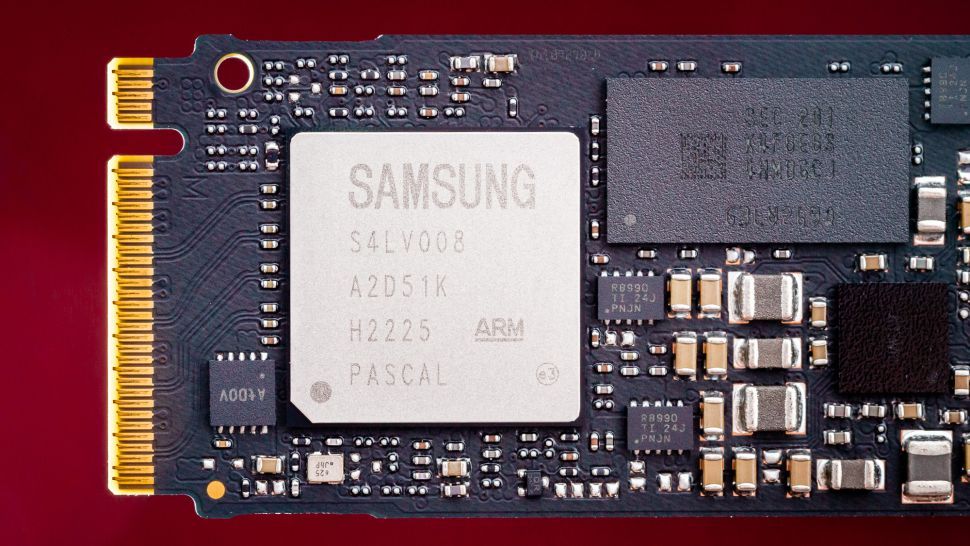
Tom's Hardware
The update fixes the underlying cause of the rapid health declines, but it's not all good news.
 celest horizon
Crazy how samsung killed their rep of reliability through those problems
easy fix, but still, can't imagine the normies know about it
cyan ravine
It was also the fact they didn't replace a bunch of them
I think that was the real nail in the coffin
Along with, at the time Louis Rossman flaming them for a repairman knifing a customer tv to void a warranty
potent portal
Yes the refusal to honor warranty for what is ostensibly a firmware issue is scummy af
cyan ravine
Samsung has a long line of dodgy warranty policy
They've rejected phones for trade ins because of "Paint scratches" or "OS not wiped"
Or you get them extremely undervalued on their trade ins because of such
Samsung really gets way too much love for what is some of the worst backend support I've ever read about
potent portal
cyan ravine
Along with, at the time Louis Rossman flaming them for a repairman knifing a cus...
Not just him but people with even more followers
cyan ravine
Ye
elfin flame
cyan ravine
Samsung really gets way too much love for what is some of the worst backend supp...
As do many companies tho
it's not like Samsung is an outlier
cyan ravine
Can we link that? He normally swears lmao
potent portal
That doesn't mean we have to put up with it
cyan ravine
Louis has a family friendly version
potent portal
I'll check the transcript lol
elfin flame
ASUS for starters
potent portal
cyan ravine
Can we link that? He normally swears lmao
Yeah good call
cyan ravine
elfin flame
it's not like Samsung is an outlier
It's not but the sheer volume of complaints flown Samsung's way impresses me that they don't get put on nearly as much notice for it
potent portal
But Louis has been caring a lot less about his swearing too lol, it's not like his channel is advertiser friendly anyway
elfin flame
potent portal
That doesn't mean we have to put up with it
And what are we to do? All of these companies continue to see demand anyway, and a small group of people in a sea of many people who are ignorant, willfully or not, aren't suddenly going to jump aboard
potent portal
Vote with your wallet and spread the word, sadly all we can do right now
cyan ravine
potent portal
But Louis has been caring a lot less about his swearing too lol, it's not like h...
Fair but I'm fairly sure this was before that
Samsung alone has me like on edge if anything breaks lmfao
elfin flame
I am for consumer rights and protections, but it's like with other recent news (iykyk), being angry ain't doing nothing if nobody wants to use that anger appropriately
cyan ravine
I do full tests of everything
Like colours, white/black, serial, full video of the state of the product
I take no chances
cyan ravine
elfin flame
I am for consumer rights and protections, but it's like with other recent news (...
Oath
But my way is to just to basically never recommend samsung
I may once or twice with an odyssey, that's all
potent portal
cyan ravine
Fair but I'm fairly sure this was before that
It was not, he specifically calls the tech a "weasel ass B-" lol
cyan ravine
Ah ok
I didn't remember that
Likely because he just rambles
Lol
The buildzoid of the monitor world
potent portal
His voice blends into the background so you only hear half of what he says
elfin flame
cyan ravine
But my way is to just to basically never recommend samsung
Fair enough, I still go with model over brand despite brand sentiments
But no, I don't usually say go Samsung anyway
Phones sure, but everything else meh
potent portal
They're often more expensive than the alternative anyway so it's easy to avoid
cyan ravine
elfin flame
Fair enough, I still go with model over brand despite brand sentiments
It's the same reason people avoid gigabyte but gigabyte's never been this bad
That said, samsung sells way more
But that doesn't make either party less guilty (Disclaimer: gigabyte usa specifically is bad)
elfin flame
I personally do not like Gigabyte and won't buy from them
But I recommend stuff from them still anyway
cyan ravine
They're a lot better here
elfin flame
I admit to having bias towards MSI despite my RMA fun times with them
potent portal
We've come full circle to where assrock is now a decent brand again and everyone else sucks
elfin flame
Ong
cyan ravine
Lol true
analog hearth
Their best motherboard I’ve used was their AB350 Pro4. Everything else has been mid
I also have a B450m Steel Legend. Okay mobo for a home server but I wouldn't use that as a daily client PC
potent portal
I have a B650 livemixer and it's the best motherboard I've owned for what I paid. All the I/O that I need, plenty of M.2, etc., and the BIOS is pretty easy to use and stable. It was cheap because people don't like the paint splatter color scheme but it looks fine in my mostly blacked out build. My only complaint is that the on board RGB doesn't play nice with openrgb.
weary galleon
Only issue I've had with my x570 phantom gaming was the chipset fan dying 💀
Though when I contacted them they pretty much immediately sent a replacement fan no questions asked which I appreciate.
^bought it before b550 was released
analog hearth
that LiveMixer looks sick

Supports AMD Ryzen™ 9000, 8000 and 7000 Series Processors; 14+2+1 Phase Power Design, SPS; 4 x DDR5 DIMMs, Supports Dual Channel, up to 7200+ (OC); 3 PCIe 4.0 x16, 1 M.2 Key-E for WiFi; Graphics Output Options: 1 HDMI, 1 DisplayPort; 7.1 CH HD Audio (Realtek ALC897 Audio Codec), Nahimic Audio; 1 Blazing M.2 (PCIe Gen5x4),, 2 Hyper M.2 (PCIe Gen4...
cerulean plume
If I just got a pc from Jawa what are some key things I should check before I turn it on
potent portal
Screws can come loose during shipping so make sure everything is in place
 silent olive
Where do I go about buying a 4090 these days? I see stuff ranging from $1800-$3500
And a lot of out of stock
analog hearth
Well I got news for you bro. It ain't great (not by a long shot) but it's some news
I see [4090s] ranging from $1800-$3500
Believe it or not, that's their normal price
And a lot of out of stock
iirc I think they ended the 4090's production to prepare for 5000 series
silent olive
Yeah I saw the latter part, I just finally got the money for a whole new build and decided to pull the trigger now. Not going to wait for 5000 series. As for the former though, I don't understand how some vendors have the same part new for nearly twice as much as other vendors.
At this point am I just stuck with whoever has it in stock for whatever price they list you think?
 coarse coral
Whatever is remaining in stock or gambling on used market
Wouldn't buy one past 2k tho
analog hearth
Just get a 4080 Super. It'll last a few years
Or if you already have a PC, just wait
tawny violet
4080 Super is really all you could need unless you ABSOLUTELY want to get your wallet railed
 lilac tinsel
im tryna replace my cpu rn and don't know if i should go with something like an i5 12400f or a ryzen 5 5600x, its a low budget build but im trying to get the best value here
analog hearth
Stretch it to a 5700X3D
lilac tinsel
don't really have a set budget but the lowest price "new" components would be best, this includes whichever ends out with the best price/performance including the motherboard/cooler
weary galleon
are you making a new build or just upgrading?
lilac tinsel
analog hearth
Stretch it to a 5700X3D
i have an rx 6600, isn't that a bit overkill?
tawny violet
Absolutely not
It's actually able to get more performance out of your existing GPU in some cases
tawny violet
5700X3D will be a great thing for you
You can use that for several later GPU upgrades
tawny violet
weary galleon
6600 not very likely to be cpu bound
Min framerates tho
lilac tinsel
weary galleon
are you making a new build or just upgrading?
i currently have an i5 9600K but it broke after i bent a lot of pins so just looking for something equal or better
weary galleon
see that changes things
lilac tinsel
pins on the motherboard that is, which is not worth replacing for a cpu that costs as much
lilac tinsel
im a pretty casual gamer and would at most play light titles, my current gpu satisfies me enough so i need the bare minimum for workloads that doesn't freeze as much as my 9600K did
so probably won't replace it for a few years
tawny violet
Or rather
How much do you care that it's the most modern chip with a lot of upgrade path
Also where do you live?
tawny violet
Alright then
I'd look at either a 13400 with a B760 motherboard, or a 5700X3D with a B450 or B550 motherboard
B760 boards are available both in DDR4 and DDR5 types, while the 5700X3D would definitely need DDR4
You should already have DDR4 memory cuz that's what the old system used
How much memory do you have?
lilac tinsel
alr well the prices here for a 5700x3d is around 230$ and for a 13400F it's 158$, so it's quite a big difference
lilac tinsel
tawny violet
How much memory do you have?
yeah my current memory is pretty garbage so i would probably replace it too, i got 16 2666 mhz
tawny violet
Oh
Yeah you might want an upgrade there
Although
If you can give a total budget you want to spend on it
We can see if we can squeeze in a newer platform
Y'know see what's possible
Give it in your own currency
Since that's what you'd shop in anyway
lilac tinsel
my budget would've been around 300$ or so for both the motherboard and cpu, which is around the price of the 13400F with a b series mb
but of course the cheaper the better
tawny violet
Romanian prices are not the same as US prices
lilac tinsel
tawny violet
Romanian prices are not the same as US prices
yeah, sometimes we have really good deals on expensive stuff and the other way around, it would be 1400 RON
tawny violet
You might wanna check because US prices are generally lower than Europe
Your best bet could unironically be buying used
But I dunno the used market there
lilac tinsel
tawny violet
But I dunno the used market there
really sadly it's almost non existent as it's usually scalpers or people selling really used components/mined
silent olive
tawny violet
4080 Super is really all you could need unless you ABSOLUTELY want to get your w...
I absolutely want to get my wallet railed. I can afford it so I shall lol
lilac tinsel
found a MSI PRO B760M-P at 90$, don't know if it's a good deal or not in the states lol but seems alr for the build, any red flags?
tawny violet
Not the right person to say cuz I don't really have the confidence with this
Bacca, Felix or the other yellows can probably pitch in to help
I also needs to sleep
lilac tinsel
alr ty for the help
potent portal
lilac tinsel
found a MSI PRO B760M-P at 90$, don't know if it's a good deal or not in the sta...
That is by no means a good motherboard but it should be ok with a 13400
Just don't expect to be able to upgrade it to anything else
lilac tinsel
potent portal
That is by no means a good motherboard but it should be ok with a 13400
what would be a better motherboard for around the same price bracket, and what would be the difference, just upgradability?
potent portal
lilac tinsel
what would be a better motherboard for around the same price bracket, and what w...
ASRock B760M PG Riptide Micro ATX LGA1700 Motherboard vs. ASRock B760M PG Riptide Wifi Micro ATX LGA1700 Motherboard
lilac tinsel
cause of the ddr5?
potent portal
It's upgradeability as well as features. And yes DDR5 is much better.
 shut rampart
how much does 6700xt go for
potent portal
New or used?
potent portal
$250-280 on ebay
potent portal
@lilac tinsel https://pcpartpicker.com/list/c2XwzP
https://www.ebay.com/itm/167172588455
Used CPU saves a few bucks and gets you the iGPU, which is useful for troubleshooting or a secondary monitor.
Part List - Intel Core i5-13400

eBay
We stress tested the CPU on our platform without issue.
It's quite hard to kill a locked CPU so it's pretty safe to get used
lilac tinsel
potent portal
<@1250052714260332554> https://pcpartpicker.com/list/c2XwzP
https://www.ebay.com...
i mean i've had an f variant with every cpu ever and also have a spare gpu and 1 monitor, wouldn't it be better to save some of the money even for a used f variant?
potent portal
That's the thing, this is still cheaper than getting a new 13400F by $22
There isn't any used 13400F currently listed on ebay that's cheaper
lilac tinsel
oh yeah you're right
but is lga1700 better long term than am4? i've also seen that am4 motherboards are a lot cheaper and also offer ddr5 at those prices
potent portal
Both are dead platforms, there's no "long term" for either one
And there is no DDR5 on AM4
 pseudo forge
Hello chat
What AMD CPU/MOBO does someone recommend with a 4080. Looking to get 200FPS on 1440p low mainly on warzone
ATM have a 5600x with my 4080
potent portal
What budget do you have?
analog hearth
7600X minimum and whatever motherboard
pseudo forge
potent portal
What budget do you have?
Sorta wanna save as much money as I can. Just want 200fps on warzone 1440p
potent portal
The 7600X as motor suggested gets 211 at 1440p low, the 7700X gets 223
pseudo forge
Is the performance between the 7800x and 7800x3d worth the price difference
potent portal
There is no 7800X
potent portal
Part List - AMD Ryzen 5 7600X
pseudo forge

Assembled and tested by our technical team, the CPU and motherboard are assembled with BIOS settings configured ready to be installed into a case.
Is this a good deal
potent portal
Ah UK, that changes a few things
pseudo forge
Yep
mossy venture
pseudo forge
Sorta wanna save as much money as I can. Just want 200fps on warzone 1440p
5700x3d would be semi reasonable with a 4080
It'll still limit it, but it matches the 7600/x
potent portal
pseudo forge
Is this a good deal
No, not for 600 pounds before you add the memory
Not remotely good
pseudo forge
The products are good tho?
potent portal
Yes
analog hearth
I have that board. I wouldn't pay the USD equivalent for it though
potent portal
7800X3D option https://uk.pcpartpicker.com/list/CRkFQP
Part List - AMD Ryzen 7 7800X3D
pseudo forge
Lian-Li GALAHAD 360mm High Performance RGB CPU Water
potent portal
Perfect, excellent cooler and it is compatible
pseudo forge
Damn the 7800X3D cost hella
potent portal
Yeah it's because there's no comparable gaming CPU currently, except the new and impossible to find 9800X3D
pseudo forge
Don’t amd have new cpus dropping or have they alr dropped
potent portal
The Intel i9 13/14900K technically comes close but they lost a bit of performance with the new patches and it's risky with the stability issues
The 9000 series is the new AMD gen
pseudo forge
Ahhh that come out recently right
potent portal
Yes, but they're only a few percent better than 7000 at gaming, with the notable exception of the 9800X3D which uses black magic or something to blow everything else away
pseudo forge
Ahhhh okay I see
Might buy the 7800x3D then
I had a guy in another discord telling me a 4080 is a bad gpu I just recently spent 1k on that lmaoo
potent portal
The 4080 isn't bad, just badly marketed and priced
Honestly if all you're doing is CoD then you would have been better off with a 7900 XTX, since it can beat the 4090 in most of the series
AMD drivers have less overhead so there's less latency when CPU limited
pseudo forge
Nah I play other games too it’s just that my rig only struggles with warzone
potent portal
Gotcha, the 4080 is fine then.
pseudo forge
Been needing a new cpu
My 5600x still going strong but wanna upgrade
All the newer Ryzen CPU’s work with the same MOBO’s?
B650?
Just need a mobo with AM5 socket right?
potent portal
Yes
You'll want something with a heatsink over the VRM at a minimum for this processor
pseudo forge
The better the cpu is the better the mobo should be?
Like you shouldn’t really cheap out too much on the mobo
potent portal
That's a common misconception, there is nearly zero performance difference between a $150 board and a $1000 board.
Going cheaper than that can cause problems with thermal throttling, which is why I brought up the heatsink. The one I recommended is good.
The more expensive boards mostly exist for extreme overclocking (which you can't do with a 7800X3D anyway)
 stoic island
pseudo forge
Just need a mobo with AM5 socket right?
stoic island
pseudo forge
Just need a mobo with AM5 socket right?
Just keep in mind you'll need to buy ddr5 ram moving from 5600x, which uses ddr4
7800x3d is the next best option after 9800x3d
Still better than 9000 non x3d and better than the Intel offerings for gaming
pseudo forge
Appreciate that
 covert vapor
And for ram you should be generally aiming for 6000mhz on the DDR5
Is the sweet spot for AM5 rn
potent portal
6000 c30 specifically since it is usually not Samsung B-die
6000 c34 or c36 is often Samsung and doesn't overclock as well
I'd recommend some basic memory overclocking to get smoother frame times, and if you get Hynix based memory I've got a list of timings you can plug in that just work
potent portal
I had one on that pcpartpicker list

Kingston FURY Beast RGB 32 GB (2 x 16 GB) DDR5-6000 CL30 Memory (KF560C30BBEAK2-32)
pseudo forge
Would you say the 9800x3d is overkill?
covert vapor
I mean, honestly you could just get a 5700X3D or a 5800X3D, skip a new mobo and ram and just chill until your gaming needs leave your hardware behind
potent portal
You probably won't be able to get a 9800X3D for at least a couple months anyway, not without paying a scalper twice the retail cost
plucky timber
This is starting to look like skylake all over again
little osprey
Can anyone tell me why the ram I got that is at 4800 mhz and it’s supported up to 6000 mhz?
potent portal
You need to go into bios and enable xmp/expo
Asus sometimes calls it DOCP, it can also be called "memory profiles"
little osprey
I’m in bios right now, and clicked on the expo 1 profile but it still says it’s at 4800
potent portal
You need to save and exit for it to apply
little osprey
Okay it’s at 6000 now thank you 🙏
Now I gotta go and install windows on a usb real quick brb
little osprey
What windows version should I go with? 11 home or pro?
 boreal cave
Umm guys my wireless WiFi option ain’t showing
It only says Ethernet, btw this is my first build and I’m doing windows install
potent portal
little osprey
What windows version should I go with? 11 home or pro?
Whichever version you have a key for. Most people don't need the pro version unless you want to use extra features like bitlocker and gpedit.
potent portal
boreal cave
Umm guys my wireless WiFi option ain’t showing
Yep the driver is missing. Isn't Microsoft great? Force you to connect to a network to install but don't give you a way to do it. There's several ways to bypass it at least.
boreal cave
Like driver install
potent portal
Go back one screen from the network selection, press shift+F10, and enter in the command window OOBE\BYPASSNRO
It'll restart and when it gets back to that screen it'll allow you to skip the network
If that doesn't work then I have a file I can give you to put on your USB that will automate some things and auto bypass others
little osprey
@potent portal I just got windows installed and I’m only seeing the option for Ethernet connection and don’t see wireless? I have a WiFi motherboard with the antennas connected, how do I get wireless?
plucky timber
little osprey
<@396513761550270464> I just got windows installed and I’m only seeing the optio...
do you have a internet connection?
you might want to use ethernet for the time being
little osprey
I don’t have an Ethernet cable
plucky timber
and then go to the motherboard website and download the wifi drivers
oh uhh
can you transfer files from your phone to your pc?
little osprey
It won’t let me do anything until I choose the connection and which internet
little osprey
Okay one sec lemme get back to it
Says it’s not a recognized command
@plucky timber
Nvm I wasn’t typing it right
I can’t find the WiFi driver online, can you help @plucky timber
I have the msi b650 gaming plus WiFi motherboard
little osprey
Thank you 🙂
potent portal
little osprey
Where can I get a windows 11 key ?
You don't technically need one but if you had a PC with Windows 10/11 on it before you can transfer the license with the activation troubleshooter
You just need to sign in with your microsoft account and the troubleshooter will show you what keys you have on your account
little osprey
I only have a laptop, I was also wanting to be able to change backgrounds and be able to use custom settings
potent portal
Officially you'd need a new retail key then, but it's worth running just in case there's a PC you signed in on that you forgot about
little osprey
Why is Minecraft capping my fps based on my set refresh rate for my monitor? I have the setting set to unlimited in game
potent portal
little osprey
Why is Minecraft capping my fps based on my set refresh rate for my monitor? I h...
Turn off vsync
little osprey
Where is that? Also I turned it off on my monitor
Oh nvm found it
It’s still capping it at 144
potent portal
It might be in your driver settings then
It can be in any combination of three places, driver settings, game settings, driver game profile settings
little osprey
I wouldn’t know how to do any of that
 storm prairie
so guys i'm really scared about warranty m gonna buy a big pc build price and i'm really scared about this product is fake or while i'm using it it will broke suddenly
this product shipped and sold by newegg
 hidden mantle
👀
 manic cloak
storm prairie
so guys i'm really scared about warranty m gonna buy a big pc build price and i'...
manic cloak
storm prairie
so guys i'm really scared about warranty m gonna buy a big pc build price and i'...
Wdym?
storm prairie
like when i order graphics card and
like 7800xt
i really want it
but m afraid about the quality
or if i buy it and it suddenly freeze in game
or something after 30 days
manic cloak
So you want to order a 7800xt, but you’re scared about the quality because why..?
manic cloak
storm prairie
or something after 30 days
Usually there’s warranty after the 30 day return policy, imagine 30 days to return no questions asked, then a 1 year basic warranty.
storm prairie
not quality, i mean i think its fake or Manufacturer's defects
manic cloak
It can’t be fake if it’s sold and shipped by Newegg
The chances of that is probably equal to winning the lottery
storm prairie
because im gonna buy
rx7800xt
ryzen 7 7700x
manic cloak
storm prairie
not quality, i mean i think its fake or Manufacturer's defects
It happened to me, I had my 7800xt arrive dead, but they shipped me out a new one for free and gave me extra warranty
storm prairie
manic cloak
It happened to me, I had my 7800xt arrive dead, but they shipped me out a new on...
dead like how ?
manic cloak
manic cloak
storm prairie
so how can i make sure this not gonna happen to me ?
Because the chances of this happening is so slim, and if it does oh well. You get free and better warranty, at the cost of waiting longer
 delicate rivet
Im new to pcs, is there just a best $1600-$1800 build anyone could recommend?
manic cloak
delicate rivet
Im new to pcs, is there just a best $1600-$1800 build anyone could recommend?
US?
delicate rivet
yes
manic cloak
Any specifics, like color and RGB preference, do you know what quality (1080p, 1440p or 4k,) and what exact games/plans do you doing on it?
delicate rivet
I play a bunch of games like rust, cod, val ect. I think an all white sceme could be cool and I want a water cooler. Not sure what quality, because I dont have a moniuter yet
storm prairie
yes like valorant or any Closing games like Resident evil or bloodborne etc
its good
mossy venture
Part List - AMD Ryzen 5 7600X, Radeon RX 7900 XT, BitFenix FLOW ATX Mid Tower
manic cloak
delicate rivet
I play a bunch of games like rust, cod, val ect. I think an all white sceme cou...
Monitor added to the budget then? So you want an all white, with an AIO/liquid cooled CPU right? Also if you don’t know quality, performance over quality or quality over performance?
mossy venture
Part List - AMD Ryzen 5 7600X, Radeon RX 7900 XT, Montech XR ATX Mid Tower
delicate rivet
quality over performance probably, im not super competitve. Moniter not included
mossy venture
If you've got a microcenter nearby 7600x3d or 7800x3d bundle would be a good choice
Otherwise there isn't much better than a 7600x for games, you get marginal increases (under 5% even if you went to a 9900x or 14700k) and spend a lot more
X3d cpus stock has sucked recently
delicate rivet
Going to be honest, im not sure what any of that means
rain carbon
delicate rivet
Going to be honest, im not sure what any of that means
X3D = fancy tech, very overpriced
600x is six core
Higher numbers higher cores
plucky timber
storm prairie
is Team T-CREATE EXPERT 32GB 6400
cl 40
voltage 1.40 V
We have explained to you multiple times how DDR5 6000 will be better for your use case
 delicate rivet
I thought ddr5 was highest
rain carbon
DDR6 is on vram rn
mossy venture
Gpus have ram on them called vram, the new gpus from nvidia will have gddr7
Ddr6 currently exists i believe, but it'll be a while before it's in consumer pcs
potent portal
There's no publicly available documents from jedec on DDR6 currently, but the rumored specs are nuts, with the slowest speed starting at 8800 MT/s and official support up to 17600 for the first gen.
This is, naturally, double the spec of DDR5, as is tradition at this point
There's also 4 data channels per module, up from 2 on DDR5. This can decrease latency, especially with smaller read/write requests.
 marsh kiln
How worth it would it to be to get a bundle I found on marketplace? Has a ryzen 9 5900x, b500 tomahawk max wifi, and team group t force 4x8gb 3200MHz for 300 but it's around 2 to 2.5 hours away for 300 USD
cerulean plume
I just bought a pc off jawa and eveyrhing is running fine, but I just want to know how to reduce the cpu temp since it’s idling at 69 Celsius
dusky hearth
cerulean plume
I just bought a pc off jawa and eveyrhing is running fine, but I just want to kn...
that temp is fine
cerulean plume
dusky hearth
that temp is fine
really?
what do you think is the max temp during gaming?
dusky hearth
idle temps don't matter as long as it isnt thermal throttling
cpus will throttle when they get too hot to prevent itself from being too too hot, and if it's throttling when it's under max load, you may want a better cooler, but as long as your cpu is within ambient to ~95c, you're fine
the cpu starts throttling at 95c
cerulean plume
dusky hearth
idle temps don't matter as long as it isnt thermal throttling
cpus will throttle...
ah okay so everything under 95c is fine
i was worrying a little bit 😅
dusky hearth
even at 95 you're technically fine, as long as you're not idling at 95c
idling at or over 90c would say that you probably have dried up paste or a bad cooler mount
cerulean plume
dusky hearth
idling at or over 90c would say that you probably have dried up paste or a bad c...
okay thanks 😅 i was about to increase the fan speed in bios
 frigid sage
So I have a pc that I'm replacing the motherboard, cpu, ram and power supply
The I'm adding an m.2
I have an existing 2 sata ssds and another hdd
So 1 of those ssds have windows and other data then the other 2 just have data like different applications I have downloaded, pictures videos etc
So I'll be building that pc later today, so I was wondering, how can I get my data in the pc?
Id like the windows install to be on the m.2, everything else can stay on whatever drive they're on already
Issue #2, the pc currently doesn't boot, I think it's an issue with the mobo/cpu, which is why I'm replacing them and doing all this in the first place
Ideally I don't want to have to reinstall all the different apps and games I have, cuz I don't want to lose world saves, different projects etc
dusky hearth
i think you have your issues in the wrong order
worry about the data transfer after you solve the issue with it not being able to boot lol
does the current pc POST at all
frigid sage
i havnte built the pc yet
its the old mobo cpu ram that had an issue, and I tried to fix it but from what I could tell either the mobo or the cpu died
they were all AM3 socket / DDR3 so I instead bought AM4 mobo and cpu with ddr4
rn im trying to take the old mobo etc out
of the case
mobo is stuck from 1 screw tho, it spins then clicks and pops back into its place
cuz rn im gonna take the stuff out
clean the case
build the new pc outside of the case (everything is new except gpu and storage [minus the new m.2])
once it boots ill put everything into the case
potent portal
frigid sage
mobo is stuck from 1 screw tho, it spins then clicks and pops back into its plac...
Lift the motherboard slightly to put upward pressure while you turn the screw and hopefully the screw or the standoff catch the thread and come off
frigid sage
I ended up getting it off by holding the standoff with a pair of needle nose pliers
quick quesiton
im installing my m.2 rn
new m.2 in a new motheroard
but i dont really understand how im supposed to use the included m.2 screws
or wait
ok to explain it better
I have an m.2 that I put into the slot and it lines up with a standoff
but the standoff is too tall for it, so the m.2 ends up lifting up a bit once I put the screw in
the place I put the screw in is also the same spot I put in the heatshield screw
so Id only be able to put either the heat shield or the m.2 screw in
I can get a picture if it helps explain my situation
potent portal
I can check the manual for you if you tell me the motherboard model and what slot you're using
I'm thinking you have a spool style screw where the M.2 slots into the side of it
potent portal
Ok and you're using the slot with the heatsink?
frigid sage
yes
thats the faster one from what I can tell

MSI SPATIUM M450 1 TB M.2-2280 PCIe 4.0 X4 NVME Solid State Drive (SM450N1TB)
thats the m.2
potent portal
Alright the manual isn't that much help but it does look like there should be a standoff that's different from the one the heatsink screws into
frigid sage
like in that image, the m.2 sits on the standoff there, but you can see theres like a neck to the standoff
so if I put a screw in the m.2 rises a bit on that side
unless I put the shield screw instead, so am I just supposed to do that and im overthinking it
 frigid sage
potent portal
Alright the manual isn't that much help but it does look like there should be a ...
frigid sage
potent portal
Alright the manual isn't that much help but it does look like there should be a ...
ok so it is supposed to be different
potent portal
No I think the manual is just bad lol
frigid sage
should I just put it in with the shield, cuz I think the shiled will push it down a bit
potent portal
From the pic it does appear the heatsink will screw in to hold the SSD down
frigid sage
then I dont even need the m.2 screw
ye ig
I think im overthinking it too much
should I take the sticker off the m.2 or na
frigid sage
ill take off the shield plastic tho
cerulean plume
Is it bad that my cpu is at 75 Celsius at 1% utilization ?
potent portal
Yes that you take off
frigid sage
potent portal
It's a special metallic sticker to help spread the heat
thats cool
potent portal
cerulean plume
Is it bad that my cpu is at 75 Celsius at 1% utilization ?
Idle temp doesn't matter at all, just load temp
cerulean plume
potent portal
Idle temp doesn't matter at all, just load temp
Oh okay thanks I was worried, I in your opinion what is a bad load temp?
I have a ryzen 7 3700x
potent portal
90C is where I'd start to worry, 95C is the max it'll go to
cerulean plume
potent portal
90C is where I'd start to worry, 95C is the max it'll go to
If it reaches higher level should I increase fan speeds
potent portal
The default fan curve should keep it below that but if not go ahead
cerulean plume
potent portal
The default fan curve should keep it below that but if not go ahead
I was asking because it reaches 90c
But thanks
potent portal
What cooler are you using? The stock one?
cerulean plume
potent portal
What cooler are you using? The stock one?
Yea
potent portal
The paste is probably dry by now with how old that is
cerulean plume
The pc is really quiet also
cerulean plume
potent portal
The paste is probably dry by now with how old that is
Oh I need new paste?
potent portal
The stock paste dries out enough to be a problem after a couple years
If it's been repasted then the time will depend on what paste was used
cerulean plume
potent portal
The stock paste dries out enough to be a problem after a couple years
Ah damn, you think I should increase fan speeds for now
Because I recently got the pc
potent portal
It couldn't hurt
I'm guessing you bought it from someone else and it was already put together?
 indigo kindle
Can someone help me troubleshoot my pc? Just built with 4080s 9800x3d etc. boots up fine, all fans spin, including gpu fans. Gpu doesnt display
cerulean plume
potent portal
I'm guessing you bought it from someone else and it was already put together?
yes
indigo kindle
tried displayport and hdmi. Monitor not detecting
Yes i have it plugged into GPU ports not MB
cerulean plume
potent portal
I'm guessing you bought it from someone else and it was already put together?
everything seems fine so far it's just the temp
he also recommended me some new fans to replace the stock one
potent portal
If you want to go that route I can recommend a $15 cooler that'll fix it too
cerulean plume
potent portal
If you want to go that route I can recommend a $15 cooler that'll fix it too
do they come with thermal paste?
potent portal
yes
cerulean plume
potent portal
If you want to go that route I can recommend a $15 cooler that'll fix it too
and the motherboard is a am4
cerulean plume
potent portal
yes
if you don't mind I would like to see
potent portal
Hmm looks like the cheapest good coolers are out of stock but there's this https://www.amazon.com/dp/B0D93X1TKG?tag=pcpapi-20&linkCode=ogi&th=1&psc=1

Thermalright Burst Assassin 120 SE ARGB CPU Cooler, 6 Heat Pipes Heatsink Cooler, 12cm PWM Fan CPU Air Cooler, AGHP Technology, for Intel LGA1851/1700/115X/1200
cerulean plume
potent portal
Hmm looks like the cheapest good coolers are out of stock but there's this https...
thanks
frigid sage

Anyone know what this means
Am I supposed to press any buttons to go to bios or something
Copyright (C) American Megatrends, Inc.
BIOS Date: 01/18/2024 20:49:48 Ver: 1AWQG340
New CPU installed, fTPM/PSP NV corrupted or fTPM/PSP NV structure changed.
Press Y to reset fTPM, if you have BitLocker or encryption enabled
the system will not boot without a recovery key
Press N to keep previous fTPM record and cont inue system boot, fTPM will NOT
enable in new CPU, you can swap back to the old CPU to recover TPM related
Keys and data.
these are all new components except the gpu
do I press Y or N?
I pressed Y cuz I think its right
potent portal
Y is correct, assuming you're not running bitlocker
frigid sage
no idea what that is
weary galleon
file encryption
frigid sage
frigid sage
So I have a pc that I'm replacing the motherboard, cpu, ram and power supply
Th...
like this question
so my old drives have all my data and my os
frigid sage
its a fresh build so should be off if i had to guess
so rn
I have the pc on bios, the only storage attached is a new m.2 drive (i dont have anything on it)
my old drive which I havent connected has windows installed and other data
indigo kindle
Can anyone plzzzz help me. Troubleshooting new build
plucky timber
indigo kindle
Can anyone plzzzz help me. Troubleshooting new build
ask away
frigid sage
plucky timber
so what are you trying to do?
what im asking is can I plug in my old ssd and just boot from there
I dont want to lose the data on it tho
I then also have another ssd and a harddrive that id want to plug in too
or if I cant just plug them in, what do I do to get the data from them?
potent portal
frigid sage
no idea what that is
If you don't know what it is there's a 99% chance you aren't using it
indigo kindle
Just built new pc. Gigabyte b650 eagle mobo, 4080s, 9800x3d. I boot and get no display when plugged into gpu or mobo. Red led dram debug light every time when i turn on pc. Everything turns on. Gpu fans and case fans spin. Have tried ram in all different channels, and have done it with just one stick in each ram as well.
plucky timber
frigid sage
what im asking is can I plug in my old ssd and just boot from there
I dont want...
you can just plug it in
indigo kindle
Have cleared cmos too no help
potent portal
frigid sage
what im asking is can I plug in my old ssd and just boot from there
I dont want...
What's the old and new chipset for the motherboard?
frigid sage
is there a risk to losing the data on the drive
potent portal
No but there is a risk of Windows not booting
plucky timber
not unless you're extremely incompetent
frigid sage
potent portal
What's the old and new chipset for the motherboard?
old was am3
new is am4
frigid sage
so if I plug it in, it should boot up as if I opened my old pc
potent portal
And it should boot
plucky timber
the motherboard should automatically set the boot priority
if not go into bios and set it manually
potent portal
It will take a while to boot and may restart a few times as it installs the new drivers but it should work
indigo kindle
indigo kindle
Just built new pc. Gigabyte b650 eagle mobo, 4080s, 9800x3d. I boot and get no d...
^
Plzzzz
plucky timber
we're working on it
potent portal
indigo kindle
Just built new pc. Gigabyte b650 eagle mobo, 4080s, 9800x3d. I boot and get no d...
Did you update the BIOS to one that's compatible with the new CPU?
plucky timber
please be patient
indigo kindle
potent portal
Did you update the BIOS to one that's compatible with the new CPU?
I have not. How do i do that?
frigid sage
potent portal
It will take a while to boot and may restart a few times as it installs the new ...
so itll be as if I opened my old pc, like all my stuff will be there
potent portal
yep
indigo kindle
Q flash with usb drive?
plucky timber
indigo kindle
I have not. How do i do that?

Need to flash the BIOS for your GIGABYTE motherboard? In this video, you will learn how easy it is to update the BIOS using the Q-Flash Plus function, available on most GIGABYTE motherboards, in just a few simple steps.
// Follow us on Social Media //
Facebook: https://www.facebook.com/AorusOfficial
AORUS Gaming Community: https://www.facebook....
indigo kindle
Perfect thanks
frigid sage
huge, thanks 7v7 and falcie ill do that now
potent portal
frigid sage
is there a good way to shut off the pc in bios or just turn psu off
plucky timber
hold power button
potent portal
You can just press the power button and it'll shut off
plucky timber
and then turn off the psu after
frigid sage
rn im shorting the pins to turn it on
potent portal
Then short them and it'll turn off
potent portal
It won't matter unless you're also using a M.2 drive, then sometimes it matters
frigid sage
i have the m.2 installed currently
plucky timber
sometimes some boards steal the sata data lanes
when there is a m.2 installed
doesn't seem to be the case on this board
frigid sage
the thing is im planning on having 2 sata ssds and a hdd installed
plucky timber
as far as I can see
frigid sage
alr thanks
will I even be able to have 2 sata ssds and a hdd installed on top of the m.2?
 potent portal
 plucky timber
oh bloody hell
frigid sage
im not using m2_2
potent portal
Your drive is in M2_1 so no conflict
plucky timber
gigabyte website sucks
frigid sage
will it matter when I plug in the additional sata ssd and hdd
plucky timber
doesn't matter
just remember not to put anything in M2_2
or else bye bye sata lanes
potent portal
Yep, but keep it in mind if you want to add another M.2 in the future you should stick to SATA 1,2,4
frigid sage
alr thanks
I might as well plug them into 1 2 4 then
if it doesnt conflict with anything else
plucky timber
there is also an option of swapping one of the sata ssds for an nvme
if you really wanted one in the future
and if you have 3+ drives
frigid sage
true, one of my sata ssds is 256 gb which is nothing
it has os tho on it
might as well keep it tho
id like to move the os to the m.2 tho
but first things first im just gonna plug in the sata ssd and see if my pc opens up as usual
potent portal
That's perfectly fine to keep on SATA, it would only boot a few seconds faster on a fast M.2
indigo kindle
Does it need to be a 32gb flash drive for qflash
frigid sage
potent portal
That's perfectly fine to keep on SATA, it would only boot a few seconds faster o...
ive felt it get slower over the years, partially bc i think I just have it pretty much full now
potent portal
SSDs don't fragment
potent portal
The drive filling up could be the cause, especially on a cheaper one