#building-and-recc-chat
1 messages · Page 305 of 1
 potent portal
Ah so they weren't the same model being compared
But wait, those aren't the same price like they said
 little osprey
 mossy venture
Ones the 7800xt unless I forgot to swap it
mossy venture
Ones the 7800xt unless I forgot to swap it
Yeah the one I sent, and the first option you sent are both RX 7700 XTs, just a different brand
mossy venture
This is solid
https://www.zotacstore.com/us/zt-d40720h-10m-o
2 years warranty (shipped in generic box with no accessories)
mossy venture
little osprey
Yeah the one I sent, and the first option you sent are both RX 7700 XTs, just a ...
Oh yeah the xfx is just nicer
Challenger is bottom tier for amd cards
Same with mech and most asus dual cards
Like msi non 40 series ventus or msi slim 40 series for nvidia
mossy venture
mossy venture
This is solid
https://www.zotacstore.com/us/zt-d40720h-10m-o
Thered also a 4070 ti on there for $573
I forgot I wasn't comparing to the 7900 gre these are very different price points than the 7700xt
Mb
mossy venture
1 yr iirc
Oh no 2
Says it on the link lol
2 years warranty (shipped in generic box with no accessories)
little osprey
Interesting
potent portal
Zotac often has deals on refurb like that
Them and EVGA were pretty consistent during the pandemic shortage
 vale epoch
potent portal
Zotac often has deals on refurb like that
vale epoch
potent portal
Zotac often has deals on refurb like that
I remember that 1.3k 4090
People who bought a strix 4080s should have seen that

vale epoch
Interesting they sell their own towers and they’re not overpriced
 vale epoch
Interesting they sell their own towers and they’re not overpriced
vale epoch
vale epoch
Interesting they sell their own towers and they’re not overpriced
Only one 16 gig stick tho
On the first one
mossy venture
Still way over the initial cost, but this is maximizing gpu perf as much as possible if you care for it. Any of these lists including your first one (with the rm750x and xfx 7800xt) is more than fine
https://pcpartpicker.com/list/Jm2zyW
Part List - AMD Ryzen 5 7500F, GeForce RTX 4070 Ti, Montech AIR 100 ARGB MicroATX Mid Tower
@little osprey
vale epoch
vale epoch
Only one 16 gig stick tho
Huh it honestly looks like they used that microcenter bundle
Am i assuming too much?
potent portal
Probably sourced from the same distributor at least
 tawny violet
@potent portal mind if I DM you real quick?
potent portal
What kind of a budget would you be looking at for the fans @vale epoch?
I'm guessing not that much because people don't get Montech cases with deep pockets
vale epoch
potent portal
What kind of a budget would you be looking at for the fans <@692066236799909908>...
Lol ig 30 usd max
Actually 40 might be reasonable
potent portal
These might be good, a little extra for extra features https://www.amazon.com/dp/B0D7NQK5VZ?tag=pcpapi-20&linkCode=ogi&th=1

CT120 EX Reverse ARGB Sync is a new model of the CT series incorporating the new MagForce 2.0 for a better, quicker magnetic connection among fans. This fan maintains its 2000 RPM fan speed and has broken through its series limit to provide even better cooling performance. The CT120 EX Reverse AR...
I'll keep looking for other reverse blades that are cheaper
vale epoch
potent portal
I'll keep looking for other reverse blades that are cheaper
Appreciate it a lot man
potent portal
vale epoch
Appreciate it a lot man

Thermalright TL-C12RB-S V2 CPU Fan 120mm ARGB Case Cooler Fan, 4pin PWM Connector Silent Computer Reverse Fan with S-FDB Bearing Included,up to 1500RPM Cooling Fan(Black ARGB)
vale epoch
potent portal
Ah here we go https://www.amazon.com/Thermalright-TL-C12R-120mm-Case-Fan/dp/B0C4...
Perfecte
Praise the thermalright gods
And praise thee falcie
potent portal
The machine gods are pleased by your praise
 serene onyx
Found a motherboard and cpu combo for 50$ on fb marketplace
Only issue is
Usb header port on mobo has bent pins
Have no clue what motherboard
potent portal
That's one thing that is easy to fix or ignore
As long as the pins don't touch each other and short out, you can bend them out of the way
little osprey
mossy venture
Still way over the initial cost, but this is maximizing gpu perf as much as poss...
Yeah the 7700 and the 7800 XTs aren't bad, I don't need that much performance
One things for sure, I am looking for a 1440p monitor....but OLED
Yeah I know they cost an arm and a leg, which is why I want to see if there are any suggestions of the least expensive OLEDs y'all can find. Preferably above 200hz
I've seen some as low as $550 - $660. Not sure how good they are tho
especially those that are on sale. when is Amazon doing their Black Friday deals? Don't they usually do it fairly early every year?
potent portal
If I had to guess, it'll start around the 25th
little osprey
hmm
Acer Predator X27U | 27" WQHD 2560 x 1440 OLED Gaming Monitor | AMD FreeSync Premium | Up to 240Hz | Up to 0.01ms | 1000nits@HDR 3% | DCI-P3 99% | Delta E<1 | USB Type-C, DP 1.4 & 2 x HDMI 2.0 https://a.co/d/0KIprxO

Fasten your seatbelt: Infused with the latest eye care technologies and a blisteringly fast 240Hz refresh and up to 0.01ms pixel response time. The Predator X27U delivers you a WQHD (2560 x 1400) OLED. Add AMD FreeSync Premium to the mix and your gaming experience will be unbeatable! This 27-inch...
Thoughts?
potent portal
Pretty good. Cheapest of the OLEDs from well known brands currently.
https://www.rtings.com/monitor/reviews/acer/predator-x27u-bmiipruzx

RTINGS.com
The Acer Predator X27U bmiipruzx is a 27-inch OLED gaming monitor. It has a 1440p resolution and 240Hz refresh rate, using the same panel as competing models tha...
little osprey
potent portal
Pretty good. Cheapest of the OLEDs from well known brands currently.
https://www...
It's the same one 😭
That's the website I used too lmao
potent portal
Right yeah, that's why I brought it up. Just to show the review if you hadn't seen it yet.
There are cheaper options if you don't mind lesser known brands
They use the same panel
little osprey
As long as they work just as well
potent portal
Unless you want extreme color accuracy for professional work they're fine
The OSD can be harder to use on them but most people don't need to touch it

AOC AG276QZD 26.5" 2560 x 1440 240 Hz Monitor (AG276QZD)
tawny violet
potent portal
https://pcpartpicker.com/product/BBhv6h/aoc-ag276qzd-265-2560-x-1440-240-hz-moni...
there is apparently a QD-OLED version under the name AG276QZD2
240hz 3rd gen QD-OLED panel (unknown to me manufacturer)
potent portal
tawny violet
240hz 3rd gen QD-OLED panel (unknown to me manufacturer)
Samsung panel
tawny violet
Well then 3rd gen Samsung QD-OLED
and it's about the same price here as the WOLED one
potent portal
Their "3rd gen" panel is just 2nd gen + firmware update really
mossy venture
potent portal
https://pcpartpicker.com/product/BBhv6h/aoc-ag276qzd-265-2560-x-1440-240-hz-moni...
This is really good too
https://www.amazon.com/KTC-OLED-Monitor-Built-DisplayPort1-4/dp/B0CRDRL92Z/ref=mp_s_a_1_1_vs_ar_sspa?

Introducing the KTC G27P6 OLED Gaming Monitor - the ultimate display for gamers, designers, and office workers who demand the highest level of performance and quality. With a sleek and modern design, this 27 inch OLED monitor boasts a stunning 240Hz 1440p resolution, offering crystal clear visual...
$467 iirc after the two coupons
potent portal
I hesitate to recommend due to brand reputation but it does exist
mossy venture
I believe they're an oem for a lot of other brands
 strong knoll
anyone know where to get a windows key lol
thats not $130 dollars
 weary galleon
strong knoll
anyone know where to get a windows key lol
thats not $130 dollars
weary galleon
strong knoll
anyone know where to get a windows key lol
thats not $130 dollars
Ok if I DM you?
strong knoll
yea sure @weary galleon
 forest lava
First time building with AM5. Am I supposed to push this lever down?
Image failed to load
 dusky hearth
I assume you're talking about the cpu socket
Which yes
It will require a moderate amount of force

 strong knoll
i tried updating my drivers and got a black screen so i turn off my computer and when i turn it on it says ur almost there like it’s updating and then it says restarting and then that happens
so what do you recommend?
 coarse coral
what drivers
strong knoll
nvdia
but idk what that would have to do w my ram
nor would the window update
should i turn down the mhz my ram is running at?
coarse coral
 strong knoll
uhhh
so un what should i do
so i turned down the mhz
any reason why
it worked
and why i had to do that
potent portal
strong knoll
and why i had to do that
Is that an AMD CPU by chance
If so disable memory context restore in bios
It'll take a little longer to start but it shouldn't fail to do so any more
As for why that happens, there's a bug in AGESA that causes it to fail to reapply known good settings from the previous training
Disabling that option forces it to retrain memory every boot
strong knoll
got it working now thank you
little osprey
i just got done doing the same thing
forest lava
I should not use a single cable for my gpu right?
potent portal
Generally speaking, it is better to use multiple cables instead of the daisy chain connectors
Best case it's fine, worst case it melts and damages your GPU
forest lava
I don't like those odds
This is annoying though because idk how to make the loose daisy chains look good
potent portal
Cut them off
As long as the copper in the wires doesn't short to other wires it's fine
forest lava
Does anyone own an H18 Versa tower?
I'm trying to find out how to remove the front panel to install case fans but the manual doesn't mention how and videos skip over that part
little osprey
mossy venture
This is really good too
https://www.amazon.com/KTC-OLED-Monitor-Built-DisplayPor...
is KTC good tho
KOORUI Monitor, 27" QHD IPS Gaming Monitor, 170Hz, 1ms, HDR400, Compatibility G-Sync and FreeSync, Tilt Pivot Swivel Vertical Height Adjustable,2 HDMI 2.0 & 1 DisplayPor 1.2, 27E3Q, Black https://a.co/d/6OMVYNd

27 Inch Gaming Monitor, QHD(2560 * 1440) Vertical Rotating Computer Monitors, 170Hz, IPS, 1ms, HDR 400, FreeSync & G-Sync Compatible, 2X HDMI & DisplayPort 2K Monitor, Height Adjustable
thoughts on this?
it's not OLED I know, but I'm asking in general
 rain carbon
little osprey
KOORUI Monitor, 27" QHD IPS Gaming Monitor, 170Hz, 1ms, HDR400, Compatibility G-...
rain carbon
little osprey
KOORUI Monitor, 27" QHD IPS Gaming Monitor, 170Hz, 1ms, HDR400, Compatibility G-...
Cant say i see anything offputting about it, it is a cheaper monitor tho so wouldnt be surprised by any stand or OSD issues
Otherwise if the specs are correct id say thats a pretty good price, good panel
forest lava
Fresh build is currently booting to a red and yellow light on the mobo and no display
I know yellow has something to do with memory but I'm not sure what the problem with the ram would be
 manic cloak
forest lava
I know yellow has something to do with memory but I'm not sure what the problem ...
manic cloak
forest lava
I know yellow has something to do with memory but I'm not sure what the problem ...
Hi there! Do you have a parts list you can send real quick? Sometimes it helps whoever narrow it down for you
manic cloak
forest lava
I know yellow has something to do with memory but I'm not sure what the problem ...
Usually the ram or the motherboard could be the fault, recommend taking out the ram sticks, keeping 1 in A2 (the 2nd slot) and try booting, if it doesn’t boot, try replacing it with the other stick and try again. If neither of those work, move it to B2 (4th slot) and try the same process
 analog hearth
strong knoll
i tried updating my drivers and got a black screen so i turn off my computer and...
analog hearth
strong knoll
i tried updating my drivers and got a black screen so i turn off my computer and...
AMD build?
 green laurel
Hello all, I recently purchased an open box 7900xtx and currently have a 3080, am I able to simple take 3080 out and put in 7900? Or do I need to delete all nvidia drivers before putting in. i just want to test it to make sure it works.
rain carbon
from what i understand yes, to avoid any confrontation with the new amd drivers
analog hearth
green laurel
Hello all, I recently purchased an open box 7900xtx and currently have a 3080, a...
?ddu
 jolly riverBOT
DDU (Display Driver Uninstaller) Guide by Pato
https://github.com/NeweggTechie/Graphics-cards/wiki/How-to-use-DDU

GitHub
Contribute to NeweggTechie/Graphics-cards development by creating an account on GitHub.
green laurel
Ok ty, I was only wanting to test the card in old pc while waiting on all parts for new pc so I would know if I need to semd it back. Was hoping I could just plug in quick and check for good operation.
forest lava
manic cloak
Hi there! Do you have a parts list you can send real quick? Sometimes it helps w...
Do you need the links or would just the part names do?
tryna find the link rn
Part List - AMD Ryzen 5 7600X, Radeon RX 6800, Thermaltake Versa H18 MicroATX Mini Tower
All the relevant parts I can think off
Also forgot to mention the cpu light
PC does not power off with the power button once turned on
mossy venture
little osprey
is KTC good tho
Yes
mossy venture
forest lava
https://pcpartpicker.com/list/ThYwPJ
I wouldnt cheap out quite so much
Part List - AMD Ryzen 5 7600, Radeon RX 7700 XT, GameMax MeshBox ATX Mid Tower
forest lava
mossy venture
I wouldnt cheap out quite so much
I already have this stuff
It doesn't show on the site but I got a bunch of discounts on the stuff I got
mossy venture
Ah
Just the mobo and psu hurt a lil bit
Not psu
Case
Im tired
Psu is great
mossy venture
forest lava
PC does not power off with the power button once turned on
Id check power sw connection
Should be bottom right of mobo?
forest lava
Indeed
I always wanted to try micro atx, but this is currently biting me in the rear
In order to access the power sw connection, I have to remove the GPU each time
mossy venture
Matx isn't bad at all just that mobo and case aren't the best and im sure the case is hard to work with
Tbf i had to do the same for my atx build, just a different reason
forest lava
Case was actually pretty simple to build in for me
mossy venture
I used to
Wasn't too terrible but it was also in a gigantic atx case
Asrock a520i ac for $40
rain carbon
I work in a micro atx case
But it's still a pain
Well not technically matx but it practically is
Its just a big itx

 frail valve
Is that front solid plastic?
frail valve
No wait its mesh I googled it
rain carbon
Yurp
frail valve
My brother got an atx look-a-like case to that and it's front was solid plastic
rain carbon
I plan on getting a new case at some point, one specifically because i love the weird design
frail valve
It was overheating with nothing but a 5600 and rx 580 
rain carbon

Introducing the Thermaltake Tower 300 Summer Edition in Matcha Plum and Peach Fuzz. This Micro-ATX case is designed for performance and aesthetics, featuring two pre-installed 140mm CT fans and support for radiators up to 420mm. The case includes three 3mm thick tempered glass panels, providing a...
frail valve
Needless to say we ripped that front off and yeeted it into the trash
rain carbon
frail valve
It was overheating with nothing but a 5600 and rx 580 <:peepoSadSip:641081095479...
Thats depressing lmao
frail valve
rain carbon
Thats depressing lmao
Without the cover we instantly got temps down to the 60s lol
rain carbon
#graphics-cards id post it here too
Oh youre buying used that was used?
Hm it is a bit sketchy
Seems like if you could fix it up itd be a good deal
Weird one tho
And there could be more underlying issues present as well
frail valve
rain carbon
Hm it is a bit sketchy
Sketchy? Absolutely. However I don't want to pay $650-700 on one when this could be salvaged
rain carbon
frail valve
Sketchy? Absolutely. However I don't want to pay $650-700 on one when this could...
Hence why i didnt write it off immediately
Youd have to know the risk youre taking tbh
Theres no guarantee its worth it
frail valve
Also thanks for telling me where to put it
rain carbon
Np
forest lava
Think I'm going backwards. I might be wrong but I could have sworn my gpu fans were running beforehand
Ah this reeks. I feel like I'm gonna find out the problem is painfully obvious and I just somehow missed it over and over
frail valve
forest lava
Think I'm going backwards. I might be wrong but I could have sworn my gpu fans w...
Bit of an extreme decision but have you tried using something like MSI afterburner to force your GPU to use fans even at 0% usage?
forest lava
frail valve
Bit of an extreme decision but have you tried using something like MSI afterburn...
PC won't display anything at all
But the GPU fans are working
I waited a bit and both the ram and the cpu error lights are gone, and now it's just the boot light but green
Which is good but I still don't see anything on screen
Update: Now the monitor is recognizing output from the pc but it's a black screen
Aaand now I've fixed it... By turning the pc on while the gpu is connected to the monitor, then by turning it off, switching to onboard, then turning it on
Starting with onboard was not working before
GPU wasn't either
Weird fix but I'll take it
frail valve
A W is a W
dusky hearth
forest lava
Starting with onboard was not working before
it might have been because of ram training
did you leave the pc to boot for 10 minutes? first boot takes a little while
forest lava
I took a whole nap the first time while it was booting (it was really late) and it didn't work
forest lava
No
forest lava
I'll just install windows now and switch to it after
dusky hearth
it should be working even without windows installed
forest lava
The gpu works, it's just not being prioritized over the onboard I think
dusky hearth
there's no priority on the bios, every screen is mirrored
reseating should probably fix it
sometimes dust or some light corrosion on the contacts would make a bad connection causing it to not be able to display
and all the gpu power connectors need to be connected
forest lava
Reseating it worked
It looked like it was seated properly but the latch went down further the second time I did so
ty
dusky hearth
np
 boreal patio
What’s a good build for streaming video and gaming
dusky hearth
yeah you'll need a 4090 and a 9800x3d
manic cloak
You’ll need a spare 3000$ first
Then you gotta buy the processors straight from Taiwan
And with the soon to be tariffs, it isn’t going to be cheap
rain carbon
And you need 128gigs of ddr6 ram AT MINIMUM
I dont care how you get it
I just realized that might be the norm one day 😨
 frail sluice
can someone tell me why my dram light is still red even when ive tried each ram stick individually, and i updated bios by qflash plus usb and button
 fossil cedar
frail sluice
can someone tell me why my dram light is still red even when ive tried each ram ...
fossil cedar
frail sluice
can someone tell me why my dram light is still red even when ive tried each ram ...
try clear your cmos
?cmos
jolly riverBOT
How to clear CMOS (works for AMD and Intel)
https://www.intel.com/content/www/us/en/support/articles/000025368/processors.html
Intel
Defines CMOS technology and how to clear CMOS using the jumper or battery methods.
frail sluice
ill try it rn
fossil cedar
@willow meteor lets chat here about it, do you already have the cpu?
mossy venture
With a 2k budget 4070 is very underkill
 mossy venture
7800x3d also very overkill for a 4070
 snow dragon
Maybe just wants to buy once and not upgrade for years to come
But even with the x3d im a little over half of it
frail sluice
fossil cedar
try clear your cmos
it did not work
mossy venture
mossy venture
7800x3d also very overkill for a 4070
In most games where it would matter 7600/x would be plenty
mossy venture
snow dragon
But even with the x3d im a little over half of it
Not wrong but imo 7600/x and going to a 10800x3d down the line makes more sense (or whatever they call next gen x3d cpu, if it even exists. Idk why it wouldn't)
snow dragon

little osprey
does anyone know of any good prebuilts I'm too lazy to build one but just wanna play rust and get lots of fps
fossil cedar
 willow meteor
compatible for 7800x3d
willow meteor
compatible for 7800x3d
id do this https://pcpartpicker.com/list/RDdf74
Part List - AMD Ryzen 7 7800X3D, Radeon RX 7900 XTX, Phanteks ECLIPSE G500A DRGB (Fanless) ATX Mid Tower
fossil cedar
frail sluice
it did not work
is this new ram?
 lean anchor
What's a good fan controller for the price? I was debating about the icue, but none of my other devices even register in icue, and I would like to be able to sync everything while also offering different profiles.
snow dragon
willow meteor
compatible for 7800x3d
Part List - AMD Ryzen 7 7800X3D, Lian Li LANCOOL 216 RGB ATX Mid Tower
fossil cedar
snow dragon
https://pcpartpicker.com/list/sFvYJn
you forgot a gpu lol
fossil cedar
frail sluice
first bulid
ah whats the ram and cpu?
frail sluice
fossil cedar
ah whats the ram and cpu?
mycpu is the Ryzen 5 7600X with Silicon Power Value Gaming DDR5 32GB, and the Motherboard is a gigabyte B650 Eagle ax
snow dragon
fossil cedar
you forgot a gpu lol
Already has a 4070
fossil cedar
Hmm and you've reseated the ran for sure?
fossil cedar
snow dragon
Already has a 4070
Ahhhh
frail sluice
im thinking the ram is incompatible with my board but i dont wanna buy new ram just yet if thats not the case
frail sluice
fossil cedar
Hmm and you've reseated the ran for sure?
mutiple times yes
fossil cedar
frail sluice
im thinking the ram is incompatible with my board but i dont wanna buy new ram j...
It's not ram is ram it could be dead ram
Reseat the cpu?
snow dragon
Did you try booting one stick at a time
frail sluice
fossil cedar
Reseat the cpu?
yes i tried that too
frail sluice
snow dragon
Did you try booting one stick at a time
and that
snow dragon

fossil cedar
Well there's 3 possible chances then, bad cpu motherboard or ram, I'd start with returning/RMA-ing the ram
snow dragon
Not sure if this would work. What about a bios update? Idk ngl. prob is the ram tho
frail sluice
fossil cedar
Well there's 3 possible chances then, bad cpu motherboard or ram, I'd start with...
alr ill get just do that then, ive tried everything else i could
thanks for the help
snow dragon
Did you check the compatability list on the motherboard website
fossil cedar
snow dragon
Did you check the compatability list on the motherboard website
Dude they make no difference ram is ran
It's either made by hynix micron or Samsung
And any ram will work once it's the right ddr iteration for the board
 fossil cedar
frail sluice
alr ill get just do that then, ive tried everything else i could
fossil cedar
frail sluice
alr ill get just do that then, ive tried everything else i could
Good luck
green laurel
Hello the gpu I got is the 7900xtx saphire Nitro plus I have 3 cords that can go to it will this work?


That is all my psu came with
snow dragon
little osprey
does anyone know of any good prebuilts I'm too lazy to build one but just wanna ...
Im not good with prebuilts and airflow is questionable but I do think this is a good deal for prebuilt standards
https://www.cyberpowerpc.com/system/Prebuilt-Gaming-PC-GM-99637

Prebuilt Gaming PC GM 99637 - AMD Ryzen™ 7 8700F Processor - 16GB DDR5-6000 Memory - A620 Motherboard - 1TB PCIe NVMe M.2 SSD - Windows 11 Home
snow dragon
green laurel
Hello the gpu I got is the 7900xtx saphire Nitro plus I have 3 cords that can go...
Yeah seems fine. those are vga cables which are for the gpu
 flint sapphire
potent portal
flint sapphire
potent portal
A couple of the more expensive bundles and the prebuilts are still available though
Thanks for the heads up @noble phoenix
 languid nimbus
rip
green laurel
Hello all, I am trying to complete this build last thing i was wondering is i have 7900 xtx and I head it needs to have 3 sep cables i have 2 plugged in already the last cable does not look like the other it is shown in pic should I use this as third or use pigtail off second


Also the side that is 6+2 won't fit in gpu side and will have to go in psu i guess due to configuration of shapes.
analog hearth
yeah
 strong raft
@green laurel 6+2 is the gpu side, not psu. Just to be clear. Don't look at the shapes or try to hook a cable up backwards like this.
green laurel
I assume I press why this is new mb and new cpu?
 dusky hearth
Yes
dusky hearth
As long as there's no encryption, then changing resetting the ftpm won't matter for you
Or at least I'm pretty sure
analog hearth
fun fact: this screen is actually not coming from your storage. it's actually coming from your motherboard. "why does that matter?" you're making a hardware-level decision, whether you press Y or N
dusky hearth
technically it is from a storage
just the storage on the mobo
 upper moon
would this work inside an alienware auroa r16 gaming desktop ?
potent portal
upper moon
would this work inside an alienware auroa r16 gaming desktop ?
Would what work?
serene onyx
So I was trying to install the stock cooler that came with my Ryzen 5 5500 and I couldn’t figure out how to put the stock cooler on.

So what part do I put on first.
I don’t get it.
potent portal
The fan isn't supposed to come off the heatsink so you'll want to get that back on first
The ring goes under that I think?
potent portal
Without the ring the airflow won't be as good over the fins
Meaning it won't cool as effectively
serene onyx
Yes
I was jk
I was replacing the stock cooler with a new one
And the stock one just completely broke on me
 high field
I need to get more storage should I get these? There 209$ on Amazon
 mossy venture
high field
I need to get more storage should I get these? There 209$ on Amazon
mossy venture
high field
I need to get more storage should I get these? There 209$ on Amazon
def not
potent portal
high field
I need to get more storage should I get these? There 209$ on Amazon
That depends, are you editing 8K video or something else that needs extremely fast sustained speeds? No, gaming doesn't count.
potent portal
high field
I need to get more storage should I get these? There 209$ on Amazon
This is plenty good for most people, and less than half the price
https://us-store.msi.com/Sale/LAST-CHANCE-CLEARANCE/M482-NVMe-M2-2TB-Bulk
"Eco pack" just means it ships with less packaging
serene onyx
Man I wish I would’ve bought multiple of those 2 tb nvme’s I got for my pc, they where like 50$
Or 60
I don’t remember
potent portal
Yeah they were crazy cheap when Nvidia was selling off their wafer allocation for bargain bin price to the NAND manufacturers
serene onyx
Yeah
I’m kinda bummed out I didn’t take advantage
I could’ve had 6 tb in my pc and 2tb in my rog ally
6 is overkill, but 4 would’ve been amazing
high field
potent portal
This is plenty good for most people, and less than half the price
https://us-sto...
How much is the4tb?
high field
potent portal
That depends, are you editing 8K video or something else that needs extremely fa...
No just Microsoft flight simulator is all I do
potent portal
high field
How much is the4tb?
I'd do this for 4TB https://pcpartpicker.com/product/trjRsY/teamgroup-mp44q-4-tb-m2-2280-pcie-40-x4-nvme-solid-state-drive-tm8ffd004t0c101

TEAMGROUP MP44Q 4 TB M.2-2280 PCIe 4.0 X4 NVME Solid State Drive (TM8FFD004T0C101)
high field
potent portal
I'd do this for 4TB https://pcpartpicker.com/product/trjRsY/teamgroup-mp44q-4-tb...
Alright thank you
potent portal
$10 cheaper, slightly slower but you'd never notice unless you were copying from one super fast drive to another https://pcpartpicker.com/product/2BvD4D/silicon-power-ud90-4-tb-m2-2280-pcie-40-x4-nvme-solid-state-drive-sp04kgbp44ud9005

Silicon Power UD90 4 TB M.2-2280 PCIe 4.0 X4 NVME Solid State Drive (SP04KGBP44UD9005)
high field
potent portal
$10 cheaper, slightly slower but you'd never notice unless you were copying from...
What a good speed u want to get?
potent portal
I'm perfectly happy with my gen 3 drive, I have never needed it to go faster.
Mine is rated at 1800Mbps
99% of people don't actually need a faster drive than that
high field
Yeah that’s crazy I always thought the higher th better
potent portal
It's just the gen 4 4TB drives happen to be cheaper at this time
potent portal
high field
Yeah that’s crazy I always thought the higher th better
That's exactly what the marketing people want you to think
high field
potent portal
This is plenty good for most people, and less than half the price
https://us-sto...
True, and for 2TB u recommend this one? ^^^
potent portal
When you're gaming most of the data gets loaded into memory so it doesn't even touch the storage once it's loaded, and faster drives only help a little with load times. Nothing worth paying extra for, maybe 1 second difference.
potent portal
high field
True, and for 2TB u recommend this one? ^^^
Yep
high field
Yeah thank you again
potent portal
It's a good gen 4 drive for the price of gen 3
high field
Yeah super cheap
forest lava
high field
I need to get more storage should I get these? There 209$ on Amazon
If I were spending that much, I'd get a gen 4 with double that storage
I heard gen 5 has heat issues
potent portal
It would never get hot enough to matter with just gaming, but if you used it for the intended purpose of 8k+ video editing then it might be a problem
 pearl mist
guys is this good
Brand
Thermaltake
Operating system
Windows 11 Home
CPU model
Core i5-12400F
CPU speed
2.5 GHz
Graphics card description
Dedicated
Graphics
NVIDIA GeForce RTX 4060
coprocessor
• GEFORCE RTX 4060 - The NVIDIA GeForce RTX 4060 delivers the ultra performance and features that enthusiast gamers and creators demand.
• INTEL CORE 15 12400F - Experience exceptional performance with up to 6 cores for gaming, creativity and multitasking.
• Mesh Front Panel - Built in our V150 Breeze chassis, its front mesh panel allows for maximum airflow, keeping your PC components cool and quiet;
TOUGHRAM Z-ONE RGB 16GB DDR4 3600MHz Memory - Our Toughram delivers outstanding speeds, with stunning RGB lighting. Our RAM is configured with XMP enabled to ensure optimal performance from the first boot up.
• Fast Boot Times - Equipped with an ultra-fast SSD for lightning-fast load times, and Windows 11 already installed, you'll be ready to game in no time!
• 2 Years Warranty - Buy with confidence - Two-year warranty. We love our products, and we hope you will too. But if anything does go wrong with your purchase, our RMA and warranty services in Australia are here to help; Quality Assured & Locally
is it worth 1.4k aud
potent portal
pearl mist
is it worth 1.4k aud
Nah that's a 900 aud system
Basically this https://au.pcpartpicker.com/list/cwKTWc
Part List - Intel Core i5-12400F, GeForce RTX 4060, Montech AIR 100 ARGB MicroATX Mid Tower
pearl mist
u think i should build it?
or buy a pre build i need it to be consistent for every game and a cheap price too
could u help me out pls
 rough loom
you will always stretch your money further with a self built system
rough loom
you can learn alot about it via a few youtube videos actually
its easyish as long as you follow a guide/the instructions given with each part
pearl mist
do u need certain equipment?
rough loom
nah, you can build a PC with litterally a philips screwdriver
rough loom
Im sure someone can, Im terrible at doing budget builds >.>
rough loom
if you use that part picker website it probably has some build suggestions on it
pearl mist
let’s see
rough loom
the one linked a little earlier
potent portal
pearl mist
where the mods at x
Making a couple tweaks to the build I linked
So it's better
pearl mist
okay, u think u can sus the link when done 😁
potent portal
pearl mist
okay, u think u can sus the link when done 😁
Part List - AMD Ryzen 5 5600, GeForce RTX 4060, Montech AIR 100 ARGB MicroATX Mid Tower
Windows is technically free to use, you just can't use the "personalize" menu
You can also transfer an existing license you have to your new build
pearl mist
what’s all that
uhm what’s this?
The MSI B550M PRO-VDH WIFI Micro ATX AM4 Motherboard supports the AMD Ryzen 5 5600 3.5 GHz 6-Core Processor with BIOS version 7C95v2A. If the motherboard is using an older BIOS version, updating the BIOS will be necessary to support the CPU.
rough loom
you might need to use bios flash in order to update the bios incase its old enough that it doesnt recognize the cpu
or the system wont start
rough loom
pretty good chance that its updated to a newer bios. The stock would have to be ancient at this point for it to not
pearl mist
so i’m good?
potent portal
The motherboard also has a bios flash button to make it easy on the off chance you need to update
rough loom
alternatively a b650 would natively see it
potent portal
rough loom
alternatively a b650 would natively see it
B650 is a different socket mate
pearl mist
@potent portal is it a good pc?
potent portal
Good enough for casual gaming I'd say
You can upgrade the CPU to a 5700X3D later, and the GPU if you need to
pearl mist
how much fps consistently would u say
potent portal
In what game at what resolution and settings
pearl mist
shii that’s good
rough loom
potent portal
B650 is a different socket mate
ah yea no thats right. B550 would see a 5 series cpu reguardless then
pearl mist
so i can buy it no problem?
rough loom
weird for it to warn that
pearl mist
lemme show u
potent portal
The warning is because the non-X CPU came out after the motherboard released
pearl mist
 pearl mist
potent portal
The warning is because the non-X CPU came out after the motherboard released
pearl mist
potent portal
The warning is because the non-X CPU came out after the motherboard released
ohh
@potent portal would u recommend to mod it a bit more for a higher price or is that good?
because i just need the pc to last and not be slow
potent portal
For what you're using it for, it's probably fine
pearl mist
that probably word is scaring me 😭
potent portal
Tell you what, I'll do a "one tier higher CPU" list and you can decide for yourself if it's worth it
potent portal
This would be a little bit longer lasting, and get slightly better fps than the 5600.
https://au.pcpartpicker.com/list/YYYZLc
Part List - Intel Core i5-13400F, GeForce RTX 4060, Montech AIR 100 ARGB MicroATX Mid Tower
The DDR5 memory in particular helps with CPU limited games like most esports titles
pearl mist
ye bet
rough loom
Part List - AMD Ryzen 7 7700, GeForce RTX 4060, Montech AIR 100 ARGB MicroATX Mid Tower
could be modified slightly probably, incase your upper limit is the 1400
newer platform so more chance for longevity
potent portal
You're missing storage
But if longevity is the goal then an AMD 7600 would be a great option, since AMD has committed to several generations on that socket and it'll be good to upgrade later if needed
rough loom
potent portal
You're missing storage
correct, I removed too many things when modifying your original build XD
moving to a 7600 and grabbing a gen 3 2tb drive should be rather cheap to do
potent portal
Just a bit more to get that AMD goodness https://au.pcpartpicker.com/list/wRX7PJ
Part List - AMD Ryzen 5 7600, GeForce RTX 4060, Montech AIR 100 ARGB MicroATX Mid Tower
rough loom
actually gen 4s are cheaper than 3s now
potent portal
rough loom
actually gen 4s are cheaper than 3s now
Yes and that's been surprising me lately too
7300Mb 2TB drive for $90 usd
rough loom
damn, I could replace my entire legacy drive set with these and it cost nothing
 zenith cargo
potent portal
Like this one https://us-store.msi.com/Sale/LAST-CHANCE-CLEARANCE/M482-NVMe-M2-2...
zenith cargo
potent portal
Like this one https://us-store.msi.com/Sale/LAST-CHANCE-CLEARANCE/M482-NVMe-M2-2...
1tb WD_Black sn850x w/ heatsink on tiktok shop for $92
potent portal
zenith cargo
1tb WD_Black sn850x w/ heatsink on tiktok shop for $92
Not bad, but that's still $2 more for a slower drive
zenith cargo
potent portal
Not bad, but that's still $2 more for a slower drive
Im hesitating to buy
idk if I need it tho
potent portal
Spatium
 zenith cargo
currently have a 1tb
potent portal
WD
 potent portal
zenith cargo
3500 and 2300
potent portal
zenith cargo
3500 and 2300
Which is perfectly fine for gaming, mine is rated for 1800 and I'm happy with it
What you call "entry level" is where all gamers are
You only need faster for things that will actually use the extra speed, games do not
 dusky hearth
Back in my day we only could afford HDDs
 cyan ravine
dusky hearth
Back in my day we only could afford HDDs
cyan ravine
dusky hearth
Back in my day we only could afford HDDs
Aren't u like 19
Stop making me and Fal feel old
dusky hearth
cyan ravine
Stop making me and Fal feel old
Back in your day silicon transistors didn't even exist frfr
👴
You had to replace a vacuum tube every few hours on the scorching hot wall of vacuum tubes
cyan ravine
Fr (???)
dusky hearth

A vacuum-tube computer, now termed a first-generation computer, is a computer that uses vacuum tubes for logic circuitry. While the history of mechanical aids to computation goes back centuries, if not millennia, the history of vacuum tube computers is confined to the middle of the 20th century. Lee De Forest invented the triode in 1906. The fir...
 rain bloom
https://pcpartpicker.com/list/gPNTvj
Getting ready for Black Friday, is this still a good value build and are the parts likely to go on sale?
Part List - AMD Ryzen 5 7600, Radeon RX 7900 XT, Montech XR ATX Mid Tower
weary galleon
You're overpaying on the gpu by $187

ASRock Phantom Gaming OC Radeon RX 7900 XT 20 GB Video Card (RX7900XT PG 20GO)
Could also do xtx for $850
https://pcpartpicker.com/product/gCBG3C/asrock-phantom-gaming-oc-radeon-rx-7900-xtx-24-gb-video-card-rx7900xtx-pg-24go

ASRock Phantom Gaming OC Radeon RX 7900 XTX 24 GB Video Card (RX7900XTX PG 24GO)
 noble phoenix
if anyone is still trying to get a bundle of 98900X3Ds, we are restocking them in 4 minutes
only bundles, no individual cpus
you heard it here first 👀
green laurel
hello, i got a new cpu today i currently have r9 7900x and got r7 9800 in mail is there anything i should do extra or is it as easy as taking old out and new in since they are both AM5?
mossy venture
green laurel
hello, i got a new cpu today i currently have r9 7900x and got r7 9800 in mail i...
Update bios
dusky hearth
Hmm
7900x to 9800 is like
Barely any different?
Oh 9800x3d I assume since there's no 9800
dusky hearth
But yeah, it should be a drop in replacement
Maybe need to clear CMOS if it doesn't boot but don't need to do anything else if you're on the latest stable bios
 hexed scarab
Would cyber power PC be a good place to have a pc built? does it account for everything fitting together properly?
i would build myself but im not even sure where to start
dusky hearth
hexed scarab
Would cyber power PC be a good place to have a pc built? does it account for eve...
Good place for buying a custom system? Not really, it's ok from what I heard though probably not the best
Yes it accounts for everything fitting
For building a PC yourself, there are YouTube guides on how to do the assembly, but you can take the effort out of doing research on parts by asking for a parts list in this channel
- Make sure to provide the country you reside in (if it is the USA, if you are in close enough proximity to a microcenter which usually has good deals in store)
- What your budget is, and if your budget is just the PC tower, or if you also need a display and peripherals
- if your using it for gaming, or for work like 3d modeling, programming, just word processing, etc.
 midnight echo
i hope this is the right channel to put this in, but i have a deepcool lt520 and my mb is a asus prime b450m-a II micro atx am4, it says for the power to plug it into a cpu_opt on the mb and i dont see one, anyone know what header i can use on my mb to run this liquid cooler?
weary galleon
I think any fan header will work, just the cpu one is meant to let the bios or fan control software more easily recognize that it's a CPU fan & thus should be ran off of cpu temps
Pretty sure most motherboards have a CPU fan header, it might have slightly different labeling but will be closeish to the socket
Oh wait is it the pump you need to plug in?
I think same thing applies, just any fan header. The radiator fans should go in the cpu header, in red here:

Or maybe since I've never actually used an aio refer to someone who has lol

Modern Motherboards have specific Fan headers for AIO Coolers. Here's an overview guide of where to connect your All-In-One CPU Water Cooler.
midnight echo
weary galleon
Or maybe since I've never actually used an aio refer to someone who has lol
ok thank you anyways 🙂
 icy thunder
Hey everyone, AliExpress is doing their big 11/11 sale and I wanted to get a mini PC to host things on like game servers and home automation servers. Was wanting to do 32gb ram to make sure I don't run out so I looked through a couple and made a list but I'm not sure which one is the best or if any are any good. Could someone look through this and see if any are worth getting? https://www.google.com/collections/s/list/87MuOMyMRJyG9KVdEwMjCA/3PAnyyafUcU
 dusky hearth
Depending on the game server, you might want better single threaded performance
Specifically Minecraft is one of the servers that runs pretty much completely single threaded
Or rather it has 1 main thread
Which pretty much all game logic runs on
Most of the time, server lag is caused by the main thread being overloaded
icy thunder
Yeah I saw that too when looking stuff up but I'm not sure if any of those in that list have good single thread
I don't have access to a PC right now so I can't do as much research as I would like to so I was hoping someone here could take a glance at everything and be like "this one will work" or recommended something else in the price range.
 crimson zinc
icy thunder
Hey everyone, AliExpress is doing their big 11/11 sale and I wanted to get a min...
crimson zinc
icy thunder
Hey everyone, AliExpress is doing their big 11/11 sale and I wanted to get a min...
Hey act


I may have some bad news
dusky hearth
icy thunder
Yeah I saw that too when looking stuff up but I'm not sure if any of those in th...
in terms of the ones in your list, the better ones are the ones with the 5700u/5800u/5825u
icy thunder
Ruh roh
icy thunder
I don't plan on doing anything crazy just wanna run a few servers 24/7
So I don't wanna put a ton of money in
crimson zinc
You could probably get a micro atx case, a $40 mobo, cheap am4 cpu, and a ram bundle
icy thunder
I have a spare 5800x
icy thunder
And 64gb of ddr4
 jagged ember
oh if you have those then yeah you could probably build a cheaper pc
icy thunder
Was planning on building my girl a new PC with them though
I've never built a mini PC before
jagged ember
minipc could still be viable tho
just maybe without the 11.11 sale cause it's way past lol
jagged ember
cause yeah the ones in that list from earlier I haven't really heard of most of their names before
icy thunder
Yeah bunch of random brand names
icy thunder
jagged ember
Check out minisforum, beelink, geekom
Are you familiar with any of their products enough to recommend one with more than 16gb ram and good single core performance for either less than 300 or around that?
jagged ember
other than minisforum not really
and even then, I'd just be looking up benchmarks for the cpus that they come with lol
icy thunder
Gotcha gotcha
dusky hearth
jagged ember
unless you were thinking itx
itx would be more expensive though possibly lmao
icy thunder
If did end up using my 5800x to build the mini PC I'd need a GPU with it which would probably put me over price of just buying a mini PC
Could I'd need mobo, case, GPU, and power supply
 tidal sky
https://www.newegg.com/msi-optix-mag301cr2-30-wfhd-200hz-refresh-rate-144hz-refresh-rate-va-black/p/N82E16824475089 is this a decent monitor for the price
 vagrant breach
Could someone help me with a build from 1000-1300$. Im focused on good fps on 1080 just to play with friends but have no clue where to start.
fossil cedar
vagrant breach
Could someone help me with a build from 1000-1300$. Im focused on good fps on 1...
What country? Do you need a monitor as well? Do you care about rgb etc? Also how much would you like to aim for between 1k and 1.3k? Usually 1k, 1.1k 1.2k 1.3k are all great options so depends how much you fancy spending
vagrant breach
fossil cedar
What country? Do you need a monitor as well? Do you care about rgb etc? Also how...
I'm not firm on an amount between 1k-1.3k but anything on the lower side would be preferred. I'm NA, yes i have a monitor, i dont mind rgb but if it would make anything easier then im all for it
fossil cedar
vagrant breach
I'm not firm on an amount between 1k-1.3k but anything on the lower side would b...
Cool, just to clarify US or Canada? Very different markets and options
vagrant breach
US all the way down in florida man
fossil cedar
Cool gimme a min
vagrant breach
fossil cedar
Cool gimme a min
of course boss
fossil cedar
vagrant breach
of course boss
This is what I'd do for 1.1k
https://pcpartpicker.com/list/9J4zyW
1.2k
https://pcpartpicker.com/list/2kBCJn
1.3k
https://pcpartpicker.com/list/JBnzyW
Part List - AMD Ryzen 5 7600, Radeon RX 7800 XT, Phanteks XT PRO ATX Mid Tower
Part List - AMD Ryzen 7 7700X, Radeon RX 7800 XT, Phanteks XT PRO ATX Mid Tower
Part List - AMD Ryzen 7 7700X, Radeon RX 7900 GRE, Phanteks XT PRO ATX Mid Tower
But honestly they're all quite overkill for 1080p lol
zenith cargo
@potent portal ok so I bought the sn850x. My current ssd is pcie 3.0 and it’s sitting in the top slot (4.0 capable). Can I swap it to the bottom with no problem or do I need to change anything before hand?
fossil cedar
zenith cargo
<@396513761550270464> ok so I bought the sn850x. My current ssd is pcie 3.0 and ...
That's not a problem
potent portal
Switching it should be fine
vagrant breach
fossil cedar
But honestly they're all quite overkill for 1080p lol
I figured as much i just wanted to be able to kill shooters as far as frames go while not being left with the option
zenith cargo
fossil cedar
That's not a problem
👍
fossil cedar
vagrant breach
I figured as much i just wanted to be able to kill shooters as far as frames go ...
Well all of them are great, and you could easily upgrade your monitor to 1440p with no problems
vagrant breach
fossil cedar
Well all of them are great, and you could easily upgrade your monitor to 1440p w...
Thanks a lot for the help you're much appreciated
fossil cedar
No problem happy to help
jagged ember
He does this a lot
mossy venture
tidal sky
https://www.newegg.com/msi-optix-mag301cr2-30-wfhd-200hz-refresh-rate-144hz-refr...
Not really
analog hearth
okay..?
 cloud halo
its an dell opti 7010
analog hearth
What do you want us to do with this information?
potent portal
Do you have a NVMe adapter
cloud halo
nein.
potent portal
Because a third gen computer will not support it
cloud halo
i said clone it
potent portal
You'll need an adapter of some kind unless your laptop supports both nvme and sata
cloud halo
sat uhhh
potent portal
You can use this adapter to put the nvme drive in the older pc, then use macrium reflect to clone the drive
https://www.amazon.com/M-2-Adapter-Aluminum-Heatsink-Solution/dp/B07JJTVGZM

M.2 NVME to PCIe 3.0 x4 Adapter with Aluminum Heatsink Solution
You will not be able to boot windows from nvme on a third gen computer, but the laptop should work in theory as long as the OS supports the hardware. I'm assuming Windows 10 here.
rain bloom
weary galleon
Could also do xtx for $850
https://pcpartpicker.com/product/gCBG3C/asrock-phanto...
XT should manage 1440p without issues?
weary galleon
yeah
rain bloom
Awesome! now I’ve gotta wait for the sales to hit lol
 shut rampart
hello, im just looking for an $1,000 upgrade on my setup
https://pcpartpicker.com/list/G4LMXk ( this is my current setup )
I want to make my theme white instead of black
building for streaming / gaming mostly streaming I do have a micro center near by and im going to wait for cyber Monday before buying the upgrade
Part List - AMD Ryzen 7 5700X, Radeon RX 6700 XT, Phanteks Eclipse G360A ATX Mid Tower
fossil cedar
shut rampart
hello, im just looking for an $1,000 upgrade on my setup
https://pcpartpicker....
if youre waiting until then then id wait until then for any major upgrades and kinda decide then (look on black friday too)
shut rampart
yeah but I dont really know what part I should be getting
dusky hearth
Gpu
 plucky timber
green laurel
plucky timber
green laurel
does anyone have an idea which chat i could ask some questions about iCUE? or is it this one?
rain carbon
shut rampart
hello, im just looking for an $1,000 upgrade on my setup
https://pcpartpicker....
If you want to make your theme white id start by just new gpu and case atm tbh
And just wait a bit before upgrading mobo to am5
I dont think now would be a good time to do a complete overhaul on your parts
dusky hearth
green laurel
does anyone have an idea which chat i could ask some questions about iCUE? or is...
this one or #peripherals-and-displays or #windows-ios
icue sucks btw if you're asking on why it sucks
it's just how it is
mossy venture
shut rampart
hello, im just looking for an $1,000 upgrade on my setup
https://pcpartpicker....
This is what I'd keep, and maybe gpu
https://pcpartpicker.com/list/WJR23w
Part List - Phanteks Eclipse G360A ATX Mid Tower
That's up to you
shut rampart
I was thinking of just selling everything, keeping the ssd, monitors , and power, and for a new case maybe havn hs 420 since im going an all white / frosty build
and sell the reset of the un used parts for more budget
mossy venture
shut rampart
I was thinking of just selling everything, keeping the ssd, monitors , and power...
Hs 420?
shut rampart
yeah

HAVN
The HS 420 case combines optimal airflow, elegant design, and a hybrid structure. Upgrade your gaming haven today!
mossy venture
Would definitely want cable extensions if keeping the psu
shut rampart
tho idk that or https://hyte.com/store/y70/cs-hyte-y70-ww?zCountry=NO
or lian li 011

HYTE
Visit our latest product the Y70, a mid-tower ATX pc case now with LCD side panel screen display. Shop today on our website HYTE.com
mossy venture
Is the case part of the $1000 budget? Bc 1/5th on a case hurts me a bit
shut rampart
mossy venture
Would definitely want cable extensions if keeping the psu
yeah will prob get white cable ones
shut rampart
mossy venture
Is the case part of the $1000 budget? Bc 1/5th on a case hurts me a bit
naw out of the budget
1000 is mainly just parts not pc fans / case etc
mossy venture
Here's a few id suggest that are semi similar, but at the end of the day it's your pc, just my two cents
https://pcpartpicker.com/product/dczXsY/thermaltake-view-270-atx-mid-tower-case-ca-1y7-00m6wn-00
https://pcpartpicker.com/product/ZNkH99/gamdias-atlas-e1-atx-mid-tower-case-atlas-e1-wh
https://pcpartpicker.com/product/gtfxFT/sama-ar01-rgb-microatx-mini-tower-case-ar01-rgb-w

Thermaltake View 270 ATX Mid Tower Case (CA-1Y7-00M6WN-00)

GAMDIAS ATLAS E1 ATX Mid Tower Case (ATLAS E1 WH)

SAMA AR01-RGB MicroATX Mini Tower Case (AR01-RGB-W)
shut rampart
what parts do I get inside of my pc
mossy venture
Smthn like
https://pcpartpicker.com/list/TWwRBq
Part List - AMD Ryzen 5 7600X, Radeon RX 7800 XT
Not a huge jump over 6700xt tho
Personally would keep the gpu till new gen, but again not my build
shut rampart
when is new gen
if I do keep my gpu I can still have some more parts to upgrade
I think that should be a plan keep my gpu power and ssd
mossy venture
shut rampart
when is new gen
New generation of gpus
shut rampart
no like whats the date
green laurel
I keep getting this after turning on pc, everything seems to be working fine, is there anyway I can prevent this from happening?
 shut rampart
https://pcpartpicker.com/list/2W86h7
u have about $500 left to upgrade the mobo / memory / cpu / cooler
Part List - AMD Ryzen 5 7600X, Radeon RX 6700 XT, HAVN HS420 VGPU ATX Mid Tower
mossy venture
shut rampart
https://pcpartpicker.com/list/2W86h7
u have about $500 left to upgrade the mobo...
If you want you can do 7800x3d/9800x3d
Cooler is already overkill for any am5 cpu, 64gb ram is pointless unless you have heavy workstation use
Mobo is alr overkill too
shut rampart
mossy venture
If you want you can do 7800x3d/9800x3d

I wounder if I can switch it out for white memory
cyan ravine
I agree with Bacca
Lots spent there when it's just going to have a 6700XT
That's almost considered low end now
shut rampart
well I can wait for new gen gpu and just buy one once it is out
cyan ravine
Ram can be left alone, the Mobo is about 50% more expensive than one of the best white options
The case is awful expensive and has many QC issues rn
Including choked intakes
Like what 4 filters per panel?
Kinda ridiculous
You don't need a 360 aio for that cpu
shut rampart
what white case should I get then
cyan ravine
The fans are awful, nothing NZXT makes these days are even remotely worth it
cyan ravine
shut rampart
what white case should I get then
I haven't looked yet but I know I can find something that beats 289 dollars
And same for fans
I'll beat both
shut rampart
can you find me one
cyan ravine
Do you own the ram yet
shut rampart
nope
cyan ravine
Do you own any ddr5?
shut rampart
nope
cyan ravine
Ok
shut rampart
https://pcpartpicker.com/list/G4LMXk u can look at my current setup rn
Part List - AMD Ryzen 7 5700X, Radeon RX 6700 XT, Phanteks Eclipse G360A ATX Mid Tower
shut rampart
just white
cyan ravine
What's the entire budget
shut rampart
around 1750
cyan ravine
Ok pay attention to my notes when I post the list
shut rampart
I have a micro center you can also used that but I see their bundle doesn't do all white...
tho I can prob resell it and get a white verison
cyan ravine
Ok, NOTE THESE THINGS DOWN:
- The psu is for the OLD rig, move the strix to THIS ONE and buy a white psu cable extension kit for $20.
- The old 1080p monitor can go, the XV271U can be used for a secondary.
- The SSD in the list, stick it in the other PC and bring your MP33's over to this one
Part List - AMD Ryzen 7 9800X3D, Radeon RX 7900 XT, Montech AIR 100 ARGB MicroATX Mid Tower
Wrong link
Fixed now
Remember those 3 things
Reason why is you can sell a whole 1080p pc in one piece and migrate everything else over
Now this rig, will play anything in 1440p
Whatever you want to play it'll run it
You can sell the 5700XT+6700XT pc with no windows installed, and you can sell it with the 1080p monitor, sell it used for like, $800?
$800-ish
shut rampart
wait why acer nitro for secondary? its 180hz compare to 170hz
cyan ravine
Cos it's old af
The new one is mini LED
Trust me, you'll know why I did that when you try it out
Mini LED is miles better than an old VA
It's the step below OLED
Really really nice screen
shut rampart
The SSD in the list, stick it in the other PC and bring your MP33's over to this one
I have 2T of ssd so I dont need another stick or so
so in total 4T
cyan ravine
shut rampart
The SSD in the list, stick it in the other PC and bring your MP33's over to this...
Yes but then how will you sell a complete gaming pc if it has no ssd
shut rampart
oh sell the whole pc
cyan ravine

Yes
See where my head's at now?
The new SSD, the old monitor and the new PSU go in the old rig
Oh wait no nvm
Ignore me I picked a different psu
Haha
You can tell them instead it's a tier C psu for that pc tho haha
cyan ravine
cyan ravine
The new SSD, the old monitor and the new PSU go in the old rig
My bad I had my lists mixed up for a second, but this still applies to what I'm saying
Also one more thing
@shut rampart If you want a second opinion for that list, you need to tell people you're using those parts for the old pc otherwise everyone will get really confused
shut rampart
so sell the whole pc for like $800 comes with 1080p monitor and just switch out new psu with old and old with new
cyan ravine
Ye, and put the $32 ssd into it too
You can sell it for 800, maybe 900
Do local pickup cos shipping a pc is an actual nightmare
If you wanna ask others for a second opinion show them this list
Part List - AMD Ryzen 7 9800X3D, Radeon RX 7900 XT, Montech AIR 100 ARGB MicroATX Mid Tower
Tell them you're spending $80 to get the old pc into a sellable state
Otherwise people will be like
"600W??? For that pc???? OMG!!!"
💀
shut rampart
what happen to the rgb fans
cyan ravine
Integrated into the case purchase
shut rampart
oh
cyan ravine
You'll have 6 RGB fans
For like, $10 spent basically?
Pretty good value
They're better performing than nzxt ones too by a mile
Not hard to beat nzxt fans tho tbf
☠️
So if you have any more questions lmk cos I'm about to dip
shut rampart
been looking at this but its more like a downgrade no?

Micro Center
Get it now! Find over 30,000 products at your local Micro Center, including the AMD Ryzen 7 9700X, Gigabyte B650 Aorus Elite AX Ice, G.Skill Flare X5 Series 32GB DDR5-6000 Kit, Computer Build Bundle
cyan ravine
The CPU will be tricky to find but don't pay any more than the price I put there
That's a downgrade yeah
The price is nice though comparatively
So if you don't mind the step down for better value I could revise the list with those parts
It is definitely slower tho and you'd probably see a better monitor in your list instead
I could maybe squeeze an OLED in, have to see
That would be the next meaningful upgrade to the list
shut rampart
if I buy the bundle, you would upgrade monitor right
cyan ravine
If you prefer it yes
It's about a 25% fps loss but the oled gain would be technically better performance
Without going into a huge rant, simply put OLED response = several gpu upgrades
shut rampart
the list u provided me, can I hold it untill black friday to see if there any other sale
shut rampart
alright thanks
 mossy venture
shut rampart
https://www.microcenter.com/product/5006971/amd-ryzen-7-9700x,-gigabyte-b650-aor...
mossy venture
shut rampart
https://www.microcenter.com/product/5006971/amd-ryzen-7-9700x,-gigabyte-b650-aor...
To be completely fair
It's only about a 15-20% downgrade for a free $190 mobo and $85 ram kit
Maybe more like 20-25? I'm not certain I've only compared the 7800x3d and 9800x3d
mossy venture
they should let you swap it for a white kit
might have to pay a few $
could call them tmrw and ask
shut rampart
that or I can go with a black build, will I get more performance with black?
mossy venture
much much better value
dusky hearth
the white tax
mossy venture
7600x3d bundle at $400 is alr better value than the 9700x bundle
shut rampart
tho it would be kinda annoying having to ask for a black one lol
shut rampart
cyan ravine
Are you after the dual chamber look or you just want white
you prob asleep right now but, what would be duel chamber look on the pc part list u gave me
shut rampart
he said he was heading out or something
dusky hearth
remembering wrong
around 15:00 currently there
idk if he's in the western area or eastern area though
 rotund talon
“I recently built my PC with the following specs:
• Processor: Ryzen 7 7700X
• GPU: Radeon 7900XT
• RAM: G.Skill Trident 32GB DDR5 (AMD EXPO enabled)
• Motherboard: ASUS ROG B650E-F
When I enable EXPO in the BIOS, the boot time increases significantly. However, when I disable it, the boot time returns to normal. Are there any possible solutions for this?”
potent portal
rotund talon
“I recently built my PC with the following specs:
• Processor: Ryzen 7 77...
Did you update the BIOS? That helps a lot.
If you did you can see if the "memory context restore" option enabled works for you. With that enabled, it may fail to restart sometimes due to a bug but will boot faster.
 mighty lantern
Took a while but managed to cop one off one of the recent drops 👀
 languid nimbus
Nice nice that’s awesome keep us updated on how it does
mighty lantern
Technically not much of an upgrade since I have a 78x3d but I’m selling it to one of my buds so good deal for both of us lol
I’m interested in tinkering a bit since the 98x3d is unlocked
 obsidian wigeon
this feels a bit like 2020
mighty lantern
The dark ages
 crimson glade
Is there someone who can help with a mini itx desktop build, please?
this is what I want to go with
analog hearth
Was about to absolutely roast your thinking putting a tower cooker inside of an SFF case. I'm surprised you can put such a cooler in that thing
From their site:
142 mm (without side fan bracket installed);
138 mm (with side fan bracket installed)
Like how
You can get much better performance per dollar going with an AMD GPU
 kind shuttle
Hey all - I just finished removing some dust from inside my PC (which involved removing the CPU fan/heat sink and re thermal pasting the whole thing) and now my computer isn’t sending a video signal to my monitor. Any troubleshooting advice?
I also tried re-seating the RAM
mossy venture
crimson glade
Is there someone who can help with a mini itx desktop build, please?
Id change a few things
What's the pc being used for?
And are you set on MITX, or is a very small matx case fine?
Part List - Intel Core i5-13600KF, Radeon RX 7600, SSUPD Meshroom D Mini ITX Desktop
Part List - Intel Core i5-13600KF, Radeon RX 7600, Jonsbo Jonsplus Z20 MicroATX Desktop
analog hearth
kind shuttle
Hey all - I just finished removing some dust from inside my PC (which involved r...
Are there any troubleshooting LEDs on your motherboard? Any codes? The power button rhythmically blinking?
mossy venture
Intel options
Part List - AMD Ryzen 5 7600, Radeon RX 7600, Jonsbo Jonsplus Z20 MicroATX Desktop
Part List - AMD Ryzen 5 7600, Radeon RX 7600, SSUPD Meshroom D Mini ITX Desktop
kind shuttle
analog hearth
Are there any troubleshooting LEDs on your motherboard? Any codes? The power but...
The only light I see is the one RGB on the mobo which is on
It’s the ASUS b450m-pro if that’s helpful
rain carbon
Motor is typing
analog hearth
Does that board have QLEDs? I couldn't find info regarding troubleshooting that board, not to mention there's like 4728472 types of that board apparently
kind shuttle
Yea — I don’t think it has troubleshoot LEDs
Or at least they’ve never been on before and I don’t see any now
I just tried reseating the GPU
analog hearth
Did you take the CPU out of its socket?
kind shuttle
Briefly to wipe off the old thermal paste but I checked and didn’t see any bent pins before reinserting
Should I take it out again to make sure nothing looks wrong in there?
kind shuttle
Nope — no visible problems with the CPU or the sockets
high field
What ssd should I get I need 2TB or 4tb
 stoic island
what's your budget?
shut rampart
hmm what duel chamber case do I get that is white with a budget of $220, with white rgb fans
mossy venture
shut rampart
hmm what duel chamber case do I get that is white with a budget of $220, with wh...
King 95?
shut rampart
YES
ops caps
but idk what fans do I pick if im not going to pick the c8 case fan
I was thinking of Lian Li Uni Fan SL-Infinity a little pricy but I think it will be worth it
6 of them should work right or do I need more?
Part List - AMD Ryzen 7 9800X3D, Radeon RX 7900 XT, Antec C8 ATX Full Tower
this is what im thinking
potent portal
shut rampart
I was thinking of Lian Li Uni Fan SL-Infinity a little pricy but I think it will...
It isn't, uni fans are actually pretty low performance. Might as well get this, it'll perform better because of larger fan blade area. https://www.amazon.com/dp/B0CP7LBJP2?tag=pcpapi-20&linkCode=ogi&th=1

Thermalright TL-C12W-S V3 CPU Fan 120mm Case Cooler Fan ARGB, 4pin PWM Connector Silent Computer Fan with S-FDB Bearing,Desktop Cooling Fan has ARGB Mirror Light Effect (3-Pack Fans)
If you want them for the ability to link together there's these instead https://pcpartpicker.com/product/yncgXL/thermaltake-ct120-ex-argb-sync-68-cfm-120-mm-fans-3-pack-cl-f190-pl12sw-a

Thermaltake CT120 EX ARGB Sync 68 CFM 120 mm Fans 3-Pack (CL-F190-PL12SW-A)
potent portal
6 will be plenty for that configuration
shut rampart
what would be the setup
potent portal
No need for a liquid cooler, it'll actually perform worse than a $35 air cooler
But for the fans you can do just 3 on the side as intake, 2 on the bottom as intake, 1 on the back as exhaust
potent portal
If it's for the looks then that's acceptable, do top exhaust for the liquid cooler
shut rampart
ty
shut rampart
oh one more questions will 9800X3D be in stock on newegg on black friday or you guys dont know
mossy venture
We've no way of knowing
 mellow meteor
would it be better to just build a pc for the same price
 mossy venture
yes 100%
youd get better quality and value. could do an equivelant build for like 1100
mellow meteor
that pc is still good though right
mossy venture
Part List - AMD Ryzen 5 7600X, Radeon RX 7800 XT, Phanteks XT PRO ATX Mid Tower
mossy venture
mellow meteor
that pc is still good though right
I wouldnt pay that much for it, but its not horrible
There's better pre builds on newegg
mellow meteor
mossy venture
https://pcpartpicker.com/list/hpdjXR
do you think i should buy that build or this build https://pcpartpicker.com/list/MvVhMC
Part List - AMD Ryzen 5 7600X3D, Radeon RX 7900 GRE, Montech AIR 903 MAX ATX Mid Tower
mossy venture
mellow meteor
do you think i should buy that build or this build https://pcpartpicker.com/list...
I'd do this with some changes
Part List - AMD Ryzen 5 7600X3D, Radeon RX 7900 GRE, Montech AIR 903 MAX ATX Mid Tower
Could do 7900xt and still be under $1400
Or get a nice monitor like
https://pcpartpicker.com/product/7QsV3C/acer-nitro-xv275u-p3-270-2560-x-1440-170-hz-monitor-umhxxaa302

Acer Nitro XV275U P3 27.0" 2560 x 1440 170 Hz Monitor (UM.HXXAA.302)
mellow meteor
mossy venture
https://pcpartpicker.com/list/W4FWZc
is there a difference between like
the different variants
mossy venture
of gpu?
mossy venture
oh the challenger is one of if not the worst model on 7000 series
it's not horrible like 5700xt mech or 6700xt challenger
but I'd spend the extra $10 to avoid the noise and for lower temps
mellow meteor
oh i see
any reason you changed the storage and cpu cooler
or are they just like a better option for around the same price
and is 850w really necessary? i thought you only needed 750w since the estimated is only 444w
potent portal
When 850W is the same price or $5 more you might as well. Power supply prices have been weird lately.
mossy venture
and ssd will do the same thing for cheaper ye
cooler is just slightly better and a bit cheaper
mellow meteor
mossy venture
and ssd will do the same thing for cheaper ye
does it matter if the ssd is dramless or not?
potent portal
No
mellow meteor
i remember someone saying it did though
potent portal
And don't let reddit tell you otherwise
mellow meteor
like would it not impact my performance
potent portal
It does not
mellow meteor
oh
mellow meteor
mossy venture
https://pcpartpicker.com/list/W4FWZc
https://pcpartpicker.com/list/p6XmGJ so technically this build would be fine?
Part List - AMD Ryzen 5 7600X3D, Radeon RX 7900 GRE, Montech AIR 903 MAX ATX Mid Tower
potent portal
The only thing that gets stored on the dram is metadata, which can be stored in system ram
mellow meteor
i kept the same ssd but changed the cpu cooler and power supply
cause the original cpu cooler didnt come with thermal paste and i wanted a power supply from a more reputable company
forest lava
I'm experiencing possibly the strangest frame tearing ever and I think my GPU is to blame
I have instances where sometimes only bits of a frame will update normally while the previous frame will remain in place
For example on Discord, if I were to click on #general-chat for example, most of my screen would still look like I'm in this channel, but a small rectangle will show the next page's content and scroll regularly and everything
Even stranger is that in Terraria, my game with frame skip on or off (instead of on subtle) glitches very strangely, with every few frames appearing dislocated
I'd have a recording from my phone but it happens so randomly that I can't catch it
potent portal
forest lava
I'd have a recording from my phone but it happens so randomly that I can't catch...
Could be the cable is coming loose. You can try swapping ports too if possible.
forest lava
I'll try that
Hope it has nothing to do with me cutting off the daisy chained connectors
potent portal
Nah if that was it then it wouldn't work at all
Because the power supply would detect a short
forest lava
Ah
shut rampart
 someone bought out my c8 case
mossy venture
Twas me MUAHAHAHA
cyan ravine

potent portal
 shut rampart

rain bloom
Is there a reason the asrock 7900 XT is significantly cheaper than equivalent models?
analog hearth
Yes it's because ASRock just shouldn't be making GPUs
potent portal
rain bloom
Is there a reason the asrock 7900 XT is significantly cheaper than equivalent mo...
Probably just the first model to go on sale for the holidays. This is usually the time when AMD discounts their cards.
rain bloom
analog hearth
Yes it's because ASRock just shouldn't be making GPUs
That bad huh? I’m also looking at their mobo
analog hearth
their motherboards are good
mossy venture
rain bloom
That bad huh? I’m also looking at their mobo
It is fine.
There's nothing wrong with it, they have some bad gpus like the challenger but the phantom gaming is perfectly fine
rain bloom
I was gonna say the reviews overall seem good for it and I’m just going for 1440 180 Hz gaming so it should be able to do that for most optimized games?
mossy venture
100%
 bronze nebula
I'm making a budget build to sell, and all parts are connected, but PC wont turn on.
-MB is getting power, indicated by RGB lightning
-Shorting the power button connection does not work
-I ordered a second MB, installed it and had the same issue
-PSU being faulty is probably not an issue, as I used my own PC's PSU and it also did not start
-It is not turning on, as no Chassis fans are spinning
I don't think I would've happened to get a second faulty MB, but if the issue isnt PSU then I really don't know what else it could be
stoic island
what exactly are the parts?
stoic island
Which b450 in particular?
bronze nebula
PC part picker says that bios may need to be updated, but that should'nt prevent the case fans from turning right?
stoic island
That can stop it from booting
bronze nebula
ASRock B450 Steel Legend ATX AM4 Motherboard is what is currently in it
stoic island
If you have flashback on the mobo, I'd flash a new bios on it
stoic island
Don't think either of those have flashback, you'll need a different CPU to be able to flash it, like if you have any extra zen+ CPUs
bronze nebula
Well regardless, again the mobo itself wont turn on
Unless I just happened to get a second faulty mobo, but I really doubt it
stoic island
There's no turning on if it thinks there's no CPU
bronze nebula
hmm, alright
mossy venture
The w1 is a fire hazard
 stoic island
yea uh opp doesn't work on w1 and it will kill itself if you try pulling at or above what it's rated for, but it is capable of at least turning on
mossy venture
stoic island
yea uh opp doesn't work on w1 and it will kill itself if you try pulling at or a...
Possible it's alr dead tho
stoic island
they said they tried a different PSU, and 3200g with no GPU is nowhere near pulling 500w
mossy venture
Ah ok mb
 dusky hearth
Lmfao
crimson zinc
A770 gpus look so nice
zenith cargo
which cpus will perform better than the 5600x3d?
being hella bottlenecked in wz
even last wz
all wsz
potent portal
Without changing the motherboard? Not much
potent portal
7800X3D, 7600X3D, new 9800X3D
zenith cargo
even at higher speeds
potent portal
The 5600X3D is comparable to the 7600 in gaming, and Zen 5 is only about 5% better than that
Which means the optimal upgrade is going to be another X3D part
zenith cargo
o
potent portal
That'll net you about a 20-25% boost
Possibly more if you score a 9800X3D and overclock it, that thing's a beast
zenith cargo
you can oc x3d?
potent portal
The 9800X3D specifically, as a new feature
The 3D cache is now located under the core instead of insulating the heat on top of it, so AMD isn't as worried about the cores dying when you overclock it. So now we've seen a 9800X3D overclocked to 6.2GHz.
potent portal
Oh, actually the current top frequency is 7241MHz, I was way off
https://hwbot.org/submission/5683736
The Ryzen 7 9800X3D @ 7241.9MHzscores getScoreFormatted in the CPU Frequency benchmark. TSAIKranks #null worldwide and #1 in the hardware class. Find out more at HWBOT.
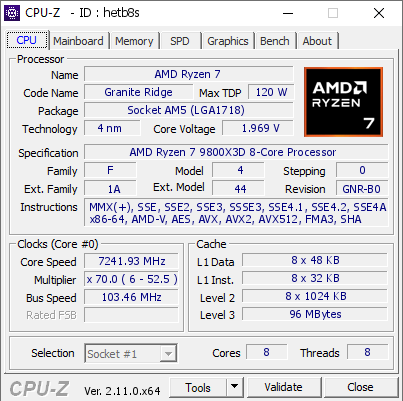


I have seen 5.4GHz locked on all cores with nothing but a custom water loop
zenith cargo
potent portal
Oh, actually the current top frequency is 7241MHz, I was way off
https://hwbot....
yea I don't think I have access to dry ice
potent portal
That was LN2
You can get close to 6GHz with an AIO https://hwbot.org/submission/5683026
The Ryzen 7 9800X3D @ 5936MHzscores getScoreFormatted in the CPU Frequency benchmark. Massmanranks #null worldwide and #3 in the hardware class. Find out more at HWBOT.
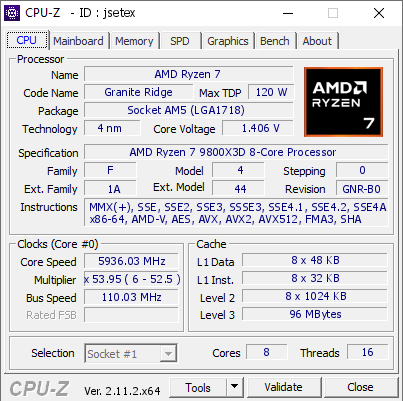


No more choosing between cache and clocks with this gen
zenith cargo
wtf even the power consumption is great
potent portal
It stays around the 120W TDP fully loaded yeah
Almost any AM5 motherboard could handle that
Half the power of the 14900K when gaming
 jagged ember
Yeah that's exactly why Intel is getting crapped on
Its better, faster and still power efficient
zenith cargo
what cheap motherboard do you recommend?
tawny violet
potent portal
You can get close to 6GHz with an AIO https://hwbot.org/submission/5683026
So now, AIO is actually worth on 9800X3D heh
tawny violet
zenith cargo
what cheap motherboard do you recommend?
for what socket?
zenith cargo
am5
potent portal
zenith cargo
am5

ASRock B650M-HDV/M.2 Micro ATX AM5 Motherboard (B650M-HDV/M.2)
tawny violet
Gigabyte Eagle AX is a little higher end, but ye HDV is gud
potent portal
If cheap is the goal yeah the micro ATX HDV can handle a 7950X
And it has flashback and all the basic features
mellow meteor
https://pcpartpicker.com/list/LNLCJn
should i replace the gpu with the asrock challenger 7900 gre? im scared that when amazons black friday sales start the gpu wont be in stock
Part List - AMD Ryzen 5 7600X3D, Radeon RX 7900 GRE, Montech AIR 903 MAX ATX Mid Tower
zenith cargo
tawny violet
Gigabyte Eagle AX is a little higher end, but ye HDV is gud
its not micro is it?
mellow meteor
and the gpu was 800 the last time i checked earlier today
tawny violet
zenith cargo
its not micro is it?
Eagle AX is normal ATX
potent portal

ASRock B650M Pro RS WiFi Micro ATX AM5 Motherboard (B650M Pro RS WiFi)

Gigabyte B650M GAMING PLUS WF Micro ATX AM5 Motherboard (B650M GAMING PLUS WF)

MSI PRO B650M-A WIFI Micro ATX AM5 Motherboard (PRO B650M-A WIFI)

Gigabyte B650M AORUS ELITE AX Micro ATX AM5 Motherboard (B650M AORUS ELITE AX)
180 gets you wifi and more heatsinks
zenith cargo
hb that asrock\
potent portal
I'm very happy with my livemixer personally
tawny violet
ATX in general is more feature-rich, but you cook with what you got
zenith cargo
does anyone know how much ebay takes when you sell something?
Looked on google but keep getting diff answers
potent portal
It depends on how ebay is feeling that day
It's anywhere from 0% when there's a promotion to 18%
weary galleon
Not exactly how it works, they have item categories with different %s
I think they have simplified the categories as well. The max is 15% for things like watches and handbags, but most stuff is 13.25%
shut rampart
mossy venture
First
 sick lichen
I originally ordered some thermal paste like 4 years ago, would it still be good to use or should I order newer?