#building-and-recc-chat
1 messages · Page 166 of 1
 little osprey
From a person who played TF2 on a Intel Pentium for a long time I can confirm
 plucky timber
I played Minecraft on a Pentium before
Celeron*
Before the game got too unoptimized
little osprey
The game is mid
plucky timber
Sandy bridge actually
little osprey
It's lost it's charm
little osprey
plucky timber
1.8.9 was peak Minecraft
I play 1.12 for stuff like Tekkit and all those good old mods
little osprey
Mhm
 mossy venture
Part List - AMD Ryzen 5 4500, BitFenix Nova Mesh M ARGB MicroATX Mini Tower
4500 has better performance than 13100f in single core
And that mobo can support a 5800x3d
In the future
Psu would be fine with a 6800xt and likely more in the future, for whenever he decides to upgrade
If he does
 thorn mural
I’m going to have to convince them to go AMD but thx for the suggestion
 strong raft
4500 doesn't beat 13100/12100 afaik. 5600 besides being 6cores is normally what's similar to 12100/13100 imo. Also leaves plenty of upgrade path incl "14th" gen even if it's only a small refresh of 13th.

 obsidian wigeon
damn, that's sad
 paper summit
Makes sense
thorn mural
so apevia prestige 600w or corsair cx650m

These are the parts i'm gonna buy and the psu is up for debate atm
 earnest olive
mossy venture
4500 has better performance than 13100f in single core
earnest olive
mossy venture
4500 has better performance than 13100f in single core
?!
where did you get this idea
the 13100f obliterates the 4500 in single core and it isn't even close
thorn mural
thorn mural
so apevia prestige 600w or corsair cx650m
Yo orange any opinion on this one
earnest olive
probably the cx650m
thorn mural
cool thank you
Okay here is the final draft of the computer
Part List - Intel Core i3-13100F, GeForce GTX 1080 Ti, BitFenix Nova Mesh M ARGB MicroATX Mini Tower
Any disagreements
earnest olive
the ram is EXTREMELY overpriced but looks like you already bought it
more expensive than 32gb of non-rgb ram with the same speed/timings
also you might want a better power supply for a 1080ti
that power supply comes with a single daisy chained pcie cable
plucky timber
earnest olive
the ram is EXTREMELY overpriced but looks like you already bought it
Yeah can confirm
He already owns the ram, gpu and ssd
earnest olive
pure power 11 is a decent price right now
earnest olive
i'm uncomfortable with the power supply
plucky timber
You reckon that board can take a 13700F?
plucky timber
earnest olive
i'm uncomfortable with the power supply
Yeah
earnest olive
lol
plucky timber
I'd go with a RM
earnest olive
maybe if you enforce 65W
plucky timber
hmm
earnest olive
plucky timber
I'd go with a RM
no need to go that high
pure power 11 should do the job
plucky timber
hm
earnest olive
Part List - Intel Core i3-13100F, GeForce GTX 1080 Ti, BitFenix Nova Mesh M ARGB MicroATX Mini Tower
earnest olive
if you want a better upgrade path i'd either go ryzen or used z690
plucky timber
My methodology is pretty much
xx60 or below - any C tier PSU
xx70 or above - A/B tier psu
earnest olive
this board looks like it will start melting if an i7 with unlocked power limits sneezes in its general direction
earnest olive
plucky timber
My methodology is pretty much
xx60 or below - any C tier PSU
xx70 or above - A/B...
well... this is an 80ti
earnest olive
it's older now and performs like a 60 class card but that doesn't mean its power requirements got any different
plucky timber
I mean especially since it's pascal
Kinda impressive how efficient chips have got
My 3070 mobile can probably match that 1080ti
less vram tho
earnest olive
the gap between an i3-13100 and r5 4500 in single core is significantly larger than the gap between an r5 4500 and an i5-4570 in single core
rough
plucky timber
Ah yes
earnest olive
r5 4500 has 33.6% lead in single core vs. i5-4670
i3-13100 has 44.4% lead in single core vs. r5 4500
earnest olive
r5 4500 is gimped zen 2
plucky timber
Ah
earnest olive
lowkey might even have problems keeping up with the 1080ti at 1080p lol
earnest olive
probably doesn't game much better than 6 core haswell-e
plucky timber
oh
earnest olive
nah, sandy bridge is too low
plucky timber
I wonder if you would get better value by getting a used xeon
 lone flame
does anyone have any more information about the 7900 XTX starfield version? The little I know if that there are giveaways at quakecon but will there be any online ones?
plucky timber
But then upgrade path is out of the window
earnest olive
nothing older than haswell is worth considering anymore these days
plucky timber
Yeah
earnest olive
since avx2 is in everything
earnest olive
king is an interesting word choice
plucky timber
King of the super budget market
earnest olive
haswell is the bare minimum for used hardware lol
plucky timber
hm
earnest olive
anything older than that if you're buying it then hopefully it's for benching
earnest olive
skylake is pretty terrible value
for some reason people think their z270 mobos are still worth $150
earnest olive
ryzen is value king for used hardware imo
plucky timber
Quad core max
earnest olive
i picked up a b350 for $30 and a b450m wifi board for $35
earnest olive
both of them will run 5600x3d/5800x3d + ddr4-3600 lol
plucky timber
Kaby lake got killed by ryzen
earnest olive
cheapest am4 board you can find + a used 5600 or even 3600
and you're balling
used 3600 + mobo is cheaper than a used z270 mobo on its own
plucky timber
Damn
 cyan ravine
Ya imo you try and get a newish chip with 6 cores and you're doing well
cyan ravine
Yeah sure
earnest olive
used 5600 + mobo can even be cheaper than a z270 mobo on its own
i got an ab350 pro4 for $30
gigabyte b450m ds3h wifi for $35
cyan ravine
Kaby lake like, I was doing basic cad on it and my system would die
Rocket to 100% cpu over the smallest changes
Drove me nuts
earnest olive
used zen 2 is cheap
3600s are like 60-70
3700x for 80-90 is solid for budget workstation stuff
 earnest olive
i'm so glad we have moved on from high end quad cores
plucky timber
Fr
cyan ravine
1000%
plucky timber
Screw quad cores
plucky timber
I have a quad core running a Linux nas
It's
Fine
The worst I can toss at it is modded Minecraft
But the game's likes single core perf
And ram
But like
For daily use
You can feel it's age
earnest olive
my 1500x still chilling in my test bench
even with 8gb single channel ram
OS and web browsing feels fine
extremely heavily debloated though
that 8gb would be a much bigger problem in a more normal setup for sure
earnest olive
idle ram usage is like 1gb lol
earnest olive
1x8gb 3000 15-17-17-35 hynix mfr
my friend smuggled it out of work lol
got the cpu and mobo for my test bench for free
psu for $15, mobo for $35
thorn mural
thanks for the input
the ram wasnt actually bought for that much rn thats just what i had paid for before
the price is for reference and nothing else
 manic cloak
for 200$, free shipping

27GP83B
I could return the acer refrub im getting (XV272U Vbmii)
 potent portal
The Acer is a fair bit better
potent portal
cyan ravine
Qled, miniled can also do proper hdr
Yeah and those won't burn in as fast as oled
cyan ravine
Microled, qd oled
Ye fr
Even LG's new 1440p 240hz baby hasn't got real hdr
The oled GR
potent portal
Last I checked the most affordable "real" HDR monitor was actually a TV, the LG C2
42"
cyan ravine
That makes sense
My FV43U has hdr1000
Basically a tv in disguise
What were those QLED's the hisense ones?
Do they have hdr1000?
potent portal
These ones? https://www.rtings.com/tv/reviews/hisense/u6h

RTINGS.com
The Hisense U6H is a budget-friendly 4k TV. It's the entry-level model in Hisense's ULED lineup, which is their flagship 4k lineup that uses quantum dot technolo...
Not enough dimming zones for real HDR
cyan ravine
Sadge
potent portal
Oh, this is a thing now https://www.rtings.com/tv/reviews/lg/c3-oled

RTINGS.com
The LG C3 OLED is the mid-range model in LG's 2023 OLED lineup, sitting above the entry-level OLED 'B' series LG B3 OLED and below the 'Gallery Style' LG G3 OLED...
As of June I guess
potent portal
It gets a little brighter than the old model overall
 limber oyster
So...I have this little blinky light near my GPU power pins...it's not my RGB
manic cloak
limber oyster
So...I have this little blinky light near my GPU power pins...it's not my RGB
mobo or gpu?
 manic cloak
considering it’s red on red
ah
@limber oyster does it ever stop before cycling again or is it constant?
manic cloak
Weird. Searching the problem up and it mentions that there can be 3 flashing lights
which indicates psu not delivering enough power
or that the card has a big
bug*
@limber oyster what psu/watt, and have you updated drivers aswell OC lately?
plucky timber
I'd take info from the debug light with a grain of salt
They're useful but I wouldn't completely trust them
Last time my motherboard leds lit up
manic cloak
plucky timber
I'd take info from the debug light with a grain of salt
i don’t think anyone would be happy about a constant blinking red light starting out of no where
manic cloak
well this is a gpu and it isn’t on a mobo
plucky timber
still
manic cloak
power isn’t drawn from the mobo
cool if it was but
it’s either hardware, drivers, or psu really.
limber oyster
manic cloak
<@894571088967794749> what psu/watt, and have you updated drivers aswell OC late...
Asus ROG strix 3080 RTX, Asus ROG thor 1000w 80+ platinum PSU, Asus ROG Crosshair VIII Hero Wi-Fi x570
plucky timber
The point is that debug leds shouldn't be taken literally
limber oyster
And Boeing, this isn't a debug light from the motherboard
This is from the GPU itself
manic cloak
limber oyster
Asus ROG strix 3080 RTX, Asus ROG thor 1000w 80+ platinum PSU, Asus ROG Crosshai...
no idea if that’s the most recent driver?
could be a bad pcie cable for all we know
 frigid night
plucky timber
The point is that debug leds shouldn't be taken literally
frigid night
plucky timber
The point is that debug leds shouldn't be taken literally
They should be actually. They are a good indicator at what is most likely the issue. You had an outlier error. That doesn't automatically make led debug useless.
limber oyster
Imma turn off the PC after this windows driver update installs and reset the PCIe cables
manic cloak
@limber oyster I watched a quick video, and saw a clip from asus I believe. How many pcie slots is on the card?
NO
DONT
frigid night
Telling people a useful feature to not be taken literally.. is bad advice.
limber oyster
manic cloak
<@894571088967794749> I watched a quick video, and saw a clip from asus I believ...
3 and only one is blinking. I noticed it while gaming and there was no lag, no artificing, no over heating
manic cloak
or 3x8
limber oyster
It's 3x8
limber oyster
Far left only from what I can see
manic cloak
alright
plucky timber
frigid night
They should be actually. They are a good indicator at what is most likely the is...
ah ok
manic cloak
you should be safe to turn off your pc, but apparently that is a safety feature in where THAT PCIE slot is not drawing enough power from the psu
an apparent under load from the psu
limber oyster
plucky timber
ah ok
Also, my board has a Q-code thing that I can use to see what specifically is the issue, not just ram, CPU, etc
manic cloak
a possible disconnect reconnect of the pcie could fix, or swapping it out off a new one
limber oyster
Well I plan to go 4090 in February so...it probably will be replaced anyways
frigid night
I'd reseat all PCIe cables at the GPU and PSU
manic cloak
I did see a help article say they couldn’t get boot after they shut off
but then again, that was all 3
manic cloak
limber oyster
Well I plan to go 4090 in February so...it probably will be replaced anyways
i’m willing to buy 
limber oyster
Wish I could've gotten better pic, but my coolant tubes were in the way
manic cloak
imo
limber oyster
 manic cloak
take the pcie cable from the slot that’s flashing
and put it in 3
see if that fixes it or if it starts flashing
sure cords will get tangled
but that could mean 1 of 2 things, pcie cable is shot or pcie slot is shot on the psu
frigid night
Or on the GPU itself as well
manic cloak
true
but that’s if it stays red in the far left
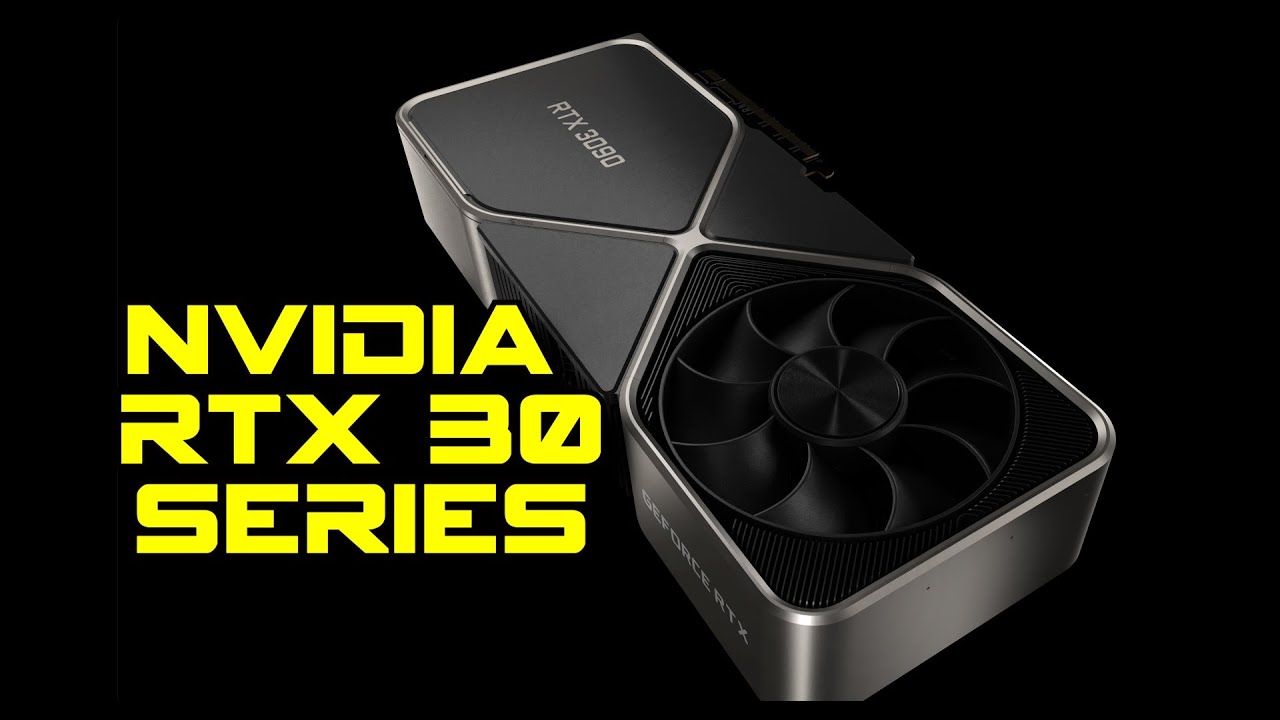
That is one big f***ing GPU.
♥ Check out https://adoredtv.com for more tech!
♥ Subscribe To AdoredTV - http://bit.ly/1J7020P
► Support AdoredTV through Patreon https://www.patreon.com/adoredtv ◄
Buy Games on the Humble Store! -
►https://www.humblebundle.com/store?partner=adoredtv ◄
Bitcoin Address - 1HuL9vN6Sgk4LqAS1AS6GexJoKN...
limber oyster
It's gone... probably came loose
frigid night
Vibrations do that
All those fans constantly going. Something is bound to work itself out ever so slightly
limber oyster
Especially when you carry from your room to the living room and back a few times a month
frigid night
limber oyster
Especially when you carry from your room to the living room and back a few times...
Ah yeah. Make a habit of just giving everything a push when you do that.
manic cloak
wait so it was a loose pcie?
manic cloak
so it’s disconnected..?
limber oyster
I switched 1 and 3
manic cloak
cause when you say gone, i’m thinking 💨
limber oyster
It went away
manic cloak
ah
limber oyster
I'm switch them back to test if it truly was loose
limber oyster
The lights?
manic cloak
ya
limber oyster
Yeah, it confused me when I first saw them
I upgraded from a Dell blower style cooler 2060S
I switched em back and it's fixed
frigid night
Sweet
limber oyster
Another thing I like is this
manic cloak
if they put a/rgb lights where asus has it on your gpu, it’d be cool if it could self diagnosis itself
frigid night
limber oyster
I upgraded from a Dell blower style cooler 2060S
Where is this 2060s blower?
limber oyster
4 pin fan headers
 manic cloak
limber oyster
I switched em back and it's fixed
manic cloak
limber oyster
I switched em back and it's fixed
nice
limber oyster
I sold the 2060S
frigid night
Rip
frigid night
That's ok
frigid night
I have my Aorus Master already
limber oyster
Lol
manic cloak
limber oyster
I'll be getting rid of my 3080 in February so...
still have the original cooler?
frigid night
Just looking at lower tier cards for builds
limber oyster
manic cloak
still have the original cooler?
Somewhere...idk if I still have screws...
frigid night
Rip
manic cloak
rip indeed
limber oyster
It's probably in the waterblock box under my bed
limber oyster
I'm 80% certain they're with the stock cooler in the waterblock box
manic cloak
i could sell reo my 6650xt, then buy the 3080 off of you in february
frigid night
Ha
limber oyster
Lol
frigid night
Sadly no buying or selling in this servee
limber oyster
I might sell my 1000w PSU and get a 1200w thor as well
frigid night
Buttttttt
manic cloak
or, I take a chance and buy a 6700xt for 180$ usd off of fbm
frigid night
If it's good price. Dm me bb
limber oyster
Lmao
manic cloak
for supposed “couldn’t work cause too new for pc”
limber oyster
GPU PSU combo
limber oyster
It's called random PMs out of nowhere
"hey buddy I heard you was looking for something a little...special. I got just the items for you"
frigid night
Lol
limber oyster
Jkjk
manic cloak
“hey bro i saw that you were planning to upgrade your gpu 5 months ago, did you cause i’ll buy for 400$”
limber oyster
But yeah, Asus ROG Strix 3080rtx+Asus ROG thor 1000w 80+ platinum v2 psu
frigid night
limber oyster
But yeah, Asus ROG Strix 3080rtx+Asus ROG thor 1000w 80+ platinum v2 psu
Is it a 10 or 12gb?
Also.. is it white?
limber oyster
I hate white builds
frigid night
Nvm and nvm haha
frigid night
limber oyster
I hate white builds
Take that back
manic cloak
frigid night
Take that back
i hope you spill tomato sauce on your white case
limber oyster
Dust, grease, etc....yeah no
manic cloak
and can’t scrub it out
frigid night
I'm out
limber oyster
I have CATS
I'm not having a white build with jerk face cats
But before I do put it up for sale somewhere, imma repad and re-paste it with thermal grizzly
cyan ravine
Did you ever fix that horrendous pcb bending
limber oyster
The PCB isnt bending
It's just the one input slot
I've said this thank you very much
 supple geyser
Hm Is it great to pair the 7 5900x with the 7900xt or the 6950xt?
for white builds
potent portal
supple geyser
Hm Is it great to pair the 7 5900x with the 7900xt or the 6950xt?
It would be fine if you're doing 4k or 1440p ultra, but if you're gaming the 5700X can actually beat the 5900X, due to the dual chiplet design causing latency when CPU cores have to talk to each other.
Even better, get a 5800X3D.
mossy venture
Or 7600, 7700, or 7800x3d
supple geyser
is the gigabyte 2k G27Q a good monitor
strong raft
Sure, & not 2k (that's 1080p basically)
 mossy venture
It's 1440p, which is not 2k
 fossil cedar
supple geyser
QHD Is 2k
fossil cedar
supple geyser
QHD Is 2k
well yes but actually no its not, by some marketing it is but its actually like 2.5k and 1080p is 2k as you use the first number hence how 1080p is 2k (1920x1080, 1920 is way closer to 2k than 2560x1440 which would be 2.5k )
 jagged ember
Just go by the end number tbh
720, 1080, 1440, 2160
That would be so much easier than
Hd
Uhd
Qhd
Some other form of hd
Applied to everything including ultrawides and weird aspect ratio monitors
 flint sapphire
1080p 2k 4k 8k 
manic cloak
2k is a marketing scheme for 1440p
but I never realized i’ve been playing on 2k all this time
manic cloak
 fleet heron
wait 2k=1400p?
fleet heron
wait 2k=1400p?
nono
fleet heron
then whats 2k?
manic cloak
1920/1080 is closer to 2k
fleet heron
oh
manic cloak
cause 1080p is 1920x1080 pixels
fleet heron
2k is 2000/2000?
manic cloak
that’s closer to 2k
manic cloak
fleet heron
2k is 2000/2000?
I guess, but you wouldn’t want a square
fleet heron
oh yea ig so lmao
 viral ore
1.920k x 1080p
2.560k x 1440p
3.840k x 2160p
in both instances you are counting pixels
so, with all units showing, 3.840kp x 2.160kp
in conclusion, everyone is stupid for not specifying horizontal or vertical when stating the pixel count of one of the sides
frigid night
viral ore
in conclusion, everyone is stupid for not specifying horizontal or vertical when...
I love being stupid.
viral ore
i do too
fav past time
i always forget the p stands for progressive, and not pixel
its the line count, which is technically different, but the math works out identically so whatever
 upper condor
I have a friend who made a build with an fx-8320 and a 1650 super, and his performance is wonky. he has low CPU and GPU
ive been saying its a bottleneck
upper condor
upper condor
I have a friend who made a build with an fx-8320 and a 1650 super, and his perfo...
in games but in furmark he says its 100%
but i just wanna make sure that im correct??
obsidian wigeon
an fx
well that explains it
a 1650 isn't all that powerful but that fx sure is slow
upper condor
that s what ive been sayin to him and he won't listen LOL
he says his cpu usage would be higher but i dont know how to explain thats wrong
obsidian wigeon
those cpus lost to sandy bridge
and that's from like 2010
most games doesn't use many cores, especially older ones
so that's probably why he sees low cpu usage
if he upgrades cpu to something modern, he'll see increase in perf for sure
gpu gives similar result, buuuut
that cpu will be a huge problem lol
as soon as you plop in faster gpus
upper condor
yeah i figured, cpus be silly
obsidian wigeon
it'll probably introduce ugly stutters and bad frametimes
mossy venture
Seconded, def cpu
For ultra budget, could get a 10th gen i3, 3300x, 2600, etc used
earnest olive
upper condor
that s what ive been sayin to him and he won't listen LOL
EiGhT cOrEs Is EiGhT cOrEs
earnest olive
upper condor
he says his cpu usage would be higher but i dont know how to explain thats wrong
here's how
most games are still primarily single thread bound as the majority of game logic cannot run in parallel
the fx 8320 has the single core performance of a wagon with no wheels, so it can be bottlenecking the graphics card in games even if most of the cpu is not being used
it is VERY rare to see 100% cpu usage in games even in heavy bottleneck situations, unless maybe you have a dual core or something
even if you paired that FX 8320 with a 4090 you would probably not see 100% cpu usage in most games
(R20 single core)
- AMD FX-8320 (2012): 188
- AMD Phenom II X4 965 (2009, probably free at your local e-waste recycling center): 190
- AMD Ryzen 5 2600 (2018, $50 used): 374. Really don't recommend this one compared to 10100F or 3600
- Intel Core i3-10100F (2020, $40-50 used): 448
- AMD Ryzen 5 3600 (2019, $60-70 used): 472
- AMD Ryzen 5 5600X (2020, $100-110 used): 604 (overkill for the GTX 1650)
- Intel Core i3-12100F (2020, $65-75 used): 642 (overkill for the GTX 1650)
- AMD Ryzen 5 7600 (2023, $150-170 used): 722 (overkill for the GTX 1650)
- Intel Core i9-13900K (2022, $400-450 used): 877 (more for scale than anything)
feel free to show him that to illustrate the point
mossy venture
And if lucky can get a mobo for $30-40 for 10100f or 2600/3300x/3600
 wary tundra
you think it would be dumb if I ran a 650w with a r5 5600x with a 3080?
wary tundra
its a 5 year old supernova 
mossy venture
Yeah which specific one
It should be fine though, as long as you power limit the 3080
I believe all supernova psus are B tier or A tier
wary tundra
i think either a g2 or g3
mossy venture
Both are Single rail A tier apparently, so good psu
obsidian wigeon
ya all supernovas are b or a
mossy venture
Like I said I would undervolt the gpu, but you'll be fine
Or could go 6800xt, if you don't need Cuda
I've ran a 6800xt on an A tier 650 without issue without uving
And its better than 3080, and normally cheaper unless you got a good deal on a 3080 used
wary tundra
nice! I remember in 2018 when I went to go buy it everyone told me to avoid it.
mossy venture
As long as it isn't a w(1-3) n(1-3) you're pretty much fine with a few exceptions from evga
wary tundra
I would buy a 6800xt but I sorta want to try dlss, I tried fsr and its good but I think dlss will get me more fps
wary tundra
obsidian wigeon
why would people tell ypu against getting it?
I think it had something to do with the caps melting
1440p, I've been playing cyberpunk and red dead 2 recently but I mostly play older games
I just want to run those two at a higher frame rate
mossy venture
What price are you getting the 3080 at?
And cyberpunk likes nvidia, rdr2 likes amd
wary tundra
I saw a refurbished on newegg for 450
mossy venture
I'd check where it's from
obsidian wigeon
^
mossy venture

eBay
Find many great new & used options and get the best deals for ZOTAC Gaming GeForce RTX 3080 Trinity OC Graphics Card (Open Box) at the best online prices at eBay! Free shipping for many products!
wary tundra
should be good
 mossy venture
It's not a used card tho, just open box
Could probably find cheaper actually used if you wanted to
Would just take some hunting prob
wary tundra
I think Im going to try to find a evga card
i've always wanted to own one
I loved this design for the 1080 when it released
 obsidian wigeon
evga isn't all that special tbh
wary tundra
im sure, but they look cool

 mossy venture
wary tundra
im sure, but they look cool
mossy venture
wary tundra
im sure, but they look cool
Msi gaming z trio looks pretty cool too if it pops up
wary tundra
true!
 gentle pollen
Style wise what is your guys favorite within the 40 series?
mossy venture
I've not a clue
I've never compared different models in generations bc I don't really gaf about looks
gentle pollen
Understandable.
frigid night
obsidian wigeon
evga isn't all that special tbh
You can shush Mr Foxy
obsidian wigeon
how about no
lone flame
gentle pollen
Style wise what is your guys favorite within the 40 series?
the founder editions look cool

 paper summit
How much
paper summit
Ew
manic cloak
Ikr
paper summit
Gross price
manic cloak
should be like 300 at best
paper summit
manic cloak
(Literally cooling nothing serious) 💀💀
9900k gets hot but still
Also
All bros fans are exhaust
💀
paper summit
THEYRE LIGHT LOOPS TOO
manic cloak
paper summit
THEYRE LIGHT LOOPS TOO
?


 potent portal
I think that's a typo, it's mid if you're high
 lyric thistle
manic cloak
lyric thistle
manic cloak
are the fans all exhaust
manic cloak
I believe so
lyric thistle
 wary tundra
manic cloak
Oh my
wary tundra
manic cloak
Oh my

 analog hearth
would
 lyric thistle
obsidian wigeon
that's probably gonna make it worse lol
lyric thistle
obsidian wigeon
that's probably gonna make it worse lol
looks like they sell them as two pieces, one that angles 90 degrees the wrong way and one that angles the correct way
 pseudo forge

I need another set of these for a 6900XT right?
My gpu has 3 8pin connectors
Nvm 😭😭
mossy venture
You should use three separate connectors yes
pseudo forge
So I would need new connectors?
mossy venture
If you can't, daisy chaining one should be fine, just wouldnt try to run more than stock power using morepowertool for ocing
potent portal
Ideally 3 separate but you can get away with using a daisy chain as long as you don't overclock it much
mossy venture
What fal said
mossy venture
Oc in the name doesn't really mean anything
potent portal
Factory oc doesn't count
pseudo forge
Would getting another cable to be safe be better? I don’t plan on OC
mossy venture
I mean, if your psu has another pcie power slot
Then sure
If not then just daisy chain it
pseudo forge
Any cable would be fine?
mossy venture
No
pseudo forge
Oh
mossy venture
It has to be specifically for that psu
Cables are not interchangeable between psus
pseudo forge
Cooler master then
pseudo forge
Ohhhh
potent portal
Even the same brand but different model can use different cables
pseudo forge
I got you
mossy venture
There are some that might have the same pinout between brands, but unless you know for certain that a few models from the same brand use the same cables, get the exact model cables you have
potent portal
Corsair are really the only ones that fully standardized their cables
pseudo forge
Also using strimmers if that makes any diff
potent portal
Nope no difference
potent portal
mossy venture
Like corsair rm, rme, rmx are interchangeable
But not RMx Shift
mossy venture
I didn't even know there was a difference
potent portal
New type 5 cable
pseudo forge
How do I find the cable for my psu
Entered the psu and the cable I need in Google
Nothing coming up
850W Cooler Master MWE, 80 PLUS Gold Fully Modular PSU, Single Rail, 70.8A +12V, Black, ATX PSU $6NN2S. This is my psu if anyone can help me find a 8pin cable would appreciate it
mossy venture
Might have to order straight from cooler masters website, or contact their customer service
 arctic hedge
yo
how do i change the fan speed of my fans that r connected via a splitter?
the only 4 pin on the splitter i used for a 3 pin, as it wouldnt fit on the other ones
the other ones are 4 pin(missing the third pin)
fossil cedar
If you have fans on a splitter you can only set the speed for the splitter and the fans will copy that
If you have dc (3 pin only) fans on a pwm (4 pin splitter) make sure you change the mode in bios to dc not pwm control
potent portal
pseudo forge
850W Cooler Master MWE, 80 PLUS Gold Fully Modular PSU, Single Rail, 70.8A +12V,...
If it's going to be this much trouble, don't worry about it tbh. You can use the daisy chain safely as long as you don't push the power limit up.
manic cloak
God
The amount of dust
It could just kill
The only thing that came in plastic was the hdmi
Otherwise it was tape, rubber bands, or just in the box that isn’t even branded 💀
potent portal
Here's the manual https://www.manua.ls/acer/nitro-xv2-xv272u/manual?p=20
Manual Acer NITRO XV2 XV272U. View the Acer NITRO XV2 XV272U manual for free or ask your question to other Acer NITRO XV2 XV272U owners.
manic cloak
Ty
potent portal
Too bad it doesn't seem to cover attaching the stand
manic cloak
Cause i-
Bruh
I see screws with this stuff
So I have no clue if it’s just hook on it deattach
potent portal
It's probably really simple and you just place it on and screw it in
There's a diagram that shows the base attached so you can get an idea of where it goes
potent portal
Huh, weird
manic cloak
It was different than my gigabyte
It had like 2 screws on it, this has 4 on the stand and 4 on the back
But no usb port
It has the literal sketch of it molded into the monitor though
So this is like basic Chinese Lego set ngl
 potent portal
Yeah they do that a lot. It makes things simpler during the injection molding and assembly phases if they all use the same shell and just pop out the connectors they need.
potent portal
Nope it would need to be soldered to the motherboard and enabled in the monitor bios
manic cloak
Damn
manic cloak
@potent portal yk how to fix that in #build-pics
potent portal
I don't see what the issue is
manic cloak
The screen is extremely zoomed out
potent portal
That's just how a 4k desktop looks
manic cloak
potent portal
That's just how a 4k desktop looks
I got 1440p now 😭
I'm just not used to how zoom out it is unlike 1080p ig, cause less pixels
any way to zoom it in a little bit?
Nvm got it fixed.
paper summit
Scaling
paper summit
Yes
manic cloak
Should I have hdr400 on?
or nah
Crap
I don’t think it’s supposed to do that.
Okay the video's quality is always crappy through discord, but basically there's flickering on the edge of the screen when I changed the type of brightness
potent portal
Do you have HDR and everything enabled in the monitor OSD?
Some of them you need to enable a higher bandwidth setting too
manic cloak
potent portal
Do you have HDR and everything enabled in the monitor OSD?
Not on the windows itself, just monitor
potent portal
What I'll do on my (also fairly cheap) monitor is leave HDR disabled globally and enable it within games that support it
manic cloak
ah
I'm gonna test fortnite with it rn (ikr) and see how it looks, but I keep getting flicks
ya screen keeps flickering
I think I fixed it going into the game? no clue. Also I noticed the monitor is kinda hot, damn built in power bricks
potent portal
Kinda hot is fine, if it's so hot you can't touch it for more than a few seconds then it's an issue
 weary galleon
Not your issue to solve though
Unless you'd rather strap a fan to your monitor than rma
pseudo forge
Anyone got lian li strimmers V2?
 raven spear
hi, I'm looking to by a gaming computer for Starfeild over at Newegg and was hoping that someone had any suggestions for one that wouldn't break the bank but at the same time not run like a potato.
mossy venture
raven spear
hi, I'm looking to by a gaming computer for Starfeild over at Newegg and was hop...
whats your budget and what country
and are you building it yourself or buying a pre built
raven spear
mossy venture
whats your budget and what country
sadly 600-700
mossy venture
at that price you can't really do a pre built, but you could build a pretty decent pc if youre fine with that
raven spear
mossy venture
whats your budget and what country
US
raven spear
mossy venture
at that price you can't really do a pre built, but you could build a pretty dece...
im cool with that. i just want to be sure it will run on whatever it is i buy.
mossy venture
You could do this https://pcpartpicker.com/list/8YB6h3
Part List - Intel Core i3-12100F, Radeon RX 6700, Phanteks Eclipse G300A (1 Fan) ATX Mid Tower
though one sec
I'd spend a bit more for this https://pcpartpicker.com/list/GJXzyg
Part List - AMD Ryzen 5 5600, Radeon RX 6700, Phanteks Eclipse G300A (1 Fan) ATX Mid Tower
raven spear
mossy venture
I'd spend a bit more for this https://pcpartpicker.com/list/GJXzyg
I'll check out both. thanks

 runic spruce
 serene onyx
He teachers economics
But the school bought so many pc tool kits, and just things for pcs that they never used
So he said "Yeah, take as much as you want, it's never gonna be used"
My face lit up so hard when he said that
Gonna install the fan later
I get to try out my new toys
I also got a old 250gb hard drive
Do you think I can probably connect it to my current build and use it?

They had so many hard drives from 250 to 500gbs, I might take more tbh
serene onyx
Thanks man
Alright, it's sata
I'm gonna add it
The fans a 3 pin 😭

I'm gonna kms
Can I still use it?
potent portal
Yep
potent portal
 serene onyx
Thanks
potent portal
serene onyx
Do I have to set the specific header into DC mode?
Yes whichever header you plug it into will need to be set to DC mode. That's usually the default if it's not an auto sensing header.
potent portal
No it can be after plugging in
You'll know right away if it's in DC or PWM mode by how much noise it's making
pseudo forge
Have an issue. Got a new monitor and GPU
GPU seems to be running monitor on but nothing on the screen
potent portal
Is the monitor on the right input
pseudo forge
Nvm
I was being stupid
Well o think this was that issue
Dp into mobo 😭😭😭
Can’t believe I done that
potent portal
It happens lol
serene onyx
potent portal
You'll know right away if it's in DC or PWM mode by how much noise it's making
Bet
potent portal
Probably drivers since it's new yes
If it's still an issue after installing drivers then ddu
?ddu
 jolly riverBOT
DDU (Display Driver Uninstaller) Guide by Pato
https://github.com/NeweggTechie/Graphics-cards/wiki/How-to-use-DDU

GitHub
Contribute to NeweggTechie/Graphics-cards development by creating an account on GitHub.
pseudo forge
I ddu before installing new one
I’m gonna get to drivers soon, hopefully it’s thay
Any tips on what to do after buying a used gpu
How can I properly test it without just the playing games
strong raft
3dmark timespy or unigine Superposition
pseudo forge
Is there a better way to get Bluetooth on a pc without a dongle?
cyan ravine
Wifi card if the mobo doesn't already have one
 late fjord
pseudo forge
Is there a better way to get Bluetooth on a pc without a dongle?
late fjord
pseudo forge
Is there a better way to get Bluetooth on a pc without a dongle?

Cudy AX5400 Wireless WiFi 6E PCIe Card for PC, Bluetooth 5.2, AX210 Module Inside, Bluetooth 5.2/5/4.0, 802.11ax/ac/a/b/g/n, Windows 11,10, WE3000S V2

Intel Wi-Fi 6 (Gig+) Desktop kit includes M.2 2230 module, optimized external antenna, standard size mounting bracket with RF cables installed and a low profile mounting bracket. Features Bluetooth 5.0 and WPA3 security. Motherboards must have M.2 key E slots to be compatible.
 restive halo
Part List - AMD Ryzen 5 3600, Deepcool MATREXX 40 MicroATX Mini Tower
Thoughts.
I need to build something to play Fortnight and Valorant possibly some COD
cyan ravine
restive halo
Thoughts.
Part List - AMD Ryzen 5 5500, Thermaltake Versa H18 MicroATX Mini Tower
Try a used 5700/XT if you need something with a little more oomph
cyan ravine
Flashback to this @pseudo forge 👀
weary galleon
Yeah 5600 has double the L3 cache
cyan ravine
It's also not a 3600 in disguise
wary tundra
cyan ravine
Try a used 5700/XT if you need something with a little more oomph
a used 5700xt is such a good deal, I bought one new and it still keeps up with most stuff
I didn't mean to @ if I did i apologize
cyan ravine
Ur good, yeah it's such a solid sub 200 buy
earnest olive
$95 is also a lot to pay for an rx 580
that's getting really close to rx 5700xt pricing lol
pretty trivial to find 8gb rx 580 for $70 or less
earnest olive
exactly
manic cloak
Does anybody else also get massive headaches from upgrading to 1440p
Cause it feels real
fleet heron
anyone know what the difference is between the UHD graphics and the Xe graphics?

Dell
Shop Dell 15 Inch Inspiron 3520 Laptop with immersive FHD viewing experience. Featuring latest 12th gen Intel Core processor combined with HDD or PCIe SSD options.
i think the xe graphics is a better choice because of the price as it is on sale with better storage and good ram
plucky timber
fleet heron
i think the xe graphics is a better choice because of the price as it is on sale...
Also only one of the CPUs has UHD
The other ones have Xe
fleet heron
i know
whats the difference?
im assuming the Xe is better because it needs more ram and storage
fleet heron
plucky timber
Also only one of the CPUs has UHD
oh also the i7 is the one im looking at
plucky timber
UHD is an older architecture
And also you don't necessarily need more ram and/or storage for Xe
That's just what dell offers
Tho more ram would be helpful
mossy venture
manic cloak
Does anybody else also get massive headaches from upgrading to 1440p
Try turning your brightness down
Or if you're using it, turn hdr off
If its off, turn it on
Could also grab a pair of blue light glasses, change viewing distance
Good few things to try
potent portal
Windows has a low blue light mode too
manic cloak
mossy venture
Try turning your brightness down
But- but- it’s hdr!
But I think it’s just the brightness
fleet heron
plucky timber
UHD is an older architecture
ah i see thanks for the help
wary tundra
I remember they used to but does seas sonic still make good psus?
like the focus series
potent portal
wary tundra
I remember they used to but does seas sonic still make good psus?
Some good, some bad. Refer to the pinned tier list in #cases-psu-and-cooling

wary tundra
oh nice
I need 3 independent pcie connectors, every psu im looking at has a split 6 plus 2
potent portal
Are you planning on overclocking, or using a 4090?
wary tundra
I want to use a 3080
potent portal
2 cables and a daisy chain will be fine
Even when you're overclocking a 3080 you won't be exceeding the rating of 2 cables, unless you replace the vbios
wary tundra
I mentioned it earlier but would I be able to do that with a 650w g2? I think I would have to purchase another pcie cable from evga
potent portal
G2 is A tier so it has a chance of standing up to it at least
650W is on the low side but it should be ok at stock with a lower power cpu
wary tundra
I have a 5600x so its not super power hungry
someone also said I could undervolt my psu
I will do anything just so I dont have to spend 160 on a new psu
strong raft
12400 & 3080 stock didn't go over 500w. 
potent portal
Spikes tho
strong raft
Even so
potent portal
5600X + 3080 should work fine on 650W and if it turns out it doesn't it won't hurt anything
wary tundra
Im just a tiny bit worried about my cables burning with a daisy chain but if you say its cool then ill go for it
potent portal
They won't burn. 3080 is typically limited to 350W when overclocking. Each cable is rated for 150W, plus the PCIe slot is rated for 75W.
Cables also won't start melting until WELL past the spec, too. I've seen people pull 1000W through 2 cables.
 mossy venture
wary tundra
someone also said I could undervolt my psu
mossy venture
wary tundra
someone also said I could undervolt my psu
nah, you'd undervolt gpu
undervolting psu isnt a thing
potent portal
mossy venture
undervolting psu isnt a thing
If anything you'd want to overvolt your PSU. They're a lot more efficient at 240V than 120V, and it's easy to wire a standard outlet for 240V. Just wire a hot to the neutral.
strong raft
@wary tundra you can go through this & later possibly undervolt. Personally just run 900mV or so instead of the stock 1050-ish & w/o a clock decrease. https://github.com/LunarPSD/NvidiaOverclocking/blob/main/Nvidia Overclocking.md
potent portal
potent portal
If anything you'd want to overvolt your PSU. They're a lot more efficient at 240...
(for clarity please don't actually do this) Here's the correct way https://www.electrical-online.com/how_to_convert_an_outlet_or_receptacle_from_120v_to_240v/
wary tundra

 carmine summit
Anyone know where to plug in FAN cable on F Panel?
potent portal
Fans don't plug into the front panel
obsidian wigeon
fans plug into fan headers
like cha_fan and such
or sys_fan
depending on board they're labelled differently, but should say fan
fleet heron
or a fan hub if you have one
 desert gulch
potent portal
(for clarity please don't actually do this) Here's the correct way https://www.e...
desert gulch
potent portal
(for clarity please don't actually do this) Here's the correct way https://www.e...
Not the correct way
Correct way is just to move out of the USA
 fading acorn
i’m thinking of getting edifier bookshelf speakers for my setup but i want then to sit on a stand on my desk anyone know of any that follow and grey/white color scheme
potent portal
desert gulch
Correct way is just to move out of the USA
 strong raft
Too many here anyways, but that gif always makes me chuckle
lone flame
@fading acorn i love that keyboard
 red phoenix
Where can I go to get advice on my pc build?
I went for advice on a different discord and immediately got told I need to change everything about my build
potent portal
Here works. What's your question?
red phoenix
potent portal
Here works. What's your question?
I was wondering about my build I used Newegg to put together
I’m ridiculously new to this so go easy on me
cyan ravine
Hmmm
Not the worst but we can definitely do better
I'm gonna send you a list on pcpartpicker
Give me a few minutes
red phoenix
Ok ty
fading acorn
lone flame
<@344968610906767361> i love that keyboard
razor huntsman mini 
red phoenix
My budget is around $2k but I can push it to $2400 at max
cyan ravine
Ah ok that helps to know cheers
@red phoenix
Option A
https://pcpartpicker.com/list/DxdkL9
Option B
https://pcpartpicker.com/list/P9Yxrv
Part List - AMD Ryzen 7 7800X3D, Radeon RX 7900 XTX, Montech AIR 903 MAX ATX Mid Tower
Part List - AMD Ryzen 7 7800X3D, GeForce RTX 4090, BitFenix Nova Mesh M ARGB MicroATX Mini Tower
Option A you can trim a bit off the price for sacrificing the white aesthetic
Good, 50$ or so
But either of these will play just about whatever you want
red phoenix
Is having white important for any reason? I saw in other discords that people were pretty adamant their PCs be white
flint sapphire
Better for pictures 
red phoenix
Is AMD generally better than Intel?
flint sapphire
Yesno
cyan ravine
Like You could trim back on the gpu like this. It still has a white backplate
Part List - AMD Ryzen 7 7800X3D, Radeon RX 7900 XTX, BitFenix Nova Mesh M ARGB MicroATX Mini Tower
cyan ravine
red phoenix
Is AMD generally better than Intel?
Depends what you're doing
If you're looking for greatest game performance, 7800x3d is the easiest and cheapest way to get it
red phoenix
That’s exactly what I’m going for
cyan ravine
Yeah then def go amd
red phoenix
Good to know ty
cyan ravine
Platform wise it's cheaper to build to handle the hardware
Versus the i9 intels
These builds btw, are good for super high refresh 1440p, or full on 4K
Both can do it and quite competently
red phoenix
Is the AMD Ryzen 7 7800X3D have a big difference from the Ryzen 9 7900x?
red phoenix
So I should probably stick with the 7 7800X3D if im primarily gaming
potent portal
Yes
cyan ravine
7800X3D=13900K/KS/KF=7950X3D>7900X3D>13700K/KF>>7700X>7950X=7900X>>13600K/KF>7600X
In that rough descending order
7800x3d and 139K are basically the equal fastest
red phoenix
Ah ok I see
cyan ravine
12900K is below all those
potent portal
It's not even fair with the X3Ds lol
 potent portal
7800X3D beats the 13900K while costing about $200 less
red phoenix
Oh wow ok
cyan ravine
13900K can however match and beat it tho, but it takes an arm and a leg
Meanwhile the 7800x3d, can use well, basic stuff
potent portal
cyan ravine
13900K can however match and beat it tho, but it takes an arm and a leg
And a lot more power 💀
cyan ravine
The hierarchy might switch again with the 14th gen refresh coming but not really worth waiting for
You're looking at less than 5% improvement which is basically nothing
red phoenix
So is the big difference between option A and B the graphics card?
cyan ravine
Ye
4090 and 7900 XTX are a lot more black and white
XTX can get almost within arms reach of the 4090 in raw performance for almost half the price
With a couple caveats
The 4090 is just the big boy
The king of the roost
For gaming it is unchallenged
potent portal
cyan ravine
You're looking at less than 5% improvement which is basically nothing
5% just gets them to match the X3D, and then shortly after the next gen AMD will launch beating the current by about 20-25% (without 3D cache) if leaks/rumors are to be believed, so it's going to be a bloodbath
red phoenix
Is that the one people are struggling to get?
cyan ravine
Mm?
red phoenix
Cus of like crypto mining or whatever?
potent portal
Mining is dead
red phoenix
Idk I thought I saw something about that
cyan ravine
Oh that stuff ended ages ago
red phoenix
I am well out of the loop lol
cyan ravine
These are new generation cards
All good
If you asked me which I'd prefer
I'd say XTX
User experience has been great for the new amd cards and it's got the 4090 horses for almost half the price
Just a huge value grab in retrospective
potent portal
XTX is a better value, especially if you don't plan on gaming at 4k 144Hz
cyan ravine
Yeah
Or go deeper and go 6950xt
Even better value for another performance cut
All 3 do 1440p really well
XTX and 4090 are 4K worthy
red phoenix
potent portal
XTX is a better value, especially if you don't plan on gaming at 4k 144Hz
I’m not too far into it yet
This is my first PC since all my gaming I’ve ever done was on a console
cyan ravine
Hmmm
Maybe we should do a more value focused build? Just cos it's a big investment for a first pc
You might not end up liking pc gaming lolol
red phoenix
Kk 👍
cyan ravine
Part List - AMD Ryzen 5 7600, Radeon RX 6950 XT, BitFenix Nova Mesh M ARGB MicroATX Mini Tower
Almost half the budget but still does very good 1440p gaming
red phoenix
Wow that’s much cheaper
cyan ravine
Yeah you'd be looking at, maybe 40%-ish slower than the 4090 build
But still very competent
20%-ish less than the xtx build?
red phoenix
Oh yikes
cyan ravine
Give or take these are ballpark numbers
cyan ravine
red phoenix
Oh yikes
In the scheme of things tho you'd still be able to play games at 120-240fps quite easily
potent portal
That beats what I have right now, and I'm gaming at 1440p max settings quite comfortably with no scaling required
cyan ravine
Sometimes way more, for stuff like call of duty
red phoenix
I was wanting to get into star citizen which from the looks of it is a pretty intensive game when it comes to specs
potent portal
I only ever turn on DLSS/FSR upscaling if I decide to turn on ray tracing, which is rarely since it barely affects visual quality but greatly affects frame rate.
cyan ravine
So like, it may be a somewhat significant downgrade but it's also way over what's considered plentiful or sufficient for a good gaming experience
Ah star citizen
I need to change the list
Ok brb
red phoenix
Kk
potent portal
SC uses 2 primary threads and does scale a little bit with more cores but the benefit drops off after 4 cores, so a 7800X3D would still be best
potent portal
It loves multicore as much as any other DX12 game
So it likes 4 cores, loves 6 cores, and is indifferent about 8+ cores
cyan ravine
Yeah nah then we come back to this list then
https://pcpartpicker.com/list/7VP4DZ
Part List - AMD Ryzen 7 7800X3D, Radeon RX 7900 XTX, BitFenix Nova Mesh M ARGB MicroATX Mini Tower
Best in the budget I think or pick the 6950XT for a bit more savings
The gpu is very overkill for SC tho
red phoenix
Thank you both so much I really really appreciate it
cyan ravine
All good man, it's bread and butter for us both around here lol
red phoenix
I think I’m gonna go with Option A, right in the sweet spot for me with affordability and capability
potent portal
cyan ravine
All good man, it's bread and butter for us both around here lol
Yep I'll usually hang around here while I play an AFK game, I like to multitask
red phoenix
I’ll send a pic when I get it built! Again many thanks
potent portal
We always love to see those, feel free to pop in whenever
cyan ravine
Yeah looking forward to it

 potent portal
manic cloak
<@396513761550270464> worth?
potent portal
manic cloak
<@396513761550270464> worth?
I don't know why they would list it as "fair" condition when there's a major issue like lines on the screen, that's for parts/not working
manic cloak
cyan ravine
If it's legit that's a baller buy
Should I?
potent portal
If the seller seems legit and there's some kind of buyer protections, yeah that's a nice deal
manic cloak
potent portal
I don't know why they would list it as "fair" condition when there's a major iss...
What about this? You think it’ll be an easy fix?
Also ngl, idk why but I feel like the anime card resells for more than what he’s asking
Unless it he’s hiding something
potent portal
It depends on the cause of the lines but that's often bad memory
Maybe you'd get lucky and it was just their drivers but without a picture of the lines it's a hard call to make
manic cloak
And I got a feeling the memory can’t be bought
And isn’t easy to replace
Unless it’s basic melting saluter
potent portal
It can, how is your skill level at micro soldering under a microscope?
manic cloak
Omg how do you spell it
manic cloak
potent portal
It can, how is your skill level at micro soldering under a microscope?
Step one, I need a microscope.
but if you think getting yarn in a little needle is impressive then ya maybe i could
Also it’s a gigabyte eagle model.. so obviously memory issue
potent portal
You'd usually salvage memory from another GPU with the same kind that is dead
Oh yeah wasn't that the model that didn't use thermal pads on the memory
manic cloak
From what i heard
But isn’t it possible to solder like amd memory to a nivida
Unless it’s both completely different
potent portal
The memory is always made by one of 3 vendors and not by AMD/Nvidia directly
manic cloak
Ah
potent portal
The only differences would be subtype of memory and size density
manic cloak
Sooo basically, I should pass on the 3070 then