#building-and-recc-chat
1 messages · Page 88 of 1
 mystic needle
 fossil cedar
Holy link
 languid nimbus
Jesus

eBay
ASUS TUF Gaming GeForce RTX 3080 OC 10GB GDDR6X Graphics Card.
There you go
 untold vessel
GUYS! What is the absolute BEST and BIGGEST TV that $800 can buy?
More importantly, what mixture of Deep Color, Response Time, and other premium features + General Size would be the optimum mixture for $800?
mystic needle
quick question about this build, how upgradeable do you think it’ll be in the future
my friend is asking about if he could upgrade in the future
 hallow glen
untold vessel
GUYS! What is the absolute BEST and BIGGEST TV that $800 can buy?
hallow glen
untold vessel
GUYS! What is the absolute BEST and BIGGEST TV that $800 can buy?
#old-monitors-and-tv prob
 upper oriole
what is best to look at when dealing with temp? i have hwmonitor installed and i have armoury crate since asus mb. armoury crate is saying temps are about 10 degrees c less than hwmonitor.. which one should i be believiing??
 weary galleon
Free Hardware Analysis, Monitoring and Reporting. In-depth Hardware Information, Real-Time System Monitoring, Reporting & more
 tawdry lance
What am5 7700x build would you guys reccomend if I am looking to get that free DDR5 bundled at microcenter?
 cyan ravine
untold vessel
More importantly, what mixture of Deep Color, Response Time, and other premium f...
cyan ravine
untold vessel
More importantly, what mixture of Deep Color, Response Time, and other premium f...
TV or monitor
This is a serious question like, if you need TV features or not
 flint sapphire
cyan ravine
This is a serious question like, if you need TV features or not
flint sapphire
cyan ravine
This is a serious question like, if you need TV features or not
Answered it in monitors 
untold vessel
cyan ravine
TV or monitor
TV for sure
But I am using it as a PC Monitor for Movies and Shows
cyan ravine
Ah ok
untold vessel
Essentially making it a TV that uses my main PC to access shows and movies so i don't have to work with a fire stick
untold vessel
cyan ravine
Cos there's a monitor I simp hard for at 800 that's tv sized
do tell
flint sapphire
Is that the oled 👀
untold vessel
75" preferably
cyan ravine
flint sapphire
Is that the oled 👀
Qled
flint sapphire
That Hisense I linked is pretty god tier for $800 btw
untold vessel
cyan ravine
Qled
what is qled vs oled
cyan ravine
QLED is like, near OLED colour, good contrast (not quite as good as oled) but has zero burn-in
It uses an array of small led's
I prefer qled over oled
 dim forge
ok I got rid of the idea of building an itx pc bc
itx = expensive af
so, any matx b660 recommendation?
 potent portal
ITX do be pricy
dim forge
fr 😭
dim forge
cyan ravine
B660m ds3h
the wifi version is good too right?
cyan ravine
Ye the wifi version just has a wifi chip tacked on with a couple aerials
Board itself is the same
dim forge
alright I think I'll just pair it with a 12400
cyan ravine
Sounds good
 digital nebula
OK so I'm trying to upgrade some things. I will send the list of upgrades that I have. I'm looking to get an aio for my cpu. So I felt this would be a good place to ask
I plan on getting a case but I'm not too sure what kind of theme I want. If anything I would like some kind of white theme so a white aio would be nice if I decided to get the white case
 frigid night
digital nebula
I plan on getting a case but I'm not too sure what kind of theme I want. If anyt...
frigid night
digital nebula
I plan on getting a case but I'm not too sure what kind of theme I want. If anyt...
What cpu do you have? Lian Li makes a good clean white AIO (Galahad).
frigid night
digital nebula
I plan on getting a case but I'm not too sure what kind of theme I want. If anyt...
A white 4000D Airflow looks good and is a good case. Would have to front mount a 360 aio. If you went with a white 5000D airflow, you could top mount the aio.
digital nebula
My list of upgrade is- 5800x3d, 3070ti, thermal take 750watt 80 gold plus psu, and if I'm lucky an asus rog crosshair dark hero viii
frigid night
digital nebula
My list of upgrade is- 5800x3d, 3070ti, thermal take 750watt 80 gold plus psu, a...
This is what you are upgrading to?
Or do you already have all that?
digital nebula
That's what I'm upgrading to
frigid night
Gotcha. Just clarifying.
digital nebula
I'm still waiting on the motherboard
frigid night
Me personally. I'd go with the White Galahad 360. It's sleek and the pump has LED in it as well. As for case.. I currently have a White 5000D Airflow and I like it.
digital nebula
I was hoping to get a lian li case. I found one that I think would be nice. Big issue would be is if the rig is too heavy idk if my thing could hold it seeing as it's on wheels and a bit wobbly
So basically I'd be getting an aio if I get the case I'm talking about I'd need a new holder or desk to place it on if the one I have rn can't hold it
frigid night
digital nebula
I was hoping to get a lian li case. I found one that I think would be nice. Big ...
What case are you thinking?
fossil cedar
mystic needle
quick question about this build, how upgradeable do you think it’ll be in the fu...
Very, all the parts are standard components
digital nebula
frigid night
What case are you thinking?
Lisn li dynamic Evo white
cyan ravine
digital nebula
My list of upgrade is- 5800x3d, 3070ti, thermal take 750watt 80 gold plus psu, a...
can you give us a pcpp list
Choose Your Parts
I'm pretty sure based on the parts you have in mind we can get you a stronger gpu
frigid night
digital nebula
Lisn li dynamic Evo white
Where you getting that? 👀 I've been on a lookout, but not for the $400 I keep finding.
Omg it's back in stock.
@cyan ravine convince me it's a good idea to buy the o11 dynamic evo white.
fossil cedar
Reo your poor wallet
frigid night
fossil cedar
Reo your poor wallet
I wouldn't be buying the phone case.
 fossil cedar
frigid night
I wouldn't be buying the phone case.
fossil cedar
frigid night
I wouldn't be buying the phone case.
Phone cases are like 20-30$ o11 evo is like 180 lol?
frigid night
fossil cedar
Phone cases are like 20-30$ o11 evo is like 180 lol?
For my phone was $50 and whatever tax/shipping on that site for the case I want.
But I've been waiting for this case to go back in stock for like 2 or 3 months now
My current case cost me $13 and is serving me well lol
But I mean.. imagine spending as much as people do on pc parts that are overpriced.
fossil cedar
FIFTY DOLLARS
30$ max imo
It's just a lil bit of plastic with sometimes some pleather
Lol
Wdym?
NOT THE INTEL STICKER
Rommy you just need to invent case that tases you if you don't own it
cyan ravine
don't taze me bro
frigid night
Yeah
 fossil cedar
Skill issue
Tough crap
You'll only be shocked for 3 seconds you'll be fine
Lol
Use it to light a candle
 elfin flame
The other night she handed me it because I was in the city at night moving stuff around to my place
Told her no and she turned it on right in front of my face, which is a no for me
cyan ravine
m?

 obsidian wigeon
whoa
fossil cedar
Kek
tawdry lance
What am5 7700x build would you guys reccomend if I am looking to get that free DDR5 bundled at microcenter?
 mossy venture
tawdry lance
What am5 7700x build would you guys reccomend if I am looking to get that free D...
mossy venture
tawdry lance
What am5 7700x build would you guys reccomend if I am looking to get that free D...
Depends on your budget for the whole pc
And what you're using the pc for
And a few other things such as if you need wifi, do you care about looks, any other specifics you're looking for
fossil cedar
Also of the 7700 non x is any cheaper you can get and basically have no diff in perf
cyan ravine
tawdry lance
What am5 7700x build would you guys reccomend if I am looking to get that free D...
start with a reasonable b650 like a pro-a
then send us ur budget for everything else
fossil cedar
cyan ravine
start with a reasonable b650 like a pro-a
What price do that start at?
tawdry lance
mossy venture
Depends on your budget for the whole pc
Whole PC budget: 1800 USD
Wifi not needed. Preferably all black and RGB is acceptable, but not needed.
Mainly used for open world gaming and some CAD work.
mossy venture
tawdry lance
Whole PC budget: 1800 USD
Wifi not needed. Preferably all black and RGB is accep...
Are you fine with a used gpu?
Part List - GeForce RTX 4070 Ti, Phanteks Eclipse G360A ATX Mid Tower
I'd do that, can change gpu for a used high 30 series if you're fine with a used gpu
 leaden raft
sorry im getting so confused some places say i can put a 280 in my case and some places say i cant
any ideas?
mossy venture
leaden raft
sorry im getting so confused some places say i can put a 280 in my case and some...
What is the case
leaden raft
meshilicous
tawdry lance
Thx @mossy venture. I will keep a look out for any good used 30 series deals.
mossy venture
leaden raft
meshilicous
Mini itx?
It supports 280mm, but possibly only certain ones. With some the radiator might be too thick or tubing might get in the way
leaden raft
mossy venture
It supports 280mm, but possibly only certain ones. With some the radiator might ...
i was able to find specs on the cpu block for the aio i got and it looks like that will fit and its a 280 so hopefully ill be ok
mossy venture
What model aio?
 mossy venture
Nzxt aios are overpriced
I wouldnt bother with them
Though actually, if you want a white 280mm there aren't many better options. There might be an EK one
Aside from that idt there are any
mossy venture
Sadge
fossil cedar
Or like a corsair or something
And when choosing ITX aios you need to choice aois that don't have vertical tubed coming out of the block
So no evga clc, no lf2 etc
cyan ravine
I would just change case instead of going with a kraken aio
 stoic island
You can prob do ls520, although tubes are a bit stiff
240mm and you can stay with the meshilicious
 green egret
Can someone help me with installing fans


Which side is intake and out? And i have 3 intake in front.. gona make back 1 exhaust and top one intake?
mossy venture
The sticker is the front of the fan
If the fan is mounted with the sticker forwards, it's blowing air out the back of the fan
Top fan should be exhaust, not intake
@green egret
The arctic sticker
This way
 green egret
Thanks . Also. If I leave my case open should I make the fans intake instead of exhaust?
Like if I leave my side panel open
stoic island
Exhaust top whenever possible
green egret
But if it’s open case does it matter? .. the problem I’m facing is my cpu will spike to 80C when playing apex. It’s open case right now with no fans inside. Only 3 intake in front.
Btw do I just turn off my pc and daisy chain these 2 fans and just plug it into my motherboard
mossy venture
green egret
But if it’s open case does it matter? .. the problem I’m facing is my cpu will s...
What cpu and cpu cooler
Also 80c isn't an issue
Though, if you're getting that gaming multi core loads would likely overheat
green egret
I want it to run cooler I play competitive
mossy venture
What cpu and cpu cooler.
green egret
i5-12400f stock… it’s open right now and I don’t have any inside fans
So temp is fine but I’m installing 2 fans
But I know if it’s open then the airflow changes
So I’m wondering if it’s better to do exhaust at bak and intake top
I’m gona test them out 1 by 1
mossy venture
A case with good airflow closed is better than a case with good airflow open
green egret
I just put an exhaust on back
mossy venture
green egret
So I’m wondering if it’s better to do exhaust at bak and intake top
Intake top is not good
Heat rises
It wants to exit at the top
green egret
I kno but the case is open
mossy venture
Doesn't matter
mossy venture
You also likely won't get much better Temps just from case fans, if you really want cpu Temps lower you'd want a better cooler
green egret
I turned off my psu then screwed the fan on case and plugged it into sys_fan
mossy venture
green egret
Before I start my pc is there anything I need to do
Not really, as long as everything is plugged in and such
green egret
Yea I was thinking abt buying coolermaster aio for $100
mossy venture
Hell no
green egret
I don’t need to do any thing in bios ?
mossy venture
Ag620 or ak620 is as good as a 240mm aio
Nah, unless they're pwm fans and they don't automatically get set as pwm
green egret
How do I kno if they’re pwm
mossy venture

Deepcool AG620 BK ARGB 67.88 CFM CPU Cooler (R-AG620-BKANMN-G-2)
If you want white https://pcpartpicker.com/product/gvGbt6/deepcool-ak620-wh-6899-cfm-cpu-cooler-ak620-wh

Deepcool AK620 WH 68.99 CFM CPU Cooler (AK620 WH)
Though those are 100% complete overkill for a 12400f
green egret
I think that’s overkill for my pc tbh. My temps aren’t bad right now
mossy venture
green egret
How do I kno if they’re pwm
Should say on the box I believe
green egret
I don’t hav the box
mossy venture
If not, the listing you ordered them from
mossy venture
Yes, p12s have different versions
green egret
 obsidian wigeon
Do they have a cable that splits into two?
mossy venture
Didn't know it said on the stickers
green egret
obsidian wigeon
Do they have a cable that splits into two?
Yes
obsidian wigeon
Yeah then it's pwm for sure
green egret
So wit do I need to do
mossy venture
It's pwm pst, says on the back sticker
obsidian wigeon
And yeah it just said on the sticker
mossy venture
Well, turn the pc all the way on
If the fans are low rpm on boot then they're set to pwm
green egret
What’s pwm mean
mossy venture
They adjust rpm according to temps
mossy venture
Wait for it to get to windows
obsidian wigeon
where have you plugged it into?
green egret
Quiet af
obsidian wigeon
4 pin fan header?
obsidian wigeon
you can adjust them later in bios if you want
obsidian wigeon
but they're silent even at max rpm
green egret
Is it possible to set the cpu fan speed without going into bios?
mossy venture
Not that I know of
obsidian wigeon
green egret
Is it possible to set the cpu fan speed without going into bios?
you can use a program called fan control
 long stratus
Hello. I recently bought an i5-13400f for my first PC build since my Quake 3 days. Does this motherboard have bios flashback? Its on backorder https://www.newegg.com/p/N82E16813145385?Item=N82E16813145385
i know some mboards require 12th gen cpu for a BIOS update and dont want to get this and not be able to use it or upadte it.
 jagged ember
long stratus
Hello. I recently bought an i5-13400f for my first PC build since my Quake 3 day...
jagged ember
long stratus
Hello. I recently bought an i5-13400f for my first PC build since my Quake 3 day...
Can confirm the Mobo has bios flash
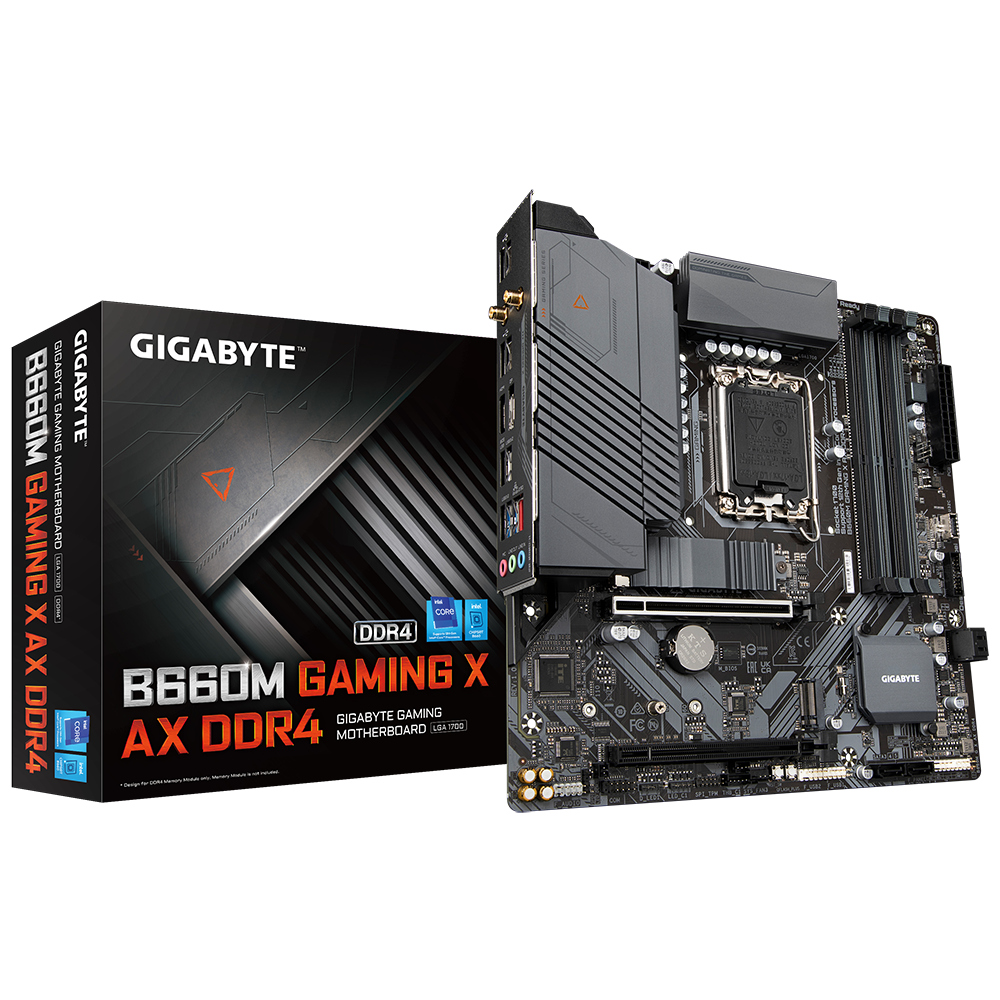
GIGABYTE
Lasting Quality from GIGABYTE.GIGABYTE Ultra Durable™ motherboards bring together a unique blend of features and technologies that offer users the absolute ...
They call it Q-Flash
long stratus
Thank you so much.
To be clear, it is compatible with the i5-13400f and will allow lighting up of rgb fans? With those cleared up for me (noob), i can go ahead and purchase. 🙂
long stratus
Thank you!
untold vessel
Guys, I need second, third, fourth, etc., Opinions on this Battle:
Which one should I get? I'd be using this TV as a Second "Monitor" for my PC to watch movies and TV Shows on. I prefer the 75" with Hisense, but also am Considering the $100 price decrease with the TCL.

Best Buy
Shop Hisense 75" Class U6H Series Quantum ULED 4K UHD Smart Google TV at Best Buy. Find low everyday prices and buy online for delivery or in-store pick-up. Price Match Guarantee.
 strong raft
@long stratus @jagged ember qflash Plus* is what generally gives flashback. Edit: ok, that mobo has qflash plus, nice. 👍
long stratus
Yeah just ordered. Thank you for your input.
digital nebula
Ok so best aio for 5800x3d? Any suggestions?
fossil cedar
Arctic liquid freezer 360mm or 420mm if your case fits it as well
 neon geode
looking for the best pefromance i can get out of a pc for 1600-1800$
digital nebula
Rounded up to be around 1600 or so
I'll send the components when I get home from work
 tropic ginkgo
Guys
digital nebula
Sorry for the curse word it autocorrected
tropic ginkgo
Sadly I got my computer cmos ded
Or that what appears to be
Happened 4 months ago
fossil cedar
neon geode
looking for the best pefromance i can get out of a pc for 1600-1800$
Prebuilt or build yourself?
And what country
neon geode
fossil cedar
Prebuilt or build yourself?
usa im in na region
im planning on building it myself
tropic ginkgo
If I change a CMOS the BIOS won't go
fossil cedar
neon geode
im planning on building it myself
What's your main use for the pc gonna be btw? Gaming?
neon geode
fossil cedar
What's your main use for the pc gonna be btw? Gaming?
yeah gaming
digital nebula
I'm still waiting9 n my motherboard and I ordered it on the 28th
cyan ravine
1600 will get you a good balanced 4070 Ti* build probs
digital nebula
Yup
fossil cedar
neon geode
yeah gaming
I'd probably do this
https://pcpartpicker.com/list/y8XbY9
Part List - Intel Core i5-13600K, GeForce RTX 4070 Ti, Phanteks Eclipse G360A ATX Mid Tower
cyan ravine
Part List - Intel Core i5-13600K, GeForce RTX 4070 Ti, Phanteks Eclipse G360A ATX Mid Tower
Ah pato you bonk
We basically did the same build wth
Pick mine I have overclocking 
digital nebula
I got a 4070ti, asus rog crosshair dark hero viii, 5800x3d, 32 gigs of ram and a 750 watt 80 gold plus psu
neon geode
fossil cedar
I'd probably do this
https://pcpartpicker.com/list/y8XbY9
alright thanks
fossil cedar
You're welcome
cyan ravine
Reeee
cyan ravine
digital nebula
I got a 4070ti, asus rog crosshair dark hero viii, 5800x3d, 32 gigs of ram and a...
Wouldn't do x3d for new builds if it's avoidable
Also dark hero is a bit pointless for x3d
fossil cedar
Unless you already have am4 board from previous build
cyan ravine
You buy it for OC yet the chip is locked
fossil cedar
Dark hero is a bit pointless full stop
cyan ravine
So board is a bit moot
fossil cedar
Dark hero is for ln2 heads
fossil cedar
cyan ravine
Good topology
Eh itx boards
cyan ravine
Eh ur mum
fossil cedar
Fair point
cyan ravine
I love how that's becoming a pet phrase now 
 analog pulsar
cyan ravine
We basically did the same build wth
analog pulsar
cyan ravine
We basically did the same build wth
Great minds this alike
 sly holly
Hey, me and my dad put the motherboard and cpu in the computer, connected it with everything and added water cooling in since old heat sync was too big. We plugged everything in and the monitor says no signal. What do I do?
stoic island
Had anything else changed? Did it boot previously? Does it turn on at all or just doesn't turn on? Do fans spin?
If it worked previously and all you did was take the Mobo out to install a new cooler, most likely, some connector came loose or you might've forgotten to reconnect one of the connectors, eps12v being common since it's up in the corner and out of sight.
sly holly
stoic island
Had anything else changed? Did it boot previously? Does it turn on at all or j...
The computer itself turned on, with all the fans including the graphics card were spinning. I installed a new mobo, cpu, and then needed to get new cooling system so I got water cooling since it fit on the mobo. My dad and me checked all the connections and it seemed good.
stoic island
What Mobo and CPU? Does the motherboard have debug LEDs?
sly holly
stoic island
What Mobo and CPU? Does the motherboard have debug LEDs?
New ones are intel i5-13600kf and the motherboard is gigabyte B660M Aurus pro ax ddr4
stoic island
Have you updated the bios on the Mobo?
sly holly
stoic island
Have you updated the bios on the Mobo?
The video doesn't even turn on. Monitor says no signal so we can't even update it
stoic island
The board has flashback, there's a mid-board q flash plus button, do you have an extra USB drive you can use?
sly holly
Yes
stoic island
Using another computer, download the bios file from gigabyte's site, unzip the file, and rename the file (not the folder) to gigabyte.bin, and put it on the USB stick
https://www.gigabyte.com/Motherboard/B660M-AORUS-PRO-AX-DDR4-rev-1x/support#support-dl
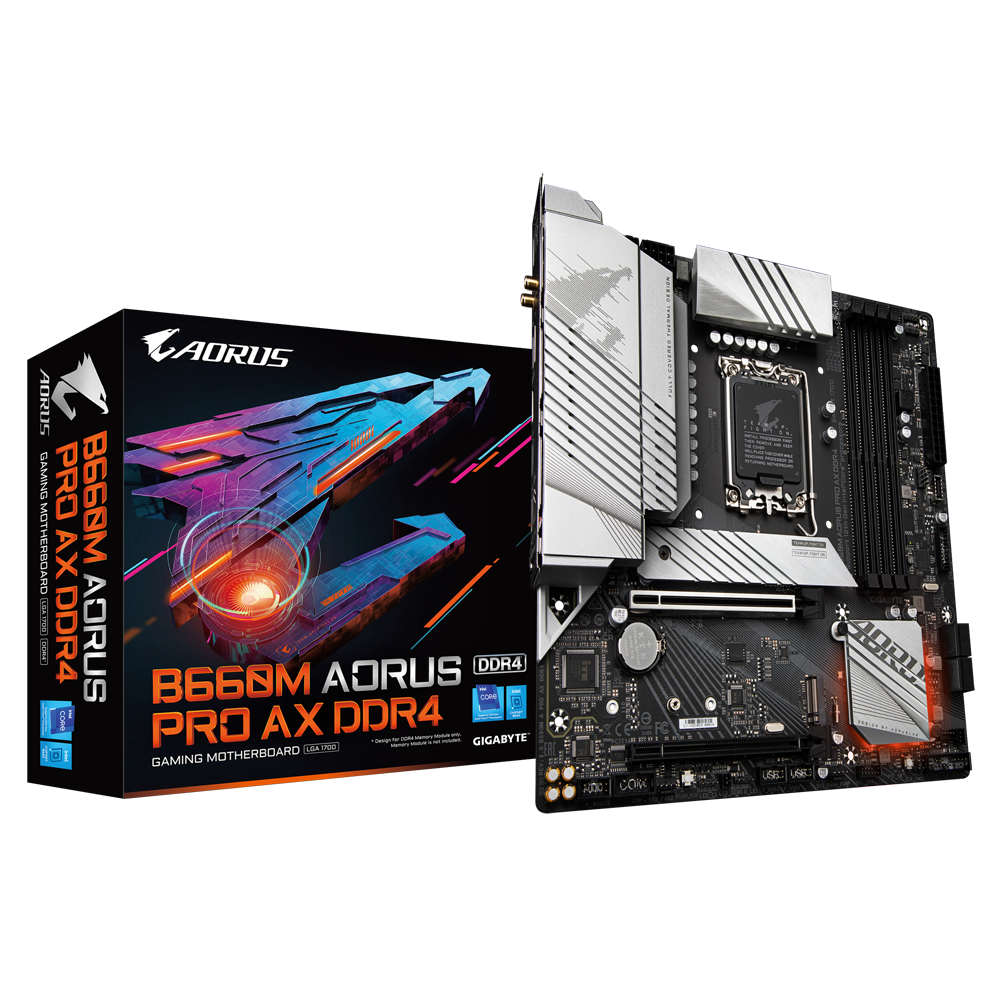
GIGABYTE
Lasting Quality from GIGABYTE.GIGABYTE Ultra Durable™ motherboards bring together a unique blend of features and technologies that offer users the absolute ...
sly holly
Would the bios update even have something to do with the problem?
stoic island
My guess right now is that the board doesn't have the bios version that supports 13th gen, and that's why it's not booting right now
sly holly
stoic island
My guess right now is that the board doesn't have the bios version that supports...
Does the q-flash button pretty much download whatever is on the flash drive to the computer?
So I would need a completely empty flash drive with only the update on there?
stoic island
It looks for the file, which is why you need to rename it to gigabyte.bin
languid nimbus
So my wife’s laptop corrupted windows (I believe) when updating the other day, so now I need a boot drive for windows. She was on windows 10. Can I just go ahead and download windows 11, or does it need to be the latest version of 10? Any ideas?
sly holly
stoic island
It looks for the file, which is why you need to rename it to gigabyte.bin
So I plug the flash drive into the motherboard with the gigabyte.bin file in it and the press the q-flash button that's on the motherboard not like the one you find on the bios on a screen?
And then it downloads/updates it?
stoic island
Yes
stoic island
languid nimbus
So my wife’s laptop corrupted windows (I believe) when updating the other day, s...
If you're going to clean install, it doesn't matter, win10 key should activate win11
languid nimbus
stoic island
If you're going to clean install, it doesn't matter, win10 key should activate w...
dang, that'll delete everything she had previously though, yeah?
stoic island
Yea, if the windows repair thing isn't working
languid nimbus
 sly holly
stoic island
Yes
sly holly
stoic island
Yes
And then how do we know if it's downloading/updating
stoic island
I'll need to check what gigabyte does but for MSI, there's a light that starts flashing, and when it stops flashing, it's finished
sly holly
Ok I'll try it
stoic island
Gigabyte should do the same thing, their documentation is a bit bad though
sly holly
stoic island
Gigabyte should do the same thing, their documentation is a bit bad though
Just did it. Waited until light turned off and unplugged USB then turned pc on, it still says no signal
strong raft
Using hdmi into gpu?
sly holly
I'm using display port. I tried hdmi. Still didn't work
strong raft
Stick to hdmi for 1st boot.
digital nebula
does anyone know how many fans you can fit in the lian li o11 dynamic evo white case?
potent portal
10 mount points officially but yeah there's ways to put more lol
(not including air cooler fans)
cyan ravine
Maybe even 25 lmao
digital nebula
my plan is to mount the aio fans and what not on the top hopefully a 3 fan aio. i have 4 fans in my pc that i have rn so i can put three of them on the front
and the plan would be like white black white so id need probably 2 to 3 fans on the bottom of the case that are white
this is my first time building a pc so im scared to mess up but if i have a fresh case and something that i can actually look at and know how to put together i think i can do it
i just dont know what size
stoic island
sly holly
Just did it. Waited until light turned off and unplugged USB then turned pc on, ...
Reseat the ram and reseat the GPU alongside all of the cables if you can, double checking everything you can since there's no debug leds
digital nebula
https://www.newegg.com/p/2YM-008A-00007?Item=9SIAZUEJDB6141 is this a good aio?
stoic island
digital nebula
https://www.newegg.com/p/2YM-008A-00007?Item=9SIAZUEJDB6141 is this a good aio?
potent portal
digital nebula
i just dont know what size
Each mount position (top, side, bottom) can handle 3x 120mm or 2x 140mm, the rest is up to you
digital nebula
ok so 120mm is probly my best bet
potent portal
If you want it to look filled out yes
 open jungle
 digital nebula
well im gonna get the aio and the case probly. gonna set 3 or 4 fans i already have in the new case then
stoic island
Good luck
digital nebula
now if i really wanted to i could just get 3 more fans i just dont know which kind would fit the theme and which would be best lmao
i was told i should avoid unifans
i found these but am i really getting 3 or is that just the picture?
sly holly
@stoic island would having 2 different ram brands be a problem? I've been having 2 Viper ram sticks and 2 Oloy ram sticks on old motherboard and it worked fine
stoic island
For booting, it might be helpful to just leave one kit in slot 2&4 just for the time being to have less factors, but in general, it should work
cyan ravine
@digital nebula can you make a pcpartpicker list please or give us a budget
sly holly
sly holly
<@278694081440251905> would having 2 different ram brands be a problem? I've bee...
We tried it with just one brand and it just still isn't working
potent portal
digital nebula
i found these but am i really getting 3 or is that just the picture?
It's a 3 pack, but check out the pinned list of good fans in #old-cooling
potent portal
sly holly
We tried it with just one brand and it just still isn't working
Sometimes that just happens, especially if they're different dies. I couldn't get my b-die to post with my c-die no matter what I did.
Try just one stick
digital nebula
cyan ravine
<@160863480277106688> can you make a pcpartpicker list please or give us a budge...
i mean i can make the pc part picker list. i literally just need to order the case, whatever fans if applicable, and the aio so ill take a sec and get it all put together
cyan ravine
It's important because given your budget you may be able to afford a lot more by changing things like the mobo for example
potent portal
You'll also sometimes get a dud in a kit of 2 sticks, where one just plain died sometime after testing.
digital nebula
the case and aio im looking at is like 358
cyan ravine
Sounds like too much
G360A and LT720 add up to like 210 and you shouldn't go higher
220?
sly holly
potent portal
You'll also sometimes get a dud in a kit of 2 sticks, where one just plain died ...
But I've used all my sticks before on old motherboard and all of them worked
potent portal
Well there's also the times where a kit doesn't like a specific platform, or a specific board
I still say try just one stick
cyan ravine
Ram sticks can just randomly die
digital nebula
cyan ravine
We've seen it a lot of times here
digital nebula
now the prices are different cause i got most of these things on sale
cyan ravine
What have you just bought?
Can you mark in things which are more than a month old as purchased for me?
digital nebula
everything in that list is what i have just bought aside from the case the aio and i bought the motherboard it still hasnt arrived
cyan ravine
Ok so it's all, basically new, ye?
digital nebula
yeah aside from the ram, ive had that
digital nebula
yeah
digital nebula
so what i havnt bought yet is the case the aio and whatever i may need or would have suggested
the aio is a guarantee like ik im gonna need that anything else can be like a maybe
untold vessel
Despite an eye-widening price, thoughts on this monitor? https://www.amazon.com/gp/product/B096YNP6ZR?tag=rtings-mn-r-amazon-20&ie=UTF8&th=1

At 49 inches wide, the Samsung Odyssey Neo G Gaming Monitor fully wraps around your view, and lets you lose yourself in whatever world you decide to call home. It features an industry defining 1000R curved screen, equipped with a cutting edge Quantum Matrix HDR 2000 panel, 240hz refresh rate, G-S...
cyan ravine
digital nebula
the aio is a guarantee like ik im gonna need that anything else can be like a ma...
Ok, how much are you a fan of returning things?
I changed a lot
Part List - Intel Core i5-13600K, Radeon RX 7900 XTX, Phanteks Eclipse G360A ATX Mid Tower
digital nebula
havnt had any experience doing it
cyan ravine
Significant upgrade tho in cpu and gpu
cyan ravine
digital nebula
havnt had any experience doing it
I would consider first and foremost returning case motherboard and psu
The rest I can work with
You also didn't have an ssd listed so I added a good one for gaming
digital nebula
the motherboard hasnt arrived and i would need to get a refund if it doesnt come. i bought a 1tb ssd from my job.
cyan ravine
Ah ok so we can factor out the ssd then
I'll mark it as purchased
But at the very least return those three
digital nebula
whats good about the phanteks case?
cyan ravine
It fits a 360 aio on top
And does just about everything you want for a lower price
O11 evo on the other hand has no fans, so it's not just, what, 189?
You gotta get fans too
digital nebula
it also includes 3 fans lmao
cyan ravine
No
The aio does
But o11 evo, I own one
Came with no fans
O11 mini's come with fans
But not the regular ones
digital nebula
no im talking about the case. the pictures on newegg say it comes with 3 fans
and i got three fans in the pc im using rn that i can take out
digital nebula
ill technically be trying to sell the parts that im using rn for a bit of money back
253 would be the total for the aio and the case itself
i mean im down to just order the case and the aio and see if the case comes with some fans if not then i can always order a few
cyan ravine
That's still significantly better
If you can take the cpu back as well as the motherboard (especially the motherboard, it's zero value for your specific cpu)
You'll gain a lot more in the budget
Psu as well, $20 more gets a tier A choice instead
And 100 more watts
These changes will get you up to a 4080 or XTX instead
Which is a good, 20-30% more fps?
It's well worth doing
We could also pick a cheaper cooler and go with the AK620 WH
Which is enough but will limit headroom on either chip
cyan ravine
digital nebula
i mean im down to just order the case and the aio and see if the case comes with...
It definitely doesn't come with fans, again, I own the exact case lol
O11's are known for not shipping with fans
digital nebula
im talking about the phanteks pc case
cyan ravine
Oh the phanteks does
Sorry
I was misreading the context ig
13600K tho, performs about the same as x3d in games, but also has an incredible amount more multi-core performance
digital nebula
youre good. also i can do something about the motherboard if it doesnt come but anything else id much rather keep ive had it sitting on my bed and what not for a while. its a major jump from what im getting as for fps rn so im happy no matter what
cyan ravine
Well we can work to x3d
But def motherboard and psu need to go back
Those are your 4080 money
Or rather, if not that, money well saved
cyan ravine
It does but mobo and ddr5 costs
Not to mention 3d tax
It'll have it's niche but I doubt it'll be close in adoption price to the zen 3 chip
Ok give me 5 minutes
digital nebula
so whats the point of not getting the motherboard i got, and the psu
i already have the psu and i understand that its not an 800 watt but its an 80+ gold with enough to even run what i need
 cyan ravine
digital nebula
so whats the point of not getting the motherboard i got, and the psu
cyan ravine
digital nebula
so whats the point of not getting the motherboard i got, and the psu
Motherboard is overkill for overclocking but your cpu chosen can't overclock, only undervolt, making it pointless.
The ram oc benefits of that board also don't benefit this specific cpu either
It's a board for the unhinged, not for X3D
jagged ember
If you enjoy ln2 cooling and spreading Vaseline all over your motherboard
It's for you
digital nebula
well im not too sure if ill ever OC if anything couldnt i just overclock the mobo and the gpu? im not super knowledgeable on that kind of stuff
jagged ember
Yeah you don't need that Mobo in any way shape or form lol
cyan ravine
digital nebula
i already have the psu and i understand that its not an 800 watt but its an 80+ ...
The PSU I'm suggesting a known tier A with a lot of guaranteed safety features versus the tier C you've picked. You really want a better quality one for a high end card
jagged ember
It'll ensure your pc doesn't explode while you're gaming
cyan ravine
Granted a 4070Ti is low draw, we could go lower power
jagged ember
Spend more on a PSU and less on the Mobo with features you'll never use
cyan ravine
I'll put a 650W in this next list
jagged ember
That is the way
cyan ravine
This psu is actually cheaper and better from the same brand
https://pcpartpicker.com/list/YfVwbK
Part List - AMD Ryzen 7 5800X3D, GeForce RTX 4070 Ti, Phanteks Eclipse G360A ATX Mid Tower
digital nebula
ok so if the motherboard never comes in whats my mover for mobo?
cyan ravine
Same black aesthetic, both have bios flash, both are functionally the same for you, one is 260$ cheaper lol
cyan ravine
One doesn't have a little lcd but meh, there's much cheaper ways to get an lcd in your system, far less than 260$
jagged ember
7" lil LCD screen taped to the glass side panel
cyan ravine
Old phone stonks
jagged ember
Oh true
cyan ravine
Or a pi screen
cyan ravine
Then you can even game on it 💀
jagged ember
Now if I could get my hands on one
jagged ember
That's pretty sick
cyan ravine
But tape works in the right places
jagged ember
But I'll probably just tape it yeah
potent portal
jagged ember
Now if I could get my hands on one
It's the pi you'll have trouble finding, screens are plentiful
cyan ravine
But we shave a good few hundred dollars from the build without really giving up aesthetics, and will perform exactly the same
digital nebula
yeah i appreciate the help on suggesting the aio and stuff but i really dont feel the need to return items that ive already gotten and waited to use. even if it hasnt been taken out of the box. i can get a different mobo if needed when things go down with the mobo i already ordered and am waiting on
cyan ravine
If not faster if you trade up the GPU with the leftover budget
cyan ravine
digital nebula
yeah i appreciate the help on suggesting the aio and stuff but i really dont fee...
I wouldn't use a tier C psu with an 800$ card
Just straight up
jagged ember
It's nearly a safety hazard
cyan ravine
Even if it has the wattage
jagged ember
Magic smoke
cyan ravine
We've seen people persist that way and have magic smoke yeah
digital nebula
where are you seeing these tiers
jagged ember
If anything, swap the PSU and the mobo
potent portal
C tier probably won't smoke but will probably shut down or die completely
cyan ravine
It's also a 4070 Ti, which of all things will want a better psu with 12vhpwr involved
jagged ember
Yo I'm sure he sent the link to the PSU tier list
jagged ember
Oh
potent portal
It's pinned in #cases-psu-and-cooling
cyan ravine

PSU Tier List will help you to choose the best PSU out of hundreds of models on the market. From budget to the highest end Power Supplies.
potent portal
Pinned here too, fun
cyan ravine
Cultists source from dozens of professional tear downs and reviews to create a known quality list of psu's with different levels of safety
jagged ember
They're awesome
cyan ravine
It's cited enough to be a qualified real source
jagged ember
Doing the work no one else does, quite literally
cyan ravine
More than what pcgamer or whatever would tell you
jagged ember
cyan ravine
More than what pcgamer or whatever would tell you
Lol absolutely
cyan ravine
They work on metrics of safety features, not what bronze silver or gold rating it has on the box
potent portal
Several of us here have spoken directly with the main author of the list too, he knows his stuff
jagged ember
cyan ravine
More than what pcgamer or whatever would tell you
The power supply is quiet, and uh it works under 20 minutes of testing
cyan ravine
cyan ravine
They work on metrics of safety features, not what bronze silver or gold rating i...
Which are only efficiency measures, not safety
jagged ember
The metal ratings are kinda stupid ngl
cyan ravine
The guys at cultists look at and dissect psu's very regularly
jagged ember
Like ooh it's gold rated but is literally a bomb
cyan ravine
Every other day?
cyan ravine
cyan ravine
This psu is actually cheaper and better from the same brand
https://pcpartpicker...
Anyway, motherboard and psu I strongly suggest replacing with these. It'll save money and be known safer for your $800 gpu
jagged ember
When you install it you hear the cs:go "bomb has been planted"
jagged ember
cyan ravine
Anyway, motherboard and psu I strongly suggest replacing with these. It'll save ...
I agree
If nothing else change those
jagged ember
cyan ravine
Anyway, motherboard and psu I strongly suggest replacing with these. It'll save ...
@digital nebula
digital nebula
ill need to send a picture of my psu cause i may have accidentally chose the wrong one
digital nebula
thats what i got. idk where it is in the tier list but i dont think thats the c tier unless im just completely stupid
 obsidian wigeon
looks like it's the b tier
cyan ravine
B tier is usable
I'll forgive b tier +100W
At the bare minimum absolutely do not use the dark hero
digital nebula
yeah i was like what did i do wrong lmao i looked and was like hold up thats not the right one
cyan ravine
Return it
The mobo
No matter what
That's 260$ wasted if you don't
That's a lot of money 
digital nebula
ill see what i can do to get a refund on the shipment. i didnt mind that the board was overkill cause i like fps especially since im a cod player but if there is something better out there ill take that instead
especially since i ordered the dark hero on the 28th of december and the thing still hasnt arrived
cyan ravine
Interesting that it hasn't arrived
Call it a blessing in disguise
Ask for a refund yeah
Even if it turns up, straight up return it
It's a waste even keeping it, even if they don't give you back half the money (they never would do this) you'd still be better off lol
potent portal
It's not that the board is overkill, it's the exact same for you as a much cheaper board. Just extra overclocker features.
digital nebula
ill have to look at the list but i have a gigabyte b550 or 560 ac-y1 or whatever motherboard in my rig rn so would the b550 you suggested be better?
cyan ravine
5800X3D was designed to be dropped into almost whatever board and just work always the same way
digital nebula
especially since ik the bios sucks on my mobo rn
cyan ravine
The gigabyte b550 in your current rig
Give the name
That sounds even better than buying a new one at all
potent portal
Inb4 ds3h
digital nebula
its the gigabyte b550 or 560 ds3h ac-y1
potent portal
cyan ravine
550 or 560 lmao
digital nebula
i cant remember if its a b550 or a 560 is there a way to check?
cyan ravine
One's amd and one's intel
digital nebula
ok its the intel one cause my cpu is an intel
potent portal
Intel has pins on the socket
cyan ravine
Ok
digital nebula
unless im taking that the wrong way
cyan ravine
digital nebula
ill have to look at the list but i have a gigabyte b550 or 560 ac-y1 or whatever...
Yes the one I suggested makes more sense
potent portal
11th gen Intel, yeah probably worth upgrading
digital nebula
ok, idk how to refund the board so if i need to ill return it if it shows up. ill see what i can do. i kinda hate that im gonna have to wait longer. but ill probly order the new case and the aio tonight
cyan ravine
Which place you buy it?
digital nebula
amazon
cyan ravine
Just go to your orders
Then request cancellation of it right now
If they say they can't, you can request to return it either via My orders or by contacting CS directly
If it doesn't turn up CS will help you get a refund for a no arrival
I've done it plenty of times
digital nebula
yeah it wont let me refund until after the 13th
so if its a no show i can refun which was the plan in the first place if the board never showed up
cyan ravine
Go for it
digital nebula
yeah i have no updates on the board, it says the carrier is still waiting for the item. even though i got a message saying the shipping info was lost or something
but yeah ill just do what i can for now. plan is to get a refund if its a no show. other than that ill just have to deal with what i can
ill order the new case and aio
cyan ravine
I'm telling you mate don't cope with the mobo lol, absolutely refund it by any means necessary
They aren't going to deny you a refund
Especially if you try cancel it/contact them now and tell them you no longer want it
 earnest olive
what mobo did he buy
earnest olive
honestly I'm not even sure who the dark hero is designed for
surely if you want to xoc you'd rather just get a 1dpc board
overkill vrms like that don't really matter on ryzen
it's just a weird board with no discernable use case
digital nebula
i mean i like overkill and wouldnt mind the overkill aspect but idk im only 19 i just go by what my parents tell me most of the time. they tell me to wait a bit ill just wait. ill tell them tomorrow that i want to refund if it doesnt ship
earnest olive
we don't mean overkill as in it'll be super amazing but more amazing than you need
 leaden mauve
there's rarely a good reason for a regular consumer to spend more on a mobo than the CPU
earnest olive
we mean overkill as in the benefit over a much cheaper board will be 0.0000%
digital nebula
well i got almost everything on sale. even the mobo was on sale i think
cyan ravine
digital nebula
i mean i like overkill and wouldnt mind the overkill aspect but idk im only 19 i...
Especially because you're 19, it's worth you saving what you can
Even a dark hero on sale won't come close in price to that msi pro
leaden mauve
@digital nebula do you have a job?
digital nebula
yes
analog pulsar
earnest olive
on sale doesn't mean good deal

digital nebula
im one for saving the money. first time trying to build a pc from scratch and if i can save a pretty penny im all for it. i asked around plenty of times and made sure that it was what i was actually looking for before ever even thinking about buying. thats why im here asking about an aio every other minute or what case i should get, because ik people are out there with more knowledge
analog pulsar
I bought my mobo on sale
digital nebula
so idk how long itll take for the money to go back into my account after refund. but with the 269 ill be spending for the case and aio, ill have 140 or so to spend on the mobo
digital nebula
ill buy all that tomorrow then cause if i can get the refund itll be fine
cyan ravine
That's an excellent improvement
digital nebula
buy the case and what not tomorrow after refund and then order the mobo right after
cyan ravine
It truly is
And 400 is a lot for your age
That'll be weeks of work saved
You can stick that into a better monitor or keyboard or mouse
digital nebula
no i was refusing to do it because i like the mobo i bought and dont mind spending that much money but you guys gave a good reason so why wouldnt i listen
earnest olive
that's called listening
cyan ravine
Yes exactly
earnest olive
eventually anyways
cyan ravine
We know you love it and we are showing you the light
digital nebula
either way still kinda sucks but since the mobo hasnt even arrived i dont see any harm in the refund
cyan ravine
Amazon has always refunded me for a no show
No stress, you'll get your money back for sure
digital nebula
especially since i think the person i bought it from was a scam, i looked at the reviews after a while and they had reviews saying that they ordered it and the package never arrived but amazon came through with the cut and said thats not why it never showed up or whatever
analog pulsar
https://www.newegg.com/gigabyte-z690-aorus-ultra/p/13-145-344 i got this sexy boy for $239 bc 3rd party from Antonine and the z690 AORUS ELITE AX DDR5 most expensive
cyan ravine
digital nebula
especially since i think the person i bought it from was a scam, i looked at the...
Ok that is a little sus, do you have the amazon article?
cyan ravine
Or webpage
analog pulsar
@earnest olive whats your mobo again and is it DDR5
cyan ravine
Sorry, article is an old school word lol
earnest olive
msi pro z690-a ddr4
digital nebula
 analog pulsar
this one i seee
 digital nebula
thats what im talking about
when you click on the digeco store front the thing doesnt even exist so it definitely was some kind of scam or something
besides that msi pro or whatever is actually sold by amazon and will be shipped by amazon
cyan ravine
digital nebula
Immediately seek a refund
digital nebula
ew the mobo doesnt come till the 27th or 26th
analog pulsar

jagged ember
cyan ravine
Just contact amazon now and get the refund
You'll get your money back most likely
cyan ravine
digital nebula
ew the mobo doesnt come till the 27th or 26th
You need that specific board because of bios flash otherwise I'd have picked a white one
jagged ember
Jeff Amazon besos is rich
digital nebula
cyan ravine
You need that specific board because of bios flash otherwise I'd have picked a w...
thats kind of annoying
cyan ravine
Yes otherwise you're forking out for something uber expensive with no benefit again lol
digital nebula
man thats gonna annoy the crap out of me. unless i get another time where things get shipped and arrive early
jagged ember
Its so cheap and isn't difficult to implement lol
cyan ravine
Thankfully asrock seems to be changing that with new intel
Almost every single z board for z690 has flash
Which is
Just beautiful
I can look past everything else just on that alone
digital nebula
yeah i cant refund until 3 days max after the estimated delivery. so as soon as that happens ill refund
cause im sure it wont show
jagged ember
Sucks that's the case
earnest olive
bios flash should be a standard feature on every board
even boards that are end of socket life
digital nebula
ill just have to pray that the board comes quicker than the 27th
potent portal
cyan ravine
I can look past everything else just on that alone
I can't look past them enforcing Intel limits out of the box when literally no one else is
cyan ravine
Intel limits is better than no cpu detected
digital nebula
ok so refun when i can get the pc case and what not as soon as possible and bam pc is done. after the longest waiting period ever
jagged ember
Latest build pic build hurts my neck ngl
The ultrawide and monitor like 50 feet on top of it
analog pulsar
ultra best monitor'
digital nebula
The annoying part is I'm having to move my psu gpu cpu and thermal paste from my bed to my chair everyday so I'm sure you could tell I'm ready to get rid of thag issue
jagged ember
Is there space to put em all in a box
Or somewhere else where it won't get in the way
Is not like you're gonna be using it until you have to build it
digital nebula
Nope. My closet can't hold that stuff and I don't have a box to put it in
And I'm definitely not putting it on the floor
jagged ember
If it's all in their boxes
Literally nothing will happen unless you huck them
Plus, killing components with static electricity is actually really difficult
potent portal
I stepped on a CPU box once. It was fine.
jagged ember
Electroboom and Linus tried their best
potent portal
I wasn't fine.
jagged ember
potent portal
I wasn't fine.
"Adult Legos"
digital nebula
Yeah no ill deal with it the way I've been dealing with it. Just gotta hope everything gets here and that I don't have to wait till the end of the month to make a pc
jagged ember
Fair is fair
You know what else is fair? My segues to our sponsor
Dbrand, who footed the bill for CES
potent portal
You know the rules
Dbrand requires a sacrifice of one tech tip now
analog pulsar
potent portal
I stepped on a CPU box once. It was fine.
i throw a cpu box one
potent portal
Ok, tech tip, don't do that lol
potent portal
Well if you're going to count that I've thrown hundreds while sorting packages
 desert gulch
What's the heaviest thing you can get shipped before they start using furniture dollies and stuff to move it
Like what's the borderline between picking it and and wheeling it
potent portal
When I worked at Amazon it was officially 40 lbs but they gave me 80 lb boxes once
desert gulch
Damn
potent portal
Literally 3 giant boxes of rocks
analog pulsar
potent portal
Well if you're going to count that I've thrown hundreds while sorting packages
lol
desert gulch
Do you enjoy the dog food/animal feed ones?
Because they're hella awkward and heavy lol
potent portal
If you're not prepared for those and the weight shifts it's hitting the ground
And likely spilling
desert gulch
That would explain it...
Like I have subscribe and save and whoever works at amazon will for some reason put dog food and liquid soap in the same box 💀
So when it shows up it's like a bomb exploded
potent portal
Don't be too hard on the boxers, they have a quota of 30 packages a minute
desert gulch
Oh yeah for sure
 potent portal
APC? Armored personnel carrier?
desert gulch
It was just a prank bro
The prank:
jagged ember
You had it right the first time lol
strong raft
I like when I order 2 "separate" wiper blades & they arrive that way exactly 1 day after each other. Idc tbh, saving boxes. What's nice though is picking the $10 higher usps on the 3080 to be quicker, but we'll see.. 
analog pulsar
strong raft
I like when I order 2 "separate" wiper blades & they arrive that way exactly 1 d...
No 3080 for you I'll go steal it
I'll log into mainframe find your package and yeet it
Nevermind that's to much work
strong raft
Lose guaranteed $50ish on resell so figure I won't rush into that even if I prefer other models. Raining so much = inside & gaming.
strong raft
This time of year is just less work from the weather means extra gaming.
analog pulsar
You must game everyday let the game consume you
 bold prism
Is anyone still awake to help me setup my new pc
Could some list all the drivers and stuff I need to download for a new pc. Like chipset and audio idk what else there is
obsidian wigeon
Look up your motherboard and grab drivers from there
bold prism
All of them necessary?
obsidian wigeon
Nah, only audio, chipset, and networking is important
mossy venture
 humble fossil
how to know is the motherboard support windows 11 ??
humble fossil
how to know is the motherboard support windows 11 ??
What motherboard is it
humble fossil
mossy venture
What motherboard is it
how to know
i will help someone to want to build a pc
potent portal
It needs to support tpm 1.2 at least, which means 8th gen Intel or second gen Ryzen minimum
"officially"™️
fossil cedar
Yeah when installing you can add a regkey to just override the tpm requirement
leaden raft
Anything I can do about a potentially bricked motherboard I don’t have a receipt for
potent portal
leaden raft
Anything I can do about a potentially bricked motherboard I don’t have a receipt...
Bricked how? What model?
leaden raft
potent portal
Bricked how? What model?
Not sure how, thought it was new bought it on Facebook marketplace(not the wisest i know) gigabyte b550i
Just tried to put together my new build last night no luck
potent portal
That board has flashback, might try using that to flash the latest bios
strong raft
5600 or 5700x or 5800x3d by chance? If so, possible factory bios just wasn't new enough. If not, then idk.
 upper condor
While looking through my PSU cables I noticed something odd
I have two cpu cables, each 4 pin
But my board has 4 pin and a 2 pin
For the cpu slot
Do I need to buy more cables?
desert gulch
what board?
upper condor
I looked at the manual and it said I’d be fine idek
 teal reef
I made a copy of windows 10 onto a boot drive and when i boot up my build it restarts and then the motherboard lights up with a cpu problem
Idk what to do to fix it
potent portal
 dusky hearth
2 pin is strange
dusky hearth
2 pin is strange
Pretty sure they mean the 8 and 4 pin, just they only counted horizontal
potent portal
teal reef
Idk what to do to fix it
Clear CMOS and make sure the correct drive is at the top of the boot order
?cmos
 jolly riverBOT
How to clear CMOS (works for AMD and Intel)
https://www.intel.com/content/www/us/en/support/articles/000025368/processors.html

Intel
Defines CMOS technology and how to clear CMOS using the jumper or battery methods.
teal reef
potent portal
Clear CMOS and make sure the correct drive is at the top of the boot order
Im trying to boot from the copy on a desktop
mossy venture
teal reef
I made a copy of windows 10 onto a boot drive and when i boot up my build it res...
what cpu and mobo
potent portal
You made a copy of Windows and you're trying to load it on a different computer? Is that right?
teal reef
Ryzen 7 5800x and msi b550 a pro
teal reef
potent portal
You made a copy of Windows and you're trying to load it on a different computer?...
Yes
potent portal
CPU light usually means something hardware isn't cooperating or the firmware isn't up to date enough for the CPU
teal reef
Do i need a newer bios or should i just start trying out other parts or something
It starts to boot but i then get a kernal error
potent portal
teal reef
Do i need a newer bios or should i just start trying out other parts or somethin...

 feral citrus
im trying to move my windows to another drive while keeping the original drive, what would be the easiest way to do that? i also want to completely wipe the pc so data doesnt matter
teal reef
potent portal
https://download.msi.com/bos_exe/mb/7C56vAB.zip
Thanks ill try it
potent portal
feral citrus
im trying to move my windows to another drive while keeping the original drive, ...
Easiest way is to just take out the old drive, install windows on the new one, then put the old one back in and wipe it
The reason you don't want the old drive in when you install again is the windows installer might try to use your existing boot partition
feral citrus
👍what would be the easiest way to completely wipe the pc?
potent portal
Diskpart clean
feral citrus
command prompt?
feral citrus
nah just wiping for new pc basically
potent portal
Specifically you'd do
diskpart List disk Select disk X Clean
X being the logical number of the drive on the list
Then you can close cmd and open disk management. Partition scheme gpt. Right click unallocated space, new simple volume.
feral citrus
so i make the thumb drive, unplug drive 1 that has windows, install on drive 2, plug drive 1 back in, and then wipe drive 2?
feral citrus
ah by bad after pluggin 1 back in also wipe 1 once back in
potent portal
Yes
feral citrus
after plugging the original drive back in will there be any errors that might happen since 2 copies of windows will be detected or will i be all good/
potent portal
If it doesn't do it automatically you can boot to the new drive through bios
feral citrus
gotcha
upper condor
Can someone help me I’m building and cables are confusing af 😭😭😭
I can’t find the front panel connector on my mobo
It’s the aorus b650 pro ax
I have the manual I just don’t know what these things mean

The one that says front panel, my front panel connector isn’t big enough for

Case is the Lancool 215 and I just can’t figure it out
upper condor
Yeah but there’s nowhere else on the manual for the front panel that I can see
feral citrus
looks like you just have the usb cable which goes into its own spot, the front panel youre trying to plug into has its pins split into different sections for different things like led and power cable

 empty pollen
upper condor
The one that says front panel, my front panel connector isn’t big enough for
empty pollen
upper condor
The one that says front panel, my front panel connector isn’t big enough for
this isnt your frontal panel, thats the usb 3.2
that one should go to 16
F_u32
empty pollen
your frontal panel should be a plethora of 2 pin connectors
 feral citrus
it is to the side
upper condor
Front panel?
empty pollen
photo
upper condor
Of the cable?
feral citrus
this should be where you plug this in
 empty pollen
upper condor
empty pollen
upper condor
to me, this is the layout of your mobo
 feral citrus
 empty pollen
you are looking at the wrong manual pal
feral citrus
im not your pal buddy
languid nimbus
Are there multiple QR codes?
feral citrus
understandable
empty pollen
@upper condor check your mobo along the layout i just gave you
empty pollen
empty pollen
to me, this is the layout of your mobo
this one
 buoyant patrol
I’m looking for a laptop 1k-1.5k any suggestions?
upper condor
@empty pollen my goat 😭🙏
I have a red vga light
But my gpu has lights and the fans are on
Nvm I just didn’t have my monitor plugged in
My case fans aren’t working though
 south cliff
are they plugged in correctly
upper condor
I’m ngl I don’t know
The case has a splitter thingy
In the back
That has all the fans plugged into it
south cliff
check
upper condor
Is the case fans plugs the like 1 pin thing?
south cliff
show me
 cyan ravine
buoyant patrol
I’m looking for a laptop 1k-1.5k any suggestions?
cyan ravine
buoyant patrol
I’m looking for a laptop 1k-1.5k any suggestions?
Zephyrus has been going on sale at best buy, something like a 3070 mobile for 1100?
If you see it, amazing buy, otherwise Tuf Gaming A15 2022
south cliff
upper condor
These things?
you gotta plug those in into the front panel
 celest cove
Can I get a review on this prebuilt please:
https://www.corsair.com/us/en/Categories/Products/Systems/CORSAIR-VENGEANCE-Series-Gaming-PC/p/CS-9050046-NA
upper condor
south cliff
you gotta plug those in into the front panel
I did so and still no case fans
Which way do I plug it in?
With the words facing up or down
south cliff
top ones fa e up bottom ones face down
upper condor
south cliff
top ones fa e up bottom ones face down
So the letters on the top one face upwards, on the lower one face downwards?
Did that and still nothing
south cliff
 south cliff
celest cove
Can I get a review on this prebuilt please:
https://www.corsair.com/us/en/Catego...
south cliff
celest cove
Can I get a review on this prebuilt please:
https://www.corsair.com/us/en/Catego...
https://pcpartpicker.com/list/9KrcsL this is what you could build the same thing but 500 dollars less but i dont know about the motherboard so you could possibly as about that
Part List - Intel Core i7-13700K, GeForce RTX 4080, Corsair 4000D Airflow ATX Mid Tower
south cliff
upper condor
So the letters on the top one face upwards, on the lower one face downwards?
are they polugged into the hub
 south cliff
do they show up in bios
upper condor
I’ll check that real quick
south cliff
they might just ot ramp up until a certian temp
celest cove
south cliff
https://pcpartpicker.com/list/9KrcsL this is what you could build the same thing...
For the corsair one, is the cooling enough to support a 4080?
south cliff
yeah its should be enough because it has a massive heatsink
south cliff
aio?
celest cove
Idk, I read that aio don't require maintenance but I don't know if the one in that build is
south cliff
they dont
celest cove
So I wouldn't need to do any sort of maintenance for it
upper condor
Now I’m getting red cpu light 😰
south cliff
gulp
upper condor
It did this when I started but then switched off
Could it be it’s just like booting?
south cliff
yeah
upper condor
Using the power button doesn’t turn it off and when I turn it off by my psu it insta turns on when I turn my psu on
Wtf man 😭😭😭
mossy venture
Are you sure you plugged the power button cable into the right place?
upper condor
I mean it was working before? I also tried using the power button on my mobo
Which didn’t work
Nothing working 😭😭😭
Should I uninstall my cpu and check pins?
No bent pins
Reinstalling ram now
Now it doesn’t even turn on
Sweet!
feral citrus
@fossil cedar you son of a
@fossil cedar you think you can trick me like this AND get away with it!?
obsidian wigeon
What did he even do?
feral citrus
He tells me that I can reuse my ram with a new mobo HE suggested
Well I get to taking apart my old pc and building my new one and wouldn't you guess what doesn't fit??
feral citrus
😠
weary galleon
yeah ddr4 aint gonna fit in a ddr5 mobo
obsidian wigeon
He didn't lie if he didn't know it wasn't a ddr4 board lol
It seems like no one noticed that it wasn't ddr5 board
Whoops
Welp if possible return the mobo
And make sure to get a ddr4 board
@feral citrus https://pcpartpicker.com/product/WQBG3C/gigabyte-z690-ud-ax-ddr4-atx-lga1700-motherboard-z690-ud-ax-ddr4

Gigabyte Z690 UD AX DDR4 ATX LGA1700 Motherboard (Z690 UD AX DDR4)
Get this if you can return the board you currently have
I made sure this is ddr4, even says on the name
feral citrus
eh ill just order some ddr5 ram ig
obsidian wigeon
imo i would return to save money, but up to you really
feral citrus
im fine with spending a few evtra bucks
feral citrus
yea its all good, ive got a full time job and i want a goodererer pc
obsidian wigeon
sorry that happened to you, but we're still humans after all
feral citrus
all good 👍 not mad about it actually glad that i get a reason to upgrade to ddr5 so it works out
feral citrus
so speaking of ram any suggestions for ddr5 ram?
earnest olive
banned ty
languid nimbus

leaden mauve
earnest olive
banned ty
earnest olive
man im just trying to enjoy my game go away bots
languid nimbus
lmao sry
leaden mauve
strong raft
This is totally worth $10 over the UD model imo. https://pcpartpicker.com/product/pgKKHx/gigabyte-z690-aorus-elite-ax-ddr4-atx-lga1700-motherboard-z690-aorus-elite-ax-ddr4
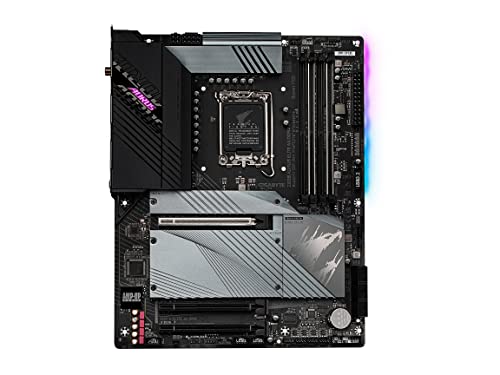
Gigabyte Z690 AORUS ELITE AX DDR4 ATX LGA1700 Motherboard (Z690 AORUS ELITE AX DDR4)
untold vessel
Thoughts, folks?

Nreal Air AR Glasses, Smart Glasses with Massive 201" Micro-OLED Virtual Theater, Augmented Reality Glasses, Watch, Stream, and Game on PC/Android/iOS–Consoles & Cloud Gaming Compatible
fossil cedar
feral citrus
<@191276897227898880> you think you can trick me like this AND get away with it!...
Lol i didn't lie i said you could reuse your ram on 13th gen which you can if you get a ddr4 motherboard
I picked a ddr5 motherboard by accident
Lol
cyan ravine
feral citrus
so speaking of ram any suggestions for ddr5 ram?
Kingston fury 6000 c40 is usually a good bet
fossil cedar
I picked z790 ud ac without realising i picked the d5 version
fossil cedar
cyan ravine
Did you pick the ddr5 pro-a
Sorry i spelt, i tricked him wrong
Cus someone buying the wrong product clearly benefits me
fossil cedar
cyan ravine
Sadge communication accidenterino
It's spelt sabotage not accident /s
