#building-and-recc-chat
1 messages · Page 36 of 1
 stoic island
 rare plover
my goofy ahh final PC build


 empty pollen
👍
 icy crater
I think some 6650xt go for 280$ rn.
 runic flare
stoic island
Anything show up in event viewer? Any bsod or only black screen? What about us...
runic flare
stoic island
Anything show up in event viewer? Any bsod or only black screen? What about us...
I have two monitors they both black screen at the same time, I'll have to check event viewer next time thx
empty pollen
we dont talk about that on this discord pal 😛
nor we cant recommend those sites
that's gray market
 frigid night
yeah we only allow colored market here.
 hot hull
my dumbass thought it was enchanted not encanto like the movie

 dapper sapphire
Asking for a friend, but is there any laptops out there under $1000? He said ideally $500 range though. He wants to play fortnite at more than 30fps, something that handles VFX work and play Star Wars Battlefront 2. Also he said he's looking for a slim laptop but can also fold 360 so it can double as a portable TV, like an all-in-one apparently
stoic island
dapper sapphire
Asking for a friend, but is there any laptops out there under $1000? He said ide...
I mean this is pretty neat for gaming but uh tablet function and slim and gaming don't really go together
https://www.amazon.com/GIGABYTE-G5-KD-i5-11400H-KD-52US123SO/dp/B09QPT6TZJ/

NVIDIA GeForce RTX 3060 Laptop GPU 6GB GDDR6 , Boost Clock 1485 Mhz & Max Graphics Power of 75W, NVIDIA DLSS for groundbreaking AI rendering, 11th Gen Intel Core i5-11400H Processor (2.7GHz~4.5GHz), 16GB RAM (64GB Max), Gen4 512GB SSD, 15.6" Thin Bezel FHD 1920x1080 IPS-level Anti-glare Display ...
 analog pulsar
@stoic island what about Z13
runic flare
PC monitors randomly black screen and say "no signal" with PC still running and all peripherals working, I can still hear sound through headphones and interact with keyboard. The moment it happens there is also a disconnecting sound that comes thro. Sometimes flash black then show a frozen picture and I can't do anything. When either happens, I have to force restart by holding power button. Gpu isn't the problem. Can someone help please?
dapper sapphire
stoic island
I mean this is pretty neat for gaming but uh tablet function and slim and gaming...
Yeah I feel it 😅 Thanks for the suggestion though!
 frigid carbon
@frigid night how big is the display you used with the temps? Is it connected to a raspberry pi?
frigid night
frigid carbon
<@913267599779971133> how big is the display you used with the temps? Is it conn...
7"
It is not connected to a raspberry pi. It is connected to my PC through HDMI as a monitor that I use to display a program called Aida64 Sensor Panel on.
The sensor panel theme/layout is custom made by me.
 crimson crest
Can anyone explain why I could be getting Event ID 43 with Task Category 63 codes? The keywords are (70368744177664),(2). It is causing crash issues when playing
 potent portal
What games? Try running whocrashed and see if it can figure out the issue. It's possibly just a driver.
crimson crest
potent portal
What games? Try running whocrashed and see if it can figure out the issue. It's ...
Warzone. Any time the victory screen comes up, it crashes.
potent portal
Well that could just be cod being cod in that case. Verify your game files too.
crimson crest
done scan and repair, scanned all of my files, and checked all of my drivers.
potent portal
If this is just a recent issue, has anything changed? Recent windows or driver update?
It could help to DDU and roll back a couple versions on the GPU driver.
!ddu
 still roostBOT
DDU (Display Driver Uninstaller) Guide by Pato
https://github.com/NeweggTechie/Graphics-cards/wiki/How-to-use-DDU

GitHub
Contribute to NeweggTechie/Graphics-cards development by creating an account on GitHub.
crimson crest
it started two weeks ago as a rare occurrence and now it is every single time. I just updated to Windows 11 yesterday. Outside of that, everything has been up to date and I've had no changes
potent portal
You should also still run whocrashed
crimson crest
Just did. authuac8x improper driver unload
crimson crest
I don't understand why I am getting a driver issue for a wifi adapter when I am hardwired.
frigid night
crimson crest
I don't understand why I am getting a driver issue for a wifi adapter when I am ...
might try a chkdsk on your drive.
crimson crest
did that, too. Nothing came up
frigid night
And you DDU?
although I don't see that being the issue if it's a wifi driver..
try uninstalling the wifi driver..
Or updating it I guess.
try both lol
I know you are hardwired, but maybe that will fix your issue.
frigid night
well here comes Felix. I better head to bed.


 frank stirrup
There is another method
nuke the driver in question and use gpe to disable windows updating ur drivers
 cyan ravine
Gn
frigid night
cyan ravine
Gn
<3
 fossil cedar
frigid night
<3
fossil cedar
frigid night
<3
Sus
analog pulsar
@frank stirrup can i have use your programs to figure out whats wrong with my pc idk even if your stuff will help but maybe it can fix some issues
still roostBOT
Link to a general windows fixes and scans by Risen
https://github.com/NeweggTechie/Windows-Troubleshooting-Utilities/releases/download/v12/Windows.Utilities.and.Fixes.Latest.bat
analog pulsar
Oh ig
 reef dock
Can anyone build me a pc with a budget of 1500
 gentle pollen
reef dock
Can anyone build me a pc with a budget of 1500
gentle pollen
reef dock
Can anyone build me a pc with a budget of 1500
If you want I can in a bit.
Use case?
reef dock
gentle pollen
Use case?
Yes
 little osprey
been thinking about building first pc and came up with what seems like a pretty nice build, just looking for thoughts on what could be different (have accessories already like a monitor so that's excluded from the list)
empty pollen

reef dock
gentle pollen
What are you using it for primarily?
Gaming and for secondary school work
empty pollen
little osprey
been thinking about building first pc and came up with what seems like a pretty ...
budget and country? 🙂
little osprey
in the USA, budget of 3 grand
empty pollen
wow
with that budget i advise you to wait 10 more days, ryzen 7000 is about to be released, you can build a last gen pc there. i mean, you can build something on ryzen 5000x or 12th gen now, but in 10 days you can build something even better on a ryzen 7000 platform
you will lose a ton of performance spending 3 grand right now
little osprey
isnt the 7000 gonna be crazy expensive upon launch? I'm not buying this immedietely, this is gonna be like within two months
empty pollen
not as much, the 7600x will be at 300usd and on october b650 mobos will be launched as well
ddr5 will be cheaper by then too
 fleet heron
Ddr5 expensive af still
empty pollen
i can make a list for you on that budget if you want, but prices will vary a lot in 2 months after the next gen release
little osprey
right right
empty pollen
intel 13th gen will be released on october as well
and nvidia 40 series next month as well
little osprey
im not really interested in intel only becuase I've had a bad experience with intel in a old comp of mine
empty pollen
i mentioned as it will make prices drop on current gen as well
on everything
tldr, my advice for you is to hold on your 3 grand at least till mid october to see how the prices will be, current gen will be much cheaper and you can get a ton more for your money
little osprey
hmm
alright
otherwise though im not really going overkill on parts atm though
decent for a dual monitor streaming setup for some pretty intense games
empty pollen
you can use this one as reference, but as i said, prices will change with the new gen
PC Builder - AMD Ryzen 9 5900X, GeForce RTX 3080 12GB LHR, Phanteks Eclipse G360A ATX Mid Tower
better aio, better ram, better nvme, better mobo
oh i forgot the pcie expansion card
empty pollen
reef dock
Can anyone build me a pc with a budget of 1500
PC Builder - Intel Core i5-12400F, Radeon RX 6800 XT, Cougar MX330-G Air ATX Mid Tower
 weary galleon
little osprey
isnt the 7000 gonna be crazy expensive upon launch? I'm not buying this immediet...
weary galleon
little osprey
isnt the 7000 gonna be crazy expensive upon launch? I'm not buying this immediet...
It might be expensive but 3k USD is plenty for a high-end build, you'll want more recent parts if possible
little osprey
weary galleon
It might be expensive but 3k USD is plenty for a high-end build, you'll want mor...
hmm okay okay
empty pollen
still you can use the one i made for reference
little osprey
yeeyee
empty pollen
but we strongly advice you to wait, you can build a great pc on next gen with that budget
heck less than 30 hours for nvidia announcemnt
weary galleon
Also at that price point I don't think you need a 2TB hdd
 night cloud
So i made a list and stuff for some parts and i wanted to see if you guys thought it was fine:
https://pcpartpicker.com/list/FKgvNc
weary galleon
Go for all SSD unless you are planning to store a ton of photos or something
night cloud
lol
little osprey
weary galleon
Go for all SSD unless you are planning to store a ton of photos or something
ahh gotcha gotcha
weary galleon
5800X and a 2060 🤨
empty pollen
whats your budget pal? we can make something form that
we can fix a lot of things in any case
empty pollen
yeah to you 😄
night cloud
under 2K
night cloud
nope
weary galleon
Want max gaming performance or do you need extra cpu power for something?
weary galleon
if you can fit it in the budget one extra fan for rear exhaust would be good
empty pollen
yeah, i always forgot about that
weary galleon
plain ol' arctic p12 would probably work good
night cloud
ok, thank you for the help, and i'll go check it out sometime tomorrow or the following day
weary galleon

ARCTIC P12 56.3 CFM 120 mm Fan (ACFAN00119A)
 strong raft
5pk of the pwm pst models often $30-32 btw.
empty pollen
PC Builder - Intel Core i7-12700F, GeForce RTX 3080 12GB LHR, Phanteks Eclipse G360A ATX Mid Tower
@night cloud
forgot that the firecuda is on sale
weary galleon
strong raft
5pk of the pwm pst models often $30-32 btw.
the case comes with 3 fans already though, probably don't need 5 p12s
strong raft
Heck 2 intake & 1 out is fine already . 
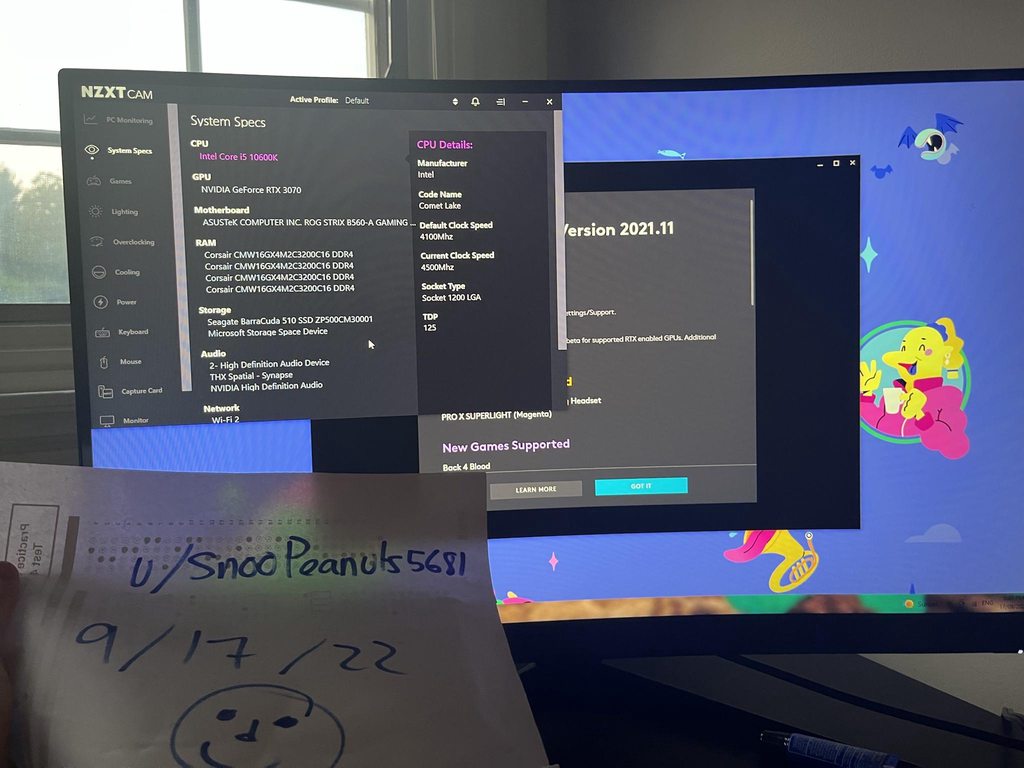
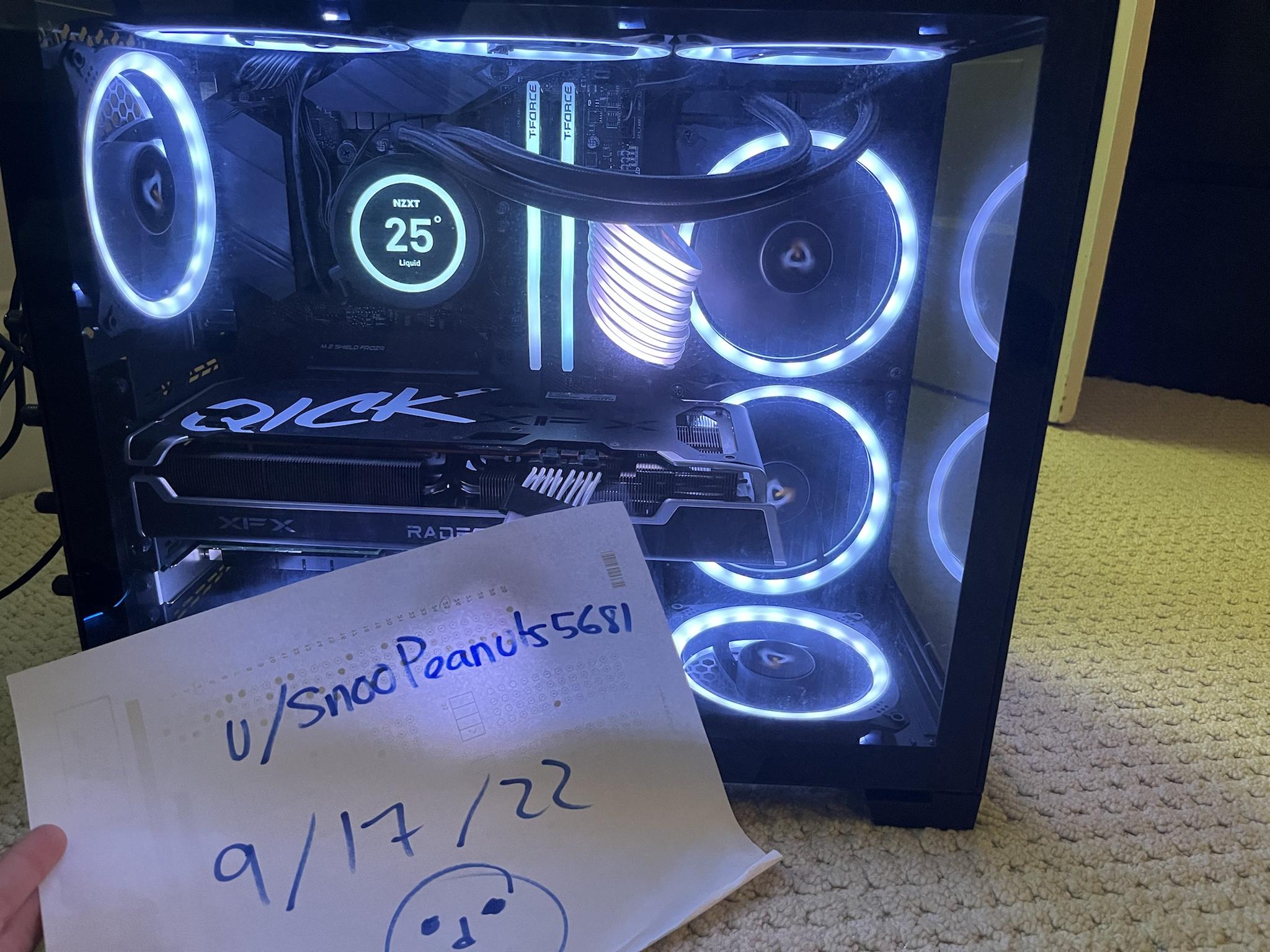

 empty pollen

icy crater
The rgb will make up for the loss performance.
😎
Rgb usually boosts performance by around 15% from what I have tested.
potent portal
Got me there
 empty pollen
corsairs
icy crater
Ahh yes corsairs!
stoic island
GPU is a vision
empty pollen
the ones on the case seems like sp120s
the ones on the aio are ml120 i think, not sure
empty pollen
h100 aios come with ml fans while corsair cases come with sp fans
and that seems to be a 4000d
icy crater
Yeahh.
 frigid echo
Ok so my PC isn't displaying to my monitor and there's a red light on my mobo what should I do?
icy crater
It was on hardware swap.

reddit
73 votes and 35 comments so far on Reddit
He was selling it for super cheap but didn't know some of his parts.
icy crater
frigid echo
Ok so my PC isn't displaying to my monitor and there's a red light on my mobo wh...
Is this a recent issue?
frigid echo
Yup
empty pollen
frigid echo
Ok so my PC isn't displaying to my monitor and there's a red light on my mobo wh...
which red led is on? and what mobo?
frigid echo
It's the first time this has ever happened
Asus tuf x570 plus
And it's the light on the top right by the ram
 obsidian wigeon
what is it labeled?
 strong raft
Well which cpu is it?
frigid echo
Ryzen r7 3700x
stoic island
reseat CPU, check eps12v on the top left if it came loose or smth
frigid echo
Ok sorry but could you explain that to me?
empty pollen
reseat means taking off the cpu from the socket and put it again
stoic island
uninstall cooler, take out CPU, check if everything looks fine, reinstall, reinstall cooler
eps12v as in cpu power
empty pollen
^^^
frigid echo
Ok
stoic island
if there's anything in the socket, clean it out, any pent pins, adjust them back
empty pollen
clean the thermal paste with isopropyl alcohol both in the cpu and the cooler
and apply new thermal paste
still roostBOT
 Teishi#5885 has been warned
Reason: Bad word usage
frigid echo
Oh sorry
empty pollen
most of the time reseating the cpu solves the problem
frigid echo
Ok
empty pollen
but do a full abc like Mr1111 said, look for dust on the socket, any pins that look weird, things like that
take out and plug in again the eps cable as well
frigid echo
Ok so wait the cable on the very top left is one of the ones I want to check out correct?
empty pollen
its an 8 pin cable yes
frigid echo
Ok so that's stuck
 frigid echo
Yeah ik it's not doing anything
frigid echo
Yeah it is not budging
empty pollen
weird, then leave it like that for now
frigid echo
Yeah I live in a pretty dusty place
Anyways I just want to dust that and put it back in correct?
empty pollen
correct
frigid echo
Ok then I want to check my cpu?
In that case I have no idea how to get this cooler off
empty pollen
which cooler?
frigid echo
The stock one
frigid echo
Yeah they're just at an angle I can't unscrew
empty pollen
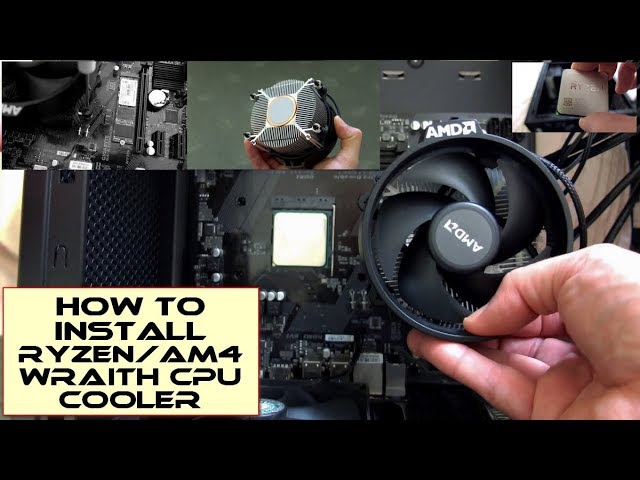
AMD Ryzen CPU's Amazon - https://amzn.to/3r6G5Tv (USA/Can/Europe)
A clear and quick guide to installing a Ryzen CPU and the stock heatsink/fan/cooler supplied with many AM4/Ryzen CPU's.
The AMD Wraith coolers come boxed with many CPU's but require the brackets to be removed from the motherboard to fit the cooler which screws directly to the ba...
you need to wiggle the cooler a bit before pulling or you will risk pulling the cpu as well
wiggle the cooler until it moves easily before pulling
icy crater

frigid echo
Lol I'm not having a great time
empty pollen
no one will have a good time troubleshooting problems on their own pc 😦
but it is what it is
obsidian wigeon
troubleshooting do be not fun
empty pollen
(╯°□°)╯︵ ┻━┻
frigid echo
Ok so I got out 2 screws but the other 2 just won't come out
The cooler puts it at an angle where I just strip the screw
obsidian wigeon
You were supposed to equally loosen the screws btw
Or it'll have a chance of doing that
frigid echo
I got it off and am no cleaning it
I think I found the potential problem
There was way too much thermal paste
Ok so what do I do in the event of bent pins
@empty pollen
empty pollen
do you see any bent pins?
frigid echo
Yes
empty pollen
take a picture for us
 toxic wraith
@empty pollen is my build gonna be bottlenecked
my cousin said my cpu too weak for my gpu
empty pollen
which cpu and gpu was?
toxic wraith
5600 and 6800xt
empty pollen
no, your cpu is powerful enough
toxic wraith
ok thx i just wanted to clear things up since im a bit worried
empty pollen
any cpu with a core count higher than that will perform just the same on games, its tied with the 12400f
and for reference you can pair a 12100f with a 3090 without any problems
frigid echo
Ok I got them pretty straight and it's sitting just fine I believe
empty pollen
frigid echo
Ok I got them pretty straight and it's sitting just fine I believe
then clean the used thermal paste with isopropyl alcohol or any alcohol higher then 70% both on the cpu and the cooler
let it dry and repaste it
frigid echo
Ok clean and dry is done so I should be able to repaste then
frigid echo
I was very careful and I believe it's okay but we'll see
Also sorry for the not so great pic but is this a good amount of thermal paste?
 empty pollen
yeah, a droplet on the center is good enough
there is a lot of videos about the enough amount of paste on youtube 😛
you can do x pattern or 4 dots, there is a lot of ways
but the droplet on the center is the easiest
 drowsy zodiac
is the thermal paste that came with my cpu cooler fine or should i buy a different one?
empty pollen
the stock one is usually fine
you can buy better quality ones ofc
but the stock usually is an ok quality
drowsy zodiac
will there really even be a major difference or they all work the same?
empty pollen
not noticeable unless you are on the overclocking train
drowsy zodiac
oh yeah no i’m not going to oc
empty pollen
then you will be fine with the stock paste
drowsy zodiac
perfect thanks !
empty pollen
if everything is checked, then yeah, plug the pc again and turn it on
frigid echo
Ok so I forgot to plug my cooler back in. Would I have to shut down and reboot to do so?
Also is there anything in BIOS I need to worry about?
empty pollen
no
empty pollen
can you take a picture of the bios?
toxic wraith
@empty pollen
empty pollen
yes?
toxic wraith
 frigid echo
empty pollen
can you take a picture of the bios?
frigid echo
empty pollen
can you take a picture of the bios?
Yes one moment
empty pollen
most games use 4 cores to run, some 6... any more cores after that are useless for gaming (bar some niche games) a 5700 or 5900 wouldnt give you any difference
you can have the same gaming experience (almost the same) on a 12100f 12400f 12600 12700
frank stirrup
potent portal
!bat
that command is broken btw, I decided to move all my work from newegg techie github to my personal one
frank stirrup
analog pulsar
<@499525349109923844> can i have use your programs to figure out whats wrong wi...
What issues you having
empty pollen
hey risen, nice timing
can you explain our friend here @frigid echo why the 5600 is more than enough for a 6800xt
frigid echo
Wrong guy
empty pollen
yeah xD
frigid echo
Lol
frank stirrup
pheeny?
frank stirrup
@toxic wraith the extra mhz that the 5600x has just arent enough of a jump to make the small perf bump worth it really unless ur playing minecraft only tbh
and its more than enough
Im personally pairing a 3600x wityh my 6750XT
Is just fine, since most games are gpu bound anyway
frigid echo
empty pollen
can you take a picture of the bios?
Ok so apparently all I had to do was reconnect the cpu fan
I didn't realize that was required
toxic wraith
frank stirrup
<@761777212725788711> the extra mhz that the 5600x has just arent enough of a ju...
thats what i said he said fax it should just be 10 dollar diff but idk
frigid echo
Everything seems to be working just fine so I'd say so
frank stirrup
toxic wraith
thats what i said he said fax it should just be 10 dollar diff but idk
Well amd does want money too lol
but yes 5600x not worth it
get a 5600 or a 5700x
empty pollen
frigid echo
Everything seems to be working just fine so I'd say so
glad your pc booted as it should 😄 and you also gave some maintenance to the cpu as well, successful night i say
frigid echo
Yeah thank you so much for your help
empty pollen
btw thx for the assistance @frank stirrup 👍 i knew you have more experience with the amd pairing
frank stirrup
np
 earnest olive
toxic wraith
earnest olive
toxic wraith
my i3 and 3090 disagrees
toxic wraith
are there any improvements that can be made to my build without making the money move much am poor sorry https://pcpartpicker.com/list/c6ggqm
PC Builder - AMD Ryzen 5 5600, Radeon RX 6800 XT, Phanteks Eclipse P400A ATX Mid Tower
i cant change the case btw
empty pollen
its ok to me, maybe we can change some things but the price will increase as well
i mean, for 15usd more you can upgrade your psu for a TT gf1, but then again, the one you have is good enough
i dont see any other part to swap in that list
maaaybe swapping the 5600 for a 5700x as risen suggested.... but that depends on your wallet
5600 to 5600x is not worth
empty pollen
or the mx330
weary galleon
could do only 16gb ram if you wanted, not gonna save a ton of money though
empty pollen
but he said he cant change the case, so i assume he already have it
 hexed stirrup
What's the main difference between Arctic p12s and f12s?
empty pollen
f12s are airflow fans
weary galleon
static pressure vs airflow
empty pollen
p12s are static pressure
obsidian wigeon
p12 does as well as f12 in airflow
weary galleon
p12 is kinda just better though
empty pollen
yup
obsidian wigeon
f12 is outdated design tbh
empty pollen
airflow fans will lower their performance if they are obstructed by anything
while the static pressures dont
obsidian wigeon
good static pressure and good airflow is what a modern fan should have imo
weary galleon
p12s are amazing
hexed stirrup
So basically screw f12s get p12s
hexed stirrup
Aight thanks guys
 fading bone
ayo, do y'all think I should find a 30 series online now, or wait for 40 series to come out to buy a 30 series?
empty pollen
30 series are already available and on big numbers
fading bone
Yeah, cause I see some saying it wont get any cheaper, and others saying it might get cheaper when the announcements come
empty pollen
thats a gamble you need to decide for yourslef
maybe they will be more cheaper, maybe not
higher end cards are below msrp, some of us think is not enough yet, but at the end of the day is your money
how much are you willing to spend on a 30 series btw?
empty pollen
you can get a 6750xt or a 3070 on that budget
fading bone
3080 TI also fell a ton, idk why but 3080 not as much (10 gb)
I understand 12 gb cause in games it performs about the same
as the 3080 ti
frigid night
I have a 12gb and it's more than enough for any game that I throw at it.
empty pollen
but at this point, yeah you better wait... the announcement is less than 30 hours away
fading bone
empty pollen
but at this point, yeah you better wait... the announcement is less than 30 hour...
oh yeah
I lost like 3 days cause I got sick
whole ass friday and weekend
and now monday
._.
empty pollen
glad that you got better pal
frigid night
empty pollen
glad that you got better pal
Its Tye. Duh
empty pollen
haha look at the reference on #graphics-cards xD
frigid night
Ah lol
fading bone
wait bruh what
I see a lot of 3090's that are cheaper than 3080 12 gb's and ti's??? on ebay
frigid night
Prob miner cards
empty pollen
i wont buy a used 3090 tbh
fading bone
buying a 3090 ti used miner card and then being surprised when the memory on the back is completely fried
empty pollen
the 90ti dont have mem at the back
only the 90
90tis should be good to buy (on a nice deal), those are relatively new
90s no
frigid night
The 90tie was released after mining was pretty much dead
fading bone
frigid night
The 90tie was released after mining was pretty much dead
well, after the boom
empty pollen
some miners bought those anyway
no
after the crash
the crash started nov/dec, the 90ti was launched in February
frigid night
Yeah I just meant that you are more likely to get a used 90tie that wasn't used in mining whereas getting a used 90 would more likely have been used for mining.
empty pollen
too little, too late
fading bone
mfw eth crashes, bitcoin crashes, NFT's become worthless :)
empty pollen
nft were worthless anyway, that remained the same
fading bone
well
frigid night
Artificial price
fading bone
at least people dont pay
still roostBOT
 NoahHW#0224 has been warned
Reason: Bad word usage
fading bone
damn
frigid night
Heh
fading bone
f word banned
icy crater
icy crater
Could a loose wifi adapter possibly be the reason to slow wifi speeds?
icy crater
I kind of screwed them in not very tight because i heard too tight is bad for the screw.
I hope it’s that at least.
potent portal
That's true of many things but not antennas
potent portal
Yes, if that's loose you'll get bad signal integrity
icy crater
Oki I will fix it to see if that was the issue.
 dusty hill
feedback on the Radeon 6900 XT RGB special Edition?
cyan ravine
dusty hill
feedback on the Radeon 6900 XT RGB special Edition?
Yes
What is it 
Which special edition lol
 tropic ginkgo
I got a problem I can't start up my computer
it automaticly goes on power saving mode
frigid night
tropic ginkgo
I got a problem I can't start up my computer
it automaticly goes on power saving...
How do you know it's automatically going to power saving mode if you can't start up PC?
frigid night
tropic ginkgo
yes
K, this doesn't answer my question.
How do you know thats what its doing?
tropic ginkgo
the screen prompt
frigid night
Are you sure it's not just your monitor saying its going into powersaving mode?
tropic ginkgo
no its like right when I start it up
and when I restart the monitor it goes to power saving mode againg
frigid night
Can you boot into safe mode?
tropic ginkgo
no
frigid night
Not at all?
frigid night
Ok. So you can't even get into the bios?
tropic ginkgo
mhm
frigid night
Ok. Have you tried a different monitor?
tropic ginkgo
its the only one
frigid night
Ok. Well, I'm gonna tell ya that power saving mode on your pc isn't going to keep you from being able to see your bios or boot into safe mode. There is some other issue going on. I'm thinking it's the connection from your monitor to your gpu. Do you have an extra hdmi or displayport cable you can swap out?
Also, is the cable plugged into your gpu or into your motherboard?
What you are most likely seeing on your display is your monitor's own power saving notification. When you go to boot, there is something wrong that its not outputting display so it's putting itself to sleep.
@tropic ginkgo
tropic ginkgo
Am reading sorry
frigid night
It could very well be some other issue, but let's start the troubleshooting with the easy stuff first.
frigid night
tropic ginkgo
Same problem
Are you plugging it into your motherboard or gpu?
tropic ginkgo
Gpu display port of course
frigid night
Ok, does your motherboard have a display port?
I'm assuming the gpu/cpu you have in your server name is the system you are having an issue with?
If so and if you have a displayport on your motherboard, I'd like you to plug it in there and try to boot. If it doesn't have a display port, then find an hdmi cord and try that.
tropic ginkgo
frigid night
Ok, does your motherboard have a display port?
It does
tropic ginkgo
frigid night
If so and if you have a displayport on your motherboard, I'd like you to plug it...
My screen has only DP
My cpu most likely doesn't have integrated graphics
Am going to try it
Negative :/
@frigid night
frigid night
tropic ginkgo
Am going to try it
If its a 6700k then it has igpu
tropic ginkgo
Yes I realised after saying that
frigid night
Ok, so do you have another display port cable?
tropic ginkgo
But still no its the one that came with the gpu
frigid night
Alright. When you start the PC. Do your fans turn on and stay on even though there is no display?
tropic ginkgo
Yup
frigid night
Ok. I'm really thinking it's your monitor or the display port cable.
frigid night
So it's never been turned on?
tropic ginkgo
No
frigid night
Like, you've never seen it actually work?
tropic ginkgo
No
frigid night
Do you have anything else you can hook up to the monitor besides your pc?
tropic ginkgo
No
frigid night
Ok. My suggestion is.. try to get a new display port cable. They are pretty cheap. If that doesn't fix the issue, then take that monitor back and get a replacement.
frigid night
It could be, but was your pc working just fine before you got the new monitor?
tropic ginkgo
Actually this pc I got like 2 months ago as my first battle station and I didn't have a compatible monitor so I got it from them at a slight bundle discount because the guys there don't use the ThinkVision monitors for work
It works fine
Until today
frigid night
And today is the day you set up the new monitor?
tropic ginkgo
No it came with it
frigid night
I'm confused then. You said you didn't have a compatible monitor for it, but that monitor came with it?
frigid night
You got the pc 2 months ago and it came with the monitor that you have hooked up to it right now?
tropic ginkgo
It was hooked up since I got it
The monitor is not old in a sense that it came with my new pc
tropic ginkgo
Until the day I booted up this pc for the first time
frigid night
Ok. When is the first time you booted up the pc with the monitor that is not working right now?
tropic ginkgo
I 21st of july
frigid night
Ok. Did the monitor work then?
tropic ginkgo
Yes
frigid night
Bruh. Why did you tell me no when I asked if you've ever seen it work?
frigid night
Ok. Well then let's clear your cmos.
You got the manual for your motherboard?
What motherboard do you have?
tropic ginkgo
No I lost it 😦
frigid night
Ok. Tell me the exact model of motherboard and ill find the manual.


 frigid night
With the PC off and unplugged, you'll want to hit your power button a few times then short the 2 pin CLRTC pins with a flathead screwdriver for like 5-10 seconds.
tropic ginkgo
Leave the screwdriver between the two pins for 10-5 secs?
frigid night
Yeah. Hold the flathead on the 2 pins making sure they make contact with the screwdriver for at least 5-10 seconds
tropic ginkgo
Should I press the on/off button a couple times before I put the screwdriver in there or after
frigid night
Keep the pc unplugged when you short the pins
frigid night
Thumb drives?
fossil cedar
Usb drive
frigid night
fossil cedar
Usb drive
I know, but what does that have to do with what we are doing lol
tropic ginkgo
Translation error sorry
fossil cedar
Oh ¯\_(ツ)_/¯
tropic ginkgo
I am bad at thinking words when am scared
frigid night
Its ok. This isn't going to hurt your pc.
tropic ginkgo
No It's just the panel won't get off
frigid night
Oh the thumb screws?
frigid night
You might be able to use a Phillips if they have that style.
tropic ginkgo
No it's not
frigid night
If slotted. Just use the flathead you are going to use to short the pins.
Ah.
Sounds like someone really torqued them down if you are having trouble getting them off lol
tropic ginkgo
Yeah my thumbs hurt now
frigid night
Do you have a rubber band?
tropic ginkgo
Didn't work
frigid night
Ok. Uhh.. well I hate suggesting this, but... do you have pliers?
tropic ginkgo
OK a the thing that we unscrew nuts with worked
frigid night
Ok cool
Its starting to get to the busy part of my morning here at work so I may not reply right away. I will reply when I can. Let me know when you have shorted the 2 pins.
tropic ginkgo
frigid night
Ok cool
What next
frigid night
tropic ginkgo
What next
Now that you've successfully cleared your cmos.. plug your pc back in and turn it on and let's see what happens.
tropic ginkgo
IT BOOTED
frigid night
You have display?
tropic ginkgo


 frigid night
tropic ginkgo
What now OwO
frigid night
tropic ginkgo
What now OwO
Hook up your mouse and keyboard and press f1
tropic ginkgo
Ok
frigid night
You may need to turn pc off and back on for the keyboard to work
tropic ginkgo
Central am in
 frigid night
Do you see where it says XMP disabled?
frigid night
It might take a little longer to boot because the ram timings were changed.
frigid night
tropic ginkgo
F10
Yes
frigid night
frigid night
It might take a little longer to boot because the ram timings were changed.
This only affects the initial boot after changing ram timings.
 frigid night
Yes
frigid night
tropic ginkgo
I BOOTED IN MY DESKTOP!
 tropic ginkgo
Ama post a pic of my internals while am at it on #build-pics
frigid night
tropic ginkgo
Ama post a pic of my internals while am at it on <#574740748801540107>
Heck yeah man
tropic ginkgo
1stick of ram but it is what it is
frigid night
That's ok.
still roostBOT
 SoloAction#4686 has been warned
Reason: Bad word usage
tropic ginkgo
Heck yeah man! Fricking legend
frigid night

frigid night
Well have fun with your working pc :)
frigid night
@fossil cedar I require a kiss from you for successfully helping someone fix an issue with their PC. I'm waiting.
frigid night
 runic flare
PC monitors randomly black screen and say "no signal" with PC still running and all peripherals working, I can still hear sound through headphones and interact with keyboard. The moment it happens there is also a disconnecting sound that comes thro. Sometimes flash black then show a frozen picture and I can't do anything. When either happens, I have to force restart by holding power button. Gpu isn't the problem. Can someone help please?
 mossy venture
runic flare
PC monitors randomly black screen and say "no signal" with PC still running and ...
mossy venture
runic flare
PC monitors randomly black screen and say "no signal" with PC still running and ...
Have you tried the things we have suggested to you multiple different times?
frigid night
runic flare
PC monitors randomly black screen and say "no signal" with PC still running and ...
What all have you tried to fix your issue?
mossy venture
We always give him responses and he never responds to them
frigid night
@runic flare at some point you are going to have to respond to us with what you've tried. If you can't or refuse to respond to us then we cannot help you fix your issue.
It's also bad manners to ask for help, then ignore the people who try to help.
fossil cedar
frigid night
<@191276897227898880> I require a kiss from you for successfully helping someone...
I'm no cheater sorry
frigid night
fossil cedar
I'm no cheater sorry
What? This is payment.
runic flare
mossy venture
Have you tried the things we have suggested to you multiple different times?
I didn't get any @s or see any suggestions?
runic flare
mossy venture
We always give him responses and he never responds to them
I haven't seen them?
fossil cedar
frigid night
What? This is payment.
Lol
tropic ginkgo
fossil cedar
Lol
I am a valid witness
mossy venture
Looking back at messages you responded to one
Did you check event viewer like you said?
runic flare
frigid night
It's also bad manners to ask for help, then ignore the people who try to help.
I'm sorry, I haven't seen any messages that @ me. The one I was, the person suggested event viewer, which says "The previous system shutdown at ... was unexpected"
@mossy venture event viewer ^
mossy venture
Have you run an sfc/scannow and chkdsk?
Is there any common factor in when the shutdown occurs?
Do you have a build list of your pc?
mossy venture
runic flare
<@654444344274845698> event viewer ^
^
runic flare
Yes I'm running scan now
I have done it before tho, no issues. I'll do it again to make sure
This has been happening for over a year but irregularly
mossy venture
Does it always happen while gaming, or just randomly?
runic flare
Randomly
Also I'm on a custom os but no one else with it has experienced this
So don't think that's the issue
mossy venture
You have a pc build list? And have you updated bios?
runic flare
Appreciate the help btw
mossy venture
I really don't know what custom windows is
runic flare
mossy venture
You have a pc build list? And have you updated bios?
3070, i9 10850k, 650w PSU, 32gb 3600mhz ram
mossy venture
What model psu
mossy venture
Yes
cyan ravine
runic flare
PC monitors randomly black screen and say "no signal" with PC still running and ...
Sometimes a bad display cable can cause this
runic flare
Yes have done
runic flare
cyan ravine
Sometimes a bad display cable can cause this
Have 2 monitors and have changed cables
cyan ravine
K
mossy venture
What model psu do you have
mossy venture
That's a description, model is a bit more important
cyan ravine
There are like, half a dozen evga 700W golds
mossy venture
Supernova something or other I'm assuming
mossy venture
cyan ravine
GQ that's what he wants
Gq is c tier, right?
Probably not bad enough to cause this issue
cyan ravine
Yea C
cyan ravine
runic flare
Is this it?
Tried DDU?
 lament fulcrum
So i have a dilemma. I have a good 2700X and 3070ti left from the beer accident as well as the storage and psu. Should i upgrade to a 12600k or should i just buy a new x470 board. All i do is game, dont really stream or productivity
runic flare
cyan ravine
Tried DDU?
Yeah
mossy venture
lament fulcrum
So i have a dilemma. I have a good 2700X and 3070ti left from the beer accident ...
Kinda depends ig
mossy venture
If it were me, I would sell the 2700x and upgrade, but if you're playing at 1440p I'd say it's fine. Though I would buy a b450 used
lament fulcrum
I play 1440p/4k
mossy venture
Then yeah its fine, id just pick up a cheap b450 though
lament fulcrum
Ran good enough for me previously. 3070ti isnt a 4k machine but it does a good job
runic flare
cyan ravine
Ok different take, tried different hdmi/ dp ports?
Yeah should I try integrated graphics?
mossy venture
Yes
runic flare
I've sent it to get checked and they said no issues so I thought that ruled it out
Still worth?
Because it will take a while of using to find out
Since it happens randomly
 analog hearth
@tropic ginkgo nice 1070 FE. it’s rare seeing those in #build-pics anymore
keep those drivers updated and keep that GPU cooled properly though. don’t want a fire lol
mossy venture
runic flare
Since it happens randomly
How often would you say?
cyan ravine
I would even wager if checking with iGPU discovers anything that reflashing the vbios might help
cyan ravine
runic flare
Still worth?
Ye
mossy venture
Could just leave your pc on overnight for a while with it connected to igpu
If it never happens there you go
runic flare
mossy venture
How often would you say?
Once a week-two weeks, when it happens once normally it happens more times after I restart
cyan ravine
Once a week?
runic flare
Yeah so random idk
mossy venture
Because you said pc doesn't fully shut off right?
runic flare
Yes
runic flare
mossy venture
You plug cables into gpu after it happens
So switch from gpu to igpu?
runic flare
Thanks that's a good idea
It won't break anything switching cables while pc is running?
mossy venture
No
frigid night
cyan ravine
I switch them like half a dozen times any time I turn my pc on
Why do you do this?
cyan ravine
Everythings connected to 1 display so I shuffle my inputs like I'm at the vegas strip
Hdmi switch go brrrrr
frigid night
Lolll
mossy venture
God I'm so impatient for new cpus to release
frigid night
Me too
mossy venture
I've been waiting for them like 6 months now
runic flare
No problems in CHKDSK but SFC /scannow wasn't complete because I believe of custom os being stripped of those files
analog pulsar
frank stirrup
What issues you having
I ended up just reinstall windows via USB bc last time I downloaded windows I used local ir cloud downloaded and we think it didn't download all the nessasscy files
 empty pollen
mossy venture
God I'm so impatient for new cpus to release
empty pollen
mossy venture
God I'm so impatient for new cpus to release
you and me both bro
feels like October is the next year
analog pulsar
Haha
 mossy venture
I'll likely still go b660, maybe b760 if they're similarly priced
If I go 13th gen anyways
obsidian wigeon
they might force ddr5 even on b760
empty pollen
yeah i suspect b760s will be ready next month along with raptor lake chips
thats my target as well
for now that msi image confirms the edge, tomahawk, mortar and some other mobo that i cant identify.... unify maybe?
mossy venture
obsidian wigeon
they might force ddr5 even on b760
Pretty sure intel confirmed ddr4 700 series mobos
obsidian wigeon
ah
mossy venture
Which is the only reason I'd go 13th gen over am5, if 13th doesn't atleast support ddr4 on 600 series mobos ill be leaning more towards am5 since it's releasing earlier
empty pollen
yes, 700 mobos are confirmed already to run ddr4 variants as well... at least the z790s, but is pretty safe to asume ddr4 support on 760s as well
im not that into am5 becasue the early adopter issues
by the time those are ironed out raptor lake will be available as well, so it will be like both release at the same time to my eyes
expecting a ton of bugs and at least 7 bios updates in the first 2 weeks 😛
mossy venture
Yeah...
empty pollen
not to mention b650s will be released on october, because in no effin universe ill be paying those outrageous prices for an x670 mobo
lament fulcrum
Where could i get replacement oem psu cables for an RM750
weary galleon
I think oem would be corsair themselves, no?
 jagged ember
no fun if you don't run the risk of exploding
fossil cedar
lament fulcrum
Where could i get replacement oem psu cables for an RM750
Corsair
Corsair actually have a really easy way of this
So you're looking for type 4 pcie
Ye
Or non request
Nah corsair just doing that cuz i am
Just change to /us
They are
 elfin flame
 fossil cedar
Oh weird it says it isn't
Customer support should send
4000d airflow panel is also "never in stock" in the us but customer support always sends for free
icy crater
potent portal
Yes, if that's loose you'll get bad signal integrity
I got it to give me lots more mbps!
Although I'm still not reaching my max 200mbps I'm at 120 rn. Is there such a thing as too tight?
empty pollen
on antennas? no
icy crater
Ah alright maybe it's just cause I'm on wifi.
tropic ginkgo
analog hearth
<@462634478817378305> nice 1070 FE. it’s rare seeing those in <#5747407488015401...
Appreciate it man I thought about cooling because its a blower
You know what happens to hot blowers xD
They get worn out very fast XDDDD
 rough hornet
How can I redo my setup to make it look better

 forest briar
Looks fine to me
 paper summit
rough hornet
How can I redo my setup to make it look better
paper summit
rough hornet
How can I redo my setup to make it look better
Looks pretty good maybe another monitor or sum
 autumn wolf
maybe mic arm. assuming thats a blue yeti so it probably pics up a decent amount of keyboard with it being that close
icy crater
Get a gaming chair. 😎
 short yoke
reef dock
My budgets 1500 I don’t need a monitor just the pc
short yoke
reef dock
My budgets 1500 I don’t need a monitor just the pc
Shared List https://newegg.io/0eba3b6
mossy venture
reef dock
My budgets 1500 I don’t need a monitor just the pc
Us?
And I would not limit yourself to just newegg
mossy venture
If you want a nvidia gpu, j would do this https://pcpartpicker.com/list/Zz8njZ
PC Builder - Intel Core i5-12400F, GeForce RTX 3080 12GB LHR, Phanteks Eclipse G360A ATX Mid Tower
mossy venture
short yoke
But that's 1600$ with a 3070 and 8 core cpu
Can easily get a 3080
Also that's $1675, $175 over budget
mossy venture
mossy venture
If you want a nvidia gpu, j would do this https://pcpartpicker.com/list/Zz8njZ
@reef dock
 south cliff
Can someone help me with something that’s not really on topic
empty pollen
ask
south cliff
Ok so I got some AirPod pros but they won’t update
So they are on the wrong firmware
I have tried everything
south cliff
Your good
empty pollen
maybe you can have more luck asking on general, more people can see you there
you can start there
south cliff
Yeah true
analog hearth
rough hornet
How can I redo my setup to make it look better
delete the meds and bottle. headphone stand. maybe a mouse bungie? definitely a less clunky keyboard. and obviously, cable management
icy crater
Wtf.
Noctua fans are 30$ each??

The NF-A12x25 is a highly optimised next-generation 120mm fan that integrates Noctua’s latest innovations in aerodynamic engineering in order to achieve an unprecedented level of quiet cooling performance. It takes state-of-the-art technologies such as the AAO (Advanced Acoustic Optimisation) fra...
stoic island
yes
stoic island
icy crater
https://www.amazon.com/gp/product/B07C5VG64V/ref=ppx_yo_dt_b_search_asin_title?i...
same thing for t30
gt are about 20$ a fan
icy crater
 stoic island
good fans are good fans
potent portal
Noctua is the premium "get what you pay for" brand
icy crater
Is it actually that much better?
stoic island
Not directly performance wise
potent portal
Compared to a P12/P14? Not much better in most cases
stoic island
Nice fans are nice fans though
icy crater
Wait p12 are like $10 right?
stoic island
durability/endurance being main thing
potent portal
Noctua is noticeably quieter but P12 is barely audible already
potent portal
icy crater
Wait p12 are like $10 right?
$7 for non rgb
icy crater
It just hard to fathom how expensive it is at retail.
stoic island
a12x25 is noctua's like tippy top fan
obsidian wigeon
i mean p12 should last pretty long too
so i don't see the point of paying noctus
stoic island
obsidian wigeon
so i don't see the point of paying noctus
Noctua products are like you buy once and it'll stay at the top in terms of performance for years, remember, a12x25 came from like 2018, it's still the gold standard
 rich void
stoic island
same thing for t30
rich void
stoic island
same thing for t30
You can get a 3 pack of T30s for $85, so technically they're "cheaper"
icy crater
I mean I would have to build with a brown theme in mind that feels hard.
Need that noctua gpu lol.
stoic island
Right now buying some p12s/p14s is the most cost effective option in general
rich void
Noctuas also come in black
stoic island
but noctua good stuff
obsidian wigeon
There's chromax fans from noctua
obsidian wigeon
You can only have them in black if you need to
icy crater
rich void
Noctuas also come in black
I was just asking because I saw a deal for a $10 brown one.
xd
obsidian wigeon
They have like customizable caps or something
rich void
ah, good deal. Used though I assume?
rich void
obsidian wigeon
They have like customizable caps or something
They have different colored anti-vibration pads. The cpu coolers also have shrouds or something idk
obsidian wigeon
P12 rgb/argb version has no ring
 stoic island
actually might be arctic, their bionix stuff
obsidian wigeon
yep
icy crater
These fans look cool.
stoic island
antec is prob a better fit
 icy crater

Antec RGB Fans, 120mm Case Fan, RGB High Performance PC Fan, 4-Pin RGB, Spark Series, 3 Packs
obsidian wigeon
 icy crater
Ohh like these?
obsidian wigeon
Yep it indeed is antec
icy crater
Ohh they aren't too expensive either.
obsidian wigeon
They're meh tho
Refer to fan chart in #old-cooling for rgb fans
It's pinned
InWin Sirius Loop is the cheapest rgb that chart recommends
 velvet yoke
Anyone know of a set of case fans that works with Asus Aura 4 pin. Seems like everything but the PSU and CPU fans runs off of 3 pins...
Why does everything have to work off of a 3 pin Aura Sync and not 4 pin?
stoic island
3pin is argb, 4pin is rgb
 rugged anvil
my current wifi plan is like 200gb of downloads per month and i went past that limit and cox ended up throttling my wifi, any idea how long it lasts? i'm guessing till the end of the month or something
stoic island
should be end of billing period, whenever that is for you
rugged anvil
thank
obsidian wigeon
aura sync doesn't use normal rgb
because it's argb
rgb only allows you to have one color for whole thing
while argb lets you have zones and all other fancy stuff
so you gotta get fans that says argb
velvet yoke
ARGB fans? That's it?
obsidian wigeon
yes
Also do refer to fan chart pinned in #old-cooling
Look at the rgb section in the right
rugged anvil
is there a way to see or test if one of these motherboard attached wifi antennas is broken?
 frigid night
rugged anvil
is there a way to see or test if one of these motherboard attached wifi antennas...
frigid night
rugged anvil
is there a way to see or test if one of these motherboard attached wifi antennas...
Hunt down a shark. Take his fin. Attach to mobo to replace current shark fin.
rugged anvil
frigid night
Hunt down a shark. Take his fin. Attach to mobo to replace current shark fin.
frigid night
You should be able to use any screw in antennae tbh.
rugged anvil
data usage for the last month... is this a lot
 obsidian wigeon
pretty normal
potent portal
Windows data usage thing is stupid anyway, I downloaded a bunch of games including forza 5 totaling about 500gb and it says I have 73gb usage lol
rugged anvil
potent portal
Windows data usage thing is stupid anyway, I downloaded a bunch of games includi...
Im extremely confused. I have a pretty good internet plan but whats bothering me is how as of two days ago, ive experienced constant disconnecting throughout the day, whether I'm on my laptop or phone or pc. several times throughout the day my device will show me as connected to Wifi, but nothing will load. I'll have to quickly cycle wifi services on the device and it will work again. this makes gaming and doing work online undoable.
potent portal
Have you rebooted your router and modem?
rugged anvil
i wonder if its my isp throttling me?
potent portal
Being throttled wouldn't cause disconnects
Unless you were throttled to below DSL speed (3mbps)
rugged anvil
potent portal
Have you rebooted your router and modem?
I don't know how to reboot it
potent portal
Unplug it
rugged anvil
I have some cox cgm4140
may be hard to see in this picture, but do i unplug this cord above the "reset" text?
 potent portal
If it's still doing it after it gets power cycled then call your isp and ask for a new router, that's a common issue in those combo cable modem/router combo units
potent portal
rugged anvil
may be hard to see in this picture, but do i unplug this cord above the "reset" ...
Just the power cord, unless it has battery backup which I don't think that model does
rugged anvil
It doesn't. I logged into the router and the battery said 0%
hmm, is this the power cord to unplug?
 potent portal
That works
potent portal
The text just says you can't call 911 on your internet phone if the router is off
potent portal
Yes
rugged anvil
it doesn't have to be off or anything
i don't even know if you can turn this thing off
potent portal
Unplug it, wait a couple minutes, plug it back in
rugged anvil
alright, i unplugged it
rugged anvil
potent portal
If it's still doing it after it gets power cycled then call your isp and ask for...
thinking this might be the case
do you recommend any routers?
or is it specific per isp
potent portal
You could connect your own router to the ethernet on the isp router if you wanted. Most ISPs will also allow you to use your own modem if you want to buy a motorola or something for $100
rugged anvil
unfortunately ethernet won't be a choice for me since i'm renting, what's the difference with a modem and router?
does the modem extend signal?
potent portal
If you got your own modem and router then you'd be replacing the one the isp provides you with your own (hopefully higher quality) ones
If you're paying a rental fee for the modem already then buying your own is a good investment, they'll pay for themselves.
rugged anvil
ah and what i have right now is a modem correct
potent portal
Yes it's a combo modem/router
The modem is what communicates with the isp, the router handles connecting to local devices
rugged anvil
ah i understand, thank you falcie
might have to look into that more
do you think now is a good time to plug it back in?
potent portal
Yeah it should be good to do that now
rugged anvil
alright thank you falcie, going to see if stuff works now. if not, going to look into getting a new modem/router
potent portal
Ok. I'm off to bed myself.
rugged anvil
Goodnight
runic flare
@mossy venture switched to igpu when it happened didn't fix, monitors still black
Keeps happening can't do anything
Event viewer still says unexpected crash
mossy venture
Well that definitively rules out gpu then. Honestly at this point I'd suggest going to regular windows to see what happens
If you have a secondary drive, could put windows on it and use it as a boot drive for a few days
See if it happens again
runic flare
The person who does it has had thousands of customers and none had that issue, still worth?
Could it be a ram issue?
Could it be the extension cord I plug everything into? Is it bad to plug all my PC stuff into one? Would it overload?
But then nothing turns off
Just black screen
runic flare
mossy venture
If you have a secondary drive, could put windows on it and use it as a boot driv...
Dual boot yeah?
Found a ubuntu guide, should I do that or is there better variations?
runic flare
@mossy venture should I just get it serviced?
Also I just slammed on the desk and it turned off so some contact is lose, this happened before too, I checked everything, turned it on again, slammed and nothing happened. It's just so random I can not even be near it and it black screens or I can hit the desk and it black screens
Changed nothing, just restarted, slamming again nothings happening
What sort of witchcraft is this
frigid night
runic flare
Also I just slammed on the desk and it turned off so some contact is lose, this ...
Hm. That does sound like something is loose.. You've checked all your connections? Even the ones going into the PSU?
If you have.. I wonder if maybe your PSU is bad (has something loose in it somewhere) causing your issue.
 digital maple
Hello everyone, I would like to have someone's opinion about an issue I am facing.
I just built a second PC. The problem shows when I try to install Windows on my new PC using a bootable medium I have made, the PC resets. It loops on resets if I do nothing, but I can still choose to boot on USB devices. But neither my Windows or Linux bootable media (which I have successfuly used on my laptop today) seem to be working here. In Windows' case, I barely get to see the Windows 11 logo that the PC resets. In Linux's case, I have the prompt screen to choose language and between proprietary/open source drivers, but as soon as I click either one, the PC resets.
This PC is using a Corsair RM750x and a Gigabyte B550M DS3H. The GPU I use is a GTX 1660S (which I took from my older PC to put in the new one -- I have my old GTX 760 to put back in my old rig). I got an R5 3600 and 2x8GB of DDR4 2666 (both the CPU and RAM are second hand).
In the BIOS, every component is properly identified. I also tried to unplug most unnecessary stuff (such as the fans, the M.2 SATA drive, and front panel LEDs), removing each RAM stick, putting them on other slots... I also tried swapping my GPUs, using the less power hungry GTX 760 instead. (I tried the GTX 1660S again on my old rig, and it works wonders.) I also tried switching the BIOS booting options to Legacy, enabling Fastboot. Additionally, I plugged the PCIe cable somewhere else on the PSU. But nothing worked so far.
In a desperate attempt to try a minimal configuration, I removed the GPU, and retried to boot on my media (thus without a display), but doing so does not give the same results. When I spam F12 to enter the Booting menu, the PC beeps several times instead of just once, and "selecting" the boot option does not seem to cause any resets, however I cannot see what happens.
empty pollen
tried to update the bios?
digital maple
The BIOS is on mid 2021.
empty pollen
the only risk is if you turn off the power while flashing your bios
potent portal
Any usb will do
empty pollen
you need to go the gigabyte webpage and look for your mobo
look for the bios upgrade for your mobo
download and follow the steps they tell you, every manufacturer has its own way
digital maple
 empty pollen
load that bios on a usb drive and again, follow the bios flash procedure from your manufacturer
digital maple
empty pollen
load that bios on a usb drive and again, follow the bios flash procedure from yo...
@potent portal
My BIOS is now up to date, but there is still the problem.
lament fulcrum
So i guess they dont sell their oem cables
 digital maple
They might make reliable PSUs, but their slot layout enigineering is one of the stupidest things I have seen.
 dusky hearth
what would be a good budget for an entry level vr gaming pc
empty pollen
like 1k+ probably
mossy venture
800 would get you 5600 and 6650xt
PC Builder - AMD Ryzen 5 5600, Radeon RX 6650 XT, Cougar MX330-G Air ATX Mid Tower
 mighty crow
hey guys so i recently built my pc and i thought it could run games like elden ring and resident evil village but the can you run it site says i cant
mossy venture
What's the specs