#building-and-recc-chat
1 messages · Page 3 of 1
 frank scaffold
 cyan ravine
On a K chip? Yes
 potent portal
Yes. Intel has less problems going up to 4000 also
So that opens a few more options
 frigid night
I'm at 4000 on my 12600k
frank scaffold
Price though too
frigid night
frank scaffold
Price though too
Totally worth
potent portal
frigid night
I'm at 4000 on my 12600k
40k?! Heretic!
frigid night
potent portal
40k?! Heretic!
Yeah I have 10 sticks that run 4000, which means 40k :P
frank scaffold
3600 is still middle ground though, correct?
potent portal
frank scaffold
Price though too
4000 actually tends to be cheaper than 3600 since it's lower demand
 fossil cedar
frank scaffold
Still worth it to go with higher speed ram on intel? <@396513761550270464>
fossil cedar
frank scaffold
Still worth it to go with higher speed ram on intel? <@396513761550270464>
Imo it's not worth the 50$ from 3200
potent portal
3600 is still good
frank scaffold
If I'm not ocing or doing anything crazy would I even see a difference from 3600 to 4000?
Unless 4000 is the same price or cheaper
frigid night
Prob not.
 frigid night
I never noticed a difference between 3600 and 4000
potent portal
frigid night
I never noticed a difference between 3600 and 4000
You'll notice it in 1% lows and reduced stutters
frigid night
Ah
frigid night
potent portal
You'll notice it in 1% lows and reduced stutters
What are 1% lows?
cyan ravine
Stutters and low fps moments
potent portal
You have your average frame rate that people like to measure, but there's also times where the fps drops for a few ms to a second while it loads textures, transitions, etc
cyan ravine
1% and 0.1% are the lowest averages of that
frigid night
Oh ok
frank scaffold
@potent portal messaged you. Have some more questions if you don't mind.
potent portal
I'm actually headed to bed, sorry
cyan ravine
frigid night
Oh ok
Ram tuning helps best with that so you get a more consistent frame rate through higher ram access rate/data processing
potent portal
You can send them and I'll get to them in the morning if you wanted
cyan ravine
i.e bandwidth or latency
frank scaffold
@potent portal that's cool, I need to as well
frigid night
potent portal
I'm actually headed to bed, sorry
 frigid night
cyan ravine
Ram tuning helps best with that so you get a more consistent frame rate through ...
frigid night
cyan ravine
Ram tuning helps best with that so you get a more consistent frame rate through ...
Oh ok.
frank scaffold
@cyan ravine maybe you can help me with that when I get this new cpu and mobo. Or you might have article about it?
cyan ravine
frank scaffold
<@101107951401455616> maybe you can help me with that when I get this new cpu an...

GitHub
C# WPF to automate HCI MemTest. Contribute to integralfx/MemTestHelper development by creating an account on GitHub.
 gaunt sentinel
Worth?
 cyan ravine
gaunt sentinel
Worth?
cyan ravine
gaunt sentinel
Worth?
Yeah kinda. The board is very much on the edge of what it's ok to run with though imo
VRM's on it are kinda meh
It'll be fine for 11700K stock but overclocked it might run a bit too hot
cyan ravine
What are you using your system for?
gaunt sentinel
School and gaming
cyan ravine
You don't need an i7 for that
I5 will give more than enough
I say this because you also need to cool the 11700K lol
And that won't be as easy
gaunt sentinel
Think I can find an i5 and motherboard for cheap?
gaunt sentinel
I got 700 atm but can build upon that
cyan ravine
And monitor included in that?
gaunt sentinel
Already have a monitor
cyan ravine
Oh my b messages slow
cyan ravine
PC Builder - Intel Core i5-12400F, Radeon RX 6600, Cougar MX330-G Air ATX Mid Tower
Or...
PC Builder - Intel Core i5-12400F, Radeon RX 6600 XT, Cougar MX330-G Air ATX Mid Tower
I can go down on the cpu a bit but it's generally not worth
gaunt sentinel
It's cool thanks
I might just buy some parts now and get the rest later
Like I could get all the basics and upgrade ram eventually
cyan ravine
Sounds good
frank scaffold
What games are you playing?
frank scaffold
I know you aren't using a 6700xt but even with the added vram, it was significantly slower than a 3070
I personally would go with nvidia
cyan ravine
Value-wise it's hard to justify nvidia though, especially on super low-end
frank scaffold
I've personally never had very good luck with amd cards
cyan ravine
Unless you go second hand you won't get something on par with a 6600/XT for a similar price
frank scaffold
What if he can find a good deal on a 3060ti?
gaunt sentinel
Uhh
 steady canyon
Hello I’m new to this and I’m currently building a pc and me and my bros are trynna plug stuff in but were not quite sure about the plug
gaunt sentinel
6650xt is on par with 3060ti right?
cyan ravine
gaunt sentinel
6650xt is on par with 3060ti right?
Not really no. 3060 Ti is better and more expensive usually
gaunt sentinel
Oh ok
frank scaffold
What are you plugging in? @steady canyon
steady canyon
A vga cable plugged into a graphics card that has. 3 8 pins
gaunt sentinel
So is it even worth getting a 6650xt over a 6600?
cyan ravine
Over a 6600XT? Sometimes it is, with that little extra *in the budget
The most sensible 6X50 XT would be the 6750
gaunt sentinel
Also found this
 cyan ravine
The case tho
cyan ravine
Also no idea what psu there
gaunt sentinel
Oh that too let me check
cyan ravine
And mobo
gaunt sentinel
Says 650 watts just doesn't say brand
cyan ravine
Eh idk then, not really worth over building from scratch for like, $20 more in the ssd
gaunt sentinel
Asrock b660m motherboard
frank scaffold
@steady canyon maybe look on youtube. Might be easier than someone trying to explain it
steady canyon
Theres nothing that confirms my concern
frigid night
steady canyon
Theres nothing that confirms my concern
What was your concern?
frigid night
steady canyon
A vga cable plugged into a graphics card that has. 3 8 pins
Can you elaborate a little more? What GPU? What are you trying to do exactly?
cyan ravine
gaunt sentinel
Asrock b660m motherboard
Yeah no not really worth it. I did a build up before where I went even cheaper and it was like $50 less that the pre-built
gaunt sentinel
Oh ok thanks
steady canyon
frigid night
What was your concern?
I have a evga rtx 3080 and it has like 3 8 pins on it. I have two vga cables that are 6+2 pins and it’s split on the end into another 6+2 pin. Can I just plug that into the third 8 pin on the graphics card?
frank scaffold
Thought 3080s only had 2 eight pin?
frigid night
steady canyon
I have a evga rtx 3080 and it has like 3 8 pins on it. I have two vga cables tha...
So you have 1 cable that is 8pin that plugs into PSU then the other side is a 6+2. Then you have another cable that has 8 pin that plugs into PSU then the other end has 2 6+2 connectors?
 runic spruce
frank scaffold
Thought 3080s only had 2 eight pin?
runic spruce
frank scaffold
Thought 3080s only had 2 eight pin?
Depends on the model
steady canyon
Yes
frigid night
steady canyon
Yes
Your PSU didn't come with a 3rd?
steady canyon
No it only came wit to
cyan ravine
What model is it?
The psu
Some pigtails have the capacity for it on some models, some are worse than the regular cables
I don't know which but I could find out
frigid night
steady canyon
I think I understand
What model PSU do you have? We don't want to recommend you do it if your PSU can't handle it.
Thats a recipe for big disaster
@steady canyon
Welp. He must've gotten blown up.
 strong raft
2nd from the right is perhaps what you can do.

 frigid night
Hehe @strong raft
steady canyon
I’m here thank u
runic spruce
strong raft
2nd from the right is perhaps what you can do.
Well a pig tail and 2 direct cables should be fine on a 3 pin card
It is a 3080
steady canyon
This is the best chart I’ve seen so far
runic spruce
Third connector is suppose to be like extra power
cyan ravine
runic spruce
Well a pig tail and 2 direct cables should be fine on a 3 pin card
Not always, I've read they sometime use worse gauges in the main cable of pigtails
steady canyon
Literally 2 on 1 end
cyan ravine
Ye
strong raft
It's a pigtail. have you never seen a pigtail or a girl with hair in pigtails? lol . Also, here's an example on them. Sometimes all they do is take a bit of load off of the main connector, but nearly pointless.
 frigid night
strong raft
It's a pigtail. have you never seen a pigtail or a girl with hair in pigtails? l...
frigid night
strong raft
It's a pigtail. have you never seen a pigtail or a girl with hair in pigtails? l...
Mmmmm pigtails. <3
frigid night
cyan ravine
1000W is a good sign
That just means bigger bomb :P
runic spruce
More sparkly boom boom lights
cyan ravine
It'll say like, G2, GA, GT, G6, P2, P3 or something similar
steady canyon
1000 watt gold evga 1000 watt g6 super nova
frigid night
Yeah plug that crap in and forget about it.
steady canyon
Oh ok
strong raft
Could always be slightly less lazy and just hook up 3 cables. 
cyan ravine
He doesn't have 3
frigid night
strong raft
Could always be slightly less lazy and just hook up 3 cables. <:kekleo:97109579...
Only has 2
1 with pigtails
cyan ravine
That's how it started
strong raft
Does it happen to have 3 cpu cables? A certain corsair does that I think.
steady canyon
No I got 3 pigtails cables and 2 regular what’s a all its
frigid night
Oh. If you have another pigtail, then just use the 1 pcie connector. So use your normal cable. Then use 2 pigtail cables.
steady canyon
It’s not that big a case
frigid night
If you can fit that big of a 3080 in there then there should be enough room to fit a 3rd cable.
steady canyon
Lol maybe I’ll try
frigid night
steady canyon
Lol maybe I’ll try
Sometimes you gotta finagle stuff around.
frigid night
steady canyon
No I got 3 pigtails cables and 2 regular what’s a all its
Actually, use your 2 normal cables. And the third use a pigtail.
steady canyon
Yea I’m just not feeling confident about plugging it in even tho u guys are giving me pretty sure vibes
frigid night
Well its better to use 3 separate cables than to daisy chain.
frigid night
steady canyon
Yea I’m just not feeling confident about plugging it in even tho u guys are givi...
Just make sure the pc is unplugged and (i do this) psu is switched off.
steady canyon
Thnk u❤️
It’s really my brothers pc but were building it together
I may still need somebody
I have a liquid freezer 2 240 water cooler and I don’t know wet to plug it in on the mother board ?
frigid night
steady canyon
I have a liquid freezer 2 240 water cooler and I don’t know wet to plug it in on...
Either the CPU header or PUMP header. What motherboard do you have?
runic spruce
Cpu fan header would be best I think
frigid night
runic spruce
Cpu fan header would be best I think
Just depends. I have mine on PUMP.
PUMP headers also output more power.
steady canyon
Msi z690 force Wi-Fi
 empty pollen
All headers on modern mobos supply enough power for pumps
frigid night
steady canyon
Msi z690 force Wi-Fi
Plug it into either one.
runic spruce
I don’t think u can control the output of power on the pump header, but that doesn’t really matter when u have software
frigid night
If you choose pump and it gives you error on boot then plug into cpu
steady canyon
Do I have to plug the fans on the radiator onto the mother board
runic spruce
Did the aio come with a controller?
frigid night
runic spruce
Did the aio come with a controller?
Prob not.
runic spruce
Plug into the rad
frigid night
steady canyon
Do I have to plug the fans on the radiator onto the mother board
No, the fans should plug into each other then into a wire that runs down the tubing to the pump block. Then that cable leads to your cpu/pump header
runic spruce
Artic runs their fan headers into the rad
steady canyon
Ok thnk u
frigid night
empty pollen
All headers on modern mobos supply enough power for pumps
True. I personally think my pump should go on the pump header. I know that for some people that's not possible because boot error.
frigid night
cyan ravine
What cpu is this
I bet.. 12700k
Well.. 240 rad.. ill change that to 12600k. Possibly 12400
frigid night
Thats what he said.
Idk what cpu, but I'm assuming by rad size thats what they have
cyan ravine
Going by the psu I'm guessing 12700K or higher too
In which case a 240 rad isn't suited for that
frigid night
cyan ravine
Going by the psu I'm guessing 12700K or higher too
I have a 1kw psu with a 12600k
frigid night
Ooof
steady canyon
12700k
cyan ravine
Lol
frigid night
steady canyon
12700k
Don't overclock that with that aio
cyan ravine
Hell even running it at stock in some workloads it's gonna struggle a bit
Gaming it'll be fine
runic spruce
Yea an oc while gaming will manage
steady canyon
I7 12700k lag 1700
cyan ravine
A light oc yes. You can't stability test a full oc properly with a 240 rad in this scenario
runic spruce
Maybe cinebench too but it would get a little bit hot
cyan ravine
Cinebench I would wager too hot
frigid night
runic spruce
Maybe cinebench too but it would get a little bit hot
Prob get a lot too hot
My 12600k with a 360 arctic gets up to 89
runic spruce
How much power can a 12700k draw again?
cyan ravine
@steady canyon which ddr5 sticks btw
runic spruce
frigid night
My 12600k with a 360 arctic gets up to 89
Perfectly fine
Pass 95 is bad
frigid night
runic spruce
Perfectly fine
K and 12700k runs hotter AND is being paired with a significantly smaller aio
runic spruce
Welp an undervolt wouldn’t hurt
cyan ravine
An undervolt could work but why get a K chip at that point imo
I would take the cooler back and get a clc 360 or LFII 360
But that's me
steady canyon
Corsair vengeance 32 go 5600 milahertz
runic spruce
cyan ravine
I would take the cooler back and get a clc 360 or LFII 360
Same
frigid night
cyan ravine
I would take the cooler back and get a clc 360 or LFII 360
LfII is a little on the spendy side now.
280 would do ok
cyan ravine
steady canyon
Corsair vengeance 32 go 5600 milahertz
Ok so not bad. I think those are samsung
Ddr5 not worth it but at least the choice wasn't anything 5200
So you'll get decent mileage
steady canyon
I know but it was the same price as ddr 4
empty pollen
o.O
cyan ravine
Uh...?
empty pollen
debatable
cyan ravine

steady canyon
At least when I bought it
frigid night
Prob could have got better board if went with ddr4.
 still roostBOT
 MauDStaR#3386 has been warned
Reason: Bad word usage
empty pollen
but then again, the edge is not a cheap mobo
steady canyon
Oh my bad what word was it
cyan ravine
Fwiw if those were your two choices of ram I'm glad you picked the ddr5 tbh, cos ddr4 corsair is most of the time sketchy
steady canyon
I got it on Amazon day
empty pollen
steady canyon
Oh my bad what word was it
you said D*s_Felix... profanity
dont worry
frigid night
steady canyon
I got it on Amazon day
Grats on becoming a green regular :)
You can now post screenshots and whatnot
cyan ravine
Z690 msi also a decent choice
I mean this list is spendy but I can only find one thing I'd actually worry about so far
 cyan ravine
Ye those are pigtails
steady canyon
Thnk u
cyan ravine
Np lol
strong raft
Well the shorter 2nd connector on there is the pigtail to be specific. 👍 Could be ziptied to itself.
cyan ravine
Ye
steady canyon
This is so far
 empty pollen
looking good
runic spruce
Pc looks nice bro
cyan ravine
Ah vengeance lpx ddr5
empty pollen
not a 510 case right?
runic spruce
Is the mesh ones
steady canyon
A deep cool ck560
runic spruce
empty pollen
not a 510 case right?
The 510 case shroud is like flushed in with the case
And doesn’t support too mounting
cyan ravine
What ssd you pick @steady canyon ?
runic spruce
Just realized that lol
steady canyon

 runic spruce
It’s fine bro
cyan ravine
My only real suggestion is swap that cooler to a 360 version
runic spruce
1st time builds always have some overspending problems lol
Speaking from experience
frigid night
cyan ravine
My only real suggestion is swap that cooler to a 360 version
I 2nd this.
cyan ravine
If I could suggest more, I would be redoing half the build 
frigid night
Ahaha
cyan ravine
But the choices are fine save the cooler
frigid night
I think its fine tbh
runic spruce
To much of a hassle to return and replace parts
strong raft
cyan ravine
Ok, overspent again but still good
Nah just assume it was on prime day.  idk if that's the 240 or 280, but a 280 performs close to the 360
empty pollen
quite the coin invested
frigid night
Then again.. I'm one to spend $$$ because white.
runic spruce
I bought white psu for 190
empty pollen
can relate... 5000x on the 3 pcs on my home
cyan ravine
frigid night
Then again.. I'm one to spend $$$ because white.
You could get a msi force board 👀
Lol
frigid night
strong raft
Nah just assume it was on prime day. <:Kekw:817480683144216616> idk if that's th...
He said 240. Looks like it if you look at the fans compared to front fans. 280 would def be ok.
280/360 are not that far off from each other in performance.
empty pollen
280 perform close if not best than a 360
empty pollen
but they look kinda weird
 frigid night
cyan ravine
And in order to gain pato approval
frigid night
cyan ravine
And in order to gain pato approval
I don't gain it. I demand it. 
runic spruce
empty pollen
but they look kinda weird
420mm rads
empty pollen
h170i or go home son
frigid night
White galahad, or git rekt.
cyan ravine
H170i lowkey decent on 12th gen without a contact frame
runic spruce
Use the car rad or no pc
cyan ravine
Just expensive af
frigid night
runic spruce
Use the car rad or no pc
Aye 
cyan ravine
Like everything corsair
runic spruce
frigid night
Aye <:tbh:654809375403147325>
Meant to cool 170c v8 engines
empty pollen
or those funny 120x12 fans square rads
runic spruce
Should handle a pc quite well
cyan ravine
empty pollen
or those funny 120x12 fans square rads
A whole line of these to make a 360 rad
steady canyon
Does anyone have a diagram or picture of all the plug that need plugged into what type of plug
I need to plug in for dummies book
frigid night
steady canyon
Does anyone have a diagram or picture of all the plug that need plugged into wha...
Your mobo manual should have that
runic spruce
R u talking about the front panel connectors
steady canyon
What is this on the back of the case exactly
 empty pollen
the fan hub
frigid night
steady canyon
What is this on the back of the case exactly
Thats cute
steady canyon
So many cables on the back
runic spruce
Cable management is fun
frigid night
runic spruce
Cable management is fun
Sometimes
empty pollen
yeah cable management is a pain
cyan ravine
Welcome to extreme pc buildin
strong raft

 runic spruce
Can always shove the cables down the shroud
empty pollen
the ol' slap the case side panel and make them fit
runic spruce
frigid night
We all look at our manual.
Honestly I only used that thing for errors codes overclocking
frigid night
empty pollen
the ol' slap the case side panel and make them fit
I uhh.. did this a week ago when I installed the 3080 :D
Friday is a almost total rebuild, so it'll get remanaged properly.
strong raft
Fp varies a bit per mobo/case.
 frigid night
strong raft
Fp varies a bit per mobo/case.
frigid night
strong raft
Fp varies a bit per mobo/case.
Bruhhh
empty pollen
hey chillin where you'd been my whole life man ❤️
steady canyon
Oh ok thnk u
Ok so my brother went to take a shower so I’m gonna send this pic of the mother board and can someone tell me what plugs into these if u have time

Lol
frigid night
steady canyon
Bottom right is where you'll plug in the front panel io cables.
Far left is your audio.
runic spruce
I personally wouldn’t use the audio, quality isn’t the best most of the time
And I’d also install the gpu last
frigid night
Everything in between are fan headers and rgb/argb headers
runic spruce
Makes it a tad bit easier to do the cables
frigid night
Except in the direct middle (little to the right) are usb headers
steady canyon
We’re do I plug my front fans in ?
frigid night
That thing that says LED SW1 is your led kill switch. Can turn all the lights connected to your mobo on/off with a flip of that switch
cyan ravine
EH
frigid night
steady canyon
We’re do I plug my front fans in ?
Anywhere that says sys_fan

 olive cypress
I want eggl i ght
strong raft
Normal fans go to sys_fan or cha_fan, but a(rgb) I posted earlier. Plus idk about built in hubs. Also here's a few things.


The almighty term...  idk if I got the mobo right: https://download.msi.com/archive/mnu_exe/mb/MPGZ690CARBONWIFI_FORCEWIFI.pdf
steady canyon
Yes I have this in my Manuel I see it now
There be so many languages bruh
Thank u all again btw
frigid night
steady canyon
Thank u all again btw
No problem! Come here any time you have questions regarding building. If you have a question about a specific part, you can always ask in one of the designated channels. Remember, when you ask for help, to be as detailed as you can so we can help you the best we can. Also, just outright ask the question.
!ask
still roostBOT
 steady canyon
Ok one more question does the little arrow on the power switch connector mean negative of positive ?
strong raft
@steady canyon show it?
steady canyon
I can’t it says explicit content
strong raft
Lol, probably had a finger showing & discord thinks it's something else. 
steady canyon
Basically the arrows on the back of the little ones

Power and reset switch has little arrows on the left
strong raft
A tip, polarity only matters with the leds. Sure the arrow isn't actually a plus sign? I hate it when they do that. Edit: could even leave the led wire(s) unplugged.
frigid night
steady canyon
Should I plug all my fans individually to motherboard or connect them?
If you have enough headers sure. I'd personally connect my 3 front fans together then only have to deal with 1 header.
 crystal berry
guys is PALIT geforce rtx 3060 12gb and i3 12100f a good cpu and gpu combo


is this fuctional and is it good
 analog pulsar
3060 ? They messages asking about 3060
cyan ravine
👀
frank scaffold
What motherboard and cpu?
 mossy venture
analog pulsar
3060 ? They messages asking about 3060
mossy venture
analog pulsar
3060 ? They messages asking about 3060
3060, id price that at maybe $350 max.
Not sure how much cash that would be on top
analog pulsar
okay
well im selling gpu like $650-700 so i just minus -300 and give them that for up top
 lilac ember
@cyan ravine hey
 ripe spear
He never mentioned the games he plans on streaming and the resolution
ripe spear
cyan ravine
What's ur budget?
Usually best to find out what he plans on streaming and at what resolution first because from there he could have a system with lets say a 12100 and a 3060
frigid night
steady canyon
It’s not powering on
Did you get it figured out?
frigid night
steady canyon
Basically the arrows on the back of the little ones
Make sure you are using the manual to figure out where to place these connections. That pic might not be the same order your mobo is. That could be a reason it won't turn on. Check all the connections between your PSU to hardware and make sure it's all plugged in all the way. Also, make sure your PSU switch is flipped to on (after you've checked all connections first).
lilac ember
cyan ravine
What's ur budget?
i was amd i going intel
frank scaffold
Also make sure you only have the 24 pin (usually on the side) and the 8 pin (close to the CPU) plugged in. I once had a system that had another 4 pin connector on the board and when it was connected it didn't power on. Make sure to look over your motherboard and power supply manual. My manual for my power supply said to run 2 power cables for the graphics card. It didn't want me to use a pigtail
@lilac ember 12600k are 279 with 15 instant savings on the egg right now
lilac ember
that intel
frank scaffold
Yeah? i was amd i going intel
cyan ravine
lilac ember
that intel
What's your budget and what kind of games are you playing and streaming?
frank scaffold
You said you were amd going Intel
lilac ember
frank scaffold
You said you were amd going Intel
yep i going intel
lilac ember
cyan ravine
What's your budget and what kind of games are you playing and streaming?
i doing all out
this time
cyan ravine
Ok I have an idea then
cyan ravine
No you can achieve all of that level of performance without spending anywhere near as much
PC Builder - Intel Core i7-12700F, GeForce RTX 3080 12GB LHR, Phanteks Eclipse G360A ATX Mid Tower
steady canyon
frigid night
Make sure you are using the manual to figure out where to place these connection...
Yea I got it on thnk u now I’m trying to figure out how to install windows 11 from Msi bios
lilac ember
cyan ravine
No you can achieve all of that level of performance without spending anywhere ne...
ty
cyan ravine
Wait lemme change the list rq I forgot the rgb side of it
cyan ravine
cyan ravine
https://pcpartpicker.com/list/Ts4fnt
There fixed
Should be good for everything really
lilac ember
Corsair 7000D Airflow full Tower Case i usad
cyan ravine
You want to use that?
lilac ember
yep
ripe spear
ok but what games are you planning on streaming still
cyan ravine
You can, bit expensive tho. 4000D should be fine
lilac ember
All-time games on pc
cyan ravine
PC Builder - Intel Core i7-12700F, GeForce RTX 3080 12GB LHR, Corsair 4000D Airflow ATX Mid Tower
lilac ember
gaming streaming adding sometimes YouTube video on gameplay
cyan ravine
4000D is smaller and almost 1/3 the price for looking basically the same
frigid night
steady canyon
Yea I got it on thnk u now I’m trying to figure out how to install windows 11 fr...
Do you have an install media?
ripe spear
cyan ravine
https://pcpartpicker.com/list/CkQWzf
10gb but a little over 100$ less

 cyan ravine
Oh you already have 7000D
lilac ember
 frigid night
lilac ember
frigid night
lilac ember
Now you makin me wanna upgrade to the 7000D from my 5000D...
lilac ember
Look now my Brother Drop it now I have build a new one
frigid night
Yeah waow
ripe spear
@deep skiff scammer alert
frank scaffold
I thought the b660 chipsets weren't that great?
frigid night
ripe spear
<@414908583990263809> scammer alert
All channels
ripe spear
@subtle halo you have a job here with a scammer
frigid night
Yeah @subtle halo
cyan ravine
We don't pay you nothing to do nothing 
frigid night

 subtle halo

steady canyon
frigid night
Do you have an install media?
Idk what that is. I have a windows 11. Thumb drive and think I got it. Do I have to make a windows account online?
lilac ember
frigid night
Now you makin me wanna upgrade to the 7000D from my 5000D...
7000d very good with airflow my calling temperature 40c
frigid night
steady canyon
Idk what that is. I have a windows 11. Thumb drive and think I got it. Do I hav...
No. If you have windows on a USB drive then go into bios and make sure the boot order is set with the thumb drive as #1
Then save and exit bios.
ripe spear
I almost want to sell my 3060 Ti to get this 2080 Super lol
 steady canyon
frigid night
Then save and exit bios.
steady canyon
frigid night
Then save and exit bios.
Ok thnk u
frigid night
ripe spear
I almost want to sell my 3060 Ti to get this 2080 Super lol
Do it
lilac ember
I have go guy I be back later
 deep skiff
ripe spear
<@414908583990263809> scammer alert
deep skiff
ripe spear
<@414908583990263809> scammer alert
he gone
ripe spear
deep skiff
he gone
 frigid night
steady canyon
Ok thnk u
frigid night
steady canyon
Ok thnk u
get it figured out?
analog pulsar
ripe spear
I almost want to sell my 3060 Ti to get this 2080 Super lol
Lol
ripe spear
analog pulsar
Lol
3060 Ti is a 2080 Super just that has better cooling in a way
analog pulsar
I don't think 1 fan gunna do much
frigid night
analog pulsar
I don't think 1 fan gunna do much
not just the fan. the heatsink as well.. plus that 2080 super he is looking at is water cooled.
lilac ember
@frigid night now you like 7000d
frigid night
lilac ember
<@913267599779971133> now you like 7000d
I don't need it. That would just require me to spend another $50 on fans to add.
I just spent $200 to upgrade my current fans just because lol
olive cypress
lilac ember
Oh god
lilac ember
frigid night
I don't need it. That would just require me to spend another $50 on fans to add.
Actually 300 on CORSAIR QL serious fan
frigid night
lilac ember
Actually 300 on CORSAIR QL serious fan
huh?
olive cypress
@lilac ember what actually happened to that case and GPU? 
ripe spear
analog pulsar
I don't think 1 fan gunna do much
Technically it is 2 fans just one is connected to the AIO which the AIO part cools the GPU die while the other fan just cools everything else on the card
frigid night
analog pulsar
Well yea but I heard 1080 watercool sucks
that's a 2080 though
analog pulsar
Yea which means it's hotter
olive cypress
Aesthetic 2080 photo
 lilac ember
olive cypress
<@887507833946533918> what actually happened to that case and GPU? <:PepeHands:9...
lilac ember
olive cypress
<@887507833946533918> what actually happened to that case and GPU? <:PepeHands:9...
My Brother drop it
olive cypress
lilac ember
My Brother drop it
Is he alive? (Aka did you kill him)
He must pay for that
frigid night
analog pulsar
Yea which means it's hotter
ok, but it's probably a better cooler/heatsink than the 1080
analog pulsar
frigid night
ok, but it's probably a better cooler/heatsink than the 1080
Sure


 olive cypress
lilac ember
olive cypress
lilac ember
Aaah
Nooo
That's so messed up
 jagged ember
dude
olive cypress
I feel so sorry for that GPU
jagged ember
he didn't drop that
he dropped it
and kicked it across the street
then hit it with a shovel
that's the dent
lilac ember
olive cypress
Aaah
Nooo
That's so messed up
Yep new I have to build a new one
lilac ember
@olive cypress do you play Xbox
olive cypress
No I don't have one...
jagged ember
Microsoft moment
lilac ember
Discord need make one for only Minecraft account
jagged ember
those don't exist anymore
ripe spear
Why not just replace the GPU?
ripe spear
His brother dropped the system that was already on the floor
jagged ember
h o w
ripe spear
No clue
jagged ember
did he drop it down the stairs?
olive cypress
Flip it over? 
ripe spear
Guessing on the side
jagged ember
on the side it'd probably be fine!
olive cypress
jagged ember
did he drop it down the stairs?
Looks like it
ripe spear
#building-and-recc-chat message both images are on the same floor so
 celest sun
What monsters...
olive cypress
@lilac ember we want the truth, that pc looks not dropped
It's something worse ofc
Or unless it fell down the stairs then it could be possible
jagged ember
even linus dropping it wouldn't rip up the gpu like that
 celest sun
I would 💩 bricks

 celest sun
That's how it be when you've got 100's of spares
those who don't, put their 3090 on a pedestal and leave it th alone
jagged ember
do notice it's the same 3090
olive cypress
If I had a 3090 I'd carry it with the box even to move it by 2 inches
frigid night
olive cypress
If I had a 3090 I'd carry it with the box even to move it by 2 inches
as my 6950xt is sitting out on my table uncovered.
steady canyon
frigid night
get it figured out?
I did thank u all again it’s on and my brothers baby is alive
celest sun
I do have a 3090, and i sweat when it needs to move or get unplugged
steady canyon
steady canyon
I did thank u all again it’s on and my brothers baby is alive
I feel as if I’ve just given birth Rofl
frigid night
steady canyon
I did thank u all again it’s on and my brothers baby is alive
Awesome! Now time to do all the windows updates. After those are finished. Update all the drivers that need updating 🙂
steady canyon
Yea doin that now
analog pulsar
jagged ember
this is build chat
Omg 
 weary galleon
ripe spear
I almost want to sell my 3060 Ti to get this 2080 Super lol
weary galleon
ripe spear
I almost want to sell my 3060 Ti to get this 2080 Super lol
2080s is worse though...?
fossil cedar
weary galleon
2080s is worse though...?
Stonks?
weary galleon
2080s is worse than a 3060ti, 2080ti is a bit better or equal
there's also an aio 2080ti on bstock but its 499
so might as well get the 499 3070
well i guess the 2080ti does have more vram
 untold vessel
Hey guys how large of a USB Stick do I need to download windows onto to then be transferred to the new build
16GB? 32?
 torpid nebula
16 gb should be good
fossil cedar
weary galleon
there's also an aio 2080ti on bstock but its 499
420 3080 12gb ftw3 tho 🤤
fossil cedar
untold vessel
16GB? 32?
Needs to be at least 8
weary galleon
fossil cedar
420 3080 12gb ftw3 tho 🤤
That was a while ago
Talking what's in stock rn
fossil cedar
weary galleon
That was a while ago
Like 1 week ago
weary galleon
Yeah and I didn't get one ;(
I wonder if it was a price error
Like supposed to be 620 maybe
weary galleon
My guess is that becuse bstock is used products in small drops they just decided to honor the price
 plucky adder
guys, whats the difference between XFX Speedster QICK 308 ULTRA, and XFX Speedster SWFT 210 Core?
steady canyon
Thank u again to All the people in this chat who helped me build and my bros build this pc. This is our first and we are both very proud and thankful its alive!!!!

 rich void
steady canyon
Thank u again to All the people in this chat who helped me build and my bros bui...
rich void
steady canyon
Thank u again to All the people in this chat who helped me build and my bros bui...
Got any builds pics for #build-pics? Congrats on the new rig!
frigid night
steady canyon
Thank u again to All the people in this chat who helped me build and my bros bui...
You are most welcome. Feel free to stick around. Ask questions when you need answers 🙂
 drowsy zodiac
thinking of building a gaming pc just something to light game on, will a i5 11400f and gtx 1650 work?
fossil cedar
Yes but poor choices, what country and budget?
potent portal
That would be a good option. I've seen them as low as $330
potent portal
 unique haven
I’m thinking of getting a Rx 6600 xt
unique haven
I’m thinking of getting a Rx 6600 xt
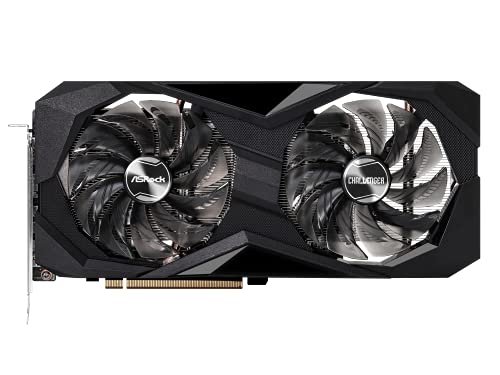
ASRock Radeon RX 6600 XT 8 GB Challenger D OC Video Card (RX6600XT CLD 8GO)
unique haven
Is there a difference between that and this

Sapphire Pulse AMD Radeon RX 6600 XT Gaming Graphics Card with 8GB GDDR6, AMD RDNA 2.
potent portal
Nothing major. The sapphire has a higher power limit and boost clocks
unique haven
So I should go with the cheaper one
potent portal
Yeah there's little real world difference, might as well save $30
unique haven
Okay thank you!!
 unborn mesa
Should i use a m.2 to pcie adapter or just buy sata drives?
mossy venture
unborn mesa
Should i use a m.2 to pcie adapter or just buy sata drives?
Did you mean m.2 to sata?
unborn mesa
Nah like the 2.5” sata drives
I got 2 m.2 on my bosrd but they both got a m.2 drive so
Tryna see how i can expand and which is a smarter way to
strong raft
They meant m.2 to pcie slot, and yes that's fine. It's how I have an sn550 in a z77 mobo. Of course I don't boot from it, that's what the MX500 is for. Sata would be fine for most stuff, long as you get a decent price.
potent portal
I booted from an adapted nvme drive on my old FX 8300 system
Works perfectly fine. All it's really doing is providing the proper interface, they both use the PCIe protocol already.
lilac ember
PC Builder - Intel Core i9-12900KF, GeForce RTX 3090 Ti
I trying to find Power supply for this
potent portal

EVGA SuperNOVA G6 1000 W 80+ Gold Certified Fully Modular ATX Power Supply (220-G6-1000-X1)
lilac ember
i need 1200 or 1500 1600
potent portal
No you don't but I'll pick one

EVGA SuperNOVA 1200 1200 W 80+ Platinum Certified Fully Modular ATX Power Supply (220-P2-1200-X1)
lilac ember
What you think of the build
potent portal
It's good for wasting money
unborn mesa
strong raft
They meant m.2 to pcie slot, and yes that's fine. It's how I have an sn550 in a ...
What adapter do you have
strong raft
unborn mesa
What adapter do you have
https://www.amazon.com/dp/B098SHJ37J - gen 4 model just in case & $11 felt decent.

Supports M.2 PCIE NVME/AHCI SSD (Key-M), Compliant with PCIE GEN3. PCIE 3.0 X4 full speed support. PCI Express 3.0 x4 lane host/drvie adapter. Supports PCIe Gen3 and PCIe Gen2 M.2 NGFF 80mm, 60mm, 42mm,30mm SSD. M.2 NGFF type 2280-D5-M connector on board. Supports PCIe 1.0 ,PCIe 2.0 and PCIe 3.0 ...
unborn mesa
I seen a adapter with 4 m.2
lilac ember
potent portal
It's good for wasting money
I like built it once do it right
potent portal
Sure but you're also spending $2000 more for about 10% more performance
unborn mesa
Shadow what you need that build for
lilac ember
Gaming streaming adding and YouTube
cyan ravine
cyan ravine
https://pcpartpicker.com/list/CkQWzf
.
unborn mesa
Lmao
strong raft
What I'm waiting to see is 13700, which will be similar to 12900 thnx to the Ecore upgrades.  . Close to the worst time to get high end of current gen is all, lol
lilac ember
I like do over kill
potent portal
Ok but why spend 150% more money for 10% more fps
lilac ember
idk
fossil cedar
cyan ravine
https://pcpartpicker.com/list/CkQWzf
I approve but why spend extra on the ram over regul 3200?
cyan ravine
He wanted rgb
lilac ember
yes i like rgb
cyan ravine
That ddr5 is so ridiculous too it's 6 times more expensive for 2 or 3% performance
lilac ember
what good ram
unborn mesa
lilac ember
I like do over kill
Pointless
strong raft
For all these other parts, I'd definitely be having 3600c16 or something in there. - I forget who, but showed some tasks w/ 12th gen like extra bandwidth.
unborn mesa
cyan ravine
Cheap ddr4
Recommend some rgb ddr4
All the rgb i found is about 150+ for 32gbs
lilac ember
Everything going ddr5
fossil cedar
cyan ravine
He wanted rgb
Also would opt for the mortar wifi for 10$ more
fossil cedar
cyan ravine
He wanted rgb
Oh well I'd get some better rgb than that then lol
potent portal
lilac ember
Everything going ddr5
Current DDR5 is no better than moderately high end DDR4
fossil cedar
6 is an not correct but yeah ddr5 is terrible value atm
unborn mesa
@strong raft https://a.co/d/du2CKUV think this would work fine?

ASUS Hyper M. 2 x16 Gen 4 Card is designed specifically for RAID functions in four M. 2 slots, providing up to 256Gbps transfer speed. Design for AMD 3rd Ryzen sTRX40, AM4 Socket and Intel VROC NVMe Raid. PCIE 4. 0 X16 Interface with server-grade (low loss) PCB material and Supports 14W power con...
cyan ravine
fossil cedar
Oh well I'd get some better rgb than that then lol
https://pcpartpicker.com/list/dZcpzf @lilac ember
PC Builder - Intel Core i7-12700F, GeForce RTX 3080 12GB LHR, Corsair 4000D Airflow ATX Mid Tower
Why mortar over pro tho? Aren't they very similar?
fossil cedar
I would do this
https://pcpartpicker.com/list/TCwstn
PC Builder - Intel Core i7-12700F, GeForce RTX 3080 12GB LHR, Lian Li LANCOOL 215 ATX Mid Tower
fossil cedar
cyan ravine
Why mortar over pro tho? Aren't they very similar?
Just a bit better, not needed but for 10$ imo it's worth the better vrms and built in io shield
cyan ravine
He wants a 7000D so that's why I put 4000d lol
fossil cedar
Also looks like there's an extra usb as well as a usb c and better audio afaik
Makes sense
strong raft
unborn mesa
<@742588277898608713> https://a.co/d/du2CKUV think this would work fine?
Sure. I just didn't want to spend $50+ & I'm not buying 4ssds anytime soon. Plus, the slot mine is in only does x8 max.
lilac ember
I’m planning to do custom were calling with it
cyan ravine
Custom?
lilac ember
Yep
lilac ember
Yep
 fossil cedar
They're stupid expensive
cyan ravine
Not worth
fossil cedar
It's not even worth it to custom loop a 12900ks 3090 ti
lilac ember
Why not
cyan ravine
Conventional cooling is so good now that you stand to gain maybe 1 or 2% on full water
And spending like
An extra 600 or more
fossil cedar
Tiny performance difference in overclocking head room for like 400$ minimum
lilac ember
If you Voice chat I’ll be there
potent portal
Unless you're planning on doing some hardcore overclocking and benching you don't need a custom loop
fossil cedar
potent portal
Unless you're planning on doing some hardcore overclocking and benching you don'...
On the flagship products, literally 0 point on a 3080 12gb and 12700f
potent portal
Yeah pretty much
lilac ember
https://pcpartpicker.com/list/VKZytn this was my amd i have
PC Builder - AMD Ryzen 7 3800X, Corsair 7000D AIRFLOW ATX Full Tower
cyan ravine
Are the ssd, ram and cooler salvalgeable?
lilac ember
yep
cyan ravine
Salvalvagabable
Ok great
Use those
I can approve using another 7000D if you reuse those
lilac ember
That was going to do
fossil cedar
lilac ember
https://pcpartpicker.com/list/VKZytn this was my amd i have
This your current pc?
cyan ravine
Reuse those fans too, very meh fans but money saved
lilac ember
yep for 3y
lilac ember
cyan ravine
Reuse those fans too, very meh fans but money saved
join me in general 1 voice
strong raft
cyan ravine
Reuse those fans too, very meh fans but money saved
Money saved for a couple fans + ShadowReaper does not correlate.
fossil cedar
lilac ember
https://pcpartpicker.com/list/VKZytn this was my amd i have
Personally I'd wait until 13th gen intel and just stick the 3080 12gb into your current pc or if you have a decent gpu atm wait for rx 7000 or rtx 40 series and change out the psu to g6 850w or 1000w
cyan ravine
It got wrecked
cyan ravine
lilac ember
join me in general 1 voice
It's too early in the morning for me to do voice chat
lilac ember
Truth be told waiting for new AMD be out
cyan ravine
drowsy zodiac
looking for a basic ass cpu fan is cooler master any good?
Se-214-xt or gammax 400* can work. What cpu?
fossil cedar
drowsy zodiac
looking for a basic ass cpu fan is cooler master any good?

Gammaxx 400 for 15$ or id cooling se 214 xt for 20$
drowsy zodiac
i5 11400f
lilac ember
I in us 5:43 pm
cyan ravine
Yeah it'll be fine
cyan ravine
lilac ember
I in us 5:43 pm
I'm in Australia 7 in the morning lol
fossil cedar
lilac ember
Truth be told waiting for new AMD be out
I would see how 13th gen goes, ryzen 7000 is gonna be ddr5 only
fossil cedar
drowsy zodiac
now another question
It will work but as i mentioned earlier poor choice atm, what country and budget for the pc?
cyan ravine
lilac ember
Pato
drowsy zodiac
fossil cedar
It will work but as i mentioned earlier poor choice atm, what country and budget...
canada 1500$
lilac ember
I know I see the Live stream
drowsy zodiac
i got a build list rn
fossil cedar
Oh god 1500 for 1650 gaming pc is horrible 1 sec
cyan ravine
You can do way better than a 1650
drowsy zodiac
man prices are terrible lol
cyan ravine
Try something like a 6700xt
drowsy zodiac
i’ll send my list
strong raft
lilac ember
Truth be told waiting for new AMD be out
On the Intel side, big thing is that 13700K might basically equal a 12900K thnx to Ecore upgrades. We'll see. At the very least there's an ipc increase & more Ecores on each model.
cyan ravine
Probably better actually
fossil cedar
@drowsy zodiac need wifi?
fossil cedar
cyan ravine
Pato
Oof
cyan ravine
Ye motherboard prolly screwed
drowsy zodiac
fossil cedar
<@710324171175100477> need wifi?
yes
here i’ll just send a basic list
not the case and whatever
drowsy zodiac
cpu i5 11400f 190$
gpu Msi ventus gtx 1650 225$
ram 16gb 3200 team tforce 85$
mobo msi mpg Z490 190$
 drowsy zodiac
why not a z
cyan ravine
Really anything decent but cheap as you can go for 11400f
Z is for overclocking and 11400F is not an overclocking chip
Also
12th gen will serve better value here
drowsy zodiac
this will be my first time building a pc
i bought a ibuypower prebuilt and it was garbage broke in 30 mins no joke lol so i’m getting a refund
cyan ravine
Not unheard of tbh lol
drowsy zodiac
yeah true
fossil cedar
@drowsy zodiac https://ca.pcpartpicker.com/list/QTpcGL
PC Builder - Intel Core i5-12400F, Radeon RX 6700 XT, Corsair 4000D Airflow ATX Mid Tower
This will be 
fossil cedar
No
fossil cedar
Hold on 1 sec then
drowsy zodiac
ok bet
fossil cedar
@drowsy zodiac
https://ca.pcpartpicker.com/list/PkHytn
PC Builder - Intel Core i5-12400F, Radeon RX 6700 XT, Phanteks Eclipse G360A ATX Mid Tower
Case comes with 3 rgb fans
cyan ravine
G360A 
fossil cedar
More likr g360 bae 
drowsy zodiac
this will run good?
cyan ravine
Ye
fossil cedar
Very
drowsy zodiac
pretty cheap how do you guys find the deals
fossil cedar
Being kind, this will curb stomp your build
cyan ravine
drowsy zodiac
pretty cheap how do you guys find the deals
Practice
fossil cedar
Pc part picker is great
drowsy zodiac
fossil cedar
Being kind, this will curb stomp your build
all good
i just wanna play like cold war and stuff
lol
fossil cedar
And sort low to high and just practice watching reviews n stuff
Oh yeah you can play cold war on 1440p on that
cyan ravine
Not on g360a
drowsy zodiac
i been playing xbox my whole life
cyan ravine
It comes with 3
drowsy zodiac
i don’t need the fan for the back ?
cyan ravine
Not really no
fossil cedar
drowsy zodiac
so will i need to buy more fans or no?
Nope
drowsy zodiac
got any good website for windows 10 keys
fossil cedar
Iirc it comes with 1 black fan in the back already
fossil cedar
drowsy zodiac
got any good website for windows 10 keys
Just don't activate windows, which is free and legal
drowsy zodiac
yeah but then don’t you have the watermark
fossil cedar
Fair
drowsy zodiac
lol
fossil cedar
You can find keys on ebay for cheap from what I've heard
drowsy zodiac
so setting up the pc itself hard at all? or pretty straight forward
throw on a youtube vid and figure it out😭😂??
lol
cyan ravine
Can play it while you make it if that works for you
Oh wait windows
My b lol
7am
fossil cedar
drowsy zodiac
so setting up the pc itself hard at all? or pretty straight forward
Pretty straight forward, a lot of things only fit one way etc
cyan ravine
NO 8AM
drowsy zodiac
say less
cyan ravine

drowsy zodiac
you guys add me back for when i have all the parts and stuff incase i need help?
fossil cedar
Why'd you delete the guide?
fossil cedar
drowsy zodiac
you guys add me back for when i have all the parts and stuff incase i need help?
Just pop in here
cyan ravine

Thanks to Seasonic for sponsoring this video! Buy a Seasonic TX 1000 PSU today at https://geni.us/aryiquT
We’ve done plenty of build guides before – But now we’re taking it to the next level. Not only will you know how to build a PC, you’ll know how to build ANY PC – This is the LAST guide you’ll ever need!
Discuss on the forum: https://linust...
Undeleted
fossil cedar
But that's a good guide from LTT ^^
cyan ravine
fossil cedar
Why'd you delete the guide?
Thought they just meant windows
fossil cedar
NP
fossil cedar
cyan ravine
Thought they just meant windows <:LUL:477112317574774785>
Ahh
drowsy zodiac
what fps you think on cod? and stuff similar
cyan ravine
Not sure off the top of my head but it'd be mid fr
fossil cedar
In 1440p like ~180fps in 1080p pfft 200+
fossil cedar
Probably 250+ at 1080p
drowsy zodiac
wow
cyan ravine
You got a monitor that's 1440p?
drowsy zodiac
i do not
fossil cedar
@frank stirrup how many fps you get in call of booty on your 6750?
cyan ravine
G27Q if you can afford it on top is a good one
Otherwise the list might need adjusting
fossil cedar
fossil cedar
<@499525349109923844> how many fps you get in call of booty on your 6750?
He has slightly better gpu, worse cpu, plays 1080p ^ should be roughly same
drowsy zodiac
cyan ravine
G27Q if you can afford it on top is a good one
to expensive for what i’m looking for
i’m just looking for a basic pc to run things nicely pretty much
fossil cedar
If you want a 1440p monitor in Canada, I'd go this monitor
https://ca.pcpartpicker.com/product/N3JgXL/msi-optix-g273qf-270-2560x1440-165-hz-monitor-optix-g273qf

MSI Optix G273QF 27.0" 2560x1440 165 Hz Monitor (Optix G273QF)
I have that one, it's good
drowsy zodiac
definitely keep that in mind
will any monitor work?
i just won’t get the full aspect of the graphics
cyan ravine
Any will but you won't use the pc (gpu) power properly
drowsy zodiac
hm
fossil cedar
drowsy zodiac
will any monitor work?
Yes
drowsy zodiac
so maybe i just need a less powerful gpu
fossil cedar
Not need
fossil cedar
drowsy zodiac
i just won’t get the full aspect of the graphics
You'll be able to use it to it's full potential just you could use it at a higher resolution
drowsy zodiac
cyan ravine
Any will but you won't use the pc (gpu) power properly
makes it sound like something is going to break lol
cyan ravine
Won't break, you'll just not be using the gpu to it's full potential
drowsy zodiac
ohh ok
potent portal
Nah just means you're leaving power on the table you paid for
drowsy zodiac
i mean maybe in the future i could buy one of those monitors
i’m only 17 so minimum wage is pretty rough
cyan ravine
Should we adjust the list so it fits the budget with a monitor?
drowsy zodiac
i make 15$ a hour lol
potent portal
At least you don't have as many expenses
potent portal
Insurance I understand being that high but how is your phone bill that high?
I pay less for 2 lines, 2 financed phones, plus Internet
fossil cedar
Maybe 220 early?
potent portal
All unlimited
drowsy zodiac
0$ down
fossil cedar
220 phone has to be anually
fossil cedar
You got scammed
potent portal
So does my wife
drowsy zodiac
and my car is stupid priced with insurance
potent portal
We still pay $180 for all those lines and phones
fossil cedar
Let's be generous and say the SIM card cost 60/month

That means you're paying 4k for a 1k phone
drowsy zodiac
yeah fr lol
fossil cedar
Uhhh
potent portal
drowsy zodiac
and my car is stupid priced with insurance
That's just a young driver problem, not much can be done
fossil cedar
How
potent portal
What carrier
potent portal
Not even the service? Just the phone?
drowsy zodiac
phone and service
i’ve always got my phones from them tho
and they always seem to be in the same price range
like my iphone 8 awhile back was 200
fossil cedar
They scamming you there's no way they charging 220 a month
potent portal
I looked and a 20gb data plan plus iPhone 13 is $65 a month
drowsy zodiac
potent portal
That's just a young driver problem, not much can be done
06 g35 coupe
there’s no way
i got 10gigs unlimited calling
potent portal
 drowsy zodiac
that’s some bull i’m gonna talk to them about it now that you show me that
potent portal
Sorry 65 plus phone so 100 which is still too much
fossil cedar
potent portal
I looked and a 20gb data plan plus iPhone 13 is $65 a month
Granted their canadian so it's more like 170$ usd
But still
potent portal
fossil cedar
Granted their canadian so it's more like 170$ usd
That's what I pay for 3 lines though
fossil cedar
Yeah still outrageous
drowsy zodiac
idk man i pay 220 cad
fossil cedar
Me with 25/month unlimited 
potent portal
 cyan ravine
Pato 6600xt on g27q for cold war?
 stoic island
yes
cyan ravine
drowsy zodiac
wait could you guys do a decent build 1200$ - 1300$
I'm doing one rn
drowsy zodiac
okok
fossil cedar
cyan ravine
Pato 6600xt on g27q for cold war?
Ehh I'd do 1080 for 6600xt
cyan ravine
Ok
PC Builder - Intel Core i5-12400F, Radeon RX 6600 XT, Cougar MX330-G Air ATX Mid Tower
Can trim it more to fit rgb but that's sort of the idea
potent portal
Could save a little and go 12100
fossil cedar
@drowsy zodiac https://ca.pcpartpicker.com/list/3cVpzf
PC Builder - Intel Core i5-12400F, Radeon RX 6650 XT, Phanteks Eclipse G360A ATX Mid Tower
cyan ravine
potent portal
Could save a little and go 12100
I think 16gb ram would be a better saving
fossil cedar
cyan ravine
https://ca.pcpartpicker.com/list/WpWhFg
They want rgb tho :/
drowsy zodiac
see i want these rgb ram tho https://www.newegg.ca/team-16gb-288-pin-ddr4-sdram/p/N82E16820331285?item=N82E16820331285
cyan ravine
fossil cedar
They want rgb tho :/
Rgb ram where 
drowsy zodiac
they look cool
potent portal
cyan ravine
I think 16gb ram would be a better saving
Both probably to get it even lower
stoic island
getting it under 1300$ w monitor a bit annoying
cyan ravine
Idk, you kinda cut it a bit deep on a 12100
drowsy zodiac
it doesn’t have to be a amazing monitor
i’m not crazy about graphics i just want the thing to run decent yk?
potent portal
cyan ravine
Idk, you kinda cut it a bit deep on a 12100
Not at 1440p
cyan ravine
G241 is all round good
still roostBOT
 Anxiety#7855 has been warned
Reason: Bad word usage
stoic island
this is what'll have to happen to get it under 1300$ w monitor
https://ca.pcpartpicker.com/list/ghTytn
PC Builder - Intel Core i5-12400F, Radeon RX 6600, Cougar MX330-G Air ATX Mid Tower
fossil cedar
@Anxiety#7855 https://ca.pcpartpicker.com/list/jQggFg
PC Builder - Intel Core i5-12400F, Radeon RX 6650 XT, Phanteks Eclipse G360A ATX Mid Tower
They want wifi btw
cyan ravine
PC Builder - Intel Core i5-12400F, Radeon RX 6600 XT, Phanteks Eclipse P360A ATX Mid Tower
fossil cedar
Hence the expensive mobo
fossil cedar
cyan ravine
https://ca.pcpartpicker.com/list/HtsGbK
6650xt is 5$ less
drowsy zodiac
fossil cedar
@Anxiety#7855 https://ca.pcpartpicker.com/list/jQggFg
this will work
stoic island
slightly annoying
cyan ravine
HELP I'M LAGGING
fossil cedar
drowsy zodiac
this will work
You can also go p360a to save like 20$
Instead of g360a but ye
drowsy zodiac
honestly anything better then a intel inside laptop will make me happy
https://ca.pcpartpicker.com/list/jQggFg this case comes with fans?
PC Builder - Intel Core i5-12400F, Radeon RX 6650 XT, Phanteks Eclipse G360A ATX Mid Tower
stoic island
btw is the budget 1300$ for the build and you have a separate budget for monitor or is it 1300$ for the build and monitor
drowsy zodiac
the build and monitor
cyan ravine
Ok I made it all fit
PC Builder - Intel Core i5-12400F, Radeon RX 6650 XT, Phanteks Eclipse P360A ATX Mid Tower
G360A also fits
stoic island
uh
cyan ravine
Wait 1300 for all of it?? Not 1500?
stoic island
might have to drop down to a 12100

 drowsy zodiac
instead of radeon how about a 2070
cyan ravine
PC Builder - Intel Core i5-12400F, Radeon RX 6600, Cougar MX330-G Air ATX Mid Tower
Can take the cpu cooler out and use the stock one to keep it under 1300
stoic island
If you sacrifice performance for looks you can do
https://ca.pcpartpicker.com/list/pG6H78
PC Builder - Intel Core i3-12100F, Radeon RX 6600, Cougar MX330-G Air ATX Mid Tower
stoic island
drowsy zodiac
3050?
performs worse than 6600 at the same price
cyan ravine
12400 fits
stoic island
cyan ravine
12400 fits
ye but they wanted rgb ram therefore the "sacrifice performance for looks"
stoic island
oh yea I stuck to 1tb drive
cyan ravine
Ye
stoic island
and slightly better psu
cyan ravine
6600 btw is not a lot worse than a 6650 @drowsy zodiac
So you haven'treally lost much
But if you want to have the full rgb treatment then any lower you will start properly* losing performance
It's about as no frills as it'll go
drowsy zodiac
PC Builder - Intel Core i5-12400F, Radeon RX 6600, Cougar MX330-G Air ATX Mid Tower
this one good?
cyan ravine
Ye it'll be good