#storage-devices
1 messages · Page 58 of 1
 trim cloak
 warped rampart
explain
trim cloak
but no death pls mr. sir😔
 minor sun
It's same controller iirc
trim cloak
explain what💀
warped rampart
what is ex900
minor sun
Hp
warped rampart
like in minecraft?
 kind sierra
no
minor sun
Sm2263xt
warped rampart
or the company
trim cloak
warped rampart
what is ex900
an ssd made by HP •_•
minor sun
The company
warped rampart
trim cloak
an ssd made by HP •_•
alright but like is there a review
minor sun
Is micron 64L the meta for budget drive now...?

Tom's Hardware
The new HP EX900 starts at just $59.99, but you would never know it from its performance.
trim cloak
minor sun
Is micron 64L the meta for budget drive now...?
not soon
toshiba on the come up
minor sun
Micron 176L when xd
trim cloak
it’s already a thing
minor sun
I mean on consumer drives
Saw it on a micron drive like a month ago
(Micron 3400)
When we getting it in like rocket 4 plus
warped rampart
minor sun
https://www.tomshardware.com/reviews/hp-ex900-ssd,5531.html
cool so it's an hmb tlc drive that is good
trim cloak
minor sun
When we getting it in like rocket 4 plus
rocket 4 plus is already bae
it shouldn’t change
minor sun
Better rnd can help tho
trim cloak
warped rampart
cool so it's an hmb tlc drive that is good
yea, now no death pls
c710 very poggy woggy
minor sun
Why tho
trim cloak
why wut
warped rampart
no death
minor sun
Mp33 and helix L are more my go to for budget drives
warped rampart
mp33 has been solid since i started giving build help
minor sun
Well, go-to-check drives
trim cloak
c710 is cheaper tho
minor sun
1$
trim cloak
and z330 occasionally becomes below as well
trim cloak
minor sun
1$
that’s a 3 musketeer’s bar good sir
minor sun
Lol
kind sierra
warped rampart
mp33 has been solid since i started giving build help
Not a fan of the mp33
That price tier I'd go sn550
warped rampart
how come
minor sun
Most people aren't going to go through the pslc cache
trim cloak
….what
kind sierra
Kinda bad hmb
minor sun
Sure split metadata on the sn550 makes it perform nice but that doesn't make mp33 bad :p
warped rampart
look when it comes to gamers (average build helpee) they really dont need much more than an mp33
kind sierra
It doesn't make it good either
minor sun
It makes mp33 tolerable, especially when considering price
warped rampart
sn550 was always good for UK builds
kind sierra
mp34 though
trim cloak
minor sun
Sure split metadata on the sn550 makes it perform nice but that doesn't make mp3...
split metadata is just a weird implementation they decided to do
warped rampart
a80 though
trim cloak
i would rather pure dynamic
minor sun
90$ mp33 1tb or 105$ sn550 1tb is an easy choice imo
trim cloak
but…idk WD on crack or sum
minor sun
trim cloak
split metadata is just a weird implementation they decided to do
It performs good, good enough for me
trim cloak
yea, but the decision was weird lol
kind sierra
If there's room in budget, I usually go mp34
minor sun
It's not dumb if it works ;)
warped rampart
minor sun
90$ mp33 1tb or 105$ sn550 1tb is an easy choice imo
a80 at 99$ tho
minor sun
P34a80 or p32a80
trim cloak
didn’t say it was dumb🤨
warped rampart
minor sun
P34a80 or p32a80
p34
minor sun
Also, did p34a80 change controllers again after going e12 to sm2252 or whatever
trim cloak
why get an mp34 when z340 is $10 cheaper
or sn750 🤨
or just be weird and pay $20 more for us70
minor sun
Sn750 a lil sad though
trim cloak
how is it sad
minor sun
it's like a low end high end drive if you look at rnd
warped rampart
@trim cloak ever got the kids who cry when the drive is dramless
warped rampart
minor sun
it's like a low end high end drive if you look at rnd
luckily i got one for a good deal at mc iirc 100$
trim cloak
warped rampart
<@319961829491212288> ever got the kids who cry when the drive is dramless
a lot of times yes definitely
trim cloak
minor sun
it's like a low end high end drive if you look at rnd
for $115 it’s not bad at all
minor sun
usually 130$, which is what my impression of it comes from
kind sierra
115 is a sale price
kind sierra
You can't compare sale prices to normal prices
minor sun
pilot e is nice, 110$ pretty consistently
warped rampart
last time i was in pcpp server pilot e was hard parroted
trim cloak
that makes no sense…it’s what it is going for
kind sierra
Then why not just buy the 970 evo
trim cloak
you expect me to pay higher retail prices because it’s not the original purpose
minor sun
warped rampart
last time i was in pcpp server pilot e was hard parroted
pilot e is just kind of hardwired into my brain
kind sierra
512gb 970 evo, 54 bucks
warped rampart
minor sun
pilot e is just kind of hardwired into my brain
lol also that time i got a build from u a while back you used a pilot e
trim cloak
where
kind sierra
It was on Amazon
trim cloak
right now?
kind sierra
About nine months ago, but it was what it went for
 minor sun
trim cloak
i would still rather z340 over pilot-e anyway
minor sun
trim cloak
i would still rather z340 over pilot-e anyway
btw, why? I feel like pilot e would just perform better
trim cloak
you clearly can’t comprehend sales going on rn, so idk what you think this is
trim cloak
minor sun
btw, why? I feel like pilot e would just perform better
better random io and such
not a big difference
but that’s me, idc what anyone else gets lol
minor sun
I'll check, but p sure pilot e will do better in most seq benches
trim cloak
also was cheaper for a while, they trade blows with that
if you’re looking at max sequential then yea
but that doesn’t matter like at all lol
which can vary from drive to drive of the same model
trim cloak
ye i’m not disregarding sequential workloads
minor sun
trim cloak
if you’re looking at max sequential then yea
not max seq, was just looking at a bunch of charts on tom's hardware, most looked like pilot e is just superior, looking at rnd atm, but it seems like they might've used different versions of iometer or something, because the same drive got different scores in the two different reviews, which makes me sad.
wasn't even paying attention to what chart I saw
warped rampart
dyes
kind sierra
For a drive rn I'd say pilot e is the best bet
minor sun
anyways, too lazy atm to pay attention, pilot e seems fine still for my uses in slapping in people's lists
minor sun
because p32a80 dumb
trim cloak
a80 currently is p34, why would SP want to keep it currently p32 in the market
i mixed that up
 olive wadi
kind sierra
For a drive rn I'd say pilot e is the best bet
olive wadi
kind sierra
For a drive rn I'd say pilot e is the best bet
fake
pilot e shilling days are over
no longer cheapest in mid range
 silk trout
silk trout
silk trout
 tall ore
Mp33 isn't a great drive. Mp34 is a decent drive.
tall ore
Mp33 isn't a great drive. Mp34 is a decent drive.
no 1 or 2 tb option for t hat
silk trout
trim cloak
**especially** for that price
should i get it?
 blazing musk
silk trout
https://www.newegg.com/team-group-mp33-2tb/p/N82E16820331431 good?
blazing musk
silk trout
https://www.newegg.com/team-group-mp33-2tb/p/N82E16820331431 good?
MP33 is fine for a budget drive, MP34 is a tier higher.
kind sierra
Mp34 should have a 1tb, is it out of stock?
olive wadi
trim cloak
**especially** for that price
it has no metadata obviously
trim cloak
 ah yes how could i forget
minor sun
olive wadi
no longer cheapest in mid range
What's the replacement
olive wadi
minor sun
What's the replacement
p34a80 and just accept mysterious unic flash
minor sun
Aight
warped rampart
thats what im saying
trim cloak
minor sun
Aight
hope for the sm2262en variant tho
is what he should’ve told you to look for
which is i’m pretty sure the latest update of that model
trim cloak
at least hope for the early 2020 variant then
olive wadi
trim cloak
hope for the sm2262en variant tho
the concern isnt the controller the concern is bics3 vs unic lol
 night sundial
I need some help. I just installed my sea gate 4tb hard drive into my pc and it’s formatted but when I try to download a game from steam it says disk write error
blazing musk
Does it work if you run steam as admin?
night sundial
No I tried that
blazing musk
Are other things able to write to the drive without issue?
night sundial
Haven’t tried anything else
blazing musk
You might try making a new folder on the drive, and then telling steam to make a library in the new folder
 zinc bramble
Can anyone suggest an 1TB SSD that I could use to replace this 256GB M.2 PCIe NVMe Solid State Drive
 storm timber
4tb Samsung QVO ssd or the 4tb EVO ssd for $200 more?
Should I get the 4tb Samsung QVO ssd or the 4tb EVO ssd for $200 more? Is there much difference beside write speed?
 sour wadi
zinc bramble
Can anyone suggest an 1TB SSD that I could use to replace this 256GB M.2 PCIe NV...
sour wadi
zinc bramble
Can anyone suggest an 1TB SSD that I could use to replace this 256GB M.2 PCIe NV...
I'd check the pins there's a guide to buy
sour wadi
storm timber
Should I get the 4tb Samsung QVO ssd or the 4tb EVO ssd for $200 more? Is there ...
Why do you need 4tb in one drive? And no it's not worth 200 extra
trim cloak
yea this guide 😎 https://github.com/windshields/Gamezoid-SSD-buying-guide/blob/main/SSD tier list.md

GitHub
Gamezoid SSD buying guide, maintained and updated by the Gamezoid team. - Gamezoid-SSD-buying-guide/SSD tier list.md at main · windshields/Gamezoid-SSD-buying-guide
zinc bramble
trim cloak
yea this guide 😎 https://github.com/windshields/Gamezoid-SSD-buying-guide/blob/...
What is PCIe?
trim cloak
zinc bramble
What is PCIe?
what was the purpose of this question tho
 torpid adder
avoiding wikipedia 😎
zinc bramble
trim cloak
what was the purpose of this question tho
I want to upgrade from my 256 GB SSD to a 1TB SSD, but since I have never done anything with SSD's (only with HDD's), I thought I would ask
trim cloak
ah alright
trim cloak
torpid adder
avoiding wikipedia 😎
what lol?
tall ore
zinc bramble
I want to upgrade from my 256 GB SSD to a 1TB SSD, but since I have never done a...
I mean, for the most part... SSDs are fairly similar to HDD's. It's just the way they are plugged in. Either an M.2 connection, or a standard SATA connection. M.2 will (if it's NVMe) be faster than SATA.
trim cloak
in what are they similar lol, the fact that they store data?
they are literally completely different
tall ore
The fact that they both store data, permenantly.
trim cloak
well…not permanently
tall ore
They both serve the exact same function, in 2 different speeds.
trim cloak
there’s faulty factors to think about
tall ore
It's about as permanent as human life is.
trim cloak
you ever heard of electrons “leaking” out?
or even for hard drives, that can all cause corrupted foles
tall ore
I've literally, never heard of that, it sounds like a REALLY rare thing to have happen.
Because... For the most part, unless a Platter is damaged, or the Head just fails. An HDD lasts a LONG time.
And SSDs have a pretty long shelf life too.
trim cloak
well the disk can fail, it’s not invincible…
yea but it’s mot nearly forever
data retention is a thing, and can affect both storage devices
minor sun
tall ore
I've literally, never heard of that, it sounds like a REALLY rare thing to have ...
As a side note, nand flash cells work by having electrons practically teleport into a charge trap soooo (quantum tunneling is fun)
But SSDs are called SSDs because they are Solid-State drives, no moving parts, no platter
HDDs are quite prone to being damaged by vibrations and relatively strong magnets, SSDs really aren't
trim cloak
idk why you felt the need to say all that
i’m sure he got that lol
i mean besides Fowler–Nordheim tunneling, but basically unnecessary
just needs to know that RBER occurs more frequently than they think
minor sun
trim cloak
just needs to know that RBER occurs more frequently than they think
Cosmic bitflips more fun
minor sun
trim cloak
idk why you felt the need to say all that
SSDs are not HDDs, therefore I present my argument
minor sun
Welp, I also just felt like typing it so I did
 pallid orchid
tall ore
The fact that they both store data, permenantly.
pallid orchid
tall ore
The fact that they both store data, permenantly.
Fill the ssd with data and leave it unplugged for 10 years
XD
blazing musk
Until that pesky solar flare wipes a critical bit and makes the drive unreadable
kind sierra
There's a good reason why the arctic code vault doesn't use SSD or HDD
trim cloak
that’s why optane is very cool with more resistance to VTH of programming :D
frick normal ssd’s
pallid orchid
kind sierra
There's a good reason why the arctic code vault doesn't use SSD or HDD
whats it stored on then?
tape?
pallid orchid
kind sierra
Microfiche
I didnt know what this was and its very interesting after some reading up on it
the more you know!
 meager spire
kind sierra
There's a good reason why the arctic code vault doesn't use SSD or HDD
meager spire
kind sierra
There's a good reason why the arctic code vault doesn't use SSD or HDD
so I googled it. amazing.
 undone jacinth
Where do I put my sata ssd?
 dense merlin
undone jacinth
Where do I put my sata ssd?
dense merlin
undone jacinth
Where do I put my sata ssd?
What case do you have
undone jacinth
dense merlin
What case do you have
Can I just put it in the back?
sour wadi
undone jacinth
Can I just put it in the back?
Yeah, there's 2 or 3 black things on the back side of where the motherboard is or you can put it in the hdd tray
undone jacinth
Thx dude
sour wadi
Np
undone jacinth
sour wadi
Yeah, there's 2 or 3 black things on the back side of where the motherboard is o...
And what about cooling tho?
sour wadi
undone jacinth
And what about cooling tho?
What about it?
Sata ssds don't need cooling
minor sun
Far from a common issue for sata SSDs
sour wadi
^ unless you live closer to the sun than the rest of humanity you'll be fine lol
minor sun
As long as we're talking about 2.5in sata SSDs
undone jacinth
Tonight i dont
undone jacinth
minor sun
As long as we're talking about 2.5in sata SSDs
Yeah we are
minor sun
Unless your room is like 70 Celsius
You're fine
@undone jacinth just think of it this way, a m.2 drive is tiny, a 2.5in drive just has a m.2 drive but with that huge surface area for the heat to radiate off of, and it's not NVMe, so it's not going to be running that fast or hot
Not accurate but easier to think of
kind sierra
minor sun
Unless your room is like 70 Celsius
And if it is, you're probably dead anyway
So you have bigger issues
minor sun
Ya
trim cloak
the only issues i have is running out of milk for my cookie crisps
olive wadi
tall ore
I've literally, never heard of that, it sounds like a REALLY rare thing to have ...
pretty common and depending on the wear on the SSD
nand flash is hot garbage and hard copes by having a poop ton of ecc to work properly
trim cloak
buttt, that’s when read-retry’s problem is getting completed :D
olive wadi
trim cloak
buttt, that’s when read-retry’s problem is getting completed :D
its correcting errors therefor its ecc
kind sierra
olive wadi
pretty common and depending on the wear on the SSD
Yeah, they leak all the time, trick is getting enough in there that you can still tell what it's supposed to be and replacing the ones that pop out
The fact that they stay in there as long as they do is honestly amazing
olive wadi
kind sierra
Yeah, they leak all the time, trick is getting enough in there that you can stil...
i mean you put too much in and you start flipping bits, and you can't just replace the ones that pop out you have to reprogram an entire block
but you probably know that 
 subtle stream
Just bought a TeamGroup Z440 2TB and I'm getting really weird results

I'm expecting something like this:

Any thoughts?
sour wadi
subtle stream
Is your ssd in a gen 4 slot ?
kind sierra
4.3 GB/s says yes
minor sun
Rnd4k image is running a different test so that part makes sense
Reads being on the low side eh
Check if windows is doing something weird
subtle stream
sour wadi
Is your ssd in a gen 4 slot ?
Yes
subtle stream
minor sun
Check if windows is doing something weird
That's the theory, but idk what to check
minor sun
Task manager
Windows sometimes just does indexing at random times
And then just check windows corruption with dism and sfc
 sour wadi
subtle stream
Yes
sour wadi
subtle stream
Yes
Well that would definitely count for the seq speeds
subtle stream
sour wadi
Well that would definitely count for the seq speeds
It's in a gen 4 slot set to gen 4, but not getting gen 4 speeds
kind sierra
It is for write though, which is kinda interesting
sour wadi
subtle stream
It's in a gen 4 slot set to gen 4, but not getting gen 4 speeds
Nvm i misread
subtle stream
Rebooted and got these results
 minor sun
Yay
subtle stream
Better...
minor sun
Check if trim is off
subtle stream
?
kind sierra
Trim wouldn't make that big of a difference for read speed, would it?
minor sun
It might make a little, so worth checking
gonna find sfc and dism guide rq
General fix for random windows problems
From an admin command prompt or powershell, run:
sfc /scannow
If that doesn't work, try:
dism /online /cleanup-image /checkhealth
dism /online /cleanup-image /scanhealth
dism /online /cleanup-image /restorehealthThen, try running sfc again.
Repeat as necessary
kind sierra
fsutil behavior query DisableDeleteNotify
To check trim
kind sierra
¯_(ツ)_/¯
minor sun
but yea
kind sierra
He uses arch, he can handle it lol
minor sun
oh then yea
dense merlin
so my gfs hdd is having a lot of issues
pc randomly freezes for like 5min, disk running at 100%
chkdsk repaired it like 3 weeks ago and it temporarily fixed it
im guessing just get an ssd?

 opaque kelp
whats a good 1tb ssd? preferably around or under $100
minor sun
mp33 1tb works
opaque kelp
\

this one?

TEAMGROUP MP33 1TB SLC Cache 3D NAND TLC NVMe 1.3 PCIe Gen3x4 M.2 2280 Internal Solid State Drive SSD (Read/Write Speed up to 1,800/1,500 MB/s) Compatible with Laptop & PC Desktop TM8FP6001T0C101
minor sun
ye
opaque kelp
ok thank you
minor sun
long link
opaque kelp
yep
minor sun
simple shorten later
https://www.amazon.com/dp/B07XHMBQK3/
and a bit more
TEAMGROUP MP33 1TB SLC Cache 3D NAND TLC NVMe 1.3 PCIe Gen3x4 M.2 2280 Internal Solid State Drive SSD (Read/Write Speed up to 1,800/1,500 MB/s) Compatible with Laptop & PC Desktop TM8FP6001T0C101
opaque kelp
ty
@minor sun does this ssd have DRAM cache? i heard its pretty important if you don't want your pc to slow down as it gets filled up
or i dont have to worry about that?
torpid adder
where you have to start worrying about dram is SATA drives
 real lava
I guess, but I don't see any issue with my dramless wd green
But for sata it's recc to have dram anyway
torpid adder
honestly don't know if I'd use a dramless sata drive
it'd probably be fine for general files ig
real lava
It's pretty fine
I use it for os
It doesn't slow down at all for my use case
And it's like used up by 70% at this point
torpid adder
nice
real lava
As in filled ofc
torpid adder
I have an aio that uses a 240GB sandisk drive
torpid adder
the computer is absolutely the bottleneck, it's an a8-6410
real lava
lmao true
the cpu is the bottleneck
i also have same wd green drive in my bro's a4-6210 laptop
it's still sluggish
torpid adder
hehe
real lava
cause the cpu sure makes it slow
torpid adder
I have an a8-7600 at home that I need to make a build with that would be much better
opaque kelp
so would you guys say that mp33 is a good drive, or do you guys know any better ones?
torpid adder
yeah it's probably pretty nice
real lava
it's nice
tom's hardware likes it for it being dramless
also ye
a8 7600 would be much better to use day to day
a8 6410 is mobile
real lava
the a4 6210 is even worse
i regret choosing it for him lmao
he barely used it cause it doesn't game so well
runs hot


 compact cape
What's a good mass storage m.2?
 steady talon
What’s like the best of the best HDD?
My Seagate finally died on me and I’m looking for a replacement
sour wadi
steady talon
What’s like the best of the best HDD?
How best of the best you want? Like server grade ? And what size?
torpid adder
I'm thinking about wd blue but idk
x300 is probably better
I'm averse towards barracoda lol
sour wadi
steady talon
I was thinking about the Toshiba X300
I'd grab the x300
blazing musk
X300 is best bang for buck but you can find 12k rpm server drives
minor sun
opaque kelp
<@!278694081440251905> does this ssd have DRAM cache? i heard its pretty importa...
It uses HMB instead of dedicated dram
torpid adder
isn't hmb a dedication of a portion of your system ram tho
or is it like an on the fly cache it shrinks and expands as needed
compact cape
Yeah I've got the x300 hdd performs better then my seagate
trim cloak
torpid adder
isn't hmb a dedication of a portion of your system ram tho
it’s ram dram
minor sun
Yes
trim cloak
yes
kind sierra
yes
meager spire
yes?
dense merlin
Yes
 red jay
Yes
pallid orchid
Yes
 spice hedge
Yes
 rancid pike
Yes
 serene laurel
Yes
warped rampart
Aegis

 trim cloak
warped rampart
Aegis
trim cloak
warped rampart
Aegis
why ruin >;(
warped rampart
Aegis
steady talon
I just bought 2 1TB 980 pros
Decent deal on Amazon, they’re being sold for $180
I kinda think it’s worth it for that price, very similar rand to the P31 but slightly worse but a large difference in sequential speeds
olive wadi
steady talon
Decent deal on Amazon, they’re being sold for $180
GARBAGE
ADATA S70 IS KING
$150 FOR 1TB GET OWNED
kind sierra
Depends what for ig, doesn't the S70 have really poor performance when working with large chunks of data?
steady talon
^
Yeah it has very slow write speeds once the SLC cache fills up
And is still beaten by the 980 pro in every way
minor sun
P31 is neat
steady talon
I love my P31s
I mostly bought the 980s because I’m going to be building another system so I’ll have them ready for it when I get around to it
And I don’t think $180 for a 1TB is a bad deal
steady talon
I would do that if I was going for a budget build but I don’t think there’s anything budget about my build I’m planning out 
 rotund hill
what better for a boot drive a WD Black SN750 or a Samsung 980 I found both for 65.99 for a 500 GB
blazing musk
Neither at that price, 500gb is just bad value right now imo
You could get a good 1tb drive for $90
rotund hill
ye I found those prices for it but I just figured it be better to just have a separate drive for just windows and other computer programs
blazing musk
If you're just using it for a boot drive you don't need a top model anyway
subtle stream
minor sun
>
> General fix for random windows problems
>
> From an admin command prompt o...
Got busy, so I only just got around to doing this. Did this and optimized the drive and got the same basic results:
 olive wadi
kind sierra
Depends what for ig, doesn't the S70 have really poor performance when working w...
olive wadi
kind sierra
Depends what for ig, doesn't the S70 have really poor performance when working w...
"doesn't the S70 have really poor performance when working with large chunks of data" no

and its sustained performance is pretty acceptable for tier S
so even in like 500gb+ file transfers all good
idk i award it gamezoid S tier value king award
kind sierra
Eh, not bad. Definitely not firecuda territory, but that's also usually 220 or so


 latent schooner
what is a good cheap 1tb m.2 drive?
subtle stream
latent schooner
what is a good cheap 1tb m.2 drive?
Intel 660p isn't bad
latent schooner
oof it's $160 though
subtle stream
I got mine for $80 a few years ago
latent schooner
what about the crucial p2?
subtle stream
No clue, sorry
latent schooner
ty
subtle stream
I don't understand how some of my numbers are equal to or better than expected and others are just crap
latent schooner
is dramless good or bad?
blazing musk
latent schooner
is dramless good or bad?
This is also info included in the pin
blazing musk
subtle stream
I don't understand how some of my numbers are equal to or better than expected a...
Is this the drive your OS is stored on?
pallid orchid
latent schooner
is dramless good or bad?
well usually bad but sometimes we get the marvel that is called the SN550 and dramless ssd becomes good
subtle stream
blazing musk
Is this the drive your OS is stored on?
No, it's brand new
Just formatted NTFS
latent schooner
i think my laptop has a 500gb sn550
subtle stream
Just that and "optimized" it
latent schooner
oh wait sn530
subtle stream
@blazing musk I got it in a few days ago. It's on a gen 4 lane direct to my CPU. Bios is configured for gen 4 on that slot. I'm not short on lanes. SEQ1MQ8T1 read and RND4KQ32T16 R/W are both lower than expected, especially random. I bought the drive for that performance, so I'd really hate to leave it on the table
pallid orchid
subtle stream
<@!396513761550270464> I got it in a few days ago. It's on a gen 4 lane direct t...
the 660p?
subtle stream
pallid orchid
the 660p?
TeamGroup Z440
I'm booting of a 660p rn
I even tried turning my RAM speed down a little since one of my friends told me that helped him, but nothing
pallid orchid
what are you comparing them to?
like lower than expected but what were you expecting
subtle stream

Guru3D.com
It's time to review some next-level M.2. NVMe SSD, we review the TeamGroup Cardea Zero Z440 PCIe Gen 4.0 SSD. It reaches the fastest transfer rates we have seen thus far at 5 GB/sec. Of course it... SSD Performance Crystal DiskMark

Looking for around 3k
Getting under 1.5
pallid orchid
run a bench and screenshot
subtle stream
Like that random performance is what this drive seems to be good at. Seq is meh compared to competitive drives, but the rand blows everything else out of the water
Gimme a sec
This was my latest
Running a new one for you
pallid orchid
subtle stream
Like that random performance is what this drive seems to be good at. Seq is meh ...
there are many drives with better rand
blazing musk
Different size drives can have different performance
subtle stream
pallid orchid
there are many drives with better rand
I'm not opposed to hearing other options, but I'd really like to know why this one isn't performing as expected
subtle stream
blazing musk
Different size drives can have different performance
You think a 1TB vs a 2TB (what I have) would be half the rand performance?
blazing musk
It's entirely possible depending on which controller and NAND they used
subtle stream
blazing musk
It's entirely possible depending on which controller and NAND they used
Any way I can check without pulling it out?
pallid orchid
also depending on how old the review is and how new ur drive is, the internals could have been changed since release too
subtle stream
pallid orchid
also depending on how old the review is and how new ur drive is, the internals c...
True
blazing musk
Yeah they've been swapping parts around too much in drives lately...
subtle stream
Bench is almost finished
subtle stream
blazing musk
Yeah they've been swapping parts around too much in drives lately...
So I've seen
blazing musk
Check for a new firmware version for the drive and bios update for the system
subtle stream
BIOS is good. How do I check for a new firmware version on windows? (Sorry, I don't use windows often)
subtle stream
pallid orchid
run a bench and screenshot
 blazing musk
Run crystal disk info and it'll show your firmware version
subtle stream
Uh how do I tell it which drive?
blazing musk
There's tabs at the top with drive letters
subtle stream
Where at?
 blazing musk
Well I think we found your problem lol
That looks like your bios is configured for RAID mode
 blazing musk
Weird. The only other thing that would cause the drive to not be detected is a weird driver.
subtle stream
I mean I haven't installed any drivers besides the ones I assume windows already had for generic nvme storage
So CrystalDiskInfo isn't seeing any drive?
blazing musk
Right, it's not seeing any drive
subtle stream
Hm
blazing musk
Are you on intel or amd?
subtle stream
AMD
blazing musk
Ok so it's not the intel storage acceleration garbage
subtle stream
Nope
I've literally done nothing but plug it in, format it as ntfs, optimize it, and update windows
blazing musk
Try this next, newest version as of yesterday https://drivers.amd.com/drivers/amd_chipset_software_3.09.01.140.zip
subtle stream
So either the drive has different components then all the benches I've seen, or my Windows install is borked, but not bad enough for sfc to find anything
blazing musk
It looks more like a storage or driver misconfiguration
subtle stream
 subtle stream
Roger
Installing...
Oh dear lord the scaling
amazing

Oh it zoomed off into the void...
blazing musk
... There's clearly something deeper going on
subtle stream
It's open somewhere
Not on any monitor
And not minimized
So ig I'll restart it lol
subtle stream
blazing musk
... There's clearly something deeper going on
I'd rather not reinstall windows since I have a really weird audio configuration but I wouldn't cry if I had to. Was already debating it anyways
Ok there we go

Installing drivers
Installed successfully
Rebooting, brb
This isn't promising

Crystaldiskinfo still not detecting either
blazing musk
What version of Windows are you on?
 blazing musk
See if this can detect the drive, it's direct from Team Group's website
 blazing musk
Nothing there either, I'm at a loss. The last thing I'd do is either reinstall Windows or just deal with the performance.
subtle stream
Reinstall was somewhere on the horizon anyways...
I appreciate the help
fwiw

Literally never gonna use this drive with windows but I have it here as F for now so I can bench
blazing musk
One of those tools should have detected at least 4 of those drives, if not all 6
subtle stream
Beats me
¯_(ツ)_/¯
No f*ing clue how Windows does anything in the background
I'll try reinstalling windows sometime
Ideally this week
We'll see
If I make any progress (or don't) I'll @ you
blazing musk
Sounds good. It might take a bit for me to reply if I'm busy, but if I don't respond someone else can help.
subtle stream
No worries
Ty for trying
One last bench for no reason...

Welp
I'll reinstall Windows when I get a chance
trim cloak
steady talon
I kinda think it’s worth it for that price, very similar rand to the P31 but sli...
it’s not lol.
trim cloak
kind sierra
Eh, not bad. Definitely not firecuda territory, but that's also usually 220 or s...
definitely not firecuda 520/30 price either, so it makes complete sense
altho…heck s70, us70>
spice hedge
trim cloak
altho…heck s70, us70>
Language please
trim cloak
oh sorry, my fault
spice hedge
trim cloak
oh sorry, my fault
All good. Just be conscious about it here in this server, we have a lot of minors here and its against the rules
trim cloak
yea for sure
 echo ermine
I found 8 tb m.2 gen 8 drive
dense merlin
echo ermine
I found 8 tb m.2 gen 8 drive
My guy, you're spamming. Please don't
olive wadi
echo ermine
I found 8 tb m.2 gen 8 drive
wat
olive wadi
wat
 waxen dome
HI all. First time on discord. Recommended from the help desk at Newegg. I have a 2018 HP laptop that I like a lot, but I need to increase the internal SSD storage. At the moment it has a SK hynix PC401 HFS256GD9TNG-62A0A drive installed. I'm looking for recommendations of a larger drive that will fit in the same space, and any helpful information on how to clone the drive and do the swap. Is this a good place to get that info ?
blazing musk
waxen dome
HI all. First time on discord. Recommended from the help desk at Newegg. I ha...
That's a standard NVMe 2280 drive. How large are you looking for? There's decent drives for about $90 for 1TB or $185 for 2TB.
Cloning is easy enough. There's several methods you can use.
waxen dome
I'd probably be fine going to 1TB. I think my lightroom catalog is the big consumer so going from 256G to 1 TB is likely enough, though twice as much for another $ 90 or so mibht be worth it. Assuming I order a drive, do I need to order something like an enclosure to do the clone ? I did that on my last laptop and it went fine, but it looks like the form factor has changed.
blazing musk
An enclosure would be the easiest method for cloning but it's not the only method. If you have a backup hard drive you can save an image of the drive to that, but it's a little more complicated.
sour wadi
I'd spend the extra 5$ for the sn550 if you can afford
waxen dome
Seems like a good choice and it's on sale at newegg now. Any thoughts on an enclosure and any software needed to clone ?
blazing musk
You could use an enclosure like this, any will do tbh just make sure it's PCIe NVMe compatible
https://www.amazon.com/SSK-Aluminum-Enclosure-Adapter-External/dp/B07MNFH1PX/ref=psdc_160354011_t1_B076DCNZM3

SSK Aluminum M.2 NVME SSD Enclosure Adapter, USB 3.1/3.2 Gen 2 (10 Gbps) to NVME PCI-E M-Key Solid State Drive External Enclosure Support UASP Trim (Fits only NVMe PCIe 2242/2260/2280)
As far as software, Clonezilla is the best way since it runs from outside Windows, but Macrium Reflect is decent enough
waxen dome
Thanks. I've grabbed screen captures of this conversation and I'll do some shopping. Thanks for the help !! I'll drop in from time to time ....this is a great resource.
blazing musk
Happy to help! Stop by if you have any questions or just want to talk tech
waxen dome
Will do. Thanks all !
dense merlin
waxen dome
I'd probably be fine going to 1TB. I think my lightroom catalog is the big con...
What about an external drive?
sour wadi
Tbf external drives can be a pain for something that's supposed to be portable
blazing musk
External drives kinda suck for laptops in general
 fiery tendon
HI guys, My PC is dis-connecting some of my SATA drives, A HDD and a SSD. I get a message through Intel rapid storage technology app saying they have dis-connected. It seems to be out of no where, the only thing I can think of is I recently hooked up a USB external HDD with some media files on it but I've tried with it unhooked too with the same results. I restarted my PC to try to fix the issue but it was taking forever in the loading screen after post. so I checked BIOS but the only thing that looked weird in there was it was in CSM mode and I thought it was always in UEFI but I can't be a 100% sure of that, Do you guys have any ideas about fixing this issue and what ever may have caused it? Thanks
red jay
i have a 40gb old Seagate hd, i unplugged it like maybe 3 or 2 times of this computer that my dad has and apparently system in the sys32 folder corrupted and I can't login to windows XP now, is there a fix for it?
 upper quiver
probably, you might be able to repair the installation from the install disk
been a while since ive messed with xp tho
 mortal drift
Is this a good ssd? Check this out on @Newegg: Team Group MP33 M.2 2280 1TB PCIe 3.0 x4 with NVMe 1.3 3D NAND Internal Solid State Drive (SSD) TM8FP6001T0C101 https://www.newegg.com/team-group-mp33-1tb/p/N82E16820331417?Item=N82E16820331417&Source=socialshare&cm_mmc=snc-social-_-sr-_-20-331-417-_-09162021
 hybrid crescent
I own a Lenovo Ideapad Y700 15ISK laptop and I want to replace the HDD with a SSD cloning the OS and Data. Is the SAMSUNG 870 QVO Series 2.5" 2TB SATA III Samsung 4-bit MLC V-NAND Internal Solid State Drive (SSD) MZ-77Q2T0B/AM compatible and is there anything else that I need to purchase to be able to clone the current HDD?
kind sierra
mortal drift
Is this a good ssd? Check this out on @Newegg: Team Group MP33 M.2 2280 1TB PCIe...
If you want budget bulk SSD it's pretty good
trim cloak
wtf is a bulk ssd lol
blazing musk
Bulk storage, where you dump all the random stuff
minor sun
trim cloak
wtf is a bulk ssd lol
I'm guessing they're referring to the bit of the market segment drives like rocket q holds
trim cloak
never hear of someone refer to an ssd to use it for bulk storage lol
usually just say “it’s good enough”
minor sun
It's a market segment that exists, and I don't judge other for how they want to use terms as long as it makes sense to me sooo
trim cloak
yea for sure, not everyone needs something fast or being able to withstand stressing workloads
kind sierra
Yeah, I'm starting to see a shift in drive choices in higher end builds
olive wadi
blazing musk
Bulk storage, where you dump all the random stuff
thats what my cm5-r is for
my desktop is all ssd and i offload stuff i dont need on my desktop to my server
 blazing musk
That's a MUCH better result
kind sierra
That's gen4 speeds right there
blazing musk
The random still looks slightly low but that's either variance between units or a controller swap
This was the benchmark they looked at before btw #storage-devices message
kind sierra
Didn't even think to check if it was still the e16 before lol
That would have been smart
Noted for next time
trim cloak
blazing musk
This was the benchmark they looked at before btw https://discord.com/channels/50...
different drive tho
one is C: one is F:
unless they just changed the configuration actually •_•
blazing musk
That's a result from a benchmarking site, drive letter doesn't make that much difference also
kind sierra
trim cloak
different drive tho
Same drive
trim cloak
yea i know, read what i typed after :D
sour wadi
dense merlin
Opinions on the 660p? I mightve won one
Fine, bad for the price but if free then good lol
 dense merlin
sour wadi
Fine, bad for the price but if free then good lol
dense merlin
sour wadi
Fine, bad for the price but if free then good lol
I think it went down in price
50$ on amazon rn
sour wadi
Ntb but I'd rather a sn550
trim cloak
torpid adder
all free storage is good storage
everything free is good
and yes, even free expired bread is good, cause fun to throw away :D
torpid adder
lmao
you can get perfectly good food from the dumpsters of grocery stores during power outages
that of course relies on having terrible electrical infrastructure and disaster management
which America checks the boxes ;)
trim cloak
yes that ofc too!
kind sierra
dense merlin
Opinions on the 660p? I mightve won one
When on sale or free is good
It's qlc, but they have a section of slc set aside for cache so it's not entirely horrible
I have a 1TB 660p that I use for more bulk storage, I think it was $80 or so
sour wadi
trim cloak
and yes, even free expired bread is good, cause fun to throw away :D
Depends how expired it is, if it's just stale you can use that bread to make stuffing 
serene laurel
sour wadi
Depends how expired it is, if it's just stale you can use that bread to make stu...
or croutons for salad. Just put oil and spices and then toast in oven
trim cloak
i’ve actually never knew that abt croutons
serene laurel
Croutons make salad soo much better, I actually want to eat so much salad with croutons
red jay
Im having an issue with my RAID 0 speeds. Read and write is only about 20MB/s on otherwise healthy drives. The drives in the array are 3 146GB 10k SAS Drives.
blazing musk
Hardware or software raid? Sounds like one of the drives has a failing controller maybe
red jay
olive wadi
mmm carbs
i cant have too many carbs but i love subs 😔
blazing musk
You can check the SMART data by turning off raid mode in bios and booting an external OS like a Linux USB boot
I don't know of any non-specialty tool that can read SMART while raid is on
Then when you're done you can just turn raid back on
red jay
Yea I checked, and everything had seemed fine
blazing musk
Hmm, probably want to back up the data first and foremost. Raid 0 is risky, especially 3 way.
blazing musk
No data, ok cool that's easy to test then. Turn off raid and you can test each drive individually for speed to see if one is the fault or if it's another factor by re-initializing the disk and putting a new volume on it.
red jay
Fair enough
blazing musk
If each drive is roughly the same then you can do software raid using Windows storage spaces (or similar) which will tell you if it's the southbridge or driver that's at fault.
red jay
Yea each drive is identical
blazing musk
I mean roughly the same performance when you test individual speeds
red jay
Oh
blazing musk
Should have been more clear sorry
red jay
Lol it's fine man
Yea two of the 3 drives are getting around 10MB/s
The other one is fine
blazing musk
red jay
Yea two of the 3 drives are getting around 10MB/s
Now you know where the issue is at least, either the controllers or other hardware are failing on those 2 drives. Since they're 10k drives it's possibly the motor, which can be replaced if that's the issue.
 plush crag
Try putting the hba into IT mode
red jay
I'm gonna contact the seller and see if I can get 2 replacement drives. If not, it's not worth shelling out the money for repairs since I had planned on upgrading drives in the nearish future anyway
Also Im pretty sure it is a physical issue with the drives since They were making clicking noises whenever they were being operated. I had suspected those two drives were bad all along when my OS install was being extremely slow.
I just wasnt sure if that was normal since I dont use 10k drives too often, and the drives were technically functional
Well that was a quick response, they said theyll send 2 replacement right away
 gleaming talon
Anybody know if it's bad to just highlight everything on a hard drive and just completely delete it?
Not the hard drive with windows on it though
I reset my pc and I have like 10 hard drives and I just wanna wipe and delete everything on all them to start fresh
minor sun
dban
gleaming talon
Does it really matter if the data is recoverable or not?
Like if I don't use dban will that cause issues in the future?
Id only have to use that if I were selling it I feel
Also another question is it bad to cut and paste all the files from one drive to another?
real lava
nah
it's totally healthy
but if you wanna wipe the drive completely
dban is the best method
no way to recover it
blazing musk
If you just want to wipe it to reuse it formatting the drive works fine, it'll get rid of hidden files too that way
real lava
^
minor sun
ye, dban is just neatest method
 narrow sorrel
Is the 660p fine for a boot drive? I am getting one for free and I am thinking of shuffling around my SSDs between builds
dense merlin
narrow sorrel
Is the 660p fine for a boot drive? I am getting one for free and I am thinking o...
I asked basically the same question like 2 days ago, bad for the price but it's a decent enough drive
Gold hynix something or other I think is better, I can grab a link
narrow sorrel
Eh, as I said, free stuff is free stuff, just want to know if it is fine for a boot drive
dense merlin

SK hynix Gold S31 500GB SATA Gen3 2.5 inch Internal SSD | SSD 500GB | Up to 560MB/S | Solid State Drive | Compact 2.5' SSD Form Factor SK hynix SSD | Internal Solid State Drive | SATA SSD
Oh for free
Missed that part sorry
Yeah its pretty decent
dense merlin
sour wadi
Fine, bad for the price but if free then good lol
As pato said
red jay
💀 💀
 torpid adder
 real lava
narrow sorrel
Is the 660p fine for a boot drive? I am getting one for free and I am thinking o...
real lava
narrow sorrel
Is the 660p fine for a boot drive? I am getting one for free and I am thinking o...
yes
free is very good
or even if you happen to buy it
it's ok for normal usage of vast majority of people
 drowsy charm
should I buy a M.2 nvme cooler/heatsink ??
dense merlin
drowsy charm
should I buy a M.2 nvme cooler/heatsink ??
Doubtful that it's needed
torpid adder
nope
drowsy charm
torpid adder
nope
then why does WD sells additional heatsinks ??
dense merlin
Money
torpid adder
to look pretty
narrow sorrel
Yup, pure looks. Only reason I bought a heatsink is so there wouldn't be some random blue in the build. If you really need it, the drive can be installed in a slot that comes with a heatsink, the only reason motherboards come with one is because it is right underneath the gpu anyways, not because the drives really need it. Or to look better
torpid adder
looks nice on a shelf and on the product images
olive wadi
red jay
💀 💀
LOL
red jay
olive wadi
LOL
yea... i got sent two bad drives with a server I bought. luckily im getting them replaced for free
olive wadi
F
dense merlin
I've gotta put my hdd in my pc I got a while back in a trade
4tb hgst replacing a 2tb external that is dying
From 2018 but iirc hgsts have a long life
trim cloak
real lava
or even if you happen to buy it
no one should “happen to buy it”
 limpid snow
trim cloak
no one should “happen to buy it”
limpid snow
trim cloak
no one should “happen to buy it”
I think you could happen to buy something. Saw something that interests you in the shelf and you buy it? I think that constitutes it
 dense merlin
@minor sun sorry for the ping need an answer quickly, is this safe?

The hdd placement
Ignore the cords
minor sun
as long as it's secured, nothing wrong I can tell..?
torpid adder
is it secured?
minor sun
as far as I'm concerned, even if you ziptied it, as long as it's in place, doesn't really matter where you put it
dense merlin
Alright thanks
Last time I put an hdd in a pc it was lying on the bottom and it corrupted a week later
So wanted to make sure lol
torpid adder
jesus
 queen oracle
hmmm
 queen oracle
lol. Interesting that it is the same price as the Gen 3 SN750
blazing musk
More evidence it's only about marketing
 indigo arch
Ah jeez. I just shucked my first wd elements drive and it looks like i got the unlucky dip. Its a WD white drive in there, so i am guessing i am gonna need to do that pin thing with it?
olive wadi
queen oracle
hmmm
not good
olive wadi
queen oracle
lol. Interesting that it is the same price as the Gen 3 SN750
YEP
and its worse
olive wadi
indigo arch
Ah jeez. I just shucked my first wd elements drive and it looks like i got the u...
the only externals that ive had from wd that arent whites are the duos
indigo arch
olive wadi
the only externals that ive had from wd that arent whites are the duos
I know that these will either have whites or red from what I've read in the past. Other than the 3.3v pin i assume there isnt anything else that's bad about the drive
I havent actually plugged it in yet to see if the drive works or not without the tape but guessing it probably will need it
blazing musk
I shucked my 10tb WD drive and got a white label. Works fine in my server, I've got all my media on it now.
indigo arch
blazing musk
I shucked my 10tb WD drive and got a white label. Works fine in my server, I've ...
Mines a 14.
Yours worked with no tape?
blazing musk
No modification at all, just shucked and plugged
indigo arch
good to know
kind sierra
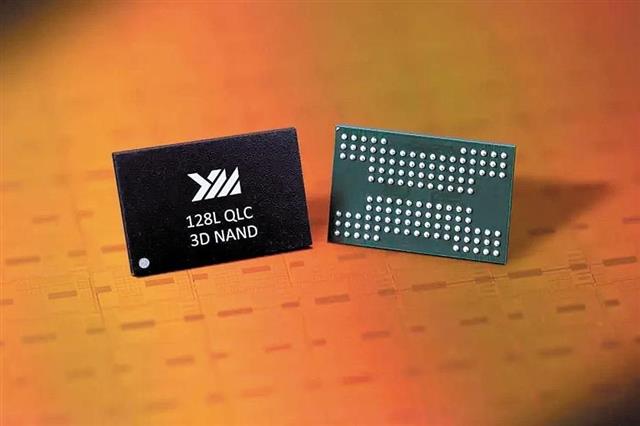
DIGITIMES
China-based Yangtz Memory Technologies (YMTC) has shipped over 300 million 64-layer 3D NAND flash memory chips and is ready to volume produce 128-layer QLC (quad-level cell) NAND, according to the company's chief operating officer Cheng Weihua.
indigo arch
blazing musk
No modification at all, just shucked and plugged
Looks like i didn't get lucky on my drive. It's not being detected by the PC.
Do i have to use something like Polyimide tape for the pin or can i use something else?
red jay
guys
i cloned my system to my new ssd and went into Mobo boot and set my boot to my ssd and i did a format on my old one and i did a reset now it wont boot up
what do i do?
olive wadi
minor sun
New nand maker eh
theres a bunch of random ones in china that both you and i have never heard of
like UNIC
red jay
????
minor sun
olive wadi
theres a bunch of random ones in china that both you and i have never heard of
yea ofc I mean new mainstream one
as in, no longer doing some random like 4l flash in the corner
but doing some fine performing 64l and then 128l flash
indigo arch
red jay
i cloned my system to my new ssd and went into Mobo boot and set my boot to my s...
Based on what I'm reading of your message you've basically said that you format both SSDs. So in that case you pretty much have no OS on either drive anymore. You'll wanna make a win 10 or OS of your choice bootable installation on a memory stick from another PC
red jay
its okay i got into bios and selected the ssd that i cloned my system to and it booted up just fine
my old ssd was corrupt so i just formatted the drive and its clear now
warped rampart
same
 flint lake
can someone help me tell if the SSD i selected is compatible with my motherboard?
i cant send screenshots here
sour wadi
flint lake
can someone help me tell if the SSD i selected is compatible with my motherboard...
What motherboard you got and what ssd you want?
flint lake
ill send u a dm
flint lake
Gigabyte Z490M
sour wadi
Can you send the name of the ssd?
flint lake
Innovation IT Performance+ 1 TB 00-1024111+ retail
something like this
on the page it says the socket is this
PCIe NVMe
flint lake
Latvia
sour wadi
Ahh
Are there any other options?
Like mb a sn550?
Or something
But yeah it will work
flint lake
what makes SSD different from others?
because this one has good speed
and is like 1TB
for a reasonably cheap price
sour wadi
flint lake
what makes SSD different from others?
Just different controllers and nand flash, just like what makes a car good, is a cheap car still a car yeah, but a good more expensive car will be a nicer, faster experience
flint lake
yeah, but basing of the speed mentioned under the SSD i chose, it seems like that would be a faster experience, for a better price
since the writing speed is 3400 MB/s
and the reading speed is 3000 MB/s
sour wadi
flint lake
since the writing speed is 3400 MB/s
That's sequential speed, not random, sequential is what you use if you're transfering like a huge 30gb file, random is what you use day to day, so random performance is actually way more important to majority of people
flint lake
so where can i see the random performance
or is that just very different for each ssd, and its something u cant really see?
sour wadi
flint lake
or is that just very different for each ssd, and its something u cant really see...
No, it's something you can see, random performance is measured in iops, if you look up a review or something of the drive if it isn't on the website
flint lake
oh ok, ill check it out then
 trail igloo
I have a question, I have a 1TB SSD drive but I need more space for games, music, pic, etc. What would be a good way of doing that and how would I set it up?
real lava
wdym?
Expanding the ssd's capacity or partitioning it into chunks?
If expanding the ssd's capacity, no
You need a bigger ssd for more lol
or more ssd
or an hdd
trail igloo
Would need another drive
real lava
yep
trail igloo
Thanks...... you are being helpful
flint lake
@trail igloo you could also try to clean your SSD
try to delete some files u dont need, but be careful
sour wadi
trail igloo
Thanks...... you are being helpful
You didn't ask a question mate, re read what you said
Well you did ask a question but it's missing something
trail igloo
What is it missing?
sour wadi
Wdym by "what would be a good way of doing that?"
Like more storage? I mean you can get more storage or use the cloud(for everything but games)
trail igloo
Need more local storage
sour wadi
Then depending on your budget and how much extra storage you want you can get another ssd or hard drive
trail igloo
I lack funds for a bigger ssd
sour wadi
trail igloo
I lack funds for a bigger ssd
Well you don't need a bigger ssd you can just add another ssd
Assuming you're not talking about a laptop with no expandability
trail igloo
It's a desktop
sour wadi
trail igloo
It's a desktop
Well what's your budget and now much storage you looking for then?
trail igloo
I don't know my budget per se, but I feel maybe 2TB more would help, maybe 4 tops
sour wadi
trail igloo
I don't know my budget per se, but I feel maybe 2TB more would help, maybe 4 top...
Are you in the us?
trail igloo
Yes
sour wadi
trail igloo
Yes
for 2tb: https://pcpartpicker.com/product/Jd8j4D/western-digital-blue-2-tb-35-5400rpm-internal-hard-drive-wd20ezaz for 4tb: for budgetish one https://pcpartpicker.com/product/LN2bt6/western-digital-red-4-tb-35-5400rpm-internal-hard-drive-wd40efax for more premium one https://pcpartpicker.com/product/xHzZxr/toshiba-internal-hard-drive-hdwe140xzsta
or if you want for ssd options you can get 500gb for 50ish, 1tb for 90ish, 2tb for 200ish
sour wadi
trail igloo
Would it be worth waiting for black friday/ cyber monday?
i mean mb? i honestly dont know
trail igloo
Hmm, really wish the ssd were cheaper
sour wadi
would be nice but it is getting cheaper
trail igloo
Yeah, but not fast enough
sour wadi
well obvs its not gonna be the same price as hdds by december but its going down at same rate as hdds did vs floppy etc
 true heath
flint lake
yeah, but basing of the speed mentioned under the SSD i chose, it seems like tha...
true heath
flint lake
yeah, but basing of the speed mentioned under the SSD i chose, it seems like tha...
It’s honestly a crap shoot imo. Example: I bought an nvme because it was highly recommended here in this very chat and had some test data to back it up, test data provided was faster than others that were advertised as being faster. Well fast forward a couple months I’m building a pc for a family member and when picking out a drive I’m like “ahh yes the WD SN550 is a great bang for the back high speed SSD” 🤦♂️ literally days later I see the YouTube vids 😂 it wasn’t a high demand machine by any means so it figured wth, long story long, you can do all the research you want in the end you still might just poop the bed anyways. Use your gut, buy name brand and cross your fingers 😂
sour wadi
true heath
It’s honestly a crap shoot imo. Example: I bought an nvme because it was highly ...
That was because they changed the parts of the sn550 tho
true heath
I’m aware. That’s why i said it’s a crap shoot when picking one out because you never know 😂
sour wadi
true heath
I’m aware. That’s why i said it’s a crap shoot when picking one out because you ...
Avoid adata and you'll probs be pretty safe lol
minor sun
true heath
I’m aware. That’s why i said it’s a crap shoot when picking one out because you ...
To be fair, that news came to this discord fairly quickly when it did came, and I'd say the lesson learned should NOT be just don't do research, the lesson learned is the market rapidly changes, advice can change as the situation changes :p
true heath
It’s like a pot of stew, throw in some research, some name brands, little bit of initial impressions stir it all up and see what comes out 😂 as most things you get what you pay for in general anyways. The sn550 the news broke literally days after I bought one 😂😂🤦♂️
minor sun
Ehhh
minor sun
true heath
It’s like a pot of stew, throw in some research, some name brands, little bit of...
Name brands are what these things are happen to, WD and ADATA are pretty big names, you turn to say team and I haven't seen them swap components yet :p
Even Samsung was doing some weird stuff swapping controller
true heath
My next point was gonna be the “just buy Samsung or don’t buy anything” crowd 😂
Team group is one I actually don’t know much about. I’m in the market for another drive but not in a hurry. Waiting to see if anything goes on sale. I have a P5 that’s been good to me so far Those are currently $120
true heath
If there’s a 1% I’ll find it, it’s just my luck 😂
olive wadi
true heath
It’s like a pot of stew, throw in some research, some name brands, little bit of...
and the sn550 news is also incredibly boring
booooo
adata and silicon power were doing it before it was cool
minor sun
Lol
minor sun
olive wadi
adata and silicon power were doing it before it was cool
Tbf p34a80 went from e12 to sm2262 iirc, one good controller to another good controller :p
olive wadi
minor sun
Tbf p34a80 went from e12 to sm2262 iirc, one good controller to another good con...
YEP
gamezoid is being rebranded btw
minor sun
Ya I saw
olive wadi
so the guide link wont work at some point or the other
minor sun
stoRAGE
 minor sun
Yup
sour wadi
The fan looks like a 200mm fan for some reason lol
 small steppeBOT
 windshields#9982 has been warned
Reason: Bad word usage
olive wadi
holy crap
olive wadi
 buoyant frigate
....
buoyant frigate
....
this is what happens when people listen to sean webster
trim cloak
minor sun
Tbf p34a80 went from e12 to sm2262 iirc, one good controller to another good con...
2262en
actually
e12>e12s>2262en
olive wadi
trim cloak
e12>e12s>2262en
did you just say e12 is worse than e12s lmao
e12s is e12 but can only handle half the dram capacity
minor sun
kek
blazing musk
olive wadi
so the guide link wont work at some point or the other
Ping me and post the new link when it's updated, and I'll make it the new pin
olive wadi
blazing musk
Ping me and post the new link when it's updated, and I'll make it the new pin
kk
idk im too lazy to update it
today at least
egress training tomorrow 😴
blazing musk
Whenever it gets updated, no big deal
olive wadi
trim cloak
it’s the order dingus
no?
olive wadi
e12s has half the dram cap of e12
trim cloak
with the latest as i said, the 2262en
blazing musk
As it's written that says e12 is greater than e12s which is greater than 2262
trim cloak
ik what e12s is, this isn’t about that
olive wadi
blazing musk
As it's written that says e12 is greater than e12s which is greater than 2262
oh lol
im having a funny moment
trim cloak
if you are using the signs in a literal sense sure
olive wadi
trim cloak
**ik what e12s is, this isn’t about that**
e12s>sm2262en have you had a sudden change of heart
trim cloak
but those are indicated as arrows
olive wadi
thought you were a soy motion fanboy
olive wadi
gamezoid ssd controller mk 1 rev 1 will be entirely open source
trim cloak
cause we are reliable and trustworthy
olive wadi
but i will be making my own closed source BSD operating system called closedBSD
oh lol i just realized what you were trying to say
blazing musk
That's a good way to guarantee no one downloads it
No one likes closed source Linux
olive wadi
blazing musk
That's a good way to guarantee no one downloads it
No one likes closed source Li...
bsd isnt linux get good
and people use unraid so lol
which is closed source
trim cloak
olive wadi
oh lol i just realized what you were trying to say
yes, thank you
olive wadi
trim cloak
yes, thank you
absolutely incredible
olive wadi

GitHub
SSD buying guide, maintained and updated by select editors - GitHub - windshields/stoRAGE-consumer-SSD-buying-guide: SSD buying guide, maintained and updated by select editors
 pale violet
Is 550mbs read and 520 write ssd good for gaming?
olive wadi
pale violet
Is 550mbs read and 520 write ssd good for gaming?
not really how that works
lol
sounds like generic sata though so probably fine
pale violet
Ye sata 3
olive wadi
i mean what actual drive is it
trim cloak
i feel like for the QLC nand rant
 trim cloak
you should add a little side note, how it can always get improved and such with new implementations and whatever
all that jazz
olive wadi
trim cloak
you should add a little side note, how it can always get improved and such with ...
it's already in there
olive wadi
pale violet
not a good drive, but probably acceptable for light use
blazing musk
olive wadi
https://github.com/windshields/stoRAGE-consumer-SSD-buying-guide
Since the old pin works for now and has extra info I'll leave both up for the time being
red jay
i waaaaaaant it https://www.ebay.com/itm/133819842361?

eBay
Unless otherwise stated, this has been tested for key functionality.
👀
warped rampart
red jay
i waaaaaaant it https://www.ebay.com/itm/133819842361?
36gb 👀
red jay
Tbh i wouldn't use it, I just want it because it's a first gen raptor drive
red jay
Yea but I still think it's cool
The whole raptor/velociraptor lineup was considered pretty good when they were still coming out
trim cloak
i mean ig, but a hard drive as a piece of decor is just…not as ideal lol
red jay
It's called collecting 
red jay
I don't see the difference between sentiments regarding wanting to collect hard drives vs. Cpu boxes.
It's just something that a person has interest in which makes them want to collect it lol
Have you seen my little cpu sticker collection in #build-pics lol
trim cloak
there’s no difference, people like what they like🤷♂️
i’m just voicing my opinion, that it’s just a rectangular prism lol
red jay
Ironic
trim cloak
in silver too, what a color😩
 fair basin
Can anyone recommend a free program to migrate my entire OS to my new M2 ssd?
 sour wadi
Macrium reflect is very nais
kind sierra
https://www.digitimes.com/news/a20210924PD211.html
SSD goes more brrrr

DIGITIMES
Vendors including Samsung Electronics and Kioxia plan to roll out their respective PCIe Gen5 SSD series for enterprise and datacenter storage in 2022, according to company sources.
red jay
bzzzzz
 noble sedge
If it’s a Samsung drive, their data migration tool is excellent.
red jay
Horray, my free replacement hard drives all work lol
queen oracle
Any recommendations for 1tb NVME ssd for a budget of $150? I'll mainly game with some modding, but I might try viewpoint animation as well.
blazing musk
P31 Gold specifically