#storage-devices
1 messages · Page 15 of 1
 cloud kiln
because even like a top end cpu, like a 7950x struggles with running a server of like 40 people
with a bunch of server side plugins (it was a vanilla+ server basically; clients were vanilla, and all the extra features were serverside implemented via plugins)
 unreal bough
i want to buy the 45home lab but i hate noise is there any away to quite it
cloud kiln
unreal bough
i want to buy the 45home lab but i hate noise is there any away to quite it
your bigger issue is usually heat
easy to quiet down a server; use quieter fans
but you'll need a way to get rid of the heat
from the room
though i'll say this is likely less of an issue with a NAS, but 24 hdds, plus a xeon is still going to output a fair bit of heat
though putting it in the basement may be enough if you have a basement
unreal bough
homelab 15 has 15 bays or i can ge the define 7 xl
cloud kiln
oh i thought you wanted the 24 bay one
honestly i dont think it is loud out of the box?
unreal bough
was thinking about it but then the gf give me the finger
unreal bough
she hates nosie i hate nosie i hate heat cause i get super bad yeast infections and then i got to take more meds is that loud or should i go with nocutua
cloud kiln
you can upgrade to noctua, or arctic p12 is also fine
iirc there's also some other noctua clone that is pretty quiet
changing the fans wont fix the room heat issue, though with only 15 drives, and a regular cpu, it shouldnt get hot
unreal bough
ok or what what define 7 xl
 blazing musk
cloud kiln
stock fans are 32.80 dB at max rpm
blazing musk
cloud kiln
stock fans are 32.80 dB at max rpm
Noise spec is basically useless since every brand measures differently and they also don't specify variables like ambient noise and distance
unreal bough
ok
cloud kiln
unreal bough
ok or what what define 7 xl
both would end up being around the same sound level and heat since you'll have the same parts in it
but the fractal define 7 xl wont have a drive backplane
a slight bit more of a pain to wire up
both options will require HBAs
hl15 includes the HBA though
cloud kiln
blazing musk
Noise spec is basically useless since every brand measures differently and they ...
😔 that's true
has anyone made a fan DB yet for measuring max CFM and DB
unreal bough
i dont lnow
cloud kiln
cloud kiln
hl15 includes the HBA though
that was a lie
i thought the nvme carrier board was a HBA
blazing musk
cloud kiln
😔 that's true
has anyone made a fan DB yet for measuring max CFM and DB
GN is working on it, still in beta
cloud kiln
ah
blazing musk

Use code "ABOUTFKNTIME" at checkout for 10% off anything on the GN store while the code is active! https://store.gamersnexus.net/ including our high-heat resistance silicone soldering & project mats, PC building Modmats, toolkits, T-shirts, and copper-plated stainless steel mule mugs!
This is our first testing we've ever published with our fan t...
Almost there
I like the tagline too, "it turns out physics is hard"
cloud kiln
lol
 brisk dome
There's also the fact that different fan noises exist
Like a quiet whine might be more noticeable/annoying than a louder "whoosh"

 sinful salmon
cloud kiln
<:Kek:737190947670065153>
sinful salmon
cloud kiln
<:Kek:737190947670065153>
But spectrogram hard to market, how are they gonna get the big claim brownie points?
 sand tartan
Guys, I have 1Gbps network speed & get around 110MB/s through my pc network share to other PCs. If I were to buy a NAS, would I have the same/similar speeds?
I’m also thinking about just cloning a drive from one pc to one of my old pc, but I’m not sure if copy & pasting files every time I have new ones is the same as cloning as in if I transferred the files back to the original pc, every file will still work
It doesn’t have any boot drives or anything, just backups of my phones/pcs
 minor sun
Transfer speeds will only ever be as fast as the slowest link in the chain, whether that be the read speed of the drive you're reading from, the speed at which the CPU can process it, the network speed, and the write speed of the drive you're writing to, if your current limitation is the read speed of your drive you're reading from, it'll still be the limitation even if the nas can write at higher speeds, and if the nas can only write at lower speeds, your speed will drop.
minor sun
sand tartan
I’m also thinking about just cloning a drive from one pc to one of my old pc, bu...
generally non-boot drives can just be cloned and work, with the only limitation of shortcuts being finnicky if the drive letter are different
for example, if you clone your D: drive to the E: drive, a previous shortcut to say D:folder/file won't work anymore and you'd have to edit it to E:folder/file
sand tartan
minor sun
Transfer speeds will only ever be as fast as the slowest link in the chain, whet...
Hmm I’m not sure what a NAS CPU typically uses, I’m only basing my speeds off a 5600g cpu (main pc) to a fx 4300 cpu (old pc) & 3600 cpu (gaming pc) they all transfer to & from my gaming pc at around 110MB/s
sand tartan
minor sun
generally non-boot drives can just be cloned and work, with the only limitation ...
That’s fine, I can fix the shortcuts in the future
minor sun
generally your CPU doesn't need to be that good for transfer speeds, but for example I wouldn't expect the fx4300 to keep up if you can do at or above 1gb/s
minor sun
sand tartan
Hmm I’m not sure what a NAS CPU typically uses, I’m only basing my speeds off a ...
my guess is your current limitation is wifi unless they're all using ethernet and using some kind of local network
sand tartan
They’re all on Ethernet, I think it’s because my ISP speed is too slow to match the hard drive’s speeds
I also don’t think that upgrading my ISP speeds would make it any faster since all of my PCs have a 1gb network jack, but I’m realizing that it’ll be cheaper to just use my old pc to transfer files, I’ll have to do sections at a time just in case my power goes out bc it goes out at the worst times
minor sun
best would just to be plugging the drives into the same PC lol
sand tartan
Ohhh I didn’t even think of that lol
cloud kiln
sand tartan
They’re all on Ethernet, I think it’s because my ISP speed is too slow to match ...
your ISP speeds don't matter unless you're accessing your NAS outside of your LAN
also 110mb/s sounds about right for hard drive transfer speeds assuming that you're transferring to or from a hdd
sand tartan
cloud kiln
your ISP speeds don't matter unless you're accessing your NAS outside of your LA...
Wait I thought that hard drives could do up to like 250MB/s inside a LAN
minor sun
peak sequential speeds would be higher than actual transfer speeds with variable sized files, that'd look something like this for real files

compared to just peak seq performance, it's like moving a single file vs a folder with like 1000 files
 sand tartan
Ohhh that’s why I see files slow down sometimes when I’m moving a lot
minor sun
hdd can write a lot faster if it just has to read/write one big block, but if it has to move around to get to smaller files and then move after each file, the average speed comes down
cloud kiln
sand tartan
Wait I thought that hard drives could do up to like 250MB/s inside a LAN
You could also try an iperf2 test between 2 computers on your LAN to see if the limit is the wifi or such
 jovial dirge
Hey guys, A while back i installed an SSD in my PC and left my HDD unplugged because there was conflict between the 2 plugged in or something, I need more storage, is it as simple as plugging my hard drive back in and my PC recognizing it again? thanks!
jovial dirge
yup i got it working
brisk dome
Bad news: the ssd I got for my mini PC is overheating (controller at 85+C)
Good news: my housemate had little heatsinks I could put on it
Bad news: even with the heatsinks it climbs (slower) back up to unsafe temps
Good news: a fan blowing over the heatsinks takes it back down to 60C under load
Bad news: I now have to mcgyver a fan into this tiny chassis (with no fan headers)
 cloud kiln
brisk dome
cloud kiln
brisk dome
you can tell that this is getting scary hot by the discolouration on the sticker lmao
brisk dome
cloud kiln
you can tell that this is getting scary hot by the discolouration on the sticker...
I didn't notice that lol. Pretty sure it's actually just weird lighting in the photo though
Bc that part of the sticker is on the and chip and those were fine temps
cloud kiln
i'd hope so
brisk dome
Only the controller was getting crazy hot
I looked for a firmware update but couldn't find a matching one unfortunately
Good news: the mobo actually does have a (mini) fan header so imma grab a mini blower fan and larger sink from Ali
blazing musk
brisk dome
Bad news: the ssd I got for my mini PC is overheating (controller at 85+C)
Good ...
Samsung drive with no heatsink moment
brisk dome
Yeah...
 quiet gust
thanks samsung for making screws so small and fragile
 blazing musk
Well ofc, they had to tell if you opened it to deny warranty for opening it
 surreal kestrel
Does anyone know why my m.2 nvme isn't being recognized as a bootable drive when I formatted it and converted it to gpt?
It's only recognized when csm is enabled but I need it disabled for windows 11 install
cloud kiln
surreal kestrel
Does anyone know why my m.2 nvme isn't being recognized as a bootable drive when...
As long as the drive is being reported as being connected, it is going to work
You do not need to change the drive to gpt manually for a fresh install as windows will do that automatically while formatting the drive to be installed onto
surreal kestrel
cloud kiln
As long as the drive is being reported as being connected, it is going to work
Y...
When I run the windows install it gets to about 80 percent and then does a restart and then boots right back into the first install menu like nothing happened, is there a fix for that? Thanks
cloud kiln
surreal kestrel
When I run the windows install it gets to about 80 percent and then does a resta...
kinda sounds like it was installed properly
your boot order might just be set to the installation usb or cd, so it just keeps booting back into that
try shutting off the pc, removing the installation usb and turning it back on
surreal kestrel
cloud kiln
try shutting off the pc, removing the installation usb and turning it back on
Just tried it and it boots straight into bios and there are no bootable drives
surreal kestrel
I've tried changing the nvme slot with no luck
surreal kestrel
Under nvme configuration yes
cloud kiln
hmm
 surreal kestrel
cloud kiln
weird
maybe try making a new installation usb
surreal kestrel
cloud kiln
weird
maybe try making a new installation usb
I've tried that too 😭
surreal kestrel
How would I check that?
cloud kiln
in advanced mode, go to boot, boot option priorities
see if that has anything
im not too familiar with gigabyte's uefi menu
surreal kestrel
 cloud kiln
try to enter boot option priorities if possible
surreal kestrel
Can't, it skips right over
This is after cleaning the drive and converting to gpt using diskpart
surreal kestrel
I got it fixed yall
 echo scroll
Is 990 evo plus compatible in ps5?
minor sun
Should meet the ps5 requirements
blazing musk
echo scroll
Is 990 evo plus compatible in ps5?
As far as speed, yes, but get one without a heatsink or it won't physically fit
echo scroll
I just put one in my laptop. Gen 4 but speeds still great.

Just wasn't sure if the ps5 accepted it because it's "gen 5"
blazing musk
It's technically gen 5 but it runs at half the lanes, so it's effectively the same as gen 4 x4
Anyway PCIe is fully forward and backward compatible
 uneven yacht
Is there m.2 2tb suggestions?
 formal tusk
uneven yacht
Is there m.2 2tb suggestions?
formal tusk
uneven yacht
Is there m.2 2tb suggestions?
Klevv c910 covers basically everything in US rn
 cinder hound
Hey guys
I was sent here
To ask for where I can get an HBA card?
Wth is that
Erm for cheap in particular
blazing musk
cinder hound
To ask for where I can get an HBA card?
Why do you need a HBA? That's for connecting a bunch of enterprise grade SAS drives. SATA ones exist too but it's cheaper to just get a standard 4 port PCIe card.
blazing musk
Most people don't unless you're building a homelab or something
Even I don't have one. I just use an old workstation that has a bunch of SATA ports.
cinder hound
Interesting
 shell imp
hey could someone please recommend me the overall cheapest/value 1tb internal ssd?
currently have a team group one that i got for free from newegg
shell imp
formal tusk
Klevv c910 covers basically everything in US rn
Gonna buy this probably thank you
brisk dome
At 50-55 for 1tb the c910 is excellent
shell imp
i lowkey want a 2tb its under 100 for the c910, pull the trigger on it?
brisk dome
shell imp
i lowkey want a 2tb its under 100 for the c910, pull the trigger on it?
If you need the storage, sure. It's not like the insane deals we were getting back when there was nand flash overproduction but in the current market it's a good pick
shell imp
brisk dome
If you need the storage, sure. It's not like the insane deals we were getting ba...
think i may just wait for a sale to be honest, dont need it too much atm.
brisk dome
I wouldn't expect any big sales but it's also been around that price for quite a while so I don't think it would go up drastically
I guess there's tarrifs so if you're in the US maybe a 25% bump once stock from before the tarrifs runs out, idk
 shut brook
How noticeable is going from a PCI 3.0 m.2 to PCI 4.0?
I currently have a SN750 NVMe 3.0, curious if it's worthwhile to move to a 4.0 or even 5.0 in my next build
 dense merlin
For gaming, it won't be noticeable
shut brook
Are there any m.2 brands to avoid?
shut brook
Yeah probably
dense merlin
Mp44l is solid
shut brook
dense merlin
Yeah
shut brook
Nice, I will check it out
brisk dome
shut brook
https://www.newegg.com/team-group-2tb-mp44l-nvme-1-4/p/N82E16820331920
This one...
Or Klevv Cras c910
shut brook
I think I will do the teamgroup, and do Klevv memory
dense merlin
shell imp
is the 990 evo plus good?
shell imp
dense merlin
<@223293044630224896> if you want 4tb
https://www.ebay.com/itm/126909152729?mkc...
saw some random reddit threads about it not having DRAM or something
minor sun
990 evo plus uses HMB, it's still good
blazing musk
Just make sure to update the firmware so it doesn't kill itself
blazing musk
shell imp
saw some random reddit threads about it not having DRAM or something
DRAM cache doesn't matter on modern drives. That mattered a lot on SATA but not on PCIe ones.
Modern stuff is just that much faster
quiet gust
is an hdd meant to live this long? :0
 blazing musk
If you're lucky
The low power on count helps with that. The motor is under the most strain when spinning up.
cloud kiln
15 years is crazy though
quiet gust
what scsi card and cable do you recommended to test a scsi drive (pn: ibm 33p3372)?
anything cheap
it uses a high density db 68pin scsi connector
uneven yacht
Guys, im installing an M.2 on the B650 Eagle, but this green-marked thing is blocking it. Also, is it normal for the yellow-marked M.2 to be positioned like this?
 sinful salmon
uneven yacht
Guys, im installing an M.2 on the B650 Eagle, but this green-marked thing is blo...
sinful salmon
uneven yacht
Guys, im installing an M.2 on the B650 Eagle, but this green-marked thing is blo...
The green things are the retention mechanism for the SSD
You pull out the plug
It's either like a screw hole protector, or just the retention mechanism
uneven yacht
sinful salmon
The green things are the retention mechanism for the SSD
Yeah thx ive already installed it
uneven yacht
This is the most useless thing I’ve ever seen till now on new mobos
sinful salmon
You didn't force anything right
uneven yacht
No i did not
sinful salmon
Then it's just that way
 uneven yacht
sinful salmon
That's pretty cool right?
uneven yacht
sinful salmon
That's pretty cool right?
Supposed to be
 stone tangle
So my new PC comes in tomorrow. If I just take the SSD out of my current build and put it in the new one, would it work alright? I know there would be some driver issues, but to what extent? Is it something I could easily fix? Or would I be better off just using a clean install?
It does come with an SSD, just thought it might be more convenient to swap it with the one I'm already using so I don't have to reinstall anything or risk losing progress on certain games that don't have cloud saves.
blazing musk
stone tangle
So my new PC comes in tomorrow. If I just take the SSD out of my current build a...
Ideally you would reinstall Windows.
If you're moving between 2 systems on the same chipset, you're probably ok.
If you're moving from Intel to AMD or vice versa, there's a chance the system might not boot.
If you're moving from AM4 to AM5, it will boot but you'll sacrifice 10-20% of your CPU performance.
stone tangle
Yeah, different chipset and everything. Oh well. I can just back up my non cloud synced files on my external SSD.
blazing musk
What's the CPU on the new and old system
stone tangle
Old is 5700X3D, new is Intel i5 14400F (I know it's a slight downgrade but the GPU is a huge upgrade so it balances out)
blazing musk
What you could do is have the reinstallation USB ready just in case, and try swapping the drive. If it boots, run the PC refresh from settings and install all the new system's drivers. If it fails, run the installer and tell it to install over your existing Windows installation. Either of those methods should result in no data loss, but you'll need to install programs and drivers again.
 sharp folio
If I want to get an M.2 that's high speed and also 4TB (with DRAM), what should I get?
Don't need a heatsink, my board has them built in for every slot
blazing musk
Define "high speed"
What would you need it for
Also DRAM cache doesn't matter on nvme drives
sharp folio
Gaming and programming are my concerns, sometimes with very large projects that take an hour plus on a HDD (I learned this was a bad idea from experience)
blazing musk
Hard drives are indeed pain for compiling, but you'd only need good random read/write performance for that
sharp folio
CI in a GitHub run for the main slow one is about ten minutes
And then Cargo is slow, not sure how much that can really be improved by drive speed
sharp folio
blazing musk
Also DRAM cache doesn't matter on nvme drives
Wouldn't it help in this scenario?
blazing musk
Not in any noticeable way
sharp folio
Okay
sharp folio
blazing musk
Ideally you would reinstall Windows.
If you're moving between 2 systems on the s...
Huh...I might be losing performance...
Can't remember if I reinstalled when I upgraded to AM5 or not
I probably didn't
Or did I
sharp folio
blazing musk
Not in any noticeable way
Do you have any recommendations?
blazing musk
sharp folio
Do you have any recommendations?

Silicon Power US75 4 TB M.2-2280 PCIe 4.0 X4 NVME Solid State Drive (SP04KGBP44US7505)
stone tangle
stone tangle
So my new PC comes in tomorrow. If I just take the SSD out of my current build a...
Well, it was delayed. Apparently the UPS driver doesn't want to deliver in the middle of a blizzard for some reason smh
 sullen oxide
stone tangle
Well, it was delayed. Apparently the UPS driver doesn't want to deliver in the m...
sullen oxide
stone tangle
Well, it was delayed. Apparently the UPS driver doesn't want to deliver in the m...
Lazy smh
Can’t trust these ups drivers to do anything anymore 
cloud kiln
Ikr they should be risking their life
shut brook
Just doing one last round of feedback before I finalized my list of parts, anyone have anything negative to say about this m.2? https://www.amazon.com/dp/B0B9Y48V73?tag=pcpapi-20&linkCode=ogi&th=1


TEAMGROUP MP44L 2TB SLC Cache NVMe 1.4 PCIe Gen 4x4 M.2 2280 Laptop&Desktop SSD (R/W Speed up to 4,800/4,400MB/s) TM8FPK002T0C101
blazing musk
stone tangle
Well, it was delayed. Apparently the UPS driver doesn't want to deliver in the m...
Meanwhile, Amazon DSP dispatch: "yes, the sign says 2 ton weight limit on the wooden bridge, and your van is 5 tons plus cargo and fuel... But can you try driving over it anyway?"
||This is an actual conversation I, the driver, had with dispatch||
stone tangle
stone tangle
Well, it was delayed. Apparently the UPS driver doesn't want to deliver in the m...
It arrived and they completely cheaped out on the SSD. Who uses PCIe 3 in 2025?
 woeful solar
Literally a lot of people
shut brook
its cheaper and im guessing the difference is hardly noticeable for most things
woeful solar
You will effectively never even max out PCIe 3 SSD bandwidth
shut brook
when i researched getting gen5 instead of gen4 i realized its just number go up without much meaning
and for a massive premium
woeful solar
PCIE 4 and 5 are literally that yeah
MAYBE the occasional game loads half a second faster
shut brook
theres some reasonably priced gen5, but they have reviews all over the place
im already overpaying on 3 components, i dont need to overpay on storage too
woeful solar
But you really won't see a difference
Yuurr
Especially when it does literally nothing lol
shut brook
yeah, which is technically true for the other things im overpaying for, but oh well, life goes on
if my entire life hinges on a few hundred bucks, im screwed anyway
shut brook
my case is a bit expensive, I overpaid msrp on my gpu and my motherboard will probably be one tier too high
stone tangle
To clarify mine's on the slower end of PCIe 3. Rated speed is 1900 compared to PCIe 3's max speed of 3600. Though honestly after playing some games it doesn't seem all that different.
But I'm surprised they went so cheap on the storage when they went the extra mile getting DDR5 RAM
minor sun
Ddr5 platforms are ddr5 only, can't use ddr4 on ddr5 platforms
stone tangle
This is an Intel motherboard that has a DDR4 version and a DDR5 version. Both support the same CPU.
minor sun
Each motherboard is only compatible with each version, and the motherboards are generally at the same prices now, along with ddr5 prices being pretty good too
brisk dome
shut brook
Just doing one last round of feedback before I finalized my list of parts, anyon...
If you haven't ordered already, this is just as good and a bit cheaper
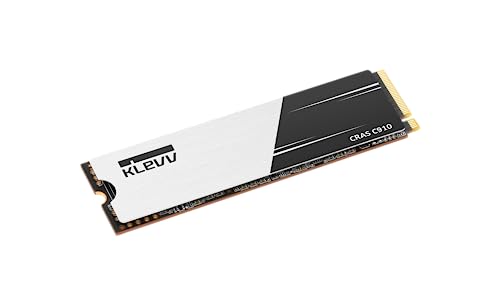
Klevv CRAS C910 2 TB M.2-2280 PCIe 4.0 X4 NVME Solid State Drive (K02TBM2SP0-C91)
shut brook
yeah too late 😄
stone tangle
So my new PC has a second M.2 slot, but it doesn't have the screw. For some reason my M.2 to USB-A adapter that I was using for my second drive has started running incredibly slow ever since I plugged it into the new PC (on my old PC it was running well, but here its read/write is being shown as ~160/200 MB/s), so I wanted to take it out of the adapter and just put it directly in the M.2 slot on the motherboard. What size screw normally goes in an M.2 slot?
I have a bag of leftover screws from my old PC, so I might have an M.2 screw stashed away in there. Just not sure what to look for.
stone tangle
Could I theoretically just tape the SSD down using T-Rex tape? Main reason I see people say not to use tape is that it would melt under certain temperatures, but T-Rex tape is very heat resistant.
Since nobody is trying to stop me, I'm gonna do it.
stone tangle
So it seemed like it was working but when I tried to play a game the entire PC restarted. Specifically I was in-game and this happened while it was loading a level. Don't know if it has anything to do with me taping down the SSD or not because this game always gives me problems (Sackboy)
After just letting it hang my PC is no longer randomly restarting itself. Conclusion: T-Rex tape bad.
brisk dome
stone tangle
I have a bag of leftover screws from my old PC, so I might have an M.2 screw sta...
The smallest one
And yes you can tape the ssd down if you want. A screw is ideal though
stone tangle
Like I said I tried the tape but it seemed to cause my PC to restart. Made a shock noise when it happened. Must have taped over something I wasn't supposed to, but I don't have enough room to try and get it right. The M.2 slot is in a tight spot and I can't control my hands very well. I'll just let it hang until I can get my hands on a screw. It's working so far. I looked up pictures of the appropriate screw and I don't seem to have a spare lying around.
blazing musk
stone tangle
Like I said I tried the tape but it seemed to cause my PC to restart. Made a sho...
Electrical tape is best because other kinds of tape can be conductive and cause a short circuit
Any kind of duct tape in particular can be laced with metals
quiet gust
where is this sata to sas adapter meant to be used? are there motherboard or sas adapters that allow to use sas protocol via sata connector?
 sinful salmon
Something something you can connect SAS drive to SATA but not the other way around
blazing musk
quiet gust
where is this sata to sas adapter meant to be used? are there motherboard or sas...
SAS is just 2 SATA ports running in parallel
cloud kiln
sinful salmon
Something something you can connect SAS drive to SATA but not the other way arou...
Technically the opposite
a SAS backplane can connect both SAS and SATA drives
But you can't connect SAS drives with a SATA backplane
sinful salmon
damn, dejected
cloud kiln
quiet gust
where is this sata to sas adapter meant to be used? are there motherboard or sas...
also honestly this just looks like a regular sata + sata power combination connector that you would sometimes see on some older prebuilts
 thorny hull
I need advice on how I could expand my storage. Right now i have a m.2 and 2tb hdd installed and both nearly full capacity. I can't install an m.2 expansion card nor more sata connectors since theyr both blocked off by the GPU
my current pc specs
Part List - AMD Ryzen 7 5800X, Radeon RX 7900 XT, Lian Li Lancool 207 ATX Mid Tower
dense merlin
you could replace the existing m.2
or replace the hdd with something bigger
or an external nvme enclosure
thorny hull
dense merlin
or an external nvme enclosure
how would i connect it, through usb?
dense merlin
yeah
dense merlin
idk, i bought a cheap enclosure from orico off newegg and it didnt work
brisk dome
Honestly I'd probably swap the m.2 for a bigger one
Those are some unfortunate SATA connecter locations lol
 brave needle
How do I pick good storage
Im trying to get a 1tb m.2 for a pc im building but idk what to pick

Part List - AMD Ryzen 5 7600
this is the part list as of now if that matters
blazing musk
brave needle
The NV3 is ok for a budget drive on a gaming machine
brave needle
I ended up talking with Bacca about it in cases and psu
I went with the G50 bc Bacca was saying the NV3 lifespan is worse, and id rather pay a bit more to have it last longer
Last thing to figure out is a case, think im prob gonna buy one off of marketplace
but thanks for answering anyways
dense merlin
I was talking about the nv2, idk about the nv3
blazing musk
NV3 1TB is 320 TBW
Ok for the price
It's also lower power and heat, and doesn't have the hardware change problem of the NV2
To put things into perspective, I have an ultra budget SATA SSD that is being used as a game drive for the last 5 years, and it still reports 99% drive life.
brave needle
Interesting, only time ive ever felt a slowdown on my pc storage is on a harddrive, also on a sata ssd but its nearly full so I think that might be the reason
blazing musk
Yes filling up a drive does affect the speed
50% is where it starts to slow down
90% some drives feel unusable
Generally speaking, some are better than others at this metric
brave needle
the one thats full is the boot drive which is kinda an issue, have felt that booting up has been slower
I deleted some stuff but its still pretty full, used a windows clean up tool too but it didnt get rid of much
blazing musk
There's a debloat tool pinned in #windows-ios that will remove unnecessary apps and such
Default mode works for a gaming PC
shut brook
Anyone have a recommendation for a regular SSD that's large capacity 4tb+ to use as a backup/storage for media like pictures/video?
formal tusk
Ud90 iirc is the cheap one rn
shut brook
ok dang those are more than i was expecting lmao, for some reason i thought the sata drives would be cheaper now
dense merlin

Western Digital WD Blue SN5000 4 TB M.2-2280 PCIe 4.0 X4 NVME Solid State Drive (WDS400T4B0E)
$3 more than a ud90
shut brook
I could probably make some more space on my existing backup drives if I actually went through all my photos and got rid of duplicates/old/bad ones, but its like 10,000 or more photos, it would be so boring
blazing musk
I'd just get a HDD if it's only going to be a backup/storage
shut brook
I could get another external one, I dropped my last one about 2 feet onto carpet and it bricked the drive 💀
I need to be more diligent about doing backups of stuff, or Im gonna pay the price one day
can get a 5-6tb for $100 less than one of the SSD's, not bad
10tb for $190 is pretty solid
but thats overkill, im only at about 2tb right now for my full backups
 vast marsh
Hello i just received an HDD and it is making a noise. Is this normal?
Seagate barracuda
 fallow herald
what kind of noise?
fallow herald
parental controls, man😭
if it's making a scratching sound, or a constant whine, then something's wrong
cloud kiln
that doesnt sound like a normal sound considering how it keeps doing it once every like second
it keeps making a single clicking sound every like second
https://www.rxddit.com/r/PcBuildHelp/comments/1joebj5/pc_making_new_noise_since_since_i_installed_a here i'll embed it
rxddit.com
The sound apears out of the blue(not using my HDD) and it stops when I open my hard drive folder. Is this normal?
fallow herald
my best guess is a head crash or motor failure within the drive
but i don't really know that much about hdds
 rough lantern
https://www.amazon.com/dp/B0BHJF2VRN?tag=pcpapi-20&linkCode=ogi&th=1
How does this SSD look? Looking for a good budget SSD preferably 1TD or more
dense merlin
rough lantern
https://www.amazon.com/dp/B0BHJF2VRN?tag=pcpapi-20&linkCode=ogi&th=1
How does t...
$100 for 1tb is gross

Western Digital WD Blue SN5000 1 TB M.2-2280 PCIe 4.0 X4 NVME Solid State Drive (WDS100T4B0E)

Seagate FireCuda 530R w/Heatsink 1 TB M.2-2280 PCIe 4.0 X4 NVME Solid State Drive (ZP1000GM3A073)

TEAMGROUP T-FORCE G50 2 TB M.2-2280 PCIe 4.0 X4 NVME Solid State Drive (TM8FFE002T0C129)
brisk dome
Klevv CRAS C910 1 TB M.2-2280 PCIe 4.0 X4 NVME Solid State Drive (K01TBM2SP0-C91)
 rich wadi
ive popped in here a few times trying to figure out what was wrong with my ssd (p3 plus) and i think the one i got is just bum, it freezes up when extracting large files and freezes after playing lethal company with friends after like 20 or so minutes, i believe its got to be something with the cache
regardless im peeved
i hope its still covered under a warranty lol
rich wadi
Downloaded the drivers that apparently exist for it and gonna test if that fixes anything 
Could be thermal throttling too, but not sure
Bent down and touched the heatsink while putting it under load and jesus yeah its hot
brisk dome
rich wadi
Bent down and touched the heatsink while putting it under load and jesus yeah it...
hwinfo or similar will show drive temps, if firmware doesn't fix the issue
Here's my DIY cooling solution for an oem drive that was getting a little too toasty on the controller
 rich wadi
brisk dome
hwinfo or similar will show drive temps, if firmware doesn't fix the issue
rich wadi
brisk dome
hwinfo or similar will show drive temps, if firmware doesn't fix the issue
Turns out the drivers fixed everything LMAO
Although im sure better heat management could help
uneven yacht
which one do u suggest (all of them are almost same price)

 blazing musk
uneven yacht
which one do u suggest (all of them are almost same price)
blazing musk
uneven yacht
which one do u suggest (all of them are almost same price)
P3 Plus
uneven yacht
blazing musk
Probably just different sellers
nand nvme and the other is PCLE
i dont even know whats nand
sharp folio
blazing musk
https://pcpartpicker.com/product/ZM4Zxr/silicon-power-us75-4-tb-m2-2280-pcie-40-...
What's the difference between this and the UD90?

Silicon Power UD90 4 TB M.2-2280 PCIe 4.0 X4 NVME Solid State Drive (SP04KGBP44UD9005)
Finally looking at a 4TB
dense merlin
I think the g50 is a bit better for $5 more
https://pcpartpicker.com/product/QqdMnQ/teamgroup-t-force-g50-4-tb-m2-2280-pcie-40-x4-nvme-solid-state-drive-tm8ffe004t0c129
TEAMGROUP T-FORCE G50 4 TB M.2-2280 PCIe 4.0 X4 NVME Solid State Drive (TM8FFE004T0C129)
sharp folio
dense merlin
I think the g50 is a bit better for $5 more
https://pcpartpicker.com/product/Qq...
A bit better as in speeds?
formal tusk
The old solidigm one was good
The plat is also good
The price of both however
Lately huge pass
Not justifiable within their means at all
sharp folio
Do you have any opinions on a specific 4 TB with good speed?
I see from Amazon that the SN850X and UD90 can be here today
I see the UD90 is fairly slow though lol
formal tusk
The cheapest 4tb nvme is usually the best
In which case yes I'm gonna say the ud90
Cos the kicker is "5000MBps" actually doesn't mean anything in real world use
All these ssds with their "up to X MBps" is just marketing
They all do that for like 10 seconds then throttle to nothing
The real speed is in rand read
sharp folio
It wouldn't just be for games, I do a decent amount of programming too and a lot of patching and compiling would benefit from high r/w
formal tusk
You'd have to be doing like huge gigabytes of files at a pretty constant rate to even remotely still justify that
The only real benefactor of higher speed nvme is 4k/8k/16k edit scrubbing
Not even most servers need speeds like gen 5 for example
sharp folio
I mean the one can take an hour plus if you put it on an HDD, and even on an SSD it can take 20+ minutes
It takes ten minutes for GitHub to run the build ci
formal tusk
If you have a gen 4 nvme then a 2gb file will save in under 15 seconds if the pc is set up correctly
It just isn't that big of an issue
Well optimised system will be the bigger bottleneck there cos windows limits iops speeds well under what even gen 3 ssds can do
Once you get to gen 3 the majority of things you do will not be tied down
Turns into like those gpu tests where you change pcie spec
And you see maybe 1% improvement for more money
I'm not saying 0% btw lemme be clear
Just saying the expectation of better is mostly redundant at best unless you were using the pc like, 40 hours a day, making a career out of it type of situation
Where an extra 5 seconds per file means an extra job at the end of the day
sharp folio
formal tusk
If you have a gen 4 nvme then a 2gb file will save in under 15 seconds if the pc...
What do you mean by set up correctly?
formal tusk
Not bloated, SSD's aren't throttling, pc doesn't have many background tasks unnecessarily open
sharp folio
Can't fix the first one when you're using Windows 
formal tusk
General streamlining and care
formal tusk
sharp folio
Can't fix the first one when you're using Windows <:kekW:771099622830637097>
Worst case scenario you can take slow boot times from 5 minutes down to 7 seconds
Like ok windows is bad but debloat scripts do a lot
And exist for this reason
sharp folio
How are the 990 Pro and SN850X in terms of the firmware problems they were having?
formal tusk
Not even remotely worth buying why
Look here is a list

Google Docs
Buy anything in the "mid tier or better and go as cheap as physically possible
Avoiding any "lottery parts" choices like kingston nv
sharp folio
Yeah, I've been avoiding those
formal tusk
Beyond mid tier you're not gonna know the difference
It just won't be noticeable enough
sharp folio
What's the difference between the MP44 and MP44Q? Just speed?
formal tusk
One is dramless iirc
sharp folio
They both show SLC cache on Amazon 
formal tusk
Dram on drive would help you if you want a bit better data integrity
minor sun
One is qlc one is not iirc
minor sun
Check the SSD list for specific components
minor sun
sharp folio
They both show SLC cache on Amazon <:thonk:675769703553171470>
Basically everything uses a pSLC cache now, dram cache is a different thing
pSLC is just having a section of the SSD act like SLC and act like a read/write cache
sharp folio
Looks like the MP44Q maybe has it? For some reason I'm getting comments from the MP34 on the MP44 lol, but not in the description
sharp folio
I mean QLC
MP44Q has Outstanding Performance Exceeding 7,000MB/s Transmission Speed.Effortless Storage Expansion with 3D QLC NAND
minor sun
Dram is having a separate dram chip on the SSD that can keep metadata
HMB does not have anything on the SSD, but uses system dram
formal tusk
The list will say if it has qlc
minor sun
Very useful sheet
sharp folio
990 Evo Plus seems to be all that's left in mid-range lol
Doesn't PCPP have a compare button or something?
found it, nvm
brave needle

Am I pushing down on the m.2?
I feel like I am even tho I barely screwed it down
or is this fine
minor sun
This is fine
brave needle
Thanks
 median yarrow
 quiet gust
i recently swapped the thiccpad r40 ide hdd for an ssd. I had saved an image of the windows xp hdd (using macrium) and then restored it to the ssd, but the laptop doesn't boot, it instead shows the blinking cursor. Just to confirm the adapter worked I did a fresh install and that one works fine. So I assume that the image didn't contain the mbr stuff or pheraps it did, but it doesn't work on a different drive?
maybe rebuild / repair mbr would work?
I didn't clone because I wanted to first install various OSs on the laptop then restore each image to different partitions of the ssd to multi boot. (not sure if it is possible with cloning too)
 vast garnet
halp
I need to use a disk cloner for the first time in a couple years to copy a smaller disk to a new larger one
I'm on win 10
iirc I need to format the new one first, yeah? Then just clone it and expand the partition later?
I think I recall last time I didn't format it first and it was the wrong table or something
I think I need to make sure it's NTFS
Does that sound right?
What I can't remember is if I need to create a new simple volume after initializing or if that will muck it up
 shut furnace
I thought most cloners do their own formatting
 loud estuary
Heya, looking for a solid 2tb mid-high range NVMe, but I haven't been keeping up for a while. Are there any go-to recommendations these days? Considering a Crucial T700 for ~$160. It'll be my new boot drive, probably going for PCIE 5.0
minor sun
would not really recommend getting 5.0 drives for most use cases, not gonna get any real benefits, but T700, MP700 Pro, and Z540 are the 3 cheapest good 5.0 drives rn
cheapest good 4.0 drives rn looks to be xg7000 pro and gm7000, those will do 95% of what a gen 5 drive will do for you in real world performance, unless you have very specific tasks that might be able to make use of the higher peak performance
brisk dome
Yeah a solid 4.0 drive will be closer to $100/2tb and there will be no noticeable difference save for scrubbing through raw 4k/8k footage
 turbid crater
Can a nvme pcie hurt a pc? For any heat from nvmes
brisk dome
No
minor sun
turbid crater
Can a nvme pcie hurt a pc? For any heat from nvmes
What exactly are you asking about, using a m.2 pcie card?
rough lantern
anyone know of a good 2TB storage to buy from rn?
brisk dome
rough lantern
anyone know of a good 2TB storage to buy from rn?
Klevv Cras c910
 acoustic nest
What are y'all thoughts on external HBAs
 feral field
if I have b550 m pro 4 motherboard and I want to add a new 2 tb ssd, which one should I get?
brisk dome
feral field
if I have b550 m pro 4 motherboard and I want to add a new 2 tb ssd, which one s...
Klevv CRAS C910 2 TB M.2-2280 PCIe 4.0 X4 NVME Solid State Drive (K02TBM2SP0-C91)
cloud kiln
acoustic nest
What are y'all thoughts on external HBAs
this is technically in a way used by high performance SANs
you'll have like a 2u controller, and then it connects to a bunch of like 4u enclosures that just has a bunch of drives that aggregates it into a SAS/QSFP cable
(image from here)
 acoustic nest
My idea is to get something like this
https://a.aliexpress.com/_oDizsYe
And then hook it up to my nas via the hba
Although I don't know how many drives a consumer skylake system can handle

The thing that's nice about these aliexpress chassis is that it's a nice form factor
Since I don't really need a whole pc (just the psu and the drives
So I can just run a SF-8643 cable to my skylake nas
acoustic nest
Damn

I'd have to shell out $500 at least
Half on hardware and the other half on drives
Guess that's a "revisit in 5 years" scenario
 velvet quail
if I have b550 m pro 4 motherboard and I want to add a new 2 tb ssd, which one should I get?
i plan to put it under the m.2 armor heat sync to be my main ssd
 magic shore
Looking for a 1TB ssd sata3 drive to upgrade my old pc.
Any good sale and recommendations?
shut furnace
acoustic nest
I think I've seen some slightly cheaper but yeah. btw are you not using sata for drives or you just run out of mobo ports
acoustic nest
shut furnace
I think I've seen some slightly cheaper but yeah. btw are you not using sata for...
Ran out of space
It's a SFF
Psu also doesn't have enough power connectors
shut furnace
ah got it
I was looking at some of those boards before. there are some for cheaper like 20-30usd but idk how good they are

 fallow herald
Scam
 jolly schooner
Would it be worth exchanging my 990 evo plus for a t500 for the dram? I recently bought the 990 and saw the t500 price dropped. I mainly just use it as a 2nd drive for gaming but I plan to start editing videos on it
 worn trail
jolly schooner
Would it be worth exchanging my 990 evo plus for a t500 for the dram? I recently...
worn trail
jolly schooner
Would it be worth exchanging my 990 evo plus for a t500 for the dram? I recently...
How much would this exchange cost you?
I assume you'd be exchanging the 990 EVO PLUS along with some currency?
jolly schooner
worn trail
How much would this exchange cost you?
Noting, I’d just have to redownload my games tho
worn trail
Honestly I'd say go for it then.
It'd a be a increase in performance with no extra cost.
@jolly schooner
brisk dome
Nvme ssds like the 990 have HMB and thus dram doesn't matter as much
But if you can swap for the same price maybe it's worth
quiet gust
will a 2m ide cable work on a regular old pc?
 silent pendant
ive picked up a Lacie hdd would that work fine for storing game saves an my roms?
fallow herald
silent pendant
ive picked up a Lacie hdd would that work fine for storing game saves an my roms...
I would avoid HDDs unless you have specific needs that can't be met with SSDs. for game saves, I'd get 2 NVMe drives-- 1 for windows, and one for game save files.
however, if you need slower-but-higher-density storage, HDDs can be a legitimate consideration. this also applies if you need extremely-long-term data storage/archiving(>20y).
If you'd like, I or another person can give you recommendations based on your needs/budget :)
 sharp hamlet
hey yall, is there any way to test my reading and writing speeds for my ssd
 sharp hamlet
i wanna test the speed of my ssd 😭
 torpid adder
just get some crystaldiskmark :3
 minor sun
Depends on what the drive is supposed to be rated for
 red jay

 hard moss
would the sk hynix p41 be a good buy rn? I heard it had an issue
if not what are some reliable alternatives
minor sun
It's still a good drive, there is a new firmware out that mostly fixes the problem
But there are a lot of good alternatives with e18
sullen oxide
 narrow sorrel
<@423224499849134081> https://docs.google.com/spreadsheets/u/0/d/1B27_j9NDPU3cNl...
narrow sorrel
<@423224499849134081> https://docs.google.com/spreadsheets/u/0/d/1B27_j9NDPU3cNl...
I should pin?
narrow sorrel
I think it is good
narrow sorrel
SSD Spreadsheet from NewMaxx:
https://docs.google.com/spreadsheets/u/0/d/1B27_j9NDPU3cNlj2HKcrfpJKHkOf-Oi1DbuuQva2gT4/htmlview#

Google Docs
sullen oxide
narrow sorrel
SSD Spreadsheet from NewMaxx:
https://docs.google.com/spreadsheets/u/0/d/1B27_j9...
minor sun
narrow sorrel
SSD Spreadsheet from NewMaxx:
https://docs.google.com/spreadsheets/u/0/d/1B27_j9...
uh that's not a ssd tier list and that's not from ZTT either, that's from NewMaxx, you can tell by the bottom where it links to his website

it's a good sheet though
also could've sworn that was pinned before
narrow sorrel
My B, I've never actually gone down there so I just thought it was something ZTT put together. Fixed the pin content
I thought it was pinned too, but apparently only SPL's PSU tier list was pinned
minor sun
I mean I've been using that for years now lol
narrow sorrel
Though should the pin be the html view or the actual spreadsheet.
Actual spreadsheet redirects to the google apps iirc on mobile, but for desktop the spreadsheet provides access to filters
loud estuary
narrow sorrel
I thought it was pinned too, but apparently only SPL's PSU tier list was pinned
It was definitely pinned a few years ago :)
sullen oxide
loud estuary
It was definitely pinned a few years ago \:)
We went through a lot of the pins a few months ago
Accidental unpins
 placid portal
Will usb 3.0 external hdd work on usb 2.0
minor sun
Yes, it'll just transfer at the lower 2.0 speeds
cloud kiln
Usb is fully backwards and forwards compatible (in theory) but it will run at the slowest components speed
 rich crescent
Any clue why my pc decided to start booting from my hdd instead of my nvme?
Asus x870-a
Ryzen 7 9800x3d
Samsung pro 1 TB (normally my boot drive and only used for boot)
Samsung pro 2TB (games storage)
Seagate 4TB (bulk like pics and videos)
I dont remember even loading windows on to the HDD. So that's weird. But when I go into file explorer it shows my 1TB nvme as my windows boot drive. But bios shows the hdd. So confused.
torpid adder
Is your cmos battery on its way out
rich crescent
Shouldn't be. Its a less then 1 year old board.
Just noticed a folder in my hdd called "windows apps" I tried to move it to the correct drive (the 1TB boot drive) and files were moved but won't allow me to delete it from the HDD.
rich crescent
Pic of bios showing the HDD as my boot drive

Pic showing that bios recognizes i have the 2 nvme drives.

Pic showing pc recognizing the 1TB nvme as the boot drive.

Am I just dumb and missing something here?
 rich crescent
Yeah I named them all. But does the windows symbol not signify it being the windows boot drive? But also still doesnt make sense why/how it's using my HDD and not the 1TB nvme it was using.
torpid adder
if it's set in the bios to boot into the second drive, it will
or into a flash drive, CD, etc.
rich crescent
When I built it I only installed windows on the 1tb nvme C drive
In the bios it won't give me the option to switch from the HDD to the nvme.
Like I stated in the pics it shows the nvme are recognized but won't show them as a bootable drive in the boot menu.
worn trail
Does anyone know of a Add In Card or switch I can use in order to have two different SSDs with Windows OS on them but setup so that when I use one it does not power on the other?
The goal is to be able to switch between an Overclocking and Daily Windows drive quickly without needing to change boot order or remove the other drive to switch OS.
 ripe sandal
Hey guys did IDE hard drives always sound like someone was using an electric toothbrush from the next room over or is that a sign of failing? Running a system restore on a 20 year old dell dimension but am wondering if I should just gut it and get an old SATA windows xp era mobo so I can get a new hdd.
minor sun
ripe sandal
Hey guys did IDE hard drives always sound like someone was using an electric too...
Steady kind of droning sound is usually normal, clicking is bad
But in general having a sata SSD is a better option lol
ripe sandal
Yeah and the mobo it came with is terrible, it only has PCI non-express slots so finding a gpu would be a nightmare as well.
cloud kiln
ripe sandal
Hey guys did IDE hard drives always sound like someone was using an electric too...
You can also get SATA to PATA adapters
cloud kiln
ripe sandal
Yeah and the mobo it came with is terrible, it only has PCI non-express slots so...
And technically speaking, PCIe is backwards compatible with pci
But the software might not support a modern GPU
But with a PCIe to PCI adapter, you can put a 5090 on a PCI slot
torpid adder
Sounds like a fun time
turbid crater
Does external hdd have faster transfer speeds than portable hdd. Im looking into 14 tb wd external drive for 170 on amazon prime day sale
torpid adder
I don't even see what the question is asking
External hard drive and portable hard drive are synonymous
uneven yacht
guys i got an error with my external Hard Drive "the requst failed due to a fatal device hardware error" when i try to initialize it cuz i couldnt find it along with my other drives and ive tried the wmic diskdrive and updating my drive but couldnt find any (UnionSine HD2510 External Hard Drive)

 quiet gust
uuh
 quiet gust
uneven yacht
guys i got an error with my external Hard Drive "the requst failed due to a fata...
quiet gust
uneven yacht
guys i got an error with my external Hard Drive "the requst failed due to a fata...
the drive might have failed
could be physical damage
try running diskpart and listing the drives
you could locate the drive in device manager, uninstall it and then plug it back in
also try a different cable or pull out the hdd from the enclosure if you can
 floral stratus
Is teamgroup mp33 a decent hard drive
brisk dome
floral stratus
Is teamgroup mp33 a decent hard drive
It's an SSD not a hard drive but yeah they're decent
floral stratus
Yeah, you know what I mean
minor sun
floral stratus
Is teamgroup mp33 a decent hard drive
It's a cheap relatively very slow SSD that works when it's very cheap, but often out classed by other options at the same price
floral stratus
minor sun
It's a cheap relatively very slow SSD that works when it's very cheap, but often...
What are other decent options?
Mp33 is about $55 on Amazon and would be used in a laptop to install games on it
minor sun
floral stratus
What are other decent options?
C910 for example is at a very similar price
https://www.amazon.com/dp/B0CBSSC21F

Time to take your system performance to new heights! Leveraging PCIe Gen 4 technology, the CRAS C910 achieves phenomenal read/write speeds of up to 5000/4800MB/s, delivering seamless experience for gamers, creators, and professionals.
The attachable aluminum heatsink of CRAS C910 provide...
 vital jay
are 990 pros still suffering from that faliure thing? whats a comparable drive to it
sn850x?
floral stratus
I've read some negative reviews about quality and temps
vital jay
yeah but there was a fast degredation issue with them a couple years ago
floral stratus
Ended up buying TG G50
Apparently I bought one of those a year ago and had no issues with it
vital jay
floral stratus
Apparently I bought one of those a year ago and had no issues with it
apparently?
yeah it seems decent
im just looking for a reliable 2tb boot drive]
preferably with dram
vital jay
floral stratus
I forgot I bought one before
ah
brisk dome
vital jay
preferably with dram
Dram doesn't matter too much on nvme drives due to HMB
vital jay
brisk dome
Dram doesn't matter too much on nvme drives due to HMB
Doesnt it help significantly with random reads and writes tho
minor sun
It helps sometimes, not significantly
It's way more dependent on the drive itself, for example, P41 plus is dramless and uses HMB, P5 Plus uses dram

 worn trail
vital jay
sn850x?
worn trail
vital jay
sn850x?
SN850X is faster than the 990 Evo Plus and faster than the 980 Pro.
worn trail
vital jay
Really?
I own the 4TB SN850X.
vital jay
Is it dramless
worn trail
Also the Samsung drive problems can be easily fixed by updating firmware.
vital jay
So i guess that narrows it down to 850x or mp7000
worn trail
vital jay
Is it dramless
Has dram.
vital jay
worn trail
Also the Samsung drive problems can be easily fixed by updating firmware.
I was reading a lot of of reddit forums and they all said it didn't work and it still had failures
From a few months ago
worn trail
vital jay
I was reading a lot of of reddit forums and they all said it didn't work and it ...
Likely didn't update the firmware. I have a 980 SSD, updated the firmware and two years later no issues.
Anyways, I highly recommend the SN850X.
vital jay
Do you run it as a boot drive?
worn trail
vital jay
Do you run it as a boot drive?
Work drive, having it as a boot drive is way overkill lmao
Hence why I bought the 4TB SN850X.
vital jay
worn trail
Work drive, having it as a boot drive is way overkill lmao
Fair enough, its pcei 4 not 5 right
worn trail
Correct.
uneven yacht
what do you guys suggest for an external Hdd from amazon?
 summer lava
Good afternoon. My name is Ed, I’m new to the form. I seek information regarding a Bluetooth extender. I have a camera surveillance system with a recorder that will be in a closet about two walls away from where I will be using a wireless mouse to control the screens and cameras.I seek a device that will enhance that Bluetooth signal to get it through the walls. Any help would certainly be appreciated.
fallow herald
Wrong channel bet ig ur looking for a signal repeater? U won't need it tho, Bluetooth goes through walls
cloud kiln
fallow herald
Wrong channel bet ig ur looking for a signal repeater? U won't need it tho, Blue...
Unless they're European with concrete walls that barely even let wifi through at all
Let alone the weak sauce Bluetooth
 real lava
concrete walls better
torpid adder
the true firewall
 serene laurel
Any current recommendations for a reliable 256 or 512 gb m.2 ssd?
minor sun
serene laurel
Any current recommendations for a reliable 256 or 512 gb m.2 ssd?
Is there a price constraint? Usually you'd just get 1tb
And what are you planning to do with it?
torpid adder
wish I could still get like 64gb drives
but I guess using a 256gb one for truenas is fine :p
serene laurel
minor sun
And what are you planning to do with it?
It’s for a friend. He’s looking for an m.2 SSD and enclosure as external storage for his MacBook. He said he only needed 256 but that’s probably not the best deal now that I think about it
torpid adder
you'd have to go used to get a good price on small cap storage
minor sun
macbooks don't always play happy with standard m.2 drives so you might want to be careful there
And if they're doing external, with such a small drive, it'll prob be cheaper to straight up buy an external 512gb/1tb ssd rather than 512gb/1tb plus an enclosure
cheap decent enough 512gb drive
https://www.amazon.com/dp/B09SH2M3MM

addlink's S70 M.2 PCIe SSD is powered by PCIe Gen3x4 NVMe interface, with four lanes are used for transmitting and receiving data simultaneously, resulting in compelling performance of up to 3000MB/s read and 2000MB/s write for 512GB capacity. For professional use, S70 SSD aims at high-end applic...
serene laurel
He is looking at external yes
 buoyant topaz
Hello i was wondering if someone help me find a Hard drive for a HP Notebook - 15-db0043nr. I already contacted HP, and they told me that i can use a 2tb, 5400 rpm, 1tb 5400rpm, or a 500 gb 5400rpm. All have to be 7mm to fit. I feel like they will try to sell me a hp part, but i wanted to see if i can use any brand so long it fits in the laptop. Please and thank you 🙂
fallow herald
My mom might like to get a 1tb drive for windows/ some games. Nothing huge, stuff like portal.
Is Kingston nv3 good?
real lava
good enough
cloud kiln
buoyant topaz
Hello i was wondering if someone help me find a Hard drive for a HP Notebook - 1...
Any 2.5" sata hdd
But ideally a 2.5" sata ssd
Assuming you don't have any m.2 slots for storage
torpid adder
Micron 1100 is a good drive to get used
250gb, 500gb, or 1tb
is there a 2tb 1100?
I forget
it's the model I got 6 drives of, it has DRAM cache which is necessary for sata ssds to have good consistent performance
all the sata models being sold as new are way overpriced compared to NVMe storage, so it's just not worth it
buoyant topaz
cloud kiln
But ideally a 2.5" sata ssd
Nope it's a 2017 laptop. Also I already opened it up and no m.2 slots. It does have the ability to add a second storage with a cable attachment.
torpid adder
buoyant topaz
Nope it's a 2017 laptop. Also I already opened it up and no m.2 slots. It does h...
send picture of said cable attachment
cloud kiln
firewire
torpid adder
Is FireWirw used that late lmao
buoyant topaz
torpid adder
send picture of said cable attachment
I think this is the cable I need to add a second drive
 brisk dome
buoyant topaz
I think this is the cable I need to add a second drive
brisk dome
buoyant topaz
I think this is the cable I need to add a second drive
Yeah that's SATA, a 2.5" SATA SSD would work
buoyant topaz
thank you 🙂
sharp folio
What is the maximum R/W I can expect from two Xeon Gold 6122s? The CPUs and board only support up to PCIe 3.0.
minor sun
sharp folio
What is the maximum R/W I can expect from two Xeon Gold 6122s? The CPUs and boar...
are you trying to just maximize r/w with raid 0 or
singular 3.0x4 drives usually do about 3500/3000
sharp folio
Just two single 3.0x4
minor sun
theoretically max of like 7000/6000 if you raid 0 them but meh
just use them as singular drives and chill with the normal 3.0x4 speeds, I still feel like raid 0 is too risky for normal use
one drive fail and you lose basically everything
sharp folio
Maybe I should get one of the SSD expansion cards lol
It'll have a Minecraft server or two, and a couple of WS probably
sharp folio
sharp folio
Maybe I should get one of the SSD expansion cards lol
If RAID is worth doing at least
Could do backups to a HDD
sharp folio
Or just find good PCIe 3.0 drives
quiet gust
I have a 1 TB HDD with data I can’t identify.
It has a small 5 GB partition (empty) and the rest is a full FAT32 partition.
That partition contains 926 folders named in sequence (dir00000, dir00001, …).
Each folder has 128 files (file0000.dat, file0001.dat, …), all exactly 8192 KiB (8 MB) each.
At the root there’s an ident.bin (contains just ok1ormated) and an index.bin (filled with repeating X and U chars).
Opening the .dat files in Notepad shows mostly gibberish, but a few have readable fragments
- all the files in the hdd have been created in just some hours
quiet gust
the folder structure and the files reminds me of camera footage or dvr saves.
might be some surveillance footage.
 neat crescent
Just bought some sandisk ultra pen drives
cloud kiln
https://www.amazon.ca/Crucial-T700-Gen5-NVMe-heatsink/dp/B0C3K2WRPV is this worth the sale

Are you ready to feel the rush of extreme performance? The Crucial T700 PCIe 5.0 NVMe SSD offers speeds of up to 12,400MB/s sequential reads and up to 11,800MB/s sequential writes** (up to 1500K IOPS random reads/writes**) for faster gaming, video editing, 3D rendering and heavy workload applicat...
there's only one left in stock so if somebody can answer before it goes out of stock that would be nice
actually
nvm i wouldnt even need gen 5
anybody have any recommendations for gen 4 or even gen 3 drives with or without a heatsink (and if it's without one, what one i should get since my mobo doesnt have a ssd heatspreader and is only gen 3)
minor sun
Fun
minor sun
cloud kiln
got a p41 plat
Just update firmware when you get it
cloud kiln
alright
 fringe mesa
I was checking out nvmes and wondering after 2 years what is better than the SK Hynix platinum now a days. Im not trusting reviews because I noticed one said GBPS, yet another same nvme marked it as mbps.
minor sun
You can trust Tom's hardware reviews
fringe mesa
minor sun
You can trust Tom's hardware reviews
Getting same results. Gbps then mbps. Miss the old reliable comparison charts.
minor sun
fringe mesa
Getting same results. Gbps then mbps. Miss the old reliable comparison charts.
On what part
fringe mesa
On the bright side, saw they now have a Steam Deck dock that that stores an nvme up to 4tb. Not bad since it was limited to 1tb when the steam deck first came out. I made an nvme cartridge base to swap between portable drives.
I want to replace all my nvme on my game server thats been running 24/7 for 3 years now.
fringe mesa
minor sun
On what part
It was a review on Crucial. Funny thing is, sale says $259 but actually $159 for a 2tb.
minor sun
fringe mesa
It was a review on Crucial. Funny thing is, sale says $259 but actually $159 for...
Which exact page and on which chart?
fringe mesa
I'll get link. No comparison chart. Comparison charts, least 2025 rare breed.

Tom's Hardware
Supercharge your PC with 14.5GB/s of fast NVMe performance.
minor sun
fringe mesa
https://www.tomshardware.com/pc-components/ssds/the-fastest-consumer-pcie-5-0-2t...
That's not a review lol
fringe mesa
Oooops
minor sun
This is their T705 review for reference
https://www.tomshardware.com/pc-components/ssds/crucial-t705-2tb-ssd-review

Tom's Hardware
Crucial T705 delivers another first for retail SSDs.
worn trail
Is anyone aware of a NVME Add In Card with a switch like a KVM switch existing?
The objective is to have two sets of drives, one set for daily and one for overclocking and the ability to switch to the other set and completely disconnect the other drives from the system to avoid corruption during OC sessions.
 mental plaza
Yall think the predator GM7000 is fine as a boot drive? I have a 2tb model and scared of it getting too hot
i have a spare 1tb that I can use to store stuff, should i migrate my windows for safety?
sharp folio
What SSD should I grab for my server right now? I want at least 2TB, speeds higher than gen 3.0 aren't useful, but higher speed drives are fine since chances are that they're cheaper.
sharp folio
P310 looks like a good price
shut furnace
worn trail
Is anyone aware of a NVME Add In Card with a switch like a KVM switch existing?
...
if it does it is a very niche product. most avoid any kind of switching related to storage because it can cause corruption from sudden disk dismounts
brisk dome
Temporary setup till the bigger heatsink and mini fan arrive

 small carbon
mental plaza
Yall think the predator GM7000 is fine as a boot drive? I have a 2tb model and s...
small carbon
mental plaza
Yall think the predator GM7000 is fine as a boot drive? I have a 2tb model and s...
Prolonged highspeed writes are mainly what heat up an ssd, so just being an OS drive should be no concern.
 sonic bluff
I had a few spare NVMEs laying around, 2 1tb ones unknown gen, probably 3, that I scavenged form old laptops and a single gen 4 2tb wd black.
I was wondering if I could somehow dualboot a rarely used system that i have laying around with a NAS os of some sort and essentially have a raid 0 local backup NAS.
The system has a b550 taichi, Ryzen 9 3900x, 32gb 3200 ddr4, rtx 2070 super(used to be my primary gaming rig, now is used maybe once a week), a 256gb boot nvme, 1tb storage nvme and 2tb Seagate hdd already in there. I don't want the nas os to touch the 2 NVMEs and the HDD already in there. The 3 drives mentioned (2 1tbs and 1 2tb) are separate and not yet added.
How realistic is this/is it possible?
worn trail
shut furnace
if it does it is a very niche product. most avoid any kind of switching related ...
In this case the switching would be done when the PC is powered down if that makes a difference.
 proud vessel
so I'm not sure where exactly to put this so I'll slap it here and here goes:
Has anyone on Windows 11 had any rebooting issues with an Adata Legend 800 Gold m.2?
 dusty thorn
what's the current favored NAS to use? some diskless synology?
cloud kiln
worn trail
In this case the switching would be done when the PC is powered down if that mak...
I'm not sure if there's any nvme ones but I do know there are sata ones
Your better bet is just to use a bootloader to select which to boot from though
And make backups
worn trail
cloud kiln
Your better bet is just to use a bootloader to select which to boot from though
Not ideal but what I have been doing is keeping all my work, game, and other files that I don't want to risk corruption on a separate drive from the boot drive so whenever windows decides to freak out I can do a fresh install on the boot drive.
cloud kiln
Well no matter what you do, even if you never touch overclocking, having at least a single backup copy off your PC is a good idea
Whether it's a Nas or just a removable SSD/HDD
worn trail
I assume there is a simple way to have a large SSD make a backup of every drive every x amount of time?
cloud kiln
Yeah
There are free backup software or you can make a script to backup and version your files as well
And delete old backups
brisk dome
 regal dove
is the P510 a good ssd
regal dove
is the P510 a good ssd

Tom's Hardware
Filling the gap between the P310 and T710
 soft ravine
Are the Asrock Blazing M.2 Heat Sinks good?
sand tartan
Guys what type of 2.5 inch 1TB ssd do I look for that can run 24/7 & can move 100GB of files at once without slowing down like crazy?
minor sun
sand tartan
Guys what type of 2.5 inch 1TB ssd do I look for that can run 24/7 & can move 10...
What's your budget like?
It'll either be optane, or mlc with something like 860 pro, or just standard TLC with dram
sand tartan
minor sun
What's your budget like?
I was trying to find something under $60 USD but I think that’s impossible for this
minor sun
yea just find something tlc with dram lol
sand tartan
Is a dram cache ssd with 3D NAND TLC the same as TLC with dram?
minor sun
ye?
sand tartan
Thanks
minor sun
870 evo is prob cheapest option rn
 dry root
brisk dome
https://www.tomshardware.com/pc-components/ssds/the-crucial-p510-2tb-ssd-review
dry root
brisk dome
https://www.tomshardware.com/pc-components/ssds/the-crucial-p510-2tb-ssd-review
given the price, this is an almost ideal SSD - it definitely matters what kind of money you can sink in
like i paid $65 for an ASUS PRO LGA 1200 motherboard so I could rescue hardware from my HP shitbox to have a reasonably good PC
regal dove
Micron E100 4TB ? is it fine SSD
worn trail
regal dove
Micron E100 4TB ? is it fine SSD
Google says it doesn't have a 4TB variant.
Or do you mean Crucial E100?
Which maxed out at 2tb.
 limpid wharf
Out of all of these, which is the best power bank and why
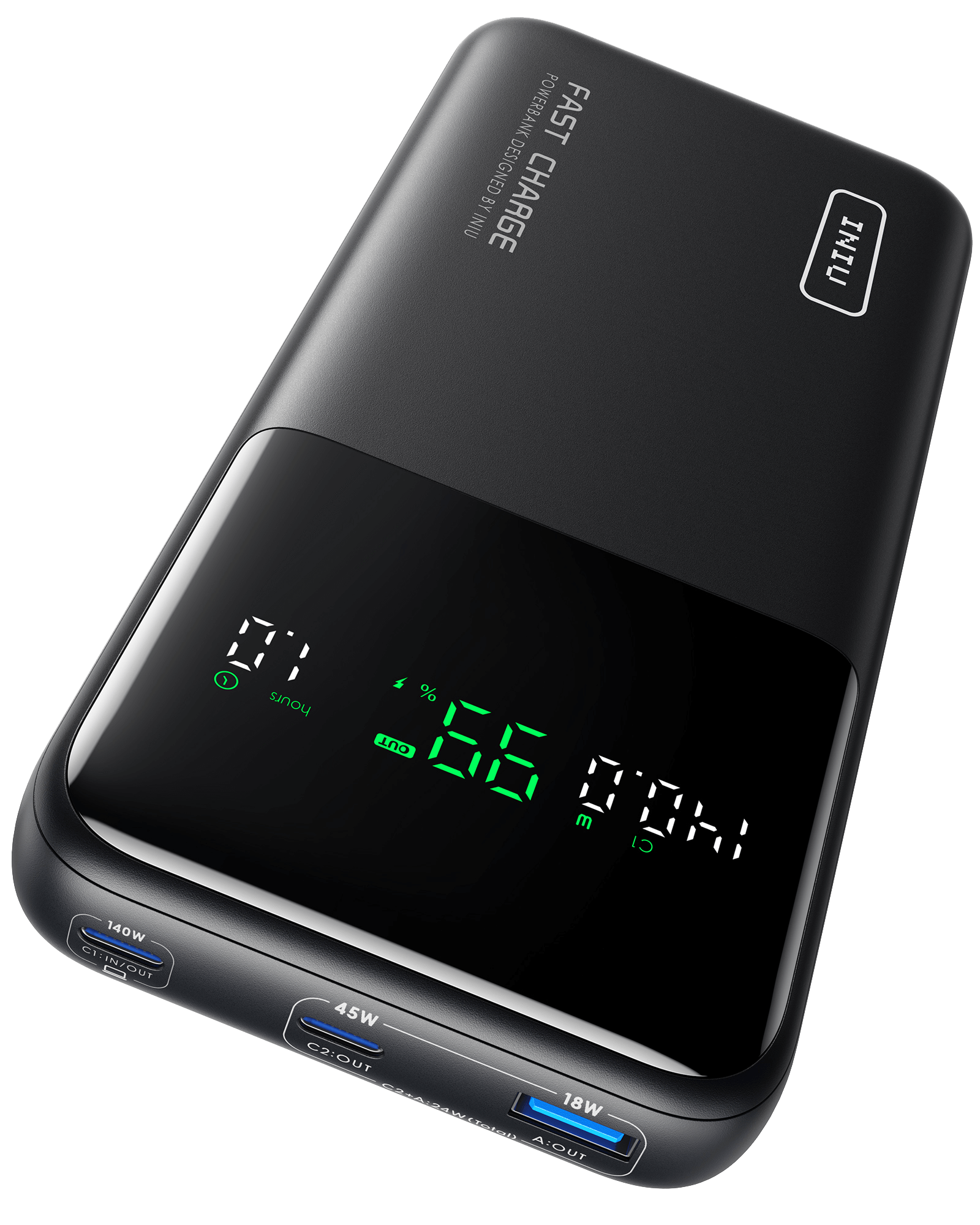
INIU Official Store
140W power bank. Airline-approved 25000mAh capacity with 3 ports for multi-devices charging. Suitable for high-power devices. 3-year warranty included!

Anker
250W Multi-Device Fast Charging: Powered by the latest PD 3.1 technology, the power bank comes with 2 USB-C ports and 1 USB-A port to deliver up to 250W of

Anker
200W Total Output: Equipped with two high-powered USB-C ports and one USB-A port totaling 200W output, quickly charge two laptops simultaneously at 100W ea
brisk dome
Anker prime
Either of them, depending if you need the extra power or not
Oof $140 though
Only get that if you're planning to charge a laptop off of it. Otherwise get something cheaper
https://www.anker.com/products/a1229
https://www.anker.com/products/a1259-built-in-cable-power-bank-10000mah

Anker
Quality Throughout:Built adventure-tier touch with superior durability and scratch resistance, PowerCore Slim 10000 is premium both inside and out. Slim Si

Anker
Built-In USB-C Cable: Use the integrated USB-C cable to charge your phones, tablets, and laptops, as well as recharge the power bank, meeting all your char
limpid wharf
brisk dome
Either of them, depending if you need the extra power or not
dont iphones have a max power usage of like 22.5 W or something?
limpid wharf
brisk dome
Idk
i have the 17 pro max and i want enoug for 2 or more charges
brisk dome
You'd be looking at watt hours then, not just watts
brisk dome
$140 is wild to me, there's gotta be better options
real lava
ugreen should have something cheaper with similar capacity and capabilities
brisk dome
brisk dome
You'd be looking at watt hours then, not just watts
Or milliamp hours I guess, not exactly sure why people use them for capacity
real lava
the amount is after current and voltage was calculated into milliamp hours
brisk dome
going with mAh, the 17 battery is only 3700. One on the cheaper Anker 10k packs should be able to do 2 charges
brisk dome
Oop missed the pro max part
real lava
but honestly aiming for 15k packs should last 2 charges easily on a full charge
or even three, not accounting for losses in the charging process
brisk dome
real lava
ugreen should have something cheaper with similar capacity and capabilities
Seconding UGreen for a slightly cheaper alternative
real lava
and i doubt our guy phil here will let his phone drop to 0% before charging
booting the phone up again is annoying haha
brisk dome
Way better for the battery to keep it between 20-80% anyways
real lava
there's a factual video that proved otherwise. there are still benefits but you're using the battery like it's already degraded, thus limiting the potential of the phone's battery
the difference in percentage is surprisingly smaller than i thought

Is fast charging actually killing the battery?
What's the best way to charge your phone?
Will battery degradation make your phone lag or slow down?
At what point should you consider replacing the battery when its health drops?
the vid might seem irrelevant at first if you judge by the thumbnail, but give it time to watch
brisk dome
N=1 but I have been pretty religious about keeping my 13 pro battery between 20-80 and it is aging at about 50% the speed that apple claims (80% health after 400 cycles or whatever)
real lava
it's the cycles that wear a battery down, not the charging
but then again
deeper charging = more cycles
brisk dome
real lava
it's the cycles that wear a battery down, not the charging
I'm not talking about fast vs slow charging at all
real lava
i'm sticking to the topic you brought up
the 20-80 charging rule wears the battery less since that's 0.6 cycle
limpid wharf
real lava
deeper charging = more cycles
by more cycles hurting battery do you mean when you charge from 0 to 100?
real lava
0-100 is 1 full cycle
limpid wharf
i usually chage my phone at 80% 💀
brisk dome
real lava
deeper charging = more cycles
Deeper charging isn't just more cycles, it puts more stress on the battery.
Draining a lithium ion battery near 0 or charging it towards 100 puts more strain on it than staying in the middle
It's part of how the ions move around or something
limpid wharf
but when i went on a road trip once my phone got to 20 or 40
whcih is why i am considering a power bank
real lava
batteries have a buffer though, they don't truly go 0 or 100
since it'll really wear em out
brisk dome
Yes true, but adding your own buffer helps too
real lava
that's certainly a fact
i wouldn't think too much about it though, but if you're happy with how you use your phone, there's no bad method
i'm just a heavy user, i have my phone on hotspot, so i tend to squeeze every bit out of my phone
i make sure to not let it drop below 20% most of the times if i can help it, but i do charge it up fully
brisk dome
real lava
i'm just a heavy user, i have my phone on hotspot, so i tend to squeeze every bi...
Fair. I guess my point is, if you don't need the full 100% during the day, it's best to only charge to 80 or so and then top it off intermittently if needed/possible
real lava
limpid wharf
whcih is why i am considering a power bank
good way to preserve your battery life
but if you really need to use your phone's battery in a given day, feel free to
having a powerbank definitely extends your ability to use the phone and preserve its battery since you don't have to perform deep charging
limpid wharf
real lava
having a powerbank definitely extends your ability to use the phone and preserve...
how much watts power bank do you recommend and total capacity i was thinking of like 20k capacity but watts idk
real lava
you're gonna wanna look at 30w for charging power
capacity, if you really need that many charges, 20k milliamp hours will do you nicely
limpid wharf
real lava
you're gonna wanna look at 30w for charging power
even if i buy the 200w chargers dont iphones automatically limit the power consumption to like 30w tho?
real lava
if you don't mind waiting to charge your phone up, anything lower than 30w of charging power is alright
yes
the phone only asks for what it supports
limpid wharf
stevejoe said anker prime is good but what you think abt iniu
real lava
iniu.. that's a name i haven't heard before
you definitely should take a look at ugreen though
brisk dome
Forget if I posted this already but here's my diy low profile ssd cooling solution

Crucial P5 Plus is in the back slot because that's the faster one but it wasn't getting nearly enough airflow (hit thermal throttle temp pretty quick under load)
$6 of AliExpress parts and now sits around 15-20C cooler under load
Was a bit worried that the blower fan would be noisy but it's not bad at all, blends in with the other fans in the system
worn trail
t


 crimson brook
https://pcpartpicker.com/list/GzPPVW need another ssd, what could i get that’ll work?
Part List - Intel Core i5-12400F, GeForce GTX 1660 SUPER, Corsair 4000D Airflow ATX Mid Tower
sullen oxide
crimson brook
https://pcpartpicker.com/list/GzPPVW need another ssd, what could i get that’ll ...
Could just get a cheap one off Mercari or eBay
crimson brook
sullen oxide
Could just get a cheap one off Mercari or eBay
could i just get the same ssd? would that work?
sullen oxide
crimson brook
could i just get the same ssd? would that work?
Sure
 crimson fjord
I have an odd question. Are there any m.2 ssds that are technically two ssds using one interface??? I want to run truenas on this laptop with a dead gpu but perfectly good and powerful cpu but its only got two nvme slots. The way truenas os uses one storage device entirely and cant be used for anything else is a huge bummer so I'm wondering if I can get around this with a really weird m.2 drive
minor sun
crimson fjord
I have an odd question. Are there any m.2 ssds that are technically two ssds usi...
All you can try is some jank with pcie bifurcation to split the x4 lanes into 2 slots with x2 lanes using external adaptors/splitters, motherboards generally won't support it on the m.2 slot itself
crimson fjord
Yeah thats abt what I expected. Didn't wanna go that route since I dont wanna have the board or any components outside of the laptop chassis itself
minor sun
I'd imagine something like m.2 to pcie x4 to a separate board that splits it into 2 x2 m.2 slots lol
crimson fjord
Would a usb to 3.5 adapter be acceptable for running a low storage ssd?? I'd run it on a thumb drive but im pretty sure ive read somewhere that you shouldn't because they die quickly under truenas
minor sun
crimson fjord
Would a usb to 3.5 adapter be acceptable for running a low storage ssd?? I'd run...
Depends on USB version tbh, also 3.5in is generally only hdds..?
crimson fjord
Mb I meant 2.5 not 3.5
minor sun
Some kind of external 2.5in USB to SATA enclosure should be fine as long as you have access to USB 3.0 or better
Ssds should be fine with just power from the USB slot
crimson fjord
Yeah its got good enough usb ports. Good to know though thanks
minor sun
 hallow moat
what’s the best 4 tb m2 ssd for gaming that’s not overpriced rn?
hallow moat
what’s the best 4 tb m2 ssd for gaming that’s not overpriced rn?
as the primary drive or just storage drive?
hallow moat
minor sun
as the primary drive or just storage drive?
storage. i already have a primary drive that has windows on it
but maybe speed is good so it doesn’t hinder gaming performance
minor sun
Then it'd be fine to get a relatively cheaper qlc drive,
2tb option: https://sp-siliconpower.com/products/silicon-power-ud90-2tb-pcie-nvme-gen4x4-m-2-2280-internal-solid-state-drive
4tb option: https://www.newegg.com/kingspec-4tb-xg-7000-series/p/0D9-000D-00175

Silicon Power Store (US)
Upgrade your PC with the UD90 PCIe 4.0 NVMe SSD. Faster load times, reliable storage, and multitasking power?”perfect for gaming, video editing & everyday use.
hallow moat
thanks
dry root
silicon power is pretty alright, at least in my experience/opinion
i've used a lot of them
i have like a team group SSD @ 1TB and... some other brand. i forget but I bought it intentionally
brisk dome

limpid wharf
On which storage device should i have my games on and programs like razer or google or others
SSD or HDD
 raven heart
limpid wharf
On which storage device should i have my games on and programs like razer or goo...
raven heart
limpid wharf
On which storage device should i have my games on and programs like razer or goo...
all on ssd if possible
otherwise put less demanding games and put programs on hdd
dusty thorn
Would this come empty, basically? I have to go find which m.2 cards i want to buy and add them to this? Not sure why it has bays if its diskless...
https://www.newegg.com/synology-ds725-2-bay-4gb-ddr4-amd-ryzen-r1600-processor-diskless-system/p/N82E16822108852?Item=N82E16822108852
trying to upgrade out of an old readyNAS 102 that I got for free and currently has a fake raid 1 setup (only 1 disk, and it's held up by a stack of folded paper).
wanted to really shell out for an upgrade so we can use it for storage without listening to the spinning disks crackle when watching media or accessing its storage.
dry root
also i just saw those prices and holy shit. 4TB for $229...
probably since i'm booting off an M.2 SSD the best thing is not to replace my 2TB SSD but rather get a 2.5" or some spinning rust
(I have only two M.2 2280 slots, the other is tiny and meant for wireless
brisk dome
dusty thorn
Would this come empty, basically? I have to go find which m.2 cards i want to bu...
Looks like it has 2 SATA bays (either 3.5" hdd or 2.5" ssd) and maybe 2 NVMe slots as well?

Compact and capable storage for home, small business, and edge
 solemn crane
oh
raven heart
ssds are smaller and faster
solemn crane
well I just found this PC from like 2010
raven heart
except if you start going into multi terabyte drives
brisk dome
HDDs are good for media storage and not much else
raven heart
then getting bulk storage with those is fine
solemn crane
and it as DVD being advertised on the side
raven heart
solemn crane
and it as DVD being advertised on the side
oh you literally mean disks
solemn crane
yeah
raven heart
do not use disks for storage
solemn crane
okay
raven heart
the PC is just saying it has a dvd drive
solemn crane
music storage would be fine though right
cause I want to record my guitar with this
brisk dome
Eh might as well just put the recordings on the hard drive
 round delta
recommendations for a high TBW SSD just for use as a boot drive? my current boot drive is sitting at 110 TBW out of the rated 100-140. it has slowed down alot. read speed is slowing a tad but the write speed is less than half the write speed rating.
oh, almost forgot the kicker. an empty jar has more money than I do for it 🤣
I really cant afford much right now.
brisk dome
round delta
recommendations for a high TBW SSD just for use as a boot drive? my current boot...
Ok yeah given current pricing that's definitely your best bet
uneven yacht
https://amzn.eu/d/ia3h9zG what do you think of this for 100usd

مع قراءة متسلسلة مذهلة تبلغ 7400 ميجابايت/ثانية وكتابة متتابعة بسرعة 6500 ميجابايت/ثانية وسرعات قراءة عشوائية تصل إلى 1,000,000 IOPs، يتمتع SSD ليكسار NM790 بأداء يضعك في خط النهاية أولاً أو يفي بسهولة بال...
dusty thorn
If I'm trying to setup a Synology DS725+ NAS for my home with two SSD's as the storage and want to use the m.2 slots on a NAS and no 2.5/3.5 sata, will that cause any problems?
I'm going through an RMA process on a samsung 980 pro 2TB right now, but i don't want to buy another one to do a basic raid setup, due to the cost of the samsung name, so I'm pretty sure I will buy another drive that may or may not be the same size as it's raid partner. would that be an issue as long as it has the same size or more? I might buy another 4TB KLEVV CRAS C910 and use ~2TB of it's extra storage for something else without the raid configuration.
I've only ever troubleshot raid setups in a business scenario and not set them up myself, so concepts like not using the same exact models is stuff I'm qquestioning here.
shut furnace
I can't say for sure, they only seem to advertise the m.2 slots for use as a cache. should be careful with that though as Synology doesn't have the best history with customizability.
 wooden nova
When homie misunderstands your offer 😂
 crimson fjord
for syncing obsidian from phone to pc without using any paid service should i have them sync via an intermediary or should i have them just all sync together?
 shut furnace
personally what I did was initially setup a vault on a cloud service (iCloud, NextCloud, G Drive, etc) and just setup that folder to sync on all devices. it works but you can't open the same file on both devices simultaneously.
if you have a nas I also recall a friend of mine being able to set it up via syncthing as the intermediary
 vernal elm
wanting to do a server build - very very light usage but wanting to actually maintain my full quality videos. For reference im burning through 128gb regularly before i delete files etc, if not 512gb.
when it comes to storage what will generally be more reliable, HDD's in raid or SSDs?
vernal elm
shut furnace
personally what I did was initially setup a vault on a cloud service (iCloud, Ne...
funny enough this is what im doing lol
Theres a nas build for $250 on amazon (cad) and the app is free but IMO im not paying for propietary software that might turn into a service cost with how much you see it nowadays. Comes with everything except drives which is cool whatever, but I can pick a PC up near me for $150 which will do everything except an online dropbox
shut furnace
Yeah that’s why I setup nextcloud so i can deliver photos to people when I didn’t feel like paying for we transfer or dropbox
shut furnace
vernal elm
wanting to do a server build - very very light usage but wanting to actually mai...
I don’t think I can speak for reliability but HDDs are much cheaper and tbh you aren’t going to fully take advantage of the speed of SSDs if you are only on a 1 gigabit LAN
vernal elm
shut furnace
I don’t think I can speak for reliability but HDDs are much cheaper and tbh you ...
I will
not necessarily for online NAS transfer but getting gopro footage to store in a place for a long time and not wait forever on transfer speeds
or transferring to another computer, uploading etc
my 256gb card fills up fast, ive been dumping on my laptop but the 1tb is slowly creeping up... ideally 2tb is the goal for storage and have an open slot but it isnt that expensive either
$100 or so
im impatient if that helps
shut furnace
yeah a hard drive array should still at least be faster than micro sd card speeds. but you can try it out. might need to set it up as more of an ingest station
vernal elm
how do i do that
my knowledge is that i can stick a sd card in and transfer a file on a computer
shut furnace
NAS' generally are just built to transfer over ethernet. but i've seen setups to connecting media directly to a server and copying data over, don't know too much of the details myself. but tbh most sd cards probably wouldn't be bottlenecked by a ethernet connection
vernal elm
yeah I guess, im going to just try and find a cheap PC. Just sent an offer for an old thinkcentre slim pc
$100 and it has a tiny little 256gb boot drive, probably enough space for anohter SATA in there and easy to bring around
shut furnace
just try to do your research on specific models you come across to check sata and m.2 port availability. also many NAS operating systems do not allow anything except for the os to be on the boot drive. just something to keep in mind if you want to go down that route
vernal elm
i think im likely just going to go down the route of using it as a storage pc
fits my needs and price better
shut furnace
so wait what do you currently use for video storage? do you only use the sd cards?
oh the laptop
you could always just do an external drive as well.
 nova wren
Are used sn850x wd 2tb nvme drive ok to purchase for a build?
 gusty anchor
nova wren
Are used sn850x wd 2tb nvme drive ok to purchase for a build?
gusty anchor
nova wren
Are used sn850x wd 2tb nvme drive ok to purchase for a build?
How cheap is it? Did they include any usage stats in the listing, like total writes?
nova wren
gusty anchor
How cheap is it? Did they include any usage stats in the listing, like total wri...
Oh they didn't I think it was like 110 120?
gusty anchor
I'm not a big fan of used ssds but that doesn't sound like a horrible price.
nova wren
gusty anchor
How cheap is it? Did they include any usage stats in the listing, like total wri...
Should I ask them for total writes? or any other information?
gusty anchor
I would or ask them for a crystal disk info screenshot. Nvme don't really report all the SMART data like sata ssds did though so there isn't much to look at.
nova wren
🫡 I'll see if that's possible I think they said they are moving soon so idk 😭
What do you think about using a ssd from a laptop?
I think we have a laptop that broke it's hinges so we don't use it anymore
gusty anchor
It would probably work. Sometimes laptop drives don't use the normal connectors if it's really old. Some cheap laptops also use soldered on storage.
limpid wharf
i plan to buy a new pc but the prebuilt has only one storage device that being a ssd
should i buy an additional hdd to store my programs on my hdd and my games on ssd?
worn trail
limpid wharf
i plan to buy a new pc but the prebuilt has only one storage device that being a...
If you don't mind slow speeds on the storage for programs then yeah.
limpid wharf
worn trail
If you don't mind slow speeds on the storage for programs then yeah.
i mean isnt it better to have slow speeds on programs fast speeds on games?
 meager lantern
this normal?

 wind harbor
 gritty sparrow
It’s really fast
gritty sparrow
It’s really fast
what's the biggest differences you're noticing?
gritty sparrow
wind harbor
what's the biggest differences you're noticing?
Definitely a lot faster read and write speeds compared to my previous gen 4 WD m.2
brisk dome
wind harbor
what's the biggest differences you're noticing?
0.5sec faster load times
sullen oxide
Yeah there’s not much difference
worn trail
@gritty sparrow what do you use it for?
 wild prawn
I have 2 hard drives. should I back them up on seperate external ones or is one that is greater than both ok
the external one i got now is a seagate meant for xbox but i reformated it and all that so it should be good but i lwk dont know
nova wren
Any thoughts about SSD for Boot and hard drive for games?
Is this still a decent combo?
real lava
for modern games, HDD is not cutting it anymore
asset streaming, texture cache and storage speed requirements have increased
an SSD is essential for any kind of gaming if you wanna play modern games at a good performance
sullen oxide
Playing rivals launching from an HDD is horrid for me
wild prawn
New linux user here. Just installed bazzite
Trying to bring back all my stuff from external harddrives
When i load up diskgenius it shows that I have only 1 drive and theres only 76.6 gbs available
I have actually have 2 and 1 is 1 tb and the other is 2 tbs . Help pretty please?
sullen oxide
#linux-and-android @wild prawn
wild prawn
Gave up on linux
Trying to reinstall windows 11. Was good up until i started installing it
Stopped halfway through
Tryed to fix it and now i cant use my internal harddrives
They show up on the ez mode in asus bios but not in the pch storage config
sullen oxide

SSD M.2 NVMe PCIe 3.0 vs SSD M.2 NVMe PCIe 4.0 vs SSD M.2 NVMe PCIe 5.0 Game Loading Times
Buy games at the best prices on gamivo.com - https://gvo.deals/TestingGames
Use coupon code and get discount - TG3
Ad - 0:00
Games :
Hogwarts Legacy - 0:06 - https://gvo.deals/TG3HogwartsLegacy
CYBERPUNK 2077 - 0:54 - https://gvo.deals/TestingGamesCP20...
real lava
i can attest to that vid too
i have a gen 3 drive for games and it's honestly pretty fast
and it's not even a high end one
just a cheap ol mp33
sullen oxide
Absolutely 0 point to ever get a gen 5
Hundreds more for <1%
gusty anchor
Well with the recent price hikes the cheap stuff has sold out and sometimes getting a gen 5 is a pretty minimal price difference. A lot of them run very hot, even at idle, and all of them require a heatsink. Even the newer more efficient ones like a 9100 or sn8100 are power hogs compared to most older models. When prices are spiking and the cheap stuff can't stay in stock it's more about what's a good deal at the moment unless you're patient and know what you're looking for.
brisk dome
sullen oxide
Absolutely 0 point to ever get a gen 5
Hundreds more for <1%
For gaming yeah. They do have use for other applications
cloud kiln
except a fair bit of gamers insist on getting the fastest ssd for some reason
at least prior to the shortage
real lava
it's also fairly common to see higher end drives with the newer (and newest) pcie standard installed in high end gaming rigs
builds purely targeted to play games, and not do any work that requires a lot of storage speed
i guess it's the placebo effect and the fact that you can flex about it to others
worn trail
sullen oxide
Playing rivals launching from an HDD is horrid for me
I am currently at the phase of transferring my games from a Samsung 980 to my SN850X due to speed and capacity reasons. Mostly speed.
Getting really annoyed with Rivals and other games taking forever to load the cache and shaders.
sullen oxide
worn trail
Getting really annoyed with Rivals and other games taking forever to load the ca...
Rivals is on an HDD for me
worn trail
sullen oxide
Rivals is on an HDD for me
How long does it take to load cache and shaders?
worn trail
Cache is when you open the game and it asks you to launch.
Shaders is during the main menu
Rivals has such an unoptimized shader loader that it takes longer then freaking Halo Infinite to load.
sullen oxide
Cache usually takes me like, 30-45s. I don’t really take much notice.
Shaders take 2-4 minutes. Occasionally 5+ when it’s a big update
sullen oxide
I use that time to go and check fbmp or something. Doesn’t bother me much.
I only have a 512gb nvme, and destiny 2 and TTW are on that
That takes the entire drive up
sullen oxide
@worn trail I timed it for you
Starting the game took 1 minute and 32 seconds
Loading shaders(using the bar on screen) took about 2 minutes and 8 seconds
 lapis pulsar
That’s not bad at all
I don’t get ppl who have ssds and wanna upgrade for a faster ssd for just gaming 😭
worn trail
sullen oxide
<@217356391675985921> I timed it for you
Starting the game took 1 minute and 32 ...
That is obnoxious.
worn trail
lapis pulsar
I don’t get ppl who have ssds and wanna upgrade for a faster ssd for just gaming...
3.5-4m of waiting to play a game is not pleasant.
worn trail
In my case it about two minutes and that's with a gen 3x4 nvme
lapis pulsar
That’s not bad at all
worn trail
So I am swapping the games to my SN850X.
sullen oxide
Some games, like rivals, have a huge cache
sullen oxide
worn trail
So I am swapping the games to my SN850X.
Which in that case, is a good decision
lapis pulsar
Yeah that’s a good decision, but buying a new ssd just for saving a minute every so often is just dumb
worn trail
Rivals has a smaller cache then games like Halo Infinite and CoD yet takes twice as long to load.
worn trail
lapis pulsar
Yeah that’s a good decision, but buying a new ssd just for saving a minute every...
Ehh depends on how much you value your time because it does get annoying constantly waiting.
sullen oxide
worn trail
Rivals has a smaller cache then games like Halo Infinite and CoD yet takes twice...
That’s because rivals is still hella unoptimized
worn trail
Agreed.
lapis pulsar
worn trail
Ehh depends on how much you value your time because it does get annoying constan...
Not with the current market or even the better past market it’s not worth it
SSDs are just so fast there’s really no effect
worn trail
Not sure what the current market is like. I bought my 4TB SN850X for $250