#old-monitors-and-tv
1 messages · Page 71 of 1
 severe dirge
only mine was a $30 card
it took a couple months.
I mean.. it's a free $10 for virtually no effort.
idk. I did a lot of research and this monitor is actually pretty darn good.
well worth the sale it's on right now.
any other monitor at this price point is going to be of lesser value:quality
 errant edge
warranty should cover it anyways, no?
errant edge
i won a 27" 4k monitor, my dad uses it for work
difference is n*ght and day between that and my 1440p monitor
my 1440p also looks great compared to my 1080p monitor, just not for gaming
since its 75hz
when i first got my gaming monitor i didnt know you had to set the refresh rate in settings
i ran it at 60hz for 5 months and said "it doesnt look any different"
boy was i wrong
 hoary venture
errant edge
i ran it at 60hz for 5 months and said "it doesnt look any different"
hoary venture
errant edge
i ran it at 60hz for 5 months and said "it doesnt look any different"
LMAO
errant edge
was an issue with bot
was why i censored night
but its fixed now
if you said ni youd get banned
 chilly dawn
Are AOC monitors good?
errant edge
model over brand
chilly dawn
AOC CQ27G2 27" Super Curved Frameless Gaming Monitor QHD 2K, 1500R Curved VA, 1ms, 144Hz, FreeSync, Height adjustable, 3-Yr Zero Dead Pixel https://www.amazon.com/dp/B0862YHJ56/ref=cm_sw_r_apan_i_8M71J7MY2ZX170T1EYQX

27-inch Curved Gaming Monitor FreeSync support ensures a stutter-free and tear-free gaming experience at any frame rate Equipped with a curved 27" VA panel the CQ27G2 displays a detailed Quad HD resolution (2560x1440 pixels) at a screaming 144 Hz refresh rate and 1ms (MPRT) response time. Crazy I...
Seems good but idk
 quartz sandal
It's VA, they're okay panels but you can get a way better one for 20$ more
chilly dawn
I dunno what my panel is
HP 27-inch QHD Gaming with Tilt/Height Adjustment with AMD FreeSync Premium Technology (X27q, 2021 model) https://www.amazon.com/dp/B0949KL83T/ref=cm_sw_r_apan_i_MYX16Z72S857VZF8K9SS

All play, every day. We've redefined high definition gaming with IPS technology, 165Hz, 1ms response, AMD FreeSync™ Premium, and more colors than ever before.
Found this
Same 400HDR
165hz
quartz sandal
Panel is the screen
chilly dawn
1ms respond time
quartz sandal
The way its made
chilly dawn
quartz sandal
Panel is the screen
Yeah
I just don't know if it's ips, VA etc
The monitor has very good reviews too
quartz sandal
chilly dawn
HP 27-inch QHD Gaming with Tilt/Height Adjustment with AMD FreeSync Premium Tech...
Look for reviews on rtings.com or hardware unboxed on YouTube
quartz sandal
chilly dawn
The monitor has very good reviews too
Customer reviews don't mean much tbh
chilly dawn

For today's post, we have a new release by HP, with some great hybrid features and some awesome on-sale prices currently. Check out the HP X27Q Review.
Seems pretty good
I do like how it looks tbh
What do yall think
Im tempted
Plus 1 day shipping
chilly dawn
I thought that yeah
Plus I just like flat monitors
Imma snag it
Some people said its gone on sale for $180
If thats true they are lucky af
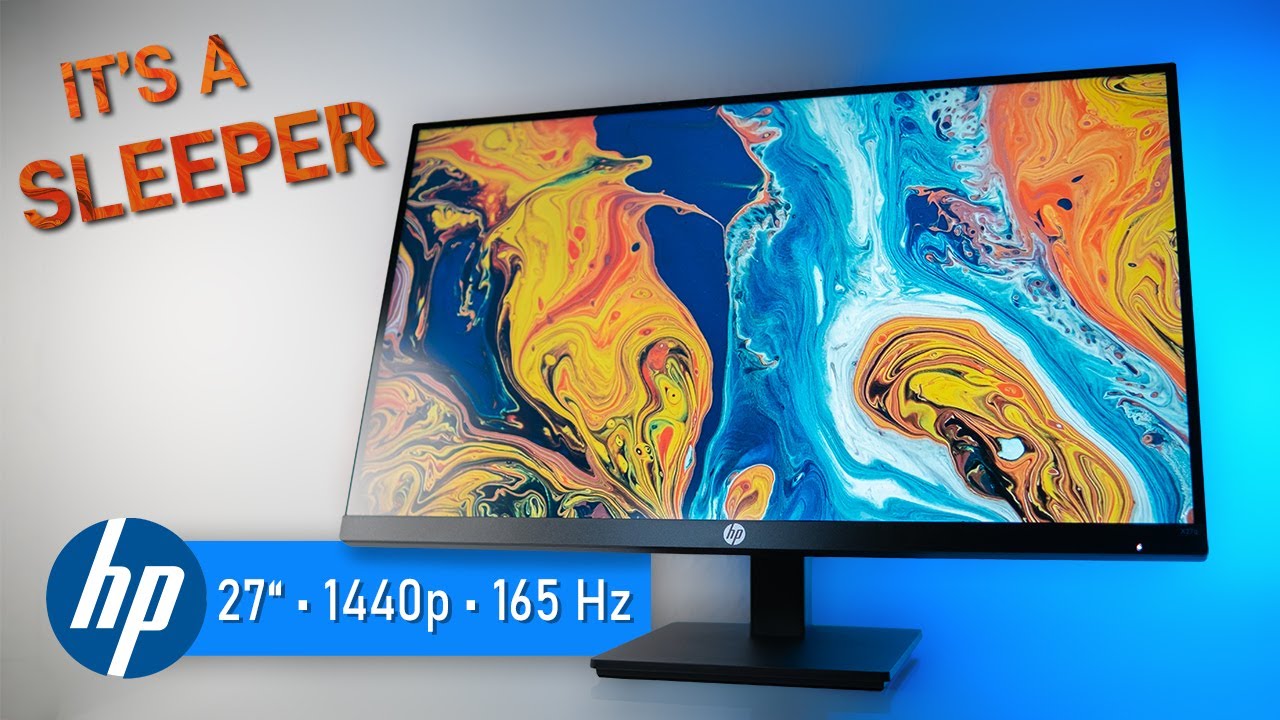
Don't underestimate this monitor. Despite its unassuming design the HP X27q is a proper gaming monitor with a fast IPS panel and a refresh rate of 165 Hz.
ICC profile download:
https://bit.ly/HPX27q-ICC
HP X27q (affiliate link):
https://geni.us/GcW6
Other monitors mentioned (affiliate links):
LG 27GL83A: https://geni.us/1JuzTsW
MSI G273QF: ht...
Love the stand
Got ut
It
So excited
chilly dawn
Like
It looks absolutely stunning
To think this is on a lower end of 1440p monitors is nuts
Its like when I went from a 720p 6 inch phone to a 1440p one of the same size
Did a RDR2 test
Minimum of 55 fps
Maximum of 85 fps
Average of 70fps
On HIGH
This is amazing
I can lay in bed and videos look great still
I can read moderately sized text
 turbid kayak
awesome
chilly dawn
Might get one of those
Vesa mounts
I'm completely redoing the part of the storage room I live in
Repaint, carpet etc
Wanna make it very nice
All black, purple and white
 unreal gyro
I'm looking for an HDMI to Mini-HDMI cable. All I can find is Mini HDMI to HDMI. Do you guys know of one?
This is for a MSI Optix Mag and the PC doesn't support USB-C video output.
 misty gyro
Why would a mini HDMI to HDMI not work? It's bi-directional
misty gyro
Seems like it's alright but really poor construction quality and breaks easily
And by "alright" I mean it displays a picture and doesn't make you sick looking at it
 surreal quarry
 barren aspen
https://www.newegg.com/p/N82E16824569005?Item=N82E16824569005&Source=socialshare...
barren aspen
https://www.newegg.com/p/N82E16824569005?Item=N82E16824569005&Source=socialshare...
please by any montior but this one
 wild coralBOT
 Mr.Woof#3601 has been warned
Reason: Bad word usage
surreal quarry
i've used westinghouse before, meh colors, 💩 response time, stupidly low contrast
like it's fine for a second monitor, but if it's ur primary go for something else, m27q is great all around
barren aspen
hmm
Im not really that interested in buying one
but i might just be able to get 2 of them for a somewhat decent price
ill keep what you said in consideration tho
surreal quarry
if it's just for work like writting and stuff then it's fine, but dont cheap out on a monitor for gaming or workstation stuff
 sick plume
surreal quarry
i've used westinghouse before, meh colors, 💩 response time, stupidly low contr...
sick plume
surreal quarry
i've used westinghouse before, meh colors, 💩 response time, stupidly low contr...

misty gyro
tbf I don't think any WH models are better than meh, at least none I've seen.
misty gyro
In general sure, but some brands make a living off of being cheap knock offs
 spiral vapor
Best monitor under 200?
misty gyro
MSI G241 or G242
quartz sandal
Gigabyte g24f, same price, 170hz refresh instead
errant edge

"Pure, pro-level gaming. Play like a pro with LG's 32"" UltraGear Gaming Monitor. Color intensity with QHD (2560 x 1440) resolution and unbelievable 1ms response rates. Featuring custom gaming control, ultra-fast 165Hz refresh rates and AMD FeeSync to minimize tearing and stutter — all in a virtu...
severe dirge
Idk if I could use anything bigger than a 27". I already feel like it's huge lol
errant edge
severe dirge
Idk if I could use anything bigger than a 27". I already feel like it's huge lol
Yeah fair point, biggest I've used is 24
quartz sandal
27" felt very big at first but now it feels normal
Probably a nice monitor, check rtings tho
errant edge
quartz sandal
27" felt very big at first but now it feels normal
From what I can tell it's good, tryna debate if it's worth it for me
 old arch
For me, instead of right behind key board on edge of desk, that 32" would be on the wall. 🤣 That'll be quite the change from 24" 1080p, but still a slight ppi increase also I think.
 tight herald
Qq, Gpu 3060ti and I’m running a Ryzen 9 5900x which of these monitors or if any suggestions would recommend for 3d rendering in blender and ue, unity, game development, and just overall animations
LG 27GP850-B or Odyssey G5
 visual pilot
What about 2721dgf
 noble current
I came from a 24" 1080P monitor for eight years of usage.To a 27" 1400", it does fell huge, but is so much space and everything looks better and easier to read. I am happy with the GigabyteM27Q
 upper wharf
Do you need to connect your gpu to your monitor via display port or hdmi in order to go over 144hz? (165 or 170)
visual pilot
DP tends to have higher bandwidth

 hot zephyr
How can I improve the video output of an N64? Going through a Composite->VGA converter into my CRT, if looks succinctly abhorrent.

(diagonal lines only visible to camera)
severe dirge
hot zephyr
How can I improve the video output of an N64? Going through a Composite->VGA con...
The n64 is old... so video quality is most likely going to look so bad because of how far technology is now.. that being said.. it looks like you need to play with the brightness/contrast settings on the CRT.
hot zephyr
True, but the game designers probably designed the text to be readable.

 severe dirge
hot zephyr
Is not supposed to look like that ^
severe dirge
hot zephyr
Is not supposed to look like that ^
Its probably the converter that is causing the issue then.. it may not be converting correctly.. do you have a way to test just the composite to make sure it isn't that?
hot zephyr
Sadly not... my CRT only takes some weird wide D-Sub that I have a VGA adapter for.
old arch
Also N64 was "optimal" on a normal 480p TV. Using the adapter you are, or not, I'm not sure how the picture can get much better. 
hot zephyr
hmm I could try to set it to 480p
 subtle cedar
The tv is now working
barren aspen
Thoughts on the LG 32QN600?
errant edge
barren aspen
Thoughts on the LG 32QN600?
i was looking at it recently, from what i could tell its a great monitor at the sale price
this one, right? https://www.amazon.com/LG-32GN650-B-Ultragear-Reduction-FreeSync/dp/B08LLF9NS1?th=1

"Pure, pro-level gaming. Play like a pro with LG's 32"" UltraGear Gaming Monitor. Color intensity with QHD (2560 x 1440) resolution and unbelievable 1ms response rates. Featuring custom gaming control, ultra-fast 165Hz refresh rates and AMD FeeSync to minimize tearing and stutter — all in a virtu...
barren aspen
No thats the gaming variant if im not mistaken
errant edge
ah
barren aspen

LG USA
Get information on the LG 32” QHD IPS HDR10 Monitor with AMD FreeSync™ (32QN600-B). Find pictures, reviews, and tech specs.
this is the one
errant edge
not worth it at the price imo
barren aspen
What price would it be worth it at?
errant edge
maybe 200
barren aspen
What monitor would you recommend otherwise (Second monitor)
errant edge
if its second, any random 1080p 60hz monitor works
 maiden wedge
does anyone know a good monitor for under 200 CAD
errant edge
maiden wedge
does anyone know a good monitor for under 200 CAD
depends on use case
gaming?
errant edge
https://ca.pcpartpicker.com/product/pXMTwP/msi-optix-g241-238-1920x1080-144-hz-monitor-optix-g241 id spend a bit more for this

MSI Optix G241 23.8" 1920x1080 144 Hz Monitor (Optix G241)
also, are you just replacing monitor?
maiden wedge
no im getting my first one for my setup
errant edge
whats the budget for your entire setup
maiden wedge
i already have my laptop i just need a mouse pad a keyboard and a monitor so like 400 for the whole thing
errant edge
ahh
could def spend that much on the monitor and still get decent keyboard, mouse and headset
errant edge
id imagine the mic isnt the best on it
noble current
New video from Hardware Unboxed https://www.youtube.com/watch?v=15YOh8SqiRc

Support us on Patreon: https://www.patreon.com/hardwareunboxed
Join us on Floatplane: https://www.floatplane.com/channel/HardwareUnboxed
Buy relevant products from Amazon, Newegg and others below:
1440p:
HP X27q - https://geni.us/gQjEF
MSI MAG274QRF-QD - https://geni.us/XpADB5
Samsung Odyssey G7 - https://geni.us/Fz6ZdMB
Gigabyte M27Q X - http...
 drifting shore
Hey everyone, I recently upgraded my monitor to the MSI Mag274qrf-qd and a 3070 ti gpu. Is it better to have HDR on or off? I know graphically it's suppose to be better, but does it affect frames?
visual pilot
drifting shore
Hey everyone, I recently upgraded my monitor to the MSI Mag274qrf-qd and a 3070 ...
For that monitor, the peak brightness in HDR isn't really good, and it doesn't even really have a proper VESA HDR certification, so I say there's no need to go for HDR
drifting shore
visual pilot
For that monitor, the peak brightness in HDR isn't really good, and it doesn't e...
Thank you.
 dry umbra
Can you guys recommend me a monitor similar to the Samsung g5 32 without the 1000r curve and preferably a ips panel?
My budget is around under $360
For refresh rate 120hz+ is enough and 100%+ srgb range is always welcomed
Im mainly using this for gaming and art
dry umbra
Is there any monitor like that but with 100%+ srgb color gamut that fits my budget? Even if it's over my budget the I don't mind paying a bit ! more lol
Ahh ok
Tysm dude!
$500 lol
That's way too much
Ahh wait
Wrong location lol
That's why
Moved back to the us
$396
Perfect lol
Tysm dude!
Aight I'll definitely
 timber surge
dry umbra
Is there any monitor like that but with 100%+ srgb color gamut that fits my budg...
timber surge
dry umbra
Is there any monitor like that but with 100%+ srgb color gamut that fits my budg...
What’s “100%+ srgb color gamut” mean?
dry umbra
timber surge
What’s “100%+ srgb color gamut” mean?
The overall coverage of the srgb colour gamut
It's probably the most basic colour gamut
It depends on your workload... I think
timber surge
dry umbra
The overall coverage of the srgb colour gamut
Lol I still don’t know what this means. But I have the HP Omen 27i and love it
dry umbra
timber surge
Lol I still don’t know what this means. But I have the HP Omen 27i and love it
And that's what matter the most lol
But if you're interested in these kinds of stuffs then i recommend reading this lol https://www.uperfectmonitor.com/blogs/portable-monitor/differences-between-color-gamut-srgb-ntsc-adobe-rgb-dci-p3
timber surge
dry umbra
But if you're interested in these kinds of stuffs then i recommend reading this ...
That’s a lot about color on monitors I never knew. Apparently my monitor is the dci-p3 so won’t work for your needs
 queen tendon
yo, if I wanna use my ipad as a drawing tablet, is there a way I could connect it to my pc, kind of like a second monitor?
 fossil gust
queen tendon
yo, if I wanna use my ipad as a drawing tablet, is there a way I could connect i...
fossil gust
queen tendon
yo, if I wanna use my ipad as a drawing tablet, is there a way I could connect i...
Tons of guides out there already
https://duckduckgo.com/?q=connect+ipad+to+pc+as+drawing+tablet
DuckDuckGo. Privacy, Simplified.
maiden wedge
CRT monitors are the best change my mind
 maiden oasis
maiden wedge
CRT monitors are the best change my mind
maiden oasis
maiden wedge
CRT monitors are the best change my mind
they were certainly handy for warming cookies while gaming
maiden wedge
I literally put my pizza on top of mine it works great lol
 polar folio
 hazy cobalt
is this good for ps5 xbox one s and switch?
im playing mostly in performance rt on the ps5 and the switch is only 1080p and the xbox upscale so i think its a good option
vrr would be nice but most of the panels with hdmi 2.1 are more expensive
and i dont really want or need 120fps because i dont want to play in 1080p upscale i think it would look bad
2k upscale is a good option in the middle
visual pilot
ps5 just doesn't support outputting 1440p
which makes it sad
I'd just stick to 1080p for ps5
hazy cobalt
visual pilot
which makes it sad
but it does a 2k upscale on performance rt
visual pilot
It doesn't support outputting 1440p, and there are no plans to support 1440p as an output afaik
It prob does 1080p, upscale to 1440p, and then downscale to 1080p for output or smth like that
or are you talking about 1440p upscale to 2160p to display on 2160p output
hazy cobalt
visual pilot
It doesn't support outputting 1440p, and there are no plans to support 1440p as ...
ok it doesn't do outputting but it does upcale to 4k from 2k in performance rt
hazy cobalt
visual pilot
or are you talking about 1440p upscale to 2160p to display on 2160p output
yes about that this is what i playing the most 1080p 120fps probably look bad
visual pilot
Most games I'd still prefer higher refresh rate, unless you only really play sp games for campaign
hazy cobalt
visual pilot
Most games I'd still prefer higher refresh rate, unless you only really play sp ...
but vrr its a nice feature because its improving performance for some games but i dont know if its worth spending a lot more only for that
visual pilot
vrr as in variable refresh rate? any freesync monitor will do that
hazy cobalt
visual pilot
vrr as in variable refresh rate? any freesync monitor will do that
the ps5 does not support freesync from what i have heard
its only support vrr thats in hdmi 2.1
hazy cobalt
visual pilot
hdmi 2.1 would only really be on 4k144 panels anyways
i know and they cost more
visual pilot
ps5 is just annoying
Still don't know why they wouldn't just implement 1440p support
xbox x/s does
hazy cobalt
visual pilot
Still don't know why they wouldn't just implement 1440p support
yeah that stupid because the ps5 already upscale from 2k
hazy cobalt
visual pilot
xbox x/s does
yeah but vrr still only work on hdmi 2.1.....
visual pilot
first search result
https://www.gfinityesports.com/tech/does-xbox-series-x-support-freesync/

Xbox Series X has an impressive resume but does it support possibly one of the most important features for gamers...
Both freesync and g sync
hazy cobalt
visual pilot
first search result
https://www.gfinityesports.com/tech/does-xbox-series-x-suppo...
what????
visual pilot
every search result after that says the same thing
hazy cobalt
thats impressive
visual pilot
¯_(ツ)_/¯
dunno why ps5 doesn't support freesync either
they also use rdna2
it's almost the same hardware
hazy cobalt
yes that stupid
maybe in the future i hope
also what do you think about the monitor i have sent?
hazy cobalt
hazy cobalt
https://www.newegg.com/global/il-en/black-asus-tuf-gaming-vg289q1a-28/p/N82E1682...
that
hazy cobalt
visual pilot
nothing special but not bad
ok thats good for me
its also have speakers
which is nice
 raw ingot
tbh monitor speakers are generally crap
hazy cobalt
raw ingot
tbh monitor speakers are generally crap
ik
but its nice because i dont always want to put the headset or i play with friends
drifting shore
Hey everyone, I recently purchased an MSI Mag274qrf-qd. I noticed that it is a little oversaturated for my liking. Does anyone know what settings to use or how to fix that?
quartz sandal
I usually copy rtings recommended settings if they have a review on that monitor
 sharp wyvern
My monitor shows my motherboard logo but when windows is supposed to show nothing comes up
Tried a different monitor and cables
All I did was add two fans
misty gyro
What motherboard?
Have you tried going into bios?
Can you get into Windows recovery mode or safe boot?
sharp wyvern
Z490 gaming edge WiFi
Yeah I’m bios now
I can do repairs for windows etc
When I spammed f2 it says it seems windows didn’t load correctly
sharp wyvern
misty gyro
What motherboard?
Have you tried going into bios?
Can you get into Windows recov...
I’m so worried
misty gyro
Try clearing cmos
 sharp wyvern
Ok I’ll try that. Why would installing two fans cause this issue though
misty gyro
No idea. Some sort of electrical hiccup? Maybe the OS got corrupted coincidentally? It's hard to find a cause for this but you can fix it without knowing the root cause.
sharp wyvern
misty gyro
No idea. Some sort of electrical hiccup? Maybe the OS got corrupted coincidental...
Ok so reset cmos.. then I went into bios
Then I saved and exit. While pc shut off.
Whole**
misty gyro
Does it turn back on?
misty gyro
Hmm. Maybe one of the fans you installed is bad and triggered short circuit protection?
Try unplugging those new fans, and switch off the PSU and back on again after a few seconds
misty gyro
There's protections in place to prevent damage if that's the case, but it's possible, though unlikely
sharp wyvern
Ok let me try
sharp wyvern
misty gyro
There's protections in place to prevent damage if that's the case, but it's poss...
I unplugged the power cord only and it turned the pc on again
Could it be my psu?
It’s only a year old
misty gyro
It's not the RGB smart right?
sharp wyvern
How would I find out?
misty gyro
The fan would light up when you turn it on
misty gyro
Correct
sharp wyvern
Yeah no
misty gyro
Ok so it's between the Smart BM2 which is tier C, decent enough for midrange, and the Smart SE, which is tier E, avoid at all costs.
Are you able to see the white label that has all the voltages and such on it?
Would look something like this
 sharp wyvern
misty gyro
Would look something like this
sharp wyvern
misty gyro
Would look something like this
Let me look. Also
Is there a way to tell which cord is for my monitor or my pc? I might’ve switched them
Or would that not cause an issue
misty gyro
Shouldn't be an issue

 steel ridge
They both look like standard 3 prong US outlet plugs
misty gyro
Yeah they're standardized
sharp wyvern
Yeah switched them still no luck I’ll check the psu now
No chance it’s just a bad windows either?
 steel ridge
A bad or corrupt Windows install would not cause a computer to just not turn on at all most likely
misty gyro
We haven't ruled out Windows yet but not likely
steel ridge
That is a bomb.
sharp wyvern
What
steel ridge
That PSU is a bomb.
steel ridge
Its actually dangerous.
 misty gyro
People don't do research, that's how they sell those $200 "4k" TVs that look worse than 1080p
sharp wyvern
Lol. I can’t see the voltages on here
steel ridge
Why would you need to?
steel ridge
Ah, just the label
misty gyro
Yeah to find the model, it's on the other side lol
Don't worry
It's probably this one https://pcpartpicker.com/product/6RTrxr/thermaltake-smart-600w-80-certified-semi-modular-atx-power-supply-ps-spd-0600npcwus-w

Thermaltake Smart 600 W 80+ Certified ATX Power Supply (PS-SPD-0600NPCWUS-W)
steel ridge
Judging by the ketchup & mustard cables, most likely.
 misty gyro
It could
steel ridge
It could.
misty gyro
jinx
 misty gyro
B tier, pretty good
sharp wyvern
Kk
misty gyro
Yeah I'm not 100% sure but I think your PSU is the E tier model
Which isn't inherently dangerous but...
misty gyro
You're right... I'm thoroughly confused now
misty gyro
They said 1 year old so if it is an older model it's been sitting for a long time on the back of a shelf
steel ridge

Thermaltake Power Supply PS-TTP-0600NNFAGU-1 600W 80+ Gold Non-Modular SI Only Bulk Pack
Found it possibly
Yeah, its an SI only model apparently
misty gyro
Ah that would make sense, if it was a resold unit or the PC is/was a prebuilt at some point
misty gyro
Ok, the pieces are coming together.
In that case I believe that to be the C tier model re-labeled. And non-modular.
sharp wyvern
Is that bad
misty gyro
C tier are fine for low load (parts use less than rated power, even when spiking) or for midrange gaming in other words.
sharp wyvern
Would a bad gpu cause the sceeen not to show
misty gyro
If it was the GPU the bios wouldn't show
misty gyro
Did you already unplug the new fans?
 misty gyro
See advanced repair options
misty gyro
The auto repair is almost useless, you'll want to try running in safe mode first
 misty gyro
Yep, safe mode with networking
sharp wyvern
I think
 sick pivot
i got this lg monitor that was on sale at walmart how do i check if i would need drivers to use the monitor
misty gyro
Monitors don't usually need drivers
sharp wyvern
misty gyro
Yep, safe mode with networking
Black screen):
sick pivot
i read something about certant lg ones needing them but all i see is windows 10 drivers
none about windows 11
sharp wyvern
If it says windows isn’t booting correctly wouldnt that mean windows corrupt or no
misty gyro
Win 10 drivers will work on 11
sick pivot
ok
cause when i was running it at a high refresh rate on my laptop it randomly froze than blue screend on me
misty gyro
sharp wyvern
If it says windows isn’t booting correctly wouldnt that mean windows corrupt or ...
Possibly, if safe mode is still not working then it's either the boot manager or something deep in the OS
misty gyro
sick pivot
cause when i was running it at a high refresh rate on my laptop it randomly froz...
Which LG monitor exactly did you get?
sharp wyvern
misty gyro
Possibly, if safe mode is still not working then it's either the boot manager or...
So what should I try now
misty gyro
Try a Windows install USB and see if that loads, and you can repair the OS from there too.
I'd guide you but I actually need to get off for a bit.
misty gyro
Lol it happens when there's multiple things going on in one channel
In your case yes there's the drivers from the LG website you can try
sick pivot
Thank you
sharp wyvern
misty gyro
Try a Windows install USB and see if that loads, and you can repair the OS from ...
I have a fresh install on my usb. Doing that now
@misty gyro fresh install worked should I be worried
misty gyro
Once is a fluke, twice is a problem
If it happens again I'd look at the SSD next time
sharp wyvern
misty gyro
If it happens again I'd look at the SSD next time
Ssd more than likely ? If it happens again then
Or is it a chance it’s something else
sharp wyvern
misty gyro
If it happens again I'd look at the SSD next time
I did do a system restore.. it worked. But when I turned off the pc and put fans in .. that’s when I had the black screen
So do you think it was the restore
sick pivot
Wait so you had the fans out it worked than you put them back in and it didnt?
sharp wyvern
No
I did a fresh install
And it worked
But I did do a system restore earlier
So maybe that messed up my windows
 gleaming drum
Anyone got any recs for a 1440p/4K, 120Hz+, curved, 30"+ monitor?
Going to be paired with a 3600X+3060Ti system
visual pilot
m32q prob
don't think 3060ti will do 4k144 too well

32” 2560x1440 IPS Display with 165Hz Refresh Rate, 0.8ms (MPRT) Response Time Smooth Gameplay with AMD FreeSync Premium Studio Grade VESA Display HDR400 and 94% DCI-P3 (120% sRGB) Color Gamut GIGABYTE Classic Tactical Features with OSD Sidekick GIGABYTE Auto-Update.
gleaming drum
yeah but its also gonna be used for other media stuff probably so 4K would be nice for that but definitely not necessary
visual pilot
just not worth paying for 4k144 in that case, so 1440p144 makes more sense
since that's ~700$ vs ~300$
gleaming drum
Is there any curved variant of that? friend is kinda deadset on curved for some reason
Even telling him the price diff 
visual pilot
curved ips do be expensive
ig 32in curved makes a bit more sense
worse panel but its curved
https://www.amazon.com/dp/B0926ZVM75

32” 2560x1440 VA Display with 165Hz Refresh Rate, 1 ms Response Time Native 1500R Curvature Improved Gaming Experience with G-Sync Compatible Smooth Gameplay with AMD FreeSync Premium Pro VESA Display HDR400 and 93% DCI-P3 GIGABYTE Classic Tactical Features with OSD Sidekick GIGABYTE Auto-Update ...
meh va panel instead of great ips panel
gleaming drum
Ah so thats the difference of the G32QC, I was trying to figure out why it wasnt being recommended
He is willing to spend up to $500 ish if theres anything better you know of
visual pilot
Curved, no, not curved, M32q
gleaming drum
ok, thanks, the only other he saw was the Odyssey G7 https://www.amazon.com/SAMSUNG-32-inch-Odyssey-G7-Monitor/dp/B088HHZBGJ, which he's convinced himself he wants even though it's over budget and is just trying to justify it to himself
misty gyro
sharp wyvern
So do you think it was the restore
That is one possibility yes
 eternal elk
What’s a good monitor to run 4K on with a 3080?
misty gyro
M32U
eternal elk
Thx
errant edge
eternal elk
What’s a good monitor to run 4K on with a 3080?
are you deadset on 4k?
4k gaming is kinda a meme
eternal elk
visual pilot
Could do m28u
visual pilot
Ye, but that one is open box
quartz sandal
i personally wouldnt bother 28" 4k
 fading wyvern
But if you lean in to your monitor for intense gaming sessions you’ll really see all the pixels 
quartz sandal
i literally sit a foot away from my monitor lol
fading wyvern
 severe dirge
quartz sandal
i literally sit a foot away from my monitor lol
severe dirge
quartz sandal
i literally sit a foot away from my monitor lol
I just measured 1.5ft
Idk if thats like super close or not, but yeah
quartz sandal
I honestly don't know lol
subtle cedar
 old arch
severe dirge
Idk if thats like super close or not, but yeah
old arch
severe dirge
Idk if thats like super close or not, but yeah
Hey me too. I know it seems a bit closer but w/e. Perhaps average-ish & closer than many that have monitor clear back on a wall. Here's another measurement: my screen is almost exactly 12" from the front edge of my desk.
severe dirge
old arch
Hey me too. I know it seems a bit closer but w/e. Perhaps average-ish & closer t...
I'll have to check out how far mine is from the front edge.. that'll probably change though once the monitor arm comes in
 bright zinc
I need help with my monitor I keep on getting a blue screen after using it for 3hrs
misty gyro
What kind of a blue screen? Like just the screen turns blue suddenly or the Windows error blue screen?
bright zinc
misty gyro
What kind of a blue screen? Like just the screen turns blue suddenly or the Wind...
a blue screen with a barcode that says "Your device ran into a problem and need to restart."
errant edge
thats not a monitor issue
misty gyro
That's got nothing to do with the monitor then, that's Windows having an error
bright zinc
oh, and no it's all the same the latest thing I've done was update windows like a week ago
errant edge
did it start when you updated windows?
bright zinc
it happened like once before but not as much as it does now
errant edge
possible some system files corrupted, id run rawrs batch file pinned in #windows-ios
bright zinc
okay thanks for the help appreciate it
 deft lake
my monitor is going on 8 yrs old now. it has recently started going black for a few seconds for no apparent reason. The computer is just a few months old, and the monitor was working well until about 2 weeks ago. Time to replace it? Any suggestions for a 22-24 in display?
misty gyro
MSI G241 (or G242, whichever is cheaper)
MSI Optix G241 23.8" 1920x1080 144 Hz Monitor (Optix G241)
quartz sandal
Or gigabyte g24f
quartz sandal
Is SS IPS that good? Gigabyte m27q-p is now out at 400$ which I don't get like at that stage just get the m27q x and get 240hz ¯_(ツ)_/¯
misty gyro
Here's their marketing for it. Supposedly it cuts all the drawbacks of IPS down. https://global.aorus.com/blog-detail.php?i=817

AORUS
”It Looks Different!” is what people would say when they see gameplay on a gaming monitor the first time. Indeed, the high refresh rates along with short response time on gaming monitors can bring smoother gameplay. However, what most people may not notice is that there is always a trade-off: greater picture qua ...
Supposedly great picture quality and response time at the same time
old arch
recalls superspeed usb 
quartz sandal
Bruh the ss stands for superspeed 💀
misty gyro
It's a thinner and higher voltage IPS panel basically
 misty gyro
No not thinner screen, thinner liquid crystal layer
quartz sandal
Oh right i was like if the screen gets thinner it's just impractical
misty gyro
It does seem pretty impressive though if their specs are to be believed. 240 Hz and 0.4ms response, plus other goodies like HDR and 100% sRGB.
Talking about their FI25F of course
 sage trail
i 100% prefer my FI27q-x over the M27q panels ive encountered
its crazy
it really does just look a tad bit better
misty gyro
I would agree based on other reports and reviews as well, it is better.
It's just for the price point M27Q is great
sage trail
yeah
misty gyro
Soooo many people coming in asking for the best ~$300
But if you can spend a little more you can absolutely make it worth it
sage trail
altho the M27q-x is only 500
which still makes the FI27q-x a bad purchase nowadays haha
old arch
misty gyro
It does seem pretty impressive though if their specs are to be believed. 240 Hz ...
Just advertised response time though? Will wait for rtings review.
misty gyro
It's from their internal testing so I assume so
Yes absolutely wait for reputable deep dive reviews like rtings does
Even if this panel is the best thing since OLED they can still screw it up royally elsewhere
 mighty kettle
Rtings, hwu, hwbusters... The monitor space is slowly becoming fun
Though all have their flaws
But that's to be expected
misty gyro
Indeed, which is why best practice is also to not just look at one reviewer. And that applies to everything.
mighty kettle
Yep
Except that I'm kinda forced to in the PSU space
But for most other things it's more often than not a combination of multiple
errant edge
Out of curiosity, what's the difference between the single and multi rail psus in your list luke?
I dont know much about how psus are made or the components inside of them
misty gyro
True, not enough people do the kind of testing you need to make informed recommendations on PSUs. At least many are based on the same platforms so you can extrapolate based on what you know.
mighty kettle
errant edge
Out of curiosity, what's the difference between the single and multi rail psus i...
Do you know how the breaker box in your house works?
errant edge
Sorta
mighty kettle
See it like that, but with less amperage
errant edge
Enough to not die
mighty kettle
Every breaker is a rail
So it can be useful with higher wattage units to have a lower limit per cable
errant edge
Are more rails better, or is it just a thing that exists that isn't super important?
mighty kettle
Well, its main upside is also its downside
It shuts down quicker
So if misconfigured, it'll shut down prematurely
errant edge
So if a system is under high transients it could shut down when it didn't need to?
mighty kettle
It's more if you for example put two gpu cables onto a single rail
Average multirail with 40a or so per gpu rail can handle those transients fine
mighty kettle
But it's a debate on how useful it is today
I consider it useful, so does Jon
Yet for example Aris doesn't
quartz sandal
misty gyro
It does seem pretty impressive though if their specs are to be believed. 240 Hz ...
At least for m27q-p it's still the same 170hz as m27q so i just really don't see where the improvement is over the bit of extra colour accuracy they claim
misty gyro
It's probably the overdrive modes you'll see the most difference. You usually have to sacrifice image quality (ghosting, etc) for higher response times.
maiden wedge
Hi. I'd like to change my current monitor (TN, 144hz, 1080p) to another display. The one I have right now was poorly built and easily causes eye strain. What type of monitor specs should I be looking at as a priority? What I usually do on my computer is work/study, work, and make music. Thanks.
errant edge
maiden wedge
Hi. I'd like to change my current monitor (TN, 144hz, 1080p) to another display....
depends on your budget, gpu
viewing distance
maiden wedge
I have a 1660 but I don't game anymore
maiden wedge
As for budget, prices vary a lot compared to NA where I live, so I'd have to do research on my own. But around 200 USD I guess?
errant edge
id imagine youre looking for something along the lines of a va/ips panel, 60-75hz, 1440p 24-27in
maiden wedge
Probably, yeah. Do you think the jump from 1080p to 1440p would be worth it?
errant edge
depends on how far your viewing distance is
maiden wedge
People have been recommending me IPS though, yeah
errant edge
if you want a 27in monitor, definitely
maiden wedge
errant edge
depends on how far your viewing distance is
Give me 1 sec
Viewing distance would be around 60 cm, I just checked
Which is about 24 inches
errant edge
yeah
maiden wedge
I currently have a 24 inch. What would be the perks of having a slightly bigger display? Is there any difference at all?
errant edge
youd be fine with 1080p 24in imo, just depends on the quality you want
id go 1440p if its within your budget
considering its for work, youre probably spending a lot of time with the monitor
so its worth spending the extra for better quality
maiden wedge
I am, yeah, over 8 hours a day I'd say
Absolutely
I shouldn't be caring about response time right?
errant edge
5 or lower is fine
below 5 is just marketing
@quartz sandal or is it below 3 is just marketing
errant edge
eh, its useful for some people
its person to person i believe
i like a slight curve for my main monitor, but thats just when im gaming
if im doing work or school stuff idrc
maiden wedge
Yeah, I see
The IPS curved monitors are hella expensive though, I'm prolly gonna opt for flat
errant edge
i dont know enough about specific monitors to tell you why for that
@misty gyro might be able to give you specific monitor reccs
maiden wedge
Yeah, alright. I'll just do some research along these lines: IPS, 1440p, 27 inch
maiden wedge
maiden wedge
I currently have a 24 inch. What would be the perks of having a slightly bigger ...
Do you have any opinions about this perhaps?
sick plume
errant edge
<@191276897227898880> or is it below 3 is just marketing
below 5
quartz sandal
Uhh i think <=1
sick plume
is below 5 afaik
quartz sandal
Idk they only capture a certain response time that doesn't matter
Best to look at reviews anyway
errant edge
maiden wedge
Do you have any opinions about this perhaps?
Meh, again its personal preference
For me too big of a screen leads to me tunnel visioning in gaming
 amber marten
howdy hi
 meager wadi
amber marten
howdy hi
meager wadi
amber marten
howdy hi
I dont know you but hello.
 south cloak
is their any good budget monitors under the $100 threshold. I run a laptop with i5 integrated graphics so its not great, I just need some more screen real-estate. I used to use the windows connect feature with an old laptop from my brother, but then the software got out of date on the old laptop and it is not working.
misty gyro
At that low budget you can either look local for something used or go to PCPartPicker and sort monitors low price to high
south cloak
misty gyro
At that low budget you can either look local for something used or go to PCPartP...
alright
amber marten
I've already picked out weird parts to upgrade
amber marten
Howdy Ho
amber marten
I've picked my monitor

ASUS Global
TUF Gaming monitors are ideal for competitive gamers on a budget, delivering a carefully selected set of high-end gaming features at palatable prices. Immaculate visuals are now within reach.
subtle cedar
I bought a new monitor mine below 3
subtle cedar
amber marten
I've picked my monitor
Nice


 small warren
M32QC-SA, is that the same panel as the M32QC?
misty gyro
Yes it looks the same. Gigabyte uses the same VA panel on almost all their curved monitors.
small warren
Ok awesome. Just wanted to check
eternal elk
What is a good monitor that I can use on a tri monitor mount
misty gyro
In what budget and what use case?
eternal elk
Somewhere around $300-400 per monitor
And what’ll be a good triple monitor mount
Gaming/streaming
eternal elk
Ok thx, could you send me a link to a Vesa mount
misty gyro
3 side by side or 2 bottom one top setup?
eternal elk
Side by side
misty gyro

Buy HUANUO Triple Monitor Stand - Full Motion Articulating Aluminum Gas Spring Monitor Mount Fit Three 17 to 32 inch LCD Computer Screens with Clamp, Grommet Kit with fast shipping and top-rated customer service. Once you know, you Newegg!
eternal elk
Thx
 carmine bloom
Which should I get


 wary wave
sadge, dont seem that benq monitor has dyac+ unless its just not in that item description for the title
id say that but if it doesnt then odyssey
carmine bloom
it doesn't seem to have it
wary wave
big sadge
odyssey then. id say lg but i dont think their ultra gear panels are as good as their panels that they use for like actual desktop work in terms of colors iirc. not to say that theyre bad panels but still
carmine bloom
sweet ty
sage trail
the benq is 32 inches tho
really take advantage of that 4k
its also 10 bit ips
the samsung is prolly va
they like to list LCD panels as "LED Display" when they cant advertise it as IPS
benq also has better hdr
its also advertising hdmi 2.1 which is nice, dunno if the other two have that, i would have to actually check them out
carmine bloom
The BenQ is also 300$ more lol
And the Samsung is an IPS panel, not VA.
I personally don't need hdmi 2.1 cause I have something else for my Ps5
sage trail
well i cant see prices sooooo
when you ask which should i get and dont show prices, i dont consider price
surprised the samsung is ips, i guess they really do just like to lie through their teeth
for all their products
carmine bloom
😅
 clear temple
do better contrast ratios result in a better gaming experience or is it pointless or minor
quartz sandal
carmine bloom
Which should I get
Gigabyte m32u/m28u(even tho i think 4k monitors that small are wasteful)?
carmine bloom
quartz sandal
Gigabyte m32u/m28u(even tho i think 4k monitors that small are wasteful)?
You'd have hated my portable 4k monitor. Lol
carmine bloom
15.6 inches
I deployed remember? :p I brought my pc and it was really nice for Skyrim
I'm home now though of course. That was last year
quartz sandal
carmine bloom
15.6 inches
But whyyy
carmine bloom
quartz sandal
But whyyy
Cause I wanted some high quality skyrim
quartz sandal
But could you actually tell the diff between 1080 and 4k at 15" ffs lol
carmine bloom
Yes
I had two portable monitors. 1080p and 4k.
Skyrim looked so much better on the 4k one.
Lots of 4k texture mods though. So maybe that's why
quartz sandal
You must have 40/40 fricking vision lol
carmine bloom
My eye sights really bad actually
I sit really close to my monitor though so maybe that's why
carmine bloom
Can you not tell the difference on phones? I can, went from a 1440p phone to 1080p. And I hate it
quartz sandal
nope
carmine bloom
Weird
quartz sandal
I can't see a single pixel on my phone unless there's a splash of water on it or something
1080p on a phone is very high dpi too
 glacial goblet
This doesn't seem to fit exactly anywhere, but it does involve monitors, so perhaps... I'm looking for a single-ended KVM. One end is the usual box. The other end is software, similar to Remote Desktop or TeamViewer, that runs on a Windows machine. I've used them, but I've forgotten the actual correct name so I could look up where to buy one.
quartz sandal
could you explain further?
glacial goblet
Were you speaking to me, Pato?
quartz sandal
yep
 honest crane
raw ingot
honest crane
raw ingot
you can't
running non native res on an led, lcd or any modern monitors won't look good
small warren
This is going to be a weird question, anyone know a height adjustable tabletop stand for vesa 100x100 that's as flat as possible at that base, that will do up to, let's say 55" screens?
I'm expecting no answer, just wondering if anyone here may know off the top of their head while I look around
old arch
Well there's numerous stands designed for dual 27's, which might be similar weight to a single 55" but idk. Search vivo stand on amazon and see what ya find.
small warren
I'm not finding anything, I might have to wall mount instead but can only do it blind
It has to fit in a really tight nook, the mount point on the screen is high not center so I can't have the stand inflexible in it's dimensions
It's gonna look better if I wall mount it anyway
old arch
yea just 1 I was thinking of, and I guess the base does take up 1/2" give or take
 small warren
Oh true, actually that's not a bad idea
Then take one mount off
It can't be higher than 59cm tho. I'll keep looking
Thanks for the tip!
old arch
saw off part of it, lol. here's a link to it though https://www.amazon.com/VIVO-Free-standing-Vertical-Position-STAND-V002L/dp/B00DGU92DM
 old arch
yea ya do. Mentioned 59cm but a 55" TV is taller than that even w/o it's stand. idk, lol

 severe dirge
old arch
yea just 1 I was thinking of, and I guess the base does take up 1/2" give or tak...
severe dirge
old arch
yea just 1 I was thinking of, and I guess the base does take up 1/2" give or tak...
Is each bracket rated to hold a certain amount of weight though? Like it'll start to slide down the pole if its to heavy?
old arch
@severe dirge Of course, and they say 22lbs per screen(aka 22ish lbs per bracket). Could be big brain & drill/bolt through the bracket to possibly increase that number, but no guarantees.
severe dirge
old arch
<@913267599779971133> Of course, and they say 22lbs per screen(aka 22ish lbs per...
I think a nice big f off bolt right through would do the the job just fine.
old arch
Way better than depending on clamping force. The part of bracket that loops around might be plastic, but hopefully not.
severe dirge
old arch
Way better than depending on clamping force. The part of bracket that loops arou...
If it holds 22lbs then it's probably metal
Mine only holds 17 lbs and is metal at least
 verbal spear
whats a good 1440p monitor? that doesnt hurt my bank and ips panel?
visual pilot
verbal spear
whats a good 1440p monitor? that doesnt hurt my bank and ips panel?

Pixio PX277 Prime 27 inch 165Hz IPS HDR WQHD 2560 x 1440 Wide Screen Display 1440p 165Hz Flat FreeSync Certified Esports Gaming Monitor
quartz sandal
verbal spear
whats a good 1440p monitor? that doesnt hurt my bank and ips panel?
Gigabyte g27q is 250$
severe dirge
quartz sandal
Gigabyte g27q is 250$
I'm a g27q shill
I'm also gonna try out the g32qc and see how I like it.
misty gyro
Nah the VA panel on the curved ones is kinda bad
Contrast is garbage mostly, dark scenes look boxy because of bad blacks and dimming zones
quartz sandal
Gigglybytes best product line is monitors don't @ me
misty gyro
Ouch says their motherboards
quartz sandal
misty gyro
Ouch says their motherboards
Not saying all their boards are bad.... but they're less consistent overall
severe dirge
misty gyro
Contrast is garbage mostly, dark scenes look boxy because of bad blacks and dimm...
Idk, a friend of mine has one and says it looks pretty good. Not as bad as other ones he's tried. So I'm willing to give it a try, plus its matchy matchy to my g27q
Worst case scenario.. I have 30 days to return right?
severe dirge
quartz sandal
Gigglybytes best product line is monitors don't @ me
@quartz sandal
quartz sandal
severe dirge
<@191276897227898880>
 misty gyro
severe dirge
Idk, a friend of mine has one and says it looks pretty good. Not as bad as other...
misty gyro
severe dirge
Idk, a friend of mine has one and says it looks pretty good. Not as bad as other...
Ok but do yourself a favor and don't try to watch videos on it
severe dirge
misty gyro
Ok but do yourself a favor and don't try to watch videos on it
I will now try and watch videos on it.
misty gyro
Someone is a masochist
severe dirge
Idk, I'm not as elite about things looking the best as other people are. If it looks good enough then its good enough.
I can tolerate a lot.. as long as its not a dead pixel. Then I'm trippin.
 old arch
quartz sandal
https://tenor.com/view/cat-scream-scary-memes-gif-19596874
old arch
quartz sandal
https://tenor.com/view/cat-scream-scary-memes-gif-19596874
Rekt, lol. Srsly though, (not now) GB 8+ yrs ago had mostly great mobos, some were famous for taking ddr2 to 1200 instead of 1066. :Pog-1:
old arch
misty gyro
How many bad? 
 indigo berry
old arch
Rekt, lol. Srsly though, (not now) GB 8+ yrs ago had mostly great mobos, some we...
indigo berry
old arch
Rekt, lol. Srsly though, (not now) GB 8+ yrs ago had mostly great mobos, some we...
:pog-1:
misty gyro
Dark scenes with any kind of light show up all boxy like that, it's super noticeable and drives me insane. I have to use my secondary el cheapo viewsonic monitor for it to not look like trash in videos.
old arch
Ah gotcha just VA doin that. Major yikes.
indigo berry
Y'all talking about bad monitor but I think coil whine is pretty bad too, turn up volume
It's kinda of covered by the fan noise
indigo berry
misty gyro
Is this IPS? Or similar?
severe dirge
misty gyro
I got the G27QC
Does it do this in games?
indigo berry
VA
Still better than TN
severe dirge
misty gyro
Color is great though
So my vibrant games like ff14 will be just fine
Darker games and fps ill just play on g27q
Idk, I got at least 20 days to check it out before I decide if it's what I want.
But, tbh.. I think anything is better than the monitors I used 10 years ago when I last had a PC.
quartz sandal
misty gyro
Someone is a masochist
I still watch things on my TN panel it's not that bad
severe dirge
quartz sandal
I still watch things on my TN panel it's not that bad
Yeah it prob looks worse on camera than in person
maiden wedge
Hey. Could someone please help me out
What are the main perks of having a 1440p display rather than 1080p? Is 1440p better than 1080p for long study sessions for instance?
Also, what are the main differences between IPS and PLS panels? Which one is preferable for better image quality and long exposures to the screen?
Thanks in advance
quartz sandal
1440p is a higher resolution, this means that you're less likely to see the pixels as they are more dense compared to 1080p, although 1440p shouldn't be a consideration until 27" +
IPS has better colours PLS isn't a common panel type ik of but IPS is the best mix of colours etc without possible burn in of OLED
If you're worried about eye health just turn on night mode/whatever gets rid of blue light or get some blue light blocking glasses
sick plume
quartz sandal
IPS has better colours PLS isn't a common panel type ik of but IPS is the best m...
PLS is samsung made panel thats basically all the qualities of ips, while being brighter and it overclocks pretty well
quartz sandal
I shcee
 undone kite
someone sell me on curved monitors. I am looking to upgrade but rn I can't stand the idea of a curved monitor, are there any benefits?
quartz sandal
nope I would hate a curved monitor, some ppl just like curved
carmine bloom
"Did you see those gamers from America? They've got Curved Monitors. Curved. Monitors. 😮 "
 keen moth
Can anyone help me with my monitor
It's like so messed up like the colors are messed up
And ecerything
errant edge
keen moth
It's like so messed up like the colors are messed up
sounds like your gpu is dying
can you take a picture?
keen moth
Well I jave 2 monitors 2nd monitor It's perfectly fine
I woukd but I don't have permission
 quartz sandal
DDU it, there's a guide in #graphics-cards pins
maiden wedge
Thanks for the input @quartz sandal @sick plume
So, is PLS > IPS > VA?
Paired with 1440p, 27 inches.
sick plume
pls and ips arent too different, look at review for the specific monitor on rtings
not all ips displays are created equal
same goes for all panel types
maiden wedge
Alright, thanks
And 24 inches 1440p is just pointless and shouldn't be considered right?
Also, is there a noticeable difference between VA and IPS? Is IPS really preferable for long exposure to the monitor?
old arch
1440p on 24" looks better w/ higher ppi, but yea generally that res is for a 27-32". VA I thought has better contrast at least, but . IPS for a while has sort of been overall winner, sure.
 past crater
Anyone have any affordable monitor suggestions, looking for 1440p, 1ms, at least 144hz, 27” curved there’s so many monitors out there currently only have one 1080 AOC monitor that I got for cheap on Amazon a few years back but I think it would work much better as my second. Thanks
old arch
1440p 27" curved could be gigabyte G27QC I think it is, and VA panel. $250ish last I knew @past crater (or QC A). 27" is small for curved, so could also think about the normal G27Q (ips), or various similar ones I can't think of.
 severe dirge
small warren
I can't decide
severe dirge
small warren
I can't decide
What you looking for
small warren
I wanna change to a big screen for my desk with a wall/tabletop mount so I have more space on the desk but I can't make up my mind which screen
I'm losing my mind over it 
visual pilot
small warren
I'm losing my mind over it <:kek:573911326942822406>
Roll a dice
If it's all good enough monitors with good enough prices that is
severe dirge
visual pilot
Roll a dice
A die. Dice is plural ;)
small warren
Oh the prices are all over the place but they all feel like good ideas haha
visual pilot
Dice can also be used as singular
visual pilot
small warren
Oh the prices are all over the place but they all feel like good ideas haha
What are the options?
severe dirge
visual pilot
Dice can also be used as singular
I suppose with modern engrish
visual pilot
It is what it is
small warren
Ok to give a little insight, I have a 60cm space to play with. I'm ideally looking at a monitor or tv to fit there.
I'm stuck deciding between an LG C2 42" or an FV43U
I don't wanna go smaller for 4K, I have a G7 I could use instead if I wanted that
I have the FV43U rn, it's been awesome since day 1, and I use that for my consoles (PS5, series S, 360)
visual pilot
The main thing is if you care about burn in risk
small warren
Yea exactly
visual pilot
If you already have fv43u, if it ain't broke, don't fix it
small warren
Oh but that one is in a different space
I'm wondering if I should stick with what's good for my desk and PC, or go up to the C2
So technically, a second one
Either that or just use the current one and put an FO48U on the console setup
visual pilot
Personally I just wouldn't want to risk having to worry about permanent burn in
visual pilot
Sure the c2 does performs better but personally, peace of mind.
small warren
So it had me hooked for a bit lol
visual pilot
Rtings has reviewed both, could take a look at that again if you want
small warren
Fair enough, it's also like 1/3 the price for another FV43U
visual pilot
Oh that changes things
small warren
I mean it matters but I wouldn't have been against the step up
FO48U even would be only a couple hundred instead
visual pilot
If it's that much cheaper, kind of makes it a lot easier to choose imo
small warren
Hence why that was also on the cards
Yeah
Alright, I'll stick with the QLED FV
Thanks for hearing me out lol
visual pilot
You're welcome
verbal spear
im debating if i should get a 240hz monitor upgrade or a 1440p 144hz usually play valorant
maybe other games thats not fps
for 240hz thinking of Aorus FI25F its on sale for 300
quartz sandal
I'd go 1440p, gigabyte g27q is 250 if you're in the us
small warren
Def 1440p for a 3080

 untold umbra
 quartz sandal
Looks like a record button or something
Definitely something software related not your screen
 trim arch
@steel vault Acer R240HY bidx 23.8-Inch IPS HDMI DVI VGA (1920 x 1080) Widescreen Monitor, Black https://a.co/d/fGYyzFW

The Acer R Series 23. 8" wide viewing IPS display shows every detail clearly and vivid without color difference from any viewing angle. Its zero frame design puts no boundary on your visual enjoyment while the brushed hairline finish stand matches any environment. With Full HD resolution and supe...
 broken bramble
My monitor has an option between 59.940hz and 60hz. Which one should I choose? I use my monitor for gaming and video editing.
 valid delta
Should I wait to buy an OLED TV until Black Friday?
You think they'll go on sale a significant amount then?
misty gyro
So here's the issue with Black Friday, based on reports by our own users that used to work retail at Best Buy and Walmart:
They're cheaper sure, but they're also cut down models that leave out features or hardware capability. They make models specifically for Black Friday to cut costs.
It depends on what TV you're looking at though, if it's a high end one like the LG C2 then it might be a couple hundred lower.
carmine bloom
buy TV's after christmas. Early-Mid January instead I think.
Cause they gotta sell last years stock
wary wave
really depends on which specific products youre looking at, having worked at walmart, we got hella extra stuff to sell but there were also a decent amount of products that we already had that were marked down a bit but not by a significant margin
if you want a significant margin down, get a part time job at walmart and work during black friday (assuming the walmart there also does this) but you get an employee discount and if your walmart is cool, you also get a black friday discount
the store i worked we had a 10% or 15% employee discount and having worked on black friday, they gave us a 75% discount on one purchase
one purchase, not one item
valid delta
That's good info, guys. Thanks. I currently have a cheap 32" 1080p Vizio and I'm super interested in upgrading now since I have a new place and my Switch OLED screen looks WAY better than my TV haha
I can definitely wait, though. Either that or purchase a projector...
severe dirge
That's a long way for a monitor to travel. I hope it's still in one piece.
 carmine bloom
severe dirge
That's a long way for a monitor to travel. I hope it's still in one piece.
carmine bloom
severe dirge
That's a long way for a monitor to travel. I hope it's still in one piece.
My friend took his monitor to Iraq, it was in his checked luggage, which was a duffle bag. it survived.
His PC didn't survive the trip though. I mean it did sorta, but it burst into flames when we got back to MN apparently and he had to replace everything. Rip.
severe dirge
carmine bloom
My friend took his monitor to Iraq, it was in his checked luggage, which was a d...
that's insane
carmine bloom
Yeee I said that too.
I had brought 2 portable monitors in my carry on with my PC. But he was like, nah full set up.
 bronze flicker
Looking to upgrade trying to decide between these two. This one?
https://www.newegg.com/black-samsung-odyssey-g7-s28ag700-28/p/N82E16824027066?
Or this one?
https://www.newegg.com/black-samsung-odyssey-g7-lc32g75tqsnxza-32/p/N82E16824022816?
visual pilot
bronze flicker
Looking to upgrade trying to decide between these two. This one?
https://www.ne...
To start, what GPU do you have? And I'll also add in M28u and M27q-x as additional contenders
bronze flicker
3070
visual pilot
I feel like 1440p144 is more like it for 3070, but out of 1440p240 and 2160p144, I'd lean towards 1440p240 and therefore M27q-x for a 3070
The g7 1440p240 isn't bad but IPS has nicer colors
bronze flicker
Mm the m27q-x does look good I’ll do some more research
visual pilot
hub nice
https://youtu.be/dDPq0uHNTyo
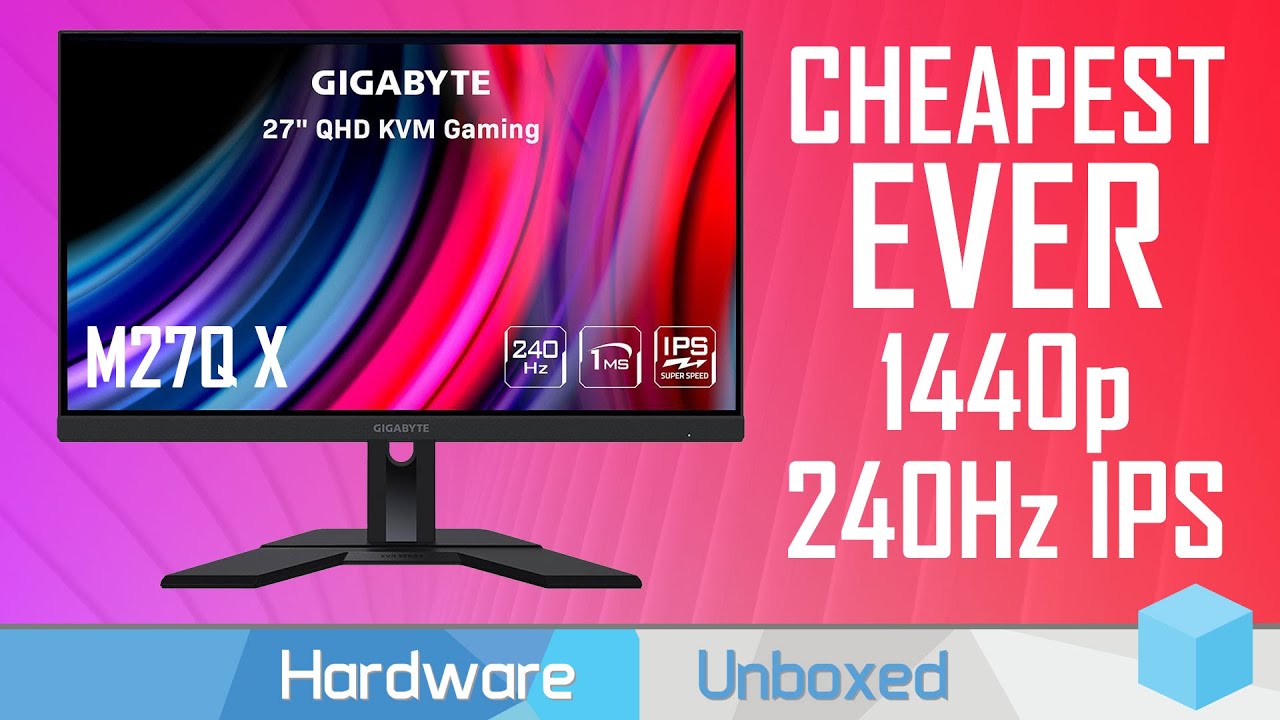
MSI B660 Series Motherboards: https://msi.gm/GetB660Series
MSI ANZ Promotion: https://msi.gm/GetPoweredbyMSI
Support us on Patreon: https://www.patreon.com/hardwareunboxed
Join us on Floatplane: https://www.floatplane.com/channel/HardwareUnboxed
Buy relevant products from Amazon, Newegg and others below:
Gigabyte M27Q X - https://geni.us/0EOLg...
 remote basin
Anyone know the best gaming monitor 24" under $250, preferably IPS? 27in is fine too. I have these options so far

The product is multiple voltage compatible, that voltage arrange is 100-240V.

Play at the peak of performance with the MSI Optix G241 eSports gaming monitor. Equipped with 24”, 1080p, 144hz refresh rate and 1ms response time panel, the Optix gaming monitors will enhance your competitive gameplay to ensure you are at your best levels when trying to clutch. Enjoy extremely s...
severe dirge
Do VA panels looks more pixelated than IPS panels?
quartz sandal
remote basin
Anyone know the best gaming monitor 24" under $250, preferably IPS? 27in is fine...
Gigabyte g27q is 250
quartz sandal
severe dirge
Do VA panels looks more pixelated than IPS panels?
No that's resolution, panel is colour/response time differences
severe dirge
quartz sandal
No that's resolution, panel is colour/response time differences
ok so a 32" 1440p looks a little more pixelated than a 27" 1440p?
remote basin
quartz sandal
Gigabyte g27q is 250
okay thanks
severe dirge
ok
quartz sandal
Because the pixels are less densee
severe dirge
alright, just making sure I'm not trippin
so I see why now that 27" is the sweet spot.
I'm also getting heavy ghosting on this g32qc
quartz sandal
Well imo 32" is too big unless you sitting pretty far back
remote basin
Since we're on the topic of resolution, is 24.5/25" bad for FHD? I heard up to 24" is the best for pixels for FHD
severe dirge
How do I make a picture span across multiple monitors?
instead of each monitor having the same image
remote basin
Do you use windows or mac? If for windows, there should be a setting in the display options where you can choose to extend the displays
quartz sandal
remote basin
Since we're on the topic of resolution, is 24.5/25" bad for FHD? I heard up to 2...
24.5/25 " monitors aren't really a thing
quartz sandal
severe dirge
How do I make a picture span across multiple monitors?
You mean like wallpaper?
You set 3 different wallpapers of the image split up afaik
severe dirge
quartz sandal
You set 3 different wallpapers of the image split up afaik
oh
so I gotta crop it to each one then
quartz sandal
Think so
severe dirge
ok
remote basin
quartz sandal
24.5/25 " monitors aren't really a thing
yeah i dont see many of them
old arch
quartz sandal
24.5/25 " monitors aren't really a thing
@remote basin sure they are, just part of it is people are even more of ppi snobs nowadays, lol. Indeed they aren't the norm.
 remote basin
Nice haha
severe dirge
quartz sandal
You set 3 different wallpapers of the image split up afaik
Doesn't really work so well with my current pic, but in Win11 there is an option called Span that projects 1 image across all monitors
quartz sandal
Oh well there you go xD
severe dirge
quartz sandal
Oh well there you go xD
I decided to go with 2 different pics since I love them both.
In build chat.
quartz sandal
That works too
 vocal ocean
What is the main difference between Asus TUF Gaming VG27AQ and Asus TUF Gaming VG27AQ1A? Is there even one?
 wet escarp
Hi, I am looking to upgrade the size of my monitor to a 32 inch or so size with at least a 144 refresh rate. My graphics card is a Radeon RX 580 which isn't great but I will replace it when graphic card prices come down. I know Newegg is having a sale right now and I am looking for recommendations. I primarily play World of Warcraft and not much else. Any suggestions?
quartz sandal
wet escarp
Hi, I am looking to upgrade the size of my monitor to a 32 inch or so size with ...
Graphics card prices have come down and you really really dont want a 1080p 32" monitor, I'd recommend a 1440p but your 580 is gonna struggle, I'd recommend gigabyte m32q
wet escarp
What graphic card would you suggest? And thank you for the advice.
errant edge
wet escarp
What graphic card would you suggest? And thank you for the advice.
depends on your budget
also the rest of your build
wet escarp
I have 32 ram and an AMD Ryzen 1600 Six Core 3.20 GHZ processor.
I can't really afford a top end card. Something reasonably priced would be great.
errant edge
you should upgrade your cpu/mobo first
quartz sandal
wet escarp
I can't really afford a top end card. Something reasonably priced would be great...
that means 200 to one person and 500 to another
wet escarp
anywhere around 250.
quartz sandal
us?
wet escarp
yes, us dollars
quartz sandal
if you sell your 580 you could go rx 6600 for 300$
 dense tulip
anyone know a good 144 hz monitor under 200
quartz sandal
Msi g241/g242, gigabyte g24f
clear temple
btw is the asus vg248qg better than the msi g241, i remeber the asus being more expensive
clear temple
bruh they have 2 diffrent images, which one is it
 misty gyro
More expensive doesn't mean better. Often in electronics it can be the opposite.
misty gyro
clear temple
btw is the asus vg248qg better than the msi g241, i remeber the asus being more ...
The Optix is an IPS panel while the Asus is a TN. Those old fashioned TN panels can be alright but they do have several weaknesses.
The TN panel they used has good response times and low ghosting, so it'll be good for FPS and other fast pace games. The contrast and black levels are really bad though, which makes dark scenes look grey and movies lose definition.
The IPS panel MSI used on the other hand, has low input latency, better colors, and better contrast/black levels but does have slightly more blur on some settings.
clear temple
btw what about va panels
misty gyro
More info here https://www.rtings.com/monitor/tools/compare/asus-vg248qg-vs-msi-optix-g272/5410/25902?usage=3623&threshold=0.10

RTINGS.com
Compare the ASUS VG248QG and MSI Optix G272 monitors
VA panels have their own strengths and weaknesses as well
visual pilot
VA more prone to ghosting, worse color accuracy
misty gyro

How-To Geek
When you shop for a computer monitor, you have to choose a TN, IPS, or VA. The best one for you depends on what you’ll predominantly use it for. And, if you’re a gamer, different panel technologies are ideal for certain types of gaming.
clear temple
thanks
vocal ocean
Asus vg27aq or Gigabyte g27q
What monitor is better?
I have the chance to get both, but getting the gigabyte monitor will save me 50€ at the moment
quartz sandal
G27Q
maiden wedge
Hey, I'm considering buying this monitor: https://www.lenovo.com/ao/en/monitors/Q27q-1L as it's on crazy sale where I live (around $180 USD)
I just wanted to make sure it's all in all reliable and a good choice, or if I should be reconsidering my potential choice. Could anyone please share their thoughts about this display? Thanks
(I won't be gaming.)
quartz sandal
Looks decent, i would look up some reviews, first place i would check is rtings.com, if not on there just have a look at some other reviews
indigo berry

 remote otter
Can someone help me with a triple monitor stand in Germany? I plan on mounting one 32" and two 24", with the 24's probably being vertical. Are there any suggestions on functional, budget/mid-range stands?
quartz sandal
remote otter
Can someone help me with a triple monitor stand in Germany? I plan on mounting o...
this looks decent https://www.amazon.de/-/en/Arctic-monitor-mount-tiltable-swivelling/dp/B07M7KHPN2/

ARCTIC ist ein führender Hersteller von geräuscharmen PC-Kühlern und Komponenten und hat den Trend zu leisen Kühlsystemen initiiert und nachhaltig geprägt. Neben einem umfangreichen Sortiment an CPU-, GPU-Kühlern und Lüftern bietet ARCTIC hochwertige Monitorarme und Wandhalterungen sowie praktisc...
remote otter
okay, thanks a lot
quartz sandal
np
quartz sandal
Apparently they do, will definitely let you overclock your monitors gooder
small warren
Do they have versions with offset mounts for more monitor Hz
And better monitor temps
errant edge
Watercooled monitor arm when
indigo berry
Since I'm getting a 2080 I was thinking if my 1080p 144hz monitor is good or should I go for a higher refresh rate/ quality
Can you notice differences between 1080p and 1440p on 27"?
Maybe the jump from 144 to 240 isn't much noticeable
-(tag me)-
errant edge
indigo berry
Since I'm getting a 2080 I was thinking if my 1080p 144hz monitor is good or sho...
1080p 144 is perfectly fine for a 2080
 wheat meadow
my Gigabyte g27q is flickering and i dont know the problem with it
tried using it on three different pcs same outcome
wondering if its a cable issue
raw ingot
likely
 lusty narwhal
indigo berry
Since I'm getting a 2080 I was thinking if my 1080p 144hz monitor is good or sho...
lusty narwhal
indigo berry
Since I'm getting a 2080 I was thinking if my 1080p 144hz monitor is good or sho...
The jump from 1080p to 1440p is quite noticeable in my opinion.
old arch
yea, noticeably lower FPS w/ them 70% more pixels. --- edit:You could play around for a while w/ current monitor, just up settings a bit, and save 1440p for a future purchase. 2080 is good but not sure I'd go 1440p w/ one personally, but it depends on gfx setting and framerate expectations & which games are used.
indigo berry
Okei
wheat meadow
wheat meadow
my Gigabyte g27q is flickering and i dont know the problem with it
tried using ...
It’s flickering at hz 60 with a 1.2 dp cable atm
hardware issue?
misty gyro
Make sure freesync is disabled, it can cause flicker on low refresh
 severe idol
 fading wyvern
 omg is that the new 2 in 1 yoga monitor by hp?!
wary wave
sony released some monitors for the ps5
lot of people on tiktok were pissed about the pricing

 mellow fossil
27” 4k
misty gyro
wary wave
sony released some monitors for the ps5
This one? It's just been announced but apparently isn't bad https://youtu.be/GNF2YMuITr0
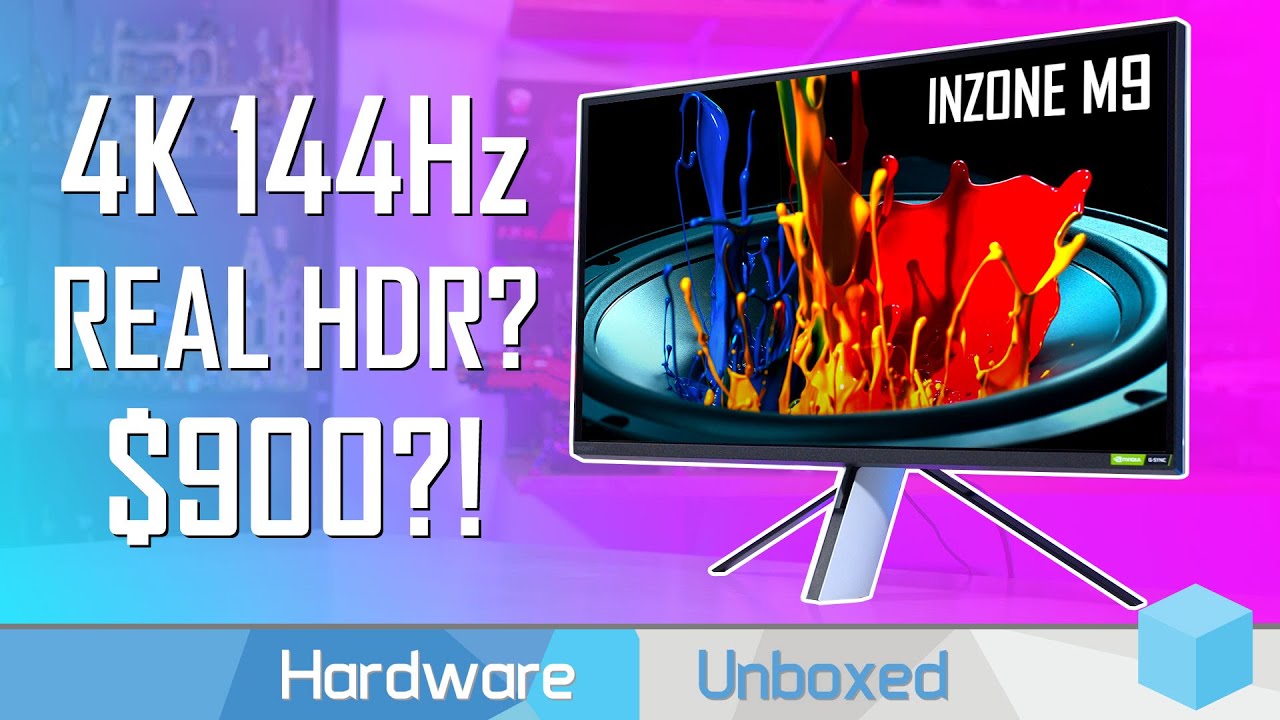
MONITORS UNBOXED: https://www.youtube.com/channel/UCDKLZBNM9XZ7pHPZF9D8xDQ
Support us on Patreon: https://www.patreon.com/hardwareunboxed
Join us on Floatplane: https://www.floatplane.com/channel/HardwareUnboxed
Buy relevant products from Amazon, Newegg and others below:
Sony Inzone M9 - https://geni.us/duBdZ8b
Alienware AW3423DW - https://gen...
There's cheaper, lower end models available
sage trail
looks dumb
unless you are pairing it with a ps5
and thats p much it lol
sounds like the tv itself
is this fullscreen video playback, windowed, or both
have you messed with this setting?
 fading wyvern
Just checking does it only happen on your pc? Like do you have any other issues from other media players
quartz sandal
sage trail
have you messed with this setting?
Yes, full screen is how you get stretched resolutions like when you see/hear people say they play 4:3 stretched
old arch
PG server bruh. p.s. 4:3 stretched is dumb, or basically like a super low FOV making enemies wider and easier to hit.
quartz sandal
old arch
PG server bruh. p.s. 4:3 stretched is dumb, or basically like a super low FOV ma...
It's not dumb, 4:3 stretched is the superior way to play csgo
I think like 1 pro uses 16:9
old arch
CRT is the superior way
quartz sandal
Nah I'm not joking stretched really is superior in csgo

 severe dirge
fading wyvern
<:P_hmmgun:930567925344129024>
severe dirge
fading wyvern
<:P_hmmgun:930567925344129024>

 winged lava
Freesync doesn’t work with Nvidia gpus right?
visual pilot
Panels that are freesync are g-sync compatible 95% of the time, and g-sync is what you'd use with nvidia gpus
misty gyro
100% compatible, but may not support all features and refresh rates, limited by the capability of the monitor.
They've improved support these last couple years.
There's even no modern version of "true gsync", any modern monitor claiming that is rebranded freesync premium.
raw ingot
^
vocal ocean
What is better to use hdmi or displayport?
quartz sandal
Depends on the version but usually display port wins
 stoic flint
i have vg270up it dosent support hdr but i have an hdr option in my monitor should i it?
raw ingot
no
 languid nacelle
Hey guys, I heard it bad to buy overtime because of the cons, but is it ok to buy a monitor a different time because it's not a pc part but only a peripheral?
misty gyro
Sure. If you want to use what you have until you save up to upgrade later, there's nothing wrong with that.
But if you have nothing to use as a monitor at all that makes it a little hard to use the PC
 cerulean mountain
If I have a monitor that keeps wanting to go into sleep mode only while connected to display port could it be a pc issue or just the monitor.
misty gyro
Could be a cable, gpu, or port issue in addition
cerulean mountain
I think it might be gpu related problem cause my vr stuff isn't acting right either
cerulean mountain
Sucks that I just bought the gpu 3 months ago xD
errant edge
cerulean mountain
Sucks that I just bought the gpu 3 months ago xD
what gpu is it?
cerulean mountain
Evga 3070ti
errant edge
can RMA it
cerulean mountain
I threw my vr headset away cause I thought it was defective thats sucks yeah I guess I can RMA but I got it through newegg and it think its only a 30 day RMA
errant edge
you what-
errant edge
cerulean mountain
I threw my vr headset away cause I thought it was defective thats sucks yeah I g...
thats a 30 day return window
not RMA
cerulean mountain
I heard some people saying that you're not supposed to used the split single power connector also I wonder if that would cause a similar issue.
errant edge
no you should not
cerulean mountain
Since I don't have another cable I wonder i lf I can disable the output to my monitor by shutting it off while in vr or will it send a video signal regardless.
 hard ridge
indigo berry
hard ridge
indigo berry
fast IPS or rapid IPS has faster response time
maiden wedge
Hi, I'm interested in the m27q but in my country it seems only the m27q P is available
Is there a big difference?
Ok I'll stop being lazy and just watch a review
maiden wedge
God monitor reviews are so technical i don't know what any of this means lol