#old-monitors-and-tv
1 messages · Page 55 of 1
 misty gyro
 maiden wedge
so 270 is lie ?
how to have this setting do you have a monitor or g sync laptop maybe ???
misty gyro
No it's variance. 10% is within tolerance for most computer parts. The only accurate way to measure the display is with an external sensor in a pitch black room.
You'd have to have a display capable of HDR (High Dynamic Range)
maiden wedge
are you using monitor ?
misty gyro
Yes, I have a HDR monitor
maiden wedge
oh laptop has no hdr technology only monitors ???
misty gyro
Certain laptop models would have it, usually higher end stuff
maiden wedge
like Alienware R4 15
misty gyro
It's mostly a gimmicky feature for most people but it does affect brightness, that's the only reason I brought it up
 visual pilot
Why does brightness matter to you on the laptop..?
misty gyro
I spent $300, it's the Gigabyte G27QC 1440p 165Hz
maiden wedge
visual pilot
Why does brightness matter to you on the laptop..?
because system says 270 nits and lenovo says 300 nits i want my 30 nits too man :/
maiden wedge
i paid 1200 usd to this laptop i don't want anything missing inside 😦
misty gyro
It really doesn't matter anyway tbh
visual pilot
Yea it doesn't really matter
maiden wedge
1-2 fps maybe ?
visual pilot
I'll take @misty gyro 's panel for example, RTings testing:
 maiden wedge
your laptop 287 nits ?
visual pilot
and for SDR:
 maiden wedge
sorry monitor
visual pilot
what
maiden wedge
what testing program is this ?
visual pilot
this isn't a program, RTings spends thousands upon thousands of dollars on testing equipment to measure things
misty gyro
They do the testing the right way, with external sensors in a blacked out room
maiden wedge
oh it is a tool rating i see
misty gyro
Software will not accurately measure it
misty gyro
More than a new laptop probably
visual pilot
Well
RTings uses a "Colorimetry Research CR-100 Colorimeter" for measuring brightness, which seems to be priced around 5000$
maiden wedge
wow more than an alienware laptop price
misty gyro
Professional grade hardware is expensive because they need it to be highly accurate
visual pilot
yep
maiden wedge
only people with 3 kidneys can buy that i guess :/
 limber crest
its not meant for consumers, its meant for professional environments
misty gyro
Or businesses whose job it is to measure these things
maiden wedge
yea
maiden wedge
Those someone nows the the panel name for the MSI Optix G27C4 Optix 27" for replacement please 🙏
misty gyro
maiden wedge
Those someone nows the the panel name for the MSI Optix G27C4 Optix 27" for repl...
Not an easily found part number and it's a curved screen so even harder to find. I wasn't able to locate anything. If it's cracked, I don't think there's anything to be done about it.
What's the problem exactly? Maybe it can be fixed without parts.
misty gyro
Sorry, looks like the only option is to claim insurance if you opted for it.
As I have kids and my monitor is in a common area, I always get insurance 😓
 mossy tendon
I asked this before but is it possible to buy a 4K 144hz TV (around 50 inches?) for less than a grand USD?
120hz works too if it’s cheaper
And I don’t mean ‘4K 60hz but it also does 1080p 144hz’ I mean 4K full 144hz
 sage trail
just get 50 inch monitor

Dell
The world’s first 55" OLED gaming monitor. Featuring 4K resolution, true-to-life colors, low input latency and Alienware Legend Industrial Design.
mossy tendon
That’s... not under a grand lmao
If it’s not possible then just tell me
What about a large 1440p 144hz monitor?
sage trail
lmao didnt notice that part
mossy tendon
Do those exist?
sage trail
yeah, i dont think they make tvs over 120hz
so thats like the max lol

Best Buy
Shop LG 49" Class NanoCell 85 Series LED 4K UHD Smart webOS TV at Best Buy. Find low everyday prices and buy online for delivery or in-store pick-up. Price Match Guarantee.
just noticed that, but at 600 it seems kinda cheep
mossy tendon
I’ve seen than one before
sage trail
do it have bad reviews or smthn
mossy tendon
Maybe it’s a manufacturing technique?
sage trail
idk, that seems to check all your boxes
mossy tendon
 sage trail
it do be LG
mossy tendon
Seems fine
sage trail
maybe lynus has sumthin 2 say about it
mossy tendon
According to reviews, it’s just hard to use but works fine
And there are some unnecessary ‘features’ that everyone turns off immediately
Color quality around black pixels is lacking a bit as well
sage trail
can ya really complain for 600 tho, thats the question
i dont actually know much abt the tv market
sage trail
is 600 a good price for that? idfk
mossy tendon
It’s a steal
sage trail
its literally the cheapest on best buy lol
mossy tendon
Also HBO MAX is incredibly annoying to make a new account on
misty gyro
TVs usually top out at 120 and often it's fake 120 anyway
sage trail
yee, but this one supports fake 240hz 
misty gyro
But is that fake 240 actually an AI smoothed 60?
I suppose I could find out myself lol
Ah it's a smoothed 120, I approve
 gilded cloak
One dead pixel, return?

Its near the bottom left on this UW
In this area for perspective
 misty gyro
They won't accept a return for a single pixel. It's usually 8 that's the rma threshold.
gilded cloak
I have 15 days for return to my local store
misty gyro
If they take open box returns you can roll the dice and get another if you want
gilded cloak
It's a refurbished model, the last one
misty gyro
I'd keep it personally, a single pixel isn't that distracting to me, especially being where it is since that's usually where a HUD is in game.
Of course, I also come from a family where my mom has had the same TV with a line of dead pixels right in the middle of the screen on a 720p model from 2009 so I might be biased.
mossy tendon
misty gyro
Ah it's a smoothed 120, I approve
Explain?
How is smoothed better than native?
misty gyro
Smoothed is not better than native. It's using an algorithm to guess what the frames between the frames would look like.
With a PC attached it's best to go with native refresh.
If you're playing back high refresh video, you can safely use the fake higher refresh setting since latency doesn't matter.
I was saying that if it was a native 60Hz that was smoothed to 240Hz that would be really bad, but it's 120Hz so not as bad as some I've seen.
Yeah, closer to $600. Not bad at all for 4k 120/240 50"
If you try to play with the 240Hz mode on you'll get noticeable latency and possibly ghosting and/or tearing. 120Hz is native and should be OK.
You can always set a game to 1080p and hit the 120 fps easy
Depends on view distance mostly, but yeah

Between 5 and 7 feet would be optimal for 4k, 7 to 10 feet for 1080p on a 50 inch screen.
 slate hamlet
I have a single green pixel on my secondary monitor
misty gyro
Only the red is dead? Dang that panel has issues with subpixels then
 summer obsidian
Out of curiosity how old is the monitor? I have a really old 900p monitor as my second display that works great but then I keep hearing about people who have all these dead pixels on monitors
 minor onyx
 willow charm
How is this monitor
for the price
i'm currently using a 144hz tn led panel
and
And the colors are noticeably worse than my 10 year old second monitor
summer obsidian
TN tends to have pretty bad colors and the Asus is IPS so it should probably be a lot better
slate hamlet
Yes
Too good...
Read it all carefully, something must be missing
Well it is 1080p
 river edge
I was gonna say, $300 for 1080p is too low?
slate hamlet
$300 for ips hdr 400 280hz is kinda low
river edge
Actually, it seems that monitor is that price pretty much anywhere
Good RTINGS too. https://www.rtings.com/monitor/reviews/asus/tuf-gaming-vg258qm

RTINGS.com
The ASUS TUF Gaming VG258QM is a good overall monitor that delivers excellent performance. It's a 1080p TN monitor with a high 280Hz refresh rate, fast response ...
slate hamlet
The penultimate 1080p monitor then
summer obsidian
river edge
Good RTINGS too. https://www.rtings.com/monitor/reviews/asus/tuf-gaming-vg258qm
That rtings is for the 25 inch model but I'm assuming it carries over?
summer obsidian
visual pilot
Doesn't say panel type
Yea, I just googled the model number and checked it on ASUS' site
summer obsidian
slate hamlet
It's 24.5
I think it's 25" with bezels 24.5" screen but I could be wrong
river edge
I just did the model number
 toxic jungle
Hi! Does anyone know if you can connect a 2020 MacBook Pro to two individual monitors to extend the desktop? They are older monitors and use displayport cables. Does anyone know if this is doable or will I likely need to upgrade my monitors? Thank you!
 full moat
toxic jungle
Hi! Does anyone know if you can connect a 2020 MacBook Pro to two individual mon...
full moat
toxic jungle
Hi! Does anyone know if you can connect a 2020 MacBook Pro to two individual mon...
do the monitors only support displayport?
if not, then Belkin makes a dock https://www.belkin.com/us/p/P-F4U110/ that should solve it for you

Belkin
The Thunderbolt 3 Dock Core offers compatibility for Mac & PC laptops. Supports up to 40Gbps data rates, 60W upstream charging, & dual 4K 60Hz displays. Learn more.
toxic jungle
Yes I believe so. That and VGA and DVI
full moat
adapters might be the simplest solution then
but have a look at what belkin offers, they are generally solid
toxic jungle
Alright great. Thank you, I’ll check them out
full moat
you are very welcome, and best of luck
 mortal kiln
Anyone have experience getting nvidia surround set up?
 weak moat
Yo. I’m looking to pick up a new monitor narrowed it down to the Alienware aw2521 or the asus vg259qm anyone have any thoughts. I only play comp. shooters
 fading wyvern
Well between those 2 it’s really down to price imo.
And if you prefer the aesthetics of the Alienware, typically they make super distinctive products
weak moat
fading wyvern
And if you prefer the aesthetics of the Alienware, typically they make super dis...
Any other suggestions for comp shooters
fading wyvern
Those are pretty much the top of the line, if you have the extra budget and the gpu power moving up to a 1440p panel could also be fun.
https://www.rtings.com/monitor/tests/motion/motion-blur-and-response-time check out this list

RTINGS.com
There are a few elements of a monitor that cause motion blur, but one of the largest reasons is pixel response time.
river edge
There's only one showing up? Looks good though but out of stock
 hushed quartz
Wasn't out of stock when i was looking lol thats how fast it went
Did you check the specs?
 quartz sandal
Yes
hushed quartz
Okay so sky tech is better. Any cons to the parts difference?
quartz sandal
no just out of the two you picked that specific sky tech one but yeah, the msi has a 9th gen processor, whereas the sky tech has a ryzen 5 5600x which is newer and has better single core perf
hushed quartz
What do you mean by i picked that specific sky tech? Are there better ones currently?
 errant summit
What's the cheapest 2k nvidia reflex monitor?
slate hamlet
you have... 3 choices
2 of them are not even released
one of them I can't find a price for
slate hamlet
 slate hamlet
I think 360hz is probably worthless with the current panels
errant summit
Even with my 3080 I don't get 360 fps a lot
 slate hamlet
Basically dell has a better response time
slate hamlet
I'd have to look more into it
errant summit
looking to use it as my second screen
will the fact that the M27Q is free sync affect anything?
errant summit
nice
sage trail
slate hamlet
I think 360hz is **probably** worthless with the current panels
360hz is literally only worth it if you play real competitive gaming for money, but i think most esports pros would rather 1440p 240hz tbh
slate hamlet
no like
sage trail
so its a proof of concept, mostly
slate hamlet
I physically do not think 360hz is doing anything with current panel tech
sage trail
wdym
slate hamlet
yknow how you could have a 144hz monitor but if it's response time is above 4ms it's worthless
same thing
 slate hamlet
if the gray to gray transition can't keep up it makes no difference
visual pilot
slate hamlet
yknow how you could have a 144hz monitor but if it's response time is above 4ms ...
Nyet
sage trail
more like 7ms
sage trail
and even then, you probably wouldnt notice the ghosting of 8-10ms
 fickle fulcrum
LG needs to hurry up and release the 27GP950 before I have an aneurysm from using a 1080p 60 Hz monitor on a 3090
slate hamlet
dear god yes youw ould
sage trail
nope
sage trail
on a 144hz panel, the pixels have 7ms to change color as a worst case scenario
i would assume it takes the longest to go from like black to white, but im not totally sure
errant summit
im thinking about it
sage trail
yeah they look fantastic
slate hamlet
i mean sure the dell has signifcantly better latency but...
slate hamlet
rtings actually gives the color performance score to the 27q
errant summit
The problem with the m27q is that its bigger than my other monitor
slate hamlet
1440p at 24inch isn't happening
errant summit
pain
slate hamlet
that would be some killer pixel density though
errant summit
4k 24"
slate hamlet
apparently the dell has superior colors overall, after calibration, but much worse without
and since no normal human being really does professional calibration...
visual pilot
After calibration can be safely ignored lol
visual pilot
Professional calibration is crazy
errant summit
maybe not professional\
visual pilot
Like the color sensor rtings uses costs around 5 grand
slate hamlet
I find that stuff hilarious honestly
like legitimately hilarious
"color critical work"
visual pilot
I find it interesting
visual pilot
Lol
slate hamlet
"we absolutely must achieve perfect color accuracy!"
so that no one can enjoy it.. we don't have good monitors my dude
ok so then the ultimate difference between the dell and the m27q is this
the dell has better gaming performance, dp 1.4 instead of 1.2, and 2 more usb ports, but it needs calibrating
the m27q is absolutely fine out the box, but not adjustable
slate hamlet
yeah the dell has a much better stand
errant summit
oh no
slate hamlet
I honestly might still want the dell...
errant summit
not the stand
slate hamlet
I crave the ms
some spare ms m'lord
by the time I have a good enough gpu to power it there will probably be another 1440p gaming king anyway though

errant summit
 slate hamlet
did you really
errant summit
yes
errant summit
3080
as in my name
yes i know i could do 4k but i dont need that, i got the 3080 for da frames
slate hamlet
I cannot read

m27q also has virtually no inverse ghosting
it would probably make more sense overall for me to get an m27q and just, a good vesa stand
is there such thing as a vesa STAND, like, just a better stand not a mount
I don't really have a good setup for a mount
sage trail
its not a terrible stand to begin with
unless its just too big for your desk or sumthn
slate hamlet
idk it's probably fine
I don't like that my desk has a tapered edge to the back of it, makes the monitors have to lean against the wall almost
hushed quartz
@quartz sandal its not out of stock anymore. Hehe i bought it.
Well i mean now its out of stock to everyone else
quartz sandal
nice idk why this in displays tho lol
quartz sandal
yeah or build chat tbh
hushed quartz
Okay.
 lucid flax
https://www.newegg.com/p/N82E16824475047?Item=N82E16824475047
This is the monitor I have.

 summer obsidian
 short terrace
More intact than this one I have😂
 lucid flax
My laptop doesn't have a functioning screen anymore... so I'm running it hooked to a monitor.
slate hamlet
best in which regard
jeez I feel like I've been answering the same question over and over
probably get an m27q
 quaint mist
gsync compatible 1440 -- nice
slate hamlet
almost everything is gsync compatible at this point
visual pilot
slate hamlet
jeez I feel like I've been answering the same question over and over
Tbh we should just pin "M27q"
slate hamlet
had I the ability..
fading wyvern
visual pilot
Tbh we should just pin "M27q"
have a automatic response to any post saying "check the pins"
visual pilot
lol
 near perch
now that im looking at it, the m27q would've been a better pick for me and cheaper but eh color accuracy isn't 100% my needs
maiden wedge
Anyone got any monitor recommendations? 1440 or 4k. Want to do ultra wide.
slate hamlet
so 3440 x 1440 is what you're looking for

 unreal portal
quartz sandal
unreal portal
quartz sandal
looks good, idk if its a bit dimm tho
unreal portal
ok
quartz sandal
unreal portal
ok
mb just watch a review on it
quaint mist
hey do most monitors have flicker protect and blue screen protect
askin for my epilepsy
slate hamlet
oo
all monitors you can simply put on a blue light filter
but no clue about the flicker thing
quaint mist
ooo it has it
"ASUS Eye Care technology with TUV Rheinland Certification for Flicker-free and Low Blue Light technology to minimize eye fatigue and ensure a comfortable viewing experience"
Would you suggest LED or IPS for games like assassins creed/overwatch?
err VA / TN
not LED
visual pilot
Ips is usually nice in general
fading wyvern
Just putting this thing out there, doesn't seem like too bad of a deal https://www.bestbuy.com/site/hp-x24ih-23-8-ips-led-fhd-freesync-premium-monitor-displayport-hdmi-black/6426783.p?

Best Buy
Shop HP X24ih 23.8" IPS LED FHD FreeSync Premium Monitor (DisplayPort, HDMI) Black at Best Buy. Find low everyday prices and buy online for delivery or in-store pick-up. Price Match Guarantee.
 neon gyro
I have seen a lot about the Samsung G7 odyssey 32" and before I buy it wanted to know if anyone here has one or has any feedback about it?
 lyric ore
any good gaming monitors between 200 and 300 dollars
misty gyro
No problem
errant summit
@slate hamlet just installed my monitor
the m27q
this thing is humongous compared to my 24 inch
i can see everything
fading wyvern

slate hamlet
Nice
 hot zephyr
I want to buy a new monitor sometime in the near future (1440p, IPS?) but I'm not really sure how that's work with my current setup:

I'd like to still be able to use both of these current monitors and have access to the CRT for gaming without needing to mess with cables (moving an arm would be fine).
Any recommendations? I've never done anything with monitor mounting/arms, but I bet it'd give me a lot more freedom (would love to have that smaller one vertical once I get around to buying a new one)
hot zephyr
y e s
I collect retro consoles and it's really nice for them mainly.
it also is the only display connected to my server machine, to display the console in case I manage to break ssh again
slate hamlet
I suggest you simply don't
I'm pretty sure you can change the scaling method of a monitor which will accomplish it fine
hot zephyr
The CRT is non-negotiable.
slate hamlet

hot zephyr
I propose a compromise. The CRT can be behind a monitor in the final setup, and it can be revealed by moving an arm somehow.
slate hamlet
uh, yeah that's possible I guess
do you really need an additional monitor though
do you have the graphics output necessary for that
hot zephyr
RTX 3060Ti
I dunno. I def want to try getting the smaller one to be vertical (its stand is terrible and doesn't support that) as I'm told it's nice for programming.
And when gaming I've been disappointed by 1080p on the larger one, esp when I know I can drive QHD fine.
slate hamlet
so sounds like you need 2 replacements rather than 1 new one
or well, if you're fine with 1 1440p with a good stand
in which case the m27q meets your criteria, but would need a vesa stand
hot zephyr
slate hamlet
so sounds like you need 2 replacements rather than 1 new one
I am p o o r . That GPU ruined me.
slate hamlet
m27q gonna be your best bet then
hot zephyr
oof it's as much as my GPU was.
slate hamlet
you won't get all those features for much cheaper
hot zephyr
400€ + whatever exorbitant shipping in baguette
hot zephyr
slate hamlet
you won't get all those features for much cheaper
true ig
hot zephyr
I bought all my stuff for less than half price, or got it for free and repaired
slate hamlet
smart
hot zephyr
The VG245 (larger monitor in pic) was 65€ used on a local market
slate hamlet
bruhhhhh
hot zephyr
The CRT was a trade from a friend for one of my server machines I wasn't using. The server was built from many PC parts I had salvaged from other's dead PCs.
And the other smaller monitor I think was free from someone in the US back when I lived there and getting stuff wasn't insanely expensive no matter what.
slate hamlet
be on the lookout for a used m27q or dell s2721dgf then I guess
the dell will need calibration though, consider yourself warned
hot zephyr
Should I buy a monitor calibration tool? My colors always feel off when I manually calibrate.
Even now, these two monitors don't look to me like they match, but they do to my phone camera.
hot zephyr
slate hamlet
be on the lookout for a used m27q or dell s2721dgf then I guess
Thanks, I'll be looking out for those two. Bit of a pain how people listing them on local markets often don't know to put the model number in the listing 😂
slate hamlet
Idk, those are expensive
Look at the hardware unboxed video, there are other options
hot zephyr
What about a stand for these two (and maybe three if I end up using all three)? Does any VESA stand work (looking at max weight and what ways it can turn, for the vertical monitor), or should I look out for specific things?
Thanks for the help btw :)
slate hamlet
There are 3 monitor stands, I'm not familiar with them
I'm no expert, I don't vesa mount myself
slate hamlet
The channel hardware unboxed does detailed breakdowns of each monitor
They will go into response times and colors
visual pilot
Rtings good too
maiden wedge
are westinghouse monitors good for light gaming and workstation?
misty gyro
Which one exactly? 
maiden wedge
misty gyro
Which one exactly? <:modelbrand:743668525922648165>
Check this out on @Newegg: Westinghouse WM27PX9019 27" Full HD 1920 x 1080 144Hz HDMI VGA DisplayPort AMD FreeSync Technology Flicker-Free Edgeless Design Eye Care Technology Widescreen Backlit LED Gaming Monitor https://www.newegg.com/p/N82E16824569006?Item=N82E16824569006&Source=socialshare&cm_mmc=snc-social-_-sr-_-24-569-006-_-04112021
I dont do heavy gaming so I don’t really care for freesync or gsync
misty gyro
Looks like a below average overall monitor from what I'm seeing
Not bad, but not good either. If you're not super picky about color accuracy and other features it'll work.
maiden wedge
Okay thanks
fading wyvern
Ah I was showing off some random hp 144hz 1080p monitor a while ago, believe it or not it had some pretty great response times tested by rtings. Let me check if it’s still on sale, was a ips also.
fading wyvern
maiden wedge
Okay thanks
Best Buy
Shop HP X24ih 23.8" IPS LED FHD FreeSync Premium Monitor (DisplayPort, HDMI) Black at Best Buy. Find low everyday prices and buy online for delivery or in-store pick-up. Price Match Guarantee.
This guy is 10$ cheaper and pretty well reviewed on rtings
misty gyro
It's also a 24 inch, the one they linked is 27
fading wyvern
Ah didn’t even realize. Well better pixel density
misty gyro
Yeah personally I wouldn't do 1080p on anything higher than 24 inches.
fading wyvern
https://www.rtings.com/monitor/reviews/hp/x24ih that hp I just linked is pretty good again lol

RTINGS.com
The HP X24ih is a great entry-level gaming monitor. It has a 144Hz refresh rate with native FreeSync variable refresh rate (VRR) support to reduce screen tearing...
Like look at it 👀
 maiden wedge
misty gyro
Yeah personally I wouldn't do 1080p on anything higher than 24 inches.
maiden wedge
misty gyro
Yeah personally I wouldn't do 1080p on anything higher than 24 inches.
Im most likely going for the 24" one instead. Im gonna look more into it though, just need something that works
neon gyro
Whats your guys opinion on the Samsung g7 odyssey 32"?
misty gyro
Seems like it's pretty good for what it is
neon gyro
Alr sweet thank you I wanna see what ppl think before I buy it cuz its rly expensive lol
slate hamlet
1440p, 240hz, but 32"
stinky dpi
but if you use it more like a TV I guess that's fine
va panel
actually, $800 for that seems kinda insane
 sick plume
@river edge is this allowed or filter bypass?
slate hamlet
huh

 nova cloud
Dodging the filter a little bit
summer obsidian
Hey is $227 for this Asus VG259QR monitor a good deal? I'm looking for a 25-25" monitor and just saw this one.
https://www.newegg.com/black-asus-tuf-gaming-vg259qr-24-5/p/N82E16824281099?item=N82E16824281099
sick plume
summer obsidian
Hey is $227 for this Asus VG259QR monitor a good deal? I'm looking for a 25-25" ...
its a good monitor for sure
summer obsidian
sick plume
its a good monitor for sure
Do you have a different recommendation for a 24-25" IPS monitor?
sick plume
summer obsidian
Do you have a different recommendation for a 24-25" IPS monitor?
not the right person to ask about monitors tbh
summer obsidian
sick plume
not the right person to ask about monitors tbh
That's fair, figured I'd ask. Like ik some of the basics of monitors but there's a lot idk so that's why I'm trying to source advice
misty gyro
Looks like a good deal to me, and the response time on that thing is phenomenal at 4ms
neon gyro
Are there any 1440p 240hz moniters that are at least 32" besides the Samsung g7 or any that are better than it?
visual pilot
neon gyro
Are there any 1440p 240hz moniters that are at least 32" besides the Samsung g7 ...
why do you want it so big...... None others under those conditions...
FI27q-x is a great panel for 27in though.
neon gyro
I only want it that big because I have a 32" right now and I feel like after using it for so long it might feel weird downscaling
 mystic flower
im looking for a $200 monitor. does anyone have any suggestions?
visual pilot
MSI G241 should be 190$
mystic flower
usd?
mystic flower
does it support gsync
visual pilot
freesync = g-sync compatible 99% of the time
quartz sandal
All the time now iirc
visual pilot
weird things always happen so I say 99% in case there's some exception
quartz sandal
Fair lol
mystic flower
visual pilot
MSI G241 should be 190$
summer obsidian
quartz sandal
All the time now iirc
Older freesync monitors without display port aren't compatible but otherwise yes
 vivid wave
anyone know why m 1080p monitor is blurry, i have gtx 750m macbook
misty gyro
vivid wave
anyone know why m 1080p monitor is blurry, i have gtx 750m macbook
I'd ask in #mac-os-and-ios , changing the color settings will likely help (color format specifically) but I don't know how to do that on a mac
lucid flax
Would you believe I saw somebody leave a nasty review on the MSI G241 saying a 24-inch 1080p monitor is trash in 2021? Considering the GPU crisis, some people may not have the cards to drive a better monitor.
lucid flax
I think the implication is 1080p should just go away in that nut's mind.
limber crest
entirely depends on screen size and what youre doing with it
slate hamlet
1080p will eventually be phased out like 720p I'm sure
slate hamlet

Aww
I understand
I definitely don't take my stuff for granted, for me I went from a gt 730 to a 1660ti
Before that I had something even worse
hot zephyr
I found a used ASUS S27D850 27'' for 120€ + 20€ shipping, but the person says they probably can't ship (they're too far to drive to) because they no longer have the original box. Would it be worth trying to convince them to ship with a different box? Seems like a really good price for this monitor.
 primal mortar
can someone help me to understand why this does this and if i can fix it
visual pilot
wat
primal mortar
no it’s for any game
visual pilot
NVidia Control Panel
primal mortar
oh my god i had it at 60hz and it’s a 170 this whole time smh i thought i changed it
i mean it still does it but omg
wait i can run 1440 p rust with a 2060 super??
visual pilot
well, 30fps, maybe
primal mortar
rn i’m getting 110
visual pilot
depends on in-game settings ofc
and also, did they add hdrp into main branch of rust yet?
primal mortar
yea i do play pretty low bc i see ppl better on lower settings but i do not think so
visual pilot
fair
primal mortar
is the tuf gaming 3070 a good one?
visual pilot
Yea
primal mortar
i rly wanted the strix white but its so overpriced
visual pilot
Oh well, as long as you got a card, it's nice
primal mortar
yea im happy even tho i could have pretty much got a 3090 if i spent a bit more if things were msrp
 celest lark
what is a good freestanding triple monitor stand?
near perch
i love the aesthetic of the tuf line
the tuf cards i think are pretty up to par
and they look beefy
vivid wave
for example u got 24 inch 1080p and 27 inch, will the 27 be blurry cus its bigger
fading wyvern

slate hamlet
27 inch 1080p blurry unless you're really far away
 scarlet igloo
Is this a good 1440p 165hz Gaming monitor?? https://www.centrecom.com.au/gigabyte-g27qc-27-qhd-165hz-1ms-hdr-freesync-g-sync-gaming-monitor?gclid=Cj0KCQjwpdqDBhCSARIsAEUJ0hOlBfxwxkgjV79RLqZyW7we3IXxD5fS2clgxo6h-cIPcHksXCvpcPIaAtDYEALw_wcB
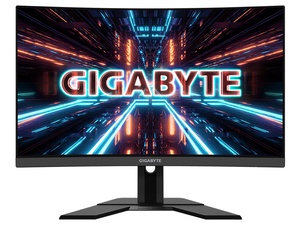
|| 27" VA 1500R Curve Non-glare, True Resolution
2560 x 1440 (QHD), Viewing Angle 178°(H)/178°(V), HDR Ready
|| Signal Input HDMI 2.0 x2, Display port 1.4 x1, USB 3.0 x2
|| Tilt(angle) -5°~+20°, Height Adjustment: 130mm, VESA Wall Mounting: 100*100mm, Kensington lock: Yes
fading wyvern
It’s alright people tend to dislike VA panels and prefer IPS because of its color accuracy. Also the display is curved; kinda weird. It’s a solid choice tho
 peak gorge
is there a cheap 144 hz
visual pilot
Depends on what you call cheap
peak gorge
below 120
lol
i found one for 80 but the package got delivered to the wrong place
lol
visual pilot
Eh, some have been 110-130 on sales
peak gorge
the other day this dude was asking what type of pc would get him good frames in among us
lol
mystic flower
any good 1080p montiors under 200. preferably gsync and 165 hz
river edge
Freesync is cheaper and Gsync compatible. Gsync makes monitors more expensive, FYI
mystic flower
so 1080p 165 hz monitor under 200
quartz sandal
Aoc asus and acer i believe have good ones under 200
mystic flower
this one any good
which one is better for nvidia cards
g241 or 42
ok so im gonna do g242
cool thanks for your help!
summer obsidian
peak gorge
the other day this dude was asking what type of pc would get him good frames in ...
I mean if you're too cheap to pay for it some of those Android emulators are awfully optimized lol
quartz sandal
A potato would doo fine tbh
mystic flower
peak gorge
the other day this dude was asking what type of pc would get him good frames in ...
just get a $100 laptop from walmart
lol
peak gorge
ikr
misty gyro
nova cloud
Run Linux on it
This is the answer to everything and anything. Hardware limitation? Nah bro just run Linux and work around it.
peak gorge
nova cloud
Run Linux on it
if i have a chrome os laptop i can run linux
misty gyro
Yes, Linux will literally run on a toaster
lucid flax
Sometimes I think for toying around I should set up a virtual machine with Linux.
misty gyro
Sure, what harm could that do? It's a great way to learn Linux too, use snapshots before you do major changes so even if it gets borked you can roll back.
quartz sandal
You could always dual boot as well
 steel garden
Comparing these 2 which is better? ASUS - TUF Gaming VG32VQ or Dell - S3220DGF
Or the GIGABYTE G34WQC Ultrawide?
visual pilot
@steel garden Well, what's the reason for the size?
I would say G34WQC out of them because ultrawide means it's 3440x1440 and has actually good pixel density
and being a better panel in general over vg32vq, it trades blows with s3220dgf in various different tests
steel garden
visual pilot
<@!281982200256397313> Well, what's the reason for the size?
Mostly Gaming. Never had an ultra wide but all 3 prices are comparable
The dell is actually the cheapest
 heady knot
What privacy screen is compatible with a Samsung UN32N5300AF monitor?
misty gyro
Dang, I didn't realize those privacy screens were so expensive, the ones I see for that size (31.5") are $100+
summer obsidian
misty gyro
Dang, I didn't realize those privacy screens were so *expensive*, the ones I see...
Really? dang I figured they were cheap but oof
misty gyro
Yeah even a little 18.5" laptop screen is $60
visual pilot
steel garden
Mostly Gaming. Never had an ultra wide but all 3 prices are comparable
G34WQC still my suggestion
steel garden
visual pilot
G34WQC still my suggestion
Thank you. I think its time for my 1st ultrawide
 silk vigil
Bruh my pc was working fine 2 hours ago I come back and it doesn’t have signal to any monitor I hook it up to wtf
misty gyro
Turn off, flip power switch, hold power button 60 seconds, turn on computer
neon gyro
Anyone know of any 240hz 32" 1440p moniters? I know the amasung g7 but are there any other u guys know of?
gilded cloak
Yea I returned the one dead pixel ultrawide, now looking at a Gigabyte g34wqc
Potentially abled to get my uncle to get a employee reimbursement so the cost will go down to either $475-550 from $620 CAN
Hopefully its a great monitor, seen many reviews on it
 errant edge
Does anyone know if the LG 27UL500 works with windows? As far as i can tell its apple only but just want to double check
Someone said its not OS dependant
misty gyro
Should work fine with Windows, OS doesn't matter for monitors. It's the video card that determines compatibility.
errant edge
Its a radeon monitor, i think the laptop has intel integrated graphics
its my dads laptop id have to check
misty gyro
If the video card has the right ports (hdmi or displayport) it works
errant edge
Cool thanks
neon gyro
What do u guys think about the LG32GN5OT
I'm at Costco rn and its 209$ so I wanted to see what u guys think before I buy it?
slate hamlet
1080p at 32"???
neon gyro
Oh wait its 1080p? 😂 nvm lol
misty gyro
Yeah I wouldn't get that unless you're sitting a few feet back from the monitor, pixel density will be awful
summer obsidian
Is the Msi G242 a decent monitor? I've been looking around at 144hz ips monitors at that size and from what I can tell it looks like a pretty good monitor for the price.
misty gyro
From what I've seen yes, G242 is good
summer obsidian
Thanks👍
Yea hardware unboxed recently reccomended it if it was better priced than the his recomendation. Since they had the same panel he just hadn't personally tested the msi one
I was just wondering if other people knew things, I feel way in over my head on monitor stuff
summer obsidian
slate hamlet
99% srgb and 93%dcrp is dang decent
That mean it has a solid seal of approval from you?😂 Because I 100% do not know what srgb and dcrp are
slate hamlet
G242 is also adaptive sync isn't it?
summer obsidian
Yes
summer obsidian
Yea
Ooh the 1-3 week shipping time is a bit rough for me. Might look and see if another retailer has it for 180 and what their shipping time are
neon gyro
So I am have been looking for a 32", 1440p moniter that has a high refresh rate, preferably at least 165 or 170hz, any recommendations?
errant edge
Best buy and adorama have some good ones
summer obsidian
I think I'll probably just stick with the msi. It keeps me closer to my budget not that it was a very rigid one
time to go order a super long displayport cable now lol
lucid flax
I have the MSI G241. I'm finding it to be quite a nice monitor.
summer obsidian
lucid flax
I have the MSI G241. I'm finding it to be quite a nice monitor.
Alright that helps validate the G242 I just bought
Anyone know of a good brand for Displayport cables? the brand I get most of my other cables from only does hdmi
misty gyro
summer obsidian
Anyone know of a good brand for Displayport cables? the brand I get most of my o...
Honestly there shouldn't be any difference between brands, only the versions matter like DP 1.2. Cheap cables have no detectable difference from $100 cables usually.
lucid flax
I know the 3060 I bought is overkill for the monitor, but I kind of picked the monitor back in the days when I was just gonna get a 1660 Super.
errant edge
is it worth it running 1440p with a 3060 ti?
summer obsidian
misty gyro
Honestly there shouldn't be any difference between brands, only the versions mat...
Yea I wasn't planning on spending $100 was just looking for a brand that wasn't known for being bad for the 10ft one I need
lucid flax
Reminds me I'll need a displayport cable since this monitor didn't come with one, just HDMI.
errant edge
Yeah just not sure if its worth it buying a 1440p 144hz monitor when i can run cold war at just around max settings, and i have to turn them down a bit when i stream at 1080p 165hz
alr
lucid flax
I know the 3060 is probably capable of doing 1440p... too bad I bought my 1080p monitor last year.
errant edge
Yeah i did
misty gyro
DLSS works well enough for lower resolutions, it can render 720p and upscale to 1080p
You probably don't want to do that though
lucid flax
It's still gonna look good and I'm gonna have the best FPS I've ever had.
misty gyro
What you probably want to enable for single player games is DSR, so it renders in a higher resolution and displays at the monitor resolution
"Competitive" titles leave it off
neon gyro
So I have a 3080, r9 3900X, 32gb ram, would getting a 240hz moniter rly be that much of a benefit compared to a 165 or 170hz moniter?
misty gyro
It depends. Some people can't really tell the difference between the higher refresh rates. (me being one)
Also, getting that high refresh rate really limits your options. If you want 1440p your only choice is Odyssey G7.
lucid flax
What's DSR?
misty gyro
Dynamic Super Resolution
It lets the game render in a higher resolution (like 1440p or 4k) and then scales it down to monitor resolution
Makes things look much smoother, edges look sharper
neon gyro
Would it be worth to get the g7 u think compared to a different one thats like 170hz or smthn?
misty gyro
Personally, no. I'm not super picky. I'd go for something like the Gigabyte M27Q.
Often on sale for around $300, vs the G7 that's usually like $700-800
Unless you play competitive esports titles you don't need that high refresh anyway
neon gyro
Aight bet ill prob go with a different one cuz im like 15 and 800$ for a moniter is like all my money anyway 😂
near perch
vg27aq
has ips panel, 165hz, 1440p and 400-420$
response time is like 5ms i think
i own it and i love it
its not the greatest at color accuracy but thats okay
@neon gyro
visual pilot
Gigabyte M27q
visual pilot
near perch
response time is like 5ms i think
Pixel response time listed is always wack
1ms mprt g2g whatever they want to call it
in reality, something like 15ms
at worse a "1ms" monitor can have a 40ms pixel response time
near perch
I found the 5ms or so on rtings
visual pilot
11.5ms total response time on rtings
with some overshoot


RTINGS.com
The ASUS TUF VG27AQ is an impressive 27 inch, 1440p monitor with excellent gaming performance. Thanks to its IPS panel, the image remains accurate at an angle, b...
near perch

Still not terrible for ips
Its a shame though it only has dp 1.2
So i cant do 10 bit color @ 165hz
visual pilot
I mean, the monitor is 8 bit anyways
visual pilot
near perch
and I compare all 1440p144hz+ monitors with M27q so... :p
https://www.rtings.com/monitor/reviews/gigabyte/m27q


RTINGS.com
The Gigabyte M27Q is an excellent 1440p gaming monitor suitable for a wide variety of uses. It has a large 27 inch screen that provides an immersive gaming exper...
anyways
vg27aq decent monitor, I find M27q just to be better bang for the buck and better performance in general
Time for my daily advertisement for M27q, 330$
https://www.amazon.com/dp/B08JWCHR5N
neon gyro
Sorry I had a game lol thank yall for the recommendations but do u know if they make any in a 32"?
neon gyro
What do you guys think about the asus strix XG32VC? I am thinking about pulling the trigger and getting as I found it on Amazon rn for $500? Do you guys think its a good moniter or are there others I can get that are same specs for better?
slate hamlet
doo you particularly want it to be bigger
the dell s2721dgf hits all those boxes at 27" for about $450-470
the m27q hits all those boxes at 27" for about $330
neon gyro
id like a 32" moniter to be honest
slate hamlet
are you really far away?
neon gyro
cuz rn i have a 32" and it would feel weird to downsize lol
fading wyvern
It seems to be fine overall, response time seems great. If you want to spend the money for a larger screen go for it
neon gyro
would you guys prefer the Asus rog strix XG32VC, Auros FI32Q, or the LG 32Gp83B?
visual pilot
and uw wack
 fading wyvern
I’m a lg fanboy so don’t ask me
neon gyro
i would really want one yea xD
slate hamlet
HOW FAR AWAY ARE YOU
visual pilot
pretty sure the rest of those listed monitors are 16:9 so pixel density kinda sad
neon gyro
honestly like 5 inches lol
visual pilot
but uw monitor is nice pixel density
 neon gyro
what is uw lol
slate hamlet
ultrawide
neon gyro
o i see ok
visual pilot
it's 3440x1440p 21:9
slate hamlet
good for movies lol
visual pilot
so it's got more pixels for being more stretched
:P
instead of being stretched but with the same amount of pixels
fading wyvern
Ultrawides are nice to use
neon gyro
either asus XG32Vc, auros FI32Q, or LG32GN650, which do I get and why?
visual pilot
https://www.bestbuy.com/site/gigabyte-34-led-ultrawide-wqhd-freesync-monitor-with-hdr-hdmi-displayport-black/6437138.p
This because it's ultrawide, more pixels, better pixel density
if the 3 are the only options, don't have good reviews on any of them, but LG 32GN650-B got a decent review
slate hamlet
when in doubt, watch hardware unboxed
slate hamlet
bof
visual pilot
https://www.rtings.com/monitor/reviews/lg/32gn650-b
This is a lot nicer to read than this >:P
https://www.techspot.com/review/1845-lg-32gk650f/

RTINGS.com
The LG 32GN650-B is a good overall monitor from LG's UltraGear lineup and the upgraded successor to the LG 32GK650F-B. It has a 32 inch 1440p screen that provide...
TechSpot
We were excited about testing today's monitor because the product falls into one of our favorite categories: affordable but decent gaming monitors. Lots of companies try and...
like this is so nice, being able to click on a value and see score distribution, and some other monitors that perform similarly >:P

rtings superiority
Though rtings kinda bad for peripheral reviews
neon gyro
im using it for gaming only pretty much, u guys think lg or asus?
visual pilot
what
visual pilot
visual pilot
https://www.bestbuy.com/site/gigabyte-34-led-ultrawide-wqhd-freesync-monitor-wit...
back up to this
neon gyro
its too big xD cuz i have to share desk space with my dad lol
visual pilot
WHAT
why not m27q
it's better than all the other options if you have limited space
just such a nice monitor
https://www.newegg.com/p/N82E16824012018
basically beats every other option in pixel response time, overshoot, color accuracy, price, pixel density, and color gamut
neon gyro
needs to be 32" lol
slate hamlet
it does NOT need to be 32"
you're making it actively worse for yourself by doing so
fading wyvern
He doesn’t wanna downsize tho
 fading wyvern
No point forcing it lmao
fading wyvern
That or go for the LG LG FAN BOYS RISE UP
visual pilot
:(
fading wyvern
🤷♂️
visual pilot
normal 27in 1440p is 108ppi, 32in 1440p is 91ppi, uw 1440p is 109ppi
2560x1440 for 27in and 32in, 3440x1440 for 34in uw
neon gyro
whats the differnce between the m32q and like the FI32Q or smthn?
visual pilot
basically same thing but cheaper
neon gyro
i would have gotten the FI32Q but i legit cant find it anywhere
neon gyro
can u guys find the FI32Q anywhere to buy lol
visual pilot
it's 750$ somewhere and that's not a good price so I'm not going to link it
like M27q is 330$ damn it
you can have 2 M27q's for that price
neon gyro
and if it supports freesync when i have like a 3080... would the freesync mess anything up or what would happen?
neon gyro
like in general i was just wondering
if a moniter has freesync what would happen
if i had a nvidia gpu
visual pilot
freesync = g-sync compatible in every monitor I know
because it's basically the same tech
vrr
neon gyro
oh ok thank you guys also for helping me with all this lol
misty gyro
In order for them to say "gsync compatible" they need to get validated by Nvidia and meet certain minimum performance standards. Mostly only the cheapest/older stuff doesn't pass, though.
summer obsidian
Or unless the monitor is only hdmi and vga like my friend's, no g-sync over hdmi on free-sync monitors.
summer obsidian
I mean before I just ordered my new monitor yesterday, my second monitor was a 20" 900p monitor
 jovial gull
Whats a good 144hz monitor for a 3070 that doesn't break the bank
near perch
m27q
jovial gull
Doesn't matter and res you can pick
near perch
budget
jovial gull
250
near perch
bout to say
msi optic
used to have g27 it was nice
tn panel tho, very bad color recreation
summer obsidian
Yea I just bought a G242 for my 3070 yesterday.
summer obsidian
Also if B&H still has it the shipping was faster than amazon for me, but could easily vary between locations
 summer obsidian
Personally I stuck with 1080p since I didn't have the space for 1440p and figured a 3070 will be able to do 1080p for much longer than it will 1440p. Even if it can do 1440p now since I don't plan to upgrade for another 4-5 years probably.
slate hamlet
well by then you can do 4k I guess

still can't believe 4k 120hz phone is a thing, that exists
summer obsidian
I feel like thats a huge waste of battery too, sine its a lot more power consumption on a device thats already limited by battery size
slate hamlet
it's the sony xperia whatever iirc
so I think they're honestly just selling it as a viewfinder for their already uber expensive professional cameras
 leaden zodiac
can someone help me with formating my new hard drive it not showing up for me
Please
 orchid berry
sick plume
leaden zodiac
can someone help me with formating my new hard drive it not showing up for me
orchid berry
sick plume
leaden zodiac
can someone help me with formating my new hard drive it not showing up for me
This is #old-monitors-and-tv
 spring sequoia
@leaden zodiac yes
leaden zodiac
nvm i fixed it
slate hamlet
https://www.monoprice.com/product?p_id=40778 a new 1080p contendor
Proving sheer speed doesn't have to come at the expense of color performance, the new Dark Matter™ 27" Gaming Monitor features next-generation "ultrafast&q
fading wyvern
27inches tho
fading wyvern
🤷♂️ ppi is a little more important imo, plus 1440p at that size is only a tiny bit more... gigabyte 
fading wyvern
Nah but hdr 400 is basically minimum and diminishing returns at 240hz to a point we’re not many people would notice the diff between 165 and 240
Idk just my opinion
slate hamlet
that's not... how that works
that's entirely dependent on your particular monitor's hdr implementation, icc profiles, srgb clamp etc
 warped basalt
Oh
summer obsidian
Maybe it's just me being weird but I honestly found my old monitor to be way too bright and hurt my eyes to look at so I always kept the brightness at like 50%
sage trail
slate hamlet
https://www.monoprice.com/product?p_id=40778 a new 1080p contendor
1080p at 27"?
kinda rough, even considering 1080p at 24" already has its issues
slate hamlet
distance being the factor
sage trail
yeah, but pixel density still bad
much easier to 24" 1080p than to figure out how to push your monitor farther away from your face
although tbh i wouldnt mind having a desk that deep
also HDR400 poggers, its not super impressive, but its a nice touch
not worth paying 5 extra dollars for tho lol
summer obsidian
Yea I mean I sit 3 feet away from my monitors personally and I don't mind it.
 dusty island
Would it be worth to upscale on a 1440p monitor? Would i even really be notice a difference? I dont really know much about it, tbh, but I've really just ran at 2560x1440 for the entire time I've had this pc. opinions?
 misty gyro
It depends on what you're playing, high action multiplayer games you want low res high fps, single player you can do high res low fps
dusty island
do most games support 3620x2036?
misty gyro
Most modern games will
dusty island
cool, thanks! appreciate it 
slate hamlet
You may notice some aliasing when upscaling 1440p
spring sequoia
misty gyro
Most modern games will
Modern? Even GTA4 has 4k
misty gyro
Modern as in anything from the last 8-10 years unless the engine is ancient
 grim flint
Does anyone know of a decent 4K 120 monitor that isn’t more then someone’s rent
 fickle stag
mystic flower
fickle stag
mystic flower
what does hdr do?
 hollow forge
which monitor is best out of these 4?
LG UltraGear 24GN600-B 24"" FHD IPS 1ms 144Hz HDR Monitor with FreeSync, Black: Amazon.ca: Computers & Tablets
MSI Full HD FreeSync Gaming Monitor 24" Curved Non-Glare 1ms Led Wide Screen 1920 X 1080 144Hz Refresh Rate (Optix G24C),Black/Red: Amazon.ca: Computers & Tablets
slate hamlet
mystic flower
what does hdr do?
Colors more gooder
sick plume
mystic flower
what does hdr do?
its basically a LOT more clolurs
 radiant current
slate hamlet
radiant current
slate hamlet
I mean, for 1080p yeah
actually for that many features, that price is "okay"
pretty sure that thing was 2 grand when it launched wasn't it...
radiant current
yeah if anyones taking gaming serious at a competitive level if not you can just grab a msi 1440 p 200 hz monitor or something but the monitor i just posted is the fastest E-SPORTS panel on the market and yeah they was going for around 1200 when they first dropped because they was so obsolete
have you made the jump from a true 240 from 144hz
theses a huge difference you can almost buy a cheap 240 for what a 144hz panel cost nowa days

 radiant current
its not just the hz that matters its the response time as well as if its g-sync or free-sync compatible
radiant current
yes that is why i recommended it as the best gaming monitor on the market and if your computer can run 360 fps this monitor will carry it becase believe it or not your panel limits your fps to what the panel can do
slate hamlet
there are very few games that could take advantage of this
kinda funny to have it be gysync because of that fact
screen tearing will not ocurr
hz too high
radiant current
oh theres plenty all of your call of dutys cs-go Fortnite
valorant
even in a speedrun on minecraft the response time is almost a second faster then most average panels
sage trail
slate hamlet
the fastest response time
yeah cuz its 360hz, if it didnt have sub 3ms response times it would be a blurry mess
slate hamlet
I wish to use it
sage trail
and thats just average 
slate hamlet
yeah that means some a little slower some a little faster
with only 3% bad ghosting
that's incredible
sage trail
yee but theres no standard deviation
sage trail
i thought the 360hz panels were TN?
slate hamlet
no it's nano ips
sage trail
pog
 sage trail
240hz fast enough for me tbh
sage trail
couldnt imagine trying to run 360hz at 1440p
slate hamlet
yeah first let's work on 240hz 1440p that isn't tn panel
sage trail
i personally would prioritize 1440p over 360hz
i feel like theres so much more of an improvement there
sage trail
too much moneys for me kek
slate hamlet
rtings puts vertical viewing angle into their score I see...
don't care about that like, at all but I guess it makes sense to rate it
but as a result it skews the ratings a bit
sage trail
imagine dumping so much money into a gaming monitor and not looking at it head on
slate hamlet
none of this matters anyway since can't get good gpu
 slate hamlet
well I mean, I get horizontal viewing
sage trail
1080 strugglin rn
slate hamlet
but vertical?
sage trail
horizontal and vertical both seem unimportant
its not a large TV
i couldnt imagine trying to play an FPS game with my screen at an angle
slate hamlet
horizontal should be more important for like, media monitors
the type of monitors that would be used as a secondary
sage trail
yeah
slate hamlet

PCWorld
TSMC makes the chips that Nvidia, Qualcomm, Apple, and others design. And it has bad news: The chip shortage will continue for another couple of years.

2024 I be getting that 1440p monitor guys 
celest lark
Uh my screen is flickering but its not completely turning off when it flickers
what is happening?
slate hamlet
freesync issue
celest lark
is there a fix?
slate hamlet
run the games in fullscreen?
slate hamlet
oh...
misty gyro
Does your monitor have an overdrive function?
If so set it to "quality" not "balanced"
summer obsidian
sage trail
imagine dumping so much money into a gaming monitor and not looking at it head o...
I mean personally I like wide viewing angles since my monitors are on vesa arms and I can turn it towards my bed to use it as a tv. It's a super niche use but I do appreciate decent vertical viewing angles
Granted I also didn't spend a ton on my monitor either
sage trail
yeah, point being no one cares about viewing angles when looking at 240hz+ monitors
at 300+ dollars, viewing angles are gonna be good enough to simply be ignored
fading wyvern
slate hamlet
the fastest response time

RTINGS.com
The LG CX is one of two entry-level OLED TVs in LG's 2020 lineup, and like any OLED, it delivers excellent picture quality. It's packed with gaming features such...
slate hamlet
oled
maiden wedge
I am so torn between which monitor to choose, either the xb273u gx or the AW2721D any thoughts?
fading wyvern
id prefer the alienware but thts pricey as hell
maiden wedge
indeed
maiden wedge
also
should i go better pc + good monitor later
or
good pc + good monitor now
errant summit
Should I turn on hdr?
warped basalt
If you like how it looks sure
summer obsidian
maiden wedge
should i go better pc + good monitor later
Personally I reccomend better pc and good monitor later but there's arguments for both. But that's just my opinion personally. Looks over at 20" 900p monitor I'm only just now getting rid of
 wheat obsidian
Just adding G-Sync to a monitors description adds $500
summer obsidian
Yea, that's because all of the G-Sync panels go through some super rigorous testing by Nvidia unless things have changed. But at this point any freesync monitor with a displayport works with an Nvidia gpu
quartz sandal
summer obsidian
Yea, that's because all of the G-Sync panels go through some super rigorous test...
they dont really go through rigorous testing but it does have to be nvidia certified which i assume is like a 50$ fee/monitor or something
summer obsidian
quartz sandal
they dont really go through rigorous testing but it does have to be nvidia certi...
Things must have changed then I remember at one point an LTT video about all the testing for g-sync but that may have just been the initial spread of adaptive sync monittorsa

Thanks, NVIDIA for sponsoring this video! Learn more about G-Sync at https://lmg.gg/learngsync
There are few "secret sauces" as secret as NVIDIA's G-SYNC technology, and we're excited to be the FIRST non-NVIDIA employees to be taken behind the scenes to the lab where it all happens!
Buy a G-Sync Gaming Monitor:
On Amazon: https://lmg.gg/gsyncm...
That video
summer obsidian
I mean that may just be the initial batch and then after that its spot checking, I watched the video a long time ago and don't remember the exact specifics
quartz sandal
I'm watching it now looks pretty decent
 jagged bluff
I have a friend who has a Samsung Essential Curved Moniter 24 60hz , and he has a Rtx 3060, is it a good mix ?
visual pilot
Really should upgrade to 144hz at least
misty gyro
1080p I assume? 3060 is a little overkill for that
jagged bluff
misty gyro
1080p I assume? 3060 is a little overkill for that
Eyup, and it's going for $400 at sf
jagged bluff
visual pilot
Really should upgrade to 144hz at least
So 60hz is fine, but it's best to go with a 144hz, alrighty thank you and i'll go inform him about it
misty gyro
jagged bluff
Eyup, and it's going for $400 at sf
$400 for the 3060 or the monitor? Because $400 gets you a very nice 1440p high refresh monitor
quartz sandal
jagged bluff
So 60hz is fine, but it's best to go with a 144hz, alrighty thank you and i'll g...
Imo any rtx 30 series should have 1080p 144hz min
jagged bluff
misty gyro
$400 for the 3060 or the monitor? Because $400 gets you a very nice 1440p high r...
$400 for the 3060
misty gyro
Ok good, I was worried for a minute you were paying double what the monitor was worth
$400 for that GPU is reasonable
jagged bluff
Oh, i'm not the one who has it, i'm rocking on with a Gtx 1660
sick plume
 solemn gazelle
any affordable displays for 1 ms at 120 Hz?
solemn gazelle
any affordable displays for 1 ms at 120 Hz?
1ms bad.
Reverse ghosting
Not great
On affordable displays atleast
Blurbusters have a list iirc
solemn gazelle
what would you reccomend then
sick plume
Get a 120hz panel. The 1ms is basically only advertising
 earnest zephyr
Thinking about getting an asus rog strix pg329q.. 1440p 144hz hdr600, you guys think this is a good choice
summer obsidian
Sadness versa arm mount is just the tiniest fraction of a millimeter too big
 summer obsidian
Guess I'm headed to the hardware store to buy a file for my bracket
 storm pollen
looking for a good budget 240 hz monitor. anyone know one for around 250 or cheaper even?
visual pilot
Cheap really nice one start at 300$:
https://www.amazon.com/dp/B0841787BZ
Meh 260$ one:
https://www.bhphotovideo.com/c/product/1425397-REG/acer_um_kx0aa_c01_25_xf250q_widescreen_lcd.html