#old-cooling
1 messages · Page 79 of 1
 shrewd juniper
Yeah
 civic valley
yo guys i just found out thr Corsair 4000d airflow can only fit a 280 aio on top and idk how I feel about front mounting a 360 aio, is front mounting an aio safe to do? I was looking for 280 aios and Im looking for RGB and the Arctic liquid 2 280 doesn't have RGB, any other suggestions or should front mounting be fine? I'd hate to get air trapped in the pump
 mystic tiger
front mounting is fine so long as the top of the rad is higher than the pump
shrewd juniper
civic valley
yo guys i just found out thr Corsair 4000d airflow can only fit a 280 aio on top...
Very much safe, just front mount it
civic valley
alright cool thanks fellas
shrewd juniper
Np
 covert apex
Corsair RGB connection for the HD and SP fans
 oblique kiln
covert apex
Corsair RGB connection for the HD and SP fans
oblique kiln
covert apex
Corsair RGB connection for the HD and SP fans
whats a hd and sp fan?
covert apex
Corsair HD120 or SP120
oblique kiln
only those ones?
oblique kiln
so if i wanted the
https://pcpartpicker.com/product/CdhmP6/cooler-master-67-cfm-140-mm-fan-mfx-b4dn-14npa-r1
i would need a cooler master one?
covert apex
Those should use normal ARGB connectors so you can use any splitter or hub that is ARGB
oblique kiln
i need 7 argb 3-pins
covert apex
Then get an ARGB hub
shrewd juniper
why not just get arctic p12 rgbs?
shrewd juniper
Ahh
 steel forge
I just got a USB fan and was wondering if it would be better to blow air into what I'm trying to cool or have it close to it blowing the hot air away?
covert apex
What are you trying to cool?
steel forge
my PSU
covert apex
How hot is your PSU getting? Which PSU is it?
steel forge
I don't know how to check the temps of my PSU. its a seasonic focus 850w gold
covert apex
Then why are you trying to cool it?
The PSU fan intakes air
It's normal for PSUs to get hot
steel forge
I have my pc facing sideways towards my monitor and the heat can be felt by my mouse hand.
covert apex
Make sure you have fan button pressed in at the back of your PSU
steel forge
yeah i turned hybrid mode off
shrewd juniper
steel forge
I don't know how to check the temps of my PSU. its a seasonic focus 850w gold
thats a good psu i wouldnt worry about the temp of it, psus will have a threshold when they hit x % of usage or x degrees to turn on
shrewd juniper
steel forge
I have my pc facing sideways towards my monitor and the heat can be felt by my m...
why/how do you have the psu facing your monitor? o11d?
steel forge
My desk is tiny, only 19 inches wide.

 low pumice
High dpi
shrewd juniper
but still
civic valley
yo I'm still debating cooling for a 5800x. 360mm aio (front mounted with tubes at the top) or a 240mm aio mounted on top. looking at the Arctic liquid freeze 2 btw
been reading about front mounted aios with tubes at the top and apparently it can be kinda sketch sometimes or shorten the life but idk if a 240 is enough for the 5800x that's a hot cpu
 covert garden
what tya';ll think about the be quiet pure rock 2
 quick hollow
Need some tips. I currently have been experimenting with air flow. I set my 360m AIO fans to exhaust. Bottom and side are intake, but my temps have increased on my CPU. I have since set the bottom to exhaust, and top/side as intake temps decreased, GPU temp never changed. Max 55°c on both set ups.
What am I doing wrong?
 tender oak
I recently installed a cooler master aio, I downloaded the rgb software and the fans quickly changed to rgb from an original static color but whenever I want to change them the software says theres no device detected
shrewd juniper
civic valley
yo I'm still debating cooling for a 5800x. 360mm aio (front mounted with tubes a...
360 front mount any day
shrewd juniper
civic valley
been reading about front mounted aios with tubes at the top and apparently it ca...
Nah as long as the top of the rad is above the cpu it's good
shrewd juniper
covert garden
what tya';ll think about the be quiet pure rock 2
Overpriced af but okay cooler just not for the price
shrewd juniper
quick hollow
Need some tips. I currently have been experimenting with air flow. I set my 360m...
Where do you have the aio mounted? And do bottom intake, top exhaust, side/front intake
shrewd juniper
tender oak
I recently installed a cooler master aio, I downloaded the rgb software and the ...
Try use an open source rgb software like open rgb, or your motherboards rgb software
quick hollow
shrewd juniper
Where do you have the aio mounted? And do bottom intake, top exhaust, side/front...
AIO is top mounted. But if I set them to exhaust my cpu temp increases, meanwhile everything else is staying the same temp
shrewd juniper
Uhhhh
shrewd juniper
quick hollow
AIO is top mounted. But if I set them to exhaust my cpu temp increases, meanwhil...
How, what case do you have
You need to have a green name first, dm me the image and i can post here
quick hollow
shrewd juniper
How, what case do you have
Lian-li 011D
quick hollow
quick hollow
Lian-li 011D
I can post temp logs when I get home of the two different set ups
shrewd juniper
quick hollow
I can post temp logs when I get home of the two different set ups
What are you using to test and read the temps, also do you have your fans on top or below the aio?
quick hollow
shrewd juniper
What are you using to test and read the temps, also do you have your fans on top...
Below AIO. Im using AMDs Radeon software. I tried downloading Ryzen Master but everything I do including the regedit, it still missing drivers.
Fans are also set to a constant 1200rpm
shrewd juniper
quick hollow
Below AIO. Im using AMDs Radeon software. I tried downloading Ryzen Master but e...
Ahh well test it with hwinfo 64 instead and aida64 or occt or cinebench on loop for stress test. why would you do constant fan speed?
quick hollow
shrewd juniper
Ahh well test it with hwinfo 64 instead and aida64 or occt or cinebench on loop ...
Tbh i don't really know
quick hollow
shrewd juniper
Ahh well test it with hwinfo 64 instead and aida64 or occt or cinebench on loop ...
But I will certainly download those and run tests for both setups and see which gets the best results. Unfortunately I also realized I can't post pics yet
shrewd juniper
Yeah once your name turns green you can
quick hollow
@pato can I DM you a question since this isn't cooling related, or can I ping you a different topic? You very knowledgeable. Would like your opinion
shrewd juniper
quick hollow
@pato can I DM you a question since this isn't cooling related, or can I ping yo...
Ofc what's up?
 merry sable
I have a question about the ryzen 9 5950x my question is can u use an air cooler or does it have to be water cooler
 marsh badge
merry sable
I have a question about the ryzen 9 5950x my question is can u use an air cooler...
marsh badge
merry sable
I have a question about the ryzen 9 5950x my question is can u use an air cooler...
I wouldn't recommend air, something like 280mm aio at least should be the min
360 is recommended
Something like arctic liquid freezer ii, lian li galahad, and ek aio should be good
 knotty sparrow
merry sable
I have a question about the ryzen 9 5950x my question is can u use an air cooler...
knotty sparrow
merry sable
I have a question about the ryzen 9 5950x my question is can u use an air cooler...
If you really wanted to use air you could, but it'll be something massive that costs as much or more than liquid cooling
merry sable
ok sounds good thanks a bunch
civic valley
i thought i was set on the arctic liquid freezer 2 360 but a friend of mine got the lian li gallahad 360 and says its top notch, thoughts on these coolers?
 timid carbon
civic valley
i thought i was set on the arctic liquid freezer 2 360 but a friend of mine got ...
timid carbon
civic valley
i thought i was set on the arctic liquid freezer 2 360 but a friend of mine got ...
galahad great for intel but arctic freezer is better on intel
both about the same on intel tbh
civic valley
im gonna be on ryzen
timid carbon
TL;DR arctic freezer for amd and whatever looks better to you for intel
civic valley
gotcha ty
timid carbon
np
 topaz blaze
I put actual radiator fans on my radiators rather than the cheap rgb-riddled fans I've been using and now my GPU runs cooler than my ssd does in games
So if anybody was wondering, the answer is yes; your fan choice can matter quite a bit
 shrewd juniper
theres no way your gpu is running at 28c in games 
topaz blaze
It's dark souls 2 (so frame-capped at 60fps) at 1440p
It was also cold in my house when I took the photo
But yes, that is in game
That top left graph is fps, you can see it's sitting at 59fps
 quick hollow
Pato how should I mount my rad fans? Currently their "under" the rad, should they be on top for exhaust or are they fine where they are at?
knotty sparrow
Push vs Pull doesn't make a lot of difference either way
 vernal bear
heyo is the cooler master ml240l v2 anygood ? for 80 bucks
topaz blaze
@vernal bear I have a friend who has the 120mm and his AMD wraith stealth cooler worked better so I'd avoid it
vernal bear
topaz blaze
<@664653964247171082> I have a friend who has the 120mm and his AMD wraith steal...
Is it good for overclock cause that’s what I do so idk if that fan would keep a oc cpu cool
knotty sparrow
vernal bear
heyo is the cooler master ml240l v2 anygood ? for 80 bucks
Get the arctic liquid freezer II 240mm, should be about the same price and far better/quieter
topaz blaze
vernal bear
Is it good for overclock cause that’s what I do so idk if that fan would keep a ...
If the one I've come in contact with is any indication, then no. Because it performed worse than the AMD stock cooler on a stock speed six core processor
I agree with falcie
Arctic liquid freezer II
shrewd juniper
vernal bear
Is it good for overclock cause that’s what I do so idk if that fan would keep a ...
Depends for what cpu tbh, its fine for a ryzen 3/5 excluding 5600x, it can be a bit toasty with the 3600 etc as well with pbo but that's fixed by a 30$ cooler for example
quick hollow
Pato, I have since changed my fan set up to what you recommended again. Exhausting through rad. Fans are underneath the rad, not on top. Temps are amazing! CPU sits at 34c idle, GPU at 30c idle. Thank you!
shrewd juniper
Glad to help :)
quick hollow
@shrewd juniper Pato i've decided to change my case, due to the fact the Lian-Li is just too wide, and its my only non-corsair product at this point. Since it doesn't have bottom cutouts for fans should I expect a rise in GPU temps? Right now my GPU on idle is 27c, junct. temp is 31c (Sapphire Nitro+ 6700XT)
I plan on doing the same layout, top exhaust, side intake, but instead of the bottom being intake it be will the front. What are your thoughts?
new case is the Corsair 5000D Airflow
shrewd juniper
quick hollow
<@!191276897227898880> Pato i've decided to change my case, due to the fact the ...
Idle temps mean nothing more than the temperature of your room pretty much but i would choose the p500a/p400a for bit smaller or 4000d airflow instead of 5000d airflow
5000d airflow is a meh price
And p500a better
quick hollow
So the only change I should expect is during gaming. Haven't logged those temps yet.
shrewd juniper
Yeah any time there's stress on the system
quick hollow
I shall expect, regardless of what I go with, a slight increase in temps then for GPU, since air isn't being blown directly at the GPU by 3 fans.
shrewd juniper
quick hollow
I shall expect, regardless of what I go with, a slight increase in temps then fo...
Ehh idk tbh, p500a/5000d airflow perform thermally better than o11d afaik
 light elm
Sorry if this is the wrong chat for cooling/ build advice, but I just got a gigabyte rtx 3080 waterforce through the shuffle.... I have 0 experience with liquid cooling cooling outside of an old r9 295x2 AIO (which means nothing). Any recommendations for parts to set up a loop?
Is there a AIO(esk) solution that can be attached to the block or will I have to look into a pump, radiator, tubing, and reservoir?
knotty sparrow
Pretty sure those waterforce cards all come with an AIO already
Which one is it exactly? Link?
light elm
Check this out on @Newegg: GIGABYTE GeForce RTX 3080 GAMING OC WATERFORCE WB 10G (rev2.0) Graphics Card, WATERFORCE Water Block Cooling System, 10GB 320-bit GDDR6X, GV-N3080GAMINGOC WB-10GD Rev2.0 Video Card (LHR) https://www.newegg.com/gigabyte-geforce-rtx-3080-gv-n3080gamingoc-wb-10gd-rev2-0/p/N82E16814932478?Item=N82E16814932478&Source=socialshare&cm_mmc=snc-social-_-sr-_-14-932-478-_-10192021
The reviews had complaints that no other parts were included other than the card with attached block so I'm operating under the assumption that I need to get everything else
knotty sparrow
Yep that looks like it's just the block, cool but weird.
Nowhere does it say what size fittings... Ugh
shrewd juniper
Even gigabs page?
low pumice
 knotty sparrow
light elm
The reviews had complaints that no other parts were included other than the card...
knotty sparrow
light elm
The reviews had complaints that no other parts were included other than the card...

Aquatuning USA
With the new Eissturm sets you get all the components you need for your start into the world of water cooling. The sets are not only for beginners but also for professionals. All components used are optimally matched and come from...
light elm
knotty sparrow
https://www.aquatuning.us/water-cooling/kits-systems-and-aios/diy-kits-cpu/22289...
Thanks! Looks like a good deal. Hopefully the learning curve on installation isn't too steep, but im sure ill figure it out... not sure my ryzen 7 3700x needs watercooling... but it looks like this has the cooling block included so I might as well go all out.
knotty sparrow
Yeah there's other bundles on that site too with other blocks and radiators too if you want to take a look, then you just need a little more fittings and tubing
vernal bear
So what’s the best cooler for over clocking cause I’ve had so many people tell me so many different ones some are bad and some are good so idk what to choose lol I’ll go with water or air and I have am4
knotty sparrow
Arctic liquid freezer II, the largest your case can support
The offset cold plate is amazing on AM4
Unless you want to go for a custom loop
topaz blaze
knotty sparrow
Arctic liquid freezer II, the largest your case can support
or evga clc 240 :)
im totally not bias or anything
shrewd juniper
topaz blaze
or evga clc 240 :)
It's good but it's not the best especially cuz the fans are meh on it, also that will only beat the 120mm arctic lol
topaz blaze
no, im pretty sure temperature-wise it's about 2-4C warmer than the freezer ii 240mm, but I wouldnt be surprised if that was just because of the fans.
knotty sparrow
It's probably mostly the fans. I'd just get the arctic instead of buying a set of P12s separate lol
topaz blaze
Yea I only recommend the 240clc when it's on its 70USD sale
the freezer ii 240 usually hovers around 85USD
knotty sparrow
Then you can buy 2x P12 fans for $14 and it's the same price 🙃
topaz blaze
if someone wants to spend the extra money they can i guess
 golden rover
Hey, so I have an HP ZBook Studio G3
with an i7-6700HQ and M1000M
and looking at intel XTU my cpu is basically constantly thermally throttling
Is there any way I can reduce my laptop's heat?
I know it has a really, really bad cooling system for such a high watt cpu
but I'm hoping there's at least a partial solution
At the moment I have it propped up in a way I hope lets it get more airflow
 sacred wren
golden rover
Is there any way I can reduce my laptop's heat?
sacred wren
golden rover
Is there any way I can reduce my laptop's heat?
Cooling pad, liquid metal, however that works
golden rover
yeah, and do you know of any ways to like crank up the fans all the way?
This device can run its fans way faster
I know because it sounds like a jet engine when it does
but it does that pretty rarely considering the heat it reaches
I would kinda like to just leave it at 100%
sacred wren
I mean some laptops come with softwares for them
Other than that idts
Msi afterburner doesn't work on laptop fans
 cloud lodge
Dumb question. Are there aios for gpus and are they "good"?
Also what's a good aio for the 5600x. I know it doesn't really need one. But something not too expensive?
Was looking at this one

ARCTIC Liquid Freezer II 360 - Multi Compatible All-in-One CPU AIO Water Cooler, Compatible with Intel & AMD, Efficient PWM Controlled Pump, Fan Speed: 200-1800 RPM (Controlled via PWM) - Black
knotty sparrow
cloud lodge
Dumb question. Are there aios for gpus and are they "good"?
Not really dumb, they exist but there's not a universal bracket for the Nvidia 30 series so it's hard to find something that works. Your best bet is probably to get a DIY Alphacool kit from Aquatuning and a GPU block that fits. It'd be around $300-400 for the lot.
knotty sparrow
cloud lodge
Also what's a good aio for the 5600x. I know it doesn't really need one. But som...
The 240mm version of that is perfect, the 5600X isn't as hot as the higher models because lower power limit.
civic valley
cloud lodge
Also what's a good aio for the 5600x. I know it doesn't really need one. But som...
for a 5600x i would say a 240 or 280mm aio would suffice just fine but you could go for the 360 just to keep it extra chilly, arctic freezer is a good brand i hear
cloud lodge
Also does the motherboard matter when looking for AIOS
low pumice
only really for rgb and for edge cases like running out of fan headers for whatever reason
low pumice
well other than socket and mounting ofc
if it only comes with lga115x mounting don't expect it to fit on am4
cloud lodge
Couldn't care less about rgb. That's sorta what grabbed my attention of the freezer
knotty sparrow
I'd much rather have better performance than RGB too, and I don't want to spend extra for both
cloud lodge
Exactly
 rose isle
civic valley
for a 5600x i would say a 240 or 280mm aio would suffice just fine but you could...
rose isle
civic valley
for a 5600x i would say a 240 or 280mm aio would suffice just fine but you could...
280 and 360 are about the same in performance afaik
shrewd juniper
rose isle
280 and 360 are about the same in performance afaik
Uhhh no 360 is definitely better than 280
timid carbon
shrewd juniper
Uhhh no 360 is definitely better than 280
Look overclocking i broke sippy a lil
shrewd juniper
I saw lol, even sippy get mediocre bin rev e XD
timid carbon
shrewd juniper
I saw lol, even sippy get mediocre bin rev e XD
leave it to sippy to think its a good bin but actually sike
sippy binning luck is awful
rose isle
shrewd juniper
Uhhh no 360 is definitely better than 280
oki
shrewd juniper
timid carbon
sippy binning luck is awful
Sippy binning luck in the bin 
 unique lilyBOT
 Voxenfree#0428 has been warned
Reason: Bad word usage
Voxenfree#0428 has been kicked
Reason: Too many infractions

 shrewd juniper
Thicc slugg but rest of cooler went on a diet
shrewd juniper
Yee

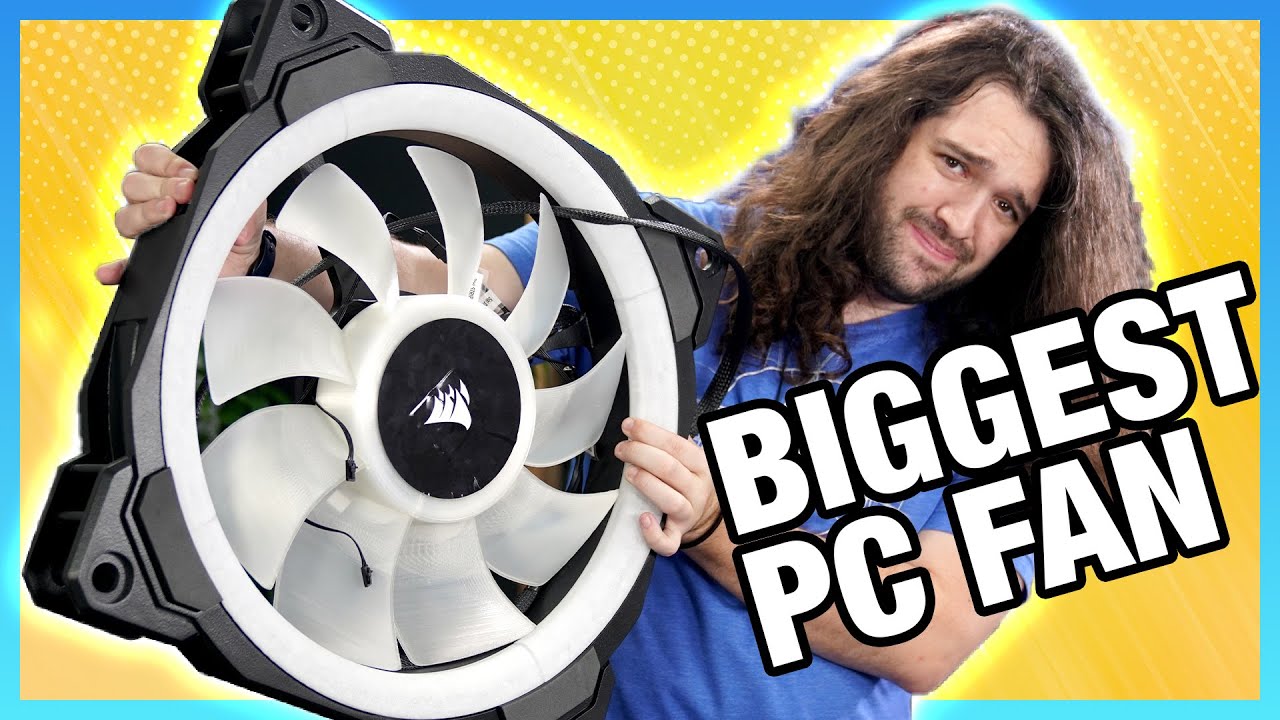
Our most revolutionary test yet is here: Corsair made a 500mm fan, and it's our job to test it. We also tear it down and repair it in this video, because 500mm needs a big motor.
Sponsor: Buy Thermal Grizzly Kryonaut paste on Amazon (https://geni.us/JMVNtOE) or Hydronaut paste for water cooling (Amazon - https://geni.us/Fsray)
The Corsair 500mm...
knotty sparrow
Made that MSI case actually stop thermal throttling
low pumice
knotty sparrow
Made that MSI case actually stop thermal throttling
It looked like it was just made for that case, it fit perfectly lol
but I also got a laugh out of the b roll changing from this

to this
 shrewd juniper
Lol
knotty sparrow
Just got my 6x P12 fans, should be a HUGE improvement over these old dying fans that can't go over 800 rpm
low pumice
knotty sparrow
Just got my 6x P12 fans, should be a HUGE improvement over these old dying fans ...
Hey hey hey that Corsair 500mm fan was doing like 300rpm when it did that to the MSI case
Rpm do be deceptive
shrewd juniper
low pumice
Hey hey hey that Corsair 500mm fan was doing like 300rpm when it did that to the...
It's also like 4.2ish times the size xD
 brisk rain
d15s is big
knotty sparrow
I should have switched my fans ages ago. I'm a full 12 degrees cooler with a full set of p12 fans. Completely worth the $36.
I have every fan on max and I can't hear them at all
knotty sparrow
Possibly the pump failing. Or is it more of a grinding sound? Could be a fan then
timid carbon
knotty sparrow
Possibly the pump failing. Or is it more of a grinding sound? Could be a fan the...
it was air bubble
guy spammed in may channels
rose isle
knotty sparrow
I should have switched my fans ages ago. I'm a full 12 degrees cooler with a ful...
what did you have before?
knotty sparrow
A bunch of old fans from previous computers. The newest ones were from my cooler master AIO and they would rattle any time they dropped below 60%
quick hollow
Can't decide where to mount my AIO. Corsair 5000D Airflow
Either front or top. Will have 12 fans in total in the build
knotty sparrow
Top as exhaust is slightly better than front, but it doesn't make that much difference
topaz blaze
Just use a 500mm corsair fan as a side panel as demonstrated by Steve
golden rover
Will the Cooler Master Hyper 212 Black Edition keep the i5-11600k reasonably cool?
shrewd juniper
golden rover
Will the Cooler Master Hyper 212 Black Edition keep the i5-11600k reasonably coo...
Please don't pay like 45$ for that cooler, also stock sure, but overclocking(whole point of 11600k) get peerless assassin 120
 loud plaza
Fast answers go: Should I get 3 Lian Li ST120s as exhaust or 2 Lian Li SL140s as exhaust? If 3, I'm going to have 2 120mms on the top and 1 120mm at the back. If 2, only top exhaust.
P400A is the case, just swapping fans
brisk rain
What do you have for intake?
loud plaza
Lian LI AL120s
brisk rain
Three of them?
shrewd juniper
loud plaza
Fast answers go: Should I get 3 Lian Li ST120s as exhaust or 2 Lian Li SL140s as...
Why not just use the stock p400a fans as exhaust, you don't need all the fan slots filled anyway
shrewd juniper
Holy jesus the razer 140mm fan is 50$
timid carbon
shrewd juniper
Holy jesus the razer 140mm fan is 50$
 shrewd juniper
timid carbon
https://tenor.com/view/everything-is-fine-itsfine-burning-flame-my-life-going-so...
shrewd juniper
timid carbon
https://tenor.com/view/everything-is-fine-itsfine-burning-flame-my-life-going-so...
 timid carbon
shrewd juniper
https://tenor.com/view/alvin-and-the-chipmunks-simon-no-it-is-absolutely-not-abs...
timid carbon
shrewd juniper
https://tenor.com/view/alvin-and-the-chipmunks-simon-no-it-is-absolutely-not-abs...
The sad thing is that its actually gonna sell well
Id actually recommend nzxt fans over razer
shrewd juniper
timid carbon
Id actually recommend nzxt fans over razer
AT LEAST THEY'RE CHEAPER FFS
timid carbon
shrewd juniper
AT LEAST THEY'RE CHEAPER FFS
tfw someone makes a product thats more overpriced than nzxt
shrewd juniper
https://pcpartpicker.com/product/h2CD4D/nzxt-aer-rgb-2-9119-cfm-140-mm-fan-hf-28140-b1 same fan 22$ difference wth
shrewd juniper
 timid carbon
^
loud plaza
shrewd juniper
Why not just use the stock p400a fans as exhaust, you don't need all the fan slo...
I was doing that, but the stock fans don't have dampeners hence they rattle alot more as exhausts
Plus I cant really add on Noctua dampeners since they lowkey don't fit
shrewd juniper
loud plaza
I was doing that, but the stock fans don't have dampeners hence they rattle alot...
Ehh they shouldn't afaik, if you screwed them in evenly on all 4 corners shouldn't be a problem
 rustic onyx
shrewd juniper
Why not just use the stock p400a fans as exhaust, you don't need all the fan slo...
rustic onyx
shrewd juniper
Why not just use the stock p400a fans as exhaust, you don't need all the fan slo...
Don't modify the P400A airflow. Its ideal configuration is 3 intake passive exhaust
shrewd juniper
Never said they had to do all slots
unique lilyBOT
 iamAngeloNuqui#7721 has been warned
Reason: Bad word usage
iamAngeloNuqui#7721 has been kicked
Reason: Too many infractions
loud plaza
shrewd juniper
Ehh they shouldn't afaik, if you screwed them in evenly on all 4 corners shouldn...
Yeah I did a few times, it oddly rattles alot
loud plaza
rustic onyx
Don't modify the P400A airflow. Its ideal configuration is 3 intake passive exha...
Ideal for cpu, not ideal for gpu
topaz blaze
are squas daisy chainable?
i only need to buy 2
and i dont feel like grabbing an entire controller since the meshlicious only supports 2
covert garden
Hey guys
One of my fans that came with my lian li 240 aio stopped spinning recently and so i tried spinning it and it wouldnt
So then i lifted up the turbing part a bit and that got it to spin
But now whenever its spinning it sounds like its scraping against something
Or like a rusty barring
What can i do to fix this
quick hollow
Replace your fan, or the motor will burn out eventually
shrewd juniper
covert garden
One of my fans that came with my lian li 240 aio stopped spinning recently and s...
Rma the aio
shrewd juniper
Ahh yeah
quick hollow
Just loaded up GTA5 LSPDFR, log temps and shit, but started hearing this high pitched buzzing sound coming from inside the case. I stopped the fans on the GPU to see if it was coil whine, but it appears to be coming from the pump. What could this issue be?
iCUE isn't allowing the pump to drop below 2678rpm
i have disabled Asus QFAN control, but that didn't work
quick hollow
Also, if I pause the game, it goes away, if I un-pause it comes back.
shrewd juniper
Well you want your pump to be going at 100% your fan is fine that should be able to go up and down
shrewd juniper
quick hollow
Just loaded up GTA5 LSPDFR, log temps and shit, but started hearing this high pi...
Also coil wine is not to do with fans
Most likely is coil wine if it's an eee sound and stops while game paused
 storm topaz
guys is the deepcool gammaxx l240 v2 a good AIO??? I am getting it for 50 CAD brand new, so I was wondering if its worth it. Cooler master hyper 212 black edition is the same price, so which one cools better?
marsh badge
i wouldn't go cheap on aio
quick hollow
shrewd juniper
Also coil wine is not to do with fans
Its coming from the pump. I ALT+Z to open radeon software and it gets loud with a buzzing sound ill have to take a video of it. Its never done that before, which is whats confusing me. Its a Corsair iCUE H150i RGB Elite Capellix
shrewd juniper
storm topaz
guys is the deepcool gammaxx l240 v2 a good AIO??? I am getting it for 50 CAD br...
The 212 line is almost never worth it, but that's gonna outperform any 50 cad cooler that you can get for new anyway
shrewd juniper
quick hollow
Its coming from the pump. I ALT+Z to open radeon software and it gets loud with ...
Yeah do take a vid that would help understand
 marsh badge

 storm raft
Any good corsair fans you guys can recommend?
knotty sparrow
Why corsair specifically?
shrewd juniper
I whole heartedly cannot "recommend" corsair fans
storm raft
shrewd juniper
I whole heartedly cannot "recommend" corsair fans
Ok
Nah just to go with the vibe
knotty sparrow
There's way better fans for way less money
 unique lilyBOT
 AlienzGalaxy#3979 has been warned
Reason: Bad word usage
AlienzGalaxy#3979 has been kicked
Reason: Too many infractions
storm topaz
i do not have a pump fan header on my motherboard. I am going to be installing an aio, so i think i should plug the fan header of the actual cooler into the cpu fan header. will the aio run fine this way?
knotty sparrow
The fan should go on the cpu fan header, then the pump can go into another header. Set that other header so it runs at 100% all the time, that's basically all a pump header does.
shrewd juniper
 sharp elm
I idle from 45-75
sharp elm
I idle from 45-75
You sure you're idle?
shrewd juniper
sharp elm
All my programs are telling me different cpu temps
Use hwinfo64
covert apex
sharp elm
I idle from 45-75
That is a massive variation
sharp elm
shrewd juniper
Use hwinfo64
What is that
My motherboard program tells me 40-48 idle
But then all the other ones and bios tells me something very high
shrewd juniper
sharp elm
What is that
Temp reader that's actually accurate
Bios isn't fair idle temps as in Windows there's no complete idle, something is always happening
sharp elm
Could it be my thermal paste? I opened the tube about 3-4 months ago and i been using it pretty slowly
knotty sparrow
It doesn't really dry out until you apply heat for a long time
I keep the same paste for a few years
sharp elm
shrewd juniper
Temp reader that's actually accurate
After making no differences to my system but installing it, now it reads 35-40 on all my programs
sharp elm
Nvm its back up to 70
 alpine fox
anyone got any cheap but not garbage RGB fan reccomendations?
knotty sparrow
alpine fox
anyone got any cheap but not garbage RGB fan reccomendations?
How cheap is "cheap" because the cheapest RGB fan is $12 each?
3 pin or 4 pin RGB? The cheapest non-garbage one right now is a 4 pin and is $15.
shrewd juniper
sharp elm
After making no differences to my system but installing it, now it reads 35-40 o...
Could be a bad mount, your pump might not be 100% all the time
 dry arch
@delicate prawn idk if u already got your answer but: https://www.amazon.com/ID-COOLING-SE-914-XT-Addressable-Connector-Top-Cover/dp/B08PYJZ4RY

SE-914-XT ARGB Cooler 131mm Height
sharp elm
shrewd juniper
Could be a bad mount, your pump might not be 100% all the time
Made sure its on correctly and in the bios i made it 100% at any temp since its plugged into the cpu fan header
shrewd juniper
sharp elm
Made sure its on correctly and in the bios i made it 100% at any temp since its ...
That's very odd, are you seeing cpu usage spikes when the temps jump btw?
sharp elm
shrewd juniper
That's very odd, are you seeing cpu usage spikes when the temps jump btw?
Not really but i think i found the problem. Rad fans were only at 800rpms
But are your fans this fast?
 shrewd juniper
Software glitch probs, fans going that fast will make your pc take off
sharp elm
What if thats what i want, helicopter and pc in one
 eager moth
been encountering an issue where my 5800x temps are insanely higher than normal after AFK farming for a number of hours, full reboot didn't seem to help. talking 90C and throttling under moderate load and 75-78C at 1-9% utilization. only started happening recently. locked at 1.25 volts, PBO is off. any advice?
low pumice
Tbh you should probably just leave it stock without manual voltage to start
What cooler?
5800x hotspots are pretty hard to cool
 rain patio
can anyone help me pick out parts for a full water cool setup for my lian li 011 dynamic case with ryzen cpu and 3080
eager moth
low pumice
What cooler?
galahad 360, I'm aware of the questionable pressure due to the mounting hardware but paste application is fine and like I said the problem only started after I began AFK farming for extended hours
for what it's worth, I turn the graphics settings down to the lowest options and cap FPS at 30 to reduce prolonged GPU strain. the farming leaves a lot of entities on the ground, and this past session was about 18 hours
marsh badge
Doing manual voltage could be why it's running so bad
eager moth
how, exactly? and why would it only be a problem now?
marsh badge
Well, cause manual voltage locks it to that voltage only
While auto dynamically adjusts according to load
quick hollow
Should I be paying attention more to GPU Junc. Temp or focus more on the Edge temp?
sharp elm
eager moth
been encountering an issue where my 5800x temps are insanely higher than normal ...
Im at the point where i have to prob flip my rad fans
Opening one game with wallpaper engine on ultra puts it at almost 80
low pumice
eager moth
galahad 360, I'm aware of the questionable pressure due to the mounting hardware...
Bleach has practically the exact same issue lel, I'd say it's a fairly normal thing, and I would make it stock, manual OC on zen 3 isn't usually the best idea for daily
sharp elm
Do ryzen cpu’s come out the box with stock OC
low pumice
snippet from convo w bleach
 low pumice
sharp elm
Do ryzen cpu’s come out the box with stock OC
low pumice
sharp elm
Do ryzen cpu’s come out the box with stock OC
uh, they boost, like Intel chips will, above base clock, if that's what you're talking about...?
sharp elm
Ahh okay, i just want to bring my temps down some how
Should i be worried if my 5950x goes past 85c?
marsh badge
Not really
As long as it doesn't throttle, it's fine
AMD even says 90c is ok for that
sharp elm
Im just not use to having my cpu running so hot
knotty sparrow
quick hollow
Should I be paying attention more to GPU Junc. Temp or focus more on the Edge te...
Junction temp is the memory, edge temp is on the core.
quick hollow
knotty sparrow
Junction temp is the memory, edge temp is on the core.
Okay, which is more important to worry about. AMD says Junction is fine up to 110c, but I'd like to keep it cool. I can't remember what my core was at during this.
Sapphire Nitro+ 6700XT
knotty sparrow
Edge temps will affect boost a lot more than memory
As long as memory is below 104 it won't throttle
quick hollow
I seen the junc temp shoot up to about 72c on PC building sim. Meanwhile clock was probably around 55-60c. Im big into cooling all of a sudden. Just want my parts to last a long time
marsh badge
pc buildng sim isn't accurate at all in temps btw
Don't use it as a reference for irl
quick hollow
I'm not. When I loaded the game it my GPU shot up to 72c on junc
marsh badge
ah
quick hollow
Before it was at 33c
marsh badge
It's fine
shrewd juniper
eager moth
been encountering an issue where my 5800x temps are insanely higher than normal ...
Use pbo and negative voltage offset curve thing
 crimson heart
I am looking for either Air or AIO cooling for a 5800X that I want to overclock.
My son will likely want RGB but I am open to less flashy options too. I would prefer to stay under $150.
I am also fine waiting for sales if there is an AIO that performs well but is just over the $150.
sacred wren
crimson heart
I am looking for either Air or AIO cooling for a 5800X that I want to overclock.
100% aio
low pumice
If you want best performance, Freezer ii 360mm if it fits your case
crimson heart
So I see like 3 or 4 versions of that cooler. Do they all perform the same its just RGB, ARGB or no RGB?
low pumice
There's just a normal freezer ii, freezer ii rgb, and freezer ii argb, the difference is in the fans being the normal p12, the p12 rgb, and the p12 argb
Difference in performance should theoretically be minimal but eh
rgb makes things run hotter
crimson heart
Why hotter?
I ask as someone who built PCs a while ago when GRB wasn't really a thing.
I could maybe get by not doing RGB for the AIO but buying a case with RGB fans up front.
low pumice
Probably negligible in most cases, but there are real instances where, for example, the Corsair CX-F PSU, where the argb fan puts extra load on the 5v rail (While most things use the 12v rail, argb uses the 5v rail), which makes the PSU run hotter, and less efficient, as most PSUs aren't really designed to cool the 5v rail, and while the CX-F is theoretically capable of a 80+ Silver efficiency rating, it is in reality just a 80+ Bronze PSU. Source here, Johnyguru is a decently well known guy who used to review PSUs and works on Corsair PSUs.

but well, in most cases, it should just be negligible
a strip of rgb pulling like 2w shouldn't add too much heat to a fan or cause the fan to perform much worse
crimson heart
Could I get by with a Noctua Chromax Black if I wanted to do air cooling? Any air cooling recommendations or should I stay away from those for this CPU?
marsh badge
It's aio only for ocing with 5800X
sacred wren
crimson heart
Could I get by with a Noctua Chromax Black if I wanted to do air cooling? Any ai...
Don't bother with an air cooler
5800x is as hot as the 5950x
low pumice
Noctua coolers are great, and will still be good for a stock 5800x, but I wouldn't expect much from it if you're planning on OCing
crimson heart
I see they have a 420 cooler also. Seems like that would be a hard fit for most cases. Does it cool better?
low pumice
crimson heart
I see they have a 420 cooler also. Seems like that would be a hard fit for most ...
Just a tiny bit, what case do you have?
crimson heart
I haven't picked one up yet. I am picking up parts as they go on sale/become available. I only have the Motherboard, CPU and GPU so far.
shrewd juniper
I'd grab some ballistix 3600, hardly ever on sale but they're usually the cheapest and the best ram for ryzen
And p500a can front mount the 420mm
Not many other cases can
But a lot can do 360mm
sacred wren
shrewd juniper
And p500a can front mount the 420mm
H510 tho, it's so good
That's sarcasm afeils, do not buy the h510
crimson heart
so with P500a I would need to mount the water up front and move the 3 included fans to the top/back fan locations. Seems like a decent case and with that configuration everything should be well cooled.
Are there better cases for the money if I want to go the 360mm route for the AIO?
shrewd juniper
crimson heart
so with P500a I would need to mount the water up front and move the 3 included f...
If you got the 420mm, the 360mm you can top mount afaik
shrewd juniper
crimson heart
Are there better cases for the money if I want to go the 360mm route for the AIO...
You can get p400a for bit cheaper and front mount the 360
low pumice
crimson heart
so with P500a I would need to mount the water up front and move the 3 included f...
Just keep in mind top mount best aio mount, and P500a is just a great case in general
crimson heart
so if I go with as 360 AIO I am not able to grab a P400a. I like the price but the features on the P500a are very nice.
low pumice
(front mount still good, just slightly sub par from top mount)
crimson heart
when you say subpar do you mean temps might be higher, airflow restricted or pump working harder?
shrewd juniper
crimson heart
when you say subpar do you mean temps might be higher, airflow restricted or pum...
It's just slightly not as good, doubt you'll see a difference in temps just pump really
 wet flicker
hello?
brisk rain
Hello
wet flicker
i had a question about an aio cooler i recieved yesterday
shrewd juniper
Well what's the question
wet flicker
so i installed everything correcly but the fans it came with arent displaying the RGB correctly, so i removed them and checked the connections and tried a different RGB header port on my MB but it was still the same issue
shrewd juniper
What aio? What motherboard
wet flicker
NZXT Kraken z73 RGB cooler with Asus prime x-570
i left one fan in as my exhaust fan and it does the same thing
shrewd juniper
wet flicker
i left one fan in as my exhaust fan and it does the same thing
Not 100% sure but with nzxt you may need to use a proprietary hub and connect it to a usb header
As the nzxt site is giving no detail on rgb pins
wet flicker
so the same as corsair uses for their rgb fans but for NZXT fans
or the fan controller for NZXT i was able to control changing the colors through my armoury crate appe
 burnt magnet
If you put a fan on a passive cooler with an aggressive fan curve...
Is it passive aggressively cooling?
knotty sparrow
I'd say aggressively passive cooling
(Yes it's active at that point instead of passive, I know someone will try to correct me)
 twilit abyss
^
cloud lodge
Anyone know of some fan cable extensions? My bottom front case fan cable doest reach the pwm without looking jank as heck
shrewd juniper
cloud lodge
Anyone know of some fan cable extensions? My bottom front case fan cable doest r...
A cable splitter/ the cooler master no external power pwm hub will be longer and probably just as cheap, i just wouldn't use all 4 slots of it
 keen ermine
what would be an efficient way to cool my laptop better?
golden rover
there may be software compatible with your device that will allow you to control fan speed
kinda depends on what device you have, but I wouldn't be the one to ask
or you can get a laptop cooling pad
keen ermine
i have nitrosense to control fan speed but still gets to 95c+
i have tried undervolting but intel are assholes and wont let me adjust voltages
golden rover
idrk, I would get a laptop cooling pad, that's what I'm getting for mine, in the meantime I actually prop my laptop up so it gets more air into the fans, actually makes a significant difference
but again, it kinda depends on your device and how cooling is set up
shrewd juniper
keen ermine
what would be an efficient way to cool my laptop better?
Undervolt your cpu and gpu and a laptop stand/cooling pad, and until you get a desk, hard surfaces are better than soft surfaces
shrewd juniper
keen ermine
i have nitrosense to control fan speed but still gets to 95c+
Is it actually controlling the fan speed better than stock tho? Also what software did you try and use to undervolt
keen ermine
i tried throttlestop, quickcpu and xtu
and nitrosense is the default for acer nitro laptops
keen ermine
didnt actually apply the changes on quickcpu and wouldnt let me adjust on the other two
shrewd juniper
Shame
shrewd juniper
Have you tried undervolting gpu?
keen ermine
gpu doesnt go above 60c
shrewd juniper
Hmm
keen ermine
must be a bottleneck thing
shrewd juniper
Probably just the fact laptop cpus are designed to go up to 90c ish
unique lilyBOT
 TheYeetStreet#7946 has been warned
Reason: Bad word usage
keen ermine
or that the fan curves on nitrosense are bad
shrewd juniper
Well you've changed the fan curve right?
 waxen vault
when watee cooling should the radiator upward have intake or outake fan?
 languid gale
Radiators should almost always be set to have the fans pushing air through it
shrewd juniper
waxen vault
when watee cooling should the radiator upward have intake or outake fan?
If your radiator is on the top of your case, you want to have the fans set to exhaust
 shrewd juniper
Icegiant
knotty sparrow
Isn't that the hybrid TEC cooler?
 azure crown
no
 cold gorge
Im thinking of getting some quieter fans then what i have now what are some good fans that are relatively quiet
marsh badge
cold gorge
Im thinking of getting some quieter fans then what i have now what are some good...
Arctic P12
Best value too
If you're not restricted by money, noctua chromax lel
 eternal flint
shrewd juniper
Probably just the fact laptop cpus are designed to go up to 90c ish
eternal flint
shrewd juniper
Probably just the fact laptop cpus are designed to go up to 90c ish
Bad cooling, bad ventilation so yea
shrewd juniper
eternal flint
Bad cooling, bad ventilation so yea
Not even that, laptop are designed to work that high heat wise so they can boost as much as possible
 short glacier
knotty sparrow
Isn't that the hybrid TEC cooler?
short glacier
knotty sparrow
Isn't that the hybrid TEC cooler?
No it basically a entire refrigeration system that's driven by heat (this is a massively over simplified explanation)
From my understanding it operates on similar principals to a Absorbtion FCU chiller

In this video we learn how an Absorption Chiller works, covering the basics and working principles of operation. We look at 3d models, animations and real world examples.
LEARN MORE HERE: https://theengineeringmindset.com/absorption-chiller-works/
Sign up for our FREE engineers newsletter for updates, competitions, news and offers
🎁 Link: http...
But mini
 uneven spruce
Corsair H100i rgb pro xt good for ryzen 9500?
marsh badge
uneven spruce
Corsair H100i rgb pro xt good for ryzen 9500?
Did you mean 5900X? Also no, it's meh
Get lian li galahad, liquid freezer ii rgb or ek aio instead
uneven spruce
Thinking of buying a prebuilt pc from ironside
marsh badge
Pics?
Send em in my dm, or link works too
I'll continue it there
The specs look good, but
The price is absurd
Lemme fine ones on newegg
@uneven spruce Gotta ask, what are ya gonna use it for? And how much budget ya got?
uneven spruce
Around same budget as the other one ANd im going to use it for gaming
marsh badge
Aight, gaming
uneven spruce
gotta look for an upgade for my laptop
uneven spruce
Ooo
marsh badge
I do have other choice but cpu is worse
11900k
Tho gpu is 3090 but it costs more
uneven spruce
Well i dont need a pc designed to kill god
Its Very nice
marsh badge
Alright, then the first one is perfect
Saves you big money
How about this too?
3080 isn't much slower than the ti
And 5800x is basically most you need for games, no need to go up
Cheapest one outta the bunch, 3k
shrewd juniper
Honestly no point going 3090 for gaming
shrewd juniper
marsh badge
https://www.newegg.com/abs-ala263/p/N82E16883360177
This one is way nicer imho
Way better cpu, cheaper
shrewd juniper
Yeah it's fairly expensive 3080 build tho
uneven spruce
Just hoping the cpu dosent go over 102 C
uneven spruce
My laptop is not fine
shrewd juniper
https://www.newegg.com/abs-ali514/p/N82E16883360114?item=N82E16883360114&itemPosition=1-12&exactIndex=0 this is best bet for 3080 pc
marsh badge
The prebuilt will be able to cool itself down
shrewd juniper
Yeah it won't reach that bad lol
marsh badge
hmn, well pato the 5800x does do better
but that 10700kf is considerably cheaper
500 less is no chump change
shrewd juniper
Yep
uneven spruce
Bruh site is not available in eu
marsh badge
oh eu
shrewd juniper
What country
uneven spruce
Denmark
shrewd juniper
Uhh what sites you got there for tech/pcs?
Also what's your budget in native currency
shrewd juniper
Yes
uneven spruce
around 24000dkk
shrewd juniper
Okay
shrewd juniper
uneven spruce
around 24000dkk
I'll brb boutta have dinner then i can finish helping
shrewd juniper
@uneven spruce https://sharkgaming.dk/max-bite-bloodlust I'd get this but with these modifications


Shark Gaming Systems A/S
Køb Max Bite Bloodlust Gaming PC. God starter Gamer Computer i vores populære Max Bite Series - De stærkeste Gaming PC’er til prisen.
 karmic root
does anyone know a good aio for a intel 12th gen cpu
azure crown
an aio that has an lga 1700 mounting bracket probably
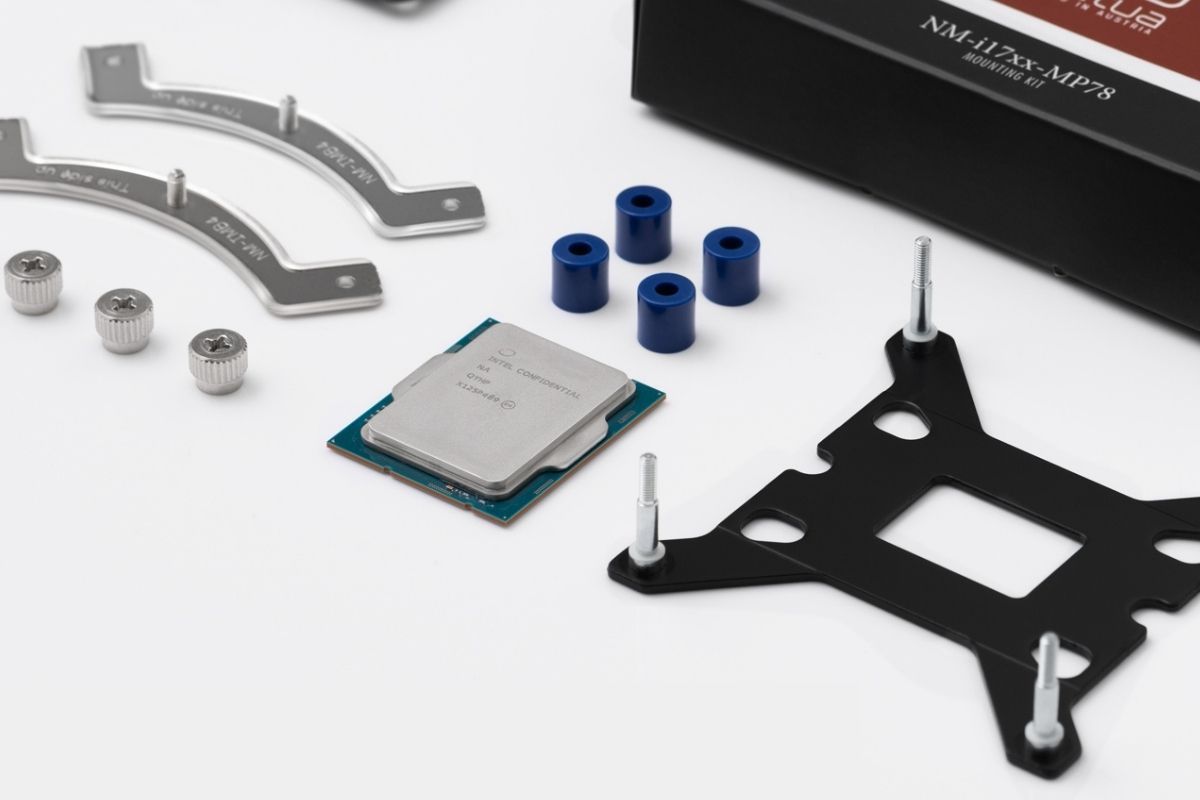
Intel's new 12th Gen Alder Lake CPUs use the new LGA 1700 socket. Here's everything we know about the socket and the compatible CPU coolers.
stumbled across this
cooler manufacturers that plan to offer kits to use your old coolers on new boards
but thats about all the info thats out now
pick a size

request mounting bracket
golden rover
Intel should just ship adapters with their processors
Would make our life a lot easier
marsh badge
I don't see any issue with it
 formal flume
Could the vroom 5 cpu cooler miss any parts?
I've got a heatsink and a fan, I need these special brackets that can mount the fan on the heatsink
knotty sparrow
formal flume
Could the vroom 5 cpu cooler miss any parts?
Never heard of "vroom 5" but what cpu are you attaching to?
formal flume
knotty sparrow
Never heard of "vroom 5" but what cpu are you attaching to?
Ryzen 5 3600, yesterday I was building my pc
formal flume
knotty sparrow
Never heard of "vroom 5" but what cpu are you attaching to?
Sorry I meant vetroo v5
knotty sparrow
Reread your message and it makes more sense this time. The clip for the fan to attach to is missing? You could just use zip/twist ties and contact them for the parts
 vagrant mesa
hey guys im gonna buy a new pc case and it will have 6 fans with it(2 arent rgb), i already have a fan splitter for 2 fans,will i need more slots for it and should i get a rgb splitter?
formal flume
knotty sparrow
Reread your message and it makes more sense this time. The clip for the fan to a...
I'll try that when I am in London
 stark mason
can the lighting affects on fans be turned off?
stark mason
ARCTIC Alpine 12 LP CPU Cooler, this any good?
shrewd juniper
stark mason
ARCTIC Alpine 12 LP CPU Cooler, this any good?
Nope it's basically a stock cooler, what cpu you tryna cool?
stark mason
still looking at 1 of i7s
shrewd juniper
stark mason
still looking at 1 of i7s
What i7?
stark mason
probably the i7-10700k, probably not the i7-11700k
unless theres a real good sale soon
shrewd juniper
stark mason
probably the i7-10700k, probably not the i7-11700k
I'd recommend the 10700f or 56000x if you already have a gpu, but a peerless assasin 120 for 10700 or frost spirit 140 for 5600x
You could always go better cooling and get like a arctic liquid freezer ii or ek rgb aio or lian li galahad 240mm or more
shrewd juniper
stark mason
so the "f" means fan included?
F means no integrated graphics, k means overclockable if it's on a z series motherboard
stark mason
👍
crimson heart
How does this compare to other AIO 360 mm Coolers under $150

Best Buy
Shop MSI MAG CORELIQUID 360R 240mm Radiator AIO ARGB CPU Liquid Cooler Rotating Cap Design 3x 120mm ARGB PWM Fans at Best Buy. Find low everyday prices and buy online for delivery or in-store pick-up. Price Match Guarantee.
shrewd juniper
crimson heart
https://www.bestbuy.com/site/msi-mag-coreliquid-360r-240mm-radiator-aio-argb-cpu...
Mediocre, the best 3 aios are arctic, lian li and ek rgb
Although arctic wins on ryzen with offset mount
 sour basalt
I know I asked this before long ago but I forgor 💀
What's the best CPU cooler to oc an i5 11600k as much as possible? Without breaking the bank
40-60 usd is my preference but my max is 100 USD
knotty sparrow
sour basalt
I know I asked this before long ago but I forgor 💀
What's the best CPU cooler...
shrewd juniper
sour basalt
I know I asked this before long ago but I forgor 💀
What's the best CPU cooler...
A decent budget option is peerless assassin 120 it's around 50$ but fal is correct, the Arctic liquid freezer would be superior
 fickle jolt
i need to switch my evga 360mm clc
shrewd juniper
fickle jolt
i need to switch my evga 360mm clc
That's a good aio too, it just needs some Arctic p12s instead of stock fans
fickle jolt
shrewd juniper
That's a good aio too, it just needs some Arctic p12s instead of stock fans
thats what i use
shrewd juniper
fickle jolt
thats what i use
Good
sour basalt
shrewd juniper
A decent budget option is peerless assassin 120 it's around 50$ but fal is corre...
I really like this one, watched a review on it and I'll most likely get this.
Thanks for the help y'all
shrewd juniper
Np
golden rover
For those of you with trashy laptop cooling systems, aka 50% of laptops in existence
who have constant thermal throttling
laptop cooling pads really are that good
I'm running the cpu stress test on intel XTU
and it runs wayyyyyyyyy better with the cooling pad on
despite the fact that this cooling pad costed 15$
 tropic hare
dont click the link
golden rover
what was it to?
looked like spam something or another
I'm surprised the person/possibly bot didn't get kicked
crimson heart
Does anyone have any experience with the Arctic Liquid Freezer II RGB with included RGB controller? I ask because I don't know how RGB works in modern builds. I will likely be getting a P500A with the RGB fans. I will be connecting this all up to a MSI MPG B550 GAMING EDGE WIFI Motherboard. Its my understanding it has RGB headers. Link below for the Cooler. How does this cooler compare to the A-RGB model which is a couple dollars cheaper.
https://www.amazon.com/dp/B08WRNBVTK?tag=pcpapi-20&linkCode=ogi&th=1

ARCTIC Liquid Freezer II 360 RGB (incl. Controller) - Multi-Compatible All-in-one CPU AIO Water Cooler with RGB, Compatible with Intel & AMD, efficient PWM-Controlled Pump, 200-1800 RPM
marsh badge
Just get the aRGB one
It offers more lighting adjustability
Also yeah the liquid freezer II is a great AIO, one of the top performers while being surprisingly cheap
crimson heart
Do I need a controller at all with the number of fans I mentioned and the parts listed above.
rose isle
crimson heart
Does anyone have any experience with the Arctic Liquid Freezer II RGB with inclu...
that motherboard has plenty of RGB and ARGB headers. you wont suffer for connectors. but I would definitely use any controllers/hubs that come with your hardware.
 topaz blaze
shrewd juniper
Mediocre, the best 3 aios are arctic, lian li and ek rgb
topaz blaze
shrewd juniper
Mediocre, the best 3 aios are arctic, lian li and ek rgb
and evga clc 👀
shrewd juniper
topaz blaze
and evga clc 👀
well needs replacement fans so meh
shrewd juniper
topaz blaze
"need" is a bit of an overstatement
Needs to, to be considered a top tier one
shrewd juniper
Okay so i got a pack of p12s, forgot to check if they were pwm, plugging into my pwm hub is running them at like 1600 rpm idle, am i doing something wrong or am i not supposed to do that. I have already set to dc in bios
topaz blaze
shrewd juniper
Needs to, to be considered a top tier one
nah
knotty sparrow
shrewd juniper
Okay so i got a pack of p12s, forgot to check if they were pwm, plugging into my...
Hubs that run on separate power only use the 3rd and 4th pins, tachometer and pwm. They interpret the pwm signal and distribute it, reporting speed through tachometer. They don't use either the 12v or ground pin.
In other words, use splitters instead of a hub (p12 is what, 0.14A), a dc hub, or return the fans.
shrewd juniper
knotty sparrow
Hubs that run on separate power only use the 3rd and 4th pins, tachometer and pw...
Hmm yeah might just return and get the pwm ones as i have had hub a while, my mobo has one case fan header
knotty sparrow
One header can support 7 full speed p12 fans
Assuming they're the 0.14A like mine
shrewd juniper
dont wanna risk that also lot of splitters will probs return ;-;
knotty sparrow
You'd only need 2x 4 way splitters to max a header, and it's not really a risk since that's below the rated 1A.
Exchanging is the cleaner option of course.
shrewd juniper
Time to cry return package
 glacial spindle

I almost finished misc. parts build
and wondering if it's better to have top three fans blowing in or out of the case
was thinking running them as exhaust would probably be best but with the AIO as exhaust & rear fan as exhaust, that's probably some pretty negative pressure
& since it's 5000D & I added airflow panels, was thinking it's so open I might get decent flow into the case from the top
knotty sparrow
That radiator looks like intake to me
glacial spindle
it's blowing out
it would have frames visible
I've installed that thing in like 5 different places lol
knotty sparrow
Oh I see now, it's the side not front
glacial spindle
I guess I could flip rear fan & have rear intake & front intake
& then top & side exhaust?
knotty sparrow
I feel bad for your poor gpu
glacial spindle
eh 3060s don't get thaaat hot
but ya it probably won't have great temps vertically mounted
but I'm trying to sell this thing so looks & function are about equally as important lol
knotty sparrow
I'd say top and rear exhaust and set the fan curve so the front goes faster
glacial spindle
plus the LEDs I custom installed in the 3060 just don't show horizontally
knotty sparrow
A little negative pressure might be good for that gpu
glacial spindle
hmm good point I didn't even think of that
knotty sparrow
The radiator is also restricting airflow
glacial spindle
the rad will probably eat up a lot of the front intake air since it's right there like that
oh so you mean like there won't be that much negative pressure cuz the air is bottlenecked going thru rad?
it has 10700K so thermals shouldn't be that wild
not 10900K levels at least
knotty sparrow
Exactly
That's like having 3 intake and 2 exhaust from the restricted flow
glacial spindle
& rear you say leave as exhaust?
knotty sparrow
Yeah
knotty sparrow
Because the gpu will blow some out the back anyway, you don't want to suck that back in
glacial spindle
it says you can only fit 2x 140s on top & front
I bet I could make 3x140 fit
but again, trying to sell so no custom work this time lol
knotty sparrow
You might need to modify it to do that
glacial spindle
ya for sure
originally I was gonna shove some 200s in there
it was possible with some grindin & drillin
but nah
keep everything stock specs
I could always run tests on top intake v. top exhaust
only need like 2 screws/fan to keep them up there
knotty sparrow
True
glacial spindle
those thermaltake fans are a little underwhelming but all those in the picture were extra so I used em
the lighting on them looks good tho
knotty sparrow
If you do top intake I'd do the middle fan slot, blows over memory and some air might get to the gpu before it gets exhausted
glacial spindle
oh I'm putting three up there
I have two more to put in
just didn't wanna do the mission without deciding first
& even if I didn't have 2 more matching ones, I have generic 120mms
knotty sparrow
Ah that's different, in that case I really would do either side intake pulling through rad or top exhaust
glacial spindle
so there's going to be 3 fans up there for sure
ya my bad I should've been more clear
side intake?
won't that pull in hot air tho?
really I probably should've done the rad up top but it's like 50mm thick with the fans on it
& it put pressure on CPU power cable & hit it's red extension glory lol
which normally I don't care about
cuz in 10900K build the CPU cable is like under 30lbs of force from stuffing the rad up there
knotty sparrow
Why would side intake pull hot air? Front and side in, all fresh air
glacial spindle
cuz the AIO rad is on the side
knotty sparrow
Oh you mean heat from the rad
glacial spindle
hmm very true
from now on, I'm not buying another case that doesn't have bottom intake
& you're right, between the GPU & the PSU, if I did the rear fan as intake, it would probably be pulling in hotter air than making the rad an intake would
plus rad should cool better if it's getting outside air as opposed to case air mixed with front intake air
originally I was thinking of putting the rad on top but with the 3x fan above it to pull & have top case rgb
knotty sparrow
Exactly my thoughts. If you had a hotter gpu it would be more of a factor
glacial spindle
but I doubt anyone wants to look at a blank rad at the top of the case
ya 3060 can't really even overclock high enough to overheat from my experience
& it was in H500P Mesh mounted vertical for a month or two
they need to make like modular AIOs
like so you can adjust pipe lengths, change rad if you want, maybe add a second rad
like custom loop lite
baby's first custom loop?
knotty sparrow
They have aio kits like that
glacial spindle
damn if they had g1/4 connections, you could swap it out to a copper rad
shrewd juniper
knotty sparrow
You'd only need 2x 4 way splitters to max a header, and it's not really a risk s...
It should be alright even tho i only realised this after screwing them all in right?
glacial spindle
"pump" headers can usually take 2amps
timid carbon
glacial spindle
"pump" headers can usually take 2amps
So can fan headers on most modern boards
glacial spindle
ye
just finished 5000D build
I like how the AIO came out but I hate how the hoses came out
oh well
It's in #build-pics. I welcome constructive criticism
 heady crown
@timid carbon how often should I change the fluid in the pump?
timid carbon
You really dont need to if you put good stuff in the first time round
Just top it up every now and again
timid carbon
But it depends
If you use pastel coloured stuff you need to change every couple of months
timid carbon
If its just die in water maybe once a year or so
heady crown
Got it
timid carbon
And just distilled water can do till it gets discoloured
timid carbon
heady crown
Ok, but straight fluid+food coloring?
Dont use food colour
Can cause algae and stuff in the fluid
And make it gunky
timid carbon
heady crown
What you recommend?
EK stuff
heady crown
timid carbon
Can cause algae and stuff in the fluid
👍
waxen vault
how do i know if my cpu or gpu is throtling
timid carbon
waxen vault
how do i know if my cpu or gpu is throtling
Look at temps
waxen vault
how?
knotty sparrow
Play a game with hwinfo running, after a while check the stats and see what's throttling
timid carbon
knotty sparrow
Play a game with hwinfo running, after a while check the stats and see what's th...
That does only cpu
Hwinfo + gpuz is needed
waxen vault
how to check gpu and cpu temp'
waxen vault
ok
knotty sparrow
timid carbon
That does only cpu
It does gpu too
knotty sparrow
Worked for every GPU I ever had
 timid carbon
Doesnt work on mine
knotty sparrow
Did you still have that 580?
knotty sparrow
Ah, yeah I think it's some of the older AMD ones that don't report it
timid carbon
I just call it a 580 because it performs like a 580 so less confusion
timid carbon
knotty sparrow
Ah, yeah I think it's some of the older AMD ones that don't report it
Could be.
waxen vault
i have both apps how do u know if they are throtlling
knotty sparrow
The part that I circled in the picture will say "yes" under maximum if it hit that specific limit
There's a CPU section too
waxen vault
ok
quick hollow
Managed to get my CPU and GPU to stay at a whopping 40c playing GTA5 1440p maxed out and War Thunder maxed out. Undervolt on the GPU, custom fan curve. Nothing done the cpu
golden rover
Imagine that
I don’t think my cpu has every gone below 60c
On my laptop, my desktop runs really cool but just sucks
 red belfry
Hey does anyone know why my rgb lights on the cooler dont light up half the time?
It cycles rainbow for 3 sec then off for 5 then back on for 3 constantly
quick hollow
golden rover
Imagine that
60c is still pretty good
golden rover
Idle temp, when 100% utilizied it is constantly temp throttling
Basically sits in between 90-100c
cold gorge
are the arctic p12s some what quiet
marsh badge
cold gorge
are the arctic p12s some what quiet
Not somewhat, pretty quiet
Not noctua quiet but they're much cheaper than noctua
And performs like one airflow wise
shrewd juniper
cold gorge
are the arctic p12s some what quiet
Fairly quiet and really good, I'd say they're a step down from the a12x25s
glacial spindle
 knotty sparrow
Looks like a swamp cooler
 proper cradle
knotty sparrow
Worked for every GPU I ever had
proper cradle
knotty sparrow
Worked for every GPU I ever had
so is power my throttle
 shrewd juniper
Performance limit-power yes would mean your power limited
proper cradle

knotty sparrow
You can increase the power available to your cpu in the overclocking menu, but that'll come at the cost of much more heat
proper cradle
thats gpu
knotty sparrow
Yeah
You can do the same with a gpu
topaz blaze
more voltage more better
topaz blaze
is there anything better than the arctic liquid freezer ii 360?
 real walrus
the aio i want needs a 3 pin plugin on the motherboard but mine only has 4 pin what do i do?
topaz blaze
plug it inot the 4 pin header
real walrus
oh shii i thot you needed a two 3 pins thank you
shrewd juniper
topaz blaze
is there anything better than the arctic liquid freezer ii 360?
Arctic liquid freezer ii 420mm
shrewd juniper
real walrus
the aio i want needs a 3 pin plugin on the motherboard but mine only has 4 pin w...
If it's rgb don't plug 3 pin into 4 pin or you'll blow the whole thing
topaz blaze
shrewd juniper
Arctic liquid freezer ii 420mm
lmao thats kinda obvious
are there any aios or air coolersz that are better than that
shrewd juniper
Not aios
knotty sparrow
shrewd juniper
If it's rgb don't plug 3 pin into 4 pin or you'll blow the whole thing
You can't fit argb plug into rgb header, at least not without breaking a pin. It's possible to accidentally put a rgb plug into an argb header though.
shrewd juniper
Ahh right yeah
civic valley
ok so now I'm confused- last PC I built was like 6 years ago or so, it's been a while since I've applied thermal paste, I thought you just put a pea sized amount on the center of the chip and put your cooler on but I lve been hearing about people doing an X pattern or something??? 5800x and Arctic liquid freeze 2 360 if that matters
marsh badge
civic valley
ok so now I'm confused- last PC I built was like 6 years ago or so, it's been a ...
You don't need an X
Just do a pea
shrewd juniper
X is most optimal for spreading but pea works fine
civic valley
alright that's what I kinda figured I was just confused 😂
if the aio comes with enough paste I'll probably do an x
shrewd juniper
It might come with preapplied paste
civic valley
oh shoot maybe
low pumice
This is cool
https://youtu.be/57voVXMWjW8
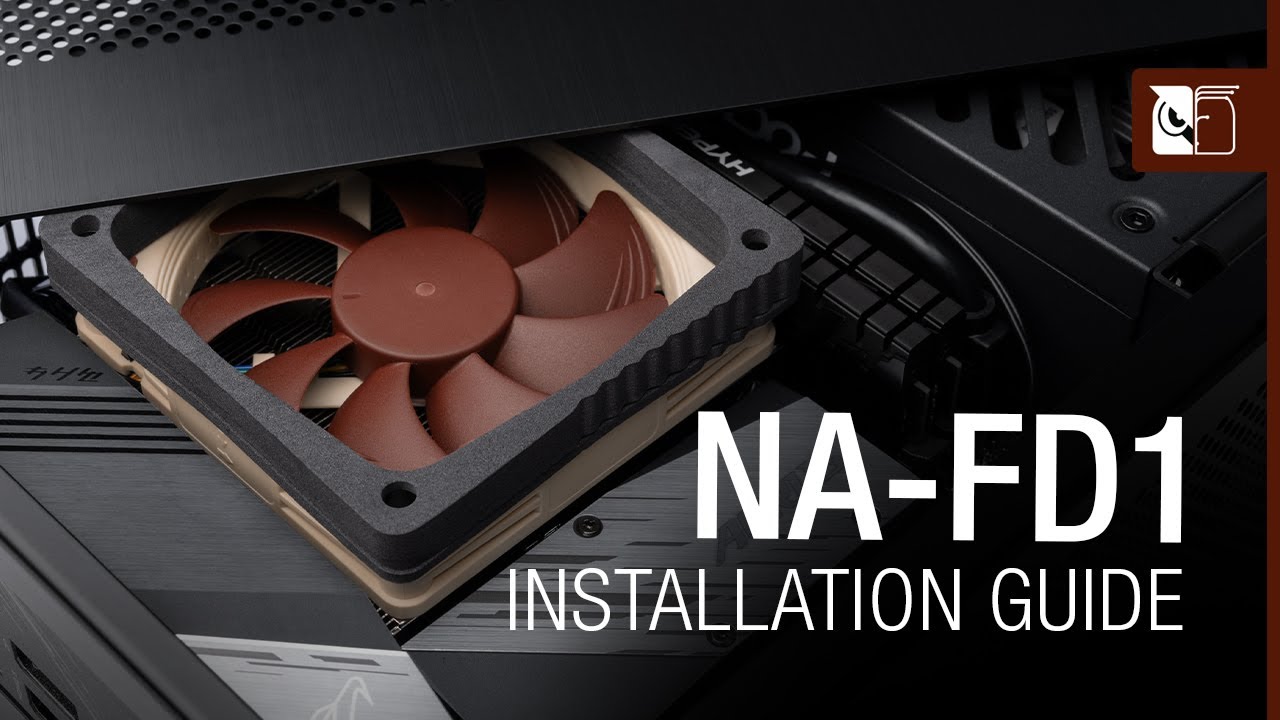
The NA-FD1 fan duct kit makes it possible to significantly improve the performance of Noctua NH-L9i and NH-L9a series CPU coolers in Small Form Factor (SFF) environments where there is a gap of 5mm or more (up to 45mm) between the cooler and a perforated top or side panel. Bridging this gap, the duct prevents the cooler from taking in hot air fr...
 subtle flower
Bequiet mounting bracket do be taking forever
 shrewd juniper
Quick enough
subtle flower
Says you
I'm staring at a new CPU and motherboard for a week lol
I'm impatient lol
 tame dragon
So what’s the verdict on the fractal lumen or fractal aio in general?
shrewd juniper
Fine
But arctic liquid freezer ii/ek rgb aio/lian li Galahad better
Arctic best on amd with their offset mount, on intel it's pretty much a tie
 unique cradle
anyone know if my h110 is compatible with the new
1700 socket?
shrewd juniper
If you get the new bracket from Corsair it should
shrewd juniper
 unique tundra
around 55
unique tundra
around 55
Usd? And what cpu
unique tundra
shrewd juniper
Usd? And what cpu
yes,intel
low pumice
unique tundra
yes,intel
What chip in specific? like 10400? 10900k? 12900k?
low pumice
11600k or 11600/11500 non-k
If you want to OC 11600k, I'd put a bit more budget into it, but if not, PA120 for ~50$
https://www.amazon.com/dp/B08XM7P1CF
but my inner noctua fanboy also says u12s redux is an option if you also like Noctua, just less performance
https://www.amazon.com/dp/B08WPDD6GD

Thermalright Peerless Assassin 120 Black CPU Air Cooler, 6 Heat Pipes, Dual 120mm TL-C12B PWM Fan,Aluminium Heatsink Cover, AGHP Technology, for AMD AM4/Intel 115X/1200/2066

True to the spirit of Noctua’s redux line, the NH-U12S redux is a streamlined, accessibly priced version of the iconic NH-U12S that has established itself as a benchmark for slim, highly compatible 120mm CPU coolers. The redux version uses the same proven heatsink layout that guarantees 100% comp...
shrewd juniper
unique tundra
115600 i think
peerless assasin 120 definetly
low pumice
why white pa120 when you can have black pa120 >:(
shrewd juniper
Idk mb they want are geee bee
 floral galleon
Guys
How can I control the fans to change colors and speed
My fans is Lian li sl120
Motherboard aorus b550
glacial spindle
Anyone building a custom loop & considering using EK Cryofuel, DO NOT do it
look at this atrocity. This isn't even 6 months old

I circled all the white powder garbage it's left behind
shrewd juniper
floral galleon
Motherboard aorus b550
For speed, go into the bios and find the fan control, think it's called quickfan 5 or something, for the colour, gigabytes rgb fusion should do the trick
shrewd juniper
Bout to buy some arctic p12 pwm(this time) pst's(because they're the cheapest) should i just use pst and not bother with my hub? What do people think?(will be chaining 5 fans if chaining)
timid carbon
You can chain 5 to 1 header but I would go 3 and 2
shrewd juniper
timid carbon
You can chain 5 to 1 header but I would go 3 and 2
Yeah i figured, thing is i only have 1 case fan header
timid carbon
You can use cpu opt

 idle tiger
glacial spindle
idle tiger
glacial spindle
That's a problem with any opaque coolant, translucent cryofuel is great, though expensive.
shrewd juniper
Just use the included paste with the cooler
 raven bane
I'm currently using mx-4 but it doesnt seem to be doing a good job
problem is its gone already
shrewd juniper
If you want to repaste mx4/mx5 whichever is cheaper
shrewd juniper
raven bane
I'm currently using mx-4 but it doesnt seem to be doing a good job
Probably a bad mount or something, what cooler are you using, and what do you mean it doesn't work?
raven bane
my cooler is xigmatek aurora 240, its not really.. good however theres a catch
I had a lot of temp jumps with this and I sent it to repair, now its back from repair and my temp jumps are really fixed. I dont get 70 degrees when I'm starting my pc up now
I just ran prime95 for 10-15 mins I got at least 10 degrees less (because it was on 95 degs before, it could even go further) and 25 watts more
however
idk. I expect the cooler to suck the heat immediately
when cpu gets hot at first
its not jumping anymore but I think maybe theres still a room for improvement
shrewd juniper
raven bane
its not jumping anymore but I think maybe theres still a room for improvement
Nah mx4 is good, make sure your pump is constantly 100% and see what your fan curve looks like, if that doesn't fix the issue, try remount and make sure you screw in an X pattern
raven bane
ok
and maybe I'm expecting a lot
because
I've seen people complaining about 3800x's temps even with h115i
or some better ones
its not even throttling in p95 anymore
I think 130W is as much as it gets without overclocking
so I dont know if I should care this or not
low pumice
I mean
low pumice
raven bane
I think 130W is as much as it gets without overclocking
I've had my 3800x hit 180w spikes in p95 with I believe 4.2ghz at 1.3v
low pumice
raven bane
I've seen people complaining about 3800x's temps even with h115i
But 3800x just gets really hot, hotspots and all, lots of power and heat in a small die
I have a 3800x under a D15
glacial spindle
idle tiger
That's a problem with any opaque coolant, translucent cryofuel is great, though ...
I think I'm going to find some corrosion/biocide additive & use distilled water only from now on
idle tiger
Or just use a premix..
glacial spindle
True. I'm just tired of dropping $25+ on bottles, especially when 1-2 months later I'm tossing it because crap like this happens
raven bane
low pumice
I've had my 3800x hit 180w spikes in p95 with I believe 4.2ghz at 1.3v
oh
can I ask how
low pumice
raven bane
can I ask how
its just spikes, p95 smallfft is very intensive and all
it'll actually average somewhere around 120w draw
but spikes are spikes
low pumice
eh
It still does like 90c under smallfft at 4.2ghz@1.35v
it'll jump to 100c practically right away if I do smallfft at 4.4ghz@1.4v when I was doing benching for fun
ofc it was degrading my chip, but it was already crap sample
raven bane
I'm too scared to run that at 1.35v
low pumice
Yea don't if you're going to daily it
raven bane
mine can do 4.4 ghz 1.2875v
raven bane
its not a good sample then
low pumice
So I just run 4ghz at around 1.225v daily
raven bane
I run at default because locking frequencies always give me some anxiety
raven bane
oh my god I just realised that I have 8 GB ram available right now I forgot to fully install a stick lmao
yeah its early
only thing I got early is my mobo
I got it after the launch day of b550's
there werent even any reviews about it
b550 gaming edge wifi
low pumice
you can tell week of production by whats printed on the IHS
for example, this is 2020 week 37 chip
 raven bane
next time I uninstall my cooler I'll also check that
raven bane
which paste do u use for 3800x?
low pumice
raven bane
which paste do u use for 3800x?
If you want best performance, take a look at testing done here
https://www.tomshardware.com/best-picks/best-thermal-paste
What I'm currently using is nt-h2 I bought after I kept remounting my d15 and running out of the nt-h1 that was in the tube my d15 came with

Tom's Hardware
The right thermal paste will improve performance.
raven bane
ok
civic valley
low pumice
for example, this is 2020 week 37 chip
does the week and year of it make a difference?
shrewd juniper
For ryzen 3000 yeah, earlier chips aren't as good
civic valley
what about the 5000 series?
hope mid august is good
ouch discord killed the pic quality
shrewd juniper
civic valley
what about the 5000 series?
No idea
civic valley
hm
raven bane
low pumice
yea considering you can do 4.4ghz at 1.2875, it's later sample
passed cb r23 on 4.4 ghz all core at 1.2875v max. 76 degs 12537 points, has been a while since last time I tested it I just did again
low pumice
civic valley
does the week and year of it make a difference?
its just generally the later the sample, the better the chip
As the process mature, the individual chips that come off the line becomes better and better
subtle flower
Is mx-4 decent enough for heavier use cases
I'm out of my pink paste thermal grizzly stuff
I forget the name of it
knotty sparrow
Yeah it's fine
subtle flower
Going to be using it with my 12600k
the thermal grizzly high end paste is so expensive
knotty sparrow
Worst case it's a couple degrees warmer
subtle flower
and I got a 20g tube of mx4 6 months ago for like $15
that I've been using for everything
gpus, consoles, etc.
but didn't know about putting it on a thermonuclear reactor
knotty sparrow
12600k wasn't nearly as hot as 12900k. A 240mm aio can handle it.
knotty sparrow
Which air cooler?
knotty sparrow
Yeah that's fine
subtle flower
it handles my 8600k at 1.415 volts
which intel extreme overclocking utility says is pulling 170 watts
Keeps it at around 75-80C with that load
knotty sparrow
subtle flower
which intel extreme overclocking utility says is pulling 170 watts
Which is about how much the 12600k pulls at stock lol
knotty sparrow
All core load
subtle flower
yeah
knotty sparrow
That 150W is assuming the mobo maker follows intel spec
subtle flower
gamers nexus was only showing 119 watts with all cores maxed in blender
knotty sparrow
That's blender though, not a real avx workload
subtle flower
I've not seen a review have over 150 watts
can you show me like
some numbers
I believe you I just want to look into this further
knotty sparrow
Hang on a bit
subtle flower
I may throw away my cpu cooler for new one then if it's going to run that hot
knotty sparrow
You've got plenty of headroom on your cooler one way or the other tbh
Undervolting can help a lot on this series if temps get out of hand.
Tweak town got a Delta of 135W over idle draw under r23 load. Weird way of measuring imo.
 subtle flower
never hard of tweak town before tbh

 knotty sparrow
It's fine
 ashen whale
Bubbles collecting at the top of radiator near the tubes being circled through the aio though..
knotty sparrow
ashen whale
Bubbles collecting at the top of radiator near the tubes being circled through t...
Any air pockets will just stay at the highest point in the loop. Any bubbles that might get circulated will be small.
ashen whale
thx folks
Recently watched that GN video of way of positioning aios for best lifespan
subtle flower
The thing that affects life span the most is uneven heights. Are you willing to eventually replace the gpu radiator after a few years?
ashen whale
Sure, if the gpu was still good, but the waterblock, pump, or radiator went bad, and if it was possible to install a new aio, I totally would
subtle flower
ashen whale
Sure, if the gpu was still good, but the waterblock, pump, or radiator went bad,...
Yeah then don't worry about it
it's not like your gpu will die
the pump may just burn out after like 3-4 years
radiator is just metal, waterblock is just metal
those won't "go bad"
just replace the aio and you're set
topaz blaze
subtle flower
the pump may just burn out after like 3-4 years
pumps dont really go bad that quick unless it was a bad design to begin with. pretty much all respectable pumps last upwards of 6+ years
it's just an anecdote, but i had an hp prebuilt 3770k system that had a 120mm aio, the pump still worked fine up until i sold it about a year and a half ago
wish i kept it though :(
subtle flower
my moms prebuilt with an 4790k and 120mm aio is still good
but it's perfectly level
a heigh difference of 8+ inches isn't good for the pump
topaz blaze
its only an issue if there's air consistently getting into the pump.
 autumn iris
Would getting a 240mm rad be very different from a 280mm rad?
My case supports either but not a 3-fan rad
marsh badge
Not much