#cpus-mobo-and-memory
1 messages · Page 237 of 1
 mild jackal
 mild jackal
Depends how you clock them - and it'd all be irrelevant for a stock+xmp user anyway
 vast meadow
true
 vernal cosmos
Fair
 devout mothBOT
 Große Schwanz Energie#3335 has been warned
Reason: Bad word usage
 bleak wyvern
what is the difference between the GIGABYTE B550 AORUS Elite and the GIGABYTE B550 AORUS Elite v2
vast meadow
Minor refresh
bleak wyvern
so is it worth the 40 dollars more
vast meadow
No
bleak wyvern
ok thank you for the info
vast meadow
Np
 cerulean wadi
So your 5950X amd pc and an Intel setup w/ that i9? awesome!
 finite elm
cerulean wadi
So your 5950X amd pc and an Intel setup w/ that i9? awesome!
finite elm
cerulean wadi
So your 5950X amd pc and an Intel setup w/ that i9? awesome!
I'm not gonna buy it.
If i didn't buy groceries yesterday, maybe.
 dim cloak
Idk if i want the 12900k or 12700k ughh hard choice
cerulean wadi
1st world problems
cerulean wadi
dim cloak
Idk if i want the 12900k or 12700k ughh hard choice
12700 is my suggestion, same 8 Perf cores, just a few less "E" cores. Base clocks are also better. stock Turbo Wattts 190 vs 240 so that helps too.
finite elm
12600k
dim cloak
I need more than the 6 p and 4 e cores so i wont do the 12600k and im starting to work higher quality video editing as well but 12700k is the suggested recommendation
vast meadow
dim cloak
I need more than the 6 p and 4 e cores so i wont do the 12600k and im starting t...
considering the work you seem to do yeah id go 12700k/12900k
dim cloak
Thats why im having a hard time choosing between the two
 subtle crow
vast meadow
considering the work you seem to do yeah id go 12700k/12900k
subtle crow
vast meadow
considering the work you seem to do yeah id go 12700k/12900k
12600k is still amazing for the price and performance
dim cloak
Yeah i dont doubt that i love intel i5 cpus
vast meadow
subtle crow
12600k is still amazing for the price and performance
Definitely
dim cloak
Now just waiting for amd fanboys to flood the chats
vast meadow
dim cloak
Thats why im having a hard time choosing between the two
You do a lot of multi core workloads right?
vast meadow
12900k might be worth it then
dim cloak
And single core loads as well
finite elm
dim cloak
Now just waiting for amd fanboys to flood the chats
I'm an AMD fanboy.
But i know when Intel does something right :p
dim cloak
Lol im talking about the others that hate on intel every chance they get
 naive pendant
finite elm
I'm an AMD fanboy.
But i know when Intel does something right :p
naive pendant
finite elm
I'm an AMD fanboy.
But i know when Intel does something right :p
x79 platform best platform
finite elm
naive pendant
x79 platform best platform
The door is over there
dim cloak
Lol
naive pendant
 finite elm
I love that show
dim cloak
But when i do get alder lake im giving my mobo and cpu to my coworker that is running a ryzen 5 1500 i think he stated it was
finite elm
Nice upgrade
vast meadow
Rx580 good budget gpu tbf
dim cloak
Yeah but they want to upgrade their gpu as well but want to stay team red
cerulean wadi
You have Win11? That's almost needed to take advantage of the E cores. $420 for the 12700K right now, so only you can decide about dropping an extra $240+ for the i9 (GPU-less KF model is $660). --wow, just found intel's unit price was $564 per 1000 cpus
https://www.amazon.com/Intel-i7-12700K-Desktop-Processor-Unlocked/dp/B09FXNVDBJ
https://www.anandtech.com/show/17047/the-intel-12th-gen-core-i912900k-review-hybrid-performance-brings-hybrid-complexity

Intel Core i7-12700K Desktop Processor 12 (8P+4E) Cores up to 5.0 GHz Unlocked LGA1700 600 Series Chipset 125W

 severe pivot
New mobo seemed to fix... @vast meadow
vast meadow
cerulean wadi
You have Win11? That's almost needed to take advantage of the E cores. $420 for...
For gaming not worth going 12700k tbh
Also win 10 sometimes beats, win 11 has better compatibility with a few apps tho
vast meadow
severe pivot
New mobo seemed to fix... <@191276897227898880>
Great
dim cloak
Ill have windows 11 pro when i get the alder lake cpu
cerulean wadi
Nice, Yeah that was for Spirit. Gonna hold off Win11 since it's so new and Win10 has plenty of support. Seeing tons of Z590 mobos for under $220 so that's good. I'll take a few days to cpu shop. No hurry since I'm also replacing this standard 60 hz display. I don't worry over saving a few bucks for certain choices because I might get buyers remorse, or also it's a hassle to re-upgrade soon again.
edit: wanted Gigabyte but might go Asus for the Aura rbg stuff like Strix gpu apparently has.
dim cloak
Yeah its great just need upgrading for rendering and editing
cerulean wadi
Oh, did you ever have a 10th gen? How's that 11gen been for ya?
@vast meadow I forget if 11th gen wasn't liked for certain reasons. 11600K is $230 on Amazon, 10400 new is $170-ish on Ebay. Personally don't care about OC'ing VS striving for best bang for buck overall. Isn't $60 quite the different for these specific models.
 hollow thorn
11600k pretty good in general, 11th gen was just really disappointing in terms of 11900k and 11700k
cerulean wadi
Gotcha, so on a general performance standpoint no point getting a 10gen i5 at all? Good. Hmm just realized Amazon is at least 5% back, so that lessens the difference to Ebay prices, nice.
 warm bolt
Were these new ddr5s listed on preorder earlier today?
cerulean wadi
dim cloak
Does wonderfully but its my limiter basically
Yeah, my 3550 is mostly fine except in some BR games I've tried. The huge 60+ player maps need more CPU. It hits 90+ % sometimes. The 1080 is more than plenty for now (1080P). Will be cool to get m.2 and/or nvme.
dim cloak
Yeah so if you do get 11600k (imo wait for 12600k and windows 11 bugs to be fixed) it will improve by a major mark
cerulean wadi
For sure. Closer to a good setup for the future 144hz gaming display of some sort.
dim cloak
Yeah
naive pendant
max cpu in a Dell Dimension E521?
 grizzled bloom
What CPU is in it right now?
naive pendant
Athlon 64 X2 3800+
Yeah I know
its just for like really general use
¯_(ツ)_/¯
the 6400+ is listed as the best cpu for that socket generally
but it probably wont work with the motherboard
 cursive epoch
Might need a bios update
naive pendant
I see an ebay listing that has a 6000+ in it
grizzled bloom
Yeah that's the highest athlon I'm seeing possible, and you'll need bios 1.1.4
Which I happen to have found
naive pendant
alrighty thank you
next question, I know this sounds super silly,
but if I'm already upgrading to and ssd ram [ddr2  ] and cpu, might as well throw a new gpu in there too,
which one is like, realistic to get for this type of machine, like, one that wont be bottlenecked by the cpu [ ], prefferably amd
grizzled bloom
I wonder if you could get a phenom? 
naive pendant
grizzled bloom
I wonder if you could get a phenom? <:ThinkingEgg:598228793836044298>
looked at the og handbook
lists the max as an Athlon 64 X2
Bro I see the 6400+ for sale nowhere
💀
naive pendant
cursive epoch
an hd 7570 should do fine i guess
honestly this might be as good as the one thats already in there but I have no idea which one it is
how can I tell by looking at it
cursive epoch
look at its part numbers or something
 rapid thunder
Do memory modules clock down like CPUs and GPUs when idle or doing light work?
grizzled bloom
Ehhh, that's not a standard form factor
naive pendant
btx yes
ig I'll just buy a replacement case
current one is broke
just wanna say, I appreciate that you guys were actually helpful,
instead of going "why are you upgrading that garbage, heres a link to a 5000 dollar computer that suits your needs 10x better"
 cyan raft
5000 dollar PCs most of the time are overpriced
grizzled bloom
We've all been there I think, trying to keep something alive as long as possible. I used a Windows 98 computer until 2010 lol.
rapid thunder
grizzled bloom
You can toggle that on but it's not advised
I ask because I thought I had my memory running at 3600 MHz as set in my bios, but HWiNFO appears to show a different number and I’m not sure what to make of it.


 long geyser
DDR means double data rate
There is an effective and actual clock for RAM
For system memory, effective is 2x actual. Hence DDR
VRAM (GDDR) is usually more then 2x
rapid thunder
So ~1800 actual is ~3600 effective?
long geyser
Ye
rapid thunder
So BIOS settings are working with effective, but the HWiNFO is using actual. Why the difference?
grizzled bloom
The funny thing is that GDDR6 is actually QDR instead of DDR.
They get to put a bigger number on the box if they use the effective rate
rapid thunder
As in quadruple data rate?
grizzled bloom
Exactly
rapid thunder
This difference between actual and effective memory clock speeds reminds me of some video I once watched explaining why my HDD was marketed as a 6 TB drive while only having 5.5 TB of actual space.
grizzled bloom
So my GPU would have an actual clock of 2500 on memory but reports as 10000 in many programs
rapid thunder
I can't remember the specifics of that though.
grizzled bloom
The reason for that one is Microsoft measures in GiB and drive manufacturers measure GB
rapid thunder
So is it just that there isn't an agreed upon standard as to which measure of memory clock to use as a default?
GiB?
long geyser
1024 vs 1000 byte standard
grizzled bloom
Gibibytes
rapid thunder
I didn't realize there was a 1000 byte standard. I thought it was just the 1024 standard.
grizzled bloom
Technically both are correct.
long geyser
GB use to mean 1000 byte standard until MS started being big dumb and using GB with 1024
GiB means 1024 only
rapid thunder
So gigabyte is 1000 and gigibyte is 1024?
grizzled bloom
Right, they had to start distinguishing between the two
long geyser
rapid thunder
So gigabyte is 1000 and gigibyte is 1024?
That's how it use to be fair while ago. Idk how long but was a while ago. Now tho, GB means both 1000/1024
grizzled bloom
There was a whole big deal about it back in the 90s
rapid thunder
long geyser
That's how it *use* to be fair while ago. Idk how long but was a while ago. Now ...
Okay, that sets my mind at ease a little bit.
Regarding my understanding of terminology at least.
grizzled bloom
Why is my 320MB drive only showing 280MB?!?!
rapid thunder
Though it means one has to specify which is which I guess.
So ultimately, it's just coders and marketers not agreeing on which units of measure to use in any given application?
grizzled bloom
Basically yes
rapid thunder
(I get that marketers prefer bigger, rounder numbers to upsell with too)
grizzled bloom
It kinda started with the drive manufacturers wanting to put bigger numbers on drives so they measured different, and MS gave them the middle finger and kept measuring using 1024
long geyser
I just wish they called it MiB/GiB so standards didnt get hecked up
grizzled bloom
Right? Even in college I was never told about GiB, I was just told 1024MB=1GB
Because binary blah blah
long geyser
grizzled bloom
Right? Even in college I was never told about GiB, I was just told 1024MB=1GB
Think I was taught that in HS, but cant really remember now
naive pendant
naive pendant
https://discord.com/channels/500085440221806603/500102568408776724/9125392791195...
the internal network card on the mobo isnt working
or being read by linux at all
💀
naive pendant
recommendations for an external one?
grizzled bloom
What's the output of lspci | grep ethernet?
grizzled bloom
Not detected at all then. Check in bios if it's even enabled.
cerulean wadi
rapid thunder
This difference between actual and effective memory clock speeds reminds me of s...
This has messed w/ people forever. Pay for 1TB, but don't get a TB. HDD/ssd companies could've just made the parts hold more so when we hook up a drive it actually gives close to the spec'd capacity. Buy a gal of milk, drink a gal of milk. lol
hollow thorn
cerulean wadi
This has messed w/ people forever. Pay for 1TB, but don't get a TB. HDD/ssd comp...
That's less a manufacturer problem than a Windows problem, for example, a 6 terabyte drive might show up in windows as 5.5tb, but the main reason is that windows doesn't use TB, windows uses TiB, and 6tb is roughly equivalent to 5.5TiB
Conversion sounds really weird, but it makes more sense if you look at KB and KiB, where 1kb is 1000 bytes, but 1kib is 1024 bytes
cerulean wadi
Oh, i never looked much into it. I know it's been like this for decades though 😅. Was a bigger deal w/ 100GB instead of 1+ TB.
hollow thorn
So, really, manufacturers give you exactly what they advertise (most of the time), windows just uses a different standard
cursive epoch
^
vast meadow
cerulean wadi
Gotcha, so on a general performance standpoint no point getting a 10gen i5 at al...
It's good but bad value imo, need a more expensive mobo to get a slightly worse 5600x
cerulean wadi
I'm not concerned w/ how the performance varies, I'm just used to Intel. Can't even remember if I ever had an AMD setup. I knew someone w/ the 6400+ though, that's when many intel cpu's weren't as good for gaming.
vast meadow
cerulean wadi
I'm not concerned w/ how the performance varies, I'm just used to Intel. Can't e...
There's literally 0 difference between if you're using an intel pc vs an amd pc, appart from some very niche engineering apps only working on intel

cerulean wadi
Yep, i9 is a waste also. I did find some well priced i7's on ebay, so keeping my eyes open.
vast meadow
cerulean wadi
Yep, i9 is a waste also. I did find some well priced i7's on ebay, so keeping my...
Just keep an eye out on the model, a newer i5/ryzen 5 would beat a 3 year old i7
cerulean wadi
@vast meadow for sure. It's 1 of the 11700 models or 12600K. The latter is of course $230 amazon. Hmm, 11gen i7 has 8 cores VS 6, but lacks pci-ex 4.0 or somethin like that.
vernal cosmos
cerulean wadi
<@!191276897227898880> for sure. It's 1 of the 11700 models or 12600K. The latt...
Both have pcie gen 4
Get the 12600k
cerulean wadi
@vernal cosmos oh, I think it was the 10gen that didnt have that.
vast meadow
cerulean wadi
<@!191276897227898880> for sure. It's 1 of the 11700 models or 12600K. The latt...
Nah all 11th gen has pcie 4 but it's meh for 230$ considering you need 160$ board and 55$ cooler, might as well get 5600x and 100$ b550 and 30$ cooler or go 12600k
vast meadow
cerulean wadi
<@!499525349109923844> oh, I think it was the 10gen that didnt have that.
Correct but ehh pcie 3.0 can't even be fully used by a 3090 and unless you do a lot of constant read write, no noticeable effect on ssds
cerulean wadi
Oh, I was seeing i7-10700 and i5-11600k, oops. They & the 12600 are all $220 ish 😅 @vast meadow yea, i was reading on nvme drives. pcie 3 is fast, 4.0 is nutto.
 shy wyvern
And PCIE 5.0 is absurd
PCIE 5.0 x4 has same bandwidth as PCIE 3.0 x 16. You could run a 3090 on a x4 link lol
vast meadow
I mean you could probably run a 3090 on pcie 4x4 full speed
shy wyvern
Idk if you'd be able to run it at full speed for a 3090
Would probably be close though
vast meadow
At least very close to full speed
subtle crow
So, cards can’t really utilize pcie 5.0
Is there going to be a major speed boost for NVMe drives on 5.0?
cursive epoch
pcie 5.0 actually has some improvements
so future gpus could benefit from it
also no, i doubt it for ssds
vast meadow
subtle crow
So, cards can’t really utilize pcie 5.0
They can't utilise full pcie 3x16 yet so no
subtle crow
AMD Ryzen CPUs Continue to Sell Almost 6x More than Intel Alder Lake-S [MF, Germany] | Hardware Times

Intel’s Alder Lake CPUs continue to perform less than admirably in the German market. The latest figures from Mindfactory (Week 45), Germany show that AMD’s Ryzen CPUs have been consistently outselling Intel’s 12th Gen offerings even during launch week. During the said week, the retailer sold 2,050 AMD AM4 motherboards and 2,630 Ryzen CPUs. Inte...
cursive epoch
not surprising
besides this is combining anything ryzen, not locked to one gen
alder lake got out very recently lel
doesn't make sense to hop to alder lake when many have hopped on the ryzen train ngl
 wind nest
I have.. I love my ryzen 7 3700x
wind nest
cursive epoch
doesn't make sense to hop to alder lake when many have hopped on the ryzen train...
That’s me
warm bolt
It's new tech with stuff not released for it at new tech prices and not calibrated.. also ryzen cpus prices have been dropping slightly or on sale with new intel cpus out.
vast meadow
stuff is released for it but yeah id say ppl that havent seen benchmarks or dont realise may be waiting for ddr5
warm bolt
Yoo @ newegg can ya'll switch this ddr5 back to preorder so I can just submit the preorder and stop checking it every 10 minutes?
Oh they actually have an account here oops.
vast meadow
warm bolt
Yoo @ newegg can ya'll switch this ddr5 back to preorder so I can just submit th...
they dont check pings in here afaik, but some are in the shuffle atm apparantly
vast meadow
yes some ddr5 is in the shuffle now
vast meadow
finite elm
50$ for a 280mm AIO
ntb, if only CM aios didnt have a tendancy to leak lol
finite elm
Oh lol
vast meadow
finite elm
Oh lol
idk if they fixed with those models but i wouldnt riskj
finite elm
thats fair lol
cerulean wadi
@vast meadow ok, that helps. 11 was a tick, 12 is the tock. Well how cheap would an i7-11 have to be, $50 less? Perhaps it's not worth that to upgrade so far for a gen behind current. I didn't want Win 11, what's your opinion on that deal?
--Thnx.
vast meadow
cerulean wadi
<@191276897227898880> ok, that helps. 11 was a tick, 12 is the tock. Well how ch...
It depends, 50$ cheaper than what?
cerulean wadi
The 126. I wonder how long the $230 sale is too.
 quartz citrus
I just scored a 12900K from the Shuffle - should I build with it? Torn.
cerulean wadi
@quartz citrus lol, you still paid for it though? Thnx for not saying " I won" it. 5950X is really good though. I'm super unfamiliar w/ various amd stuff I'll admit.
vast meadow
cerulean wadi
The 126. I wonder how long the $230 sale is too.
Damm where you finding the 12600k for 230$ that's a steal, I'd say if you could get 12600k for 230$ to consider the 11700k you'd want it to be like 180$ ye
vast meadow
quartz citrus
I just scored a 12900K from the Shuffle - should I build with it? Torn.
If you already have 5950x, no
quartz citrus
@cerulean wadi right, not a win really at all. And kinda happy w/ my current build, just got the 3080 Ti a few weeks ago off the Shuffle as well. Shuffle has been very good to me...
@vast meadow my other thought was to build a nice rig and sell it, assuming I can snag a GPU
vast meadow
I mean you've already got a 3080 ti 🤣
quartz citrus
the hell of it is that I just sold my old GPU (3070) on eBay to help fund this new one
vast meadow
Honestly very little point to go 12900k from 5950x
quartz citrus
that's pretty much where I am too
vast meadow
If you do editing then I'd wait for 13900k/am5
quartz citrus
I don't, just gaming & video encoding/ripping occasionally
cerulean wadi
vast meadow
Damm where you finding the 12600k for 230$ that's a steal, I'd say if you could ...
I'm so dumb, the 11600K is $230... oops. Can do a $150 mobo though. So 116k vs 117, or 126K for $100+ more.
cerulean wadi
vast meadow
I mean you've already got a 3080 ti 🤣
Imagine gpus double or triple the cost of my lil old 1080 😂 (before selling previous gpu). I bet that setup rocks thougj
quartz citrus
cerulean wadi
Imagine gpus double or triple the cost of my lil old 1080 😂 (before selling pre...
Tell me about it, still kind of smarting from that one
build details: https://pcpartpicker.com/b/L4V7YJ

Check out Vendaface's completed build on PCPartPicker! Ryzen 9 5950X 3.4 GHz 16-Core, GeForce RTX 3080 Ti 12 GB AORUS MASTER, Eclipse P350X ATX Mid Tower, ...
cerulean wadi
@quartz citrus people say hobby, but personally have a hard time seeing gpu prices near 4 digits. Previous gpu was a 970 😅
quartz citrus
cerulean wadi
<@651204906614784016> people say hobby, but personally have a hard time seeing g...
there's nothing affordable about this anymore, truly - I could never in a thousand years have done this 20 years ago, fortunately I can now
cerulean wadi
Well you didn't waste $1k on an intel extreme edition so that's good. Price/perf sure has exponentially changed at least. 5950X is 16 cores, wow. How do you like the cpu cooler? I'm debating trying an aio. Might be a 360mm one that's on sale.
quartz citrus
Pretty happy with this AiO, it was an emergency Best Buy trip when my old one died but hard to go wrong w/ Corsair
finite elm
I also have a Corsair AIO on my 5950x build 🤣 i hate their software
vast meadow
quartz citrus
I don't, just gaming & video encoding/ripping occasionally
Then no reason to upgrade
naive pendant
i'd replace my 240clc i use in my personal system with my 360clc, but that 360clc is now caked in dried salt
💀
vast meadow
cerulean wadi
I'm so dumb, the 11600K is $230... oops. Can do a $150 mobo though. So 116k vs 1...
Imo 11600k would have to be 190$ to get over a 5600x or 12600k on the higher end
 pale fox
So I got a pc (built it my self) and it won't turn on but I don't know if it's either my cpu or my mobo because on my cpu it has bendy pins and I used tweezers plus heat to put them straight but on my mobo i used wet wipes to clean the am4 socket and some thermal paste on the board (while it was off) and I was wondering if It was both or one of the part
Could anyone help out if they can
severe pivot
Lmao. It could be a lot of things. Is it just not posting?
Are fans spinning and lights on?
quartz citrus
let's not be hasty! could be other things far less serious
you're sure the power switch at the back of the power supply is on?
pale fox
Yes
pale fox
Yup
quartz citrus
have you tried jumping the power pins directly rather than using the power button?
(or if your mobo has an on-board power switch that works too)
pale fox
With a screwdriver
quartz citrus
right
pale fox
I have but doesn't work
pale fox
I mean I got a feeling it was the cpu cooler
quartz citrus
and you say it's not even humming to life a little when you hit the switch?
pale fox
Well when I turned on and off the power button little bit of the rgb fans showed
quartz citrus
yes, pics would help
pale fox
Well that's a problem,
quartz citrus
it sounds like you had a bit of a mess with the CPU and socket too, I might unseat/reseat that sucker and maybe try it without the cooler on for a sec just to see if it POSTs
won't kill it
pale fox
The pc isn't currently at my home
quartz citrus
 pale fox
quartz citrus
it sounds like you had a bit of a mess with the CPU and socket too, I might unse...
pale fox
quartz citrus
it sounds like you had a bit of a mess with the CPU and socket too, I might unse...
The thing is with my cooler it sucked out my cpu when it was in the socket (with thermal paste)
Sooo
quartz citrus
that shouldn't really be possible I don't think! may indicate the CPU isn't seated in there properly
I'd definitely take the CPU assembly apart, clean it off, check for bent pins, and try seating it again, then do a quick POST test w/o the cooler
(good for you for fixing those initially btw, that's tricky stuff)
quartz citrus
I mean, I wouldn't feel too optimistic if many pins were bent - you can fix one or two, but several becomes pretty tricky
I've never had to fix more than one though so who am I to say, others here may be more experienced
pale fox
Should I sent my mobo back for repair if that's the best option?
quartz citrus
yes but only if you rule out everything else - from what you're saying I'm not confident that CPU is a happy camper just yet
not saying the mobo is definitely good, but you haven't exhausted your options yet!
here's a good Asus page on troubleshooting: https://www.asus.com/us/support/FAQ/1042632
Official Support | ASUS USA
next time you're with the box try reseating the CPU - carefully! And make sure that clamp is fully down and locked
also double check that the white dot corner is aligned properly
quartz citrus
sure, there are no doubt plenty of us here who could take a look
pale fox


Yeah, the mobo is b550 arous elite
So that's the socket
I took everything out before I went , if your wondering why where's everything
@quartz citrus
cyan raft
quartz citrus
that shouldn't really be possible I don't think! may indicate the CPU isn't seat...
Nope actually quite a common thing with ryzen cpus if they are cold when they are being taken out
AMD motherboards don’t have pins…
What’s that white stuff on the socket?
pale fox
Thermal paste
cyan raft
Better start cleaning it off
Good chance that may be the problem
Can you send a pic of the CPU?
pale fox
I'll ask for a pic then
pale fox


Some of those pins I put them back to place (before) but at the time I coudlnt be asked to do another 2 or 3 pins
pale fox
Basically the cpu got sucked out of place bc of the cooler 2nd time
I'm just thinking to get a repair for the mobo and get a replacement for cpu
@cyan raft what do u think?
 spiral sapphire
Well I got an MSi 3080 Ti and now I’m wondering if I need to upgrade my CPU to keep up with it or if the ole i7-9700k is plenty.
grizzled bloom
Depends on what you play but 9700k is probably ok if you play at 1440p or 4k
spiral sapphire
Only game that would be anywhere near building heat would be some WarThunder @1440p
grizzled bloom
That's a little more CPU reliant. Your CPU could hold back the 3080 ti a bit in that case, but not too badly I'd think.
quartz citrus
I have a 12900K I could sell you...but there's the mobo issue 🤔
vernal cosmos
Theres also rule 9
cursive epoch
^
severe pivot
pale fox
Try to put the pins back in place.
Where is your CPU mounting bracket? @pale fox
 wraith bay
gay
devout mothBOT
 auztiin500#8244 has been warned
Reason: Bad word usage
auztiin500#8244 has been kicked
Reason: Too many infractions
 restive minnow
Afternoon all. So, I look at this: https://www.nowinstock.net/computers/memory/ And I wonder what memory would be worth getting, and what's a hard pass. I know there are really only 3 mfgs making RAM, but that doesn't make em all the same. Anyone have any opinions on the matter?
Looking for computer memory prices or hard-to-find memory modules? Maybe one of memory trackers can help.
honestly, right now it almost feels like "Doesn't matter. Get DDR5 of any kind so you can boot your system and move on with your life" but I hate buying things twice, ya know?
vast meadow
I'd aim for something like 5200mhz cl38 at least
restive minnow
For sure. I'd love some of that 7000mhz goodness at CL38 that G.Skill was touting. But you know...it'd have to...uh...ship
🙂
vast meadow
restive minnow
For sure. I'd love some of that 7000mhz goodness at CL38 that G.Skill was touti...
Fastest I've seen is like 6200mhz cl38 i think or something, haven't seen anything hit 7000
restive minnow
 vast meadow
restive minnow
https://www.pcgamer.com/gskill-has-already-pushed-its-ddr5-ram-to-a-whopping-700...
vast meadow
restive minnow
https://www.pcgamer.com/gskill-has-already-pushed-its-ddr5-ram-to-a-whopping-700...
That's a manual oc tho
restive minnow
True. Honestly, I'm not an overclocker either. shrug I just want stable and fast
 cursive flame
Looking for compatible RAM for Ryzen 9 5900x CPU and an Asus x570 Pro Art WiFi. Does anyone have any recommendations?
vast meadow
cursive flame
Looking for compatible RAM for Ryzen 9 5900x CPU and an Asus x570 Pro Art WiFi....
How much ram you looking for?
And what country you in?
 oblique haven
Zen 3 is starting to go on fire sale in Canada: in particular, the 5800X (~$330 US) and 5900X (~$480 US) are extremely competitive against the 12600K and 12700K. I’ve heard similar or even better prices can be found in the US.
vast meadow
oblique haven
Zen 3 is starting to go on fire sale in Canada: in particular, the 5800X (~$330 ...
Wouldn't consider that fire sale at all considering zen3 is a year old now but that's the same prices as the us sales actually
 tropic silo
I am having trouble with my new build with my Asus Z590 Plus Wifi motherboard stuck on DRAM and no video etc. Have discussed on build-chat but moving here as this seems more focused on the components I am having an issue with. At this point I either have a bad cpu/memory/motherboard. I would like to try and get ASUS QVL memory. I want 2x32GB. If I select that along with my motherboard it only shows one option CORSAIR CMK64GX4M2C3000C15 (Ver5.49) which doesn't seem very available. Can I use the memory listed for 32GB or 4x32?
tropic silo
tropic silo
I am having trouble with my new build with my Asus Z590 Plus Wifi motherboard s...
hollow thorn
tropic silo
www.asus.com/Motherboards-Components/Motherboards/TUF-Gaming/TUF-Gaming-Z590-PLU...
I'd just ask for an RMA with g.skill for a new kit first, since its much more likely the sticks are dead on arrival than incompatible
tropic silo
hollow thorn
I'd just ask for an RMA with g.skill for a new kit first, since its much more li...
ahh thanks
hollow thorn
RMA tends to be you send the sticks in and they send back a replacement
cerulean wadi
Did you already try a single stick in various slots? Unlikely, but possible ram is doa. Other times a mobo has a bad slot.
tropic silo
cerulean wadi
Did you already try a single stick in various slots? Unlikely, but possible ram ...
yea tried everything (see discussion on build-chat. tried combos of 1 stick, swapping them, 2 sticks in diff slots. resetting cmos, resetting cmos in between changing the memory etc. I removed everything from the motherboard except power, CPU, pwrsw and memory. In everything we do it , the cpu red light blinks, then goes to the yellow dram and thats it. No video no beeps nothing
cerulean wadi
Right, darn. Agree w/ Mr1111 then. Always a pain having to rma somethin
tropic silo
yea i find it hard tthink two sticks are bad but....
working with newegg now on the rma
hollow thorn
Newegg should handle returns, G.skill should handle the RMAs, but yea
tropic silo
ok
i did speak with G.skills tech per newegg request, they said since its new to go through newegg
hollow thorn
fair
tropic silo
ugh have to return it first. so looks like this build is on hold for a couple of weeks 😦
and if its not the memory then we are down to mboard or cpu this could take 6+ weeks ......maybe i shoudl have bought a pre-built
vast meadow
You said you ram debug led was lighting up, so highly likely it's that
tropic silo
hope so!!! thanks
vast meadow
Np
 silk merlin
Hi. My mobo is a EVGA x99 FTW K. In order to run a second hard drive I got a U.2 Male to M.2 NVMe SSD Adapter. The problem is, I don’t have the cable to plug it into my board. I don’t know which cord I need or if I even can. Any help to buy the right cable to hook this into my board would be appreciated, thank you.
 solar lotus
Does anyone know how much performance the 12th gen intel chips lose when you disable the e cores in the bios, i think its the e cores that can get disabled in bios correct me if im wrong on windows 10.
hollow thorn
Why do you want to disable the e cores..?
cerulean wadi
Sometimes E cores are chosen/used when you don't want em. Thread director or w/e software isn't 100% yet.
@solar lotus Seems like 10-15% in some games, but quite a bit more in certain apps.
hollow thorn
Software can get you the extra leg for allocating the correct cores to certain tasks, you can just manually tell the chip to allocate specific cores to specific games
solar lotus
hollow thorn
Why do you want to disable the e cores..?
My bad i didnt specify that it was for windows 10 since windows 10 is having issues realizing that the new 12th gen cpus are one whole cpu instead of two.
hollow thorn
win10 has had issues with 12th gen in general tbh
GN said in their review that some games just didn't want to work on w10, not just performance issues
solar lotus
True
cerulean wadi
@solar lotus this review is pretty good
https://www.guru3d.com/articles-pages/core-i5-12600k-processor-review,9.html

Guru3D.com
With six performance cores and four energy-efficient ones, the Core i5 12600K might become the most budget-friendly and really well-performing Alder Lake series processor. It offers heaps of performan... Performance - Content Creation Blender
@hollow thorn Think Win11 would also have issues w/ some games?* I'm almost done w/ Win7, but accustomed to nothing but a bsod/freeze once in a blue moon. Well, certain games jave quirks but it's only about osd software/settings. Can't do Discord overlay on Apex for instance
cerulean wadi
@hollow thorn Hah, Anandtech is 1 of my favs. Quality over quantity of reviews. Win11 will only get better as well . I figured go win10 w/ an old key then upgrade to 11 for "free" again. 🤘
hollow thorn
Anandtech showed some scaling with using different amounts of p/e cores in some tasks iirc
cursive flame
vast meadow
And what country you in?
I want to get 2) 32gb sticks hopefully 16 cas or less. I was looking at g-skill
USA
grizzled bloom
Avoid the 3600 16-22-22 kit
You'll need to do a bit of tuning to get 4000 to work with the 5900X but we can help with that
cursive epoch
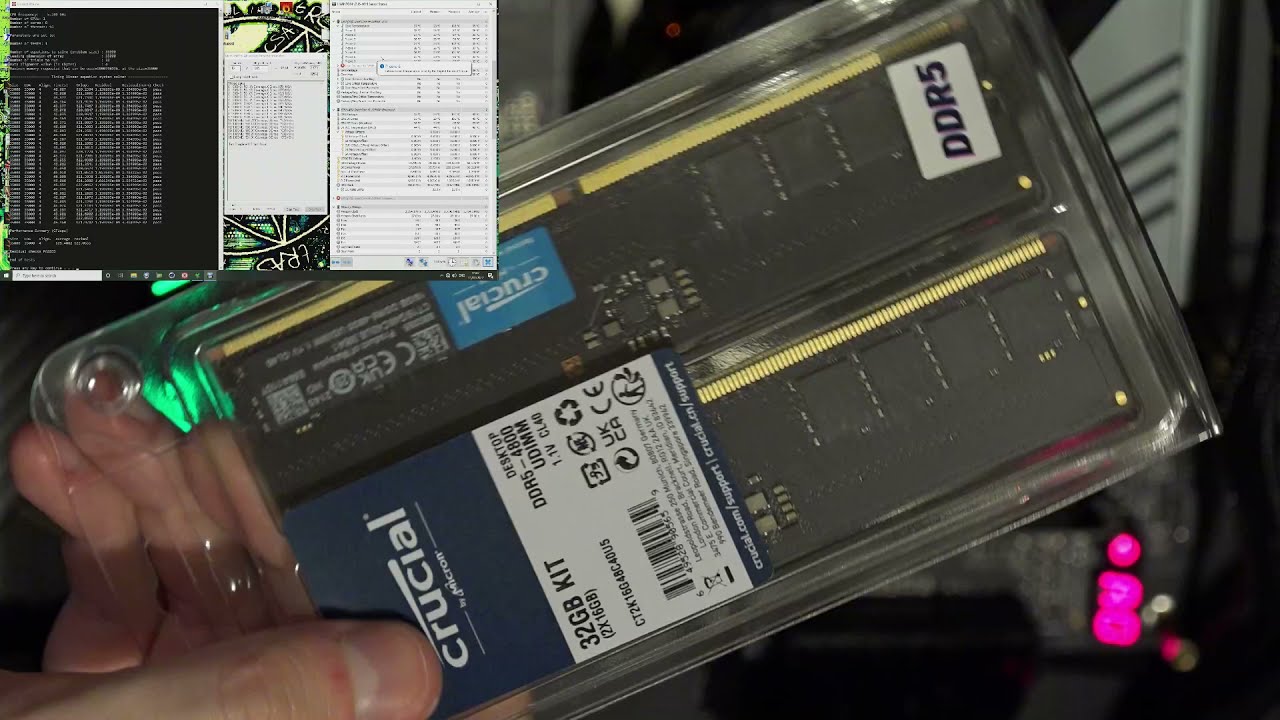
Summary:
The dimms are single rank 16GB based on Micron 16Gb rev.A x8 ICs.
The ICs are temperature sensitive. This isn't really a problem before 1.4V.
5400 38-40-40-70-2T gear2 should work easily at 1.3V
5500 38-44-44-80-2T gear2 should work at around 1.4V
32000 TREFI should be fine with 1.3V.
My Patreon: https://www.patreon.com/buildzoid
Tees...
nice
vast meadow
Micron die moment x)
cursive epoch
also yeah this oc is done with intel
why'd i say that-
only ddr5 platform available rn is intel obviously lmao
vernal cosmos
No it could be done on am4
cursive epoch
i feel dumb
vernal cosmos
What u on about
cursive epoch
kek
 dense frost
vernal cosmos
Ddr5 on am4 when
dense frost
vernal cosmos
Ddr5 on am4 when
never
vernal cosmos
dense frost
never
I know
Is sadge
I wanted to run frequencies that if wont boot at even desynced
Im sad that I cant
dense frost
sorry, im dumb too
vernal cosmos
Hi dumb too im dumb cat
dense frost
🤣
dense frost
cursive epoch
https://youtu.be/OAL8q2qaqWE
considering that HyperX sells a DDR4 4600Mhz CL19 kit, am I silly for thinking this is not impressive?
vast meadow
vernal cosmos
Ddr5 on am4 when
Pcie to ddr5 adapter 
vernal cosmos
Ramdisk momen
 vivid lynx
Can't wait for me new mobo to arrive
 plush lance
My mobo in my PC failed need to buy a new one have an a88 pro with fm2 socket I want to keep the same CPU and cooler. Do I need to buy another fm2 board or is there another type of board I can use?
vast meadow
Fm2 is so old that unless you find a cheap one off ebay and you really can't afford to upgrade to something like an i3 10100 for like 250$ it's not worth it
tropic silo
so what happens if i have the the cmos shorted and I apply power? The manual says short the two pins. then plug in the power cord. I followed it literally. I found a different link that says short for 5-10 seconds then remove it. Brilliant manual ASUS brilliant
vast meadow
If shorting the pins doesn't matter if plugged into wall
naive pendant
plush lance
My mobo in my PC failed need to buy a new one have an a88 pro with fm2 socket I ...
do you live near a microcenter?
grizzled bloom
Some boards want you to have the psu plugged in while you short so it goes to ground
plush lance
@naive pendant the closest one is 5 hrs away
naive pendant
plush lance
<@456226577798135808> the closest one is 5 hrs away
id honestly recommend just upgrading your system
plush lance
@vast meadow and thanks I found one for 80 bucks on Newegg and it's a budget build for my daughter for Minecraft and Roblox so not looking to upgrade it just yet
naive pendant
yikes 80 usd
plush lance
Thanks I'll look for some combo package too
vast meadow
plush lance
<@191276897227898880> and thanks I found one for 80 bucks on Newegg and it's a b...
I'd really consider looking on ebay etc, 80$ is a rip off
naive pendant
^
vast meadow
Fm2 literally was last relevant like 10 years ago that should be like 40$ max imo
plush lance
K thanks for the info I'll keep looking and check Black Friday deals on a new Mobo and cpu
grizzled bloom
plush lance
K thanks for the info I'll keep looking and check Black Friday deals on a new Mo...

eBay
AMD FX 6300 W/ Heat Sink, ASUS Motherboard (M5A7BL-M LX PLUS) & 16gb (8x2) HyperX DDR3 RAM.
 plain lance
I was looking at the i5 12600k and would it even be worth trying to find ddr5 or just go with a ddr4 mobo I’m still with ddr3 a little outdated
grizzled bloom
DDR4 is just as good on that chip
vast meadow
plain lance
I was looking at the i5 12600k and would it even be worth trying to find ddr5 or...
Just get some 3600mhz cl16 or something
 cerulean plinth
hey anyone here can tell me what a good ssd for my envy 360x
 upper wind
hey, sorry if this isnt the spot for it but is there a way to tell how many pins my ram has? cus i want to buy more ram i only have 8gigs atm and would like to at least go to 16, i know that it is at least ddr3 1333mhz dimm installed(according to task manager) i would like a new pc but just dont really have more then 1k to spend on it so i figured for now a temp fix would be to just get some more ram
 wind karma
upper wind
hey, sorry if this isnt the spot for it but is there a way to tell how many pins...
wind karma
upper wind
hey, sorry if this isnt the spot for it but is there a way to tell how many pins...
You might get a decent CPU perf boost by just adding another stick of ddr3 1333mhz ram. If you wanted to use higher speeds you would need to figure out what speeds the CPU supports
grizzled bloom
The lower amount of pins is for laptops and other small form factor boards. They're referred to as so-dimn instead of dimm.
wind karma
Yes
upper wind
thank you
in my older system, is it worth it putting 32g of ram in it? it says i have 4 slots 1 of which is used currently with 8g of ram
wind karma
I doubt it
upper wind
ok so 16 should be fine
wind karma
Unless you're doing a lot of workstation stuff
upper wind
mostly just gaming
wind karma
16 is great for gaming
upper wind
ok thanks
wind karma
np
 rapid mortar
whats a good option for a bricked mobo?
got it for free with a cpu i bought and was curious what i could do with it
dim cloak
Wall art probably
grizzled bloom
If it has flashback you may be able to fix it, but if not it's toast without micro soldering
It's possible depending on brand to get a replacement if it's within warranty period of manufacture date and you have the original box
rapid mortar
yeah previous tech guy who had it said msi said they cant do anything about it for some reason and he said soldering would be about the only way
and i dont know anyone who knows how to do that lol
 rose tangle
Im not sure if this is where to post but I am looking to upgrade my sons motherboard adn cpu and need some help
grizzled bloom
Upgrade from what and what's your budget?
warm bolt
Chances newegg drops ddr5 at midnight?
 vivid anvilBOT
:8ball: | Better not tell you now, Fal'Cie
grizzled bloom
Sounds like bad news
warm bolt
😦
wind karma
rose tangle
Im not sure if this is where to post but I am looking to upgrade my sons motherb...
This is a good place to ask. If you can provide his CPU, Mobo, and what he uses the PC for, that would help a lot
spiral sapphire
warm bolt
😦
The turtle was right. 
grizzled bloom
Wegg is on PST, 3 more hours to midnight
warm bolt
Ahh wtf
I ain't staying up. I got to get up to go to bb in the morning to see if they have any gpus.
shy wyvern
Well y'all be willing to help me get my ddr4 4400 cl19 to work on my computer tomorrow? Everyone says the viper steel kits need some work to get running at their xmp speeds
cerulean wadi
upper wind
in my older system, is it worth it putting 32g of ram in it? it says i have 4 sl...
For example, I recently went to 32GB ram & barely hit 12GB in any game I've played this month. 16GB is plenty for gaming.
 umbral finch
what is the highest performing cpu rn
threadreapers or alder lake doesnt matter any cpu that can be placed into a mother board
cerulean wadi
Normal consumer grade, either a thread ripper or the i9-12xxx. Alder lake i5 also beats most older i7/i9
vast meadow
umbral finch
what is the highest performing cpu rn
I9 12900k in games
The threadripper with 64 core for multi threaded applications
naive pendant
vast meadow
The threadripper with 64 core for multi threaded applications
what about epyc 🤓
vast meadow
naive pendant
what about epyc 🤓
afaik the 3990x wins if you dont need the pcie lanes
 mystic inlet
Put a lot of new rgb into my pc and need to get new memory to match ( my Trident Z Royal now stick out) looking for some good rgb in the pastel color from 3200 to 4000 16gb or 32gb sticks any suggestion?
vast meadow
mystic inlet
Put a lot of new rgb into my pc and need to get new memory to match ( my Trident...
pastel colour? ive never seen pastel coloured ram tbh with you
cursive epoch
^
mystic inlet
The lighter color pretty much like most rgb but my royals are bright
Maybe because of the glass on the royals makes it look that way need the glow stick most of the other rgb has now to match
vast meadow
mystic inlet
Maybe because of the glass on the royals makes it look that way need the glow st...
if im understanding you correctly, the rgb on your ram is to strong for your liking?
 winged egret
Hi there,
I've searched which motherboad matches with "Intel Core i9-11900K - Core i9 11th Gen Rocket Lake 8-Core 3.5 GHz LGA 1200" and it has came up "GIGABYTE Z590 AORUS ELITE AX LGA 1200".
But, on the other hand the profile on Newegg.ca for that intel core i9 says that this Ram matches better "CORSAIR Vengeance LPX 64GB (2 x 32GB) 288-Pin DDR4 SDRAM DDR4 3200 (PC4 25600)"
while "GIGABYTE Z590 AORUS ELITE AX LGA 1200" says this Ram "G.SKILL TridentZ RGB Series 64GB (2 x 32GB) 288-Pin DDR4 SDRAM DDR4 4266 (PC4 34100)" matches better with it.
I’m confused. Will you please help!!
vast meadow
winged egret
I've searched which motherboad matches with "Intel Core i9-11900K - Core i9 11th...
well i wouldnt go with the 11900k in the first place tbh, whats your budget and use case and i can help you out with choosing motherboard and ram
vernal cosmos
11900k sucks yeah
winged egret
vast meadow
well i wouldnt go with the 11900k in the first place tbh, whats your budget and...
well, thanks for you answer. My main reason to purchase a new system is regarding the need for two libraries CUDA and CUDNN for a field of analysis, and these two are only supported by NVIDIA gpus'. So, I would need a gpu too. but I would go after it in the next couple of months. I'm not sure if gpu selection is bounded with this topic.
winged egret
winged egret
well, thanks for you answer. My main reason to purchase a new system is regardin...
I'm short on budget, if I can set the gpu aside, I can't look after anything more than 3.0, 3.1k
For the motherboard, ram, and cpu, I'm looking for something around 1.4k in total, the rest are gonna be other things except gpu.
vast meadow
winged egret
For the motherboard, ram, and cpu, I'm looking for something around 1.4k in tota...
id probs do this then, https://ca.pcpartpicker.com/list/Pr9Pt8
winged egret
vernal cosmos
11900k sucks yeah
I'm not aware of 11900k details of problems, but one good thing is, it has an integrated gpu
vast meadow
winged egret
I'm not aware of 11900k details of problems, but one good thing is, it has an in...
its an overpriced hot 11700k
and the 11700k wasnt very good either
winged egret
vast meadow
and the 11700k wasnt very good either
thanks for the info
vast meadow
np
winged egret
vast meadow
id probs do this then, https://ca.pcpartpicker.com/list/Pr9Pt8
thanks for the design, appreciate it.
vast meadow
np :)
umbral finch
can i water cool ram
vast meadow
Technically yes
devout mothBOT
 ILoveMsr#1030 has been warned
Reason: Bad word usage
ILoveMsr#1030 has been kicked
Reason: Too many infractions
 rocky beacon
umbral finch
can i water cool ram
rocky beacon
umbral finch
can i water cool ram
There's not much of a reason to for any normal gamer or computer user
vast meadow
Even if you're overclocking your ram there's not really a point
finite elm
cerulean wadi
For example, I recently went to 32GB ram & barely hit 12GB in any game I've pla...
What games are you playing where the max was 12gbs?
Warzone, battlefield, modded Skyrim, etc will easily pull 16 if you have 16 to use.
vast meadow
I don't think i use over 10 tbh
finite elm
umbral finch
can i water cool ram
Just put your PC in a mineral oil bath and use it that way. No air or water cooling needed.
mystic inlet
vast meadow
if im understanding you correctly, the rgb on your ram is to strong for your lik...
Yeah it doesn't fit the other rgb. I love these trident Z royals and they look great till you have to much other rgb around them and then they kind of clash a little
shy wyvern
GUYS MY $100 MEMORY KIT IS HERE LETS GO
 vast meadow
mystic inlet
Yeah it doesn't fit the other rgb. I love these trident Z royals and they look g...
vast meadow
mystic inlet
Yeah it doesn't fit the other rgb. I love these trident Z royals and they look g...
Have you tried changing the RGB colours?
vast meadow
shy wyvern
GUYS MY $100 MEMORY KIT IS HERE LETS GO
Nice, what's the timings, all i see is 4400mhz
shy wyvern
Cl19
So like not the best but a big step up from my 3000 cl16
That I got like 4 years ago
I don't think it's too bad for $25 a stick

It matches the color scheme pretty well!
Uhhhh
I didn't think about this
The dimms are too tall for my fan to fit...
Would having my fan in a pull configuration be much worse for cooling?

Because it won't fit with how Stoopid tall these dimms are
 faint fable
shy wyvern
Would having my fan in a pull configuration be much worse for cooling?
faint fable
shy wyvern
Would having my fan in a pull configuration be much worse for cooling?
push or pull doesn't matter
shy wyvern
Oh really?
faint fable
either way, air is going to be going through the cooler
shy wyvern
Going to be weird having it in pull
faint fable
still better than nothing 🙂
shy wyvern
Yeah, it is
I just happy I'm going from 3000mhz to 4400
For $25 an 8gb stick too, was a steal
faint fable
Pretty clean looking build btw, what case is that?
shy wyvern
Bequiet purebase 500 dx
I'm very against fan noise when I'm not gaming
This thing is near silent at 100% CPU load in the middle of the night
It also suppresses my hard drives so much I can't even hear them spin up
I dislike RGB so I went with a dark theme
Much more muted
faint fable
shy wyvern
I dislike RGB so I went with a dark theme
same 😄
 burnt spear
anyone know what ram dies asus laptops and corsair ram use?
shy wyvern
What do you guys think the odds of this kit running the 4400mhz xmp out of the box would be? Everyone says this kit requires tuning
4400 has to be in gear 2 for a 12600k, right?
For ddr4
Idk how high the CPU imc goes to match-
Idk if this seems good. And yeah, it won't go above 3866 automatically without me setting it to gear 2

Let's see if it boots
It's taking a while to load windows...
I got past the bios then hit a black screen. No blue screen
OMG when I plugged in new memory it reset my boot order
FFS
Why is that a thing
I'm in windows
Silly windows
And I green screened immediately
Bios told me ram won't run and it's defaulted the values :/
4266 doesn't run either, which is the second memory profile
vast meadow
faint fable
push or pull doesn't matter
Doesn't matter for aios* for tower it does
vast meadow
shy wyvern
Would having my fan in a pull configuration be much worse for cooling?
Ehh so youll want the fan facing so the x on the back of the fan is facing the heatsink
shy wyvern
vast meadow
Ehh so youll want the fan facing so the x on the back of the fan is facing the h...
But the fan only spins ones way so wouldn't that blow air towards the front of the case?
Also I can't get this ram to heccin boot
vast meadow
shy wyvern
But the fan only spins ones way so wouldn't that blow air towards the front of t...
Nope, fans flow air like this
 vast meadow
shy wyvern
Also I can't get this ram to heccin boot
vast meadow
shy wyvern
Also I can't get this ram to heccin boot
Try 1.1v soc
vast meadow
shy wyvern
It's not in advanced dram config or voltage settings
Might be called soc voltage, if you wanna send a pic of the advanced ram settings in bios I'll have a look
shy wyvern

All my voltage settings
And let me show you ram settings
Everything else is sub timing or boot stuff like safe retry
 vast meadow
shy wyvern
vast meadow
shy wyvern
Um what does your main bios screen look like?
vast meadow
Okay
cerulean wadi
finite elm
What games are you playing where the max was 12gbs?
Warzone, battlefield, modd...
I don't have many newer games. It was probably Apex, & the settings are not maxed for the 3550. I should've said 1080P w/ most games, 16GB is fine, but anything higher would be good w/ more ram. Personally the extra ddr3 was only $40 so I figured why not.
--I'll play a few games this weekend incl gta 5 & see what I have will hit the highest.
devout mothBOT
 SNOWCOLD#5882 has been warned
Reason: Bad word usage
SNOWCOLD#5882 has been kicked
Reason: Too many infractions
 vast meadow
shy wyvern
vast meadow
shy wyvern
I'm not too sure where it is in msi bios, I don't have time to search @limber dragon probs knows where vsoc is in msi bios
shy wyvern
Alright I'm legit searching and don't see soc voltage / vsoc
I thought it'd be in the memory since it involves memory controller and stuff, right? Or in voltages... It's not in either
Well time to just raise every single voltage, one of them has to be it.
 limber dragon
msi soc voltage = nb voltage
shy wyvern
I don't see nb voltage anywhere...
shy wyvern
shy wyvern
Here's all the voltage settings
hollow thorn
I have a MSI board, I'll go searching for you rq
Well, I forgot I gave the stripped down bios, but this is where it is for me:
 shy wyvern
Odd
What do I do if I just don't have a nb/soc voltage option...
I'm getting upset from not being able to find it
limber dragon
are you on an am4 system?
limber dragon
..........
shy wyvern
Pato is the one that told me to do it knowing what CPU I'm on
limber dragon
still not certain why pato has techie tbh
shy wyvern
I'm very new to memory nonsense
shy wyvern
limber dragon
still not certain why pato has techie tbh
@vast meadow
limber dragon
soc = amd
vccsa/vccio = intel
shy wyvern
Ohhhh
vast meadow
Woops sorry same difference tho
shy wyvern
shy wyvern
I still don't see that in here
vast meadow
limber dragon
still not certain why pato has techie tbh
Thanks 🙃
shy wyvern
That image contains all my voltage options
limber dragon
vast meadow
Thanks 🙃
you told someone on an intel system to find soc voltage.....
 neat sedge
i think my cpu is getting old, my computer is laggy and i just upgraded all my parts a few months ago so i think its just my cpu. any recommendation for a new and good cpu? currently i have an intel i7-8700k 3.70ghz
shy wyvern
neat sedge
i think my cpu is getting old, my computer is laggy and i just upgraded all my p...
I just upgraded from an 8600k to a 12600k and it's been amazing
vast meadow
Same difference, forgot it was an amd only thing i aint perfect lol
shy wyvern
Which one of these is the one I mess with Lol
 neat sedge
shy wyvern
I just upgraded from an 8600k to a 12600k and it's been amazing
neat sedge
shy wyvern
I just upgraded from an 8600k to a 12600k and it's been amazing
does it matter what kinda motherboard i have?
shy wyvern
neat sedge
does it matter what kinda motherboard i have?
You'll need a new one for a new CPU no matter what. I went with a "cheap" $220 z690 board
neat sedge
oh god.. im gonna need a new motherboard?!
shy wyvern
Yeah. Intel do be like that
cerulean wadi
W/o a new mobo, only upgrade would be i7 8gen or maybe a 9gen. Intel is like 2 cpu gen per mobo chipset
neat sedge
what about ryzen cpu?
shy wyvern
cerulean wadi
W/o a new mobo, only upgrade would be i7 8gen or maybe a 9gen. Intel is like 2 c...
You'd still need a new board
Just amd usually supports more generations per board
cerulean wadi
At least you don't have the gen where i5 to i7 is just more cache and threads 😅
shy wyvern
You're still rocking a 3550?
I'm sorry for your loss
@vast meadow @limber dragon is CPU SA what I'm looking for? If so it's set to 1.2, what should I change it too? It's short for VCCSA I believe.
Just trying to get my xmp to work XD
limber dragon
vccsa = system agent voltage
shy wyvern
Is that what I'm looking for?
limber dragon
maybe, havent been paying attention
shy wyvern
Idek what I'm supposed to raise for the memory controller
limber dragon
what's the xmp profile?
shy wyvern
4400 19-19-19-39 1.45v
limber dragon
set gear mode to 2
shy wyvern
I had it set to gear 2 and it still not booting
Yeag
I did
Does not like it still
limber dragon
do you have vccio 2?
 limber dragon
huh
limber dragon
oh, they renamed it to vddq
limber dragon
go 1.4 vddq
shy wyvern
Oh it's not even orange for 1.4
 stiff kraken
banning pato
shy wyvern
It's bright red
limber dragon
on 12th gen its vddq, but you're using the 11th gen imc, so I assumed they would use the 11th gen name
stiff kraken
how dare a techie make a mistake
shy wyvern
You sure 1.4 safe?
stiff kraken
calling police on him irl
shy wyvern
Motherboard is warning me against it lol
stiff kraken
doesn't alder lake set 1.8 vccsa/io on boot lol
stiff kraken
i remember translating an article from chinese about it
it sets 1.8 at boot before using FIVR to kick it down to 1.2
 vast meadow
stiff kraken
calling police on him irl
vast meadow
stiff kraken
calling police on him irl
My address is 69 mistake st, co imperfect fyi so you can tell them
stiff kraken
no need, i'm already outside your door
shy wyvern
Let's try it anyways, can just buy a new board if it fries something ig
stiff kraken
i sentence you to having your entire pc replaced with c*rsair
vast meadow
stiff kraken
no need, i'm already outside your door
👀
 stiff kraken
rubs vengeance lpx 3200c16 mixed die sticks together in anticipation
shy wyvern
Should I'd do 33x1.33 or 44x1.00? Does it matter?
stiff kraken
do 33x1.33
vast meadow
stiff kraken
_rubs vengeance lpx 3200c16 mixed die sticks together in anticipation_
Me who already has those just not mixed kits
 shy wyvern
Here goes nothing
stiff kraken
don't worry... you're going to get one stick of c-die and one stick of hynix mfr
shy wyvern
Hey it didn't crash on boot
vast meadow
stiff kraken
don't worry... you're going to get one stick of c-die and one stick of hynix mfr
You sick **
stiff kraken
i'm then going to hack your amazon account and spend all of your money on $300 ryzen 5 3600s
shy wyvern
I green screened at 1.4v @limber dragon
stiff kraken
green screen 👁️
shy wyvern
Insider builds
stiff kraken
i got a red screen the other day
shy wyvern
Lol it booted and broke
vast meadow
Omg disc makes me not able to use multiple *'s ree
stiff kraken
 shy wyvern
What do I do to check stability because I'm betting you it's not stable
stiff kraken
probably not
shy wyvern
Lmao it jot
I just got an irql gsod
Okay raising the voltage helped a little
What else do I do?
stiff kraken
use testmem5 anta777 extreme1 as an initial test

Overclock.net
Hello everybody
I am just making a very light tutorial with a collection of custom config files and a DOWNLOAD LINK for TM5 v0.12
anta777 absolut config Official Intel DDR4 24/7 Memory Stability Thread
None of the work is mine but it seems like a pretty good and fast testing app
shy wyvern
My blue screens of death are green because I'm a windows insider still
vast meadow
stiff kraken
i'm then going to hack your amazon account and spend all of your money on $300 r...
Pls ban instead 🙏
shy wyvern
1.4 volts got me to boot for 20 seconds
stiff kraken
you'd be surprised
shy wyvern
Like they're the same price on Amazon!!
stiff kraken
3600 is still the #3 best seller i think

 shy wyvern
Okay @limber dragon @vast meadow 1.4v on vddq at least got me into windows for a few seconds, what next? Raise it more?
limber dragon
yeah, like 1.425/1.43
shy wyvern
limber dragon
yeah, like 1.425/1.43
Alright
stiff kraken
but youtuber said 3600 good!!!
shy wyvern
LOL
vast meadow
stiff kraken
from anandtech 4 days ago
Lemme go throw up rq
shy wyvern
Who in there right mind spends more for a 3600
vast meadow
stiff kraken
Ouch
vast meadow
stiff kraken
but youtuber said 3600 good!!!
video is 3 years old
 vast meadow
shy wyvern
Current 5600g price
vast meadow
shy wyvern
Current 5600g price
Painful world
shy wyvern
Welp
I crashed again
Looking kinda bleak for running this ram at XMP
1.43v on memory controller time ig
Ha I caught the error this time
 vast meadow
Try 1.435v now
shy wyvern
At what point do I fry everything
vast meadow
Also you'll wanna run the bat file in #windows-ios often btw
cerulean wadi
neat sedge
i think my cpu is getting old, my computer is laggy and i just upgraded all my p...
can I dm? I have some more input about cpu/mobo upgrade.
vast meadow
shy wyvern
At what point do I fry everything
Haven't looked into the voltages for that on intel in a bit but going up in .005 increments should be fine ye

 shy wyvern
Uhhhh
XTU and MSI center both crashed on startup
I'm betting this isn't stable
They don't usually do that
I legit just opened memtest
Didn't even run it
And my computer crashed LOL
Okay I'm at 1.44 volts and got like many errors then a crash lol
What is the upper limit for the voltage?
vast meadow
Fyi 1 error = fail so you can just stop straight away
shy wyvern
Should I try raising dram voltage at all either?
Or do I just keep feeding the memory controller more and more voltage
I'm already at 1.44v
Should I got 1.445? Then 1.45? What's the limit I should be considering
Time to just do more voltage ig
I'm crashing at 1.445 volts
@vast meadow I'm even erroring at 4000 mhz cl 19 .-.
Should I keep raising it from 1.445v?
vast meadow
shy wyvern
<@191276897227898880> I'm even erroring at 4000 mhz cl 19 .-.
I'm not quite sure sorry, and i should have been asleep in like 1hr ago
shy wyvern
All good
I'll bug fitz
I'mma make sure they work at 2400mhz really quick
Should've done that first tbh
@limber dragon what should be the maximum voltage on vddq?
It's not stable at 1.445 4000mhz
I am currently confirming non of the sticks are faulty by doing a mem test at 2400mhz
Been 5 minutes no errors yet, I'll leave it going for like 20 more minutes just to make sure I don't error
And repair my windows install since crashing 30+ times probably broke some things lol
Oh it finished. Says no errors detected. So it's not the sticks
Are there any other voltages to mess with to get it stable? XD
 stray raptor
Ive never gone above 1.5v on RAM
I ran DDR3 1600mhz RAM at 2666mhz at 1.5v
Any Higher in Speed and I would get no boot
 silver sky
I'm looking for a recommendation for a cpu upgrade for my dad's pc. He has an AMD FX-4130 which is an A3 socket type. I have no idea what his motherboard is to know what other socket types it can accommodate, but it is around 11 years old (was 2nd rate at the time not top of the line). Any recommendations to look into would be appreciated ❤️
stray raptor

BIOSTAR is experienced IPC manufacturing, industrial PC manufacturers.We offer a wide range of industrial PC motherboard
just a list of AM3 cpus
silver sky
ty
stray raptor
your welcome
shy wyvern
stray raptor
Ive never gone above 1.5v on RAM
Not on ram. On memory control. I'm not touching ram voltage, I'm touching vddq voltage
naive pendant
Boost the overclocking potential of your processor with this Corsair Vengeance LPX 32GB memory. It features a uniquely designed aluminum heat spreader to achieve optimal and enhanced heat dissipation. Its low-profile design makes this memory ideal for small cases while XMP 2.0 support helps your system attain exceptional performance.
Enhance the performance and stability of your computer with this Corsair Vengeance RGB Pro 32GB desktop memory. Its wire-free makes installation a breeze while the carefully screened ICs significantly improve overclocking capability. Corsair iCUE software lets you easily customise the lighting of each module to complement your gaming or producti...
Is the extra 35 bucks worth it?
For 3600?
cursive epoch
Corsair? Nah
Look for crucial ballistix instead
They should be cheaper, unless the corsair's on sale for lower
warm bolt
Think I am going to get my mobo tn. What is the difference on the memory standard here? Well I mean what does 1DPC max speed mean? Is that a lane so two sticks or literally only supports one stick at that speed?
hollow thorn
1dpc stands for 1 dimm per channel
warm bolt
So two sticks
hollow thorn
Yes, and it lists estimates for if the sticks are single rank or dual rank
warm bolt
Between that and this board which would you go?
I'm thinking the cheaper board and just buy a strimmer if I want some rgb in the middle board area later.
If I even feel the need for that later.
hollow thorn
Aorus pro is good, and don't need rgb :p
 hollow thorn
It's just a bit of... why..?
warm bolt
What?
warm bolt
what about it?
warm bolt
evo plus is for vms and bunch of other stuff I'll be doing for cbyersecurity stuff. I'm in a club at my school and they have home lab stuff at 1tb of space and want my vms to be fast.
Plus other stuff.
Then the 4tb is for software I'll be building down the line. My programs will be larger.
hollow thorn
Yes, but x300 faster drive
warm bolt
And backup files. Pics and vids.
warm bolt
Yeah I realized prolly should have gotten a 7400rpm after the fact but that's whatever it's an hdd.
naive pendant
Between those 2 though which is better? Is 3600 vs 3200 for a diff of 35 bucks
hollow thorn
naive pendant
Corsair is the way
never, ripjaws are cheaper 95% of the time >:P
naive pendant
hollow thorn
never, ripjaws are cheaper 95% of the time >:P
Best Buy doesn't have ripjaws in 32
I have ripjaws right now
hollow thorn
90$ for a kit of 2x16 ripjaws on wegg
https://www.newegg.com/g-skill-32gb-288-pin-ddr4-sdram/p/N82E16820232091
warm bolt
hollow thorn
never, ripjaws are cheaper 95% of the time >:P
But otherwise compatible? I'm sure about the M.2 it's a question of if it supports the hdd that I am unsure about.
hollow thorn
Either mobo, well, any modern mobo, has plenty of sata ports
warm bolt
Aight now I have another question in #old-cooling
 merry marlin
Hey folks, so i got a technical difficulty as of right now. So todah I bought myself another 2 ram of sticks which is 2x8 16GB Corsair vengance pro, i already had those two already installed so basically why not 4, so i bought it and installed it in. The thing is the RAM is all powered on but it is not detecting by the motherboard so it cant input a display
I tried putting out the new one and keep the old ones on and it still does the same thing
hollow thorn
So 2 sticks work but 4 sticks don't?
merry marlin
No 2 sticks wont work anymore
I checked if my CPU can take as much and it can (Ryzen 5 3600)
Usually 4 sticks would work
But now all of them wont work
hollow thorn
So leave the original 2x8gb sticks in to start off, and clear cmos, and see if it boots
 abstract parrot
Even old ram won't work?
abstract parrot
Unplug power supply for 30 mins also hold power button on for 30 seconds when unplugged
hollow thorn
Unplug from wall, take out cmos battery, press the power button, wait about 5 min, put battery back in, plug back in.
abstract parrot
Did you ground yourself before trying to install the new ram?
merry marlin
abstract parrot
Did you ground yourself before trying to install the new ram?
Yes
Mobo working fine its just the ram
abstract parrot
Sometimes there is reset button on motherboard too
hollow thorn
Battery method tends to be more effective than jumper
cursive epoch
^
merry marlin
hollow thorn
Unplug from wall, take out cmos battery, press the power button, wait about 5 mi...
Hold down the power button or just press then wait 5 mins
hollow thorn
Press a few times will do
merry marlin
I cant take the cmos out but i can pop it out but its still in its place holder
hollow thorn
Might need to remove GPU to get it out
merry marlin
I already did
hollow thorn
..?
merry marlin
Theres a level to pop it out but i cant fully take it out
Basically it's technically out???
hollow thorn
Take a picture and DM me..?
merry marlin
Btw the ram is powered on and everything is too but its just not detectable
So the static didnt occur
And would never
Alright its been some time
Let me put back in the battery and the stuff and see what happens
Nope
Nothing
No damn results
hollow thorn
any debug LEDs?
merry marlin
Ye
Its just DRAM
Idk ar this point im fine with it not working and all but i just gotta know whats wrong so i can replace it
From the speculation now its most definitely the RAM
not sure because i have extra new ram and if i switched it out its definitely the same results
Which leads me to a dead end
hollow thorn
Try just a single stick in slot 2
and then clear cmos again
and prob good to take that time to look around at anything that could've changed when you installed the new sticks
maybe some connectors came loose
merry marlin
No connecters came loose, checked when i was waitinf
naive pendant
hollow thorn
90$ for a kit of 2x16 ripjaws on wegg
https://www.newegg.com/g-skill-32gb-288-pi...
I'm Canadian also I need to buy from best buy
merry marlin
hollow thorn
maybe some connectors came loose
100% sure nothing came loose
Its just the ram
Im assuminf its the porta where u place them
But if thats the case then why are the lights powered on
Tch
hollow thorn
merry marlin
Its just the ram
Ram doesn't usually do that
merry marlin
Well idk
Im assuming its the dimm slots
If so i just have to replace it
And this stupid case with it too
Never get 220T
matter was well be more off with the nzxt than the 220T
Off topic but yea
shy wyvern
Does anyone here know the highest safe voltage for the vddq for alder lake?
I scared to keep pushin
grizzled bloom
Alder lake is pretty new territory
shy wyvern
I'm at 1.45 volts on vddq
but with that my memory only stable at 4000 cl19
It's a 4400 cl19 kit
I wanna use full power
grizzled bloom
It's a different IMC from 11th gen. People are just going to have to experiment until Der8auer or someone figures it all out.
shy wyvern
time to keep throwing voltage at it until it fries??
grizzled bloom
Maybe not until it fries but go slow bumping it up, watching for heat spikes or stability loss
limber dragon
grizzled bloom
It's a different IMC from 11th gen. People are just going to have to experiment ...
ddr4 imc is the same as 11th gen
just like how even a 9900k has a ddr3 imc
shy wyvern
der8auer says to increase SA voltage too if you're having trouble hitting high memory speeds
worth a shot I guess
I'm watching his 12900k video
 rigid condor
so i have a question
i have a intel i9 12900k, and no gpu
could i use the integrated graphics to run games?
rigid condor
dang becuase i have 2 1080p monitors at 240hz
finite elm
What happened to your GPU? Or did you never have one?
burnt spear
rigid condor
dang becuase i have 2 1080p monitors at 240hz
...why spend that much on a build, and monitors, and not get a gpu?
cursive epoch
^
limber dragon
the year is nearly 2022, gpus launched in mid 2020 are still unobtainable
vast meadow
limber dragon
the year is nearly 2022, gpus launched in mid 2020 are still unobtainable
Yeah but you can grab an interim used gpu, even like a 960, way better than uhd 770
finite elm
limber dragon
the year is nearly 2022, gpus launched in mid 2020 are still unobtainable
nearly unobtainable
shy wyvern
Well
he only has to wait until holiday 2023
for gpus to be in stock
but by then the XX70 series will be $800 msrp
the xx80 series will be $1500
the xx80ti series will be $2250
and the xx90 series will be $4,000
your lowest end card, the xx50 will be $400 msrp
with the xx60 at $600
That's legit my predictions for the 5000 series and beyond
finite elm
Ye
shy wyvern
they have seen that people will pay 2.5x curren msrp
finite elm
And you'll need a 1000+w PSU for the 5070 and up
shy wyvern
I'm betting you we'll start to see dual plug PSU's
Just so you can power a 800 watt 5090
finite elm
Dual PSU cases 😩 a case that can have 2 psu's
shy wyvern
a new 12 volt 36 pin pcie cable
just for the 90 series
OH ACTUALLY
imagine a pc plug in
ON THE GPU
like near the hdmi ports
just for the graphics card
now I'm thinking with innovation
finite elm
A power supply directly on the GPU lmao
shy wyvern
Yeah because you need 800 watts just for the gpu
I think I just fortold the future omg
I can see it now
finite elm
it could be one of the external power supplies like what Xbox Ones and Xbox 360's had 😩
shy wyvern
LOL
finite elm
The massive brick
shy wyvern
could be that an i9 15900k will use 500 watts and require a special custom loop case by "case partners" and because of that
you can fit a i9 and 5090 on a 1200 watt psu
so you HAVE to use the external brick for the gpu
finite elm
You won't need to pay for heating in the winter
shy wyvern
overclocking? You need a permit for that as it's considered bomb creation
finite elm
Just leave your PC on
shy wyvern
Good news is
all gpus are available at msrp because mining crypto costs you 2x what it makes
because it's pulling in absurd amounts of electricity
vast meadow
shy wyvern
That's legit my predictions for the 5000 series and beyond
5000 wont be out til q3/4 2024 unless they randomly decide to skip a year gap
finite elm
Wouldn't they just limit the power to like 25%? :P
shy wyvern
Pcie 8.0 is released and now supports 225 watts to peripherals so that you can finally have plug and play gpus again
since 75 watts is unrealistic
finite elm
3050 leak is 90w
shy wyvern
finite elm
3050 leak is 90w
wtf
finite elm
So maybe they can get that down a little bit to 75
finite elm
I want a LP GPU
shy wyvern
the 75 watt gpus are literally
like
my most purchased class
I've purchased over 30 75 watt and lower cards
vast meadow
shy wyvern
Pcie 8.0 is released and now supports 225 watts to peripherals so that you can f...
When pcien8.0 comes out imo 225w will be almost as unrealistic as 75w today lol
finite elm
True
shy wyvern
if you can run really fast ddr5 with it, disregarding the timings
you might actually get good performance
ddr5 7200 or something
finite elm
Would at least make tiny builds super easy.
shy wyvern
Yeah
finite elm
I want to put one in a Halo 3 Xbox 360, with like a 500gb SSD just for the Halo games in the living room. Use it for lan parties for no reason other than it's cool
shy wyvern
I have a halo 4 360