#cpus-mobo-and-memory
1 messages · Page 201 of 1
 elfin warren
Tom's Hardware Forum
I have a Gigabyte Aorus H370 Gaming WiFi 3 mobo, and I have a problem with the RGBW header. I have a CPU cooler by Thermaltake which has RGB Sync with the mobo. The TT comes with a 4 pin female rgb connector yet my mobo has 5 pin rgbw header. Can I still use the this.
It's H370 but still
They shaved the connector down instead of bending the pin
 warped scroll
so i bent the pin and i mean the fan is lighting up
gonna hop into bios and see if changing it yeilds the right colors
warped scroll
worked
elfin warren
👍
 toxic ridge
@elfin warren good news so far the updates seem to fixed my problems :) we now boot at 76 instead of 95 and with realitivley low fans instead of ear shattering fans

 vast meadow
Now only need to do 5600x that prics is horrific
 cyan raft
is OLOy ram any good?
 vernal cosmos
cyan raft
is OLOy ram any good?
vernal cosmos
cyan raft
is OLOy ram any good?
yes
vast meadow
Ballistix usually same price and don't have clearance issues and better dies afaik
cyan raft
specifically the warhawk
im seeing it in a bunch of these newegg shuffle bundles and im curious about it
vernal cosmos
It seems to have clearance issues
should be fine unless you get a large aftermarket cooler
 ionic hamlet
I mean, it is pretty cool looking
vernal cosmos
ionic hamlet
I mean, it is pretty cool looking
yee but the sides are very tall
 dense frost
ionic hamlet
I mean, it is pretty cool looking
dense frost
ionic hamlet
I mean, it is pretty cool looking
if you building a gundam, then yes
 jaunty mulch
I keep finding conflicting information about dual-channel and dual-rank memory with AMD Ryzen 9 5900x. Some say getting 4 sticks with them dual channel and dual rank increases gaming performance by about 5-10%. Other say using dual rank causes a decrease. Anyone know from experience?
 flat shadow
if you building a gundam, then yes
@dense frost what does gundam mean cus I saw a 3080 strix gundam and I’m like wtf is that
vast meadow
jaunty mulch
I keep finding conflicting information about dual-channel and dual-rank memory w...
Just having 2 sticks increases performance, having 4 doesn't increase performance
The ranks don't matter too much tho mainly just dual channel
vast meadow
flat shadow
> if you building a gundam, then yes
<@404674655463538688> what does gundam mea...
It's an anime type transformers type thing
flat shadow
So it’s fake transforms
vast meadow
Just similar i believe
ionic hamlet
Wouldn't call Gundam fake. Japanese love their mecha anime. It's a whole freaking genre.
flat shadow
What about the cartoon transformer series
dense frost
flat shadow
> if you building a gundam, then yes
<@404674655463538688> what does gundam mea...
Google Gundam robot, and see what I mean. Those ram sticks would look right at home on one of those
 rigid hemlock
flat shadow
> if you building a gundam, then yes
<@404674655463538688> what does gundam mea...
rigid hemlock
flat shadow
> if you building a gundam, then yes
<@404674655463538688> what does gundam mea...
its a limited edition version with styling themed after them


 hollow thorn
jaunty mulch
I keep finding conflicting information about dual-channel and dual-rank memory w...
hollow thorn
jaunty mulch
I keep finding conflicting information about dual-channel and dual-rank memory w...
There's also a lot of conflicting info because there's not good enough testing at the moment.
All AM4 boards are dual channel by the way, no matter 2 sticks or 4 sticks. What we know for sure is 2 ranks per channel (either through 1 dual rank stick per channel, or 2 single rank stick per channel), performs better than 1 rank per channel, but we don't have good enough info on things like 4x8 vs 2x16
jaunty mulch
🤔 thank you for the explanation.
vast meadow
Do you want wifi?
hollow thorn
some quality has to be sacrificed a bit, but b560m pro vdh
 tight river
do you want 2 or 4 ram slots
vast meadow
hollow thorn
@jaunty mulch here's a nice video on what we know so far, they promised a follow-up vid, but no follow up yet >:(
https://youtu.be/-UkGu6A-6sQ

This benchmark started as an AMD Ryzen 5000 memory timings and frequency benchmark (like of 3600 vs. 3200, 3800, with FCLK changes), but morphed into a 2x8GB vs. 4x8GB benchmark.
Sponsor: EVGA XR1 Capture Card on Amazon (https://geni.us/3IMrqPi)
Watch our AMD R5 5600X CPU review: https://www.youtube.com/watch?v=01EhbmJAW-k
Watch our AMD R9 5950...
vast meadow
jaunty mulch
hollow thorn
<@!321333086203936769> here's a nice video on what we know so far, they promised...
I saw that video but I also saw people saying it wasn't accurate for some reason.
hollow thorn
Why would that be..?
vast meadow
Btw the asrock one only has 2 ram slots but it doesn't really matter
hollow thorn
It's testing 4x8 vs 2x8
GN has the best testing methodologies I know out of any reviewers lel
vast meadow
That mobo only has 2 ram slots btw but it doesn't really matter
https://pcpartpicker.com/product/FTBG3C/asrock-b560m-steel-legend-micro-atx-lga1200-motherboard-b560m-steel-legend if you really want for ram slots lord
jaunty mulch
hollow thorn
It's testing 4x8 vs 2x8
That's good to know. I think the issue was they were testing 4x8 vs 2x16.
vast meadow
You won't need 32gb if just gaming for a good while
jaunty mulch
were not*
hollow thorn
Yea, we don't have good info on 4x8 vs 2x16, I agree that video isn't useful if the question is about 4x8 vs 2x16 @jaunty mulch
But it is useful in seeing there may be a difference
 hollow thorn
there is shuffle atm but it's like 800$
https://www.newegg.com/product-shuffle

Checkout Newegg’s popular product drawing queue. Enter your product of choice, submit your email, and wait to see if you win! All customers who win will be given the chance to purchase highly popular products.
hollow thorn
vast meadow
Try get a 6800 from amd.com if you don't care about the ray tracing or nvenc
smh 6800 is way harder to find than 3070 imo
vast meadow
hollow thorn
smh 6800 is way harder to find than 3070 imo
Worth a shot considering amd.com drops weekly
hollow thorn
not gpu afaik
vast meadow
Do it every day
hollow thorn
I know they do CPU every thursday iirc
camp da microcenters
Closest microcenter to me is like 3 hours
rip
vast meadow
hollow thorn
I know they do CPU every thursday iirc
Someone in gpu chat said they got a 6800 today
hollow thorn
who
vast meadow
Apparently you can call and ask
vast meadow
hollow thorn
who
Idk they were new
hollow thorn
wack
vast meadow
🤞
 fading citrus
why talk about gpus in cpu chat
 grim hornet
Ryzen 5 5600x and i7 10700k have kinda the same price, i still can't choose
Paired with the 3070
vast meadow
i5 11400 and a b560 board or a ryzen 7 5800x or if you need more cores on the cheap a 10850k
 broken onyx
If you had the choice between a comp with a 10700 and a 5600 at the same price, with the attempt to possibly upgrade later, which one would be the better call?
The Intel computer seems inferior, but it comes with a liquid cooler... And has reviews...
vast meadow
broken onyx
The Intel computer seems inferior, but it comes with a liquid cooler... And has ...
what liquid cooler, but 5600x is faster in gaming and has better upgrade path because of 5800x but depends and possibly 5900x depending on mobo
broken onyx
vast meadow
what liquid cooler, but 5600x is faster in gaming and has better upgrade path be...
It's listed as a 240 MM AIO. Yeah, the 5600 seems better, but that case...

Looks a bit bizzare
broken onyx
Thank you! I'm glad I wasn't crazy for thinking so
vast meadow
broken onyx
Thank you! I'm glad I wasn't crazy for thinking so
https://www.newegg.com/abs-ali514/p/N82E16883360114?quicklink=true this the 10700 one?
okay apparantly not overpriced
broken onyx
Yessir
vast meadow
thats a good aio tbh
broken onyx
Stick an extra 16 gigs of ram in that and I think it's okay
broken onyx
Thank you for that info, I was curious about that!
vast meadow
np
broken onyx
I wanted a bit more of a cpu upgrade from a 2700x, but that looks still decent
Lmao nevermind it's sold out
I need to be quicker
 viral nebula
so why would a CPU overclock cause game cutscene audio to go out of sync
hollow thorn
well, CPU does everything
viral nebula
5900X, I've tried 1.275v and 1.333v at 4.0GHz, 4.2GHz, 4.6GHz, etc. and nothing seemed to work, so now running on stock speeds
viral nebula
hollow thorn
well, CPU does everything
ye ik, just trying to find an overclock that seems to work but nothing does
hollow thorn
I mean, it could be many things, run OCCT large dataset for whatever you want, to test stability
Who knows, maybe it's memory that's screwed
or imc being bad
yaknow
 grizzled bloom
Audio sync issues can occur when one core is going faster than another, or the CPU and GPU are out of sync. Often I chalk it up to poor programming.
viral nebula
happens in RE Engine games so, hmm, yea
hollow thorn
A lot of things could be at fault tbh, poor programming probably the most common xD
 limber dragon
sounds like unstable IF, if its actually cpu's fault, and no reason to be manually overclocking zen3
 finite elm
broken onyx
Lmao nevermind it's sold out
finite elm
broken onyx
Lmao nevermind it's sold out
If you're addressing the 10700k one that was like 2500$, I bought one lol
viral nebula
limber dragon
sounds like unstable IF, if its actually cpu's fault, and no reason to be manual...
I actually had game boost on for auto overclocks, it was also causing it, so tried manual but same spiel
limber dragon
game boost applies a manual overclock
hollow thorn
iirc game boost just does +400mhz
limber dragon
nah, game boost locks all core to base clock and enables xmp
vast meadow
limber dragon
nah, game boost locks all core to base clock and enables xmp
That is awful wth
limber dragon
msi's in bios "game boost" does that
hollow thorn
ye
viral nebula
have to separately enable xmp from game boost
vast meadow
There should just be something saying xmp in the main or memory section
Or extreme memory profile
viral nebula
ya, it's right on the first page, can't miss it, that's enabled, just was saying that game boost doesn't do both cpu and ram, but just cpu
 silk ice
Hey if memory won't post in xmp is that a valid reason to rma it? Or am I just out of luck? Been having a lot of trouble with this kit I have and would really prefer not to have to manually tune it if possible.
limber dragon
what memory kit and cpu?
silk ice
Patriot Viper 4 Blackout 2x16Gb 3600mhz cl18, and a 5600x I'll go look for the Newegg link to the kit in a moment. I bought it back in November when it was on sale for like $100.
Realizing it was probably a mistake
limber dragon
make sure the sticks are in slots 2 and 4 of the motherboard
and did you just enable xmp/docp, or manually set 3600 and the timings?
vast meadow
Sometimes cpus have hard time reaching higher mem freqs afaik and can be unlucky with the mem controller on the cpu but fitz is probably more helpful lol
silk ice
https://www.newegg.com/patriot-32gb-288-pin-ddr4-sdram/p/N82E16820225241?item=N82E16820225241
And I enabled xmp instead of playing with it manually. And they are in slots 2 and 4
grizzled bloom
vast meadow
Sometimes cpus have hard time reaching higher mem freqs afaik and can be unlucky...
5000 series shouldn't have that problem at 3600, most can hit 3800 with no errors or 4000 with whea errors
limber dragon
see if it'll boot with just one of the sticks in (try with both sticks, one at a time)
vast meadow
grizzled bloom
5000 series shouldn't have that problem at 3600, most can hit 3800 with no error...
Well yes ik just saying incase they got really unlucky but most likely the ram
silk ice
grizzled bloom
5000 series shouldn't have that problem at 3600, most can hit 3800 with no error...
Yea and it's not even errors it just freezes at the prompt to hit delete and whatever else to launch bios.
silk ice
limber dragon
see if it'll boot with just one of the sticks in (try with both sticks, one at a...
Alright I'll try that
limber dragon
if you can get it to boot xmp with one of the sticks, post what zentimings shows https://zentimings.protonrom.com/

ZenTimings
ZenTimings is a simple and lightweight app for monitoring memory timings on Ryzen platform.
 clear oyster
Hey guys, I’m wondering if you guys can give me advice on my pc build, I have an old gpu thx 650 ti boost in an old desktop and I want to use it in a new pc so I can game, it’s paired with an old amd a10 6800 but I have a Corsair aio on it, so I was thinking if I get a better cpu (maybe a ryzen 7 2700x) and overclock it, will it carry the system or am I just spending extra money just to get heavily bottlenecked.
silk ice
limber dragon
if you can get it to boot xmp with one of the sticks, post what zentimings shows...
Didn't post with either xmp profile with either stick.
vast meadow
clear oyster
Hey guys, I’m wondering if you guys can give me advice on my pc build, I have an...
Don't buy a r7 2700x, get an i5 11400 and b560 motherboard will kick it's ass
vast meadow
clear oyster
Hey guys, I’m wondering if you guys can give me advice on my pc build, I have an...
Also you will always be bottlenecked in some way but gpu would bottle neck a new cpu yea
limber dragon
silk ice
Didn't post with either xmp profile with either stick.
okay so:
set xmp
soc voltage 1.15
vddp 1.0
vddg iod/ccd 1.05
dram voltage 1.35
might want to go into the memory timings and make sure gear down mode is enabled
auto should be enabled at 3600, but mobos sometimes dont
silk ice
limber dragon
okay so:
>set xmp
>soc voltage 1.15
>vddp 1.0
>vddg iod/ccd 1.05
>dram voltage 1...
Just got a work call. I'll have to ask for help again next time I get time. Thanks for the help!
clear oyster
vast meadow
Don't buy a r7 2700x, get an i5 11400 and b560 motherboard will kick it's ass
I don’t have the money for a new mobo I am using an extra b450 I have
vast meadow
clear oyster
I don’t have the money for a new mobo I am using an extra b450 I have
Wth is an a10 8600 then?
Athalon?
hollow thorn
it's a FM2 chip, the a10 6800k
elfin warren
They have a spare B450 they can use
vast meadow
Ohh right i can't read lol didn't see extra
vast meadow
clear oyster
I don’t have the money for a new mobo I am using an extra b450 I have
You're best off coughing up about 50$ extra over the 2700x for a r7 3700x instead imo then i guess
clear oyster
Lol
I don’t know wether I should get r5 or r7 because I don’t wanna waste money with the bottleneck
vast meadow
Depends which r5 or r7
elfin warren
Eh, don't invest in second gen
clear oyster
elfin warren
Eh, don't invest in second gen
How come?
elfin warren
Because it's old, outdated and better things are available
clear oyster
Paired with a b450?
 uncut goblet
Hey all - maybe this is good timing, because I also have a motherboard question: Does anyone have any tips for choosing which mATX LGA 1200 board to use for a midrange gaming system? (probably paired with an i5-10600K, and either a 20 or 30 series card). If this question is too specific - just any brand recommendations when looking at boards? Or doesn't matter at all? Thanks very much
clear oyster
It’s not an expensive mb so I don’t know if it’s that good lol
clear oyster
elfin warren
B450 can run 3000 or 5000 no problem
How much more expensive would they be compared to r7 2nd gen?
elfin warren
2nd gen will be used at this point so......depends heavily
clear oyster
Is it good to get used?
vast meadow
elfin warren
B450 can run 3000 or 5000 no problem
Well if they don't have a 3000 or less chip and go 5th gen they most likely won't be able to update bios?
clear oyster
I have a spare coolers and thermal paste
vast meadow
clear oyster
Is it good to get used?
Yeah it's just as good as new as long as there's no bent pins
elfin warren
vast meadow
Well if they don't have a 3000 or less chip and go 5th gen they most likely won'...
Depends on what the board is and if it's been update or not
clear oyster
The exact board is an msi b450-a pro max
vast meadow
elfin warren
Depends on what the board is and if it's been update or not
Yeah, afaik b550/x570 where really the 1st boards with flashback so
elfin warren
vast meadow
Yeah, afaik b550/x570 where really the 1st boards with flashback so

reddit
1,043 votes and 405 comments so far on Reddit
vast meadow
uncut goblet
Hey all - maybe this is good timing, because I also have a motherboard question...
Do you want to overclock? If so get a z490 board, if you don't want to overclock get an 11400 and a b560 instead
clear oyster
It’s was only 110 when I got it so it may not be top of their priority
uncut goblet
vast meadow
Do you want to overclock? If so get a z490 board, if you don't want to overclock...
thanks for your reply - that's helpful! Why 11400 instead?
clear oyster
uncut goblet
thanks for your reply - that's helpful! Why 11400 instead?
I’m sorry if I stole them from you lol
hollow thorn
11400 cheap and good performing
vast meadow
clear oyster
The exact board is an msi b450-a pro max
Nice you could get a 5000 series cpu with that mobo
elfin warren
Keep that link handy lol
clear oyster
Okay
hollow thorn
lol
vast meadow
uncut goblet
thanks for your reply - that's helpful! Why 11400 instead?
Performs better than 10600k and cheaper
hollow thorn
I just use the masterlist and search for any mobos
clear oyster
Do you think you could dm me the links you sent me lol
uncut goblet
vast meadow
Performs better than 10600k and cheaper
thanks again
clear oyster
I’m on mobile
vast meadow
Np
clear oyster
I broke the pcie connected on my mobo so I’m forced to be on my phone while I upgrade
If I give you guys my full specs of everything would it be easier for you guys to help lol I’m all over the place
vast meadow
Ehh sure
clear oyster
Msi b450-a pro max
Galaxy gtx 650ti boost
Evga 600w bq bronze
CORSAIR Vengeance LPX 16GB 3200mhz
Old Corsair aio
Seagate 2tb external hard drive -_-
Wd caviar blue 600gb hdd
And pirated windows 10 pro 64bit LOLL
@vast meadow @elfin warren ^^^^^^^^^
vast meadow
clear oyster
<@191276897227898880> <@618616722840223754> ^^^^^^^^^
What's your budget for upgrade?
clear oyster
These are all of my upgraded parts, I only need a cpu to finish it
clear oyster
My budget doesn’t really exist, I just don’t wanna spend unnecessary monies
vast meadow
clear oyster
My budget doesn’t really exist, I just don’t wanna spend unnecessary monies
Yeah but how much do you want to spend? Ish
clear oyster
vast meadow
But I'd highly extremely recommend an ssd in that upgrade
Yeahhhhhh, Yk, I whole heartedly agree BUT, if it will run without one without impact on performance then I’ll be fine for a while
clear oyster
vast meadow
Yeah but how much do you want to spend? Ish
Umm no more than like 400
vast meadow
clear oyster
Yeahhhhhh, Yk, I whole heartedly agree BUT, if it will run without one without i...
Ssd greatly improves performance
clear oyster
Unless it’s totally worth it
clear oyster
vast meadow
Ssd greatly improves performance
I don’t care about load times
Yeah, I will get one soon, but I just wanna get my system running first
vast meadow
clear oyster
I don’t care about load times
Just your whole windows experience not just game loading times
vast meadow
clear oyster
Yeah, I will get one soon, but I just wanna get my system running first
You will want to reinstall windows because you're making a big upgrade cpu and mobo wise
So easier to do on sdd
You can get a sn550 for 60$ for 500gb
vast meadow
With windows media creation tool
clear oyster
Sorta
vast meadow
You don't need to have windows activated to use it fully anyway there's just a slight watermark and you cant change windows background
clear oyster
Yeahhh, ofc I know that but I’m not sure how to reinstall it at all
vast meadow
I'd recommend something like a used 3600 or 3700x anyway and a sn550
clear oyster
R7?
vast meadow
clear oyster
Yeahhh, ofc I know that but I’m not sure how to reinstall it at all
Just need a usb drive
vast meadow
clear oyster
R7?
3600 r5 3700x is r7
clear oyster
My bad I read 3600 or 3600x
I was confused because I thought you recommended r7 earlier
Lol
So when I get it used, is there somewhere you recommend in case I need to get a refund if it’s like defective and a scam
elfin warren
Again, ypull need to update the vbios on that card before it will work lol. Its too old.
vast meadow
Ehh the specific model is more important than if it's ryzen 5 or 7 tbh
clear oyster
I really don’t know what vbios is, what would it do? @elfin warren
vast meadow
clear oyster
So when I get it used, is there somewhere you recommend in case I need to get a ...
Ebay
elfin warren
clear oyster
I really don’t know what vbios is, what would it do? <@618616722840223754>
Let the card work eith that motherboard. I tagged you software and file in general
vast meadow
clear oyster
So when I get it used, is there somewhere you recommend in case I need to get a ...
If you're unsure if a scam send in here someone will be able to help you out
clear oyster
Okay, I know eBay isn’t the best with reliability so I just wanna be safe lol incase you guys recommend a different site
elfin warren
If you plug that gpu into a modern mobo it wont work.
clear oyster
elfin warren
Let the card work eith that motherboard. I tagged you software and file in gene...
Thank you man
Ohhhh you just saved me days of stress
elfin warren
clear oyster
Ohhhh you just saved me days of stress
You find it?
clear oyster
I would’ve been freaking out because I asked a few other people and you are the first to bring it up
clear oyster
elfin warren
You find it?
Yeah I copied all the links in my notes
I went on the ltt server earlier and nobody really helped
So I waited till I was free to go on Newegg server for more help
Alright so I think I am going to get a 3700x
Would overclocking be any worth?
clear oyster
I heard that I should overclock the gpu and cpu, would that be a good idea? @elfin warren
clear oyster
vast meadow
Well look at prices first
Yeah, I will, I’m not really worried about them at the moment
clear oyster
hollow thorn
your thing to research and gauge risk and rewards
My brain
Elaborate please lol
vast meadow
Also you need better cooling for overclocking
vast meadow
I mean it just adds extra heat and pbo is really good imo not worth
clear oyster
vast meadow
I mean it just adds extra heat and pbo is really good imo not worth
“Pbo” “imo”???
vast meadow
Ye
clear oyster
I’m sorry man I’m a bit slow, I had a brain injury last year
hollow thorn
is ok
vast meadow
No worries
clear oyster
Precision boost overdrive is?
hollow thorn
amd auto oc thingy
vast meadow
A boosting algorithm buy amd
clear oyster
I assumed
vast meadow
Basically auto better overclocking that boosts instead of stuck at 1 frequency
vast meadow
Not sure exactly what you mean but imma head because it's definitely not almost 3am somehow
clear oyster
Lollll no probs, I really appreciate the help
 pale geyser
Do i need to apply another thermal paste when installing my ryzen 5 3400g. Doesn't it already have a thermal paste included
elfin warren
Cpu doesnt. Cooler does.
pale geyser
Ahh okay
 scenic iris
is all ddr3 ram the same?
 cursive epoch
no
scenic iris
whats the difference between them all
cursive epoch
well, the ic used in them
but you can mix any ddr3 together, just that there's chances it could refuse to work
so it's best to match in capacity, speed and latency
same brand would be nicer, or model even
scenic iris
aight cus i got a 4gb computer with a good graphics card but hella slow cus ram bottleneck
cursive epoch
What's the specs?
cursive epoch
Well, ddr3 new isn't worth it to get, so it's best to look for used
Also, I need to know the exact specs before I can put my words on it tbh
scenic iris
ok what websites should i look at
cursive epoch
ebay, I suppose
scenic iris
aight thanks bro
grizzled bloom

The Verge
A first look at a big jump in chips.
 gentle acorn
Should I get a i9-9900k or should I stick with getting the 10850k? With the 9900k I could stick with the same motherboard but with the 10850k I get more performance but then also need a new motherboard so would it be worth the extra $190?
elfin warren
What stocks?
 nova hornet
sir this is #cpus-mobo-and-memory
grizzled bloom
gentle acorn
Should I get a i9-9900k or should I stick with getting the 10850k? With the 9900...
Single thread performance isn't that different between the two, which is what affects gaming the most. By all means, save some money and upgrade to 12th gen later (or 13th if that's a flop too).
vast meadow
0 diff, as for streaming you should be using the envenc encoder on your 2080
 last lynx
Hey, if I wanted to go a step above a b560 motherboard for Intel what would be the next option?
vast meadow
Z590 but there's no point unless you have a k series CPU it's literally b560 that lets you overclock
last lynx
ahh, looking for a decent motherboard for an i5 10400f
cause all the b560 mobos are going out of stock
well at least the budget ones
vast meadow
last lynx
well at least the budget ones
What country? And consider i5 11400 if you haven't bought the 10400 yet it's fairly close in price and has a better igpu
last lynx
its for my brother, hes getting a new mobo, he has a 1660 super and he has the processor already, hes upgrading from some oem mobo
also USA
vast meadow
I wouldn't really bother getting a new motherboard unless the one they have is broken you don't get extra performance from a motherboard upgrade, the board in the prebuilt was most likely b460 but if they already have not worth the extra 100+$
last lynx
nah its just that the psu in his prebuilt is a literally bomb, and its like proprietary for the mobo, it doesn't have a 24 pinned connector, and the 6 pinned connector for the cpu.
vast meadow
Ahh fair
last lynx
my brother wants to mainly replace the psu, but at the same time we also gotta get a new mobo
its a pain,but its all good.
vast meadow
Yeah most oem mobos are proprietary so you'll need a new psu probs
last lynx
thats what rlly grinds me gears, cause if we didn't have a shortage in the first place I would've built him his pc, but when his 3 year old laptop was breaking down we really had no other choice.
I mean he did get a pretty good gpu so I ain't rlly gonna complain
vast meadow
Yeah i getcha
finite elm

5600x for 299 finally at Microcenter
I guess they decided they sold enough 5800x's since they were selling the 5600x and 5900x for over MSRP
 hollow sandal
I’m gonna either but the 5600x or 3700x at this point because of the price decrease at micro center, is the 5600x worth the 20 dollar increase over the 3700x? I would be losing 2 cores, and I plan to stream a lot, and I’ll be using a 960 so I plan on using cpu encoding over nvenc for the time being, what would be the best choice in your guys’ opinions
 rocky beacon
hollow sandal
rocky beacon
hollow sandal
I’m saying between those two
If I go intel I’d have to buy a cooler which makes it more expensive if I want a decent one
And I already spent my budget planning for amd
vernal cosmos
vast meadow
https://pcpartpicker.com/product/vvKKHx/asrock-b560m-hdv-micro-atx-lga1200-mothe...
Asrock ewww
dense frost
hollow sandal
I’m gonna either but the 5600x or 3700x at this point because of the price decre...
I had this same dilemma recently. I decided on the 3700x cos of the xtra cores, and the recently reduced price, and the fact that at 1440p (which I play at) my FPS will be limited by the GPU. you will be playing on thr 960 wich means your FPS will be limited by the card, and your CPUs wont matter.
vast meadow
vernal cosmos
Asrock ewww
It's a b560 for an i5 doesn't matter
hollow sandal
True but I plan to upgrade after the shortage
I think I will most likely stick with the 3700x because of the lowered cost
And streaming
dense frost
nice
hollow sandal
I mean I’m literally coming from a phenom 2 x6
So anything is faster at this point
vast meadow
hollow sandal
I’m gonna either but the 5600x or 3700x at this point because of the price decre...
For gaming 5600x is but only if you already have a b450 or b550 baord otherwise get an i5 11400 and b560 board or an i9 10850k and z490 or i7 10700 and b560
dense frost
oh dang! welcome to the club brother
hollow sandal
But I’d be streaming which what makes those extra cores very appealing
 split copper
top end 6 core Phenoms are wild
vast meadow
hollow sandal
If I go intel I’d have to buy a cooler which makes it more expensive if I want a...
You can get decent coolers(better than amd, also for 5600x you can't really use stock cooler or you'll thermal throttle) for 25-30$
split copper
would be a bonkers retro rig
hollow sandal
I know I’m gonna keep my old pc
vast meadow
hollow sandal
I think I will most likely stick with the 3700x because of the lowered cost
If you have an nvidia gpu all you need is 6 cores even for streaming as nvenc encoder is bae
elfin warren
Gtx960
hollow sandal
True I guess my budget is pretty tight atm because I didn’t expect the 5600x to lower in cost
vast meadow
Get an i5 11400 and b560 then
hollow sandal
My budget is 470ish for mbo and cpu
vast meadow
Performs fairly close to 5600x and a good bit cheaper
hollow sandal
Id prefer to go amd
vast meadow
hollow sandal
Id prefer to go amd
Intel is better at budget atm
dense frost
vast meadow
Intel is better at budget atm
we live in the upside down
vast meadow
hollow sandal
Id prefer to go amd
Unless you want to spend 550+ intel is your best bet
hollow sandal
It doesn’t mean I can’t go the 5600x it just means I’ll probably just get the msi a pro instead of the mpg
vast meadow
dense frost
we live in the upside down
Indeed
Just go intel tbh 5600x is gross pricing
For only like 5% more perf or so
hollow sandal
I mean I can afford it
vast meadow
Not worth, better saving the money and putting that towards a gpu upgrade or something
dense frost

Ryzen 7 3700X Vs. i5-11400F | 20 Games and Productivity Benchmarks
In this Video I'll Show You Productivity and Gaming Benchmarks of AMD Ryzen 7 3700X and intel Core i5-11400F (Both Paired with RTX 3080 and RTX 3060)
System Specs :
amd Ryzen 7 3700X @ Stock / 4.3GHz @1.33v
MSI MEG X570 ACE
4*8GB DDR4 CL14 RAM @ 3200MHz
intel Core i5-11400F @...
hollow sandal
I’m not gonna get a gpu for a year anyway lol
vast meadow
Still
You can get an i5 11400 and b560 for the price of just the 5600x and the intel parts are always in stock
And they perform pretty close
Remember you gotta buy new ram too btw
Cant use your old ram
@hollow sandal
hollow sandal
I already bought everything else including the ram
vast meadow
What ram?
hollow sandal
Crucial ballistix 3600
hollow sandal
Ddr4 of course
vast meadow
Okay
I'd go i5 11400, b560 board and a gammaxx 400, id cooling se 224xt or vetroo v5 cooler they're all 25-35$ and will kick the stock coolers ass
Then pocket the rest of the money
hollow sandal
I’m basically buying a whole new pc it’s just all I have left to buy is motherboard + cpu at micro center
I’ll do a bit more research but I’ll probably end up going amd anyway tbh because of my cringe baby brand loyalty and past experiences with intel
vast meadow
You're just throwing away money for worse perf especially if you go 3rd gen Ryzen but okay
I like amd too but intel wins at budget atm
elfin warren
Way more bang for the buck if you're going to rely on CPU things
hollow sandal
True I guess
I’ll see what I do
I personally think I’ll end up with a 3700 but I’ll see what I do
vast meadow
That would be a bigger waste of money tbh if you need more than 6 cores an i7 10700 or i9 10900 or 10850k
hollow sandal
I’m just having a bruh moment rn
vast meadow
Only reason would be if you already have the b550 or b450 to get any amd cpu under a 5800x
hollow sandal
I guess so I just planned this out already with amd in mind that’s all
vast meadow
There's no diff just you get to get a better cpu for cheaper with intel
hollow thorn
Market always changes when time passes :)
cyan raft
I have a 3700x rn and sure yeah it’s really good but it’s outperformed by the most recent intel cpus at a similar price point
Just out of curiosity how is the 5950x? I entered into the shuffle for it
vast meadow
5950x isn't a huge jump im single core perf, yes it's a big ish jump but not worth unless you need 16 cores, also you'll need an expensive cooler for it
cyan raft
My main pc I have my 3700x is more of a workstation for engineering/cad that can play games very well on the side
If I win the shuffle for it would it be a good idea to upgrade the cpu?
Probably won’t but just food for thought really
grizzled bloom
3700X is still great for gaming, it won't bottleneck even a 3090.
vast meadow
Depending on res ofc
grizzled bloom
Not really, anything from 1080p to 8k will be fine. It might not be as smooth as a 5000 series CPU but it'll still run the GPU at 100% most of the time.
vast meadow
grizzled bloom
Not really, anything from 1080p to 8k will be fine. It might not be as smooth as...
Would it not be the bottleneck at 1080p? I thought it would because higher frames are more cpu intensive, i mean by all means it will be lots of frames but thought would bottleneck a bit at 1080p
grizzled bloom
Depends on what you're playing, if it's a CPU bound title like CSGO it'll run so many frames it doesn't matter anyway, like 500+
vast meadow
grizzled bloom
Depends on what you're playing, if it's a CPU bound title like CSGO it'll run so...
I need 1000fps

All the frames
 wheat laurel
dense frost
https://www.youtube.com/watch?v=XwEOAPm7ECM
wheat laurel
dense frost
https://www.youtube.com/watch?v=XwEOAPm7ECM
I love how the comparison is current gen intel and last gen amd, with Amd still beating intel is most of the benchmarks
grizzled bloom
If you think that's bad you should see the mobile CPU benches
5600H destroys the 10980H
wheat laurel
yeah, honestly, I am just impressed at how horrendous rocket lake is, and how bad it looks alder lake will be
 naive pendant
grizzled bloom
5600H destroys the 10980H
naive pendant
grizzled bloom
5600H destroys the 10980H
Whaaaa
wheat laurel
grizzled bloom
5600H destroys the 10980H
how
grizzled bloom

Support us on Patreon: https://www.patreon.com/hardwareunboxed
Join us on Floatplane: https://www.floatplane.com/channel/HardwareUnboxed
Buy relevant products from Amazon, Newegg and others below:
Ryzen 5 5600H Laptops: https://geni.us/FZlBir
Ryzen 7 5800H Laptops: https://geni.us/ZCuV6
Ryzen 9 5900HX Laptops: https://geni.us/XGNDI
Ryzen 9 5980...
naive pendant
They are only available in pre-builds right..
wheat laurel
no way
grizzled bloom
5600H is the mobile
naive pendant
Oh ok laptops
grizzled bloom
5700G is the desktop
wheat laurel
that's just embarrassing
naive pendant
Yeah the g ones are available in pre-builds
grizzled bloom
 wheat laurel
why don't they sell straight to consumers, I would buy one, especially with gpu shortages
naive pendant
Zen 3 is some pretty sweet engineering
wheat laurel
yeah
grizzled bloom
The really embarrasing part is that the 10980HK has more cores and everything
wheat laurel
lol
grizzled bloom
And still gets spanked in multi core benches
wheat laurel
it's also almost definitely worse with rocket lake because of their ridiculous power draw
naive pendant
Bruh 9 out of top 10 mobile CPUs are RYZEN😂😂
wheat laurel
what is the intel one then?
grizzled bloom
10980HK
naive pendant
Yeah
wheat laurel
jesus
grizzled bloom
Their absolute top chip right now (8c16t) on mobile is spanked by the new mid-tier offering 5600H (6c12t)
wheat laurel
wow
naive pendant
What about temps
grizzled bloom
Then look at the 5900HX at the top and you see just how bad the gap really is
grizzled bloom
naive pendant
What about temps
That's largely dependent on the model of laptop
naive pendant
Ah right...
wheat laurel
I guess if the only reason the desktop ones are usable is power draw, how good could the laptop ones be
dense frost
grizzled bloom
Then look at the 5900HX at the top and you see just how bad the gap really is
top 7 chips.. all AMD
grizzled bloom
As far as TDP it is the same 45W for 5900HX and 10980H
vast meadow
naive pendant
Yeah the g ones are available in pre-builds
Atm yes but will be released to the diy market eventually
naive pendant
vast meadow
Atm yes but will be released to the diy market eventually
They better do it lol
Zen3, an APU, perfect for the situation rn
vast meadow
naive pendant
They better do it lol
Hopefully they will, i think they were most likely waiting for the cpus they have out already to stabilise a bit stock wise
grizzled bloom
They've already confirmed they will, it'll just be about 6-9 months after launch probably
Grey market will still be an option for the new G processors, aliexpress and such
vast meadow
Or that site that was selling 4650g and a mobo combo might again lol
 rich zephyr
Greetings all!
What is the best way to mix RAM sizes in my computer or should I just not do it?
I ordered a computer with 16GB of RAM in two sticks of 8. I wanted 32GB and I thought there was only two slots so I also ordered 2x16GB sticks (same type, speed, manufacturer). Turns out, the computer has 4 slots so ... can I put this 32GB in for a total of 48 or would I be better off with just the 32?
grizzled bloom
Generally that isn't recommended, since it'll put stress on the memory controller and only some of the memory will work in dual channel mode
Best bet is to just do the 32GB
That's still more than 95% of people need
limber dragon
If they're the same ics, you can run triple rank ram
rich zephyr
Thanks @grizzled bloom , I had read that but it didn't seem to be a cut-and-dry thing. Will a performance check such as passmark tell me the results of experimentation in a reliable way?
grizzled bloom
Assuming it works at all, there's plenty of memory benchmarks
limber dragon
More of just see if you can boot with 1 8gb and 1 16gb stick in each channel
rich zephyr
@limber dragon I will have 2x8GB and 2x16GB ... they are same brand, speed, etc.
grizzled bloom
AIDA64 I'd recommend
limber dragon
Brand and speed dont mean same chips
grizzled bloom
If they're also the same timings it might be the same IC, but unless it's corsair or gskill it's hard to reliably tell
rich zephyr
The 8 and the 16 are both G.SKILL TridentZ RGB Series 288-Pin DDR4 SDRAM DDR4 3200 ... I don't see anything about chips, though
Anyway ... thanks ... I will try the AIDA64 test after I get the computer next week.
grizzled bloom
There will be a number on the white sticker for the gskill sticks
reddit
r/overclocking: All things overclocking go here. Learn to overclock, ask experienced users your questions, boast your rock-stable, sky-high OC and …
rich zephyr
I will check that out! Thanks! My goal was 32GB which is already probably more than I need. Can't wait to get the computer next week and check it out!
Thanks again.
cyan raft
So my current ram is 32Gb cl15 3000 MHz would it be a good idea to replace it with 64Gb Cl16 3600mHz?
 deep salmon
Seeing your name, I assume you have a 3700X?
cyan raft
Yeah
 hardy moon
cyan raft
So my current ram is 32Gb cl15 3000 MHz would it be a good idea to replace it wi...
hardy moon
cyan raft
So my current ram is 32Gb cl15 3000 MHz would it be a good idea to replace it wi...
Yep, 3700x will like the faster ram
Probably pretty good gains
cyan raft
Now only thing is Corsair vengeance pro or gskil trident Z rgb
deep salmon
Think so, and AFAIK the 3700X will support the 3600MHz.
grizzled bloom

Ryzen 3000 RAM frequency, latency, uclock, mclock, and fclock matter more than anything else for the R9 3900X, 3700X, and 3600. We're looking for the best RAM for Ryzen.
Sponsor: Get 10% off Squarespace purchases (https://geni.us/BqEpf)
Article: https://www.gamersnexus.net/guides/3508-ryzen-3000-memory-benchmark-best-ram-fclk-uclock-mclock
Buy...
deep salmon
cyan raft
Now only thing is Corsair vengeance pro or gskil trident Z rgb
personally, corsair is still flashy but more subtle than the trident
what's the rest of your build look like? And do you care about price?
deep salmon
https://www.amazon.co.uk/G-SKILL-F4-3200C16D-16GTZR-Trident-PC4-25600-Channel/dp/B01MTDEYHU
Corsair looks about 30 pounds cheaper rn, and I personally prefer its look. But I'm not you 😛
lol wait 🤦♂️ the gskil is more expensive and 3200MHz still
deep salmon
very shiny xD
vast meadow
cyan raft
https://pcpartpicker.com/list/nHRQQD
The motherboard and dont buy a 3700x in 2021
And the aio meh
deep salmon
wait so is this your current build or what you are gonna buy?
grizzled bloom
I think that was the current build
vast meadow
cyan raft
Current build
Ohhh feww
cyan raft
I got a $400 bundle for both the cpu and mobo
vast meadow
Ahh that's nice tbf
deep salmon
Trying to look for a mcdonalds "I'm loving it" but there's none
cyan raft
Wdym?
deep salmon
was looking for an emoji
cyan raft
Ahh ok lol
deep salmon
but I think that's on my work Slack
cyan raft
I’m most likely going to replace the case to a 4000d airflow soon
deep salmon
btw can you link the corsair you found? Can't find 3600 MHz and CL16. There's CL16 but 3466MHz
Though I did find the gskill one https://pcpartpicker.com/product/w3FKHx/gskill-trident-z-neo-32-gb-2-x-16-gb-ddr4-3600-cl16-memory-f4-3600c16d-32gtznc
deep salmon
T_T cruelty of this world
cyan raft
;-;
deep salmon
Do you live near the sea btw? You can place your rig by the window and let it be a beacon for all the ships passing by
You give the saying "lit af" a new meaning
cyan raft
Lmao as a matter of fact I live about 5 minutes away from the ocean
vast meadow
cyan raft
Ehh I’ll go with the Corsair ram
Corsair has wack ram I'd go g skill or ballistix
vast meadow
deep salmon
Though I did find the gskill one https://pcpartpicker.com/product/w3FKHx/gskill-...
Look at the ballistix btw
cyan raft
crucial?
deep salmon
yh ballistix is under crucial
cyan raft
ahh ok
 median kelp
Does anyone know how to enable xmp within the bios on a z590 a pro board? I’m trying to set my ram to 3200 mhz instead of the 2666 it is currently set to
naive pendant
Ok guys, I just got my refund for newegg for $200.
I need a new mobo for around that price (the cpu I have is the i7-10700f)
and all the other parts of my pc are linked down below, help would be appreciated!
https://pcpartpicker.com/user/dannyboyyesahh/saved/XdFXkL
(also please @ me when responding)
median kelp
I have the z590 a pro
@naive pendant which is a really good mobo, but you’ll have to see which z590 to get as that one is only compatible with 11th gen
I think the p will work, but you’ll have to fact check that
naive pendant
im really bad with mobos
vast meadow
naive pendant
Ok guys, I just got my refund for newegg for $200.
I need a new mobo for around...
Just a b560 or z590 of its a k chip
vast meadow
median kelp
Does anyone know how to enable xmp within the bios on a z590 a pro board? I’m tr...
There should be an option on the
main page for xmp, or if not in memory, might also be called docp or extreme memory profile
naive pendant
vast meadow
Just a b560 or z590 of its a k chip
i really have no clue what to get, i know it sounds dumb but
vast meadow
It's not dw
median kelp
vast meadow
There should be an option on the
main page for xmp, or if not in memory, might ...
I found it in overclocking, but then my pc restarted and I have a amber dbug light for dram
Do I need to restart it again and make sure my bios is updated?
vast meadow
median kelp
I found it in overclocking, but then my pc restarted and I have a amber dbug lig...
Try reseating your ram, also what cpu motherboard and what ram do you have
median kelp
I have an i5 11600k, Z590 A-Pro, and Oloy Warhawk ddr4 3200
vast meadow
median kelp
Do I need to restart it again and make sure my bios is updated?
Ehh no if there's a light beside ram dram on your board it's a ram related issue
vast meadow
median kelp
I have an i5 11600k, Z590 A-Pro, and Oloy Warhawk ddr4 3200
Can you take out your ram out and put it back in again?
median kelp
My ram is seated correctly, I have 2 sticks in 2 and 4 but only after I went to enable xmp this occurred
vast meadow
And make sure it's in dual channel mode?
So should look like this is you only have 2 sticks

 median kelp
I’m reseating it now
vast meadow
👍
median kelp
Do I have to manually enable dual channel?
elfin warren
What CPU and motherboard?
vast meadow
11600k z590 a pro
elfin warren
Hmmmmm
vast meadow
They getting dram lef
Led on mobo
Time to clear cmos
It posted just not with xmp
median kelp
Should I clear cmos
vast meadow
I would
median kelp
You just unplug your pc and remove the little battery right
vast meadow
Yep
median kelp
I cleared my cmos and now the light is a very bright white
median kelp
The light stayed on for like 10 seconds and then it went off
 hollow hollow
I'm looking for a 4 pin CPU power cable but I need both ends to be male so it will plug into PSU and board, any tips on where I can get one? all the ones i've found are male female but not male male
split copper
you're looking at extensions
and modular cables are often proprietary so if you're missing a cable from the power supply you should get replacement parts from the manufacturer
limber dragon
He's looking for replacement cables, not extensions. Extensions have a male and female end, and extend the cable. Pretty much just need EPS cables for the psu
 wheat halo
limber dragon
wheat halo
limber dragon
Amazon might be faster, cablemod took months for my 24 pin replacement
Also if you're in the US, PPCS might have it or be able to make it for you
deep salmon
Not sure if everyone else would agree, but the app Etsy also has people who do custom PSU cables.
It's individual people who do it as a hobby or as their source of income and can rarely negotiate on the price....
vast meadow
Please don't get individuals cable extensions, pinouts are different on many models of psu, cable mod can't even get it right all the time let alone an individual
deep salmon
AFAIK you shouldn't mix cables from one PSU with another so I never know how the hobbyists do them....but the choice is there.
It was just a suggestion if all someone needed was a single cable. But yes, doing your research and if you have manufacturer warranty and they can provide it, best choice.
hollow hollow
The problem is that I have a Dell optiplex board and a seasonic PSU that never came with the cable so idk if they'll even have it
vast meadow
deep salmon
It was just a suggestion if all someone needed was a single cable. But yes, doin...
Most dont provide warranty with 3rd party cables afaik so i assume they're just risking it
vast meadow
hollow hollow
The problem is that I have a Dell optiplex board and a seasonic PSU that never c...
You have a modular power supply in a dell office pc?
 near crescent
Can’t decide between 5600x and 5800x. I mainly game, but plan on getting back to streaming on Twitch for fun now that I have more time to play.
Most likely going for an X570 Tomahawk to handle it. (Currently running a 3070 with an 1800X).
Should I just get the 5800X for the extra cores in case I beed them down the line?
deep salmon
Going all out, if price is of no concern....I'd say go with the 5800X
hollow thorn
X570 tomahawk not necessary btw
deep salmon
More cores, and seeing as you had the 1800X with a 3070. You seem like the kind of person who doesn't regularly upgrade their machine.
deep salmon
hollow thorn
X570 tomahawk not necessary btw
To my eyes it looks like a top tier machine to avoid upgrading each component down the line.
deep salmon
I went 3900X rather than 5000 series myself. From a 3600 to 3900X
hollow thorn
And a 5950x will do fine on smth like a b550 arous elite for example
deep salmon
I suppose it depends on the person buying it as well. Maybe they want AMD specifically, and is gaming/streaming all it's for? They did mention maybe needing extra cores down the line.
hollow thorn
Two main options imo.
10700k+z490
5800x+b550
near crescent
hollow thorn
X570 tomahawk not necessary btw
I built it 4 years ago with an 1800X and 1080ti. Ran with the best of them for a while.
AMD vs. Intel doesn’t really matter that much. Mostly to be able to stream and game without issue or frame loss.
vast meadow
If they need extra cores an i9 10900/10850k is cheaper than a 5800x so
hollow thorn
Yea, streaming and gaming doesn't really need cores, nvenc will do the work
deep salmon
near crescent
I built it 4 years ago with an 1800X and 1080ti. Ran with the best of them for ...
So are you planning on upgrading the motherboard and the CPU together?
near crescent
I figured the X570 was needed for the Gen 4 PCIe for the WD Black S850 and the video card.
near crescent
deep salmon
So are you planning on upgrading the motherboard and the CPU together?
Yes.
deep salmon
Which would mean you now have the chance to go either team blue or red
hollow thorn
Sn850 eh, did you already buy it?
Because the drive is fairly silly if you don't have a workload that can take use of the seq speeds
near crescent
Yeah, it was for another build, but they backed out.
hollow thorn
Oh well, B550 has a m.2 slot with pcie 4.0 anyways
 devout mothBOT
 TechForgeGaming#8760 has been warned
Reason: Bad word usage
vast meadow
near crescent
I figured the X570 was needed for the Gen 4 PCIe for the WD Black S850 and the v...
Pcie 4.0 is a waste of money and so is an x570 tbh
vast meadow
Get a pilot e instead tbh
vast meadow
near crescent
It’s 2021, are we really censoring language? 😆
It's in the rules, keep it pg13
near crescent
I’ve been out of the game for a bit.
hollow thorn
They already have it, so it's fine.
near crescent
That word is PG13. lol
hollow thorn
But for next time, know that pcie 4.0 drives don't currently scale up for rnd speeds, meaning good pcie 3.0 drives with good nand will outperform pcie 4.0 drives in rnd workloads. P31 is a 130$ for 1tb pcie 3.0 drive.
 near crescent
But I think I got a few decent responses. I actually didn’t consider going Intel and forgot that’s an option.
hollow thorn
@near crescent back to CPU+Mobo things, what's your current ram?
deep salmon
near crescent
But I think I got a few decent responses. I actually didn’t consider going Inte...
Low key same 😛
vast meadow
hollow thorn
But for next time, know that pcie 4.0 drives don't currently scale up for rnd sp...
Love the way the sn550 beats the 750 lol
near crescent
I have 4x 8GB Corsair Vengeance RGB 3200mhz
hollow thorn
Ya that's why windshields changed his nickname lol
near crescent
The PC was my first build and never considered that dual channel was accessed faster.
hollow thorn
Well, that's still dual channel.
vast meadow
Well you're using dual channel anyway lol
hollow thorn
And 4x8 outperforms 2x8, we have testing from GN.
(On Ryzen at least)
near crescent
Oh, they confirmed that?
hollow thorn
This benchmark started as an AMD Ryzen 5000 memory timings and frequency benchmark (like of 3600 vs. 3200, 3800, with FCLK changes), but morphed into a 2x8GB vs. 4x8GB benchmark.
Sponsor: EVGA XR1 Capture Card on Amazon (https://geni.us/3IMrqPi)
Watch our AMD R5 5600X CPU review: https://www.youtube.com/watch?v=01EhbmJAW-k
Watch our AMD R9 5950...
near crescent
So I should go for 4 sticks if I go Ryzen.
vast meadow
Intel is like meh
hollow thorn
Note that this only applies to 2x8 vs 4x8
And the principle has to deal with having more ranks per channel
vast meadow
Just use your current ram tbh
near crescent
I plan on upgrading my ram as well. These parts are getting used for my girlfriend’s son’s first gaming PC.
vast meadow
Then get ballistix 3600cl16
near crescent
I was looking at 2x16GB 3600mhz 16CL. Sub $200 and plus I’m getting rid of all RGB and going pure black and silver.
near crescent
It was either those or Ripjaws.
near crescent
Thank you, @deep salmon, @hollow thorn, and @vast meadow. 😊
hollow thorn
:)
deep salmon
no worries! Sorry I wasn't of much help.
hollow hollow
vast meadow
You have a modular power supply in a dell office pc?
Swapped it in, 90W wasn't enough to run all the new stuff I added
vast meadow
hollow hollow
Swapped it in, 90W wasn't enough to run all the new stuff I added
I'm just surprised because usually dell especially use proprietary parts
Like no 24 pin connector etc
near crescent
I’ll be honest. x570 and the gen 4 M.2 is more for the heck of it. Just like getting a 3080 or 6800xt (whichever I can get). I don’t need them as I play 1440p, but it’s nice to have the extra power on tap than need it and not have it.
vast meadow
near crescent
I’ll be honest. x570 and the gen 4 M.2 is more for the heck of it. Just like g...
Tbh gpus only use about 9 or 10 of the 16 pcie 3.0 lanes let alone 4.0
cyan raft
Is it a better idea to get 4x16 or 2x32 ram?
cyan raft
Work
vast meadow
Like cad or video rendering?
cyan raft
Both of them
hollow hollow
The dell board does have a 24 pin connector
But it also has stupid 5 pin fan headers
vast meadow
Lol
 woven epoch
Okay, just making sure how much of a performance would i get switching from 3600 to 5600x for workstation ?
vast meadow
A decent amount but nowhere near as much as going to a 3700x or 5800x in multi core
woven epoch
Ah shoot, guess my due to my tight budget maybe it's not worth the upgrade ?
vast meadow
What do you have atm 3600x? Depending on the task but usually gen over gen isn't really worth side grading to
woven epoch
Atm i have a 3600,
 white plinth
If I'm currently running ryzen 7 1700x and wantnto upgrade would going to ryzen 7 would this be a good upgrade Check this out on @Newegg: AMD Ryzen 7 3800XT 8-Core 3.9 GHz Socket AM4 105W 100-100000279WOF Desktop Processor https://www.newegg.com/amd-ryzen-7-3800xt-ryzen-7-3rd-gen/p/N82E16819113652?Item=9SIARTEDNN3085&Source=socialshare&cm_mmc=snc-social-_-sr-_-9SIARTEDNN3085-_-05092021
elfin warren
what motherboard
white plinth
Or this Check this out on @Newegg: AMD Ryzen 7 5800X 8-Core 3.8 GHz Socket AM4 105W 36MB Cache, Unlocked 100-100000063WOZ Desktop Processor https://www.newegg.com/amd-ryzen-7-5800x/p/274-000M-001F7?Item=9SIA12KD026867&Source=socialshare&cm_mmc=snc-social-_-sr-_-9SIA12KD026867-_-05092021
elfin warren
What motherboard do you have
elfin warren
Ah, ok. the 5800x will require a cooler to go with it
and 3600 C16 ram is recommended
white plinth
Yeah I have this Check this out on @Newegg: Corsair Hydro Series, H150i PRO RGB, 360mm. 3 X 120mm ML PWM Fans, Advanced RGB Lighting & Fan Control w/ Software. Liquid CPU Cooler. CW-9060031-WW. Support: Intel 2066, AMD AM4. https://www.newegg.com/corsair-liquid-cooling-system/p/N82E16835181139?Item=9SIANDTBA57652&Source=socialshare&cm_mmc=snc-social-_-sr-_-9SIANDTBA57652-_-05092021
elfin warren
I don't recommend the 3800XT, overpriced
5600x or 5800x would be fine
and some new ram
That AIO is also overpriced
Arctic freezer II or EK 240MM RGB or Lian Li Galahad
vast meadow
Arctic liquid ii* btw
white plinth
I already have the aio
elfin warren
oh
elfin warren
That motherboard will require a BIOS update for the 5000 series before you install the CPU also, just a heads up
white plinth
Hmmm okay where do I get the updaye
And you said you recommend the X not theXT
And I need 3800 ram?
Cus my ram is 3200
16gb
Sorry re read it you said 3600
Will it not work with 3200?
elfin warren
3200 is just a bit slow for 5000 series and will hold the CPU back a bit
white plinth
Okay so I could upgrade the ram later
?
And is from the 1700 to the 5800 a big upgrade
Sorry I don't know much about processor
elfin warren
huge upgrade
white plinth
Check this out on @Newegg: AMD RYZEN 7 3700X 8-Core 3.6 GHz (4.4 GHz Max Boost) Socket AM4 65W 100-100000071BOX Desktop Processor https://www.newegg.com/amd-ryzen-7-3700x/p/N82E16819113567?Item=N82E16819113567&Source=socialshare&cm_mmc=snc-social-_-sr-_-19-113-567-_-05092021
What about this?
I tend to build on a budget lol
elfin warren
Nah, don't go third gen
elfin warren
5600x if you want a $300 CPU
finite elm
elfin warren
3200 is just a bit slow for 5000 series and will hold the CPU back a bit
I thought cl14 3200mhz was fine
elfin warren
I highly doubt their ram is 3200 C14
finite elm
True lol
elfin warren
and with the price of 3200 C14, just go 3600 C16 for more bandwidth
white plinth
Okay so you said not the XT cuz its overpriced so the X?
Check this out on @Newegg: AMD Ryzen 7 5800X 8-Core 3.8 GHz Socket AM4 105W 36MB Cache, Unlocked 100-100000063WOZ Desktop Processor https://www.newegg.com/amd-ryzen-7-5800x/p/274-000M-001F7?Item=9SIA12KD026867&Source=socialshare&cm_mmc=snc-social-_-sr-_-9SIA12KD026867-_-05092021
This one?
finite elm
5600x won't be in stock on Newegg i thing. Do you live near a microcenter?
elfin warren
Yes, XT isn't worth the price you're going to pay
elfin warren
for a few dollars more gets spanked by 5800x
white plinth
Being stupid
elfin warren
It's ok
elfin warren
From your board manufacturers website
elfin warren
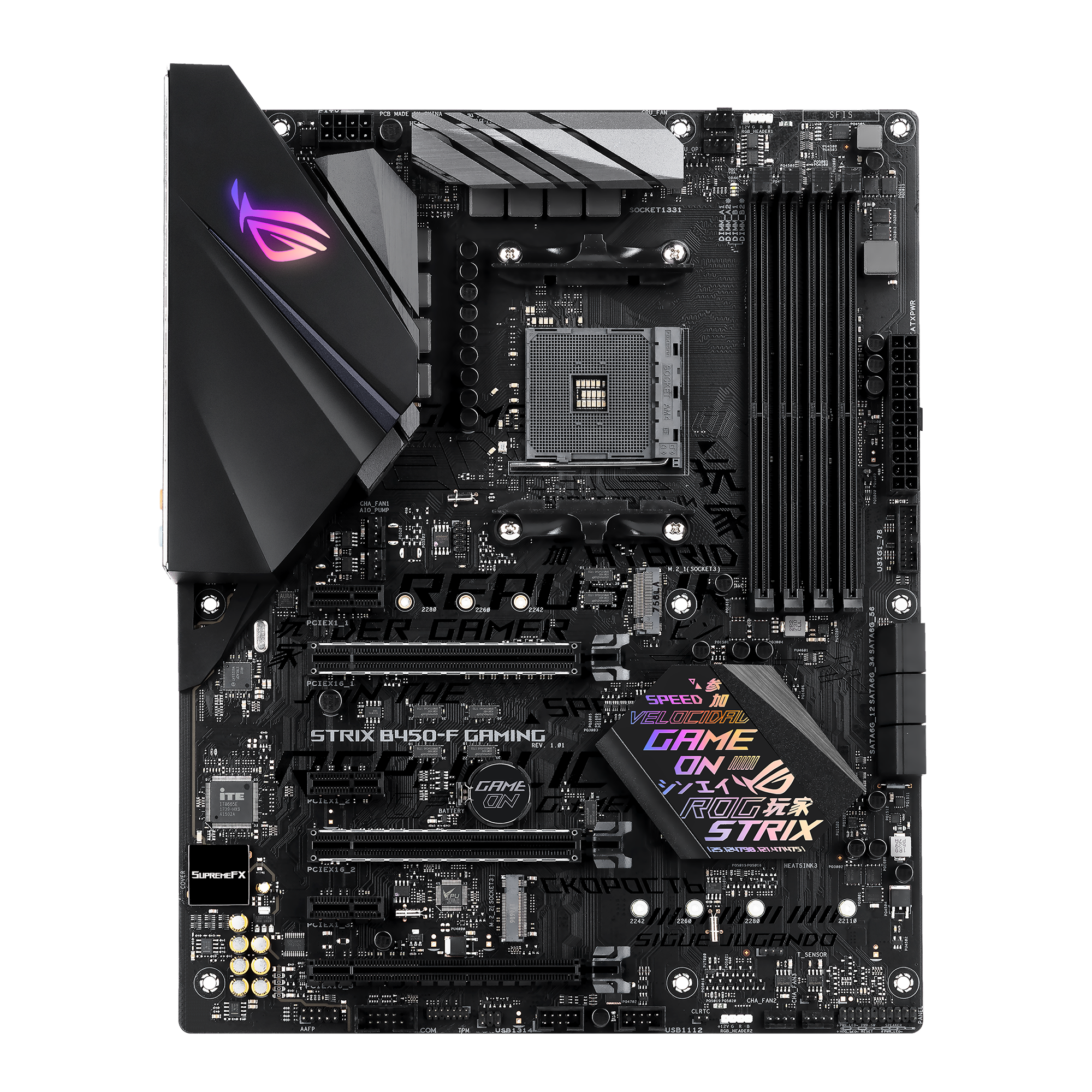
ASUS ROG Strix B450-F Gaming Motherboard - Next-level performance: 2nd gen. AMD processors, 5-Way Optimization, Fan Xpert 4, Aura Sync. POWER.
white plinth
My current processor is just tanking
elfin warren
Ram is good for a bit of a performance boost so
white plinth
Yeah I know
elfin warren
don't forget about it XD
white plinth
Just can't really get it atm lol
Trust me I wont
I got the ryzen 7 I have the first week it came out
And that's the update for the 5000 series upgrade?
elfin warren
Version 4301
finite elm
Good luck with new cpu whenever you get it (:
elfin warren
YW
white plinth
I was reading it and it said 3000 series so I wanted to make sure
naive pendant
BTW, forget about turning PBO if you buy a 5800x
on a b450-f
unless you got a VRM fan
hollow thorn
Meh, if should do fine with a case with good airflow
 haughty jasper
AMD Ryzen 5 3600 on a ASUS ROG B550-F Gaming Motherboad with 16 GB of 3200 MHz
elfin warren
?
elfin warren
Is this something you're looking at buying?
haughty jasper
No, this is what I have. I am seeing if I need to upgrade or see if this will do me for some time
elfin warren
Should be OK for a while
haughty jasper
Okay, because my friend is giving me his Ryzen 5 5600 XT and a RX 5700 XT in a few months.
haughty jasper
I might need help with that. I am not big at knowing how to update the BIOS
But I will surely look into it. Me and him have the same motherboard
elfin warren
Get file, put on thumb drive, reboot to BIOS, head to UPdate section, update, done
EZ PZ
 sinful harbor
pijaaaaaaaaaaaaa
vernal cosmos
haughty jasper
Okay, because my friend is giving me his Ryzen 5 5600 XT and a RX 5700 XT in a f...
3600XT u mean?
You dont need a bios update on any b550 board to support a 3600XT
Since 5600XT isnt even a thing
Cpu wise
 native thistle
Hey I’m trying to update my bios, but it keeps saying” bios file does not exist” any help?
vast meadow
Did you unzip the folder before putting it on the usb
And is your usb formatted as fat32?
native thistle
Yup. A guide said to “copy” the file but I just “moved” it
I feel that might be the problem
Not sure
native thistle
Front panel
native thistle
K
Still same thing
I have a msi mother board which has the bios flashback ( I believe it’s called) would that work any better?
native thistle
hey it seems that I didn’t take the actual file out of the folder. I just put the folder on the drive.It’s currently updating rn. Thanks for your concern!
 little sky
https://pcpartpicker.com/product/Vb3mP6/gigabyte-b550-aorus-elite-ax-v2-atx-am4-motherboard-b550aorus-elite-axv2 Anyone have experience with this Motherboard, and updating the BIOS to support Ryzen 5600x
I know you need to update the BIOS to the latest version for it to Support 5600x Ryzen CPU, on the website, it doesnt specify that I have to do it in order, so I assume I just do the qflash and have the latest version on the flash drive
 neon void
yo if my mobo max and is 3600mhz ram I can get ram that is 3600mhz n it'll be fine right? also I've never seen c20 ram so that will also work right? Sorry if I sound stupid
native thistle
my memory wont go to its rated Mhz after i turned on XMP profile, i have https://www.amazon.com/gp/product/B01N6SJGG6/ref=ppx_yo_dt_b_asin_title_o09_s00?ie=UTF8&th=1 on my AMD CPU , is that why?
native thistle
ryzen 7 2700x
hollow thorn
2700x imc might not be able to hit 3466 1:1
Try manually setting the ram to 3200mhz 16-18-18-38, secondary timings can be left auto
native thistle
@hollow thorn should I mess with the voltage?
I don’t not much about voltage and stuff
native thistle
I exited the bios without messing with the voltage . It does appear as 3200 now. If you want I can go back and change the voltage.
grizzled bloom
neon void
yo if my mobo max and is 3600mhz ram I can get ram that is 3600mhz n it'll be fi...
3600c20 is beyond garbage. C18 is the worst I'd get for that speed, c16 preferred or lower.
Chances are it'll run higher than the motherboard memory rating is anyway unless you have a really bad one.
hollow thorn
without messing with voltage should be fine, afaik it'll auto to 1.35v anyways
lemme think what benchmarks could be used
uh
grizzled bloom
Sort of, you can see how many passes it does in a test
hollow thorn
welp, aida64's cache test better
native thistle
@hollow thorn I launched Valorant, it crashes around 5m after playing, btw I have 2 dif sets of ram in my pc, I believe they are the same speed and timing.
Should I revert back to 2133?
Other than that I get really good frames in Valorant
hollow thorn
uh 2 different kits might be interesting
can you check if they're the same freq and timings?
native thistle
How should I check this?
Oh nvm lmao
Lemme check
The one I sent you ends in 38
The other ones I have is 36
In total 4 sticks
hollow thorn
yay fun
native thistle
Is that a problem?
hollow thorn
Probably not, but sometimes different kits don't like each other.. Valorant crashing is sad though
Maybe try 3000mhz 16-18-18-38
native thistle
I’ll try that, so happy to see it running well then it just crashes😀
 neon void
grizzled bloom
3600c20 is beyond garbage. C18 is the worst I'd get for that speed, c16 preferre...
neon void
grizzled bloom
3600c20 is beyond garbage. C18 is the worst I'd get for that speed, c16 preferre...
wait am I an idiot I thought higher c# was better?
elfin warren
lower is better
elfin warren
YW
neon void
so c16 + 3600mhz should be good for a ryzen 5 1600 + a mobo that goes up to 3600mhz ram speed
?
grizzled bloom
A 1600 will struggle to get that speed with the fclk synced
limber dragon
1600 has no adjustable fclk
grizzled bloom
True, I forgot auto is the only option for that series and the 2000
 clear coral
hi guys
i have a i5 9400f paired with a 2070.
Whenever im in a game and open browser at the same time, fps decreases greatly.
is the i5 9400f that bad
and is there anything i could do
elfin warren
how much ram do you have
clear coral
will it help in games like warzone to increase fps?
elfin warren
Probably then, yes
clear coral
thanks man
elfin warren
yw
clear coral
will try and grab another stick
elfin warren
it's not a rocket ship but shouldn't be doing that
clear coral
<
vernal cosmos
clear coral
will try and grab another stick
grab the same model stick you already have
It has a chance of not working with different models of ram used together
clear coral
any idea how to know the exact model i have
i remember there was a cmd command or somet
clear coral
ok great ty @vernal cosmos
dense frost
clear coral
any idea how to know the exact model i have
you can download CPUID/CPUZ. There is a tab called SPD. It will show you
dense frost
k
vernal cosmos
clear coral
i opened theres a part number and serial number
tell me both
ill send you a link for what to buy
vernal cosmos
1 sec
Ok so now download a program called cpuz
and send a screenshot of the spd tab
vernal cosmos
Can you send me a screenshot?
vernal cosmos
anywhere is fine

 vernal cosmos
clear coral
whats the 1333 mhz freq its showing
vernal cosmos
clear coral
whats the 1333 mhz freq its showing
Thats the different JDEC speeds
You have xmp on right?
in bios
clear coral
on task manager it says 2666
vernal cosmos
also what cpu did you say you have?
clear coral
i5 9400f
vernal cosmos
clear coral
on task manager it says 2666
Yes because DDR stands for Double Data Rate
so you double the frequency cpuz tells you for ram speeds
clear coral
so its running as it should?
vernal cosmos
But the cas latency for the XMP profile is a lot lower
so I recommend going into the bios and making sure XMP is on
clear coral
alright man ill do it now
dense frost
clear coral
whats the 1333 mhz freq its showing
what shows in cpuid is the actual frequency, its is labeled as 2666 because DDR stands for DUAL data rate, because data is being sent on the up and down of each cycle, effectively double the frequency
clear coral
i turned xmp on
vernal cosmos
dense frost
what shows in cpuid is the actual frequency, its is labeled as 2666 because DDR ...
Its almost like I already said that...
vernal cosmos
clear coral
i turned xmp on
Great
the way ram works, 3200cl16 is better than 3400cl18
clear coral
ik mine is 2666 c16 or somet
vernal cosmos
so a reduction by 2 in the cas latency is big
vernal cosmos
clear coral
ik mine is 2666 c16 or somet
Yeah
clear coral
So my frames will be better now ?
vernal cosmos
clear coral
So my frames will be better now ?
The 1st jdec had the same timings so most probably not
clear coral
and do u still recommend me purchasing a new stick
vernal cosmos
clear coral
and do u still recommend me purchasing a new stick
yep
vernal cosmos
vernal cosmos
https://www.amazon.com/HyperX-2666MHz-Desktop-HX426C16FB3-16/dp/B07WF9MD3Q/ref=s...
heres the link
what mobo u got btw?
dense frost
clear coral
and do u still recommend me purchasing a new stick
yes. 2 sticks are always better than one
vernal cosmos
np
dense frost
its a pleasure
 vast path
Thinking of replacing the motherboard in my Dell Inspiron 530s. Where can I find out what the form factor is or what would be a good motherboard replacement. Thank you
dense frost
use CPU-Z to find out the model of your motherboard and you can gro fromt here
vernal cosmos
vast path
Thinking of replacing the motherboard in my Dell Inspiron 530s. Where can I fin...
You going to change the cpu as well?
vast path
vernal cosmos
You going to change the cpu as well?
Probably. Might as well
vast path
dense frost
use CPU-Z to find out the model of your motherboard and you can gro fromt here
Thank you
vernal cosmos
vast path
Probably. Might as well
I would consider getting a new pc entirely
because with a new cpu and mobo u gonna need new ram
and cpu cooling
vast path
Ugh 🤦
vernal cosmos
I would change the PSU as well since its very old
and the case doesnt have airflow
so would swap that out as well with a cpu that is gonna output more heat
dense frost
its such an old system though... best get a new PC
vernal cosmos
dense frost
its such an old system though... best get a new PC
Do you literally ignore everything I say lmao
also the psu is a 250w model which is definitely not gonna support an upgrade
clear coral
vernal cosmos
Do you literally ignore everything I say lmao
lmao
 unkempt ledge
Any opinions on the b450 aurorus pro wifi with ryzen 7 3700x. Trying to get some info on it
hollow thorn
what about it..?
vast meadow
unkempt ledge
Any opinions on the b450 aurorus pro wifi with ryzen 7 3700x. Trying to get some...
Fine if you have, dont buy ryzen 3000 in 2021 either ryzen 5000, intel i7/i9 10th gen or i5 11th gen if buying nowadays
dense frost
unkempt ledge
Any opinions on the b450 aurorus pro wifi with ryzen 7 3700x. Trying to get some...
if you getting a good discount on the chip, its a decent combo
vernal cosmos
unkempt ledge
Any opinions on the b450 aurorus pro wifi with ryzen 7 3700x. Trying to get some...
why b450?
 lavish aspen
vernal cosmos
why b450?
lavish aspen
vernal cosmos
why b450?
I went with the same board for the sole factor it’s probably WiFi
And aorus looks cool
vernal cosmos
lavish aspen
I went with the same board for the sole factor it’s probably WiFi
But why b450
lavish aspen
Idk