#cpus-mobo-and-memory
1 messages · Page 159 of 1
 fresh river
 long geyser
memory position x (an instruction) couldnt read what was in memory position y (probably a variable, but who knows)
what caused it? Could range from anything from one of many random software issues to one of many random hardware issues. Too little info to go off of
 scenic tree
I am trying to decide between a B550 Vision or an X570 Steel Legend. Which should I get? Price is irrelevant to an extent. Im not spending 1k on the Aqua. Hopefully you guys can help out with this.
My requirements were:
Has Wi-Fi (for the route im going its required)
White
Future Proof
Good VRM
No voltage limiter
Good overclocking
I'm open to suggestions, but those 2 boards were the main ones I found that met my needs/wants.
 naive pendant
scenic tree
I am trying to decide between a B550 Vision or an X570 Steel Legend. Which shoul...
naive pendant
scenic tree
I am trying to decide between a B550 Vision or an X570 Steel Legend. Which shoul...
Vision
and why the voltage limiter requirement
scenic tree
Mando to the rescue again
No limiter
I dont want one
The first mobo i got was an rog strix x570 i
It has a voltage limiter on it
Sent it back and got the crosshair impact
Now im prepping for my 2nd build and it'll be inside the deepcool quadstellar electro
I want it to be silver/white out
Hopefully that provides enough insight
naive pendant
vision d should be good
scenic tree
@naive pendant I did a little bit more research and veered outside the range of mandatory wifi and all i could find was the:
ASUS Prime x570 Pro
Do you have an opinion on that one? Or should I just stick to the vision?
naive pendant
vision
 spare gyro
It means that the application allocated memory and it was at that address but when it was accessed it was corrupted. Pretty much nothing more than what you said.
 idle pumice
I currently have 32gb of G.skill trident ram 8gb x 4 (F4-3200C16Q-32GTZB). My motherboard has 4 more available slots and 64gb total capacity. Can I buy 4 8gb stick of Corsair Vengeance which is also DDR4 3200 and same latency. Or should I sell my old ram and buy 64gb of Vengeance.
 silent lichen
I got a 8-core threadripper and am seeing CPU loads of 13-18 in my workloads... debating whether its worth upgrading to a 16-core CPU... thoughts?
 paper island
Anyone have an alternative for the r5 2600
I already have my motherboard so i cant switch to an intel
Same price same performance and actually in stock lol
naive pendant
Can you return the motherboard
or no
Because 3600 is out of stock/overpriced
10400F is way better
 eager shore
wouldn't a 3100 be a cheaper option with performance being on par with the 2600
if she's deciding to keep the mobo
 gritty meadow
stock is the problem on the 3100 (normally that is)
naive pendant
eager shore
wouldn't a 3100 be a cheaper option with performance being on par with the 2600
3100 never in stock
and 10400f is like 170$
so price difference isn't large at all
 pale mist
amd has better OCing am pretty sure
gritty meadow
2600
 patent cypress
R7 is cheaper on newegg but the R5 appears to be better in most ways
gritty meadow
why are you looking at products that old thou?
patent cypress
idk lol im not even supposed to be looking, my friend said he would find his old cpu but he still hasnt so i have to buy one.
gritty meadow
what mainboard do you have?
patent cypress
wait its under the tree rn let me go get it
ASUS prime a320m-k
nothing is built yet, i have all the parts except cpu
my main concern is the ram speed, the 2600 runs up to 2933mhz while 1700 is at around 2666mhz
and i bought 3000mhz ram
patent cypress
ik as long as its closer to 3k im fine
gritty meadow
however, do note, that mainboard can support the 3000 series of chips
 violet zealot
Those are the officially supported speeds, basically the motherboard will limit the xmp to 2933 typically
It is possible to run it past that speed though through manual tweaking
patent cypress
no no no, see, i was waiting on my friend to get the cpu for me because im already going over budget, my cpu budget is at most around 220 and thats with MA 6.25% sales tax included
because im being forced to buy since he cant find it
gritty meadow
also, keep the following in mind: the 2000 series cpu's support up to 3200 on the ram side
patent cypress
on the amd site it says it supports a max of 2933mhz
gritty meadow
(i just checked, i have the support list open here next to this window)
patent cypress
wdym support list?
gritty meadow
what you are looking at is what the cpu itself supports
but ram support is a combination of mainboard + cpu
which was part of the reason for ALSO asking about the mainboard model :)
patent cypress
yeah
so basically i should cancel the order for 1700 my mom placed last night
and get the 2600
gritty meadow
its your call, but the 2600 is the better of the two
gritty meadow
and i dont work for newegg :)
patent cypress
not a company sry
wait nvm
it is just
it is, just not the one.... nvm
i cant word this well rn
anyway
is the 1700 better for streaming tho
gritty meadow
its equal
patent cypress
ok thanks im gonna go cancel the order now
gritty meadow
you are very welcome :)
 trim dust
is it better to get 3200 cl16 or 3600 cl18 for a ryzen 3600
 ocean phoenix
3600 cl18 is a hair better I think
violet zealot
I think they're about the same in terms of latency
But yes the extra clock speed is beneficial
naive pendant
Hey which boards do you recommend for 5900x ?
I’m not gonna do crazy custom water cooler, just gonna go for basic aio setup.
 azure pulsar
any good b550 or x570 will do fine
you can look at the pinned spreadsheet
if u want a super detailed list
naive pendant
Where do i find that?
azure pulsar

Google Docs
AM4 MB Comparison @2017-2020 raisonjohn b.
AM4-socket MOTHERBOARD COMPARISON,SUBJECTIVE TIERS:,HOW TO SORT/FILTER MOTHERBOARDS YOU ONLY NEED TO COMPARE:
| Step 1: Select entire Row 11 by clicking "11" at left side of your screen.
| Step 2: Click the Filter Icon at the above toolbar, just beside ...
naive pendant
Gracias
azure pulsar
np
 tardy abyss
so maybe someone can correct me. I feel like i watched a video about getting a b550 because it would work with am5 ryzen. but this is simply incorrect right?
 hollow thorn
Yea... Chips aren't exactly interchangeable between sockets...
tardy abyss
so then what's the point of even buying the b550
azure pulsar
are u telling me i CANT put my 5950x into my lga1151 socket?
🤨
and @tardy abyss bc its compatible with most am4 chips ?
including zen 3
violet zealot
It supports PCIE Gen 4
hollow thorn
@tardy abyss for the chip it supports lol
I mean, what else is the point of buying a board that supports the current generation?
azure pulsar
bc it doesnt support the last gen
violet zealot
That might be the only reason
tardy abyss
Aren't there bios updates for 5000 series with b450s coming though
violet zealot
It comes down to the manufacturer's discretion
Most of them will be Beta bios which I've heard is a headache as it is regarding Zen2 on B350/X370. Some of them might have ample support but it's impossible to say until they're all out, might depend on the model really
gritty meadow
@tardy abyss you are aware that boards with AM5 sockets are about 1 year away right?
so, something seems very off/weird about your question
gritty meadow
its a confirmed upgrade path later down the line
a b550 board WILL support a 5000 series cpu
so its a safe investment in that regard
and as a side effect, the IO is better on b550 vs b450
tardy abyss
i guess it's just hard because the am5 would be coming out so you would ideally want to go to that.
i also didn't realize how much of a pain it might be for b450 transition to zen 3 support.
thanks all
violet zealot
Maybe, I think we'll see DDR5 come alongside the new socket; and much like when DDR4 was first available I expect it to be pretty pricey
 frozen schooner
Anyone else not that impressed with 5900x idle temps with type of oc?
long geyser
idle temps mean nothing, so not really
 patent jewel
5600x just arrived
azure pulsar
pog
 deep basin
what's a good idle temp for a cpu?
 fallen lynx
40-45
deep basin
mine's a bit high then
 worthy dome
deep basin
what's a good idle temp for a cpu?
worthy dome
deep basin
what's a good idle temp for a cpu?
30-40 is prime
deep basin
if I lower the voltage and have like 5% usage I can get to like 40ish
worthy dome
deep basin
if I lower the voltage and have like 5% usage I can get to like 40ish
What cooler and what cpu
deep basin
ryzen 5 3600 and CORSAIR Hydro Series, H100i RGB PLATINUM, 240mm
i had to look up the cooler to be 100% sure
worthy dome
For an AIO I think it’s odd to be above 40 idle
naive pendant
What is a good motherboard for the ryzen 7 2700? (Non-X)
worthy dome
naive pendant
What is a good motherboard for the ryzen 7 2700? (Non-X)
As rock b450 pro4 (atx version), it’s not expensive
pale mist
asus prime b550 plus is good as well
naive pendant
ok
deep basin
idk what to say
worthy dome
naive pendant
ok
You don’t need a b550
pale mist
true but there are some benefits to going b550 and the prime isnt expensive
worthy dome
It’s usually just more expensive
naive pendant
I wasn’t planning to get a b550
hollow thorn
B550 doesn't support 2nd gen Ryzen
naive pendant
They don’t have support for ryzen 2nd gen
worthy dome
naive pendant
I wasn’t planning to get a b550
mAtx case or atx
deep basin
naive pendant
I have an atx-ish case
hollow thorn
smth like a B450m pro4/steel legend would be a decent enough board
@naive pendant Either it supports ATX, or it doesn't, you might be thinking about mid tower/full tower.
worthy dome
naive pendant
I have an atx-ish case
Then get a b450 pro 4 atx or mAtx, your choice
naive pendant
Actually it’s a mid tower
hollow thorn
So does it support ATX or no?
worthy dome
Personally I would go for an atx board if you have a atx case
naive pendant
worthy dome
Then get a b450 pro 4 atx or mAtx, your choice
Well i will have to see after Christmas
Actually I changed my mind I don’t need a new motherboard anytime soon
But thank you
 proven grotto
Guys, so I build my pc as of yesterday and turn it on and everything was working(fans and rgb) but it doesn't want to have signal with my monitor with dp port(tested monitor on old pc and it works) did a lot of troubleshooting with Sassyfish but nothing yet, specs are amd ryzen 7 3700x, ram corsair 32 gbs ddr4-3200, amd rx 5700 xt red devil, msi b450 gaming plus max, corsair case with 3 rgb front fans and one rear fan, psu 700 watts evga bronze 80+, and m.2 ssd of wd blue sn550 nvme
fallen lynx
you remembered to plug the DP cable into the GPU and not the MB right?
proven grotto
fallen lynx
you remembered to plug the DP cable into the GPU and not the MB right?
Yeah did that and after putting things back to what it was like 6 hrs ago it works now lolll
fallen lynx
you have the 12 EPS/CPU power cables plugged in?
proven grotto
Ye, but getting signal now and everything
But thanks for responding, not sure how it got solved from what lol
tardy abyss
Anyone have a good recommendation for b450 micro atx motherboard
 small tulip
What do yo do for WiFi, usb or pcie?
 crimson turret
I'm CPU bound when I play Warzone. I have very slow ram. Is this also potentially limiting my fps?
I have an i7700k and a 3080
violet zealot
Maybe, the thread count might be involved too
crimson turret
because i only have 4 cores or whatever
 vivid pewter
So I have to use a 32 gb or under usb flash drive to update bios or it won't work?
eager shore
the space doesn't matter as long as the usb has enough storage for it
vivid pewter
I heard something about problems with fat32 formatting on drives larger than 32gb or something like that
 pearl zealot
Yes andy
I ran into this
If you're using bios flashback, it only reads fat32 and will not work with partitioned drives
So the drive itself has to be one fat32 partition, and that only works on 32gb or less
So to bios flashback, you need a small usb drive
I didn't realize this when I was ordering stuff, luckily after like 20 min searching I found an old 8gb in a drawer
vivid pewter
Lucky that I have a 32 gb drive and not a larger one
pearl zealot
Although I didn't see this at the time but maybe it works? https://www.howtogeek.com/316977/how-to-format-usb-drives-larger-than-32gb-with-fat32-on-windows/

How-To Geek
For whatever reason, the option to format USB drives larger than 32GB with the FAT32 file system isn’t present in the regular Windows format tool. Here’s how to get around that.
 woeful rampart
do b550 motherboards work out of the box with 5000 series or do you need to use the flash bios button? they still do have a flash bios button on them so
sounds like you still need to use flash bios
i think i will order a cheap usb stick on amazon and use it to update then return it with amazons easy returning
azure pulsar
@woeful rampart theres a chance it will work out of the box
the later you buy your mobo, the more likely it is to work out of the box
since itll be a new unit rather than an older one
woeful rampart
cool, also, i back ordered a mobo while it was on sale that had a $10 rebate included and the $30 steam card, do you think ill still get those promotions in the box? since its back ordered and they are shipping it after the sale
like the manufacturer is shipping it to the retailer after the sale
azure pulsar
maybe idk
woeful rampart
im not looking forward to going through customer service if neither of them work
 stone plaza
Yo quick question, do anyone here know if enabling 4x mode on PCIe-x16_3 on the ASUS ROG Strix X570-F GAMING disables 2 or more Sata ports? If it even has to be turned on ofc, upgrading from Intel
naive pendant
@crimson turret I have a 6700k so can kinda relate
what performance do you get now?
 boreal tundra
can someone recommend me a ram that looks good i need 2x8 3600 please
naive pendant
guys i have a question will the XPG spectriz d50 2x8g 3600 fit into the gigabyte b550m ds3h mobo
spare gyro
 steel panther
@naive pendant check if they have the same socket
oh what was ram
i think if both are the same ddr they will work
naive pendant
on pcpartpicker it says they workd and they both are ddr4
steel panther
then they should work :))
naive pendant
ok thanks youuu
steel panther
np
 heady marten
rpg
crimson turret
naive pendant
what performance do you get now?
pretty much 70-85 Fps no matter what
naive pendant
What's your RAM
 fresh burrow
Hello everyone. A New Egg CS agent sent me here for help on locating the correct ram for a laptop I'm going to buy since their memory finder is not working right now.
Not sure what the protocol is here but this is the laptop https://www.newegg.com/rog-strix-g-black-asus-rog-strix-g17-g712lw-es74-gaming-entertainment/p/N82E16834235461?Item=N82E16834235461&quicklink=true
I want to upgrade the ram to 32gb
boreal tundra
you need 2933mhz laptop ram
fresh burrow
@boreal tundra ayyyye thanks a ton!
eager shore
make sure it's also the same voltage and form factor than the other modules
fresh burrow
@eager shore hmmm...ok...now it gets tricky LOL
eager shore
actually lemme double check on that
ik for a fact that they have to be the same form factor but not sure about the voltages
fresh burrow
Perhaps I should wait until I get the machine then so I can look at the ram to confirm this?
fresh burrow
I'd be completely swapping out the two 8gb sticks for 2 16's tho
 keen vortex
hello
i had an asus tuf gaming x570 plus mobo on my build
but im going with a ryzen 5000 series processor
and it doesnt seem to have usb flashback
any of yall able to recommend another mobo?
hollow thorn
Let's say a B550 Aorus Elite ax at 170$ as an option to start off.
keen vortex
ooh alright
i think i had a b550 aorus pro ac selected for a while
i went with the tuf x570 plus because it was just about the same price for an x570 chipset
keen vortex
hollow thorn
Let's say a B550 Aorus Elite ax at 170$ as an option to start off.
also to note i'll be using a 5900x and a 3080
hollow thorn
Mhm
azure pulsar
aorus pro ax is better imo but aorus elite is also vibe
hollow thorn
But it actually has better overall features than the X570 board
azure pulsar
b550 aorus boards are all good\
keen vortex
ooh
okay
i was trying to go for an asus tuf theme if possible but if the aorus boards are that good i'm willing to deviate
hollow thorn
I believe the Asus b550 board is good too, just can't think of the name atm
fallen lynx
also there is apparently a V2 of it
and i can't see what the difference is
maybe a USB-C front panel connector?
violet zealot
The only difference I noticed, at least right away is they moved the Sata ports from being front facing to on the side
Oh yes and the USBC port I see that there now
hollow thorn
V2 changes VRMs for the worse iirc
fallen lynx
the SATA ports are kind of split up on both of them
keen vortex
im looking at the rear i/o of the b550 board yall recommended and its a lot more lackluster than the rear i/o of the asus tuf x570
hollow thorn
which one? @keen vortex looking at B550 aorus elite ax, IO looks better in every way
than X570 plus wifi
oh only thing missing is a USB type C on Aorus elite ax, but Aorus elite ax makes up for it by having 2 more USB type A connectors
keen vortex
oh?
im looking at them and the x570 plus wifi had a bunch of usb 3.2 gen 1 and 2 usb ports
i dont see the usb type a connectors
hollow thorn
keen vortex
oh wait a sec
hollow thorn
keen vortex
ohhhh yeah it is missing the type c
oooh and 2.5gb lan okay
i was looking at the wrong b550 mobo for a while there too
shouldnt i be trying to get a usb-c tho?
hollow thorn
Hm?
If you don't need it, you don't need it
even if you do need it, simple type a to type c converter
hollow thorn
it also has internal usb 3.2, which means if you case has a USB type c on the front panel, you can use that
@keen vortex type c is only the shape, doesn't say anything about speed :D
keen vortex
oh dang okay
hollow thorn
most type c run on usb 3.1/3.2 anyways
keen vortex
alrighty, sweet! thanks man
hollow thorn
:)
hollow thorn
Take your time
keen vortex
oh wait i cant post images
that would probably explain it
well
im going with an asus tuf gt501 case
hollow thorn
you can post images in #building-and-recc-chat I'd think
hollow thorn
what the heck is that
keen vortex
i was just wondering if the b550 elite pro ax had sufficient usb 3 connectors
you mean the case? lol
i can post an image of the case
or actually just
keen vortex
ah i wanted to go for an asus tuf theme and i really liked that case
hollow thorn
eh alright, just doesn't look so good for the airflow...
hollow thorn
yea
hollow thorn
but some cases also do it well, like Pure base 500dx
H500p doesn't get good airflow, despite side vents
keen vortex
aw damn
i think it might be more similar to the pure base though
or at least
actually if you look at the second pic
hollow thorn
anyways @keen vortex it has a usb 3.2 and 2 x USB 2.0 internal headers
hollow thorn
You can't tell airflow from looks
hollow thorn
Just saying the style has good and bad
keen vortex
is there any way to adapt a 2.0 internal header to be sufficient for 3.0 speeds?
yeah
i need to look into it more for sure
hollow thorn
thing is, usually they use one header for both usb ports afaik
very little boards I know of have more than 1 usb 3.1/3.2 internal header
gritty meadow
1 header = 2 output/end-points
keen vortex
like an adapter that splits into 2 usb ports?
hollow thorn
^
keen vortex
oh sweet!
hollow thorn
I mean like from the case's end, a single connector comes down for both ports
hollow thorn
that's USUALLY the case, I can't double check for sure since, well, that's not exactly a thing they list.
keen vortex
er just
gritty meadow
its a question of the manufacturer (of the case) not being a silly goose and only using 1 of those 2 endpoints
keen vortex
the connector
im a bit confused on this one
but im getting that by some means
i'll be able to use both of those ports as a usb 3 port
hollow thorn
On one end, we have the header on the mobo that can support 2 usb ports.
On the other end, we have 2 usb ports on the case.
how the 2 usb ports are wired in the case is the uncertain bit.
They should both be wired together into a single connector to be connected into the motherboard
but I can't say for sure without checking
keen vortex
alrighty
well regardless i've found the closure i need
though i havent checked to see if the mobo supports usb flashback or not
i am pretty comfortable getting this one
hollow thorn
@keen vortex B550 aorus elite ax does, right here, "Q flash plus" is Gigabyte's name for bios flashback
keen vortex
aw thank god
it would have sucked if it didnt have it and i had to choose another one
bc i really wasnt looking forward to having to buy a second cpu to install the bios update
hollow thorn
ofc
gritty meadow
and just to be 100% clear @keen vortex ANY bios flashing should be done with the usb stick plugged in the IO shield (what Mr1111 posted a picture of above)
NEVER in a case usb plug
hollow thorn
:)
boreal tundra
@hollow thorn a good case under 100?
hollow thorn
 neat estuary
I came accross a glitch with the last 2 PCs i built. both b550-e motherboards, one Zen 2 one Zen 3. Nividia and AMD GPUs. when they sit for a while in sleep mode or shutdown they will sometimes not boot without several hard resets.. both have QVL memory at XMP with no errors on 1000% memtest pass... If anyone is familar with this pls let me know
neat estuary
Ya they have diffrent PSUs and are in diffrent houses
Im suspecting a bios C-state issue and have disabled it on one today to troubleshoot.. Im seeing issues like this on Asus Forum with no answers
gritty meadow
because its notoriously hard to actually track @neat estuary
 empty urchin
anyone know a website like EVGA that lets you get into a queue to buy the new ryzen processors?
 daring arrow
Good evening. Im getting an ff code on my mobo, but the pc is running fine. Any ideas?
fallen lynx
look up what the code means
daring arrow
Fault found. Everything I've read says that their pc won't boot. Mine is fine.
neat estuary
u sure it isnt transfer to OS code?
 ornate juniper
What is a good mobo to pair with the 5800x?
pale mist
the Asus Tuf x570 is a classic choice @ornate juniper
ornate juniper
Thanks
azure pulsar
@ornate juniper b550 aorus boards are all good
if you dont need onboard wifi then the b550 aorus elite is a good one
but if you do, the b550 aorus pro ac is also epic
all of them come with flashback so you can update the bios if necessary
 quartz niche
Hello, I have a question about RAM. So I am looking at a G.skill TridentZ RGB 2x16 kit, but see multiple "models" or variants and was wondering if anyone can tell me what the changes means. I think I have a decent understanding for the frequency, but I see this "latency" that I am unaware of and was wondering if anyone can help me better understand it as well as the "Real World" impact it has on applications.
azure pulsar
latency just impacts the speed
less latency = better
so lets say its ddr4 3600 cl18 vs ddr4 3600 cl16
the cl16 has less latency so its better
quartz niche
For farther context here are the two models as shown in pcpartpicker:
i cant seem to send pictures so nevermind 😅
azure pulsar
uh
quartz niche
its a 50ish dollars difference and i was wondering how much of a performance boost does the better timing have against the other
idk if im just being very picky and shouldnt worry about it
azure pulsar
its pretty much the same thing
and its such a steep price increase
i say just get the cheaper one
quartz niche
really? damn, then here i am trying to find info on it for nothing xD
azure pulsar
lol
yeah the timing isnt supre important
more just first word latency, cas latency, and speed
quartz niche
azure pulsar
i say just get the cheaper one
perfect lol
quartz niche
azure pulsar
more just first word latency, cas latency, and speed
lost me there too but i'm just going to say okay 😂
azure pulsar
ah lol
quartz niche
also, since u mentioned it, and if you dont mind, is there a big difference between CL18 and CL16?
azure pulsar
sort of but not rly
yours is cl16 tho so ur fine
and 8.89 first word latency so its pretty good
quartz niche
okay
azure pulsar
this chart can kind of show u what to look for
quartz niche
thank you very much!
azure pulsar
its kind of bad quality but
in the pinned messages
the original image zooms in more
quartz niche
oh wow thanks!
 trim mauve
I had issues with my whole pc lagging everywhere after a windows update, and after 4 hours i got it restored back and fixed, but in one specific game, i still lag very often and ive never done this before, i think it has to be my cpu, but does anyone know how to fix this? it only happens in that game, no other games and not while using the computer normally?
the game is overwatch btw
 vital vine
try and download HW monitor. See if it's throttling, the cpu or gpu
 visual marten
best mobo for maximum $250 for ryzen 7 5800x
eager shore
you looking for any specific features?
visual marten
@eager shore just good cooling and good mobo overall
eager shore
ah, in that case a cheap one that does the job well is a b550-a pro
visual marten
eager shore
ah, in that case a cheap one that does the job well is a b550-a pro
people also say the Gigabyte B550 Aorus pro is also a good option
eager shore
yeah it is
azure pulsar
aorus mobos are rad
trim mauve
@vital vine im not throttling, my gpu and cpu never go above 70 C
like rarely, and i was playing red dead redemption with medium settings
and on overwatch i use all low settings, so it cant be worse
idk what it is, all my other games are fine. even though they have higher settings
 green terrace
This is for all y'all who like to overspend on your ram

One of our most frequently asked questions is... Does RAM Speed Matter? Today, we're going to take a closer look at that!
— Expand the Video Description for ALL the LINKS —
#techdeals #RamSpeedMatter #ddr43200vsddr43600
— Discount Windows 10 Keys and More —
— Use Promo Code TD20 to save 28% off EVERYTHING —
Win 10 Pro - https://pcdeal.tv/Win...
 main pulsar
you call 8 dollars overspending?
ok buddy
also, i really dont trust a word that comes out of this dudes mouth
go find a GN vid on it, sheesh, you people gobble up all these clickbait tubers like candy

Ryzen 3000 RAM frequency, latency, uclock, mclock, and fclock matter more than anything else for the R9 3900X, 3700X, and 3600. We're looking for the best RAM for Ryzen.
Sponsor: Get 10% off Squarespace purchases (https://geni.us/BqEpf)
Article: https://www.gamersnexus.net/guides/3508-ryzen-3000-memory-benchmark-best-ram-fclk-uclock-mclock
Buy...
naive pendant
can someone explain to me the difference between these
 sudden onyx
Well, since I recently got into PCs but I have been around the whole physics stuff, it says that the frequency is 2.3 times faster than when you got it. I don't know if that's called an overclock but it's definitely better than when it was stock
But well, I still don't know anything about that type of stuff so better ask someone who has the knowledge
naive pendant
I haven't overclocked it
I don't even know how
it's an i7 tenth gen cpu in an msi laptop
neat estuary
It’s the boost clock. It’s normal.
gritty meadow
@naive pendant when the cpu has thermal headroom, it will run faster than the stock, it will keep on doing that, until it gets too hot, then it will clock down to something closer to stock or stock.
 ember scroll
I have a question for a smarter person than I, I have https://www.newegg.com/g-skill-16gb-288-pin-ddr4-sdram/p/N82E16820232880 but I was wondering if this https://www.newegg.com/g-skill-32gb-288-pin-ddr4-sdram/p/N82E16820232863?Item=N82E16820232863 would give me any improvement. I have a 10850k tomahawk z490
 slate night
@ember scroll just buy an other kit of 16gb g skill
if you have 4 ram slots on your mother board
because theres no difference between the two other than rgb
eager shore
what cpu do you currently have
 fierce pumice
uhhh
let me loook its a big name
its rlly bad but
CPU
Intel(R) Xeon(R) CPU X5677
@ 3.47GHz 4 Cores
i believe thats from 2010
and i hate it
eager shore
ahhh so you're also looking into getting a new motherboard?
fierce pumice
yes
eager shore
ok
fierce pumice
if i play games like
and i have discord running
or like at most 5 tabs on google
my game gets choppy and i drop fps like by 50
eager shore
understandable
fierce pumice
can u think of anything that would help
and im a gamer on a budget so
anything affordable?
eager shore
how much are you willing to spend?
azure pulsar
whats da budget
fierce pumice
100-150
azure pulsar
holy
fierce pumice
200 at most
trim mauve
I had issues with my whole pc lagging everywhere after a windows update, and after 4 hours i got it restored back and fixed, but in one specific game, i still lag very often and ive never done this before, i think it has to be my cpu, but does anyone know how to fix this? it only happens in that game, no other games and not while using the computer normally?
eager shore
fierce pumice
200 at most
mobo + cpu?
 atomic haven
What is a good mobo for 5900x
eager shore
atomic haven
What is a good mobo for 5900x
what kinda features you looking into?
eager shore
dang that's a lot money for a mobo
atomic haven
Oh
eager shore
what system will you be running?
 stark laurel
5800x is in stock on the AMD website right now
atomic haven
Really?
stark laurel
yeah
just wanted to see, not getting one but I added it to my cart and got to checkout
eager shore
well to start off, there's the b550 aourus lineup, which are pretty solid boards, and a cheaper option might be the b550-a pro or the b550 gaming x
stark laurel
website says it is still in stock
atomic haven
eager shore
well to start off, there's the b550 aourus lineup, which are pretty solid boards...
Thank you!
Gigabyte B550 AORUS PRO ATX Motherboard
This one?
Or GIGABYTE B550 AORUS Master
eager shore
and also tbh it also depends on your needs and features you want
atomic haven
I need to be able to run vr, cod cw, warzone, and minecraft as well as school stuff
Rainbow 6 and red dead 2
eager shore
ahhh so a small motherboard with some nice io is the b550m aorus pro
eager shore
tbh 16 gb will do for gaming
eager shore
atomic haven
Ok
 summer abyss
can someone ELI5 me this? like how the new layout provides better performance
 harsh grotto
eager shore
something like this https://pcpartpicker.com/product/2TFKHx/crucial-ballistix-16...
harsh grotto
eager shore
something like this https://pcpartpicker.com/product/2TFKHx/crucial-ballistix-16...
I was looking at that for my build but then I heard people say that g.skill and Corsair are the only ones that like test the ram out or something for ryzen chips. The. I got confused and added a trident z neo
but the trident is 105$ and that kinda seems like a bit much for ram
eager shore
😳
fallen lynx
if hes got a $400 budget for a MB he can afford 32GB RAM
16GB is sufficient for most games today but not for much longer
 unreal lily
what i bought for the 5900x i can't get
very nice ram, markup is for lower latencies, but its also DUal Rank, so don't need to deal with 4 sticks
(if you care about those things)
fallen lynx
@summer abyss on Zen 2 (left side) if a core connected to the bottom cache needs data from the top cache it takes a performance hit to get it. In zen3, all 8 cores have full access to all 32MB of the cache.
summer abyss
@fallen lynx aights thanks, and is that really big of a difference? also where do you typically notices such differences at play
fallen lynx
that is one of the things that contributes to the ~20% improvement in IPC between the generations
summer abyss
I see thanks
 warm path
How different is the heat output from a 35 watt cpu compared to a 45 watt cpu? Just assume I am using the same stock cooler. Ping me if you have an answer.
fallen lynx
hardly anything
warm path
So your saying a 10 watt difference is not much?
fallen lynx
thats right
fallen lynx
its almost double
fallen lynx
theres no way to know without knowing what CPU and cooler you currently have
65 still isn't too high even though its almost double the 35w
fallen lynx
you haven't said what CPU you have, only asked questions about wattage
warm path
Yea
fallen lynx
so "stock cooler" doesn't really give any details
fallen lynx
well if the cooler is small enough that it can only handle 50w, then it will probably have trouble with 65
warm path
Yeah, but I won't be loading the 65 watt cpu much.
fallen lynx
at low usage it won't be using all of the 65w
warm path
@naive pendant I am using a Pentium. They are real slow and bad.
@fallen lynx I also heard a cpu won't use all of its tdp. Maybe it will only use 41-42 watts.
 pastel monolith
thats true most of the time
warm path
So yeah, my 50 watt cooler can keep up most of the time when I do upgrade to a 65 watt i7-4790S.
pastel monolith
I would agree
warm path
Even a fully loaded 65 watt cpu uses only 42 watts right?
Which means a TDP of 42 watts.
pastel monolith
well no if its fully loaded it will be closer to 55-60w
usually have about 5-10w for overclocking headroom
warm path
I mean I did some research and it was closer to 45 watts.
The extra 5-10 watts is for turbo boost?
pastel monolith
no im including turbo I mean additional manual overclocking
warm path
The CPU is a i7-4790S not a i7-4790K 🙂
pastel monolith
and your research is probably assuming all the cores in the cpu wont be at 100% very often at all hence their average number of 42-45w
warm path
Hm, ok.
Still wondering why is Intel binning the Pentium CPUs to be slow and plain horrible.
pastel monolith
like unless you are putting a 3080 in there or planning to run cinebench over and over again you should be just fine
warm path
an AMD 3080 or a graphics card?
pastel monolith
gpu nvidia 3080
pastel monolith
better gpu = more work for the cpu
warm path
mhm
pastel monolith
tdp is just the max it can draw wont usually do that
warm path
True
pastel monolith
like your wall outlets are rated for 110v -120v but you probably can only push through like 102v but its the peak rating not average
same concept
warm path
Yeah, you are correct.
pastel monolith
a 4790S can still hang in there
any older than the 4700 series I would say you need to upgrade soon
warm path
Technology advances real quick.
pastel monolith
moores law and all that
warm path
Yeah
Intel and AMD is constantly moving to smaller transistor sizes and increases core counts/clock speed.
 fleet anvil
I am looking to upgrade the memory and add a SSD to one of my nephew's Dell Latitude E6540 Laptop. It appears that there are many choices for potential CMS Products on the NewEgg site, I am am hoping to get Part Number recommendations before I purchase to make sure the parts are the correct ones right out of the box. Are there any NewEgg Support Technicians that can make these recommendations? (I was directed here from a NewEgg Chat session to obtain this information.)
pastel monolith
checking the manual
fleet anvil
Considering the age of the system, I would probably go with decent unless the max is nearly the same price
warm path
What is your current drive and ram congif?
pastel monolith
so you can have up to 2 sticks of 8gb 1600mhz SODIMM 1.35v DDR3 ram
warm path
Yeah, he can
fleet anvil
256GB HDD and 4GB of Memory
pastel monolith
and a 2.5" SSD sata 6 hard drive
so the best you could do is get 2 8gb 1600mhz sodimm 1.35v dd3 and any sata ssd that is 2.5" or smaller
pastel monolith
you could also just get 1 4gb 1600mhz sodimm 1.35v ddr3 to add to the 4gb you have to have 8gb which is double what it had although the max is 16gb
 wise jackal
helo
warm path
hi
wise jackal
what is the difference between the 10900k and the 10900f
fleet anvil
Yes, I have looked at quite a few options and it would appear that the CMS Memory & SSD would be the most cost effective and 16GB of memory and a 512GB 2.5" SATA III will be the way to go - just looking for part number recommendations to make sure I get the right thing the 1st time
pastel monolith
no
wise jackal
so if i get a 10900f is it bad
warm path
Not really
wise jackal
even if i dont want to overclock
pastel monolith
10900f can be unlocked pretty easy and is almost identical to a 10900k
wise jackal
is it fast
warm path
Just make sure you get a gpu.
wise jackal
i will get a gpu
warm path
It is identical to the 10900
wise jackal
dedicated
warm path
So yes it is fast.
wise jackal
thanks
warm path
no problem
 warm path
Oh no, you got to swap out the entire motherboard also because the ryzen is amd and the i9-10900f is intel.
And no there will be no bottleneck.
warm path
Not a much bottleneck, it is a 10th gen i9.
wise jackal
no..
wise jackal
thanks
warm path
No problem!
pastel monolith
3090 will bottleneck it 😦
wise jackal
obviously
warm path
Yeah
pastel monolith
but no affordable cpu out there that wont bottleneck the 3080/3090 a little bit
warm path
@fleet anvil are you ok with buying two quantities of 8GB RAM stick because CMS don't sell 16GB in a set.
@wise jackal use this to calculate bottlenecks: https://pc-builds.com/calculator/
We bring you a unique calculator for bottleneck and chokepoint problems in your computers. We will help you to choose most appropriate processor and graphic card for your PC. Our calculator offers you up to 20 best solutions for reducing or removing bottleneck problems.
fleet anvil
Thank you, I am signing off now
 heady nacelle
gunna go ourt of stock soon https://www.amazon.com/gp/offer-listing/B08166SLDF/
violet zealot
Soon is an understatement 
naive pendant
warm path
<@!762580830630445107> use this to calculate bottlenecks: https://pc-builds.com/...
Not accurate site to check for bottlenecks
naive pendant
pearl zealot
I love how it told me my 3080 and 5800 was great for 1080p
Thats kinda obvious...
 midnight pollen
No no 3080 only good for up to 480p
azure pulsar
480p.
heady nacelle
AMD Ryzen 7 5800X 8-core, 16-Thread Unlocked in stock https://www.amazon.com/gp/offer-listing/B0815XFSGK/
 brittle dock
in stock for outrageous price 😛
might as well get i7-10700k for 50% less and similar performance
eager shore
ah, yes, 800 bucks for a 5800x
 analog crater
anyone here know anything about the alienware aurora? 2010
looking to upgrade the RAM on it and i could use some help with what to order
 faint ferry
Is 3600 CL18 or 3200 CL 16 better for Ryzen?
 heady root
pretty sure 3600 cl18 is slightly better, but get 3600 cl16 if you can
 magic light
anyone know when the ryzen 5 3600 will restock nd be back t normal prices or any good substitutes for it?
i got an rtx 3060ti to go with it rn
heady root
i've seen it relatively recently at best buy, randomly pops in at 200 for a little bit
that's how i got mine
heady root
i don't know how often but it is worth checking occasionally
also walmart tbh
stock sometimes there
 silk ice
Hey so I've heard a lot about people not liking MSI's bios is there a particular reason? I was able to find a pretty good deal on an MSI B550 board from a friend and was wondering if it was worth getting it from him.
green terrace
You go in the bios maybe twice unless you’re overclocking
brittle dock
^
only time ive ever gone into bios is when i first boot up pc to ensure hard drives and ram were detected...
and then a 2nd time to enable virtualization so i can run hyper-v lol
 robust ermine
i never had any issues with msi bios
trim mauve
I have the asus tuff x570 and I like it a lot. I think the bios on other mobos is easier to understand and find your way around in, but overall the board is very nice for the price
 devout fiber
Yo anyone using the MSI MPG B550 Gaming Carbon Wifi for their build? I need your experiences on it lmao
pale mist
@devout fiber using the same board minus the wifi and am loving it
silk ice
Can't remember what the other differences were but I do know that in Hardware Unboxed's testing found the VRM's performed worse than those on the Gaming Edge Wifi which is actually the cheaper board of the two
Can't seem to attach the image let me see if i can find the video
Can't link it, anyways the video is called "All Boards Tested B550 Roundup, Part 3 $180 - $300" from Hardware Unboxed
naive pendant
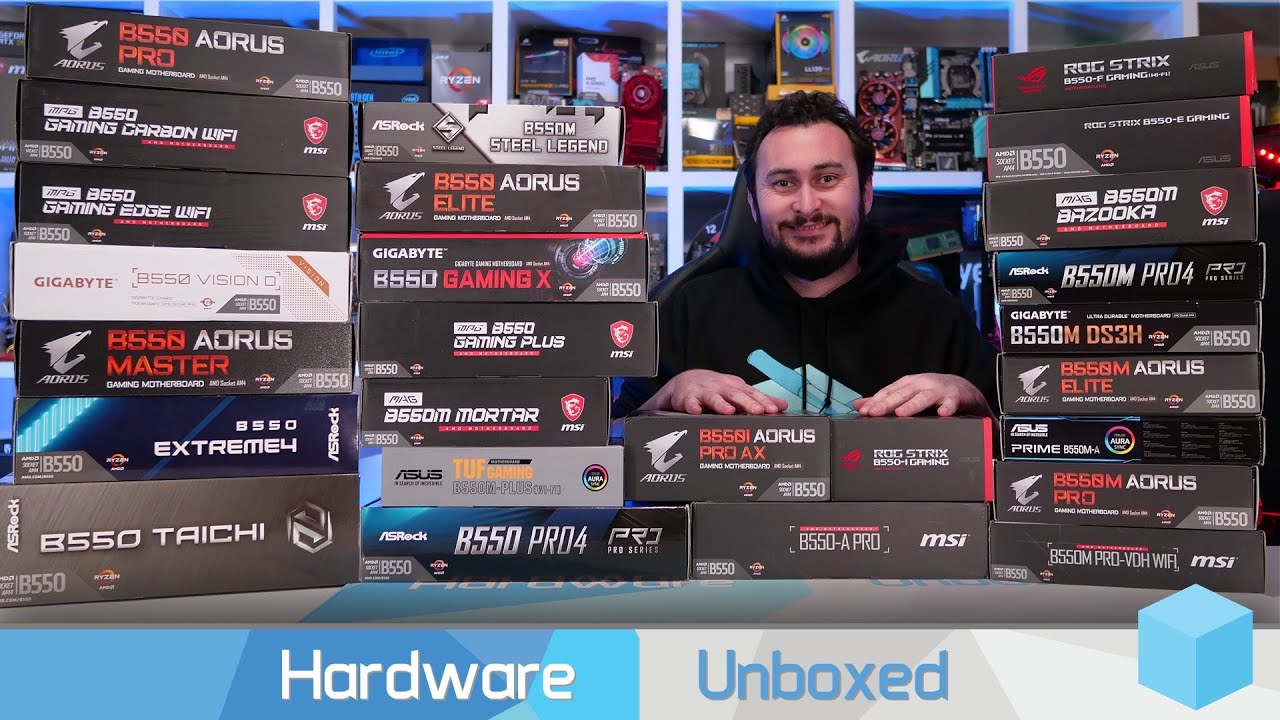
Join us on Patreon: https://www.patreon.com/hardwareunboxed
MSI B550-A Pro: https://amzn.to/344xXYY
MSI B550 Gaming Plus: https://amzn.to/3iKJJvC
MSI B550M Mortar: https://amzn.to/3iHjRke
Gigabyte B550 Gaming X: https://amzn.to/3h5jRu7
Gigabyte B550 Aorus Pro: https://amzn.to/2DQk7Pj
Asus TUF Gaming B550M-Plus: https://amzn.to/3h4urS5
Asrock B5...
Link here
hollow thorn
Smh just go Buildzoid if you're interested in VRMs
 pliant cypress
(actually hardware overclocking is his channel)
silk ice
Thanks @naive pendant idk why I had issues with it
 winged crater
wait, does gskill ripjaws work with and?!?
hollow thorn
why not
pale mist
Ram (while marketing sometimes gets annoying) is almost ALWAYS compatible inter-platform (remember that generation gaps and possible SI locks can change that)
@winged crater
all mainstream sticks from brands like that are inter platform compatible
hollow thorn
as long as the protocol match
 stable timber
 prisma nymph
i feel like the maximus, master and taichi would be the easy winner in that video tho ;-;
winged crater
pale mist
Ram (while marketing sometimes gets annoying) is almost ALWAYS compatible inter-...
oh okay, sounds great. thanks bro 😊
devout fiber
Thanks everyone❤❤
pale mist
@hollow thorn actually I have had protocols not work w each other bc of SI locks
I have been fooled before by the sweet dreams of cheap ram
pastel monolith
gskill aegis is the best cheap ram I've had recently
who needs heat spreaders when you have stickers that look like heat spreaders 😎
pale mist
Truth man whos profile looks like zoidburg from futureama
pastel monolith
LOL
 terse forge
Need help just built a i9-9900k with asus z390-E board the fan lights come on but it doesn't post and fans do not spin
brittle dock
tough one. double check 24pin and 4/6 pin power connectors on motherboard... make sure u used standoffs... try only 1 stick of ram and disconnect hard drives to try to isolate issue
could be a bad psu too ... if u happen to have another one try using it to see if at least the fans come on
eager shore
terse forge
Need help just built a i9-9900k with asus z390-E board the fan lights come on bu...
how do you have your fan connectors configured?
because if you have the led connectors connected to a controller with its own software and the fan connectors connected to the motherboard, it might be that your motherboard is not receiving any power, not sure if that makes sense
terse forge
The psu is a super flower brand new
I have this little led switch
Could it be cmos and do I need to use the jumper things to clear it!
?
brittle dock
cmos just holds bios info.. if youve never been in bios then its not likely
terse forge
I took the ram from my ryzen system.
eager shore
the ram shouldn't matter
you could try to post with one stick at a time
try to post using the igpu
reconnect your connections
and as trevor said, take away things that are unnecessary to post like drives, fans, etc, to narrow down any possible problem
brittle dock
what was the motherboard in your ryzen pc
terse forge
X470 msi pro carbon
That mobo has some issues with pcie wifi cards and dropping the internet connection to kps
eager shore
sheesh
terse forge
Do I need to remove the name ssd
brittle dock
never used onboard wifi before always used USB lol
brittle dock
unlikely..
terse forge
Do I need to put an non xmp profiled ram in?
brittle dock
the motherboard only supports the 9900k if the BIOS has been updated to version 1005
or higher
eager shore
is it an old mobo?
if it's new then i doubt you'll get a mobo with an old version, judging by how old the 9900k is
terse forge
Is it possible I need to get another intel chip just to troubleshoot?
brittle dock
it would be a major pain in the ass but yeah
AMD has this program where, if you have an AMD cpu but cant boot into bios, they send you a cheap CPU that you can borrow so you can get in and update the bios, then you have to mail it back to them... i dont know if intel has something like that too
eager shore
yeah and also it doesn't have to be an expensive cpu whne doing that kinda stuff
i think that you're able to use a pentium gold g5420 just to troubleshoot
terse forge
Well the fans are spinning I took out the cmos battery and put it back in
brittle dock
😮
eager shore
😳
brittle dock
that is strange ... but still no boot?
sounds similar to this post...:
https://forums.tomshardware.com/threads/computer-wont-boot-and-mobo-fans-not-spinning.2751151/
Tom's Hardware Forum
Hi, I am having a problem with my computer. It is fairly new (built it a couple of weeks ago) and it won't boot. It was running fine, with no hiccups, until it just randomly shut off and when restarting, it will not boot or power monitor and the fans that are connected to the motherboard don't...
terse forge
Can I just use the wires already plugged in with the other psu I have a evga I can use
brittle dock
not sure what you mean ... are they both fully modular psu's?
green terrace
Just to check because I can’t see
You do have 12V connected yes?
It’s a 4 or 8 pin on the motherboard
brittle dock
yea hard to see... cuz the heatsink blocking view
green terrace
Right usually they are 4
green terrace
Ok... when you turn it on is there a post code?
terse forge
No
terse forge
How do you clear cmos without the jumper caps
terse forge
For how long?
terse forge
I put the little thing in the picture on that
Did it for 20 secs took out the cmos battery and unplugged but still won't post
terse forge
I wonder if it's the pins that were a little bent but I don't really see that as an issue
brittle dock
😦
terse forge
I don't think it's the monitor
So the next steps are to get a new batt, reset ram to non xmp, try a new power supply, try a new cpu, cry if nothing works
How can the fans be spinning if the CPU is bad
brittle dock
xmp settings are stored in the BIOS or auto-detected by the motherboard if supported
terse forge
I meant psu
brittle dock
could be supplying just enough power to get the fans moving
terse forge
Let me get a new batt if that doesn't work I will try my battle hardened psu the evga 850 gold though super is their oem
brittle dock
let us know how it goes
 devout mothBOT
 OmegaFruitPunch#8991 has been warned
Reason: Bad word usage
terse forge
Could it be the mobo is not working I know the cpu works
brittle dock
thats possible too... i had a gigabyte motherboard that died... fans spun but monitor wanted to act like it was in sleep mode... rma'd it with the same exact motherboard and everything was working again
terse forge
Z390 should support the i9 without a bios update
naive pendant
Team T-Force, Corsair Vengeance RGB or other for memory? I’m not experienced so just asking for my first build.
 boreal zenith
idk
I'd check the compatibility list first and then recommended speed for you cpu and then smth with good cl, after that its just aesthetics
naive pendant
Thanks, just checked.
pastel monolith
is xmp on?
I always turn it off when installing new ram then turn it back on
sometimes it holds old values
boreal zenith
i've tried it on/off
i've tried setting the timings/speed/voltage manually
 it's 4000mhz and the highest i can get it to post at is 2133
 cinder sphinx
how do i check what bios version of a mobo without cpu? mobo is msi mag x570 tomahawk wifi
boreal zenith
Welcome to the MSI Global official site. We are the top Gaming gear provider.
 meager river
So, at my motherboards manifacturer's site (ASUS), they posted a new bios update for my x470-mobo that states the following:
"1.New CPU support
2.Offer a Re-size BAR Support option to enhance GPU performance.
3. Remove AMD 7th Gen A-series/ Athlon X4 Processors support"
Does this mean that it's updated the bios to support 5000-series processors?
 stray sandal
yes
meager river
Pog
naive pendant

boreal zenith
update: i spent more time trying to get my ram to post bc i didn't wanna pay restocking fee and finally got it to work properly
🤔 now what to do with old ram, idk if it's even worth trying to sell
trim mauve
What is it? U may as well try to sell it
With Covid happening I’m sure any half decent parts will sell rn lol
boreal zenith
it's this, i'm just not sure if it's worth the effort of going through facebook market place or stuff like that if no ones gonna buy it bc it's 3200mhz
spare gyro
Asus posted a beta bios for the b450f gaming for zen3.
naive pendant
bruh a lot of people still buy 3200 mhz kits
you should still try to sell the ram @boreal zenith
boreal zenith
okay I'll give it a shot tmrw ty
naive pendant
np
trim mauve
Yea
LMAO
3200 is very very valid still
People aren’t really pushing past 3600 unless they have too, and at that it’s only gonna be decent with a Ryzen chip since Intel doesn’t benefit off higher speeds like Ryzen does
Maybe with the Ryzen 5000 series, getting in to the 4 thousands for ram speeds will be common and relevant?!
boreal zenith
well
i know for 5900x/5950x cpu that they recommend 4000mhz
so i bought 4x8 gb of that
but obvs can't use my 3200 sticks anymore
by they i mean amd
idk if anyone has done they own testing but ram gets expensive anyways 4000mhz and up
boreal zenith
yea last time i searched
trim mauve
If your mobo only supports dual channel, and u have 4 sticks, doesn’t the frequency of each stick decrease in half.
By*
 trim mauve
So it doesn’t split in half
hollow thorn
It doesn't
boreal zenith
yea thats what i said
trim mauve
my task manager says my ram is at 3600, but my nzxt case software says each stick is at like 1787 or something like that, and that’s basically half of 3600
boreal zenith
i think so = no
hollow thorn
Because that's the actual operating frequency
Software like CPUz will tell you the actual operating frequency
The transfer rate on DoubleDataRate memory is double the frequency
That's where the 3600MT/s comes from
trim mauve
So if it was dual channel would the operating frequency be 3600? (Sorry I’m super stupid)
hollow thorn
No
trim mauve
Oh ok
hollow thorn
Dual channel doesn't eat frequency like that
hollow thorn
Yw
devout fiber
My mobo has a bent pin on one of the fan headers
Not the cpu fan header but like the case fan headers
gritty meadow
if you can get access with your fingers? sure
a small set of pliers or a tweezer would most likely be easier
gritty meadow
those pins are fairly durable :)
devout fiber
Still questioning why theyre bent bruh
gritty meadow
thats between you and the pins
pastel monolith
hard to tell manufacturing, shipping, you anyone could be responsible
gritty meadow
i dont want to get involved in a lovers quarrel like that
trim mauve
Imagine booting your first build and finding out a CPU pin came off 
That was me a year ago with my Ryzen 3 2200g 
pastel monolith
thats terrible
I thought I killed a 10980XE one time but I just destroyed the brushy pins on the motherboard....
not even my $1000 cpu lol
was "helping" a buddy
trim mauve
F
That sucks for him
I feel confident in everything I do on my brothers pc, but I get so nervous about anything I do on mine
Like legit everting that isn’t playing a game, or using an application I have installed
devout fiber
I dont want my first build to be my worst build lmao
I know what to do but do i have the guts to do it
Dont*
trim mauve
U can do it
It’s easier than u think
Hardest part is running into the issues that relay only to your parts. And u have to figure it out yourself
devout fiber
Is it okay to like touch the back of the motherboard, cuz sometimes i need to when i like carry it out of the box
And pull it out of the static bag
gritty meadow
@devout fiber generally yes, try and stick to the edges of the board
trim mauve
Yessir
^^
I thought u couldn’t touch the back at all, and then I almost dropped my x570 board cause of it
Oof
 warped scroll
devout fiber
warped scroll
devout fiber
thanks for the help y'all ❤️
trim mauve
devout fiber
thanks for the help y'all ❤️
Yw
 hidden monolith
Im getting a ryzen 5800x and msi b550 tomohawk for my next build, and have this ram currently: https://www.newegg.com/g-skill-16gb-288-pin-ddr4-sdram/p/N82E16820232476. Will this work with my ryzen chip? and if it will, would it be worth it to upgrade to something like this: https://www.newegg.com/g-skill-16gb-288-pin-ddr4-sdram/p/N82E16820232859?
fallen lynx
the Neo version was specially made so ryzen has less problems detecting it during POST, so you would be a little safer getting that type
but the first one SHOULD work
also try for 32GB if you can fit it in your budget
hidden monolith
Is 32 actually worth it tho? like will it make much of a difference ?
boreal zenith
yea
 inner relic
i was thinking about a new mobo with 4 ram slots instead of 2 and 2 m.2 slots instead of 1 looking for one from the price of 100-160 any recomendations
boreal zenith
there's a chart in the pins thats helpful for that
pearl zealot
Careful about using 2 m.2, some motherboards have the second m.2 either disable or share throughput with some other busses. Make sure to read the manual
inner relic
ok thanks
 manic forge
Hi, following up on my issue with an Asus Tuf gaming z490 (wifi). I have a pair of G.SKILL Ripjaws V Series 32GB (2 x 16GB) 288-Pin DDR4 SDRAM DDR4 3200 (PC4 25600).
I can boot just fine with one installed, can't boot with 2. I reset CMOS by short cutting the 2 pins on the MOBO, removed / put back MOBO battery, tried all possible combination on memory installation... no luck.
I am also unable to activate XMP with even 1 stick installed.
eager shore
have you tried testing each module independently ?
manic forge
Yes, working fine
hollow thorn
@manic forge tried testing each stick with memtest86 or a similar tool?
hollow thorn
(that'll tell us if the stick themselves are at fault)
 fallen jungle
The Ryzen 7 3700x is a really good cpu, right?
fallen lynx
yes
pliant cypress
midrange I'd call it
fallen jungle
awesome thank you 🙂
trim mauve
its best price to performance imo
pliant cypress
3600 is better price to performance
3700x is just very slightly faster with an extra 2c 4t
violet zealot
It was when you could get it brand new for $120 for a bit last year I think, personally I got it for $150 last year in the summer though. Pretty good I think
naive pendant
prisma nymph
3600 is king
It was
Rn it's pretty bad value & stock compared to intel 10th gen
 fresh wren
anyone here with a 5xxx series processor see higher than advertised boost clocks?
pale mist
Not for a couple months
azure pulsar
v
atomic haven
If I get a 3080 Fe and I have $2300usd left what cpu and mobo should I get.?
heady root
if you're just gaming a 5600x works
atomic haven
Okay.
violet zealot
I mean since you have the budget get the 5900X
atomic haven
Okay thank you for your help.
naive pendant
5900x is really overkill for gaming but uh...if the money is not a issue, a 5900x could do.
violet zealot
As I see it, 6 cores is the absolute minimum. If you're just gaming then it's fine for now, but I don't think it will be adequate for too much longer
naive pendant
violet zealot
As I see it, 6 cores is the absolute minimum. If you're just gaming then it's fi...
You kinda right but i would save money for am5 though
violet zealot
I don't think it will be worth upgrading to from Zen 3
Sure you could save about $250 now, and in two years upgrade but swapping out the motherboard, RAM and the CPU is gonna be more expensive as it is. So it's better to spend a bit more now and have a CPU that's plenty fast for honestly I would say easily 5 years
naive pendant
Well...i guess that depends on person
The highest i would go is 5800x
It should hold for years
violet zealot
It does depend on the person yeah
naive pendant
Unless we get another core increase like what happened when amd came with ryzen
violet zealot
I still think the 5900X is the better buy over the 5800X though since it is literally only $100 more and you get 50% more cores
naive pendant
Didn't pay much attetion to the 50xx X price though
I am.more interesed on the G series and the non X series...
I wonder if amd gonna release a non X 50xx
violet zealot
Yeah there was mention of a 5600 for 229 coming out next quarter
naive pendant
Nice
violet zealot
Nothing on a cheaper 8 core option though, I would think they would put one out though
naive pendant
I wonder if amd gonna release the budget apus on 50xx series
Or they gonna like
Wait for ddr5
violet zealot
The Zen2 APUs stayed in the OEM market only
I don't know if that means anything for future releases though
naive pendant
Yeah, 4000g series was oem only
I am still waiting to see 50xxg
Also intel should step up their game and introduce the xe max on their core I3s but might take too much space i guess.
 terse crater
what's a good m-atx board for a 5600x
hollow thorn
What's the budget?
terse crater
as long as it doesnt go over 200 dollars