#cpus-mobo-and-memory
1 messages · Page 116 of 1
 dire wharf
 rose sonnet
 digital kernel
I don't know much about wifi cards either, but my guess is you'll have better luck finding a gigabit capable card with a pcie x1 form factor
 gritty patio
Yeah I wouldn't waste the m.2 slot when they won't hinder the performance like they did on b450
 icy juniper
Hey guys, I'm starting my second build now. I had a good amount of spare money for the first one and just went for a Rog Strix X570.
icy juniper
I'm using a Ryzen 5 with a 2070 super, but I was wondering what (more budget) motherboard would you guys recommend?
I was thinking of getting the Asus Prime X570 Pro which is a solid 200 usd less
 neat glacier
woooooahhhhh
@icy juniper
this is my rule of thumb when it comes to building a pc-
your mobo should cost just about less than or equal to half the price of the cpu
if it doesn't, then invest in a better cpu with the excess money from the mobo
icy juniper
@neat glacier I was trying to go way over my head on the mobo to leave a lot of room for upgrading in the future
neat glacier
@icy juniper mind if u send me the build? I can help you out, maybe make some edits for a future proofed build
also need budget and usage
icy juniper
For sure @neat glacier
 naive pendant
Is 1x8 or 2x4 better for RAM
neat glacier
@naive pendant 2x4
 warped scroll
Single stick < two sticks < 4 sticks
 midnight pollen
< 8 stick < 16 sticks
warped scroll
And etc
neat glacier
< 32 sticks
 sick raven
Hey, I've got a quick question for you guys. I'm looking at getting the GIGABYTE B450 AUROS ELITE AM4 AMD B450 SATA 6Gb/s ATX AMD Motherboard from Newegg and wasn't sure if it would have the BIOS to support Ryzen 3000 series CPUs. Does anybody know if it will?
sick raven
Nice! Thanks
naive pendant
so the b450 tomahawk is now $250, up $125 from last weeks $124.99
 charred venture
reasonable
microcenter has mobos back in stock tho
with the XT processors as well
 long geyser
it's a bad board for the price anyways
so meh
whether $125 or $250, both options are overpriced
 void egret
hey I'm pretty new to building computers I was just wondering if any one could explain how a more expensive motherboard might help my computer in any way
 wintry rose
I think it depends on what you are trying to do with your PC
Some offer more options to add stuff to it
Sorry pretty basic answer but thats the best I got off the top of my head lol
long geyser
depends on what you want:
-Better VRMs (power delivery) for OCing (overclocking)
-better BIOS with more features (like LLC [load line calibration] for OCing, Infinity Fabric OCing, etc)
-WiFi
-better sound processing unit
-more NVMe M2 ports
-more SATA ports
-more USB ports
-more PCIe ports
-10Gbe networking
-dual RJ45 ports (ethernet port)
Plus a lot more. It depends on what you are doing and what your needs are. It'll usually not make a difference for a standard consumer
 hollow thorn
But a decent board will do just fine for most people
As long as a board is decent, incremental gains are meaningless
For example, 1.5gb to 10gb lan doesn't matter to most people
like 8 stages vs 12 stages doesn't matter unless you do OC
wintry rose
More stages = more OC?
 tranquil wolf
Bought an msi mpg z390 gaming edge ac mobo today, swapped it in with my i5 9600k and 32gb 3200 ram, now if i have the xmp on it today random bsod
hollow thorn
random bsod is random
doesn't point to anything
it could be anything at all
what is the stop code
tranquil wolf
It's never the same, one was Kernal mode heap corruption, one was kmode exception not handled, one was system service exception, last one i noted was Kernal security check failure
hollow thorn
General fix for random windows problems
From an admin command prompt or powershell, run:
sfc /scannow
If that doesn't work, try:
dism /online /cleanup-image /checkhealth
dism /online /cleanup-image /scanhealth
dism /online /cleanup-image /restorehealthThen, try running sfc again.
Repeat as necessary
those are just random bsods that can be involved with just software
tranquil wolf
Yet it only happens if the xmp is turned on
tranquil wolf
Even with a fresh windows install?
hollow thorn
sometimes yea
its just wacky
Better check software before hardware and before considering RMAs
tranquil wolf
The only new hardware is the mobo, and that store is 1.5hrs away lol
 mild jackal
What sticks? Sometimes xmp doesn't work out of the box.
tranquil wolf
Corsair vengeance
4x8gb
If i leave the BIOS default i am fine, if i go into BIOS and turn on xmp and reboot it shows they are 3200 but then 1 to 5min later i get the random bsod
tranquil wolf
so i did all of the Powershell Admin stuff, no go still. So i removed 3 RAM and tried one at a time, each worked in XMP mode, then tried them in pairs, worked as well, then tried all 4,, now it appears to be working, so maybe it was loose in the slot? idk but it is working lol
mild jackal
Can you post a parts list?
Or the exact models of your cpu/mobo/mem?
Running a userbenchmark and posting the results works well
tranquil wolf
@mild jackal https://www.userbenchmark.com/UserRun/30427112

 sterile spruce
whats the diff between wi fi 5 and 6
 main pulsar
802.11ax compatibility
so it doesnt really matter a whole lot if your router doesnt support 802.11ax
the only way your router supports it is if you paid a ton of money for a router very recently
like, mid 2019
sterile spruce
i havnt
we may upgrade because our att is doing fiber so we may upgrade i dont know enough about it
main pulsar
ahh
well, if you have the option, wifi 6 network cards really arent that much more expensive
and most newer motherboards come with wifi 6 if the board has wireless networking capabilities
sterile spruce
ive got the cpu and a case its mid tower
Asus TUF GAMING X570-PLUS (WI-FI) ATX AM4 Motherboard
how bout this its in my range
well thats the one i getting lol
not trying to be rude it just checked all of my boxxes real uick
 tacit hemlock
That's a decent board
 tame narwhal
anyone know good gaming mobo's that support ryzen cpu's
tame narwhal
Ryzen 5 3600
digital kernel
Any b450 board should work
If you want to maybe get higher tier components in the future, consider a b550
tame narwhal
Ighty then thanks
tame narwhal
outdated council thing
 vagrant mist
where's linus
 tawny dagger
Yo
Can someone tell me whether or not to cop the msi mpg b550 gaming plus
I can't find any reviews on it
 grim mica
in short, b550 gaming plus is a good one, you can't go wrong with it
naive pendant
What's a good mobo with an am4 socket, pairs with ryzen and has 4 memory slots for around $100 USD?
hollow thorn
ds3h :P
charred venture
microcenter had a bunch of restocked mobos
 weary sluice
Is there any information on when AMD Renoir APUs will be available for retail purchase?
digital kernel
Soon
naive pendant
I think within the next few months
weary sluice
Damn, few months? Every article I read says the Pro versions are being released July 21st in 11 days.
digital kernel
They might be
weary sluice
But then articles say the Pro and regular series this time around will be all the same and not separate. But who knows.
digital kernel
I'm seeing the same thing. Looks promising
 pine flower
why my pc do dis
i can hear either the pump or fans throttling when it does it too
seems like when i keep ryzen master open it sits at 47C but doesnt bounce in temp like that
 quaint current
the spikes are usually when background tasks run and stop running
pine flower
but it stops entirely if i start ryzen master
but also idle temp goes up almost 10C
ryzen master closed
ryzen master running
maybe theres something like trying to fight for control of something?
 frozen jackal
Does Ryzen's specific RAM comfiguration still apply, or can I use all 4 RAM slots on my B450? Running a Ryzen 5 2600X.
digital kernel
Zen+ is still a bit picky. Some kits will work in all four slots, some won't
frozen jackal
noted. been thinking of getting another 16GB kit at some point, followed by the upgrade to 3rd gen Ryzen
but I guess i'll just go straight to a newer mobo, then proc and ram
 upbeat lichen
yeah, i'd avoid mixing kits if possible, normally it should work no problem, but i've read stories of people having stability issues mixing ram kits, because one set struggles to support XMP timings or something along those lines
frozen jackal
I mean, it'll be from the same brand and model (Corsair Vengeance Pro)
would it still have stability issues then?
upbeat lichen
it shouldn't, and probably won't, but i've still heard of issues happening, rare as it might be
it's usually just best to buy a full matching set at once
naive pendant
I installed a set of 16gb oloy warhawk into my last build, a few months later I put another set in (same make and model) in. I don't know what happened but all 4 sticks fried and had to get completely new ones
frozen jackal
when you got the new ones, did it work just fine then?
cus it sounds like I'll have to just get the 4 sticks at the same time, rather than getting another set later
 plain flume
I have a msi gaming plus z390 i7 9700k and 32g of corsair ddr4 vengeance rgb (8x4). After installing the second set of sticks, I started to become unstable in just about everything (at their rated speed 3200). I've since lowered the speed to 3000 on the ram and my system is stable again. Would it be most efficient for me to run the ram at 3000 x 32gb or 3200 x 16g? I primarily game, began getting into streaming and recording, for context.
I think the motherboard supported up to 3600 speed, 64gb, I can't quite remember, but I do know it was far more than I have installed
neat glacier
@plain flume I don't know the solution to your problem, but I do know this: running RAM 200 mHz slower won't drop you more than 1 or 2 fps.
long geyser
Probably secondary timings, IMC voltage, or mem voltage that is messing with you. Realistically streaming with NVENC or a capture card won't use much RAM, not will gaming. So I doubt you'll need 32gb. But also 3000 vs 3200 will make very minimal differences in perf on Intel.
 ionic hamlet
I'm sort of mulling over going with one of the MSI b550 boards. I really like the way they look and I don't seem to be hearing any callouts of them being really bad.
 prime echo
Im going for the B550M Mortar Wifi Mobo in my Micro ATX build. I got an eye out for the B550 Gaming Edge Wifi, but I wanna see temps in benchmarks from it first.
long geyser
Doubt MSI b550 will be more then meh for the price. B450 was quite meh for price, usually almost always overpriced
long geyser
ATX wise best cheapest b550 was Asrock Pro Gaming 4 at $115. Idk mATX
 polar moth
So my girl's build was completed yesterday and everything is fine. She ran the game Ark then it froze and locked up her pc. Weird she tried to run Elsworld it would crash within 2-3 minutes. Havent done the benchmark test but I think its due to incorrect or not up to date AMD drivers? Specs are Ryzen 5 3600, 16 gb 3000mhz, RTX 2070ko
And the motherboard is Rog Strix B450-F gaming
I havent done the BIOS update, could it be that needs update or two games were just having bad luck?
yes I did windows 10 update and updated graphics card too
charred venture
monitor/cable issues?
 shadow ermine
is the ryzen a good brand for cpu ??
 supple monolith
yep
supple monolith
True lol
hollow thorn
Just a marketing term afaik
shadow ermine
my bad
 weak hamlet
ryzen OP.
naive pendant
Ryzen has Risen
polar moth
btw she has pc hooked up to tv capable of 4k resolution, is that this why?
I already set it to 1920x1080
Ok problem seems solved with BIOS update
 short sage
@polar moth sounds like you figured it out but for the future just try to do any bios and/or driver updates first to narrow down the problem
polar moth
Seems the ark is having a problem still
short sage
Ark is very poorly optimized and super demanding, use GeForce experience to check all graphics drivers
 keen arch
guys i need help
What's the best processor I can upgrade to? This is my current specs..
Prossecor: AMD Athlon II X4 630 (upto 2.8GHz)
Motherboard: FOXCONN 2A92
Installed RAM: 16.0 GB (DDR3)
Storage: 1TB HDD (Just ordered a 500GB SSD on its way)
GPU: NVIDIA GeForce 8400GS
neat glacier
@keen arch budget?
dammit lmao I hate it when ppl here ask for a reccomended upgrade to without giving budget, use, or any other important info abt what u need in the build
 finite elm
That looks like a fairly old PC
neat glacier
@keen arch
budget?
also i'de u[grade everything
that looks like it can barely do 720p medium
keen arch
my budget is $300 -500 if i have to get a new pc i will just want to take the right route
@neat glacier @finite elm
naive pendant
can someone help me with my ram?
i had 16gb of ddr4 at 3000mhz and i added another 16gb and now it won't go passed 1866mhz
midnight pollen
try to find some parts used at that budget, but something like storage and psu i'd probably get new
naive pendant
no matter what i set in bios 😦
midnight pollen
xmp?
naive pendant
Any idea what I should do!
This xmp preset doesn’t work I believe never did even though ram was 3200
Most I could do was 3000
midnight pollen
xmp profile should work, sometimes doesn't play nice when overclocking. are you relying on what the bios is saying or did you check in windows to see the speed
naive pendant
Windows is at 1866
I did the xmp last time and just kept turning on and off and I had to remove the cmos battery
Will try that profile again and hopefully don’t need to reset bios again lol
Nope that xmp profile still at 1866
Windows shows 16gb on the left but 32gb on the right
midnight pollen
you use 4 sticks?
naive pendant
Man I’m so confused
Just reset bios to defaults
Will try again
But if it doesn’t work I’ll pay someone to help me 😂
I wonder why windows is showing only 16gb on left but says 32gb on right
midnight pollen
strange, could try a bios update
naive pendant
Latest one
midnight pollen
was this always like this, or did this problem happen recently
naive pendant
It happened when I went from@16gb
To 32
I had it running stable at 16gb 3000mhz
And I put another 2 sticks and dropped to 1866
midnight pollen
might just be appearance, there is something about detected ram speeds i can't remember. i am no expert with ram tho
 devout mothBOT
 Joee#4652 has been warned
Reason: Bad word usage
naive pendant
so frustrating
midnight pollen
doesn't look like it has on board but could get a pcie wifi/bluetooth card
 slim kelp
Can you link me one?
naive pendant
all the rams are the same
slim kelp
A bluetooth card?
 polar fern
so i had this issue, where it wouldn't detect my ram, is that your issue?
or what is it
polar fern
ok
slim kelp
@midnight pollen can u link me a bluetooth card?
slim kelp
I didnt care to check at the time for wifi/bluetooth because i was going to run ethernet
polar fern
ive never had that issue, but the one thing that did work for me was when i reinstalled windows 10
hollow thorn
windows might be going crazy
polar fern
im not sure what else to do
hollow thorn
try the repair thing
midnight pollen
@slim kelp something along the lines of this https://www.newegg.com/asus-pce-ax58bt-pci-express/p/N82E16833320394
naive pendant
did u overclock ur ram
midnight pollen
oh idk if there are cards just for bluetooth
polar fern
I did for a bit and turned it back down to regular
polar fern
im not using xmp
hollow thorn
1866 mhz base?
polar fern
i see no difference in games
slim kelp
Yea cuz i dont rlt need wifi
naive pendant
upgraded to 4x8gb
slim kelp
How would i install it?
hollow thorn
Like true frequency or ddr frequency
polar fern
try re seating the ram
hollow thorn
okai
naive pendant
polar fern
if only half of it is usable try re seating
hollow thorn
might want to just run every stick at 2133mhz cl15
naive pendant
i tried
polar fern
im running every stick at 2133
hollow thorn
Jedec defaults
naive pendant
it wont budge over 1866
long geyser
effective and actual freq exist for RAM
naive pendant
i tried anything over that
polar fern
yea i have no idea
hollow thorn
wait you mix matching sticks?
naive pendant
no
long geyser
what voltage, timings, RAM models, mobo
naive pendant
same 4 sticks
hollow thorn
ye cpuz would help
long geyser
So you put it at "XMP 2.0 DDR4 3200..." and then what?
midnight pollen
931mhz oof
naive pendant
hollow thorn
and then do slot 2
midnight pollen
i am even more confused now
naive pendant
long geyser
XMP kill itself?
midnight pollen
lol
naive pendant
no idea but
hollow thorn
hmm
naive pendant
could reformatting windows help?
long geyser
no
hollow thorn
I was thinking maybe same model different part somehow
polar fern
i reinstalled windows and it fixed my ram detection issue
try that if nothing else works
long geyser
well, put the freq, timings, and voltage in manually
hollow thorn
Try using the Memory try it thingy
(Or whatever equivalent you have in your bios)
naive pendant
hold up let me go into bios
hollow thorn
manually doing all the subtimings is hard :P
long geyser
subtimings shouldnt change all too much hopefully. Should at least be good enough to do 2133 effective I'd hope
naive pendant
hollow thorn
Hei what mobo do you have, and do you have a memory try it profile thing
naive pendant
Nope asrock
hollow thorn
Let's try XMP settings manually
long geyser
when you opened up the OC Tweaker did it have CL at 16 or 13?
hollow thorn
change it to 16
naive pendant
On the right side
long geyser
so you changed it to 16 and then took the pic?
long geyser
BIOSes arent fun
naive pendant
Let me try but you’re sure windows reformat won’t do anything?
Was working fine with 16gb damnit
long geyser
well try going back into windows and CPUz
naive pendant
cause from this screenshot
hollow thorn
(save and restart?)
long geyser
based on what I can tell it was already trying to run at CL16, but CPUz is showing CL13
naive pendant
Yeah I saved and restarted
hollow thorn
open cpuz again
naive pendant
It’s open
hollow thorn
screenshot?
hollow thorn
xmp might be overriding manual settings
naive pendant
but without XMP on
like
on Auto
I can't change the dram stuff
its greyed out
hollow thorn
excuse me what
Oh there might be like a "expert mode" or whatever in the bios to let you edit subtimings and such
naive pendant
Check
long geyser
can ratios like FSB or whatever it's called effect timings?
hollow thorn
Hei you used asrock bios before?
long geyser
BLCK I think it's called
long geyser
you know what? Reset CMOS
pull the battery out for a min and then put it back in on the mobo
coin battery
long geyser
this is getting too whack for understanding
hollow thorn
ya jedec defaults
naive pendant
Jedec?
hollow thorn
That's LAN? I thought you needed bluetooth or smth? @slim kelp
midnight pollen
lol
slim kelp
😂
midnight pollen
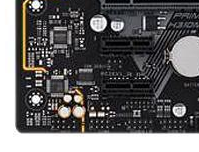
just needs to go in one of these pcie slots https://i.imgur.com/H3kGviU.png
 hollow thorn
just need bluetooth smth like this should work
https://www.newegg.com/tp-link-archer-t6e-pci-express/p/N82E16833704274

Buy TP-Link Archer T6E AC1300 Wireless Dual Band PCI Express Adapter IEEE 802.11ac / n / a 5GHz, IEEE 802.11b / g / n 2.4GHz PCI Express 867 Mbps at 5 GHz 400 Mbps at 2.4 GHz Wireless Data Rates with fast shipping and top-rated customer service.Once you know, you Newegg!
 vale oracle
right fellas, im back after a while.
Planning on moving to Ryzen from Intel, Because I find it'd be a good move and DDR4 ram goes brrrr in my brain.
2 Questions:
What do you think a pre-owned i7-4790 would be worth in NZ?
Is i7-4790 to Ryzen 3 3100 a good move? Userbenchmark in all its bias places then dead on top of each other, and I'm pretty sure I dont need anything better.
naive pendant
So@tried everything and when I remove the two new rams and set the xmp to 3200 it works
As soon as I put another stick in it’s locked at 1866 forever
So weird
gritty patio
@vale oracle i would say a 3300x if you could get your hands on one
vale oracle
yeah thats my end game
im not looking for an upgrade tho
just a switch
only one place here sells the 3300x anyway
 grizzled holly
on the asus rog maximus formula, what cables does it use to power the cpu and what are they callled?
i'm asking for a friend since i've never seen or have had experience with that motherboard
short sage
Definitely, but the 1600 AF would probably be the better choice as it has virtually the same performance for less price. They’re hard to find though
supple monolith
I think Amazon still has em for $100
tacit hemlock
105 last time I checked
midnight pollen
Last I checked it went oos, only found it for 150 and up
tacit hemlock
Ya your right, its oos
finite elm
I'm just glad you check to see if something's out of stock tbh.
r/buildmeapc and r/pcmasterrace don't.
They're still suggesting the 3300x to everyone even though it's oos in a lot of areas. Including mine. I waited 6 weeks for it to be back in stock when I was building my brothers pc before I gave up lol
 lethal glacier
Good motherboard under $150? Amd
keen arch
Whats a better motherboard B450 Aorus M or B450M DS3H for these hardware?
AMD Ryzen 5 2600
Gigabyte Radeon RX570 4 GB Gaming Video Card
EVGA BR 600 W 80+ Bronze ATX Power Supply
G.Skill Ripjaws V Series 16 GB (2x8) DDR4
Thermaltake Versa H18 MicroATX Mini Tower Case
WD Blue SSD 500GB
warped scroll
@lethal glacier for what CPU
 neat estuary
Haveing a super annoying Audio issue with the Gigabyte b550 Aorus Pro. It recognizes my headset and mic in the front jack but after a full day of driver uninstall/install, configuration, watching vids online. That darn thing won’t work. Welp!
lethal glacier
7 3700x @warped scroll
warped scroll
B450 tomahawk maybe
 desert seal
@neat estuary Oh f*ck, glad that I didn' upgrade yet. I'm not sure if I'll do though
neat estuary
???
I think its something really simple that im missing. I can hear it buzz when i restart the pc etc..... some how my old headset just cant pick up signal from the fancy audio system
long geyser
@desert seal swearing and avoiding the filter for swear words (including censor) isn't allowed on the server.
Be wary before mod gets angry
neat estuary
Im of half a mind to get one with a USB to actually use the HD quality i get with the board
 peak flax
Looking for advice on a motherboard. Do any offer built in raid 6 ? (If not, any advice on a raid card?) Also, I'm new to this forum, so not even sure if this is the right channel to ask for such things.
 buoyant niche
does anyone know if exposing the bus on a motherboard would wreck it. there 2 spots the size of a toothpick tip
grizzled holly
ay yo wth

kit.co
Hey! I'm currently working on becoming a streamer and youtuber soon! And this is my setup for it!
i'm kinda jealous of my uncle...
if you're wondering, i helped him out pick some stuff
vale oracle
b&h??
@gritty patio Mighty Ape, what is b&
uh amazon?
@polar fern find somewhere that ships to NZ cheaper than I can get it here and it’ll be lit
Alright so:
3300x is what im going for, what motherboards work out of box with it, and i dont need like X470 boards because I dont do any overclocking.
grizzled holly
then just get the msi b450 tomahawk max
grizzled holly
how come?
grizzled holly
wdym shows msi's on it?
vale oracle
b450m mortar max?
grizzled holly
and everyone recommends it because of the total experience everyones' had with it
and the quality of it
is immaculate
for it's price oto
too*
vale oracle
idk man, if everyones reccomending your product, and its that good, youre on top of it man. youre winning.
vale oracle
im tryna just sketch out costs, budget rn is around 400$
im just looking to get the 3300x and and mb
grizzled holly
for the whole pc?
devout mothBOT
 GOD [DORIME]#0277 has been warned
Reason: Bad word usage
grizzled holly
damn
vale oracle
looking to aus as well but
grizzled holly
can you link it
grizzled holly
OH MY GOD
PRICES...
ARE TERRIBLE
405$ FOR A 9600K?
@vale oracle what are you gonna be doing with the system?
vale oracle
yeah, thats why the market here is mainly pre-owned
trade me is a god send
GPU prices are bad, its rough
grizzled holly
only gaming?
vale oracle
mainly gaming yeah
Asus TUF B450M-PLUS GAMING Micro ATX AM4 Motherboard?
anyone know if thats alright?
grizzled holly
https://www.ebay.com/itm/274422208364 you could ask the guy if he ships to nz

eBay
Find many great new & used options and get the best deals for Intel Core i5-9400F BX80684I59400F 9M Cache 2.9GHz 6C/6T LGA1151 at the best online prices at eBay! Free shipping for many products!
vale oracle
nah
grizzled holly
nah to who
gritty patio
no
vale oracle
intel is bad, at least on my end
grizzled holly
who'd you hear that from?
vale oracle
i dont want intel, moving from a i7-4790 lol
gritty patio
you can oc on anything
grizzled holly
hey that cpu isn't THAT bad
gritty patio
^^
vale oracle
ik, but i want choices later down the line
grizzled holly
intel is still good on some cases
grizzled holly
besides, intel changed a lot since the 4000 series
gritty patio
lmao
vale oracle
yeah ik theyre good, its not a bad cpu, but im talking choices specifically
grizzled holly
bro the prices for this stuff
vale oracle
like where i can go
gritty patio
^^
vale oracle
GTX 980, im upgrading to a 1070
grizzled holly
yo the 980 is still really good
grizzled holly
same with 4790
vale oracle
u p g r a d e s p e o p l e
gritty patio
no cap
grizzled holly
or whatever it's called
vale oracle
u p g r a d e s
vale oracle
i'll buy it off of you for $20
@gritty patio keen
grizzled holly
i'll buy it for 150$ USD
gritty patio
no
vale oracle
thats like a 4000% profit loss
grizzled holly
lmao
gritty patio
you're being nice if you do
grizzled holly
hey kisuke
grizzled holly
i'll give you my 560 2gb for 50$ 😉
grizzled holly
fine how about 9000$
gritty patio
my toilet paper rolls are worth more than that gpu
grizzled holly
tough bargainer, 100M
gritty patio
no
vale oracle
wait anyway, is the the tuf b450 any good
gritty patio
no
vale oracle
Why
grizzled holly
why don't you want to update the bios?
gritty patio
???
grizzled holly
he said he wants it to be ryzen 3000 ready outta the box
gritty patio
cause
gritty patio
its convenient
gritty patio
if you dont really like the ports on that mb then its understandable
but its a great budget option
and no
that board is like 2 years old i'd get something newer
grizzled holly
bro prices there actually sucks
devout mothBOT
GOD [DORIME]#0277 has been warned
Reason: Bad word usage
grizzled holly
500$ for a 1660S
gritty patio
mans spent 5 mins typing and none of it came through lmao
gritty patio
ok
gritty patio
 warm path
Which would perform better an i9-9900KS or i9-10900K
warped scroll
10900k
upbeat lichen
got my i7 build up and running and 2 of the ram sticks i bought are bad, womp womp
seller is just sending me an entire new set of the same type though, and letting me keep the set i initially bought though, so that's awesome
charred venture
:0
warm path
Nice
 winged kiln
Hey Everyone!!! Just joined. Wondering if any of you could shed some light on whether or not the asus tuf b450 should be compatible with ryzen 3rd gen out of the box w/o needing a bios update. The info I can find seems to be conflicting
upbeat lichen
At this point in time, it shoudl be. that warning was really only applicable when there were still boards coming out of the factory with an old BIOS. by now, they should all have the right BIOS when built
there is still a very small chance, if any retailers have really old stock in the warehouse kicking around
but unlikely
winged kiln
thats what I was thinking
I did buy from newegg and all mobos seem to be selling like hot cakes
 potent dew
Does anyone have any ideas why my mobo's RGB isn't the same color as anything else in my PC?
Gigabyte
winged kiln
do you have connected to argb or rgb?
winged kiln
is it a three pin connector or 4 pin?
winged kiln
ok, If the mobo changes color but its different... like ones blue and ones red, try rgb swapping in the software
upbeat lichen
yeah, the supply issues with things like motherboards means that anything you get will probably be pretty fresh from the factory, so BIOS issues shouldn't crop up at all
winged kiln
but if mobo is same color as your fans just a different "temperature... not sure what could be the issue
potent dew
Nvm it's only when I use the preset light blue it's lighter
winged kiln
thanks chauntalel!
winged kiln
hmm if its only the presets. probably just a software bug
Im having some problems with asrock polychrome and razer synapse as well
potent dew
Not only with presets
potent dew
Could I clock my RAM over the 3200 it says it can go to?
hollow thorn
Depends
potent dew
My CPU doesn't like 3200 so I was wondering if I could go over
potent dew
Oh
gritty patio
okok so
i have speedfan running rn and ryzen master
speedfan says the cpu is at 37C and ryzen master is at 43C
which one is right
and i also always run afterburner in games and ryzenmaster and afterburner always match up
so is speedfan wrong??
hollow thorn
speedfan might be wrong
 ember ermine

 quaint current
ryzen?
polar moth
So help, my girl's pc now freezes within minutes after the startup. could it be RAM issue?
polar moth
Froze or as in crash
hollow thorn
???
polar moth
Actually from what I see, Windows 10 just froze after few minutes.
BSOD and black screen of death is same thing -_-
polar moth
oh my bad I didnt see "black"
hollow thorn
one is windows crashing, which means most likely software/driver issue
one is just straight complete crash, prob hardware issue
polar moth
So no Black screen. just win 10 froze within minutes
hollow thorn
and then what does it do
polar moth
Nothing
Also her Asus rog Strix board has light that goes from green to orange to red.
hollow thorn
prob debug led, normal for those to switch around on boot
polar moth
It started with orange light
polar moth
Yeah found mine. I'll send any messages if I need more consult.
quaint current
haha led go brrr
hollow thorn
BRRRR
naive pendant
Thinking about pulling the trigger on getting a dual kit of 32gb 3600 CL16 ram for Ryzen 4000 build I am gonna do but not sure if I should wait or not to see what will work the best with the new cpu
 keen elk
I just bought ram with same specs for my new build.. nice!
mild jackal
Buy 3600 mhz cl(anything) ram for ryzen 3rd gen
neat estuary
And again. Every time I do some stress testing on my B550 Aorus Pro it will not start the next morning until the battery is reset. Anyone have this issue?
 autumn aspen
is this right spot to talk about the sleep/hibernation functions on the PC?
I'm just curious about Sleep mode, I recently had an old OCZ power supply that died on my music workstation (it was about 10 years old) and often I'd have the computer sometimes on, but in sleep mode. Does this harm the PSU in anyway?
like, I'd use my workstation for an hour, take a break for like 30 minutes, sometimes a few hours if I have to run errands.. the computer would be asleep. I'd leave all my applications running just to come back to it
Partly why I ask is because I also have a PC for gaming, and frequently it sleeps after 10 minutes of being AFK. I'd imagine it saves power usage no?
hollow thorn
@mild jackal don't buy cl20 ram tho
 woven vault
Hello
woven vault
I have some problem with my asus tuf x570
woven vault
Ryzen 9 3900x
woven vault
I have 2 cpu connectors
 waxen current
I'm about to buy a asus tuf x570 to overclock my 3900xt, so I'm interested on errors
lol
neat glacier
ew @waxen current there's supposed to be issues with x570 not working well with xt cpus, and 470 is supposed to be better
woven vault
Even if i wont overclock
upbeat lichen
@woven vault do you mean the big 24 pin, or another 8 pin?
woven vault
Ill show you
neat glacier
@waxen current don't do x570, it's not suppoed to be gr8 for xt cpus
linus did a thing on it
wow ur typing for awhile
waxen current
What i really want is a mobo compatible to a ryzen 3600 and the best 4000 series cpu overclocked in the future
I dont wanna spend money on a mobo now and when i buy a 4000 cpu
neat glacier
what gpu r u using? j curious
woven vault
It has one 8 pin and one 4 pin for cpu
waxen current
right now 1660 super, but planning to upgrade when i get the processor
woven vault
It is going swell
neat glacier
bc if u wanna upgrade, also y get a r9? get an r5, or r7 if u rlly need it...
woven vault
But can i connect 8+4 pins and overclock when I want
waxen current
i "skipped the line" here, so im gonna wait for irontiger to finish 😄
neat glacier
ask #general-chat @woven vault, u would probs get an answer faster
i can't rlly help sry lol
@waxen current ye
waxen current
hahaha
neat glacier
y get r9 if planning to upgrade?
doesn't rlly make sense...
also 1660s kinda bottlenecks it
waxen current
Let me tell my plan... I have a fx-8350 from 2014 on an old mobo (ddr3 ram)
I want to upgrade it
but step-by-step
ending up with a 4900x (if it comes up to be like that) and a 2080ti
neat glacier
damn
waxen current
right now, i only need a good budget cpu that works well, so i thought about 3600
neat glacier
lemme tell u rn 2080 ti is only like 10-15% better than 2080s
not a giant performance boost
neat glacier
i'de settle on a 2070s, and i7 / amd equivalent... that can do 4k144 on ez games like valorant and 2k144 on most games
waxen current
i mostly play cities skylines heavily moded... even with a 3900x and 2080ti it runs around 50fps
its terrible
neat glacier
no
waxen current
isn't the 2080 super around that price as well
waxen current
truue
neat glacier
600 if u find a good deal
but those are rare on rtx cards
well
@waxen current I don't think you're gonna find a build under 4.5k$ that can run cities skylines above 60fps on 1080p
:/
waxen current
unfortunately that's true
neat glacier
what other games do you play?
neat glacier
damn
waxen current
ac odyssey
waxen current
hahahahah
neat glacier
kk
well gl
consider 2070s-with an i7 combo
intel is best for gaming
super high boost clock speeds
waxen current
gotcha
but i don't plan to spend much money on cprs as of this Friday (im getting paid lol)
cpus*
neat glacier
k
waxen current
i might get a 10400 then
neat glacier
it's not way more expensive than an r7 tho...
waxen current
to upgrade to a 11900k
neat glacier
ahhH don't do that
bc then ur gonna have to get some 1200$ 3080 ti when it comes out
waxen current
right now, im looking for a budget cpu and a great mobo to run the best possible cpu overclocked for gaming
and then in the future i'll look for an excellent cpu/gpu combo that runs fine on my mobo
neat glacier
well... cpu won't do as much... usually u wanna try getting the cpu and mobo at the same time, bc there isn't a garuntee a mobo will support a cpu as well as a next gen mobo
waxen current
i see what you mean... it makes sense
should i get a budget mobo/cpu pair for now? and then whenever i have $3k spare i'll get new gpu/cpu/mobo
neat glacier
duudeee
3k is enough for a op mobo with 10900k, 2080 ti, nice cooling, etc etc!
it's a whole build
waxen current
i just exaggerated lol
but you got what i meant right?
instead of invest on a good mobo right now, should i do it only when i buy the high-end cpu/gpu?
neat glacier
mhm
or buy the gpu now
nothign super revolutionary is happning there
except ofc ampere
neat glacier
not sure yet
waxen current
an x470 probably?
neat glacier
x470 does work better
but I wouldn't do 3900xt
for gaming, intel OP

10900k is gr8
 peak sail
Here we go yet again...
@neat glacier for the record I building 4x budget gaming pc based on i5 4690K cpu's
neat glacier
cool
peak sail
I will plant them on four Msi B85-G43 Gaming mobo with 16gb ddr3 1866mhz with Gtx 1060 6gb Vga's
neat glacier
ko
peak sail
all the parts are used of Ebay to save money, new parts are the monitor, psu, case, reb keys and mouse.

Buy ASUS VG248QE 24" Full HD 1920 x 1080 1ms (GTG) 144Hz DVI-D HDMI DisplayPort Built-in Speakers Asus Eye Care with Ultra Low-Blue Light & Flicker-Free Backlit LED NVIDIA 3D Gaming Monitor with fast shipping and top-rated customer service.Once you know, you Newegg!
my min specs are always 1080p 144mhz with a 1ms response
kids aren't playing much but roblox, fortnite, and maybe pso2
And the Asus monitor is a great deal for the specs, locally I paid $275.00 for this unit.
if not alternatives on newegg or ebay
time to game seeya in a bit
woven vault
Ips 1 ms is worthy than curve VA panel??
wintry rose
https://www.newegg.ca/asus-tuf-b450m-plus-gaming/p/N82E16813119141?Item=N82E16813119141
vs
https://www.newegg.ca/asrock-b450m-pro4/p/N82E16813157843?Item=N82E16813157843

Buy ASUS TUF B450M-PLUS GAMING AM4 AMD B450 SATA 6Gb/s Micro ATX AMD Motherboard with fast shipping and top-rated customer service. Newegg shopping upgraded ™
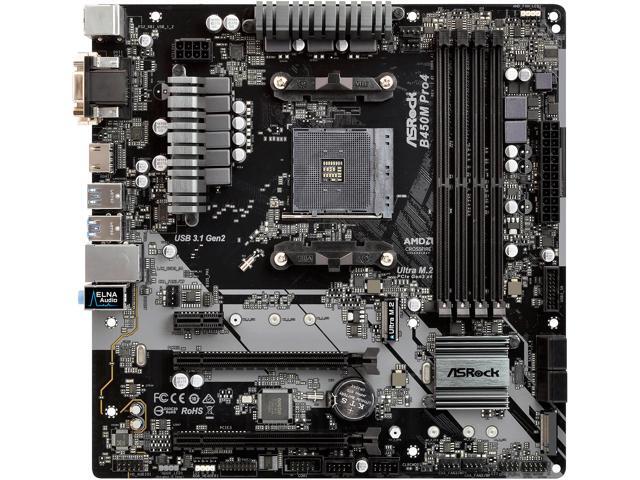
Buy ASRock B450M PRO4 AM4 AMD Promontory B450 SATA 6Gb/s USB 3.1 HDMI Micro ATX AMD Motherboard with fast shipping and top-rated customer service. Newegg shopping upgraded ™
Hmm it looks like ASUS TUF only supports 2nd gen Ryzen.. so does that mean only Ryzen 2000's?
Hmm think I prefer the ASRock B450M based off of what it comes with. I do like the ASUS TUF for the looks but this build is form over function.
quaint current
yes
wintry rose
It just saddens me that MOBO prices shot up. The ASRock 450m used to be soo much cheaper
Thx for the confirmation Nachos.
peak sail
interesting
 hushed plume
httpss://pcpartpicker.com/list/Xj4tTC thoughts?
hushed plume
can it support fast ram?
hollow thorn
Yes
hushed plume
link?
hollow thorn
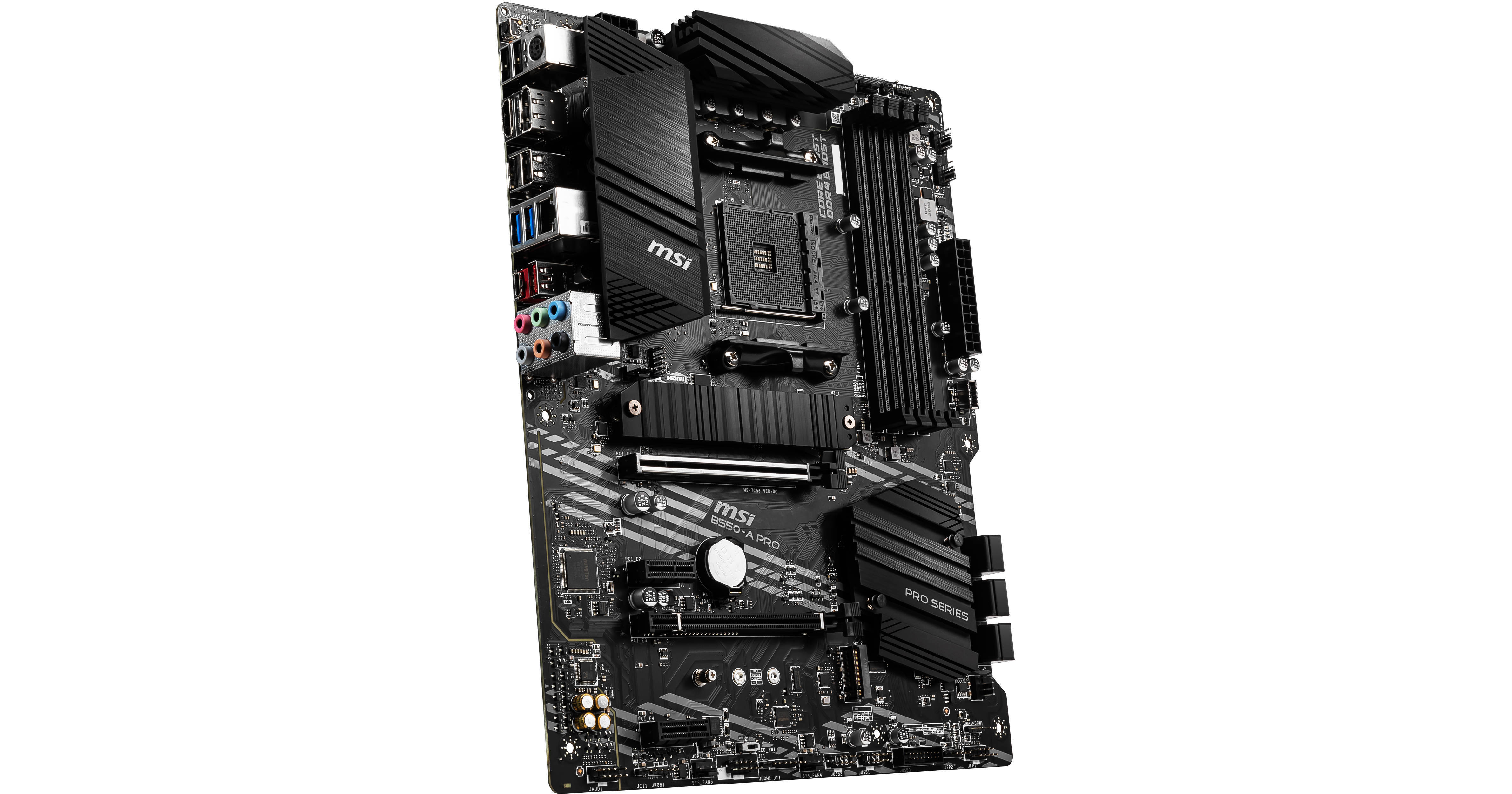
Buy MSI B550-A PRO AM4 ATX Motherboard featuring ATX Form Factor, AMD B550 Chipset, Socket AM4, 4 x Dual-Channel DDR4-4400 (OC), 6 x SATA III, 2 x M.2, 1 x PCIe 4.0 x16, 1 x PCIe 3.0 x16 Slots, 2 x PCIe 3.0 x1 Slots, 7.1-Channel HD Audio, Realtek RTL8111H Gigabit LAN. Review M...
peak sail
i was eyeballing this

Buy ASUS ROG STRIX B550-F GAMING AM4 AMD B550 SATA 6Gb/s ATX AMD Motherboard with fast shipping and top-rated customer service. Newegg shopping upgraded ™
hushed plume
yikes
peak sail
you have to understand I am on a am3+ mobo now, I built a Asus B350/ryzen 1500x mobo/combo as a gift.
I want to distance myself away from that even if cost me an X570 combo.

Buy ASUS AMD AM4 ROG Strix X570-F Gaming ATX Motherboard with PCIe 4.0, Dual M.2, SATA 6Gb/s, USB 3.2 Gen 2 with fast shipping and top-rated customer service.Once you know, you Newegg!
I was looking to a 3800/3900XT cpu
hushed plume
yikes
peak sail
lol I am sorry but the system will sub as a development server
 hard egret
Is there anywhere to find a 3300X, it seems to be either out of stock, or for some outrageous price. What's going on?
quaint current
covid and its a great value
hard egret
Do you know if/when they might do a restock?
quaint current
nope
if u want to grab one it might help to get notifications for when its in stock
hard egret
Will do
vale oracle
Thoughts on the MSI B450 Mortar Max?
Also sucks you can't find a 3300x, they arent out of stock here
tacit hemlock
A 2600 runs hotter than a 3600 right?
waxen current
What do you guys think about this: Corsair Vengeance RGB Pro 32 GB (2 x 16 GB) DDR4-3200 CL16 + i5-10600K + MSI MPG Z490M Gaming Edge WiFi MicroATX MoBo
main pulsar
what are you doing with this build?
waxen current
Gaming
main pulsar
32gb is kinda alot
waxen current
I play cities skylines heavily moded
main pulsar
lmao
hey, if you know you need it, thats the only reason you need to justify buying it
waxen current
thanks for the feedback!
main pulsar
do you know how much a game like city skylines is multithreaded?
waxen current
I think it uses up to 6 cores
main pulsar
ahh
waxen current
not sure though
do you like the motherboard choice? i wanted a matx just because i wanted a smaller build... but if an atx is way better i wouldn't mind that much
waxen current
hmmm
yea, I'll probably need ony the pci for the gpu
I plan to overclock it
the most as i can
main pulsar
yeah, basically, motherboard choice for a midrange cpu is nearly irrelevant
all Z490 boards are designed with running a stock 10900k in mind
so, an overclocked 10600k? no problem
waxen current
that's good then! hahaha
main pulsar
however, some brands are better at overclocking than others in terms of bios support and ease of use
iirc, gigabyte and asus have good overclocking bioses
you should ask what mATX motherboards are good for ocing a 10600k in the #overclocking chat, and someone will get back to you at some point
waxen current
coool
main pulsar
cuz idrk
main pulsar
np
also, cities: skylines is not very multithreaded
apparently the unity engine is quite limiting in that regard, so the 10600k is the best choice
waxen current
awesome
 heavy saffron
anyone know the best budget B450 board that has 2 fan headers? Also AMD socket
neat estuary
@heavy saffron I’m gonna challenge you to find ANY board with less then two fan headers
heavy saffron
@neat estuary I think the Gigabyte B450M DS3H does
neat estuary
You want to build in a tiny case? That’s a ITX board
heavy saffron
nah
neat estuary
Then look at ATX
supple monolith
Even if it doesn't you can get fans splitters for like $5 free shipping
heavy saffron
just trying to find a good motherboard for my buddies build
@supple monolith ill look into that
heavy saffron
i sent it
supple monolith
I see, looking at it now 🙂
weak hamlet
Message sent by @heavy saffron deleted in #cpus-mobo-and-memory
https://pcpartpicker.com/list/q8Ymtp
my bad, Im late
heavy saffron
its okay