#cpus-mobo-and-memory
1 messages · Page 77 of 1
 ivory sun
I'm pretty sure it is 3600
 topaz perch
Dropped it down to 32 in the new link I sent
Saved you $100
And it's the sweetspot
topaz perch
And 32gb of ram is super high for that build
I'm only running it in my build with a 3900x and 2080ti
ivory sun
The goal was to take full advantage of the budget
But I think I will use your modifications
topaz perch
The CPU and system will never use that 3600mhz properly
topaz perch
PM me, we can talk about it
 zenith forge
Heavily modded minecraft only need 8-10gb of ram MAXIMUM...you will never ever get somewhat close to 32gb of usage unless you're going for server crashing 1mil TNT shiz
 warm berry
I have passed 11gb of ram usage on mimecraft
Minecraft*
All I had was a texture pack and SEUS shaders
To be fair I cranked up render distance, flew up, and had like 2 FPS but yeah
 quaint current
3200cl16 actually only loses to 3600cl16 and 3200cl14 by a tiny amount
save the money and get e die
zenith forge
That's the texture pack and shaders lmao @warm berry
The mods dont hit performance too hard tbh
 hasty marsh
they dont
 grizzled holly
@naive pendant if im gonna be gaming and streaming on the same pc, what cpu should I go with?
topaz perch
@hasty marsh He wants to run old Tekkit with 200+ mods, it'll be hitting pretty good. Not 32gb good though. But, I mean. It won't bother him now lol
 graceful flame
I mean, what if you want to run a modded Minecraft server and client on the same machine with a few dozen chrome tabs open while streaming? That's when 32gb of ram is nice to have
 urban ferry
ill have 64 (ノಠ益ಠ)ノ彡┻━┻
 vital edge
What motherboard should I buy for my 3900X? I’m gonna get X570 but unfortunately my micro center doesn’t have the Taichi :/
urban ferry
apparently msi has issues with x570 right now
so uhhh
maybe the x570 aorus elite
or aorus wifi
topaz perch
What's going on with MSI's x570s?
 weak hamlet
bios
topaz perch
So I should cancel my order?
weak hamlet
which one did you get
lots of MEG issues
but they're slowly getting them worked out.
topaz perch
weak hamlet
you'll just have to look it up and see what's going on
vital edge
Any idea on the X570-E?
topaz perch
I was going with the x470, but the price difference between the two would be the same amount for me to update it for Ryzen 3.
vital edge
it’s only like twenty bucks more
weak hamlet
they are live right now

MSI Afterburner has been the best graphics card overclocking software for 10 years now. Join the MSI Insiders as they show you how to get the most out of thi...
ask em 😃
vital edge
@urban ferry any idea on the X570-E?
Some people say it’s great, others say avoid at all costs lmao
urban ferry
never heard of that board
quaint current
It’s it a bigger board?
urban ferry
idk it looks fine to me
quaint current
Any strix product is fine
 naive pendant
(i dont know what to put this in) I changed my memory source (from a 1TB hard drive to a 250GB SSD) and after the reset My half dead GPU that wont play some games is now working like factory. How did this happen?
ivory sun
Drivers?
Maybe they weren't working right?
@naive pendant you did reinstall them, did you not?
@topaz perch I mainly play a custom modpack with 200+ mods. Tekkit is on the side. Not the same
naive pendant
yes i have downloaded all the drivers with the other drive from nvidia
topaz perch
@ivory sun Ah. The custom pack I play is around 140mods but I also run a server with it. That's where my RAM goes. The server
grizzled holly
https://pcpartpicker.com/product/TWzkcf/gigabyte-x470-aorus-ultra-gaming-atx-am4-motherboard-x470-aorus-ultra-gaming is that a good mobo for overclocking?
I'm probably gonna go with a 3600
topaz perch
Remember, lots of B450 and x470 boards need to be updated to support Ryzen 3rd gen
 sharp blaze
the ultra gaming and the gaming 5 are basically the same board. Check out the few differences between them before you pick one.
and its an decent board.
Do you have a way to update the bios
sharp blaze
there are no boards other than the x570 boards that will boot with a 3000 series cpu out of the box
you will need an old cpu to boot
and flash
sharp blaze
you can get a boot kit from amd, but that will take some time to get approved and ship out to you
sharp blaze
eventually yes, but I dont know a time frame for that
grizzled holly
oh
sharp blaze
I would assume sometime around or after the 3950 launches
grizzled holly
sharp blaze
I don't know much about the asrock x570 boards yet. I am an aorus/gigabyte guy. I do have an asrock b450 board, and I am not a big fan. The board itself isn't that bad, but the software and bios are pretty bad.
sharp blaze
I think the x470 and x570 boards use different software though
grizzled holly
Linus Tech Tips
Credit to: @valdyrgramr @GoldenLag @mxk. @XR6 @VegetableStu @Jurrunio The following list is based on facts, ranked on power delivery and known problems. The list will include modern motherboards for both Intel and AMD chips From Asus, Asrock, Biostar EVGA, Gigabyte, MSI, NZXT...
it's tier C
why don't I see https://pcpartpicker.com/product/QZLwrH/msi-x570-a-pro-atx-am4-motherboard-x570-a-pro that in that list?
nvm it's tier c too
sharp blaze
I dont even see any x570 boards on the list
grizzled holly
oh you need to scroll down
quaint current
You can do a bios update
sharp blaze
ahh, I was looking at the header at the top, not the actual list. didnt realize the x570 was in the amd list
sharp blaze
I think there are a couple of msi boards and maybe 1 or 2 asus boards from the b450 and x470 that you can flash without a supported cpu
there are no gigabyte/aorus boards and I dont know of any asrock boards that can do it
topaz perch
That's why I'm going with my MSI MPG X570 GAMING EDGE WIFI ATX AM4 Motherboard 😄
grizzled holly
o
sharp blaze
If you wanted a cheap gigabyte board, I would suggest the gaming x, or for MSI at the same price you can get the gaming plus. The next cheapest board I would suggest after that is the msi gaming edge.
grizzled holly
x570?
sharp blaze
ya
grizzled holly
could you link me some?
sharp blaze
I am not a fan of any of the asus tuf series boards
grizzled holly
oh same
sharp blaze
that shows vrm, but on the right hand side it also shows all boards that can be flashed without a cpu
grizzled holly
um
that's kind of
a little small
nvm I can zoom in
@sharp blaze if I spend a lot of money on like a b450 or x470 mobo that can, why don't I just get an x570?
sharp blaze
exactly
grizzled holly
what is 200A?
sharp blaze
200 amps. its how much power the vrm would be good for.
grizzled holly
what is bios flashback?
sharp blaze
thats the ability to flash the bios without a supported cpu
grizzled holly
and what would I want to see on that list for like a b450 mobo to have for a 3600?
and oh
sorry for so many questions
what does flash mean?
sharp blaze
flash means update to a new version
sharp blaze
yes
grizzled holly
ok thanks!
sharp blaze
if you are looking for that, you can see pretty much only msi supports that on b450 boards
asus supports it on the crosshair viii x470 board, but that board costs more than most x570 boards
grizzled holly
yeah I saw that
might go with that
since that mobo can
what is the difference between x470 and b450?
sharp blaze
the x470 has more m.2 slots and supports crossfire/sli
b450 can sometimes do crossfire/sli but not always
x470 usually has better vrm, but not always
grizzled holly
what is vrm?
sharp blaze
vrm is the voltage regulator. it determines how many amps can get to your cpu
grizzled holly
ohh
sharp blaze
not a high enough quality vrm and your cpu will either be unstable, or the vrm will overheat and throttle the cpu
grizzled holly
Will the mobo be good?
sharp blaze
It should be good up to a 3700x easily
sharp blaze
should be great for that
sharp blaze
I would say do some research and see what others are getting on that board with a 3600. I would guess that it should be good, especially if you have good airflow in your case.
the vrm heatsink isnt the greatest I have ever seen, but it should be good enough for some basic overclocking unless there is no airflow.
 covert crag
Hey guys, how many more frames would I expect to get if I upgraded from an i7-7700 non-k to an i7-8700k and possibly overclocked it? Or is it even worth it to upgrade. Thanks
grizzled holly
What GPU do you have?
 copper solar
only 3-4% improvement, so 3-4 more frames @covert crag
covert crag
1070 ti
grizzled holly
https://pcpartpicker.com/product/whMTwP/asus-tuf-gaming-x570-plus-atx-am4-motherboard-tuf-gaming-x570-plus I might have to go with that because @sharp blaze it is tier A in this list: https://linustechtips.com/main/topic/1046357-motherboard-tier-list-x570-update/
Linus Tech Tips
Credit to: @valdyrgramr @GoldenLag @mxk. @XR6 @VegetableStu @Jurrunio The following list is based on facts, ranked on power delivery and known problems. The list will include modern motherboards for both Intel and AMD chips From Asus, Asrock, Biostar EVGA, Gigabyte, MSI, NZXT...
covert crag
ok thanks @copper solar
urban ferry
@weak hamlet lemme know how that 3700x works
grizzled holly
What is CAS latency and what is the difference between them?
-blows horn for @naive pendant -
urban ferry
i dont know the exact answer
but i do know
for the 3200 speed area
an average cas latency is 16
some people swear by 14 or 15
grizzled holly
Oh I'm thinking of 3600mHz since people say it's the sweet spot for 3rd gen Ryzen
urban ferry
but i think 16 is fine
grizzled holly
And they say 16-17 CAS Latency for 3600
naive pendant
3600c(anything) is a safe bet for a 3rd gen ryzen. If you want to spend more to get a kit with more flexibility for manual overclocking, go with 3200c14 https://www.newegg.com/p/pl?N=100007611 600546709 600561668 600006072&Order=PRICE
grizzled holly
oH cRaP i fOrGoT abOUt ucAAA
I usually only @ Techies who are online
What about 15? @naive pendant
naive pendant
It's higher than 14
naive pendant
Actually though, if you're on a budget, 3000c15 Crucial Ballistix Sport is a good choice for Ryzen 3rd gen as well.
 little jasper
lower cas is better, it's the timing for reads
but usually higher clock speeds trump lower latency
naive pendant
Lower CAS catency is better, yes. Whether or not the difference it noticeable depends on the use case.
grizzled holly
ohh
https://pcpartpicker.com/product/jpH48d/gskill-memory-f43200c14d16gvk Is that a good set of RAM? I do want RGB though, https://www.newegg.com/jonsbo-nc-2-colour-heatsinks-only/p/2KY-0034-00004?Description=ram heatsink&cm_re=ram_heatsink-_-9SIACJR7G53541-_-Product could I apply that to the RAM? @naive pendant
sorry for @ ing you a lot
little jasper
personally, I would definitely go with g.skill just for the brand
naive pendant
Yes, that g skill kit is at the front of the list of 3200c14 I linked up there.
naive pendant
If you want to spend more to make your ram RGB, buy RGB ram.
grizzled holly
But that is the only RGB C14 RAM
little jasper
RAM is probably the easiest parts to get a dead piece, and being some unknown brand isn't going to help that
naive pendant
grizzled holly
dangit I thought I could get that by
lol
@little jasper Good to know 😄
is PC4 CAS Latency?
little jasper
oh, I'm dumb, that Jonsbo thing is just heatsinks lol
naive pendant
@little jasper I don't think getting DOA memory is common these days.
There are just a lot of people who buy kits and expect them to work in systems with poor memory compatibility.
Whether that's 3200c16 in a ryzen 1600 x370 system or 4800c19 in a 9900k/z390
little jasper
I think with common brands it definitely is fairly uncommon, but I've never bought some weird cheap chinese offbrand ram
little jasper
I've never changed the heatsink of ram, a very interesting project. I would definitely try it with some old ram first just in case lol
naive pendant
If you want a simple answer to "what ram for my Ryzen 3rd gen", get this
https://www.newegg.com/g-skill-16gb-288-pin-ddr4-sdram/p/N82E16820232728
grizzled holly
yeah that's what I put on my list before
But then I got into CAS Latency
and got all riled up
if that's how you spell it
little jasper
the faster the speed, the less noticeable it is
 little jasper
like 3600 at 18 probably is hardly noticeable
little jasper
compared to 16 at 3200
urban ferry
oh and that 9980xe
 tall relic
bible
little jasper
I have 3600c18 that won't run at c18 until I finally get motivation to fix the voltages
naive pendant
x399?
little jasper
the one bonus to being lazy is there might already be a complete guide now
won't run at 3600* lol
is that at me?
grizzled holly
https://pcpartpicker.com/list/tNyCsZ would that be good for streaming and gaming on 1 PC?
naive pendant
Good guide for tweaking ddr4 OC
https://github.com/integralfx/MemTestHelper/blob/master/DDR4 OC Guide.md
grizzled holly
and some light rendering, editing, recording and yeah
little jasper
I was hoping someone would make specifically a 3600 ram on zenith extreme guide by the time I get to it lol
naive pendant
Seems fine. Check the LTT PSU tier list if you want to get something better.
grizzled holly
Well I know that but still on a budget 😛
urban ferry
mmmmmm
pwm, rgb, addressable by motherboard software, and 600-1700rpm range
on and the blades and stuff are white
not to mention a 6 pack for freakin $45
(if newegg carried this id link them instead)
grizzled holly
well I don't think my mobo has those connectors
naive pendant
I liked these so much I have 10 https://www.amazon.com/dp/B07HCKWF2X
Use a link trimmer lol
little jasper
big thing about streaming is it's 100% about the GPU
grizzled holly
well it depends if I stream CPU or GPU
naive pendant
That's not true. You can very well x264 encode on a 8c16t cpu even while gaming. Not on all games, but many.
grizzled holly
yeah
grizzled holly
k night
 grizzled holly
had to shorten the links but
does my mobo https://bit.ly/2YPH9hr have the connectors for these? https://amzn.to/31ruEq9
naive pendant
Check the 4th pic on the amazon page vs the mobo manual.
grizzled holly
do you mean 3rd?
urban ferry
im gonna get this one when the prices are normal
usually about $210
because newegg is outta stock rn
so marketplace
that mobo i linked works with the uphere fans
ok now good night lol
grizzled holly
wait
@urban ferry https://linustechtips.com/main/topic/1046357-motherboard-tier-list-x570-update/ it's tier C
Linus Tech Tips
Credit to: @valdyrgramr @GoldenLag @mxk. @XR6 @VegetableStu @Jurrunio The following list is based on facts, ranked on power delivery and known problems. The list will include modern motherboards for both Intel and AMD chips From Asus, Asrock, Biostar EVGA, Gigabyte, MSI, NZXT...
urban ferry
who cares
grizzled holly
i mean
the people who care
are the people that want to overclock it more than "slightly"
with 12 cores
urban ferry
im not overclocking
naive pendant
Ryzen 3rd gen OC's itself.
naive pendant
urban ferry
this one is $210
grizzled holly
okay mr rich m4n
naive pendant
grizzled holly
wifi and RGB?
urban ferry
ok for the 3rd time lol
newegg doesnt have it in stock
theyre going through a marketplace seller right now
therefore the prices are higher
when newegg restocks it will be around $210
grizzled holly
but this will be 11.09$ cheaper 😉
naive pendant
FWIW I've heard the memory compatibility is great on the x570 MSI edge.
urban ferry
also this has more io ports.
grizzled holly
I mean if you would like to save money and get a Tier A x570 mobo then I would go with that
naive pendant
Gotta make use of that PS/2 mouse
grizzled holly
that's why you have usb extensions lololol
lmao @naive pendant
oh I also forgot to say, at a cheaper price too 😃
little jasper
would it be frowned upon if I linked a very related meme?
urban ferry
i also like he design of the msi one too
little jasper
urban ferry
lol finally a person who doesnt try to enforce their brands and products on you
thanks @grizzled holly
grizzled holly
lol it's all good 😄
np
BUT IF YOU A RICH BOI
jkjk
go to bed rn dumb dumb idot (thats right i said it) @urban ferry
urban ferry
D:< fine
grizzled holly
hashahashhahahahah
urban ferry
good night meanie
copper solar
Leave Zack alone 
grizzled holly
😦
lol
https://pcpartpicker.com/list/tNyCsZ @naive pendant is that good for streaming and gaming on 1 system?
naive pendant
yes
grizzled holly
yay
naive pendant
grizzled holly
how big of an upgrade from a scale from 1-10 would you say this is from (rn) using an FX 6300, RX 570 2GB and 2x4GB 1333MHz RAM?
oh well I won't be getting this PC rn
I don't think it'll still be there by September
quaint current
Also why with the rgb psu? The h500 has a psu sleeve where u won’t be able to see it
urban ferry
thermaltake rgb power supplies are sometimes cheaper than regular power supplies
 glad socket
RGB = better performance
quaint current
^ true
copper solar
 cursive egret
I have a question, my games keep crashing while I play them, I don't have high temperatures but my cpu usage is high. My games that crash are Rocket League and Fortnite, my specs are ryzen 5 2600 16 gb of 3200 g skill ram, evga gtx 1070 sc black edition, and my cooler is a cooler master ml240l but with noctua nf a12x25 fans.
dm me if you have a fix..
little jasper
A lot more troubleshooting is going to be needed to come up with anything close to a fix for that
A good test to see if it's just general unstable CPU is to run a benchmark program such as prime95
Checking windows event viewer is good for seeing if anything in software/firmware is crashing
If only the game crashes and not the computer, it's more than likely to be a software issue, as bad ram or firmware would result in a system crash more often than not.
 coral charm
Good equivelant to the Asus Z370 Maximus code for AM4?
grizzled holly
had to shorten the links but
does my mobo https://bit.ly/2YPH9hr have the connectors for these? https://amzn.to/31ruEq9
 cinder sierra
I believe so, it says there are 3 fan ports, so if you are going to use all six you will need 3 splitters
@grizzled holly
 shadow silo
Got a new cpu, check out this bad boy
 urban ferry
no need to ping me
i read e v e r y t h i n g >:D
when im online
if i miss like 100000 messages when im offline i just skim through it
urban ferry
glad we share the same opinion @copper solar
its nice knowing someone else likes intel @copper solar
copper solar

urban ferry

 glad turret
So, is there any way to preorder the 3950x or do I wait until it comes out and hope for the best?
copper solar
no information out about it yet for newegg @glad turret
urban ferry

 hexed cargo
R7 2700x or a R5 3600?
 oblique steeple
Dual CPU setup
graceful flame
Good luck finding a 3900x
naive pendant
Two 9900k's it is.
grizzled holly
Hey everyone! Could anyone give me some help?
@hexed cargo depends, will you be streaming or editing or anything? or only gaming
 tawny frigate
so how bad is using ram at 1333z?
copper solar
1333?
little jasper
Like, slow even on ddr3
copper solar
By 1333, you mean 2666 ddr4 right? @tawny frigate
It will run... 3200 is recommended for like 20-30% more ram performance last time I checked, it's 50% for 2400->3200
If you're looking at speed on CPUZ it shows half the ram speed since it's double data rate (ddr)
 leaden owl
I just bought a rog maximus xi hero mobo. Plan on buying a i9-9900k and a 2080ti gpu. Ant recommendations for ram?
topaz perch
3600mhz, 14cas. 16gbs most likely, 32 if you like to have 60 Chrome tasks open while playing games
leaden owl
Ok, are their specific brands that are better then others? There are just SO many sticks of ram out there
topaz perch
Do you want RGB or no?
leaden owl
Sure, but I'd take performance over rgb
topaz perch
How soon are you buying the RAM?
leaden owl
No rush, can buy right now or whenever
topaz perch
What're you thinking price wise for RAM?
leaden owl
I figured it would end up being $150-$300 ish for 32gb, maybe?
I was looking at F4-3200C14D-32GTZR
But just not sure if there are better options or if that's even a good one
topaz perch
You wouldn't believe me if I told you that was the link I had copied
topaz perch
It's dropped pretty well in price since June
There's it on PCPartPicker if you're using it for your build
leaden owl
I've been looking at it for a while. Just been too intimidated by my options to make the purchase
topaz perch
It's the best RAM I've found for RGB and performance
leaden owl
I'm gonna call that ny second opinion and I think I'll make the purchase
topaz perch
It's the same one going into my upcoming build
I'll get you something without RGB too, then
When shopping for RAM, you want to look at CAS latency
14 is usually best
Don't go above 16
If you like white, rgb, and cheap: https://pcpartpicker.com/product/L7qhP6/corsair-vengeance-rgb-pro-32gb-2-x-16gb-ddr4-3200-memory-cmw32gx4m2c3200c16w
leaden owl
I've heard some sticks works better with Intel vs. AMD
topaz perch
Some RAM will actually say Ryzen optimized
GSkill I've found is the perfect middle man
Performance for dollar: https://pcpartpicker.com/product/kXbkcf/gskill-memory-f43200c16d32gvk
leaden owl
Cheaper but the first link is still better specs
topaz perch
Yeah
But, I mean. You're going top of the line Intel and NVIDIA. So I'd stick with the best RAM, too.
topaz perch
My build is around $4k without all the liquid cooling stuff. Yikes
copper solar
Mr money bags
topaz perch
Welcome to the Army lol
copper solar
I recycled my DDR43200 CAS 16 into this build along with SSD and PSU
leaden owl
Probably the wrong channel but what thermal paste do you guys recommend
copper solar
Thermal Grizzly Kryonaut
topaz perch
You a fan of Kryo over Hydro?
copper solar
I feel like they are all the same at that level
leaden owl
Awesome
topaz perch
Hydronaut just seems to spread easier IMO.
copper solar
I don't spread I dot
topaz perch
Ahh
copper solar
"pea"
copper solar
Yeah
And I don't OC my 9900K so it doesn't matter much to me as long as it has good thermal conduct
topaz perch
I'll be OC my 3900X lol.
 topaz perch
Hydro is a lot better for liquid cooling because of the spreading, which is what I'll be doing


leaden owl
I have an aio cooler for the cpu
leaden owl
Awesome, thanks for the help man
Won't be much longer and I'll be posting my build pics
topaz perch
Of course. If you have any other questions, hit us up.
Hell yeah, man
You have a build list?
leaden owl
Yeah but I've deviated a bit from it and never updated the list
topaz perch
What case are you running?
leaden owl
Was looking at that dark base pro v2 or maybe just a simple nzxt h700i
leaden owl
Haha I've had a couple people recommend that case
topaz perch
be quiet! and Phanteks will always have my business
 spice swift
I know a lot of people are saying to just PBO your ryzen chips but for the 3600, is 4.3-4.4 doable with a water cooler? I'd be using ryzen master most likely
grizzled holly
@copper solar what if I went with 32GB of RAM 
 grizzled holly
lol
should i? @copper solar
@copper solar https://pcpartpicker.com/list/CrbBsZ
 little jasper
I gots 64 GB
grizzled holly
but should i?
little jasper
no
little jasper
no
grizzled holly
and some rendering
little jasper
no
copper solar

grizzled holly
some rendering but it'll be heavy

fiiiiiiine
but
the 4 ram slots
will all be filled
it'll look so good
and n0ice

OOO NVM
topaz perch
"Warning!Some AMD B450 chipset motherboards may need a BIOS update prior to using Zen 2 CPUs. Upgrading the BIOS may require a different CPU that is supported by older BIOS revisions." You'll need to get it updated
grizzled holly
um lol
I can BIOS flash it
ik @topaz perch
https://www.reddit.com/r/Amd/comments/bvfo57/list_of_b350_b450_x370_and_x470_motherboards_with/ @topaz perch

reddit
908 votes and 394 comments so far on Reddit
topaz perch
Glad you did your research! 😄


 slender fossil
Just remember
copper solar
 slender fossil
"Great computing starts with intel inside"
naive pendant
That's like one of the OG i7's haha. Probably a 980x
urban ferry
lemme go get the model number
it was at the top of the line at the time
the thing launches photoshop cs5 in 2 seconds
its a 45nm processor lol
i7 965
o christ
Intel® Core™ i7-965 Processor Extreme Edition (8M Cache, 3.20 GHz, 6.40 GT/s Intel® QPI) quick reference guide including specifications, features, pricing, compatibility, design documentation, ordering codes, spec codes and more.
thats a thousand dollar processor
 timber jungle
What are you doing with that zack? Lol
quaint current
bruh lemme flex me core 2 duo on you zack
naive pendant
if i ever build a PC i already have the i7 😃
 oblique steeple
Just @ everyone while you're at it @grizzled holly
quaint current
no
grizzled holly
foine i deleeet
quaint current
it was a joke
grizzled holly
ik lmao
little jasper
Wot
 main turret
Any suggestions for CPUs to go with my GTX 1080 founders? I need a micro atx board (i need it small for college)
I'd like to get a ryzen 5, but I'm not exactly sure where to take this whole thing. i'd need a cpu, board, AND ram
tag me if you have any thoughts. Thanks!
naive pendant
@main turret https://pcpartpicker.com/list/nVkNfH I picked out last gen AMD because the newest gen has a lot of bugs, 1 of them being not all cpu cores running at turbo speed plus many other issues. Also that is the best last gen R5 cpu. MSI is a good brand mobo and the RAM is a good brand, speed and latency as well as 16GB's being the recommended minimum these days.
copper solar

 fossil edge

 runic zodiac
1400 on the core for a rx 570 is that high clock?
copper solar
factory oc card?
grizzled holly
https://pcpartpicker.com/list/XNbtXP yes, https://www.msi.com/Motherboard/B450-TOMAHAWK-MAX/Overview yes.

Best AMD AM4 B450 ATX motherboard, Turbo M.2, Extended heatsink, USB 3.2 Gen 2, Mystic Light, MSI MAG
 inland saffron
@quaint current I finished my build. Ended up getting the Ryzen 5 3600X at the same price the non X was.
inland saffron
It’s all in the build chat
quaint current
ahh yeah I just saw that
inland saffron
Figured that was the best place to share it
quaint current
👍 looks like a nice setup, have fun with it
inland saffron
Hopefully. I limited myself with the motherboard tho🤦🏼♂️
But for a first time build, I feel it should run pretty decent.
naive pendant
i7 9800X vs i7 8700K for gaming
cinder sierra
8700k
 modern spade
Anyone really good at overclocking here? need some help. i7 5820k for reference
naive pendant
I think an overclocking text channel would be a great idea
modern spade
yea i was looking for one
naive pendant
This is probably the most relevant one
urban ferry
solution
go here for overclocking cpu and ram
go to #graphics-cards for overclocking gpu
boom
modern spade
I figured as much, i just need some help understanding what I need to change. Ive got it pretty stable at 4.4ghz and its idling in the mid 30s with load temps of high 60s. but on the 4.2 i was idling in the mid 20s with loads in the high 50's low 60's
copper solar
@proud widget they want an overclocking channel
 proud widget
Love the idea
proud widget
Haha. good call
copper solar
naive pendant
There was someone here who posted a hwinfo showing 1.4+ Vccio or something, I replied, but probably should've @ 'd haha
Wonder if that chip is still alive
 brazen marten
Is the b450m bazooka v2 good for $80 or is there something better for cheaper s
 polar moth
So my friend have Ryzen 7 2700x, and has 16 GB RAM, 2133 Mhz. And his CPU maxes out every time he uses chrome or any games
I tell him to get 3,000 Mhz RAM. Is that correct?
quaint current
is the kit 3000mhz ram or 2133mhz?
polar moth
2133 Mhz
quaint current
what gpu?
quaint current
most likely its a gpu bottleneck, putting a lot of stress on the cpu
cause the 2700x is a nice cpu
sharp blaze
even when I run my 2700x with my ram at 2133 it still runs fine
polar moth
wat
sharp blaze
its a bit slower in games, but chrome should not be maxing anything out
quaint current
unless its like 8000 tabs
polar moth
Well his CPU was maximizing and his games too
sharp blaze
but only maybe like 10% in games
polar moth
So I thought his ram is the cause
quaint current
id say the gpu would be the problems in the game
polar moth
He has nothing or any weird programs that would maximize CPU
sharp blaze
what does task manager show is using the most resources
polar moth
Task manager itself.
sharp blaze
what speed does the performance tab in task manager show the cpu is running at
it should idle around 2.1ghz
polar moth
Hold on I'm getting his ass here
sharp blaze
lol
quaint current
lmao
sharp blaze
im guessing its either a driver issue, or maybe its throttling
quaint current
^
polar moth
@tepid warren
quaint current
hes in the server?
polar moth
This is guy who is having problems with the CPU maximuzes at 100%
 tepid warren
Yes I’m here
polar moth
Hey @tepid warren go see what Intender says
quaint current
so ur cpu is at high loads doing normal stuff?
tepid warren
@quaint current yes everytime I opened browser like chrome or anything, it spiked up to 100%
Cuz I was doing the YouTube tutorial
sharp blaze
I am gonna let you try and handle this, I will be watching.
tepid warren

➤NOTE - This video is a joke, but I have switched to only making REAL tech videos, see some here ▶ https://www.youtube.com/playlist?list=PLFr3c472VstzAUSTygS...
Window 10
sharp blaze
omg thio is a troll
tepid warren
Yeah I didn’t know anything about it so it was working cuz my ghz for cpu
polar moth
Yeah I noticed he said this is a joke video
tepid warren
Went from 3.50 to 4.20hz
So I was like wtf and then I wanna reverted it
Somehow it got worse
sharp blaze
im gonna watch this and see what horrible advice you followed
tepid warren
Lol ok
sharp blaze
not being a jerk, but thio literally tries to get people to ruin stuff on purpose as a "gag"
tepid warren
^^^
sharp blaze
I have no clue what this video is about
polar moth
Alright, well I'll be checking this channel for bit before I gonna sleep.
sharp blaze
first off, I just got to the part where he tells you to mod msconfig. go to msconfig and under the general tab select normal boot, then reboot
do that while I watch the rest, that should fix part of the problem
tepid warren
Want me do that?
sharp blaze
yes
tepid warren
Ok sure
sharp blaze
come back after you reboot
sharp blaze
I am watching the video now
tepid warren
Because there are so many dislike
hasty marsh
the stupid video is atroll
o MY GOD
im like, this is suspicious already
i read THE DESCRIPTION
and im like oml.
tepid warren
My specs is 580 Radeon 8gb, ryzen 7 2700x, and 16gb rams but it 2133mhz
Is that bad?
hasty marsh
please people, MAKE SURE the stuff you do and the research you DO is legit, i hope to god no one actually did what the video showed
tepid warren
Everytime I play any games, I get stuttering
hasty marsh
it's a decent setup
 orchid lark
Yea sad that people post videos like that, because not everyone is savvy enough to realize it's not real
tepid warren
Hmm do I need to upgrade my ram? To 3000mhz
hasty marsh
the description says its a joke
but they have to put that stuff in the title in all caps
tepid warren
Oh why can’t he just deleted it wtf
hasty marsh
or else you WILL screw up someone's pc indirectly which is just so sad
orchid lark
Not everyone reads the description in the read more @hasty marsh
hasty marsh
your ram is a bit slower, and ryzen likes their ram, though i doubt it would cause the stuttering
that's why i suggested he coulda put it in the title @orchid lark
orchid lark
Truth
hasty marsh
i agree with you
tepid warren
So do you have any idea why it’s stuttering or frames dropping?
hasty marsh
people gotta put disclosures clearly
your vsync should be turned off
your settings should the correct settings so it doesnt mess up your monitor with your game or whatever
i dont have too much advice as i dont have that problem on my pc, but you can put your ques on here and people with that knowledge can answer
orchid lark
Off to bed hopefully you get it figured out @tepid warren
sharp blaze
did you restart yet
hasty marsh
turn off vsync ingame yes
tepid warren
@sharp blaze do you want me to do that exactly in youtube? I thought it’s a joke
hasty marsh
and if you rly wanna make sure also just turn it off in your nvidia control panel
tepid warren
@hasty marsh got it, I have amd setting tho
sharp blaze
dont do any of that, you need to launch msconfig, and on the general tab select normal startup, that will get rid of the changes made in msconfig
hasty marsh
^
hasty marsh
@tepid warren just turn off vsync across all your games after, then see if it works
tepid warren
So I can make sure sync is off
hasty marsh
you dont need to download
hasty marsh
you should have like the amd software thingy bingy right?
polar moth
@sharp blaze you said you had 2700x and have 2133 Mhz ram and you have no problem playing games? Such as Apex legends, Fortnite, BF 5?
tepid warren
And no I do not have the software
sharp blaze
you can just remove the check from number of processors box
tepid warren
I play Fortnite mostly but get stuttering and frames dropping all the time
hasty marsh
ah
sharp blaze
but on the general tab it will say "startup selection" select normal startup and it will ignore any changes made in msconfig
hasty marsh
turn off vsync in the settings of fortnite, try that after you do whatever intender is advising you to do rn
sharp blaze
then in the performance monitor you need to delete the user defined data collector set you created
tepid warren
@sharp blaze got it
sharp blaze
Doing what he said to do with the performance monitor is the problem, its going to make it constantly poll your processor and use 100% cpu anytime you do anything
sharp blaze
i expected this was gonna be a basic problem and was hoping nachos could handle it. Sometimes I feel like I try and take over and respond to everybody so I try and give others a chance to deal with stuff, but then I saw thio...😡
polar moth
Don't think AMD is the cause xD
tepid warren
I always broke my pc because of that
So what about the motion blur should I have it on or off
sharp blaze
Most of his video's are harmless, but stuff like this should really have a guide at the end, or a link to another video on how to fix this crap
tepid warren
Yeah I noticed
@polar moth hush
Intel is better for gaming anyway
Do you guys use ultimate performance, or high performance
polar moth
annnd I hear the new released AMD Ryzen 9 is beating Intel in price and performance
tepid warren
How much is that
polar moth
If I remember Intel i9 was like at 1k dollars price?
Then Ryzen 9 came and Intel was forced to lower their price to be competitive
polar moth
Tbh when I move back to USA, I'll go for Intel best CPU chip paired with 2080 Super and good m.2 ssd @tepid warren
polar moth
And blast my eyes with 144 hz monitor, 60 fps glorious graphics
 oblique steeple
save money and get a 24Hz 720p monitor but only 3in across
polar moth
xd
hasty marsh
he meant 360p
oblique steeple
i'm a she ty
 rapid cave
Twuku, the 2070 Super exists if that’s what you’re asking. And it can SLI Bridge unlike its predecessor
little jasper
(no girls on the internet)
grizzled holly
urban ferry
never heard about that before either
grizzled holly
okai buddi
urban ferry
 grizzled holly
170$..
urban ferry
ik it was a joke
urban ferry
oloy ram ugly 
grizzled holly
?
grizzled holly
well I might https://www.newegg.com/oloy-32gb-288-pin-ddr4-sdram/p/N82E16820821165 get that
urban ferry
ok
grizzled holly
what is newegg select exactly?
grizzled holly
oh
but no one reviewed it?
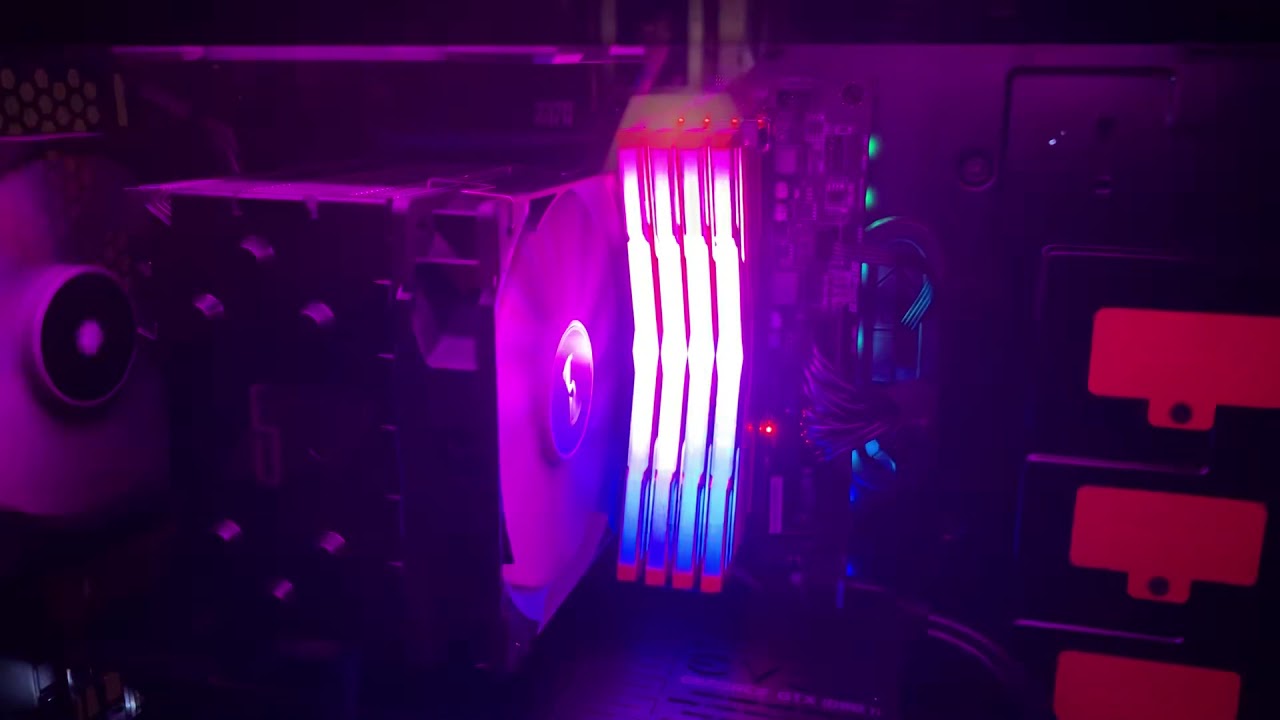
Got this RAM off Newegg for $62.99. OLOY 16GB 3200MHz CL16-16-16-36. They have SK Hynix memory chips installed.
looks nice
grizzled holly
wdym numbers?
cinder sierra
performance, specs, reliability. i try to put all those above aesthetics. but thats just me.
grizzled holly
ahh
cinder sierra
i like aesthetics, but i dont make the big bucks ya know? XD
little jasper
I dunno, maybe people do look at it everyday... I built my PC, put it under my desk and don't look at it anymore, not to enjoy the LEDs at least
cinder sierra
yeah, some people are really into that
glad socket
RGB makes everything better
little jasper
I do admit, having aura sync to sync my lights to my system temperature is actually pretty cool
cinder sierra
XD
 shy wyvern
When are we gonna get motherboards that are 100% rgb?
shy wyvern
Bruh my case metal needs rgb
urban ferry
i want my rgb to be rgb 
urban ferry
rgb 2 electric boogaloo
shy wyvern
Imagine rgb phones
urban ferry

little jasper
I was looking at that the other day actually
but there seems no reason to get that over a s10+
topaz perch
Even the Razer Phone 2 is looking better than it
I'd prefer to fanboy my current phone brand
OnePlus <3<3
little jasper
(this also prob belongs in the cell phone channel)
topaz perch
There's a phone channel? Had no clue
little jasper
dumped all the way at the bottom
topaz perch
Yup, just posted in there
urban ferry
 copper solar
slender fossil
copper solar
slender fossil
Stop yelling weeb Kappa
glad socket


 little jasper
when did #cpus-mobo-and-memory turn into the meme channel lulz

 sudden coral
I have the Odesne 2k mobo, any good cpus compatible with it for the 2060?
grizzled holly
just get a new motherboard.. @sudden coral
One problem with buying HP PC's, is that they design some of their own components. Consequently, things like the mobo and power supply may not be standard size or use standard connectors. This can make it hard to upgrade, other than ram or drives. If you plan is to have a PC that you can upgrade over time, you would be much better off building your own PC, with standard size case, mobo, PSU, etc. It's unfortunately that RAM and GPU prices are so high right now. With careful shopping and monitoring PC component sites for sales, you'll be better off in the long run.
 hearty prairie
Any Ideas on a low budget upgrade from a FX-6300 and 1866 ram?
prefer AMD and i have a Gigabyte GA-990FXA-UD3
little jasper
oo, that was my first board, it my 9590 literally blew up the motherboard
the VRM specifically
are you trying to stay with that board, or upgrading to the newer chipset
which could be done low budget, but maybe not a slow budget as you're expecting, because it's nearly building a new system. New board, cpu, and ram at the least
hearty prairie
@little jasper I am expecting to have to get the big three in this matter. I think it may be time to upgrade to a new board, CPU and Ram. But use the rest of the equipment I have. Such as the 850w power supply and the EVGA 1660 TI
I was using that as a base line of my current specs...
little jasper
850w is plenty
hearty prairie
That was what was intended
little jasper
what's your budget for those three
timber jungle
32gb Ram.... better for 2 16xs or 4 8xs
naive pendant
Depends on your board, cpu, ram. What parts?
little jasper
almost always 4x8s, because then it would utilize the dual channel if available
naive pendant
2x16 will use 2 /4 channels on x570/z390. 4xY would be ideal for a quad channel system like x399/x299.
little jasper
wait, channels don't work like that 
one channel is two dimms
dual channel is 1 and 3 would be A, and 2 and 4 would be B
which is why if you're only using two dimms, you usually want to put it in either 1 and 3 or 2 and 4
naive pendant
But you'd put the 16GB sticks each in channels A2 and B2?
Oh, I put 2/2 up there, but it's still true
I have that config now
little jasper
dual channel is like striping
and maybe this works on paper, and makes no difference in testing
but you'd have data sort of "striped" across them, meaning even for a single piece of data, you could be leveraging two reads at the same time (or close to it)
while putting them on two separate channels is completely getting rid of that, and so data is written to each separately, and you'd lose that benefit
naive pendant
Each memory channel is 64 bits wide, and the clock is well, the dram clock
But it's an effective 128 bit bus width in dual channel
You're right it's like striping, but usually people say banks are interleaved, and I think striping usually refers to disk storage, but that's pedantic.
little jasper
I'm a simple man, I tend to use simple terms lol
no need to have 10 words that at least at a conceptual understanding point essentially mean the same
naive pendant
But regardless, if you have 2 sticks and 4 slots, each with two channels, you want one stick per channel for dual, right?
little jasper
my understanding has been you want to utilize the 1 channel, because the "striping" occurs over the same channel
it's similar to making a virtual disk from 2 physical disks, the system makes a "virtual ram" from two sticks of ram"
naive pendant
striping occurs between banks on either channel iirc
little jasper
I'm fairly certain it's within the channel, that's why RAM within the same channel needs to be the same ram
heavily stressed, just like you can't stripe two harddrives which are two sizes, well you can, but the system will truncate the larger drive to match the smaller
naive pendant
And that's exactly what happens with dram. If you had an 8 GB and a 4GB stick, you'll have 8GB of dual channel memory as seen by the OS, and 4GB single
little jasper
you can have two different types of ram if they're in different channels though
which is why it's important to fill up the channel instead of spreading two channels with 2 dimms
naive pendant
Eh, the one time that's kinda acceptable is if you put X sticks in A1 A2 and Y sticks in B1 B2
little jasper
"Dual-channel architecture requires a dual-channel-capable motherboard and two or more DDR, DDR2, DDR3, DDR4, or DDR5 memory modules. The memory modules are installed into matching banks, which are usually color-coded on the motherboard. These separate channels allow the memory controller access to each memory module."
if you install 2 dimms, one in 1A and the other in 1B, it disables dual channel and is operating in single channel
dual channel is the ability to access both dimms of a channel simultaneously
naive pendant
Why does every mobo indicate A2 B2 for dual channel
little jasper
I'm not sure what you are referring to by indications, but I do know why A1 and A2 always match in color while B1 and B2 match in color
timber jungle
I have the ASUS z390 e gaming MOBO to answer your earlier question
little jasper
either way, 4 sticks would be better and fully utilize both channels than 2 sticks
timber jungle
Guy at Microcenter told me its best for 2x 16 vs 4x 8.... said you get better numbers
naive pendant
That's true, but only by <10% for another reason
little jasper
eh, I looked it up to make sure, the best is that the numbers are insignificant
timber jungle
10% is 10% lol...
little jasper
the only real benchmark study I could find is an old tom's hardware
naive pendant
And it depends on the board/cpu if 2x16 would be better vs 4x8. If you'e on the edge of memory stability, 2x16 in a daisy chain board could be better
little jasper
and I guess it's so popular that the wikipedia page for multi-channel ram references Tom's Hardware's study
naive pendant
I mean, when you put memory in a board 2 sticks in 4 slots, are the sticks next to each other?
timber jungle
I9-9900k and z390e
little jasper
"Theoretically, dual-channel configurations double the memory bandwidth when compared to single-channel configurations. This should not be confused with double data rate (DDR) memory, which doubles the usage of DRAM bus by transferring data both on the rising and falling edges of the memory bus clock signals.
Tom's Hardware found little significant difference between single-channel and dual-channel configurations in synthetic and gaming benchmarks (using a "modern (2007)" system setup). In its tests, dual-channel gave at best a 5% speed increase in memory-intensive tasks.[7] Another comparison by Laptop logic resulted in a similar conclusion for integrated graphics.[8] The test results published by Tom's Hardware had a discrete graphics comparison."
naive pendant
That's in 2007 though.
I'm guessing here, but back then, the maximum memory transfer speed was more limited by the northbridge / FSB
little jasper
yeah, but it's the only one it names, it talks about quad compared to dual tho
"Another benchmark performed by TweakTown, using SiSoftware Sandra, measured around 70% increase in performance of a quadruple-channel configuration, when compared to a dual-channel configuration.[9]:p. 5 Other tests performed by TweakTown on the same subject showed no significant differences in performance, leading to a conclusion that not all benchmark software is up to the task of exploiting increased parallelism offered by the multi-channel memory configurations."
and when I put ram I put it in slot 1 and 3
naive pendant
But do you understand why the architectures and performance stats of 2007 hardware caused that to be so?
I have a suspicion we mean the same thing, but you 're using another term for channel
little jasper
maybe
orchid lark
That's utilizing A1 and B1 @little jasper Y'all are literally talking about the same thing just in different words lol
timber jungle
Glad my questions can spark a good conversation
orchid lark
A2 is directly next to A1
naive pendant
Yes
naive pendant
I am too, even though I've seen many*
timber jungle
Yes, so you should always marry the ram... A1 with B1
orchid lark
Ive been sitting hit watching yall talk and it got me to thinking I was wrong this whole time lol
here*
naive pendant
Lol. I almost doubted myself for a second
Had to think about how memory is addressed
orchid lark
I have a BS in Software and was second guessing myself lol
little jasper
huh, okay, I completely mixed up the labelling then, lolz
match the colors
that's the important part
naive pendant
CompE, so plenty of memory stuff, but no formal windows schooling
little jasper
when in doubt
I did architecture for my bachelors, but it was more theoretical stuff, not looking at a motherboard lol
naive pendant
In the US? I think you just used a different term for "channel" , you refer to two different things as channel if you read through your messages
orchid lark
All good @little jasper happens to the best of us. You were right you just had what channels were what mixed up. Mine was all programming but I took quite a few electives in hardware.
little jasper
more like designing RISC cpus, and building 8 bit ram modules from capacitors and transistors lol
naive pendant
I had a funny realization the other day when someone called a capacitor a condensator
orchid lark
That sounds like fun to me!
little jasper
but I went to a more practical cyber security route for my masters
orchid lark
I'll be continuing my Software Engineering for my Masters
Taking a break after dealing with destruction from a hurricane and having the Air Force move us
little jasper
oh snap, sounds intense
I took a year break myself, mostly to pay off my loans lol
year and a half
orchid lark
LOL
urban ferry

timber jungle
HAHAHAHH
little jasper
oh we had something similar
had to make a program on some fpga's
not sure if I have any videos still tho
That all I could find lol
I made a guess the pattern game with the dip switches
naive pendant
Hahaha that looks familiar
little jasper
Kinda similar to the way that fallout hacking works I guess ?
The most useful thing was for my student research job more than anything
I'll share in general since this is getting off topic for this channel lol
orchid lark
I have all my programming labs they are just generic java, c, and cpp though
 jolly gust
Anyone know if the ryzen 5 3600 stock cooler is enough to keep temperatures reasonable if not overclocking ?
timber jungle
Anything AMD needs better cooling....
 tulip flint
The new AMD CPUs benefit a lot from staying cool, however I don't think the old stereotype about AMD running hot applies anymore.
orchid lark
The hottest I think I have got while OC'ing and stress testing my cpu has been 67c but that's with custom loop
tulip flint
but the zen 2 AMD CPUs still run just fine with their stock cooler, which is more than I can say about stock intel coolers that they don't even include anymore
orchid lark
But to answer @jolly gust question I bought my brother a 3600 and he is using the stock cooler which does just fine.
jolly gust
Nice. About to buy the parts for my first PC build, kinda nervous about it. Just trying to make sure I have everything I need and what not
copper solar
hit us with your parts/buy list and we'll let you know
quaint current
now thats a lot of ram

 urban ferry
AAAAAA