#cpus-mobo-and-memory
1 messages · Page 49 of 1

 marble bough
Please make sure your operating system is on a drive that is formatted GPT, and not MBR.
 grizzled bloom

 gentle acorn
How would I check that?
grizzled bloom
Is it windows 11
grizzled bloom
It's GPT then
grizzled bloom
gentle acorn
So which ones should I plug into?
Left 2 or middle 2, those are the dedicated SATA controller
The right 2 are the chipset
gentle acorn
Hopefully it works this time
grizzled bloom
If not the next thing to try is swapping your SSD slots
gentle acorn
Alright
grizzled bloom
They're both PCIe 4.0 slots so the same speed on both
gentle acorn
Yeah
That was something I found weird too with this board was my old board was PCIe gen 5
grizzled bloom
There's effectively no difference between 4.0 and 5.0 for 99% of consumers
gentle acorn
Yeah
Okay still not showing up in the thing but I'm wondering if I should try removing it
grizzled bloom
The windows loader might also hide in a submenu on the boot device selection
You can also see if the drive itself is detected on the main bios page
gentle acorn
Yeah that was what I planned to check but forgot I had the windows usb in
And so it just booted straight to that
marble bough
Are you on the easy bios page, or advanced?
grizzled bloom
I hope this doesn't become another bitlocker case
gentle acorn
I don't remember my last system taking so long to boot into bios even on first boot...
grizzled bloom
That should be fixed once you update bios
gentle acorn
Wait
marble bough
Updating bios is your best move first.
gentle acorn
I should be on CSM shouldn't I...
grizzled bloom
no
gentle acorn
Oh
grizzled bloom
That's for windows xp age systems
marble bough
Not unless you are using a legacy mode
grizzled bloom
CSM = compatibility support module, it's for legacy operating systems and hardware that doesn't support UEFI like the GTX 600 series
gentle acorn
Can I update bios without another computer?
marble bough
I had a problem like this recently. I used Easeus Partition Manager Pro and converted from CSM to UEFI without losing any data.
grizzled bloom
Can you plug your USB into your phone
grizzled bloom
Well you need a way to get the file onto the USB
marble bough
Sorry, Easeus Partition Master, not Manager.
gentle acorn
My mom has a laptop too but it's for work so it's locked down and would probably flag the download
grizzled bloom
marble bough
Sorry, Easeus Partition Master, not Manager.
In fairness even they abbreviate it EPM
marble bough
True. It fixed my boot issue immediately.
Even Windows 10 Pro, which I run, still gave the option to format as MBR. I had been building PCs so long, that I didn’t realize the drive was MBR because I hadn’t checked med in a long time
gentle acorn
I'd honestly consider just reformatting a drive but I'd like to figure out why it's just not even being found
marble bough
Can you put the drive in an old build and get to the internet?
grizzled bloom
For now you can skip the bios update, at least until you can get to a library computer or something. Is the drive shown on the main bios info page?
gentle acorn
It was not
I just reseated the drive
You know what
Let me see if I have my old laptop
I completely forgot about it
grizzled bloom
If that doesn't work you can swap slots next. If the drive still isn't shown on the info page and the other drive is, then there's some issue with the drive.
marble bough
I have an MSI Z790 Gaming Pro WiFi board. The same problem was happening until I put the drive back in my old build and fixed it with EPM.
gentle acorn
I switched from a Z690 pro non wifi DDR4
grizzled bloom
It's Windows 11 though, which won't let you install on MBR at all without specifically going out of your way to bypass it.
gentle acorn
Switched slots
Also left other SSD out
Switching slots worked? I think?
It did something different
It acted like it was going to boot into windows but then it restarted again
grizzled bloom
In that case either you have a bad slot (which you can test with your other drive) or it was just being finicky
Yeah it had to do some driver changes
gentle acorn
Like it did a different loading screen
Ah
Going to get a bios update going too if it let's me in windowd
Windows*
marble bough
Absolutely about Windows 11.
grizzled bloom
Great, pop on that bios update and fix your boot times
If your wifi is working that is
(or you're wired)
gentle acorn
I'm wired
Love it after microcenter broke my wifi card when I took my PC to get fixed last year...
marble bough
Make sure keyboard is in a usb port on the back of the MB, not front
gentle acorn
Luckily happened around the time my mom got a mesh wifi
I always do
Looks ugly to me anyways lmao
And I did that once and couldn't access controls in BIOS so ever since always in back
marble bough
Me too! Lol
Not wireless though
I’m an old fart with component-hoarder tendencies.
gentle acorn
Also how do I load the bios drivers on? Do I unzip or leave it zipped?
grizzled bloom
I should probably get rid of the rabbit ears
Hasn't been any over the air TV in years
grizzled bloom
gentle acorn
Also how do I load the bios drivers on? Do I unzip or leave it zipped?
Unzip
gentle acorn
Also my first motherboard was the only one I ever saw with a PS/2 port lmao
Alright
It was a Z390 -A PRO
grizzled bloom
gentle acorn
Also my first motherboard was the only one I ever saw with a PS/2 port lmao
Really? My AM5 board has one. It's a combo port, either mouse or keyboard
gentle acorn
I find it funny I keep getting the same motherboard basically
gentle acorn
Yeah no mine doesn't have it
grizzled bloom
gentle acorn
I find it funny I keep getting the same motherboard basically
I stuck with MSI for a long time myself. 4 boards in a row, counting the warranty replacement.
grizzled bloom
gentle acorn
Yeah no mine doesn't have it
Trippy

Every board I've ever owned has had that
Going back to the early 2000s
marble bough
@grizzled bloom I still use rabbit ears on 3 of my 4 TVs in the house. Great for when Dish blacks out. Plus network TV over the air is in real 4K. Cable and dish are compressed.
grizzled bloom
Yeah but I don't have anything in my area
gentle acorn
What are rabbit ears?
grizzled bloom
I tried it on my TV
marble bough
Old antennas
gentle acorn
Ah
marble bough
Stick up like rabbit ears bed#hind the tv.
gentle acorn
I've just never heard them called that
marble bough
Yeah. I’m an old fart…
grizzled bloom
Same lol
grizzled bloom
grizzled bloom
Trippy
Oh dang I just realized there's no USB 2.0 ports either
gentle acorn
Wait really?
grizzled bloom
That's actually not good to me, 2.0 has lower latency (it's small but still...)
gentle acorn
Also it's doing this
grizzled bloom
Try moving E7D78AMS.1C0 to the root of the drive
grizzled bloom
Oh hey

 split copper
gentle acorn
What are rabbit ears?
split copper
gentle acorn
What are rabbit ears?
Rabbit ears is when you hire a cosplayer to stand in front of your TV and receive electromagnetic signals
gentle acorn
Lmao
grizzled bloom
Also the previous version
 gentle acorn
So it is just a BIOS thing
Good lmao
Oh huh my issue with my drive not showing up is fixed
Haven't even updated yet
Hold on
When I downloaded the BIOS update it installed an exe file not a folder with drivers lmao
Unless I accidentally downloaded the wrong thing
 stiff crater
That's Easy for you?
grizzled bloom
Maybe you downloaded the right thing but unzipped the wrong one
gentle acorn
No I was dumb
stiff crater
Maybe you would have been confused with the file names @gentle acorn
gentle acorn
I downloaded the chipset drivers not the BIOS file -_-
grizzled bloom
Well it's not a total loss since you'll need those anyway
gentle acorn
Just did and going back to BIOS
stiff crater
Good 🙂
gentle acorn
Yay finally updating
Also it should be fine temporarily to run without thermal paste right?
 cursive epoch
Yes
cursive epoch
You ideally want to get paste asap
gentle acorn
Yeah
grizzled bloom
Don't game without
gentle acorn
Alright
cursive epoch
Cuz these cpus run hot
cursive epoch
mx-4 is the ol reliable choice
grizzled bloom
In a pinch you can use toothpaste for a couple days, but it dries out fast
gentle acorn
Huh
I mean I left what was left on the cooler so it had a little bit on there but not complete coverage
cursive epoch
it might be okay
grizzled bloom
Should be fine temporarily then
gentle acorn
I'm so glad to have everything figured out now... I get to sleep lol
I have work in 8 and a half hours
grizzled bloom
Is your boot time better
grizzled bloom
Awesome! Glad we got that all figured out
grizzled bloom
Happy to help, enjoy the rest
gentle acorn
Thanks
marble bough
@grizzled bloom be careful with that MSI Center software. I’m a Video Editor, using mainly Blackmagic DaVinci Resolve, along with their switchers, speed editors, and Hyperdecks. The MSI center disabled two of my Speed Editors, and my Editing Keyboard. I happened to see that it caused a problem with them, uninstalled it, and everything started working again.
grizzled bloom
I'm perfectly aware of how bad it is. It bricked my RGB.
gentle acorn
my main issue with msi center is that every single time i reboot i get notified of an update
marble bough
Not worth it to use it.
gentle acorn
i literally updated and rebooted and was notified of yet another update
grizzled bloom
I'm on ASRock now and using third party control software
cursive epoch
MSI control center probably conflicted with your hotkeys in editing software
Since it does have its own hotkeys
gentle acorn
also i forgot that my media keys on my keyboard arent working anymore...
the lock button is flashing
i use those things all the time
marble bough
It did that as well. But even my Stream Deck got screwy. The second I uninstalled MSI Center, all was well ever since.
Who makes keyboard?
gentle acorn
corsair
marble bough
Logitech?
gentle acorn
it wouldnt be a msi center issue
ive had that on here since it released and never once had an issue with the media key not working till like last week
marble bough
Oh.
cursive epoch
Might want to install some drivers, not sure
gentle acorn
i should hook up my monitors so im not just using a drawing tablet screen
cursive epoch
With laptops they're like that
They typically require hotkey drivers for them to work
cursive epoch
That's why I suggest you to check
gentle acorn
wonder if that has anything to do with it
its on latest version now and did not fix it
 scenic solar
Got bsod on the system where I'm testing the ram (mobo may not work properly either)
 scenic solar
Is patriot viper ram decent?
I should get a 32gb kit (new) so I'm sure it works fine, then I'll be able to figure out if both motherboards are properly working or not. If it's the ram that would mean I wasted a lot of time figuring out the problem
grizzled bloom
scenic solar
Is patriot viper ram decent?
Yeah they're fine
scenic solar
even faster ones, like 3600 or 3800?
 vast meadow
Ram is ram
 limber dragon
scenic solar
Got bsod on the system where I'm testing the ram (mobo may not work properly eit...
limber dragon
scenic solar
Got bsod on the system where I'm testing the ram (mobo may not work properly eit...
https://www.reddit.com/r/overclocking/wiki/bsod/ this may be more benefit

Reddit
All things overclocking go here. Learn to overclock, ask experienced users your questions, boast your rock-stable, sky-high OC and help others!
scenic solar
Thanks, just wanted to know if it actually was the ram since it never failed to boot before even with all the errors it gives in tm5 and occt
scenic solar
vast meadow
Ram is ram
Ram is ram, and ram breaks
grizzled bloom
My experience with them has been fine. They hit their rated speeds no problem. I pushed mine as high as 4800.
It's not the stupid PCB like Corsair uses
scenic solar
Seems like corsair is only good at making expensive rgb
 scenic solar
Gotta feel all of those 1.65v
 amber canopy
1.65v is nothing
scenic solar
There's more?
scenic solar
:wha:
amber canopy
 gentle acorn
well im reaching high 90s with my 7700x now with thermal paste applied
had it max at 107
wait no 99
wrong thing
the CCD reached 107
this is also in helldivers
Deepcool LT720 should be fine right? That's my current AIO
its not bad contact either just tightened the screws more
gentle acorn
Deepcool LT720 240mm
 burnt spear
And did you take the little plastic sheet off the cold plate?
gentle acorn
Cold plate? Like the copper bit?
burnt spear
Yeah
gentle acorn
Yeah
burnt spear
Did you plug the cable into the correct header
And did you tighten the screws in an x pattern
burnt spear
Put your ear next to the pump while pc is on, what do you hear
gentle acorn
I'm not there atm but I felt the pipes and felt that it was vibrating
So pretty certain it's pumping
burnt spear
It could be vibrating and still be faulty
gentle acorn
Alright
I did use the AIO on my i5-12600k before switching to this CPU and never had issues with overheating
burnt spear
Other than that I'd check the paste job
burnt spear
gentle acorn
I did use the AIO on my i5-12600k before switching to this CPU and never had iss...
Hm alright
Same case too or new one
burnt spear
Are you absolutely certain you used enough?
gentle acorn
Honestly was scared I used too much lol
burnt spear
Oh check what the cpu voltage and wattage is under load
And lmk when you got that
Ik you're not there atm
gentle acorn
I can remote in once I get to my laptop
Oh also I tried checking the temps with and without the side panel on didn't make much of a difference

Seems Temps are a bit better currently? Also this is just while in the ship and not on an actual mission
grizzled bloom
gentle acorn
Oh also I tried checking the temps with and without the side panel on didn't mak...
That means airflow isn't an issue
 white pelican
what cpu would pair well with a 3070ti with minimal gpu bottlenecking? the cpu i have rn is a i7-9700k
cursive epoch
for starters you can get r5 7600
white pelican
wouldn’t that be downgrading tho
white pelican
aight mb
gentle acorn
so i made a realization that one of my fans on my AIO wasnt plugged in and also apparently the tubes were blocking one of my other fans from spinning
so ive now moved the AIO to have the tubes go the other way and have the fan plugged in
 sudden creek
Any leaks about next gen's Intel/AMD CPUs?
sudden creek
Gotcha.
grizzled bloom
sudden creek
Any leaks about next gen's Intel/AMD CPUs?
Intel has been pretty tight on leaks so there's only vague guesses.
AMD seems to be running a misinformation campaign to root out leakers so the data is all over the place.
I've seen everywhere from 15-40% improvements on next AMD
sudden creek
That can't be good. Isn't Intel usually the one encouraging leaks? Hopefully that doesn't mean next Gen is bad.
grizzled bloom
All I know is next gen will be Arrow Lake and it should be slightly better than Zen 4
LGA1851 if memory serves
 tender sleet
grizzled bloom
Intel has been pretty tight on leaks so there's only vague guesses.
AMD seems t...
tender sleet
grizzled bloom
Intel has been pretty tight on leaks so there's only vague guesses.
AMD seems t...
I don't understand why AMD would want leaks to not happen
it's part of building hype
sudden creek
tender sleet
I don't understand why AMD would want leaks to not happen
My guess would be that they don't want to have leaks saying "40% PERFORMANCE GAIN" then only deliver say "25% PERFORMANCE GAIN". Would be better to reverse that order to under promise and over deliver.
cursive epoch
because leaks are detrimental to the company
rather than actually building hype
stocks exist, and as we all know..
investors are quick to decide what to do with their share as soon as a leak exists
 wintry girder
Is upgrading from a 12600kf to a 7 7700x worth the price of getting a new cpu and mobo
I have an amd gpu and I want to take advantage of sam
grizzled bloom
wintry girder
I have an amd gpu and I want to take advantage of sam
SAM isn't any better than a minor manual overclock.
The difference between the 7700X and 12600KF isn't enough to be worth it, but maybe next gen. It comes out later this year.
sudden creek
What is SAM?
sudden creek
Sounds like a good thing but how is it in actual practice?
wintry girder
How come I says in bios that I cant oc cpu
but its a 12600kf
its unlocked so why cant I oc
 hollow thorn
what board
wintry girder
Msi b760 gaming plus
 cerulean wadi
Need a Z series (690/790) for cpu oc.
grizzled bloom
sudden creek
Sounds like a good thing but how is it in actual practice?
Gets you maybe 3% in some games
It's just resizeable bar plus a minor OC
sudden creek
Ahh well that's disappointing.
sudden creek
testing a new strategy out.
Going to set corecycler to only run each for for like 5-10s to force the cores to activate light loads rapidly
Hoping that this will trigger high boost clocks
trying out 1s SSE P95 mode.
sudden creek
Just realized that I sent this into the wrong channel.
grizzled bloom
Well, sort of but not really the wrong channel. It is CPU related.
 long geyser
Anything is a CPU if you're brave enough. ||/s||
sudden creek
long geyser
Anything is a CPU if you're brave enough. ||/s||
Oh?
long geyser
sudden creek
Oh?
Even you keyboard keycaps are CPUs, just need to be brave enough to be the "electricity".
 hybrid grove
What's a decent sodimm 2 x 16gb 5600mhz kit
hybrid grove

Taking speed, capacity, and reliability even further, the cutting-edge technology of this DDR5 SODIMM module gives that next-level edge for your laptop's performance. With an aggressive 4800MHz frequency, it's to provide multi-core CPUs with extreme responsiveness and the power to multi-task seam...
grizzled bloom
The 48GB kit is only $12 more 
50% more capacity for 13% more money is a deal I'd take in a heartbeat
tender sleet
Honestly with laptops
Pick your desired capacity, sort by lowest price and buy the first on the list basically
hybrid grove
This laptop can only do up to 32. Otherwise I'd totally do the 48
grizzled bloom
What laptop? I'll check if it's been updated with the new memory spec
hybrid grove
I'm having trouble finding an actual answer other than forums but here I'll send a link
grizzled bloom
hybrid grove
https://www.bestbuy.com/site/sku/6571057.p?skuId=6571057
Max is 96GB, the 24GB sticks work
hybrid grove
grizzled bloom
Max is 96GB, the 24GB sticks work
Appreciate it. For the life of me couldn't find a solid answer. Just was going by what people were saying in the questions and answers tab 😅
 long scaffold
Someone should donate me a better cpu lol I have a i3 9100 f 😭 and I’m broke
hybrid grove
long scaffold
Someone should donate me a better cpu lol I have a i3 9100 f 😭 and I’m broke
 long scaffold
hybrid grove
long scaffold
hybrid grove
yes!
 jagged compass
Hello! So I have a simple ram question: I have 32gb Patriot ddr4 ram at 3200mhz cl 16. I want to add one more stick of 32gb ram ALSO patriot BUT different model number and it says 3600 cl18 ...
Can these two work together without a problem? Basically same ram, looks the same but different configuration?
burnt spear
jagged compass
Hello! So I have a simple ram question: I have 32gb Patriot ddr4 ram at 3200mhz ...
it's a game of chance
there are many ram dies, which is what's under the heat spreader
three different brand make these dies, micron hynix and samsung
but each brand has multiple dies, like for ddr4 there's samsung B die, C die, D die, i think E die too? and probably others idk about
if the ram die is different, there's a chance if it causing major issues
i mixed two ram kits and corrupted my windows install
sudden creek
Your best bet is to just buy a new kit entirely.
burnt spear
and even buying the same kit doesnt mean it's the same exact die
burnt spear
jagged compass
Hello! So I have a simple ram question: I have 32gb Patriot ddr4 ram at 3200mhz ...
what do you use your pc for? and what cpu/gpu do you have?
and what is your current configuration, 2x16 or 1x32?
jagged compass
burnt spear
and what is your current configuration, 2x16 or 1x32?
Thank you it's for modeling simulations and level design game development (big big levels with so much texture) and it's currently 2x 32 gb cl16 3200 patriot ram and for gpu 3090 24gb and intel i9 12900ks
in general chat helpfull people like yourself told me that it may run at lower speed of 3200
so hopefully it should work 
sudden creek
jagged compass
Thank you it's for modeling simulations and level design game development (big b...
You should look for a 4x32GB kit of ram then. CPU will run 3600mhz at best, but most likely reach it's limit with 3200mhz.
burnt spear
jagged compass
Thank you it's for modeling simulations and level design game development (big b...
you need more than 64gb? damn
the 3600c18 kit would very likely be a different die
 jagged compass
burnt spear
you need more than 64gb? damn
jagged compass
burnt spear
you need more than 64gb? damn
Yes damn 😅 ram hog applications can hit or cross 64 gb exponentially for some functions
jagged compass
burnt spear
the 3600c18 kit would very likely be a different die
Yeah that’s what I feared and stopped myself from buying it. I should either find the exact same ram or replace all of them all together
burnt spear

Patriot Viper 4 Blackout 64 GB (2 x 32 GB) DDR4-3600 CL18 Memory (PVB464G360C8K)
scenic solar
I'm testing a kit of ram which may be broken, but i forgot the sysyem I'm testing it on has a Vega11 graphics which takes up some ram.
This means the "vram" might be using a fraction of the ram that is faulty (considering the tests I made on other mobos). How do I usually remove mem allocation for the igpu?
It's a msi mAtx board, click bios 5 or something
scenic solar
I guess disabling the igpu was all I needed to do
grizzled bloom
Exactly what I was about to suggest
scenic solar
This is the only time i wish the ram gives me errors on this system
Because if it doesn't that means the other two motherboards are partially broken
scenic solar
Any recommendations on sub €100 itx motherboards, either lga1151, 1700 or am4?
vast meadow
scenic solar
Any recommendations on sub €100 itx motherboards, either lga1151, 1700 or am4?
New itx for sub 100? You'll be lucky if there is an option
scenic solar
Used is ok as far as it is from eu
vast meadow
scenic solar
Used is ok as far as it is from eu
It's kinda hard to recommend on exact models used, I'd definitely go lg1700 or am4 out of those 3 options anyway if it's for an i3/5 etc any should be fine
scenic solar
First repaired motherboard is working just fine, ram was faulty
Second one is also likely working since i had tested it with the same dimms
 naive pendant
will this work fine with my e5-2650 v4?

eBay
SATA3.0 Interface: The upgraded version of SATA2.0 interface provides strong compatibility and faster read speeds that help users to access data quickly. SATA interface: 2 SATA2.0, 2 SATA3.0. It also supports 2011-3V3/V4 processors, making it an excellent choice for high-end gaming enthusiasts looking for high-performance and value for their money.
cursive epoch
https://wccftech.com/sapphire-launches-nitro-b650i-wifi-ultra-platinum-its-first-amd-am5-motherboard/ @dull flint look, sapphire just made a mobo

Wccftech
Sapphire has introduced its first AM5 socket motherboard, the Nitro+ B650I WIFI Ultra Platinum which features a Mini-ITX design.

 cursive epoch
Knew you'd go crazy
 dull flint
That is gonna be GOOD
Ain't no way they mess it up
Paper specs already look solid
One of the few manufacturers as well that can make DECENT rgb software btw
cursive epoch
Perfecto
dull flint
Omg I'm pining for this
vast meadow
Yoooo
cursive epoch
not yet
 ripe tartan

naive pendant
does this support non-ecc ram? i cant see anything abt it

eBay
X99M-G Computer Motherboard 4 DDR4 Desktop PC MainBoard Gigabit NIC 5.1 Channel Support LGA2011-3 V3/V4 M.2 WIFI Interface. SATA3.0 Interface: The upgraded version of SATA2.0 interface provides strong compatibility and faster read speeds that help users to access data quickly.
amber canopy
they do
what country do you live in @naive pendant
oh, uk?
id really really suggest staying away from those chinese boards
theyre terrible and only like 2 or 3 models are actually any decent
cursive epoch
recycled crappy boards
naive pendant
amber canopy
theyre terrible and only like 2 or 3 models are actually any decent
ive had a look through them and this is the only one that seems half decent
you can get a machiner or whatever the name was thing for like 70
actual brand tho
amber canopy
join miyconst discord server, hes a YTer who makes content on all these boards
they know all about which boards are good and how to modify them if need be
naive pendant
you got a server link?
amber canopy
sure
naive pendant
send in dms pls
scenic solar
Why is the sleep option in win10 not available if igpu drivers are not installed? How are those related?
grizzled bloom
Because the iGPU needs to sleep too but it can't without the drivers. You can always disable the iGPU.
Sleep mode is a lot more complex than just the motherboard deciding "I sleep now"
scenic solar
Oh I get it now, thanks
amber canopy
Me when
When maximus 5 formula give post code 15-14 power cycle

Also this

But I already fixed it and it wasn't causing the issue
 olive totem
cursive epoch
https://wccftech.com/sapphire-launches-nitro-b650i-wifi-ultra-platinum-its-first...
olive totem
cursive epoch
https://wccftech.com/sapphire-launches-nitro-b650i-wifi-ultra-platinum-its-first...
thats actually so cool
whenever my next gpu upgrade is it might be sapphire, unless xfx has another really good looking cooler design like their high end 6000
also @dull flint this is in the official amd discord, i imagine thats something you might be interested in

 potent dew
Want to put this in my dad's computer with my old G.Skill Ripjaws V 16CL 3200MHz, what's the worst that could happen if I try to OC these to the same as my old kit?

They're from an HP refurbished pre-built from 2018
amber canopy
post a picture of the label on your gskill kit @potent dew
potent dew
 amber canopy
dont lol
sudden creek
potent dew
Want to put this in my dad's computer with my old G.Skill Ripjaws V 16CL 3200MHz...
Best to ask in #overclocking for proper support. As far as I am aware, so long as it's not C-Die from Samsung you should be safe up to around 1.4v DRAM voltage before any serious degration can happen.
amber canopy
thats not really the main concern, its just that different ICs overclock differently so theyd probably conflict in practice
sudden creek
Oh, he's not replacing the old kit but installing a new one alongside the other?
amber canopy
thats what i understood
sudden creek
Ahh yeah then I don't recommend it either.
potent dew
Yeah so I'll just stick with the 32G kit lol
potent dew
sudden creek
Oh, he's not replacing the old kit but installing a new one alongside the other?
I'm replacing the old one (green) with my "old" DDR4 kit (black Ripjaws V), wanted to see what would happen if I used both and OCd the green
Seems like a bad idea, though
sudden creek
Yeah don't do that. Like Far said, different ICs usually don't play well together so you will likely run into a nightmare of errors for likely no gain.
grizzled bloom
potent dew
They're both Hynix
8810C is Samsung C die
Dual rank C die is not going to get along with any other die, even other C die kits will have trouble
potent dew
Okay
scenic solar
Iirc most modern 4 slot motherboards use daisy chain. So the two dimms on the left will work off a single channel, while the two on the right are on the second channel, right?
I'm testing the rog z270e with broken socket pins and it gave me errors in A1+B1 and in A2+B2. B1+B2 no errors atm. I started testing this way because I think one of the two channels might not work
grizzled bloom
Sounds like a dead channel A to me
scenic solar
Yeah it could be, I'll test out both dimms on a channel as well as just one dimm in all 4 slots
ripe tartan
grizzled bloom
Sounds like a dead channel A to me
~~You mean #846508336543301653? ~~
grizzled bloom
We keep that around to laugh when people ask how to mine Bitcoin on their GPU
scenic solar
Channel B is 👎, now testing channel A
B also stands for bad
Is it possible that placing a dimm on either A1 or A2 makes a difference? Or are they wired in such way that it makes no difference?
grizzled bloom
Electrically speaking, in a daisy chain board the second slot in the channel is better
scenic solar
Better performance or just better overall?
dull flint
Just better
scenic solar
No 2 dimms config I tested works. Let's see if anything good happens with just one dimm
Is there any chance that if I try all of the combinations again but I invert the dimms? I feel like nothing will happen but who knows...
dull flint
Can do yeah
Big warning to any 13th or 14th gen recommendations.
Final update 26/09/24: 0x12B microcode "will address the root cause" involving an IA rail and elevated voltage. 0x12B will be delivered via bios (wait for official, not beta) and windows update.
Update to 0x12B as soon as possible.
Update 12/08/24: OP removed. A lot of the good initial feedback seems to be still consistent. Buildzoid has highlighted the newest microcode 0x129 on gigabyte z790 will disable all voltage limits if you turn off "intel default settings". This is a specific bios option, and will undo the 0x129 mitigations. Absolutely not recommended. See below:
Update 09/08/24: New intel microcode has released. A public statement from intel remarks that the main change for this patch (129) addresses the Vmax to a known cap of 1.55v and is suggested to be "safe". It is encouraged to move to bios' with microcode 129 when possible.
Update 05/08/24: New guide released to allow "IA VR Voltage Limit" to be capped to 1.4v for all laptops linked below:
https://www.reddit.com/r/GamingLaptops/comments/1ejvbkl/definitive_13th14th_gen_intel_hx_cpu_14v_cap/
Update 31/07/24: Newest statements from Intel via the verge state all CPUs above 65W. (Take verge with a grain of salt, but an interview with intel nonetheless)
It has been highlighted from multiple sources that this affects all B0 (Raptor-based) stepping SKUs. All available suggestions are below and applicable where possible.
See:
https://www.theverge.com/2024/7/26/24206529/intel-13th-14th-gen-crashing-instability-cpu-voltage-q-a
Update 14/07/24: New developments from reports of game developers and enterprise companies now laying blame for the late issues from intel's 13th and 14th gen K CPUs and now extends beyond i7 and i9 to even i5. This is despite the new measures in place from intel and problems involving these cpus failing continue to accelerate to a rapidly degrading situation with current known measures not working.
***Current recommendations are to adopt ICCmax in bios (A.K.A long current limit) to 255A as well as adjusting IR VR Voltage Limit to 1.4v or 1.55v, as well as adopting intel recommended settings, especially for power limits, else where applicable while maintaining the ICCmax and power limits. Lowering TJmax to 90C could potentially lower the risk.
In the event these cause more issues, set manual core voltages to 1.30V manual/static, set P core, e core and ring bus ratio to offset by negative 1GHz or negative 10x ratio, set cpu temperature limit to 75C, and CPU power limit to: i5: 115W, i7:170W, i9:200W. These are arbitrary limits, and this is in place to severely reduce the strain on the cpu until either a patch is given out or your warranty can go through. Yes, it's meant to be an extreme slow down to your cpu until we get a resolution.***
See:
https://youtu.be/2G-Y0yDSfeA
https://videocardz.com/newz/intel-core-i9-13900k-14900k-stability-issues-drive-game-server-providers-to-amd
UPDATE: BIOS rollouts are going out with major changes to standard spec. Chips will now be pushed back to run to intel spec across the range regarding both power and current draw; and Intel has laid "blame" to motherboard manufacturers going beyond this, something that they've all done for a very long time now:
Original post below:
The issues involving degradation for Intel i7 and i9 users are now starting to reach proper saturation levels in other channels. There is a very serious problem with LGA1700 boards going beyond recommended Intel spec at their own discretion.
Following extensive investigation of the Intel® Core™ 13th and 14th Gen desktop processor Vmin Shift Instability issue, Intel can now confirm the root cause diagnosis for the issue. This post will cover Intel’s understanding of the root cause, as well as additional mitigations and next steps for Int...

My Patreon: https://www.patreon.com/buildzoid
Teespring: https://teespring.com/stores/actually-hardcore-overclocking
Bandcamp: https://machineforscreams.bandcamp.com/music
Twitch: https://www.twitch.tv/buildzoid
Twitter: https://twitter.com/Buildzoid1
Facebook: https://www.facebook.com/actuallyhardcoreoverclocking
#intel #14900k #Z790 #gigabyte

Reddit
Explore this post and more from the GamingLaptops community

The Verge
We got some answers from Intel, and more are on the way.
@grizzled bloom if possible, pin^
Thanks 
sudden creek
Now I am sorta glad I hadn't purchased the I9-14900K.
 rocky beacon
Still rocking a 12900K on my desktop
vast meadow
dull flint
# Big warning to any 13th or 14th gen recommendations.
------------------------...
vast meadow
dull flint
<@396513761550270464> if possible, pin^
done
grizzled bloom
From what I've seen so far the problem is mostly contained to the top SKU chips. Specifically the 13900K/KS, 14900K/KS, and occasionally the 14700K.
dull flint
I've seen reports for 13700K's as well, hence me including them, unfortunately
But yeah it's pretty much the bins that go into 5.5GHz and beyond territory
grizzled bloom
The funny thing is, the only way to "fix" this is to enforce lower power limits than the boards give by default, which costs performance.
Meaning, there is no longer any reason to recommend high end Intel (unless QSV) over AMD since they were effectively tied before and this will leave them about 10% behind.
burnt spear
I don't know if it was damaged, but my 13600k was doing it
Was hitting 100c in cinebench r23 at like 325w and over 1.4v iirc
280mm aio msi z690-a pro
Felix/sips found out the issue for me lmao
 wind karma
325w on a 600/mid tier chip is kinda insane
grizzled bloom
That's as much as my high end GPU uses
burnt spear
grizzled bloom
That's as much as my high end GPU uses
What gpu?
grizzled bloom
3080 ti
dull flint

Wccftech
Intel has released an update on its 14th & 13th Gen CPU stability issues, blaming motherboard makers for not following recommended settings.
Updated the pin
grizzled bloom
Yes it's totally the motherboard manufacturers at fault here. It's not like Intel spec is seen by everyone as a suggestion to be ignored or anything.
If you didn't want them maxing power limits then why not say something 5+ years ago when it became a more widespread practice?
cursive epoch
but the fault is definitely on intel
dull flint
Intel is throwing them under the bus
grizzled bloom
cursive epoch
given intel's stock is slower
About 9% slower from what we've seen from the Asus patches, which puts high end Intel well below AMD
dull flint
Meh 12th gen still good
cursive epoch
you can run the fastest cpu on the socket on cheap boards
dull flint
12th gen hasn't had these issues
cursive epoch
12th gen is the budget choice tho
dull flint
12th gen also gets the bclk advantage
grizzled bloom
cursive epoch
am5 better recc anyway
 cursive epoch
burnout issue at least was fixable without any perf regression
intel's case is too much oc 
dull flint
Intel's chips have been long known to degrade under heavy multi core
Just now it's big news they can't run away from it
grizzled bloom
Yeah having the chips at 1.4v+ under load is insane
dull flint
OC'ers have known about ICCmax for about 8 months now
It's been a long time coming
Degradation long before that
grizzled bloom
The only surprise is how fast it happened imo
dull flint
Cinebench is well known to be an i9 killer
Again, it just wasn't highlighted info
It's been known for a while
cursive epoch
cinebench R(rekt)-i9
dull flint
Just that now, it's been a few months since 14th geb
grizzled bloom
Buildzoid with the 13900K that simply can't run cinebench with default settings
dull flint
It's now happening a A LOT
14th gen triggered it
Since all 14700k's and 14900k's and KS' are affected
cursive epoch
from a gacha in japan, some dude got i7 8700 with 6th core dead
dull flint
For $3 I saw that lol
burnt spear
dull flint
12th gen also gets the bclk advantage
Any k cpu can, no?
12th gen just has non k that can
dull flint
burnt spear
Any k cpu can, no?
I wish but 13th and 14th are fused off
for non Z OC that is
grizzled bloom
burnt spear
12th gen just has non k that can
Didn't they patch that out and now you need to use old bios versions
scenic solar
scenic solar
No 2 dimms config I tested works. Let's see if anything good happens with just o...
Strix z270 is dead
Ram doesn't work in any configuration
amber canopy
did you try other ram
@scenic solar
and the other basic troubleshooting stuff
whatd you try so far
scenic solar
It's the motherboard 99% sure. If you haven't read what I said some days ago, I bought this mb as broken, it had about 40-50 bent pins, saved most of them but still about 5 were broken, and those happen to be ram related. I've recently spent days troubleshooting ram errors on two mobos (another one I repaired too) and tough bot were broken when the old ram was actually faulty. Swapped ram kits and one mobo turned out to be just fine, the z270 unfortunately is not
I spent waay too much time testing the asrock Mb (many days of tm5 testing) trying to figure out why it only worked with one dimm but had problems with both. Apparently the two dimms from the broken ram kit just prefer not stay near each other... alone, they do their job perfectly. *I didn't realize the ram was faulty til some days ago.
- testing with the z270 was also difficult as the broken pins should have only been igpu related, not ram related. Different ram kits and configurations: still errors. Apparently I've always been loking at the 1151 pinout upside down all the time
Tldr, summary:
asrock & rog mobos > bought with broken pins
Repaired most pins on both mobos
Ram errors due to faulty ram kit
Different ram > asrock works, rog doesn't

 marble knot
sooooooooooo
i have a 3600 rn, looking to upgrade, have a b450 aorsu elite v2
im looking at cpus, its between 5700x3d, 5800x3d or 5950x
5700x3d is cheaper but newer, so prob wont be cheaper second hand
5800x3d is faster and likely cheaper than 5700
5950x or 3950x are older, so likely cheaper
but idk if my board can run a 5950 or 3950 with pbo on
i doubt it
grizzled bloom
marble knot
but idk if my board can run a 5950 or 3950 with pbo on
Definitely not, that's an E tier VRM. You'd want at least a B tier to use PBO on those.
The VRM on that will thermal throttle at around 75A
marble knot
ok so 5800x3d or 5700x3d
grizzled bloom
Yep that's the most I would do
marble knot
 grizzled bloom
Assuming you have excellent cooling the 5800X3D would techinically be the best on the socket
marble knot
ok, looking for one last updrage till am5
grizzled bloom
If you don't have at least a 360mm AIO or one of the excellent, recent air coolers you probably want the 5700X3D
dull flint
I have a vague recollection of this convo yeah
The V1 had the crap VRM whereas the V2 was improved significantly iirc
You definitely however wouldn't get an R9 working with PBO on with that board
Or rather, work for more than brief periods of current excursions beyond spec
Which is really just not recommended, best left PBO off in those cases as that wouldn't have issues
Agree with Fal, 5700X3D or 5800X3D would be pretty solid
scenic solar
amber canopy
How much did you get it for
€15 + some shipping
scenic solar
Is an i5 8600k a good choice for €55?
scenic solar
or is an i5 9400 better for €5 less?
cursive epoch
they so similar
dull flint
Used 5500 kinda nice
scenic solar
Cheapest 5500 i could find is €70 unfortunately
burnt spear
9400 isn't much worse, no?
9400 is similar to 3600 I thought
Though I would rather be on am4 anyways
Prolly cheaper mobos too
 edgy bolt
Hey! I was running a compatibility check on a mother board and CPU at pc part picker. And it said that the CPU might be running a newer BIOS version, and that I'd need to update the motherboard. So, I don't want to update the motherboard if it's running an older BIOS version. So I'd like to clarify with New Egg that the parts are compatible. They were in a combo deal after all...would be mighty weird if they were selling 2 things that aren't compatible.
vast meadow
edgy bolt
Hey! I was running a compatibility check on a mother board and CPU at pc part pi...
They should be, what's the board and cpu?
edgy bolt
vast meadow
They should be, what's the board and cpu?
its in a combo, the broad says that it is compatible with 12-13th gen cpus, but it is combo'ed with a 14th gen cpu
vast meadow
edgy bolt
its in a combo, the broad says that it is compatible with 12-13th gen cpus, but ...
That's fine as long as the board has a bios flashback option, what exact board is it?
Although honestly i wouldn't be buying intel at all now, I'd skip that and go amd instead
edgy bolt
vast meadow
Although honestly i wouldn't be buying intel at all now, I'd skip that and go am...
how does AMD's work? What is i7 14th gen k equivalent
is overclocking a thing with AMD?
vast meadow
edgy bolt
how does AMD's work? What is i7 14th gen k equivalent
Depends, technically the 7700, 7700x or 7700x3d depending on what you wanna do with it, will depend what you want to use, yes overclocking is a thing but honestly overclocking these days is meh, but they have a kinda auto dynamic oc called PBO that's better than manual anyway
edgy bolt
ok, so i produce music and edit videos, i also playing many high demanding video games. the GC i have is fine, but my pc is kinda slow when it somes to running DAW programs
edgy bolt
ok, you guys r telling me what not to do, but what SHOULD i do/get?
dull flint
If you're considering new, AM4, 12th gen and AM5 are all quite decent
All faster than the former respectively
scenic solar
dull flint
that's a long way better than a 8600K ro 9400 tho
Seems like the 5500 hasn't been sold in a long time but many people are interested. Ill probably get no answer from the seller
dull flint
Mmm
3600 is a good substitute imo, bit worse tho
For just running them on a stock cooler they can be quite effective
More up to date bios' and QoL as well like gen 4 if you pick the right board
That said if z270 is still stupid cheap then that may be better for value
edgy bolt
i went to user bench mark, and intal is just better than amd. for double the price amd still cant keep up with intel's 8% faster speed. DOUBLE THE PRICE, why would i buy amd?
intel is just far better in every way
scenic solar
Those are just the brands, out of all processors you can find similar ones or better value ones but there is no bad cpus, badly priced sure, but that will also depend on country and place you're buying from.
burnt spear
edgy bolt
i went to user bench mark, and intal is just better than amd. for double the pri...
Ubm is really really bad
edgy bolt
Yeah I guess that is true, but no, I'm buying intel
 silk jungleBOT
`UserBenchmark is NOT a reliable source of information and has been blanket banned in many hardware communities such as r/hardware and r/intel for what started as an anti-AMD bias but has spiraled into delusion.
In fact, they tried so hard to skew results in favor of Intel's midrange that they even cannibalized Intel's own high end. For example, according to UserBenchmark, the i3-9350K is rated higher than the i9-10980XE.
For a similarly convenient quick-and-dirty hardware comparison website, we recommend using PassMark instead of UserBenchmark.
PassMark CPU comparison: https://www.cpubenchmark.net/singleCompare.php
PassMark GPU comparison: https://www.videocardbenchmark.net/singleCompare.php
Want to know more?: https://youtu.be/RQSBj2LKkWg`
burnt spear
For video editing, go intel
Any intel cpu with an igpu
Specifically 13600k+ preferably
Music production you want low latency ram
edgy bolt
burnt spear
Music production you want low latency ram
i have 32 gb of ddr5
burnt spear
If you'd be open to ram tuning (overclocking) I would highly recommend it for music production
What speed and latency
burnt spear
Part List - Intel Core i7-14700K
If you can cancel the order or return it I would
Corsair is literally the only brand I'd avoid when it comes to ram
edgy bolt
burnt spear
If you can cancel the order or return it I would
i have yet to order anything lol
burnt spear
Fantastic
burnt spear
Corsair is notorious for mixing ram dies in the same kit, it isn't exactly common but it's often enough to be weary of
They also lock a certain voltage on ddr5 that makes it worse than almost any other brands, the PMIC voltage
And its just overpriced
burnt spear
edgy bolt
y?
What's your budget for the whole build
Is it just music production and video editing focused?
Or you doing some gaming and the likes as well
edgy bolt
burnt spear
Or you doing some gaming and the likes as well
you see, my pc was pre-built for gaming, so my cpu and ram/internal storage is lacking, so, i want to upgrade my pc to favour music production and video editing more. As well as, the fact that almost all of my games are stored on a 5tb external drive, making them load for years. So I don't think my pc is weak in terms of gaming, its just where i have my games stared, that takes forever to load.
burnt spear
edgy bolt
you see, my pc was pre-built for gaming, so my cpu and ram/internal storage is l...
What's the specs?
And what do you want to keep
And what is your ideal budget to upgrade
edgy bolt
burnt spear
What's the specs?
i have a 3060 gc, i5 11th gen intel
burnt spear
If you're worried about gaming perf, gpu is definitely the first culprit between the two
edgy bolt
burnt spear
And what do you want to keep
im keeping my gc, and case/fans, i might get liquid cooling, depending on if i use overclocking, and yeah, hats about it
edgy bolt
burnt spear
If you're worried about gaming perf, gpu is definitely the first culprit between...
my graphics are fine, its the loading in the game that takes forever.
burnt spear
That's simply storage
edgy bolt
burnt spear
That's simply storage
?
burnt spear
Doesn't sound like cpu or gpu is affecting that
edgy bolt
burnt spear
Doesn't sound like cpu or gpu is affecting that
yes, so thats why im getting 2 2tb drives
burnt spear
But cpu would def affect your workstation tasks
edgy bolt
one for music, and one for gaming
burnt spear
Would you rather white or black
edgy bolt
burnt spear
But cpu would def affect your workstation tasks
yes, i hate having my audio clip cuz my cpu cant run 1000 voices at once LMAOO
edgy bolt
burnt spear
Would you rather white or black
WHAT?
burnt spear
For the pc
Color

Thermalright Frozen Magic Scenic V2 69 CFM Liquid CPU Cooler (Frozen Magic 360 SCENIC V2-D1-G2)
edgy bolt
burnt spear
For the pc
it is black, im keeping what colouring stuff i have
burnt spear

Thermalright Frozen Prism 70.4 CFM Liquid CPU Cooler (Frozen Prism 360 BLACK)
burnt spear
Rgb?
edgy bolt
i thot u meant RGB
burnt spear
Do you want rgb?
edgy bolt
burnt spear
Rgb?
yeah i have rgb
idk if i want it on the insaide tho
my pc kinda hides where i have it sitting by my desk so
edgy bolt
$1,200 CAD max
edgy bolt
its about $877 USD
dull flint
That's prolly gonna be like a 7600/12600k build with a 7800xt/7700xt/6700xt
burnt spear
That's 1200 usd though?
edgy bolt
burnt spear
That's 1200 usd though?
ik, im doing some looking around
burnt spear
Part List - Intel Core i5-13600K, Montech AIR 100 ARGB MicroATX Mid Tower
Let me make a nicer one now
edgy bolt
i dont need a case or power supply
i5 11th gen is what i have, is it really worth getting the 13th gen?
as an upgrade?
burnt spear
Part List - Intel Core i7-14700K, Thermaltake V250 TG ARGB Air ATX Mid Tower
burnt spear
edgy bolt
i5 11th gen is what i have, is it really worth getting the 13th gen?
It's a big step up
One sec
edgy bolt
burnt spear
It's a big step up
really? 13TH GEN IS A BIG STEP UP FROM 11TH GEN?
burnt spear
Multi core difference

13600k is 14 cores
Instead of 6
So huge increase in multi core perf
edgy bolt
oh
burnt spear
This won't matter too too much for music production or video editing I don't believe, but its still a massive step up
This is single core difference

Not as huge but still a very big difference
edgy bolt
i'd like to future proof this upgrade tho
burnt spear
Single core will matter more for photo/video editing and gaming
So you're looking at a 40%+ upgrade just from the 13600k
In gaming 14700k and 13600k are pretty similar
edgy bolt
burnt spear
https://ca.pcpartpicker.com/list/W3rGFs
also, the motherboard doesn't support the cpu
burnt spear
Workstation tasks 14700k will pull head in both single core and multi core, but the difference is much bigger for multi core
It does
dull flint
Still would avoid 14th gen for now
burnt spear
It's just pcpartpicker
burnt spear
dull flint
Still would avoid 14th gen for now
With b760s it's a non issue
dull flint
They're still shipping boards that breach intel spec
burnt spear
It can't unlock pl
burnt spear
edgy bolt
also, the motherboard doesn't support the cpu
It'll be fine
Worst case scenario you have to update bios
edgy bolt
burnt spear
It'll be fine
you sure? IDK how to update bios
burnt spear
If you're aiming for upgradability I'd go for a new psu
There's no saying what that one is without you checking it
edgy bolt
burnt spear
If you're aiming for upgradability I'd go for a new psu
what is a psu?
burnt spear
Power supply
edgy bolt
HOW DOES PSU = POWER SUPPLY?
burnt spear
I'd check what the psu is and then decide after
edgy bolt
nevermind sorry
burnt spear
lol
Nw
I've picked up a lot of abbreviations from this server I didn't know before
Iirc
Nw
edgy bolt
i'd have no idea how to check that btw
burnt spear
Psu, mobo
burnt spear
edgy bolt
i'd have no idea how to check that btw
You'd have to take off the side panel of the pc
The side opposite the glass
edgy bolt
i'd need a grinder, that side doesnt come off
edgy bolt
yeah, on the glass side
edgy bolt
yeah im not putting a grinder to my pc buddy
burnt spear
No the back has to open
edgy bolt
im not done with it yet
burnt spear
The pc has a psu shroud, the power supply wouldnt have been able to go in otherwise
edgy bolt
burnt spear
The pc has a psu shroud, the power supply wouldnt have been able to go in otherw...
they teleported it in, with they super powers
 edgy bolt
THAT IS NOT THE RIGHT SIDE OF THE PC FACING THE FANS
thats the back
you nimbus
LMAOOO
dull flint
That's a thumbscrew that lets you access the back tho
burnt spear
Bruh
The right side of the pc
I was talking about the panel you have to take off
Not where the screws would be
edgy bolt
OK, well, i'll have to turn my pc off and disconnect it from power cuz, it is right up against the wall...i should really change my setup too...
Here
 edgy bolt
subtract the power supply, monitor case and video card, this is what i hav
Part List - Intel Core i7-14700K, GeForce RTX 3060 Ti, Rosewill SPECTRA D100 ATX Mid Tower
burnt spear
edgy bolt
Here
It's an ok psu
It would be fine for a 14700k+3060 for sure
But whenever you want to upgrade gpu I'd likely change it
Those two ssds are not good
Sata is much slower than nvmes
The two in the list I sent earlier are much better
MUCH better
scenic solar
I recently bought another broken motherboard off eBay in order to get it working somehow, with the necessary repairs.
This one was listed as no power on (msi z370 gaming pro carbon) i put in a 8500 and 8gb of ram, connected everything, cmos too, but as I expected it didn't work. But I didn't want to end it there so I included the sketchy adapter that I use to turn on psus without mobos (it's an 20+4 extention with a switch on the power_on pin & gnd).
The motherboard powered on this time, most leds too, but also one red light on the cpu debugLed, followed by a 100% cpu fan speed. So I'm assuming it's not able to ~maybe~ detect the cpu?
edgy bolt
burnt spear
The two in the list I sent earlier are much better
much more money as well
edgy bolt
burnt spear
But whenever you want to upgrade gpu I'd likely change it
i will buy a new pc completely once i want a gc. And once I do that, I'll also buy a new monitor
burnt spear
edgy bolt
much more money as well
I would highly advise against sata ssds now
And they're not that much more I don't believe
Hell this is still a lot better and it's $20 cheaper
https://ca.pcpartpicker.com/product/C3xbt6/team-mp33-2-tb-m2-2280-nvme-solid-state-drive-tm8fp6002t0c101

TEAMGROUP MP33 2 TB M.2-2280 PCIe 3.0 X4 NVME Solid State Drive (TM8FP6002T0C101)

TEAMGROUP Cardea Zero Z440 Graphene 2 TB M.2-2280 PCIe 4.0 X4 NVME Solid State Drive (TM8FP7002T0C311)
And another step up
https://ca.pcpartpicker.com/product/DN6NnQ/teamgroup-mp44-2-tb-m2-2280-pcie-40-x4-nvme-solid-state-drive-tm8fpw002t0c101

TEAMGROUP MP44 2 TB M.2-2280 PCIe 4.0 X4 NVME Solid State Drive (TM8FPW002T0C101)
edgy bolt
burnt spear
I would highly advise against sata ssds now
What do you mean now?
6Gb/s is bad?
idk what M.2-2280 means
I'd rather buy what I can understand
Like, it doesn't even say how fast that one reads or writes
I did some research, that first one you linked is 4Gb/s
edgy bolt
burnt spear
Hell this is still a lot better and it's $20 cheaper
https://ca.pcpartpicker.co...
It is worse, and $20 cheaper...
burnt spear
edgy bolt
6Gb/s is bad?
That's not what the ssd will do
burnt spear
edgy bolt
It is worse, and $20 cheaper...
That is not how that works
Hdds use a 6gb/s cable too
I gaurantee you an nvme is newer, faster, and better.
SSDs come in several form factors and protocols. The first SSDs were 2.5”, used the SATA connection and the AHCI protocol which were the standard adapted for hard drives to easily accommodate upgrades from HDD to SSD. Later, NVMe was developed as a native flash storage protocol that allowed for faster transfer speeds and are found on some of t...
edgy bolt
ok, hows this one then?

Kingston NV2 2 TB M.2-2280 PCIe 4.0 X4 NVME Solid State Drive (SNV2S/2000G)
cerulean wadi
Among the lowest tier, ez pass.
edgy bolt
what about the Kingston Fury Renegade
burnt spear
The two I suggested to you are best value in Canada at the moment, but if you want a better drive I can take another look
This is the best ssd under $160 atm
https://ca.pcpartpicker.com/product/2VJgXL/teamgroup-mp44l-2-tb-m2-2280-pcie-40-x4-nvme-solid-state-drive-tm8fpk002t0c101

TEAMGROUP MP44L 2 TB M.2-2280 PCIe 4.0 X4 NVME Solid State Drive (TM8FPK002T0C101)
Very solid drive
edgy bolt
if it maxes out a 5gb/s, why shouldn't i just get sata at 6gb/s?
burnt spear
?
edgy bolt
there are sata ssds at that same price...
edgy bolt
yeah, so they are better
edgy bolt
burnt spear
That are much worse
6 is a number higher than 5 no?
burnt spear
I'm done with this conversation I can't tell if you're just being stubborn or genuinely don't understand but I'm not wasting my time with this anymore. Do your own research or waste your money it's really not my issue.
edgy bolt
burnt spear
I'm done with this conversation I can't tell if you're just being stubborn or ge...
lol, get something worse, for the same price as something better...that, right sure LMAOO
burnt spear
Brain rot
edgy bolt
burnt spear
Brain rot
bro doesn't know what numbers are
burnt spear


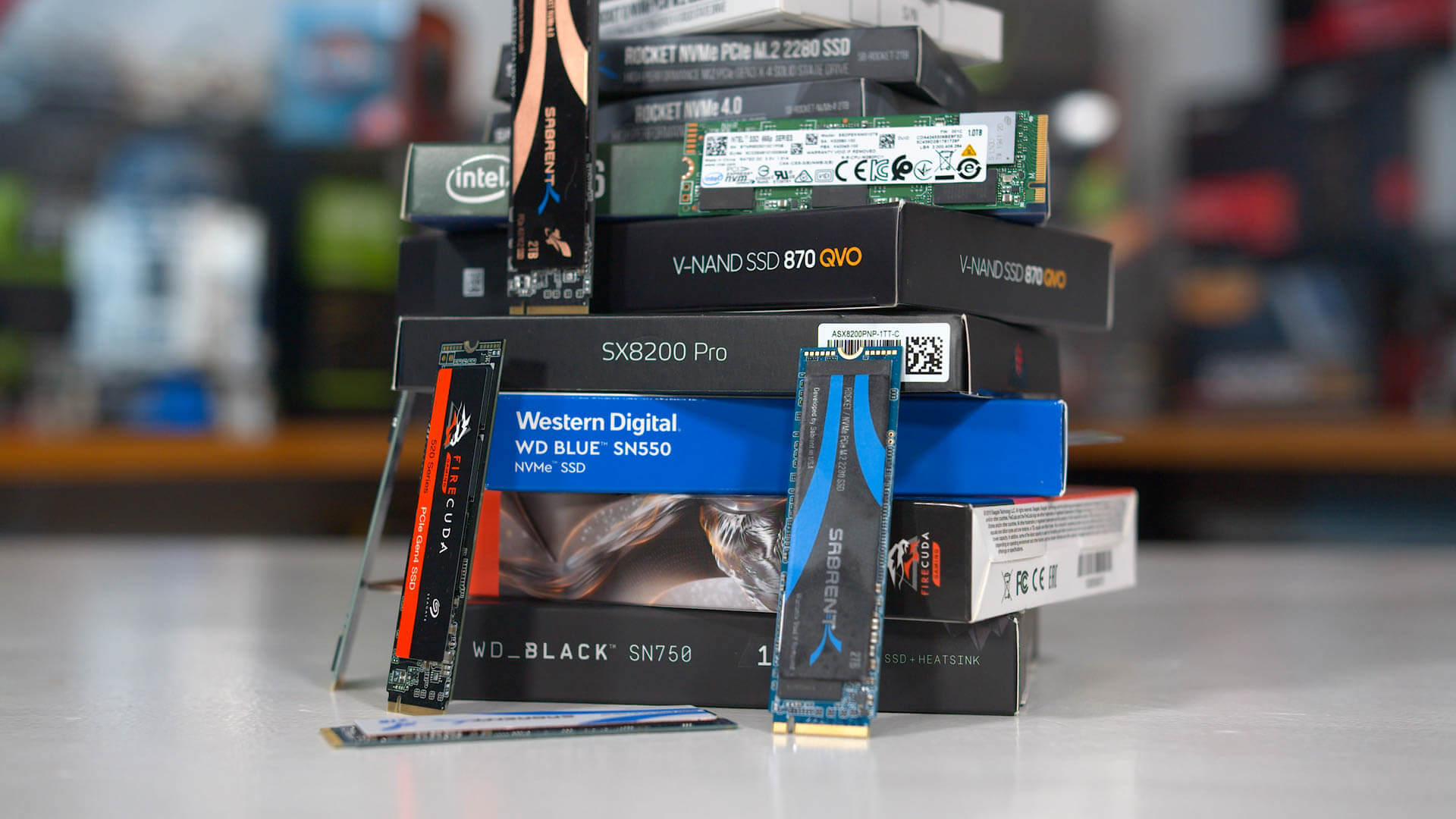
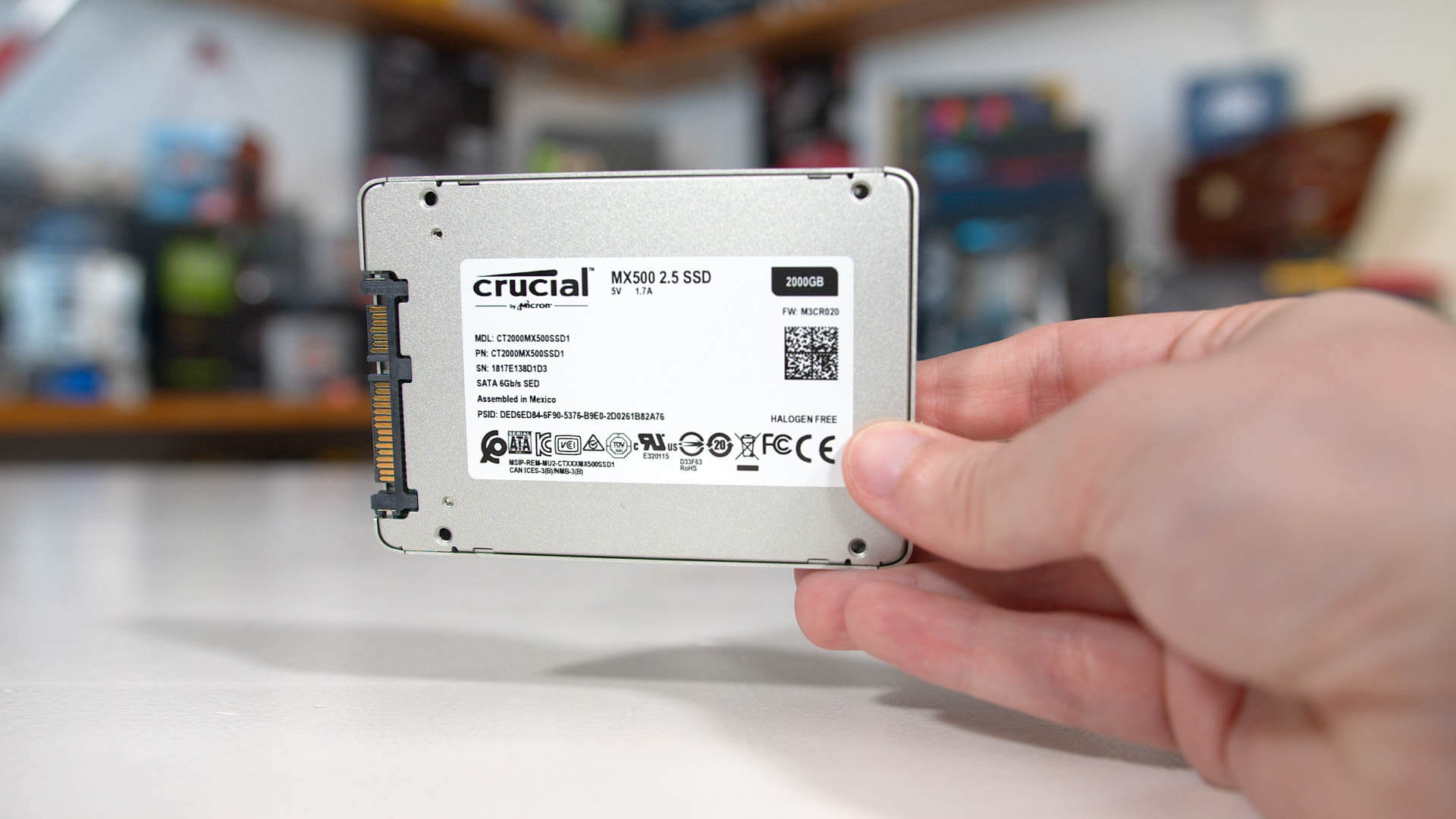
TechSpot
What sort of storage do you need to play today's games and provide the best loading times? Do you need a PCIe drive? Do you need something...


 burnt spear
edgy bolt
showing ss of stuff he never even linked that are worth $2k
burnt spear
edgy bolt
showing ss of stuff he never even linked that are worth $2k
???????
edgy bolt
burnt spear
You really 6gb/s is 600
6gb/s is 6000mb/s...
edgy bolt
the one you showed me, my ss, says 5000mb/s...not 6, 6 is better
6000>5000
Sata 6gb/s...ssd
 burnt spear
Actually I'm back for one more
 edgy bolt
burnt spear
Actually I'm back for one more
edgy bolt
burnt spear
Actually I'm back for one more
oh ok, there you go
good point
forgot about bit and byte
burnt spear
Jesus christ
cursive epoch
the small difference of gigabyte and gigabit
also please, don't be condescending in conversations, even if you're not wrong or don't realize yet. this is a friendly reminder
dull flint

sudden creek
edgy bolt
the one you showed me, my ss, says 5000mb/s...not 6, 6 is better
Bacca is just trying to help you. If you have questions or are confused please ask politely. No need to be passive aggressive.
No one here is being paid to help others. We do it because we want to.
That being said, NVMe drives even in the budget end are going to be much faster and in my experience more reliable then SATA drives.
Also you can usually find a budget gen 3 NVMe for the price of a data nowadays at the same capacity. Sometimes even cheaper.
On a different topic, @dull flint after having gotten my replacement chip and used it for a while I am now of the same opinion. "When it works, it works great" and that I don't think I can recommend the CPU to someone unless they are prepared to likely deal with some kind of finicky issue.
grizzled bloom
I'm of the same opinion. Having used the 7900X3D for a while now, I've found a few games that just don't behave how you'd expect or have weird issues. This is mostly limited to smaller studio and indie games, and it's often fixed with process lasso.
There are 2 games I play that still stutter badly, even with process lasso. Watching core usage, when it stutters every core spikes to 100% for a moment, even inactive cores and even restricting the game to 3D cores.
sudden creek
I wonder if I am running into the same issue with the stutters in Warframe.
I have it set to CCD0 only with process lasso.
grizzled bloom
You can disable CCD1 and test like that
dull flint
Sometimes I get a bit of luck just relying on the scheduler in windows to do it instead of lasso
grizzled bloom
A lot of the time yes that works perfectly with no extra steps, but when you're talking about small studios that don't have the resources to optimize it like Forever Skies (Far From Home) you'll need a few extra steps.
sudden creek
Warframe devs seem to be pretty good though so I am kinda surprised I am experiencing stuttering with it despite using Process Lasso.
 restive thicket
sudden creek
Warframe devs seem to be pretty good though so I am kinda surprised I am experie...
restive thicket
sudden creek
Warframe devs seem to be pretty good though so I am kinda surprised I am experie...
I noticed I had stutters happen when going from my 3080 to my 4070-S (long story). I didn't change any settings so I could only guess it us a gpu architecture thing as technically I gained 80+ average fps.
Transitioning from the 3080 10G to the 4070-S on War Thunder I also gained average fps by a factor of 60 - 80 on the same settings but I also notice that seeing things through gaps in trees that there is more aggressive culling on the 4070-S
So stuttering could also be gpu architecture related
sudden creek
restive thicket
So stuttering could also be gpu architecture related
Might be. In any case telling the game to let windows handle GPU performance preference instead of them has fixed most of the stuffers.
wind karma
So a friend bought a case with argb fans and a motherboard with no argb header. Is something like this the best option for using the rgb?
https://www.newegg.com/p/1YF-01R4-00004?Item=9SIBT2UK3H1295
scenic solar
My strix z270e gaming has 3 snapped VCCSA pin, from what i was able to understand those are for supplying power to the mem and pcie controllers. That likely explains the memory errors with any dimm configuration. Assuming those are simple vcc pins, they should provide a costant voltage, do they?
Just want to know if they're all shorted together (so they all act the same way, same voltages at the same times). If that's the case I could try my best to create a connection / birdge between the pads that font male contact on the cpu. *still have no idea how I'd do that

^ Those are the missing ones, one is a gnd (another gnd is missing but it's farther on the socket), should not be affected since that's quite redundant.
Rn I've only tested ram, hopefully pcie and audio controllers are not affected (yes, there's a connection to the audio chip too)
grizzled bloom
scenic solar
My strix z270e gaming has 3 snapped VCCSA pin, from what i was able to understan...
Constant yes (sort of, there's droop) but variable according to the motherboard's requirements and settings
scenic solar
So those together all provide the same exact power outputs? let's say that one cannot be feeding power while another vccsa next to it is not (turned off)
grizzled bloom
Idk how the behavior works on 1151
amber canopy
@scenic solar do you have a hot air station
amber canopy
yup
scenic solar
That's quite challenging even for more experienced people. I have some really basic soldering skills, learning how to use a hot air station + being able to re-ball components like ICs, SoCs, cpu & gpu dies and sockets would require a lot of time and dedication.
Hopefully I get into this sort of things because they can be useful when having to repair devices the hard way
amber canopy
I'll send you a video when I get home
It can be way more simple than that but yea still delicate
 shy wyvern
MSI is so dumb. Updating bios bricked my motherboard. Messaged MSI support about it and they won't help me because it's 8 days out of warranty.
Then I got this gem
"We do not recommend updating BIOS if not needed"
??????
Are you actually insane tf you mean
grizzled bloom
I had the same garbage happen, except the update killed my CPU by shoving way too much voltage into it.
This was after AMD specifically recommended updating BIOS to fix a potentially major security hole.
dull flint
shy wyvern
"We do not recommend updating BIOS if not needed"
Go after them for this. It's being pushed out there that people need to bios update to save their i7's and i9's from degradation due to baseline voltages
Ridiculous statement
8 days out of warranty what a joke
Npc answer
Lol
wind karma
shy wyvern
"We do not recommend updating BIOS if not needed"
I mean, yeah, it's pretty common to not update bios unless there is a major vulnerability or compatibility issue
wind karma
dull flint
Npc answer
Just the support person reading their script so they don't get fired
save their i7's and i9's from degradation due to baseline voltages
good reason to update though
dull flint
Not having leniency for practically a week is a bit of a nasty way to respond
Imo
Sure, it's technically correct, however with motherboards violating intel spec
grizzled bloom
MSI pulled the same garbage with me. AMD too.
grizzled bloom
It's anti consumer at the least
dull flint
Urge everyone to update to a new bios for better baseline voltages to avoid cpu destruction
Bios bricks motherboard at manufacturers advice
There's a case for a valid claim here
wind karma
dull flint
>Urge everyone to update to a new bios for better baseline voltages to avoid cpu...
yes this part is very valid to get mad about
dull flint
He was following good intent
Asus did this same thing with AM5 last year
And that one result
Blew up into a huge backlash
People were dumping asus left right and center and they lost that rep of being the golden child of enthusiast pc gaming
Meanwhile cpus exploding left right and centre lolol
I'm sure the rep didn't know better but that's still a company failure to me
shy wyvern
dull flint
Go after them for this. It's being pushed out there that people need to bios upd...
THAT'S WHY I DID IT BECAUSE 13TH GEN HAS THAT ISSUE WITH THE 13700K
shy wyvern
grizzled bloom
I had the same garbage happen, except the update killed my CPU by shoving way to...
Did they tell you to not update the bios?
I'm too tired to deal with the nonsense so I ended up ordering another board
dull flint
shy wyvern
THAT'S WHY I DID IT BECAUSE 13TH GEN HAS THAT ISSUE WITH THE 13700K
Go straight back and keep asking
shy wyvern
Is it worth all of that for a $180 board
shy wyvern
I work 60 hours a week idk if I have the mental stamina to push back on BS trained reps
dull flint
Fair enough
I'd just show them this
TechSpot
Gigabyte's latest beta BIOS, announced on Friday, provides a new Intel Baseline feature on its Z790 and B760 series motherboards. According to the announcement, the new beta...


Tell them "I'm working under your guidance to update the board, now it's dead".
Here's an msi official press release
https://wccftech.com/msi-offers-bios-guide-to-improve-gaming-stability-with-intel-14th-13th-gen-cpus/

Wccftech
MSI has released a BIOS guide helping PC owners with their motherboards to improve gaming stability with Intel 14th & 13th gen CPUs.
It explicitly states 13900K and 14900K but 13700K and 14700K are affected too by this, it's not out of scope
 dim granite
Howdy everyone. I bought a pc few years back, having some problems, seems like everyone who bought this PoS is having the same problem with the boot bios. From my understanding the motherboard needs to be replaced. I’d like to do it myself, but do not know what my options are for a new motherboard. Here is the link to the pc. Any advice would be greatly appreciated. https://www.bestbuy.com/site/lenovo-legion-tower-5-amd-gaming-desktop-amd-ryzen-7-5700g-16gb-memory-nvidia-geforce-rtx-3060-512gb-ssd-1tb-hdd/6476717.p?skuId=6476717
sudden creek
dim granite
Howdy everyone. I bought a pc few years back, having some problems, seems like e...
An AM4 board is gonna be what you want.
Something like a B550 will do fine.
Even a really basic one like a B550 DS3H from Gigabyte (next to no QoL features but gets the job done)
dim granite
Thank you, would going with a nicer make the pc run better? I had upgraded the ram to 64 gigs.
cursive epoch
Since it's just a 5700G
Anything will work boards wise
But I recommend TUF A520M GAMING PLUS wifi
Since you might want wifi anyway
dim granite
I don’t use WiFi, have my fiber plugged directly in.
dim granite
Thx guys
sudden creek
dim granite
Thank you, would going with a nicer make the pc run better? I had upgraded the r...
Not really. the benefit of higher end boards is usually more I/O, NVMe slots, and better VRMs.
The VRMs is important for higher end chips but a 5700G doesn't need a very good set of VRMs to run.
dim granite
Thank you, so something like this would be fine? MSI B550-A PRO ProSeries Motherboard (AMD AM4, DDR4, PCIe 4.0, SATA 6Gb/s, M.2, USB 3.2 Gen 2, HDMI/DP, ATX)
cursive epoch
Mhm
burnt spear
dim granite
Thank you, so something like this would be fine? MSI B550-A PRO ProSeries Mothe...
I'm pretty sure that case is OEM
Meaning it only fits certain mobos, but I could be wrong
cursive epoch
dim granite
Thank you, so something like this would be fine? MSI B550-A PRO ProSeries Mothe...
Tho a warning, you must get matx board. Mot an atx
The case only fits matx
sudden creek
dim granite
Thank you, so something like this would be fine? MSI B550-A PRO ProSeries Mothe...
More then enough. So yeah.
dim granite
Ok, so now I have to narrow down a mboard that will fit a matx? Any ideas with that?
sudden creek
If you want to go super budget friendly, get what I have. B550M DS3H from Gigabyte. It's about as basic a board can get but it will run a 5700g.
grizzled bloom
PSA: The latest Gigabyte Z790 beta BIOS update is unstable. Do not use the beta update. Use the latest stable version.
grizzled bloom
grizzled bloom
PSA: The latest Gigabyte Z790 beta BIOS update is unstable. Do not use the beta ...
 lethal cipher
Looking for some help. Trying to find memory for my computer, but I am striking out. Here is the information. HP Spectre x360 2-in-1 Laptop Intel Core i7-1360P 2.20 GHz 16GB Memory 1 TB PCIe SSD 16.0" UHD + Touchscreen Intel Arc A370M Windows 11 Home 16-F2023DX
limber dragon
16gb, if you dm me the SN, I can dig up some stuff for you
should be sodimm ddr5, but might not be able to upgrade it, and google search of the mobo is only coming back with 1 pic
https://www.ebay.com/itm/166321103817 there's a cover over either the soldered ram, or the socket for the ram, and I cant tell which
 scenic solar
I'm testing out the 8600k i recently bought. Cinebench r23 scores are not what i'd expect, they should be 1250SC and 6800MC. I get 1100 and 6100. I had this same problem with the i5 8500, but only on this other windows 10 install. Previously (before reinstalling windows) I was able to get past the scores that can be found online. I'm not sure what the difference is between the two installations, maybe i forgot some setting in windows? Power plan is set to best performance, cincebench priority in task manager is set to normal. What could that be?
I had no hardware changes other than the cpu itself and the ram, i currently run 8gb 2666mts (that's the highest the motherboard supports), but I don't think it would affect a cpu test that much
+iirc I had tested with 16gb @2666 and I was unable to get those scores again after windows reinstall (update: currently tested with 16gb, same results)
scenic solar
Idk if any of these matter

Boot performance mode: max battery, max non turbo perf, turbo perf.
Fclk: 400, 800, 1000 mhz.
Let's see if anything changes with uefi defaults nope
scenic solar
I forgot to mention I moved the ssd with windows to different machines a few times, all intel lga1151 based but I always avoided installing drivers so I wouldn't get these sort of conflicts (if that's the case).
Windows may have installed something to work better but messed up with the different hardware configs...
Should I uninstall all motherboard-cpu related drivers form device manager?
grizzled bloom
scenic solar
I forgot to mention I moved the ssd with windows to different machines a few tim...
Windows always installs drivers, and downloads some from windows update, by default.
You can prevent this but you have to go out of your way to disable it. If you're suspecting the issue might stem from moving the drive around then you can always reinstall or refresh windows.
Uninstalling things from device manager doesn't work because unless you're in safe mode it only shows currently active devices, and you don't want to uninstall what you're currently running.
scenic solar
Refresh windows? What do you mean with that? I'm not reinstalling again because thats going to take a lot of time
scenic solar
grizzled bloom
Uninstalling things from device manager doesn't work because unless you're in sa...
Ok, got it
Are you referring to what pops up as "update windows" during the installation process which basically reinstalls the os only?
grizzled bloom
scenic solar
Refresh windows? What do you mean with that? I'm not reinstalling again because ...
 scenic solar
Thats going to reset all personalization settings and control panel settings?
grizzled bloom
Those are backed up to your MS account
scenic solar
Even on windows 10? What if I'm logged in with the same account on different devices? What personalized windows settings will i get back, the ones from the local machine?
grizzled bloom
The hardware ID will still be the same so it should automatically know what machine you're on
If not you can always do it manually
scenic solar
Ok so basically windows will be reinstalled and I won't notice a single thing has changed?
grizzled bloom
You'll still have to install any missing drivers and programs
The registry gets reset
But your files and accounts remain intact
Luckily major programs like steam and discord know how to handle this and will automatically ask to install themselves when you try to launch them again from the existing shortcuts
scenic solar
grizzled bloom
You'll still have to install any missing drivers and programs
So it is going to uninstall all programs, including ones for benchanrking? I tought personal files included those
grizzled bloom
Personal files do not include programs. The program data itself is untouched, the registry installation data is deleted.
Basically anything stored in the C:\Windows folder is probably getting reset
scenic solar
I'm getting a bit confused here... will Program files (/x86) be removed?
I literally have all sorts of programs I need for benchmarking, reinstalling them takes hours
grizzled bloom
No, the programs folder will be untouched. The installation information stored in the registry, which is in the Windows folder, will be deleted.
Many programs work perfectly fine even in this uninstalled state with no registry data
scenic solar
Oh okk, understood.
I guess most programs will recreate the necessary files in the registries if needed
I'll have to do that tomorrow since it's likely going to take quite some time
Just want to check what the pc does as it resets. Never done that before. Usually when I look away from a pc for one second it implodes
grizzled bloom
scenic solar
I'll have to do that tomorrow since it's likely going to take quite some time
The process itself takes about 15 minutes on a SSD but the real time waster is reinstalling and testing things
scenic solar
Oh really, I thought it would take longer. Good to know
 mental moat
My bad
Anyway
I did a messy issue with my ram
Basically i overclocked it a bit in order to test high sleeds
But now not even the software boots up
And i saw online its about clearing cmos or something
I just wanted to know what i can do to fix it
Do i have to clear cmos?
ripe tartan
It’s a good step

