#cpus-mobo-and-memory
1 messages · Page 43 of 1
 limber dragon
usually when there's a fault within the PSU on the 12v power rails, it shouldnt work with the 24 pin since there's a few 12v in that too
 scenic solar
At this point I don't know what to try except for the PSU to find the problem. Switched up the dimms because why not
This is taking a lot of days
Maybe {maybe [maybe (maybe)]} I solved he dimm lighting problem, they were configured as slot #3#4 in iCue so it could be that it had difficulties figuring out where the second dimm was (#2)
 grizzled bloom
iC*u things ™️
 deft creek
I have a 14900K/ROG Strix Z790-E gaming wifi/corsair vengeance 2x32GB 6400CL32 that's confounding me, it will POST but not boot into windows with asus defaults and XMP enabled (I have a slower kit of corsair dominator 2x32GB 5600CL40 that can boot but will freeze in windows with certain workloads when XMP is enabled)
Today I tried changing my SA voltage from default (1.35V) to 1.15V and disabling MRC fast boot, it booted into win just fine and didn't crash during any benchmarks, so i opened a bunch of different games, vtubing apps, unity, OBS, LR/PS that would normally most definitely crash an unstable system, but it hasn't crashed in hours.
But now I have no idea why the ASUS defaults for system agent voltage would cause the PC to fail so catastrophically, google has been of no help either b/c there are some people who claim a SA voltage of 0.95-1.05V is fine while others say they are running theirs at 1.4V+.
 cyan raft
All voltages have sweet spots, it’s up to you to find them
1.4V SA voltage is way too high and will probably degrade the CPU
deft creek
i agree, but i'm just not sure why the system is non-functional with the asus default setting for SA voltage
grizzled bloom
Higher voltage increases the temperature of the component, which can lead to instability
 dull flint
deft creek
i agree, but i'm just not sure why the system is non-functional with the asus de...
dull flint
deft creek
i agree, but i'm just not sure why the system is non-functional with the asus de...
All training algorithms on a motherboard are dreamed up by someone at some point for each combo
As sussy said, it sweet spots
You can have like, 1.16V SA and nothing is ever stable ever, won't even post
Then 1.15v is 1000% stable (and this absolutely does happen with ddr5)
grizzled bloom
Not to mention Intel motherboard manufacturers have been tending to ask simply "what's the max safe voltage" and setting the default to 0.05v below that
dull flint
Pretty much yeah
It's a 64gb kit at that
On the harder side of the scale
Things like Asus MCE can have an effect on that
deft creek
yikes
dull flint
Is how it is
Also the ongoing rep of Corsair kits locking themselves down to avoid overvoltage may not help either
deft creek
I lowered SA voltage to 0.95V and it seems to still be running, but i don't have time to do a long burn test atm
dull flint
If your board isn't training it properly it may be in need of a bios update
Or manual stress testing yes
deft creek
the bios is up to date
deft creek
is it good practice to just leave MRC safe boot off until you have finalized your settings?
dull flint
Some bios' have terrible stability with certain combos
dull flint
deft creek
is it good practice to just leave MRC safe boot off until you have finalized you...
I think it's probably unrelated in this equation
In all my ddr5 experience I've never found this a requisite
deft creek
i see
dull flint
System agent voltage can and will cause results like you've had
Especially per cpu
All cpu's, ram and mobo have their own sweet spots
deft creek
i'm just unfamiliar with the concept of lowering voltage to achieve stability
dull flint
deft creek
i'm just unfamiliar with the concept of lowering voltage to achieve stability
That's a ddr5 trait for sure
deft creek
yup, i changed it back to auto and it crashed at the windows login screen
deft creek
that is what asus thinks should be the default
dull flint
Yes
And someone programmed this
So I'd try a different bios, an older one might be much better
Or if that doesn't work
Consider manual stress testing
Considering it's a 14900K, I'd say 2 hours of y-cruncher vst at the max
deft creek
I mean, if i find a range of values that works, all i am interested in doing is undervolting the 14900k a little bit and then my work is done
dull flint
2 hours at a stock power limit
So 255W max
14900K will degrade from slamming the cpu too much under overclocked conditions
So I highly suggest running these tests at stock conditions
deft creek
i turned on MCE just to run cinebench
dull flint
deft creek
I mean, if i find a range of values that works, all i am interested in doing is ...
Would definitely recommend
deft creek
but i'll probably return it to stock for normal use
dull flint
deft creek
i turned on MCE just to run cinebench
Did you know that enough cinebench runs can degrade 13th/14th? Lol
deft creek
i don't run it very often
dull flint
If you want a reference, overclock.net and go look at the z790 motherboard threads
Stress tests are known to degrade
This is specific to 13th and 14th though
dull flint
deft creek
i don't run it very often
Like a few passes won't hurt anyone, just don't do like, hours of it
deft creek
long story, but i had a 13900K that never behaved, i got a 14900K after i RMAed it
dull flint
Same motherboard?
deft creek
nope, i systematically replaced every component in the PC
b/c i was in denial that it was the CPU that was going bad
deft creek
yeah
dull flint
I've had 3 of them
deft creek
i RMA'ed my seasonic 1000W titanium first
then RMAed my 3090 but gigabyte found nothing wrong with it and returned it to me
dull flint
Heh, you're in us?
deft creek
tried different SSDs, then replaced the rog strix z790-e
yeah
the 13900K was all that was left
dull flint
I'd take that gigabyte rma with a grain of salt
Still, bad training algo could cause all of this
deft creek
I couldn't blame the gigabyte 3090 when i couldn't boot into windows setup through the iGPU
dull flint
Fair enough
deft creek
this is by far the most cursed PC i've owned though
dull flint
So I think, you may have to consider testing this with mce disabled and stock settings
So SA to an adjusted sweet spot
deft creek
i'll leave SA at 1.05V for now, since it seemed to work at 0.95V and definitely worked at 1.15V
dull flint
You can also bump dram voltage, your 6400 C32 hynix kit scales positively up until about 1.45V
dull flint
Mm
deft creek
it was the system agent voltage all along
dull flint
The chips in that kit though should be fine up to about 1.6V though
But I'd recommend a fan over the ram over about, 1.5-ish
Just passing this info along so you have something to work with later

deft creek
it's in an o11 dynamic bottom intake top exhaust config, it should be fine
dull flint
Vert mount or nah
deft creek
nah
deft creek
this one is my work/stream PC, it sits under my desk so i can't be bothered to make it pretty
dull flint
Ok then yeah, GPU will be dumping hot air all over the ram
deft creek
they are pretty cool to the touch
dull flint
Worth remembering this, I would def recc a fan if you decide to change the dram voltage
I'm also in an o11 evo
And I tried this with a z5 kit of 6400 c32
2x32
I stand by the suggestion if you find yourself needing this
deft creek
that was another reason why i disliked 4x16GB, your ram will cook itself while sandwiched
dull flint
Yes
Especially this many chips
Though 2 slot boards handle it way better than 4 slot
deft creek
I would love to shove one of my 5950X systems in a SFF case, but how would i cool it lol
dull flint
A lot of the newer aio's are better at handling it
You could def run a 5950x at stock on a good 240
Ryzen's issue is not radiator saturation but ihs transfer
Good 240 rads can happily do 500w+
deft creek
i'm running one of them in an o11 air mini with a 280mm and the other in a fractal meshify c on a hyper 212 evo lol
dull flint
Hyper 212? 
deft creek
it's basically idling though

 vast meadow
Idling at 50c in winter? Unless your room is like 35c that's not normal idle temps
 patent shard
is this normal CPU temp for idle status
 grizzled bloom
On air cooling yes
 amber canopy
cyan raft
It’s on a 212
amber canopy
cyan raft
It’s on a 212
5950x on a 212? 💀
 naive pendant
Ok, question, I have the option to buy two different system upgrades. Both of them are the same price, one has a 7700x the other has a 12900K. I am currently rocking a 5800x, which I know is not a bad platform, but I am looking for more, since MSFS just takes as much as I can throw at it. Which one do you guys think I should go for?
grizzled bloom
naive pendant
Ok, question, I have the option to buy two different system upgrades. Both of t...
Do you know if the memory on the 12900k system is DDR4 or DDR5? If it's DDR4 that's an easy call, pass that up immediately and go 7700X.
If it's DDR5, then it's a harder call to make. In that game, the two processors offer near identical performance, in which case whichever system has better specs on the rest of the parts (especially GPU) is the better choice.
naive pendant
grizzled bloom
Do you know if the memory on the 12900k system is DDR4 or DDR5? If it's DDR4 tha...
They are both DDR5-6000, I will be keeping my 3080ti, since well you know, GPU's are too expensive.
patent shard
grizzled bloom
On air cooling yes
im on AIO cooling.....
also, CPU is 12% on load rn and is at 53 degrees
normal?
if this aint normal i might need to take my cpu apart, maybe my thermal paste wasn't enough
grizzled bloom
12% load means it's not idle, it sounds like a background task is using 100% of 1 core
Which most often traces back to a RGB program
iCue in particular does this
dull flint
naive pendant
Ok, question, I have the option to buy two different system upgrades. Both of t...
5800x3d
msfs LOVES
5800x3d
one of the few times it's worth it's weight in gold
grizzled bloom
Yes the 5800X3D beats both the 12900k and 7700x in msfs
dull flint
or 7800x3d
grizzled bloom
7800X3D would be the GOAT
dull flint
x3d is just a whole different ball game for msfs
 obtuse forge
Anyone know if it’s possible for a MSI b550 mortar to run a 5800x3d under full load?
dull flint
should do
grizzled bloom
obtuse forge
Anyone know if it’s possible for a MSI b550 mortar to run a 5800x3d under full l...
Considering "full load" for that CPU is 75W, literally any motherboard can do it
naive pendant
dull flint
5800x3d
Funny thing is, I would be spending less money if I got the 5800x3D
naive pendant
dull flint
More money ≠ more better
Truth
vast meadow
While x3d is great especially for msfs imo save up a bit more and get a 7800x3d something like this would be worth the upgrade imo (assuming you're in the US anyway)
vast meadow
naive pendant
Funny thing is, I would be spending less money if I got the 5800x3D
Something like this is what I'd do if you're in the US (and you could use your current cooler on the 5800x for it)
https://pcpartpicker.com/list/HXJvZJ
Part List - AMD Ryzen 7 7800X3D
naive pendant
What memory should I get for this PC? Best brand and value? Don't mind spending $80-$120. I would like to at least keep it below $115 if possible.
Part List - Intel Core i5-12600K, GeForce RTX 4070, Thermaltake Core V71 TG ATX Full Tower
I'll be using it to game, 3D model and render, search the web and etc.
Oh and need a 32 GB kit.
vast meadow
naive pendant
What memory should I get for this PC? Best brand and value? Don't mind spending ...
At current prices I'd get this
https://pcpartpicker.com/product/cCKscf/silicon-power-value-gaming-32-gb-2-x-16-gb-ddr5-6000-cl30-memory-sp032gxlwu60afdeae

Silicon Power Value Gaming 32 GB (2 x 16 GB) DDR5-6000 CL30 Memory (SP032GXLWU60AFDEAE)
naive pendant
vast meadow
At current prices I'd get this
https://pcpartpicker.com/product/cCKscf/silicon-p...
These good for gaming and work?
Thx btw
vast meadow
naive pendant
These good for gaming and work?
Yep
Ram is ram no real difference once the mhz cl and capacity are the same
 naive walrus
Hi I have an old Aspire Aecer desktop model no ATC-705-UC52 with intel i7 gen 4 socket 1150and mother board MATX Any one know a good mother board replacement Isuspect the mob is dead
Here is the spec for the computer https://www.newegg.com/acer-aspire-tc-atc-705-uc52-r-student-home-office/p/N82E16883101399
naive pendant
Is this better and better value than the other ones mentioned? Idk if I'm getting these I'm just wondering.
Part List - Intel Core i5-12600K, GeForce RTX 4070, Thermaltake Core V71 TG ATX Full Tower
 wicked gorge
is there a place where you can print off the mounting holes layout for a motherboard? i want to make a custom layout and my cnc machinist friend, wants a layout to put in the lazer cutter
 hollow thorn
wicked gorge
is there a place where you can print off the mounting holes layout for a motherb...
hollow thorn
wicked gorge
is there a place where you can print off the mounting holes layout for a motherb...
ATX is a standard, so you can find specifics like on page 12 of this
https://cdn.instructables.com/ORIG/FS8/5ILB/GU59Z1AT/FS85ILBGU59Z1AT.pdf
wicked gorge
hollow thorn
ATX is a standard, so you can find specifics like on page 12 of this
https://cdn...
thank you! iv been searching for hours XD i didn't have the right wordage for google is seems.
hollow thorn
You're welcome, good luck with your project
 sudden creek
Interesting, 7950x3d cheaper then 14900K rn.
Going 7950x3D cheaper then 13/14900K.
About to buy parts in a moment.
Going with these parts:
7950x3D (Game & Work)
X670-P motherboard from MSI
ram, would like some help with this. Debating on this kit: https://www.amazon.com.mx/gp/product/B0BPHRJX6F/ref=ox_sc_act_title_1?smid=A1G99GVHAT2WD8&psc=1

TEAMGROUP T-CREATE CLASSIC 10L DDR5 64GB Kit (2 x 32GB) 5600MHz (PC5-44800) CL46 Módulo de memoria de computadora Ram - CTCCD564G5600HC46DC01
 pale fox
Hey I'm going from a Ryzen 5 5600x to a Ryzen 9 5900 in terms of performance how good is it?
 cerulean wadi
Gaming, very little. "Work", depends highly on if something really puts all the cores to use.
dull flint
gaming performance same
workstation performance > anywhere that can use the second 5600x worth of cores on it, will benefit
grizzled bloom
pale fox
Hey I'm going from a Ryzen 5 5600x to a Ryzen 9 5900 in terms of performance how...
If you're gaming the upgrade to do would be the 5800X3D, which can get you about 15% more fps on average
 forest grove
Hello, I want to buy this motherboard https://www.newegg.com/p/N82E16813162148?Item=N82E16813162148 and im trying to figure out which memory will be compatible for running 32gbx4 setup to achieve 128gb in total
grizzled bloom
forest grove
Hello, I want to buy this motherboard https://www.newegg.com/p/N82E16813162148?I...
Do you actually have a need for that much memory? Because having that much actively hurts performance unless you're using most of it.
As for which ones will be compatible, you want to look for kits that are sold as complete 4x32gb or 2x64gb kits. Don't buy 2 sets and put them together. They will be much slower than a smaller amount of memory, possibly as slow as 4800-5600.
forest grove
grizzled bloom
Do you actually have a need for that much memory? Because having that much activ...
Not finding any 2x64gb or 4x32gb kits
I'm looking for something in the ballpark of 5600mhz
I am a daytrader + do a lot of video editing and compiling, and right now I have 64gb of ram on my current build with a amd 3700x
I am currently building a i9-14900k, asrock z790 nova wifi, m2 drives, and looking to increase my ram size
grizzled bloom
4 sticks is an absolute pain to get working at all on LGA1700. you'll be lucky to hit the rating on these. https://pcpartpicker.com/product/HKn9TW/corsair-vengeance-128-gb-4-x-32-gb-ddr5-5600-cl40-memory-cmk128gx5m4b5600c40

Corsair Vengeance 128 GB (4 x 32 GB) DDR5-5600 CL40 Memory (CMK128GX5M4B5600C40)
forest grove
The only options I see at the moment are:
Ddr5-8000mhz 48gb (2x24gb)
Ddr5-???mhz 64gb (2x32gb)
Just crazy they make a board that can support 192gb, and the ram doesn't even exist to be able to fulfill it
forest grove
grizzled bloom
4 sticks is an absolute pain to get working at all on LGA1700. you'll be lucky t...
I saw this kit on Newegg, was looking for something with rgb
grizzled bloom
Same kit with RGB https://ca.pcpartpicker.com/product/PNsV3C/corsair-vengeance-rgb-128-gb-4-x-32-gb-ddr5-5600-cl40-memory-cmh128gx5m4b5600c40

Corsair Vengeance RGB 128 GB (4 x 32 GB) DDR5-5600 CL40 Memory (CMH128GX5M4B5600C40)
forest grove
So why wouldn't u suggest running 2 kits of let's say 2x32gb gskill ripsaws together
forest grove
grizzled bloom
Same kit with RGB https://ca.pcpartpicker.com/product/PNsV3C/corsair-vengeance-r...
Because in theory this is just 4 x 32gb sticks in one box...
grizzled bloom
2 reasons. They're designed and guaranteed to run at their rated speed only as they're bundled. If you get a faster 2x32gb kit and double it, you won't be able to use the memory profiles. Also there's a chance that the different kits, even the same model kits, are using different memory dies and would be totally incompatible.
forest grove
Okay
Wish gskill had a kit
So the board will support up to ddr5-8000mhz
Would u suggest running 128gb of the 5600mhz using one of those kits or running like 48gb of the 8000?
grizzled bloom
forest grove
Wish gskill had a kit
Kingston does but it's white. And also more expensive.
96GB would be a good compromise
forest grove
Memory
- Dual Channel DDR5 Memory Technology
- 4 x DDR5 DIMM Slots
- Supports DDR5 non-ECC, un-buffered memory up to 8000+(OC)*
- Max. capacity of system memory: 192GB
- Supports Intel® Extreme Memory Profile (XMP) 3.0*

* 1DPC 1R Up to 8000+ MHz (OC), 4800 MHz Natively. 1DPC 2R Up to 6800+ MHz (OC), 4400 MHz Natively. 2DPC 1R Up to 6000+ MHz (OC), 4000 MHz Natively. 2DPC 2R Up to 5600+ MHz (OC), 3600 MHz Natively.
You'd be able to run it faster too
https://ca.pcpartpicker.com/product/xDcgXL/gskill-trident-z-rgb-96-gb-2-x-48-gb-ddr5-6400-cl32-memory-f5-6400j3239f48gx2-tz5rk

G.Skill Trident Z RGB 96 GB (2 x 48 GB) DDR5-6400 CL32 Memory (F5-6400J3239F48GX2-TZ5RK)
forest grove
grizzled bloom
96GB would be a good compromise
Not sure if that's possible
Ah, didn't see any 48gb sticks
grizzled bloom
48GB sticks are a thing now yeah lol
forest grove
What happened to good ol 32gb and 64gb
Now we got 24gb and 48gb
grizzled bloom
Hynix decided to make 24Gb dies to shake things up, and they're really, really good for absurd reasons.
It used to be 16Gb were the best but now you can hit over 10000 on a 24GB stick
forest grove
6800mhz looks to be about the fastest available in a 96gb kit
grizzled bloom
Yes. The most memory you can get without compromising speed will be 48GB. Though I'd hardly call 6800 a compromise still, it's plenty fast.
forest grove
I'm running 3600mhz now, so it's a big jump
Which mhz speed would u suggest
I'm not looking to max it out with 8000mhz or anything
grizzled bloom
6400 is a good target I think. It should pretty much work out of the box without much, if any, manual tuning.
If you don't mind tweaking SA voltage and stuff like that you can aim higher.
forest grove
I'm more or so looking to plug it in and it works
grizzled bloom
grizzled bloom
You'd be able to run it faster too
https://ca.pcpartpicker.com/product/xDcgXL/g...
This would be good then
Picked RGB g.skill for you
forest grove
Only difference between the trident and ripsaws is the rgb right ?
grizzled bloom
Basically yes
forest grove
Okay great. I appreciate the help and guidance
amber canopy
i need more ddr3

 split copper
 tall iron
Hi hello, I’m looking to upgrade my pc was wondering if I should do it now with the new gen CPUs or wait till next November when the next gen comes out
 burnt spear
tall iron
Hi hello, I’m looking to upgrade my pc was wondering if I should do it now with ...
burnt spear
tall iron
Hi hello, I’m looking to upgrade my pc was wondering if I should do it now with ...
If you do that you'll be waiting decades
If you feel the need to upgrade, then upgrade
If you're satisfied with what you have, then wait
It also depends on what games you play, what resolution you play at, and what gpu/cpu you currently have
tall iron
burnt spear
If you do that you'll be waiting decades
Dang it’s cuz I was looking at the i7 14700k but I’ve been told that 14th gen intel is a let down
burnt spear
tall iron
Dang it’s cuz I was looking at the i7 14700k but I’ve been told that 14th gen in...
What do you use your pc for?
If just gaming 7000 series is better value
tall iron
burnt spear
It also depends on what games you play, what resolution you play at, and what gp...
Currently running a i5 9600k and as gpu 2070s
tall iron
burnt spear
What do you use your pc for?
Gaming and school I’m a engineer student and I do a lot of 3D rendering
Some video editing as well
burnt spear
tall iron
Gaming and school I’m a engineer student and I do a lot of 3D rendering
Do any of the softwares you use require multi core performance?
And how serious is the workstation use, because if it's demanding and uses multi core 14700k could be a great idea
If your 3d rendering requires gpu performance, you'd likely benefit more overall by a better gpu instead of cpu
If you do cpu, but don't need multi core perf
https://pcpartpicker.com/list/9xM2gb
Part List - AMD Ryzen 5 7600
And for 14700k, though there's a lot of other mobo options https://pcpartpicker.com/list/BBRvDZ
Part List - Intel Core i7-14700KF
That's just great value, at $130 it's great
tall iron
burnt spear
Do any of the softwares you use require multi core performance?
That I’m unsure about but for the past year I’ve noticed that my cpu has been running around 100%
burnt spear
tall iron
That I’m unsure about but for the past year I’ve noticed that my cpu has been ru...
Hm, what softwares?
tall iron
burnt spear
Hm, what softwares?
Mainly Cad and inventor but it’s also been running near 100% when I’m gaming
I use to have a live wallpaper but I stopped that cuz I was getting bad frames with it on
burnt spear
Cad from what I know likes everything, cpu gpu and ram
Inventor I'm not sure on
So I'd day either way, also check your ram usage. If you've 32gb and you consistently see 90%+ usage it would probably be worth spending more for more ram, either 48gb or 64gb
tall iron
burnt spear
So I'd day either way, also check your ram usage. If you've 32gb and you consist...
I have 16gbs
This is what I was originally looking at
Part List - Intel Core i7-14700K
burnt spear
Any reasons you chose that mobo?
Do you plan to cpu overclock, do you need a lot of storage, or do you plan to ram tune?
tall iron
burnt spear
Any reasons you chose that mobo?
USB slots
burnt spear
Ram tuning imo I would recommend, with ddr5 hynix you can buy the kit I had in the list and spend 5 min in bios and have noticeably better performance than an xmp kit
burnt spear
tall iron
USB slots
You can get a USB hub for like $10 tho
Also the b760 has 7 usbs, which is only 1 less. Not trying to tell you what to do, just making sure you have all the info so you know what you're buying. If you decide the z790 is what fits you best, go for it
tall iron
burnt spear
Also the b760 has 7 usbs, which is only 1 less. Not trying to tell you what to d...
No I really appreciate it I’m just trying to get as much info before I start throwing money down
burnt spear
There's also other options, like
https://pcpartpicker.com/product/mYnypg/gigabyte-z790-gaming-x-ax-atx-lga1700-motherboard-z790-gaming-x-ax
https://pcpartpicker.com/product/y4KKHx/asrock-z790-pg-sonic-atx-lga1700-motherboard-z790-pg-sonic
https://pcpartpicker.com/product/WDMMnQ/asrock-z790-lightning-wifi-atx-lga1700-motherboard-z790-lightning-wifi

Gigabyte Z790 GAMING X AX ATX LGA1700 Motherboard (Z790 GAMING X AX)

ASRock Z790 PG SONIC ATX LGA1700 Motherboard (Z790 PG SONIC)

ASRock Z790 Lightning WiFi ATX LGA1700 Motherboard (Z790 Lightning WiFi)
burnt spear
tall iron
No I really appreciate it I’m just trying to get as much info before I start thr...
100%
For the ram
Do you know what ram dies are?
Basically, ram die is who manufactures it. Hynix makes two dies for ddr5, both which are really good in their own way. A die and M die. A die is better for intel, M die is better for amd. A die can do high speeds like 7600c32-36-36-74 easily
M die can do low timings, like 6000c30-32-32-66 or something like that
But you can get a hynix kit and set some very easy settings like those in 5 minutes in bios, and have a good bit better performance than just the default speeds like 6000c32-36-36-74
Anything 5600+ and cl32 or lower is gauranteed hynix
tall iron
Ok than would recommend the ones you sent than?
burnt spear
The ram in that is gauranteed hynix yeah
Even if you don't mess with it now, you have the ability to down the line
Mobo is purely up to you, though I don't know how b760 vs z790 affects ram tuning
tall iron
burnt spear
The ram in that is gauranteed hynix yeah
Ok lastly I know this may sound dumb but any you recommend with rgb so if fits the aesthetic of my pc I know it’s dumb and useless
burnt spear
The oloy kit is rgb
tall iron
Oh it is I didn’t see that
burnt spear
If you want more rgb I believe there's a teamgroup rgb kit around $95-105 that's gaurangeed jynix
Or you can add rgb strips completely separate for anywhere from $10-30 or so
Can put them basically anywhere in the pc too
tall iron
burnt spear
Can put them basically anywhere in the pc too
Got you well thank you very much for your time I appreciate the help very much
burnt spear
Happy to, feel free to ping me if you've anything else to ask
tall iron
burnt spear
Happy to, feel free to ping me if you've anything else to ask
Ok will do thank again
 mystic inlet
Wondering if I should upgrade now or wait till latter next year ( 2024) when the new stuff is supposed to come out. Maxing out the end of a gen seems to limit me latter on
grizzled bloom
AMD 8000 series is due early next year. It's supposed to be a significant bump over 7000. Intel is a flop this time around, maybe the next gen will be good but it's hard to tell this early on.
 long geyser
Isnt that just Zen4 APUs coming out Q1 2024? Zen5 is just sometime during 2024 afaik.
Also, waiting game can always be applied at any point in time. "Nah, Im going to wait. It's just another 3 - 5 months". So I'd be a bit careful about playing that game.
grizzled bloom
Hawk Point APUs are due earlier next year yes, but Zen 5 is due Q2 which I still consider pretty early since it could be april-may.
And yeah you need to weigh the pros and cons when playing the waiting game. How much benefit would you specifically get from processor improvements?
limber dragon
grizzled bloom
AMD 8000 series is due early next year. It's supposed to be a significant bump o...
gib 8800x3d
cyan raft
burnt spear
Basically, ram die is who manufactures it. Hynix makes two dies for ddr5, both w...
Completely unrelated to his question but there are now technically 3 Hynix dies because there is a 16gbit M-die and a 24Gbit m-die
 spiral echo
Would compiling benefit from CAS or RAM speed? I’d assume speed no?
 cursive epoch
no
cpu matters the most with compiling
core count and how fast each cores are in terms of ipc
cache amount
cyan raft
spiral echo
Would compiling benefit from CAS or RAM speed? I’d assume speed no?
CAS latency has almost no impact on performance whatsoever
But yeah cpu matters most for compiling
sudden creek
cyan raft
Completely unrelated to his question but there are now technically 3 Hynix dies ...
Pretty sure there is also a 24Gbit A-Die from hynix.
cyan raft
There isn’t
sudden creek
Oh, I thought there ones. then what's the Hynix A-Die used on the 2x24GB from T-Create?
oh wait, it's 12Gbit not 24Gbit isn't it?
dull flint
Tcreate likely has 24gbit 5h24m
Or m die for short
There is no 24gbit or 12gbit hynix A afaik
Only 16gbit
cyan raft
sudden creek
Oh, I thought there ones. then what's the Hynix A-Die used on the 2x24GB from T...
It’s Hynix 24gbit M-die on the 2x24 kits
sudden creek
For a short period they had 2x24 Hynix A-Fie kits on Amazon.
Maybe they had a quiet launch or smth?
Or it was a typo idk.
cyan raft
Yeah that doesn’t exist
 olive totem
grizzled bloom
AMD 8000 series is due early next year. It's supposed to be a significant bump o...
olive totem
grizzled bloom
AMD 8000 series is due early next year. It's supposed to be a significant bump o...
will they be am5 platform still
sudden creek
olive totem
will they be am5 platform still
Yes. AMD said they'd stay on AM5 for I think 3 or 5 years I forgot.
vast meadow
Don't think they made a commitment this time like they did with am4
But yes at least 8000 series will be am5
cyan raft
8000 will be, 9000 probably will have a new socket
 amber canopy
wow guys did you hear about those new dominator platinum ram corsair released?!?!? https://www.youtube.com/watch?v=G2LLvoiF0N8&ab_channel=LinusTechTips

Corsair Dominator Platinum memory comes in a wide variety of speeds and configurations from "pedestrian" to "EXTREME". The thing they all have in common is they look AMAZING!
CA: http://www.ncix.com/search/?categoryid=0&q=dominator+platinum
US: http://www.ncix.com/search/?categoryid=0&q=dominator+platinum

 lyric turret
sudden creek
How good this feels!
lyric turret
sudden creek
How good this feels!
I got all my parts but I’m putting it together tommrow🥹
 manic glen
guys asking whats wrong with my i7-10700 cpu. its a legit i7-10700. but it only displays 4 cores.
vast meadow
manic glen
guys asking whats wrong with my i7-10700 cpu. its a legit i7-10700. but it only...
Uh send a screenshot? Just gave you permissions to do so
lyric turret
Oh alright, I’m doing my build today but I have to update my bios to a dif version to support my cpu should I do that rn with no parts in?
lyric turret
vast meadow
Uh send a screenshot? Just gave you permissions to do so
Hey
vast meadow
lyric turret
Hey
Yeah ?
lyric turret
vast meadow
Yeah ?
Can you help me in a call? About my build
I’m confused on my SSD heatsink
amber canopy
https://www.youtube.com/watch?v=L66NBJhzIho&ab_channel=IcebergTech x99 best platform

Testing the Intel i7-5960X eight core CPU in 9 popular and demanding games in 2023, using an RTX 3070 discrete GPU.
In 2014, the first consumer 8-core 16-thread CPU arrived at a time when it was mostly unneeded. Rich enthusiasts could own themselves a first-of-its-kind CPU for "just" $1000 US, but unless they were into heavy multitasking or pro...
lyric turret
 vast meadow
lyric turret
Can you help me in a call? About my build
vast meadow
lyric turret
Can you help me in a call? About my build
Not able go atm but if you can try explain over text/pics i might be able to help but lets move this to #building-and-recc-chat
lyric turret
vast meadow
Not able go atm but if you can try explain over text/pics i might be able to hel...
I gatta take apart my whole pc lol
manic glen
vast meadow
Uh send a screenshot? Just gave you permissions to do so
i fixed it now just a restart. but weirdly it does it again some other day
vast meadow
manic glen
i fixed it now just a restart. but weirdly it does it again some other day
Uh I've never seen that before, what program are you using? I'd hope it's just a bad one
manic glen
vast meadow
Uh I've never seen that before, what program are you using? I'd hope it's just a...
im not using any program at all. i got an MSi H410m-A Pro motherboard
it sometimes run on 2.89ghz
also checked on power plan but its on high performance

temps seems to be okay under full load
vast meadow
manic glen
im not using any program at all. i got an MSi H410m-A Pro motherboard
Meant the program to look at the cores but hwinfo64 is a good tool
And it's showing 8 cores now after a restart? That's very very odd
manic glen
vast meadow
Meant the program to look at the cores but hwinfo64 is a good tool
task manager
manic glen
vast meadow
And it's showing 8 cores now after a restart? That's very very odd
its showing 8 cores now after i restarted 3x
its legit i7 tho
i got it from a physical store
dull flint
maybe the board is so whack that on a bios level it only understands 10100/f
vast meadow
That's what i thought but then i was like nahhh
dull flint
that board looks like it's not really up to the task of anything high power...
vast meadow
manic glen
task manager
Task manager can be unreliable for that, use hwinfo64
vast meadow
dull flint
that board looks like it's not really up to the task of anything high power...
Yeah it's not but it shouldn't limit cores
dull flint
I believe it's 3+1+1 doubled
dull flint
vast meadow
Yeah it's not but it shouldn't limit cores
just stating it cos I think it may still be a slight issue
I really don't think anything more than a 10400 with a stock cooler should be on that board but maybe that's just me
vast meadow
dull flint
I really don't think anything more than a 10400 with a stock cooler should be on...
Nono, that's about correct
vast meadow
dull flint
just stating it cos I think it may still be a slight issue
Just a tiney tiny one
manic glen
vast meadow
Task manager can be unreliable for that, use hwinfo64
im using hwinfo shows 8 cores
also i noticed a huge performance gainn
vast meadow
manic glen
im using hwinfo shows 8 cores
When it shows 4 in task manager, check hwinfo, if it shows 8 in hwinfo then it's just task manager being wacky
manic glen
after it shows 4 cores then it becomes to 8 cores
manic glen
vast meadow
When it shows 4 in task manager, check hwinfo, if it shows 8 in hwinfo then it's...
okay
vast meadow
That's very weird
manic glen
next time it happened
 silk jungleBOT
How to clear CMOS (works for AMD and Intel)
https://www.intel.com/content/www/us/en/support/articles/000025368/processors.html
Intel
Defines CMOS technology and how to clear CMOS using the jumper or battery methods.
dull flint
could be an incorrect mount
sudden creek
Are all DDR5 T-Create kits using Hynix ICs? The one I bought from them was deemed undeliverable and did not arrive.
The same 5600cl46 kit that's guarenteed Hynix IC will take to long to arrive.
manic glen
dull flint
could be an incorrect mount
tried cleaning my socket maybe it works. also changed thermal paste since its been 8 months. atm it looks normal and feels a lil faster
 amber canopy
@dull flint guess what I got lmao
More ddr3 and best x79 chip

well some of the best ddr3
amber canopy

 timid stream
Ok I have a problem with my RAMs ill try to explain: So I have B550f gaming motherboard and i was using kit of 16gb ram G skill ripjaw 2x8 3200mhz , wanted to upgrade memory and as i have researched Ryzen works better with 4 stick so i bought identical kit 2x8 3200 ripjaws , but whenever i put all 4 sticks pc starts booting but no display on monitor and yellow light on motherboard , but whenver i put 3 stick it works fine, i have no idea whats wrong with 4 stick (BIOS is up to date) every stick works fine 1 by 1 on every slot so idk what should i do...
cant bring it to tech cuz its far away and dont have time rightnow, so any kind of help will be appreciated.
dull flint
timid stream
Ok I have a problem with my RAMs ill try to explain: So I have B550f gaming moth...
can you send us stickers of both kits of ram
the sticker on the ram will confirm everything I need/someone else needs to know to explain what's happening
timid stream
dull flint
can you send us stickers of both kits of ram
you mean backsides?
dull flint
mhm
timid stream
not sure if you mean this
 dull flint
yes that
so you have two
completely different kits
they are the same sku
but underneath they are made from completely different manufacturers
one set is samsung 8gbit c die
the other is hynix 8gbit cjr
they run and train to a motherboard's compatibility completely differently
which explains why you have the orange dram light on your post code
they simply don't want to work with each other
timid stream
umh, but how they work as 3 then...
dull flint
I understand you may have been trying to avoid mixing kits here, but this is exactly what's happened
dull flint
timid stream
umh, but how they work as 3 then...
3 sticks are easier to run
it's probably still raught with issues
so my suggestion here?
return the new kit
buy a 2x16gb kit
sell your current 2x8 kit that you've had
timid stream
dull flint
buy a 2x16gb kit
that was my plan at the beginning but someone here told me that Ryzen works faster with 4ram so i went to 4 ram 😄
dull flint
hm
would love to meet that individual
I will slap them 
no uh
what happens with typical ram kits
they tend to use a vast range of ram chips from multiple manufacturers
a lot of brands (not all, looking at you, corsair)
make sure the kits have the same chips inside their sticks that they sell as a set
but since you have multiple brands, the chances lay in that you can get a different manufacturer altogether when you try mixing two ram sets
the short end of the stick is that unless you buy them all at once there's always a chance you end up mixing kits and it can have terrible results
much slower performance, complete instability (to be as bad as never booting to windows and you're stuck with an orange post light, hint hint), complete corruption of windows, etc etc etc
so really, the best solution here is to return the new kit, get a 2x16 kit (I will link you a set) and then sell your old 2x8 kit
@timid stream https://pcpartpicker.com/product/mWGhP6/neo-forza-faye-32-gb-2-x-16-gb-ddr4-3600-cl18-memory-nmud416e82-3601dg20

Neo Forza FAYE 32 GB (2 x 16 GB) DDR4-3600 CL18 Memory (NMUD416E82-3601DG20)

Silicon Power GAMING 32 GB (2 x 16 GB) DDR4-3200 CL16 Memory (SP032GXLZU320BDAJ7)

OLOy ND4U1632161DJ0DA 32 GB (2 x 16 GB) DDR4-3200 CL16 Memory (ND4U1632161DJ0DA)
pick your poison
timid stream
dull flint
https://pcpartpicker.com/product/B8QcCJ/silicon-power-gaming-32-gb-2-x-16-gb-ddr...
that was the one i was planning to buy hehe
dull flint
2x16gb btw generally runs better than 4x8gb
there are exceptions to the rule but not in the case of b550
the neo forza would probably be the best for your ryzen cpu
because 3600mhz pushes up the fclk
and more fclk is definitely more fast
whereas these kits will all otherwise be mostly the same
only would recommend against the 3600 kit if you have, say, ryzen 2000 in the board
like a 2700x
but ryzen 3000/5000 will like 3600mhz
timid stream
yeah i got 5600x
dull flint
yeah then the 3600 kit would be ideal if you don't mind the aesthetics
the difference of 3600 to 3200 however is not worth more than a couple dollars
so no point paying extra for a different kit than these
timid stream
yeah i dont mind rgb and such stuffs
dull flint
yeah then there you go
I'd go with the 3600 kit then
they're all about the same price so works out
timid stream
ok thanks alot.. ill wishlist it now, but here comes antoher question, do i need to reset my bios after installing brand new rams?
dull flint
not really
what generally happens is you'll have the board reset itself when it detects the new ram, and you'll need to reload the xmp in bios (or in this case docp)
it's a good idea to hit cmos, but not totally necessary
the board should figure itself out (reset if it still has issues)
timid stream
thanks alot! for ur help and time
 brisk fiber
Would this be the right place to ask about RAM compatibility with my old motherboard?
grizzled bloom
brisk fiber
Would this be the right place to ask about RAM compatibility with my old motherb...
Yep this is the perfect spot
scenic solar
which one is better? celeron n5095 or i5 7200u?
Some websites report the celeron is +25% faster, others say the opposite...
I'm looking for €300 laptops and I've found the i5 one refurbished, while the celeron one is new. Also found a refurbed laptop with a 6300u, but I'm likely removing it from the list as it seems the celeron preforms better
grizzled bloom
scenic solar
which one is better? celeron n5095 or i5 7200u?
Some websites report the celeron...
Single core, 7200U, multi core, Celeron. Reason being the 7200U is 2c/4t while the Celeron is 4c/4t.
scenic solar
7200u is a HP Elitebook 840 G4. N5095 I have 3 more options all 512gb storage and 16gb ram
scenic solar
grizzled bloom
Single core, 7200U, multi core, Celeron. Reason being the 7200U is 2c/4t while t...
what about 6300u? I also see some mixed up comparisons
grizzled bloom
scenic solar
what about 6300u? I also see some mixed up comparisons
Single core is a little below the 7200u, multi core is worst of the 3
scenic solar
Ok, I won't consider that one, you also never know what to expect from refurbed "good condition" items
grizzled bloom
All of this is contingent on the tdp setting on the CPU btw, I'm just going by averages
scenic solar
Ok, I decided. The Celeron one seems to be the best option, for 230, 58wh battery's gonna last quite a long time, which is fundamental since my friend told it will be used at school (abt 6h)
 rugged bane
I've ordered a PC to build but some of the parts are not compatable, idk if i should replace just the motherboard but i cant find one that is compatible with RTX 4070 and the i7 10th gen i ordered
definitely need to change the motherboard as the RTX 4070 does not fit, but cant find one that would also fit the i7 10th (only 12th gen +)
amber canopy
What do you mean by the motherboard doesn't fit your 4070? That wouldn't be an issue. Do you mean your case?
@rugged bane
If you already have a 10th gen chip, you should be looking for LGA1200 socket motherboards. B460, b560, z490, z590 chipsets
If your cpu is unlocked and you wanna overclock and have adequate cooling, get a z series board
burnt spear
rugged bane
I've ordered a PC to build but some of the parts are not compatable, idk if i sh...
If you ordered a 10th gen i7 cancel the order
The $130 5600 is better
What was your budget for the build
Can easily do cheaper too
https://pcpartpicker.com/list/ndvJpB
Part List - AMD Ryzen 5 7600, GeForce RTX 4070, Phanteks Eclipse G300A (3 Fan) ATX Mid Tower
amber canopy
Oh yea if you just ordered it, do that instead
burnt spear
If you want intel this is solid
https://pcpartpicker.com/list/GVbMMV
Part List - Intel Core i5-12600KF, GeForce RTX 4070, Phanteks Eclipse G300A (3 Fan) ATX Mid Tower
Or 13600kf with phantom spirit from thermalright for the cooler
12600kf slaps the 10th gen i7 around in everything
Then for cheaper, can go ddr4 with b660m pro rs
grizzled bloom
amber canopy
If you already have a 10th gen chip, you should be looking for LGA1200 socket mo...
Not B460, no memory overclocking
That started on the B560
rugged bane
amber canopy
What do you mean by the motherboard doesn't fit your 4070? That wouldn't be an i...
i tried to put it in but the slot is too small on the motherboard
rugged bane
burnt spear
If you ordered a 10th gen i7 cancel the order
yeah im returning it
amber canopy
Which slot did you try putting it on
dull flint
That-
amber canopy
🧐🧐🧐🧐🧐
dull flint
Some cases have poor clearance from the pcie slots on the left hand side of the inside of the case
Takes a bit of love (tough) to make it fit
amber canopy
Sometimes it can be finicky if the gpu bracket is bent, it can push against the case, but as for the slots itself, it definitely fits in
rugged bane
case is msi mpg gungnir 110R
rugged bane
Asus prime B760-Plus D4
dull flint
Yes, your cpu physically won't work
rugged bane
ill get a 14th gen tmrw
rugged bane
dull flint
Yes, your cpu physically won't work
yeah lol, i figured
rugged bane
good thing i didnt try force it
rugged bane
dull flint
14th gen is a meme
lol cool
dull flint
14th gen is 13th gen +2%
dull flint
In a b760 prime? Wouldn't bother
rugged bane
i figured no point
dull flint
Pretty meh motherboard
rugged bane
😢
dull flint
I'd do like 13600K in it at most
dull flint
How much of this have you done
rugged bane
i took it all apart after
dull flint
Can you make a pcpp list and I can suggest alternatives
rugged bane
sure
dull flint
The alternatives are by suggestion so don't feel like you just have to replace everything lmao
Also this is a gaming pc yes
grizzled bloom
dull flint
The alternatives are by suggestion so don't feel like you just have to replace e...
Lies, you must now return everything and get AM5 with DDR5 /jk
 grizzled bloom
fr though 7800X3D > 14900K if you're not going to overclock it
Often cheaper than 13600K considering cost of all parts
grizzled bloom
The error is "you don't have a cooler"
dull flint
Yeah not sure what's happened here but there's a huge gamut of extra spending where you don't need to
Lemme make something up for your 1400£ budget
rugged bane
grizzled bloom
The error is "you don't have a cooler"
oh lol
dull flint
Pick from it what you think is ideal
rugged bane
dull flint
Lemme make something up for your 1400£ budget
already have these parts in front of me
apart from the cpu which ill get tommorrow from currys
grizzled bloom
SFX power supply? That won't fit in the MSI case
rugged bane
it fit
dull flint
It can
grizzled bloom
I mean it'll fit but not correctly
dull flint
But it's more of a "why" than a "fit"
rugged bane
yeah just had to lift it up a bit then screw it in
dull flint
Zak, gaming build yes?
rugged bane
so mandem, what we rating my pc building skills on a scale of 1-10? lol
rugged bane
dull flint
Zak, gaming build yes?
na mainly for fl studio
dull flint
Fl studio, jog my memory what is that
grizzled bloom
Warning on using a 980 Pro, there's been three separate instances where the drive has killed itself and Samsung has not covered it under warranty
rugged bane
grizzled bloom
Warning on using a 980 Pro, there's been three separate instances where the driv...
ayo
grizzled bloom
Make sure you have a firmware version that won't do that and you should be ok
dull flint
Do you need wifi 1 more question
grizzled bloom
I've seen an analyst that said the 980 Pro was "fundamentally flawed" but that's just one guy
rugged bane
na gonna be connected to ethernet 100% of the time
dull flint
Sweet
rugged bane
so whats the verdict
Definitely need to replace cpu, but do i need to change the PRIME B760-PLUS D4?
dull flint
@rugged bane
https://uk.pcpartpicker.com/list/GvCYRK
Part List - AMD Ryzen 7 7800X3D, Radeon RX 7800 XT, Aerocool Trinity Mini V2 MicroATX Mini Tower
Motherboard, ram, cpu, cooler, all go hand in hand
burnt spear
rugged bane
case not on pcpp
Do you have a cooler?
rugged bane
na was just gonna use the one that comes with the cpu?
dull flint
It won't have one
rugged bane
dull flint
<@227065299143360512>
https://uk.pcpartpicker.com/list/GvCYRK
problem is i already ordered all the parts in my pcpp list
burnt spear
Wait music production right?
dull flint
Yes I know, like I said, the list is by suggestion, change what you can
rugged bane
burnt spear
Wait music production right?
yes but would also like the ability to play games
burnt spear
I would change most of it to be honest
dull flint
This list I just made would beat the pants out of what you got tho
dull flint
The more you swap the better
The cpu would be a good 20-25% faster in games with the ddr5
The gpu a good 10-15% faster give or take if you count RT
For a bit more you could fit a bigger gpu upgrade
rugged bane
hmm
dull flint
Or a readjustment of cpu
And then you get even more fps
Making music you don't need anything insane
dull flint
More is always better but you will benefit more weighing into the gaming side here
burnt spear
This is my list with keeping mobo psu and gpu https://uk.pcpartpicker.com/list/hwZYRK
Part List - Intel Core i5-13600KF, GeForce RTX 4070
Psu is just really overpriced, can get a good 850 for that price
And not sfx, since the case isn't itx
Mobo can get a same price better quality ddr5 board, which helps 10+% on 13th gen, and music production if I remember right really likes fast ram
dull flint
This would max out the budget
https://uk.pcpartpicker.com/list/PsCYRK
Part List - AMD Ryzen 5 7600, Radeon RX 7900 XT, MSI MAG FORGE 100M ATX Mid Tower
Gpu would be outright faster in all ways except for cyberpunk
Cpu faster in games and good enough for music
Step down from x3d tho
grizzled bloom
rugged bane
Definitely need to replace cpu, but do i need to change the PRIME B760-PLUS D4?
Keep in mind that using DDR4 will reduce your gaming performance by 10-15% on average compared to using DDR5, but then you have to exchange both the motherboard and the memory to claw that back so it's up to you if it's worth it
rugged bane
oh wow
burnt spear
Ideally like https://uk.pcpartpicker.com/list/zsCYRK
Part List - Intel Core i5-13600KF, GeForce RTX 4070
burnt spear
Yeah, just for the sake of not returning it, but if you would, I would change it too
rugged bane
whats wrong with the 4070 😭
dull flint
It's just not good for the price
rugged bane
i see
dull flint
7800xt better for less
burnt spear
Part List - Intel Core i5-13600KF, Radeon RX 7900 XT
dull flint
You can get a used 3080 and have the exact same results for way less
rugged bane
hmmm
burnt spear
45 over budget, can do cheaper and keep 13600kf since multi core perf
rugged bane
the thing is i manged to get all these parts for under £1,500 since i got a VAT discount with my company
so im not paying prices u see
dull flint
Ah
rugged bane
but i can see where you're coming from
burnt spear
rugged bane
the thing is i manged to get all these parts for under £1,500 since i got a VAT ...
What would total price have to be for it to be worth it
dull flint
There's a lot of flex in this budget if you were able to change anything
rugged bane
total will come up to £1,600 if i return the i7 10th gen and get the 13th gen
burnt spear
Hm
dull flint
rugged bane
with vat about 2,000
So you're already up the poop creek is what you're saying
Haha
I'd raise a beer for ya but it's middle of the day here and I'm soon back to work
Tell you what, if you can work out what you need the budget to be without VAT included to come in around 1500-ish after vat, we could work with that and see what we get
rugged bane
dull flint
So you're already up the poop creek is what you're saying <:kekw:741678350791081...
basically lol
dull flint
@rugged bane
burnt spear
Isn't it c tier?
dull flint
Yes
burnt spear
Would be fine with a 220w gpu
dull flint
That's why I'm saying it
burnt spear
But fair
burnt spear
Anything more than that though isn't worth returning current one likely so would probably be better off keeping current one
dull flint
Kekw
rugged bane
ok, let me change the cpu tmrw, and see how it runs, ik i can save money if i just return everything but atp just want to get it built
thanks for all the help guys
burnt spear
Yeah understandable, you're better off keeping most of it in your case anyways
grizzled bloom
Understandable. We just want to make sure you can make an informed decision.
dull flint
rugged bane
ok, let me change the cpu tmrw, and see how it runs, ik i can save money if i ju...
You still need a cooler
Just a heads up
rugged bane
yeah, if u dont mind, can u check currys.co.uk and let me know what cooler i should get?
going in the morning
rugged bane
all good
burnt spear
rugged bane
yeah, if u dont mind, can u check currys.co.uk and let me know what cooler i sho...
I got you one sec
rugged bane
thank you
burnt spear
The pa120 se is good in the list I sent but idk if its on there
grizzled bloom
It's not
rugged bane
can u check for a cooler on ebuyer?
burnt spear
Is it popular/trustworthy?
rugged bane
yes i've used them for the last 5 years

Ebuyer.com
Get a great deal on a Intel Core i7 13700K 13th Generation 16 Core Processor as well as thousands of products at Ebuyer!
plus no vat
instead of 399 from currys
rugged bane
burnt spear
Is it popular/trustworthy?
but if u can find a site with a better price let me know
burnt spear
Wait
No

Ebuyer.com
Get a great deal on a Be Quiet! Dark Rock Pro TR4 CPU Cooler as well as thousands of products at Ebuyer!
grizzled bloom
The threadripper model?
grizzled bloom
Yeah TR4 only, no LGA1700
burnt spear
This is the best option on ebuyer then https://www.ebuyer.com/1882197-cooler-master-hyper-622-halo-black-rr-d6bb-20pa-r1

Ebuyer.com
Get a great deal on a Cooler Master Hyper 622 Halo Black as well as thousands of products at Ebuyer!
Otherwise buy the pa120 se
rugged bane
just checking

Ebuyer.com
Get a great deal on a Intel Core i7 13700KF 13th Generation 16 Core Processor as well as thousands of products at Ebuyer!
this is the correct one right?
burnt spear
Yeah, can also look at how much the 13600k, 14600k and 14700k are
grizzled bloom
burnt spear
Otherwise buy the pa120 se
This would be the cheapest way to get that one, which is one of the best air coolers https://www.ebay.co.uk/itm/386291947596

eBay
【AGHP technique】6×6mm heat pipes apply AGHP technique, Solve the Inverse gravity effect caused by vertical / horizontal orientation.
Otherwise amazon uk for 39 pounds
RGB model https://www.ebay.co.uk/itm/355116706605

eBay
AGHP technique66mm heat pipes apply AGHP technique, Solve the Inverse gravity effect caused by vertical / horizontal orientation.
rugged bane
burnt spear
This is the best option on ebuyer then https://www.ebuyer.com/1882197-cooler-mas...
going with this one bc rgb = more frames
burnt spear
rugged bane
going with this one bc rgb = more frames
It is worse, and the 13700k is hot
It would possibly throttle under multi core loads, but you can undervolt it
I would either way
timid stream
dull flint
np
btw before i sent it back (RAMs) is it okay to use 3 stick? or let it work as on dual so ill have 24gb for awhile 😄
dull flint
timid stream
btw before i sent it back (RAMs) is it okay to use 3 stick? or let it work as on...
Only use 2 but use the old two in which the stickers on the back are identical
dull flint
timid stream
not sure if you mean this
So on the sticker here they have a code under "Warranty void if removed" make sure that matches with the two sticks you intend to use
Which should be the old two, if you hopefully remember lol
Looking at the pic it's probably these two @timid stream

Going off of Serial numbers those look like the old two
cyan raft
Yeah those are the old two based off the ICs
Those two being Samsung 8Gbit C-die
The other two being Hynix CJR
 ocean cradle
are there any AMD Mini ITX motherboards that support an AMD Ryzen 5 2400G?
vast meadow
Any b450 or x470 would be fine with it, even b350 or x370 but they're not really sold anymore
There's a good few itx options
dull flint
It's less the fact it's Z5 more the fact it's a decent price for 32gb
Also the answer is usually no for Z5
burnt spear
 elder sinew
is g.skill trident z5 overkill for a $1000 build?
elder sinew
is g.skill trident z5 overkill for a $1000 build?
For like $50-65 possibly
burnt spear
Oh mb
dull flint
Lol all good
burnt spear
Then like $75-105 depending on speed/timings
elder sinew
i also found a kit from teamgroup thats like 30-40 bucks cheaper
burnt spear
elder sinew
i also found a kit from teamgroup thats like 30-40 bucks cheaper
Mind linking the list you're looking at so far?
dull flint

elder sinew
mind if i dm?
elder sinew
yeah thats fine
burnt spear
Part List - Intel Core i5-12600K, GeForce RTX 4060, Montech AIR 903 MAX ATX Mid Tower
burnt spear
elder sinew
yeah thats fine
Are you just gaming?
elder sinew
mainly but im thinking of streaming too
elder sinew
uh i prefer nvidia
burnt spear
Do you care about aesthetics, do you need wifi or are you using ethernet, and do you have a monitor yet
elder sinew
dont care much about aesthetics, wifi, and i have a monitor
burnt spear
This is the first option, ofc amd gpu but I'm going to give an nvidia/intel option in a sec https://pcpartpicker.com/list/NCNXVW
Part List - AMD Ryzen 5 7600, Radeon RX 6700 XT, Phanteks Eclipse G300A (1 Fan) ATX Mid Tower
burnt spear
elder sinew
dont care much about aesthetics, wifi, and i have a monitor
What resolution/refresh rate is your monitor?
6700xt is about 20-25% better than the 4060, it's a pretty major difference
dull flint
Part List - AMD Ryzen 5 7600, Radeon RX 6800, Phanteks Eclipse P200A DRGB Mini ITX Tower
Windows you don't need to pay for
There are ways
(I am not allowed to speak)
elder sinew
yes ik about that 😂
burnt spear
This one also doesn't have a wifi card, you'd need a separate adapter for $20 or so https://pcpartpicker.com/list/TWNXVW
Part List - Intel Core i5-12600KF, GeForce RTX 4070, Phanteks Eclipse G300A (1 Fan) ATX Mid Tower
7800xt would be a better option
elder sinew
it supports 1440p
burnt spear
Nice
dull flint
12600k needs dual tower
burnt spear
For gaming/budget it's alright on a 214xt, but its definitely worth the extra $10-15 for a dual tower
elder sinew
also about the 12600kf i know its quite a bit cheaper but realistically will i ever need the integrated graphics from the 12600k?
because i know some say its a good backup when gpu is not working or whatever
burnt spear
Oh one more option https://pcpartpicker.com/list/xm63N6
Part List - AMD Ryzen 5 5600, GeForce RTX 4070, Phanteks Eclipse G300A (1 Fan) ATX Mid Tower
Only way igpu is useful is if your gpu fails
It's worth like $10 or so, not $40
dull flint
Part List - Intel Core i5-12600KF, Radeon RX 6800 XT, Phanteks Eclipse P200A DRGB Mini ITX Tower
Itx still possible

For the record btw, 6800xt winning by a mile
burnt spear
6800xt nice at that price, though I forget how is it with streaming?
dull flint
It's ok with obs if you enable b frames
burnt spear
At that price not like anything could beat it
dull flint
If you must go with nvidia I'd suggest a used 3080 12gb at this price bracket or used 3080Ti
burnt spear
elder sinew
also about the 12600kf i know its quite a bit cheaper but realistically will i e...
Oh, if you are open to ordering parts sold by newegg off of tiktok shop, you can get some better deals
You get coupons, so you could get 12600kf for like $135 or smthn like that
burnt spear
Looks like deals on tiktok are kinda drying up rn actually
I'm looking around, I'll lyk if anything looks good
elder sinew
where would you recommend for used parts?
burnt spear
Ebay, fbm, r/hardwareswap
dull flint
For each list
Match your used nvidia budget to the price of the gpu used in the list
For 450-ish for example, that should definitely be 3080 12gb or 3080ti territory
burnt spear
B550 pro se, b760m pg sonic wifi, and b660m pro rs are good value with tiktok
And cxm 650
burnt spear
It looks like they're all the same prices as newegg, but you can use the coupons to get them lower
burnt spear
dull flint
Cxm more like cx mehhh
Lmao
dull flint
See X? Mehhh
burnt spear
G300a 1 fan on tiktok, and then c12c 3 pack on amazon
That's everything that sticks out rn, aside from that tiktok kinda sucks right now
This is alright
 sudden creek
The CPU and DRAM light is showing on my X670-P. What should I do?
vast meadow
sudden creek
The CPU and DRAM light is showing on my X670-P. What should I do?
First try reseating your ram
sudden creek
vast meadow
First try reseating your ram
That had resolved the issue. However when I am in windows every 3m or so the PC restarts itself and shows dram light?
vast meadow
sudden creek
That had resolved the issue. However when I am in windows every 3m or so the PC...
Uh what speed is your ram? Is it in slots 2 and 4 from left to right?
vast meadow
sudden creek
Slots 2 and 4. 6000c32
Should be fine, reset cmos
sudden creek
Gonna do a bios flash as well. Apparently my bios is from early 2022.
sudden creek
vast meadow
Should be fine, reset cmos
Could I've been experiencing ram training?
Just began bios flash. Plugged in USB formatted with MSI.ROM bios file and used the bios flash button. How do I tell when it's done?
vast meadow
sudden creek
Could I've been experiencing ram training?
No that happens during boot up
sudden creek
Ahh okay.
vast meadow
sudden creek
Just began bios flash. Plugged in USB formatted with MSI.ROM bios file and used...
Should be a few mins, might be some LEDs that stop blinking or something
sudden creek
There was a red led that flashed behind io covers. Not seeing it flash anymore.
It's only been like 60s though?
vast meadow
Shouldn't take more than like 3 mins or so
sudden creek
This is bugging me.... Bios is still not flashed.
I must say having a debug led is so helpful.
sudden creek
43c idle temp on the 7950x3D good?
Just noticing it while I painstaking wait to enter bios flash mode.
sudden creek
updated my bios finally.
grizzled bloom
sudden creek
43c idle temp on the 7950x3D good?
Bios isn't idle
It locks it to the highest frequency and full power
Instead of the power saving feature like reducing clocks and parking cores
 shy cave
Finally updated my bios and that fixed my auto reboot problem.
sudden creek
grizzled bloom
Bios isn't idle
Oh, so it's full load then?
If so isn't that really good?
grizzled bloom
It's not fully loaded, it's just not idle
sudden creek
Ahh I see.
sudden creek
How can I tell which CCD is being used when I play a certain game?
grizzled bloom
sudden creek
How can I tell which CCD is being used when I play a certain game?
Keep hwinfo open on another monitor if you have one and you can see which cores are being used. If you suspect it's using the wrong ones, I suggest process lasso.
dull flint
@sudden creek have you experience like, heavy stuttering when you load certain applications or nah
I don't really have anyone else to ask about the 7950x3d so curious
I think mine might be dead hence my issues
sudden creek
dull flint
<@217356391675985921> have you experience like, heavy stuttering when you load c...
I have not tested it in productivity apps like adobe or blender yet however as far as games go my experiences have been off the charts. No stutters loading apps but I get some small ones on occasion from Fortnite however that's been existent since my 5700G so it's probably a game bug. As far as other games go like Ark, Halo, the finals, and such I have not had any stutters at all and my fps has more then doubled compared to my experience on the 5700G.
sudden creek
grizzled bloom
Keep hwinfo open on another monitor if you have one and you can see which cores ...
Anyone clear way to tell which CCD is the x3D?
dull flint
well rn I believe my mottherboard or cpu is half dead
one slot won't work for ram
and I only have 2 so
I open up any apps and I get horrendous stuttering
sudden creek
Yeah I don't have those issues. My experience has been pretty flawless.
Only flaw is my damned ram training time lmao.
Takes about 30s on average to boot into Windows.
dull flint
mine takes way longer
good 2-3 minutes
so yeah, something def is up
I get C5 post code if I try the dead slot
sudden creek
Strange.
Maybe RMA the CPU?
Is the ram training time related to the ram capacity or something else?
dull flint
I'm rma'ing both board and cpu
same company so I'll do them both and explain my issues
sudden creek
I see. If they figure out the issue mind letting me know?
Also I can confirm X3D is awesome. Works fantastic in Ark where I often render hundreds of creatures at a time regularly.
dull flint
can you do a test for me
can you tell me if you open occt if you get any stuttering or lagging from the pc at all
just opening the app
dull flint
sudden creek
I see. If they figure out the issue mind letting me know?
I will btw
sudden creek
dull flint
just opening the app
When I am out of bed and at my PC tomorrow sure.
dull flint
return merchandise authorisation or something like that
sudden creek
Gotcha, seems I figured the first two parts out correctly. Had no idea what the A stood for.
What Cha think of the build, @dull flint?
dull flint
getting there lol
I'm not big on rgb so I'm not really the best ask
I'd use thermalright b14's
sudden creek
The cables good? The ARGB wires were a nightmare lmao.
dull flint
zip tie the cpu cables together
and run the pcie ones (if they reach) to the next grommet down
would look a lot cleaner
the argb controller, if it fits sneak it into the back of the case
that's what I'd do
less is more
sudden creek
My issue was that the way the torreng is setup running the hub in the back would've had more cables unfortunately.
Might look into other ways though when I install my ARGB strips.
sudden creek
dull flint
zip tie the cpu cables together
You don't wanna know how many zip ties I used lmao.
vast meadow
dull flint
return merchandise authorisation or something like that
I prefer, replacement manufacturer Aaaaaaaaahhhhh
sudden creek
@dull flint, just opened OCCT and there was no stutter.
 lofty burrow
Hey, just switched to 2.5Gbps internet speed but I figured out that my motherboard doesn't even support 2.5Gbps... is there anything I can do other than buying a new motherboard (plus cpu since the socket doesn't support new ones)
cursive epoch
lofty burrow
Hey, just switched to 2.5Gbps internet speed but I figured out that my motherboa...
a pcie ethernet card
lofty burrow
cursive epoch
a pcie ethernet card
Unfortunately, these are rarely found in my country
But I can get it I guess
cursive epoch
network card/nic are other names
cursive epoch
the usb standard on your pc has to support that much bandwidth
so it depends
but stability is fine
lofty burrow
So if the motherboard doesn't support it, it won't really work right?
cursive epoch
yeah
lofty burrow
Unless I insert a Pcie card
cursive epoch
pcie card is the easiest solution
lofty burrow
Okay thank you so much!

That's what I found
PCIe 2.5Gbps Ethernet Network Adapter - PCI Express x1 slot - 1x RJ45 port
lofty burrow
Shouldn't it automatically work since it's gigabyte and I already have a gigabyte motherboard...
I hope I have an empty pcie slot since I already have the elgato 4k60 mk2 pcie...
cursive epoch
nope
you need drivers
but since it's gigabyte you can easily download drivers then
lofty burrow
@cursive epoch By the way forgot to mention, but my brother needs that 2.5Gbps too but there is only one lan port that supports 2.5Gbps... is there anything I can do that both me and my brother will have 2.5Gbps?
Like I can buy a router but that means I'll still have to somehow connect a lan cable to his room...
Since the lan port near his wall doesn't support 2.5Gbps... so the only way is to connect it directly to the router...
 candid isle
Is the Ryzen 7 5700x a good pair for the RTX 4060ti 16gb?
dull flint
candid isle
Is the Ryzen 7 5700x a good pair for the RTX 4060ti 16gb?
Not to disappoint lad but I'd never ever recommend a 4060ti
3060Ti is near the same performance for way less
Or for a similar price, 6800xt stomps the hell out of it
candid isle
I already ordered it. I only want to know if that CPU would be a good pairing.
dull flint
Are you building a new pc?
dull flint
What psu is in the pc
candid isle
600w
dull flint
Do you have a specific name (yes this matters as much as which CPU works with it if not more)
Some psus are literal explosives if left unattended
burnt spear
candid isle
And Ryzen 5 3600
5600 would be a better choice for gaming, and agree with everything felix said
4060 ti is just plain ass value
dull flint
I would seriously recommend cancelling the 4060 ti and getting a used 3080+new psu/3060 ti straight up
Much faster
burnt spear
The first psu I think of when I see 600w without a name is Thermaltake smart
burnt spear
I'd say 80% of the time an unnamed 500, 600, or 700w psu it's Thermaltake smart
candid isle
Idk, I bought it pre-built. All I know is that it is 600w and the PC is from iBUYPOWER. This would be like the third upgrade I will make for it. Hasn't given me any issues thus far and I always check the MOBO web page for compatibility. The manufacturer uses different PSU brands.
burnt spear
You'd have to open the case to check the model, I would before making any gpu upgrades
dull flint
Typically ibuypower put really unfortunate psus in their pcs lmao
burnt spear
Bad psu can kill a pc, and even if it didn't cause issues with a 1660 ti a 4060 ti is a different story
dull flint
So I'd suggest a psu change potentially
It's one way or another REALLY worth checking
You don't want to turn on the pc one day and the card is fried
candid isle
The 4060 is very power efficient. I got one that says is just 115w. Either way, according to reviews it rarely goes above 140w while gaming. I say my 1660ti is probably drawing more power than that. And the 5700x is just 65w like the 3600. Power efficiency is one of the reasons why I chose the 4060 and will buy a 65w CPU.
I did have the PSU in mind, but I didn't know brand mattered that much.
burnt spear
Brand isn't the important thing, it's the model that matters
Evga has some of the best psus, and some that catch fire
candid isle
burnt spear
5600 would be a better choice for gaming, and agree with everything felix said
Based on value?
burnt spear
5700x is maybe 3% better in games
If that
And for $435 you can get close to 3080 perf
But if you can't or won't cancel the order thats fine
dull flint
candid isle
I did have the PSU in mind, but I didn't know brand mattered that much.
Some specific models from brands all over can be considered complete fire hazards
And ibuypower has a history of putting some pretty meh units in their pc's
To put in perspective of what we're stressing performance-wise here
Compared to everything else on the market
Give weight for dlss 3, and 16gb
A 4060ti 16gb would have to be....
Probably at most?
$360
And none of them sell for that much
6700xt for example is cheaper by about 30% and in the same ball park
candid isle
Alright
Thanks for the advice
dull flint
I still would check the psu
 manic condor
Hello, I was wondering if someone can help me pick out a motherboard. I have an Asus Z97 AR. It was giving me an error in regards to the ACPI.sys. I would appreciate any input, thanks!
grizzled bloom
Any comparable replacement motherboard is probably going to cost as much if not more than a significant upgrade to your system, like a 12100 and a B660 motherboard with DDR4.
ACPI.sys might indicate a problem with the bios but it's more likely a problem with the OS.
Then again this is not bad, just a new seller. https://www.ebay.com/itm/256307908688
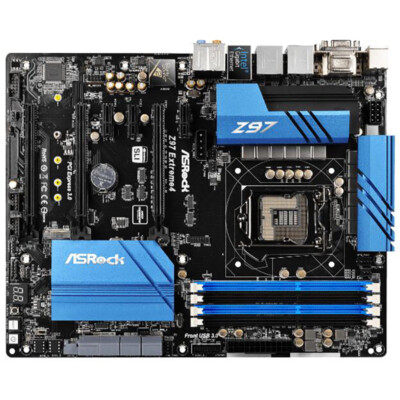
eBay
• ASRock Super Alloy. ® Gigabit LAN. • - Premium Alloy Choke (Reduces 70% core loss compared to iron powder choke). • Digi Power, 12 Power Phase design. • Supports New 4. • 7.1 CH HD Audio with Content Protection (Realtek ALC1150 Audio Codec), Supports Purity Sound™ 2 & DTS Connect.
manic condor
Thank you very much! I paid someone to build my machine so i only have so much knowledge lol
manic condor
Yes, it probably is rather outdated 😅 So I'm assuming that my corsair 1600 8 gig memory is quite old and irrelevant as well
grizzled bloom
Indeed. 1600 was good enough for DDR3 but we're up to DDR5 at 4800 being the minimum, with 5600 being the lowest recommended.
Windows 11 definitely will not run on that computer as well, and 10 is losing support soon so you'll start missing out on critical security updates.
manic condor
Oh goodness. Maybe i should just get a laptop that can run games and use illustrator and photoshop
Gotcha. I really appreciate your time
grizzled bloom
We're happy to help with whatever route you end up choosing
manic condor
Many thanks! Do you happen to have any suggestions about which laptop would be a good gaming machine/ desktop replacement?
 small forge
Hi guys, Ive ordered all the parts of my PC, but I realized my motherboard doesn't have wifi, but it does have an m.2 wifi slot. How would I go about attaching the antennas, because the io shield doesn't have holes for it. I'd like to go for an Intel wifi kit
limber dragon
usb wifi or pcie would be your best bet due to there also not being an anetnna when you go the m.2 route
small forge
limber dragon
usb wifi or pcie would be your best bet due to there also not being an anetnna w...
Do you happen to have any suggestions for PCIe wifi?
burnt spear
small forge
Do you happen to have any suggestions for PCIe wifi?
The cheapest wifi 6 or wifi 6e option
Should be like $25-30
small forge
Thanks
 glass plover
I currently have a 3700x I have to buy a new mobo and get ddr5 ram to upgrade to R7 7800x3d right?
sudden creek
glass plover
I currently have a 3700x I have to buy a new mobo and get ddr5 ram to upgrade to...
Correct.
glass plover
Big sad, Thank you!
sudden creek
When buying ram I'd advise not buying speeds above 6400mhz since the CPU is unlikely to be able to run it.
6000 is pretty much guarenteed to work though.
 glacial bear
Hello all and Happy Holidays! My son and I are building new PCs and have come across a problem. When we power on the system, the yellow Q-Led remains yellow and there is no display (monitor says no signal). All components are new. The first RAM I installed (G-Skill) was not on compatability list so I purchased another pair (Corsair) that is on the list but the problem continues.
Both builds are the same except for the video card (which is not installed right now).
ASUS TUF Gaming Z790-Plus WiFi
Intel Core i9-12900KS
CORSAIR VENGEANCE DDR5 RAM 32GB (2x16GB) 6000MHz CL36 Intel XMP iCUE Compatible Computer Memory - Black (CMK32GX5M2D6000C36) (RAM is supposedly compatible)
ASRock Challenger D Radeon RX 6650 XT 8GB GDDR6 PCI Express 4.0 Video Card RX6650XT
CORSAIR RM850e Fully Modular Low-Noise ATX Power Supply
grizzled bloom
glacial bear
Hello all and Happy Holidays! My son and I are building new PCs and have come a...
There should be a stack of 4 lights, which one exactly is lit?
Do you have the video cable connected to the GPU, not the motherboard?
glacial bear
The DRAM (yellow) is lit
1 PC has GPU installed and yes cable is connected, other unit has no GPU installed so cable is connected to mobo
grizzled bloom
You need a bios update probably
glacial bear
😦
Here is what I've tried so far:
Replaced RAM,
RAM in recommened A2/B2 initially, then every other combo you can think of (single module)
CMOS reset (using jumper)
should I try reseating the CPU - I didn't want to do that considering both PC's are having the issue
glacial bear
grizzled bloom
You need a bios update probably
Can I update the BIOS without it getting through POST and no monitor?
grizzled bloom
A lot of the time the dram light isn't actually caused by the memory, but the memory controller which is on the CPU. Unfortunately your board isn't able to be updated without going to bios first, since you don't have flashback. (Asus calls it q flash plus)
sudden creek
Wasn't 12900K kinda infamous for not handling DDR5 very well?