#cpus-mobo-and-memory
1 messages · Page 24 of 1
 frosty depot
 lyric turret
idk i give up gonna pay powerfpu 150 for pc optimzation to see if they can fix i...
lyric turret
idk i give up gonna pay powerfpu 150 for pc optimzation to see if they can fix i...
That's gonna be a waste of money.
lyric turret
Nothing to do at this point Iv did every single troubleshooting in existence
frosty depot
lyric turret
Nothing to do at this point Iv did every single troubleshooting in existence
You have the AMD GPU that's giving issues right?
lyric turret
It isn’t the gpu*******
I had it RMAed
The only solution I had was reinstalling a fresh windows which fixed my problems for like a few days and then it comes back
frosty depot
Yeah, like I had said before, I had same issues with AMD and RMAed and had the same issues. Switching to Nvidia made all those issues go away. I'd just save that 150 and put towards a different GPU instead of wasting that money to only have to get a different GPU anyways. All this troubleshooting you've done with the help of everyone here is basically the same stuff they are going to do to optimize your PC. Newegg is the best place to get issues handled. If we as a collective can't get it working, I doubt paying some service is going to help either.
lyric turret
yea i tried with newegg they said they cant do anything
told me to rma the gpu and get a new one lol
frosty depot
lyric turret
told me to rma the gpu and get a new one lol
I know. Have you tried contacting NeweggService again after the RMA?
 hard leaf
frosty depot
Yeah, like I had said before, I had same issues with AMD and RMAed and had the s...
hard leaf
frosty depot
Yeah, like I had said before, I had same issues with AMD and RMAed and had the s...
i thought in this as well
lyric turret
frosty depot
I know. Have you tried contacting NeweggService again after the RMA?
yea

i have enough money to buy a nvidia gpu but idk what to do with my 6900xt iv had it posted for sale since iv gotten it lmao
frosty depot
I honestly think you should just get an Nvidia GPU and watch all your problems go away.
lyric turret
but tbh i dont think its my gpu
lyric turret
frosty depot
I honestly think you should just get an Nvidia GPU and watch all your problems g...
yea im thinking about it
what gpu is good in the same performance range
frosty depot
lyric turret
what gpu is good in the same performance range
What is your price range?
lyric turret
well i got this gpu for 700$ new lol
frosty depot
What GPU?
lyric turret
my 6900xt
i bought for 700$
nvidia gpus are over 1200$ rn no chance i get one lol
lyric turret
lyric turret
The only solution I had was reinstalling a fresh windows which fixed my problems...
this is why i dont think its my gpu
hard leaf
still remember that time vanya xD
2 saphire... issues.... swapped to 3080, issues went away
frosty depot
hard leaf
still remember that time vanya xD
Yeah. Two 6950xt gave me the same issues he's saying he has.. swap to 3080 12gb and bam. ALL issues are gone.
hard leaf
its kinda sad honestly
lyric turret
Is 3080 good though for 1440 p...
hard leaf
things like this make recommending amd gpus a bit hard at times
frosty depot
Quite sad. I love the look of the sapphire nitro+ pure
lyric turret
i want somehing in the same perforamnce range
frosty depot
lyric turret
Is 3080 good though for 1440 p...
All I game is 1440p.
Max settings every game.
lyric turret
Cool wanna shoot me a good 3080 to get
frosty depot
3080 12gb though. Not the 10gb version.
lyric turret
ill order that rn
my gpu is 16gb lol
ZOTAC Gaming GeForce RTX 3080 Trinity OC LHR 12GB GDDR6X 384-bit 19 Gbps PCIE 4.0 Graphics Card, IceStorm 2.0 Advanced Cooling, Spectra 2.0 RGB Lighting, ZT-A30820J-10PLHR
Visit the ZOTAC Store
frosty depot
lyric turret
my gpu is 16gb lol
Overkill.
lyric turret
this good
hard leaf
lyric turret
my gpu is 16gb lol
irrelevant at 1440p
frosty depot
lyric turret
this good
Yep
lyric turret
v

"Get Amplified with the all-new ZOTAC GAMING GeForce RTX™ 30 Series based on the NVIDIA Ampere architecture. Built with enhanced RT Cores and Tensor Cores, new streaming multiprocessors, and superfast GDDR6X memory, the ZOTAC GAMING GeForce RTX 3080 Trinity OC LHR 12GB gives rise to amplified gam...
978$ after tax
holy
hard leaf
yeah nvidia is like paying premium
frosty depot
lyric turret
978$ after tax
It's a bit more yeah, but RT is pretty awesome to have. I originally didn't want it because meh, but after having it, I'm glad I have it lol.
lyric turret
wait
i have to make sure its compataible with my parts
Part List - Intel Core i7-12700KF, Radeon RX 6900 XT, Phanteks Eclipse G360A ATX Mid Tower
my ram is 3600mhzdoie
Do u think it could be my mobo causing the problems
frosty depot
lyric turret
Do u think it could be my mobo causing the problems
Nope
frosty depot
lyric turret
i have to make sure its compataible with my parts
You'll do just fine. Looks basically like my system
lyric turret
frosty depot
All I game is 1440p.
Is the 3080 same performance as the 6900xt?
lyric turret
frosty depot
You'll do just fine. Looks basically like my system
wait 1 problem
my monior is amd freesync lol
 grizzled bloom
If you want
 grizzled bloom
You can disable it on the monitor
 grizzled bloom
You said there was issues in almost everything though
So a global setting would be the way to go
lyric turret
True
lyric turret
have this on already
lyric turret
grizzled bloom
You can disable it on the monitor
The only thing I can think of is maybe my ram again
I don’t got the time for testmem5
But I mean I can have it run all night tonight
 naive pendant
When I made the choice of Ryzen 5600 with no iGPU I completely forgot about TrueAudio
and I'm going for Nvidia GPU
 cursive epoch
that doesn't make any difference
naive pendant
trueaudio has little impact on offloading the cpu?
 eternal helm
It's better than that easily but yeah not as good as a 5600
 dull flint
5600 is a real goat
 worn prawn
What’s the best mother board, latest gen, full size, with future proofing in mind if possible. Intel or AMD. I’m going for a min/max build. Just want to get some opinions on here before I hyper focus and go full flow mode for weeks
If I don’t respond for a bit kinda busy at this moment
dull flint
What's your budget and what's your use
Total budget for your pc
Not just the mobo/cpu
naive pendant
there is a difference of 20 ~ 30$ in Ryzen 5600 comparing local stores to ali express. But almost all sellers in Ali express sell without box and without cooler
some even state "random chioce" in case there are multiple models
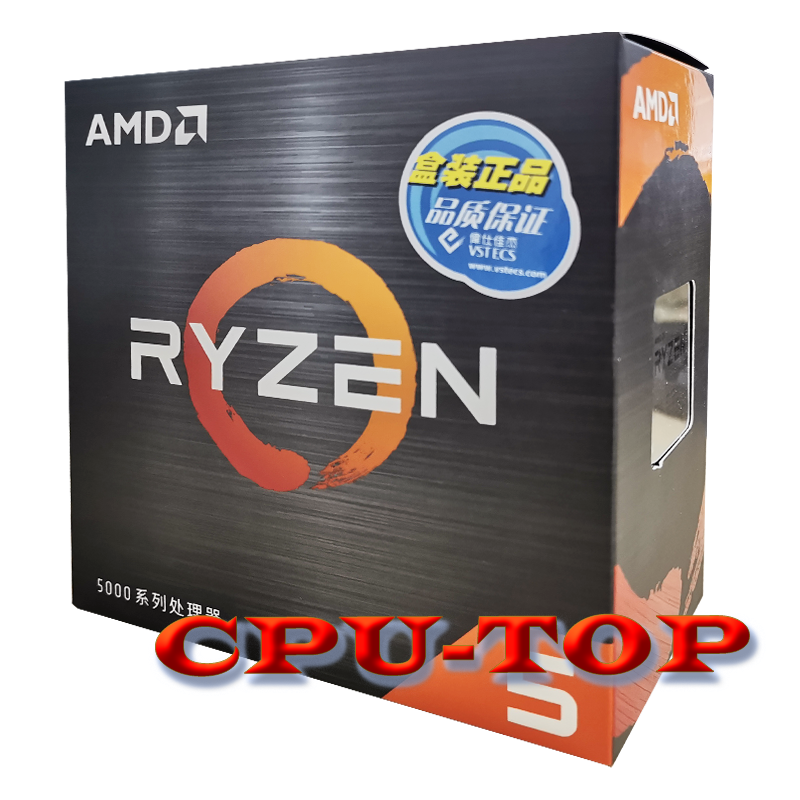
22$ cheaper than a local store
full box, not standalone
dull flint
You're also waiting like 6 weeks
And a bit of a pot luck with places like aliexpress
I'd chalk up AE to be more akin to something like Lazada
cursive epoch
^
naive pendant
doesn't seem a good choice after all. 22$ less is not a big deal, maybe if I could find -50$ but this is not possible unless second hand
hard leaf
dull flint
You're also waiting like 6 weeks
this, you save 20 bucks but waste 6 weeks.... time is invaluable to me at least
and thats not counting if you end with a damaged product
i prefer to pay a lil extra to get my things within 1 or max 2 weeks
and in the case of a damaged item, the wait for a replacement will be shorter as well
naive pendant
RTX 3060 12 GB Soyo costs ~330$ in Aliexpress. Now I looked in newegg's site and 330$ is all refurbished, brand new starts at 369$
dull flint
What's your total budget for your pc @naive pendant
Sounds like we might be able to help
naive pendant
1280$
dull flint
Usd? You're in usa?
Is that monitor and mouse keeb as well or just for the pc
Gaming? Or something else
Need wifi?
naive pendant
no, I did a currency conversion
the local market is unfair. The difference between RTX 3060 Ti and 12GB is ~95$
naive pendant
Brazil. I already bought the MSI 550M Pro VDH
dull flint
Ah ok yeah brazil
You can build a pc or buy a new car there

I'm not too familiar with the local pricing tho yeah, my bad
If it helps tho in more difficult places, laptops tend to be better value
You might find a 3060 laptop for a good price and they're basically the same performance as a 3060 desktop
(depends on the 3060 in the laptop but some can go even faster than the desktop)
Good examples are asus tuf dash f15, msi gf65, acer nitro 5
 sour shard
There is a 3060 dell laptop for like $970 for presidents day
naive pendant
I already decided on the case, monitor (LG ultrawide 26 inch), RAM, SSD and Ryzen 5600
dull flint
Hmm ok
You got a mobo that works with the cpu too which is good
You can use the stock cooler
naive pendant
the difference in price between Ryzen 5700x and RTX 3060 Aliexpress vs local is so absurd.
sour shard
Isn't Aliexpress full of bootleg video cards?
dull flint
Gpu wise you're probably in the same price bracket between 3060 and 6600/xt so you're probably not being brand faithful
And yeah again, aliexpress might be a little risky
Definitely check your sources on that site
naive pendant
yes, Jieshuo is selling laptop GPUs with lower TDPs for desktops and there is a lot of refurbished stuff
sour shard
There are a bunch of youtube videos of "I ordered this PC part from Aliexpress"
cursive epoch
not really if you know how to look around
aliexpress has all sorts of stuff
but requires knowledge and research
grizzled bloom
Those clickbait videos are looking for the obvious scams anyway
Like the 4TB micro SD cards for $5
 vast meadow
dull flint
You can build a pc or buy a new car there
vast meadow
dull flint
You can build a pc or buy a new car there
Why not drive a new pc and build a new car 
dull flint

vast meadow
:)
 delicate iris
Was wondering, I just got a new GPU yesterday and was noticing in my games that my CPU usage went way down is that normal or did I configure something wrong?
vast meadow
you probably changed graphics settings
delicate iris
I guess it doesn't matter though if the GPU is at 100% and the CPU is at 5%, its just the GPU doing most of the work
 tropic vapor
which is better ddr5-6000 hz at 30-40-40-96, or same type bu cl of 32-38-38-96
dull flint
lyric turret
Chrome never used this much memory lol
Cpu and memory hit 20% that’s pretty bad isnt it?
 lyric turret
Fr? Iv never had chrome use 20% usage of the cpu and memory
Even on my cpu?
I7-12700kf
dull flint
I've had chrome use more than 20%
And a buttload of memory
Pretty normal these days
lyric turret
Oh okay jw bc that’s the only thing I have running and opened is 1 browser lol

 midnight pollen
I wouldn’t worry too much about it unless it starts negatively affecting the system. You don’t pay to not use your hardware, the software is going to use what resources are available to it to improve performance and responsiveness
lyric turret
Question
lyric turret
midnight pollen
I wouldn’t worry too much about it unless it starts negatively affecting the sys...
Oh alright jw
lyric turret
midnight pollen
I wouldn’t worry too much about it unless it starts negatively affecting the sys...
Every browser Iv tried makes me feeeze whenever I full screen roblox lol or any YouTube videos/videos in general but it doesn’t freeze when I play actual games like on steam etc
midnight pollen
I would play around with browser settings. Sometimes things like hardware acceleration in browsers and browser apps like discord can affect games like thag
hard leaf
whats the point of having more hardware if you want to limit them anyway
just close chrome when you play games 😛
hard leaf
lyric turret
Cpu and memory hit 20% that’s pretty bad isnt it?
btw thats not chrome... its firefox
but same principle
 cedar kindle
So a friend has a Ryzen 5 1600 and wants to know what a healthy upgrade would be. He just games. He's looking to upgrade his GPU to a mid-tier of the latest generation (30 or 40 series) later this year, so something that can handle that without breaking the bank
It doesn't have to be an AM4, I was gonna recommend something like the 13600K or KF. Ryzen side is a 7600x worth it? I know RAM and motherboard prices were on the pricey side last time I checked
 burnt spear
cedar kindle
So a friend has a Ryzen 5 1600 and wants to know what a healthy upgrade would be...
burnt spear
cedar kindle
So a friend has a Ryzen 5 1600 and wants to know what a healthy upgrade would be...
What's the motherboard
If it's good enough, 5600, 5700x, or 5800x3d
If it isn't, 13400f/12400f/12600k/13600k
cedar kindle
burnt spear
What's the motherboard
https://www.asrock.com/MB/AMD/A320M-DGS/index.asp this is his motherboard
it looks like it only supports a 65W CPU so definitely needs an upgrade
maybe, I don't know
I'm stupid, all the CPU's from that generation are 65W
grizzled bloom
cedar kindle
https://www.asrock.com/MB/AMD/A320M-DGS/index.asp this is his motherboard
That A320 board doesn't even support 5000 series according to the CPU list so the best you could probably do is a 3700X
grizzled bloom
cedar kindle
I'm stupid, all the CPU's from that generation are 65W
No there's definitely 105W ones
cedar kindle
ok, so it is as bad as I thought it was
grizzled bloom
3700X is still a massive improvement over the 1600
You'd need to flash the bios in a certain order and swap CPUs to get it up to date to the latest version
cedar kindle
sure, but if they're looking to upgrade their GPU would it be worth it to upgrade MOBO now as well?
grizzled bloom
cedar kindle
sure, but if they're looking to upgrade their GPU would it be worth it to upgrad...
If you were going to do that then you might as well upgrade to a 13400 on a B760
That way you could still keep the DDR4 memory
burnt spear
^
 sudden creek
Would the 3D V-Cavhe on the upcoming Ryzen CPUs possibly help with performance for gaming servers?
Just curious.
 sudden creek
Wait, only half the cores use the 3D V-Cache?
sudden creek
Do you perhaps know why?
grizzled bloom
The 7800X3D has all the cores using it
Vcache cores clock lower and it's been shown that hurts in some tasks and games
Solution? Make those things run on regular cores, things that like cache can use vcache
sudden creek
So you sacrifice clock speeds for quicker/more cache?
sudden creek
The current 13900k vs the 7950x do you know which is better for workstation use? I've gotten out of touch with tech lately.
grizzled bloom
They trade blows, it depends on the program in question
sudden creek
Blender, World Painter, and rendering.
vast meadow
sudden creek
Do you perhaps know why?
cache is expensive, games dont really use more than 8 cores
grizzled bloom
7950X wins in Blender
sudden creek
I see. Are the margins big or small?
 sudden creek
Is that overclocked?
grizzled bloom
Keeping in mind also we expect workstation tasks like Blender to prefer clock speeds over cache
Nope stock all around
sudden creek
grizzled bloom
Keeping in mind also we expect workstation tasks like Blender to prefer clock sp...
So the x3D would slow down the workstation tasks a bit but increase gaming performance?
Mhmm, if that's the case I may need to wait and watch a few reviews on the performance in games to see if the lose would be worth it.
grizzled bloom
Yep that's the smart play
Another thing worth noting...

13900k is kinda like the 4090. Shove as much power into it as possible to make it competitive.
sudden creek
Yeah I think I am gonna go AMD this time around, just gonna wait for the x3D to release the decide which is better for me.
By the way, how's your day going?
hard leaf
sudden creek
Mhmm, if that's the case I may need to wait and watch a few reviews on the perfo...
there is no reason to go for 3d v-cache on a game server, not like you are going to play on it
7800x3d should be the top cpu to use it, on the 7900 and up is largely wasted. you kill clocks for cache, basically negating the utility of having a lot of cores
dull flint
7900 tbh will be lowkey amazing once the sales start
it even comes with a cooler
Like legit love that
grizzled bloom
Again, only half the cores will be vcache on 7900X3D and 7950X3D. Which leaves the other half at the higher clock speeds. So if you really wanted to you could run your game server off 8 classic cores and run your game off the 8 vcache cores.
All core workloads like Blender will suffer a penalty. How much remains to be seen.
cursive epoch
bruh
that's kinda bs to me
only having half the cores equipped with 3d
cost cutting i guess
dull flint

ASUS X670 New Beta BIOS 0921 (AFESA 1005C)
Adds for x3d
dynamic ccd priority switch with core flex, os / driver agnostic so win10 win11 ok

 Twitter
·
Twitter
·

INTERESTING
that might just seal it for X3D if it works well
hard leaf
cursive epoch
only having half the cores equipped with 3d
more like cost cutting, is just a waste cause no game will ever use more than 8 cores anyway
grizzled bloom
cursive epoch
cost cutting i guess
That's one reason yes, the other is that we do see the 5800X3D suffering in certain games that prefer raw clocks. Those can just get yeeted to the other cores and you get the best of both worlds.
cursive epoch
true
hard leaf
no need to sacrifice clocks on all cores for that
cursive epoch
but i see it as cost cutting more than technical reasons
hard leaf
just on the ones expected for games
dull flint
cursive epoch
only having half the cores equipped with 3d
I suspect it's a heat thing more than cost cutting
cursive epoch
that does make sense
dull flint
zen 4 hot enough as it is, 3d vcache would have made it worse with 2 ccd's of it
hard leaf
i presume they solved the heat issue by now, after all they can be oced now
dull flint
no
cursive epoch
nope
hard leaf
dang
hard leaf
im expecting the x3d series to be a flop
dull flint
I'm really not
hard leaf
not much better than the 5800x3d
cursive epoch
just to fit am4 coolers
grizzled bloom
I'm still not convinced the 3D cores will be that much hotter because the major reason Zen4 is so hot to begin with is the thicc IHS. Thin that out to make room for the cache and the die is a lot closer to the cooling.
dull flint
I bet direct die would be hard
hard leaf
word
grizzled bloom
Yep benches will show more but it's still fun to speculate
cursive epoch
that's certainly true
dull flint
I'm expecting X3D to win now
grizzled bloom
You already know he's going to blast it for being clunky or w/e
dull flint
esp. after reading that CCD bios info
dull flint
ryzen's biggest drawback is CCD latency for the 2 ccd config
grizzled bloom
AMD claimed 20-25% so I feel 15% over the non-3D is realistic
dull flint
7800X3D will still be better but I think the gap will be smaller
grizzled bloom
Yeah single CCD latency is always best historically speaking
dull flint
I really wanna just go grab a crosshair gene rn
grizzled bloom
cursive epoch
or the mobo prices will impact value proposition
Value? No one buying these will care about value. They just want the best no matter the cost.
dull flint
7950X3D are for overclockers and people who barely understand their needs
cursive epoch
more money than sense moment
but this might be a cpu that doesn't bottleneck a 4090

dull flint
probably will be
 nova linden
So everyone is telling me that the i3-12100f is a little weak what would be the next best cpu for a tight budget build?
This is the motherboard I have in my parts list
ASRock B660M-HDV Micro ATX LGA1700 Motherboard
cursive epoch
for this low of a budget there's not much wiggle room
but before i can assume, what's your budget?
is this for a whole pc?
cursive epoch
i'll let felix do it then
hard leaf
dang son, your list is pretty pretty tight
nova linden
The game I’m trying to play is rocket league that list fits all the criteria but everyone is telling me that the cpu is a little weak
dull flint
oops
BLAM AGAIN
Part List - AMD Ryzen 5 5600, Radeon RX 6650 XT, Cougar MX330-G Air ATX Mid Tower
BLAM
hard leaf
not weak, just limited
dull flint
30 MIR but we could cut out the wifi if you genuinely don't need it
nova linden
Someone told me that the i3-12100f is better than the Ryzen 5 5600
dull flint
Part List - AMD Ryzen 5 5600, Radeon RX 6650 XT, Cougar MX330-G Air ATX Mid Tower
hard leaf
they are about equal
cursive epoch
that's not true
dull flint
5600 slaps 12100F
cursive epoch
it's better than 5500 tho
dull flint
5500 is closer to 12100f
cursive epoch
which is a different cpu altogether
5500 has half the cache
thus its perf tanked
 cursive epoch
prime mobo
i got one but it's the crappy version
b550m-k
came with the prebuilt kek
asus put rog bios on it 
dull flint
any board with a bios flash is immediately in my favourites lately
cursive epoch
imagine that, prime mobo with rog bios
cursive epoch
huh
cursive epoch
but true
dull flint
it's rog but blue
nova linden
So if I were gonna go with intel what cpu would you recommend?
dull flint

cursive epoch
intel can't be that cheap rn
dull flint
nova linden
So if I were gonna go with intel what cpu would you recommend?
I just wouldn't at this budget
5600 is great value especially with the $80 board I linked
Part List - AMD Ryzen 5 5600, Radeon RX 6650 XT, Cougar MX330-G Air ATX Mid Tower
here's 32gb ram
my hierarchy goes like this
hard leaf
yup, an intel cpu will not only be a lot more money but the mobo will be a lot more money as well
stick with the 5600 at that level
nova linden
Ok so the Ryzen 5 5600 is pretty good than?
dull flint
it's mainly the mobo cost in this discussion
ye
if you go intel you'd expand budget imo to accomodate a 1400f
nova linden
Sorry for all the questions I’m new to this gaming pc stuff lol
hard leaf
well the next intel cpu should be 30 usd more at best
dull flint
dull flint
my hierarchy goes like this
10105F>10400F>5500>12100F>5600>12400F>13400F>12600K>13600KF
nova linden
dull flint
https://pcpartpicker.com/list/44hjFg
So these components will work pretty well together the only thing I’m worried about is it says the parts have potential comparability issues
dull flint
nova linden
So these components will work pretty well together the only thing I’m worried ab...
ya cos it needs to be bios updated, which you do when you build it
takes 5 minutes
nova linden
dull flint
ya cos it needs to be bios updated, which you do when you build it
Ok thank you so much
 nova linden
Do you know if a website I can download the stuff to a flash drive to update the bios for that board?
cursive epoch
look up the board and you'll see it
hard leaf
yeah the manufacturer site
dull flint
AMD B450 micro ATX motherboard features M.2 support, USB 3.2 Gen 2 Type-A, 1 Gb Ethernet, HDMI/DVI-D/D-Sub, BIOS FlashBack™, and Aura Sync. Prime B450M-A II caters to daily users and all builders looking for well-rounded specs and a range of options for performance tuning via intuitive software and firmware.
nova linden
dull flint
https://www.asus.com/motherboards-components/motherboards/prime/prime-b450m-a-ii...
Thank you again you’re a life saver
So I wanna download the bios version 4001 it looks like
grizzled bloom
That's the latest so yes
nova linden
👍❤️
nova linden
Does the Ryzen 5 5600 already come with thermal paste in it or do I need to buy thermal paste to apply ?
 cerulean wadi
cpus don't usually come w/ paste, some coolers do. An aio often has a layer of paste pre-applied, tower heatsinks often not.
hard leaf
maybe the stock cooler comes with pre-applied paste, you should get a tube just in case
vast meadow
dull flint
10105F>10400F>5500>12100F>5600>12400F>13400F>12600K>13600KF
Personally I'd swap 13400 and 12600k because you're gonna have to spend more on a board to oc it if you wanna do that and it runs hotter
dull flint
vast meadow
Personally I'd swap 13400 and 12600k because you're gonna have to spend more on ...
that's exactly why I put it lower lol
vast meadow
Confusion
dull flint
if you can afford the z board and cooler 12600k can be better if there's no better gpu
oc stonk
vast meadow
Mm i guess but thats usually almost enough money for a 13600k(f)
vast meadow
Fair enough
grizzled bloom
Imo 12600k over 13400 because of the locked SA voltage on the 13th gen non-k limiting memory speed to 3466 without dropping to gear 2
 amber canopy

More Information about Seasonic Vertex-GX PSUs:
https://seasonic.com/vertex-gx
Support me on Patreon:
https://www.patreon.com/der8auer
Music / Credits:
Outro:
Dylan Sitts feat. HDBeenDope - For The Record (Dylan Sitts Remix)
...
amber canopy
Yea this is a neat video to listen to
amber canopy
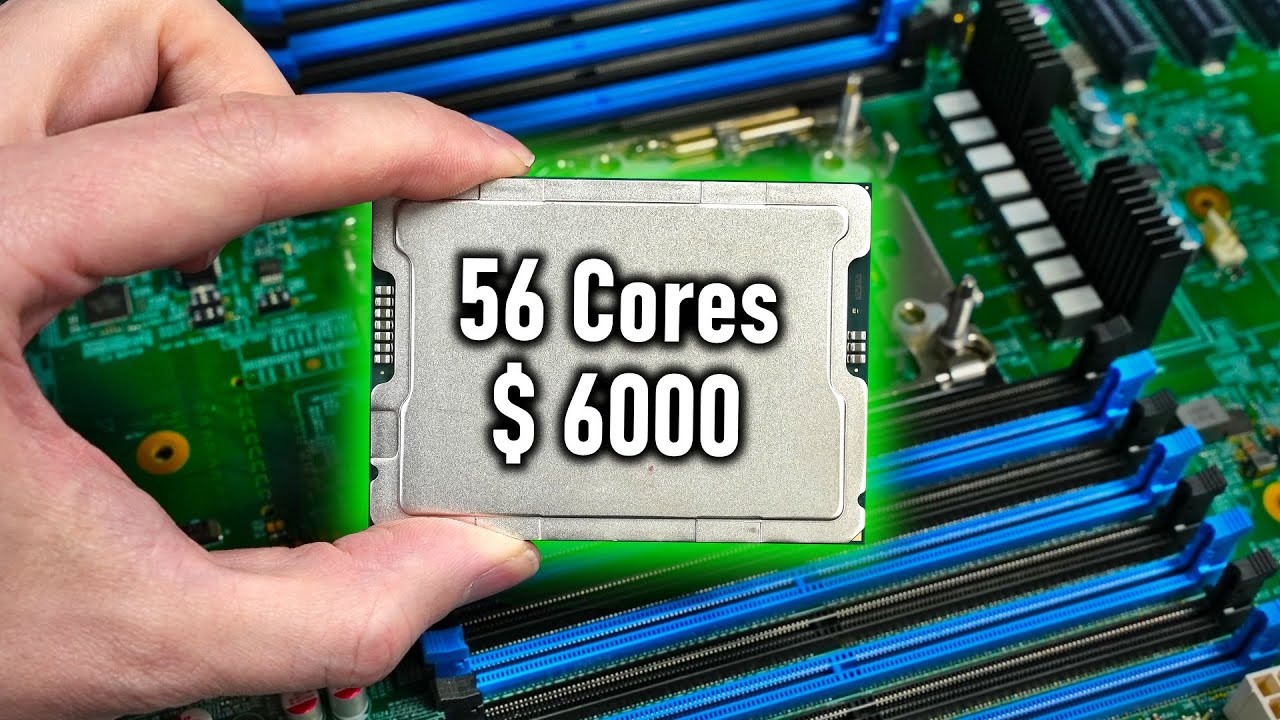
More Information about Hetzner AX41 Servers:
https://derbauer.hetzner.com/en/ax41-nvme/
Support me on Patreon:
https://www.patreon.com/der8auer
Music / Credits:
Outro:
Dylan Sitts feat. HDBeenDope - For The Record (Dylan Sitts...
 graceful elm
whats a good bang for buck 16gbx2 3200MHz ram kit
 minor mesa
graceful elm
whats a good bang for buck 16gbx2 3200MHz ram kit
minor mesa
graceful elm
whats a good bang for buck 16gbx2 3200MHz ram kit
https://www.newegg.com/p/pl?N=100007611 8000 600535716 600568010 600327642 600532727&Order=1
I'm running the G.Skill Aegis, but the Corsair Vengeance or Kingston Fury would be just as good or better, all for similar price points.
does anyone know if there is a repository of overclock tunes for Asrock A-tuning app? the googs not much help
burnt spear
graceful elm
whats a good bang for buck 16gbx2 3200MHz ram kit
The cheapest one you can find
That is cl16, that is
cursive epoch
^
 unborn falcon
Hi all, I got a question, I bought a Refurbished: ASRock Z370 PRO4/OEM LGA 1151, I built it with a M.2 an SSD and a HDD but the MB will not detect the SSD or HDD.
1- Nothing in the bios
2- Updated Bios to latest
3- Verified SATA config is good
4- Tested 5 different HDD with no luck
5- Tested on all SATA ports since some of them are disabled when using M.2
6- Currently have SDD and HDD on port 2 and 4 with nothing
7- Returned MB and got another identical one with same results
Anybody have any ideas???
 upper aspen
unborn falcon
Hi all, I got a question, I bought a Refurbished: ASRock Z370 PRO4/OEM LGA 1151,...
upper aspen
unborn falcon
Hi all, I got a question, I bought a Refurbished: ASRock Z370 PRO4/OEM LGA 1151,...
seems dumb but did you format the storage drives?
dull flint


@grizzled bloom 6%, not even if you use a proper A die kit on the 13900K
My hopes have been dashed 
grizzled bloom
Oh is that the same site that "accidentally" leaked their bench results early last time?
dull flint
Could be
grizzled bloom
That few other outlets had similar results to?
dull flint
If it is that same site then these results are untrustworthy
Def worth checking that
They were untrustworthy last time
unborn falcon
upper aspen
seems dumb but did you format the storage drives?
You can't format drives if they are not detected by the MB, lol
dull flint
It's not the same source @grizzled bloom at least not at first glance
Also just noticed the 13900K is on a Kraken X63 which isn't even that good
Usable tho ig
grizzled bloom
They both are but that alone could skew results tbh
We don't know what temp either ran at
dull flint
Well that and the 13900K is using low speed ram
I mean I can say fairly confidently that 13900K would've been on the hot side
Probably still fine tho
DDR5 7200-7600 would've made a big difference tho
grizzled bloom
16% overall over the non-3D lines up with what I expected at least
dull flint
Yeah
The 7800X3D will be the one to beat in the next couple months
This is telling
OC would get you there on 13th but I reckon you'd be hard pressed* to get a stable 10% more on top
grizzled bloom
Too bad that's 3 months away
dull flint
I wonder if the ccd control will play a role here at all
If they even touched it
It's been like a day? Since they brought that bios control out
grizzled bloom
Yeah too many unknowns, but they usually have media bios versions for early features
dull flint
Would be fascinating to see if it's the granular fix that gives Ryzen the boost to latency it needs
In any case I'm kinda disappointed
Wanted to try AM5 but this isn't reason enough
 compact zenith
To think of all that money I put a few months ago into my I9 Z690 build, and been using my Steam Deck remotely using it lol.
grizzled bloom
I hope you're at least using DSR scaling so you're getting some sort of benefit
compact zenith
grizzled bloom
I hope you're at least using DSR scaling so you're getting some sort of benefit
What is that? So guess either that's a no, or I am, and just dont know it yet lol. Reason it's taken me from my new build, is Im trying to learn the Linux portion, so I can have some Steam Deck approved mods.
grizzled bloom
What it does is it renders the game in a higher resolution and scales it back down to native, so it looks much smoother
It's the opposite of DLSS lol
compact zenith
.
Have a question about the Gigabyte Z690 Aorus. Not sure what to look for. If I turn the system on with the monitor off, I get a fatal CPU error that boots up the PC next time into bios. Is there something that can disable a check, so I don't have to turn monitor on each time? Not good if power goes on and off while Im out, and boots into bios because monitor is now off.
grizzled bloom
Make sure fast boot options are on
That skips some of the checks
But only the bios ones, Windows fast boot is irrelevant for this
compact zenith
grizzled bloom
Make sure fast boot options are on
Going to double check. I have fast boot on, last I looked. It happens with all Z690 systems, that have a SATA hooked up.
grizzled bloom
Huh. Might be something they fix with a bios later then.
If it's a known bug like that and there's no fix there's not a lot you can do
compact zenith
I tried to keep my system 100% SATA free, and use SK Hynix P41 2TB NVME only, but ran into a problem with some work utilities, so keep them on a SATA.
grizzled bloom
You could use a usb to sata adapter
compact zenith
The first time I got that error, I almost lost it.
compact zenith
grizzled bloom
You could use a usb to sata adapter
Does that cut down the slow down during the boot up process, using USB instead of direct SATA connection?
grizzled bloom
There's a lot less checks going on for USB devices instead of sata so probably
Is it a SSD or HDD?
compact zenith
8 and 16tb HDD
grizzled bloom
Get a dual drive dock then. It'll be powered which HDDs need. USB ports often don't have enough juice for 3.5" drives.
Something like this https://www.amazon.com/Sabrent-External-Duplicator-Function-EC-HD2B/dp/B0759567JT?th=1

SABRENT USB 3.0 to SATA I/II/III Dual Bay External Hard Drive Docking Station for 2.5 or 3.5in HDD, SSD with Hard Drive Duplicator/Cloner Function [20TB Support] (EC-HD2B)
compact zenith
I have a USB dock I use for my Blu-ray player, which has it's own power supply.
grizzled bloom
Except maybe a 10Gbps model so you can use both at full speed at the same time
compact zenith
2 dock isn't that bad. I have four old Seagate hard drives, that are 3TB, and won't read unless fully level.
grizzled bloom
Unstable platters then, the platters can explode and shatter if they're not balanced.
compact zenith
I got that 1 device one I told you about, after my older case with the dock built on top, wouldn't work for the older drives.
grizzled bloom
Modern drives that isn't usually a concern
compact zenith
I have well over 80+ hard drives. Old pin to SATA. 4 that don't work unless upright, are very old and only use them from storage, when I want my old C64 and Atari roms.
I'd be worried if they were my newer ones heh.
Brb, getting more egg rolls, before my kids take them all.
 candid bane
I have an ASUS Tuff z690 MB with CORSAIR Vengeance DDR5 32GB (2x16GB). When I enable XMP on the MB it causes instability with my memory to the point where when I am gaming the games (any game) crashes the computer after 10-30 minutes. The MB has the latest update. I would like to have full use of my memory but I don't want the constant crashes, does anyone have a work around? I forgot to add that XMP has been disabled and the games all run with no crashes.
 hollow thorn
candid bane
I have an ASUS Tuff z690 MB with CORSAIR Vengeance DDR5 32GB (2x16GB). When I en...
hollow thorn
candid bane
I have an ASUS Tuff z690 MB with CORSAIR Vengeance DDR5 32GB (2x16GB). When I en...
Can you try running occt's memory test or testmem5 anta777 with xmp enabled to make sure it's ram first?
candid bane
I'll give it a whirl
CORSAIR Vengeance DDR5 32GB (2x16GB) DDR5 4800 (PC5-38400) C40 1.1V Memory -Black is what I have
right now the memory is running at 2400
burnt spear
It's running at 4800
Ddr is double data rate, the lowest ddr5 will run at without manually changing the speed is 4400 I believe
Double data rate=2400x2, meaning 4800mhx
candid bane
I've been running OCCT mem test with XMP enabled for the past 20 minutes and it is stating that I have 5 errors.
with XMP enabled task manager is stating that the ram is running at 5200, that doesn't seem right
frosty depot
candid bane
I've been running OCCT mem test with XMP enabled for the past 20 minutes and it...
Yeah as soon as you get even 1 error then the RAM is unstable. Rip xmp
frosty depot
candid bane
with XMP enabled task manager is stating that the ram is running at 5200, that d...
Are there multiple xmp options in your bios?
delicate iris
is it worth upgrading to a Zen3 CPU when getting an AMD GPU or does it not really make a difference?
candid bane
so my memory is basically shot?
hollow thorn
Corsair doesn't really have a good reputation for hitting xmp so there's a good chance the sticks are just bad
but typically you can tweak settings to get xmp working
candid bane
thanks a ton, I really appreciate the help, I'll reach out to corsair and see what they say.
candid bane
frosty depot
Are there multiple xmp options in your bios?
not that I am seeing.
frosty depot
candid bane
thanks a ton, I really appreciate the help, I'll reach out to corsair and see wh...
Corsair has really good CS (ime) so just let them know that it isn't working at the rated XMP specs and they should either replace or refund you.
nova linden
On the asus b450m am4 board I don’t see a spot to put the ssd. Would I have to buy a separate drive for the ssd to install in the case?
dull flint
@nova linden this one ye?
 nova linden
Yes
 dull flint
here
 nova linden
Oh ok I didn’t see that
nova linden
Most of the time I see where you have to loosen a screw and take a cover off
The intel 1TB 670p 1 TB you recommended
dull flint
nova linden
Most of the time I see where you have to loosen a screw and take a cover off
it comes with it separate
 dull flint
nova linden
The intel 1TB 670p 1 TB you recommended
dull flint
nova linden
The intel 1TB 670p 1 TB you recommended
hm probably fine then
just making sure cos some you kinda want a heatsink for
nova linden
dull flint
it comes with it separate
Oh I see so I would have to buy the screws seperately to install it ?
dull flint
no no it should be in the box
all my asus boards come with that in a separate bag
even the ones that don't need it
it says on the website you should get that, the back cover and 2 sata cables included in the box
nova linden
Oh ok so the screws are in the box with the board? I was a little confused lol but all good and thank you
nova linden
dull flint
just making sure cos some you kinda want a heatsink for
One more question so I should be good without a coooler right ? For that ssd
dull flint
ye should be
you can check when you're in windows if you want to be sure
using hwinfo64
it should show ssd temperature in there under the 'sensors only' section
nova linden
Ok thank you
cedar kindle
How tight should the cooler screws be when I put it back on my CPU? Until I start getting heavy resistance?
cursive epoch
just until it's snug
as long as you equally screw in each screws on each sides and get a good contact
that's enough
cedar kindle
Alrighty, thanks
eternal helm
Typically cooler screws have a spring that they'll bottom out on
grizzled bloom
I think we see why they delayed the 7800X3D now. No one would buy the higher X3D parts.

 vast meadow
10000% also i havent watched yet but the bottom one is clearly amd biased
grizzled bloom
Surprisingly the CCD appears to be the same height as before so yay heat issues. At least direct die block still works.
grizzled bloom
vast meadow
10000% also i havent watched yet but the bottom one is clearly amd biased
Yeah as horizon has been, since it very much does not care what memory you use.
That was one of the bigger difference results.
vast meadow
interesting
grizzled bloom
Just for you 😉

They've added ray tracing in some games too because it apparently increases CPU load
vast meadow
nice kinda sad at how little on avg is actually increases perf tho
grizzled bloom
Yeah 9% overall is a bit weak but it does put them into contention with the KS now
CSGO skewed it pretty badly in this case though
 vast meadow
Interesting the 7700x was on top
grizzled bloom
That game is super frequency and latency sensitive
vast meadow
Yeah very interesting
dull flint
Single ccd moment
sudden creek
Was doing some lite reading and if I am understanding correctly, the 7950x3D is about 5% slower for workstation tasks but 10% faster for gaming?
dull flint
More than that for gaming vs 7950x*
sudden creek
grizzled bloom
Just for you 😉
Doesn't this show that on average it's about 10%?
dull flint
I watched and read a lot of reviews yesterday
vast meadow
As mentioned CSGO skews the gaming perf down a lot
Csgo doesn't care about cache really
I wonder if you could get it to use the non 3d cores on games like csgo if it'd actually increase its perf in apps like that
 vernal summit
I hear alot more if playing mmos like wow and gw2
grizzled bloom
sudden creek
Doesn't this show that on average it's about 10%?
Only average for the 12 tested games and there's the outlier result skewing it like I said
grizzled bloom
vast meadow
I wonder if you could get it to use the non 3d cores on games like csgo if it'd ...
You can set "prefer frequency" in the bios
vast meadow
Oh fair enough i wonder if you changed that for just CS etc would show it much larget
sudden creek
grizzled bloom
E-sports level fps.
cedar kindle
Can someone decipher what this means in my motherboard manual? PCIe stuff confuses me. ASRock Z690 Extreme

Here’s from the website spec sheet. Does it mean I have 3 PCIe slots that can all run the full 16 lanes? One Gen 5, one Gen 4, and one Gen 3?
 dull flint
1 full x16, 2 full x4, 1 single x1
cedar kindle
Thanks!
vast meadow
sudden creek
E-sports level fps.
Well you'd kinda hope so for an esport lol
sudden creek
How hard is it to run 4 sticks of DDR5 on a X670E board?
Need at least 64gb of ram and if I did 4vs2 sticks I'd be able to get faster ram and for cheaper.
hard leaf
very hard
better chance to get that running with 32x2
the more sticks the less speed you get
sudden creek
Even if I used a Asus ROG Strix X670E-E?
hard leaf
yup
sudden creek
Oof alright
What's the difference in perf between 6400cl32 vs 6000cl30?
Same die I think.
hard leaf
performance in what?
ddr5 is less sensitive to cas latency, in other words, doesnt matter as much as on ddr4
hard leaf
for games they are almost the same
sudden creek
For workstation use.
hard leaf
however, for am5 i wouldnt go beyond 6000
sudden creek

64 GB (2 x 32 GB), DDR5-6000, CL30-40-40-96, 1,40 V, AMD EXPO
hard leaf
for 13th gen, you can go as high as your ceiling
sudden creek
Going AMD this time around.
hard leaf
no more 13900k?
sudden creek
Yeah, thinking long term perspective AM5 made more sense.
sudden creek
I have my reasons. And I'm not future proofing for what most do.
hard leaf
well you do you then, but just my 2 cents.... 13th gen will hold you as long as am5 will hold you before your next whole upgrade (5-6 years)
unless you plan to replace the cpu every 1,5/2 years
sudden creek
In any case thanks for the tip on the ram. I wonder when running 4 sticks will be plausible.
sudden creek
hard leaf
unless you plan to replace the cpu every 1,5/2 years
I am one of them guys.
hard leaf
then you should now as well than these gen mobos will not handle 4 ram sticks at all. maybe on the 800 series or 900
by the time you want to upgrade your cpu, you will have to replace the mobo as well
and there it goes your am5 long term support
hard leaf
oh ok
Also keep in mind that am5 cpus have a sweet spot of 6000mt/s and the mobos this gen (650/670) are capped at 6400 mt/s (or near that) so any new cpus on the am5 socket will be limited to 6400mt/s max unless you change the mobo as well
 stark violet
That's pretty good gain consider its also pulling lower power
 grizzled bloom
Only a little bit lower when gaming, all core is where the real difference is there
dull flint
Yeah 7950X3D is like, 60-70W
13900ks is like, 85-95W lol
grizzled bloom
Vs KS isn't even fair lol
dull flint
Even K the power profile is basically the same
I just remember KS from a recent vid lol
 obtuse forge
guys i got a asus prime a320M-A and it only has one fan connector but i want to add more rgb fans and my motherboard doesn't seems to have rgb connectors so is there solutions?
cerulean wadi
360p is laughable, even if it's to test cpus.
 long geyser
720p kinda makes sense, cuz that could be 1080p or 1440p perf in a few future GPU generations. 360p isnt really realistic, can also easily push for other bottlenecks (ex: memory).
grizzled bloom
obtuse forge
guys i got a asus prime a320M-A and it only has one fan connector but i want to ...
You can use a fan hub for the power and a separate RGB controller to control lighting.
Which one you can/should use depends on the fans you pick.
 iron nacelle
daisy chain 20 splitters 
 bright turret
I use a 5900x, and need a bit more fps. Should I swap it to 5800x3d or 5950x? Would the upgrade be worth while?
I use a 3440x1440 monitor. 4k wasn't that good for me. My gpu is 4090.
Why not get 7950x3d or the new 7000 chip series? Cause I don't plan on changing my motherboard anytime at the moment.
cursive epoch
I wouldn't bother upgradading
Any cpu would bottleneck 4090 anyway as of current
7800x3d hasn't released
UW 1440p is still kinda the res where 4090 can sleep through
bright turret
Would the 7800x3d do any better than the 7950x3d?
bright turret
cursive epoch
Any cpu would bottleneck 4090 anyway as of current
I see. How about the intel 13900ks?
cursive epoch
Similar situation
bright turret
Alright thank you for your reply.
stark violet
At ultra settings I kinda doubt
7600 and 13600k or upwards from both camp will nicely handle that gpu for the most part
amber canopy
iron nacelle
daisy chain 20 splitters <a:aware:1066191603682787348>
same
grizzled bloom
stark violet
7600 and 13600k or upwards from both camp will nicely handle that gpu for the m...
You'd think that... but 1440p is hard limited by CPU
 sudden creek
grizzled bloom
You'd think that... but 1440p is hard limited by CPU
sudden creek
grizzled bloom
You'd think that... but 1440p is hard limited by CPU
What do you mean by hard limited?
grizzled bloom
As in there's nothing you can do to improve fps without overclocking the CPU and memory, and even then you only get a little more
At 4k high quality in that same game you get almost as many fps, 164
grizzled bloom
If it was truly GPU bound you'd see about the same gap at both 1440p and 4k (short of low memory issues)
 sudden creek
Think I understand.
grizzled bloom
This is just one example, there's games where you do see a GPU bind at 1440p using a 13900k but far cry is a pretty load balanced game across the system


In short, there's many examples where using a 4090 at anything less than 4k is wasteful and you should have saved $1000 and gotten a 6950 XT
stark violet
still would prefer a 4090 build with a 7600 at 1440p then a 4080
the bottleneck is not atrocious
grizzled bloom
Keep telling yourself that

 grizzled bloom
stark violet
It's wild how different games perform huh
grizzled bloom
stark violet
It's wild how different games perform huh
Still the 4090 being only 7% faster is not worth paying $700 more.
At 4k the gap is more like 28% which is better at least.
 grizzled bloom
Probably ™️
 coral hemlock
Hey guys I just got a new Ryzen 7 5800x3D ever since I put it in I get no boot I tried resetting cmos, unplugging and plugging everything on my mother board , got a flash drive with bios update And still can’t get a boot The pc just keeps restarting itself Any ideas on what to do other then get an old cpu and update bios that way
My motherboard is x570 ASRock Phantom Gaming 4
iron nacelle
lyric turret
run a imc test like y cruncher vst or karhu as well
lyric turret
iron nacelle
run a imc test like y cruncher vst or karhu as well
What’s the link to those and for how long
iron nacelle
just run y cruncher mem suite or karhu overnight i guess
mem suite being n32,n64, and vst in y cruncher
grizzled bloom
There's a batch file to automate running VST in #overclocking
lyric turret
Huh
grizzled bloom
It's the top pinned comment from forks
lyric turret
grizzled bloom
It's the top pinned comment from forks
O okay but I don’t think I’m gonna OC my ram besides having XMP on
grizzled bloom
Right, XMP is still an overclock and that's just where the pin is
lyric turret
Oo okay, so I run it for a few mins and I’m good? Then run testmem5 over night? Or
grizzled bloom
It'll run a test and should tell you when it's done
And you can run the TM5 overnight profile if you want, or corecycler
lyric turret
Alright so should I turn XMP off before doing that thing he pinned?
grizzled bloom
No leave it on
lyric turret
this?
 grizzled bloom
yes
lyric turret
wheres the other thing im missing theres only that link i see
also i debloated windwos 11 with thisiswin11 from github so do i choose windows or linux


 grizzled bloom
Yes it's running
 grizzled bloom
Let it run at least 20 iterations, preferably more
You can just close the window to kill it
lyric turret
Ight bet so aftwr 20 iterations I will,
How do I find out my ballpark for stability
grizzled bloom
If it doesn't error you're stable in that test
Y-cruncher is good for finding weird errors, you can pass TM5 and fail the validation in y-cruncher
lyric turret
If I pass this test do you think my ram is stable? And good? And I can move on to next part
grizzled bloom
Yeah if you pass that then I think we can call the memory stable and move on to GPU tests
Do you own time spy or do you just use the demo version?
lyric turret
I only use demo version
grizzled bloom
Darn because that has a stability test too in the full version
lyric turret
How much is it
I can return it after a certain period of time 💀
Should I do more tests with my cpu? Or is the aOoct Over night for the CPU good enough
grizzled bloom
It would be corecycler overnight, OCCT only lets you test for an hour in the free version
lyric turret
Oh yea that
grizzled bloom
3dmark is $35 right now, it's often on sale for $5 though
grizzled bloom
aida is kinda garbage though
lyric turret
I can get it for 6$ rn
grizzled bloom
Yep gotta love those resale sites, they buy in bulk when it's on sale
lyric turret
I wasn’t sure if I was allowed to say that so that’s why said I can get it for 6$🤣
grizzled bloom
We can talk about them just not in any specific way, like no links or site names
grizzled bloom
You can stop when it's done with 20
That should be enough to get the memory to peak temp
Once you have 3dmark downloaded you can get the stress test tab, run TS extreme or speed way

What that will do is run the bench in a loop and log all the relevant data like fps, frame time, and frame drops
lyric turret
How long is the test usually
grizzled bloom
Then it'll spit out a percentage when it's done to give you a rough idea of stability
20 loops, about 20 minutes
lyric turret
I think it might pass but I think the stability won’t be good along the lines of FPS which if it does it’s either my mobo or PSU
grizzled bloom
Keep in mind the Steam achievement is for 99% stability or better
If it starts off strong in fps and dips it'll hurt that score
lyric turret
Yea fr
I reached out to EVGA
they said this
apologize for the issues you are experiencing. There are a few things we would like to try to further diagnose the issue. To rule out any power issues, making sure that all power connectors are secure and re-seating the card to insure proper connection. Please go to your BIOS going to hardware monitor. Monitoring the +12v reading which should be a constant between 11.6-12.4. Any irregular or fluctuations of anything greater than .05 readings may be a sign of power supply instability. Granted these readings only show the system at an idle state but it will give us a bit better idea of the condition of the power supply. However it is very rare and unlikely for a power supply to limit game performance especially if one is not experiencing any type of crashes or failure to power on
grizzled bloom
Your 12v reading was fine during the OCCT test, 12.24v
A tad high but totally in spec
grizzled bloom
Did you do prime95 yet?
lyric turret
Nope only OOCT
grizzled bloom
Prime95 smallfft test will push it to the thermal limit and stress it hard, good for finding certain kinds of errors that only show in high heat/stress
You can have OCCT open to watch the individual core usage charts to see if any drop/stop
grizzled bloom
Yep we'll call ram stable then
lyric turret
I just Click X to stop it?
grizzled bloom
Yeah

 grizzled bloom
Open it and tell it to download time spy if it isn't already
The steam installer is outdated and it'll just update again anyway
grizzled bloom
lyric turret
Should I download 3d on my SSD or hdd
SSD gets better load times but it doesn't matter really

 grizzled bloom
Ah right
Time spy extreme stress test
Speed way and port royal do ray tracing which that GPU isn't great at
 grizzled bloom
If it closed that fast something is wrong
grizzled bloom
Ohhh
lyric turret
Now I’m good to run it?
grizzled bloom
Yes
lyric turret
Ight cool,
So if this passes then
I have no idea what’s next lol besides the cpu overnight
grizzled bloom
Right. And if that passes then I'd point at the motherboard.
lyric turret
Yea that’s gonna be a pain bc of the RMA
lyric turret
grizzled bloom
Right. And if that passes then I'd point at the motherboard.
Not a PSU issue?
grizzled bloom
Very unlikely unless the drop in usage corresponds to drops/spikes in voltage
You've got an A tier unit iirc
lyric turret
Should I order a new mobo when I rMA mine? Bc RMA takes quite the time
lyric turret
grizzled bloom
Very unlikely unless the drop in usage corresponds to drops/spikes in voltage
Oo okay
grizzled bloom
lyric turret
Should I order a new mobo when I rMA mine? Bc RMA takes quite the time
That can take a few weeks yeah. Might as well. You can always return it and pay the restock fee if it's within the 30 days, depending on the seller. Check the T&C on that.
lyric turret
Should I order the same mobo?
lyric turret
grizzled bloom
That can take a few weeks yeah. Might as well. You can always return it and pay ...
It’s done
grizzled bloom
lyric turret
Should I order the same mobo?
Up to you

 grizzled bloom
Yeah you've got 3 huge frequency drops on the GPU but the CPU is unchanged
lyric turret
Yea, so what now?
grizzled bloom
It really looks like a GPU issue but they said it's not during the RMA
lyric turret
Mhm but they only used AMD adrenaline software for the testing on it
grizzled bloom
Oddly the frame rate doesn't appear to drop at the same time as the frequency
lyric turret
 grizzled bloom
There's one thing suggested by another techie, which is running a game in a different direct x mode or translating it to vulkan using dxvk
And you'd see if the problem goes away changing render modes like that
lyric turret
Like what game and direct mode and how do I go out about doing the vulkan thing?
grizzled bloom
What games did you have the issue the most in
lyric turret
So I ram rainbow six siege and it ran fine thrn I ran apex and it was horrible so I ram rainbow six siege again and now that’s acting up lol
Ran*
Apex is with the most issue
lyric turret
grizzled bloom
There's one thing suggested by another techie, which is running a game in a diff...
Didn’t this run in dx12?
The stress test I just did
grizzled bloom
Time spy? Yeah
lyric turret
alright
grizzled bloom
Apex doesn't work well in vulkan apparently since it has so many shaders
It stutters a lot since it has to compile them on the fly, so I'll look at r6s next
lyric turret
alright I dont really play r6 though i only downlaoded it to see if it performs well and well it didnt lol same issue as apex
grizzled bloom
Wait... that was an old thread I was looking at newer versions of dxvk seem to fix the stutter from shader pre-caching
grizzled bloom
Could give it a try still
lyric turret
grizzled bloom
Wait... that was an old thread I was looking at newer versions of dxvk seem to f...
what about this
grizzled bloom
I'm running through the instructions right now so I can break it into smaller steps for you
grizzled bloom
For now download this https://github.com/doitsujin/dxvk/releases/download/v2.1/dxvk-2.1.tar.gz
Yeah you can try dx12 also while you wait
Restart the pc first to be safe
lyric turret
Restart it aftwr I enable dx12?
grizzled bloom
Sure
lyric turret
Or restart it when
grizzled bloom
At some point after this moment
And before you test the game
Once you test dx12 mode let me know, dxvk was easier than I thought to do lol
lyric turret
Bet, I’m running a game rn and gonna see what happens rn I’m testing with surface optimization turned off
Okay turning that off didn’t do it lol
Trying dx12 now
lyric turret
grizzled bloom
At some point after this moment
Yea okay dx12 doesn’t run any better
grizzled bloom
lyric turret
Yea okay dx12 doesn’t run any better
Ok, dxvk is easy. Copy the files d3d11.dll and dxgi.dll from the x64 folder and paste them into the Apex folder where the main exe file is. Then tell it to run in DX11 mode. You can verify it's running in vulkan mode by looking at the d3d11.log file in the same directory.
lyric turret
bet
grizzled bloom
You'll need 7zip to open it
lyric turret
o
got it
okay so i open dxvk with 7zip?
im confused i right click that and choose 7zip but it doesnt do anything
grizzled bloom
Open 7zip
Then tell 7zip to open the compressed file
First run there's some settings you can change so the OS knows 7zip can open the files
But for now open the tar.gz, which has a .tar inside, and go to the x64 folder
You can navigate using that or go to file > open
grizzled bloom
Good, x64 folder, select and drag the files I said to the Apex folder with the game exe
grizzled bloom
Try the assets folder
lyric turret
grizzled bloom
Try the assets folder
got it
grizzled bloom
Yep there
lyric turret
Place it in here
grizzled bloom
The bottom 2
lyric turret
boom
grizzled bloom
Yes, now run it in dx11 mode
grizzled bloom
Yep
lyric turret
Do you think this will work?
lyric turret
grizzled bloom
Yep
2

tried 3 times

now what l;ol
it wont work
Restarting Pc
lyric turret
grizzled bloom
Yep
restarting did nothing
grizzled bloom
Sorry I'm cooking while helping you out so there might be delays
lyric turret
oh all goood
grizzled bloom
Hmm that might be for the best, I guess a bunch of Linux users are reporting they got banned for "modifying game files"
All that Linux would be modifying is the dxvk so maybe you dodged a bullet lol
grizzled bloom
Yeah
lyric turret
and then what lol? go back to testing
grizzled bloom
Sorry that was all for nothing
grizzled bloom
We're back where we were. You were going to do corecycler overnight right?
lyric turret
Yea
lyric turret
grizzled bloom
We're back where we were. You were going to do corecycler overnight right?
if my PSU is stable the other thing left is mobo>?
grizzled bloom
Yes
grizzled bloom
If that were the case a fresh install would fix it completely, unless it's a third party program that you installed again
lyric turret
True i mean i Only had apex installed with that frehs install of windows
and a browser
grizzled bloom
It's a bit of a long shot but you can try reinstalling the visual studio runtimes, they're used and modified by a lot of games.
https://aka.ms/vs/17/release/vc_redist.x64.exe
https://aka.ms/vs/17/release/vc_redist.x86.exe
lyric turret
grizzled bloom
It's a bit of a long shot but you can try reinstalling the visual studio runtime...
do i unistall these first?
lyric turret
grizzled bloom
It's a bit of a long shot but you can try reinstalling the visual studio runtime...
is this microsoft related?
these drivers?
I have a debloated win11 with a program called thisiswin11 and it deletes everything microsoft related
grizzled bloom
Yes they're from microsoft but they're not drivers per se
The game would have installed a version of them before you tried to run it
grizzled bloom
Yeah, reboot and try again
lyric turret
 grizzled bloom
You'll want to do both x86 and x64 also
lyric turret
yea i did
grizzled bloom
k
 grizzled bloom
Looks normal
lyric turret
It didnt unistall the other ones
grizzled bloom
That's fine, those are different versions
The packages I sent were 2015-2022, those are 2010 and 2012
lyric turret
grizzled bloom
That's fine, those are different versions
oh okay hm should i update the other ones then?/ unistall the old ones
grizzled bloom
Nah I doubt apex is using the older ones
 grizzled bloom
lyric turret
Also should i turn off hardware accerlated gpu in regedit>?
grizzled bloom
lyric turret
Also should i turn off hardware accerlated gpu in regedit>?
Anything is worth a try at this point
grizzled bloom
lyric turret
also this look fine?
yes
lyric turret
What would it be under?
and multi pane overlay (mpo) is a window management thing that causes problems this to>

dont got it nvm
They provide a .reg file to make the change for you, but if you'd rather do it by hand the key is HKEY_LOCAL_MACHINE\SOFTWARE\Microsoft\Windows\Dwm, create DWORD OverlayTestMode with value 00000005.
Disabling this may break some of the Windows "fullscreen optimization" stuff, but frankly that's always been kind of a nightmare anywa
 lyric turret
grizzled bloom
Anything is worth a try at this point
lyric turret
grizzled bloom
Anything is worth a try at this point
Can’t find it in registry for hardware sccerlated
grizzled bloom
 lyric turret
 dull flint
Not there for AMD iirc
grizzled bloom
Ah. Is it just straight not supported?
lyric turret
Should i have bariable refresh rate on though with my type of monitor? i have AMD freesync premium monitor and amd free sync premium is on
lyric turret
So does free sync though'
idk if both of them on is causing my problems..
im gonna try a game with it off
dull flint
It's the same thing
lyric turret
so If i turn amd freesync off on my monitor that will turn off or LOL
or they do the same thing
dull flint
Whether or not they're mutually exclusive or inclusive I cannot say, don't know enough
lyric turret
I do wonder what is casuing my input delay on apex loll
dull flint
What monitor do you have?
lyric turret
M26qx gigabyte 1440p 240hz
I’m using a debloatedwindows 11 and it’s the first time I have mouse input delay
If I use a regular fresh windows I don’t have the delay

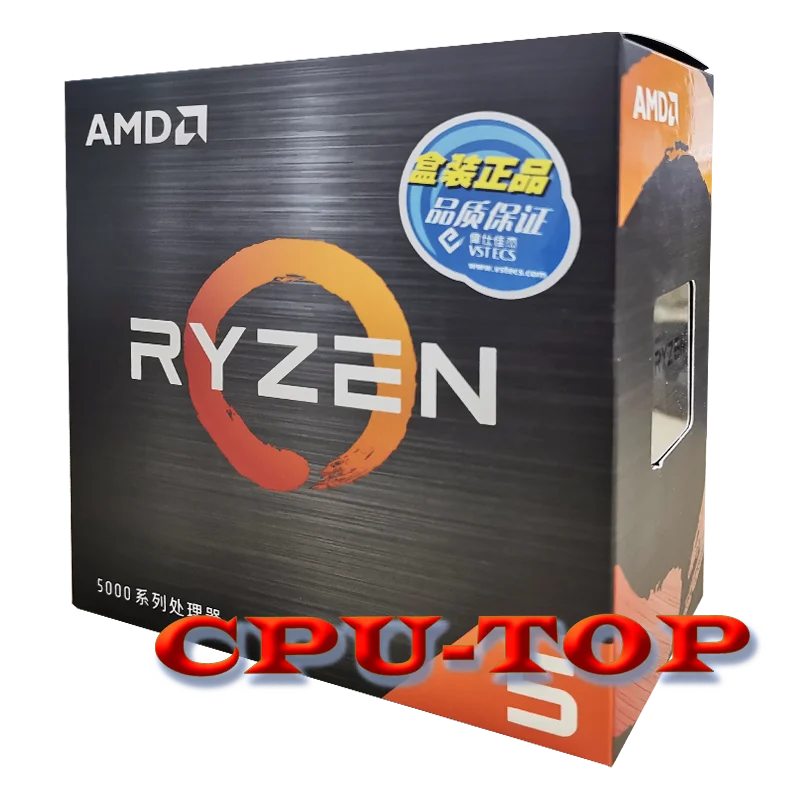 grizzled bloom
That part only started after debloating
The other issues were there before as well
dull flint

stark violet
The thought ever occurred maybe it's just me and even esports pros would be okay with the the setup
hollow thorn
@lyric turret Siege defaults to dx12, but offers Vulkan as an option on launch, does playing siege in Vulkan instead of dx12 fix anything?
lyric turret
hollow thorn
<@511256003485106177> Siege defaults to dx12, but offers Vulkan as an option on ...
Yea
hollow thorn
So it does fix everything...?
lyric turret
no i mean i tried what u said and it didnt fix
hollow thorn
Any kind of recording software at all? Through adrenaline or windows, the windows game bar thing defaults to being on iirc
grizzled bloom
Game bar would have been killed in the debloat
 fleet cypress
Might anyone know why I'm seeing a cpu fan error with a brand new computer build? The fan is still spinning and I don't think the cpu temperature is too high either. 27c with a stock amd air cooler last time I checked.
grizzled bloom
Do you have the fan plugged into the correct header?
fleet cypress
I believe I do. The one labeled cpu fan. That's the correct one I believe.
grizzled bloom
It's not the CPU_OPT one?
fleet cypress
It is. Did I plug it into the wrong one by mistake?
grizzled bloom
CPU_OPT is for a secondary fan if you have a dual tower cooler
fleet cypress
Oooh! alright, I'll fix that. Thank you!
nova linden
So I have the nova mesh se tg case and the asus b450m mother board would I need a fan splitter for this set up I think there is only one fan hookup on this board?
grizzled bloom
nova linden
So I have the nova mesh se tg case and the asus b450m mother board would I need ...
Which b450m there's 6
nova linden
Sorry asus prime b450m a II micro atx
grizzled bloom
nova linden
Sorry asus prime b450m a II micro atx
You have 2 system fan headers. If you have more fans than that then yes you can use a splitter.
nova linden
Ok so I don’t need any extra parts than. Sweet
Thank you
Dang I cannot type today lol
obtuse forge
do you need a cpu to update bios on a asus prime A320m-a motherboard?
grizzled bloom
Yes it doesn't appear to have flashback so you'll need a CPU that whatever current version of BIOS it has can run