#archived-urp
1 messages · Page 22 of 1
 cunning kettle
 upbeat jolt
@hushed condor hmmm what I failed to tell you is that I have built an XR App, with Passthrough for the quest 3.
 astral ledge
Hey, guys! I am really thinking in changing a pipeline. So, actually from built-in to URP. Is it time-consuming if doing it. What do you think?
Is it worth it?
 humble mason
Am I wrong or... do overlay cameras making no fucking sense with their order in the render loop?... So by the very nature of an overlay camera it's rendered view is on top of a base cameras view. So what this should mean is that an overlay camera can render first and whatever the overlay view is can act as a culling mask for the cameras "behind it", in the case of overlay cameras that would be the view of a base camera.... But according to the Unity documentation a base camera renders first and then overlay cameras render after it... Okay maybe that's not so bad in alot of scenes but in my case my base camera is render 100% of a view that is getting covered up with 90% of an overlaying camera...
Now in BiRP... There is no such problem, overlay cameras dont exist (as far as I know), and to do a similar camera thing you just stack up default cameras types and then use the priority setting to determine their render order and prevent overdraw... (This should be possible in URP, according to documentation but, URP is maybe bugged with how it's rendering the camera settings in Environment > Background type: Solid color / skybox / uninitialized, option... and you seemingly cant just change the solid color to transparent...)
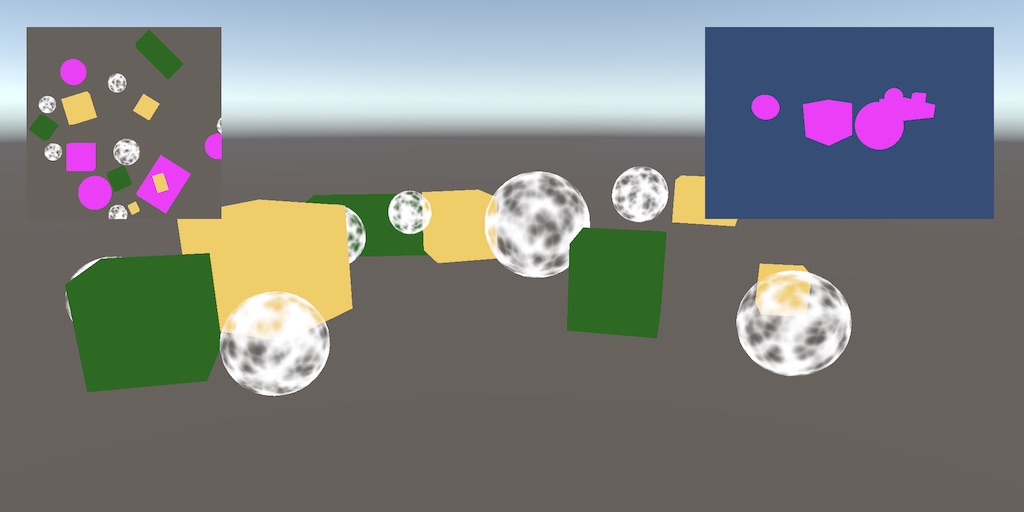
For reference here is a shot of my game, the Foreground camera view is circled in red, the background camera view is circled in blue. The background camera view has a post processing effect to create the blur. In a BiRP camera stack this is very easy to set up and is very efficient because my Foreground camera renders first, then the little bit of Background is rendered second to fill in.
In URP with just a basic base camera stack this has been impossible to repeat because of transparency issues. The work around in URP is to make the base camera the camera that sees the blurry background and then the foreground cam an overlay... Which is not efficient rendering...

 late monolith
I have a small question regarding the creation of texturehandles for rendergraph. It seems like the method using rendergraph.createtexture actually creates the amount of mips but using the universalrenderer.createrendergraphtexture doesn't? is there any documentation or info about that? I want the texture to actually be created with the proper amount of mips but not automatically generated.
private RenderTextureDescriptor commonTextureDescriptor = default;

commonTextureDescriptor = new RenderTextureDescriptor(Screen.width, Screen.height)
{
    colorFormat = RenderTextureFormat.RFloat,
    dimension = TextureDimension.Tex2D,
    useMipMap = true,
    autoGenerateMips = false,
    enableRandomWrite = true,
};

depthPyramidTextureHandle = UniversalRenderer.CreateRenderGraphTexture(renderGraph, commonTextureDescriptor, "_DepthPyramidTexture", true);
private TextureDesc commonTextureDesc = default;

commonTextureDesc = new TextureDesc(Screen.width, Screen.height)
{
    colorFormat = UnityEngine.Experimental.Rendering.GraphicsFormat.R32_SFloat,
    dimension = TextureDimension.Tex2D,
    useMipMap = true,
    autoGenerateMips = false,
    enableRandomWrite = true,
};
commonTextureDesc.name = "_DepthPyramidTexture";
depthPyramidTextureHandle = renderGraph.CreateTexture(commonTextureDesc);
I found it, so the createrendergraphtexture method just internally uses the createtexture method and doesn't do anything with the miplevels.
 haughty garnet
humble mason
Am I wrong or... do overlay cameras making no fucking sense with their order in ...
haughty garnet
humble mason
Am I wrong or... do overlay cameras making no fucking sense with their order in ...
Overlay is just that, something that is rendered once the base rendering is done much like how the canvas works so it'll always be forced on top. If you want the background to render first, I suspect you'd have to make that the base then add the foreground in as an overlay. Also I'm not too sure what you mean by a transparent background. If you need a layer removed from a specific camera, then use the options to cull it.
 errant cloud
Anyone has experience making custom shaders in ShaderGraph for Unity's canvas?
I have a UI effect that need some custom shader, but I want it to still be driven by Button & Image components Tint.
Getting the texture from Image was easy enough since it's just "_MainTex", but I can't find how the color variable is named.
Tried "_Tint", "_Color", "_TintColor", etc.
humble mason
haughty garnet
Overlay is just that, something that is rendered once the base rendering is done...
Sorry, here is an actual example of the transparent problem. so this is set up in URP, the camera rendering this shot is a base camera type, lets call it the 1st camera. So this 1st camera is set to a higher priority than the 2nd camera. The 1st camera has its background type set to solid color, and the Alpha of the color set to 0 (transparent). However, it just renders whatever the color value is, I made it yellow here to illustrate. That yellow should be transparent though and showing through to what the 2nd camera is rendering, which is the rest of the scene.
 haughty garnet
humble mason
Sorry, here is an actual example of the transparent problem. so this is set up i...
haughty garnet
humble mason
Sorry, here is an actual example of the transparent problem. so this is set up i...
You need some background color or the skybox, otherwise it's just uninitialized space. Transparency implies blending, but what does it mean to blend the background that is uninitialized?
humble mason
haughty garnet
You need some background color or the skybox, otherwise it's just uninitialized ...
Yeah, I just went back and looked at my project in BiRP (from before I updated it to u6 and URP) and realized that the camera set up in the stack is using clear flags set to depth only or dont clear, to have that "transparency"... Which are options that dont exist in URP in the camera inspector...
Doesnt seems like any of this matters though because, if the frame debugger is accurate and to be believed, in both the URP or BiRP set up of this camera thing. In both cases the background is getting drawn completely and then foreground elements are getting drawn on top of it... but maybe Im not using the frame debugger right and am stepping through the drawing process wrong?...
haughty garnet
Unless you're selectively culling each viewport, you're going to get overdraw. GPU culling that was included with 6 could help lessen it assuming you're not clearing depth, but it's not something I've toyed around with too much.
 uneven path
Is there a way to 'break' the shadow rendering so that no matter the distance it always is at the maximum resolution? Like I know this resolution is possible when really close up but I can't make it work at a distance. Yes I know it'll tank performance but I'm only using it on a few things and I'm trying to get as close to stencil shadow volumes as I can because I tried to actually make them and I just couldn't. It's way beyond my capabilities.


 tardy sail
is there some way to turn on ssgi in urp?
 vivid hemlock
Hello guys, i have an issue, my far objects are flickering. How could I stop it? I am using TAA anti alising on my Camera.
 iron compass
vivid hemlock
Hello guys, i have an issue, my far objects are flickering. How could I stop it?...
iron compass
vivid hemlock
Hello guys, i have an issue, my far objects are flickering. How could I stop it?...
Does it also happen with SMAA? Could be that the required jitter for TAA can’t deal with this kind of perfectly aligned pixels. In any case, this kind of flicker is never entirely avoidable.
vivid hemlock
iron compass
Does it also happen with SMAA? Could be that the required jitter for TAA can’t d...
With SMAA it's like this. Ok OK, I will keep TAA then. Thanks you ❤️
iron compass
vivid hemlock
With SMAA it's like this. Ok OK, I will keep TAA then. Thanks you ❤️
parallel lines are anathema to real-time anti aliasing
late monolith
is resourceData.cameraColor the correct target to blit the result of a renderer feature to?
I notice when enabling my renderer feature that the editor flickers a lot. it like goes black sometimes when moving the mouse over it.
 mortal furnace
Is it ok that SpriteRenderer doesn't get rendered on custom layer?
mortal furnace
This is one of my favorite now! The problem was project was created with "URP TEMPLATE" and have 3 levels of quality with 3 different URP assets. Default one is "High Fidelity" but active one was "Performant" in quality settings. It is so not intuitive to check active URP settings in quality settings and not in Graphics Settings. And for some reason active one URP asset just doesn't include new layers in filters so they will be just skipped. Great!
 delicate basalt
how come my light beams dont do what theyre supposed to do in the second photo? i dont know if i have the wrong shader or setting


they just cut off hard instead of fading out
 dreamy stratus
delicate basalt
how come my light beams dont do what theyre supposed to do in the second photo? ...
dreamy stratus
delicate basalt
how come my light beams dont do what theyre supposed to do in the second photo? ...
You need to identify how the fade is done.
If it's not in the texture already, the original (left) shader is using UVs or vertex color to add the fade along the beam length. And the URP/Lit shader doesn't do that.
My wild guess would be to try the Particle/Unlit shader.
 bright raven
Is there any documentation for writing a RenderFeature that has overrides like the inbuilt RenderObjects one? I specifically want to render opaque objects identified with a layermask with a stencil override.
 obsidian crater
Hey guys, what's the best way to create a realistic crowd sitting on benches in Unity for a mobile game? I can’t use full 3D assets due to performance limits, unless there’s an optimized approach. I want the crowd to look as real as possible without hitting performance too hard. Any addons or suggestions?

 haughty garnet
Your overlapping looks like a transparency issue. Make sure you use opaque alpha culling instead
As for making your people look alive as possible, usually you'd want some sort of animation which can be stored in the texture too.
Otherwise probably just moving verts around a bit to make it look like they're moving ;p
 clear spade
One message removed from a suspended account.
delicate basalt
dreamy stratus
You need to identify how the fade is done.
If it's not in the texture already, t...
tried all of the unlit shaders, none of those worked, tried the particle shader and that didnt work either, it just turned purple and black
dreamy stratus
delicate basalt
tried all of the unlit shaders, none of those worked, tried the particle shader ...
Even URP/Particles/Unlit ?
delicate basalt
dreamy stratus
Even `URP/Particles/Unlit` ?
yeah
 dreamy stratus
delicate basalt
yeah
dreamy stratus
delicate basalt
yeah
What was the original shader ?
delicate basalt
i originally was using urp lit pbr workflow
dreamy stratus
delicate basalt
i originally was using urp lit pbr workflow
The one on the right here ??? #archived-urp message
delicate basalt
dreamy stratus
The one on the right here ??? https://discord.com/channels/489222168727519232/90...
yeah
dreamy stratus
delicate basalt
yeah
So it was URP/Lit on both screenshots ???
delicate basalt
dreamy stratus
So it was URP/Lit on both screenshots ???
wait what? are you talking about the second one I'm trying to match my sun beams to?
dreamy stratus
delicate basalt
wait what? are you talking about the second one I'm trying to match my sun beams...
Yes, right one.
delicate basalt
dreamy stratus
Yes, right one.
no, that one was taken from Ingame, I have the textures and objects from that game and I'm trying to recreate it as a mod level for a different game
dreamy stratus
delicate basalt
no, that one was taken from Ingame, I have the textures and objects from that ga...
Ok, well, my wild guess is that is needs a custom shader, and you need to find from where that gradient is coming from to apply it to the shader. Custom UV / Vertex color, additional texture 🤷♂️
delicate basalt
dreamy stratus
Ok, well, my wild guess is that is needs a custom shader, and you need to find f...
ah gotcha, I'll see if I can figure that out, thanks
 scarlet blaze
When upgrading from the built-in pipeline to URP, are there any downsides to just downloading the URP from package manager and creating the universal asset, as opposed to starting a new project and reimporting every asset?
 copper pilot
delicate basalt
no, that one was taken from Ingame, I have the textures and objects from that ga...
copper pilot
delicate basalt
no, that one was taken from Ingame, I have the textures and objects from that ga...
This isn't a server for ripping game assets. Ripping tools often don't collect all required data to replicate an effect.
 obsidian bone
Cross posting my question to this channel because it's relevant: #archived-code-advanced message

delicate basalt
copper pilot
This isn't a server for ripping game assets. Ripping tools often don't collect a...
I know, I was asking how I could recreate it since I dont know how to
 wanton gazelle
hello there i am not 100% sure where to put this but need some help with the new render features.
I am trying to create a render feature using the new render graph stuff and i am very confused as i am not that familiar with render features to begin with.
what i am trying to do is trying to do is make a fullscreen shader effect that first takes in the position of a specific non-visible shader material as a sort of mask. this shader material would then pass the screen or clip space position of the objects or particles that use the effect to another pass which would basically be the whole screen and would distort the screen based on the positions fed in via the first pass.
the intent is to make a shader that does something similar to this:
https://youtu.be/0-l7W_x3HQM?si=Qh6EOQrYORstJu0g
without the need for tessellation and really dense geometry and also some extra control over what i want to do to the screen as well as more perfect movement of the fragment rather than the vertexes.

Tell me if you want to see more detail about these shaders, there is a lot of really interesting stuff in it.
So this is a glitch effect shader I did, the whole challenge for this shader was to make it completely independant of the mesh.
It can adapt to any mesh using different method to be sure to get the render you want depending on the shape...
 tulip nova
I'm using VFX Graph to make some dust mote particle effects that float in through a flashlight beam (a spotlight). If possible I'd like to have them disappear in shadows (i.e. I shine a light onto the edge of a wall; I'd want the volume shaded by the wall to not have any motes).
I thought there might be a simple way to do this using the URP lit quads, but they don't seem to be receiving shadows for me. Really confused about how or if I can go about this and if anyone has ideas I'd greatly appreciate it.
 marble vigil
tulip nova
I'm using VFX Graph to make some dust mote particle effects that float in throug...
marble vigil
tulip nova
I'm using VFX Graph to make some dust mote particle effects that float in throug...
The closest way to simple is to use the additive blend mode with maximum roughness and no emission
Assuming vfx lit shader supports additive blend mode, at any rate
Otherwise you'll need wholly custom light nodes to use the light attenuation for transparency
tulip nova
marble vigil
The closest way to simple is to use the additive blend mode with maximum roughne...
With these settings I'm currently getting


The cubes don't seem to change at all whether they are in the light or dark sections.
tulip nova
marble vigil
Otherwise you'll need wholly custom light nodes to use the light attenuation for...
Yeah I was afraid of something like this, but am I doing it correctly above? If there's a simpler way to do it and get closer results it'd be nice to try.
marble vigil
tulip nova
Yeah I was afraid of something like this, but am I doing it correctly above? If ...
I don't see anything incorrect in the settings, but the result is not correct since there is no change
I'd make a non-particle mesh and material with the same properties just for the sake of comparison
Well, actually they may be solidly bright if that's the ambient light in the scene
Making them fully metallic would remove ambient light, and maybe fix the issue if that was the cause
tulip nova
marble vigil
I don't see anything incorrect in the settings, but the result is not correct si...
Oh wait... I may have actually gotten it to work.
Tinkering now....
tulip nova
marble vigil
Well, actually they may be solidly bright if that's the ambient light in the sce...
I had to use a Shader Graph VFX Shader to get the quad to receive shadows and now it kind of works.

Problem is since I have the quads always facing the camera, if they are facing the camera while the flashlight is as well (player points flashlight at screen) then the side of the quads that is lit ends facing away from the screen and they're not visible at all from that angle.
Been wracking my brain to see if there is a solution for this, but haven't come up with anything.
Uhh... I think I got it working... I was just starting to experiment with changing the normals around with the shader and the first thing I did seems to make things work. I honestly have no idea why.

Me brain exhausted. I'll review this later to see if I can figure out why it works, but if anyone smarter than me knows that would be cool.
Okay, it actually doesn't work. I'm dumb. Only works on that one axis... I'll revisit this later when I'm not tired.
tulip nova
Okay. I just had to do vector subtraction to make the normals always face the origin of the flashlight.
yeesh
it works now
marble vigil
tulip nova
Okay. I just had to do vector subtraction to make the normals always face the or...
If you only have one light source, it's a perfect solution
If not, the directional light attenuation could be modified so they are lit regardless of direction of the incoming light
But then you'd be reimplementing all the light calculations as custom nodes just to modify one meager variable
tulip nova
marble vigil
If you only have one light source, it's a perfect solution
If not, the direction...
I have more than one light source in the game, but I'm mostly just trying to achieve them being visible inside the flashlight's cone of affect which... well this does that. Maybe I'm shortsighted but I don't foresee any issues with this implementation. I think doing the custom light calculations is beyond my skill level right now.
😅
But thank you for the help.
marble vigil
tulip nova
I have more than one light source in the game, but I'm mostly just trying to ach...
I don't foresee issues either, just the limitation that they only respond to light from one direction
 bright bramble
Is there anything related to fullscreen shaders, sampling scene depth, normal vectors or blit source, that could make the effect work differently on Windows vs. Linux? My fullscreen outline shader looks great on Windows but screwy when I build to Linux, and I've narrowed down all the parts of my shader that would have extra stuff going on under the hood
One weird thing I noticed is if I set my forward renderer's decal feature to 'Screen Space' and disable 'use rendering layers' the outline shader starts messing up on windows the same way it does on linux
marble vigil
bright bramble
Is there anything related to fullscreen shaders, sampling scene depth, normal ve...
Your windows build probably uses Direct3D, while Linux has to use OpenGL or Vulcan
Depth sampling at least works differently between those graphics APIs
bright bramble
marble vigil
Your windows build probably uses Direct3D, while Linux has to use OpenGL or Vulc...
cheers I'll look into that
bright bramble
marble vigil
Your windows build probably uses Direct3D, while Linux has to use OpenGL or Vulc...
yeah I disabled the auto settings and here were the types shown

So I need to figure out what the actual differences are, and which ones work the same way
alternatively, I should also try installing the windows build on my steam deck and enabling proton for it
to see how that affects things
bright bramble
@marble vigil alright turns out I can just build to windows and use a proton compatibility layer, not only does it look exactly like on windows but it even seems to run at a better framerate
marble vigil
bright bramble
<@166982635950702592> alright turns out I can just build to windows and use a pr...
I'm not familiar with Proton but with solutions like that the potential drawback is that it might not perform equally for all users, or they may have some other reason to avoid using compatibility layers
Similarly if you made the game WebGL or Vulcan only that would "solve" it as well, but limit the user's choices in situations where it won't work as expected
bright bramble
marble vigil
I'm not familiar with Proton but with solutions like that the potential drawback...
sure, that being said the only real reason I'm bothering with building to linux is to get it working on a steam deck, and it's currently performing flawlessly
if there are issues with other devices, I'll wait until I can actually afford to test on a wide range of them
 hard basalt
would anyone know why unity disagrees with the fact i clearly have a camera that is rendering display 1?? my game works fine but it just complains that it isnt being rendered despite it clearly being fine??? sorry if this isnt a specifically urp thing but i thought rendering was the closest thing

i dont think it has anything to do with my viewmodel or ui as both seem to work exactly as they are meant to
ok so i got it to go away with just right click game view and telling it to leave but im scared that it was there for a reason and something will irreversibly break later
 candid tulip
Can you give a screen of the rendering camera in the hierarchy?

 candid tulip
Your camera is rendering to an output texture.
Why?
@hard basalt
If it renders to an output texture, it is not rendering on the display.
Have you put a render texture of your main camera in full stretch as a UI raw image?
hard basalt
candid tulip
Have you put a render texture of your main camera in full stretch as a UI raw im...
i have the render texture to take the main screen but render at a low resolution to make it look cool
but like if it doenst like that
why does it still work?
candid tulip
hard basalt
i have the render texture to take the main screen but render at a low resolution...
Okok I see
If you want to do it this way, no problem! I personally use post-process for the low-res look instead.
You can use render textures like this if you want to! Shouldn't cause immediate problems...
But then just know no camera is directly rendering to your display (this is the warning you get)
You can disable the warning.
hard basalt
i see i see
i dont exactly know why i did it this way
i think i may have asked chat gpt or something 💀
candid tulip
hard basalt
i dont exactly know why i did it this way
Well you told me for the low res look right?
There is no built-in way for this low-res look apart from your method as far as I know
hard basalt
yeahbut idk why i didnt do it like with post processing
candid tulip
(ignore what I said before)
hard basalt
oh?
candid tulip
hard basalt
yeahbut idk why i didnt do it like with post processing
Because you have to search an asset for this then
candid tulip
For now it's ok
You or ChatGPT? lol jk
For now just use your current method it's ok
hard basalt
alrgiht
candid tulip
But keep in mind that you are rendering your camera as UI
hard basalt
i hope i never have to touch my ui again cuz it works but its a fucking mess
candid tulip
you should touch it until you understand it if you are starting out
marble vigil
candid tulip
There is no built-in way for this low-res look apart from your method as far as ...
@hard basalt Render scale with nearest neighbor filtering is an out of the box way to do it
Below 100% specifically
candid tulip
marble vigil
<@287991878786351105> Render scale with nearest neighbor filtering is an out of ...
Oh right. In the URP asset settings right?
marble vigil
The only drawback is that it's relative to user's display resolution
But you can control it with a script to work out the absolute resolution, if you need that
But in the case where the user has a different display aspect ratio, rendering to a specific render texture resolution runs into an issue
hard basalt
i think this is fine i was just worried about whether there will be unforseen consequences for just turning off a warning
 vagrant ice
I use atlases for my sprites. Is there any node to get texture offset and relative size in the shader graph? or I should pass it as prop? I want that all of them are batched together
I know I can pass it using material property block but it causes to break batches
haughty garnet
vagrant ice
I use atlases for my sprites. Is there any node to get texture offset and relati...
I would expect the SRP batcher to batch similar materials with different UV offsets if you're not using spriterenders.
can also use texture arrays
vagrant ice
haughty garnet
I would expect the SRP batcher to batch similar materials with different UV offs...
I want to use sprite renderers, it is a 2d game and it is common to use sprites!
I remember someone had said you can use some predefined props like lightmap props or even color but send uv offset and size instead
haughty garnet
vagrant ice
I want to use sprite renderers, it is a 2d game and it is common to use sprites!
spriterenders supposedly have srp batching now too and they were in 2023+, but the setting in the URP asset is missing in 6 so I'm not sure what that means. I think you can disable dynamic batching and it'll default to SRP
or that's my theory
vagrant ice
haughty garnet
I would expect the SRP batcher to batch similar materials with different UV offs...
Yes, if the shader graph is just sampling texture, it can handle it for atlases as well but I need to use uv itself. When I preview the uv node, it is not between (0,1), so, uv offset and size should be passed and then remap the uv
For example, to implement a distortion effect, the value is related to uv.y
haughty garnet
vagrant ice
Yes, if the shader graph is just sampling texture, it can handle it for atlases ...
Ah, I imagine you can just send those in as a property and do it that way, otherwise texture array is (0, 1) if you just want to use quads ;p
vagrant ice
haughty garnet
Ah, I imagine you can just send those in as a property and do it that way, other...
Yes, I said I can pass them but srp batch breaks:/
 pastel jacinth
I have all my settings correct i believe for urp but my 2d lights do not appear in game or in the editor


anyone know what could be causing this ?
tried reimporting all, regenerating shaders, making new 2d render pipeline, etc. etc.
update it was the materials oops
 hexed iris
trying to diagnose this extreme halo of the Sun on a sprite
Same material is being used on every object in the scene, and the halo appears whether the light source is there or not
 marble vigil
hexed iris
trying to diagnose this extreme halo of the Sun on a sprite
Same material is be...
marble vigil
hexed iris
trying to diagnose this extreme halo of the Sun on a sprite
Same material is be...
Shader producing NaN values for some reason
Could be some kind of corruption in lightmaps, or maybe mesh vertex data
hexed iris
Any idea how I can fix that? I made all the sprites myself, do I need to re-export a new copy? or would just re-importing it be fine?
it's just a .png
update, I created a new game object, gave it the shader, and it looked fine
Then I made the object a child of the original parent Telegraph object, and the halo returned
this is the parent node in question

and deparenting the fresh sprite from the bugged parent kept the halo, the halo persisted until I ctrl-z-ed to the point before I tried parenting it
 vagrant jackal
How do I make a scene COMPLETELY dark while also using global illumination. Is it even possible?
marble vigil
vagrant jackal
How do I make a scene COMPLETELY dark while also using global illumination. Is i...
Of course
What type of GI?
vagrant jackal
From a skybox
marble vigil
vagrant jackal
From a skybox
You can set environment lighting and reflections multipliers to 0 in environment lighting tab, and your camera's background to a black color
But usually I use a black sky texture
After that you'll need to Generate Lighting, though having created a Lighting Settings asset or enabling Realtime or Baked GI is not necessary
 flint lion
Is there any way to have tessellation?
marble vigil
flint lion
Is there any way to have tessellation?
flint lion
marble vigil
<https://www.patreon.com/posts/basic-setup-in-45320078>
<https://youtu.be/aLzUJR...
I also have this https://assetstore.unity.com/packages/vfx/shaders/lwrp-urp-tessellation-displacement-157851 but they r both a bit old
marble vigil
Have not seen anything newer
Do they not work right?
vagrant jackal
@marble vigil But how do you achieve reflections and environment lightning if you disable them? For example I have a metal pickaxe, but it only turns black because theres no reflections
Like the metal material dont have anything to reflect
marble vigil
vagrant jackal
Like the metal material dont have anything to reflect
It can't reflect anything when there's nothing to reflect
Metallic materials only receive specular lighting, meaning glossy reflections from light sources and the environment reflections if any
So in a dark room with few light sources they can appear too dark
Unless you can implement screen space reflections into your project, your only option might be to use a realtime reflection probe
vagrant jackal
In my case I am making a game that takes place underground (in tunnels). It is completely dark (not even be able to see the slightest) unless lit up by example a flashlight or from sun vents, where you should see objects like its day (reflections should be working these places). What would you recommend that I should take a look at?
marble vigil
As I mentioned, SSR or a realtime reflection probe
bright raven
Please help! I am going crazy chasing different Blitting methods in the RenderFeatures. How do I bind a depth stencil buffer before adding a Blit pass? This is the closest I have gotten:
using (var builder = renderGraph.AddRasterRenderPass<PassData>("Silhouette Fill Pass", out var passData))
{
        builder.SetRenderAttachment(silhouetteRT, 0);   // Bind color output
        builder.SetRenderAttachmentDepth(resourceData.backBufferDepth, AccessFlags.Read); // Bind depth (and stencil!) for read access

        passData.material = outlineMaterial;
        passData.source = resourceData.activeColorTexture;

        builder.SetRenderFunc((PassData data, RasterGraphContext context) => ExecuteBufferFillPass(data, context));
}
The ExecuteBufferFillPass is a simple Blitter.BlitTexture call. Does not seem to be able to access the stencil buffer 😦 This is with compatibility mode Disabled.
 terse ledge
Why the camera depth texture is completely black when I sample it when drawing transparent objects? It should be generated after opaque objects...
I tried unity 6 and unity 2022, with "Depth Texture" enabled in render asset in unity 2022.
Opaque texture is available. In unity 2022.
 dry willow
bright raven
The ExecuteBufferFillPass is a simple Blitter.BlitTexture call. Does not seem to...
dry willow
bright raven
The ExecuteBufferFillPass is a simple Blitter.BlitTexture call. Does not seem to...
iirc BlitTexture overrides the render target. You probably just want to use a cmd.DrawProcedural call to render 3 vertices
bright raven
dry willow
iirc BlitTexture overrides the render target. You probably just want to use a `c...
I see, thanks! Do I then use a builtin vertex shader for getting a full screen quad?
dry willow
Use the Vert function in Blit.hlsl
dry willow
terse ledge
Why the camera depth texture is completely black when I sample it when drawing t...
How are you testing it? Might just appear black if far plane value is very large, especially for perspective cameras where depth is non-linear
terse ledge
dry willow
How are you testing it? Might just appear black if far plane value is very large...
It's really weird that, no matter how close I get to the object, it stays black. But in renderdoc, the depth texture is generated correctly.

What I did in the shader is simply return SampleSceneDepth(i.positionCS.xy * _ScreenSize.zw);
dry willow
terse ledge
It's really weird that, no matter how close I get to the object, it stays black....
Does enabling Post Processing on the camera help?
terse ledge
dry willow
Does enabling Post Processing on the camera help?
Nope
dry willow
Not sure then. Maybe check Frame Debugger has a depth prepass / depth copy. What you're looking at in renderdoc is probably the depth buffer/attachment not _CameraDepthTexture specifically.
terse ledge
dry willow
Not sure then. Maybe check Frame Debugger has a depth prepass / depth copy. What...
In the frame debugger the depth texture is completely black. It has the same name in renderdoc.


Wait their names are not the same. The texture in renderdoc has a _MSAA4x suffix.
dry willow
And "Attachment", not "Texture"
That's the camera's depth buffer used for ztesting, not the depth texture you can sample in shader
URP will either generate the depth texture via a prepass, or copy that buffer if enabled on URP asset
You might have multiple URP assets and it's not enabled on the right one?
terse ledge
No I deleted the others and there's only one asset in the project.

And (de)activating opaque texture works.
terse ledge
Ok it turns out that my custom lit shader is not writing depth info into the depth attachment
Or maybe when the camera depth texture is been copied from the depth buffer, the objects haven't been write yet? I'm not sure
But everything goes fine after I switching to builtin lit shader...
I copied depth normal pass from the lit shader and now it works as expected
 long nymph
I have an issue where basically I need to have a transparent lit object (3000+ render queue) write to depth texture.
Surprisingly I'm struggling a lot with this.
I'm currently going down the rabbit hole of adding a second material to the skinned mesh renderer which only writes to depth but I haven't gotten this to work yet.
Any suggestions?
copper pilot
long nymph
I have an issue where basically I need to have a transparent lit object (3000+ r...
Use a render feature to draw the object with depth only?
long nymph
copper pilot
Use a render feature to draw the object with depth only?
Could you elaborate a bit?
Thanks for responding.
haughty garnet
Forcing depth on the transparent will write it to the buffer unless you want a secondary depth texture with those transparents only you can use a secondary viewport and use a render texture.
long nymph
haughty garnet
Forcing depth on the transparent will write it to the buffer unless you want a s...
i've forced depth on in the shader graph but it doesn't write it still.
I think because of its render queue?
haughty garnet
If you are writing them to depth then the scene depth node should have that information. Turn on the current scene depth using the scene viewport to debug it
https://docs.unity3d.com/6000.2/Documentation/Manual/urp/features/rendering-debugger.html
That specifically

 severe tapir
Where do questions related to custom rendering go?
(BatchRendererGroup and GraphicsBuffer)
I can't really find documentation for how to use GraphicsBuffer to stream per-frame data without stalls
Seems like not doing new GraphicsBuffer and reusing it since the size does not change currently avoids the stall in vulkan, but I can't avoid ever allocating new vram
I might have to try using SparseUploader
 radiant sonnet
hey, not sure where to ask this, but im having trouble with some lag spikes that happen in builds only. it seems related to vsync, but there are also spikes when vsync is disabled. it also happens with an empty scene. it seems very inconsistent, sometimes happening every second, and sometimes its completely fine for a minute. if someone has seen something similar in the profiler, id love to know how you solved it!
using URP and version 2022.3.12f1.
cheers!
 mortal furnace
can I pass texture to blit shader through blit material or should I only use global texture for that?
haughty garnet
You can bind the texture to a material and blit it if that's the question. It doesn't need to be global.
 sinful gorge
radiant sonnet
hey, not sure where to ask this, but im having trouble with some lag spikes that...
sinful gorge
radiant sonnet
hey, not sure where to ask this, but im having trouble with some lag spikes that...
Might be a GPU bottleneck. Make sure you use the latest 2022 version first and afterwards look into the rendering
radiant sonnet
sinful gorge
Might be a GPU bottleneck. Make sure you use the latest 2022 version first and a...
we dont really change whats rendered from frame to frame, so it seems unlikely to me its just a gpu bottleneck because of the inconsistency? will probably try updating to the lastest 2022 version, thanks.
sinful gorge
radiant sonnet
we dont really change whats rendered from frame to frame, so it seems unlikely t...
Each frame is fully drawn, no matter if you render practically the same image. So if it's a heavy scene where nothing moves, it will still be heavy
Worth exploring the frame rendering dropdowns in the hierarchy as well btw. To see what is rendering. Maybe it's a heavy effect.
Can't help much more without diving into it
radiant sonnet
sinful gorge
Each frame is fully drawn, no matter if you render practically the same image. S...
I render the same objects and there is a difference of 25ms between some frames, and ive encountered the issue in completely empty scenes too. but i think you are correct and updating is my best bet right now
sinful gorge
Yeah definitely try that
If it doesn't work look into the other hierarchy elements, maybe with deep profiling. If it's really a GPU issue render doc is the advanced next step
radiant sonnet
i dont know if render doc does profiling specifically, ive only used it for just verifying data coming into the gpu. would you recommend just checking theres nothing too expensive happening or are there actually profiling tools ive just missed?
sinful gorge
Check more into the hierarchy in the Unity profiler first as I said
mortal furnace
haughty garnet
You can bind the texture to a material and blit it if that's the question. It do...
No, I want to achieve next result: I want to render just one particular layer of objects then get current color or depth texture (no matter what) and add it's pixels to my texture. Basically I want to have my own depth texture which isn't cleaned each frame and contains only objects from concrete layer.
To do that I have a path that executes right after rendering concrete layer and access camera's depth texture (which is indeed contains only object that I need), also in that pass I create my own texture that I want to "stack" depth on. From here I doubt what to do, because I can write a simple blit shader that samples 2 textures and return a sum of pixels. But in this situation my "StackDepthTex" actually must have read/write access while camera's current depth tex can be just an input. (I've read that render graph gives us options to do so but unity docs aren't very informative, today I will read SRP package docs Render Graph section, maybe there I can find more details).
I want then to use this stacked texture as a blit mask for another rendering step so I also need to inject it to BlitMask shader later, and for that step camera's color/depth textures would have read/write access also.
haughty garnet
mortal furnace
No, I want to achieve next result: I want to render just one particular layer of...
Ah, I've not played around too much with render graph, but my bandaid of an idea here would be just use some custom render objects and another set of viewports that would render these objects alone to capture their depth, but this would lead to rendering the objects twice if you choose to also render them upon the primary viewport. Not entirely sure how I would go about it otherwise, but I doubt this is an optimial solution here.
mortal furnace
I managed to have rendering of those objects in a sequence that let me get proper depth texture I want every frame so this is what I've achieved right now, next I need to setup blit shader properly to stack this depth texture on my own
haughty garnet
Oh yeah I getcha. Render graph does sound like the tool I'd probably look into for that
I was thinking of just grabbing it all and resolving the texture on the next frame
 honest nova
Hi everyone, I've been trying to use Blitter.BlitTexture in a custom Render Pass for days just to discover that my Shader couldn't work without specifying "#pragma vertex Vert" and not "#pragma vertex vert" did I miss something in the documentation or it's never specified ?
dry willow
honest nova
Hi everyone, I've been trying to use Blitter.BlitTexture in a custom Render Pass...
You need to use the vertex shader in the Blit.hlsl include (which is named Vert) to output correct vertex locations to create a fullscreen triangle
honest nova
Well I'm new to shaders and RendererFeatures and without an example on gitHub I would never found that by myself, maybe it's juste me but it could be nice for future people like me that discover Renderer Features and Shaders to specify something about it in the documentation I believe, or maybe I'm just dumb, that's another thing haha
mortal furnace
honest nova
Hi everyone, I've been trying to use Blitter.BlitTexture in a custom Render Pass...
here is an example of blit shader with #pragma vertex Vert https://docs.unity3d.com/6000.0/Documentation/Manual/urp/renderer-features/create-custom-renderer-feature.html
honest nova
Ok my bad I just missed it when reading the documentation, thanks
mortal furnace
honest nova
Ok my bad I just missed it when reading the documentation, thanks
It is very hard to read unity's documentation. They basically say in every page "Ok, this is <complex_tool_or_method_name>, use it when you want to <feature_name> for example". How to use it, what overload to use or with what parameters they prefer to keep. I always end up looking for some cool individual teaching content creators like Cyan (no tag to not disturb), which describe approaches line by line basically.
honest nova
mortal furnace
It is very hard to read unity's documentation. They basically say in every page ...
Not that easy sometimes yeah, and I agree concerning teaching content, when well realized it can be really useful but most of content creators are just "do things like that and it will work" which is typically what I hate, but thanks for the advice I'll check Cyan's work
 rose hare
when i use overlay cameras, it reruns the render features on the cameras under it for some reason. is there a way around this?
marble vigil
rose hare
when i use overlay cameras, it reruns the render features on the cameras under i...
Each camera can specify a Renderer, which determines the renderer features in use
 restive ether
Hey, is there a way of exporting the TextureHandles used within a custom Renderer Feature? Unity is capable of accessing the respective RenderTextures and siplay them within the Frame Debugger, but I have had no luck so far accessing the data within my pass. Is that even possible?
bright bramble
I'm following a tutorial to try and make some custom render pipeline stuff, but I can't find the option to create a new asset in the menu. Have I implemented the CreateAssetMenu attribute wrong or something?
https://catlikecoding.com/unity/tutorials/custom-srp/custom-render-pipeline/

A Unity tutorial about creating a custom scriptable render pipeline.
mortal furnace
Can anyone explain to me please how dst becomes camera target texture?
https://docs.unity3d.com/6000.0/Documentation/Manual/urp/renderer-features/create-custom-renderer-feature.html
ohhh I see, because it is two pass blit they do srcCamColor -> dst -> srcCamColor
 bright knot
Why are my 3d objects in a jagged shape? How do I make it's edges smoother?
 graceful sun
bright bramble
I'm following a tutorial to try and make some custom render pipeline stuff, but ...
graceful sun
bright bramble
I'm following a tutorial to try and make some custom render pipeline stuff, but ...
Hey cptnfabulous
rose hare
marble vigil
Each camera can specify a Renderer, which determines the renderer features in us...
well yeah, i want the render features to run for what the camera sees, just BEFORE it gets combined with the other cameras
i was just trying to run my render features on my UI as well as the world to get a sort of visor look, so for my specific use case i ended up using the Render Objects feature on my ui layer and injected it after post processing
 ebon karma
bright knot
Why are my 3d objects in a jagged shape? How do I make it's edges smoother?
ebon karma
bright knot
Why are my 3d objects in a jagged shape? How do I make it's edges smoother?
Anti-Aliasing
 oblique briar
When is deferred+ becoming available? And what is better for monitor? Forward, Deferred, Forwward+ or deferred +? Same question for VR?
bright bramble
graceful sun
Hey cptnfabulous
ey?
sinful gorge
oblique briar
When is deferred+ becoming available? And what is better for monitor? Forward, D...
It's already in 6.2!
What to use depends on the game. For simple games regular Forward can be faster. If you have a decent amount of lights go for Forward+. If you have a ton of lights or GBuffer effects, go for Deferred+
I don't think regular deferred will be used much in 6.2 anymore
For VR use regular Forward or Forward+ if you have many lights. Deferred can't use MSAA and is quite heavy on mobile. Deferred+ might be alright for performance, but ofc no MSAA
oblique briar
sinful gorge
It's already in 6.2!
What to use depends on the game. For simple games regular F...
MSAA is quite heavy, I am using the simpler AA
sinful gorge
oblique briar
MSAA is quite heavy, I am using the simpler AA
Not too heavy on mobile hardware afaik. Faster AA like FXAA makes it look blurry and spatial upscaling can introduce artifacts
oblique briar
Isn't MSAA the one that render on a larger resolution?
 twin storm
can anyone help me switch my project from URP back to built in pipeline? i tried to convert a few select assets but it converted my whole scene and alot of my textures are pink, including the standard shader
oblique briar
@sinful gorge So the one I am using is this: AntialiasingMode.SubpixelMorphologicalAntiAliasing which is actually the fast one
IIRC MSAA is quite heavy and slow
sinful gorge
oblique briar
IIRC MSAA is quite heavy and slow
Did you test on hardware? MSAA is hardware accelerated on mobile.
And you might need a lower MSAA level compared to SMAA, since MSAA usually provides a sharper result.
But if course if it works it works haha. For VR MSAA is often used as it improves the perceived quality the most for the performance.
oblique briar
Ahh ok, I mean, I used it in VR link, not actual VR on device/android. Maybe on the headset itself it's better
 sly river
Getting started with unity for android
Switched to android profile and the result is pixelated
is there any other setting I have to do to make it sharp?
 ebon karma
sly river
Getting started with unity for android
Switched to android profile and the resul...
ebon karma
sly river
Getting started with unity for android
Switched to android profile and the resul...
set scale to the minimal value
 soft lion
sly river
Getting started with unity for android
Switched to android profile and the resul...
soft lion
sly river
Getting started with unity for android
Switched to android profile and the resul...
I think you would want to set the resolution directly to whatever it is in your target device instead of using the 18:9 ratio alone. If it is defined by the ratio alone, the resolution is derived automatically from the size of the window, usually resulting in very low resolution
marble vigil
Especially since you've zoomed in the game window
sly river
Ohh thanks
 fierce anvil
    {
        yield return new WaitForSeconds(0.5f);

        RenderTexture rt = new RenderTexture(Screen.width, Screen.height, 32);
        Camera.main.targetTexture = rt;
        Texture2D screenShot = new Texture2D(Screen.width, Screen.height, TextureFormat.RGB24, false);

        Camera.main.Render();
        RenderTexture.active = rt;
        screenShot.ReadPixels(new Rect(0, 0, Screen.width, Screen.height), 0, 0);
        Camera.main.targetTexture = null;
        RenderTexture.active = null;
        Destroy(rt);
        byte[] bytes = screenShot.EncodeToPNG();

        string customFileName = "Screenshot.png";

        yield return new WaitForSeconds(0.5f);
        CanvasManager.instance.Resetscreen();

        StartCoroutine(SubmitDetails(bytes, customFileName));
    }```

Hi friends, i am using URP in my project the rendering is good in build but when i take fullscreen screenshot at runtime using script the objects appear in image are not smooth. how can i capture smoother screenshots? (first image is at runtime) (second image is screenshot taken runtime)

 cold pier
fierce anvil
```IEnumerator StartCapture()
{
yield return new WaitForSeconds(0.5f...
cold pier
fierce anvil
```IEnumerator StartCapture()
{
yield return new WaitForSeconds(0.5f...
Cameras missing PostProcessing ( like AntiAlias ) yields search results.
https://discussions.unity.com/t/how-to-get-post-processing-on-camera-render-in-urp/1600652
Can't tell you as solution, but maybe those guys can.
 glossy crane
Hey does anyone how to turn off MSAA for a renderfeature but keep it on otherwise. I have tried cameraData.camera.allowMSAA = false; and turning it on afterwards but that doesnt work. I found this https://docs.unity3d.com/ScriptReference/Rendering.CommandBuffer.SetupCameraProperties.html but when I use setupcameraproperties I dont see anything in my renderobjects renderfeature
maybe I just need to keep tinkering with SetupCameraProperties but the docs self says it just edits the view, projection and clipping planes variables
Im basically asking if there is some setting in code that I can change in rendergraph to disallow msaa
cold pier
glossy crane
Hey does anyone how to turn off MSAA for a renderfeature but keep it on otherwis...
The sequence you write in RenderGraph as a pass, is not the actual execution of these operations. It's the creation of a record that gets built into the a sequence of operations.
So if you do something like this as an example, it will mean abolutely nothing.
cameraData.camera.allowMSAA = false; renderGraph.AddBlitPass(paraVertical, k_VerticalPassName); cameraData.camera.allowMSAA = true;
Also textures created by TextureDescriptors are copying the existing format to match, including MSAA.
glossy crane
Yeah thats what I figured thats why im curious if anyone knows a way to turn off MSAA for the camera through rendergraph
 lapis basin
Y a shadow is appearing ?
marble vigil
lapis basin
Y a shadow is appearing ?
Looks like shadow distance setting
 languid elk
I create texture on substance also the specular map to have reflections.
When I import in a Unity Scene I notice the skybox flat every reflection I did in the specular, the result I want to achieve is the view I have in the Unlit Draw Mode (picture attached)
I'm building for Meta Quest and for performance I dont want use directional light, there is a way to achieve the result I obtain with Unlit Draw Mode and build it?


 deft flame
how can i make this material actually pop out? right now i have emission but it still feels so stale
 marble vigil
languid elk
I create texture on substance also the specular map to have reflections.
When I ...
marble vigil
languid elk
I create texture on substance also the specular map to have reflections.
When I ...
Unlit draw mode actually creates a directional light aligned with the camera
So it's not really cheaper, or "unlit" either
Having just one shadowless directional light for illumination is among the cheapest lighting types
But more than anything the shader is responsible for the expense
URP has a "simple lit" shader which probably uses a cheaper lighting model
You can also disable specular highlights for a bit of extra
But if you know shaders you can make the lighting as cheap as you like
The unlit draw mode look could be imitated with a shader that only uses a matcap texture instead of lighting
A custom shader could also do main light and ambient light calculations per vertex, whereas by default in urp that option is only for additional lights
 stuck parcel
any ideas how i increase shadow drawing distance in my 3d scene? most docs i find online are outdated, using URP but cant find it in any menus
im looking for this
 marble vigil
stuck parcel
any ideas how i increase shadow drawing distance in my 3d scene? most docs i fin...
marble vigil
stuck parcel
any ideas how i increase shadow drawing distance in my 3d scene? most docs i fin...
This can be found in your URP asset, which is assigned to each quality level in Project Settings > Quality
 marble vigil
stuck parcel
this menu right?
marble vigil
stuck parcel
this menu right?
Render Pipeline Asset field has the URP asset in it
Clicking it highlights the asset in your project window
Double clicking it automatically selects it and opens it in the inspector window
stuck parcel
thank you 🙏
 candid sail
I am on URP 2022.3.55f1, how do I achieve additive normal blending for decals?

I wish the compound the normal of my decal with the asset it is projecting on to
 boreal dirge
How would I go about converting the following to URP? I get far up until figuring out how I should replace the grabpass. This single issue is like the one thing preventing me from migrating to URP.
Shader "AGRSS/MainMenu/Overlay" {
    Properties{
        _MainTex("Base (RGB)", 2D) = "white" {}
        _OverlayTex("Overlay (RGB)", 2D) = "white" {}
        _Opacity("Opacity", Range(0,1)) = 1
    }

    SubShader {
        Tags { "RenderType" = "Transparent" "Queue" = "Transparent+1000" }
        LOD 200

        GrabPass {}

        Pass {
            CGPROGRAM

            #pragma vertex vert
            #pragma fragment frag

            #include "UnityCG.cginc"

            sampler2D _GrabTexture;
            sampler2D _OverlayTex;
            float _Opacity;

            struct appdata_t {
                float4 vertex : POSITION;
                float4 texcoord : TEXCOORD0;
            };

            struct v2f {
                float4 vertex : POSITION;
                float2 uv : TEXCOORD0;
                float4 grabPos : TEXCOORD1;
            };

            float4 _OverlayTex_ST;

            v2f vert(appdata_t v) {
                v2f o;
                o.vertex = UnityObjectToClipPos(v.vertex);
                o.uv = TRANSFORM_TEX(v.texcoord, _OverlayTex);
                o.grabPos = ComputeGrabScreenPos(o.vertex);
                return o;
            }

            half4 overlay_blend(const half4 base, const half4 overlay) {
                return lerp(1 - 2 * (1 - base) * (1 - overlay), 2 * base * overlay, step(base, 0.5));
            }

            half4 frag(v2f i) : COLOR {
                const float2 grab_uv = i.grabPos.xy / i.grabPos.w;

                const half4 base = tex2D(_GrabTexture, grab_uv);
                const half4 overlay = tex2D(_OverlayTex, i.uv);

                const half4 blended = overlay_blend(base, overlay);
                return lerp(base, blended, _Opacity);
            }

            ENDCG
        }
    }
}

it feels pretty essentail to be missing
candid sail
boreal dirge
it feels pretty essentail to be missing
Yea exactly my thoughts
Genuinely insane that it can't do it, I am basically just having to fake it now using masks and a similar surrounding normal detail
It does the job but jeez
haughty garnet
URP decals are pretty basic. They use the lightmapping data which is only a color buffer, but you can probably do similar with a normal map and send that into the shader... but at that point i guess you're just making your own decal system ;p
 acoustic dune
anyone know why the unity toon shader makes certain faces pitch black when the object isn't rotated? (first picture is with a y rotation of 0, second is 0.0001)


 leaden mortar
Does anyone know how to use Occlusion Culling on the Unity's terrain systems trees? I have a forest where I set up the occlusion culling of the camera,(seen as like in the image, thats just a quarter of the forest). However there is almost none FPS improvements, so I assume that I am using the Occlusion Culling wrong? Any information? (Sidenote: This is for just testing, I am not gonna use this amount of trees anyways)

 sullen dune
leaden mortar
Does anyone know how to use Occlusion Culling on the Unity's terrain systems tre...
sullen dune
leaden mortar
Does anyone know how to use Occlusion Culling on the Unity's terrain systems tre...
Are you sure the trees were the main bottleneck? And do you have LOD working for those trees?
marble vigil
leaden mortar
Does anyone know how to use Occlusion Culling on the Unity's terrain systems tre...
Terrain component handles rendering of the trees directly so occlusion culling or other systems can't interact with them
#⛰️┃terrain-3d
leaden mortar
Hmm makes sense, thanks
leaden mortar
sullen dune
Are you sure the trees were the main bottleneck? And do you have LOD working for...
99% sure since there is nothing else in the scene
 jolly cove
Im having a problem with post processing on a render texture
does anybody know a solution?
in the inspector it works

but when i apply it to a raw image

like all the semi-transparent pixels become fully transparent
i have alpha processing enabled
 haughty garnet
jolly cove
Im having a problem with post processing on a render texture
haughty garnet
jolly cove
Im having a problem with post processing on a render texture
The camera color buffer format must be RGBA8 for SDR (HDR off) and RGBA16F for HDR (64-bits)
I'd double check if the render texture camera does have post-processing enabled too
 lofty nebula
Has anyone been able to create shadow volumes using stencil in URP?
Trying to pull it off myself but there's not much information online that I can find as to how to pull it off
boreal dirge
im hoping URP gets some more missing features given it feels like Unity is moving to make it the default
marble vigil
boreal dirge
im hoping URP gets some more missing features given it feels like Unity is movin...
What kind of missing features?
You can submit ideas on the URP roadmap
https://portal.productboard.com/8ufdwj59ehtmsvxenjumxo82/tabs/3-universal-render-pipeline
boreal dirge
marble vigil
What kind of missing features?
You can submit ideas on the URP roadmap
<https://...
I saw they werent planning on anything like grabpasses
Literally the one reason i cant switch
marble vigil
boreal dirge
I saw they werent planning on anything like grabpasses
There's other ways to get similar effects, but I guess it depends on how you need it exactly
boreal dirge
marble vigil
There's other ways to get similar effects, but I guess it depends on how you nee...
Like applying an overlay blend effect onto several layers
Such as with noise
Almost as a layer specific post processing
marble vigil
boreal dirge
Almost as a layer specific post processing
Custom renderer features could be used to render layers to a separate buffer for processing
It wouldn't be precisely the same as grabpass though
haughty garnet
Command Buffers
boreal dirge
marble vigil
Custom renderer features could be used to render layers to a separate buffer for...
what differences?
marble vigil
boreal dirge
what differences?
If I understand it correctly grabpass gets what's rendered so far as a color to work with, whatever it may be
The available methods require you to predefine in some way what you'll be rendering to the buffer
So grabpass works on everything and only depends on the order of rendering of that specific fragmet, rather than creating the buffer in one go at a specific point in the render order
marble vigil
I'd expect so, if the layers you want to render are predeterminable
Rather than varying from pixel to pixel
boreal dirge
i have to figure out how i can do that then
 sand current
Hi everyone im not too sure where to post this exactly but, in camera view, if i move the camera to a certine position and angle, gameobjects such as walls and floors you see there, de-render but i move the camera again somethings might render back and others de-render.
This all came when i moved the bathroom you see there over just a small bit

 plush tundra
hey, i have a wall and hp bar to that wall which is in canvas world space. i want the hp bar to render on top of the wall even if its in the mesh of the wall but also not render on top of all other objects. just behave normally just render on top of the wall. If i use a secondary camera it renders on top of all objects so i cant do that.
 haughty garnet
plush tundra
hey, i have a wall and hp bar to that wall which is in canvas world space. i wan...
haughty garnet
plush tundra
hey, i have a wall and hp bar to that wall which is in canvas world space. i wan...
Could you clarify that a bit more
plush tundra
haughty garnet
Could you clarify that a bit more
Okay, if youve ever played fortnite, what im trying to do is the hp bar on builds. But if you havent, i have and object (a wall) and an hp bar of that wall on the wall. The hp bar has a canvas set to world space. And the hp bar will always rotate so it is facing the camera. But because it overlaps with the wall like i will show you in an image, it looks bad. So i have to make the hp bar render on top of wall so it doesnt overlap
 haughty garnet
plush tundra
haughty garnet
plush tundra
Why don't you just use the overlay canvas then? Why have a world canvas if you want to force elements to always render on top
Actually, it's probably fine this way too, but requires a bit of fiddling because you need to make sure that the HP bars aren't rendering in front of everything if they are completely obscured
plush tundra
haughty garnet
Why don't you just use the overlay canvas then? Why have a world canvas if you w...
But overlay canvas isnt in world space no? How would i make it be on top of the wall?
plush tundra
haughty garnet
Actually, it's probably fine this way too, but requires a bit of fiddling becaus...
Yeah
haughty garnet
I would just say use screen coordinates, but obviously there's more to this problem anyway which I've described
plush tundra
Okay
haughty garnet
You can force it to render on top with a world canvas yes, but the question is how do you want to handle the hp bars if they are obscured completely
plush tundra
Yeah exactly
If i had the world soace canvas, i would just want to render it on top of a specific object but not every other object
Isnt there a way to do this in unity somehow?
haughty garnet
Not entirely sure on this one besides making some custom sorting logic. Technically you only want to render it in front if the pivot is closer to the camera, but this is not the easiest to sort in 3D, especially if you are billboarding the HP bar
But for the meantime, if you just want the HP bar to always render on top, no matter where in the world you are, then you want to remove depth testing on this object and render it last (via transparent sorting queue)
plush tundra
haughty garnet
But for the meantime, if you just want the HP bar to always render on top, no ma...
Yeah but then it renders on top of all objects, but if you mena in the meantime then okay.
haughty garnet
It's actually a pretty complicated problem that requires a bit of shader work to really get right
plush tundra
haughty garnet
It's actually a pretty complicated problem that requires a bit of shader work to...
Yeah, i knew it has to be solved with using shaders but ive never made shaders in my life
haughty garnet
https://discussions.unity.com/t/problem-solving-2d-billboard-sprites-clipping-into-3d-environment/743786/17
Here's a similar problem that people been working on over at the forums. Primarily for sprite stuff, but applies to any 2D billboarding in a 3D environment.
plush tundra
haughty garnet
https://discussions.unity.com/t/problem-solving-2d-billboard-sprites-clipping-in...
I see. I might have a solution. If i rotate the hp bar towards rhe camera by rotating a pivot thats in the center of the wall and the hp bar will be slightly in front, which would mean it will alway be in front of the wall but clipped. If i then used some of the shaders of stuff i dont understand like depth or stencils, it could maybe work no?
haughty garnet
plush tundra
I see. I might have a solution. If i rotate the hp bar towards rhe camera by rot...
Stencils is a good idea too. Probably easier to implement too honestly, but may run into edge cases where there's multiple similar stencil masks nearby
Custom sorting logic may be the easiest solution and one that you don't need to dig too deep into playing with the pipeline rendering order. Figure out when and where the player should be shown the HP bar then force it on top
plush tundra
haughty garnet
Stencils is a good idea too. Probably easier to implement too honestly, but may ...
That could happen because there will be lots of these walls near to each other
plush tundra
haughty garnet
Custom sorting logic may be the easiest solution and one that you don't need to ...
Okay, and how exactly do i implement it?
haughty garnet
haughty garnet
But for the meantime, if you just want the HP bar to always render on top, no ma...
^ As for comparing when to show it, you could probably just stick to raycasting and see how that works, but you can optimize that more later on
plush tundra
haughty garnet
^ As for comparing when to show it, you could probably just stick to raycasting ...
Yeah but that would be very inefficient, because like i said there will be lots of these objects near each other. So if i use the sorting order i have to figure out when to show it right? And if i implemented the stencil solution it would work jus tlike that?
haughty garnet
Opaque stenciling may be fine yeah. There's some situations where I think it may create problems if it overlaps, but that can probably be resolved with a bit more stencil testing logic.
haughty garnet
But technically what you're doing is saying that if this pixel of this object is of this layer, then replace it with this pixel instead
plush tundra
Oh okay
plush tundra
haughty garnet
But technically what you're doing is saying that if this pixel of this object is...
And will this work if there are multiple walls near each other
haughty garnet
For the most part I think it should be fine. The only problem that you may run into is other HP bars stenciling testing and replacing pixels of each other
So there's some ordering going on there
plush tundra
And is it fixable
haughty garnet
There's different solutions to that, and usually it's up to preference
plush tundra
haughty garnet
There's different solutions to that, and usually it's up to preference
I jist realized this might not work because even if i make it rotate by a pivot so its in front, there will still be some spots where a part of the hp bar will be behind the wall
haughty garnet
Shouldn't matter if it's behind or in front. If the current stencil buffer is written to by the object layer mask, then it'll be replaced at that pixel value
plush tundra
haughty garnet
Shouldn't matter if it's behind or in front. If the current stencil buffer is wr...
Okay but then if there are 2 wall near each other the hp bar of the first wall will render through the second wall right? And how do you fix it?
haughty garnet
Ah, yeah I can see that problem. I guess you'll need to depth test first then stencil test which would require doing some custom render pipeline stuff unless I'm overthinking it
Basically -> if depth test passes -> then test against the stencil buffer
Actually shader should be fine, or using the URP render objects would work
plush tundra
haughty garnet
Basically -> if depth test passes -> then test against the stencil buffer
Yeah but then if the hp bar a part of it is behind the normal wall its supposed to be in, it will not render
haughty garnet
Yeah true, I guess this goes back to the idea of a custom sorting axis ;p
I would probably play around with stencils a bit even if it's not the solution since it's something worthwhile to know
plush tundra
haughty garnet
I would probably play around with stencils a bit even if it's not the solution s...
Yeah i talked with chatgpt and i feel like i understand it now. But yeah its not really the solution. Do you know something that could be the solution for this? And work like i want?
haughty garnet
Besides maybe a depth shader that overrides clip space, I'm not too sure. Maybe some custom render pass if I can figure out how to order everything, but otherwise I'd probably attempt something with what I've mentioned so far.
plush tundra
haughty garnet
Besides maybe a depth shader that overrides clip space, I'm not too sure. Maybe ...
Ive talked with gpt and it might have a solution, it makes an offset to the depth of the hp bar so the gpu thinks its in front of the wall even tho it isnt
 gleaming parcel
Hello, I'm attempting to upgrade from Unity 6000.0.33 to any 6000.0.4 and up version, it automatically updates URP from 17.0.3 to 17.0.4, which is expected, however upgrading URP is giving me an error making me unable to update the project. Any ideas on how I can troubleshoot this?
Just realized, 17.0.4 changelog isn't even on the docs. What the heck, does 17.0.4 actually exist?

 unreal epoch
Hey folks! So I want to create a pixel art effect for my game. Most tutorials I found use shaders and materials to put on the camera which uses a script calling Graphics.Blit. The problem is this method doesn't seem to work for URP, and I found no fix or other way to do it. Does anyone know a way I could make it happen?
haughty garnet
unreal epoch
Hey folks! So I want to create a pixel art effect for my game. Most tutorials I ...
Graphics.Blit has a handful of overloads so you want to clarify how you're using it, but for the most part the Graphics API works with URP
unreal epoch
I finally found a solution, but thanks!
 dusk elbow
Here's last week vs this week - AcquireNextFrame is causing a huge stall, but I'm not sure under what conditions this happens - no frame caps or vsync
Android, Vulkan, URP 17, Unity 6


 dusk tide
Hi everyone. Anyone have ideas for an issue where my editor 2022 looks great (dark visuals from shadows in urp) but going to full build everything is lighter? I've tried a ton of things listed online but not getting what I want
sullen dune
dusk tide
Hi everyone. Anyone have ideas for an issue where my editor 2022 looks great (da...
Nothing silly like your editor quality setting is different than your builds quality setting?
dusk tide
sullen dune
Nothing silly like your editor quality setting is different than your builds qua...
No, I even went as far as ensuring any other quality just disables everything so I can see it and c# has the output to show.
sullen dune
dusk tide
No, I even went as far as ensuring any other quality just disables everything so...
Might be worth posting screenshots of the right and wrong, might make it easier to tell where the issue is

 sullen dune
so all of your shadows an lightmapping seem to be fine, it just looks like the build version has some additional ambient light? Is it a different gamma space?
It doesn't look like gamma though, it just looks like there is an additional light in the build
Also seems to be very specific to just the player. The pile of rocks doesn't seem to be getting the same amount of additional light, though it does look a bit lower in contrast
dusk tide
Have done:
Disabled SSAO
Baked lightmapping
Checked to make sure both quality settings are the same
Strip unnecessary shaders are disabled
sullen dune
Does this happen with generic LIT URP shaders (looks like you have a custom outline shader going there). Any reflection probe or light probe considerations?
dusk tide
I'll have to check on the generic ones. Yes all the shaders are custom ones built with that amp shader tool (I forgot the name)
sullen dune
Amplify yeah
 twin vortex
Is it even possible to create a graphically stunning realistic game with URP? or would switching to hdrp or unreal engine be a better choice? considering i want to optimize my game as MUCH as possible to allow for laptops etc
sullen dune
twin vortex
Is it even possible to create a graphically stunning realistic game with URP? or...
That is such a subjective question it is nearly impossible to answer, but there are plenty of stunning visuals made in URP. Unreals defaults are much higher and it has more built-in automagic for lightmapping and such because its baseline is windows/consoles where as URP defaults are generally going to be mobile friendly. So you can't just enable URP and expect photorealistic.
HDRP doesn't automatically make things pretty either, unless you are primarily after the volume fog effects, then it is much easier for sure
twin vortex
Ah sorry let me rephrase 😅 is it possible to create stunning visuals similar to hdrp but in URP? or is there a place i can view the features of each render pipeline
sullen dune
Not the volume fog stuff, but most everything else yes
URP also supports high dynamic range, but its not so obvious because its not really tuned for that with the defaults
twin vortex
volumetric fog is the fog in counterstrike 2 where it reacts to environments? correct or is that something different
sullen dune
No idea, haven't played CS2
twin vortex
ah alright
sullen dune
But if you want automatic god rays through trees and stuff like that, volume fog is what you are after
In URP you have to fake it, because URP is designed to work on platforms like mobile that aren't going to make that viable
But this all comes down to what kind of visual you are trying to make
Which people won't be able to guess
twin vortex
oh i got the impression hdrp was for super beafy graphics cards?
So if i am only releasing on pc hdrp is probably the way to go i suppose
Since i am going for a realistic approach
sullen dune
HDRP is mostly about the feature set
how beefy comes down to how you code. Lethal Company is HDRP but they coded it for a very low spec
twin vortex
ah
twin vortex
sullen dune
how beefy comes down to how you code. Lethal Company is HDRP but they coded it f...
so hold on
sullen dune
There are features in HDRP that will not work on mobile... period
twin vortex
if you disabled all features in urp and hdrp
there are no performance fluctuations between them?
sullen dune
You can make URP unplayable on mobile because of the demands you make of the GP, but the feature set will be supported
twin vortex
its just hdrp supports more features requiring better gpu?
sullen dune
Its more complex than just that and I am not the one to answer those questions
twin vortex
ah like you said its subjective ig?
sullen dune
but the general reason they existed was HDRP was "highest possible" and URP was originating from "Universal"
I mean the separation of HDRP and URP probably has gotten a bit grayer
twin vortex
kk ty ❤️
sullen dune
But generally, you would only pick HDRP if there was a feature in it you MUST have. Typically that feature is volume fog.
But if you intend to release for mobile or VR, URP might be your choice.
And many people still swear by built-in
Since addons and assets have extended it so much, there are many things you can do with it that have very low GPU costs
astral ledge
Hey, guys! I am converting from built in to urp but the initialization and convertion takes a lot of time. I have restarted my computer it was like 30minutes

Is it normal?
sinful gorge
astral ledge
Is it normal?
That's because of the read-only materials
Don't use that one unless needed
astral ledge
Thats why it does this?
sinful gorge
Probably yeah. Just materials should be fast
 sacred relic
in unity, do we need to bake occlusion culling while gpu occlusion culling is enabled?
dusk tide
sullen dune
Amplify yeah
I'll put up a few inspector / preferences I have that maybe can spark some ideas. I'll try scrubbing the game and starting over from scratch to see what's up (basically turning it all off and turn one thing on at a time to see what caused the behavior in the build)
iron compass
sacred relic
in unity, do we need to bake occlusion culling while gpu occlusion culling is en...
They operate independently of each other. Whether any one improves performance has to be determined empirically
 safe topaz
does anyone know if there is there a way to ‘add a renderer’ to a rendererList or rerun the rendererList creation after the graph is already created, mid-execution before the draw command executes?
This was something that was incredibly easy with the previous setup, but seems impossible with renderGraph from everything I’ve tried, and also seems like a common use case? Here is my use case:
I have a rendergraph pass setup like this:
MyCustomPrePass: This renders the objects in a special way to a render texture
MyCustomReadPass: This reads the render texture, and modifies rendering layers on renderers before our main pass
MyCustomMainPass: Looks for specific rendering layers and reacts different to them during our main pass.
The issue I’m running into is a one frame delay in my main pass picking up a renderer layer change, a delay that seems systemic to rendergraph.
Unless I’m completely misunderstanding something, there is no way to change a rendererList to a newly generated one before finally doing the draw command, add a renderer, or anything of the sort. A passes rendererList is determined at graph compile time, and that’s that?
Or is there some way to ‘refresh’ a rendererList? I believe the issue I’m encountering is that since the rendererList is at compile time, the object newly placed on a renderer Layer won’t be properly placed in the cull results until the next compile.
Again, this technique worked with the non-rendergraph approach. And I can think of many ‘game’ use cases for having a pass that ‘informs’ the rendererList of a later pass. But alas…here we are unless I am just completely misunderstanding things, which I would love. Just trying to do some basic custom culling since GPU occlusion cull is completely broken on Meta Quest
I tried enabling compatability mode and just using the legacy passes, but was running into a weird quirk where according to my logs, the passes were running, but the frame debugger logged only a handful of them. And writing a bunch of code where its yelling obsolete at me seems wrong
But there must be a way to have a pass inform the rendererlist of another. its like....a basic concept of game development for decades
 fast osprey
hi
I have a panel in Unity that I load and display using Addressables. Everything displays correctly in the Unity Editor, but when I build for Android, the Images appear completely black and the texts either turn pink or black.
My project uses URP in Unity 6.0.
 crystal plaza
Is there an official guide to making grass shaders somewhere? Or just any guide that still works? I've been trying (for probably 6-7 hours at this point lmao) to make a grass shader that places a blade of grass on each vertice on a mesh, but i can't for the life of me make the blade "stand up" xd. I am still very new to shaders, but i think it should be possible right?
terse ledge
Hi, does stencil buffer available in post processing? I'm using a Full Screen Pass Renderer Feature to drive my shader, and with stencil:
Stencil
{
    Ref 1
    Comp Equal
}
```In another shader:
Stencil
{
Ref 1
Comp Always
Pass Replace
}
I'm using unity 6 and urp 17
crystal plaza
crystal plaza
Is there an official guide to making grass shaders somewhere? Or just any guide ...
i ended up going with gpu instanced blades of grass instead
 iron compass
crystal plaza
Is there an official guide to making grass shaders somewhere? Or just any guide ...
iron compass
crystal plaza
Is there an official guide to making grass shaders somewhere? Or just any guide ...
the most performant easy way to make procedural grass in a view like the screenshot you posted (no culling needed, placed on top of grid-tiles) is to use vfx graph, the most performant way is to use a custom renderer based on InstancedIndirect drawing with transforms calculated in a compute shader. What one would actually do in a view like that screenshot is model a grass cluster and just instantiate that with a shared mesh/material and not worry about optimizations since the instance count would end up extremely low. Combine instanced indirect with modelled grass clusters and your render cost of the grass will be effectively zero.
dusk tide
sullen dune
Also seems to be very specific to just the player. The pile of rocks doesn't see...
I have narrowed it down to the Buto Volumetric Fog component for the post processing. Took a bit, not sure exactly what part is causing this but getting help from them now. I appreciate the help!
 grim oriole
Is there any real benefit to not enabling GPU Instancing on materials?
iron compass
grim oriole
Is there any real benefit to not enabling GPU Instancing on materials?
its a fallback option, if you disable it, and batching is not possible for the mesh/shader, you fall back to the lowest performing option instead
jolly cove
Does anyne know how to make a viewmodel that works with world lighting and other effects like particles?
jolly cove
twin vortex
volumetric fog is the fog in counterstrike 2 where it reacts to environments? co...
yes but i think you have to implement most of the smoke physics
 unborn bloom
guys is it possible to make it so that the material doesnt override the color of the object it is assigned to, or to just make the material take the color of the object?
sullen dune
unborn bloom
guys is it possible to make it so that the material doesnt override the color of...
Objects don't have colors so there may be some confusion here just on what the "color" field of your material is doing?
unborn bloom
sullen dune
Objects don't have colors so there may be some confusion here just on what the "...
ok well sprites do right?
sullen dune
unborn bloom
ok well sprites do right?
Not really, unless I am just misundersatnding. They sitll have to have a texture material, which is where the color is defined. Can you show the field you are thinking is the "object color"?
The sprite texture map has colors in it
if you are talking about that?
sullen dune
Your shader can do a multiple/overlay or whatever on that texture to "colorize" it
unborn bloom
cause basically im trying to make a map game and i want it so that the circles controlled by a certain state take the color of the state that controls it
if that makes sense
and i use materials cause i want the said circles to look good by using stencil buffers
sullen dune
The shader drawing your circles can be made to change colors, no need for a texture map even
I am not the most fluent in the 2D stuff, so I am not a good one to really give any guidance
sullen dune
Your sprite rendererer though will be similar to 3D, in that it will have a material, and that material determines how that sprite is drawn. IE where the colors come from (texture, color setting etc)
And you can at runtime you can change that materials properties
unborn bloom
👍
jolly cove
does anyone know how to cast shadows and light on a view model
sullen dune
jolly cove
does anyone know how to cast shadows and light on a view model
You might need to define "view model" for some context
If you mean you are showing the model to players, without it being in the actual room with them - and you want it rendered separately with its own lighting that is separate from the room, you likely need to either use Render Layers or you need to have that model, light and camera off in some distance corner of your world
 wary onyx
Hello, I am having some strange artifacts on my animated character. As you can se from the video, some pixels of the face of the character becomes very bright. Does someone has experience it before and does it know what is the cause of this issue?By the way The light are fully baked and the lighting mode is set to Shadowmask
 sour smelt
Hello guys, i have a problem with light in urp, all walls have a colored circles, i read the forum and they says change 32 bit to 64 color, bot i dont know how i can do this, who can help please ?


 iron compass
sour smelt
Hello guys, i have a problem with light in urp, all walls have a colored circles...
iron compass
sour smelt
Hello guys, i have a problem with light in urp, all walls have a colored circles...
Try enabling dithering on the camera
 tranquil ledge
Does anybody know how to displace a texture so it has a wiggle effect on the uv?
haughty garnet
Do it in the #archived-shaders
sour smelt
iron compass
Try enabling dithering on the camera
It's enabled, but not working
 marsh swan
Hey, you know this Render Objects feature that allows to see an outline of an object if it's behind a wall. I need to have the same thing but for a sprite instead of meshes, I'm sure there's a way to do it but I have no idea how, can anyone advise please?
basically same thing as this but for sprites?
https://www.youtube.com/watch?v=NXXc9xXzqnk

Lets look at occluding objects behind walls, this is a great way to create a gameplay scenario where you can scan for loot, enemies or other things that maybe behind walls. This could help you create an outline or transparent materials. This could work in Unity URP or HDRP.
🎁 Get OVER 185+ Scripts, Projects and premium content on my PATREON ...
haughty garnet
marsh swan
Hey, you know this Render Objects feature that allows to see an outline of an ob...
We talking 2.5D or fully 2D
SpriteRender shader is transparent so you'll have to edit it to make it opaque if you want depth if you're using it in 2.5D
marsh swan
its' a fully 2D game, this is a screenshot, I need the part of the character that's hidden behind the wall to have an outline visible through the wall (I have the outline material prepared)

everything is purely on sprites and based on sort layers
marsh swan
haughty garnet
SpriteRender shader is transparent so you'll have to edit it to make it opaque i...
so will that work or is there a different approach needed here?
haughty garnet
The video you linked resolves it using depth testing, but since 2D here is on the same z, you can't really compare against that
marsh swan
Yeah, I linked the video merely as a reference to the effect I'm trying to achieve
haughty garnet
Maybe look around for tutorials, but you'll want to use stencils here
URP objects could work too, assuming you do want to use the material override option
There's only one problem which I'm not entirely sure how to resolve, but the stencil cutout is usually* absolute which can create problems if you allow your characters to appear in front of the walls, but occlude behind it.
marsh swan
Yeah I definitely need to allow the character to go in front of the walls
marsh swan
haughty garnet
https://docs.unity3d.com/6000.0/Documentation/Manual/sprite/mask/mask-landing.ht...
I have tried using sprite masks but could not get it to work, because it would require a complicated setup that doesn't seem possible.
The character's outline needs to be visible behind the wall - that's easy to do but ALSO the wall needs to be invisible while the character is standing behind it (so the wall doesn't cover the outline) and that's difficult.
maybe it's possible to set it up somehow but I have no idea how
haughty garnet
Actually, maybe I'm overthinking it and all you really need to do is make the wall the mask and when it does the stencil comparison if it succeeds then it needs to apply the material override to the pixels behind it. The y-sort should probably resolve the problems that I'm thinking of.
I think it comes down to the ordering on what is stencil tested first
marsh swan
hmmm thanks, I'll try, I'm not familiar with what stencil is, never used it before, so I'll start there
haughty garnet
It's what the sprite masking is, but they are part of the URP objects too which include some conditional options like replacing the material when the operation succeeds
marsh swan
can you replace the material for only part of the sprite? like half of it for example?
it works per pixel right?
haughty garnet
It's what that video you linked is doing, but instead of doing depth you do it through the stencil
there's a bit more settup as you need to also present the layer that acts as the mask to compare against
 steady solar
Hey friends, anyone got a favorite custom render feature tutorial? I’m using Unity 6 trying to make a simple screen wipe and falling flat on my face.
 stoic kettle
How performant are render textures?
haughty garnet
stoic kettle
How performant are render textures?
Relative to what you're rendering with what cameras
stoic kettle
Relative to just using world space canvases on objects
ebon karma
sour smelt
Hello guys, i have a problem with light in urp, all walls have a colored circles...
it could be your monitor bit depth
sour smelt
ebon karma
it could be your monitor bit depth
Another people see it too
ebon karma
sour smelt
Another people see it too
if their monitor bit depth is the same as yours, then ofc they will see it too
if not, then idk

sour smelt
ebon karma
if their monitor bit depth is the same as yours, then ofc they will see it too
For example, in their project there are no stripes in the sky, but I have these stripes.
And the stripes themselves appear only after baking
ebon karma
sour smelt
And the stripes themselves appear only after baking
then it could be lightmap compression or format
ebon karma
sour smelt
And the stripes themselves appear only after baking
make sure your lightmap encodind is set to high quality in the Player Settings
 sour smelt
ebon karma
then it could be lightmap compression or format
sour smelt
ebon karma
then it could be lightmap compression or format
compresion is off
sour smelt
ebon karma
make sure your lightmap encodind is set to high quality in the Player Settings
I will check this


 vivid onyx
i've just installed urp into my project but when i look at the hlsl scripts included in the package i can see an error coming from all the #includes
it's saying it can't open any of these source files
vivid onyx
things seem to work fine i'm just concerned by those errors i see in vs
sour smelt
ebon karma
make sure your lightmap encodind is set to high quality in the Player Settings
i fix this
ebon karma
sour smelt
i fix this
how?
sour smelt
just enable this in camera
 late monolith
Are there any things to keep in mind with custom renderer features?
I know that the depth texture z is reversed on most backends but not opengl?
Also UV's starting at top or bottom i think could vary?
I want to ensure when the backend switches the feature achieves the same result and does not break.
I tested it just now by switching from Direct3D11 to Vulkan and that seemed to work properly already.
I also tried OpenGLES3 but there i got errors. maybe it just isn't supported?
haughty garnet
late monolith
Are there any things to keep in mind with custom renderer features?
I know that ...
https://www.cyanilux.com/tutorials/depth/
Some info on depth relating to the API
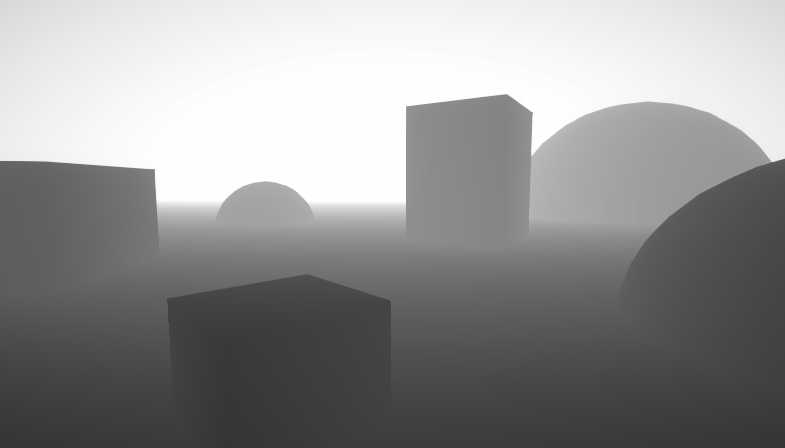
A big post explaining everything about Depth : Depth Buffer, Depth Texture / Scene Depth node, SV_Depth, Reconstructing World Position from Depth, etc.
late monolith
haughty garnet
https://www.cyanilux.com/tutorials/depth/
Some info on depth relating to the API
thanks i'll see if i can find anything new to keep in mind.
haughty garnet
Cyan's generally got a lot of resources that's worth taking a look around
 autumn jasper
Why don't i see the same texture of torch in play and in scene? Im not sure if that's URP fault, but idk where to post it

 haughty garnet
autumn jasper
Why don't i see the same texture of torch in play and in scene? Im not sure if t...
haughty garnet
autumn jasper
Why don't i see the same texture of torch in play and in scene? Im not sure if t...
Probably post-processing is not enabled on the main camera or other similar settings since the scene camera itself does not always represent the main camera
 half relic
Hi all. Why is my simple humble leaf card cutout (default URP) not showing as cutout in game view?

I even changed from Opaque to Transparent, and all the modes, and none also works
Transparency fade from color alpha works, but not cutout from texture, even tho in the preview it works
I put things in Detail inputs, but emptying them also does nothing
autumn jasper
haughty garnet
Probably post-processing is not enabled on the main camera or other similar sett...
I enabled it, still the same
 haughty garnet
autumn jasper
I enabled it, still the same
haughty garnet
autumn jasper
I enabled it, still the same
Looks more lighting related such as the ambient lighting, but I'm not sure why that would be different to that on the game camera
autumn jasper
haughty garnet
Looks more lighting related such as the ambient lighting, but I'm not sure why t...
But im talking about torch texture, not lightning for the moment
half relic
Hi. An optimization question, asking here bcoz there's URP batching which i don't fully understand yet.. and i read that material property doesn't work well in this case, etc
I use GPUInstancing. Lets say i dont use leaf cutout texture, this is opaque
If i have a flower, the stem is brown, the flower is blue
I'm using a gradient color atlas. I put the UV of stem poly in brown, the UV of flower poly in blue
If i wanna make a variant color. I'm currently gonna make a new mesh, where the UV of the flower is on red on the color atlas instead
That means i'll have multiple mesh for the color variant (and i guess some shape if i want too)
Is this a good idea?
Or, should i make a new material variant instead? Instead of using gradient color tex, i use a material for flowers, with a tint color for the stem part, tint for the flower part
Or there's another way?
iron compass
half relic
Hi. An optimization question, asking here bcoz there's URP batching which i don'...
you should aim for minimizing the number of different meshes and shader variants. this results in the best performance in URP and maximally leverages the SRP batching optimizations.
A shader variant is created when a shader keyword/feature is different between two materials. assigning a different color does not produce a variant, neither does assigning a different texture, however also keeping the texture the same is more optimal, but only if that doesn't get counteracted by more complex shader code to procedurally generate stuff.
half relic
Ok so having more amount of materials is ok, as long as they use the same shader as much as possible?
I think this is why GPUI's billboard is just 1 quad, and the material is different per billboard of something
marble vigil
half relic
Ok so having more amount of materials is ok, as long as they use the same shader...
If you're using SRP batching then yes (which by default you are)
Even having different shaders isn't a problem in most situations
half relic
Even having different shaders isn't a problem in most situations
Well then what would be a problem? Just having bunch of different mesh? So each unique mesh is... maybe, definitely not batchable?
marble vigil
half relic
> Even having different shaders isn't a problem in most situations
Well then wha...
Meshes are fine
But the cost of different shaders depends on how many of them you have
SRP batching reduces the cost of separate draw calls, which is why it doesn't need to operate by the usual draw call optimization guidelines
Performance is entirely dependent on what you're trying to render and on what kind of device, so always do tests
 bronze spruce
I'm loading sprites at runtime with the Sprite.Create API because my game is moddable.
I've found this not to work with the SRP batcher however. My SpriteRenderers that are set to use the runtime sprites display gibberish, and disabling the SRP batcher fixes the issue.
Is this a known issue? Is there a workaround?
bronze spruce
Okay, I've fixed the issue. I've had a leftover custom material property block property set at runtime, which caused these weird visual issues.
 modest sierra
any reasoning urp.lit is so buggy?
iron compass
modest sierra
any reasoning urp.lit is so buggy?
you need to be more specific
 vast relic
can anyone help with materials?
i get my color, normalmap, roughness off of ambientCG but when i put it into a material the material looks nothing like the one in the site
also theres a bunch of other files that idk what to do with them
another problem i have is that the material is way too dark and idk how to make it brighter
bright bramble
So I'm trying to replicate a version of FullScreenRenderPass inside a custom script, so I can render a fullscreen shader effect but choose what effect based on script data in the scene, but I can't get the active colour to copy properly (it looks the same as a regular FullScreenRenderPass but with 'fetch colour buffer' disabled. Any common tricks I might have missed? I tried copying over all the stuff for reallocating the RTHandle and performing the copy colour pass.
dreamy stratus
vast relic
i get my color, normalmap, roughness off of ambientCG but when i put it into a m...
It could easilly be the difference in lighting between the setup used for the site screenshots and your scene.
Also check that the metal/smoothness/AO maps are imported with "sRGB" unchecked.
It can help if you could show screenshots of : the site preview, your unity scene with the material, and the material inspector.
marble vigil
For the appearance of a material the lighting matters almost as much as the material itself
URP doesn't use roughness maps in a typical way, rather smoothness (or inverted roughness) that has to be channel packaged in albedo map alpha or metallic map alpha
(shouldn't Unity natively support this kind of channel packing?)
dreamy stratus
marble vigil
(shouldn't Unity natively support this kind of channel packing?)
What kind of packing ?
marble vigil
dreamy stratus
What kind of packing ?
Packing a roughness map into smoothness in the alpha channel of albedo/metallic
dreamy stratus
marble vigil
Packing a roughness map into smoothness in the alpha channel of albedo/metallic
I'm not sure about what you mean by "natively support it" then.
Like, having a tool to pack multiple maps into a single one ?
marble vigil
Yes, mask maps too since iirc those are not in an industry standard layout
Like, I assume 5ive and many in their position are already on the wrong track if they've imported PBR maps into Unity, because technically they should be processing them into the correct channel packed types before that
dreamy stratus
Only the HDRP material upgrader has this kind of tooling for packing maps, and it is a one way only conversion.
Ideally you'd want some kind of asset where you can link different texture to be packed, and that would also update when the source textures are changed.
But to some extend, this should be part of the production pipeline before importing into unity.
marble vigil
dreamy stratus
Only the HDRP material upgrader has this kind of tooling for packing maps, and i...
The same way that Image Sequencer of VFX Toolbox stores the created texture assets non-destructively would be perfect for this
I see a big advantage to be able to use PBR materials from anywhere with fewer extra steps
Having to import, modify and export each one in Substance or in Material Maker really piles up the time
Last time this topic came up I went through three or four third party channel packer plugins and there was something wrong with all of them, UI bugs or messing up the colorspace conversion or the like
Just made my own tool within blender that works verifiably
Not convenient if I had dozens of materials to put through it though
dreamy stratus
I think this kind of thing exists somewhere in our todo list, but is not a very high priority :/
Some solution that pops to my mind to work with the non-destructive approach would be to use Mixture : Create a static mixture asset to pack the 4 textures into a single one, and make variant assets of it for your different materials ?
Haven't tested it, but it should work.
dreamy stratus
dreamy stratus
Haven't tested it, but it should work.
I did a quick try, and it works ^^
Here's the static mixture file. A lot more tweaks and settings can be done
iron compass
There are many little things that Unity could include like this. But on the other hand, making such a thing yourself is trivial and many assets include a texture packing utility that need it (microsplat for example)
Also seems that in U6+ the mask texture has been largely made optional in the new default shaders
marble vigil
iron compass
Also seems that in U6+ the mask texture has been largely made optional in the ne...
How'd it change? I'm on 6.0. and not noticing anything different yet
URP uses mask maps for terrain layers, detail mask (alpha only) and clear coat mask (R and G)
marble vigil
iron compass
There are many little things that Unity could include like this. But on the othe...
Trivial if you already know how to do it
People whose expertise or goals don't go beyond downloading and using PBR texture packs are probably the bigger category
 analog dust
hey everyone, i'm having a bit of a specific issue if anyone has any idea. I'm setting up a fighting grid on a terrain as shown in the screenshot, another person working on the project with me is implementing a darkening of elements that aren't part of the fight using a layer called "no fx", however this includes the terrain as well, but i'm using decals to highlight specific cells of the grid, these decals being projected onto the terrain get darkened as well, even if they're also tagged as no fx, i guess because they're adapting to the terrain they're being projected on. Any workaround idea ?
 iron compass
marble vigil
How'd it change? I'm on 6.0. and not noticing anything different yet
URP uses ma...
iron compass
marble vigil
How'd it change? I'm on 6.0. and not noticing anything different yet
URP uses ma...
the displacement & occlusion maps are separate and smoothness, can be sourced from the baseMap or metalnessMap alpha.
marble vigil
iron compass
the displacement & occlusion maps are separate and smoothness, can be sourced fr...
That's how it's always been
Not many "true" mask maps, but still channel packing is required just the same
iron compass
marble vigil
Trivial if you already know how to do it
People whose expertise or goals don't g...
it is (or should be) trivial to those who work with unity professionally, for others, there is dedicated software (like photoshop, substance, etc.) to support a professional workflow
marble vigil
iron compass
it is (or should be) trivial to those who work with unity professionally, for ot...
Quite indeed, they are likely to have the knowhow and tools to do it, and they've already spent the effort developing their workflow to do it as efficiently as they need
So it wouldn't much benefit from the feature being official
Doesn't mean it wouldn't benefit everyone else, including the pros who haven't already put effort into that process
What bothers me about it is that it's a totally pointless extra step that basically everyone has to figure out some way to solve, and there's no one obvious choice of tool for it
And if you have hundreds of materials you have to automate it and that's a different process you have to figure out
When really you should be able to drag and drop the textures in and use them right away
You can with Substance and most other programs so it's quite an arbitrary limitation
iron compass
it falls in line with unity's built-in systems being mere starting points from which you develop custom derivatives or that you replace entirely.
there is so much unity could do to become a DCC app (like UE). Its just not what the engine & editor are suppose to be. In some sense U takes the idea of "flexibility" to the extreme.
suppose in U you quickly hit a wall that expects you to up your skills, vs. masking the need to do that until you're late into a project.
the absence of a singular "recommended way to do things" in U, and the culture and expectations that grow from that are probably what are causing such frustrating moments.
 heavy condor
Any quick idea for why it's doing that ?

 marble vigil
heavy condor
Any quick idea for why it's doing that ?
marble vigil
heavy condor
Any quick idea for why it's doing that ?
Looks mostly like an issue with the height map, or normal map potentially
I'd try clearing those fields one at a time to see if it starts looking normal
I guess potentially the far left corner's vertex normal might be inverted too, but don't suspect it much
heavy condor
yes it's the height map, it was because the object was rotated weirldy, thanks :D
 violet bison
I couldn't find anything online. Anyone know if URP has six-way-lighting?
okay, I found that it apparently does. Not sure how to access it though.
marble vigil
violet bison
okay, I found that it apparently does. Not sure how to access it though.
https://unity.com/blog/engine-platform/realistic-smoke-with-6-way-lighting-in-vfx-graph
Instructions down this page
 winged hatch
Could someone help me figure out why my assets are pink? I think it's URP related, still very new to this.

 velvet beacon
look like you water shader is not for URP
violet bison
marble vigil
<https://unity.com/blog/engine-platform/realistic-smoke-with-6-way-lighting-in-v...
this article is for HDRP though, right?
You must be working in Unity 2022.2 or above and use VFX Graph and HDRP.
marble vigil
violet bison
*You must be working in Unity 2022.2 or above and use VFX Graph and HDRP.*
The article was written before URP got support for the feature in Unity 6
 lethal plover
Does anyone know why I see faint edges around the shadow?
 ebon karma
lethal plover
Does anyone know why I see faint edges around the shadow?
ebon karma
lethal plover
Does anyone know why I see faint edges around the shadow?
specular highlight
marble vigil
lethal plover
Does anyone know why I see faint edges around the shadow?
What is your shadow made of?
If it's a transparent alpha blended material, there's a "preserve specular" setting that disables reflections from transparent parts
heavy condor
Any idea for why thoses "holes" of lights ?
ebon karma
heavy condor
Any idea for why thoses "holes" of lights ?
set Normal Bias to zero
marble vigil
heavy condor
Any idea for why thoses "holes" of lights ?
You can imagine the shadow casting mesh to be "shrunk" when the shadow is being cast
So if your geometry has seams, they will widen into gaps and light can pass through
This is the light bias in action, and it's necessary so that shadows don't get rendered on the bright side of the object that's casting the shadow
https://docs.unity3d.com/Manual/ShadowPerformance.html
So while tweaking biases can help it, it can also cause other problems in turn
There's no one clear solution to it, other than to avoid geometry that has seams between objects or between polygons in the form of flat shaded edges
So your ceiling should be just one solid piece ideally
Or another piece of geometry should be blocking the light on the other side, giving it thickness
Smooth-shaded cubes (or any shape) that are set to render as shadows-only are useful for padding walls and corners to prevent this kind of light leak
Also, you probably don't want to use planes for modular pieces like that, compared to quads their polycount is extremely high
 chrome cliff
Can we modify the waving grass shader to have a shadowcaster pass? Or is shadowcasting strictly disabled for terrain detail billboards on urp
 stable island
Hi I am rendering to a render texture used by a RawImage in URP and i want to have a transparent background on the render texture but I can not Ieem to make it happen. I am using post processing on the camera
haughty garnet
stable island
Hi I am rendering to a render texture used by a RawImage in URP and i want to ha...
 heavy condor
ebon karma
set Normal Bias to zero
heavy condor
ebon karma
set Normal Bias to zero
yeah it work thanks :D
heavy condor
marble vigil
You can imagine the shadow casting mesh to be "shrunk" when the shadow is being ...
Ok I will check that thanks :D
and same on this how could I solve this :

 heavy condor
and the ceiling are lower than the top of the wall
marble vigil
heavy condor
and same on this how could I solve this :
Fixed by giving the surfaces some thickness
Also related to how light bias must be calculated
heavy condor
but i'm using plane, so it's not really possible
heavy condor
but if it's not possible with plane, then I will use 3d object 👌
(but if it's possible with plane I'm happy to see it)
stable island
haughty garnet
Yes I did that but still no joy, going to have to start from scratch to diagnose the issue
stable island
Ah so it happens if I add a Full Screen Render Pass to add a custom full screen post process
 cosmic dagger
Hi everyone. I have a question about occlusion culling and additive scenes. I've read https://docs.unity3d.com/Manual/occlusion-culling-scene-loading.html but it's still not super clear to me.
I have a Core scene with no geometry, just managers. This Core scene gets loaded first in builds and loads the appropriate level scene additively. There is always the one Core scene and a level scene.
Am I allowed to bake occlusion for (Core scene, Level1 [Active Scene]) and (Core scene, Level2 [Active Scene]) in this configuration? I'm getting strange results but I don't know if that's because my configuration is unsupported or if I messed up something else.
cosmic dagger
Yeah, no matter which pair of (Core scene, LevelXXX [Active Scene]) I bake last seems to be the occlusion data Unity tries to use for any Core and level scene combo. So I guess that's an unsupported use case.
marble vigil
heavy condor
but if it's not possible with plane, then I will use 3d object 👌
(but if it's ...
Planes are 3d object the same as cubed, quads or any mesh
Giving it thickness would mean adding another plane (or quad) to the other side, or using a cube instead
Or a custom mesh, makes no difference in that regard
heavy condor
okok, but the plane allow me to see from the top, that's why i'm using it, but if i add another plane on top of if will not allow me to see throught
 regal rivet
how is the performance difference between unity 6.1 and 6.0?
sullen dune
Anyone experiences reflection probe and flickering light issues when upgrading from 6.0 to 6.1?
sullen dune
Seems to be related to the near clipping plane of the camera. Setting it farther out stops the issue, but then close faces aren't getting rendered, so not ideal.
sullen dune
yup, 6.1 has gotten considerably more cranky about near plane and side effects with the near/far plane delta
 river stream
I have two projects with URP, one is for game mechanics and other is for map, when I do assets -> export package in map project and import it to my main project, some fields in scene have null referance on their MeshRender.materials and MeshFilter.mesh even if I have meshes in assets folder
Note: all map is in a prefab and added this prefab into scene
how to fix?
 jolly quail
i dont use shadow (deactivate it inside the shadergraph) but why it compile shadow?

 vast veldt
river stream
I have two projects with URP, one is for game mechanics and other is for map, wh...
vast veldt
river stream
I have two projects with URP, one is for game mechanics and other is for map, wh...
Make sure the materials and meshes are exported with the map as well. Just having "the same" items in another project won't work if the guids won't match it won't connect them together
river stream
vast veldt
Make sure the materials and meshes are exported with the map as well. Just havin...
so, should I copy-paste whole asset folder to other project?
to include meta files for guids
sullen dune
river stream
so, should I copy-paste whole asset folder to other project?
Whatever it takes to preserve the .meta files. If those get rebuilt they will get new guid values and nothing will map to usages in scenes/prefabs.
References in objects map to the guid in the .meta file, so those are critical
river stream
sullen dune
References in objects map to the guid in the .meta file, so those are critical
yea i know but most of map parts are loaded correctly, only some meshes are not assigned
e.g, tables are loaded but chairs are not
i copy-paste asset folder but it's like :
 sullen dune
Are you sure the materials/meshes that those are pointing to have the same .meta files?
river stream
wait, i think i found the problem...
sullen dune
actually no to what you just deleted, it doesn't show it there. You would have to look at the prefab/scene file in text mode
Copy pasting the Asset folder should retail the .meta files. So something is going wrong in your copy/paste process or something
river stream
river stream
wait, i think i found the problem...
my customer sent me the map project so i didnt know that chair's mesh is in .glb format...
only glb format models dont render with null referance, others are fbx and work correctly
when i open map project, it works but i doesnt work on my project
so i see it's glb format problem
sullen dune
Ah
river stream
why cant unity import glb models even if they have .meta files
sullen dune
I know nothing about that format. They had it working on their version of unity, but yours can't handle them?
river stream
same unity version, 2022.3.20f1
sullen dune
No idea, sounds like your importer failed though for whatever reason
river stream
i think it should be unity's bug
sullen dune
If you click on the GLB file in the asset folder in the editor, what does it show for the importer for it?
like if you click on an fbx, you will see its importer info
 river stream
it shows nothing on main project's inspector but it shows transform component on map project
 sullen dune
you have to unfold its import settings there to see anything
river stream
sure
and , it also renders in map project's asset folder but not in main project, its icon is unity's icon on main project
sullen dune
Never tried to import them, but that importer is what is needed to make that model into a usable Unity mesh
river stream
 sullen dune
The fact it shows a thumbnail suggests it succeeded
river stream
wait, map projects have another package in packages folder
oh, i think it should import it too
sullen dune
You definitely will need any package dependencies they have yea
river stream
so we see, unity doesnt export packages when we do assets -> export package, it only exports assets
but i think it should
let me try it to fix
YES! fixed
thanks for help
sullen dune
grats
 tiny hinge
Hey! I'm trying to create a shader where if a sprite is inside a mesh, it renders on top of it, but if it's outside and occluded by the mesh, it renders as silhouette. My idea was to first render all Occluders their backfaces using ZWrite On ZTest LEqual and then create the silhouette shader that checks if it in front of the backfaces > render normal, or behind the backfaces > render silhouette, but I have been tinkering for hours and no success yet. Can anyone give me some pointers?

This is the behind
And here it should render on top:
 haughty garnet
tiny hinge
haughty garnet
tiny hinge
https://docs.unity3d.com/6000.2/Documentation/Manual/urp/renderer-features/how-to-custom-effect-render-objects.html
Little late but there was a tutorial right on unity's website for this stuff using urp render objects
tiny hinge
haughty garnet
https://docs.unity3d.com/6000.2/Documentation/Manual/urp/renderer-features/how-t...
Thanks! It does teach the silhouette, but it does not show the draw inside
Appreciate the link.
 cosmic marsh
Hey folks, after moving from Unity 2023 to 6, I seem to be having some odd behavior with Rendering and Sorting Layers in the 2D space. The method in which I configure sprites to receive light only from some Light2D objects, and the method in which I setup Tilemaps to receive Light from only some Light2D objects, appears both different and is confusing? Furthermore, my Scene View is always rendering differently than my game view. As in, the layers affected by light sources are different. Just seeing if anyone might have insight into this or could direct me where to learn more about it. Thanks!
copper pilot
Does 'Render Objects' not work properly with terrain?
Or, rather, are there any peculiarities I should know about?
marble vigil
copper pilot
Or, rather, are there any peculiarities I should know about?
I would expect some, since Terrain renders trees, grass, maybe neighbor terrains and LOD levels from its code with direct calls
Can't say if that's actually a problem though
copper pilot
I basically wanted to render two passes for the terrain so I tried adding a second pass as a render objects, and it didn't write depth which was annoying
Compared to making an actual copy of the terrain with a different material which worked fine but which would be really fucking annoying when it comes to actually editing the terrain...
 steel hollow
sullen dune
grats
steel hollow
sullen dune
grats
good to see you here! I noticed you left the photon discord, which was surprising to me
 faint night
How can I detect if something is actually visible in game (even if only by a sliver). Need to see if a moving object is visible, and I have made sure that there was nothing else (including the scene view) that would be able to see an object, made sure the moving object's renderer did have dynamic occlusion enabled, its been baked, all the static objects have been set as an occluder. Even then, Renderer.isVisible, OnBecameVisible(), OnBecameInvisible(), and OnWillRenderObject() all seem to consistently give false positives.
sullen dune
steel hollow
good to see you here! I noticed you left the photon discord, which was surprisin...
Hi. Having to deal with a certain personality was making it unpleasant, so was time to go.
 fallen mountain
Hey, was wondering if anyone knows how to make post process volumes work on separate layers
currently taking a volume out of the default layer makes it stop working which is not friendly to my raycasts
marble vigil
fallen mountain
Hey, was wondering if anyone knows how to make post process volumes work on sepa...
"Work" to what end?
The layers are for including/excluding cameras
The GO of the volume component is set to a layer
The Camera component's volume layer mask is set to include or exclude the volume's layer
 uneven bear
Does anyone know why when I load a scene from the main menu the materials appear black, the entire map scenery appears black?, floors, walls, decoration elements and my character, if I go to that scene directly without accessing it from the menu, the materials appear correctly
Idk if the problem is the urp
marble vigil
uneven bear
Does anyone know why when I load a scene from the main menu the materials appear...
This happens if you're only lighting the scene with environment lighting, but have not generated lighting for the scene
All you need to do is to open the Lighting window and hit Generate for each scene
You don't need a Lighting Settings Asset to do it, and you should not have Realtime or Baked Global Illumination boxes checked in the window if you're not using those workflows
marble vigil
faint night
How can I detect if something is actually visible in game (even if only by a sli...
Are you sure it's a false positive? Renderers are considered visible if any part of their bounds is, or might be because rendering it accidentally is not as bad as missing it and having pop-in
uneven bear
marble vigil
This happens if you're only lighting the scene with environment lighting, but ha...
Perfect, thanks
 crude elk
Why aren't motion vectors rendering?
 faint night
marble vigil
Are you sure it's a false positive? Renderers are considered visible if any part...
faint night
marble vigil
Are you sure it's a false positive? Renderers are considered visible if any part...
I believe so. I made sure all other cameras (so scene view and any other cameras in the scene) were fully disabled/looking away, and for the game view cam that was active moved it until I found an area it said it was visible and whatnot. While this was often close, in a way, it always started before I could actually see it, even if something like a wall completely blocked it (in once case, I made it so I only saw one gameobject on my screen, the wall, and it sometimes still said it was visible). To confirm, once it was in a area it stated that it was visible and whatnot I went back to sceneview and change it so I could try to see the object with culling visualization, and the object was still culled. While I could probably work with this approximate truth and hope it never gives the wrong result in an extreme, I would rather at the very least understand why and it does occasionally give a very wrong result.
I might've missed something, but I don't think I did and if I did I couldn't tell you what it was
copper pilot
faint night
I believe so. I made sure all other cameras (so scene view and any other cameras...
It is based on the bounding box, so keep that in mind
faint night
copper pilot
It is based on the bounding box, so keep that in mind
Yea, but it is a normal capsule and I have something drawing the bounding box and that is still very much so behind a wall. Example camera view where I really don't think it should be able to see it (but it can). There are 3 capsules there, all 3 should be culled but only 1 is. The white box around them are the bounding boxes

 copper pilot
I suppose you could do a secondary check if you needed real precision. Maybe raycast from the object vertices, or something
faint night
yea, I could probably make this work and could do that if necessary. Mostly im just trying to figure out why it's happening in the first place
copper pilot
How fast is it moving?
faint night
They can move (the capsules are not static) but this happens even when nothing is moving
copper pilot
Might you be checking before it moves for the frame?
faint night
Like I have working code for pathfinding and whatnot, but if it doesn't work when when still I doubt it'll work when moving
 wide plume
So I just found out the camera depth texture in urp renders 1 frame behind, which causes issues with my shader. Does anyone know a workaround to this? Google turns up existing discussions but no solutions https://discussions.unity.com/t/depth-texture-is-a-frame-behind/882434
 karmic iron
wide plume
So I just found out the camera depth texture in urp renders 1 frame behind, whic...
karmic iron
wide plume
So I just found out the camera depth texture in urp renders 1 frame behind, whic...
It's not one frame behind
wide plume
karmic iron
It's not one frame behind
Sure looks like it in my scene, and it looks like others have had the same issue. Is there a setting I'm missing?
wide plume
ok I think I fixed it by setting it to force prepass, need to fiddle around with render layers now
 gentle mirage
Hi everyone,
I've checked around quite a bit but haven’t found a solid answer to this issue, so I figured I’d ask here since it’s more of a general graphics problem.
I’m working in Unity 2022.3 LTS using the Built-in Render Pipeline, targeting mobile. The game is mostly 2D, and all UI is done using Screen Space - Overlay, with a few parts in Screen Space - Camera. One key feature involves character customization, which works well when using a Canvas set to Screen Space - Camera—the visuals look just right there.
The issue comes up during the character selection screen, which uses a Canvas in Screen Space - Overlay. To show the character there, I’ve set up a separate camera that renders only the character (using a specific “Character” layer) to a RenderTexture, and then I display that texture using a RawImage in the UI. This setup mostly works—except for one problem: there's a white outline around the character sprites.
Here’s what I’m using for the RenderTexture: it’s 512x512, 2D, no anti-aliasing, no mipmaps, R8G8B8A8_UNORM format, clamp wrap mode, and bilinear filtering. The camera has a solid color background with full transparency (0,0,0,0) and only renders the "Character" layer.
The RawImage just shows the texture—no special settings.
I’ve tried a few things already. Some suggestions pointed to alpha blending being the issue, so I tried applying a premultiplied alpha shader (PremultiplyAlphaFull) using OnPostRender() on the character camera, but that didn’t help. I also tried using a different RenderTexture format (B10G11R11_FLOAT_PACK32) which doesn’t support alpha, and while it removed the white outline, it gave me a solid black background instead—which I can’t use because it hides the transparent areas and removes black details like eyes and clothing.
I even tried writing a shader to manually cut out the black background, but that also removed actual character features and introduced pixely edges/artifacts.
At this point, I’m out of ideas. The character and clothing system are legacy assets from older projects, so ideally I’d like to avoid major changes or reworking those systems from scratch.
If anyone has run into a similar problem or has suggestions on how to properly handle alpha in this setup—especially without getting white outlines or losing black detail—I’d really appreciate the help.
Thanks in advance!

 fervent tree
Anyone have some constructive critism for this style i am working on?
 cinder kindle
Really cute, the colours are nice. To me it's a bit strange with such a hard contrast between the water with and without voronoi
fervent tree
cinder kindle
Really cute, the colours are nice. To me it's a bit strange with such a hard con...
You mean like the water not having any visible wakes or waves?
cinder kindle
Yes this divide here
 fervent tree
cinder kindle
Yes this divide here
fervent tree
cinder kindle
Yes this divide here
Noted thank you
fervent tree
cinder kindle
Yes this divide here
Does it look better when the objects go deeper in the water?
 cinder kindle
yeah a soft transition is nice but you can see it's still a hard cutoff on the left and right edges
marble vigil
fervent tree
Anyone have some constructive critism for this style i am working on?
What exactly is the cell pattern on the water
fervent tree
marble vigil
What exactly is the cell pattern on the water
Do you mean on the water edge?
marble vigil
Not the white edge, but presumably the same voronoi Ole is talking about
Though not exactly voronoi
It's too static to be waves or caustics
But too blue and too excessive to be foam
fervent tree
its just this png multiplied by the water depth and added some color
 marble vigil
But what I wonder is what is it meant to be
fervent tree
marble vigil
But what I wonder is what is it meant to be
its a depth/caustic effect. IDK i thought it looked nice
marble vigil
fervent tree
its a depth/caustic effect. IDK i thought it looked nice
The color and depth effect are right for them to be caustics, but caustics are very lively and animated
I think originally that style of water is based on Wind Waker's sea foam style
But although sea foam is sitting on top of waves, it's also being displaced by the waves which is accomplished with texture displacement here
Caustics unlike sea foam are always in motion more like this, and they're notoriously difficult to simulate or approximate
Games generally use pre-baked flipbook animations like this rather than trying to really render them in realtime
But that's just for when realism is the goal, with stylized graphics you only need to get the right feel
Half of all stylized water you ever see is the windwaker water but floating somewhere between sea foam, waves and caustings in a way that doesn't feel right or make sense
But I'm probably the only one that cares about this, evidently due to how common it is, so don't lose sleep over it
fervent tree
marble vigil
The color and depth effect are right for them to be caustics, but caustics are v...
I see what you are saying. I want to try to get the caustics working below the water and not above them. I'm gonna try getting some foam of the open water to get that wind waker vibe.
 ocean hinge
Crossposts are not allowed on this discord 🫣
 mystic tree
i hate urp lighting, why can i not directly set the shadow resolution per cascade/split, unity basically doesnt allow me to have high resolution shadows on higher distances???
 jade garden
anyone know how to do the camera stacking in urp forward+ compatibilty with custom camera shaders without post processing from the overlay camera affecting the regular camera
 jolly hare
how to find ForwardRenderer asset
 stoic eagle
hi!
is it possible to use tessellation in URP?
and is it valid to use URP in 2025 anyway for a pc game?
I hate shader graph so much I just want to write my shaders but it seems URP is really limited and HDRP more or less demands using the shader graph?
 urban ginkgo
Hello there...
I am working on a map, and i want to add a nice soft masking effect on the edges, as you know Unity's Mask component for UI Images does not handle soft masking. With a little bit of research i found a soft masking packages on github but unity can't fetch it because it does not have the package.json file anymore

I've came up with this solution, make a shader that takes the screen texture, and masks it with it's own texture.
urban ginkgo
urban ginkgo
Hello there...
I am working on a map, and i want to add a nice soft masking effe...
But I get this, and I found out Scene Color is not supported on URP. Does anyone have a solution?
ebon karma
urban ginkgo
Hello there...
I am working on a map, and i want to add a nice soft masking effe...
You can use Rect Mask instead
haughty garnet
urban ginkgo
But I get this, and I found out `Scene Color` is not supported on URP. Does anyo...
Says who?
urban ginkgo
ebon karma
You can use Rect Mask instead
Unfortunately, I can't, it does not allow me to do what I want.
urban ginkgo
haughty garnet
Says who?
I'm working on a 2d project, if you know how to make it work, please explain
ebon karma
urban ginkgo
Unfortunately, I can't, it does not allow me to do what I want.
okay, you can use a mask texture and lerp the alpha of the image in the custom shader
haughty garnet
urban ginkgo
I'm working on a 2d project, if you know how to make it work, please explain
Your renderer asset should have 'Camera Opaque Texture' that should be enabled, and on the camera
Scene color is just a render texture of the opaque geometry
If you need a transparent scene color, then that requires your own custom solution
urban ginkgo
 haughty garnet
Oh yeah that makes sense if you're doing 2D unfortunately ;p
all sprites use a transparent shader (by default)
urban ginkgo
haughty garnet
all sprites use a transparent shader (by default)
is there a way to turn it of then
haughty garnet
So you'll need to look into render textures and capturing transparency or a custom pipeline renderer solution to populate that color buffer
ebon karma
ebon karma
okay, you can use a mask texture and lerp the alpha of the image in the custom s...

urban ginkgo
ebon karma
<:UnityChanThink:885169594560544800>
wdym?
haughty garnet
https://discussions.unity.com/t/scene-color-node-in-2d-renderer-urp-in-shadergraph-doesnt-work-any-workaround/904417/2
Seems like there is a specific color buffer you can use here
ebon karma
urban ginkgo
wdym?
instead of Ellipse node you use a sample texture 2d with a smooth mask texture (you don't even need lerp node, just put the sample texture 2d in the alpha input)


 oblique briar
Unity 6000.1 moved to real DX12? While before it was DX11 on 12? It seems like now when I close my app, after opening a certain scene, the it crash on some sort of DX12 code

 little skiff
Where is a good place to find documentation for URP shader programming. All the information I find is really fragmented.
 opaque matrix
is there any way to get 2D lights to respect the sprite sort order such that the light is masked when "behind" a sprite?
marble vigil
opaque matrix
is there any way to get 2D lights to respect the sprite sort order such that the...
No crossposts!
cinder kindle
little skiff
Where is a good place to find documentation for URP shader programming. All the ...
There is very very little documentation. Check out the external links in this post #archived-shaders message
 royal delta
so walls, floor and ceiling uses same transparent material with low alpha value. when viewing ceiling for example it looks darker blue because its overlapping with walls. is there anything I can do to prevent that so every piece looks same color?
 iron compass
royal delta
so walls, floor and ceiling uses same transparent material with low alpha value....
iron compass
royal delta
so walls, floor and ceiling uses same transparent material with low alpha value....
you would have to make them all one mesh
royal delta
even with one mesh wouldn't same problem occur since wall and ceiling will overlap?
iron compass
depends on the details of the model. generally, transparent objects can't have concave shapes. you will have z-sorting issues and the overlapping triangles you see here, but if you make a convex shape like a cube, it will render with an even color/transparency if you dont render backfaces.
royal delta
iron compass
depends on the details of the model. generally, transparent objects can't have c...
this is one mesh, like I said when they overlap (ceiling is in front of wall for example) its still happening

 humble ember
Is there a way to add tesellation effects into a URP shader through shader graph?
dry willow
royal delta
this is one mesh, like I said when they overlap (ceiling is in front of wall for...
What is the mesh for? If it's some kind of preview for room placement and is always cube shaped, you could just use a regular cube (not inverted faces) - I think that's what Anikki is suggesting.
But if it needs to work with any shape, then you could use a pass before that only writes to depth. e.g.
Shader "Custom/DepthPrepass" {
    Properties { }
    SubShader {
        Tags { "Queue"="Transparent-1" }
        Pass {
            ZWrite On
            ColorMask 0
        }
    }
}
(Would use that as a second material assigned to the renderer, or with RenderObjects feature & override material)
royal delta
dry willow
What is the mesh for? If it's some kind of preview for room placement and is alw...
Yeah it's some kind of room preview but with walls only looking inwards. if I use cube I can achieve same result with setting material render face to "back" but this time ceiling (top side of the cube) also looks inwards and cant be seen from outside. If I add another mesh for ceiling alone and set opacity etc they overlap again, we have the same problem again. I'll try the custom pass
Yeah that shader did it, thanks a lot
 main rock
is there a way to increase subsurface scattering in urp?
or does it have to be done with shaders
ebon karma
main rock
or does it have to be done with shaders
yes
 wispy comet
Not exactly sure where I should post this or what's wrong so this is a lot. I was trying to figure out why if I change the transparency in unlit/lit URP shaders they would not become transparent and just turn invisible. I have still not figured this out, there is a lot of googling I have done and I personally feel like everything is so confusing I barely understand it when it comes to transparency issues, but now my other transparent shaders won't render even tho they did a few days ago and I have no idea what I did or what button I pressed - Im 99% sure I was messing within my new transparent shader and not this one that also turned invisible. Object shown I am using the Unity toon shader with transparency turned on - if I turn transparency off its no longer invisible. For some reason, throughout all of this, the only transparent shader I have that hasn't turned invisible is that bubble shader in the BG. I am clueless, sorry for the wall 😅
 dry willow
wispy comet
Not exactly sure where I should post this or what's wrong so this is a lot. I wa...
dry willow
wispy comet
Not exactly sure where I should post this or what's wrong so this is a lot. I wa...
Maybe check the default Transparent Layer Mask on the Universal Renderer asset - might have some layers toggled off?
wispy comet
dry willow
Maybe check the default Transparent Layer Mask on the Universal Renderer asset -...
oh my god that was it... I made my object have a different tag and didnt give that tag transparency in the render, oh my gosh it was so simple thank youuuuuuu
A day of googling and Cyan comes in here with a steel chair with the simple, correct solution 😭
 shut mural
this might not be the right channel
but does anyone know how to fix this?
this is a vr game btw
when i view if from the left eye, it does the wierd rendering glitch that you can see there.
from the right eye, it is completely fine.
you can also see it here
haughty garnet
shut mural
you can also see it here
Was going to say it could be z-fighting or that you're using transparent renderers incorrectly, but how it seems to tile sometimes there seems odd
dry willow
If objects elsewhere share the same shader could be something weird with batching, but unsure why exactly
 hard talon

i keep getting this error and can't find the place that's causing it, it's driving me nuts and causing all my gizmos/particle previews to freak out
anyone have an idea where it's coming from, or how i'd find it?
 glass cypress
If youre pretending you didnt make the game at least change names bro 🥀🥀🥀
It would be best if you just say you think you made nice game and ask to play it.
marble vigil
<@&502884371011731486>
honest nova
Hi everyone, I'm currently trying to represent content of some containers in my game, just quickly, it's about chemistry so I need to represent substances in container, when the substances are in a box that's easy I just need a quad and I move it up or down depending on % fill level, but in a bowl I can't do that as it will just go through the container past a certain point (don't pay attention to the artifact in the texture I realized this mesh in 10 minutes and forgot to map the UVs but that's not important here) as you can see in the images the content isn't a simple quad in the case of this bowl that's not necessary but as in the future I need to put substances in erlenmeyers etc.. I will need this full representation
The question is how can I vary the level without making the content go through the container and make the effect that it fills down to top ? How would you tackle this ? I tried alpha clipping but obviously it creates a hole and remove the top surface

 soft lion
honest nova
Hi everyone, I'm currently trying to represent content of some containers in my ...
soft lion
honest nova
Hi everyone, I'm currently trying to represent content of some containers in my ...
The most obvious way would be to actually cut the mesh procedurally in a C# script but that is difficult to do (there are some assets that do that though). Likely easier and more performant way however would be to use a shader that makes it appear cut bit similarly to how you described it with alpha clipping. The trick however to make it look like the top face isn't see through is to render both back and front faces, though in a way where the back faces appear as if they were actually at the cutting point. The first step would be to make the backfaces have the same normal as the plane cutting it (simply upwards in your case I assume). In shader graph the Is Front Face node could be used to distinguish between the faces. I assume that can still leave you with some lighting issues (with shadows for example) because the back faces are not actually at the cutting plane and as far as I know, you cannot really change the fragment position in the fragment shader (at least not on shader graph). You can look for Cross Section shaders for more information (this might be helpful https://discussions.unity.com/t/urp-cross-section-with-plane-cube-shader/791173). Remy's shader graph on the matter has also been referenced a lot here so might be worth a look #archived-shaders message (https://github.com/Remy-Maetz/ShaderGraph_Doodles/tree/master/Assets/Shaders/CrossSection). You can also search for "cross section" on this discord and you will find a lot of discussions about very similar issues
honest nova
Thanks for this I'll look further into your solutions, that's exactly what I was searching for, hints on techniques that I don't know, to achieve what I had in mind
soft lion
honest nova
Thanks for this I'll look further into your solutions, that's exactly what I was...
I just experimented a bit with Remy's solution and it seems to be implemented using the method I described. It also suffers from the lighting issues I mentioned, namely the cross section does not receive any shadows and screen space ambient occlusion (which is partially based on the fragment positions) causes the cross section to show some details from the back faces. Fixing these issues would likely require some multi pass/stencil type setup which likely isn't even possible with shader graphs alone. Whether these are issues that need to be addressed is up to you to decide
honest nova
I already used stencil and render passes for something else so I'll look in that direction, I was more or less refusing to admit that it would be the solution for something as "simple" as render a content in bowl/flask and that it must be too heavy to setup for what I wanted to achieve 😅
sullen dune
Possibly a job for Blend Shapes and the skinned mesh renderer?
With just a few keyframe meshes of the different levels to lerp between?
soft lion
Haven't used blend shapes myself but that sounds like an interesting approach. Not sure how much manual labor it would require to get it working nice for any more complicated containers. Especially round containers sound like lot of work if very smooth transitions are required. Would depend on the type of containers and level of fidelity required
honest nova
sullen dune
Possibly a job for Blend Shapes and the skinned mesh renderer?
Well that's a good idea thanks, I completly forgot about these as I won't have ton of complicated container and I can keep the solution with a plane moving up & down for the less complicated one
sullen dune
Since its a bowl shape, you could even have your liquid have an origin at its base, and just scale it normally? If you are looking for cheap and easy
With the liquid just being a half sphere
You would have to do a little pi math to that the scale to work right, but still less messy than digging around shaders
Or skip the math and just make an animation to control the scale/pos of the fluid and just do it by eye
And yeah, you don't even need that if this is opaque
soft lion
Oh, and one thing to consider is that if you want to keep the filling rate as volume / time anywhere near constant, you would need to set up some sort of animation curves or something like that to move the cross section plane at correct phase. With blend shapes however I assume you can kind of bake that into the animation already
soft lion
sullen dune
With the liquid just being a half sphere
Would that really work though? Wouldn't they need a "spherical cap" instead of half a sphere to fill in the volume at smaller scales?
sullen dune
I am not following your use case closely enough to know what you are looking for your surface to do, but if you need a constant scale then you would need to either animate the scaling of the material in the animator or make your shader world space friendly yeah
Might be more effort than the easy fix is worth if you need your surface to remain constant in scale, and for the edges to get culled
It isn't complex shader code though to make a scale float that is applied to the texture, and have that centered in the middle of your disk
soft lion
sullen dune
Since its a bowl shape, you could even have your liquid have an origin at its ba...
But regarding this, wouldn't that result in a liquid that doesn't match the bowl at all? Even if scaled along x and z to match the width, the shape wouldn't match I believe
 sullen dune
you would have to squash it on the y yeah. If you need an exact match then it won't work
This was more just a "might be good enough to save you some work" cheat. If you have exact fit requirements, you will need to do some work
soft lion
sullen dune
This was more just a "might be good enough to save you some work" cheat. If you ...
For the given bowl example, that might be good enough solution yeah. They mentioned earlier Erlenmeyers too which being transparent would require something more sophisticated like blend shapes or shaders.
sullen dune
soft lion
For the given bowl example, that might be good enough solution yeah. They mentio...
you might be able to avoid the shader stuff if you animate the material offset and tiling, but that might be a bit unstable since by default that is based on the corner of the UV and not the center.
 crystal forge
Hi, we've got this crash report come in and we simply don't know what this could be. We're on 2022.3.30f1 URP.
Native Crash - remove_free_block (C:\build\output\unity\unity\External\Allocator\tlsf\tlsf.c:578)
Some of the callstack:
13 UnityPlayer 0x00007fff1175bb59 block_locate_free (C:\build\output\unity\unity\External\Allocator\tlsf\tlsf.c:777)
14 UnityPlayer 0x00007fff1175bfa2 tlsf_memalign (C:\build\output\unity\unity\External\Allocator\tlsf\tlsf.c:1157)
15 UnityPlayer 0x00007fff108632b9 DynamicHeapAllocator::Allocate (C:\build\output\unity\unity\Runtime\Allocator\DynamicHeapAllocator.cpp:498)
16 UnityPlayer 0x00007fff10866d3a MemoryManager::Allocate (C:\build\output\unity\unity\Runtime\Allocator\MemoryManager.cpp:1905)
17 UnityPlayer 0x0000000000357b9b (C:\build\output\unity\unity\Runtime\Allocator\PageAllocator.cpp:75)
18 UnityPlayer 0x00007fff10867b9b PerThreadPageAllocator::AcquireNewPage (C:\build\output\unity\unity\Runtime\Allocator\PageAllocator.cpp:92)
19 UnityPlayer 0x00007fff108ce419 BeginRenderQueueExtraction (C:\build\output\unity\unity\Runtime\Camera\RenderNodeQueuePrepareContext.cpp:403)
20 UnityPlayer 0x00007fff10a5442e PrepareDrawShadowsCommandStep1 (C:\build\output\unity\unity\Runtime\Graphics\ScriptableRenderLoop\ScriptableDrawShadows.cpp:954)
21 UnityPlayer 0x00007fff10a59a87 ScriptableRenderContext::ExecuteScriptableRenderLoop ```
Googling "PrepareDrawShadowsCommandStep1" and there are a few people getting it, but no resolutions in any of them really - and they cover all sorts of systems - UI, shadows etc. Anybody have any ideas on how to figure out the root cause? Thanks! cerulean viper
Why is my opaque parts turn blue in the render texture ?


I had the render cameras bg set to skybox, changed it to black and that fixed it
astral ledge
Hey, guys! I am using URP and I am thinking to adjust some of my quality settings values in project settings, for example very low, low and medium levels. What do you recommend to adjust for the best and balanced experience?


Here are all of my levels I have changed a lot of things before because I had built in pipeline and then change it to URP so I think I have to change some of these values what do you really recommend?
humble ember
Is there any way to get tessellation and URP work together inside a shader graph? I feel like it should be possible via injecting code with custom function blocks with open brackets
Out = In;
}

//PUT wathever code

void dummy(){
but I haven't been able. Cyan did that to get custom GPU instancing working with shader graph, maybe someone smarter did it before?
 crimson dock
Hey Yall, I built a custom render feature to draw outlines via a simple jumping flood algorithm. It works great! However, I want to optimize it so that if its not going to draw an outline (the renderlist is empty?), then it wont execute the rest of the steps in the render feature. Im using the newer RenderGraph system to do this. Is there a simple way I can tell the builder to stop early to optimize? I couldnt find anything useful in the documentation
soft lion
humble ember
Is there any way to get tessellation and URP work together inside a shader graph...
If I'm not mistaken, tessellation is not really supported in URP outside shader graph either so custom functions wouldn't be of much use


 twin crystal
Imo it should be off
vast veldt
some msaa would look better
 distant kernel
vast veldt
some msaa would look better
distant kernel
vast veldt
some msaa would look better
yeah
this is with taa

I think this is probably the best
marble vigil
distant kernel
this is with taa
TAA is the most effective form of AA relative to cost, but it has side effects like pixel shimmering and ghosting in motion so some people really dislike it
Ideally you'd have a quality settings menu that lets the player define the type of AA to use
distant kernel
yeah
we're just trying to determine what aa type to set by default, if we need any
marble vigil
Tough question
karmic iron
STP is actually the best AA that Unity offers when you force it at native render res, it's a bit heavy bandwidth wise but aside from that fairly well optimized
marble vigil
karmic iron
STP is actually the best AA that Unity offers when you force it at native render...
Good point that it's a thing too now
Seems to have the same downsides as TAA, being based on it, but less blurry
Bandwidth meaning moving data between CPU and GPU in this case?
karmic iron
marble vigil
Good point that it's a thing too now
Seems to have the same downsides as TAA, be...
And even just general GPU bandwidth yeah
 astral forge
im using the URP mobile 3D template and anytime some gizmos get loaded (project startup, enter/exit PIE, ...) i get a bunch of Texture of width x and height yis not accessible.
this is the only thread i found on this issue https://discussions.unity.com/t/editor-gizmo-error-texture-of-width-x-and-height-x-is-not-accessible/1637608/8
 strange eagle
the material is emissive but I had to add lights, and now most monitors in my level have this look because thats where the light is coming from, any tips?

also another good example

for my game its meant to be stupidly bright because its my counter balance to the purple lights
my issue is that its really noticable that the light isnt actually coming from the monitor, and emissive lighting doesnt work (i didnt bake it yet because it takes 30 mins to bake everything and its not even that big of a level)
marble vigil
strange eagle
my issue is that its really noticable that the light isnt actually coming from t...
Aside from a spot light facing away from the screens there isn't any simple fix, unless it looks acceptable to remove specular lighting from the monitor and computer materials entirely
Baking is the best because then you can utilize emissive materials and area lights, and point lights are softer too because you can't directly get specular from baked lights
Bake time can be managed by tweaking the lighting settings for lower samples and resolution, by using GPU lightmapping and maybe most importantly to only set as Contribute GI and to receive GI from lightmaps for objects when it's necessary
Small and complex meshes should not receive GI from lightmaps, or contribute to GI at all even if they're "static" otherwise
strange eagle
marble vigil
Bake time can be managed by tweaking the lighting settings for lower samples and...
I dont really understand that well, here is my lighting settings so you can tell me what is wrong with my baking settings

running on 2022.3.60f1 lts
ocean hinge
strange eagle
I dont really understand that well, here is my lighting settings so you can tell...
Nothing is wrong there. Baking time depends on a bunch of thing. One is the Resolution (40) and others are Bounces, Amount of Lights, Scene SIze etc.
strange eagle
ocean hinge
Nothing is wrong there. Baking time depends on a bunch of thing. One is the Reso...
how can i make it not be 30 minutes each time I make a small change, specially for such a small level like mine? for comparasion heres an pic
 ocean hinge
Decrease the Lightmap Resolution from 40 to maybe 10.
If it still looks good enough, decrease this number until you see artifacts or errors in the lightmap.
You can also mark some objects to not be baked and use light probes to light them. (Especally small objects are perfect for this, because they cant be baked well)
strange eagle
ocean hinge
Decrease the Lightmap Resolution from 40 to maybe 10.
If it still looks good eno...
so things like cups, plates, fans, plushies i should use a light probe to light them?
ocean hinge
strange eagle
so things like cups, plates, fans, plushies i should use a light probe to light ...
Yes, they take a lot time to bake and look bad in most times.
marble vigil
strange eagle
so things like cups, plates, fans, plushies i should use a light probe to light ...
Like I said originally set things like those to not contribute to GI at all
Or if you deem it important for such an object to cast shadows and reflect light during baking, set it to receive GI from probes instead
That means you also need light probes
Bake complexity is not all about size, or even surface area, but density of geometry
If the wire on that desk fan is all geometry, baking that alone would likely be more demanding than the room itself
also, #archived-lighting next time
 crystal wharf
Hi everyone! I'm looking into RenderGraph APIs, and documentation is still pretty scarce. Anyone has a good resources for a variety of usages? I'm personally looking into rendering a set of Renderers to a Texture, then blit this texture to the color buffer, and it's surprisingly hard to make this work. :\
marble vigil
crystal wharf
Hi everyone! I'm looking into RenderGraph APIs, and documentation is still prett...
It has importable samples in the package manager under URP
Haven't checked them out but maybe there's some relevant examples
 magic crater
Hi all. Can anyone provide some insight as to how I can improve performance on my splitscreen multiplayer mode?
In my singleplayer and my singlescreen multiplayer mode, I get a cool 60 fps. I'm lucky to get 15 fps in my split screen mode. 4 cameras will do that I guess.
I'm totally new to game dev, so I'm just looking for some tips on how I can improve this to maybe 30 fps? Thank you!
marble vigil
magic crater
Hi all. Can anyone provide some insight as to how I can improve performance on m...
Optimization a whole field of science by itself but generally the important steps are
- Profile the performance to collect data about what's taking CPU or GPU time in an accurate way
https://docs.unity3d.com/Manual/profiler-profiling-applications.html
Important to do that in a build so you're not getting the editor into the mix - Find and apply optimization techniques based on that data when you know what's taking the most time to calculate
This step is extremely open ended, not just because there's many ways to optimize any one thing, but also because it can usually be replaced by different things entirely
magic crater
marble vigil
Optimization a whole field of science by itself but generally the important step...
No this is a great first step to nudge me in the right direction, thanks.
sometimes you need someone to tell you "use a hammer" when you ask how to get the nail in.
marble vigil
For example lighting calculations can be optimized to do the same thing more efficiently with some loss of quality
Or you can swap them out entirely for a shader / style that doesn't require them, pre-baked lights commonly
With everything that seems to need optimization you need to also consider replacing or removing it, since optimization takes time and there's a limit how much performance you can squeeze regardless of effort
This all is made more complex by there being countless devices with different performance
So you'll have to consider different quality presets and settings, and to test the quality presets to know they work as intended
One device is never directly linearly better by another by a factor because rendering especially is so complicated
That's step 3 basically
A mobile device could be about a certain % weaker than a desktop, but relatively much worse at transparency and post processing, yet relatively less worse at polycounts
marble vigil
@magic crater Since you are using URP for rendering side you have to look up URP specific optimizations
Many tutorials are about how to optimize drawcalls, yet URP's SRP batching basically eliminates the need to do that
magic crater
Noted and Ill look into it. Soon ill run the profiler and I'll know much more
 rancid torrent
I'm setting up some XR stuff in unity and keep getting this error, i am using the URP, but i cannot find any mengtion of SSAO anywhere. Anyone know anything about this?? 

 flat gate
Would you all recommend making your first couple games in URP? Then maybe switch to HDRP if I'm looking to make a game with a focus on good graphics while also knowing more about optimization at that time?
sullen dune
Many of the people I know who have released would argue that you use BIRP unless you have a specific URP feature you are looking for.
 lost whale
rancid torrent
I'm setting up some XR stuff in unity and keep getting this error, i am using th...
lost whale
rancid torrent
I'm setting up some XR stuff in unity and keep getting this error, i am using th...
Make sure Universal Renderer Data doesn't have SSAO render feature enabled / added
 rancid torrent
lost whale
Make sure Universal Renderer Data doesn't have SSAO render feature enabled / add...
rancid torrent
lost whale
Make sure Universal Renderer Data doesn't have SSAO render feature enabled / add...
I didn't find the SSAO option anywhere in unity period
flat gate
sullen dune
Many of the people I know who have released would argue that you use BIRP unless...
I haven't really looked into BIRP ( I use U6) but from what I read is that it'll be deprecated in future unity versions, potentially unity 7. If anyone else is interested, here's some resources about unity render pipelines I found:
haughty garnet
I'd just stick with URP if you're going to start with Unity. No reason not the have the most updated pipeline and modules if you're starting out
unless for some reason you're using some decade old library with no recent support, I can understand that and that's why a lot of these studios are still stuck in the past
There's also no support for some modules like VFX graph for BIRP which is a powerful tool
flat gate
I'm thinking that's what I'll start out with. Originally it was HDRP but after thinking about it I don't think that's a great render pipeline to use for the first game. I guess I could always smooth over the 1st game creation glitches with some better graphics 😂
Does anyone know if switching from URP to HDRP is a huge pain?
haughty garnet
SRPs just have the better batcher too. BIRP there's a lot of conditions you need to satisfy to get things to batch correctly and usually a lot of overhead
flat gate
Ahh, SRPs is another term I need to research. Is that a more intermediate/expert feature? Maybe more for optimization?
haughty garnet
It's what URP and HDRP are built upon
sullen dune
Scriptable Render Pipeline. Though careful researching it, as people often call BIRP 'standard', causing a lot of confusion on old forum threads.
The only reason I can see to use BIRP would be if you had a library of working custom shaders and materials with it you really want to stick with. Otherwise personally I would go for URP, unless you have a burning need for built in volume light support and have no intentions to ever release on mobile... Then I would consider HDRP
astral ledge
Hey, guys! I am using URP and I am not sure which quality settings to use for each of my pipeline assets. I have 6 quality levels very low, low, medium, high, very high and ultra and I am not sure.

You see in the screenshot I want to modify the assets but really cant figure out which are the best settings by default for each quality level?
If someone can help me refine them right now maybe on a thread because I am really not sure.
To do it together if possible
 timber pagoda
What's the difference between Allow HDR Disaplay Output and Use HDR Display Output?

 magic portal
Hello, how to change default volume profile settings in game through script?
I tried referencing it in script and changing component value, I can see it's changed in the asset, but nothing changes in the game 😦
magic portal
I added Volume Component with the new profile and an override and just enabling it through script
timber pagoda
magic portal
I added Volume Component with the new profile and an override and just enabling ...
I think that's the intended solution
rather than trying to change the default profile
 green moth
So I swapped a project over from built in to URP and these two images are examples of the project that was swapped (Left) and a new project built with URP (Right) I am unsure why my shader is darker and less soft in the project that I swapped the rendering pipeline on. Any ideas what might have broken in the swapping process?


I don't mind starting again in the new project as I haven't done too much, Just curious as to what might have broken when changing over so I can avoid in the future (or at least fix this project)
iron compass
green moth
So I swapped a project over from built in to URP and these two images are exampl...
probably linear vs gamma color space https://docs.unity3d.com/6000.0/Documentation/Manual/differences-linear-gamma-color-space.html
green moth
It did infact end up being linear vs gamma colour space, thank you!
 zinc inlet
I am displaying my game through a render texture to achieve a pixelated look, and I also use a separate render texture to display a 3d model rotating on a canvas. This has all worked for a while, but recently I tried to add a dithering effect through a Full Screen Pass Renderer Feature, which works but breaks the alpha transparency of the rotating object render texture. I tried enabling Alpha Processing but I get that error and it doesn't fix the issue. I changed the HDR precision to 64 bit in script but that didn't help either. Any help would be really appreciated.


These are my settings on my render texture for reference as well

 late kernel
Hi all, I am developing a small mobile puzzle game. The color of the individual elements have an affect on difficulty of each level.
The problem i am facing is that the colors dont look same on android and IOS (saturation). I know it might depend on screen of the device.
But how can I atleast make sure that the colors look somewhat same. ?
rancid torrent
I cannot for the life of me find any mengtion of Screen Space Ambient Occlusion anywhere in unity period.
 iron compass
rancid torrent
I cannot for the life of me find any mengtion of Screen Space Ambient Occlusion ...
iron compass
rancid torrent
I cannot for the life of me find any mengtion of Screen Space Ambient Occlusion ...
its a render feature. you can add/remove them in your render pipeline settings
rancid torrent
iron compass
its a render feature. you can add/remove them in your render pipeline settings
I belive i looked at them and it just wasn't there. Just in case where are the render pipeline settings usually?
sullen dune
rancid torrent
I belive i looked at them and it just wasn't there. Just in case where are the r...
You are looking for something like this in your asset folder somewhere
 rancid torrent
Oh it actually was there, but my project was using the Mobile RPA which doesn't say anything about SSAO
sullen dune
SSAO on mobile is probably a no-go, but I am not sure if that is the case. Mobile though doesn't really like much in the way of anything cool
Depending on your mobile target of course. Mobile ranges from shit phones, to Oculus to ipads
I also wouldn't expect miracles cosmetically on mobile using AO. Its a subtle effect and might mostly be wasted on the tiny screen
rancid torrent
It's for a meta quest 3. So it's pretty beefy. I just didn't see how it was applied to my render pipeline
sullen dune
For VR, AO will definitely be noticable as an effect, so if the hardware has no issue with it, probably worth the cost
 twilit acorn
rancid torrent
It's for a meta quest 3. So it's pretty beefy. I just didn't see how it was appl...
twilit acorn
rancid torrent
It's for a meta quest 3. So it's pretty beefy. I just didn't see how it was appl...
SSAO is a post processing/ full screen effects, so the higher the screen resolution, the heavier it would be. And VR tends to have at the very least double the normal screen resolution(2 eyes), while the hardware is usually quite a lot weaker that an average PC. And usually the resolution is even higher, up to 4k to avoid blurriness and other graphical artefacts due to the screens being close to your eyes.
So you should expect SSAO and other pp effects to be quite heavy.
marble vigil
SSAO is probably URP's single most heavy effect even on 1080p PC, taking something like 30% of all frame time in my tests (a couple of years ago)
Iirc the cost is relative to it's radius
cerulean viper
zinc inlet
I am displaying my game through a render texture to achieve a pixelated look, an...
Can you show the shader ?
late kernel
Hi all, I am developing a small mobile puzzle game. The color of the individual elements have an affect on difficulty of each level.
The problem i am facing is that the colors dont look same on android and IOS (saturation). I know it might depend on screen of the device.
But how can I atleast make sure that the colors look somewhat same. ?
zinc inlet
cerulean viper
Can you show the shader ?

This tutorial will show you how to make a retro-inspired dither effect in Unity URP using the shader graph.
#unity #unity3d #gamedev #shadergraph #urp
just the exact one from this video, I notice it doesn't put anything in the alpha channel but as its just a pass and nothing basic like just dragging the outputs into the alpha channel worked, I assumed that wasn't it
sullen dune
late kernel
Hi all, I am developing a small mobile puzzle game. The color of the individual ...
It would likely be a gamma difference, and adding a gamma slider to your settings might be needed. Not sure Unity can detect the gamma of the monitory/system. Not my area of expertise
zinc inlet
cerulean viper
Can you show the shader ?
After a little more digging it looks like the issue occurs with the default invert color shader on all injection point settings, so its most likely a setting issue, but I really have dug through everything so I'm not sure
 eager burrow
Hi all - quick question for graphics programmers.
I'm working on a project using URP 2D. HDR is enabled to 32bit, which sets the camera color attachment to a GraphicsFormat.B10G11R11_UFloatPack32. However, I'm doing some custom rendering steps (per-background parallax layer blur) which require me to render out an alpha channel.
Initially, I tried setting my custom render targets to a GraphicsFormat.R8G8B8A8_UNorm, but that is not viable because it would flatten the HDR info.
I am whether I should keep HDR as is (GraphicsFormat.B10G11R11_UFloatPack32) and allocate a separate GraphicsFormat.R8_UNorm handle, then, using Multiple Render Targets, write the alpha info to that render texture specifically. Quite bothersome, but technically I would not be wasting unnecessary pixel data. This however means I need to add a lot more single-channel render targets every time I need to carry the alpha data around from one buffer to the next, plus all shaders now need to be updated so that the write to multiple targets (color -> SV_Target0, alpha SV_Target1);
Alternatively, I could just set the HDR precision to 64bits, which sets the camera color attachment to GraphicsFormat.R16G16B16A16_SFloat. That would give me tons of leeway, perhaps that too much? Going from 40 bit per pixel (10+11+11+8) to 64 bit per pixel seems kinda hard to justify, especially when the higher color depth will be hard to notice and the half of the bits of the alpha channel are basically wasted.
But perhaps there are some elements that I'm not factoring in. I'm not too acquainted with GPU tile memory, nor what the compiler would do in such a situation - maybe MRTs scattered all over the place ends up being somehow less efficient than having a single render target (albeit not fully utilised?)
Could someone give some insights on this?
Thanks in advance 🙏
bright bramble
So when the depth and normal buffers are calculated, it sorts the scene objects based on whether or not their material is opaque or transparent, and renders them using just the opaque objects. Is there a way to create those buffers by using totally different criteria, if I want some normally opaque objects to be treated as transparent and vice versa?
It doesn't matter if it results in weird stuff like normally transparent objects erasing stuff behind them, because for the intended context I plan to completely ignore the original colour values. I just want to keep the orientations and vertex data of everything.
 astral yoke
Hey. I am using Unity 6 and using the Android build platform. Does anyone know if Unity's build in occlusion culling works on Android? I am able to bake and visualize the occlusion culling in the scene view but during runtime, it appears that no culling is taking place regardless of the camera's direction 🙂
royal delta
anyone have good ssao settings? default look kinda bad
 sullen dune
Before chasing that down, have you checked how it looks in builds? That is the scene editor window there
 stiff galleon
Soooo
the RawImage don't work in the GameWindow

Im trying to apply a post process shader
 slender grotto
hi, so all my materials are pink-
I've tried converting it to URP using the render pipeline option but only a few of them changed. most of it still pink. how to fix it?
 grave sinew
Hi I am just in a problem and please help me out
I am making a game and I want to use the shaders but the shaders are not compatible with URP. They are made for Built-in.
How I can upgrade the shaders to URP shaders
ebon karma
royal delta
anyone have good ssao settings? default look kinda bad
set SSAO mode to Gradient
royal delta
sullen dune
Before chasing that down, have you checked how it looks in builds? That is the s...
nope, will try thanks
royal delta
ebon karma
set SSAO mode to Gradient
I'll try, thank you
 dull blaze
grave sinew
How I can upgrade the shaders to URP shaders
dull blaze
grave sinew
How I can upgrade the shaders to URP shaders
You can use shader graph and custom nodes. And then use hlsl include files in them. Here are the docs for that: https://docs.unity3d.com/Packages/com.unity.shadergraph@6.7/manual/Custom-Function-Node.html
I managed to set it up, it's actually quite nice. After searching online it seemed shader graph is the only answer, apologies if I am wrong though:)
Extra note: In case you need it, you can download vfx graph, go to assets/create/visual effects/HLSL file, to create an hlsl file in your project.
grave sinew
dull blaze
You can use shader graph and custom nodes. And then use hlsl include files in t...
I have shader code so if possible can I upgrade shaders from code
grave sinew
dull blaze
You can use shader graph and custom nodes. And then use hlsl include files in t...
Btw you can check the shaders for more details: https://github.com/tasdidahmedtah/Unity_PostEffect
GitHub
Unity Post Effect. Contribute to tasdidahmedtah/Unity_PostEffect development by creating an account on GitHub.
grave sinew
dull blaze
You can use shader graph and custom nodes. And then use hlsl include files in t...
I have one material, one shader and one script that I attach with camera for apply the effect
dull blaze
grave sinew
I have shader code so if possible can I upgrade shaders from code
I believe you can't automatically do that. You'll have to go through your hlsl code and combine it with a urp shadergraph in nodes.
So setting everything up again.
If it's not your shader and you don't know how it's set up, then you might need to find out if it is compatible with urp or not. If it is and you are having issues, try an older version of unity?
If it isn't, you might have to find another package and make sure it is urp compatible.
 finite horizon
Anyone have any tips to make the pieces look more defined and stand out a little more? Idk if I’m totally happy with it yet
 iron compass
finite horizon
Anyone have any tips to make the pieces look more defined and stand out a little...
iron compass
finite horizon
Anyone have any tips to make the pieces look more defined and stand out a little...
Outline shader, ambient occlusion, edge highlights
sullen dune
Just standard lighting theory stuff. Your key light is behind your subject rather than on the same side as the camera... So seems like most of your light is ambient... Which makes it all look very flat

Three-point lighting is a standard method used in visual media such as theatre, video, film, still photography, computer-generated imagery and 3D computer graphics. By using three separate positions, the photographer can illuminate the shot's subject (such as a person) however desired, while also controlling (or eliminating) the shading and shad...
Also, c with multiple lights and ancient light of any kind be aware of light color. Like a common thing is to have a warm key light, and cooler secondary lighting.
grave sinew
I have 16 real-time lights on my scene but getting only 6 fps
How I can use realtime lights without decreasing fps?
I don't want to bake light because I am making light on and off system also
Is there any other way to increase fps with realtime lights
Best optimization in URP?
iron compass
grave sinew
Best optimization in URP?
Avoid point lights with shadows. Aggressively limit the range of lights, minimize their number, minimize lights that cast shadows. Don’t make large objects that are affected by many lights. Use deferred or forward+ rendering. Use fewer shadow cascades, use smaller shadow maps.
grave sinew
Thanks but on changing the resolution I get high increase in fps. On resolution 1280x720 I get 30fps and on 640x360 I get 60fps and I want to make the game on 1920x1080 I just get 6fps. Which resolution is best for making optimized game?
marble vigil
grave sinew
Thanks but on changing the resolution I get high increase in fps. On resolution ...
The display resolution should be a choice by the user, unless (and even if) you are limiting resolution of your game for art style reasons
grave sinew
I am making horror but what the indie games use the resolution?
hard talon
if I have a custom volume component and renderer feature, is that costing my renderer anything if the volume component is disabled even though the renderer feature is still attached?
 lyric nova
grave sinew
I am making horror but what the indie games use the resolution?
lyric nova
grave sinew
I am making horror but what the indie games use the resolution?
Anikki's suggestions are what you should be doing. Normal users will be playing mostly at 1080p, you can check the steam charts for common resolutions on pc: https://store.steampowered.com/hwsurvey/Steam-Hardware-Software-Survey-Welcome-to-Steam
dry willow
hard talon
if I have a custom volume component and renderer feature, is that costing my ren...
Depends how the scripts are written. The AddRenderPasses method may exit early which stops the feature from executing. Assuming you're using the template in Unity6+, that should occur if the volume's IsActive() function returns false.
Note that Volume components override the default values defined in the script too, so disabling the volume / component / gameobject would only stop the feature running if the default values cause that IsActive function to return false.
hard talon
ahh yeah that’s what i was wondering, thanks for the information
 placid laurel
I'm just trying to make my textures follow the map using a splatmap system in an unlit graph, but I don't really know much about it, and the textures aren't being applied correctly.

 haughty garnet
placid laurel
I'm just trying to make my textures follow the map using a splatmap system in an...
haughty garnet
placid laurel
I'm just trying to make my textures follow the map using a splatmap system in an...
Looks fine to me? May need to tile out the UVs a bit if that's the problem
better off in #archived-shaders btw
placid laurel
haughty garnet
Looks fine to me? May need to tile out the UVs a bit if that's the problem
yea, but the #shafders
us a busy channel
amd i asked there too and i was overshadowed
and i don't know how to make tiling. I asked ai and told me some 50% true fact
marble vigil
placid laurel
us a busy channel
Likely more eyes on your post there
However, there isn't enough information to help, can't see how is it not "correct"
Also, avoid having ai sourced code or nodes when presenting issues
Since you won't know how it's meant to work and neither does the ai, it'd be a mess for people here to sort through and you'd be just as lost trying to implement the fixes
 sage egret
hello i tried using the water shader from the boat attack demo (https://github.com/Unity-Technologies/boat-attack-water?tab=readme-ov-file) but i get tons of errors and the code has #if UNITY_2023_3_OR_NEWER || RENDER_GRAPH_ENABLED // RenderGraph

 prisma garden
sage egret
hello i tried using the water shader from the boat attack demo (https://github.c...
prisma garden
sage egret
hello i tried using the water shader from the boat attack demo (https://github.c...
Oh
 dawn narwhal
Can anyone help me work with UniVRM
 ripe lynx
how do i get rid of this slight shadow line
 marble vigil
ripe lynx
how do i get rid of this slight shadow line
marble vigil
ripe lynx
how do i get rid of this slight shadow line
SSAO
 midnight gate
Seems that if you render some big object(urp)quad/cube dimension of x,y like 100km , and if say put camera far on say 3_000km you cant see object when it is above distance like 520km+, say on 520km you see it on 530km you cannot, but if you change in Camera property of Background Type from SkyBox to Solid color you can see those big objects so probably one must create his own skybox so to render on those big distances(for big planet terrains etc where one need skybox for stars, nebulae etc)
 wary rampart
can someone explain to me or link me a tutorial on how to fork the urp source code to make some adjustments? I've been trying all day to get unity to accept my custom urp packages but even when I get no errors there is absolutely no urp to be found in the project. The documentation on this is horrible and the few bits I could find dont lead to a working result.
 fluid bobcat
Hey, I am working on 3d game and I wanted to use 2d stuff I created (planes with textures or sprite renderers). Unfortunately there is an issue with their sorting. They seem to be sorted based on the origin point of the object and they are drawn as a 'whole' rather than embedded in another object. You can have a look in my video: https://www.youtube.com/watch?v=EeUKXbQ09p4 at 5:37 - I am showing exactly the problem. The video is pretty old (one year) but I just Today run into the same issue and I wasn't able to find any fix.
I even tried creating the planes with materials in blender and then importing the file. It was behaving exactly the same.

In this tutorial, we'll learn how to set up our game to look like Cult of the Lamb or Don't Starve - that means we'll use 2D assets to set up a 3D game. This will allow you to use all the fantastic 3D tools like Navmesh, 3d Lightning, Particle Effects, 3D processing, and others and still utilise your 2D skills.
You'll learn:
- How to make 2D a...
 supple lintel
hello, is it possible to apply scriptable render feature effect for specific layer or camera only? lets say i got one to make it blur like in the unity render graph tutorial, but i dont want the entire object in the scene to be blured, is there a way to achieve that? thank you
haughty garnet
supple lintel
hello, is it possible to apply scriptable render feature effect for specific lay...
What's wrong with doing a second pass in a shader and applying the blur? Unless you mean using post-processing, which is a little trickier to work with and probably not the results you'll be looking for.
Well, technically you can also do that second pass with scriptable render features/graph instead of doing it internally to the shader
hard talon
i'm using a custom volume component to try to achieve an impact frame like effect, and it's not bad, but i was wondering if there was an "easy" way to render only certain layers to the texture it supplies the fullscreen shader. it's hard to tell here but the first impact frame is very messy because it's just contrasting up the scene color and all kinds of stuff is getting mixed in as a result, whereas normally i'd only include players and spells
i know i can choose a diff render time like before transparents, but that wouldn't really solve this/would create new problems