#archived-code-advanced
1 messages · Page 74 of 1
 tardy bobcat
 inland knoll
Well then I'm sorry, I don't know how to help you here.
tardy bobcat
ye its fine im jsut gonna have to use on trigger enter and pray it works literallt the most simple of code aswell
inland knoll
Here is the pic.
EXPLANATION Basically, yellow is the glass, the black dot in the middle is the point that was hit and the red lines represent the glass shatter map I have which is made of vertices (and edges) that is put at the point where the glass should break from (black dot). Now, the blue dots represent the new border vertices the map should have and every vertex outside the yellow glass area should be removed.

This is the problem related to the pic
inland knoll
What should also probably be mentioned is that this is all 2d
 half swan
tardy bobcat
ye its fine im jsut gonna have to use on trigger enter and pray it works literal...
half swan
tardy bobcat
ye its fine im jsut gonna have to use on trigger enter and pray it works literal...
What method of movement are you using for the bullets?
tardy bobcat
half swan
What method of movement are you using for the bullets?
move direction x move speed
half swan
tardy bobcat
move direction x move speed
On the transform I assume?
tardy bobcat
ye
half swan
It's teleporting then, you are probably just teleporting past the colliders
tardy bobcat
i changed to triggers and it worked
tardy bobcat
ye haha, i was so worriecd thanks for ur help though also thanks @inland knoll for trying to help its really appreicated !!
 dusty wigeon
inland knoll
Here is the pic.
``EXPLANATION`` Basically, yellow is the glass, the black dot i...
dusty wigeon
inland knoll
Here is the pic.
``EXPLANATION`` Basically, yellow is the glass, the black dot i...
- Generate all polygone that represent the fracture
- For all polygone, take the intersection of the polygone and the rectangle (glass)
- Generate a mesh for each polygone.
3.1 Triangulate all polygone
3.2 Generate the vertex and triangles array.
https://www.swtestacademy.com/intersection-convex-polygons-algorithm/
https://www.cs.utexas.edu/users/djimenez/utsa/cs3343/lecture12.html
https://catlikecoding.com/unity/tutorials/procedural-meshes/creating-a-mesh/

I want to explain some basic geometric algorithms to solve a known problem which is Finding Intersection Polygon of two Convex Polygons.
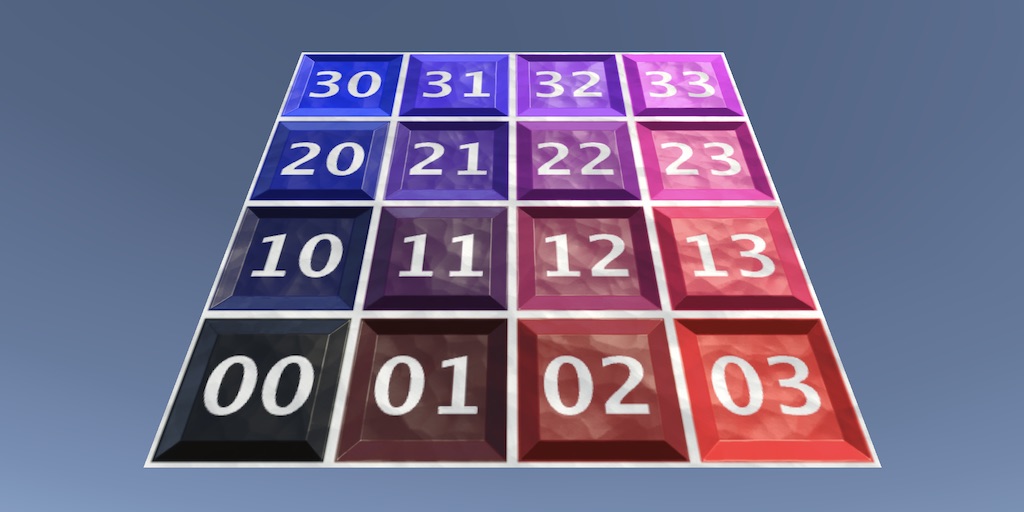
A Unity C# Procedural Meshes tutorial about creating a mesh via code, with the simple and advanced Mesh API.
inland knoll
dusty wigeon
1. Generate all polygone that represent the fracture
2. For all polygone, take t...
Can you explain a bit more of step 1 and 2? I don't quite understand what you mean.
Like what is the point of step 2?
and about step 1, I already have the mesh
so not quite sure what you want me to do in step 1
dusty wigeon
inland knoll
Can you explain a bit more of step 1 and 2? I don't quite understand what you me...
You want to have a representation in mathematic of the fracture (Convex Polygone) so that you can find the intersection between the glass and the polygones to extract the result.

The blue being the intersecting polygone
After this steps, all polygones will be contains in the glass panel. It will be an other way to form the glass panel.
inland knoll
dusty wigeon
After this steps, all polygones will be contains in the glass panel. It will be ...
Okay, I delete any polygons that is intersecting, bu what about those that are outside and not intersecting? and how to I create a new border and connect the vertices to the new border?
dusty wigeon
Also, you would want to have convex polygone for your fracture. (A fracture can be multiple polygone, idealy triangle)
Those that are not intersection stay as they are.
inland knoll
dusty wigeon
Also, you would want to have convex polygone for your fracture. (A fracture can ...
Can the algorithm also work on polygonds that are not convex? Like would it treat them as convex?
inland knoll
dusty wigeon
Those that are not intersection stay as they are.
Also I want those that are outside the glass and not intersecting to also get removed
dusty wigeon
inland knoll
Can the algorithm also work on polygonds that are not convex? Like would it trea...
It is way harder to work on non convex. You better work with multiple convex polygone.
dusty wigeon
inland knoll
Also I want those that are outside the glass and not intersecting to also get re...
That is step 2
inland knoll
dusty wigeon
It is way harder to work on non convex. You better work with multiple convex pol...
But would it treat non-convex polygons as convex?
dusty wigeon
inland knoll
But would it treat non-convex polygons as convex?
In your case, just start with convex polygone. That would save you this step
inland knoll
alright
dusty wigeon
Also, you can try to do something easier first
Line spliting the glass in 2
It would give you a better understanding while also being something easier.
inland knoll
dusty wigeon
https://www.google.com/search?q=split+concave+polygon+into+convex&rlz=1C1CHBF_en...
How do I even get every polygon on a mesh? Do I have to instead loop through the triangles? I can't seem to find anything regarding looping through mesh polygons in the API or anywhere else.
dusty wigeon
inland knoll
How do I even get every polygon on a mesh? Do I have to instead loop through the...
You need to create your own data structure that represent a polygone
Again, you could use triangle
Which is easier
inland knoll
sure
 copper steeple
Hello, I'm trying to do a simple collision script because the unity collision option isn't flexible enough for my needs.
CollDetect is a monobehaviour on a trigger collider obj and I want it to bounce on some surfaces. I wrote here a reflection script but when I run it, the object gets faster after each bounce.
collDetect.OnTriggerEnter += coll =>
        {
            if (coll.gameObject.layer != environmentLayer) return;

            var collisionPoints = collDetect.Colliders.
            Where(c=>c.gameObject.layer == environmentLayer).
            Select(c=>c.ClosestPoint(bulletTransf.position)).ToArray();

            if(collisionPoints.Length == 1)
            {
                var collisionNormal = ((Vector2)bulletTransf.position - collisionPoints[0]).normalized;
                var bounceVector = Vector2.Reflect(direction, collisionNormal);
                direction = bounceVector;
            }
            else if(collisionPoints.Length == 2)
            {
                //irrelevant code. It works almost the same as the one  in the above "if" block
            }
Why is it happening? I wanted to try to add a dampening value but I figured that would be a bandaid solution
 sly grove
copper steeple
Hello, I'm trying to do a simple collision script because the unity collision op...
sly grove
copper steeple
Hello, I'm trying to do a simple collision script because the unity collision op...
I don't see any reflection here? Just an event or delegate which you have weirdly named OnTriggerEnter?
anyway this code isn't changing the velocity of any object as far as I can tell
it's pretty unclear why you need a specific if for each number of collision points too
oh sorry
I see what you mean by reflection.
Not code reflection but physical reflection
copper steeple
var bounceVector = Vector2.Reflect(direction, collisionNormal);
- Sometimes the object touches two surfaces at once and it doesn't bounce correctly
sly grove
right but for 2 wouldn't you just do a loop and average them all together for example, so you don't need a specific special code written for each number
copper steeple
so I made a different block for that case. I haven't tested it when there are three touches
sly grove
anyway, as noted, I don't see any code here that modifies any object velocities
it's also unclear when this code is running - specifically when the subscription is happening
copper steeple
one sec, I'll show you when it's firing
    void OnTriggerEnter2D(Collider2D collision)
    {
            Colliders.Add(collision);

            CollisionsNum++;
            Debug.Assert(CollisionsNum == Colliders.Count);
            OnTriggerEnter?.Invoke(collision);

    }
sure that's when it fires
but I still don't know when the subscription happens
it's also unclear when the Colliders list gets reset / initialized
and still I don't see any code that cahnges the velocity of the object
copper steeple
the subscription happens when I fire a bullet from the emitter class
sly grove
sly grove
and _still_ I don't see any code that cahnges the velocity of the object
Seeing this will be absolutely essential^
Maybe you should just share the full script(s)
copper steeple
should I share them here or is there a better way?
sly grove
!code
 thorn flintBOT

Posting code
📃 Large Code Blocks
Large code blocks should be posted as links to services like:
https://gdl.space/, https://paste.ofcode.org/, https://hatebin.com/
https://paste.myst.rs/, https://hastebin.com/
📃 Inline Code
Surround code with three backquotes. Not quotation marks.
To get C# formatting the first line should only contain cs or csharp.
Add a comment with a line number if there is an error message.
```cs
// Your code here
```
Do not share screenshots of code unless requested.
copper steeple
from that large code part, what's the best site?
sly grove
any of them
sly grove
copper steeple
idk how to share. does the link work?
you are never unsubscribing this: cs collDetect.OnTriggerEnter += coll =>
and since you're using an object pool
those bullets go back in the pool with that subscription still active
and then get spawned again and another subscription happens
copper steeple
collDetect.OnObjDisable += collDtct =>
        {
            instance.layer = bulletLayer;
            collDetect.MyCollider.isTrigger = true;

            collDtct.EmptyOnTriggerEnter();
            collDtct.EmptyOnTriggerExit();
            collDtct.EmptyOnObjDisable();
        };
so every time the bullet spawns it starts running that listener an extra time
copper steeple
I remove the listener from here
sly grove
hm... but...
- won't that remove the listener for other bulklets too?
- Whendoes OnObjDisable run?
copper steeple
And even if I don't remove it from anywhere, I do an extra check in the collisionDetect class and I remove them there
sly grove
Is there one CollisionDetect per bullet?
copper steeple
sly grove
hm... but...
- won't that remove the listener for other bulklets too?
- Whendoes...
i don't think so. Collision detect is on each bullet
sly grove
ah
copper steeple
Maybe this part```cs
while (true)
{
instTransf.position += speed * startDirection;
startDirection += Vector3.down * gravityIntensity;
        yield return fixedUpdate;
    }
I named instTransf really badly. bulletTransform would be a better name
sly grove
copper steeple
Maybe this part```cs
while (true)
{
instTransf.position += ...
this is kinda confusing though
where is ProjectileEmitter?
is there only one of those?
copper steeple
yeah, one per gun
copper steeple
when the bullet dies, but I didn't write the code for it yet
I know the code is pretty ugly. I wanted to make a working prototype first, then I'll fix the code
I can record a video and show you how the bullet acts
https://gdl.space/vukugalude.cs
I cleaned up the code a little
copper steeple
yeah, when I removed the gravity code, everything now works fine. I just need to implement gravity in a better way
thank you for your help
 zenith finch
sly grove
<#502171135350407168>
zenith finch
sly grove
<#502171135350407168>
Thank you.

 austere jewel
 sleek terrace
In the scene view what are those lines?
sleek terrace
In the scene view what are those lines?

In mathematics, physics, and art, moiré patterns (UK: MWAR-ay, US: mwar-AY, French: [mwaʁe] (listen)) or moiré fringes are large-scale interference patterns that can be produced when a partially opaque ruled pattern with transparent gaps is overlaid on another similar pattern. For the moiré interference pattern to appear, the two patterns must...
 rancid valley
going crazy trying to turn off or fix Roslyn in the new update. It's suggesting making serializefields readonly, Start and Update are unused etc. Any help or direction? I've tried a few things to deleting the .sln and rebuilding project. I have the latest plugin from a few days ago.

 scenic forge
VS Code?
If so, Microsoft just released a new Unity extension, follow the instructions to set it up.
rancid valley
scenic forge
If so, Microsoft just released a new Unity extension, follow the instructions to...
Did all that. Reread it multiple times. That's what "I have the latest plugin from a few days ago" means (although I think it was released yesterday). Everything is up to date, no errors on compile. Changed multiple settings around using analyzers, tried it off and on, restarted. regenerated project files etc. I guess I'm just going to have to wait to see if anyone else has this weird thing.
scenic forge
Are you using the VS Editor package in Unity package manager? Note, not the VS Code one, but the VS one.
rancid valley
yep
scenic forge
Hmm that’s odd, I tried it a few hours ago and it worked well for me.
Check the generated .csproj and see if the Unity analyzer is included there.
rancid valley
Yeh that's the thing - I know it's working as I never had those Roslyn blue suggestions before, so the extension itself seems to be working well (autocomplete etc all works too). But I'm just getting blue squiggles on a lot of Update/Start (suggesting they are Unused which is wrong) and SerializeField items (suggesting readonly which is wrong), which of course is incorrect. So it's like it's not recognising its Unity code or something odd.
scenic forge
Yes, that’s a sign of the Unity analyzer not working, which suppresses those warnings.
rancid valley
scenic forge
Check the generated `.csproj` and see if the Unity analyzer is included there.
I can see all the csproj files but can't see analyzer in there - whats the file name?
rancid valley
scenic forge
Yes, that’s a sign of the Unity analyzer not working, which suppresses those war...
Ah right, I get it now. Ok, will have to work out why it's not properly regenerating - EDIT, looks to be this error blocking Regen - IOException: Win32 IO returned 1224. Path: C:........Unity.RenderPipeline.Universal.ShaderLibrary.csproj
I'll have a restart and try some different things. Thanks for the help - I thought the analyzer was working (hence the blue squiggles) but I had it backwards! I'll do some deep diving on my end to solve it. THanks for the help
scenic forge
Search Analyzer in your .csproj and see what comes up.
rancid valley
scenic forge
Search `Analyzer` in your `.csproj` and see what comes up.
I think I'm having an issue installing the Unity extension in VsCode - seems it installs it fine but upon a restart it is not installed. Will have to investigate - obviously outside of the scope of Unity here. Thanks again
scenic forge
Do check the output panel in VS Code, perhaps some clues there.
rancid valley
scenic forge
Do check the output panel in VS Code, perhaps some clues there.
Yeh I had hope but none (apart from the # projects loaded, from 0 failed to load message). I just click install on the new Unity extension, it installs fine (folder and a lot of files exist in my C:). Then I restart VSCode and it tells me to install the extension again. So it might be some kind of permissions issue or something else. Anyway you've pointed me in the right direction, so thanks
rancid valley
scenic forge
Do check the output panel in VS Code, perhaps some clues there.
Yep, turns out it was a 'Trust' conflict with folder permissions. Fun times! I'm all good now, thank you
sleek terrace
austere jewel
https://en.m.wikipedia.org/wiki/Moir%C3%A9_pattern
thanks
 coral citrus
yo, would anyone be able to provide some advice on an issue i'm having
i changed my spine output to not use pma since that was causing some issues with white pixels appearing
switching off fixed it, but now outlines aren't properly recognizing alpha
i realize that's sort of what pma does, but it seems like it shouldn't be that hard to detect given it's visibly transparent?

        half _Cutoff;

        half4 FragmentSimple(Varyings input) : SV_Target
        {
            return 1;
        }

        half4 FragmentAlphaTest(Varyings input) : SV_Target
        {
            half4 c = SAMPLE_TEXTURE2D(_MainTex, sampler_MainTex, input.uv);
            clip(c.a - _Cutoff);
            return 1;
        }
this is the outline code
 split inlet
rancid valley
going crazy trying to turn off or fix Roslyn in the new update. It's suggesting ...
split inlet
rancid valley
going crazy trying to turn off or fix Roslyn in the new update. It's suggesting ...
Edit: now I read that the issue is solved already, so my response seems to be somewhat obsolete - except for the ErrorProne Analyzer maybe.
I didn't try it with the Unity extension yet, but one way to fix this would be to install NuGet for Unity (not certain if it's on the asset store or a package) and use this to include a Unity specific Analyzer. (And once you get NuGet for Unity, there's also an "ErrorProne" Analyzer I can highly suggest.)
 rocky nest
Can Anybody help
if (allowButtonHold) shooting = Input.GetKey(KeyCode.Mouse0);
m_ShootingSound.Play();
else shooting = Input.GetKeyDown(KeyCode.Mouse0);
This code
has an error
it says that 'else' cannot start a statement
how do i make it play the shooting sound when i click mouse0?
inland knoll
Hey, me again. So I have this code that was provided to me that gets the intersecting area of two polygons and I have a rough idea of how it all works, but I am unsure of how to use this for what I need. It takes in two parameters of the class ConvexPolygon2D, but I have a 3d project where I want to have a "shatter map" (picture) split a glass cuboid into pieces according to the lines that the shatter map has. My current problem is that I do not know how I would loop through every polygon on the shatter map and call the function correctly with each of those polygons and one polygon from the glass cuboid. Does anyone know how to do that? Also the long explanation is there because there are most likely going to be more questions about this. Anyways, here is the main function in case you need it:
      public ConvexPolygon2D GetIntersectionOfPolygons(ConvexPolygon2D poly1, ConvexPolygon2D poly2){
        List<Point2D> clippedCorners = new List<Point2D>();
        //Add  the corners of poly1 which are inside poly2
        for (int i = 0; i < poly1.Corners.Length; i++){
            if (IsPointInsidePoly(poly1.Corners[i], poly2))
                AddPoints(clippedCorners, new Point2D[] { poly1.Corners[i] });
        }
        //Add the corners of poly2 which are inside poly1
        for (int i = 0; i < poly2.Corners.Length; i++){
            if (IsPointInsidePoly(poly2.Corners[i],poly1))
                AddPoints(clippedCorners, new Point2D[]{ poly2.Corners[i]});
        }
        //Add  the intersection points
        for (int i = 0, next = 1; i < poly1.Corners.Length; i++, next = (i + 1 == poly1.Corners.Length) ? 0 : i + 1){
            AddPoints(clippedCorners, GetIntersectionPoints(poly1.Corners[i], poly1.Corners[next], poly2));
        }

        return new ConvexPolygon2D(OrderClockwise(clippedCorners.ToArray()));
    }
 inland knoll
rocky nest
Can Anybody help
if (allowButtonHold) shooting = Input.GetKey(KeyCode.Mouse0);
...
inland knoll
rocky nest
Can Anybody help
if (allowButtonHold) shooting = Input.GetKey(KeyCode.Mouse0);
...
if (allowButtonHold) shooting = Input.GetKey(KeyCode.Mouse0);
        m_ShootingSound.Play();
else{shooting = Input.GetKeyDown(KeyCode.Mouse0)}
try this maybe
if (allowButtonHold){shooting = Input.GetKey(KeyCode.Mouse0)
        m_ShootingSound.Play();}
else{shooting = Input.GetKeyDown(KeyCode.Mouse0);}
or this if the other one doesnt work
rocky nest
@inland knoll On the second one it tells me to replace the } sign with a ; but when i do that it makes every single time i mentioned private on my code red

 inland knoll
ehh, this will look uglier than it has to but just do this then:
if (allowButtonHold)
{
  shooting = Input.GetKey(KeyCode.Mouse0);
  m_ShootingSound.Play();
}
else
{
shooting = Input.GetKeyDown(KeyCode.Mouse0);
}
 tiny pewter
i believe you have mismatched }
inland knoll
How do I get the polygon that a raycast hit? I know you can get the triangle, but can you also get the polygon/face?
 gleaming rock
In multiplayer fps; should weapon fire update be sent reliably or unreliably? Unreliably might be wise if e.g. machine gun is fired but some weapon fire updates might not get to client
Right now in my project I am sending weapon fired updates reliably every time weapon is fired anywhere, I am sending entity state update every tick to clients (which contains delta compressed position + rotation) and I am thinking instead I should add this weapon fired update to the state packet somehow, but I think I need to add some logic in case player fires weapon once only and the packet doesn't reach client (meaning player A could kill B, without B seeing A fire the weapon)
split inlet
gleaming rock
In multiplayer fps; should weapon fire update be sent reliably or unreliably? Un...
This really depends on the chosen architecture of the game. NetCode for Entities for example sends the inputs of the player in each frame to the server, so the server could be implemented that as soon as the fire button is detect as being "down" and the player is able to shoot, the player shot is triggered. This transforms the signal from being a simple "Shoot exactly now" from Client to Server to a "the player is giving the shoot input" as long as the input is held down. This way it's also less important that a single message with the input being held down comes through i. e. some messages can get dropped, as long as at least one of the input messages comes through. In this case, unreliable sending is totally fine.
If you (for some reason) don't want (or can't) do this, then a reliable message (like an RPC) might be more suitable.
split inlet
inland knoll
How do I get the polygon that a raycast hit? I know you can get the triangle, bu...
Unity isn't (as far as I know) aware of "polygons" in a Mesh, but only triangles. Unity does support a MeshTopology.Quads for meshes, so if this is what you're referring to, then you could at least find the indices of the vertices of the triangle, and this way find all quads that contain these 3 vertices. Most likely there should only be one Quad with specific 3 vertices except for backfaces, which you might be able to detect based on the order of vertices of the Quad.
The question however would be: what do you want to achieve?
inland knoll
split inlet
Unity isn't (as far as I know) aware of "polygons" in a Mesh, but only triangles...
I am currently on mobile so i cant really send a link, but in code general i sent a video link called "an indie approach to breaking glass" or smth like that (important parts are prob 0:30-0:35 & 1:00-1:15). In there you can see that he shoots at glass and the glass breaks from the point that was shot according to fracture pattern. I currently need want to take the face that was shot and put the fracture pattern on there, then, cut off everything in the fracture pattern that is outside the glass bounds which was hit. Now, as the final step I need to convert the left-over fracture pattern's each face to a separate gameobject and make it 3d
This is a lot to ask at once, so currently I need help with the first step to cut off everything that is outside the glass bounds
I have a script that leaves me with the intersecting area of two faces ready, so I just need to get all of the faces and check them, or, if possible, loop through the triangles, but when making them 3d assemble them in a way that the triangles that belonged to the same face are kept together as one mesh
split inlet
inland knoll
I am currently on mobile so i cant really send a link, but in code general i sen...

In this video, David shows you how we made the glass breaking effect in Receiver 2.
• Get Receiver 2 - https://store.steampowered.com/app/1129310/Receiver_2/
• Discord - https://discord.gg/Wolfire
• Reddit - http://www.reddit.com/r/Receiver
• Instagram - https://www.instagram.com/WolfireGram
• Twitter - http://www.twitter.com/Wolfire
• Facebook...
inland knoll
Yes, that is the correct video.
I know this is a lot to unpack, but I haven't been able to think of a good solution for this.
split inlet
I have to do something else first, but I will take a look at it, and maybe I'll be able to help then (or maybe someone else will do this first).
inland knoll
split inlet
I have to do something else first, but I will take a look at it, and maybe I'll ...
Alright, thank you!
 proper bronze
i am using 2020.2.2f1. What does lambda-style code mean?
split inlet
proper bronze
i am using 2020.2.2f1. What does lambda-style code mean?
I'm not so certain about it, but at least I can point out that a lambda in C# is this short form anonymous functions with the () => {} notation form, where () is the parameter list (paranthesis optional for a single parameter with deducible type) and {} the body (where the curly braces are optional if the body is just a single statement or a single expression).
Examples:
(x, y) => x + y- calculates the sum of 2 parameters, could be assigned to aSystem.Func<int, int, int>,System.Func<Vector3, Vector3, Vector3>etc.message => Debug.Log(message)- logs the parameter, could be assigned to anySystem.Action<T>likeSystem.Action<string>
Keep in mind though that I was using System.Action and System.Func, but that doesn't mean that a Lambda has exactly that type. This is just easier than writing an equivalent delegate.
split inlet
inland knoll
I am currently on mobile so i cant really send a link, but in code general i sen...
I think one thing to simplify your life here is not to try to make it work with any shape, but rather only with "planes" of glass. (Ok, plane is not the right term here, since the glass will have a certain thickness). For each GameObject that is such a glass panel, you could add a Component that stores information about the shape of the glass i. e. the polygon. When you hit a collider with such a component, you can retrieve the information about the shape from this component instead of analysing the 3D geometry.
I'm not certain if this is already enough (and helpful) input for you, so if you still have questions, feel free to ask. 😉
(By default, your windows would have a rectangular shape, and everytime it's getting shot, it's getting split up into smaller shards of glass with smaller sizes based on the break pattern.)
inland knoll
split inlet
I think one thing to simplify your life here is not to try to make it work with ...
Oh ok, that fixes a lot of problems, thanks! But I still have one more major problem. How would I still get the vertices that make up each face on the pattern? Like surely I could, with some algorithm, track the vertices and their edges to get the vertices of each face right? Like, there has to be a way to do this whilst not having every shard there be a triangle since they do it in the video and they give a really rough and quick explanation of what they did at 0:30 or 1:00
gleaming rock
split inlet
This really depends on the chosen architecture of the game. NetCode for Entities...
I mean how should I network it from game server to other clients after shot has been fired?
Right now it is reliable packet (reliable udp) everytime weapon is fired. However I worry sending weapon fired updates this way will lag the server more, especially if multiple players are firing machine guns at the same time.
split inlet
inland knoll
Oh ok, that fixes a lot of problems, thanks! But I still have one more major pro...
The component I mentioned stores already the shape of the shard (or panel), so you don't have to read it from the Mesh. The vertices in the Mesh should only be an "extrusion" of the polygon stored in the component.
inland knoll
No, I get that, but I need to get every faces vertices on the fracture pattern so I could make the shards
split inlet
Ok, these ones. I'm not certain in what format you're storing the fracture pattern. If you only store vertices and edges, then you could travers the edges to know which are the surfaces (or you could do that beforehand). To get a mesh from that, there are multiple possible ways all with their pros and cons:
- add another vertex and combine that with the vertices of every edge for the triangles
- cut up concave polygons into convex ones and then generating the triangles should be easy - finding suitable lines could be tricky for arbitrary polygons, but in this case you might be able to simplify this for yourself
- precompute all of that at edit time, store all information you need in the fracture pattern and just access it
inland knoll
split inlet
Ok, these ones. I'm not certain in what format you're storing the fracture patte...
My pattern is vertices, edges and faces. Faces because unity would delete edges and vertices if they werent a part of a face when importing. But I still don't quite understand how I would "travers the edges to know which are surfaces". I am also not 100% sure what you meant by that, but I believe you meant getting the faces.
dusty wigeon
@inland knoll as I stated earlier, you should try to do something simplier first. You could try to do the fracture with only a single triangle.

From there, you can generalize your problem.
A fracture being a series of triangles and the glass panel being an other series of triangles.
inland knoll
dusty wigeon
<@767297192783511562> as I stated earlier, you should try to do something simpli...
I have that part working, I just need a way to actually get those faces
dusty wigeon
You are doing one doing the fracture, you can easily manually define the faces of the fracture.
You do not need any algorithm for that.
inland knoll
I mean yeah, I just need to get each face of the fracture pattern, but I really don't want to manually write it out and then have to change it manually whenever I change the pattern
dusty wigeon
Start by doing one working thing.
You are overreaching otherwise
Which means that you will never complete anything
It is easier to build something on top of an other working thing.
split inlet
dusty wigeon
Start by doing one working thing.
I also would suggest to get started with a first implementation. Maybe the thing you're currently missing will come easier than you think. 😉
dusty wigeon
Exactly.
inland knoll
I am trying to get one working thing. I am currently trying to get the faces of the pattern and then it would be pretty easy to write the rest. I have a list of everything in order of what I need in my head
dusty wigeon
inland knoll
I am trying to get one working thing. I am currently trying to get the faces of ...
What have you done at the moment ? What works ? Can you fracture a single triangle from a single triangle ?
dusty wigeon
So, you already have done the triangulation
inland knoll
Yes
dusty wigeon
Then, why can you just not reuse the exact samething ?
inland knoll
I just need to get the faces to do it with now
dusty wigeon
The fracture IS a triangulation problem
Converting the fracture in triangle.
So, if you have truly done the triangulation of the result of the fracture, you should be able to do this easily
inland knoll
Are we talking about getting the faces on the fracture pattern? I'm just kinda lost on what we are talking about right now
dusty wigeon
If you can triangulate the result of the intersection betwen triangle, that would be almost the same problem as triangulating arbitrary polygone. (The result of the intersection between two triangle can form arbitrary polygone)
In other words, the only step you would need, would be to define those polygone from the fracture. Which is not that complicated. *
- It requires still a substentiel amount of work.
And to be honest, I doubt you correctly made the intersection as it is really a complicated issue and you have only been working on it for at most a day.
inland knoll
You or someone else gave me a tutorial and i made it from that, and from the amount i understood it does what i want
dusty wigeon
Still, integrating a tutorial is complicated, even more if it is the first time you have touch the subject.
I'm not blasting you, I'm just pointing out that you might think you are closer to solve your issue than you are really are.
And, that you benefit greatly from taking a step back.
Actually testing your current code.
Implement a working version of it.
Then try to add new feature such as the fracture triangulation.
inland knoll
I dont want to triangulate the fracture pattern. Or do you mean triangulate the resulting polygone?
inland knoll
dusty wigeon
Actually testing your current code.
Okay, I'll make it by just getting the triangles that make up the pattern for now
And afterwards use the entire faces instead
dusty wigeon
Converting the fracture in polygone is way easier. However, intersection of polygone is harder (due to the possibility of being concave).
Thus, converting in triangle is probably the best choice
inland knoll
No, i don't have concave stuff
dusty wigeon
inland knoll
No, i don't have concave stuff
If so, triangulation is terribly simple.
inland knoll
I know, I have almost everything figured out except how to get the full faces on the pattern into a table instead of getting the triangles in a table
dusty wigeon
inland knoll
I know, I have almost everything figured out except how to get the full faces on...
That is as simple as getting the triangles directly from the fracture itself ?
inland knoll
How? I couldn't find anything in the api or google that would get all the individual faces.
dusty wigeon
inland knoll
How? I couldn't find anything in the api or google that would get all the indivi...
After, you can project the triangle on a 2d surface
Solve the problem in 2D
In fact, you wouldnt even need to project
Because it is a plane
inland knoll
I'll look into them once I get on comp. This is what I was asking for the whole time and I thought I looked through the mesh api, but I guess I looked at something else somehow. Thanks!
inland knoll
dusty wigeon
https://docs.unity3d.com/ScriptReference/Mesh-triangles.html
Hold on, but don't these only give me triangles? Or am I missing something?
 sage radish
inland knoll
I know, I have almost everything figured out except how to get the full faces on...
sage radish
inland knoll
I know, I have almost everything figured out except how to get the full faces on...
All faces are made up of triangles. Unity doesn't preserve quad faces.
inland knoll
sage radish
All faces are made up of triangles. Unity doesn't preserve quad faces.
I know, I just want to get an array, list whatever, that contains arrays which each contain the triangles of the respective face
sage radish
There are no faces in Unity meshes. It's vertices and triangles, or more specifically vertices and indices.
 misty glade
https://docs.unity3d.com/Manual/CSharpCompiler.html
On this page, there's a note re c# records that says I shouldn't use them in serialized types. What does that mean in the context of unity? Components, gameobjects, etc?

If I wanted to just use records as plain class object type things, and handle all the serialization/deserialization (say, to playerprefs) manually, that's OK, yeah?
(Also, maybe as an aside, I was considering doing my level design in code, but perhaps I should use scriptableobjects for this?)
sage radish
misty glade
If I wanted to just use records as plain class object type things, and handle al...
That's fine.
inland knoll
sage radish
There are no faces in Unity meshes. It's vertices and triangles, or more specifi...
I know, but I want to get the faces using like an algorithm or something
sage radish
inland knoll
I know, but I want to get the faces using like an algorithm or something
That wasn't clear in your initial question. Are you asking if someone here knows of an algorithm that does that?
Sorry my bad, I didn't scroll all the way up
inland knoll
sage radish
That wasn't clear in your initial question. Are you asking if someone here knows...
The question it self has been stretched to the point where even I get confused about it a bit, but basically yeah, I would want an algorithm that can get every face by getting its triangles
sage radish
Do you need this to work with any arbitrary mesh? Is this not just for glass, which is guaranteed to be a plane?
inland knoll
sage radish
Do you need this to work with any arbitrary mesh? Is this not just for glass, wh...
The glass isn't a plane, it is a cuboid, but I need to get this (picture) fracture pattern's faces and that mesh will most likely change in the future
 sage radish
So you're not creating those fractures at runtime?
inland knoll
sage radish
So you're not creating those fractures at runtime?
yes, the fracture pattern is pre-made
(all convex shapes)
sage radish
inland knoll
(all convex shapes)
If the mesh is guaranteed to be composed of flat faces, like a plane or cuboid, then the algorithm is easy. Just compare the normals of the triangles. But for shapes like cylinders, you need something more complicated, like constructing an adjacency graph from the triangles and compare the angles of each neighbor as you grow the selection.
inland knoll
sage radish
If the mesh is guaranteed to be composed of flat faces, like a plane or cuboid, ...
So, in a face, all of the triangles have the same normals?
sage radish
If the face is flat, yes.
sage radish
If they look in the same direction, then they have the same normals.
So I guess the mesh can be a convex shape?
inland knoll
inland knoll
The glass isn't a plane, it is a cuboid, but I need to get this (picture) fractu...
I mean, this mesh here is 2d, so all the normals are the same i guess
inland knoll
sage radish
So I guess the mesh can be a convex shape?
The mesh is convex
and so are all the faces
sage radish
Ok, I think I understand now. I thought you were considering all the fractures as being part of the same face.
There is no algorithm that can extract this information because these original polygon faces are lost when the mesh is triangulated.
inland knoll
But how have they been able to do it then? https://www.youtube.com/watch?v=nuHg6_IIyK8
In this video, David shows you how we made the glass breaking effect in Receiver 2.
• Get Receiver 2 - https://store.steampowered.com/app/1129310/Receiver_2/
• Discord - https://discord.gg/Wolfire
• Reddit - http://www.reddit.com/r/Receiver
• Instagram - https://www.instagram.com/WolfireGram
• Twitter - http://www.twitter.com/Wolfire
• Facebook...
oh shit I might know, any help still appreciated tho
sage radish
inland knoll
But how have they been able to do it then? https://www.youtube.com/watch?v=nuHg6...
The glass is procedurally cut, based on a reference mask. They show the fracture pattern being created in Blender, but not how it is exported or used. Also, this isn't Unity, so he may be able to import models without converting all the faces into triangles.
inland knoll
sage radish
The glass is procedurally cut, based on a reference mask. They show the fracture...
I have also made it in blender and have tried to re-create it, but I always feared that due to this being made in Unreal I couldn't do exactly the same, but I do think that I have an idea of how to get a similar result
inland knoll
split inlet
I think one thing to simplify your life here is not to try to make it work with ...
Hey, if I am gonna make a component that stores the shape, should it, performance wise, be a script or something else?
split inlet
inland knoll
Hey, if I am gonna make a component that stores the shape, should it, performanc...
I don't know if you can have physically simulated (i. e. moved by gravity etc.) shards without creating a GameObject for each of them, so I don't think it will make a relevant difference if the polygon-data are stored in a component each, if all polygons are stored in a central location (to save on allocations), or something else. On the other hand, getting from a Mesh or Collider to the polygon data would be faster if it's stored directly on a component, but even that difference should be neglectable, since the code will only run on impact.
How you could reduce the memory allocations would be through a clever use of NativeList (might require the Collections package) or NativeArray, but this can probably also still be done later on as optimization.
inland knoll
split inlet
I don't know if you can have physically simulated (i. e. moved by gravity etc.) ...
So, I know I could put a script in each of the glass shards that would save all the vertices, that are on the same plane, as the border, but I find it quite difficult to do since, if the glass is rotated then I can't just check if they are on the same Y level. I would guess it has something to do with transform.forward, but I really don't know how to do it.
Also I know this probably looks like I am just asking about everything, but please trust me, I searched and thought about what I could do and I have managed to find solutions to most of problems like this I had myself, but in this case, I couldn't think nor find the solution to this
 buoyant leaf
I am trying to use an imported pre-compiled native library, but its not being recognised in code
I thought it was just a IDE thing, but when I tried using the namespace, its not recognised at all
is there something I'm missing?
this is the plugin

GitHub
Virtual Studio Technology (VST) for .NET. Plugins and Host applications. - GitHub - obiwanjacobi/vst.net at vstnet1
I am trying to load a vst plugin if anyone is familiar with those
specifically the interop library which is the native library in question
sleek terrace
can someone recommend me some good mesh simplifier tools?
GitHub
Mesh simplification for Unity. Contribute to Whinarn/UnityMeshSimplifier development by creating an account on GitHub.
this one didnt work
buoyant leaf
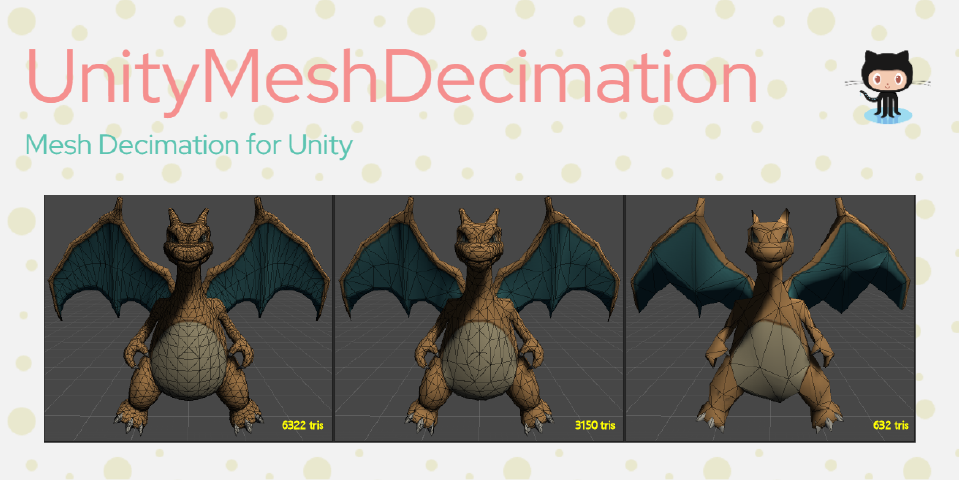
GitHub
Mesh Decimation for Unity. Contribute to crescent3983/UnityMeshDecimation development by creating an account on GitHub.
tardy bobcat
hello i need to be pointed int he right direction for some code, i want a corutine that fades a sprite from normal to red for a set amount of time before setting back to red and i cant seem to find any videos on changing a pstires color to and from in a loop anywhere
tiny pewter
if i understand your problem correctly this is just beginner question btw
IEnumerator Method(){
  Color color=Color.white;
  while(color.r<1f){
    ///from white to red, assign it and wait
    color.r+=something;
  }
  color.r=1;
  //assign it
  while(color.r>0f){
    //from red to white, assign it and wait
    color.r-=something
  }
  color.r=0;
  //assign it
}
it should be normal to red then back to normal?
tardy bobcat
in a contant loop for a set time
i want it so like whena boss is transtioning between pahses and he starts pulasting red for a little bit before switching attacks
so theres a transionduration float, the colors switch to and from in a loop until the transition duration is met, onc emet if fades to normal once more
 full galleon
I have a super weird problem where in my switch case every case is being activated ?
full galleon
        switch (inputState)
        {
            case InputState.Empty:
                EmptyBehaviour();
                break;
            case InputState.Rifle:
                rifleOut = true;
                RifleBehaviour();
                break;
            case InputState.ExpoRifle:
                expoRifleOut = true;
                ExpoRifleBehaviour();
                break;
            case InputState.Gun:
                gunOut = true;
                GunBehaviour();
                break;
            case InputState.Chainsaw:
                chainsawOut = true;
                ChainsawBehaviour();
                break;
            case InputState.Missile:
                MissileBehaviour();
                break;
}```Do the breaks have to be on the same height level as the case or something??
https://forum.unity.com/threads/switch-statements-running-through-all-code.333993/
he has the same problem but no solution :/

Unity Forum
In this script, I am aiming to get an object to move in 1 of 4 directions based on given input from the user. This is controlled by a switch statement...
 fresh salmon
It's not possible for all the cases to be entered with this script
You have multiple instances of this script running with different inputStates, or it's the same script but the states change and they all get executed in a short succession, giving the illusion that it all happened at once
full galleon
Oh my fkcn god i fouind the mistake
Stupid mistake
i make a manual check to remove all the items and thats why i thought it bugged

 tardy canopy
full galleon
Do the breaks have to be on the same height level as the case or something??
tardy canopy
full galleon
Do the breaks have to be on the same height level as the case or something??
If you mean indentation the only language where that matters is Python
 umbral trail
Is there a way to get a report on the used GPU memory from Unity or is only the CPU usage of graphics assets in the memory profiler?
inland knoll
So, about making realistic glass breaking, I am really close to getting the base version done, but I have this function that isn't quite working which I narrowed down. The thing is that I can not fix it since it uses and algorithm that I don't quite understand (I do understand what it does tho), anyways, if anyone has time and understands this, then can you tell me if the algorithm is wrong or my input is wrong. The problem is that in the IsPointInsidePoly function always outputs false with the input I give it and yes, the ConvexPolygon2D polygons I give it have at least three corners. I'll try to do my best to explain the input I give it and whatever if you need it. I'll also try my best to give every important piece of code, but if I forget any, please tell me, I'll fix it: https://paste.myst.rs/y60ctwhn
a powerful website for storing and sharing text and code snippets. completely free and open source.
dusty wigeon
inland knoll
So, about making realistic glass breaking, I am really close to getting the base...
What is your source for the algorithm ?
inland knoll
dusty wigeon
What is your source for the algorithm ?
I want to explain some basic geometric algorithms to solve a known problem which is Finding Intersection Polygon of two Convex Polygons.
Now that I think about it, it was probably a dumb question as I am assuming the algorithm should work
dusty wigeon
This algorithm works for non-convex shape too. (Maybe)
There is simplier algorithm for convex shape
inland knoll
dusty wigeon
There is simplier algorithm for convex shape
You mean that there is a simpler version of the function that is not working for me?
or the enitre thing
dusty wigeon
inland knoll
You mean that there is a simpler version of the function that is not working for...
This is explained in video what you are trying to use:
What I was referring was:
https://inginious.org/course/competitive-programming/geometry-pointinconvex
inland knoll
dusty wigeon
This is explained in video what you are trying to use:
https://www.youtube.com/...
The video is making me a littly dizzy due to the amount of x-s, but I feel like that is exactly what the algorithm I have is doing, and also I doubt the algorithm I have will work with non-convex polygons, as the literal title of it is how to do it with convex shapes. Anyways, I believe the issue is in the input so I'm gonna try to inspect it closer to see what is wrong
dusty wigeon
inland knoll
The video is making me a littly dizzy due to the amount of x-s, but I feel like ...
The idea of a line crossing the whole shape and counting the number of intersection works with concave polygon. (Not exactly sure about this particular implementation)
inland knoll
dusty wigeon
The idea of a line crossing the whole shape and counting the number of intersect...
oh ok
dusty wigeon
I see no reason to believe it does not, but as you stated, the video seem to say otherwise
 opal moat
How can I change a variable from another script in another object with a UnityEvent in a script, which is part of an object which is a child of the object that contains the variable I want to change?
This is what I got this far:
    public BasicCarController controller;

    public UnityEvent<bool> onCollisionEnter;
    public UnityEvent<bool> onCollisionExit;

    // Start is called before the first frame update
    void Start()
    {

    }

    // Update is called once per frame
    void Update()
    {

    }

    private void OnCollisionEnter2D(Collision2D collision)
    {
        onCollisionEnter.Invoke(true);
    }

    private void OnCollisionExit2D(Collision2D collision)
    {
        onCollisionExit.Invoke(true);
    }
BasicCarController being the target script for the variable change.
and bool is the type of variable
and in the "BasicCarController" is the variable I want to change
dusty wigeon
opal moat
```cs
public BasicCarController controller;
public UnityEvent<bool> onC...
You do not need a UnityEvent for that ?
    public BasicCarController controller;

    // Start is called before the first frame update
    void Start()
    {

    }

    // Update is called once per frame
    void Update()
    {

    }

    private void OnCollisionEnter2D(Collision2D collision)
    {
        controller.Variable = true;
    }

    private void OnCollisionExit2D(Collision2D collision)
    {
        controller.Variable = true;
    }
In fact, it would make the event pointless
opal moat
technically
but I will need to change different variables depending on the object that I put this script on
dusty wigeon
Also, UnityEvent is suppose to be use with Serialization
dusty wigeon
 opal moat
I havent worked with serialization before
dusty wigeon
opal moat
wdym
Otherwise, you add an extra overhead for no particular reason.
Instead, use standard event

📝 C# Basics to Advanced Playlist https://www.youtube.com/playlist?list=PLzDRvYVwl53t2GGC4rV_AmH7vSvSqjVmz
🌍 Get my Complete Courses! ✅ https://unitycodemonkey.com/courses
👍 Learn to make awesome games step-by-step from start to finish.
🎮 Get my Steam Games https://unitycodemonkey.com/gamebundle
✅ Let's check out what are C# Events, how we can ...
dusty wigeon
Yes
opal moat
not UnityEvent?
opal moat
what does Serialization do?
dusty wigeon
It enable you to define what function to call from the UnityEditor instead of the code
dusty wigeon
Not something I suggest you do.
opal moat
really?
dusty wigeon
Yes, it is hard to maintain
Due to the fact that you do not know which function is being call by which object.
Making it a nightmare for restructuration
opal moat
damn
dusty wigeon
If your code is stable enough that it won't change, then a little of that can actually be good.
opal moat
could you show me how it would look with serialization please??
dusty wigeon
opal moat
yeah, but what would it look like in code?
dusty wigeon
Exactly what you have
opal moat
oh
but
when I go to assign what should hapen on Invoke
the public variable doesnt show up
 opal moat
    [Serializable]
    class onCollisionEnter : UnityEvent<bool>
    {

    }

    [Serializable]
    class onCollisionExit : UnityEvent<bool>
    {

    }
so like this?
dusty wigeon
You just need 1
opal moat
oh yeah
dusty wigeon
    [Serializable]
    class UnityEventBool: UnityEvent<bool>
    {

    }

    public UnityEventBool onCollisionEnter;
and do I leave the {} empty?
opal moat
dusty wigeon
Read the article
I still dont understand almost anything, but I'll try
fresh salmon
Latest versions of Unity will serialize generics just fine, so you technically don't need a class and can use the UnityEvent<bool> directly
 regal olive
hey so i have a question, not sure if its advanced or not, do tell me, but im kinda having issues with opening multible files and im wondering if its even possible.... as im trying to open multible ebooks in unity (via script), script works for 1 book. but with multible it starts having issues..... it gives me a System.IO.IOException: Sharing violation on path [ebook path]
fresh salmon
Looks like you're trying to open the same file multiple times at once
Or another program has it open with no file sharing, which is what the error says: while the file is open by the other program, no other program can access it
If you're opening them multiple times, make sure you do so correctly with a using statement, so even if an error happens, the stream to the file isn't left dangling open, blocking other programs from using it
regal olive
yeah its giving this about different files each time though, the 2 files which dident load, but one of them does load, like its getting stuck after the first one....
i thought it would be because i wasent closing the filestream but that dident seem to be the issue
fresh salmon
As long as you follow the recommended pattern, there will be no issue
using (FileStream fs = new(...))
{
  // use 'fs'
}
// file handle closed
using FileStream fs = new(...); - alternative syntax that uses the englobing scope { } as the "use resource here" area
regal olive
so a bit like specifying scope even further
fresh salmon
Yeah it avoids defining a brand new scope for it
regal olive
thank you so much, it has solved that issue, now solving the fact that its having issues with unpacking multible files at a time, but i know how to solve that. Good luck and have a good day!
 exotic gull
I have a GameObject and a RectTransform object (gotten as a compent from a different GameObject). I would like to do something like (psuedocode) gameObject.SetComponent<RectTransfrom>(myRectTransform); How would I pull something like this off?
I'm more than fine with them referencing the same object. I know this isn't a copy.
 vale zenith
exotic gull
I have a `GameObject` and a `RectTransform` object (gotten as a compent from a d...
vale zenith
exotic gull
I have a `GameObject` and a `RectTransform` object (gotten as a compent from a d...
easiest would be to reference the original directly for whatever you need it for. Or AddComponent to your GameObject and copy the properties of the RectTransform to the new one
Question - For RotateAround(), how do you control how far away from the center/point the rotating transforms are? Like in terms of radius
sly grove
exotic gull
I have a `GameObject` and a `RectTransform` object (gotten as a compent from a d...
Instantiate(theOtherObject)
set it as a child of something
that's by far the cleanest/easiest way in Unity
Two GameObjects cannot have the same component attached to them
it doesn't make sense
 obsidian coyote
finally got back around to working on this project a little, here is an example of one of my view model classes for displaying the health bars, internally it handles object pooling and adds/removes the view from the model depending on if IsModelValidForViewModel is true or false. Internally all the events are from static context so no mutating the models anymore. Basically each ViewModel expects a View prefab, then i just setup the view property bindings in the model view. There isn't any sort of global state or reflection required in this version, but i think its still reasonably easy to use

and here is an example of the healthbar view, not sure if im going to keep the IView stuff that forces the init/clear yet

 brisk spruce
obsidian coyote
finally got back around to working on this project a little, here is an example ...
brisk spruce
obsidian coyote
finally got back around to working on this project a little, here is an example ...
I love it! You may find my expression extension method handy for your BindProperty method, as it would let you perhaps rewrite your code as maybe something like
BindProperty(m => m.HealthPercent, (v, m) => ...);
https://gist.github.com/SteffenBlake/ace74a893d0b16c30a7eb2a42d6d9230
The GetFullMemberName method would be the one you want
Then you can just make an extension method of BindProperty that does an Expression<Func<TankModel, T>> for its first prop and you can call GetFullMemberName on that to stringify it
obsidian coyote
hm if i bind w/ m, m needs to be an instance, where and nameof() gets compiled into a simple string and just uses the static property, maybe im missing something, but changing it to use the expression feels a bit overkill .. 🤔
or am i missing something?
brisk spruce
obsidian coyote
hm if i bind w/ m, m needs to be an instance, where and nameof() gets compiled i...
It just gives you autocomplete, it still becomes a string
 brisk spruce
its a bit easier imo to type m => m... and intellisense pops up suggesting properties, vs nameof(TankModel....
obsidian coyote
fair enough
brisk spruce
basically its just saving me uh... it takes 6 chars instead of 16
but also the expression thing becomes agnostic to the length of your model name too which is nice
even if your model name is 25 characters long, its still just m => m....
obsidian coyote
true
brisk spruce
m => m.TankColor would still become "TankColor" same as nameof which is nice
The other big thing is it works for nested models like, you can do
m => m.Foo.Bar.Phi
and that becomes "Foo.Bar.Phi", and I utilize INotifyPropertyChanged style event to "bubble" up, binding Parent->Child, so I can use nested stuff
obsidian coyote
but yeah, internally the vm just adds some listeners to the static generic events and my filter function is built into my object pool manager so it automatically handles object pooling which i love XD
 obsidian coyote
brisk spruce
The other big thing is it works for nested models like, you can do
```
m => m.Fo...
obsidian coyote
brisk spruce
The other big thing is it works for nested models like, you can do
```
m => m.Fo...
ah thats cool
brisk spruce
If you take a look at the bottom of my link I sent there it shows an example implementation of how the code ends up looking, Ive tried a few varietions of MVVM style code and I have always found this one to be the slickets
I gotta write the code to get lists/arrays working still tho, I have a rough idea of what I want for that but I dunno if my current game actually needs it so far, so might be fine
I want to create some easy to type wildcard for the expression, that then serializes out to "*", such that I can do like:
GameState.Bind(m => m.SomeList[WildCard].SomeValue, OnSomeValue);
ah gotcha, yeah my current setup all the health bars are views, that are bound directly to the tanks, then i have a scroll window of views on the left that are again each bound to the tanks, each viewmodel takes a prefab for the view, and instantiates it from the pool manager when the valid check passes, and returns it when if no longer is valid, it also handles the re-binding and syncronization of state, etc. So im pretty happy with how its turned out sofar, im sure ill want to add more stuff, but for now it works well
 brisk spruce
the thing I like about MVVM approach is that like, once you have the boilerplate done its so slick and easy to add new stuff to your game
obsidian coyote
yeah, like this is the binding for the tank info panel on the left

and the view for them

pretty simple with basically no specific dependancies, so gotta love that lol
but yeah, i guess now that my VM syncs the state on view binding i can get rid of the init and stuff
brisk spruce
The big thing I like about my code is instead of passing refs to the entire model and the view model into the method, its just passing a single in readonly struct, which is wicked fast and low resource cost
obsidian coyote
hmmm i guess one i might want to change on mine is to setup a sort of "isDirt" flag system thats build into the VM, where instead of processing every event directly, it caches the properties that changed in a hashset or soemthign, then only process them in the view at the end of the frame, but before rendering
brisk spruce
obsidian coyote
hmmm i guess one i might want to change on mine is to setup a sort of "isDirt" f...
Ah my solution to that was the OpenTransaction method, which tells the model to stop firing the events and instead store em in a hashset, then when the transaction is commited it fires em off (that way only distinct events fire)
using var txn = GameState.OpenTransaction();
// The events will hold off and not fire while inside a transaction...
GameState.Value1 = something;
GameState.Value2 = somethingElse;
GameState.Value3 = anotherThing;
// Invoking Commit will cause all distinct events to now fire off
// repeats will not occur within the scope of the txn
txn.Commit();
ah gotcha, ill prob just use a hashset in the model or something, and accumulate all property changes until they i allow them to be consumed in the lifecycle, and then when they are, ill just clear and start adding again next frame
feels pretty safe to have a concrete lifecycle for them where i can do it once per frame
brisk spruce
one gotcha to consider: what if changing a property fires off an event that culminates in changing another property same frame? Do you want that to get delayed to be 1 frame later?
obsidian coyote
well currently i dont have any way for the view to update the model, so its not really a problem right now, but even once i add that, i feel like it is probably fine since the view is designed to be surfaced to a user, and a user will never be doing sub-frame changes to the state via any 2-way bindings
but yeah, i had thought about that
 velvet rock
I need help on something I have never been able to do… time estimates. How do y’all approach time estimates for work/a project? Like no matter how long I think/talk about what a task will take the amount of time I come up with is never close. I either get it done faster or something comes up and it takes twice as long? The project that went the smoothest was one where we just assigned points to tasks and then made an estimate of how long a project will take based on how many points we were getting done, still came in a month late though.
Looking for work and so many jobs have “able to make accurate time estimates” in their tasks.
brisk spruce
Anyone who claims they can accurately time estimate code is a liar :x
Delivery time is also like a solid 50% inspiration. A dev that actually is feeling inspired and productive will likely produce a result in a fraction of the time, which makes the time estimate useless because obviously everyone will lie and say they are feeling inspired today or not
split inlet
inland knoll
So, I know I could put a script in each of the glass shards that would save all ...
I'm not saying you should store the index of each vertex of the Mesh, and then get back to the Mesh data, but rather store the polygon the shard is extruded from. This data would be unrotated (and unscaled, i. e. in local space), but transforming that to a different space should be a rather simple operation: Transform.TransformPoint to get world space positions, Quaternion * <point> to apply a rotation, etc.
inland knoll
split inlet
I'm not saying you should store the index of each vertex of the Mesh, and then g...
Alright!
 real blaze
does anyone know how ExposedReference calculates it's IDs?
I made this ExposedReference<GameObject> user property, and when I remove an object and re-add it to the prop, the ID will change :|

alright correction, it will change if I click Unexpose Property and then re-add the object
 austere jewel
real blaze
alright correction, it will change if I click `Unexpose Property` and then re-ad...
austere jewel
real blaze
alright correction, it will change if I click `Unexpose Property` and then re-ad...
It generates it via the IExposedPropertyTable (which in this case is the Playable Director)
real blaze
austere jewel
It generates it via the IExposedPropertyTable (which in this case is the Playabl...
ah gotcha makes sense. so it'll just generate a new random GUID when I click Unexpose Property then

thanks. didn't occur to me to check the debug mode of the inspector
austere jewel
 real blaze
still though, why didn't they just use some random integer for key? much faster than string comparison
real blaze
austere jewel
right, new guid it is 👍 thanks
real blaze
real blaze
still though, why didn't they just use some random integer for key? much faster ...
that kinda concerns me, because I'm about to write a system that uses exposed props heavily
the docs says playable graph is really fast, but doesn't mention exposedproperty much.
 flint sage
String comparison is plenty fast
real blaze
in fact the manual doesn't mention the exposedproperty at all...
flint sage
Especially for something like a guid
real blaze
flint sage
String comparison is plenty fast
I mean, yeah, the whole internet works with constant (as in constantly, not const lol) string comparisons, but still much slower than integer in comparison.
flint sage
So why bother?
real blaze
it's a different story to do that every frame than to do it on every networked data. wouldn't be nice if it took like 2ms of the frame just for this.
but of course they ought to have had some good reason for this that's not apparent to us, since it seems the performance is a huge priority for Playables system.
dusty wigeon
I believe you want to change the current platform with: EditorUserBuildSettings.SwitchActiveBuildTarget
Also, you could specify your target to get the define instead of using the active buid target.
 twin spindle
I guys, i don't know if this is the right place, but i didn't find a specific Windows platform channel.
On an application (target Win10/Win11) developed with Unity 2022.3.* and il2cpp as a scripting backend, on the resulted build we obtain a malware false positive from Windows Defender (we are sure that the build machine is not infected). Anyone has had experience with issue like that and has some hints to solve?
Thanks in advance
dusty wigeon
PlayerSettings.GetScriptingDefineSymbols(NamedBuildTarget.Server)
It should work.
Either, your current chosen input is wrong or your Define are wrongly serialized
That is because you are on Standalone
Then it simply means that your settings are wrongly serialize
Or that you do not correctly change your target
It will be correct if NamedBuildTarget.FromBuildTargetGroup(buildTargetGroup); return the correct value
AND
If the project settings file contains the values for the server.
You litteraly sent the code...
Do you understand what it does ?
That means that you are not in the correct platform...
Do you know what EditorUserBuildSettings.activeBuildTarget; is suppose to do ?
Yes, so what is the selected target ?
Seem to be a bug with dedicated server
Try to update
Unity
Then you gonna find an alternative
Use a precompile define
try: #if UNITY_SERVER
I mean, try to use #if UNITY_SERVER in the code you sent
Not in the other part of the code
Oh, you are using the wrong function... You need to use https://docs.unity3d.com/ScriptReference/EditorUserBuildSettings-activeBuildTarget.html
Oh nvm
You ue both
Oh they might have changed the way it works: https://docs.unity3d.com/ScriptReference/StandaloneBuildSubtarget.html
You have a subtarget
Also, you can still use precompile in an editor script
real blaze
hey. timeline. is it possible to get this data in a PlayableBehaviour ?

 quiet minnow
guys i need help. i have a made tank script. tank can be rotated and on its child is the turret, which can be also rotated and always face to mouse direction. this works. but the problem is that when i rotate the tank, the turret is a bit affected of the tanks rotation. it would work when i rotate the turret instantly but i use lerp for smooth rotation.
misty glade
quiet minnow
guys i need help. i have a made tank script. tank can be rotated and on its chil...
You probably need to subtract the parent's rotation when calculating the child destination rotation?
 dull kestrel
misty glade
You probably need to subtract the parent's rotation when calculating the child d...
dull kestrel
misty glade
You probably need to subtract the parent's rotation when calculating the child d...
So localRotation
quiet minnow
I tried localrotation, same result
https://gyazo.com/76a570d402b7605a0fe04effb92f3329 thats my script
 dull kestrel
quiet minnow
https://gyazo.com/76a570d402b7605a0fe04effb92f3329 thats my script
dull kestrel
quiet minnow
https://gyazo.com/76a570d402b7605a0fe04effb92f3329 thats my script
You should copy and paste into a code block, ideally.
But I may be wrong, I cannot see a localRotation here
brisk spruce
quiet minnow
https://gyazo.com/76a570d402b7605a0fe04effb92f3329 thats my script
!code
thorn flintBOT
Posting code
📃 Large Code Blocks
Large code blocks should be posted as links to services like:
https://gdl.space/, https://paste.ofcode.org/, https://hatebin.com/
https://paste.myst.rs/, https://hastebin.com/
📃 Inline Code
Surround code with three backquotes. Not quotation marks.
To get C# formatting the first line should only contain cs or csharp.
Add a comment with a line number if there is an error message.
```cs
// Your code here
```
Do not share screenshots of code unless requested.
quiet minnow
On moble sorry. I tried that code above also with local rotation. It doenst work. Because when parent rotatates then child is affected
fresh salmon
Ask in #archived-shaders
 tired fog
Done that
 remote pumice
quiet minnow
On moble sorry. I tried that code above also with local rotation. It doenst work...
remote pumice
quiet minnow
On moble sorry. I tried that code above also with local rotation. It doenst work...
Easiest would be to have an empty parent GameObject and have the Tanks Body and Turret be separate childs, so you can rotate, move, scale and whatever else them however you like without one affecting the other
Tank
  TankBody
  TankTurret
You may have to modify the Mesh inside a 3D Modeling App if it's not already separated, but that's an easy task and it'll make working with it much easier
real blaze
hey, regarding Timeline's custom PlayableBehaviour, is it possible to implement logic for when our playable finishes?
we have OnBehaviourPlay(...) for when it starts. but I don't see a similar method for when it finishes
quiet minnow
remote pumice
Easiest would be to have an empty parent GameObject and have the Tanks Body and ...
good idea, llet me test this
quiet minnow
remote pumice
Easiest would be to have an empty parent GameObject and have the Tanks Body and ...
mh alot of conflict with my movement script. it works but not good solution :/
remote pumice
You'd have to rewrite some of your code, use the Parent GameObject for Movement and the Children for Rotation
quiet minnow
yea that would work
but seems not clean, is there not a simple solution to ignore child rotation depends on parents rotation
remote pumice
quiet minnow
but seems not clean, is there not a simple solution to ignore child rotation dep...
Children will always rotate, move and scale in relation to their Parents.
If you want a workaround, what PixxelKick wrote is accurate, you could apply the inverted rotation to the turret
But a proper setup with visuals being separated GameObjects under a Parent is preferred I'd say
brisk spruce
Child should just rotate exactly negative amount as the parent to offset no?
That should keep it "steady"
quiet minnow
mh how should this work?
remote pumice
quiet minnow
mh how should this work?
Whenever you apply Rotation ABC to your Tank, you apply negative ABC to the turret
but this
Tank - Movement
  TankBody - Rotate with Movement
  TankTurret - Rotate with Mouse
should be pretty straight forward.
With a little more involved setup, this would also make changing the Turret and/or Body on runtime pretty easy and won't break the actual logic
brisk spruce
If you rotate the parent 90 degrees, rotate child -90
quiet minnow
    {
        // Erhalte die Mausposition im Bildschirmkoordinatensystem
        Vector3 mousePositionScreen = new Vector3(Input.mousePosition.x, Input.mousePosition.y, 10f);

        // Erstelle einen Raycast vom Hauptkamera durch die Mausposition in die Szene
        Ray ray = Camera.main.ScreenPointToRay(mousePositionScreen);
        RaycastHit hit;

        // Führe den Raycast aus und prüfe, ob er ein Ziel getroffen hat
        if (Physics.Raycast(ray, out hit, raycastMaxDistance))
        {
            // Berechne die Richtung vom aktuellen Turm zu dem getroffenen Ziel
            Vector3 turretDirection = hit.point - _turret.transform.position;
            turretDirection.y = 0f; // Sorge dafür, dass der Turm nicht auf und ab geneigt wird

            // Drehe das Objekt, um es auf die Zielposition auszurichten
            if (turretDirection != Vector3.zero)
            {
                Quaternion targetRotation = Quaternion.LookRotation(turretDirection);

                _turret.transform.rotation = Quaternion.Inverse(targetRotation);

                // Verwende Lerp mit einer konstanten Drehgeschwindigkeit, um ein gleichmäßiges Drehverhalten zu erzielen
                _turret.transform.rotation = Quaternion.Lerp(_turret.transform.rotation, targetRotation, Time.deltaTime * _turretMoveSpeed);
            }
}````_turret.transform.rotation = Quaternion.Inverse(targetRotation);
like this?
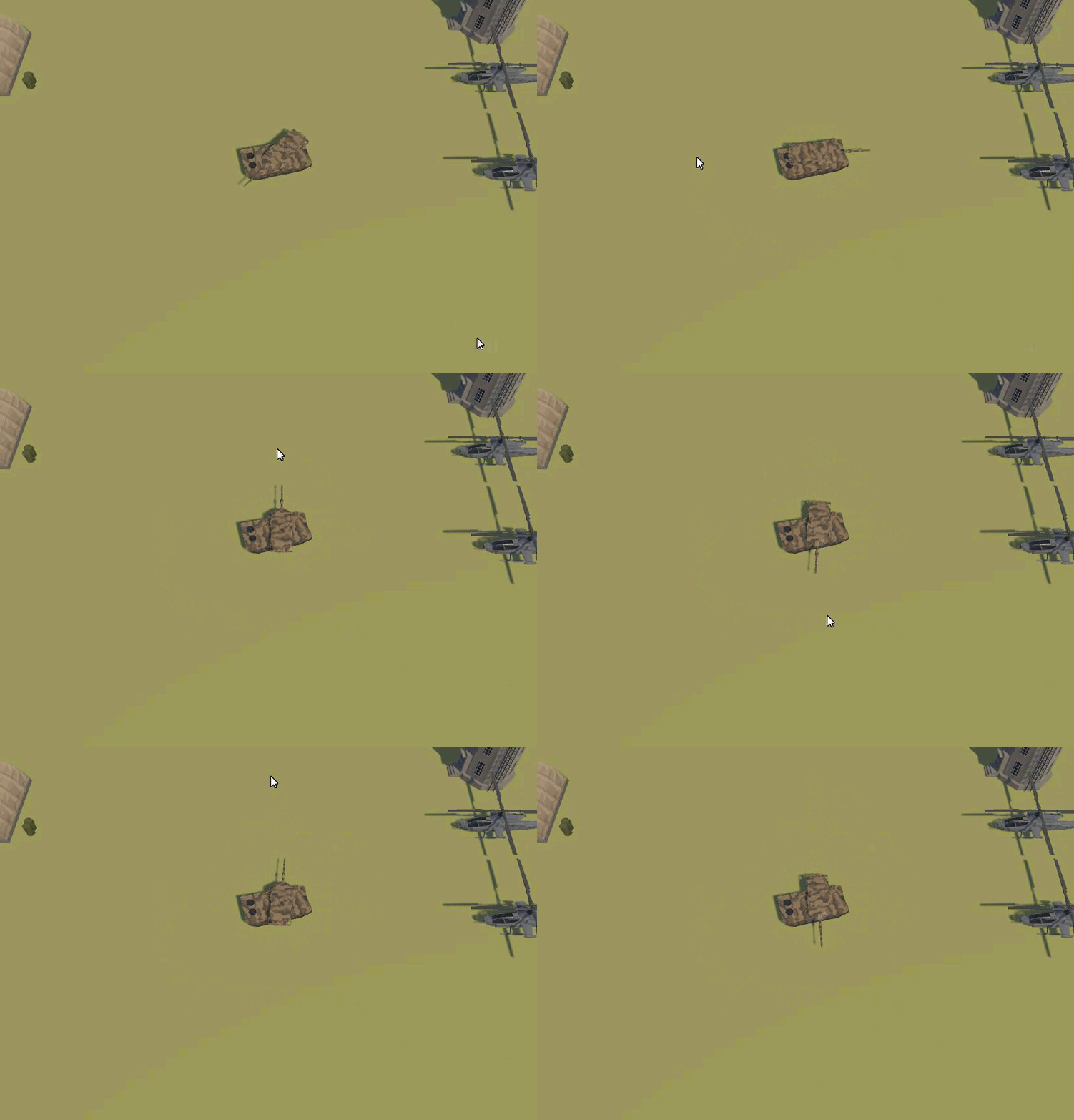
^^
not really
remote pumice
Oh dude, as a German, I'd advise you to not do german tutorials (and write german comments), but that's just my opinion. If you're ever looking stuff up on StackOverflow for example, you'll almost certainly have 99.999% english naming conventions and comments, and I, sadly, can't tell from experience, but I think even in the german industry it's preferred to have english conventions. But maybe somebody here has worked in the industry and could confirm if I'm true with that statement or not
No, you don't want to inverse the target rotation.
You want to invert the rotation delta that you're applying, not the total value.
(Delta being the difference from previous to current)
quiet minnow
im a bit confused in that math
remote pumice
Could you undo the changes and show us the initial problem?
The code looks fine on the first glance, the turret should always be rotating towards the mouse
quiet minnow
yes, sec
two problems here, when i rotate the tank, the turret slightly affected by the rotation and the adjust its rotation to mouse direction which it should always
other issue is, i use lerp to smooth rotate, but as nearer it reachs its target as slower the rotation is
rotation speed should always be same
and not slowering when reach mouse position (target)
remote pumice
Replace the Lerp with turret.transform.rotation = targetRotation for now, just as a test, and show how it's looking, please.
It should then ALWAYS point towards the cursor.
Also, Lerp isn't what you should use in that scenario, but that's for later
 tall ferry
your lerp looks wrong
you are lerping with a = lerp(a, b, time.deltaTime * _turretMoveSpeed)
time.deltaTime * _turretMoveSpeed isnt going between 0 and 1, so this will always be at some fraction between a and b. But you are also shifting A closer to B every iteration
quiet minnow
 tall ferry
you'll probably want https://docs.unity3d.com/ScriptReference/Quaternion.RotateTowards.html
remote pumice
remote pumice
quiet minnow
https://gyazo.com/434f693258cfebf18e8c90cc626ef3d1
Looks fine, now the body rotates without affecting the turret, correct?
Now try replacing Lerp with RotateTowards.
Actually, that won't fix it, because the turret will still be affected by the Body rotation if the rotation happens over time.
100% the "solution" about separating the Tank would fix all your issues
quiet minnow
yes
alot better

but the turret still affected by tanks rotation
just a small bit
tall ferry
If the turret is a child of the tank then thatll happen
remote pumice
quiet minnow
but the turret still affected by tanks rotation
If the turret rotation speed is greater then the tank rotation speed, it won't be affected anymore (or at least not visibly) (in theory)
tall ferry
I feel like thatd happen in real life too though so maybe it's more realistic 😂
quiet minnow
modern tank have good gimbal xD
tall ferry
If it really is an issue, you'll either have to unparent it or apply a counter rotation to the turret
remote pumice
quiet minnow
modern tank have good gimbal xD
Try the separation thingy I mentioned
Tank - Only has your Script(s) - Movement happening on this Transform

Body - Gets rotated by your Script, according to the Parents movement

Turret - Gets rotated by your Turret script
You'll thank me once you get used to that workflow, pretty sure!
If your movement script isn't working properly anymore when doing this, feel free to show us the issues!
I'd advise to (almost) always separate Hitboxes and Meshes into their own Children of an empty Parent (which itself contains the logic to handle those Children)
quiet minnow
i think i can live with the solution
its just small bit of issue in rotation
thankt you all for your help
exotic gull
TextMeshPro question. How could I get the TextMeshProUGUI text to work without reallocating new memory? I have a lot of TMP objects, all of which will be changing values fairly rapidly. I'd rather not have to create a whole new immutable string each time for every one.
I saw that you could do .SetText(StringBuilder) and thought "great!" the whole point of StringBuilders is that you can edit the contents of the text. All I have to do is call .SetText() once to point it at my StringBuilder in memory, and then I can just update the stringbuilder and watch as the changes reflect on the UI! Unfortunately that doesn't seem to be working...
I see you can also set it to a character array, but I don't know if that will fix it either...
tired fog
Is someone capable of explaining to me what the hell could be happening here?????
I thought frame debugger was supposed to not change if i'm inspecting it??
How is that even possible?
You can see how Resolve Color changes value sometimes, chaning the end result
dusty wigeon
tired fog
Is someone capable of explaining to me what the hell could be happening here????...
No Idea why it changes. Probably because of how AA is done. However, what is the issue ?
 knotty python
I have a problem with version control, for when I try to switch branches I get the error below:
error: invalid path '{"Successes":["Assets/prefabs/Agent.prefab","Assets/Resources/Floor.prefab","Assets/ECS Test.unity","Assets/old/Test2.unity"],"Failures":[]}/Temp/GeneratedCode/SourceGen.log'
error: invalid path '{"Successes":["Assets/prefabs/Agent.prefab","Assets/prefabs/gateA.prefab","Assets/Resources/Floor.prefab","Assets/ECS Test.unity","Assets/HavokTest2.unity","Assets/old/Test2.unity"],"Failur
es":[]}/Temp/GeneratedCode/SourceGen.log'
error: invalid path '{"androidStore":"GooglePlay"}/Temp/GeneratedCode/SourceGen.log'
Running as stack overflow suggested: ```` git config core.protectNTFS false``` did not help.
The repository was originally written and pushed to GitHub on a mac. Is there something I can do on the mac side to fix it?
updating to a new unity version fixed it.. Some how a silly mistake where longer folder path where created.
brisk spruce
linux issues sounds like
dusty wigeon
knotty python
I have a problem with version control, for when I try to switch branches I get t...
How many characters does the path has ?
Are you sure the path is correct ? Because it contains a lot of strange character.
Why you think the path is too long ?
Can you try to reproduce with only 1 file ?
The error does not seem to make any sense. It seem to be repeated ? However, it does not contains the same json field. ("Successes", "androidStore")
C:\Users\~\~\~\~\ProjectName\{androidStoreGooglePlay}\Temp\GeneratedCode is not a valid path.
Oh, the path is the error message. I see...
It sure won't work.
You cannot have json in a path O.o
knotty python
dusty wigeon
You cannot have json in a path O.o
I understand but this is generated by Unity. Like is a (rather small) Unity project that these json elements got confused into the path. I find this very confusing.
dusty wigeon
knotty python
I understand but this is generated by Unity. Like is a (rather small) Unity proj...
Then your issue is far from what you are describing...
knotty python
dusty wigeon
Then your issue is far from what you are describing...
I tried to clarify the question. (see above) the main issue is the git error I think.
 hoary birch
Hey! If anyone using Opsive Character Controller can help me out with a programming question, please let me know. I want to override a function, but I am not sure how to use my overriden function.
Basically, I am using their Free Climb ability from their climbing pack. There is a function called ValidateObject that checks if an object is climbable. I want to modify that function by adding another check, without changing the original script.
 void rune
hoary birch
Basically, I am using their Free Climb ability from their climbing pack. There i...
void rune
hoary birch
Basically, I am using their Free Climb ability from their climbing pack. There i...
You can override their function - then call base.ValidateObject() to see if their original conditions are met, and then add your condition. Presumably the method returns a bool?
hoary birch
Okay. But I'm uncertain about this OOP concept. Let's say this function will be a part of my new script called 'MyScript' that has this overridden function. Now do I have to replace that old script with this new script?
Basically, Opsive has regular updates. I do not want to change the original script at all, because they will change sooner or later.
(I do know that all the parent attribues/methods will be present in the new script. I am just unsure how I am supposed to handle these scripts)
Basically need to do this:
It's possible we may need to override the IsClimbable? logic .. possibly with an extension script For now, you could use a Tag "Climbable" .. and still use SolidObject Layer then whenever SolidObject is under the raycast, check if that gameObject has a tag matching "Climbable" but let's see if it can be done by adding a script instead of modifying any Opsive scripts the point being that we want to be able to integrate their updates when they occur"
void rune
hoary birch
Okay. But I'm uncertain about this OOP concept. Let's say this function will be ...
No - you create your script separately, this is important because if you ever update the package your code will be lost.
So you create your script "MyScript" in a separate folder. In the code, you inherit from the object that contains the ValidateObject method you wish to call. Then override the function.
`public class MyScript: DetectObjectAbility
{
public override bool ValidateObject()
{
bool result = base.ValidateObject();
if(result)
{
result = myNewCondition;
}
return result;
}`
As a rough example.
hoary birch
Ah okay, I understand this part clearly. But how do I force my character to use this script. This entire script is being handled by the UltimateCharacterController Script. I can edit this script, but when my package updates, I'll lose my code.
void rune
hoary birch
Ah okay, I understand this part clearly. But how do I force my character to use ...
The ultimate character controller is going to call the ValidateObject method, which you have now overwritten, hence it will call your code.
hoary birch
But for that, I will have to access MyScript in the UCC, not the original script, right?
ValidateObject method in MyScript
void rune
hoary birch
But for that, I will have to access MyScript in the UCC, not the original script...
This is an ability right?
hoary birch
UCC controls all the abilities.
void rune
Yes - but if you inherit from ability, then you add your newly scripted ability to the controller, it will use your code.
void rune
hoary birch
UCC controls all the abilities.
You're going to create a script called "FreeClimbModified" or whatever right.. then you're going to go to your ucc character and add the "FreeClimbModified" ability to your character. And it will use all the logic from the FreeClimb ability + your additional validation logic.
hoary birch
I think that the actual problem is that I did not/ do not know how to add our own modified abilities. I'll experiment and see how I can do that. Still, thank you. I appreciate your help!
void rune
hoary birch
I think that the actual problem is that I did not/ do not know how to add our ow...
You should pop these in the opsive discord. People often help quickly there.
tired fog
dusty wigeon
No Idea why it changes. Probably because of how AA is done. However, what is the...
The issue is actually that. For some reason the mesh flickers like that randomly, changing positions even in some cases. Since it happens in any time it's driving me nuts (even outside play mode, even in frame debugger). I cannot find any consistency so i can't understand why it's happening. I've found a issue tracker that might be a reason for it, but im not sure https://issuetracker.unity3d.com/issues/instances-drawn-with-drawmeshinstanced-flicker-when-the-buffer-changes-order
How to reproduce: 1. Open the user's attached project and Scene scene 2. Enter the Play mode and observe squares Expected result: sq...
 dry bridge
Hi guys! Idk if this is the right thread for this but I have a question regarding the cancellation of async methods in Unity. When I exit the Unity Editor itself, does it also cancel the remaining async methods automatically? Like does it kill the methods? Askin because I don't want my device to experience memory-related problems due to this. Thanks!
austere jewel
dry bridge
Hi guys! Idk if this is the right thread for this but I have a question regardin...
When you close the editor everything stops running and all memory is freed no matter what
 mellow sail
Hello guys, i wanted to make a cutscene maker costume editor tools that consist of nodes that could be connected. Is there any tips on getting started? Tutorials or stuff like that?
real blaze
anyone used IPropertyPreview in a PlayableAsset?
the driver.AddFromComponent function in particular
it's not working for me. no docs, no online answers. I think I hit a deadend here
here's more details:
the code's as below,csharp public void GatherProperties(PlayableDirector director, IPropertyCollector driver) { driver.AddFromComponent( DialogueManager.Panel.message.gameObject, DialogueManager.Panel.message ); driver.AddFromComponent( DialogueManager.Panel.leftIcon.gameObject, DialogueManager.Panel.leftIcon ); driver.AddFromComponent( DialogueManager.Panel.rightIcon.gameObject, DialogueManager.Panel.rightIcon ); driver.PushActiveGameObject( DialogueManager.Panel.nextButton.gameObject ); }
but when timeline stops previewing, none of the components above revert back.
 tropic stag
I'm using a global eventbus with this code:
    private event Action<T> _action = delegate {};
    public void AddListener(Action listener) { _action += listener; }
    public void Invoke(T param) { _action.Invoke(param); }
This works great when my events have a single param, but when I define a tuple as T:
public static Evt<(GameState, bool)> playerRespawn = new Evt<(GameState, bool)>();
I can invoke it as expected with playerRespawn.Invoke((state, true));
But I struggle to implement a method that will get accepted via AddListener:
void OnRespawn(GameState state, bool newGame); - obviously doesn't work (cannot convert method group to Action<....>
tried (GameState, bool) params and Tuple<GameState, bool> params.
How can I write a method definition that can be called with a tuple ((state, true)) parameter?
sage radish
tropic stag
I'm using a global eventbus with this code:
```public class Evt<T> {
private...
void OnRespawn((GameState state, bool newGame) tuple) should work. Then you access the parameters through tuple.state/newGame
dusty wigeon
tropic stag
I'm using a global eventbus with this code:
```public class Evt<T> {
private...
This is not a good practice to use tuple in such a way. You should read on Primitive Obsession. (Usage of tuple is even worst than the standard example)
tropic stag
@dusty wigeon @sage radish thanks, It just seemed natural for me (I come from python). In this case I can easily roll the extra bool into the gameState, but what would be the general approach, introduce a struct here?
dusty wigeon
tropic stag
<@208422197348401152> <@153952447516114944> thanks, It just seemed natural for m...
Yes, yu should introduce a struct or a class.
tropic stag
(reading the primitive obsession article on refactoring.guru, thanks!)
 tight junco
Hey all, I’m currently working on a turn based game, and eventually I’d like to implement multiplayer over the internet. This made me think: would it be possible to implement the unity portion of the game as just the user input/visual part? And then I can handle the logic/turn processing in a backend server that is written outside of Unity? Logically it makes sense, since the users would just need to provide/receive input/output requests.
If there’s any good sources/guides on the matter I’d be delighted to read/watch through them
dusty wigeon
tight junco
Hey all, I’m currently working on a turn based game, and eventually I’d like to ...
Yes, but no. You would have a considerable amount of lag depending on the location of each player. Same if it is not Realtime, you have an allocated amount of time before the event feel non continuous. By example, clicking on a button and the action that result of it.
Take example on WEB page with front end/back end. There is a considerable amount of effort that needs to be done to make the experience feels responsive.
Also, it is not recomanded to do a server outside of Unity because you gonna need to have a share base (At least the data; How would you know what a specified ID means ? If both project in Unity, you do not need to do any synchronization).
I really recommande you to look at https://docs-multiplayer.unity3d.com/netcode/current/about/
tight junco
That’s fair, I’ll take a look at that. But I figured that since it’s a turn based game, I can cut down on network traffic by simplifying the web requests to things like “unit A wants to move to tile 42” and then the backend will process that, order, maintain the state, and give it back to the clients
So some lag wouldn’t be a big issue. Plus when it comes to hypothetically distributing this game in the future, I could easily do so by having all games connect to a central server, like maybe doing serverless AWS shenanigans
brisk spruce
tight junco
Hey all, I’m currently working on a turn based game, and eventually I’d like to ...
if its just turn based, a SignalR backend on an Asp.Net app should work plenty fine and be a good fit for your needs
tight junco
Ok sweet. I suppose I might run into issues with playing the game locally though, if I don’t implement the game logic there
brisk spruce
brisk spruce
tight junco
Ok sweet. I suppose I might run into issues with playing the game locally though...
ah yeah you still want most of the logic client side, SignalR handles the communication between clients
Im like 90% sure Unity already has stuff for this though that uses SignalR under the hood in some way, since both are microsoft
tight junco
I see, so calculate logic on the client side still?
dusty wigeon
Unity solution is Netcode For Gamebject and Netcode for Entities
However, there is a bunch of other solution that can work.
Ideally, you should look at those solution before because they are officially supported and there is a high amount of documentation and tutorial
Example:

@tight junco, reading the docs, it seem that you were thinking of Deterministic lockstep.
tight junco
Ah yes, this looks exactly like what I was going for
It makes sense for a low intensity turn based game
 empty shell
Hello,
So I got a problem where the game starts to lag a lot after playing for a while.
I don't have anything particular that is suppose to do that in my code from what I have seen. I feel like it has to do with Unity.
Has anyone ever seen this? Is there a way to fix this issue?
I feel like the memory is not well released for some reason.
tiny pewter
use profiler.....
 dark bolt
is there a way to use UnityEventTools.AddPersistentListener to add a presistent listener to a unity event in build? this doesn't let me build. Or is there sort of a workaround?
thanks
empty shell
tiny pewter
use profiler.....
How do you save and export data from the profiler from a 20 min session playtime on Unity?
I wish I could rewind on the profiler tab.
empty shell
Is there a way to go back in time in the profiler?
sly grove
empty shell
Is there a way to go back in time in the profiler?
yes but only up to however much it actually recorded
if it stops going back, you're at that limit
 plucky laurel
empty shell
How do you save and export data from the profiler from a 20 min session playtime...
plucky laurel
empty shell
How do you save and export data from the profiler from a 20 min session playtime...
probably will be enough to get occasional snapshots and compare them
something somewhere is leaking and you can find what by comparing, also note that editor is leaky and laggy
so do that in build only
 rugged sigil
Hello everyone. How I can find direction vector if I have 2 direction vectors? I need direction that goes between this 2 direction vectors
So I have A and B vector. I need to calculate one in the middle

And I need direction
tall ferry
rugged sigil
So I have A and B vector. I need to calculate one in the middle
Add them
fresh salmon
(a + b).normalized? I'm rusty but visually translating B at the end of A looks like it should do it
sly grove
rugged sigil
Hello everyone. How I can find direction vector if I have 2 direction vectors? I...
find the average
(a + b) / 2```or Vector3.Slerp(a, b, 0.5f)
tall ferry
sly grove
find the average
Why divide by 2? This wouldnt be a normalized result
rugged sigil
Noone of results are correct
sly grove
tall ferry
Why divide by 2? This wouldnt be a normalized result
assuming a and b are normalized the result is normalized
if they're not, then we don't care
fresh salmon
Boolean algebra 101
sly grove
wait Slerp is better right?
rugged sigil
Okay, thanks for trying
fresh salmon
Make sure your vectors are acutally direction vectors though. If they're not normalized it'll fail
tall ferry
sly grove
assuming a and b are normalized the result is normalized
No it's not
(1, 0, 0) + (0, 1, 0) = 1, 1, 0
Divide that by 2 its 0.5, 0.5, 0
sly grove
sly grove
or `Vector3.Slerp(a, b, 0.5f)`
like this
rugged sigil
They are normalized and their direcrion is correct. But (A + B) / 2 doesnt look good
Ill try with SLerp but that should be equal to (A + B) / 2
fresh salmon
Slerp, or normalizing without dividing should be OK
sly grove
rugged sigil
Ill try with SLerp but that should be equal to (A + B) / 2
no Lerp would be
Slerp is not, and should work
fresh salmon
Yeah Slerp is specially made for directions
rugged sigil
Slerp actually worked, thanks guys!
brisk spruce
I want to take a crack at making my own custom node that you can add into the Animation Controller.
It seems like I need to get familiar with FlowGraphs and GraphStacks and whatnot, is there any good info anyone knows of on these topics?
Ideally if you know of specific info somewhere on the steps to:
- Implement a custom type of
NesterState(I think this is what I need) - Implement the widget stuff and whatnot for the AnimationController
- Add to the interface for it (so add to the right click menu, etc)
I would really appreciate it
dusty wigeon
brisk spruce
I want to take a crack at making my own custom node that you can add into the An...
To be honest, no idea what you are referring to.
https://docs.unity3d.com/ScriptReference/Experimental.GraphView.GraphView.html ?
https://docs.unity3d.com/ScriptReference/Playables.PlayableDirector.html ?
brisk spruce
dusty wigeon
To be honest, no idea what you are referring to.
https://docs.unity3d.com/Scri...
Creating my own custom type of "State" widget/object that I can add to an Animation Controller, which can have transitions from/to normal Unity Animation States
these things

but it has different behavior for handling the logic for transitions (the goal is to create a "carry signal" state)
dusty wigeon
As far as I know, the extensibility of the Animator is really limited.
You can:
- Directly play Animation without transition. https://docs.unity3d.com/ScriptReference/Animator.Play.html
- Add behavior to a state of the Animator. https://docs.unity3d.com/ScriptReference/Animations.AnimatorState.html
- Read the current state of the animator and add animation. (I have done this for Animation Pose (Weapon Holding)) https://docs.unity3d.com/ScriptReference/AnimatorStateInfo.html
dusty wigeon
brisk spruce
these things
Then you want to combine both the GraphView and the Playable.
Playble is the "backend" of the Animator
brisk spruce
yeh, looking for if someone has deep dived into which pieces of the puzzle are mandatory and which are optional
dusty wigeon
While graph view is simular to the view you are seeing in the animator.
brisk spruce
these classes have a dump truck of overridables and it doesnt look like I need to redo everything / override everything, only select parts
dusty wigeon
There is alternative, but I think pairing those too is the best.
Unfortunatly, I have yet to experiement that. It is in the to do list though as we need to closely integrate combo and weapon handling which is not really optimal with the animator.
brisk spruce
yeah my main issue I am having is simply that you cant really "group" logic to avoid duplicates

 brisk spruce
You run into the issue where, if you have way more than just 2 "out" states, it becomes really cumbersome to keep copy pasting a=1 on all your transitions
and god forbid if you need to change whatever that condition is, say even if its just now a=2, now you gotta go through and modify a bunch of transitions
and if you miss one of em? its a pain to find it
whereas in what I have above the right would be a "carry signal", where you can first put in a "carry signal" state with a transition into it with conditions, and then further conditons out. It basically acts as a "scope"
dusty wigeon
To have work with the animator in a production environment with 100+ animation in a single animator, I do not exactly see the issue.
brisk spruce
What dont you understand about what I described?
dusty wigeon
We used https://docs.unity3d.com/Manual/class-BlendTree.html as switch case in some scenario
dusty wigeon
brisk spruce
What dont you understand about what I described?
It is not I do not understand, I just fail to see where such situation would arise enough to be a major irritant to rewrite the whole system.
brisk spruce
So as an example, my sprite has 8 directions of movement, and then dozens and dozens of "states" (attacking, jumping, rolling, running, idling, etc etc)
For each of those animations I have 8 versions, for each direction
dusty wigeon
Blend State
You would use a blend state where you do not blend
As a switch
At least, that is how I would do it.
By example, we have 8 animation of stun.
But only 1 stun state
Each stun animation are in a branch of the tree
brisk spruce
interesting, this might work yeah
Ill have to look into this, Im not sure how you bind it to a Param but Im guessing there is a way
dusty wigeon

No idea if affect the performance drastically.
Was running pretty smooth though
But, it is kinda hard to know the actual weight of things on such large scale animator
brisk spruce
ah okay yep, I see how this would work, this definitely would have been awesome to know ahead of time hahaha
brisk spruce
thats the best kind of use haha
thanks for the tip! this definitely will help me with my next entities I add, I got lots more enemies I need to animate so Ill give this a shot when I make the next one's animator
 dusky gull
Has anybody here ever experienced try-catches randomly stopping working causing the app to crash with an unhandled exceptioon reaching the thread start? We've started reliably getting that in our Windows IL2CPP project after we updated from 2019.4 to 2021.3 and a friend I asked said he has sometimes seen it with another Windows Mono project (unreliably though) but I couldn't reproduce this with a simple project I wanted to use for a bug report. Are there maybe some people from Unity that'd be interested in looking into that here cause I can't really use the report tool without a simpler project?
sly grove
dusky gull
Has anybody here ever experienced `try-catches` randomly stopping working causin...
Unity employees don't really look here. Your best bet is the bug reporting tool
dusky gull
sly grove
Unity employees don't really look here. Your best bet is the bug reporting tool
yeah we can't really use it on our real project cause:
- our project is too big and the tool just crashes
- we'd probably need an NDA then (which my manager said would be fine and we did it in the past with the TMPro dev)
it's kinda annoying there isn't really any way to ask somebody from unity what's the proper way to go about this
sly grove
dusky gull
yeah we can't really use it on our real project cause:
1. our project is too big...
If it's really an IL2CPP issue in 2021.3 should be pretty easy to reproduce in a sample project
 maiden tangle
I'm having a hard time finding a solution to only update clients of network positions/rotations when they are within a certain range. So if I have a multiplayer game with lets say 8 players but the map has POI's with NPC's that are wandering around or chasing players but some players are on the other side of the map, can I occulde network transform messages from them?
dusky gull
sly grove
If it's really an IL2CPP issue in 2021.3 should be pretty easy to reproduce in a...
like I said, a friend was able to reproduce it with Mono too, and I've basically copied out the logic we had that crashed and it didn't crash in the empty project
sly grove
what do you mean by "crash" exactly
dusky gull
like literally the process crashes
sly grove
Unhandled C# exceptions in Unity don't do that
so I don't think it has to do with exception handling
dusky gull
and memory dumps show it's an unhandled exception there
sly grove
probably an exception somewhere in the C++ side
dusky gull
sly grove
Unhandled C# exceptions in Unity don't do that
well our unhandled exception was actually on another thread we spawned, but I've had cases where it even crashed on throws in Awake
sly grove
which wouldn't have anything to do with try/catch in C# scripts
dusky gull
sly grove
probably an exception somewhere in the C++ side
no, it was our throw in the code on that thread
dusty wigeon
What is the callstack of the dump ?
sly grove
dusky gull
no, it was our throw in the code on that thread
are you sure it's not just a red herring?
the crash isn't necessarily due to that particular exception in the log
dusky gull
it wasn;t in the log (which actually had a completely bogus stacktrace)
the actual memory dump said the process died on that thread from an unhandled exception, despite the code being literally in a try-catch
dusty wigeon
What is the exception and what is the call stack.
I had things like that happens in Xbox API calls
dusky gull
The exception that was 100% reliable was from JSON parsing actually (for context, the issue reliably manifested in a background thread that downloaded a json from our servers and deserialized it)
The thread had a while true loop that retried the whole thing in case of an exception after some delay
and when we got some json data corrupted, it crashed there within a few iterations
dusty wigeon
In our situation, the crash was happening before but the actual end of the application was latter.
Also, maybe you could try to see if there is such things as trydesirialize
dusky gull
like, for a few seconds it worked fine but then the try catch suddenly stopped working, which looks like unioty exception handling could have some race condition possibly
sly grove
dusky gull
The thread had a while true loop that retried the whole thing in case of an exce...
possibly ran out of memory
dusky gull
dusty wigeon
Also, maybe you could try to see if there is such things as trydesirialize
well we solved that particular issue by fixing the json, the issue is, it sometimes manifests randomly with other throws
sly grove
from doing this infinite loop
dusty wigeon
It is a possibility. Out of memory crash are really wild in the stack trace
dusky gull
I don't think it was an OOM, I could get a tester to reproduce it again to confirm
but generally the more exceptions happen, the more likely it seems to occur
dusty wigeon
When I dealt without of memory, I had frequent crash that were pointing on random part of the code. (The latest code that was allocating memory)
So, if your thread is the latest one. Then it crash there.
 wooden cedar
Also yes, try catch usually works, but not always. There are times where the Unity player itself can crash inside of the try catch. Usually it's caused by a Unity specific bug. So it's either report it, try a different version, or find a way to patch around it.
And yeah out of memory errors can be fun and definitely would cause that issue. As it would crash the player.
 blissful flare
Edit: Ignore. The coder was using Assembly.Load(byte[]) instead of LoadFile.
I don't know if this is the right forum, but is there something special I have to do to debug a type from a .dll that is loaded via gameObject.AddComponent(type)? The class methods are working, I'm just unable to get the breakpoints to hit. I can hit breakpoints in the game's assembly.
If it makes a difference, all assemblies are net standard 2.1. The breakpoints in the external .dll have the "will not hit" icon when attached.
 cerulean wasp
I have an advanced problem to figure out. In my game, I have an electrical grid, which is basicallly a big directed graph. Everything is on a grid. Electricity flows from sources (tiles that give a fixed output independent of what happens on the grid), through conductive tiles (just pass through signal), and can touch receiver tiles (tiles which CAN change how electricity moves through wires). Circuit loops are not needed. The player can place things in whatever arrangement.
Right now, my grid electrifies everything by doing a depth first search from a single electrical source (one at a time!), and then passing signal to everything affected. I DFS from source tile (stop at receiver tiles), then DFS from receiver tiles. My issue is with infinite loops, as one receiver can break connections when powered from one direction (and then break its own).
My idea is to cancel DFS of receivers that were previously accessed. However, I also need to cancel edits they would have made. So I need to go back and undo (potentially multiple steps, like a stack). The issue is organizing this. Multiple receivers can get called from one DFS, and cancelling their changes backwards would mean storing many stacks, all going in parallel, which can criss cross… Please help. 😦
i can draw a diagram if it helps
tiny pewter
void dfs(int v,int electricity_from){
  if(is_conductive(v)){...}
  else if(is_receiver(v)){change electricity_from,...}
}
i dont understand what is "break connection" means, change edges depends on parent? something like this? the state maybe infinity.....
maybe draw a diagram is better
cerulean wasp

if the little grey arrow is electrified, it is supposed to stop electricity from going from the lightning bolt to light bulb
tiny pewter
redstone repeater.....
cerulean wasp
in theory, in practice, lightning bolt 2 would stop lightning bolt 1 from turning on the bulb

the 1st diagram is a case I need to protect against
tiny pewter
redstone comparator....
btw i dont know how you represent it
is it a three-inputs tile like redstone comparator? or two separate tiles like two redstone repeater next to each other:
https://www.minecraft101.net/redstone/i/latch-1.jpg
though in term of algorithm they should be similar... and you cannot handle something like:
power source-----------------|
↑ |
|------------

if there is no some loops like the above one i will consider:
it there exists tile placement like the minecraft picture above, pause the dfs running on A tile (in minecraft A repeater can be stopped B repeater (in your case, receiver)) and find some memory space to store the state on A tile and resume dfs until signal strength of B tile is determined
cerulean wasp
i kind of wanted to avoid a signal strength system since my levels will be finite, and I can restrict the total of a type of tile added to the map.
i think minecraft needs it because it is an infinite world
but idk if that is naive
tiny pewter
and my algorithm runs slow on such case:
power source-------------light bulb
↑
power source----->|
|
power source
i need some data structure when B repeater is determined then resume dfs on A repeater in the minecraft picture
and impossible to solve:
power source
power source-------------------->|
↑ |
| ↓
|<-------------------power source
power source
full of limitations......
 quartz stratus
How can I determine if a Play Mode test triggered Play Mode inside a static [RuntimeInitializeOnLoadMethod(RuntimeInitializeLoadType.BeforeSplashScreen)] method? I've tried using three different interfaces available to determine this: UnityEngine.TestTools.IPrebuildSetup, UnityEditor.TestTools.TestRunner.Api.ICallbacks, and UnityEngine.TestRunner.ITestRunCallback. I received callbacks from none of them lol. So I'm trying to look for a different approach to this problem now. I'm using TestFramework/NUnit.
brisk spruce
cerulean wasp
I have an advanced problem to figure out. In my game, I have an electrical grid,...
First get the list of all the objects that will be electrified in a hashset, then electrify them.
Next tick/frame the "kills itself" loops will kill off (which enables turning back on)
This will produce a "clock" circuit naturally that toggles on/off every frame (which is probably expected and fine behavior)
This is exactly why you see stuff in games like minecraft where the "travel" of a circuit only happens 1 frame at a time
tiny pewter
i remember minecraft circuit is no delay if no other redstone componets invoked, just redstone dust and power source
brisk spruce
redstone recalculates every tick, its why stuff like clocks work, its pretty common in most games that support such things to use this approach, its the easiest way to simulate such systems
if you would want a more accurate simulation, all your stuff would want to have a float value for how charged they are, rather than a boolean "on/off", thats closer to how the real world works for such components
tiny pewter
i mean the redstone signal propagates immediately in one tick once the power source is placed
scenic forge
Haven't played Minecraft for a decade, but redstones only have delay because torches and repeaters have delay. There were constructs using pistons that can extend redstone circuits indefinitely without delay.
tiny pewter
so the traversal algorithm is still required to solve the graph in one tick
or just delay the dfs in some componet (eg torch, repeater, comparator) and resume it in next tick
scenic forge
The infinite loop issue though, you can take inspiration from how compilers do static analysis and optimizations, by using a semilattice https://en.wikipedia.org/wiki/Semilattice
If your rules forms a semilattice, then traversing your circuit which forms a graph, even the graph contains loops, will still be guaranteed to halt.
In Minecraft redstone circuits, power sources such as torches and repeaters which have delays, when input changes and its output is supposed to change, they enter a "awaiting delay until output changes" state, which is the top element in semilattice and bounding it to halt.
I can explain it further if you want a simple rundown of how semilattice works and how it solves the infinite loop problem, although you still need to come up with the semilattice for your own game to utilize it.
tired fog
How can I use https://docs.unity3d.com/ScriptReference/Graphics.RenderMeshIndirect.html, setting a diferent material for each submesh?
sly grove
tired fog
How can I use https://docs.unity3d.com/ScriptReference/Graphics.RenderMeshIndire...
you can't.
How different do you need each material to be though?
Perhaps it's something you could achieve via a GraphicsBuffer cointaining different data per instance?
tired fog
They are completely independent materials
sly grove
how many different materials
tired fog
Two submeshes, two materials
sly grove
you may need to batch the calls by material
tired fog
Its a tree, the trunk has one material, the leafs have another one
tired fog
sly grove
you may need to batch the calls by material
OKay
How can I set the sub index to use on render mesh indirect?
Okay found the way with the graphics buffer
tired fog
Ia there any way that i can disable the culling done with graphics render mesh instanced? Im already doing it before hand to avoid unnecessary calls, so i don't need that step and is only bringing more issues
 novel plinth
they're not culled by default, no? at least that's the behavior with InstancedIndirect
cerulean wasp
brisk spruce
First get the list of all the objects that will be electrified in a hashset, *th...
i need more explanation
brisk spruce
cerulean wasp
i need more explanation
basically for a type of circuit that will turn itself back off, next frame it will do that, not current
so then it likely toggles on/off every frame or whatever
cerulean wasp
certain parts of the circuit will effectively change the connectivity of the graph as they get electrified
brisk spruce
effectively you could even consider the hashset a "dirty" list of tiles that require re-drawing/calculating
cerulean wasp
scenic forge
I can explain it further if you want a simple rundown of how semilattice works a...
yes please. as for most advanced math topics, wikipedia is so helpful that it’s useless lol
cerulean wasp
brisk spruce
effectively you could even consider the hashset a "dirty" list of tiles that req...
i’ve considered doing something like that per frame, but I want to avoid cases where I get stuck queueing something to get turned on and off every other frame.i
brisk spruce
cerulean wasp
i’ve considered doing something like that per frame, but I want to avoid cases w...
Id wait and see how expensive it is
You could have 2 options:
- Just dont run the "tick" every single frame, make it every 4 frames or whatever
- Track a third "Burnt Out" state on tiles, if they toggle too fast too many times in a row, they "burn out" and stop operating (make em literally visually burn out or whatever for the player to see)
tired fog
novel plinth
they're not culled by default, no? at least that's the behavior with InstancedIn...
Im not sure, but the transform matrix is somehow modified, since the positions dont match the defined ones
cerulean wasp
for my background, I understand basic graph theory and partially ordered sets.
but know nothing about semilattices
nor how they relate to halting
also, let me know if you mean I need to make a join/meet/either semilattice
scenic forge
Yes you need to make your own meet semilattice for your game, and applying that will ensure you can reason about your player's circuit/whatever it is.
cerulean wasp
ok. so the meet semilattice is a poset with some extra restriction on its contents?
i believe I could make a poset of my directed graph vertices by doing a BFS and logging distance from source tile to each vertex that could possibly be reached from it. Then define the binary relation based on that integer distance
scenic forge
I'm going to do an example using constant propagation optimization in compiler, since that's the introductory to semilattice in compiler in almost every lecture.
To explain what constant propagation does, let's take this piece of pseudo code:
x = 42
loop {
    print x
}
The goal is to be able to confidently say: at L3 x must be constant 42, so we can optimize that code by propagating the constant 42 to L3 and replace x:
x = 42
loop {
-   print x
+   print 42
}
However for this piece of code:
x = 42
loop {
    print x
    x = 69
}
We should not replace L3 to either 42 or 69, that will produce a different program than the original code.
Notice both of these examples have loops in the code, and is also an infinite loop. Halting problem tells you that it's impossible to determine if an arbitrary program will ever halts, but compiler still needs to understand this program enough to deploy constant propagation.
Although this example is in the context of programming language compiler, the essence can be applied to reasoning about your player's circuit. What this optimization essentially requires is for the compiler to understand "at each edge of the graph, what state should it be" and you can do the same about player's circuit.
cerulean wasp
i’m following
i see also that my problem might be similar to making a compiler for befunged 
scenic forge
First step is to turn the program into a graph, which is not relevant to the semilattice discussion so I'll skip it.
A few things to note:
- Each statement turns into a node (
x = 42,print x,x = 69, etc). - Nodes are connected by directional edges.
- Each node may have multiple input edges, and multiple output edges.
- There is one entry edge.
 cerulean wasp
I’m still following
scenic forge
(While reading it remember to think about how this relates to your game, for example here a node is a statement, but in your game a node could be a circuite component like power source, a resistor, a capacitor)
cerulean wasp
yeah, i got that
in this scenario, the poset would define a greatest lower bound of the latest point between the two nodes we are looking at.
set = {nodes}, binary relation is which came earlier in the code, and greatest lower bound = most recent point in code from which we branched off between the two nodes of interest.
right?
scenic forge
To use meet semilattice, first go through some broader ideas and formal terms:
- We need to reason about state of the program at any point.
- The state we are going to reason about is the value of
x. - State lives on an edge.
- When state goes through a node (goes in from one input edge, comes out the output edge), it's called a transfer, and we need to define our transfer function:
State Transfer(Node node, State input). - When multiple states "meet" (for example there are two input edges going in
print xnode), we need to produce one single input state, and that's done with a meet function:State Meet(State a, State b).
In order to guarantee it will halt and reach a stable configuration, we need to satisfies some properties (all of them can be found in the wiki, but here are some important ones):
- State must have a finite height.
- Output of meet function must be greater or equal to the input of either of the states.
What those two properties do is that, it ensure the state can only ever go up, so it will always reach a stable configuration (either by not moving anymore, or every state is move to the top element that it literally can't move anymore)
cerulean wasp
hold up, doesn’t this transfer function only work because each node has an out degree of 1?
scenic forge
Wdym by out degree?
cerulean wasp
total edges coming out from node
which makes sense for a state machine because a state machine isn’t supposed to send you to multiple different nodes at once
scenic forge
Yes, the transfer function takes in one state and the node, spits out another state. If there are multiple states coming in via edges, they have to be merged using meet function; if there are multiple edges going out, all of those edges will use the same resulting state from transfer function.
cerulean wasp
i think you’re losing me a bit. for this you have a running state as we traverse the graph AND we copy our current state to each node as we pass?
and then we make a Meet(State current, State currentOnNode), and write that to both the running state and to the node?
scenic forge
State lives on edges, so every edge will have a state.
As we update state on an edge, we also need to propagate that change downstream and update more edges, and keep doing it until the graph stabilizes.
cerulean wasp
and the state on an edge is the state that exists when exiting a node along its one out-edge?
scenic forge
Yes, it will be the state after you exit the previous node, or before you enter the next node.
scenic forge
You can implement it however you want, it could be as simple as Dictionary<Edge, State>.
Or since you have a graph, you can also just attach a State onto the graph's edges.
cerulean wasp
so if i get this right,
When we reach a node,
Foreach input edge into it, call transfer(node, in edge state). Then call meet on the output of each, to get back to one state. And write that one state to the out-edge.
Right?
scenic forge
Not quite, I'll go through the execution in a bit using the example programs earlier.
So let's define a semilattice for constant propagation:
- State (from bottom to top):
_:xis undefined.c: a constant number (for example42), it meansxmust becat this point.T:xis unknowable.
- Transfer function:
- if the node is
x = c, output state isc - otherwise, output state is whatever the input state was.
- if the node is
- Meet function:
- Meet of
_and anything else, returns anything else. - Meet of two identical
c, returnsc. - Meet of different
c1andc2, returnsT. - Meet of
Tand anything else, returnsT.
- Meet of
Now remember you need to double check if your semilattice satisfies those properties:
- Is the state finite in height? Yes, it has a height of 3.
- Is the meet function output always larger than either of input? Yes.
Which guarantees it will always halt and reach a stable configuration.
(Relate this to your game, this means that if you have designed such a semilattice, it's impossible for your player to create a circuit that will cause an infinite loop in one single tick of your game and cause it to freeze; and each tick of your game will always deterministically produce a final result of running the circuit)
cerulean wasp
which means the compiler will always halt. even if the code does not?
scenic forge
Correct.
Obviously you also want one execution of your circuit simulation to also always halt.
cerulean wasp
i need both
if a tile is implicated in an infinite loop, I want to kill that tile’s execution.
scenic forge
A very primitive solution would be to simply kill any loop in the graph, but that might also ban circuits you do want to allow players to make
However using a semilattice you can extract information just about anything, since "state" is really something you can define.
dusky gull
sly grove
possibly ran out of memory
@dusty wigeon@wooden cedar checked the OOM theory for the issue I had btw, a tester could easily reproduce the crash with the exception going through the try catch while having 12GBs of memory free, so it isn't an OOM then
cerulean wasp
i guess I don’t see how a meet semilattice gets me to evaluating the circuit while killing infinite loops
scenic forge
Now onto the actual execution of the semilattice.
Typically it's implemented as a work list: take a piece of work from the list and do it (that work might push more work into the list), and repeat until the work list is empty.
-
We initialize with setting all states to bottom
_, and put the first node (x = 42) as the sole work in work list. -
Do the first piece of work (
x = 42).
There is only one input edge, so only one state, we don't need to merge.
Then we transfer that input state (_) to output state.Transfer(x = 42, _)gives42according to the transfer function we defined, so we change the state of all output edges to42.
Because the state of output edges has been changed, we need to add all nodes that those output edges point to to the work list (which is nowprint x) -
Do
print x.
There are two input edges, so two states (42and_), we need to merge them by doingMeet(42, _), which according to what we defined earlier returns42.
Now we transfer the state by doingTransfer(print x, 42), which gives42.
Change output edge state to42, and since it's changed we need to add what it points to back into the work list, which isprint xagain. -
Do
print x.
Merge:Meet(42, 42)gives42.
Transfer:Transfer(print x, 42)gives42again.
Notice here: the output state was42and after this, it's still42, so it did not change, and no more work needs to be pushed into the work list.
Now we reached the stable configuration of this program as seen in the last image. So we can confidently say: x will always be 42 when entering the print x node, so we can rewrite that code into print 42.
 cerulean wasp
ok, I follow
scenic forge
For the second program, I'm too lazy to type everything out again, so you can do it in your head.
After running the semilattice through the graph, you will reach a stable configuration of the last image, and you can confidently say: print x may enter with state 42 or T (a merged state of Meet(42, T) which is T), so we cannot replace print x with anything.

For your question, if you want to prevent infinite loop circuit created by your player, the second example is particularly relevant.
See how in the stable configuration some edges end up having a state of T (which means x is unknowable)?
You can construct a semilattice such that if a forbidden loop is created by player, it will result in a state you can easily detect.
That way, you can still allow player to create loops in a graph (perhaps a dead and useless loop) but forbidden loops are easily detected.
cerulean wasp
i see. I think what I was thinking had a bit of that.
let me show you what I was thinking and you can tell me if it’s close, because i think I’m like one modification off
my graph is represented as an adjacency list, where each vertex has a list of cardinal directions from which it allows connections in, and list of cardinals that allow connections out. Vertices are on a grid. An edge is implicitly defined by having two vertices adjacent if: for the direction from vertex 1 to vertex 2, vertex 1 allows that direction out, and vertex 2 allows that direction in.
Follow so far?
scenic forge
Sure.
cerulean wasp
vertices store a vector4 int, for how many electrical sources they are receiving from each of 4 directions, up/down/left/right. Each number is basically tied to the edge.
When electrifying a circuit, command always starts from a single source block. then DFS to get all vertices reachable from it.
receiver vertices have a base in/out defined like everything else, but also have a function, where if it receives an input, it looks at its current and proposed next state, and say “I want to start sending an output signal of intensity X on direction Y”
scenic forge
Yep, that's a transfer function.
cerulean wasp
i have a few schemes for what to do next, but one idea is:
DFS to get all vertices, and output a big array of directions from which they are getting accessed. Receiver has a function bool CheckLoop(Cardinal in), where if that proposed change could cause a loop, output false
scenic forge
Is your goal to simply ban any loop in the graph?
cerulean wasp
my goal is to disable any tile that would change itself
downstream
like, if a transistor tile would feed into its own disabling port, block all outgoing signals from it
however, there are a few snags
with that method, this circuit does not work

electricity should go from lightning bolt to bulb. but left transistor sends signal, which causes right transistor to send signal, back and forth
so i need help to figure out how the hell to traverse the graph
scenic forge
Yeah if you are going to hand write logics for CheckLoop, you are going to eventually run into edge cases like those
cerulean wasp
this shouldn’t be that hard, but I’m also not sure if adding a transistor would get me to hit the church turring thesis, where I can’t know if a circuit will halt
scenic forge
Let's take this example then:
- A power source.
- A transistor.
- Power source connects to transistor's input port.
- Transistor's output port connects to its own disabling port.
If this circuit is allowed to run: - Transistor initially recieves power from input port, and no power from disabling port, thus output port emits power.
- Since the output port connects to its own disabling port, transistor turns itself off, and output port doesn't emit power.
- Now that output port doesn't emit power, the disabling port is not receiving power anymore, so output port emits power again.
- Inifite loop.
Are you having issue detecting such an example?
cerulean wasp
not if I use a checkloop function
scenic forge
Yes but the point is once you add more and more logical circuit components, the edge cases in CheckLoop is going to explode in complexity.
cerulean wasp
well, my checkloop right now would just say: When we frist look for all nodes and get all directions we can reach, if we are getting into transistor from side port AND either up/down ports, then do not send signals out of this if you reach it
it is not a guarantee that you won’t make a loop. more like it tells it to not bother if the current calculation has any potential to both use its value and depend on its value.
maybe checkloop isn’t a good name
scenic forge
Yeah if the transistor doesn't connect directly to its own disabling port, but rather have more circuit components in between, that approach is not going to scale.
cerulean wasp
before we electrify anything. no signals sent. just go search to see everything we can effect
if there is any connection at all that leads a transistor’s side to either working line, it becomes a dud.
scenic forge
Then that's basically forbidding any loop in the graph.
cerulean wasp
and that DFS would go straight through other parts
cerulean wasp
scenic forge
Then that's basically forbidding any loop in the graph.
that’s the idea. no loop in the logic. but i need to evaluate it
because now parts can be sending signals to other parts and influencing each other
cerulean wasp
cerulean wasp
with that method, this circuit does not work
this circuit is tough
scenic forge
Oh that's trivial then.
cerulean wasp
please endow me with the insight then
scenic forge
If you want to forbid any loop in the graph, that's just keeping a list of nodes that's already visited, and while searching adds new node into the visited list
If it encounters a node that's already in the visited list, then a loop was formed.
cerulean wasp
but how would I know it evaluated properly?
scenic forge
Wdym by that?
cerulean wasp
each receiver keeps track of a Vector4Int that tells it how many sources are lighting up from each direction, so it can pass along that knowledge
scenic forge
If there was no loop in the graph at all, then one execution of the graph will yield stable configuration immediately.
cerulean wasp
just to be clear, there can be cycles.
tired fog
If I call RenderMeshInstanced first, change the data of the material and then call it again on the same frame, the end result will be two calls witht the data of the second call right?
cerulean wasp
making sure we don’t mix looping and cycles
scenic forge
What does cycle mean?
cerulean wasp
as in a cycle in a graph
a set of nodes that let you go along the graph back to the starting node you picked
cerulean wasp
tired fog
If I call RenderMeshInstanced first, change the data of the material and then ca...
sry, I don’t mean to ignore you. I just don’t know the answer to your question
scenic forge
Oh, then yeah semilattice is what you want.
tired fog
cerulean wasp
sry, I don’t mean to ignore you. I just don’t know the answer to your question
No worries, I'm the one that fell straight into an already existing convo 😆
cerulean wasp
scenic forge
Oh, then yeah semilattice is what you want.
ok then I’m going to need help knowing how to implement that lmao
i’m disabling vertices that trigger their own signals being sent out IF it depends on its own signal being sent out. I do NOT disable vertices that depend on other vertices.
scenic forge
scenic forge
Let's take this example then:
- A power source.
- A transistor.
- Power source c...
I can go through using semilattice to solve this example to yield the result that "yes the transistor is causing infinite loops"
cerulean wasp
i’m not sure if it is a traversal problem or a loop finding problem
cerulean wasp
cerulean wasp
with that method, this circuit does not work
this is one that needs to get solved
at the end of 1 evaluation, each transistor should get called once
scenic forge
That's the thing, semilattice is a generalized approach that works for any graph.
You don't need to think of cases by cases and solve them.
cerulean wasp
ok. well, I have my tranfer function, I think
dusty wigeon
cerulean wasp
ok. well, I have my tranfer function, I think
If you are just interested in finding if 1 particular nodes is part of a cycle, you can use DFS.
cerulean wasp
i feel like I have the pieces, but don’t know how it comes together in the end
i can identify patterns. I can DFS. I can store states… But idk what is needed to make it evaluate right and halt
brisk spruce
Is there any mechanism to instantiate a MonoBehavior "with" parameters passed into it?
Or do I just have to instantiate and then set the values?
cerulean wasp
brisk spruce
Is there any mechanism to instantiate a MonoBehavior "with" parameters passed in...
that’s what I do.
brisk spruce
Cuz I would ideally like it to be instantiatable in the way a constructor works, in that you can pass the values in, but you cant mutate em
 upbeat path
brisk spruce
Is there any mechanism to instantiate a MonoBehavior "with" parameters passed in...
upbeat path
brisk spruce
Is there any mechanism to instantiate a MonoBehavior "with" parameters passed in...
yes, of course there is
brisk spruce
Cuz you can have a readonly class/struct like so:
public ReadonlyClass {
    public ReadonlyClass(int a, string b) {
        A = a;
        B = b;
    }
    public int A { get; }
    public string B { get; }
}
A and B are readonly, you can only set them once at instantiation and they are required values.
Is there anything like this for MBs or are you just forced to make everything mutable and exposed?
scenic forge
cerulean wasp
i feel like I have the pieces, but don’t know how it comes together in the end
Let's do two examples:
- In first example, the power to transistor edge is connected to transistor's input port, the transistor to transistor edge is connected to transistor's disabling port.
- In second example, same as the first example but the wire between transistor's output port to its own disabling port is connected with a broken wire.
Now you can define a semilattice:
- State is a tuple
{ I, D }whereIis the input port power to the transistor, andDis the disable power to the transistor.IandDare both independent and follow (from bottom to top):_: undefined.0/1: no power or has power.T: illegal state.
- Transfer function would be the logic of your circuit components. In the case of transistor:
{ I: ?, D: 1 }gives0.{ I: ?, D: 0 }givesI.- If either of
IorDisT, givesT.
- Meet function:
- Meet
IwithIand meetDwithD. Meet(_, ?)gives?.Meet(x, x)givesxwherexis either0or1.Meet(x, y)givesTwherex != y.Meet(T, ?)givesT.
- Meet
After running the semilattice through the examples, you will reach stable configurations.
And as you can see, the stable configuration for example one contains illegal state T, while stable configuration for example two does not contain illegal state. So even though both graphs have cycles, you are still able to distinguish which ones will cause infinite loop.
 brisk spruce
upbeat path
yes, of course there is
brisk spruce
upbeat path
yes, of course there is
Aight, Im listening
upbeat path
use a static method on your class to instantiate it
brisk spruce
upbeat path
use a static method on your class to instantiate it
I mean I guess, doesnt stop code from instantiating it though directly
I was hoping more for a way to like, tag/mark fields as mandatory easily, and thus unity will throw an exception if you try and instantiate it without them
upbeat path
why would it? btw that is not what you asked
brisk spruce
upbeat path
why would it? btw that is not what you asked
#archived-code-advanced message
you can only set them once at instantiation and they are required values
static method doesnt solve the whole "you still need to expose this stuff" problem afaik
cerulean wasp
scenic forge
Let's do two examples:
- In first example, the power to transistor edge is conne...
to be clear on how transistor works, if the arrow gets power, then power cannot flow up/down. If arrow gets no power, then power can flow up/down
 upbeat path
brisk spruce
https://discord.com/channels/489222168727519232/885300730104250418/1138942827452...
brisk spruce
upbeat path
https://discord.com/channels/489222168727519232/885300730104250418/1138942285476...
upbeat path
brisk spruce
https://discord.com/channels/489222168727519232/885300730104250418/1138942827452...
brisk spruce
upbeat path
https://discord.com/channels/489222168727519232/885300730104250418/1138942285476...
Static method still is "instantiate it, then set the value"
you just extended the instantiate function a bit, but you still have the same core problem
scenic forge
cerulean wasp
to be clear on how transistor works, if the arrow gets power, then power cannot ...
Yeah the cool thing is, it does not matter 😄
You just need to define state, transfer and meet functions, and the graph will solve itself with the algorithm.
cerulean wasp
i’m not sure i understand the algorithm part
i see the definitions of the functions. but what do I do once they are defined
scenic forge
scenic forge
Now onto the actual execution of the semilattice.
Typically it's implemented as ...
You run them through the graph like this.
cerulean wasp
i’m sorry, I’m still confused
your example only has every node with an out degree of 1
upbeat path
brisk spruce
you just extended the instantiate function a bit, but you still have the same co...
what do you think a constructor that takes parameters does? Do they automagically get attached to the class?
scenic forge
scenic forge
Let's do two examples:
- In first example, the power to transistor edge is conne...
This example has two outputs, one for input port and one for disabling port.
brisk spruce
upbeat path
what do you think a constructor that takes parameters does? Do they automagicall...
can you show me an example monobehavior that has required params that must be set on instantiation (by the caller), without exposing their values and definitely doesnt expose the ability to mutate those values, post instantiation?
in my example I posted of a POCO, thats easy to do, you just make that the only constructor option... Now you have to set the values, but they can be saved in a private variable if you please and once instantiated, the values are internal to the object
cerulean wasp
i think I need you to help pseudocode a bit more so I can understand what needs to get done
i’m sorry, and appreciate all your effort so far
upbeat path
brisk spruce
can you show me an example monobehavior that has required params that must be se...
I could, it's actually very easy, but why should I bother when that was not the question I was answering?
brisk spruce
upbeat path
I could, it's actually very easy, but why should I bother when that was not the ...
no one is forcing you to, you just said:
yes, of course there is
But havent given an example
scenic forge
cerulean wasp
i think I need you to help pseudocode a bit more so I can understand what needs ...
Try executing the algorithm of the compiler example by hand, and then recreate the same algorithm but in code.
The rule to stop is simply "states stop changing" since that mean it reaches the stable configuration.
The work list thing is just an implementation detail.
cerulean wasp
what I’m asking for is something like:
From source, DFS to find all directly connected receivers. For each receiver, we call the transfer function to know what it should be outputting…
brisk spruce
Thats the key there, for the record
 upbeat path
brisk spruce
Thats the key there, for the record
upbeat path
brisk spruce
Thats the key there, for the record
and I said what do you think a constructor with parameters does? Why is this any different?
brisk spruce
upbeat path
and I said what do you think a constructor with parameters does? Why is this any...
public class MyClass {
   public MyClass(int foo) => Foo = foo;
   public int Foo { get; }
}
You cant make an instance of a MyClass without being forced to set Foo. It only has 1 constructor, and it demands you must pass an int into it.
Furthermore, there is no exposed setter on Foo, once it is set at instantiation, it cannot be mutated.
(Ignoring hacky reflection nonsense of course, anything is possible in C# once you add reflection into the equation)
I dont see any way to do this with monobehaviors
upbeat path
OK, I'll bite. Wait one and I'll show you how
brisk spruce
one thing I was thinking is perhaps a secondary component script that is the "Setter", that once set it removes itself, and the "real" script grabs its values from that Setter script by ref, so you can set the setters once, they resolve and get consumed by the "parent" script, and then the child script deletes itself...
Itd achieve the result but sounds terrible overall to actually do, I wouldnt try and do it, but its the closest way I can think of to actually get that result
I guess you could have the static method return an interface implemented by the class, and the interface has the job of "masking" the setters, that could work
scenic forge
brisk spruce
Cuz you can have a readonly class/struct like so:
```
public ReadonlyClass {
...
What about records?
Unless you need it to work with MB.
brisk spruce
IE
public interface IMyMB
{
   int Foo { get; }
}

public MyMB : IMyMB
{
    public int Foo { get; set; }

    public static IMyMB Clone(int foo)
    {
       var ref = Instantiate(this);
       ref.Foo = foo;
       return ref;
    }
}
So the static method makes a concrete but returns the abstract, that could work I suppose
you still can manually call Instantiate, cant block that, but at least you can block mutations on the Foo by returning the abstract
solves 1/2 of the options I suppose :x
mm could also perhaps, because clones get values copied over, add a "IsClone" check...
Added that to the above, that could work in a fairly non resource impactful way. If you try and Instantiate directly, it will throw an exception because the only way to instantiate with _isClone set to true is explicitly via the static method
no wait derp thats dumb, that doesnt work
its a static method, you dont have a reference to anything to set a value on, scratch that
scenic forge
If you can use an analyzer to ban usage of Instantiate
If you don't mind a blanket ban on it, Microsoft already has a configurable analyzer you can use; otherwise you can write your own that bans Instantiate on anything that implements an interface like INoInstantiateAllowed.
brisk spruce
scenic forge
If you don't mind a blanket ban on it, Microsoft already has a configurable anal...
Well no we do wanna instantiate, but explicitly only from that method
We could perhaps make a child class and we are actually secretly instantiating one of those and it overrides Awake?
scenic forge
You can suppress analyzers for allowed sites.
Imo compile time prevention is much better than runtime prevention, while testing if you happen to never run into that code path you can potentially leave the crash to players.
(But also I feel like this is a bit overengineering)
cerulean wasp
I think I have an idea to simplify everything for my problem
upbeat path
using UnityEngine;
using System;

public class Foo : MonoBehaviour
{
    bool isCreated = false;
    int myInt;

    private void Awake()
    {
        if (!isCreated)
        {
            Destroy(this);
            throw new NotSupportedException("Use Create");
        }
    }

    public static Foo Create(GameObject parent, int myInt)
    {
        Foo foo = parent.AddComponent<Foo>();
        foo.myInt = myInt;
        foo.isCreated = true;
        return foo;
    }
}
what in the.. wait hold on I might be learning something genuingly new in C#, I gotta fiddle with this
private methods inside a class... can access the private fields of a different instance of the same class?!
fresh salmon
Yes!
brisk spruce
I seriously didnt know that was a thing
learn something new every day
well shit then nevermind, thats easy to do, thanks @upbeat path
upbeat path
I told you it was easy
brisk spruce
I was under the impression, and have been for way too long, that a given class cant access the private members of a different copy of the same class
cerulean wasp
- DFS everything from source. Disable all receivers where their conductivity state depend on themselves.
- Do a second DFS from the source node. This DFS uses an override function to get a different set of input/output directions based on the state of that vertex (which is guaranteed not to depend on our evaluation. Each TileMonobehaviour has a virtual static function for this.
- Add electrical intensity to everything on the circuit and update it.
- Call Electrify(current intensity, old intensity) for each vertex. Electrify is seperately implemented for the given tile's monobehaviour. A receiver's implementation will call the electrical grid to start sending out a new signal, depending on the state.
I think this should block all loops
and evaluate properly
because now I am working on a static graph that has stopped changing.
I think
brisk spruce
Holy hell, you are actually allowed to do this, what in the... I never knew that
public class Foo
{
    private int _someInt = 0;
    public static void MakeItFour(Foo foo) => foo._someInt = 4;
}
It even works for when an instance of the class is passed in as a parameter, wtf lol
scenic forge
You can even do this:
public class C {
    private int _foo;

    private class InnerC
    {
        private void Yep()
        {
            var c = new C();
            c._foo = 123;
        }
    }
}
why wouldn't you be allowed to do that
fresh salmon
Yeah as long as it's "in scope" it works
cerulean wasp
it's just a lambda
brisk spruce
cerulean wasp
why wouldn't you be allowed to do that
I just assumed private meant that you could only modify it from within the methods on that instance of the class
but not that some other instance of that type could modify it too
cerulean wasp
you made a public static property
brisk spruce
same diff, even if its not static it still works
cerulean wasp
you are explicitly allowing other things to fuck with your private field
brisk spruce
like if it wasnt static I could do
Foo a = new();
foo b = new();
a.MakeFour(b);
yeah
brisk spruce
It just never occurred to me to even try that out, I just assumed "no way you can do that" but guess I was wrong, bwahaha
cerulean wasp
the accessor only applies to access of the function, not to what the function is allowed to do inside
afaik
 vital fossil
Respected,
1- I am using cinemachine virtual camera..
how i can move gameObject to the center of camera...
bcz main camera position change with given time.
i am using camra.screenpoint...
upbeat path
I use static Create constructors a lot in Unity, makes life a whole lot easier
brisk spruce
yeah I dig it, thats pretty slick as a way to sort of enforce "required" params that also dont have a default value
tall ferry
I wish I knew this too before lol
scenic forge
Make a source generator out of it, so you don't need to write the same boiler plate Create over and over.
brisk spruce
scenic forge
Make a source generator out of it, so you don't need to write the same boiler pl...
not familiar with that term, do you mean code generation?
upbeat path
even better when applied to ScriptableObjects
scenic forge
brisk spruce
not familiar with that term, do you mean code generation?

Source Generators is a C# compiler feature that lets C# developers inspect user code as it is being compiled. Source generators create new C# source files on the fly that are added to the user's compilation.
It's a C# feature.
brisk spruce
ah, I dislike that "on the fly compilation modification" stuff
brisk spruce
sure, either way Im not a huge fan
scenic forge
Eh that's more of a perspective thing, but I do agree I wouldn't use it unless you really are writing the same code a lot, in which case it can greatly simplify and speed things up.
In my UI framework I have a generator that generates props for me.
brisk spruce
I just find it can really muck up debugging and whatnot and can be a pitfall for some devs when they go and try to modify stuff that is generated or whatnot
scenic forge
You can't modify generated code.
Source generators runs in the compiler, it doesn't produce physical files on disk.
brisk spruce
you can modify the stuff its supposed to build on top of, main problem is when you have any code that, when in edit time, you cant see what it is supposed to do until after you compile
brisk spruce
like in the example you linked, you have:
static partial void HelloFrom(string name);
And there's no way to, from purely that alone, tell what on earth that is going to do
scenic forge
You can, just go to implementation.
brisk spruce
Ill have to give this a spin and see what it looks like during edit time
scenic forge
Source generators are very widely used outside of Unity in the general C# world, and C# source generators are very different from things like C++ templates.
The few things I like about them:
- Generated codes are immediately updated in your IDE whenever you change your code, unlike editor scripts where you have to tab out back and forth to let them run.
- Generated codes are in memory only, so someone else can't go modify them, and they also won't pollute source control.
- Otherwise they act exactly the same as regular code. You can inspect them like you would.
tired fog
I need some expert help to get Receiving Shadows + Command Buffer + DrawMeshInstanced working. I'm not sure how to pass and use the shadowmap data inside the desired shader. I would use graphics.rendermeshinstanced (which does the usual stuff for me) but if I did so, i would have some memory constraints, since I cannot reuse data between calls. (the data set in the first call will be overriden before a second call is done, therefore i cannot have small compute buffers, but on big compute buffer, killing the memory budget)
Please (im dying to get this done)
brisk spruce
scenic forge
The few things I like about them:
- Generated codes are immediately updated in y...
tried it out, Im not seeing the generated code in the IDE, it runs and produces the output, but its not generating anything I can F12 into and whatnot to actually "see" the code D:
scenic forge
What IDE are you using?
brisk spruce
Visual Studio
scenic forge
VS should definitely work.