#archived-code-advanced
1 messages · Page 9 of 1
 dusky dust
 public static HashSet<Vector2Int> simpleRandomWalk(Vector2Int startPos, int walkLength){
        HashSet<Vector2Int> path = new HashSet<Vector2Int>();
        path.Add(startPos);
        var previousPos  = startPos;

        for(int i = 0; i<walkLength;i++){
            var newPos = previousPos + Direction2D.GetRandomCardinalDirection();
            path.Add(newPos);
            previousPos = newPos;
        }
        return path;
    }
 shadow seal
Where is that method called?
dusky dust
  protected HashSet<Vector2Int> runRandomWalk(){
        var currentPos = startPos;
        HashSet<Vector2Int> floorPositions = new HashSet<Vector2Int>();
        for(int i = 0; i < iterations; i++){
            var path = GenAlgorythem.simpleRandomWalk(currentPos, walkLength);
            floorPositions.UnionWith(path);
            if(startRandomlyEachIteration){
                currentPos = floorPositions.ElementAt(Random.Range(0, floorPositions.Count));
            }
        }
        return floorPositions;

    }
fixed, sent wrong code
dusky dust
public void WorldGenerator(string type){
        if(type.Equals("Normal")){
            DungeonGen.instance.iterations = 400;
            DungeonGen.instance.walkLength = 400;
        }
        else if(type.Equals("Large")){
                 DungeonGen.instance.iterations = 500;
                 DungeonGen.instance.walkLength = 500;
        }
        WorldGenPanel.SetActive(false);
        DungeonGen.instance.runProcedualGen();


    }
this is called by pressing a button
shadow seal
Right so before you call runProceduralGen use Random.InitState()
shadow seal
Just use 1 for now
dusky dust
and what do I put to save the tilemap>
shadow seal
We're getting to that
dusky dust
my bad
shadow seal
Now if you run the game you'll have some world generated
shadow seal
So now remember what it looks like, stop and run it again
It should be the same when you press play again, because you still use 1 as the seed
dusky dust
it doesn't because i didn't change what uses the random function
here, I need to put something diffrent in the return?
dusky dust
ok
it doesnt work,

using System.Collections;
using System.Collections.Generic;
using UnityEngine;
public static class GenAlgorythem
{
public static HashSet<Vector2Int> simpleRandomWalk(Vector2Int startPos, int walkLength){
    HashSet<Vector2Int> path = new HashSet<Vector2Int>();
    path.Add(startPos);
    var previousPos  = startPos;

    for(int i = 0; i<walkLength;i++){
        var newPos = previousPos + Direction2D.GetRandomCardinalDirection();
        path.Add(newPos);
        previousPos = newPos;
    }
    return path;
}
}
public static class Direction2D{
public static List<Vector2Int> cardinalDirectionsList = new List<Vector2Int>(){
    new Vector2Int(0,1),//UP
    new Vector2Int(1,0),//RIGHT
    new Vector2Int(0,-1),//DOWN
    new Vector2Int(-1,0)//LEFT
};
public static Vector2Int GetRandomCardinalDirection(){


    return cardinalDirectionsList[System.Random];
}
}
dusky dust
thanks
shadow seal
Oops, didn't mean to leave Awake in
And in your case, Start would be substituted for your button press method
There, made it more relevant to your world gen too
dusky dust
the problem is i can't make a var in it for some reason
shadow seal
Hm?
dusky dust
in the direction function i need to put something, i dont understand what
shadow seal
I have no idea what you're asking
dusky dust
here in the []
 shadow seal
Have you looked at the newer example
dusky dust
ye, didn't help
never mind, fixed
thank you very much
@shadow seal Would you like to get credit in the game on the help?
shadow seal
I don't put my name on anything, means I can't be blamed
But yeah if you get it working with the seed, you can literally just save that int to a file and use it to recreate the same dungeon each time
 jolly token
You might be in trouble if something changed in generation process when you updated the game
 wintry wind
Hi, I'm looking to build a system that allows creating a "script" for each level. Here's an example of what I mean by a script for the level:
- Travel to X (marker on the radar)
- When arrive X, spawn a group of enemies
- After half of the group destroyed, play a sound and increase a variable (intensity) in another system (it needs to be flexible)
- When group destroyed, travel to Y (another marker)
I'm curious about what kind of solutions anyone here has used in the past. Was thinking of something node based.
 compact ingot
wintry wind
Hi, I'm looking to build a system that allows creating a "script" for each level...
compact ingot
wintry wind
Hi, I'm looking to build a system that allows creating a "script" for each level...
That’s generally what you do in gameplay scripting. So basically write a c# script that does it. You could make a visual tool for it if you want to codify the vocabulary of what you want to allow that a designer could then use. Assets like FlowCanvas work well for that. Or if the options are more constrained/similar to each other, simply make a config inspector.
wintry wind
got it, so each level would get it's own script, right?
compact ingot
wintry wind
got it, so each level would get it's own script, right?
Yes, Could be, but depends on how many reusable components it all has.
it’s always a mix of specialized scripts, some configuration on them and reusable components
wintry wind
👍
 stuck onyx
For what i've been testing Time.realtimeSinceStartup it keeps working while the app is in background, so it seems possible to calculate the time the user has spent out of the app accurately by using the OnApplicationPause event , is anybody using it for this purpose? do you find any problem on using it for this or is there anything i should know?
 glass narwhal
Hello is there a way to upload a texture to a http server usint WWW?
Can you send me an example? should i encode the texture to bytes or how?
 sly grove
glass narwhal
Hello is there a way to upload a texture to a http server usint WWW?
sly grove
glass narwhal
Hello is there a way to upload a texture to a http server usint WWW?
Www is old and deprecated
Use UnityWebRequest
Also it depends on how your server is expecting the request to be formatted
Without knowing that we can't answer
glass narwhal
Okay i changed to UnityWebrequest, i have a smple python http server accepting a png or jpg
i just dont know how to send a post from unit containing the texture
 muted root
Hi, is it possible to transform a grayscale bump map to a normal map at runtime?
 upbeat path
glass narwhal
Okay i changed to UnityWebrequest, i have a smple python http server accepting a...
upbeat path
glass narwhal
Okay i changed to UnityWebrequest, i have a smple python http server accepting a...
to create your form https://docs.unity3d.com/ScriptReference/WWWForm.html
to post it https://docs.unity3d.com/ScriptReference/Networking.UnityWebRequest.Post.html
 muted root
Basically, I'd need to do what the Unity texture Importer do when using a greyscale texture.
At the moment, I'm using this code found online but it's not working at all.
`
Texture2D normal = new(tex.width, tex.height, TextureFormat.ARGB32, false);
for (int x = 1; x < tex.width - 1; x++)
for (int y = 1; y < tex.height - 1; y++)
{
//using Sobel operator
float tl, t, tr, l, right, bl, bot, br;
tl = Intensity(tex.GetPixel(x - 1, y - 1));
t = Intensity(tex.GetPixel(x - 1, y));
tr = Intensity(tex.GetPixel(x - 1, y + 1));
right = Intensity(tex.GetPixel(x, y + 1));
br = Intensity(tex.GetPixel(x + 1, y + 1));
bot = Intensity(tex.GetPixel(x + 1, y));
bl = Intensity(tex.GetPixel(x + 1, y - 1));
l = Intensity(tex.GetPixel(x, y - 1));
                //Sobel filter
                float dX = (tr + 2.0f * right + br) - (tl + 2.0f * l + bl);
                float dY = (bl + 2.0f * bot + br) - (tl + 2.0f * t + tr);
                float dZ = 1.0f;

                Vector3 vc = new(bumpStrength * dX, bumpStrength * dY, dZ);
                vc.Normalize();

                normal.SetPixel(x, y, new Color(0.5f + 0.5f * vc.x, 0.5f + 0.5f * vc.y, 0.5f + 0.5f * vc.z, 0.0f));
            }
        normal.Apply();`
The resulting image is still grey with a visible 1px border because the loop are starting from 1 and finish at less than 1 the max.
 undone coral
muted root
Hi, is it possible to transform a grayscale bump map to a normal map at runtime?
undone coral
muted root
Hi, is it possible to transform a grayscale bump map to a normal map at runtime?
why?
you can read the code for height to normal conversion out of the shader graph source
but it's better to create the shader graph shader that accepts the height map in grayscale as an input
its bonkers to manipulate the textures in C#
undone coral
glass narwhal
Hello is there a way to upload a texture to a http server usint WWW?
yes, punch into google "file upload unitywebrequest"
it sounds like you want to use a transform and no rigidbody, you've been at this for a while. you want specific behavior, too specific where you're just working around all the physics simulation rigidbody does for you
 regal olive
undone coral
it sounds like you want to use a transform and no rigidbody, you've been at this...
regal olive
undone coral
it sounds like you want to use a transform and no rigidbody, you've been at this...
nah i need it to collie with asteroids
so yea
undone coral
regal olive
nah i need it to collie with asteroids
i mean you can set it to a kinematic rigidbody
and don't touch anything on it
 normal lagoon
why does my animation not detect physics?!?i have the animate physics option on. basically its a sword swinging animation, and the enemy has a hit detection script which should launch it way back once hit with a gameobject tagged with "Sword", so why doesn't it? 99% of the time it doesnt work. works if i walk into the enemy without animation, tho.
sly grove
normal lagoon
why does my animation not detect physics?!?i have the animate physics option on....
how does your hit detection script work
normal lagoon
sly grove
how does your hit detection script work
it has OnTriggerEnter(The Sword is a trigger) and basically it says '"if(other.gameObject.tag == "Sword)
{
addrelativeforce
}
regal olive
undone coral
i mean you can set it to a kinematic rigidbody
fr?
normal lagoon
it works if the sword collides with the enemy holding the script without using the slash animation (ex. if i walk into them with the sword) but for some reason doesn't work with animation
regal olive
undone coral
i mean you can set it to a kinematic rigidbody
its gonna work perfectly with colliders?
sly grove
normal lagoon
it has OnTriggerEnter(The Sword is a trigger) and basically it says '"if(other.g...
probably better off using animation events and direct physics queries like overlapbox etc...
normal lagoon
sly grove
probably better off using animation events and direct physics queries like overl...
oh thats something i haven't gotten into yet. but if it would help, im willing to learn!
undone coral
regal olive
its gonna work perfectly with colliders?
yes
in the sense that it will impart momentum on them
but it will not receive momentum from them
 coarse valve
what would be the best way to reduce the amount of characters in a text file to reduce file size, saving the same info but with less characters?
undone coral
coarse valve
what would be the best way to reduce the amount of characters in a text file to ...
in unity textassets are already compressed by the LZ / LZHC compression options in your build settings
so the best thing is to do nothing
undone coral
coarse valve
for the local save
you can import ionic zip and read/write it with a compressed stream
coarse valve
thanks, I'll look into that
and for the cloud save I have to upload to google play? I think that can only be a simple txt, a string
undone coral
cloud save
hmmm
I have to upload to google play
hmm...
what are you trying to do?
undone coral
coarse valve
and for the cloud save I have to upload to google play? I think that can only be...
what is your game?
and what are you trying to save?
coarse valve
an incremental for mobile, the problem is the max size of the cloud save is 3mb and in the worst case the save im making can have 280mb, so I need to reduce it a lot
undone coral
an incremental
?
in the worst case the save im making can have 280mb
what is the game?
coarse valve
an idle/incremental/clicker genre
undone coral
you don't need a 280MB save file
what are you saving?
oh boy
lol
"so in order to encode a number that's so and so big..."
"and the positions and the numbers of every factory"
"my game is a very authentic simulation of the subatomic forces emerging into the entire coin factory"
"hence every particle gets its charge, spin and position - classical, of course - recorded along with its hamiltonian"
upbeat path
coarse valve
what would be the best way to reduce the amount of characters in a text file to ...

Provides methods and properties used to compress and decompress streams by using the GZip data format specification.
undone coral
upbeat path
https://docs.microsoft.com/en-us/dotnet/api/system.io.compression.gzipstream?vie...
yeah but if it's 280MB it's going to take like 30s to compress
his game will just freeze
coarse valve
upbeat path
https://docs.microsoft.com/en-us/dotnet/api/system.io.compression.gzipstream?vie...
oh perfect
undone coral
coarse valve
oh perfect
you don't want to fix the problem that is your 280MB save file?
it's totally intractable what you are doing
upbeat path
undone coral
yeah but if it's 280MB it's going to take like 30s to compress
Not my problem, I answered the question he asked, why he asked it or needs it is another question
undone coral
lol
coarse valve
yeah, im not looking for a zip/compressor, I just want write less characters
undone coral
coarse valve
yeah, im not looking for a zip/compressor, I just want write less characters
well
you gotta say what you're saving
in order to "write less characters"
upbeat path
coarse valve
yeah, im not looking for a zip/compressor, I just want write less characters
So, basically you want to develop your own IL code system
coarse valve
the information of buildings in a planet, each planet has max 400 buildings, each with an id, a level, and the time to finish building the next level
so for example it can be, 22299992235959 (the first 3 digits being the id, the next 4 the level, the next 1 days, the next 2 hours, the next 2 mins, and the last 2 secs)
so its sth like 22299992235959-22299992235959-22299992235959...-22299992235959
undone coral
okay
coarse valve
worst case is the all planets are available and all planets have all 400 buildings in construction, and there are 38.880 planets,
sly grove
coarse valve
worst case is the all planets are available and all planets have all 400 buildin...
I assume this is a procedurally generated game?
Only save what the player has actually changed
upbeat path
coarse valve
so its sth like 22299992235959-22299992235959-22299992235959...-22299992235959
first thing do not code text, code binary tjhat will save you a lot of space. Second thing do not save times as days/hours/minutes/seconds save as Ticks, that will save you even more space
undone coral
hmm
well even in binary and with ticks it's 400 * 38880 * (2+2+4) bytes = 124,416,000
coarse valve
upbeat path
first thing do not code text, code binary tjhat will save you a lot of space. Se...
this are the things I needed to hear
undone coral
coarse valve
this are the things I needed to hear
yes, because you finally answered my question
coarse valve
undone coral
well even in binary and with ticks it's 400 * 38880 * (2+2+4) bytes = 124,416,00...
but maybe I can store it in base 36 or bigger and reduce the chars
undone coral
i think you have to do what PraetorBlue said
i'm pretty sure you only have to store the tick when actions were taken and you can recreate the state of the game analytically
is a player ever going to be able to create 38,880 planets ever?
hard to know without learning a lot of detail in your game
upbeat path
coarse valve
but maybe I can store it in base 36 or bigger and reduce the chars
you can take the 124,416,000 and zip it, that will probably bring it down to < 100k
undone coral
that is true
you should do it with a binary format though
it's very easy to do
good luck @coarse valve !
coarse valve
no, the player would at most control 10-20, more would be tedious, the others would be managed by an npc manager
ok, I'll look into these methods, thanks everyone
 torn basalt
Hey, what does it mean if an entire class is greyed out.? I imported a package from an old project and its yelling about a class not existing. I opened the offending class and its completely greyed out.
undone coral
torn basalt
Hey, what does it mean if an entire class is greyed out.? I imported a package f...
that's an interesting problem
maybe wrong scripting defines?
torn basalt
figured that so that was the first thing I checked. Odd
torn basalt
regenerated the project files fixed it.
 valid flame
Can someone help me install Rosyln Analyzers? I'm having issues getting any messages to show in the console.
https://docs.unity3d.com/Manual/roslyn-analyzers.html

I can see these analyzers in the references
However all of the rules are set to 'none' and I can't change the rules
Its my understanding that there's supposed to be a configuration file I can use somewhere but its never mentioned WHERE that is
jolly token
valid flame
Can someone help me install Rosyln Analyzers? I'm having issues getting any mess...
I think it's more of Roslynator setting, you can put .editorconfig under your project root I believe.
I tried to do the same thing but including Roslynator inside of Assets folder ate up Unity performance.
I end up just including it somewhere else and write omnisharp.json (I'm using VSCode)
valid flame
jolly token
I think it's more of Roslynator setting, you can put `.editorconfig` under your ...
.editorconfig is already included by default at the project root?
jolly token
In your project?
valid flame
Unless you mean the assets folder
jolly token
I meant project root.
valid flame
jolly token
In your project?
then yeah .editorconfig is already there
I'm using visual studio though
jolly token
You can set rule's severity from there then
valid flame
jolly token
You can set rule's severity from there then
Where, exactly?
Currently I only have Microsoft.Unity.Analyzers
jolly token
By editing .editorconfig
[*.cs]
# Convert 'if' to 'return' statement
dotnet_diagnostic.RCS1073.severity = none
# Mark local variable as const
dotnet_diagnostic.RCS1118.severity = silent
That's part of my setting
valid flame
So i have add every single rule manually? That can't be correct
Especially when I know the way its SUPPOSED TO work is that as soon as I drop the analyzer dlls into the project, it should begin working immediately after I label them and turn off the required boxes
jolly token
Yes default setting for rules aren't suppose to be none
valid flame
jolly token
Yes default setting for rules aren't suppose to be `none`
Oh, yeah there it goes
Why does it default to [true:suggestion].. so weird
jolly token
https://docs.microsoft.com/en-us/visualstudio/code-quality/use-roslyn-analyzers?view=vs-2022
It says about setting severity by category, or for all
Learn how to customize Roslyn analyzer rules. See how to adjust analyzer severities, suppress violations, and designate files as generated code.
You should check your settings to see if anything forcing the severity to none
valid flame
I have no idea but it was doing that, I was completely unable to change the severity of any rules
I'd change it to something like warning or suggestion and it'd instantly revert back to none without any message or feedback
jolly token
But you can see dlls refrenced from the csproject that unity generated, I think unity side of setting is done
 surreal vessel
how do games implement something like a* pathfinding? im not asking about the actual algorithm, rather how they optimise it because i doubt they run it each frame for each enemy
undone coral
surreal vessel
how do games implement something like a* pathfinding? im not asking about the ac...
really depends on the game
can you name a specific one?
valid flame
surreal vessel
how do games implement something like a* pathfinding? im not asking about the ac...
Not every frame, but you could probably do every frame if the performance isn't too much of an issue
Usually re-calculating the path every frame would be pretty terrible though yeah
surreal vessel
undone coral
can you name a specific one?
not anything specific just maybe theres some trick to like cache parts of the path or something
jolly token
You could set update interval or max distance to search
undone coral
surreal vessel
not anything specific just maybe theres some trick to like cache parts of the pa...
well... try to answer my question
it really depends a lot on the game
starcraft 2 and league of legends, for example, uses something very very similar to unity's navmesh pathfinding
where ground units that are attacking, and are therefore stationary, become obstacles
and "turn right to avoid" is the avoidance approach
there are some details about not leaking unseen information because they're multiplayer games
so if you're talking about those games - games with RTS approaches from that era - that's the behavior, it's navmesh
navmesh is itself a copy of starcraft 2 (warcraft 3) pathfinding behavior
on purpose
they even have the same names for the fields for navmesh agents as starcraft has for its unit movement parameters, on purpose
calculating the path in navmesh is very fast. it can be run every frame, for the hundreds of units there are
surreal vessel
ah interesting
undone coral
the servers that execute the game logic aren't constrained in the same way a unity client game running on a phone is
surreal vessel
im using tilemaps, there can be obstacles but they have circle hitboxes so the enemies dont need to worry about that
undone coral
because pathfinding is so critical to behavior in those games i don't think they take many shortcuts
surreal vessel
but really the only obstacles are walls
i just want enemies to be able to find a way to get to a different room if theres a wall inbetween
but a path around that wall
i could do the check every second and stagger it for the enemies so trhere isnt a lagspike each time
but i thought maybe theres some smart optimisation with the algorithm
maybe not a* maybe even different ones
i guess navmesh works by like simplifying the map into triangles, so then you can just go through the triangles as a whole rather than each point in space?
undone coral
what is your game? @surreal vessel
undone coral
is it tile based movement?
undone coral
okay
well you can figure out how to build a navmesh
for a tilemap world
and query it for gameplay purposes
even if you don't use it for navigation
surreal vessel
yeah its a bit awkward for 2d because unity forces the nabmesh plane to be in xz orientation
undone coral
i think you can figure it out with the navmesh component workflow
surreal vessel
but i saw a package that calculates it and does some stuff to make unitys navmesh work
for 2d xy games
surreal vessel
undone coral
and query it for gameplay purposes
eh i use colliders for stuff
maybe i could do like a raycast test to see if theres a solid wall in the way
if not then just aim in direction of player and go
undone coral
surreal vessel
if not then just aim in direction of player and go
you should use navmesh since it solves your problem correctly
surreal vessel
yeah but its a bit inconvenient with the way i have to use it
ill try some of the stuff i said and if that doesnt do it then ill do navmesh
 severe trail
figured it'd be easy to find a recipe, but haven't located onew
use case is creating a clone, changing the vertice positions and boneweights, and saving a copy
muted root
undone coral
its bonkers to manipulate the textures in C#
Creating a custom shader is too time consuming at the moment with my skills so I've been sticking with the hdrp / lit layered. If I wanted to reproduce the capabilities if the lit layered, I'd need dozens of nodes all interacting with each other to make it work which is too complex with my current skills. So I've been searching on Google for a way to transform bumps to normal map so that the process is automatic. I luckily found a solution after tinkering for hours and I'm able to generate normal maps from bump map at runtime, similar to the Unity Texture importer and save them to a cache folder to reuse them easily. One important thing I learned about using normal maps at runtime is that when you create the texture, you need to set the fourth parameter of the constructor to true to enable the linear property. It seems like normal maps need that to work properly. In the end, most of my ideas and layered clothing system is working except some problem with handling transparency, both in opaque and transparent mode. For example, using lit layered, if you load an opaque texture and apply a PNG containing some semi transparent pixel in layer 1, they will render as fully opaque which I think is a bug. I've opened a report but no news so far.
Same with transparent mode, if you load a first horizontal gradient to transparent in main layer then a vertical gradient to transparent in layer 1, a visible vertical transparent stripe in the middle of the resulting texture which should be a bug too, related I guess?
undone coral
muted root
Creating a custom shader is too time consuming at the moment with my skills so I...
you can use decals though
we discussed this
LayeredLit is meant for car paint
there's also this https://assetstore.unity.com/packages/tools/particles-effects/uvpaint-skinned-mesh-decal-system-61022

Use the UVPaint (skinned mesh Decal System) tool for your next project. Find this and more particle & effect tools on the Unity Asset Store.
which is pretty much what you're trying to make
 wise jay
hi, i couldn't get answer on #archived-code-general so i'll ask here.
What might be a reason that my TextMeshPro is not updating at Runtime? It is updated if I exit playmode and renter it. Found some answers for my problem but none of them worked.
I know it's ugly but trying to make it work first, and SetText() doen't work too.
    void SetDetailsOfTask(Task task)
    {
        detailOfTaskGO.SetActive(false);

        clientText.enableAutoSizing = false;
        dogText.enableAutoSizing = false;
        taskDetailsText.enableAutoSizing = false;

        clientText.text = $"Client: {task.TaskClient.FirstName} {task.TaskClient.Surname}";
        //clientText.text = $"Client: {task.TaskClient.FirstName} {task.TaskClient.Surname}";


        dogText.text = $"Dog: {task.TaskDog.DogName}, agressivness: {(int)task.TaskDog.DogAgressivness}, LTL: {(int)task.TaskDog.DogListeningToLeader}, SFP: {(int)task.TaskDog.DogSympathyForPlayer}";
        //dogText.text = $"Dog: {task.TaskDog.DogName}, agressivness: {task.TaskDog.DogAgressivness}, LTL: {task.TaskDog.DogListeningToLeader}, SFP: {task.TaskDog.DogSympathyForPlayer}";


        taskDetailsText.text = $"Task details: Place: {task.TaskAddress.name} at {task.TaskAddress.transform.position}, for: ${task.TaskPrice}";
        //taskDetailsText.text = $"Task details: Place: {task.TaskAddress.name} at {task.TaskAddress.transform.position}, for: ${task.TaskPrice}";

        clientText.enableAutoSizing = true;
        dogText.enableAutoSizing = true;
        taskDetailsText.enableAutoSizing = true;

        clientText.ForceMeshUpdate();
        dogText.ForceMeshUpdate();
        taskDetailsText.ForceMeshUpdate();

        detailOfTaskGO.SetActive(true);


        Canvas.ForceUpdateCanvases();
    }
hierachy

 echo wigeon
getting these errors on build?

 hot geyser
hello is it possible for someone to recommend to point me to how to refresh the mediastore with a plugin creation tutorial? i am required to refresh media store to show my images but i do not know how. thank you for your help and assistant
undone coral
hot geyser
hello is it possible for someone to recommend to point me to how to refresh the ...
media store?
undone coral
echo wigeon
getting these errors on build?
are you using URP? what are the aura postprocessing shaders?
undone coral
wise jay
hi, i couldn't get answer on <#763495187787677697> so i'll ask here.
What might...
textmesh pro updates at runtime. you have some other issue
wise jay
undone coral
textmesh pro updates at runtime. you have some other issue
strange thing is that, when i exit playmode, those textes updates but in editor mode.
Issue might be cuz of prefabs?
it works sth like that, i hope it's at least a little understandable XD

code :
public void CreateUITask()
    {

        foreach (Transform child in listOfTasksGO.transform)
        {
            if (child.GetComponent<Image>() == null)
                Destroy(child.gameObject);
        }

        foreach (Task task in TaskGenerator.Instance.TasksList)
        {
            var taskUI = Instantiate(taskCompUI);
            taskUI.transform.SetParent(listOfTasksGO.transform, false);
            taskUI.GetComponentInChildren<TMP_Text>().text = $"Client: {task.TaskClient.FirstName} {task.TaskClient.Surname}, dog: {task.TaskDog.DogName}, where: {task.TaskAddress.transform.position}, money: {task.TaskPrice}";
        }
    }

    public void SetActiveTask(GameObject button)
    {

        btns = GameObject.FindGameObjectsWithTag("TaskCompUI");

        int index = 0;
        foreach (GameObject btn in btns)
        {


            if (btn == button)
            {
                lastChosenIndex = index;
                Debug.Log($"Match: {btn.GetInstanceID()} == {button.GetInstanceID()}");

                Debug.Log("\n");
                TaskManager.Instance.ActiveTask = TaskGenerator.Instance.TasksList[index];

                break;

            }
            index++;


        }
        SetDetailsOfTask(TaskManager.Instance.ActiveTask);

        TaskManager.Instance.PrintActiveTask();
    }
well it works kind of, objects and indexes are correct, issue is with that text update
and i strated thinking if its something about that ui manager is prefab (and uimanager is Parent for all UIs)
i tried to make static string variables to store proper data and then assign it to text objs but result is same
 void SetDetailsOfTask(Task task)
    {


        sClientText = $"Client: {task.TaskClient.FirstName} {task.TaskClient.Surname}";
        //clientText.text = $"Client: {task.TaskClient.FirstName} {task.TaskClient.Surname}";


       sDogText= $"Dog: {task.TaskDog.DogName}, agressivness: {(int)task.TaskDog.DogAgressivness}, LTL: {(int)task.TaskDog.DogListeningToLeader}, SFP: {(int)task.TaskDog.DogSympathyForPlayer}";
        //dogText.text = $"Dog: {task.TaskDog.DogName}, agressivness: {task.TaskDog.DogAgressivness}, LTL: {task.TaskDog.DogListeningToLeader}, SFP: {task.TaskDog.DogSympathyForPlayer}";


       sTasksDetailsText = $"Task details: Place: {task.TaskAddress.name} at {task.TaskAddress.transform.position}, for: ${task.TaskPrice}";
        //taskDetailsText.text = $"Task details: Place: {task.TaskAddress.name} at {task.TaskAddress.transform.position}, for: ${task.TaskPrice}";

        UpdateTextObjects(sClientText, sDogText, sTasksDetailsText);

    }

    void UpdateTextObjects(string clientT, string dogT, string taskDetailsT)
    {
        clientText.text = clientT;
        dogText.text = dogT;
        taskDetailsText.text = taskDetailsT;

    }
Are you referencing the prefab from script by any chance not the actual object in the scene?
Sounds like you're editing prefab, not the scene object
wise jay
jolly token
Are you referencing the prefab from script by any chance not the actual object i...
well, tbh im not sure. cuz when i created prefab which is creating task summarys i can only attach prefab from project explorer, not hierachy (Scene)
 river otter
prefabs are in project explorer, if you drag from hierarchy you're just referencing an object in the scene
that's not a prefab
though you can still duplicate it with Instantiate
wise jay
yeah right, i mean that
jolly token
wise jay
well, tbh im not sure. cuz when i created prefab which is creating task summarys...
So you are referencing UIManager prefab from that prefab? That is causing issue
river otter
you say your problem is your text is only updating on exit and rentry? does sound like you might be accidentally editing the prefab
those changes survive play mode exit in my experience
jolly token
You need either
- Make your Task-managing prefab as scene object and reference the UIManager scene object
- Dynamically find UIManager game object from scene (With something like
GameObject.Find)
wise jay
river otter
you say your problem is your text is only updating on exit and rentry? does soun...
as you can see it's updating but not in runtime
river otter
your code blocks look ok to me, make sure that code is being run on a scene object, not on the prefab itself
not sure if that code is on a prefab itself or not from what you said
wise jay
river otter
not sure if that code is on a prefab itself or not from what you said
yup. it is
jolly token
So the thing is, while runtime your edit to the prefab does not apply to your scene object
river otter
You can put a Debug.Log in CreateUITask to check the value of this.gameObject.scene I think
prefabs have no scene
or gameObject.root (or it's on transform or something)
as the root of the prefab will be different from the scene root
just to be sure you're not accidentally modifying the prefab itself by running code on it
wise jay
it references are like this
river otter
yeah when you drag from the project hierarchy to an event handler it's going to be running code on the prefab
same with dragging the prefab to the argument
not sure why you can't drag the actual object to the event handler
jolly token
He can't because he is trying to reference it from the other prefab
You should work that part on the scene not the prefab
river otter
ah
yeah the object and the button must exist in the same hierarchy
to assign in the inspector
otherwise you have to do it in code
buttonReference.onClick.addListener(functionReference)
wise jay
ok, so when i have TaskCompUI prefab which has button in it i'll have to add button via code after instantiate()?
jolly token
jolly token
You need either
* Make your Task-managing prefab as scene object and reference t...
It's either you do it with code or you put your TaskCompUI to scene. read this
river otter
if I understand you want the button in the prefab to call back to the parent object
generally I assign the event handler with code for that sort of thing
if you have only one button you can do taskUI.GetComponentInChild<Button>().onClick.addListener(() => this.SetActiveTask(taskUI));
something like that
jolly token
If you're instantiating TaskCompUI dynamically then you gotta reference scene object of UIManager dynamically yes. 😄
wise jay
thx guys for help, gonna try it now, ill let know if it works
echo wigeon
undone coral
are you using URP? what are the aura postprocessing shaders?
I fixed it by building my project on a different hard drive 🤟
wise jay
river otter
if you have only one button you can do `taskUI.GetComponentInChild<Button>().onC...
THIS WORKS MANY THANKSSS!!! ❤️
well i remember i figured out someday differences between references hierarchy and project but that thing when i couldnt reference to UIManager form scene made me stupid
many thanks again
river otter
np
wise jay
is possible to +rep someone on this server?
muted root
undone coral
you can use decals though
Decals won't work because the whole texture needs to wrap around the cloth, it's not a decal. Car paint it actually exactly what I want, put an initial layer of color on the cloth, add another layer of lines here and there, and another logo in front or back. This is working exactly like that.
For example this one: it's a PNG containing the outline I'll want to show on my tank top. So I put a first layer of fuzzy background then I apply this outline over the background. I can color each layer individually as well as put whatever smoothness and metallic as I want.

Can decals wrap around the whole cloth too and use on texture like this?
 novel plinth
Multi textures shader is like easy enough to make.. youtube is your best bet here
muted root
Maybe for an expert but I don't know how to code shader and shader graph is quite complicated to learn for beginners. I gave it a shot but couldn't even get 2 transparent layers to merge together properly
The hdrp lit layered does exactly what I need except for not handling semi transparency which is weird.
Because if lit layered is actually used for car paint, shouldn't it be able to handle semi transparent colors?
novel plinth
No code, pure graphs.. trust me, not as hard...
muted root
Well, take a look at this for example

And here is the result

the result should be what we see in the maximum node actually. I've tried all nodes but nothing works.
If I can't even get a simple transparency merge, I don't think there's much point in trying harder lol 😄
 plucky laurel
muted root
If I can't even get a simple transparency merge, I don't think there's much poin...
plucky laurel
muted root
If I can't even get a simple transparency merge, I don't think there's much poin...
it seems to work
it does exactly what you want, its just that you plugged the color output
muted root
Well, if I unplug the color it works, but the end game would be to merge cloth textures which do have color AND transparency
I was using simple white gradient to get the basics down
plucky laurel
i dont understand where the problem is because it seems rather trivial what am i missing?
 humble onyx
You probably want to use a lerp instead of blend
The alpha of the overlay should say what part should be the overlay the rest is the layer below
muted root
loool
plucky laurel
cant im sorry, something like combine alphas, feed into lerp, add next, feed into lerp, repeat
muted root
Well, I am a beginner I said so I only have basic notions.
plucky laurel
or no need to combine actually
muted root
What is "add next" ?
plucky laurel
add 2 colors, 1 lerp node, 1 alpha node
 plucky laurel
no unplug the alpha sources from lerp
just make 2 color nodes
plug them in A, B of the lerp
muted root
Where do the textures go then?
plucky laurel
color nodes == textures
muted root
Ah lol
plucky laurel
same thing youre just using simple scenario
muted root
 plucky laurel
nah
muted root
Well, as you said, it might be easier with a tutorial on youtube, I'll stop wasting your time sorry.
But overall, the lit layered does exactly what I need. But is it normal for it to not handle semi transparency or even merge transparency properly??
plucky laurel

for merging transparency you just chain max them i guess like you did
btw wrong channel
muted root
Wait, it means you need a mask for each layer you want to merge?
plucky laurel
ofc
muted root
Does the lerp work with semi transparency ?
If your star is blurry, will it be blurry at the end too?
I'll give it a shot
muted root
It's just a shame the lit layered doesn't do it properly itself, that would have been perfect. I don't know why it can't; merge such simple stuff properly.
 plucky laurel
what that toggle "use opacity map as.."
muted root
It's to use the alpha of this texture as transparency if I got it properly
Without this, the layer is opaque

Hm, not opaque, the background just completely disappear actually
plucky laurel
you should read docs and tinker with it some more
i am pretty sure you can find a way to make it do it
muted root
Ok, I'll look into it more but the last few hours I spent on this didn't give me any clue at a solution for this simple case ;'(
plucky laurel
you can always fall back to custom shader, but it would be good to rely on something standartized.. or would it
with your shader you have the control, so yeah
muted root
That was my mindset, always go the easy way because my project is already complex enough as it is.
But having control over the shader has its appeal indeed
muted root
Anyway, thanks again for you time and sorry for posting all that on the wrong forum :x
 wanton lagoon
Hi guys I am new here so not sure if this is considered advanced but I am trying to multithread Sabastian Lague's Boids code https://www.youtube.com/watch?v=bqtqltqcQhw&t=162s. The problem is none of the boids are moving when I run the code. I am not sure if I am passing the correct transform access array either but I have attached the snip for both.


Trying to create some flocking behaviour, and getting a little distracted by spirals along the way...
Links and Resources:
Project source: https://github.com/SebLague/Boids/tree/master
Boids paper: http://www.cs.toronto.edu/~dt/siggraph97-course/cwr87/
Points on a sphere: https://stackoverflow.com/a/44164075
Fish shader: https://github.com/albe...
 livid kraken
You can spend 50 more hours and still dont have anything. Like you have been told before layered lit is not ment for what you want to do.
livid kraken
wanton lagoon
Hi guys I am new here so not sure if this is considered advanced but I am trying...
you might want to actually fill the transforms array with data https://docs.unity3d.com/ScriptReference/Jobs.TransformAccessArray.SetTransforms.html
right now its empty
wanton lagoon
so at every frame I provide it with the Boids transforms?
I thought that won't be too efficient. Sorry not too sure how unity works under the hood
livid kraken
I'm pretty sure it works like a pointer
so you dont need to set it every frame
just once for all boids
then again having your boids are gameObjects is inefficient by definition
wanton lagoon
yes I am not using ECS just Jobs and burst compiler, thanks for the help though I think I get it now.
livid kraken
you can still look into instanced indirect rendering and dont use GO at all
that will save you a ton of overhead
 lime marsh
I don't know which channel to put this in. Might be advanced. Might be beginner I don't know 😛
I don't know how to describe so I drew it  (P.S not an artist)
So that small blackline in the middle would bounce between both sides and you have to click to get it as close to the (Green) as possible to score high points, yellow isn't perfect but it is okay and outside of that is a no go. I am just curious how I would do something like that?
https://cdn.discordapp.com/attachments/937046181769543760/1010904191222423572/unknown.png


 somber swift
lime marsh
I don't know which channel to put this in. Might be advanced. Might be beginner ...
somber swift
lime marsh
I don't know which channel to put this in. Might be advanced. Might be beginner ...
Break it into smaller parts, make it bounce between sides (take a look at sine wave or animation curves) and then make a function that gives the distance from the middle (required to calculate the score). You can also maybe move the colored areas randomly so its not always in the middle (as in the image)
lime marsh
What I was thinking was to use a Slider but I am not too sure where to start 😅
But I never thought about the Sine wave to make it bounce back and forth 
 silk sable
lime marsh
What I was thinking was to use a Slider but I am not too sure where to start 😅
silk sable
lime marsh
What I was thinking was to use a Slider but I am not too sure where to start 😅
Thats not the best idea, a lot of overhead for something that is simple.
Just make a ui element/ sprite go back and forth by offsetting it's x position to the sine of time
and from there build the functionality
If you have any further questions probably dont ask it there as it's more #💻┃code-beginner imo
undone coral
 tribal helm
🙇♂️
 misty glade
I have a dialog box that does a fair bit of Instantiate() and it burps - takes about 250ms to initialize. Digging into the profiler hasn't really uncovered anything I can optimize about the initializer. Is there a way I can async initialize this stuff without causing a framerate burp?

I don't know if one 250ms burp is worth putting a loading screen in and putting the load stuff in a coroutine.. I'm more interested in keeping the framerate smoothish
 wise fossil
Is there an advanced game dev here that know perfectly how to use UI buttons please ?
jolly token
Nobody is perfect but you can try throwing question
wise fossil
Well I need to call an Input with a UI button
First I have a button that have a Trigger Down on it, related to my player script and to a function called Movement
in that function I have semthing like this :
if (Input.GetKeyDown(KeyCode.D))
{
//my code
}
and I would like something like this :
if (Input.GetKeyDown(KeyCode.D)  ||  SomethingWorkingLikeAnInputDownWorkingWithMyButton)
{
//my code
}```no one knew there !
misty glade
I'm absolutely sure that's not true, but no one may have answered right away.. Wait a while, ask again, rephrase your question, etc.
To answer your question, call a method from both entry points:
if (Input.GetKeyDown(KeyCode.D))
{
  DoMovement();
}

...
public void OnButtonClicked()
{
  DoMovement();
}

...

public void DoMovement()
{
// Your code
}
Yes I would like to create an Input
wise fossil
misty glade
```cs
if (Input.GetKeyDown(KeyCode.D))
{
DoMovement();
}
...
public void OnBu...
Hum that could work
maybe a bit long
but I'll try
But I m sure it s possible to create something alike an Input
Input as a code itself, but I don t know where to find it
 slow mica
How do you correctly setup a Unity Project with GitHub?
I have a Project and have synced all .meta Files with it.
But still some things like Sorting Layers are not working, and if you rename any Asset GitHub thinks it got deleted.
So... how do I set this up correctly?
P.S.
I work with JetBrains Rider
misty glade
You'll need a "correct" .gitignore file. This one looks fine: https://github.com/github/gitignore/blob/main/Unity.gitignore
 rugged radish
that's how git works, rename is a delete + add usually
misty glade
wise fossil
But I m sure it s possible to create something alike an Input
No, that's the wrong approach. You collect your input and route it to a method that does the work. Tying logic or code to the input means having two ways of doing something means you have to write the same code twice, which is wrong. Google "DRY" (don't repeat yourself)
wise fossil
misty glade
No, that's the wrong approach. You collect your input and route it to a method t...
well that wasn t really what I wanted to create, I wanting to call a function with my button that put a boolean true for only one frame
like an Input.GetKeyDown does
misty glade
then... do that? 😛
private bool hasPushedThisFrame = false;
...
public void OnClickHandler()
{
  hasPushedThisFrame = true;
}

...

if (Input.GetKeyDown(KeyCode.D) || hasPushedThisFrame)
{
  hasPushedThisFrame = false;
  ... do stuff ...
}
yes I thought about this
misty glade
But just so you know, this code 👆 sucks for a number of reasons, but again, this is a #💻┃code-beginner question, not for this channel so the reasons why might be .. difficult to grok for the moment
wise fossil
But someone said it was not good at all
wise fossil
haha not this time
misty glade
but you're having an XY problem at the moment
wise fossil
but yeah I know it sucks
misty glade
You think you know what the solution is so you ask how to implement the solution (which I've shown you in the code above) but that's not really how you should accomplish what you're trying to accomplish, which is how do I get code to do some movement thing when a user presses a button OR presses a key
wise fossil
but doing separated methods works well
misty glade
👆 read this like 16 times and google every word in that sentence until you understand how to do it because this is the right answer
wise fossil
misty glade
You think you know what the solution is so you ask how to implement the solution...
Sorry I do that all the time 😂
wise fossil
misty glade
👆 read this like 16 times and google every word in that sentence until you unde...
I first need to translate it 🤪
misty glade
private void DoMovement() { .. }
public static event Action MovementRequestedEvent;
private void Awake()
{
  MovementRequestedEvent += DoMovement;
}
private void OnDestroy()
{
  MovementRequestedEvent -= DoMovement;
}
public void OnClicked()
{
  MovementRequestedEvent?.Invoke();
}
public void OnMovementKeyPressedHandler()
{
  MovementRequestedEvent?.Invoke();
}
there's the rough stub for you
google everything in it until you understand it
misty glade
wise fossil
Well I need to call an Input with a UI button
Just to be clear, this is the XY problem. What you are asking here is how to implement a solution, but the real question is simpler: how do I make a keypress and a button do the same thing
wise fossil
misty glade
Just to be clear, this is the XY problem. What you are asking here is how to imp...
but I tried to tell that is other discords servers but no one knew
well okay they knew... 😅
 hot gale
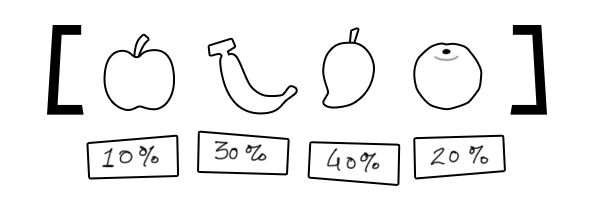
Quick question, coz I'm having a discussion with a few maths and science buddies:
We have a flower. The flower has a 10% chance of being Blue, 10% chance of being Red and 80% of being White.
What is the best way of programming this?
wise fossil
Use Python 😉
jolly token
hot gale
We have a flower. The flower has a 10% chance of being Blue, 10% chance of being...
Use Random class?
hot gale
Some of the friends seem to think that simply loading an array with choices (B,R,W,W,W,W,W,W,W,W) and then picking one of the ten would be better.
And the others think that using percentages (Random.Range(0,1) <= .1f etc) would be best.
hot gale
Then I assume they'd want to put in 100 options and have 12 of them be the 12% outcome XD
jolly token
What about 12.2%? lol
hot gale
1000 items
jolly token
A percent of Pi
hot gale
and 122 be the outcome
Round to 3 decimal place and multiply until integer
But either way, I'm using the Random Range one. I just wanted to know what others thought.
wise fossil
hot gale
And the others think that using percentages (Random.Range(0,1) <= .1f etc) would...
I would chose this method
hot gale
I already did, yeah.
jolly token
Well you did a good job
hot gale
Been programming a hell of a long time, so it was an easy choice for me. I just wanted to have text evidence to show my friends that the other option was pointless.
jolly token
Search about Weighted Random and that might help even more.
jolly token
hot gale
Been programming a hell of a long time, so it was an easy choice for me. I just ...
https://zliu.org/post/weighted-random/
Not a C# but you get the point
Zhanliang Liu
Introduction First of all what is weighted random? Let’s say you have a list of items and you want to pick one of them randomly. Doing this seems easy as all that’s required is to write a litte function that generates a random index referring to the one of the items in the list. But sometimes plain randomness is not enough, we want random result...
I do Solution 2
undone coral
misty glade
I have a dialog box that does a fair bit of `Instantiate()` and it burps - takes...
does it create a lot of strings?
like lots and lots and lots and lots of text
misty glade
Not too many. 3-4 maybe per prefab
undone coral
i am familiar with your game so i can't see how 1.8MB of allocations are possible
it's UGUI right?
are you instantiating something in a way that builds a big list of items
but... for some reason, after every item is added, a Canvas.ForceLayout or something similar is called?
you might want to disable the layout group you're instantiating into while you do it
then re-enable it when you're done
sly grove
misty glade
I have a dialog box that does a fair bit of `Instantiate()` and it burps - takes...
one way is put it in its own scene and async load that scene in.
Seems crazy though... how complicated is this thing?
1.3 MB of garbage allocation though
that's quite a lot of data
you are doing something that allocates a lot of heap memory in that code
misty glade
Yeah, I'm not sure what the allocations were (sorry, was AFK a few hours). I am doing something that might be messing with canvas.forcelayouts - basically I'm building this dialog box:

There's a number of crew members, they have icons for which class they are.. so .. there's some level of nesting the prefabs h ere
but the canvas redrawing is due to the scroll rect content panel building - I'll have to go through the code a little bit and make sure it's only doing it once at the end, but the content gets created, then the canvas is rebuilt so that the scroll rect has the proper sized content rect.. Now that I think about it though, I'm handling the content panel size manually so I might not need to do any canvas forcelayout-ing
misty glade
undone coral
it's UGUI right?
UGUI, yes.
misty glade
hot gale
We have a flower. The flower has a 10% chance of being Blue, 10% chance of being...
I wrote a library for this if you want something simple - https://github.com/cdanek/KaimiraWeightedList

GitHub
A generic collection for selecting random elements by weight in O(1) in C# - GitHub - cdanek/KaimiraWeightedList: A generic collection for selecting random elements by weight in O(1) in C#
 crystal parrot
Does anyone know a way to create a mesh from another mesh plus a displacement map?
create a displaced mesh (like tesselation but baked)
regal olive
How do I combine multiple MenuItems in one? I don't want them to appear in 2 different sections as you can see in the image below```cs
[MenuItem("OPM/Check For Upates/SLMQ")] private static void SLMQ()
{
Debug.Log("Updating SLMQ");
}
[MenuItem("OPM/Check For Updates/TDA")] private static void TDA()
{
Debug.Log("Updating TDA");
}```
 jolly token
Use the same name
regal olive
shit!
regal olive
How did I miss that lol!
Also your yesterday advise worked exactly like I wanted. It imported the dependencies when I told the package.json file that I need bla bla bla as dependencies!
jolly token
Oh so that was what you wanted 🙂 nice
Question: What is current best IoC Container / Dependency Injection extension for Unity?
I used to use Zenject, but it's not maintained anymore.
I'm currently doing it manually but this feels little too tedious.
crystal parrot
crystal parrot
Does anyone know a way to create a mesh from another mesh plus a displacement ma...
Does anyonw know a way to do it? i never receive any response on this discord
 mint python
crystal parrot
Does anyonw know a way to do it? i never receive any response on this discord
mint python
crystal parrot
Does anyonw know a way to do it? i never receive any response on this discord
Couldn't you just use the displacement map on the material?
crystal parrot
i want it baked to a mesh (used for collision and lightmap)
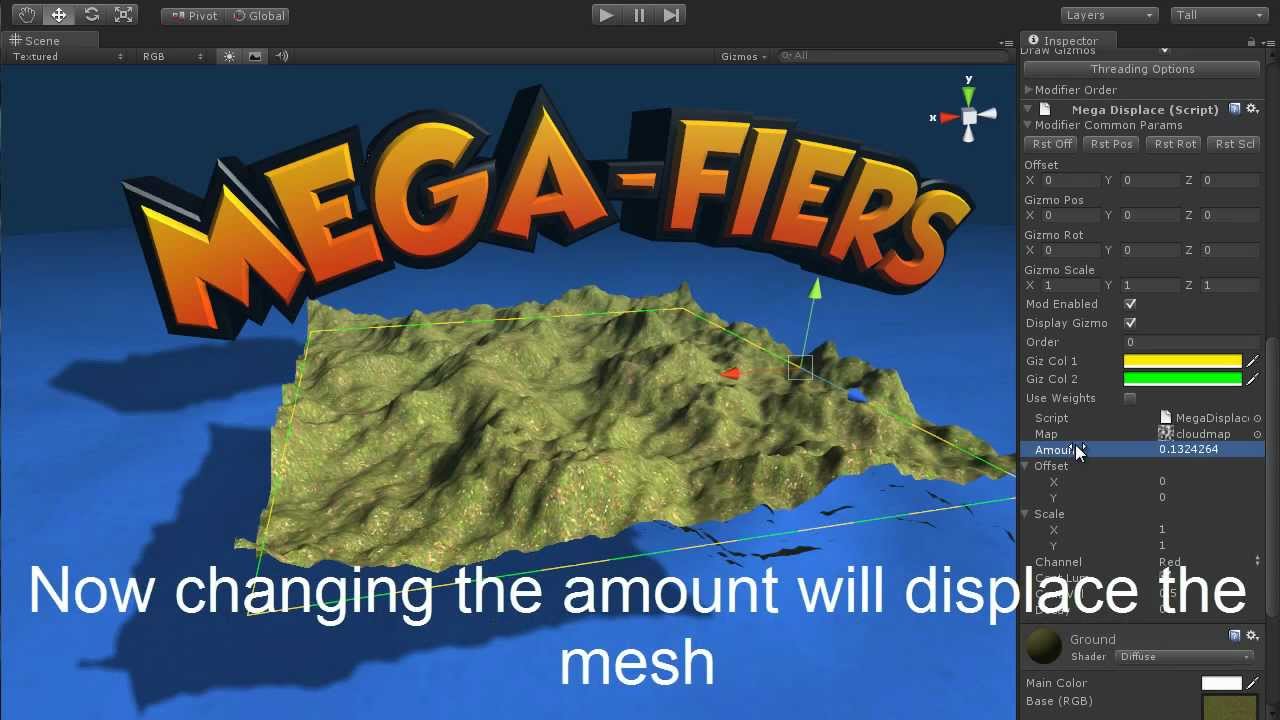
https://assetstore.unity.com/packages/tools/modeling/mega-fiers-644?aid=1101lGoK
More info can be found at http://www.west-racing.com/mf
A quick tutorial on using the MegaFiers displace modifier for Unity 3D. This allows a mesh to be deformed by a texture, the user can select which channel of the texture to use to displace the mesh as well as...
this is what i want i think
but too expensive
mint python
From a code perspective, the answer is to write code that does that.. I don't think there's a shortcut.
But unless you're generating meshes on the fly (and lightmap implies baking to me) I would just bake the displacement in a 3D package and import the mesh.
crystal parrot
i want to do it using code
we have a tile engine
and many textures (280)
if i could generate the mesh based on the tile + displacement map then it is easier for us
than doing 280 different tiles
our tiles

result using tesselation

i want to generate the tesselated mesh
instead of doing it every frame
mint python
Then you need to write the code that does it...
crystal parrot
I see, there i no sample? nobody ever did it?
or any asset, i don`t know the name of this
mint python
crystal parrot
I see, there i no sample? nobody ever did it?
Mega-fiers did it! How much is your time worth? 🙂
crystal parrot
displacement baking?
Ty
I will check if mega fiers can do it
it has many uneeded tools thats why i don`t want to buy it only for this one
 austere jewel
It's an EditorWindow. A question for #↕️┃editor-extensions next time
regal olive
Hello everyone
I have a code to receive the data from a sensor and it rotates
Now I want to transform my object in the sence...
How can I do that?
This is my code
        //Debug.Log(data);
        string[] values = data.Split('/');
        if (values.Length == 5 && values[0] == imuName) // Rotation of the first one
        {
            float w = float.Parse(values[1]);
            float x = float.Parse(values[2]);
            float y = float.Parse(values[3]);
            float z = float.Parse(values[4]);
            this.transform.localRotation = Quaternion.Lerp(this.transform.localRotation,  new Quaternion(w, y, x, z), Time.deltaTime * speedFactor);
        } else if (values.Length != 5)
        {
            Debug.LogWarning(data);
        }
        this.transform.parent.transform.eulerAngles = rotationOffset;
      //  Log.Debug("The new rotation is : " + transform.Find("IMU_Object").eulerAngles);
}```I want to get the value of script
And when my object rotates to a side it transform to that side as well
Can I do that?
This is for my final and I dont have much time left...I would be so glad if someone helps😭
 orchid marsh
regal olive
I want to get the value of script
And when my object rotates to a side it trans...
orchid marsh
regal olive
I want to get the value of script
And when my object rotates to a side it trans...
I'm not understanding your use of the word transform 🤔
Are you wanting both objects to have the same rotation?
wanton lagoon
Hi guys, I am trying to query the physics shape that I attached to a gameobject in order to get all the overlapping gameobjects. Now in Unreal engine it's a simple get all overlapping actors function but in Unity, I can't figure out how to query this.

 maiden turtle
regal olive
Hello everyone
I have a code to receive the data from a sensor and it rotates
N...
maiden turtle
regal olive
Hello everyone
I have a code to receive the data from a sensor and it rotates
N...
idk what that sensor outputs exactly, but I'd guess it gives you absolute rotation in world space. so probably just set transform.rotation
regal olive
orchid marsh
I'm not understanding your use of the word `transform` 🤔
Are you wanting both ...
Just one object...I'm getting data from arduino it's rotating but not transforming around
maiden turtle
wanton lagoon
Hi guys, I am trying to query the physics shape that I attached to a gameobject ...
austere jewel
wanton lagoon
Hi guys, I am trying to query the physics shape that I attached to a gameobject ...
Depends what you mean by "physics shape"
There are various overlap methods in the Physics class
wanton lagoon
maiden turtle
https://docs.unity3d.com/ScriptReference/Physics.SphereCast.html
Sorry I am not trying to cast any spheres, I have already attached them as components to a game object
jolly token
wanton lagoon
Hi guys, I am trying to query the physics shape that I attached to a gameobject ...
I think you gotta track the overlapping colliders with OnTriggerEnter and OnTriggerExit for generic solution.
wanton lagoon
austere jewel
Depends what you mean by "physics shape"
Ah my mistake, physics shape from DOTS
 austere jewel
Then that's a question for #archived-dots
wanton lagoon
I will take it there, thanks for the info
 crimson lark
Hey ! can't delete the orange arrow. Any idea ? Thanks guys 🙂
 jolly token
crimson lark
Hey ! can't delete the orange arrow. Any idea ? Thanks guys 🙂
jolly token
crimson lark
Hey ! can't delete the orange arrow. Any idea ? Thanks guys 🙂
It's initial state ..
austere jewel
crimson lark
Hey ! can't delete the orange arrow. Any idea ? Thanks guys 🙂
This isn't an advanced programming question.
set another node as the default by right-clicking on it.
Then take the question to #🏃┃animation next time
crimson lark
jolly token
It's initial state ..
thanks, but i don't to make CloseLeft my initial state
austere jewel
and don't cross-post.
crimson lark
austere jewel
set another node as the default by right-clicking on it.
Then take the question ...
oh sorry :/
jolly token
crimson lark
thanks, but i don't to make CloseLeft my initial state
You're just setting initial transition with the gray arrow
Right-click at CloseLeft and do "Set as layer default state" instead
 somber tendon
crystal parrot
displacement baking?
somber tendon
crystal parrot
displacement baking?
1st you need to subdivide your mesh, then, take the height map and offset the mesh based on the height value on the subdivided vertex uv position.
Here's a subdivision free plugin that might be useful
https://assetstore.unity.com/packages/tools/modeling/catmull-clark-mesh-subdivision-95479

Get the Catmull-Clark Mesh Subdivision package from Torec Studio and speed up your game development process. Find this & other Modeling options on the Unity Asset Store.
orchid marsh
regal olive
Just one object...I'm getting data from arduino it's rotating but not transformi...
Are you wanting to object to translate around? (Move)
Transformation consists of translation (positioning), rotation and scaling.
I don't know what transforming around means.
somber tendon
🤔 could it be tranforming like what the transformers usually do?
 craggy spear
this is a code channel bud, delete and ask in #💻┃unity-talk
somber swift
I think they ask for a method/asset to be used in a code
craggy spear
yep, and this isn't the channel for that
silk sable
I generally dislike using the Animator for animations and especially 2D ones, are there good code based alternatives that are worth dumping the animator for ?
Or should I make my own solution
jolly token
silk sable
I generally dislike using the Animator for animations and especially 2D ones, ar...
Do you want Tween? There’s some library like DOTween if that’s what you want
If you still want Unity Animation just not Animator/Mechanim, there is Legacy Animation component which is.. legacy
Or you could just go for something like Spine
 tight junco
Hey all, I’m interested in doing some reading/watching related to how Online Mutiplayer for video games works at a base level
How to deal with things like lag, dedicated/player-hosted servers, etc
Anyone know any good sources for that?
undone coral
tight junco
Anyone know any good sources for that?
i found the riot games devlogs about it the most informative
tight junco
Interesting, that sounds like a really good source for it
I’m sure Unity has libraries for this stuff but I want to learn about it in depth
undone coral
tight junco
I’m sure Unity has libraries for this stuff but I want to learn about it in dept...
well one thing you'l learn from me is that the libraries you use for this stuff is the least important part of the puzzle
tight junco
How so?
undone coral
it's totally commoditized
enet versus forge versus mirror versus netcode versus...
none of that shit matters
How to deal with things like lag, dedicated/player-hosted servers, etc
all of this is orthogonal to the library choice, and is much harder. usually people pay a service provider like Playfab for parts of this puzzle, but to do something innovative you'd have to learn how to do orchestration, via something like kubernetes or nomad/consul, CI/CD, moderation
and learn a lot about real world networking, which the riot devlog talks about
if you get hung up on UDP blah blah...
none of that matters. none of it. meaning it is a solved, commodity problem
tight junco
Interesting, I was wondering if containerization was used for gaming
It just seems like the most intuitive solution if you’re doing dedicated servers
undone coral
most big multiplayer games long predate containerization, it is more accurate to say they've recreated nomad
tight junco
Nomad?
undone coral
exactly
tight junco
I’m not familiar with the term
undone coral
tight junco
I’m not familiar with the term
i don't know, nobody writing material online is going to know about any of this
Visual Studio C++ on Microsoft Windows Win32 developers don't really concern themselves with this stuff
good luck out there
tight junco
undone coral
> How to deal with things like lag, dedicated/player-hosted servers, etc
all of ...
Ty, I’m just fascinated by this stuff
Also how servers receive inputs and deal with lag
Is something I’ve been trying to fully grasp
undone coral
tight junco
Also how servers receive inputs and deal with lag
one perspective is that there are only a handful of realtime multiplayer game genres anyone plays
there's the FPS, there's the RTS, and whatever rocket league is
that's pretty much it
and the solutions to those things are very domain specific - the better games have 1,000 heuristics versus the worse ones, which have many fewer
the heuristics for things like game state prediction come very late in the development process, and they're tailored specifically to the gameplay that was finalized at that point
there's no generic approach to it
tight junco
Prediction is really interesting
undone coral
so when you have a multimillion budget it happens, and when you don't it doesn't happen
yes but it's like the number of fingers on your hand
it's arbitrary
you can crack open every bio textbook ever written, it's not going to have an answer for why there are 5 fingers instead of 4 or 6
there's no model for it
so someone at Riot who figured out how to improve Valorant's prediction thing... you know, the answer is "budget and time"
tight junco
It’s just “whatever works best for the current project”
undone coral
it's not like there's a rulebook for a genuinely innovative gameplay mechanic*
yeah
tight junco
And there’s general strategies and guidelines but
undone coral
there's just stuff that you copy from other games
tight junco
Execution is always different based on so many variables about your game
undone coral
which should tell you more about the absolute state of multiplayer gaming - that people play like, 3 kinds of multiplayer games
perhaps owned by different people over time, with different characters, but are sort of the same game
so you can look at how CSGO does its particular approach to prediction
and if you aren't doing a CSGO style game
then... it's not super helpful
i personally do not find it particularly insightful, it doesn't help me make a new game. like i said a lot of that stuff comes very very late in the process
same with the bit fiddling delta blah blah that the one guy
who wrote about netcode tha tpeople cite online
i don't even remember - it isn't super meaningful anymore to have X bytes of data transferred instead of Y
you're going to be writing your new game and testing it on a LAN with a gigabit of bandwidth anyway
and if it turns out to be fun, okay, now you can optimize it specific to your game
but you literally cannot serve more than a single digit number of players without orchestration
so while it is possible to create a multiplayer game without a single network optimization, it is impossible to create one without operating a backend server
tight junco
Hmm I see
undone coral
anyway, that's my perspective
tight junco
I’m assuming if you’re making something simple then like, you can probably start with player-hosted servers
undone coral
good luck out there
tight junco
And direct connection
undone coral
tight junco
And direct connection
i don't think a single home internet user nowadays
tight junco
Then later move to containerization
undone coral
can figure out how to broker a direct connection to a server anymore
it isn't a reality
tight junco
Hmm I guess so
undone coral
there's no such thing as "i punch in an IP address"
exactly zero people will play such a game, in a world where the #1 reason your indie multiplayer game will die is lack of people to play against
another perspective is you should be studying how to write a good bot
because that will be higher ROI
tight junco
TRUE
Game AI terrifies me
I want to do things like strategy games
And bots for those in particular are scary
At least they seem to be
undone coral
tight junco
At least they seem to be
well it's really fun to write a bot
there's a guy here who wrote a puzzle fighter bot
that works really well
tight junco
Yeah, because there’s also a big difference between like, player bot AI and NPC AI
It’s an aside but it really is a different beast
undone coral
i should clarify that if you went and
@tight junco phone called someone at Riot Games and asked them
"how early do you start thinking about these network optimizations"
they will say day 1
i don't think that is helpful advice though. they have a $400m budget to spend on developing valorant, if they want to write code they never use they can do that
and besides, do they make any original titles? they have the benefit of specifying ahead of time everything they want to copy. a big reason their games took so long to release is new stuff kept coming out they wanted to copy!
they still wound up using Unreal, and i think if you want to make an FPS, you should too
if you want to make an RTS, make a Starcraft 2 mod
and if you want to make rocket league, pray
tight junco
I see I see
I guess its something they keep in the back of their mind too
you just know these things when you're experienced
misty glade
my "AI" for my puzzle battle game is like 15 lines of code 🙂

Done and done dusts hands off
(also, it's very dumb)
At some point in our dev, closer to launch, we're probably going to spend a bit more time and effort on this kind of thing, but.. if your data models and domain tier (business logic, game logic, whatever you prefer to call it) is ... thoughtful and well organized, the actual "AI" part of the game isn't too hard. Making it good, humanlike, not cheaty.. well, that's harder but also maybe not required for most games.
Pathfinding AI is probably a whole class of hard, though.
tight junco
misty glade
Pathfinding AI is probably a whole class of hard, though.
I mean for that you have the navmesh thing
misty glade
@tight junco if you ever want to, I'll give you a brief tour of how I'm doing multiplayer for our puzzle battle / idle+ game. Short answer: Docker, C# containers, networking with Ruffles, serialization with MessagePack and JSON.net, cloud with Azure, CI with GameCI.
misty glade
I dunno, I didn't really have anyone to tell me what good solutions were so I sort of just fell into the ones I use. They may not be the best, but they work pretty well for us.
There's things I would do different on the client ( @undone coral recommended UniRX to me early on but I didn't choose it - in retrospect, I would have )
 hollow wing
Hey guys Hoping someone can help me figure out where my syntax is wrong and causing me what I assume is a never ending loop. First picture is the code that worked (basically if the InnerWall goes past the OuterWall come back), The second Code was the endless loop (get wall to go forward until it went past the wall then come back).


 misty glade
Oh, also, admin tools - blazor/razor
misty glade
hollow wing
Hey guys Hoping someone can help me figure out where my syntax is wrong and caus...
You gotta pastebin that bro
hollow wing
sorry lol how do i paste bin?
misty glade
https://pastebin.com/ paste, select C# as the syntax
and... without looking too much at the code, it's probably a #💻┃code-beginner or #archived-code-general question
hollow wing
got it ill move it over sorry 🙂
misty glade
(also I'd recommend you remove all that whitespace, holy moly) I recommend you try out: https://github.com/JosefPihrt/Roslynator to help you clean up your code
hollow wing
yeah I'm only 3 weeks in to coding so lot to learn. Probably shouldn't figure my code is anywhere near advanced anyways lol. working on those tips though thanks.
misty glade
Yeah, all good - for 3 weeks in, great work. But as you go, try to learn and format your code like others because there's good reasons for it. It's easier to read, simpler to understand, will speed your own growth as you can focus on what matters instead of bugs that will arise because of sloppiness. Paste your code and repost your question in general and I'll have a stab at it
(your indentation is a complete mess and is likely making it harder for yourself to debug - you're likely getting or going to get completely avoidable bugs from just that)
undone coral
-job-worker-count affects graphics jobs right? it appears to
if i am using native graphics jobs
-force-gfx-jobs native
 velvet plaza
I am using PlayFab, a Microsoft service to manage game accounts, player data etc.
I am trying to make a button in Unity to delete the player's account.
I found out you need to do that with a CloudScript from the forum post. I haven't used that before.
I used this documentation page: https://docs.microsoft.com/en-us/gaming/playfab/features/automation/cloudscript/writing-custom-cloudscript
I made this C# method:
    public void DeleteAccount()
    {
        PlayFabCloudScriptAPI.ExecuteFunction(new PlayFab.CloudScriptModels.ExecuteFunctionRequest { FunctionName = "deleteAccount"/*, FunctionParameter = playFabID */}, OnSucces => { messageText3.text = "Account deleted successfully!"; AccountWindow(false); LogInWindow.SetActive(true); }, OnError);
    }
And this CloudScript function.
handlers.deleteAccount = function (args, context) {
    var request = {
        PlayFabId: currentPlayerId
    };
    // The pre-defined "server" object has functions corresponding to each PlayFab server API
    // (https://api.playfab.com/Documentation/Server). It is automatically
    // authenticated as your title and handles all communication with
    // the PlayFab API, so you don't have to write extra code to issue HTTP requests.
    var playerStatResult = server.DeletePlayer(request);
};
But when I execute the method, this error occurs:
UnityEngine.Debug:LogError (object)
PlayFabManager:OnError (PlayFab.PlayFabError) (at Assets/Scripts/PlayFab/PlayFabManager.cs:115)
PlayFab.Internal.PlayFabUnityHttp:OnResponse (string,PlayFab.Internal.CallRequestContainer) (at Assets/PlayFabSDK/Shared/Internal/PlayFabHttp/PlayFabUnityHttp.cs:222)
PlayFab.Internal.PlayFabUnityHttp/<Post>d__12:MoveNext () (at Assets/PlayFabSDK/Shared/Internal/PlayFabHttp/PlayFabUnityHttp.cs:160)
UnityEngine.SetupCoroutine:InvokeMoveNext (System.Collections.IEnumerator,intptr)```
Please ping me if you can help
Describes how to write CloudScript (Legacy) code.
undone coral
velvet plaza
I am using PlayFab, a Microsoft service to manage game accounts, player data etc...
No function named deleteAccount was found to execute
it sounds like you didn't deploy your cloud script
or maybe didn't declare it correctlty
orchid marsh
regal olive
Yes
https://docs.unity3d.com/ScriptReference/Transform.RotateAround.html to rotate around an axis in world coordinate. The doc has further info.
velvet plaza
fixed it, sortof
velvet plaza
undone coral
or maybe didn't declare it correctlty
I used the wrong command
I should have used PlayFabClientAPI
But now there is a new problem, the player is deleted but if I log in after that again, the account is restored again...
and it says two players in the list but it shows only one
 lament briar
Hello, I'm studying jobs and I have a question
What happens if I don't use jobHandler.Complete function to the job?
I'd like to not block the main thread and just start the job in parallel, without blocking the rendering and lowering fps
sly grove
lament briar
What happens if I don't use jobHandler.Complete function to the job?
nothing in particular. You just won't be able to guarantee that the job has completed yet at any given point of your code
lament briar
Well, not my objective, so it still works?
sly grove
Complete doesn't affect or modify the execution of the job at all
it just tells the main thread to wait for its completion
 versed warren
Anybody have a solution to this texturing issue im having? I am texturing every tile realtime using TExture2D and am generating the terrain using unity Mathf.PerlinNoise
In between every tile their is a line

When I seperate the textures if their are multiple colors on the tile it will leave a small line on the side
I cant find the issue for it
 sage radish
versed warren
I cant find the issue for it
sage radish
versed warren
I cant find the issue for it
What wrap mode are you using for the textures?
versed warren
sage radish
What wrap mode are you using for the textures?
Im not using a wrap, This is my code toe create the texture
texture.filterMode = FilterMode.Bilinear;
texture.SetPixels(colorMap);
texture.Apply();
Okay I set the texture wrap mode to clamp and it looks much better but there is still some oddity in betwwen tiles
Like I can see a line in between the tiles
plucky laurel
its because of mipmaps
lower mips are low res and bleed color on edge
2 things you can do that are simple, 1. adjust mip map bias, or 2. add border to tile textures, 2-5 px, and offset uvs to match that
actually computing perfect uv offset distance would involve some math but i dont know about it
 plush hare
I'm trying to design my own sweeptest. Suppose I have a circle that has raycasts shooting out of the center in a radial design all along the bottom half of the sphere (in this I only show one).
The sphere moves down a certain amount until the raycasts hit something, but the sphere will also likely be penetrating whatever it hits. How do I calculate the depenetration? The sphere is only allowed to depenetrate by moving upwards.
 plucky laurel
you should predict it before it happens
project the sphere ahead, gather all the penetration data and decide where the sphere should land
or that wasnt the question?
plush hare
I don't think that's how its done
or even possible that way for that matter
most collision detection moves into an object, computes penetration, and then moves out of it
that's how all character controllers work
plucky laurel
plush hare
most collision detection moves into an object, computes penetration, and then mo...
where did you get that from
plucky laurel
and?
plush hare
One particular example is an implementation of a character controller where a specific reaction to collision with the surrounding physics objects is required. In this case, one would first query for the colliders nearby using OverlapSphere and then adjust the character's position using the data returned by ComputePenetration.
read
I don't know what else to tell you
plucky laurel
alright, so you got all that from a utility method in unity api, gotcha
 untold moth
There's a difference between regular and continuous dynamic collision. The latter one predicts the collision ahead of time based on object's velocity.
Regular collisions are indeed penetration based if I'm not mistaken.
plush hare
How do I go about solving this?
versed warren
bruh this the help channel stop bitching
untold moth
plush hare
How do I go about solving this?
Use continuous collision detection.🤷♂️
plush hare
The whole point of my question is to understand the logic behind that whole system
sweeptest in specific.
untold moth
It's not that complicated. When using continuous collision detection, the physics system casts the object collider in the direction of it's velocity, and if it hits something, it limits the movement to be applied.
plush hare
I understand that
I just want to be able to design my own system with fewer raycasts, to increase performance.
There's no velocity in my example either
it simply moves the shape of a wheel downward until it hits something or hits the max length
exactly what this does
untold moth
Obviously, if you don't rely on physics system you'll have to do it yourself, yeah. I've no clue about the underlying implementation, but it's based on Nvidia's physics afaik, so might be able to find it's source code.
untold moth
plush hare
it simply moves the shape of a wheel downward until it hits something or hits th...
Yeah, pretty sure that's what continuous collision detection uses under the hood.
plucky laurel
problem with continuous is that it takes control, so you have to do it manually, like kcc/ecm
plush hare
Yeah I had no problem using sweeptest with kinematic objects
versed warren
plucky laurel
2 things you can do that are simple, 1. adjust mip map bias, or 2. add border to...
Yeah thats what I was thinking, I was initially hesitant about the process because it will ultimatley slow the texturing down
But im working on setting up that now
I have no idea how to change UV'maps realtime but ill find out soon
plucky laurel
versed warren
Yeah thats what I was thinking, I was initially hesitant about the process becau...
you can automate that
versed warren
plucky laurel
you can automate that
Whatchu mean?
Im writing all of it through code if thats what you meant
plucky laurel
    public void Pack()
    {
        texture = new Texture2D(2048, 2048, TextureFormat.ARGB32, 3, false);
        var rects = texture.PackTextures(packingQueueTextures.ToArray(), 2, 2048, false);

        for (int i = 0; i < packingQueueAtlasTextures.Count; i++)
        {
            var atex = packingQueueAtlasTextures[i];
            atex.OnAtlasUpdate(this, rects[i]);
        }

        texture.filterMode = Rendering.Cfg.atlasfilterMode;
        texture.wrapMode = TextureWrapMode.Clamp;
        texture.mipMapBias = Rendering.Cfg.atlasmipBias;
        texture.minimumMipmapLevel = Rendering.Cfg.mipMinimum;

        pixelSizeX = 1F / texture.width;
        pixelSizeY = 1F / texture.height;
    }
when processing textures you can generate an atlas and store uvs of each resulting tiles
then you can add padding while packing
on runtime or editor you can apply the uv offsets
in my case i had AtlasTexture class which had atlas tex ref, offsets, all info necessary for drawing it
but you should test before doing all that if it even works in your case
versed warren
Yeah, Im not sure how to change the mip map bias tho
plucky laurel
texture.mipMapBias =
 inner juniper
I want to press the back button on an android phone programmatically after a event occurs. How would I do this?
jolly token
inner juniper
I want to press the back button on an android phone programmatically after a eve...
Well back button maps to KeyCode.Escape, so is that question 'how to simulate esc key input'?
Or do you need to do something with Android side?
inner juniper
jolly token
Well back button maps to KeyCode.Escape, so is that question 'how to simulate es...
Thanks for the reply. Yes I want to simulate esc key input.
jolly token
inner juniper
Thanks for the reply. Yes I want to simulate esc key input.
Can you have like input mapping class that can simulate it for you? I think that would be easiest way
Or if you're using new Input System, you could try InputSystem.QueueEvent
inner juniper
jolly token
Or if you're using new Input System, you could try InputSystem.QueueEvent
I'll check this out
inner juniper
jolly token
Well back button maps to KeyCode.Escape, so is that question 'how to simulate es...
I want to close an interstitial ad after it is done playing programmatically. I have access to the event that fires when the ad is done, its just closing the thing that is the problem.
jolly token
So it is something to do with Android 🤔
Doesn't your advertisement sdk gives you that kinda API or option?
inner juniper
jolly token
Doesn't your advertisement sdk gives you that kinda API or option?
negative
jolly token
At worst you might have to write Android plugin
inner juniper
jolly token
At worst you might have to write Android plugin
and at best? xD
inner juniper
Im going to submit a support ticket to see if Unity will help with the problem. Thanks for your help broski. @jolly token
jolly token
Good luck with your journey
 devout hare
They won't, unless you're paying for the Pro/Enterprise licenses
 hexed meteor
I was modifying one of the scripts of the NavMesh components, and suddenly I get this error claiming that the class NavMeshSurface cannot be found anymore... which is false though.

No idea what to do 🥴
livid kraken
So right now Im storing a extra byte in the first uv chanell of a mesh. That byte simply stores the index for the mesh in a global texture array. This adds to a byte per vertex. Is there a smarter way to pack a single value on a mesh to be then interpolated in a shader ?
Having the index as a property in the shader is a no go since it will break batching
upbeat path
hexed meteor
I was modifying one of the scripts of the NavMesh components, and suddenly I get...
which namespace is NavMeshSurface in? check your usings
hexed meteor
upbeat path
hexed meteor
UnityEditor.AI
that doesn't sound right because NavMeshSurface is also a runtime component
mine says Unity.AI.Navigation
and my NavMeshAssetManager says Unity.AI.Navigation.Editor
hexed meteor
Hm that doesn't seem right either
 upbeat path
hexed meteor
Hm that doesn't seem right either
upbeat path
hexed meteor
Hm that doesn't seem right either
thats the editor code, look in runtime code
which version are you using? The package or from git?
hexed meteor
I'm using the git package
how can I tell the difference between runtime and editor code ?
I'm probably too much of a noob for all of this
barely know what namespaces are
upbeat path
Inheriting from : Editor is a bit of a giveaway
Also the Editor code is in the Editor folder and the Runtime code is in the Scripts folder
so in the git version NavMeshSurface is in UnityEngine.AI
and NavMeshAssetManager is in UnityEditor.AI
lament briar
Hi, I'm trying to use a job to serialize and save a large json file. Currently I do it without jobs and I just serialize/deserialze a class, however trying to use jobs to do that doesn't actually work since I can't have a class as a parameter. Is there anything I can do to not refactor my whole code to use a struct (and native collections) instead of my current class to store a chunk's save?
Maybe some thread-safe container where I can store my class, or some sort of mutex for jobs... idk
 tribal pivot
use a job to serialize and save a large json file
why
How? You cant do IO from jobs
lament briar
tribal pivot
why
to do what jobs have been created for: optimize, parallelize and reduce lag
lament briar
tribal pivot
How? You cant do IO from jobs
well damn, I really don't know how to reduce lag on chunk loading
tribal pivot
lament briar
to do what jobs have been created for: optimize, parallelize and reduce lag
But that doesnt mean every single thing can be solved by jobs. How would you serialize json in a multithreaded way?
tribal pivot
No, "its not the right solution for your problem"
lament briar
idk man you asked why and then was unhappy with what i answered
it doesn't work, well bad for me, doesn't mean my "why" is a bad answer..
tribal pivot
- Perhaps look at serializing less data. Do you really need one save file, or could you make a different file for each type of save? So you dont need to serialize every single thing, every time.
- Maybe look at different serialization methods, there's more out there than JSON.
- Where is your bottleneck? Serialization or saving? How do you serialize, how do you save?
lament briar
Both serialization and writing to file are taking a lot of time
The save is already splitted in chunks
tribal pivot
How do you save? You could do it async
lament briar
They hold necessary data such as positions of objects or which objects
Async seems a wonderful solution
It's what I was tryuing to achieve with jobs
tribal pivot
Asynchronously creates a new file, writes the specified byte array to the file, and then closes the file. If the target file already exists, it is overwritten.
tribal pivot
What do you use atm? I'm sure there are a fair amount of json serializers out there, but perhaps its possible to switch to something else
upbeat path
lament briar
Thanks I'm gonna try that
have a look at BinaryFormatter
shadow seal
BinaryWriter and BinaryReader, BinaryFormatter is insecure
somber swift
Yeah, dont look at binaryformatter
lament briar
tribal pivot
What do you use atm? I'm sure there are a fair amount of json serializers out th...
I'm using JsonUtility
it's included in Unity
to/from json to serialize and writeall/readall to use a file
upbeat path
BinaryFormatter is a virtual drop in replacement if you are already using Json, if he was worried about security he wouldn't be using Json in the first place
shadow seal
BinaryFormatter allows me to execute code in your process
upbeat path
so zip it before saving if that's your concern
somber swift
upbeat path
BinaryFormatter is a virtual drop in replacement if you are already using Json, ...
So explain me the security issue with json?
shadow seal
Or take Microsoft's advice and just use BinaryWriter/Reader?
upbeat path
somber swift
So explain me the security issue with json?
because any idiot can open it and modify it in Notepad
 dreamy bone
Hi, I was hoping you guys could show some light on a situation I´m having. You see, I´m making a multiplayer using photon and I have an array of sprites to select the player's avatar. All working fine, but I want to make a condition that if (balanceof > 0) a specific element in the array it is set as avatar. How can I implentent this? This is what I have tried but it´s not working: if (balanceOf > 0)
{
avatars[1].SetActive(true);
}
upbeat path
shadow seal
Or take Microsoft's advice and just use BinaryWriter/Reader?
I agree, if you were starting from scratch, but that is a lot of work to implement when you already have a Json solution
shadow seal
How is it?
somber swift
upbeat path
because any idiot can open it and modify it in Notepad
Lol, thats not security issue. From official binaryformatter security guide made by microsoft:
The BinaryFormatter type is dangerous and is not recommended for data processing. Applications should stop using BinaryFormatter as soon as possible, even if they believe the data they're processing to be trustworthy. BinaryFormatter is insecure and can't be made secure.
devout hare
If someone edits JSON they can get more in-game currency or lives or whatever
If someone edits files read in with BinaryFormatter they can execute arbitrary code on the computer
they're not comparable
rugged radish
different kinds of security issues
arbitrary code execution vs modifying the files
somber swift
 humble leaf
@brave solstice You can post jobs on the forums. Otherwise you can ask help questions here.
Likely in #💻┃code-beginner though if you don't know what you're doing.
 brave solstice
humble leaf
<@196713296076865536> You can post jobs on the forums. Otherwise you can ask hel...
brave solstice
humble leaf
<@196713296076865536> You can post jobs on the forums. Otherwise you can ask hel...
thanks
lament briar
lament briar
any solution to the serialization?
Could I use async for file writing and reading (maybe a singleton that handles that) and jobs to serialize and deserialize?
So, every time a file is read it calls a job to serialize that, and then the job sends back the data in a class
and to write that, first you call a job to serialize and then the job adds the class to a manager (singleton) that updates it in its update
 flint sage
I don't know much about jobs but doing serialization in jobs seems like a bad idea
 gentle topaz
just use async.. Is your data taking like multiple seconds to save or something?
lament briar
yes
each time I move in my terrain it lags, freezes
that's a shame because I worked my a** off to have about 150 fps in game, and then it freezes every time I walk
flint sage
Off load it to a different thread instead of using jobs
somber swift
lament briar
each time I move in my terrain it lags, freezes
Why are you saving it every frame?
lament briar
somber swift
Why are you saving it every frame?
Not every frame
gentle topaz
if loading / unloading some chunks takes multiple seconds, I think something else is wrong with your logic
flint sage
Also don't seriailze json for that
lament briar
just when I move and a chunk has to be destroyed
somber swift
lament briar
just when I move and a chunk has to be destroyed
So every single frame you move?
lament briar
or created (then it's the reading that makes it lag, about half the load is serialization and half reading or writing in the file)
flint sage
You'll want something else than json, json is likely too verboes for your data, inflating the size
lament briar
somber swift
So every single frame you move?
No
Every time a chunk has to be loaded or not
flint sage
Besides most serialization json libraries are pretty slow
lament briar
if I'm walking in a direction, I'd say that it happens once about every 4/5 seconds
A chunk has to be a certain distance from being activated or deactivated
gentle topaz
well if it's async it shouldnt freeze
lament briar
For file reading and writing
somber swift
lament briar
Every time a chunk has to be loaded or not
Ok, but still, why it needs to be saved all the time? Why not save it once after the playing session?
gentle topaz
has this been actually profiled?
lament briar
somber swift
Ok, but still, why it needs to be saved all the time? Why not save it once after...
If I'm unloading and destroying a chunk I have to save it
can't walk for miles and maintain hundreds of chunks deactivated at once, maybe in my ram
lament briar
gentle topaz
has this been actually profiled?
yeah that's how I know it's this that's making it lag
1/3 of the lag was the instantiate method, and I took care of it
somber swift
lament briar
can't walk for miles and maintain hundreds of chunks deactivated at once, maybe ...
Thats true, i didnt realize it was about chunks at first
gentle topaz
well then yeah what Navi said.. If you are just saving voxel data, you might want to use something other then JSON
lament briar
Not voxel
It's a custom mesh + object's data
I've got about 5k objects per chunk 😛
each one has its transform saved
and the object's id
gentle topaz
i have been assuming its something like minecraft
minecraft would never be saving 5k objects per chunk
gentle topaz
so its just a heightmap?
lament briar
heightmap + objects, currently yes
gonna add living entities to them
ah, and biome data (so a grid like the heightmap)
shadow seal
Are the objects decorations like grass?
lament briar
yes
gentle topaz
well this is not a good way of saving
you want to only save modifications to the original seed
lament briar
grass has a role in the world
can't generate that randomly
I need to "cut it" and replant it
gentle topaz
well save the ones you cut and ones you plant
but not all the ones you havent touched
you can enter and exit a chunk in minecraft and have it save zero data about it
if you made no changes
lament briar
gentle topaz
you can enter and exit a chunk in minecraft and have it save zero data about it
And if I changed one thing, I'd have to reserialize everything
thus, since grass has a role in the game player would very likely notice changes, also because they hold important items (like some flowers)
gentle topaz
why would everything need to be reserialized? you would just enqueue that one change to a queue of things that need to be saved when the chunk is unloaded
lament briar
I was thinking about writing manually a script that reads "slowly" the data, like 50 objects per frame
a bit like I've done with the instantiate method, I created a singleton that holds a queue of items that needs to be spawned, and it spawns them slowly
but that would be really a lot of work and prone to errors
lament briar
gentle topaz
why would everything need to be reserialized? you would just enqueue that one ch...
How?
Everything I do is literally saveClass.toJson and saveClass.fromJson
gentle topaz
yeah, and thats what im saying is a bad way to save large worlds
lament briar
😦
hoped everything worked well, writing any other system will probably take days and I was happy I had almost finished my procedural world system T.T
regal olive
orchid marsh
<https://docs.unity3d.com/ScriptReference/Transform.RotateAround.html> to rotate...
Thank youuu
gentle topaz
you would need to make sure things are deterministic based on seed, and probably create some sort of ID system for objects in the chunk, then if you cut down a tree and it split into logs the player could pick up, then the player unloaded the chunk, it would save that tree with ID 1 (for example) was chopped down, and that the log items exist at their positions and rotations.
so your amount of saved data for that chunk would be tiny
then when you load the chunk, it regenerates from the seed, then makes all the changes
so it makes sure that particular tree doesnt spawn, and that the log items do
this is pretty much what all proc gen games with many objects do in some form
except poorly coded ones like terraria :P
lament briar
gentle topaz
you would need to make sure things are deterministic based on seed, and probably...
ID system for object is really a problem that I was trying to solve
I was wondering, "how can I say to the class that holds the file that object X has been deleted"?
gentle topaz
well each chunk could just start at ID 0, and every time something was created during the generation in the chunk, it would assign the ID to that object and increment the ID
and if thats deterministic, the IDs will always be the same even if you leave and come back
lament briar
mmh.... yeah, that was what I was thinking
gentle topaz
and the ids would be ushorts to save on some space
lament briar
Maybe the class could also store a dictionary that's initializated every time a chunk loads, the key would be the object's id and the value would be the object
to have a faster search and delete method
anyway loading is still a big probelm
gentle topaz
I would imagine its a bit like a replay system
its as if the chunk starts off as it was when it first generated
then it quickly makes the most recent changes
then displays it to the player
obviously there are a lot of specifics here, but thats the general idea
lament briar
Well... the chunk is completely modificable
terrain, biomes, objects
at this point I'd just save everything
I just need a faster method to load it...
generating also takes a bunch of time
at least, current method is really resource intensive and it's another of the scripts that I need to optimize, and is based a lot on Random.Range without a seed
shadow seal
Random is seeded, if it wasn't it'd be the same every time
shadow seal
Aye
 heavy juniper
Hey guys, does anyone know why Instantiate(Gameobject, position, rotation) doesn't include rotation when using Particle system, it's always (0,0,0) -> degree rotation on axis, when it is executed. This Gameobject that I am instantiating is an explosion which always points upwards with no regard for rotation (I want to include rotation as well). Could anyone point out a potential issue? Thank you in advance 🙂
livid kraken
Is rotation a quaternion ?
heavy juniper
It is @livid kraken
Instantiate(obj : GameObject, position: Vector3, rotation: Quaternion)
What I meant by 0,0,0 is that no angle component is other than 0° 🙂 I converted 3 angles to Quaternion, which has 4 elements, yes (unmodified since conversion)
    {
        Instantiate(ExplosionVFX, transform.position,ExplosionRotation);
        CheckCollision();
}```I even tried passing ExplosionRotation as separate parameter (as you can see) but to no avail, even though Quaternion is not (0,0,0,0) before being used by Instantiate()
I Instantiate twice however, once to instantiate explosion GameObject and the other time to instantiate animation, both scripts having separate logics hence 2 instantiations
sly grove
heavy juniper
What I meant by 0,0,0 is that no angle component is other than 0° 🙂 I converted...
your particle system might not care about the object's rotation
especially if it's simulated in world space
heavy juniper
I changed to Render alignment: Local to tackle this issue
was not much of a help
it's actually in Local
 sly grove
This is more of a #✨┃vfx-and-particles question than a code question
heavy juniper
Thank you, I will redirect my question there
livid kraken
Yo doc..your always up for a discussion. Im gonna copy my q from earlier So right now Im storing a extra byte in the first uv chanell of a mesh. That byte simply stores the index for the mesh in a global texture array. This adds to a byte per vertex. Is there a smarter way to pack a single value on a mesh to be then interpolated in a shader ?
In the mean time I found a paper confirming my aproach that was published in GRAPP
livid kraken
It did
Since for it we strip the mesh of everything else
It has a flaot3 pos and float3 uv
Hehe
A scalled to 0 vert at index 0
And what encoee the index in its x?
Yes. For the quest we just baked all that we wanted in blender so dont even need normals,unless the specific chunk has env reflections
But I have ideas for a system that uses the concept of packed pbr maps from that one blog post with this global array aproach
That way each slice can be a albedo normal map and smoothnees
And if we treat it like a material it could be a pretty dope way to render environments
Combined with the new surface gradient bump mapping unity release
Well new I think its from 2019
livid kraken
The shader graph one ?