#🖱️┃input-system
1 messages · Page 35 of 1
 snow stone
Yeah, I wasn't sure. Since it also involves Input, but thank you. I'll move it to there.
 still ferry
 supple crow
The default asset has "Player" and "UI" action maps, for example
supple crow
The default asset has "Player" and "UI" action maps, for example
right. so how do I wire the UI action map from the input system to work when opening the menus, navigating, because its so hard to make it work. not sure what I do wrong.
supple crow
assuming that you have an Event System in your scene with the InputsystemUIInputModule on it, it should Just Work™
you don't have to do antything yourself
I guess it's possible that you have a PlayerInput component that is disabling the UI map?
still ferry
supple crow
assuming that you have an Event System in your scene with the InputsystemUIInput...
I have.
still ferry
supple crow
I guess it's possible that you have a PlayerInput component that is disabling th...
Should be enable and disable on OnEnable and OnDisable?
supple crow
are you able to interact with the UI with your mouse, or are you unable to get any input at all?
supple crow
still ferry
Should be enable and disable on OnEnable and OnDisable?
i'm talking about the built-in PlayerInput component
it can turn maps on and off
i don't ever remember having a problem with the UI map turning off though
still ferry
supple crow
are you able to interact with the UI with your mouse, or are you unable to get a...
Actually this is a good one. I was trying to understand what is happening.
I've tested the DefaultInput for UI and I can click on my UI buttons.
Once I switch to my Input I cannot click on UI buttons anymore.
I was trying to solve this while I was figuring out the Look that is not working with mouse, but works on gamepad.
Does anything make sense?
still ferry
supple crow
are you able to interact with the UI with your mouse, or are you unable to get a...
The movement input I did it and working.
supple crow
screenshot the inspector for the object with the Event System on it
supple crow
still ferry
The movement input I did it and working.
(any input in the UI, I mean)
but it is good to check that you have any input, yeah
still ferry
Let me get home in like 45min hopefully I will still catch you
still ferry
supple crow
(any input in the UI, I mean)
I think I did got some that isn't making sense. When presing enter it open a UI menu selecting the 3rd UI slot. Which is also weird.

 supple crow
I have to wonder if those individual actions got messed up
these things

try re-selecting them
I don't know how those are actually serialized
they might be pointing at the original asset
still ferry
supple crow
try re-selecting them
no change
supple crow
Does UI input start working again if you switch back to the original asset?
still ferry
supple crow
Does UI input start working again if you switch back to the original asset?
only for clicking on buttons, and item drag. but not navigation, or other things.
i saw that some people managed to move the camera by using the right click as OneModifier: Bind+Modifier . but even this is not working in my case, I am not sure if there might be an issue with the code
 dense raft
are there any major problems with using both of the input systems in one project? the option for it is in the settings
i just want to be able to use OnMouseDown 😭
alternate question for the same issue: does anyone know the best alternative to OnMouseDown?
 fierce compass
dense raft
alternate question for the same issue: does anyone know the best alternative to ...
fierce compass
dense raft
alternate question for the same issue: does anyone know the best alternative to ...
OnPointerDown using the PointerXHandler interfaces with a raycaster component
still ferry
can someone tell/show me how they managed to work with the new input system and cinemachine in a Unity 6.3 project , regarding the mouse clicks/buttons, please ?
 verbal remnant
still ferry
can someone tell/show me how they managed to work with the new input system and ...
verbal remnant
still ferry
can someone tell/show me how they managed to work with the new input system and ...
those are separate modules which typically only connect via custom code. what specifically are you asking?
still ferry
verbal remnant
those are separate modules which typically only connect via custom code. what sp...
I'm trying to identify what I'm doing wrong with the actions maps for Player(+ input action for look with regards to cinemachine and my script) and for UI navigation (using gamepad) .
I have an event system in my scene as well as for the UI input module. ( if I use the DefaultInput I am able to click on the buttons on my screen, if I switch to my CustomInput which the UI action map is a copy-paste of the UI action map from DefaultInput, I am no longer able to click on my screen buttons. IF I connect the UI actionmap to the PlayerInput component at UI InputModule CustomInput UI is still not clicking on-screen buttons.)
When I open a UI panel, I cannot click on any UI anymore, however the click are not going through UI as intended, at least.
Player.Look is working on gamepad by moving the cinemachine camera, however it is not working via mouse.
I was trying to understand how to wire those
verbal remnant
still ferry
I'm trying to identify what I'm doing wrong with the actions maps for Player(+ i...
- ensure your root Canvas and all nested Canvases have a
GraphicRaycastercomponent. - ensure your buttons have Graphic components that makes them "Raycast Targets" (a checkbox)
- ensure the
InputActionAssetassigned onPlayerInputand Cinemachine components is actually the same everywhere - ensure the
InputSystemUIInputModuleshows that it has discovered all required actions - ensure you have added the
InputSystemUIInputModuleon the EventSystem - ensure the
InputActionMapyou plan on using is actually enabled (disabled by default, player input may override it) - ensure your ui is not overlayed/blocked by something on top of it.
- ensure your ui is not accidentally flagged as non-interactable by a
CanvasGroupcomponent - understand that
PlayerInputis entirely optional and not needed to make InputSystem work. Its aim is to give you a basic way to subscribe events and call action via editor config for 'prototyping'.
still ferry
verbal remnant
- ensure your root Canvas and all nested Canvases have a `GraphicRaycaster` comp...
All those are checked. I went through almost all the online tutorials so I doubled checked these from start.
that's why I asked for some scripts to compare how someone else did it and see.
still ferry
verbal remnant
- ensure your root Canvas and all nested Canvases have a `GraphicRaycaster` comp...
I managed to have my mouse clicks going through and make the Cinemachine camera move based on input system, by disabling the Touch Input Simulation from Input Debug window. This drived me to hell for the past 3 days...
still ferry
verbal remnant
- ensure your root Canvas and all nested Canvases have a `GraphicRaycaster` comp...
however, now I need to see why after building for mobile, the touchscreen is not responsive anymore. Even if the on-screen buttons have the "On-screen Button" script suggested by the new input system tutorial series made by Unity 11/12 months ago .
Do you have the input system successfully integrated in your project, with using navigation for UI? or anyone else?
verbal remnant
still ferry
however, now I need to see why after building for mobile, the touchscreen is not...
if you are building an app for touch, input system by itself is not enough. you have no gestures and will have to either DIY your gestures, use the single-pointer simulation "hack" or get an asset like "Fingers Touch Gestures". Other than that, if your action maps are enabled and you've set up all the things with the required settings (pretty much the defaults) there is hardly a reason why there would be an issue. Eventually your issues are often related to broken custom bindings and UI being silently non-interactive by config. https://assetstore.unity.com/packages/tools/input-management/fingers-touch-gestures-for-unity-41076

Get the Fingers - Touch Gestures for Unity package from Digital Ruby (Jeff Johnson) and speed up your game development process. Find this & other Input Management options on the Unity Asset Store.
one more thing: you need to make sure your input control schemas are not demanding you have all input devices connected simultaneously
 hollow bloom
Hey so im having an issue where then canMove goes from false to true, if the player is holding a direction it is ignored until its updated by pressing another move key. So the player esitally dosent move untill they move in a new direction
    public void Move(InputAction.CallbackContext context)
    {
        if (canMove)
        {
            if (context.canceled)
            {
                moveVector = Vector3.zero;
            }

            else
            {
                moveVector = context.ReadValue<Vector2>();
                moveVector = new Vector3(moveVector.x, 0, moveVector.y);
                moveVector = Vector3.ClampMagnitude(moveVector, 1);
            }
        }
        else
        {
            moveVector = Vector3.zero;
        }
    }
this code doesnt show the full move logic
hollow bloom
verbal remnant
this code doesnt show the full move logic
i presumed this is where the issue would be happining. Here is where i apply the movment
    private void FixedUpdate()
    {
        //applies movment to the player
        velocity = rb.linearVelocity;

        //is responsoble for player speed change
        moveDir = Vector3.Lerp(moveDir, orientation.TransformVector(moveVector), Time.deltaTime * acceloration);

        Vector3 targetVelocity = moveDir * moveSpeed;

        //player is able to fall
        if (hasGravity)
        {
            velocity.y -= gravity * Time.deltaTime * transform.Scale();
        }


        //player is not on the ground
        if (!isGrounded)
        {
            targetVelocity = Vector3.ClampMagnitude(targetVelocity, 5.5f * transform.Scale());
        }

        //player is NOT on a launch pad
        if (!isLaunched && canMove)
        {
            velocity.x = targetVelocity.x;
            velocity.z = targetVelocity.z;
            velocity.y = Mathf.Clamp(velocity.y, -80f * transform.Scale(), 7);
            velocity.x = Mathf.Clamp(velocity.x, -7, 7);
            velocity.z = Mathf.Clamp(velocity.z, -7, 7);

            if (isSprint)
            {
                velocity = new Vector3(1.5f * velocity.x, velocity.y, 1.5f * velocity.z);
            }
        }

        rb.linearVelocity = velocity;
    }
I actually had a code prototype since the legacy input that worked before. Should I try to update that one I had? I saw some documentation that were suggesting to use EnchancedTouch() , and I think something else? But I had the feeling I am hard injecting some data into the system , what is your suggestion?
verbal remnant
still ferry
I actually had a code prototype since the legacy input that worked before. Shoul...
figure out why InputSystem is not working. The legacy system is a dead-end on top of which you would reinvent much of what InputSystem is doing if you ever plan to make a real app..
still ferry
verbal remnant
figure out why InputSystem is not working. The legacy system is a dead-end on to...
thank you!
still ferry
verbal remnant
figure out why InputSystem is not working. The legacy system is a dead-end on to...
I think that Simulate touch controls was everything that's bugging me, not sure what happened, but now after restarting Unity (i'm using 6.3) I am able to interact with my touch on mobile after build. this was fucking insane, lol.
could you guide me towards inplementing the input actions for UI?
is there a more complex tutorial showing more than just setting up UI action map for selecting buttons on a panel? an inventory navigation for example, where you have multiple slots?
verbal remnant
still ferry
I think that Simulate touch controls was everything that's bugging me, not sure ...
when you use canvas ui, navigation is set up via configuration of selectable widgets (automatically (default) or manually per-widget) and uses WASD/Cursor/D-Pad etc. you dont need to set up any custom actions for canvas UI, just use the provided ones.
still ferry
verbal remnant
when you use canvas ui, navigation is set up via configuration of selectable wid...
are you talking about this configuration ? not sure I understand what you're referring to by selectable widgets.
 verbal remnant
still ferry
are you talking about this configuration ? not sure I understand what you're re...
verbal remnant
still ferry
are you talking about this configuration ? not sure I understand what you're re...
 still ferry
verbal remnant
still ferry
verbal remnant
not for buttons, but for the gameobjects acting as inventory slots, so which doesnt have the button component.
verbal remnant
still ferry
not for buttons, but for the gameobjects acting as inventory slots, so which doe...
well, then you have to implement something that is essentially the same as the navigation you get on canvas selectables. nothing prevents you from copying the selectable implementation and adapt it for 3D. Note that canvas UI can also be used as fully 3D, z-sorted world UI, so you can technically also use buttons for your inventory slots, whatever they actually look like (which is something you havent shared), put an invisible graphic on them to capture the pointer/nav events and just draw them with a 3D mesh.
still ferry
verbal remnant
well, then you have to implement something that is essentially the same as the n...
sorry, I was referring to this type of panel. those are acting as slots in a UI panel.

 silk otter
yo
verbal remnant
still ferry
sorry, I was referring to this type of panel. those are acting as slots in a UI ...
Regular buttons then.
 hollow willow
In documentation isn't told, what happens to second map if one inputactionmap gets enabled. Second one gets disabled?
fierce compass
hollow willow
In documentation isn't told, what happens to second map if one inputactionmap ge...
nothing happens, they're independant
 primal bear
So I just got a game controller (generic brand with default xbox setup). When I go to move my character and the cursor in the game at the same time the cursor movement interferes with player movement.
Keyboard (AWSD) + Mouse work great.
Problem exists with JS (Joystick) Game controller
JS1 + JS2
AWSD + JS2
JS1 + Mouse
I tried change input manager to JS1 for horizontal vertical and JS2 for Mouse X/Y and then also tried default.
I also in input actions, UI Point set to Rit Stick [Gamepad]
Anyone run into this issue before?
BTW testing on PC
 austere grotto
primal bear
So I just got a game controller (generic brand with default xbox setup). When I...
austere grotto
primal bear
So I just got a game controller (generic brand with default xbox setup). When I...
I mean, this will obviously depend on how your character is set up and your code. You'd also have to explain in what way the player movement is being "interfered with"
primal bear
austere grotto
I mean, this will obviously depend on how your character is set up and your code...
Which part of the code and character setup do you need to know?
Also by intereference it seems to override or interupt movement input.
Player Movement Input:
https://hastebin.ianhon.com/4536
Character Setup:
Isometric view / Humanoid / Rigidbody/Character Controller component/BoxCollider
I believe this script is probably what is causing the intereference.
Without this script JS2/Right Stick does nothing even though mouse is working.
However with it assigned in Input Actions for Mouse/Pen/TouchScreen/Right Stick [GamePad} to control Point.
JS2 or Right Stick should work without this script.
Right Joystick Input Controller:
https://hastebin.ianhon.com/2af5
austere grotto
primal bear
Which part of the code and character setup do you need to know?
Also by interef...
Which part of the code and character setup do you need to know?
What components are on the character.
The full movement and input processing scripts
The details of how your input actions etc are set up and what they are bound to, what type of actions they are, what processors they have (if any) etc.
primal bear
austere grotto
> Which part of the code and character setup do you need to know?
What component...
Why the FULL script, vs the portion that pertains to movement as I provided?
austere grotto
primal bear
Why the FULL script, vs the portion that pertains to movement as I provided?
The portion you shared doesn't even show how input is handled
nor where or when this function is called
it's easier to just share the full thing than to play whackamole asking for more and more bits of it
primal bear
a pastebin that will never expire. forever.
The third person movement is no longer valid as it isn't currently being used.
The issue is happening during isometric view.
Like I said I don't think it has anything to do with this script.
There is also a Player Input component attached to the player
using the InputSystems_Actions asset
default scheme is Keyboard&Mouse
primal bear
austere grotto
The portion you shared doesn't even show how input is handled
Let me know if there is anything else I haven't provided that you still need. Thank you

 primal bear
I am kinda wondering if it isn't an issue with the controller itself, it isn't running with Skyrim, and I know Bethseda games can be jank as hell, but default controller should out of the box work with a mainstream game.
austere grotto
primal bear
Do you have any events registered under Events on the PlayerInput?
primal bear
Also where do I find Player Action map in the Unity editor?
austere grotto
 austere grotto
the Player action map and specifically the move action and how that's configured
(don't cut off the right side of the window)
primal bear

Also just checked controls, having issues with mouse/keyboard on the classic Skyrim.
so may not be the controller on that.
I don't know why mouse/keyboard wouldn't work but then anniversary edition of Skyrim would work just fine a week ago.
Not that that is why i am trying to solve, just doesn't help with trouble shooting
austere grotto
So what exactyly is wrong, when you move the mouse the character can't also move at the same time?
primal bear
Yeah the character just acts like he isn't getting input.
So if I do mouse + keyboard as stated, perfect.
if I use any combination of JS1 + JS2 (gamepad) or mouse + Js1 or Js2 + ASWD it acts up
austere grotto
And ProcessIsometricMovement() is where that happens right? Have you tried some basic debugging here? Like, you have:
        if (!controller.enabled || isometricCameraTransform == null)
            return;```
Is it possible one of those conditions is true?
Likewise is it possible you're setting Time.timeScale to 0 somewhere?also it is acting like it doesn't detect input without the script I wrote to make the joystick run mouse.
austere grotto
I would add logs there, and I would also add logs here:
    public void OnMove(InputAction.CallbackContext context)
    {
        moveInput = context.ReadValue<Vector2>();
    }
And log what it's being set to and what device is triggering it
primal bear
I mean honestly, I expect in Unity that IF I assign Js2 or right joystick to the same input as my mouse in my action map and my MOUSE is working.. that right joystick would work if the mouse is also working for the cursor without needed some addon script.
I don't want to need an extra script that then needs to be cut/trim/debugged... just to get default Unity Action inputs to work as assigned.
austere grotto
the thing is - the mouse works a bit differently. If the mouse is not moving it may very well be consitently sending (0,0) input to the system wwhich mauybe is overriding the other stuff
Do a little debugging to check if that's the issue
primal bear
How do I debug the mouse input on Action Map/Unity default Inputs outside of a written script wrote to make the mouse control cursor?
Wouldn't it make more sense to disconnect the mouse then it can't give input... quick dirty/hacky way right?
temporarily
Does Point actually control the cursor?
Cause I disabled mouse/keyboard for that and still controlling the cursor/mouse through mouse in game.
primal bear
Another thing that puzzles me in the Action Map / Input Action is if you delete out the references to mouse control, touch pad control, pen control, how is mouse still doing anything in both editor and build?
It should fully disable and ignore the mouse right?
Does mouse position have a sort of second layer to it... for instance "Windows/OS" mouse/pointer vs. in game mouse/pointer?
austere grotto
primal bear
Does mouse position have a sort of second layer to it... for instance "Windows/O...
yes there's an operating system pointer
also "do anything" is vague - what do you mean exactly? Like UI stuff? THere's also a default input actions asset on your UI Input module that has mouse bindings by default (a component on the Event System object)
primal bear
Is the UI action map for editor Unity vs. ingame or is that part of the game UI?
primal bear
austere grotto
also "do anything" is vague - what do you mean exactly? Like UI stuff? THere's a...
"Do anything" ='s to move at all if all references to mouse are deleted/removed. Then mouse in concept would not move at all if the mouse is moved. just like it is not moving at all with the right joy stick.
austere grotto
no, yeah, there's a hardware mouse
assuming you're using the hardware cursor and not a virtual mouse cursor
primal bear
So that is why the script is allowing the joystick to control the hardware cursor mouse. and when the mouse is unplugged from the computer there is probably still a 0,0 input?
from the hardware mouse?
Why doesn't AWSD keys not override the left stick?
austere grotto
You're directly controlling the hardware mouse from the stick with this script:
        Vector2 stick = Gamepad.current.rightStick.ReadValue();

        // Apply deadzone WITHOUT returning early
        if (stick.magnitude < deadzone)
            stick = Vector2.zero;

        // Only apply if there's input
        if (stick != Vector2.zero)
        {
            Vector2 delta = stick * stickSensitivity * Time.deltaTime;

            Vector2 mousePos = Mouse.current.position.ReadValue();
            Vector2 newPos = mousePos + delta;

            newPos.x = Mathf.Clamp(newPos.x, 0, Screen.width);
            newPos.y = Mathf.Clamp(newPos.y, 0, Screen.height);

            Mouse.current.WarpCursorPosition(newPos);
}```Right my point is I shouldn't need any mouse script for my right stick to function.
austere grotto
WarpCursorPosition moves the hardware mouse
austere grotto
primal bear
Right my point is I shouldn't need any mouse script for my right stick to functi...
correct, you shouldn't
what does your right stick do?
primal bear
nothing without the script which is why i am confused.
austere grotto
I mean what is it supposed to do
primal bear
I used the script to force it to move the cursor.
I deleted right stick out fo the Look
austere grotto
Is it Move that's the issue here, or Look?
austere grotto
oh I was lookinga t all your move code
so what is the code that rotates stuff
ProcessIsometricRotation this?
primal bear
that is Q and E for camera
for you to change the view
so it make sthe camera orbit by 90 degree increments
austere grotto
So what is the code with the issue here?
ProcessIsometricRotation seems to be rotating according to moveInput
primal bear
Well... the issue is that I need any code at all to get the right joystick on my controller to control the mouse.
austere grotto
joysticks controlling mice is not something I would normally expect out of the box
primal bear
it should be if you assign the right game stick to point where the mouse is referenced to control the point
and the documentation says point is the cursor position in the game.
austere grotto
If you want a virtual cursor driven by a joystick, they have a solution for that:
https://docs.unity3d.com/Packages/com.unity.inputsystem@1.19/api/UnityEngine.InputSystem.UI.VirtualMouseInput.html
austere grotto
primal bear
it should be if you assign the right game stick to point where the mouse is refe...
not sure I understand this sentence tbh
austere grotto
primal bear
my understand of "Point" in Actions is it is mouse position.
Where are you seeing "point"?
primal bear
Do you see my "point" now? 😄 lol rofl
 austere grotto
Point is just the name of that input action
there are no mouse bindings on that action
also isn't it the Player map that we're concerned with?
austere grotto
primal bear
there was mouse/touchpad/pen
bound to what exactly though
the position
or the delta?
those are two very different bindings
primal bear
Look in your Unity project at the defaults.
primal bear
mouse position.
austere grotto
Ok but are you actually using this for anything? This is the default ui input map right? It's not related to your in-game character stuff
nothing in your script reads this action
austere grotto
Possibly
I honesrtly don't see any character rotation code in your script other than what's in ProcessThirdPersonMovement and that's all based on the Move action
primal bear
What I am saying is we shouldn't be discussing scripts, cause input actions exist to allow buttons to control things
We aren't talking about rotation
austere grotto
primal bear
What I am saying is we shouldn't be discussing scripts, cause input actions exis...
Scripts are the glue between the input actions and the things
primal bear
please focus on mouse movement.
austere grotto
If you literally just mean moving the hardware mouse cursor, no it's not expected you would be able to achieve that directly by just creating input actions
The input action asset won't actually ever create any behavior on its own. You need a script to read the input and do something with it.
primal bear
Then how does the default mouse move in every unity game?
primal bear
kk, so say I put this on Playstation, and playstation doesn't have a mouse/keyboard, how does the controller work?
austere grotto
The default UI input action stuff you see there is used as a glue between the input system and the UI system, so that you can control in-game UI elements with standard input devices including the mouse
austere grotto
primal bear
kk, so say I put this on Playstation, and playstation doesn't have a mouse/keybo...
wdym by "how does the controller work"? It won't have a mouse cursor if that's what you're asking
fierce compass
primal bear
What I am saying is we shouldn't be discussing scripts, cause input actions exis...
just gonna mention that you seem to be making a lot of underlying assumptions here, and it seems like some are off the mark. might want to go back a step or two in your chain of reasoning
austere grotto
Input devices are processed into usable data by the input system based on your input action asset setup. Then you read the data from input actions via your script and do things.
As for controlling UI, there's a default input action asset assigned to your InputSystemUIINputModule (as I mentioned above, a component on the EventSystem object in your scene). The event system uses the input module to decide which UI elements to select and to respond to input events to press buttons etc.
primal bear
primal bear
kk, so say I put this on Playstation, and playstation doesn't have a mouse/keybo...
You guys might be so intelligent/advanced in your understanding of Unity, questions asked in layman's terms to bridge the gap no longer make sense. Definitely not a slight, or insult, just saying. I think there is a communication breakdown happening.
Which is making something 100x more complex than necessary. That said I appeciate the help, I just feel like I am speaking french, you guys are speaking algebra. lol
Sorry i don't know how to move forward here.
I do appreciate your efforts though, I want to make that clear.
primal bear
Does UI in action map control the behavior of inputs in Editor, not ingame?
fierce compass
primal bear
You guys might be so intelligent/advanced in your understanding of Unity, questi...
the issue isn't that the question is in layman's terms, the issue is the question isn't phrased very clearly
praetor isn't answering your question, praetor is trying to provide info that seems relevant, because it isn't super clear what you're asking
are you asking about like, how the input system receives input from hardware, or what exactly?
fierce compass
primal bear
Does UI in action map control the behavior of inputs in Editor, not ingame?
if you're referring to the actual editor UI, then no, the inputsystem does not affect that
 fierce compass
something has gone wrong, as by design, that code should not be reached, but it has been reached
does it keep coming up? perhaps after a restart?
if not, probably nothing to worry about... probably...
 viral flicker
but it doesnt say how i got there for me to avoid it
basically i just spammed a bunch of buttons
fierce compass
viral flicker
but it doesnt say how i got there for me to avoid it
this is an issue within the inputsystem itself
viral flicker
how can i report this
fierce compass
if it's not persistent i personally wouldn't bother
viral flicker
fierce compass
if it's not persistent i personally wouldn't bother
if i do a specific set of buttons it does happen consistntely
viral flicker
I have this error when I try to run the line marked by the comment. I'm not sure why, because the mouse hasn't been messed with yet. The mouse is a VirtualMouseInput component.
public async UniTaskVoid DisableMarker()
    {
        transform.SetParent(selection.parent.characterSelectCanvas.transform, true);
        puck.transform.SetParent(selection.parent.characterSelectCanvas.transform, true);
        puck.transform.SetSiblingIndex(transform.GetSiblingIndex());
        pic.DoSubmit -= MarkerSubmit;
        pic.SendClick -= DoClick;
        mouse.enabled = false; // ERROR HERE
        await UniTask.DelayFrame(5);
        selection.system.gameObject.SetActive(false);

    }
 austere grotto
viral flicker
I have this error when I try to run the line marked by the comment. I'm not sure...
austere grotto
viral flicker
I have this error when I try to run the line marked by the comment. I'm not sure...
is the virtual mouse being created/enabled/instantiated on this exact same frame?
viral flicker
austere grotto
is the virtual mouse being created/enabled/instantiated on this exact same frame...
the mouse has been in existence for a while before this is called
viral flicker
I believe you can use Input system. Disable / enable device in place of what I'm doing
but I'll check that when I get home today
 austere garnet
I'm new to the input system along with the combination of adding animations to them. So far I got the walking, running, and idle Blend Tree.
I want to make a crouch (stand to crouch and crouch to stand) and crouch walking animation transition. I'm not sure if I need to make another blend tree


 opal urchin
Im noticing some really weird behaviours setting up my project to work with a touch screen. Specifically, the Input System has super weird behaviors with right click when combined with the UI Toolkit. Are these problems common knowledge? Like, to debug, I unbound everything from the Input System, except for touchscreen tab being bound to right click
Yet I couldnt get the right click events to fire on the UI toolkit
unless I made a claw with my hand and tapped with two fingers spaced about an inch apart!?!?!?!?
opal urchin
So I've narrowed down the problem to the graphics raycaster
Specifically, when ever you perform a 'right click' action from the Input-System, it will send a right click pointer event to whatever your hovering over. So if you bind 'T' to UI/RightClick, you will right click on whats hovered. However, this DOES NOT happen when using a touch screen
If you have UI/RightClick bound to Touchscreen Tap (Or some varient with an interaction), it will still send the left click event!
Thus, what ever your hovering over, be it the UI toolkit, some collider, or w/e can never be right clicked. It just thinks your left clicking even though the action has been bound to UI/RightClick
this behaviour appears to happen with any pointer. It does not appear possible to do a right click through a raycaster with UI/RightClick if the source of said right click is a pointer
At this point, I have no idea what to do in order to get the behaviour I want (If you hold down click for half a second, it does a right click)
opal urchin
having done a lot of decompiling, and creating my own InputSystemUIModule from the public source code, I can narrow down the problem to the OnRightClickCallback. In this callback, context.ReadValueAsButton() is called. However, when this is triggered via the right click action from a touch screen, it is ALWAYS false, thus causing the input system to never register the click
viral flicker
My virtual mouse system seems to only really work at 1920x1080 exactly. If it's any less or more, it seems to go out of whack, both in the build and in the editor. How can I fix this?
I am using the VirtualMouseInput component
viral flicker
okay as it turns out this is my fault entirely
i was also setting position of the mouse
when i should have left it to the virtualmouseinput to deal with that for me
 north tide
Is there some way to get a InputAction.CallbackContext without having to use Invoke Unity Events?
fierce compass
north tide
Is there some way to get a InputAction.CallbackContext without having to use Inv...
subscribe to the events on the inputactions
north tide
fierce compass
subscribe to the events on the inputactions
Gotcha, ty
fierce compass
north tide
Gotcha, ty
(this method would not be using a playerinput btw)
north tide
fierce compass
(this method would not be using a playerinput btw)
Oh, even more appealing. I haven't used any of that component's other features really
Oh, hm. It does come with the caveat of having to manage the events properly though
i.e. unsubscribe when necessary
fierce compass
yeah
north tide
I may be too lazy for that lol
fierce compass
north tide
I may be too lazy for that lol
it's like, 2 extra lines?
north tide
fierce compass
it's like, 2 extra lines?
Oh, I'm thinking more about inevitable edge cases
fierce compass
what edge cases would there be?
north tide
Maybe a control needs to be disabled on its own, without the component having been affected.
Because I know that the typical boilerplate for this involves OnEnable/OnDisable for the component and then subscribe/unsubscribe from the event, but what if something happens in game that wants the event to be unsubscribed too, such as switching control scheme
fierce compass
you can do that, separately from the subscription
with eg, disabling the actionsasset/actionmap/inputaction itself
north tide
If you disable those, aren't the subscriptions still active though?
fierce compass
yeah, but they won't fire
hence, the control being disabled on its own, without affecting the component
it has the same effect as unsubscribing, but works separately from the subscribing
 cobalt walrus
Any ideas on how to check how close (on screen) to a specific object the user clicked? I know if I just wanted to accept direct clicks I could use raycasts and CompareTag. In this case though I'd want it to count even if the user clicked near it (with the "near it" being x pixels on screen not meters in world space). Preferably giving me a number to how close they were. I can imagine how the process could work if done manually in Blender for example but not really familiar enough with Unity and its limitations. One of the ideas was at the time of click to render a pass where direct (or ideally even indirect light rays) from the object/s with the specific tag show up white and anything else shows up black. And then essentially get the brightness of the pixel clicked to get if it was a direct click, near it (if I blur the image first) or a complete miss. Haven't been able to really find much after googling though so would appreciate any tips/ideas for how to do that or if there is some simpler way.
cobalt walrus
I suppose there's also WorldToScreenPoint function but that would likely give the position of the object's origin on screen and not much else. Probably not too bad but I can imagine many situations where it would just break.
 fiery sail
how would you go about coding press any key to start?
fierce compass
cobalt walrus
Any ideas on how to check how close (on screen) to a specific object the user cl...
any extra constraints/assumptions on this specific object? eg it being convex or something like that
it seems quite complex to make a general solution that gets the distance to the closest point
also is this in 2d or 3d?
cobalt walrus
fierce compass
any extra constraints/assumptions on this specific object? eg it being convex or...
It's a 3D scene where there would be random obstacles spawning and I'd want to evaluate how quickly they noticed and clicked on it. I imagine if they were small and I only used raycasts for direct clicks it would be easy to be close but miss it. It's not meant to test aiming skills tho so want it to count even if it's near it. The obstacles would be 3D so yeah probably wouldn't be just boxes and they might have holes and stuff in case it's like a barrier for example.
As a last resort I guess I could use the bounding box of the objects instead though since I imagine that would make things easier.
fierce compass
yeah i'm thinking the bounding box could be used as well
cobalt walrus
The problem would be with objects that have a large bbox because of a weird shape but barely occupy it. But will see
fierce compass
there does appear to be this https://docs.unity3d.com/ScriptReference/Bounds.SqrDistance.html which you could probably utilize if you modify the Z pos of the screenpoint to the object's distance from the camera plane (before converting to worldspace)
that seems like a lot though 😅
fierce compass
cobalt walrus
The problem would be with objects that have a large bbox because of a weird shap...
yeah that's kinda what i was asking about on the "constraints" thing
cobalt walrus
I'm not sure what kind of obstacles I'd have though. Ideally I wouldn't want to not be limited in the choice later
fierce compass
what if you had an object that showed up as a horseshoe shape on the camera?
cobalt walrus
fierce compass
there does appear to be this <https://docs.unity3d.com/ScriptReference/Bounds.Sq...
Hmm so basically would need to somehow find the point closest to the object on the sight line/ray and then use that?
or wait nvm
you mentioned how
fierce compass
yeah, something like that, though just doing the Z pos like i said isn't perfect
cobalt walrus
the distance to it.. hm. I guess wouldn't be exact closest point but ye should be close enough
fierce compass
fierce compass
what if you had an object that showed up as a horseshoe shape on the camera?
i feel like clicking on the inside of this would be more lenient than click on the outside, so, maybe it would just have to be custom regions
but that's more of a question of game design
fierce compass
fiery sail
how would you go about coding press any key to start?
there's an anykey control on the keyboard, though iirc it's a bit more nuanced for controllers
i believe you can do something like Gamepad/* but it's not exposed as a prop
cobalt walrus
fierce compass
what if you had an object that showed up as a horseshoe shape on the camera?
I mean yeah something along those lines could happen. Not really planning on having hugee obstacles but lowkey now that I think about it some in the future might get quite weird shaped or even just be the road surface in general
cobalt walrus
fierce compass
i feel like clicking on the inside of this would be more lenient than click on t...
In my case it would probably not matter as much if it's inside or outside but if it's a box then I imagine with this solution clicking inside would count almost like a direct click. Random clicking just needs to be discouraged while still not requiring perfect aim
fierce compass
hm an issue with this approach could be that you would have to check through every clickable object in the scene
another approach might be to do spherecasts of various radii?
but that might have issues with objects close together...
cobalt walrus
fierce compass
hm an issue with this approach could be that you would have to check through eve...
Would only need to be done once at the time of click not constantly and can just iterate through objects that have the obstacle tag and I guess there wouldn't be a situation with more than 10 (or for sure no more than 100).
I did play around a bit and got Bounds.SqrDistance kinda working but had some issues so then also tried the Render Texture approach just in case and somehow got most of it working as well but just need to figure out blurring. I imagine that's not really as related to input systems though
fierce compass
cobalt walrus
Would only need to be done once at the time of click not constantly and can just...
actually coming back to this, you would probably have a list of obstacles so you wouldn't have to do any queries at all, wouldn't you
cobalt walrus
Most would be dynamically spawned in so would have a list of them yeah
 hearty hamlet
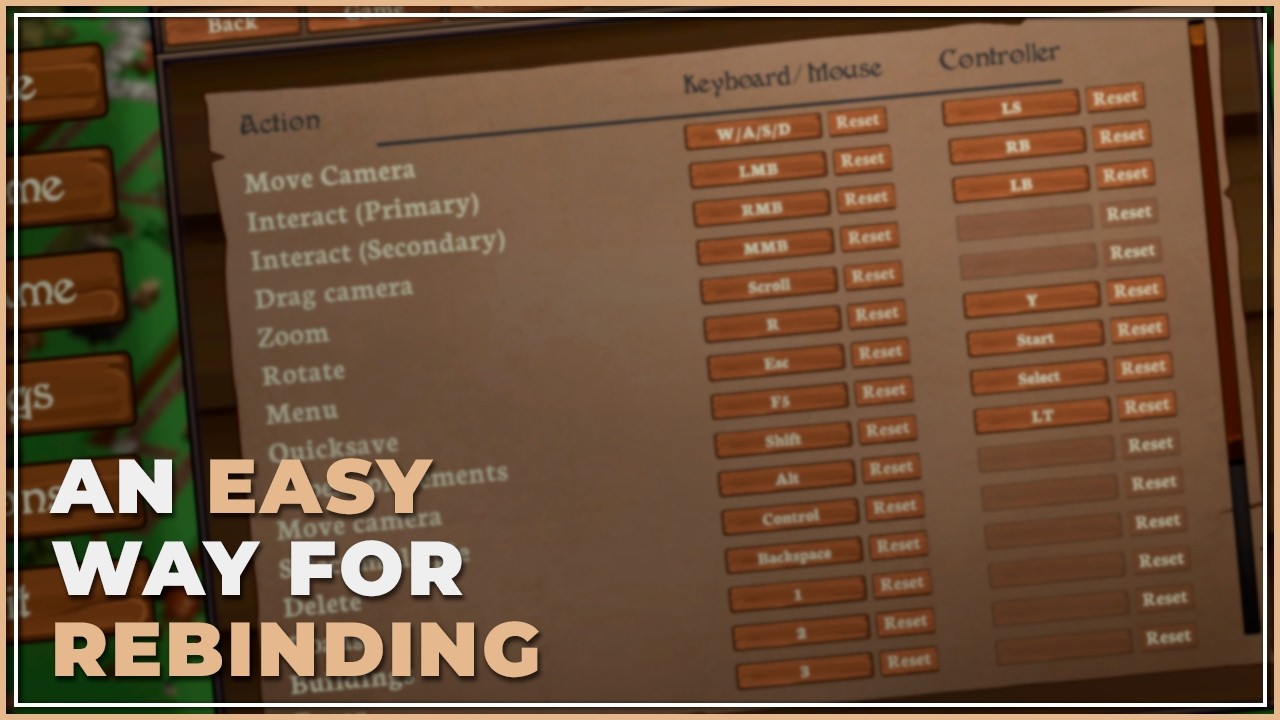
I have a problem with rebinding the controlls in my game: I downloaded Rebind Ui from the new Input System, watched and implemented this video (https://www.youtube.com/watch?v=OMVMqFZV03M), but it didn't work (in the project settings, the input actions stayed the same). I found these forums about the exact issue: https://discussions.unity.com/t/unity-sample-rebinding-ui-doesnt-work/1620261/5m , https://discussions.unity.com/t/rebinding-not-working/1646760/4 , gave it Chatgpt and it changed the Rebind Ui script to this https://paste.ofcode.org/pvZR77CnHZMJMZDEPHaKN2, I added an empty object in my scene with the Input Action Component (I don't know if it is needed, probably). Now it displays and saves that the input is changed, but you still have to use the default rebind in the game (and in project settings the Input Action is not changed to the new keybind) (it is for a online multiplayergame, maybe this is important) I would be very grateful for your help in this matter.
Getting started with the New Input System: https://youtu.be/ONlMEZs9Rgw
Join our Discord: https://discord.gg/WSus22f8aM
Get me to coach your game & gamedev career: https://calendly.com/bitemegames/gamedev-coaching
Thank you to our Patrons:
Stephane Gregorysatha
Sander Zwaenepoel
evykdraws
Anthony Lesink
Jon Bonazza
Gabrielle Edwards
Adrián...
fierce compass
the input actions are supposed to stay the same
rebinding is not supposed to rewrite your assets
hearty hamlet
hearty hamlet
I have a problem with rebinding the controlls in my game: I downloaded Rebind Ui...
Ok so what do I do? The rebind Ui skript itself is not working and is not for TMPro Text, the code i send in this message (paste of code) has a changed version, the only problem is that its Input is not used in the game.
 severe gale
Hey so I’m trying to get the input system to work but when I put my script into the input system events, I click no function and the only option that shows up is MonoScript
I’m trying to get to the option that shows PlayerMovement and then lets me click move
severe gale


Like it’s showing up like this instead of this
I don’t know why it’s making mono script the only option
verbal remnant
severe gale

How to take a screenshot on your smartphone, tablet, notebook or desktop computer
severe gale
Bro this is a school computer I’m on.
 crisp nymph
severe gale
Hey so I’m trying to get the input system to work but when I put my script into ...
crisp nymph
severe gale
Hey so I’m trying to get the input system to work but when I put my script into ...
I think it’s because you used the script as reference and not the gameobject. Try to put the gameobject with the script on it
Idk if i m clear
severe gale
crisp nymph
I think it’s because you used the script as reference and not the gameobject. Tr...
It is on the game object though
 turbid sigil
guys i have a problem, but kinda sure i did everything right. the problem is more like a QOL than anything but still is really annoying. when i put the default scheme of the player input to <Any> and Auto-Switch=True then when i connect the controller it should work/switch right? then why it doesn't? i set everything perfectly, when i put the default scheme to GamePad only it works... any fix? (i even tried to put the lastest version of the editor but still nothing)
crisp nymph
severe gale
It is on the game object though
Yes but i think u drag an drop the script from the project tab and not from the object in the hierarchie
severe gale
crisp nymph
Yes but i think u drag an drop the script from the project tab and not from the ...
Ok that actually worked, but now the function I want to select isn’t showing up
crisp nymph
severe gale
Ok that actually worked, but now the function I want to select isn’t showing up
Put it in public it’s probably that
Lmk if it was that or not
fiery sail
Hi, i'm doing a turn direction, the problem is that it keeps turning, i want it to turn in the direction pressed and sart walking forward in the new front direction, think the Elden Ring controls, not to keep always turning.
transform.Rotate(0, turn * turnSpeed * Time.deltaTime, 0);
austere grotto
fiery sail
Hi, i'm doing a turn direction, the problem is that it keeps turning, i want it ...
set the rotation to the rotation you want. Don't use transform.Rotate
 smoky basin
hey, I've run into an issue I don't quite know how to solve and google isn't being helpful. I'm making a 2D side-scrolling game and I'm having trouble getting it to work with both mouse and controller. Basically, on mouse, if the cursor is left of the player, the player's direction should be set to left, and if the cursor is right of the player, the player's direction should be right. However, with the controller, the player should look left when the right stick moves left and look right when the right stick moves right. How do I get this to work? can I somehow get whether the player is using mouse or controller and write two different control schemes? Is there a way to do this without differentiating between the two?
austere grotto
smoky basin
hey, I've run into an issue I don't quite know how to solve and google isn't bei...
You're talkking about two different control styles that are very different. It's easier to just use two separate actions
smoky basin
I see, thanks for the help!
smoky basin
austere grotto
You're talkking about two different control styles that are very different. It's...
its also possible for the player to move around on the screen, which means when using mouse aiming controls, the player's direction can change if the player moves to the other side of the mouse. However, the same behavior shouldn't take place when the player uses a controller. If I were to put something sensing the mouse position in the OnMove function, it would constantly override the controller input, even if no mouse input is given. Do I have to make 2 separate actions for controller movement and keyboard movement as well for this to work?
austere grotto
smoky basin
its also possible for the player to move around on the screen, which means when ...
No, just one action for mouse position and one for the aiming joystick. The movement is the same either way
You don't need to do any of this in the move code, it's totally separate.
smoky basin
austere grotto
No, just one action for mouse position and one for the aiming joystick. The move...
but then if the player moves, the direction they're looking wont update. If the mouse stays still, the player will sometimes be looking in the wrong direction
austere grotto
smoky basin
but then if the player moves, the direction they're looking wont update. If the ...
The direction they're facing shouldn't be set in the movement code at all
It's a separate thing you'd do once per frame
You seem to be mentally constraining yourself to doing this directly in an input callback function, which is too limiting
smoky basin
austere grotto
It's a separate thing you'd do once per frame
I thought of setting the look direction once per frame, but if I do that, the mouse position will always override the gamepad input. Unless I also track the last look action that was triggered, and only allow that action's input to effect the look direction?
I could give that a try...
austere grotto
smoky basin
I thought of setting the look direction once per frame, but if I do that, the mo...
Yeah that sounds about right
smoky basin
thanks! I think you were right, I was tunnel-visioned on using the input events so even though I had already thought of doing that, I didn't consider it seriously
 inner shuttle
I am trying to use new input system in the old project, and I installed the package and when I start unity I get dialog box saying
"This project is using the new input system package but the native platform backends for the new input system are not enabled in the player settings. This means that no input from native devices will come through.
Do you want to enable the backends? Doing so will RESTART the editor."
I click "yes", the editor restarts, and... shows the same message again. And it is true, nothing works.
Any idea about what might be the problem?
(unity ver: 6.4.2, input: 1.19.0)
 toxic lintel
inner shuttle
I am trying to use new input system in the old project, and I installed the pack...
toxic lintel
inner shuttle
I am trying to use new input system in the old project, and I installed the pack...
What does it say in player settings?
inner shuttle
if you mean for the input handling, it is set to "both"
fiery sail
I'm new to this, so i've been iterating from a tutorial i saw on directional control and made a combo system, i managed to make the animation play but, there's to much input delay or it straight up doesn't detect the next tap to continue the combo.
Is there another way to do this, how can i fix it?


 fierce compass
!code
 cobalt mossBOT
fierce compass
!code
cobalt mossBOT
fierce compass
!code
Posting code
📃 Large Code Blocks
Use links to services like:
https://paste.mod.gg/, https://hastebin.skyra.pw/, https://paste.ofcode.org/, https://paste.myst.rs/
📃 Inline Code
Surround code with three backquotes. Not quotation marks.
To format as C#, add cs to the first line:
```cs
// Your code here
```
Add a comment with a line number if there is an error message.
fierce compass
fiery sail
I'm new to this, so i've been iterating from a tutorial i saw on directional co...
do some debugging - are the inputs being received as expected, are the animation parameters updated as expected? if they are the issue could be in the animator transitions
still ferry
I'm following this tutorial, and I have an issue.
At the moment, you don't need to code anymore the camera boundaries for the VirtualMouse to not go offscreen.
I believe they didn't adjusted the issue with the screen size (PC vs mobile). On mobile I get the little offset click where it should not be, similar to how you can see in the video.
So, I am adding the script as in the video but just for the scale part:
[SerializeField] private RectTransform canvasRectTransform;
void Start()
{
UpdateScale();
}
private void UpdateScale()
{
transform.localScale = Vector3.one * (1f/canvasRectTransform.localScale.x);
//transform.SetAsLastSibling();
}
}
The issue is that once this script is activated on the gameobject, I am no longer able to move the virtual mouse, and stays at its anchored position.
The weird little offset I get on mobile, I am not sure if its because I am using ScreenSpace-Camera and not Overlay as in the video.
Has anyone any advice?
Edit: in screen space camera I'm no longer able t move the cursor. On overlay, I am able. What is causing on Space - Camera to not be able to move the curson?
why on Overlay it detects the weird offset triggering buttons from the wrong location? Moreover, I am restricted to go all the way to the edge of the screen on mobile devices, when using Overlay.
fiery sail
How can i make the hand follow where the control is aiming, its it an animation or do i have to control the rotation of the sholder?
fierce compass
fiery sail
How can i make the hand follow where the control is aiming, its it an animation ...
this is the inputsystem channel, try #🏃┃animation if you want to use animation to do it or #💻┃unity-talk otherwise (provide some more context as well)
 heavy parrot
Hi! Trying to see which controller buttons map to what in the input system, and a quick google search tells me to use the input debugger. I'm not seeing that under window> analysis, so I'm wondering if it's somewhere else, or if it's just like not part of 2020.3.43f? Or if I need to install it somehow?

Ah, sorry, seems like I hadn't downloaded the input system package! I thought it would be there with just the default stuff. I'm all set
 placid zinc
I am trying to make the player input work but it isn't wanting to. I have a Input asset called PlayerInput, map called Player, Action called Move and 2d vectors for arrows. It gives me CS1061 error on all this code and I got no clue why.

nvm I think I found a way better way to do it
austere grotto
placid zinc
I am trying to make the player input work but it isn't wanting to. I have a Inpu...
I highly recommend NOT calling your input asset "PlayerInput", since there's a built in component in the input system by that name.
The errors you got are almost definitely because you're accidentally using the wrong one in your code.
you may or may not have also forgotten/neglected to check the "generate C# class" for the asset to create the generated class.
placid zinc
thanks for that tip
 steep dagger
im having trouble with the xri button inputs, the grips, triggers, and joyssticks all have their own input action but the primary and secondary buttons do not. Is there something I am missing or do i have to manually assign these.
 split vale
Hello, I’m using new Input system with controller & MKB support. When I open editor my MKB doesnt work until I connect my controller. I dont have any scripts to detect which one is player using. Also auto switch has enabled. How do I fix it?
austere grotto
split vale
Hello, I’m using new Input system with controller & MKB support. When I open edi...
sounds like you did something weird with control schemes and/or having multiple PlayerInput components in the scene
split vale
austere grotto
sounds like you did something weird with control schemes and/or having multiple ...
It's multiplayer if its not local player should I delete playerInput component from it? But it happens also when I do with offline testing
Its only one time thing after connected to controller It works even if controller is disconnected
austere grotto
split vale
It's multiplayer if its not local player should I delete playerInput component f...
I didn't say anyhting about deleting PlayerInput, I was mentioning that if you have MULTIPLE PlayerInput components in your game and it's not local multiplayer, you're doing something wrong
One PlayerInput == one player
fiery sail
Is there a way to block all inputs while another is happening?
austere grotto
fiery sail
Is there a way to block all inputs while another is happening?
context?
fiery sail
austere grotto
context?
I have 2 charged attacks that use different buttons, for some reason they can be used at the same time, i don't want that
austere grotto
fiery sail
I have 2 charged attacks that use different buttons, for some reason they can be...
what's a "charged attack" exactly and how does it work?
fiery sail
austere grotto
what's a "charged attack" exactly and how does it work?
hold button for one hand, hold the other for the other hand, using animation layers so they blend with walking and idles
fierce compass
fiery sail
I have 2 charged attacks that use different buttons, for some reason they can be...
check if the other one is active and ignore the input if it is
could have a state machine/enum to handle this, to easily represent multiple mutually exclusive states
 karmic forge
do y'all have one big input script that calls every other one or do y'all just use the remote things?
as in, you can drag a function into the input system
austere grotto
karmic forge
do y'all have one big input script that calls every other one or do y'all just u...
Depends on the project, but I usually use the generated C# class and manage a single instance of it, but have other individual scripts use that instance to do whatever they need.
If the game has local multiplayer I use PlayerInput.
karmic forge
austere grotto
Depends on the project, but I usually use the generated C# class and manage a si...
PlayerInputs is just this yes?

You don't need to generate the class if you use this though am I correct?
 fierce compass
you don't need to generate a class if you use PlayerInput, yes
fierce compass
karmic forge
PlayerInputs is just this yes?
this is an input actions asset
karmic forge
fierce compass
you don't need to generate a class if you use PlayerInput, yes
Can you explain to me what a PlayerInput is?
fierce compass
it's the component you're using in that second screenshot
austere grotto
karmic forge
PlayerInputs is just this yes?
No, PlayerInput is a component called PlayerInput
karmic forge
I figured it out thanks
 thorny flame
hello! i'm having a really weird issue with the legacy input system.
at the moment, we have UI buttons that animate on hover/highlight rather than using color. this works fine when using a mouse to hover over the buttons, however with controller the animation does not trigger so there is no feedback for the player to know which button they currently have selected.
the controller buttons still work and the player is able to navigate between the two buttons and select each one, but there is no visible indication that the button is highlighted. i have verified that the animation controller is set to unscaled time. it works with mouse as i said, so i'm unsure why it isn't working with controller. i've scoured unity forums and tried solutions proposed by others (like the attached coroutine), but nothing seems to be working 
 austere grotto
thorny flame
hello! i'm having a really weird issue with the legacy input system.
at the mome...
austere grotto
thorny flame
hello! i'm having a really weird issue with the legacy input system.
at the mome...
show how your button component is configured
This is also really a #📲┃ui-ux question not input system tbh
thorny flame
oh sorry! i can move this over there
split vale
My MKB does not work when I open my editor. And also wasd and mouse input isnt showing on my Input Action Map but when I enter play mode, It just appears on it but still does not work until I connect my controller and make one move with it. When controller works mkb binding start reading value until I shut down the editor I really dont have any idea how it is possible and how to fix
I think I tried all of my options😔
 zinc stump
Not familiar with controllers, perhaps those events are controller specific. You should checkout examples, you can import them from Package Manager page on the input system.
split vale
zinc stump
Not familiar with controllers, perhaps those events are controller specific. You...
using UnityEngine.InputSystem;

public class InputHandler : MonoBehaviour
{
    public PlayerInput playerInput;

    public Vector2 lookInput;
    public Vector2 moveInput;

    private void OnEnable()
    {
        playerInput.actions["Look"].performed += OnLookPerformed;
        playerInput.actions["Look"].canceled += OnLookCanceled;

        playerInput.actions["Move"].performed += OnMovePerformed;
        playerInput.actions["Move"].canceled += OnMoveCanceled;
    }

    private void OnDisable()
    {
        if (playerInput == null) return;
        playerInput.actions["Look"].performed -= OnLookPerformed;
        playerInput.actions["Look"].canceled -= OnLookCanceled;

        playerInput.actions["Move"].performed -= OnMovePerformed;
        playerInput.actions["Move"].canceled -= OnMoveCanceled;
    }

    // Bu fonksiyonlar sadece olay gerçekleştiğinde tetiklenir
    private void OnLookPerformed(InputAction.CallbackContext ctx) => lookInput = ctx.ReadValue<Vector2>();
    private void OnLookCanceled(InputAction.CallbackContext ctx) => lookInput = Vector2.zero;

    private void OnMovePerformed(InputAction.CallbackContext ctx) => moveInput = ctx.ReadValue<Vector2>();
    private void OnMoveCanceled(InputAction.CallbackContext ctx) => moveInput = Vector2.zero;
}
This is my InputHandler script I didnt write any code for controllers It was just extra binding to MKB Input
This one doesnt happened on my old project which I used same methods
zinc stump
I prefer managing actions through script so I don't have to get them with strings. Also make sure Input Actions are enabled on start.

This way I can change what they do on the fly, handy for shortcuts that can mean different things in different contexts.
    public void AlterInputActions(GameInputAction gameInputAction, Action<InputAction.CallbackContext> action, ActionState state = ActionState.Performed) {
        switch (state) {
            case ActionState.Started:
                allActions[gameInputAction].started += action;
                break;
            case ActionState.Performed:
                allActions[gameInputAction].performed += action;
                break;
            case ActionState.Cancelled:
                allActions[gameInputAction].canceled += action;
                break;
        }
}```I mean there are at least 5 different ways to use it. Check with tutorial examples on what you are missing.
 dawn tapir
Am I correct in thinking that the Input System doesn't yet work with Android phone gyros that well? The legacy system works fine, but I can't get the Input System to work.
austere grotto
dawn tapir
Am I correct in thinking that the Input System doesn't yet work with Android pho...
AFAIK it should work fine. Can you explain what kind of trouble you're having?
dawn tapir
austere grotto
AFAIK it should work fine. Can you explain what kind of trouble you're having?
Sorry for the delay! What I mean is that I try to follow the steps to make it work, but no input from my Android phone gets sent at all -- it's just total data silence. When I use the Input Manager, it works just fine. Do you have the same issue?
I can share my script if you'd like. I've tried it with more than one script, and it hasn't worked a single time.
Mind you, I can use Input System for other things, and it works great. It just doesn't like Android phones I guess. 🙁
Oh, I should add that acceleration DOES work in Input System for me. The gyro doesn't though.
split vale
split vale
I'm gonna try
This one and some other solutions did not worked.. Any suggestion?
 willow sinew
Hey, guys! I am converting my old input system with the new input system for my game and I would like to have some assistance.
So, first of all I want to know the logic behind the new Input System in comparison with the old one
 heady umbra
willow sinew
Hey, guys! I am converting my old input system with the new input system for my ...
heady umbra
willow sinew
Hey, guys! I am converting my old input system with the new input system for my ...
So in the new input system everything starts from the input action asset where you define action maps, control schemes, actions and bindings
Action maps hold all your input actions, you can have as many maps as you want
most commonly used to separate player input from UI input
willow sinew
Very good explanation bro thanks 🙂
heady umbra
and you can disable/enable each map from code so for example you can disable the player input when pasuing and enable the UI input, so no conflicts happen
willow sinew
What else I have to know?
willow sinew
heady umbra
and you can disable/enable each map from code so for example you can disable the...
Wow!
heady umbra
actions are what you will bind to in your code and when triggered it will call your logic
willow sinew
I think it's right that they say its more flexible than the old one then
The new input system is way more flexible and has many pros
right?
willow sinew
also, I would like to know the new input system works with events right its event based right?
heady umbra
and bindings are the direct key or key groups that you setup for an action
willow sinew
heady umbra
you can't even do input rebinding with the old system without some hacks
Basically, I have created a Key Binding System for my previous game with the Old Input System and what I did basically was to store on a dictionary Key Value Pairs
and I have used switch statement to convert almost all the keybinds on the keyboard to match the right ones
heady umbra
willow sinew
also, I would like to know the new input system works with events right its even...
Yeah,I will get to that
willow sinew
so rebinding is way more simple and easier to make with the new one right?
heady umbra
you can have as many bindings as you want to an action, so you can setup bindings for keyboard, gamepads, etc.
willow sinew
We avoid a lot of headaches?
heady umbra
willow sinew
so rebinding is way more simple and easier to make with the new one right?
yeah, you just need to reference the binding call some functions and it switches it for you
it also has a built in json functions to save and load bindings to disk
willow sinew
What I cant understand a lot is the Action Type and Control Type, processors and interactions as well
How to work with them and what is the logic?
Can you compare those with the old input system? I think it will make it clear?
heady umbra
Actions can output values
willow sinew


I mean ok interaction options make sense but processors and control type?
It would be very helpful if you could compare the old with new input system for the description of Control Type options and action type options and processors
So I can have an idea
heady umbra
The thing is the the old input manager didn't really have behaviour like this, you had to manually add it
heady umbra
Yeah gimme a bit, there is a lot to type
willow sinew
from intereactions list hold and press are similar to GetKey and GetKeyDown from what I know
heady umbra
willow sinew
from intereactions list hold and press are similar to GetKey and GetKeyDown from...
no
willow sinew
also why there are both interactions and processors in both events and bindings that something that confuses me I dont know where I am supposed to add a processor or interaction option
heady umbra
So action types define how the action is interpreted, value gives constant callback as the input is used, so is for stuff like mouse or joystick where the values may constantly change
so in a way is like GetKey
Button is a one shot type of deal
So like GetKeyDown and GetKeyUp
And pass trough is like value but it will not go trough any filtering or ordering
willow sinew
You know the more confusing part of me is when I have to actually implement the input
I mean ok set up is somehow clear
based on your explanation you make it clear somehow
you didn't answer my question btw
willow sinew
willow sinew
also why there are both interactions and processors in both events and bindings ...
this...
heady umbra
Yeah I am getting to that
I try to go in order so its not confusing
Control types define what kind of data will the binding send
Its primarely for value and pass trough
as buttons only have pressed and not pressed
So you can send a vector 2 with the delta value of the mouse
and get that value from code and use it for whatever
or you can setup a binding that returns an int with -1 or 1
So its like GetAxis but you can define those axis yourself
Interactions can modify when the input is being sent
So a hold interaction will wait a defined amount of time while that input is being pressed and send the event after that time has passed
Processors modify the value sent by the input
So if you have an input that returns a big number you can use clamp to well clamp that number before is sent to your script
willow sinew
is it really required to use processors?
willow sinew
I can do almost everything with Interactions and Action Types right
processors are there for smoothing purposes?
heady umbra
You can even write your own processors or interactions
willow sinew
lets say if I want to normalize there is a normalize processor option
heady umbra
yeah
willow sinew
to actually normalize a vector
heady umbra
mhm
heady umbra
Now for binding your logic
there are multiple ways to bind your logic
There is the PlayerInput component, the generated C# class and input asset references
The PlayerInput component can be attached to any object you want to recieve input events
You will have a dropdown where you can select how the events are sent
you can select unity events and you can bind functions to input events in the editor
there is send/broadcast messages which act like unity's lifecycle functions
and pure C# events where you have to reference the component and bind functions directly
Personally I only use the PlayerInput component to detect when the control scheme has changed
willow sinew
heady umbra
Personally I only use the PlayerInput component to detect when the control schem...
Control Scheme?
heady umbra
Oh and control schemes are defined by you in the asset, so you can create a gamepad or a keyboard scheme and assign them on your bindings, then when that binding is triggered the scheme is automatically changes and you can do behaviour based on that change
like automatically selecting an UI button when you switch to gamepad for navigation
or swaping your input sprite prompts
or disable mobile controls like the UI joystick when switching to a mouse and keyboard
Now for input asset references
fierce compass
heady umbra
you can directly reference input assets in your editor or using a function to find them by name, then you can bind directly to those
fierce compass
you can also reference input actions directly
heady umbra
I personally not reccommend doing this for binding since it can either clutter your editor or you need to use error prone strings
I only reference input actions directly when I need data specific to that action
like mapping an input to a sprite
And last is the C# generated class
In the input asset inspector there is an option to generate a C# class that will contain all the data from the asset so you can directly reference it in code
this class will regerate every time you edit your asset
This is what I personally use to reference actions
so you can create an instance of that class and do something like inputMaster.ActionMap.Action.performed += YourLogic;
willow sinew
Its very cool with the new input system that you dont have to manually calculate movement or whatever using vectors
willow sinew
heady umbra
so you can create an instance of that class and do something like `inputMaster.A...
yes thats what I did
{
    if (GameManager.Instance.CurrentGameState != GameState.Playing) return;

    moveDirection = inputMove;

    if (moveDirection.y > 0) playerRb.SetRotation(0f);
    else if (moveDirection.y < 0) playerRb.SetRotation(180f);
    else if (moveDirection.x < 0) playerRb.SetRotation(90f);
    else if (moveDirection.x > 0) playerRb.SetRotation(-90f);
}

public void InputForPlayerMovement()
{
    if (GameManager.Instance.CurrentGameState != GameState.Playing) return;

    // Player Movement. Change to Arcade Machine inputs later...
    moveDirection = Vector2.zero;

    if (Input.GetKey(upKey)) Move(Vector2.up, 0f);
    else if (Input.GetKey(downKey)) Move(Vector2.down, 180f);
    else if (Input.GetKey(leftKey)) Move(Vector2.left, 90f);
    else if (Input.GetKey(rightKey)) Move(Vector2.right, -90f);
}```so basically the second one was with the old input system and the first one is with the new input system.
heady umbra
you have 3 main events that you will subscribe to with the input system
started, performed, canceled
now these events can be called differently depending on the action type and interactions
for example pass trough only calls performed
fierce compass
willow sinew
so the new input system basically was created to solve the rebinding and key binding issues basically right?
heady umbra
willow sinew
so the new input system basically was created to solve the rebinding and key bin...
it was created to provide more flexible and powerful input handling
fierce compass
it's just overall a more flexible and transparent system than the old one
heady umbra
and more performant
there is also ways to use the new system like the old one
the actions have functions like WasPressedThisFrame or WasReleasedThisFrame or IsPressed which act like the get key functions
these can be used in update like the old system
You can also directly use keys
Like Keyboard.current.wKey.IsPressed()
this is useful for debugging
willow sinew
Does it make sense to use more than one player input actions on a single projecet?
fierce compass
fierce compass
you're basically just going through all these lmao
fierce compass
willow sinew
Does it make sense to use more than one player input actions on a single projece...
depends on how you're using them. it's intended to be 1 playerinput for 1 player
willow sinew
also does it make sense to use both input systems at the same time?
heady umbra
willow sinew
also does it make sense to use both input systems at the same time?
No
You can but it is not reccomended
fierce compass
willow sinew
also does it make sense to use both input systems at the same time?
if you're in the middle of transitioning, sure. you shouldn't use both as a design choice.
willow sinew
what are the 3 last options except the first one?

 willow sinew
also another question
Why there are interactions and processors on both events and bindings?
That was the question that I did to Volt
heady umbra
you mean action and bindings?
heady umbra
well one will affect only that binding, one will affect the entire action
fierce compass
you can modify stuff at different stages

 heady umbra
It depends on what you want
willow sinew
the processors or interactions in binding or action
heady umbra
Do you want to change the processing or interaction of a specific binding or all of them?
willow sinew
oh so
it has to do if you want to change it for all your bindings or not
Oh so that make sense
but what if I have differnt interactions on bindings and different on actions
which one will be overwritten?
willow sinew
Yes I cant understand one modifier and 2 modifiers

the composite types basically
and the modifiers order
fierce compass
willow sinew
Yes I cant understand one modifier and 2 modifiers
modifier keys are shift/ctrl/etc
basically you're saying this binding is shift+B or whatever
heady umbra
yeah
fierce compass
the other composite types are for eg WASD as a single composite binding for a 2d vector action
fierce compass
willow sinew
    {
        playerControls.Enable();

        if (playerData.PlayerType == PlayerData.PlayerID.P1)
        {
            playerControls.P1.Move.performed += OnMove;
            playerControls.P1.Move.canceled += OnMove;
        }
        else
        {
            playerControls.P2.Move.performed += OnMove;
            playerControls.P2.Move.canceled += OnMove;
        }
    }

    private void OnDisable()
    {
        if (playerData.PlayerType == PlayerData.PlayerID.P1)
        {
            playerControls.P1.Move.performed -= OnMove;
            playerControls.P1.Move.canceled -= OnMove;
        }
        else
        {
            playerControls.P2.Move.performed -= OnMove;
            playerControls.P2.Move.canceled -= OnMove;
        }
        playerControls.Disable();
    }

    private void Update()
    {
        HandleMovement();
        InputForPlayerShooting();
    }

    private void FixedUpdate()
    {
        ApplyMovement();
    }

    public void OnMove(InputAction.CallbackContext cxt)
    {
        moveInput = cxt.ReadValue<Vector2>();
    }

    public void OnShoot(InputAction.CallbackContext cxt)
    {

}```Is this a proper way of using the new input system?
There is another way that one of my instructors told me which is used without subscribing and unsubscribing
fierce compass
is this for local multiplayer?
willow sinew
fierce compass
is this for local multiplayer?
How do you know?
Basically you dont know
XD
But yes your guess was correct
Its local multiplayer yes a game that will be played on an Arcade Machine
fierce compass
willow sinew
Basically you dont know
that's why i'm asking
willow sinew
fierce compass
that's why i'm asking
Yes it is
fierce compass
PlayerInput is kinda intended for that afaict so you could go for that
might make managing the schemes easier
so you wouldn't need duplicate action maps
willow sinew
Our instructors told us that there is a way where you dont have to subscribe and unsubscribe events all the time in enable and disable and you just declare methods with argument of context and you use this method
he told us that this way isn't commonly used with the new input system and most tutorials show the other way like subscribing and unsubscribing etc
willow sinew
XD
I dont know about player input yet
not sure how to work with it
player input manager as well if I am not wrong
fierce compass
fierce compass
there's 3 ways to use it, i mentioned them here
willow sinew
bro Volt is better at explanation sorry to tell you. Do not take it personally its just a feedback, but yes instead of always dropping links its way better to break things like Volt did step by step.
When you explain stuff you think I already know about the concept
fierce compass
no, i think you should know how to read docs and ask clarifying questions
i'm not going to handhold you
that is a rapid path to burnout
fierce compass
fierce compass
no, i think you should know how to read docs and ask clarifying questions
i honestly have very little patience with you because you've proven to be very bad at those 2 things
volt assumes you want to know everything and you currently don't know anything. that works for you. that's not a good standard to hold in general.
willow sinew
willow sinew
Hey, guys! I am converting my old input system with the new input system for my ...
I dont know this discussion started with my question and you can see how it evolved.
fierce compass
and i think you should rtfm sometimes
the input system docs already has a concepts article http://docs.unity3d.com/Packages/com.unity.inputsystem@1.19/manual/Concepts.html
you can read stuff that people have already written for this exact purpose, rather than wasting someone's time by having them rewrite the entire thing for you
if there are specific parts you need help understanding, sure, ask about those (eg the "clarifying questions" part i mentioned before)
willow sinew
fierce compass
if there are ***specific*** parts you need help understanding, sure, ask about t...
A concept is not just a specific part in order to understand this specific part I have to understand the whole concept so thats why I am telling you when explaining break the concept into smaller parts/steps.
Starting from the first what New Input System is and then moving in order
I am not teaching you or something and I dont want you to take it personally. I am just giving a feedback.
fierce compass
willow sinew
A concept is not just a specific part in order to understand this specific part ...
yeah, which is what the manual is for
fierce compass
willow sinew
I am not teaching you or something and I dont want you to take it personally. I ...
i'm giving feedback too
it's literally a manual page titled "concepts"
and if you don't understand a specific concept within that list, sure, ask about that.
willow sinew
some people have difficulties reading personally I can read and I am reading everything you sent but there are things were I need better explanation with other words not how they have written them in the docs thats what I mean
supple crow
willow sinew
some people have difficulties reading personally I can read and I am reading eve...
then point to specific things you do not understand
so far it looks like you simply aren't reading the documentation
willow sinew
supple crow
so far it looks like you simply aren't reading the documentation
I am reading bro
fierce compass
documentation should be your primary source, you're treating this server as your primary source. this wastes both your own and our time
willow sinew
By the way, can I open threads when having difficulties or whatever with Unity?
fierce compass
threads in this discord? sure
though sometimes they can get buried if there's another convo, if it's a thread in one of these normal text channels
fierce compass
typically the threads ive seen are for long-lived conversations that span many days and need prior context
or sometimes a high-traffic room can have a slower/more in-depth discussion in a thread
willow sinew
Hey, guys! Is there a way to prevent diagonal movement with the new input system?
Lets say player is holding down W + A
I know I can make it with code right but I think there is a way to do it within the input controls no?
fierce compass
willow sinew
Hey, guys! Is there a way to prevent diagonal movement with the new input system...
the input system doesn't do movement, just the inputs
if you don't want WASD to work as 2d inputs, but separate 1d inputs where one has priority, then set them as separate 1d inputs (and then check in code to determine which one to use)
willow sinew
Hey, guys! I have some questions. First question, is what is and does mouse delta in new input system. Second question, do I have to both subscribe and unsubsribe the events for the new input system or with only the subscription I am fine?
austere grotto
willow sinew
Hey, guys! I have some questions. First question, is what is and does mouse delt...
mouse delta is the change in mouse position since the last frame
do I have to both subscribe and unsubsribe the events for the new input system or with only the subscription I am fine
As with any event subscription, you have to unsubscribe if the lifecycle of theevent subscriber is longer than the lifecycle of the event publisherevent publisher is longer than the lifecycle of the event subscriber
willow sinew
so we use it for fps camera movement etc
austere grotto
willow sinew
so we use it for fps camera movement etc
you use it for anything you want that cares about mouse movement.
willow sinew
austere grotto
> do I have to both subscribe and unsubsribe the events for the new input system...
so its always better to unsubscribe additionally right?
basically thats how we do it with events
using the Observer Pattern
austere grotto
willow sinew
so its always better to unsubscribe additionally right?
Basically it's safest to always unsubscribe unless you can verify/guarantee that the input asset will disappear before the subscriber does.
willow sinew
What is the difference between started, performed and cancelled?
Basically between started and performed I cant understand
fierce compass
austere grotto
> do I have to both subscribe and unsubsribe the events for the new input system...
isn't this backwards?
if the subscriber is shortlived it has to unsubscribe to prevent stale references
austere grotto
fierce compass
if the subscriber is shortlived it has to unsubscribe to prevent stale reference...
Yes, sorry
Proof I am still human
willow sinew
Bro stop sending links all the time and instead explain to me if you are so experienced enough with Unity. I mean I really appreciate that you provide links for me to read like in the docs. Please explain to me just the logic because in the docs it says started is when the button pressed hasn't cross the press threshold and for performed it says when it reached the press threshold. What does all of that mean?
austere grotto
willow sinew
Bro stop sending links all the time and instead explain to me if you are so expe...
It means that the meaning of "started", "performed" and "canceled" for a given input action depend entirely on which Interaction that action is using.
When using the "default" interaction, the exact behavior and meaning is spelled out very nicely here: https://docs.unity3d.com/Packages/com.unity.inputsystem@1.19/manual/Interactions.html#default-interaction
it says started is when the button pressed hasn't cross the press threshold and for performed it says when it reached the press threshold
Think about a trigger on an xbox controller and the default press point/threshold is 50%.
You get started when you first start to depress the trigger
You get performed when it reaches 50%
willow sinew
austere grotto
It means that the meaning of "started", "performed" and "canceled" for a given i...
for you probably I haven't used a lot new input system today was the first day
willow sinew
austere grotto
> it says started is when the button pressed hasn't cross the press threshold an...
oh so thats the threshold
ok
I cant understand a lot th enable and disable for events
I mean
I mean I cant understand what issues may arise if I wont unsubscribe for example and what it does internally?
the subscription for example what means and unsubscription
what it does exactly?
in new input system specifically but also for all events
Maybe I have to read more about events and delegates
austere grotto
willow sinew
I mean I cant understand what issues may arise if I wont unsubscribe for example...
the subscribed function will still run when the event fires and usually result in errors because it will try to access null references or worse - it might actually do something you don't expect
really depends on what's inside the listener function
willow sinew
lets say on scene transitions for example it may cause a lot of errors
for example
so why we unsubscribe in order to stop actually the function to be fired?
when the script unloads
right?
because on enable is running when the object sorry is enabled on where the mono lives
same for on disable it is running when the object is disabled
right?
fiery sail
Is ther a in dept tutorial or course on how to make combo systems, i have the basics right, when you press the same button 1, 2,3, it play the animation chain well, the problem is when i try to combine it with other buttons(combo chains) they become kind of wonky
heady umbra
willow sinew
right?
Yes
heady umbra
willow sinew
right?
Yes
@willow sinew The other guys are right, you should always do your own research into stuff first before asking here, there are plenty of official sources like courses and videos from unity related to the input system or any other system, then if stuff is still unclear you can ask us to explain.
I know docs can sometimes be overwhelming with info or too complex to grasp when you are at the beginning, but it is a good thing to practice
I used to be the same at the start, feeling like I need someone to explain it for me
willow sinew
I dont know why but with the new input system, when I am just pressing the keys down lets say WASD it acts like I am holdign the keys and my tank is moving without me holding it.
    {
        HandlePlayerRotation();
        ApplyMovement();
    }

    public void OnMove(InputAction.CallbackContext cxt)
    {
        if (GameManager.Instance.CurrentGameState != GameState.Playing) return;

        if (cxt.canceled)
        {
            moveInput = Vector2.zero;
            return;
        }

        // Change to Arcade Machine inputs later...
        moveInput = cxt.ReadValue<Vector2>();

        if (Mathf.Abs(moveInput.x) > Mathf.Abs(moveInput.y))
            moveDirection = new Vector2(Mathf.Sign(moveInput.x), 0);
        else
            moveDirection = new Vector2(0, Mathf.Sign(moveInput.y));
}```Do you have the OnMove function subscribed to canceled?
willow sinew
heady umbra
Do you have the OnMove function subscribed to canceled?
yes
Let me try removing it maybe but I think the value of move input never resets to (0, 0) for one reason, even though I am doing Vector2.zero maybe its in the wrong place.
heady umbra
I don't mean checking canceled in the OnMove function
I mean subscribing the function to canceled
Like:
Input.Player.Move.performed += OnMove;
Input.Player.Move.canceled += OnMove;
put a breakpoint where you set moveInput to zero, see if its getting called
willow sinew
let me put some debug.log
to see move input values at runtime
No like you see my move input is resetting properly
I dont even use the vector2.zero to reset the move input and it does reset
heady umbra
willow sinew
I dont see anything, its a still frame
willow sinew
willow sinew
I dont know why but with the new input system, when I am just pressing the keys ...
can you see this one
heady umbra
nop
willow sinew
now
maybe MKV format
//    moveDirection = new Vector2(Mathf.Sign(moveInput.x), 0);
//else
// moveDirection = new Vector2(0, Mathf.Sign(moveInput.y));```that was the problem btw
I have tried to prevent player from moving diagonally and it works but for one reason when I press WASD it starts moving crazy like if I was holding the keys
I cant understand how to prevent diagonal movement with the new input system like lets say we want to do it within the input system asset
do I really have to do it through code?
heady umbra
normalize the input vector
willow sinew
I can also use if else if I think right?
willow sinew
nothing happens
I mean the player has to be able to press one key at a time
not more than one
oh the problem was inside the OnMove I didn't use vector2.zero in the else statement
        if (moveInput.x > 0)
            moveDirection = Vector2.right;
        else if (moveInput.x < 0)
            moveDirection = Vector2.left;
        else if (moveInput.y > 0)
            moveDirection = Vector2.up;
        else if (moveInput.y < 0)
            moveDirection = Vector2.down;
        else
            moveDirection = Vector2.zero;```
basically I did like thishey, anyone has any idea how to map those R1 R2... buttons on steamdeck? no matter what mapping or binding I do in unity editor works on steamdeck. I tried different controller layouts on the deck and none of them will give mapping for those shoulder/trigger/bumper bindings....
supple crow
mine work fine in my game, using the usual trigger/bumper bindings
i'm using a mostly-default input setup on the Deck (just with gyro input added as mouse input)
 regal jackal
Is the inputsystem supposed to not save changes? The first screenshot shows my changes, then I save it. Open it again and I see this

 dawn tapir
Does anyone have experience getting an Android phone's gyro or rotation data with the Input System? I can't seem to make it work even though it works with Input Manager. 🙁
austere grotto
dawn tapir
Does anyone have experience getting an Android phone's gyro or rotation data wit...
Can you show what you tried? It should just be a matter of setting it as a binding to an input action and getting the data as normal
dawn tapir
austere grotto
Can you show what you tried? It should just be a matter of setting it as a bindi...
Do you mean in my InputActions asset or in my code?

I just figured out that the flag here might be the issue. How can I make it not flagged for disabled in runtime?
dawn tapir
austere grotto
Can you show what you tried? It should just be a matter of setting it as a bindi...
It worked!!! I was trying to access that data without going through the Input Action asset.
Thank you!
 wicked temple
Hi! Does anybody have any idea why inputs with the Unity Input System would be firing on press and release?
    public void OnBookOpen(InputAction.CallbackContext context)
    {
        if (context.ReadValueAsButton() && context.performed)
        {
            uiManager.OpenBook();
        }
    }
    public void OpenBook()
    {
        isBookOpen = !isBookOpen;
        bookAnimator.SetBool("IsBookOpen", isBookOpen);

        if (isBookOpen && bookSfx.Count > 0) // SFX for book closing
        {
            uiAudioSource.PlayOneShot(bookSfx[0]);
        }
        else if (!isBookOpen && bookSfx.Count > 0) // SFX for book opening
        {
            //uiAudioSource.PlayOneShot(bookSfx[0]); add book opening sound!
        }

        Debug.Log("hello");

    }


As far as I can tell, this should only be receiving the input on press, but here it plays the audio for this on up and down. Kinda frustrating!
wicked temple
Debugging shows it fires three times, twice on down, once on release.
austere grotto
wicked temple
Debugging shows it fires three times, twice on down, once on release.
Once for each phase
Started, performed, canceled
That's working as expected
wicked temple
@austere grotto how can I make it only work on performed? I'd have thought context.ReadValueAsButton() && context.performed would be enough to have it only work on performed?
austere grotto
You're misunderstanding what interactions do - all you actually need is an if(context.performed) here
Debug.Log(context.phase) if you're curious
wicked temple
austere grotto
You're misunderstanding what interactions do - all you actually need is an `if(c...
I have actually tried that too, but still get three inputs
austere grotto
wicked temple
I have actually tried that too, but still get three inputs
Did you set the action up as a passthrough?
If it's a passthrough that's why
It should be a button
wicked temple
It's set as a button, see the above screenshots for some of the setup 🙂
austere grotto
wicked temple
It's set as a button, see the above screenshots for some of the setup 🙂
Get rid of the press interactions. Make sure you save the asset too
wicked temple
Having "press only" actually makes it not press only?
Okay I've removed the interactions, but it still fires three times.
I'm using Unity 2022.3.62f3. Is it possible that version just has a bugged input system?
wicked temple
austere grotto
Get rid of the press interactions. Make sure you save the asset too
Yeah no dice unfortunately. Anything else you can recommend?
I've looked up and down the internet and nobody else seems to have this issue, so I'm actually stumped.
wicked temple
I can't even use Debug.Log() in the input event either, it doesn't write to the console.
Yet the functionality in there besides Debug does run
austere grotto
wicked temple
I can't even use `Debug.Log()` in the input event either, it doesn't write to th...
It sounds like maybe you're making some wrong assumptions about which code is actually running then
wicked temple
austere grotto
It sounds like maybe you're making some wrong assumptions about which code is ac...
Can you elaborate please?
austere grotto
You might have a different function that's running that does the same or similar things
wicked temple
It definitely doesn't. if I comment it out, it doesn't run
austere grotto
Then the logs should be printing
maybe you turned off info logs in your console or something
Try adding this as the very first line in OnBookOpen:
Debug.Log($"OnBookOpen called with phase {context.phase} and value {context.ReadValueAsButton()}");```It's giving me nothing
 austere grotto
wicked temple
It's giving me nothing
austere grotto
wicked temple
It's giving me nothing
Silly question but did you save your code?
This makes no sense
wicked temple
Yes
austere grotto
If you right click the Console window tab name there are some more settings in there for hiding/suppressing logs
see if you've messed with any of them
wicked temple
I tried checking the function in my code too and it says there's no references to the function that it is now even running with the input disabled.
I am really at a loss.
austere grotto
wicked temple
I tried checking the function in my code too and it says there's no references t...
Ok so yeah I really think you might just have two functions and you're looking at the wrong one or something. If you put a log in Update does that print?
Would you mind sharing your full script perhaps?
wicked temple
I just set Stack Trace Logging in the console to All and still have no errors.
wicked temple
austere grotto
Ok so yeah I really think you might just have two functions and you're looking a...
Well, that's what I'd thought but I only just implemented this like a week ago.
Let me take a look because this doesn't sound right.
austere grotto
wicked temple
I just set Stack Trace Logging in the console to All and still have no errors.
well it wouldn't be errors - just the logs we added
wicked temple
That actually is the full code above @austere grotto
The function here is only referenced once in the entire solution too

Oh wait I got it!!
The input system event was referencing the OpenBook function in the UI manager rather than the OnOpenBook event for inputs.
I blame myself for naming them so similarly else this would have been catched way sooner.
Any recommendations on what to name Input System events/functions in code to keep things clear and legible?
austere grotto
wicked temple
The function here is only referenced once in the entire solution too
Regardless my recommendation was to add the log to OnBookOpen not OpenBook
wicked temple
austere grotto
Regardless my recommendation was to add the log to `OnBookOpen` not `OpenBook`
Oh absolutely. The log should have worked but OnBookOpen unfortunately wasn't been fired
austere grotto
But I think "OpenBook" or "OnBookOpen" aren't great names here - it's actually a toggle action right?
wicked temple
austere grotto
But I think "OpenBook" or "OnBookOpen" aren't great names here - it's actually a...
Correct, yeah it's a toggle action and I honestly agree the naming is too vague.
Well too similar
 distant sphinx
Yes, you're meant to do this regarding UI for example
 deft vault
so I have input for battle, input for outside of battle, input for menu then set actions based on the state the game is in?
distant sphinx
Ideally, yes
I believe that the default game schema that Unity creates for you includes one for game and another for UI
iirc you can have multiple schemas active at the same time
its better to check the API than to see what player input component does
 thorny mesa
I'm trying to get my game to recognise a PS5 controller and show different button icons. If I run the game through Steam, the input device type is reported as XInputControllerWindows. If I put a steam_appid.txt file in my build folder and run locally, the controller does register as a DualSense controller, but the game only receives input for it for 5 seconds, then it's as if it's disconnected

 heady verge
Hello!
Can someone help me with input axises please?
When making my game I’m having a problem when spamming buttons
austere grotto
heady verge
When making my game I’m having a problem when spamming buttons
If you want help you should explain your problem in detail
heady verge
Ok are you going to help?
Its not that hard of a problem
I made a Vector2 for directions in my 3d game
That catches raw axises
And Im having problems when spamming
And I want it to take a lot of time to switch from (0,1) to (0,-1)
Like I just want to solve jittering and switching too fast if you get it
heady verge
austere grotto
With e.g. Vector2.MoveTowards
I don’t know what that means
austere grotto
Well It's hard to give more concrete advice since you've shared so little details about what you have now
heady verge
heady verge
Like I just want to solve jittering and switching too fast if you get it
That
heady verge
I tried damping the vector, I tried using lerp, both did not work
heady verge
There is no real code, its just a Vector2 containing two raw axis inputs (horizontal and vertical)
And I just want to make it smooth when jittering or altering really fast in the inputs so you go from (1,0) to (-1,0) really quick.
I tried lerp and damping but both didn’t work.
fierce compass
so what code did you have when you tried damping it?
we need some info to go off of to troubleshoot
 pseudo turtle
!vrchat
cobalt mossBOT
pseudo turtle
!vrchat
Join the growing VRChat community as you explore, play, and create the future of social VR! https://discord.com/invite/vrchat
thorny mesa
thorny mesa
I'm trying to get my game to recognise a PS5 controller and show different butto...
The issue was that I had not enabled playstation controller support on my Steam store page settings
austere grotto
heady verge
There is no real code, its just a Vector2 containing two raw axis inputs (horizo...
There's always code, otherwise there's no way your character was moving
 storm crown
should new input system + gamepad/xbox controller work in webgl builds? (doesnt seem to, but are there some workarounds..)
austere grotto
storm crown
should new input system + gamepad/xbox controller work in webgl builds? (doesnt ...
Of course
storm crown
austere grotto
Of course
ok yeah, seems to work! *except, if you have [x] native multithreading enabled in player settings.. : o
going to report as a bug.. if anyone knows workarounds, that would be nice!
 dense ridge
I'm working on a space strategy game and I'm working on the crew system using the drag events to drag crew members from one room to the next, however certain rooms like the one they're in also have special click properties which are taking priority. Is there a way to change the priority? The ship stuff are in world items, the text and the crew members are UI stuff inside a world canvas each room has

 errant herald
I need some help. I have an issue with the player input system specifically at onshoot() function. Even if i don't click or pressing a button, the player still shoots

Sorry for that. I struggle with the player input system
fierce compass
!code
cobalt mossBOT
fierce compass
!code
Posting code
📃 Large Code Blocks
Use links to services like:
https://pastes.dev/
https://paste.yunohost.org/
https://share.sidia.net/
https://paste.ofcode.org/
https://paste.myst.rs/
📃 Inline Code
Surround code with three backquotes. Not quotation marks.
To format as C#, add cs to the first line:
```cs
// Your code here
```
Add a comment with a line number if there is an error message.
errant herald

a simple pastebin.
 ivory skiff
errant herald
https://pastes.dev/Ms0uBTz7in
ivory skiff
errant herald
https://pastes.dev/Ms0uBTz7in
This happens because the isFiring variable is always true after the first fire; you need to implement some logic to make it false again.
split vale
When I press space I want to character jump but if I hold space button, character automatically jump when it touches ground. I want space button only trigger once even player hold space, I tried to add to action to Interaction (press interaction- only press, press & release) but it just didnt work.
fierce compass
split vale
When I press space I want to character jump but if I hold space button, characte...
check if jump is currently pressed rather than checking if jump was pressed this frame
austere grotto
split vale
When I press space I want to character jump but if I hold space button, characte...
You need to show how you're handling it in code right now if you want any practical advice.
split vale

For my inputHandler
OnEnable()
  playerInput.actions["Jump"].canceled += OnJumpFinished; ```
OnDisable()
```playerInput.actions["Jump"].performed -= OnJumpTriggered;
  playerInput.actions["Jump"].canceled -= OnJumpFinished; ```
And
```private void OnJumpTriggered(InputAction.CallbackContext ctx) => jumpTriggered = true;
    private void OnJumpFinished(InputAction.CallbackContext ctx) => jumpTriggered = false;```

Then I'm using jumpTriggered as an input variableI tried to use triggered instead of performed but it giving error
split vale
split vale
I also tried adding press Interaction but it also didnt worked
fierce compass
there's no triggered callback, yeah
fierce compass
split vale
For my inputHandler
OnEnable()
```playerInput.actions["Jump"].performed += OnJu...
are you resetting jumpTriggered anywhere?
split vale
    {
        bool canCoyoteJump = Time.time - _lastGroundedTime <= coyoteTimeThreshold;
        bool isJumpBuffered = Time.time - _lastJumpPressedTime <= jumpBufferThreshold;

        if (isJumpBuffered && canCoyoteJump && requestedJump)
        {
            currentVelocity.y = Mathf.Sqrt(jumpHeight * -2f * gravity);

            requestedJump = false;

            _lastJumpPressedTime = 0f;
            _lastGroundedTime = 0f;
        }
}```RequestedJump is directly assigned to the jumpTriggered
Aah
I'm resetting requestedJump instead of jumpTriggered and then jumpTriggered make it true in next frame
I understood it now
I should try
No it still didnt fixed
So is there a no way that new Input system has equivalent of GetButtonDown?
fierce compass
split vale
So is there a no way that new Input system has equivalent of GetButtonDown?
it has several
it doesn't seem like you're reading jumpTriggered there either...
split vale
    {
        // Yerden ayağı kesildiği an sayaç başlat
        if (characterController.isGrounded)
        {
            _lastGroundedTime = Time.time;
        }

        // Zıplama tuşuna basıldığı anın kaydını tut
        if (input.Jump)
        {
            _lastJumpPressedTime = Time.time;
        }

        requestedRotation = input.Rotation;

        //Movement Vector Process
        var localForward = camera.forward;
        var localRight = camera.right;

        requestedMovement = new Vector3(input.Move.x, 0f, input.Move.y);
        requestedMovement = localRight * requestedMovement.x + localForward * requestedMovement.z;
        requestedMovement = Vector3.ClampMagnitude(requestedMovement, 1f);

        requestedJump = input.Jump;

        currentTargetSpeed = input.Sprint ? sprintSpeed : walkSpeed;

        UpdateRotation(); // I can call it in player.cs but I just did it in that way.
        UpdateVelocity(input);
} ```I do
I have player.cs script that behave like a manager. Player.cs taking inputs from InputHandler.cs and giving these input to other functions
fierce compass
you aren't reading jumpTriggered here either
you seem to have quite a few layers that you aren't showing here
!code
cobalt mossBOT
fierce compass
!code
Posting code
📃 Large Code Blocks
Use links to services like:
https://pastes.dev/
https://paste.yunohost.org/
https://share.sidia.net/
https://paste.ofcode.org/
https://paste.myst.rs/
📃 Inline Code
Surround code with three backquotes. Not quotation marks.
To format as C#, add cs to the first line:
```cs
// Your code here
```
Add a comment with a line number if there is an error message.
split vale
requestedJump = input.Jump;
{
    public Quaternion Rotation; //This holds camera's rotation.
    public Vector2 Move;
    public bool Jump;
    public bool Sprint;
}```playerCharacter.ProcessInput(characterInput, playerCamera.transform);
fierce compass
so what i'm seeing here is overall you aren't resetting jumpTriggered
split vale
        {
            Rotation = playerCamera.transform.rotation,
            Move = inputHandler.moveInput,
            Jump = inputHandler.jumpTriggered,
            Sprint = inputHandler.sprintTriggered
};``` here I'm reading the jumpTriggeredif you use the callbacks you kinda have to "consume" the events, which you aren't doing here
you could use one of the state properties of the action instead, like wasPressedThisFrame, to assign into the CharacterInputs you use for the frame
split vale
fierce compass
if you use the callbacks you kinda have to "consume" the events, which you aren'...
So Instead of making .canceled should I consume it in directly jump method?
fierce compass
tbh you're leaving a lot of context out here, so i'm having to guess a lot for how this all flows...
i specifically linked that code embed so you could show full code using paste sites
split vale
fierce compass
i specifically linked that code embed so you could show full code using paste si...
I'm sorry I just thought It could be too much
Okey I'm sending
fierce compass
split vale
So Instead of making .canceled should I consume it in directly jump method?
not sure what you're imagining here.
split vale
fierce compass
not sure what you're imagining here.
.canceled callback only works if I left pressing on space bar. So after pressing space I should make it false after that frame
split vale
But what is the point of this then
 split vale
Yes
fierce compass
well, it's mentioned right there..?
split vale
Alright I'm trying
split vale
split vale
Alright I'm trying
wasPressedThisFrame
But isnt this will return true while I'm holding the space bar?
fierce compass
no
that would be isPressed
isPressed acts like GetButton, wasPressed/ReleasedThisFrame act like GetButtonDown/Up
split vale
split vale
wasPressedThisFrame
Its worked!
But I'm making it in Update method so its checking it in every frame
Doesnt it cost too much performance comparing to event based one?
split vale
split vale
Its worked!
Thanks for helping!
fierce compass
split vale
Doesnt it cost too much performance comparing to event based one?
no
you're already doing a ton of other stuff per frame that's much more expensive, relatively
this value is already computed by the input system necessarily, it's the same data that drives the events
just reading a variable takes time on the order of nanoseconds
for 60 fps, you have 16 million nanoseconds per frame
split vale
Do you recommend using callback or these wasPressed, isPressed things?
fierce compass
well if you're going to use the events for discrete buttons you need to be able to consume them properly
use what works and stay consistent for reading these discrete actions ig
 frosty raft
Is raw mouse input really just integer values or "pixels"?
So probably not possible to get more precise floating point values
I don't think I've seen other applications achieve something like that either
 zenith condor
Hey Guys! I don't think I understand how I should exactly be using the new input system. It gives so many advantages compared to the old one.
I tried going with an invoke unity events but found it very bad since I want to not use the unity editor as much as I can, and in the unity docs and YouTube channel, they go with this route "https://www.youtube.com/watch?v=Cd2Erk_bsRY&list=PLX2vGYjWbI0RpLvO3B7aH-ObfcOifMD20&index=2"
but idk, I cant help but feel like it makes coding much more complicated than it should be?
This is the second video in the Input System series, where we dive into scripting with the Input System to control a third-person character.
You'll learn how to write code to move and jump the third-person character using an Input System Asset, with support for both gamepad and mouse-and-keyboard inputs.
We’ll also add a simple pause menu to...
Should I just keep going with that? Or is there a better way to go with it?
austere grotto
zenith condor
Hey Guys! I don't think I understand how I should exactly be using the new input...
First off "I want to not use the editor as much as I can" is a weird and probably counterproductive goal.
However the new input system is very flexible and you don't actually need to "use the editor" at all really, if you don't want to.
So if your goal is to not use the editor, I definitely wouldn't recommend the UnityEvents workflow since that's the one that specifically involves using the editor to assign listeners
zenith condor
austere grotto
So if your goal is to not use the editor, I definitely wouldn't recommend the Un...
I mean for input purposes, mb for not making it clear, since I am kinda used to the old system
But I really love the advantages that come with the new one so I want to try it out
austere grotto
zenith condor
I mean for input purposes, mb for not making it clear, since I am kinda used to ...
Again the new system is very flexible and the way you are using it is only one of many possibilities, and happens to be the one that involves using the editor the most.
 surreal pasture
    public InputActionReference Movement;

    private void Update()
    {
        direction = Movement.action.ReadValue<Vector3>();
        Debug.Log(Movement.action); // This shows all the actions in movement, but how can I check for what button is being pressed?
    }
How can I check for what button is being pressed in InputActionReference, also I heard there are other ways of doing inputs and I want to know the pros and cons of the most popular methods including this way
austere grotto
surreal pasture
```cs
public InputActionReference Movement;
private void Update()
{...
Sounds like an antipattern/code smell. Why do you want to know which button is being pressed?
The point of the input action is to abstract away details like that
surreal pasture
austere grotto
The point of the input action is to abstract away details like that
oh alright, I'm just coming from roblox and there I had to keep checking for inputs there 😂
I went to the documentation and it doesn't mention what ReadValue does and I'm confused on it
also searching up tutorials on it, they don't even use InputActionReference except one video on it so I'm assuming there are multiple ways of doing this
verbal remnant
surreal pasture
also searching up tutorials on it, they don't even use InputActionReference exce...
basically the entire documentation and virtually all videos do not mention action references and miss out on the most valuable pattern in the whole system.
surreal pasture
verbal remnant
basically the entire documentation and virtually all videos do not mention actio...
Would be glad if u could help instead of being sarcastic
austere grotto
surreal pasture
also searching up tutorials on it, they don't even use InputActionReference exce...
Yes there are multiple ways. You haven't actually explained what you're trying to do here but ReadValue gives you the current value of the input action. I. Your case you're getting a Vector3 value which is very unlikely to be correct
It depends how you set up your input action
austere grotto
surreal pasture
Would be glad if u could help instead of being sarcastic
I don't think he was being sarcastic tbh
And yes the docs do say what ReadValue does https://docs.unity3d.com/Packages/com.unity.inputsystem@1.19/api/UnityEngine.InputSystem.InputAction.html#UnityEngine_InputSystem_InputAction_ReadValue__1
surreal pasture
austere grotto
I don't think he was being sarcastic tbh
Yeah lowkey just starting to notice he is probably serious, sorry anikki misunderstood
surreal pasture
austere grotto
And yes the docs do say what ReadValue does https://docs.unity3d.com/Packages/co...
Really appreciate this
viral flicker
I have these two events, which I SHOULD safely subscribe and unsubscribe to in the Enable and Disable functions. However, when I exit playmode and enter playmode, these events seem to stack. When I build, if I leave the scene and re enter the scene, it also seems to stack the events. Am i missing something here?


inputs is just a copy of my Input actions asset
 austere grotto
viral flicker
I have these two events, which I SHOULD safely subscribe and unsubscribe to in t...
austere grotto
viral flicker
I have these two events, which I SHOULD safely subscribe and unsubscribe to in t...
When does InutializeInputs() run?
viral flicker
it runs in OnEnable()
austere grotto
viral flicker
I have these two events, which I SHOULD safely subscribe and unsubscribe to in t...
Also you're overriding OnDisable in the second screenshot so if you're relying on the parent class OnDisable to run, it won't
viral flicker
thanks for noticing that
i dont think its relevant to the issue at hand in this case
whats annoying is that the stack trace doesnt go all the way down in this case
because there are two ways that the t oggle could be run, either via the hard coded input object or the PlayerInput object
and it doesnt tell me which it just seems to abstract itself at the input system layer

so there is some sort of floating event subscription that i cant remove
austere grotto
I thought you need to show the full code rather than just a couple choice screenshots
All files involved
viral flicker
i figured it out dw
I was deleting the player input objects before I could unsubscribe them
so it stayed alive somehow
viral flicker
my buttons aren't getting selected anymore. It says it has been selected, but there is no module? WHich i dont understand, because there is literally one there on the same object.
 viral flicker
I'm having this weird issue where my event system just sometimes does not work and I have to restart the editor to fix it. Has this happened to anyone else
viral flicker
it seems to fix if i enable domain reload
fierce compass
viral flicker
it seems to fix if i enable domain reload
disabling domain reload can cause a lot of issues if you don't know how to work with it, yeah
viral flicker
fierce compass
disabling domain reload can cause a lot of issues if you don't know how to work ...
I'm just not sure what I could have possibly done between like a month ago and now to cause this
 chrome patio
Hi guys does anyone why the scripts "On-Screen Stick" and "On-Screen Button" blocking touch inputs on android?
 boreal gyro
chrome patio
Hi guys does anyone why the scripts "On-Screen Stick" and "On-Screen Button" blo...
boreal gyro
chrome patio
Hi guys does anyone why the scripts "On-Screen Stick" and "On-Screen Button" blo...
You can Check Block Raycasts on the Ui and if your joystick is Ui then look for image and click on ray cast target. Try turning it off if it doesn’t need to block input. Or you could be using the New input system
chrome patio
boreal gyro
You can Check Block Raycasts on the Ui and if your joystick is Ui then look for ...
all of them are already as u said
 steady pivot
How do I assign ~ (tilde) as an Action path using the New Input System? When I listen for an input it just comes up as `, and I can't find ~ in the keyboard options
steady pivot
I'm trying to click a UI button with an input, and the functionality works, but the button doesn't play its animation when it is pressed via script. It works fine when I click it with a mouse, the tint changes when I click it

 fierce compass
steady pivot
How do I assign ~ (tilde) as an Action path using the New Input System? When I l...
fierce compass
steady pivot
How do I assign ~ (tilde) as an Action path using the New Input System? When I l...
didn't nav already answer this before redirecting you?
the tilde button is the grave button
if you need to check for tilde specifically, you need shift+grave
fierce compass
steady pivot
I'm trying to click a UI button with an input, and the functionality works, but ...
what you have here is not really clicking the button, but simulating what would happen (callbacks) if it were clicked.
the button/eventsystem wouldn't know that the callbacks have been called. you'd probably have to trigger something in the event system.
would be a #📲┃ui-ux question
 blissful comet
Is there a way I can make a composite 1D Axis binding? Like "Ctrl -" and "Ctrl +"? From what I can tell, I can have either a positive/negative binding or a composite (x positive, ctrl+x negative or vice-versa), but I want both, without needing to have a whole separate action for the modifier
willow sinew
Hey, guys! Is there a way to check for a specific button/control with the new Input Systen?
heady umbra
willow sinew
Hey, guys! Is there a way to check for a specific button/control with the new In...
[device].current.[keyName].WasPressedThisFrame()
device can be keyboard, mouse, etc.
example: Keyboard.current.wKey.IsPressed();
willow sinew
not isPressed right ?
WasPressedThisFrame() is the right one?
if I want to hold the buttons
if I want the same functionality as Input.GetKeyDown
fierce compass
willow sinew
not isPressed right ?
isPressed is like GetKey, wasPressedThisFrame is like GetKeyDown, wasReleasedThisFrame is like GetKeyUp
willow sinew
fierce compass
`isPressed` is like `GetKey`, `wasPressedThisFrame` is like `GetKeyDown`, `wasRe...
Ok, thanks!
willow sinew
UnityEngine.InputSystem.LowLevel.NativeInputRuntime/<>c__DisplayClass7_0:<set_onUpdate>b__0 (UnityEngineInternal.Input.NativeInputUpdateType,UnityEngineInternal.Input.NativeInputEventBuffer*)
UnityEngineInternal.Input.NativeInputSystem:NotifyUpdate (UnityEngineInternal.Input.NativeInputUpdateType,intptr)```
Why am i getting this error?Nevermind, I am just an idiot I did playerControls.Enable OnDisable method and the opposite XD
 native oracle
Can someone guide me towards the better implementations of the InputSystem. I understand that we can use Events, Callback Methods from the PlayerInput, Direct value reads from an InputAction via InputActionRef, also poling for button states in Update. I am currently confused with regards to what would be better- reading input via Actions or via events.
fierce compass
native oracle
Can someone guide me towards the better implementations of the InputSystem. I un...
most are fine, imo just magic strings (fragile/indirect) and polling hardware (doesn't take advantage of actions) would be the "incorrect" options
(i'd note that playerinput with sendmessages is kinda magic strings in disguise)
native oracle
fierce compass
most are fine, imo just magic strings (fragile/indirect) and polling hardware (d...
thank you for the response. For my specific need I am leaning into Actions and the InputActionAsset as the source of truth for all input. I am building a custom wrapper around the Unity Input System, to give a more streamlined and simplified workflow to any user where they would configure theirr actions in the Input Asset and just use a HardwareInputReader component to read inputs via using two methods ReadValue<T>(InputAction action) for all input and a ReadState<T>(InputAction action) for button actions that give us a custom struct with info on IsHeld, WasPressedThisFramd, WasReleasedThisFrame. Now for the values I just wrap around the Unity provided method while for the Button states I poll values in an update loop. Do you think the polling is bad or would you or anybody else here suggest a better alternative
fierce compass
native oracle
thank you for the response. For my specific need I am leaning into Actions and t...
polling isn't bad, there's polling done to run the input system anyways.
i'm kinda confused what benefit your wrapper would be giving though. the stuff you mentioned is already supported in the input system, and one of the benefits of the input system is abstracting away from hardware, as in, you shouldn't care about the hardware controls, just the actions.
native oracle
fierce compass
polling isn't bad, there's polling done to run the input system anyways.
i'm ki...
I too don't care about the controls, just the actions. To be blunt I don't want to use events in my code. While reading value is easier, I also don't want to deal with the hassle of enabling or disabling InputActionAsset within my code. Also I wanted to build some way of extracting input as Telemtry data and then reusing that input to drive my code, so in a sense the source of the input data of InputActions which is queries by the developer would be agnostic as per use case without the need to write separate systems. For this I used an IInputReader interface and implemented it into HardwareInputReader and TelemetryInputReader.
So in this context I was wondering what fits input implementation better and whether my idea of polling buttonstates to provide ready data to the developer is good or bad.
fierce compass
what i'm saying there is you should not have a HardwareInputReader since you shouldn't care about hardware
To be blunt I don't want to use events in my code. While reading value is easier, I also don't want to deal with the hassle of enabling or disabling InputActionAsset within my code.
you could have everything be in the default input action asset, which is enabled automatically.
then you could assign InputActionReferences from there
 tough laurel
Hey Input friends.
    {
        Debug.Log("OnDestroy");
        select.started -= OnSelect;

    }```

Every second time i press play, even though OnDestroy was called previously. This event is not unsubscribed. So i get two calls from the event. Anyone dealt with this?reloading domain on Play fixed it. but im confused as to why this script had this problem and others dont.
tough laurel
Polling the Action.Isperforned this frame is consistent. I don’t want to have to enable Domain Reload just for this one issue.
 snow hawk
@everyone I need Help, How to use smartphone keyboard to type something in an input field on Unity WebGL Builds ?
fierce compass
yeah don't try to ping 130k people, thanks
 heady roost
Ha
 quiet blade
i have looked high and i have looked low and i cant find any info on how to integrate netcode for entites and the input system package... does anyone have a resource they could point me to?
 inland locust
Hey, I'm still pretty new to unity but everytime I try to make a positive/negative or an un/down/left/right component I'm hit with this error and can't add an actual binding, anyway to fix this?
 fierce compass
quiet blade
i have looked high and i have looked low and i cant find any info on how to inte...
fierce compass
quiet blade
i have looked high and i have looked low and i cant find any info on how to inte...
perhaps ask #1390346492019212368
 astral eagle
I just added a new binding but it's not reflecting in code.

 astral eagle
oh, i had to open the .inputasset instead of the property window
 vestal portal
Hi I'm using Unity 6000.4.3f1
Can it be that it doesn't support .tgz files from Firebase yet? Trying to import Firebase.App and Firebase.Database from tarball or githubURL but package manager just loads a bit when clicking install, then nothing
 sturdy summit
I was trying to find a way so that the button presss would behave similarly to GetButtonDown but its behaving the same as a GetButton input. Im trying to swap from using hard coded getbutton inputs to the new input system
using System.Collections;
using System.Collections.Generic;
using UnityEngine;
using UnityEngine.InputSystem;
fierce compass
sturdy summit
I was trying to find a way so that the button presss would behave similarly to G...
which one is the button in question here?
all of the bools?
fierce compass
right, so, right now you're setting the bool when the button is pressed and resetting it when it's released
that's what the callbacks inform you of, for button inputs they aren't going to fire every frame if the state/interactions haven't changed
you can either have the performed callback trigger the thing it needs to directly, or "consume" the input by resetting the bool when you do the action, when using this approach
also btw instead of having to specify all the names twice, you can also use InputActionReferences to just have your actions referenced directly, no need to use magic strings
sturdy summit
fierce compass
you can either have the `performed` callback trigger the thing it needs to direc...
When you mean by consume. Do you mean when the button input becomes true, then it immediately becomes false?
fierce compass
not on its own, no. i mean something like this:
if (buttonWasPressed) {
  /* do action associated with button */
  buttonWasPressed = false; // reset state so it doesn't trigger again without another button press
}
Should I be doing this in each state script or within the player input handler?
fierce compass
not sure which would be more appropriate for this pattern of usage tbh
 stiff night
Hi all, I'm struggling with the input system's split screen feature.
Every player has a base camera, with post processing enabled, along with an overlay camera (in the base camera's stack), without post processing, for UI and such (both are Screen Space - Camera). When split screen is enabled, the UI gets squished together, rather than scaling down properly. Having fiddled around with it, I've found a few ways for it to not get squished down, but it also doesn't scale properly, and most importantly, the buttons in the UI don't work as intended - it is like their "hit boxes" are still half size, or something similar.
My idea was to instead put each player UI in Screen Space - Overlay mode, and manually in the code scale and crop a panel containing all of the elements, but I am wondering if there is not a better way to handle this with the UI's scaling options.
 glass yacht
Documentation
New: https://docs.unity3d.com/Packages/com.unity.inputsystem@latest
Legacy: https://docs.unity3d.com/ScriptReference/Input.html
https://docs.unity3d.com/Manual/ConventionalGameInput.html
Tutorials
Using the Input System: https://learn.unity.com/project/using-the-input-system-in-unity
Github
https://github.com/Unity-Technologies/InputSystem
Forums
https://forum.unity.com/forums/input-system.103/
Blogs and Videos
Introducing the new Input System: https://blogs.unity3d.com/2019/10/14/introducing-the-new-input-system/
Roadmap
https://unity.com/roadmap/unity-platform/gameplay-ui-design (See the Input tab)
glass yacht
glass yacht
**Documentation**
New: <https://docs.unity3d.com/Packages/com.unity.inputsystem@...
 vocal burrow
Is the bug where locking the mouse on linux causes the axis to stop reporting movement fixed?
 west oracle
whoa what are all these new channels! 😄
 gentle sand
So. Im using new input system with ui toolkit. How i can create vjoystick?
Joystick must be :VE and handle user drag + send event about it
 remote smelt
Not sure if i want to give up legacy inputs yet considering i dont know anything about the new system lol is there any adventage to using it instead of the old way
glass yacht
@gentle sand I have done it for the legacy runtime support that is in 2019.4. It changed in 2020 and when I briefly looked at upgrading I couldn't quickly see how to port my code.
I would look at this https://docs.unity3d.com/Manual/UIE-Events-Synthesizing.html
and importantly make sure the cursor image you inject into the top level panel does not recieve events!
I think there was some more to it and I duplicated and modified stuff I saw in the event system it uses
gentle sand
Why UI toolkit not using new Input system by default?
I think there was some more to it and I duplicated and modified stuff I saw in the event system it uses
@glass yacht can i pm to u?
glass yacht
No thanks. I don't really have more details than that. I used the legacy input system to (with rewired)
 tulip stump
Quick question if you don't mind, is it normally this expensive to use the touchscreen on mobile?
gentle sand
Is it lagging?
tulip stump
Yes, on some devices
I am not sure if it's supposed to be that way but TouchScreen.OnStateEvent() is being called multiple times here
Is it the same for everyone?
gentle sand
No thanks. I don't really have more details than that. I used the legacy input system to (with rewired)
@glass yacht where i can get implementation of On-Screen Control MB?
Is it the same for everyone?
@tulip stump what do u mean?
tulip stump
The amount TouchScreen.OnStateEvent() is being called / the new input system being resource heavy