#🖼️┃2d-tools
1 messages · Page 68 of 1
 still tendon
 radiant dove
how do i rectify tile gaps?
 still tendon
i draged the animator into the place
but
It tells me to assign the animator to the script in the inspector
all tho it is assigned
 formal olive
Is there no Unity Support channel? I need help with texture issues
 solemn latch
You are zoomed way in on your game view
And if you aren't using pixel perfect camera, you might not get a perfect pixel match
solemn latch
formal olive
Is there no Unity Support channel? I need help with texture issues
'support' would be the forums, generally. Any help you get on here will tend to be unofficial/community sourced.
 dim wraith
Anyone know why isometric doesn't mean the same with in Unity that it does in image editing software?

 lean estuary
Your square is rotated in more than one axis.
dim wraith
Not sure where you mean.
I haven't applied any rotation
I created a square in Illustrator, converted to Iso with the #d Bevel and Extrude tool, exported out of illustrator into unity, created an isometric tilemap and pallette, imported the asset and that is what it displays
lean estuary
Your bottom and top have different x coordinate among other things
It's badly skewed
dim wraith
the asset or the grid?
lean estuary
Nothing wrong with the grid
dim wraith
also, that doesn't really answer my question, because I am not changing anything. I am just selecting Isometric in each tool
I am not making any manual changes to x or y values on any of it
lean estuary
Again, you are trying to fit crooked tile into the grid.
Make a simple shape, rotate it in one axis and compare
dim wraith
That's not the issue. I am selecting the term Isometric in both tools. I am wanting to know why they would be different.
I am not changing anything about the asset. I am using both software's definition of isometric
no input on the shape from me
make sense?
lean estuary
Not sure what definition you are talking about. This tile is just crooked.
 dim wraith
You're ignoring my question. I uploaded that image. I understand that they don't match. I am asking why the definition of isometric, as defined by both programs, is different.
What doesn't make sense?
lean estuary
Doesn't make sense asking here what definition of Illustrator of isometric.
dim wraith
I'm not asking specificly about illustrators definition, and now I just think you are trolling me or something so i will shut up. If anyone else has an idea about what could be wrong I would appreciate any help.
 rare blaze
Is there a not dumb way to turn a transparent image into a sprite sheet? Had to set sprite type to "Multiple" before slicing it with the sprite editor
solemn latch

@dim wraith isometric is used colloquially for a wide range of orthographic projections.
Unity published a document a while back that gave the exact proportions to use.
Doesn't seem to be in the pinned messages, but shouldn't be hard to dig up.
dim wraith
solemn latch
<@311313661576609792> isometric is used colloquially for a wide range of orthogr...
Thanks a bunch. That gives me something to go off of. I really appreciate that.
I worked as a technical writer for a bunch of years and in most of the Illustration/CAD software I've used, they are pretty specific about 2D projection definitions. It was a surprise to see that Unity didn't match with all that
Again, very much appreciated 🙂 🖖
solemn latch
No problem.
Anyway, the default iso tilemap is dimetric, I believe.
But you can adjust it to whatever ratio you want. 1:0.57735 is the ratio for 'true' isometric.
As to WHY it is done that way, dimetric is much more common in 'isometric' games.
 brittle rock
How can I rearrange tiles in a tileset?
 willow solar
hey, is there a better way to organize prefab brushes? it gets messy real quick in this dropdown menu

 amber bison
Hello, i have a problem when importing my tiles, this happens instead of being "all together"

everyting is shifted
radiant dove
why is everything misaligned?

 ruby osprey
amber bison
Hello, i have a problem when importing my tiles, this happens instead of being "...
ruby osprey
amber bison
Hello, i have a problem when importing my tiles, this happens instead of being "...
why is that a problem?
 ruby iron
amber bison
Hello, i have a problem when importing my tiles, this happens instead of being "...
ruby iron
amber bison
Hello, i have a problem when importing my tiles, this happens instead of being "...
just drag the your .png file where these tiles came from into the tile editor .. and they should appear with the same layout as on the file
 cinder lynx
i've been using spine for 2D character animation so far, anyone have experience with the unity 2d animation for characters? is it ok? weighting, etc for animations, ok? kind of interested how unity handles elbows, shoulders, butts, and knees
still tendon
https://gyazo.com/e14d51863931b77e7725744c6cff10dd Why does my rigid body 2d not work?
 ruby osprey
still tendon
https://gyazo.com/e14d51863931b77e7725744c6cff10dd Why does my rigid body 2d not...
ruby osprey
still tendon
https://gyazo.com/e14d51863931b77e7725744c6cff10dd Why does my rigid body 2d not...
probably has the wrong settings
or it's not enabled

 cinder lynx
wow just watched the unity 2D character animation video, it seems relatively similar to esoteric spine
i wonder if there's a "skin" kind of thing instead of the asset library route, where you can replace multiple things on the character instead of a single part at a time
like a shirt might have a torso, upper arm L/R, lower arm L/R, etc, and you'd want pieces to quickly change out as the user gets different shirts
and i wonder how differently rigged shirts would work
amber bison
ruby osprey
why is that a problem?
 ruby osprey
so I guess it makes it harder to paint to your tilemap?
amber bison
indeed
 flat echo
help i literally cannot unselect a part it wont let me select nothing

help i literally cannot unselect a part it wont let me select nothing

i dont want the leg selected
i try changing whats selected
and it does change
but i cant just not have anything selected
but i cant just not have anything selected
now im stuck with the head selected

i cant unselect
ruby osprey
Why do you want to have nothing selected?
flat echo
ruby osprey
Why do you want to have nothing selected?
because the annoying highlighting thing
 ashen brook
Does anyone know if it's possible to get all the tiles from a pallet programmically? Or just all the sprites? I need to iterate though all of the tile objects in a pallet to store them for something later, but I can't seem to find any code classes for tile pallet.
 rotund remnant
How come the 2D texture type doesnt render some sprites as fully transparent?

A few of my sprites have had that weird background square
Ah I figured it out, the white that I was using in gimp wasnt fully white. So when I selected color to alpha it was a little darker than their default white
 crisp oyster
Why can't I make a new texture atlas?
Create > Sprite Atlas or Texture Atlas is missing
https://cdn.discordapp.com/attachments/763495187787677697/931489297503256586/unknown.png
https://cdn.discordapp.com/attachments/763495187787677697/931489334832541726/unknown.png

 crisp oyster
nvm figured it out theres a Unity package you have to install alongside it
Absolutely stupid, called "2D Sprite"
ruby iron
hi i have a problem with the tilemap system in Unity ... when i change the tilebase at runtime i get this shadows where the previous tiles suposed to be .. does anybody know why this is happening .. i am changing the tiles with the SetTile() method via an event and i am refreshing the map with RefreshAllTiles() method ..
 amber bison
hi there
is there still the 2D Tilemap extra in the unity registry ?
can't find it :/
i'm working on unity 2020.3.26f1
Oh nvm dumb question, i needed to activate preview packages in the project settings
still tendon
How should I cut body parts of my character without affecting it ?

 ruby iron
hi i have a problem with the tilemap system in Unity ... when i change the tileb...
ruby iron
ruby iron
hi i have a problem with the tilemap system in Unity ... when i change the tileb...
if some run into the same problem .. make sure u don't mix Ruletiles with default tiles when u using 2DExtras.. this took me a while to fix ..
solemn latch
still tendon
Like this
But it's looking weird
You need to paint in the 'behind' areas.
 cursive geyser
im trying to switch to pixel perfect camera, but i cant get it to fit where it normally does.
ashen brook
Not sure if this is a bug but or the right place for this, but setting Tile.color for a tile doesn't seem to change the color in the editor or game, but if I click the tile asset's Color field the values are set to the correct rgb color values, but the color is still white.
https://i.gyazo.com/9645f1e03e98db0620e113ee1b5f53c8.gif
It weirdly only sets the color after i change a setting then set it back

 keen knoll
Please vote on this issue to get it fixed sooner, 2d lighting in 2021.2 is very broken 🙂 https://issuetracker.unity3d.com/issues/shadow-caster-2d-casts-artifacted-shadows
still tendon
solemn latch
You need to paint in the 'behind' areas.
Is there any video for help?
solemn latch
Not really. The one I linked was one o my own projects.
solemn latch
Here's another breakdown I did, dunno how helpful it would be. There really isn't anything to 'teach' https://i.imgur.com/zFYiSzM.gif

Basically, you just cut out each piece and any missing areas you paint in
still tendon
So I just cut parts of body ? And then attach to character and paint missing small parts?
And what is the best app to do this?
solemn latch
I use photoshop but anything that supports layers can do it. Unity currently prefers photoshop for importing layered sprites at the moment but anything that can produce PSD files can work.
still tendon
and what is the tool you use for that
solemn latch
There's no tool to just magically do it for you; you need to learn the basics of whatever software you choose.
still tendon
i need to add more than one "physics shape"/collider to tilemap sprite. how?
 brazen cove
is there a way to see all my normal maps in viewport on a 2d sprite game?
 outer whale
where can i find 2d assets for free?
solemn latch
amber bison
Hi there, i'm wondering, which size of characters are you guys using with 32x32 topdown tileset ?
here are two kinds of characters, both 32x32, but the one characters is scaled x2


tihs is an example in a house
 rain trout
i dont understand the problem, but. THAT LOOKS AMAZING
 pulsar jolt
amber bison
Hi there, i'm wondering, which size of characters are you guys using with 32x32 ...
pulsar jolt
amber bison
Hi there, i'm wondering, which size of characters are you guys using with 32x32 ...
always the same character size as the tileset, in this case 32x32 character
still tendon
anyone know about tilemaps and per tile data?
I made a class that inherits from TileBase but I think when I use GetTile on the tilemap and it gives me a tilebase/my custom tilebase and i edit the values of whats inside the class like a bool it changes it for the tile thats in the prefabs in project view?
but i want to change a tile info per tile not for all tiles at once. for example a flag that i set "planted" when a plant is put there by the player
 teal gazelle
Are Tiled and SuperTilemap Editor still the best two tile editing packages for 2D tilebase games?
still tendon
Solved it for now by having a dictionary with V3Int and a farm class for each tile thats a farm tile
still tendon
teal gazelle
Are Tiled and SuperTilemap Editor still the best two tile editing packages for 2...
you can do tilemap editing in unity
solemn latch
That doesn't answer the question 😄
I don't use tilemaps but folks seem to have lots of trouble with it.
still tendon
solemn latch
That doesn't answer the question 😄
im having a great time so far with it so 
teal gazelle
@still tendon @solemn latch Yeah I find the stock unity Tilemap to be woefully feature uncomplete
And you could say "well just extend it" but that takes a looot of work to write all the UI and etc for the tools to do that
still tendon
idk what ur trIng to do it just works for me
 upbeat carbon
Hiho is there any way that I can make a Tibia/Ultima with height?
In the image above I drew a 'blank man' shooting a 'red arrow' on the guy below, the guy below is shooting a 'blue arrow' on the guy above.
How can I do that with this wonky perspective?

 dim drum
Hi guys,
I'm looking for the "pinterest" of gamedesign, do you know website for that ? I'm also looking for example of really beautiful games in 2D (like Gris).
Thanks
solemn latch
Isn't that just Pinterest?
 long rune
Rookie, on your question about perspective, check out this guide. It really helped me. https://medium.com/retronator-magazine/game-developers-guide-to-graphical-projections-with-video-game-examples-part-1-introduction-aa3d051c137d

Medium
Retronator Do It Yourself
 summer carbon
so how can i resize the box that's around my 2d model?


i want the box around the model to be smaller but im not sure how
to shrink it
long rune
@summer carbon your image is both the pixels you see and the transparent space around it. You are looking at the resize handle in your screenshot. It will always represent the entire image.
@summer carbon you have a couple of options. you can crop the image in a photo editting program to remove the negative space. but i am betting what you might really want is to set a 2D colider, which will be a box that acts like a "hotspot" or "hitbox" the image . Most the of the things you would do in game with your image will invovle the 2d colidier, and that is adjustable. just add a 2d box colider to the gameobject and then you will have a option to resize that.
 frail minnow
someone can help me? How can I use a tilemap I selected on a tile palette as a prefab?
dim drum
solemn latch
Isn't that just Pinterest?
not, like especially for gamedesign
still tendon
Have a quick question. I'm working with sprites in the Tile Palette and I'm placing them and I can see the background through the tiles.

Is there a way to fix that?
still tendon
Found Solution. Had to turn off anti aliasing in the project settings
 marsh fractal
still tendon
Found Solution. Had to turn off anti aliasing in the project settings
marsh fractal
still tendon
Found Solution. Had to turn off anti aliasing in the project settings
thanks, I was having a similar problem
 fringe zenith
Hey so I have this character which has a 40x45 pixel size
I want to implement a punch ability so I made a spritesheet with 85x80 sprites
thing is how do I go from the starting idle animation (40x45) to the punching animation (85x80) without having the character teleport

this is the 40x45 one

and this is the 85x80
so the second one is now off centered can anyone help me with that ?
A solution could be making the top one 85x80 as well even though I don't really need the empty space but that feels wrong somehow
solemn latch
fringe zenith
thing is how do I go from the starting idle animation (40x45) to the punching an...
If the pivot point is set correctly on each sprite it shouldn't be a problem.
In the sprite editor
 warm osprey
I am having a problem right now in which my character occasionally bounces slightly. Right now, I am using a capsule collider for my character. (It was working before I added the capsule collider but there were some more major problems with the box collider)
 fringe zenith
solemn latch
If the pivot point is set correctly on each sprite it shouldn't be a problem.
fringe zenith
solemn latch
If the pivot point is set correctly on each sprite it shouldn't be a problem.
Yes that was the issue I needed to modify the pivot point thanks
fringe zenith
warm osprey
I am having a problem right now in which my character occasionally bounces sligh...
I have the same issue as well tell me if you find something
solemn latch
What do you mean by bounces?
warm osprey
solemn latch
What do you mean by bounces?
the player does a small jump as if it went over a bump even though the collider below is flat
solemn latch
That is more likely to be an issue with your movement code; especially when you are moving the rigidbody rather than using forces.
Though it can also be due to using discrete instead of continuous collision detection
warm osprey
ty for your help
upbeat carbon
long rune
Rookie, on your question about perspective, check out this guide. It really help...
hey thank you just saw the message!!
 elder minnow
Your floor needs a 2d collider and your player needs a 2d collider and a rigidbody2d
That is, if I understood that question correctly.
 olive laurel
so im good at drawing on paper but really bad at drawing on computer, so i was wondering what free drawing apps I should use.
 ripe kraken
When making pixel art tiles how many pixels should each tile be?
ripe kraken
Ok and what about making tiles? I got the png imported but they cant go into the tilemap for some reason, and the autotile plugin has an error
ripe kraken
Also is there a way to import aseprite characters into unity with their animations ready?
upbeat carbon
Hello I've been trying to find answers for a couple of weeks already, anyone understands about height in a top down game? Would really apreciate help if possible.
Google has not been my friend
solemn latch
upbeat carbon
Hello I've been trying to find answers for a couple of weeks already, anyone und...
Can you rephrase the question?
still tendon
upbeat carbon
Hello I've been trying to find answers for a couple of weeks already, anyone und...

 heavy yew
why does it have a weird line-thingy in the tilemap?
 cinder fox
Hello, I am trying to understand how this isometric game (Death Trash) is made. It's a unity game.
Example gif (indoors)
https://i.gyazo.com/1035cb070188e25e1a8bff371fa0bd20.mp4
Example video (outdoors)
https://youtu.be/nukQEAJmpZY?t=25
I get the feeling that this isn't using tile map? Any guesses or pointers as to how the dev made this? The terrain looks like one big image, and the movement feels more like a nav mesh than colliders? But how would you handle sprite sorting if its not using a tilemap?
 wind grail
I am also curious!
 light elk
cinder fox
Hello, I am trying to understand how this isometric game (Death Trash) is made. ...
light elk
cinder fox
Hello, I am trying to understand how this isometric game (Death Trash) is made. ...
you can make that kind of game using 3D models with some effects that make the looks pixelate
not necessary that game is 2D
cinder fox
light elk
you can make that kind of game using 3D models with some effects that make the l...
It's definitely 2d, you can see him painting the sprites in one of the dev logs
 versed fjord
I have a 2d character with multiple parts. How can i add rigidbody add hitbox to it? Should i create rigidbody and boxcollider for each part or just add to the parent part?
 solemn latch
versed fjord
I have a 2d character with multiple parts. How can i add rigidbody add hitbox to...
solemn latch
versed fjord
I have a 2d character with multiple parts. How can i add rigidbody add hitbox to...
Depends on the game. Most games don't need that much collision detail, but some do.
Though USUALLY you'd only add one rigidbody for the entire character.
Even if each limb has a collider
(the rigidbody will combine the colliders of all children)
versed fjord
solemn latch
Depends on the game. Most games don't need that much collision detail, but some ...
Thx
 pseudo lynx
Hey folks!
Does anyone know if it's possible to change the alpha threshold of automatically generated polygon colliders? Seems like it's using 0.5, but I'd really like it to use ~0.1
upbeat carbon
hello does anyone knows how I can make a game tilemap based but the Z (height) with a different angle? For example like ultima the Z is 45 degrees.
Or alternatively, how can I change the X or Y axis too?
Example: earthbound has a Y axis in 45 degrees
still tendon
tiles im painting on one grid are only visible if i go over them with the paint tool on another grid with another tile selected

they are also invisible in game
well some of them are, some of them arent
its very inconsistent and buggy
 wise fog
Hey, I've been following this tutorial on how to make a 2D game: https://www.youtube.com/watch?v=DTp5zi8_u1U, but the "2D Object" button won't show up when I try to create one. How do I fix this?

Checkout AutoTiling - A Useful Feature for your Tilemaps: https://youtu.be/IS_RIdYZa9M
Unitys Tilemap system makes it easy to create grid-based 2D levels and worlds. Without any coding you can draw tiles onto a Tilemap. With additional components like special colliders you can fastly create a usable prototype of a 2D game and enjoy a lot of co...
 calm wyvern
wise fog
Hey, I've been following this tutorial on how to make a 2D game: https://www.you...
calm wyvern
wise fog
Hey, I've been following this tutorial on how to make a 2D game: https://www.you...
at what time in the video can we see what you are describing?
wise fog
calm wyvern
at what time in the video can we see what you are describing?
0:33 when she creates a 2D Object > Tilemap
The 2D Object option isn't there for me
calm wyvern
do you have any errors in your console?
 calm wyvern
You can open the cosole via
Window -> General -> Console
wise fog
 calm wyvern
try to clear the console via the clear button on the top right and see if there are any left after that
wise fog
Still no 2D Object
wise fog
calm wyvern
try to clear the console via the clear button on the top right and see if there ...
Do I need to install something?
calm wyvern
im currently looking at some other peoplse post about the same error you are getting
wise fog
okay
calm wyvern
Seems to be a issue that unity cant run that script via the windows console command (CMD)
wise fog
Can I fix it?
calm wyvern
There is a command that you can run that checks windows for damaged system fiels
its worth a shoot i would say
- Open PowerShell as administrator.
- Enter sfc /scannow
wise fog
calm wyvern
There is a command that you can run that checks windows for damaged system fiels...
I'll try it
Now what?

@calm wyvern
calm wyvern
good that it worked.
minimum restart unity
better restart your computer to be save after that
then you can try again with your project
wise fog
Alright

@calm wyvern Restarted computer and made a new project
Still won't show
Any other ideas?
calm wyvern
can you check that the file named in the error exist in that path?
wise fog
Oh I think I found the error
My computer can't open .bat files for some reason

If i was able to fix this, would 2D things work?
wise fog
@calm wyvern After some intense debugging, 2D works!
calm wyvern
wise fog
<@!105401266015834112> After some intense debugging, 2D works!
ah nice glad you got it working
wind grail
Is there a reason that sprites look so much better in the editor than in game/play mode?
heavy yew
heavy yew
why does it have a weird line-thingy in the tilemap?
re-asking this question!

 wind grail
heavy yew
re-asking this question!
wind grail
heavy yew
re-asking this question!
I think I saw the solution to this somewhere
If I run across it again I will let you know!
solemn latch
wind grail
Is there a reason that sprites look so much better in the editor than in game/pl...
They both look pretty good.
wind grail
Game version is not as crisp and the pixels are distorted, not sure why but I'm really new to this!
 patent panther
Could someone please help me figure out why my character floats? It is almost as if the colliders have an invisible wall between them?

 mellow ember
This is pretty basic I think. So, I need to submit a video of my 2d rigged characters moving. Can unity generate that, or should I just capture it with OBS?
not in a scene,even in animation tab should do, since its just prove that I managed to rig and make an animation for my character
solemn latch
mellow ember
This is pretty basic I think. So, I need to submit a video of my 2d rigged chara...
The Unity Recorder package in the package manager will do it.
mellow ember
solemn latch
The Unity Recorder package in the package manager will do it.
Hey, thanks a lot! I'll find out more on my own
 vital basalt
patent panther
Could someone please help me figure out why my character floats? It is almost as...
vital basalt
patent panther
Could someone please help me figure out why my character floats? It is almost as...
is the Collider floating or maybe is it just the texture of the character
patent panther
vital basalt
is the Collider floating or maybe is it just the texture of the character
The collider is not floating, and the colliders are aligned correctly.
After an hour of googling the best explanation I’ve gotten is that my scale is too small and the gap is a byproduct of the physics engine ignoring small differences like 0.01 in units.
 marsh valley
How i can render (with the pixel rotation ) only certain object ?
i tried to stack a cam with no pixel perfect with another one with the pixel perfect but didn't work
vital basalt
patent panther
After an hour of googling the best explanation I’ve gotten is that my scale is t...
why are you doing it so small then...
 placid pendant
how to remove the 1 pixel lines between some of the tiles?
 patent panther
placid pendant
how to remove the 1 pixel lines between some of the tiles?
patent panther
placid pendant
how to remove the 1 pixel lines between some of the tiles?
Install and use the pixel perfect camera, that fixed it for me.
 primal pilot
Hi can someone make 10 photos smoothly pngs plz
 paper ravine
My player cant move through a 16x16 door if I add tilemap collision
 ruby osprey
primal pilot
Hi can someone make 10 photos smoothly pngs plz
ruby osprey
primal pilot
Hi can someone make 10 photos smoothly pngs plz
Photo of what?
 cunning fossil
how do i stop my tile maps from being so griddy?
wind grail
Can anyone walk me through making animated tiles?
I'm having an issue getting create > 2d > tiles > animated tiles
 chrome grove
Lets say I have an arena (Brown box)
And I have some projectiles that leave effects on the ground (Orange circles).
On the right, I have an orange circle where its fine, its in the arena.
On the left, it overlaps and goes into the void.
What would be the easiest way to handle this? I was assuming masking, however then I'd need to spawn all projectiles in the mask?
 solemn latch
chrome grove
Lets say I have an arena (Brown box)
And I have some projectiles that leave eff...
solemn latch
chrome grove
Lets say I have an arena (Brown box)
And I have some projectiles that leave eff...
If they are all sprites/particles, then masking would be the simplest method. Other options would depend on your rendering path.
chrome grove
solemn latch
If they are all sprites/particles, then masking would be the simplest method. O...
Is there an easy way to do a generic mask for all sprites anywhere? Or is it just easiest to do what I said?
solemn latch
Not an EASY way but there are a few reasonably practical ways. Again, the options would depend on which rendering path you're using.
chrome grove
Sprites in this case, not particles.
chrome grove
Oh, Uhhh.. I guess built in? Whatever the standard is when you start the project.
But if there is an easier method using another pipeline, I don't mind swapping.
solemn latch
Then you can just use the sprite mask component and set the layer mask of that to any layers you want to affect. Then set the mask interaction of all sprites you want to be affected in their sprite renderers.

 mortal cedar
ку
 vocal carbon
is it possible to reuse the rigging of a "character" if you upload a new version of it (using again the PSD importer), or you have to start again from scratch?
 slate nacelle
How do i make this sort of thing with just one sprite, and it just "tiles" the actual texture instead of needing to duplicate this
 solemn latch
@vocal carbon it SHOULD retain the rigging data as long as you don't change the metadata of the file, though any layers that change their layer id will lose their rigging data. If you are making significant changes I suggest backing up first.
 uneven bluff
 vocal carbon
solemn latch
<@442426267388870677> it SHOULD retain the rigging data as long as you don't cha...
vocal carbon
solemn latch
<@442426267388870677> it SHOULD retain the rigging data as long as you don't cha...
Basically we want to rename every layer, as the artist used sh*t names inteads of useful ones
solemn latch
Renaming should be fine, as long as you don't merge, duplicate, etc the layers.
solemn latch
vocal carbon
Basically we want to rename every layer, as the artist used sh*t names inteads o...
I suggest looking over the 'Summary of source file modifications and their effects on SpriteRect data' table on https://docs.unity3d.com/Packages/com.unity.2d.psdimporter@2.1/manual/index.html
vocal carbon
Perfect, thanks, I will take a look
still tendon
What are some good tools to make my 2d pixel game look good?
For reference, here's my starter level.

I can't figure out what to improve.
solemn latch
Well, it is a kinda basic level. Adding some actual environment would be a good step.
mellow ember
Unity still havent support animating the meshes, right? unlike Spine?
vocal carbon
still tendon
What are some good tools to make my 2d pixel game look good?
Check this tweet from Kenney:
https://twitter.com/KenneyNL/status/1485607937448058880?s=20&t=aZvTWiEqneJHFAA3LgIzkQ


Mini tutorial on how to make your platformer levels more interesting to look at;
Step 1. Variation in ground level, layering
Step 2. Details on the ground
Step 3. Overhang and water
Step 4. Background elements
⭐️ Game assets: https://t.co/CR8ZPinrv3 https://t.co/u2q7X5DwKh
Retweets
111
Likes
839
 Twitter
·
Twitter
·
 quiet tiger
Does anyone have a tree png?
 abstract olive
I'm sure Google does?
 modest cargo
mellow ember
Unity still havent support animating the meshes, right? unlike Spine?
modest cargo
mellow ember
Unity still havent support animating the meshes, right? unlike Spine?
Unity does have a 2D skinned mesh animation system like Spine, if that's what you're asking
modest cargo
vocal carbon
is it possible to reuse the rigging of a "character" if you upload a new version...
https://docs.unity3d.com/Packages/com.unity.2d.animation@2.2/manual/SpriteSwapIntro.html 2D rig sprites can apparently be swapped using this
vocal carbon
modest cargo
<https://docs.unity3d.com/Packages/com.unity.2d.animation@2.2/manual/SpriteSwapI...
Thanks!
Someone knows if there's any 2D tool (or Unity feature) to create 2D animations seeing the previous frames at the same time?
 leaden obsidian
what are good free tools to draw/make animations and characters in unity?
 untold swallow
placid pendant
how to remove the 1 pixel lines between some of the tiles?
untold swallow
placid pendant
how to remove the 1 pixel lines between some of the tiles?
sprite atlas
just make a new atlas and simply add all your tile sprites to it (not the actual tilemap tiles)
mellow ember
modest cargo
Unity does have a 2D skinned mesh animation system like Spine, if that's what yo...
Sorry for the bleated response, but the issue is like this. I want to animate the meshes themselves manually instead of the bones. Atleast, this is my only reference where she tried to use Position Constraint but cant since it stays relative to its placement on screen and not other bones.
https://youtube.com/clip/Ugkx-4vbOboZ3wPHMpgUKCYHSjbUMmdS0LH7

YouTube
20 seconds · Clipped by ANJROTmania · Original video "Spine Pro vs Unity 2D Animation" by Think Citric
modest cargo
mellow ember
Sorry for the bleated response, but the issue is like this. I want to animate th...
Isn't this a separate issue? Both tools move only bones, but Spine's version of it is limited to the local hierarchy
mellow ember
I genuinely dont know how to answer that. I'm still learning on my own, and that video is the only one I found so far that tried to compare how'd Spine can move like that
altough, yeah, I seemed to have mixed it up. "How to move bones opposite of each other" and "how to free form animate the mesh only"
I guess, bottom line is that Unity is still only capable of animating bones?
 mild zinc
Hello, I'm using skeletal animation for my characters, and it consumes an insane amount of resources. I've changed the geometry so that I get the least amount of triangles possible, but while profiling I get a frame rate of 60 FPS with 4 characters in a dialogue (SpriteSkin.LateUpdate() taking basically all of the resources uses).
Is there a way I can optimise this? Is skeleton animation that demanding?

 oak ravine
your last < is thye wrong way around
oak ravine
not versed enough in C#, gonna check
rb = GetComponent<Rigidbody2D>();
Is that how you wrote it the first time?
 sharp zenith
yes but
 jolly narwhal
See #854851968446365696 for how to configure VS
oak ravine
what does the error message say? always a good place to start
solemn latch
mild zinc
Hello, I'm using skeletal animation for my characters, and it consumes an insane...
Do you have mathematics and burst components installed? 2d rigging is MUCH faster with burst installed. EDIT also collections
solemn latch
mellow ember
I guess, bottom line is that Unity is still only capable of animating bones?
You can animate the mesh directly using shaders or by writing code, but neither are entirely simple.
mild zinc
solemn latch
Do you have mathematics and burst components installed? 2d rigging is MUCH faste...
I'll check that out, thanks for the info 🙂
solemn latch
You can improve the animated Sprite deformation performance at runtime by installing the Burst and Collections package from the Package Manager. This allows the 2D Animation package to use Burst compilation and low-level array utilities to speed up Unity’s processing of Sprite mesh deformation.

With the packages installed, the Experimental Enable batching setting becomes available to the Sprite Skin component of the Sprites that make up a Character Prefab. As the implementation of the performance boost might contain bugs, you can have any Sprite Skins switch back to the previous implementation by clearing this option in its component settings.```They call it optional, but if you are doing anything complex I don't think it is really optional at all.
mild zinc
solemn latch
```Optional Performance Boost
You can improve the animated Sprite deformation pe...
I'm confused, is this a component, or do I just need the package to be installed?
solemn latch
Yes.
If they are installed, it just works.
I believe they made it optional to support build platforms that don't support those packages
But if they are there it will use them.
mild zinc
solemn latch
If they are installed, it just works.
Nice, installing them is a pain tho aha
mild zinc
solemn latch
If they are installed, it just works.
Omg I'm getting 200+ FPS by doing basically nothing this is awesome thanks a lot
solemn latch
Glad it helped 😄
modest cargo
mellow ember
I guess, bottom line is that Unity is still only capable of animating bones?
Well, bones and transforms, but not vertices
Vertices can still be moved individually by code and shaders, but there's no tools for it
solemn latch
Right.
I've been working on it, but my experiments are definitely not what I'd call tools 😄
This is shader based, but was a major pain
(Partly due to the base images not being a very good match)
wind grail
Can anyone tell me what the difference between a grid and a tilemap is?
right now I have all my objects and floors on just the grid object but do I also need a tilemap?
 modest cape
I'm making a black and white game. I want to make a filter to make a zone of my camera viewv invert colors to white/black. Is there something I can use or a way to make it?
oak ravine
I'm trying to understand 2D bones, and adding solvers/effectors to the arms. But for one of the arms, it refuses to link all three parts of it. Anyone got a clue what might be going wrong?
oak ravine
modest cape
I'm making a black and white game. I want to make a filter to make a zone of my...
There's a game in development called Farewell North that changes colour to black and white. So it is certainly possible, though I do not know how.
frail minnow
is there a asset to allow in game tilemap editing?
brazen cove
any idea why 2D sprite lights don't care about the pivot point? is this a bug? my sprite is completely offset instead of placing my pivot (so my light emitter) on the top left

no matter where I replace my light pivot it just moves the frame but not the actual sprite
wind grail
Do I have to split this tree into two objects to have the character walk over the roots but behind the trunk?
 mild venture
hello i have a prob
i am making a 2d top down game

so now my charecotr is on top of the bush
but i want him to be seen when he comes from front
and not seen when he is comming from back
i added a collider in the bottom of the bush only
when he comes from front
he normaly is visiblre
but when he comes from back
he dose not go behind the bush
but comes on top of it
so what to do to make him go back of it
any help pls?
untold swallow
mild venture
any help pls?
Oh! I think I watched a youtube tutorial that touched on this
https://youtu.be/44djqUTg2Sg i believe he tackles one sided collision during the last few minutes of the video

► Easily Make Platfomers in Unity - http://u3d.as/2eYe
► Easily Make Car Games in Unity - http://u3d.as/1HFX
Wishlist my game Blood And Mead on Steam!:
https://store.steampowered.com/app/1081830/Blood_And_Mead/
How I nearly destroyed my game, but Nintendo wisdom saved it:
https://www.youtube.com/watch?v=a4M-21AMiQE
In this game dev tutori...
 halcyon geyser
wind grail
https://i.gyazo.com/14871a955f3c5f421ffdfa1147c54c37.mp4
halcyon geyser
wind grail
https://i.gyazo.com/14871a955f3c5f421ffdfa1147c54c37.mp4
You can change the sorting order via script on the Y position as the "Sorting order" position and have the trees sprites pivot point be the middle point of the trunk in order to set its sorting order to that
solemn latch
modest cape
I'm making a black and white game. I want to make a filter to make a zone of my...
#💥┃post-processing has some links in the pinned messages that should help
solemn latch
oak ravine
I'm trying to understand 2D bones, and adding solvers/effectors to the arms. But...
Can you give more information? Which type of IK, what the hierarchy looks like? That sort of thing is usually due to a break in the hierarchy but it is hard to tell without seeing the setup.
upbeat carbon
hello is there anywhere i can ask about the ProGrid???
 slim steeple
Hi, I need a quick help, im just getting started with Unity and I want to do amn empty square for my game, just the borders. I cant find info online
oak ravine
solemn latch
Can you give more information? Which type of IK, what the hierarchy looks like? ...
Got a bit busy with other stuff. I've started a cleaner hierarchy (still no idea what's optimal, but that's what trying and failing is for lol), and gonna check if it works better this time.
wind grail
Does anyone think the grass texture makes their brain hurt?
I'm not sure why it presents like that
Here's a better example
Any ideas?
Something to do with the position?
solemn latch
@wind grail I'm on mobile so not entirely sure I can see what the problem even is.
wind grail
Hard to explain but if you pay attention to the camera position, it keeps moving after the character stops
And makes the pixels look warped/glitchy/buggy
solemn latch
How are you moving the camera? If you are using easing, that would explain the continued movement. The pixel warming would be to not using pixel perfect camera and pixel snapping.
cunning fossil
are there any good free programs for making 2d art ?
wind grail
I fixed the strange glitchy problem by changing the value of 'lookahead smoothing' 🙂
Question - would it be best to import a building as an entire object, or piece it together on the grid?
I have all my walls spliced up into segments currently
wind grail
cunning fossil
are there any good free programs for making 2d art ?
There is a program, i'll have to look it up
wind grail
pix2d maybe?
cunning fossil
wind grail
pix2d maybe?
cool ty that looks like itll work
solemn latch
wind grail
Question - would it be best to import a building as an entire object, or piece i...
It depends on the specifics.
wind grail
I sat and pieced together a building on photoshop and it took FOREVER lol
so I'll probably just make it right in Unity with all the little cut up pieces
 frosty dock
guys is theree free animated 2d tilesets specially grass
mellow ember
Is this problem still persist? I've spent half an hour arranging my layers in photoshop to import yet when I dragged it to Unity they just screw them up and make up random hierarchy. What should I change in the inspector setting?

But, does the Hierarchy even matter? Since It's ordered in the sprite editor's Sprite sheet so my organizing isnt moot. I just dont like it randomized in the Hierarchy and it confuses me.
solemn latch
Can't you just reorder them in the hierarchy however you want?
modest cargo
It's been a quite a while since I used the PSB importer, but my memory is that it generates one sprite, and the hierarchy is for the bone transforms as determined by the skeleton
 stable coyote
hey guys i have question
how do i get rid of there stripes?

plus, when i move my character (cam is following because it is his child), he is strangely shaking. is there any clue? google cant help me
solemn latch
modest cargo
It's been a quite a while since I used the PSB importer, but my memory is that i...
It creates one sprite sheet, and depending on your settings also a sprite for each recttransform.
 rose loom
stable coyote
plus, when i move my character (cam is following because it is his child), he is...
rose loom
stable coyote
plus, when i move my character (cam is following because it is his child), he is...
did you set the game view to free aspect?
game resolution*
since that will break things
stable coyote
rose loom
did you set the game view to free aspect?
no it is 16:9 aspect
i managed to "fix" it by letting the cam follow the player via script... actually not what i imagined but i think for now it should be okay like that
 terse swallow
Does anyone know the solution to this problem where spriteshape changes shape at runtime?
https://www.reddit.com/r/unity/comments/si9tyj/spriteshape_changes_shape_in_runtime_please_help/
reddit
0 votes and 0 comments so far on Reddit
placid pendant
placid pendant
how to remove the 1 pixel lines between some of the tiles?
This is the image with all the tiles on it
 modest cargo
placid pendant
This is the image with all the tiles on it
modest cargo
placid pendant
This is the image with all the tiles on it
Did you try pixel perfect camera as suggested?
I don't know if there is a way to stop that from happening without it
frail minnow
I need help. So I have a table sprite sliced into 4 32x32. I created a tile for each sprite so I can use them in my tilemap. Then I'm having these tiles follow the cursor around (having to use setTile on each grid the cursor is hovering). This is working but I need to update the position of all 4 tiles! I want to somehow unify them into 1. Yes, I can just put the entire sprite table into 1 tile instead of slicing them into 4 part but I'm using a pathfinding asset which tells if a tile is passable or not if the table sprite isn't sliced it gets treated as a single tile meaning 1/4 of the table is only non-passable the rest the player can walk through.
solemn latch
@frail minnow use a for loop to do your setTile on all the pieces?
placid pendant
modest cargo
I don't know if there is a way to stop that from happening without it
But another tilemap I made doesn’t do this
modest cargo
placid pendant
But another tilemap I made doesn’t do this
It's a tricky thing to nail down because it could be caused by the positioning of the tiles, settings of the camera or the tilemap itself
Other solutions that are worth trying is to pack the tilemap sprite sheet into an atlas, and disable any kind of anti-aliasing on camera/quality
And naturally it only matters if the lines appear in game view
Though even with all these fixes some people are reporting that the lines won't go away
https://forum.unity.com/threads/tilemap-has-tearing-between-tiles-even-with-pixel-snap.499154/
A very random selection of potential solutions here
placid pendant
modest cargo
It's a tricky thing to nail down because it could be caused by the positioning o...
i got it working by setting filter to point
 slate vale
I’m new to unity and 2d games in general. I was wondering what software I use to create textures and characters
abstract olive
Entirely depends on your art style.
solemn latch
I use photoshop mostly, but there are lots of options. Krita and Inkscape are very popular for drawn and vector art, respectively, while GIMP is an open source photoshop clone.
slate vale
solemn latch
I use photoshop mostly, but there are lots of options. Krita and Inkscape are ve...
Is it possible for me to draw art on a paper and use that some how?
solemn latch
I make no recommendations.
terse swallow
Does anyone know the solution to this problem where spriteshape changes shape at runtime?
https://www.reddit.com/r/unity/comments/si9tyj/spriteshape_changes_shape_in_runtime_please_help/
reddit
1 vote and 0 comments so far on Reddit
 gaunt badger
how do i select multiple sprites in sprite editor at once
modest cargo
heavy yew
why does it have a weird line-thingy in the tilemap?
Have you tried pixel perfect camera, if that's an option for you?
Aside from that, the issue can be caused and fixed by a variety of things, some of them in this thread
https://forum.unity.com/threads/tilemap-has-tearing-between-tiles-even-with-pixel-snap.499154/
heavy yew
Thanks, I'll give those a shot!
wind grail
When I add an animated tile to my map, it does not show up as an object. Is there any way to change or fix this?
It actually shows up as its own tilemap

If that is the way it is supposed to be, that's alright I suppose
 static violet
Hey, I want to make a change/addition to a tile map I've previously made... if I reimport the png, I have to set up the physics shapes again, which is a time consuming process... is there a way to just replace the image, but keep the current cell and physics shapes
solemn latch
Can't you disable regenerating physics shapes on import?
 prisma elk
Any idea how to flip sliced sprite in atlas?
solemn latch
I don't believe you can flip it in the atlas
(Or at least, I don't think there's an easy way)
prisma elk
yep, sadly I'm forced to add a new field
for all objects
when I only need to adjust just a couple
terse swallow
Does anyone know the solution to this problem where spriteshape changes shape at runtime?
https://www.reddit.com/r/unity/comments/si9tyj/spriteshape_changes_shape_in_runtime_please_help/
reddit
1 vote and 0 comments so far on Reddit
 red yarrow
Can anyone recommend a free software for creating pixel style art?
abstract olive
red yarrow
Can anyone recommend a free software for creating pixel style art?
First hit on Google:
https://blog.felgo.com/game-resources/make-pixel-art-online
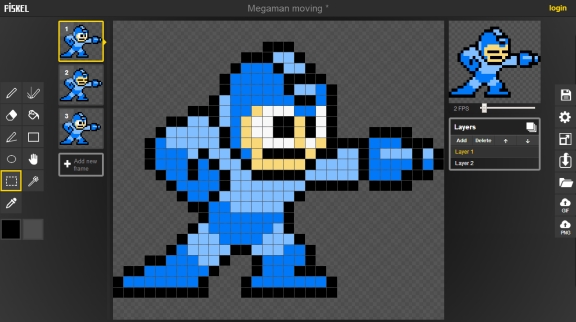
Learn how to easily make pixel art for games. These 10 FREE pixel art editors will reduce the development time of your next game!
 cedar lotus
hey guys, i have the problem that if i slice my sprite sheet into different slices and then make an animation from it. Somehow the Character moves a little in z axis. i checked the sprite sheet. It looks fine. Any other ideas?
solemn latch
Set the pivot points correctly. @cedar lotus
cedar lotus
Thx. Is there a general suggestion limit of how much frames a sprite sheet animation should have? Game is for mobile? Performance wise?
solemn latch
Every mobile platform is different. And it would also vary based on how large the sprites are; it's more the size of the sprite sheet that matters than the frames.
 craggy compass
Hi, I've been using aseprite for a few years, I made a concept art for my game and applied some atmospheres, is there any way to do something similar in unity?


 ruby osprey
You could just mirror the sprites
 old beacon
hey I imported a 16 by 16 pixel sprite, but it's really blurry. Any suggestions?
abstract olive
old beacon
hey I imported a 16 by 16 pixel sprite, but it's really blurry. Any suggestions?
Set the filtering to Point Filtering in the import settings of the asset.
still tendon
and turn off compression messes with colours of sprites
cedar lotus
if i have a spritesheet like this. How would a weapon switch be implemented? do i have to make a sprite without a weapon and then add it? or do i need to do a spritesheet for every weapon?
 dim wraith
cedar lotus
if i have a spritesheet like this. How would a weapon switch be implemented? do ...
dim wraith
cedar lotus
if i have a spritesheet like this. How would a weapon switch be implemented? do ...
I'm working on this kind of thing too. Are you using the skeletal animation?
I think it would probably depend on how your equipment system, but just in terms of the sprites, I think you would definitely need to have a seperate sprite and than somehow parent the character to the sword. But then would that be done via an animation or do you need a whole different sprite shit. I am not sure. If I figure it out I will holler back, and if you figure it out let me know
cedar lotus
No it's a sheet with different poses and then I slice it, drag it into the scene and unity makes an animation out of it. OK let's go with that 👍
modest cargo
craggy compass
Hi, I've been using aseprite for a few years, I made a concept art for my game a...
If you mean the reflections, yes I think with some clever scripting you could do that
 plush root
hey can i have some help? for some reason my tile palettes will not load in the same order that the sprite editor shows. I have already sliced it correctly here are the images for reference : Sprite editor on left and Tile Palette on right

my problem is that sprites like houses require multiple tile selections but i can't do this as they are in random places
plush root
@everyone
abstract olive
plush root
@everyone
Don't be obnoxious, obviously tagging an entire discord server isn't going to work.
craggy compass
hi, my post processing effects are not working, i already created a global volume and enabled post processing in camera, also i enabled urp in project settings, what is missing?
lean estuary
craggy compass
hi, my post processing effects are not working, i already created a global volum...
There are resources pinned in #💥┃post-processing with detailed guides how to make it work. Make sure to follow the one to the correct render pipeline.
craggy compass
thank u
 floral bridge
anyone know how i could use a custom hp slider? as in. Event take damage. and hp goes down?
cause im lost
 magic junco
floral bridge
anyone know how i could use a custom hp slider? as in. Event take damage. and h...
magic junco
floral bridge
anyone know how i could use a custom hp slider? as in. Event take damage. and h...

Let's create a simple health bar using the Unity UI-system!
Get up to 91% OFF yearly Hostinger Plans: https://hostinger.com/brackeys/
Code: "BRACKEYS"
● Brackeys Game Jam: https://itch.io/jam/brackeys-3
● Project Files: https://github.com/Brackeys/Health-Bar
···················································································...
 calm sequoia
Anyone here know how people make really good 8 Bit art? Mine always comes out lookin really awkward and I never see anywhere on how to get better at it; just seeing its a natural skill. https://cdn.discordapp.com/attachments/803003077720408109/940050317876297818/unknown.png heres an example of mine
 solemn latch
I mean, that looks pretty good.
I think that you're probably at the point where you know the tools well enough and maybe focusing more on figuring out a cohesive 'style' would help.
craggy compass
calm sequoia
Anyone here know how people make really good 8 Bit art? Mine always comes out lo...
what helped me improve was studying color theory, the rest comes with practice
calm sequoia
solemn latch
I think that you're probably at the point where you know the tools well enough a...
Wdym by cohesive? Like where all the colours/parts connect well together? Or something else
calm sequoia
craggy compass
what helped me improve was studying color theory, the rest comes with practice
Ah ill have to look into that
craggy compass
i can help you at the basic principles
calm sequoia
Some useful softwares ive seen for colour is this adobe software that will pick colours that fit well together depending on the settings you choose. Forget what its called though.
calm sequoia
craggy compass
i can help you at the basic principles
I mean I’m not to worried about the colours, more on making the structure. Cause the whole body (not the head) i had to look up images for reference for all of it. And the head is prob the worse part of it, and I’m really terrible at finding how to make art “look” better
craggy compass
is interesting, but I recommend understanding the idea of each component of your composition
calm sequoia
craggy compass
is interesting, but I recommend understanding the idea of each component of yo...
Yes, thats where the struggle comes in. Never was able to teach myself efficiently to do so.
 hidden heart
I get this sometimes, where the objects beneath the sprite show through the sprite above. Both are on the same layer, but the hut image is a separate sprite while the objects showing through are part of a Tile Renderer. Any advice on how to fix this? It really irritates me that I get it sometimes (20% of the time?) but not always.
Normally the hut will be shown over the objects inside

 faint gate
hidden heart
I get this sometimes, where the objects beneath the sprite show through the spri...
faint gate
hidden heart
I get this sometimes, where the objects beneath the sprite show through the spri...
i think that depends on the z axis coordinates or the sorting layer
hidden heart
They have the same sorting layer. What confuses me the most is that its not consistent... Z axis doesn't change either, but I'll try and fiddle around with that a bit
faint gate
they are two seperate gameobjects right? The one with the lower Z axis should be above
@hidden heart
hidden heart
Ah yes, playing with the Z axis does influence it
However a lower Z axis for the hut seems to put it on top, didn't expect that
faint gate
its because of how the camera works i think
hidden heart
It works great now that I've adjusted the Z, thanks a lot!
faint gate
no problem :D
 green yacht
hey everyone, I have a problem with my tilemap: these lines between the tiles appear for some reason.
I never had this problem before and I don't know what to do about it

 frail pebble
green yacht
hey everyone, I have a problem with my tilemap: these lines between the tiles ap...
frail pebble
green yacht
hey everyone, I have a problem with my tilemap: these lines between the tiles ap...
can you send me the tiles you used so I can try
green yacht
 frail pebble

and click apply
use this

there are spaces around the edges of the one you are using
green yacht
okay it worked now, tyvm for the help!
still tendon
how would i create a tilemap/tile palette on the run
i got tile sheets and a txt file saying which tile goes where and i want to make a tilemap with these infos
i put them into Resources folder and can load it as Texture2D into memory but what then?
still tendon
hmm seems i can do it via GetPixels/SetPixels and creating new "Texture2D" with that size and "Tile" as well
but it looks weird on the tilemap? This is the game view and there are those weird lines
 modest cargo
 faint dew
any help please 🙂
faint dew
any help please 🙂
Very hard to tell what kind of object the torch is or what's happening to it
Have you looked at it from another angle using the scene view while the problem occurs? It might give you some clue
 brave finch
Would it be possible to trigger an animated tile's animation?
rather than have it start at a designated time
still tendon
hey im looking for an easy to follow and short video to get me started with creating my own art
solemn latch

Art fundamentals, art fundamentals. When working on our art, we hear this word all the time, but what does it actually mean? In this video, I talk about what SPECIFICALLY is fundamental to your art.
Notes:
Art education at http://www.schoolism.com
still tendon
How does one make 2D AI using existing waypoints
(also the maps have the tilemap that in theory match the waypoints position)
Maps come in text+tiles.png form I'm just making a loader for them
Example:
waypoints { (48,128);(464,128);(48,224);(464,224);(96,320);(416,320);(48,416);(464,416);(48,512);(464,512);(256,128);(256,512);(256,320) }

 chilly scaffold
Hey im trying to use gimp to create pixel art for my game, but the brushes seem to be too thick even when i have the size set down to 1
lean estuary
@alpine kelp Don't ping moderators with non moderation issues.
 alpine kelp
So sorry for ping
could you please tell me whom i can tag this to get the solution @lean estuary or any active role for helpers.
lean estuary
@alpine kelp Don't tag people not in conversation with you at all. Read #📖┃code-of-conduct
alpine kelp
tag, I mean any Role
lean estuary
If someone has time and understand your question they would answer.
alpine kelp
ok Thanks👍
lean estuary
Meanwhile you could review the debugging guide pinned in #💻┃code-beginner
 lime citrus
Before, there was also a "gameobject brush" menu item but now, it is not visible, it only shows default brush. How can I solve it?
 solemn latch
lime citrus
Before, there was also a "gameobject brush" menu item but now, it is not visible...
solemn latch
lime citrus
Before, there was also a "gameobject brush" menu item but now, it is not visible...
Did you install the extras package that has the GO brush in it?
lime citrus
solemn latch
Did you install the extras package that has the GO brush in it?
Yes, but somehow, it disappeared.
Package is downloaded.
solemn latch
Hm. I've not actually used the package; maybe check on the github?
 dawn narwhal
The 2D Tilemap Extras package is a preview package. You must enable preview packages to access it in Package Manager. The GitHub version of the extras is no longer being updated.
Project Settings > Package Manager > Enable Preview Packages
 woeful mantle
Is there a way to quickly do 2D animating tilemaps? Like, take both sprite sheets, select the tiles, and make it one? Like "Animated Tile" but... Better. I have quite a few tiles I need to animate so it'd be a ton of work to do them one by one and wondered if there was a faster process.
solemn latch
woeful mantle
Is there a way to quickly do 2D animating tilemaps? Like, take both sprite sheet...
The same tilemap extras package we were just talking about has animated tiles too, I believe
woeful mantle
solemn latch
The same tilemap extras package we were just talking about has animated tiles to...
If you're talking about this, then yeah I know. I'm looking to somehow take the entire sprite sheet and have it animate with its counterpart in the "Tile Palette" because if I have to do this (the picture), I'd have to make about 130~ more singles.

 tepid drum
guys any good free software for 2d modern art?(with animations)
abstract olive
tepid drum
guys any good free software for 2d modern art?(with animations)
Stop crossposting. You need to define what a "modern art" style is before you can find software to accomplish it.
tepid drum
abstract olive
Stop crossposting. You need to define what a "modern art" style is before you ca...
sorry
 dusky knoll
krita?
cunning fossil
so im working on randomly generated maps and dungeons it there a way i can save chunks of a tile map? for groups of tiles that go together(like and altar or tomb)? and then plop the chunk into the tilemap some how
 marsh lintel
Hi, can you suggest any good tutorials about making bending particles for 2D fighting game (I mean like: water, fire, lightning effects)
marsh lintel
or any assets
 indigo ocean
Hey All 🙂 would someone be so kind to quickly help me with my tilemap? I think i don't have the control over it that i would want to have - i mostly importet 16x16 tiles and some 48x48 (which automatically used up 3x3 of the tilepallet obviously - but now i changed so that the tile pallets grid matches the 48x48 - can i somehow change that back? or change the view at all - or maybe change my workflow working with the tile pallets at all 😄

The selected Tile perfectly fit the grid before and now after i imported another 48x48 it looks like this.
I've restarted unity without saving, hoping that it would change back but it didn't. The imported sprite is gone of course but the grid still looks like this - which leads me to believe that there is some kind of setting for it.
I find it to be rather difficult to find any other online help for it since most of the Videos about tilemaps are just about how to use it, not how to control certain settings so i would be super happy if someone could help me out with it
Thanks alot for giving me to opportunity to ask 🙂
 random tree
What's the correct process for importing sprites with animations from Aseprite? Looking online some people are mentioning multiple different things, including several packages that don't seem to be updated for the last couple years. Any pointers on the most up to date method?
 agile dawn
I'm using the isometric tile system in unity in the tile editor and I keep having random depth issues. I don't understand why.

 opal hill
is there a way to make perspective in 2D?
(not my game, just showing what I am looking for)
 abstract olive
That's just a regular 3D environment with an angled perspective camera. The sprites are billboarded to face the camera (a common technique for mixing the two)
old beacon
hey does anyone know why my tile map collider isnt working?
opal hill
abstract olive
That's just a regular 3D environment with an angled perspective camera. The spri...
so, should I make the game 3D?
 candid dome
hey guys
One quick question
2D IK tool, is it no longer available in unity ? I cannot locate it in package manager. But I can still see it's docs
 soft scaffold
hello, i want to ask regarding isometric assets, is there any source or site that allow me to get those in free for learning only?
 serene nacelle
agile dawn
I'm using the isometric tile system in unity in the tile editor and I keep havin...
serene nacelle
agile dawn
I'm using the isometric tile system in unity in the tile editor and I keep havin...
Unity Forum
Hello folks,
first of all hearing that you are adding isometric tilemaps was great news.
When I use different Tiles, they seem to be sorted in a...
Had the same issue, this sorted it
cunning fossil
what tools do people use for making tiles/ sprites? ive been using gimp but i thinks it s bit much for something like this
 zinc badger
cunning fossil
what tools do people use for making tiles/ sprites? ive been using gimp but i th...
zinc badger
cunning fossil
what tools do people use for making tiles/ sprites? ive been using gimp but i th...
I tend toward Aseprite (https://www.aseprite.org/, or pickup a copy on Steam), which has served me extremely well. Lospec (https://lospec.com/) also has a free online editor, that I haven't used myself, though I frequent the site for palettes. You can also find tutorials there, if needed. 👍

Animated sprite editor & pixel art tool

Free online tools for people creating pixel art and other low-spec art.
 flint geode
random tree
What's the correct process for importing sprites with animations from Aseprite? ...
flint geode
random tree
What's the correct process for importing sprites with animations from Aseprite? ...
I save each frame seperatly as a png, and when i edit it, it saves as a png and auto updates in unity as i saved it there.
flint geode
cunning fossil
what tools do people use for making tiles/ sprites? ive been using gimp but i th...
Aseprite. You can buy it on steam or their website for £15 or you can actually compile it yourself with a download from github for free! It takes some time and has no auto updates but its free. Its the exact same and it is not illegal as they literally allow you to do this
 dawn cedar
I have a hard time figuring out what image-size and size for each tile should be. So, I usually just draw anything on a 576x 384x image and I use 48x 48x grids.
How would I go about creating a nice template tileset for my tile-images that I can re-use troughout the game?
cunning fossil
Cool ty
solemn latch
dawn cedar
I have a hard time figuring out what image-size and size for each tile should be...
Why that image size? If you're using a sprite sheet anyway, why not a power of two?
 dusky owl
How would I go about fixing a collision issue using tilemaps? My character appears halfway through the sprite. I have the sprite collider type set to 'sprite'. I also have put in a custom physics shape on my sprite editor. Here is an image of my issue.

 carmine compass
haven't worked in 2d but I imagine you want the pivot to be lower (appears to be in the center)
solemn latch
@dusky owl make the physics shapes more accurate?
 queen locust
hi, couldnt find more appropriate place for this. im creating 2D platformer game and for some reason my camera preview went blue, and when i build and run project, same thing - camera view changed back to normal, and i can play even preview without issues, but as soon as i build it's blue screen... what to do?
i googled that its about scenes but i have them added to build settings so idk what is really the issue. it happened after i added raycast physics 2d component
solemn latch
@queen locust do you have fog enabled?
 lusty knoll
for a 2d ortho tileset is it a good idea to make the tiles rectangular? e.g. 16x8 ?
 simple rock
candid dome
hey guys
One quick question
2D IK tool, is it no longer available in unity ? I...
simple rock
candid dome
hey guys
One quick question
2D IK tool, is it no longer available in unity ? I...
Which Unity ver are you using?
It was merged into the 2D Animation package from 2020.2 onwards
https://forum.unity.com/threads/2d-inverse-kinematics-ik-now-included-in-the-2d-animation-package.961330/
Else, maybe check if your preview packages are enabled
In Package Manager press [Advanced] and select [Show preview packages]
 hallow shadow
random tree
What's the correct process for importing sprites with animations from Aseprite? ...
hallow shadow
random tree
What's the correct process for importing sprites with animations from Aseprite? ...
I would recommend looking into the LUA scripting to export the files cut up as you wish for example if you want to separate by layers/tag. Could also use it to create meta files for importing into a custom animations importer tool you create in Unity
queen locust
solemn latch
<@205743874985951235> do you have fog enabled?
sorry for so late response. i figured it out and accidentally added another camera to the player(or raycast physics 2d component added automatically). cheers
 acoustic trellis
I'm procedurally generating dungeon levels using tilemaps but somewhere in each level I want a pre-made room to spawn that would have specific things already set up in it (below is simple example)

how could I go about doing that?
I tried originally setting up the whole room in Tiled as just one tile, but that didn't work cause once I put it on the tilemap in unity, it only showed that one tile was occupied by anything even though visually 40 or 50 tiles were covered.
 placid jay
anyone can give me a good .png editor suggestion? I tried with gimp but it makes really blurry sprites when I try to edit a sprite
acoustic trellis
I have the 2d extras and I tried to make my tilemap room a prefab and painting it on with a prefab brush, but it runs into the same problem, while it paints everything onto the tilemap, the tilemap itself only shows one tile being occupied
placid jay
btw I found the issue, it was because I left the filter mode to bilinear
solemn latch
acoustic trellis
I have the 2d extras and I tried to make my tilemap room a prefab and painting i...
you'd probably want to write your own script to grab a range of tiles and write to them.
acoustic trellis
solemn latch
you'd probably want to write your own script to grab a range of tiles and write ...
yea I kinda ended up doing that
 storm aurora
So... I added a tileset. At the slicing step, it's been running for over 30 minutes now, with 1 of my cpu cores at max. My computer is pretty old, is that a reasonable wait? Or is something wrong
New to this, so I don't really have any idea
solemn latch
That seems somewhat unreasonable; at least, I've not heard anyone else complaining about that.
 south pawn
Does anyone know a good art software? I have been trying to find an alternative to Adobe Photoshop.
 nocturne bear
Iam sorry if this is the wrong Category but i have a problem with my Sprite Mask in a 2D Topdown Game when iam using a sorting Group cause it just wont apply.
serene nacelle
Hey guys, anyone could help me about the sorting layer in tilemaps ? I would like my game object to not be rendered with priority over any tiles
 modest cargo
south pawn
Does anyone know a good art software? I have been trying to find an alternative ...
modest cargo
south pawn
Does anyone know a good art software? I have been trying to find an alternative ...
That depends on what do you use Photoshop for
Gimp is the only one that aims to replicate all of PS's functionality, but does none of it well
Clip Studio Paint is great for painting and animating
Krita does the same stuff for free, but isn't quite so great
Aseprite is better than PS for pixel art, spritesheets and working with indexed palettes and is very affordable too
south pawn
modest cargo
That depends on what do you use Photoshop for
I am making a game like connect 4
So I need coin and board graphics
modest cargo
south pawn
So I need coin and board graphics
Does that mean freehand drawing, using shapes and filters or perhaps generative art?
south pawn
modest cargo
Does that mean freehand drawing, using shapes and filters or perhaps generative ...
I was thinking of using shapes and filters
I was recently using autodesk sketchbook
but
It didn't have good brushes
or features
modest cargo
Try Gimp or Krita I guess
south pawn
modest cargo
Try Gimp or Krita I guess
I will thanks!
stable coyote
hey Guys. is there a possibility to create a grafic with tiles and then prefab it (as a sprite)?
i dont want to have to build the same House over and over again on a grid
 wide schooner
south pawn
I will thanks!
wide schooner
south pawn
I will thanks!
idk if this is a great alternative to photoshop, but photopea delivers basically all the functionality and is free
south pawn
stable coyote
hey Guys. is there a possibility to create a grafic with tiles and then prefab i...
Put the tiles under a parent then drag the parent into a file to make it a prefab
Call the parent house
stable coyote
south pawn
Put the tiles under a parent then drag the parent into a file to make it a prefa...
so i need to make a single grid for every prefab? is this performant?
south pawn
stable coyote
so i need to make a single grid for every prefab? is this performant?
Idts. You can even copy paste tiles
stable coyote
south pawn
Idts. You can even copy paste tiles
okay thank you 😄
 raw kraken
Is there any way to get the individual Tile object from Tilemap Collider? We'd like to use the benefits of the tilemaps (memory and performance optimizations), but we also need the environmental context (interacting with a tile would, for instance, provide the description of that object, etc.). Our tiles are not corresponding with the grid (Fallout 1/2 system, grid is hexagonal, tiles have different shapes), so grid position cannot be used to retrieve the Tile object. Does the Tilemap Collider cache the individual colliders it batches in runtime?
 valid barn
quick question:
can i speed this up?

dont ask why there are 14k tiles lmao
based on my calculations the import of all 14k tiles will take approximately 2-3h
modest cargo
valid barn
quick question:
can i speed this up?
I think it might help to disable "compress textures on import" in preferences
But I don't know if that makes a difference if your project has to process the sprites into tiles anyway
valid barn
doesn't help
man that sucks
its been 4 hours, unity then became unresponsive, i killed it and i resarted the process. its not recognizing the existing tile assets after changing the compression algorithm to none
prisma elk
you guys, how Sprite Atlases work?
Do you just pack it and all sprites in there will be automatically atlased sprites?
will all existing references replaced with one from atlas?
valid barn
yup once you go atlas, every reference to the tiles will refer to the atlas one
atlas basically just puts them together with stitching etc
prisma elk
so, basically I can just work without atlases and right before build just create atlases, put everything in it and it's just that ez?
valid barn
and makes that juicy n px padding border so you dont get those weird vertical/horizontal lines when not pixel perfect
yeah should be alright that way
prisma elk
poggie woggie
does it say tho when any of my elements didn't fit?
or is there a way to know?
for when you have way too many little sprites to keep track off and they are tigtly packed
huh, just packed everything and got free 30 fps from 220 to 250 kek
 delicate dock
to make a 2d game is it necessary to have a 2d tilemap or assets so you can start actually putting things in the scene
should i try and make my own sprites and import them somehow
modest cargo
delicate dock
to make a 2d game is it necessary to have a 2d tilemap or assets so you can star...
You only need a tilemap if you want to use a tilemap
 trail merlin
im trying to design a card game, but im having rendering problems. cards are being rendered under one another. is there a way to adjust rendering order with UI elements or is it just a bad idea to continue using ui elements instead of sprites?
woeful mantle
So I just got into autotiling and I hope I can get this done right but I need help, otherwise it's block by block. I need help with my ruling and am wondering if someone can take a look at my sheet and help me get the arrows and x's in the right spots.

 gloomy fog
south pawn
Does anyone know a good art software? I have been trying to find an alternative ...
gloomy fog
south pawn
Does anyone know a good art software? I have been trying to find an alternative ...
Late reply but I do know a couple more free art programs:
In my opinion, Krita is a great substituted to Phtotoshop (you have a large choiche for brushes and option to edit/draw. You can either animate and export mp4/gifs)
If not, there are FireAlpaca and MediaBangPaintPRO
They seems the same at first, but you can animate with FireAlpaca and set a comic layout with MediBang Paint Pro (for game, I'd reccomend FireAlpaca)
Also, there's Paint.Net that you can use for pixelart or fast edits (plus a lot of online sites for specifically pixelart)
solemn latch
Compression artifacts
 astral hornet

why is the grid not showing when selected?
its not that big of a deal but i dont know what i did lol
astral hornet
it fixed itself
 light scaffold
reposting this here as it seems more relevant to 2D
I'm working on a character customizer for a 2d sprite game. I created a sprite library for each party (base, hair, top, bottom)
I then made an animation for all 4 parts, set to broken, set to both constant. It was working fine it seemed at first. Then I wanted to test changing the library on the hair to something else to see how swapping the library works for changing the hair
This is when everything started to break it seems. Now the hair wasn't animated at all. The resolver showed no "category" set. Sometimes if I manually set the category of would start to work and change the category on its own, but usually it would just not animate
I did notice in the animation that the animation parameter "category hash" did not create key frames or have any effect at all when changing anything
solemn latch
Sprite resolver is kind of garbage.
light scaffold
solemn latch
Sprite resolver is kind of garbage.
right now I'm manually changing it since that's what they did in this video. I wonder if there is a way to properly change it in code to make it work, seen at this point

In this video I will show you how to use 2D Animation package and its Sprite Resolver and Sprite Library to create reusable 2D animations.
Previously if we had multiple characters with exactly the same animation we have do create Animator Override Controller and recreate every animation using the sprite for the other character. This was a lot o...
solemn latch
@light scaffold if it is flipbook animation, you can change the sprite being used, either in the sprite renderer or the shader
light scaffold
solemn latch
<@260709609508044800> if it is flipbook animation, you can change the sprite bei...
thanks for the reply! I thought animations had hard set sprite references and you needed to make an animation per sprite. any documentation on this?
from what I have gathered reading pretty much everything unity as supplied on these new components, their point is you can make a library for each sprite part (shirt, pants, hair) and tell a single animation which part to use
so each hair has it's own library asset, then you make 1 animation that animates them, even flip book style, then you just change the assigned library to change your hair while using the single animation
I must be doing something wrong. this works perfectly in the sample project, even manually swapping in the inspector while playing
about to test it soon, but for anyone searching this in the future, you need to use the "sprite resolver sprite hash animation feature.. the only one that does not auto add on it's own. it didn't even add when I right clicked to add all sprite resolver properties
 light scaffold
yep fully works now
last issue I had: labels must also match it seems
the frame label of each same category between each library asset must match pretty much
 bold tapir
Piskel is a good alt for asesprite for pixel art right?
 lone geyser
Please help how to make my tile match with the grid
 bold tapir
lone geyser
Please help how to make my tile match with the grid
bold tapir
lone geyser
Please help how to make my tile match with the grid
I'm no scientist but maybe change scale in the tilemap and if you can't change it map change the orientation to a different one
 bold loom
Guys I I'm making a 1d space shooter type game
Any suggestions for apps to use for making art? (Windows10)
 bleak hatch
lone geyser
Please help how to make my tile match with the grid
bleak hatch
lone geyser
Please help how to make my tile match with the grid
you must change pixel per unit in sprite properties of this tile to amount of pixels in this tile
 tall current
bold loom
Guys I I'm making a 1d space shooter type game
tall current
bold loom
Guys I I'm making a 1d space shooter type game
how does one make a 1D game?
just a straight line?
 ivory bloom
hey guys, I created an enemy that uses a sprite mask to hide it when it's underground but the sprite mask is hiding every enemy of the same prefab. How can I do so that the mask applies only to the prefab's instance?
 pure flax
for as spritesheet i made, how come unity cant detect its multiple parts?
Its a png file, with seperated transparant parts, if i use mul;tiple mode, it finds 0 sprites
oh gawd, needed tyo hit slice
bold tapir
What's a good size for each tile in a tileset 16x16 or 32x32? also how should the lighting be? the top of each wall be the brightest or the ground?
bold loom
tall current
how does one make a 1D game?
ha ha sorry my bad i meant 2d
marsh valley
lean estuary
@mortal cedar Don't spam channels with memes
 cyan blade
Working with animated tiles, any way to get the custom physics shape to update with each frame?
Working on a beach tileset, don't want the player to walk in the water
solemn latch
Good question.
cyan blade
solemn latch
Good question.
Can't find any info online, pestering people on discord is my last resort 😦
pure flax
hi, for the spriteLibrarys, what are the hashes based on?
If I make multiple librarys, but reuse the same tags and labels, that will work to swap the animation for different chars? (one library per char)
mortal cedar
lean estuary
<@!438736898022834176> Don't spam channels with memes
I didn't spam
frail minnow
pls help me. I'm changing the Sprite Asset Library of a gameobject during runtime via script. But the script of the gameobject is not changing :C
In editor it already has the new sprite library but in game it still showing the old sprites
modest cargo
frail minnow
pls help me. I'm changing the Sprite Asset Library of a gameobject during runtim...
You could provide more details
How are you swapping the sprite exactly?
frail minnow
modest cargo
You could provide more details
How are you swapping the sprite exactly?
    [SerializeField] private List<UnityEngine.U2D.Animation.SpriteLibraryAsset> _spriteLibraryAssets;
    [SerializeField] private UnityEngine.U2D.Animation.SpriteLibrary _spriteLibrary;

    private costumeType _currentCostume = new costumeType { };
    public void ChangeType(costumeType costume)
    {
        _currentCostume = costume;
        switch (_currentCostume)
        {
            case costumeType.femaleType_1:
                print("1");
                UpdateSpriteLibrary(_spriteLibraryAssets[0]);
                break;
            case costumeType.femaleType_2:
                print("2");
                UpdateSpriteLibrary(_spriteLibraryAssets[1]);
                break;
            case costumeType.femaleType_3:
                print("3");
                UpdateSpriteLibrary(_spriteLibraryAssets[2]);
                break;
        }
    }

    private void UpdateSpriteLibrary(UnityEngine.U2D.Animation.SpriteLibraryAsset spriteLibrary)
    {
        _spriteLibrary.spriteLibraryAsset = spriteLibrary;
        _spriteLibrary.RefreshSpriteResolvers();
    }
I change the Sprite Library Asset of a gameobject its not changing in game
here its already changed in the inspector but in game it still showing the sprite of the previous sprite library

 compact knoll
I seem to be having some issues with game objects spawned by Rule Tiles. I have a dungeon generation system where each room has its own tilemap for obstacles, every room that has this rule tile that spawns a spike object (as shown in picture) it will spawn one (maybe more, can't tell) directly in the center of the room. It only does this in builds, it does not do this in the editor so I have no idea what could be causing it.
i am using 2021.2.12f, tested WebGL and Windows builds, issue happens in both. There is no code that affects the positions of these objects and nothing that instantiates them, the only thing that should instantiate a copy of the prefab is the rule tile which I have placed manually in each room, i know i could probably avoid this issue entirely by placing the spike prefabs manually instead of relying on a rule tile to instantiate them, but i'd also like to get this figured out so i know how to fix it for future projects

 cerulean parcel
How do I fix "rendering at an odd resolution error" its causing my pixels to be wierd sizes.

 feral frost
This isn't working
 marsh valley
cerulean parcel
How do I fix "rendering at an odd resolution error" its causing my pixels to be ...
marsh valley
cerulean parcel
How do I fix "rendering at an odd resolution error" its causing my pixels to be ...
Do you use pixel perfect?
cerulean parcel
yes
marsh valley
cerulean parcel
yes
You need to set the resolution ratio to have the same ratio of the pixel perfect one
cerulean parcel
marsh valley
You need to set the resolution ratio to have the same ratio of the pixel perfec...
ok
marsh valley
So if the pixel perfect is 200 x 400 the resolution cam bee like 400 x 800 or 800 x 1600
Tell if it work
cerulean parcel
ok
marsh valley
cerulean parcel
ok
It work ?
cerulean parcel
marsh valley
It work ?
had to go somewhere trying it now
made my screen very tiny
marsh valley
cerulean parcel
made my screen very tiny
Because the pixel perfect reduce the outup
cerulean parcel
how would I make it bigger?
marsh valley
cerulean parcel
how would I make it bigger?
Increase the size of the view
Of the cam
cerulean parcel
marsh valley
Increase the size of the view
fixed, thanks
marsh valley
👍
still tendon
i want to know,is that have any free tools that u can make you own character or item and can put it in unity?
 valid crown
Does anyone know where I can get some 2D images of food? Not pixel art.
abstract olive
The Unity asset store has some icon packs that for sure include food icons.
There's some RPG icon packs
 abstract olive
@alpine kelp Change the texture type to Sprite in the import settings of the asset.
 abstract olive
Did you apply the change?
alpine kelp
yes
abstract olive
Show how you're using the asset
 lost frigate
Is there something else besides photoshop I can use to create tiles/sprites for my 2d game
abstract olive
There's plenty of pixel art programs out there, sure.
 misty gull
Problem: I have a rect tilemap with each tile representing 32x32 pixels, however I have a "tile" that consists of 2x4 tiles. Is there a way I can avoid separating the structure into 8 individual tiles?
I can place the whole thing in the palette, but when it places in the map it's skewed
static violet
does anyone know of any sorts of tools or guides to accomplish this cape effect in 2D?
marsh valley
static violet
does anyone know of any sorts of tools or guides to accomplish this cape effect ...
Animations
You need only to do the sprite
marsh valley
static violet
does anyone know of any sorts of tools or guides to accomplish this cape effect ...
What is the game name?

This where you found the video so
static violet
marsh valley
Animations
no. this is not done with animations, this is simulated physics
if you just animate a cape/scarf and make a sprite sheet, then it has fixed positions, and no physics
and no idea what the game name is, its just a video someone posted to reddit
static violet
marsh valley
this is one concept of how its done, but I'd like to avoid the dual camera set up if possible
marsh valley
static violet
this is one concept of how its done, but I'd like to avoid the dual camera set u...
You can't
If you have pixel perfect
static violet
do you know that for a fact?
marsh valley
I had the same problem
static violet
I am 100% certain this effect can be achieved with a 3d model and a shader
I just dont know how exactly
shaders are black magic, and I haven't messed around with 3d models in a 2d scene
static violet
thats the dual camera method again
marsh valley
Idk so hello
static violet
if you dont know, stop trying to give me definitive answers 😛
pure flax
anyone ever had timeline come out differently in build :S
any timeline genious, can help me why my 'play from animation' clip doesnt play :S, it does in a fresh scene
just not following some recorded, 2d spline animation
pure flax
ohh 4 hours later 😄 , was a curve issue of some sort
I think either changing one from "Hold" to "None" as post extrap, or changing the curve itself, from a smooth, to a binary (sprite sheet swapping animations mixed with bone)
 slim arrow
Hello guys, are these 3d models or 2d sprites? They're animated
https://i.gyazo.com/d24a54b496e2999e96e6b0f4cfe71d0d.mp4
 abstract olive
Could be both. Modeled, then imported as sprites.
solemn latch
That's my guess as well. The edges of the building and character are antialiased, and the shadows are completely flat. Compare the silhouettes and shadows of the trees with those of the buildings and character.
 snow willow
slim arrow
Hello guys, are these 3d models or 2d sprites? They're animated
https://i.gyazo....
snow willow
slim arrow
Hello guys, are these 3d models or 2d sprites? They're animated
https://i.gyazo....
almost definitely a 3D model rendered into a sprite or something for mobile performance
wind grail
Does anyone know why this line is appearing? I am fairly positive I have anti-aliasing turned off
dawn narwhal
wind grail
Does anyone know why this line is appearing? I am fairly positive I have anti-al...
It's hard to say exactly, but it looks like many rows of pixels are double height while others are single. This could be a stretching or zooming issue due to the resolution the video was captured at compared to the pixels per unit you're using on the tilemap and tile sprites, or maybe the sprite coordinates are bad or the sprite source texture is configured to wrap and the tiles on that part of the texture are wrapping to the other side of the texture. The texture wrap mode should probably be set to clamp.
Every red row looks uses two pixels. The Yellow row aligns with your seam.
 wind grail
Oh you're right. Let me try using clamp mode if it isn't set that way already.
It seems like clamp is the default
wind grail
I fixed it the tearing by creating a sprite atlas but I'm not sure about the double pixel issue
solemn latch
What scaling ratio are you using between the pixels and your screen?
wind grail
16 pixels per unit, 2048 pixels max (if that's what you're asking, I'm very new to this!)
 cobalt raptor
@wind grail make sure your tiles have bleeding edges
looks like your tiles are bumping into each other (on the tilemap texture) causing them to bleed together in certain situations
this can kind of be avoided if you are using a pixel perfect camera, but I've never found a method that is more reliable than making sure your tiles are bleed-proof
wind grail
Is there a tutorial for that? 🙂
cobalt raptor
@wind grail here's one https://www.youtube.com/watch?v=Wf98KrAyB2I

How to fix tilemap tearing and edges/gaps in a 2D Unity Project is much simpler than you think and does not require reimporting or manipulation of any of your 2D assets, a simple Sprite Atlas is all you need and I'll show you how to do that in under 3 minutes. Tilemaps in a 2D Unity project can be quite frustrating but fixing them is easy. Plea...
sprite atlases will do this bleeding edge extrusion for you
pretty handy
the video doesn't explain why it works, but just for your own knowledge that's what's happening
wind grail
Okay thank you!
pure flax
I rigged these, as 2 different skeletons, is that the best way?

ideally it would be connected to the same skeleton?
(as now, I have to manually sync the 2 skellys, if changing from front / side / back views)
and try to make the animations match if changing from front / side during one
cobalt raptor
I don't think unity's 2d skeleton system is robust enough to support having them be one skeleton
pure flax
its a shame they are so 2d, it would work if it let you rotate them
cobalt raptor
I mean you could make it a 3d model I suppose
pure flax
which you can, but then you cant see the bones, and also, you cant rotate a copy pasted sprite bone geometry map
if you could do those 2 things would work perfect
the sprite would get snapped onto a "face" of the bone. (an angle of 0 to 360)
solemn latch
Those are similar enough that you could probably use one skeleton for both views
pure flax
ohh yes I think I see how now 😄
my problem, is my spritesheets are too diffferent, not unity ahaha
noo, cant rotate the sprites on the bones
e.g., this would be mapped mostly perfect, to the same skelly, if i could rotate the sprites 90 deg

but it can only be mapped the the skel;eton in its 0 degree origin pose:

unless theres a way? :S
solemn latch
Why would you need it to be 90 degrees?
Just swap the sprite being displayed for each bone
modest cargo
cobalt raptor
I don't think unity's 2d skeleton system is robust enough to support having them...
You can with sprite swap
https://docs.unity3d.com/Packages/com.unity.2d.animation@8.0/manual/SpriteSwapIntro.html
But you need to be mindful of weightmapping for all sprite variants
solemn latch
You don't need sprite swap. You can literally just enable and disable the sprites.
Though yes, you can use sprite swap for that if you're a masochist.
modest cargo
solemn latch
Though yes, you can use sprite swap for that if you're a masochist.
I trust your experience on this ^^
pure flax
Because, as in last image, the sprites need to snap onto the skeleton, when its rotated 90 degrees
So i can sprite swap etc no probs, but the sprites are in the wrpng place
If you rotated the bones 90 degrees, the sprites would be in the right place
(E.g, the legs and arms, would be on top of each other, in profile view, not next to)
And then my sprites would be perfectly alogned
The 2nd from last image, ahows the skeleton rotated, and if the sprites snapped on at that plane, would be perfect)
Basically, the sprites dont fit onto, the skeleton, when the skeleton is viewed from in front, but if you lpok at the skelly in 3d view from the side, then the sprites fit perfectly onto that
And also, need to be snapped from that same angle, so they are visible if charecter is rotated 90
still tendon
can i ask for some help?
so i have this asset i got sliced it into 16x16 then when i tried to use it

i literally cannot find anywhere what this is
 true fjord
still tendon
can i ask for some help?
so i have this asset i got sliced it into 16x16 then wh...
true fjord
still tendon
can i ask for some help?
so i have this asset i got sliced it into 16x16 then wh...
im gonna j create a 2d project and try to find the solution
true fjord
still tendon
can i ask for some help?
so i have this asset i got sliced it into 16x16 then wh...
in the original image before slicing it, change the "pixels per unit" to the w/h of the tile
 true fjord
still tendon
true fjord
still tendon
np
cobalt raptor
modest cargo
You can with sprite swap
<https://docs.unity3d.com/Packages/com.unity.2d.animati...
I was thinking in terms of having bone controls a la blender, but in 2d. Can you do something like that using sprite swap? Says "at runtime".
Either way, did not know sprite swap was a thing -- very cool!
modest cargo
cobalt raptor
I was thinking in terms of having bone controls a la blender, but in 2d. Can you...
Bone controls? Seems I don't fully understand
cobalt raptor
something like this https://www.youtube.com/watch?v=dXLs5lVX0ys

In this video, we will see how to apply a simple Grease Pencil rig to our model. We will be using an armature, lattices, and basic constraints.
This video is one of four, detailing the character’s creation, from sketch to model, to rig and finally covering my animation workflow.
I have added English subtitles. If you would be willing to transl...
@modest cargo
particularly the mouth control slider -- you could theoretically have a slider that would switch the sprite's facing direction depending on where it was
modest cargo
No reason you couldn't
cobalt raptor
suppose it's possible to do that using a script variable that you can then animate, but I was just saying that unity's bone system, particularly in 2d is not advanced to be able to support animation controls like this in blender
modest cargo
I think 2D animation has some constraint components that can do something similar, and Animation Rigging has even more constraints that would be useful if you want to implement something like that
But it does "support" it, even if it might not be possible without scripting
Using modifiers and constraints to enhance animation in blender is not fundamentally different from using code and components to do the same in unity
pure flax
so theres no way to snap the sprite, to the back, or side of the bone, instead of the current front?
modest cargo
I've never tried to rotate a 2D armature in 3D space
Seems like a much less convoluted approach would be to swap the sprites between "sideways" and "forward" facing variants
pure flax
yeah, when i map my side sprites, onto the front skeleton:

instead of:

if the sprites where 90 rotated, would be perfect
(e.g. the arms, should be in line, not side by side)
(only difference is need to rotate skeleton 90, before applying the swapped sprites)
modest cargo
Sprites are only meant to be rotated around the depth axis
Stick to that rule until you know what you're doing
will save you a bunch of headaches
pure flax
yeah i just using 2 skeletons instad now, but if i could apply the sprites onto the side of the bone, instead of front could code a 3d model in 2d
modest cargo
It's technically possible but would invite a whole lot more problems than it would solve
solemn latch
cobalt raptor
suppose it's possible to do that using a script variable that you can then anima...
It is certainly possible, though will require some scripting for something as elaborate as that example
 worn zealot
You can do a lot even without scripting. This is just using a simple 2d blend in the animator between direction poses, for a 'joystick' like control similar to what the guy in the video is doing. Though obviously a script to control it would make things easier. Would also be nice if unity had a FFD lattice or the like. https://i.imgur.com/BL9cfGJ.mp4
 cobalt raptor
very cool
worn zealot
(The jerkiness is because I'm puppeteering it in real time with a mouse; you can do a lot better with keyframes.)
cobalt raptor
makes sense
worn zealot
But yeah, it is just bones moving/scaling the facial features, and nine keyframes(one for each direction and a neutral one).
solemn latch
The mouth is just a flipbook?
 muted mica
Hello, is this possible to set the "height" of an Light 2D to not being blocked by "player" or other entities? I wish to have shadows on it, don't wanna remove shadow caster 2d https://gfycat.com/obviousblushinglark
 modest cargo
muted mica
Hello, is this possible to set the "height" of an Light 2D to not being blocked ...
modest cargo
muted mica
Hello, is this possible to set the "height" of an Light 2D to not being blocked ...
No such option, yet anyway
muted mica
Owh, thanks :c
modest cargo
If it was implemented I think you might very quickly run into more limitations, like also needing to control the light height, or the silhouette of the shadow
Which would be nice to have but at that point you could just use 3D lights and shadow casters instead
muted mica
3D lights does not affect at all my tilemap and my sprites
modest cargo
They'd need to be textured quads instead of sprites (which sprites technically also are) so the workflow would be different but end result mostly the same
I don't know why Unity made a whole new (limited) lighting system instead of modifying sprites to work with 3D lights
solemn latch
muted mica
3D lights does not affect at all my tilemap and my sprites
You'd need to use a shader that supports shadow casting.
solemn latch
modest cargo
I don't know why Unity made a whole new (limited) lighting system instead of mod...
Because they would have to finally fix the broken tangents on sprite meshes.
solemn latch
Drives me nuts
 distant rover
If you were making a 2d game that game a battle system like Dicey Dungeons I get that you'd use the canvas for the UI but what about the characters? Would they be in the canvas too or in the scene? I never know when to use the canvas for non UI stuff.

 still gorge
with 2d games, is it good to use this?

or is there a certain template that i should be using?
still gorge
2D core right?
 inland kiln
 still gorge

got it thanks
dunno how i didnt see that honestly
i usually work with 3d but im taking a step back and trying 2D again
cerulean parcel
how do I fix this giant gap between the player and the ground? they both have box collider 2d and the player has a rigidbody 2d
 pure flax
when rigging, say different shaped clothes, do I just generate the geometry as usual, and make sure the bone is named correct and same size?
or something more / less
solemn latch
pure flax
when rigging, say different shaped clothes, do I just generate the geometry as ...
Yes
Though for extreme shapes you might need to get creative
 spiral juniper
Hi guys, I have a problem with imported textures. Normally they are transparent pngs but when I import them into unity they become only half transparent and these weird blue shapes shows up...


Same with these:

 pure flax
should i use 1 mouth sprite + bone, and sprite swap it, or try to setup an 3 part (mouth top 3 bone, bottom 3 bone, inside 1 bone as parent) 7 bone thingy?
for doing animated cartoons
I guess the bone thing, cause I could always setup sprite swapping on those as well
and it might work for most case hmm
or something else altogether?
2nd question, does the animation state machine, work in timeline? (im just using play from animation in a clip in a animation track, which im not convinced is using it)
pure flax
is it possible to customise the bone gizmo, so if i turn off visibility of the bone, the gizmo is gone??
made a charecter with 100 bones, from many partys, cant animate (easily) as it too complex to selectthe bones i want 😄
 solemn latch
spiral juniper
Hi guys, I have a problem with imported textures. Normally they are transparent ...
solemn latch
spiral juniper
Hi guys, I have a problem with imported textures. Normally they are transparent ...
show your import settings?
solemn latch
pure flax
main head bone overlaps control points etc:
I add gizmos to the bones I want to be able to grab easily, and use keyboard selections.
pure flax
every bone has a gizmo for me, ill google where they are 😄
solemn latch
I mean, I add separate ones for the important bones
spiral juniper
solemn latch
show your import settings?

I've tried different Alpha source settings, but it had no impact
solemn latch
Well, setting it to none will mean no alpha channel at all.
You had alpha is transparent checked?
spiral juniper
solemn latch
Well, setting it to none will mean no alpha channel at all.
Yeah, but I've tried all the possible settings and none of them worked
spiral juniper
solemn latch
You had alpha is transparent checked?
I've tried even that, yeah
solemn latch
Why's your alpha cutoff so low?

 spiral juniper
cobalt raptor
spiral juniper
cobalt raptor
Now it works in the inspector and the icon looks right, but still when I put it on and object it has this weird blue shape behind it

Material settings if that could be a problem:

 vocal kelp
Hi, do you know a tool, online or standalone, which could allow me to change color of many, many png files to white at once? I know there are some allowing editing only one png at once, but I have tens of icons which I want to convert from black to white.
cobalt raptor
You can write a simple script in unity to read a bunch of pings into textures, invert them and write them back
vocal kelp
yep I'm writing a tool using System.Drawing .dll
cerulean parcel
pixels wierd sizes even with pixel perfect camera (fixed by removing pixel perfect camera component)

 fervent mesa
Hey everyone, came here just to ask one thing. I have installed unity only a day ago and am encountering a problem already. I wanted to make a simple 2d platformer by using tilemaps, so when I wanted to make a tilesheet I first made a spritesheet out of Geometry Dash sprites that will be easy to understand, made some slicing in Unity, but then some of the spliced sprites are broken a bit in the bottom right corner. What made this happen and how do I fix this? I would just stop using spritesheets if it's mandatory, but using sprite sheets is much better in my opinion than having everything separated.


 solemn latch
@spiral juniper
 solemn latch
vocal kelp
Hi, do you know a tool, online or standalone, which could allow me to change col...
solemn latch
vocal kelp
Hi, do you know a tool, online or standalone, which could allow me to change col...
If you have photoshop, you can set up a batch action for that pretty easily
vocal kelp
@solemn latch thanks, I dont have one, actually I managed to do it myself with c#, then I realized my icons were really low resolution, i could vectorize it and export png somehow i dont know a tool either, screw it i dont need that 
light scaffold
is there a way to increase the 2D sprite preview in the project pane? they are incredily tiny here but appear normally otherwise
how they appear

but the size they should be in preview

 wide ginkgo
light scaffold
is there a way to increase the 2D sprite preview in the project pane? they are i...
wide ginkgo
light scaffold
is there a way to increase the 2D sprite preview in the project pane? they are i...
Pretty sure there's no way to do it
If you're on a newer version of Unity you could pop out the inspector and dock it near your project view, but you'd still need to select the sprite.
 light scaffold
was afraid of that being the answer. really annoying dealing with sprites because of this. weird how no one working on all the new great 2D tools didn't notice this issue 
solemn latch
The people working on the 2d tools don't use them; this is obvious from all sorts of issues.
 robust sluice
How do i import a vector image into unity, since drag and drop isn't working
solemn latch
robust sluice
How do i import a vector image into unity, since drag and drop isn't working
Depends on the format. Unity doesn't natively use any vector formats, so you either need an importer(like the svg package) or a converter.
 onyx tundra
Hello, im making 2D game and the map is made (or I wanna be made) from tiles but I just can't make new tile palette i just press "Create New Palette" and i choose location and nothing happens when i searched on google, i didnt see anyone having the same problem
fervent mesa
onyx tundra
Hello, im making 2D game and the map is made (or I wanna be made) from tiles but...
the tile palette window should have different text which explains what it does
 fading raft
Heya, a). Im not sure if this is where I should ask this
b). Im making a top down 3d game where I have a texture Atlas for the vlaue / back of all my cards,
and a custom mesh I exported and have UV unwrapped.

Is it possible to project a certain card part over a specific UV area?
From what all my searches tell me I need to know the UV indexes and remap the meshUV's which is a problem because my card mesh has bevelled edges.

I cant even find out what verts are assigned to which indexes, let alone placing them over a curve for each corner
c). is there even any point to using a texture atlas here? should I just import each card texture as a separate image?
Overall I would need 61 different textures (above are just some cards that I am testing this with)
fading raft
Okay So I went way down the wron avenue for this (maybe)
My current solution has me remap the UV in my 3d software to exactly one of the cards.

then I just change the material offset.
The offset value is calculated as percentage width of a card, THen I'm just going to create a new copy of the material when the mesh is spawned and change the offset via code
 solemn latch
fading raft
Okay So I went way down the wron avenue for this (maybe)
My current solution has...
solemn latch
fading raft
Okay So I went way down the wron avenue for this (maybe)
My current solution has...
Belated, but that is how I'd do it.
 paper pendant
TileD is kinda awesome, but can you use rule tiles with it or is that a unity in-engine thing (ergo a preview package)?
 paper pendant
Ah LevelDesigner toolkit allows rule tiles
hmm
tho ltdk doesn't work with/support isometric damn
 teal crater
Hi im very new to unity and game making ect, anyone would know why the lines happen?
 cobalt raptor
@teal crater try this https://www.youtube.com/watch?v=Wf98KrAyB2I
How to fix tilemap tearing and edges/gaps in a 2D Unity Project is much simpler than you think and does not require reimporting or manipulation of any of your 2D assets, a simple Sprite Atlas is all you need and I'll show you how to do that in under 3 minutes. Tilemaps in a 2D Unity project can be quite frustrating but fixing them is easy. Plea...
 full jungle
Just doing a couple of quick tests with 2d animation packages in different versions of unity:

Left: 2020 std renderer Middle: 2021.2 URP Right: 2021.2 std renderer
Basically just, import 2d animation samples, enable batching (collections/burst package installed), and add a script that clones the samples character 1k times
Was just curious of the differences..
Obviously some editor differences could be getting in the way, they might be identical in built projects, i don't know.. but definitely 2020 was the winner
 elfin sandal
is orthographic strictly necessary for pixel art?
cobalt raptor
because they don't want perspective while working in 2d?
snow willow
full jungle
Obviously some editor differences could be getting in the way, they might be ide...
Yeah I'd want to see these profiled and in builds not the editor
although the batch count does seem relevant
 jovial pelican
I'm having problem using Sprite Atlas, all of sprite renderer and ui that refers to the sprite in that atlas is displaying the packaged atlas, not the individual sprite, what's wrong?
*it only happens on runtime
Unity version : 2020.3.21f1

 nocturne bear
Hello Guys i have a problem with the Visibility in my 2D Game. Because of the high walls its impossible to see the Player when he moves behind it. The Ideal solution would be a Circle arround the player that lowers the opacity of the Wall to like 10 Percent. The problem is that even simpler ways of solving this like shown in this Turorial https://www.youtube.com/watch?v=8Y88MWuD6SA&ab_channel=EpicByteStudios wont work. Would be thankfull if somebody could provide an Idea to help me out 🙂 Hope the following Pictures give you an example what i am looking for


In this tutorial, i will show you how you can create a Sprite Maks to see your Character through a wall or an object
Follow us on Twitter: https://twitter.com/EpicByteStudios
Follow Sven's Twitter: https://twitter.com/IrushoPi...
solemn latch
nocturne bear
Hello Guys i have a problem with the Visibility in my 2D Game. Because of the hi...
When you say it 'won't work' you mean that you need transparency rather than a cutout, or...?
 sharp cloak
I have a PNG of this spritesheet, is there a way to turn this into a tilemap in Unity?

so i can use it here

 eager gyro
sharp cloak
I have a PNG of this spritesheet, is there a way to turn this into a tilemap in ...
eager gyro
sharp cloak
I have a PNG of this spritesheet, is there a way to turn this into a tilemap in ...
doesn't unity have a sprite editor you can slice them ?
 sharp cloak
eager gyro
doesn't unity have a sprite editor you can slice them ?
sharp cloak
eager gyro
doesn't unity have a sprite editor you can slice them ?
what where


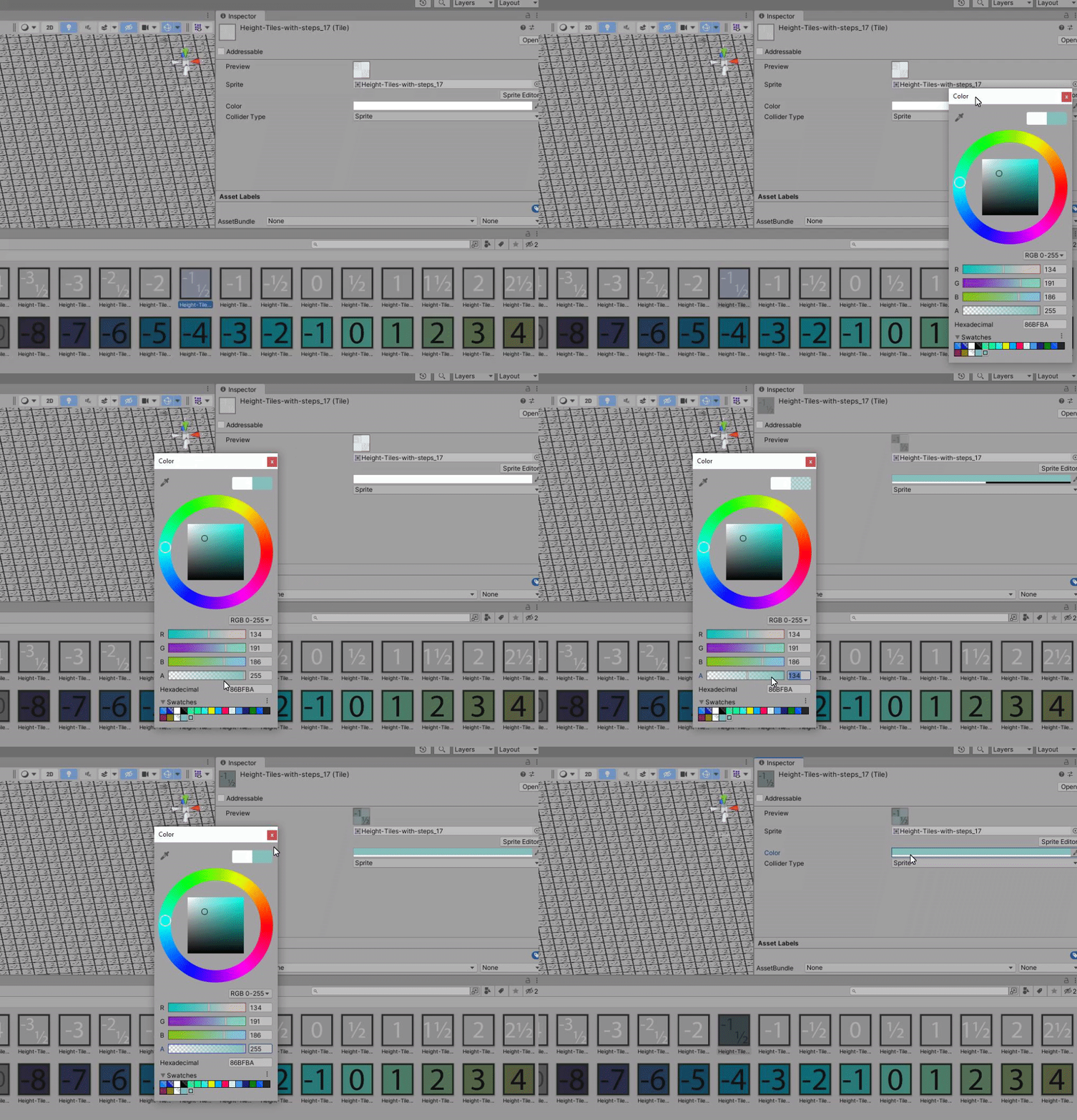


 dim wraith
sharp cloak
now how do i import them tho
dim wraith
sharp cloak
now how do i import them tho
When you click on the sheet, there is a button that says sprite editor. Click that.
sharp cloak
here?
 dim wraith
 sharp cloak
IOH
dim wraith
Then in there you can set the size of the sprites and slice them into items useable in the pallete
paper pendant
ez pz
eager gyro
sharp cloak
yeah I had forgot to circle the Sprite editor button, sorry lol
paper pendant
Isometric rule tiles are very odd, they don't behave well with ramps it seems
 steel kayak
why do i get these weird lines ?

 void elk
Hi! I've tried asking this question in the scripting section, but it seems like that chat is primarily focussed to 3D. I've noticed some programmers here in this 2D chat, so I'm trying to ask the question here;
I'm trying to stop the character (Polygon Collider 2D) from moving through a wall (Tilemap Collider 2D).
1 var hitResults = new RaycastHit2D[10];
2 var hitX = collider.Cast(new Vector2(desiredX, 0), bodyFilter, hitResults);
3 //var test = new Collider2D[10];
4 //hitX = collider.OverlapCollider(bodyFilter, test);
5 if (hitX == 0)
6 {
7     transform.Translate(desiredX, 0, 0);
8 }
Why does the character not stop moving horizontally when I run the code like this? I proved the character can collide with the wall because it does stop moving horizontally when I uncomment the two lines (3&4). Line 3 & 4 were only meant for debugging/proving that the ContactFilter2D bodyFilter is set up correctly.
modest cargo
void elk
Hi! I've tried asking this question in the scripting section, but it seems like ...
The coding channels are both for 2D and 3D, this channel is for 2D tools specifically
It looks like you're coding in your own collision detection which I don't think is necessary in most situations
Why not let the collider stop the character's motion?
void elk
I've followed a tutorial on how to make a top down 2d game, they recommended implementing manual collision detection. How would you let the collider stop the character's motion?
modest cargo
void elk
I've followed a tutorial on how to make a top down 2d game, they recommended imp...
I prefer rigidbodies by far, but it's hard to recommend a solution without knowing if your project has some requirements that make it unviable
void elk
Yeah I understand that's difficult without knowing the project. In the documentation, I'm reading rigidbodies are meant for physics simulations, but I'm not planning on doing anything with gravity or forces
I did just find a workaround; the cast method does work on a CapsuleCollider2D, so i'm using that for now
modest cargo
void elk
Yeah I understand that's difficult without knowing the project. In the documenta...
They're meant for that mostly yes, but I still prefer it even in most situations
Like, moving by Translate method ignores colliders, which is why you end up having to make your own collision business
Using a rigidbody with most of the physics disabled which you move by setting its velocity works basically the same, but plays nice with colliders and external forces, if any
void elk
Hmm. I'll keep that in mind if I want to make the switch. Thank you ^^
modest cargo
void elk
Hmm. I'll keep that in mind if I want to make the switch. Thank you ^^
Good luck! The caveat is that if your game has a lot of movement that needs to be tightly controlled by code and maths, then the rigidbody's physics may get in the way more than they help
void elk
Well yeah I do like the extra control it gives me to code all the movement and collissions myself. I've been programming in C# for years now, so I'm quite comfortable with the language. The Unity engine is somewhat new to me though
Thanks for sharing your knowledge with me ^^ I'll have to study the rigidbody behaviour some more
modest cargo
I think you can ask about your current problem in one of the coding channels, but do try to keep crossposting at minimum
I'm not much of a coder so I prefer when the engine does the work for me
void elk
Yeah, this is great input. I love that you're showing another way through the engine itself, instead of custom code. I've tried the coding channels, but they couldn't help me
 shut hollow
anyone know why my character sprite is behind the tilemap?
