#🖼️┃2d-tools
1 messages · Page 67 of 1
 light elk
 solemn latch
I use photoshop.
 visual rune
Loading . . .

 old wedge
photoshop is a popular choice ive also heard of some people using this broswer based one: https://www.piskelapp.com/
Piskel, free online sprite editor. A simple web-based tool for Spriting and Pixel art. Create pixel art, game sprites and animated GIFs. Free and open-source.
 west marsh
jum
light elk
pixel art? then use asperite/pyxel edit
if handpainted style use krita free tool unless u really need ps features
 rocky phoenix
hey can someone help me pls? so when i walk it changes to a walking animation but it also makes the character bigger is there a way to make it always the same?
 elder minnow
@rocky phoenix Check if the code for walking changes the scale of your character. If not, check if your walking animation changes the scale, if it does you can just remove that part.
 arctic knoll
Hey! Has anyone some tips on making good 2d art?
 still tendon
arctic knoll
Hey! Has anyone some tips on making good 2d art?
still tendon
arctic knoll
Hey! Has anyone some tips on making good 2d art?
This guy has lots: https://www.youtube.com/channel/UC08QfQDLAd9D7aYPFgBUIng

YouTube
Catch me live on twitch: Mon, Tues, Wednesday and Fri 1-6pm AEST.
Twitch: http://twitch.tv/adamcyounis
Twitter: http://twitter.com/adamcyounis
Discord: https://discord.gg/9WkRG7s
Become a Patron at https://www.patreon.com/adamcyounis
Check out my game Insignia at http://uppon-hill.itch.io/insignia
 median herald
Hi all. I am playing around with Rule Tiles and they are pretty cool when the logic for determining the tile is entirely self-contained within that type of tile (ie: road, water). What do I do if the rules need to be dependent on a different type of tile? Expanding on the previously mentioned tile types, when there is water next to a road (each of which have their own Rule Tile) then the road tile should be a bridge instead?
median herald
In case anyone has the same issue, this video helped a lot.
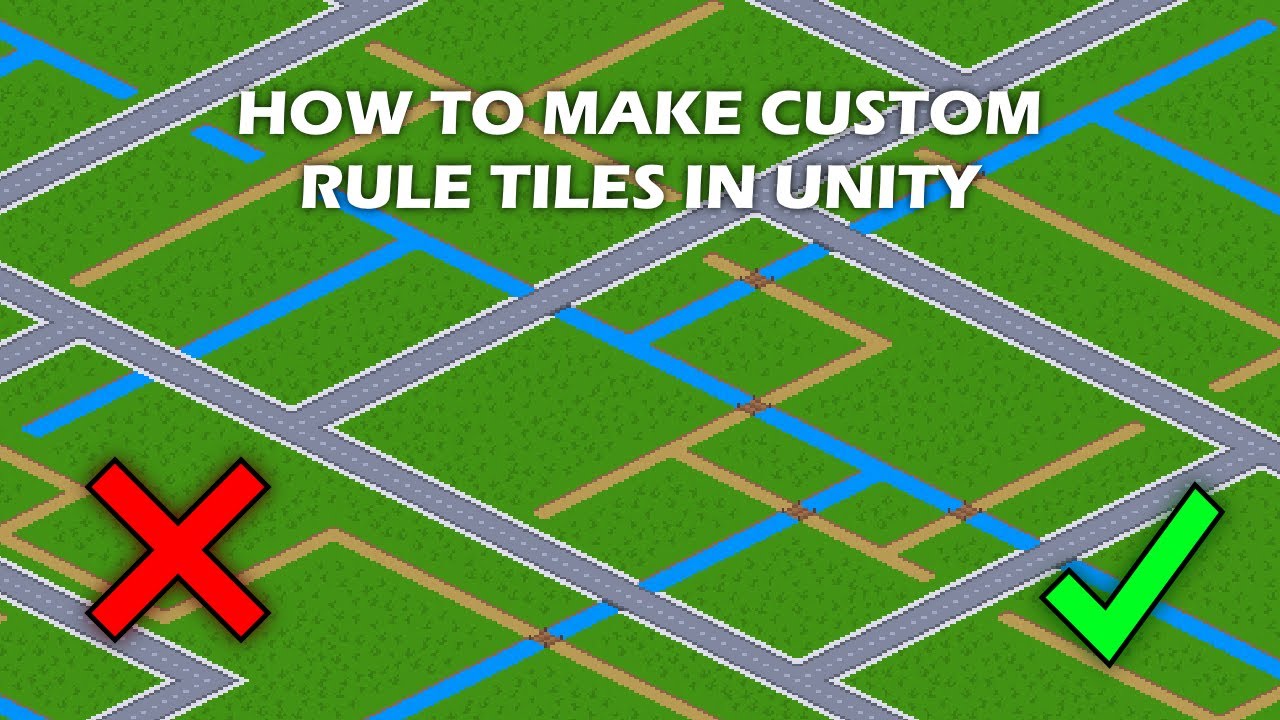
Have you ever wanted to create a custom rule tile but didn't know how to do it? In this tutorial I'll show you exactly that!
Chapters:
0:00 Introduction
0:27 Uses of custom rule tiles
0:57 How custom rule tiles work
1:35 Planning our custom tile
1:53 Programming our custom tile
4:49 Setting up our custom tile
5:38 Adding custom icons for our ru...
 vernal flint
I need to make custom collisions for isometric tiles, since I'm making edge walls on them. I can't use Grid since it would encompass the whole tile, not the edges. I can't use Sprite, because the sprite has vertical height and would build a collision behind it.
Here's a super zoomed in example. The green collision shown is an example of what that corner tile would have.

So my question is whether I can still use a composite collider 2D, even though the collisions will be stored on GameObjects being spawned on the tiles at runtime, via the rule tile?
solemn latch
Good question
vernal flint
Given the number of concave collisions I'd end up with, I think I'll work around this by having each rule tile instantiate a lightweight game object that stores the information on which directions are blocked on that given tile.
Either that, or I use GridInformation to store that information - a bit faster and more lightweight, but more work required in populating it.

 solemn latch
@night garden probably behind the camera.
vernal flint
What's the Z position of the camera?
 night garden
@vernal flint
 vernal flint
Your sprites are also at Z -10, so it's a toss-up whether they draw in front of or behind the camera. If you move the sprites in front of the camera, or move the camera back, I bet they will show
vernal flint
As a rule of thumb when working with 2D, just leave all the sprites and other 2D assets at Z 0, and the camera at Z -10, and use the sprite ordering to handle what draws on top of what, and you'll never have to worry about that again 🙂
 mossy jetty
anyone know whats causing this? im trying to work with tilemaps and it shows this white box which indicates which tile im going to place in but its offcentered to the top left

i restarted unity and somehow its offset to the top right now

 covert whale
mossy jetty
anyone know whats causing this? im trying to work with tilemaps and it shows thi...
covert whale
mossy jetty
anyone know whats causing this? im trying to work with tilemaps and it shows thi...
what are the values of your tilemap component?

the tile anchor could be wrong
mossy jetty
yep i managed to fix it a while ago, apparently the whole tilemap itself was moved a bit to the side so the grid also moved to the side
 dense charm
I can't work out why the reticle selector on the right has this weird artifact. It only happens when selecting certain on the same X coord

 dense charm
 true jungle
How do I make it so the text objects stack right under each other?
true jungle
How do I make it so the text objects stack right under each other?
child force expand turned off for height I think
 median locust
arctic knoll
Does anyone got a tip on making 16x16 pixel art characters?
median locust
arctic knoll
Does anyone got a tip on making 16x16 pixel art characters?
Here's mine if that helps

 neat otter
hey, how do i use tile map without the snaping? i need it to be a bit more accurate some times
also i think the collider for tile map is a bit off sometimes
 radiant cedar
hey guys, I'm looking to create an art of a platform that can open. Right now I got this:
- It's just working technically now; I obviously don't want it to look like that.
- Th reason the right-end is "inside" the wall is because otherwise the player can stand on the edge, e.g. the left edge. In this case, I don't mind him sitting on the left edge.
Anyone got some examples on such "open-able" platforms in games?
I tried googling but I keep getting results for game dev platforms rather than art ><

 solemn latch
What SHOULD it look like
radiant cedar
solemn latch
What SHOULD it look like
like a factory platform; nothing more specific than that.
That is, I'm not sure, still looking for ideas
radiant cedar
solemn latch
What SHOULD it look like
or perhaps I misunderstood you? can you give me an example to what you're referring to / what kind of answer you were expecting?
solemn latch
I meant that I literally don't know what you're trying to make so it is hard to give advice.
radiant cedar
let me make a quick video, perhaps it will explain better
solemn latch
So a trap door
radiant cedar
trap door? it doesn't trap the user inside anything..?
(or anyone else inside anything)
solemn latch
I'm guessing you aren't a native English speaker?
radiant cedar
nope, sorry ><
solemn latch
Trapdoor means a horizontal door that is stepped on.
(based on the 'thing that is stepped on' meaning of the word trap)
So that's the term to search for
radiant cedar
oh cool. I'll do that then, thx 🙂
elder minnow
radiant cedar
hey guys, I'm looking to create an art of a platform that can open. Right now I ...
You could disable the collider of the platform when it's down and have the art reflect that (like it's darker / blends more with the background). That way you don't need to hide them inside a wall. Anyway, other options you can use are retractable bridges that either come forward towards the screen from the background or horizontally.
radiant cedar
@elder minnow I thought about the ones that goes "towards the screen", but couldn't remember any game that has it to try and mimic the same animation/behaviour. Any chance you know something like that?
elder minnow
radiant cedar
<@!818923229560963072> I thought about the ones that goes "towards the screen", ...
I don't remember one right now but I did a quick sketch to illustrate how it would look like:

You just use how many frames you would like to represent that. To sell the effect you have to go beyond the black square that represents the hole in the wall by at least 1 or 2 pixels.
You just gotta look for games that implement that, each use a different style and they all work if done right.
 junior path
How good is unity 2d rig tool? Would it be better to use something els e

 radiant cedar
@elder minnow mm not sure I'm artistic enough for that xd and what worries me more: I'm not sure it would fit the style of everything else in my game.
So far all my animations are inside unity, mostly translation related, and they're completely 2d (rather than using this "third" dimension).
But I think I'll try anyway and give it a try. Thanks 🙂
vernal flint
@hollow swift What's the zoom scale of your display window?
 hollow swift
 vernal flint
@hollow swift
 vernal flint
1x?
hollow swift
yepyep
vernal flint
So your orthographic size is 4, you got 8 units across on your display. What's the PPU of your sprites?
hollow swift
of the tilemap?
vernal flint
For best results, all your imported sprites should be the same PPU
tilemap or otherwise
 vernal flint
That would result in a resolution that's 128 pixels across. Is that what you're seeing on your end?
Actually, let's take a step back. What is the desired resolution of your game? (i.e. Celeste was 320x180, Hyperlight Drifer was 480x270, old school NES was 256x224, old Capcom arcade games like SF2 were 384x224, etc.)
As those sorts of artifacts usually come from subpixelling, and figuring out your desired resolution can help figure out what camera settings, PPU, and other settings to put into place.
hollow swift
i never thought about it, i am working with the default one
i am just starting with unity and some things are new to me since those works different on gms
vernal flint
No problem.
First thing I'd recommend is grabbing the pixel perfect camera component. Go to Window -> Package Manager, and after it's done loading, search for 2d pixel perfect
Install that package and import it into your project
It will add a new component, pixel perfect camera, which you add to your main camera in the scene
hollow swift
can i still use cinmachine?
vernal flint
Sure, I don't think it affects that at all
hollow swift
 vernal flint
Now set the Assets Pixels Per Unit to 16, upscale render texture to true, crop frame x and y both to true
You can adjust the reference resolution to what looks good to you.
The Crop Frame option ensures that whatever resolution you pick, it will find a way to keep the pixels a perfectly square size with no ugly stretching that breaks the pixel effect.
You probably have a 1080p monitor, so 1920x1080.
320x180 gives you pixels that are 6x6 in size on your monitor. Perfectly square.
If you were to go with 320x200, to mimic a Commodore 64 (for example), you'd need 5x5 size pixels.
The game will display in 1600x1000 (320x200 multiplied by 5), and have borders on the top bottom left and right, and Crop Frame keeps it that way, rather than trying to resize the pixels to fill the 1920x1080 space, which would make for ugly warped pixels.
384x216 is another resolution that fills the whole screen on a 1080p monitor, by turning every game pixel into a 5x5 monitor pixels
vernal flint
@hollow swift Did that remove those little line artifacts?
hollow swift
vernal flint
<@!252573416165474305> Did that remove those little line artifacts?
sorry, I followed until the pixel perfect component, my mom needed help and I just came back
I'm sorry:(
vernal flint
No worries! Just was curious. If it doesn't work, just lemme know, and we can try other things
hollow swift
vernal flint
Now set the Assets Pixels Per Unit to 16, upscale render texture to true, crop f...
when I changed it to 16 and pressed on play it fixed the issue
but I had some warning on the upper side
vernal flint
Can you screenshot the warning?
 marsh kiln
can anyone help me figure out why my box collider isnt working on this ground i made?

 split portal
marsh kiln
can anyone help me figure out why my box collider isnt working on this ground i ...
split portal
marsh kiln
can anyone help me figure out why my box collider isnt working on this ground i ...
Whats wrong with it?
offset?
marsh kiln
my player controller falls right through
its set to my ground layer
it has pretty much the same settings as the placeholder i replaced
ill record a video
split portal
ok
marsh kiln
i keep falling through
and landing on my killzone lol
let me try setting the offset to 0
nah that dont work 
split portal
maybe the player is in the collider

 split portal
is the portal collider set as trigger?
split portal
probably your code
marsh kiln
maybe
i have an idea to circumvent this
ill just put it as a child of the old ground and disable the mesh renderer on the old ground
split portal
Yeah
hollow swift
vernal flint
Can you screenshot the warning?
it disappeared 😳
do you have any experience with platformers?
vernal flint
@hollow swift Well, if the warning's not there, then all's good I guess!
I haven't made a platformer, sorry. I dabbled only briefly with one, but have mostly been doing top-down or isometric stuff
hollow swift
vernal flint
<@!252573416165474305> Well, if the warning's not there, then all's good I guess...
what about animations?
i am struggling with the jumping
vernal flint
Also something I suck at, unfortunately.
vernal flint
Just explain your problem. If someone here can help, they'll answer
 wintry sapphire
vernal flint
Just explain your problem. If someone here can help, they'll answer
wintry sapphire
vernal flint
Just explain your problem. If someone here can help, they'll answer
whats a rectangle tool
vernal flint
Never heard of it. And googling turns up nothing unity specific. What are you trying to do?
wintry sapphire
i need to make a game for my school
vernal flint
Well, that's a bit too broad
I mean what are you trying to do that refers to a rectangle tool?
wintry sapphire
(i regret taking this class now)
anyway
i need to make a 2d game
im following their tutorial for it right now

im right here
and they said to use the rectangle tool to drraw a box in my scene to make a big chunk of blocks
which made no sense to me
vernal flint
Probably this, it makes a box of whatever size you want and fills it with whatever tile you have selected
 wintry sapphire
ok, but it also said to use the eraser tool to remove all the blocks insde the outside edge of my rectangle
but which rectangle
fml
eraser tool dont even work either fml
vernal flint
Here's the tile palette tool help from Unity
https://docs.unity3d.com/Manual/Tilemap-Painting.html
 wintry sapphire
what about the eraser thing
vernal flint
If you have paintbrush selected, you can hold down shift and click to erase also
Easier than clicking the eraser every time
vernal flint
Make sure you're in Scene, and that you have the right tilemap selected that has the tiles on it
wintry sapphire
is it possible to delete part of the things on the tile map
if that makes sense

for example i want to delete everything inside the blue blox
vernal flint
Box Fill tool (the block tool) also does it if you hold down shift
wintry sapphire
ok that actually worked
but it deleted the blocks
is there a way to make it delete only parts of them?

the dark outer edge of the blue blocks i want to delete
but they are part of the blocks that make the box, so im not sure what to do
vernal flint
Can't do that. You either delete the whole tile, or not at all. Tile editor just places and removes tiles, but can't change what they are
vernal flint
Yup, reslicing it with a different size would give you more tiles
wintry sapphire
yeah i did 8x8 this time
i got each individual blox now
block now
might as well restart the whole project fml
hollow swift
contricance saving lives as always
hollow swift
wintry sapphire
the dark outer edge of the blue blocks i want to delete
you have to re slice them
hollow swift
oh no
wintry sapphire
eah these mf crazy
wintry sapphire
freedom of speech i suppose, but
technically they didnt teach shit this whole semester
it was mainly speech about terms and stuff, they didnt teach how to use any of the software we are going to need
wintry sapphire
hollow swift
oh, your "about me" makes me wanna help you out a lot
cant tell if ur being sarcastic lmao
wintry sapphire
Well i cant change my opinion you know, the experience i have with people fromt the lgbtq is not a good one
Too many stuff has happened and i cant support people who are part of the same community as certain people
hollow swift
vernal flint
Also something I suck at, unfortunately.
ohhh so you don't use animations
or just the most basic ones?
vernal flint
Most basic. My sprites are combined at runtime, so I can't use unity animations. But it's just 2 to 4 frames, so I made my own simple script that just changes the sprite accordingly
hollow swift
i used to change animations using code
but now that i am using unity it got weird for me
i would like to make isometric games but rn i am a newborn so i am trying just 2d
specifically platformers
vernal flint
Given that it's a sprite on a sprite renderer, I made scriptableobjects for each animation. Those store the frames, with what sprite it has and how long that frame is.
A script on the sprite game object gets told to use one of those animation scriptable objects, plays it, loops it, etc.
hollow swift
ohh that's smart and recursive
vernal flint
Unity's animation system has a lot of powerful stuff in it, but it's sometimes overkill for 2D, and for me it was just simpler to have a script that just changes the sprite in a sequence
hollow swift
i want to make more complex animations
just not a jumping state
but jump and fall
but i have no idea how to manage my frames properly so it doesn't repeat
vernal flint
The real nail in the coffin is that my character sprites can hold various items in their hands, but I need a black outline around them.
So the sprite is just a flat colour, so all the parts get combined in a script, and then that script adds the black outline to make the final one. And that gets shoved into my animation scripts
hollow swift
like, how can i even know how much time to i have to use to make the perfect animation
hollow swift
vernal flint
The real nail in the coffin is that my character sprites can hold various items ...
do you mind showing your work on showcase? it sounds cool
vernal flint
Oh, you'll want to look into animation states, you can set up how one state - like jumping - transitions into another - like landing
That's the entirety of my animation object
hollow swift
oh, i meant your game
vernal flint
Oh, sorry, misread
hollow swift
dwdwdw
vernal flint
All my gifs and vids are on a usb I have to hunt down, but in the future i will
hollow swift
okokokokok looking forward
covert whale
if you still want to use unity animations but don't want to depend on the animation tree's transitions you can use animator.Play to play each state
hollow swift
covert whale
if you still want to use unity animations but don't want to depend on the animat...
:o i am gonna read about it
thank you
solemn latch
Does anyone have a good suggestion for a workflow for making secondary maps for sprites with the PSD importer?
 paper jetty
I believe the layers of the secondary map has to be the same order and position. I had it working but messed it up when I made some additional changes to my sprite (my main character has a lot of parts and layers). As for making them I just copy my original sprite then paint the secondary texture. I recommend cracking open the Dragon Crashers unity demo if you want to see how secondary textures can be used to add dynamic lighting and a 3d illusion. https://assetstore.unity.com/packages/essentials/tutorial-projects/dragon-crashers-2d-sample-project-190721

Get the Dragon Crashers - 2D Sample Project package from Unity Technologies and speed up your game development process. Find this & other Tutorial Projects options on the Unity Asset Store.
 topaz dew
how can I move the player behind the tree? I tried changing the sorting layer and layer order but it just makes it worst


 solemn latch
paper jetty
I believe the layers of the secondary map has to be the same order and position....
solemn latch
paper jetty
I believe the layers of the secondary map has to be the same order and position....
I know how to use them shader wise, but my problems are with the whole 'it is very easy to break' problem.
I think the ideal solution would be to let you have all your variants in the same PSB file on different layers and have the importer sort them into multiple sheets
Alas
paper jetty
Yeah that is my issue too. It is very easy to break and I'm not sure of an easy quick way to fix it when my character has a bunch of parts.
solemn latch
Exactly.
solemn latch
I'd even settle for a way to easily export the generated sprite sheet
...huh. Seems someone has made one of those
covert whale
topaz dew
in this case the Player layer is above the Foreground layer (which i assume is where the tree is)
the priority for rendering is
Sorting layer > Order in layer > Z axis
vernal flint
Eliminate the player layer, just have a foreground layer and put the player on it
neat otter
why does the tile map snap like that?
it s like my sprite takes 3 blocks instead of 1
vernal flint
Probably because it does. Recheck your grid size and compare it to the size of your tiles
If your tile is multiple units in size, but your grid is 1 unit, it won't fit
hollow swift
neat otter
why does the tile map snap like that?
you prob got the dimensions wrong
mind showing the sprites?
with the scroll on your mouse you can zoom and check it
 neat otter
@hollow swift
 hollow swift
nono, that's the palette
go to where you sliced those tiles

@neat otter
if they're okay then you should check the pixel per unit
 hollow swift
okay
show me where you have the imported png
the ones you uploaded to unity to use them in your project
neat otter
when i click on it i get this
 neat otter
hollow swift
show me where you have the imported png
neat otter
hollow swift
show me where you have the imported png
ok wait a sec
hollow swift
dw, take your time
neat otter
this ones?
 neat otter
putted them in Assests/Pixel art/platforms
hollow swift
hollow swift
right click on the 1st one
left*
hollow swift
do you see the inspector tab?
neat otter
yeah

 hollow swift
those are your tiles, right?
vernal flint
I think the problem is your grid
hollow swift
okay, are those your walls, ground, etc
contra, shouldn't they try importing as sprite
neat otter
hollow swift
okay, are those your walls, ground, etc
think so, like they are whats on the tile map i guess
hollow swift
so they can change ppu values and slice properly the tiles?
neat otter
neat otter
<@!252573416165474305>
this ones
vernal flint
That too. But if the sprites still don't fit, then the grid needs to have its cell size changed until it does fit
neat otter
in the sprite editor or?
hollow swift
can you explain it to them so they don't have to change the whole thing to make it a sprite?
hollow swift
neat otter
in the sprite editor or?
yes and no, i assumed that you had those images as "sprites"
so i was trying to guide you
neat otter
hollow swift
but since you don't have them as "sprites" i don't think you can use sprite editor
neat otter
this is how it is
hollow swift
can i teach you a easy way?
neat otter
hollow swift
but since you don't have them as "sprites" i don't think you can use sprite edit...
 neat otter
hollow swift
can i teach you a easy way?
neat otter
hollow swift
can i teach you a easy way?
?
hollow swift
can you join a vc so i can share screen?
neat otter
sure but won t speak, kinda loud in my house rn....
hollow swift
don't worry
neat otter
neat otter
so what s wrong here?
hollow swift
okay, i'll call you on private
light elk
if my tilesets are 48x48 and my bg is like 576x324 how do i make it look full hd?
i added the pixel camera
and put those units
my tileset disappear and i can see blue screen
vernal flint
For a game resolution like that, you should also set Crop Frame X and Y to true
Though that probably won't fix your issue, it will just ensure things look good at that res
Is your PPU the same for all your 2D assets?
Because it sounds like there's a mismatch in the PPU somewhere
light elk
m using premium assets that i purchased
oh well this is why i usually don't make pixel art games
lot of settings and changes needed for each sprite or any assets that u import 😅
vernal flint
@light elk You need to keep the PPU the same across all your sprite assets, since it governs resolution.
light elk
or just go back using my hd sprites
paper jetty
@solemn latch Did you have any luck finding a way to export the generated sprite sheet?
solemn latch
paper jetty
<@!172484507788771328> Did you have any luck finding a way to export the generat...
This script will add a menu to do it. ```using System.Collections;
using System.Collections.Generic;
using UnityEngine;
using UnityEditor;
public class ExportSlicedTexture : EditorWindow
{
private Texture2D texture;
private string name;
[MenuItem("Tools/Export Sliced Texture")]
public static void ShowWindow()
{
GetWindow<ExportSlicedTexture>("Export Sliced Texture");
}
private void OnGUI()
{
    texture = (Texture2D)EditorGUILayout.ObjectField(texture, typeof(Texture2D), allowSceneObjects: false);
    name = EditorGUILayout.TextField("File name: ", name);
    if (GUILayout.Button("Run Function") && texture != null)
    {
        SaveTextureAsPNG(texture, name);
    }
}

public static void SaveTextureAsPNG(Texture2D texture, string fileName)
{
    byte[] _bytes = texture.EncodeToPNG();
    var dirPath = Application.dataPath + "/Sprite Sheets/";
    if (!System.IO.Directory.Exists(dirPath))
    {
        System.IO.Directory.CreateDirectory(dirPath);
    }
    System.IO.File.WriteAllBytes(dirPath + fileName + ".png", _bytes);
    Debug.Log(_bytes.Length / 1024 + "Kb was saved as: " + fileName + ".png");
}
}```
paper jetty
Thanks!
light elk
paper jetty
<@!172484507788771328> Did you have any luck finding a way to export the generat...
u making spritesheet with unity animations?
that will be really cool to save frames as png
and then unity in built animations can be sold on to market as png spritesheets
then i won't need 3rd party things like spine
like make the animations using unity 2D skeletal tool then use them in other engines if ur buyer want to
paper jetty
I'm using the PSB importer to bring in a character that is in multiple parts that is animated using skeletal animations. Unity generates a sprite sheet of the parts. Getting that sprite sheet would make creating and updating secondary textures (like a normal map) easier.
 paper jetty
it's an old gif. The movement is smoother in game.
light elk
m making a pixel art game atm
paper jetty
 light elk
i have lot of pixel art assets hence making one and no need to wait for artist to make me stuff
looking nice
paper jetty
Thanks!
 mild sleet
Hi
i tried to use sort layers and i have made two layers - one for background and for other objects
and the objects still dont show up in front of the background
only when i reduce the backgrounds brightness they get visible
hollow swift
can you show the layers?
 elfin sandal
I want to limit the color pallete
how would I go aboutt doing this with post process?
hollow swift
heyo, the text is supposed to show there but when i run the game it moves drastically yo other location
is it because of my parallax background?
hollow swift
hollow swift
is it because of my parallax background?
hollow swift
hollow swift
heyo, the text is supposed to show there but when i run the game it moves drasti...


 ebon perch
 solemn latch
@paper jettyLooking great
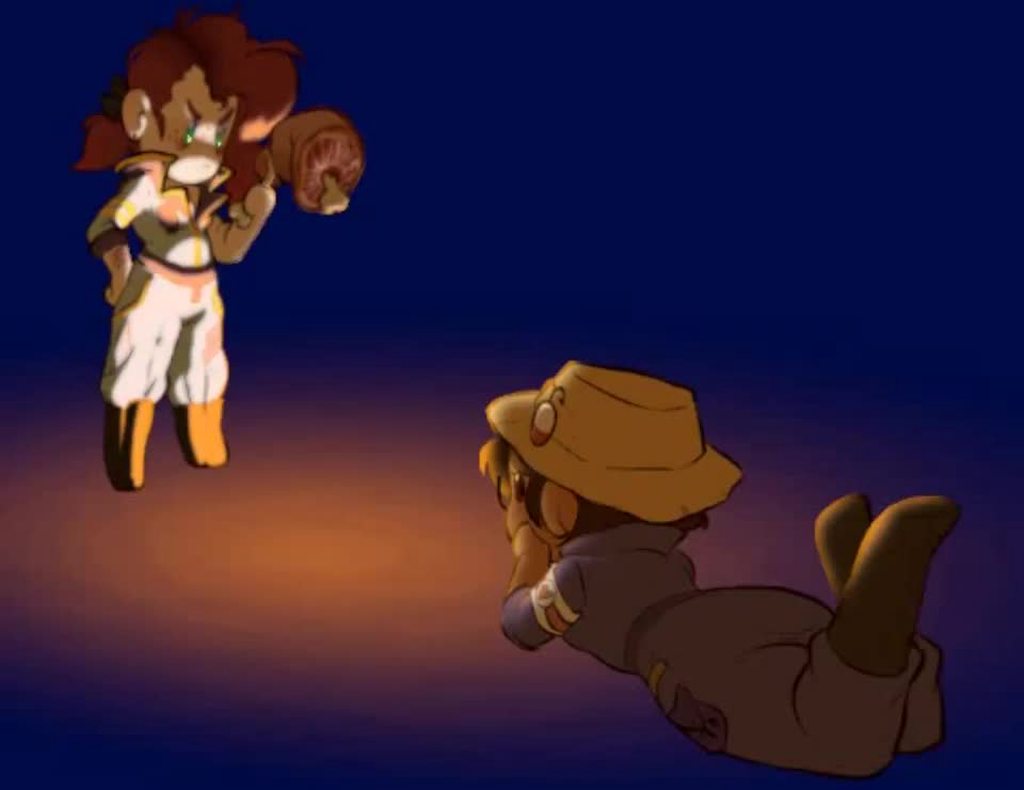
I've been using that script to make the secondary textures on this
Not ideal, but it is a valid workaround for now
Use a channel for the lighting and one to mask the vertex animation on the wavy bits
paper jetty
Thanks! That looks real cool. I am going to try that out when I get a chance. Should help a lot
solemn latch
So how are you making your normal maps, @paper jetty?
Are you actually generating them off a 3d model, or...?
paper jetty
I'm hand painting them in photoshop. I've found if you go into the color channels and only look at certain colors you can paint a simple one direction of light from light gray to dark gray.


The weird thing that happens with normal maps in unity 2d is that if you flip the character when they walk left the y axis of the lighting flips.
I've been trying to find a way to fix that, I read there's a way to have the sprite change normal map textures when it's flipped. Haven't tried it yet.
solemn latch
Ah, ok. That is how I made my normal maps too but was wondering it you'd found a better way since yours just looked really good
How are you flipping it? Scaling the sprite, or flipping the texture, or rotating the sprite?
paper jetty
I'm scaling the sprite.
solemn latch
It probably could be fixed by shader, either setting the bitangent in the shader or inverting a channel in the normal map when flipping
solemn latch
@paper jettyThis will work for rotated sprites, but not scaled ones
 light elk
solemn latch
<@!352614458444742657>This will work for rotated sprites, but not scaled ones
light elk
solemn latch
<@!352614458444742657>This will work for rotated sprites, but not scaled ones
hey try laigter

how does this look for a pixel character?

maybe i need to add more pixelation in the shader
solemn latch
@light elk that won't fix the problem of unity generating incorrect tangents for scaled/rotated sprites.
 dapper shard
Anyone here have experience with the 2D PSD Importer? It doesn't seem to for me
solemn latch
Doesn't seem to what
dapper shard
work, sorry
I try importing a PSD file, but it's treated like a single image
while it should have various layers
vernal flint
Are you importing a PSD or a PSB?
dapper shard
PSD
vernal flint
https://docs.unity3d.com/Packages/com.unity.2d.psdimporter@6.0/manual/index.html
According to the docs, it only does anything special when importing PSBs
solemn latch
Though you CAN force it to work on PSD files with a slight edit, it is easier to just use psbs.
paper jetty
@solemn latch I tried the sprite exporter and it says it worked but I have no idea where the file went. XD
paper jetty
Nvm I found it!
still tendon


 radiant cedar
I have this robot enemy in my game, and I want to make a death animation where each part will crumble and break down to the floor. What do you guys recommend:
- Separate each part to a different .png, combine together in Unity where needed and also animate in Unity
- Use a single image + 2d rigging in Unity
- Use a single image + external animation tool (if so, which tool do you recommend?)
- Other?
 solemn latch
A single image + rigging would probably be more than enough for your needs, but any of those options is perfectly legitimate.
radiant cedar
@solemn latch cool, I'll go with 2 then.
For the general case: any chance you could quickly write a pros/cons for each, or know blog post that does something similar?
Trying to google seems to just give me options on how to do each rather than pros/cons.
radiant cedar
@solemn latch so I got the rigging done and even a quick hit animation where the "head" (top-most square) will tilt.
How do I go about doing the crumble/break-down animation though? is there a way to "separate" bones as part of an animation?
solemn latch
You can just move bones apart.
radiant cedar
But they stretch the sprite rather than disconnect the squares
so if I wanted the third square (counting from bottom) to "fall", it would make all squares below it disappear
solemn latch
Um, how did you set it up? Did you not separate the segments?
radiant cedar
That is how I set it up.
How do I separate the segments? wait, what segments?
 solemn latch
You made it all one piece
If you made a separate shape for each square you could separate them
radiant cedar
@solemn latchBut then how would it be a single image, like you suggested?
If I'll use multiple, it also ends with weird edges like this:
 solemn latch
Personally I'd separate the shapes in your art program, though that isn't required.
radiant cedar
started doing it now, but now I'm not sure how to create the bones so I can do the head tilt thing? or I shouldn't do that anymore?
that is:

 solemn latch
Yes. Though you could do multiple, that wouldn't hurt
Your model is very simple though so not so much need
radiant cedar
The problem with multiple is the bones can't be connected. Each part has it's own bones
how do I put Z values for each different sprite in single though?
The circle thing needs to be above (changing the bone Z values doesn't seem to work)

 radiant cedar
@solemn latch ?
solemn latch
you set the z value per bone
there's a box in the lower right when you are editing a bone
radiant cedar
oh got it. fyi: Mine shows "depth" rather than z value, but works the same
any easy way to make collision with the bone-moving thing? I edited the collision shapes in the sprite editor, but I end up with this:
 dapper shard
does anyone know how to re-use skeletons from skeletal animations for different sprites?
covert whale
don't crosspost
dapper shard
For my question, it is possible to copy and paste skeletal structures as long as there are an equal amount of sprite in both images. Found the answer 🙂
solemn latch
radiant cedar
any easy way to make collision with the bone-moving thing? I edited the collisio...
I wouldn't use sprite colliders, I'd just attach a rectangle collider to each bone in the editor
 idle kite
Hey guys!
I have an object that dynamically moves (2D). I want to flip it's sprite based on the direction it is going to, so it will look good (only on the X axis).
Any suggestions?
radiant cedar
solemn latch
I wouldn't use sprite colliders, I'd just attach a rectangle collider to each bo...
that doesn't seem to play well together with rigidbody2d and/without composite collider.
radiant cedar
idle kite
Hey guys!
I have an object that dynamically moves (2D). I want to flip it's spri...
I have a script that makes an enemy walks. That script chooses the direction, and has 2 sprites as properties. Based on the direction, I just set the sprite.
idle kite
radiant cedar
I have a script that makes an enemy walks. That script chooses the direction, an...
Thanks! I found a nice solution:
public void FlipHorizontalTowards(Transform source, Transform destination)
{
  var direction = (source.position - destination.position).normalized;
spriteRenderer.flipX = direction.x < 0;
}
Why not? That's what I do.
I mean, unless you need really precise collision you can just use one box for the whole character; lots of games do that
light elk
any easy way to make something like https://img.itch.zone/aW1hZ2UvMjU0MTE0LzEyMjA5OTUuZ2lm/original/dO7NFd.gif

like play and showcase animations and show the name of the animation when which one plays
for twitter or social media showcase
 abstract olive
Sure. Play the animation and change the text? Its no different than if you were making a game with those assets.
light elk
ok just focused on making animations atm xD
solemn latch
Set up a timeline asset that plays each animation and displays a text
record it
profit
light elk
later i learn timeline and make it
dapper shard
Is it possible to use skeletal animation to stretch/shrink a sprite?
light elk
yeah u can with mesh
 karmic rivet
Hi, does anyone know of a tool that can take a sprite or bunch of them and generate new sprites with 2 extra pixels on each side, the inner extra pixel being a color extrusion, and the outer pixel being transparent.
- I was surprised to see that even aseprite can't do it, what seems to be a required step in getting tilemaps to render correctly in Unity.
covert whale
karmic rivet
- I was surprised to see that even aseprite can't do it, what seems to be a requ...
i don't think it's required, it's more of a workaround
the solution that most commonly works is a sprite atlas
karmic rivet
Ok. I haven't actually used them yet, I'll check them out.
covert whale
 mighty junco
hi , how can you do to have 2d lights on unity ?
mighty junco
hi , how can you do to have 2d lights on unity ?
google 2d lights in unity
URP has them
solemn latch
dapper shard
Is it possible to use skeletal animation to stretch/shrink a sprite?
https://imgur.com/UWLJLTL Yeah, though I prefer to move bones to stretch the sprite between them, rather than scaling then, since that causes fewer problems with child objects

 light elk
solemn latch
https://imgur.com/UWLJLTL Yeah, though I prefer to move bones to stretch the spr...
light elk
solemn latch
https://imgur.com/UWLJLTL Yeah, though I prefer to move bones to stretch the spr...
Nice animation
solemn latch
Thanks 😄
 finite owl
Hi, I was wondering if anyone could help me with my current Unity problem. I recently bought a laptop with a touch screen in hopes of making giant tilemap projects easier to make, the laptop arrived with a HP Rechargeable Tilt Pen 2.0 but when I opened Unity and tried drawing with the pen Unity didn't seem to respond. In fact, nothing on Unity would respond to the pen, not the toolbar, not the scene hierarchy, not the inspector, not anything. I've scoured the web for any solution and couldn't find any, so I was hoping if anyone on this discord would know the answer. How might I get Unity to respond to the pen so I can use it to draw maps easier?
abstract olive
finite owl
Hi, I was wondering if anyone could help me with my current Unity problem. I rec...
Old post, but maybe try it?
https://answers.unity.com/questions/411318/unity-4-editor-doesnt-respond-to-touch-or-pen.html
finite owl
abstract olive
Old post, but maybe try it?
https://answers.unity.com/questions/411318/unity-4-e...
thanks for the response but I'm afraid this solution didn't work since I'm not using a Wacom pen or tablet, it would just return an error message saying it doesn't sense a Wacom tablet or pen, thanks for the help anyway
 frosty bison
 split portal
finite owl
thanks for the response but I'm afraid this solution didn't work since I'm not u...
split portal
finite owl
thanks for the response but I'm afraid this solution didn't work since I'm not u...
Maybe update your pen tablet software. I remmeber when i attached my tablet it didnt work. But then later on syarted working . I cant remember if i did anything specific, i dont think i did.
Tilemap does work with tablet and pen.
 neon onyx
Hi, what should I do when the 2D IK package isn't showing in the package manager?
vernal flint
@neon onyx This might help https://answers.unity.com/questions/1735822/i-cant-find-the-2d-ik-in-my-package-manager-where.html
split portal
neon onyx
Hi, what should I do when the 2D IK package isn't showing in the package manager...
i think its built into the 2d animation package now.
 dull wraith
Anyone know why my idle animation is doing this weird zoom in/out thing? I tried to decrease the scale of the animation and now it keeps doing this unless I make it normally scaled
Or if anyone has any tips to scale down an animation that would be appreciated too
solemn latch
@paper jettySo I've been experimenting with workflows for the secondary textures; it seems like depending on the type of secondary texture you're working on there are two main ways that seem best until we get better tools...
For the vertex animation map I'm using for the wind effect, It has been fine to use that script I posted and just painting over it. For the lighting map I tried that, but it ended up being easier to just repaint over the layers in the PSB and then use a duplicate of the character to give the lighting map the same packed sheet as the character.
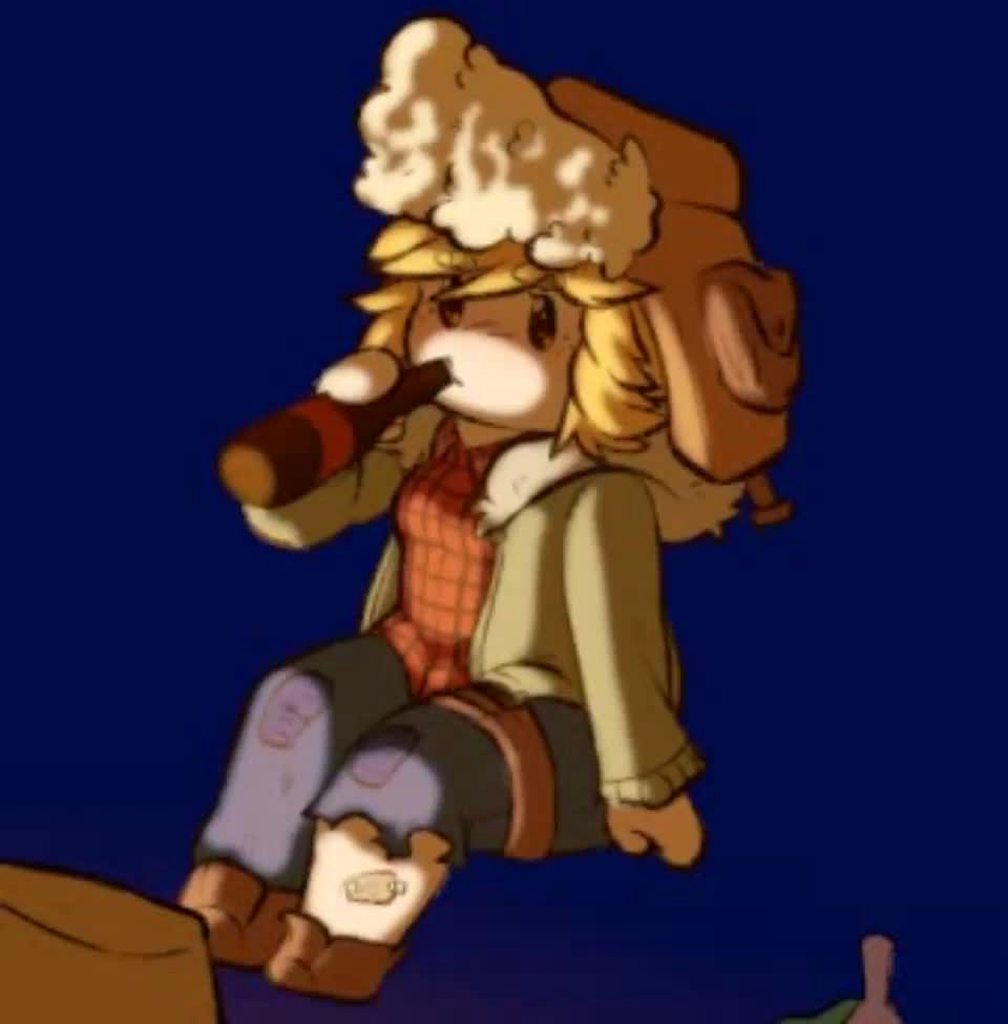
So I used both for this.
 spring adder
what's a good simple pixel sprite editor?
abstract olive
Aseprite
spring adder
thanks
 normal zealot
what is the best ipad app to create sprites and art for 3d/2d games . Pixelart and normal sprites with greater resulotion
abstract olive
normal zealot
what is the best ipad app to create sprites and art for 3d/2d games . Pixelart a...
normal zealot
abstract olive
https://discord.com/channels/489222168727519232/763500535554375750/9177419912976...
its not for ipad. Anything else?
I downloaded procreate
 eager ridge
Hi, I am trying to create a 2d rig in unity using a sprite created in Aseprite. From the videos i have seen, most developers use photoshops' psb/psd files to import their sprites layers. However, aseprite can't save sprites with that file extension. I tried using a png with all the limbs separated. But if i slice them up into different sprites, I can't move them to create the character in the sprite editor. I could only do that in the scene view using the hierarchy. But then i can't create bones this way. Is there any work around to this? Any help is appreciated


 dreamy forge
is it possible having random decoration of a sprite shape? like the grass shape builds out and populates with flower sprites on it?
dreamy forge
eager ridge
Hi, I am trying to create a 2d rig in unity using a sprite created in Aseprite. ...
https://assetstore.unity.com/?q=aseprite&orderBy=1
have you read up on if any of these does what you want?

Discover the best assets for game making. Choose from our massive catalog of 2D, 3D models, SDKs, templates, and tools to speed up your game development process.
solemn latch
@eager ridge you can create the bones in the sprite editor, then assemble in the scene view.
It definitely works.
 subtle vessel
dreamy forge
is it possible having random decoration of a sprite shape? like the grass shape ...
subtle vessel
dreamy forge
is it possible having random decoration of a sprite shape? like the grass shape ...
I've never done it, but two simple approaches occur to me to try.
- Pick random points along the spline to instantiate decoration objects at.
- Create sprite variants with the decoration added to them. Write a script that loops through all of the control points and pick a random variant to use from the available variants in that angle range.
dreamy forge
subtle vessel
I've never done it, but two simple approaches occur to me to try.
1) Pick rand...
Thank you i will research and conquer 🤌 💯 🥳
solemn latch
eager ridge
Hi, I am trying to create a 2d rig in unity using a sprite created in Aseprite. ...

Though using a PSB file is definitely better.
 fathom bison
i have a problem were when i preview an animation in the 2d editor the bones do not update with the IK handles:
fathom bison
i reported it as a bug.
eager ridge
solemn latch
<@511444037010587650> you can create the bones in the sprite editor, then assemb...
You are right it does work. For some reason when I create the bones and apply it does automatically create the Sprite Skin script so I had to do it manually. Thx for the tip
eager ridge
dreamy forge
https://assetstore.unity.com/?q=aseprite&orderBy=1
have you read up on if any o...
Thx a bunch, i just found 2 free helpful assets cuz of u
fathom bison
fathom bison
i reported it as a bug.
i fixed it lol
solemn latch
@eager ridge it only automatically adds the sprite skin script when using the psd importer.
 surreal phoenix
Hello! i have a problem. How can i fix it? Unity is changing colors of tileset i made in photoshop
In unity:

orginal:
 still tendon
After importing have you turned off compression fully?
normal zealot
Why my polygon collider is slighly smaller than the sprite shape i made? Its annoying cause the player gets half in

 formal crater
Hello, i get these lines in my tilemap scene when i go to game view. Anyone know how to fix? (I have anti aliasing turned off)
 abstract olive
Check out the pixel perfect camera package
normal zealot
normal zealot
Why my polygon collider is slighly smaller than the sprite shape i made? Its ann...
Is there anything i can do to automatically adjust it?
formal crater
abstract olive
Check out the pixel perfect camera package
i already have it
dull wraith
Hi, I'm trying to make a shooting function for my main character in my game, but every time they shoot, the projectile doesn't spawn from the shooting point (which is a child on the character), any idea why that might be?
 frank flame
is it spawning anywhere in the scene?
dull wraith
Yeah, I actually figured out that the position on the prefab was set differently instead of (0,0,0), but now it's doing it again but now the projectiles are spawning in a different place
Maybe it has something to do with the empty GameObject where the projectiles spawn from is stuck?
oh wait never put in the transform object in the inspector, derp
 quartz anvil
anyone know if there's a way to get the cameras position to follow the cursor? @ me in any respones
still tendon
@quartz anvil I really need help with that too I will be on the lookout if I find a source I will send it to you
Plus Im. New here
quartz anvil
still tendon
<@564581114753187851> I really need help with that too I will be on the lookout ...
Thanks
still tendon
quartz anvil
Thanks
Bro I'm new here like brand new I've been coding in unity for a week now but ye I'll send it to you I'm trying to stay really nice to not get banned how long have you used unity??
quartz anvil
Just started a couple months ago
I’ve only finished 1 game so far and am working on my second
still tendon
What's the first one called?
quartz anvil
still tendon
What's the first one called?
Cookie jump. It’s up on itch.io
solemn latch
normal zealot
Why my polygon collider is slighly smaller than the sprite shape i made? Its ann...
Adjust the offset?
normal zealot
solemn latch
Adjust the offset?
My problem is that big before I applied the texture in the sprite shape profile i was perfectly applied automatically. But now that ive added the tile@on the angles (you know the textures) everything pops out a little and I is on the inside. I have a large number of shapes i cant do it for everyone
solemn latch
normal zealot
My problem is that big before I applied the texture in the sprite shape profile ...
Can you multiselect them all and just adjust the offset of all of them?
normal zealot
different shapes i mean in the prefabs
normal zealot
solemn latch
Can you multiselect them all and just adjust the offset of all of them?
probably this is what i am going to do. I just understand why the actual texture goes out and messes up the perfect fitting it had without it
dont understand *
solemn latch
You could just use two copies of the platforms, one without art that you use for collision and one with art with no collision
normal zealot
the one without art is kinda smaller
solemn latch
Spriteshape's collision generation is kinda sucky in general.
 slender trellis
hey! does anyone know why the sprite skin generetes bones in different order even if its from the same file?
paper jetty
@slender trellis I've dealt with this before. What you need to do is make sure that in the sprite editor the bones are listed in the same order for all the sprites within the same category.
Each sprite should have the same bones in the same order or else you get the visual glitches you're seeing.

I find it helps to just put them in order from low to high to help keep it consistent.
slender trellis
paper jetty
I find it helps to just put them in order from low to high to help keep it consi...
Oh!! Thanks a lot! Will try that
solemn latch
Adorable rat!
And the easiest way to keep the bones correctly assigned is to have the variants all be layers in the same PSB file.
paper jetty
Got my normal maps working again (they were all jacked up because I kept changing my sprites).


 solemn latch
@paper jetty nice! Have you found a good solution for flipping?
Separating the normal map and the romlight is a interesting idea
paper jetty
I think that might be the best solution. I just need to look into getting it to work with the 2d sprites.
I think it will work though
 tight sky
I have an issue with my map tiles, idk why they look normal in scene

It's only happening in GameMode for some reason
solemn latch
What is happening?
 tight sky
solemn latch
What is happening?
tight sky
solemn latch
What is happening?
.
I can clearly see the lines between tiles for some reason

Like there is a pixel of seam
but there isn't
not in the sprites
solemn latch
Mipmapping error?
tight sky
solemn latch
Mipmapping error?
what's that, and where to fix this
Sorry if it's obvious to fix kind of thing, but Im just starting to learn it
solemn latch
Well, first thing to try is to reduce the ppu in the sprite's import settings slightly to add a bit of padding.
If that doesn't help, try changing the filtering to point.
And if your entire game is pixel graphics, using pixel snap and the pixel perfect camera might help too.
tight sky
PPU didn't work, so I will try to add pixel perfect camera

 solemn latch
@paper jettyVery nice! And that is with scaling, or rotating?
Ah, I see you're using front face node so that answers that 😄
paper jetty
I changed it so i'm using rotating now. :) Thanks for your help!
normal zealot
Ayooo , I need your help guys. I just watched this video on how to make an endless scrolling background, with the background moving and not the camera. The thing is that I want to make it using transparent layers , is that possible? Because right now the transparency stays stable and the tecture moves inside it like this:


the trees are the transparent texture, the mountainas are stable on te bavkground dont minde em
LOL SOLVED:
solemn latch
paper jetty
I changed it so i'm using rotating now. :) Thanks for your help!
Glad to help, though I really hope we can figure out a good solution that works for scale eventually.
light elk
yeah the shader graph in unity is really nice
paper jetty
Yeah I'm just now looking into it but it seems like there are tons of possibilities. Really cool
 thorny laurel
Anyone on here make 2D top down sprites
light elk
just change on the view
nothing much different on side view and top down
if u need u can get free model and project that top down view
also top down means bird eye
i think ur referring to rpg view here
rpg view= anything in between sideview and top down view
this is called top down view

this is more of a rpg view

 frigid valve
light elk
frigid valve
light elk
then people use the concept in the wrong way, if you look for topdown asssets on google you'll find this
still tendon
Does anyone know how to turn 3d objects into 2d pngs ? or 2d images in general
I want to have icons for them in the inventory
elfin sandal
render texture
get a new camera, output to render texture, make sure camera only renders the layer of that 3d object
or just take a screenshot of the object and save it as a png into your assets
still tendon
elfin sandal
get a new camera, output to render texture, make sure camera only renders the la...
where do I output to render texture?
elfin sandal
right click create render texture asign it to the camera
still tendon
thanks!
vernal flint
A camera outputing to render texture is also useful for making minimaps
My 3D wall prefabs come with simple shapes that are on the Minimap layer
I have an orthopgrahic camera following the player that looks straight down and can only see the Minimap layer, and that renders to a render texture
Then a canvas rawimage takes from that render texture
End result: an image that shows only the lines of the walls around the player
 glacial sail
Hey! I am working on a open world game and I am having a problem when getting the player sprite on unity.
If i open the file on my computer it will show it perfectly, but when I try to open the file on Unity the pixels get all messed up!
btw the file is an .png
that is when I open in the pc(fine sprites)

that is in Unity(all messed up)

 hollow crown
glacial sail
that is in Unity(all messed up)
glacial sail
hollow crown
glacial sail
that is in Unity(all messed up)
glacial sail
Thank you!
elfin sandal
I'm trying to do a glass break effect and I have to use a mesh renderer, however the meshes always appear behind sprite renderer game objects, how can I fix this?
nvm, i had to make the shader as opaque

 solemn latch
elfin sandal
I'm trying to do a glass break effect and I have to use a mesh renderer, however...
solemn latch
elfin sandal
I'm trying to do a glass break effect and I have to use a mesh renderer, however...
You can also set the Renderer.sortingOrder for transparent objects
It is only exposed on sprite renderers, but mesh renderers have sorting order too.
 scenic swan
How do colliders work? I mean look at my character and the walls, my Player goes into it but on the top it stucks, is it a script problem or am I just bad with colliders?

 split portal
scenic swan
How do colliders work? I mean look at my character and the walls, my Player goes...
split portal
scenic swan
How do colliders work? I mean look at my character and the walls, my Player goes...
probably just a few things off. It's hard to tell what is going on with the pictures
split portal
still tendon
Your game view is zoomed in
scenic swan

and even with these hitboxes he goes into it and on the top he doesn't go down(on the third pic that's the limit)


 solemn latch
scenic swan
and even with these hitboxes he goes into it and on the top he doesn't go down(o...
solemn latch
scenic swan
and even with these hitboxes he goes into it and on the top he doesn't go down(o...
Is the hitbox still aligned with the character in play mode?
 indigo barn
I have a keyboard image like so and I would like to control each individual key, so I made it into multiple sprites, and I was curious how to insert them with the spacing of the original image (below) and not on top of each other, right now I am manually doing it but that is painful and there must be a better way. Anyone know one?

 indigo barn
I have a keyboard image like so and I would like to control each individual key,...
indigo barn
indigo barn
I have a keyboard image like so and I would like to control each individual key,...
My other idea for the square ones at least is to find the distance from one to the next, and add that onto the newest piece, preserving the y level, which lets them all be correctly spaced, but that messes with the elongated pieces
light elk
still tendon
anyone know how to make this on top of everthing
layer sorting
scenic swan
solemn latch
Is the hitbox still aligned with the character in play mode?
Yes it is
 solemn latch
indigo barn
I have a keyboard image like so and I would like to control each individual key,...
solemn latch
indigo barn
I have a keyboard image like so and I would like to control each individual key,...
The easiest way would be to use the PSD importer and put each sprite on a different layer
still tendon
Can someone help me? I just loaded up my unity project and the majority of the sprites are invisible. All the sprites are still there, and it worked yesterday.
solemn latch
still tendon
Can someone help me? I just loaded up my unity project and the majority of the s...
You'll need to give more info by just what you mean by invisible; you mean they are there in the scene view but not the game view, or...?
 azure drum
How would i add a gif image to my scene?
solemn latch
Convert it to a format unity can use
tight sky
Hey, I have an issue here, Im working with pixelperfect camera at the moment and I've noticed a weird issue, sometimes maptiles disappear in the corner of the screen
 tough latch
Anyone know if you can use Normalmaps for SVGs?
still tendon
Im in a middle of different project so I haven’t started this, but I wanted to know how to make something like this in 2D: If you were to collide with a surface with a high enough velocity, immediately jumping off that surface would give you a higher velocity than you did before the collision.
Also if you wait too long, then you’ll lose that built up speed and your jumping will be normal.
Also also aye yoo first post
 limber vapor
So, I have no idea where to put this. I am trying to build tiles for a hexagonal tilemap I have, anyone got any good resources on that? Tysm
 solemn latch
@tight sky your chunk culling dustance is too small maybe?
 worn harness
How can i increase and decrease the tilemap Grid cell size ? Any shortcut ? I just know to change at Inspector window.
solemn latch
still tendon
Im in a middle of different project so I haven’t started this, but I wanted to k...
You could keep track of velocity at the point of impact as well as time between impact and jumping.
I suggest #⚛️┃physics for more details.
solemn latch
tight sky
Hey, I have an issue here, Im working with pixelperfect camera at the moment and...
It looks like your chunk padding is too small
 sullen phoenix
Hey guys, I have a problem with SVG-Importer: When I import an SVG, it shows up with correct colors in the preview, as you can see on the left side. But when I change the Material from 'Unlit-Vector' to 'Sprite-Lit-Default' it looks more like the colors on the right side, which is less orange and more yellow. Is this just the way 2D lights work or am I doing something wrong?
 tight sky
solemn latch
It looks like your chunk padding is too small
tight sky
solemn latch
It looks like your chunk padding is too small
Under which component do you change it?
sullen phoenix
The Sprite-Renderer component
The inspector looks like this

This is how my problem looks ingame
 solemn latch
tight sky
Under which component do you change it?
solemn latch
tight sky
Under which component do you change it?
Under the tile renderer, I believe.
solemn latch
sullen phoenix
This is how my problem looks ingame
That does look like the effect of it being lit. It might be due to ambient light + 2d light adding up to a brighter surface than you expect.
sullen phoenix
I think there must be more to my problem. When I change the generated Asset type, from 2d Vector to Textured Sprite I get the expected color behaviour


It also looks correct in the preview:

The Color only appears off, when It is generated as a Vector Sprite
solemn latch
I've not used the package
still tendon
solemn latch
I suggest <#497874196274348032> for more details.
Ahhh thank youu thank you
 hot crow
Wheel joint 2d deforms my wheels, why does this happen?
solemn latch
@hot crow you'll need to give more info
 glossy rock
Does anyone know the difference between Entities and Entities 2D? Can I directly replace the former with the latter?
solemn latch
I could be wrong but I was umder the impression that the former was a prereq to the latter?
hot crow
solemn latch
<@372741918011949056> you'll need to give more info
When the wheels start turning, they stretch out to the point they block each other.
solemn latch
@hot crow that still doesn't give much information about how you set things up, but without more details that sounds a lot like what can happen when having rotating objects as the child of a paret with non-uniform scale.
solemn latch
For instance, when the scale on each axis is not the same.
hot crow
alright
 bleak moon
what should i do when i: can code quite good but have 0 art skills.
are there any easy to get into art platforms? boath 2d and 3d
 marsh pine
weird thing on unity textures
- on my photo editor the characters eyes are black
- in unity the one of the eyes are red for some reason
anyone got some fixes on this?
hollow crown
marsh pine
weird thing on unity textures
- on my photo editor the characters eyes are blac...
marsh pine
cool, thanks
 ancient parcel
my 2d skinned sprite seems to be rendered in a wrong way. first screenshot is in the sprite editor with a preview pose applied - you see, it morphs correctly. second one is in the game, and it's just a mess.
what am I doing wrong?

 solemn latch
That's weird.
solemn latch
ancient parcel
my 2d skinned sprite seems to be rendered in a wrong way. first screenshot is in...
can you turn on wireframe in the scene view so we can see what's happening with the mesh?
ancient parcel
solemn latch
can you turn on wireframe in the scene view so we can see what's happening with ...
Okay, one min
here
 still tendon
tilemap collider + composite collider, the hitboxes are way too big, is there a way i can collectively make them smaller?

without editing the sprite
still tendon
idk why its nit showing, can anyone help? Its on the top layer as well


(the particles)
 red gulch
I'm just trying to figure out the tilemap package, and on a basic level I'm missing something, I've seen other posts to this, but non really help with this. right now, adjacent tiles have to be selected to paint a tile, otherwise nothing will happen? is there a post or something I'm missing that would help with this? thank you

 solemn latch
ancient parcel
here
solemn latch
ancient parcel
here
Are you sure all your bone weights were saved/applied in the sprite editor? Because that looks a lot like you have missing weights.
solemn latch
still tendon
tilemap collider + composite collider, the hitboxes are way too big, is there a ...
Editing the collider in the sprite is the typical way to do that. You could probably code a solution but it would be a lot more complicated.
solemn latch
still tendon
idk why its nit showing, can anyone help? Its on the top layer as well
The particles are probably behind the camera, so it can't see them.
ancient parcel
solemn latch
Are you sure all your bone weights were saved/applied in the sprite editor? Beca...
Huge thanks for this question!
I didn't know that if there's no bone weight applied, it defaults to zero position. Thanks again!
solemn latch
Yeah; unity will give you an error message in the console about it, but it is very easy to miss(and often safe to ignore because it gives it for any non-normalized weights)
Glad it helped 😄
still tendon
solemn latch
The particles are probably behind the camera, so it can't see them.
I already tried that
 feral sapphire
How would you make the scene repeat?, i have a world map and would like it to repeat when on a border of it
it has a lot of interactive stuff so just copying it is not the way to go
 ocean jackal
I've a problem with sorting layers in 2d:
My player should be in front of the platforms because of my 2.5D tiles.
The platforms should be in front of the water.
But the player should be also behind the water.
How can I solve this?
vernal flint
@red gulch Looks like the pivot of your tile sprites is wrong
@ocean jackal I have no clue how to even visualize that. How can you be in front of something that is in front of something you are behind?
solemn latch
ocean jackal
I've a problem with sorting layers in 2d:
My player should be in front of the pl...
Can you show, like, an example of what you want? A diagram, or something?
still tendon
So, I need to make it an Isometric appearance?
abstract olive
You need an isometric timesheet, yes.
abstract olive
Yes
still tendon
Crap.
still tendon
@abstract olive So, I got the tilemap working for now. For my character, when they go too far up in the map, they clip behind the ground. Any idea why?
solemn latch
still tendon
So I need to redraw the sprites?
You could also use a shader to convert a square tile into isometric but it is usually better to do that in the tile texture
feral sapphire
Hello, i was wondering if there are any good free tools somewhere for making and using vector graphics in unity, It doesn't need to be complex images just lines and circles etc
mostly very basic shapes
vernal flint
My tilemaps no longer show up in Scene view, only in Game view.
Is there a way to fix this?
Nevermind, adding another tilemap somehow made the other ones show up 🤷
It's back to being invisible again
And now brand new tilemaps are also invisible. Anyone know what could cause this?
All my 2D objects are invisible, actually

 royal fjord
after 1 hour of pulling my hair out
i noticed that the max size caused the image to compress

 lean estuary
For pixel art you usually want compression turned off and have point filter.
So it would be as is
still tendon
Does anyone know anything about how cuphead screen effects i want to put it in my own game but can’t figure it out

 solemn latch
Set the rules differently, I suppose?
still tendon
which software is best to make tyilesets and tile map
i tried Krita but it didnt go well
i am new
vernal flint
@still tendon Unity's tilemap tools are a good place to start. And these free add-on scripts from Unity are also big time-savers: https://github.com/Unity-Technologies/2d-extras
 golden jetty
still tendon
Does anyone know anything about how cuphead screen effects i want to put it in m...
golden jetty
still tendon
Does anyone know anything about how cuphead screen effects i want to put it in m...
im wondering the same thing
solemn latch
Seems to be mostly vignette + film grain?

 peak stirrup
any1 know why there are lines on my tilemap?

 heady jasper
still tendon
Does anyone know anything about how cuphead screen effects i want to put it in m...
heady jasper
still tendon
Does anyone know anything about how cuphead screen effects i want to put it in m...
if you mean the cartoony old style art style why its easy.... they drew it... by hand.... and overlayed a old grainy film filter over it
 remote pond
Maybe you can achieve a grainy look with some overlay, maybe animated overlay
remote pond
peak stirrup
any1 know why there are lines on my tilemap?
You sure its not from your sprite?
 crude ridge
why Are my tiles like this? I looked into it being an offset problem but that isn't the case. If you reply please @ me. My discord notifications do not work. In advance thank you so much. This is my first game and I'm so excited to get working on it,
 still tendon
heady jasper
if you mean the cartoony old style art style why its easy.... they drew it... by...
still tendon
heady jasper
if you mean the cartoony old style art style why its easy.... they drew it... by...
How do u get the old grainy filter, is what I’m asking
 stiff remnant
still tendon
How do u get the old grainy filter, is what I’m asking
stiff remnant
still tendon
How do u get the old grainy filter, is what I’m asking
Unity is the ultimate game development platform. Use Unity to build high-quality 3D and 2D games, deploy them across mobile, desktop, VR/AR, consoles or the Web, and connect with loyal and enthusiastic players and customers.
still tendon
I’ll check it out
That’s noise, I meant like screen overlay, but I think there a thing for that on there as well.
No cant fond anything on it
stiff remnant
Is there a better reference you can find? I don't really see what you're after in that pic.
crude ridge
royal fjord
I'm having a problem where the tile palette tool won't center my tiles. Any ideas?
 jovial spear
are canvas related questions allowed here?
im not really familiar with this channel
jovial spear
nvm
vernal flint
@crude ridge Check the pivots of the sprites, they might be off
crude ridge
How would I go about changing the pivot of the specific sprite
 vernal flint
In the sprite editor. You can either reslice with the correct pivot, or select an individual one after slicing and change it
Or if it's not a multiple sprite, you change it in the import
crude ridge
it sort of fixed it but like not really. did i slice it incorrectly? Also i'm watching this brackeys video and in it he is able to move the tiles around in the tile palette and i cannot even when i mimic everything he does in the video.(including having edit on)

I also wanted to say thank you so much again
peak stirrup
remote pond
You sure its not from your sprite?
im pretty sure, the sprite is a solid 16x16 pixels
 patent flare
ho can i set camera position in 2d project?
i am repositioning it along z axis but the game view isnt chnging
vernal flint
@patent flare Because Z is the 'towards/away' direction. Probably should leave it at -10, which is the default. Changing X and Y will move it left/right and up/down in a 2D project
If you change the view to 3D (top left of the scene view), you can more clearly see what is going on with your camera
patent flare
Ok, thanks
 subtle rose
thanks
feral sapphire
any suggestions for good tutorials about handling Z/Y sorting?
I would like a topdown view like in eastward or undertale etc
solemn latch
No GOOD tutorials but Unity does have a basic overview on their 'learn' site.
That goes into the various options for tilemap setups
feral sapphire
yeah, i found the settings for the sorting just now, i think i got a good setup for topdown views
 lofty wasp
Hello,
I have a problem with a closed Sprite shape.
There are weird lines between the blocks who fill it.
The blocks have a size of 128x128.
I already turned off Anti Aliasing but It didnt work.
https://cdn.discordapp.com/attachments/401076282869415946/924989494850093116/unknown.png
https://cdn.discordapp.com/attachments/401076282869415946/924989494401306654/unknown.png
https://cdn.discordapp.com/attachments/401076282869415946/924989494623629322/unknown.png


 still tendon
Hi, im looking at making a pixel game for a school club and dont know the best way to animate the sprites being used. We were thinking of just transitioning between different images but dont know if there is a better way to do this
 random crescent
still tendon
Hi, im looking at making a pixel game for a school club and dont know the best w...
random crescent
still tendon
Hi, im looking at making a pixel game for a school club and dont know the best w...
unity does have a built in tool for splitting up spritesheets and combining sprites into animation files if thats what youre after
still tendon
random crescent
unity does have a built in tool for splitting up spritesheets and combining spri...
oh cool, Ill have to look into that
what is it called?
 prisma ocean
Hello! I'm messing around with shadow caster 2D and I've currently got a player with a spot light and walls that cast shadows. How would I go about getting objects (such as the chairs in the image) to also cast shadows but not at 100% strength like the walls?

 carmine pike
still tendon
oh cool, Ill have to look into that
what is it called?
carmine pike
still tendon
oh cool, Ill have to look into that
what is it called?
It's the animation window
Where First make an animation , then attach to player then window -> Animation -> Animator -> select your player in which you attached the animation then then shift and select all the spirte image for the animation make sure they are in order and then drag and drop and set the frames according to your choice hope that helps :)@still tendon
random crescent
still tendon
oh cool, Ill have to look into that
what is it called?
create a new, empty animation file and double click it and you get the right editor up. I've been having a little feud with it but all in all its pretty intuitive once you see it
 inner bone
i'm working on a 2d game and for some reason sprite renderers aren't working
abstract olive
Make sure they're in view of the camera.
inner bone
abstract olive
Make sure they're in view of the camera.
thats not the problem
 abstract olive
What's the problem then? Maybe specify?
inner bone
oh wait nevermind for some reason unity was creating 2d objects in a 3d space
abstract olive
Yes, all objects are created in 3D space.
So what was the issue, the object was too far or behind the camera? 😏
inner bone
yeah it was behind the camera
still tendon
carmine pike
Where First make an animation , then attach to player then window -> Animation -...
alright ty so much
carmine pike
still tendon
alright ty so much
🥂
 uneven grail
heyo im having an issue:


the first one is in unity, the second one is in paint.net
any reason why unity is adding that extra weird layer which isnt in paint.net? its the reason my ingame looks horrendous like this:

help plox ive been on this issue for a week 😭
weird though the issue doesnt occur on another tileset, but i wanna use this one
red gulch
i see some tile map stuff here, anyone know about rule tiles? I'm using an animated rule tile, and every now at then the animation will . . . pause, for a very, vary small moment. it's a continuous motion. so it's vary apparent. is there anything I can do for this? hidden setting or something? thank you.
red gulch
anyone know if a tile map takes the same resources as a sprite? it is close, or much more?
abstract olive
@mortal cedar This is an English only discord. You c. Repost your question.
 vocal kelp
Hello! Before creating a tile pallete is it better to have few bigger tilesets .png files or many small tiles as separate .png? Is there a huge performance difference?
stiff remnant
depends on how many sprites you plan on drawing at once
obviously using less files will result in a better performance, but it might never be noticeable if you're only ever drawing 50-60 sprites
vocal kelp
Yeah, so is it better combine it in such a way so I have a tileset per world level, some tiles might be common for many levels?
stiff remnant
i'd do one set that is a global set, then have individualized world sets yes
vocal kelp
Ok, I also find it more natural for me somehow thanks
 umbral walrus
guys where can i talk about 2d animating?
elfin sandal
umbral walrus
elfin sandal
<#502171313201479681>
ok thanks
 lusty olive
Is it possible to put a 2:2 tile in without it going into the middle of the tile (so it takes up 4 spaces instead of 1 with everything sticking out)?
royal fjord
is there a way to set a image's sorting layer to a specific layer on default?
 woeful jasper
I have a png file in my assets folder, how do I make it a sprite?
Nevermind, already fixed
still tendon
for my 2d grabber
it grabs the object but drops it
so like

it does this but then when i move it around it drops it or just slip through
this is for the fingers(white part)


and this is for the card(pink part)
still tendon
nvm i think i'm getting the hang of it
 proper burrow
So I found a really nice looking tileset for my game, but I'm unsure of how to make it work properly within the Unity Tileset tools. It's not the usual kind of tileset where it all fits into neat little 16x16 boxes or similar.
Here it is: https://opengameart.org/content/underwater-diving-pack
The spritesheet is cut up like this (below), but looking at the demo screenshot, I'm 99% sure I'm doing it wrong. Am I misunderstanding something?

It look as though the textures in the screenshot on the webpage are chosen at random just by drawing a vague shape of a level, and I'm not sure how to achieve that in Unity
thorny laurel
do you guys create your maps in unity or in another application then import it?
- question from a newbie
abstract olive
The workflow will change depending on what kind of map you're talking about.
But generally speaking, you make the art outside of Unity, then import it and set it up.
 marsh sluice
Hi. I cannot find any warrior assets with animation (run up down right left and idle). Do you have any links to assets? Free of course because im poor student
thorny laurel
abstract olive
But generally speaking, you make the art outside of Unity, then import it and se...
i mean with tilesets. do you make maps inside unity with those?
already made art
abstract olive
Yes, Unity has a tile mapper. You can paint the tiles and build the maps.
thorny laurel
does anyone know how to use datatables?
How you would open an xml into a datatable and add a row which autoincrements
 vital loom
- Im not sure which channel to post this

- My game feels really blurry and i dont know why
- My compression is set to none and filter mode to point
- It would be awesome if someone could help me fix this :)
proper burrow
vital loom
2. My game feels really blurry and i dont know why
Did you turn off anti-aliasing in the project settings? Should be under "Quality"
vital loom
proper burrow
Did you turn off anti-aliasing in the project settings? Should be under "Quality...
I didn't but i don't see it in the Quality section
 proper burrow
H uh
Might be something to do with the universal pipeline asset you're using
Since I haven't used one of those in the project I'm working on and I can see all of this:

On another note, does anyone know why my tilemap's collider looks like it's been through an etcher-sketch??

Some parts of it just outright block the player's path
 viral knot
Anyone know how to snap 2D pictures together in unity with the move tool?
proper burrow
proper burrow
On another note, does anyone know why my tilemap's collider looks like it's been...
Found the problem, it was using the old custom physics shapes I made while not knowing what I was doing 
 vocal thunder
I imported a 2D asset bundle into my project (2020.3) and all of the sprite renderers are missing their material and are appearing pink. Is there a way to update all of them at once or do I have to update one at a time.
solemn latch
@vocal thunderThere is a tool to update all materials but it might not do it perfectly. Check under Edit>Render Pipeline>[your chosen pipeline, URP or HDRP]> Upgrade selected/project materials
 coarse dock
is there a toolkit or software for something like putting together background/foreground/parallax images for 2d adventures (like classical monkey island, lucas arts stuff)? maybe something like "choose this park as a background, use that sky as background behind it and maybe 1-2 trees to put as foreground to walk behind from a to b"?
i know software for almost every aspect i can think of (rpgmaker for oldschool rpgs, website builders for a homepage, etc.) but nothing in this particular area?!
vocal thunder
solemn latch
<@!588980392133132308>There is a tool to update all materials but it might not d...
I was going to try that but Render Pipeline is not there.
i guess they moved it in 2020 to Window > Rendering but it is still not there however Core RP, HDRP and URP are not installed on my project.
i had to install the universal RP for it to show up.
vocal thunder
if you zoom to far in the camera will be behind the 2D plane. This might be what is happening.
 lost girder
vocal thunder
if you zoom to far in the camera will be behind the 2D plane. This might be what...
lost girder
vocal thunder
if you zoom to far in the camera will be behind the 2D plane. This might be what...
I am not zooming far
I am zooming in
vocal thunder
What im saying is if you zoom the camera in too much the camera will be on the other side of the 2D plane. You need to clamp it so you cannot zoom in too much
 frozen galleon
So I got objects (let's presume it's the blue shape which I made somewhat complex to give an idea of how it would look) which always have an outline, often white but which could possibly switch to other colors such as black.
Is there a component or such that automatically adds outlineThickness pixels-large outlines around said objects, which automatically adapts with the sprites the object can have?
 vocal thunder
There is a sprite glow script that can give a sprite a boarder of different sizes and colors.

GitHub
A sprite glow effect for Unity game engine. Contribute to Elringus/SpriteGlow development by creating an account on GitHub.
frozen galleon
Ok, slight issue, erm
I actually decided not to try it yet because I tried installing the package and all but it didn't work and it seemed confusing
the thing is
I have 4 error messages

and I can't do any test without them being patched
I don't know how to get rid of those, so I would be grateful if anyone has an idea
 strange elm
Hi! Im really new to the render pipeline thing or shader or those things. I've been doing a level in a 2D HK fangame and I was wondering if there's a way to simulate depth of field effect similar to the one in Hollow Knight. This is my level right now

I'd like to make a similar effect to the one in this image for the background
 frozen galleon
Issue after trying to install a package (logically unable to play game)
solemn latch
@frozen galleon it looks like you don't have git installed, so you can't add git repositories to unity through the package manager.
You either need to install git or download the repo as a zip file from the github page and add it manually.
 ornate depot
Hello. I have a question regarding what is the easier/more optimal way of handling 2D isometric stuff. Here's a quick thing I threw together.
Method 1 (shown here): The knockoff ice-cream place there is a part of the tilemap and is taken from the tile palette. The trouble I am having with this is I don't know how to edit the collider to fit the illusion, so I made a separate tilemap in the grid called colliders and made it invisible, as also shown. The disadvantages to this are that, unless there's a way around this using tile palette, I need to make colliders for every building I place. That and I can't change the location of a building. Only delete it and place another.
Method 2: Should I alternatively just render this object as a prefab that is separate from the tilemap? This would make it easier on me if I wanted to change its location, but idk if it's better to just use the tile palette. Also I don't know how to change the collider component for an object to simulate what is shown here.
So to summarize my 2 difficulties have to do with colliders and lack of knowledge of optimizing things like the tile palette/prefab stuff.


You can ping me with an answer. Thanks.
vernal flint
@ornate depot When you do anything on the tilemap with height to it, you generally set the tile to use the Grid as the collider, rather than the Sprite. Then if the sprite for that piece goes higher than the grid, the part above doesn't contribute to the collider.
If your shop is made out of multiple tiles, and is 4x4 tiles in size, that's 16 tiles. Each tile having a single tile in size for the base, but the sprite stretching upwards to its full height.
If your shop isn't made out of multiple tiles, and just one big piece, you pretty much have to make it a prefab with it's own polygon collider 2D that matches it's base size
ornate depot
vernal flint
<@!211681069345406976> When you do anything on the tilemap with height to it, yo...
I'm using isometric z as y tilemap.
That still applies?
I thought there was no height technically.
Just length and width.
vernal flint
Do you want to be able to stand on top of the shop?
ornate depot
No.
vernal flint
Is the shop all one piece, or made of multiple tiles?
vernal flint
Large pieces can work on a tile palette, but only if the collider can match the full size of the sprite, but that won't work here.
Prefab is the way to go, with your custom polygon collider
ornate depot
So like this right?

And just move all the little lines down?
I get the impression there's a more convenient way than moving >30 lines, hold on.
vernal flint
You're better off setting the points list down to just 4, and moving those
ornate depot
Alright. I tried 2 just to see what it was and it was being weird.
That makes way more sense.
vernal flint
well 2 can't make a polygon 😄
ornate depot
Yeah ik.
@vernal flint What's the difference between a collider and a composite collider?
And why would you want to use both?
vernal flint
composite collider is for the whole tilemap. Normally it makes a separate collision for each tile, but the composite combines them all into one massive collision shape.
If you add one to a tilemap that has collisions, and tick the box on the tilemap collider to use the composite, you'll see all the individual tile collisions become one big one that still matches the boundaries of what you had before
 vernal flint
Not sure why they split them exactly, but probably it made sense on the code side of things
ornate depot
Is 1 just drawing and the other consolidating them into a shape?
vernal flint
Probably
ornate depot
Gonna bother you again soon about some other things. Be back in a moment.
I'll try to do some of the work myself before asking help. I don't like dependence but I appreciate that places like this are available.
frozen galleon
solemn latch
You either need to install git or download the repo as a zip file from the githu...
Thanks
abstract olive
@still tendon Use the forums for jobs and collaborations. #📖┃code-of-conduct for links.
still tendon
Sorry!
 woeful idol
anyone know if it's possible to have an imported PSD file render layers back-to-front?
 halcyon geyser
woeful idol
anyone know if it's possible to have an imported PSD file render layers back-to-...
halcyon geyser
woeful idol
anyone know if it's possible to have an imported PSD file render layers back-to-...
Theres the PSB workflow if thats what you mean.

In this video, we show you Unity's PSD Importer and share some tips that may help you improve your 2D workflow!
Read the Blogpost for more Tips on how to Improve your 2D Workflow!
https://on.unity.com/3txCltt
And this one for even more tips on how to Optimize your 2D Workflow!
https://on.unity.com/2QdKGUF
Learn more about our 2D Tools here!
h...
night garden
how do i make a ui element that doesnt get affected by camera movement or zoom?
paper jetty
There's a way to make it transform to the x and y size of the main camera.
night garden
How tho
 olive cloak
strange elm
Hi! Im really new to the render pipeline thing or shader or those things. I've b...
olive cloak
strange elm
Hi! Im really new to the render pipeline thing or shader or those things. I've b...

LetMeGoogleThat.com
For all those people that find it more convenient to bother you with their question than to google it for themselves.
solemn latch
@woeful idol you can set the layer order directly in the sprite renderer, if you want. Or write a script if you want to set the layer order based on, say, the hierarchy order.
 royal vigil
why cant I slice this image?
 royal vigil
why cant I slice this image?
royal vigil
royal vigil
why cant I slice this image?
nevermind i just needed to set it to multiple
 vestal tundra
how do i delete certain parts of a tile without losing the entire 32x32 tile
 solemn latch
vestal tundra
how do i delete certain parts of a tile without losing the entire 32x32 tile
solemn latch
vestal tundra
how do i delete certain parts of a tile without losing the entire 32x32 tile
Not sure what you mean.
 ruby iron
can u guys see the jigglyness on the slopes ?.. using a component collider & tilemap2d collider .. is there a way to flatten the slope .. that it becomes a straight angle?

i mean im using a composit collider2d and tilemap2d collider
solemn latch
Stay home for 2 wee- er, I mean, edit the individual collider shapes in the sprite editor?
vestal tundra
solemn latch
Not sure what you mean.
you can see there is a square
that has a wall on the upper part (white)
but down it has some pixel (in the red circle)
that shouldn't be there
that are in the red circle i added
and i don't know how to remove them
because if i remove the down pixel it will automatically remove the upper wall too
but i want to keep the upper wall
 slate nacelle
Should I be using my own sprite material instead of the default one if i want more performance? So i can enable stuff like gpu instancing on it for example
 still tendon
Why does my character look like this when being edited but looks like this when it's imported ?


There's a weird peach part around his face
On the second frame on the animation, it looks even worse.
 solemn latch
@vestal tundra @still tendon disable compression on the importer.
@slate nacelle the built in sprite renderer is gpu instanced for all sprites sharing a texture. Usually sprite atlasing would be the way to reduce draw calls on that.
vestal tundra
solemn latch
<@574365052896018432> <@456226577798135808> disable compression on the importer.
i did it
slate nacelle
solemn latch
<@146321583319941120> the built in sprite renderer is gpu instanced for all spri...
Fair
 smoky cypress
How come the player's (male) sprite collides with the 2dboxcollider on the right side of the npc (female)? But on the left side, the 2dboxcolliders of both are able to touch each other.


Turning off the 2dboxcollider of the player, he is able to get closer but still collides with the npc

Turning off the 2dboxcollider of the npc while the player has it on, the player just goes through the npc completely
solemn latch
@smoky cypressDo you have collision shapes on the sprites?
smoky cypress
In all honesty, I'm new to unity and 2D. The only kind of shape I know for now is the boxcolliders. I looked around for any other type of collision on the sprites and the only one I can see is the 2dboxcollider on both. Unless there are other ways to implement collision to sprites without it showing on the inspector. Where do you check for collision shapes?
 late viper
smoky cypress
In all honesty, I'm new to unity and 2D. The only kind of shape I know for now i...
late viper
smoky cypress
In all honesty, I'm new to unity and 2D. The only kind of shape I know for now i...
 late viper
no, add it as a component on your game object
im not actually sure what that checkbox does
smoky cypress
both of the gameobjects have a box collider 2d
I'm just wondering why there's a seperate collision from the boxcollider2d
solemn latch
@smoky cypressSo neither of your sprite gameobjects have a polygon collider on them as well?
jovial spear
Does unity support normal maps for textures that are in dds format?
it looks really broken when adding them to a material
i can even see through the model with textures applied
jovial spear
jovial spear
i can even see through the model with textures applied
nvm fixed it, my normals were flipped for some reason
 woeful sigil
I am currently making this game but as you can see the player doesn't move properly because it gets stuck between the walls.
Any tips on how I can fix that?
split portal
woeful sigil
I am currently making this game but as you can see the player doesn't move prope...
Maybe you are not using the composite collider 2d on your tilemap?
woeful sigil
split portal
Maybe you are not using the composite collider 2d on your tilemap?
I'll definitely check that tomorrow


 rich drum
The code I sent you basically reloads the current active scene. You may have some script that doesn't get destroy on load, but is doing something while the scene is loading.
 fervent relic
It says screen not loaded
Screen is loaded
And keeps repeating
Maybe its just repeating even if my health is not 0
 novel void
Hey! I'm having an issue with the pixel perfect camera (I'm using urp). The camera displays properly in the game view, but seems to stretch in the scene view depending on how much I stretch it. This wouldn't be an issue on its own if it wasn't that when I use Camera.main.ScreenToWorldPoint, I get this error. The error only triggers when I select anything in the scene hierarchy that has a sprite renderer.

This doesn't happen if I deactivate the pixel perfect camera (experimental because I use it with cinemachine) component, or if I deactivate the cropping
I haven't changed anything related to the camera before this started happening, I haven't been able to reproduce it in a new project either. I also copied my scene and stripped everything aside from the character and camera, but it still produces that error.
The ScreenToWorldPoint method is used in the Update method. The error keeps happening as long as I have smtg with a SpriteRenderer selected in the hierarchy. I tried anything I could think of, but the issue persists. If anyone is familiar with a similar issue or has an idea, I'd love a helping hand! Thanks
woeful sigil
Is there any way in unity that I can set a fixed path for player to move around and the player can only change it's direction?
 fiery spade
Someone know why my pixel is different in the "scene" and in the "game" ?


 somone help