#🖼️┃2d-tools
1 messages · Page 45 of 1
 still tendon
 deft gazelle
hey guys
I have a problem with this:
float zRotation;
Vector3 mousePosition = Camera.main.ScreenToWorldPoint(Input.mousePosition);
float diffY = mousePosition.y - transform.position.y;
float diffX = mousePosition.x - transform.position.x;;
zRotation = Mathf.Atan2(diffY, diffX) * Mathf.Rad2Deg;
transform.Rotate(new Vector3(0, 0, zRotation));
Debug.Log(mousePosition.x + " " + mousePosition.y);
mouseposition seems to stay the same , even though i move my mouse
 vocal halo

KinematicSoup Technologies Inc.
One of the most intensely debated topics in the Unity community is how to go about removing jerky movement from games, and rightfully so. The issue is universal to all engines, and is directly derived from what timesteps your engine uses. There is no single solution that works for every situation, b
 foggy orchid
still tendon
yes it probably is from the camera
foggy orchid
still tendon
yes it probably is from the camera
thanks you were right
can someone explain to me why the else is functioning right.. the player is rotating back to normal angle over time.. but the top one just turns the player 180 on the head if its on an angle

the commented code it the working one just without rotation over time
is lerp only returning 2 values?
 serene wolf
So I've now been trying to make the idle animations for my character and I've once again followed the exact steps on that tutorial, and somehow when I move on any direction it doesn't display the animation I want my character to have. I've checked the idle animations again and there was nothing wrong with them. Could someone help me with this? I really do not know how to fix this, since this is not an actual error
 solemn latch
@serene wolf are the floats in the animator changing? (Would be a lot easier if you posted the code and a screenshot of the animator; on my phone I can't really pause video or zoom in so it is hard as hell to actually see anything)
serene wolf
solemn latch
<@!728324914494308423> are the floats in the animator changing? (Would be a lot ...
this is the animator

and I suppose I can just type in here the code..?
solemn latch
You go to any one of dozens of sites that let you paste text files, then share the link here
So in play mode are the floats in the animator changing when you move?
serene wolf
Pastebin
Pastebin.com is the number one paste tool since 2002. Pastebin is a website where you can store text online for a set period of time.
solemn latch
I noticed that you're using raw input instead of input?
solemn latch
I'm guessing that the problem is that you set both floats to change.x
solemn latch
It happens =p
serene wolf
oh come on....
I feel really bad when I waste a lot of my time and other people's time fixing this begginer problem...
well, thanks a lot anyways
I think I'm just not used to checking the spelling and following the tutorial really quickly
solemn latch
You would be amazed at how often absolutely brilliant coders do that exact sort of error.
Typos happen
serene wolf
well I ain't any brilliant coder
I've started coding literally 3 days ago
I guess you can really see that by these begginer questions Lmao
 stone bobcat
do u guys know any free asset to pick an image from gallery and transform to texture 2d ?
 knotty barn
@stone bobcat Don't crosspost.
 white egret
how can I make a square move when I click on the button
 vocal condor
white egret
how can I make a square move when I click on the button
vocal condor
white egret
how can I make a square move when I click on the button
Google Unity movement tutorials and select one that best accommodates for your needs.
white egret
ok
 reef flare
is there a channel for particle system?
vocal condor
reef flare
is there a channel for particle system?
There's a more appropriate channel to be asking that #💻┃unity-talk (I'm not sure)
reef flare
Thanks!
reef flare
negative vector is opposite direction right?
 unique storm
So, I parented health bar to my main character..... My main character rotates by using scale*=-1 ..... But my health bar also "rotates" then.....How do I fix this?????
 honest summit
try using sprite renderer flipX instead of scale?
unique storm
Sure, thank you.....
 south tree
wondering if anyone knows whats wrong with this code
saying i have compiler errors


or is this wrong channel?
 hollow wave
Missing opening squiggly bracket on start method
I'm surprised vs didn't give you a red line
hollow wave
Hmm
hollow wave
Ahh
south tree
might reinstall it from unity ngl
hollow wave
Maybe Google how to link them? I'm still pretty new to this all so I'm not sure
south tree
ill have a look
 lean estuary
@south tree VS config instructions are pinned in #💻┃code-beginner
hollow wave
Gg for getting this far without any autofill haha
hollow wave
I can't live without tab autofilling
 willow current
using System.Collections;
using System.Collections.Generic;
using UnityEngine;

public class TeleportPlayer : MonoBehaviour
{
    public float waitTime;
    public GameObject destination;

    private void OnCollisionEnter2D(Collision2D collision)
    {
        if (collision.transform.tag == "Player")
        {
            TeleportPlayerAfterWait(collision);
        }
    }

    IEnumerator TeleportPlayerAfterWait(Collision2D collision)
    {
        yield return new WaitForSeconds(waitTime);
        collision.transform.position = new Vector3(destination.transform.position.x, destination.transform.position.y + 1f, destination.transform.position.z);
    }
}
the teleport never happens :( (waitTime is 0.2 seconds)
 inner ferry
Try to paste yield return at the end of IEnumerator
 gleaming horizon
willow current
```cs
using System.Collections;
using System.Collections.Generic;
using UnityEng...
gleaming horizon
willow current
```cs
using System.Collections;
using System.Collections.Generic;
using UnityEng...
I think you need to call StartCoroutine(TeleportPlayerAfterWait(collision)), assuming you're not trying to halt execution for the wait. You should also make sure your OnCollision is triggering properly.

 snow willow
south tree
snow willow
south tree
get rid of the semicolon after Start()
and put the code inside the curly brackets { }
like:
void Start()
{
  // your code goes here
}```hero thank you : )
south tree
just been setting animations up and as soon as I went into play mode i cannot see my character
i set up the idle animations and that worked fine
then i put my moving animations in and now i cant see the character at all?
when i change the z it shows up????
 worldly reef
In 2D, the Z value can be used to manage layering. I would check the Z on your camera and compare it to your player
I like to keep my camera at a Z of -10
foggy orchid
might someone explain to me why the x and y are also doing something? I mean the target rotation is set to the current one how can there someting change?
 snow willow
foggy orchid
might someone explain to me why the x and y are also doing something? I mean the...
snow willow
foggy orchid
might someone explain to me why the x and y are also doing something? I mean the...
transform.rotation.x and transform.rotation.y are not euler angles
you should not treat them as such
those are components of the quaternion
you might want transform.eulerAngles.x
snow willow
no
they are part of the quaternion
but they're not the same as euler angles
they're values between -1 and 1
and they don't correspond to euler angles either
south tree
back with animation problems
ive set the correct images for movement. left right and down work
when i go up, the down animation is played but as soon as i stop i am in the idle up model
 split edge
anybody here has ever used used Collider2D.cast successfully?
About to have a migraine
I am making a 2d platformer, and I have been unfixable issues when trying to use circlecasts with slopes, so I tried to move to casting my capsule collider
my circle cast was able to detect slopes, but for some reason detected walls as ground
now my Collider Casts doesnt even see slopes
it always returns a normal of 0,1
even when standing in slopes
        var direction = -transform.up;
        float distance = 1;
        float angle;

        int maxResultCount = 5;
        var raycastHits = new RaycastHit2D[maxResultCount];
        charCollider.Cast(direction, raycastHits, distance, false);

        if (raycastHits[0].collider != null)
        {
            var hitGameObject = raycastHits[0].collider.gameObject;

            //var origin = charCollider.bounds.center;
            //float newdistance = charCollider.bounds.extents.y;
            //Debug.DrawLine(origin+Vector3.down*distance, , Color.yellow, 10.0f);

            Debug.Log(raycastHits[0].normal);
            angle = Mathf.Acos(Vector2.Dot(Vector2.right, -raycastHits[0].normal) / raycastHits[0].normal.magnitude) * Mathf.Rad2Deg;
            Debug.Log(angle);


            if ((angle > 40 && angle < 140))
            {
                groundNormal = -raycastHits[0].normal;
                Debug.Log("Grounded!!!" + angle);
                isGrounded = true;
            }
            else
            {
                groundNormal = -Vector2.up;
                isGrounded = false;
            }
        }
        else
        {
            Debug.Log("Not Grounded!!!");
            groundNormal = -Vector2.up;
            isGrounded = false;
        }
this is really simple maths and it should work
I actually dont know what I am doing wrong tbh
I am just casting my capsule collider down and checking for the hit normal
it's a extremely basic test scene with a tilemap collider
 foggy orchid
split edge
anybody here has ever used used Collider2D.cast successfully?
foggy orchid
split edge
anybody here has ever used used Collider2D.cast successfully?
im not really sure what youre trying to archieve because im pretty bad at coding but maybe this video will help you. its maybe another method of doing your thing https://www.youtube.com/watch?v=QPiZSTEuZnw
srry if its not
split edge
yes, this is the method I was using previously
I cant use this due to other complications
 abstract olive
Use a comment
worldly reef
Hi, I'm trying to bounce an bullet/ball thing when it hits a wall. It works perfectly when hitting some sides of a wall, but doesn't work at all when hitting the opposite side.
Here's a gif of it working on side: https://gyazo.com/5b701cb8b9a733875fe71a33c67bff05
Here's a gif of it getting stuck on the other side: https://gyazo.com/92019a65124c2cc2b4a0674ee5c6cfd5
Here's the relevant code: http://pastie.org/p/6p7EFZs5a7I7KbZ43wDJJD
Thanks for your help!


 winter yarrow
Ok, so i'm trying to program my jump animation using a boolean value. I can get it to work when jumping, but I don't know how to get the animation to stop; it keeps on looping after the initial jump. I want to try and do something like if the velocity = 0, then the animation is set to false. I'm new to unity so i'm sorry if my explanation isn't the best but I could really use some help. Here is the code that's already being used:
using System.Collections.Generic;
using UnityEngine;

public class Actions : MonoBehaviour
{

    public float _speed = 5f;
    public float JumpForce = 1;
    public Animator animator;

    private Rigidbody2D _rigidbody;
    private BoxCollider2D boxcollider;

    void Start()
    {
      _rigidbody = GetComponent<Rigidbody2D>();
    }

    void Update()
    {
        var _move = Input.GetAxis("Horizontal");
        transform.position = transform.position + new Vector3(_move * _speed * Time.deltaTime, 0, 0);

        if (Input.GetButtonDown("Jump") && Mathf.Abs(_rigidbody.velocity.y) < 0.001f) /// This makes the jump and animation work
        {
            _rigidbody.AddForce(new Vector2(0, JumpForce), ForceMode2D. Impulse);
            animator.SetBool("KoopaJump", true);
        }


        if (Input.GetKeyDown(KeyCode.A))
        {
            transform.eulerAngles = new Vector3(0, 180, 0); // Flipped
        }

        if (Input.GetKeyDown(KeyCode.D))
        {
            transform.eulerAngles = new Vector3 (0, 0, 0);
        }
    }
}```I'm no expert on animation, but here's a few things to check. First, check if the animation itself is set to loop. You can click on the object and see that in the inspector. Second, open your animator during run time and where's it getting stuck and what the current values are.
winter yarrow
I more so think I need an if statement to set the boolean value to false, but I dont know how I would code that
I dont think its due to the animation looping
also I forgot to mention its a 2d game, not 3d, idk if that changes anything though
worldly reef
winter yarrow
I more so think I need an if statement to set the boolean value to false, but I ...
Checkout coroutines. You use yield return new WaitForSeconds(n) to cause a slight delay before setting it back to false. Or make a timer system by creating an int timer, set it to zero when you set the bool to true. Then every frame add Time.deltaTime to it. When it equals the amount of time you want to pass, set the bool back to false.
 winter yarrow
Okay, so I didn't use your solution, but I finally figured out how to fix it! I just made an if statement that pretty much says if the velocity of the ridgidbody is 0, then the boolean is false (going back to idle)
worldly reef
Great!
 coral yew
Hey everyone!
Can someone help, is there a way to get the absolute screen position of a RectTransform (which can be like 10 levels deep), considering all the transformation (anchors, pivots, etc.)?
 hollow crown
Google "C# comment" (and get something like https://www.w3schools.com/cs/cs_comments.asp)
inner ferry
How do I make the field of view relative to the mouse position, and not relative to the rotation?
Mouse position code:
Vector2 dirToMouse = Camera. main.ScreenToWorldPoint(Input.mousePosition) - transform.position;
dirToMouse.Normalize();
Debug.DrawRay(transform.position, dirToMouse, Color.red);
unique storm
How do I call particles from code, and make them run for like a half a second.....
 proper gate
Can some1 help me to code a animated walking i have and idle, walk and sprint animation and the idle to walk works perfectly now i try to implement the sprint function but the problem rn is that once i pressed shift the player dont wanna stop the sprint animation. I use animator.SetFloat("speed", movement.sqrMagnitude); and true false bool for sprint on/off
unique storm
unique storm
How do I call particles from code, and make them run for like a half a second......
I now know how to do it, but for some reason Particle system takes my transparent background of my image and it shows it as black.....
unique storm
unique storm
I now know how to do it, but for some reason Particle system takes my transparen...
material interprets it as black, not the particle system

 snow willow
yep
is it a constant attack though?
or a one-off?
if it's a one-off thing you would normally use a trigger
 white cedar
it's an npc, when he gets closer to another npc, he has to attack him
proper gate
Some1 help me quick with 2D movement animation idle -> walk -> sprint & jump
white egret
how to add edges to box collider?
knotty barn
Box collider will always be a box. Try mesh collider.
white egret
ok
white egret
knotty barn
Box collider will always be a box. Try mesh collider.
I don't see a way to edit it
in fact I don't see the collider on the object
oh that is around the object
I don't want it to be full size of object
knotty barn
You can supply your own mesh to it. You can create meshes with all the traditional tools, including probuilder.
Oh for 2D you probably want polygon collider
proper gate
How do i stop my character to jump infinite?
white egret
proper gate
How do i stop my character to jump infinite?
add a tag to a ground and then just make a bool and check for collisions with that tag and if it is touching then bool is true and when it is not touching bool is false and lastly if that is true then character can jump
hope I explained it well
proper gate
what if my char doesnt really jump its just a animation
but i wanna do it once when i press space
proper gate
same
white egret
search it up on youtube, google
proper gate
im currently figuring out how i save the current character animation
because i try a 2D game like Stardew valley
white egret
cool
proper gate
but my char doesnt have a going down and up animation so if u walk left and he looks left thenn u press S to walk down he should be left and same as if i walk right than "S" for down he should look right but idk
i only got fixed animation to it so whenever i press S he looks to the right
and idk if there is a simple way to flip the same animation but i have 2 folder with left animations and right animations but they are all the same just flipped xD
white egret
I've put this code on my object and in a button but button doesn't work 70% of the time

why?
snow willow
white egret
I've put this code on my object and in a button but button doesn't work 70% of t...
Wdym you put it in a button?
white egret
snow willow
Wdym you put it in a button?
put the script in the button
object*
not script

 shadow matrix
does anyone know how to made it so the player will stop once the movement key isn't pressed?
white egret
shadow matrix
does anyone know how to made it so the player will stop once the movement key is...
I'm not a good programmer in unity cuz I started few days ago but I think that rb.velocity should work
proper gate
Some1 gonna take a look at my code and tell me why unity is not applying my sprint speed anymore? lol nothing has changed it worked before
 magic junco
Share the code with us
magic junco
shadow matrix
does anyone know how to made it so the player will stop once the movement key is...
Like sekikk.py said, If you are using Physics functions for the movement, you could just put a rigidbody.velocity = Vector3.zero; when the movement axis are not receiving any input
shadow matrix
THis is the code
 sacred kraken
anybody know how to make my player attack by pressing a key
specifically depending on what direction i am facing
it would play a certain attack
like zelda
still tendon
please help i want help at script kill part replay player don't work at my game parkour 2D
magic junco
sacred kraken
anybody know how to make my player attack by pressing a key
specifically dependi...
For capturing a key you will need to use the Input class. Here are some simple code examples of the Input Manager system: https://docs.unity3d.com/Manual/class-InputManager.html
sacred kraken
sooo Input.GetKeyDown
magic junco
sacred kraken
anybody know how to make my player attack by pressing a key
specifically dependi...
About the facing direction, you will need to have it stored on some variable. So if your character moved to the right, you need to update its value to represent right. You can do it with an enum containing the directions or even a Vector2 if you prefer math rather than words.
magic junco
sacred kraken
sooo Input.GetKeyDown
Yes
GetKeyDown returns true only on the frame the player pressed it
sacred kraken
well, i dont really know too much about code so can i get redirected to a place that i could start at maybe
sacred kraken
sweet
magic junco
Well, this is a simpler one but it only covers the top-down movement, I hope it can helps for now https://www.youtube.com/watch?v=u8tot-X_RBI

In this Unity Tutorial we'll cover how to move a 2D character or player around the scene from a top down perspective. This tutorial won't cover animations, but it does cover how to move correctly using Unity's built-in physics system and input system.
This tutorial is a great starting point for beginners to get their feet wet with game developm...
If you are feeling more adventurous, there is a complete series about a Zelda Clone, might be worth watching. Seems beginner-friendly as well:
https://www.youtube.com/watch?v=F5sMq8PrWuM&list=PL4vbr3u7UKWp0iM1WIfRjCDTI03u43Zfu&index=1
Welcome! This is the intro to a new series I'm making about how to make a top down action RPG similar to the Legend of Zelda. This video contains an overview of the project, as well as a discussion of assets. Enjoy!
Tiled: https://thorbjorn.itch.io/tiled
Tiled2Unity: http://www.seanba.com/tiled2unity
Art Assets: https://opengameart.org/con...
sacred kraken
oh yeah ive seen some of that zelda series but i stopped following it because at one point the tutorial didnt work for me
 wicked wasp
sacred kraken
oh yeah ive seen some of that zelda series but i stopped following it because at...
wicked wasp
sacred kraken
oh yeah ive seen some of that zelda series but i stopped following it because at...
It happened to me but i ask here and they resolve that problem
anyone know how to make a 180* rotation
ONLY 180
 faint sparrow
wicked wasp
anyone know how to make a 180* rotation
faint sparrow
wicked wasp
anyone know how to make a 180* rotation
transform.rotation = Quaternion.Euler(vector3.forward * 180) ? and depends on how you want it, you can lerp it so its rotating, instead of giving new rotation
 wicked wasp
faint sparrow
transform.rotation = Quaternion.Euler(vector3.forward * 180) ? and depends on ho...
wicked wasp
faint sparrow
transform.rotation = Quaternion.Euler(vector3.forward * 180) ? and depends on ho...
i've got this script but it works for 360 *
wicked wasp
@faint sparrow
faint sparrow
wicked wasp
<@!821987200882180116>
first where you got that code, and from what i see you get that angle from mouse pisition relative to your mouse and convert to angle, and then actually you need to understand what you doing, and if you mean rotate only 180 degree...with that code i dont get the idea, do you want to clamp it?? so can not rotate greater that 180? or what
wicked wasp
faint sparrow
first where you got that code, and from what i see you get that angle from mouse...
it rotate over 180
faint sparrow
so yes? i dont get the problem...you want to clamp it?
faint sparrow
im not good person when talking about math and stuff, you can ask where you get that tutorial, or wait for someone else..sorry
 unique halo
mathf.clamp()??
wicked wasp
yes
proper gate
magic junco
Share the code with us
fixed it myself but im wondering why there is a difference between writing the if in the update or writing the if in a extra void and give update the void name();


idk why but i think my code is not made in good order, but im new to coding ^^
still cant really decide what should go in update and what in fixedUpdate because currently i have nothing in fixedUpdate
 turbid heart
proper gate
fixed it myself but im wondering why there is a difference between writing the i...
turbid heart
proper gate
fixed it myself but im wondering why there is a difference between writing the i...
there shouldnt be a difference 🙂 also, when you say "give update the void name", what you're really doing is calling the function in Update
your code looks pretty good for someone who's new. there are way worse.
and for Update vs FixedUpdate. I personally don't do alot of physics stuff, so i'm not sure, but rule of thumb is Input stuff is in Update, physics stuff is in FixedUpdate
https://stackoverflow.com/questions/34447682/what-is-the-difference-between-update-fixedupdate-in-unity#:~:text=Update runs once per frame,the difference between the two.
https://learn.unity.com/tutorial/update-and-fixedupdate
but please research and read up on your own more on this topic. it's a very common question so there'll be tons of resources
proper gate
turbid heart
there shouldnt be a difference 🙂 also, when you say "give update the void name"...
Thank u 🙂
The part im figuring out now is, when i sprint and i let go the directional key like W A S D but keep press shift my character stop moving but keep the sprint animation
 plush coyote
proper gate
The part im figuring out now is, when i sprint and i let go the directional key ...
plush coyote
proper gate
The part im figuring out now is, when i sprint and i let go the directional key ...
only transition to the sprint animation if your speed is greater than .1f
just add that as another condition
and transition back to idle if speed is less than .1f
proper gate
@plush coyote have idle to walking greater/less 0.1 and walking to running shift bool true false
 plush coyote
yeah, so what's it supposed to do if its in the running state and you arent moving
it just sits there because theres no speed condition on the run itself
just add the same speed condition to the transition between walk and run
so it can only enter the run if the speed is greater than .1f, and it will exit the run if the speed is less than .1f
deft gazelle
guys I started Unity 1 week ago(I have some programming experience),in unity I made a 2d game with a player(the square) who can jump , move , shoot , and switch guns .Do you have any ideas of what i could do next?(something that would make me learn new things would be great)
proper gate
u draw characters?
proper gate
plush coyote
yeah, so what's it supposed to do if its in the running state and you arent movi...
it would be easier if the speed parameter value is 1.0 when i walk and 2.0 when i sprint
deft gazelle
No , i just use some sprites , squares , circles
 hollow wave
deft gazelle
No , i just use some sprites , squares , circles
hollow wave
deft gazelle
No , i just use some sprites , squares , circles
Try and recreate some old flash games you used to play
 rich arrow
Hi all is there a way to basically regenerate my tilemap around a Vector3 position - basically my camera will move rts like and I just have a hex map (not really used other than to show the 'grid' ) and I want to show it always
using the 2d tilemap system
magic junco
deft gazelle
guys I started Unity 1 week ago(I have some programming experience),in unity I m...
Taking complete tutorials on the web and doing Unity Learn courses https://learn.unity.com/ are a good way to go. I mean, even if you make a game mechanic from a genre that you dont like, you will probably learn a lot by doing.

Unity Learn
Free tutorials, courses, and guided pathways for mastering real-time 3D development skills to make video games, VR, AR, and more.
magic junco
rich arrow
Hi all is there a way to basically regenerate my tilemap around a Vector3 positi...
You can move the Tilemap object's transform for that position
 brittle hollow
hi all,
Im being quite vexxed by the idea of keeping everything appropriately scaled with screen resolution in a 2d game that operates with a static background image.
For example, consider the below screenshot.
Lets say that I wanted to have a bottle of beer thats always on top of the rightmost arcade machine and be a clickable, interactable object. But because its a background image, if the resolution changes then some of it can get cut off. How would I handle that scenario without creating black bars at the top and bottom of the screen etc.?
To reiterate, im having trouble understanding how to keep all elements on screen and in their proper place with a changing camera resolution in a 2d environment. Any thoughts?

Here is perhaps, a better example. Here is my game in 16:9

you can see the bottles on the left rack are visible
swap that to 4:3 and

the way I have scaling set up, the camera scales down a bit, sacrificing some background image to keep from having black bars left/right or top/bottom to match the resolution
am I just handling my scaling like an ape, or is this a common problem?
The issue im running into is, if I wanted to have interactable items in the background, but belong in a specific place in that background, how would I scale my environment to ensure they dont get cut off and remain in their proper place. Like a beer bottle on the counter
white egret
I want to create endless runner in 2D and I'm trying to follow CodeMonkey's video about it and I have a little problem. In the video he is using parents origin places and than scaling the childs to the place, but I can't do that because I can't scale it because that will mess up the texture. Any ideas on how I can do it?
turbid heart
white egret
I want to create endless runner in 2D and I'm trying to follow CodeMonkey's vide...
why can't you scale it?
white egret
cuz it will mess up the texture
hollow wave
Is the issue that it's squashing / stretching the texture?
white egret
hollow wave
Is the issue that it's squashing / stretching the texture?
exactly
hollow wave
The only solution I can think of rn is to generate a texture from a base texture and change the area of the texture you sample depending on the scale of the object.
But that's probably not what your looking for
white egret
nah, to complex
hollow wave
I got nothing then
white egret
sadness
 frozen anvil
Is there a way after I use RigidbodyConstraints2D.FreezePositionX I can unfreeze the X Position again without using GetComponent<Rigidbody2D>().constraints = RigidbodyConstraints2D.None; because that also unfreezes the rotation
white egret
frozen anvil
Is there a way after I use RigidbodyConstraints2D.FreezePositionX I can unfreeze...
try this
rb.constraints &= ~RigidbodyConstraints.FreezePositionX;
So I made an animation in premier pro..... All the pictures I use had transparent background, but when I use that in Unity, the background isn't transparent, it's black..... Why is that????? The same thing happens when I use just on of those pictures..... .....
this is the picture.....
 snow willow
unique storm
So I made an animation in premier pro..... All the pictures I use had transparen...
snow willow
unique storm
So I made an animation in premier pro..... All the pictures I use had transparen...
Make sure you're using input alpha as transparency in the image import settings
unique storm
Thank you, one more question, do I change that in the settings of my drawing software or Unity?
 snow willow
The animation itself shouldn't know or care about the sprite transparency
 delicate loom
Anybody find out how to set tile color for a tilemap?
I can set the color, and it returns the correct color, but the tilemap simply renders as if no color was set
Using URP btw
split edge
@delicate loom try tinting the material
 solid island
hey guys i was wondering if there was a way to detect the same button twice within a time period to execute a command
i know what i want isnt clear but basically i want to detect the double press of a button in a period of time
anyone can help?
snow willow
solid island
hey guys i was wondering if there was a way to detect the same button twice with...
Just save the current time when the button is pressed and subtract the previous time it was pressed
if the difference is < some threshold, do the thing
solid island
one moment lemme process what u just typed
i allready made a float and multiplied it by -time.delta time
solid island
so now that float's number should be decreasing correct?
snow willow
Imagine you're a computer. SOmeone presses your button. You look at the clock. It's 3:00.
You write down 3:00
later, someone presses the button again
you look at the clock
it's 3:16
you look at what you wrote down earlier
it says 3:00
you subtract
you get 16 minutes
Is 16 minutes less than the predefined threshold?
if yes - do the action
if no - just erase 3:00 and write 3:16
solid island
well what i was thinking of doing is if float is more than zero && getbuttondown again then it should execute the command
snow willow
just pretend Time.time is the clock
snow willow
solid island
well what i was thinking of doing is if float is more than zero && getbuttondown...
which float though
solid island
the one that is multiplied by -time.deltatime
snow willow
solid island
the one that is multiplied by -time.deltatime
I don't understand the multiplying by -time.deltaTime thing
what is that supposed to do
solid island
make the number decrease i think
snow willow
Time.deltaTime is just a number
usually a pretty small one
around .016 if you're at 60FPS
snow willow
well if you want to make your own timer
you make a float that starts at 0
and just add Time.deltaTime each frame
But there's already a timer that does this
Time.time
solid island
please do keep in mind that i just started so im a little dumb
learning unity that is
anyways how would i use time.time in this situation
snow willow
Like this: #🖼️┃2d-tools message
that's a metaphor of course
think of Time.time as the "clock"
and a float variable as the piece of paper where you write the time down
solid island
yeah i get the idea but
the idea isnt gonna do much for me if i dont know how to code it out u know?
solid island
ill look in the unity documents
thx
so time.time is basically a timer that is always active right?
snow willow
yes
solid island
hmmm im not so sure if ill be able to use it but ill see where it takes me
maybe ill reach my goal
 quick hornet
Hey all, could use some help... I have a game object (eyes) that is the child of another game object (head) and I'm trying to clamp the local rotation of the eyes between -45 and 45 degrees on the Z axis. This is my code:
    public static Quaternion RotateTowardsOnZAxis(GameObject target, GameObject current, float degOffset, float rotationSpeed)
    {
        Vector3 difference = target.transform.position - current.transform.position;
        float targetZ = Mathf.Atan2(difference.y, difference.x) * Mathf.Rad2Deg;
        return Quaternion.RotateTowards(current.transform.rotation, Quaternion.Euler(0f, 0f, targetZ + degOffset), rotationSpeed);
    }

...

  _leftEye.transform.rotation = RotateTowardsOnZAxis(_player, _leftEye, eyeImageOffset, _eyeRotationSpeed);
  // here's the problem
  _leftEye.transform.localRotation = Quaternion.Euler(0f, 0f, Mathf.Clamp(_leftEye.transform.localEulerAngles.z, -45f, 45f));
The problem is transform.localEulerAngles.z doesn't return consistent values between -180 and 180. So for example sometimes I'll get 359 instead of -1, and that breaks my clamping function. I checked the documentation and they suggested we use the Quaternion * operator instead, but not quite sure how to translate that to do what I want to do.
quick hornet
did some googling and found an answer!
//return angle in range -180 to 180
float NormalizeAngle(float a)
{
    return a - 180f * Mathf.Floor((a + 180f) / 180f);
}
 lime widget
Hey guys, wanted to pick your brains a bit. I'm building a top down 2d JRPG type game, and am trying to implement jumping (same implementation as they have in the Mario and Luigi series). I got the sprite animating (increasing y and z values to account for depth), and I put a collider on the shadow of the main character, but am having issues jumping "on top" of the platforms. I can disable the colliders once the player reaches a certain z value, but am uncertain how I should set the players new z position once they land
 light elk
hey how to make cinemachine follow my player on spawn?
player game object is not on scene
and i want it like that
knotty barn
@light elk The spawner could make that connection whenever player object is spawned
light elk
so i assign the spawn point instead of player?
but sapwn point does not move with player
knotty barn
No, I meant have the spawner somehow pass the spawned player object reference to the camera
light elk
using UnityEngine; using Cinemachine; public class FollowPlayer : MonoBehaviour { - 813c5303
i found that online
knotty barn
Well that also works
light elk
not working
knotty barn
Is the player object tagged?
 knotty barn
What happens to the tPlayer field in play mode?
light elk
fixed it
i have habbit of assigning it to prefab
in here u don't need to assign from start
it finds target
my bad
knotty barn
Yea that would screw it
light elk
thanks
knotty barn
Ideally you would not have this sort of field visible in the inspector
light elk
need break i guess
knotty barn
Either could make it private or just use [HideInInspector] attribute on the field
light elk
yeah i can do that
 fast siren
is there something wrong with this?
Text text;
i keep getting this error
 hollow crown
Add the namespace Text is in, your IDE should be able to suggest that for you
If you're using VS you may need to properly configure it https://docs.microsoft.com/en-us/visualstudio/gamedev/unity/get-started/getting-started-with-visual-studio-tools-for-unity#configure-unity-to-use-visual-studio
as the error should be underlined in red
fast siren
hollow crown
Add the namespace Text is in, your IDE should be able to suggest that for you
wym add the namespace text is in.
hollow crown
if you configure VS you can click the yellow lightbulb when the error is selected and it will suggest namespaces you can add
 sleek slate
Hey, does someone know how to make like a 2d platformer slippery movement?
hollow wave
Create a new Physics Material 2D and adjust the friction value. Set the new material as your rigid body's physics material to have the material effect all attached colliders or if you just want it to effect a specific collider on an object just apply the physics material to that collider and not the rigidbody
 fickle kiln
stupid question but how do I create a background image for a puzzle game? I want to have a grid ontop of it so I can place tiles as well. I tried just creating a new object with an image component and then attaching a source image but it's not showing anything
 slender lark
Heyo
How do I go about recognising the tags of game objects separate from the parent

Here i have 4 Sword objects that float around my character and are enabled and disabled
When these collide they are recognized as the parent object
 dreamy verge
I Hope this is the right channel, first of all hi guys!
I wanted to make an zelda like game with unity , im at the very start , i tried to put collisions on 2d objects and when i try to touch them with my character, my sprite bouncing back and the console give me this error:

But i dont know why, i didnt touched that script
 jolly hawk
How can I attach a audioclip and audiosource to Scriptable object? How can I play a sound on when specific function starts working on scriptable object?
I have managed to attach them but cannot add audio source
 last surge
How does a particle system work ?
I need the effect in my game window but when i click play all i see is just the background. Please help
Note: i haven't done any layering
hollow wave
last surge
How does a particle system work ?
I need the effect in my game window but when i...

Udemy: http://bit.ly/BRACKEYSMEM
Everything to know about the Particle System in Unity!
♥ Support Brackeys on Patreon: http://patreon.com/brackeys/
● Learn more: https://docs.unity3d.com/Manual/class-ParticleSystem.html
····················································································
♥ Donate: http://brackeys.com/donate/...
last surge
No problem is that the particles are just not showing
I added them edited them and changed them for my game but it just wont show when i click play
turbid heart
last surge
I added them edited them and changed them for my game but it just wont show when...
are they set to play on awake?
last surge
Yeah
turbid heart
last surge
Yeah
can you try this to see if it's actually emiting particles? move the system to outside your background and away from anything that can block it. When you press play, go into your scene view and see if you can see it emitting there
last surge
Yeah its working its making the particles and i have no sprites over it
turbid heart
oh, then you'll need to give it a sprite. I think it automatically creates a material for it as well when you do that
Wait, I misread what you said
in that case it's probably the layering then. look at the renderer section of your particle system and set the layer there @last surge
last surge
Do i need to add different sorting layers?
turbid heart
last surge
Do i need to add different sorting layers?
that's up to you. you can either use different sorting layers, or just change its order in layer
last surge
Its on the sorting layer defualt and its on order 1
turbid heart
sorting layers and orders are very easy to understand. please read up on it on your own if you havent
last surge
Umm what ? Setting the z position to 1 worked
fickle kiln
why might the onDrop function not do anything here? https://pastebin.com/hMQ1VUMm
Pastebin
Pastebin.com is the number one paste tool since 2002. Pastebin is a website where you can store text online for a set period of time.
snow willow
fickle kiln
why might the onDrop function not do anything here? https://pastebin.com/hMQ1VUM...
You need to spell and capitalize your functions correctly
oh wait sorry you did
just not in discord 😄
when you say "do nothing" what do you mean?
Is the code running?
fickle kiln
ok actually my bad it is working, just wasnt seeing the debug messages - for some reason it's printing item dropped before end drag
ok I'm being dumb ik but why is this snapping my images to the same place on a 100x100 grid
    public void OnDrop(PointerEventData eventData)
    {
        Debug.Log("Item Dropped");
        var currentPos = transform.position;

        transform.position = new Vector3(Mathf.Round(currentPos.x) / 100    ,
                             Mathf.Round(currentPos.y) / 100,
                             Mathf.Round(currentPos.z) / 100);

}```are you meaning to multiply by 100 again at the end?
i'm confused about the division by 100
fickle kiln
nah it's supposed to be divided https://forum.unity.com/threads/in-game-snap-to-grid.77029/

Unity Forum
hey everyone,
how can i go about making an object have a snap to grid feature while in game?
my current solution is to space apart empty game...
snow willow
fickle kiln
nah it's supposed to be divided https://forum.unity.com/threads/in-game-snap-to-...
you're not followihng that correctly
you need to first divide, then round, then remultiply
 wild current
is there a way to send out a signal to all gameobjects with a specific tag attached that they should move up a specific amount?
Ive been trying to figure this out for like 4 hours any help appreciated
m using this to move them

I have them all stored in an array too if that helps
the array updates so whenever a new gameobject gets the tag its added to the array
magic junco
wild current
is there a way to send out a signal to all gameobjects with a specific tag attac...
Yes, there is two ways, one is simpler but is more performance costing. Make a list with all game objects in scene with the tag: https://docs.unity3d.com/ScriptReference/GameObject.FindGameObjectsWithTag.html
GameObject.FindGameObjectsWithTag will return a list with all game objects that have the tag you are searching for. This is costing because it will run through all your game objects on the scene. But you can try that to make some tests
The other way, is using a messaging system

This video explains how to use special delegates called Events in order to subscribe methods (functions) to create flexible broadcast systems in your code!
Learn more: https://on.unity.com/3iVYXhx
This one is a small tutorial that presents the usage of Events for that. But for that you need to understand C# delegates first.
there is also another tutorial that I watched those days, which presents a message system using Scriptable Objects (similar to how the Chop Chop Open Project is doing).
It is a simple way to do that too

Learn how to use simple, easy to understand, scriptable objects with events to build an extensible and manageable game architecture or just solve the killer problems of cross referencing Unity3d gameobjects & prefabs across scenes.
Game Programmer Course - https://bit.ly/39CW6aY
Join the Group - http://unity3d.group
Patreon - https://patreon....
magic junco
wild current
I have them all stored in an array too if that helps
Wait wait, you already have them on a list. So you can just run this list on a for / foreach and move them Huaha
 iron kayak
im currently doing my first unity game ever and i got a problem with a boss
i want him to look at me but its the exact opposite https://imgur.com/a/nmD5yL2
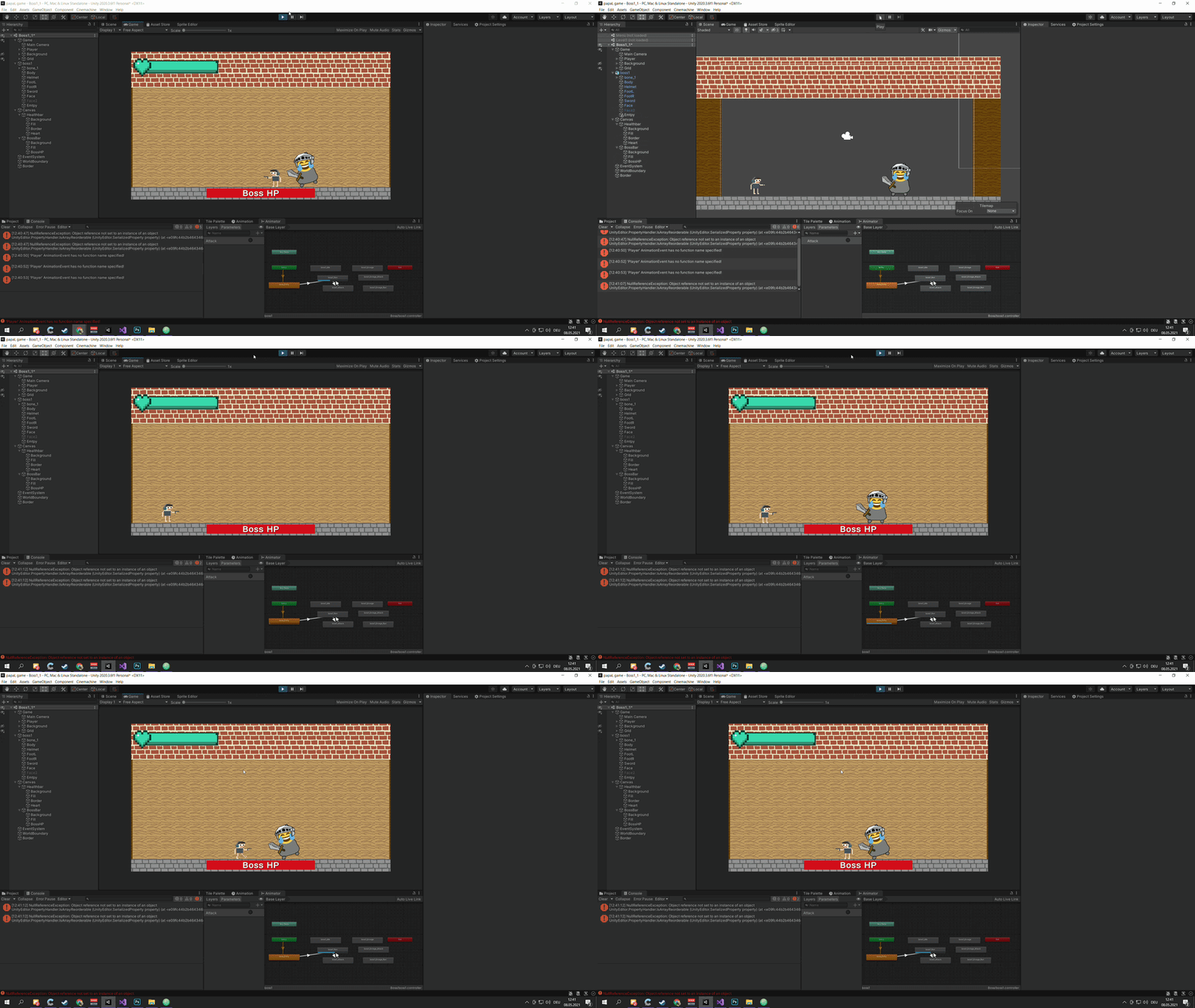
can someone help me 
and what i forgot to say is that i did the code following this tutorial
https://www.youtube.com/watch?v=AD4JIXQDw0s&
 native token
does anyone know why onmousedown just stopped working
it was working before and it just stopped
turbid heart
does the thing you click on have a collider? @native token
turbid heart
Debug.Log inside your OnMouseDown to see when it gets called
native token
i already have one
turbid heart
It could be that some other sprite is blocking it
native token
it seems it doesnt get called at all
turbid heart
Show me the inspector of the object you’re trying to click on
native token
 turbid heart
Is there anything in front of the sun?
native token
nope
i started the game and set every object execpt the one im trying to click to not active and i still cant click it
turbid heart
Weird. Have you tried restarting Unity?
native token
i should try that
turbid heart
Yeah.. i just looked at this https://answers.unity.com/questions/486847/onmousedown-doesnt-work-1.html
Unity is the ultimate game development platform. Use Unity to build high-quality 3D and 2D games, deploy them across mobile, desktop, VR/AR, consoles or the Web, and connect with loyal and enthusiastic players and customers.
native token
yea ive seen that too
im gonna make a new object and test it
still nothing
using System.Collections.Generic;
using UnityEngine;
using UnityEngine.EventSystems;
public class Sun : MonoBehaviour
{
    public float FallSpeed;
    public int SunValue = 50;
    private float Destination;
    public bool isSpawnByPlant;
    public GameManager gameManager;
    void OnMouseDown()
    {
        Debug.Log("test");
        gameManager.Sun += SunValue;
        Destroy(gameObject);

    }

    private void Start()
    {
        gameManager = gameManager = FindObjectOfType<GameManager>();
        if (!isSpawnByPlant)
        {
            GenerateNumber();
        } else
        {
            float tempY = this.gameObject.transform.position.y;
            Destination = tempY -= 0.7f;
        }

    }
    void Update()
    {
        if (transform.position.y > Destination)
        {
            transform.position -= new Vector3(0, FallSpeed) * Time.deltaTime;
        }
    }

    void GenerateNumber()
    {
        float destination = Random.Range(-1.75f, 2.4f);
        Destination = destination;
    }

    public void SetDestinationManually(float yPos)
    {
        Destination = yPos;
    }

}
heres the code
everything but the onmousedown works
turbid heart
I forgot how it works, but there’s something like an EventSystems object in your scene
turbid heart
turbid heart
I forgot how it works, but there’s something like an EventSystems object in your...
There might be somewhere it tells you what you’re hovering or clicking on @native token
snow willow
well if you have a script on the arrow that might be moving it
native token
the event system is for onpointerdown @turbid heart
its for gui objects
i have one
turbid heart
native token
the event system is for onpointerdown <@!244756049637146625>
My bad. Can you try making a new empty scene and creating an object with collider and a new script with only an OnMouseDown and debug log in it?
snow willow
native token
Click your event system while playing and watch the preview window in the bottom of the inspector
It will show you what the mouse is over etc
turbid heart
Oh so it’s not only for ui?
snow willow
also make sure you have a PhysicsRaycaster2D on your camera
it is not only for UI
it's for everything
works on colliders too
as long as you have the right kind of raycaster on your camera
and:
- Event System/Input Module
native token
oh
should i try using onpointerdown on my prefab instead of onmousedown then?
im looking at the event system preview and it shows nothing when i hover over the object i want to click
when i hover over my other clickable objects they do show up
turbid heart
native token
should i try using onpointerdown on my prefab instead of onmousedown then?
Onpointerdown is for UI i think, so no. Did you check that your camera has the raycaster like Praetor said?
turbid heart
Then it’s something wrong with your object alone
Try making a new object and slap on the sun script and a collider
Trying to figure out if it’s your object or script
snow willow
native token
should i try using onpointerdown on my prefab instead of onmousedown then?
OnPointerDown is better than OnMouseDown
it gives you PointerEventData
but it still works basically the same way
- Does your object have a Collider2D?
- Does your camera have PhysicsRaycaster2D?
native token
i have both of those
turbid heart
My mistake again. I’m on mobile so I’m not as diligent in checking :x
snow willow
(you need to implement IPointerDownHandler to use OnpointerDown btw)
snow willow
SHow the object in question's inspector?
native token
 snow willow
ok and your camera?
native token
 snow willow
what is Event Mask set to on the raycaster?
native token
it has everything without being set to it
snow willow
ok
native token
so all the layers are selected
turbid heart
Right? This is really bumming for me too
turbid heart
And it’s just that object?
native token
yep
turbid heart
Can you try this? #🖼️┃2d-tools message
turbid heart
I’m stumped. I’d suggest commenting out everything expect on mouse down in that script and see if it works. Shouldn’t be the issue unless you’re disabling the collider or something..
If you have another script with an on mouse down that works, you could try swapping temporarily
I’ll head to bed now
snow willow
the fact that it's not showing anything in the event system preview is telling
maybe a UI element is blocking it? But I would expct that UI element to show up then
so not sure
native token
yea im not sure what its doing
im gonna rewrite the script
still nothing
there also are no intersecting colliders
 burnt badge
im trying to impliment a system where content from one viewport can be dragged into a neighboring viewport and vice-verse. im usinging a pointerEnter and PointerExit to detect which viewport the dragged content is over, so that when the player stops dragging, whichever viewport the content is hovering over becomes a child of the content of that viewport. the only problem is that the pointerEnter and pointerExit event systems consider the content items to be part of the viewport, so when im dragging them away fromt he viewport, it still thinks im hovering over the original viewport
does anyone know how to fix this, or a better solution? i tried using an image that goes over the viewports for my mouse detection, so that way the content items arent a child of that image, but then the image gets in the way of being able to click the content items
 elder minnow
When a viewport becomes a child, just store that information in a variable, so when you are dragging first you check if whatever you detected on drag first is not that parent
I may have misundertood everything, though
burnt badge
i see what your saying! yes i believe that would be a good solution
ill try to impliment that now, thanks wesai
elder minnow
No problem, good luck!
burnt badge
so i tried that, but a new issue occured. even if the content item isnt a child of the viewport, the fact that im dragging it and its following under my mouse means that it is still getting in the way of the mouseEnter event for the viewports
elder minnow
When an object is being dragged it should be ignored then for the events, give it a state
Anyway, I'm having a hard time visualizing all of this and I have to go too
So it's hard to help you there
Good luck, though! Hopefully someone else can come for the rescue
burnt badge
np, have a good one
ok, i figured out a solution. i had to add a canvas group component to the content item, then i have it turn "blocks raycast" off while its being dragged, thus allowing me to look under it, then just turn it back on once its placed
 faint glacier
stupid question: I want to have an object rotate a fixed amount of degrees per second towards something. I've tried every rotation method I could find, but they all either work like a slerp or I don't understand them well enough to implement them. How would I do this?
snow willow
faint glacier
stupid question: I want to have an object rotate a fixed amount of degrees per s...
Quaternion.RotateTowards(currentRotation, targetRotation, degreesPerSecond * Time.deltaTime);
in Update
faint glacier
I think I tried that but it flipped my sprite sideways
i'll try it again and see if it works
snow willow
faint glacier
I think I tried that but it flipped my sprite sideways
of if it's 2D that won't quite work
faint glacier
yeah now it's not turning at all, I assumed it was because I didn't properly convert my vector to a quaternion tho
snow willow
You need to use:
transform.right = Vector3.RotateTowards(transform.right, targetDirection, degreesPerSecond * Mathf.Deg2Rad * Time.deltaTime, 0f);```assuming transform.right is the "forward" direction for your sprite - as people usually do
faint glacier
apparently it's not :P
snow willow
what is the forward direction for your sprite
faint glacier
it looks like it's up, since that makes the code work. Thanks!
snow willow
cool
still tendon
@snow willow Thanks for help. I got my build done for my match 3 game done.
I am working on a feature that is in line with mother's day.
Would you like to help? I think I'm close.
I have a list of game objects that act as poems.

The object that holds all the poems and should display them has these components.

The current script for PoemKeeper...
This debuglog triggers from the PoemKeeper script.

But when I get the gameover screen....

I'm going to try and set a "currentPoem" setting for the script to diagnose it further, but was wondering if you had any idea why it won't play any of the poems I have loaded.
still tendon
I'm getting a null reference error, so maybe my script doesn't pull an object like I think it does....
OK, this is probably super easy step.


🤔
Any ideas?
I'm going to try and chance my strategy here.
 formal scarab
The obvious one is that Findobjectoftype isn’t finding it

 formal scarab
There's nothing inherently wrong with the code, it depends on how the scene is setup at the time where it runs
still tendon
KK.
Let me try from splash. That's where it's supposed to start.
Does this help @formal scarab?


!!!!
@formal scarab I'm so happy!
Thanks so much!
OK, she needs some work.
But I have this setup at game start.

So since tryagainpanel wasn't active until I lost the game, it couldn't find poem keeper.
formal scarab
Makes sense!
still tendon
My old strategy probably works now. Happy mother's day @formal scarab ! Thanks again.

The line that saved me...
 dull shale
Would there be any tutorials for making a non-animated to dimensional game?
 dapper scaffold
Hello guys, I need create little game for my studies. I added main menu scene and after that my camera is acting up real strange. As you can see in #scene background (mountains) are behind whole map but in camera preview its looks like it's locked in one place. Any ideas of suggestion? I tried creating new background/camera result is still same

 frozen needle
I'm trying to have a scrolling background in my game, I have it get instantiated at LoadLevelObjects through the game manager, but for some reason it's not appearing at all
This is the code for the BG itself

 misty vine
Are you sure you haven't made speed so high that the offset has made it shoot out of visible range really quick?
frozen needle
Speed is at 0.25
 past escarp
is it possible to load an svg from a file location?
 worn kite
how can I make flowers flow like in wind but with your mouse
 gilded ruin
https://pastebin.com/tx07Fmc1 hello i want to create a warps points thats seem doesnt work this is the error:
Assets\Warp.cs(11,20): error CS1061: 'Collider2D' does not contain a definition for 'tansform' and no accessible extension method 'tansform' accepting a first argument of type 'Collider2D' could be found (are you missing a using directive or an assembly reference?)
Pastebin
Pastebin.com is the number one paste tool since 2002. Pastebin is a website where you can store text online for a set period of time.
Anyone could help me pls
?
abstract olive
@lime mulch No crossposting
 silent breach
How can i make a hole in my image? for show what is behind it, like masks
 signal zinc
use sprite masks @silent breach
silent breach
ok thanks
still tendon

 desert crescent
Lookin to make an inventory system and allow for weapon switching. The weapons right now are individual prefabs with an animation which I'm turning on and off under the player hierarchy. Would anyone suggest something different as a more advanced topic?
 storm timber
frozen needle
I'm trying to have a scrolling background in my game, I have it get instantiated...
storm timber
frozen needle
I'm trying to have a scrolling background in my game, I have it get instantiated...
use Time.time instead of Time.deltaTime
Time.deltaTime is the interval in seconds from the last frame to the current one
and Time.time is the time in seconds since the start of the application
 tough nimbus
how do i get a sprite object to snap to the same grid as the tile instead of 'in btween'?

 split lava
open the sprite editor for that sprite and change where its pivot is
i.e. that little blue circle in the middle
tough nimbus
oh, thank you buddy
split lava
alternatively, you could simply move your grid gameobject up by 0.5 and to the right by 0.5
depends on what works for your game and your assets
still tendon
Hello 🙂
Can someone here tell me how to make sprites always fit inside a box with SpriteRenderer? (In UI it works easy with UI.Image and Preserve Aspect Ratio but how do i get this behavior with non UI?)
turbid heart
still tendon
Hello 🙂
Can someone here tell me how to make sprites always fit inside a box wi...
what do you mean fit inside a box? Do you have a picture you can illustrate this with?
still tendon
Yes sure, one moment

I Have these Boxes
and I want that the Sprite (Tree, branch) is always Fit inside these Box
How can i achieve this with non UI 😄
still tendon
turbid heart
what do you mean fit inside a box? Do you have a picture you can illustrate this...
Do you understand? 🙂
turbid heart
are you using tiles..? I'm not familiar with that, but hopefully someone else will
still tendon
No i am not using tiles, the grid in background is generated by a custom script
and the items are placed on top
 sly tartan
lol
 vagrant nexus
nice question @wicked wasp, but probably not the place
sly tartan
still tendon
and I want that the Sprite (Tree, branch) is always Fit inside these Box
just change how big they are?
 forest portal
Hi guys, compare tag doesn't work along with Raycast hit 2D, I even tried collider.gameObject.tag == "", and it didn't work
turbid heart
forest portal
Hi guys, compare tag doesn't work along with Raycast hit 2D, I even tried collid...
what do you mean by doesnt work
forest portal

it does not assign the chosenOne variable
and it hits something
and I'm pretty sure I have the right tags
ArgumentNullException: Value cannot be null.
Parameter name: source
UnityEngine.AudioSource.Play () (at <8e2857b79be4468ca1c28dda75978191>:0)
CharacterController2D.Update () (at Assets/CharacterController2D.cs:123)
the error message
turbid heart
and those Debug.Logs print?
turbid heart
where you print not null, Debug.Log(hitinfo.collider.gameObject)
it might be hitting something else
forest portal
turbid heart
where you print not null, Debug.Log(hitinfo.collider.gameObject)
yea I'll do it rn
Ok so it was colliding with a background object, I just gotta disable its collider
 lime mulch
i am making a wall bounce but idk how to make it bounce off a wall from bellow left or right all i can do is up my code ```void OnCollisionEnter2D(Collision2D collision)
{
Vector2 reflectedPosition = Vector3.Reflect(transform.right, collision.contacts[0].normal);
rb.velocity = (reflectedPosition).normalized * speed;
    //rb.velocity = Vector2.Reflect(speed,collision.position);
    //rb.rotation += 180;
}```
can someone help me with at problem
still tendon
lime mulch
i am making a wall bounce but idk how to make it bounce off a wall from bellow l...
can't you just use a Physics Material 2D for bouncy wall
lime mulch
i did not know that i will try it
 elfin wharf
Can someone give me an idea how to make "transform.position += difference" smooth? It's an enemy class and if enemy gets shoot then it gets knockback. For now at getting shoot it instantly teleports so it looks bad.

 full needle
I'm trying to get a trigger to switch a boolean from false to true, but the function keeps spitting out errors.
At first I had
    if (collisionInfo.collider.tag == "Player") {
        aggro = true;
        Debug.Log("aggro");
    }
}```
but it told me that `Collider2D` was outdated and I should use `GetComponent<Collider>()` however that gives me the errors `Identifier expected`, `syntax error, ',' expected` and `Tuple must contain at least two elements`You've mixed up some code snippet from a OnCollisionEnter2D and one from OnTriggerEnter2D
void OnTriggerEnter2D (Collider2D otherCollider) {
    if (otherCollider.tag == "Player") {
        aggro = true;
        Debug.Log("aggro");
    }
}```that's all you need
full needle
thanks
 fervent otter
I'm setting my rigidbody2d's velocity.x to zero and my object is still moving very slowly. What am I missing?
snow willow
fervent otter
I'm setting my rigidbody2d's velocity.x to zero and my object is still moving ve...
velocity.y maybe? Gravity? something colliding with it? Some code in your script moving it or adding velocity?
fervent otter
Uhhh let me type out a good explanation. Bear with me
Its a simple 2d platformer. The main character object has a circle collider on it. The velocity.x is lerp'd toward the max walk speed or zero depending on input. When there is no input the velocity.x gets down to a very small number, but not zero. So I do this if (_velocity.x < minXVelocity && _velocity.x > -minXVelocity) _velocity.x = 0; where minXVelocity is 0.1f.
The reason this becomes a problem is that it makes my player seem to bounce off corners. Imagine the character walks into a short wall and stops. Now I jump, with no X axis input. Because the velocity remains a tiny number the character is pushed slightly over the top corner of this short wall. And because the collider is a circle, when the character falls back down it collides with the corner of the wall and ends up pushing the character away from the wall at a noticeable velocity depending on how fast they were falling.
And I noticed in my Rigidbody2d component that the velocity.x is never actually zero once the player moves at all in either direction.
Despite being explicitly set to zero in the code above.
snow willow
fervent otter
Its a simple 2d platformer. The main character object has a circle collider on i...
i mean the question is when and where are you running this
and when and where are you doing your "lerping"
and how are you lerping
etc..
fervent otter
    private void FixedUpdate()
    {
        _velocity = RB.velocity;
        _velocity.x = Mathf.Lerp(_velocity.x, Input.x * maxRunSpeed, 0.25f);
        if (_velocity.x < minXVelocity && _velocity.x > -minXVelocity) _velocity.x = 0;
        _velocity.y += gravity;
        RB.velocity = _velocity;
}
In that clip I'm hitting the wall, stopping, then pressing jump. Idk why my character is bouncing off the top corner
snow willow
what is minXVelocity set to?
fervent otter
0.1
maxrunspeed is 5

Granted, a very small number, but I'm suspecting this is the cause of the unwanted bounce
The physicsmaterial2d for both the tilemap and character have no bounce
snow willow
fervent otter
Granted, a *very* small number, but I'm suspecting this is the cause of the unwa...
Can you try setting "sleeping Mode" on your rigidbody to "Never Sleep"
see if that changes anything
fervent otter
nope 😦
snow willow
🤔
there's no other code that's changing the velocity?
also you haven't modified gravity at all?
and you're sure your ground is 100% flat
silly questions probably but
fervent otter
I had the gravity scale set to 2, but even at 1 it does the same thing
If i replace the circlecollider with a boxcollider it doesn't do this
but I want the circle collider so I kind of slide off corners
snow willow
Yeah I meant Edit -> Project Settings -> Physics 2D Settings -> Gravity
fervent otter
nope, default value
snow willow
also do you have rotation frozen?
fervent otter
z rot is frozen
fervent otter
but this is strange -- it only happens on that particular platform and only against the right side of it
snow willow
maybe it's the platform then?
fervent otter
Its the same tile used for the others, but I'm playing around with it
Nope, does it with other tiles as well
ok so apparently its the composite collider I have on the tilemap
bc removing that fixes it
plush coyote
Does anyone know why disabling tilemap colliders take way more time than enabling them? I'm trying to pool chunks, and for some reason loading the collider is almost instant, whereas disabling them takes way longer. It's not my code, as you can recreate this effect by simply disabling and enabling a bunch of tilemap colliders through the inspector
causes huge stutter on disable, but enable is fine
I'm sort of wondering if there is anything I can do internally to unity that would fix this, if its something unnecessary
 mighty meteor
hlo
 wise nacelle
@plush coyote What do you mean? You just go into the tile map component in the inspector and turn off the collider2D no?
or did you mean disabling them in a script?
plush coyote
both... disabling the collider at all seems to regenerate it and freeze the game for little while if it's even a slightly large tilemap (64x64)
wise nacelle
Here, let me show you a 2d game i'm working on and what happens when I turn off the tilemap collider
plush coyote
I know what it looks like
im asking if anyone knows why it uses seemingly more resources to disable the collider than it does to enable
the profiler spikes for way longer when disabling than enabling
wise nacelle
plush coyote
the profiler spikes for way longer when disabling than enabling
ah, that I have no idea why
I misunderstood the question
 opaque swan
can someone help me with this error? playerCollider = GameObject.Find("Laura").GetComponent<BoxCollider2D>(); this is the code that I am using

laura is the name of the player object
turbid heart
opaque swan
can someone help me with this error? `playerCollider = GameObject.Find("Laura")....
Either there is no gameobject named Laura in your scene or it doesnt have a BoxCollider2D component
 valid plover
so how can I check if a gameobject colided with a tilemap with a composite collider(not trigger)
use OnCollisionEnter2d instead of triggerenter?
it kinda works but still super glitchy
 empty garden
I've gotten buttons to work the other day but I might need help breaking down how im going to accomplish the idea I have in my head.
All of the gameplay and rules is kinda already there. Basically I'm taking a turn based sparring game I do in real life for swords and putting it in unity. But still very lost.
So what i have so far is three buttons that choose three moves. I will need the buttons to change what moves depending on what position the player is in.
gleaming horizon
valid plover
so how can I check if a gameobject colided with a tilemap with a composite colli...
In general yes, OnCollisionEnter2D is the thing, however depending on the behavior you want it can be called pretty frequently based on physics settings and few other factors. What are you trying to achieve?
valid plover
i want my bullets to explode when hitting a tilemap wall
gleaming horizon
And are these bullets traveling somewhat quickly? If they are you can "miss" the collider based on interpolation settings, timestep and a few other things.
empty garden
i think i need to think smaller maybe
gleaming horizon
I guess I should really ask what does "glitchy" mean
empty garden
im kinda having a hard time getting my ideas into code.
valid plover
i got the composite colider geometry to polygons and its working pretty fine now
but with ontrigger enter for some reason
even tho my collider isnt "is trigger"
gleaming horizon
Is the collider on your bullet a trigger?
empty garden
so if i have buttons that have options 1,2,3 and i want it to display a different set of options like 4,5,6, what would i do
im also having a hard time keeping track of what the player state the player should be in, i have enums that have a list of things but how do i tell the game, this enum is what the player is doing rn.
    {
        windowGuard,
        ironGate
}``` i want the player to be in on of these two thingsohhh that might be why xD
empty garden
and later on if the player has one of these two guards active the button change depeding on what that guard type is active
 toxic kelp
            {
                Debug.Log("Has RigidBody");
                FixedJoint2D selffj = gameObject.AddComponent<FixedJoint2D>();
                selffj.connectedBody = collidedrb;
                attached = true;
}```idk why but this doesnt attach the fixed joint to any rigidbody
the whole script is supposed to make objects sticky. when it collides with a rigidbody, it makes the fixed joint, but doesnt attach it
forest portal
Hi, so I used playerprefs to save my game, it works fine and all but the problem is when you stop compiling and launch it again and press load, it loads your saved score but spawns all the coins back, which can be used to get a big score
snow willow
forest portal
Hi, so I used playerprefs to save my game, it works fine and all but the proble...
You need to keep track of which coins have been collected already and not spawn them or destroy them.
forest portal
snow willow
You need to keep track of which coins have been collected already and not spawn ...
how can I do it?
snow willow
You're probably reaching the limits of what you can accomplish with PlayerPrefs
make a real saved game system
forest portal
no it's so simple
snow willow
¯_(ツ)_/¯
then save data about which coins were collected in PLayerPrefs
doesn't matter where you do it but you need to keep track of which coins were collected already
gleaming horizon
toxic kelp
the whole script is supposed to make objects sticky. when it collides with a rig...
ehh, this could be a few things unfortunately, if you haven't already make sure you read the script reference for the fixed joint 2d, there are some things that get auto-generated when you create it in editor that don't when directly added as a component. From memory the anchor and some other config options need be set up correctly: https://docs.unity3d.com/Manual/class-FixedJoint2D.html
valid plover
how can i make the spawned bullet face where my cursor is? im missing the logic behind it
i have this already ```Vector3 mousePos = Input.mousePosition;
mousePos = Camera.main.ScreenToWorldPoint(mousePos);
    Vector2 direction = new Vector2(
        mousePos.x - transform.position.x, mousePos.y - transform.position.y
        );```
something is making it always face my character xD
so its going backwards
gleaming horizon
How are you actually setting the bullet rotation?
valid plover
im instanciating it like this Instantiate(bulletPrefab, FirePoint.position, FirePoint.rotation);
this a pretty old project i just picked it up most of the things must be from tutorials lol
gleaming horizon
So where does FIrePoint get its rotation? The above code seems to calculate a direction it just isn't used
valid plover
the above code i used for my character to turn to where my mouse is pointed
firepoint rotation lemme check that
its not lol, it changed cuz its atached to my character so using the code above it changes the rotation based on my character
gleaming horizon
OK, if your character rotation is working alright, and the bullet is always facing backwards you can either: rotate the bullet graphics 180 degrees in the prefab, rotate the bullet around once it's spawned, or just set the axis of your bullet that is the correct orientation to be equal to the direction you calculate, ie: if your bullet is aligned on the x axis you can do bullet.transform.right = direction.normalized. I think this is considered bad practice though, so rotation might be the best bet
valid plover
ye as i tought that will only glitch the bullet direction
i'll try to turn the sprite 180, so the actual png
ye that did the trick
willow current
How do I make directional particles>
I cant find anything in google or the forums that work
gleaming horizon
willow current
How do I make directional particles>
What do you mean by directional? orienting towards velocity, moving to a certain point, always facing a certain direction?
willow current
gleaming horizon
What do you mean by directional? orienting towards velocity, moving to a certain...
like, if the character is running to the right, the particles should leave left
i kinda want to do it for all directions, so if the user is jumping to the rght too
like this
 gleaming horizon
Well, you can do a few things. The simplest is just setting the transform space of the particle system to world, so they will be left behind and look like a trail
you can also just rotate the particle system to face the opposite way the character is moving, so you can have the particles always move "up" but in Update just rotate the particle system so "up" is facing away from the characters velocity vector.
willow current
gleaming horizon
Well, you can do a few things. The simplest is just setting the transform space ...
where can i set that?
gleaming horizon
are you using the vfx graph or the standard particle component?
willow current
Particle System
gleaming horizon
OK, so click on it and there should a field called "Simulation Space." Change the dropdown from "local" to "world"
 toxic kelp
gleaming horizon
ehh, this could be a few things unfortunately, if you haven't already make sure ...
toxic kelp
gleaming horizon
ehh, this could be a few things unfortunately, if you haven't already make sure ...
the fixed joint gets created and would work properly if i didnt want it to attach to a rigidbody
its just that the connect body does not get set so it makes the object static.
gleaming horizon
toxic kelp
the fixed joint gets created and would work properly if i didnt want it to attac...
And the object your attaching it to also has a rigidbody2d? I think both need one for the connectedbody to work
opaque swan
I have no idea what happened but one of my game objects and the sprite just stopped showing
 snow shoal
how do i set the rotation of my 2d transform by angle?
snow willow
snow shoal
how do i set the rotation of my 2d transform by angle?
transform.rotation = Quaternion.Euler(0, 0, angle);
snow shoal
OH of course! Thank you!
snow willow
or transform.eulerAngles = new Vector3(0, 0, angle);
snow shoal
ok thx so much
still tendon
whats the best way to make that detect multiple objects
om using ontrigger enter XD
toxic kelp
gleaming horizon
And the object your attaching it to also has a rigidbody2d? I think both need on...
yes
toxic kelp
gleaming horizon
ehh, this could be a few things unfortunately, if you haven't already make sure ...
also, i dont see what you are talking about in the documentation
and i also checked https://docs.unity3d.com/ScriptReference/FixedJoint2D.html
 ruby wigeon
If i for example want to make one game object render two sprites how would i go about doing that?
Very big beginner here haha
toxic kelp
ruby wigeon
If i for example want to make one game object render two sprites how would i go ...
i would make a new sprite and parent it to the other one
might not be the best way tho
vocal condor
There's a beginner coding channel but this sounds more like a #💻┃unity-talk question.
ruby wigeon
Hmm well im new to unity but ive had experience in other engines, where i could just draw multiple sprites in code, can i not do that here?
toxic kelp
nope
ruby wigeon
vocal condor
There's a beginner coding channel but this sounds more like a <#4978724242814402...
Ah thank you
toxic kelp
not that i know of
ruby wigeon
No worries thanks for the help :)
vocal condor
Add Image components to your object
They're what you're referring to as having an image rendered to the screen.
ruby wigeon
Wouldn't that be more of a gui component tho?
vocal condor
I wasn't certain what you were targeting.
ruby wigeon
So I'd like to make a character, with limbs that i can make look towards the mouse but I'd rather not split them to multiple game objects
Sorry if i wasn't clear earlier
vocal condor
Perhaps multiple sprite components https://docs.unity3d.com/ScriptReference/Sprite.html
Not on a workstation and merely giving suggestions from my mobile device
toxic kelp
toxic kelp
i would make a new sprite and parent it to the other one
i think this might be your best bet
ruby wigeon
Hmm wouldn't hurt to try, cheers!
vocal condor
Consider the multiple object approach
ruby wigeon
Yeah I'll most likely have to go with that, although could be a hassle
vocal condor
How so?
toxic kelp
toxic kelp
```
{
Debug.Log("Has RigidBody");
Fi...
also i still need this answered. need some hands that stick to objects
ruby wigeon
Just drawing up some art to try it out right now
Well multiple characters/enemies that all have multiple objects connected to them would definitely be more costly than just each object drawing its own limbs
toxic kelp
i belive there is a way to make "limbs" part of the same object. i dont know how
ruby wigeon
Oh well they're purely cosmetic shouldn't affect things too much
Help much appreciated tho
toxic kelp
https://learn.unity.com/tutorial/rigging-a-sprite-with-the-2d-animation-package#6017535aedbc2a69ae9b3b9d this might work

Unity Learn
In development at Unity is a 2D Animation package that allows you to rig Sprites as one might rig a 3D model for animation. In this tutorial, you will go through the process of importing the 2D Animation package and rig a sprite ready to be animated. You will learn about all the features of the 2D Animation package, including Bones, Weights and ...
ruby wigeon
That would work but I've no clue if i can manipulate the rig with code
toxic kelp
https://docs.unity3d.com/Manual/class-SpriteAtlas.html there is also this. might work but i dont honestly know what it is
vocal condor
toxic kelp
```
{
Debug.Log("Has RigidBody");
Fi...
What's collided rb? What the current Game Object? Are you a moving limb to be attached to another object? (Just curious)
I'm assuming you're a limb because you've given yourself a fixed joint component
toxic kelp
collidedrb is the rigidbody this sprite collides with. the current game object is a hand that is launched and then sticks to surfaces.
here is the script

it creates a fixed joint, just doesnt attach it to the collided rigidbody
@vocal condor
vocal condor
Something isn't right about your if statement
rb is assigned null
Rather than evaluating if null
toxic kelp
oh crap
thats a common error i make
however, that isnt the problem
@vocal condor its this line:

everything else works
vocal condor
Can you attach multiple fixed joints to one object?
toxic kelp
yes
vocal condor
Else you've already got a fixed joint
vocal condor
Well, in Start you reference and set the fixed joint to not enabled. On collision (assuming the other body has a rigid body component as well and not just a collider) your adding another fixed joint component and connecting it to the other object; looks fine.
So what's the issue (assuming that's the thing - it isn't attaching to the other object)?
toxic kelp
yes
it just get attached to "the world"
freezing in place

basically what it looks like
vocal condor
Is that the first component or second? (You've got two)
vocal condor

toxic kelp
why did that not cross my mind
would be nice if vs gave you a warning if an if statement is assigning a variable
vocal condor
Brain fart moments 🧠 ||💩||
 ebon merlin
Hey guys..
I am a professional developer who's looking to get into game development now, particularly in 2d and I was wondering if you had any good resources and/or tutorials to recommend to start learning
I'm mainly interested in platformers, but any good resources/tutorials would do, as my main intent is to learn how to properly use unity itself
I've also messed around with shaders and physics systems before, and I've already worked a bit with rendering engines, so I think I could skip the absolute beginner's stuff
TL;DR: What I'm really interested in is a start-to-end (simple) project so that I can get used to the unity flow
turbid heart
Describe what you’re trying to achieve and what isnt working as expected. “Why isnt work” doesnt help
Your start is spelled wrong. It’s Start
And use 3 back ticks #💻┃code-beginner message
 magic token
hello can anyone help me with my issue
        if(Input.GetMouseButtonDown(0)){
        Vector3 mousePos = Camera.main.ScreenToWorldPoint(Input.mousePosition);
        Vector2 mousePos2D = new Vector2(mousePos.x, mousePos.y);

        RaycastHit2D hit = Physics2D.Raycast(mousePos2D, Vector2.zero);

        if (hit.collider.CompareTag("NewGame"))
            {
                isSelected = true;
            }
        if (hit.collider.CompareTag("Exit"))
            {
                isSelected = false;
            }

}```on line 25: if (hit.collider.CompareTag("NewGame"))
it says object reference not set to an insstance of an object
how can i fix this
turbid heart
magic token
on line 25: ```
if (hit.collider.CompareTag("NewGame"))```
Hit or collider is null. Make sure they’re not null before using them
 wintry plover
The setup:
Alright, so I'm trying to make a dash triggered by pressing space. The dash should give the player a burst of speed in the direction they are already moving in. I am aware that, this implementation doesn't account for the player gradually slowing down. dashCount is there solely for debug.
The question:
Why does this mechanism register only some dash inputs and ignores others?
The code:
using System.Collections;
using System.Collections.Generic;
using UnityEngine;

public class MovementScript : MonoBehaviour
{
    public Rigidbody2D body;
    public float speed = 20.0f;
    float horizontal;
    float vertical;

    public float dashMult = 10.0f;
    bool dash;
    int dashCount = 0;

    void Update()
    {
        horizontal = Input.GetAxisRaw("Horizontal");
        vertical = Input.GetAxisRaw("Vertical");
        dash = Input.GetKeyDown("space");
    }
    private void FixedUpdate(){
        if(dash){
            Debug.Log("Dash" + dashCount);
            dashCount++;
        }
        body.velocity = new Vector2(horizontal, vertical) * speed * (dash?dashMult:1);
        dash = false;
    }
}
Why does this mechanism register only some dash inputs and ignores others?
What do you mean by this? Give an example.
wintry plover
If I press space it sometimes works and sometimes doesn't.
It's not a keyboard thing since I can write here just fine.
vocal condor
How are you determining that it's working (how are you verifying)?
wintry plover
By watching the console
vocal condor
If you tap every few seconds, does it continue to log?
vocal condor
Not working as in not speeding up or not logging?
wintry plover
neither
vocal condor
It should be working; the input detection for "space".
The code looks fine.
Problem may lie elsewhere.
wintry plover
The gameobject with the script is just a standard white square with a rigidbody2D
vocal condor
Not relevant. The above would trigger a log of dash and dash counts every time "space" was pressed with the exception of there being fewer physics frame than logic frames.
wintry plover
Hold on, I could technically increase dash count in Update and print in FixedUpdate, that way I'd see if it was really skipping some
vocal condor
If you have fewer physics frame than logic frames, it could possibly assign dash to false again before the physics frame has occurred making it look like dash failed.
wintry plover
How do I check if I have fewer physics frames than logic frames?
vocal condor
Or possibly: ```cs
if(!dash)
dash = Input.GetKeyDown("space");
Assuming that your game is running at 60 fps, it would likely be true; we've got way more computational power than such.
With the above code, your dash will only be set to false in the physics frame.
ie FixedUpdate.
Or you could do: ```cs
if(Input.GetKeyDown("space"))
dash = true;
I did just did that, it works
vocal condor
Whereas assigning it to the result of input would allow it to be true or false so if you explicitly need the input to be evaluated... okay
wintry plover
interesting
wintry plover
vocal condor
Whereas assigning it to the result of input would allow it to be true or false s...
Thank you, but I still don't understand what you meant by this
vocal condor
It depends on the behavior you intend for it to produce.
Since (in your case) you're wanting it to evaluate/count every pressed of space and only reset dash to false in the physics frame, you likely explicitly do not want to allow Update (the logic frame) to be able to reset dash.
 bronze sundial
so im making a 2d unity game, and i have my code setup for calculating when my player takes enough damage to die, and my animation is ready, but i want a way so that during the animation, no keys (inputs) can be pressed. any way to go about that without adding a condition to all the if statements that check for inputs?
i can use (this.animator.GetCurrentAnimatorStateInfo(0).IsName("playerDeath")) for the if statement, im just not sure how to go about turning off all inputs
turbid heart
bronze sundial
i can use ```(this.animator.GetCurrentAnimatorStateInfo(0).IsName("playerDeath")...
By using a boolean
bronze sundial
well i know that i can add conditions with a bool to all my movement if statements, but i was wondering if theres a function like (TakeNoInputs) or something that i can use with a WaitForSeconds so the death animation could play then you can go back to menu screen
just to save me some time, also because this is how my movement works and i have no idea how to shove this into an if statement // Moves sprite left and right Vector3 movement = new Vector3(Input.GetAxis("Horizontal"), 0f, 0f); transform.position += movement * Time.deltaTime * moveSpeed; moveDirection = Input.GetAxis("Horizontal"); // Makes "Speed" an absolute number, easier for the Animator when creating movement sprite animator.SetFloat("Speed", Mathf.Abs(moveDirection));
turbid heart
bronze sundial
just to save me some time, also because this is how my movement works and i have...
that's the easy part. just wrap it in an if statement saying if(canMove) or something
bronze sundial
wow, i never thought of that. LMAO, i guess that makes alot more sense
so im guessin that theres no such thing as a TakeNoInputs function or somethin'?
turbid heart
bronze sundial
so im guessin that theres no such thing as a TakeNoInputs function or somethin'?
not that I know of.. feel free to google that yourself though
valid plover
hi guys i have this code for my weapon, i can modify the fire rate and speed of the bullet, ammo etc. but i wanted to do a 2 weapon holding and a way to make a weapon shoot multiple bullets at once, so like in 2 ways
but im missing the idea behind it, how should i do it? angles?
turbid heart
valid plover
hi guys i have this code for my weapon, i can modify the fire rate and speed of ...
what sort of game is this? first person?
valid plover
top down 2d
turbid heart
valid plover
hi guys i have this code for my weapon, i can modify the fire rate and speed of ...
okay, do you want them to shoot towards the center?
still tendon
I have this script that moves the player based on the number rolled https://pastebin.com/1H5Na5dy but I want it so that if you land in the circle you can your next turn go left, up, or down https://i.imgur.com/rg4hY0e.png
Pastebin
Pastebin.com is the number one paste tool since 2002. Pastebin is a website where you can store text online for a set period of time.
 carmine stag
Hey guys I have a bit of a problem. I have been trying to make a 2d character do all it's things (move, jump, run, idle) but I have been running into a few problems. When I jump, the jump animation never stops after I move again, and the player never switches sides when turning from left to right. Here are the 2 scripts controlling it, please help. https://pastebin.pl/view/28b10747 and https://pastebin.pl/view/2ace8f74
Pastebin.pl is a website where you can store code/text online for a set period of time and share to anybody on earth
Pastebin.pl is a website where you can store code/text online for a set period of time and share to anybody on earth
still tendon
@carmine stag try this https://www.youtube.com/watch?v=dwcT-Dch0bA

Let’s give our player some moves!
● Check out Skillshare: https://skl.sh/brackeys7
● Character Controller: https://bit.ly/2MQAkmu
● Download the Project: https://bit.ly/2KPx7pX
● Get the Assets: https://bit.ly/2KOkwjt
♥ Support Brackeys on Patreon: http://patreon.com/brackeys/
·································································...
carmine stag
still tendon
<@!524680711752646666> try this https://www.youtube.com/watch?v=dwcT-Dch0bA
i used that to make it, and it's still not working
still tendon
try rewatching the video
carmine stag
still tendon
try rewatching the video
i have
multiple times
@still tendon can you take a quick look
still tendon
can you reupload then to pastebin.com
carmine stag
Pastebin.pl is a website where you can store code/text online for a set period of time and share to anybody on earth
Pastebin.pl is a website where you can store code/text online for a set period of time and share to anybody on earth
still tendon
not .pl, .com
carmine stag
Pastebin
Pastebin.com is the number one paste tool since 2002. Pastebin is a website where you can store text online for a set period of time.
still tendon
can you show you unity canvas
carmine stag
Pastebin
Pastebin.com is the number one paste tool since 2002. Pastebin is a website where you can store text online for a set period of time.
turbid heart
carmine stag
Hey guys I have a bit of a problem. I have been trying to make a 2d character do...
are there any errors?
carmine stag
still tendon
can you show you unity canvas
this?
 carmine stag
turbid heart
are there any errors?
carmine stag
turbid heart
are there any errors?
no
still tendon
show me a video of what you say
carmine stag
ok
carmine stag
turbid heart
are there any errors?
https://vimeo.com/548528248 video with my problem
still tendon
did you download the code from here ? https://github.com/Brackeys/2D-Movement https://github.com/Brackeys/2D-Character-Controller
GitHub
Project files for our tutorial on 2D Movement in Unity. - Brackeys/2D-Movement
GitHub
Free 2D Character Controller for Unity. Contribute to Brackeys/2D-Character-Controller development by creating an account on GitHub.
carmine stag
i got the controller from there
still tendon
try taking the movement also
carmine stag
just did and now he only walks, not jumps and animation is broken
still tendon
show video please
 forest quail
character animation only working in one direction?
carmine stag
still tendon
show video please
carmine stag
forest quail
character animation only working in one direction?
yeah, and the jump animation is messed up
 full oriole
carmine stag
yeah, and the jump animation is messed up
full oriole
carmine stag
yeah, and the jump animation is messed up
For your jump animation, are you using a trigger?
within the animator i mean
So once its done executing it goes back to the idle state
carmine stag
full oriole
For your jump animation, are you using a trigger?
it's a bool
full oriole
In your animator set up a trigger
and in your code when you press space
call that trigger
carmine stag
can you send a code example? I don't know what you mean
carmine stag
ok

