#🖼️┃2d-tools
1 messages · Page 17 of 1
 rough crown
 twilit vault
you should probably go give this link a read
rough crown
wait but then I need to calculate a firepoint for every weapon
are you absolutely sure that what I wanted to do originally isn't possible?
twilit vault
might be possible, but it's really going about it backwards
you need 2 points anyways - 1 to position the gun, another for the firepoint
since you want the gun position to vary independantly of the firepoint, having the pivot actually do its job is the more reasonable method
rough crown
I know, but if the pivot was always at the end of the gun, it would double as both
oh wait no it wouldn't
you're right
twilit vault
yeah since the firepoint would need to move closer to the character too
if you have some kind of stat storage - an SO or a script on a prefab or something like that - you could have the firepoint offset defined there
or in the case of a prefab, you could have an empty child gameobject positioned where you want bullets to originate
rough crown
yeah that's the plan
a bit bummed out that I have to add another field to an already massive SO lol
twilit vault
welp yeah, flexibility comes at the cost of complexity
rough crown
true that, thanks for the help!
 lean estuary
@fallen nexus You've been pointed out !collab channels already.
 barren orbitBOT
:loudspeaker: Collaborating and Job Posting
We do not accept job or collab posts on Discord.
Please, use Discussions to promote yourself as job-seeking, advertise commercial job offers, or look for non-commercial projects to participate in:
• Collaboration & Jobs
 fallen nexus
Can i help you?
lean estuary
fallen nexus
Can i help you?
Don't spam collab posts on the server
lean estuary
Note this as your last warning then.
fallen nexus
Can I chat at this channel?
lean estuary
fallen nexus
Can I chat at this channel?
Do you have #🖼️┃2d-tools related question? There's no off-topic on the server. Also make sure to read #📖┃code-of-conduct
 viscid plinth
hi yall, i wanted to ask something, i am starting with some 2D game dev but i dont know how to start making assets for it, like backgrounds characters, animating them making sprites etc
anyone can help me out w it ?
 jolly narwhal
If you want to in general do gamedev it's better to start with ready made assets and worry about custom assets later. But if you specifically want to focus on making your own art assets then googling "pixel art beginner tutorial" (or whatever style you want them to be) gets you started. Note that if you're starting with no previous experience it can take months to years of practice before the assets stop looking like they were drawn by a beginner
 devout birch
hi guys
i have an issue with the tilemap random brush
tiles made by the random brush cannot be erased and show up in the inspector as none
those "broken" tiles made by random brush show up normally when i focus on the "flower" tilemap

but they show up as "none"

reopening unity doesn't fix this
and sorting order on these flowers act as they would still be there
wdid
viscid plinth
jolly narwhal
If you want to in general do gamedev it's better to start with ready made assets...
damn
devout birch
viscid plinth
hi yall, i wanted to ask something, i am starting with some 2D game dev but i do...
honestly? go on pinterest, search for something and try to redraw it pixelated, thats how i made most of my pixelarts
 crude mango
devout birch
hi guys
crude mango
devout birch
hi guys
delete the whole grid, or delete tile selection in tile pallete and tile art in the folders you have in asset, then restart unity after doing all that. Then perhaps refrain from using random brush ig.
devout birch
crude mango
delete the whole grid, or delete tile selection in tile pallete and tile art in ...
deleting the grid would be my last resort, i have over 400 tiles places by hand so it would really set me back
 keen ingot
Let's say, I want to create a football pixel style 2D game. Should I create the football field (stadium as a whole) as a Sprite or use tiles to create the same ?
Any suggestions.
At the same time, I want the stadium to be a replica of real life stadium
jolly narwhal
Don't cross-post. #💻┃unity-talk message
 nocturne kindle
Hey guys! I want my cursor to look pixelated like in Gunslinger, and I kinda have a solution, but it has a big problem. So what I did is I made a 64x64 cursor sprite, I imported it into my game, I set the PPU to 8, no filtering, no compression, I made a script that rotates and moves the sprite, and I scaled it down to look really small. This way, it looks pixelated, but now I can't see it. Is there a way to make it bigger and still look pixelated?
 crude mango
nocturne kindle
Hey guys! I want my cursor to look pixelated like in [Gunslinger](https://deando...
crude mango
nocturne kindle
Hey guys! I want my cursor to look pixelated like in [Gunslinger](https://deando...
make it bigger and then make it 32x32 instead of 64x64.
nocturne kindle
crude mango
make it bigger and then make it 32x32 instead of 64x64.
let me try
Yeah it didn't work, here's what I want it to look like:
All I did was resize the sprite from 64x64 to 32x32, I left the PPU as is, and then made the sprite bigger, and it didn't work.
crude mango
nocturne kindle
Yeah it didn't work, here's what I want it to look like:
All I did was resize t...
ok here is what i can still reccomend:
- change from no filtering >>> to low quality
- make it 32x32 as in the actual art asset in your pixel editor software not unity.
- make the cursor even bigger
nocturne kindle
crude mango
ok here is what i can still reccomend:
1. change from no filtering >>> to low q...
- There's no setting in filter mode like low quality
- I did that, I didn't scale it in unity
- I did, and it did nothing.
twilit vault
pixel art with filter point and compression none is correct
devout birch
nocturne kindle
Yeah it didn't work, here's what I want it to look like:
All I did was resize t...
maybe put the crosshair in another gameobject and scale that parent up
nocturne kindle
Oh I fixed it now ty for your help!
devout birch
that worked or you found another solution?
nocturne kindle
devout birch
that worked or you found another solution?
I found another solution
nocturne kindle
Using a fullscreen shader, I just need to figure out how to make it render only on one sprite
 reef mesa
Anyone have experience with using custom physics shapes with 2D sprites in a tilemap? The thing I'm trying to do is retrieve the origin tile on collisions, but I don't know how to do that as physics shapes are arbitrary and can extend outside the boundary of the origin tile (so e.g. GetTile on the cell that the contact point is in doesn't work), and it doesn't seem like there's an API to get either the origin tile or sprite from the physics shape in the collision.
 olive peak
Can someone help me with why when i split the tileset on sprite editor, it appears fine

but the second i throw it into tile palette

the houses are split
crude mango
olive peak
Can someone help me with why when i split the tileset on sprite editor, it appea...
try doing by cell count or just move the tiles in tile pallete using the move tool back in their respective positions within the pallete
 chilly elm
Help! It's supposed to be an idle animation with just the hair flowing and the body being still, but the rect tool seems to not get the idea and is moving the whole body so that it can keep up with a scale...
Is there any faster way to settle this other than having to open up the Sprite Editor and eye all of its borders for every single frame?
Even the windows Photo Viewer gets the idea!
 crisp knot
chilly elm
Help! It's supposed to be an idle animation with just the hair flowing and the b...
crisp knot
chilly elm
Help! It's supposed to be an idle animation with just the hair flowing and the b...
If you change the pivot of the sprites to bottom right it wont shift visually but the sprite mesh size will still change due to the sprites not being the same size
Ideally all frames would be the same size (either pow 2 or in a spritesheet)
But if not possible as long as the pivot + sprites are configured correctly it should work out okay
 modest cargo
chilly elm
Help! It's supposed to be an idle animation with just the hair flowing and the b...
modest cargo
chilly elm
Help! It's supposed to be an idle animation with just the hair flowing and the b...
How are you importing the textures?
Import settings, etc
If each one of them is 256x256, then as far as I understand the pivot point should always be at the center of the whole square so no drifting happens
But here it looks like the pivot has been placed at the center of each sprite's graphical area withing the sprite itself
Something that afaik could only happen with multiple type sprites / sprite sheets
chilly elm
modest cargo
Import settings, etc
They're all PNGs, everything's set to default except for the Pixels per unit, Compression and Filter

they are all separate sprites
 modest cargo
chilly elm
They're all PNGs, everything's set to default except for the Pixels per unit, Co...
modest cargo
chilly elm
They're all PNGs, everything's set to default except for the Pixels per unit, Co...
Type is multiple when it should be single
 tough arrow
I tried making two flags, with the background transparent in GIMP. I made the one on the left first, and then the one on the right. The one on the right has some weird blue artifact on it, what can I do to fix it?

 main trail
idk if this is the right chat to ask that, but idk how to arrange the objects layers so the player's perspective with the PC works correctly


the upper images are the correct way it should be and the lower ones are wrong
if I put the player from image 1's layer in the chair it gets like image 4, and image 2 goes to 3
tough arrow
main trail
idk if this is the right chat to ask that, but idk how to arrange the objects la...
each sprite has a sorting index in its sprite component, just set them accordingly. Higher number = higher priority to be seen
looks like this
 main trail
yea that's what I'm talking about
but like
I have the table and PC on layer 0, player 1 and chair 2
that's the arrange in images 2 and 3
but 3 is wrong
if I move the PC to 1+, it turns into image 1 and 4
and 4's wrong
the correct layering of the player and PC changes depending of the player's position
modest cargo
main trail
the correct layering of the player and PC changes depending of the player's posi...
2D renderers use the sorting rules of 2D sorting in priority order:
https://docs.unity3d.com/Manual/2d-renderer-sorting.html
To sort sprites based on their position, you'll need custom axis sorting, which is a bit different whether you're using built-in render pipeline or universal render pipeline
If your objects have multiple sprites, but must be sorted as one, you can use the sorting group component to sort them all as one with one pivot point:
https://docs.unity3d.com/6000.1/Documentation/Manual/sprite/sorting-group/sorting-group-landing.html
Custom axis sorting heavily relies on sprites having the right pivot point, typically at the feet or otherwise at the ground contact point
main trail
tysm for this answer man
modest cargo
main trail
tysm for this answer man
If you set up the Y axis sorting, worth to note that layers and orders in layer take priority over position, overriding it as per the list in the first link
Except within sorting group components, you're free to do any kind of sorting in them and they're still treated as one object by other sprites
chilly elm
modest cargo
Type is multiple when it should be single
Hello! I've set them all to Sprite Mode: Single and it seems to have fixed the problem! Now the body remains still while the hair flows. 😁 Thank you very much.
Just one thing... should i be concerned about the rect border's size increase? or will it hold no problem for the future?
 modest cargo
chilly elm
Hello! I've set them all to Sprite Mode: Single and it seems to have fixed the p...
modest cargo
chilly elm
Hello! I've set them all to Sprite Mode: Single and it seems to have fixed the p...
If your sprite mode is "tight" rather than "full rect" it probably won't affect anything
 graceful bluff
Anyone know the best way to import pixel art to Unity? I cant figure out how to match one sprite to another the pixels are always off
chilly elm
graceful bluff
Anyone know the best way to import pixel art to Unity? I cant figure out how to ...
the default i always go for are Pixels per unit: 48 + Compression: None + Filter mode: Point (no filter), although watch out for the animations because in my case, having them set to Multiple seemed to have made them weird.
graceful bluff
chilly elm
the default i always go for are Pixels per unit: 48 + Compression: None + Filter...
Isnt that option if you have multiple sprites in one file like a tilemap?
chilly elm
graceful bluff
Isnt that option if you have multiple sprites in one file like a tilemap?
well if you check here #🖼️┃2d-tools message i didnt really have any idea about it so thats all i can tell you
thats why im just telling you to watch out
in case something like that goes wrong
graceful bluff
chilly elm
well if you check here https://discord.com/channels/489222168727519232/763500535...
you arent using pixel perfect camera right? and its still good?
graceful bluff
chilly elm
the default i always go for are Pixels per unit: 48 + Compression: None + Filter...
and you use those settings for every art asset you add in?
chilly elm
I mostly use them for the pixel characters im working with, but there may have been a time i also used it for actual images like backgrounds and whatnot
graceful bluff
I finally figured it out it was only showing on the game not the scene the pixel perfect option bruh i dont know how long i fixed it too
modest cargo
chilly elm
well if you check here https://discord.com/channels/489222168727519232/763500535...
What actually happened there was due to how Multiple sprites are expected to work
Single sprites place the pivot at the center each time
But multiple type sprites with default settings in sprite editor would slice each individual graphical element on the sprite sheet into ints own sprite and place the pivot at the center of that element
So even if you only had one sprite on the "sprite sheet", the pivot was placed on it which wasn't consistent between each frame
If your sprites were on a sprite sheet rather than separate and you wanted the pivot point always in the same position for each, you'd slice using non-automatic slicing method to ensure consistency
 stoic crater
Can anyone recommend software for creating high resolution isometric tiles, with a configurable grid with snapping? Krita snapping isn't working for me (bezier curves or rulers) and Procreate's iso grid isn't adjustable in angle (hard coded to 30 degrees). I don't care if it's paid software, as long as it has a good feature set for isometric workflows.
 sly basin
Hello guys, i am a beginner at creating 2d art and wanted to know how you guys can create these wonderful assets (like the one in the image) for your games. i am currently trying to make a grass texture, but i dont really know where to start. like, what program do i use, do i have to draw, or are there other alternatives? thank you 🙂

 faint lark
why is this happening?
modest cargo
faint lark
why is this happening?
You potentially aren't using isometric sorting
Tile sprite pivots might not be right
But certainly the tile sprites are too large / have the wrong PPU for the size of your grid
faint lark
modest cargo
You potentially aren't using isometric sorting
Tile sprite pivots might not be r...
thanks, but can u walk me trough how i can fix this
modest cargo
faint lark
thanks, but can u walk me trough how i can fix this
Start by increasing the PPU
Maybe that's the only issue there
faint lark
modest cargo
Start by increasing the PPU
whats ppu?
faint lark
modest cargo
Start by increasing the PPU
the problem i got is that it doesn't allow me to place the fiffrent block design when selected
modest cargo
faint lark
whats ppu?
Pixels per unit in texture import settings
modest cargo
faint lark
the problem i got is that it doesn't allow me to place the fiffrent block design...
Helps to say what the issue is exactly at the start
faint lark
alright
modest cargo
Your grass tiles are offset one unit up, maybe the blue tile is too so you would be selecting the cell below it in the palette
modest cargo
Which you can't see if the palette's grid is disabled
faint lark
its like any tile
modest cargo
faint lark
its like any tile
That's why I pointed out sprite pivots as a potential issue
faint lark
modest cargo
Which you can't see if the palette's grid is disabled
yeah btw where do i get that grid in the pallete
modest cargo
The grid button in the tile palette
faint lark
modest cargo
That's why I pointed out sprite pivots as a potential issue
sounds complicated, how could i fix that?
checked it but i dont see any grids
 modest cargo
Check where the pivot is using the sprite editor and move it if it's in the wrong position
Not complicated
faint lark
alright
modest cargo
Knowing what PPU and sprite editor are and where to find them should be topics in basic 2d tutorials
faint lark
the ppu is 8
modest cargo
By should I mean they are
faint lark
yeah just realized
i get the ppu but the whole sprite editor thing still makes me confused
where does the piviot need to be?
 modest cargo
faint lark
where does the piviot need to be?
modest cargo
faint lark
where does the piviot need to be?
It should be somwhere in the vertical mid line between the horizontal tile corners
And it is, so pivot does not seem to be related to the problem
modest cargo
But I would make sure that if you maximize the sprites under the sprite texture asset, there are no duplicate sprites of the same tile
In the project window*
faint lark
well
one thing does happen
im not sure if its supposed to happen
if i place multibe tiles and then unselect them they all become one tile
one selection
like multible tiles but its one part
heres some footage
create new tilemap is selected wich is weird
@modest cargo ?
modest cargo
faint lark
create new tilemap is selected wich is weird
At this point tbh go back and do the steps importing sprites for use in an isometric tilemap and the steps to setting up an isometric tilemap grid again, sticking to a guide
The problems you have there seem more complicated than anything you should encounter when following the steps, which may be a result of trying a bit too many things as potential remedies
For sure you didn't do it right the first time because the PPU wasn't right
And I think tutorials do give you advice for placing the pivot in a good position too
faint lark
modest cargo
At this point tbh go back and do the steps importing sprites for use in an isome...
alright
modest cargo
When starting out I used to screw up things in ways I wouldn't know how to fix even now
And sometimes there's random editor glitches in the way that you won't yet recognize
faint lark
alright
@modest cargo i think im doing something wrong because i created a new project redid the thing and i still got the problem
 mild lagoon
What is the recommended way to create multi-sprite setup for a character?
I have a character and I would like to be able to either have or not have a helmet, body armor, pants, shoes, etc.
And it's all supposed to be animated with the character.
One way I can think of is to create a different game object for each part: main character, body armor, etc.
And then run the animation I want to run on all of them. But the doesn't sound productive to work with and efficient to execute.
modest cargo
mild lagoon
What is the recommended way to create multi-sprite setup for a character?
I have...
Could swap just the sprite reference
But if you want more control you can animate parent objects so you can swap whatever sprites or other gameobjects you want under them
Also, Sprite Swap is designed for that purpose, so it may be the best option
Definitely won't need to animate every potential body part
mild lagoon
modest cargo
Could swap just the sprite reference
But if you want more control you can animat...
Thanks. Sprite Swap seems to be for skeletal animations? What if I have sprite sheets like this:

Also my character and uniform is in different texture files.
modest cargo
mild lagoon
Thanks. Sprite Swap seems to be for skeletal animations? What if I have sprite s...
I assumed so but it doesn't say anywhere on the docs that it's only for skinned sprites, just that it swaps sprites
mild lagoon
I'm using sprite library assets, sprite library component and sprite resolver component but it's for a single sprite right now.
I just want to do that but for multiple sprites where I won't have to have multiple sprite library assets, sprite library components, sprite library resolvers, sprite renderers and have to animate all of that separately for each part I want to be swappable.
modest cargo
mild lagoon
I'm using sprite library assets, sprite library component and sprite resolver co...
It sounds like a lot of components but I don't see how the alternatives would be more convenient in this case
Nor really a downside to having those components per each part?
Especially since the parts need to be both swappable and have frame by frame animation
That'd be a nightmare with separate gameobjects
If I knew "animation" on the parts referred to frame by frame animation, not just transform animation I would not have suggested that in this case
mild lagoon
modest cargo
Especially since the parts need to be both swappable and have frame by frame ani...
That'd be a nightmare with separate gameobjects
Well, in this case that's what I'm trying to avoid here: a separate game object with sprite library assets, sprite library component and sprite resolver component, sprite renderer component per body part and separate unrelated animations on each body part.
So what the skeletal framework provides but for the frame by frame sprite animations instead.
But I don't understand how to do that for frame by frame animations. The docs only shows it how to do this for skeletal animations and all YT videos, too. One for example:
https://youtu.be/kAPIWJJ6NQI
In this Unity Tutorial we'll cover the difference between spritesheet and skeletal animation to better inform ourselves when engineering a system to handle character customization in our games.
The example we'll end up building in this tutorial is a 2D Character Creation or Character Customization menu, with bonus features of a Randomize butto...
modest cargo
mild lagoon
> That'd be a nightmare with separate gameobjects
Well, in this case that's what...
I was unclear, I meant separate gameobjects in the hierarchy for each potential body part / item
modest cargo
mild lagoon
> That'd be a nightmare with separate gameobjects
Well, in this case that's what...
This isn't fundamentally different from what you have, or what you would have with sprite libraries and resolvers
The animation is "skeletal" in the sense that it moves the transforms, but it must have separate GOs for each sprite renderer just the same
Whether you move your transforms in your animation or not makes no difference
In this case though the sprite swapping only needs to happen in one dimension, because the alternative sprites in the list don't also need to animate by swapping
And the sprite swapping doesn't need to be controlled by animation, but technically nothing stops it from doing that
Could be poses instead of color variants, for example
The only distinct advantage is that it's one component that manages an array of sprite renderers which skips the need for components for each sprite gameobject
Unless the library and resolver components are computationally heavy, it doesn't make a difference that there's more components for each part
Whether it's worth it in your opinion to code your own "resolver" that can override an array of sprites, and your own "library" that can store sprite sheets for both animation and swapping, is up to your preference
mild lagoon
Yes, so that's what I'm trying to achieve but I don't understand how. For example, I don't understand how to get different sprites like this onto the same screen:

Where I can then swap hat, face, scarf, etc.
As I understand, all of those aren't just on the same texture, it's importent from PSD with PSD importer package but I don't see why I can't do the same by myself manually.
And I just don't need the skeletal information
And I Just want to play the animation once and not play it on each component manually in code
I assume this is what this workflow allows to do
modest cargo
The principle is the same whether it's sprite resolver or your custom sprite sheet controller, a component that sits between the animator and the sprite renderers
Rather than animator overriding the sprite renderer's sprite reference, it requests a sprite index from the inbetween component, which picks one from a swappable array of sprites and sends that as the sprite renderer override
modest cargo
mild lagoon
Yes, so that's what I'm trying to achieve but I don't understand how. For exampl...
This is the 2D skinning editor
I don't think it does anything particular that'd help in your situation
Even with a skinned rig, every swappable part must have its Resolver component
And a Library component as well, unless the alternative sprites were already included in the skinned sprite's PSB as seen here:
https://youtu.be/wBGykdKd80w
The extra transforms that are used in skeletal animation are required for how sprite swapping works, even if they don't move at all in the case of non-skeletal animation
Simply because you can't have more than one sprite renderer per transform/gameobject
You can only swap whole sprites or whole skinned sprites
Whether you use unity's sprite swapping or your own custom component for it, I believe you have to have a separate gameobject per each part that will need to be swapped, to override sprites from animation indirectly through that component, and for the component to keep track of both sprite frame index and variant
mild lagoon
modest cargo
And a Library component as well, unless the alternative sprites were already inc...
Yeah so this is what I'm trying to achieve but for frame by frame animation and so I don't have to have a separate animator, sprite library asset, sprite library component, sprite library resolve and sprite renderer.
Right now it appears I'd have absolutely separate systems working separately while they're really a part of the same and I'd even have to play animations with the same name manually from code.
mild lagoon
modest cargo
Whether you use unity's sprite swapping or your own custom component for it, I b...
Whether you use unity's sprite swapping or your own custom component for it, I believe you have to have a separate gameobject per each part
Ok, I understand I'll need separate sprite renderer on a separate game object, but what about animator and all the other components.
Also in the case with skeletal animations it works like a single system
But here with frame by frame animations it will work like unrelated separate systems
modest cargo
Sure, you only need one Animator
Your animation is also "skeletal" technically, you just aren't moving the "bones"
An Animator overrides component properties in its own hierarchy
There's no technical difference between a "skeleton" and a hierarchy of gameobjects
mild lagoon
modest cargo
Sure, you only need one Animator
Your animation is also "skeletal" technically, ...
Oh, OK, so I can just animate sprite resolver properties for each body part from the animator and I only have to call Play once still.
Ok.
But you can see how it can further be abstracted for frame by frame animations where I don't have to animate sprite resolver properties for each body part and I only have to animate 1 property, it just gets passed down to the component that resolves everything.
Assuming all of my body parts can play the exact same animations, of course. Which they can.
It seems like this part is missing from Unity
modest cargo
mild lagoon
Yeah so this is what I'm trying to achieve but for frame by frame animation and ...
You can make one component that overrides sprites directly just like individual Resolvers would
And it can also contain sprite arrays within its own properties, which is what Libraries handle through sprite library assets
But you should only avoid Resolvers and Libraries if there's a reason to
modest cargo
mild lagoon
It seems like this part is missing from Unity
More or less, all components require scripting to be fully utilized
An Animator can animate the Resolvers like you might animate Sprite Renderers normally, but now you can also swap the Library, on a per prefab basis for example even without getting into scripts
But in your case probably you'll want to swap the Library in a custom script to be able to do it at runtime
It's also an option to have a script control both Libraries and Resolvers, and have the Animator drive that script
If you need some special logic into the sprite swapping that goes beyond the Animator
mild lagoon
modest cargo
More or less, all components require scripting to be fully utilized
An Animator ...
An Animator can animate the Resolvers like you might animate Sprite Renderers normally, but now you can also swap the Library, on a per prefab basis for example even without getting into scripts
Yep, this is what I'm doing right now but for the entire character. It's time now to make the character customizable, and so we separated the character sprites into different parts: the body and the cloths. But once I read into the docs and tried to find how to do it on YT, I couldn't understand, because all of them do it for the skeletal animations without sprite resolvers and sprite libraries and the sprite sheet is for a single character with all the body parts imported from PSD, not sprite sheets with all the frame by frame animations.
modest cargo
mild lagoon
> An Animator can animate the Resolvers like you might animate Sprite Renderers ...
It is not very clear
I had used skinned sprite animation and sprite libraries for quite a while and didn't really know if it was only for skinned sprites or not
Not obvious especially when a lot of the guides, even official ones are using the shortcut as in the linked video that uses the PSB instead of the Library
mild lagoon
modest cargo
But in your case probably you'll want to swap the Library in a custom script to ...
I feel like I want to have something like SpriteResolverNotifier(there's probably a better name for that) component or something with a list of SpriteResolver to notify, and then I animate my SpriteResolverNotifier instead of animating all the different SpriteResolver components for each animation.
This way I only have to animate 1 property once first. And then, if I decide to add a hat to the character, with the default way of animating each SpriteResolver separately, I'd have to go and animate that in each animation.
With the SpriteResolverNotifier component, I only have to add the newly created SpriteResolver to the list of sprite resolvers to notify and it's done.
I think that's what's missing from the current Unity framework to have customizable multi-sprite actors with frame by frame sprite sheet animations, right?
 whole hamlet
hey im working on my 2d pixel art game and i realised that in my game window my pixels appear more inaccurate in a way? anyone know why?

 twilit vault
whole hamlet
hey im working on my 2d pixel art game and i realised that in my game window my ...
twilit vault
whole hamlet
hey im working on my 2d pixel art game and i realised that in my game window my ...
make sure it's imported correctly - filter point, compression none, and appropriate ppu
modest cargo
whole hamlet
hey im working on my 2d pixel art game and i realised that in my game window my ...
Your camera's size does not match your sprites' pixel grid perfectly
Pixel Perfect Camera component is designed to calculate the perfect size so they match
whole hamlet
alright thanks guys
 full ether
the character getting stuck on the edges and i think the problem is with the collider of the tileset AND IDK WHAT TO DO I TRIED EVERYTHING LITERALLY

 solemn latch
full ether
the character getting stuck on the edges and i think the problem is with the col...
solemn latch
full ether
the character getting stuck on the edges and i think the problem is with the col...
And by everything you mean what? You aren't giving any useful info, or even showing what the colliders look like...
(First step I suggest is toggling the caps lock off.)
twilit vault
that sounds like a friction issue
 marsh solar
Hey guys!
Question, what's something you want to exist in a 2D sprite animator asset that replaces animation controllers?
marsh solar
Sneak peak of what am working on

 frosty palm
bro can someone help me , i just started to learn how to make 2D game ( im new ) and i want to know how can i make light additive and that not everything goes black when i put a light , like if they adds up

 gentle python
frosty palm
bro can someone help me , i just started to learn how to make 2D game ( im new )...
gentle python
frosty palm
bro can someone help me , i just started to learn how to make 2D game ( im new )...
Add a Global light for ambient lighting, perhaps? As soon as you add a light to the scene it'll calculate lighting instead of making everything unlit
frosty palm
gentle python
Add a Global light for ambient lighting, perhaps? As soon as you add a light to ...
and i want to make that the light hits just one layer of the prob but it doesnt work , like

i add a sorting layer but just doesnt work
 small pivot
I need help. Im trying to add what I think is called tilemap sorting, but it won't work. The tiles on the grid I want this to work on and the player are on the same sorting layer.

 lean estuary
small pivot
can anyone tell me why this is happening?
lean estuary
small pivot
can anyone tell me why this is happening?
It sorts on Y, if you want it sorted as a whole object then it should be one sprite.
small pivot
lean estuary
It sorts on Y, if you want it sorted as a whole object then it should be one spr...
Im not sure how that would help since when I go forward the player is on top of both tiles
lean estuary
Tile base is on the bottom, everything about it will be under it.
modest cargo
frosty palm
and i want to make that the light hits just one layer of the prob but it doesnt ...
2D lights have a "target sorting layers" property, which works with sorting layers your sprites would be on
modest cargo
marsh solar
Hey guys!
Question, what's something you want to exist in a 2D sprite animator a...
Animator Controllers are state machines
To really replace that it'd have to have similar state machine functionality in my opinion
Features of the Animator that don't involve blending are still useful for sprites
marsh solar
So it should have states and other similar properties like Triggers, bools? if the animator didn't have states on its own, but can be complemented by actual player controllers or enemy scripts, would you still use it?
The story is, when I worked on my own 2D game on mobile, I found out that setting up animations for 20+ enemies, each animation has 4 versions one for each direction, it felt like a tedious hassle, so I started creating my own sprite animator that got extended and now I've extended it again with editor tools to be intuitive
So then I would just drag and drop the sprites for each direction into it's entry
modest cargo
marsh solar
So it should have states and other similar properties like Triggers, bools? if t...
"Complemented" means the state machine has to be handled by the script?
Typically those who find the Animator cumbersome don't use it as a state machine, but end up coding their own FSM to micromanage the Animator
marsh solar
Yeah basically, my enemies and player have a typical enum state machine
They just call Play on the animator to play the animation they want
modest cargo
marsh solar
Yeah basically, my enemies and player have a typical enum state machine
They jus...
That seems to prove my point
A sprite sheet animator is plenty useful, but wouldn't consider it a replacement of the Animator
marsh solar
I believe I'll see the feedback when I publish the asset, any requested feature I'll add for sure
But first I will try to look out for the internal state management
I think my asset will work fine for top down 2D games because you can set direction with SetDirection(Direction.Left) for example and the animator plays the same animation but for the specified direction Move_Up ---> Move_Down

I might need to make some adjustements or mode switches for other types of 2D games like platformers
An example for movement

This example and the player controller will be included in the package for Demo purposes
modest cargo
marsh solar
I think my asset will work fine for top down 2D games because you can set direct...
That's something the Animator can do with blend trees and layers
In sprite sheet context "direction" wouldn't have to be explicitly called that, just any arbitrary swap in the array of sprites being played by the existing animation clips
Animator's power is that it can make state transitions automatic and contextual, so very few parameters or calls from code are required to make a lot of animation happen
marsh solar
modest cargo
Animator's power is that it can make state transitions automatic and contextual,...
Can you give an example?
Just need context on how I can implement the same convenience in my asset
modest cargo
For example when you have a jump sequence with states jump->upward(loop)->apex->downward(loop)
going to landing(hard), landing(soft), or skip either with small enough fall, all you need to do all that is one trigger or bool to start the jump, then just a vertical velocity parameter
So upward goes to apex when the vertical velocity goes from positive to negative, which is a totally hands off process from code perspective
marsh solar
Nice thanks, I guess my first step is chaining animations, trigger an attack with a bool the it goes to idle automatically without the need to use code
modest cargo
It sounds like you're remaking Animator's features, but not the state machine part
Which is half the point of using the Animator to avoid having to code one
But I might not be seeing the full picture
marsh solar
Pros of my asset is that it works out of the box with minimal setup, and its light weight
but I can definitely work on adding state features as well
even if its simplistic
modest cargo
Animator's disadvantage when it comes to sprites is that there's no sprite sheet functionality, like the type you have there, like swapping sets of sprites
But that's not animator's fault exactly, rather how unity handles sprite references by unique ID only
If I was making such a component it'd just sit between the sprite renderers and the animations, replacing the sprite reference by an index from arbitrary sprite array which the animation clips would control
Animator would do its thing as usual
Coincidentally unity does have the sprite swap feature already
marsh solar
So tl:dr should I move forward with my asset or not bother at all? its also included in a bigger asset I am working on
Sorry if I cut you off 😁
modest cargo
Sprite swap does exactly that but not in a very powerful way, as it handles only one array at a time
Not very scalable if you have multiple sets of animations to swap between
For example not just swap between different directions of the same clip, but different stances or different characters in addition to direction
modest cargo
marsh solar
So tl:dr should I move forward with my asset or not bother at all? its also incl...
Hard to say
You created it for a need so you know its practical value
However I think it's important you study and understand the Animator and Sprite Swap to really know what you're competing with
Somewhat tragically I think you'll find users also by virtue of very few understanding the Animator really
It's so very common to see people giving up on it just to code their own FSM for puppeteering the animator's FSM in a very redundant way
marsh solar
I will keep that in mind, I guess then I have a partial sprite swap based on direction
My next step would be implementing basic state machine handling and parameters
modest cargo
I'd want something leaner, a more modular and powerful version of Sprite Swap
But if you compete with Animator, as you seem to do, you could learn from its features and learn from its failures too
There's something that makes people overlook and skip it, even when they need its features
marsh solar
I'll keep this thread updated with my progress if its ok with you, I make progress almost daily
Also btw my asset is called Simple Sprite Animator so I guess I shouldn't also overcomplicate things XD
marsh solar
State management

Skin swapping, for example the player is level 2, plays different sprites
 marsh solar
A separate window to edit states

 boreal frost
Why when I duplicate my bishop multiple times inside a GridLayoutGroup, it doesn't spread in a grid like way please ? Here they're still on top of each other for some reason 🤔
 modest cargo
boreal frost
Why when I duplicate my bishop multiple times inside a GridLayoutGroup, it doesn...
modest cargo
boreal frost
Why when I duplicate my bishop multiple times inside a GridLayoutGroup, it doesn...
#📲┃ui-ux is for canvases and such, here we know about sprites
modest cargo
marsh solar
I'll keep this thread updated with my progress if its ok with you, I make progre...
Officially you should make a #1180170818983051344 thread about it
boreal frost
modest cargo
<#502171135350407168> is for canvases and such, here we know about sprites
that piece is a sprite
modest cargo
boreal frost
that piece is a sprite
Sprite components aren't used on UI, only Image components and other UI components are
That may be why it's not working
boreal frost
modest cargo
Sprite components aren't used on UI, only Image components and other UI componen...
using a simple square sprite makes it work, so I don't think the issue is related to sprite vs image
 modest cargo
boreal frost
using a simple square sprite makes it work, so I don't think the issue is relate...
modest cargo
boreal frost
using a simple square sprite makes it work, so I don't think the issue is relate...
Even if that one wasn't, countless other issues will be
Canvas is one renderer that gets information from UI components in its hierarchy what to render
Placing other renderers in the Canvas hierarchy makes no sense
boreal frost
modest cargo
Even if that one wasn't, countless other issues will be
Canvas is one renderer t...
I removed the canvas, but still same issue
 boreal frost
modest cargo
Even if that one wasn't, countless other issues will be
Canvas is one renderer t...
boreal frost
modest cargo
Even if that one wasn't, countless other issues will be
Canvas is one renderer t...
Found a solution, Draw Mode had to be set to "Sliced" instead of "Simple"
 modest cargo
boreal frost
Found a solution, Draw Mode had to be set to "Sliced" instead of "Simple"
modest cargo
boreal frost
Found a solution, Draw Mode had to be set to "Sliced" instead of "Simple"
Draw mode of what?
Sprite Renderer draw mode is for 9 slicing sprites:
https://docs.unity3d.com/6000.1/Documentation/ScriptReference/SpriteRenderer-drawMode.html
It should have no bearing on what you're doing
boreal frost
modest cargo
Draw mode of what?
Draw Mode of the Sprite Renderer, you can see it in the image I sent
modest cargo
boreal frost
Draw Mode of the Sprite Renderer, you can see it in the image I sent
You have to pick either UI components or 2D components
Mixing them can work incidentally, but you will keep running into weird issues
boreal frost
modest cargo
You have to pick either UI components or 2D components
Mixing them can work inci...
I don't understand the difference between the 2
modest cargo
boreal frost
I don't understand the difference between the 2
The only thing they have in common is that they use sprite type texture assets
Canvas is a renderer component which uses Rect Transforms, Images and other UI components to render a stack of textures using Canvas scaling settings and Rect Transform anchor points in relation to the screen
Sprites Sprite renderers individual renderers like mesh renderers, they use Transform components and are always rendered in world space
Because Rect Transforms are similar enough to Transforms, non UI components can exist in Canvas hierarchy without breaking everything, but nothing the Canvas does for rendering or UI input and navigation can interact with non-Canvas components
Typically they don't even show up in the same space
boreal frost
modest cargo
The only thing they have in common is that they use sprite type texture assets
C...
What should I use for a chess game then ?
modest cargo
boreal frost
What should I use for a chess game then ?
Any, as long as you use it as intended
UI tools are designed to easily create elements with flexible screen size and order, so it's rarely a good fit for the gameplay itself
If you're only making a flat board game and won't need much any effects or animations, then I don't see a reason why making it in UI wouldn't work also
But you'd only use it for rendering, not for the gameplay logic
Sounds like overcomplicating for no reason if you give Layout Group control over the piece positions
boreal frost
modest cargo
Any, as long as you use it as intended
UI tools are designed to easily create el...
which one is the "UI Tools", with our without Canvas ?
modest cargo
boreal frost
which one is the "UI Tools", with our without Canvas ?
UI tools would include the Canvas and its related components, and the newer UI Toolkit system
Rule of thumb is if it's gameplay, don't use UI for it
There are exceptions but only if you really know why it should be UI
boreal frost
modest cargo
There are exceptions but only if you really know why it should be UI
do the GridLayout is a UITool ?
modest cargo
boreal frost
do the GridLayout is a UITool ?
Yes, a Canvas component specifically, as you can find it from the Canvas documentation I linked
boreal frost
modest cargo
Yes, a Canvas component specifically, as you can find it from the Canvas documen...
is there any equivalent for the Non-UI ?
modest cargo
boreal frost
is there any equivalent for the Non-UI ?
No, you'd code similar functionality by yourself
The component is designed to display a one dimensional array of objects in a flexible two dimensional grid
A chess board would be a two dimensional array to begin with, and not flexible in any way so I don't personally see the point of trying to use that component
boreal frost
true
 swift knot
Think sharing videos about Unity related features is okay with guidelines, sorry if this doesn't qualify under it.
Unity's Physics2D team made a sandbox demo (thank you Melvyn May), that shows off the new Unity Physics 2D Low Level System.
High performance, custom collider creation coding, determinism, fragmentation/slicing colliders, destructible terrain, car physics demo, and a lot more can be made easily with it.
I am just going through it a little bit and talking about it in a very rough overview.
Still going through information in the manual, so some of the things mentioned in the video might be a bit off and as it gets developed more by Unity some API, components, or workflows might change through out Unity 6.3 alpha.
Thank you Melvyn May for making the documentation, samples, and giving a lot of information about it.

Special thanks to Unity Technologies developer Melvyn May for making an entire new Physics 2D low level system and also making this sandbox scene for people to try out.
The new physics 2D low level system is a high performance, more accurate, and highly customizable physics system built on the latest version of the Box2D physics engine that has...
 cerulean cape
Hi i have a big problem can someone please help?
I’m making a 2D game in Unity and I made a wall "3D border" sprite that I want to use in the Tile Palette.
I set the sprite pivot to Bottom Center, and in the Tile Palette preview it looks correct.
But when I actually paint it onto the Tilemap, the tile appears about 3 pixels higher than it should be.
Has anyone run into this issue or know how to fix it so the tile aligns properly?


thanks in advance
modest cargo
cerulean cape
I’m making a 2D game in Unity and I made a wall "3D border" sprite that I want t...
Properties of the grid and tilemap components?
cerulean cape
modest cargo
Properties of the grid and tilemap components?
Default. btw i fixed it by applying a y offset of -0.5 on tile file. i still dont understand why this happened 🤔
crude mango
cerulean cape
Default. btw i fixed it by applying a y offset of -0.5 on tile file. i still don...
yea dw happens to the best of us, basically the tile wasnt centered in the editor you used to make the actual art and unity remembers that
solemn latch
swift knot
Think sharing videos about Unity related features is okay with guidelines, sorry...
Amazing, thanks for the heads up! You might wanna post this to #1179447338188673034 so it doesn't get lost.
swift knot
solemn latch
Amazing, thanks for the heads up! You might wanna post this to <#117944733818867...
Was planning on making a detailed video showing off more of it. Mainly made the above video to just share with people just in case anyone hasn't heard about it.
So far really enjoying the new features the Unity2D added.
 vast reef
We've been having this common problem in tilemaps where there's transparent gaps in-between the tiles
I used the sprite atlas with 8 padding but it still didn't solve it.
the only thing that solved it was disabling mip-maps.
why? why does the sprite atlas tool not do padding correctly (pad with the edge pixel of the tile)? wouldn't that solve every bleeding problem?
modest cargo
vast reef
We've been having this common problem in tilemaps where there's transparent gaps...
There's more than one tile seam problem
Extending colors of a tile in the sprite sheet fixes a color bleed problem from when the adjacent pixel on the texture at tile edge is sampled accidentally because of GPU inaccuracy
Another problem is that an actual gap can appear between the tile geometries
This is typically extreme when using a type of AA that smoothes out edges of tiles
Depending on method, the smoothing blurs them with background behind the tiles instead of the adjacent tile
But also that often occurs without any AA due to GPU inaccuracies again
When the tile edges are between screen pixels, their positions may be rounded away from each other so the pixel renders a gap instead of either tile
vast reef
can MSAA do that?
modest cargo
Yes
vast reef
that's wild
modest cargo
I think MSAA is the worst offender, but potantially all types can make it worse, except FXAA and maybe SMAA
vast reef
well we might not need any type of AA, it's a 2d game
modest cargo
Usually you don't
Lowering tile sprite PPU by a small amount so they spill out a bit outside their tile can help ensure the rounding or an AA method will not catch the gap
The only official method to fix it is to use the pixel perfect component which rounds sprites to correct pixel increments so GPU inaccuracy can't cause a problem at the edges
Downside is that pixel perfect rendering also restricts you to a pixel grid which may or may not be desirable, and it has to be used in a specific way to work right
vast reef
yeah i'd rather not resort to that. not sure what that implies or what we'd need to change
it's a hand drawn style of 2d game
vast reef
modest cargo
There's more than one tile seam problem
Extending colors of a tile in the sprite...
but sprite atlas doesn't seem to be doing that. it seems to pad each tile with transparent pixels. Why doesn't it extend the edges of each tile? I think that would fix all the problems i have, and I could use mipmapping.
modest cargo
vast reef
but sprite atlas doesn't seem to be doing that. it seems to pad each tile with t...
It's supposed to extend the pixel color with the padding, and in my experience it hasn't done anything else
Sure the tiles don't have transparent pixels included in their sprite slices?
An external tool can do that task just as well, like Aseprite with its sprite sheet export function
vast reef
modest cargo
It's supposed to extend the pixel color with the padding, and in my experience i...
some do but only a few. Ok so it is doing it properly. that's strange
then why does mipmapping break the tiling still? Do i need even more than 8px of padding?
modest cargo
vast reef
some do but only a few. Ok so it is doing it properly. that's strange
then why ...
Mip maps are downsampled versions of your texture, so each mip level is twice as blurry as the last
This quickly causes the texture to run into color bleed issues again
I don't really know what the intended way to avoid that is
It's a problem with texture sheets regardless of engine
A particular mip mapping algorithm could consider each tile region alone when doing the downsampling
https://0fps.net/2013/07/09/texture-atlases-wrapping-and-mip-mapping/
Afaik unity doesn't support implementing custom mip map generators directly, nor even replacing mip levels of a texture directly
vast reef
thank you. this is illuminating. i will read the article
so.. do people not generate mipmaps for tilemaps, commonly?
modest cargo
vast reef
so.. do people not generate mipmaps for tilemaps, commonly?
I'm not sure, I guess most commonly it doesn't become and issue because zooming away so the mip map levels become visible isn't that prevalent among 2D games
Most that use tilemaps seem to be pixel styled which don't need mip maps
You do have the option to import each tile as a separate texture
That guarantees the mip maps are generated right
Somewhat worse for optimization, but maybe not by much
With a custom shader you could sample the sprite sheet as a texture array, which is just one asset but with correct mip map generation
So that'd be the best of both worlds, but the disadvantage is having to make a custom renderer work with the tilemap renderer
I assume you'd have to read the UVs the tilemap renderer outputs to pick a sprite from the sprite sheet and interpret them arbitrarily as corresponding sprite array index, which seems tedious and prone to failure
solemn latch
modest cargo
A particular mip mapping algorithm could consider each tile region alone when do...
Well, you can import custom mips, but it isn't convenient or fun.
modest cargo
solemn latch
Well, you can import custom mips, but it isn't convenient or fun.
Seems like one of the more miserable things to do
Even if it feels like it should be simple to access
 lilac ore
can anyone help me with the fact theres lines that randomly appear in the game render
 twilit vault
lilac ore
can anyone help me with the fact theres lines that randomly appear in the game r...
twilit vault
lilac ore
can anyone help me with the fact theres lines that randomly appear in the game r...
are you using pixel perfect camera
modest cargo
lilac ore
can anyone help me with the fact theres lines that randomly appear in the game r...
The discussion directly above you was about gaps like these
#🖼️┃2d-tools message
 ebon pumice
Hello I'm trying to make the minimap icon follow the player in real time but I cannot figure out why the icon is not syncing to the minimap correctly. I have the world min and max set with the green gizmo but its still outside the map
 jolly narwhal
You'll have to show the relevant code for the minimap and the icon
frosty palm
plz why is my character flying
 jolly narwhal
I'm guessing because the variable groundCheckLeft of PlayerMovement has not been assigned
frosty palm
xd
 fossil pasture
Does anyone know how to fix this? I’m getting some assets into Unity but Im noticing a problem. To animate it in engine I have to import it as a PSD file. When I look at it on my iPad everything is fine but after I upload it to one drive there are artifacts around the edges. The artifacts stay when I upload it to Unity. If I save it as a PNG this doesn’t happen but it needs to be a PSD to animate. Have any of u guys seen something like this before😭😭😭 I’ve tried looking online but nothings helping

 solemn latch
fossil pasture
Does anyone know how to fix this? I’m getting some assets into Unity but Im noti...
solemn latch
fossil pasture
Does anyone know how to fix this? I’m getting some assets into Unity but Im noti...
What happens if you save the file to your device and directly copy it over without using onedrive?
twilit vault
solemn latch
What happens if you save the file to your device and directly copy it over witho...
where are you getting onedrive from 
oh wow im blind
im confused then - the images show google drive...?
solemn latch
twilit vault
where are you getting onedrive from <:thonk:616204595701743617>
Your post said onedrive?
In any case, my point is that you should nake sure that whatever method you are using to transport the file isn't doing file conversion without telling you. Google is fucking notorious for doing that.
And we want to rule that out.
It might also be your software saving psd incorrectly.
twilit vault
solemn latch
Your post said onedrive?
im not the original asker lol
solemn latch
ah right, sorry. Reading on a tiny phone 😄
modest cargo
fossil pasture
Does anyone know how to fix this? I’m getting some assets into Unity but Im noti...
I think it's most likely due to some setting how your art program saves color information on alpha transparent areas
Most programs reset them to some random color value and don't give you the option not to
Or due to how the cloud service previews alpha
It would seem very odd if Drive altered the actual data
solemn latch
Well, one thing to make sure of is that you download the original file and not saving the preview it generates for the web
fossil pasture
Ok sorry for late response but I think I solved the problem. I think the issue was stemming from my iPad. I used and online file converter to just turn the pngs to psd and everything worked fine. The psd that I would upload to google drive from my iPad almost looked like a different file type so I wonder if procreate compressed it or something somehow?
fossil pasture
solemn latch
Your post said onedrive?
Yea sorry it was google drive. I used to use OneDrive for the last game project I was on so I just mixed up my words. But this one is on Google drive
 cloud karma
how can i make a 2D world object overlay some specific UI elements?
crude mango
cloud karma
how can i make a 2D world object overlay some specific UI elements?
put your UI element that you want the 2d object to overlay in a different canvas however this different canvas must be world space. Next make sure to layer the canvas thats in world space below the 2d object.
modest cargo
The UI elements could also be on a screen space - camera canvas, which you can specify the sorting depth for
So it'll be rendered in world space but glued to the camera's view like a screen space overlay canvas would be
cloud karma
crude mango
put your UI element that you want the 2d object to overlay in a **different canv...
Should i make a new camera or can i use the main camera?
crude mango
cloud karma
Should i make a new camera or can i use the main camera?
you dont need a new camera, just a new canvas.
 flat anchor
Hi I'm recreating pacman using tile map. I'm having the issue where when I paint the sprite, it appears in the Scene tab but in the game tab. As u can see in the first in the first image (scene tab) it appears perfectly however in the second image (game tab), in the first row - they seem to be blank. Could someone help?

 modest cargo
flat anchor
Hi I'm recreating pacman using tile map. I'm having the issue where when I paint...
modest cargo
flat anchor
Hi I'm recreating pacman using tile map. I'm having the issue where when I paint...
The tiles are very small relative to your camera size / display resolution, and your Game window is zoomed in
flat anchor
modest cargo
The tiles are very small relative to your camera size / display resolution, and ...
Ah, I changed the resolution to Full HD. would you be able to recommend size for the camera and tilemap?
modest cargo
flat anchor
Ah, I changed the resolution to Full HD. would you be able to recommend size for...
Game window resolution should be the resolution you expect the game to be played on
Tile grid should be one unit wide and tall
Camera size should be based on how many grid cells you want to be visible at once, and their relative size on screen
Sprite import PPU should be whatever value so the tile sprite correctly fills the grid cell, so the height/width of one tile sprite in pixels in other words
flat anchor
modest cargo
Game window resolution should be the resolution you expect the game to be played...
makes sense, thank you!
cloud karma
crude mango
put your UI element that you want the 2d object to overlay in a **different canv...
now i cant see that ui element in game
only in scene
did i do something wrong?

 modest cargo
cloud karma
now i cant see that ui element in game
modest cargo
cloud karma
now i cant see that ui element in game
World space UI must be placed in world space in which case the position and size units are meters relative to other gameobjects
Screen space UIs instead use units as pixels, so the scale and position will be quite different
cloud karma
modest cargo
World space UI must be placed in world space in which case the position and size...
so i should put it outside the camera?
modest cargo
It should be scaled down and positioned among your scene objects
modest cargo
Screen space camera canvas could be simpler to use than world space canvas, but it depends on whether you want it to be fully camera relative or positioned and rendered like any object in the scene
cloud karma
right?
 cloud karma
modest cargo
Screen space camera canvas could be simpler to use than world space canvas, but ...
cloud karma
modest cargo
Screen space camera canvas could be simpler to use than world space canvas, but ...
what are the pros and cons for both?
modest cargo
cloud karma
what are the pros and cons for both?
A screen space camera canvas is no different from a screen space overlay UI you've used until now, so it's fully 2D from the camera's point of view but it has a specified physical depth relative to other objects the camera is looking at
A world space canvas is not relative to camera at all, it exists independently in the scene like non-UI objects do
cloud karma
you are right, i think screen space camera is better for my game ive made my world canvas a screen space camera and attached a camera to it its in the world space now, but still when im dragging my world object to the ui it still goes behind the world canvas has a bigger order in layer than my object


thanks for your help so far
oh wait
my bad my bad
when i was trying myself yesterday i made it change the order layer when the world object is being dragged
thank you so much!! it worked
sorry if my english caused any problems
modest cargo
cloud karma
you are right, i think screen space camera is better for my game ive made my wor...
Nothing but UI objejcts should be parented under a Canvas, and the Canvas doesn't need to be parented on a camera
When using screen space camera canvas, "plane distance" is what determines the physical distance used for depth sorting against other objects
flat anchor
modest cargo
Game window resolution should be the resolution you expect the game to be played...
Hey so I just wnated to update you. I set the game window resolution to 16:9, grid is one unit wide and tall, I set the camera size 15 since the game board is 31ish tall and 28ish wide. and I set the sprite ppu to 32 which was 100 before and thats why the cells looked so cooked in previous images. However, still after these changes some sprites to be faded or not visible. I have attached both the scene and game tab.

 modest cargo
flat anchor
Hey so I just wnated to update you. I set the game window resolution to 16:9, gr...
modest cargo
flat anchor
Hey so I just wnated to update you. I set the game window resolution to 16:9, gr...
"16:9" aspect enforces aspect ratio in the game window, but uses the game window's size for the actual resolution (which you're looking at with 1.5x zoom into the screen pixels)
So you're seeing the game similar to someone playing it in a quite a small window
If you set Game window to 1920x1080p instead for example, and Scale to 1x the appearance of the tiles will match to the game played full screen on a fullHD display
The lines in your sprites being only one pixel wide means you will lose information if they are displayed on screen at all below the native pixel size
flat anchor
modest cargo
The lines in your sprites being only one pixel wide means you will lose informat...
makes sense, thank you very much!
modest cargo
flat anchor
makes sense, thank you very much!
So when you have the 1920x1080 Game window resolution and 1x Scale, then tweak the camera size to see how the line appearance changes
With pixel graphics like that using no mip maps, to prevent disappearing/stretching pixels the display size on screen should exactly match the pixel grid of the screen
Usually you'd either enable mip maps on the texture, so they get blurry rather than distorting when their display size is not pixel perfect
But that doesn't really work with pixel style graphics, and the math to figure out what combination of resolution and camera size results in the perfect pixels given your sprites' PPU
For that there's the Pixel Perfect Camera component to do the math for you
Pixel Perfect Camera is a more complex set of rules to set up, and locks you to specific possible resolutions that are correctly divisible to avoid rounding errors like the one that causes your sprite pixels to disappear
So I recommend get familiarity of how exactly camera size, PPU and game resolution relate to sprite rendering on their own first
flat anchor
Okay sure will do, I'm sorry for these kind of questions btw, I just started learning 😅
modest cargo
flat anchor
Okay sure will do, I'm sorry for these kind of questions btw, I just started lea...
It took me quite a lot of experimenting and searching around before I found out what this is all about so hopefully I can skip some of that for you
 astral panther
I'm trying to build my characters with variable body parts so I thought I'd use PSD Importer with each part on a separate layer, but now I'm having issues putting them back together for rendering.
The prefab it generates is the only way I can get it to have the parts in the correct offsets, but then it includes all the variable parts at once.
Using sprite library and sprite resolver sounds ideal, but then the offsets aren't changed along with the sprite, and since the sprites aren't all the same bounding size, things break even if I'd give it a manual position.
Any tips?
If only PSD Importer could position the sprite anchor relative to the center of the PSD, instead of only changing the transform pos in the prefab...
 slate vault
Why is there no way to combine camera stacking with pixel perfect render upscale with perspective camera with subpixel smooth camera movement smh
Any good suggestions for being able to pixelate the screen, have parallax, and smooth camera and minimal jittering?
 trim panther
 surreal spruce
Hi there! Apologies if this is not the right place, but I tried to make a post on the unity forums and got no answers regarding this issue after more than a week, so I figured Discord was worth a try:
I've been trying to setup an isometric tilemap palette utilizing the built-in Unity stuff, but I'm having a hard time making things actually work as they should. I've been closely follow a video tutorial and even though I'm pretty sure I followed all the steps thoroughly, it still won't work.
I’ve imported the sprites, made sure the settings are all correct (sprite set on “Multiple”, renderer on individual and not chunk, properly spliced the original sprites and adjusted the pivot to 0.5/0.25, camera setup on ortographic with the right size based on size of the sprites, etc) but for some reason whenever I try to place anything above (or below) the z=0 level, it just doesn’t work.
It’s like the sprites get placed, but they’re not where they should be, or they simply don’t show up.
The sprites are 32x32, hence why I set the grid to 0.32/0.16…and z=2 because the video mentioned putting it close or at 2 so that when you went up/down in elevation (while working with the palette itself) you would automatically “jump” to the next level of elevation, instead of having half-measures & such. I’ll attach some screens in case they can better help troubleshoot a potential issue…
Here’s a screen with Sprite Editor (32x32 sprites with a custom pivot to account for the grid), Tilemap Settings (Top Right order and Individual), Grid Settings and Camera Settings (apologies for them being all smushed into 1 image, but “new accounts can only put 2 links in their posts”:
And here's what the issue looks like:
https://gyazo.com/2d14ceafed51059829c3f9b05ff0a6b5
Thanks in advance for anyone who can help! ^^

 solemn latch
surreal spruce
Hi there! Apologies if this is not the right place, but I tried to make a post o...
solemn latch
surreal spruce
Hi there! Apologies if this is not the right place, but I tried to make a post o...
The z amount and pivot position would vary based on the actual size and shape of the tile, surely?
surreal spruce
solemn latch
The z amount and pivot position would vary based on the actual size and shape of...
Not in isometric it shouldn't, especially when the tiles are all of the same size (32x32, all with the same pivot). The z amount only varies how much a tile will go "up/down"...but as the gyazo video shows, it doesn't seem to be an issue with the z-level itself...but more like how the tiles themselves are visualized/rendered(?) Idk.
Not sure if it can help, but I was following this video: https://youtu.be/xpL44Ztyy1Q?si=vkTdwx4r9iGfFP8y

Hey Pals! Here's another video on isometric pixel art in Unity. I really love how this one came out, as I get to share a lot of the lessons I learned that were actually very frustrating to set up for me. There are a lot of pitfalls in this process so thankfully I can save you from all of them lol.
2D lights with normal mapped isometric looks so...
solemn latch
surreal spruce
Not in isometric it shouldn't, especially when the tiles are all of the same siz...
I mean, from your video it looks like it is working perfectly
surreal spruce
solemn latch
I mean, from your video it looks like it is working perfectly
in the video I'm increasing and decreasing the z value, but as you can see, when I go to place the tile, instead of going "on top" of the base lvl, it looks like it's merging with the base level itself, which is not what it should do
 bronze crag
do you want it physically on top, or rendered on top
surreal spruce
I guess rendered on top, so it'd look something like this https://i.gyazo.com/073043cda6f9bb22c6db0ce8412db457.png
 bronze crag
So rendered on top you can do through the layer and rendering layer options. Physically on top, play with perspective a little "on top" could be slightly behind but rendered in front
two examples one without someone one the roof, the second with someone on the roof


on the right you can see sorting layers, with different layers, you can also use the Custom Axis option in the render2D settings

 bronze crag
whenever you work in 2D, you work on X or Y axis, the Z doesnt technically exist. So something that is "On top" is usually higher on the Y axis. if its behind try shifting the X to the left and then put it slightly above to give an impression of behind
solemn latch
surreal spruce
in the video I'm increasing and decreasing the z value, but as you can see, when...
So did you follow the very next step in the very tutorial you link where it shows how to fix that problem?
surreal spruce
solemn latch
So did you follow the very next step in the very tutorial you link where it show...
You're talking about the "z fighting" issue? Because if you read my post, saw the screenshot and my video of what's happening, you would have seen that I did :)
Tilemap renderer is on "Individual" mode and how the tiles seem to get placed while on a higher/lower z-level don't look like z-fighting (= you don't see multiple faces trying to "fight" for the foreground, like in the example the guy in the video-tutorial shows).
surreal spruce
bronze crag
two examples one without someone one the roof, the second with someone on the ro...
I appreciate the help, but I don't think your example really applies to my case, since I'm working with isometric and not top-down. Adding custom/different sorting layers would probably work, but very quickly become a mess while designing a level...and at that point I might just do the levels by hand on a software like Tiled or similar.
I know there is a Tiled2Unity utility, but I wanted to utilize the tools in Unity itself pretty much how it is shown in the videotutorial, since it seemed easy enough and was fairly close to what I'm used to with other tilemap/sets editors...but yea, I was simply asking why by following all the steps to a T (supposedly), I'm seeing what I'm seeing.
solemn latch
surreal spruce
You're talking about the "z fighting" issue? Because if you read my post, saw th...
And you set the sorting axis correctly?
surreal spruce
solemn latch
And you set the sorting axis correctly?
Yes, I set it up on the on the Renderer2D.asset itself (the video uses URP and not the built-in renderer, meaning there's no setting about the sorting axis under Graphics > Camera), since that's where I found the Transparency Sort Mode (which I set to Custom: 0, 1, 0)...but that didn't do anything.
https://i.gyazo.com/6f757c3b657225dde7c8a16a300a6265.png

 solemn latch
surreal spruce
Yes, I set it up on the on the Renderer2D.asset itself (the video uses URP and n...
solemn latch
surreal spruce
Yes, I set it up on the on the Renderer2D.asset itself (the video uses URP and n...
Your sorting axis is quite different from his
modest cargo
I think the custom sort axis for isometric depth is something like 0, 1, -0.5
Because the "height" of an isometric tile is an offset in both Y and Z
Otherwise there'd be no way to resolve height sorting against sprites on the isometric surfaces when the iso tiles could have the same screen position whether they are virtually offset horizontally or vertically
surreal spruce
solemn latch
Your sorting axis is quite different from his
Where do you see that (timestamp)? In the video they never go over the settings on the URP nor mention anything about sorting order save for the "Chunk vs Individual" as far as I could see. The only discrepancy I could see was on the tilemap tile anchor, which I changed to mirror what they had in the video (0, 0, 0.5), but that didn't do anything.
@modest cargo Thanks. That's exactly what I was missing. Changing the z to -0.5 did the trick!
 turbid kernel
Hello all, I am a pixel artist/beginner game dev, and I am looking for the answer to a question I have had for a VERY long time and that I have decided to dive into now.
I did some digging and found the original post that prompted this: https://x.com/TheRujiK/status/1182292155383078915
Like in the gif above (my personal favorite implementation of this), I have seen numerous developers utilizing realistic water than doesn't clash with the environment within their games.
I'd love to know:
- Bit of a basic one, is this achieved thru URP 2D?
- Are shaders + noise/flow maps the standard approach here? How would I use them? (My first approach was drawing the isometric background + on a seperate layer, a white, semi-transparent outline of where the water would be. Then I overlaid two moving noise textures on top and used shaders to pixelate and change the color).
- How would you folks typically implement waterfalls, splashes, and refraction/distortion under the water (I'm assuming a sine wave, but I'm not sure how to approach it)?
Any pointers, resources, or project examples would be hugely appreciated, and thank you so much in advance!
(1/3) Two weeks of water progress: Waterfalls, water types, splash ripples, and player water trails (More gifs in comments) #pixelart #gamemakerstudio2

 X
·
X
·
 wide stag
Hi im new to 2d game development and I'm trying to create a background, but whenever i try to increase the height it just copy and pastes the image instead of making it continuous. width is ok just height any help would be apreciated.
 river rampart
How come the saw in the scene view is so much higher above the ground than in the game? Is this a bug with the camera system? Someone please explain

 modest cargo
river rampart
How come the saw in the scene view is so much higher above the ground than in th...
modest cargo
river rampart
How come the saw in the scene view is so much higher above the ground than in th...
I would first check that Scene window is in 2D mode, and that the Camera is using Orthographic projection
The most likely reason why that'd occur is that either Scene or Game is using perspective projection, so foreshortening affects size and position of sprites that have a Z offset
Which might not be apparent in sorting if other objects are using sorting layers instead of depth
 pastel trout
do you guys have any recommendations for free software i can make 2d pixel art sprites in?
modest cargo
pastel trout
do you guys have any recommendations for free software i can make 2d pixel art s...
Libresprite
solemn latch
turbid kernel
Hello all, I am a pixel artist/beginner game dev, and I am looking for the answe...
I'm not seeing anything that seems to specifically require 2drp features, so whether you use it is up to your needs.
crude mango
pastel trout
do you guys have any recommendations for free software i can make 2d pixel art s...
(yes u spell it like that)
pastel trout

pastel trout
modest cargo
Libresprite
how am i supposed to upload the sprite i made into unity
modest cargo
pastel trout
how am i supposed to upload the sprite i made into unity
Save as png, drag & drop the file into unity's Project window
Optionally export as sprite sheet if you have animation frames
pastel trout
where do the sprites end up when i save them as pdf
modest cargo
pastel trout
where do the sprites end up when i save them as pdf
File>Save As lets you choose a location on your computer's file system, then navigate to the same place with file explorer
The format is png, not pdf
 south bay
Is there a way to keep the gizmo of Pixel Perfect Camera on all the time so I can see the bounds of my scene?
cloud karma
Hi, im making a 2D clicker game (no player etc.) i have a room as a background and i came up with an idea as i cant fit all the room in 1 single image i will split the background image (room) into pieces like a puzzle and merge them in unity and the player will be able to explore the room with scrolling how can i achieve a system like that?
 outer phoenix
How do I access sprites from a spritesheet through code using a number index? As in, individual slices from here.
 modest cargo
outer phoenix
How do I access sprites from a spritesheet through code using a number index? As...
modest cargo
outer phoenix
How do I access sprites from a spritesheet through code using a number index? As...
You don't, from the point of view of the code a sprite has a unique ID like any asset, but no information about "sprite sheet"
You could make assets like Scriptable Objects to contain references to sprite arrays that function as your sprite "sheets"
twilit vault
modest cargo
You don't, from the point of view of the code a sprite has a unique ID like any ...
(confirming my understanding) sprites have a reference to their parent texture2d but not the other way around?
modest cargo
twilit vault
(confirming my understanding) sprites have a reference to their parent texture2d...
My understanding is that the slices could be accessed from the meta file, and the texture from a shader but because meta files aren't accessible in the build and because the slice could be atlased onto another texture entirely they're hardly useful
Unless doing editor only stuff
south bay
south bay
Is there a way to keep the gizmo of Pixel Perfect Camera on all the time so I ca...
bump
crisp knot
outer phoenix
How do I access sprites from a spritesheet through code using a number index? As...
If using addressables, you can access the sub asset sprites via their name, e.g. address[MyCoolSpriteName]
With resources you can load all the sprites at once via LoadAll(). Otherwise you need to add all the sprites to some serialized list/array.
cloud karma
cloud karma
Hi, im making a 2D clicker game (no player etc.) i have a room as a background a...
any help, please?
bronze crag
cloud karma
any help, please?
You could have the images in a 3d space and rotate the player based on the direction you want by a fixed angle (90⁰) for 4 images
cloud karma
bronze crag
You could have the images in a 3d space and rotate the player based on the direc...
i think you got me wrong
bronze crag
A 2d game can still incorporate a 3d world
cloud karma
For background im gonna make it an hallway of an apartment room i cant fit all the hallway in 1 image so i will make multiple images that match the previous image and merge them like puzzle and the player will be able to explore the room with scrolling left and right
south bay
south bay
Is there a way to keep the gizmo of Pixel Perfect Camera on all the time so I ca...
bump
bronze crag
cloud karma
For background im gonna make it an hallway of an apartment room i cant fit all t...
Yes, in your 2D environment, you layout the images in a box where the image faces towards a fixed point, as you rotate the camera it will focus on said image, have your UI in camera space it gives the concept of 2D and provides what you want. Swipe left or right just rotate a camera. 2d is simply a name for a "flat" game, not how you design it
bronze crag
south bay
bump
If it's a gizmo you can usually use the OnDrawGizmos etc.. or if you really want and it's testing purpose. Use a collider and make that visible
south bay
bronze crag
If it's a gizmo you can usually use the OnDrawGizmos etc.. or if you really want...
I'm talking about the Pixel Perfect Camera component that already exists. So I cannot modify it by adding OnDrawGizmos.
And the collider would not be synchronized with the PPC if I happen to change settings on the PPC.
bronze crag
I can have a play around later if you want, see what I can work out if nobody else provides solution, just got to get to work and wait for people to sleep...
south bay
all good
south bay
Also, is there a way to anti-alias the LineRenderer lines or is there a better tool for this? Like, this is not okay.

https://discussions.unity.com/t/urp-anti-aliasing-in-scene-view/895744 ah it's in the "backlog" since 1.5 years
at least changing the camera's post processing to TRUE and AA to SMAA seems to kinda "solve" the topic but it's still ass to look at in the scene view fwiw
modest cargo
south bay
https://discussions.unity.com/t/urp-anti-aliasing-in-scene-view/895744 ah it's i...
This is about Scene window AA, not line renderer AA
Line renderer is textured geometry, so it's antialiased by the same logic as everything else
So typically you enable some AA from the renderer, or use a texture that has the antialiased transition to transparency on it
AA on a semitransparent texture with the help of mip mapping skips the need and cost of real AA, and can be more controllable
south bay
modest cargo
Line renderer is textured geometry, so it's antialiased by the same logic as eve...
I sadly have no idea what you are talking about 😭 I'm quite new to Unity so would you mind explaining?
 ornate owl
Hey, does anyone know why this is happening? The 2d Rule tile works as intended initially. (Creating a 3x3 block floor)
But when painting in a different location, it ruins my previous 3x3 floor. Why is this happening?
It only goes back to normal once I complete painting the second 3x3 block floor
cloud karma
i have a door and character world object character has an order layer of 0 and door has an order layer of 1 so the door is on top of character both has colliders but when i click to the doors collider click goes to the character how can i solve that?
 vague void
Ancient Kingdoms is a classic 2D RPG game meticulously crafted to evoke the nostalgia and charm of beloved RPGs from the golden era of gaming.
I personally created a wide range of visual elements for the game, including:
Character designs – heroes, NPCs, and enemies
Backgrounds & environments
Assets & icons – interactive items
Visual effects – spells, attacks
Character skins & variations


 modest cargo
vague void
Ancient Kingdoms is a classic 2D RPG game meticulously crafted to evoke the nost...
modest cargo
vague void
Ancient Kingdoms is a classic 2D RPG game meticulously crafted to evoke the nost...
 runic oracle
ok this is gonna sound like a weird question but how would I know what size tiles I'd need to make so that it blends with the background better? the bg here is a bunch of 248 x 248 px backgrounds I got off the asset store scaled up x22 on all axis, whereas the blocks are from the kenney asset pack and are like 148 x 148 px each. if I were to grab aseprite and make my own is there a way to know what size tile is appropriate for this?

 civic knot
runic oracle
ok this is gonna sound like a weird question but how would I know what size til...
civic knot
runic oracle
ok this is gonna sound like a weird question but how would I know what size til...
Modify the texture/sprite ppu(pixels per unit) to standardize your sprite sizes. Avoid scaling the transform.
runic oracle
civic knot
Modify the texture/sprite ppu(pixels per unit) to standardize your sprite sizes....
did some reading, I think I get what you're saying. is it still an issue that I'm using assets with such huge resolution differences?
i'm still trying to wrap my head around how unity handles this, I get that PPU defines the size of the grid though
modest cargo
runic oracle
did some reading, I think I get what you're saying. is it still an issue that I'...
If you want consistent pixel sizes between sprites, then they must have a uniform PPU
That means a higher resolution sprite is bigger not more detailed
modest cargo
runic oracle
i'm still trying to wrap my head around how unity handles this, I get that PPU d...
You have three variables that all affect each other
Camera size, sprite resolution and the unit grid
Because they are arbitrary, you have to start determining them based on something, like if your gameplay happens on a grid more or less, how much of the unit grid you want the camera to see at once
Then determine how many sprite pixels look appropriate per each unit grid cell (PPU)
Or alternatively you could start with art, if you've got pixel art assets already that you want to present in a specific way relative to physical screen size, that informs the PPU and the camera size
runic oracle
ok. i think i'm getting there. i should probably start with art since that makes the most sense to me right now
thanks
modest cargo
runic oracle
ok. i think i'm getting there. i should probably start with art since that makes...
Since it looks like your gameplay happens entirely on a grid in an area that has to be visible to the camera in its entirety, so that's what I'd start with
Then determine how many (or few) pixels your art needs to fit in each grid cell
south bay
Is it possible to re-bind Unity's tile palette to erase on rightclick? Kinda seems redundant to have rightclick AND middle mouse button bound to panning scene view when in 2D mode.
olive peak
Hi guyys, how can i split the tiles so i add one additional sprite

If you look at my image, some images are not split correctly.
I can manually adjust
but this just leads to another sprite not having the split
bronze crag
The sprite sheet layout doesn't help... If you are wanting each sprite to have it's own box, you'd have to do that manually. Theres either usually sprites on a grid bases IE 32x32 and you can tell editor to cut every square to be 32x32 or it's done in rows and columns... The sprites on that sheet have some awkward placements and sizes
modest cargo
olive peak
Hi guyys, how can i split the tiles so i add one additional sprite
Why do you need to "split" something to add more sprites?
olive peak
modest cargo
Why do you need to "split" something to add more sprites?
Nvm i was confused i jus set it to 32x64
then it splits nicely
😭
modest cargo
"Slicing" is the process of splitting a sprite sheet into individual sprite assets
A "sprite" is an ambiguous term between a slice / sprite asset and the pixel information on the sprite sheet
A "split" has no exact meaning in sprite importing terminology
Should help to ask more precise question next time
olive peak
modest cargo
Should help to ask more precise question next time
Okayy thank you!
 true kestrel
Hello, I am new at Unity. Does anyone know why I can't set tilemap's tile anchor values? I cannot add a new layer because of this.
modest cargo
true kestrel
Hello, I am new at Unity. Does anyone know why I can't set tilemap's tile anchor...
It seems most likely that some script is overriding it
However, you don't need to change the anchoring if you want to stack isometric tiles in height
Unless you specifically want to use another offset tile grid for it
Otherwise you can just change the height of the tile per tile when painting with the tile palette
true kestrel
modest cargo
Otherwise you can just change the height of the tile per tile when painting with...
how exactly am I gonna do that?
I dk anything about tiles so how am I gonna stack tiles in height?
omg, there is another option z as y...
nope didnt work
modest cargo
true kestrel
nope didnt work
With Z as Y tilemaps you can control the height of the tile with plus and minus keys
But it also requires you've set up the correct isometric custom axis sorting (such as 0,1,-.5) and for the tilemap to use Individual sorting rather than Chunk
true kestrel
Thanks but I dont understand what you are saying... Can't you just direct me how to do it in a way like Inspector/Local Position Z +1
It's just like I am trying to talk as a baby I really can't understand what and where and how custom axis sorting things and this keyboard killing me not have a plus/minus key
exactly where am I be looking at? unity slowly drives me crazy

It can't be that hard to just make a single piece of tile to be above the other
modest cargo
Not unexpected if you have not read instructions for what you are trying to do
true kestrel
modest cargo
Not unexpected if you have not read instructions for what you are trying to do
I watched some videos. They are all before 2020 and old. they all do change tile anchor
I don't wanna read millions page of unity docs, it must be easy to do or not?
modest cargo
true kestrel
I don't wanna read millions page of unity docs, it must be easy to do or not?
It's not hard, but you have to be willing to read something
What's the point of me typing it out otherwise
true kestrel
(It says) With the Isometric Z as Y Tilemap, **Tiles **with different Z-position(link below) values are offset along the Y-axis and appear to be at different heights
Even the manual is outdated here, in unity 6.2 there are two z position fields in tile palette, and I also tried both of them, the tiles didn't just placed again. What do you expect from me to do so? I say I need help and you ask me what's the point of typing here? is to help dude! Do I gotta jump through hoops to get you to say one word? If you don't want to help just end the conversation and don't reply that's all.


 modest cargo
true kestrel
(It says) With the Isometric Z as Y Tilemap, **Tiles **with different Z-position...
modest cargo
true kestrel
(It says) With the Isometric Z as Y Tilemap, **Tiles **with different Z-position...
Wanting's not the issue, but you can imagine how it feels to me when you announce you're willing to reject documentation arbitrarily
I don't want my advice to be rejected for the same reason
Anyway, as the page says you need to have created the tilemap according to linked instructions including custom sort axis (note different workflow for URP)
The documentation is no more outdated than not including that you can now control the tile depth for Scene and Palette separately, and lock it if needed (You can also hover cursor over properties in editor windows to get a description that explains what they do)
The shortcuts keys for changing tile height can be remapped from the Shortcuts window to something more suitable for you
 stiff oracle
if I have a question about tilemaps, is this where i should ask it?
in my tile map, I am trying to layer tiles using the sceneview z position. when I do, it doesnt work if i put another tile in some area below it
 stiff oracle
the same thing happens while editing the tile palette where putting the cursor over a certain area will change how they look in the tile palette
 wooden ivy
best way to set up a collider ona shape like this?

i tried composite but it was a nightmare and wouldnt let me round the edges thin enough
solemn latch
wooden ivy
best way to set up a collider ona shape like this?
Three circles and two boxes should do nicely...
wooden ivy
composite doesnt work on circles i thought
they all gotta be the same collider
or else id use two capsules
solemn latch
 modest cargo
stiff oracle
the same thing happens while editing the tile palette where putting the cursor o...
modest cargo
stiff oracle
the same thing happens while editing the tile palette where putting the cursor o...
Which editor version is it?
You could try reproducing it in a different version
stiff oracle
modest cargo
Which editor version is it?
You could try reproducing it in a different version
It's 6.1.12f
I'll try a different version today
 neat hollow
i made a map using Tiled with this asset , now I'm trying to import it to unity with supertiled2unity but apparently the image size is too big and unity wont handle it (512 x 31488). Is there a workaround i could do ?
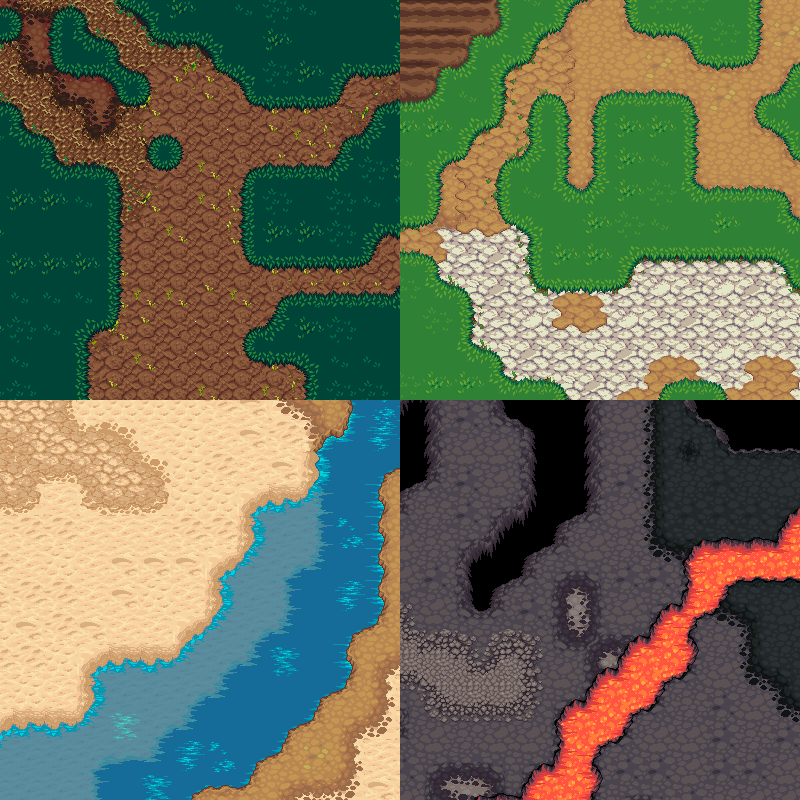
OpenGameArt.org
Update 2021-03-23: if you go with option #1 ("terrain-map" below), check out Taffer's revised version here, which reshapes the texture atlas to 4096x4096 : https://opengameart.org/content/lpc-terrains-repacked A big set of ground (terrain) tiles in LPC style. There are two ways to use this set: With the 'terrain-map' tileset, you can seamlessly ...

as it said in the description has a repack that changes the resolution but then i will have to remake the exact map again with that tileset. is there a way to quickly "reassign" the tiles in a map so it uses new tileset ?

OpenGameArt.org
This is the [LPC] Terrains collected by @bluecarrot16, but with the tiles repacked into a 4096x4096 image so you can use it directly as a texture. All I did was repack the tiles and adjust the .tsx file slightly.
modest cargo
neat hollow
i made a map using Tiled with this [asset](https://opengameart.org/content/lpc-t...
If the repacked tile sheet doesn't change the order of the tiles, and the tilemap imported by SuperTiled2Unity looks for an array of tile sprites, it sounds like you should be able to use the repacked texture all the same
Or make a script that reassigns the all the sprites into the Super Tile Layer or Tilemap or whichever component is responsible for holding the sprite references in the end
If the addon also does its own type of sprite slicing then it won't work like that, but I doubt it would do that
 dim stag
Can sprite shape have multiple sprites that it randomizes automatically?
 mint epoch
hello guys
I want to make movement like in old Mario games map
grid movement

but that I can move the 2d objects wherever I want, not a hard coded grid
what should I look into for this? some type of pathfinding or... event system?
but yes, I want to be able to drag them like this

it's my first time making a 2D game, I'm cooked
I want to know what asset or... maybe guide I should look for to achieve this
modest cargo
mint epoch
grid movement
Assuming you're referring to nodes rather than a grid, if the points aren't guaranteed to be on a grid
Movement from node to node is one feature
Pathfinding calculations through a node network are another feature
Automatic connections between nearby nodes are a third feature
In other words break the challenge down into smaller parts which you can find resources on individually
And ask in the code channels, these are not connected to any 2D tools or components
mint epoch
oh got you to ask it somewhere else
modest cargo
mint epoch
oh got you to ask it somewhere else
Yes
It doesn't matter that much which of the three features you tackle first, but in any case you'll need to research and familiarize yourself with those concepts to understand how you'd start implementing them
The coders might already know some resources, but they'll want to see you've started looking for the relevant information already
mint epoch
bet :/
 pure blaze
As a part of a tutorial I need to make a particle system but when I make the material for the clouds they became squished and I dont know how to un squish them, I also have no idea on how to prevent them from spawining on top of one another
 solemn latch
pure blaze
As a part of a tutorial I need to make a particle system but when I make the mat...
solemn latch
pure blaze
As a part of a tutorial I need to make a particle system but when I make the mat...
Not sure what you should be getting... can you give any more info? That blue box looks like you might have the spawning volume either too small or rotated?
pure blaze
Oh sorry I forgot to update here I managed to make them longer by changing the tiling on the material, not as good as having some sort of tool to directly scale the particles but it worked

 languid matrix
Does anyone know how to properly splice my 2d character? I tried to animate it and the frames arent in the same spot so it looks very janky (as shown in recording below)
Would appreciate any help
crude mango
check your borders in the sprite editor and make sure the character is always in the centre.
all borders should have the exact same width and height. for e.g. (64x64)
modest cargo
languid matrix
Does anyone know how to properly splice my 2d character? I tried to animate it a...
Don't use smart slicing
Use grid slicing after making sure your sprites are properly on a grid
languid matrix
ok thx got it fixed
 light elk
hey btw is there any more development of the sprite shape tool?
Anyways I’ve been using SpriteShape quite a bit recently and really appreciate the idea behind it — drawing flexible 2D terrain or paths without relying on tilemaps.
However, a few areas still feel incomplete or limited in real production use. I wanted to share some practical improvement ideas that could really help artists and level designers.
🧩 Key Pain Points
- Corners sometimes behave unpredictably or lack manual control — we need per-corner overrides and offsets.
- Edge segments can’t use different sprites or be flipped/mirrored individually (e.g. alternating rock/grass edges).
- Grid snapping works but isn’t precise for custom cell sizes (like 128×128); tighter integration with Unity’s grid tools would help.
- Colliders don’t always sync perfectly after spline edits, and offset controls are limited.
- Interior holes / negative regions (like lakes or courtyards) aren’t supported yet.
- Limited scripting access to change corner modes or regenerate geometry via code.
- URP 2D lighting & batching could use better support for SpriteShape materials.
💡 Suggested Improvements
- Per-segment edge overrides and flip/mirror options.
- Manual corner selection + offset controls.
- More accurate grid snapping tied to scene/grid settings.
- Collider auto-update with padding/thickness options.
- Support for interior holes in SpriteShape regions.
- Public API for corner/edge manipulation and mesh rebuilds.
- Improved batching and lighting compatibility in URP 2D.
SpriteShape is already powerful — it just needs these extra touches to become a truly artist-friendly alternative to tilemaps for both side-scrollers and top-down games.
Would love to hear if others have hit similar issues or found solid workarounds 🙏
🎮 Where SpriteShape is used successfully
A handful of studios (especially smaller or mobile teams) do use SpriteShape — mostly for:
Background terrain / roads / vines / clouds (non-collidable art)
Organic level shapes where pixel precision doesn’t matter
Smooth hills / slopes / curved roads in stylized games
Examples seen in dev blogs & showcases:
2D runners with smooth ground like Alto’s Adventure-style slopes
Stylized platformers with painterly terrain (e.g. indie URP 2D demos)
Racing or “path-trace” games (roads defined by splines)
But in most cases, SpriteShape is a support tool, not the full level backbone.
🚧 Where people avoid it
Most devs switch to Ferr2D, SplineMesh, or custom spline systems because:
SpriteShape corners stretch or flip unpredictably.
No per-edge control, no hole support.
Collider + geometry bugs (especially with big or dynamic maps).
Editing performance slows down with many points.
Missing runtime APIs for procedural generation.
So: it can be used, but in real production, people often say things like:
“SpriteShape works great for simple stuff — but we had to patch half of it ourselves.”
perhaps it can get some love again hopeful
 cinder kestrel
Hey for Tilemap does anyone know how to make the wall here line up with the other tiles instead of being between 2 of them?
 modest cargo
cinder kestrel
Hey for Tilemap does anyone know how to make the wall here line up with the othe...
modest cargo
cinder kestrel
Hey for Tilemap does anyone know how to make the wall here line up with the othe...
You can move the wall's sprite pivot to either edge
Maybe the individual tiles can have their own pivot/offset/anchor properties but I prefer to move sprite pivots to keep everything consistent
 balmy coral
Hello! I mainly focus on 3D development but for some reason 2D as made me taken interest. So I am a complete beginner at 2D. My question is does anyone know any good programs for pixel art that's for free?
modest cargo
balmy coral
Hello! I mainly focus on 3D development but for some reason 2D as made me taken ...
Libresprite, or Aseprite if you know how to compile from the source
balmy coral
Im using Libresprite what size would you recommend for making high quality sprites?
 long lava
Hi,
I cannot show RigidBody adjustment rectangle flame.

Excuseme, I forget to add clollider 2D.
twilit vault
long lava
Hi,
I cannot show RigidBody adjustment rectangle flame.
rigidbodies don't have that
you're missing a boxcollider2d
 opal kettle
Anyone know why my sprite has another outline when I export it into unity? It happens as soon as I put it in unity so the settings are all default.

 twilit vault
opal kettle
Anyone know why my sprite has another outline when I export it into unity? It ha...
twilit vault
opal kettle
Anyone know why my sprite has another outline when I export it into unity? It ha...
for pixelart, always set compression: none, filter: point, and an appropriate ppu
opal kettle
It worked thank you
 placid peak
Hello, I'm a bit confused as to why when I draw my tilemap it slows my editor so much. Is there a way to fix this?
 waxen comet
If I have a skinned gameobject - say a person with its skeleton - and I want to add physics to the gameobject, do I do the implementation on the bones themselves or the elements that render the sprites?
crude mango
placid peak
Hello, I'm a bit confused as to why when I draw my tilemap it slows my editor so...
dont draw too much
and if u still do then remove tilemap colliders
they cause lag
solemn latch
waxen comet
If I have a skinned gameobject - say a person with its skeleton - and I want to ...
On the bones; the sprite transforms will not follow them.
Though unless you need per bone collision I would usually put colliders on a separate object from either bones or sprite.
 silent lynx
Hey guys anyone has used the new TileSet ?
I cant edit my palette using the new TileSet, so my tiles are all messy

 errant elk
So I am trying to set this tile to be walkable behind and in front , I have sorting layers and such, and custom axis Y to 1 and the others to 0, and been watching countless YT videos, I am unable to get this to sort correctly or work to my point im after, help would be so great if possible! these unity 2d tools are very handy but complex at times
 modest cargo
errant elk
So I am trying to set this tile to be walkable behind and in front , I have sort...
modest cargo
errant elk
So I am trying to set this tile to be walkable behind and in front , I have sort...
Which tile do you mean? And what does the tile alone look like
And what kind of collider should it have relative to player
 ember comet
2d Art is so hard
how do u guys learnd it?
evertime im sitting on my Game i dont have the Motivation because of drawing
modest cargo
ember comet
evertime im sitting on my Game i dont have the Motivation because of drawing
Be inspired by art you like
Find what's fun for you to make, or an interesting challenge to solve
Or pivot to 3D with the same advice
ember comet
modest cargo
Be inspired by art you like
Find what's fun for you to make, or an interesting c...
i like the moonscars art
its a really hard art style
 maiden shore
Does anyone know how to fix this issue? I don’t know why my grass sprite isn’t following the move tool. The problem happens when I drag the shader graph in.
solemn latch
maiden shore
Does anyone know how to fix this issue? I don’t know why my grass sprite isn’t f...
Show the graph?
maiden shore
My bad, I forgot to show the graph.
 solemn latch
maiden shore
Does anyone know how to fix this issue? I don’t know why my grass sprite isn’t f...
solemn latch
maiden shore
Does anyone know how to fix this issue? I don’t know why my grass sprite isn’t f...
Change the position node to world?
 queen radish
hi, there is an automatic way to make this tile map configure with the rule tile map? Or I need to do it manually ?
 solemn latch
queen radish
hi, there is an automatic way to make this tile map configure with the rule tile...
solemn latch
queen radish
hi, there is an automatic way to make this tile map configure with the rule tile...
You'll probably need some pretty elaborate rules, given the size of the patterns you would need to match.
Perhaps an invisible tile to use to help it determine which pieces are interior and which are exterior could work...
modest cargo
I guess the point is to have unity build the rules of a "typical" set of 47 tiles
Which is not a feature it has
The Rule Tile is meant as an example of how to implement a rule tile using scriptable tiles so any extra features are kinda up to you
 amber pasture
Added custom tile attributes in Sprite Fusion, with native support for the built-in Unity exporter (which will create custom Tiles assets) 🙂
 tepid cypress
i made a shape from my tiles how can i duplicate the tiles into the same tilemap
 tired tusk
Hi, I'm pretty new to Unity and for my first project I want to make a simple real time grand strategy game.
I already made this simple map (2560 x 1280) but now I don't know how can I import it to a sprite and make it so the countries can play it. I separated the sea in white and the terrain in green already but I don't know if that's a good idea.
Thanks for helping me.
 olive peak
Hi there, May i check if there's anyway in Unity to move this tile that i have already placed to another location (I want to move it slightly to the left) but there are multiple layers in it.
 solemn latch
tired tusk
Hi, I'm pretty new to Unity and for my first project I want to make a simple rea...
solemn latch
tired tusk
Hi, I'm pretty new to Unity and for my first project I want to make a simple rea...
Depends on what you want to do with it; it might be a good idea to break the countries into separate sprites.
tired tusk
solemn latch
Depends on what you want to do with it; it might be a good idea to break the cou...
players will create their own countries so no need
solemn latch
Sounds ambitious. What part are you actually having trouble with?
tired tusk
solemn latch
Sounds ambitious. What part are you actually having trouble with?
For now, it will be "painting" so I click on the map, and the pixel which I click on will be another colour, but I don't want the sea to change colour so the sea will need to be detected as a place where I don't need colour. I don't know if you understood what I said I don't know how to really say it
solemn latch
Ok, that makes more sense.
tired tusk
As this is a handmade map, I don't know if I need to change things so the countries will know if this is the sea or land
and I just started Unity yesterday so it will take a long time so if I need to change things I prefer to do it now
solemn latch
Without knowing more about how you plan to determine countries, how you plan to display it, etc, it is hard to say.
tired tusk
solemn latch
Without knowing more about how you plan to determine countries, how you plan to ...
do you want to go to a vc so I can explain it more clearly ?
nvm there is no VC I'll explain here
tired tusk
solemn latch
Without knowing more about how you plan to determine countries, how you plan to ...
to start, you will click on a pixel on your map which will be your country, you can expand to unclaimed territories and do wars, etc.. For the display I got another game for reference is Age of Conflict

pretty pixelated
or like this you see
 tired tusk
solemn latch
Without knowing more about how you plan to determine countries, how you plan to ...
tired tusk
solemn latch
Without knowing more about how you plan to determine countries, how you plan to ...
do you understand the idea ?
solemn latch
I'm at work, friend.
I post when I can.
Those do seem to have some predefined regions, at least to start.
I'd probably focus on msking s eotking prototype for the mechanics and use th as t to determine how to handle the map. Per pixel stuff, you perhaps won't want to use a sprite at all but just textures, especially if you'll be getting and setting pixel values a lot.
tired tusk
solemn latch
I'm at work, friend.
oh I'm sorry
I didn't know that
you could've just told me and I could just stop bothering you
solemn latch
Well, I do try to help when I can, like lots of folks here.
 inland nova
guys I want to make mod for my fav game I need to read skel data I extracted 2d texture and all other data animation and skel but I can't import them to unity can anyone help me?
modest cargo
inland nova
guys I want to make mod for my fav game I need to read skel data I extracted 2d ...
We can't help with modding
 vagrant citrus
I can, send me a dm
 modern light
(6.2, Aseprite Importer)
Hey guys, so after updating from 6.0 to 6.2 I noticed that adding a new frame to the end of an .aseprite file now completely breaks the sheet, previously it would automatically integrate the new frame for you just fine as long as the frame was at the end of the animation and not the middle.
I also noticed this new dialog about feature deprecation... I hope this change isn't intentional, hopefully I have this wrong? This is a massive part of my workflow. Due to the incorrect slices I'm unable to use the animations generated from the Aseprite file, which was the entire point of using this system. As I see it right now I'd have to manually recreate the animation clips in Unity.


 modest cargo
modern light
(6.2, Aseprite Importer)
Hey guys, so after updating from 6.0 to 6.2 I noticed t...
modest cargo
modern light
(6.2, Aseprite Importer)
Hey guys, so after updating from 6.0 to 6.2 I noticed t...
Make a thread in discussions with 2D-Aseprite tag, so you might reach the package's maintainer for feedback and clarification
https://discussions.unity.com/tag/2D-Aseprite
You can also make a bug report about the broken behavior
And in general just avoid 6.2, it has many issues
modern light
Thanks, I'll post that when I get the chance. My project is already on 6.2 but at least this is the only issue I've noticed. 🤷 For now I can work around it by using new separate files instead of updating the original
modest cargo
modern light
Thanks, I'll post that when I get the chance. My project is already on 6.2 but a...
Easy to say in retrospect but always be using version control software, especially when changing major editor versions
modern light
Yes I am?
modest cargo
Then you would be able to revert the major version change
Without backups it'd be much more difficult
modern light
I’m only noticing this a couple weeks after upgrading, but it’s really not a big deal tbh
I appreciate it tho
modest cargo
Is there some feature on 6.2 that you really need?
modern light
Not that I know of, I just updated from 6.0 to the latest after the security vulnerability occurred
modest cargo
Makes sense, but a choice I've seen many regret
Thanks to VCS you also have the option to downgrade to 6.0
Or you always do but you can then revert that if it breaks even more stuff
But let's hope you don't run into more issues even if you stay on 6.2
modern light
I considered the possibility of issues when upgrading but I didn’t see any when I tried it and poked around for a while. I feel like random specific issues like this would inevitably pop up anyway tbh but once again it isn’t a big deal
modest cargo
modern light
I considered the possibility of issues when upgrading but I didn’t see any when ...
You can't really predict issues, but you can expect an actively developed version to have more than the LTS
And even if issues popped up in the LTS instead as is also know to happen, you'd prefer to have the option to upgrade to avoid them, rather than only having the option to downgrade
modern light
I didn’t even see that there were LTS versions tbh but again it’s besides the point. I didn’t need upgrading help, just reporting an issue
 light smelt
Anyone familiar with isometric Z-sorting by code? I’d really appreciate some help :)) https://discord.com/channels/489222168727519232/1431337462172483698
 foggy horizon
Hi all. For a sprite pixel art animation (i'm going for octopath traveller camera angle), is there a way to define the hand position of each frame?
The pivot per sprite can be defined, so this is useful for the weapon
But that's just half of the solution
twilit vault
what exactly are you asking? im confused
the pivot generally shouldn't change per sprite - make sure you're slicing by grid rather than smart slicing
foggy horizon


 foggy horizon
twilit vault
the pivot generally shouldn't change per sprite - make sure you're slicing by gr...
foggy horizon
twilit vault
the pivot generally shouldn't change per sprite - make sure you're slicing by gr...
The pivot of sprite can be defined for each sprite. They don't have to be in the center or bottom center etc
twilit vault
right, but it generally shouldn't change for each sprite in a spritesheet
foggy horizon
My weapon anim sprite sheet. They're all down swing but with different angle (all 15 degree tilted). From top to bot: N, NE, E, SW, S
 foggy horizon
twilit vault
right, but it generally shouldn't change for each sprite in a spritesheet
foggy horizon
twilit vault
right, but it generally shouldn't change for each sprite in a spritesheet
Why not?
This is a rule for charaacters generally, not for weapon that "flies"
twilit vault
spritesheets - at least, those on grids - aren't usually drawn like that afaik
i see what you're going for now though
foggy horizon
The pivot of the sprite can be anywhere, and the weapon in this case will need to utilize all the space, so it's free to have pivot anywhere
Anyways it doesn't matter about the weapon. My question is, if there's a way to define a pixel in the character's sprite, per frame, for where the hand is. So the weapon (or item or whatever) can be attached there
twilit vault
ah, ok, not within the sprite metadata afaik
foggy horizon
What if i make another sprite anim, with, say magenta #ff00ff to define the position of the hand
Cache map this with each anim frame's sprite name, to the location, and this is where the weapon gets placed
The magenta pixel is only 1 dot
modest cargo
foggy horizon
What if i make another sprite anim, with, say magenta #ff00ff to define the posi...
It'd be a worse way to do what's already inconvenient
Old games did something like that because they processed sprite graphics one pixel at a time and couldn't easily load extra files so it kinda made sense
Unity is a modern 3D engine so normally it doesn't even "know" what data it's dealing with when sending sprites to GPU for rendering
If it's possible to modify the sprite meta data format itself to include additional pivots or attachment points that'd be perfect, but no idea if it is or is possible without breaking compatibility with other stuff
In any case you would want to store this data in a meta data file of some kind, and may be able to associate them with the original sprites as sub-assets for convenience
Your components that need this extra data will need a way to access it somehow in the end
If you want to store this data as sprite pixels, it's possible but introduces an extra step because each sprite's pixels will need to be looped at that stage to look for the special pixels and then produce the meta data asset based on that
It can be done at runtime whenever the frame changes to avoid making a new type of asset, but reading textures from code is very wasteful
A lot of sprite drawing/editing software do already have a method to define extra pivots and export them as .json or similar format
foggy horizon
modest cargo
It'd be a worse way to do what's already inconvenient
Old games did something li...
Ok cool but i have a bit of trouble understanding which one u're referring in the beginning
U mean old games already do what i was describing? Having a complementary sprite for extra data?
I wasn't planning to do this in GPU btw. Just CPU. And the mapping of which sprite with its extra data, will just be kept in an SO. Isn't unity's sprite flipbook animation done entirely in CPU, thru animator?
Like, it's possible to just check the SpriteRenderer's current sprite, and get the extra data from the runtime database using the sprite's name as key, and position the transform of the weapon's SpriteRenderer from there?
foggy horizon
modest cargo
If it's possible to modify the sprite meta data format itself to include additio...
Like yea exactly for this reason. Not gonna do this
foggy horizon
modest cargo
If you want to store this data as sprite pixels, it's possible but introduces an...
Oh and no i dont mean do the lookup on runtime. I mean in edit time and save as data
This means the DB will have, total number of human (or any object that needs pivot data) x typical number of sprite frames x number of pivot (just Vec2 ?)
This game'll be super low scope in terms of amount of sprite frames needed
I think like final fantasy tactics, only having 1 atk animation for any weapon, use item/casting, walk, idle
Maybe direction we'll stick with 4 in the end, or 8 just for the atk dir
And.. base body system. But... hopefully implementing this means even if we don't have 1 base body for all (so, like diablo got several base bodies for each classes), it'll still work and not require so many extra art workflow
modest cargo
Yes
What I meant to say in so few words is that you do have to determine how you save that data and how you store and retreive it when needed
One database for all your sprites' extra info sounds pretty terrible to maintain and eventually could get expensive to get data from
If each sprite grows the database and increases the number of times it needs to be read
foggy horizon
I probably don't have enough experience about... maintaing database and something like global sprite's extra info (or some other better approach?)
Anything i should keep in mind?
Like.. how would such architecture make it expensive to get data from?
modest cargo
For example if you have a sprawling json file with many vectors stored per frame per sprite
And every sprite must loop through it whenever their frame changes, that can get expensive
Countless ways to optimize that though, like fewer files, caching the values when the gameobject is created, more efficient formats or lookup methods, etc
foggy horizon
Ya i plan to just use dictionary
modest cargo
But the bigger impact is to your workflow
How tedious is it to set up those values per frame and hooking them up to a specific sprite and do you need an editor or external tool to help
How much extra work is it every time you have to rearrange the sprite sheet or pack a sprite atlas
If your sprites are controlled by the animator, by far the simplest option is to also animate child transforms in the clip (or in a component that stores an array of relative positions if you have a reason to avoid having a lot of extra transforms)
It's not very scalable because it's manual work for each clip
But with custom data types and tools for them to be scalable it's up to you to make them scalable
If it's just as if not more clunky to define extra positions per sprite frame as animating child transform positions per each animation frame, it's not actually better in any way
foggy horizon
modest cargo
If your sprites are controlled by the animator, by far the simplest option is to...
Oh ya
Hahahahh lemme do this first
I'm actually not so well versed in sprite animation + animator + animation clip. I still do the good ol "drag the spritesheet to scene tab" and it'll make a new animation asset. Then... i guess i add the keyframe for the transforms from there?
Idk something with this thing is kinda clunky but i should try it first
modest cargo
foggy horizon
I'm actually not so well versed in sprite animation + animator + animation clip....
Dragging sprite sheet onto scene is a shortcut for making a gameobject with a sprite renderer and an animator, creating an animation clip and keyframing the sprite renderers sprite reference field to change over time
Not technically different from that
With this method each sprite keyframe of the clip would also override the child transform positions, set to constant interpolation if you don't want them to smoothly slide between the positions
solemn latch
foggy horizon
Hi all. For a sprite pixel art animation (i'm going for octopath traveller camer...
When I needed to do that I just added an empty game object and animated that per frame in the same animation file.
foggy horizon
Yes that's what im gonna do
I hope this works but ya crazy what over engineering thing i'd make if i didn't ask around first
Like at least try the simple straightforward one first
solemn latch
Unless you wanted to go crazy and add a pixel whose rg values encoded a coordinate in some spot that gets masked out by alpha
foggy horizon
U kno i thought of that often
Like some bottom left pixel, or the 4 corners of pixels, are actually special pixel or smth
This is for something else but yea. WOndering if anyone else ends up making something like that and for what usecase
solemn latch
It is a very valid idea with one fatal flaw; actually creating the data is more work than just animating a game object
It would be useful in a pipeline where you were baking sprites from 3d data
foggy horizon
For the case of weapon attachment, yes
But i had another usecase for this. Just forgetting it right now
solemn latch
There are lots of use cases for encoding data in sprites.
Though in practice you'd want to take that data and convert it into animation data in unity anyway, to avoid all those extra CPU texture loads every frame to read the data
modest cargo
With a good custom feature to store and read the data, it could be pretty trivial to place the extra pivots when making the sprites and export them from sprite drawing programs in a common format that would get parsed automatically
But making those tools might be more work than either creating the data manually as needed or simply animating gameobjects
solemn latch
Exactly.
For my very first game, I did manual placement for every frame quite easily; the only real trick was using a script to quantize the interpolated keyframes to match the framerate of the sprite sheet
(I chose a really stupid first project, a sprite with multiple particle emitters attached to her)
Alas, poor Firefaux

 white bough
hello i need help pour auto tile please I tried but I can't get the corners right.
 foggy horizon
solemn latch
For my very first game, I did manual placement for every frame quite easily; the...
foggy horizon
solemn latch
For my very first game, I did manual placement for every frame quite easily; the...
Btw do u or anyone use SpriteSwap?
And the PSD Importer workflow?
I use aseprite, i export to unity as 1 anim spritesheet per animation
It seems the PSD Importer is for... Spine kinda 2D workflow? But for my use, just attaching to the pivot, is there a way to use the PSD Importer? Bcoz the quad of the character sprite will stay in the same pivoted place, and the weapon's quad will be moving around
solemn latch
I have gone away from using primarily spritesheet animation; I mostly use rigged sprites and use spritesheets for stuff like mouth and eye swaps mostly.
foggy horizon
Hmm ok
What i need to try is pretty clear. Traditional pixel art frame by frame sprite anim, but with weapon attachment points (easy with adding transform value animations in the anim clip)
But switching these sprites to another. Like, changing all the sprites in a whole anim sheet, is what i need to figure out how
I never used SpriteSwap. It does sound like what i should be using
foggy horizon
Like, is there a quick way to assign all my MySpike_0 etc to override the sprite in MySwordSlash_0 and the rest of it?

 spring idol
@naive kestrel here's an example of how different grid sizes look when using an isometric grid
The default is Y = 0.5
True isometric perspective is like Y = 0.557
 naive kestrel
@spring idol unfortunately theres no guide given in the asset pack or on the asset website
 spring idol
naive kestrel
<@118467312197042182> unfortunately theres no guide given in the asset pack or o...
spring idol
naive kestrel
<@118467312197042182> unfortunately theres no guide given in the asset pack or o...
In that case, start by figuring out how large you want the tiles to be
Since these aren't pixel art, you can get away with just scaling the entire tilemap up or down
but looking at the sprite dimensions may still be helpful
naive kestrel
should I be making the tilemap large enough to fit one of the grass tiles inside one block?
spring idol
naive kestrel
should I be making the tilemap large enough to fit one of the grass tiles inside...
You want the surface of the tile to neatly fit into a grid cell
spring idol
spring idol
I'd show an example but I uninstalled the unity version I was using for this lmao
i need to fix that..
naive kestrel
ah ok I see
spring idol
You can eyeball it, or you can calculate it
If the sprite is 64 pixels wide and the PPU is set to 32, each sprite will be 2 units wide
To get the Y size right, you may want to open the sprite in an image editor and measure how many pixels apart the top and bottom of the surface are
spring idol
spring idol
This sprite is 56 pixels across and 42 pixels from top to bottom of the surface
it's a 4:3 ratio, so I used Y=0.75
(and X=1)
naive kestrel
whats the easiest way to measure it? when I open it in the sprite editor I cant see individual pixels
spring idol
Just look at the width of the whole sprite
For the height, in Aseprite, you can use the line tool and look in the bottom left corner


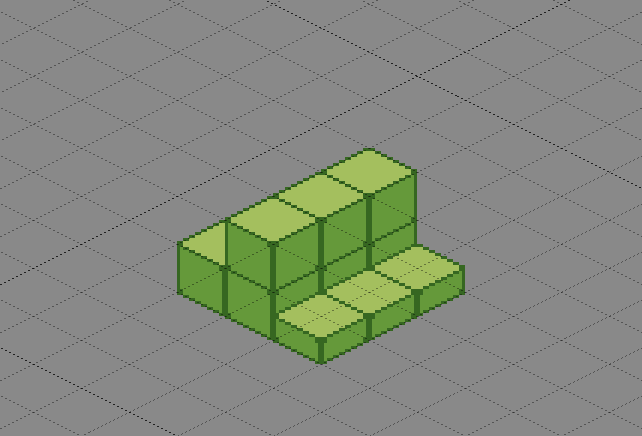
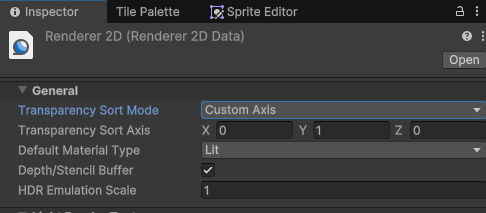 spring idol
That seems about right!
You'll want to create a second matching tilemap for things like buildings
one tilemap layer per "kind of thing", basically
naive kestrel
for some reason where my mouse hovers is not where the block is placed, its placed right above that square, is that a big deal or no
spring idol
You need to adjust origins of the tiles. I think you can just do that for the whole tilemap..
naive kestrel
it looks like this
 spring idol
you could set the Tile Anchor of the Tilemap to X=-0.5, y=-0.5
for me, that moves all of my tiles down one space
The tiles might have wonky origins in the sprite importer

note how my dirt tile's pivot point is in the middle of the surface
modest cargo
Best to fix it with import settings / sprite slicing if possible
naive kestrel
the tile anchor fixed it 😄
is there any danger of doing it that way
@modest cargo
spring idol
Yeah, you should be fixing the actual sprite settings
modest cargo
naive kestrel
is there any danger of doing it that way
Not really that I know of, more of a question of workflow consistency
spring idol
This will make it annoying to use any other assets, since they'll also need to have screwed-up pivot points
I wonder why the pivots are wrong, though..
naive kestrel
oh ya it seems to only be broken with that original grass block, using my road block from the same asset pack is messed up now
weird
modest cargo
naive kestrel
oh ya it seems to only be broken with that original grass block, using my road b...
We'd have to see the block in sprite editor along with its slice and pivot visible
spring idol
yeah -- show us a good sprite and a bad sprite
(the grass block that was off-by-one tile is a bad sprite)
naive kestrel
hmm so what do I need to screenshot
spring idol
you'll want to find the asset that the sprite comes from
If you look at the tile asset, it'll have a reference to a sprite
click once on the sprite to highlight it in the project window
it'll be a sub-asset of another asset, like this

click on the main asset and open the sprite editor from the inspector
 naive kestrel
this?
 spring idol
oh yeah, look at that pivot point
it's on the bottom corner
It should be dead-center in the surface
spring idol
not the center of the entire sprite, mind you
(that'd be correct for a top-down sprite)
isometric perspective means that you see more than just the top surface
You can drag the pivot point to the middle
I would then manually set the X position to 0.5

Your Y position will be different, since that tile has a different ratio of height to width
modest cargo
With many sprites you can set a common pivot offset for all when slicing
And iirc with Aseprite importer at least define that in import settings for its automatic slicing
spring idol
Yeah
I need to figure out what I did in this project
I remember the workflow being nice
But I also did it two years ago
 feral ibex
Hello all. I am developing a 2d game in which the player can draw (in a defined area).
The approaches that i can think of right now are either using a line renderer + raycast + layers or a line renderer + sprite mask setup. Are there any alternatives?
Thanks!
 shy anvil
feral ibex
Hello all. I am developing a 2d game in which the player can draw (in a defined ...
shy anvil
feral ibex
Hello all. I am developing a 2d game in which the player can draw (in a defined ...
The other very common approach is to create a texture and modify it at runtime where the user draws. For reasonably small textures even CPU side pixel manipulation is possible, but for larger textures, ComputeShaders for example can be dispatched to draw very efficiently
feral ibex
yes i am planning for a 28x28 texture. My game, well not exactly a game, but a machine learning project. Detecting hand written digits.
my thought proccess was to first use the line renderer to enable the player to draw on a defined space. Next was to somehow "bake" the player input onto the render texture and proceeed to ML
shy anvil
feral ibex
yes i am planning for a 28x28 texture. My game, well not exactly a game, but a m...
MNIST digits, right. In that case you need the data in pixels anyways so I would definitely just manipulate the texture directly. If you need any help with that, feel free to ask
feral ibex
yes the MNISt way
feral ibex
shy anvil
MNIST digits, right. In that case you need the data in pixels anyways so I would...
and yes please, any links or resources would be great
related to the "player drawing into a texture" part
shy anvil
I can also explain the idea step by step. I don't think I have many resources on that outside the Texture2D documentation
feral ibex
that would be great as well. Thank you!
shy anvil
feral ibex
that would be great as well. Thank you!
The most common approach though the one that I'm not the biggest fan of, is about the following.
- Start by creating a texture (28x28) using the Texture2D constructor.
- Every frame when the mouse is pressed down, you calculate the position of the mouse mouse cursor in the texture's coordinates (how you do that depends on the way you have set up the texture display).
- Loop through the pixel coordinates within the texture and calculate distance from each to the mouse (Vector2.Distance).
- Modify the texture pixels according to the distance calculated in earlier step. The most optimal way is usually to keep CPU side copy of the texture data as a array of
Color's and update that as you loop through the coordinates.Texture2D.SetPixelsmust then be used to update the texture based on your array. - Apply the changes to the GPU side by using
Texture2D.Apply.
The way you represent the texture visually is up to you, you can use UI image, a Sprite (probably, haven't done much 2D myself) or a mesh that you apply the texture to. The only thing that this choice affects is how you calculate the mouse coordinate in the texture space
The only problem with this approach is that it only draws circles in each frames mouse position, which will leave gaps when the mouse is moved fast or framerate is low. One common solution is to add extra points between the last frames position and current frame position though this approach I especially hate. At this point I would much rather do it properly and calculate the distance to the line segment between last and current frames mouse position instead of distance to singular point. There are countless point to line segment algorithms available which do that
shy anvil
An easier solution to 4. instead of the array copy approach which requires some 2D to 1D array flattening math, is to simply use Texture2D.GetPixel(x, y) to read the pixels value and write back to the texture using Texture2D.SetPixel(x, y, newColor). This is little bit less efficient but texture sizes only up to 28x28, you won't have any performance issues (I bet you could go much higher too).
shy anvil
Basically the pseudo code for updating the texture would look something like this:
if mouseDown
    mousePosition = screen to texture coordinates for Input.mousePosition
    for x from 0 to textureWidth - 1
        for y from 0 to textureHeight - 1
            oldColor = myTexture2D.GetPixel(x, y)
            distance = distance between mousePosition and (x, y)
            myTexture2D.SetPixel(x, y, clamp01(oldColor + (calculate color from distance)))
    myTexture2D.Apply()
To integrate the idea of distance to line segment, you would have to keep track of the last frame mouse position (in texture coordinates) and calculate the distance as:
distance = distance from (x, y) to line segment between lastMousePosition and mousePosition
To find distance between point and line segment, you may refer to this for example: https://stackoverflow.com/questions/849211/shortest-distance-between-a-point-and-a-line-segment
shy anvil
calculate color from distance is also up to your preference how you want to implement that. Surely you want some sort of pen size variable that you can use to get different line widths. For fully black and white line, you could just do something like: py if distance > penSize color = black else color = white For smooth lines you can use Mathf.SmoothStep or some other easing function to get desired gradient from the mouse position outwards. Note that the pseudo codes above assume black as background color and white as line color. If you want it the other way around or even use other colors, you need to take it into account in the way you combine the colors. clamp01(oldColor + color) for example could be replaced by a lerp according to the distance
feral ibex
shy anvil
Basically the pseudo code for updating the texture would look something like thi...
exactly what i needed!
feral ibex
shy anvil
The most common approach though the one that I'm not the biggest fan of, is abou...
i believe Unity's MNIST model or some parallel i dont remember the name of does 3 and 4
feral ibex
shy anvil
The most common approach though the one that I'm not the biggest fan of, is abou...
looking at point 2.
do you have any suggestions in mind for defining the drawable area? my ape brain can think of either hard coded pixel range or use layers (which i noticed make the line renderer "skip and fill" if the pointer were to go out of the range)
shy anvil
feral ibex
looking at point 2.
do you have any suggestions in mind for defining the drawabl...
There are many ways and it also depends whether you use the UI system for representing the image or something else (like a sprite). It is some sort of space transformation which depends a lot on where the drawable area actually is. The UI system uses totally different coordinate system from the one used by sprites
feral ibex
shy anvil
There are many ways and it also depends whether you use the UI system for repres...
which one is more scalable?
oh i think that really depends on the depth of the project
shy anvil
feral ibex
which one is more scalable?
I mean it depends in what way you want to scale it. If you want the drawable area to be placed among UI elements, then doing it as UI image is probably the way to go. If you want to use gameobjects potentially with physics and such and even interact with the area, then you want to use sprites
feral ibex
yes that makes sense
shy anvil
If your project will only have one drawable area and nothing else, it probably does not matter much
shy anvil
As an example, if you used an UI element (with he old UI system), you could calculate the texture coordinate position using RectTransformUtility.ScreenPointToLocalPointInRectangle which also returns whether the mouse is over the image
For sprite, using something like Camera.ScreenPointToRay with Plane.Raycast would give you a good starting point. Especially if the sprite was placed to have bottom corner at (0, 0) and upper corner at (1, 1), it would be quite trivial to calculate the texture coordinate.
Also you could simply attach a box collider to the sprite and use Physics2D.Raycast and calculate the texture coordinate from the hit position
 shut trellis
Hi all, at work I needed to get some Tilesets made quickly and the tools I found were pretty lacking.
I made an improved version of TileGen
That works fully in the Editor and is 20x faster.
Wondering if this is of interest for anyone (so I can polish it for general use) or did I just reinvent the wheel.


Get the TileGen: Tileset Generator & Automatic Rule Tiles package from Iggy and speed up your game development process. Find this & other Sprite Management options on the Unity Asset Store.
feral ibex
shy anvil
Also you could simply attach a box collider to the sprite and use `Physics2D.Ray...
i did try this
feral ibex
feral ibex
looking at point 2.
do you have any suggestions in mind for defining the drawabl...
then this happened
but ig i did not define the area completly. will take another look at it
shy anvil
feral ibex
i did try this
Oh sorry, I forgot what Physics2D.Raycast does. You could use Physics2D.OverlapPoint to find out whether your mouse is over the area
shy anvil
Now that I think about it again, assuming that you are using an orthographic camera, there's not much point in using doing the OverlapPoint check to begin with. If for example the area is placed between 0 and 1 in both axes, you could just make an if statement which checks whether the mouse is within the area. Getting the world position of the mouse can be done via Camera.ScreenToWorldPoint
feral ibex
no, there is a layerMask parameter to the OverlapPoint construct
yes
it works
OverlapPoint works
shut trellis
shut trellis
Hi all, at work I needed to get some Tilesets made quickly and the tools I found...
Actually it's not 20x, it's nearly instant.
naive kestrel
can someone explain what is causing one tile to overlap another?
 modest cargo
naive kestrel
can someone explain what is causing one tile to overlap another?
modest cargo
naive kestrel
can someone explain what is causing one tile to overlap another?
Could be "chunk" sorting of the tilemap renderer instead of "individual"
And could be incorrect custom sort axis
 still tendon
i may be a complete idiot but i cant for the life of me work out how to set the bounds of a tilemap . i just want to make it so i can only place tiles within a specific area
modest cargo
still tendon
i may be a complete idiot but i cant for the life of me work out how to set the ...
In editor or at runtime?
If in editor I'd ask why
At runtime you need to define the bounds yourself using tile coordinates in the method that allows handles placing in the first place
still tendon
modest cargo
In editor or at runtime?
If in editor I'd ask why
At runtime you need to define ...
thanks its for a falling sand game and the chunking system iv made doesn't work if the bounds of the tilemap are infinite .
 spring glen
hey guys so i made a custom shader but with it SpriteRenderer.flipX doesnt work anymore. when i tried to find some answers online it said using the UV to flip it and so i tried that, but i'm pretty sure its flipping the entire sprite sheet because the animations are out of order. is there an easier way to flip it or how can i make only the individual sprite get flipped?
modest cargo
still tendon
thanks its for a falling sand game and the chunking system iv made doesn't work ...
The tilemap component is a renderer for tiles, it wouldn't be intrinsically connected to your sand simulation or to whatever chunking it uses
You can have more than one tilemap renderer too, don't have to do everything on one
modest cargo
spring glen
hey guys so i made a custom shader but with it SpriteRenderer.flipX doesnt work ...
You need to flip relative to sprite UVs, not texture UVs
Getting which may require some workarounds but varied between versions too
Are you not using a Sprite Graph? Iirc it handles flipping automatically
spring glen
whats a sprite graph
modest cargo
spring glen
whats a sprite graph
When you create a new shader graph asset you choose its type based on its purpose
Lit, unlit, sprite lit/unlit, fullscreen, etc
 terse gorge
naive kestrel
terse gorge
naive kestrel
Can you send a screenshot of your tilemap's inspector window?
naive kestrel
terse gorge
Can you send a screenshot of your tilemap's inspector window?
I finally figured it out! Thank you though
If anyone has this issue in the future here is how to fix it: After three days of banging my head against the wall… I finally figured it out.
The issue was that I was using individual sprite files for each tile and then building the palette with them. For some reason, Unity doesn’t handle that well in isometric Tilemaps — the overlapping happens even when everything looks correct (same Z, same sorting layer, etc).
What solved it was creating a single PNG image with all the tiles, then slicing it in the Sprite Editor. Once I made a new palette using that, the overlapping issue disappeared completely.
No idea why Unity behaves this way, but if you’re having weird sorting/rendering problems in an isometric tilemap, definitely avoid using separate sprite files.
Hope this helps someone else!
I found this on a random unity thread and it worked!
terse gorge
naive kestrel
If anyone has this issue in the future here is how to fix it: After three days o...
Out of curiosity, had you changed the Tranparency Sort Axis to Custom Sort (0, 1, 0) in your original version? Just checking since you definitely should be able to use separate sprite files
naive kestrel
Yes I tried changing the sort axis, it made no difference
I tried literally everything, I had people in another discord giving me 100 different things to try and nothing worked, but thats the only solution that worked
very weird issue but im glad I can finally move past it
modest cargo
naive kestrel
If anyone has this issue in the future here is how to fix it: After three days o...
If you are using the correct custom sort axis, Individual tile sort mode and consistent pivots for the tiles, they would sort fine even between different sprite assets
If one of those isn't right, tiles from the same sprite sheet will still sort correctly in many cases, giving the impression that it's required
But it's possible a bug has been introduced to that functionality
This is how it has worked for me in 6.0.60f1 and multiple earlier versions
naive kestrel
im using the newest unity version, so it may have been a bug in the new version
ill definitely revisit it during map creation but for now ill just do it the way it works
modest cargo
naive kestrel
im using the newest unity version, so it may have been a bug in the new version
Anything past 6.0 is rife with bugs right now so it wouldn't be surprising
 snow surge
does anyone know why the aseprite importer creates massive empty spaces seemingly at random?

this is the aseprite file and mosaic padding is set to zero

 barren quiver
i have a image i am giving outline via shader, it used to work fine before but when i add these sprites to Sprite Atlas it introduces these edges in sprites, i have checked online and i dont have mipmap on, any solution?
i have checked all combination of these settings as well

 crude mango
snow surge
does anyone know why the aseprite importer creates massive empty spaces seemingl...
crude mango
snow surge
does anyone know why the aseprite importer creates massive empty spaces seemingl...
crop the image to only the sprites u want
when i say crop i mean not just using aseprite, crop on your laptop
the file itself must be cropped
modest cargo
snow surge
does anyone know why the aseprite importer creates massive empty spaces seemingl...
Far as I understand it increases the canvas to nearest power of two dimensions after layers and frames are laid out into a sprite sheet
And after calculating Mosaic Padding and Sprite Padding which is why even a sprite that starts out at power of two dimensions can be increased further
This is typically a good thing
PoT textures are faster to render than non-PoT and consume less RAM/VRAM even if the size on disk is larger
Additionally the empty space will be effectively nullified if you configure a sprite atlas
So there should be no need to manually modify anything
modest cargo
barren quiver
i have a image i am giving outline via shader, it used to work fine before but w...
They need the normal amount of padding + the maximum outline thickness
Your shader gives everything on the texture outline, and with atlasing all sprites are tightly packed on the same texture
barren quiver
modest cargo
They need the normal amount of padding + the maximum outline thickness
Your shad...
The extra outline only appears on sides that have alpha, not on the sides that have other sprite
modest cargo
barren quiver
The extra outline only appears on sides that have alpha, not on the sides that h...
How did you confirm those side don't have another sprite?
barren quiver
The preview that is generated in sprite atlas
These sprites are either on the top edge or right edges that show these problem
Or if there happens to be a natural big gap in between
Due to uneven sized sprite
modest cargo
I would offset the texture UVs in the shader to see what happens to the outlined edges
Would they reveal another sprite after all, or show inexplicable lonely outlines in empty space?
barren quiver
I don't have my work laptop with me right now, I can check the day after tomorrow and will ask again with more details. Thanks
 ripe veldt
Hi I am currently working on lighting in my 2D game project, is there a reason why my light wont show up on the intended sorting layer, but only works when my desired layer and the "default" layer are both checked?
 jolly narwhal
Don't cross-post. #🔀┃art-asset-workflow message
 low storm
Sorry
 jade linden
Sorry for the super amateurish question, but first time 2D user here. When I have a spritesheet and a part of the animation that is supposed to be one frame is split into two sprites like pictured (a dash attack, and the little dash particle at the feet) whats the cleanest and fastest way to combine them in an animation? So that they aren't each their own frame like shown in the second screenshot.

 twilit vault
jade linden
Sorry for the super amateurish question, but first time 2D user here. When I hav...
twilit vault
jade linden
Sorry for the super amateurish question, but first time 2D user here. When I hav...
use grid slicing instead of smart slicing
that way you can get proper pivots as well
solemn latch
jade linden
Sorry for the super amateurish question, but first time 2D user here. When I hav...
Delete one of thrm and make the other one large enough for the whole frame
 hasty schooner
When trying to create procedurally generated terrain in top down 2d, is it better to usr game objects or tilemaps?
solemn latch
Depends.
crude mango
hasty schooner
When trying to create procedurally generated terrain in top down 2d, is it bette...
i tried this, gameobjects r better cuz u can make them interactable and you can do more with them then tiles
u have more control over them
hasty schooner
solemn latch
Depends.
Well my terrain isnt infinitr first of all, so it only has to update once. Also Im doing it with tilemaps rn, which feels easier to work with. Problem is, theres no way for me to properly implement sprite sorting for the cliffs.
hasty schooner
crude mango
i tried this, gameobjects r better cuz u can make them interactable and you can ...
Dont game objects cost more performance?
crude mango
not if u optimize by deleting them when not near the player
you want procedural generation or a standard pre made map?
with a pre made map use tiles duhh but we talking about procedural generation
hasty schooner
crude mango
with a pre made map use tiles duhh but we talking about procedural generation
Nah nah not pre made, procedural terrain
Just not infinite
hasty schooner
crude mango
then why use procedural if it aint infinite
I mean terraria worlds are procedurally generated but arent infinite
twilit vault
procedural and infinite are definitely not one and the same
hasty schooner
Yuh
twilit vault
terraria, spelunky, oxygen not included, etc
hasty schooner
Hence Im wondering if game objects would be better instead of tilemaps
Also since game objects handle sprite sorting better I think
solemn latch
You can do a hybrid approach, too. Scriptable tiles can spawn game objects
lean estuary
Have separate tilemap from floor just for objects and set it to be individually sortable. It's somewhat more performant than separate sprites still.
hasty schooner
lean estuary
Have separate tilemap from floor just for objects and set it to be individually ...
Yeah got it
light elk
shut trellis
Hi all, at work I needed to get some Tilesets made quickly and the tools I found...
hi i been trying to create something like this too happy to collaborate on this you have github?
shut trellis
light elk
hi i been trying to create something like this too happy to collaborate on this ...
Hi, yes, I've been setting this up
https://github.com/Saismirk/TilesetGenerator
GitHub
2D Tileset generator for Unity. Contribute to Saismirk/TilesetGenerator development by creating an account on GitHub.
 buoyant jolt
Hey i don't know how to make the UI appear behind the player its in world mode and foreground objects I think It's something to do with sorting layers
 modest cargo
buoyant jolt
Hey i don't know how to make the UI appear behind the player its in world mode a...
modest cargo
buoyant jolt
Hey i don't know how to make the UI appear behind the player its in world mode a...
Screen space - overlay Canvas will always appear in front of everything else
World space or screen space - camera Canvases can use depth and the 2D sorting order
buoyant jolt
I will see this
oooooooooooooooooooooooooh my god thanks so much it was one setting
 wooden gazelle
can anyone help?
picture 1 is the tutorial i'm following, picture 2 is my work, anyone could explain why my auto geometry looks completely different? (trying to do a soft body and this is pretty much the only reason my soft body works very weirdly)


tutorial I followed : https://www.youtube.com/watch?v=3avaX00MhYc&t=179s
i'm in pain
modest cargo
wooden gazelle
can anyone help?
picture 1 is the tutorial i'm following, picture 2 is my work,...
This is just a guess but check that you have imported the sprite with the same PPU as the tutorial does
wooden gazelle
modest cargo
This is just a guess but check that you have imported the sprite with the same P...
The circle/shapes they use for the softbodies they just import it with no explanation, i found these circles in my project files and just dragged them in to be able to edit them
but that would be the only logical reason
or
unity version changes
how can i even get the same ppu without knowing tho lol
modest cargo
wooden gazelle
The circle/shapes they use for the softbodies they just import it with no explan...
I don't know exactly if texture resolution or PPU affects the mesh triangulation, but that's what I'd check
My second guess would be that you're not on a stable editor version and the sprite editor is broken again
still tendon
Hello! How are you?
When I move the white dots (idk how they are called) to change the shape of the sprite close shape, they move through integers, not decimals.
Is there a way to change that?
thanks in advance and sorry for my english

 sacred stratus
turn off grid snapping (it's shown as on by being blue in the top bar with "Center" and "Local")
wooden gazelle
modest cargo
I don't know exactly if texture resolution or PPU affects the mesh triangulation...
i think it's something to do with the settings, i believe that in the video he doesnt show the exact settings. or maybe unity changed in some way

this is the closest i could get
solemn latch
Unity did change the algorithm they use for auto geometry a few versions back, moving to an open source one.
But you can just make your own geometry...
Those weights you have don't look ideal.
solemn latch
Really, you could probably get away with far fewer vertices in thecenter, especially if the sprite is fairly featureless.
wooden gazelle
solemn latch
Unity did change the algorithm they use for auto geometry a few versions back, m...
can you go back to the old unity version for the different geometry and then come back?
jolly narwhal
Why don't you just make the geometry manually to match what you want
solemn latch
The geometry in the video isn't anything special.
wooden gazelle
jolly narwhal
Why don't you just make the geometry manually to match what you want
i could try
 rich crest

Why choose between easy 3D animation and crisp 2D art? Get the best of both worlds! I've recorded a quick Godot shorts reveals how to automatically switch sprites based on camera direction. Elevate your indie game's visuals today!
#PixelArt #Godot #GameDev #IndieGameDev #GameArt #Programming #Tutorial #Shorts #Godot4 | 19 comments on LinkedIn
i was thinking about something like this, cool to see somebody built
instead of drawing frame by frame
solemn latch
The video seems broken, at least on mobile, so can't really tell what they're talking about...
still tendon
2d pose issue with Skinning Editor.
solemn latch


@still tendon you'd probably be looking at something more like thus, unless you change format.
still tendon
had to change format
i am not moving the parts together inside unity nuh uh
more .aseprite support would be great
solemn latch
Theoretically, there shouldn't be anything stopping you from adding that functionality to the aseprite importer, BUT that might interfere with some other functionality (I'm not sure of all the details of what that importer can do)
Just like why they made a separate importer for psb, so it wouldn't interfere with the features of the normal psd importing.
 eternal tundra
hi, are you guys able to import psbs with the psd importer? I exported a psb from photopea and it's blank on import.
 solemn latch
Photopea might not include the necessary metadata
A while back someone made a converter for regular layered psds, can try that if you have no photoshop.
modest cargo
I would check if the sprites are usable in scene at all, so that it's not just the preview that's blank
I think Gimp can save the right kind of psb files but not totally sure
 lavish abyss
Shouldn't unity automatically extract the sprites if I set the sprite mode to multiple? I have a 2048x2048 sprite with a fixed margin and padding made in Figma. but it is hard to extract each sprite individually

 shell patio
Hi everyone, I've googled this but could not find any 2D specific resources.
I'm trying to achieve an effect similar to this post - to use an unlit shader over a 2D path to achieve a "slash" effect.
I'm trying to avoid using keyframes/spritesheets at all costs, and TrailRenderer by itself won't achieve this effect (or won't look as good). A lot of the 3D slash tutorials I've seen use a circle/arch mesh as the particle shape, so is there a way to do this by using a 2D sprite of a circle/arch as a shape for the slash?
https://www.reddit.com/r/Unity2D/comments/s4iiv4/attack_slash_effects_workflow/

Reddit
Explore this post and more from the Unity2D community
 devout bolt
hey i need help in the animator part of my game.
specifically how do i merge animators, like my game right now consists of my main player with his own spriterenderer and animator controller and everything. But i want to add a weapon to the game and i created all the FBF animations for this specific weapons for all directions but im confused on how i actually merge these animations??? Like do i geniuenly have to add all the weapons animations to the same main player animator that contains the locomotion? thatll be hell if i wanna add more weapons (which i do). Any advice?
modest cargo
devout bolt
hey i need help in the animator part of my game.
specifically how do i merge ani...
What do you mean by "merge"
And what gameobjects and properties do your animations modify exactly
 vagrant grove
What should I pixel next?
devout bolt
modest cargo
What do you mean by "merge"
And what gameobjects and properties do your animatio...
i mean like workflow
like rn my player has his own animator for his locomotion
but if i wanna add weapons and obv their own animations (theyre fbf animations i dont use rigging), do i really have to js hardcode and hardanimate each weapons animations into the same mainplayer animator?
i feel like theres a better way but im fairly new to unity and im not aware of all the tools