#🖼️┃2d-tools
1 messages · Page 16 of 1
 lean estuary
 candid condor
I wish someone tell me I hate waiting
candid condor
I wish someone tell me I hate waiting
!learn
 barren orbitBOT
:teacher: Unity Learn ↗
Over 750 hours of free live and on-demand learning content for all levels of experience!
lean estuary
To not have artifacts for "pixel perfect" display your Orthographic projection size has to match current resolution exactly.
 sharp zealot
lean estuary
To not have artifacts for "pixel perfect" display your Orthographic projection s...
sharp zealot
lean estuary
To not have artifacts for "pixel perfect" display your Orthographic projection s...
Ty, I was reading up on that a bit, but not super familiar.
lean estuary
There's PixelPerfect component for the camera, but it depends what kind of result you want.
 indigo patrol
Is there any way to retarget animations for multiple sprite sheets? i.e if all my character sprite sheets are laid out in same way like idle, walk, run, die etc the 2d spritesheet animation workflow out the box doesnt seem to let you swap the underlying sprite
sharp zealot
lean estuary
<https://docs.unity3d.com/Packages/com.unity.2d.pixel-perfect@5.1/manual/index.h...
Sorry if this is an annoying question, but I am a unity noob, do you happen to know if there are more current docs for this? Or where to find them? I have looked at several versions of the pixel-perfect docs and none of their grid snapping docs apply to my unity version (Unity 6).
The most up to date one seems to refer to an increment snapping setting that does not seem to exist any more.
lean estuary
I think it looks slightly different for URP (or maybe I'm just mixing up old package version vs new one)
sharp zealot
Thank you for your help.
It looks like the increment snapping feature was removed in unity 6 as far as I can tell. Not a big deal though.
 shrewd rover
Why does this happen?
 solemn latch
shrewd rover
Why does this happen?
solemn latch
shrewd rover
Why does this happen?
Why does what happen? And what should be happening?
solemn latch
indigo patrol
Is there any way to retarget animations for multiple sprite sheets? i.e if all m...
There are a few ways to approach it. The easiest is probably to use a custom shader that allows using an override texture, but you could also write a script to replace the sprites.
shrewd rover
solemn latch
Why does what happen? And what should be happening?
The objects inside the canvas are not flipping.
 scenic raft
How can I go about drawing to the screen in a very similar way to the way you draw on screen with Pygame?
Or, would this more pertain to UI?
indigo patrol
solemn latch
There are a few ways to approach it. The easiest is probably to use a custom sha...
Thanks, I ended up using a SpriteResolver + SpriteSheet, with animations moving the resolver image along
 shy anvil
scenic raft
How can I go about drawing to the screen in a very similar way to the way you dr...
shy anvil
scenic raft
How can I go about drawing to the screen in a very similar way to the way you dr...
Not familiar with pygame. What exactly are you looking for and for what?
 modest cargo
shrewd rover
The objects inside the canvas are not flipping.
modest cargo
shrewd rover
The objects inside the canvas are not flipping.
Sprites are not UI components so they should not go under a Canvas, only UI components like images should go on a Canvas
No idea if that applies for those Rive components you have
solemn latch
This is another of those cases where unity's bad naming scheme confuses things =p
 proud tulip
Hello, I have a small issue:
I'm trying to follow a tutorial of Isometric Rule Tile and when they said change the Transparency Soft Mode and Transparency Soft Axis.
But my default render pipeline is "UniversalRP (Universal Render Pipeline Asset)" instead of "None" so even I change both of them it is not working, but when I change the default, my tiles in Tile Pallettes are gone.
Is there anything I missed?
my Unity version is 6000 and their is 2019.1.

 modest cargo
proud tulip
Hello, I have a small issue:
I'm trying to follow a tutorial of Isometric Rule T...
modest cargo
proud tulip
Hello, I have a small issue:
I'm trying to follow a tutorial of Isometric Rule T...
If you're using URP you should set Transparency Sort Mode in your 2D renderer
The same setting is simply elsewhere, there would not be a need to swap render pipelines because of that
indigo patrol
Unsure if its possible, but when trying to make generic re-targetable 2d cel based animations with SpriteResolver and SpriteLibrary you normally make an Animation where each keyframe is the next entry in the SpriteResolver and this works great for characters.
Now I am trying to do the same thing but for 2d effects like smoke, fire, magic etc but the problem there is they are of varying length, its always 1 category in the SpriteLibrary but it could be 4 frames it could be 14 frames, and I was hoping to re-use the same approach where I just have a singular animation/prefab to handle playing any 2d effect, and just swap in the SpriteLibrary for the given effect I want, but I cant find much documentation around it
solemn latch
indigo patrol
Unsure if its possible, but when trying to make generic re-targetable 2d cel bas...
I posted a script on the forum for that a while ago; it is quite crude but shows a pretty simple method.
On mobile right now so can't link.
Mine doesn't use the sprite resolver, but the basic principle would apply.
indigo patrol
No rush but if you could pm me it or @ me here with it I would love to see your solution
solemn latch
It isn't quite a solution so much as a stepping stone =p
indigo patrol
Its fine, worst case I need a bespoke prefab variant and animation per thing, but it just felt like there should be a way to just have the animation play "all the frames in a category" etc
solemn latch
Well, the way I'd handle it is to have a script read the number of items in the category and then take in a 0-1 range that could he animated, and map one to the other.
Then have the animation only affect that variable.
 late meteor
I have a simple automatically scrolling background in a 2D game in the shape of a Quad sitting behind the game plane.
 {
     bgRenderer.material.mainTextureOffset += new Vector2(0, scrollSpeed * Time.deltaTime);
 }```
is literally the only thing it does, and it works fine. But if I change the material to show the next level, it's instantly replaced on the whole screen (which is exactly how I'd expect my code to work, but it's kinda jarring)
Is there an elegant way to fluidly replace the Material and have the new one start scrolling in from the top? Or would that need more moving pieces?I'd probably use a shader for that.
But you could of course just have multiple objects.
late meteor
solemn latch
I'd probably use a shader for that.
I've never really used shaders, roughly how would I go about that?
 drowsy quail
I am exporting a sprite sheet from Adobe Animate. When exported, two files are generated. One is the sprite sheet, and the other is JSON. What is the JSON for, and how can I use it?
 cosmic matrix
do somebody know how to get rid of widen pixels in sprites?
example (antialiasing isnt helping)
 solemn latch
drowsy quail
I am exporting a sprite sheet from Adobe Animate. When exported, two files are g...
solemn latch
drowsy quail
I am exporting a sprite sheet from Adobe Animate. When exported, two files are g...
Typically that would have the slicing/pivot info. There may be an importer for that data, or you could write one as an asset preprocesser script
solemn latch
late meteor
I've never really used shaders, roughly how would I go about that?
The way I'd do it, I'd make a shader with two texture inputs and a blend betwwen them based on a gradient.
 twilit vault
cosmic matrix
do somebody know how to get rid of widen pixels in sprites?
example (antialiasi...
twilit vault
cosmic matrix
do somebody know how to get rid of widen pixels in sprites?
example (antialiasi...
make sure to set compression to none and filter to point
 tawdry sphinx

specifically the 4th item is supposed to apply
when it's right under the top layer
since it's shadowed, but I can't figure out how to get it
and then the rest will be the last one
which is my general fill
 cinder thorn
im trying to make a background for my game and it puts the background infront of the buttons i already have
i made the background as a canvas with an image
but i cant figure out how to like make it the background and not infront of everything
modest cargo
tawdry sphinx
specifically the 4th item is supposed to apply
when it's right under the top lay...
Rules are evaluated from top down the list, evaluation stops when there's a match
Third rule is the same as fourth, but less restrictive because it doesn't require a tile next to it
So, third rule will always take priority over the fourth
modest cargo
cinder thorn
but i cant figure out how to like make it the background and not infront of ever...
Screen space overlay canvases are always rendered in front of all gameobjects
A screen space camera canvas can specify a depth that it's sorted by relative to other gameobjects
A world space canvas would exist among gameobjects
 clear swan
Hello everyone, do you know how I can blend autotiles?

The goal is something like this:
 modest cargo
clear swan
Hello everyone, do you know how I can blend autotiles?
modest cargo
clear swan
Hello everyone, do you know how I can blend autotiles?
You cannot, without implementing this functionality on your own
Rule tile is presented as an example of what kind of scriptable tiles you can make
clear swan
modest cargo
Rule tile is presented as an example of what kind of scriptable tiles you can ma...
Got it, thank you !
tawdry sphinx
why is my collider larger than the actual item?
 twilit vault
tawdry sphinx
why is my collider larger than the actual item?
twilit vault
tawdry sphinx
why is my collider larger than the actual item?
could be a lot of things, need more context
proud tulip
I have a question:
when I move the house around and why sometimes it is behind the grid and not
is it related to Sorting layer and Order in layer?
I changed the Camera settings in the graphic already, I thought it suppose to always render the prefab first.

 lean estuary
proud tulip
I have a question:
when I move the house around and why sometimes it is behind t...
lean estuary
proud tulip
I have a question:
when I move the house around and why sometimes it is behind t...
For buildings you want higher sorting order to draw on top of the ground.
proud tulip
like if my the ground tile order of layer is 0
then the house must be 1?
or both of them musthave different sorting layer
lean estuary
Also if you want objects to sort objects/characters behind the building, you want sprite sorting point to be on the same levels as side corners of the building when sorted by Y
lean estuary
proud tulip
like if my the ground tile order of layer is 0
then the house must be 1?
For major sorting groups you probably want to create new layer to tell them apart easily
Ground
Buildings_Characters or Objects rather
lean estuary
lean estuary
Also if you want objects to sort objects/characters behind the building, you wan...
For this building it might be a problem because corners are at different level, might want to split it to two sprites if you want things to appear behind it cleanly
proud tulip
hmm I should set like this?
 lean estuary
yep
Characters and trees etc would be part of Layer 1 as well, might want to name to reflect that
proud tulip
oh it works now, the house is no longer behind the grid anymore.
thank you so much!
 tawdry sphinx
twilit vault
could be a lot of things, need more context
tawdry sphinx
twilit vault
could be a lot of things, need more context
It was the composite order
For some reason
 coral oxide
cant select mulitple sliced sprites in sprite editor ?
any way to quickly delete a section
 crisp flint
coral oxide
cant select mulitple sliced sprites in sprite editor ?
crisp flint
coral oxide
cant select mulitple sliced sprites in sprite editor ?
That is correct
crisp flint
coral oxide
any way to quickly delete a section
Press delete should do it
 compact kestrel
Similar problem to what Zephia was facing... for some reason my prefab which is a sprite/collider is below my tilemap.
I don't have any additional layers than default - I would assume my sprite being order: 1 and my tilemap and children being order: 0 would be enough

If I drag a sprite it has the visual I want, I'm confused what happened to the prefab. Clicking between the two seemingly have similar properties for the sprite renderer.
 crisp flint
Did you know we have native support for Aseprite's own file format (.ase/.aseprite) ?
Have a look at this video to see our improvements to the way you can import and iterate on pixel art in Unity
https://www.youtube.com/watch?v=tt7XvkmGTys

In Unity 6, Aseprite Importer imports pixel art assets made in Aseprite.
Sprites, animations, tilemaps made in Aseprite can be imported and updated in your Unity project automatically.
This importer will greatly improve DCC roundtripping and allow artists to see changes in their WIP games.
⭐Download the 2D game art, animation and lighting ...
 grave crown
Shouldn't there be spots to choose your tile set to the right of "Tile set 1" and "Tile set 2" ?

 woven helm
hello, i do not know how to put in a 2d asset into a 3d project without this box appearing

does anyone know how to change this?
 golden mica
Hello, if not by default included in unity, is there a tool that allow me to select and move multiple tilemaps at once ? whenever i expand an area, i need to move all tilemap, one by one and it's tedious
 rocky nexus
Apologies if this has been asked a lot but has anyone found a good way of editing (moving) multiple tiles from different layers at the same time - such as moving walls and ground tiles together in the same selection
Edit: just saw the person above me asked the same thing!
rocky nexus
golden mica
Hello, if not by default included in unity, is there a tool that allow me to sel...
Hey, there’s an old version of 2d extras on GitHub which contains a layer brush that does what we need. I have no idea why they got rid of it in future versions
golden mica
rocky nexus
Hey, there’s an old version of 2d extras on GitHub which contains a layer brush ...
Hello, do you have the link to the github please ?
rocky nexus
golden mica
Hello, do you have the link to the github please ?
Here it is, wasn't sure if I was allowed to link here - https://github.com/Unity-Technologies/2d-extras/tree/layerbrush

GitHub
Fun 2D Stuff that we'd like to share! Contribute to Unity-Technologies/2d-extras development by creating an account on GitHub.
golden mica
rocky nexus
Here it is, wasn't sure if I was allowed to link here - https://github.com/Unity...
thanks !
 somber plover
I had to scale up the squares in my tilemap because they were too small, but now the collider is the size of the original tiles and I'm not sure how to adjust them. I'm trying to make a walkable path for the player, but since the collider's so small said player sprite keeps getting stuck
 coral oxide
any way i can randomly spawn 1 of these rule tile animation

 lost linden
Hey all, is this the right place to ask? I have a normal map that I need to convert for a 3D asset, but I need it to be red? Any ideas?
 white crane
Surely I'm making a tileset wrong and I don't need this many tiles 🙃
 white crane
Anyone able to tell me why this might not be working?
The preview for the rule tile seems to be correct but painting the tileset just seems to do nothing.
Have I missed a setting where I need to set the tilerule for the tileset? As I sadly can't seem to find anything on that

I have figured it out and I just didn't realize I needed the tile rule selected in the spector  Ignore me
 tardy burrow
white crane
Surely I'm making a tileset wrong and I don't need this many tiles 🙃
tardy burrow
white crane
Surely I'm making a tileset wrong and I don't need this many tiles 🙃
theres the 15 tileset mostly used for background only, and then theres the 47 tileset when u need more detail
tardy burrow
white crane
Anyone able to tell me why this might not be working?
The preview for the rule ...
are you sure you are painting the rule tile?
also is there some sort of tile sort tool i can set to pivot?
white crane
tardy burrow
are you sure you are painting the rule tile?
I wasn’t painting the rule 😆 I didn’t realize how it all worked but I eventually got it working
tardy burrow
tardy burrow
also is there some sort of tile sort tool i can set to pivot?
Anyone?
 rapid raven
Hi! I need some help with my sprites having these weird gaps. Is there any way to fix this?

 open current
Howdy, first time working with unity, Made a few little basic things the past few days, Just bought this pack of assets for like $1, The issue is, If i have a static camera and set the floor as the bottom of the view it looks great, but I want the camera to follow the player, (I have the script working) but because it follows the player it exposes under the ground and it looks horrible, any idea what I should put there to fill it out so it's not just void?

This is what I mean lol

Now I think about it, Maybe I just have it follow on the X axis?
 crisp flint
tardy burrow
also is there some sort of tile sort tool i can set to pivot?
crisp flint
tardy burrow
also is there some sort of tile sort tool i can set to pivot?
Could you expand, what is the tool supposed to do?
tardy burrow
basically the tile version of this
 crisp flint
rapid raven
Hi! I need some help with my sprites having these weird gaps. Is there any way t...
crisp flint
rapid raven
Hi! I need some help with my sprites having these weird gaps. Is there any way t...
If it looks like a small gap between the tiles, try adding all your sprites into a Sprite Atlas
crisp flint
tardy burrow
basically the tile version of this
We don't have that option in our tile tools. What is the use case?
tardy burrow
im using y pivot to sort my sprites in a top down view
basically if the player goes infront of the tile the player is visable and vise versa
crisp flint
open current
Howdy, first time working with unity, Made a few little basic things the past fe...
For questions like these, look at other games and see how they've solved the issue you are facing.
modest cargo
tardy burrow
im using y pivot to sort my sprites in a top down view
Tilemap sort mode: Individual uses the pivot / center of the tile, which for tiles afaik are always the same
tardy burrow
modest cargo
Tilemap sort mode: Individual uses the pivot / center of the tile, which for til...
https://docs.unity3d.com/2021.3/Documentation/Manual/Tilemap-Isometric-RenderModes.html
am i looking at the right place?
or have i misunderstood completely
modest cargo
tardy burrow
https://docs.unity3d.com/2021.3/Documentation/Manual/Tilemap-Isometric-RenderMod...
Yes, the article explains what kind of tilemap sorting you can expect in Chunk mode and Individual mode
tardy burrow
modest cargo
Yes, the article explains what kind of tilemap sorting you can expect in Chunk m...
ive changed to individual mode but it doesnt seem to be working
modest cargo
tardy burrow
ive changed to individual mode but it doesnt seem to be working
What's the issue?
tardy burrow
im trying to add the effect the npc has to the bush tiles
modest cargo
tardy burrow
im trying to add the effect the npc has to the bush tiles
Are they on a different tilemap renderer separate from the ground? The ground must be sorted under your characters, but the bushes would have to be on the same sorting layer and order in layer to be sorted by Y position
tardy burrow
modest cargo
Are they on a different tilemap renderer separate from the ground? The ground mu...
yes, and thank you
now my bushes are sorted as characters XD
 rapid raven
crisp flint
If it looks like a small gap between the tiles, try adding all your sprites into...
rapid raven
crisp flint
If it looks like a small gap between the tiles, try adding all your sprites into...
oh thats nice to know! thanks
my old solution was to just reduce the pixels per unit by 1 but the sprite of course turns out weird
 tulip wharf
https://www.youtube.com/watch?v=twjMW7CxIKk
is it possible to make something like this but instead of it being ui its rather a mesh gameobject

✅ Get the Project files and Utilities at https://unitycodemonkey.com/video.php?v=twjMW7CxIKk
Let's make a Radar Chart as used in RPGs to display Character Stats.
We're going to create a very nice clean Stats class and a script to display it. It will be shown using a custom Dynamic Mesh drawn in the UI.
The code is very easy to modify to add m...
modest cargo
tulip wharf
https://www.youtube.com/watch?v=twjMW7CxIKk
is it possible to make something li...
Yes, probably not too different to use a mesh renderer instead, might work even with just that change
(Or potentially a sprite renderer if you're working in 2D)
solemn latch
You could even just use a vertex shader
modest cargo
Or a skinned mesh renderer
Many ways to the same result
solemn latch
Yeah. Blendshapes would work, even.
tulip wharf
Alright, thanks
tulip wharf
modest cargo
Yes, probably not too different to use a mesh renderer instead, might work even ...
how do i do it with a sprite renderer?
as i am doing 2d
modest cargo
tulip wharf
how do i do it with a sprite renderer?
Well, you probably don't need to and it seems it'd be harder since sprite renderers don't let you override the mesh as they generate it from the sprite
3D meshes work fine in 2D, and iirc you can even get them to use 2D sorting by assigning a transparent material (or sprite shader) and assigning the Sorting Group component
Might lose out on 2D masking if that's needed
If you use a mesh renderer, you need to also use the mesh filter component for the mesh data, so that's one notable difference from a canvas renderer
If you for some reason can't do it adequately with a mesh renderer, yet another alternative would be sprite shape, which is fully 2D
It uses splines rather than vertices so the workflow is a bit different
Also, world space canvases can coexist in the world with both sprites and meshes, so the original plan might not be off the table
It's not clear what your specific requirements are
tulip wharf
modest cargo
It's not clear what your specific requirements are
well i want to make a map game and make it so that the area around a city would be shown as one countrys territory
modest cargo
Don't see why the territories couldn't be on one or more worldspace canvases
tulip wharf
ok so ill prob use a mesh renderer but i am literally clueless as to how to go about actually doing something
im not really finding tutorials that would help and neither is chatgpt useful
all i want is for there to generate vertices at a halfway point between 2 cities (big dots) and then fill in the rest with some color

but literally how do i make vertices spawn that way
i also have Hull-Delaunay-Voronoi downloaded from github if that helps
modest cargo
tulip wharf
but literally how do i make vertices spawn that way
If you number the corners in a clockwise manner starting with zero, that means your first polygon's vertices are in positions 0, 1 and 2
The second polygon is formed by 2, 3 and 0
The final one is is formed by 3, 4 and 0
Because there's no internal vertices, Delaunay triangulation is not even necessary
But I guess you could still use it if you want an arbitrary number of corners to triangulate automatically
I don't have firsthand experience with generating meshes though, so ask for better advice in one of the coding channels
Beginner or general, I suppose
tulip wharf
modest cargo
If you number the corners in a clockwise manner starting with zero, that means y...
but that just makes a square
thats what all tutorials say
but none of them say is how to make that square into what ive shown
modest cargo
tulip wharf
thats what all tutorials say
All tutorials say that making a pentagon from three polygons results in a square?
tulip wharf
what?
modest cargo
Confused
tulip wharf
they just show how to make a triangle or a square mesh with code
tulip wharf
i know that much
modest cargo
So you'll need a tutorial that demonstrates how to generate a mesh with more than one triangle
tulip wharf
yes
 modern tide
Hi, everybody!
I'm trying to figure out and make a spine/bone/rigging character from a picture in photoshop, I cut it into parts and put it in unity, I've almost figured out how weights, geometry and binding by bons work, but one problem remains unsolved for me, I get gaps between body parts, while in photoshop they don't exist (first picture photoshop, second unity), I thought about adding additional edges when cropping to compensate for this problem, but then it will create another problem in which these extra pixels can interfere with the binding of body parts on geometry and weights, I would like to know how to do it correctly as I have not done it before.
I'm not sure if this is the right section, but I think this is the right place to ask this question.

 modest cargo
modern tide
Hi, everybody!
I'm trying to figure out and make a spine/bone/rigging character ...
modest cargo
modern tide
Hi, everybody!
I'm trying to figure out and make a spine/bone/rigging character ...
Does the seam appear in game outside of the sprite editor?
I can't think of any ways to ensure that a pixel perfect border remains totally airtight if the two parts have independent skinned geometries
Afaik the usual solution is to have some safety overlap
modern tide
modest cargo
Does the seam appear in game outside of the sprite editor?
Yes, I think I realized that this is affected by such parameters as: filter mode, compression and generate mip maps, by removing them I managed to significantly reduce this cut, in the game it is now not visible, in the editor it still sometimes appears, I'm afraid of certain situations in the game it can also appear.
solemn latch
Yeah, you typically want to have overlap.
modern tide
If make a direct overlap it may interfere with geometry binding + weights, I was thinking of doing a simple overlay and rounded textures, but I want to try to do a stretch through the geometry
modest cargo
modern tide
If make a direct overlap it may interfere with geometry binding + weights, I was...
Interfere in what way? As long as the parts are separate, don't you have to tune the geometry and skinning precisely by hand in either case
modern tide
I mean something like this, if make the cut not perfect and use geometry binding rather than simple overlaying of bones on each other, there may be a problem when just these extra indents come out when moving.
In this example this indentation is of course too big, but I suppose it can be a problem with small indents in some elements.
Do you mean that I should not try to make geometry binding using weights at all, but make all bones just overlapped with rounding, or that I should just add some pixels to compensate for this indentation?
 modest cargo
Corner connections are always tricky since you don't have that much space for padding / indentation
It'd be more like a rounded stump in most cases
modern tide
Yes there is truth in it, I understand that, but my initial problem was exactly how unity perceives it, besides that I was almost normal to make corner snapping.
modest cargo
I don't know what you mean by "perceives"
Assuming it refers to automatic geometry generation and weighting in the 2D skinning step?
modern tide
Yes, in how unity making cut corners on elements by putting it in non-obvious settings to disable it.
I apologize if some of my expressions may not seem natural, I am using a translator.
modest cargo
modern tide
Yes, in how unity making cut corners on elements by putting it in non-obvious se...
Right! In this situation the automatic generation cannot create perfect geometry, nor should we try to "direct" it by changing the sprite
The geometry has to be created and weighted manually in the case of tricky corners and precise overlaps
modern tide
Well I didn't really mean geometry generation specifically, geometry generation can be customized manually.
This problem appears even before the geometry generation stage when simply putting a file from photoshop into unity.
Thanks anyway, now I'll try to do it with the new settings of filter mod, compression and “generate mip maps”, if it's not enough I'll have to add more pixels.
Maybe you know what other settings can affect this by increasing these indents?
modest cargo
modern tide
Well I didn't really mean geometry generation specifically, geometry generation ...
I don't think the texture import settings are going to affect this specific issue for better or worse
Probably just all about how the pixels on the image are laid out versus how the skinning geometry and weights are defined as
MSAA can make gaps appear where two sprites (or other geometry) are perfectly aligned edge to edge
But if it can be helped you should not have that kind of pixel perfect seams, to ensure the gaps don't appear in other circumstances
 burnt bane
the grid is buggged out, how do you fix this
 modest cargo
burnt bane
the grid is buggged out, how do you fix this
modest cargo
burnt bane
the grid is buggged out, how do you fix this
I can't exactly see what's bugged about it, but restarting the editor usually helps with UI issues
burnt bane
modest cargo
I can't exactly see what's bugged about it, but restarting the editor usually he...
the grid does not fill the intire window and i already tried restarting the editor
modest cargo
burnt bane
the grid does not fill the intire window and i already tried restarting the edit...
Toggling grid visibility probably doesn't help either?
Even if you place tiles outside of the visible grid?
burnt bane
modest cargo
Toggling grid visibility probably doesn't help either?
Even if you place tiles o...
not working
it fixed itself when i set the pixels per unit to the right value
 eternal fog
Anyone develop 2d games with something like dirt path tiles? Any way to avoid making like 100 tiles and stuffing them in a rule tile
modest cargo
eternal fog
Anyone develop 2d games with something like dirt path tiles? Any way to avoid ma...
Why 100?
modest cargo
eternal fog
But like idk how many I need
At minimum 16
If you include inner corners, 46
Neither including rotational symmetry, so can be even less
If you have a rule tile system based on quarter-tiles, then it can be even fewer with full inner corners
eternal fog
So 16 would be
4 external corners
4 sides
1 center
1 non bordered
2 thru paths
4 thru path ends
That sound right?
I'll take a look at the link
 opal ledge
are rule tiles and sorting layers mutually exclusive? is there a way to get a rule tile to paint tiles on a floor map with no collision and a wall map WITH collision?
modest cargo
opal ledge
are rule tiles and sorting layers mutually exclusive? is there a way to get a ru...
Only if it's possible to remove the physics shape entirely from the floor tiles in the sprite editor
I don't know if it permits having no vertices at all
Well, also by associating game objects with colliders onto specific tiles but that defeats the performance benefit of using tiles
opal ledge
like there is an opttion for a null collider but it doesnt seem to work
so dont use rule tiles?
if i want walls?
modest cargo
I guess the collider: none option should work, at any rate
But you're not totally out of options
Rule tiles are not a feature included in unity, they're a semi-official example of what kind of scriptable tiles you can make
So you can troubleshoot it yourself, or even modify and expand the system
Without it normally you'd be expected to have one tilemap for tiles with colliders, and another tilemap for tiles without
opal ledge
then what do people use it for it for if it doesn't save any work?
modest cargo
opal ledge
then what do people use it for it for if it doesn't save any work?
I don't recall the collider options not working in my use, so assuming it typically does work then people would use it for what you're trying to use it for
But also I think most tilemaps are either walls or floors, not walls and floors mixed together
Some are, but the example rule tile implementation is kind of awkward to use with them anyway
Also, did you try adding a physics shape for some tiles and removing it for others in the sprite editor as I suggested
Meaning a different thing from the collider option specific to rule tiles
opal ledge
its what i did before i started spamming this discord for help and getting all the 'no your doing this wrong, no this is wrong, no this is not grid movement'

A tool for sharing your source code with the world!
turing composite off helped a bit but my box collider still isnt coliding proplerly with the tilemap
modest cargo
opal ledge
its what i did before i started spamming this discord for help and getting all t...
What's that got to do with this, in this case?
Your movement system will interact with colliders the same way no matter their source
Tiles and rule tiles specifically may have issues in producing functional colliders, but those are a problem to solve separately
If you have issues with both movement and tilemap colliders at the same time, you'll have no idea which you're testing for
opal ledge
i mean you say that
but if i turn composite ON my player walks righ tthough the walls
composite off i just have issues with the box collider being off position
 tough galleon
does anyone know a fix for this problem
the gaps in the dark tiles in my tilemap is getting a little bit obnoxious, all of these tiles is 16x16 and all the same size, there should be no reason for these gaps

 proud tulip
is it possible to make tiles interactable like you click on it and you can do stuff with it like remove/move/change it or I have to use gameobject instead?
 little pelican
Hi, does anyone know if the new Auto tiles in 6.1 are able to be animated like in the Rule Tiles?
 snow willow
Is there a good general way to render sprites without SpriteRenderers, similar to, for example, Graphics.RenderMesh?
twilit vault
snow willow
Is there a good general way to render sprites without SpriteRenderers, similar t...
snow willow
twilit vault
[Graphics.DrawTexture](https://docs.unity3d.com/6000.0/Documentation/ScriptRefer...
It's in screen space unfortunately
and pretty sure it gets drawn as an overlay on top of all cameras or something like that
twilit vault
if you want to draw as not an overlay, i think that'd have to involve sorting layers, which aren't exposed particularly well to code so im not sure if there'd be a method for that
snow willow
twilit vault
if you want to draw as not an overlay, i think that'd have to involve sorting la...
Yeah... to be honest I think my whole idea for what I'm trying to do is not great anyway. I'm trying to show the player what will happen a few seconds in the future. You could imagine the game simulation is paused and the player can see where each object in the scene will be 1, 2, 3, 4, 5 seconds from now.
SO what I was trying to do was render ~5 or so "ghost" copies of each SpriteRenderer in the scene. I wanted to avoid allocating 5x the number of SpriteRenderers in the scene to accomplish this.
But I think I might just be leaning towards having 1 ghost SpriteRenderer per real object and just animating them in a loop to show the future instead
twilit vault
if it's for that, could you maybe get away with the DrawTexture just being really transparent?
snow willow
You mean with DrawTexture?
twilit vault
yeah
twilit vault
though maybe it'd interfere with HUD stuff if they exist in the same space yeah
 still tendon
Hello everyone! Hope you all doing great. I want to ask if anyone could help me with this. I'm doing a tutorial on how to do pacman, and I have this sprite of the eyes of the ghost, the thing is there are more eyes sprites that I don't want to edit by hand in the sprite editor, and also Unity itself automatcally is separing both eyes, making it 2 sprites, but I dont want this. Is there a way to fix this? Thanks in advance, and apologies for my english.
 twilit vault
still tendon
Hello everyone! Hope you all doing great. I want to ask if anyone could help me ...
twilit vault
still tendon
Hello everyone! Hope you all doing great. I want to ask if anyone could help me ...
set the texture to type single
so they don't get split
solemn latch
still tendon
Hello everyone! Hope you all doing great. I want to ask if anyone could help me ...
You don't need to use automatic slicing
 pale mauve
Hi, I'm a beginner in Unity and I try to undestand a problem. As you cane see, the texture does not fill and I don't undestand why it is only here and how to resolve it


 elder pike
not certain what even the issue is here. I have an "animation" that is only 3 frames. But when I run this in the game is goes REALLY fast. I thought this was a frame limiting issue so I tried inputting a frame limit and tried slowing the frame via script and still I see the state being repeated constantly... My only guess is how I'm setting the boolean to swap the states is what causing it to be rerended but anyone ran into this before?
elder pike
elder pike
not certain what even the issue is here. I have an "animation" that is only 3 fr...
fixed this by changing my speed of within the animator to a lower one! (just in case anyone needs this haha)
opal ledge
pale mauve
Hi, I'm a beginner in Unity and I try to undestand a problem. As you cane see, t...
have you tried using a sprite atlas?
opal ledge
tough galleon
does anyone know a fix for this problem
the gaps in the dark tiles in my tilema...
have you tried using a sprite atlas?
modest cargo
elder pike
fixed this by changing my speed of within the animator to a lower one! (just in ...
Good that you got it!
Next time you should also include the exact method you're using to make the animation happen
Cannot guess whether you're using animator, swapping the sprite from script, or if the problem is in the class that directs the animation rather than the animation itself
You can change the speed property per state in the animator, but that's meant for varying speeds of the same animation in different states
The most "correct" way to change the speed would be directly in the clip by spacing out the keyframes in time
@tough galleon @pale mauve There are two types of seams that appear in tilemaps
Type one are physical gaps due to inaccuracy of rendering tiles positionally which @pale mauve definitely has
The what you might call official fix is to use the pixel perfect camera component and it will solve it but it imposes some requirements for your sprites and camera because they now have to conform to a precalculated pixel grid
If you don't want to go through that, a simpler but hackier alternative is to decrease each tile sprite's PPU value by some value between zero and one which enlarges the tile ever so slightly to pad the potential gap
The second type of seam is an issue of texture sampling inaccuracy which causes the color of the adjacent tile to bleed through, manifesting as a line of color rather than a gap
@tough galleon might have it, since the line is of the same teal color as your tiles, though because your scene grid is also the same teal it's impossible to say if it's the grid showing through and it's the type on gap issue instead
If it's a color bleed issue, sprite atlas as @opal ledge suggests is the easiest fix because of the padding feature
Any method that pads/extends the tiles on the sprite sheet one pixel in each direction will ensure that when the sampling error occurs it samples the right color anyway and the error will be imperceptible
Padding can be drawn by hand, generated in a program like Aseprite or automatically generated by sprite atlas, the result is the same in each case
There's also a third type of seam if it's blurry that indicates MSAA being enabled which doesn't work well with tiles, most types of AA don't
pale mauve
modest cargo
<@633762126997094450> <@429241766257098752> There are two types of seams that ap...
Thank you
 viscid briar
Hello, we are designing a 2D game. We need to make the interface of the game. We have the necessary assets for the interface, but we need to add buttons etc. Can anyone do this?
It has to be ready by 11 pm today, please help.
solemn latch
viscid briar
Hello, we are designing a 2D game. We need to make the interface of the game. We...
 burnt scroll
Hi, it may be a bit offtopic question, but how do I scale my game properly? My resolution is 1920x1080, but it looks wrong on another monitor. Is there a way to render it in some resolution and then scale to monitor?
 modest cargo
burnt scroll
Hi, it may be a bit offtopic question, but how do I scale my game properly? My r...
modest cargo
burnt scroll
Hi, it may be a bit offtopic question, but how do I scale my game properly? My r...
Do you need to scale sprites or UI? Two different things
 wise nymph
how do i fix tiles being too small?
 solemn latch
Make them bigger.
opal ledge
wise nymph
how do i fix tiles being too small?
try decreasing the pixels per unit PPU, looks like its set to teh 100 default
 ornate trench
does anyone know why these white lines pop up below my platforms? its sliced right in the sprite editor ._.
modest cargo
ornate trench
does anyone know why these white lines pop up below my platforms? its sliced rig...
#🖼️┃2d-tools message "type two" color bleed seam
 cobalt pawn
Hey everyone! I'd love to hear your thoughts on a prologue that's almost finished.
I combined the best of both worlds – Unity and Krita – to merge gameplay with visual style.
Thanks in advance! 🙌
 outer pasture
I'm trying to render a game in native resolution such that it appears to be at a much lower resolution (in this case, 640 x 480) - I'm using the technique where I have a camera rendering to a RenderTexture of dimensions 640 x 480, and then I have a camera set to the native resolution viewing that RenderTexture with a Pixel Perfect component attached so that it can fit to the screen properly. I'm getting issues where the pixels on the Render Texture have variable widths from the perspective of the native-res camera, which looks quite ugly when viewed from a distance. Is there any reliable way to fix this?
 modest cargo
outer pasture
I'm trying to render a game in native resolution such that it appears to be at a...
modest cargo
outer pasture
I'm trying to render a game in native resolution such that it appears to be at a...
If you don't multiply your RT's dimensions by an integer value when upscaling, you will not end up with whole pixels and stretching like that will occur
640x480 doesn't sound like it can scale neatly to any modern screen
Also, if your'e using Pixel Perfect Camera, it should handle RT upscaling rather than rendering to an RT of your own
Pixel Perfect component has options for what to do if the nearest integer scale is does not fit
If you must use a non-integer upscale, you'll have to antialiase / resample the texture while at it
outer pasture
modest cargo
If you don't multiply your RT's dimensions by an integer value when upscaling, y...
I have to render to my own RT for unrelated reasons
The pixels still looked odd when I forced the game resolution to run at a multiple of 640 by 480, though?
 orchid flint
If I want to have a tilemap, storing gameobjects whose autogenerated collider does not match their sprite, how do I go about this? (think like a tree, whos collider will be the base of the trunk)
I looked at some tools, do people just use the custom physics shape for this?
solemn latch
orchid flint
I looked at some tools, do people just use the custom physics shape for this?
Usually.
 narrow oak
Why in the world is my SVG file turning to garbage going from scene to game?
 modest cargo
narrow oak
Why in the world is my SVG file turning to garbage going from scene to game?
modest cargo
narrow oak
Why in the world is my SVG file turning to garbage going from scene to game?
You need some type of antialiasing (MSAA, TAA, or Render Scale) to render geometry edges smoothly
Additionally when you zoom in scene view, it enlarges all objects relative to the viewport and renders them at 1:1 resolution
When you zoom in game view, you're only zooming in the rendered image so you see the pixels up close
ornate trench
hey hey,
I have the 2d asperite importer installed. when i try to slice it in the sprite editor the slice button is grayed out and says "sprite creation and deletion is disabled"
any idea how to fix this?
solemn latch
ornate trench
hey hey,
I have the 2d asperite importer installed. when i try to slice it in t...
I believe that the aseprite importer uses the sprite info from aseprite directly?
twilit vault
ornate trench
hey hey,
I have the 2d asperite importer installed. when i try to slice it in t...
you're using a spritesheet from aseprite?
ornate trench
found out how, there is a lil dropdown menu on the right corner. some lock symbols ive switched
ornate trench
solemn latch
I believe that the aseprite importer uses the sprite info from aseprite directly...
yea it was imported that way, but it changed my 32x32 to 32x31 cuz there was a empty line
but its fine now
 glacial arrow
Hey folks, I need to add a 2D collider to my line renderer but I dont know how to do it. I read online to use a polygon collider and to update it on each frame but I didnt manage to make it work. Does anybody have any idea on how I could proceed?
solemn latch
glacial arrow
Hey folks, I need to add a 2D collider to my line renderer but I dont know how t...
What part isn't working?
glacial arrow
solemn latch
What part isn't working?
Well I tried many things:
I started with a mesh collider which I calculated how to position with the points of my line renderer. This was working fairly well but had two issues: The mesh collider is not 2D and I need the collider to be 2D because of other systems in my game. The other problem was that the collider was not spawning on top of my line renderer, but ranther on the left of it.,
I then tried a polygon collider with some similar maths to mesure the points of the line renderer and assign the collider to them. Now the 2D issue was resolved, but the collider was still not on top of the line renderer.,
In both cases, the colliders had the same exact shapes of the line renderer. Also, there were problems where only some parts of the colliders were colliding with other objects (for exemple bullets) and the other parts werent, which I didn't find the reason of yet.
solemn latch
Were you using object or world space coordinates?
glacial arrow
solemn latch
Were you using object or world space coordinates?
I tried fixing it with setWorldspace = false, which worked, but now the object was behind the camera and it didnt show in game
Besides, with the maths of the polygonCollider, when I put a new instance of the line renderer prefhab the collider generated is not even the size of the line renderer.
solemn latch
How about using LineRenderer.BakeMesh and assigning it to the poly collider
You might need to project the points to the 2d plane
glacial arrow
solemn latch
How about using LineRenderer.BakeMesh and assigning it to the poly collider
I didnt try it but I did some research and the BakeMesh method needs a mesh as a parameter
so i dont think this would work
solemn latch
You can just add a mesh to use
glacial arrow
The problem is the mesh is not a 2D collider. I need a 2D collider for the systems in my game
Nvm I just realized this is stupid, it works on all colliders
but now I still have the issues of world position and the fact that the collider is acctually smaller then the line renderer
glacial arrow
So now everything is working but the collider is not on top of the line renderer
 bitter flame
I recently updated Unity and now I encounter some issues when using Aseprite. Ive tried to export my files both as Tileset and as normal .PNG files.
But when I try to use the files in Unity they all appear as a empty sqaure with a crossing line.
No Sprites or Texture are generated. Possibly because all layers in file are hidden or failed to generate texture.
UnityEditor.AssetImporters.ScriptedImporter:GenerateAssetData (UnityEditor.AssetImporters.AssetImportContext)
I never had this issue before. Im using Aseprite from Steam, my goal was to use the aseprite file directly. I wish for my files to directly change and update in Unity when I save and update a file in Aseprite.
Can someone find the time to help me out on this 1. 🙂
 rotund smelt
Hello everyone, I’d like to ask: which tools do you usually use to configure UI animations? So far, I’ve only used NGUI’s tween components, but now I’m looking for a more flexible solution that’s easy to set up in the inspector and highly reusable.
If you’ve tried any libraries or frameworks, please share:
- Key advantages,
- Drawbacks or awkward parts that could be improved,
- Any small tips for implementation 😊,
Thanks a lot!
modest cargo
rotund smelt
Hello everyone, I’d like to ask: which tools do you usually use to configure **U...
 orchid veldt
Hey, so, I have like a prefab that is basically using a layer mask to be animated as sorta of a particle, but obviously while having multiple instances of this they overlap and make the whole thing a mess
Is there a way I can make a mask specifically affect only certain sprites?
Cause with rendering and sorting layers feels like a total nightmare to handle tbh
I would have to like assign every single thing that is using a mask some specific range to be sorted that is not currently occupied and handle that with an external script that keeps track of this
And even so... I think all masks would affect everything on the same layer that is below them so..... I don't think doing that is even an option....
This is mask 1 not affecting object 2, but mask 2 affecting object 1, cause, well is below on the same layer
 solemn latch
orchid veldt
Is there a way I can make a mask specifically affect only certain sprites?
solemn latch
orchid veldt
Is there a way I can make a mask specifically affect only certain sprites?
That sounds like a job for custom shaders using stencils.
orchid veldt
Seems way out of my league...
orchid veldt
Okay, maybe I am not understanding this right. All these are in the default Rendering Layer (the Line Renderers are in the apropiate range to enter the range of the mask). But if I modify the RenderingLayer of any of the two, NOTHING happens, should the mask only interact with stuff on its same rendering layer??

Now the mask is BG and the lines are on default

It's the same
 wise needle
Does anyone know how to fix this?
My option: make a trigger in which the order on layer will be greater than the player's order on layer
and return it when the player's gone.
But maybe there is a simpler way?
 lean estuary
You can sort platforms/plateaus on y normally treating them like buildings. With pivot point on the bottom. And when character gets on top of one, treat it like elevation and increase sorting order for the player and everything that in on that elevation should have that sorting level.
 formal rapids
Hello Unity People. I have a problem. I'm making a 2d platformer foddian rage game, but the problem is that when playing my game on different screen sizes important parts of the level on the sides of the screen get cut off, since the camera can only move up and down. Is there a way to force the same aspect ratio by having black bars or something like that that adjust to the screen size?
A temporary solution is to have a render texture that displays the game view that squishes to fit the screen, but that looks like utter dookie balls, and I would like to publish this on Itch.io with some diginity
 cold stone
Can anyone please help me? its kinda important. My animations will randomly stop working when i start game sometimes. it happened first time week ago and fixed itsself on next day
idk what to do how to fix it or if should i wait
i use input system but idk if its that
cold stone
now this error occured

no idea what that is 🥲
i tried to copy the assets to new projectts but that doesnt work
found on web that u should upgrade to unity 6 to fix this issue and its unity bug
sadly after upgrading the project to unity 6 its still the same with same error

 rocky flint
cold stone
sadly after upgrading the project to unity 6 its still the same with same error
rocky flint
cold stone
sadly after upgrading the project to unity 6 its still the same with same error
That is super frustrating. I would definitely be careful upgrading an existing project to Unity 6 without backing it up! It has messed up my project in the past, but thankfully I had it backed up
lean estuary
@open nebula Please don't ping people not in conversation with you.
 vast reef
we're having trouble with visual glitches in Tilemaps. Lines appear between tiles
here i'm using a tileset image with a lot of padding between tiles. it's transparent pixels. Maybe that's the problem? but if i don't use padding, other kinds of artifacts show up.
what kind of padding am i supposed to use?
 snow willow
vast reef
we're having trouble with visual glitches in Tilemaps. Lines appear between tile...
snow willow
vast reef
we're having trouble with visual glitches in Tilemaps. Lines appear between tile...
this happens because you're not using the Pixel Perfect camera
vast reef
should i use that, even though it's not a pixel art style?
vast reef
the Sprite Atlas with padding doesn't solve any of these issues. Super weird
This is so frustrating
solemn latch
vast reef
we're having trouble with visual glitches in Tilemaps. Lines appear between tile...
Change the ppu slightly so the tiles overlap a tiny bit?
rocky flint
 open nebula
Hello <@959582108693725205>
open nebula
Hello <@959582108693725205>
Hey what's up!
Attached is a screenshot of a window and a wall. Behind the window sprite is a sprite mask, allowing it to act as a window through the wall. But it seems like some of my shadows from the wall are uneffected by the sprite mask. You can see the gaps in the wood still show through the sprite mask. I'm not quite sure why this is happening. Maybe it has something to do with my normal map textures? If anyone has any ideas I would greatly appreciate it! In the meantime, I am going to do some trouble shooting with normal maps.

Confirmed that when I turn off the normal map, the problem goes away. Any suggestions on how to mask a normal map?

 foggy horizon
Hi all. I'm asking a different question related to the same problem. I'm trying to assign some sprites to SpriteRenderer in code, in editor. Is there a way to get the individual sprite of what's in the sprite atlas? Rather than a clone? Bcoz this is done in edit time, not runtime
Should i be doing sprite atlas at all in this case?
foggy horizon
I found atlas.GetPackables()
From there i get texture2d
But is it possible to get the sprite of the asset, since those textures' import setting type is already set to Sprite?
I don't wanna use Sprite.Create, then for every other object taht's supposed to use the same sprite, will create unique sprites for each? And won't point to the asset itself anyways
And what's the rule for texture atlas? If i use this independent texture asset's sprite asset, does that mean it'll automatically load the sprite from the atlas? Or doing this effectively skips using the atlas?
Ok did this in the end string path = AssetDatabase.GetAssetPath(packable); sprite = AssetDatabase.LoadAssetAtPath<Sprite>(path); but yea, not sure if using the asset's sprite will automatically load it thru the sprite atlas instead of individual sprite asset?
 keen iris
Hey, I am testing Aseprite importer and I am facing a discrepency when using layers
As you can see I have a layer for a "hat" element that is placed at specific position. However, after being imported to Unity it's being misplaced
What am I doing wrong?
 modest cargo
keen iris
Hey, I am testing Aseprite importer and I am facing a discrepency when using lay...
modest cargo
keen iris
Hey, I am testing Aseprite importer and I am facing a discrepency when using lay...
Import Mode: Individual Layers
Each layer will be a sprite
It assumes you want to keep them separate, which Sprite Editor must show
You can stack them back together in the scene, a prefab or wherever you actually use the sprites
Alternative setting is Merge Frame
As the name implies it merges the layers into a single sprite meaning you cannot separate them anymore
keen iris
modest cargo
Import Mode: Individual Layers
Each layer will be a sprite
It assumes you want t...
Thank you, I've went with Individual Layers and GameObjects. Solution that you're proposing. It works just fine
My initial idea was to use Sprite Sheets and run animations from code via Sprite renderer, so I could avoid Animator component. Hence the reason I picked Sprite Sheet
 stoic latch
Is it possible to add specific code to different tiles in a tile palette/tilemap? Been stuck on this for a while and I can’t find a good source. I’m trying to make a block disappear and reappear a few moments later. I just wanted to use a tilemap for simplicity
modest cargo
stoic latch
Is it possible to add specific code to different tiles in a tile palette/tilemap...
stoic latch
modest cargo
<https://docs.unity3d.com/Manual/tilemaps/tiles-for-tilemaps/scriptable-tiles/sc...
very much appreciated!
 clever glacier
Hello guys, I want to make a object with a collider that looks like this. Can anybody help me please?
 twilit vault
you add a collider - probably a polygon or edge collider
clever glacier
How can I add a proper collider to this object.
 turbid raft
I need help so because I am trying to make game, and I am using LibreSprite and like I dont know what do I do to make like 8 way animations for my top down 2d game
What program should I use?
twilit vault
the one you know how to
turbid raft
Guys can you spot like Yellow lines

Does anyone know how to fix that? It is not like made by me, I checked in Libre and its workign

 crude mango
thats unity tearing
it happens during misaligned pixels during camera movement. you cannot fix this as its a unity issue that is unity’s fault i have it too
turbid raft
crude mango
it happens during misaligned pixels during camera movement. you cannot fix this ...
So it will stay that way and I cant fix it?
Sprite atlas worked for me
crude mango
turbid raft
So it will stay that way and I cant fix it?
if your camera moves around then yeah u cant fix it
turbid raft
turbid raft
Sprite atlas worked for me
This fixed it
crude mango
turbid raft
This fixed it
wdym sprite atlas? you mean sprite editor editing boundaries?
turbid raft
No
crude mango
oh

 tropic tartan
so im using a tilemap to create my levels, and my ground assets arent perfectly flat, is their a way to make it so the tiles collisons are just flat?
crude mango
tropic tartan
so im using a tilemap to create my levels, and my ground assets arent perfectly ...
you can modify tile collisions offset in the tilemap collider component in inspector
 sick lintel
I'm noticing that my sprites seem to get blurry as they move. is there a setting to mitigate this?
 spiral ivy
any post processings enabled?
spiral ivy
usually it is the gobal volume in the hierarchy, by default comes with urp and hdrp
but i dont think that it is the issue. i am assuming it has something to do with the sprite import settings, what size do you use for your sprites?
could you mabye post a small video of the behaviour
really curious what it could be
sick lintel
 sick lintel
spiral ivy
could you mabye post a small video of the behaviour
sick lintel
spiral ivy
could you mabye post a small video of the behaviour
I don't notice it as much on PC, but on android it's noticable
spiral ivy
oh okay than it is normal actually.
you did not mention that it happens in the built version
spiral ivy
does that happen with all your sprites or only with a few
sick lintel
only the player moves very fast, but I think it happens with all of them
spiral ivy
sorry but i cant say much without seeing it. never heard of this issue tho
sick lintel
discord keeps not allowing me to post the video
because apparently 3 seconds is too long
spiral ivy
do you remember changing anyhting in the unity preferences?
sick lintel
wait nvm, wrong video, here it is
like i said, kinda hard to see on editor, but it does get a little blurry
sick lintel
spiral ivy
do you remember changing anyhting in the unity preferences?
I wouldn't know what would be relevant to this
spiral ivy
well i cant see anything unnormal on the video you sent, in fact it looks nice
 torpid seal
sick lintel
like i said, kinda hard to see on editor, but it does get a little blurry
torpid seal
sick lintel
like i said, kinda hard to see on editor, but it does get a little blurry
im pausing it as its moving and it looks the same as it was when standing still, you sure its getting blurry?
sick lintel
torpid seal
im pausing it as its moving and it looks the same as it was when standing still,...
ok maybe it's not in editor
but definitely on android build
torpid seal
sick lintel
but definitely on android build
can you make a video of it?
spiral ivy
take a look at this doc https://docs.unity3d.com/6000.1/Documentation/Manual/class-PlayerSettingsAndroid.html

but keep in mind that android and desktop devices are not the same, it is normal that it gets a little blurry because refresh ratio is different, same for the fps, iirc you only have a max of 50 fps on android
sick lintel
torpid seal
can you make a video of it?
pretty hard to see with the video putting it vertical, but this is the best i got
spiral ivy
nah man , it is looking ok.
torpid seal
sick lintel
hmm well idk i cant really tell but my only idea is that maybe its jittering slightly and that makes it look blurry, maybe try enabling interpolation on the rigidbody and then see if it has improved
turbid raft
What do you think about this type of character, lightning, tiles?
( tiles arent mine, I just changed colors.)

 high finch
Should I use line renderer, meshes or anything else to make fluid procedural animation in unity?
spiral ivy
high finch
Should I use line renderer, meshes or anything else to make fluid procedural ani...
whatever you like and works for you
high finch
spiral ivy
whatever you like and works for you
Thanks you, but I actually never tried any of the two, I will definitely learn to use meshes for procedural terrain generation, but I am trying to know if I should use this also for character or if line renderer is better in anyway
spiral ivy
if you plan to make a 2d game in a 2d envoirement you use sprites
or please explain on what you are trying to achieve
high finch
spiral ivy
or please explain on what you are trying to achieve
Ok, sorry for the delay, I want to make some kind of soft body similar to this video https://youtu.be/qlfh_rv6khY?si=5kw1V4HDtF75qf8o . I am making some kind of controllable starfish where the center and the tips are sprite but his arms are stretchable. Weird idea but knowing if I should use line renderer or mech for that would help me a ton, I would also create rope later on and I would like to know which to use for that too
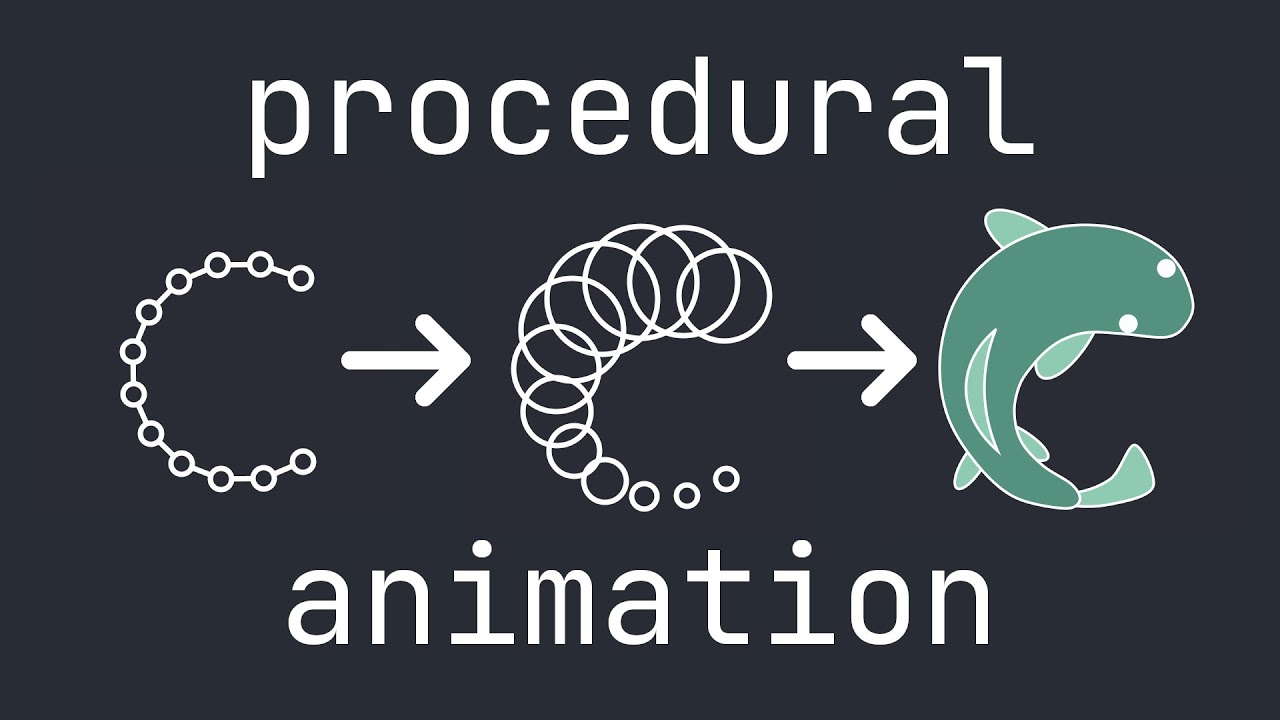
Let's design some procedurally animated animals!
This video is a tutorial/explanation for a simple procedural animation technique I recently learned about. Essentially, it's animation rigging using a 2D chain simulation. I provide an animated explanation of the technique, then showcase a few animals I animated with it.
⚙️ Source code
- S...
tropic tartan
Has anyone used navmeshplus for a 2d side scroller? It lets me bake meshes that are on the x and x axis but not ones on the x and y axis
solemn latch
high finch
Ok, sorry for the delay, I want to make some kind of soft body similar to this v...
You could just use a rigged sprite. Line renderer, sprite shape, and mesh ed s would all also work. Really depends on your specific needs.
high finch
solemn latch
You could just use a rigged sprite. Line renderer, sprite shape, and mesh ed s w...
I could make it work with meshs. But thank you I will also take a look at sprites shapes
 mild swift
high finch
Ok, sorry for the delay, I want to make some kind of soft body similar to this v...
mild swift
high finch
Ok, sorry for the delay, I want to make some kind of soft body similar to this v...
i followed this tutorial! made a pretty cool 2D procedural animated creature
i designed my own IK system
it was fun
mild swift
high finch
Ok, sorry for the delay, I want to make some kind of soft body similar to this v...
hm line render is what i used for the most of what i did, mesh might be better though idk
if you want to use points in a chain, id suggest line renderer.
if your using circles with points on the circles like shown in that video, i think mesh is better
solemn latch
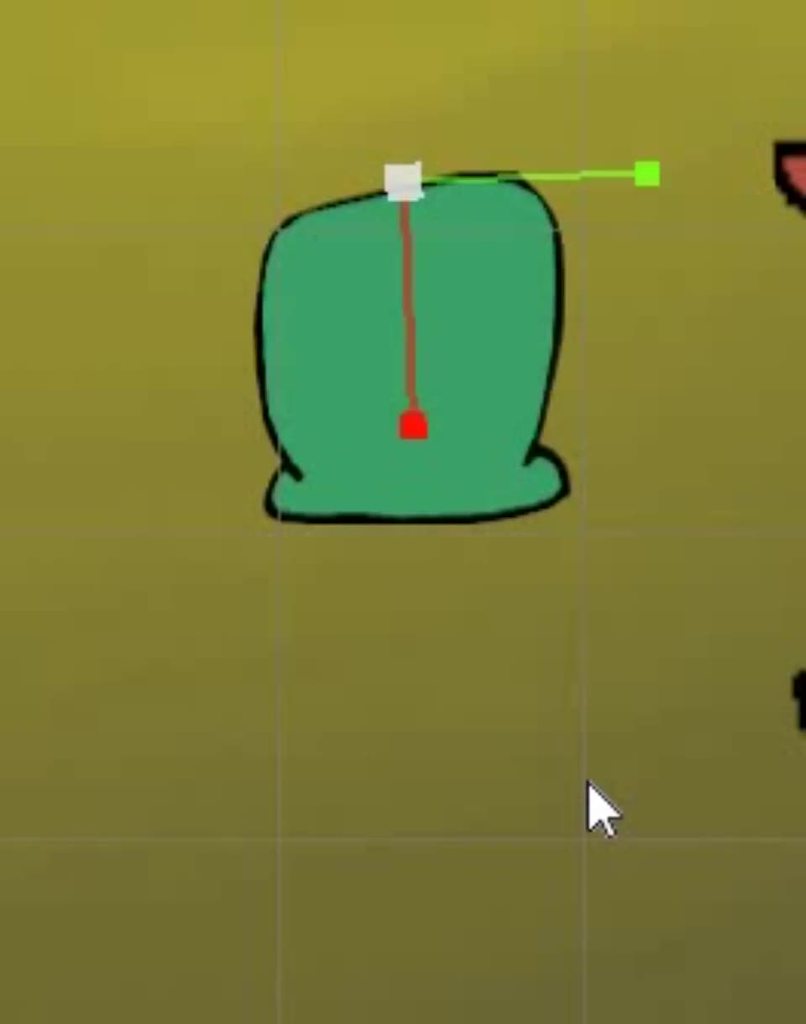
You can get pretty good results with even the simplest objects. https://imgur.com/MBgLtKK
 high finch
mild swift
i followed this tutorial! made a pretty cool 2D procedural animated creature
high finch
mild swift
i followed this tutorial! made a pretty cool 2D procedural animated creature
Cool! Congrats! I personally am making some kind of ragdoll with the same principle.
Mesh and line renderer seem to do similar things with similar performance, but meshes are more general and line renderer is simpler to use for line, that is what I learned from a forum on that subject. I used mesh since I wanted to learn it for 2D procedural terrain for my game. Thank you for your suggestions!
high finch
solemn latch
You can get pretty good results with even the simplest objects. https://imgur.co...
Wha, seems cool! I guess that is a sprite shape right? Although if I use that method, I would probably go with an image with one color and apply shader after to not get the pixelated look and those line
solemn latch
high finch
Wha, seems cool! I guess that is a sprite shape right? Although if I use that me...
No, that's just a sprite
The bone scales are dynamically adjusted by the length.
 mighty violet
does anyone know how to fix this i changed my grids scale on the x and y to 0.5 and now some tiles place like this
 modest cargo
mighty violet
does anyone know how to fix this i changed my grids scale on the x and y to 0.5 ...
modest cargo
mighty violet
does anyone know how to fix this i changed my grids scale on the x and y to 0.5 ...
Your tile sprite PPU no longer matches the grid
solemn latch
mighty violet
does anyone know how to fix this i changed my grids scale on the x and y to 0.5 ...
You made the grid smaller than the tiles, so they don't fit.
modest cargo
It may be intuitive to think that the tile would conform to a grid cell, but Unity simply draws the sprite at that point disregarding the grid dimensions
Pixels Per Unit is what determines the size of a sprite
 ebon pumice
hello how do i make my camera stop doing this

i was trying to make a mini map and the 2nd camera started doing this so i undid it and then the main camera started doing it. I want the view to return back to its default
modest cargo
ebon pumice
hello how do i make my camera stop doing this
What's "this"
ebon pumice
modest cargo
What's "this"
Its got those additional lines instead of just being a rectangle
they move when I move around with the mouse now
if that makes sense
modest cargo
ebon pumice
Its got those additional lines instead of just being a rectangle
they move whe...
Not going away if you go out of 2D mode and back in?
If an undo action caused it, I'd guess there's no proper reason for it so an editor restart could fix it
ebon pumice
Oooh yes that fixed it thank you! 😭
mild swift
how do i fix this? this is unitys slider UI
the scaling is off
i have the border set to two pixels wide in the middle in the sprite slicing
twilit vault
mild swift
how do i fix this? this is unitys slider UI
the child named Fill should be sliced or tiled, here it appears to be simple
also i'd recommend setting stuff to be multiples of your pixel size to make lining things up easier
 gilded wadi
does unity's pixel perfect camera effect z depth?
this enemy consists of sprites that are stacked 0.1 units apart on the z axis, 1 pixel per unit

it layers properly in the editor view but ingame through the pixel perfect camera the layer sorting gets fucked up
messed up layering ingame

vs scene view

 fierce lichen
Hi. Can you tell me how much you increase the sprite size so that there are no problems with "Auto Geometry" in the Skinning Editor? After all, if the pixel image is small, then the tool will "cut" pixels even at the maximum values of subdivide. And... what is the normal number of triangles?

 fierce lichen
even when generating the geometry of the following characters, an error occurs
 modest cargo
gilded wadi
it layers properly in the editor view but ingame through the pixel perfect camer...
modest cargo
gilded wadi
it layers properly in the editor view but ingame through the pixel perfect camer...
As far as I know pixel perfect camera isn't supposed to do anything to sorting and I haven't heard anyone report that before
Regardless, for sorting a character that's made of multiple sprites you probably want to be using the sorting group component
That way errors like these wouldn't be possible either way
turbid raft
Which one is better for Left, Right sprite?
Like In my opinion second one looks better but in game it just looks ahh.....


I dont know what to do about arms...
gilded wadi
modest cargo
As far as I know pixel perfect camera isn't supposed to do anything to sorting a...
Is there a way I could utilize sorting to change the order they sort over eachother without changing how they sort over the environment?
lean estuary
turbid raft
Which one is better for Left, Right sprite?
Like In my opinion second one looks ...
Please read channel descriptions. If you have style questions create a #1180170818983051344
gilded wadi
Also fwiw looking at the code for pixel perfect camera, at least what’s not internal, it does look like it’s rounding the z coordinate as well. Changing that wasn’t enough to fix it
modest cargo
gilded wadi
Is there a way I could utilize sorting to change the order they sort over eachot...
Yes, sorting group component as mentioned
In essence it localizes 2D sorting in the hierarchy of the group
Should be able to negate the effects of Z axis snapping by scaling all objects' Z position further out relative to each other
gilded wadi
The reason I don’t do that is the other layers of tiles in the rooms are also positioned on the z axis, and enemies with too many segments will end up behind layers erroneously if I only use integer z positions for sorting
And I can’t just arbitrarily push distances out because that would effect how lighting reaches the background layers of a room
modest cargo
3D lighting?
gilded wadi
Yeah
turbid raft
lean estuary
Please read channel descriptions. If you have style questions create a <#1180170...
Oh, okay. I AM REALLY SORRY
gilded wadi
I’ll try the sorting groups when I get home from work, but if they work the way I expect they might I might end up just trying to roll my own pixel perfect camera setup because this is far from the first issue I’ve had with the built in one
modest cargo
@gilded wadi Also, do you have to use depth distance sorting? Sorting layer and order in layer would sidestep this issue
gilded wadi
I was using sorting layers and order previously but actually ended up abandoning it because it was complicating how things sort over eachother, since I was already using z depth anyway
Optimally if I did I’d just want the sorting order to follow the depth anyway
So it ends up being an additional parameter I have to set for renderers that just matches their depth, but scaled up to an integer value or something
Could always be done programmatically I suppose
modest cargo
As long as you're not using order in layer for other purposes already they should be a better option here
Whenever you create assets you have to set the depth or sorting layer anyway, makes probably no difference in workflow
Still, sorting groups will simplify the process a lot and help in other ways
Only one sorting depth per sorting group to worry about relative to other objects
Also sprite groups at equal depth won't mix up their parts visually when overlapping
gilded wadi
i think ive traced the root of the issue to be unityengine's PixelPerfectRendering class and how it uses PixelSnapSpacing https://docs.unity3d.com/ScriptReference/U2D.PixelPerfectRendering-pixelSnapSpacing.html
but i dont think there would be any way for me to modify this
also after some experimentation sorting layers don't even work for my enemies because theyre using a surface shader
tropic tartan
is their a way to make it so the collider on a tilemap2d is flat? I just added spikes, and i want the collision to just be a flat platform, so the player doesnt get stuck
 vocal ore
I am instantiating tilemaps with tilemap colliders and parenting them under a single grid. However, in game, only the one that was created manually in the scene has working collisions. Dragging in a tilemap prefab manually (same as referenced by my script) has working collisions, what could be the issue? Is there a method I need to call?
modest cargo
gilded wadi
also after some experimentation sorting layers don't even work for my enemies be...
Won't work with opaque materials, but it can work with transparent
Sorting layer I think is just an interface for transparent render queue
So transparent non-sprite shaders in a sprite renderer can utilize it
Even non-sprite mesh renderers with non-sprite transparent shaders can be placed on a sorting layer with the sorting group component
Since the pixel perfect component is now a package, shouldn't the source code be available for modification?
twilit vault
tropic tartan
is their a way to make it so the collider on a tilemap2d is flat? I just added s...
you can set the physics shape manually in the sprite editor
gilded wadi
modest cargo
Since the pixel perfect component is now a package, shouldn't the source code be...
PixelPerfectRendering is a class in UnityEngine.U2D https://docs.unity3d.com/ScriptReference/U2D.PixelPerfectRendering.html
This is where the pixel snap is set, it’s just passing a float into a static field here
So presumably the code that’s handling this pixel snap is a part of this class, at least it seems that way after doing some digging into the pixel perfect camera code. Pixel perfect camera basically only handles applying properties to the camera it’s attached to, setting the rect etc. There is a method in pixel perfect camera that rounds a coordinate, but changing it to not round the z coordinate does not fix the problem
twilit vault
modest cargo
Since the pixel perfect component is now a package, shouldn't the source code be...
that doesn't mean you should lol
modest cargo
twilit vault
that doesn't mean you should lol
Why not?
twilit vault
the changes you make would be discarded any time you reset the library or clone the repo
modest cargo
twilit vault
the changes you make would be discarded any time you reset the library or clone ...
When modifying packages you'd first copy the package files out of Library, e.g.
https://docs.unity3d.com/6000.0/Documentation/Manual/urp/customize/modify-urp-source-code.html
twilit vault
ah, i assumed you meant just modifying the packagecache files directly
modest cargo
It does require effectively maintaining a fork of the package but that's probably not avoidable
May still be a better alternative to work off of the official one than to make a new one from scratch
twilit vault
hm maybe you could fork this?
https://github.com/needle-mirror/com.unity.2d.pixel-perfect
modest cargo
That's probably the right one to edit
Not sure why the only official one I can find seems to be years behind in updates
https://github.com/Unity-Technologies/2d-pixel-perfect
It could be that with URP it's the URP package that's handling the pixel perfect rendering anyway when using that package
twilit vault
modest cargo
That's probably the right one to edit
Not sure why the only official one I can f...
This repository contains samples of the 2D Pixel Perfect features to be used with Unity 2018.2b3 and newer.
oh whoops misread that
wait no yeah it does seem to be samples?
it's not actually the source, and it includes pixel perfect in its package.json
modest cargo
As far as I can tell URP has all the relevant code
Or at least a lot of it, across multiple classes
 weak hound
How can I manage tiles-set/tile palettes with different sizes?


And how would I make it fit my tilemap?
 weak hound
I found a solution which seems like a bad one, I made two tilemaps and played with the PPU/Tile anchor of the smaller sized sprites until it fit...
solemn latch
fierce lichen
Hi. Can you tell me how much you increase the sprite size so that there are no p...
If you actually want precise auto geometry, there's a depo on github that does that much better than you'll get from the sprite editor.
solemn latch
weak hound
And how would I make it fit my tilemap?
My guess is that that sprite was not designed to be used as tiles, but as an animated object placed on top/underneath
You'd pretty much have to set the pivot correctly so it lines up.
weak hound
solemn latch
My guess is that that sprite was not designed to be used as tiles, but as an ani...
Isnt creating a lot of game objects extremely inefficient when it comes to storage/data?
ebon pumice
Hello im trying to use a particle system so that leaves can blow on the screen but they won't show up on top. I've tried to change the layer and moved it every place in the hierarchy but its not having any effect. What am I doing wrong?
solemn latch
weak hound
Isnt creating a lot of game objects extremely inefficient when it comes to stora...
Not to the point where it matters in most cases. Plenty of games are made without using tilemaps at all.
solemn latch
ebon pumice
Hello im trying to use a particle system so that leaves can blow on the screen b...
Is it physically behind the camera clipping plane?
weak hound
solemn latch
Not to the point where it matters in most cases. Plenty of games are made withou...
oke thanks, so basically creating game objects and placing them on my plane is the best solution?
solemn latch
weak hound
oke thanks, so basically creating game objects and placing them on my plane is t...
I didn't say that. Just saying that that seems to be what that sprite you showed was designed for.
If it wasn't made to fit on the grid
weak hound
solemn latch
I didn't say that. Just saying that that seems to be what that sprite you showed...
I am just so confused, because the asset I got, actually has a folder called tileset. So logically, i can use it as one...
But I guess youre right, place and hope xD
solemn latch
Well, did it have an example scene set up with it or any documentation?
ebon pumice
solemn latch
Is it physically behind the camera clipping plane?
I'm not sure I understand. Are you talking about the camera clipping plane in the projection component? x_x
solemn latch
ebon pumice
I'm not sure I understand. Are you talking about the camera clipping plane in th...
Look at it from another angle
weak hound
solemn latch
Well, did it have an example scene set up with it or any documentation?
It had an example scene setup, but It was just a plane with a png....
Havent found any documentation yet...
https://shop.bitgem3d.com/products/2d-pixel-side-scroller-level-set?_pos=5&_sid=455f61356&_ss=r
thats the asset if you are interested

Bitgem
Get started on your next old school pixel jump and run game quickly with this amazing level set! With 295 tiles to work with this set provides everything you need to create a versatile range of levels complete with stairs, torches, spikes and backgrounds.
 steady chasm
I have a 2D PNG character portrait that I imported into Unity. It's high resolution but when I show it in game it shows in really poor quality. I am guessing it has to do with downscaling the sprite? Could someone share a tip how to fix this issue?


 crude mango
steady chasm
I have a `2D PNG character portrait` that I imported into Unity. It's high resol...
crude mango
steady chasm
I have a `2D PNG character portrait` that I imported into Unity. It's high resol...
compression must be point no filter instead of high quality
max size must be bigger aswell
steady chasm
Still looks bad.

 modest cargo
steady chasm
I have a `2D PNG character portrait` that I imported into Unity. It's high resol...
modest cargo
steady chasm
I have a `2D PNG character portrait` that I imported into Unity. It's high resol...
Mip map generation must be enabled, and filtering must be bilinear or trilinear
Not point filter
Compression quality is not relevant
steady chasm
@modest cargo Thank you so much! That did it!
solemn latch
crude mango
compression must be point no filter instead of high quality
Point filter is for unscaled pixel art, not drawings.
crude mango
solemn latch
Point filter is for unscaled pixel art, not drawings.
i mean you can use it for non pixel content but then it really depends on alot of factors and how u want it to look so yeah nah ur right 👍
solemn latch
crude mango
i mean you can use it for non pixel content but then it really depends on alot o...
If you can guarantee that you know the resolution it will be displayed at and make your art that exact size, then point filter works. If it is going to be scaled in anything other than integer amounts, point filter will usually look atrocious.
crude mango
solemn latch
If you can guarantee that you know the resolution it will be displayed at and ma...
yeah
 full turret
I'm building a 2d platformer in Unity 6
I've imported my tileset, sliced it into tiles, created a rule tile, added the possible combinations with the proper rules. Each tile in my tileset has 4 variants (so I have 4 floors for example).
When I'm placing tiles, the output is not randomly selecting from my list (of 4 floors for example).
Why is it not random and I how do I make it random?
lean estuary
full turret
I'm building a 2d platformer in Unity 6
I've imported my tileset, sliced it int...
See how to configure Output https://docs.unity3d.com/Packages/com.unity.2d.tilemap.extras@5.0/manual/RuleTile.html
full turret
lean estuary
See how to configure Output <https://docs.unity3d.com/Packages/com.unity.2d.tile...
if you select multiple, assign multiple, and then do random output, the output is not random
i know this sounds insane but that's the truth and i'm trying to figure out how to make it actually random
example, I have 4 floor tiles, placed a ton, all 1 of the 4
 lean estuary
Likely you have other ruleTile that overrides it
full turret
maybe I messed up though, I think I'm supposed to assign the sliced tiles to it not the tilemap
lean estuary
test it without conflicting rules that can precede it
full turret
cause its working now, im dumb
do tilemaps cache old positions because it's being random in some placed and not in others (being where I previously placed tiles)
lean estuary
full turret
do tilemaps cache old positions because it's being random in some placed and not...
It picks value based on global position most likely.
 full turret
why can't it just be random 😭
lean estuary
Because true random is often not a desired result. It can cause too many repeats.
full turret
like this is not random, I'd like it just to randomly pick 1 out of the 4 floor tiles every time I place one

lots of repeats
lean estuary
Play around with noise setting, it's likely a scale factor which will impact randomness.
If scale is too big it will cause a lot of valleys with same value
RuleTile can also be easily extended and overridden with your own implementation.
full turret
ok playing with noise is making it better
 swift knot
solemn latch
You'd pretty much have to set the pivot correctly so it lines up.
swift knot
solemn latch
You'd pretty much have to set the pivot correctly so it lines up.
There also the offset option for tiles.You can set an offset for tiles in both the preview tilemap editor window that won't affect the final positions and you can also set one that affects the position after painted. On the right you can see in the inspector I added a offset for the rock only by 0. on the y axis.
Edit: Added image
 solemn latch
full turret
lots of repeats
solemn latch
full turret
lots of repeats
Real randomness can certainly be like that.
 main belfry
I installed kenny assets and im trying to use the spritemap to avoid stretching the panels for the UI etc, is there a way to slice it with the atlas map? the spritemap is not even so i cant just do 8 by 8

 verbal blade
I make a 2D sprite in code, after that I import it in Unity and it looks way worse, specially the 1px wide lines and 1x1 dots.
Is there a way to connect it with Unity in a different way?
Texture2D voronoiTx = CreateVoronoiTexture((int)bounds.width, (int)bounds.height);
voronoiTx.filterMode = FilterMode.Point;
voronoiTx.wrapMode = TextureWrapMode.Clamp;

// 2) Create the sprite with a sensible PPU (e.g. 100 so it isn’t gigantic)
Sprite sprite = Sprite.Create(
    voronoiTx,
    new Rect(0, 0, voronoiTx.width, voronoiTx.height),
    new Vector2(0.5f, 0.5f),
    100f        // pixelsPerUnit = 100 (Unity default), adjust if you want it larger/smaller
);

// 3) Use the built-in “Sprites/Default” shader (unlit, no lighting or vertex color mixing)
GameObject go = new GameObject("VoronoiSprite");
var sr = go.AddComponent<SpriteRenderer>();
sr.sprite = sprite;
sr.material = new Material(Shader.Find("Sprites/Default"));
Worse how?
Hope the code isn't AI gen
Sprite shader is known for using vertex color
verbal blade
I understand what the code is, I never used Unity so I asked how to do Godot style stuff in Unity


left is how it shows in unity
right is the texture I exported from code and made a sprite out of
solemn latch
verbal blade
I make a 2D sprite in code, after that I import it in Unity and it looks way wor...
You are using point filtering, so single pixel lines will be wrecked by any scaling or non pixel perfect positioning.
verbal blade
solemn latch
You are using point filtering, so single pixel lines will be wrecked by any scal...
what type of filterring should I use, or should I have just used thicker lines?
solemn latch
Thicker lines help, of course... or, if you want vwant them super thin, use a shader.
And probably no reason not to use trilinear
The performance hit is infinitesimal.
 indigo star
Can I mask smaller object sprites based on the output of render textures? Assuming only a small portion of the render texture was drawn to and the rest is transparent
modest cargo
ebon pumice
Oooh yes that fixed it thank you! 😭
By the way I encountered this also now
Seems to occur when going into 2D viewport mode, then using the toggle for swapping between orthographic and perspective
It'll be locked into 2D view but in perspective
Toggling 2D view instead of ortho toggle will make it work correctly
Could be a 6.0.32 bug
 silent ivy
Guys I am making a mergefellas game in Unity and I have a problem with Sprites. I want to build a custom version for shorts and I will do editing on the gameplay from my version but there is a big problem with The Quality when i am zoomed in in a game view. I tried different types of Filters no filters Max sizes no compression Generating mipmap but I cant get good quality its always pixalated or blurred. In Edor it looks normal but when zoomed in in gameview its pixalated. Is there anything I can do? I need very good quality because there will be a lot of zooms and you can clearly see the pixalated edges and overall low quality

 silent ivy
Best i could achive is this: With mipmap enablem and bilinear filter + no compression

But you can clearly see the low quality espacially if you make open the image and see it in the bigger scale
This is side by side comparison Screenshot from unity and on the right side I added the same image but in my editing software

Is there any way to achive this? in Unity
modest cargo
silent ivy
This is side by side comparison Screenshot from unity and on the right side I ad...
Hmm is there a reason the sprite on the left is so much blurrier than in the image above it
If they're both from Unity
silent ivy
modest cargo
Hmm is there a reason the sprite on the left is so much blurrier than in the ima...
They are not both in unity Its a screenshot put inside davincii. The one on the right is PNG resized in davincii (editing software)
I took a screenshot from unity and added the resied png in davincii to show what effect I am looking for
It looks normal when its the full size

but I need a good quality even when zoomed in
silent ivy
Zooming is done later in editing software its meant to be recorded and later the zoomming in happens in editing software
Simplest Explanation and showcase of the problem is this: I took a screenshot from the game pasted it into canva and pasted the exact same png i used for the sprite and resized it the same as in the game

Now when i zoom inside you can see the clear difference

I want to have a way to have a raw quality in unity
modest cargo
silent ivy
Zooming is done later in editing software its meant to be recorded and later the...
It won't be possible to zoom into a prerecorded video or image and have more detail appear than there originally was
For that to be possible you'd have to record it at a much higher resolution at first
Twice your native resolution lets you magnify by two times without losing detail
Or do the zoom by changing Unity camera's Size during recording
With Timeline, for example
silent ivy
But if i just add the same png as the sprite and same size as in the game save the image and zoom into that new one it works
and its also just the same scaled down png
silent ivy
silent ivy
It looks normal when its the full size
I literally did it here is full screenshot from game
silent ivy
silent ivy
Simplest Explanation and showcase of the problem is this: I took a screenshot fr...
added same png used as in spriterenderer and resized exactly the same
and if you just zoom on the screen you can see the clear difference. The Quality is just going away overall in Unity
modest cargo
silent ivy
Simplest Explanation and showcase of the problem is this: I took a screenshot fr...
You can to an extent mitigate the quality difference these two sprites have
modest cargo
silent ivy
But not the quality difference these have
silent ivy
So its not possible to render Raw quality?
modest cargo
What does that mean exactly?
solemn latch
indigo star
Can I mask smaller object sprites based on the output of render textures? Assumi...
Yes
silent ivy
Exactly the same as the png when scaled up down etc
Raw quality in this example is just the png added in canva
And in Unity its the exact same png
but unity rendering scaling filtering etc just
cuts down the quality
modest cargo
If you zoom into a screenshot past 100%, the pixels of the screenshot will get stretched
There's no format or method that can change that
solemn latch
silent ivy
Raw quality in this example is just the png added in canva
You don't seem to understand that unity is rendering a 3d scene, it is rasterizing it to a specific resolution.
modest cargo
Unless you render at 200% to begin with, then you can zoom 200% relative to what you would have first rendered at
If you export an image from canva, it's the same deal the other way
silent ivy
modest cargo
If you export an image from canva, it's the same deal the other way
Its not
solemn latch
You want more pixels, record at a larger resolution.
modest cargo
silent ivy
Its not
You may be mistaking exporting an image vs exporting a scene
Once it's flattened into an image made of pixels, those pixels are all you have
And zooming over 100% stretches them
That's why you are usually prompted to specify an export resolution, which Unity recorder does as well
silent ivy
I know its streaches them but Unity is still lossing a lot of overall Quality I can send you the exact image i made in canva and oyu can zoom on it
Exact same resolution
Exact same scale

Nvm okay
You are right
So the only thing i can do is just record in higher resolution
modest cargo
Or do the zoom with Unity's camera
Avoids having to work with very high resolution video, but you will have to know the camera movements and timing before hand
And potentially track your objects to the camera movement
Or do those within Unity as well
silent ivy
Cant really do those zooms in Unity it wont work because i record the gameplay and edit after cant really predict my editing
Will need to just do high res
Btw those setting are only for the Scene view right? They dont apply to the build and run
 modest cargo
silent ivy
Btw those setting are only for the Scene view right? They dont apply to the buil...
modest cargo
silent ivy
Btw those setting are only for the Scene view right? They dont apply to the buil...
Not for Scene, but for Game window
Builds will use whatever resolution the user's screen is
Unity Recorder lets you specify output resolution
silent ivy
Thanks a lot!
indigo star
solemn latch
Yes
I'm not sure how. Sprite masks don't appear to take render textures
solemn latch
Depends on your renderer, but look into stencil masks.
 blazing fossil
Is there any other way to change the pivot point of a SpriteRenderer locally without affecting the import settings of the sprite? I don't mean changing the position of the sprite game object, but just the rendered sprite. I'm also talking about the world space SpriteRenderer not the Image UI component. Also without making an empty parent and adjusting the sprite game object local position.
twilit vault
blazing fossil
Is there any other way to change the pivot point of a SpriteRenderer locally wit...
there's only 2 pivots, the sprite pivot and the gameobject pivot
i suppose you could maybe clone the sprite and then change the pivot of that copy in code, but that seems like a lot of work for something kinda trivial
what's the issue you're trying to solve? it may be an x/y problem
blazing fossil
I just want the same functionality as the pivot points in the image component but in the sprite renderer.
Or the pivot option in the sprite import settings, but local to the instance in the scene.
twilit vault
pivot points in the image component..?
are you referring to the pivot in the recttransform?
that's part of the gameobject pivot
blazing fossil
literally just this but for SpriteRenderer

 twilit vault
yes that's part of the recttransform, not of the image
blazing fossil
tomato tomato
twilit vault
no lol
blazing fossil
I'm not looking for a work around. I know how to fix it. I just want to know if there is a built-in solution
twilit vault
creating a new sprite in-memory, if you could call that a solution, i guess
modest cargo
blazing fossil
I'm not looking for a work around. I know how to fix it. I just want to know if ...
Parenting to another transform, probably
But I'm not sure since it's UI, not 2D
 prisma sandal
posted this last night, but still haven't really gotten much further. and was told this is the right channel to put it
I'm trying to use a z as y isometric tilemap, and using the transparency sort axis that the docs says (0,1,-0.26) works fine for just the tilemap. but it doesn't sort correctly when adding other objects into the scene. I've tried using a higher Z position for the object, but then it doesn't sort behind the higher tiles correctly.
is there a better way to make sure that objects in the scene sort with the tiles correctly?
 ebon pumice
modest cargo
By the way I encountered this also now
Seems to occur when going into 2D viewpor...
ebon pumice
modest cargo
By the way I encountered this also now
Seems to occur when going into 2D viewpor...
sounds like what I was doing great to know 😩🔥
modest cargo
prisma sandal
posted this last night, but still haven't really gotten much further. and was to...
What type of "other objects"
Is the red square a Canvas component like an image?
prisma sandal
literally just a sprite renderer. I've managed to get a somewhat functional solution, by adding a small cell gap in the tilemap grid. which lets me better control what the sprites should render on top of and underneath
feels kinda bad tbh? but it works, and I can't really see a better way of doing it. it also messes with some of the maths of other stuff, but I've fixed all that already
 olive arrow
Anyone has any clue how to not get this weird overlay when pasting isometric tiles onto an isometric tilemap?
 twilit vault
sounds like you've misconfigured the sort axis in project settings > graphics
olive arrow
twilit vault
sounds like you've misconfigured the sort axis in project settings > graphics
Yeah I just realized that I forgot to change the sort axis, thanks
 tired portal
Does anyone know why are the tiles here not aligning, I have highlighted a few? There are clear misalignments in the picture. Is it because of the asset or can it be fixed in Unity?
 modest cargo
tired portal
Does anyone know why are the tiles here not aligning, I have highlighted a few? ...
modest cargo
tired portal
Does anyone know why are the tiles here not aligning, I have highlighted a few? ...
The grid aspect ratio does not match the tile aspect ratio, meaning the angle of the angled side
Can change the grid, or redesign the whole tileset
tired portal
modest cargo
The grid aspect ratio does not match the tile aspect ratio, meaning the angle of...
I have played with the grid's cell size and it works with trial and error. Is there a way to calculate the values that fits perfectly without needing to try many values?
modest cargo
tired portal
I have played with the grid's cell size and it works with trial and error. Is th...
You could measure the pixels of a tile sprite
Assuming there's no variance between them in their silhouette
tired portal
modest cargo
You could measure the pixels of a tile sprite
Assuming there's no variance betwe...
Thank you
modest cargo
tired portal
Thank you
An exact measurement may be difficult, especially if the tile sprites have some rough edges, so ultimately I'd verify the appearance by eye
Also, your tiles are bigger than the tiles so there's a PPU issue, not only an aspect ratio issue
Tile size can be changed instead of PPU, but usually it's better to standardize either height or width of a grid cell as just one unit, and then change sprite PPUs to match that
Measuring helps there too
tired portal
modest cargo
An exact measurement may be difficult, especially if the tile sprites have some ...
I have changed the cell size X value to 0.86 and got this result

I also wanted to change the transparency mode axis to custom with values 0, 1, 0, but I don't think the change is applued because the prject is URP. Do you know of an equivelant setting for it in the URP settings?
 modest cargo
tired portal
I also wanted to change the transparency mode axis to custom with values 0, 1, 0...
modest cargo
tired portal
I also wanted to change the transparency mode axis to custom with values 0, 1, 0...
Yes, in the 2D Renderer asset used by your URP asset
modest cargo
tired portal
I have changed the cell size X value to 0.86 and got this result
That works, and it's up to you whether you change cell size or PPU
But PPU is clearer and more future proof
Now the grid is adapted to whatever resolution your sprites happened to be imported as, rather than the other way around
tired portal
modest cargo
Yes, in the 2D Renderer asset used by your URP asset
I have changed it, but the tiles didn't change and have this behavior

Is this how they shoukd bahev and I just have to fill them out next to each other, so they look on the same level?
modest cargo
tired portal
I have changed it, but the tiles didn't change and have this behavior
Changed what "it", sorting axis in 2d renderer?
The PPU is still wrong here

 modest cargo
tired portal
The transparency sort mode
modest cargo
tired portal
The transparency sort mode
Assuming your project is using URP as the warning says, and its URP is using the 2D renderer, changing this is the only way to get the custom sorting
modest cargo
tired portal
I changed the PPU as well
Not enough
The tiles are bigger than the cells
 tired portal
This should be good enough, right?
 modest cargo
tired portal
This should be good enough, right?
modest cargo
tired portal
This should be good enough, right?
Same issue visible there
A tile should fit within a grid cell
Unless you do want adjacent tiles to overlap
The width of a sprite should match the width of a grid cell exactly
Unless the sprite is designed to reach beyond its grid cell
tired portal
So I either need to keep playing with the PPU or change the sprites myself so they match the grid cells
modest cargo
tired portal
So I either need to keep playing with the PPU or change the sprites myself so th...
No need to keep playing if you set it right
Assuming your grid width is 1, as either the width or height should be to keep things clear
Then you measure how many pixels your tile sprites are wide, and then set that number as the Pixels Per Unit
Because with width size 1 one unit is exactly one grid cell, so however many pixels a sprite has in width is the PPU

There's instructions for how to calculate both PPU and grid aspect ratio
tired portal
Alright got it, thank you

 abstract olive
That is the result of not using a pixel perfect camera. Unity has a package for that, which you can look up how to use/implement.
 scarlet scroll
abstract olive
That is the result of not using a pixel perfect camera. Unity has a package for ...
scarlet scroll
abstract olive
That is the result of not using a pixel perfect camera. Unity has a package for ...
how to?
abstract olive
Refer to the second sentence of my original response.
scarlet scroll
yea, but it's my third day with Unity ^^
twilit vault
it's surely not your third day on the internet, though, right?
this is something you can look up to start
osteel gave you keywords, you can google "unity pixel perfect camera"
scarlet scroll
👌
 zinc zephyr
Hey! I'm new to unity, and I'm having problems with 2D Tile Collisions. I hgave two tilemaps, one for collisions, and that has the Tilemap Collider 2D, Rigidbody 2D, and Composite Collider 2D components. Player Object has Rigidbody 2D and Box Collider 2D. I'm pretty sure everuything is set up right, at least it is as the tutorials but my player still just walks over the tiles normally. Any help would be appreciated!
 dry patrol
zinc zephyr
Hey! I'm new to unity, and I'm having problems with 2D Tile Collisions. I hgave ...
dry patrol
zinc zephyr
Hey! I'm new to unity, and I'm having problems with 2D Tile Collisions. I hgave ...
what's your movement code? There are several ways to move the player, and some of them don't work with collision.
I move my player using
this.rigidbody2d.MovePosition(this.rigidbody2d.position + (movementSpeed * Time.fixedDeltaTime * normalizedMovementDirection));
inside FixedUpdate();
but if you use fe something like
this.transform.position = ... new position ...
it won't notice the collision
 hushed seal
Hello, im new in unity and with a friend we are making a game and I have the question if someone can explain me how to generate an random non-infinite world having a tilemap
 rapid lynx
zinc zephyr
Hey! I'm new to unity, and I'm having problems with 2D Tile Collisions. I hgave ...
rapid lynx
zinc zephyr
Hey! I'm new to unity, and I'm having problems with 2D Tile Collisions. I hgave ...
Hey, what do you mean by "my player still just walks over the tiles normally",
crude mango
hushed seal
Hello, im new in unity and with a friend we are making a game and I have the que...
maybe it changed but i think you just use: ”using UnityEngine.Tilemaps;” in your script and for spawning do:
”tilemap.SetTile(new Vector3Int(x, y, 0), tile);”
 sullen spire
abstract olive
sullen spire
abstract olive
No, unless it's a Unity asset you've made. #1080140002849214464
 tired shuttle
Im having a hard time with tilemap collider. Player moves slover to right but faster to left. It doesnt happen when I put a normal square with a box collider and play it there. What am I doing wrong? Can anyone help?

 spring glen
ok so im kinda super lost on how to start with a pixel art game. what do i do for sprites? do i just size them up to fit the screen? how should i do that?
crude mango
spring glen
ok so im kinda super lost on how to start with a pixel art game. what do i do fo...
if you are starting out, i reccomend keeping all the sprites the same pixel size for simplicity purposes. For example 16x16. To “fit them to screen”. Go to your art asset. then in inspector > press pixels per unit and type in “16” for example if you are using 16x16. If you are using 32x32 type 32 and so forth
 mental mist
spring glen
ok so im kinda super lost on how to start with a pixel art game. what do i do fo...
mental mist
spring glen
ok so im kinda super lost on how to start with a pixel art game. what do i do fo...
look man... pixe-art for indie game isnt a bad idea at all try to make few simple sprites dont rush it... keep it simple, demo-game and have fun creating it then go ahead and code
and pixel art have some tech, tactics you might need go to YT and take some tips thats what i did when i used pixel art
for the sprites just create it... make the animation and move on for its size just keep it like 16x16-32x32 thats what we all use at any pixel art or usually at anys sprite as for my knowledge
good luck
 tame crown
is there a way to skew sprites in unity??
modest cargo
tame crown
is there a way to skew sprites in unity??
They could be scaled by a rotated parent to squash and stretch them in any arbitrary direction, which is not a true shear but a type of skew still
A skinned sprite could have bones for the edges, and with perfectly linear bone weight across the sprite will let your freely shear the sprite by moving the bones
Shaders can do any kind of distortion, but issues can occur if the sprite is distorted beyond the extents of its bounds
tame crown
is there like an addon that allows u to skew sprites easily?
tame crown
im ok with that
solemn latch
Just remember that a quad(the default mesh for sprites) is made if two triangles so shearing will introduce some distortion.
 solemn ridge
Hi I just wanted a second opinion on if this "potted bush" even looked good.

And If so which is better.
 weak plover
solemn ridge
weak plover
solemn ridge
i'd say that the brown pot looks better, since thats usually the color used for such, but the grey would be good to differenciate a tree from a bush in a pot, since the brown pot could look like a mini tree kind of. it depends on your background too tho
 clever elbow
 solemn ridge
weak plover
i'd say that the brown pot looks better, since thats usually the color used for ...
solemn ridge
weak plover
i'd say that the brown pot looks better, since thats usually the color used for ...
Thanks for the feedback!
weak plover
np 🙂
 rich linden
can anyone help me out? i am trying to rig but when i click on auto weights...it only affects one object

this is the rig i did

 kindred fog
What's a good editor for pixel graphics, with functionality like sprite sheets etc?
solemn latch
rich linden
can anyone help me out? i am trying to rig but when i click on auto weights...it...
That's what it is supposed to do; it only weights the selected mesh.
rich linden
solemn latch
That's what it is supposed to do; it only weights the selected mesh.
How do i select all?
Because I selected a different piece and clicked on the generate weights but nothing happened
solemn latch
rich linden
Because I selected a different piece and clicked on the generate weights but not...
Did you create a mesh for it?
rich linden
solemn latch
Did you create a mesh for it?
Mesh?.... I think I did everything that was said in the brackey video but for some reason... Mine is only getting the weights of only one object
solemn latch
Well, following a brackey's video instead of reading the manual won't get you anywhere
 blissful jacinth
https://github.com/jmeyer1980/TWG-GridLayerEditor This is used to automate creating tilemap game objects in a Grid object that have z-depth, layer names, and such so you don't have to manually set up each layer of your environment. It has some default values and some recommended layers to set up in the layer/tag manager before creating your grids; you can use that or select from any layer masks you already set up. It uses the layer masks to sort the z-order. Top-most layer renders last, bottom layer first. It uses a scriptable object to store the layers you selected (no need to keep this in the build - editor only). Then you can right-click to create one of the grid objects in the scene.
For the parallax background, I swap the tilemap renderers for sprite renderers, but you can also drop the sprites as children of their parallax background, but you will probably need to fix the z-order if you do that. And the pic showing the layer selection may be out of date as I had to fix the order of the layers.
Edit: tutorial video: https://youtu.be/z6JuMheYuuc?si=yRFe3AO61SIR7Yvg aand the NuGet: dotnet add package TWG.GridLayerEditor --version 1.0.1


GitHub
Helps automate Grid and Tilemap layer setup. Contribute to jmeyer1980/TWG-GridLayerEditor development by creating an account on GitHub.
This one is a Git repo. https://github.com/jmeyer1980/TWG-GridLayerEditor and it is used to automate creating tilemap game objects in a Grid object that have z-depth, layer names, and such so you don't have to manually set up each layer of your environment. It has some default values and some recommended layers to set up in the layer/tag manager...
rich linden
blissful jacinth
https://github.com/jmeyer1980/TWG-GridLayerEditor This is used to automate creat...
Can you do a tutorial video, that would be more helpful
 lavish abyss
Hello. I was following a toturial on how to make an outline for a texture. but there is a black thing coming out of the sprite. Does anyone knows what is it?

 lavish abyss
I tried another sprite. The black thing is also there. but less noticable
 blissful jacinth
rich linden
Can you do a tutorial video, that would be more helpful
blissful jacinth
rich linden
Can you do a tutorial video, that would be more helpful
Tutorial link added to post. Thanks!
blazing fossil
What is supposed to happen here?
All I'm trying to do is give the black tile a specific physics layer
blissful jacinth
blazing fossil
What is supposed to happen here?
? is this in regards to the tool i just released? You didn't tag anyone, so I am unsure.
 gleaming oxide
hey is there a way to generate a 2d background shader? like I want to have my 2d bg filled with stars with a shader how do I do that?
blissful jacinth
gleaming oxide
hey is there a way to generate a 2d background shader? like I want to have my 2d...
That should take a custom shader and a quad with a tileable space background material.
Might be able to do it with Shader Graph in URP.
gleaming oxide
can someone help me im trying to spawn + for stars on random position with random colors I got the color part done I also got the random position done but not getting the shape right also I kinda want to scale it with a variable The variable StarSize
 blissful jacinth
gleaming oxide
can someone help me im trying to spawn + for stars on random position with rando...
blissful jacinth
gleaming oxide
can someone help me im trying to spawn + for stars on random position with rando...
This may help. It is not space, but the concept is similar and you may be able to do randomized stars. https://www.youtube.com/watch?v=F7UxUgow4yg&t=2s&ab_channel=BenCloward

In this shader tutorial for Unreal and Unity, I show how to tile a texture infinitely without any repetition or seams. We use the UV Random Transform node and the Hex Grid node that we've created in previous episodes.
Here's last week's video on creating a hex grid mask:
https://youtu.be/hc6msdFcnA4
Here's the playlist of all the videos neede...
modest cargo
gleaming oxide
can someone help me im trying to spawn + for stars on random position with rando...
Better ask in #1390346776804069396
solemn latch
lavish abyss
Hello. I was following a toturial on how to make an outline for a texture. but t...
Looks like that is the shape of your polygon because you don't define an alpha channel.
lavish abyss
solemn latch
Looks like that is the shape of your polygon because you don't define an alpha c...
What do you mean?
Should I make a line from the piece's alpha value to the shader alpha?
modest cargo
lavish abyss
Should I make a line from the piece's alpha value to the shader alpha?
Yes, or rather from a node output that includes your outline since it's outside in the piece's transparent area
weak plover
kindred fog
What's a good editor for pixel graphics, with functionality like sprite sheets e...
I think its possible to do on piskel. Its free and you can search it up. I made my tileset there, which worked perfectly fine. You can also do animations, and export them where its a line of each frame.
weak plover
blissful jacinth
https://github.com/jmeyer1980/TWG-GridLayerEditor This is used to automate creat...
Isn't it funnier making your own tilesets tho? That way its in your own unique style, and it will also give you experience
QUESTION:
i made a 2d tileset with 16x16, and it works fine in the unity 2d editor. The thing is, that the grid is extremely small because of the pixel size, so i was wondering if there was a way to upscale them, or zoom the camera closer in
blissful jacinth
weak plover
Isn't it funnier making your own tilesets tho? That way its in your own unique s...
I think you're misunderstanding the use. It does nothing for art. Contains no art. It's just a few scripts that automate creating the individual game objects with the Grid and Tilemap components. The grid for the parent and the tilemap components for the children. Each is set at a different z-distance for layering. So you can still draw up your own art for the tilemaps if you want to. I try to automate as much as I can when it comes to tedious stuff. I'll parse a CSV before I manually type in several hundred items into a scriptable object. So yeah, I automated a simple thing like creating a bunch of tilemaps in the scene So I can get straight to painting with whatever ruletiles I am using at the time.
blissful jacinth
weak plover
QUESTION:
i made a 2d tileset with 16x16, and it works fine in the unity 2d edit...
iirc, you want to be using a pixel perfect camera or reduce the size of the orthogonal camera. Personally, I recommend the pixel perfect approach.
kindred fog
weak plover
I think its possible to do on piskel. Its free and you can search it up. I made ...
Thank you, I'll have a look!
 wispy nacelle
@sly egret

I locked the game perspective to the pixelart but its slightly off visually
I made sure the pixel perfect camera & the sprites are all set to the same render
 sly egret
wispy nacelle
I locked the game perspective to the pixelart but its slightly off visually
sly egret
wispy nacelle
I locked the game perspective to the pixelart but its slightly off visually
I dont think that scale should be at 4x that will make it look extra blurry
wispy nacelle
I have this as well for the virtual camera
 wispy nacelle
sly egret
I dont think that scale should be at 4x that will make it look extra blurry
wispy nacelle
sly egret
I dont think that scale should be at 4x that will make it look extra blurry
thats just because teh screen is tiny
maybe pixel perfect just sint working
idk if its doing anything here
when using free aspect
 sly egret
wispy nacelle
when using free aspect
sly egret
wispy nacelle
when using free aspect
You can put it to what it was rez wise but keep scale at 1x
if you change the Pixel Per Unit from the Pixel Perfect that will change how zoomed it is
wispy nacelle
sly egret
if you change the Pixel Per Unit from the Pixel Perfect that will change how zoo...
wdym
pixels per unit is jusjt set to 8 for these things atm
I dont think that would change bluriness
sly egret
wispy nacelle
I dont think that would change bluriness
the blurriness is from you putting the Game View at 4X. don't
I said if you want it more zoomed, you put the Pixel Per Unit higher


 sly egret
wispy nacelle
sly egret
wispy nacelle
yes because you set a specific rez in the preview
you probably want to put the aspect ratio
who has a monitor only 256x144 ?
wispy nacelle
sly egret
who has a monitor only 256x144 ?
I want it to be 256x144 in the pixels you see just rendered at 1920x1080
if I try free aspect its just like this

it doesnt seem like pixel perfect is doing its thing
snow willow
don't use free aspect
sly egret
wispy nacelle
if I try free aspect its just like this
what happens if you put 1920x1080
sly egret
wispy nacelle
if I try free aspect its just like this
seems to be doing its thing for me, I'm not very versed on Pixel Perfect though there are a bunch of settings to mess with
 wispy nacelle
sly egret
seems to be doing its thing for me, I'm not very versed on Pixel Perfect though ...
wispy nacelle
sly egret
seems to be doing its thing for me, I'm not very versed on Pixel Perfect though ...
ill try it
wispy nacelle
snow willow
don't use free aspect
Ive tried 16:9 too
 snow willow
wispy nacelle
Ive tried 16:9 too
snow willow
wispy nacelle
Ive tried 16:9 too
set it to 1600x900
sly egret
for me even with 16:9 it works

 grim forum
sly egret
for me even with 16:9 it works
grim forum
sly egret
for me even with 16:9 it works
turn grid snapping to upscaling
also you should not be using 256 x 144 but instead 320 x 180
sly egret
not OP
grim forum
sure but still
sly egret
I have no idea how all this works lol this is why i stick to 3D lol
grim forum
256 x 144 only fits for 16:9 which not everyone has but 320 x 180 (still technically 16:9 but better than 256 x 144) works for most types
grim forum
wispy nacelle
Ive tried 16:9 too
turn on upscaling for grid snapping or else you wont get the pixel arty look properly
wispy nacelle
grim forum
turn on upscaling for grid snapping or else you wont get the pixel arty look pro...

dont do it
wispy nacelle
dawg I dont even know
can yous show me your cinemachine setup?
I just recently upgrade to unity 6000 and my chinemachine got swoitched up ig
wispy nacelle
oh
grim forum
though i wouldn't say my game needs it cause it looks respectfully worse with it being pixel perfect
wispy nacelle
Im just using cinemachine for the camera shake
blissful jacinth
wispy nacelle
Im just using cinemachine for the camera shake
I didn't read all of the comments, so if I missed it... sorry. But that blurryness may be your import settings on the sprites. You want to use Point, no filter. That should remove the blur. Edit: I see you either did that or did something else to remove the blur. Cool.
wispy nacelle
blissful jacinth
I didn't read all of the comments, so if I missed it... sorry. But that blurryne...
first thing I did lol

im gonna try removing cinemahcine and see if I can just redo it
idk what else it could be
blissful jacinth
wispy nacelle
fixed it
I see you fixed it and then I see no clue. So dunno how you fixed it? Could be useful info for others.
wispy nacelle
blissful jacinth
I see you fixed it and then I see no clue. So dunno how you fixed it? Could be u...
I think I just removed and replaced all the cinemachine stuff, mustve been from upgrading to a new unity/cinemachine update screwing it up
 olive peak
Hi guys, can i seek some clarifications on the usage of mapboundaries? For example, in a tutorial i've seen, they draw the map boundaries within the same game scene. (Something i've saw from her video).
Would i be correct to say that they draw everything on a game scene itself?

Let's say i want the users to enter the house on T1 (Does it mean that creating a mapboundaries on the same scene is ideal) vs creating a scene for each different map
weak plover
blissful jacinth
I think you're misunderstanding the use. It does nothing for art. Contains no ar...
oh okay. i definenetly misunderstood it. i thought you were talking about generating whole tilesets 😅
 royal shard
so here's my image alpha channels, but this is what i get when importing it to unity (right), tried image ext using PSD,TIFF,TIG


 nimble sluice
guys how do I delete these tiles 😭

I just wanna delete one object but idk where they're even stored or how I can select them
modest cargo
nimble sluice
I just wanna delete one object but idk where they're even stored or how I can se...
You have two tilemaps, Ground and Walls, visible in the Hierarchy window
You can click on them in the Hierarchy window to select them
Walls is selected, so delete key should delete the tilemap
If you want to erase individual tiles, you can use the tile palette's eraser tool, on the selected tilemap object
nimble sluice
ahh wait nvm I figured it out, in the top bar there are controls I just had to select the tools
nimble sluice
modest cargo
You have two tilemaps, Ground and Walls, visible in the Hierarchy window
You can...
right! just figured that out too, thank you!
ah I need help again..

We'll get our tilemap setup, design our first level and add colliders. We'll add grids separately for our platforms and walls for future wall jump implementation!
Check out the next video for double jumps and gravity modifiers - and the previous video to get our character moving!
❗️❗️❗️📢 BUY THE COMPLETE GAME TEMPLATE NOW!!! ...
in the video she can go right to the wall with the player, but I can't. why is that? it stops right before the tile. Is it because of the collider? how can I fix that?
nimble sluice
twilit vault
nimble sluice
your physics shapes are misconfigured
notice how the green outline isn't conforming to the sprite here
 nimble sluice
right! hm how would I fix it?
is there something like a custom shape tool for that or something?
twilit vault
nimble sluice
right! hm how would I fix it?
you can change it in the sprite editor of the asset
nimble sluice
okay I'm there but what now? I don't see stuff changing rly
 modest cargo
nimble sluice
okay I'm there but what now? I don't see stuff changing rly
modest cargo
nimble sluice
okay I'm there but what now? I don't see stuff changing rly
You have to generate one first to modify it, unless you want to make a custom physics shape from scratch
https://docs.unity3d.com/6000.1/Documentation/Manual/sprite/sprite-editor/custom-physics-shape/custom-physics-shape-landing.html
nimble sluice
modest cargo
You have to generate one first to modify it, unless you want to make a custom ph...
makes sense, I'm gonna tinker with it for a bit
nope it won't let me do what I want it to do
aaand now I deleted the tile by accident and its gone
oof
modest cargo
nimble sluice
aaand now I deleted the tile by accident and its gone
Ctrl+z to undo works in the sprite editor
Works for almost everything, except asset deletion
nimble sluice
yeah I tried that, didn't work. I probably deleted it but then I jumbled around with the sprite editor and now my project is fucked
probably gonna do that tutorial from scratch..
 quasi fern
one quest, i'm starting at 2D games and my caracter looks pixelated like this:

what should I do?
modest cargo
quasi fern
one quest, i'm starting at 2D games and my caracter looks pixelated like this:
Well, it is a pixel art character
If you mean not pixelated, you would set texture filtering to "point" in its import settings
spiral ivy
quasi fern
one quest, i'm starting at 2D games and my caracter looks pixelated like this:
Additionally to what Spazi said, use standart pixel size like 256x256 , 512x512 and leave the default size as it is.
quasi fern
oh okok, but where are the import settings?
spiral ivy
import setting are when you select your sprite in the assets, not in the hierarchy
quasi fern
ohh okok thx
coral oxide
is there a way to paint a cell with gameobject brush via code ?
twilit vault
in edit mode or play mode?
spiral ivy
quick question, is this channel onyl for 2d tools or 2d in general. the channel title is a little bit vague
twilit vault
mostly for 2d asset work, something like 2d physics wouldn't fit here
spiral ivy
allright thanks
twilit vault
sprites, tilemaps, that kind of thing
quasi fern
Hello, I’m not sure if this is the right place to ask, but I have a problem.
I’m trying to change the Active Input Handling from "Input System Package (New)" to "Both" because I want to use older input code (like Input.GetAxis), I’m using code from older tutorials. However, every time I change the setting and Unity restarts, it goes back to the previous value and doesn’t save the change.
Is there a way to make the change stick?
is in project settings
 twilit vault
quasi fern
Hello, I’m not sure if this is the right place to ask, but I have a problem.
I’m...
twilit vault
quasi fern
Hello, I’m not sure if this is the right place to ask, but I have a problem.
I’m...
definitely not the right place to ask, try #💻┃unity-talk
-# i don't see how that links to 2d tools at all
 marsh hound
I used pixel perfect with cinema machine and getting ghosting effect. Colored player character didn't had visible issue, but gray shows afterimage/ghosting.
modest cargo
marsh hound
I used pixel perfect with cinema machine and getting ghosting effect. Colored pl...
It sounds like pixel jitter, meaning the position of a pixel in game relative to screen pixels is very rapidly changing between frames
Typically it happens when there's any damping/smoothing (or even a frame of delay) between a camera tracking an object that's moving at the same speed
Even if the speed is the same but they don't move the exact same pixel distance on precisely the same frame, the tracked object will be jumping between pixels on adjacent frames
There are many different causes for it though, not all related to camera positional tracking
If what you're seeing is that kind of blurry jitter, in a lot of cases it can be very difficult to fix
Using a stationary camera that only moves between predetermined positions in a linear path without heavy smoothing is the only guaranteed way to eliminate it
A (non-CM) camera parented onto an object sticks to it with no frame delay at all,
marsh hound
I see extra pixels with 50% alpha, when player falling with color version there wasn't issue
modest cargo
marsh hound
I see extra pixels with 50% alpha, when player falling with color version there ...
See them in the texture asset, or only in game in motion?
marsh hound
modest cargo
See them in the texture asset, or only in game in motion?
In game motion up and down
modest cargo
marsh hound
In game motion up and down
In that case the "transparency" is likely to be very rapid jitter rather than actual transparency
marsh hound
Something wrong with rigidbody and pixel perfect snapping?
modest cargo
marsh hound
Something wrong with rigidbody and pixel perfect snapping?
Rigidbodies move in the less frequent physics timestep, and by default have their interpolation set to none, so they can jitter even without any pixel perfect component involved
marsh hound
But i have interpolation on, because player was falling through ground at high speed falls
shy anvil
marsh hound
But i have interpolation on, because player was falling through ground at high s...
Interpolation does nothing to that, only collision detection mode does
marsh hound
shy anvil
Interpolation does nothing to that, only collision detection mode does
Thanks ill check later more about it
shy anvil
marsh hound
Thanks ill check later more about it
This is very common misconseption at least partially due to the naming (very technical, "smoothing" would be better). The only thing interpolation does is make the movement look smoother, it does not change the outcome of the simulation in the slightest
marsh hound
shy anvil
This is very common misconseption at least partially due to the naming (very tec...
There's very popular video, guy explains, how interpolations helps to get more consistent physics simulations
shy anvil
marsh hound
There's very popular video, guy explains, how interpolations helps to get more c...
I don't think that holds in unity. I haven't used 2d physics for a long time but for 3d physics it works that way and I'm pretty sure it is the same in 2d, the documentation doesn't specify anything outside visual smoothing either albeit it could be clearer on that. I'm not shocked if some tutorials confuse interpolation and collision detection too (popular guys can be wrong too)
 long carbon
interpolation is the literal absence of physics
modest cargo
long carbon
interpolation is the literal absence of physics
Not in this context
In this context interpolation works separately on top of the physics
You may be mixing it up with interpolation / tweening methods used to move the object itself
long carbon
Oh, you just mean framerate-independent interpolation
 cerulean hornet
Hey, im watching guides for how to make tileMaps and now im kindda stuck with the colliders of it, all the guides says i should enable "Used By Composite" but i cant find it in the tilemap collider component does anyone know?
\
 twilit vault
cerulean hornet
Hey, im watching guides for how to make tileMaps and now im kindda stuck with th...
twilit vault
cerulean hornet
Hey, im watching guides for how to make tileMaps and now im kindda stuck with th...
composites were changed in unity6 to be more flexible
the equivalent of the old "used by composite: true" is "composite operation: merge"
cerulean hornet
twilit vault
composites were changed in unity6 to be more flexible
the equivalent of the old ...
ty man
 gray gorge
I'm confused at how Rotation / Mirroring works for Isometric Rule Tile.
I've done Isometric Rule Tile with sprite for each shape in each rotation. But I figured out it would be easier to use the in-Unity rotation tools, and have to make fewer shape.
First I have my test canvas, with a cross shaped set of tiles. I have all my sprites and a single IsometricRuleTile. I've tried tampering with it and testing configuration, but I haven't found anything that would work. According to me, the third image would be the expected configuration, yet not the expected result. What am I missing ?


 solemn latch
I didn't even know rotation/mirroring was supposed to work with isometric.
modest cargo
I guess no reason why it wouldn't
But what we're seeing in the tilemap and in the rules don't make much sense together at all, rotation/mirroring or not
gray gorge
solemn latch
I didn't even know rotation/mirroring was supposed to work with isometric.
Well, in that case why would it be implemented for IsometricRuleTile.
But while changing the rule, I do see results that kinda make sense. Like tiles being rotated, but not in the right direction.
I feel like rotation / mirroring is implemented, but the axis are wrong
gray gorge
Yep it seems to confirm my hypothesis, rules are changed like non isometric rules would do, but the image is actually flipped how it should. So the sprite are assigned to incorrect rules
 ebon pumice
Hello why is my map doing this? It was fine before but the program crashed i rebooted and now its doing this
 jolly narwhal
Select an object and press F
ebon pumice
jolly narwhal
Select an object and press F
Thank you!
 whole hamlet
hey guys was messing with tilemaps and tile palettes and was wondering if it was a bad practice to put 2 different tilemaps on the same "tile" location or not?
the two tilemaps are basically identical, just having tilemap colliders and composite colliders and the only main difference is that theyre on different layers so the player object can detect if its a climbable wall or not
pictures below show my tilemap grids for the base level in the left pic and climbable walls in 2nd pic


was also trying to figure out what this does i searched it up online and didnt really understand it
 twilit vault
composites colliders are basically combining multiple shapes into a single shape
composite operation defines how the shapes are combined
for a typical "this collider or that collider", that would be merge
for "the area where these colliders overlap", that would be intersect
for "this collider, except where that collider is", that would be difference
no clue what flip does though. docs probably say, but those first three are typical set operations
modest cargo
whole hamlet
hey guys was messing with tilemaps and tile palettes and was wondering if it was...
Why have the non-climbable one below it? Seems superfluous and prone to errors
whole hamlet
modest cargo
Why have the non-climbable one below it? Seems superfluous and prone to errors
I'm not really sure how to do it otherwise, this is my first time using unity
modest cargo
whole hamlet
I'm not really sure how to do it otherwise, this is my first time using unity
Could have just an empty spot in the first tilemap when that point is covered by another tilemap
 wide hound
anyone know if its possible to make an asset bundle for an png? its not working for me no matter what i do. im just getting a bunch of null rectangles in my assetbundle file.
twilit vault
@kindred fog let's continue here
so you said you're using a pixel perfect camera at 320x200?
what resolution is your sprite in, what PPU is it set to, and how large is your camera?
kindred fog
I made an image 320x200 that I want to use as a pixel perfect background (using pixel perfect camera 320x200)
What is best practise here? Using a canvas?
twilit vault
you're getting ahead of yourself
there is no best practice for that since there just isn't much to work with
you didn't answer all my questions
kindred fog
twilit vault
<@366936038632849415> let's continue here
so you said you're using a pixel perfe...
My sprite is 320x200, with 16 pixels per unit. The camera is also set to 320x200 with 16 pixels per unit.
twilit vault
ok, that sounds correct. what was the issue you said you had?
kindred fog
I wonder what's best practise to achive pixel perfect rendering of the background image
twilit vault
using a pixel perfect camera
kindred fog
I'm also curious if there is a setting to not resize items that gets further from the camera - ie I want everything in it's original size
twilit vault
is your camera set to perspective...?
kindred fog
twilit vault
is your camera set to perspective...?
Yes, I had it on Orthographic, but when adding Pixel Perfect Camera it gets locked in perspective
twilit vault
it shouldn't be, what's telling you that?
kindred fog
 twilit vault
oh unity 6... i haven't worked with unity 6 yet, not sure how it's supposed to look, one sec
kindred fog
 twilit vault
wait huh?
kindred fog
Yes sir
kindred fog
rp?
twilit vault
apparently you can just disable the pixel perfect camera, change the projection, and reenable it?
twilit vault
kindred fog
rp?
render pipeline
kindred fog
LOL
Thanks dude, I think this solves a lot of my problems
Daaamn, this is a relief, everything is working much better now
kindred fog
twilit vault
apparently you can just disable the pixel perfect camera, change the projection,...
I actually think this solved my entire chain of problems
twilit vault
hopefully you can see why i linked x/y problem now lol
kindred fog
twilit vault
hopefully you can see why i linked x/y problem now lol
I'm a very experienced developer, so I could see that anyway. However I couldn't really grasp the background to my problem 😄
modest cargo
kindred fog
What is best practise here? Using a canvas?
"Best practice" is relative
Canvas also works, as it has a pixel perfect option as well that snaps image pixels to screen pixels
That way just interacts with screen scaling in a way defined by the canvas component, rather than by your pixel perfect camera component so it's possible to cause a conflict
twilit vault
perspective means the stuff at the edges of the screen kind of bend away because they're farther
kindred fog
twilit vault
perspective means the stuff at the edges of the screen kind of bend away because...
Yeah I get it, I just don't get why the option orthographic/perspective is grayed out, when you actually can change it by disabling/enabling the pixel perfect camera 😄
 rapid cypress
Could anyone recommend any resources on creating a 2d fog?
modest cargo
rapid cypress
Could anyone recommend any resources on creating a 2d fog?
That could mean many different things
crude mango
rapid cypress
Could anyone recommend any resources on creating a 2d fog?
the simplest way but probably not the best is particle system but its def not the best way but it is simple tho
again not the best way at all
spiral ivy
i´d just use some very opac sprite for the fog and shape it cloudy
should be really easy to create fog atmosphere
kindred fog
rapid cypress
Could anyone recommend any resources on creating a 2d fog?
I just created a really simple one by using semi transparent sprites, placed with random size and angles
But then I removed it from my game, it looked so smooth and ruined the pixel-feeling
 boreal gale
I'm really stuck here, and would like help with normal maps/2D pixel art please.
I am trying to set up normal maps with a 2d light. Just a lighting tech demo right now.
Both of the assets in this image have a diffusion map and a normal map. However, the light interacting with the assets is ignoring the normal map for some reason.
I made sure universal RP is set up in the project, and I belive these are all set up correctly. Please let me know if more context is needed, or maybe this is a common problem. I've tried digging through tutorials for this specific issue and most are from 2020.


 severe hornet
I helping for detailed game design with 2d arts and text. If you don't have an idea what you should to add or improve your game im glad you to contact me with dm. 😊
modest cargo
severe hornet
I helping for detailed game design with 2d arts and text. If you don't have an i...
!collab
barren orbitBOT
:loudspeaker: Collaborating and Job Posting
We do not accept job or collab posts on Discord.
Please, use Discussions to promote yourself as job-seeking, advertise commercial job offers, or look for non-commercial projects to participate in:
• Collaboration & Jobs
modest cargo
boreal gale
I'm really stuck here, and would like help with normal maps/2D pixel art please....
Normal maps must be enabled per light as well
boreal gale
modest cargo
Normal maps must be enabled per light as well
This fixed it, thank you.
 rare ivy
Hey there! i've been trying to make a 2d tile set for a game but it's off centered and im not sure what to do, it looks fine in aseprite but the second i change the import mode from 'Animated Sprite' to 'Sprite Sheet' it messes it all up, anyone have an suggestions on what to do? i would greatly appreciate the help!

 twilit vault
rare ivy
Hey there! i've been trying to make a 2d tile set for a game but it's off center...
twilit vault
rare ivy
Hey there! i've been trying to make a 2d tile set for a game but it's off center...
the sprite editor isn't gonna work properly for aseprite stuff afaik.
just use the import settings
 wary iris
Hi, I have made some Tilemaps with my own Tile palette and realized that the colours are horrible. Can I somehow change the colours of the tiles of my Tile Palette without destroying my Tilemaps?
Ideally I would want to change the .PNG from which I created the Tile Palette and then just "update / reload" the Tile Palette. Is that possible?
 real thicket
Freeform light doesn't seem to work with a ShadowCaster2D, anyone know a way to fix this?


(Version: Unity 2022.3.21f1)
 finite crow
Following a tutorial, why some tiles block view of the character while some tiles are under the character?
(will send video shortly, let me just get the link)
just wanna inquire how to make it so that certain tiles (like for example, trees) are higher than the player, thus closer to the camera, thus blocking view of the player
lean estuary
finite crow
just wanna inquire how to make it so that certain tiles (like for example, trees...
When you need for some tiles to sort differently in tilemap, you create another tilemap with different sorting order
Tilemap for trees for example would have to be setup for tiles to have own sort order, so you can go in-front or back of individual trees based on their y coordinate
finite crow
lean estuary
When you need for some tiles to sort differently in tilemap, you create another ...
Ah, so id have
Walls/Trees
Character
Floor
lean estuary
Character should use the same sorting layer as trees to be able to get sorted dynamically based on Y
 ruby ibex
Hi, what cons exist of using a huge drawing with polygoncollision instead of a tileset for a lecel
real thicket
real thicket
Freeform light doesn't seem to work with a ShadowCaster2D, anyone know a way to ...
still struggling with this if anyone could help
twilit vault
ruby ibex
Hi, what cons exist of using a huge drawing with polygoncollision instead of a t...
less flexibility
ruby ibex
twilit vault
less flexibility
makes sense, well, thanks
olive peak
Can anyone help me with this? I can't get why i can't move the initial starting camera position

It's position at the yellow box (But i can't move transform). I want the camera to start at the character location (I've used the tracking target to my character but it's not moving to my character)
Oh it's actually my cinemachine confiner 2D
ebon pumice
Hello i am trying to make my map look more uniform im wondering if theres like a trick people use to get a more structured look with hex tiles?
modest cargo
ebon pumice
Hello i am trying to make my map look more uniform im wondering if theres like a...
More "structured"?
ebon pumice
modest cargo
More "structured"?
Like a neater look to clean up the shapes so it doesn't look so unrefined if that makes sense
modest cargo
ebon pumice
Like a neater look to clean up the shapes so it doesn't look so unrefined if tha...
To me that sounds like it could mean almost anything
You can edit the tiles in an image editor of your choice any way you wish
ebon pumice
This is what i was using to make the basic shapes of the map but when tracing over them in the grid the straightness leaves more to be desired.
This is the way I figured would be easiest to design an arena. Its going to be a snake game and the tiles will have specific behaviors
I was wondering if there was an easier way to get a more accurate design using the hex tiles but I may be overthinking it
 modest cargo
ebon pumice
This is what i was using to make the basic shapes of the map but when tracing ov...
modest cargo
ebon pumice
This is what i was using to make the basic shapes of the map but when tracing ov...
Still not sure what you're asking
"Straightness"?
If you mean your hex grid has too low precision to represent the greater shape
If so, your options are to
-increase the shape size, or decrease cell size, so the relative resolution increases
-use more antialiasing, like you have to some extent with fading the tiles
-prefer drawing a shape that has lines that match the hex grid's angles, or otherwise avoid 'almost' matching the hex angle so you get notable jaggies
solemn latch
Or just use the hexes for gameplay and use something else for the visuals.
 split edge
Hello! I am wondering if I am tackling this the wrong way
I am trying to set up a rule tile , bujt from what I have seen 99% of the content in the internet uses them in a way where the resulting object is always filled completely by a center tile
while I am trying to just make a rule tile that basically "borders" other tiles
I can correctly do stuff like this, but if I wanted to add something in the middle, the rule I defined would do this


which is not what i want, what i need is that basically whatever tile I put "inside" is considered a "center" tile
what would be the sanest way to implement this?
modest cargo
split edge
which is not what i want, what i need is that basically whatever tile I put "ins...
I don't understand what that means
But in either case the rule tile is just an example of one type of rule tiling you can make
For something more complex you need to modify the code, or have multiple tilemaps that optionally can modify each other
 elder shoal
Hi,
I’m having an issue with my isometric Tilemap in Unity. The tiles seem to overlap or misalign, which creates a “messy” look with visible offsets (see screenshot).
Here’s what I’ve already tried:
Sprite import settings:
Texture Type: Sprite (2D and UI)
Mesh Type: Full Rect
Filter Mode: Point (no filter)
Compression: None
PPU tested at 256 and 128
Pivot set to bottom-center (0.5, 0.0)
Tilemap / Grid:
Grid Layout: Isometric
Tile Anchor: (0.5, 0.0)
Sort Order: Bottom Left / Top Right tested
Verified that my sprites are the correct size (diamond shape fitting perfectly in the grid) with no transparent margins.
Despite all of this, the tiles still seem to “bleed” into each other, especially the ones with some thickness (3D-like look).
If anyone has run into this problem before or knows how to force perfect pixel alignment for isometric tiles with height, I’d love some advice
 white crane
I cannot find anything on this. Is there really no in built way to just set all the override sprites on a Rule Override Tile at once. Because right now I have manually drag 57 sprites into place even though they're in the same order 😭

 rough crown
how can I reposition the sprite? the position settings are greyed out for some reason
 twilit vault
rough crown
how can I reposition the sprite? the position settings are greyed out for some r...
twilit vault
rough crown
how can I reposition the sprite? the position settings are greyed out for some r...
you want to actually change where the sprite is in the image file..?
or what exactly?
rough crown
yes, the position
I want to move it so that the end of the barrel is where the custom pivot is
twilit vault
just move the pivot
you can't change the image file in unity, just how it's imported
rough crown
that's a bit annoying
I need the pivot in the same place for all weapons the way I currently have it :/
twilit vault
that's not how pivots work
the pivot will be in the same place - the rest of the sprite will be positioned relative to the pivot
if you have a fixed position you want to align to the end of the barrel, then you put the pivot of each sprite on the end of the barrel for that sprite
rough crown
sure, but that determines how the sprite appears in the sprite renderer
twilit vault
yes, based on the pivot..?
rough crown
yes, that's what I meant
twilit vault
what are you trying to achieve here
rough crown
so the pivot has to be in the same place for all sprites (the barrel ideally), but some are shorter/longer than others
twilit vault
it feels like you're worrying about an issue that isn't there - or perhaps you aren't describing what you actually want to happen https://xyproblem.info
twilit vault
rough crown
so the pivot has to be in the same place for all sprites (the barrel ideally), b...
ok, why
rough crown
so they aren't offset differently depending on the sprite
twilit vault
so why can't you just have the pivot in that same position then?
it sounds like you're going about this backwards
what are you actually using the pivot for
rough crown
I would want the pistol to be closer to the character here

 twilit vault
why not just have the pivot on the grip and have that at a fixed position