
#🖼️┃2d-tools
1 messages · Page 11 of 1
 clever stream
Like this

I already tried to modify the Order in layer
Must i use a canvas ? as it appear like this? I'm watching a tutorial where he don't do need this
 solemn latch
clever stream
Must i use a canvas ? as it appear like this? I'm watching a tutorial where he d...
solemn latch
clever stream
Must i use a canvas ? as it appear like this? I'm watching a tutorial where he d...
Why ARE you using a canvas?
clever stream
solemn latch
Why ARE you using a canvas?
I follow that tutorial : https://youtu.be/EeOAme1bt7c?list=PLbsvRhEyGkKcF6TDBhEqYA6cCOjFpV0YM
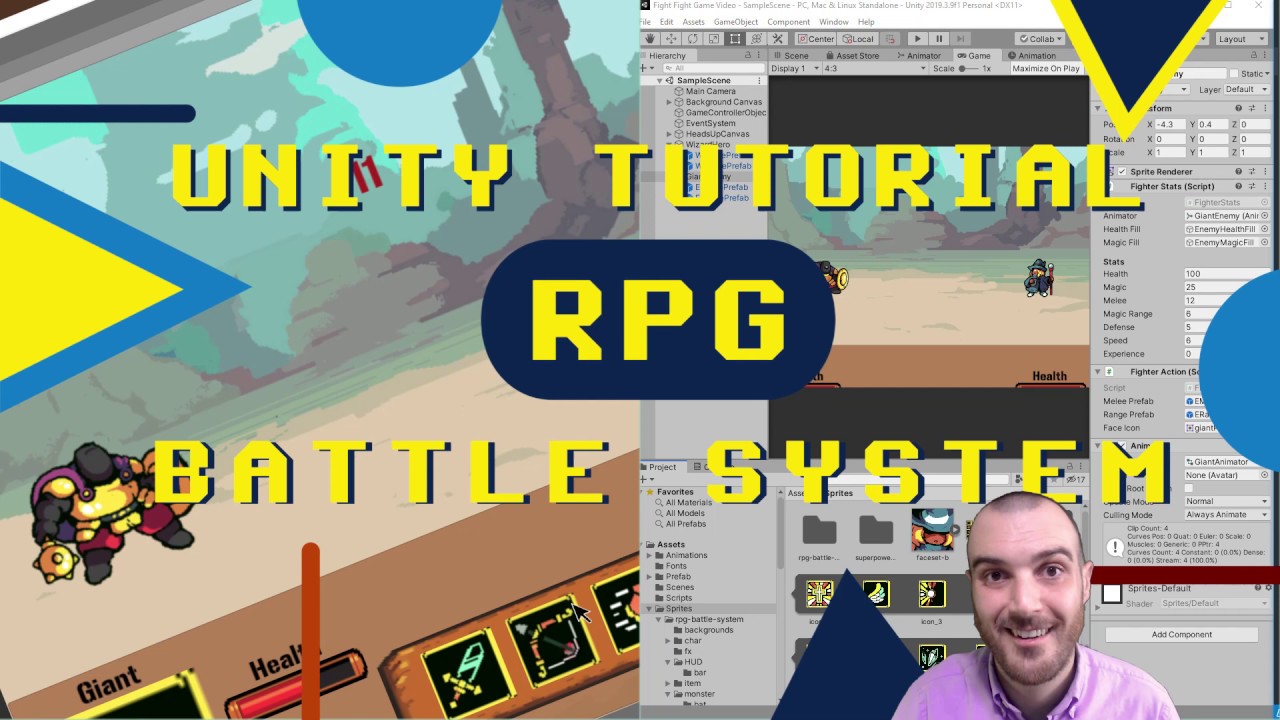
Code and assets linked below. Learn how to make a 2D RPG turn-based battle system utilizing free assets and the powerful tools Unity has to offer. In this tutorial I walk through every step of the game making process. Characters have range and melee attacks, health bars and mana. This is the real deal. Linked below is a playlist of the full seri...
it's 3 y/o so maybe it's not updated to today's use
solemn latch
Basically, canvases are meant for UI.
I'm on mobile so not gonna watch the video. So I can't say why he chose that method.
clever stream
solemn latch
Basically, canvases are meant for UI.
Any good channel/tutorial maybe for updated use
For a 2d game in Unity
solemn latch
Again, I'm on my phone 
clever stream
solemn latch
Again, I'm on my phone <:UnityChanSleepy:885169594745118810>
Not now but when you have time, feel free to give some links 😅
 modest cargo
clever stream
I follow that tutorial : https://youtu.be/EeOAme1bt7c?list=PLbsvRhEyGkKcF6TDBhEq...
modest cargo
clever stream
I follow that tutorial : https://youtu.be/EeOAme1bt7c?list=PLbsvRhEyGkKcF6TDBhEq...
This tutorial doesn't instruct you to make characters from canvas images, just the UI and background
The characters are sprite renderers outside of canvas
clever stream
modest cargo
This tutorial doesn't instruct you to make characters from canvas images, just t...
Any ressources to learn about that?
 tidal river
hi did someone know how this characters are called?

like with just legs that move, i cant find any assts with this style, please help me.
 potent belfry
i change a button's parent and suddenly it becomes invisible
i dont know how i can change it back, i literally just created an empty object to sort my hierarchy and when i move the button into it, it just disappears


even when i just bring it out of the other parent
 sharp lichen
You've got this in 2d, but is it UI?
modest cargo
potent belfry
If it's UI it isn't 2D exactly
if so try #📲┃ui-ux
potent belfry
oh well i didnt know what was wrong but i deleted it and done it again and it worked
 still tendon
Hello, I want to replace assets in a tilemap with updated sprites but am not totally sure how to do so, any tips?
 crystal lagoon
hey
 cedar osprey
Any idea whats happening with left tile? I dont even have it in the rule set
 modest cargo
cedar osprey
Any idea whats happening with left tile? I dont even have it in the rule set
modest cargo
cedar osprey
Any idea whats happening with left tile? I dont even have it in the rule set
You have it as the third tile
Because your second tile's rules are wrong which should go there, it likely resolved to third one semi-randomly
 brittle perch
Guys, has anyone here worked with 2D ragdolls? I need help with ragdoll balance
 floral oyster
Hello everyone, I've been having a problem with Light 2D for some time now.
I work with pivot points so that the player can tell when they are behind a house, for example, and when they are not, in order to display the SpriteRenderer visually correctly. This works great, and at a certain point, the character disappears behind the house.
But now to the problem. The light stays there, of course, because it continues to illuminate the layer that was specified. My actual goal would be that as soon as the player disappears through the pivot point, the character no longer illuminates the target.
I've attached a picture, maybe someone knows the problem.
 modest cargo
floral oyster
Hello everyone, I've been having a problem with Light 2D for some time now.
I w...
modest cargo
floral oyster
Hello everyone, I've been having a problem with Light 2D for some time now.
I w...
URP's 2D lighting doesn't work with isometric styles because of this issue
It's designed for fully top-down or fully side view
floral oyster
modest cargo
URP's 2D lighting doesn't work with isometric styles because of this issue
is there something can work with? Can you recoment something? because i want to make my Topdown 2d game wth flashlight that works behint and in front of objects correctly.
modest cargo
floral oyster
is there something can work with? Can you recoment something? because i want to...
https://assetstore.unity.com/packages/tools/particles-effects/smart-lighting-2d-112535 this one seems to have isometric light directionality
And a fake shadow height too, so shadow casters aren't infinitely tall
floral oyster
modest cargo
<https://assetstore.unity.com/packages/tools/particles-effects/smart-lighting-2d...
yea i got this one, its reeeaaalyy complicated. But i think i cant get around that anymore :/
modest cargo
floral oyster
yea i got this one, its reeeaaalyy complicated. But i think i cant get around th...
Can or can't?
It's likely your only option, but you could alter your art style to work around the issue
floral oyster
i need to work with that asset.
i wanted to avoid it because its a bit much. Its a good asset but for somone thats only working with unity for 1 year it can bit a bit to much.
solemn latch
It is easier than making your own 2d lighting system, probably. 😄
cedar osprey
modest cargo
You have it as the third tile
Because your second tile's rules are wrong which s...
No, that was the original rule tile sprite. I changed it to a different one and it got fixed.

 modest cargo
tidal river
hi, i cant drop a sprite on the animation anyone knows why?
modest cargo
tidal river
hi, i cant drop a sprite on the animation anyone knows why?
Don't crosspost please
 spare current
hey im very new to unity and ive mostly been following tutorials but i cant figure out how to not make the background follow my camera like that, it may have something to do with the cinemachine tool but idk tbh
oh damb no embed
should i upload it to yt or something?
solemn latch
spare current
should i upload it to yt or something?
imgur is usually fine
unless it is really big
solemn latch
spare current
hey im very new to unity and ive mostly been following tutorials but i cant figu...
I can't see your embed but usually people have 2d backgrounds follow the camera by just parenting it to the camera transform
Depends on what you are specifically trying to do, though
 pulsar nexus
How do i make any gameobject instantiated from default tiles to save changes made to them during edit mode? I am able to instantiate gameobject using tiles in the tilemap and rotate them using "GetInstantiatedObject(position)" using my custom brush, but when i go into play mode those changes don´t apply, if more info is needed, i can provide.
tidal river
hi anyone knows how can i put this tourches in my map
in the left walls of course


 cobalt zenith
Using SpriteRenderer, is there a way to make the edges move inwards? I'd like to make them flush to the fill.
cobalt zenith
tidal river
hi anyone knows how can i put this tourches in my map
in the left walls of cours...
Using tilemaps is kind of obvious. Is there a reason why you can't just do that?
modest cargo
cobalt zenith
Using SpriteRenderer, is there a way to make the edges move inwards? I'd like to...
What edges exactly? "Flush to the fill"?
cobalt zenith
modest cargo
What edges exactly? "Flush to the fill"?
Move the edges inside this line.
Since this same line is going to be matched by the polygon collider.
I need to have the ability to change the material without having the sprite shape adapting to it because the edges is a bit bigger/smaller and also expanding the collider if i do use one.
 modest cargo
cobalt zenith
Move the edges inside this line.
Since this same line is going to be matched by...
modest cargo
cobalt zenith
Move the edges inside this line.
Since this same line is going to be matched by...
I'm a bit thrown off by the terminology here, officially
"Edges" are the extents of mesh or collider geometry
"Material" is the shader reference used for rendering sprites as in the material field there, changing it won't affect the collider or sprite outline
Do you want to change the sprite without affecting the collider?
cobalt zenith
Sorry if it was a bit confusing. 🍵
By edges, i meant the sprite edge. Currently, it just goes along in the centre of the line.
modest cargo
How should it go instead?
cobalt zenith
Like this one.
There's an offset parameter that I can use.


There's an offset parameter that I can use which can move the sprite edge more inward or outwards.
modest cargo
cobalt zenith
There's an offset parameter that I can use which can move the sprite edge more i...
Probably no such option, unless Custom Geometry Creator gives you that
A simple but a bit clumsy way would be to bake the offset into the sprite itself with empty space, and adjust sprite Physics Shape if you want the collider to not match the sprite exactly
cobalt zenith
modest cargo
Probably no such option, unless Custom Geometry Creator gives you that
A simple ...
Yeah that's about the only way I see sadly.
 alpine pumice
how would I go about adjusting the pivot point for multiple sprites in a spritesheet at once?
modest cargo
alpine pumice
how would I go about adjusting the pivot point for multiple sprites in a sprites...
alpine pumice
thanks
 sullen wadi
can you tell me how to make a change of clothes and how it will be in the animator? Unity
modest cargo
sullen wadi
can you tell me how to make a change of clothes and how it will be in the animat...
There's many ways to do that potentially, depending on what that means in your situation
 junior elm

 viral niche
hi im going insane why is my IK doing this when i generate the target

both the right arm and right leg are having the same issue

 still tendon
 swift moat
why dont i have 2dlights
swift moat
why dont i have 2dlights
the thing in the screenshot you sent is a script, not a component within unity
still tendon
👌
solemn latch
viral niche
hi im going insane why is my IK doing this when i generate the target
That is weird. Can you give more details about how you set it up? Are there the wrong number of transforms in the hierarchy for the type of ik you used?
 copper sedge
Can't add anything to the image
 viral niche
solemn latch
That is weird. Can you give more details about how you set it up? Are there the ...
viral niche
solemn latch
That is weird. Can you give more details about how you set it up? Are there the ...
Managed to figure it out on my own, Unity doesnt seem to like it when you stack two limbs on top of eachother when you make the IKs
solemn latch
Hm, not sure what you mean, but interesting!
Might be worth bug reporting.
They should be basically independent
 wooden fossil
Hi everyone, i'm doing a 2d retro Aoe2/Cossacke like rts game .
I'm struggling to find rts 2d isometric ressources freetoshare .
Can somebody help me.
I need some 16th century Sprites.
If anybody want to help in any way, feel free to ping or dm 💣
 mortal heron
guys, i have a 2d tilemap that i expanded alot by adding tiles, and then i removed tiles from it, but it seems like the gameobject is still bigger (it didnt automatically shrink when i removed the tiles). this makes my tools' (move/rotate/etc) anchor point to be completely off, anyone know how i can reset the tilemap to only be as big as the tiles it has?
 topaz cosmos
Has anybody worked with animated tilemaps before?
topaz cosmos
mortal heron
guys, i have a 2d tilemap that i expanded alot by adding tiles, and then i remov...
Tilemaps/Grids have one single anchor point, it doesn’t change depending on the tiles you add or remove.
 zinc kernel
Hi all,
After years of developing 3d projects I am developing a 2d mobile game for the first time, I want to know an artistic pipeline from concept to exporting animated 2d characters into Unity.
I was reading and watching videos for a week, and I had no clear pipeline to follow: some creating characters through painting, others in a vectorial way, some using specific animation programs, others animating into Photoshop directly...I am lost
I thought about this pipeline, but as an absolute beginner, I do not trust my no knowledge:
. Creating a concept through IA
. Create the character itself through vectors in Adobe Illustrator.
. Animate the character in Adobe Animate.
. Maybe create the sprite atlas with the animations in Texture Packer (I do not know if need this software as I do not know if Adobe Animate can do the same work)
. Export from Adobe Animate or Texture Packer to Unity.
How do you see this pipeline? It is right for a simple 2d mobile game? I have access to all the mentioned software and I can purchase another one for this project, I only care the fast and easy production, not the money
I hope you can help
Thanks
still tendon
I have a 32x32 sprite sheet split into 2 sprites but for some reason i can see a bit of a pixel from the second sprite in the first sprite. any ideas?
modest cargo
zinc kernel
Hi all,
After years of developing 3d projects I am developing a 2d mobile game ...
Anything beyond "create images in an image editing program of your choice and import into unity" is optional
modest cargo
still tendon
I have a 32x32 sprite sheet split into 2 sprites but for some reason i can see a...
Post only to one relevant channel
Your sprites need empty space between them on the sheet, or "padding"
still tendon
yeah the animation place seemed a little too high brow for me haha
but i got the padding thanks
 tough moon
Was wondering if someone could help me - When I change the localScale on my player (which controls the direction my player is moving), it like jumps, despite the pivot being in a decent place.
#🖼️┃2d-tools was the most relevant channel I could find. Sorry if it was the wrong one
modest cargo
tough moon
Was wondering if someone could help me - When I change the localScale on my play...
How do you know the pivot is in the right place? pivot mode is "center" here which conceals the real pivot position
 tough moon
I just want it to flip without it like jumping to somewhere else
And the origin point/pivot seems to be in a good place for that
I'm fairly new to Unity, so I'm not 100% with everything
modest cargo
tough moon
And the origin point/pivot seems to be in a good place for that
The button I cropped from your video determines whether your selected gameobject's center is treated as the pivot instead of its real pivot
This means you are not seeing where the pivot really is
modest cargo
Start by clicking the button
tough moon
ok. It's moved to its real pivot, so I now see why its jumping like that
Is there a way to center the real pivot?
modest cargo
tough moon
Is there a way to center the real pivot?
Select all the child gameobjects and move them to be upon the real pivot
tough moon
Now works perfectly
Thanks for your help
Ok, it works fine in scene, but not in game
nvm. My animation positions are causing it
there we are. fixed it
 plucky estuary
ive been using firealpace to make these basic sprites
my sisters won't let me borrow their ipad or drawing tablet so how can I make sprites easily
with geometric shapes and a library of textures maybe
what software
 restive delta
I have triangle sprite with collider. Pivot is on the bottom center.
When I place tile of the sprite into a tile palette I have an offset of half of a cell.
Then I enter the tile edit mode to set the y offset to -0.5f so the triangle fits the cell.
But a collider did not offset with its tile.
(Sorry for my English).
 solemn latch
restive delta
I have triangle sprite with collider. Pivot is on the bottom center.
When I plac...
solemn latch
restive delta
I have triangle sprite with collider. Pivot is on the bottom center.
When I plac...
So put the pivot in the middle?
zinc kernel
modest cargo
Anything beyond "create images in an image editing program of your choice and im...
not the same in time and effort to animate pngs or vector, that´s why I ask for saving time and make it easier
modest cargo
zinc kernel
not the same in time and effort to animate pngs or vector, that´s why I ask for ...
100% depends on the kind of art style you want and what kind of art techniques you're familiar with
zinc kernel
modest cargo
100% depends on the kind of art style you want and what kind of art techniques y...
Not man, the topic is not about visuals, it is about a fast production-ready project, you can achieve almost any style with any software if you have the skills, it is a technique debate: what´s best for a 2d mobile game in a production way, to animate sprites or vectors, what software do you use for that if you published any game, software that enhances the unity bad points like tecturepackergui, and so on...
modest cargo
zinc kernel
Not man, the topic is not about visuals, it is about a fast production-ready pro...
Your choice visual style will determine the technical implementation, and even then there is no just one perfect path forward
Unity's sprite atlas feature is completely fine, you don't need an external texture packer
Unless "2D mobile games" have all started using the same art direction you still have a lot of choices to make
If you want vector graphics, you will need to figure out if it's better to import them using the vector graphics package, or if you need to export them in a specific way into raster sprites
If they need to be animated, an art style may enable you to animate a hierarchy of transforms with each their own sprite, or it may restrict you to having to do flipbook animation
You may additionally be able to utilize 2D skinned rigs for a specific type of animation
Many different art programs can be used to produce assets for each of these workflows
restive delta
solemn latch
So put the pivot in the middle?
It will not scale from the bottom then.
 outer falcon
Hello guys, is there any way to save tilemap drawing as a prefab?
modest cargo
outer falcon
Hello guys, is there any way to save tilemap drawing as a prefab?
You can save the tilemap gameobject as a prefab, or make the drawing on your tile palette so you can reuse it when drawing
viral niche
can someone explain why my sprite looks like this in unity?


 hollow crown
viral niche
hollow crown
viral niche
oh word thanks
viral niche
I'm trying to import a .PSB rig with 32x32 sprites but the imported sprites aren't 32x32 unless they're .PNGs, how could i fix this? (left .PSB import, right .PNG import)

 modest cargo
viral niche
I'm trying to import a .PSB rig with 32x32 sprites but the imported sprites aren...
modest cargo
viral niche
I'm trying to import a .PSB rig with 32x32 sprites but the imported sprites aren...
Does it cause any issues?
viral niche
yeah im trying to make them able to be easily swapped out with other sprites without causing issues later on
i've already tried doing it with the non-32x32 sprites and it didnt go well
if its a 32x32 sprite its position is predictable
modest cargo
viral niche
yeah im trying to make them able to be easily swapped out with other sprites wit...
try "full rect" sprite mode
sprite renderers will adjust their size when you swap the sprite reference
If you swap it in shader, it cannot adapt
zinc kernel
modest cargo
Unless "2D mobile games" have all started using the same art direction you still...
Thanks for replying. You need an external tool like texturepackingui cause Unity does not receive the info on the pivot point of the texture atlas, and u have to manually set then in every frame of animations, it is a productivity killer.....Yes, u are right about the exporting method question, and that was one of the key points of the debate, and still guessing between working with sprites or vectors, as vectors are easier to animate and u do not need a lot of art skills, it is a more technicall and less artistic process...But the point is that I want to start from AI concepts to save time and gain visual appeal, so at this point I would like to try if possible to vectorize the AI images that I create, so I can animate them as vectors, while having the appearance of bit maps.....As I did not have this process before I want to know if this is a possible and productive process, trying to avoid as much of the art procedure
modest cargo
zinc kernel
Thanks for replying. You need an external tool like texturepackingui cause Unity...
Normally you make animations in whatever program, then export them as a sprite sheet or image sequence so that the pivot is always in the same position relative to each sprite extents, then import, slice appropriately, and optionally use sprite atlas feature to optimize their performance
There's no point in that process where you must set the pivot manually for each sprite
What "debate" do you speak of?
The workflow you're suggesting seems a bit bizarre to me, a lot like asking how to make a burger using only microwave burgers but make it look like a tortilla
zinc kernel
modest cargo
Normally you make animations in whatever program, then export them as a sprite s...
I do not know if u are a 2d artist but there is a big difference between the time employed animating in a nonanimation-specific software and a dedicated one. Unity does not keep the info on the pivot point of Adobe programs, so u have to set it manually in all frames or use an intermediate program. The debate is the topic we are talking about...Ok, I see it is bizarre for you, I do not know at what point as I never did this 3d process before, I create the images, vectorize them, animate them, and use a program to optimize and organize the animations
modest cargo
zinc kernel
I do not know if u are a 2d artist but there is a big difference between the tim...
You can set a pivot for all slices in a sprite sheet when slicing in Unity
I would believe it's unnecessary to move the pivot when animating, when you can instead move the character relative to its sprite
viral niche
modest cargo
try "full rect" sprite mode
what does full rect sprite mode do? i tried it and nothing seemed to change
modest cargo
viral niche
what does full rect sprite mode do? i tried it and nothing seemed to change
It makes the sprite renderer draw a full sprite-size quad for rendering the sprite instead of using the sprite outline that tightly follows the sprite's outline
That it doesn't work seems to indicate that the PSB importer automatically crops them
viral niche
bummer, anyway to fix that?
modest cargo
viral niche
bummer, anyway to fix that?
I don't expect so, besides not using PSB importer
It's designed to rearrange each layer as an individual sprite so it makes sense for it to crop them
Are you fully sure you need the empty space?
viral niche
modest cargo
I don't expect so, besides not using PSB importer
It's designed to rearrange eac...
im pretty sure, i cant think of any other way to do it, im still very new to Unity
 jaunty quarry
what pixels/inch should i use in Photoshop and how many pixels per unit in Unity
viral niche
i changed the sprite the SpriteRenderer on the head was using and now its not interacting with the skeleton or the rig (you can see here how the face is still bound to the head bone but the head itself isnt)

im trying to set up a character customization/gear system but i cant get it to work with my rig
modest cargo
jaunty quarry
what pixels/inch should i use in Photoshop and how many pixels per unit in Unity
You're not using inches when making game assets
Pixels per unit is a standard set by you to keep your graphics at the same resolution relative to each other
modest cargo
viral niche
i changed the sprite the SpriteRenderer on the head was using and now its not in...
If you need to change the sprite of a skinned sprite, you'd use the sprite library's sprite swap feature instead
viral niche
thank you for saving my life sir
solemn latch
jaunty quarry
what pixels/inch should i use in Photoshop and how many pixels per unit in Unity
PPI has no effect unless you print.
jaunty quarry
modest cargo
Pixels per unit is a standard set by you to keep your graphics at the same resol...
thank you
jaunty quarry
solemn latch
PPI has no effect unless you print.
thank u, it was a different setting
looks not blurry now 😄
 modest cargo
@jaunty quarry Basically what you want to keep in mind is that the Unity camera is twice its Size tall in units, if orthographic
Those units are stretched to fit the user's screen vertically
Pixels per unit determines how many texture pixels a sprite will have per unit as a sprite renderer by default unless scaled
 vague smelt
Can shadow casters be opened shapes? Because now its making shadow problems like this.
 modest cargo
vague smelt
Can shadow casters be opened shapes? Because now its making shadow problems like...
modest cargo
vague smelt
Can shadow casters be opened shapes? Because now its making shadow problems like...
What do you mean by "opened shape"
vague smelt
modest cargo
What do you mean by "opened shape"
so it can be a rectangle with a line
this is closed shape
 modest cargo
vague smelt
so it can be a rectangle with a line
modest cargo
vague smelt
so it can be a rectangle with a line
I assume not
2D URP's lighting can't really do isometric lighting of much any kind
 frigid echo
guys, how i resolve this? when I change resolution from 1920x1080 to a resolution of a cellphone all the sprites and fonts of texts become pixelated


 modest cargo
frigid echo
guys, how i resolve this? when I change resolution from 1920x1080 to a resolutio...
modest cargo
frigid echo
guys, how i resolve this? when I change resolution from 1920x1080 to a resolutio...
Likely because your Game window has to zoom out to fit the resolution, as Game window's zoom doesn't use any fancy resampling algorithm
It likely will not appear like that when built
 maiden sapphire
can u slice a sprite sheet like how u can with a single sprite? so when u make it bugger only certain parts get scaled up or how does this exactly work?
 cold oyster
Hi! I know it's easy but I'm new to Unity: how to make the button's width fit the text inside it? Thanks
jaunty quarry
i am really getting frusterated with creating art for my game, what is the general size you guys go for Art? everything i do looks wrong and blurry to me
modest cargo
maiden sapphire
can u slice a sprite sheet like how u can with a single sprite? so when u make i...
it sounds a bit like you're talking about "9-slicing" of sprites
maiden sapphire
modest cargo
it sounds a bit like you're talking about "9-slicing" of sprites
can u elaborate
modest cargo
maiden sapphire
can u elaborate
9-slicing is the only thing that comes to mind from your description which is rather vague
You'd look up what it is, and determine if my guess was correct at all
modest cargo
cold oyster
Hi! I know it's easy but I'm new to Unity: how to make the button's width fit th...
You'd rather ask in #📲┃ui-ux
modest cargo
jaunty quarry
i am really getting frusterated with creating art for my game, what is the gener...
Unity uses mip maps rather than resampling algorithms when sprites are viewed above or below their native resolution
(unless the display resolution is one of the mip maps, meaning reached by doubling or halving the resolution when scaling the sprite object)
Additionally you'll want to be sure that the resolution you're viewing your sprites at in editor through the Game window is not weird or zoomed out/in
 finite harbor
ok im wondering
i currently have pickups in my game as puzzle elements
only thing is that my player character is based on a rigidbody with addforce, and touching pickups slows my character's momentum
is there a trigger system i can use instead for pickups instead of colliders?
ok found the istrigger option and ontriggerenter
awesome
tidal river
Hi guys, sorry for being annoying, does anyone know how I can fit these dungeon rooms into just one square?

like this
 solemn latch
tidal river
Hi guys, sorry for being annoying, does anyone know how I can fit these dungeon ...
solemn latch
tidal river
Hi guys, sorry for being annoying, does anyone know how I can fit these dungeon ...
Can you be more specific? By one square you mean a grid unit, or a screen, or...? You want to delete anything outside of that area, or shrink what you have to fit?
tidal river
I want to made just like the second picture i send like dungeons on square just like the photo with the walls but thats easy my issue is to make the dungeons with a format of a square and not like what i have in the 1 picture
I just want to make the dungeons walls like a room with 4 walls
tidal river
solemn latch
Can you be more specific? By one square you mean a grid unit, or a screen, or......
Do you know the game enter the gungeon?
I want to make like that game
solemn latch
I do not.
tidal river
Just imagine its a 2d game with squares rooms
solemn latch
So you just... draw square rooms?
 sullen copper
Hopefully this is the correct channel. I don't know much about optimizing assets, and I was wondering if there's a way to cut this down from 46mb, it contains a lot of sprites so I did have to up the size, it's 4000x3040 & 46MB spritesheet, but each sprite is 160x160 as the original canvas size from aseprite was, is there a way i can cut out all the extra space without automatic slicing?
solemn latch
sullen copper
Hopefully this is the correct channel. I don't know much about optimizing assets...
Show the sheet? Hard to randomly guess 😛
sullen copper
solemn latch
Show the sheet? Hard to randomly guess 😛
 solemn latch
sullen copper
solemn latch
sullen copper
Well, it looks like you could definitely cut that down a lot. Either trim it in aseprite, or pack in unity I guess. You'll probably want to use a power of two size, to enable better compression options.
sullen copper
solemn latch
Well, it looks like you could definitely cut that down a lot. Either trim it in ...
Two size?
solemn latch
Power of two.
modest cargo
sullen copper
Hopefully this is the correct channel. I don't know much about optimizing assets...
Sprite atlas workflow
It automatically cuts off empty space and packs the sprites into a power of two sized texture, while preserving sprite references and pivots
For sprite atlas it doesn't matter what shape or size or how much empty space your sprite sheets originally have
 sly elbow
hello how would i properly cut my sprite in the skin editor in unity , im trying to animate this image buts its all together and i can't
modest cargo
sly elbow
hello how would i properly cut my sprite in the skin editor in unity , im tryin...
Which unity version is it?
One of them had totally broken selection functionality on all sprite editor tools
sly elbow
modest cargo
Which unity version is it?
2022.3.4f1
modest cargo
sly elbow
2022.3.4f1
I think that indeed is the particular one that broke
Download the newest version of that editor (2022.3.20f1) and upgrade your project to it
sly elbow
modest cargo
I think that indeed is the particular one that broke
Download the newest version...
any link on how to upgrade my projct so i dont break anything
modest cargo
sly elbow
any link on how to upgrade my projct so i dont break anything
There are no steps to it besides download the newer editor, then switch your project's version to it through Unity Hub's project list
The third number of the version means patches, and in my experience upgrading that hasn't ever broken anything in a project (besides introducing new bugs if the new version suffers from some too)
But if you're worried you can always make a copy of the project
Or, which you should always be doing anyway, use version control software
Swapping a project to an editor with a different year number or major version number (first and middle ones) is likely to break things, on the other hand
sly elbow
modest cargo
There are no steps to it besides download the newer editor, then switch your pro...
okay i see , ty very much for your help, i will install the new version
 rough peak
Hi, I am implementing Perlin Noise Terrain Generation into my game and its going well.
An issue I am having is with Unity Ruleset tiles. I want single tiles to not have connecting tiles. It needs to be in a 2x2 to connect. I have a somewhat working solution however, tiles still are trying to connect to the single tiles. Is there anyway to add conditions to a rule set tile to not connect to a single tile?


 modest cargo
rough peak
Hi, I am implementing Perlin Noise Terrain Generation into my game and its going...
modest cargo
rough peak
Hi, I am implementing Perlin Noise Terrain Generation into my game and its going...
A single tile is a tile that has no tiles around it
There are none in the picture
I have a hunch what you might mean but I hope you can clarify it
Spelling it out what tile exactly should not connect will help you articulate it into tile rules
still tendon
I created an animation in Unity that changes the z-rotation of an object in 2D. However, the animation doesn't work in some cases, and during these times, I cannot make any changes to the z-rotation. How can I fix this issue?
 solemn latch
still tendon
I created an animation in Unity that changes the z-rotation of an object in 2D. ...
solemn latch
still tendon
I created an animation in Unity that changes the z-rotation of an object in 2D. ...
This is kinda vague as to what your actual issue there is, but if you are trying to correct the rotation independently of the animation, you'll need to change it after the animator runs in Update. So you'll want to have the script work in LateUpdate. If you're trying to fix the animation not working, gonna need more information about how it doesn't work.
 real thicket
is there any way to get something like a sprite shape to act as a sprite mask?
modest cargo
real thicket
is there any way to get something like a sprite shape to act as a sprite mask?
Does it not seem to work the same as when using other types of sprite renderers as the sprite mask?
solemn latch
real thicket
is there any way to get something like a sprite shape to act as a sprite mask?
Depends on your version.
I believe that the most recent version should support that directly, but if not you can always hack together your own masking with shaders.
viral niche
i have a skeleton rig with hinge joints with angle limits meant for ragdolling, but the problem is if i rotate the bone, the hinge joints and the angle limits rotate with it, any advice? i want to be able to use this rig for animations outside ragdolling

 viral niche
real thicket
is there any way to get something like a sprite shape to act as a sprite mask?
viral niche
real thicket
is there any way to get something like a sprite shape to act as a sprite mask?
you can drag any sprite into this field and the sprite mask will have the same shape as the sprite you put in
 real thicket
viral niche
you can drag any sprite into this field and the sprite mask will have the same s...
real thicket
viral niche
you can drag any sprite into this field and the sprite mask will have the same s...
I was asking in regards to a sprite shape since I need to be able to change the shape easily at runtime to align with a polygon collider
real thicket
solemn latch
Depends on your version.
2022.3
 smoky cave
Hi everyone - stupidly embarrassing question, but I'm a Unity beginner! I'm just building a flappy bird clone just to practice on something, but can't understand why my main orthographic camera keeps pixellating my bird asset in the game window. I think I'm fundamentally just not understanding something about cameras, but can't seem to fix it.


Main Camera Setting look like this:
 modest cargo
smoky cave
Hi everyone - stupidly embarrassing question, but I'm a Unity beginner! I'm just...
modest cargo
smoky cave
Hi everyone - stupidly embarrassing question, but I'm a Unity beginner! I'm just...
Your game window is set to emulate a screen that's 10 pixels by 16 pixels
Much smaller than phone screens these days
smoky cave
Ahh, nevermind - solved it! @modest cargo yup, my issue was that in creating a new display resolution, I selected "Fixed Resolution" rather than "Aspect Ratio". 🤦♂️🤦♂️
real thicket
solemn latch
I believe that the most recent version should support that directly, but if not ...
how would one accomplish that?
 narrow bane
Would this be the right place to ask a Q about ShadowCaster2D & sprites?
Is there a way to disable shadows from casting on a particular sprite if the ShadowCaster is enabled in a scene?
Maybe change material to Sprite Unlit Default?
i'll try that
yeah, that worked cool
 wide solar
Hi! I don't know if it's a good place to ask, but is this a good way of adding leaves to the tree?
 modest cargo
wide solar
Hi! I don't know if it's a good place to ask, but is this a good way of adding l...
modest cargo
wide solar
Hi! I don't know if it's a good place to ask, but is this a good way of adding l...
Aren't those leaves right there?
wide solar
modest cargo
Aren't those leaves right there?
Yes. But I don't know if adding each leaf "clump" as an individual object is efficient.
modest cargo
wide solar
Yes. But I don't know if adding each leaf "clump" as an individual object is eff...
Efficiency depends on the components they have, and how many of them you'll need
If you can get by with just one sprite of all the leaves that'd be better
solemn latch
The actual sprite geometry will be batched, so most of the performance difference will be due to overdraw.
modest cargo
This is not really the place for asking for free work or for sharing pet pictures
!collab
 barren orbitBOT

📢 Collaborating and Job Posting
We do not accept job or collab posts on discord.
Please use the forums:
• Commercial Job Seeking
• Commercial Job Offering
• Non Commercial Collaboration
 honest hedge
modest cargo
This is not really the place for asking for free work or for sharing pet picture...
honest hedge
modest cargo
This is not really the place for asking for free work or for sharing pet picture...
Okay
still tendon
I want to set up an arcing lightning graphic which would have to be longer or shorter based on the distance between the targets, is there an easy way to do this?
modest cargo
still tendon
I want to set up an arcing lightning graphic which would have to be longer or sh...
Line renderer component
still tendon
modest cargo
Line renderer component
👍 thanks
 bold remnant
anyone have advice for tilemap tile coloring? I have so far had 0 issues (besides this one now) with runtime based coloring on tilemaps. But for some reason this loop (pic 1) which I know is being called and is even (with the help of the debugs) actually changing the color of the tile. But for some reason isn't actually changing the color in the game itself (or the change isn't be reflected despite it happening?). I have done the same system elsewhere and it works so I am seeking advice as to why it wouldn't work now lol.
 bold remnant
I figured it out
 dusky magnet
Hey, is there a tool to cut spritesheet into sprites in a different order?
Instead of left to right then top to bottom I need top to bottom then left to right.
Normal spritesheet:
[1][2][3][4][5]
[6][7][8][9][10]
My spritesheet:
[1][3][5][7][9]
[2][4][6][8][10]
First I'd ask why does the order matter in your case?
 little pond
Hello,
I created an open Spriteshape and attached a child object into it. When I modify the spriteshape, it correctly creates its pivot in the center, but the child position is unchanged and stays at global position 0,0,0 and does not respond to changes in the spriteshape. I would like the child object to always move to the new center position of the spriteshape. How to achieve this? Thank you! 🙂
The picture below shows the case when the circle is a child of the spriteshape and has the position 0,0,0
 modest cargo
little pond
Hello,
I created an open Spriteshape and attached a child object into it. When I...
modest cargo
little pond
Hello,
I created an open Spriteshape and attached a child object into it. When I...
Are you sure the pivot is changing? If your transform tool is in Center mode rather than Pivot the gizmo would appear at the dynamic center rather than the true pivot
little pond
modest cargo
Are you sure the pivot is changing? If your transform tool is in Center mode rat...
First of all, thank you very much for response and help 🙂 Yeah, you are right.... true pivot is in 0,0,0. 🤦♂️
@modest cargo Do you have any experiences with spriteshape? It is even possible to set desired pivot to spriteshape? I found some old topic, but without solution: https://forum.unity.com/threads/is-there-a-way-to-set-a-pivot-on-a-sprite-shape.1066343/
dusky magnet
modest cargo
First I'd ask why does the order matter in your case?
Yes its an animation, but by default all tools I found cut sprites by the first order(same for Unity) so I need to convert 2nd layout into 1st
and doing it manually is a pain
modest cargo
little pond
<@166982635950702592> Do you have any experiences with spriteshape? It is even p...
Pivot in unity is the "sprite's position relative to its transform position" which I'd imagine is not necessary to set for a sprite shape because you always know where it will be
The forum post's mention of "pivot moving unpredictably" is a bit confusing to me, as if they were mistaking gameobject center for the pivot likewise
But that doesn't alter the sorting
modest cargo
dusky magnet
Yes its an animation, but by default all tools I found cut sprites by the first ...
If both tools and unity use both the first order, is there an issue?
If you need to change the order arbitrarily I guess you could use Unity's Image Sequencer included here
https://github.com/Unity-Technologies/VFXToolbox
It's flexible for many tasks
little pond
modest cargo
Pivot in unity is the "sprite's position relative to its transform position" whi...
I have two cases I would like to achieve:
The first is the case where I have a straight platform (from two points, not curved) and I want to place a sprite object in the center of it.
The second case is another straight platform, where I want to position pivot on platform to rotate the platform around that point. Because now I have to create spriteshape so that it intersects the default point 0,0,0 in the position where I want the platform to rotate.
modest cargo
In the first case the sprite has to remain at the dynamic center of the sprite shape even if it changes shape?
little pond
modest cargo
In the first case the sprite has to remain at the dynamic center of the sprite s...
In my game I am using spriteshape to create basic platforms that consist of only two points and are not rounded in any way. I want to mark one type of gaming platform with a sprite with a lock, which will be always positioned in center of platform. Of course, I could place the child with the lock manually, but it would be more ideal and accurate if it was done automatically as in "default".
 modest cargo
If you want it done automatically you'll need a script that gets the average position of the shape (from points or bounds) and sets the object there
little pond
@modest cargo kk, I will do that, thank you for everything! 🙂 have a nice day 🙂
dusky magnet
modest cargo
If both tools and unity use both the first order, is there an issue?
I just need a tool to cut them up in 2nd order so I can then use those files(in correct order) to create proper spritesheet that Unity can understand.
modest cargo
dusky magnet
I just need a tool to cut them up in 2nd order so I can then use those files(in ...
If the Image Sequencer doesn't do what you need well enough, Aseprite has the option to import and export sprite sheets in any configuration
dusky magnet
modest cargo
If the Image Sequencer doesn't do what you need well enough, Aseprite has the op...
Thanks I will try that
solemn latch
You can also just rotate the sprite sheet 90 degrees, cut it out, then rotate the other way
then reassemble the way you need 😄
sullen copper
how do i check when a player walks on a certain tilemap with a certain tag without using box colliders?
the tilemaps are animated and have physics outline in their sprite editors, composite colliders, rigidbody, tilemap 2d collider, etc, but they won't respond to oncollisionenter2D in my lpayer
modest cargo
sullen copper
the tilemaps are animated and have physics outline in their sprite editors, comp...
The tilemap collider should work
sullen copper
modest cargo
The tilemap collider should work
idk if this is related, but i dont see the collision show around the tilemap when i place it like my other collision tilemaps have the collision visible in the editor but the animated water doesnt
but i configured everything the same for both of them
so maybe it has something to do with the fact this one is animated
 raven topaz
Hi im having a problem on my sprite renderer, its like off the grid and scaled down.
 modest cargo
raven topaz
Hi im having a problem on my sprite renderer, its like off the grid and scaled d...
modest cargo
raven topaz
Hi im having a problem on my sprite renderer, its like off the grid and scaled d...
We're looking at the sprite editor here, not the sprite renderer
The problem is not apparent
solemn latch
Other than being a kinda inefficient texture layout.
 alpine sleet
Could someone pls tell me how to fix this problem in unity, where 2d sprite look ugly (not blury) and break on movement, with default camera?
 modest cargo
alpine sleet
Could someone pls tell me how to fix this problem in unity, where 2d sprite look...
modest cargo
alpine sleet
Could someone pls tell me how to fix this problem in unity, where 2d sprite look...
Don't crosspost
raven topaz
modest cargo
We're looking at the sprite editor here, not the sprite renderer
The problem is ...
Oh yeah, i meant sprite editor
solemn latch
Because it is actually opaque?
viral niche
i have a problem rn
im trying to rotate a character rig that has bones, IKs and HingeJoint2Ds for ragdolling, but whenever i try to flip the character by setting my parent objects X to -1 my HingeJoint2D angle limits also get flipped


only way i've come across to fix this is by transforming my hip bone's (the root bone of my rig) Y axis to -1 but this messes up the IKs on my parent object and they dont line up with the rest of the rig

(the IK is not supposed to be there)
sullen copper
sullen copper
the tilemaps are animated and have physics outline in their sprite editors, comp...
lol ok to anyone had this issue I just had to change collider type to sprite in each animation tile thingy
 grand loom
I have a mechnic that lets you build gameobects via Drag-Release, Similar to Factorio. Im using a 2D Grid but im concerned about how accurate things are, especially when interacting with other game objects.
Should i be using a Tilemap system for the building instead of Grid based?
i think i have to right? especially if im building like a wall il need to have Auto Tiling
solemn latch
viral niche
im trying to rotate a character rig that has bones, IKs and HingeJoint2Ds for ra...
Instead of scaling have you tried rotating it?
viral niche
Yeah, actually makes the issue worse because it offsets the anchors too
solemn latch
In that case, having a parent object to handle rotation and scale might be a good idea.
Or do what I do and render the entire rigged sprite hierarchy to a render texture and just put that on a quad that can be scaled and rotated.
(Which is usually not worth the trouble, but sometimes it is)
viral niche
It’s all being rotated by the parent object already, but maybe there’s a better way to handle it
 hot fern
Hey, how can I fix this?
As you can see, the trunk is being placed on top of the leaves of the bellow tree.

Changing the pivot of the sprite does help a little bit, but then the tree isnt positioned properly on the tile
And it won't help much, as you can see
 hot fern
Oh, I fixed.
 dense glade
How can i avoid this in sprite editor?
 modest cargo
dense glade
How can i avoid this in sprite editor?
modest cargo
dense glade
How can i avoid this in sprite editor?
What's the "this" you're trying to avoid
dense glade
modest cargo
What's the "this" you're trying to avoid
Settings button is cut to 9 parts
I alrrady separate icons from other stuff to avoid this
modest cargo
dense glade
Settings button is cut to 9 parts
Avoid using automatic slicing, it's extremely rarely the best option
Instead slice by grid size or count or completely manually
dense glade
Thats what i did, still thx for advice
 brave prism
i havent worked with 2d sprite sheets much, i have this sheet where there are different tiles on it to animate the water moving for each directional/type block. what's the right/easy way to work with this? usually with character animations id highlight the frames and drag into the scene to create the animation, but that seems like a pain here with a tileset
 solemn latch
Have you looked at the animated tile extension for tilemap?
bold remnant
Question, do anyone happen to have good enough knowledge to know how to mess with the Drawing gizmos. I want to customize them to be more suitable for my isometric game. I want to contort the blue square to something like red

 proven plinth
Hey there guys i've download this tileset https://maaot.itch.io/mossy-cavern and i've some troubles setting it up. Do you have any good tutorial so set it up?

 swift knot
bold remnant
Question, do anyone happen to have good enough knowledge to know how to mess wit...
swift knot
bold remnant
Question, do anyone happen to have good enough knowledge to know how to mess wit...
Depending on what version of Unity you are using you might want to use handle drawers instead. They have built in functions to do that kind of rotation.
If you are trying to use it just for highlighting you can use a ReactnagleHandleCap with any handle you might need.
Handles are like Gizmos that can mess with a game objects data directly.
Example the Transform tool for moving, rotating, and scaling an object is an Transform Handle.
bold remnant
swift knot
Depending on what version of Unity you are using you might want to use handle dr...
Ok interesting. I'll have to take a look when I get home and see what you are talking about. Thanks for the tips.
swift knot
bold remnant
Ok interesting. I'll have to take a look when I get home and see what you are ta...
Just to give you some help in looking for the documentation. Here is a link to the Handles API.
Due note if you see things like handles and handles cap the easiest way to think about it is as following.
Caps are meant to allows drawing a visualization and choosing an editor event to update it on.
Based on the editor event you choose to update it on they do something different with the value they return.
Handles actually allow for returning data and editing variables. Example I use Handle.DrawArc to made a visual Line of sight detection system that I can see and debug in my 2D metroidvania project for AI. I can drag the handle out to increase the float value in AI Sight code for distance to check.
Depending on what you want you could honestly get away with the simple Handles.DrawOutline function.
It draws an outline on whatever gameobject, sprite, or anything you want it to.
https://docs.unity3d.com/2023.2/Documentation/ScriptReference/Handles.html
 bold remnant
swift knot
Just to give you some help in looking for the documentation. Here is a link to t...
bold remnant
swift knot
Just to give you some help in looking for the documentation. Here is a link to t...
Awesome thank you so much for the example. I'm just trying to represent in the editor what region of tiles will be grabbed by different objects (the flag in my example picture) without having to load up the game
swift knot
bold remnant
Awesome thank you so much for the example. I'm just trying to represent in the e...
So to just clarify by grab are you meaning you have a custom data handle that makes interacting with the object grab tile data or do you mean literally grabbing and moving the tiles.
Depending on the answer Unity actually might have what you are looking for built in.
bold remnant
swift knot
So to just clarify by grab are you meaning you have a custom data handle that ma...
Fair question of my wording lol. No the flag is an object just a range number for how many tiles out it searches from its position to add to its own list of "objectiveTiles". And in game right now they get colored like purple. But that requires me to run the game so I was hoping to just get a bounding box to show it in editor instead since it'll be easier
swift knot
bold remnant
Fair question of my wording lol. No the flag is an object just a range number fo...
Ah okay so good news if you have logic to already get the tiles depending on what version of Unity you are using there is a Handles function that let's you pass in different size data. This can even be from sprites and tiles.
The Handles.DrawOutline function has an overload call for the method that lets you pass in an array of renderers.
You can actually just pass in the list of renderers from your tiles and that is all you need to do.
You can control the color by passing in a color into the method call for the outline.
If you want more than an outline and you want a box fill that is transparent you can do that as well.
https://docs.unity3d.com/2023.2/Documentation/ScriptReference/Handles.DrawOutline.html
bold remnant
swift knot
Ah okay so good news if you have logic to already get the tiles depending on wha...
Omg that is amazing. Me in 2 hours when I'm out of work will be so happy
swift knot
bold remnant
Omg that is amazing. Me in 2 hours when I'm out of work will be so happy
Glad that might be able to help you.
If you need help with an example script I think I can dive into my code and copy out an example for you or write one from scratch to match which version of unity you are using.
I say version of Unity because the Sprite Dataprovider tool set got some new ways recently to grab the sprite outlines into a single renderer.
Using that function to grab individual tiles and make an outline from their combined render.
I use the Handles.DrawOutline for debugging stuff in my game.
bold remnant
swift knot
Glad that might be able to help you.
If you need help with an example script I ...
If you want to message me I'll happily accept it. But I'll mess around with it all when I get my next chance
swift knot
bold remnant
If you want to message me I'll happily accept it. But I'll mess around with it a...
I can make an example after I finish my lunch meeting with different ways to doing it.
Will share some screen shots as well for visualization.
bold remnant
swift knot
I can make an example after I finish my lunch meeting with different ways to doi...
it looks as though my version of unity doesn't seem to have DrawOutline lol
swift knot
bold remnant
it looks as though my version of unity doesn't seem to have DrawOutline lol
Which version of unity are you using?
bold remnant
2021.3.8f1
swift knot
I can try and see if their is an easy API with handles to do that in.
If not you might have to rely on Gizmos drawing for now sadly, but that shouldn't be too hard.
bold remnant
would updating to a newer version add this feature lol
swift knot
That is always up to people if they want to try a newer version of Unity.
I know some people are stuck on the older versions of Unity because of their project and don't want to risk and API breaking changes.
bold remnant
that has been me lol
bold remnant
if it isn' t possible ill survive, was just really hoping to have some visual aids
swift knot
bold remnant
if it isn' t possible ill survive, was just really hoping to have some visual ai...
I can make a video in an hour. Will also download that version of Unity to make sure the API in the video matches what you can use to help.
Edit: Might try to make the examples into a GitHub repo for people to try and see. Can't promise much though on a timeline for that.
 wanton blade
Is there any way to generate (and save to file) a Sprite Sheet during runtime?
(Even as far as manually write .meta file, to load as an external asset, somehow?) I can't find anything suggesting it's possible.
In the Editor, this works great: dataProvider.GetDataProvider<ISpriteOutlineDataProvider>().SetOutlines(spriteGUID, outlines);
However, I need to do it during runtime.
The only alternative I can think of, is to use the 'outlines' to build Mesh-es - all sharing one Material, individually offsetting the shared Texture.
Notably, estimated upwards of 5000 'outlines' (shapes) per image/texture - whether sprites or meshes.
bold remnant
swift knot
I can make a video in an hour. Will also download that version of Unity to make ...
I actually ended up updating to 2022.3 since I looked and my game wasn't effected. So I'm going to try to use the draw outline function
I considered going back but from what I saw it's more complicated to go backwards
swift knot
bold remnant
I actually ended up updating to 2022.3 since I looked and my game wasn't effecte...
Yeah, normally if I have to test a new version of Unity I use a repo management system like GitHub so I can have a quick back just in case.
swift knot
wanton blade
Is there any way to generate (and save to file) a Sprite Sheet during runtime?
(...
Depends on which version of Unity. Unity added a few API that could possibly help for runtime, but I would have to see which version for the supported API.
wanton blade
swift knot
Depends on which version of Unity. Unity added a few API that could possibly hel...
I'm currently using 2023.2.10f1 - so should be pretty up with the new versions. What's the API you're referring to?
swift knot
wanton blade
I'm currently using 2023.2.10f1 - so should be pretty up with the new versions. ...
So just checking beofre I answer this. You have several sprites you want to combine together into one sprite sheet during runtime.
The file you want to save this, is there any specific file format you want it to be or are you just wanting to save into to a new sprite file itself.
Also does this file stay after the game closes. So the asset would actually be saved to your desktop if it was a desktop game.
wanton blade
Close, but not quite exactly. I can see how it was interpreted that way, though. (Also, meant to 'Reply' - woops)
I'm making puzzle-pieces out of a supplied image; however, I want the result to be saved to a file. (ie: A sprite sheet, or otherwise custom file)
I already am generating point-arrays that outline the shape of each piece, and can save that to a custom save file - but that just defines the shape/points.
I already can create individual textures/sprites, copying from the source image - but that's messy and inefficient. I'm trying to improve that. Ideally with sprite-sheets, or perhaps mesh-generation.
The point of saving the file is to be able to resume/share the resulting/created puzzle. So the format is moot, if it offers what I seek.
swift knot
wanton blade
Close, but not quite exactly. I can see how it was interpreted that way, though....
Let me open up Unity and see the name of function I am looking for. There is actually a one line command that send back the outline of several sprites/tiles and can be used to generate a new sprite like that.
For the saving file part sprites can actually have scriptable object data built into them or linked to them. There is API to do that during runtime as well. One way might be to have an scriptable object that holds a list of resulting sprites.
wanton blade
swift knot
Let me open up Unity and see the name of function I am looking for. There is act...
Long as what you're refering to isn't this -
dataProvider.GetDataProvider<ISpriteOutlineDataProvider>().SetOutlines(spriteGUID, outlines);
'cause that's editor only, heh. Works great for creating custom outlines in sprite sheets, tested it already. Just... doesn't help for run-time.
And the whole point is to allow users to use their own images, during run-time.
swift knot
wanton blade
Long as what you're refering to isn't this -
dataProvider.GetDataProvider<ISpr...
No, I actually gave feedback to Unity team about the data provider last week on a forum post about stufflike that. More stuff needs to not be marked internal and also be usable outside of editor mode.
wanton blade
swift knot
No, I actually gave feedback to Unity team about the data provider last week on ...
Nice, on the feedback. And fully agree. Yeah. Would love for it to be less internal. It's there, just... let me use it, dangit. Hah.
swift knot
Also are you using Sprite Atlas to hold textures, because don't think my idea works for Sprite Atlases.
wanton blade
I don't believe I am using an atlas. Just the 'sprite editor' off an image.
Part of this push for sprite-sheet, is the assumption that having a sprite-sheet will be better/faster/less-memory/etc than generating meshes. This is an assumption, that I could be wrong on.
A) Load an existing sprite-sheet with 1000 sprites, displayed via SpriteRenderer.
B) Dynamically generate 1000 Mesh's, with MeshRenderer's pointing to a single Material, where each MeshRenderer independently sets the Texture 'offset' accordingly.
Correct me if I'm wrong - but (A) is the clear 'winner', right? Presuming it's possible, which is what my original question was.
swift knot
wanton blade
Part of this push for sprite-sheet, is the assumption that having a sprite-sheet...
So that depends on if you are using URP for 2D or not.
wanton blade
I am using URP atm. Though in a 3D game (there's a couple 3d elements, so it's not 100% 2d)
swift knot
That still works with batching.
Let me test this code out and see if it does exactly what you want real quick.
wanton blade
swift knot
Let me test this code out and see if it does exactly what you want real quick.
Alrighty, muchly appreciate the dive into it. ... (Hey, I finally remembered to 'Reply' > ; P)
swift knot
wanton blade
Alrighty, muchly appreciate the dive into it. ... (Hey, I finally remembered to ...
So after playing with it a bit there are a couple ways to do this depending on what path you want to go.
- Generating a texture and setting it as the texture used by a sprite renderer.
You can read the texture of the sprites you are wanting to fuse together. Get the pixels of the two sprites and create an array of pixels which would be an array of Colors.
You can use the sprites rect to choose which pixels you want to sample instead of the entire sprite sheet for when getting the pixel colors.
There is a function on Texture2D called GetPixels(); This one has overloards for x and y on the texture you want to test. You can use the Sprite rect to choose the actual sprite you want.
There is also a function on Texture2D called CopyPixels that allow you to copy those pixels to another texture.
You can get the pixels of the Sprites so there actual colors and alpha. Create a new texture from the two sprites.
Set a sprite render texture using the MaterialProperty Block and choose the new texture.
This will render your new sprite from the created texture.
Have to step away for a second, but will type the other solution out in a second.
wanton blade
swift knot
So after playing with it a bit there are a couple ways to do this depending on w...
That's basically the solution I started with, and currently have implemented - but it is not efficient. It creates lots of individual textures, and does so at runtime, so all of the GetPixel()/SetPixel() and texture-generation slows things down during loading.
It works, it's a solution, but it's not the solution I'm hoping for.
(Thank you for the write up on that one, though)
And no worries, I should still be here when you return; thank you.
swift knot
wanton blade
That's basically the solution I started with, and currently have implemented - b...
Yeah, so you might want solution 2 or 3 than.
Solution 2. Use the Texture2D PackTextures function.
So funny thing Unity has a function that does most of the hard work for people in that case.
The PackTexture functions on completion returns an arrary of rects.
The pack texture function allows you to pass in an arrary of textures and what ever texture the function was called on will become a fusion of those textures.
So if you don't care about a lot of inidvidual control during set pixel and get pixel.
You can actual do that in one line of code.
Sprite SpriteOne;
Sprite SpriteTwo;

Texture2D FusedTexture;

public void FuseTextures()
{
  FusedTexture = new Texture2D(width,height);
  // PackTexture takes in an arrary of Texture2D, int for padding between the textures, int for max atlas size, and is new texture readable still.
  FusedTexture.PackTextures(new Texture2D[] { SpriteOne.texture, SpriteTwo.texture },1, 2048, false);
}
You can fuse the sprites together using this texture till it is as big as you want.
With this method you sample the texture using the sprite rect position and pull that sprite in a sprite render.
I should note you can pack previously fused texture into a new texture to keep everything as one simple texture.
wanton blade
swift knot
Yeah, so you might want solution 2 or 3 than.
Solution 2. Use the Texture2D Pa...
That's more for making several textures into one - I have the opposite problem. I have one texture, that I need to turn into several spites. Specifically, custom-outline sprites, that overlap eachother. (Rect will not suffice).
swift knot
wanton blade
That's more for making several textures into one - I have the opposite problem. ...
What I was meaning sample your sprites fused them together into one texture using this method than add the new sprite to the previously already existing sprites.
Edit: A visual example might be better for explaining that one a bit.
wanton blade
swift knot
What I was meaning sample your sprites fused them together into one texture usin...
Wouldn't that make the image even larger? The sprites would need to have their 'buffer/transparent' separation? To be rect's?
wanton blade
swift knot
What I was meaning sample your sprites fused them together into one texture usin...
And visual-example was just what I was thinking, heh.
There's a sample of an editor-made sprite-sheet.
 wanton blade
And visual-example was just what I was thinking, heh.
There's a sample of an ed...
wanton blade
wanton blade
And visual-example was just what I was thinking, heh.
There's a sample of an ed...
Note that's just one 'piece', with a custom outline. There's lots more, as you can see by the several other boxes representing other sprites all around.
swift knot
Oh okay so you have one thing that starts off as a bigger whole puzzle sprite, and you want to cut the puzzle into pieces.
Is that correct.
wanton blade
Yawp. One starting image, cut into pieces.
My thought was to make a spritesheet - just like this. -- That was made using the editor-only sprite-sheet tools, that I pasted a line from earlier. Really neat... just... editor only x.x
Notably, I don't want to actually 'cut the image' - I want the image to remain in its original state. Just the sprites/mesh-material/whatever, the render of the pieces - they just use the one source image.
Much more efficient. (ie: Sprite Sheet) [or: MeshRenderer, 1 shared material, w/ individual offsets]
swift knot
My apologies, thought you mean started off with the smaller pieces and wanted to fuse the results into a bigger piece.
Okay, yeah that makes a lot more now.
Yeah, I wonder if SpriteDataAcessExtensions might be your friend than.
Let me see if it hasn't changed any real quick.
I haven't used that API in a while, so don't know if the split off the functions I am thinking of to it's own thing.
I think I heard the outline cut function was moved to a different extension script let me check real quick.
wanton blade
swift knot
My apologies, thought you mean started off with the smaller pieces and wanted to...
Yeah, problem is it's Editor Only -
dataProvider.GetDataProvider<ISpriteOutlineDataProvider>().SetOutlines(spriteGUID, outlines);
That won't work runtime. Or it'd be perfect.
swift knot
I should note the sprite data access extension methods are run time usable like you want.
wanton blade
swift knot
I should note the sprite data access extension methods are run time usable like ...
Wait what? How? Where?
UnityEditor.U2D.Sprites.ISpriteOutlineDataProvider <<-- That's litterally under UnityEditor ?
swift knot
wanton blade
Yeah, problem is it's Editor Only -
dataProvider.GetDataProvider<IS...
Yeah, so Unity really named this badly.
There is SpriteDataAccessExtensions which do work rutime than there is.
SpriteDataProviderExtensions
SpriteDataProvider and Sprite Data are sadly two different things.
One works runtime one doesn't.
If you see the word provider it is mostly talking about the editor only features, but ones that don't say provider have some runtime functionality.
I know it stupid naming convention.
Let me look into if they moved it anywhere differently since last time I looked.
wanton blade
swift knot
Yeah, so Unity really named this badly.
There is SpriteDataAccessExtensions whi...
Somehow I never found this in my searching.
Looking into it now, to try and figure out how to use it and see if it's what I need. --- If it is, that'd be the perfect answer and I'd love it.
swift knot
wanton blade
Somehow I never found this in my searching.
Looking into it now, to try and figu...
Yeah, do note I think the function I used to use was split into a new class.
And they made this class more for vertex attributes.
They removed it in place of the SpriteDataOutlineProvider.....of course.
Oh wait I found the replacement process for this. Testing it out. and it is a lot simplier now by thelooks of it.
This is going to take a second to type up, but I tried it in Unity and it worked.
Was able to take a piece of a bigger sprite like the full puzzle you have and create a new smaller sprite that is just a piece of it.
wanton blade
Is it actually creating a sprite-sheet, though? Savable to a file? Loadable in a way that Unity will treat it as such, for good efficiency?
There's some approaches that can do it on the fly, but they all require building a mesh or sprite - instead of just using a sprite sheet. (Which is what I really want, since it's already efficient built-in by nature)
modest cargo
It might help for this to be a thread
swift knot
For the moment I am capturing the sprite as JSON data.
You can save the sprite any way honestly want to. JSON or as a binary file.
Due note there is a function in Unity to save or load binary or json into any object.
swift knot
modest cargo
It might help for this to be a thread
Yeah, that is probably a good idea.
wanton blade
swift knot
Yeah, that is probably a good idea.
I've never created a thread before. Not sure how; or how to pull the messages into it.
swift knot
Sprite Puzzle Thread
You should be able to click inside this now to type in the thread.
bold remnant
btw @swift knot it seems like the Handles.DrawOutline wouldn't work since it only seems to accept renderers or game objects, and as far as I can tell it isn't possible to get a singular tile as a game object from a tilemap
swift knot
bold remnant
btw <@207684904379482112> it seems like the Handles.DrawOutline wouldn't work si...
Going to create a thread for that topic to not muddy up the chat.
But it depends on how you are selecting your tiles.
For tile selection are you actually grabbing the actual tile class object itself.
 indigo star
Anyone ever tried to make sprites have some "Thickness" to them? Like the edges are rendered with some z-depth?
I feel like I've seen this done in games but can't find anyone talking about it
Something like this, although I'm not going for something quite so extreme
 solemn latch
indigo star
Anyone ever tried to make sprites have some "Thickness" to them? Like the edges ...
solemn latch
indigo star
Anyone ever tried to make sprites have some "Thickness" to them? Like the edges ...
There are several ways to achieve the effect. The most common is to simply duplicate the sprite multiple times(shell rendering) either in the shader or or by literally having multiple copies of the sprite. Your example uses some variety this technique(you can see the edge artifacts caused by it.)
Other options would be voxel or raymarching, or using meshes instead of sprites.
 shy onyx
How can I flatten the collider on my angled tiles?

I went and made "custom physics shapes" in the sprite editor but it didn't seem to actually change the collider
indigo star
solemn latch
There are several ways to achieve the effect. The most common is to simply dupli...
I'm struggling to find references to shell rendering that represent the technique you described
Most references to it I can find seem to be hair-rendering tutorials and not necessarily applicable
solemn latch
Well, that is the most common use of the technique these days
https://github.com/kurtdekker/makegeo/tree/master has a sprite extrusion geometry generator as an alternative.
GitHub
Make Geometry - Procedural Unity3D Geometry. Contribute to kurtdekker/makegeo development by creating an account on GitHub.
https://github.com/MurabitoB/UnitySpriteExtrudeShader this is a geometry shader version
GitHub
The Unity Standard Rendering Pipeline shader. Contribute to MurabitoB/UnitySpriteExtrudeShader development by creating an account on GitHub.
And for a texture based approach you'd probably want to look up parallax mapping for the underlying process
indigo star
I'll check these out, thanks!
shy onyx
shy onyx
How can I flatten the collider on my angled tiles?
bumping this (sorry)
modest cargo
shy onyx
bumping this (sorry)
Editing custom physics shape work
You may need to reassign the collider component
 naive basalt
what software (preferably browser) is recommended to draw tiles for my tilemap? im lookign to create some natural tiles e.g. water, grass, ice
modest cargo
naive basalt
what software (preferably browser) is recommended to draw tiles for my tilemap? ...
Any image editing/drawing software that works with your art style and that you prefer to use
Aseprite has exceptionally good tile drawing feature, but it's mainly just for pixel art
 mystic nacelle
Hey! I've noticed in our project that after upgrading to unity version 2023.2.8f from 2022.3.10, we started encountering a significant degredation in performance from our 2d sprite animation. From profiling we have found the culprit, which is the sprite deformation caused by using IK. Before, we had about 100 agents (with around 20 sprites rigged each) take a constant 5ms time to deform. However, after upgrading, the time has jumped up to anything between 50ms to 75ms, depending on hardware. This all comes from the exact same operations that previously only took 5ms. We have tried to combat this via multiple optimization techniques, ranging from toggling simple things like culling of deformation to more hacky solutions like editing the library itself to spread the deformations out over multiple frames. Has anyone encountered a similar issue? We also tried to downgrade the 2d animation package back to the original version, however the newer unity version doesn't support this and requires us using the newer package.
modest cargo
mystic nacelle
Hey! I've noticed in our project that after upgrading to unity version 2023.2.8f...
2D deformation's optimization is based on Burst compilation and Jobs
Check to make sure those are enabled
 limpid marsh
any suggestion for a good 2d illustrating program? (for 2d art, sprites, maybe even animating) - free/paid, I would like to be able to choose
 swift scaffold
Hey there, where can I ask a question about Particle Effects?
 sinful grail
swift scaffold
Hey there, where can I ask a question about Particle Effects?
sinful grail
swift scaffold
Hey there, where can I ask a question about Particle Effects?
Just ask, you will be redirected if necessary.
Either #💻┃unity-talk or #archived-code-general depending on what you are asking
swift scaffold
thx
So I want to have some Ambient particles. They are slowly falling, but I would like them to something like ping-pong randomly a little on the x axis, so that they really seem to be moving. What setting do I use for that?
Also, is there a way to spawn a particle effect mirrored on one axis?
sinful grail
swift scaffold
So I want to have some Ambient particles. They are slowly falling, but I would l...
Ok, I did point you to #💻┃unity-talk , remember? 😸
Not really a #🖼️┃2d-tools issue
swift scaffold
sinful grail
Ok, I did point you to <#497872424281440267> , remember? 😸
Not really a <#763...
alright sorry for that xD thought you ment this channel is okay too haha
 fleet oracle
shy onyx
How can I flatten the collider on my angled tiles?
fleet oracle
shy onyx
How can I flatten the collider on my angled tiles?
the orange border isnt the collider add a tilemap collider with a composite collider then you have to change settings in composite collider to have a flat box like tile map collider
it worked for my game so you could try that out
shy onyx
you are right, I should have also shared this image
 fleet oracle
yes see the collider is curvy you want it flat right?
 fleet oracle
wait a bit
shy onyx
Ok
shy onyx
Hmm. It won't let me set it any lower than it is. But I can see that increasing it changes the mesh.
shy onyx
that seems to have worked, lemme check in-game

 shy onyx
if I set it too high the collider on the sloped tiles disappears entirely
also I just now noticed that janky bit that sticks out way too high lmao
fleet oracle
cause of low vertex count
shy onyx
I mean I saw that on the orange outline but not on the sprite
hmm, problem, now the collider is messed up on the square tiles
 shy onyx
actually the sprites are 1028x1028 lmao my artist made them too big
fleet oracle
i see was this happening before changing settings or after
shy onyx
the offset thing with the square tiles wasn't happening before I changed vertex distance
 shy onyx
fleet oracle
send me a full ss
shy onyx
fleet oracle
send me a full ss
not sure what you want to see
fleet oracle
shy onyx
not sure what you want to see
gimme a ss of the full offset part
from where it starts to where it ends


 fleet oracle
its cause of the low vertex count
as you can see
it slowly gets tilted towards the top
since the connection points of the paths are low on count it will be weird on some places
shy onyx
How can I address this?
nevermind, I set the value to the right balance and was able to get rid of both problems 🙏
shy onyx
shy onyx
you are right, I should have also shared this image
Hmm. Alright. Different problem now. I figured out what's causing these spikes
in my art tool these sprites are exactly 2048x2048

but when I import them, in the sprite editor they get aliased
 solemn latch
shy onyx
in my art tool these sprites are exactly 2048x2048
solemn latch
shy onyx
in my art tool these sprites are exactly 2048x2048
Is your texture max size smaller than your sprite sheet? If so, unity will downscale it.
shy onyx
Where would I find my texture max size
 past hatch
why the default sprite is taking place where it shouldn't.....anyone know about this need some help on rule tiles
 solemn latch
shy onyx
Where would I find my texture max size
solemn latch
shy onyx
Where would I find my texture max size
There are two places; the texture importer(per texture settings) and the project build settings.
past hatch
past hatch
why the default sprite is taking place where it shouldn't.....anyone know about ...
anyone?
solemn latch
past hatch
anyone?
I can't even understand your question.
swift knot
past hatch
why the default sprite is taking place where it shouldn't.....anyone know about ...
Just checking are you asking why the Default Sprite for selected rule tile is being placed in certain areas that no rules match or areas that rules are matching for other sprites.
In Rule tiles in general the default sprite is selected when none of the created rules match and is used as a fall back option.
shy onyx
solemn latch
There are two places; the texture importer(per texture settings) and the project...
damn. I changed it to 16k and I still get a little bit of that spike.
solemn latch
shy onyx
damn. I changed it to 16k and I still get a little bit of that spike.
Well, how large is the texture?
shy onyx
4097x6146
solemn latch
shy onyx
4097x6146
That is larger than 16k.
shy onyx
Oh, 16x is 4k by 4k not 16k by 16k. That totally makes sense lmao
Hmm. Ok. Now, how do I change the source image for my tileset without having to repaint my whole map
 solemn latch
Hah, well, that I can't help with; not much clue about tilemap.
potent belfry
when im using a tilemap collider, it seems like my character is getting stuck on the edges of walls when im jumping into them

 modest cargo
potent belfry
when im using a tilemap collider, it seems like my character is getting stuck on...
modest cargo
potent belfry
when im using a tilemap collider, it seems like my character is getting stuck on...
Composite collider component is meant to merge the tile colliders together for a seamless result
potent belfry
when i use a composite collider, as soon as my character comes in contact with the timemap it all falls down as if its affected by gravity
modest cargo
It's also an option to use a capsule collider for your character instead of / in addition to the box collider
modest cargo
potent belfry
when i use a composite collider, as soon as my character comes in contact with t...
This would happen if you give the tilemap a rigidbody component
The composite collider component only merges other collider types, it cannot cause falling
potent belfry
oh so im not meant to have a rigidbody component?
potent belfry
modest cargo
This would happen if you give the tilemap a rigidbody component
The composite co...

am i meant to delete the collider then the rigidbody?
modest cargo
potent belfry
Ah, that's a weird detail I forgot about
It should work as we want if you set the rigidbody type to static
potent belfry
still the same problem
well the whole timemap doesnt fall anymore
but it still catches on the edge of a tile when jumping
modest cargo
potent belfry
but it still catches on the edge of a tile when jumping
I'm fairly sure it should work
Note that the composite collider should be on the same gameobject as the tilemap collider
But if that fails you have the option of using a capsule or circle collider to smooth the sides of the character's collider just enough to prevent the sharp edge from latching on
potent belfry
my character collider is already a circle and a box, the box having a slippery material with 0 friction, and ive checked that the box collider is inside the circle collider, so it doesnt stick out
 modest cargo
potent belfry
my character collider is already a circle and a box, the box having a slippery m...
modest cargo
potent belfry
my character collider is already a circle and a box, the box having a slippery m...
Either that's not quite enough margin there, or your character's physics don't allow it to slip down even if it's hanging just by the circle part
solemn latch
Or the physics shapes of the tile could be too weird for the composite to smooth out
potent belfry
im getting these errors but it still works. can i just ignore them?
 solemn latch
potent belfry
im getting these errors but it still works. can i just ignore them?
solemn latch
potent belfry
im getting these errors but it still works. can i just ignore them?
Well, whatever that script is trying to do won't work.
potent belfry
solemn latch
Well, whatever that script is trying to do won't work.
but it does seems to work
solemn latch
Then you probably have some useless code you can remove.
potent belfry
solemn latch
Then you probably have some useless code you can remove.
well its meant to change the position of a layer in the background to create a parallax effect. the problem would be that i dont have a sprite renderer because the background is the game object not a sprite
if that makes sense
solemn latch
So why have it in your code?
 molten sail
is there any reason why the sprites arent going dark when theyre outside of lighting


this is the only light in the scene so idk whats happening
the sprites all have a material with sprite lit default
and im using urp idk if that changes anything
it worked before i switched to urp
solemn latch
Isn't sprite lit default the shader for 3d lighting?
modest cargo
molten sail
it worked before i switched to urp
What exactly worked and how? Only URP 2D supports 2D lighting
potent belfry
i have a tile map to create ground walls and ceiling for my 2d platformer. my character controller involves a floor check to see if it can jump, so that it doesnt jump just in the air, but since the whole tile map is together, it means that the character can jump when its touching a wall, making it scale all the way up. whats the easiest way to change this? making a new tile palette?
solemn latch
potent belfry
i have a tile map to create ground walls and ceiling for my 2d platformer. my ch...
Add direction to the ground check?
potent belfry
solemn latch
Add direction to the ground check?
do you know how i could do that?
solemn latch
You haven't said how you are handling ground checks, so not specifically.
potent belfry
solemn latch
You haven't said how you are handling ground checks, so not specifically.
well its checking for anything set on that layer

i just realised that it didnt save my tilemap layer, so now ive changed it and its just a tilemap layer
solemn latch
Ok, which tells me nothing. Is it a collider? Raycasts?
potent belfry
the character is a circle collider and a box collider for the tilemap im using a tilemap and composite colliders
modest cargo
that also tells us nothing about how the script detects groundedness
You will have to understand the script to be able to modify it
potent belfry
this?
 modest cargo
You can probably adjust the m_GroundCheck position and k_GroundedRadius to ensure it's below the character, not to the sides
 modest cargo
The radius relative to character's collider's width is not apparent here
potent belfry
uh dumb it down pls?
potent belfry
how do i make sure that it isnt
modest cargo
potent belfry
how do i make sure that it isnt
Examine your character's collider and compare to world units as well as to your k_GroundedRadius value
Adjust that value to see if problem disappears
potent belfry
how do i edit a circle collider so it shrinks uniformly around the centre?
or can i not do that?
modest cargo
potent belfry
how do i edit a circle collider so it shrinks uniformly around the centre?
That would be the radius
I would rather change the groundcheck's radius than the character's collider's radius though
potent belfry
i think i fucked something now because hes moving really fast
modest cargo
If you have more issues with your script rather than 2d tools it's best to explain the problem in #💻┃code-beginner
 hollow panther
I'm working on a tetris game and I need to change the pivot mode of my L block for it to work properly, but when I do that only the collision moves and the sprite doesn't. Does anyone know what I can do to get the sprite where the collision is.
 hollow panther
Nevermind
I ended up fixing it
Just needed to click "Reset" on my polygon collider
 hybrid hornet
Hey guys!
I'm making a 2D game with a tilemap system where some tiles are terrain, some are interactable, some are quest triggers (which are a type of interactable), and etc.
Now if I wrote this game from scratch, this would be very easy. I would just make a class hierarchy of tile-types and have the game check which tile the player "touched" and respond accordingly.
However with Unity's system, this does not seem possible (unless it is?). For example, I made a tilemap with the tag "terrain" and that seems to imply that any tile from that map will follow "terrain" logic. Which then implies that I need a whole new tilemap for EVERY new tile type. Is that the case?
Does that also mean I can't implement a class hierarchy of them, where some tiles inherit from others? Honestly feels very suboptimal, I'm heavily considered discarding their system and writing it from scratch. But I'm very much willing to learn if I'm missing something!
modest cargo
hybrid hornet
Hey guys!
I'm making a 2D game with a tilemap system where some tiles are terra...
You're missing Tilemap Extras package which has GameObject brush that I'd use for triggers in your case, doesn't seem like a quest trigger would really have to be a tile layer
You're also missing the concept of scriptable tiles, which let you use all the usual OOP inheritance when scripting tile functionality
Examples of scriptable tiles are included in the tilemap extras package
hybrid hornet
modest cargo
You're missing [Tilemap Extras](<https://docs.unity3d.com/Packages/com.unity.2d....
is there any good video showing how to use a scriptable tile?
I can't find any and the website has very minimal documentation on it
 spring idol
I'm trying to render a very large crowd of sprites.
I'd like for each person in the crowd to be subtly moving around, even if they aren't actually walking somewhere
Currently, I just have a huge pile of SpriteRenderers, each of which is drawing a sprite that depicts a few people (with a shader that makes them wiggle a bit)
But the shader is proving difficult (it uses voronoi cells to offset the UVs, and I can only wiggle them so far before weird artifacts appear)
I'm wondering if there's a better way to just draw a huge pile of sprites at specific positions and rotations
Particles come to mind, but I need to be able to actively move the people around
big clumps are attached to rigidbodies
modest cargo
spring idol
Particles come to mind, but I need to be able to actively move the people around
It sounds like Particle System can do exactly what you need it to, and it works well with sprite renderers
But it's a bit unclear how specific the "active motion" needs to be
I Particle System isn't adequate, VFX Graph can do basically anything
spring idol
Also, I'm targeting WebGL, so I can't use the VFX graph ):
I'd need to set the position of a bunch of particles every frame.
I see that you can just get an array of particles out and modify their positions
modest cargo
spring idol
I'd need to set the position of a bunch of particles every frame.
Why precisely?
spring idol
the crowd is moving around, simulated with rigidbodies
so if I was using particles, I'd need to make sure that each particle followed its rigidbody around
potent belfry
how do i "scale from centre" brackeys somehow does it holding down alt but it doesnt do anything for me
modest cargo
spring idol
so if I was using particles, I'd need to make sure that each particle followed i...
If each character of the crowd has a rigidbody, you're not going to get any meaningful optimizations by avoiding sprites
spring idol
modest cargo
If each character of the crowd has a rigidbody, you're not going to get any mean...
It's many characters per actual rigidbody.
so each one is a whole blob of people
modest cargo
spring idol
so each one is a whole blob of people
In that case why is it necessary to set particle positions manually? Instead of letting the particle system handle that
spring idol
I guess it's an inconvenient middle-ground where I don't want to have an entire particle system for each group of people
modest cargo
Don't want to?
spring idol
because the entire premise here was to just draw all of the sprites in one go, rather than having a bunch of renderers
modest cargo
spring idol
because the entire premise here was to just draw all of the sprites in one go, r...
A particle system and all its particles are one renderer
spring idol
Right. And there would be one particle system per group of people.
Which isn't one renderer; it's many
modest cargo
One particle system per ridigbody sounds reasonable to me
spring idol
yeah, I probably just need to go and profile the dang thing
modest cargo
Indeed
spring idol
I wound up just sticking with sprite renderers for now because my performance was great -- and, as you noted, the rigidbodies are more costly right now
spring idol
spring idol
It's many characters per actual rigidbody.
(much less costly after doing this, though!)
modest cargo
Sprite renderers (which are batched automatically) vs multiple small particle systems vs a large particle system with a loop overriding particle positions
spring idol
I was seeing if I could do GPU instancing on the sprite renderers. I was getting weirdly inconsistent results
Some frames would have just a few draw calls and some would be drawing each sprite individually in the Frame Debugger
modest cargo
Sprites use some type of dynamic batching I think
solemn latch
spring idol
the crowd is moving around, simulated with rigidbodies
I'd just use a texture for the movement. One channel for the terrain height, two for flowmap.
Or just heightmap if there are no obstacles.
hybrid hornet
@civic knot Like right now, the way it works is, you build the tilemap in Unity and then you use code from collisions to detect which tile you hit
this is so backwards to me
what I wish I could do is, setup a class hierarchy of tile definitions, make an array of tile objects and then render that array
but unity does not seem to be setup that way at all
 civic knot
hybrid hornet
what I wish I could do is, setup a class hierarchy of tile definitions, make an ...
civic knot
hybrid hornet
what I wish I could do is, setup a class hierarchy of tile definitions, make an ...
Well, that would basically be rewriting the whole tilemaps implementation
Which you're free to do.
hybrid hornet
I know but that seems to be the common theme with Unity, unless I just don't know how to do it.
I don't know how to separate UI logic from core logic
in this engine I mean
civic knot
Where did the UI come from again? How is it related to tilemaps?
hybrid hornet
civic knot
Where did the UI come from again? How is it related to tilemaps?
So right now, I made a tilemap, and used the tile palette to sort of "paint" a map down onto the scene
and I commend the tool for that, it worked out great
But the issue is, how do I create abstract definitions for tiles that the UI/Scene can use?
 lethal niche
Best way to think about UI separation is your tool should still be usable and functional without the use of the UI
hybrid hornet
lethal niche
Best way to think about UI separation is your tool should still be usable and fu...
I know, I want to create pure class definitions for my tiles
and have Unity's tilemap only render it
civic knot
hybrid hornet
But the issue is, how do I create abstract definitions for tiles that the UI/Sce...
Can you provide an example?
civic knot
hybrid hornet
and have Unity's tilemap only *render* it
Sure, that's possible as long as you extend the unity tiles.
hybrid hornet
private void OnCollisionEnter2D(Collision2D collision) { if (collision.gameObject.CompareTag("Tilemap")) { Vector3Int tilePosition = collision.gameObject.GetComponent<Tilemap>().WorldToCell(collision.contacts[0].point); Debug.Log("Player collision with tilemap at : " + tilePosition); Debug.Log(collision.gameObject.GetComponent<Tilemap>().GetTile(tilePosition).name); } }
Okay so this is what code I have so far. This code can tell me which tile I collided with
But this means that the definitions for each different tile are going to be essentially goverened by sprite names
hence no abstract class definitions possible
(the reason I want abstract class definitions is because unity is not the only UI in this project, I'm also doing mobile and web non-unity based)
(and they all rely on the same definitions)
civic knot
hybrid hornet
But this means that the definitions for each different tile are going to be esse...
GetTile returns you TileBase. If the tile's actual type is one of your custom types, you can cast to it and use it appropriately.
So it's totally possible to do abstraction.
In fact, it even has implicit cast, so you should be able to get a tile of the right class.
hybrid hornet
Oh? Can I ask you to elaborate on that? Like if I had a class ExampleSpecificTile
civic knot
ExampleSpecificTile myTile = tilemap.GetTile(pos);
That would work but would force the ExampleSpecficTile to derive from BaseTile which isn’t bad but essentially means I have to only use these tile definitions within unity
Like another project which might rely on the same definitions could not use them anymore because basetile does not exist there
I think you might be right, I may need to simply abandon the built in system
civic knot
hybrid hornet
Like another project which might rely on the same definitions could not use them...
Wdym? Like a different engine?
hybrid hornet
civic knot
Wdym? Like a different engine?
I’m using unity to build the desktop app. I’m using another framework to make the mobile app
Both projects use the same core game logic
civic knot
Well, you can use conditional compilation for example.
Unity relies on the tiles to be of a type it recognizes as they're used for internal logic. It's the same as if you say that you want unity physics without actually using Rigidbody and Colliders.
#if Unity
public abstract class CustomTileBase : UnityTileBase
#else
public abstract class CustomTileBase : OtherEngineTileBase
#endif
{}
how do major companies do it when the game logic class is not within scope of unity?
like if it's on a server
Is it the conditional compilation?
 pliant hearth
Usually in that case Unity just acts as a complicated view? No?
Receiving visual updates from the backend.
hybrid hornet
pliant hearth
Usually in that case Unity just acts as a complicated view? No?
Ideally but I don't know how to make that work
here it seems even when I make an abstract class, it still needs to derive from some unity definition
pliant hearth
hybrid hornet
Ideally but I don't know how to make that work
I don't know the specifics of what you're doing, but If you want to separate your business logic from Unity completely so it can be "easily" ported to other platforms or ran on a server or whatever, then you're going to need to define your own tile logic/system in a pure C# land.
civic knot
hybrid hornet
like if it's on a server
That doesn't make sense. If a class is on the server, then the whole logic should be on the server.
pliant hearth
And then when updates happen in the business logic, events/updates are sent to the Unity view.
And likewise, Unity's systems/callbacks will send messages to the business logic related to what the user does.
civic knot
hybrid hornet
here it seems even when I make an abstract class, it still needs to derive from ...
Do you have a backend server that runs the game logic outside of unity or something?
And need to sync it to the client?
hybrid hornet
civic knot
Do you have a backend server that runs the game logic outside of unity or someth...
Indeed. Or I'm making one at least. It will run the core game logic and Unity only provides the client
pliant hearth
hybrid hornet
Indeed. Or I'm making one at least. It will run the core game logic and Unity on...
Then you need a complete separation.
And some type of communication layer to handle messages between the two.
civic knot
hybrid hornet
Indeed. Or I'm making one at least. It will run the core game logic and Unity on...
Then you need to convert the tile data from your server into a unity tiles that unity can render.
pliant hearth
Yep
civic knot
When you deserialize a message from the server, generate a proper unity tile
pliant hearth
You'll likely need to ID the shit out of everything btw.
hybrid hornet
Oooh wait, I like that idea!
Wait so like, the server will provide some class, for example, TerrainTile
and then
civic knot
I mean, it's not like you have too many options when you use separate engines for backend frontentd.
hybrid hornet
the unity/client will make a UnityTerrainTile which derives from TileBase
hybrid hornet
pliant hearth
Can you give an example of a tile?
For example, TerrainTile is a tile type that cannot be walked over. That definition should be stored on the server
then I guess what happens is, on the client side, it's cast to a Unity tile type like TileBase as @civic knot mentioned
pliant hearth
Is this a realtime game?
hybrid hornet
pliant hearth
Is this a realtime game?
It's going to be a multiplayer real time game yeah
civic knot
hybrid hornet
then I guess what happens is, on the client side, it's cast to a Unity tile type...
There isn't much to cast. When dealing with networking, you receive packets from the other end that you need to create whatever objects you need on the client side.
It's called deserialization and is a critical part of implementing networking.
Basically, it has nothing to do with class hierarchies, inheritance, abstract classes, etc at this point.
pliant hearth
You literally send raw bytes at the client, and deserialize that into whatever you want.
Usually in the form of "Messages".
hybrid hornet
civic knot
It's called deserialization and is a critical part of implementing networking.
the networking aspect is very complex, I realize that and will be a whole different issue.
But even if this were a single player local game, isn't it best practice to NOT have your game logic classes be engine-specific?
pliant hearth
For example if you wanted to change a tile to from Terrain to something like Desert, you might send a "TileChangeMessage", which contains the ID for the tile you want to change, and a string that contains the name of the type of tile we're swapping to.
pliant hearth
hybrid hornet
the networking aspect is very complex, I realize that and will be a whole differ...
Meh. Depends on the scope.
Yes obviously it's ideal to do so.
But it's hard.
And time consuming.
And are you really going to swap to Unreal half way through development?
Probably not.
Obviously you should separate code along domains all the time.
UI should be UI.
Logic should be logic.
civic knot
hybrid hornet
the networking aspect is very complex, I realize that and will be a whole differ...
While it might be beneficial to have them separate from the engine, it's not always possible. And also you can still have it separate with conditional compilation, as I demonstrated before.
pliant hearth
Turn based games are much easier to do a full separation than real time.
civic knot
To make it clear, your implementation depends on unity tilemaps, since you want it to render them. When you have a hard dependency like that, you can't make your implementation entirely independent.
The best you could do is abstract it as much as possible and use conditional compilation for parts that are impossible to separate.
pliant hearth
What is this game anyway?
hybrid hornet
pliant hearth
What is this game anyway?
it's just a 2d top down tile-based game. But there are going to be so many different classes and so making a class hierarchy is so essential
pliant hearth
hybrid hornet
it's just a 2d top down tile-based game. But there are going to be so many diffe...
Inheritance is never essential.
Well... more than 1 layer deep.
pliant hearth
hybrid hornet
it's just a 2d top down tile-based game. But there are going to be so many diffe...
Is it like survival crafting?
Don't Starve?
Is this your first game?
hybrid hornet
pliant hearth
Is this your first game?
Not at all, but I think that's one of the main issues really
in the past when I make a game
I write the entire class logic and then I write a separate rendering system to draw it
I'm not used to an engine linking them so closely
pliant hearth
Well when you did this before, how does your business logic tell your visuals to draw things?
hybrid hornet
pliant hearth
Well when you did this before, how does your business logic tell your visuals to...
It doesn't. It works off a game loop
while (true) { update(); render(); }
When update() runs, it updates all game logic and then render() just draws it by reading that data in
pliant hearth
Well I mean Unity basically does that too.
You tell your visuals what to look like and then Unity renders all that at the end of the frame.
Ish
civic knot
When you write your own implementation, your rendering is dependent on your tilemaps logic and hierarchy. If you suddenly swap the tilemaps API, I bet your project would break as well. Since unity doesn't know what the tilemaps logic might be, it provides a basic interface(base class actually) for your logic that needs to meet the minimum standards of their API.
pliant hearth
I mean you could do something where you define your own Interface for controlling the tiles, and then make an implementation of the Tiles that has that interfaces and extends from Unity's tiles.
Then just toss those objects into your system and boom?
But idk
hybrid hornet
pliant hearth
Then just toss those objects into your system and boom?
I think you and @civic knot provided the best solution before. I think I might write the abstract c# classes and then convert them into a TileBase
that unity can work with
pliant hearth
Alright. I just hope you know when we say convert we don't mean cast.
hybrid hornet
pliant hearth
Alright. I just hope you know when we say convert we don't mean cast.
No no, likely what'll happen is
if (collideWithTile){ if tile.name == "terrain_0": // create the pure C# object and use its properties
(pseudocode)
civic knot
hybrid hornet
`if (collideWithTile){
if tile.name == "terrain_0":
// create the pure C# o...
And do what with it?
hybrid hornet
if (collideWithTile): if (GetTile().tile.name == "terrain_0"): TerrainTile mytile = new TerrainTile(); myTile.doLogic();
again, pseudocode sorry
but basically that
civic knot
Why do you need to do the logic on your custom tile on the client side?
hybrid hornet
civic knot
Why do you need to do the logic on your custom tile on the client side?
I'm not factoring in server stuff right now, I'm just showing that the logic for the game is being done in a non-unity defined class
civic knot
The only case where I'd have it(if at all) is to represent the server data before converting it to clients side representation.
civic knot
hybrid hornet
I'm not factoring in server stuff right now, I'm just showing that the logic for...
Why can't you do the logic in inheriting classes then?
Classes extending TileBase
hybrid hornet
civic knot
Why can't you do the logic in inheriting classes then?
because it's being developed as a separate project, regardless if it's going to be on the server right away
the core game logic is its own project so that multiple UI
can use it
civic knot
hybrid hornet
because it's being developed as a separate project, regardless if it's going to ...
Then use conditional compilation as I suggested. Your base class just needs to extend whatever platform/engine you're building on.
civic knot
hybrid hornet
`if (collideWithTile):
if (GetTile().tile.name == "terrain_0"):
TerrainTile...
Because this creating of new object just to run the logic on it and dispose of it right after that feels like a very bad design.
hybrid hornet
civic knot
Because this creating of new object just to run the logic on it and dispose of i...
Now I'm just curious, how is this normally done? Putting aside UI-logic separation and all of that
what is the general standard way of defining tile logic
civic knot
There are no standard ways. But it's logical to extend whatever your engine requires of you and provide different implementations for different engines via conditional compilation. I feel like I've been saying the same thing over and over again for an hour now...
You can hide the conditional stuff in your own base class such that none of your logic beyond it depends on the specific platform.
That's how multiplatform stuff is usually implemented.
pliant hearth
hybrid hornet
Now I'm just curious, how is this normally done? Putting aside UI-logic separati...
Speaking from my own experience with an online turn-based CCG.
- All business logic is ran on the server.
- Client is dumb and is just a puppet for the server.
- Business logic is set up in a way where it generates "events" that represent changes to the state.
- Events are sent to the client.
- Client interprets these events and, using data packaged in the event, updates the view.
- Player actions on the client generates events that're sent to the server.
- Server validates player actions and then changes the state.
Both the client and server have these communication layers that handle the incoming and outgoing of messages.
The view in the client and the logic on the server literally know nothing of eachother and can run separately.
Don't think this simplified set up works all that great for real time games though.
A player is fine with waiting a bit (like around a second) before seeing changes, and you can hide delays by queuing up animations and a bunch of other tricks.
I'm just unfamiliar with techniques for real time games.
hybrid hornet
@civic knot @pliant hearth you two have helped me so much!
I think what I'm going to do is go with the flow of Unity for now and implement it how it works best and then worry about separation when it comes up instead of trying to force it right now
Out of curiosity, do you guys worry about separation that much in your own games?
If not, why not? (just curious)
civic knot
No, because it's a pain in the ass. Unity supports all the required platforms, so you can use it for all the builds. The only case I think justifies any separation is when you plan to change engines, which in itself is not always the wisest idea.
But regardless, I usually limit dependencies on the engine wherever possible, so if it's gonna come to it, it would be relatively easy to refactor it to work on a different backend.
pliant hearth
The most I do really is write some "Wrapper" classes.
Like my NPC task scheduler needs to update every frame? Sure make a wrapper Monobehaviour that calls the scheduler's tick method in the Monobehaviour update.
I end up with a lot of monobehaviours whose sole job is just to bind some shit together.
But ya like dlich said it's though and kind of not in an indie dev's time budget.
This is the type of rabbit hole that can consume dozens of hours.
civic knot
Even with AAA games, changing engines is a highly complicated thing and often ends up in introducing a lot of bugs.
real thicket
how would you get a tilemap in unity to act as a sprite mask as well?
 tribal crag
I attempted to get rid of small gaps between my sprite-based tiles by placing them in a sprite atlas to add padding, but it hasn't worked. What am I doing wrong? The platform is a single large rigidbody filled with smaller sprites which are its visible tiles (the rigidbody itself is invisible).


 finite harbor
what the hell does this mean
 solemn latch
finite harbor
what the hell does this mean
solemn latch
finite harbor
what the hell does this mean
Your collider is being controlled by something, so you can't edit it directly.
finite harbor
aight
 upbeat edge
So I've got a ground tilemap that spawns trees at a 50% rate on grass. These trees will need to be chopped down by players for wood and therefore each tree needs to hold its own scripts for health, drops, and more...
What are some of the first things you'd do in order to reduce the weight of all these game objects? Do they even need to be game objects? Trying to think outside the box here because I'd like to have about 100 trees on screen at a time which might start to bog things down.
 real thicket
upbeat edge
So I've got a ground tilemap that spawns trees at a 50% rate on grass. These tre...
real thicket
upbeat edge
So I've got a ground tilemap that spawns trees at a 50% rate on grass. These tre...
Have the trees on their own tile map overlaid on the ground, when interacting with a tree find the appropriate tile and then do the interaction. Spawning the tree will be as simple as take the ground tile being spawned upon, then use its position for the tree tile
upbeat edge
real thicket
Have the trees on their own tile map overlaid on the ground, when interacting wi...
Interesting, so basically you'd have a tilemap with just the visual of the trees, but when they need to be interacted with (collided with, chopped down), you dynamically instantiate the things you need like the TreeHealth script, BoxCollider2D, etc (for example)?
real thicket
upbeat edge
Interesting, so basically you'd have a tilemap with just the visual of the trees...
just use a tilemap collider2d
upbeat edge
Oh right, but for the TreeHealth script -- that's correct, right?
upbeat edge
Nice, that is actually a super smart way to do it. I'll try it soon 🙂
real thicket
do a switch case based upon the interacted tile's sprite or similar to find if you're chopping a tree or mining some ore, and award the player the appropriate resource
 low mural
how do I delete a sprite from a sprite sheet
 abstract olive
You open it in an art program and remove it
Otherwise, just don't use it if it's in the sheet?
solemn latch
low mural
how do I delete a sprite from a sprite sheet
Open the sprite editor, select the sprite you want to remove, and hit delete
 hardy dagger
how do i get a pixel perfect camera effect on only some objects in my scene?
modest cargo
hardy dagger
how do i get a pixel perfect camera effect on only some objects in my scene?
Can't, unless the other objects are not sprite renderers
hardy dagger
is there another way to get a similar effect?
modest cargo
How similar precisely?
hardy dagger
I want my player character, who points towards the mouse, to be on like a local pixel grid

so the pixels dont rotate
also im noticing that my pixels arent consistent
ill try to fix that first
guess i needed to use the pixel perfect camera anyway
modest cargo
hardy dagger
guess i needed to use the pixel perfect camera anyway
I expect you will
Also, pixel perfect sprite rotation is a different beast from just pixel perfect sprite positioning
hardy dagger
modest cargo
I expect you will
Also, pixel perfect sprite rotation is a different beast from ...
yeah i set up the pixel perfect camera without the upscale render texture
hardy dagger
modest cargo
I expect you will
Also, pixel perfect sprite rotation is a different beast from ...
do you have any resources on pixel perfect sprite rotation? im a beginner so i have 0 clue on how to do it
modest cargo
hardy dagger
do you have any resources on pixel perfect sprite rotation? im a beginner so i h...
https://docs.unity3d.com/Packages/com.unity.2d.pixel-perfect@5.0/manual/index.html
The documentation offers examples of the settings, as well as all the required steps
https://blog.unity.com/games/2d-pixel-perfect-how-to-set-up-your-unity-project-for-retro-8-bits-games
This official blog post has more examples and a bit more broadly explores the concepts of retro sprite graphics
hardy dagger
modest cargo
<https://docs.unity3d.com/Packages/com.unity.2d.pixel-perfect@5.0/manual/index.h...
thx :)
 rare edge
There is no real section to ask question about text or TMPro :/
When I migrated an asset from a temporary project to the main one, the icons (which are part of the text/"smileys") switched from being in front of the font to being behind (yes, the font is what draws this ribbon thing. It allowed me to make a nice effect that made the text very readable).
...Any idea of how I could configure TMPro to ensure the icons/smileys are in front of the font? Thanks

 split leaf
hey y'all. i'm working on some pixel art for an astronaut themed game. can i get some opinions on a sprite i made?
for example, i'm unsure about the straight row of pixels as the back of the back leg
 solemn latch
split leaf
hey y'all. i'm working on some pixel art for an astronaut themed game. can i get...
solemn latch
split leaf
hey y'all. i'm working on some pixel art for an astronaut themed game. can i get...
The arms seem really short.
modest cargo
rare edge
There is no real section to ask question about text or TMPro :/
When I migrated ...
#📲┃ui-ux unless it's a 3D tmp text
rare edge
modest cargo
<#502171135350407168> unless it's a 3D tmp text
It is. the asset isn't part of canvas/UI. ...But I presume the behavior in that case would be identical for both cases of TMP
 covert wind
Can we display only the lines of the tilemap on the 'Game' tab?
 noble mountain
#🎥┃cinemachine message
Forwarding this here. Is there a good way to resolve rubber banding on a parallax?
modest cargo
noble mountain
> https://discord.com/channels/489222168727519232/763497743976497222/12181655536...
It sounds like a bug in your code
Rubberbanding issues aren't inherent to parallax effects
noble mountain
Followed a guide by AdamCYounis on parallaxes for this. Don't really see what would cause the bug
using System;
using System.Collections;
using System.Collections.Generic;
using UnityEngine;

public class Parallax : MonoBehaviour
{
    public Camera cam;
    public Transform subject;
    Vector2 startPosition;
    float startZ;

    Vector2 travel => (Vector2)cam.transform.position - startPosition;

    float distanceFromSubject => transform.position.z - subject.position.z;
    float clippingPlane => (cam.transform.position.z + (distanceFromSubject > 0? cam.farClipPlane : cam.nearClipPlane));

    float parallaxFactor => MathF.Abs(distanceFromSubject) / clippingPlane;

    public void Start() {
        startPosition = transform.position;
        startZ = transform.position.z;
    }

    public void Update() {
        Vector2 newPos = startPosition + travel * parallaxFactor;
        transform.position = new Vector3(newPos.x, newPos.y, startZ);
    }

}
 chilly shell
Hi I am trying to make a 2d game where i can launch stuff and the further you go the more money you get and the player is a water melon. does anyone know what to do?
sinful grail
chilly shell
Hi I am trying to make a 2d game where i can launch stuff and the further you go...
As you were told already. Describe the actual question
"Does anyone know what to do" is too broad and vague
sinful grail
chilly shell
how do i make my own sprite in unity?
Draw it outside of unity, and import it
Then attach it to a sprite renderer
sinful grail
chilly shell
where do i draw it
Any program capable of drawing
barren orbitBOT
:teacher: Unity Learn ↗
Over 750 hours of free live and on-demand learning content for all levels of experience!
chilly shell
can you name a website @sinful grail
chilly shell
no to draw
sinful grail
I named two 😸
sinful grail
chilly shell
to draw : )
I mean. This is a joke right? Type "drawing programs" into google
chilly shell
what do you use?
sinful grail
Hell, ms paint, or whatever comes with mac
chilly shell
ok
do you think i can work with this?

or do i make him not stear into your soul (he looks scary)
 viral nest
Not directly
I think it's u build the project for free
The direct built one is paid
viral nest
Yeah
 keen field
it's well worth the money imo
viral nest
I've been told
keen field
i'm literally on it right now
split leaf
aseprite was the first 2d art program i purchased and i have never looked back
still tendon
unity is messing up the colours on my pixel art sprite and i dont know why? what i did was press import asset, pick the png i just made, change pixels per unit to 16 and change filter mode to point no filter


 torpid night
is it on a sprite atlas?
becauss for a game like this, you will want a sprite atlas
torpid night
still tendon
unity is messing up the colours on my pixel art sprite and i dont know why? what...
also check compression
the default is wrong for pixel art
still tendon
torpid night
also check compression
i found that by changing the 'format' to this it fixxed it but im rly new to unity and have no clue if thats the best way to have done it
 torpid night
still tendon
i found that by changing the 'format' to this it fixxed it but im rly new to uni...
torpid night
still tendon
i found that by changing the 'format' to this it fixxed it but im rly new to uni...
send screenshot of the whole sprite inspector
i have never had to change the color format
that is one more dimension than 2D
 coral torrent
yeah soz
still tendon
torpid night
send screenshot of the whole sprite inspector
this is the 'fixed' version

only change is from automattic to 32 bit colour
torpid night
still tendon
this is the 'fixed' version
you see that little tab called default? try changing the resize algorithm/format
there should be an option for compression, where you select no compression
i think it is hidden due to your current settings
i think it should be automatic format

this inspector is not set correctly. but it shows the compression option
which should be set to no compression
still tendon
torpid night
you see that little tab called default? try changing the resize algorithm/format
this worked thank you
tribal crag
Why does this happen? I have this falling platform Rigidbody2D that is made up of individual sprites serving as the tiles. For some reason, in the editor, it appears to look normal. However, in the game view, these odd lines appear in between the sprites. How can I fix this, I've tried for so long...
(left is in editor, right is game view)


 hollow blade
This probably happens because they are separate sprites and it has physics, i wouldnt know how you fix it but thats probably the reason
Maybe try using a tilemap
hollow blade
tribal crag
Why does this happen? I have this falling platform `Rigidbody2D` that is made up...
Also great art, what program do you use?
modest cargo
tribal crag
Why does this happen? I have this falling platform `Rigidbody2D` that is made up...
Because you are displaying pixel sprites at a scale lower or higher than the camera's resolution, sub-pixel rounding errors occur in pixel positions causing stretched or squashed pixels as well as gaps
Pixel perfect camera component is the only surefire way to combat it
tribal crag
hollow blade
Also great art, what program do you use?
Thanks! I use Aseprite to make my art. It's incredible, but paid. Though, if you don't mind putting in the effort, it's free if you manage to build the source code yourself.
tribal crag
modest cargo
Because you are displaying pixel sprites at a scale lower or higher than the cam...
Thanks for the support, but I managed to fix the problem hours ago. This was the problem though, thanks anyway!
hollow blade
tribal crag
Thanks! I use Aseprite to make my art. It's incredible, but paid. Though, if you...
I would definitely mot be able to do that, i use piksel because im already used to the layout and it was free even though is probably not that powerful, i just wanted to know. Aseprite is still a good option which i cannot afford D:
tribal crag
hollow blade
I would definitely mot be able to do that, i use piksel because im already used ...
That's fine; I used to use it as well when I used to draw random pixel art stuff for fun. There are tutorials online to compile Aseprite, so you could use those if you ever think of getting the program (trust me, it's worth it).
modest cargo
hollow blade
I would definitely mot be able to do that, i use piksel because im already used ...
Libresprite is a free fork of Aseprite which is a good alternative
Doesn't have all the features but should carry you until you get the cash
modest cargo
It's enough to ask on only one relevant channel at a time
 flint sigil
modest cargo
It's enough to ask on only one relevant channel at a time
flint sigil
modest cargo
It's enough to ask on only one relevant channel at a time
Sorry
flint sigil
Is there a way to change where the center of my pixel art is?
 solemn latch
flint sigil
Is there a way to change where the center of my pixel art is?
solemn latch
flint sigil
Is there a way to change where the center of my pixel art is?
Is it a sprite?
If so, you can set the pivot in the sprite editor.
(Otherwise, use either probuilder or your own script to set it.)
 slow vapor
Can someone help me out with sprite masks i need to know ifs theres a way to know if a sprite is being partially masked out
solemn latch
slow vapor
Can someone help me out with sprite masks i need to know ifs theres a way to kno...
How accurate/detailed information are we talking?
slow vapor
solemn latch
How accurate/detailed information are we talking?
not that accurate
like if the sprite is or isnt being mask at all
solemn latch
Can you just use a collider or an AABB test?
slow vapor
whats a AABB test
i honestly might just be trying to do this the most complicated way possible
theres probably an easier way to do what i want to do
solemn latch
Almost certainly
slow vapor
yeah im just gonna do it a different way
solemn latch
slow vapor
whats a AABB test
Axis-aligned bounding box. https://docs.unity3d.com/ScriptReference/Bounds.html
It is a very cheap way to tell if two rectangles are intersecting, assuming no rotation.
modest cargo
slow vapor
theres probably an easier way to do what i want to do
It may help to explain in more detail what you want to do
slow vapor
modest cargo
It may help to explain in more detail what you want to do
Oh nvm I already did it a different way I mean probably not the best way but it’s fine and works


 low osprey
this is probably a better spot for my question #archived-urp message
 odd wraith
i kinda fixed it but how do i make it have random pieces in the middle

if thats possible
odd wraith
^^ nvm
 gray loom
Hi, also on the topic of tilemaps and rules... I'm a little bit confused why the rule tile isn't applying to the tiles in the scene but in the little preview they appear to be working?
I have the red and blue ones configured but theyre just... not working in the scene
 gray loom
Got it figured out. Apparently I missed a step somewhere along the way that said you have to drag the Rule Tile asset onto the Tile Palette editor...
 silver cliff
i have this cube i want to rotate normally, but whenever it spins it gets distorted like this. any ideas how i can fix this?

 modest cargo
silver cliff
i have this cube i want to rotate normally, but whenever it spins it gets distor...
modest cargo
silver cliff
i have this cube i want to rotate normally, but whenever it spins it gets distor...
Transform scales are inherited down the gameobject hierarchy
Which means you probably have non-uniformly scaled the sprite's parent transform
 patent sparrow
does anyone have a good free or cheap 2d asset pack. Just trying to learn to animate them and create a little scene
 spice geyser
I want to put in unity a custom cursor wich is a pixel art but is blurry. I have no commpresion and no filter but is still blurry.
modest cargo
spice geyser
I want to put in unity a custom cursor wich is a pixel art but is blurry. I have...
Blurry how exactly
 vernal zenith
I made a 3d unity project, but I wanted to create a 2d scene. Why is there no option to create a sprite?
 solemn latch
spice geyser
I want to put in unity a custom cursor wich is a pixel art but is blurry. I have...
solemn latch
spice geyser
I want to put in unity a custom cursor wich is a pixel art but is blurry. I have...
Is this in build or in play mode
Because you ALWAYS need to check a build to see how the custom cursor looks.
modest cargo
vernal zenith
I made a 3d unity project, but I wanted to create a 2d scene. Why is there no op...
Sprite components are in the "2D sprite" package you need to install, which 2D project templates come preinstalled with
In modern versions of the editor the package manager groups typical 2D packages under the 2D "feature"
vernal zenith
modest cargo
Sprite components are in the "2D sprite" package you need to install, which 2D p...
oh ok, thank you!
 lunar scaffold
when importing aseprite, is it normal that the pixel art in an animation gets weird?
left is ingame right is aseprite


it changes when going from the scene to the game too
while in unity
solemn latch
lunar scaffold
when importing aseprite, is it normal that the pixel art in an animation gets we...
I wouldn't say it is normal, but it is a common problem if your texture import settings aren't set for pixel art.
And/or when using pixel art without either a smooth pixel shader or a pixel perfect camera.
I'd say the latter seems to be the issue here.
sullen copper
traditionally, what method is used for making props such as plants and flowers interact with the player when they walk on them. I don't think this is achievable by a tilemap.., so I guess do I just copy all the interactable plants I need into several different game objects for each map area?
Or is there a better way?
modest cargo
sullen copper
traditionally, what method is used for making props such as plants and flowers i...
"Interact" how precisely?
modest cargo
sullen copper
like brushing against it
You'll likely want those as gameobjects, which can be associated to tiles of a tilemap
Tilemap Extras package gives you the "gameobject brush" to streamline the process
sullen copper
Thanks!
solemn latch
sullen copper
traditionally, what method is used for making props such as plants and flowers i...
For large amounts of them, a popular approach is to use shaders, and either use a texture or object position to feed info about what should be moving.
If you only want visible interaction.
I suppose it really depends on the specifics.
modest cargo
Shaders work too but they're generally a bit trickier to make
lunar scaffold
solemn latch
I'd say the latter seems to be the issue here.
throught testing random stuff i found that if i make the character big it shows correctly, but i dont wanna make the character really big. I think I do have the pixel perfect camera package too
idk if i need to set something up tho
when scale is set to 5 it makes sprite bad but 6 works lmao
id like to know if theres a better solution tho
does the scale have to be a multiple of 2?
modest cargo
@lunar scaffold Sprite pixels get stretched or squashed if their scale or position does not perfectly match the pixel grid of the camera
This is a fundamental fact of rendering to a limited number of pixels on a computer monitor
modest cargo
Pixel perfect camera matches the scale and position correctly for you, so you won't be tweaking those variables forever
Or a texture antialiasing shader alternatively, as pinballkitty suggests
Which smudges the edges of the pixels that don't fit the grid rather than squasing and stretching them
solemn latch
Not smudges. Supersamples.
Effectively, the shader makes it as if you actually increased the texture size(making each pixel into a block of pixels) and then used normal texture filtering.
Actually increasing the texture size would work, too, but that is a pretty annoying workflow. And it greatly increases file size, memory, etc.
modest cargo
solemn latch
Not smudges. Supersamples.
In the situation where the sprite pixel falls between screen pixels supersampling does smudge it between them
Perceptually that usually makes it clearer, though not sharper
solemn latch
That feels a lot like calling anti-aliasing 'blurring' 😛
 narrow olive
Hopefully, this is the right place to ask (apologies if not).
In the attached video I'm getting some pretty strange glitching with my tile map background. I'm not entirely sure what's going on as the tilemap itself doesn't move.
It looks like some render error -- I'm using URP & cinemachine
lunar scaffold
How do i fix this (I want the player sprite to go behind the statue when actually behind the tower)
i thought id have to put them all in the same order in layer but thats not it
:(
narrow olive
lunar scaffold
How do i fix this (I want the player sprite to go behind the statue when actuall...
Break it down conceptually:
If everything is on the same layer (ie. all on a background layer) then what matters is no longer the layer, but your sorting order/order in layer.
For example, if both your trees and ground tiles are on a background layer, you'd want the ground to have an order in layer of 0, as you always want to show that last. The trees would then be 1 or 2, something like that.
If your player character is on a layer of 3, it will always display in front of either of the aforementioned elements. You'd likely need to splice the sprites in half so that the top half of the statue is on a different layer than the bottom half. This is how I recall it being done in the past but I could be wrong
also worth noting if your objects have the same sorting layer the lowest one in your hierarchy will show on top.
 pulsar chasm
I need to add the pose detector inside Canvas in my scenes how?
solemn latch
pulsar chasm
I need to add the pose detector inside Canvas in my scenes how?
The what now?
pulsar chasm
Hahah sorry for the wrong explanation.....I want to add the Pose Detector using capsule hands into my 2D Scenes how shall i perform this?
 jolly narwhal
What is "the pose detector"? It's not something that Unity has built in
solemn latch
Are you looking for #🥽┃virtual-reality ?
pulsar chasm
Using a Leap Motion device I am capturing sign languages in Unity using a package. This package offers pose recordings and pose detection, so I have already recorded some poses. Now I need to bring this to the 2D UI inside my scenes. I need a C# script for this.
jolly narwhal
It's impossible to say without knowing what package you're using. But the chances of someone here knowing that package and how to do what you want are pretty slim
pulsar chasm
I imported these files inside my Unity project to get the Pose detection and Pose Recorder

 violet agate
why does unity add this brown layer on my sprite?

its transparent
i dont want it

just somehow fixed it
modest cargo
lunar scaffold
How do i fix this (I want the player sprite to go behind the statue when actuall...
Set Y as your custom sort axis and set every "standing" sprite's pivot to the point where they make contact with the ground, from an isometric perspective
Refer to this for 2D sorting priorities: https://docs.unity3d.com/Manual/2DSorting.html
Positional / custom axis sorting is used for objects on the same layer and order in layer, basically
 meager belfry
Hey, does anyone know what causes those black additional lines to appear on some elements in TilemapCollider2D? It seems like everything is cut properly in Custom Physics Shape in Sprite Editor, at least judging by those green lines, but on those black ones, the character sometimes struggles to pass through and occasionally gets stuck strangely


 warm pawn
do i need photoshop to make sprite sheets
modest cargo
warm pawn
do i need photoshop to make sprite sheets
Almost any drawing or image editing program will do
warm pawn
okay thanks!
spice geyser
can somone help me?
solemn latch
spice geyser
i can t see particles in game
Make sure they aren't behind the camera in the z axis, are on a layer the camera is rendering, and aren't being sorted behind sprites/ui.
spice geyser
thanks
swift knot
Need some feedback on colors and width of outlines. Working on a non-official community package update for Sprite Editor that allows for selecting multiple sprites and editing multiple sprite values at once.
In this picture I have a set of red rectangles that show previously multi selected sprites and a green rect showing the most recent highlighted sprite. I am looking for thoughts on default colors and width of the outlines to make it easier to see, but also making sure they don't make it hard to see the sprites selected.
I am thinking of making the outline a bit bigger and add the ability to change colors in Unity preferences. Does anyone have any suggestions for how they would like to be able to see whihc sprites are multi selected in the Sprite Editor.
 modest cargo
swift knot
Need some feedback on colors and width of outlines. Working on a non-official co...
modest cargo
swift knot
Need some feedback on colors and width of outlines. Working on a non-official co...
Unity tends to use blue and green for outlines, and red only when there's a problem
It's not immediately clear to me what's the significance of a "previously selected" sprite
Unless it's implying the group of them are selected but only one of the selection is "active"
swift knot
modest cargo
Unity tends to use blue and green for outlines, and red only when there's a prob...
So there is a hot key to switch the UI between single sprite value editing or multi sprite editing.
The last sprite selected will have a different color to show when editing in single sprite editing mode what sprite is currently being edited.
When switching back and before between single and multi edit mode you don't lose context of the previously group of sprites. This allows for editing a certain value on a single sprite without having to reselect the previously grouped sprites.
Example of this you have sprites with the same width neding the same x value for a pivot point, but one sprite is two tiles high so you might want to edit that sprites y value seperately without having to lose the other selected sprites context.
modest cargo
swift knot
So there is a hot key to switch the UI between single sprite value editing or mu...
Blender uses dark orange and bright orange for selected vs active
Maybe blue and brighter blue will work, but I'd avoid red in any case
swift knot
Going to try the bright blue and dark orange real quick. Didn't even think of an orange color outline so curious to see how it looks.
modest cargo
swift knot
Going to try the bright blue and dark orange real quick. Didn't even think of an...
Blue and orange are a good combo, though Unity rarely uses orange in its UI palette
ProBuilder has more colors which could work as a reference if you want to keep things consistent
swift knot
Going to go through this and see if I can find the color value to add to the Sprite Editor.
https://www.foundations.unity.com/fundamentals/color-palette

A color palette is a combination of colors used by UI designers when creating interfaces in the Editor. A color palette forms the visual foundation of the user experience, helps maintain consistency, and helps users better navigate the user interface.
solemn latch
swift knot
Need some feedback on colors and width of outlines. Working on a non-official co...
How about dashed or dotted lines instead of a different color?
swift knot
solemn latch
How about dashed or dotted lines instead of a different color?
I could make a new material for the GL commands to draw for that. I have some preference options being made. I can allow people to choose which one they want from there.
pulsar chasm
So this is done in Unity. Using leap motion, I can show my capsule hands, but the problem is that when I show my right hand, the left hand appears on the screen, and when I show my left hand, the right hand appears on the screen.
solemn latch
Rename your left and right hand to the correct ones? =p
And maybe check where the problem is; whether the input is reversed or if you are just triggering the wrong object.
 tidal gazelle
Hello I desining a map, and would like to copy-paste chunks in the same tileset, is that possible?
I know I can move then, but copy paste I dont know how to do, right now when I try is duplicating my tilesets in the hierarchy tree, thats not what I desire
modest cargo
tidal gazelle
Hello I desining a map, and would like to copy-paste chunks in the same tileset,...
You can click and drag to select multiple tiles at once from the tile palette to paint many at once
A palette can contain many premade structures
tidal gazelle
modest cargo
A palette can contain many premade structures
ahhh, so I duplicate and create premade objecs in palete, not on scene itself, that makes more sense indeed, thanks a lot
 bleak flume
tidal gazelle
ahhh, so I duplicate and create premade objecs in palete, not on scene itself, t...
bleak flume
tidal gazelle
ahhh, so I duplicate and create premade objecs in palete, not on scene itself, t...
You can still copy and paste an area of tiles in the scene with the tile sample tool.

 dull cradle
does anyone know of any good tutorials for creating tilemaps or environments (brand new to this, not sure of the correct terminology) for 2d games?
 real bolt
dull cradle
does anyone know of any good tutorials for creating tilemaps or environments (br...
real bolt
dull cradle
does anyone know of any good tutorials for creating tilemaps or environments (br...
brackeys has a good tutorial on this
solemn latch
Every time someone recommends a brackeys tutorial, a cute pixel art puppy dies.
 wind ember
How do i draw text in the world? so not on the screen
sinful grail
wind ember
How do i draw text in the world? so not on the screen
Google "unity world space textmeshpro"
It has two versions. World space and UI
solemn latch
You can also use the ui version of textmeshpro inside a wirld space ui, if you need other ui stuff with it.
real bolt
solemn latch
Every time someone recommends a brackeys tutorial, a cute pixel art puppy dies.
whats wrong with brackeys 😅
modest cargo
real bolt
whats wrong with brackeys 😅
Outdated tutorials that often contain errors or misleading things
Which has people often coming here with problems because of them so he gets a bad rap
real bolt
modest cargo
Outdated tutorials that often contain errors or misleading things
Which has peop...
i used to love his tutorials when i was starting out but i never thought abt this. i guess im an old head 😔
solemn latch
He had one particular tutorial with millions of views that even when it came out was completely missing the script he says to use... at one point perps needing help with that one tutorial was like a third of the traffic in the 2d channel.
But generally speaking, he is attractive to brand-new users, who then learn incorrectly at the most formative stage and it takes a lot to recover from that.
spring idol
Do Tile Palettes actually have any effect on tilemaps, or are they just a convenient way to pick tiles?