#↕️┃editor-extensions
1 messages · Page 116 of 1
 final stag
 gloomy chasm
But that means people will *only* be able to download that preview update.
gloomy chasm
But that means people will *only* be able to download that preview update.
ah actually you're right, idk why there isnt a version selector like in the main package manager thing
 main pebble
I am getting better hang of the debugger, its not in the "Draw" field but it IS in the Property field but really out of sync
it looks like this

this is evidently the first checkbox
 gloomy chasm
main pebble
I am getting better hang of the debugger, its not in the "Draw" field but it IS ...
gloomy chasm
main pebble
I am getting better hang of the debugger, its not in the "Draw" field but it IS ...
If you see it then it is in the draw section
It literally shows the draw instructions that are being sent to the C++ drawer (QT iirc)
main pebble
Thats weird.. i just selected the first element and went one by one in the list.. the checkboxes were never highlighted
gloomy chasm
main pebble
Thats weird.. i just selected the first element and went one by one in the list....
You can use the "Pick Style" button and hover over the toggle
main pebble
it just picks the whole window
gloomy chasm
The whole inspector window?
main pebble
yes
main pebble
sure give me a second
gloomy chasm
(gtg for about 30)
main pebble
@gloomy chasm Windows didnt record the debugger widnow so I cropped the video a little
 gloomy chasm
main pebble
<@131292153300123648> Windows didnt record the debugger widnow so I cropped the ...
gloomy chasm
main pebble
<@131292153300123648> Windows didnt record the debugger widnow so I cropped the ...
Odd...
If you want to send me SkillRange2DArray I can try opening it my self and see if I can't figure out whats up.
main pebble
sure, its really simple thought
using System.Collections;
using System.Collections.Generic;
using UnityEngine;

[System.Serializable]
public class SkillRange2DArray
{
    [System.Serializable]
    public struct rowData{
        public bool[] row;
    }
    public rowData[] rows = new rowData[6];
}
 whole steppe
whole steppe
whole steppe
 gloomy chasm
whole steppe
gloomy chasm
whole steppe
#💻┃unity-talk would be the proper channel for this.
whole steppe
gloomy chasm
<#497872424281440267> would be the proper channel for this.
Ok my bad
gloomy chasm
main pebble
```cs
using System.Collections;
using System.Collections.Generic;
using UnityEng...
"Works on my computer"

What version are you on?
gloomy chasm
Yeah I would try to create a simple component with only a SkillRange2DArray field.
main pebble
ye it works when its solo, although the array version is a little bit janky
maybe theres a limit to how much unity can show in inspector?
I mean i can do it using space + tabs so i guess thats something
anyways thanks for the help
gloomy chasm
Sure thing, good luck!
 waxen sandal
I vaguely remember some weird behaviour with toggles and them reserving too much space in 2019.4
main pebble
Ill try upgrading to newer version im just afraid it will screw some things up
 tawny venture
Do you guys know what I can do to modify a package's source code? The package manager keeps reverting my changes. I tried copying the package to the Assets folder and then uninstalling the package (cause there were duplicate namespace errors) but then get errors about some of the namespace not being found... It's like it only sees half the package. Is there a proper way to move a package to the assets?
gloomy chasm
tawny venture
Do you guys know what I can do to modify a package's source code? The package ma...
It probably has dependencies
tawny venture
mmmm ok
gloomy chasm
What package?
tawny venture
A* pathfinding project
I'm using the beta version which only installs as a package.
gloomy chasm
oh, like the AssetStore asset? Either way, you can read what the errors are to get an idea is missing
gloomy chasm
It will still give the namespace and that is all you need
tawny venture
but its there
none of the files are missing that im sure of, so its probably a config thing somehwere
gloomy chasm
A 'config' thing wouldn't result in compile errors.
I would ask on their support forums.
tawny venture
Yup I'm going to do that thank you 🙂
 west drum
Hi fellas. I need a code review, because I am not very convinced of how I am doing things. Let me explain the situation:
I have a graph tool, and I am using some properties as variables for the graph, kinda like ShaderGraph has "pills" for things like "Vector3" and so one. So far I only have bools and floats, but I want to expand it more.

This is the implementation I have:
This is the base class for all properties

And this is how I am creating each type of property:


It is working, but somehow I have the feeling that I am doing things more complicated than necessary... Am I right? Does someone see some improvement that could be made?
gloomy chasm
west drum
It is working, but somehow I have the feeling that I am doing things more compli...
Firstly, I assume that you can access the Properties at runtime which means you are mixing editor and runtime code by having GetInitialValueForm.
Secondly, if you use SerializedObject and SerializedProperty, you can just use a PropertyField element for the value of the property
west drum
dammit, yes
@gloomy chasm Well, it is UIElements anyway, so it should not give problems, I think
gloomy chasm
west drum
<@131292153300123648> Well, it is UIElements anyway, so it should not give probl...
Unless you use a Editor only element 😛
But it is more than that, it is about keeping the logic and responsibility separated and clean
west drum
I managed to create builds, so I guess I am not using any Editor element. But you are right, I should take them out of there
gloomy chasm
west drum
Then I wonder how did my build work...
west drum
I believe you 🙂
 fiery oasis
Does anyone know how to open unity editor in batchmode with dedicated server as -buildTarget ?
The only options in the docs are
• Standalone
• Win
• Win64
• OSXUniversal
• Linux64
• iOS
• Android
• WebGL
• WindowsStoreApps
• tvOS
but no dedicated server?
 peak bloom
uh.. any dedicated servers will require some sort of operating system to run
gloomy chasm
fiery oasis
Does anyone know how to open unity editor in batchmode with dedicated server as ...
I don't really know anything in this area. But maybe this could shed some light on it for you? https://forum.unity.com/threads/unity-2021-2-dedicated-server-target-and-stripping-optimizations-now-live-please-share-feedback.1143734/

Unity Forum
Last year, we shared our goals for 2021. Three of our key focus areas have been improving workflows and usability, improving performance and iteration...
peak bloom
in the dedicated server, you just choose the target platform's os when building
fiery oasis
Yeah I've had a dig around on there. I don't think they've added the flag yet :/
yeah but from batchmode you cant do that, at least as far as I can tell
For instance tried something like
"C:\Program Files\Unity\Hub\Editor\2021.2.13f1\Editor\Unity.exe" -quit -batchmode -buildTarget DedicatedServer
as a crude attempt lol
But returns error
Build target platform name 'DedicatedServer' is not valid. Supported targets: Android, CloudRendering, EmbeddedLinux, GameCoreScarlett, GameCoreXboxOne, Linux64, Lumin, OSXUniversal, PS4, PS5, Stadia, Switch, WebGL, Win, Win64, WindowsStoreApps, XboxOne, iOS, tvOS
Trying to automate a bunch of build scripts
peak bloom
I forgot what was the flag, something like no-graphics
peak bloom
Continuing from my yesterday issues that already been solved, turns out the binding/unbinding of those elements quite expensive, proly due to the delegate that tied to the elements that get re-created when re-binding? I'll skip that for now, as it already works perfectly
gloomy chasm
peak bloom
Continuing from my yesterday issues that already been solved, turns out the bind...
No idea what you are doing or any context. However binding itself is not expensive... ish. The way it works is every 100ms every element that inherits from BindableElement is iterated over and bound along with its value updated.
 obsidian pine
west drum
obsidian pine
west drum
you know we have the new hotness for serializing backing fields of properties now?
//old busted
[SerializeField] private int _myInt;
public int MyInt
{
  get => _myInt;
  set => _myInt = value;
}

//new hotness
[field: SerializeField] public int MyInt { get; set; }
The issue was related to ListView's internal pooling, so making custom-margin for example, will cause issue without rebinding..
the problem, is that I can't just rebind specific element when tagged with if-else as in the video posted... i must rebind it's children that's within the scope of the if-else when some child elements get reshuffled/re-ordered
that said the items in if-else's block can be a lot, depends how the artists that will use it
man, my english is very awkward
west drum
obsidian pine
you know we have the new hotness for serializing backing fields of properties n...
Yeah, I know 😉
Does anyone know why "UnityEngine.Color" doesnt seem to be a valid parameter for an attribute?
peak bloom
you mean for uielements? you must use StyleColor instead new StyleColor(new Color(1.0f, 0.640f, 0.994f, 1f));
west drum
No, like this:

Attribute constructor parameter 'color' has type 'UnityEngine.Color', which is not a valid attribute parameter type
peak bloom
how many overload slots available? perhaps not in the right order?
you can do something like this tho.. paramName: Color.white
 peak bloom
I think you just missing the reference
 peak bloom
no no... as the error says, it must derives from UnityEngine.Color
waxen sandal
This is a CLR restriction. Only primitive constants or arrays of primitives can be used as attribute parameters. The reason why is that an attribute must be encoded entirely in metadata. This is different than a method body which is coded in IL. Using MetaData only severely restricts the scope of values that can be used. In the current version of the CLR, metadata values are limited to primitives, null, types and arrays of primitives (may have missed a minor one).
west drum
@waxen sandal Thanks... 🤦♂️
 waxen sandal
Could also be difference in scripting backend
peak bloom
the simplest is just wrap it with a custom class
waxen sandal
I'm curious what your implentation is as well
peak bloom
just an enum for some predefined colors then returns the color value via reflection?
peak bloom
west drum
Can you show me your VColor?
it's just this basically #↕️┃editor-extensions message
west drum
I guess that wont work with me. Enums are not really extendible.
I will have to stick to rgb int/floats
If I do it this way, it wont also work

Because
An attribute argument must be a constant expression, 'typeof()' expression or array creation expression of an attribute parameter type
 lethal helm
obsidian pine
you know we have the new hotness for serializing backing fields of properties n...
lethal helm
obsidian pine
you know we have the new hotness for serializing backing fields of properties n...
what's this do?
obsidian pine
What do you mean
obsidian pine
It does exactly what the chunk above it does but in one line
 visual stag
Except it'll be serialised as <MyInt>k__BackingField
 fossil plume
I'm getting a malware advisory warning about com.unityeditor.coroutines

https://github.com/github/advisory-database/issues/419
someone opened an issue about it

GitHub
We received a dependabot alert about this advisory: GHSA-w687-f44x-x42j It's very strange, because this isn't an NPM package - it's a built-in element of the Unity game engi...
 kindred nova
how do i create custom menus like that

 hybrid glade
 gloomy chasm
kindred nova
how do i create custom menus like that
gloomy chasm
kindred nova
how do i create custom menus like that
The most generic way for just showing a popup https://docs.unity3d.com/ScriptReference/GenericMenu.html
Then two field based options
https://docs.unity3d.com/ScriptReference/EditorGUI.IntPopup.html
https://docs.unity3d.com/ScriptReference/EditorGUI.Popup.html
@hybrid glade For future reference you can use these 🙂
whole steppe
Why do my first 2 elements overlap each other???
 waxen sandal
Bug in 2021
whole steppe
Still exists 😦
 somber kiln
Is it possible to serialize a list in the preprocessor step? I want to assemble a list of a certain type of asset and serialize it automatically when I build. I know it's possible in the custom inspector GUI but human error and all.
fossil plume
You should be able to just FindObjectsOfType<T> it. What do you mean by 'serialize it'
or AssetDatabase.FindAssets()
 barren moat
somber kiln
Is it possible to serialize a list in the preprocessor step? I want to assemble ...
barren moat
somber kiln
Is it possible to serialize a list in the preprocessor step? I want to assemble ...
Yep! That's possible.
You can just edit assets in place before you build.
Just use the regular editor tools to modify the fields you want, and they will be included in compilation as if you'd done it yourself in the inspector.
I do something similar by automating setting the version when I build
somber kiln
fossil plume
You should be able to just FindObjectsOfType<T> it. What do you mean by 'seriali...
Ah I suppose I should clarify -- I'm collecting all of the objects with a "NetworkedPrefab" component before build/play and then I'm adding them to a serialized list of some sort so that a server/client architecture can easily reference "networkedPrefab[103]" during runtime by referencing this shared list.
somber kiln
barren moat
Yep! That's possible.
Saving assets during preprocessor won't cause any issues then?
I think I may have corrupted a scriptableobject earlier and it was giving me issues
barren moat
somber kiln
Saving assets during preprocessor won't cause any issues then?
I wouldn't think so. I modify the ProjectSettings in my build script
Which may be different.
But I would expect it to be fine.
somber kiln
Hmm, may have been an issue with my editor script then lol, good to know! I haven't used preprocessor before now
barren moat
I didn't use the preprocessor though
I just have a build method that I call
I mean it would be pretty pointless if you couldn't modify the project in there though wouldn't it?
You may need to mark the asset dirty after modifying it (or you just should regardless)
somber kiln
barren moat
I mean it would be pretty pointless if you couldn't modify the project in there ...
Yeah I suppose, although maybe people do certain checks just to make sure they aren't building without doing certain tasks in the preproc.
Is there a different SetDirty() method? the gameobj one says it's deprecated
somber kiln
yeah right now I'm calling SaveAssets() although that may be a bit taxing when the project grows
barren moat
SaveAssets only saves assets that have been marked dirty
So, depending how you're modifying the list, it will do nothing.
somber kiln

Oh you know what, yeah
I misread the first one
I don't see the setdirty method but I'll do some googling
barren moat
The first is for one, second is for all
somber kiln
yeah lol I thought it said "SaveAssetsIfDirty"
barren moat
If you do this on build, won't that mean that your network IDs are wrong in editor?
Before you build
But after you create a new prefab
somber kiln
Yeah I'm not sure where to put it. Right now it's just in a menu window w/ a button. Is there a way to do it before play as well? or perhaps more conveniently when I add the component to an obj?
<-- Not very used to editor shenanigans
Well well well Reset() seems to be just for this purpose, nvm
 jade leaf
 trail dawn
Not sure why you couldn't, but deleted for you.
 wispy delta
I'm creating a property drawer for a generic class.
[System.Serializable]
public abstract class StyleBinding<T> : StyleBinding, ISerializationCallbackReceiver
{
  [SerializeField] protected UnityEvent<T> binding;
  ...
}
The property drawer needs to get the type of T on the StyleBinding it's drawing. I'm trying to use the fieldInfo property that is provided by the PropertyDrawer class, but I can't find the generic type on it.

My property drawer is for the generic StyleBinding<>
[CustomPropertyDrawer(typeof(StyleBinding<>), true)]
public class StyleBindingDrawer : PropertyDrawer
and it is drawing in the inspector correctly. I just can't figure out how to get its generic type.

Is it because there's one property drawer used for every field, regardless of generic type?
Oh it's because it's a list of StyleBinding so the field info can't know the T from each StyleBinding<T> element since it could be any type. Hmmm.
gloomy chasm
wispy delta
I'm creating a property drawer for a generic class.
```cs
[System.Serializable]
...
iirc
 south beacon
hi, does anyone have a cool alternative to continuously clicking on a point in the scene to select the desired gameobject in it? When a scene has a lot of objects at one point it can become really difficult to select the one you want. I'm thinking about building a extension that shows a list of all objects located at your current mouse-position, but wanted to know if something like this already exists 🙂
visual stag
south beacon
hi, does anyone have a cool alternative to continuously clicking on a point in t...
south beacon
EPIC ❤️ Thanks 🙂
 outer ether
In an IL2CPP project, do editor scripts run as IL2CPP too?
 short tiger
outer ether
In an IL2CPP project, do editor scripts run as IL2CPP too?
short tiger
outer ether
In an IL2CPP project, do editor scripts run as IL2CPP too?
No
IL2CPP only applies to builds. That means user scripts also don't use IL2CPP in the editor.
wispy delta
gloomy chasm
Erh, no you want https://docs.microsoft.com/en-us/dotnet/api/system.type.getgene...
i am not sure if that will work. the field info is for the List<StyleBinding> and since this list can hold any StyleBinding<T> I don't think it makes sense to get any single T without checking the individual objects in the list. The problem is that the property drawer is created for the list instead of the individual elements and idk how to get the field info for the individual elements
 jovial zealot
wispy delta
i am not sure if that will work. the field info is for the `List<StyleBinding>` ...
jovial zealot
wispy delta
i am not sure if that will work. the field info is for the `List<StyleBinding>` ...
You'll have to deduce the type from FieldInfo, then to loop through the individual elements of the array or list by accessing the properties at indices via the SerializedProperty. There's no way to get the field info of individual elements, because there is no field info for individual elements in an array, since there's no field. And there could be polymorphism practically only for types derived from UnityEngine.Object. There's also polymorphism for normal classes in Unity serialization, but I'm not sure on the semantics of that.
You can get properties at specific indices though, then get the value with objectReferenceValue, then just GetType() on them, I think it should work.
wispy delta
unfortunately I am using polymorpism on plain classes thanks to SerializeReference so objectReferenceValue won't work since it's only for engine Objects
jovial zealot
Yeah I don't know how that works, haven't tried that
gloomy chasm
wispy delta
i am not sure if that will work. the field info is for the `List<StyleBinding>` ...
Wait, what are you wanting to do?
gloomy chasm
And managedReferenceType (or something like that)
wispy delta
are those new or have they always been a thing since SerializeReference was introduced? 😅
gloomy chasm
wispy delta
are those new or have they always been a thing since SerializeReference was intr...
Always been a thing since SerializeReference was added
wispy delta
well that's awfully convenient haha
gloomy chasm
You couldn't read the value from managedReferenceValue though until a newer version
jovial zealot
ah yes multiediting likely won't work if you read individual values either, there are some subtleties
so if you do something funky, you might want to bail out if multiediting is enabled
wispy delta
ok good to know, thanks
 shadow violet
Not sure if this question entirely belongs here, but it is for an editor, so maybe? Im working on an editor that manages scripts and figured the best way would be to make a external folder outside the Assets folder but in the projects directory (where ProjectSettings, Library, Logs, .sln files, etc exist), I could also make it work by creating ScriptableObjects in the Resources folder - for what I need from the files, it seems like theres no need to clutter the Assets folder with even more one-time files, so im thinking it would be better to do this externally - for myself this is no issue, but would an asset like that be allowed on the store?
gloomy chasm
shadow violet
Not sure if this question entirely belongs here, but it is for an editor, so may...
One that makes a folder in the project folder? I have an asset that does that.


 livid remnant
it does serialize audioclips, but that doesnt change the fact that PropertyField returns a bool
I believe the edited values are saved automatically because of the first parameter
its a serilalizedproperty
I'll suggest you to read the doc for more infos
https://docs.unity3d.com/ScriptReference/EditorGUILayout.PropertyField.html
 wanton silo
oh wow it was really as simple as adding serializedObject.ApplyModifiedProperties();
thank you
whole steppe
do i ask here about unity engine UI?
 stark geyser
whole steppe
do i ask here about unity engine UI?
shadow violet
gloomy chasm
One that makes a folder in the project folder? I have an asset that does that.
stark geyser
whole steppe
do i ask here about unity engine UI?
shadow violet
gloomy chasm
One that makes a folder in the project folder? I have an asset that does that.
Oh ok, thanks, I didnt know if something like that would be allowed, but it sounds like it should be fine, thank you again
 tough cairn
is it ok to store SceneAsset as a Unity Object reference in a mono script ?
im worried it will load the scene object during gameplay in memory
livid remnant
SceneAsset is only available in UnityEditor, so as long as your script is not supposed to be in the final build, you can use that
and it doesn't load the whole scene don't worry
tough cairn
oh that's neat
i made a custom property drawer
that's how i can reference it
i can't paste code now ? ( it deletes my code pastes ... - this is stupid - now the discord channel search is useless ) oops . * - sorry for the tag
 livid remnant
tough cairn
i can't paste code now ? ( it deletes my code pastes ... - this is stupid - now ...
livid remnant
tough cairn
i can't paste code now ? ( it deletes my code pastes ... - this is stupid - now ...
its a discord bug
tough cairn
sigh
tough cairn
livid remnant
and it doesn't load the whole scene don't worry
that what i was worried about , thanks
 weak spoke
tough cairn
i can't paste code now ? ( it deletes my code pastes ... - this is stupid - now ...
weak spoke
tough cairn
i can't paste code now ? ( it deletes my code pastes ... - this is stupid - now ...
#854851968446365696 on how to post code using past sites
tough cairn
ye ik , my point was that sometimes i use this channel as a search engine
for example

 median kraken
 peak bloom
is UnityEditorInternal.InternalEditorUtility.isApplicationActive still used nowadays to check if an editor window is focused?
 torn zephyr
I'm making a custom editor window, and trying to display a list of prefabs via buttons, and simply display the selected prefab's default inspector in a ScrollViewScope like this. It's not working as expected. I just want to display the prefab exactly as it would be in the default inspector.
protected SerializedObject _selectedObject;
...
using (var prefabViewScrollScope = new EditorGUILayout.ScrollViewScope(_prefabScrollPos))
{
  _prefabScrollPos = prefabViewScrollScope.scrollPosition;
  UnityEditor.Editor objectEditor = UnityEditor.Editor.CreateEditor(_selectedObject.targetObject);
  objectEditor.OnInspectorGUI();
}
This page mentions a GameObjectInspector that's internal, but I think I want something like this, but obviously not internal?
There is a class inside the UnityEditor assembly that is called "GameObjectInspector" which implements the GUI you see at the very top of the inspector window when you select a gameobject.
https://answers.unity.com/questions/1030243/how-do-you-get-the-default-inspector-to-draw-for-p.html
Unity is the ultimate game development platform. Use Unity to build high-quality 3D and 2D games, deploy them across mobile, desktop, VR/AR, consoles or the Web, and connect with loyal and enthusiastic players and customers.
Currently, I'm just doing this, but obviously this is gross, and I can't add/remove components, etc this way. There has to be a better way
// Get each component and create a default editor for them, and display.
// Very, very slow. ToDo: Cache/rebuild this when selecting object
if (_selectedObject.targetObject is GameObject gameObject)
{
    Component[] components = gameObject.GetComponents<Component>();
    foreach (Component component in components)
    {
        UnityEditor.Editor objectEditor = UnityEditor.Editor.CreateEditor(component);
        objectEditor.OnInspectorGUI();
    }
}
 snow bone
I'm trying to get the previewRenderUtility working, it seems to render the scene over the entire editor window, including the window border though. https://www.toptal.com/developers/hastebin/omuyisicuh.csharp

Hastebin is a free web-based pastebin service for storing and sharing text and code snippets with anyone. Get started now.
 patent venture
Hello, how can I draw a toggle with neither a true nor false value, like the static flags toggle for GameObjects? Is this a styles issue or is there some obscure editor method that I'm not aware of?
 gloomy chasm
peak bloom
is `UnityEditorInternal.InternalEditorUtility.isApplicationActive` still used no...
gloomy chasm
peak bloom
is `UnityEditorInternal.InternalEditorUtility.isApplicationActive` still used no...
Do you mean an editor window or the unity program window?
peak bloom
Unity window
gloomy chasm
peak bloom
Unity window
Yeah, I think so. I never really have checked before.
peak bloom
ah ok, thanks 👍
peak bloom
torn zephyr
I'm making a custom editor window, and trying to display a list of prefabs via b...
Not being a d***, just saying bcos nobody responded to this, but man, if you know how ListView works in the uitoolkit, your life will be so much easier
here for a reference https://docs.unity3d.com/ScriptReference/UIElements.ListView.html
torn zephyr
I'm very new to editor scripting, and there's so many different UI things it's hard to keep track
Ah, thanks
Oh my God
gloomy chasm
torn zephyr
I'm making a custom editor window, and trying to display a list of prefabs via b...
OnInspectorGUI defaults not not drawing anything iirc.
torn zephyr
gloomy chasm
`OnInspectorGUI` defaults not not drawing anything iirc.
Oh this explains why it's not drawing anything then. lol, thanks
torn zephyr
peak bloom
here for a reference https://docs.unity3d.com/ScriptReference/UIElements.ListVie...
I wrote a whole tool for doing this, but worse
gloomy chasm
If you are using UIToolkit then you can just use the InspectorElement class
torn zephyr
I don't think I am using it, just regular editor code AFAIK
I'm trying to keep it simple
peak bloom
torn zephyr
I wrote a whole tool for doing this, but worse
and all your efforts would not be worth that much in 2022.x 😃 ... just saying... the default inspector will be uitoolkit
torn zephyr
I think UIToolkit's the one I was told to avoid because it's not worth the added complexity, but I'll keep it in mind
Thanks
peak bloom
torn zephyr
I think UIToolkit's the one I was told to avoid because it's not worth the added...
the other way around 🙂 ...
gloomy chasm
I mean, they probably were told that. But by someone who doesn't like UITK 😛
UITK is the future of editor dev so it is best to learn it instead of IMGUI. Though there is more resources for IMGUI
gloomy chasm
patent venture
Hello, how can I draw a toggle with neither a true nor false value, like the sta...
Set to true before and false after the field is drawn.
https://docs.unity3d.com/ScriptReference/EditorGUI-showMixedValue.html
peak bloom
uitoolkit, sometimes can be clunky to work with, but compared to the good ole imgui, uitoolkit is clearly the winner here... I mean, my productivity for making editor tooling is like 2x faster now...
torn zephyr
gloomy chasm
I mean, they probably were told that. But by someone who doesn't like UITK 😛
UI...
UITK is the future of editor dev so it is best to learn it instead of IMGUI. Though there is more resources for IMGUI
This was my thinking, but it's also for work, so I gotta make sure I make effective us of my time. Will have to play with UIToolkit a bit though, thanks
peak bloom
you know how to c#, uitk will be like a walk in the park
patent venture
gloomy chasm
Set to true before and false after the field is drawn.
https://docs.unity3d.com/...
Thank you so much. I can't believe I'd never heard of this before.
torn zephyr
So I've been googling for a few hours now without luck. I just want to display a prefab in a custom editor window, as is. UI Toolkit looks like I'll spend weeks reimplementing an editor. Does a version of Unity run on UI Elements? It has to be possible to do this
I've tried every search string I can think of for this, coming up dry. Where do I even start looking on how to approach this?
gloomy chasm
torn zephyr
So I've been googling for a few hours now without luck. I just want to display a...
It is literally
rootVisualElement.Add(new InspectorElement(unityObject));
Bot ate my post (?). I tried this, based on the example from Unity Learn, but I'm not seeing anything. (I see the log verifying the prefab was loaded) Am I missing something? https://www.toptal.com/developers/hastebin/inufovecis.csharp
Hastebin is a free web-based pastebin service for storing and sharing text and code snippets with anyone. Get started now.
gloomy chasm
torn zephyr
Bot ate my post (?). I tried this, based on the example from Unity Learn, but I'...
Might need to set it to flex grow..
var element = new InspectorElement(testObject);
element.style.flexGrow = 1;
rotVisualElement.Add(element);
https://www.toptal.com/developers/hastebin/mivezeloqu.csharp got it displaying something, not showing the headers for components though
Hastebin is a free web-based pastebin service for storing and sharing text and code snippets with anyone. Get started now.
gloomy chasm
torn zephyr
https://www.toptal.com/developers/hastebin/mivezeloqu.csharp got it displaying s...
Ooh, my bad. You want EditorElement
torn zephyr
Is this only available in newer versions or something? I don't have it and first google result for it is this: https://forum.unity.com/threads/any-plans-to-expose-editorelement.807141/
 gloomy chasm
Oh, looks like it is still internal
Ehh, it is editor extending, something being internal has never stopped anyone
torn zephyr
Yeah, I found a thing that looks like it may help with what I want, but I'm pretty sure it's written in Greek: https://gist.github.com/DataGreed/c4ac8fa738304893f060d04b3b683e13

Gist
Custom inspector window for Unity prefabs that allows you to (multi) edit them. - CustomPrefabImporterEditor.cs
I don't understand this injection bit. I know it does something because it breaks all my prefab displays just existing, and breaks them in a way similar to how my prefabs currently display
I used it as a guide to get what I've got, not getting the magic the comments refer to 😢
gloomy chasm
Give me a couple of minutes and I will try to get it sorted for you
torn zephyr
Oh wow. That'd be awesome
gloomy chasm
torn zephyr
Oh wow. That'd be awesome
Right... so it turns out it is in fact a pain
torn zephyr
Noticing that haha. Thanks for looking though. I appreciate it
gloomy chasm
You would basically have to recreate a large set of the the inspector
Showing a single component is not as hard though of course
torn zephyr
Yeah, that's what I'm gathering. It's just so weird that this is so hard. The inspector does this how many times a second?
 empty python
Quick question. Does anyone here know and or use unity Editor UI scripts and functions. More specifically ContextMenuItem. I have a list on a scriptable object and I want a context menu item for each of the elements in the array. this context menu item will remove the element from the list but also get the asset inside that element and delete it from the asset folder in my project.
Too complicated?
gloomy chasm
empty python
Quick question. Does anyone here know and or use unity Editor UI scripts and fun...
That would require a custom editor.
empty python
Any thoughts on how i'd go about that?
@gloomy chasm Unity already has what I'm looking for as shown in the pic but I just want to be able to have it run an extra bit of code on top of it with the element at that index I right click

How did unity go about adding delete array element
gloomy chasm
empty python
<@131292153300123648> Unity already has what I'm looking for as shown in the pic...
EditorApplication.contextualPropertyMenu
The issue is that it is a global callback
empty python
how would that mess things up?
gloomy chasm
It means that it is called any time you open the context menu for any property
So you would need to add in some checks to know if you would want to actually add the item or not
empty python
I'm looking through here to find the context menu for a list but cant find it https://github.com/Unity-Technologies/UnityCsReference

GitHub
Unity C# reference source code. Contribute to Unity-Technologies/UnityCsReference development by creating an account on GitHub.
ahh I see
but would that work for each element of the array or just the base list variable?
gloomy chasm
empty python
but would that work for each element of the array or just the base list variable...
Every element is a property
empty python
and when I use EditorApplication.contextualPropertyMenu it gets it the stuff in side the element of the array?
gloomy chasm
no
empty python
like say the element was for a prefab I would have access to that prefab?
then how can I do that or still impossible
gloomy chasm
When you right click on a property field a context menu comes up right?
empty python
yeah
gloomy chasm
That event is called when that menu opens up
empty python
ahh I see, I guess I just need someway to get the index of whatever element in the array I click so i can then do changes to that in the void
gloomy chasm
empty python
ahh I see, I guess I just need someway to get the index of whatever element in t...
no, the menu along with the property are passed in the event
empty python
I guess I'm not understanding then
gloomy chasm
empty python
I guess I'm not understanding then
Try using it and I think you will see
Just get it to debug.log or something first
empty python
okay will do. thanks for all the help you provided
Okay I got it working but for some reason the context menu wont show on my scriptable object
peak bloom
one of billion other cases of how you should consider using ListView in uitoolkit for this 😃
whoever invented Listview in the uitk needs a raise!
empty python
ListView? I can look into it, Thank you
empty python
@gloomy chasm I did some research and looking at the Unity source code I found this and I think it should help https://github.com/Unity-Technologies/UnityCsReference/blob/e740821767d2290238ea7954457333f06e952bad/Editor/Mono/GUI/TargetChoiceHandler.cs
GitHub
Unity C# reference source code. Contribute to Unity-Technologies/UnityCsReference development by creating an account on GitHub.
gloomy chasm
empty python
<@131292153300123648> I did some research and looking at the Unity source code I...
Not going to help ya really
empty python
Darn it but I did find Editor.target and am trying to get that to work
gloomy chasm
Did ya try doing what I suggested?
gloomy chasm
empty python
Darn it but I did find Editor.target and am trying to get that to work
Try this
using UnityEngine;
using UnityEditor;

[InitializeOnLoad]
internal static class Initializer
{
  static Initializer()
  {
     EditorApplication.contextualPropertyMenu += (menu, property) => Debug.Log($"Context Opened for: {property.propertyPath}");
  }
}
Okay I will and I'll get back to you. I appreciate it
Okay that worked Just need a way to feed what it outputs to my script. Ill find a way to do that. Thanks again for all the help.
 empty python
gloomy chasm
Did ya try doing what I suggested?
empty python
gloomy chasm
Did ya try doing what I suggested?
As for this I did and it wasnt of much help but the new stuff did
empty python
@gloomy chasm Okay I got it mostly working just the only problem is it only wants to work on the second click and I get the error type is not a supported int value UnityEditor.SerializedProperty:get_intValue ()
I have been looking online for the past 30-40+ min on this whole thing
I def feel like I put it in the wrong spot but i'm not sure. will talk more on it in the morning after I try soemthing
visual stag
The serialized property you are accessing is not an int
You can debug propertyType to determine what the type of the SerializedProperty is, and alter the code accordingly
empty python
Ahh, I see. thanks for that bit of information. sadly VS didn't give me an error when typing it so idk, Will try that
 crude relic
Vs wouldn't give you an error bc serialized property types is a runtime concept
There's nothing syntactically stopping you from trying to read a string value as a boolean -- this why they throw the runtime error
empty python
Ahh I see epic
gloomy chasm
Anyone know how to draw a grid in a scene render using GL.LINES?
gloomy chasm
Turns out it is this to render GL lines in a preview scene.
GL.LoadProjectionMatrix(camera.projectionMatrix);
GL.modelview = camera.worldToCameraMatrix;
GL.Viewport(camera.pixelRect);
 hoary grove
Anyone who uses NaughtyAttributes, do you know if you can show a Infobox based on a conditional check?
 tender olive
hoary grove
Anyone who uses NaughtyAttributes, do you know if you can show a Infobox based o...
tender olive
hoary grove
Anyone who uses NaughtyAttributes, do you know if you can show a Infobox based o...
You could do that with a scripting define symbol
#if YOUR_CUSTOM_SYMBOL
[InfoBox("This is my int", EInfoBoxType.Normal)]
#endif
public int myInt;
You could also mod the NaughtyAttributes scripts a bit. You'd have to move them out of Packages and into your Assets folder though. I just tested out adding a new parameter to the InfoBoxAttribute constructor of type bool called IsVisible. It caches it like the other parameters in a public get private set property. Then in InfoBoxDecoratorDrawer, in OnGUI, you can just do:
if (!infoBoxAttribute.IsVisible)
                return;
at the beginning. And in GetHelpBoxHeight:
if (!infoBoxAttribute.IsVisible)
                return 0f;
Also had to add the parameter to the InfoBoxText file classes and it was good to go.
 waxen sandal
Probably because they changed it at some point?
 tough stream
Hi there!
Anyone knows how do i rename a scriptable object in script?
I tried setting it's name, but i'm just getting a "Main Object Name does not match filename" error
peak bloom
tough stream
Hi there!
Anyone knows how do i rename a scriptable object in script?
I tried se...
tough stream
thx!! :)
crude relic
west drum
Certain serialized structures have it, particularly those that are partially or completely handled by Unity's internal serialization as opposed to their more general serializedobject structures. It identifies the version of the serializer so that if something changes down the line, it knows how to handle it properly
peak bloom
what is uitk transitionProperty for moving ? I've seen only rotate, scale...
got it, its all here https://docs.unity3d.com/2021.2/Documentation/Manual/UIE-Transform.html
tried animating with transition property.. but dayum this thing is quite mouthful to write in c#
List<StylePropertyName> properties = new List<StylePropertyName>();
properties.Add(new StylePropertyName("translate"));
//Given a VisualElement named "element"
character.charaPortrait[0].portraitContainer.style.transitionProperty = new StyleList<StylePropertyName>(properties);
character.charaPortrait[0].portraitContainer.style.transitionDuration = new StyleList<TimeValue>(new List<TimeValue> { new TimeValue(1.0f, TimeUnit.Second) });
...
ditched the above, instead, I did a simple mod to make LeanTween works with uitoolkit... it works but the position sorta messed up, see the video attached
this what I used to covert the values
character.root.transform.position = value;
Vector3 newPosition = RuntimePanelUtils.CameraTransformWorldToPanel(
character.charaPortrait[0].portraitContainer.panel, value, Camera.main);

character.charaPortrait[0].portraitContainer.transform.position = new Vector2(newPosition.x -
character.charaPortrait[0].portraitContainer.layout.width / 2, newPosition.y);
any idea what did i do wrong?
the character supposed to tween to the middle of the screen
just like that same character in the middle
perhaps I did the math wrong? any clues on how to solve this?
 vapid prism
What's the style/method to draw a header that looks similar to the one used for components? I.E the collapsible ▼ Transform part of any game object inspector. If there is one out of the box.
 tawdry kraken
GUIContent Tooltip in Modal window is not working.
It works as expected in a normal window, but with Modal or ModalUtility that does not seem to be the case.
I'm working on making a custom Rect for the GUI.Label with GUI.Tooltip, so that it follows the mouse, but currently having problems making the online examples work.
Is it necessary to make a custom Rect, or can the tooltip used in the normal windows be inherited over to a Modal window?
whole steppe
Is there a way I can make an editor tool where I feed it a sprite, two strings, a script of type Item and two colours
And it will take that information, take an existing prefab, make a new variant, insert the information into it and put it in a specific folder?
If so, where do I start? What should I look up?
tawdry kraken
whole steppe
Is there a way I can make an editor tool where I feed it a sprite, two strings, ...
This is possible, though which functions to use is not always that straight-forward to figure out.
Off the top of my head, you need to combine these individual concepts
- Clone existing prefab (with Instantiate() )
- Modify clone
- Save clone as an Asset (AssetDatabase.CreateAsset() )
- Editor/Inspector GUI, layout, buttons etc.
In order to access the classes required for these things, you need to create a folder anywhere named Editor and create a new C# script.
This script cannot be a MonoBehaviour.
So instead of mono it should be either a ScriptableObject, EditorWindow or a pure C# static class.
If it is a ScriptableObject, it does Not need to have any instances, and can function as a static class with internal access to Unity classes (such as MonoBehaviour).
Finally, with a script inside an Editor folder, you can add using UnityEditor; to the top of the script.
This gives you access to things like AssetDatabase, EditorUtility and PrefabUtility.
Hope this helps you on the way.
whole steppe
tawdry kraken
This is possible, though which functions to use is not always that straight-forw...
Wow that’s a lot of information thanks a ton!
gloomy chasm
 karmic ginkgo
any one liner to draw a list in editor window?
karmic ginkgo
any one liner to draw a list in editor window?
Like a ReorderableList?
livid remnant
PropertyField will draw the list if the object you pass is a list
karmic ginkgo
i dont have serializedproperty
gloomy chasm
karmic ginkgo
i need something like EditorGUILayout.List()
No, there is nothing like that. You can for loop over the list and draw of course, but if you want it to be styled like lists are in the inspector then you need to use the UnityEditorInternal.ReoderableList class
karmic ginkgo
unity moment
empty python
Okay so I have some code that gets the property.propertyPath of a list and I 've been searching for a while on how to get it to actually translate into code so i can start using it to remove an item from the list and take the asset inside the list and remove it from the asset folder itself.


 frank rune
idk if this is quite the channel for this question, but how would I remove a package from "My Packages" in the package manager?
I just want to keep it a bit cleaner
gloomy chasm
empty python
Okay so I have some code that gets the property.propertyPath of a list and I 've...
listProperty.DeleteArrayElementAtIndex(index)
gloomy chasm
frank rune
idk if this is quite the channel for this question, but how would I remove a pac...
Manually delete the folder in YOUR_PROEJCT/Packages/
empty python
gloomy chasm
`listProperty.DeleteArrayElementAtIndex(index)`
I'll def try that out and see what happens
The question I have with that that is how would I get the index for that position. Is the name its returning correct for that?
 cosmic inlet
does anyone know how I can listen to keyboard input while I have the Graph View window selected?
I am trying to listen for when the Spacebar is pressed, so I can open a menu at the current mouse position
in order to create nodes
cosmic inlet
ok so apparently
you do it using this
nodeCreationRequest = context => SearchWindow.Open(new SearchWindowContext(context.screenMousePosition), searchWindow);```Those are my variablescs string url = "/texture.png"; Color cyan = Color.cyan; Color magenta = Color.magenta; float duration = 3.0F; float ti;I'm using this method to make a color effectcs void OnInspectorUpdate() { Repaint(); ti = Mathf.PingPong(Time.time, duration) / duration; }And in here, I have my texture painted```cs
void OnGUI()
{
    if (texture != null)
    {
        Rect rect = new Rect(5, 5, 100, 100);
        ScaleMode mode = ScaleMode.ScaleToFit;
        Color color = Color.Lerp(cyan, magenta, ti);
        GUI.DrawTexture(rect, texture, mode, true, 0f, color, 100F, 100F);
    }
}```One thing I didn't have in mind is that `GUI.DrawTexture` is a static declaration, therefore it won't work properly...
Is there no way to get this done? If it's possible I'd love to know how that's done!
peak bloom
cosmic inlet
does anyone know how I can listen to keyboard input while I have the Graph View ...
the best way is to add manipulator
            this.AddManipulator(new ShortcutHandler(new Dictionary<Event, ShortcutDelegate>
            {
                {Event.KeyboardEvent("a"), FrameAll },
                {Event.KeyboardEvent("b"), FrameSelection }
            }));
I mentioned a function they provided for that
cosmic inlet
cosmic inlet
```// Listen for Spacebar
nodeCreationRequest = context => SearchWindow.Open(new...
.
cosmic inlet
peak bloom
the best way is to add manipulator
```
this.AddManipulator(new Short...
But this may help in the future sk thank you!
peak bloom
you'll end up with bunch of bloats for functions or callbacks... with shortcut handler you'll just end up with just one...
nothing wrong with what you're doing tho
just saying
cosmic inlet
It's just one and it's intended by unity so I'll use that
But I was not aware of the Shortcut manipulator so that may come in handy
peak bloom
ok, goodluck 👍
 frozen cove
Hi all,
I've got a custom PropertyDrawer. I've made an array of them and when I change one it changes all of them.
I've had the issue before and it was a quick fix, can anyone remind me?
In fact, it's not modifying all of them, it's just showing the first one over and over again
waxen sandal
Show the source
The instance of the propertydrawer is reused so it shares any fields on the class
frozen cove
waxen sandal
Show the source
There's a lot of it, one sec
@waxen sandal I've got the source, 4 files, you ok with a zip?
waxen sandal
Have you checked whether it only happens in that combination or also when you use the property drawer on its own
frozen cove
Top level PropertyDrawer (shows the other property drawer on line 65
https://www.toptal.com/developers/hastebin/ijejebasic.csharp
Sublevel Property Drawer
https://www.toptal.com/developers/hastebin/wamipofuno.csharp
waxen sandal
        private int indent;
        private Rect rect;

        private SerializedProperty parameterType;
        private SerializedProperty stringValue;
        private SerializedProperty intValue;
        private SerializedProperty floatValue;
        private SerializedProperty boolValue;
There's your problem
Or at least one problem
 visual stag
you are caching the properties so why would they be different when you draw a new one
the drawer is shared across properties
frozen cove
Ahh ok, so get them a fresh each OnGUI call
gotcha! I tried to optimise
No longer caching...

@visual stag

 hot quarry
hello everyone!
I'm very unskilled when it comes to editor extensions but i got something simple i cant quite figure out..
lets say its just function overload.. everywhere i look theres so many different things at work

i have this simple window alls i do is drag in a prefab..
and the code is simple as this note : idk even know if this is the corrrect way to go about it but it works

now i'd just like to draw its prefab minithumbnail to the window
but i can't figure out how to do so.. any helpful nudges in the right direction?
gloomy chasm
hot quarry
but i can't figure out how to do so.. any helpful nudges in the right direction?
Look at the static AssetPreview class and AssetDatabase.GetCachedPreview (The method is named something like that at least)
hot quarry
EditorGUI.DrawPreviewTexture (new Rect(rt.x, rt.y, 20, 20), AssetPreview.GetAssetPreview(obj)); this looks promising
yea yea just found that
👍 think with some tinkering i could get that to work for my use case
gloomy chasm
No need to use DrawPreviewTexture all that does is if it has transparent background it will giving a checkered background
hot quarry
ohh ok, good to know thnks mate 🙂
gloomy chasm
Yup
hot quarry
gloomy chasm
Yup

🙂 🙂 🙂
1 question tho if u dont care

i did something like this first
but with GetMiniThumbnail
but it just shows the default icon
any clue as to why?


gives me this ^
i mean doesn't really matter since the AssetPreview works as intended
was just curious
gloomy chasm
Because prefabs have sort of 2 previews, a prefab specific preview (the render preview) and a type icon/preview. That is the icon you see there. The type preview is used for things like when the project browser is showing assets in a list. The rendered preview would just be unreadable if it was used.
Other assets also work like this such as audio files and sprites (iirc). So there are different methods to get different previews.
hot quarry
ohhh that makes alot of sense
thanks again 🙂 this will help placing props 10x faster 🙂 cheers
whole steppe
I am having issues understanding the property drawer and I am hoping someone could provide advice.
I have a property drawer for a class called ActionType which contains an enum and an array of another class called Actions which contains a Unity Event and a scriptable object reference.
I am just wanting the ActionType enum to control if the Actions class array is shown or not.
This is the default inspector.

When I try to apply a PropertyDrawer to it I am having trouble displaying the array of Actions that would show the Unity Event and scriptable object. By default it won't show. Which is intended and working fine. But when I want the array to show I am not sure how to go about that.
I am assuming I need to explicitly tell it to draw all those class properties as well even though I only want to hide or show the default array setup?
If that is the case how do I access the properties of that class when the PropertyDrawer is drawing a different class. When I try to get the properties they seem to just be null. Sorry if this is an obvious question or anything. This is the attempt at the custom drawer.
 gloomy chasm
whole steppe
When I try to apply a PropertyDrawer to it I am having trouble displaying the ar...
gloomy chasm
whole steppe
When I try to apply a PropertyDrawer to it I am having trouble displaying the ar...
Won't know without seeing the code for the property drawer. Check in #854851968446365696 for how to share code.
whole steppe
gloomy chasm
Won't know without seeing the code for the property drawer. Check in <#854851968...
Thanks for the response!
Here is the code. The commented section is where I am not sure how to go about displaying the array.
gloomy chasm
whole steppe
Here is the code. The commented section is where I am not sure how to go about d...
Does just line 22 not do it?
whole steppe
No it doesn't. It shows the class name Action with the drop down arrow but doesn't actually show the data
gloomy chasm
Can you share the data class too? It is a bit hard to figure out what exactly is going on without it (sorry I should have asked for it as well to start with)
whole steppe
oh yea sure
https://gdl.space/yijugicidu.cs
Sorry about that here you go. Top class is the class the drawer is being applied to and the bottom one is the array class that needs to be hidden/shown
gloomy chasm
You might just need to give action on line 22 more height. I can't remember but it al looks alright
whole steppe
okay I will try and play around with it
 sleek basin
Hey all. I am trying to find best docs for creating action buttons in editor. Specifically I wanted to create a copy of a prefab.
I am finding a lot of different ways inspector buttons are created but it sounds like Unity Toolkit is the best "out of the box" solution
I guess someone explained it here #↕️┃editor-extensions message
hmm which one should I use ??
peak bloom
any idea why Image.scaleMode = ScaleMode.ScaleToFit of UIElement would not work here? as show in the video, the sprite gets shrunk vertically to fit the container
as a matter of fact, all ScaleModes would not effect the Image element at all
 wanton monolith
I have a class that I serialize and save on a file. I wanted to edit this file in a custom editor. Is there an easy way for me to display all its serialized fields much like a regular monobehavior object, without actually doing it by hand for each field?
wanton monolith
What I meant in code form was. If my class is this:
    [Serializable]
    public class Health
    {
        public int amount, maxAmount;
    }
And my current editor window is this:
              health.amount = EditorGUILayout.IntField("Health", health.amount);
            health.maxAmount = EditorGUILayout.IntField("Health Max", health.maxAmount);
Which scales horribly, is there a way for me to simple do something like:
health = EditorGUI.<something>(health);
Afaik a plain c# class wouldn't have a default inspector.
I'll check out serializedobjects tho, tyvm
visual stag
wanton monolith
What I meant in code form was. If my class is this:
```cs
[Serializable]
...
Serialise one into the editor, make a SerializedObject out of the editor, and draw the serializedproperty
peak bloom
I mean, you sorta solved your own problem... that's what custom attributes are for.. to restrict the resizing of an element, you can do so by explicitly assign it's width/height ... this assuming you're using uielements and not imgui
oh, so you literally asked for a plugin recommendation.. lol
I've no idea then
wanton monolith
visual stag
Serialise one into the editor, make a SerializedObject out of the editor, and dr...
I forgot to thank you!
gloomy chasm
sleek basin
I guess someone explained it here https://discord.com/channels/48922216872751923...
Ah, well I am he!
Which one to use? Depends on which one sounds easier for you to understand/use. There is also more info on IMGUI since it is older. But if both sound good then I would say use UI Toolkit.
Here is how to create an editor window using UIToolkit to teach you the basics. You should be able to transfer the knowledge from to making a inspector. Feel free to ask if you have more questions!
https://learn.unity.com/tutorial/ui-toolkit-first-steps#
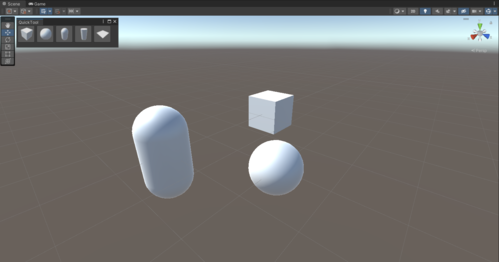
Unity Learn
In this example, you’re going to create a simple toolbar window with buttons to instantiate primitive objects in the Scene.
Nope, tbh I can't remember ever seeing one...
vapid prism
How do I make a label draggable for a custom drawer? I.E how you can click and drag on transform position "x" to change the value.
 wintry trout
Is there a way for custom inspector to have a method called every frame?
Or once every some time
sleek basin
gloomy chasm
Ah, well I am he!
Which one to use? Depends on which one sounds easier for you t...
Ayyy, thank you! Yeah so I think I wanted to just execute a script in the editor. I was getting bunch of errors with Rider when I used this system:
 gloomy chasm
sleek basin
Ayyy, thank you! Yeah so I think I wanted to just execute a script in the editor...
gloomy chasm
sleek basin
Ayyy, thank you! Yeah so I think I wanted to just execute a script in the editor...
Looks like Rider isn't seeing the unity editor assembly properly
 abstract meteor
Hello, I want play a animation on EditorWindow, Who can help me? Please
 brazen tiger
What are the best online resources to learn editor scripting? Can anyone suggest any youtube channel/playlist
visual stag
brazen tiger
What are the best online resources to learn editor scripting? Can anyone suggest...
It's a huge field. You're going to have to elaborate.
If you're just looking to make custom editors and property drawers I would read the docs and feel it out. Here's a great place to ask specific questions. There are some pinned resources that go into certain specifics.
 blazing imp
I was wondering which softwaring should I go with to write code
Should I go with vs code
Or
Visual studio community
??
 clear kite
blazing imp
??
clear kite
blazing imp
??
This is not correct channel. This is dedicated for "Discussion around Editor Windows, Property Drawers and more"
blazing imp
In which channel should i ask
clear kite
blazing imp
In which channel should i ask
I think #💻┃unity-talk
blazing imp
K
patent venture
brazen tiger
What are the best online resources to learn editor scripting? Can anyone suggest...
Hopefully these lovely people should get you started. ACDev especially, he has some really useful tutorial series on editor scripting.
https://www.youtube.com/channel/UCqdCmd2KBz0tOF_kQKsxDJg
https://www.youtube.com/channel/UCM4sR1LBPsNx0R2KEQK6_mg

YouTube
My name is Adam Chandler and this channel is all about the ins and outs of Game Development. I create game-dev tutorials using Unity and Unreal with a programming emphasis, but not exclusive to programming! I also enjoy talking about Sound Design and Aesthetic as well, so be on the lookout for those videos. We'll explore a good mix of basic, int...

YouTube
Otter Knight is the self proclaimed world's coolest indie game developer and publisher. We're a small team that want to make experimental games. On the way, we try our best to make devlogs aimed at entertaining and showing off our projects, as well as educational videos.
The educational videos are focused on beginners and specific niches or obs...
patent venture
I have another really weird and stupid question. How can I replicate the AudioListener component? There is no dropdown button on the component and it does not have a body, just the typical header controls that components have. I have input classes which act as middlemen with no real editable fields and I want to save space in the Inspector. I've tried overriding inspector GUI methods and have an empty component body, but cannot hide it completely.
 gloomy chasm
patent venture
I have another really weird and stupid question. How can I replicate the AudioLi...
gloomy chasm
patent venture
I have another really weird and stupid question. How can I replicate the AudioLi...
You can't. It is handled specially by some super internal and super hardcoded stuff.
patent venture
Not even through reflection? Is it like actual C++ code?
gloomy chasm
patent venture
Not even through reflection? Is it like actual C++ code?
It is either hardcoded like it checks specifically for the audio listener right before it draws or it is C++ code and I don't remember which.
But either way it isn't possible to do it. You can make a custom editor and override the GUI method so it just wont show anything. This is what some scripts in HDRP and URP do.
patent venture
Yeah, that's what I already have for the component above.
Ahh well, its not too important, I was just curious to see if it was possible. Thanks.
gloomy chasm
Yeah, I get it. I like my editor stuff to look nice and clean too!
 dapper niche
Hey guys, I hope this goes here. If not can you point me to the appropriate channel?
2D mode, editor, scene view. I want to have a keyboard shortcut to instantiate a prefab wherever the mouse is. I can do the instantiate, the problem is finding out the mousePosition, and I can't believe I'm not finding how to do this.
The best I've found is, inside an OnSceneGUI, use something like:
Vector2 position = Event.current.mousePosition;
position = SceneView.lastActiveSceneView.camera.ScreenPointToRay(position).origin;
position = new Vector2(position.x, -position.y);

InstantiateFunction(position);
The thing is, it places the object approx 1 unit below of where my mouse is pointing. Everything I've found on the topic is posts 10 years ago and no solution. There must be a way.
 worn trail
Hello, I am creating a custom editor for a scriptable object, and I am using serialized properties to change values of the scriptable object. How can I add an element to an serializedproperty array in unity?
waxen sandal
increment arraysize
worn trail
and then insert?
worn trail
i increment then insert at the last index right?
waxen sandal
No you increment then GetArrayelementAtIndex
worn trail
The array is a string, so when I increase the size, unity automaticaly adds an empty string?
waxen sandal
Pretty much
 nova swallow
Hi
I have a problem with scriptable objects, serialization and modification from a custom inspector.
On the SO, i have a list of serializable objets that contains some fields.
On each of theses objects i have a button that open a popup and automaticaly edit the object's fields with the user choices.
It works, but the SO is not saved, and when i reopen the editor, the edition is lost.
If i allow to modify directly a field, the SO is correctly saved.
Is there a way to force the dirty flag of the SO on the script of the button of my subobject ? Without knowing the current edited object on the inspector.
[CreateAssetMenu(fileName = "Dialog", menuName = "Game/Dialog", order = 1)]
public class DialogObject : ScriptableObject
{
    [SerializeField] List<LocText> m_texts = new List<LocText>();
}

[Serializable]
public class LocText
{
//the two hidden fields
    [HideInInspector]
    [SerializeField] int m_id = LocTable.invalidID;

    [HideInInspector]
    [SerializeField] string m_textID = "";

#if UNITY_EDITOR
        Rect m_setupRect;
#endif

    [OnInspectorGUI]
    private void OnInspectorGUI()
    {
    //add a button on the element inspector to select the wanted located text and fill the two fields
#if UNITY_EDITOR
        if(GUILayout.Button("Setup", GUILayout.Width(100)))
        {
            PopupWindow.Show(m_setupRect, new LocSelectionPopup(this));
        }
        if (Event.current.type == EventType.Repaint)
            m_setupRect = GUILayoutUtility.GetLastRect();

        GUILayout.EndHorizontal();
#endif
    }

    //update the 2 fields from the LocSelectionPopup window
    public void SetText(int id)
    {
#if UNITY_EDITOR
        m_id = id;
        var table = LocList.GetEditorList().GetTable();
        m_textID = table.Get(id);
#endif
    }
}
to be able to save the changes you must SetDirty
also, I think you can just do hide and serialize in one go [SerializeField, HideInInspector]
also, why you keep tagging #if Unity_Editor 😆 ...
 barren plinth
Sorry if wrong channel, how can I create shader graph in hdrp unity 2021.3? In all packages it says that it's installed but there's no create new shader graph option
peak bloom
and to save it explicitly from the code you can do AssetDatabase.SaveAssets();
nova swallow
to be able to save the changes you must SetDirty
LocText is not an unity object, i can't do that.
Or i can inherit of unity object to be allowed to do that ? 🤔
also, I think you can just do hide and serialize in one go [SerializeField, HideInInspector]
I know but i prefer like that
also, why you keep tagging #if Unity_Editor 😆 ...
Mixing editor and "gameplay" code in the same file. The editor stuff wont build in the standalone game
nova swallow
peak bloom
and to save it explicitly from the code you can do `AssetDatabase.SaveAssets();`
it won't work because my SO is not dirty
peak bloom
wut
gloomy chasm
nova swallow
it won't work because my SO is not dirty
That is why you do EditorUtility.SetDirty(so);
As Slime said
nova swallow
I don't have a ref on the so on the LocText type, as i can use it everywhere, it's only a data that is linked to a located text.
peak bloom
that's just a custom class
tag it with [Serializable] I was blind it's already there :/
nova swallow
maybe there are a global to have the current item on the inspector ?
see my snipet, it's already the case
gloomy chasm
The real issue is that you are mixing editor and runtime code. If your OnInspectorGUI code was instead a PropertyDrawer or in a custom editor for DialogObject this wouldn't be an issue
nova swallow
that's true, it was easier with theses odin callback, but it look like it fuckup the serialization.
nova swallow
nova swallow
maybe there are a global to have the current item on the inspector ?
i just found that, it works, but it feel bad
EditorUtility.SetDirty(Selection.activeObject);
i'm going to switch to a PropertyDrawer, to support the undo too
Thanks guys
 pseudo jasper
is there a way to get the serializedobject associated with a given Object? e.g., a material
gloomy chasm
pseudo jasper
is there a way to get the serializedobject associated with a given Object? e.g.,...
var serializedObject = new SerializedObject(material);
pseudo jasper
perfect! thanks very much
 final vector
Hey guys! Not sure if this is the right place to put this and it might seem kinda stupid to ask, but I'm making a scriptable object and the editor is messing with me. Anyone know how to get the first item in this text area for an array of strings to expand a little?

It being all skinny like that's gonna make it a little annoying to work with, ha ha.
visual stag
Try updating to the latest version of Unity in your release
they've all had a fix for first-element sizes for custom drawers in collections
 brave wigeon
Visual studio or Rider?
visual stag
brave wigeon
Visual studio or Rider?
visual basic is a programming language
visual stag
If this is a question about whether you should use Visual Studio Community or JetBrains Rider, use Rider if you can afford it or get it for free imo.
brave wigeon
How to get it for free
visual stag
brave wigeon
I'm still in middle school, which one should I use
by the way thanks for answering my question
is jetbrains rider for students really completely free?
visual stag
brave wigeon
is jetbrains rider for students really completely free?
have you clicked through and read what it says?

 cunning acorn
is it possible to have object spawned directly at the creation of the scene ? (like if i create a scene it will have the player directly implemented in it)
clear kite
cunning acorn
is it possible to have object spawned directly at the creation of the scene ? (l...
Have you tried this? https://forum.unity.com/threads/change-the-default-scene.340706/
cunning acorn
this EditorSceneManager.newSceneCreated is interesting thx :)
cunning acorn
is there something special to do with those callbacks ? because i cant make it work or did i forgot something ? (i'm not really good with callbacks and event...)
the code :
using System.Collections;
using System.Collections.Generic;
using UnityEngine;
using UnityEngine.SceneManagement;
using UnityEditor;
using UnityEditor.SceneManagement;

[InitializeOnLoad]
public class DefaultSceneModifier
{
    static DefaultSceneModifier()
    {
        UnityEditor.SceneManagement.EditorSceneManager.sceneClosing += SceneClosing;
        UnityEditor.SceneManagement.EditorSceneManager.sceneClosed += SceneClosed;
        UnityEditor.SceneManagement.EditorSceneManager.sceneOpening += SceneOpening;
        UnityEditor.SceneManagement.EditorSceneManager.sceneOpened += SceneOpened;
        UnityEditor.SceneManagement.EditorSceneManager.newSceneCreated += NewSceneCreated;
    }

    static void SceneClosing(UnityEngine.SceneManagement.Scene scene, bool removingScene)
    {
        Debug.Log("SceneClosing");
    }

    static void SceneClosed(UnityEngine.SceneManagement.Scene scene)
    {
        Debug.Log("SceneClosed");
    }

    static void SceneOpening(string path, UnityEditor.SceneManagement.OpenSceneMode mode)
    {
        Debug.Log("SceneOpening");
    }

    static void SceneOpened(UnityEngine.SceneManagement.Scene scene, UnityEditor.SceneManagement.OpenSceneMode mode)
    {
        Debug.Log("SceneOpened");
    }

    static void NewSceneCreated(UnityEngine.SceneManagement.Scene scene, UnityEditor.SceneManagement.NewSceneSetup setup, UnityEditor.SceneManagement.NewSceneMode mode)
    {
        Debug.Log("NewSceneCreated");
    }
}
Maybe try putting the subscription in a https://docs.unity3d.com/ScriptReference/EditorApplication-delayCall.html
cunning acorn
waxen sandal
Maybe try putting the subscription in a https://docs.unity3d.com/ScriptReference...
how do i use it ?
 nocturne cypress
does anybody know if it's possible to add a custom preview mode to this menu? I wanna be able to preview a render texture that's rendered to in a specific render pass but from the scene view
 cunning acorn
waxen sandal
Maybe try putting the subscription in a https://docs.unity3d.com/ScriptReference...
cunning acorn
waxen sandal
Maybe try putting the subscription in a https://docs.unity3d.com/ScriptReference...
okay sorry im just hella dumb ... the log were disabled in my console :'(
 reef lance
nova swallow
Hi
I have a problem with scriptable objects, serialization and modification from...
reef lance
nova swallow
Hi
I have a problem with scriptable objects, serialization and modification from...
Can't you just wrap this all in a UNITY_EDITOR check though?
nova swallow
it's usefull for the gameplay too, but some part are editor only
reef lance
I see
reef lance
nova swallow
it's usefull for the gameplay too, but some part are editor only
But if those methods set the variables, then they will never change in a build, right?
Or so other methods also set these?
Usually, Editor code is completely seperate from the actual runtime code
 smoky plover
How to gets callback when I add an element to a list?
        public override void OnInspectorGUI()
        {
            base.OnInspectorGUI();
            EditorGUILayout.PropertyField(_assetProperty, new GUIContent("Target Reference Tracker"));

            if (_assetObject != null)
            {
                SerializedProperty iterator = _assetObject.GetIterator();
                bool enterChildren = true;
                while (iterator.NextVisible(enterChildren))
                {
                    enterChildren = false;
                    EditorGUILayout.PropertyField(iterator, true);
                }
                _assetObject.ApplyModifiedProperties();
            }
            serializedObject.ApplyModifiedProperties();
        }
I'm using this code to show my list
it shows like this:

 short tiger
smoky plover
How to unexpose an exposedReference by code?
short tiger
smoky plover
How to unexpose an exposedReference by code?
I don't know how you get that table though
smoky plover
this isn't called
ClearReferenceValue is called when you unexpose property manually
 coarse lion
Hey I got an issue with Plastic csm. Ever since I got into the project, it's been giving me like a hundred different changes I need to commit- but the issue is, I can't commit them because it gives me an error. and I can't undo them either. Please help.
 coarse lion
ok, it fixed itself automatically.
 wispy zenith
have a bigger project which is now taking 30s to play -- I see RestoreManagedReferences is taking 4s on its own -- anyone have any clues on how to do better?
trail dawn
@languid mulch You've been already directed to use the forums for recruitment.
whole steppe
 valid sonnet
Is it possible to draw a 3D scene in an `EditorWindow`?
valid sonnet
Is it possible to draw a 3D scene in an `EditorWindow`?
Probably not a whole scene but you can draw models I think
gloomy chasm
valid sonnet
Is it possible to draw a 3D scene in an `EditorWindow`?
Yep, sure is. Though idk if you can load a scene asset and show it in a different window. Look in to PreviewSceneUtility.
Be warned, this is a more advanced aspect of creating custom editors.
gloomy chasm
whole steppe
Probably not a whole scene but you can draw models I think
For future reference it actually is! 🙂
gloomy chasm
Yeah! 😄
 queen prism
I am making Stat Data Base Editor, which allows to manage scritptable objects. Can someone help me please with an error
https://hatebin.com/hefpbhzrnu
It does not even show window for some reason, even though "ShowWIndow" is called
 gloomy chasm
queen prism
I am making Stat Data Base Editor, which allows to manage scritptable objects. C...
gloomy chasm
queen prism
I am making Stat Data Base Editor, which allows to manage scritptable objects. C...
The issue is that your visual tree doesn't have a StatCollectionEditor element with the name stats. Not really sure what else to tell you
That or database is null
Actually it is probably that one.
 gloomy chasm
queen prism
Visual tree has it
gloomy chasm
queen prism
Visual tree has it
Right, then it is because database is null. You don't set it until the selection has changed but try to use it when the window opens.
queen prism
gloomy chasm
Right, then it is because `database` is null. You don't set it until the selecti...
That's wierd
I took this code from the video, and it works for him...
gloomy chasm
queen prism
I took this code from the video, and it works for him...
Well that is your first problem haha.
But, it must be different because there is no way this code will work as is
There is a chance that Unity changed the call order of OnSelectionChanged. However even if that was the case, it will still break as soon as you open the window with anything besides a StatDatabase object selected.
queen prism
gloomy chasm
There is a chance that Unity changed the call order of OnSelectionChanged. Howev...
Something should have changed
Otherwise, it does not make sense
queen prism
gloomy chasm
Right, then it is because `database` is null. You don't set it until the selecti...
It calls it at the start of CreateGUI(), before using it
gloomy chasm
queen prism
It calls it at the start of CreateGUI(), before using it
What is called? OnSelectionChanged before CreateGUI?
queen prism
gloomy chasm
What is called? OnSelectionChanged before CreateGUI?
yes
Since it is called before, it should not be bull on the line 51
gloomy chasm
queen prism
yes
Well, try doing some Debug.Logs to find the issue. It is a bit of waste of time for me to keep trying to guess what might be the issue
queen prism
gloomy chasm
Well, try doing some Debug.Logs to find the issue. It is a bit of waste of time ...
OnSelection change is called for some rreason
even when I do not open any SO
gloomy chasm
queen prism
even when I do not open any SO
The window is probably open but rendered. Reset the layout to close it
queen prism
gloomy chasm
The window is probably open but rendered. Reset the layout to close it
First OnSelectionChange is called and then It tries to open the window
 gloomy chasm
queen prism
First OnSelectionChange is called and then It tries to open the window
gloomy chasm
queen prism
First OnSelectionChange is called and then It tries to open the window
Debug.Log all the stuff that happens on line 51
queen prism
gloomy chasm
Debug.Log all the stuff that happens on line 51
All this happens before I even do anything (such as clicking to open SO)
- OnSelectChange is called by iteself
- Then OnCreateGUI is called
- Database is assigned
- There is some root with no params
- stats is equal to null for reason

but my collection editor for sure has stats
 gloomy chasm
queen prism
but my collection editor for sure has stats
gloomy chasm
queen prism
but my collection editor for sure has stats
You sure it is the correct type?
gloomy chasm
queen prism
The name is the same
Try doing Debug.Log($"Stats Element: {root.Q("stats")}"); right after adding the stylsheet and see what it does
queen prism
gloomy chasm
Try doing `Debug.Log($"Stats Element: {root.Q("stats")}");` right after adding t...
it has null
gloomy chasm
queen prism
it has null
In the console it is just Stats Element: ?
queen prism
yes
queen prism
I can show my screen if it helps
I am already stack for 5 hours on this one (i was trying rebuilding it multiple times, since I thought i made an error before)
gloomy chasm
queen prism
I am already stack for 5 hours on this one (i was trying rebuilding it multiple ...
If you are having trouble, simplify the problem. Make a UXML file with a single Label in it and load that and see if you can query the label by name (and do nothing else). Then try adding the custom element and query that, keep doing that until it stops working and you will have a better idea of what is happening.
queen prism
gloomy chasm
If you are having trouble, simplify the problem. Make a UXML file with a single ...
Okay, so let's say I just want to open a window when I click on this SO
I commented out all code below root.StyleSheets.Add
However, it does not open anything
the code ShowWindow is called, but nothing appears
gloomy chasm
queen prism
the code ShowWindow is called, but nothing appears
Because you aren't showing it. window.Show();
queen prism
this does not change anything
I left only this

and call it through window panel in unity
restarting unity fixed this
Love when it happens
By the way, you do not need show
 twin egret
Question, I'm building a MenuItem but I'd like to pass a variable, is that possible in some way? Or is there a way to get one or multiple variables in a prompt from the user?
I want to do this:
    [MenuItem("Assets/Tools/Generate Animation (Framerate)")]
    public static void CreateAnimationWithFramerate(float amount)
    {
        CreateAnimation(amount);
    }
I currently have this, but I might have to add many more options, so my code is really bloating
    [MenuItem("Assets/Tools/Generate Animation (Framerate 4)")]
    public static void CreateAnimationWithFramerate4()
    {
        CreateAnimation(4f);
    }
    [MenuItem("Assets/Tools/Generate Animation (Framerate 6)")]
    public static void CreateAnimationWithFramerate6()
    {
        CreateAnimation(6f);
    }

    [MenuItem("Assets/Tools/Generate Animation (Framerate 12)")]
    public static void CreateAnimationWithFramerate12()
    {
        CreateAnimation(12f);
    }
Have it show a Modal window with a field and a 'confirm' button?
peak bloom
lol, deleted, didn't see the code snippet when I 1st opened the channel lol
 spice pumice
Hello curious what a good channel is for feedback on an editor bug?
Basically seeing some weird artifacts / misrepresentation of structs within the editor on the 0th element
Screenshot to help visualize the things im talking about
This happens for all structs being represented on the editor and only occurred after moving to vers 2021.3.4.1

left is "normal" where as the right is when i try to expand the 0th element
waxen sandal
Property drawer?
clear kite
spice pumice
Thats already known issue and fixed on newer versions iirc
wintry trout
Is there a way to create an EditorWindow without name label on it?

 heady sleet
wintry trout
Is there a way to create an EditorWindow without name label on it?
heady sleet
wintry trout
Is there a way to create an EditorWindow without name label on it?
quite sure yes, I remember doing so in the past, could be my memory failing though
wintry trout
heady sleet
quite sure yes, I remember doing so in the past, could be my memory failing thou...
I'd like to know how to do it though
heady sleet
wintry trout
I'd like to know how to do it though
ShowPopup()
twin egret
Does anybody have a code reference/sample on how to make an animator blend tree from 4 premade animations from a custom GUIEditor? I have a few hundred variations of a char which all have the same animations/directions and I want to automate the process.
the animations are build from script and hold the direction of the character, which should be translated to the blend tree, which I would name based from a GuiEditor inputfield
 peak bloom
is there a way for a ListView of uielement to notify item changes BEFORE item creation? this callback ListView.itemsAdded or it's derivatives, happens AFTER item creation. Which will cause issue if I have my customEditor for frame-by-frame (some may call it flipbook) animation is still running in the background, if I can be notified as earlier as possible, like before item creation then I can deal with the changes.
Currently, I'm using a workaround by adding separate buttons for adding/removing items in the list then the order of execution won't be a problem this way bcos it's up to me how they should be executed. BUT if I was using listView.showAddRemoveFooter the built-in add/remove functionality of ListView how would I go about checking item creation/deletion BEFORE something is happening to the content of the ListView?
Hope that makes sense, and also english isn't my 1st language so let me know if you're confused with the above
 south comet
hi id like to add specific behavior to variables in the inspector,
I have a Dialogue class that has a list of Lines; each Line has a DialogueCharacter and a Variant of that character; I want the Variant variable to show a dropdown menu with all of the provided DialogueCharacter's variants when the Dialogue object is inspected.
to clarify, this is the current behavior

and this is what i want it to do (PHOTOSHOPPED PICTURE)
 barren moat
Is it possible to add an option to the field right click menu?

I'd like to make a tool for mass-modfiying fields using algebra e.g. a popup where you could write x * 2 to double all field values in selected objects.
I have found this https://docs.unity3d.com/ScriptReference/ContextMenuItemAttribute.html, but I would like to, for example, make it apply to all fields of type int.
peak bloom
barren moat
I have found this <https://docs.unity3d.com/ScriptReference/ContextMenuItemAttri...
yeah use that instead... if you want to apply it to all IntegerField, you can make your own VisualElement customClass then implement the ContextMenuItemAttribute to it...
so you won't use var someVisEl = new IntegerField() but instead, your own
barren moat
peak bloom
yeah use that instead... if you want to apply it to all IntegerField, you can ma...
Ah, okay. I don't know what a VisualElement is... guess I need to look into it?
I am not doing any new IntegerField() at all
I just want to write a simple extension.
peak bloom
is this uitoolkit or what?
peak bloom
no no.. I mean uitoolkit or the old imgui?
oh okay... haha... I always assume all questions here were uitk.. lol
barren moat
It's whatever the default inspector is
Or any given inspector, ideally.
I'm not talking about creating a new inspector
Or a new editor window (well, I'll need the popup, but that is irrelevant to this)
Basically I just want a way of having a function that is called when you right click on a field and choose a custom option, then I can loop through selected objects and modify the field that was clicked.
peak bloom
you're looking for this dude, --> @gloomy chasm ... I'm just an NPC here.. lol
gloomy chasm
Lol, alrighty, whats up?
barren moat
my hero!
barren moat
barren moat
Basically I just want a way of having a function that is called when you right c...
@gloomy chasm this is my goal
Is it achievable?
The use case is that we have many SOs that need rebalancing, and I want to make a tool for my designer to mass-select and scale any float/integer up and down using a popup dialogue
but the thing I'm unsure about is just how to get the field path in a callback from the context menu.
It's trivial to bulk-modify fields, but only to a specific constant.
gloomy chasm
Are you wanting it to be for any old field, or specific fields, is it only for a type or only for an object with a custom editor?
also, UITK or IMGUI?
barren moat
gloomy chasm
Are you wanting it to be for any old field, or specific fields, is it only for a...
I want to support int and float, and I'm unclear about the UITK or IMGUI thing.
It doesn't seem obvious to me that that would apply, because I'm talking about default inspectors.
gloomy chasm
You can add global callback using the EditorApplication.propertyContextMenu (name should be something like that at least)
barren moat
Okay, amazing. That's what I want!
Yep. Perfect.
This will do nicely!
I can check for numeric types and add my option in there.
Thank you @gloomy chasm 🙏 ❤️🎉
gloomy chasm
barren moat
Thank you <@131292153300123648> 🙏 ❤️🎉
You're welcome glad I could help!
 wide ruin
Hi, I'm trying to create a custom Inspector that only shows a Transform field if an object is a specific type of enemy.
Here's the code I'm using
combatController.firePoint = EditorGUILayout.ObjectField("Fire Point", combatController.firePoint, typeof(Transform), true) as Transform;
It appears fine in the Inspector, but whenever I assign a Transform to it, it doesn't actually save it. I don't get the option to save the changes in the prefab. What's causing this?
livid remnant
wide ruin
Hi, I'm trying to create a custom Inspector that only shows a Transform field if...
do you use SetDirty and other asset saving methods? there are infos in pinned comments if needed (its at the bottom)
 timid coyote
is it possible to overlap the X button label onto the field under F4 text?
 gloomy chasm
timid coyote
is it possible to overlap the X button label onto the field under F4 text?
gloomy chasm
timid coyote
is it possible to overlap the X button label onto the field under F4 text?
Yes.
Is it UITK or IMGUI?
timid coyote
idk what are those
gloomy chasm
Are you doing new ObjectField() or EditorGUILayout.ObjectField(..)?
timid coyote
for the field EditorGUILayout.PropertyField and for the image GUILayout.Label
gloomy chasm
Right, that is IMGUI (Immediate Mode GUI, means it is drawn each frame).
You can just use a GUILayout.BeginVertical() do the property field and label and then GUILayout.EndVerticle()
timid coyote
idk if i can integrate it into this

firstly i draw the texts and then the properties
or like this?
 gloomy chasm
timid coyote
or like this?
gloomy chasm
timid coyote
or like this?
You are going to have to use the separate begin/end methods. Put the begin at the start, and end at the end. And where you have if (sprite == null) continue you also need to put an end there before continuing
south comet
im using a custom property drawer for a class; how can i call a method of the object of that class? for context, i want to populate an EditorGUI.Popup with data from that object
timid coyote
gloomy chasm
You are going to have to use the separate begin/end methods. Put the `begin` at ...
 gloomy chasm
timid coyote
gloomy chasm
timid coyote
What is that going to do?
You are just telling it to put each field in its own vertical group, but those groups will be put horizontally.
gloomy chasm
south comet
im using a custom property drawer for a class; how can i call a method of the ob...
You shouldn't. The proper way would be to recrate the logic of those methods in the property drawer using SerializedProperties.
south comet
ah so thats why its so difficult to do
timid coyote
like this then?
 south comet
can you point me in the right direction of how i would start recreating that logic?
gloomy chasm
south comet
can you point me in the right direction of how i would start recreating that log...
You do exactly the same logic, but instead of setting the values of the fields, you instead set them using SerializedProperties.
gloomy chasm
timid coyote
like this then?
Yeah I think that should work
timid coyote
 south comet
hi, currently im working with EditorGUI.PropertyField, how can i make the property width responsive? (like a fraction of the current inspector's width, rather than a fixed size)
wide ruin
livid remnant
do you use SetDirty and other asset saving methods? there are infos in pinned co...
Thanks, that fixed it!
twin egret
Question, how can I access the sprites within my texture from code:

So in this example I know how I can make my GUIEditor see I have Druid_jump selected, now I want to grab hold of the Druid_Jump_0_00 until Druid_Jump_3_03 within my code sample (without interaction of my user), so that I can setup the 4 animations for them
twin egret
My code so far:
List<Texture2D> textures = new List<Texture2D>(Selection.GetFiltered<Texture2D>(SelectionMode.Unfiltered));
foreach (Texture texture in textures)
{
    if (texture != null)
    {
        string path = AssetDatabase.GetAssetPath(texture);
        string containingFolder = null;
        if (string.IsNullOrEmpty(containingFolder))
        {
            containingFolder = path.Remove(path.LastIndexOf('/'));
        }
        var importer = AssetImporter.GetAtPath(path) as TextureImporter;
        List<Sprite> currentFrames = new List<Sprite>();
        int index = 0;
        foreach (SpriteMetaData spriteMetaData in importer.spritesheet)
        {
            string[] slice = spriteMetaData.name.Split('_');
            if (slice[2] != index.ToString())
            {
                //CreateAnimation(currentFrames.Count, currentFrames);
                currentFrames = new List<Sprite>();
                index++;
            }

// The Code works fine until here, I need the "Sprite" type object to set up the animation
            Sprite sprite = AssetDatabase.LoadAssetAtPath<Sprite>($"{containingFolder}/{spriteMetaData.name}");
            //currentFrames.Add(sprite);
            Debug.Log(sprite.name);
        }
    }
}
AssetDatabase.LoadAllAssetsAtPath
 cursive skiff
how do i detect a click on the scene view while in the editor?
using a custom editor window
twin egret
gloomy chasm
`AssetDatabase.LoadAllAssetsAtPath`
After some fiddling with that, I found my Sprites, thank you very much 🙂
 languid storm
Does anyone know how to set the position of the Scene View camera? I am able to set its FOV (see code) but I can't find a way to set its position:
        settings = SceneView.lastActiveSceneView.cameraSettings;
        settings.fieldOfView = ...
SceneView.lastActiveSceneView.camera.transform.position?
languid storm
gloomy chasm
`SceneView.lastActiveSceneView.camera.transform.position`?
Tried this, Unity resets those camera properties prior to rendering, so that is just immediately reset to the current position (https://docs.unity3d.com/ScriptReference/SceneView-camera.html)
For context, the only reason I need this is because when you change the Scene View camera's FOV, it also changes its position (Try changing the FOV and then look around). I want the cam's position to stay the same as I adjust the FOV so it acts like a normal camera zoom.
languid storm
I managed to do it!
If you want to stop the Scene View camera changing its position when you change the FOV, here's how:
- Create a class inside a folder called "Editor" under Assets
- Make it not a
MonoBehaviour, put[InitializeOnLoad]abovepublic class..., and create a method:static void s(SceneView v) - Add this constructor to the class:
    static NameOfYourClass()
    {
        SceneView.beforeSceneGui += s;
    }
- Create 2 variables for the cam's previous position and distance from pivot (first image)
- Inside
s, write code (2nd image) that gets the cam's current position and the cam's current distance from its pivot, if the distance from the pivot has changed, take the difference between the cam's current position and its last position, and move the pivot by the opposite of that, cancelling out the camera's movement. The cam positions itself relative to the pivot, so you move the cam, by moving the pivot.


 mellow trail
guys what extension gives you suggestion for finishing words, methods after the dot operator, etc
gloomy chasm
mellow trail
guys what extension gives you suggestion for finishing words, methods after the ...
You mean in visual studio. That comes automatically with Unity when you have your IDE configured and setup properly, see #854851968446365696 for how to do it.
mellow trail
ah thanks
mellow trail
gloomy chasm
You mean in visual studio. That comes automatically with Unity when you have you...
it still wont work, my unity is connected to visual studio 19 but i have visual studio 2022 installed, not sure what to do
gloomy chasm
mellow trail
it still wont work, my unity is connected to visual studio 19 but i have visual ...
In Unity, go in to Preferences > External Tools and change the External Script Editor
mellow trail
gloomy chasm
In Unity, go in to Preferences > External Tools and change the External Script E...
ive been looking for external tools cant find it, when i press preferences i only see projects, installs, etc but no external tools
 patent quarry
This might not be the place but how can I use [HideInInspector] on a variable from the parent class?
gloomy chasm
patent quarry
This might not be the place but how can I use [HideInInspector] on a variable fr...
You can't, you either have to add it to the field in the parent class it self or create a custom editor.
 lilac canyon
Hey, I'm trying to replace the 2d gizmos for certain types of entities in my scene with meshes to make things easier to look at and judge depth. I have these rendering with Graphics.DrawMeshNow() inside of OnDrawGizmos. This is great but I cant figure out how to make it so I can click on them in the scene view to select them like normal gizmos do. And I don't want to use normal gizmos since their graphics don't write to the depth buffer. Any suggestions?
 gloomy chasm
lilac canyon
Hey, I'm trying to replace the 2d gizmos for certain types of entities in my sce...
gloomy chasm
lilac canyon
Hey, I'm trying to replace the 2d gizmos for certain types of entities in my sce...
You mean like click on them to move them around and stuff?
lilac canyon
Yeah. I want to be able to click to select as if I had a mesh renderer on them.
gloomy chasm
lilac canyon
Yeah. I want to be able to click to select as if I had a mesh renderer on them.
Ah, I think you should already be able to select them iirc...
lilac canyon
I can't, unfortunately.
If I use Gizmos.DrawMesh I can, but that doesn't have some features that I want.
gloomy chasm
lilac canyon
If I use Gizmos.DrawMesh I can, but that doesn't have some features that I want.
Ah, that is what I was thinking of. What feature doesn't it have?
lilac canyon
They don't have textures or shading and gizmos appear through walls.
But gizmos will be good enough if there isn't a simple solution.
gloomy chasm
There is not
gloomy chasm
lilac canyon
But gizmos will be good enough if there isn't a simple solution.
There is this method in Editor, but I can't remember if it is show when the object is not selected (I don't think it is)
https://docs.unity3d.com/ScriptReference/Editor.OnSceneGUI.html
lilac canyon
Thanks. I will read through that.
lilac canyon
I think I could use that to cast a ray on click and check if I hit an entity. I would have to add colliders to all of my entities but it would probably be worth it. Thanks.
lethal helm
why does PropertyDrawer.GetPropertyHeight have a SerializedProperty parameter? How is it supposed to be used?
waxen sandal
If you want to change the height based on the values of a property
E.g. when something is expanded
lethal helm
alright
if it's not too much trouble could i get some guidance in making a property drawer with a variable height? it's for a serialized class
i could be mistaken but rn my understanding is that
the editor starts by calling GetPropertyHeight, and then it calls OnGUI with a rect set to that height
i'm trying to set a persistent height in the OnGUI call so that i don't need to duplicate the logic that determines what properties are displayed or not
public class ProjectileActionPropertyDrawer : PropertyDrawer {
    float totalHeight = 0;
``` so i've got an instance variable public override void OnGUI(Rect position, SerializedProperty property, GUIContent label) {
totalHeight = 0f;
EditorGUI.BeginProperty(position, label, property);
PropertyFieldAndNextLine(position, property.FindPropertyRelative("startFrame"));
totalHeight = 100f;
``` then i'm modifying it in OnGUI and hoping that it retains that value for the repainthow do i find the height occupied by a call to EditorGUI.PropertyField(position, property);?
since the property in the propertyfield could be anything
waxen sandal
lethal helm
how do i find the height occupied by a call to EditorGUI.PropertyField(position,...
EditorGUI.GetPropertyHeight
lethal helm
thanks!
i figured it out! thank you
it looks like i can't use FindProperty on this field with getter and setter: public string name { get; private set; } do you know how to fix that?
waxen sandal
Make it a serialized field
You can also use [field: SerializedField] on the property
lethal helm
[field: SerializeField] public string name { get; private set; }
or
[SerializeField] public string name { get; private set; }
i wasn't able to find success with those
waxen sandal
Oh yeah if you do that then the seriailzed name is different than the name of the property
You should really just make a backing field that has the attribute



 dire hatch
not sure which channel to ask this in but when I go into the skinning editor, the sprites become like this, with these weird angles

should be like this
 gloomy chasm
dire hatch
not sure which channel to ask this in but when I go into the skinning editor, th...
pseudo jasper
gloomy chasm
dire hatch
not sure which channel to ask this in but when I go into the skinning editor, th...
pseudo jasper
I'm having some unexpected behavior when trying to use serializedObject.FindProperty. It works as I expect for property names such as m_Name, m_Shader, etc, and gives me the contents of the serialized object properly. If I try to find m_ShaderKeywords, the property returns as null, but only in recent 2022 and 2021 - not on 2020 LTS.
the file contents look like this:
...
  m_Shader: {fileID: 4800000, guid: 71d6765ad72e11541bc1448c891bbcf9, type: 3}
  m_ShaderKeywords: COLOR_GRADING_ON RECEIVE_SHADOWS_ON USE_OBJECT_POSITION_ON
  m_LightmapFlags: 4
  m_EnableInstancingVariants: 0
  m_DoubleSidedGI: 0
...
all other properties I have no problems reading (including other string properties, such as name)
waxen sandal
Try iterating over all the serialized fields on the object and chdck if it has a different name
pseudo jasper
waxen sandal
Try iterating over all the serialized fields on the object and chdck if it has a...
thanks Navi, I checked and it doesn't appear in the list, however another property m_ValidKeywords does. That property is not defined in the file, which was saved in 2019
it seems like serializedObject actually uses only the struct fields from the expected representation, rather than using the file format (e.g. here it is a material, it seems like it expects a certain format so it doesn't let me see fields/formats from a previous version of unity)
dire hatch
gloomy chasm
<#763500535554375750>
ahh thankyou
 upbeat phoenix
is there a way to assing prefabs to the script automaticlly when you open the window
selecting soemthing from a drop down will already have a prefab assinged to it
please @ me if you know
gloomy chasm
upbeat phoenix
is there a way to assing prefabs to the script automaticlly when you open the wi...
What script when you open what window?
upbeat phoenix
well I referd to the editor as a script
I meant when the window is open its automaticlly assing
gloomy chasm
upbeat phoenix
I meant when the window is open its automaticlly assing
You assign the field in the OnEnable method
upbeat phoenix
any ideas on showing and unshowing options when a certian thing is selected from the drop down ?

ping me with anything please thanks!
gloomy chasm
upbeat phoenix
any ideas on showing and unshowing options when a certian thing is selected from...
Just use an if statement.
if (option == someOption)
{
  // some controls here
}
okay i didnt know if it was okay to do with editor
 spare temple
what do i do when prefab does not exist?
upbeat phoenix
spare temple
what do i do when prefab does not exist?
editor or scripr
spare temple
editor
upbeat phoenix
like how are you assinging it
spare temple
trying to build and publish a model for vrc but im getting that long error on te bottom
trail dawn
spare temple
trying to build and publish a model for vrc but im getting that long error on te...
VRC has their own discord where you should be asking questions regarding their workflow.
 quiet anvil
I'm trying to get visual studio code to work with unity, the problem is that intellisense doesnt work for anything exept the built in unity functions i.e ontriggerenter2d and such )and base csharp stuff. I have the Unity code snippets and unity tools extensions. Is there any way to fix this?
patent quarry
When I'm playing in editor my cursor can move out of the play screen, and when i click something while the cursor is outside of the play screen it unfocuses. How can i fix this?
shadow violet
patent quarry
When I'm playing in editor my cursor can move out of the play screen, and when i...
The editor does this for your own safety so you always have a way to control the editor while in Play mode - if you click on your game window after hitting Play, the game window will be focused and any code you have to change the cursor will apply - when you hit ESC, no matter what you will always unlock your cursor and be able to unfocus the game window - what are you wanting to have happen in your case?
patent quarry
shadow violet
The editor does this for your own safety so you always have a way to control the...
I want to unfocus only when i hit ESC, i dont want the editor to automatically decide when it should unfocus
I want the game to be focused at all times until i hit esc
gloomy chasm
patent quarry
I want to unfocus only when i hit ESC, i dont want the editor to automatically d...
Why? So you want it so that even if you click on something in the editor it still registers in game?
patent quarry
Turning around in the game and trying to interact with stuff is painful when the cursor is on an editor button and it unfocuses
Is there a fullscreen option, a hotkey for it?
gloomy chasm
patent quarry
Turning around in the game and trying to interact with stuff is painful when the...
You should use this at runtime initialization https://docs.unity3d.com/ScriptReference/CursorLockMode.Confined.html
patent quarry
Thanks i will check it out
 abstract solar
How can I detect when an object within the editor is deleted?
And spawned, for that matter.
waxen sandal
It's probably drawn twice with different ztests
Handles.ztest has a bunch of options, I don't remember which ones you need
 rugged urchin
how can i diagnose editor freezes like this?
 waxen sandal
Sounds like an odin bug
 wintry badger
Hi all, I am working with an array in an editor extension using SerializedProperty, however to speed up some calculations, I am using NativeArray. Copying the data from the array into the NativeArray is easy, as I just use the array object from the class directly (which is always gauranteed to match the SerializedProperty representation at the point of data calculation). However, after performing the calculations I need to copy the data from the NativeArray to the SerializedProperty. At the moment I am using GetArrayElementAtIndex, which is quite slow. Does anyone know of a faster way to copy the data?
gloomy chasm
wintry badger
Hi all, I am working with an array in an editor extension using SerializedProper...
I think using NextVisible(falae) is faster
wintry badger
gloomy chasm
I think using `NextVisible(falae)` is faster
You are right, it is faster. Thanks! I still wish there was some type of native copy operation like there is for copying regular arrays to NativeArray's and vice versa.
sleek basin
Not sure if this is a good spot to post - but
my profiler window is not showing any data- All of the modules are on, and the only error I am seeing is
The system is running out of memory - Please close applications to free memory or free up space on the partition where the pagefile is located. Used memory 38%
 near flume
So I've been working with the built-in animator, and I'm wondering if it's at all possible to just completely remake that system? I have no idea if editor extensions are even what I want for this kinda thing, but I've just not been a fan of the animation workflow and wanna make something better
Specifically like editing vectors in 3d, allowing variables to be used, etc. Is that possible, and are editor extensions what I want?
gloomy chasm
near flume
Specifically like editing vectors in 3d, allowing variables to be used, etc. Is ...
An editor extension is just code that runs in the editor. So if you are wanting to make a full animation system then you will want to have both editor code and runtime code.
The editor code would be for things like custom windows, editors, property drawers etc.
near flume
Okay, thank you!
I'll have to look into what would actually need to be done in-editor and runtime
lethal helm
hey everyone
why do i need to supply a label to a call of GetPropertyHeight?

does this 'label' refer to the containing property's label or to the property i want the height of?
because it seems like i don't know what a property's label is at the time i call it
certainly when you call PropertyField the label is assumed
yeah, i've isolated problems to this line and the label, but i don't know what label to put. idk what it expects
there's no SerializedProperty.label to reference from
also im confused by this


if the last two have default values that means GetPropertyHeight(property); is a valid signature isn't it
ohh i see where i went wrong! that's a different metthod entirely just with the same name
 slender meteor
when domain reloading happens, what happens to the background threads and/or tasks created by the editor extensions? is unity supposed to clean them up or is it up to extensions to clean their own
 limpid linden
slender meteor
when domain reloading happens, what happens to the background threads and/or tas...
limpid linden
slender meteor
when domain reloading happens, what happens to the background threads and/or tas...
I'd expect you to have to handle them
gloomy chasm
slender meteor
when domain reloading happens, what happens to the background threads and/or tas...
They are closed because the whole C# domain is closed and then restarted basically.
slender meteor
well, in my experience, sometimes they are not closed. i have a background network task running up. when not terminated properly;
a) cannot initialize the connection again because getting port is being used error
b) unity doesn't exit properly when closing, had to close through task manager (alt+ctrl+del)
couldn't find any info in the docs as well
limpid linden
I'd manually handle them either way for safety
gloomy chasm
slender meteor
well, in my experience, sometimes they are not closed. i have a background netwo...
That is something a bit different but yeah I would manually handle it anyway for safety.
 jolly turret
is this where I would ask questions pertaining to Ink?
gloomy chasm
jolly turret
is this where I would ask questions pertaining to Ink?
What is Ink? If it is an existing third-party plugin/extension that you have a question about how to use it, then you should use a method of support provided by the publisher of it (their discord or email or forums).
jolly turret
Yea it’s a third party plugin. I’ve tried their support avenues with no response.
It’s on the asset store though..so if anyone knows anything about it/has used it before, I’ve got a question about using external functions.
 soft briar
how can i set thumbnail for prefabs? (i want to set some image/picture for my particle system prefabs, instead of blank icon)
https://cdn.discordapp.com/attachments/497874004401586176/997375878239633529/unknown.png

 tender olive
soft briar
how can i set thumbnail for prefabs? (i want to set some image/picture for my pa...
tender olive
soft briar
how can i set thumbnail for prefabs? (i want to set some image/picture for my pa...
Have you tried this? Just googled your question, haven’t tried it myself lol

Unity Forum
Hi,
I've been stuck on this problem for days now and I cant seem to find a solution anywhere.
I'm working on a procedural tilemap editor and I want to...
soft briar
tender olive
Have you tried this? Just googled your question, haven’t tried it myself lol
i searched a lot, but didn't find this, ill look at it, thanks
soft briar
tender olive
https://forum.unity.com/threads/change-prefabs-thumbnails.389935/
i'm trying this, but can't make it to work, he didn't tell where to place first script(void PrefabScreenShot), and how to use it , or how/where to subscribe to prefabSaving delegate
unfortunately it's missing some walkthrough
timid coyote
how can i get the SerializedProperty of the field sprite in the Key class?
[SerializeField] private List<Key> bindingsImagesList = new List<Key>();
private SerializedProperty _bindingsImagesListProperty;
_bindingsImagesListProperty = _serializedObject.FindProperty("bindingsImagesList");

var keyProperty = _bindingsImagesListProperty.GetArrayElementAtIndex(keyIndex) // .sprite ;
 limpid linden
timid coyote
how can i get the SerializedProperty of the field sprite in the Key class?
```
[...
limpid linden
timid coyote
how can i get the SerializedProperty of the field sprite in the Key class?
```
[...
you can get the serializedProperty of a field by putting the name of the field in FindProperty(string fieldName)
timid coyote
i already did that, but i just want to show the Sprite sprite field into the custom window
limpid linden
timid coyote
i already did that, but i just want to show the Sprite sprite field into the cus...
Lookup GUILayout, EditorGUI and EditorGUILayout methods, they'll be the ones you want to draw fields and data
timid coyote
var keyProperty = _bindingsImagesListProperty.GetArrayElementAtIndex(keyIndex);
                    EditorGUILayout.PropertyField(keyProperty, GUIContent.none, GUILayout.ExpandWidth(false));
``` this is how i drew the field, but i changed the array from a Sprite one to the Key class one, and the problem now is that i cant accest the sprite field to draw it againvar spriteProperty = keyProperty.FindRelativeProperty("sprite");
if you want to draw the key itself, you'll need to serialize the class using [System.Serializable]
gloomy chasm
timid coyote
didnt work
What do you mean "didn't work"
timid coyote
1 sec
limpid linden
that tells unity it can be converted into bytes, modified and then written back
gloomy chasm
Oh yeah, you need to add the Serializable attribute to the Key class
Good catch @limpid linden
limpid linden
ey no worries, should have seen me yesterday literally not reading the help someone requested properly 😭
timid coyote
i get the out of bounce error, but idk why

public void OnEnable(SerializedProperty listProperty, List<Key> list)
        {
            _bindingsImagesListProperty = listProperty;

            foreach (var sprite in _bindingsImagesList)
                list.Add(sprite);
        }
list is the field of listProperty
gloomy chasm
keyIndex is wrong/out of bounds
gloomy chasm
Why don't you just share the full code. It will save a lot of time
timid coyote
so i have the main window class that calls OnEnable on the KeyboardLayout
 timid coyote
```
public void OnEnable(SerializedProperty listProperty, List<Key> list)
...
timid coyote
timid coyote
```
public void OnEnable(SerializedProperty listProperty, List<Key> list)
...
this one
gloomy chasm
timid coyote
so i have the main window class that calls OnEnable on the KeyboardLayout
Look in #854851968446365696 for how to share code
timid coyote
its a lot
gloomy chasm
timid coyote
there are 3 scripts
limpid linden
If you need to share snippets I'd say use pastebin or even https://paste.myst.rs/ (imo its more readable and flexible)
nah we dont need all 3
just the editor one
timid coyote
the layout script calls the drawing functions
but the custom window script calls the function that draws
found the problem
_keyboardLayout.OnEnable(_bindingsImagesListProperty, bindingsImagesList);
_serializedObject.Update();```just had to call _serializedObject.Update(); to update the list
limpid linden
Yeah I saw your loops and they seemed to be fine so I was looking through the calls
timid coyote
ty thought 😄
limpid linden
Pretty sure you should be able to get away without calling the update method on the serializedObject in OnEnable
gloomy chasm
Just so you know, you don't need to use SerializedProperty for editor windows (unless you want the automatic undo that comes with it.
timid coyote
didnt really understand all the classes in the editor namespace, i just watched brackeys tutorial and i stick to that
 tardy pecan
Are the PropertyDrawers using UIElements only available in 2022.2+?
I'm trying to create Property Drawers using UIElements in 2021.3 LTS, but it doesn't seem to work at all
gloomy chasm
tardy pecan
Are the PropertyDrawers using UIElements only available in 2022.2+?
Yes and no. They require you to create a custom editor for the object which uses UITK. Otherwise yes it requires 2022.2.
tardy pecan
Oh so you can only use them if you have a custom inspector on top?
gloomy chasm
tardy pecan
Oh so you can only use them if you have a custom inspector on top?
Yeah, they only work when the object with the field uses a custom inspector.
Basically it is like this, IMGUI can be drawn from inside UITK elements, but UITK elements cannot be drawn from inside of IMGUI.
The default inspector is drawn using IMGUI (prior to 2022.2) so it cannot draw UITK PropertyDrawers. So you need a custom inspector that uses UITK in order to draw them.
tardy pecan
Ah ok thank you very much for the clarification! Looking forward to 2022 LTS then!
tough cairn
is there a way to draw a black box behind UnityEditor.Handles.Label ?
preferably with the same size as the text
( depending on the length of the string )
that's what i got so far ( without the background ) :
var colorOriginal = GUI.color;

if( color != default ) GUI.color = color;

#if UNITY_EDITOR

var size = UnityEditor.HandleUtility.GetHandleSize(target.position) / 6f;

var up = UnityEditor.SceneView.currentDrawingSceneView.camera.transform.up;

UnityEditor.Handles.Label( target.position + up * size * offset, text);

#endif

if( color != default ) GUI.color = colorOriginal;
maybe something like GUILayoutUtility.GetLastRect but for handles ?
tough cairn
nvm i figured it out
using UnityEngine;
public static class Gizmo
{
    public static void Text( Vector3 position, string text, int lineOffset = 0, Color color = default, Color background = default, bool bold = false , int size = 12 )
    {
        #if UNITY_EDITOR

        GUIStyle style = new GUIStyle( UnityEditor.EditorStyles.label );
        style.normal.textColor = color;
        style.normal.background = Texture2D.blackTexture;
        style.normal.scaledBackgrounds = new Texture2D[] { style.normal.background };
        style.fontStyle = bold ? FontStyle.Bold : FontStyle.Normal;
        style.richText = true;
        style.fontSize = size;

        var cam = UnityEditor.SceneView.currentDrawingSceneView.camera;

        var up = cam.transform.up;

        var lineHeight = UnityEditor.HandleUtility.GetHandleSize( position ) / 6f * (size / 12f);

        var pos = position + up * lineHeight * lineOffset * -1;

        var content = new GUIContent( text );

        if( background != default )
        {
            var screen_size = style.CalcSize( content );

            var A = cam.WorldToScreenPoint( pos );
            var B = A + new Vector3( screen_size.x, 0 );
            var C = A + new Vector3( screen_size.x, -screen_size.y );
            var D = A + new Vector3( 0, -screen_size.y );

            var shift = lineHeight * 0.2f * up;

            B = cam.ScreenToWorldPoint( B ) + shift;
            C = cam.ScreenToWorldPoint( C ) + shift;
            D = cam.ScreenToWorldPoint( D ) + shift;

            var verts = new Vector3[] { pos + shift, B, C, D };

            UnityEditor.Handles.DrawSolidRectangleWithOutline( verts , background, background );
        }

        UnityEditor.Handles.Label( pos, content , style );

        #endif
    }
}
example

    private void OnDrawGizmos()
    {
        var stresses = joint.GetNormalizedJointStress();
        for( var i = 0; i < stresses.Length; i++ ) {
            var s = i + " " + stresses[i].ToString("N3");
            Gizmo.Text( transform.position, s , i , Color.yellow , background : Color.black, size : 12 );
        }
    }
Hey! Is there any handles to create a simple arrow in the Scene view? I remember that there was something a while ago but it might not be there anymore (last time I used it was in 4.x so it might have been removed)
I basically want to display the forward axis of an item at all times
tardy pecan
Can this work inside of OnDrawGizmos? I've used it and it doesn't seem to appear
limpid linden
tardy pecan
Can this work inside of OnDrawGizmos? I've used it and it doesn't seem to appear
on editor side only yeah
if you would like a gizmo only arrow you could take advantage of lines and draw 3/4 to make a point: ->
 tranquil goblet
I'm trying to make a custom property drawer that shows a button next to any Vector3s in the inspector that when clicked will display the editor vector arrows in the scene and let you edit the vector 3 that way. The displaying the arrows and editing its value parts works but whenever I deselect the object it gives me the error "NullReferenceException: SerializedObject of SerializedProperty has been Disposed.". What can I do to avoid this? / am I even doing this correctly? This is my first time working with the UnityEditor api so I'm not very familiar with it.

I'm on unity version 2019.4.33f1 (ik it's a bit outdated)
visual stag
You're statically caching a serialized property and never unsubscribing from the GUI callback
so when you deselect the object that callback is still running and the serializeObject is invalid
tranquil goblet
so I have to unsubscribe from the GUI callback when the object is deselected?
visual stag
Yeah, though you may be able to catch the exception and unsubscribe then
but I'm not sure if it's an exception or just a log error
tranquil goblet
it shows as an error
visual stag
It's an exception you can just catch
tranquil goblet
It worked tysm
abstract solar
How can I run some code of a GameObject is removed in the editor? Like if I just hit delete in the hierarchy
peak bloom
that's a very confusing question tbfh 👀
if what you meant was to look for a recently added/removed gameObject, yes you can..
    static HierarchyMonitor()
    {
        EditorApplication.hierarchyChanged -= OnHierarchyChanged;
        EditorApplication.hierarchyChanged += OnHierarchyChanged;
    }

    static void OnHierarchyChanged()
    {
      //Do your thing!!
    }
it can also detect if there are changes to gameObject's name
well the last point, pretty sure it wasn't there before.. so uh
 round blade
When I receive OnPostprocessAudio(AudioClip) the audio clip I get is not a real audio clip. It's not null because it returns false when you check for null but everything else is the default value (e.g. name is empty). When I assign it to an object, the object reports None. Am I doing something wrong?


I also tried loading the asset first but the scriptable object still reports None.
 waxen sandal
Try delaying it one frame
visual stag
 visual coral
Hi, I made a Property Drawer and it works great on ints, floats and strings but not on the array versions. Using it on arrays gives me the Error : "Unsupported type Vector" and applies changes to every element```cs
[CustomPropertyDrawer(typeof(EntityActionAttribute))]
public class EntityActionPropertyDrawer : PropertyDrawer
{
private int _selected;
public override void OnGUI(Rect position, SerializedProperty property, GUIContent label)
{
    string[] names = new string[EntityActionDataBase.Instance.EntityActions.Length];

    for(int i = 0; i < names.Length; i++)
    {
        names[i] = EntityActionDataBase.Instance.EntityActions[i].Name;
    }

    _selected = EditorGUI.Popup(position, _selected, names);

    switch (property.propertyType)
    {
        case SerializedPropertyType.Integer:
            property.intValue = _selected;
            break;
        case SerializedPropertyType.Float:
            property.floatValue = _selected;
            break;
        case SerializedPropertyType.String:
            property.stringValue = EntityActionDataBase.Instance.EntityActions[_selected].Name;
            break;
    }
}
}
PropertyDrawers can only target elements of arrays, and not the array property itself. It's just how they work.
visual coral
visual stag
PropertyDrawers can only target elements of arrays, and not the array property i...
So theres no way to have seperate elements in the array?
visual stag
I'm not sure what you mean, but applying a property attribute to an array is just applying the drawer to each element, not the array property
and there is no way to change that, only by drawing an editor and drawing the array property yourself can you do that afaik
visual coral
I probably just suck at explaining, a small vid is probably going to be useful so wait a sec
The popup apparently didnt get recorded but you get the point
All of the elements get changed
visual stag
Ah, yeah the drawer is shared across all times it's drawn, only the property passed in changes
You can override this and make it false https://docs.unity3d.com/ScriptReference/PropertyDrawer.CanCacheInspectorGUI.html and then I think it uses a new one for each property
waxen sandal
Better is to make _selected a local variable instead
Don't put variables on the class level ideally, if you really have to do what vertx suggested
visual stag
Certainly better to just get the values back from the property if you can
visual coral
waxen sandal
Better is to make _selected a local variable instead
I'm quite new to editor stuff are you talking about putting it in the "PropertyAttribute"?
waxen sandal
A local variable is a variable defined in a method and thus goes out of scope after the method ends
To do that, you have to figure out what array element is currently selected based on the value of your field
visual coral
waxen sandal
A local variable is a variable defined in a method and thus goes out of scope af...
Sorry, I probably said that wrong. Am I supposed to put it in the property drawer, the property attribute or the script I'm using the attribute in?
waxen sandal
The OnGUI method