#✨┃vfx-and-particles
1 messages · Page 22 of 1
 dusky frigate
 ashen robin
Probably not with that node
Is there any docs about this you're reading that uses it with these fullscreen shaders
dusky frigate
theres documentation on the rain node itself, as well as it's components
https://docs.unity3d.com/Packages/com.unity.shadergraph@14.0/manual/Shader-Graph-Sample-Production-Ready-Weather.html
this is all ive found thats helped me so far
i mostly only care about the rain drops and streaks down walls, though the issue is that im not sure how to apply those without using a fullscreen shader (unless i add it to literally every gameobject at runtime which is obviously terrible for performance)
and the individual nodes for those only have normal maps/masks for the drops
ashen robin
I would just make a quad and stick it in front of the camera
this way you can take advantage of the scene lighting
dusky frigate
hm, okay
ashen robin
I'm not too sure with shader graph if you want it as fullscreen but there's probably some way about it I'm not thinking of
 sudden pebble
What do you mean? Component?
 warm torrent
sudden pebble
What do you mean? Component?
warm torrent
sudden pebble
What do you mean? Component?
If you don't know what I mean by "particle system module" you can search up that term easily to know
Whatever system you actually are using you do have to show the relevant parts to us, how do you expect us to give advice otherwise
sudden pebble
warm torrent
If you don't know what I mean by "particle system module" you can search up that...
Is this what you mean by module?
 warm torrent
sudden pebble
Is this what you mean by module?
warm torrent
sudden pebble
Is this what you mean by module?
I have to ask did you attempt to look up what particle system module refers to
sudden pebble
warm torrent
I have to ask did you attempt to look up what particle system module refers to
The shape of this arc?
warm torrent
sudden pebble
The shape of this arc?
If you still have to guess, I take that as a no
sudden pebble
warm torrent
If you still have to guess, I take that as a no
Well, I looked at the trails and renderer modules. I thought it had to do with the material. I changed Shape, but it didn't help
Shape - module
warm torrent
sudden pebble
Well, I looked at the trails and renderer modules. I thought it had to do with t...
You looked at them and changed them in some way
But did not show us what settings they have now, nor how you tried changing them
You see the issue we have trying to help?
sudden pebble
warm torrent
You looked at them and changed them in some way
But did not show us what setting...
Well, here are the modules, which I have included, and their settings

 warm torrent
sudden pebble
Well, here are the modules, which I have included, and their settings
warm torrent
sudden pebble
Well, here are the modules, which I have included, and their settings
Seeing these makes it possible to give advice
Particle system's trail module's smoothness is limited by two factors, the minimum vertex distance and framerate
You can verify if decreasing min vertex distance affects it, but it probably won't because looks like each angle has more than 0.2 units between
Because the sword swing is quick, likely the framerate simply isn't high enough to calculate the trail at enough points along the swing's arc
There's nothing you can do about that with the particle system alone
An alternative would be to use the line renderer or trail renderer and manually assign points of their curves to interpolated angles along the swing, in the inbetween points where the sword passed through between frames
Simpler still, and a very common solution would be to have one particle that has the arc of the swing as a texture, rotating along the swing
The disadvantage is just that it'll be flat, so it can't be conformed to swings which have sudden changes in the arc
warm torrent
dusky frigate
i mostly only care about the rain drops and streaks down walls, though the issue...
What do you mean by "it'll be obviously terrible for performance"?
More of a #1390346776804069396 question, and technically not a simple ask at all
Practically it might turn out to be simple, but it helps to examine some assumptions first
 mighty mulch
I am making a particle system for my VR project in unity 6.3. I was following a tutorial (for an older editor version). in the tutorial they use a particle material shader with transparency. When I checked this in my VR headset though I can see the transparent billboards like my particles are painted on glass. when I tried using a shader graph URP material with transparency and alpha clipping the colour over lifetime settings don't work (since I have used other alpha clipping shaders and not had this glass transparency problem) Is there a way to either enable alpha clipping on the particle shader or a way to use a shader graph with the colour over lifetime effect? thanks


oh in the particle screen shot the left is the particle shader the right is the URP
mighty mulch
never mind I figured it out

 clear spruce
 spring shoal
The inverted option of a collision block should do https://docs.unity3d.com/Packages/com.unity.visualeffectgraph@10.2/manual/Block-CollideWithAABox.html
warm torrent
Could collide with the box, kill or hide when outside the box, or apply forces back towards the box when outside of it
 strange sky
Hi guys, I have a question about the Decal Projector.
I have a circle and some text inside it using two different projectors. When I rotate the text, it also appears inside the three small circles, which I don't want.
Does anyone know how to prevent this?
 clear spruce
strange sky
Hi guys, I have a question about the Decal Projector.
I have a circle and some t...
clear spruce
strange sky
Hi guys, I have a question about the Decal Projector.
I have a circle and some t...
At least I cannot think of much of other solutions than using a decal shader that combines the two images the way you want. Shader graph supports decal shaders nowadays
Could use a separate mask texture to mask out those circles in the shader
strange sky
i will take a look thx
clear spruce
Well actually you could just do the masking for the text decal and keep the two projectors but might as well combine them together into one shader. That way the circles should always stay in sync if you rotate the projector or something
strange sky
clear spruce
Well actually you could just do the masking for the text decal and keep the two ...
It's working, I've done this, but I need to add an emission color and I don't know much about it. How i'm supposed to do ?

Because when i add emission its done on all the texture like the transparent i know i need a mask and its work for material but when i do it on my shader i juste have an other line of text with emission
clear spruce
strange sky
It's working, I've done this, but I need to add an emission color and I don't kn...
Could you not just drag the same value that goes into the Base Color slot into the emission but just multiply it by some emissive multiplier?
Where alpha is 0, there should not be any emission either
Unless the decal shader does something weird
strange sky
clear spruce
Could you not just drag the same value that goes into the Base Color slot into t...
I got this weird thing when i multiply basecolor with emission node in the emission
 clear spruce
strange sky
I got this weird thing when i multiply basecolor with emission node in the emiss...
clear spruce
strange sky
I got this weird thing when i multiply basecolor with emission node in the emiss...
Can you show what the whole graph looks like now?
 clear spruce
strange sky
clear spruce
strange sky
I'm trying to replicate the effect but I'm not able to. The only thing I can see is that semi-transparent parts will get more visible with crazy high emission values which can look bit weird but also makes some sense since even lets say a pixel with 0.1 alpha value will emit quite some light albeit it 10x less than that of a fully opaque pixel. For me fully transparent parts do not show up at all. You could of course try to multiply the emissive multiplier by the alpha value which can fix that though it is still very weird why that would happen
strange sky
clear spruce
I'm trying to replicate the effect but I'm not able to. The only thing I can see...
its working thx
clear spruce
I'm using URP so I don't have access to that Emission Node and the overall decal behavior could be different in HDRP but weird regardless
strange sky
clear spruce
I'm using URP so I don't have access to that Emission Node and the overall decal...

 vernal osprey
Hello, guys! Why my fire particle rotates when I move my camera basically XD
clear spruce
vernal osprey
Hello, guys! Why my fire particle rotates when I move my camera basically XD
If you only ever have one particle, I would consider something else like simple mesh. Anyways, we need to see the particle system you are using and from there the part that messes with orientations
vernal osprey

maybe something is happening with my renderer?


Here is my particle system values
warm torrent
Vertical billboard render mode keeps the vertical axis of the particles always pointing up
But it seems "up" is sideways here, so it could be inheriting a rotation from a transform parent
Probably the mesh, or a camera
vernal osprey
warm torrent
Vertical billboard render mode keeps the vertical axis of the particles always p...
So what do you mean I have to move my fire effect outside my parent?
warm torrent
vernal osprey
So what do you mean I have to move my fire effect outside my parent?
If that parent or one parent above it is rotated in a way that causes the problem
vernal osprey
warm torrent
If that parent or one parent above it is rotated in a way that causes the proble...
Bro I didn't have this issue I have changed something to my settings and the issue occured
I just wanted to make my fire effect more realistic and I found this issue
before it was a child of the parent but it was working
warm torrent
vernal osprey
Bro I didn't have this issue I have changed something to my settings and the iss...
That is one possibility, but we don't know what you changed so we can only advise looking for causes that seem logical
If you know how exactly you changed it to be more realistic then you have an idea how to reverse it
But as far as we know, that could've been coincidental
Maybe it's parented to a mesh or gameobject that got its transform axes switched around at some point
At very least you can try to confirm this theory by unparenting it from everything and resetting its transform rotation
vernal osprey
I think the problem was with the renderer and render alignmenet
I am going to try change the alignment because I had my renderer as vertical billboard instead of billboard
 woven bronze
hey all, do you guys follow any good Unity vfx creators on Patreon that you can recommend? For both beginner and advanced content. Recently I found Gabriel Aguiar
ashen robin
Gabriel pretty much
 cosmic holly
I need help, I'd like to create an effect where the particle starts at the top, rotates linearly around the circle and descends to the bottom, with the particles following each other continuously. Could someone help me?
warm torrent
cosmic holly
I need help, I'd like to create an effect where the particle starts at the top, ...
The requirements
- rotating linearly 2. descending 3. following each other
seem a bit contradictory to me? Or at least hard to picture
Perhaps what more fits what you want is a shader that has a texture with your line trails on an UV sphere, offsetting down and right over time
cosmic holly
i will try that, ty
cosmic holly
warm torrent
The requirements
1. rotating linearly 2. descending 3. following each other
see...
okay basically i can't, bc its for a game blade&sorcery and idk why but using a texture like you said dosent work for me
warm torrent
cosmic holly
okay basically i can't, bc its for a game blade&sorcery and idk why but using a ...
One reason modding discussion is prohibited here is that it usually turns out that suggestions cannot be implemented or do not work due to obscure and unknowable technical limitations
cosmic holly
warm torrent
One reason modding discussion is prohibited here is that it usually turns out th...
i see, sorry for that
warm torrent
cosmic holly
i see, sorry for that
But if you can define and communicate very accurately what technical limitations you're working with, it won't practically cause a problem, but only if
The explanation of the effect you want in my opinion should be clearer too
cosmic holly
warm torrent
But if you can define and communicate very accurately what technical limitations...
i don't even know, the logs dosent say anything (i put a log on basically everything) and without error i can't say anything else than "not compatible with the game"
cosmic holly
warm torrent
But if you can define and communicate very accurately what technical limitations...
i fixed the problem, ty
 rancid epoch
how do I fix this...

 viral marsh
Not sure if it's ok to share here too, but I could use some help.
https://discussions.unity.com/t/how-to-further-optimize-fog-vfx/1712378
 spring lake
viral marsh
Not sure if it's ok to share here too, but I could use some help.
<https://discu...
spring lake
viral marsh
Not sure if it's ok to share here too, but I could use some help.
<https://discu...
Could be related to overdraw - suggest checking with the rendering debugger in overdraw mode
 sour palm
Hello! I am currently working on spell vfx for my game. Is there any way for me to achieve a squiggly outline on an item using shader graph? As shown in my quick doodle
 viral marsh
spring lake
Could be related to overdraw - suggest checking with the rendering debugger in o...
viral marsh
spring lake
Could be related to overdraw - suggest checking with the rendering debugger in o...
It doesn't seem too bad, no?
It's only 1 overdraw per particle, which is a lot when it's 1k particles but I'd imagine not too bad, no?

ok nvm, I selected opaque, this is horrible 😭
 warm torrent
viral marsh
It doesn't seem too bad, no?
It's only 1 overdraw per particle, which is a lot w...
warm torrent
viral marsh
It doesn't seem too bad, no?
It's only 1 overdraw per particle, which is a lot w...
Can you show the same view without these debug filters?
Looks to me the opaque overdraw view could be bugged
Has been recently
 warm torrent
viral marsh
warm torrent
viral marsh
Yes
Oh, I mixed up which picture you meant by opaque
In the first image it doesn't seem right that the transparent snowflakes and the fog billboards also are cutting blue areas into the opaque overdraw indicator, when they shouldn't be included at all
The transparent overdraw view does look at least more correct
Doesn't seem unlikely that you have 10+ particles stacked there, but I'd try to confirm that assumption
viral marsh
Yes, there are many particles, I'd assume at least 5+ stacked at all times.
warm torrent
Such as by reducing the particle count so much that you can see individual particles alone only occasionally overlapping with each other, then confirm that the transparent overdraw increases only as much as expected
In the thread your stats panel shows only CPU time increasing when the particles are enabled
This doesn't seem very logical because VFX graph is both simulated and rendered on the GPU
viral marsh
I see, but I changed basically nothing other than disabling that object.
It could be just a conincidence that I took a screenshot when cpu was doing something else, let me test.
And also, here's the screenshot with very few particles.

Ok, not a coincidence, it drops from 18 to 15ms when I disable the fog.
That is odd ig?
warm torrent
I would rather use the profiler on a built application for more accurate data
The stats panel is not very reliable, much less so in the editor
Also note that vsync being enabled will cause frame time to increase due to waiting to sync
warm torrent
viral marsh
I see, but I changed basically nothing other than disabling that object.
It coul...
This debug view to me looks correct
viral marsh
I just tried disabling vsync, it made no difference in the editor at least.

I'll try to build the game and attach the profiler, that could maybe give us some insight.
But last time I tried to use a deep profiler in the editor, it dropped down to literally 5fps, hopefully that's not the case with the build.
warm torrent
viral marsh
I just tried disabling vsync, it made no difference in the editor at least.
The editor's Game window has its own vsync setting
That doesn't make it more accurate to profile performance in the editor though, just affects the sync wait which is easy to misinterpret if you don't know what you're looking at
viral marsh
Well, lets just hope this build doesn't take 5h as I already compiled shaders once 💀
warm torrent
viral marsh
I'll try to build the game and attach the profiler, that could maybe give us som...
You don't have to use deep profiling to gauge the performance
It's meant to log function calls from scripts to the engine and how much time they take, so the framerate you experience with is not what you're meant to be measuring
Deep profiling doesn't tell you anything about what the GPU exactly is doing, so it's not so relevant and also likely too granular to help with debugging rendering performance
Usually you can find the issues just profiling the build normally
viral marsh
Hey, I finally got the project built, shader comp is painful...
I am not sure what exactly I'd need from the profiler tho, I only ever profiled some of my simple scripts where problems were obvious.
Please @ me and thanks in advance!


 toxic prism
https://share.google/images/n4BwBxu9syMnWsbgE
How do I learn to make VFX? I need to create a boost aura for my Sonic game i’m working on, but i have no clue how 😭. Here’s a reference of what i’m trying to replicate
 ashen robin
toxic prism
https://share.google/images/n4BwBxu9syMnWsbgE
How do I learn to make VFX? I nee...
ashen robin
toxic prism
https://share.google/images/n4BwBxu9syMnWsbgE
How do I learn to make VFX? I nee...
It's just a 3D sphere and a texture that is animated like a flipbook or through offsetting uvs making a single texture look animated
 bold kelp
Hi! Quick question about VFX Graph. I'm trying to create a dynamic beam that bends based on the child object's velocity, similar to a trailing energy beam. Using ribbons has been tricky because they stretch too much and react very strongly to speed.
Ideally I'd like something more like a bending plane/mesh (almost tentacle-like but stable) that curves with the motion direction. Is this possible directly in VFX Graph, or would this require a custom shader/HLSL solution?
 short star
does anyone know how i could go about making very optimized volumetric fog kinda thing? im trying to recreate the gas in ppt 3 specifically the final boss fight. but im trying to get it to run on a 3ds 😅
viral marsh
short star
does anyone know how i could go about making very optimized volumetric fog kinda...
I am struggling with the exact same thing, and from what I found, best for performance and visuals would be raymarching.
However, it's quite difficult and you'd either have to use a premade asset or implement it yourself.
On the other hand, if you just want volumetric lighting, I would highly recommend this foss asset:
https://github.com/CristianQiu/Unity-URP-Volumetric-Light
GitHub
Unity package for versions 2022.3 and Unity 6. Adds support to render volumetric lighting for both the main and additional lights in URP. Compatible with URP render graph in Unity 6 and above. - Cr...
 ember delta
how would one render a visual effect graph effect on top of environment geometry?
warm torrent
ember delta
how would one render a visual effect graph effect on top of environment geometry...
Placing an object in front of another object is a good way to render it in front of it, but there are many other ways for different situations
Do you have a more specific explanation of what you want to accomplish
ember delta
lmao, I know that much, I have a background effect where I don’t have the room for that because the foreground character needs to be on the ground for some ground effects (reflections)
So the particle effects, which are hopefully in the end gonna be fullscreen stuff behind the character, clip into the ground

 timber moon
How could I make the trail follow the Player's local space instead of their weapon? Basically, I have a sword and I want the trail to move with the player instead of using world space. further questions welcome

(green = movement and red = trail)
ashen robin
should be on the module like a bool. If not the trailrenders themselves I'm pretty sure particle system provides it as VFX graph does
warm torrent
ember delta
I can't see a reason from the image why your background particles can't be simply further away, nor much in general
If the ground and other objects are transparent, they're sorted relative to each other by the center of their renderer bounds, so you might only need to move the effects' bounds away from the camera
Transparent materials additionally have a Sorting Priority that controls their render order relative to other transparents, though I'm not sure if VFX materials use that exact same property
If your ground and characters or the particles are opaque, a handy trick is to push the geometry away from the camera in the shader's vertex stage
And ultimately there's the Render Objects renderer feature that can specify when rendering occurs for particular objects
ember delta
warm torrent
I can't see a reason from the image why your background particles can't be simpl...
hmmmm, alright, I'll mess with some of these options and see if I can come up with anything that works
thank you
also the issue with "just moving the effect" is it needs to be that big on the screen, and in that position
the issue there is it clips through the ground cyclorama, which is used to have a seamless background alongside the ground reflections
warm torrent
ember delta
also the issue with "just moving the effect" is it needs to be that big on the s...
Does the picture show the particles? I don't really see any
And how do reflections relate to the particles? I can't see them either
Might be able to give better advice with a better demonstration
ember delta
it's a big mesh, with a visual effect graph for the ribbon (just called it a particle effect as a simplification)


and in the camera to show the framing I want for it, without the cyclorama being rendered, trying to make it wallpaper-esque, so I can't just make it tiny and above the ground
 ember delta
Mainly asking about this since there seems to be like 3 different ways to sort the order for rendering and the same options aren’t available between meshes and vfx graphs so I’m not sure what the best way to go about this is
 gusty jewel
having an issue where 'ghost particles' appear at the particle emitter...
these particles have a custom ParticleSystem.EmitParams set when they are emitted, that defines their lifetime. but instead of getting destroyed normally when the lifetime ends, they appear as can be seen next to the emitter for a bit before actually getting destroyed

void FireBulletParticle(RaycastHit hit, Vector3 rayOverridePoint)
        {
            bool shootingIntoSkybox = rayOverridePoint != Vector3.zero;

            Vector3 start = BulletParticles.transform.position;
            Vector3 target = shootingIntoSkybox ? rayOverridePoint : hit.point;

            Vector3 dir = (target - start).normalized;
            float distance = Vector3.Distance(start, target);

            float tracerLifetime = 0.08f;

            float overshootDistance = 1.5f; //overshoot past target point by a little bit, so the trails can render all the way to the target point
            float travelDistance = distance + overshootDistance;

            float speed = travelDistance / tracerLifetime;

            Vector3 velocity = dir * speed;

            float backstep = speed * Time.deltaTime * 0.75f; //compensate for first frame movement by moving the particle back a bit. (a touch less than time.deltatime)

            Vector3 spawnPos = start - dir * backstep;

            ParticleSystem.EmitParams emit = new()
            {
                position = spawnPos,
                velocity = velocity,
                startLifetime = tracerLifetime,
                rotation3D = new Vector3(0, 90, 0)
            };

            BulletParticles.Emit(emit, 1);

            if (!shootingIntoSkybox)
            {
                FXRingBuffer.Instance.SpawnFX(hit, ImpactFXType);
                if (hit.normal != Vector3.zero) CombatDecalSpawner.Instance.SpawnDecal(hit, CombatDecalSpawner.DecalType.BulletHoleSmall);
            }
        }
code responsible for setting their lifetime
 north juniper
i was wondering if anyone in here would know how to make a my cone shaped tornado into a more curvy slated shape. i use unity vfx graph btw
i want to know how to go from this

to something more like this

 ashen robin
north juniper
to something more like this
ashen robin
north juniper
to something more like this
Blender and blend shapes mostly
probably some vertex shader math but I'm too lazy for that
north juniper
ok
ashen robin
yeah then you can run a gradient/texture over it or use conform to skinmeshrender in the vfx graph and add particles trails, ect
viral marsh
Hey, I was wondering what's the best way to have a fade towards the top of the system?
I use a custom shader, and it's sort of a fog system that jsut spawns a lot of particles to emulate fog.
I wanna fade it towards top, but I can't just use absolute values for the fade in the shader graph as the system moves and can be of different sizes.
I tried the thing seen in the picture for alpha, but it sadly didn't work.
For reference Height property is just Y size of the AABox I use for the system.

docs for the position node are kinda confusing, does it return pos relative to the object, or what in urp?
 gusty jewel
viral marsh
docs for the position node are kinda confusing, does it return pos relative to t...
gusty jewel
viral marsh
docs for the position node are kinda confusing, does it return pos relative to t...
you can select the position it samples in the drop down 'Space' setting on the node
viral marsh
gusty jewel
you can select the position it samples in the drop down 'Space' setting on the n...
Well yes, but what should I select?
I said the docs were not exactly clear, and I am not sure what logic would be valid for what I'm trying to do.
warm torrent
viral marsh
docs for the position node are kinda confusing, does it return pos relative to t...
World position is position relative to world origin and axes
"Object" is relative to the renderer's transform position, rotation and scale
But with particle systems object space doesn't always work as expected because particles are dynamically batched
You're on the right track if you intend to map the range to specific world Y values, but I'm not so sure about the math
viral marsh
warm torrent
You're on the right track if you intend to map the range to specific world Y val...
I see.
To explain it a bit further, my goal was to have the fog fade out towards the top.
Since world pos is relative to the world origin, should I add the position of that vfx system and then apply the correct height calculations?
Appreciate the answer, and thanks in advance!
warm torrent
viral marsh
I see.
To explain it a bit further, my goal was to have the fog fade out towards...
Sounds right to me
ember delta
ember delta
and in the camera to show the framing I want for it, without the cyclorama being...
found my issue, was trying to set it up in a specific way with render objects and that's not quite how it works, so had to workaround how I handled depth, sorry for the hassle @warm torrent
warm torrent
ember delta
found my issue, was trying to set it up in a specific way with render objects an...
Hopefully my solutions were helpful in some way
I forgot to reply before
It looks like a situation where you could have altered the depth by scaling towards / away from the camera
This could be done in either a vertex shader or purely with transforms too
If you parent a mesh to a transform which matches the position of the camera and scale up or down, you can see this effect in action
ember delta
I ended up just using render objects and having one for characters, and one for the vfx graph, essentially as a "render over environment" type of thing going for it, and still letting characters render on top of that
my issue ended up being both in the depth test option, as well as the queue it was in
gusty jewel
gusty jewel
having an issue where 'ghost particles' appear at the particle emitter...
these ...
slight bump? still havent found any other mentions of this issue online
a guess is that unity might be caching the particles so it can fade out the trails, and then only destroying them after that, but this issue still persists even with Die With Particles enabled (or even the entire trails module disabled).
 granite narwhal
i cant for the life of me figure out how to fade these colors lol


ok i kind of understand it. I changed the split output to the G cuz i guess that one looks sideways/upright lol
but it also doesn't look right still idk
its just a solid color even though it looks fine in the material/inspector

like it looks fine... but then it looks like this in game:
 granite narwhal
Ha. Got it. The solution was using that position node set to global and changing those values to the actual position of the object in my world space.

(thanks chatgpt)
ashen robin
granite narwhal
Ha. Got it. The solution was using that position node set to global and changing...
In a painting program you can just set vertex colors to blend between faces
and then all you would need to do is plug in the vertex color node
granite narwhal
ashen robin
In a painting program you can just set vertex colors to blend between faces
that sure does sound alot simpler than what i did
ashen robin
I think by default vertex colors do blend, but you can also just set it to face corner to keep it inside of the face
 worldly yacht
Hey, I have a question, how do I set my subemitter to be triggered after the death of my particle system instead of death of individual particles
granite narwhal
How do I make point lights show in viewport 0.o
 warm torrent
worldly yacht
Hey, I have a question, how do I set my subemitter to be triggered after the dea...
warm torrent
worldly yacht
Hey, I have a question, how do I set my subemitter to be triggered after the dea...
You can spawn for all particles from a script via Manual spawn condition
Probably have to do it before the particle system actually dies though, or else you might not have any existing particles to spawn from
 mellow jay
Ive been bashing my head against a wall fighting vfx graph for 2 days. How do I make a simple trail renderer for a sword swing? this should be really simple and I can't find any worthwhile tutorials anywhere. LLM's are just gaslighting and making stuff up.
warm torrent
mellow jay
Ive been bashing my head against a wall fighting vfx graph for 2 days. How do I ...
When you create a new VFX asset, a trail is one of the template options
Learning Templates additionally has multi-strip templates
Could be why there isn't a tutorial
Another simple method instead of trails is to use an animated arc / sector
mellow jay
"Could be why there isn't a tutorial"
Passive aggressive
warm torrent
mellow jay
"Could be why there isn't a tutorial"
Passive aggressive
I mean it neutrally as a reason why searches might be turning up barely anything
I'm familiar with encountering a void of information when the answer turns up closer than expected
Or I hope this is the answer that helps you in any case
The basic type of trail rendering that can be found in the templates is probably adequate for simple sword trails
But there's also a reason why "procedural weapon trails" are a popular asset to sell
Making it smooth and continuous without kinks is a pretty involved task
mellow jay
I'll take your word that I misinterpreted you. I rarely ask for help here without receiving passive aggressive snark.
warm torrent
mellow jay
I'll take your word that I misinterpreted you. I rarely ask for help here withou...
There certainly isn't a culture of friendly conversation tone here, which to me helps focus on the issues but for some can obviously cause friction
And the strain of being stuck on a task makes everything seem worse, which is usually also the time when someone goes seeking advice
 hushed trench
does anyone know how to make a overlay in unity 2d urp to make it look glitchy, like the five nights at freddys 1 main menu static effect
ashen robin
mellow jay
Ive been bashing my head against a wall fighting vfx graph for 2 days. How do I ...
Think Gabriel on YouTube has a few tutorials on them. Either case, you can always just use trail render module as they work fine for most cases. Don't even think vfx graph improves upon it much anyway.
warm torrent
hushed trench
does anyone know how to make a overlay in unity 2d urp to make it look glitchy, ...
Don't crosspost please
 shadow scarab
hello, how can i make my particles glow in 2d?
they dont need to light up other objects, but just glow themselves
warm torrent
shadow scarab
they dont need to light up other objects, but just glow themselves
Are you using 2D lighting in your scene also?
mellow jay
ashen robin
Think Gabriel on YouTube has a few tutorials on them. Either case, you can alway...
The trail renderer would be fine if you could orient the trail arbitrarily. As it is you can't really use it for things like sword trails because you can't have a trail which varies in its orientation along the trail, all parts of the trail share the same orientation.
I managed it get what I wanted anyway. Thanks
shadow scarab
warm torrent
Are you using 2D lighting in your scene also?
yes, there is a global 2d light
warm torrent
shadow scarab
yes, there is a global 2d light
If your glowing particles don't need to receive light and shadow themselves, the simplest way is to make a material with the Unlit Particle shader and give it a HDR emission color
The limitation is that you only get the color defined in the material, and no receiving shadows as mentioned, is that an issue?
shadow scarab
warm torrent
The limitation is that you only get the color defined in the material, and no re...
no i basically just want a slight tinge of glow to the particles so that should do
shadow scarab
warm torrent
If your glowing particles don't need to receive light and shadow themselves, the...
im working in 2d, so should i use the urp standard unlit?
warm torrent
shadow scarab
im working in 2d, so should i use the urp standard unlit?
Universal Render Pipeline/Particles/Unlit
toxic prism
https://www.youtube.com/watch?v=CFaANQ5wFWc
How can I replicate the wind trails that follow sonic here? I was thinking it would just be a trail renderer, but there are multiple at the same time so it might be something else

follow the game's twitter account for updates https://x.com/SonicHZProject
I've began reworking Dimension Port a while back to get it up to date with the rest of the game, haven't got much done so far though since there's other parts that require more work right now but got enough to make a silly stupid video on it
the big thing I've been want...
clear spruce
toxic prism
https://www.youtube.com/watch?v=CFaANQ5wFWc
How can I replicate the wind trails...
Using multiple trail renderers slightly apart could be an option though maybe not the most efficient. Maybe cheaper though probably not giving the best quality would be a single trail with texture with lines in it
ashen robin
Yeah trail would work, but probably easier to get variance from particle systems if you need
clear spruce
Particle trails would definitely give the closest match. If looked in slow motion, the trails seem to have distinct 3D offsets (so single trail wouldn't work) and the lines also seem to fade in and out over time which should be really easy with particles.
 astral rune
it could also be a cylinder ribbon trail, and the texture changes -- i noticed the lines changed emmission points over time
clear spruce
That was my first thought. Probably easier to get things set up with particles though, using circular emission source would likely give results very close to the cylinder trail
 shut kernel
Hey does anyone know any discord servers heavily orientated around unity vfx
clear spruce
shut kernel
Hey does anyone know any discord servers heavily orientated around unity vfx
No I dont, why not post in here if you have any questions/problems regarding your vfx?
 severe cedar
is there any way to use a sprite (not a Texture 2D) in Unity VFX Graph?
shut kernel
clear spruce
No I dont, why not post in here if you have any questions/problems regarding you...
im looking more for stylised hoyoverse vfx artists
 rapid plover
Not sure if this is the right channel but I am trying to achieve a specific lighting effect with a point light using a cookie. I am trying to get the point light to be masked as a hollow sphere so that only the edge of the sphere produce light. I have tried multiple different mapping methods but haven't found the right combination of input texture and mapping. The closest I have got is a 2d version with a ring spotlight. Any help would be greatly appreciated!

 latent chasm
how do i make it so with distance a particle system isnt so visible? in the center of this screenshot is a particle system that i dont feel the player should be able to see yet from where they are. i thought about a script that controls the materials emission based on my distance but was wondering if there's a simpler solution
 ashen robin
Lit particles without emission, assuming character is a light source. Otherwise some distance fade / emission intensity shader yeah
woven bronze
hi all, I wanted to know, how can you get a lava lamp effect on a mesh where its undulating like a fluid, is it possible to do this through a shader setup? Or does it need external animation
ashen robin
woven bronze
hi all, I wanted to know, how can you get a lava lamp effect on a mesh where its...
Fluids are usually done through the shader as it is costly cpu side. Not an easy shader though and I'd probably seek out assets for it.
woven bronze
thank you yea, I'm quite new to vfx in general so it might be better time wise to look for a premade asset - at least until I'm more upto speed with working with shaders
ashen robin
Alternatively animating it might be easier if you want to handcraft it, and blender may have modules to help make it too
woven bronze
Hi all - making a heating element in Unity, very basic just a grate but it should have the emissive start to glow on a timer, once the thing heats up. Is there a way to do this, guessing you would need to do it through code?
Think of an element starts off cold, but then heats up after 5 seconds. It needs to have the emissive gradually turn on and then off after a while, and cause damage to the player
ashen robin
woven bronze
yea I might actually animate it, good idea!
Blender does have metaball stuff and a csg mesh workflow, I've not looked into animating it all but it's similar to using those boolean operator components
woven bronze
ashen robin
Blender does have metaball stuff and a csg mesh workflow, I've not looked into a...
gonna check that out ty
ashen robin
For unity, there's an asset I use called Mudbun which allows that workflow, but it's heavy processing unfortunately (if not baked)
ashen robin
woven bronze
Hi all - making a heating element in Unity, very basic just a grate but it shoul...
You'd access the material and modify its emissive value yeah
woven bronze
ashen robin
For unity, there's an asset I use called Mudbun which allows that workflow, but ...
hmm I'll check it out, maybe I can just use it as a previz asset to show what's possible
thanks
shadow scarab
latent chasm
how do i make it so with distance a particle system isnt so visible? in the cent...
honestly unless its a really heavy particle system you can just leave it on
only when game starts lagging do you look to cut costs
there isnt much difference with 100 and 200 fps
warm torrent
I'd assume the issue is that they're transparent particles so they're unaffected by fog?
No convenient solution to that I think
 smoky pelican
Is it possible to fix this overlapping particles? Ive set all particles sort mode to depth and distance, none seem to work. I think its due to how particles are rendered?
Fixed by using alphatesting shader
 ashen robin
Maybe sorting from the system pivot, not individual particles.
Assuming two different systems
warm torrent
ashen robin
Maybe sorting from the system pivot, not individual particles.
Particle Systems sort by center of the bounding box of all particles, which will wiggle around a lot
Afaik this behavior can't be disabled except by overwriting the renderer bounds with a script
ashen robin
I'd assume subemitters will respect previous system particles? VFX graph has similar behaviour where you do want to include as many systems in one asset if you do need more sorting control.
warm torrent
ashen robin
I'd assume subemitters will respect previous system particles? VFX graph has sim...
It seems each sub-emitter system of a kind has its own bounding box for sorting
Meaning even if a sub-emitter is spawned multiple times, they're sorted as one
But cannot benefit from sorting modes relative to main system or other sub-emitter types
ashen robin
Actually vfx graph is similar too. It's a pain sometimes as you do need to use a single system and try to cram as much logic in possible to benefit from sorting it correctly.
short star
what is it called when items have that slight glowing white outline to make them more noticable?
warm torrent
short star
what is it called when items have that slight glowing white outline to make them...
Fresnel effect is probably what you're thinking of
But there are many varieties of glowing outlines
short star
i think i achieved it?

 jaunty kestrel
how do i apply a shader to my camera? all tutorials seem to be ancient stuff about creating a camera script and then adding a material to that script and then use a shader into that material surely there is a easier way by now right? i want to make a simple vignete
woven bronze
hi all, are there any training kits a little more recent that might apply to Unity 6? a lot of the training I've seen for VFX are using older workflows and some of the training has massive gaps with stuff like nodes in VFX graph that are completely missing now, would be good to get into something a bit more recent
warm torrent
jaunty kestrel
how do i apply a shader to my camera? all tutorials seem to be ancient stuff abo...
There already is a vignette post processing effect in every render pipeline's post processing system out of the box
If you want to make a custom one, assuming you may be using URP, you can use the full screen pass renderer feature to apply a shader/material to the screen
#💥┃post-processing is the right channel for this topic
 vestal marten
Can i ask for a help with shaders in this channel?
clear spruce
vestal marten
Can i ask for a help with shaders in this channel?
This is more directed to particle based effects. Making a thread on #1390346776804069396 or asking directly in #1391720450752516147 would be better place
vestal marten
Ok thanks
 leaden estuary
Hi
I'm a real beginner in shader graph and i want to create my own bullet sprite in shader graph because I need dynamic colors (instead of create an infinite libraries of sprites)
I tried to use fresnel but when i tried to add or multiply, it's all in black (might be fresnel it's for 3D and not 2D?)
And blend doesn't work like I want
WHat should I do or do u want a doc/ tuto to how can i do that?
Ty


 ebon badge
is there a way to stop the particles when they are at a certain Y level to simulate them hitting the ground? Im trying to make a bury effect
warm torrent
ebon badge
is there a way to stop the particles when they are at a certain Y level to simul...
I'd try the collision module or a force field
warm torrent
leaden estuary
Hi
I'm a real beginner in shader graph and i want to create my own bullet sprite...
Fresnel converts the geometry angle towards camera into a value between 0 and 1
Because particles and sprites tend to be flat and always face the camera, that value would always be 0
The preview shows how it'd look like on a sphere, not a circle
leaden estuary
warm torrent
Fresnel converts the geometry angle towards camera into a value between 0 and 1
...
So what should I do? Id understand 😅
Do I have to convert my fresnel for 2D?
warm torrent
leaden estuary
So what should I do? Id understand 😅
Do I have to convert my fresnel for 2D?
Nno
What's your goal by trying to use the fresnel node?
leaden estuary
warm torrent
Nno
What's your goal by trying to use the fresnel node?
To make a shade for my 2 layers of circles and invert it to come from center instead of outside
warm torrent
leaden estuary
To make a shade for my 2 layers of circles and invert it to come from center ins...
It sounds like you want a radial gradient
There's many ways to make one but here's one
It'll work for particles, but not necessarily for sprites as they can have differences in UV coordinates
 leaden estuary
How to render trailrenderer in local space? Is this possible?
 median blaze
i'm in a game jam with not much time left and i have this charged attack that impulses if you hold the button and release it how can i make an effect so it looks like it's charging
 frank coyote
I'd consider doing a particle system that spawns particles with a very short lifetime
increase the start size as the charge builds up
and use Size Over Lifetime to make each particle shrink over time
 inner finch
i'd like to have a fresnel effect which is pixelated to match the texel size of the main texture, unity urp shader graph
warm torrent
inner finch
i'd like to have a fresnel effect which is pixelated to match the texel size of ...
https://discussions.unity.com/t/the-quest-for-efficient-per-texel-lighting/700574/22
In this thread you can find custom nodes for snapping anything to UV map texels
Some variations and updates added over the years so best look through it before picking one
 compact pelican
Heya, not sure if this is the right place to ask, but does anyone know how to make a visual "void" like for a bottomless pit? Basically just nothingness where the player wouldn't want to fall. I can't seem to find anything similar online. (We have really high structures in our game, so naturally there are places where the player shouldn't fall, or shouldn't see, but we're trying to figure out how make it look nice).
warm torrent
compact pelican
Heya, not sure if this is the right place to ask, but does anyone know how to ma...
Do you mean to make a hole appear in a ground, or to make a drop seem more dangerous in some way?
If the latter, darkness or fog that fades in vertically is pretty useful
It could be a post processing effect or a plane like this: https://www.cyanilux.com/tutorials/fog-plane-shader-breakdown/
Where there's fog like that, particles can also help
compact pelican
warm torrent
If the latter, darkness or fog that fades in vertically is pretty useful
It coul...
Wow! Exactly what I needed. Very useful. Thanks a lot!!
 stark grove
Hmm, do trail renderers only update when the object moves? I have an issue where my bullet trails "freeze" the moment the bullet hits a wall
I was hoping it'd keep animating/going through the settings even if the object stopped moving.
It looks like this graph and the gradient is based on "distance traveled" and not "time"
 warm torrent
stark grove
I was hoping it'd keep animating/going through the settings even if the object s...
warm torrent
stark grove
I was hoping it'd keep animating/going through the settings even if the object s...
It time
When the head travels it lengthens the trail unrelated from the tail
In Stretch texture mode that gives the impression that the whole trail moves, as the texture incidentally moves along its length
But actually the tail is just following the head at the Time delay
stark grove
That doesn't feel like it matches what I see here
warm torrent
Therefore if the head goes and stops in a shorter period than Time property, the trail will freeze until Time is reached
warm torrent
stark grove
That doesn't feel like it matches what I see here
To me it does, as it can be seen the trails keep stretching as the head travels
What is the Time here?
stark grove
I've made time 2.3 seconds to make it more clear
What I was hoping would happen was that the emission would stop and it would basically what it does when time runs out
Which is that the tale "embeds" into the rest of the trail
warm torrent
If the projectile takes only 0.4 or so seconds to stop at the target, that means the tail of the trail will idle for 2.3 - 0.4 = 2.26 seconds
If you flatten the width curve to make it more solid, you may see how it is actually stretching
stark grove
So what you're saying is that even for the bullets that fly past the target, the "tail" is actually at the same place as the bullet that hits the target
But the trail for the bullets that fly far is more stretched, which makes it appear as if the bullets are flying
warm torrent
Yes, waiting at the point where they were fired from
stark grove
or, the trail is moving, rather
warm torrent
It's building more trail geometry and mapping the texture evenly between the start and the end
stark grove
Does that mean I can't use a trail to do like a classic bullet trail effect
Where the bullet, at first, slams very rapidly into the wall, and then it tapers out?
or like, fades away
warm torrent
You'd want to set the Time to be as short as you can make it, to avoid the freezing issue rather make it at most as long as it should take for a bullet to hit the closest object
Or better yet change the Time via script manually for each bullet, starting from 0 and increasing to the preferred maximum, but not increasing faster than the bullet's elapsed lifetime is increasing
stark grove
warm torrent
You'd want to set the Time to be as short as you can make it, to avoid the freez...
Wouldn't this also reduce the amount of time I can have the trail hang in the air
warm torrent
stark grove
Wouldn't this also reduce the amount of time I can have the trail hang in the ai...
It would only prevent the situation where bullet lifetime is shorter than trail Time
It will start short but you can make it stretch as long as you like
Basically manually setting the speed at which the tail follows the path of the head
The trail hanging in the air longer also means the tip of the trail can seem sluggish, but that's up to you
I might rather use a line renderer with two control point as the head and the tail and set them manually with more control
Trails are useful if the path needs to arbitrarily turn or curve
stark grove
But for line renderers it's kinda hard to give that illusion of motion, no?
warm torrent
stark grove
But for line renderers it's kinda hard to give that illusion of motion, no?
Not really, it just has to move
So not much of an illusion anyway
stark grove
Are you sure it's time and not distance? Look at this:
The graph here says it should reduce width to 0 very quickly. Time is set to 1 second here.

Yet the white, thick part of the bullet clearly persists more than 0.1 seconds even after it has stopped moving
stark grove
It is distance.
0.1 is not what a section of the trail does after 10% of the time has passed. It is what the trail does at the point that's 10% of the distance from the head to the tail. Time just makes the tail catch up with the head again.
The gradient is the same thing
clear spruce
 balmy spade
anyone know how to make vfxs like this?
balmy spade
anyone know how to make vfxs like this?
In two parts. The circles could be very simple particle system or the VFX graph, watch any tutorial on it and you probably know how to do that part at least somewhat. Nothing more than randomized orientation and shrinking over time. The other part would be those lines, I know the particle system can do trails but I don't know whether that kind of lines would be possible. With VFX graphs line strips I'm sure that's possible, quite easy even
balmy spade
ok ty
ashen robin
yeah pretty simple
balmy spade
ashen robin
yeah pretty simple
is it better with blender or unity
balmy spade
ok
ashen robin
Blender -> shapekeys for complex verts, static animations
Unity -> quads/3D with variance
balmy spade
alr ty
warm torrent
stark grove
Are you sure it's time and not distance? Look at this:
Ah I see what you meant by distance
Yes, the width curve is based on the distance or length of the whole trail, same as the texture in stretch mode
But the length itself is based on Time
This means that if the head slows down or stops when it travels, the tail will perfectly replicate this slowing and stopping when it follows
But the width curve and stretch texture both care only about the length/distance between the head and tail
It's much more apparent to see if you move a trail renderer around with your mouse using the move gizmo during play mode, rather than watching the bullets
@clear spruce @balmy spadeparticle system "ribbon" type trails and a little bit of noise
Very simple
balmy spade
warm torrent
<@689758471003963472> <@1078049064698003578>particle system "ribbon" type trails...
ok ty
balmy spade
warm torrent
<@689758471003963472> <@1078049064698003578>particle system "ribbon" type trails...
@warm torrent so i use unity to make this right?
 scenic nimbus
Hey everyone
im trying to implement a system in shader graph
where a 2d face texture can be projected to the face of my 3D character's face
-
it must have a system where the eye follows the player with a constraint the size of the eye so that the pupil wont go off course
-
the mouth should have 2 textures for when the player talks it should change to the 2nd texture
does anyone have a general idea or guidance on what i should look for?
clear spruce
scenic nimbus
Hey everyone
im trying to implement a system in shader graph
where a 2d face t...
Why not use UV unwrapping and a texture made for that specific unwrapping? That's how texture mapping usually happens
scenic nimbus
clear spruce
Why not use UV unwrapping and a texture made for that specific unwrapping? That'...
but it would be static
warm torrent
scenic nimbus
Hey everyone
im trying to implement a system in shader graph
where a 2d face t...
Material instances can be used to swap the texture of a submesh
Flipbook shaders likewise can swap textures, and you can have many flipbook textures in the same shader
Overlay them too and whatnot
If the eyes or mouth can be on their own material slot, swapping the material or changing the material properties is perhaps the simplest way
warm torrent
scenic nimbus
but it would be static
I would not avoid mesh UV mapping
It's not inherently any more static than projecting the entirely texture in the shader, just vertex data that makes that part of the process easy
Not too uncommon to have a separate texture for the eye pupil of which UVs are offset by a property
Whether that property is clamped in the shader or the code that sets it doesn't make a big practical difference
Many ways to go about using both flipbook texture swapping and UV offsetting, popular techniques in low poly and retro modeling circles so tutorials out there for it likely easy to find also
Bones and blend shapes are also an option for moving parts of the mesh around, that also helps with pupils and used a lot for facial expressions
scenic nimbus
valid reason, ig for the base mouth and face it would be easier to use swapping instead
thanks for the enlightment guys, really appreciate it 👍
 trail hollow
is there a way to set random rotation for each particle currently they are emitting like this flat
i am trying to create a debris particle system


 ashen robin
trail hollow
is there a way to set random rotation for each particle currently they are emitt...
ashen robin
trail hollow
is there a way to set random rotation for each particle currently they are emitt...
Set Angle with random selected. It's in eulers, but otherwise you can use 3D rotate off to the side and random seed that instead
ashen robin
yeah, you need to put it upon the blackboard though as it's not directly created inside of the system
no wait, I'm mistake. That node is for rotating arounda point
trail hollow
then should i use set angle
ashen robin
https://docs.unity3d.com/Packages/com.unity.visualeffectgraph@17.0/manual/Operator-LookAT.html
There's lookat, I forget off the top of my head on non-euler rotational methods
Not usually that big of a deal, but easy to run into gimbal when you start doing more complex operations
surprised there still isn't quaternion methods.
trail hollow
set rotation worked
set angle*
do you have any idea about damping equivalent for collision in vfx graph
ashen robin
usually all the collision methods have some friction on it
 hearty star
Anybody know how to use the unity particle system to give my boomerang a sort of semi-transparent graffiti looking trail like this?

the closest i got was this
 hearty star
now this. But there are still gaps
 ashen robin
hearty star
now this. But there are still gaps
ashen robin
hearty star
now this. But there are still gaps
Whats wrong with trailrenders
Quad trails a little hard to keep persistent to frame without some interpolation
clear spruce
vernal osprey
Why do I see the directional light inside my cabin?
Do you have shadows enabled? If yes, does your mesh have a roof that is visible to the light? Note that objects in unity are by default only rendered from one side, same applies for shadows. From the mesh renderer, you can make an object cast shadows both sides though
That is all some very generic advice. It's impossible to see what is going on in your scene when it's that dark
vernal osprey
clear spruce
Do you have shadows enabled? If yes, does your mesh have a roof that is visible ...
That was the problem btw I change all my walls to two sided
Probably I have to tweak more lighting because right now I am adjusting lighting and I will have to bake it
at the end
this is moon light btw
what I want to achieve
I can also set light layers
but it doesn't make sense because moon light should light everything
actually there is not much light at the bottom of the door and windows
I think it makes sense
So, I am not sure how to really get rid of these blue moon light.
even though I have changed all of the meshes cast shadows mode to Two Sided
I still see some light not so much but you know there is
I can just leave it but I am thinking maybe this is going to break the experience
like the overall atmosphere
Actually, this issue seems to be related to very low, low and medium quality levels btw
I have noticed that


The second image image is high quality and first one is medium
 peak blaze
does anyone have any particles which i could have? im starting my journey as a vfx artist and i need some particles.
warm torrent
peak blaze
does anyone have any particles which i could have? im starting my journey as a v...
Do you perhaps mean particle effect examples, or textures to use for particle effects?
Particles themselves are what the simulation generates
peak blaze
warm torrent
Do you perhaps mean particle effect examples, or textures to use for particle ef...
Textures
So like the actual pictures to use as the textures
Thats what ive been looking for
warm torrent
peak blaze
So like the actual pictures to use as the textures
The above link helps make some
Unity also offers some fancy ones for free: https://unity.com/blog/engine-platform/free-vfx-image-sequences-flipbooks
And I'm sure the asset store and sites like opengameart have some as well
But usually textures used for particle effects are very simple
The more complex the texture, the less flexibly you can use it
I tend to make the textures I need on the spot by mixing filters or drawing digitally
Usually just with the mouse, not even bothering with a tablet
But as you make some effects you learn what kind of textures you prefer to use
peak blaze
Oh okay ty
warm torrent
For example those unity's flipbook particle textures can't really be used to make many effects except what's already on the texture itself, while the simple default particle texture can be used for countless entirely different types of effects
But there's middle ground between them
And you can combine multiple textures for a particle using shaders, or bake your own flipbook texture sheet animations too, if you get a bit more advanced
trail hollow
is there a way to do something similar to this in VFX Graph
 trail hollow
i am conveting the muzzle flash effects from cpu particle system to VFX Graph, trying to get this result

 marble verge
Hi guys, I'm trying to do vfx of a water gun muzzle's splash when shoots... so far I'm failing, are there any tips how to do it properly?
warm torrent
trail hollow
i am conveting the muzzle flash effects from cpu particle system to VFX Graph, t...
You can also emit from a mesh using VFX Graph
Same I expect could be achieved just as well in either VFX Graph or PS by emitting from a circle at 72 degree increments
warm torrent
There are many tools and techniques to do something like this so it's hard to give any specific pointers, especially not knowing where you're stuck on
marble verge
warm torrent
There are many tools and techniques to do something like this so it's hard to gi...
I can't imagine myself the shape for this particle... basically... metaballs? But its still gonna take a lot of recourses
 junior tulip
Are there any recommendations for using VFXEventAttribute vs GraphicsBuffer for emit events?
ashen robin
junior tulip
Are there any recommendations for using VFXEventAttribute vs GraphicsBuffer for ...
You can use both ;p
Like you can use EventAttribute to initialize value, then graphic buffer to update those values. Otherwise just use graphic buffers if value needs to be controlled outside constantly.
junior tulip
So they are equivalent in terms of perf? Ive been using attributes before, but saw that dots cc online fps sample uses buffers to emit with event.
ashen robin
events are there for per particle / per bucket data, which similarly can be controlled via buffers
there's some other problems with how per particle data can be manipulated, and I think events can get around it, but I think buffers get over that problem too
https://qriva.github.io/posts/how-to-vfx-graph/
Direct Link feature on that page goes over it
ashen robin
performance also depends how you use those buffers. Events can only set data once, while buffers can continuously be updated.
junior tulip
ashen robin
performance also depends how you use those buffers. Events can only set data onc...
Yeah, the default case I'm looking at is just to set the initial spawn data.
 cloud field
Hey guys, anyone know good YouTube channels/tutorials for learning game VFX in Unity?
I want to start making my own VFX instead of relying on assets, but I’m not sure where to learn the proper workflow for creating game effects/shaders/particles.
Any recommendations would be appreciated 🙏
 hearty flare
cloud field
Hey guys, anyone know good YouTube channels/tutorials for learning game VFX in U...
hearty flare
cloud field
Hey guys, anyone know good YouTube channels/tutorials for learning game VFX in U...
There are resources pinned to this channel
 edgy nacelle
How do I start learning whatever is necessary to make this effect in unity?
This is from a Geometry Dash level
Is it shaders? Splitting each pixel into the three colors?

It's a really cool active effect I wanna use in a game but in a much subtler scale
active as in it's not pre-made, anything you put in the level there gets turned into this fun monitor effect
I feel like using pixel perfect and something that turns each pixel into the RGB square might be what this is
but I have no idea where to start - I've never fiddled with shaders
also it should be over post processing if possible
so all vignettes and blooms are also under this effect, UI included
clear spruce
edgy nacelle
How do I start learning whatever is necessary to make this effect in unity?
This...
Post processing shader definitely. Start by making a pixelation shader and then split each cell to 3. Shaders always operate with RGB so figuring out the correct light amount for each subpixel is trivial. The easiest way to do the pixelation would be to sample the background once for each virtual pixel (would be as simple as rounding the UV coordinate in some way), that may introduce some flickering though so using an average of multiple pixels might be better. If by "subtler scale" you mean you want the pixels to be much smaller, I would be worried that could introduce some severe aliasing. If you made each 3x3 of real pixels be one virtual pixel for example, that would probably look fine. Partial derivatives could be used to get that exact pixel scale.
edgy nacelle
clear spruce
Post processing shader definitely. Start by making a pixelation shader and then ...
Subtler scale yeah, it'll probably be pixelation of 9 pixels being one of these
This is a place to start, thank you a lot
But what you speak of is without pixel perfect, right?
warm torrent
edgy nacelle
But what you speak of is without pixel perfect, right?
Pixel perfect camera component isn't the only way to pixelate the rendered image, or its main function
Which is to determine the camera size that matches your sprite PPU so they do not stretch or distort and optionally snap them to the pixel grid
edgy nacelle
So no pixel perfect component, because the shader will pixelate the screen on its own
warm torrent
edgy nacelle
So no pixel perfect component, because the shader will pixelate the screen on it...
There are two ways to pixelate an image generally
Either render the scene at a lower resolution and upscale
Or process the image with a shader that rounds the sampled screen coordinates
 ashen relic
hey guys, does anybody know if custom vertex streams work in URP?
warm torrent
ashen relic
hey guys, does anybody know if custom vertex streams work in URP?
They do
You can get the corresponding vertex stream in Shader Graph with the UV node and the Split or Swizzle node
ashen relic
warm torrent
They do
You can get the corresponding vertex stream in Shader Graph with the UV ...
big thanks
ashen relic
follow on question... is there a way to make particles/vfxgraph stuff occlude SRP lens flares?
I have this problem where the lens flare is shining through my clouds!
 noble osprey
ashen relic
https://cdn.discordapp.com/attachments/1019847687715160084/1493964138756444270/D...
noble osprey
ashen relic
https://cdn.discordapp.com/attachments/1019847687715160084/1493964138756444270/D...
I'm probably very very wrong, but can this not be sorted using layer sorting order? (Not something I've had to deal with before, so very much guessing)
warm torrent
ashen relic
follow on question... is there a way to make particles/vfxgraph stuff occlude SR...
Not possible out of the box
URP lens flare lens flare only uses opaque depth for occlusion
HDRP additionally uses a sun occlusion texture that I believe includes volumetric clouds and water
Because the lens flare effect is mostly RP-independent code, implementing the occlusion texture into URP probably wouldn't be too much
But it would require knowledge of how to customize render pipelines in that way
ashen relic
ouegh
this is getting too complex for my tiny brain to handle

maybe i can not use a lens flare 🫠
clear spruce
ashen relic
maybe i can not use a lens flare 🫠
Would a screen space lens flare be an option? With it you probably have less control over the exact look of the flare but probably is better than nothing. I would assume it would take bit more computing time too. It uses the rendered image to identify bright spots and adds flare to those
ashen relic
clear spruce
Would a screen space lens flare be an option? With it you probably have less con...
I'll explore this option tomorrow, seems promising!
cloud field
Hey everyone 👋
I wanted to ask if anyone here has a learning roadmap for VFX in Unity (or VFX Graph) from beginner to expert?
Like:
- What should I learn first?
- What comes next?
- What’s the proper order to follow?
I already checked the pinned message about the roadmap, but it seems to be more about features/product development, not a learning path or syllabus.
Would really appreciate if anyone could share guidance, resources, or even just their own learning path 🙏
 fast canyon
anyone knows how to fix black borders around the particles when emitting them out of a particle system
clear spruce
cloud field
Hey everyone 👋
I wanted to ask if anyone here has a **learning roadmap for VFX...
There are two main ways to do visual effects in unity which you can learn in any order (or choose to only learn one): shaders and particle effects. Shaders can change the appearance of an object and particle effects can control a number of particles which can move independently. There are two systems for particles in unity: Shuriken which is the old module based system and VFX graph which is the node based one. There is no right order to learn these things in. Choose one that interests you most and start learning, watching beginner tutorials on the graph based system I feel like is one of the best ways to get the basics of these systems. You can then try recreating interesting effects (arbitrary ones you find or something you need for your game) on your own and if that feels too difficult, you can always get back to watching some beginner stuff. There are a ton of tutorials on how to do all kinds of effects from water to fireworks. Following those tutorials and trying to understand the logic behind those can get you pretty far.
 cobalt scarab
@fast ginkgo There's no DM solicitation here, if you want to post free resources, use #1179447338188673034
 fast ginkgo
ok
ashen robin
fast canyon
anyone knows how to fix black borders around the particles when emitting them ou...
change the particle texture, the default one does that
there should be another which I know the vfx graph uses
actually could be related to the alpha blending on the material too. I forget, been a minute but I do recall this issue
noble osprey
fast canyon
anyone knows how to fix black borders around the particles when emitting them ou...
In the Output Particle block (I think), there's a setting which I forget the name of off the top of my head. By default it's set to alpha, change it to either Additive or (again I think) premultiply?
 obsidian vine
hey guys, any idea on how this fire effect that goes from outside to the center can be achieved in particle system? so far the orbital velocity and trails dont quite hit the right way :/
I would assume it's a custom spiral mesh with a shader that moves the texture from left to right across the UV, but I'm unsure on how to make the shader only move that texture when particle plays.
ashen robin
obsidian vine
hey guys, any idea on how this fire effect that goes from outside to the center ...
Two things happening here. There's one component that is trails (which spawn above) and one component UV manipulation (strictly on the x/z plane). For the UV problem you can use a swirl node inside of the shader graph to make spiral/warp it into the center.
obsidian vine
ashen robin
Two things happening here. There's one component that is trails (which spawn abo...
I mentioned particle system specifically
ashen robin
You can't do the UV part inside of the particle system, so it will mostly be trails yeah.
obsidian vine
 plucky panther
Anyone here know how to make flipbooks
plucky panther
Anyone here know how to make flipbooks
I use Pixel Composer for that. It's a node-based graphics editor, very powerful, but costs like 10$
ashen robin
I'd do a mix of orbital, turbulence, and some noise probably
obsidian vine
ashen robin
You can't do the UV part inside of the particle system, so it will mostly be tra...
Yeah I've managed sort-of recreate it using radial velocity
 ashen robin
actually forget if you got turbulence in the particle system, but there is specifically a noise section
plucky panther
obsidian vine
I use Pixel Composer for that. It's a node-based graphics editor, very powerful,...
I was kinda trying to make it inside roblox
obsidian vine
plucky panther
I was kinda trying to make it inside roblox
and what stops you from it
obsidian vine
you use an external app to do that
plucky panther
Oh what would that be
And also how do you make the textures
Is blender able to help with that
warm torrent
obsidian vine
hey guys, any idea on how this fire effect that goes from outside to the center ...
VFX Graph uses material properties per-particle to control the shader
Particle System uses custom vertex streams so shaders can read UV channels for information like particle lifetime
This effect looks to be only made of meshes with shaders, so using particles for it is not strictly necessary
Could instead instantiate the mesh and increment a material property with the script during its lifetime
But still could be convenient to make it a one-particle effect if you want to have other particles with it
warm torrent
plucky panther
well i don't know how to make flip books
What kind of flipbooks do you mean
Flipbook means any image sequence that's meant to be played as an animation
But the animation could be anything, like hand drawn frame by frame animation, or a simulation, or a procedural pattern, or even video technically
warm torrent
plucky panther
a simulation would be awesome
That's a technical category of effect, but not a description of an effect
A simulation is anything that iterates on itself using physics or other generic rules
Particle systems are an example of that, how they change the particle properties like velocity based on forces, without the system "knowing" where they'll end up
A particle system could be rendered into a flipbook, so it can be used in recorded image form without having to run the simulation again
That's what can be done with Blender's particle, fluid or smoke simulations
And which the Pixel Composer has features for also
 bright hinge
Hi everyone, I made my own Holographic Shader with this simple tutorial and its perfect https://www.sharpcoderblog.com/blog/create-a-hologram-effect-in-unity-3d
I was wondering though if theres a way to add more of a glow or emission?
There is a glow intensity slider but that doesnt actually respond with an emission
Sharp Coder Blog
Hologram is a three-dimensional projection of an object or a person onto a nearby area, by employing a technique called light beam intersection. Even though there are no true...
warm torrent
bright hinge
Hi everyone, I made my own Holographic Shader with this simple tutorial and its ...
There's no difference between emissive and non-emissive color in shaders as long as lighting is not involved, all that matters is if you end up with color values above 1.0 in the end
If the color was a HDR color or the glow intensity was supplied with a value beyond what the range slider allows, it would glow more
Of course to have a visible "glow" you need to have bloom post processing
And iirc if your renderer doesn't enable HDR, color values above 1 will be ignored
bright hinge
I do have bloom enabled which is why i was abit confused
Oh okay apologies, I heard what you said, didnt understand then it all clicked at once. I had a look at the code and just increased the glow limmit
plucky panther
warm torrent
That's a technical category of effect, but not a description of an effect
A simu...
oh i see so just baking them to keep the same randomness each time
pretty neat
 woven sparrow
I have a prototype with a shader on my actors, whenever I open the project the character's sprites are all darkened but when I hit play it goes back to normal
This is funny because I just compiled the game and when I got into it the sprites were all darkened even after start, it takes the actor to be deactivated and reactivated back again in order for their sprite to get fixed
Why does this happen? It's probably related to the shader right?
I'm also getting this alert for quite a while now but I've been ignoring because everything was just working, are they related?
Material ‘Aura Outline Material’ has _TexelSize / _ST texture properties which are not supported by 2D SRP Batcher. SRP batching will be disabled for 2D Renderers using this Material.”
 warm aspen
How can I make the particles look like they are vacuuming up the character? Is there a way to invert the simulation?

 errant terrace
warm aspen
How can I make the particles look like they are vacuuming up the character? Is t...
errant terrace
warm aspen
How can I make the particles look like they are vacuuming up the character? Is t...
Particle system force field -component
And enable external forces in the particle system
Attraction is probably what you want in the force field
 rare ember
I create a default vfx.. Drag it into scene..
press play.. The visual effect doesn't start, anyone know why?


Also clicking these doesn't seem to affect anything

I can't tell if it's just not rendering or not starting to begin wtih orr
Uhh nevermind it appeared to be because I didn't have a render pipeline selected in my Graphics? Not sure why... This is a new project from 2 days ago and I don't recall touching that..
Project settings might have changed from my imports
 foggy iron
anyone have a blood effect vfx or something i couldnt make it work
clear spruce
foggy iron
anyone have a blood effect vfx or something i couldnt make it work
You need to be much more specific. Blood pouring out of wound? Blood splatters on a wall? Both?
 teal silo
leaden estuary
teal silo
leaden estuary
Hi
Idk how to "blend" my moving texture and my edges together with white background
I tried multiply, add, blend and background still black

 barren ocean
Hi Is there anyone who creates VFX Graph effects like spells, projectiles, trails, etc., and offers them on Patreon for some membership without charging ridiculous money? I need to have hundreds of VFX active in the scene that a character casts.


 warm torrent
 granite walrus
why this is looking ugly
granite walrus
why this is looking ugly
The alpha channel of your texture is unused so you are seeing only the color channels in scene view
And the graph type is not Canvas so it won't render correctly at all in Game view
#1390346776804069396 is for shaders, while #📲┃ui-ux is for UI, to get advice quicker
Should also note that unity 6.2. has been unsupported for a long time now
granite walrus
I managed to figure it out by testing it, but thanks anyway
leaden estuary
Why is there a difference between my preview and my scene (corners appears)?
I checked out my maintexture and both are None
Other properties can not affect this probleme


 clear spruce
leaden estuary
clear spruce
leaden estuary
The image is too low resolution to distinguish the node types. Why is the color also different? How is the scene set up? One quick trick that came to mind would be to Saturate (Clamp from 0 to 1) the nodes before plugging them to Base Color and Alpha, I don't know how that would happen in this case but negative values can sometimes mess up things
leaden estuary
clear spruce
The image is too low resolution to distinguish the node types. Why is the color ...
It's not about color but about corners sry
Idk why my alpha is different
 clear spruce
leaden estuary
It's not about color but about corners sry
Idk why my alpha is different
clear spruce
leaden estuary
It's not about color but about corners sry
Idk why my alpha is different
I know it's about the corners but there's clearly something else going on too and I was asking what that something is
leaden estuary
clear spruce
I know it's about the corners but there's clearly something else going on too an...
Ok wow i just reread rou answer and Saturate helps to fix my issue but dk why bc the preview is correct
What saturate does?
clear spruce
leaden estuary
What saturate does?
Same what Clamp01 does in C#. It clamps the value to 0 to 1 range
leaden estuary
clear spruce
Same what Clamp01 does in C#. It clamps the value to 0 to 1 range
Awesome!
Ty
clear spruce
leaden estuary
Ok wow i just reread rou answer and Saturate helps to fix my issue but dk why bc...
Just out of curiosity, did it require saturating (the name is really poor ik) both color and alpha or only one and if one, which?
leaden estuary
clear spruce
Just out of curiosity, did it require saturating (the name is really poor ik) bo...
Just alpha
clear spruce
leaden estuary
Just alpha
Right, enabling alpha clipping with 0 as threshold would be another and maybe better solution (could be bit more performant). My first guess would be that the alpha blending might freak out with negative values. I should look more into alpha blending some time but the names for some of the blending modes include SQR which could explain it since a * a > 0 when a is negative, the negative might then become positive alpha. The previews usually don't handle alpha at all so that might explain the difference
shadow scarab
im looking to learn to make shaders via code, for this should i just learn HLSL (https://docs.unity3d.com/6000.3/Documentation/Manual/writing-shader-programs-introduction.html) or is it obsolete by any means? a lot of the resources (regarding syntax in particular) im finding seem to not work (outdated, as visual studio says)

i am aware most things can be dealt with shader graph but i find it very confusing
clear spruce
shadow scarab
im looking to learn to make shaders via code, for this should i just learn HLSL ...
Sorry for late reply and I also see you got answers to some of the questions but I'll answer anyway. No, HLSL is not obsolete by any means. For some specific stuff it is pretty much the only way to go. You should make sure you are following resources specific to your render pipeline (URP?). A lot of unity shader tutorials use CG which is kinda obsolete and doesn't support SRP batcher iirc.
For HDRP you should stick to shader graph, there is no easy way to write custom HDRP shaders, there isn't even any official documentation available on it. For URP, shader code is totally viable option though I personally like to use shader graph and doing custom functions (HLSL functions which can be used as shader graph nodes) where required (e.g. for/while loops are not possible with nodes alone) or where it's more convenient (math heavy stuff). Shader graph has a lot of nice built-in nodes and downloadable samples which are not available in shader code. The documentation includes Generated Code Example section for each node which can be used in shader code of course.
I can see how shader graph can be very confusing at first as it can seem like magic that just happens to work when following a specific tutorial but nothing works when you do by your own. Shader code might not necessarily be easier but if you want, just go for it. It can give you deeper understanding on how shaders work. The knowledge will transfer very easily to shader graph, once you know shader code, you can probably do shader graph very easily without having to start over again. Shaders can look scary and magical at first, but once it starts clicking, it becomes much easier and a ton of fun.
One resource that I found very useful were Freya Holmers long form videos (hour or so long sections from live streams I believe) on shader basics. The way she explains things and visualizes with drawings is really something else. I think CG was used there but the fundamentals are the same regardless.
clear spruce
"Hour or so" was a gross underestimate. Great introductory series anyways, I'm specifically referring to this one and the two subsequent videos: https://youtu.be/kfM-yu0iQBk?si=_ToCx_QMH_d2buRp
 scenic basin
When I try to assign a material to my VFX, it just shows up as black squares. How do I actually make the material show up, instead of just black squares. For context, my material is a transpaernt image
errant terrace
scenic basin
When I try to assign a material to my VFX, it just shows up as black squares. Ho...
For vfx graph? If i remember correctly you need to use a shader that is set to target VFX graph in the shader graph's settings
 valid grove
Hey i need some small help, i am new with particles and want to make something like in Celeste, now my particles dont actually make full pixels but instead clip trough each other, i already use The pixel perfect camera.
what i have vs what i want: (The white particles)

 warm torrent
valid grove
Hey i need some small help, i am new with particles and want to make something l...
warm torrent
valid grove
Hey i need some small help, i am new with particles and want to make something l...
Particles are not sprites, so they don't benefit from sprite snapping
If your pixel perfect camera uses upscale render texture setting, then the particles too will be pixelated
But there's no guarantee that they'll be one pixel big each
You could animate pixel sprites individually, or a better option there's this useful trick to attach any gameobject to particles of a system:
https://discussions.unity.com/t/lwrp-using-2d-lights-in-a-particle-system-emitter/752498/14
Some examples later in the thread how to let the gameobjects inherit properties from their particle
And because URP namespace is no longer experimental you might need to remove "experimental" from the script at least
valid grove
warm torrent
Some examples later in the thread how to let the gameobjects inherit properties ...
Thankss!
 hushed crow
How can I make an outline for my sprites
All the tutorials I can find online are either 6 years old and none of the stuff I'm looking at is the same as it is now, or it just doesnt work
For asset store, Ive tried all the free ones I could find but they also just didnt work
i've seen people talking about having offset sprites underneath and recolored, but that feels kind of wrong to do.
My most successful attempt so far at using shader graphs (I wanted the outline to be a different color but for some reason its stuck as orange no matter what I do, and for some reason some sides just dont work even though other parts on the same axis do?)

It's been driving me up the wall for weeks
clear spruce
hushed crow
How can I make an outline for my sprites
All the tutorials I can find online are...
You must show screenshots from the shader graph in order for us to help
 steep bear
hi guys, im new at vfx, can i ask how i can do a single slash like in this video?: https://youtu.be/YQyVmq44fkA?si=ltTT8Zb25Ctd-FZz, i mean a single slash of the sequence, thanks for your help

 hushed crow
clear spruce
You must show screenshots from the shader graph in order for us to help
hushed crow
clear spruce
You must show screenshots from the shader graph in order for us to help
My bad, forgot the screenshots
Did my best to catch all the information, I apologize for the mess (Don't know how to organize it any better)


 weak parrot
Help! my volume doesnt work
 shadow scarab
clear spruce
Sorry for late reply and I also see you got answers to some of the questions but...
shadow scarab
clear spruce
Sorry for late reply and I also see you got answers to some of the questions but...
thanks alot, i think i will definitely try to learn it if only to know more about what actually happens with shading
clear spruce
shadow scarab
thanks alot, i think i will definitely try to learn it if only to know more abou...
No problem. Freya's lectures are great at explaining the basics of shaders/shading, a lot of general information useful even without trying to learn shader coding
warm torrent
weak parrot
https://streamable.com/5jfv7t
Help! my volume doesnt work
You could have shown your camera settings, given relevant information like which render pipeline you're using
Now we can only guess that you're trying to use the wrong post processing system for your render pipeline, as that's the most common mistake
clear spruce
Most commonly happens when people try to follow old BiRP tutorials on URP
 tender gyro
hello folks. Can somebody help me with this? Are there any solution this ribbon jagged texture map?
 warm torrent
tender gyro
hello folks. Can somebody help me with this? Are there any solution this ribbon ...
warm torrent
tender gyro
hello folks. Can somebody help me with this? Are there any solution this ribbon ...
UVs will distort basically always whenever you change the strip size over its length due to the way the geometry is generated
If you need to shape it, it'd be better to mask the alpha of the texture in the shader in the desired shape, or use exclusively featureless textures that conceal the distortion
 broken storm
I've seen a plugin once where you could see your vfx in prefabs on your project folder, but i cant for the life of me find it again, does anyone else know about this?

 spare bolt
broken storm
I've seen a plugin once where you could see your vfx in prefabs on your project ...
spare bolt
broken storm
I've seen a plugin once where you could see your vfx in prefabs on your project ...

Use the Dynamic Particle Preview | VFX Browser tool for your next project. Find this and more particle & effect tools on the Unity Asset Store.
Does anybody know how I can make it so that the entire cylinder particle system forcefield affects the particles instead of just the middle part?
This behavior makes 0 sense to me
I bet they calculated the distance check for the cylinder incorrectly and this is a bug..
This makes 0 sense. (Empty test scene)
spare bolt
Failure condition seems to be Length > 2 * End Range
You can see this even with a configuration of:
Start range = 0
End range = 1
Length = 3
Did they not even test it?

 eager shoal
heyo, a question for particle systems. for games created using unity, is it recommended to do particles / vfx in blender / houdini or another vfx solution and import it into unity, or to use unity vfx graph for the majority of vfx?
warm torrent
spare bolt
Failure condition seems to be `Length > 2 * End Range`
You can see this even wit...
Can't replicate this issue in 6.3.10f1
Cylinder affects every particle inside it and none outside
Could be a bug in another version, assuming you don't have anything additional interfering with it, like changing External Forces multiplier over duration or something
spare bolt
warm torrent
Can't replicate this issue in 6.3.10f1
Cylinder affects every particle inside it...
I had that in 6.4..
6.4.6f1
warm torrent
spare bolt
I had that in 6.4..
Not very surprising because that's the newest release, which are now always undercooked
spare bolt
warm torrent
Can't replicate this issue in 6.3.10f1
Cylinder affects every particle inside it...
Not doing anything weird with the external forces, I just had it set to 1x
The only thing I could imagine messing with it maybe is the size of the particles?
warm torrent
Shouldn't affect it
I'd check if it's fixed in newest patch (.8f1) and if not, report a bug
spare bolt
And I pretty much confirmed that the issue was math related because when I change the size of the tube (the width) the margin that the particles work at becomes bigger/smaller... which shouldn't be how a cylinder works
which makes me think its actually just checking distance of the particle system from the center of the cylinder
spare bolt
warm torrent
I'd check if it's fixed in newest patch (.8f1) and if not, report a bug
Yeah I've already reported it
warm torrent
eager shoal
heyo, a question for particle systems. for games created using unity, is it reco...
Prerendered simulations are very inflexible and not very extensively supported, you should use them only if you need an effect that's too complex to do with Particle System or VFX Graph
spare bolt
I can use the work around of scaling the GameObject that holds the forcefield for now at least but particle force fields do not like being scaled
eager shoal
warm torrent
Prerendered simulations are very inflexible and not very extensively supported, ...
Thank you, didnt know if there was a recommended pipeline for vfx like there is for animation / models
 tall pivot
So I am working on rain particles. I have the particle system rotated a 75. The particles themselves are set to billboard which I understand means they will always point towards the camera.
That said I am trying to get the particles to run parallel to the direction they are flowing in. How can I achieve this. if I leave the particle rotation at 0 then the rain streaks are going straight vertical down while moving at an angle. If I angle the particles to match the angle of the particle flow, then from the opposite side, the rain streaks are backwards.
 warm torrent
tall pivot
So I am working on rain particles. I have the particle system rotated a 75. The ...
warm torrent
tall pivot
So I am working on rain particles. I have the particle system rotated a 75. The ...
Stretched Billboard render mode
No additional non-uniform scaling with it
tall pivot
warm torrent
Stretched Billboard render mode
Super appreciate you, thank you. Lots of options in those silly particles.
 arctic void
Hello everyone, I have a question about Billboarding. I was wondering how I would modify my graph to constrain the billboarding effects to certain axes?
 warm torrent
arctic void
Hello everyone, I have a question about Billboarding. I was wondering how I woul...
warm torrent
arctic void
Hello everyone, I have a question about Billboarding. I was wondering how I woul...
https://discussions.unity.com/t/shader-graph-restricted-billboard-to-one-axis/250467/3
This post had a sort of a solution, but it seemed to have a problem with not transforming camera position correctly / at all, so I think I came up with a fix:
 arctic void
warm torrent
<https://discussions.unity.com/t/shader-graph-restricted-billboard-to-one-axis/2...
arctic void
warm torrent
<https://discussions.unity.com/t/shader-graph-restricted-billboard-to-one-axis/2...
Jesus Christ you are a black magician. I will try to replace what I have with this
arctic void
warm torrent
<https://discussions.unity.com/t/shader-graph-restricted-billboard-to-one-axis/2...
What version of Unity are you using? I can't seem to find the OrientTowrds Node
warm torrent
arctic void
What version of Unity are you using? I can't seem to find the OrientTowrds Node
It's a dropdown* property, forgot those don't look any different from nodes
arctic void
warm torrent
It's a dropdown* property, forgot those don't look any different from nodes
Sorry i'm not super familiar with VFX graph. Mind explaining this abit?
warm torrent
arctic void
Sorry i'm not super familiar with VFX graph. Mind explaining this abit?
If inside a sub-graph you can define dropdown properties that let you choose from branching nodes outside of the sub graph:


At least since unity 6.0
Outside a sub graph an enum keyword property can do the same thing if you want to give the material a choice between more than two nodes

An alternative to both is to use boolean properties with Branch nodes if needed, but it's not as convenient or as performant
arctic void
warm torrent
Outside a sub graph an enum keyword property can do the same thing if you want t...
What would the use case be for that? Like if we wanted to chose to constrain about the Y axis or the X axis, as an example?
warm torrent
arctic void
What would the use case be for that? Like if we wanted to chose to constrain abo...
The Up Axis property defines the constrained property, this choice is between pointing at camera position vs camera's directional plane:
It's a matter of preference in this case, but for an orthographic camera it'll look correct only with direction orientation
arctic void
warm torrent
The Up Axis property defines the constrained property, this choice is between po...
That makes it very clear thank you. I'm using it for a game in VR so this makes it an easy choice
warm torrent
arctic void
That makes it very clear thank you. I'm using it for a game in VR so this makes ...
If you know you need just one method, you can skip the branch and dropdown and plug either Transform node into the Negate that follows
Actually VR makes the choice more complicated
Real world has no equivalent of "billboarding" so either choice can be weird, as positional orientation can give conflicting visual information per eye, but directional orientation might totally flat and rotate as you turn your head
I'd say if it's meant to look like a flat physical object consider directional orientation, and if it's meant to have the appearance of volume like a soft particle, consider positional orientation
arctic void
warm torrent
If you know you need just one method, you can skip the branch and dropdown and p...
Ah so finally I should do both and just test to see what feels best?
 arctic void
warm torrent
Yes <a:blobnodslow:1068123885075177552>
arctic void
warm torrent
Yes <a:blobnodslow:1068123885075177552>
haha okay... thank you for your insite tho!
 sleek cave
does anyone know how do I enable the vfx graph small preview window on Unity 6?

Nevermind it was removed, is there an alternative to it though?
when I click save it takes a few seconds before I can swap to editor view, so iteration is pretty slow when making changes quickly
warm torrent
sleek cave
Nevermind it was removed, is there an alternative to it though?
when I click sav...
You don't have to save to refresh it if you "link" it to a vfx graph component in the scene
 wet venture
 white comet
didn't it already got it?
 simple carbon
https://blogs.unity3d.com/2018/05/02/2018-1-is-now-available/ scroll down a bit and you'll find some new great improvements 😄

Unity Technologies Blog
Unity 2018.1 marks the start of a new cycle that introduces a major upgrade to our core technology, which gives artists, developers and engineers the power...
 sudden latch
it gets improvements every version. there were some in 2018.2 and 2018.3 too
 quick quiver
@wet venture https://blogs.unity3d.com/2018/11/27/creating-explosive-visuals-with-the-visual-effect-graph/

Unity Technologies Blog
At Unite LA 2018 we unveiled the Visual Effect Graph, a tool for building real-time visual effects in Unity. The tool uses GPU run compute shaders, and a n...
LWRP support is coming
but don't expect that to ever work outside these SRPs
quick quiver
I do wonder what's the general plan here tho
it seems weird to have two systems they keep developing simultaneously
I'd prefer having one system that can do it all
like, right now the distinction between old shuriken based particles and this new visual effect graph (besides the node graph on latter) is that the old system is CPU driven and new one is aiming to take advance out of GPU compute
but you still need CPU side things for certain interaction
 fluid moat
@quick quiver VFX Graph is definitely not meant to replace the existing particle system, its meant to be used alongside it
quick quiver
that's what bugs me about it
it could do same things if they let it do them
also, keeping them separate will mean they'll not be coupled
fluid moat
I think what would make it better is having the existing particle system also be graphed
I mean they are wildly different things on the inside
VFX Graph generates efficient code that runs on the GPU
quick quiver
you'd often want part of the effect be cpu driven from your own things
and have gpu simulations on top
fluid moat
I think that would cause too many compromises to performance
quick quiver
yeah, I do get what they do today, i just don't see where they are going with this setup
fluid moat
sending and receiving data from and to the GPU can be very costly
especially if you have to wait for it
quick quiver
it's ultimately a design / UX decision
fluid moat
well, having both LWRP and HDRP in a single pipeline would no doubt add unnecessary complexity
and yeah, right now its not easily possible to switch between the two
quick quiver
it actually is possible
but it's not officially supported or recommended
I have proof of concept project where I do exactly that
fluid moat
but this scenario is just like Blender, and their new eevee engine, at first, it used its own shaders and such, but now you can use Cycles materials in eevee just fine, all you need to do is press a button to switch between the two
I'm sure they can or even will unify the two so that it is easy to switch if you so want
but I think the main reason they are splitting the two is just classic single object responsibility principle
LWRP is single pass forward, while HDRP is, uh, something else 😄
 steel bay
Is there a way (before 2018.3) to understand if a PFX system is procedural?
put another way, anyone have the code snippet that checks the laundry list of criteria? 😄
 next osprey
@fluid moat the VFX Graph is intended to replace the existing particle system eventually. We've got a ways to go to get there (things on the roadmap include support for LWRP, CPU based particles, and Shader Graph integration).
Switching between LWRP + HDRP in the same project is definitely not recommended, it's a bit like swapping colorspace–you need to author assets differently to get the best results
also, LWRP while currently single pass forward, we do plan to add deferred later this year and it will be buffing up to be the universal pipeline. HDRP is focused on compute/high end platforms and being all the prettiest things.
fluid moat
ah ok, definitely clears some things up. on the topic of particles, I definitely find VFX Graph a lot more intuitive to use than the existing particle system, so unifying the two under the Graphs workflow sounds great. And I hadn't considered that the assets themselves could be dependent on the pipeline. But personally I had no plans to rely on switching between the two anyways.
quick quiver
additionally, there could be actual shader stripping issues if you have multiple RPs on same build, I haven't tested if this proves out to be an issue now
but even if I did need to have multiple pipelines on same build, I'd probably just swap to the old unity renderer tbh as it scales down nicely already
main reason for anyone to even try something like that is because HDRP does have bigger overhead, especially now
so if you want to support also weaker systems, you may need to do something desperate 😄
reauthoring the assets (we are mainly talking about lighting and pp here but in case of HDRP, almost every small bit) for that purpose isn't exactly impossible task, it's work you need to do even when you scale down within the SRP if you change your systems radically there
 outer storm
@steel bay There is no way to test if a system is procedural prior to 2018.3. You're right that there is a "shopping list" of criteria, but some of the checks (eg "are curves simple enough") is not exposed to the script API, so you have no way of querying it, sorry!
@quick quiver Re: "it seems weird to have two systems they keep developing simultaneously".Indeed it would be 😃 Active development of the existing Particle System has now stopped - it is in a maintenance-only state now where it will only receive bugfixes, and maybe very trivial improvements, if any come up.
steel bay
got it - thanks for the details. As a follow up question, would it be a reasonable ask to have an ApproximateWarmUp() for non procedural PFX? or is that a nonsense request
outer storm
no it's not nonsense. I think you mean like prewarm, but instead of simulating in lots of tiny (accurate) timesteps and taking ages, just doing a coarse prewarm with large timesteps? its a good idea, but unfortunately goes against my reply to 0lento, about us stopping dev on the current Particle System so we can focus on the VFX Graph 😦
steel bay
zactly
outer storm
i can at least put it on our roadmap.. i guess changing prewarm to be a dropdown with "accurate" and "fast" as options, might be good. maybe it's a small enough task to get done....
quick quiver


Happy New Year! We released three new Samples for #VisualEffectGraph ! You can get these here as well as pre-built binaries for Windows and macOS : https://t.co/pdqPMpRnvu #RealTimeVFX #unity3d https://t.co/Fc60PSWCBO
Retweets
134
Likes
597
 Twitter
GrassWind : Grass quads on terrain reacting to player movement and wind
Volumetric : Lit Particles reacting to volumetric lighting and transmission
Portal : Magic portal reminiscing of a strange doctor....```getting this on latest 2019.1 alpha, i have the latest HDRP installed and also latest VFX Graph
Library\PackageCache\com.unity.visualeffectgraph@5.2.3-preview\Editor\Expressions\VFXExpressionTransform.cs(64,47): error CS0117: 'VFXExpressionOperation' does not contain a definition for 'InverseTRS'
fixed it, just have to change InverseTRS to InverseMatrix
quick quiver
yeah, that's already fixed on github
but since there hasn't been new releases lately, new alphas have some API changes in that regard
fluid moat
yes
quick quiver
I'm atm running just latest version of this branch on alpha https://github.com/Unity-Technologies/ScriptableRenderPipeline/tree/hdrp-master, it's quite WIP but I like seeing how they evolve things here
and in the end, that's what will be in the final 2019.1 HDRP anyway
fluid moat
my current goal is making a noise generation graphs system using the same graphs api that shader and vfx graph uses
and boy is this thing a mess lol
 shut sage
Is this place for Shuriken as well?
In Shuriken if I have 5 seconds lifetime on particles and Ring Buffer Mode: Pause until disabled on, particles will not die after 5 seconds - rather the'll hang until new particles are created. Lifetime should triumph over Ring Buffer.
outer storm
yeah i think you can ask about shuriken here, as the discord gods didnt create separate channels 😃
@shut sage you can set a size-over-life curve that is 0 at the end, to achieve the behavior you're looking for.
shut sage
but the particles will still exist right?
but with 0 overdraw of course, guess that is ok.
shut sage
When using the VFX Graph it seems that moving a vfx graph emitter to a position via the parameters (you know, get position from transform, place emitter) is super slow. Is this due to the VFX graph being solved in a sort of editable slow environment and will it be fast (as expected) when doing builds?
Gets even worse when I move a vortex displacement thingy around as well. Two things that should be fast.
Example.
Burst of 50000 particles from a location runs at 60+fps
Rate per second shooting off similar amounts (set to 5000) of particles runs at 10fps.
(Doesn't change if I scale down to 1000 rate)
Is this correctly observed? Or would you believe there is something wrong?
shut sage
It is empirical (!) to be able to emit particles between frames - or fake it. I've tried by using particle ID and offset their starting position, so fast particles can come out in a ribbon like formation instead of the ugly batches "on-frame-emitted-particles" create. With no luck. Is this achievable somehow?
quick quiver
@shut sage I don't really know much about the new graph but it does run on GPU side, so when you manually bring parameters from CPU, that could be some cause for the stepping you see (purely guessing here)
if that's the core issue, I could imagine you could make some PID controller like setup with it, like adjust parameters that make the particles move to your target direction from cpu side but don't directly position it from cpu parameters
how feasible that is probably depends a lot on your target effect too 😄
and like mentioned, I really don't know almost anything about this system, just throwing random ideas out here
actually, I think I misread the original message, your issue is more about perf than the jittery movement from parameter changes
shut sage
yes it seems the vfx graph is not made to support "millions" of particles for moving emitters. Which then makes me wonder, what would I actually use the vfx graph for? Rain. maybe. If an emitter can't move due to performance issues then I'd rather use shuriken.
 karmic fiber
i'd guess you'd need to imperatively prewarm the system ( no idea if that's possible )
quick quiver
so they don't make the node graph logic run on gpu side at all?
quick quiver
as another topic, this will be nice: https://github.com/Unity-Technologies/ScriptableRenderPipeline/pull/2820

GitHub
Purpose of this PR
Why is this PR needed, what hard problem is it solving/fixing?
Release Notes
Please add any useful notes about the feature/fix that might be helpful for others.
Testing status
...
meaning, they are bringing subgraph support for visual effect graph on future Unity versions (they need new editor version as this change requires c++ changes on the core engine)
 elfin pilot
@quick quiver VFX Graph can evaluate graph logic both on CPU and GPU (Per particle CPU update is not there yet though). There's more information about that in our Unite LA 2018 talk on youtube.
quick quiver
@elfin pilot is there some easy way to separate what parts of the graphs can run the logic purely on GPU and what is on CPU?
I get that if you use parameters and update them from your own code, that's CPU of course but anything beyond that?
my original assumption (without learning about the internals) was that the graphs itself (or more specifically, whatever the graphs generated) were computed on gpu..
elfin pilot
@shut sage Your performance issue is definitely not expected. Setting up a parameter via script is fortunately not an issue for VFX graph and you can expect being able to update tons of them per frame without any performance implication. Maybe what you're experiencing is more a UI performance issue to update values in nodes if you have the VFX window opened (but I'm speculating here). In any way, if you have a 100% repro project, please, file a fogbugz issue, so we can fix it.
@quick quiver Every part of the graph that is not per particle computation is evaluated once per frame on CPU instead of once per particle on GPU. https://youtu.be/BeCs0LJzkiM?t=818

The Visual Effect Graph gives artists of all experience levels the power to create amazing particle VFX. In this intermediate-level session, Julien Fryer and...
karmic fiber
maybe it would be nice if vfx graph boxes were tinted with the same color based on what pipe will they be running on
quick quiver
yeah, I'd love to see some indication too, but maybe it'll be more obvious once you start using it
karmic fiber
hmmm possibly
 agile mesa
Hi, is there any information on when the vfx graph will be fully integrated into Unity instead of just being preview package? I really like that tool, but I couldn't find anything and it seems like it's not compatible with the latest Unity version 2018.3.3f1
quick quiver
@agile mesa you need matching HDRP version for it afaik
it doesn't work on built-in renderer or with LWRP (altho LWRP support is coming later)
it does work on 2018.3 though
agile mesa
Oh, I think I did set up my project correctly with HDRP. I should have specified, the issue why it doesn't seem compatible shows right when I drag my VFX into to scene. It makes the entire preview window flicker like this
 steel valve
For the tinting, I think it is a good idea indeed, as some nodes are also GPU only they involve a change in logic that's not obvious at first sight
For the integration as built in there's no plan at the moment, we keep it as a package as some production teams could want to modify the editor to adapt it to their needs. For the runtime, it is already builtin but still lacks a few things to be standalone
agile mesa
Ah, so which version is it developed for? 2018.3.0? Or Beta / Alpha release?
steel valve
For now you can get the 4.x packages for 2018.3 version, there should be a 5.x package incoming soon-ish for 2019.1 too with beta stability
quick quiver
4.9.0-preview is latest for 2018.3
they keep backporting some feats to 2018.3 for now but expect that to happen less the further the mainline drifts from it
right now their git master branch is already targeting 6.x.x and 2019.2, and the keep backporting feats to 2019.1 and 2018.3
steel valve
I've tested the first 2019.1 package (5.3.0-preview) yesterday. So far seems fine. you can clone a already configured project from this branch on my personal repository : https://github.com/peeweek/VisualEffectGraph-EasySetup/tree/2019.1-staging

GitHub
Unity project with automated setup and update for using the VisualEffectGraph from the GitHub repository - peeweek/VisualEffectGraph-EasySetup
Since it's the first 2019.1 release and a very first beta you can expect many bugs so you can report them directly using the bug tracker
quick quiver
@steel valve you should use 5.3.1 now (it's hotfix over 5.3.0, released the same day). plus you don't need staging for it, package for it is on regular registry, it just doesn't show up in PM yet
I'm guessing they want to update SRP templates before that happens as especially HDRP requires different setup now for the template use purposes
 carmine wing
Any idea How to make this work in unity like this?
Working on game, and it would be cool to have moving joints like that....
can`t find documentation
 crystal lance
Can anyone point me in the right direction to learn how to use the VFX graph? I'm a complete noob to shaders 😬
quick quiver
quick quiver

GitHub
Visual Effect Graph - Samples Project. Contribute to Unity-Technologies/VisualEffectGraph-Samples development by creating an account on GitHub.
    New Samples
        Genie: Magic flow gushing out of the Magic lantern and taking the shape of a Genie
        AR Radar : Lines and Dots that form a Radar Grid with multiple Targets
        Voxelized Terrain : Interactive Terrain
    Fixes and General Improvements:
        Simplified Sample Loader Script
        GrassWind : Fixed the sample to reflect the fixes in ConnectTarget
        GrassWind : Reworked the Camera Control (now works with cinemachine)
        GrassWind : Added Ethan Body Diffuse texture
oh will have to check that out
 sand widget
"a strange doctor"
HAAHAHAHAH remind Unity never to try doing a nod to mario cos the release notes would be "similar to a tall red thin mechanic"
❤
sudden latch
ah i see hehe. well that could be interpreted a couple ways
at first I thought Dr. Who, but then maybe they mean literally Doctor Strange
either would fit in it's own way
 nimble grail
Hey does anyone know how trigger spawn events from c#? Like how do I get code to send the event like I'm doing manually here?
elfin pilot
@nimble grail Use SendEvent on your VisualEffect component with the name of your event (https://docs.unity3d.com/ScriptReference/Experimental.VFX.VisualEffect.SendEvent.html)
nimble grail
Exactly what I needed. Thanks!
sand widget
How would a butterfly be able to broadcast a cheap event to cpu side code so that I can have a creature react to the location of it?
nimble grail
You can bind either the position or whole transform of game object as an attribute.
 teal igloo
using an event would trigger all copies of that visual effect at the same time right?
so if I have 20 objects each with one, they will all fire
it would appear you can add "using UnityEngine.Experimental.VFX;" to reference the VFX directly
 midnight grove
Hey guys. I have a particle system emitting outwards from a mesh. The goal is to have the particles slow down over time while at the same time continually sort of "hover" in spot. I figured I could just curve velocity over time to get them to stop, but the noise setting also relies on this to make them move? Anyone have an idea how to achieve the effect?
steel valve
@Ashtherothi sending an event is always done through a component so it's gonna be sent per-instance of an effect. If you want to send the same event to multiple copies right now it's not possible built-in but doing a scripting this is not something too complicated to do.
 spring crater
Hi guys,
In Shuriken (Legacy Particle System) you have an option named "Prewarm", the 3th from the top.
What this option do is in the moment you execute your game (Play button) It will behaves as if it has been emitting particle before your game is started.
wondering how to set the old Shuriken "Prewarm" in the new Visual Effect?
Thanks
 left plover
@spring crater https://docs.unity3d.com/ScriptReference/ParticleSystem.MainModule-prewarm.html might help you out
spring crater
@left plover
Thanks! That code can be used in Visual effect? Seems like is for Shuriken
left plover
Ahh sorry I misread, I thought you were looking for how to prewarm in Shuriken
From glancing through some VFX Graph code it looks like VFXAssets have a PreWarmDeltaTime and PreWarmStepCount somewhere. I don't have any experience with it myself though, so I'm not sure where those attributes live in the tool
 shrewd heath
@agile mesa I am getting that same Visual VFX Graph bug too in the viewport. I am using Ubuntu 18.10. I am surprised that Visual VFX is working on Ubuntu Linux at all but it does work! The GPU on my Ubuntu machine is much faster than the one on my older MacBook Pro! 😀 https://cdn.discordapp.com/attachments/532260045887373352/539874552876892160/vfx1.PNG
 agile mesa
Yeah I hope it will be fixed soon. It's not related to you using Linux because I am running Unity on Windows but good to know I'm not the only one
 split ether
Hi. I was wondering if there was a way to have a script recognize when a particle system was firing, preferably during a burst. I want to have the angle of the system change between bursts.
sudden latch
i'm trying to think how you could do that, and the one way that comes to mind is to enclose the particle system with a sphere collider, and use particle collisions as the detection method to tell if it's emitting or not.
probably a bit kludgy
split ether
Hmmm...Im not that great a programming...but I kinda know the basics...
I would need a sphere collider, a boolean to tell the program when it is and isn't colliding and then...an if statement to interact with that boolean and collider?
@sudden latch
sudden latch
yeah it's a slightly advanced technique
split ether
Oh...yay...T_T
sudden latch
let me find an example
split ether
Alright...thanks.
sudden latch
it's a bit old but last time i tried it in 2017 it still worked. it shows how they make the trashcan lid move, the fire go out, and the water on metal sounds play with the firehose water particles hit
it's sort of the same thing but your burst particles would be the 'water' and the sphere collider would be the 'lid'
so whever particles were emitting they would hit the collider and from that trigger you could know it was actively bursting
the only other way would be to simply know the timing of your bursts and rotate based on that information
like if you know you burst for 1 second every 2 seconds, just start rotating after 1.5 seconds, every 2 seconds.
but you'd h ave to get the timing right so it stayed in sync
sudden latch
hmm?
split ether
Sorry. Just saying thanks. ^_^
sudden latch
oh no problem 😃
split ether
👍 😃
steel valve
Just in case you missed it : we released three more samples for the visual effect graph last week. You can get the project here : https://github.com/Unity-Technologies/VisualEffectGraph-Samples/releases/tag/4.9.0-preview-rev1 or by cloning the git repository
GitHub
Visual Effect Graph - Samples Project. Contribute to Unity-Technologies/VisualEffectGraph-Samples development by creating an account on GitHub.
these are still for 2018.3, and probably the last ones we will release for the 2018 cycle, next ones should be for 2019.1 beta
sand widget
Thanks for the samples, greatly recieved! Will there be a method to perhaps handle fluid dynamics in future? For example injecting into HDRP volumes for fire, smoke, general...
 worthy cape
Thanks for sharing @steel valve!
steel valve
@sand widget we have plans for these simulation containers and also being able to inject particles in the HDRP volumetric density froxel but sadly not in the short term, right now we are focusing on making everything production ready.
 white tapir
@sand widget if you're looking for fluid dynamics, let's talk! I've implemented simulation of fluids for the VFX system in full, and have been tackling rendering as well
sand widget
You made fluvio free recently didn't you? quite astounding work really
white tapir
yep, and thanks! rebuilt it for the graph as well. So much faster than the Shuriken-based sim we had in the past
sand widget
If I need proper fluid dynamics like that I'd rather pay you for integration and so on if interested. I don't need to go that far yet - just wondering where the state of things were at the moment
I saw some amazing effects you did on twitter though
white tapir
Gotcha :) Let me know if you go that route, we're actually looking to fill some time with integration work, so that's definitely a thing we can do
sand widget
Yeah sounded like that. I guess old shuriken just wasn't cut out for a lot of particles?
white tapir
The biggest issue was that shuriken simulates on the CPU, so while it was generally faster to still do fluid sim on the CPU, we still had to send the data back (lots of latency!), meaning the performance gains had a cap once the amount of particles got large enough
sand widget
There's async methods in unity for retrieving data a frame late now, but I'm going to guess what you're doing now is even quicker
white tapir
since the VFX system simulates and renders fully on the GPU, we don't have to do that transfer at all (there's no runtime C# code for FluvioFX currently, it all compiles into HLSL)
sand widget
Thats awesome!
In case any readers are wondering, this is some of the awesome work: https://twitter.com/i/status/1082598344466333696


Introducing FluvioFX.
Rewritten from the ground up, we've brought our realtime fluid simulation to the new @unity3d Visual Effect Graph.
Did I mention that it's free and open source? Because it is.
Get it today:
https://t.co/0yWcxFwfbO https://t.co/Rw9GdYczCd
Retweets
115
Likes
422
Twitter
Dunno how you do it Lily. Brain must be made of advanced maths :D
sudden latch
i'm curious about this install method of using manifest.json. I assume that file is going to be changed every time the editor updates, so you'll have to add it back every time?
oh nevermind, it's in the project, not the editor folder.
btw, it toally doesn't work in legacy pipeline, may as well remove the statement that it might.
white tapir
@sudden latch yea, will probably do that. I think there was a period where it worked with some tweaks, but it's not supported at all
sudden latch
no worries, I had to give it a try at least but I was pretty sure it wouldn't work
installing HDRP so I can give it a whirl hehe
white tapir
sweet! though right now I've only tested it with 4.9.0 in 2018.3 (for both HDRP and VFX), so may want to make sure those match up
sudden latch
yeah i''m not using anything special
white tapir
Actually about to give things a go on the 2019 beta tonight and make sure stuff is still working. We have to track the VFX package version pretty much exactly right now cause the API we use isn't yet public
sudden latch
so will the default graph do anything as is?
I think I need to start over with HDRP installed first
even vanilla VFX graph isn't working
white tapir
yea, make sure to set up the HDRP asset in the Graphics Settings as well
sudden latch
yeah that's the problem, I forgot you have to do it manually if you don't pick HDRP at project creation
of course now it's not showing me a render pipeline asset at all
so I think the project is just messed up
i'll try again heh
white tapir
Assets > Create > Rendering > High Definition Render Pipeline Asset might be what you're looking for
For the graph: a normal graph will work the same once setup. Assets > Create > Visual Effects > FluvioFX Graph will make a graph with fluid sim (and lots of sticky notes to explain stuff)
sudden latch
well it crashed the editor when I installed HDRP
white tapir
oof
white tapir
yea, I haven't tried that one :P definitely good to know though
sudden latch
shader compiling is killing me
HDRP takes a lot longer to compile than std pipeline
and somehow I just triggered it to recompile everything again
oh I see, that's bad.
if you make a blank project and install HDRP, you get hdrp 4.9.0
if you make a project and set it as HDRP at creation, it gives you HDRP 4.1.0 and then you have to upgrade it to 4.9.0
that's kind of silly
it should use the latest either way
white tapir
yea, I believe specific unity versions use a specific package version
packages are in a bit of an odd place right now
hopefully they get easier to work with
white tapir
sweet! if everything is 4.9.0 dropping in FluvioFX should work
sudden latch
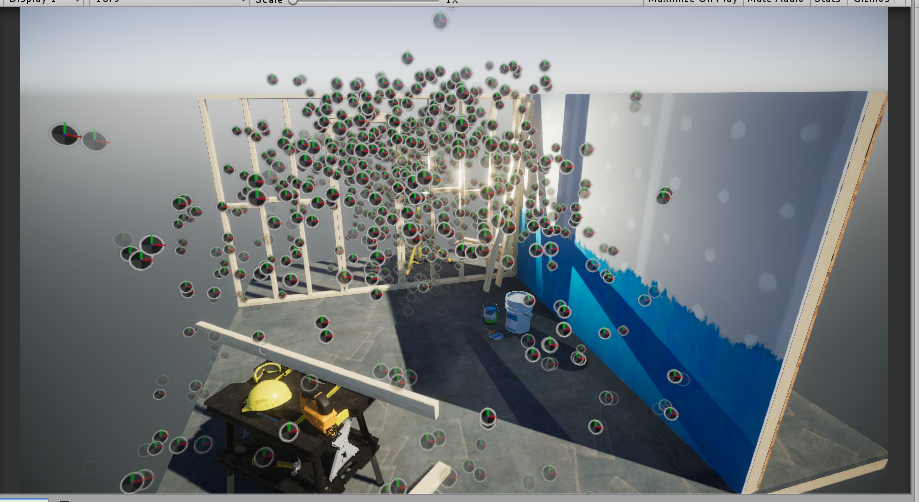
yep it's doing it's thing now hehe
raining clocks 😛
looks pretty good. I can tell it's pretty authentic looking fountain spray
so did you write your own nodes?
white tapir
yep!
sudden latch
pretty impressive. I think have your legacy version, the free parts anyway
I remember it being pretty good
white tapir
well, unlike the old free version you can use as many particles as your system can handle :)
sudden latch
hehe
yeah I was just testing that. I notice if I increase the particles it's like the 'pressure' increases, the particles fly much farther out from the source.
is that intended?
white tapir
yep! you can counteract it by increasing the emitter size
the default fluid is "water-like", meaning incompressible
sudden latch
that's nice
white tapir
as in real life, the more you try to fit in a small space the more violent the reaction :P
sudden latch
yeppers hehe
I need to learn more about the Vfx graph. so far I've only toyed with a few demos on it
white tapir
it's super powerful
sudden latch
yeah I've seen Unity's space demo
clearly they put it through it's paces
unfortunately at this time i'm still stuck on legacy pipeline so I can't yet think of using this stuff. but hopefully down the line.
white tapir
iirc, there's some modifications that can be made (to 4.9.0 maybe) that will make it work on legacy?
it's 100% unsupported though
and I don't even know if it works anymore heh
sudden latch
yeah that's fine, I don't require it that much
and I really do hope to migrate over at some point
I appreciate you making this, and making it open source. is impressive work. 😃
white tapir
thanks :D yea, a big motivation for open sourcing it was to be able to get more community feedback, and get away from some of the issues we had before with not being able to update for the rapidly-evolving system of unity versions
this way developers can know what they're running, and if we can't get to something in time, small modifications can make things work. We had late 2017 support for the older Fluvio version blocked on some minor things, for example (and users had no way to fix it)
tbh, I'm kind of shocked at the feedback, the project trended on github on release day
sudden latch
nice
 arctic sand
does anyone know what the timetable for VFX in LWRP is? or is it still up in the air?
I know it would require a LWRP, but with Compute! version of LWRP
 eternal flower
Still up in the air, for all we know.
shrewd heath
https://twitter.com/peeweekVFX/status/1057665614909726720 Does anyone understand how VFX Graph parameter binding is supposed to work? It is currently confusing as to what is getting bound to what? Can a GameObject bind its position or transform to nodes in the VFX Graph via the blackboard? Conversely can a VFX Graph node be bound and exposed to a GameObject? Or more simply stated... Can a GameObject's position or transform be changed or controlled using a VFX Graph? 🤔

#VisualEffectGraph tip! You can bind Scene objects to parameters using VFX Parameter Binders. For instance, Sphere colliders to sphere parameters: no code required! We already ship with some binders but you can also write your own in C# #UnityTips #RealtimeVFX https://t.co...
Likes
102
Twitter
white tapir
it's the other way around, an object can bind its position as input for the blackboard
(+ other stuff, or anything really with custom binders)
but the VFX graph can't control an object at all right now
sand widget
As far as I know, VFX has a CPU fallback mode on the way, but how well this runs may depend on DOTS integration if they're doing that.
 gritty flame
Quick question regarding VFX and the LWRP: I have a bunch of particle assets which rely on the (Legacy)/Particle/Alpha Blended shader. The LWRP updater logs that there's no auto replacement for it. What's the best course of action there? Tinker with the new shaders to see if there's one that gives good result or just leave it as it is?
(If anyone knows, since rendering and shaders, not my forte)
shrewd heath
Does this help? https://www.youtube.com/watch?v=ftrkGtbB_gg

In the Shader Graph Window, Selcct all the Nodes you want to Copy. Right Click to Copy all the Nodes. Right Click and Paste all the Nodes. Delete the Speed p...
gritty flame
not really, no; or I don't get why it supposed to help me.
but I appreciate
I'm a bit tired so maybe I didn't express myself correctly (completely possible). I'm basically wondering if it's better to leave the VFX I have as Legacy/Particle/Alpha&Additive, or if somebody already experimented a bit the current Particle shaders, and have some kind of "how to convert from legacy to new particle shaders"
shrewd heath
I never used the old Unity shaders so I would not be of much help! Some of the new VFX Graph preview builds use the new Shader Graph visual node shaders and more integration is planned in future builds. I have been hearing that VFX Graph for the LWRP may show up around 2019.1.
gritty flame
(is it worth it, what are the caveats, are there some things to keep in mind to avoid going overkill, that kind of stuff)
 uncut wasp
Using Unity ShaderGraph and Timeline to setup a Vfx shot. Thanks for viewing 


Using here #unity3d Timeline and #ShaderGraph to create some #vfx effects. The Timeline allows easy control for the shot. #madewithunity
#artistsontwitter #animation #gamedev #indiedev #realtimevfx #unitytips https://t.co/M7gNLs87ei
Likes
417
Twitter
sudden latch
Wow, nice. Unity needs to hire you to make their new logo. (Seriously)
arctic sand
I'd enable the splash screen if it looked like this
uncut wasp
Thank you @sudden latch for your comments 😊
Thank you @arctic sand 😉
 tacit badge
I'm trying to get a trail/path system w/ vfx graph to show the player where to go (game starts off in a sandstorm that makes it hard to see where you're going) but I can't seem to get it right.
Currently the speed is incorrect as it's (currently) based off the distance between the start and end points. I want it to have a constant/relative speed. Anyone know how to do that?
I've tried normalizing it, but that ends up with it being too slow when the start and end part are far apart.
 inner topaz
normalizing it should give you a vector with a length of 1 so allways the same speed wired that it does not seem to work in your case
inner topaz
End - start and then normalize the result works fine on my tests
outer storm
@gritty flame it should be very straightforward to convert those particle system assets over to use the Particles/Standard Unlit shader. There is a dropdown for choosing the blend mode - Fade should be equivalent to the Alpha Blend shader you have currently. Sorry it's not automatic 😦
gritty flame
ah no worries; I'm aware it's still a preview package, so I'm prepare for WIP/unfinished parts. That info is exactly what I was looking for.
but as I was digging a bit in the forums and blog posts I read that it could still work well with old shaders, so I'm still considering if it's worth the hassle of converting all of them to the new shaders.
anyway, still good to know what's the equivalent. Cheers @outer storm !
 prime dome
What can I use to bake 3d SDF maps for visual effect graph? I see some people talking about working on a tool and Houdini works but its only free for non commercial use.
 neon jungle
I have a SDF baker for Unity id like to throw on github soonish, I need to clean it up a bit
quick quiver
would be cool 😃
sudden latch
i'm trying to think how a 3d SDF map would be used and i'm coming up empty
the only use of SDF I've ever seen is for making text scalable
quick quiver
I know UE4 is using 3D SDFs for a lot of things but I don't know generic generators for this
2D SDFs have lots of freely available generators
sudden latch

This tutorial explains how to create complex 3D shapes in a volumetric shader, using signed distance functions. Unity tutorial and code provided.
found this, I guess you can generate models that way, neat
"infinite resolution" hmm where have I heard that before 😛
prime dome
Definitely not infinite resolution but you can sample one in the visual effects graph and you can use it however you like. In my case, I need to keep particles from getting too close to the player's face in a vr game, so I'm going to make a dome shape over their body and play with whatever cool things I can do to help this.
sudden latch
yes I saw an nivida paper when I was searching about using it to make accurate bound volumes around an object.
seems there's a few uses
NVIDIA Developer
arctic sand
Pure SDFs are just math functions. Theres some crazy awesome stuff on shadertoy like whole sdfs scenes from math functions and noise maps
sudden latch
yeah the zucconi article touches on that
 rugged spruce
https://www.shadertoy.com/view/4ttSWf well, I mean try to recreate this with 3D modeling 😛

but IQ is on another level of existence, so that hardly counts, I guess
sudden latch
right but he says "other terrain, with cheap trees made of spheres with some noise. " so yeah it's just SDF sphere with some noise done over and over thousands of times.
he's just got way more time on his hands to place all those spheres than most LOL
 prisma anvil
That looks like a very easy way to automate majority of a matte painting
interesting
why render by hand when you can automate it with math 
 smoky comet
the point is that he does not place those spheres, it's just a function
sudden latch
yes either way it's just a simple SDF sphere with noise.
 fresh hazel
Not sure fi this is the right channel, but I'm looking for a really good solution for fur. It looks like all the interesting options that were available, like NeoFur or Hairworks are gone at the moment. This needs to work in VR on player's hands (or paws if you will 😉 ) If everything else fails I'll probably make a bunch of fur strips in geometry, but maybe there's an option that would be more efficient.
sudden latch
right now the best asset for that is PIDI fur
and he just came out with a mobile version
so probably can find the right performance range you want
fresh hazel
Thanks, I'll check that out. This is for PC VR, so performance is sometimes difficult to assess.
sudden latch
yeah i can imagine
 safe bronze
Sounds p cool to have fluffy paws in VR, though. Looking forward to it 😛
fresh hazel
This is just the draft model for prototyping and it's already strangely satisfying 😁
tacit badge
How can i make the particles appear instantly in the VFX graph?
Single Burst doesn't seem to work
prime dome
You have to press play to preview it with single burst. While working on effects like that I recommend having a periodic burst to preview (idk if it's named that but it's easy to find) and just disable once your done working on it
 real goblet
Hi. First post here. Any VFXToolbox users?
I was wondering if its possible for VFXGraph to work with animated point caches or velocity fields? All of the demos I've seen use only static point caches and vfs.
 blissful tundra
@fresh hazel Reminds me to learn Zbrush
fresh hazel
@blissful tundra That's actually just good old box modelling
But I do have a zbrush sculpt of a chicken from the same project, which I think is High Pollito in Spanish 😉
blissful tundra
Yeah, I haven't done much inside Zbrush
blissful tundra
Been focusing on ui/ux, learning Adobe XD. To finish up my website then hopefully get back into game development.
 vital pebble
I was trying out the VFX Graph today, and well, I broke it. No matter what effects I place, none are showing up. First go at VFX and I break it.
Apparently, making the capacity go to 4,294,967,296 means that Unity didn't expect the VFX System Controller. My reasoning was that things like floats and ints are 32-bit, meaning they can represent that value. But apparently, VFX doesn't like that value.
quick quiver
looking at new FPS Sample update, Unity has modified three visual effect graph files with Preserve attribute:
that's there to protect that these are not stripped on build but this puzzles me
if they do get stripped away unintentionally, why haven't these changed been applied to regular visual effect graph
quick quiver


Added VFX Graph support to Pcx (.ply point cloud importer) https://t.co/79DWF3xk1I https://t.co/LmTUuQS9YN
Likes
236
Twitter
real goblet
So can anyone tell me if PCX has anything in common with the PointCache importer in VFX Graph Toolbox?
Not sure but it seems like they do similar things
sudden latch
probably similar, yes
sudden latch
pcx came long before VFX existed
was for using pointclouds with the standard pipeline
quick quiver
but yeah, it's same idea, you got points in 3D space
that actually makes me wonder if I could just use some random point cloud tools to turn meshes into point clouds for this unity vfx thing
sudden latch
it's neat he added VFX support
i figure there's just a lot of people used to using PCX since it's been around so long
 soft thistle
hey all, getting some sorting issues with transparent lit shader + point vfx renderer
any ideas where I could look for manual sorting settings?
sudden latch

yeah on the std pipeline there was a render queue setting you could adjust
but looking at HDRP, i don't see one
GitHub
Scriptable Render Pipeline. Contribute to Unity-Technologies/ScriptableRenderPipeline development by creating an account on GitHub.
seems it has to be done by script or something
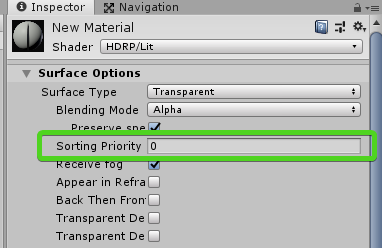
oh there it is, Sorting Priority
soft thistle
yeah that one didn't seem to do anything
sudden latch
hmm
soft thistle
other types of VFX output work just fine
sudden latch
yeah i don't know if you can access the vfx shaders
soft thistle
think for now I'm just going to use really small spheres instead
sudden latch
might be best
soft thistle
is there a way to set emission on any of the lit outputs?
I want to use lit spheres but Color only seems to affect albedo? all the unlit outputs work exactly as expected
opaque unlit quads seem to be my best bet atm, gonna keep going with this direction. thanks for taking a look at the sorting stuff for me
steel valve
in order to setup the emissive in the lit outputs you can use the Use emissive flag in inspector to set custom emissive using a slot, or you can also change the color mode enum from Base Color to Emissive color or Base + Emissive color. Moreover the Use emissive Map enables you to use a texture to locate emissive parts of your particle.
However, the lit sphere output doesn't have any UV mapping yet so the emissive map is not available.
quick quiver
com.unity.visualeffectgraph@5.6.1-preview now on regular registry (should show up in PM)
sand widget
Thanks peeweek
uncut wasp
Did this Another Vfx effect using Shader Graph. Thanks for viewing 😊

Some more #vfx effects creation with #unity3d using #ShaderGraph and Timeline. Shadergraph allows lots of freedom to create interesting results easily :) #madewithunity
#artistsontwitter #animation #gamedev #indiedev #unitytips #realtimeVFX https://t.co/QvjMt74Pfl
Twitter
 shut cliff
Been improving some old blood splat/explosion effects today:
https://twitter.com/Archanor/status/1103765551942377473


Working on a small, free update for Epic Toon FX :) First one around is a blood effect!
#unity3d #gamedev #indiedev #assetstore #unity https://t.co/gZ639p0vLn
Twitter
inner topaz
any idea how the line are done in thie VFX grpah example ?
Sample #07 – AR Radar
https://blogs.unity3d.com/2019/03/06/visual-effect-graph-samples/

Unity Technologies Blog
Visual Effect Graph empowers you to author next-generation visual effects through its node-based behaviors and GPU-based compute power. For starters, we re...
sudden latch
GitHub
Visual Effect Graph - Samples Project. Contribute to Unity-Technologies/VisualEffectGraph-Samples development by creating an account on GitHub.
source code is in the github project
inner topaz
ah cool i thought i was only for 2019.1 x beta
sudden latch
the latest they released is
but the release before that was for 2018.3
i still have that copy 😃
Feb 7 release will work on 2018.3
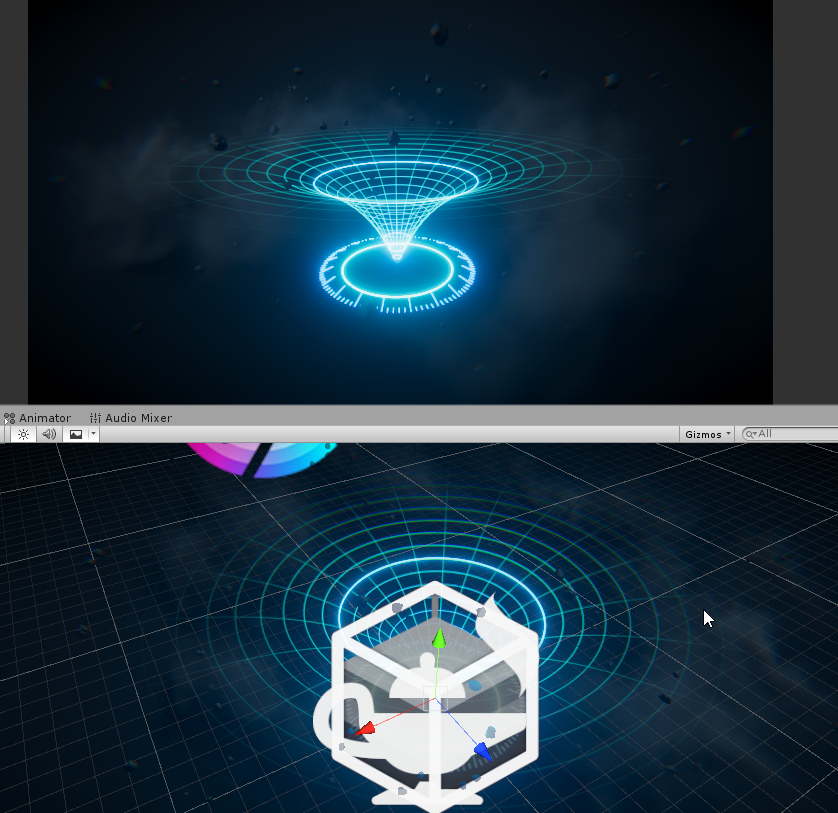
seems the lines part is a graph all by itself
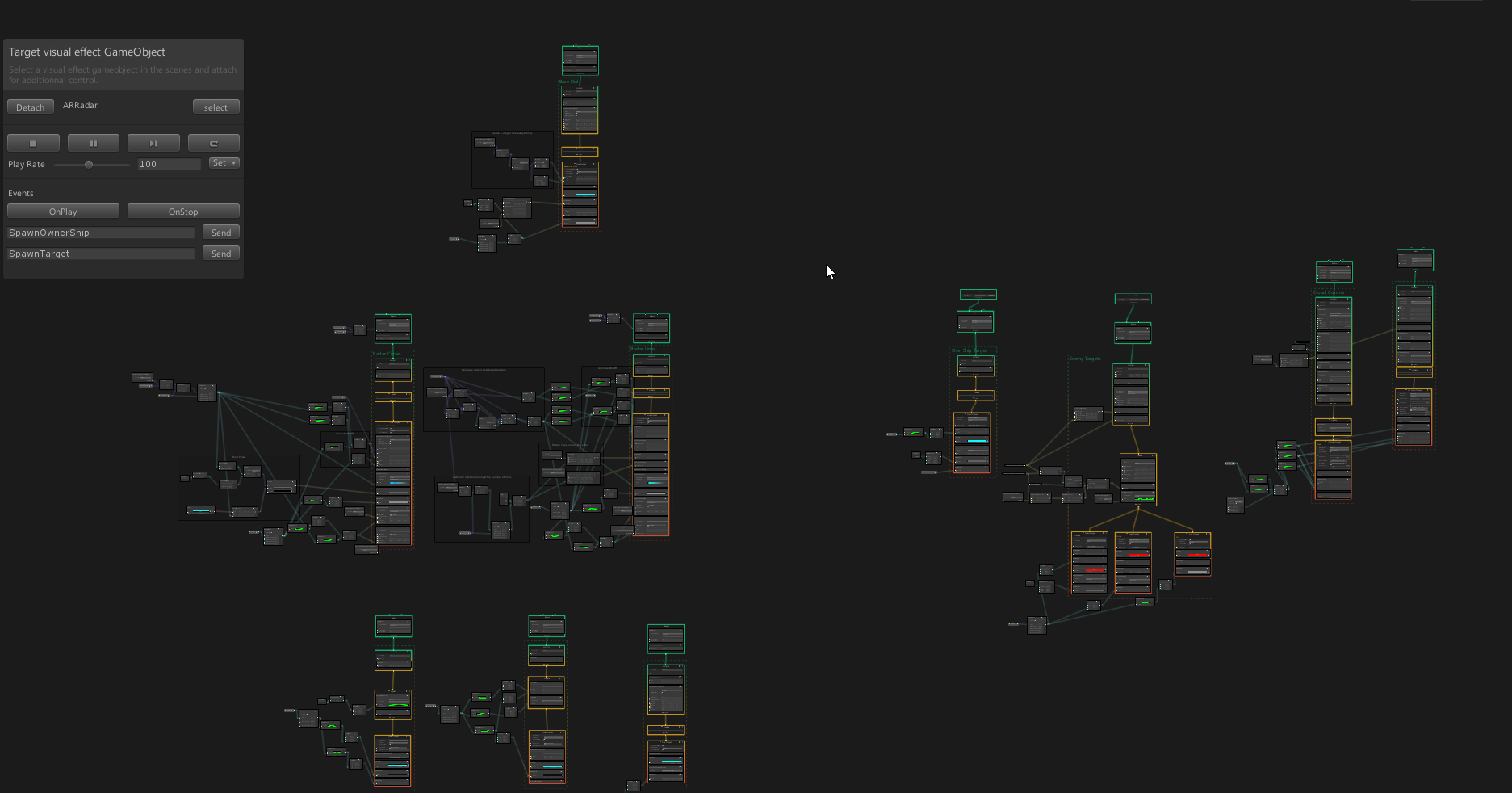
not a trivial graph
inner topaz
i will dig untill i find out how to do it 😃
sudden latch
seems one subgraph does the circles
one does the lines in the other direction
stuff on right is for ships and targets
and the 'cloud'
top one is the base
quick quiver
subgraph?
sudden latch
well what i call it
sudden latch
multiple spawns
quick quiver
they are adding those atm tho
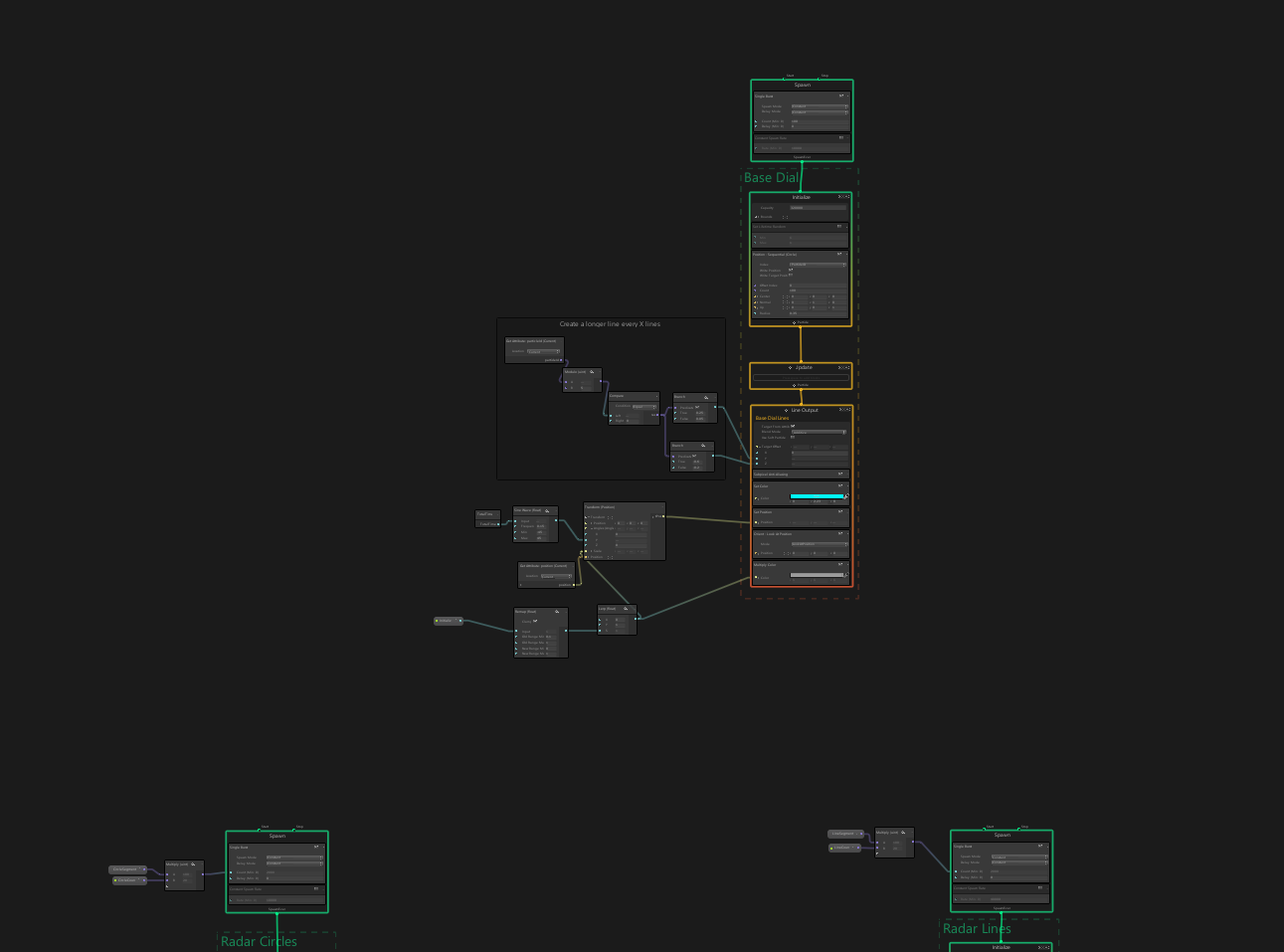


 quick quiver
GitHub
Purpose of this PR
It adds subgraph contexts, subgraph blocks and subgraph operators.
It also add "Convert To Subgraph <""|Block|Operator> commands depending on the selection t...
sudden latch
but yeah it's not a true subgraph
inner topaz
apparently i did miss shomehow that there is a line output.... that solves a bit problem
so much fun with lines 😃 this will keep me busy for some time
 quasi stag
[Paid]
I am looking for a nice realistic water fountain effect. Something like the one in the photo.
I have not found one in the asset store, and there isn't one in the nice particle pack Unity offers either.
If you can make something like that, PM with pricing details and a link to your portfolio/show reel.
Thanks.
inner topaz
is there any way to get the position of another paricle inside a VFX effect?
white tapir
@inner topaz In the generalized case, not easily. Right now, you need:
- Access to the internals (either by modfying the package and adding an attribute, or an assembly definition file with the assembly name
Unity.VisualEffectGraph.EditorTests) - A custom block
- The index (not ID) of that other particle.
Basically what you'd need is a custom block that generates the correct offsets into the VFX system's attribute buffer, to read the position attribute for a different particle.
Needless to say, this is pretty complex, and will be much easier with an official API later. We do this to get neighboring particle information for fluid physics.
Example code here (GetLoadAttributeCode):
https://github.com/thinksquirrel/fluviofx/blob/master/Editor/Utils/FluvioFXAttribute.cs

GitHub
Fluid dynamics for Unity's VFX graph. Contribute to thinksquirrel/fluviofx development by creating an account on GitHub.
If all you need is one particle to track another, or particles to emit from another particle, you can use event blocks and get the source position. That is much easier and requires no code
@quasi stag sent you a PM :)
quasi stag
Thank you.
inner topaz
@Lily I'm try to connect particles with lines , I will take a look at the example you linked 😃
sand widget
btw I can heartily recommend hiring lily to solve problems like this if anyone's reading, she has phenomenal experience
arctic sand
Agreed, Lily is the real deal
white tapir
Aw, thanks y'all ❤
@inner topaz are you trying to connect two different particles? Or just have a line trailing from a particle?
inner topaz
@white tapir Trails i allready have with the GPU events spawning other particles, but im trying to connect multible particles of the same system with lines
white tapir
ah, okay connecting multiple particles with lines would be much trickier than a line from a single particle (using the method above). One solution might be to break your system in two somehow? Two systems that look the same + one for the line, where the 1st system emits, line particle is spawned from the first system particle and the 2nd system particle is spawned from the line?
Depends on the effect though I suppose
inner topaz
splitting it is probably the right way to do so have one that just spawns the visable particles and one that do just the line drawing
white tapir
yep!
GPUEvents are a good way to add trails into the VFX system in general too since they aren't supported yet, by having a set of systems that emit from particles. There isn't a super steep performance cost for lots of VFX systems especially in the same graph, which is awesome (I've done scenes with hundreds of them, Unity does a great job of combining the simulations and just running multiple passes for context).
Would love for those subgraphs to become reality though, it can get a little messy/hard for people to collaborate on them
sand widget
Hey all, I'm thinking of making a VFX system for clouds and time of day. Good or bad idea?
sudden latch
i guess if you were trying to do volumetric clouds it would be the way to go. but I think good old skybox clouds are usually fine and dandy.
white tapir
I think it's a good idea for detailed or many clouds
Or even if it's a mix of meshes and particles
I am a fan of the system not being limited to what's traditionally a particle system. The authoring system of using a graph can be a factor as well
CPU vs GPU budget as well would be a factor if you don't have much for these clouds
How would you use VFX for time of day @sand widget? Just a float that controls cloud positions? I could see something interesting like a day seed and time to make consistent weather for a given day
sudden latch
for time of day i don't see vfx being all that useful. But if you're talking weather system, with rain/sleet/snow/hail/lightning/storm clouds/ wind gusts, tornados, and hurricanes, then yeah VFX is made exactly for that kind of thing
throw in meteor storms and volcano eruptions just for good measure
😛
oh and a live cow that flies by in the tornado and moos. (tip of the hat to Twister 1996)

Twister movie clips: http://j.mp/1L5ujNg BUY THE MOVIE: http://bit.ly/2cEvFXX Don't miss the HOTTEST NEW TRAILERS: http://bit.ly/1u2y6pr CLIP DESCRIPTION: Bi...
used to have the biggest crush on Helen Hunt heh
white tapir
I want to re-create this with the VFX system now
quick quiver
https://github.com/Unity-Technologies/VisualEffectGraph-Samples
    New Samples

    Spaceship Holo Table : Holographic Pin-Screen effect isolated from the Spaceship Demo

    General Improvements
        Upgraded all project, volumes, postprocesses and scenes to 2019.1 package track
            HD/VFX Package versions to 5.8.2-preview
            Editor version to 2019.1.0b6

    Fixes
        General Performance adjustments
 vagrant drum
Anyone have any recommendations for adding distance heat haze / distortion i.e.) desert farground
sudden latch
i looked into that once after playing Nier: Automata, because i liked their heat haze in the desert
but there doesn't seem to be anything purely aimed at being a screen effect

GitHub
A simple post-processing effect for the Unity game engine which renders small-scale distortions. - andrewgotow/Heatwave