
#✨┃vfx-and-particles
1 messages · Page 21 of 1
 modest pelican
 dusty echo
I haven't messed with compute shaders very much and this is a wild guess, but the different rows could be different vertex buffers where each buffer has a different layout. Not really sure about the padding though
 ashen robin
Are you using GPU events by any chance? I would expect you'd to always have the minimal standard attributes per system but seems odd you've more positional values than lifetime.
You can try to use the debugging tools to maybe get a better idea of the mem usage of the simulated elements
modest pelican
ashen robin
Are you using GPU events by any chance? I would expect you'd to always have the ...
No GPU events, no.
The reason the position and velocity attributes are shown in 3 blocks is just because they're X, Y and Z coordinates.
ashen robin
Oh yeah true. My assumption for those undeclared data blocks would be any of the advanced attributes like angle/angular velocity
https://docs.unity3d.com/Packages/com.unity.visualeffectgraph@13.1/manual/Reference-Attributes.html
Actually there's quite a few so that's probably not it
modest pelican
Yeah, I'm pretty sure you need to use (write) those attributes somewhere in your Initialize or Update contexts for them to show up in the attribute layout.
So the attributes that are showing here make sense to me, as I use all of those.
I just don't know what their layout as displayed there means in terms of actual memory usage.
 wise crystal
Hi I am currently working on lighting in my 2D game project, is there a reason why my light wont show up on the intended sorting layer, but only works when my desired layer and the "default" layer are both checked?

 warm torrent
wise crystal
Hi I am currently working on lighting in my 2D game project, is there a reason w...
warm torrent
wise crystal
Hi I am currently working on lighting in my 2D game project, is there a reason w...
Don't crosspost please
This should only go in #1390346776804069396 or #🖼️┃2d-tools
 worn charm
Would anyone happen to know why my texture appears pink instead of the dirt texture I assigned to it?
 ashen robin
worn charm
Would anyone happen to know why my texture appears pink instead of the dirt text...
ashen robin
worn charm
Would anyone happen to know why my texture appears pink instead of the dirt text...
Are you sure the shader is targeting the right pipeline? Scroll up where you've set the material to lit
 normal shoal
Any idea on how I could get started doing a transition effect like this?
 clear spruce
normal shoal
Any idea on how I could get started doing a transition effect like this?
clear spruce
normal shoal
Any idea on how I could get started doing a transition effect like this?
Shaders are part of the answer for sure. Looks like taking the image, applying twirl/rotational blur and zoom, and maybe lerping to black at the end. All of those you would have to look up separately. As to how you would "take the image", there are couple ways which probably also depend on the render pipeline you are using. In the example footage it looks like the game freezes when the transition starts, so you could capture the current frame into a buffer/texture, for that you should look into "blitting". Likely more beginner friendly solution though would be to just continue rendering the scene and do all of that instead in a post processing shader. If you must start unloading the current scene and changing to another one while the transition is running, you should consider capturing the frame instead. Some sort of custom post processing effect/full screen shader is what you need to do regardless to display the distorted image on the screen.
This is actually pretty similar to what you seem to want https://www.youtube.com/watch?v=Vd0k6KdLIi8. Not exactly (I don't see any blur for example), but that looks like good starting point if you are new to fullscreen shaders
ashen robin
the classic 'smearing' effect is basically just moving the images and not clearing the previous frame data
you can easily do it by just flagging the main camera to not clear and twisting the camera / changing the fov
but yeah, if ya want a bit more control I'd blit it to its own texture to manipulate
normal shoal
clear spruce
Shaders are part of the answer for sure. Looks like taking the image, applying t...
Any tips on how I could achieve rotational blur with Shader Graph?
So far I got this
Which... has pretty much nothing to do with the reference lol
ashen robin
Try giving the built-in gaussian blur a try using post-processing
clear spruce
normal shoal
Any tips on how I could achieve rotational blur with Shader Graph?
Blur in general is usually done by taking multiple samples around the pixel and getting a weighted average of their colors. To achieve that in shader graph nodes alone, you would have to copy and paste a lot of nodes which is not optimal. For blur, I highly recommend using the Custom Function Node which allows using custom HLSL code that can also include loops which you would want in this case.
Maybe the most used blur method is Gaussian blur which Mao mentioned. In it you take samples in both vertical and horizontal directions and use the Gaussian function to weight them (essentially giving the pixels closer to our pixel more weight) when averaging. What I meant by rotational blur was to instead sample the points along the twirl by using different twirl strengths for the samples. You could then experiment with different weighing functions to get the kind of blur you want. You would probably want to keep the samples very close at start and move them further apart along the twirl as the effect progresses.
clear spruce
normal shoal
So far I got this
The reference effect also looks to zoom closer to the image which I'm not seeing in your effect
It also looks to zoom into a dark part of the image which makes the transition to black smoother, whether that is a coincidence I wouldn't know. Finding a dark part of the image is not trivial to do fast and also kind of doesn't work if the image can change as you go (would require storing the frame and using that for the effect)
 queen sandal
Currently, these particles either go up or down depending on Gravity Modifier value I set. I want them to behave like dust particles in atmosphere, so all of them have random directions. Some going up some left/right/down etc. I don't know how to do it.
 clear spruce
queen sandal
Currently, these particles either go up or down depending on *Gravity Modifier* ...
clear spruce
queen sandal
Currently, these particles either go up or down depending on *Gravity Modifier* ...
You probably don't want any gravity, or very low amount depending if you want the particles to all drift up or down over time. What you want instead is likely turbulance, which can be done using the Noise module https://docs.unity3d.com/6000.2/Documentation/Manual/PartSysNoiseModule.html. That if I remember correctly would also allow the particles close to each other move in similar directions which is probably what dust particles do (they don't have their own mind, just move along the turbulent air flow). Maybe worth reading: https://docs.unity3d.com/6000.2/Documentation/Manual/particle-movement-patterns.html
queen sandal
clear spruce
You probably don't want any gravity, or very low amount depending if you want th...
Noise module worked.
queen sandal
I want these particles to be bright (as if they're emitting light). Something like those bright orange particles in 2nd screenshot. Do I need to make custom material for them to do so? Or is there any settings in modules that I can use to achieve same?


 hidden wharf
yeah you can just use a material with the unlit particle shader, then make them emissive with additive blending or something
queen sandal
hidden wharf
yeah you can just use a material with the unlit particle shader, then make them ...
Do you mean these settings?
 hidden wharf
yeah
queen sandal
I'll try it
queen sandal
hidden wharf
yeah
Sounds like easier than I thought. It's working. I didn't do anything with Blending though. Just enabling Emission worked.

 raw geyser
Hello everyone, I am tryign to get rid of the seam in my shader, I tried to use for that tiling and offset but I think I am doing something wrong. Any idea what can I try? It will be used on a cylinder (the bottom will not be visible, so it is really just for the side faces)
 ashen robin
raw geyser
Hello everyone, I am tryign to get rid of the seam in my shader, I tried to use ...
ashen robin
raw geyser
Hello everyone, I am tryign to get rid of the seam in my shader, I tried to use ...
Try asking in #1391720450752516147 / #1390346776804069396 but I'd try maybe using world uvs as a quick hack
otherwise it may be more of an issue with the noise not being seamless?
I know the voronoi node has problems with it
raw geyser
Oh that is actualy something I didn't think about! Maybe it is just a matter of using the right noise texture! I will experiment with that! You are a star! Thanks!
@ashen robin , I used world coordinates and gradient noise instead and all is looking beautiful! Thank you :)
ashen robin
raw geyser
<@288886727555284995> , I used world coordinates and gradient noise instead and ...
Actually, if you move it around in world space the texture would continuously offset, right? Would work fine if it was stationary but otherwise you'd probably want to use object space uvs / object space triplanar. Been a minute since I've made a shader like this
World space usually a better idea for static geometry like terrain
raw geyser
ashen robin
Actually, if you move it around in world space the texture would continuously of...
I will have a look at that, thanks! Good that you mention it because the object is stationary at this moment but ultimately it will be moving!
 echo atlas
Hello, I am a beginner making a ground slash effect with the help of a tutorial using the VFX graph.
I am using an output particle unlit mesh node with a mesh I made in blender for the slash itself
the effect right now looks very static, as in the model itself moves and changes size but I want to make it flicker/ add noise as it moves.
can someone give me any tips?
ashen robin
echo atlas
Hello, I am a beginner making a ground slash effect with the help of a tutorial ...
Sounds like it may come down to the shader at that point. I suggest continuously offsetting the UVs in the direction it travels to give it more of a kick
hidden wharf
can you record it maybe?
 scenic torrent
Can anyone see what I am doing wrong here?
What I am TRYING to accomplish is: Get a single random value per particle, feed that into the shader via custom vertex streams, use that random value as the seed for a random offset sample of my texture.
But for some reason its super glitchy, stretched, and changes as the camera moves, which I can't figure out why


Ive done this before so I know it can be done, but I cant find any examples where/when I did it before to see what im doing wrong this time
ive set it to stable, texcord zw, im piping in W channel, so why does it look so fucked? 😭
warm torrent
scenic torrent
ive set it to stable, texcord zw, im piping in W channel, so why does it look so...
The "stable random" vertex stream is UV0.zw
UV0's Out(4) is plugged into UV(2) directly so doesn't that mean it's using UV0.xy instead
scenic torrent
I dont undertstand. No matter what channel I use, it always looks glitched.
Should I not be using UV0?

arent B and A the equivalent to ZW?
warm torrent
Ah, my mistake wasn't meant to be looking at UV input
warm torrent
scenic torrent
I dont undertstand. No matter what channel I use, it always looks glitched.
Sho...
Yes, UV0
The above screenshot was showing UV2
scenic torrent
I was probably experimenting with different channels trying to see if I was just using the wrong one at the time
warm torrent
I'm not spotting an issue but I would test the custom functions with constant Offset values
And also test the stable random vertex stream in some simpler context, like outputting it directly
Or with flipbook node if that makes it easier to see
scenic torrent
I tried outputting the random directly, still mega fucked  but when I removed the Alpha, it started to look normal again

Somehow the alpha is doing this?
warm torrent
But in either case try to see which side of the connection the issue would be
Or if both
scenic torrent
oh no im wrong
its just as broken, it was just less obviously broken

completely stretched out in a weird way
and still changes per frame if I move the camera
ill try rewriting the method, remove the hash function
scenic torrent
Hm I think I found the problem
it appears to be an oddity with unity itself
if the random value being used to offset is too large, it does that glitched out look
evven though its just a random value Somehow if the value is like between 0-1 no glitching, but 0-10, sometimes glitching, 0-100 LOTS of glitching
 half bone
I do not know where to find this kind of asset.(Shader graph vfx asset)It isn't looks like normal one.

How can I create this kind of asset
half bone
Finally I found it...

 hallow mica
on the vfx graph, im having trouble finding certain nodes that are available in the learning vfx
for example one of them has the multiply size over node, but in my own vfx i cant seem to search for it
ashen robin
hallow mica
for example one of them has the multiply size over node, but in my own vfx i can...
Multiply size over time? If you can't search for it, try adding a size node then going to the inspector side on the right and see if you can change it to be over time
May only be available in the update and final context
hallow mica
I ended up figuring it out, I put the ring into update and multiplied the position of the ring on the Y axis based on alive time
ashen robin
Yeah that works too, but I know that node does exist
hallow mica
Yee there are definitely many ways to go about it, I might try that node out some time
ashen robin
There's usually some options to modify on the inspector side per node
warm torrent
scenic torrent
evven though its just a random value <:UnityChanThink:885169594560544800> Someh...
That makes sense, if your function outputs a really big value so it runs into floating point inaccuracy
I think hash functions are generally for integers which don't suffer from that
 silver sorrel
hello, is there any easy solution for a quick implementation of fog of war, or like a volumetric fog?
clear spruce
silver sorrel
hello, is there any easy solution for a quick implementation of **fog of war**, ...
Depends what you actually want. Fog of war can mean so many different things. Is it 2d or 3d game? Is the fog grid based or something else? Any reference images of the effect you want to recreate would be very helpful
silver sorrel
clear spruce
Depends what you actually want. Fog of war can mean so many different things. Is...
the type of fog that you use to hide distant objects while loading kinda like a silent hill fog but less dense
i tried unity's built in but it sucks
 full sparrow
silver sorrel
the type of fog that you use to hide distant objects while loading kinda like a ...
full sparrow
silver sorrel
the type of fog that you use to hide distant objects while loading kinda like a ...
Fog of War is very different from distance fog which is different from volumetric fog.
warm torrent
silver sorrel
i tried unity's built in but it sucks
You have to also be specific why it's inadequate for your purposes
Otherwise it's hard to recommend anything
warm torrent
 brisk basin
foolin around a lil
brisk basin
foolin around a lil
#🏆┃daily-win is the channel for posting small creations like these
brisk basin
warm torrent
<#1390716509638098995> is the channel for posting small creations like these
oh gotcha
 noble meteor
i need help with vfx i did vfx on roblox studios but i want to explained my horizons onto a different platform would anyone be interested to help me?
full sparrow
noble meteor
i need help with vfx i did vfx on roblox studios but i want to explained my hori...
If you have a problem or question, go ahead and post it here and we can take a look at it
 clear kayak
I feel like this should be a simple question, but I can't find tutorial that explains well the particule system "shape" for 2d. I want particules to spawn in the blue elipse and have them move upward. So far I tried with circle, but the align to direction seems to be heavly 3D oriented (most of my attempt resulted on particules being oriented around third axis)
 full sparrow
clear kayak
I feel like this should be a simple question, but I can't find tutorial that exp...
full sparrow
clear kayak
I feel like this should be a simple question, but I can't find tutorial that exp...
I believe you'll want to increase Randomize Position so they are not spawning in the same spot
warm torrent
clear kayak
I feel like this should be a simple question, but I can't find tutorial that exp...
Align to Direction rotates individual particles in 3D, probably not useful for you
Circle is for emitting particles radially outward, what you actually want is a Cone shape with 0 Angle
Particle shapes and particle systems in general operate in 3D, but it's not an issue
You can use a shape that doesn't have 3D depth, or restrict it using shape's scale, or you can "flatten" the particles to a 2D plane with velocity limits or by transform scale
Or not worry about it, if you use sorting layer order instead of Z position for your 2D sorting it doesn't matter that the particles have 3D movement as long as they don't go behind the camera
Transparent PS materials are Z-sorted by one point anyway, which is the center of their bounding box
Actually I think the settings you have there with Circle shape should work, as long as you move them up not with Start Speed but Velocity over Lifetime or any other module that can add velocity relative to world or local space
The issue is Spread 1, should be 0
It's for skipping parts of the circle when emitting
clear kayak
Oh right, that looks like what I need, thanks
 oak cloud
hi, i have one question, i put my vfx on a point of map but this effect only play in the corner of map
 ashen robin
oak cloud
ashen robin
oak cloud
sounds like you're playing the particles at world origin instead of local origin
oak cloud
but it's a simple vfx


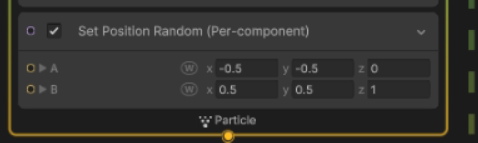
 cunning salmon
hey all i was wondering does anyone know if you can add a material to multiple gameobjects that are already in the hierarchy?
full sparrow
!Collab not here
 crimson heronBOT
full sparrow
!Collab not here
crimson heronBOT
full sparrow
!Collab not here
:loudspeaker: Collaborating and Job Posting
We do not accept job or collab posts on Discord.
Please, use Discussions to promote yourself as job-seeking, advertise commercial job offers, or look for non-commercial projects to participate in:
• ** Collaboration & Jobs**
 sly hare
full sparrow
!Collab not here
sly hare
full sparrow
!Collab not here
Thxxxx
 twin bone
Hello, im currently having troubles with this. This Lamp icon is pretty jaring when trying to focus on the effect.
How can i toggle these off?
 ashen robin
twin bone
Hello, im currently having troubles with this. This Lamp icon is pretty jaring w...
ashen robin
twin bone
Hello, im currently having troubles with this. This Lamp icon is pretty jaring w...
Should be up there with the gizmos in the top right of the scene window
twin bone
ashen robin
Should be up there with the gizmos in the top right of the scene window
thank you i found it

 covert star
hello unity bros, I'm using the default particle effect system and I'm noticing something strange. when I run the effect in the editor vs when I run the game, the effects are coming out slightly different, like the forces from the forcefield are being applied differently. what would you recommend checking so that it appears consistent between the two? or should I just disregard the editor version and tweak it until I like how it looks in game?


 shut cliff
Any clue what's happening with in the bottom right of my slash effect here? (Donut shape)
 warm torrent
shut cliff
Any clue what's happening with in the bottom right of my slash effect here? (Don...
warm torrent
shut cliff
Any clue what's happening with in the bottom right of my slash effect here? (Don...
Looks like polygon sorting order ambiguity of transparent meshes
 ripe frigate
anyone know a proper node setup for this?
when the bool is true i want to lerp the alpha of the object from 0 to 1 over the multiply speed, else it will lerp back down. Unfortunately right now it just flickers aggressively
 warm torrent
ripe frigate
anyone know a proper node setup for this?
when the bool is true i want to lerp ...
warm torrent
ripe frigate
anyone know a proper node setup for this?
when the bool is true i want to lerp ...
If VFX Delta Time works how I assume, I would rather negate it based on the boolean, not one-minus it
Also would not clamp it, and set alpha to current alpha + the branch result
So you're adding delta time if bool is true, subtracting it otherwise
ripe frigate
warm torrent
If VFX Delta Time works how I assume, I would rather negate it based on the bool...
ill give it a try, thanks for the suggestion
warm torrent
ripe frigate
ill give it a try, thanks for the suggestion
I think alpha attribute is clamped to 0..1 but doesn't hurt to have the clamp at the end after getting and modifying the current alpha
 spiral mesa
I added a Collision with Depth Buffer in Unity 6 in Visual Effects Graph in the update loop, and it doesn't collide with my meshes. I'm using the Default layer, main camera has Depth Texture on, URP, i have the snow as Z=0, mesh as Z=0, but it doesn't collide at all. Does anyone have advice? Thank you!
 warm torrent
spiral mesa
I added a `Collision with Depth Buffer` in Unity 6 in Visual Effects Graph in th...
warm torrent
spiral mesa
I added a `Collision with Depth Buffer` in Unity 6 in Visual Effects Graph in th...
URP didn't use to support that node, though I'd be a bit surprised if Unity 6 doesn't include support for it by now
spiral mesa
warm torrent
URP didn't use to support that node, though I'd be a bit surprised if Unity 6 do...
That's what I thought from https://discussions.unity.com/t/unity-6-collision-improvements-in-vfx-graph/1557951, but I must be doing something wrong 🙁
spiral mesa
warm torrent
URP didn't use to support that node, though I'd be a bit surprised if Unity 6 do...
It's a bit confusing because the forum said it does support it but https://docs.unity3d.com/Packages/com.unity.visualeffectgraph@17.2/manual/Block-SetPosition(Depth).html shows it doesn't, but on the BETA versions it doesn't have this warning on the doc, I might upgrade to the BETA just to unlock it.
spiral mesa
warm torrent
URP didn't use to support that node, though I'd be a bit surprised if Unity 6 do...
Nvm the BETA version of unity is not compatible with my project atm, i will just find another workaround, i think it's not supported even though the forum said it did (i assume the forum only meant the BETA versions or something)
did you get it t o work? what was the issue
spiral mesa
spiral mesa
I added a `Collision with Depth Buffer` in Unity 6 in Visual Effects Graph in th...
I still couldn't get it to work, does anyone have a sample .vfx file with Collision with Depth Buffer working, I can try compare it with my VFX, I wonder if I did something wrong. I have one MainCamera with the MainCamera tag.
spiral mesa
spiral mesa
It's a bit confusing because the forum said it does support it but https://docs....
Maybe it's just only supported on 6000.3.x onwards, which is BETA 🙁 Ah well
time to sleep. I can't update to the BETA because it makes my project get a lot of errors. I will wait to see if the next BETA release will work with my project
spiral mesa
Nvm it's says it's not supported with SetPosition but I'm using a different block called Collide with Depth Buffer. It doesn't work :/. I have a mesh with a Lit material that should've blocked the particles but didn't
ashen robin
spiral mesa
Nvm it's says it's not supported with SetPosition but I'm using a different bloc...
Give a pic of what you're rendering
spiral mesa
ashen robin
Give a pic of what you're rendering
- So the snow visual effect graph I made just goes through my Sphere without interacting with it.
- My Sphere is at z=0 in worldspace, same as my Snow effect.
- I am using
Unity 6000.2.13f1 - Attached is also my
vfxfor Snow. - The layer used is
Defaulton both, I checked my MainCamera for the tag. The default is on the MainCamera culling mask directly (and not the overlay ones), I verified by temporarily setting my overlay cameras inactive. - Attached are 4 screenshots.
- Using URP.


 ashen robin
Lifetime Loss = 1
spiral mesa
ashen robin
```Lifetime Loss = 1```
I tried 0 as well and 0.5, it passes through and has no effect
ashen robin
And the material there is opaque?
Tried the asset and it works on my end after removing the time loss
I'd try a fresh scene with defaults of everything
spiral mesa
ashen robin
I'd try a fresh scene with defaults of everything
Thanks it works with the fresh project I'll try replicate why it didn't work on my main project
spiral mesa
ashen robin
I'd try a fresh scene with defaults of everything
THanks for the help, it was due to the Rendering Path direction of my renderer, seems it only works with deferred, I need to tweak it for my use-case a little more
 spiral mesa
ashen robin
Tried the asset and it works on my end after removing the time loss
spiral mesa
ashen robin
Tried the asset and it works on my end after removing the time loss
it also suddenly works when i remove certain most of my overlay cameras
spiral mesa
ashen robin
And the material there is opaque?
It's reproducible if I have more than 1 overlay camera, if I only have 1 overlay camera + 1 base, then it's fine
spiral mesa
@ashen robin Here with this minimal Unity project with the following observed effects (open Assets/Scenes/SampleScene), regarding the Collide With Depth Buffer issue earlier:
- If I turn on more than 1 overlay camera, the
Collide With Depth Bufferdoesn't work, but with 0 or 1 overlay cameras it works. - If I have 0 or 1 overlay cameras.
- I observe I require
ForwardRendering Path onAssets/Settings/OverlayRenderer.assetbecause Overlay cameras can only work with Forward rendering, setting it toDeferredorDeferred+prevents the Overlay camera from working as Unity will turn them into Base cameras. - For the main camera, it does not seem to matter what Rendering Path I do.
- This is also reproducible in my main project and was why it didn't work.
- I've quickly tried
Clear Depthand evenDepth Texturesetting on the cameras and it doesn't seem to affect the result either way.
The problem is in my main Unity game, I require multiple overlay cameras, because some things in the scene have a different position/view than others but I merge them together. It's a 3D piano app.
warm torrent
#1180170818983051344 or #🏆┃daily-win are for showcasing, this is specifically a development channel
spiral mesa
spiral mesa
<@288886727555284995> Here with this minimal Unity project with the following ob...
TL;DR: Why does Collide With Depth Buffer stop working when I have 2 or more overlay cameras, but it works when I have 0 or 1? I would like to make it work with 2+ overlay cameras.
Does anyone or @ashen robin know the answer? If not, I will try do even more research. Thank you!
ashen robin
spiral mesa
**TL;DR:** Why does `Collide With Depth Buffer` stop working when I have 2 or mo...
I could only assume the depth buffer is being cleared between one of the cameras but other than that I'm not too sure
 twilit terrace
hi everyone, how is it going? i have a question that may be stupid, but since i am a beginner, here it goes.
for some reason, spotlights and area lights are not working on my project. every other light works, but these two do not. any idea? am i missing something?


also, idk if this is the right channel to ask this
help pls 
warm torrent
twilit terrace
hi everyone, how is it going? i have a question that may be stupid, but since i ...
The range (and intensity also likely) of your spot light looks too small to properly reach the floor, as range is a maximum cutoff, not a guaranteed minimum reach
Outside of HDRP area light are baked only, not realtime
And also your point light has a spot-like appearance implying that the mesh material has an improper normal map which would mess up the appearance of all lights
#1390346776804069396 is the channel for lighting
 versed pumice
Hey guys, what concept should i look for if i want to have specific colliders on my vfx? For example i have some slash vfxs and i want to make collider for them to be very exact
ashen robin
versed pumice
Hey guys, what concept should i look for if i want to have specific colliders on...
Mesh colliders should be fine, but if the mesh you're using for the vfx is a little more than complex then making a similar but simpler mesh for the hitbox would be ideal. Another idea is just string together a few box colliders along the shape
 severe heron
Hey I have a question if anyone is able to answer. is there tutorials on how to make auras inside of unity? and if there is can someone send one to me? I can't find any tutorials that are what im trying to do
I want to learn making things similar to like sols rng on Roblox
warm torrent
severe heron
I want to learn making things similar to like sols rng on Roblox
Not familiar with that
Can you provide an example of what kind of "aura" do you mean
severe heron
warm torrent
Not familiar with that
Can you provide an example of what kind of "aura" do you ...
Let me try to get a picture
severe heron
warm torrent
Not familiar with that
Can you provide an example of what kind of "aura" do you ...
Something like this

or this
 warm torrent
severe heron
or this
warm torrent
severe heron
or this
The first one looks like a screen space outline
The second one looks like soft-edged particles along or inside the mesh
I guess it technically could be a soft outline but can't tell with this resolution
severe heron
oh ok thx
severe heron
warm torrent
The first one looks like a screen space outline
The second one looks like soft-e...
do you know if there are any tutorials onljne I can follow to get something similar to this?
full sparrow
severe heron
do you know if there are any tutorials onljne I can follow to get something simi...
These types of effects are multiple particle systems stacked on top of each other. Check out Gabriel Aguiar on YouTube.
severe heron
full sparrow
These types of effects are multiple particle systems stacked on top of each othe...
ok thanks
 dusk field
Hey. Im starting to working on my space game soon, i want to create something between No Man sky and Star citizen.
Realism wise it will lean close to the star citizen but its going to have stylised graphic for simplicity sake and to reduce workloads. How would you handle planetary landings?
Im thinking of creating a fake planets with flat terrain and somehow mask transition between levels with clouds, fire reentry vfx,s but im thinking how to do that on moons or planet without atmosphere. Any ideas?
 rough bay
Hello there. I'm not sure what's happening. I'm trying to make the leaves in Unity render to look more realistic, but for some odd reason, when I was making the leaves transparent on both sides, they ended up overlapping. I researched but haven't found the answer to what the problem was yet. Does anyone have any idea?

So far, it looked like the "backside" of the leaf is overlapping the "front."
Except, when I looked behind the leaf, it overlaps correctly. Where did I go wrong?
 warm torrent
rough bay
Hello there. I'm not sure what's happening. I'm trying to make the leaves in Uni...
warm torrent
rough bay
Hello there. I'm not sure what's happening. I'm trying to make the leaves in Uni...
Transparent meshes are depth sorted against themselves according to the internal vertex winding order
https://www.cyanilux.com/faq/#transparent-sorting
As long as you don't need semitransparency, you can avoid it by using opaque with alpha clipping instead
rough bay
warm torrent
Transparent meshes are depth sorted against themselves according to the internal...
Thank you! I've changed the surface type to "opaque" and the "Source" under "Surface Input" to specular alpha and now it did the trick.
 warm torrent
rough bay
Thank you! I've changed the surface type to "opaque" and the "Source" under "Sur...
warm torrent
rough bay
Thank you! I've changed the surface type to "opaque" and the "Source" under "Sur...
Changing workflow mode to specular, or changing smoothness source to specular alpha are not necessary steps for this transparency issue
Metallic workflow is fine, and since you don't have a smoothness map the specular/metallic alpha as smoothness source work the same
 bold kelp
Hey, I made a speed-based lifetime reduction in VFX Graph and it works, but now I want drag (or gravity) to react to particle velocity the same way lifetime does (Because only reducing lifetime makes the particles act faster during movement and chaotic.)
Right now Linear Drag doesn’t seem to scale with speed at all(in the set velocity)
What am I missing in this calculation?
 ashen robin
bold kelp
Hey, I made a speed-based lifetime reduction in VFX Graph and it works, but now ...
ashen robin
bold kelp
Hey, I made a speed-based lifetime reduction in VFX Graph and it works, but now ...
Not really used that node but if it's anything similar to rigidbodies that when setting velocity you negate any forces that's being applied to it.
non-kinematic specifically
https://docs.unity3d.com/Packages/com.unity.visualeffectgraph@17.4/manual/Block-Force.html
May be implied that you use forces over setting velocity if you wish to use the drag node
bold kelp
ashen robin
Not really used that node but if it's anything similar to rigidbodies that when ...
That's a really good point, I got rid of drag and left to all to force now, but I still can't seem to manage to update it upon movement, the way I do with lifetime. Maybe I am not thinking correctly and force does not allow to to that?

 stiff topaz
spiral mesa
**TL;DR:** Why does `Collide With Depth Buffer` stop working when I have 2 or mo...
stiff topaz
spiral mesa
**TL;DR:** Why does `Collide With Depth Buffer` stop working when I have 2 or mo...
Hard to be sure without having access to your project, but as @ashen robin assume It surely comes from one of your overlay cameras that might clear the depth.
You should be able to check the depth pass in the Rendering debugger or frame debugger window
spiral mesa
stiff topaz
Hard to be sure without having access to your project, but as <@2888867275552849...
Thank you! I have the project zip in #✨┃vfx-and-particles message where it still happens when I undo the Clear Depth flags (as I tried a few different permutations of random settings to see if it'd fix it) but I will also try the Rendering Debugger (I will learn how to use it soon on YouTube, I didn't know these existed thank you!) to see what's going on.
 feral ferry
[Shader Graph Problem]
I'm trying to combine my lava texture made with voronoi and a line but I tried everything I could find and it isn't working. However, it's working with a regular flat color and the line. Any idea on how to make it work with the lava texture? (see texture photo 2)

actually it works but lines aren't only on the top

 iron lotus
how can i prveent my rain from like teleproting back up when looping? also whenever the cycle ends it just fades out then back in when falling again its like so obvious, my color over lifetime is off

 junior thistle
iron lotus
how can i prveent my rain from like teleproting back up when looping? also whene...
junior thistle
iron lotus
how can i prveent my rain from like teleproting back up when looping? also whene...
It's hard to comment when we don't see the effect but the obvious solution would be to move the spawn up enough that you don't notice it spawning.
You could also set up color over lifetime such that it fades in if you like
iron lotus
junior thistle
It's hard to comment when we don't see the effect but the obvious solution would...
Yeah sorry il record it
 tropic vault
hey! I think I'm doing something wrong, the alpha channel isn't receiving the node correctly

how can i fix that?
junior thistle
tropic vault
how can i fix that?
Did you make the material transparent?
tropic vault
junior thistle
Did you make the material transparent?
i'm using the shader directly

my goal would be to create that trail effect

 burnt coral
tropic vault
hey! I think I'm doing something wrong, the alpha channel isn't receiving the no...
burnt coral
tropic vault
hey! I think I'm doing something wrong, the alpha channel isn't receiving the no...
That calculation expects a 3d sphere to produce the result shown in the node previews
For a flat quad could use Distance between UV and (0.5, 0.5)
tropic vault

 tropic vault
burnt coral
For a flat quad could use Distance between UV and (0.5, 0.5)
tropic vault
burnt coral
For a flat quad could use Distance between UV and (0.5, 0.5)
oh
i will try that
 hollow harbor
any way to prevent a transparent trail from overlapping itself? It looks pretty bad
like, avoid this

 native wraith
How would you guys create heat distortion with Unity 6 URP?
ashen robin
hollow harbor
like, avoid this
Stencils usually the idea to prevent blending with itself, similar to how you'd reduce blob shadows from blending too much
hollow harbor
ashen robin
Stencils usually the idea to prevent blending with itself, similar to how you'd ...
never really used stencils, how does it work?
ashen robin
Actually since it's a trailrender that's a little more complicated since that's usually a single draw? I know it's chunked so there may be a bit more to the idea. But usually what you do is set a value at the pixel, say 1, and the next time you draw at that pixel if the pixel value is not 0 then you don't draw.
ashen robin
Ah, ok. Yeah I don't want to lead you on a goose chase cause this is probably trailrender and I'm thinking it's a bit more complicated to this idea.
hollow harbor
basically what I did is make it an opaque material, and do fake transparency by getting the screen colour, and using the alpha value to lerp between the colour of the mesh and the screen colour
good enough for me
 ashen robin
if it works it works
 wraith plover
Does someone knows how to make Damage Popup with Particle System?
junior thistle
wraith plover
Does someone knows how to make Damage Popup with Particle System?
What specificallz are you having a problem with? Do you want just alpha cutout numbers or what?
full sparrow
wraith plover
Does someone knows how to make Damage Popup with Particle System?
I found this repo a while back that uses the VFX graph to render text
Reddit
Explore this post and more from the Unity3D community
 spare galleon
Hello guys, i just wanted to ask if its a good idea to make vfx/particles in blender using shaders or will it be heavy on the game?
warm torrent
spare galleon
Hello guys, i just wanted to ask if its a good idea to make vfx/particles in ble...
Blender can't make particles or shaders that are compatible with Unity technically
Any blender particle systems would be exported into just meshes (or pre-baked simulations in alembic format)
Blender shaders are only usable if baked into static texture maps, or by recreating it as a unity shader instead
 fluid tapir
Hey there! Does anyone have some advice on making these particles look better, me personally, I think they are lacking something but idk what
 tight root
fluid tapir
Hey there! Does anyone have some advice on making these particles look better, m...
tight root
fluid tapir
Hey there! Does anyone have some advice on making these particles look better, m...
The explosion lacks a lot of things imo:
- The particle motion is linear, It feels unrealistic and, linear is boring. You should make the motion change over time, from fast to slow, like an Out-Expo-Easing (https://easings.net/#easeOutExpo)
- Lack of igniting color and smoke.
fluid tapir
tight root
The explosion lacks ~~a lot of~~ things imo:
1. The particle motion is linear, I...
Yeah the smoke I have one but it does not look really good, and what do you mean by igniting color
tight root
fluid tapir
Yeah the smoke I have one but it does not look really good, and what do you mean...
When things go boom, it normally has a flash of "igniting colors" (white, orange, red for simplicity).
You can make the vfxs look more convincing by mimic the real-life effects and simplify them.
You should check out this video for reference: https://youtu.be/bTUu4ZLtDSs?t=343

Gav and Dan celebrate the release of Battlefield 4 by setting off the biggest explosion they have ever done.
Check out Battlefield 4 here - http://bit.ly/Huu2aw
Follow Gav on Twitter - https://twitter.com/GavinFree/
Follow Dan on Twitter - https://twitter.com/DanielGruchy/
Filmed using a Phantom Flex at 2500fps
Huge Building Explosion at 2500f...
ashen robin
I think the effects are fine, just a bit more shadering / pp if we want to keep the low poly look. Like if I wanted a toon look to it all I'd add some outlining, bloom, maybe a single light source at the locations
tight root
Mao's ideas are fine too. But I think the motion speed is the main problem for It lacks of "force". An explosion without force is really off.
ashen robin
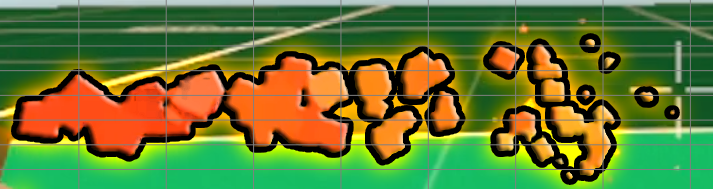
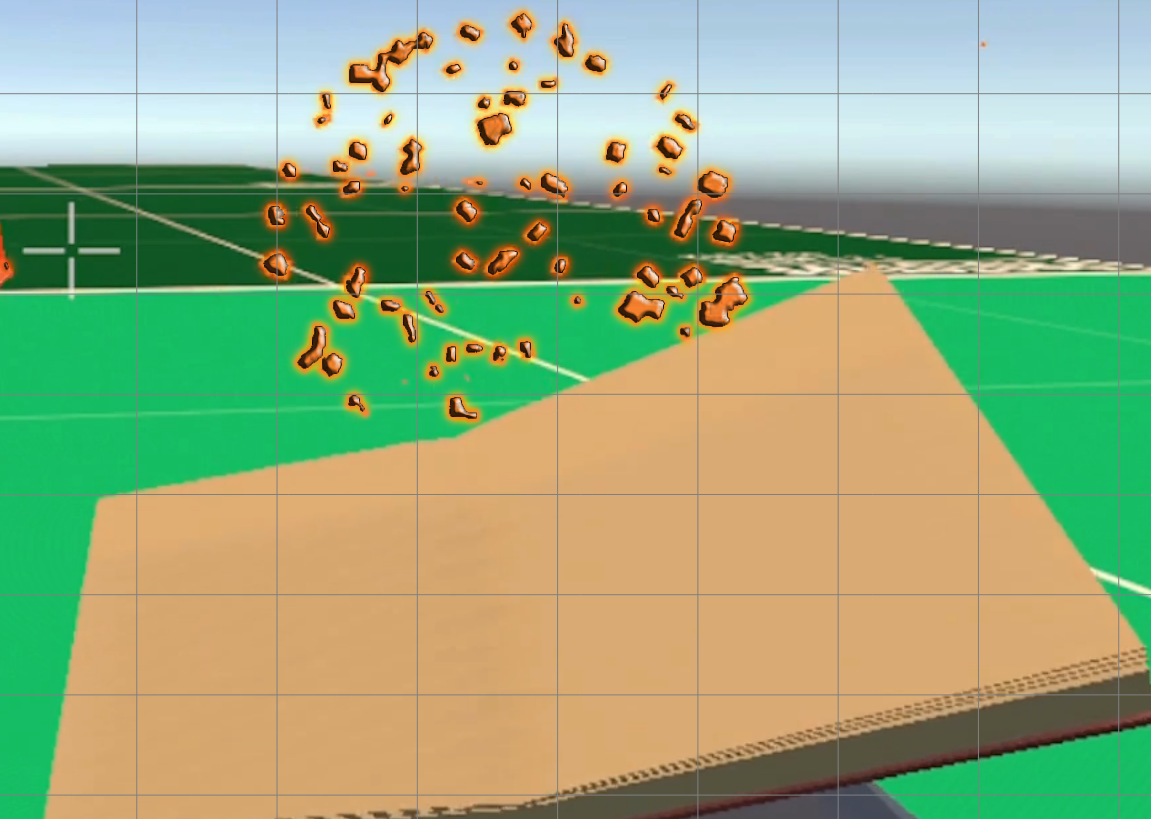
https://i.imgur.com/odYJgYE.png
https://i.imgur.com/Mzbtnsa.png
Some photoshop ideas
 fluid tapir
ashen robin
https://i.imgur.com/odYJgYE.png
https://i.imgur.com/Mzbtnsa.png
Some photoshop i...
fluid tapir
ashen robin
https://i.imgur.com/odYJgYE.png
https://i.imgur.com/Mzbtnsa.png
Some photoshop i...
Those look good too
I will try out
fluid tapir
@ashen robin @tight root What about now?
tight root
It looks great!
fluid tapir
thanksss
tight root
I just wanna "beg" for a tiny tiny adjustment if you have time and if you think it necessary. Please make the smoke "smoke out" instead of shutting it down completely!
fluid tapir
tight root
I just wanna "beg" for a tiny tiny adjustment if you have time and if you think ...
Good idea! lol
 pseudo zinc
echo atlas
pseudo zinc
echo atlas
Hi! I made this blood splash VFX using shaders but it looks 2d, can someone help me with making the shape look 3d?
ashen robin
echo atlas
Hi! I made this blood splash VFX using shaders but it looks 2d, can someone help...
Most of these effects are usually done with quads, and i think the bigger problem is that they aren't animated enough to seem like they are fluid
but if you do want more depth to it, you can go make yourself a few complex meshes pretty easily. Only problem with those is that if you do want to animate them you're usually doing some vertex shadering instead of by some texture.
Basically, what you're doing there with the particle system is fine. It's the shadering that's a problem.
echo atlas
ashen robin
but if you do want more depth to it, you can go make yourself a few complex mesh...
so make a couple of meshes and plug that into the vfx graph along with the shader?
I can try to animate it with the shader correct?
ashen robin
I'd try just making the meshes and throwing on some glossy transparent shader and maybe modify the size over time a bit
shadering depends on your game style obviously so might want something more toonlike
 ornate cairn
What is a good way to make VFX graph particles interract with the 2D lighting system (URP)? The unlit mist in the darkened background looks very awkward
 ashen robin
ornate cairn
What is a good way to make VFX graph particles interract with the 2D lighting sy...
ashen robin
ornate cairn
What is a good way to make VFX graph particles interract with the 2D lighting sy...
https://docs.unity3d.com/Manual//urp/2d-visual-effect-graph-compatibility.html
Was top search on google but unity's site is bugging out for me.

Alternatively your game feels like it has some 2.5D aspect to it, why not just use 3D lights?
ornate cairn
ashen robin
Alternatively your game feels like it has some 2.5D aspect to it, why not just u...
I did consider that! But it seems like working with 2D sprites would be an absolute pain, unless im missing something
i've only ever worked on 2D games, so im not sure how exactly i would utilize 2D sprites on 3D meshes
ashen robin
Yeah depends, would require a bit more strict placements with the lighting
ornate cairn
from what i've read, most people recommend creating a 3D material per sprite, which sounds very annoying?
ashen robin
You can use SpriteRenders in all spaces
2D is fake in Unity, you just fixate the camera orthographically on two axis
(which works fine and can be considered a positive in a lot of scenarios)
Ah, maybe you'd have to modify the SpriteRender shader for 2.5D though. I forget but maybe a little complicated
There are tutorials for it, you would need to modify it to enable that 3D lighting and shadow casting (if you want that)
Any case just throwing this out there, but check out those docs if they load and maybe you'd be fine with what you've got so far.
ornate cairn
ashen robin
There are tutorials for it, you would need to modify it to enable that 3D lighti...
Yeah my biggest roadblock about using 3D lighting, is that i innitially started the project with the 2D URP template, and it seems to have disabled 3D lighting, and i have no idea how to enable it, nor was i able to find anything about it
echo atlas
hey guys how do I output mutiple meshes from the same particle output?
 weary root
hey wondering if someone could help me figure out why my vfx graph looks so much worse in URP than HDRP - is this just a limitation of URP or do I likely have something funky in my local env
warm torrent
weary root
hey wondering if someone could help me figure out why my vfx graph looks so much...
Looks like the vfx graph's set color and alpha on URP side doesn't include alpha either in the input or in general, for whichever reason
There is no such limitation in URP that you would not be able to control particle alpha over lifetime
I would try to define the alpha with nodes rather than in the block directly
 dull obsidian
weary root
hey wondering if someone could help me figure out why my vfx graph looks so much...
dull obsidian
weary root
hey wondering if someone could help me figure out why my vfx graph looks so much...
cc @warm torrent I'm pretty sure this block is fine to set color and alpha for both render pipelines.
To me, both look as expected, in the video on the left, the visual effect is not refreshing every frame (slowly) because the Editor is not in Play mode like the video on the right, Play mode enforces this constant refresh.


 warm torrent
dull obsidian
cc <@166982635950702592> I'm pretty sure this block is fine to set color and alp...
warm torrent
dull obsidian
cc <@166982635950702592> I'm pretty sure this block is fine to set color and alp...
So in play mode they appear the same?
Scene window also has an "always refresh" option that might affect this
dull obsidian
warm torrent
Scene window also has an "always refresh" option that might affect this
Yeah, good idea, I typically turn that Always Refresh on as well so don't have to be in Play mode as often. I think it's in a drop down menu here in the Scene view @weary root
 bold kelp
Question - does adding a mesh count per output particle block randomize between those meshes ?
For some reason they feel like they don't
 vestal zinc
i'm looking to purchase a good fog visual effect. anyone have any recommendations?
junior thistle
vestal zinc
i'm looking to purchase a good fog visual effect. anyone have any recommendation...
What kind of fog? That's very vague
In hdrp you get local volumetric fog as well as global fog
For free
 silk iron
haha
vestal zinc
junior thistle
In hdrp you get local volumetric fog as well as global fog
sorry, i'm on URP. it's less of a fog and more like a volumetric smoke. it'd be nice to be to have a shader that i can just assign to a volume of any size and it generates a fog inside. it's to block out areas of my game that are not ready because they're unimplemented. you're not wrong that i could just implement a cheap fog but i'm wondering if there are recommendations for volumetric fog assets
i have another question. i'm on URP and for some reason some of the particle effects from these asset packs that i've purchased don't work. it seems to have something to do with Soft Particles because when i remove the Soft Particles option from the material they start working. is there something specific I need to be doing in the rendering pipeline to ensure soft particles work? enabling Depth Texture doesn't make it work either (i am fully aware that i don't know how any of this works so if you can point me to some docs or reference that would be clutch too)
junior thistle
vestal zinc
sorry, i'm on URP. it's less of a fog and more like a volumetric smoke. it'd be ...
Well, what I mentioned works exactly like that but it doesn't work in urp.
Other than making your own shader, you could search up the asset store. I remember getting a nice looking effect from github for free (for urp) once upon a time
You could check there too
junior thistle
vestal zinc
i have another question. i'm on URP and for some reason some of the particle eff...
Hdrp assets are not meant to be used for urp. Soft particles work in urp. Who knows what actually needs fixing there
vestal zinc
alright, thanks
 green saddle
I posted my question in the post processing channel but would anyone here know how to help too?
warm torrent
green saddle
I posted my question in the post processing channel but would anyone here know h...
The question is hardly related to vfx/particles
But the bigger issue that you didn't state any specific question, just asked for volunteers
That isn't likely to get you anything
green saddle
warm torrent
The question is hardly related to vfx/particles
But the bigger issue that you di...
Hmmm gotcha, thx I’ll try to be more specific
warm torrent
green saddle
Hmmm gotcha, thx I’ll try to be more specific
People who are in a position to help want to see your efforts to aid with some specific part you're struggling with
Signing up for a task of unknown time investment and knowledge requirement is very tough to do with strangers
green saddle
warm torrent
People who are in a position to help want to see your efforts to aid with some s...
Noted 👍
 zenith oasis
I have a particle effect that uses a texture sheet to choose a random texture in the sheet for a particle instance. Is there a way to find which texture was chosen on an arbitrary particle instance within a bounding box?
zenith oasis
basically want to track the the color of a given particle at a point in 3d space
 quick valve
Can someone help me make a cyllindrical billboard vertex shader in URP?
With the shader graph
I need it to work around the Z axis and still be able to rotate on the other axes (takes account object rotation)
 hushed sable
What can I do to improve this
warm torrent
zenith oasis
basically want to track the the color of a given particle at a point in 3d space
"track" in what way?
junior thistle
hushed sable
What can I do to improve this
It's subjective but I don't like the out part
Maybe it needs more letters and warp them over time in some way
Or substitute with some kind of voronoi tiling or combine
It's hard to say cause it's not a technical question with a definitive answer
But I think the inner parts look good
zenith oasis
warm torrent
"track" in what way?
I want to place a probe in a spot in world space and sample the colors of the particles as they fly through the probe's location
warm torrent
zenith oasis
I want to place a probe in a spot in world space and sample the colors of the pa...
I think that would require a script looping through all live particles, checking their position and color / sprite frame properties, and interpolating some result
Unless this is an XY problem and the real solution is much simpler
What is it for exactly?
 dry charm
guys any improvement tips?
 dire flower
dry charm
guys any improvement tips?
dire flower
dry charm
guys any improvement tips?
that one was really cool 😄
 tender geyser
I'm currently instantiating a bunch of particle systems on resource tiles in my game and thats pretty expensive so I was wondering if there is a way to kinda link multiple particle systems to the same simulation? Most of these are only from 2-3 unique prefabs and don't interact with the world in any way
 warm torrent
tender geyser
I'm currently instantiating a bunch of particle systems on resource tiles in my ...
warm torrent
tender geyser
I'm currently instantiating a bunch of particle systems on resource tiles in my ...
With particle systems I don't know
With VFX graph that's a feature out of the box, vfx graph instancing
But can also be done manually by using one graph to run the particle simulation in many places on command
tender geyser
warm torrent
With particle systems I don't know
With VFX graph that's a feature out of the bo...
Ah thanks for the info I'll try vfx graph then
wanted to learn that for quite some time anyways so guess its a good time to do that now
 limpid perch
Hi, the portal visual effect is working in both scene mode and game mode, but not in play mode. Any idea why and how to solve this?


 inland turret
Hello. I don't know how to visualize heat with particles. I have a system where you have to heat up your office, but I don't know what would do the job.
warm torrent
inland turret
Hello. I don't know how to visualize heat with particles. I have a system where ...
I'd consider darkish red "additive" particle material if you want something not-realistic
Or for more realism a screen space distortion/blur shader
inland turret
warm torrent
I'd consider darkish red "additive" particle material if you want something not-...
what...
inland turret
warm torrent
I'd consider darkish red "additive" particle material if you want something not-...
Right now it just looks like red smoke.
warm torrent
inland turret
Right now it just looks like red smoke.
It should be soft and subtle
Additive materials get more transparent the darker they are
The result would be a red glow
Combining that with steamlike particles is the best option that comes to mind if you don't get into distortion shaders
inland turret
warm torrent
It should be soft and subtle
Additive materials get more transparent the darker ...
How do I do that? This is my first time using the particle system.
warm torrent
inland turret
How do I do that? This is my first time using the particle system.
Do which part?
inland turret
warm torrent
Do which part?
Everything to be honest. This is what I have rn. It looks like cheeto dust tbh.
 warm torrent
inland turret
Everything to be honest. This is what I have rn. It looks like cheeto dust tbh.
warm torrent
inland turret
Everything to be honest. This is what I have rn. It looks like cheeto dust tbh.
For a heat glow I would not use a smoky texture, but a very soft one such as the default particle texture
And view it against its intended environment, against a black void any particle will stand out more than intended, especially additive ones
inland turret
So U want it to glow? Its supposed to come out this vent here.
 inland turret
warm torrent
For a heat glow I would not use a smoky texture, but a very soft one such as the...
inland turret
warm torrent
For a heat glow I would not use a smoky texture, but a very soft one such as the...
Also what texture should I use if not smokey?
warm torrent
I'd try the default, as mentioned, with a dark color, as mentioned
Making a glow kind of particle is one way to convey heat, whether that's appropriate to the object you want to emit it is up to you
There's also the "soft particles" option which really helps with effects that need to be close to solid objects or intersect with them
inland turret
warm torrent
I'd try the default, as mentioned, with a dark color, as mentioned
I made it dark, and changed material back to default. looks like this now. If I need glow, how would I do that? Idk where anything is
 unique sapphire
Hey there! Newbie question. I'm following a course from Coloso about shaders. In the first class I have to setup a basic mesh with a material and a png texture. I've followed the steps but I can only see an orange wireframe instead of my texture.
This is what I see:
 warm torrent
inland turret
I made it dark, and changed material back to default. looks like this now. If I ...
warm torrent
inland turret
I made it dark, and changed material back to default. looks like this now. If I ...
Not material to default, jut texture of the material into default particle
Can be found in the texture list as it's always included in projects
 vagrant horizon
Do we talk about the HDRP Water system here?
If so, the samples' water deformation using water decals are not working
Any clues?
vagrant horizon
silk iron
try doing what it says
Ok , good catch let me see
Yep, You are right, increasing the decal atlas size in the HDRP asset worked✅

@silk iron Thank you!
silk iron
vagrant horizon
Yep, You are right, increasing the decal atlas size in the HDRP asset worked✅
i am not sure if it will have perf impact or anything
i don't use HDRP either because of how it kills perf,
just be careful around these settings
vagrant horizon
silk iron
i don't use HDRP either because of how it kills perf,
No worries, we might switch to Unreal for even more perf impact  🤗
🤗
silk iron
vagrant horizon
No worries, we might switch to Unreal for even more perf impact <:old_man_yells...
Bruh lol

vagrant horizon
If you increase the amplitude too much. 🎉
silk iron
vagrant horizon
If you increase the amplitude too much. 🎉
lol
zenith oasis
warm torrent
I think that would require a script looping through all live particles, checking...
You can do that? It's for coloring an object in realtime to match the background particles moving around
 neon gyro
Hi guys. I'm kinda new to VFX Graph.
I need to make changes to many VFX Graph Asset which can get tedious. Can I make an editor tool to programatically edit the VFX graph?
Basically I just need to apply a Set Position via Graphics Buffer.
 eager drift
Has anybody used the Quick Outline package before? if so i have no idea how to make it so the outlines all render no matter what, ive set the Ztest to every setting and it doesnt change anythng visually. Is this because i'm enabling and disabling the outline?

or rather i want every front most outline to overwrite ones with lower Z value
 wary meadow
Hello! I am working on AOE Spells in my game and am trying to constrain the particles to a game object so for example in the picture the particles wouldn't leave the sphere
 warm torrent
wary meadow
Hello! I am working on AOE Spells in my game and am trying to constrain the part...
warm torrent
wary meadow
Hello! I am working on AOE Spells in my game and am trying to constrain the part...
With particle system you can use External Forces together with a particle system force field that applies inward force beyond a specific radius
wary meadow
thank you! ill try it out
 cedar haven
Hi! Do you know any way to force particles to emit in the direction of, for example, an object in the game scene? I want the particles to act as some kind of indicator
warm torrent
cedar haven
Hi! Do you know any way to force particles to emit in the direction of, for exam...
You could rotate the particle system gameobject itself
Unless there's some reason it won't work adequately in your specific case
cedar haven
Yes, probably won't work in that way. I'm looking to achieve a similar effect to a tesla ball

But maaaaybe if I do it a bit differently this could be a possible solution
junior thistle
cedar haven
Yes, probably won't work in that way. I'm looking to achieve a similar effect to...
You could modify velocity in world space via code
Just find the player and build a direction vector and use that as velocity
I assume you'd also want to stop emitting if the player is not in range so you'd need some code anyway
cedar haven
Oh yeah I guess I'll go in a similar direction, I'm just completely green when it comes to coding so I didn't even know what phrases to search for. Thanks!
warm torrent
cedar haven
Yes, probably won't work in that way. I'm looking to achieve a similar effect to...
The plasma strands aren't much like moving particles, or particles at all
Do you need the plasma to connect to one or more point, and to be limited by a spherical radius as there?
cedar haven
warm torrent
The plasma strands aren't much like moving particles, or particles at all
Do you...
I saw this tutorial that use particles for this effect
https://youtu.be/vjkKeM4NB3A?si=O-8yhI3rFH8a9Xx_
Yes I need it to be limited and to connect to one point

Hi, Guys, this is my first tutorial in UNITY. If you like it please subscribe to my channel. many more to come.
support me on patreon
https://www.patreon.com/user?u=23487548
follow me on Artstation
https://www.artstation.com/harshfx
I'm pretty much a beginner with vfx too, figuring stuff out for a project
warm torrent
cedar haven
I saw this tutorial that use particles for this effect
https://youtu.be/vjkKeM4...
This particular way of doing it is extremely impractical, kind of a novelty
The "beams" aren't stable, so they can't be moved or directed without messing up the strand illusion
And even with 5000 particles which is probably more than you should have in a Particle System there's still gaps and the effect isn't very convincing
cedar haven
So is there a better way of doing this without the process getting too complicated?
Or just animating one strand somehow and then making it turn in the player's direction?
Trying to just use trails for a lightning effect and maybe I'll use that!
warm torrent
cedar haven
Or just animating one strand somehow and then making it turn in the player's dir...
Yes, as one option
Good realtime effects are all about clever compromises rather than accurate simulation
This one uses meshes and shaders with no particles at all, so its strands are easily controllable:
https://youtu.be/GKAk5IisflY
warm torrent
cedar haven
Trying to just use trails for a lightning effect and maybe I'll use that!
Trails are lines that lag behind particles or objects, for a connected beam a line renderer would be more practical
It would be separate to the particle system, and likely you'll want to animate it with shaders
As an alternative the same principle can be used with the vfx graph for more varied effects:
https://youtu.be/oeG7b3a5QPA
But your most powerful tool may be to use textured and flipbook animated particles in creative ways:
https://youtu.be/qFDmxGcns5I
https://youtu.be/rD-tSaQkddA
Especially mixed together with some of the other options
cedar haven
Thank you! I'm familiar with texture sheet animations I assume what you called "flipbook" right here.
https://youtube.com/shorts/jagvNDg7Iaw?si=zhXhe998UhF2-q3v
How do you feel about this method though, it's less optimal than the ones you listed?
 warm torrent
cedar haven
https://youtube.com/shorts/jagvNDg7Iaw?si=zhXhe998UhF2-q3v
How do you feel abou...
warm torrent
cedar haven
https://youtube.com/shorts/jagvNDg7Iaw?si=zhXhe998UhF2-q3v
How do you feel abou...
That one is good too ^^
You can't easily direct them though, so a better fit for secondary arcs
External forces can be used to draw them in towards a point to some extent
And it is also an option to instantiate them at the target and use external forces to draw them towards the source instead
A bit hacky so your mileage may vary
Particles can be influenced or fully controlled directly from scripts too, but would not be my first option
cedar haven
Thank you sm! I'll figure something out using this, maybe consult our dev, it was super informative! ^^
 keen night
Does anyone have any tips to get unity to look realistic?
warm torrent
keen night
Does anyone have any tips to get unity to look realistic?
- Study and understand what exactly is it in CGI that results in "realism"
As a hint it is maybe 80% up to the lighting calculations, the quality of PBR materials, and post processing - Study and understand what tools and features Unity offers to that end
Most of them can be found in HDRP, but realism isn't exclusive to it as it mostly depends on the material you work with and technical/artistic choices
 mighty zephyr
Hi there i am dipping my toes into vfx graph following a tutorial but it looks the hdrp distortion node
any suggestions on what i can do?
 undone temple
Hi there currently working on a project and I was wondering if there is a way to use black and white values of a texture in VFX Graph to drive the position of my particles
dry charm
Made this system, one help guys that I really wanted to know guys is .... I am using vertex colour for mask .... in blender if I create 2 vertex map is it possible to access them separately in unity..... and also if not I can split them using RGBA right... soo anybody know to paint in different channels of blender vertex paint.. I am not able to find any option to isolate rgb channels in blender unfortunately....... anyway how is this shader... I will be finishing it with a touch of particle system to end it ...
warm torrent
dry charm
Made this system, one help guys that I really wanted to know guys is .... I am u...
In Blender you can paint only on red channel for example using red brush color and then swapping between additive and subtractive blending modes
Because you're only adding or removing red, green and blue are unaffected
In Blender it helps to Split the vertex color in the shader editor and preview one channel at a time
As long as you make sure to use the right color brush
You can also transfer that kind of data between channels, including from vertex color to UV channels, from and to textures and between separate objects
If needed
Sometimes brushes are a bit inadequate for tech art
dry charm
Hmmm.. I was painting with green and red and then exporting to unity. But something was wrong . Lemme try it... painting with red.. and on top with pure green to achieve 2 channels?...
warm torrent
dry charm
Hmmm.. I was painting with green and red and then exporting to unity. But someth...
Preview the channels with Split in Blender first so you know for sure what you're exporting
Or test them otherwise
dry charm
Yepp I will test them thanks
dry charm
guys i made a simple slash shader , but i need to have a trail of sparks which is like the mesh,, u saw the slash right that shape itself .. but a train of sparks like that slash, is there any node to do that(struggles of trying vfx graph for first time after months in shuriken)
 hushed trench
i hate everything. please help, ive spent all night, 1 AM to 8AM trying to make a muzzle flash
it seems so simple, but i just cant do it. someone please help, im using HDRP
junior thistle
hushed trench
i hate everything. please help, ive spent all night, 1 AM to 8AM trying to make ...
What have you tried? Cause there are many ways to make that kind of effect, and it also depends on the artstyle of your game (i.e. realistic or stlylized or full on cartoony) etc
The simplest way of making realistic muzzle flashes is baking flipbooks for that
But you don't need to, you can make it via a shader or even some basic particles, depending on what you're going for exactly
hushed trench
I honestly have no clue what I’m doing so I’ve tried some tutorials
@junior thistle I’ve been messing with bursts and using materials
hushed trench
im doing a realistic FPS, i just kinda free balled the code and got this. the middle square is for help when i animate later. i also accidentally left a muzzle flash light i have on
 ionic latch
Hey, I wanted to ask you, I've just started getting interested in visual effects and I wanted to ask where to begin?
dry charm
ionic latch
Hey, I wanted to ask you, I've just started getting interested in visual effects...
Start with particle system .. u can do pretty much everything u want in it.. and it's pretty easy to learn compared to visual graph...
ionic latch
dry charm
Start with particle system .. u can do pretty much everything u want in it.. and...
Okay, thank you for your reply, but can I create a dizzying effect with spinning stars using the particle system?
full sparrow
ionic latch
Okay, thank you for your reply, but can I create a dizzying effect with spinning...
there is no reason why not
dry charm
ionic latch
Okay, thank you for your reply, but can I create a dizzying effect with spinning...
Yaa u can .. create the kind of textures u want in photoshop.. make it as material and start experimenting with particle system
ionic latch
dry charm
Yaa u can .. create the kind of textures u want in photoshop.. make it as materi...
Okay, thank you very much for the advice.
junior thistle
hushed trench
<@410525986468265997> I’ve been messing with bursts and using materials
I don't even know what that means. I suppose you might have been emitting in bursts with particle system, but I don't know what "using materials means"
junior thistle
hushed trench
im doing a realistic FPS, i just kinda free balled the code and got this. the mi...
Embergen has a free trial that lasts a week (I think). Flipbooks for those kinds of things are often the pro solution, might wanna take a look at that
hushed trench
junior thistle
I don't even know what that means. I suppose you might have been emitting in bur...
inside the render tab i added a really intense hot red yellow material to help
didnt work
its just the question of how, i dont understand a single thing about the vfx and just neeed help with some way to make the muzzle flash
i just dont know how to make it
spiral mesa
In Unity, I want to create a gemstone that's scalable in the Y direction, but keeping the nice edges. This is because I'm creating a gemstone that gradually grows and shrinks vertically.
Is there a simple way to achieve this? I want the gemstone parameters to be customizable.
 junior thistle
hushed trench
its just the question of how, i dont understand a single thing about the vfx and...
junior thistle
hushed trench
its just the question of how, i dont understand a single thing about the vfx and...
I just gave you a suggestion to look up embergen and how to export flipbooks for the particle system to use.
That will look realistic and professional without you needing to understand much of the tech stuff behind it (like fluid simulations)
If you don't want to do that, why not just find a muzzle flash asset from the unity asset store?
I believe there are free ones provided for free by unity in some particle pack
 next notch
this is my first vfx any tips? is the bloom too much also I struggled to controll the bloom individually do i have to make my own material shader to control intensity better?

 junior thistle
next notch
this is my first vfx any tips? is the bloom too much also I struggled to control...
junior thistle
next notch
this is my first vfx any tips? is the bloom too much also I struggled to control...
Yeah, you just need to use color mode: hdr so you can control the intensity of the color
clear spruce
Is it a 3d mesh? If so, could you not just pull these two groups of vertices apart from each other (in vertex shader for example)?

In the case of this particular stone at least it would be as easy as something like localPos.y += sign(pos.y) * expansionFactor; assuming the pivot to be at the middle. In this case it seems like you would not even have to worry about the normals getting changed (all affected faces are parallel to the stretch direction)
clear spruce
If it is a 2d sprite or a 3d model where the shading is based on a texture, we probably need more information about how you want it to work
dry charm
next notch
this is my first vfx any tips? is the bloom too much also I struggled to control...
U can use hdr colour for materials and also try to play with global volume and also box volumes so u can get some cool bloody effect along with hdr which will elevate it more ..
next notch
how can I remove the background of the texture? i have used transparent and additive but it doesnt work.

 warm torrent
next notch
how can I remove the background of the texture? i have used transparent and addi...
warm torrent
next notch
how can I remove the background of the texture? i have used transparent and addi...
"Preserve specular lighting"
Not using a Lit material would solve it also
Particles that glow rather than reflecting light tend to be Unlit
next notch
warm torrent
"Preserve specular lighting"
Not using a Lit material would solve it also
Partic...
oh thanks it worked
clear spruce
spiral mesa
In Unity, I want to create a gemstone that's scalable in the Y direction, but ke...
Oh sorry, I did't ping you in my reply earlier: #✨┃vfx-and-particles message. Don't know how that happened.
spiral mesa
clear spruce
Is it a 3d mesh? If so, could you not just pull these two groups of vertices apa...
I don't know much, should I learn vertex shader? All I know is it should be 3D. So would it be under a single mesh (instead of 3 meshes) and is it easily customizable to vary the gemstones or should I just hardcode creating this gemstone.
The gemstone can grow from a small height of 0 to beyond the entire height of the screen
dry charm
spiral mesa
I don't know much, should I learn vertex shader? All I know is it should be 3D. ...
There are simple vertex shaders which can make the mesh grow... like from 0 to 1.. the mesh goes like a plant growing feel.. simple stuff like this.. u can have as much as mesh combines i guess.. with proper uv layout for the proper mesh deformation....
warm torrent
spiral mesa
I don't know much, should I learn vertex shader? All I know is it should be 3D. ...
Hard to say
Can you specify exactly what you mean by scaling while "keeping nice edges"
Because normally you can scale any mesh and the edges stay "nice", at least compared to how scaling an image loses resolution
 real rapids
Did Set position Shape AABox Change? I cant find it and nothing i try works like it? 🙂
spiral mesa
warm torrent
Hard to say
Can you specify exactly what you mean by scaling while "keeping nice...
like the “border” of the gem. Should I just learn vertex shader and i will get a better idea? i only know how to write basic shaders which ive done mostly for 2D sprites and effects
warm torrent
spiral mesa
like the “border” of the gem. Should I just learn vertex shader and i will get a...
I think it'd be simpler to do with bones and a skinned mesh renderer
But hard to say if you're not familiar with either weighting or vertex shaders
 zinc void
Running into an issue with the particle system I am trying to set up on a canvas set to screen space camera
When I enable an object with a image comp located on the same canvas it blocks the particles from appearing on screen and I'm not sure as to why


 warm torrent
zinc void
Running into an issue with the particle system I am trying to set up on a canvas...
warm torrent
zinc void
Running into an issue with the particle system I am trying to set up on a canvas...
Canvas doesn't support particles
Or any non-canvas renderer
It might show up in some situations but scaling won't be correct and render order or it rendering at all is unpredictable
 olive zenith
Hello devs.....Im trying to guess how those type of effects can be recreated in unity.... So from my POV.....Plane + shader (abyss like) + VFX particles rocks falling.....Mesh Hand with shader + animation. Or im wrong....any VFX artist here? Im creating something similar for my game. Inspired from this one. Thanks for helping.
 dry charm
olive zenith
Hello devs.....Im trying to guess how those type of effects can be recreated in ...
dry charm
olive zenith
Hello devs.....Im trying to guess how those type of effects can be recreated in ...
Yes it's shader + that green thing is a plane or a mesh with shader applied on it .. for like coming from the weapon we can use gradient on different axis and it will look like the shader is growing from the player to enemy.. I think simple voronoi and noise mix texture with mask and hdr colour try to make a shader .. also that hand is a mask texture applied on top of it...we can control how mask is moving with simple tiling on the plane uv .... OR IF THE HAND NEEDS TO BE PROTUDED FROM GROUND hand is. An extra mesh on top of default layer... so basically different layers acting together
Hope it helps
 graceful crown
hello i have a question, is it possible to make simillar cable with a shader or a node in unity?
 warm torrent
graceful crown
hello i have a question, is it possible to make simillar cable with a shader or ...
warm torrent
graceful crown
hello i have a question, is it possible to make simillar cable with a shader or ...
It could be a Line Renderer, with a a spline or similar procedural path
graceful crown
ty 🙏
ashen robin
splinessss
clear spruce
graceful crown
hello i have a question, is it possible to make simillar cable with a shader or ...
When it comes to the shape of the curve, if you want the hanging to work physically correctly (right amount of curvature on each point), you can take a look at catenaries. Hyperbolic cosine happens to match the shape of a hanging rope of any length (just stretched differently) so it shouldn't be too difficult to calculate. I don't think bezier based (which most are) splines can accurately represent the cosh curve, but you can obviously get arbitrarily close. I assume many games probably use parabolas as they look bit similar but they will have a little too sharp point at the middle. A real catenary shape should look the most natural.
You can see how the parabola looks quite sharp in the middle. There are many ways you can achieve the rendering of the lines though. A line rendered would be my first thought too but I'm sure you could also use a vertex shader (billboarded line) or the VFX graph line strips, but the latter especially I would think is maybe not the best solution. The VFX graph doesn't even seem to have a cosh node built-in though you could make it yourself using the exponent function or potentially with custom HLSL node. The shader graph does seem to support hyperbolic trigonometric functions and so does written shader code.
 clear spruce
The difference between parabolic shape and the catenary becomes smaller the less your cables sag but I just wanted to point out that the physically accurate shape is well known and can be achieved quite accurately. I'm sure there are a lot of resources available as to how to do the math for hanging cables in games since a lot of games have them. Something like this as an example: https://www.alanzucconi.com/2020/12/13/catenary-2/. The reason they use iterative methods there is because calculating the length of such curve is not trivial, it isn't even trivial for parabolas. There might be easier way the other way around if the length of rope isn't fixed but rather the amount of sagging it has.
olive zenith
dry charm
Yes it's shader + that green thing is a plane or a mesh with shader applied on i...
Not so polished since the hand still need some magic shader.... but like prototype i believe it should work
dry charm
olive zenith
Not so polished since the hand still need some magic shader.... but like prototy...
It can work... The red thing looks little weird for some reason ... The mesh i guess ... The hand model is good but the material on it feels so plain..... Also make the red material move in forward manner. Now it's just random voronoi movement and not any direction.. use tiling and offset simple it is... Also u can make the hand like popping up from ground for some more better look.. and add some particles all around the red like something is coming up very small dust kind of particles it will make it look alive. Now it's really static. For prototype this is so good ... Good job
olive zenith
dry charm
It can work... The red thing looks little weird for some reason ... The mesh i g...
now im adding Gradient so i can choose the top or bottom darker.... mesh is just prototype.....for scrolling it is already here downwards hard to see since speed small. The PIT floor has another shader with Gradient noise swirling.... where walls have different shader..... now im also working around Dissolving. So i can make them oppen and close....and after polishing with some more particles
dry charm
olive zenith
now im adding Gradient so i can choose the top or bottom darker.... mesh is j...
Yess less goo dooo ittt
olive zenith
dry charm
It can work... The red thing looks little weird for some reason ... The mesh i g...
I`ll show later\
graceful crown
clear spruce
The difference between parabolic shape and the catenary becomes smaller the less...
ty ima trye this too
 woven bronze
has anyone tried VFX apprentice courses, is there a lot covered in unity/unreal? is it worth it?
dry charm
Guys Does anybody know how to leave trails.. not trails like simple very small particles spawn in the position of the mesh which is moving like the slash..... its super easy with particle system but i need to know how we can make that in vfx graph
warm torrent
dry charm
Guys Does anybody know how to leave trails.. not trails like simple very small p...
If you can already do it with PS, why do you need to do it with VFX?
Is the video an example of how you want it to look or how you don't want it to look? Wording is unclear
dry charm
warm torrent
Is the video an example of how you want it to look or how you _don't_ want it to...
sry y mistake... the video is without any trails... i want it to look in such a manner that this exact thing+ particles spawning in the mesh and it will follow that mesh when its rotating.. so when i set it to global. it will look like its particles staying behind due to force of slash..... also i am trying to take the use of gpu to enhance my stuff. thats y i am asking on how to do it in vfx graph .. it opens lot of new ideas
warm torrent
dry charm
sry y mistake... the video is without any trails... i want it to look in such a ...
While it's usually just fine (and with sparse particle effects even better for overhead performance cost) to use the particle system instead of vfx graph it is more powerful
If you have a plan how to do something in Particle System, that translates directly to VFX graph as long as you're familiar with its nodes because what you have as Modules in PS, you mostly have to build for yourself in VFX graph
 stone tinsel
Im trying to make a snow effect (like a really really heavy blizzard), and I have it working but I have a feeling it is WAY to demanding with how many particles I have, would it make it better if I just made it a smaller area that followed above the player
the only issue is that the particles also move when the player moves
for whatever reason
nvm fixed it
dry charm
guys suggestions and critique help... its in a prototype stage. i want to get ideas on what all stuff i can add and what to remove.. any critiques are welcomed
warm torrent
How would we know what to suggest when we don't know your design goals or artistic intent
Someone might suggest something that makes it more realistic, while another could suggest something that makes it more cartoony
The suggestions would be equal but totally conflicting
Visuals are for communication specific ideas, themes, moods, as well as gameplay cues and information
Someone involved in the process must understand what you intend those to be to be able to steer you in the right direction
 tame tinsel
This is a model from the game Arknights Endfield. Is there a shader in unity that can convert a hand-painted base color to look like this?
 warm torrent
tame tinsel
This is a model from the game Arknights Endfield. Is there a shader in unity tha...
warm torrent
tame tinsel
This is a model from the game Arknights Endfield. Is there a shader in unity tha...
What about the look are you referring to by "this"
full sparrow
tame tinsel
This is a model from the game Arknights Endfield. Is there a shader in unity tha...
There is the Unity Toon Shader but this seems like a question for #1390346776804069396
warm torrent
Toon shading of that type isn't made from converting a color map though, there's separate normal mapping, and different properties varying by material
 lapis bloom
 slender vector
Any idea how to achieve this? Is this a volume effect? Or just meshes with Tangeant VFX along meshes? like pulsing on the surface
 ashen robin
decals
light cookies
also custom shader that does provide some secondary animated texture to scroll over regional areas
warm torrent
The effect conforms to the geometry so it's at least projected in some way
There are "mesh decals" in addition to the typical screen space decals, but it doesn't look like a situation where meshes would be advantageous to use
slender vector
ashen robin
light cookies
also custom shader that does provide some secondary animated textu...
the animated texture scroll is a good term. Thank you!
slender vector
warm torrent
There are "mesh decals" in addition to the typical screen space decals, but it d...
noted on that. Thanks!
ashen robin
slender vector
the animated texture scroll is a good term. Thank you!
You'd scroll/animate over world space UVs to be more precise
clear spruce
In the example at least there seems to be almost straight walls where the effect appears in which case one would have hard time not to get a lot of stretching. Combining with the triplanar mapping approach would be one potential solution to that
slender vector
clear spruce
In the example at least there seems to be almost straight walls where the effect...
Triplannar that runs across multiple side-by-side assets? like an area volume?
clear spruce
slender vector
Triplannar that runs across multiple side-by-side assets? like an area volume?
I don't know what you mean. "Triplanar Mapping" is a very specific technique that you can look up
slender vector
Because adding a tri-planar to the shader will only affect the specific mesh, but I don't want to break the animation, I want it to be applied across the entire area where I will put it.
clear spruce
slender vector
Because adding a tri-planar to the shader will only affect the specific mesh, bu...
Right, if you base the triplanar mapping on the world space position, the effect will blend in seamlessly.
slender vector
I'll try some things. Thanks for the ideas 🫂
clear spruce
If you have a lot of hard edges in the scene, the triplanar mapping approach could struggle with that though (the effect wouldn't blend accross those hard edges)
 silver yew
Hey guys, a tiny bit of help would be really appreciated here. I have a partiicular VFX that I'm moving into position right before it's needed. It doesn't seem to want to render at all UNLESS I have my Scene view open and looking at it, at which point it renders in both the Scene and Game views. The bounds are 100x100x100 because I thought it might just be frustum culling, but it seems like it's not? I can't understand what the deal is.
It seems to only render when Scene view is also looking at it
 zealous spindle
hello everyone, I want to learn to make VFX for games, where do I start? 
clear spruce
zealous spindle
hello everyone, I want to learn to make VFX for games, where do I start? <:Unit...
Effects of what kind? Shaders and particle based effects are the two base types of effects. If you want to learn effects in general, you would want to learn both eventually. Particles I would say are the easier of the two, the old particle system (Shuriken) is especially easy to learn. The VFX graph is a more versatile but probably harder to learn particle based system. Shaders are a whole another world in themselves but you can get started pretty quick with the shader graph.
full sparrow
zealous spindle
hello everyone, I want to learn to make VFX for games, where do I start? <:Unit...
I would start with the docs and going through the Learning Sample
https://docs.unity3d.com/Packages/com.unity.visualeffectgraph@17.5/manual/sample-learningTemplates.html
zealous spindle
Thank you for replying to my message, it really helped me, I appreciate it. 
tame tinsel
help i am using urp render . Color intensity not showing in unity
 full sparrow
tame tinsel
help i am using urp render . Color intensity not showing in unity
full sparrow
tame tinsel
help i am using urp render . Color intensity not showing in unity
You need to change the color from HSV to HDR
 limber ivy
clear spruce
Effects of what kind? Shaders and particle based effects are the two base types ...
limber ivy
clear spruce
Effects of what kind? Shaders and particle based effects are the two base types ...
I want to learn shaders and VFX. I started looking at shaders and man they seem super simple and easy. Really like em
clear spruce
limber ivy
I want to learn shaders and VFX. I started looking at shaders and man they seem ...
Getting started isn't too bad at all. There are a lot of rabbit holes you can dig into and more complex shaders (like realistic water or custom lighting/shadow effects) can also get very complex especially when you also need to consider performance as a factor. Shaders sure are fun though. Fun combination of programming and math (vectors, geometry etc.)
limber ivy
clear spruce
Getting started isn't too bad at all. There are a lot of rabbit holes you can di...
yes!!! Say, do you also do both? Shaders and vfx
If you do, which one would you say is harder to learn?
I heard is usuing vfx graph?
clear spruce
limber ivy
yes!!! Say, do you also do both? Shaders and vfx
Sure, using both at the same time is fun too. I quite like the way they have made it possible to use VFX graph with custom Shader Graph shader for the individual particles. It's really hard to say which is harder to learn. Shader graph perhaps is in some sense simpler but also harder to build intuition on how it actually works under the hood (compared to just particles that move in space). I would assume it depends from person to person how easy it is to learn each system but learning one definitely makes it bit easier to learn the next since the graph based editors themselves are quite similar (assuming using Shader Graph instead of shader code).
Unfortunately we don't have a dedicated shader channel on this server anymore but you can always make a thread in #1390346776804069396 or ask in #1391720450752516147 if you need help with shaders. This channel is mainly used for the two particle based systems (Shuriken and VFX graph) though vfx as a term often means anything graphical like shaders
limber ivy
AH I see. Thanks for your input dude!
 silent pond
Hi, I need to implement fog and allow the player to interact with it. What documentation should I look at, or where should I start?
clear spruce
silent pond
Hi, I need to implement fog and allow the player to interact with it. What docum...
What kind of fog and interact in what way?
 orchid carbon
hello, does anyone know how to make sword slashes?
do i make a mesh in blender?
idk if thats the best way bc then its so hard to time the mesh with the sword
im honestly so confused on where to start
youtube videos all show with meshes but not fully sure
this is the attack
 viral marsh
Hey, I am using the unity 6000.3 vfx graph, and I can't figure out how to make particles inherit the parent position, like there is just no inherit block :/
Please @ me and thanks in advance!
 viral marsh
Ok, I think I got it, the naming is way worse than what it used to be tho :/
 orchid carbon
viral marsh
Ok, I think I got it, the naming is way worse than what it used to be tho :/
orchid carbon
viral marsh
Ok, I think I got it, the naming is way worse than what it used to be tho :/
you know anything about slashes?
im so lost xd
or basically any place online to learn
viral marsh
orchid carbon
or basically any place online to learn
just the internet really, look at how others do it
but I haven't personally made any
gabriel has p good tutorials for vfx
https://www.youtube.com/@GabrielAguiarProd
viral marsh
no clue
I prefer procedural things in general but that's not necessarily better, just my preference
orchid carbon
yea i prefer procedural too
otherwise i'd have to make a new mesh for every attack
how would you start with procedural?
is it a particle effect or a shader graph?
viral marsh
that I honestly have no clue about, I haven't made any complex graphs, just simple stuff
viral marsh
viral marsh
Ok, I think I got it, the naming is way worse than what it used to be tho :/
this is not it either, or at least it's really inaccurate
viral marsh
viral marsh
Hey, I am using the unity 6000.3 vfx graph, and I can't figure out how to make p...
Ok, so it seems I have to do this in world space, and even then, for some reason, there's a huge offset towards the camera.
Like the spawned particles are closer to the camera for some reason :/

It might sound a bit confusing, so here's an image.
To the right, right below the VFX gizmo, you can see the original particle.
To the left, you can see the child particles spawned on collision/death of the original one.

Ok wait what, this is caused by the set position shape circle node in the original particle, what??
Disabling this fixes the issue, but my particles no longer spawn the intended way ofc.
What is even going on here?
 viral marsh
Ok, I finally fixed this.
I had to switch from collision to kill mode, but why?
This literally makes 0 sense and even seems like a bug, especially considering the official unity tutorial used the collision node.

 viral marsh
orchid carbon
viral marsh
orchid carbon
bumping the previous issue
ashen robin
orchid carbon
hello, does anyone know how to make sword slashes?
Trails are really easy to implement so try out those first if you don't want to use meshes. Elden Ring mostly uses trails to give you a reference.
Let the trail system be local to the weapon mesh so it'll follow it
orchid carbon
ashen robin
Let the trail system be local to the weapon mesh so it'll follow it
you mean the trail renderer?
or particle system with a trail
warm torrent
orchid carbon
or particle system with a trail
Either works
 pure dagger
Can anyone confirm whether VFX is supposed to work in webgl builds (Unity 6.3)? Using URP
I’m getting a weird error at runtime on the game canvas “invalid vfx particle system. Skipping” but I can’t seem to find much information on what exactly this means - some people say it’s to do with lack of compute shader support but enabling WebGPU support didn’t fix it, and the hardware+browser definitely do support it. I’d also expect the error to say something else if it was due to that, or fail to build in the first place..
Is this error telling me the vfx effect (or something else in my project) is misconfigured?
pure dagger
Oh I think I’ve worked it out - when I enabled WebGPU, I didn’t know that I should then re-order the list so that WebGPU is highest in the list. After doing that the error is gone and I see the vfx. Also TIL it uses WebGPU for the whole renderer and it isn’t just some kind of extension to webgl2
For anyone who sees this in future, if using addressables you’ll also probably need to rebuild them too, because until I did that I got another runtime error “desired shader compiler platform is not available in shader blob”
I just tried it with the “auto graphics api” (which in my case sets the list to be greyed out with only webgl2 in it), and the “invalid vfx particle system” error comes back
When disabling auto graphics API and including WebGPU first followed by webgl2, chrome loads fine and uses WebGPU, but Firefox on my device (which has WebGPU enabled) causes an exception which crashes the webgl game with no fallback to webgl2. I’m guessing this is part of why the WebGPU stuff is experimental so I’m just gonna leave WebGPU alone but hopefully this saves someone else some time in future
ashen robin
pure dagger
Can anyone confirm whether VFX is supposed to work in webgl builds (Unity 6.3)? ...
WebGL doesnt use compute shader which VFX Graph needs but yeah WebGPU uses your more modern graphic APIs
I think as of recent the WebGPU has came out of experimental
 zenith river
is there a way to change this preview?
I need my shader to be for UV1 but in Unity it turns all black, differently from UV0


it screws up the rest of the previews

 noble osprey
Hi all, bit of a random question, but is it possible to 'define' a custom shape for VFX graph particles to collide with? For example, see the image (the 'shape' is supposed to be a glass 'thing' that the particles fill up)
What I'd like is for the particles to be emitted from the botton (they move upwards and spread).
 stiff topaz
Morning. For people interested, we've released a new livestream that focus on VFX Graph. The idea was to try to create VFX Grass with VFX Graph with different short time constraints (10min/ 1hour / 1Day).
In addition to the stream, the project is available if you want to take a look: https://github.com/OrsonFavrel/VFXGraph-ClockedAndLoaded . While not a final production solution, pretty sure that some information could be interesting if you're into vfx and/or shaders.
https://www.youtube.com/watch?v=4nrv6RK2KNk

GitHub
Contribute to OrsonFavrel/VFXGraph-ClockedAndLoaded development by creating an account on GitHub.

Unity Senior Technical Artist Orson Favrel and Lead Learning Designer Aaron Sharp show us how to make VFX Grass with VFX Graph based on time constraints and how the approach differs depending on the circumstances.
pure dagger
noble osprey
Hi all, bit of a random question, but is it possible to 'define' a custom shape ...
Maybe you can do it with vfx (I’ve only recently came back to Unity so I’m not very familiar with it) but it might help if you explain what this will be used for, because that sounds like a case where creating an illusion/faking it could be easier
For example some kind of masking where you only render the effects using the container as a mask so it just looks like the effect is entirely within the container
noble osprey
pure dagger
Maybe you can do it with vfx (I’ve only recently came back to Unity so I’m not v...
Yeah, I'm trying something else at the moment that is showing promise.
Basically I'm working on the Stargate Kawoosh effect. I've seen a bunch of people try it, but it never quite looks right, so I thought I'd give it a go. 🙂
pure dagger
I haven’t seen that before but if you mean the thing at 0:05 of this https://youtu.be/_7qxYtTZZA8 I’d be thinking the opposite way about it, more like spawning particles from the surface of a mesh

This is the first part of a video I am working on. I plan on showing EVERY Stargate opening in all 3 Stargate series. I had forgoten about this project and this is the only video I found. For now it is only the openings in season 1 of SG-1. I found out while watching this that they used the same SGC Gate Kawoosh EVERY time! I plan on releasing 1...
It’s like if you stretched out elastic and pushed a ball through it, get a mesh to move like that (probably using a vertex shader), then use a custom shader on the mesh and also add effects/particles using the mesh surface
noble osprey
Yeah I'm working on the mesh part atm using BlendShapes. It's looking promising.
clear spruce
noble osprey
Yeah, I'm trying something else at the moment that is showing promise.
Basicall...
That effect to me looks more like particles flying in similar directions with bit of variation rather than something confined to a specific shape. The only feature I could think of you could use to make the custom collision happen would be to use Collide with Signed Distance Field. SDFs can represent any shape pretty much but getting any decent dynamic effect like that would likely be hard. I would more so look into ways you could simulate the behavior of separate particles so they would together form that shape rather than trying to force it
pure dagger
Blend shapes is a good idea
noble osprey
Yeah, the original effect was created by the VFX team literally firing a jet engine into a pool. lol.
Still working on the timing, but this is looking promising.
 pure dagger
I don’t think particle collisions is the way for this though, I would think the constraint you’d be looking for is the surface of a mesh - possibly multiple meshes to give it more volume
Yeah like that
noble osprey
Thinking some sort of displacement on the object as it 'pushes' out. Maybe some additional particles 'stuck' to the mesh maybe.
clear spruce
Making the particles look like that bubbly water likely isn't a trivial task at all either
noble osprey
Oh I know. lol. I've done it with VFX tools, the struggle is translating to Unity.
pure dagger
I don’t think it would be that hard to get a pretty good imitation of it
You’re seeing the same kind of thing as a rolling explosion and there will be a ton of content about that
I bet you could watch some tutorials for explosions (specifically ones with the rolling effect like in this https://youtube.com/shorts/n3NMS3WaujE ) and be most of the way there
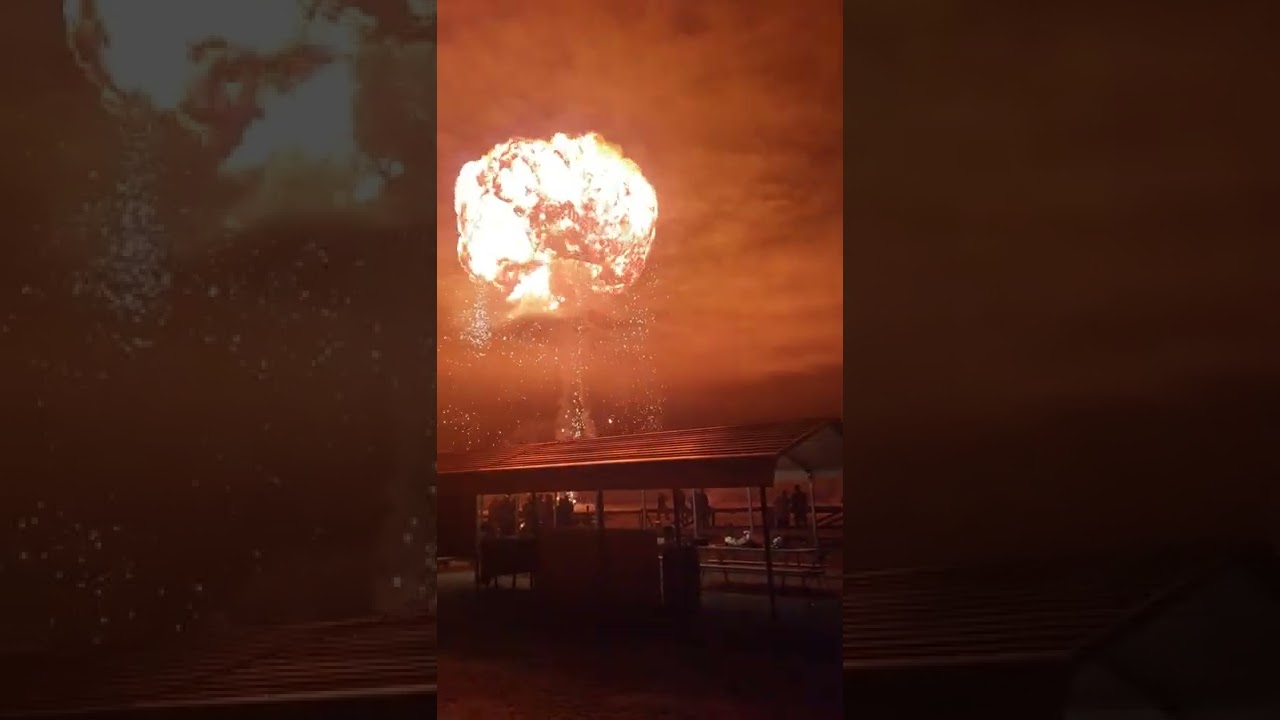
here is the link to our 1,000 gallon fireball
clear spruce
Water with it's refractive and reflective properties is often quite hard to make good but luckily those examples look more like opaque white bubbles which can make it much easier to take shortcuts
pure dagger
To me it’s almost like glossy smoke with exaggerated normals
 steel plume
guys i want to make an array of color and each particle spawn with a diferent color in the VFX Graph how can i achive this ?
nvm i did it by exposing a color property and make an color array using C# and assign them from the outside then sending the graph the color
now why set angle in intilize doesn't work with me the particle doesn't rotate at all , i want it to rotate at spawn
and still doesn't work
 steel plume
solved i use using curve and for some reason this doesn't work use the normal angle
bold kelp
Has anybody experienced in game screen get a black flicker when a VFX is launched?
 lapis bloom

 proven relic
lapis bloom
proven relic
lapis bloom
This is very cool
ashen robin
Wonder why there's still no shader graph support for vfx graph decals. Can't seem to make them interesting without some custom shader support
Doing my own GPU callbacks to spawn projectors
 tame shell
i just personally looked at how i think his name is kriptofx did his with assets of his i have and tweaked them/changed them
noble osprey
Hey all, I'm having an issue figuring something out and hope someone would be able to point me in the right direction.
I have the graph in the attached image. Very simply I'm using a free 3d noise ShaderGraph that I found to create a normal map. This part works perfectly. However, what I would like to do is 'move' the 3d noise on z axis, so I can get a nice 'ripple' effect on my surface.
The selected nodes in the image are what I have put together in terms of making the 3d noise move (Disconnected at the moment, with the position node plugged directly into the Noise node). The problem lies somewhere in these nodes as when I attach them to the rest of the 'chain' my normal map completely disappears from the model and I can't really see why.
Would anyone have any ideas please?
 noble osprey
Okay, now I'm very confused. Would anyone be willing to look at the following quick vid and see if they can see where I'm going wrong please? The previews etc. show that this should be working. 😕

 eternal pasture
I am trying to get me trail to look like a wet trail. How can I make it a single shape instead of multiple squares?
noble osprey
eternal pasture
I am trying to get me trail to look like a wet trail. How can I make it a single...
Would the Trail Renderer not be better for this? If not, try using circles instead of squares?
eternal pasture
noble osprey
Would the Trail Renderer not be better for this? If not, try using circles inst...
I tried using the trail module but couldn't get it to be on the ground
noble osprey
eternal pasture
I tried using the trail module but couldn't get it to be on the ground
I could be wrong, but I think there's a setting where you can set how it displays, ie view/z axis or something like.
eternal pasture
noble osprey
I could be wrong, but I think there's a setting where you can set how it display...
Is using the trail module a better approach? I am trying to make a wet trail thats needs to be on the ground.
noble osprey
eternal pasture
Is using the trail module a better approach? I am trying to make a wet trail tha...
It's been a while since I've used it tbh, but it has a bunch of 'fade off' options to it, so your 'wet' trails can appear like they're drying.
 thick plume
I have a object with a particle system on it and when i enable it it plays an explosion But I want to change the sorting order so i can see it any ideas? Its 3d but my game is 2d But it says it works in both 3d and 2d
ashen robin
thick plume
I have a object with a particle system on it and when i enable it it plays an ex...
Depends what type of sorting issue it is. If the particles are transparent and you want to force it on top of opaque geometry then that requires depth tinkering, but otherwise if sorting transparents you'd use the rendering queue on the material / system
thick plume
ashen robin
Depends what type of sorting issue it is. If the particles are transparent and y...
Well it all shows up But not above my tilemap
are you talking about this?
 ashen robin
Render queue ye
thick plume
ashen robin
Render queue ye
Do you know what i would set it to ?
ashen robin
When in doubt just mess around with the values
 pearl hound
thick plume
Do you know what i would set it to ?
pearl hound
thick plume
Do you know what i would set it to ?
If you set it to transparent and above it should display over pretty mutch everything
Diving in the render queue tweaks starts the never ending story of tweaking every values on all the materials lol
queen sandal
I want to make realistic rain and fire (like campfire) in Unity URP. As realistic as RDR2/GTA5/FarCry5. Is particle system capable of that or do I need to learn VFX Graph?
I find VFX Graph a little hard to understand.
junior thistle
queen sandal
I want to make realistic rain and fire (like campfire) in Unity URP. As realisti...
You're not necessarily even going to get a different result from vfx graph anyway
So yes
queen sandal
junior thistle
So yes
"Yes" for Particle System is capable to do this?
Also, for beginner, Particle System is easier to understand I guess?
Or do people prefer VFX Graph?
I see more tutorials on VFX Particles on YouTube.
junior thistle
queen sandal
Also, for beginner, Particle System is easier to understand I guess?
Particle system is easier to understand and faster to work with, yes, but vfx graph is more ppwerful
Your requirements are vague so I can't give you a straight answer
For example, if you wanna make fire via flipbook textures, then you can use the particle system and it's gonna look the same
But I don't know what's realistic for you
Like, if you want rain drops falling, then again, ps and vfx graph can both achieve this
But if you want interaction with the ground, adding wetness and scrolling water on the ground etc, then you're going to need to use some kind of shader
I don't know what your definition of realistic rain is
queen sandal
junior thistle
But I don't know what's realistic for you
A fire like this. It's obviously a real photo so I'm not hoping this much realism in URP. But something like that. Fire, some fire particles around it, and little smoke.
 queen sandal
junior thistle
Like, if you want rain drops falling, then again, ps and vfx graph can both achi...
queen sandal
junior thistle
Like, if you want rain drops falling, then again, ps and vfx graph can both achi...
Yeah basically rain drops falling and creating ripples and tiny particles on impact.
Ill go with vfx particles then.
junior thistle
queen sandal
Ill go with vfx particles then.
All of this can be achieved with the particle system too
But you would need to know how to create flipbook textures
queen sandal
Okay thanks, I'll try.
noble osprey
A little follow up from a conversation a few days ago. Not perfect (mid point of the kawoosh still needs a bit of work).
 viral marsh
Hey, I am having a bit of a hard time working with the vfx graph because I don't see it's spawn radius etc. when placing it in the scene.
Is there a way to visualize this somehow?
The thing seen in the picture is if I select the spawn circle within the graph, but that doesn't really follow the value I set in the inspector for radius etc.
Please @ me and thanks in advance!

Also, I am having a really hard time seeing the difference between enabling/disabling any of the settings in the vfx renderer when it comes to proves, someone mind explaining why?
I use both a reflection probe and apv.
 viral marsh
Oh, and 1 more question.
Since these are raindrops, I wanna be able to rotate the system to fit the window, but I also want the bounds to only go down.
Since I am using manual now, they get rotated with the system.
So I was wondering if there's a way to keep bounds going straight down even if the system is rotated?

I tried googling all of these but couldn't really find a good answer so I am asking here.
stiff topaz
queen sandal
A fire like this. It's obviously a real photo so I'm not hoping this much realis...
You can take a look at this presentation starting roughly at 12 min that showcase the creation of a Bonfire effect with VFX Graph in URP:
https://www.youtube.com/watch?v=20WjQIFl85o
Here's also a package that contains the final VFX asset that you can use to learn from. I hope it will help you achieve what you are looking for.

Calling all technical artists! In this video, you'll discover how to quickly create a gameplay sequence using Unity 6’s updated VFX Graph, Shader Graph, and other artist-friendly tools. You’ll also get a primer on designing materials and visual effects, setting up post-processing, and creating a resolution-independent user interface.
Speake...
 heady kayak
Hello, I downloaded The VisualEffectGraph additions from the unity registry in the package manager and there is a Lightning prefab in it that I want to use, I just slid it into the hierarchy and it doesn't work(doesn't appear). I'm looping it using this script: https://paste.ofcode.org/mgMsTcNqpCtcNHz8TuKUCj

 soft fractal
This is boggling me, I have a package with all the pieces im working with if anyone is interested, i have no idea why this isnt working
viral marsh
viral marsh
Hey, I am having a bit of a hard time working with the vfx graph because I don't...
bump
 tough arch
soft fractal
tough arch
soft fractal
seems to be moving along with anim, ye
tough arch
soft fractal
seems to be moving along with anim, ye
Okay. Forth - I'd check if the samples have a skinned mesh setup that you can cross check your setup against.
https://docs.unity3d.com/Packages/com.unity.visualeffectgraph@16.0/manual/sample-content.html


 soft fractal
tough arch
Okay. Forth - I'd check if the samples have a skinned mesh setup that you can cr...
soft fractal
tough arch
Okay. Forth - I'd check if the samples have a skinned mesh setup that you can cr...
does not look like it
tough arch
Visual Effect Graph Additions
This sample includes assets and example graphs that help you get started with the Visual Effect Graph.
Is there no sample that demonstrates the skinned mesh node?
soft fractal
tough arch
```
Visual Effect Graph Additions
This sample includes assets and example graphs...
not by default in the 16.0.6 package
tough arch
What samples are there then?
soft fractal
the highlighted ones that dont include any skinned mesh examples

going to github repo to fetch their full sample project rq
soft fractal
theres is in unity 6 so I doubt itll be applicable
tough arch
soft fractal
theres is in unity 6 so I doubt itll be applicable
Well, you can have a look at it in a separate project. I doubt that the setup changed too much.
soft fractal
tough arch
Well, you can have a look at it in a separate project. I doubt that the setup ch...
thats the thing, the setup has barely changed since previous versions of unity and ive been following tutorials </3 trying to figure this out but i get stopped at like evry 1 minute mark and there are no tutorials specifically for 2023.2.xx
tough arch
Wait, actually, 2023?? Why? This is a discarded beta/alpha version.
I wouldn't be surprised if it's even an engine bug.
soft fractal
tough arch
Wait, actually, 2023?? Why? This is a discarded beta/alpha version.
it is???
soft fractal
im gonna have some kind words with my universities it team
literally the only reason I decided to use this version was for easy lab <=> home use
i stg if its an engine bug ;-;
tough arch
Nono. Definitely update to unity 6.
soft fractal
so just scrap going back to 2022?
is there any significant differences? Ive been seeing ppl have problems with 6
tough arch
2022 is gonna be out of lts soon. Unity 6 and later versions(6.3) should be more stable and contain more fixes.
You will see people having problems with any version. No software is bug proof.
viral marsh
viral marsh
Hey, I am having a bit of a hard time working with the vfx graph because I don't...
tough arch
viral marsh
I don't know much about the vfx graph, but did you try checking the documentation?
viral marsh
tough arch
I don't know much about the vfx graph, but did you try checking the documentatio...
yep, for all 3 questions, I sadly wasn't able to find much, even with the help of ai :/
I am able to find my way around code and issues with that, but graphs and stuff are not something I am good at tbh
soft fractal
tough arch
2022 is gonna be out of lts soon. Unity 6 and later versions(6.3) should be more...
Ill move back rather than forward for now, jus cuz im used to 2022 and its a semester long project anyway
tough arch
viral marsh
yep, for all 3 questions, I sadly wasn't able to find much, even with the help o...
Yeah, that's a bit out of my league. Gotta wait for someone more experienced with the vfx graph.
warm torrent
soft fractal
is there any significant differences? Ive been seeing ppl have problems with 6
Newest 6.0 seems pretty okay at this point
6.3 I'd say has a lot of issues, and they've not had much time for patching it
(6.1 and 6.2 are unsupported earlier versions of 6.3)
queen sandal
junior thistle
But you would need to know how to create flipbook textures
Hi. By "flipbook textures", did you mean this "Texture Sheet Animation"? It's mentioned on this Unity tutorial at point 7.

Unity Learn
Some VFX are triggered by a user’s actions, which makes the application feel more responsive and dynamic. In this tutorial, you will create a new smoke burst effect, then allow the user to generate that effect whenever they want to ignite or extinguish the fire.
By the end of this tutorial, you'll be able to:
Create a single burst of particl...
A texture sheet contains a number of sub-images that can be cycled through to produce a more dynamic animation, as opposed to an individual image.
I can find some YouTube results when search "flipbook textures" but all of them seem related to VFX graph.
warm torrent
queen sandal
I can find some YouTube results when search "flipbook textures" but all of them ...
https://docs.unity3d.com/6000.0/Documentation/Manual/PartSysTexSheetAnimModule.html
Can use both a sprite array or a flipbook texture
Or even in shaders outside of any particle simulations, it's a generic technique
queen sandal
I just can't understand this term "flipbook textures". I can create basic fire using that technique in the tutorial I shared above. It calls it "Texture Sheet animation". I wonder if it's same thing as "flipbook texutres".
warm torrent
It is
queen sandal
warm torrent
<https://docs.unity3d.com/6000.0/Documentation/Manual/PartSysTexSheetAnimModule....
Is sprite array different from this type of texture?
 warm torrent
The advantage of flipbooks is that they can be however realistic or accurately simulated as you can make them, separately from the particle system
The disadvantage is that they're pre-rendered and only as good as you can make them, and due to that they're not interactive and may easily appear flat
Luckily there are many high quality flipbooks available, even free from unity themselves
https://unity.com/blog/engine-platform/free-vfx-image-sequences-flipbooks
queen sandal
warm torrent
The advantage of flipbooks is that they can be however realistic or accurately s...
This would be helpful.
warm torrent
queen sandal
Is sprite array different from this type of texture?
Not practically
It just means the component can use assets of Sprite type
VFX Graph on the other hand cannot
But at the end of the day Sprites, texture sheets (or texture arrays) are different asset types for doing the same thing, in this context
queen sandal
So flipbook textures is a general term for using this technique with multiple images to give illusion of real animated effect?
warm torrent
Yes
warm torrent
The flipbook index can be incremented by time for the illusion of animation effect, but they can also be picked randomly (or controlled by virtually any input)
The clouds texture for example looks like it's meant for random selection rather than over time animation
queen sandal
I downloaded this from that link you shared. It will work for me.
 warm torrent
Sorry, misreading
queen sandal
warm torrent
The clouds texture for example looks like it's meant for random selection rather...
Wait, you can make clouds too with particle system?
I always wanted to create random clouds instead of a fixed texture.
warm torrent
Many ways to do "clouds" but yes
Random selection per particle with a flipbook texture is also useful for explosion debris and other highly varied small objects
Can even have multiple different animations per row in the flipbook, which are then chosen randomly per particle, or by other logic
queen sandal
That link mentions some textures with word "temperature", like "Flame02-temperature".
I don't get what it means.
Also, like "SmallFlame01-mini-temperature"
Maybe they mean temperature of the fire? More temperature = aggressive/big fire?
Actually no. It does seem to mean something else.
"Flame02", "Flame02-temperature" both need to be used together, I guess.
That's why they have same name "Flame02"
warm torrent
queen sandal
"Flame02", "Flame02-temperature" both need to be used together, I guess.
Not necessary
queen sandal
Maybe temperature version is given to give manual colors?
warm torrent
queen sandal
Maybe temperature version is given to give manual colors?
That's one use for it, if full control over the tint is wanted
Could also be made into smoke
Or as a source for heat distortion in a custom flame shader
queen sandal
Yeah I'll try if needed.
 limber rose
anyone knows whats wrong with my unity? every vfx, lighting, point light and anything else connected to lighting and shaders is broken...
 warm torrent
limber rose
anyone knows whats wrong with my unity? every vfx, lighting, point light and any...
warm torrent
limber rose
anyone knows whats wrong with my unity? every vfx, lighting, point light and any...
Post only in one relevant place, please
heady kayak
hi, do you guys know how to make a visual effect emit more like on a plane? here the lightning kinda goes everywhere but I'd like it to emit onto the water

 urban charm
I can't seem to make it transparent any ideas?
soft fractal
tough arch
Well, you can have a look at it in a separate project. I doubt that the setup ch...
It was one checkbox on the imported mesh
read/write


stg in the docs it said it would auto enable it for vfx graph use
nvm, im blind af ;-;
viral marsh
viral marsh
Hey, I am having a bit of a hard time working with the vfx graph because I don't...
queen sandal
I'm using texture sheet animation. There are 64 individual pieces in the texture. It works but the individual piece is forced square in the particle system. But, in actual texture, it's not square. How can I maintain aspect ratio?


 warm torrent
queen sandal
I'm using texture sheet animation. There are 64 individual pieces in the texture...
warm torrent
queen sandal
I'm using texture sheet animation. There are 64 individual pieces in the texture...
The simplest way is probably to enable 3D size in the main module and change either X or Y to match the aspect ratio of an individual frame
queen sandal
warm torrent
The simplest way is probably to enable 3D size in the main module and change eit...
It fixed! z is irrelevant?
 warm torrent
queen sandal
It fixed! z is irrelevant?
warm torrent
queen sandal
It fixed! z is irrelevant?
With your flat billboard particles yes
queen sandal
For some reason, the particle keeps scaling up the farther the camera is. It seems like if I put Min particle size as 0, only then it fixes it. If I put it anything else like 1, it messes up. I wonder if it's a bug or something wrong.

I'm using only a single particle currently.
junior thistle
queen sandal
For some reason, the particle keeps scaling up the farther the camera is. It see...
No, that's a feature. Same thing happens in the opposite direction. When you get closer, it gets smaller (it's in max screen size). Then you would need to increase the max particle size if you don't want that to happen
The reason is the max/min size part is in screen size
queen sandal
junior thistle
The reason is the max/min size part is in screen size
Can't we use scales irrespective of screen size? For example, if I'm making flame, I just want it to grow between size M and N (e.g., between 0.5 meter to 1 meter), irrespective of size of screen. I'm not able to understand the relation to screen.
Maybe it's more about UX rather than visual look.
Maybe I need Size over lifetime for that?
I guess I'm correct, it's more about user experience. I saw a sample project in Unity tutorial. They've set min = 0, max = 0.5.
junior thistle
queen sandal
Can't we use scales irrespective of screen size? For example, if I'm making flam...
Start size or size over lifetime are not the same thing as min/max size
The former sre actual physical sizes
The latter is just a clamp in screen size
You don't need to use the clamp
queen sandal
junior thistle
The former sre actual physical sizes
Yes that is exactly what I need. It seems to work as expected. And for the min/max, I'm setting them as min=0 and max=0.5. Now it doesn't give any issue.
By the way, "Start size" is this?

Nevermind. For some reason, Start Size is missing in this component. I'm figuring out why.
Oh, it's because I'm using 3D Start Size.
 cerulean rose
i am trying to make pettles coming out of skinned mesh - but for some reason they are coming out of root bone only io dont know what i am doing wrong, i have also set mesh to read/write let me know if someone knows the solution, also mention me for solution. Thanks

 junior thistle
queen sandal
Yes that is exactly what I need. It seems to work as expected. And for the min/m...
junior thistle
queen sandal
Yes that is exactly what I need. It seems to work as expected. And for the min/m...
You would set the max size to more than 1 if you want to get close to it without it getting smaller. Like, 10.
And yea, you had 3d start size
queen sandal
junior thistle
You would set the max size to more than 1 if you want to get close to it without...
Yeah, I understood the concept when I zoomed in too close. Now I get it.
queen sandal
warm torrent
Not necessary
Those flame textures giving me amazing result already. Here, it's just one particle and it looks very good enough. I added some emission. It will indeed give realistic result when combined with multiple particles and smoke and other stuff.

I've set the texture material to Unlit. Because with lit, it was becoming darker on areas where sun was in opposite direction.
I'm literally enjoying the result even though I'm just only experimenting so far 🤣
queen sandal
Is there any way to give random rotation (e.g., +15 and -15 degrees) to each particle with "Vertical Billboard" renderer mode enabled? It seems like I can't rotate it along x and y axis because of billboard setting. It will always face camera.
I could use a different renderer but I also need overall textures to primarily look towards camera only.
In other words, I want them facing mostly on my side but with some small rotation. So they're not perfectly facing me.
 junior thistle
queen sandal
Is there any way to give random rotation (e.g., +15 and -15 degrees) to each par...
junior thistle
queen sandal
Is there any way to give random rotation (e.g., +15 and -15 degrees) to each par...
Billboards face the camera by definition.
You want them to rotate with the camera, but with an up to 15 degree offset. So that means making them normal quads wouldn't work cause they wouldn't rotate with the camera at all.
Afaik, you can't achieve that in the particle system. You would need to find all the emitted particles with code and give them a random rotation within a parameter (being -15 to 15 degrees from camera rotation for example)
Usually, random rotation along the z axis is enough if you make your flipbooks the right way
 forest prairie
Any idea how I would line up my game logic with what this meteor effect hits visually? I've tried to just use the particles as a visual only and calculate the positions my game object hits separately but I find it a bit jarring that a meteor hits a unit but doesn't always deal damage
 queen sandal
https://www.youtube.com/watch?v=h8Sj-UhHGn4
I'm making a fire like this. The current issue is, it looks good, but if you notice carefully (near the wood, at the base of campfire), you see the flame particles abruptly appearing instead of smoothly appearing. So it makes it a bit unrealistic. Any way to prevent that or make it better?
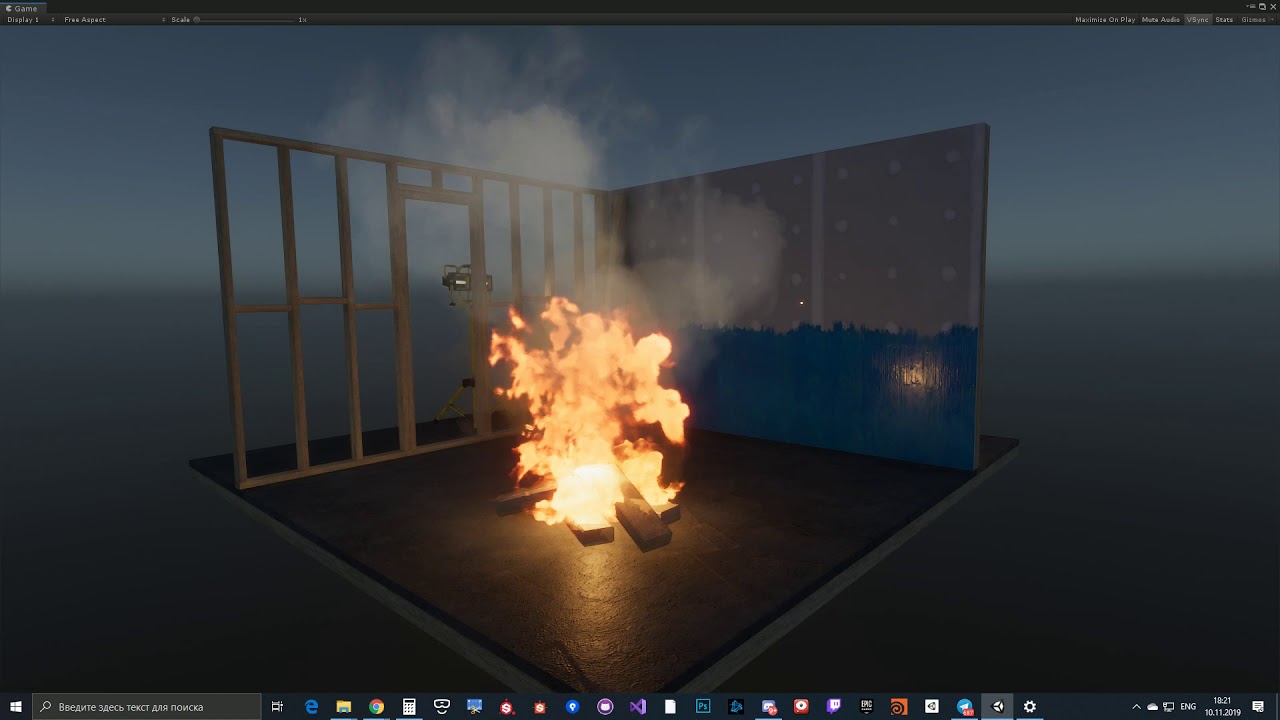
ГП: GeForce GTX 1060 6GB
ЦП: Intel(R) Core(TM) i5-8600 CPU @ 3.10GHz
Память: 16 GB RAM (15.95 GB RAM доступно)
Текущее разрешение: 2560 x 1080, 60Hz
Операционная система:
You'll notice them in this area.
 urban charm
I have been trying to use OnParticleCollision2D but I can't seem to get it to work. The particle released doesn't detect any collisions with the enemies
I want the gameobject which is colliding with the particle to be destroyed, not the gameobject the particle system is attached to
how do i achieve that?
one way would be to just place this code onto the gameobject which is colliding with the particle, but i don't want it to be managed by that gameobject. I want it to be managed by the unit which the particle system is attached to
One thing to note is that the particle and the enemy don't have the same z axis
queen sandal
Nevermind, I found the solution using Color over lifetime (you can set alpha).
queen sandal
I just can't understand the use of these Loop, Ping Pong and Clamp. They seem to make no effect for me.

Unity docs say:
Loop: Plays the curve the specified number times over a particle’s life. For example, if you make a curve that scales a particle’s size up and down, you can tell it to loop multiple times, which causes the “up and down” animation to happen multiple times before the particle dies, instead of just once.
Ping Pong: Similar to Loop, but plays the curve forwards then backwards in a continuous oscillation.
Clamp: Limits particle queries that fall outside the curve time range to the first or last value of the curve.
How do you specifiy the number of times a curve plays over one lifetime?
Maybe I see no effect because currently the curve plays only once per lifetime.
queen sandal
How can I make the particles rise up but converge and die at one point, instead of rise up but keep spreading?

I reduced cone angle to 0, but that makes it cylinder, so they still don't converge.
I used the negative speed trick, but that makes particles go downwards.
junior thistle
queen sandal
How can I make the particles rise up but converge and die at one point, instead ...
You have too many basic questions. Imo look up a tutorial on the particle system or read the documentation.
Velocity over lifetime -> radial velocity controls the movement from the center, where a negative value would make them converge over time
 flat seal
does any one know how to make a particle spawn outside the radius and move towards the mid point basically and absorption effect?
viral marsh
viral marsh
Hey, I am having a bit of a hard time working with the vfx graph because I don't...
queen sandal
flat seal
does any one know how to make a particle spawn outside the radius and move towar...
The same solution which I tried? Velocity over lifetime may work for you.
warm torrent
@queen sandal @junior thistle 3D rotation works with billboards, but not with vertical billboards (nor other render modes which determine all rotations)
queen sandal
Yes I already noticed this issue with vertical billboard.
 dreamy hinge
Am new to vfx but can i change texture in vfx graph?
dreamy hinge
dreamy hinge
Am new to vfx but can i change texture in vfx graph?
Anyone??
warm torrent
queen sandal
Nevermind, I found the solution using Color over lifetime (you can set alpha).
That can hide the issue, but a more targeted solution is to enable "soft particles" in the material (as long as the shader supports it)
queen sandal
I'll try that also.
dreamy hinge
dreamy hinge
Am new to vfx but can i change texture in vfx graph?
Why no one answers..
warm torrent
dreamy hinge
Why no one answers..
The answer is yes, in Output context
It's such a basic question most are likely expecting you to find it on your own any minute now
dreamy hinge
Anyone knows a good place for free flip frames or idk the name, for vfx
queen sandal
dreamy hinge
Anyone knows a good place for free flip frames or idk the name, for vfx
What kind of vfx?
queen sandal
dreamy hinge
Particles or vfx graph
This link contains some flame and smoke and explosion particles I'm using.
Free to use.
Dang. It contains clouds too. I'd try to make clouds. May not look as good as volumetric but definitely worth trying.
dreamy hinge
queen sandal
This link contains some flame and smoke and explosion particles I'm using.
Where is the link
dreamy hinge
warm torrent
The advantage of flipbooks is that they can be however realistic or accurately s...
This oh ok
Ik this link
dreamy hinge
queen sandal
This link contains some flame and smoke and explosion particles I'm using.
I mean i wanna vfx like impact etc not for movies
queen sandal
That's why I asked what kind of vfx 😉
dreamy hinge
Lol
heady kayak
hi, I've never used VFX graph, I just want to use visual effect package additions, especially the lightning vfx prefab, I don't understand anything about the graph but it looks like it has some predefined loop settings, how to make the vfx play and stop playing? now it plays on default
queen sandal
If you see across any real fire/flame, you notice heat distortion which causes the objects behind it distorted. I wanted to create same for my fire. So I found this "Distortion" parameter and it does seem to do the trick. Is this what this option for?
It works quite well, but strength is not so much. I used value "5000" but it seems limited. I'm not sure if it depends on type of textures. I used fully opaque texture.
I found another solution is to create a custom shader using shader graph, but that seemed complicated. This is the only easiest way I found.

Also, this option kind of seem to make objects blur instead of distorted. Although the illusion is quite okay.
urban charm
I have an enemy with dynamic rb , trigger on , simulated and a box collider on it. I want to use a particle system to detect when the particle and the enemy overlap with each other. I don't want them to collide, it should act like an aoe ability. I have been trying to figure out how to do this, but I genuinly can't. I tried using collisions, triggers, either of them, neither of them and a lot of combinations. If anyone could tell me how people usually check for particle (collision/triggers), that would be really helpful
it's a AOE ATTACK
urban charm
damn
queen sandal
warm torrent
That can hide the issue, but a more targeted solution is to enable "soft particl...
Soft Particles unexpectedly solved another issue I was thinking about. It now basically blends flames with the wood I placed, so it's far more realistic now.
 thin vapor
why is this material rendering gray when it's meant to be white? can't be the lighting since it's set to unlit

you can see it's white in the preview
 calm moon
why is it already clipping when the threshold is 0.001?
 clear spruce
calm moon
why is it already clipping when the threshold is 0.001?
clear spruce
calm moon
why is it already clipping when the threshold is 0.001?
How do you know it's clipping? Maybe you are misunderstanding what it does. All it makes is it makes alpha values less than the Threshold not render. The clip threshold is mostly useful for optimization and for alpha cutoff effects (on opaque geometry). For transparent geometry all alpha values more than the threshold will render as if there was no clipping happening at all
calm moon
clear spruce
How do you know it's clipping? Maybe you are misunderstanding what it does. All ...
idk I expected the Alpha clip to look like this in the preview when the value is 0
though i swapped the node connecting to the alpha node to the add node instead of the multiply node


But now I kinda need to figure out how to mask the edges to make it look like the water is splashing and not a perfect circle

 fossil iris
yo @calm moon, for masking those edges, try using a simple Fresnel effect or a Radial Mask in your shader.
u can multiply your noise/texture with a circular gradient to soften the outer part. also, if u're using alpha clipping, bumping up the edge smoothness in the shader graph should stop it from looking like a perfect circle. hope that helps!
calm moon
fossil iris
yo <@1222885920781500426>, for masking those edges, try using a simple Fresnel e...
Thank you!
fossil iris
calm moon
Thank you!
all good man! glad it helped. if u ever get stuck with some complex shader logic or need some custom monster sfx for ur vfx, just hmu.
can't wait to see how the final splash looks!
urban charm
does anyone know how the particle system collision/trigger detection happens?
 granite narwhal
Hi guys 😄 I am building out my scene but struggling to come up with a way to make the underwater look good. Realistically I want like some sort of fog to fog out at a distance, but It seems in URP I cannot do this and I use a fog for my outside enviroment anyways. Any solution to create some sort of fog that makes underwater feel more ... underwater? Or any other solution.
My current build just changes post process volume based on a box collider trigger for reference. thanks!
granite narwhal
I thought there was some Fog in volume but i guess not?
I guess its only in HDRP but i guess my question is there a work around in URP
warm torrent
thin vapor
why is this material rendering gray when it's meant to be white? can't be the li...
Default post processing in the scene, tonemapping specifically
Tonemapping is meant to give you a lot of dynamic range for adjusting the color curves and contrast afterwards with more post processing
warm torrent
granite narwhal
Hi guys 😄 I am building out my scene but struggling to come up with a way to ma...
You can use your own volume component (or a trigger or any other check) to change the scene fog based on whether the camera is submerged
Optionally you can match it with a fog plane effect on the water shader
Both look flawed when the camera is intersecting the water surface, and solving that is possible but more complicated 1 2
Typically it requires either figuring out mathematically where the water surface is for masking out a full-screen water shader, or "carving" a camera-facing plane with the underwater shader to perfectly cut off at the surface
dreamy hinge
first time using unity vfx graph is this good
(ik I it's just a pre made texture, but still first 10min)
https://jumpshare.com/s/T7Vz789MBLLYUjVKGj40

Jumpshare
Shared with Jumpshare
granite narwhal
warm torrent
You can use your own volume component (or a trigger or any other check) to chang...
yeah, i am dumb and spent too much time on this. I realized I litearlly could just use the same fog component in RenderSettings.
So my script just changes fog properties from RenderSettings.
and mine uses a volume box collider
calm moon
Hey all, How do I set a vfx graph particle to stay a certain size for a certain amount of time, then shrink back to zero?
I have a top-down puddle i've set to grow when activated but I want it to stay at this size for 3 seconds and then shrink back to nothing

 ashen robin
calm moon
Hey all, How do I set a vfx graph particle to stay a certain size for a certain ...
ashen robin
calm moon
Hey all, How do I set a vfx graph particle to stay a certain size for a certain ...
Seems like you have the idea with the curve there
calm moon
ashen robin
Seems like you have the idea with the curve there
kind of, apparently custom attributes dont work the same as in shader graphs, and I tried to attach it to the set size block but it just made it act weird
ashen robin
should work fine but depends how the shader is being manipulated in the shader graph
Like you can just modify the UVs inside of the shader graph if you wanted to, otherwise keep UVs as is and modify the size in the vfx graph.
That's a multiply over lifetime node btw, not set.
 unkempt yarrow
Heya, I am currently trying to follow this tutorial : https://www.youtube.com/watch?v=gRq-IdShxpU & it's outdated. However someone in the comments mentioned enabling alpha clipping, but I'm not sure how to 🥺 Im using a urp lit shader graph that's set to transparent :,) I Feel like I am missing a very obvious button or something haha
clear spruce
unkempt yarrow
Heya, I am currently trying to follow this tutorial : https://www.youtube.com/wa...
I honestly have little clue why they suggested enabling alpha clipping. At least for the final effect, there is no use for alpha clipping there, you can just ignore that and the part where AlphaClipThreshold is changed in the tutorial
unkempt yarrow
clear spruce
I honestly have little clue why they suggested enabling alpha clipping. At least...
Ah, okay :) I appreciate it ^^! I might have to pop back in when I work on it again later :)
 keen wave
have a project with vfx, works perfectly on pc, - ps5 build the vfx particles just float and stay inactive - no logic differences at all. Same project diff build target, any ideas? They are spawned in correctly, positioned with our point cloud caches but wont actually do more than than be spawned in.
queen sandal
I'm trying to understand what this Texture is exactly used for. Docs say:
Texture: A texture to use for tinting and discarding particles.
Also this:
Texture: Use this for tinting and to determine how the particle is destroyed.

I can see that it affects the tint of particles. But I don't understand why it says "discarding particles" and "how the particle is destroyed".
warm torrent
queen sandal
I can see that it affects the tint of particles. But I don't understand why it s...
I believe it refers to particles being discarded if they would've been emitted from a clipped part of the texture
calm moon
hey all, is it possile to trigger another attribute when a particle reaches a certain age value?

 gritty osprey
this feels like it shoudl be so basic but im losing my mind 😭
I have 2 planes that spawn at random angles rotated around a pivot - does anyone know a vfx graph setup that allows me to spawn them more inwards along their x axes? (illustrated in teh direction of the arrows)

i tried converting the angle to a rightwards direction but got this instead with them both pointing hte the wrong direction (the sphere is the center/pivot)

 ashen robin
calm moon
hey all, is it possile to trigger another attribute when a particle reaches a ce...
ashen robin
calm moon
hey all, is it possile to trigger another attribute when a particle reaches a ce...
You can continuously check the age, or something like age over lifetime, and do some comparison logic off to the side
calm moon
ashen robin
You can continuously check the age, or something like age over lifetime, and do ...
this attribute node? i have no idea how to utilize it
 ashen robin
it returns 0 to 1, where 0 is the start of the lifetime and 1 is the end
ashen robin
gritty osprey
this feels like it shoudl be so basic but im losing my mind 😭
I have 2 plane...
Well, given a pivot, you just want calculate the direction towards that pivot and add distance towards it while removing the z value
calm moon
ashen robin
it returns 0 to 1, where 0 is the start of the lifetime and 1 is the end
hmm... yeah that doesnt work for this use case, I needed to trigger something at like... 0.8 for example
i just got around it by changing the duration and turning the curve for the Multiply Size over Life node into this
 warm torrent
calm moon
hmm... yeah that doesnt work for this use case, I needed to trigger something at...
warm torrent
calm moon
hmm... yeah that doesnt work for this use case, I needed to trigger something at...
It's unclear what your use case exactly is
If you can do what you need with a lifetime size curve, that's probably the best solution
But also you can compare Age over Lifetime against 0.8 or any variable to do what's needed at that time
calm moon
warm torrent
It's unclear what your use case exactly is
If you can do what you need with a li...
yeah this works well enough, I was trying to shrink a mesh particle after 3 seconds of it reaching max size before despawning
urban charm
anyone know why it On particle trigger gets called iff outside is set to callback? isn't the yellow sphere supposed to represent the bounds of the particle (I only have one particle which is expanding) itself

it gets triggered even when i set the sphere to a really big radius
void OnParticleTrigger()
    {
        Debug.Log("Particle Trigger Detected.");
    }
 arctic void
Has anyone worked with VFX graph and Shader Graph together? Im having trouble making my VFX Tile properly. Even though its showing up in all the previews as it should


This is how it comes out, no Tiling
 warm torrent
arctic void
This is how it comes out, no Tiling
warm torrent
arctic void
This is how it comes out, no Tiling
What kind of tiling do you expect there to be?
SG previews only show RGB, but you are using A channel of the vec4 so the result might be not what you expect
You could confirm that with a preview node in the A output after split, or possibly just use one of the color channels if that's your intention anyway
calm moon
Hi all, How should I go about controlling the lifetime of a VFX particle via toggle?
specifically, how to enable a toggle function where, if ON, the particle spawns normally with its size over lifetime etc. When toggled OFF, the particle reverses the animation before ending/despawning
warm torrent
calm moon
Hi all, How should I go about controlling the lifetime of a VFX particle via tog...
What does "reverses animation" mean practically
Texture sheet animation?
calm moon
the curve controlling the size over lifetime, and I cant quite tie the asset to lifetime anymore cause I need it to be a toggle now
ashen robin
calm moon
Hi all, How should I go about controlling the lifetime of a VFX particle via tog...
you would remove lifetime completely and just set your own time value. This means the particle lasts indefinitely and you control the timing on the blackboard.
and instead of using lifetime over curves you'd just use SET with an animation curve off to the side
warm torrent
Flipping the curve with one minus would be super simple
But that alone won't work if you want the toggle to take effect seamlessly during the simulation
ashen robin
Actually you may can keep the lifetime attribute and turn off reap particle, but I'm not too sure if age could exceed the lifetime
but I guess you can logic your way to work around that
warm torrent
If you can set age or lifetime attributes, seems it should be possible to swap to the one-minus curve and set lifetime to age, and age to lifetime minus age
Might need a custom attribute to avoid circular logic, and it probably could be done with a custom age attribute also
But this is more complex than what I've had to use VFX graph for so just guesstimating here
 harsh fox
Where could I find open sourced vfx textures?
 tranquil schooner
How is VFXAttributes in a custom hlsl block in a VFX graph supposed to work? I have tried to add a custom hlsl block, pasted the snippet in the documentation like:
void Move(inout VFXAttributes attributes, in float3 offset)
{
  attributes.position += offset;
}
but then I get this error Unable to create slot for property attributes of type UnityEditor.VFX.VFXAttribute UnityEditor.VFX.VFXSlot.CreateSub
anyone knows how is it supposed to work?
urban charm
@warm torrent would it be possible for you to look into my unnatural particle system trigger?
it just doesn't seem to work and I can't quite figure out what I am doing wrong
 pallid plume
sorry to be annoying but could someone look at my thread in rendering https://discord.com/channels/489222168727519232/1472107125772910624
this issue has been racking my brain for the past like 5 days
warm torrent
urban charm
<@166982635950702592> would it be possible for you to look into my unnatural par...
It could be possible but certainly not unless you describe and demonstrate the issue
urban charm
warm torrent
It could be possible but certainly not unless you describe and demonstrate the i...
currently eating will ask u in 10 mins
urban charm
@warm torrent
I got to know that unity's particle system detects the trigger module's inside, outside, enter and exit through the particle's transform. if a particle keeps on expanding while remaining stuck to the same point, it's not going to trigger anything unless a collider passes through the particle's position. Is this true or not.
warm torrent
urban charm
I got to know that unity's particle system detects the trigger module's inside, ...
That hasn't ever come up in my use but I would not be surprised if the trigger scaling is ignored without accompanying motion that would cause a contact
I'd have to test that to know, or you could do that just as well
Really this doesn't seem like a good case for a particle trigger since you have just one
Triggers in general are pretty inaccurate but particles are even less so
If you're doing an AoE with no more than one radius to check, I'd instead check the distance to targets directly, or use Physics2D.OverlapCircle
urban charm
warm torrent
That hasn't ever come up in my use but I would not be surprised if the trigger s...
so treat the particle system as a vfx, while manually finding out whether the particle grows to an extent where it overlaps with the position of the enemy?
warm torrent
urban charm
so treat the particle system as a vfx, while manually finding out whether the pa...
That would be much more robust, even if you lose the convenience of linking their size and motion so easily
warm torrent
urban charm
so treat the particle system as a vfx, while manually finding out whether the pa...
It's possible to read the curve from the particle system, but a bit tedious
I might instead use a curve field in a custom component
https://docs.unity3d.com/6000.3/Documentation/ScriptReference/AnimationCurve.html
using it for the check radius as well as setting the PS transform scale to it
At that point the PS might not be necessary if it's not doing anything a sprite renderer couldn't do either
But no big difference
urban charm
@warm torrent https://paste.ofcode.org/B4UGuQLRGmTTKDmeV2ydUf
I am supposed to get a log saying that the size of the only particle is something, i don't get any logs.
urban charm
nvm, stupid mistake to use writeline
clear spruce
urban charm
nvm, stupid mistake to use writeline
Fun fact: print("some message") also works in MonoBehaviour scripts so you don't have to always write Debug.Log("some message")
It's just a shorthand version: https://docs.unity3d.com/ScriptReference/MonoBehaviour-print.html. Doesn't work outside MonoBehaviours though like custom data classes and such
urban charm
does anyone know what happens when you release from a pool internally? does the element get released from just the pool or from all collections which have that object present in them?
full sparrow
urban charm
does anyone know what happens when you release from a pool internally? does the ...
If you are using a Unity Pool the object just gets disabled
spare galleon
When should I use VFX graph and when should I use the particle system?
warm torrent
spare galleon
When should I use VFX graph and when should I use the particle system?
VFX Graph when you want mass particle performance, so particle counts more than a thousand or two
Or when you want to do complex effects that aren't practical to do or can't be done with PS modules, especially if more than a little scripting would be required to extend the PS
Particle System when you need flexible particle physics or physics callbacks in general
Or when the target platform doesn't support VFX Graph
Or if the effect is so simple it's easier to do in PS or not worth the overhead cost of VFX Graph
spare galleon
warm torrent
VFX Graph when you want mass particle performance, so particle counts more than ...
ohhh alright
thanks for the explanation :)
 gray ravine
Why are the particles so "in line" with the edge on the left and top but more spread out on the right and bottom?

 warm torrent
gray ravine
Why are the particles so "in line" with the edge on the left and top but more sp...
warm torrent
gray ravine
Why are the particles so "in line" with the edge on the left and top but more sp...
Is there another module of cuase that's causing them to spread out to begin with? The Shape doesn't look to be doing that
gray ravine
warm torrent
Is there another module of cuase that's causing them to spread out to begin with...
I don't think so. I don't have a start speed set and I don't have many enabled.

its also weird because I have to give it an offset of 0.55 x and -0.25 y to be centered when it should really be centered at 0,0
gray ravine
im having a lot of weird issues with particles in this project tbh. Soft particles refuse to work too. This object is opaque, I have the depth texture enabled, my camera is rendering the depth texture, and soft particles is checked off on the material that I'm using for these particles.
 warm torrent
gray ravine
im having a lot of weird issues with particles in this project tbh. Soft particl...
warm torrent
gray ravine
im having a lot of weird issues with particles in this project tbh. Soft particl...
What shaders and material properties are the particles and objects using?
As a sanity check I'd make a new particle default system not parented to anything, then replicate the Shape module to see if those particles also "wander"
cerulean rose
I want to make a wind effect in my game but ribbons are not working well they move like snakes, anyone have any good tutorial or help .. it would be thankful
noble osprey
I have a particle emitter (VFX Graph) that is using a mesh as the particle type, and it works great and does almost everything I want it to do. I have the particles colliding with a plane (the floor) with a slight bounce, but (and I'm not sure if this is a limitation or not) their rotation/angle stays fixed, so it looks kinda weird when they hit the ground and bounce but their rotation doesn't change. Is there a way to fix this please?
warm torrent
noble osprey
I have a particle emitter (VFX Graph) that is using a mesh as the particle type,...
As far as I know you'd have to change the rotation of the specific particle from its collision callback in a script
Not sure if the callback links back to the specific particle though, or if it's that good of a solution compared to using rigidbodies instead
If the particles have 3D rotation over lifetime then it may hide the fact they don't react rotationally to impact
warm torrent
cerulean rose
I want to make a wind effect in my game but ribbons are not working well they mo...
Usually wind trails are "particle" type trails that do technically move like snakes, not "ribbon" type trails that connect all living particles, but I guess there's exceptions
Providing an example of what type of wind effect you mean would be important
cerulean rose
warm torrent
Usually wind trails are "particle" type trails that do technically move like sna...
Thanks i end up making it, it was like ghost of tsushima ny game game no ui so made guiding system like GOT
Another question- have anyone made fur with vfx graph
noble osprey
warm torrent
As far as I know you'd have to change the rotation of the specific particle from...
Ah okay. thanks for the reply. After testing, turns out it doesn't really matter for my use case as the particles are really small on screen. But good to know anyway 🙂
gray ravine
warm torrent
As a sanity check I'd make a new particle default system not parented to anythin...
They don't actually.... no idea what's causing mine to 'wander'. In fact I've completely recreated the effect I want and it looks fine 😭
warm torrent
gray ravine
They don't actually.... no idea what's causing mine to 'wander'. In fact I've co...
A passable solution even if the cause remains a mystery
At least a good situation for comparing the two
I feel like most likely it could be shader related, at least if it isn't PS module related
Shaders are capable of offsetting the vertices of a mesh in a way that moves the particles relative to each other
warm torrent
gray ravine
im having a lot of weird issues with particles in this project tbh. Soft particl...
This one confuses me quite a bit
Said here that soft particles "refuse to work", while saying that soft particles are off in the material
Yet the image seems to show the soft particle effect working
But soft particle effect is also something the shader has control over, and might be implementing a custom type of it
Or there could be confusion about which material it's actually using
gray ravine
warm torrent
This one confuses me quite a bit
Said here that soft particles "refuse to work",...
i meant checked off as in it is enabled, sorry. The picture doesn't seem to show it working, does it? I can see it clipping clearly in the picture.
I tried adjusting the values for the soft particles in the material but wasn't working
warm torrent
gray ravine
i meant checked off as in it is enabled, sorry. The picture doesn't seem to show...
Soft particles doesn't necessarily eliminate clipping, rather blends alpha using depth with given variables
What I expect to see is the purple particle fading in a foggy way against the opaque grey, and that is what I am seeing
But if it is not actually doing that and there also is bluish scene fog causing the fade, it won't be visible if it's working or not
gray ravine
mm i see, thanks
warm torrent
I'd try a clearer test environment that shows if the soft particle variables are having any impact at all
Especially to an outside observer who won't know if you have stuff like fog there too
Means also the particle color for testing should be unmistakeable
cerulean rose
This is not working in for skinned mesh follow mesh, i am trying to make fur with vfx but not working

 desert peak
cerulean rose
This is not working in for skinned mesh follow mesh, i am trying to make fur wit...
desert peak
cerulean rose
This is not working in for skinned mesh follow mesh, i am trying to make fur wit...
what is the current behaviour? "not working" is not an error description
cerulean rose
They spawn but on height to character and not updating if animated, if i put skinned mesh in uodate block it works but they keep spawning again and again
this is an example by unity, why is it super complicated compared to before it was the way i shared above SS

 strange sky
Hi guys, does anyone know how I can recreate this ? with a 3d model
 ember delta
I'm having some trouble with my ribbon effect, I've been trying to figure out how to get it to render on top of the background model, I need the background model to be where it is because I have a character standing on it and showing reflections and whatnot, and I've found the sorting layers, but I can't apply that to the background model, only the hud and vfx
would anybody be able to help me out here? even using a "renderobjects" pp component isn't letting me render it on top of it
 ashen robin
strange sky
Hi guys, does anyone know how I can recreate this ? with a 3d model
ashen robin
strange sky
Hi guys, does anyone know how I can recreate this ? with a 3d model
Check how how to do skinmesh render effects inside of the VFX graph. I think there might be some example packages unity supplies that provides some insight
That'll help you to randomly sample points around the skinmesh
There's also smoke examples so just stick those on each point

Unity
With the 2022.2 Tech Stream, Unity has introduced an end-to-end workflow that allows realistic real-time rendering of smoke from baked simulations and scales on all platforms. In this blog, get a breakdown of the corresponding new tools and features.
strange sky
ok thx i will take a look
ashen robin
Actually may want to do more of a volumetric smoke with that style which is a little more difficult
 neat maple
I have a strange problem with VFX graph's remap node, causing particles to not die. I have a condition bool that is sent to a Set Alive node.
Using the red condition shown, some particles never die. Using the green condition, it works fine. If I remove the clamp, it also works fine.
So, I dug a bit into how remap is implemented, and I found that it does the clamping before the remapping, thus introducing clamping "errors", breaking my logic.
Is there a reason for not clamping after the remap?


hm, upon re-inspection of the logic, I'm not 100% sure why there would be a rounding error 🤔 yet the problem is quite clearly there
 restive pewter
how do you guys make the slash effect thing? is it really make a a round mesh then instantiate it for each effect? i watch like 3 tutorial idk
 true otter
so, i am still somewhat new to unity entirely. I am working on a project, where i am rendering scans from a lidar sensor in 3d. I started by simply using the unity shuriken particle system and now i want to switch to a vfx effect for more performance. I followed a tutorial explaining how to do that, however this setup is using a single burst for spawning the particles, which is why old particles are deleted, everytime a new scan from my sensor is arriving. This is what my full vfx graph looks like right now:
All data for these particles (position, size, lifetime, color) are passed in via 2d textures.
Can someone point me in the right direction or show a good tutorial that would allow me to at any point add new particles into my system without removing the old ones, where i can still control position/color etc. from my monobehaviour?
 ashen robin
restive pewter
how do you guys make the slash effect thing? is it really make a a round mesh th...
ashen robin
restive pewter
how do you guys make the slash effect thing? is it really make a a round mesh th...
You either move the mesh or make a mesh that covers the distance and move a texture/Vcolors along the uvs.
ashen robin
true otter
so, i am still somewhat new to unity entirely. I am working on a project, where ...
https://qriva.github.io/posts/how-to-vfx-graph/
Taking advantage of graphic buffers you can control independent particles or buckets of particles by their IDs to manipulate them consistently within the system through your scripts.
 serene pike
restive pewter
how do you guys make the slash effect thing? is it really make a a round mesh th...
serene pike
restive pewter
how do you guys make the slash effect thing? is it really make a a round mesh th...
Yes, you can put a slash texture on a circular mesh and make it flow along the mesh's UVs. That way, you’ll have a simple slash effect.💯
restive pewter
fr fr
woven bronze
Hi guys, I'm a generalist for an indie team here and am wanting to help them out with vfx work, but am a complete novice for vfx stuff. Is there anything in particular you guys have used to learn unity's particle system? Is shader/material work important in working with vfx? I'm just looking to learn the basics, waterfalls, slime puddles with bubbles, fire etc. and build on that
Ideally content for unity 6
ashen robin
You can do a bunch without shader stuff and having those textures, but once you want to scroll textures over those uvs then you need to understand some shader concepts.
alternatively you can animate textures the old fashion way with flipbooks, which works great for things like fire and smoke, but requires a lot more custom assets.
Without any of that in mind, you can animate stuff to an extent by just changing the color gradients and size of the particles overtime pretty easily.
woven bronze
Awesome thanks!
 cosmic holly
I need help. Basically, I need to close this part (circled in black) so that the inside of the shape isn't visible (2nd image), but I have no idea how to do it. I've sent my entire shader (3rd and 4th images). Does anyone have a solution to fix this problem?


 astral rune
what does the mesh look like?
 broken storm
Does anyone know how i can somewhat recreate the blackwall effects from cyberpunk?

 ashen robin
looks like just a texture to me
could use decals if you want an easy solution
probably is because the second image has it all skewed
warm torrent
broken storm
Does anyone know how i can somewhat recreate the blackwall effects from cyberpun...
I have not seen it in motion but based on the images I'd say it could be a parallax shader for the internal layers, and maybe animated mesh that's mixed with the environment using stencils or by copying the environment textures onto the bricks, like some "earth shatter" effects you see in some moba games
But since the bricks do warp along with the surface, they could be simply a part of the parallaxing also
ashen robin
yeah if it looks 3d-ish it's probably some very defined normal mapping / parallax stuff going on
broken storm
Heres it in motion if that helps
ashen robin
textures yeah
warm torrent
broken storm
Heres it in motion if that helps
That does help
Definitely seems to be all parallax
The bricks are one variety, the "layers" of dots and circuitry seem to be another, and the grainy stripey "blocks" are probably yet another
Additionally there's flat plane particles with the dotted lines on top of the thing, animated to flicker, and blended using depth ("soft particles") so the intersection is not so harsh
broken storm
That helps alot!! I'll be looking into stenciling and parallax shaders
broken storm
How would i make it blend into terrain dynamically if that's possible?
currently i just use a plane, but i'd like for it to be able to blend into meshes and stuff
 warm torrent
broken storm
How would i make it blend into terrain dynamically if that's possible?
currentl...
warm torrent
broken storm
How would i make it blend into terrain dynamically if that's possible?
currentl...
Decal projectors are your likely first option
broken storm
Hmm that'll be tricky converting the shader to that
ashen robin
Decals or you'll be implementing the texture into each shader
Or some integration with the rendering layers (similar to decals)
warm torrent
broken storm
Hmm that'll be tricky converting the shader to that
What makes it tricky?
broken storm
warm torrent
What makes it tricky?
Just figuring out how to convert the existing shader into a decal projector, since i have very little knowledge on shader graph
warm torrent
broken storm
Just figuring out how to convert the existing shader into a decal projector, sin...
Unfamiliarity is an obstacle, but technically I don't think there's anything that makes this harder to do in a decal graph, off the top of my head
 dusty creek
unity won't let me use my custom meshes for my particle effect, any help?
 raw torrent
Anyone got or know of a tutorial on how I can make a gravity crushing vfx?
So like as if gravity is 100x so there is a lot of force crushing someone
clear spruce
raw torrent
So like as if gravity is 100x so there is a lot of force crushing someone
Like falling to a ground and getting crushed? For a human character? If one fell into the ground with 100x gravity, there probably wouldn't be much left anyways
raw torrent
In like 30 minutes I will try and explain it better I’m in class rn
raw torrent
Couldn’t really find anything online to show it off how I like so here is The closest ChatGPT could make to how I want it to look


See how in those the effect makes it look like the ground is having gravity applied and almost crushed
warm torrent
raw torrent
See how in those the effect makes it look like the ground is having gravity appl...
It looks like a pretty typical magic effect of purple fumes and stars, but doesn't really demonstrate the gravity or crushing
Which is not necessarily a problem
A lot of games connect visual effects and their actual effects using nothing but repeated association
For example does a green magic effect mean health or poison? That's something the media has to teach to the viewer
But if you want advice how to specifically squash or crater something or imply that kind of action with effects, you'll have to be specific
raw torrent
So i was thinking like color wise should look like a galaxy and I really want to illustrate the fact that it’s pushing down with a lot of gravitational force just not sure how to achieve this the best
clear spruce
raw torrent
So i was thinking like color wise should look like a galaxy and I really want to...
Would a galaxy/black hole type effect combined with squishing/scaling of the character slightly sell the effect?
raw torrent
Thing is I really want to find a way to illustrate in the ground or smth so even if a character isn’t in it you can still tell that it’s applying immense gravity force
clear spruce
raw torrent
Thing is I really want to find a way to illustrate in the ground or smth so even...
Maybe a black hole type effect with small particles that get sucked to the middle very quickly? Gravitation itself usually isn't something that can be seen by naked eye but having particles that are affected by the apparent gravity could help
Similar to what you have in the second AI picture but with all the particles getting sucked downwards
warm torrent
Distortion of the pinching and spiral kind is probably the most universal way to communicate gravity in addition to particles being sucked in or pressed down
Beyond that you probably want to teach specific types of effects to be associated with that element
A wind effect may create leaf or debris particles to blow around, even if none actually exist in the environment
Decals could be used to form cracks on the ground, or to even make it crater down
 mighty mulch
Hi, sorry if this is a basic question but I looked around online and couldn't figure it out. I am very new to unity. I am trying to create a simple butterfly particle system and I have the particles set to orient to velocity but for some reason they are still sideways? I tried rotating my mesh but it made no difference. I have attached a video of what's happening and then screenshots of my current settings. It is URP with a simple vertex shader graph and a simple mesh. thank you foor any help you can give.


 warm torrent
mighty mulch
Hi, sorry if this is a basic question but I looked around online and couldn't fi...
warm torrent
mighty mulch
Hi, sorry if this is a basic question but I looked around online and couldn't fi...
Particle system uses the mesh directly, ignoring object rotation
I expect you tried to rotate the mesh object, not the mesh geometry to fix it
mighty mulch
warm torrent
Particle system uses the mesh directly, ignoring object rotation
I expect you tr...
I’m not sure actually? I rotated it in blender 90 degrees and reexported the FBX.
warm torrent
mighty mulch
I’m not sure actually? I rotated it in blender 90 degrees and reexported the FBX...
Rotated the geometry or the object?
mighty mulch
warm torrent
Rotated the geometry or the object?
this plane, I made sure to apply transforms before exporting. I don't know if its a geometry or object actually? Im mostly self taught and never knew there was a difference
 warm torrent
mighty mulch
this plane, I made sure to apply transforms before exporting. I don't know if it...
warm torrent
mighty mulch
this plane, I made sure to apply transforms before exporting. I don't know if it...
"Objects" have a rotation and other transforms
They contain geometry as vertices which basically only have a position
Rotating the geometry moves the vertices around
Rotating the object basically marks the object as having been rotated:

Applying the rotation resets the object rotation to zero but converts the result of the rotation into new vertex positions to match it
Rotating the object and applying rotation is the same as rotating the geometry vertices directly
But this panel says that rotation has not been applied
So if rotation / all transforms aren't applied either before export or as a part of it, the mesh as the particle system sees it never got rotated
warm torrent
mighty mulch
fixed thank you!
Easy thing to mix up, since there's no visual indication between the two types of scaling
And because it doesn't matter which, until it suddenly does
And because fbx exporting might not always apply transforms for everything even when the box is checked, I think
dusty creek
how do i get my mesh particles to stop rendering at different sizes? i'm trying to make a stream effect that randomly outputs 1 of 2 low poly droplet meshes with different lengths but the same thickness

 sudden pebble
Is it possible to somehow make the arc more rounded? And then with every turn it’s so unrounded
 clear spruce
sudden pebble
Is it possible to somehow make the arc more rounded? And then with every turn it...
clear spruce
sudden pebble
Is it possible to somehow make the arc more rounded? And then with every turn it...
What am I looking at?
sudden pebble
clear spruce
What am I looking at?
at particle
warm torrent
sudden pebble
at particle
A quad billboard? A particle trail? Or a ribbon?
We need a clear technical description
sudden pebble
warm torrent
A quad billboard? A particle trail? Or a ribbon?
We need a clear technical descr...
This is a sword trail. I'm wondering how to make it more round. Edges are uneven and not round
clear spruce
sudden pebble
This is a sword trail. I'm wondering how to make it more round. Edges are uneven...
We do see a trail that is not very round yes. Still no clue how you have implemented it. We cannot help if we don't even know what system you are using to produce the trail
sudden pebble
clear spruce
We do see a trail that is not very round yes. Still no clue how you have impleme...
This is what makes particles happen
full sparrow
sudden pebble
This is what makes particles happen
You still haven't said what system you are using. The Particle System? or the VFX graph? We'd also need to see how that system is setup to get the results you showed
sudden pebble
full sparrow
You still haven't said what system you are using. The Particle System? or the VF...
It is Particle System
warm torrent
sudden pebble
It is Particle System
Why don't you show the particle system modules
This shouldn't be an interrogation
 dusky frigate
hey, everyone!
im very new to shader graph and unity as a whole, and currently im trying to make a screen space rain shader
this goes directly into my SRP and (for now) uses the default "Rain" node in URP
the only issue is that I don't know how to allow the modification of normal/smoothness for fullscreen shaders, which makes the rain drops and puddles look incredibly flat


ive experimented a bit but nothing ive tried seems to help, even adding roughness and normal maps to the fragment and directly linking them
apologies for the basic question, i just cant find anything that explains how to do this
ashen robin
Didn't know there was a rain node, but I'd assume just plugging in your maps into it would work
Oh, it's fullscreen. I wouldn't think normals or smoothness would apply. You need to bake that texture into it I would expect
dusky frigate
i remember being able to make objects look "wet" by blending the smoothness, but puddles still looked flat