#✨┃vfx-and-particles
1 messages · Page 16 of 1
 ashen robin
but instead of changing the queue, you can also just change the distance from where it is from the camera
 abstract crow
but is there any way to sort each pixel?
because I thought the whole thing is just a single mesh
ashen robin
abstract crow
but is there any way to sort each pixel?
https://docs.unity3d.com/ScriptReference/ParticleSystem.Particle.html
This is what you have when you iterate through each particle. There is no sortingorder property like the system itself or a spriterender

so my idea is to force it to render by z-value when resolving the y-position
ashen robin
But now that I think about it more, you couldn't rely on the custom sorting axis then for everything else then so you'd have to implement it yourself.
 shy pulsar
anybody know if custom attributes were removed in unity 6? i dont see them anymore
nvm it looks like it was moved to the blackboard
 onyx lake
The quest 2 has worse performance than mobile devices. You won't have a good time working with HDRP and should switch to URP instead. No real time lights, a few directional lights max. For starters: https://developers.meta.com/horizon/documentation/unity/unity-best-practices-intro https://developers.meta.com/horizon/documentation/unity/unity-perf/
Quads are basically your best solution, but you need to be very careful with transparencies on the quest 2. Your main bottle neck will likely be overdraw, which you run into with transparencies naturally.
If your project allows for Link PC-VR then go for it. Building for on device only is very limiting.
 pseudo olive
onyx lake
The quest 2 has worse performance than mobile devices. You won't have a good tim...
pseudo olive
onyx lake
The quest 2 has worse performance than mobile devices. You won't have a good tim...
I see, thank you for your precious info!
 normal remnant
Unity 6000.23f1, HDRP, particle system. What could be causing the particles glitches? It happens only in the game camera (it looks normal in the scene view)
 warm torrent
@ashen robin @abstract crow This is correct
The only workaround that I know of is to use opaque particles instead
That prevents you from working with 2D sorting, so it may give you trouble if you sort by anything else but Z position
 lost hill
Hello, I'm currently working on a project that has a shifting origin to combat floating point precision issues. I'm using built-in so I'm stuck with using the legacy particle effects. One of the particle effects is an emit-over-distance particle and when the origin shifts, a huge trail appears from where the particle system once was and has now changed to. I can fix this by turning the particle system off before the teleport and back on after but the trail of particles gets cleared. Any advice on making this work properly?
warm torrent
lost hill
Hello, I'm currently working on a project that has a shifting origin to combat f...
Custom Simulation Space lets you assign a transform that all the distances, including trails, will be relative to
lost hill
warm torrent
Custom Simulation Space lets you assign a transform that all the distances, incl...
Ohh okay! I'll look into this, thank you :)
ashen robin
Have you tried playing with the alpha values such that it fades in over time?
Similarly, you want to probably fade out the segments to prevent it from looking like it 'pops' out
 rotund locust
I have a glow effect on a black background, with Particles/Standard Unlit and Rendering Mode Additive the black background is removed perfectly well, but now i need the Texture as an png image replacing the black with transparency. Do anyone have an idea of how i could convert the texture the same way like unity does ?
 inland tusk
Dunno if you remember Mao but my difficulties with Direct Link wound up being that custom attributes were not working for me in Direct link (was testing in the example) so I couldn't pass in event IDs directly, in the end it worked when I used the size property to hold my IDs instead.
Is it possible to somehow trigger a VFX graph GPU event (spawn some particles) from a value passed back from a particles shader? Specifically, bullets in my big bullet graph have a custom shadergraph shader which contains a per vertex calculation giving a value 0 or 1. I was curious if there was some way to spawn some particles on that particle if say vertex0 of that particle's custom interpolator is 1
warm torrent
rotund locust
I have a glow effect on a black background, with Particles/Standard Unlit and Re...
Unity does not "convert" it in any way when using additive blend mode, nor change the texture otherwise
Additive means the color is added to what's behind it, so when you add black the result will not change
As math is considered, black is zero
rotund locust
warm torrent
Unity does not "convert" it in any way when using additive blend mode, nor chang...
yeah but id like to "convert" / remove the black color outside of unity on the image file like additive rendering mode does
warm torrent
Unity has an import option for "alpha from grayscale"
warm torrent
rotund locust
yeah but id like to "convert" / remove the black color outside of unity on the i...
Additive blend mode does not remove black, as it's a blend mode
rotund locust
warm torrent
Unity has an import option for "alpha from grayscale"
oh right, thats fine too thanks
warm torrent
Beyond that you have to look into background removal techniques specific to whatever image editor you're using outside of Unity
ashen robin
You do 'Add' position when you should be 'Set' position, but since it's zero'd out by default I wouldn't think that would matter. Also, setting the strip to stretch is probably what you want if you're using a solid line of a strip.
Other than that it looks basic enough that I'm not seeing an issue if I were to compare by the default system.
Also they just became officially supported (non-experimental) in 6, but there's still issues with them that I don't want to go over lol
ashen robin
inland tusk
Dunno if you remember Mao but my difficulties with Direct Link wound up being th...
I've not done anything in particular using the shader attributes beyond what's accessible in the output, but I've seen people using Color and UV attributes to manipulate particles inside of the systems.
 nimble axle
if i were to build webGL version of my game with VFX graph stuff in it, what would happen?
ashen robin
nimble axle
if i were to build webGL version of my game with VFX graph stuff in it, what wou...
VFX graph uses compute shader which is not available on WebGL, but since recently Unity has been pushing WebGPU development which is available on 6 (abit hidden)
nimble axle
ashen robin
VFX graph uses compute shader which is not available on WebGL, but since recentl...
i want to switch to 6 so i can use VFX on webGL, but it broke my projectl ast time lmao so im waiting for stability
ashen robin
later 2023 versions do have access to WebGPU too
need to turn it on via ini file in the project directory
nimble axle
ashen robin
later 2023 versions do have access to WebGPU too
i thought 2023 was 6
ashen robin
kinda? Most that was developed in the past two years wasn't part of any LTS release so you can consider it so
nimble axle
ashen robin
kinda? Most that was developed in the past two years wasn't part of any LTS rele...
what does 2023 introduce from 2022? might upgrade
ashen robin
AI Package improvements, Cinemachine improvements, Probuilder improvements (and UI)
ashen robin
as far as rendering, a bunch of changes you can probably just go look at. They did finally add SRP batching to spriterenders
nimble axle
i thought CM was independent of unity version
This is something i really needed for camera animation, but why is it saying 2023.2 is unsupported?
 warm torrent
nimble axle
what does 2023 introduce from 2022? might upgrade
warm torrent
nimble axle
what does 2023 introduce from 2022? might upgrade
What's new in Unity 2023.1
What's new in Unity 2023.2
What's new in Unity 6 Preview
What's new in Unity 6
Take your pick
These are all of the same version lineage despite the name
nimble axle
did they skip 2023 for LTS support?
ashen robin
Cinemachine, as far as 6 goes, as changed a lot of signatures and some features, but you may be right that is independent. Though, it's now part of the Unity namespace as far as I'm aware
warm torrent
Unity 6 LTS is out so its earlier releases including 2023 are not being supported in any way
warm torrent
nimble axle
did they skip 2023 for LTS support?
Not skipped, more like renamed
nimble axle
I want to update to unity 6 so bad but it only caused me problems lmao
every time i wanted to add an object to the scene it would crash
warm torrent
A lot of packages did get updated at that time like CM3 release, and some of those changes did also get backported into 2022.3.
Like CM3 apparently
ashen robin
Honestly, big win for web builds with 6
(probably why they are promoting a jam this week for them)
warm torrent
Render pipelines, VFX Graph and Shader Graph are intrinsically tied to editor version now, and did get some new features
nimble axle
I want to have web builds so i can use VFX graph and stuff
can you manually update a VFX effect?
ashen robin
WebGPU then, though it's not fully supported yet. I think devs said it'll be before 7 though
nimble axle
I'm using a deterministic engine, and I want to sync the time properly to the simulation
ashen robin
I wouldn't count on determinism, but each particle does govern some seeded value
nimble axle
oh i dont mind about determinism, theyre like slash effects
but i want them to follow the animation of a character properly
and it's a rollback engine, so i want the vfx to rollback too
so i want to manually update the vfx graph myself
ashen robin
is this the new photon quantum networking I see people pushing
nimble axle
yea
ashen robin
lel
nimble axle
its very good, im making a fighting game with it
ashen robin
I'll probably try it eventually. Maybe I'll make some small arena shooter project to test the extent of it all
nimble axle
its a bit of a steep learning curve, but it means multiplayer is handled for me and rollback is enabled by default
ashen robin
Yeah, not too sure about rollback. Maybe the idea is to reuse the seed and perwarm it all
ashen robin
Lightning is usually a choice of noise or a stylistic approach
stylized + noise works too
nimble axle
ashen robin
Lightning is usually a choice of noise or a stylistic approach
i animated the lightning and just put a single particle on a particle system with a vertical billboard
ashen robin
What you have there looks great though and a bit more polished, maybe a flashier shader, would work fine
bit rough on the image edge's
nimble axle
ashen robin
What you have there looks great though and a bit more polished, maybe a flashier...
thanks! maybe some bloom on the lightning itself? is that something i can do with a shader or does it have to be post processing?
i cant really do a dissolve, because its a solid color, as a stylistic choice
ashen robin
yeah, many small things you can probably do. Emissives, maybe a gradient that scrolls down the lightning
nimble axle
and it doesnt help the background is white, and white and yellow are hard to distinguish lol
nimble axle
ashen robin
yeah, many small things you can probably do. Emissives, maybe a gradient that sc...
scrolls down in what sense?
like changes the color overlifetime?
ashen robin
That's one idea. Another being the color intensifies more at the point of the strike
^ on the topic of emissives too
nimble axle
ashen robin
That's one idea. Another being the color intensifies more at the point of the st...
Cool, thank you! On an unrelated note, how would you do something like this with a shader in a particle system? something like a double jump effect

i want to try and make more effects procedurally rather than animating them all
 last tartan
how can i get outputs for each channel? I thought you could, but I also don't see a split node
 warm torrent
nimble axle
Cool, thank you! On an unrelated note, how would you do something like this with...
warm torrent
nimble axle
Cool, thank you! On an unrelated note, how would you do something like this with...
Custom vertex streams can be used to pass any information to the shader, such as to animate procedural effects
ashen robin
nimble axle
Cool, thank you! On an unrelated note, how would you do something like this with...
For the most part you can do most of that in the shader, even if you wanted some randomization, otherwise exposing values and adding it into the graph to manipulate further
nimble axle
warm torrent
Custom vertex streams can be used to pass any information to the shader, such as...
i saw that as an option in the particle system. how do i send custom streams down?
i assume the streams come from the particle system into the shader
ashen robin
last tartan
how can i get outputs for each channel? I thought you could, but I also don't se...
I think someone mentioned this was bugged in some versions, but yes it should be exposed (each output). Trying to think if there's a split node you can use.
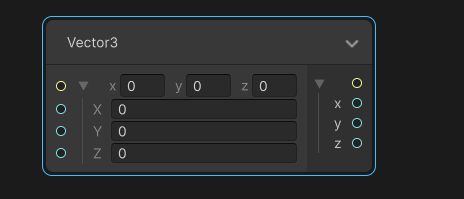
That's how it is in current 6 ver
last tartan
ashen robin
I think someone mentioned this was bugged in some versions, but yes it should be...
dang mine is probably bugged. I am not in version 6 for this project.
ashen robin
last tartan
dang mine is probably bugged. I am not in version 6 for this project.
https://i.imgur.com/YH18ycB.png
does swizzle for you output
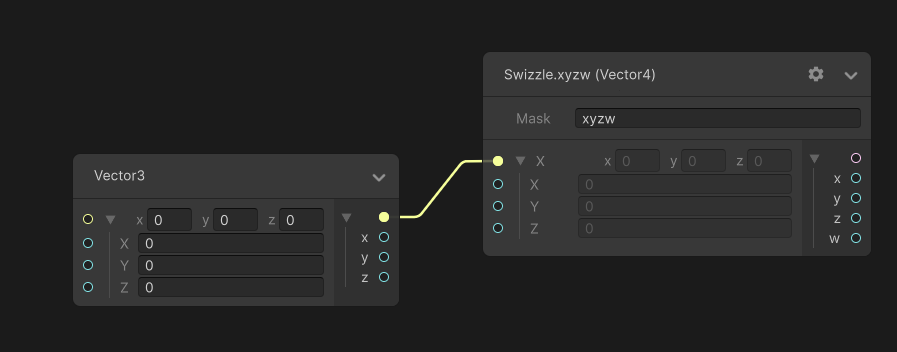 last tartan
ashen robin
https://i.imgur.com/YH18ycB.png
does swizzle for you output
last tartan
ashen robin
https://i.imgur.com/YH18ycB.png
does swizzle for you output
Is that question?
ashen robin
yeah
last tartan
 warm torrent
nimble axle
i saw that as an option in the particle system. how do i send custom streams dow...
warm torrent
nimble axle
i saw that as an option in the particle system. how do i send custom streams dow...
https://youtu.be/Ca9jPbwPMco
Docs also explain it
nimble axle
warm torrent
<https://youtu.be/Ca9jPbwPMco>
Docs also explain it
thanks, will read
ashen robin
last tartan
Odd, never seen it doing that but seen reports
last tartan
ashen robin
Odd, never seen it doing that but seen reports
Any ideas of how to fix it?
last tartan
ashen robin
Odd, never seen it doing that but seen reports
isnt there some kind of enable experimental operators or something?
ashen robin
If you don't have that enabled, that's in user's settings. I find it odd if that's the problem
preferences rather
nimble axle
what the hell is swizzle
last tartan
ashen robin
If you don't have that enabled, that's in user's settings. I find it odd if that...
Ya i don't see anything that would help here.
 ashen robin
last tartan
Ya i don't see anything that would help here.
ashen robin
last tartan
Ya i don't see anything that would help here.
It's there and you have it enabled. Try disabling it
for the sake of testing
Experimental blocks
warm torrent
nimble axle
what the hell is swizzle
Operation to read the channels of a vector in any order
So instead of vector.xyzw you can read vector.zxy or just vector.y, or any variant thereof
nimble axle
what is w ?
last tartan
ashen robin
It's there and you have it enabled. Try disabling it
ya no beans after restarting unity completely too
warm torrent
nimble axle
what is w ?
The fourth dimension of a 4D vector
No different from the preceeding three
Could be vector.rgba just as well
The name doesn't make much difference
last tartan
ashen robin
It's there and you have it enabled. Try disabling it
How would you describe this problem so i can look into how to fix it?
nimble axle
i see
nimble axle
warm torrent
The fourth dimension of a 4D vector
No different from the preceeding three
Could...
what would you use w for?
xyz are positions or rotation i guess
warm torrent
nimble axle
what would you use w for?
View transforms have a fourth dimension, and so do quaternion rotations
Colors can also have alpha, which is synonymous with w
The names of the axes are contextual
If you have only two they might be vector.uv
ashen robin
last tartan
How would you describe this problem so i can look into how to fix it?
funnily enough, user above suggested using swizzle to get around the issue
 craggy geyser
hey, would anyone know how i would be able to create a slime effect for objects?
warm torrent
craggy geyser
hey, would anyone know how i would be able to create a slime effect for objects?
A "slime effect" could mean two dozen different things, and each type would have equally many ways to create it
The process here is that you start making your desired type of effect and then ask for help when you get stuck
Or, if you don't know where to begin start with a precise description so it's possible to give some information, then you start making it
craggy geyser
warm torrent
A "slime effect" could mean two dozen different things, and each type would have...
My bad, I understand though
So for me, I don’t know where to begin to start

Something like this is the effect I want to create
 trail vine
In a particle system, can I control the selection probability of each sprite for spawning particles?
One of my sprites is much larger than the others, so I'd like it to appear less frequently. I know duplicating each of the other sprites would reduce the larger one’s frequency, but is there a more efficient way to set specific probabilities?
 ashen robin
craggy geyser
My bad, I understand though
ashen robin
craggy geyser
My bad, I understand though
Mostly the work of a vertex shader which shouldn't be too hard and there's probably numerous tutorials out there. The harder problem to this is when you do want to combine other sources of slime, converging into a single volume.
Which actually isn't all that difficult if it's all instanced in the shader, abit taxing though.
warm torrent
craggy geyser
https://media.tenor.com/h9FeXjKWiBQAAAAj/slime-kids-choice-awards.gif
In 3D these are usually generated by raymarched volumes using SDF functions
Or alternatively a combined mesh generated using marching cubes technique
In 2D the effect could be achieved by blending SDF textures, with normals for the shine generated with with screenspace derivatives
ashen robin
Another solution is just animating some meshes, which would skip a lot of the complexities, but you lose out on everything out.
warm torrent
Yea, it could be pre-animated via the alembic format for example
craggy geyser
Ahhhh gotcha guys Thank you for the input I appreciate it!
 vernal osprey
Hey, guys! I am currently making fog for my game with Particle System but there is an issue with shadows. So, I have turned off cast shadows and receive shadows but I still see some shadows from particle that are passing. What do I have to do for it?
 opal condor
Why do I not ever see the visual indicators in my scene view when adjusting settings in the VFX graph such as bounds or Shape Sphere? I have a GameObject that has the Visual Effect on it. I select it in the hierarchy, but as soon as I move the the VFX Graph it seems to get deselected. I have Gizmos turned on and Visual Effects gizmos turned on. Yet I never see the visual indicator in the scene view that's supposed to show things like the Bounds as I edit it, or shapes:

Using Unity 6 btw
I should be seeing something like this:

a visual representation of what I'm editing to help guide me in selecting the correct values
ashen robin
opal condor
Why do I not ever see the visual indicators in my scene view when adjusting sett...
https://i.imgur.com/lprcIlm.png
Usually you have to select on the node for the gizmos to appear. It doesn't matter if the gizmos is turned on or off in the scene.
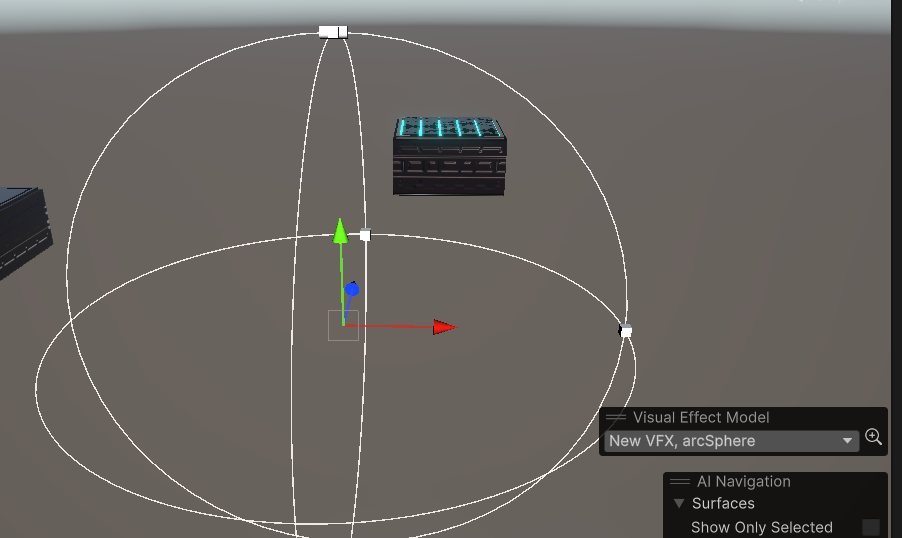
I noticed that I also have the little box there too that denotes the arc sphere
opal condor
Hm.. I don't have that:
 ashen robin
This is unity 6 too
opal condor
I'm thinking it just doesn't work in Unity 6. If anyone is using Unity 6 LMK if you see these Gizmos
nimble axle
how can i flip multiple particle systems? like on an x Axis or something
 opal condor
Finally figured it out. I tried the 2022 editor and it was working fine. I didn't notice this little thing popped up when using Unity 6. I had to click the down arrow for the gizmos to appear.

That made the Visual Effect Model screen overlay appear which now causes all gizmos to appear
 nimble axle
how cna i make an object constantly rotate in a vfx graph? this is how im doing it rn
 ashen robin
nimble axle
how cna i make an object constantly rotate in a vfx graph? this is how im doing ...
ashen robin
nimble axle
how cna i make an object constantly rotate in a vfx graph? this is how im doing ...
That works but it's in eulers so if you run into gimble you have options like Rotate3D or atan2
nimble axle
ashen robin
That works but it's in eulers so if you run into gimble you have options like Ro...
how do you apply a constant addition of rotation? for my current use case its fine
ashen robin
update usually
ashen robin
It's some limitation to using eulers, or anything but two axis of rotation
not the easiest to explain, but you lose an axis of rotation when two axis line up
nimble axle
ashen robin
not the easiest to explain, but you lose an axis of rotation when two axis line ...
i think i know what youre talking about
ashen robin
You can probably get an idea on the inspector just rotating an object and making a clear indication of its forward direction at all rotations
or making a fps controller using strictly eulers and allowing the player to tilt above 90 degrees
vernal osprey
Hello! I have a small issue with wind effect on my game. So, I have watched some tutorials in order to make tree leaves effect with WindZone and Terrain but I have an issue with some trees they doesn't respond to wind and I am not sure why? I have added the trees in terrain but still nothing. Some of them work well but the problem is that the other trees aren't affected from wind.
ashen robin
vernal osprey
Hello! I have a small issue with wind effect on my game. So, I have watched some...
cant embed mkv
probably more of a question for #⛰️┃terrain-3d
nimble axle
how can i get the scale of this tarnsform

turns out i cant expand it because its a bug in 2023.2 which they wont fix.
so i have to upgrade or downgrade lol
warm torrent
nimble axle
turns out i cant expand it because its a bug in 2023.2 which they wont fix.
2023 versions are alphas/betas for Unity 6
There aren't many reasons to stick to those
nimble axle
warm torrent
2023 versions are alphas/betas for Unity 6
There aren't many reasons to stick to...
unity 6 crashed my project, but i wanted the first person camera support, and the earliest version which had that was 2023
warm torrent
nimble axle
unity 6 crashed my project, but i wanted the first person camera support, and th...
First person camera? Of Cinemachine or something else?
You certainly don't need the newest Unity (nor CM) to make a first person camera, and problems upgrading aren't a good reason to stick to unsupported tech stream editor versions
Upgrading to 2023 / 6 breaks stuff in general in my experience, so I'd rather make a new project and export assets over as a .unitypackage
nimble axle
warm torrent
First person camera? Of Cinemachine or something else?
like in the editor
first person control of virtual cameras for animation is really helpful for what im doing
nimble axle
warm torrent
You certainly don't need the newest Unity (nor CM) to make a first person camera...
how do you actually export something to a unity package?
nimble axle
https://i.imgur.com/MP4eJkd.gif
this particle doesnt work properly in world space, how can i fix this?
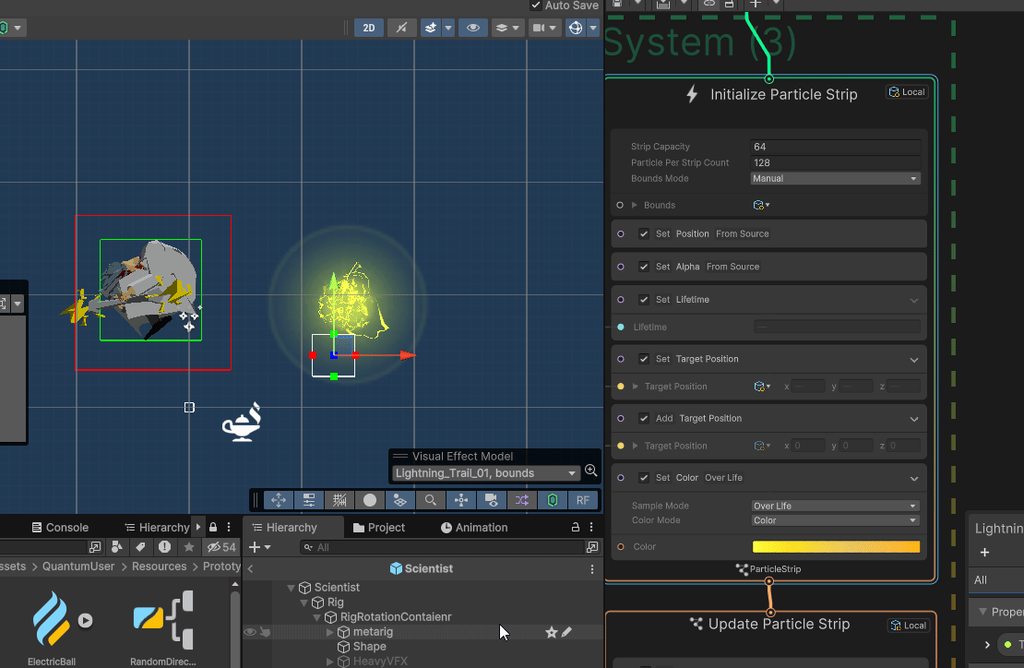
 gloomy urchin
Anyone know how I'd create a large collection of points like this?

And have them not only illuminated, but also flashing in sequence, like a wave moving along the runway?
ashen robin
gloomy urchin
Anyone know how I'd create a large collection of points like this?
Without sequencing you could just use a shared material with emissives, otherwise the VFX graph is a good way to instance with sequencing
Actually, doing it all in the shader may be the idea and having each emissive particle here somewhere further up on the UVs
for something like a wave pattern
gloomy urchin
ashen robin
Actually, doing it all in the shader may be the idea and having each emissive pa...
Yeah, I can have a gradient texture go over the whole sheet
ashen robin
gloomy urchin
Yeah, I can have a gradient texture go over the whole sheet
Probably the simplest way is using the world position as an offset for your sin function which should give some independency between each light
 glacial linden
Hello!
I am trying to achieve something like in the video below for a mod - but I'm currently struggling to understand vfx graphs enough to do it. Could anyone provide some hints?
vernal osprey
Hello, guys! I have a question. One of my particles after a minute disappears like fading away and I am not sure why. I have enabled looping and my duration is 5 seconds. Could you please help me with that?
warm torrent
vernal osprey
Hello, guys! I have a question. One of my particles after a minute disappears li...
Particles of the Particle System disappear when their Lifetime has elapsed
Duration is not related to it
(assuming Ring Buffer Mode is disabled)
vernal osprey
warm torrent
Particles of the Particle System disappear when their Lifetime has elapsed
Durat...
Ok! So, in order to prevent that from happening what do I have to do?
warm torrent
vernal osprey
Ok! So, in order to prevent that from happening what do I have to do?
Totally depends what the cause turns out to be
vernal osprey
I think I have the buffer mode disabled
warm torrent
I expect you know better than us what your particle lifetime is set to, and if you have modules affecting the color/alpha over lifetime
And if you're actually using the Particle System at all in this case
vernal osprey
It says rather than dying when their lifetime has elapsed particles will remain alive until the max particles buffer is full and new particles will replace the oldest but this will happen when the buffer mode is looping until replaced or something else?
There is paused until replaced, loop and disabled
warm torrent
vernal osprey
It says rather than dying when their lifetime has elapsed particles will remain ...
Ring Buffer Mode prevents particles from dying, but makes emitting itself kill them later
It was a potential cause of the problem, not a solution
Or rather something related to it
You haven't given any of the clarifying information we need, or precisely said what it is you want your particles to do
ashen robin
glacial linden
Hello!
I am trying to achieve something like in the video below for a mod - but ...
https://www.youtube.com/watch?v=w3Xzzs1TWpk
Good example to follow, especially the trigger events

Here's a great exercise with Unity VFX Graph on how to use trigger events and trails to create a Meteor Rain with their impact effect too. With lots of customizations too!
Enjoy!
Rabbit's Tale - STEAM WISHLIST: https://store.steampowered.com/app/1763860/Rabbits_Tale
00:00 Intro
01:15 VFX Graph Meteor
04:05 Adding Trails
10:00 Sparks Impact
...
inland tusk
so I have a vfx graph that is sent events that are defined in scriptable objects. Their lifetime is set randome between a min and max defined in said obiect, along with position scale etc.etc. I have some particles that never die.. My first thought was that the compute buffer that sends this info to the graph is indexing wrong or something, but it is getting the position correctly (otherwise the immortal particles would be at 0).... Any ideas? Or any way to detect if a particle is immortal and automatically discard it?

 manic scroll
Hi! the sphere in the middle showing faces. How can I change to smooth shading ?
 ashen robin
manic scroll
Hi! the sphere in the middle showing faces. How can I change to smooth shading ?
ashen robin
manic scroll
Hi! the sphere in the middle showing faces. How can I change to smooth shading ?
Is this a custom sphere? Unity's sphere should have smoothing already
manic scroll
I didnt know other spheres were different, Thanks found a sphere with smooth shading
ashen robin
The smoothing isn't so much in the shader as it's usually in the vertex
you'd notice it too if you were to apply it in blender and send it over
Oh, apparently you can apply a smoothing angle for your meshes in the import settings too
ashen robin
inland tusk
so I have a vfx graph that is sent events that are defined in scriptable objects...
I usually add a 'Set Alive' node in the update which I will enable/disable when I want to clean it up. That itself does sound like a bandaid, but I've had problems of particles not getting cleaned up after its lifetime too.
inland tusk
ah, so actually not relying on the inbuilt lifetime system at all, interesting
 proven mortar
manic scroll
Hi! the sphere in the middle showing faces. How can I change to smooth shading ?
proven mortar
manic scroll
Hi! the sphere in the middle showing faces. How can I change to smooth shading ?
you can use probuilder (packetmanager) probuilderize it set smooth and remove probuiulder script
or use the fbx exporter package export it to blender and set the normals there to smooth
you can make liked prefab FBX so when you change externally it will update in unity
 viral marsh
Hi, I am making this rather simple effect with the vfx graph.
It's going fine this far but it seems to have horrible performance, if I am not mistaken.
I've seen people using systems with tens of thousands, if not millions of particles with the performance being just fine(I could be very wrong), so the performance of this surprised me.
So basically, when the system is active, my gpu usage sits at 90-100% at all times.
I am attaching a screenshot of the gpu usage, screenshots of the vfx graph, as well as a video showcasing that it doesn't really have that many particles.
I am using the latest unity 6, built with vulkan(can't use opengl cuz performance is horrible on nvidia+wayland).
Oh, yeah, it's not that I have a bad gpu, it's a 2080ti and should be able to handle upwards of 10k particles with ease if I am not mistaken.
Thanks in advance!
https://youtu.be/Up5S7a5OvbE?t=45


Preview of a simple visualizer for linux I am making in Unity.
It's in very early stages of development so expect some bugs.
If you are interested in helping the development, visit Nisualizer on GitHub:
https://github.com/nnra6864/Nisualizer
Feel free to contact me:
https://nnra6864.github.io/nnra/
ashen robin
viral marsh
Hi, I am making this rather simple effect with the vfx graph.
It's going fine th...
Inside of the graph (I think near the top right?) there's some debugging tools which you can probably grab some information from while you run it. Just taking a look at the graph I don't really see a reason for the performance issues as everything seems to be completely instanced.
Actually, didn't see the other picture, but it does seem like it dispatches a copy assuming you're changing values in the update throughout the system
Still, probably not the largest issue, though some ideas is cull some operations and make sure it's not just a general batching issue.
viral marsh
huh, good call for making me check that, it doesn't seem to be the vfx graph at all, guess I just really gotta get a better gpu for my resolution because as the window gets smaller, the less gpu is used :/

 ashen robin
viral marsh
huh, good call for making me check that, it doesn't seem to be the vfx graph at ...
ashen robin
viral marsh
huh, good call for making me check that, it doesn't seem to be the vfx graph at ...
Are you capping your frame rate? I don't see anything here that would require something intensive lol
viral marsh
ashen robin
Are you capping your frame rate? I don't see anything here that would require so...
I'm not, that's actually a great idea.
Although I might have vsync on, I gotta check that.
Will try capping it to the refresh rate now and see how that goes, thanks.
huh, locking it to 60fps improved the performance significantly, not as much as I hoped it would tho, 30fps almost didn't make a dent and doesn't look smooth at all.
 nimble axle
do VFX graphs have a destroy action?
ashen robin
nimble axle
do VFX graphs have a destroy action?
VFX graph pools all particles so by destroy you mean disable particles then yes you can via 'IsAlive' or changing Age to be that of Lifetime. You can stop newer particles from being produced using an event connected to the 'Stop' input in the spawn context.
nimble axle
i mean like destroy the game object when it's done
ashen robin
I wouldn't depend on the VFX graph for the callback. You should estimate a time for how long it plays then clean it up in your scripts.
nimble axle
ashen robin
I wouldn't depend on the VFX graph for the callback. You should estimate a time ...
okay 👌 why wouldn't i depend on the callback out of interest? these are very simple effects with a set lifetime, btw
ashen robin
nimble axle
okay 👌 why wouldn't i depend on the callback out of interest? these are very si...
There's methods like HasAnySystemAwake, but you'll get a callback if there is any delay in the spawn context, among other issues I've encountered. Best practice is just use the lifetime that you expect it to run, and add some delay for when you want to clean it up manually.
nimble axle
okay sounds good
ashen robin
Really it doesn't matter if the system is hanging out the scene without emitting particles
just clean it up eventually
nimble axle
I thought that would get costly eventually
ashen robin
Even though, it's usually best to just pool the systems
nimble axle
cus it's a new effect every time the character jumps
ashen robin
Right, then that's a different concept
You have master particle systems to be continuously reused
nimble axle
ashen robin
Even though, it's usually best to just pool the systems
I haven't done pooling before, what is it again? just disabling and re enabling existing objects? how do you know if something that has been used and is about to be used again doesn't have data from the old usage?
ashen robin
Well, there's a few ways about it. Create multiple systems and just enable/reenable when you want to emit a particle, or create a single system and use events to request a new particle.
https://qriva.github.io/posts/how-to-vfx-graph/#how-to-send-event-with-attributes
This would be the single system solution
Pooling systems is fine too, abit more mem but not the largest issue
nimble axle
awesome thanks!
viral marsh
ashen robin
Are you capping your frame rate? I don't see anything here that would require so...
hey, just wanna update you, locking the fps to 60 and closing the unity editor proved to be effective, it's sitting at 30% usage which is even less than I expected, thanks a ton!

 fierce onyx
i dont want them to cast square shadows
 craggy geyser
Hey so i made an impact VFX using the VFX Graph, how do i make it so i can have that VFX render in world space? (As in when contact is made with a surface, itll appear)
Not the actual coding, but more so the space, i hope that made sense
ashen robin
craggy geyser
Hey so i made an impact VFX using the VFX Graph, how do i make it so i can have ...
Well, what kind of objects are making contact? Is it like rain, or perhaps an ability you have like a fireball
 viscid bridge
fierce onyx
i dont want them to cast square shadows
viscid bridge
fierce onyx
i dont want them to cast square shadows
Try using alpha clipping for another shadow - it's gonna be difficult to get a proper shadow here though, as you'd need volumetric calculation of the shadows. This isn't something you can do easily.
for now I'd suggest making them not cast shadows at all.
You can do that by creating your own shader that just samples the texture you're using, and turn off "cast shadows"
on second thought you obviously don't want to use alpha clipping, as your texture relies on alpha to fade the texture.
You need to compromise here and not use shadows.
I need help - something's either wrong with my math, or with Unity's VFX-graph cross-product. I'm leaning towards the former.
I'm spawning particles in a circle to make a portal-like effect.
The position of all particles are calculated with a Random Position (Circle) node.
I know this node works properly, as I get the correct positions when the particles spawn. They spawn in a circle.
I want the particles to fire in the direction of the tangent of the circle, using the cross product.
I do this by creating a forward vector and doing cross product between this vector and the particle position (locally).
This should yield a consistent velocity to the right when looking from the back.
For some reason though, this is NOT the behaviour I get.

particles spawn like this when using this node, which is correct.

when adding velocity based on the cross product I get this behaviour - which is obviously very wrong.

using sequential circle the cross-product DOES create the correct vector (tangental to the circle).

My confusion is why this method would yield a different result when both nodes just output a position for the particle to spawn at...
nimble axle
do VFX particles play at Time.timescale?
fierce onyx
viscid bridge
Try using alpha clipping for another shadow - it's gonna be difficult to get a p...
thanks but i scrapped it anyway i just need to find a tutorial for hdrp
viscid bridge
nimble axle
do VFX particles play at Time.timescale?
They update on a specific rate
If you press on the system you can uncheck the top box to ignore timscale
This will make them look good even when you change timescale
viscid bridge
nimble axle
do VFX particles play at Time.timescale?
Basically, tick this if you want to use Time.fixedDeltaTime. I think it's ticked in by default for some reason.
If you want to use Time.deltaTime, uncheck it.

if you want them to update properly with Time.timeScale without any stuttering you'd need to leave the box unchecked, as FixedUpdate rate is based on simulation-speed.
nimble axle
viscid bridge
Basically, tick this if you want to use `Time.fixedDeltaTime`. I think it's tick...
awesome, thank you!

 vivid glen
I'm trying to make a healing beam similar to mercy from Overwatch does anyone know how to make the line renderer curve when the direction of the healing staff is facing a different direction than the target? Or if their is a better way to make this than a line renderer?
 wooden finch
vivid glen
I'm trying to make a healing beam similar to mercy from Overwatch does anyone kn...
wooden finch
vivid glen
I'm trying to make a healing beam similar to mercy from Overwatch does anyone kn...
If I'm understanding you correctly, could you not use a Vfx graph with a bezier curve? I'll see if I can find an example
 brave snow
i want my fire particles to react to movement, but if i set them to world space they get left behind and it looks bad, because they are slow, how do i fix that ( i want the flames to kinda bend in the opposite direction of movement yk what i mean)
 prime dome
Hi people, with DrawMeshInstanced, can you change the mesh size by using vertex displacement?
like I can multiply the vertices on a mesh, can the same be done in shaders?
 rain dagger
why could it be
these are the properties


i want to create a star sparkle effect for a second here
 zealous wing
In VFX graph is there a way to decide which get attribute I am receiving when there are more than 1 systems in a single graph?
 ashen robin
zealous wing
In VFX graph is there a way to decide which get attribute I am receiving when th...
ashen robin
zealous wing
In VFX graph is there a way to decide which get attribute I am receiving when th...
Where are you these attributes being sent in
https://qriva.github.io/posts/how-to-vfx-graph/#how-to-send-event-with-attributes
You can specify by events which can added above the spawn context
craggy geyser
Hey, so I made this simple skull texture and i want it to hover up and down slowly, how do i achieve this? (ive been using VFX Graph for it)

i want it to be infinitely hovering until a player were to interact with it
so i disabled lifetime, could that be the reason why its not working?
ashen robin
craggy geyser
so i disabled lifetime, could that be the reason why its not working?
What's not working about it
craggy geyser
i dont know how to make it hover, not sure what component i need to add to this to make it happen
right now it just spawns and stays still
ashen robin
You can child the system to the player, but the vfx graph itself needs to be local space (top right corner of the contexts)
this way it'll use the gameobject's space
craggy geyser
im sorry im not too sure what that means 😭 , is it not possible to create the effect in the graph itself?
ashen robin
If you use local space, then the position would be relative to the player, so Vector3(0,0,0) would be the pivot of the player's gameobject is child to it
craggy geyser
ah ok thank you
 wispy shard
Is there any way to get particals out of unity, and into blender?
 rotund sedge
hey i have a question regarding some mesh effects, i only started messing around witht hem and im trying to recreate a type of guilty gear style punch, unlike all the slash prefabs i find i can never find a punch effect with a mesh where its a mesh that spawns a little behind the user and it comes forward. havent been able to find any meshes that would do good with that and im no good with blender so ive tried making it it and failed a lot. any advice or sources that may have what im looking for?
 cold crypt
hi theres a way that when a particle collides with a object instantiate that object following the position rotation of a other object?
manic scroll
Any way I keep this sprite visible in the black hole ? ( black hole is a mesh particle )
 onyx lake
manic scroll
Any way I keep this sprite visible in the black hole ? ( black hole is a mesh pa...
onyx lake
manic scroll
Any way I keep this sprite visible in the black hole ? ( black hole is a mesh pa...
Use a shader with ZTestAlways to always render it in front (only UI will be drawn on top)
 jaunty apex
I'm making some basic particles to spawn on the mesh and fly up
And Im having a problem where the particles will show up in the right spot if IM not in play
But they don't when I'm in play.
Could it be my property binding?


From the looks of it the Particles aren't matching up with the transform/mesh
 ashen robin
jaunty apex
I'm making some basic particles to spawn on the mesh and fly up
And Im having a...
ashen robin
jaunty apex
I'm making some basic particles to spawn on the mesh and fly up
And Im having a...
Is the position being set in local space to the object here
jaunty apex
I believe so. How would I check this?
ashen robin
So, you do have the systems in world space, but what matters if the initial position here which is being set by the transform node into set position
For the position attribute node on the left, where are these values being set
You sure you just don't need that Set Mesh Position Node only here? Trying to figure out this additional set position operation going on
https://docs.unity3d.com/Packages/com.unity.visualeffectgraph@11.0/manual/Block-SetPosition(Mesh).html
Calculates the vertex position, so really all you need to do is feed it the mesh and set the position to local
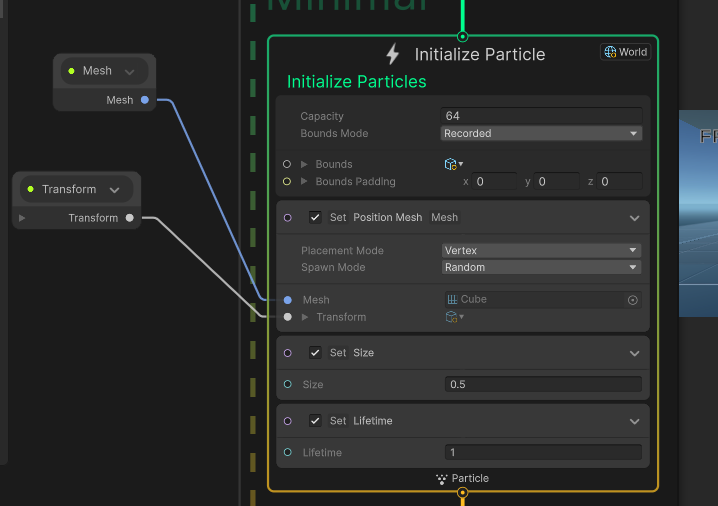
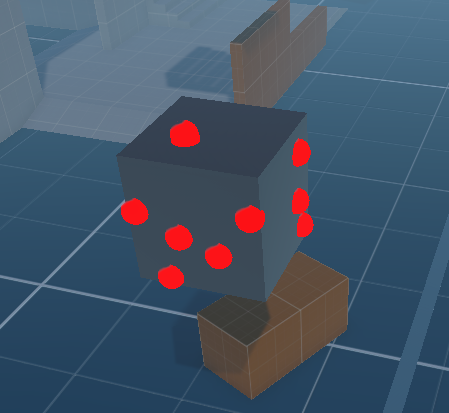
Transform property only works in local space apparently
ashen robin
manic scroll
Any way I keep this sprite visible in the black hole ? ( black hole is a mesh pa...
If this is all using alpha blending, then changing the rendering queue from each shader should work. If the sphere is opaque though then it gets a little more tricky as you're now comparing depth values compared to rendering via queue. Bubjes' idea is probably fine if we're treating this like floating damage text such that it renders in front of everything, but say if you don't want the text rendering in front of the player then you're looking into pixel replacement like stencil masking.
There's always a bunch of tricks too like moving the pivots relative to the camera, or if the camera is simply fixated then you can adjust the pivot of the text further towards the camera.
jaunty apex
ashen robin
https://i.imgur.com/7w1M1xa.png
Hey Mao,
I apologize for the very late response,
So I messed around a little bit more
First thing I did was unparent the VFX GameObject from the "weapon" it's supposed to use for the mesh,
That seemed to fix the it being far away. However know seems to only use the pivot?
 vernal osprey
Hello, guys! I have a question. How to optimize my game performance even if I am using fog particle effect with Unity's particle system? What I mean is that I have made a fog particle effect for my game and for one reason I saw performance issues not serious but yeah they exist.
The source of the issue is coming from the particles I am instantiating like I think and I am not sure how to optimize the performance without decreasing the number of the particles I am creating
 blissful iris
hey I need help with adding fairy dust to my character when it fly
right now it looks so big and ugly
warm torrent
vernal osprey
Hello, guys! I have a question. How to optimize my game performance even if I am...
It sounds like overdraw could be the issue
If so, that's largely unavoidable if you use particles for fog
nimble axle
trying to access the vfx graph and im getting this error. how fix?

 spiral storm
hi ! Can anyone point me towards some really wild and extreme examples of VFX graph?? Im looking for more variety in my arsenal
 burnt wave
how do people typically go about doing rain and snow?
like sure i can make a particle system, but then, do I make HUGE to span across the whole map?
create multiple areas?
just place one above the player (as a children) but then it might seem a little off?
ashen robin
jaunty apex
Hey Mao,
I apologize for the very late response,
So I messed around a little b...
The transform property is local to the game object so you want to be using the vfx graph on the same gameobject as the mesh render, otherwise you can use one of these:
https://docs.unity3d.com/Packages/com.unity.visualeffectgraph@17.0/manual/PropertyBinders.html
jaunty apex
ashen robin
The transform property is local to the game object so you want to be using the v...
i do have a property binder already!
ashen robin
jaunty apex
i do have a property binder already!
Well, if it's hooked up similar to how I have it up there and it's still producing problems, then perhaps the mesh import you have has read/write permissions disabled in the import settings.
ashen robin
burnt wave
how do people typically go about doing rain and snow?
like sure i can make a par...
It only needs to follow the player, so set the spawn area local to the player, but the raindrops move relative to world space.
 flint robin
Is it possible to add lights to a 2D particle system?
Or are there workarounds to get it to function like for example, a global illumination volume restricted to only affect the layer the particles are on?
flint robin
Found a script that attaches game objects to particles, all good now!
nimble axle
is there any way to fix a broken vfx graph? unity wont even let me open it
 strange ledge
anyone knows a good alternative to the unity trail renderer?
the trails it produces can look quite bad
looking for either a community option or something that's quick to implement
ashen robin
Not really besides asset store
vfx graph uses same logic
Other ideas is not to use trails and just have high emissive system of quads
strange ledge
by system you mean particle system?
ashen robin
shurkien, vfx graph, and the standalone module all are similar to how they work
strange ledge
i think in my case the main thing i need is smoothing (was initially thinking of splines), but maybe just high emission would work
hopefully not too distracting
ashen robin
https://old.reddit.com/r/Unity3D/comments/qgu7bc/unitys_trailrenderer_needed_an_upgrade_i_added/
This person did it with splines
Reddit
Explore this post and more from the Unity3D community
strange ledge
yeah did see that
ashen robin
Wish I could point you to a free solution, but I don't know any of myself.
strange ledge
i found this one that i had hopes for, but the prefab is corrupted so was not able to set it up
https://github.com/AlphaMistral/Mistral-Trail

GitHub
Mistral Trail is a Trail Rendering System for Unity and could safely substitute the built-in trail system. - GitHub - AlphaMistral/Mistral-Trail: Mistral Trail is a Trail Rendering System for Unit...
ashen robin
Was something a while ago called Better Trails, but that may be only a built-in solution
strange ledge
ashen robin
Was something a while ago called Better Trails, but that may be only a built-in ...
ohh, yeah i'm using built-in rn because i'm working with webgl mostly
will see if I can find it
seems like it got abandonned, no longer available on the asset store (and seemingly nowhere else for that matter)
ashen robin
Yeah I see that too. I've had assets delist and relist under a new name sometimes. Pretty scummy but w/e
strange ledge
oh wow, didn't know that was a thing
well i'll see if I can add emission or some quick hack to hide the flaws
ashen robin
spline idea sounds neat
strange ledge
yeah it'd be perfect for what i'm trying to do
just seems kinda involved but maybe i'm wrong
ashen robin
too bad one of the 100 things that unity hasn't updated in years
strange ledge
yeah..
ashen robin
You could try some vfx graph and throw on some turbulence
may remove some of the harder edges
oh wait you're using built-in
webGPU pretty good though should hop on that
strange ledge
ah yeah i think i heard of it
seems much better
also was looking at the code, the MistralTrail thing does smoothing, maybe I can figure out how to make that work
warm torrent
Bigger problem in my experience is that the trail vertices can get scrunched up
Can see it happening in the spline version too
 twin smelt
Hello all! Please tell me I can somehow mask VFX graph particles with some mask or something!
ashen robin
twin smelt
Hello all! Please tell me I can somehow mask VFX graph particles with some mask ...
If you want to do it in the graph then you're dealing with custom shaders with stencils
twin smelt
ashen robin
If you want to do it in the graph then you're dealing with custom shaders with s...
I need to mask particles inside card's frame. If I understand how stencils work then I could unmask particles from A card while writing into stencil from B card
ashen robin
You've also got Render Objects which allow masking via layer if you don't want to use a custom shader
twin smelt
ashen robin
You've also got Render Objects which allow masking via layer if you don't want t...
Thank will read and try tomorrow. Little bit doubt it will help because I can't separate each cards to it's own layer so problem with "cards unmask particles from another mask" remains
twin smelt
If my system in VFX graph use local space and I create node "Get position" then I'll get current position of a particle local to gameobject my VisualEffect component is on or local to it's spawn point?
ashen robin
twin smelt
If my system in VFX graph use local space and I create node "Get position" then ...
Not relative to the spawn point but the most previous set position, which could be the spawn point if get right after setting.
And the space I believe depends on the system's space, but you can always use a change space node right after.
twin smelt
ashen robin
If you want to do it in the graph then you're dealing with custom shaders with s...
and not via shader graph because it can't write to stencil. Am I correct?
ashen robin
twin smelt
and not via shader graph because it can't write to stencil. Am I correct?
Oh, I'm actually not too sure if stencils are configurable inside of the shader graph, but VFX graph does have support for HLSL in the later versions. May just be easier to use a layer as a culling mask honestly.
twin smelt
ashen robin
Oh, I'm actually not too sure if stencils are configurable inside of the shader ...
What you mean "layer as a culling mask" ?
ashen robin
Render objects as previously linked or by writing some custom pipeline code
twin smelt
I think I've found approach that is acceptable to my case but that requires me to write custom URP compatible sprite shader OR make shader graph define stencil code block.
I see unity docs about writing fundametal unlit URP compatible shaders but nothing sprite related and I worry there is something special for Sprite Renderer to be in URP shader. https://docs.unity3d.com/6000.0/Documentation/Manual/urp/writing-shaders-urp-basic-unlit-structure.html
Any advice on that, please? 😬
ashen robin
twin smelt
I think I've found approach that is acceptable to my case but that requires me t...
SpriteRender's shader is pretty basic enough if you want to make a copy and edit it for yourself
 ripe mantle
So I have some particles here and they're emitting from a circle shaped emitter. How do I make the particles move along a vector out from the center?

And rotated along this vector?
twin smelt
ripe mantle
So I have some particles here and they're emitting from a circle shaped emitter....
Well, your particles are already spawned inside circle so you just need to calculate direction out of that circle from center which is (particlePos - centerPos).normalized and then set particle velocity to this direction optionally multiplied by some float speed to control not only direction.
And I guess for rotation you can simply use Set Direction block
 warm abyss
VFX graph. is it possible to add an output event to a gpu trigger event on die ?
i CAN USUALLY ADD IT TO A SPAWN EVENT CLASSIC but it does not allow me to do that to a gpu trigger event.
Any idea?
twin smelt
ashen robin
SpriteRender's shader is pretty basic enough if you want to make a copy and edit...
where can I find sprite-default shader, because this gives some barely readable mess
 ashen robin
twin smelt
where can I find sprite-default shader, because this gives some barely readable ...
ashen robin
twin smelt
where can I find sprite-default shader, because this gives some barely readable ...
Either find it in the 2D packages, or on the Editor you can open the default SpriteRender material to get a link to it

 ripe mantle
Is there a way to make particles themselves act as a sprite mask?
ashen robin
ripe mantle
Is there a way to make particles themselves act as a sprite mask?
Particle system? Doesn't that have a sprite mask option for that?
ripe mantle
ashen robin
Particle system? Doesn't that have a sprite mask option for that?
It has options to interact with masks but not to act as one itself.
 ashen robin
Ah, well if you scroll up a bit you'll find a similar case
Edit the shader to have stenciling, or make a layer to act as the mask
ripe mantle
ashen robin
Edit the shader to have stenciling, or make a layer to act as the mask
Ya I assumed that was the solution. Wish they'd include stencil support in Shader Graph already.
twin smelt
ashen robin
Either find it in the 2D packages, or on the Editor you can open the default Spr...
I've found defaul sprite shader in packages folder. This shader contains 3 passes with only difference (at first glance) in lightmode tags. What is that for? There are 3: "Universal2D", "NormalsRendering", "UniversalForward"
As I know UniversalForward is kind of lightning tag for simple URP renderer. I guess Universal2D is for URP2D asset and shader choose between those passes depending on render asset lightning mode. Am I right? If yes then what NomalsRendering is for?
 brisk basin
brisk basin
brisk basin
figured it out
 ashen robin
twin smelt
I've found defaul sprite shader in packages folder. This shader contains 3 passe...
ashen robin
twin smelt
I've found defaul sprite shader in packages folder. This shader contains 3 passe...
Ah, so apparently the default sprite shader does seem to be compiled in, but if you were using 2D lights you're probably looking into editing the Universal Lit 2D. Not entirely sure what the Unlit provides that the built-in doesnt, but if you want to just use the built-in you'll probably need to grab that code elsewhere. Usually Unity's repo provides the source for built-ins.
twin smelt
ashen robin
Ah, so apparently the default sprite shader does seem to be compiled in, but if ...
No, I mean I found URP default sprite shader and I'm using regular URP asset, so it is right one shader, just trying to understand why it has 3 passes
ashen robin
Usually light related, but to get a better idea you'll need to read into each included file that's being fed into the passes
Like, these are way more extreme than the built in, that's for sure
twin smelt
Does renderer choose only one of passes depending on tags?
ashen robin
Some tags act as constraints like "RenderPipeline" = "UniversalPipeline"
otherwise it'll fallback onto some other shader specified
twin smelt
ashen robin
Some tags act as constraints like "RenderPipeline" = "UniversalPipeline"
does LightMode of a consraint kind tag?
twin smelt
yep, I see in built-in docs that LightMode works as constraint tags
ashen robin
if you are wanting to go down the rabbit hole, then I suggest bookmarking that site
ripe mantle
twin smelt
Well, your particles are already spawned inside circle so you just need to calcu...
What Set Direction block?
Oh are you talking about the VFX graph?
twin smelt
ripe mantle
Oh are you talking about the VFX graph?
yep, u not?
ripe mantle
twin smelt
yep, u not?
No I was talking about the build in particle system.
twin smelt
ashen robin
https://xibanya.github.io/URPShaderViewer/
cool stuff, thank you!
warm torrent
ripe mantle
No I was talking about the build in particle system.
Iirc if you want to enforce a particular emission direction and rotation direction, they will have to be mesh particles, potentially also emitted from a mesh
The mesh that emits them can be invisible
For non mesh particles there might've not been a way to define both up and forward axes
Only one or the other
ripe mantle
warm torrent
Iirc if you want to enforce a particular emission direction and rotation directi...
Hmm, alright. On a separate note, if I want to define a custom shape for an emitter (specifically 2D), what are my options?
I've been defining custom outlines in the sprite editor to get what I want, but I feel like that's... not optimal.
ripe mantle
warm torrent
Emitting from the outline of a sprite, I would assume?
The mesh Unity was generating for this sprite didn't fit it very well, so I went in and defined it myself.

In Sprite Editor -> Custom Outline.
warm torrent
Particle system can use this sprite outline?
 warm torrent
ripe mantle
warm torrent
ripe mantle
It seems type: vertex would be the optimal way you're looking for, if I understood correctly
ripe mantle
warm torrent
It seems type: vertex would be the optimal way you're looking for, if I understo...
Nah that only spawns them exactly on, as you'd expect, the vertex.

And I want them spawning across the whole outline.
warm torrent
There probably isn't an easy way to do that
Could add more outline vertices instead and add some randomness to spawn position instead
ripe mantle
I mean I get it, from a mesh's perspective, I don't think it knows which edge is a "outline edge" and which is an inner edge.
warm torrent
Indeed it does not
ripe mantle
warm torrent
Indeed it does not
You can do some funny stuff with this though.

Like this one defines a hole.
warm torrent
If it doesn't have to be convex, then you have some more control over the edge density
But that probably has to be a separate sprite since non-hollow outlines are important for sprite rendering
ripe mantle
Which lets you do this.
ripe mantle
warm torrent
If it doesn't have to be convex, then you have some more control over the edge d...
Nah that's the thing, I literally just have a sprite in the project whose sole job is to just be used as a particle guide 😛
The sprite is there just to remind me of the shape when I define it in the Editor.
Which is why I wanted to ask if there was a better way to do this type of shit.
Cause god damn does it feel jank.
I think the real answer here is "if you want a custom mesh shape then fucking do it in Blender you psycho"
warm torrent
It's not easier to make them in blender if you can make them in the sprite editor
But if you have a lot of sprites to do that for I'd rather look into settings like that shape randomness to make it workable with the unedited sprites
ripe mantle
warm torrent
But if you have a lot of sprites to do that for I'd rather look into settings li...
Shape randomness?
warm torrent
"Randomize position"
So they don't all spawn at each vertex but with a random offset around it
ripe mantle
Ah I see. Problem is the specific area I want them to be in is kind of important.
Not going to lie though this Custom Outline window is pretty buggy.
ripe mantle
Got kind of an odd issue.
I'm using a sprite to define my emitter shape.
And for some reason as soon as the center goes off screen, all particles disappear.
This does not seem related to culling mode.
ashen robin
ripe mantle
Got kind of an odd issue.
It's probably getting culled by the camera so you may need to increase the bounds for which this object is culled
ripe mantle
ashen robin
It's probably getting culled by the camera so you may need to increase the bound...
How do I set that for this specific object?
ashen robin
Unless it's something more system related which then I'd expect some bound parameters on it
ripe mantle
ashen robin
Unless it's something more system related which then I'd expect some bound param...
Is there no way to define this in the editor?
Because this shape is being used to spawn particles.
ashen robin
Uh, usually I change it when I initialize it at runtime
VFX graph has its own bounding box that's not reliant on the gameobject so I'm kinda surprised if shuriken doesnt
ashen robin
ripe mantle
Is there no way to define this in the editor?
https://discussions.unity.com/t/particle-system-culling-issue-please-help-explain-this-to-me/646828/25
Can you get that yellow box to show. That needs to be in the camera's frustum to not be culled.
Seems like some bandaid is to create some invisible particle far enough away to extend the box
 latent iris
currently doing this tutorial:
https://youtu.be/dPJQuD93-Ks?t=132
At time stamp when I create the node myself im missing the Shader graph.
I have experimental blocks on
looked for a solution (screenshot) but can't find the option in the screenshot


In this Unity Smoke Tutorial we are going to see how to achieve a stylized / cartoon effect using Visual Effect Graph and Shader Graph! A quick technique with an awesome outcome!
Enjoy!
Wishlist our game :D https://store.steampowered.com/app/1763860/Rabbits_Tale
00:00 Intro
01:00 Smoke Shader - Start
01:50 VFX Graph - Start
02:43 Smoke Sha...
 brave nymph
 ashen robin
Particle orientation and how it's aligned to face the camera.
https://docs.unity3d.com/Packages/com.unity.visualeffectgraph@10.2/manual/Block-Orient.html
VFX graph has this node, but there should be something similar on the shuriken
May just be easier to do a 3D tracer instead of a quad if you're still having problems
warm torrent
I'm a bit hard pressed to see what the "bug" is exactly
If the particle and trail are in world space, the effect that it seems to "jump" over a distance in sideways motion is natural in that context
 potent cairn
When traying to apply a shader to the Shader Graph section of the Output Particle Mesh, no shader appears, despite hacing experimental blocks and and having shaders created?
 warm torrent
potent cairn
When traying to apply a shader to the Shader Graph section of the Output Particl...
warm torrent
potent cairn
When traying to apply a shader to the Shader Graph section of the Output Particl...
What if you drag the shader into the field directly
Make sure the shader graph is of the vfx graph type
potent cairn
warm torrent
What if you drag the shader into the field directly
While dragging a little black "wrong" symbol appears
potent cairn
warm torrent
Make sure the shader graph is of the vfx graph type
im guessing its not? Do Shade Graphs with URP do not work?

THAT WAS IT
Thanks
viscid bridge
This node exists to set the particle to a certain pixel size - I want to force the particle to not go BELOW this size. How can I do that in VFX-graph?

I want to eliminate flickering due to the particles being too small.
if there's other ways to force rasterize I won't complain either
 twilit lagoon
Hey everyone, has anyone managed to for example sync visual effects to the beat of a song? I’ve tried somewhat successfully using OSC and receiving audio from an external source, But that only works well if the frame rate is constant, which is not always the case for me .. what I would like to try instead is to have the audio source in Unity, but unsure if that’s feasible? Thanks in advance
 spring lake
twilit lagoon
Hey everyone, has anyone managed to for example sync visual effects to the beat ...
spring lake
twilit lagoon
Hey everyone, has anyone managed to for example sync visual effects to the beat ...
There is a paid 3rd party asset that is built specifically for this purpose, but it's probably not appropriate to name paid products here. If you want a link, DM me.
warm torrent
viscid bridge
This node exists to set the particle to a certain pixel size - I want to force t...
Let me know if you find out
It never made sense to me why this is a block rather than an operator
warm torrent
spring lake
There is a paid 3rd party asset that is built specifically for this purpose, but...
It is appropriate since it's relevant, and not a promotion
spring lake
twilit lagoon
Hey everyone, has anyone managed to for example sync visual effects to the beat ...
https://assetstore.unity.com/packages/tools/animation/timeflow-animation-system-247895
Really quick overview here: https://youtu.be/A5FZstsdjTE?si=JFmbo-dmyyR7XDbx
Audio Spectrum Sampling: https://youtu.be/bq22h81Ofok?si=Qw4Q9CkbWP89RNsv
Audio Reactive functionality overview: https://youtu.be/hspI1hL-TDA?si=tTjWQ7rmooVPymgG

Use the Timeflow Animation System tool from Axon Genesis on your next project. Find this & more animation tools on the Unity Asset Store.
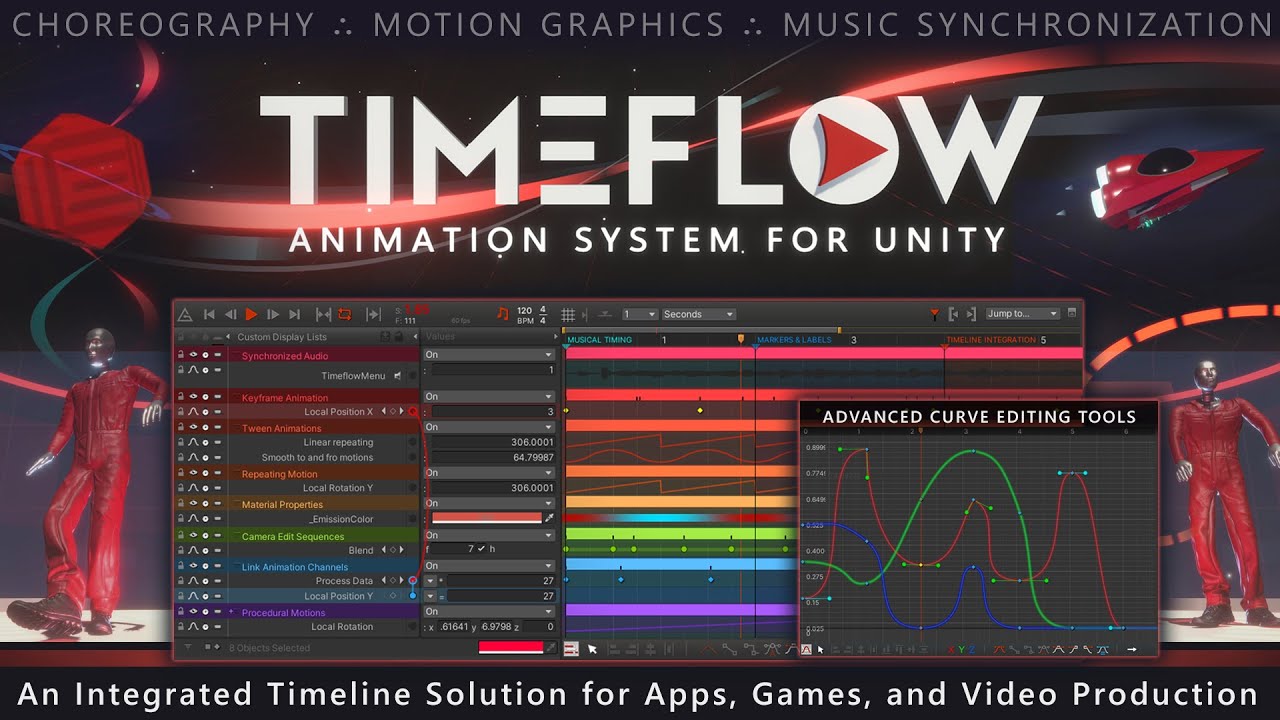
http://timeflow.axongenesis.com/
Timeflow is a revolutionary animation system designed to meet the needs of both artists and developers. With an emphasis on motion graphics and music synchronization, Timeflow offers advanced curve editing tools, procedural animations, and dynamic behaviors.
Timeflow is an integrated timeline solution offering a...

https://axongenesis.gitbook.io/timeflow/reference/behaviors/audio
Get Timeflow in the Unity Asset Store:
https://u3d.as/31KB
Timeflow Documentation:
https://axongenesis.gitbook.io/timeflow
Keyboard Shortcuts Cheatsheet:
https://axongenesis.gitbook.io/timeflow/user-guide/menus-and-shortcuts/keyboard-shortcuts
Created by Axon Genesis
https://t...

https://axongenesis.gitbook.io/timeflow/reference/behaviors/audio/audio-reactive
Get Timeflow in the Unity Asset Store:
https://u3d.as/31KB
Timeflow Documentation:
https://axongenesis.gitbook.io/timeflow
Keyboard Shortcuts Cheatsheet:
https://axongenesis.gitbook.io/timeflow/user-guide/menus-and-shortcuts/keyboard-shortcuts
Created by Axon Ge...
warm torrent
This is a whole animation suite, but I think ultimately fundamentally only need a time variable that syncs to audio time, or audio that syncs to your time variable
twilit lagoon
Thanks so much! So for example let’s say when I press play the visuals are playing back in a rate slower than the native audio rate, will the audio adjust, play slower and respect the game frame time?
Really appreciate the help @spring lake and @warm torrent
vernal osprey
Hello, guys! I have made fog with particle system and you know I am not sure if for a horror game it suits to be there. What do you think? My game is first person psychological horro do I need fog atmosphere or no?
I just want some opinions
spring lake
twilit lagoon
Thanks so much! So for example let’s say when I press play the visuals are playi...
Are you referring to Timeflow or what Spazi was saying?
warm torrent
I expect the asset has its own way of syncing them, otherwise you'll have to handle the syncing with your own scripts
twilit lagoon
spring lake
Are you referring to Timeflow or what Spazi was saying?
Ah right, I understand now it's two different things. I guess what @warm torrent said should be the easiest to test? Audio that syncs to my time variable, right?
How would you go about setting that up? I'd be happy to get timeflow asl well if I know it will allow me to do this
 opal star
Is there any way to get a gpu event as output from a system subgraph ?
 edgy acorn
Hello. Any idea how i can reverse Age Over Lifetime node, meaning 1 = start of the particle and 0 = end of it's lifetime? I'm trying to do fading over time controlled by it's lifetime but seems can't find a proper node or formula.
 ashen robin
edgy acorn
Hello. Any idea how i can reverse Age Over Lifetime node, meaning 1 = start of t...
ashen robin
edgy acorn
Hello. Any idea how i can reverse Age Over Lifetime node, meaning 1 = start of t...
Age = 0 ?
Also disable culling of the particle if exceeds lifetime if you want to clean it up
Reap particles I think it's called
edgy acorn
No, no. I just figured out that Age Over Lifetime wouldn't work. Basically, i want to reduce velocity to 0 over X time.
ashen robin
edgy acorn
No, no. I just figured out that Age Over Lifetime wouldn't work. Basically, i wa...
Sleepy but I think you're looking for
Velocity * (1 - t)
~~Oh maybe it's | ( t - 1 ) | ~~ nah same as above ;p
one of those
Actually I think you inverse it such that:
(lifetime - age) / lifetime
edgy acorn
ashen robin
Sleepy but I think you're looking for
Velocity * (1 - t)
How does variable X goes into these formulas?
spring lake
twilit lagoon
Ah right, I understand now it's two different things. I guess what <@16698263595...
Timeflow is pretty simple to use. You can animate/tween/etc any exposed properties and sync it to a master BPM, an individual BPM/time signature, or whatever other timing you want. Here I set up a point light to flash to 140 BPM on quarter notes. Then added a random range to the intensity of the light, no interpolation and then set the In/Out to make the flashes abrupt. The same can obviously be done with any VFX or other game objects, such as triggering a burst in a VFX or modifying other exposed properties. The properties can also be automatically controlled/synced to an audio source as we were originally discussing. I'm using this in playable cutscenes to sync the animation timing of various properties of lights and other elements.
 ashen robin
edgy acorn
How does variable X goes into these formulas?
ashen robin
edgy acorn
How does variable X goes into these formulas?
( (lifetime - age) / lifetime) * Velocity
Lifetime = 10, Age = 3;
x = 0.7
Lifetime = 10, Age = 5;
x = 0.5
Lifetime = 10, Age = 8;
x = 0.2*
edgy acorn
It does work. Holy molly, i wouldn't figured it out by myself for sure. Thank you
 warm torrent
twilit lagoon
Ah right, I understand now it's two different things. I guess what <@16698263595...
warm torrent
twilit lagoon
Ah right, I understand now it's two different things. I guess what <@16698263595...
I don't know the specifics, but syncing audio to anything is not trivial
If you can afford it, the asset is surely simpler
There probably are free alternatives if you only need to sync audio without all of the other features
 mint lintel
Hey all, I want to create smoke for Smoke Grande for mobile what would be best Particle system or VFX graph?
I considering low-end devices.
opal star
if the target devices do not support compute shaders then VFX graph is out of the question.
mint lintel
opal star
if the target devices do not support compute shaders then VFX graph is out of th...
okay! then particle system good to go.
opal star
like I said if the devices are really low end and do not support compute shaders then Shuriken is the only way to go
 rustic horizon
How would I render a particle effect over the mesh that it’s parented to?
ashen robin
rustic horizon
How would I render a particle effect over the mesh that it’s parented to?
If both are transparent, make a unique material for each and change the rendering transparent queue for each to two different values. If one is opaque, you'll need to override the depth sorting or use stenciling to do pixel replacement
rustic horizon
Damn
ashen robin
Or, if you want to just render one object on top of everything in the scene you can always just use a second camera
ashen robin
Not really, but may not be what you're looking for if you still some sorting against other objects in the primary camera
ashen robin
Depth stuff is similar in that regard that if you override depth then you're changing the full sorting of every other object against that one in the scene. (But this can be somewhat minimized with custom pipeline code)
rustic horizon
Oh okay
I’ll probably just stick with rending it on a different camera then
How would I go about doing that actually 😅
ashen robin
rustic horizon
Oh okay
https://docs.unity3d.com/Packages/com.unity.render-pipelines.universal@13.1/manual/renderer-features/renderer-feature-render-objects.html
You can also look into these as these give you a lot of control on the sorting of everything without having to do much in code, but a little more complex if you're not familiar with the concepts
As for the camera, just create another on the scene and cull everything but the object you want to render on top
and on your primary cull the object that is rendering on top
rustic horizon
Can you set the culling mask of a particle system?
ashen robin
The camera culling is based off layering, but Shuriken system may have some utilities like sprite masking
We're talking 3D here, right? Just making sure cause forcing particles above a sprite is simply changing the transparent sorting
rustic horizon
The particle is 2D but it’s a 3D project yes
twilit lagoon
spring lake
Timeflow is pretty simple to use. You can animate/tween/etc any exposed properti...
Thanks man, I'm about to purchase it I think.. My only fear is that if let's say my FPS drops to 10 during play, does the audio remain synced to that or not
spring lake
twilit lagoon
Thanks man, I'm about to purchase it I think.. My only fear is that if let's say...
No idea on that. You can always ask the dev on his discord. He's very active and has answered all of my questions so far.
twilit lagoon
spring lake
No idea on that. You can always ask the dev on his discord. He's very active and...
I'll try that right now, thanks
edit, hm, the link is invalid on their site
spring lake
twilit lagoon
I'll try that right now, thanks
edit, hm, the link is invalid on their site

To get support please use one of the following methods
spring lake
Strange.
I don't think so. I don't recall having to do anything fancy to join his Discord.
twilit lagoon
can you invite me directly somehow?
spring lake
twilit lagoon
can you invite me directly somehow?
Sent DM
 tropic vault
Hey, any way to fix that?

Any particle in the project seems to blink and reset and cannot maintain the animation loop, I tried another version of unity and even tested it on another project

actually im using Unity 6000.0.27f
I also tested it by compiling the game build and this problem also happens there
 errant ember
For some reason, my VFX from my VFX graph I made is not showing up. Whenever I create effects with particle systems, they appear just fine either on preview or when I press play, but the VFX graph created effects do not show up at all.
Does anyone know how to fix this? Thanks


unsure if this is part of it, but whenever I press play I get this (even though as far as I can recall I never set up the DontDestroyOnLoad feature)

 dire flower
tropic vault
Any particle in the project seems to blink and reset and cannot maintain the ani...
dire flower
tropic vault
Any particle in the project seems to blink and reset and cannot maintain the ani...
you need tom show us how you set it up. it could be your lifetime. looks like you have it on just a few second but looping. but thats not what you want i thinik 😄
 sour sun
Hy guys i have a question about VFX. so i purchased a VFX from unity asset store and after playing it on unity and for me it's too big for my game ( 2D games ). so i want to make it smaller the particles and object. for example this VFX blackhole.
my question is should i manually from unity adjust the width and height? or using a third party apps to do it? ( i dont know which app this VFX used ).
 sour sun
nvm i got my answer from the publisher...
 carmine ether
Hi. Does anyone know if it's possible to change the output particle of the vfx graph depending on a variable?
like for example, let's say if a variable value is 1, I want the output particle to be the Unlit block, but if that variable value is 2, I want the output particle to be the Lit block
 tropic vault
dire flower
you need tom show us how you set it up. it could be your lifetime. looks like yo...
tropic vault
dire flower
you need tom show us how you set it up. it could be your lifetime. looks like yo...
configs:


 violet pendant
Hey guys, im a beginner here for VFX & Particle effects sharing my 2nd Particle effect i created which obviously looks galaxies apart from the refrence but yeah that's fine atleast i have something similar to ref.
I need help in re-creating the refrence VFX with particle effects, shader graphs i cant do.
Sharing Both Output And Refrence And Looking For Guidance
 ashen robin
violet pendant
Hey guys, im a beginner here for VFX & Particle effects sharing my 2nd Particle ...
ashen robin
violet pendant
Hey guys, im a beginner here for VFX & Particle effects sharing my 2nd Particle ...
If you're using vfx graph check this out
https://docs.unity3d.com/Packages/com.unity.visualeffectgraph@10.2/manual/Block-ConformToSphere.html
Throw in some turbulence for more variation
nimble axle
I have an arc cone here, is there a way to set the velocity like this?
 nimble axle
i've figured it out
new issue, is there a way to make the particles curve inwards around this area
 nimble axle
how can i make trails shorter? they last the whole lifetime
 dire flower
tropic vault
configs:
dire flower
tropic vault
configs:
do you want it to be endless or how do you want it to look? atm it looks like the _Rim resets everysecond im guessing you want it to always spin? in the game for example how long do you want the blackwhole to show? I would try setting the start liftime to the same time on all 3 and see how that looks
tropic vault
dire flower
do you want it to be endless or how do you want it to look? atm it looks like th...
yea, i would like it to look endless, i set lifetime at 3 and added a gradient with opacity 0 100 0 and now it looks much better, thank you very much!

 tight river
Screens slash with VFX graph!
 languid sable
Hello, so I want to connect my Shader Graph to my Visual Effect Graph, but in my Output Particle Unlit Quad is not the Shader Graph option where I could connect it. Both URP and Visual Effect Graph are up to date. Tried to solve it with checking Experimental Operators/Blocks, as it should "appear in there", but it did not... I am really clueless. Thank you in advance for your help
 dire flower
tropic vault
yea, i would like it to look endless, i set lifetime at 3 and added a gradient w...
dire flower
tropic vault
yea, i would like it to look endless, i set lifetime at 3 and added a gradient w...
nps i havent found any real endles version of stuff i usualy just put the life time as a huge number 😄 as long as the particle is supose to show.
dire flower
tight river
Screens slash with VFX graph!
that one looks super cool 😄 that could be a cool spell for a game 😄
dire flower
languid sable
Hello, so I want to connect my Shader Graph to my Visual Effect Graph, but in my...
now im in hdrp but it should be the same graphs this is how my output looks
 tight river
dire flower
that one looks super cool 😄 that could be a cool spell for a game 😄
tight river
dire flower
that one looks super cool 😄 that could be a cool spell for a game 😄
Thank you! Yeah it's actually a hit impact effect of a sword or so
dire flower
tight river
Thank you! Yeah it's actually a hit impact effect of a sword or so
that works 😄
twilit lagoon
hey all, I'm wondering.. my scene is mostly VFX, and I'm pushing them really far, but it seems the long frame is in the CPU? althought my GPU is topped off in the task manager and the CPU is perhaps sitting at 20% only.. I'm confused
I'm trying to understand where the bottle neck is..

 quasi halo
hii! im working on a particle system where i want one particle system to be triggered after the other collides with a plane. what can i do ?
warm torrent
quasi halo
hii! im working on a particle system where i want one particle system to be trig...
If you want the particle system to be created where the collision occurs, you can use sub-emitters
https://docs.unity3d.com/Manual/PartSysSubEmitModule.html
In Collision or Death mode
warm torrent
twilit lagoon
Use the profiler, preferably in a build for accurate data
https://docs.unity3d.com/Manual/profiler-profiling-applications.html
tight river
dire flower
that works 😄
Yeah! Thanks man
violet pendant
ashen robin
If you're using vfx graph check this out
https://docs.unity3d.com/Packages/com.u...
Hey thanks for such a good reference it will definitely help me, but im mostly looking only for particle system not Vfx graph
violet pendant
ashen robin
If you're using vfx graph check this out
https://docs.unity3d.com/Packages/com.u...
I did some more tweaking and stuff in trying to get things done but still the output is not there yet, might due to my skills limitation
 ashen robin
violet pendant
I did some more tweaking and stuff in trying to get things done but still the ou...
ashen robin
violet pendant
I did some more tweaking and stuff in trying to get things done but still the ou...
Looks fine to me. The more you work on it the more refined it'll become
What you're missing though from the example is some stylized windforce coming from the bottom, and most importantly you're missing the bloom and emissions
twilit lagoon
warm torrent
Use the profiler, preferably in a build for accurate data
<https://docs.unity3d....
thanks! I tried it in Play mode.. I know obviously it's because of the amount of particles I have, but I just want to understand if I'm CPU or GPU bound, like what would benefit me the most, a CPU with more cores? single core clock speed? a beast of a GPU? 😄

very GPU bound then, I guess?
 opal star
enable the GPU profile module and check in there as well
 late swift
After watching Arcane, I felt like finally learning VFX graph.
 violet pendant
ashen robin
What you're missing though from the example is some stylized windforce coming fr...
violet pendant
ashen robin
What you're missing though from the example is some stylized windforce coming fr...
still wprking on them, actually i forgot to build lighting data hence it's not visible
late swift
Does anyone know how you could add arcs above the particles like this?
 ashen robin
late swift
Does anyone know how you could add arcs above the particles like this?
ashen robin
late swift
Does anyone know how you could add arcs above the particles like this?
3D sphere with transparent line texture
unity sphere might be garbo tho, so make some mesh with wrapping uvs
Half circles work too
late swift
It needs to deform with the particles, they move around with perlin noise
If I use a mesh, I would need to retrieve data from the GPU or something for them to match
ashen robin
Not too sure why you need anything back from the GPU, but you've also got particle strips which if you don't set a lifetime to will just live forever.
Not the easiest thing to really manipulate as they are composed of multiple quads
late swift
Yeah, I saw that when I looked it up. Sounds like a nightmare
spring lake
twilit lagoon
thanks! I tried it in Play mode.. I know obviously it's because of the amount of...
I would also recommend cutting your particles in half to see what the impact on performance is.
late swift
ashen robin
Not the easiest thing to really manipulate as they are composed of multiple quad...
Does this count? 😄
ashen robin
late swift
Does this count? 😄
Oh, you wanted more runes. I think I may have glanced over your post and assumed you wanted a trail based on the image ;p
Pretty good though
late swift
Oh, it's not what I had in mind initially
Just suddenly had the idea of doing it this way
languid sable
dire flower
now im in hdrp but it should be the same graphs this is how my output looks
exactly, yet I don't have this in there 😮💨
late swift
Not really sure what it's supposed to be, but it's something
And then there are these spinny globe things
 stuck timber
These are very satisfying to look at, very nice
nimble axle
how can i make two points that are parented to the head and make lightning effects with the vfx system?
 ashen robin
nimble axle
i guess i could use a line renderer or something?
ashen robin
nimble axle
i guess i could use a line renderer or something?
https://www.youtube.com/watch?v=8NWqTKYEIlU
Gabriel has everything you need
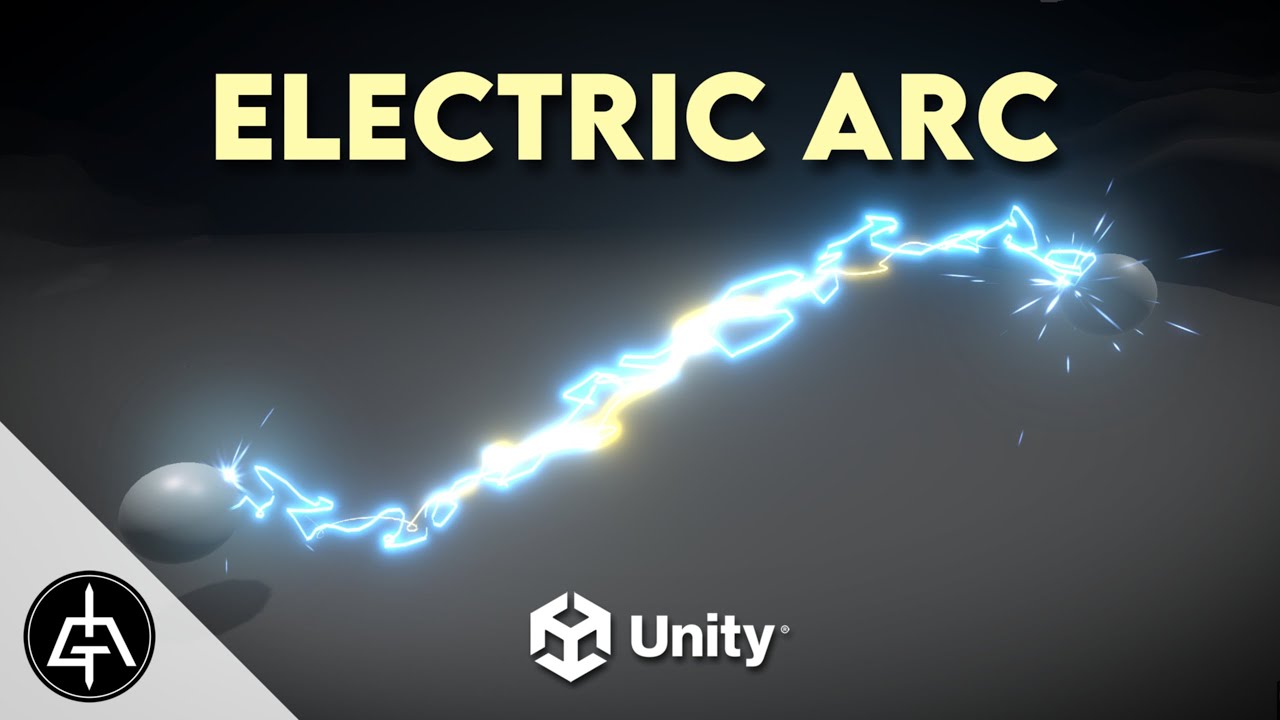
In this Unity tutorial let's create an Electric Arc with Visual Effect Graph. It's an awesome technique that opens a few interesting doors. An arc effect can be used in a chain reaction for example. Enjoy!
00:00 Intro
00:39 Particles in a Bezier Curve
04:48 Particle Strip
06:18 Improving Aspect
07:25 Controls for the Bezier Curve
09:06 Electri...
nimble axle
ashen robin
https://www.youtube.com/watch?v=8NWqTKYEIlU
Gabriel has everything you need
gabriel my beloved
nimble axle
how do i fix a vfx graph?
i cant access this one i made from a newer version
it just wont open

 quasi halo
hey i have a vfx particle system project due tomorrow. can someone help me? i hav the first build up of my projectile vfx but its not emitting the beam when i have it set as my subemitter
warm abyss
https://www.youtube.com/watch?v=DKVdg8DsIVY
the video ends with particle strips.
I have not found it yet.
After decals samples is empty!
Did anyone find it?

VFX Learning Templates are a collection of assets designed to help you explore VFX Graph concepts and features. In this video, we'll take a closer look at these learning templates and see how they can help you set up your next effect using VFX Graph. You can use these as a starting point for new effects or for learning specific features.
⭐ Lear...
nimble axle
does anyone know how to recover a vfx graph if its not openable?
warm abyss
reimport
 uncut forge
nimble axle
does anyone know how to recover a vfx graph if its not openable?
uncut forge
nimble axle
does anyone know how to recover a vfx graph if its not openable?
delete library folder
inland tusk
I made a system where I raycast a bunch of points all over the map and save their positions into a nativearray and spatially hashmap it and send those near the player as a graphics buffer to a vfx graph to render it... this is all working pretty well actually, and was for a kind of hero game object.... it got me wondering though about doing it again just for smaller pebbles and stuff and spraying 10x more of them all over the map just for visual detail.. does that sound completely stupid? I did the first system as they would be getting added to and removed and I'd need to find the nearest and stuff, none of which would be true for the 2nd interpretation of it
does that sound like an insane idea? is it just doing the job of some existing unity system? I am highly performance focussed and this way avoids having gameobjects for any of it. I'm not using unity terrain as it's performance is trash so any kind of solution that would use that is a no go. I guess Im just thinking about some kind of super performant modded scatter really
late swift
inland tusk
I made a system where I raycast a bunch of points all over the map and save thei...
Why raycast when you can sample positions instead?
inland tusk
Well i have a grid of 8 by 8 terrain tiles, which will wind up having skirts that go down at the edges to hide seams, so kinda figured just raycastcommandinging down from above into the terrain layer would be as good a way as any to do It, though i guess ultimately saving that info to a file and loading it rather than just doing it at the start of every play
Though it would probably be good to do stuff like take the slope of the surfaces into account and stuff, which could be done on hit normal, or vertex colour or something. I guess i was thinking more about the act of retrieving a graphics buffer of spatially hashed nearby nativearray list of info to draw near terrain details
 deft forum
inland tusk
does that sound like an insane idea? is it just doing the job of some existing u...
deft forum
inland tusk
does that sound like an insane idea? is it just doing the job of some existing u...
Sounds reasonable, VFX graph is incredibly fast and has minimal overhead + is easy to use. You are redoing Unity's terrain system but as we all know, Unity terrain is not blazingly fast (with that said - terrain in Unity 6 + HDRP seems to actually be quite usable)
inland tusk
Cool, i wound up implementing it, and so far it’s working pretty well, especially with frustum culling and switching between two output nodes on distance squared for lodding
normal remnant
What is the reason why VFX can render particles on top of everything? I tried changing the depth write/test, but it didn't do anything


 ashen robin
normal remnant
What is the reason why VFX can render particles on top of everything? I tried ch...
ashen robin
normal remnant
What is the reason why VFX can render particles on top of everything? I tried ch...
Don't depth write, and make sure your geometry is opaque
carmine ether
carmine ether
Hi. Does anyone know if it's possible to change the output particle of the vfx g...
does anyone know this please? It would really help so I can create like LODs for the particles that are further away
ashen robin
carmine ether
does anyone know this please? It would really help so I can create like LODs for...
If it's different shaders you'd probably want two systems, but if you're using a single shader then why not just make a master output composed of every node it can use, then selectively populate what nodes each particle should use via events/buffers
carmine ether
ashen robin
If it's different shaders you'd probably want two systems, but if you're using a...
what exactly do you mean by "master output"? Like a custom made output where I can decide if I want to use a custom mesh or a quad?
ashen robin
carmine ether
what exactly do you mean by "master output"? Like a custom made output where I c...
Ah, right I guess you probably do want multiple shader programs in that regard then. I'm not entirely sure you can choose between what shader to use in a single system, so I think the best way to go about this is to have multiple systems, and just disable/enable the particle that you want shown.
Assuming you do want a lit/unlit variation, but the mesh nodes already do have LOD settings themselves
carmine ether
Ah okay. Well thank you so much, I appreciate it 😄
carmine ether
ashen robin
Assuming you do want a lit/unlit variation, but the mesh nodes already do have L...
yeah I wanted to do both things,😅
 mellow girder
So appareantly in Unity 6 you cant use shaders or materials in vfxgraph?

the shader graph option just isnt there
I have Experimental Operators/Blocks on
ashen robin
mellow girder
So appareantly in Unity 6 you cant use shaders or materials in vfxgraph?
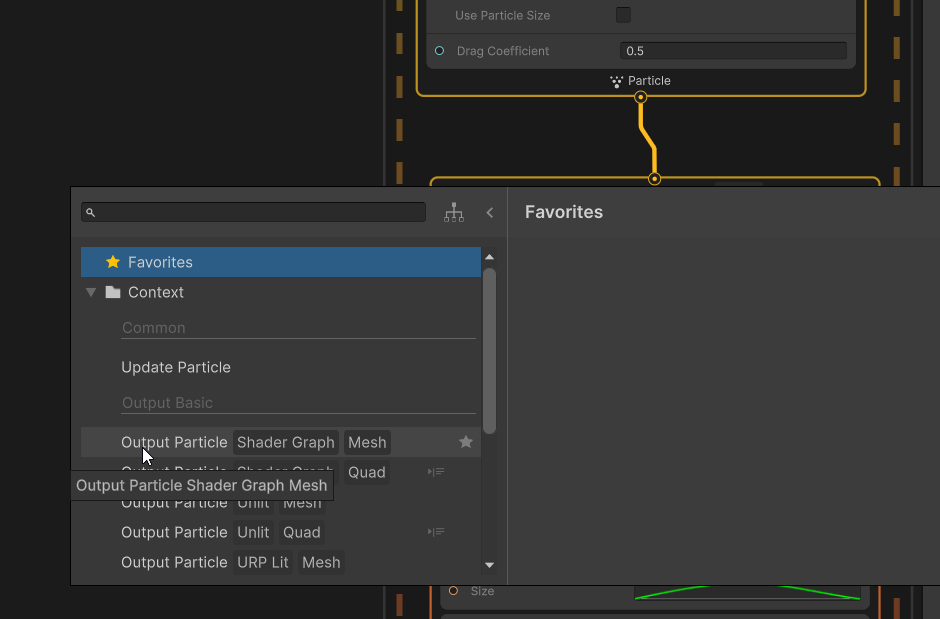
Don't think it's experimental anymore
mellow girder
ashen robin
Don't think it's experimental anymore
but I dont want to use a mesh?
ashen robin
Quad is there
ashen robin
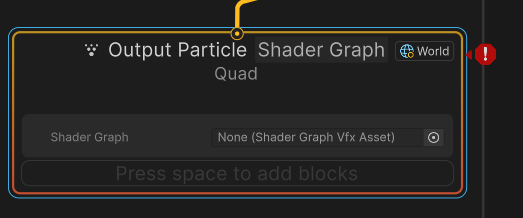 mellow girder
thanks!
carmine ether
Why is it that when I connect the GetMeshIndex node, I get this error please? Like am I connecting it wrong or something else? Like I just wanted to get the LOD level to determine which texture to use

 ashen robin
carmine ether
Why is it that when I connect the GetMeshIndex node, I get this error please? Li...
ashen robin
carmine ether
Why is it that when I connect the GetMeshIndex node, I get this error please? Li...
Not too sure what you're trying to do here, but usually for LODs I have a single texture map or texture atlas
carmine ether
oh okay. Well I was trying to use LODs so when the particle is far, it is just a billboard instead of a mesh, so it would have a different texture. But yeah I will have to use a texture atlas as you mentioned, thanks 😄
 manic shore
how can I sample from a collection of different meshes in vfx graph?
I want each particle output to use a mesh in this collection via random index
ashen robin
manic shore
how can I sample from a collection of different meshes in vfx graph?
Don't think you can easily send in an array of meshes, so you'll have to expose a bunch of mesh attributes. Then, in output you'll be doing some comparison operation for random seeded value, or use a vfx events to send in an index value and compare against that.
 polar oasis
Hey all! I'm new to using Visual Effects Graphs so this is probably a stupid question. Unity 6, URP 2D project, trying to create a lit burst. Problem 1, the graph says "in order to record the bounds, the current graph needs to be attached..." but I can't find the Target Game Object Panel? Also, after removing the default Unlit quad block and swapping it for the lit quad block, the effect no longer shows up in Game or Scene window.
ashen robin
polar oasis
Hey all! I'm new to using Visual Effects Graphs so this is probably a stupid que...
Record just requires you to toss it on the scene and it'll usually resolve itself. Not too sure why swapping unlit with lit would create problems but double check that the transparent sorting is correct if you're using 2D
 quiet zephyr
hello guys, I have a question, how can I remove this dark aura around particles ?
 ashen robin
quiet zephyr
hello guys, I have a question, how can I remove this dark aura around particles ...
ashen robin
quiet zephyr
hello guys, I have a question, how can I remove this dark aura around particles ...
https://i.imgur.com/ILlbYxF.png
Make a new material for your particle system, and use one of Unity's particle shaders then change the color mode: Multiply here to something else like Additive
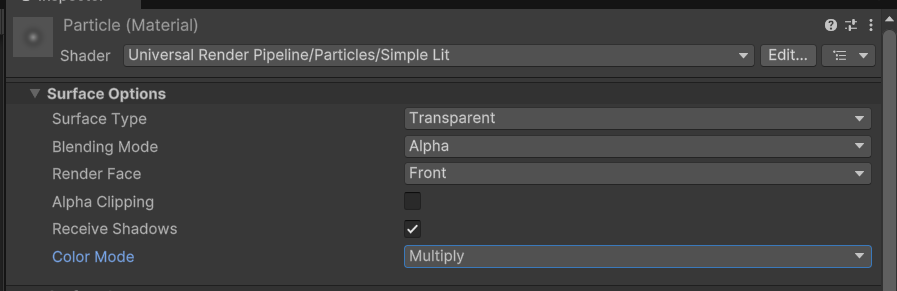
then stick it into the renderer section of the system
quiet zephyr
oh well tysm :)
 half aurora
How do I change the rotation of a particle over lifetime in VFX Graph?
I've tried setting an Add Angle over Lifetime block in Update, but it doesn't seem to do anything (even after recomiling)

 warm torrent
 sleek cave
where did "flipbook blend" go in Unity 6? (not regular flipbook)
sleek cave
where did "flipbook blend" go in Unity 6? (not regular flipbook)
Right there behind the dropdown
sleek cave
oh my god thanks 😂
sleek cave
anyone else getting this in Unity 6 after saving vfx graph?
TransientArtifactProvider::IsTransientArtifact call is not allowed when transient artifacts are getting updated
possibly editor related bug, I am using URP.
https://discussions.unity.com/t/bug-in-unity-6-build-21-slots-have-been-resynced-in-set-lifetime-of-type-unityeditor-vfx-block-setattribute/1527620
nimble axle
How can i make vfx particle meshes have trails like in the particle system?
warm torrent
nimble axle
How can i make vfx particle meshes have trails like in the particle system?
When you create a new VFX graph you can choose a template that has trails for you to build off of, and VFX graph has importable examples in the package manager that are your best resource
nimble axle
warm torrent
When you create a new VFX graph you can choose a template that has trails for yo...
cool, thanks!
 gritty citrus
How do i fix my particles phasing into the ground? https://i.imgur.com/7ghrLlX.png
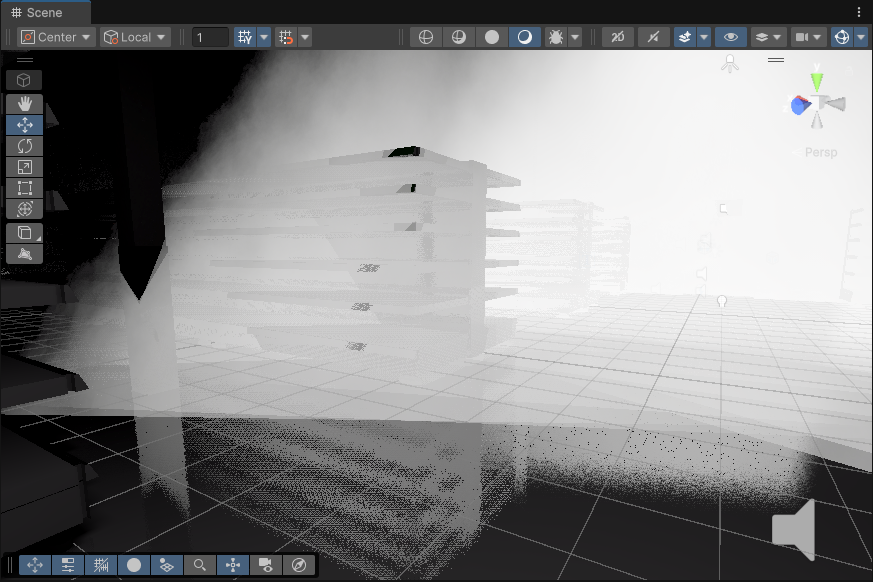
I'm trying to make smoke
ashen robin
gritty citrus
How do i fix my particles phasing into the ground? https://i.imgur.com/7ghrLlX.p...
As in you can see them through the ground? If they are transparent, then the opaque geometry should be able to sort it correctly.
Also got options like soft particles to reduce the rendering clipping near the geometry
nimble axle
warm torrent
When you create a new VFX graph you can choose a template that has trails for yo...
hey, i've created a new vfx graph and it doesnt let me choose templates, any idea why this might be?
warm torrent
nimble axle
hey, i've created a new vfx graph and it doesnt let me choose templates, any ide...
iirc it gives you the templates when you create a new vfx graph from the gameobject menu, but not when you create it from the asset menu
nimble axle
warm torrent
iirc it gives you the templates when you create a new vfx graph from the gameobj...
oh right. one second
nimble axle
warm torrent
iirc it gives you the templates when you create a new vfx graph from the gameobj...
is this a visual effect asset? or a visual effect container? cause neither are showing up with a template for me
warm torrent
nimble axle
is this a visual effect asset? or a visual effect container? cause neither are s...
nimble axle
warm torrent
<https://docs.unity3d.com/Packages/com.unity.visualeffectgraph@17.0/manual/Templ...
yeah i read this document too, i cant find the plus symbol
 warm torrent
nimble axle
yeah i read this document too, i cant find the plus symbol
warm torrent
nimble axle
yeah i read this document too, i cant find the plus symbol
I believe the templates are only in Unity 6 / 2023
Or they might be elsewhere
warm torrent
But you still have importable examples available to you
nimble axle
warm torrent
But you still have importable examples available to you
where can i find them?
warm torrent
nimble axle
where can i find them?
In the package manager under samples tab in the entry for that package, same as others
nimble axle
okay, tahnk you!
ashen robin
nimble axle
okay, tahnk you!
https://www.youtube.com/watch?v=DKVdg8DsIVY
You can download these right inside of the graph too if you need more templates
VFX Learning Templates are a collection of assets designed to help you explore VFX Graph concepts and features. In this video, we'll take a closer look at these learning templates and see how they can help you set up your next effect using VFX Graph. You can use these as a starting point for new effects or for learning specific features.
⭐ Lear...
warm torrent
That's the same one 
ashen robin
oh is it? I thought yall talking about the few or so templates that now appear when you create a new vfx asset
which are actually pretty helpful considering
warm torrent
ashen robin
oh is it? I thought yall talking about the few or so templates that now appear w...
That was option A but apparently they were missing
I can't check a <2023 editor right now to try to look for them but they had no docs page before that version at any rate
 barren zinc
Hey guys, how are you? when the game is running and the enemy dies, it spawns a particle effect. very simple.. but from 144fps the game spikes to 120 and if killing a some enemies like 5 to 10 goes to 100fps.. just a simple effect.. any ideas how to improve that?

 ashen robin
barren zinc
Hey guys, how are you? when the game is running and the enemy dies, it spawns a ...
ashen robin
barren zinc
Hey guys, how are you? when the game is running and the enemy dies, it spawns a ...
object pooling mostly. I also find generating anything but quads with the particle system tanks fps
I guess the better question here is it the CPU the cause of it or the rendering.
CPU -> ObjectPool
Rendering -> Simpler geometry + instancing
ripe mantle
How do I spawn particles in the VFX graph in this shape? I'm talking about the cubes specifically.

Is there a way to have them sample from a texture?
ashen robin
ripe mantle
How do I spawn particles in the VFX graph in this shape? I'm talking about the c...
ripe mantle
ashen robin
https://docs.unity3d.com/Packages/com.unity.visualeffectgraph@10.2/manual/Block-...
I'm aware of this block but I think I'm misusing it.
How do I use it to define the spawn positions?
barren zinc
ashen robin
object pooling mostly. I also find generating anything but quads with the partic...
will try ty
ashen robin
ripe mantle
I'm aware of this block but I think I'm misusing it.
I've not really done anything specific with textures, but I've used it baking SDFs from models
ripe mantle
ashen robin
https://docs.unity3d.com/Packages/com.unity.visualeffectgraph@12.0/manual/point-...
Maybe I'm thinking about this wrong, but my initial thought was to create a texture for the "design" of the spawning area. Each particle would sample at some equivalent point in UV space, and if it was below some value, then just set their scale to 0?
Idk.
ashen robin
Well, the first problem you need to figure out is how do you iterate over some model/texture like say if you were using a fragment shader, and that would be through the use of the Attribute Map node
ripe mantle
The cubes also animate together, with waves moving across them.
ashen robin
You can also just do a lot of the positioning logic outside of the graph if you prefer that and just send in the positions
Not sure if you can send in an array of them through the property binders, but with graphic buffers you can
ripe mantle
ashen robin
Not sure if you can send in an array of them through the property binders, but w...
Hmm. I guess the oddity here is, how do I associate each particle with some UV space coordinate, which I can then use to sample from a texture to drive animations.
And I guess the answer is graphics buffers 😛
ashen robin
There could be more ways about it. I know you can sample a texture2D inside of the graph, so perhaps there's some nodes to iterate over each pixel value
but like I was saying I've not really done much with the textures (which I should)
ripe mantle
I know there's some 3D sequential pattern thing. The question is, even if set up a grid through the graph, is retrieving/generating the associated UV for the particle possible/efficient?
ashen robin
But if you are trying to space out a few particles, it may be best just to send in a custom array of a few places
ashen robin
ripe mantle
I know there's some 3D sequential pattern thing. The question is, even if set up...
Once it's in the particle system it's basically free
invoking a copy is pretty much the only true tax to the VFX graph
ripe mantle
ashen robin
Once it's in the particle system it's basically free
Aren't you able to add custom blocks to the graph to store user made values.
If I can set a vector2 for the particle then we're good, no?
Or is that not possible.
No wait things do work on a per particle basis I think.
ashen robin
It works similar to the shader graph, but for arrays you need to do it through buffers

The point graph baking tool does seem promising for textures so worth a look
ripe mantle
ashen robin
https://qriva.github.io/posts/how-to-vfx-graph/#how-to-sample-graphics-buffer
Feels insane to me by the way that the VFX graph sort of looks similar to Shader Graph but it clearly built from different stuff.
Like when I have a Vector3, I can expand a dropdown to expose all the individual elements like in Amplify Shader.
That's nice.
Give me that please Unity.
ripe mantle
ashen robin
https://docs.unity3d.com/Packages/com.unity.visualeffectgraph@10.2/manual/Block-...
ashen robin
noice what did you go with
ripe mantle
ashen robin
noice what did you go with


Billion ways to filter.
And I probably chose the worst.
ashen robin
Aye pretty good. If it works it works
prime dome
Why won't my particles image display?
 mystic meteor
i've got a shader i've made in shader graph and it works well for meshes but trying it out on a particle gets this weird result

seems like pixels at the end of the texture are being stretched

thats the shader if it helps with anything

 frank coyote
oh yeah -- you want the specular component to fade to zero as the alpha goes to zero
that's what the "Fade" mode does on the standard particle shader
Preserving specular is good for glass and other shiny surfaces
in that case, the object isn't vanishing; it's just transparent
frank coyote
I'm having trouble getting sub-emitter particles to align correctly.
There is an invisible particle system firing particles in a Cone shape. I have "Align to Direction" checked.
It has a sub-emitter that inherits its rotation.
I always get this "saddle shape" pattern, where the spikes point inwards on one axis and outwards on another
This is particularly obvious if I adjust the starting Z rotation of the child particle by 90 degrees.

oops, I had a wacky rotation on the child system in the first two pictures; reposting them now...
The second image has the parent's renderer turned on. It's rendering a mesh to show the orientation of the particle


ah! and of course I stumbled into the solution instantly after complaining about it. Setting "Flip Rotation" to 1 on the child is giving me a consistent orientation
plus a little X rotation -- looks good now

 wild mango
Hey, i have a problem with my VFX graph. I didn't do that for a while, and so for take it from the start, i just added a basic one. (Here it is on the screen). However, i added the vfx object on the scene, and when it's play, i see nothing... I don't really know why

 open birch
hey guys, I recently upgraded my project to Unity 6 and since then my rain particles have been acting up. I can tolerate the poorer physics which seem to have gotten worse, but for some reason I can see them through walls? the renderer has everything set to sprite so I have no clue what is going on
ashen robin
open birch
hey guys, I recently upgraded my project to Unity 6 and since then my rain parti...
Make sure geometry isn't transparent
Make sure your particles are depth testing
Double check your rendering pipeline settings haven't been altered
I noticed some of my Render Objects were removed (and Unity shoved its own AO full screen shader in place of them)
open birch
ashen robin
Make sure geometry isn't transparent
Make sure your particles are depth testing
...
geometry isnt transparent and I set the particles sorting layer to -1, still no change :/
also disable SSAO to see if that would change anything
ashen robin
to me it looks like it's not depth testing
open birch
yeah I agree but I just have no idea why
open birch
ashen robin
since transparents are drawn last
yeah but the materials are all opaque :/
ashen robin
the rain too? If you're using sprites, it's probably transparent
open birch
ashen robin
the rain too? If you're using sprites, it's probably transparent
ohhhh I see what you mean now
open birch
ashen robin
the rain too? If you're using sprites, it's probably transparent
thank you! I set the sprite material to unlit and its working now
wild mango
wild mango
Hey, i have a problem with my VFX graph. I didn't do that for a while, and so fo...
I still have a problem with this, i can't see any particle, i tried to create a new project with Unity 6 using HDRP or URP, but no particles are shown :/
frank coyote
Switch the bounds mode to "Automatic".
With the Visual Effect's object selected, turn on "Show Bounds". Do you see a rectangular shape like this that's changing in size over time?


(the mode is here)
 wild mango
I've bounds, but i have found the problem... In game mode for no reason now it works, so i googled that this is not working on scene mode
So i saw that the problem was that my scene was not showing the VFX graphs
nimble axle
if i call vfxGraph.play while the vfx graph is already playing, will it start from 0 again?
 ruby stone
nimble axle
if i call `vfxGraph.play` while the vfx graph is already playing, will it start ...
ruby stone
nimble axle
if i call `vfxGraph.play` while the vfx graph is already playing, will it start ...
yes it looks like it starts the effect again, but does not seem to change already emitted particles
nimble axle
ruby stone
yes it looks like it starts the effect again, but does not seem to change alread...
so it doesnt delete existing ones? is there a way to delete existing particles?
ruby stone
nimble axle
so it doesnt delete existing ones? is there a way to delete existing particles?
Reinit does this
nimble axle
ruby stone
Reinit does this
cool, just wondering. I'm using a rollback framework for a fighting game and would like to time the vfx particles to the animation, but i think thats a big pain in the ass so I'm just timing the start and then letting it play. But i would like the start to be rollbackable, which is why I wanted to be able to reinit an animation
 brazen pike
hello, using the VFX graph i made a rotating circle of particles (8 orbs rotating indefinitly), it was pretty easy using "Set Position (Sequential: Circle)" in the init and a rotate 2D in the update particle.
My problem is i can't find a way to make my particles follow a square path instead of a circle, is there any easy way to achieve that ?
Edit: i'm using Unity 2022.3.51f1
warm torrent
Why would fading the alpha with color over lifetime make it so choppy
Or was did it always work like this an I just didn't notice
It's like alpha is restricted to 8 bit color or even less
I don't think there's any reason why the vertex color itself would have to be restricted to that even if the color picker was
A workaround would be to use custom vertex data for it instead, but it seems unnecessary
I would assume VFX Graph has more color depth for alpha by default?
nimble axle
is there a way to make UI particle systems yet?
warm torrent
nimble axle
is there a way to make UI particle systems yet?
Not officially
nimble axle
warm torrent
Not officially
can I ask why it's something that's not available yet? I'm sure a lot of people before me have asked the same thing, is it hard to make or something?
warm torrent
nimble axle
can I ask why it's something that's not available yet? I'm sure a lot of people ...
I'd guess it's because Particle System and Canvas UI have not been in development for a long time, and their replacements have other much higher priorities
Meanwhile there are third party assets to get it working, and various workarounds so it never was a high priority to begin with
You can combine UI and particle effects, even just by translating screen coordinates to world position when instanting, with the help of different Canvas render modes, or even with camera stacking or render target textures
So there's a lot you can do even without true support, though what your particles will be missing without a full fledged solution are UI features like masking and canvas scaling / anchoring
nimble axle
warm torrent
I'd guess it's because Particle System and Canvas UI have not been in developmen...
are there any free assets you know of? if not do you have any tutorials for those other methods you've mentioned?
ashen robin
There's some plugins I've seen, but otherwise just using a world-space canvas is an idea
warm torrent
nimble axle
are there any free assets you know of? if not do you have any tutorials for thos...
https://github.com/mob-sakai/ParticleEffectForUGUI this is linked around a lot, but I have no experience with it
nimble axle
warm torrent
<https://github.com/mob-sakai/ParticleEffectForUGUI> this is linked around a lot...
will have a look at this. thank you!
 hushed fjord
Hi everyone i got a question, i have a car with a particle system on the wheels that emits smoke when the car is drifting but when the smoke hits the camera, the worlds brightness is going down but if i move the camara away from the smoke, it goes back to normal.
Another thing i noticed is, in scene view, when i look down, the world is much brighter but when i start to look up everything is getting darker
How can i fix this?
opal star
That sounds like the adaptive exposure settings in hdrp
ripe mantle
I'm trying to do a trail with the following texture.

And for some reason the tail end of it looks extremely jagged. Any tips?
Am I just supposed to set the minimum vertex distance very low?
Also do Trail Renderers just... not scale with the hierarchy?
warm torrent
ripe mantle
And for some reason the tail end of it looks extremely jagged. Any tips?
That's a fundamental limitation of not just the trails, but of all typical 3D geometry's UV mapping
https://discussions.unity.com/t/why-are-trail-renderer-uvs-distorted/856378
There's not much of a good workaround besides to not use the width curve, and to have the taper on the trail texture instead of possible
ripe mantle
warm torrent
That's a fundamental limitation of not just the trails, but of all typical 3D ge...
Ah so don’t taper it off with the width and instead bake that fall off into the texture?
Kinda hard to tile that then
Also do trails not scale with the hierarchy? That seems really rough.
 burnt lichen
How would I go about making a rocket plume for this?

 cobalt scarab
@tawny delta !collab
 gleaming flickerBOT
:loudspeaker: Collaborating and Job Posting
We do not accept job or collab posts on Discord.
Please, use Discussions to promote yourself as job-seeking, advertise commercial job offers, or look for non-commercial projects to participate in:
• Collaboration & Jobs
normal remnant
warm torrent
<https://github.com/mob-sakai/ParticleEffectForUGUI> this is linked around a lot...
does it work with hdrp?
my bad, didn't see it

 stoic parrot
Hello guys, i'm new to vfx and idk where to start, i dont have any drawing skill, is it fine?
I only have knowledge of basic C# (not OOP) and little basic of unity
Do i need to learn blender?
burnt lichen
Yes if you want to create your own assets, if no then no
stoic parrot
:0 ty
 humble sundial
Hi, Im facing issue of normal mapped transparent particle (shuriken) in unity. As picture shows that the particle appears half black in certain view angle, using lit shader graph(HDRP). I have did some research about it and seems to be particle's normal/tangent issue, but im still very beginner with calculating normals and stuff with cg shader code. I tried a few way to make it work but its seems to be buggy at the end. Anyone have experience with this issue?
Here is something i found as ref:
https://discussions.unity.com/t/normal-mapping-particles-only-shows-on-half/594458/2
https://discussions.unity.com/t/normal-mapped-particles/635732
https://realtimevfx.com/t/unity-shuriken-custom-light-setup/24919
https://discussions.unity.com/t/normal-maps-on-shuriken-particle-system-not-working/549895/4

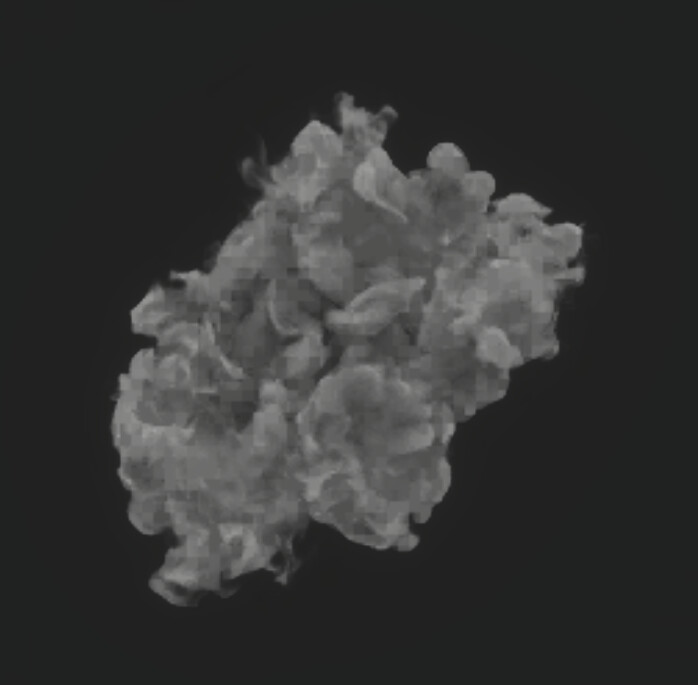
Real Time VFX
Hey! Had been struggling for some time with a simple custom light setup and normal maps in Unity using its Shuriken particle system. I wanted my smoke particle to receive light from one direction and use the normal map to add details to it. The problem I ran in to was that it wasn’t shading correctly at all when I rotated the particle. It...
 tawny delta
cobalt scarab
<@1079364065480163328> !collab
tawny delta
cobalt scarab
<@1079364065480163328> !collab
Inbox me
frank coyote
warm torrent
Why would fading the alpha with color over lifetime make it so choppy
Or was did...
are you sure that's not just multiple overlapping particles?
probably not, given that you only have 30 particles there
warm torrent
frank coyote
are you sure that's not just multiple overlapping particles?
Yep sure
In this example the alpha curve goes from 0 to 10 alpha at 20%, then back to zero
Which corresponds to the 10 steps we see for fade in, as well as for fade out
frank coyote
Yeah.
warm torrent
It doesn't seem so odd, but feels weird I haven't really noticed this before
frank coyote
I know that the Particle System doesn't really like HDR colors
I'm also sort of surprised. I guess this is a really slow fade
I'm used to spamming more particles that don't last as long
warm torrent
frank coyote
I know that the Particle System doesn't really like HDR colors
By not like you mean doesn't support at all I presume!
frank coyote
indeed! :p
I've worked around that with custom shaders before
You can access the particle's age in a custom vertex stream (i.e. shove it into UV0.z)
warm torrent
That's my first second option
frank coyote
ah, yes, brain fart
warm torrent
The real world use case here is clouds of lingering steam, which seems to make this issue unavoidable
frank coyote
You could also just make the texture less opaque, so that you can use the full range of alpha. But that's destructive.
warm torrent
Could work in this case, at least to an extent
Though 50% less alpha for half the choppyness might be a hard sell
frank coyote
You'd get the same maximum opacity; you'd just be doing it by using the full range of alpha values on the particle system
warm torrent
I wonder why there are no HDR colors anyway, seems like a trivial feature
frank coyote
warm torrent
I wonder why there are no HDR colors anyway, seems like a trivial feature
I'd guess it's because that'd take up a lot of extra space per-particle
128-bit colors vs. 32-bit colors
It does stick out like a sore thumb
warm torrent
frank coyote
You'd get the same maximum opacity; you'd just be doing it by using the full ran...
What do you mean by full range, if not by reducing the alpha of the source texture?
frank coyote
You'd reduce the opacity of the texture so that you can cover a wider range of alpha values in the particle system
That would mean that the texture's opacity has less fidelity (imagine crunching it down to "opaque" and "transparent")
0-100 alpha on a barely-opaque texture instead of 0-10 on a very opaque texture
warm torrent
I think that does reduce the maximum alpha I can have per particle
Since I am using 100% particle alpha at a point
frank coyote
ah, I thought you stopped at 10
(also, are there only 100 alpha steps in a gradient? that'd be funny...)
warm torrent
frank coyote
ah, I thought you stopped at 10
Ah, that was just to highlight the stepping
Alpha is up to 255 like the other color channels
frank coyote
ooh, okay, then no dice
frank coyote
humble sundial
Hi, Im facing issue of normal mapped transparent particle (shuriken) in unity. A...
You'll need to show your shader code.
I suspect you're working in the wrong coordinate space
e.g. interpreting world-space normals as tangent-space normals
actually -- show me the code and the normal map you're using!
the different kinds of map are very visually distinctive
warm torrent
Also if the normal map is not imported (or sampled) as a normal map, it can distort the lighting in a way that seems to cut off
frank coyote
mmmm, sRGB normal map
humble sundial
frank coyote
You'll need to show your shader code.
it is just simply using HDRP lit shader graph and assigned the material to particle, tried out with normal direction set to 1/0. What i did was testing out silly solution such as using different space normal/tangent to check out the results and try to understand how things work. Still, i cant get any progress or understand stuff after all those trials 😥
frank coyote
"set to 1"?
That would mean that the normal vector is [1,1,1]. If it's interpreted in world-space, that'll make the surface appear to be pointing in the +XYZ direction (in a world space)
Given that you have a gradient there, I'd guess it's actually in tangent space
although i'm a little unsure
humble sundial
i mean the "normal direction" in the renderer module
 frank coyote
ah, I see -- I've never noticed that
so a 0 means it works like a sphere, and a 1 means it works like a flat square
stoic parrot
How long have you guys doing vfx? Looks cool
 hardy tide
Cross posting in case anyone here knows
Anyone been able to create a custom output context in vfx graph? Want to build an add on that outputs a particle grid/can set the attributes of a single mesh based on particle index
Original thread:
#↕️┃editor-extensions message
 uncut geyser
how can i make particles fade out instead of flat out dissapearing
nimble axle
why does set velocity along direction not exist in unity 6 vfx graph?
never mind found the problem
nimble axle

I'm trying to make rotational velocity, and this seems to work semi okay? how can i make the speed faster though? multiplying the multiply makes the velocity faster and thats not what i want. i want it to twist faster
 ripe mantle
Well this is horrid.
https://issuetracker.unity3d.com/issues/particle-system-emission-delays-between-particle-generations-when-playing-the-simulation
Reproduction steps: 1. Open the attached "2022particle.zip" project 2. Open the "239399_Scene" Scene 3. Click on the "Tamana" GameOb...
nimble axle
why does add angle not show up in vfx unity 6? I have experimental blcoks enabled
never mind
i had to click ab utton
nimble axle
how can i randomize adding angle over life in the vfx graph?
 tiny lantern
Hi guys, In Unity’s default particle system, how can I address the issue of a VFX effect being obstructed by the ground? The effect is quite large, so adjusting its position along the Y-axis isn’t a practical solution.
 junior thistle
tiny lantern
Hi guys, In Unity’s default particle system, how can I address the issue of a VF...
junior thistle
tiny lantern
Hi guys, In Unity’s default particle system, how can I address the issue of a VF...
You should be able to add a custom render pass to the particle material.
I have never used it on particles so I don't 100% know if it works in them, but I don't see a reason why it shouldn't
That's how you usually do it
frank coyote
nimble axle
https://i.imgur.com/LKOrp0z.gif
presumably you'd want a stronger rotation
nimble axle
frank coyote
presumably you'd want a stronger rotation
i actually forgot about the angle parameter 😭
frank coyote
forgor 💀
nimble axle
how can i randomize position better? I copied and pasted a system to change from a mesh to a quad, but all the particles spawn in the same place as the original one
frank coyote
how are you calculating the starting position right now?
nimble axle
frank coyote
how are you calculating the starting position right now?
in the initialise part

using a cone
frank coyote
well, don't use a constant for the position, then
Do you want the particles to emit from a spherical area? a surface?
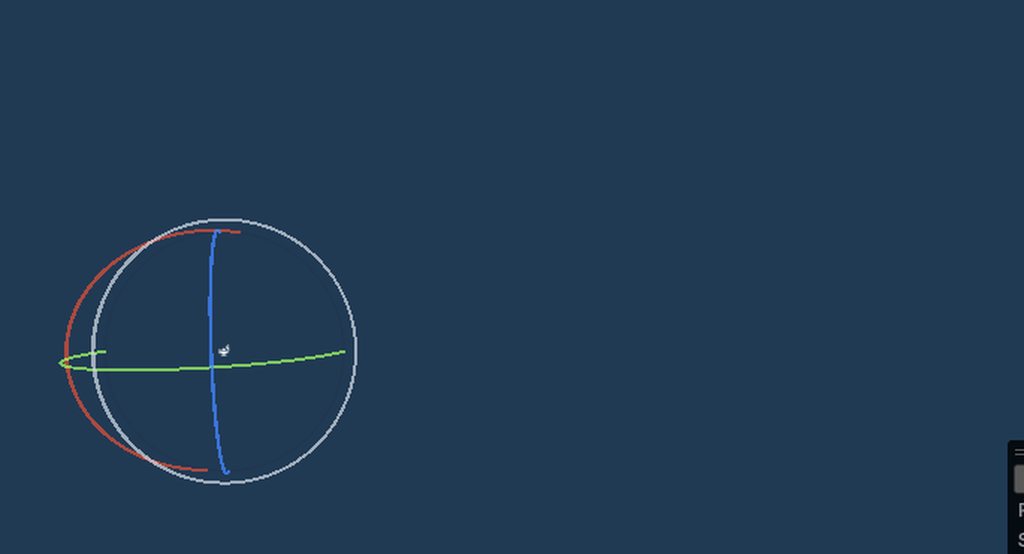


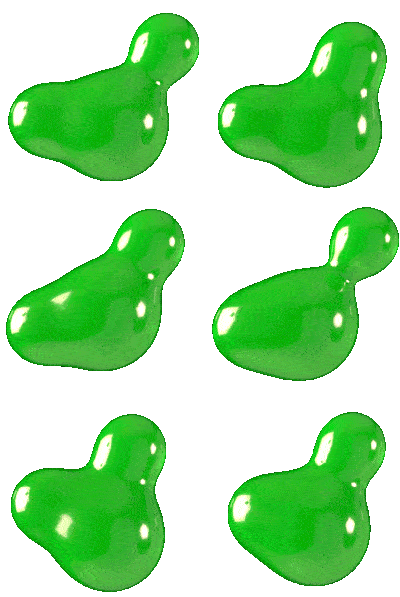


 frank coyote
They're randomly spawning inside of the cone, at least
nimble axle
im trying to make a knockout effect
frank coyote
But maybe that's not random enough
nimble axle
so its meant to be coming out of a cone
i assumed the seed would be different per system
but maybe not?
frank coyote
What's the problem, then?
nimble axle
it looks fine cause i changed some stuff now
i guess i was using too many samey values
but i've varied it a abit
nimble axle
how can i make particle strips not last the entire lifetime and like shorten a bit?


 verbal gale
Can I link to a Unity Discussion or should I repost the full question here?
warm torrent
verbal gale
Can I link to a Unity Discussion or should I repost the full question here?
If you link it, we have a chance to participate in the discussion rather than potentially spending time to repeat information
 autumn grove
I'm trying to make a trail particle that fades out over time, but the particles do not fade out properly with mesh particles for some reason, even though I set its material to transparent. Can anyone explain how I can fix that?
 verbal gale
warm torrent
If you link it, we have a chance to participate in the discussion rather than po...
frank coyote
autumn grove
I'm trying to make a trail particle that fades out over time, but the particles ...
verbal gale
warm torrent
If you link it, we have a chance to participate in the discussion rather than po...
frank coyote
autumn grove
I'm trying to make a trail particle that fades out over time, but the particles ...
Overlapping transparent renderers can get weird.
ashen robin
Stencils would fix overlapping transparents similar to how blob shadows work with overlapping
https://www.fraculation.com/blog/overlapping-mesh-render
Good reference
Fraculation
Learn how to render overlapping transparent meshes as a single superset polygon, using stencil buffer settings in Unity URP
frank coyote
Yes, you could use stencils to prevent more than one renderer from ever drawing to a pixel
As long as the meshes don't overlap, it should work out properly
actually, even if they do, unlit renderers will look okay
Lit ones may produce weird results, since the angle of the surface affects the color
so the exact renderer the pixel comes from is more important
ashen robin
Actually the trail may be required to have an incrementing stencil index if they were fading it out
and probably not easily doable using unity's module
Or maybe I'm overthinking it
hardy tide
Is there a way to get the particleId of the previous/next points in a particle strip in vfx graph?
ashen robin
hardy tide
Is there a way to get the particleId of the previous/next points in a particle s...
https://docs.unity3d.com/Packages/com.unity.visualeffectgraph@10.2/manual/Operator-GetAttributeParticleIndexInStrip.html
This looks like it and probably behaves similar to how you would use spawnindex standard attribute
https://discussions.unity.com/t/vfx-spawnindex-spawncount-relation/866176
Similar idea but per particle (strips count as a single particle by index otherwise Actually, I may need to double check on that as I do recall having problems when managing the indices manually)
hardy tide
The problem is I need it for a buffer. So it has to be a globally unique index
hardy tide
I've worked around it by having two buffers: one to keep track of memory allocations for each strip
ashen robin
hardy tide
I've worked around it by having two buffers: one to keep track of memory allocat...
Yeah, I think that's probably what I need to do too for my setup if I want to incorporate them, but the last time I've tried to work with them I was having culling problems when trying to control the buffers. Maybe it's just how the strips work, but it seemed like it was rendering all segments of the strips even if only the head of the index was active.
They could have been improved in 6 since they're not experimental anymore though
inland tusk
I'm thinking about adding (simple) health bars to my game, and I was wondering whether to do it with drawinstanced or a vfx graph being fed positions and values through graphics buffer (I'm currently GPU bound). any advice?
ashen robin
inland tusk
I'm thinking about adding (simple) health bars to my game, and I was wondering w...
Either way would work, but if you wanted to pool the bars then doing inside of the vfx graph is probably more convenient
inland tusk
yeah... I guess my thinking was maybe it's easier to have dynamic numbers of healthbars, and doing more of the calculations etc on cpu but even just the ease of use of showing/hiding on fov and stuff in vfx graph feels more intuitive to me, but yeah I was thinking more of iterating through the data to draw them and not having gameobjects for them at all
nimble axle
can you manually update a VFX graph?
using a time value?
or like update it backwards or something
inland tusk
iirc backwards yes if you give it a control track on a timeline
can't remember more specifically I'm afraid
nimble axle
no worries. I'm just asking because I am using photon quantum, which is a rollbackable system, and I'd like to use VFX graphs in tandem with the rollbackable animations they have in the system to add effects for my characters
inland tusk
yeah i think if youhave a vfx control track on a timeline you can manually move around the time of it
 molten crag
What's the current best performing solution for basic / old style particle systems in URP? I want to assume that VFX Graph would add unnecessary overhead, but I wouldn't want to make the wrong assumption and end up using the legacy particle system if it's worse performing
ashen robin
molten crag
What's the current best performing solution for basic / old style particle syste...
VFX graph will always be the better solution assuming you've got the hardware, but if you're just working with quads and want something quick then the particle system gets the job done
warm torrent
I think vfx graph overheard is still bigger, especially if the effects can't be batched, though it's much more efficient per particle
ashen robin
If you were to use one-shot systems there's probably a larger cost on instantiation but that's just an assumption
if there's a larger overhead I can only think that it's the GPU that's probably dealing with it
warm torrent
It was the official guideline from some years ago when the system was new so it might not be relevant by now
Testing should reveal which one has more acceptable type of cost
molten crag
Guess I'll be learning VFX Graph then, thanks 🙂
Does VFX Graph perform ok in webgl builds?
By which I mean the system itself, what I'm making with it is stupidly simple, that's why I'm more concerned with overhead
ashen robin
molten crag
Does VFX Graph perform ok in webgl builds?
You'd have to build as WebGPU then so make sure to look into that first
 deft flax

Robot Under Test Devlog 1 تطوير لعبة
..........................
انا مطور ألعاب على محرك يونتى مع استخدام لغة سي شارب . قمت بتطوير عدة ألعاب على يونتى
..........................
Contact me through this Gmail mohamedrabie3473@gmail.com
GitHub https://github.com/Mohamed-Rabie-Mohamed-Khedr
LinkedIn https://www.linkedin.com/in/mohamed-rabie-12358223...
warm torrent
deft flax
https://youtu.be/xHNSrjpiN2g
#1180170818983051344 is the place for dev logs and other showcases
inland tusk
    private NativeArray<VFXHealthbar> healthbarArray;
    [SerializeField] private VisualEffect healthbaVFXGraph;
    private VFXHealthbar tempemptyhealthbar;
    private GraphicsBuffer healthbarBuffer;


        int healthbarVFXDataSize = Marshal.SizeOf<VFXResourceData>();


        healthbarBuffer = new GraphicsBuffer(GraphicsBuffer.Target.Structured, maxHealthbars, healthbarVFXDataSize);
        healthbarArray = new NativeArray<VFXHealthbar>(maxHealthbars, Allocator.Persistent);
        healthbaVFXGraph.SetGraphicsBuffer("healthbarBuffer", healthbarBuffer);

        healthbarBuffer.SetData(healthbarArray);
is leading to this error, ArgumentException: SetData(): One of C# data stride (28 bytes) and Buffer stride (48 bytes) should be multiple of other.
UnityEngine.GraphicsBuffer.SetData[T] (Unity.Collections.NativeArray`1[T] data) (at <6ff3bcb667574bf9a8630184172fcfbf>:0)
UnitManager.UpdateHealthbarBuffer () (at Assets/Prototype/AI/UnitManager.cs:944)
but they are the same data struct? Any idea why?
hardy tide
Any reason why all the vfx graph stuff is internal to the package?
Would love to build some context extensions to do some more advanced simulations
hardy tide
I'm for example wanting to simulate ropes/cloth in an artist controllable manner. The easiest way to do this would be to create a custom update and output context that can run through all the graph code multiple times to help improve stability
frank coyote
The particle system component gets really mad at me if I don't have my sub-emitters as children
However, it looks like I can just...not do that
I have two particle systems that both target a third as a sub-emitter, and that system is parented to neither of them
It appears to be working fine
Are there any gotchas there?
The only issue I can see right now is that the third system is emitting particles on its own
but it looks like I can completely turn off its Emission module to fix that
 thin cove
Are there any resources for 2d jrpg vfx like maplestory or https://youtu.be/SLiGI44LFG4

Here is some selected part of my VFX work for
ZigZaGame Inc. on mobile JRPG "EVERTALE"
Used tool: Adobe Animate
Track: Echelon Effect "Nobility Of Loneliness"
 jaunty stream
Question, do I need to design all my VFX under the assumption that one Visual Effect object in the scene will be producing all of its effects, or can I safely use multiple Visual Effect Objects (that use the exact same effect) without risking slowdown issues?
I know not to pre-optimize, I'm just looking for best practices, in this case.
ashen robin
jaunty stream
Question, do I need to design all my VFX under the assumption that one Visual Ef...
Best practice is to just reuse your systems instead of using one-shot effects, but if you're not running into problems then I'd continue with whatever method you're working with currently
mem vs instantiation/garbage collection
jaunty stream
ashen robin
Best practice is to just reuse your systems instead of using one-shot effects, b...
I've only JUST started implementing VFX, is why I ask, so I don't actually HAVE a current method yet.
So best practice would be to have like, a "Slash" Visual Effect, and have scripts feed that one effect every sword's position in the scene that needs a slash trail from it?
As opposed to having copies of the Slash visual effect on each sword that needs one
ashen robin
- Instantiate the effect then clean it up when the effect expires
- Create a pool of effects that live somewhere on the scene and cycle through them; disable when they aren't being used
- Create a master particle system from the VFX graph where you consult it to create a new effect
The three ways I go about making systems
jaunty stream
Okay, so it's fine to have multiple objects of a Visual Effect (using the same Visual Effect Graph Asset, as long as they're pooled/managed?
ashen robin
Yeah, sure why not. Particle systems technically are already pooling systems that pool your particles, so might as well go the extra step and pool the pools
 trim tide
How does the camera depth sorting in VFX graph work? What's the algorythm?
 wind ferry
i need help with this, layering system looks like this and i have to make this open and close in unity with correct layering, how should i take this approach
 warm torrent
wind ferry
i need help with this, layering system looks like this and i have to make this o...
warm torrent
wind ferry
i need help with this, layering system looks like this and i have to make this o...
Export them as separate transparent images
Then order them in manually in unity in the scene as Sprites or Images or as whichever you need them as
wind ferry
warm torrent
Then order them in manually in unity in the scene as Sprites or Images or as whi...
thank you very much :3
wind ferry
warm torrent
Then order them in manually in unity in the scene as Sprites or Images or as whi...
ah this is kind of animation is new for me, would you mind if i dmed you for help
warm torrent
wind ferry
ah this is kind of animation is new for me, would you mind if i dmed you for hel...
It is best to stay here and give more details what your goal is
wind ferry
warm torrent
It is best to stay here and give more details what your goal is
alright, so im done with exporting them all individually
and now the goal is for it to play an animation where it opens and closes
but so far ive only used shader graph and particle systems for animations, im not sure if thats what i should use for this aswell
warm torrent
wind ferry
but so far ive only used shader graph and particle systems for animations, im no...
Technically you could do it with Animator, SG or PS pretty much just as well
Kinda comes down to how it's used in the end
Particle systems are very simple to instantiate locally
Animator can also do it in UI
Shader Graph gives you control over each pixel for fancier effects
wind ferry
its supposed to be for an ability for a character, like a top down game, it should appear when you press a button on an enemy
which one would you recommend?
wind ferry
warm torrent
Technically you could do it with Animator, SG or PS pretty much just as well
also what does SG mean, and PS as in photoshop?
oh wait
particle system
and shader graph
my bad
warm torrent
Yes
In that case I might go with a Particle System, at least if the jaw motion is simple
Then you'd have one PS with a sub-emitter for each part that needs to move individually
Then the motion of each part comes from that particle's velocity which you'd control with the modules