#✨┃vfx-and-particles
1 messages · Page 3 of 1
 rugged willow
 rugged willow
Submitted a bug report
 jade bone
Just followed a tutorial to make a rain particle effect but it keeps firing off in bursts, no idea why this is happening. (figured it out, was hitting the max particles)
 sacred gale
Is there a way to make the trails align in particlesystems

 thin robin
Does anybody know why lowering the alpha of the output particle quad turns it yellow only in the game view? It looks fine in the game view.


 modest silo

 languid rivet
hi i have just a small issue, when i select a colour on the particles, it goes to a different colour, here i chose for it to be a bright blue, but the particles turned green

 gleaming stream
How i can make smoke to me white even when looking from direction of sun.
Its it white if iam looking from sun direciton\


is hard to calibrate colors when it is behaving like this
 warm torrent
gleaming stream
How i can make smoke to me white even when looking from direction of sun.
Its it...
warm torrent
gleaming stream
How i can make smoke to me white even when looking from direction of sun.
Its it...
The reason this happens is because the particles are flat quads, oriented towards the camera, so the sun is reflected back from them just as if they were solid plates
If you increase roughness of the material, this makes the reflected light less sharp and intense so setting up colors becomes easier, though it won't solve the original problem
You could look into using a shader that inverts the normals to make the particles bright when the sun is seen 'through' them, or use some fancier shader techniques to simulate translucency
Using a normal map with a vaguely spherical shape baked into it helps a lot, since it won't be a "flat plate" anymore as far as lighting is concerned
gleaming stream
ohi tried putin blending mode to aditive

worked as workaround
but now things like color over time wont work
i need better smoke shader
warm torrent
gleaming stream
but now things like color over time wont work
I would guess because you set Color Mode to additive
You'll probably want it as multiply
Using Blending mode Additive doesn't really change the behaviour you're seeing, the particles get lit just the same way, but they'll be always brighten what's behind them
Though I guess simple lit doesn't have that much specularity so it won't be as apparent
So it'll be the same as setting roughness really high
You could use an unlit particle shader to get rid of the problem entirely, but all the lighting as well
gleaming stream
If i got Unlit, i would loose ability to flash light from point light of cannon to a smoke in darker maps/night mode
but
Thx man unlit will solve this problem untill i have more time to research and experiment with this
or i get wiser in shaders
now Second thing i can figure out.
I wanna prolong time particles live, mainly at end but it will move their leng of travel futher, how to do without that?
When i increase start life time curves
i will dampen their velocity too far
warm torrent
gleaming stream
now Second thing i can figure out.
I wanna prolong time particles live, mainly ...
You always have the options to add acceleration/deacceleration in ways that are relative to lifetime, and in ways that are not
There's many different ways so I'm not sure if there's any one best way
You have to be careful of making conditions that fight against each other (such as Force Over Lifetime and Limit Velocity Over Lifetime) as the final motion will be unpredictable
gleaming stream
Iam using Curves, Start lifetime, starting at 4
And Limit Velocity over life time


and if i play with life time
it will fck up my Limit velocity of course
and it will got too mutch futher from tank cannon
i just need to smoke stay in game for...longer
but i will eventualy firgure it out
thx for ingfo
 modern sky
Is it possible to make a mesh particle render part of a mesh rather than the entire mesh?
warm torrent
modern sky
Is it possible to make a mesh particle render part of a mesh rather than the ent...
What kind of effect are you looking for?
 torn geyser
Heya all! quick question about moving particles towards a given world location.
The Conform to Sphere can be passed a world position as the Center to slowly move the spawned particles towards a world point, but the particles tend to bounce around when they get there. Is there a better way to slowly move particles to a location in world space?

 umbral marsh
I wonder what could be the problem, thanks in advance
 bold kelp
Hey everyone, does anybody have a clue if there's a way to animate stage headlights in the particle system or the VFX graph, where only the top part of the particle circulates and the bottom stays 0

 smoky bear
HI
 vernal girder
I saw something about how the apartments on spiderman on ps5 are generated. Every single apartment is an image with a 3d effect. Does anyone know how are those images called? Or the tehnique itself?
warm torrent
vernal girder
I saw something about how the apartments on spiderman on ps5 are generated. Ever...
They're often referred to as "fake interior" shaders
They use images (sometimes cube maps) with a parallax offset
vernal girder
And can i use that for a background?
 clear hinge
cubemaps
you likely do already
and yes. they are often used for exteriors. Unity has cubemap rendering capability for cameras and "create cubemaps in unity" gives couple of results for scripts, but I haven't used them so can't recommend. Pretty much any 3d modelling software, which has rendering capability, can do these
warm torrent
vernal girder
And can i use that for a background?
Depends what you mean by "background" in this context
Cubemaps are very commonly used for 3D skies, but that's not exactly the same as the 3D apartment illusion
vernal girder
Sweet
 bitter plume
How can prevent my trail from looking choppy when I attack while moving? Its okay when I attack while standing still. I am using a trailrenderer to render a weapon slice
clear hinge
afaik no way to do it with trail render. it always works in world space.
bitter plume
clear hinge
afaik no way to do it with trail render. it always works in world space.
How can i do it then? should i use particle system?
clear hinge
to be honest with so low movement speed you could be fine with https://docs.unity3d.com/ScriptReference/TrailRenderer.Clear.html . Implementing it into an animation could be a bit tricky. I would probably do it by having a boolean which can be animated and then reset the trail according to that

because I think biggest problem in your animation is the trail going back from down to up position
I have not done trails like this with particle system. I just solved similar problem with animated plane.
bitter plume
@clear hingeI made these functions and set them to the animation using animation events

but it doesnt solve the pixelated and blocky trails when mving
 daring atlas
Hey everyone, this might be a really dumb question but i'm just starting to experiment with the VFX graph
I'm currently following one of the official tutorials about it where it shows how to make a doctor strange type of portal
The tutorial requires me to get the position of my torus, but i can't see the position, only the center, why is this?
 warm torrent
daring atlas
Hey everyone, this might be a really dumb question but i'm just starting to expe...
warm torrent
daring atlas
Hey everyone, this might be a really dumb question but i'm just starting to expe...
The rightward arrow means a minimized menu
You can click on it to show more options
 tulip ridge

I can't find a reference to the Render Module in the particle system trail documentation. I am using URP for reference.
tulip ridge
Found it, it was the refering to the last menu item renderer
 trim tulip
https://gyazo.com/3aa63d7ce5a6e827601bfdce1b1804e3 heya chat, i'm trying to make a particle system for creating sparks around in a ring centered on an impact point, and i want the spark sprites to actually rotate around so that they're always facing perpendicular to the center of the transform

except the issue with this is that because i'm using align to direction, whenever it is created on a certain degree of rotation of the circle emission shape, it goes upside down
currently i think it's because of the fact that the particle is set to rotate like this

does anyone have any advice they could give to help me fix this? or at least direct me to somewhere i could find the solution
 bleak flint
Hello, for some reason my Black Hole "Waves" particle fx is getting clipped by the camera as you can see in the main camera vs viewfinder

zooming in actually scales the fx

found it

 rustic ore
What's the current state of lit particles in HDRP? Is it possible?/Are there any good tutorials available?
 lusty plinth
I'm just asking this out of the blue, just in case: Is there any DISSOLVE VFX or something that works with URP and you don't need to change a mesh shader? I'm looking for a decent dissolve for Unity's Toon Shader.
warm torrent
lusty plinth
I'm just asking this out of the blue, just in case: Is there any DISSOLVE VFX or...
Usually dissolve effects are implemented in shaders
Another way to do something like that would be to spawn particles in the shape of the mesh and dissolve those, but that tends to be tricky and imperfect
It's probably also possible to use procedural geometry and/or compute shaders to copy the mesh and do some kind of dissolve effects on the copy, but that's probably the most convoluted way
 solar oracle
I am confused why the particle system in a specific position stops working: (it doesn't stop, but sort of ignores a specific radius)


 inland seal
hey guys so i just bought a rain system for my game off the store but i dont know how to solve this one problem. how could i make it rain all over my scene but not have it go hrough the inside of buildings
 prime dome
warm torrent
Usually dissolve effects are implemented in shaders
Another way to do something...
prime dome
warm torrent
Usually dissolve effects are implemented in shaders
Another way to do something...
Creiz I have a SkinnedMeshSampler VFX-Graph which can be used to put particles on the vertices of a model, if either of you want it let me know.
It was a bit tricky at first but nailed it eventually
@lusty plinth
inland seal
how do i block rain while inside
 trim musk
add physics to the particles?
 willow fox
Is it possible to dynamically script the creation and/or editing of VFX Graph effects during runtime? I’m building a game where having a built-in VFX editor would be a really good feature.
Cause it’s basically a magic sandbox
Well, not just basically; it is one
willow fox
inland seal
how do i block rain while inside
Call a roofer?
 feral cape
Not sure if this is the right place to ask, but I need a **unity FX artist freelancer **for a mobile game, please message me if you're available.
Requirements are creating a flame thrower, electricity burst FX, and some more sci fi gun shooting fx.
 outer storm
bitter plume
How can prevent my trail from looking choppy when I attack while moving? Its oka...
outer storm
bitter plume
How can prevent my trail from looking choppy when I attack while moving? Its oka...
There is a script API to let you insert extra points into your trail, if you know its trajectory at sub-frame accuracy. See TrailRender.AddPosition and TrailRenderer.AddPositions. The times of the positions you add are distributed through the frame, so only call it once per frame with your list of points.
bitter plume
outer storm
There is a script API to let you insert extra points into your trail, if you kno...
ohk thanks man, I will look into it
bold kelp
Is there a way to make the object use the Look at component to look at a mesh that is being animated in the VFX graph?
 indigo dock
Hi
Can i ask for particles help here?
Anyone know how to make particles not show thro fog? Like, see particles when getting closer to them or something like that.
 fluid tundra
Does anyone know or have a resource on how I could spawn particles onto a point cache or SDF in a grid pattern rather than random positions (in vfx graph)? I have a lot of different possible ways in mind but I'm unfamiliar with how to achieve them in vfx graph.
fluid tundra
bold kelp
Is there a way to make the object use the Look at component to look at a mesh th...
Use the vfx property binder script to pass in the mesh's position into the vfx graph. Then plug that position into the Orient:Look At Position. Maybe?
warm torrent
bold kelp
Is there a way to make the object use the Look at component to look at a mesh th...
If you mean an object outside of the VFX graph probably not
The look at component and other scripts operate on the CPU, but VFX Graph's simulations happen purely on the GPU on each vertex
Your best bet would be to move a transform in script using similar math to your VFX so it moves in a similar way
 civic surge
so i want to change the color of my slash to be based on elemental damage. Is there a way to access the individual parts of the vfx graph via code?

 clear spruce
civic surge
so i want to change the color of my slash to be based on elemental damage. Is th...
clear spruce
civic surge
so i want to change the color of my slash to be based on elemental damage. Is th...
I dont think its possible in the way you think but you can create properties and set them via script
civic surge
how so?
clear spruce
How to create property?
civic surge
ah is it an rgb node?
clear spruce
This could help https://youtu.be/fYqdsFsUnJA
civic surge
encountering a new issue where if i apply a secondary slash effect color by property rather than editing the shader graph itself it causes my slash to end up being faint

and they're both kept as blend alpha
nvm
just had to recheck random parts and it worked
 deep stone
I wanted to make an effect for my model similar to Deku's Full Cowl , just a crackling lightning effect around my character. I know how to make the shooting particles, and change the shape, but not sure how to make something that would look like a crackling electricity aura.
Can that be done with Unity's simple particle effects or do i need to do something more advanced in unity?
deep stone
Why is it that hwen I press Play, the particles I disabled still play, while the ones I have enabled don't?
 copper acorn
I know this is a dumb question but how do you get a particle system to use multiple tiles? I am trying to get the cubes to have a variety of colors but they all follow the shaders current offset. I am not sure if there is a random option or if I have to get my hands dirty with a shader.


I feel like it might be something to do with Texture Sheet Animation, but it just changes random parts of the texture over time.


Any help would be greatly appreciated 
copper acorn
I just figured out
I had the tiling in the materials set to .5 which was getting tilled again by the texture animation
 broken quest
why is my partcle not increasing (seen on the camera)
 fluid lagoon
https://docs.unity3d.com/Packages/com.unity.visualeffectgraph@15.0/manual/System-Requirements.html
According to this, re: VFX Graph:
It's not yet out of preview for URP, which means it only supports a subset of platforms that URP supports
But is there a list somewhere of which platforms it does support so far in URP?
I'm trying to figure out if I can't see my visual effect on my Macbook because it's not supported yet or for some other reason.
warm torrent
broken quest
why is my partcle not increasing (seen on the camera)
Max Particle Size in Renderer module
The limit is in place because it can get really expensive to cover a lot of the screen with particles
 gray torrent
Hello,
I recently got into VFX and wanted to ask if anyone has some tricks up their place.
From what I researched, you wanna use simple geometry (like a card or cube) whenever possible to display VFX in order to save performance.
But I can't find good resources on how I would make those appear to be 3D. For example, if I shoot a fireball in a third person game. How would I make it appear 3D when using a 2d plane mesh for my texture?
I have tried just rotating the particle effects but I couldn't really make a convincing illusion
 shut cliff
@gray torrent You could always use a mix of meshes and billboards depending on the effect. Add two more particle systems for sparks/embers and smoke. If you share what you have now you could get more appropriate feedback, otherwise I would suggest you to study how others make similar fireball effects that you want
gray torrent
shut cliff
<@131083174942867456> You could always use a mix of meshes and billboards depend...
Thanks for the reply! I had been doing research and I have seen examples of half-spheres and cards combinations. However, in my game (roguelike) the longer you go the crazier it gets. I am not sure that spawning sphere meshes even if halved is a good choice. I plan to have many attacks per second.
shut cliff
@gray torrent You could use a half-sphere for the front to give it some volume and clearer direction and follow up with a billboard fire trail just for the glowyness. If you have sparks dropping to the floor it may add some depth when you see the projectile from behind- or even smoke billboards that cast shadow to the ground
gray torrent
shut cliff
<@131083174942867456> You could use a half-sphere for the front to give it some ...
It sounds like the most solid plan
 surreal flower
hello how can i get this model into unity i got it from microsoft flight simulator and when i import it it wont show as a model
gray torrent
I am a software designer and architect so this is way out of my expertise x). I guess I will try to cook up a decent half-sphere in Blender with as little vertices as necessary.
But I don't really see an alternative to simulate real depth in 3D space projectile.
shut cliff
@gray torrent I've made probably 20 different fireball effects before, it's mostly billboards and bloom that gets the job done from my experience 😛 .. though in Polygon Arsenal I use low poly spherical meshes: https://assetstore.unity.com/packages/vfx/particles/polygon-arsenal-109286

Add depth to your next project with Polygon Arsenal from Archanor VFX. Find this & more VFX Particles on the Unity Asset Store.
gray torrent
I'll check them out 👍
shut cliff
surreal flower
hello how can i get this model into unity i got it from microsoft flight simulat...
You may want to search up a GLTF importer if Unity does not support that format - first result on Google: https://github.com/Siccity/GLTFUtility

GitHub
Simple GLTF importer for Unity. Contribute to Siccity/GLTFUtility development by creating an account on GitHub.
surreal flower
i already tryed that importer and its still wont work on that file
 tulip oak
Can't see vfx graph in scene editor but viewable during play time
fluid lagoon
tulip oak
Can't see vfx graph in scene editor but viewable during play time
is it just me or are the bounds on your VFX really far away from it?
fluid lagoon
Is there a way to check in code if VFX graph is supported on the current platform?
 carmine ether
Hi. Does anyone know how to actually inherit the velocity of the object it is in please? In VFX graph
 weak iron
Hello,
I'm using this material for a particle system, yet the colour of it does not change (it did with the default particle material, and changing the base map colour changes the colour correctly).
What could be the cause of it?


 tulip oak
fluid lagoon
is it just me or are the bounds on your VFX really far away from it?
tulip oak
fluid lagoon
is it just me or are the bounds on your VFX really far away from it?
yeah it was really far from it
i got it fixed
😃
it had something to do with the bounds being centered or pivotized
but like u know any fixes to me not even being able to see the vfx in the scene
its hurting my soul
weak iron
weak iron
Hello,
I'm using this material for a particle system, yet the colour of it does ...
I called the properties the same names as in the default sprite shader, so no clue what else could be the issue

nvm, the changes to colour I did were way too subtle, so this actually works fine
 sharp vale
hihellogoodmorning, how can i find this node in the vfx graph? i cant find it.
clear spruce
sharp vale
hihellogoodmorning, how can i find this node in the vfx graph? i cant find it.
?
sharp vale
oh fudge, it was 4:49 in the morning i forgot to attach screenshot
it is the lit cube output
clear spruce
sharp vale
it is the lit cube output
Show the screenshot
clear spruce
nothing to do wit vfx
 left plank
idk what channel to go to
clear spruce
left plank
idk what channel to go to
if you don't find better match from #🔎┃find-a-channel, go for #💻┃unity-talk
left plank
thanks
sharp vale
 sharp vale
clear spruce
Show the screenshot
sharp vale
clear spruce
Show the screenshot
i cant find
 shy ore
Hi! I've been playing with particles and VFX for a bit and am trying to understand the limitations within unity. Would something like this effect be possible?
https://youtu.be/e3YuEMOoL3w?t=15180
Or on a smaller scale, something like this? https://youtu.be/lH6qlF_iegU?t=1879
Or would I need an engine like Blender or Maya for that stuff?
 grave sparrow
How do I make the particles go 360 degrees instead of just up?
 tall moss
Why is the particle effect staying green after I changed the color? (Huge beginner to particles)

 fluid lagoon
tall moss
Why is the particle effect staying green after I changed the color? (Huge beginn...
fluid lagoon
tall moss
Why is the particle effect staying green after I changed the color? (Huge beginn...
You should check the other modules in the particle system
For example are you using Color over Lifetime or anything like that
What about the Rendering module? What material is it using, etc?
tall moss
I tried doing color over lifetime, but it was still green

Lemme check the rend module
This?

Wait
no
Im an idiot
Ta-Da

Thx for telling me to check the material lol
warm torrent
shy ore
Or on a smaller scale, something like this? https://youtu.be/lH6qlF_iegU?t=1879
This looks like particles reacting to vector fields or other types of forces, quite simple to do with VFX graph and there are many examples for it
fluid lagoon
tall moss
Ta-Da
yep - the color settings in the particle system only affect vertex colors
and if your material doesn't use vertex colors (the Standard shader does not) then those color things won't do anything
warm torrent
shy ore
Hi! I've been playing with particles and VFX for a bit and am trying to understa...
This is a different thing however, a type of 2D fluid dynamics simulation
It's doable in Unity but there's no built-in tools for it
Compute shaders would be especially effective for it, I imagine
shy ore
warm torrent
This looks like particles reacting to vector fields or other types of forces, qu...
ok sick ill take a look at that. Do i just search vfx and vector fields?
shy ore
warm torrent
This is a different thing however, a type of 2D fluid dynamics simulation
It's d...
whats a compute shader? I don't think ive heard of those
tall moss
I parented a point light to a particle effect, but when the effect spawns, it doesn't show the point light. Do I have to do something to make the light appear when the particles spawn?


 fluid lagoon
tall moss
I parented a point light to a particle effect, but when the effect spawns, it do...
fluid lagoon
tall moss
I parented a point light to a particle effect, but when the effect spawns, it do...
you haven't added the light to the prefab
just to an instance of the prefab in your scene
clear hinge
@tall moss what rendering system are you using? At least on urp the default non-particle lit and unlit materials don’t work with color parameters of particle system
 autumn dirge
hey can someone tell me what i did wrong here?

the particles seem to be visible trough objects
autumn dirge
fixed it, the particles were set to transparent
tall moss
fluid lagoon
you haven't added the light to the prefab
Ohhh it worked, thank you! (Sorry for taking so long to get back to you)
shy ore
anyone know what the difference is between periodic total time and sine function inside the VFX graphs is?
As far as i can tell the periodic total time function doesn't cycle back and forth but instead goes from start to finish and then to the start again
shy ore
also is there a reason for particles to not be spawning constantly other than hitting the spawn limit?
 plush lotus
is there a way (not using scripting) to make a particle system activate using an animation? i tried making the animation just activate the game object, but this doesn't trigger the particle system to actually do anything
fluid lagoon
plush lotus
is there a way (not using scripting) to make a particle system activate using an...
use an animation event
er i mean I guess that requires a small amount of scripting
but that's how i'd do it
oh wait im stupid
plush lotus
fluid lagoon
use an animation event
animation events dont seem to have any options, just a menu and none of them change anything
plush lotus
but it's just blank?
 fluid lagoon
just have it enable the particle system in the scrubsheet
fluid lagoon
plush lotus
but it's just blank?
Looks like that' calling a function called Apply()
fluid lagoon
plush lotus
is there a way (not using scripting) to make a particle system activate using an...
You'd have to set the particle system to "Play on Awake"
plush lotus
fluid lagoon
You'd have to set the particle system to "Play on Awake"
yep. there's no option for enabling the particle system. i tried turning the game object on but that doesn't trigger the particle
fluid lagoon
plush lotus
yep. there's no option for enabling the particle system. i tried turning the gam...

you have to enable this on the particle system
plush lotus
yep thats on
fluid lagoon
are you sure your particle system is visible in general
if you turn the object on manually
plush lotus
yep it fires when i turn it on when not in play mode
fluid lagoon
if you go in play mode
and turn the gameobject on manually from the inspector
does it play?
plush lotus
yep
fluid lagoon
turning it on from the animator is not any different 🤔
plush lotus
hmm i'll try it again
fluid lagoon
is your animation turning it back off?
plush lotus
eventually yes, after 120 frames
hmmmm. i see whats happening. it turns itself on when i enter play mode
and then plays without me noticing it
but it's set to be off...
it seems the key in the dopesheet wont allow the animation to be on in one key and off in the other
its like a static state for the game object
ok i got the game object to turn on and off for the animation, but it still doesnt trigger the particle system
and now i cant even turn it on manually in play mode.... this is weird
plush lotus
well it's working in an external program just not in the unity editor. this is annoying but i guess doesn't matter in the long run. thanks for your help
shy ore
is there a way to change particle alpha over a specific time, not over particles lifetime
More specifically I have particles spawning with a lifespan between 5 to 8 seconds and I want the alpha to start going down only after 6 seconds
any insights would be much appreciated, ty
warm torrent
shy ore
is there a way to change particle alpha over a specific time, not over particles...
You can set "start color" to "gradient" to modify their start color over duration, but I don't think there's a module for modifying color of all particles that exist
Might have to do it with a script
 royal tulip
is it possible to change the render queue of a VFX graph?
fluid lagoon
royal tulip
is it possible to change the render queue of a VFX graph?
yes!
erm, at least internally, if that's what you mean
like if you have multiple systems in the graph you can rearrange them
If you're asking about... over/underlaying it with the rest of the world... I wish I knew
I asked a similar question here a while back and got no answers 😢 :
#✨┃vfx-and-particles message
 toxic rapids
soo I'm editing the 3D Skybox demo from the unity URP github examples (1 base cam and 2 overlay cams) and I'm having an issue where my particles render behind geometry from cam 2, sorting layer doesnt do anything I've tried almost every setting in the particle editor and material, anyone have any experience with similar situations?
and just like that he learned about culling layers
 loud light
Hi I want to juse my own Object in a Partical System but evry time I change it to something who isnt a unity example its really really small.
 warm torrent
loud light
Hi I want to juse my own Object in a Partical System but evry time I change it t...
warm torrent
loud light
Hi I want to juse my own Object in a Partical System but evry time I change it t...
Mesh size depends on how transforms and units are applied on export
You can also modify it with "scale" in import settings
loud light
warm torrent
Mesh size depends on how transforms and units are applied on export
You can also...
Scale doesent work sadly
 timber knoll
 bitter dirge
Anyone know how to sample animation curve over particle lifetime?
bitter dirge
Anyone know how to sample animation curve over particle lifetime?
What ?
Screenshot pls
bitter dirge
Is this possible to be used in SpawnEvent?
 timber knoll
bitter dirge
Is this possible to be used in SpawnEvent?
timber knoll
bitter dirge
Is this possible to be used in SpawnEvent?
Are you with URP ?
bitter dirge
HDRP
bitter dirge
this is vfx graph, not shader graph
timber knoll
bitter dirge
this is vfx graph, not shader graph
yeah I mean vfx graph,
but can we use it on built in ?
bitter dirge
no
bitter plume
hey guys a noob question but I am making a mobile game with heavy particles usage and so far I have only used the Unity Particle system. I was thinking if it be more performative for mobile to use VFX graphs instead or would it be the complete opposite?
 somber dune
hey, im having an odd issue where unity just outputs this when i try to make a vfx graph:

anyone know what it means or how to fix it?
I looked it up and found nothing
the shader won't play, save, or even show up
tall moss
Why is it not updating? It only updates when I change the color, and not when I increase the amount of a color

 shy ore
Does anyone know if theres any integration in the vfx graph for splines? Or would I have to code it manually
atm all I want to do is update the position of the particle generator to move along the spline
 tiny sage
Hey all. Looking to achieve the same effect as these random atmospheric particles (green single pixels) floating around the world.
https://gyazo.com/1309b1bb02e01810fd89b9426acd89ba.mp4
Is this achievable with 1 particle system, or is this most likely done with multiple?
shut cliff
@tiny sage Looks like one particle system covering the area. Alternatively it's parented to the player and emits particles that linger in the world
warm torrent
tiny sage
Hey all. Looking to achieve the same effect as these random atmospheric particle...
One would work fine
You can use a large Shape and spawn them in world space, so they don't stick to the player even if the system is parented to it
 supple hearth
hey so im using the Particles Pack that can be found for free on the Unity Store, and I noticed that the bullet impacts are spherical, and I am a bit lost on how to use them in my game
how can i impliment it
I am using this pack

 limber stag
supple hearth
I am using this pack
limber stag
supple hearth
I am using this pack
What is the expected and What is the resulted?
 long edge
I was wondering why the Particle System Renderer asks for a Material and not a Sprite when choosing Billboard for rendering
I would like to render a sprite which has transparency but it does not seem to work out ;(
warm torrent
long edge
I was wondering why the Particle System Renderer asks for a **Material** and not...
Sprites in unity refer specifically to 2D and UI -type textures and to the Sprite Renderer components that utilize them
Particle Systems use materials with a shader that supports particle rendering features, including transparency (so, "particle shaders")
Billboard simply means that the generated geometry is oriented towards camera
Your issue likely is that your material does not use a particle shader, or uses one that doesn't have transparency enabled
long edge
Using material type of particles/unlit or lit with an albedo from an rgba sprite renders me some weird things 😵💫
I’ll send a screenshot when I’ll get home
 warm torrent
long edge
warm torrent
long edge
The only explanation that I can think of is that the particle system is using a different material than the one displayed here
The particles in the image are blended additively instead of transparently as the material suggests
warm torrent
 desert saffron
because it's set to clamp
desert saffron
because it's set to clamp
That only has an effect when a material or mesh is trying to display UV space outside of 0-1 range, which isn't happening here
desert saffron
ah
long edge
warm torrent
The only explanation that I can think of is that the particle system is using a ...
My guess is about HDR as the material appears to be correctly bound to the renderer
warm torrent
long edge
My guess is about HDR as the material appears to be correctly bound to the rende...
The HDR color values don't stand out to me either
Normally you shouldn't use sprites as particle textures but afaik that only causes problems if you have sliced sprite sheets
long edge
warm torrent
The HDR color values don't stand out to me either
Normally you shouldn't use spr...
Aren't billboards designed for sprites? 😆
I don't see any texture import settings better matching billboards than "Sprite (2D and UI)"
warm torrent
long edge
Aren't billboards designed for sprites? 😆
No
warm torrent
long edge
I don't see any texture import settings better matching billboards than "Sprite ...
"Default"
long edge
Uh, I'll try that
warm torrent
Particles are 3D
Sprites are only for Sprite Renderers and other Sprite components
But I doubt it's the issue here
 frozen kraken
Hey everyone. I've got a question regarding the performance. I need to create a large asteroid field with thousands of asteroids. The asteroids are static. The easiest way to do this will be to make a VFX graph spawning thousands of 3D particles all over the scene. The alternative method would be to make a bunch of static geometry. Which way would be better for performance?
 visual grail
Is there any way to create my own system template for vfx graph like already existed examples (Simple particle system, Simple head and sparks)?
 frail hedge
how about you rendering the asteroids as textures when they are far?
frozen kraken
frail hedge
how about you rendering the asteroids as textures when they are far?
That would work but I'm concerned for asteroids that are close
 frail hedge
is that urs?
frozen kraken
Yes
frozen kraken
The big stones are dynamic. The small dust around them are static
frozen kraken
frail hedge
Im not too sure what your question have, but do the asteroids have colliders?
Only the big ones.
warm torrent
There's a lot of variables here
Do the asteroids need to be viewed only from afar, only from up close or both
frail hedge
and do you procedually generate each asteroid or, why do you not want to replace the small ones by textures?
like particles are usually textures, unless you want it to be like extra special
warm torrent
You could segment the asteroid belt into multiple VFX Graphs so they can be frustum culled
and/or for the tiniest particles you could have a VFX Graph follow the camera and spawn them only within the range that they will be realistically visible in
frozen kraken
warm torrent
There's a lot of variables here
Do the asteroids need to be viewed only from afa...
There are two types in question. The first type is asteroids in the background. They potentially could be 2D textures. The other type is the small dust on the game grid (the game is grid-based TBS). I'm curious about the latter.
warm torrent
If it's a TBS I would assume the player can't put the camera right up and personal to the asteroids
But that's not a given
frozen kraken
frail hedge
like particles are usually textures, unless you want it to be like extra special
Well, the game concept uses 3D asteroids. We are currently researching if it is possible to reproduce the concept in the game as is. If it is too heavy on the performance, we will look for other ways. The main reason why we would like to use 3D is shadows.
warm torrent
Particles can be 3D meshes and they can be flipbook animations that imitate 3D meshes, while being able to respond to lighting and everything
frozen kraken
warm torrent
Particles can be 3D meshes and they can be flipbook animations that imitate 3D m...
And making them 2D flipbooks will be better than using static geometry?
Why I'm asking: I've experimented with Shuriken and found out that Shuriken is slower than static geometry.
warm torrent
frozen kraken
And making them 2D flipbooks will be better than using static geometry?
2D billboards are sometimes but not always cheaper than geometry, depends
Basically everything you can do with VFX Graph is faster than with static batched geometry
At least if you have a lot of repeated objects
frail hedge
is there a way you can view a class in the inspector?
fluid lagoon
frail hedge
is there a way you can view a class in the inspector?
that's pretty much the only thing you can do in the inspector
frail hedge
I meant it like that you can have like a list of refferences to a class just like with a struct
 obtuse badge
Not sure if this entirely falls around particles, but I have a particle system for a flame on the back of a ship.
I have a black hole (sphere) with a shader around it that distorts stuff (Clearly the ship), but not the particle system attatched to the ship.
How can I let the shader on the sphere also distort particles?

Ship normally
 warm torrent
obtuse badge
Not sure if this entirely falls around particles, but I have a particle system f...
warm torrent
obtuse badge
Not sure if this entirely falls around particles, but I have a particle system f...
post only to one relevant channel please
 rugged mural
Is there a setting in Unity Particle system so when the particles get near to the camera they fade out? I thought there was a setting in the Renderer tab I used before but I can't find it now.
shy ore
anyone know what could cause particles to spawn periodically instead of fluidly when i try to move the spawner?
https://gyazo.com/0edaa320df02bf7c499673f3ede05f95
its not cause of particle lifetime limits, theres enough capacity
even when i move it manually it does it bursts
 civic wigeon
The rate at which particles are being spawned may be too low. If the particle system is not spawning particles quickly enough, you may see gaps in the particle stream when the spawner is moved.
The particle system may be limited by the performance of your machine. If your machine is not able to process the particle system fast enough, you may see periodic spawning.
The particle system's emission rate may be set to a fixed value, rather than being based on the spawner's velocity. If this is the case, the emission rate will not change as the spawner is moved, which could result in periodic spawning.
There may be an issue with the particle system's emission module. For example, the emission rate or duration may be set incorrectly, or the emission shape may be causing particles to be spawned in a non-uniform pattern.
warm torrent
If the VFX spawns an X number of particles every frame while also changing its position every frame, there's nothing to ensure that particles will be spawned where it was 'between' the frames
If it was a particle limit issue I'd expect bigger gaps, so in that sense it looks "correct" to me
If VFX graph doesn't have a feature for interpolating moving particle spawns, you'll have to do it yourself, by stretching the spawn shape relative to velocity or spawning the particles along a curve or a trail in some way
Or just making the spawn shape bigger or longer so it covers the gap
fluid lagoon
Yeah almost every VFX I make I have to add some "inter-frame interpolation" to the spawning part to make it look smooth
shy ore
Oh wow ty for the answers
shy ore
fluid lagoon
Yeah almost every VFX I make I have to add some "inter-frame interpolation" to t...
Would you have any insights on how to do this for the movement? Or point me into the right direction? I haven't done inter frame interpolation before
shy ore
warm torrent
If VFX graph doesn't have a feature for interpolating moving particle spawns, yo...
that gave me an idea. Would it be possible to use a spline to generate a path and then spawn particles along it?
warm torrent
shy ore
that gave me an idea. Would it be possible to use a spline to generate a path an...
I think so, but I don't have experience with it
 blissful harbor
Is there anyway to get multiple colliders from the Particle System when using the Collision Module? 👀 AND If so by any chance can you make the particle pass through an enemy WHILE colliding with it
solar oracle
Does anyone know how to prevent the particle system from flickering? I just made a simple fog and depending on camera's position it looks like culling:


It should be next to the player, but it sort of lays in the background or behind it.
Picture 2 is the expected result, but as said, it isn't always the case, sadly.
 inner topaz
The VFX graph node "Set Position Mesh" only seem to work with the build in meshes
every other mesh just is just setting position to the origin point of the VFX system

 surreal elk
inner topaz
surreal elk
inner topaz
You have to enable read/write in Import Setting of Your 3d model
prime dome
Does anyone know why triggering either of these works fine, but doesn't remove the other?

meh, sorted it with bools, NVM
inner topaz
surreal elk
You have to enable read/write in Import Setting of Your 3d model
thanks missed that option when i first checked 🙂
 little orchid
hey all. got a question.
Ive made a snow falling vfx using VFX graph. its working, except it get turned off when im facing a certain direction.
what could be wrong?


its like a 180 degree where the snow doesnt render. its there, just not rendering.
solved it.
 stark grove
Hey, I'm trying to display some vfx between some UI elements. I have a button in my menu and I want the vfx to appear under the button but over the background for the menu
I'm seeing a lot of people talking about setting up new cameras, rendering to textures, etc, which seems like a detour. It feels like this should work out of the box by just sorting the vfx in the scene view, am I doing something wrong?
I'm in the URP, don't know if that matters.
warm torrent
@stark grove A canvas is rendered in one pass so it has only one transparency sort depth, it seems like
You can use two canvases in screen space - camera or world space, one where the elements are in front and another for the ones behind, with the VFX in between
 fluid lagoon
stark grove
I'm seeing a lot of people talking about setting up new cameras, rendering to te...
fluid lagoon
stark grove
I'm seeing a lot of people talking about setting up new cameras, rendering to te...
It works out of the box for 3D GameObjects, it wasn't designed for UI
 fossil ether
Would there be a way that particles can be used as a mask for another sprite?
inner topaz
GitHub
Render particle effect in UnityUI(uGUI). Maskable, sortable, and no extra Camera/RenderTexture/Canvas. - GitHub - mob-sakai/ParticleEffectForUGUI: Render particle effect in UnityUI(uGUI). Maskable,...
royal tulip
What would cause this VFX to cut off when it gets off my screen? Tried making the bounds huge, no effect
 stark grove
warm torrent
stark grove
warm torrent
Then I'd need one canvas for the background and one canvas for the buttons that go on top of the vfx
warm torrent
stark grove
Then I'd need one canvas for the background and one canvas for the buttons that ...
Yes
stark grove
Then I'd have to like, split my prefab up between multiple canvasses..
warm torrent
Yes
stark grove
I get that annoying feeling of "this should be easy but it's not", y'know?
warm torrent
royal tulip
What would cause this VFX to cut off when it gets off my screen? Tried making th...
Bounds really should do the trick I think
Is it using "Manual" mode?

 gray schooner
can someone explain why my 3d mesh still has a billboard effect?
royal tulip
warm torrent
Bounds really should do the trick I think
Is it using "Manual" mode?
hey! so i figured out why its doing it. I scale the object with dotween for make an effect, However in doing that, also scales the bounds, so when the vfx is scale 0 (what you see in the video is residual particles) the bounds is also zero. I am very much not sure how to get around this (messed with manual and automatic too, same result)
warm torrent
royal tulip
hey! so i figured out why its doing it. I scale the object with dotween for make...
Ah, makes sense
The correct way would likely to be to control the scale of the effect entirely from within the VFX
royal tulip
yep. I'm gonna have to do this 🙂
 pulsar swallow
this will be a little weird to show by image but basically, I have a particle system and I can see them even in total darkness. This is not intended. Is there a way to make the particles only visible in light? (picture for reference)

you can vaguely see a particle in the dark roughly in the middle under the flashlight light
its a small brown particle
 crude torrent
this is probably a simple fix that I'm not seeing but I'm using the VFX graph for the first time and I can spawn particles in a circle but not an oval? How do I spawn them in an oval shape?
shut cliff
pulsar swallow
its a small brown particle
There are Unlit and Lit shaders for particle effects, try using the Particles/Lit shader
 dull ravine
Is thre a way to add more shapes to the Particle System Force Field?
pulsar swallow
shut cliff
There are Unlit and Lit shaders for particle effects, try using the Particles/Li...
👍
 fallen pelican
Hi!
I want to change the starting position of the particles and animate that, but when I change the starting position in Shape, all the particles move according to the position. I only need the new particles to start from the position. Is there anything I can do to achieve this?
I want to animate a moving bookshelf so that the dust particles fit with the movement and give off an immersive effect.
 prime dome
I'm having a problem where I would want a particle effect to represent rockets on a spaceship. Particle effects are rendered in world space with the start point being where the rockets are in my spaceship sprite.
Problem is the particle effect rendering over the spaceship and it looks really bad. I tried googling but only got opposite results with people having problems with it being behind objects.
I tried changing the order in sorting layer to 20 and spaceship order to 0.
prime dome
prime dome
I'm having a problem where I would want a particle effect to represent rockets o...
nvm I got it, my orders were flipped.
shut cliff
fallen pelican
Hi!
I want to change the starting position of the particles and animate that, bu...
Set the Simulation Space to World. It's under the Start Color near the top of the particle system
fallen pelican
shut cliff
Set the Simulation Space to World. It's under the Start Color near the top of th...
Tysm it worked! Have a nice day
dull ravine
why is this happening

 warm torrent
dull ravine
why is this happening
warm torrent
dull ravine
why is this happening
Catastrophic incident in the tomato factory?
dull ravine
more fire xD
warm torrent
By that I mean please describe the problem in greater detail without ambiguity if you can
dull ravine
it looks good if the particle are in the force field and it looks like a squere but if its not in it makes this how can i fix it
warm torrent
...That's not much less ambiguous 
dull ravine
it should look like that but it keeps doing that but i dont know why

i made the start of the force field bigger end the end so they can move in the inside freely but the go still in the middle
dull ravine
i experimentet a bit and if i make it a box it works but it should be mor like a wall
 dull ravine
something like that but as a squere

 peak ibex
For some reason my particle system gets very distorted in game view, but works fine in scene view
(Script doesnt affect the particles in any way)
 broken quest
how to generate particles along a line (semi-transparent circles) so that they are about the same distance apart
 outer storm
fossil ether
Would there be a way that particles can be used as a mask for another sprite?
outer storm
fossil ether
Would there be a way that particles can be used as a mask for another sprite?
Check out the "Mask Interaction" settings in the Spite and Particle System Renderer inspectors.
fossil ether
outer storm
Check out the "Mask Interaction" settings in the Spite and Particle System Rende...
I remember tinkering with that option on the particle system inspector, but I could only get it to be masked and not be a mask, if that makes sense. I'll try again today and get back here to tell. Thanks for the advice!
fossil ether
outer storm
Check out the "Mask Interaction" settings in the Spite and Particle System Rende...
Yeah, I cannot seem to get the particles to work as the mask, I can only change how they interact with another mask
 winged oar

 frigid haven
Hya, anyone know if it's possible to mask particles?
 nimble carbon
but blank
Hey Everyone! I'm looking for a way to make a perfect loop with VFX. Do you know if it's possible ?
To explain more, I want to use VFX particules as animation on a website by recording them with Recorder Package in a .webm (with alpha). And for that I need to have a perfect loop. I tried different things with startSeed but I didn't succeed. Do you have some idea to perform this ?
fluid lagoon
nimble carbon
Hey Everyone! I'm looking for a way to make a perfect loop with VFX. Do you know...
I mean it depends on your effect, but using some king of period input function like Sine should do the trick.
dull ravine
when trying to use vfx graph this error comes up
 prime dome
How do I call a function when a VFX is over?
like the equivalent of OnParticlesSystemStopped()
fluid lagoon
dull ravine
when trying to use vfx graph this error comes up
Are you using URP or HDRP?
If you're not using URP or HDRP you can't use VFX Graph
 past owl
prime dome
How do I call a function when a VFX is over?
past owl
prime dome
How do I call a function when a VFX is over?
Maybe just call a IEnumerator when your particle system is invoked to execute your function after some time (using WaitForSeconds())
past owl
dull ravine
when trying to use vfx graph this error comes up
You cant use vfx graph in simple 3D core, you should use it in the URP or the HDRP, create another project and make sure to select one of the core that include "URP" or "HDRP"
 royal tulip
How do i make the particles update faster?
surreal elk
royal tulip
How do i make the particles update faster?
you can decrease lifetime or move position function to Update
nimble carbon
fluid lagoon
I mean it depends on your effect, but using some king of period input function l...
Thank a lot for your answer 🙏 . I made several tries with Sine Wave and Period Time and this is kind of the results I want. Now I have to find a solution to generate more randomly values. I use the output of the Sine on an Arc Sequencer of a Set Position, and using Sine I have something too linear. I tried with Value Noise but it's not exactly what I want yet
dull ravine
past owl
You cant use vfx graph in simple 3D core, you should use it in the URP or the HD...
But when i use one of them my whole project just goes dark
nimble carbon
dull ravine
But when i use one of them my whole project just goes dark
Did you try this ?https://miro.medium.com/max/720/1*gaTJ9TEWl7frvNXYkpMTJg.gif
 past owl
dull ravine
But when i use one of them my whole project just goes dark
past owl
dull ravine
But when i use one of them my whole project just goes dark
I dont know maybe you have a problem with your unity, try to uninstall it and download it again from the official unity website
dull ravine
nimble carbon
Did you try this ?https://miro.medium.com/max/720/1*gaTJ9TEWl7frvNXYkpMTJg.gif
thanks that helped
 spare depot
I want to create a shockwave attack like the Soul Tyrant in Hollow Knight. However I can't seem to get the particles to only spawn in the x-axis and be the same on each side. How can I un-randomize the particle system to achieve this effect?
 shut cliff
@spare depot Maybe you can use an Edge emitter and set the emission to Spread. Then emit 2 particles in a burst. I haven't seen the effect myself so I'm not sure what it's supposed to look like
spare depot
shut cliff
<@598157913995083798> Maybe you can use an Edge emitter and set the emission to ...
Here's a video that shows the effect https://youtu.be/hulK-Uiuij0?t=103
 shut cliff
@spare depot Ok, maybe a Circle emitter could work? In the shape settings you can set it to emit 2 particles evenly so one particle goes in each direction
 rose elm
going through vfx learn course, thought i'd share this from vfx graph tools
 spare depot
shut cliff
<@598157913995083798> Ok, maybe a Circle emitter could work? In the shape settin...
spare depot
shut cliff
<@598157913995083798> Ok, maybe a Circle emitter could work? In the shape settin...
Sorry for the late response but what setting are you exactly referring to?
 shut cliff
spare depot
Sorry for the late response but what setting are you exactly referring to?
shut cliff
spare depot
Sorry for the late response but what setting are you exactly referring to?
The mode can be set to burst/spread, i forgot what it's called

 unique viper
is there any way to have an array be used on a particle so that it picks a random part of the array
spare depot
Another question, is there a way to make all the particles have its base aligned to the red line and vary its height only at the top?

 wise elbow
How do I go about getting particles to stop playing while I'm in the editor?
tulip ridge
Is there any way to have a particle system use an texture sheet animation, but have the next sprite it chooses random instead of in a sequence?
 civic goblet
Hello guys, I’m trying to recreate some old game effects using unity particle system and was wondering if this one is achievable and if yes, how would you do it? (Just a general idea)
royal tulip
why is the transform for this VFX so offset from where it actually is?
 shut cliff
spare depot
Another question, is there a way to make all the particles have its base aligned...
shut cliff
spare depot
Another question, is there a way to make all the particles have its base aligned...
You can set the offset in Renderer or make a quad in a 3d software and change the pivot to an edge
shut cliff
tulip ridge
Is there any way to have a particle system use an texture sheet animation, but h...
If you set the texture sheet Frame over Time setting to 'Between two constants'
shut cliff
civic goblet
If you already have a spinning gameobject around the character you can make a new particle system that has no Shape or Start Speed, then set the Emission to Emit over Distance
spare depot
shut cliff
You can set the offset in Renderer or make a quad in a 3d software and change th...
I don't see an offset property. You sure it's in renderer?
 shut cliff
@spare depot Pivot I mean
But I see that you may be using multiple sizes for your particles, so I think if you make a quad in a 3d software with the pivot at the edge, the particles will all stretch up from the pivot.
spare depot
What do you mean by a quad? Why would I want a 3d model for particles?
 bold valley
spare depot
What do you mean by a quad? Why would I want a 3d model for particles?
bold valley
spare depot
What do you mean by a quad? Why would I want a 3d model for particles?
Welcome to particle systems where they all use 3d models!
😛
A quad is basically a plane made up of two triangles
Bilboards are quads
Particle systems use them for their "particles"
Unless if your doing some fancy gpu particle systems then it probably isnt using that
 glass spruce
I recall in the old particle system you could stretch particles based on their velocity. Did they remove this in the newest system?
 median axle
Hi folks. Does anyone know how I might replicate translucent VFX particles in the URP Particle List Quad, like you can with the Material Type in the HDRP Lit Quad?
I realize this may have been asked before, but I've been searching for hours and can't seem to find an answer to this question.
 cunning pendant
i followed this tutorial on how to set sprites to particles https://www.youtube.com/watch?v=7q6GSVfyUbQ and I'm not sure why it squishes my sprite and how to fix it, any ideas? (the cloud ones)


In this short video I show you how to set a star sprite to be used by particle system in Unity software game you are making. I create a material based on that star sprite and then use it in particle system renderer. Pretty simple and cool technique.
Perfect gaming mouse for the price!
Logitech G203 Wired Gaming Mouse
https://amzn.to/2VBgNQA
T...
tulip ridge
So question, with noise on a particle system it seems to have some seeding mechanic. When I restart/play the pattern is different each time(though consistent once the seed changes). Is there a way to give a specific seed/have it not reseed on restart/play?
Like I could program my own were this happens, but it would be nice if that functionality was there currently.
Like would that be noise remap?
cunning pendant
cunning pendant
i followed this tutorial on how to set sprites to particles https://www.youtube....
could someone help please
warm torrent
cunning pendant
i followed this tutorial on how to set sprites to particles https://www.youtube....
Particles are rendered on 1 unit quads, you can change the proportions in main module with "3D start size"
cunning pendant
warm torrent
Particles are rendered on 1 unit quads, you can change the proportions in main m...
ah i see thank you very much
cunning pendant
some of the particles appear in front of my other gameobjects, is there an easy way to fix that?
 warm torrent
cunning pendant
some of the particles appear in front of my other gameobjects, is there an easy ...
warm torrent
cunning pendant
some of the particles appear in front of my other gameobjects, is there an easy ...
Their velocity and direction
Most likely they're being blasted towards the camera if the emission type is cone
You can view the scene in 3D mode by toggling the 2D button
 warm torrent
cunning pendant
is that why?
warm torrent
cunning pendant
is that why?
Most likely
2D depth is from distance to camera, so them going towards the camera makes them appear in front of some sprites
Sphere emission has a 3D scale which you can use to flatten the depth axis
bold valley
glass spruce
I recall in the old particle system you could stretch particles based on their v...
Stretched bilboard
 pale yew
anyone particularly good with particles able to offer some advice? I'm trying to get an effect similar to this where a small cluster of particles starts at the player, goes away from and slightly behind the point of origin, then converges on a target.
I'm not looking for a step-by-step, although I'll take one if someone is feeling particularly generous lmao, but just which aspects need manipulating? Can I even do this with only the particle effect component or do I need to do this with a script?
So far, the closest I've been able to get was to make the Shape a Circle with Burst Spread, do Velocity over Lifetime, curve on the Linear Z-axis starting -12 and going up to 20, then if I mess with the Orbital Z-axis, I can kind of get them to converge, but that's basically hard coded and inconsistent, and wouldn't be flexible on range.
Thanks in advance!

 midnight grove
@unborn cedar Please don't post answers using AI generated code. It's not helpful and is against our rules.
 unborn cedar
midnight grove
<@285370607779053568> Please don't post answers using AI generated code. It's no...
unborn cedar
midnight grove
<@285370607779053568> Please don't post answers using AI generated code. It's no...
I asked the ai, referenced documentation, and then typed up the important stuff. I think it was a good answer and I learned something too. Please don't jump to conclusions.
midnight grove
There was nothing in there that was workable and useeable as an answer. No jump occurred here.
outer storm
tulip ridge
So question, with noise on a particle system it seems to have some seeding mecha...
You can uncheck Automatic Random Seed in the main system settings, and set a fixed seed. That will cause some amount of determinism for the whole system, including the noise module. But you can't have a specific seed just for the Noise module.
tulip ridge
outer storm
You can uncheck Automatic Random Seed in the main system settings, and set a fix...
I will just write my own noise module then. Thanks!
 unique prism
Hey I need some help here I am trying to achieve the same text getting devoured effect as seen in the other example (tendrils following text paths, surrounding/encompasing it) **except that in my case I don't need the tendrils to make the text dissapear, I only want them to seem alive, sort of like organic tissue that surrounds the text. ** So far I've managed to have the tendrils move a bit (they kinda act like gras at the moment) but I can't figure out how to make them grow onto the text like they did in their logo. Any directions would be great just don't mention blender or Houdini as I want the effect to be done entirely inside the engine if possible.

 unique prism
If anyone else wonders how to do this I just found out how, it has to do with splines.
frozen kraken
Hey everyone. I've got a question. I need to make a starfield where every star would change color over time. Sort of like "Set color over life," but my stars have an unlimited lifetime, and they should cycle through the gradient over and over infinitely. Here's what I'm doing:

That doesn't work
My idea is to take VFX play time, divide it by the star color cycle time, and then use the remainder of the division to sample a color.
I feel I'm overcomplicating things. How to do this properly?

I'm trying to make something like this
 scenic torrent
can anyone see why this particle is emitting in a perfect circle at fixed offset widths?

Its set to random, not Burst Spread, but its still emitting like its a burst spread
oh its the spread value doing that 🤔
 burnt coral
Yeah, spread makes it so particles can only spawn in set intervals
 hexed plume
GPU buffer question:
I'm working with a vfx effect that makes use of a gpu buffer. I have an editor button that fills the gpu buffer and attaches it to the vfx effect and the effect works fine in editor.
Once I go in play mode, the buffer is 'null'. Does the buffer dissapear when recompiling or something?
 elder latch
hexed plume
GPU buffer question:
I'm working with a vfx effect that makes use of a gpu buffe...
elder latch
hexed plume
GPU buffer question:
I'm working with a vfx effect that makes use of a gpu buffe...
I guess it might be reset or sth. Why not just set it again on start or awake? You would need to do that anyway if you would build the game.
Or is it about some editor only tool?
hexed plume
elder latch
I guess it might be reset or sth. Why not just set it again on start or awake? Y...
I fill the buffer with all vertices of a mesh. I can do it in the editor so why do I need to do it again on start or awake? Is that not possible?
elder latch
hexed plume
I fill the buffer with all vertices of a mesh. I can do it in the editor so why ...
You are pushing the data to the graphics card. If you release your game and ship it how should the data pushed from the editor to your graphics card end up on the players PCs graphics card?
hexed plume
elder latch
You are pushing the data to the graphics card. If you release your game and ship...
ow okay, it's the first time I'm using a gfx buffer so I didn't know it worked like that. I thought it was some kind of fancy array that gets read. thanks!
elder latch
I also just started to experiment with vfx graph and gfx buffers. I am currently trying to figure out if I can write a graphics buffer from a job. Anybody knows if thats possible?
elder latch
How can I limit the number active of particles to the graphics buffer count? Right now it just renders its max capacity of particles no matter how many elements are in the graphics buffer
 odd drift
How can I make my particles follow a helical pattern?
 ashen plover
How do I stop my particle system from emitting through code?
 dense swift
how do i access the speed in this module in script?

i've got the var with the module, but i can't find out how to control the speed
ashen plover
dense swift
how do i access the speed in this module in script?
I think you can set it with the limit variable.
 echo light
ashen plover
How do I stop my particle system from emitting through code?
echo light
ashen plover
How do I stop my particle system from emitting through code?
I’m pretty sure you can do something like
particleSystem.Stop(); whenever you want to stop the particles from playing.
Of course you’ll need to reference the particle system for that to work

 zealous nymph
shut cliff
zealous nymph
shut cliff
@zealous nymph Try using a Circle emitter in the Shape module then in the Velocity module add Radial Velocity
 atomic storm
 median wadi
hello Im trying to scale up my particles any idea ?
median wadi
hello Im trying to scale up my particles any idea ?
have you checked anything on your particle component
 brave trail
Guys, who knows how to make a circle, not a ball?
 clear spruce
brave trail
Guys, who knows how to make a circle, not a ball?
clear spruce
brave trail
Guys, who knows how to make a circle, not a ball?
this doesn't seems vfx related at all, seems pure #⚛️┃physics. anyways unity doesn't support cylinder colliders so mesh collider is your best bet (if that doesn't help, lets continue this in #⚛️┃physics not here)
brave trail
clear spruce
this doesn't seems vfx related at all, seems pure <#497874196274348032>. anyways...
Oh, ok
 stone latch
frozen kraken
Hey everyone. I've got a question. I need to make a starfield where every star w...
stone latch
frozen kraken
Hey everyone. I've got a question. I need to make a starfield where every star w...
this seems to me the correct solution. I assume that you can also use "set color over life" by:
- let particles age but not die by disabling "Reap Particles" in the update block
- check whether age > lifetime
- if true, then set age = 0
this effectively the same as your solution but still uses set color over life
elder latch
Is there a good way to do screen space particle offset? I am trying to space out several particles in screen space. Currently I am doing it by offsetting the pivots, but that is pretty hard to control
long edge
Hi! I'm currently updating my particles texture using the mainModule renderer material, but it also updates for particles already instantiated, which I don't want.
How could I do differently?
warm torrent
long edge
Hi! I'm currently updating my particles texture using the `mainModule` renderer ...
Not possible
You'd need two separate systems working in tandem which you start/stop when one of them changes material
long edge
Like, each particle has their position, velocity, etc, but cannot hold an index which would map it to a texture?
warm torrent
long edge
Like, each particle has their position, velocity, etc, but cannot hold an index ...
Now that you mention it an index yes
But because the particle system fundamentally renders a single material, the textures would have come in the form of a texture sheet
Which can be controlled with "texture sheet animation"
Whether changing the "start frame" at runtime affects all or new particles only I'm not sure about

 nimble grove
 hearty flare
<@464816825344065537>
hearty flare
<@464816825344065537>
Yea I figured it out thanks.
 prime dome
Hey✌ anyone know how to combine vfx graph with audio? So the vfx graph reacts to the audio and stuff.
clear spruce
prime dome
Hey✌ anyone know how to combine vfx graph with audio? So the vfx graph reacts to...
You can give things like the audio volume and frequency to the vfx graph via script using properties
dense swift
is there a way to make it so that the entire circle can serve as a starting point for particles to be generated? I'd like to just have the particles floating upwards after being generated

nvm it already kind of does that from what i can see, but the particles are spreading out horizontally even when i set gravity to negative
shut cliff
@dense swift Try using a Cone emitter instead of Circle
 half viper

@burnt coral So, I looked in the project settings, but there is no render pipeline I have
warm torrent
half viper
<@357936113983291393> So, I looked in the project settings, but there is no rend...
VRChat requires an old version of the editor without a scriptable render pipeline, which is incompatible with Shader Graph
Refer to Cyan's previous instructions what to do instead
If you don't intend to make VRChat content, then you can update the editor or install URP or HDRP
 lofty orbit
having a hard time getting custom spawned VFX particles to sync properly (custom attributes)

the graph generating the exhaust particles is a child of the rigidbody, as well as the camera
they're being generated in a world-space graph, but using the local position, which is being passed in the custom attribute block
for whatever reason, when a camera follows a rigidbody, spawning particles cleanly relative to that rigidbody (like an exhaust) suffers from frame timing issues
it's possible to get this right, and the way I have approached it currently can work, but since I staretd using physics.simulate() (manually stepping the physics system to solve unrelated frame timing issues unique to VR physics), I have found it impossible to get this right
the only half-working method is to spawn particles on a local graph that is a child of the rigidbody, using a local relative position, but I need these particles to be simulated in world-space
to make matters worse, the behavior is slightly different on an actual build for PC, and different again on a build for the Quest (but all buggy)
here is a case for the quest (same code) where when any early frame occurs, the VFX graph ends up temporarily displaying or spawning particles as if they come from the next frame
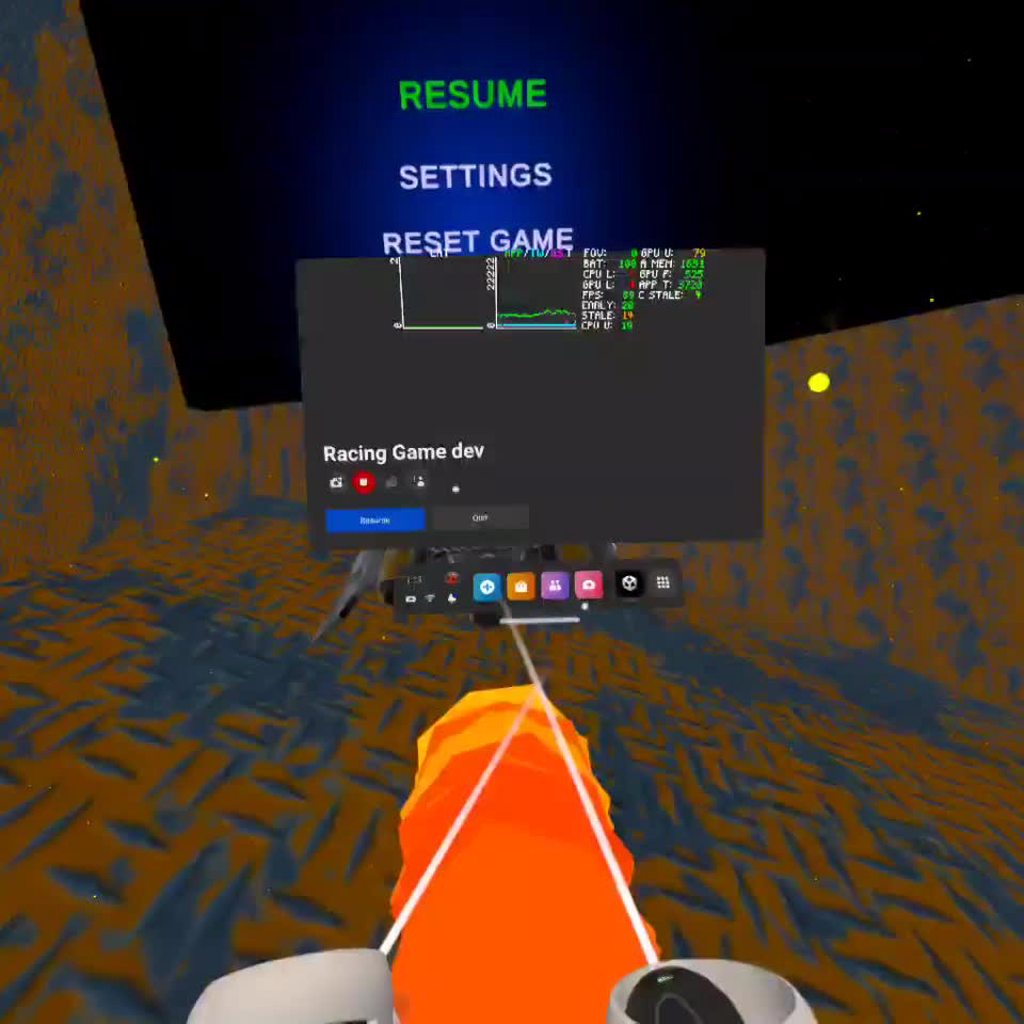
in cases where early or late frame occur, I want the VFX graph to behave like the rest of the scene
i should point out that the ambient particles in this scene work fine, but they're already spawned and just chilling in world space
(aside from being teleported around to be in view of the player)
in order to get it to this level timing precision, i have to add an offset to the spawn position that accounts for the rigidbody speed eg: body.velocity * -Time.fixedDeltaTime or else they will spawn ahead or behind
im currently also manually stepping the graph in an attempt to force 1 vfx update per render frame, but so far no dice
lofty orbit
since using physics.simulate() manually it's been much more difficult to get a stable spawn position. the above gif is almost working, save for the occasional early frame
i read somewhere that VFX uses "asynchronous update" which seems to be the root of the issue
surreal flower
pale yew
anyone particularly good with particles able to offer some advice? I'm trying to...
Still need help?
pale yew
surreal flower
Still need help?
Hey yeah! I'd love any advice, thank you!
surreal flower
i will try to make somthing like that and after il send a video
surreal flower
this is what i made @pale yew
 dark kestrel
Any good way to have a VFX graph system like this to appear to be rotating? Could just put a script on it but seems like it should be something you can do in the system itself.
 burnt coral
dark kestrel
Any good way to have a VFX graph system like this to appear to be rotating? Coul...
burnt coral
dark kestrel
Any good way to have a VFX graph system like this to appear to be rotating? Coul...
I think you can do something like this into a Set Velocity block in the Update context.

Or can use Set Position block and Rotate3D node like here : https://forum.unity.com/threads/orbital-velocity-in-vfx-graph.936335/#post-6121460
dark kestrel
burnt coral
Or can use `Set Position` block and `Rotate3D` node like here : https://forum.un...
That worked like a charm, thanks Cyan!
 sleek cave
Hey, is it possible to Discard changes on vfx graph?
I made some changes that I would like to revert to the last save, ( I Did not save the system since )
How can I cancel the recent changes?
elder latch
sleek cave
I made some changes that I would like to revert to the last save, ( I Did not sa...
Just close it and open it again
But besides that I would recommend you to use some kind of source control
sleek cave
Yea I just reverted using git, Thanks :)
fossil ether
Using the particle system, I'm trying to change the startrotation on runtime. I set the mainModule.startRotation to X but, in the scene, it's a completely different number. For example, If I set the rotation to 5, hardcoded, the result in the particle ends up being 268. I've tried setting a single axis, but I get the same result
Oh, I remembered, it has to be in radians. Don't mind me
lofty orbit
lofty orbit
https://i.imgur.com/9J0PYOW.mp4
fixed the issue by manually stepping with Simulate() instead of AdvanceByOneFrame(), which is the intended function for stepping a paused graph
that was really not easy to find. I had to try everything concievable, and then start trying things that weren't
 misty ermine
Hello 👋 Unity beginner here, I'm trying to make an explosion using the shape of a sphere in VFX graph. I can't find a way to automatically assign it at the exact location where the rocket dies. Do you guys know any way to make this happen?
 surreal flower
misty ermine
Hello 👋 Unity beginner here, I'm trying to make an explosion using the shape o...
surreal flower
misty ermine
Hello 👋 Unity beginner here, I'm trying to make an explosion using the shape o...
I think inherint position
Is the right block
misty ermine
surreal flower
Is the right block
thanks for your answer, I believe I tried all of them, maybe I'm not doing it correctly, what block do you use exactly/where/any specific setting? thank you 🙏
directly in the "update particle"? which one are you using to make it work?

either it isn't working at all (nothing is changing), either I'm getting this instead
 surreal flower
Its the first one
It would be way easier to make it with the default particle system in my opinion cuz sub emmiters already inherent the position by default
 stiff topaz
misty ermine
thanks for your answer, I believe I tried all of them, maybe I'm not doing it co...
stiff topaz
misty ermine
thanks for your answer, I believe I tried all of them, maybe I'm not doing it co...
Here is a small package with a death event and inherit position already setup for you.
It's pretty straighforward.
Hope it helps
 misty ermine
stiff topaz
Here is a small package with a death event and inherit position already setup fo...
misty ermine
stiff topaz
Here is a small package with a death event and inherit position already setup fo...
thank you for taking your time making this setup and helping me! I'm looking at it right now, the inherit position into the set position shape doesn't seem to work yet. Your setup work in my project so I should be able to find the solution
 dry creek
Does anybody know how to rotate/flip a particle system in Unity 2D? I want the particle system to rotate/flip to the direction that my character is facing, but I haven't been able to figure it out.
stiff topaz
Hello fellow VFX Artist. Would you mind answer this poll regarding Simulation Space in VFXGraph. I'm really curious to know what you prefer :
https://twitter.com/the_f_key/status/1616087171575709697?s=20&t=A7eHsC637-yXtsTw6hPSKA
Thank you very much

#RealtimeVFX #VFX When creating a new #FX in #unity3d #VFXGraph, would you prefer that by default it is?
 Twitter
·
sleek cave
Twitter
·
sleek cave
The "Mesh Count" slider is missing for me, does anyone know where it is?
(vfx graph 12.1, unity 2021.3)
 bold kelp
hey there, is there a way to randomize the flipping in the particle system with each spawned stretched billboard particle?
stiff topaz
sleek cave
The "Mesh Count" slider is missing for me, does anyone know where it is?
(vfx gr...
While quite usable, this option is still in "experimental" stage .
In your Preference Settings-> Visual Effect -> Check Experimental Operators/Blocks
sleek cave
stiff topaz
While quite usable, this option is still in "experimental" stage .
In your Prefe...
It worked, Thank you! :)
fossil ether
Is there a way to execute code when a particle dies? (Not when the particle system stops)
 wise ibex
Does the trail renderer component work on particles?
warm torrent
wise ibex
Does the trail renderer component work on particles?
Not sure how you mean exactly but not really
Particles have their own trail module for that
wise ibex
But it does not have as many features
warm torrent
Which ones in particular?
wise ibex
Like transparency
warm torrent
Sure does
wise ibex
Where
warm torrent
wise ibex
Where
The same way particles use transparency
When you make a material with a particle shader you define the kind of transparency you want, if any, and then the particle system's color settings can alter it from various modules via the alpha channel
 river hatch
why is my particle system only showing squares on renderer

 misty ermine
stiff topaz
Here is a small package with a death event and inherit position already setup fo...
misty ermine
stiff topaz
Here is a small package with a death event and inherit position already setup fo...
After going deeper to understand everything : I figured that the way your setup work (position : shape sphere + this specific velocity block) has the same effect than the velocity block I was using alone.
By adding a shape sphere (or the position sequential circle) after my specific velocity block, I get another result which doesn't work with inherit source position. If you place the block shape sphere in the update particle, you get something even more different.
Do you have any idea about how to fix the position in this specific setup then?🙏🏻
 misty ermine
I tried different combination like this as well, but the block just doesn't seem to work in here, unless I'm doing something really wrong
 warm torrent
river hatch
That's all I did
warm torrent
river hatch
That's all I did
Because it's lit and additive and it has a grey base color
It receives ambient lighting and reflections and renders them additively on the particle's whole surface
If you want additive reflections for some reason, using an alpha mask may prevent the rectangular shape but I'm not totally sure
bold kelp
Is it possible to rotate a stretched billboard between two components? Or rather just flip them between two components
 iron spear
Hello. I was trying to make a particle system but couldn't make it as smooth or sharp as I hoped. What changes do I need to make so that the tip of the particle is sharper?
dull ravine
https://youtu.be/RdNnbozAPGQ how do i get an material like in the video?

Создание эффектов электричества с помощью системы частиц на игровом движке Unity. Game effect tutorial.
Вы можете скачать этот эффект бесплатно по этой ссылке -https://www.patreon.com/posts/21393747
Подпишись что б не пропустить новые видео!
Моя в группа в ВК - https://vk.com/hovls...
surreal flower
dull ravine
https://youtu.be/RdNnbozAPGQ how do i get an material like in the video?
You can make one or get one from the asset store
stiff topaz
misty ermine
After going deeper to understand everything : I figured that the way your setup ...
Hey, would you mind explain me a little bit more what you are trying to achieve? If you send me a Unity package with your explanation I should be able to take a look this weekend
river hatch
warm torrent
Because it's lit and additive and it has a grey base color
It receives ambient l...
Yeah I wasnt sure where that was
 modern zephyr
Hi! Does anyone know why that dark outline is being rendered for the Particle System?
 clear spruce
modern zephyr
Hi! Does anyone know why that dark outline is being rendered for the Particle Sy...
clear spruce
modern zephyr
Hi! Does anyone know why that dark outline is being rendered for the Particle Sy...
Most likely the texture used for the particle fades towards black closer to the particle edges
modern zephyr
clear spruce
Most likely the texture used for the particle fades towards black closer to the ...
Ah! I currently use the default one, will give making one myself a try, thanks 🙂
stiff topaz
For those interested, Unity just released a blog post covering the new 6-Way lighting feature in VFX Graph.
A technique to get good shading for your smoke in any lighting condition:
https://blog.unity.com/technology/realistic-smoke-with-6-way-lighting-in-vfx-graph
 misty ermine
stiff topaz
Hey, would you mind explain me a little bit more what you are trying to achieve?...
misty ermine
stiff topaz
Hey, would you mind explain me a little bit more what you are trying to achieve?...
Hi. I'm trying to build some new interesting shape in order to add variation in my firework. It is more of a simple experiment, in which I removed most of the extra effects right now to keep it simple while giving you an idea of what I'm intending to do. Thank you for your time again 🙏
atomic storm
dull ravine
https://youtu.be/RdNnbozAPGQ how do i get an material like in the video?
follow the video
atomic storm
modern zephyr
Ah! I currently use the default one, will give making one myself a try, thanks �...
if you make the material use additive blending it may solve the problem depending on usecase
dull ravine
atomic storm
follow the video
He doesn't show he just gets the material from a folder and in the description the material isn't linked
 wild mango
Hey, I want a particle system which goes towards the X axis, belong a certain X value. After it reached this value, i want the particle to goes upwards, is it possible?
atomic storm
dull ravine
He doesn't show he just gets the material from a folder and in the description t...
It's just a material with the default particle shader using additive blending and a custom texture, but any similar texture could work too. Why the effect looks good is that the bloom post processing effect is enabled
All you need is for it to stretch over the line / trail nicely
stiff topaz
misty ermine
Hi. I'm trying to build some new interesting shape in order to add variation in ...
This should fix your issue. All your reasoning was correct. But You're "Position" Block (Inherit position & Arc Sphere) were in the update Context.
I've set it in the init Context: this mean, when I'm born get the "Inherit source position". In this case when born, this source position is holding the Died parent Position value. From there you can "Add" to this position. For this I also Changed the "composition mode" of your ArcSphere Block. When you select Block , some options can appears in the Inspector Tabs. Composition mode is allowing you to choose how to process an attribute. Do you want "Overwritte" the current attribute value? Do you want to "Add" , " Multiply" the current value?
So the inherit Position and the ArcSphere in "Add" mode is giving you the correct "firework" base position.
 gentle plover
I everyone 👋 I am working on an AR Application where I am using AR Foundation, I developed a portal using Unity VFX Graph and for some reason, the particle is moving along with the AR Camera


Can anyone suggest a fix for this issue? I have been stuck on this since yesterday and couldnt find any solution to it
 ivory vault
I created a particle system rn in URP 2021.3 and then set the texture 2d in shape but the color is never white it's always grey, the color in my texture is white and even without texture when the color is set to white, it's always looking grey in the actual particle effect
dark kestrel
Is there a way to set a global property for VFX graphs? Similar to Shader.SetGlobalVector? Or to read a global shader property within a VFX graph?
I have a global shader vector and float for my wind direction and speed I'd like to access from within a VFX graph. Ideally without setting a script on it with Update() to read the shader property and set it to the VFX graph property.
For context I'm trying to set up VFX graph emitters on all of my trees to emit leaves that blow in the wind. I'm also trying to optimize a bit as I have potentially 1000+ trees in some scenes. I'm noticing a draw call for every single one of the leaf emitters, even though there should only ever be maybe 50-100 trees visible at a time. Do I need to do something special to get proper culling?
misty ermine
stiff topaz
This should fix your issue. All your reasoning was correct. But You're "Position...
Hey, thank you. I think I have been lacking some precision in my explanation and I'm sorry about it. Since you sent me your file Death_Event_Inherit, I have been able to fix the position while moving the position Block (Inherit position & arc sphere), and changing settings (overwrite to something else) in the Inspector Pannel. But then I wasn't really happy with the results since, it wasn't doing the same effect. So I wanted to still make it work with overwriting and while having it in the update part on purpose or, making it work in a way that I keep the same effect. I was thinking of telling the sphere to be placed every time at the location of the explosion in the update part but I don't know how to achieve that. To show what I mean here is a short video with the placement that you have been correcting and the other setup, but which has another result (it is the file that I sent).
I really appreciate all the efforts to help me and I understand if you don't have time to look further into it 👍
 finite badger
None of my particles are showing but the little thingy says there are 100 of them. They are at the highest layer and I've checked all of the catagories and idk why they arent showing
elder latch
Does anybody here use "Output Particle Forward Decal" with URP? Does it actually work? Because I dont see anything and I am unsure if its because of the orientation or any other setting
I just found out that it works in Game view. It is just broken in scene view 🤷♂️
 surreal gorge
I'm making my first VFX without following a tutorial, I'm trying to simply spawn in a magic circle (like the quad at the top right which just has a material on it)
but nothing is showing up on the quad of the VFX. did I forget something?
 surreal gorge
I used timescale instead of age over lifetime...
 rancid verge
Hi there?
it might be a bit tricky and i should find another way to do this, but...
Does anyone know any way to instantiate an object in the position where a particle dies(without using sub emitters or collisions)?
 sinful light
gentle plover
I everyone 👋 I am working on an AR Application where I am using AR Foundation, ...
sinful light
gentle plover
I everyone 👋 I am working on an AR Application where I am using AR Foundation, ...
A screencap would be good to know whats going on
 feral oriole
Hello, I'm pretty new to unity. First time using a particle system. I'm trying to make it to where it deletes a particle after a certain distance. What I currently have in my mind thought it would've worked but now I'm just lost. Any help will be appreciated, thanks in advance. :))
 civic surge
is there a way to have this line start out thick on the bottom but narrow out as it goes up?

 nocturne yarrow
Does Visual Effect Graph have support for jumping to a specific time in the effect like Shuriken does?
Working on a game with rollback and I need to be able to rewind particles and jump to arbitrary times in the effect on the fly. I'm also quite CPU constrained so VFX graph would be the better fit.
wild mango
Hey, I got a little particle system which does a simple black particle to have a "smoke" particle.
I want it to be belong an axis, but it does on Z axis, (i'm in 2D)

Like this...
wild mango
just got it, it's fine
 cloud crane
I just added a VFX particle to my URP game, and the particles are invisible.
when i select the particle system, it shows little squares being emmitted though
 native folio
So I just recently started to work with and figure out VFX graph but I'm having a lot of trouble with positioning
Seems like no matter what I do my effect is never positioned where it says it's going to be in the prefab.
Like I have an explosion and the explosion shows that it's origin is at the very bottom
But when I actually spawn it in with its position set to the ground, three quarters of it is underground. I tried messing with the bounds moving things around. I can't figure out why the positions are so off
 atomic storm
civic surge
is there a way to have this line start out thick on the bottom but narrow out as...
atomic storm
civic surge
is there a way to have this line start out thick on the bottom but narrow out as...
most likely yes
why does no-one provide any context / assets here?
So many things could be causing all of the problems above ^
atomic storm
gentle plover
Can anyone suggest a fix for this issue? I have been stuck on this since yesterd...
is it correctly anchored? what happens if you just put a cube inside it's transform?
 oblique patrol
I'm really new to unity, and i'm trying to understand how can i make a particle that will increase in size overtime
midnight grove
oblique patrol
I'm really new to unity, and i'm trying to understand how can i make a particle ...
Change the Size Over Lifetime property on the particle system component.
oblique patrol
midnight grove
Change the Size Over Lifetime property on the particle system component.
I’ll try, Ty
civic surge
atomic storm
most likely yes
ah whoops sorry. So that line is caused by the line renderer so is there a way on the line renderer to have it start out thick?
atomic storm
civic surge
ah whoops sorry. So that line is caused by the line renderer so is there a way o...
Thanks! 😄 you can adjust the width with this graph on the line renderer

just double click any point on the red line and drag it as you wish

like so
you can also select the "1.0" value on the Width axis to make the base thickness larger
civic surge
ah ok thanks
if you're still here got a quetsion

is there a way to make that line more straight?
atomic storm
civic surge
is there a way to make that line more straight?
the line itself may actually be straight, it may be the material / texture / shader you have on it that bends it
ah nvm actually
add more points to it
the UV gets messed up
like intermediate points at 0.5, 1.0, 1.25....
civic surge
so more points as in the position array
atomic storm
yep
that should do it

this is kindof what happens to the UVs
if this explains it
one of the triangle halves of the quad keeps it's original shape mostly, the other one is obliterated

this is an example with a circle, right one is the one with 2 points, left one with multiple
civic surge
oh ok
civic surge
atomic storm
like intermediate points at 0.5, 1.0, 1.25....
and i presume those are for Z axis
i guess how should my points array look?
 tardy valley
Is there a way to apply or simulate gravity on particles in vfx graph? I am making making an explosion, and I got everything working fine but the debris and the little ember particles. I am trying to have them go up for a while then go down but no luck, even with velocity over lifetime. Went searching and it showed that the VFX Graph has a gravity block but I was unable to find it
Hehe well, after some clicking about I was able to find the gravity block. Gonna mess around with it and see if I can get something to work
tardy valley
My explosion effect is finally done
 north furnace
How do I add light to particles? When I do, the light stays on and if I turn it off, it never activates with the particle effect.
I tried assigning a light prefab to it but that doesnt work either
EDIT: Figured it out, intensity was too low
atomic storm
civic surge
i guess how should my points array look?
just scatter them evenly, or whatever works
 rich ember
for some reason my vfx graph doesn't appear to be outputting anything, even when I click play it doesn't change (doesn't swap to pause just stays as play)
here's what it looks like

trying to make a slow going, ambient smoke effect
to add some ambience
in HDRP btw
rich ember
is this my issue?
 warm torrent
rich ember
for some reason my vfx graph doesn't appear to be outputting anything, even when...
warm torrent
rich ember
for some reason my vfx graph doesn't appear to be outputting anything, even when...
Did it stop working at some point or never show up at all?
rich ember
warm torrent
Did it stop working at some point or never show up at all?
I've fixed it now I think, bounds automatic and then I had to also change how the alpha worked + turn specular lighting off
since I'm trying to spawn a bunch of spheres with scrolling smoke texture
I am curious to know if there's a way to get a random bool per particle
to randomly swap between 2 textures per particle
rich ember
Is there a specific way to set up custom VFX shaders to allow the nodes in the vfx graph to affect the alpha?
I want to multiply my alpha over lifetime to fade things in and out, but it isn't working
 cyan veldt
Is there an easy way to make a cool-looking muzzle flash and explosion for a gun?
 cunning maple
This might seem like a dumb question, but are VFX Graph particles supposed to render in the Scene View? They show up in Game View fine
 civic bane
how do I make a particle with a shader (NOT a shader graph shader, but a manually written hlsl shader) change color over its lifetime?
i cant figure out how to have the shader inherit the color from the particle
warm torrent
civic bane
i cant figure out how to have the shader inherit the color from the particle
Read vertex color
 formal rock
there is a way to make the trail make a trail without moving?
I'm making a endless runner, and the guy never actualy moves on a specific axis, but i need for him to have a trail
no one has a idea?
hmmmm, this means suffering to me
 oblique apex
The trail renderer requires movement of some sort. Depending on the look you are going for you might be able to fake it with a line renderer
warm torrent
formal rock
there is a way to make the trail make a trail without moving?
I can think of two kind of hacky options using "ribbon" type trails
You can shoot the particles backwards at the speed the character is supposed to be moving at
You can define a "custom space" transform in the particle system main module and when you move that transform along with your level geometry the trails will be drawn as if the system is moving relative to the level
formal rock
Hmmmmmmm, thanks for the suggestions I will try.
atomic storm
formal rock
there is a way to make the trail make a trail without moving?
I made something similar manually, I wish you could manually add force or something to trails
(using a line renderer)
prime dome
Wondering if anyone can help, Here I have a set Lifetime which I need to enable when a bool is ticked, I need them to last 7 seconds after that bool is activated, however, since it's in the Update stack it fires each frame which is just making them infinite, does anyone know how I would make this only apply once in Update?
 warm torrent
atomic storm
I made something similar manually, I wish you could manually add force or someth...
warm torrent
atomic storm
I made something similar manually, I wish you could manually add force or someth...
I expect you could code propagating motion to the line points that works similarly to force or velocity
oblique apex
I have some burst vfx graphs that I need to play a lot. So I figured I'd make a pool and recycle them like any other object. But how can I determine when a vfx is done playing so it can be used again?
atomic storm
warm torrent
I expect you could code propagating motion to the line points that works similar...
Yeah, that's what I did, I just wish trails exposed a way to add motion manually
prime dome
atomic storm
Yeah, that's what I did, I just wish trails exposed a way to add motion manually
You can use Trigger Event Rate over Distance to spawn particle trails from a new system:

then just run it through a GPU event into a new system, and you can use a Force node in the Update stack
 atomic storm
But doesn't this mean new particles will have to be spawned? What if I want a streak of trail coming out of a static point in the world
a singular streak
hmm nvm
I get what you did here
 hard bay
how do i make a particle system continue to render after being stopped
warm torrent
hard bay
how do i make a particle system continue to render after being stopped
If a particle system is in a stopped state (using Stop() method) it will continue to render but not emit
If it's disabled or destroyed instead the particles will disappear as well
 late frost
How do I delete a particle system after a certain amount of time?
warm torrent
hard bay
<@166982635950702592>
I guess it will
hard bay
kk. thx...? yeh ig thanks
warm torrent
late frost
How do I delete a particle system after a certain amount of time?
The same way you delete any gameobject, if that's your goal specifically
For a particle system I'd prefer to use Stop() along with "stop action: destroy" instead
 kind bobcat
Hi, I'm having an issue where opaque particles from VFX graph do not render when DepthNormal Prepass is active (Unity 2022.1, URP).
Does anyone know anything about this issue?
 rotund sedge
Hey just a question if anyone has any good particle sprite sheets of a nuke? similar to fallout 4 nuke sprite sheet. i really like how detailed it is and was wondering if anyone happens to have something similar to that mushroom like effect?
 warm torrent
rotund sedge
Hey just a question if anyone has any good particle sprite sheets of a nuke? sim...
warm torrent
rotund sedge
Hey just a question if anyone has any good particle sprite sheets of a nuke? sim...
The sprite itself isn't mushroom shaped, but rather generic puffs of fire moving in a way that makes it seem so
Fallout games also use 3D meshes for bigger explosions to give them the shape instead of sprite sheets
Some sprite sheets that could be used for the effect could be found here
https://blog.unity.com/technology/free-vfx-image-sequences-flipbooks
and here https://assetstore.unity.com/packages/essentials/tutorial-projects/unity-particle-pack-127325
prime dome
anyone know if it's possible to detect what type of ground a particle collides with?
using tag...layer...whatever
warm torrent
prime dome
anyone know if it's possible to detect what type of ground a particle collides w...
I believe if you have "send collision messages" enabled you can use this to get the collider and from there any related data https://docs.unity3d.com/ScriptReference/ParticleCollisionEvent.html
prime dome
warm torrent
I believe if you have "send collision messages" enabled you can use this to get...
Thanks
rotund sedge
warm torrent
The sprite itself isn't mushroom shaped, but rather generic puffs of fire moving...
Oh, I thought it was pretty much (not impossible) but really bad looking if you use a sprite sheet with a mesh? It's all distorted and messed up?
warm torrent
rotund sedge
Oh, I thought it was pretty much (not impossible) but really bad looking if you ...
Mesh effects are usually textured with shader-animated repeating textures, not sprites or flipbook animations
Though for specific cases there may be exceptions made
rotund sedge
Huh, weird, I only know how to mess with that kind stuff with specific shaders, so no vfx graph or whatever magical tool people use. So I guess I'll have to faf around to figure out how to make a decent looking large explosion with a mesh cause having third dimensionality to it helps a lot instead of just "woah big png takes up the screen amazing"
warm torrent
rotund sedge
Huh, weird, I only know how to mess with that kind stuff with specific shaders, ...
I think FO4 mini nuke uses just flipbook particles
Conversely the intro's nuclear strike uses a mesh, as do all nuke-based explosions in FO3
A mesh is really just necessary if you want a texture to scroll over a curved surface
It helps with environment interactions, but particles can do that too with soft particle shaders
rotund sedge
Yeah, wish the files were available just so I can see how the mesh uv is set up and to see what kind of sheet it is
Oh yeah I can do soft particles just wondering how. I guess have a mesh with a flat say orange color and then put some noise onto it, turn on the soft particle and bam? Basic little nuke?
warm torrent
rotund sedge
Oh yeah I can do soft particles just wondering how. I guess have a mesh with a f...
Mesh effects are more complex to do because you need to have a plan and a system for how the texture (multiple if overlayed) will move along its surface, and how it will deform over time
rotund sedge
Yeah that's why I wish there was a good video tutorial over something like that. Or even not like an explosion like fallout maybe like in anime where it's just a ball that grows big
 dry shell
How do you flip Texture sheet animation when a transform is flipped?

 pastel fossil
Yall I already have a game made and I want to use HDRP in my game. How can I implement that?
warm torrent
pastel fossil
Yall I already have a game made and I want to use HDRP in my game. How can I imp...
Instructions in pinned messages of #archived-hdrp how to install and configure it
For an existing project you need to run the asset converter, replace custom materials with HDRP compatible ones and set up lighting, volumes, post processing and possible custom passes using HDRP's units, components and features
pastel fossil
tq
pastel fossil
How can I make those spiraling effect around something?

the orange wavy things, I just can't figure that out
warm torrent
pastel fossil
A. Particles with trails, velocity forward and radial force
B. Mesh strips with a scrolling texture shader
pastel fossil
What is the radial force here?
warm torrent
pastel fossil
What is the radial force here?
Radial velocity pushes towards/away from the center point
Orbital velocity is also useful, and the other velocities/forces too for fine tuning
dull ravine
so i want to bend electricity in shape with fire i used unitys particle system and a force field but my electricity is made in a vfx graph i tried doing it in the particle system but i cant get the texture
dry shell
dry shell
How do you flip Texture sheet animation when a transform is flipped?
Fixed my issue by setting "Render Alignment" = Local
 warped gate
once again i tried to use decals for vfx and once again it does not work as intended
i dont even know how to explain this to google
and i could not see anything
warm torrent
warped gate
once again i tried to use decals for vfx and once again it does not work as inte...
I don't know either, so in that kind of situation I'd look at examples
https://github.com/Unity-Technologies/VisualEffectGraph-Samples this official one appears to have decals in that slimy one
warped gate
yeah but pretty sure its for 2021 or something
i use 2020
im guessing thi shit is a bug or something
warm torrent
warped gate
yeah but pretty sure its for 2021 or something
The example could still be useful, it's possible that comparing them may reveal some errors in your graph
warped gate
i guess yeah
dont know if there could be any errors
for now i have a bigger issue to deal with, for some odd reason when i have two different spawners both of them position the particles and give them the same velocity
 warm torrent
If you don't want to try backporting it to your project, you may be able to find other examples of VFX decals that are made for 2020
I doubt they're all entirely broken
warped gate
they are both the same, but have different textures
since i want the same effect but different texture
like what
warm torrent
Also since 2021 is now in LTS it's recommended to upgrade if you have the time to iron out the potential incompatibilities (though always do it with a back-up)
warped gate
i prefer not to, but maybe
 unreal cloak
Maybe this is the better place to ask for help
I'm looking to make a confetti effect

 frank crown
hey, is there any way to properly pass the transform of the object vfx graph is on to the shader of the particles? I want the shader to do some displacement in world space, but with the object rotation and position taken into account
 gray wing
hello! Why do my particles get blurred in the game view when my camera moves

it get blurry when the particle emitter move/ the camera, hdrp, lit shader
warm torrent
gray wing
hello! Why do my particles get blurred in the game view when my camera moves
Motion vector related problem, afaik
dark kestrel
Is there a way to trigger something on the C# side when a VFX particle dies?
I’m using trails that have variable lifetime to represent energy for my player and want to give them an energy point right when each particle in the system dies.
 static cedar
gray wing
hello! Why do my particles get blurred in the game view when my camera moves
static cedar
gray wing
hello! Why do my particles get blurred in the game view when my camera moves
Probably because you're using TAA, if you're using VFX graph there's an option to exclude TAA for particles
warm torrent
static cedar
Probably because you're using TAA, if you're using VFX graph there's an option t...
Using TAA for moving objects is fine, but both TAA and motion blur require valid motion vectors to know when to do their thing
rugged mural
Is there a tutorial how to use Timeline Control Track to control particle systems? I can't seem to find one for Unity 2019.
 thick wigeon
are there docs for the Surface Options inspector panel in the VFX graph when using HDRP? I can't find any docs for it
I'm noticing some different settings there compared to the similar options in the Shader Graph's Graph Inspector panel (like Rendering Pass has different options between the two)
For example, in the VFX Graph panel I cannot change an opaque shader's rendering pass to After Post-Process, but I can do it in the shader graph and it works fine. For a transparent shader, in the VFX graph I get totally different Rendering Pass options compared to the Shader Graph, and these have no tooltips or anything
huh, if I change any setting in the VFX Graph's Surface Options, it reverts my shader's render path to Default, but if I go back to the shader and recompile it manually then it renders After Post-Process as the settings say
I'm preparing for a graduate student lecture on shaders for VFX use tomorrow, and I love writing half a page of notes under the heading "Gotchas"
static cedar
warm torrent
Using TAA for moving objects is fine, but both TAA and motion blur require valid...
Yeah I know, but TAA for particles can kill small particle details/small particles even with correct motion vector, hence the option to exclude it for particles
misty ermine
Hi, I'm looking for a "trigger on collision" event in the vfx graph. It does not seem to exist? What do you guys use for those kind of situation? 🙏🏻
pastel fossil
Hey, is there anyway to turn hdrp graphics to normal such as in normal projects? I just want to use it for the vfx graph
warm torrent
pastel fossil
Hey, is there anyway to turn hdrp graphics to normal such as in normal projects?...
What do you mean by "normal"
warm torrent
pastel fossil
Nah I figured it out. By normal I mean a 3D (Core) project
Not sure what about the graphics you want to "turn" into something, but you can customize HDRP's every feature
If you only want VFX Graph I recommend URP as it doesn't have so many graphical features you might not like as HDRP does
 slow sigil
Any way to make Trail Renderers not break with a floating origin/origin shift script? Currently they have this weird effect that whenever my scene resets, it kind of breaks apart and comes back to its intended spot; causing a certain part of the line become broken. Currently using a modified version of twoloop's script (available free in the store). Cant seem to find anyone else having this issue anywhere too.
Also If there is no way to fix the Trails, is there any alternatives to the Trail Renderer I could try out? (Third party or not, doesn't matter).
 split cargo
made a muzzle flash spawn when i shoot a gun but i can see it spawning in scene view(not playing in scene view) but not in the game. How do i fix this?
 solar trellis
hi, i have 2 particle in 1 parent obj, and i create a script to control the particle (play or stop), but it can only control 1 even tho i already create 2 getcomponent, is there any other way?
 sand quartz
Does anyone know why- My particle systems don't render in the scene view when focused on the parent object, only when focused on each individual object. Is it possible to fix this so all children play at once so I can view overall effect without running the scene?

 pastel fossil
Can someone give me a rough idea, how to make this?

The particles curling around the hand, like a charge attack
slow sigil
sand quartz
Does anyone know why- My particle systems don't render in the scene view when fo...
All emitters that are meant to be played together should be parented under a gameObject with a Particle system component, normally this would be the main/most important part of your effect.
there's also this, which lets you control settings of the child particles using the parent.
 warm torrent
pastel fossil
The particles curling around the hand, like a charge attack
warm torrent
pastel fossil
The particles curling around the hand, like a charge attack
Look into "orbital" and "radial" velocities over lifetime
 haughty coral
how can I flip the fire particle

i want to make it like its coming from the space ship engine
slow sigil
haughty coral
how can I flip the fire particle
There's a few ways, is the simulation space set to World or Local?
haughty coral
slow sigil
There's a few ways, is the simulation space set to World or Local?
world
slow sigil
haughty coral
world
Unless you need it to be set to world, if you set it to local and rotate it should rotate.
If you need it set to world, you can use this (Force over Lifetime) instead

and just apply the force you want in the direction.
keeping the space in this setting local also means it'll rotate when the gameObject with the particle system component (and by extension whatever it's parented to) does
haughty coral
okay, thank you it worked!
rugged mural
Do particles and text mesh pro share the same render settings? I have a animated particles I'm moving over a text mesh pro object and when it renders in game it seems to alternate flip behind and in front of the text. I'm not using any code just the standard particle system in my scene
 sullen goblet
How can I make my VFX graph particles collide with my 2d environment?
 warm torrent
sullen goblet
How can I make my VFX graph particles collide with my 2d environment?
warm torrent
sullen goblet
How can I make my VFX graph particles collide with my 2d environment?
You do not
VFX graph does not have knowledge of any collider components, but it has some collision nodes you can implement
sullen goblet
so I would for example set it to "collide with plane" and than set its params via code?
warm torrent
Yes
sullen goblet
but I dont really have primitive shapes

I was planning on using this for blood effects that splash to the sides
but I would have to add all walls etc
warm torrent
Not sure why there is no built-in way to pass similar collider component info to VFX graphs, or collider components specifically for VFX graph
sullen goblet
So its basically unusable for my case :/ cause I dont know how many shapes I'd need
warm torrent
sullen goblet
So its basically unusable for my case :/ cause I dont know how many shapes I'd n...
Generally VFX graph effects don't do collisions except in their own specific way, for that purpose Particle Systems are usually the preferred option
It's possible to use colliding against depth buffer or an SDF to get pretty accurate collisions, but for 2D that's a problem
I'm not sure if an ortho camera can produce a usable depth texture for this purpose at all, and to generate an SDF of the level you'd basically have to convert it to a 3D mesh first
sullen goblet
I could perhaps try to create an SDF for my environmentand just give it a tiny bit of depth
 woeful ermine
hey guys. made a magic orb effect following this tutoral https://youtu.be/7bMOhNUA1bI. but its not looking very visible in my game. how can i make it appear better


VFX GRAPH has been around for a while and many of you requested that I make a few tutorials with it. So I recreate the first VFX tutorial I made, this one: https://youtu.be/ctmqr_8esT0 But this time with Unity VFX GRAPH!
But I end up creating something even cooler!
Hey check out the game I'm working in ;D https://store.steampowered.com/app/17...
its more noticable in other places and id really like to try and fix that
 sullen goblet
Any idea what this error is supposed to tell me?
Unexpected missing material settings on VFX 'Assets/VFX/Scene/Common/WaterDrops.vfx' using ShaderGraph 'Assets/VFX/Scene/Common/SpriteVFXShader.shadergraph'.
This invalid state can lead to an incorrect sort mode.
UnityEngine.GUIUtility:ProcessEvent (int,intptr,bool&)

 open dew
With the new unity 2023 builds the shader graph targets were depreciated and now all VFX made by me on unity 2022 using unlit textures crash editor when active in scene. I've tried rebuilding but it still crashes every time even when I fixed the shader graph to use the new SRP target materials.
open dew
problem fixed after changing bounds from manual -> recorded
 buoyant seal
Hey all, I have a small question. I am tinkering with particles and I basically want to create a minigun like bullet trail. I want the particles to collide with objects. My problem is not all particle collide with the object. And I can't seem to find an answere on the internet.
 warm torrent
buoyant seal
Hey all, I have a small question. I am tinkering with particles and I basically ...
warm torrent
buoyant seal
Hey all, I have a small question. I am tinkering with particles and I basically ...
If you make the wall much thicker, do they still pass through?
If not, that would confirm that the particle collisions are not accurate enough for the velocity
buoyant seal
Yes if I Increase the collision box less particle go through it
warm torrent
I don't know if there's a way to get particle's to use continuous collision detection like rigidbodies can, but from what I understand it's better to use rigidbodies than to try to give particles that functionality
Stepped raycasts along the projectiles' paths to find out collisions may be cheaper than CCD rigidbodies but that could be worth profiling
buoyant seal
I'll try it out, thanks for the help!
woeful ermine
woeful ermine
its more noticable in other places and id really like to try and fix that
still looking for help on making the vfx more noticeable in game
sullen goblet
what variables does VFX graph set for my shader?
https://docs.unity.cn/Packages/com.unity.visualeffectgraph@12.1/manual/sg-working-with.html
For example when using "Color over Life" how do I access that in my shader?
warm torrent
sullen goblet
what variables does VFX graph set for my shader?
https://docs.unity.cn/Packages/...
Did you try vertex color? Particle System uses that and I assume VFX Graph does too
sullen goblet
warm torrent
Did you try vertex color? Particle System uses that and I assume VFX Graph does ...
what is the exact name?
Is there a list or something
warm torrent
sullen goblet
what is the exact name?
Just .color afaik
Vertex Color node if you're using SG
sacred gale
Is there a reason why my vfxgraph effect seems to be transparent in-game?
The color alpha is set to 1 and the blend mode is additive
warm torrent
sacred gale
The color alpha is set to 1 and the blend mode is additive
Additive is a type of transparency
Do you mean transparent in some other way?
sacred gale
warm torrent
Additive is a type of transparency
Do you mean transparent in some other way?
So the color should be deep red, but it looks like this
 warm torrent
sacred gale
So the color should be deep red, but it looks like this
warm torrent
sacred gale
So the color should be deep red, but it looks like this
Additively blending red and a pale green does produce an orange like that
You'll probably want alpha blended instead of additive
sacred gale
So the second one?
 sacred gale
warm torrent
You'll probably want alpha blended instead of additive
sacred gale
warm torrent
You'll probably want alpha blended instead of additive
Works for the hit effect, but the slash is still transparent
Something to do with the shader graph I think, I'll post screenshots in an hour or so if you could help then 🙏
 limpid gazelle
I’m working in 2d and have a particle system, I want the particles to appear in front of a background but they stay behind it instead.
Things I’ve tried:
-Setting the shape to a 2d circle, setting the sorting layer above the background, adjusting the z-value
warm torrent
limpid gazelle
I’m working in 2d and have a particle system, I want the particles to appear in ...
Those solutions should work generally
If you switch from 2D view to 3D you can see that the particle system has a depth position relative to other sprites, as well as that its particles may be scattering in Z axis
In addition to a flat Shape, you can use Limit Velocity Over Lifetime per-axis to restrict motion on the depth axis that some modules may be adding to
 limpid gazelle
warm torrent
In addition to a flat Shape, you can use Limit Velocity Over Lifetime per-axis t...
limpid gazelle
warm torrent
In addition to a flat Shape, you can use Limit Velocity Over Lifetime per-axis t...
I’ll give that a shot, thanks
sacred gale
sacred gale
Something to do with the shader graph I think, I'll post screenshots in an hour ...
So this is what I have rn

(ofc copied from a youtube tutorial)
warm torrent
sacred gale
So this is what I have rn
The blending options are not visible here, they're in the Graph Inspector tab/window

 warm torrent
sacred gale
This?
warm torrent
sacred gale
This?
There it would be otherwise but in the case of VFX Graph I suppose it's defined in the VFX
 next jewel
Hi!
I have a particle system that has texture sheet animation module enabled with mode=Sprites and the sprites array is populated.
I want to spawn particles using Emit function from code, and change which sprite will be used for that particular particles batch.
And now I face an issue, where I set textureSheetAnimation.startFrame (basically sprite array item index) and it changes all the previously spawned particles to the new sprite.
Is there any way around this? Something like spriteIndex (like the existing meshIndex) would be nice in the ParticleSystem.EmitParams, but uh...
The only way around this (that I can see) would be to play with the randomSeed, set the startFrame to 0-max, and then build a table which seed gives which sprite... But that is just tedious, and probably won't give the same results for each platform.
limpid gazelle
I now have an issue where in the scene view the particles travel the full length of the screen, but in game view they ‘despawn’ less than halfway across the screen
 ashen robin
limpid gazelle
I now have an issue where in the scene view the particles travel the full length...
ashen robin
limpid gazelle
I now have an issue where in the scene view the particles travel the full length...
Probably being culled/not rendered due to your bounding box parameters. Extend the padding a bit in the initializer block
limpid gazelle
ashen robin
Probably being culled/not rendered due to your bounding box parameters. Extend t...
Where exactly can I change that setting in the inspector?
 karmic compass
guys how can i go about adding 2d dropshadows to 2dparticles
i have this drop shadow thing done
but it doesnt work with particles
 ashen robin
limpid gazelle
Where exactly can I change that setting in the inspector?
ashen robin
limpid gazelle
Where exactly can I change that setting in the inspector?
Oh, if you're using the particle system then try flipping the culling mode to always simulate in the inspector.
limpid gazelle
ashen robin
Oh, if you're using the particle system then try flipping the culling mode to al...
Thanks
limpid gazelle
ashen robin
Oh, if you're using the particle system then try flipping the culling mode to al...
This didn’t seem to fix the issue, are there any other possible solutions?
I figured it out, it had to do with the three dimensional rotation of the spawner
 noble osprey
This is something I haven't tried yet as I don't want to spend hours trying only to find it's not possible. But, with VFX Graph (hdrp), is it possible to create 'mesh' particles that are 'interactable' when a ray hits them? (as in, have the same interaction properties as a prefab would have, like collecting, shooting/destroying etc.
If not, is it possible to seamlessly 'swap out' the particle for a prefab that will allow the interactions when the ray hits it, and when necessary swap it back to a particle when the ray stops hitting it?
Not sure if any of that makes sense though.
 cursive solar
does anyone know a easy way to make or have a unity assets store link
that may be use to replicated the effect when the main character disappears before reappearing
this faded smoke effect
ashen robin
cursive solar
does anyone know a easy way to make or have a unity assets store link
that may b...
You're looking at some shader work, or a dissolve shader + smoke vfx if you want to try your hands at that.
cursive solar
ashen robin
You're looking at some shader work, or a dissolve shader + smoke vfx if you want...
yea i looked sadly nothing
cursive solar
ill hopefully find someon to comission for that
cursive solar
i have gotten results yet very poor

its like a smoke going up
but i have no clue how to do that#
ik how to use amplify barely
 still oxide
hi, does anyone know how i can make the circle rotate toward the direction of their speed? i want the black shadow to always face the direction the particle are moving to:

i have been trying for the past 2 hours and i cant seem to make it work. i tried to google and experiment with proposed solutions, but i dont get the result i want
 meager oyster
how do you inverse particles
clear spruce
meager oyster
how do you inverse particles
What you even mean by that?
rotund sedge


hey does anyone happen to know of any good particle prefabs or methods of doing a good arrow particle where itll land the same way it hits something? i have something but it isnt super good. and id like something a bit more accurate without using scripts
 vast plank
I have this particle strip that's generated sequentially around a circle:

as you can see, it like, flips orientation halfway through. I can fix it by just adding an orientation node to make the z axis the same:

which works fine when it's like this
but if I rotate the circle it's generated along, weird stuff happens

I can of course just keep the circle the same as it is, and rotate the whole graph, but I'd rather not do that as I have other things going on in the vfx graph that I want to keep the same
vast plank
vast plank
I have this particle strip that's generated sequentially around a circle:
Is there a way to fix the original flipping issue?
ashen robin
rotund sedge
https://gyazo.com/c4cdbd313f71022d71941ff7fdbad5fe
Whenever your projectiles collide, they should simply stop updating their movement functionality. Not too sure why your projectile is teleporting like that in your gif, but if you're detatching and reattaching (which is what you want to do if you want the projectiles to stick on moving characters), make sure it's not an issue with world to local coordinates.
 rotund vapor
guys, is unity without any additional assets, but with URP capable of doing 2d particle effects on 2.5d work (top down) with particle collisions?
problem is that collision for 2d works perfectly fine for platformer type, 3d obviously anything 3d, but top down have no Z dimension in 2d, yet particles need height parameter. Writing my own particle system i could simulate that on Y plane, but then i will need to avoid (great) unity particle system completly
warm torrent
rotund vapor
guys, is unity without any additional assets, but with URP capable of doing 2d p...
Does 2.5D mean you're using 2D collider components or 3D collider components
There always is a Z dimension, but particle colliders are 3D only
 cedar sapphire
cursive solar
Progress
cedar sapphire
cursive solar
Progress
Looks amazing! Keep it up!
 gritty sequoia
hey
does anyone know how to make a simple trail of spheres.
I just want some blue spheres to trail behind a transform while its moving
nvm
got it
warm torrent
#archived-works-in-progress if you want to just post progress updates
cursive solar
warm torrent
<#502171560359100437> if you want to just post progress updates
I didnt see 
 valid falcon
Any tips for blood in a 2d top down? Don't know how to keep it there
lofty orbit
these are lit mesh output particles, but i'm wondering if there is a standard way to bake the lighting into it so they can be unlit meshes
 warm torrent
lofty orbit
these are lit mesh output particles, but i'm wondering if there is a standard wa...
warm torrent
lofty orbit
these are lit mesh output particles, but i'm wondering if there is a standard wa...
You don't normally bake any lighting to particles as the point of particles is usually to move
There was some method that could save a particle system to a mesh, which you then could bake lighting for
lofty orbit
warm torrent
You don't normally bake any lighting to particles as the point of particles is u...
I see, thanks for the tip!
rotund vapor
warm torrent
Does 2.5D mean you're using 2D collider components or 3D collider components
2D
 umbral vault
hey, I'm trying to make a vfx like this: https://youtu.be/ml-MH_o7qLc?t=176
Does anyone know where I can find a guide? if not, any tips and tricks?
 chrome gyro
can anyone help me with a projectile effect im trying to make it in VFX graph
misty ermine
Hey, I need values from my VFX Graph. I want to know the exact time when my VFXGraph is alive. I'm aware that there is this block which could help but I don't find a way to make it work in order to have the exact data, in order to use it outside of the graph. Can someone help me with this please? 🙏

 stoic fulcrum
is VFX graph 14 still in preview with URP?
the package documentation stops at 11 😦

 ashen wigeon
VFX graph continually makes the editor crash..
Am I the only one with this problem? (Unity 2022.2.4f1 with VFX Graph 14.0.5 and also URP 14.0.5)
And the changelog says that vfx graph 14.0.6 is compatible with my unity version but there's no way to update it for me..


 prisma crown
Quick question: I made a particle system using the noise module. When I scale the particle system down (simulation space set to world) the particles move much more frantically than they did at their original size. I figured one of the options in the noise module also has to be scaled down along side the particle system to adjust correctly. Question is: which one?
rugged mural
Are there any tutorials for optimizing/troubleshooting particle systems? I have a looping particle system that plays for 20 seconds on timeline activated with control track. Starts out about 500 FPS on the stats window, then rapidly starts to drop framerate until the end of the time seconds where it's about 40 FPS by the end. I messed around with the max particle system value in and didn't seem to make a difference.
tardy valley
Is there a way to make trails in VFX graph that follows to position of a gameobject in the scene?
sinful light
tardy valley
Is there a way to make trails in VFX graph that follows to position of a gameobj...
There are some tutorials about it. Like in shadergraph, you can pass in a transform that you can use its position to make the particles update their position. You might look into gpu events and I think its called something like particle stream or so. Can look that up later
stoic fulcrum
stoic fulcrum
 frank crown
hey, I got a visual effect that initially spawns 3 particles with no lifetime, and I want to shrink and despawn them when Stop is called on the visual effect
is this possible in any way?
tardy valley
Do VFX Graph effects work well on iPhone 7Plus and up, or are there issues? I would test it but I don't have a Mac to make my game downloadable on my iPhone
ashen robin
tardy valley
Is there a way to make trails in VFX graph that follows to position of a gameobj...
VFX graph comes with scripts called property binders which will allow you to pass information like that into your VFX templates.
 static rune
where is the vfx graph effect its not here ????? no visual effects option either
 hearty flare
static rune
where is the vfx graph effect its not here ????? no visual effects option either
hearty flare
static rune
where is the vfx graph effect its not here ????? no visual effects option either
Have you added the package?
static rune
no where do i do that
hearty flare
- test
static rune
thanks for that, where do i find this graphics settings is it my computer or unity?
 static rune
done everything in a tutorial for visual effect graphs but for some reason i cant preview, when i click play nothing happens on the scene (im very new to this btw) anyone know anything>
warm torrent
static rune
thanks for that, where do i find this graphics settings is it my computer or uni...
As the error says you need URP or HDRP
Go to pinned messages in #archived-urp to find the installation instructions (and follow them)
static rune
warm torrent
As the error says you need URP or HDRP
Go to pinned messages in <#90038095008353...
i got that + i thought it would fix the issue below the message but it hasnt
warm torrent
static rune
i got that + i thought it would fix the issue below the message but it hasnt
If you have correctly installed and configured URP, then creating a new Visual Effect gameobject from the GameObject menu will create a functioning VFX graph effect with placeholder particles
static rune

i think its installed correctly, and i made a new default Visual effect graph and this is the error;

im not even sure if thats got anything to do with it tbhj
ive got it in the scene

and i did all the shader and visual effect stuff correctly (from tut) but i cant even get a preview

nvm still have this error after i installed it and put it in the project what >>
warm torrent
static rune
nvm still have this error after i installed it and put it in the project what >>
Hard to guess what's gone wrong
You can always try in a new project using the URP template to have everything ready to go
 digital lantern
can someone help me I am new to particle system
and I am trying to do a effect for a tp dash
I wanna make it a bit smaller but idk how
shut cliff
@digital lantern Try reducing the Start Size and Start Speed
digital lantern
shut cliff
<@350681831697547285> Try reducing the Start Size and Start Speed
start size is 0.1 and 0.5
and start speed is 5 and 10
I want it to be a fast effect
maybe the speed lower
shut cliff
if you want it to be over faster you can reduce the Start Lifetime
digital lantern
its good now
tho I want a camera shake when I dash but idk why it does not start the animation when I dash
prime dome

anyone know how i could
create crescent shaped textures
like this
i have photshop and i know i have to use polar coordinates
but thats all i know
burnt coral
prime dome
create crescent shaped textures
There's likely a photoshop filter that can do it. Photopea (online editor similar to photoshop) has Filter -> Distort -> Polar Coordinates
But imo I'd probably use regular textures on ring/crescent-shaped geometry that is unwrapped using polar coordinates. Texture's like this have quite a bit of wasted space, and drawing them to quads produces more transparent overdraw.
prime dome
burnt coral
There's likely a photoshop filter that can do it. Photopea (online editor simila...
yeah but uhh