#archived-hdrp
1 messages · Page 71 of 1
 delicate creek
 earnest lintel
How can I add ambience in HDRP? My sun rotates to simulate a day and night cycle and when it becomes night time it becomes pitch black.

 grizzled flame
earnest lintel
How can I add ambience in HDRP? My sun rotates to simulate a day and night cycle...
earnest lintel
grizzled flame
https://docs.unity3d.com/Packages/com.unity.render-pipelines.high-definition@12....
grizzled flame
earnest lintel
How can I add ambience in HDRP? My sun rotates to simulate a day and night cycle...
earnest lintel
grizzled flame
https://docs.unity3d.com/Packages/com.unity.render-pipelines.high-definition@12....
Already looked at that and nowhere does it tell me how to add ambience
or rather, the steps
visual environment has no options for like a color or something. URP did.
 grizzled flame
earnest lintel
visual environment has no options for like a color or something. URP did.
grizzled flame
earnest lintel
visual environment has no options for like a color or something. URP did.
correct
HDRP is more complicated and is based on an actual visual environment
such as skybox or other light-emitting features of the scene
earnest lintel
so if it's nighttime how are you supposed to not get pitch black?
grizzled flame
don't use a pitch black skybox
earnest lintel
so dont use Physically based sky?
whole point is that the horizon and everything changes
 waxen lantern
earnest lintel
How can I add ambience in HDRP? My sun rotates to simulate a day and night cycle...
waxen lantern
earnest lintel
How can I add ambience in HDRP? My sun rotates to simulate a day and night cycle...
you should also look at global illumination aka GI, also known as indirect (diffuse) light... there are multiple methods to achieve it in HDRP. it's the physically based / photorealistic way to achieve ambient lighting
 hybrid holly
Do render textures work in HDRP? Somehow my main camera is appearing as the background for my backgroundless render texture
Instead of it just being transparent...
waxen lantern
hybrid holly
Do render textures work in HDRP? Somehow my main camera is appearing as the back...
yes but you have to enable 16-bit per channel rendering to get alpha / transparency channel https://docs.unity3d.com/Packages/com.unity.render-pipelines.high-definition@11.0/manual/Alpha-Output.html
hybrid holly
 Sure, I know most of those words! Thanks I will review the link 🙂
While I've got you here, since you seem to be some kind of link wizard, I don't suppose you have any clear leads on how to do overlay a render texture over the main camera? 😛
I haven't Googled that one as thoroughly and can probably dig that one out, the first question Google was truly failing me though 😛
That worked! Backgroundless still has the weird hall of mirrors but Color background with 0,0,0,0 works now and nails it
Now to slap this thing on the camera 😛
waxen lantern
hybrid holly
While I've got you here, since you seem to be some kind of link wizard, I don't ...
hybrid holly
 Spectacular, thank you!
I was over here seeing about aligning a plane to the camera 
It actually... kinda... almost worked
 dark plaza
hi, i'm new round here and I just wondered if I could get extra eyes on my problem (which I posted a topic for on the unity forums)
anyone know how to do this?

Unity Forum
Hi,
I'm trying to create a post-process shader for the HDRP that requires finding out the clip space coordinates of each directional light on the...
earnest lintel
waxen lantern
you should also look at global illumination aka GI, also known as indirect (diff...
Yeah but will that work with a rotating sun?
earnest lintel
I just want everything to be lifted so its not that dark
hybrid holly
Anyone know why an HDRP camera with background: none and culling mask to nothing still has horizon tinting? 🤔
EDIT: Apparently it was fog !

 rain holly
anyone have this issue when trying to change to the 2D Renderer?

I created a new pipeline asset
created a new 2d renderer
set the 2D renderer into the pipeline
and put the pipeline into graphics
I cant create 2D lights either
they're also greyed out
 eternal laurel
earnest lintel
I just want everything to be lifted so its not that dark
eternal laurel
earnest lintel
I just want everything to be lifted so its not that dark
Have you tried adding a second directional light tha has the color temp of moon light abd about 2 lux of power?
And enabling it when the sun sets
 unborn mountain
Hey,
I have recently been doing some exploration and research in the SRP world. I have decided to write my own custom Scriptable Render Pipeline and after I got everything working, I thought it would be cool to have a working ShaderGraph with my Custom SRP.
I soon figured out that I am unable to set the "Active Target" under the settings in shader graph.
I also searched the web for some documentation or tutorials on how to get shader graph working with your custom SRP, but didn't find any.
Has anyone tried this and got it to work? I presume I somehow need to define the master node for shader graph so it knows how to construct the shader? Thanks in advance! 🙂
 heavy summit
nice, it works wonders
is there a way to also change in editor when the property is changed?
like an "onUpdate" function?
artist won't get happy if it only shows during play
unborn mountain
heavy summit
is there a way to also change in editor when the property is changed?
You can use the OnValidate() callback. It gets called anytime a serialized property is changed - https://docs.unity3d.com/ScriptReference/MonoBehaviour.OnValidate.html
 heavy summit
ok, thanks 😄
unborn mountain
Don't forget to wrap it in #if UNITY_EDITOR
heavy summit
planning to use it for a pixel shader (like a toon shader) that will be in several objects with different textures and colors
now it's working well
 gray heath
hey guys. I have imported a PAID asset package for environment which claims to support URP from the asset store. it includes its own URP package inside that - also imported that. but the URP materials are still pink. The project is using URP as the pipeline. this is the 3 errors i get when i click on one of the URP materials. Any help is really appreciated!

38 pink VS 7 that work. Only 3 of the 38 pink materials have these 3 conditional errors, where as 35 of them dont have any errors and are just pink. Is it legal to sell an asset claiming to support URP but doesn't?
 rich spade
they usually state which URP version they support, not all keep up-to-date with version changes and most will not support URP which is in beta testing. Some only go so far as supporting version which are on LTS versions of Unity.
If you are certain that you are on a supported version of URP for that asset, your best bet is to contact the developer for support
gray heath
https://game-asset.info/unity/3d-models/4472-stylized-fantasy-forest-environment.html
✔ Universal RP - Unity 2019.3+
im using unity 2020.3
i would give the proper link but the asset was deprecated in october 2020, 4 months after purchasing it
so the store page is just a 'deprecated asset' paragraph. no info
rich spade
I dare say the 2019.3 part is correct but the + will be misleading especially since the product is depreciated and there has been many URP changes since.
gray heath
:\
that is such BS. why should anyone pay for an asset if it could be deprecated the day afterwards?
rich spade
that is the frustration of Devs all over and not just within the Unity Eco system.
You maybe able to debug and correct the errors if you feel capable, the models themselves should still be salvageable... you just need a shader to work with them which gives an ascetic suitable for your game / situation
 stable acorn
he shouldnt need to though
gray heath
Criminal! I am disgusted by this system. the unity developers tell me to use 2020 because I was experiencing bugs with 2019. and now the assets I buy arent supported by the version without the bugs i was experiencing. And ive spent 4 months using 2020 making my game and now i have to hope that so far it is backwards compatible. I am never buying an asset again.
rich spade
think a lot of us have "been there, done that", I give strong consideration to any assets before purchase. i.e. if it's a model, does it use custom shader if not it should be good for life of unity / project and future projects.
Shaders or related... need to be confidant of active support and development, do they have a discord page and how good is feedback / support on there.
if I'm confidant I can do it myself, I usually do these days and shader graph has opened up possibilities to do most of it oneself... BUT that impacts on time so it's not always the correct answer.
 red halo
nope
 main panther
I've got the newest Unity update and the NVIDIA package, but none of the DLSS options are showing up. 🤔 🤔

 dawn sorrel
its any way to make baked light for randomized map spawned from prefabs?
 trim ridge
Profiler question for Unity 2020 LTS/HDRP 10.5

Does anyone have any guesses why DXGI.WaitOnSwapChain is taking so long and causing both the main thread and the render thread to just twiddle their thumbs?
 chrome locust
main panther
I've got the newest Unity update and the NVIDIA package, but none of the DLSS op...
chrome locust
main panther
I've got the newest Unity update and the NVIDIA package, but none of the DLSS op...
You need a matching version of hdrp. Try using the latest
chrome locust
trim ridge
Does anyone have any guesses why DXGI.WaitOnSwapChain is taking so long and caus...
That means you are gpu bound likely. Your gpu is doing something heavy. Your cpu can't submit any more work so it's waiting for the GPU to consume some of the work queued. Usually the cpu is around 2 frames ahead producing work for the GPU
When your GPU is behind more frames then you see waiting on swap chain calls. Your cpu is just idling at that point.
 trail flower
Looking for an HDRP expert engineer who can help us optimising our game. Freelancer work or hiring remotely/UK. Ping me if interested.
btw @trim ridge we are having the same problem, which started recently. I don't have the time to profile the game, but it's happening to us even if we disable all the pp and special fx. maybe some compute shader forcing a read back, but I am not aware of us using it
chrome locust
trail flower
btw <@!327615524756258826> we are having the same problem, which started recentl...
I'm certain is a GPU stall. If you can post a GPU profile frame I can maybe see if it's reproed.
Also which platform and what GPU do you guys have?
trail flower
we are testing it on low end GPUs but our times are abnormal when pp and special fx are disabled
HDRP is really not doing much in that case as the resolution is very low (800x600) so it's not even a fill rate issue
unity profiler is useless when it's time to analyse GPU, so since atm I am testing on a surface, I am taking a quick look with intel gpa
but it's useful only if it shows something obvious
chrome locust
There should be a new GPU profiler
It will show you the GPU workloads. Would be a good starting point if you could show that profile.
It's gotta be activated manually in the profiler
If you still struggle feel free to file a bug and we can look at it soon. It'd be good to get a sample scene
"it's not even a fill rate issue" I'm afraid nothing can be said until we can see what exactly is the GPU is doing.
It could be as crazy as a compute shader stuck due to constant buffer trashing
The wait is literay the cpu waiting for the GPU to be done with the last frame in the queue. Commonly there's up to 2 frames of maximum queueing between GPU and cpu. Passed that, you get stalls, because it's a ring buffer in most cases.
Also what api is this? dx11 or dx12
trim ridge
chrome locust
That means you are gpu bound likely. Your gpu is doing something heavy. Your cpu...
Thanks! There's plenty of culprits (Veg Studio Pro is drawing lots of grass, I have an expensive ocean shader, PP) but now I know what to look for with a GPU profile
trail flower
intel GPA showed us the real problems
so yes it may be on us
but I still need to hire someone who can help us on profiling/optimizations
chrome locust
Sounds good. I hope the info helped. Good luck guys 👍
trail flower
@chrome locust I won't try now, but I have never used the unity gpu profiler because it doesn't work with the graphic jobs
I wonder if the changed that
waxen lantern
earnest lintel
Yeah but will that work with a rotating sun?
then use a real-time GI method like raytraced / RTGI, screenspace / SSGI, or light probe GI aka Enlighten which is returning to HDRP with 2021.2. adding a moon directional light like @eternal laurel suggested is also a good idea with PBR in HDRP, ideally you could do both. or if you really want fake ambient light and custom lighting known as non photorealistic rendering (NPR), not physically based rendering (PBR) then URP would be a better fit
chrome locust
trail flower
I wonder if the changed that
I didn't work on the profiler but I can ping arttu. I think is critical to have the GPU profiler up and running!
waxen lantern
trail flower
we are testing it on low end GPUs but our times are abnormal when pp and special...
what's the reasoning of using HDRP if you are targeting low end platforms? it's designed and optimized for high end platforms only. it might as well be called the "high end" render pipeline. resolution can't just be lowered either as you have discovered. HDRP is very compute heavy. if you are targeting low end or need something scalable and optimized from low to mid end, you're generally better off extending URP with the few features you need instead of the sisyphean task of trying to modify HDRP to be optimized for low end.
trail flower
it's targeted to PC cards and on lower end cards that support dx11 and shader 5 and compute shaders, does not work too bad
the real problem on those cards is the fill rate
so we usually solve that using dynamic resolution and half the res size
pixellated but works decently
 turbid matrix
I've never gotten HDRP to perform even acceptably on discrete low end DX11 gpu's
trail flower
on my surface 4th generation I can get 30fps for sure
turbid matrix
it's actually one of the main painpoints for me with HDRP as I'd love to have some "crap" mode that bypasses most of the fancy stuff for low end devices
turbid matrix
oh lower res def helps
trail flower
yes and after all is what games like fornite do
turbid matrix
but I mean, we still talk about 17 fps on HDRP vs 70fps on URP/Built-in kinda difference
trail flower
so games are used of it
turbid matrix
fortnite has special low end renderer
trail flower
the "special" is the equivalent of what unity does with the dynamic resolution
renders on a smaller render target and then up scales
it helps ton
turbid matrix
no, it's literally slimmed down path
trail flower
if you mean feature wise, you can still turn off stuff in hdrp
turbid matrix
yes, that 17fps example was with about everything turned off
URP actually looked nicer at 70fps on low settings 🙂
there's just this entry overhead on HDRP you can't get past and low powered devices can't do anything about it
trail flower
everything turned off, but did you use the equivalent of 800x600 in your ratio as res?
turbid matrix
well, the point was to compare the perf between hdrp and urp
trail flower
because of the deferred rendering, fill rate kills those poor gpus
 glad tartan
It should be able to be optimized
turbid matrix
of course you can get more frames if you use postcard size resolution
HDRP responds really well to lower resolution
and really badly to high resolutions 😄
trail flower
yeah it's due to the gbuffer and the other tons of render targets involved
turbid matrix
which is why HDRP in VR is kinda issue even with DLSS
on the bright side, years roll past and soon most gamers have acceptable hardware for HDRP 🙂
glad tartan
I don't know what the devs would have to do but compared to "another engine" with everything in the scenes the same, HDRP performs worst and they are basically the same quality.
turbid matrix
current GPU pricing and chip shortages are not helping with that though
glad tartan
So I'm not sure what HDRP is doing that's slowing things down but it could be faster
unborn mountain
Just use unreal? 🙂
turbid matrix
but if you have fast GPU, you can make HDRP work almost as fast as URP if you disable the feats
unreal has it's own painpoints 🙂
their renderer has too
waxen lantern
trail flower
<@!296006002250088458> I won't try now, but I have never used the unity gpu prof...
according to the latest docs this is still a limitation, but it's still worthwhile to disable graphics jobs temporarily for GPU profiling insights right in Unity Editor as a GPU bottleneck will be present regardless. graphics jobs is only helping alleviate load on the CPU main thread which isn't the bottleneck being profiled here. just make sure your test system(s) have plenty of CPU time to spare that it isn't affecting results.
turbid matrix
I'd love to give ue5 a spin though but it's still super raw and their hyped features are kinda disappointing for the first glance
unborn mountain
You could still go for the SRP and implement everything custom.
turbid matrix
yes, if you have the time and resources for that 🙂
unborn mountain
Though doing that requires a lot of graphics knowledge. Well, depending on what you need.
turbid matrix
main reason I use available game engines is the renderer
otherwise I'd just do everything in-house
waxen lantern
unborn mountain
You could still go for the SRP and implement everything custom.
yeah i was going to suggest custom SRP. actually less work than forking and hacking up HDRP at a certain point
a lot of work either way of course
unborn mountain
But what is the main dealbreaker with HDRP? Postprocessing implementation? Lighting? Shadow mapping?
waxen lantern
yeah that's what i was wondering
turbid matrix
there's no dealbreaker for me.. I just wished they would have some slimmed down mode
right now it just doesn't scale down well
glad tartan
HDRP doesn't really have any deal breakers if it's what you want. There's improvements and features that are needed
turbid matrix
I've prototyped hotswapping between URP and HDRP for this purpose but it's kinda pain
waxen lantern
turbid matrix
right now it just doesn't scale down well
i wish it did too but at least the devs and docs are very clear that this is by design
turbid matrix
also optional VR mode is kinda issue with HDRP perf
if you have pure VR only game, you'd just pick URP or built-in
glad tartan
What's the lowest GPU/hardware are you guys targeting?
waxen lantern
trail flower
and that's I think is a iris gpu?
something in the Intel Iris series it looks like
waxen lantern
trail flower
it's targeted to PC cards and on lower end cards that support dx11 and shader 5 ...
and this info
glad tartan
Seems a lot of integrated graphics are being targeted with HDRP but I never really considered those much as a lot of Laptops have dedicated GPUs
turbid matrix
in my testing, something like GTX670 is close to acceptable
but it does depend on the HDRP usage too/level complexity etc
eternal laurel
Best Iv done with hdrp in vr is 12-15ms on a rtx 2070
turbid matrix
and 670 is quite old already
glad tartan
I think anyone with a GTX 700 series or so should be able to get 1080p 30 fps in an HDRP title. Haven't tested it though cause I don't have a 700 series or an AMD equivalent card.
on HDRP's bare minimum
eternal laurel
I used to hate devs for doing console exclusives but it's just much easier to optimize for 1 hardware config haha
glad tartan
haha yea, but for PC it isn't that bad when you lock in the lowest you are targeting. If you try to go for everything then it's a real pain. Gotta draw the lien somewhere
turbid matrix
I still think it's silly that we have to pick between performance and visuals because there's no option to get both on same product
it pains me because it's technically possible to have both
eternal laurel
Wont renderpipe X do that haha?
turbid matrix
cross-SRP aim is nice but it's probably x years off still
I wouldn't expect that to work properly even on Unity 2022 with current progress on it
glad tartan
Yeah, for URP I'm not 100% sure where it's going since it's looking to be closer to HDRP day by day. If that's the case we will end up with one RP again.
turbid matrix
what we see on github for x-pipeline is mainly unifying the settings so they look the same but there's very little (public anyway) work there to make the two RP's play ball together
or if there is, it's really well hidden
eternal laurel
The direction urp is going worrys me since it seems to be trying to have hdrp features
 bleak otter
HDRP is the first implementation and then reimplemented again in URP with the lessons learned. Unity's graphics team just doubled their budget with this one weird trick 🤓
turbid matrix
by the sounds of it, they are probably going to push HDRP's render graph to URP eventually
there's been hints of that on the PRs
glad tartan
On the roadmap for URP you can see it's getting features to match HDRP. The only difference is really in the implementations and how high they are allowed to be scaled
turbid matrix
well, the feature parity is one thing that can actually help with the x-pipeline goal
glad tartan
yea for sure
turbid matrix
the issue there is that URP requires quite different setup for the same features
so I dunno how they will deal with this
take SSAO for example
glad tartan
But then it's just two RPs with the same features and the difference is one goes from the bottom to half way, then the other picks up half way and go to the top
Well theoretically. I've seen a lot of URP Projects that look really good graphically but they are modified with a lot of features that are in HDRP
eternal laurel
I think its mostly people bitching about the lack of volumetrics in urp
turbid matrix
volumetrics are on URP roadmap now
glad tartan
yep
eternal laurel
Yeah and the real question is should they be
turbid matrix
I'm totally fine with URP getting more functionality
glad tartan
I think it should because it helps with quality, well even if it's just for proper atmospherics
eternal laurel
Cause people will bitch about that
turbid matrix
I've always hated having to go to 3rd party offerings to get graphical features on Unity
now HDRP doesn't really require that
why should URP require?
asset publishers SRP support is also quite lacking, so I'd rather get some in-house solution that gets maintained
eternal laurel
At a certain point ita going to be better for unity to take what they lerned from urp and hdrp and just make a single SRP
turbid matrix
and yes, I totally understand that 3rd parties hate SRPs, it's not ideal for them at all
glad tartan
which is why it's hard to imagine a future with 2 RP. They will have parity of features I believe
eternal laurel
They should just start making it one now and dont waste time
turbid matrix
I can imagine that if Unity eventually gets DOTS right, they will only do one unified renderer for it
but that's one big if
eternal laurel
Oh man
bleak otter
No pressure DOTS team
 sinful locust
But is URP getting GI?
eternal laurel
I forgot about my character made of boid sims
turbid matrix
most people I know using Unity couldn't care less about DOTS
turbid matrix
@sinful locust they have enlighten already
sinful locust
well, I care about jobs and burst, not so much dots 🙂
eternal laurel
I was super hyped whe they showed it with megacity
turbid matrix
I loved the idea of dots, until Unity made it all backwards 😄
well, burst is awesome
glad tartan
I heavily look forward to all the new tools/workflows coming with DOTS. Basically a new editor
eternal laurel
Then they slowly killed me
turbid matrix
jobs has issues
sinful locust
or more specifically dont care much about entities
turbid matrix
oh, ECS does have future on the tooling
eternal laurel
I dont even know what burst jobs and dots is anymore
turbid matrix
but I'm not sold on people programming entire games with it
sinful locust
jobs/burst is useful for certain kinds of work.
eternal laurel
Like i know i can use jobs without ecs dots
bleak otter
Seems like Jobs is getting adoption where it makes sense though
sinful locust
for example constructing a ton of block meshes, its useful.
eternal laurel
But it still cant handle engine stuff right ?
glad tartan
This is why they are making the VS part of ECS more like Object oriented programming
bleak otter
Pretty sure you can do Transform stuff?
turbid matrix
there's special transform job type too, you can access transforms for worker threads
bleak otter
They seem to be making special paths to some parts of Unity
sinful locust
ya u can, u just need to use Graphics.Draw and your own physics transforms, to avoid the gameobject overhead 😉
turbid matrix
or rather, manipulate them
but you probably can't efficiently render it
which is kinda what hybrid renderer tries to solve on DOTS
but being able to render gazillion same mesh isn't very beneficial either 😄
you can do fancy mass simulations though
glad tartan
I'm most excited about the new tools and workflows being built on DOTS. We got a tease of some of them with the Unity 2020 Roadmap talk and some glimpses in the DOTS forum.
sinful locust

reddit
60 votes and 6 comments so far on Reddit
u can do all of that with jobs and Graphics.DrawMesh* calls tho
no need for gameobjects overhead or to use dots entities.
eternal laurel
I still think dots is the future. I just wish unity would take it more seriously
glad tartan
They are, we just cant see it yet.
Only little snippets here and there, mostly on the DOTS forum
bleak otter
I believe they want to get entities there as fast as possible, as they are already (and have for a while) been investing on systems that use entities as the base
eternal laurel
The main problem is that there can never be a seamless upgrade
bleak otter
The upgrade seems so significant that I don't mind everything being burned to ground
eternal laurel
Me too to be honest
glad tartan
I think people should not look forward to upgrading and just start new projects on the new foundation
bleak otter
Unity 2.0. The only part that will remain is the editor..... 😦
glad tartan
yes you will have code for tools or systems already made for projects that will have to be remade but that's a part of switching and not upgrading.
waxen lantern
eternal laurel
At a certain point ita going to be better for unity to take what they lerned fro...
maybe once triangle rasterization is largely a thing of a the past on even mobile platforms i can see that being practical / happening. and not a moment before then. unity supports too wide a gamut of platforms. combined with new raytracing and mesh / prim shader, smart access mem tech on the high end, and people aren't upgrading their phones as often anymore on the low end. webGL / webGPU support is also very slow moving. Unreal went so far as to drop official support for webGL completely years ago, meanwhile Unity just added a bunch of new features to support legacy webGL 1.0 platforms since webGL 2.0 is still not ubiquitous (though iOS 15 / safari is getting webGL 2.0 soon, finally.)
eternal laurel
I agree landon unity is jugling way too many balls
Multiple srps arent bad either
But then people bitch about lack of features
If you are making a mobile game or a .io game you dont get build in volumetrics simple as
waxen lantern
eternal laurel
I agree landon unity is jugling way too many balls
yeah exactly, as the most widely used real-time engine in the world, Unity is trying to keep up and be everything to everyone. which is great but also can get really messy and lacks focus, feature implementation takes a long time. so many teams working from so many different offices around the world targeting needs of every possible industry. it's a double edged sword.
turbid matrix
well... URP didn't have point light shadows or SSAO like.. year ago
I mean those aren't some high end features even
or maybe SSAO was 10 years ago 😄
eternal laurel
I agree with ssao and point light shadows too
But raytracing, volumetrics etc
I just think urp as a whilo is going to suffer
turbid matrix
if URP had raytracing and better shadow filtering, I'd be using it already 😄
shadow filtering is something you can fix yourself though
eternal laurel
But supporting that must come with some performance overhead
waxen lantern
i feel that by the time URP has real-time raytracing, HDRP will have neural SDF rendering or something lol
eternal laurel
At a certain point urp is going to stop being so performant. Then what? Unity come out with a mobile srp
waxen lantern
eternal laurel
At a certain point urp is going to stop being so performant. Then what? Unity co...
yeah that depends on the market i guess. maybe people will upgrade their phones in droves, maybe they won't and chip shortages will continue to occur even if they wanted to. and of course the global market always slower to adopt new tech than the few richest nations
eternal laurel
I dont know man. For example I just spend two days working with vfx graph and the ux makes shadergraph feel like a brick. Why cant they unify even that?
glad tartan
To be honest HDRP is setup to handle everything from base xbox and PS4 consoles to whatever we have in the future. For me I'm not too worried about supporting hardware that's lower than that. My main thing with HDRP is the performance, that coudl be a bit better out the gate
all the graphs will be unified soon with Graph Tool Foundation
waxen lantern
eternal laurel
I dont know man. For example I just spend two days working with vfx graph and t...
yeah i agree 💯. Laurent and his team are working on that. In the short term they did some small things i suggested like fix shadergraph's buggy and bad ux swizzle node and made it like vfx graph's, made the blackboards similar... but in the long term they are replacing the front ends on all visual graph tools with a unified front end called Graph Tools Foundation
waxen lantern
glad tartan
all the graphs will be unified soon with Graph Tool Foundation
beat me to it! ha
eternal laurel
I have not heard about that
I hope its based on the vfx graph haha
cause if they fuck that baby up I might just give up
glad tartan
Well the DOTS Visual Scripting was a lot more advanced than the VFX Graph and it was the first Graph tool that used Graph Tool Foundation (early stages). When that is actually implemented for all grpahs, VFX graph will be even better.
eternal laurel
is this it ?

✅ Get the Project files and Utilities at https://unitycodemonkey.com/video.php?v=nqt3p1n342A
Can you make a game without code? Let's check out Unity Visual Scripting!
Unity Visual Scripting
https://forum.unity.com/threads/dots-visual-scripting-6th-experimental-drop.795807/
Getting Started with ECS in Unity
https://www.youtube.com/watch?v=ILfUu...
waxen lantern
@eternal laurel more info on Graph Tools Foundation roadmap here. it's also a package in the package manager but very early pre-release https://forum.unity.com/threads/visual-scripting-roadmap-update-september-2020.978732/

Unity Forum
Hi everyone!
Before we get into the details of our updated roadmap, we’re happy to announce the release of Bolt 1.4.13 on the Asset Store, fixing a...
waxen lantern
eternal laurel
is this it ?
no, but Visual Scripting Graph will also use Graph Tools Foundation, though nothing uses it yet
sinful locust
glad tartan
To be honest HDRP is setup to handle everything from base xbox and PS4 consoles ...
In my testing by the time you tweak URP to look decent and tweak HDRP to be performant, the performance is within a similar ballpark yet HDRP looks better on the average. I don't see a strong argument today to say that URP is superior to HDRP in performance, as it mostly depends on what level of graphical fidelity you are targeting.
eternal laurel
but renardo said it used the graph tools foundation
waxen lantern
visual scripting graph, shader graph, visual effect graph will all be moved to using graph tools foundation... once that foundation is finished
waxen lantern
eternal laurel
but renardo said it used the graph tools foundation
the experimental DOTs version of Visual Scripting Graph did
eternal laurel
Im pretty sure the video is about that haha
waxen lantern
but that's not the version based on Bolt we have right now and the video you linked
ohh
that is a DOTS VSG video not GameObject VSG (Bolt). a rare find lol
glad tartan
@eternal laurel Yea, that was an early version of it. It later changed to something a little different and had a few more features (Graph workflow)
eternal laurel
oh ok I was veeeery confused for a moment there
glad tartan
Yea, not a lot of people knew about the DOTS VS, after BOLT was acquired work stopped on DOTS VS and shifted to BOLT to be integrated in Unity then down the like Integrate DOTS VS to that while updating the UI to Graph Tool Foundation
waxen lantern
presumably DOTS VSG will return later... having something for gameobject workflow in the meantime makes sense as priority... it's a dealbreaker for many devs having low code and no code / node workflows for game logic that are ready to use and supported fully now
glad tartan
@sinful locust I'm not worried about HDRP vs URP. I'm talking about HDRP's performance in general. It's a but on the low end in general. Not terrible or bad just a bit under
Yea DOTS VS will return
waxen lantern
- foreboding strings and drum 🥁 roll *
bleak otter
glad tartan
Yea, not a lot of people knew about the DOTS VS, after BOLT was acquired work st...
Missing few months of work on Bolt 2? 😛
glad tartan
From what I understood it was ("It would be nice to integrate Bolt 2 until we are able to make it our own but that didn't work out so Bolt 1 was done instead")
Either way it's all temporary and soon things will go in a different direction, most likely closer to what DOTS VS was or something similar to be aligned more with how Unity are doing things.
 analog meteor
sorry to interrupt the converation, but i was wondering, how do i render a weapon (first person) over all other objects in urp?
 outer carbon
Use a second camera that only renders the weapon (put it on a layer the camera only renders), and then use the camera stacking feature in URP.
analog meteor
it doesnt work though, using an overlay camera just renders only the overlay camera
outer carbon
Then you're not using the stacking correctly.
analog meteor
okay my main camera is a base camera with the layer the object is on removed, the second camera is only rendering the layer that the object is on, and its on overlay
and then i added the overlay to the main camera
isnt that it?
 analog meteor
yeah its not working
outer carbon
Then there's an issue with your setup, somewhere. 🤷♂️
As you can above, it's working just fine.

 outer carbon
What does your culling mask look like for the base camera?
 outer carbon
Are you sure the cube is just not hidden behind the cube? ... move it to the right.
main panther
chrome locust
You need a matching version of hdrp. Try using the latest
I'm using 12.0.0, which is what the manual says too. Unless there's some sort of other branch I need
glad tartan
@analog meteor https://www.youtube.com/watch?v=5AmI2yOx0Nc

Learn how to create a first person shooter style camera in Unity that will not clip through walls, without using multiple cameras. This FPS camera is created using Unity's Lightweight Render Pipeline or LWRP using scriptable render passes. Download the demo project here: https://ole.unity.com/FPSDemo
This shows how to do exactly what you want
although in an earlier version of URP/LWRP
 red magnet
Yo, question regarding render features:
I have a second camera that i render to a render texture, including an alpha channel (as i need the transparency).
I use that on a raw image with a custom shader, which gets its texture from a custom render feature on that camera.
Seeing how the render feature can pass the resulting render to a global texture for shaders, i tried to just move my render texture result to another global texture and use that in my shader, which works fine, except for one thing: The alpha channel is gone.
Is there any way to keep the alpha channel?
-Also, im using URP
chrome locust
main panther
I'm using 12.0.0, which is what the manual says too. Unless there's some sort of...
We probably didn't time that very well. I can guarantee you if you get the latest from master you should be able to get a matching version.
Best way to verify is to look for the file DLSSPass.cs in your HDRP package.
If you have that, the pass is there. Sorry about this. Hopefully is fixed soon.
 light brook
glad tartan
<@!315992630557147136> https://www.youtube.com/watch?v=5AmI2yOx0Nc
light brook
glad tartan
<@!315992630557147136> https://www.youtube.com/watch?v=5AmI2yOx0Nc
don't mind if i do
chrome locust
Ive seen some people talk about DOTS and Hybrid.
Just so you guys know, my big big goal is to improve performance in HDRP. For CPU I am right now exploring how to architect a better processing of HD*Additional data. This Branch https://github.com/Unity-Technologies/Graphics/commits/HDRP/FastCPUDecals Is still work in progress, but im trying to burstify and paralelize processing of decals, so the CPU is not wasting perf.
If everything goes well ill be able to also improve performance on HDAdditionalLight data (CPU)
Im still new to some of these technologies, but in the CPU it all boils down to have proper occupancy and good caching patterns. Lets hope that we can hit 120 fps in HDRP on new consoles at some point, thatd be my final goal
will try my best too to get a proper temporal upscaler that works for every platform. On the meantime DLSS should do the trick. I can only say this about HDRP (I dont work on URP as much). Big plans, cross fingers everything goes well and we get you guys ramped up with all these great changes.
Also super cool seeing this community so active and passionate (just joined this discord a couple of days ago). I appreciate the feedback on every instance. Even if its frustrating, I get it. Its good to throw F* words and get it out of your system. At the end of the day we can all get there, together. Please leave feedback on DLSS if you guys get it working.
glad tartan
I'm with everything you said. Hopefully all goes well
hybrid holly
Kinda tough to see, they are more clear without the gif compression, but there's very visible concentric rings that follow the camera along this surface, as if the camera is projecting a decal
Might be clearer here, zoomed out the rings are much larger so the sharp edge is more noticeable moving around under the camera
Ok disabling mip maps on the normal for that material fixes it... now to figure out why lol
Okay solved. Through events unclear to me the filter mode got set to none for the normal 
 obtuse cave
Trying to implement Camera Stacking on a 2D render pipeline project. I know it wasn't possible in earlier versions of the URP, but from URP 8.2.0 this message in the docs has been removed, making me believe it has been made possible "Important note: In this version of URP, Camera Stacking is not supported when using the 2D Renderer or when using the VR Multi Pass mode. Support for these will be added in upcoming versions of URP."
I've been unsuccessfull so far, and curious if the mistakes are on my end, or if the docs are incorect = it still isn't possible for the 2D render pipeline in URP 8.2 ?
2020.1.7 by the way
waxen lantern
obtuse cave
I've been unsuccessfull so far, and curious if the mistakes are on my end, or if...
changelog says "The 2D Renderer now supports camera stacking." since 10.0, which was the final Graphics packages version for Unity 2020, there's no reason to use 8.x and 9.x anymore as they both got rolled into 10.x https://docs.unity3d.com/Packages/com.unity.render-pipelines.universal@12.0/changelog/CHANGELOG.html
 fringe rivet
can you change universal render pipeline lighting with c#?
waxen lantern
@obtuse cave and if you must use 2020 for some compatibility reason, use the latest release possible, like 2020.3 LTS.
or use the latest stable release. currently 2021.1.x
 rich compass
@fringe rivet absolutely, you have a lot of flexibility with it. You can get about as low level as you want, though at some point you may want to fork the package.
Changing it in more trivial ways is usually done via shading though, and for that you can override various aspects of the lighting via shaders
There’s a Lighting include file that you’d want to look at
waxen lantern
fringe rivet
can you change universal render pipeline lighting with c#?
and check out this tutorial https://youtu.be/whmPkDp3dqo

✔️ Works in 2020.1 ➕ 2020.2 ➕ 2020.3 🩹 Fixes for 2020.2 and .3:
► When you create a shader graph, set the material setting to "Unlit"
► The gear menu on Custom Function nodes is now in the graph inspector
► Editing properties must be done in the graph inspector instead of the blackboard
► In Lighting.hlsl, change the line "if SHADERGRAPH_PREVIEW...
 wet yoke
Can anyone help me? I installed HDRP and now my assets are Pink. I already went to the Render Pipeline and transformed everything to HDRP but some assets are still pink how do i fix that?
dawn sorrel
hey , where is that ddgi features in unity, no one is talking about it ?

it was featured here , its called rtxgi i guess
 ember breach
@dawn sorrel they have put it onto bench, and currently they are only working on APV: https://portal.productboard.com/unity/1-unity-platform-rendering-visual-effects/c/558-adaptive-probe-volumes

Summary
Adaptive Probe Volume (APV) is an improved workflow for pre-computed probe-based global illumination for 3D objects as a replacement for the existing Light Probe and Light Probe Proxy Volume (LPPV) systems in Unity...
because of that I am working on my own kind of a Probe Based GI aimed for speed so realtime changes and not for precision.

 zealous rose
Is there a way to have pixel perfect but on a world scale setting, so that the camera moves freely and doesnt snap. So if the camera cuts pixels instead of having a fixed resolution and then upscaling? https://gyazo.com/506dbf284e0b96948d3b587d435a6872

 lavish vault
Does anyone know how I can tell if something is actually being instanced?
I'm drawing via the instanced API and it has a a shader that always has an instance ID of 0
 signal osprey
how's the perf of vfx graph when spawning multiple explosions?
 tight umbra
soo i have no clue how to downgrade from HDRP to standard.
i tried deleting the packages directly from my project, and now unity is broke. the game renders and pitch black, and the editor window is just grey.
i assumed unity would warn me that its missing RP packages and ask me if i want to set it up again.


everything has broken. i knew simply deleting the pakcages was naive, but i thought there would be a bit of hand-holding from the IDE
glad tartan
wet yoke
Can anyone help me? I installed HDRP and now my assets are Pink. I already went ...
The ones that are pink still means that they used a custom shader or something different than then Standard shader. So you have to go in an reassign the shader to the materials of each of those objects.
eternal laurel
signal osprey
how's the perf of vfx graph when spawning multiple explosions?
This sounds like something you can try for yourself.
signal osprey
eternal laurel
This sounds like something you can try for yourself.
and spend another 2 days when someone clearly has experience? no thanks
eternal laurel
It all depends on your explosions. For example I have 4 snow systems each with 15k particles running in VR with no problem. If your exploaion vfx has millions of particles it will be a perf issue. If it has 50 it will not. Nobody can give you a straight answer.
Make your effects, spawn them and test the performance, no way around this
trail flower
@waxen lantern I was reading that there is difference between MT renderer and graphic jobs. Is this a thing on PC as well?
 waxen lantern
signal osprey
how's the perf of vfx graph when spawning multiple explosions?
waxen lantern
signal osprey
how's the perf of vfx graph when spawning multiple explosions?
i am moving this to #✨┃vfx-and-particles and have continued this topic there: #✨┃vfx-and-particles message
waxen lantern
trail flower
<@!471083604135378975> I was reading that there is difference between MT rendere...
yes. there is a difference, and the difference itself is not specific to any particular platform.
https://docs.unity3d.com/2021.1/Documentation/ScriptReference/Rendering.RenderingThreadingMode.html
see this script reference doc which links to the modes and a tutorial with more info
See the tutorial page Multithreaded Rendering & Graphics Jobs for a comparison of different rendering threading modes.
https://unity3d.com/learn/tutorials/topics/best-practices/multithreaded-rendering-graphics-jobs

Unity Learn
Rendering graphics in Unity is a complex task. This guide provides a better understanding of the underlying concepts related to rendering, and best practices for reducing the rendering workload on the GPU.
trail flower
yep I actually came from that article, but in the past I thought I saw this already and I think on PC MT rendering didn't matter and it is always true or something
waxen lantern
trail flower
yep I actually came from that article, but in the past I thought I saw this alre...
depends on the graphics API on whether it's configurable on Desktop it looks like... it should default to multithreaded rendering on for Desktop / PC anyway and shouldn't need to disable it except for when profiling exact frame render times.
 waxen lantern
trail flower
what would an enormous PopEventQuery mean?
waxen lantern
trail flower
what would an enormous PopEventQuery mean?
a long GfxDevice* event of this sort is the CPU profiler showing that the CPU is waiting for GPU work to complete. you'll need to disable at least Graphics Jobs to enable the GPU profiler and get a breakdown of the work / time on the GPU as Unity sees it.
obtuse cave
@waxen lantern Was using 2020.1.7, was hoping to not having to upgrade project as it is in final phase, but just upgraded to 2020.3.5f1 LTS. Still not working.
It's running on the 2d renderer which came with the Lost Crypt demo a while back.
obtuse cave
Using Universal RP 10.4.0
eternal laurel
Did I just spend a whole day trying to get a Blit Render feature work with Single Pass Instanced rendering in URP ? Yes. Was the secret in using SAMPLE_TEXTURE2D_X and UnityStereoTransformScreenSpaceTex. Also yes.
trail flower
@waxen lantern I should have pasted the whole frame, the CPU wasn't waiting for it, that part was going over the next CPU frame
my problem is that the GPU profiler, while it breaks down the gpu work, doesn't tell which part is asynchronous and which part forces a cpu sync
but I think it may also due to the fact it's almost all compute shaders, not well tracked by the unity profiler
 sacred gazelle
My camera settings seems to be missing the checkbox to enable post-processing. I installed the URP package already and created a new camera object, any idea why this is?

Sorry if it's something dumb, I'm pretty new to anything related to render pipelines.
 fiery marsh
sacred gazelle
My camera settings seems to be missing the checkbox to enable post-processing. I...
fiery marsh
sacred gazelle
My camera settings seems to be missing the checkbox to enable post-processing. I...
This looks like the Camera object when using the built-in pipeline. Even if you install the URP package there is still additional setup before the project is configured to use URP. You need to create and assign the pipeline asset under Project Settings, and update any built-in materials. See : https://docs.unity3d.com/Packages/com.unity.render-pipelines.universal@10.5/manual/InstallURPIntoAProject.html
sacred gazelle
fiery marsh
This looks like the Camera object when using the built-in pipeline. Even if you ...
Thank you, I'll do that now.
dawn sorrel
i hope dxr gonna reach the quality and performance of control game!
this game is supper optimized concerning its a raytracing game.
 sterile cairn
2D shadow casters from URP can be automated using the animation timeline - i.e. their properties will change in the timeline during record mode - but the actual shadow caster itself preserves the changes after record mode is disabled. is this a known bug or?
chrome locust
trail flower
what would an enormous PopEventQuery mean?
As Ive mentioned before, this is the CPU sitting idle, waiting on the GPU to finish work.
Means that you are GPU bound (remember, the GPU its is own device and runs async from the CPU).
You will have to take a render doc capture or look at the gpu profiler to see whats going on
trail flower
but it wasn't called PopEventQuery before, it was a normal and more readable wait for present
PopEventQuery is not stalling the CPU frame, but it's being executed in the next CPU frame
but in any case it doesn't change the fact that I don't know what the GPU is doing to do this, so I have to investigate with more advanced profilers
chrome locust
trail flower
PopEventQuery is not stalling the CPU frame, but it's being executed in the next...
How do you know its not stalling? That looks like a WaitForSingleObject or waiting on a semaphore. Which means that your thread is asleep overall. I really doubt there is any computation. Thus the CPU is idle waiting for your GPU to finish something. Whenever you see long present times is not that the CPU is doing something expensive. Is that your render thread is waiting on the GPU to free some frames so it can send it more work.
trail flower
how do you know that is not stalling? Because the rendering thread is between CPU frames
it's clear from the timline view
 spice sparrow
setting a post processing value in URP isnt working at all
it changes but the whole override thing breaks
if i right click on it while playing and reset it
it works
and i cant slide the values around
but if i change anything in script then it freezes up
analog meteor
hi! how would i make it so that a certain layer renders over another certain layer when its occluded
i have an object in layer 1, and another in layer 2. i want the object in layer 2 to render through the object in layer 1 even if its occluded by it
(in urp btw)
would using multiple overlay cameras cause a big performance hit
problem is, putting each of the layers in a different overlay camera means that the object in layer 2 renders through ALL objects, and it is visible even if it goes through the floor
glad tartan
Anyone used HDRP with 2021.2 a21 yet?
Performance is noticeable lower with that version. I opened two projects with it, one running on DX12 where performance was cut in half, and another with DX11 where I saw about a 20% reduction. Haven't tested URP yet so not sure if that's behaving similarly.
dawn sorrel
hmm was fast release.
glad tartan
Unity Forum
Greetings users!
Unity 2021.2.0 Alpha 5 is now available. This is the first public alpha for 2021.2.
Installers and release notes available at:...
yea, only a20 shows in the hub. a21 you have to get from the link for now
 cobalt idol
How can I get the 'Render Scale' quality setting from code in URP?
chrome locust
trail flower
how do you know that is not stalling? Because the rendering thread is between CP...
CPU sim has nothing to do with render thread on this context. The render thread is waiting for the GPU. You can take my word for it. I looked at the code c++ and is indeed waiting for a semaphore. So your GPU is preventing present from flipping because it's working on something. Do a render doc capture and it will all be clear :)
If you are interested to know how the cpu presents, you should check this doc https://docs.microsoft.com/en-us/windows/win32/api/dxgi/nf-dxgi-idxgiswapchain-present

Presents a rendered image to the user.
Explains how swap chains work. Let me know if you have questions
Unless you can figure out how to take a GPU capture is impossible for anybody to help.
I recommend again doing a render doc capture. Hope this helps 👍
trail flower
Oh ok I didn't realise that it's the render thread what the profiler shows I thought somehow it was showing the gpu events themselves
Is there a way to prevent the render API from being used on a other thread? I thought that was what the gpu jobs were for
I am stuck with the dx9 way of doing things so this rendering thread maybe how things work with dx11 tbh
chrome locust
trail flower
Is there a way to prevent the render API from being used on a other thread? I th...
Indeed! shows you all CPU, the events you see is the CPU submitting that event for the GPU.
So the reason is because usually (and this depends on what the developer decides) you allocate a fixed number of 'swaps' or temporary frames.
In the case of unity (and most simple game engines) there is memory just for 2 frames.
In Frostbite it used to be up to 7 frames (if you had dual gpus connected). But this number varies.
The GPU spins completely independently from the CPU. The CPU is constantly 'queuing' frame information (this would be draw calls / pm4 packets / command list stuff) and the GPU is constantly consuming it.
If the GPU falls behind (because say you have an effect that could take a long time) and the CPU is going very fast, the CPU start filling the queue (remember is up to 2 frames in unity). Thus when we run out of 'queue' space, the CPU then just waits. That presents is waiting for the GPU to free some of the resources from the ring buffer.
The way to prevent it is to optimize your GPU work. The cpu cant have that many frames queued. So what we have then is a bottleneck.
https://docs.unity3d.com/Manual/RenderDocIntegration.html if you can get a render doc capture, feel free to send it to me kleber.garcia@unity3d.com I can take a peek
trail flower
Yes but the commands queieng happening on the render thread is either something optional or something introduced by dx11 as ofc it wasn't like that with dx9. I'll check if the mtrendering flag makes any difference. This is just for curiosity (edit: as expected MTrendering doesn't make any difference)
Nothing of what you said is alien to me, the gaps are due to the fact that I stopped being a graphic programmer before dx11
And so I lack modern gpu architecture knowledge
I prefer nsight and GPA to profile and renderdoc to debug
In fact we now know what's going on so I continued this discussion mainly to understand how the unity profiler works
My other main problem is that once we get rid of the low hanging fruits there could be still major gains with tuning, but there is where the lack of how the gpu works becomes a problem
And since I don't have the time to catch up, I'll need to hire someone who has got the knowledge already
 barren goblet
the lightmap indirect light only mode,
is it just doesn't ignore the first bounce, the direct lighting and shadow ?
but why, the light is static, it's meaningless to calculate the direct lighting at run time.
 loud leaf
glad tartan
Anyone used HDRP with 2021.2 a21 yet?
Performance is noticeable lower with that...
loud leaf
glad tartan
Anyone used HDRP with 2021.2 a21 yet?
Performance is noticeable lower with that...
I have. The performance is exactly the same for me. Did you try a20 too? A couple of my materials broke when upgrading from a19 to a20 even though the HDRP packages were exactly the same. That could be causing some performance issues.
 turbid mantle
in HDRP, is there a way to render a single mesh to a texture, with a custom orthographic view, using an unlit shadergraph material? I've tried doing CommandBuffer#DrawMesh in a simple script, but you can't override the matrices in HDRP, and the material is broken. I'm looking at using a CustomPass now, but they seem overwhelmingly architected to work with the main camera and draw to a screen buffer, so I don't expect it's going to work well for my completely non-screen-related use case.
 ebon narwhal
I switched from HDRP to URP and now everything is white, anyone know a fix?
turbid mantle
turbid mantle
in HDRP, is there a way to render a single mesh to a texture, with a custom orth...
with a lot of matrix wrangling with custom node in the vertex shader stage I managed to get it to work
turbid matrix
ooh, been asking for this a long time ago https://user-images.githubusercontent.com/21238527/122243252-431fc700-cec4-11eb-956c-af01e10674b4.png


GitHub
Purpose of this PR
This PR add support for "custom motion vector", in the sense that it allow to add an extra delta velocity to the existing motion vector.
Testing status
Descri...
eternal laurel
turbid matrix
ooh, been asking for this a long time ago https://user-images.githubusercontent....
Im drawing a blank on why you would need this. Care to share?
ebon narwhal
I switched from HDRP to URP and now everything is white, anyone know a fix?
glad tartan
ebon narwhal
I switched from HDRP to URP and now everything is white, anyone know a fix?
You need to change all the shaders on the materials to URP Lit or equivalent
and also tune the lighting in your scene as well as post processing
ebon narwhal
the lit shader is doing the same in the inspector though
ebon narwhal
Im going to try re-installing URP
I found the solution, It was to delete some old lighting data i didnt even know existed
dawn sorrel
So, I have URP 2D Render installed for shadows.
And have two 2d point lights.
Now, I have a problem where the shadows seem to occasionally stop casting.
depending on where the camera/player is
How do i fix this?
is there a way to change render priority for shadows, or increase the max num of shadows?
 ocean summit
The shadow distance property in the URP asset maybe?
You're not doing any custom culling optimisation of the light?
dawn sorrel
ocean summit
The shadow distance property in the URP asset maybe?
Did some changes, nothing helped
 ancient glade
Hi, how can I make particle system visible above all other objects even invisible and not affected by occlusion?
 ashen laurel
turbid matrix
ooh, been asking for this a long time ago https://user-images.githubusercontent....
ashen laurel
turbid matrix
ooh, been asking for this a long time ago https://user-images.githubusercontent....
what would this be useful for?
turbid matrix
@ashen laurel you can spoof the movecs for objects that don't move or move at different pace
 tiny notch
so i tried installing hdrp but realised that it would not work and after uninstalling it this happened, does any one know how to fix it?
 turbid matrix
@ashen laurel few examples:
- you can give spinning stuff, like car wheels custom motion vectors and limit the velocity so it doesn't explode
- can exaggerate moblur for select objects as you can now give bigger movecs than the actual movement is
also you can do custom movecs for manually simulated things like vertex anim (altho I dunno how much HDRP can compute this type of stuff itself)
ashen laurel
turbid matrix
<@!170628992079101953> few examples:
- you can give spinning stuff, like car wh...
oov, nice
ocean summit
tiny notch
so i tried installing hdrp but realised that it would not work and after uninsta...
If you're back in URP there is a menu option to fix all shaders
ocean summit
ancient glade
Hi, how can I make particle system visible above all other objects even invisibl...
Dunno if it works the same for particle systems but you could change the render queue to be higher than all the other ones
tiny notch
ocean summit
If you're back in URP there is a menu option to fix all shaders
ok thanks
ocean summit
Fix materials* I mean, somewhere in Edit > render pipeline > URP > upgrade materials or something
ancient glade
ocean summit
Fix materials* I mean, somewhere in Edit > render pipeline > URP > upgrade mater...
Setting render queue higher than other objects doesn't work for invisible model with occlusion
I don't think I can achieve this with just render queue or sorting layers; basically I want particles to not be occluded; can I achieve this with some custom occlusion shader?
ocean summit
By occluded you mean just behind an object or using unity's occlusion system ?
ancient glade
Behind an object
ocean summit
Then maybe a shader that always write on the depth buffer could work
Maybe ask in #archived-shaders
ancient glade
Okay, thanks
 median dune
How is this possible ? In the scene view, the road is ok on the main camera window, but not in-game (I use an offset in the road shader) :

 carmine orbit
Trying to create HDRP scene manually. This shot is before I create the hdrp asset and assign it to graphics

This is after, everything just goes?

What's that about?
think it's something to do with this
 carmine orbit
It keeps telling me to use vulkan even though I'm on a pc and have directx
 short orchid
and this should be in #archived-shaders 😛
 polar spire
short orchid
and this should be in <#497874081329184799> 😛
polar spire
short orchid
and this should be in <#497874081329184799> 😛
BRUH! i am sorry!
 grizzled thorn
hello i am very new with urp and it looks like theres someting weird with my game.
eternal laurel
grizzled thorn
hello i am very new with urp and it looks like theres someting weird with my gam...
Looks like there is automatic exposure in the volume settinga
grizzled thorn
eternal laurel
Looks like there is automatic exposure in the volume settinga
where do i turn the automatic exposure off? i couldn't find it in volume or project setting
 open pagoda
hello, is there any way i can get the current bound FBO ID while using URP
 iron flame
turbid matrix
ooh, been asking for this a long time ago https://user-images.githubusercontent....
iron flame
turbid matrix
ooh, been asking for this a long time ago https://user-images.githubusercontent....
🥳
chrome locust
hey guys, some updates on CPU optimizations:
Turns out that my experiments with burst + decals were very much successful. Went from 0.3ms to 0.0 ms (cost hidden on parallel jobs) to process all decal projectors on my i9 CPU. Savings on crippled console CPUs will be astronomical. No c++ changes, just better processing of transforms using ITransformParallelFor and TransformAccessArray.
I am now thinking of how I can do this for lights 🙂 but if everything goes well, next version of unity should have low cost HDAddtionalLight data processing 🤞
PR with my changes here
https://github.com/Unity-Technologies/Graphics/pull/4921
eternal laurel
chrome locust
hey guys, some updates on CPU optimizations:
Turns out that my experiments with ...
Keep doing gods work. Hope it will be just in time for our next project
loud leaf
chrome locust
hey guys, some updates on CPU optimizations:
Turns out that my experiments with ...
Awesome! I've been following the PR, can't wait to see what you come up with for HDAddtionalLightData. I've been wanting to do this for the HDRaytracingManager but found it very hard to redesign and come up with a way to make things work with burst/jobs. 😄
chrome locust
Just a warning, to do this with lights we will need to add something in the engine, so we can have burst jobs on light types. This will take much longer. Not gonna be a walk in the park from what im seeing, but its possible.
so thats the first step. After that we have to move things to this new system on hdrp. We'll see. Hope it all works out. 🤞
turbid matrix
@chrome locust that's cool, same thing, been following your recent work on github, great stuff 🙂
I actually asked about the lightloop etc optimization using Burst at last physical Unite (2019), like if it's being considered
would love to see Burst utilized more on these places as HDRP has plenty of CPU overhead atm
chrome locust
So I am taking inspiration on this:
https://docs.unity3d.com/ScriptReference/Jobs.TransformAccess.html
Thats sort of the key, this struct lets you instantiate jobs of type IJobParallelForTransform
So I will propose internally a LightAccessArray , with a IJobParallelForLights
turbid matrix
out of curiosity, is Burst really going to come as HDRP dependency now? I could have seen this as some kind of limitation in past but Burst dependency did roll out to URP recently so could see it being easier to get it into HDRP now
chrome locust
once I have this, I can then move stuff in hdrp internally
turbid matrix
I don't think many users itself would object the dependency, must be more of a pain for internal testing
chrome locust
I dont know / probably I dont have authority to talk about this.
turbid matrix
ah yes, that's fine
chrome locust
all I can say is that so far internally people are happy with optimizations, internally at unity and externally
happy to accept*
so its of the best interest for everyone to have these gains. Will keep you guys updated on cool PRs
chrome locust
turbid matrix
<@!296006002250088458> that's cool, same thing, been following your recent work ...
Cheers mate, I hope you guys can create awesome projects with all this. Hopefully the DLSS work has unlocked new possibilities.
turbid matrix
I'm one of the people who's been actively asking for DLSS so yes, very happy about it being there 😄
would love to test the AMD thing when it's released too 🙂
 deft oar
I'm having trouble changing the Lit Shader Mode in HDRP 10.5 to have both Forward and Deferred rendering. I've changed Lit Shader Mode to 'Both' in the HDRP Pipeline Asset but I still can't change it within the Default Settings or Custom Settings on a camera. Does anyone have any suggestions? The HDRP Pipeline Wizard says everything is fine..

 scarlet hull
Are you 100% sur the "Default HDRP Asset" is actually the one set as the default RP in the graphic settings ?
deft oar
Yes, when I click on the default HDRP asset under the Project Settings the correct asset is highlighted in the project tab below. This is also a fresh HDRP project
I think I figured it out
scarlet hull
deft oar
Yes, when I click on the default HDRP asset under the Project Settings the corre...
Hum ... Is there a different HDRP asset assigned in the currently used quality level ? Is it using the same lit shader mode setting value ?
deft oar
Under Project Settings > Quality, each quality level has a separate HD Render Pipeline Asset and those need to also be changed.
Exactly
I don't remember this being an issue with older versions but maybe I'm just forgetting. Thanks for your help, Remy 🙂
scarlet hull
Hum this might be an issue then, you should be able to change the value in the default frame settings as it's bound to the asset set in graphic settings.
If you're not up to date on your Unity/HDRP release (latest patch release + HDRP package), you might want to update, and if the issue is still there I suggest to report a bug
deft oar
I'll do that. I'm on Unity 2020.3.12f1
scarlet hull
I think latest available HDRP for this version is 10.5
If you already have it, then throw us a bug report 🙂
 opal moon
im using urp and when i zoom out, fog effect increases. How to turn off this?
i cant see the real color of object
outer carbon
You can disable fog in the scene view from the drop down.
 opal moon
outer carbon
You can disable fog in the scene view from the drop down.
opal moon
outer carbon
You can disable fog in the scene view from the drop down.
Thank you man
its still same on game view 💀
outer carbon
If you want to remove it from the game, then you have to turn it off in the Lighting > Environment settings.
opal moon
Thx 👍
 warm oar
Hey guys had a quick question. Does anyone know if sprite atlases are now obsolete with URP?
Whenever I save my project now that i'm URP i keep getting the following changes to my atlases

 sand saffron
Sooo, not sure if it has been mentioned here already, but apparently surface shaders are coming to SRPs after all https://portal.productboard.com/unity/1-unity-platform-rendering-visual-effects/c/621-surface-shaders
Summary
SRP Surface Shaders are a similar concept to Built-in surface shaders. You can define a surface function that describes the physical characteristics (albedo color, normal, emission, specularity, etc.) of the surface of a lit geometry without the need to write shaders using complex low-level shader programs.
**Intended Outcome/Use...
 tranquil dock
I'm having a very strange issue. On Oculus Quest 2, it seems the shader coordinate precision is much lower compared to desktop, so there is lots of "z-figting" (well I guess "position-fighting") even at distances on the scale of 100.
I know float precision is an issue in larger worlds, but that's usually on the high 1000s, but here I can't even get a house 400 units away to not flicker like crazy.
I'm using URP on 2020.2.7f1 by the way.
Is there some setting or the like for shader variable precision globally?
 fallen monolith
tranquil dock
I'm having a very strange issue. On Oculus Quest 2, it seems the shader coordina...
fallen monolith
tranquil dock
I'm having a very strange issue. On Oculus Quest 2, it seems the shader coordina...
In Project Settings > Player > Other Settings , make sure Vertex Compression is set to NONE and Optimimize Mesh Data is OFF!
Somewhere, in one of the updates, one or both of these might have been turned on, which causes significant drift in accuracy, the further you are from the centre of the world.
 rugged dew
I changed My Pipeline to HDRP and reloaded the textures to HDRP but
This happened.
how can I fix it?

 next crystal
Why is everything lit white if the light preview is on in a default HDRP?
 tranquil dock
fallen monolith
In Project Settings > Player > Other Settings , make sure Vertex Compression is ...
tranquil dock
fallen monolith
In Project Settings > Player > Other Settings , make sure Vertex Compression is ...
Oooh thank you I'll check that
tranquil dock
I'm still building atm, but these were the settings. In principle position isn't checked, so maybe it shouldn't be that?
Hmm no, the same results with everything off
tranquil dock
Okay, switching from OpenGLES3 to Vulkan fixed it. I don't know why or how, but it did ¯_(ツ)_/¯
glad tartan
next crystal
Why is everything lit white if the light preview is on in a default HDRP?
First guess is exposure. You need to adjust your exposure value for the scene.
Upgrading to HDRP lighting and exposure works a little differently so you will always have to adjust the post processing settings as well as exposure.
next crystal
glad tartan
First guess is exposure. You need to adjust your exposure value for the scene.
...
Even the default HDRP new project was like that though
and its in the SCENE view, not game
glad tartan
so game view is fine?
next crystal
game view it looks fine, just that it seems most lights barely have anything on them
glad tartan
Ok then you just need to disable and enable scene view post processing and it will be fine.
HDRP has a few things that blow out the scene view exposure with auto exposure enabled.
- If you undo
- If you start playing the game from a view with exposure that doesn't match another section of your scene that you start at
This little button at the top of the scene view is the post processing rendering for the scene
 dawn sorrel
I need a team
next crystal
glad tartan
Ok then you just need to disable and enable scene view post processing and it wi...
gootcha..
sad....its supposed to be the highest quality rendering but you cant even preview it 🤣
glad tartan
I've never had this issue at startup, only if I do one of the two things I listed.
Minor issue but annoying. When it happens right at the start of a project to those who are new to HDRP, I see how it leaves a bad impression.
next crystal
neither of the 2 things u listed are the problem for me
i just came out of messing around with URP , and i dont even remembering it having any issues other than a bit too many packages installed
glad tartan
Yea, URP is a lot smaller and simpler than HDRP. It's gaining some complexity though but it's a smoother experience coming from Built-in as they mostly match each other on almost everything. URP will eventually replace Built in
next crystal
tbh hrdp and the new input system look like a mess
dawn sorrel
Is there no way to get neither the super sharp shadows nor shitty pixelization in URP?

I want my PCSS 😢
dawn sorrel
What is this? It won't go away. I got this after updating to 2020.3 I tried clicking on Attempt Fix and add renderer feature but It is not doing anything.
 fallen monolith
next crystal
tbh hrdp and the new input system look like a mess
fallen monolith
next crystal
tbh hrdp and the new input system look like a mess
Correct. Both incredibly ridiculous ideas, lacking in both consideration of the user and common sense.
Rewired, an asset in the Asset Store, does input complexity management infinitely better, and solves all the problems the New Input System hopes to solve in an infinite future. HDRP was a template to demonstrate the Scriptability of the new Render Pipelines, but has become a state in and of itself for all the possible wrong reasons. As a result, Render Pipeline Scriptability has been so neglected that nothing short of a highly experienced team of graphics programmers with source access could ever hope to pull it off, and will then be utterly dependent on the preview state DOTS to get any significant benefits over customisation of Builtin.
 vale solar
How do I achieve so that I have got an HDRi sky, but I have zero ambient lighting coming out of it? I have tried to set the Indirect Lighting Controller and the Exposure, but I still have a pretty sensible environmental lighting.
I want this to be pitch black, or close to it
 signal osprey
vale solar
How do I achieve so that I have got an HDRi sky, but I have zero ambient lightin...
signal osprey
vale solar
How do I achieve so that I have got an HDRi sky, but I have zero ambient lightin...
if you're using the builtin baker
 next crystal
its normal for hdrp to import stuff every time i open the project? 
 tranquil dock
next crystal
its normal for hdrp to import stuff every time i open the project? <:thonk:60510...
tranquil dock
next crystal
its normal for hdrp to import stuff every time i open the project? <:thonk:60510...
unity is doing that in general lately, i think it's a bug or something :/ I work with URP and it also does that
in fact it sometimes decides to do long tasks when i want to do trivial things like changing a material's shader, or saving a scene. very weird, but I don't think it's caused by render pipelines afaik
next crystal
tranquil dock
unity is doing that in general lately, i think it's a bug or something :/ I work...
Interesting, i was using URP in previous version (21.1.10) and it seemed fine
and yeah it seems like changing even a shader's option takes like 10 seconds now
hopefully next version fixes it fast
tranquil dock
it hapens on 2020.2.7 too. it is very workflow-breaking, sometimes it hangs for a really long time
we have a hall of fame at work and the current record is 1h 3m hang when saving a prefab that has 2 simple gameobjects in it
next crystal
Yeah i was converting a 6 year old project , fixin stuff; took me over 10 hours when it couldve been 3 
signal osprey
tranquil dock
we have a hall of fame at work and the current record is 1h 3m hang when saving ...
i read that 2021 sped up prefab update considerably, but then what else does it break 👍
 glad crown
so i was told when importing crest URP.. that sample shadows needed to be added to my renderer asset. Can someone explain what sample shadow is/does or point me somewhere that can? not found much online and would really just like to know what i am actually enabling.
vale solar
signal osprey
if you're using the builtin baker
HDRP :/
signal osprey
vale solar
HDRP :/
baker not renderer
vale solar
signal osprey
baker not renderer
What is baker? 😳
signal osprey
vale solar
What is baker? 😳
progressive, enlighten? even if you don't bake, that setting i gave you should work
vale solar
signal osprey
progressive, enlighten? even if you don't bake, that setting i gave you should w...
Well, these are all Lightmapping Settings, I don't see the one that you have :/
 signal osprey
vale solar
Well, these are all Lightmapping Settings, I don't see the one that you have :/
signal osprey
vale solar
Well, these are all Lightmapping Settings, I don't see the one that you have :/
in the environment tab
 slate hazel
Anyone able to help me with a quick problem? Unlit materials are rendering as black in my reflection probes and I don't know if this is intentional or if there is a fix/workaround. Tried with 2020.3.0f1 and 2021.1.12f1 still end up same result https://forum.unity.com/attachments/unlitreflections-png.874085/

It's HDRP
next crystal
Are there no particles shader equivalent for HDRP?
chrome locust
slate hazel
Anyone able to help me with a quick problem? Unlit materials are rendering as bl...
https://github.com/Unity-Technologies/Graphics/pull/4340
I fixed this a while back. It's a bug. Check latest HDRP 12.
Try playing around with exposure control on your reflection probe's override camera settings
GitHub
Purpose of this PR
Fixing fogbugs: https://fogbugz.unity3d.com/f/cases/1324000/
Unlit emissive was too dark, because there was a missing pre exposure multiplication.
Repro steps :
Open attached pr...
slate hazel
thanks!
next crystal
Whats this weird dithering effect on shadows? It seems the higher the resolution the more pronounced and bigger it is

 twin olive
How can I add support for OBS's "Allow Transparency" Game Capture option into my Unity project using the Universal Render Pipeline?
Previously when using the builtin pipeline, all I had to do was set the camera clear flags to "Solid Color", then set the alpha to zero. This doesn't seem to work anymore.
This is the only post about this I've found so far, with no solution.
https://forum.unity.com/threads/urp-full-window-partial-transparency.963743/
fallen monolith
@twin olive How/what did you use to make this work in Builtin? Sorry, dont have a solution for you in URP
dawn sorrel
Do you guys think SRPs are not so scriptable as they were intended to be? Even with culling you have shit like structs that call into injected C++ code so if you wanna change culling, welcome to ripping out CullingResults out of a bunch of places.
vale solar
signal osprey
in the environment tab
There's no such setting there in HDRP
This is the Environment tab
 next crystal
Any way to clean up / delete the shaders that do not work in HDRP? Including legacy ones and other baked into the built-in renderer
glad tartan
next crystal
Any way to clean up / delete the shaders that do not work in HDRP? Including leg...
Other than the ones you add to the project yourself, you can't delete the ones that come packaged with the engine. This will only happen when Built-in is removed from the engine and that will be some time before that happens. I'm talking about way after URP replaces it. It's even getting Shader Graph support so that's no time soon that it will be deprecated.
twin olive
@fallen monolith It was pretty easy. All I had to do was set the camera's clear flags to "Solid Color", then pick a color with an alpha of zero.
Although I think now in Unity 2020.x it's no longer called "Clear Flags" and is instead called the camera's "Background" or something similar.
Then just build and run the project, and use a Game Capture source in OBS to capture the running exe.
next crystal
glad tartan
Other than the ones you add to the project yourself, you can't delete the ones t...
Yeah the issue i got is its just annoying to have to rummage through tenths of shaders that dont even work for the current RP
glad tartan
vale solar
How do I achieve so that I have got an HDRi sky, but I have zero ambient lightin...
There are two ways you could do this but this way is the most flexible. (Not a lot to remember to change after setup)
Option 1
You will have to create two Volume Profiles for your sky.
- VP 1 - Your regular setup which you have setup
- VP 2 - One with a Gradient Sky. Set the Colors to Black
- Assign VP 2 to the Sky Slot under the Environment tab in Lighting. Set the Sky type to Gradient
This will give you Black Ambient light and your sky still showing. ```
Final Step
``` Set all Reflection Probe to Ignore the Sky. Set the Probe to Realtime, On Enable, and change the Clear Mode to Color and set that to black. If this isn't set then you will still have the reflection probes pick up the sky color/lighting(Brightness) and that will be shown in the scene.```
`Option 2`
The other way is easier but you will always have to adjust things.
``` Just make a reflection probe and make it cover the whole scene. Enable Custom Frame Setting and under Rendering Disable all thee options that are enabled.```
After this you will have Pitch Black Ambient Lighting glad tartan
next crystal
Yeah the issue i got is its just annoying to have to rummage through tenths of s...
glad tartan
next crystal
Yeah the issue i got is its just annoying to have to rummage through tenths of s...
Yea but all the shaders are consolidated.
HDRP Shaders are under the HDRP category.
URP Shaders are under the Universal category.
Shader Graph Shaders (If you didn't set a custom path) are under the Shader Graphs category
If you did set a path it's under whatever custom path/name you put. You can also set it to HDRP or Universal to make the custom shaders show under the same category as their pipeline defaults.
I would like them to be hidden or removed just to have things cleaned up but other than that they don't affect anything. Never got into my way
next crystal
glad tartan
Yea but all the shaders are consolidated.
HDRP Shaders are under the HDRP cate...
Not really; the additional HDRP shaders that are for particles are under ShaderGraph/<particles>, and some of the shaders outside the HDRP category also work in the RP
i just want them to be cleaned up so i dont have to look at this mess
 fallen monolith
dawn sorrel
Do you guys think SRPs are not so scriptable as they were intended to be? Even w...
fallen monolith
dawn sorrel
Do you guys think SRPs are not so scriptable as they were intended to be? Even w...
Not even vaguely ready for end user Scriptability of the render pipeline. HDRP and URP are unity's demonstrations of the scriptability of these pipelines... and look how long it's taken them to get them to where they're not yet joyful.
fallen monolith
twin olive
<@!588426769003053075> It was pretty easy. All I had to do was set the camera's ...
I don't know what a Game Capture source is, nor OBS. Are these Windows things?
twin olive
Oh, whoops.
I'm talking about the broadcasting software OBS https://obsproject.com/
I'm using Unity to build a 3D overlay for a livestream, and that overlay needs to have a transparent background so that it can display the video underneath it in OBS.
@fallen monolith Responded above. Yes they are related to Windows
sterile cairn
Keep hitting massive drops in framerate in a simple scene with URP. Three 2D point lights, a single sprite, a camera, and some quads. I have exactly one sorting layer.
Profiler is kind of useless
I've had the editor running a while though (probably like 2 days since I have a habit of leaving my pc on too much lmao), is there a memory leak in it?
I recently updated to 2020.3 since there were some serious memory issues with even small amounts of 2D lights in the version I was using before (which was addressed in a build between 2020.3 and then), hoping it's not the same issue resurfacing for whatever reason
alright I restarted the editor, which helped immensely, but I was still experiencing weird spikes with the profiler before - does the profiler itself still cause issues lmao
 raven ferry
Trying to put 3D objects on a canvas in URP, the canvas camera picks up the UI elements but I don't see them overlaid on the main camera, are these the right settings?
 next crystal
Why is the camera view shaking? Even in play mode; when i have TAA on

apparently my second camera was affecting it, i had to also enable TAA on it to stop wiggling
fallen monolith
twin olive
Oh, whoops.
I'm talking about the broadcasting software OBS <https://obsproject....
Fantastic Work! Have long thought Unity could be good for this, having mastered Text Mesh Pro.
fallen monolith
twin olive
Oh, whoops.
I'm talking about the broadcasting software OBS <https://obsproject....
am trying to give players and opportunity to export their leaderboard score as a PNG with alpha, so they can drop anything they want in the background, on thiings like iPHones and iPads. Do you know of any way to do this? I'm using Builtin, as there's simply no point in going near the disaster that is URP and HDRP before they're well tested over the period of time that vaccines normally require trials.
twin olive
fallen monolith
am trying to give players and opportunity to export their leaderboard score as a...
I have no idea, sorry
I've never tried exporting PNG files from unity, but I imagine there are guides online
next crystal
How do i use the Custom Pass in HDRP to mimic this URP variation? https://youtu.be/5AmI2yOx0Nc
Learn how to create a first person shooter style camera in Unity that will not clip through walls, without using multiple cameras. This FPS camera is created using Unity's Lightweight Render Pipeline or LWRP using scriptable render passes. Download the demo project here: https://ole.unity.com/FPSDemo
they seem to be quite different
waxen lantern
fallen monolith
am trying to give players and opportunity to export their leaderboard score as a...
i think regardless of pipeline, just need to render the camera view to a RenderTexture, copy to a Texture2D, then use EncodeToPNG as in the example in docs here https://docs.unity3d.com/2020.3/Documentation/ScriptReference/ImageConversion.EncodeToPNG.html
or if you need it to be async / non blocking of the main thread this might be helpful https://github.com/keijiro/AsyncCaptureTest
GitHub
Non-blocking screen capture example with asynchronous GPU readback - keijiro/AsyncCaptureTest
fallen monolith
@waxen lantern cheers, will do some research, and testing, and see if I can get the alpha to work. Past efforts a year or so ago failed at getting alpha to be.
eternal laurel
Hey @waxen lantern im thinking of doing a experiment with fluvio and the new mesh compute shaders keijiro dropped. Did you have to rewrite a big part of fluvio to get it to write particle data to a compute shader?
fallen monolith
@waxen lantern also. THANK YOU!!! and... thank you for this: https://forum.unity.com/threads/reference-source-code-on-github-is-outdate.1113181/
Unity Forum
https://github.com/Unity-Technologies/UnityCsReference
Last changes 12 months ago.
I need unity 2021 version.
Unity, can you update?
vale solar
glad tartan
There are two ways you could do this but this way is the most flexible. (Not a l...
Thanks! ♥️
 vague anvil
Is there any real benefit to using URP over built in
graphically it's inferior (because of all the addons you can get for built in)
like soft shadwos, different types of AO, etc
and everything else is the same
and the shadows in URP just look plain awful
rich spade
vague anvil
and the shadows in URP just look plain awful
I think URP shadows look better, but you do have to tweak the settings... while built in just "works" 🤷♂️
VFX graph and shader graph for the moment are not available to built in, but one could arguably use 3rd party assets for the latter.
When deferred renderer is available for URP it will lessen the gap between built-in so it won't be as you put it "graphically inferior" as most of the features will be on par.
I guess it really depends on what platform you are developing for etc. and what your requirements are. As URP is still being developed and evolving, this question may become less applicable in the future. 😉
vague anvil
Thanks for the answer
unborn mountain
Hey,
I am writing a custom SRP and I just implemented MSAA and render scale support. I have a single command buffer and each render loop, for each camera, I create a 2 temporaryRTs (color & depth) which serve as intermediate buffers. All visible geometry is then rendered to these 2 buffers and finally I do a blit, to BuiltinRenderTextureType.CameraTarget.
The problem is that if I have multiple cameras, render scale doesn't appear to work correctly. I would imagine if camera1 renders at half resolution and camera2 renders at full resolution, I would get a final image which is full res but contains a low res and full res composit.
Any ideas? If needed, I can share the code.
barren goblet
how to integrate open image denoiser to unity ?
 broken lichen
barren goblet
how to integrate open image denoiser to unity ?
broken lichen
barren goblet
how to integrate open image denoiser to unity ?
Integrate in what way? Have it denoise all imported textures?
barren goblet
denoise RenderTextures, maybe each frame.
then use the textures in shader
@broken lichen
next crystal
I thought 2021.2 had a URP decal projector; where is it?
rich spade

I was going to download and look at it, tried other week and assumed I was just too early as couldn't find it 🤷♂️
but if still not there guess I will wait
glad tartan
next crystal
I thought 2021.2 had a URP decal projector; where is it?
The first easy access version is with the new beta (2021.2 b1) that just got released.
Otherwise you could have used it weeks ago if you got it from GitHub. So you can get the beta now and try it out
next crystal
glad tartan
The first easy access version is with the new beta (2021.2 b1) that just got rel...
https://docs.unity3d.com/Packages/com.unity.render-pipelines.universal@12.0/manual/decal-shader.html?q=decal There was also this thing that i found out just before i saw the beta
its like a 3 part thing; since u also have to do 2 other things
Help, my scene view broke after coming out of a prefab edit; its just for this scene

no restarting fixed it
apparently for some reason 2 CameraData scripts were being added for both of my cameras in the scene, and it broke it
glad tartan
Yea, it's the same process as HDRP, Built-In with a decal add on, and other engines I've used with decals.
- You create the decal game object
- Assign a material to it or create one if it's not there
- Create your own shader for it if the default doesn't cover your needs
next crystal
The decals are....quite a lot worse in URP

it goes with the texture's tile that its drawing on
@glad tartan know if im missing something i need to fix for the tiling to not be inherited?
glad tartan
Maybe it's rotated away from the surface's normal
glad tartan
The arrow tells you the direction it should face

Here you can see it facing parallel to the surface (Appears Incorrect) and pointing towards the surface (Correct)
next crystal
Yeah the arrow is fine, i think my transform is just funky
glad tartan
In that I mean the white arrow for the decal, not the transform Gizmo
next crystal
yeah the way i was rotating my transform was just 90 degrees on the X
glad tartan
Ah
spice sparrow
i always get this error and i cant see anything in the scene view when i do, and sometimes it occurs in game view and breaks the game

 hazy dagger
https://prnt.sc/168hb3b I installed the Universal render pipeline and I keep getting these errors. I tried using volumes and they just don't show up

 visual atlas
Dumb question, does this mean Enlighten is supported in URP now? In the 2021.2 beta that is.
next crystal
visual atlas
Dumb question, does this mean Enlighten is supported in URP now? In the 2021.2 b...
I thought enlighten is remove
Is the Forward Renderer a different name now?

 stark oasis
should I be deleting all assets I import that I don't end up using?
waxen lantern
visual atlas
Dumb question, does this mean Enlighten is supported in URP now? In the 2021.2 b...
yes
waxen lantern
next crystal
I thought enlighten is remove
it was, but it is returning
visual atlas
waxen lantern
yes
I tried getting it setup but I can't seem to get it working, is there a video going through the process of enabling it
next crystal
waxen lantern
it was, but it is returning
Why was it removedi n the first place
waxen lantern
next crystal
Why was it removedi n the first place
company changed ownership, and unity tech didn't want to renegotiate deal, and thought they could replace it with their own real-time global illumination solution but it's taken too long so they just licensed it from the new company: https://forum.unity.com/threads/update-on-global-illumination-2021.1067015/

Unity Forum
Hi everyone,
We would like to update you on our plans for Global Illumination in 2021. Over the past year, we’ve received your feedback, and we truly...
visual atlas
waxen lantern
company changed ownership, and unity tech didn't want to renegotiate deal, and t...
That's it!
waxen lantern
yeah but that was a half truth, enlighten was acquired by another company
visual atlas
Sorry, deleted my wicked lies
next crystal
waxen lantern
company changed ownership, and unity tech didn't want to renegotiate deal, and t...
interesting lol
so enlighten is supposed to be better, right?
waxen lantern
next crystal
so enlighten is supposed to be better, right?
better than no real-time global illumination at all yes. it's the only real-time gi unity has
visual atlas
Depends on your usecase really, it's not the end-all solution, just one for GI in realtime instead
next crystal
waxen lantern
better than no real-time global illumination at all yes. it's the only real-time...
wait we didnt have realtime GI ?
waxen lantern
it's not to be confused with enlighten baked gi, that has been replaced with unity's own baked gi lightmapper
visual atlas
waxen lantern
it's not to be confused with enlighten *baked* gi, that has been replaced with u...
seems they bit off more than they can chew with expanding it to realtime
waxen lantern
next crystal
wait we didnt have realtime GI ?
for some render pipelines for a gap in time yeah, see the forum post above, there are timeline graphs showing what versions and RPs and when
next crystal
mhm...
 visual atlas
So, is there a process for getting Enlighten working on URP in the 2021.2 beta somewhere, if you know?
waxen lantern
next crystal
so we will ahve it for at least 4 years then
until there is a more next gen in-house replacement, yeah.
next crystal
Does anyone know how to fix this ? The new decal that came for URP seems to have weird depth buffer
 waxen lantern
visual atlas
So, is there a process for getting Enlighten working on URP in the 2021.2 beta s...
waxen lantern
visual atlas
So, is there a process for getting Enlighten working on URP in the 2021.2 beta s...
if it's not in the live 2021.2 docs yet, you could check the docs in the Graphics repo on github, or sometime info is in the pull requests before the docs are updated. or wait until it is out of beta.
visual atlas
waxen lantern
if it's not in the live 2021.2 docs yet, you could check the docs in the Graphic...
Oh! good idea, I'll do that now
visual atlas
That option as far as I'm aware only means you use Enlighten for baking GI, not realtime GI
for legacy solutions and all that jazz
next crystal
this doesnt use enlighten?
 visual atlas
I've not managed to get it using Enlighten for realtime GI at least
next crystal
gotcha...
well the beta just came out today; so probably gonna take a while to have docs
just like this URP decal shader
oh theres a shader room
waxen lantern
waxen lantern
better than no real-time global illumination at all yes. it's the only real-time...
actually i lied, it's the only scalable real-time global illumination system that will work across all render pipelines and most platforms.
but HDRP has some high end alternatives: Ray Traced Global Illumination (RTGI) and Screen Space Global Illumination (SSGI)
next crystal
what does this change in URP?
 next crystal
Why is it doing this in builds? Using URP; at first i thought its cuz i maxed out the 'managed stripping level' but it wasnt that

Basically anything thats a rendered object doesnt get cleared
 indigo summit
 thorny copper
Hello everyone, I am have a strange problem about URP. Upgraded my project to URP and upgraded my materials to URP after install. Everything works fine in editor but when i try to build my game to one of the platforms, every object texture on build are magenta and my terrain is invisible. Anyone got this issue before? Any help appreciated, thanks.
 mint turret
@thorny copper check your project settings and make sure the render pipeline is set as URP. sometimes just the editor stuff can be set to URP and not the build.
it could also be that unity isn't including shaders it doesn't think it needs to. You can try adding those shaders to your graphics settings
 thorny copper
mint turret
<@!777770597777276978> check your project settings and make sure the render pipe...
thorny copper
mint turret
<@!777770597777276978> check your project settings and make sure the render pipe...
Thanks for your response, I set my pipeline asset in Quality and Graphics settings. I'll try to add my shaders now
thorny copper
mint turret
it could also be that unity isn't including shaders it doesn't think it needs to...
Cant add my main shader because it has too much variants, but I tried to create a shader variant collection and add it to preloaded shaders but no luck 😦
mint turret
build still has pink textures?
thorny copper
Yes
mint turret
:(
Im not certain why it would work fine in editor but pink in build hm
try reimport? Assets>Reimport All.
thorny copper
Trying it right now
mint turret
also make sure you're using the most updated version of URP under package manager. If that fails it may just be a weird bug. :\
thorny copper
Tried to reimport and build but objects still has the magenta error, maybe one of my other packages causing this issue. Anyway thanks for your help. I'll open a bug report if I can reproduce this.
 keen glen
thorny copper
Tried to reimport and build but objects still has the magenta error, maybe one o...
keen glen
thorny copper
Tried to reimport and build but objects still has the magenta error, maybe one o...
Just hopped in. Are you using some kind of addressables or so?
thorny copper
No, i am not using any kind of asset streaming
keen glen
Did you try another verison of unity just to test it out?
thorny copper
My project version is 2020.3.9f1 LTS if that means
Tried to upgrade another project to URP and worked fine
keen glen
yeah just install another unity version and try to start th eproject with it, maybe its just a cache thing or so
thorny copper
keen glen
yeah just install another unity version and try to start th eproject with it, ma...
probably this will solve my problem, thanks for your help sir
 subtle oxide
Aight, I've been googling this for days now, with no results, so I thought I'd ask you dudes.
My issue is that using HDRP, areas that are supposed to be dark just aren't.
Like I create a decently sized hollow box, and inside it just has a very vague bluish tint and something that I can only describe as "dimmed" lighting. There is no proper "black" darkness.
I've run the HDRP wizard several times, everything seems fine on that part.
Why is this happening? I've tried messing with every setting I can get my hands on, but nothing fixes this, I'm going a little crazy because of it.
Any help would be highly appreciated
subtle oxide
This isn't my screenshot, but this is what is happening:
 subtle oxide
I'm getting so desperate to solve this that I'm willing to donate my main kidney to the first person who finds the answer
dawn sorrel
@subtle oxidethat room should be light static as well as static reflection probe inorder for it to be captured with reflection probe
subtle oxide
dawn sorrel
<@!236796163687186432>that room should be light static as well as static reflect...
I've made the objects static if that's what you mean by "light static". I'm still pretty new to this
Now you mention "static reflection probe" which isn't something I even knew existed
Where would one find a toggle for this reflection probe?
dawn sorrel
you also have to check box the lightmapping in the light seting tab.
it will bake the light.

 patent sun
subtle oxide
This isn't my screenshot, but this is what is happening:
patent sun
subtle oxide
This isn't my screenshot, but this is what is happening:
yooo that's mine 😛
subtle oxide
patent sun
yooo that's mine 😛
That's just insane odds if that's really yours
What are the chances
patent sun
patent sun
Yes
patent sun
Ye
You can use volumes
and probes
You can change stuff like ambient light in volumes afaik
But the best way to do this is by using baked lighting
subtle oxide
Ahhh shieeeet, I'm gonna try that out
 subtle oxide
I always thought baked lighting would mean real time lighting wouldn't work
patent sun
Check how they made volumes
subtle oxide
I'm gonna spend time deconstructing that video
I came from UE5 which just works out of the box with lighting
Unity requires a bit more setup it appears
(Which I'm okay with)
 next garnet
How do I add renderers to my camera? For some reason I can only choose the default renderer.
fiery marsh
next garnet
How do I add renderers to my camera? For some reason I can only choose the defau...
Add them to the list on the URP Asset first
next crystal
So i just found out the FPS URP demo uses a second camera for their weapon 
And here i thought they made it possible to have just one camera and still keep the weapons rendered correctly
iron flame
Added URP motion vector support with latest beta. but I can't use it in my shader.
next crystal
iron flame
Added URP motion vector support with latest beta. but I can't use it in my shade...
Latest beta of URP seems to be quite bugged; doesnt seem to be working in builds either
and the decal variant for URP is also quite unfinished
wait a month or so and it will all be fixed
 livid hamlet
subtle oxide
This isn't my screenshot, but this is what is happening:
livid hamlet
subtle oxide
This isn't my screenshot, but this is what is happening:
it might be environment reflections try lowering the intensity multiplier
 subtle oxide
livid hamlet
it might be environment reflections try lowering the intensity multiplier
subtle oxide
livid hamlet
it might be environment reflections try lowering the intensity multiplier
Thanks for the suggestion, but I found out why. For some reason I didn't know I had to generate the lighting when using HDRP
I can't believe it took me 4 days to figure that out
What an absolute moment
 sinful pond
I was having a problem with the Unity build I was on (Unity 2019.4.6) and moved up to Unity 2019.4.28 and now my game runs terribly. Is it worth it to figure out what's going on here, or should I just go back to 2019.4.6?
main panther
Is there some sort of bug or setting difference in the newest Unity beta that disables lightmaps? They show up most of the time, but randomly they'll disappear when going into Play Mode. The map files are still there, but I have to rebake for them to display again.

The lighting isn't totally black though, it shades it like the disabled lighting mode in the editor
 vast rivet
Has anyone already figured out what normal map I need to export from Marmoset...it's not just OpenGL or DirectX it seems... it's what flava of OpenGL now! Marmoset, Mikk/xNormal, Maya ..., Unity 4.x (Unity is way beyond 4.x right!?) What setting do I need to use for HDRP using Marmoset?
"HDRP 8.0.1+ uses per pixel MikkTSpace for both Shader Graph and HDRP Lit shader."
https://bgolus.medium.com/generating-perfect-normal-maps-for-unity-f929e673fc57#5f82
It doesn't look right in HDRP, but for some reason looks ok in standard... I think it's just standard, I'm a little burnt already. I had to go standard to see the textures and modifications so far, but really, HDRP or nothin for the final... If you suffer from Kinemortophobia, I get it, otherwise, it would really help...
I've asked concurrently on the Marmoset discord. ... ... ...
 ripe quail
I bought a plugin that draws some textures to GUI buttons in the inspector for its scripts, but they do not appear in HDRP (it was designed for the built-in render pipeline). Is there something I need to do to the import settings of the textures to make them appear?
keen glen
ripe quail
I bought a plugin that draws some textures to GUI buttons in the inspector for i...
Do they use some kind of custom material, you might need to update those
 ripe quail
keen glen
Do they use some kind of custom material, you might need to update those
ripe quail
keen glen
Do they use some kind of custom material, you might need to update those
It doesn't appear so. Just grabs some textures out of a folder and applies them to buttons.
But in HDRP they don't work
keen glen
Die you check if there is a material on the buttons? Or is it ongui stuff and not UI?
 celest ice
nevermind, deleting/recreating the hdrp asset fixed it
dawn sorrel
anyone here fix bridge plugins showing missing shader ?
glad tartan
celest ice
is hdrp broken in 2021.2.0b1 ?
No everything's fine with the beta. Did you have any modified files or packages that carried over?
celest ice
i'm not sure, i upgraded the project from 2021.1 and got those errors until i recreated the HDRP asset and default volume settings
(auto-recreated them with the wizard)
keen glen
celest ice
I would clean the library folder and reimport stuff, maybe things just changed
celest ice
i tried that first
it's fixed now, seems one of the assets didn't update properly or contained something invalid
keen glen
Did you check the packages to be up to date?
celest ice
i deleted these and ran the wizard and it fixed it
 keen glen
Oh its fixed?
keen glen
damn 😄 sorry, my bad, missed that part
celest ice
np 🙂
sinful pond
If any Unity folks are here, I just want to say that something is seriously messed up with how URP runs on Macs in versions of 2019.4 past .6. I moved up to 2019.4.28 and my game runs terribly there, but on 2019.4.6 it runs great. I can easily get 60fps at 900p. I'm not sure what's going on, but my game has serious hitching and frame rate glitches.
 ivory moon
Hi does anyone have suggestions on how to make a URP Material that is not affected by fog, but still has emission?
I have tried creating an Unlit Shader Graph, but that does not include emission... I have tried creating a PBR Shader Graph but I can't figure out how to disable fog on this
I'm working in Unity 2019.4.26
 stoic dust
does anyone know why setting an objects render to transparent in urp is still see through at 100 alpha?
 remote forge
sinful pond
If any Unity folks are here, I just want to say that something is seriously mess...
remote forge
sinful pond
If any Unity folks are here, I just want to say that something is seriously mess...
can you log a bug on this so it can go through the QA team? No known issue currently is logged about this.
sinful pond
@remote forge I didn't think they took bug reports for older versions of Unity. Not sure if the same issue happens in Unity 2020 or 2021.
remote forge
sinful pond
<@!340404704339165194> I didn't think they took bug reports for older versions o...
19.4 is the lts version so bugs are being fixed, especially if its a regressing in an LTS release
sinful pond
I suppose that's true. I've seen folks on the forums talking about issues with the Mac version of 2019, but I figured something like that HAS to be known at this point. Maybe whatever it was got fixed in 2020 and 2021.
 inner ibex
Hello Unity pipeline folk... I'm looking at targetting mobile, 3rd person, limited characters on screen, mostly likely using some sort of toon shader.
I'm comfortable using built-in and both SRPs but I've never developed to the point of actually deploying anything... would URP or built-in be the better option for flexibly targetting multiple platforms; specifically windows/max/linux and android ... i won't be needing to target IOS or any console/handheld platform.
eternal laurel
Urp was build with that idea in mind. We havent deplyed to mobile with it, but we use it for VR and that suffers from much the same issues and it's rather performant and stable for that.
inner ibex
cheers, that was what I was assuming, and i dont have much need for complex lighting so it should suit me fine.
 candid pawn
Anyone knows a good tutorial for hdrp that starts from zero?
 queen mist
This happens after upgrading to 2021.2. It's really disappointing to see compile errors in an officially released package.

 inner parcel
queen mist
This happens after upgrading to 2021.2. It's really disappointing to see compile...
inner parcel
queen mist
This happens after upgrading to 2021.2. It's really disappointing to see compile...
delete your Library folder
queen mist
Deleting it does nothing
inner parcel
maybe then you can file a report for that
 pulsar panther
queen mist
This happens after upgrading to 2021.2. It's really disappointing to see compile...
pulsar panther
queen mist
This happens after upgrading to 2021.2. It's really disappointing to see compile...
That HDRP version might not be supported on that Unity version. Check the docs/forums to make sure.
 iron halo
I'm having some really annoying issue using Unity's HDRP pipeline. Is there still no good alternative for a good second camera solution to prevent weapon clipping in FPS games?
There are two know ways to get that working but both of them are really terrible.
i) Using compositor
ii) Using custom pass draw renderer
I'll first explain my case. So basically the weapon i have uses 2 opaque materials, with a transparent material at places for added visual effect. When i'm using a custom pass filter draw renderer, it's literally impossible for me to get the weapon working with post processing and thats very much needed for me to get my job done.
Then I tried compositor which is supposedly out of preview. Its a big joke that unity claims the compositor to be out of preview.
When i try using compositor in my case I have 2 very annoying and unexplained issue. The weapon i have is a child of my fps controller which also has the main camera.
The problem comes when im using compositor 2 layers, first one for rendering the world first with the weapon layer culled, and the second layer with clear depth enabled and culling mask enabled only for the weapon. im using only one camera in here and not more than 1. just 2 layers in the compositor.
HDRP claims that the compositor performance for camera stacking is high (at here https://docs.unity3d.com/Packages/com.unity.render-pipelines.high-definition@10.5/manual/Compositor-Main.html ) but my performance is very very subpar.
Normally in editor mode without the compositor, I'm getting 3-3.5ms on ryzen 7 5800x with rtx 2080ti
but the moment i turn on the compositor my performance takes a sudden hit and the frame time almost doubles to 7ms.
funny thing is that when I try to move my fps camera with compositor enabled, my weapon starts jumping all over the screen. whereas when i turn off compositor and use the default camera with nothing culled out, i'm getting the perfect results, just that i'm back to square one with the camera clipping problem
and whats even funnier is that when im moving, my frame time quadruples and touches 16ms which is something worse than using 2 camera and doing things the traditional way because when i use 2 different cameras without compositor, atleast my frametime stays consistent and well within 10ms
glad tartan
iron halo
I'm having some really annoying issue using Unity's HDRP pipeline. Is there stil...
Two camera rendering is just something you can do in Unity and not a proper way to do something like that.
Still it can be done in HDRP and it's the same way as Built-in but the cost will be high (Performance wise). There are more efficient ways to do this.
If you want to do it this way then
- Create two cameras
- Create a Render Layer for First Person Models
- Assign that render layer to the second camera as the only layer to render
- Remove that layer from the Main Camera (So it doesn't render it)
- Assign That layer to the Models you want to render and all is done
As mentioned before this is a expensive thing to do as it will be rendering everything twice just on separate layers.
Then I tried compositor which is supposedly out of preview. Its a big joke that unity claims the compositor to be out of preview.
The Compositor is for VFX Compositing not for games. Performance High means exactly that. Performance overhead is high, not that you will have great performance (High performance)
Maybe one day HDRP will have Render Features like URP to make this as easy as it is there - https://youtu.be/5AmI2yOx0Nc?t=143
This is the method used by most games to render First Person Models without relying on a second camera or if they don't have that feature built into the engine (Like it is with URP)
Custom Shader that renders all First Person Models in Screen Space (This allows you to change the Camera's FOV and not Affect the View Models FOV. Model FOV can be change separately on the material/shader if implemented)
Example - Shader Method
https://www.youtube.com/watch?v=rtBLieietBk
Learn how to create a first person shooter style camera in Unity that will not clip through walls, without using multiple cameras. This FPS camera is created using Unity's Lightweight Render Pipeline or LWRP using scriptable render passes. Download the demo project here: https://ole.unity.com/FPSDemo

Game only used for demonstration and is NOT included in the asset.
New First Person View 3 now supports HDRP, URP and Default Renderer.
Link: http://u3d.as/1RNR
iron halo
glad tartan
Two camera rendering is just something you can do in Unity and not a proper way ...
render layer is the Layer shown at Transform?
glad tartan
iron halo
render layer is the Layer shown at Transform?
Yes.
 iron halo
glad tartan
Yes.
iron halo
glad tartan
Yes.
what i meant with traditional 2 camera method, i meant exactly this.
the reason why I'm calling out compositor is not because of the performance impact.
unity compositor has camera stacking capabilities, meaning that it should be atleast a bit better in terms of performance than the traditional 2 camera camera system, but in my case its clearly not.
and the second reason is, why does the 2nd camera layer jump around when what im doing is simply tilting my head and not even moving.
its like when im moving my aim faster, the second camera layer is lagging behind in terms of rotation and even seems to happen with position
if something is out of preview, it should be working completely atleast for the everyday normal tasks.
 shrewd moon
glad tartan
Two camera rendering is just something you can do in Unity and not a proper way ...
shrewd moon
glad tartan
Two camera rendering is just something you can do in Unity and not a proper way ...
Does the two camera method really render everything twice? I thought the layer masking would mean they only render objects on their respective layers
iron halo
shrewd moon
Does the two camera method really render everything twice? I thought the layer m...
it does. hdrp is really bad when it comes to "not use things which are not required"
if you have something enabled in hdrp asset, and even if you dont use that on your scene, you still get some overhead for that.
i dont know about rest, but i make a hdrp asset for each scene and each asset duplicated 3 times for controlling quality (low/med/high)
there's also a base overhead for each camera you use in hdrp.
try using a camera in empty scene with black skybox and with culling mask = nothing. even if you have 0 scripts on your game, you'll expect frame time of less than 1ms, but in my case i'm always stuck with atleast 2. thats the base hdrp overhead for each camera
if you disable the camera, you'll get your expected results despite the camera rendering absolutely nothing
still wondering how UE4 works because UE4 behaves exactly like standard pipeline but much much more superior graphics and camera post process.
despite such high fidelity, they use the same pipeline for both mobile and desktop and even consoles. and despite having just one engine.
i turn off the camera there, i get the expected behaviour. i stack multiple cameras, i still get the expected behaviour.
glad tartan
shrewd moon
Does the two camera method really render everything twice? I thought the layer m...
Both layers shade the same way and you are using two cameras so you will render the same steps for each of those layers twice (Post Processing, Lighting, etc).
One for the World View (Main Camera) and again for the models in First Person (Second Camera). This isn't an HDRP issue it's just how this works. Same is true for Builtin with two camera setup. Two cameras in separate layers doesn't mean split the work load, they just render as two separate cameras.
shrewd moon
I see
These are good explanations
Still sounds like the real world cost will vary greatly depending on what pipeline it is and what the camera is used for
glad tartan
Yea for sure, both cameras can also be configured differently so that's also going to add to the variance in performance when using this setup
Actually Post Processing is probably only rendered once since it's screen space. But things like AO and SSR are lighting effects in HDRP so they render to separate buffers and would render twice.
iron halo
glad tartan
Both layers shade the same way and you are using two cameras so you will render ...
i strongly disagree with this. the builtin has much much lesser performance impact for using multiple cameras. the builtin only does rendering for the exact layer you're trying to render. you can test this for yourself by setting culling mask to Nothing and notice the performance gain you see in profiler for both pipelines. you wont see the similar ratio of impact in hdrp unless you disable the camera
lavish vault
iron halo
it does. hdrp is really bad when it comes to "not use things which are not requi...
I've noticed this too!
HDRP has some strange overhead
iron halo
lavish vault
HDRP has some strange overhead
glad it wasn't just me. i hope one of the HDRP dev team sees this and i hope they take some time to fix the serious performance issue in their pipeline first before trying to bloat hdrp with features that dont work fully. hdrp does say that its only intended for higher end pcs and console, but i wonder if even a gtx 1080 isnt "high end" enough what else would. "higher end pc and console only" doesn't count as an excuse for getting away from the fact that the pipeline has the absolute garbage performance per visuals compared to the other two rps. guess now i know the reason why the Rust team abandoned hdrp after spending so much time on it. gonna do the same myself
lavish vault
iron halo
glad it wasn't just me. i hope one of the HDRP dev team sees this and i hope the...
HDRP does look nice, I honestly just wished they finished something
instead of bouncing from idea to idea and leaving them in half baked states
yea but it's 2021
we should be able to do that
modern GPUs are pushing like 20 TFLOPs now
40 on the high end
iron halo
sad part is, its still cpu bound 🙂
iron halo
empty scene and absolutely nothing. this is their performance on a "high end" pc
 glad tartan
HDRP is GPU bound for me. Always been, from 4 cores 8 threads to 16 cores 32 threads. Always GPU Bound with CPU waiting for GPU
You get better performance in build than the editor
iron halo
glad tartan
HDRP is GPU bound for me. Always been, from 4 cores 8 threads to 16 cores 32 thr...
waiting for cpu doesn't necessarily mean that you're gpu bound. its happens because of synchronization that happens between the hdrp culling (which happens in cpu), and the final render
iron halo
glad tartan
You get better performance in build than the editor
hdrp build > hdrp editor very true. this statement is valid for all pipelines.
but you shouldn't compare them when the context is 'performance of hdrp' because its like trying to pick a smarter person among two who are dumb and dumber
and still dont understand why i'm getting so many draw calls for a scene with absolutely nothing on it. just tried this in an empty scene build at which i have almost 1.7-2ms performance. its even less than what highly optimized unreal engine 4 games have (like gears 5) in which i get at max 0.3-0.5ms at med quality

a scene with no light but has Deferred lighting draw calls
glad tartan
Yea, it's still rendering some buffers
HDRP is really situational with Performance. It's the greatest weakness of the pipeline so far, It's also not terrible but kinda close. It struggles a lot with higher resolutions as well
iron halo
whats there to render when there is absolutely nothing other than camera?
smells like a big (period) big room of optimization in the complete engine
lavish vault
I mean
to be fair
optimizing having nothing in the scene
is really not particularly important
for any actual game
iron halo
lavish vault
optimizing having nothing in the scene
it speaks volume about the design of the pipeline.
for literally everything in the world of computers, optimization and cost cutting go hand in hand.
if something is not used, it should not impact performance at all. period.
glad tartan
Not sure what you mean by that. Whats taking up performance for you that's not being used?
lavish vault
I understand that, but the cases in a game where you have "nothing" lit
are so few and far between
that if you have to choose to spend time optimizing
that would be at the bottom of my list
personally
I get what you're saying
and I agree with it
iron halo
if you look at an well optimized compiler, the main job it does is code stripping. it will strip away everything which is unneded. a function whose output is never used and doesnt change any other meaningful state is never called in c++
if understand that unity might preallocates some memory for assets that are not in scene, but might be added later on at runtime using code and to prevent hiccups at runtime for the large number of buffer that it needs to be created, unity will preallocate that memory before hand based on the asset setting. well until here it sounds good.
my only question is,, why does hdrp require computation for something thats not even there in screen on each and every passing frame?
iron halo
glad tartan
Not sure what you mean by that. Whats taking up performance for you that's not b...
if you check my above screenshot, you'll see that im getting 30 draw calls for a deferred light whereas
i) i dont have any light in my scene
ii) i dont have anything in the scene that gets light up in the first place
glad tartan
Well that's because a camera exists. Therefore it's computing buffers. Weather it's a flat color or a sky box
As well as Post Processing (To completely remove Post processing you have to disable/remove the default post Processing applied to the Render Pipeline Asset)
1080p empty scene no camera/camera Disabled (Screen is white because camera was previously active and used the default Post processing to the exposure was active as well)

Enable the camera and

once the camera is enabled all the pipeline settings come into play
iron halo
if you disable the camera itself, there's no meaning to the test because camera is doing all the heavy lifting in srp.
for the my current specifications, i will absolutely not expect it to have garbage performance
my only point is, instead of focusing only on visuals and visuals there should be a focus on enabling performance too.
my initial message started with compositor which is so faulty that i ended up venting on the sub par pipeline which they claim to be production ready.
its no use posting it on discord because it will just be pushed way above in a day or two and these conversations will get lost in oblivion.
i better head to unity forums. thanks for your time you both 😄
glad tartan
Yea, everyone here always mentions performance because it could be a lot better. But some features like the compositor you were using incorrectly as that wasn't made for Games but for Compositing Visual Effects, Green Screen, etc
iron halo
glad tartan
Yea, everyone here always mentions performance because it could be a lot better....
the only thing it mentions here is the performance overhead for video games. I agree that i misinterpreted Performance: High into literal terms, rather than thinking it as Performance Overhead: High because there's a similar column for memory which has the keyword overhead
secondly, there's no mention of any jumpiness which happens because of the compositor.
so is it expected that multiple layers dont stay together for fast moving camera?
does seem like a bug to me. not a hard limitation
(from the docs)
 glad tartan
Yea, it's always been clear that it wasn't for games so I never really used it much. It's geared towards video production/Live Video Integration.
As for the jumpiness you mentioned I wouldn't be sure why that happens since I don't really use it a lot. Last I remember you had to link one camera to another through the compositor UI so maybe that's were you had issues with the sync. Syncing probably wasn't made to be updated regularly so when the camera moves fast it desyncs a bit. Just my guess, it could also be a bug as you said.
 iron halo
glad tartan
Yea, it's always been clear that it wasn't for games so I never really used it m...
iron halo
glad tartan
Yea, it's always been clear that it wasn't for games so I never really used it m...
i was using a single camera as source for 2 base layers.
first layer for the world, except my weapon
second layer was only for my weapon
if i was using 2 different cameras, i wouldn't really use compositor above it.
glad tartan
Ah, alright got it. I might test it later and see if it's a bug.
If it is I'll file a report on it.
iron halo
you can easily reproduce this in unity's own hdrp template with their fps controller. idk if posting a video is allowed here.
but thanks for your effort
queen mist
Is there a way to upload buffer data asynchronously in a similar way to AsyncGPUReadback?
dawn sorrel
Hey guys, I'm REALLY having trouble with the URP. It seems that post processing doesn't really work on it even if I reproduced the steps as they are.


Oops, nevermind. Looks like I never noticed the layer of the camera not being default
 fallow plover
In URP, there's a premade shader URP/Particles/Lit... it seems to only take 1 or possibly 2 lights, just wondering if it is possible to increase or even remove this limit?
inner parcel
fallow plover
In URP, there's a premade shader URP/Particles/Lit... it seems to only take 1 or...
In forward rendering mode you can light up one gameobject with at max 8 lights.
For more than that, you need to wait for Deferred rendering which is available currently in 2021.2b
fallow plover
@inner parcel yeah, thanks, I found the setting, 8 is enough. starting to wonder if URP is the best choice for WebGL though, but slowly getting there, had to switch to gamma lighting instead of linear because HDR isnt supported either :/
would be nice if the editor looked the same as the output platform, tbh
inner parcel
it should and it does
fallow plover
well, not in the case of a fresh install of 2020.3, urp project & webgl output, completely different
inner parcel
i cant really comment about URP since I havent used it much, neither have i tried webgl. How does a standalone build look?
Are you using any device specific configuration?
Try to have runtime toggles in webgl to check if theres any post process or something else which isnt working
fallow plover
no post processing or anything like that, just urp has defaults that aren't supported by webGL, HDR most noticably, but there are a lot of subtle differences. That said what I'm trying to do is a bit non standard... the whole thing is headlights and engine lights moving through particle system smoke, so what might be subtle difference in a normal project are chalk and cheese in mine
inner parcel
what I'm trying to do is a bit non standard
isnt that how everyone does it? :wink:
shrewd moon
fallow plover
<@!565060299611439115> yeah, thanks, I found the setting, 8 is enough. starting ...
This seems more like the fault of WebGL than URP https://docs.unity3d.com/Manual/webgl-graphics.html
You're going to have to be aware of its limitations on every RP
fallen monolith
fallow plover
no post processing or anything like that, just urp has defaults that aren't supp...
If I may interrupt, with bad news... smoke, dust and particles in general, and especially any kind of lighting on webGL is going to lead to performance issues immediately. Don't consider webGL a full blown, real platform for anything like a game with effects.
Browsers are inherently un-performant, webGL is a promising idea, but the reality is crufty, slow, unreliable and extremely fussy and difficult to target. Especially from Unity.
If you really want to target webGL, it might be best to consider learning three.js, as this is more optimised for the target tech, and customisable. More work for you, but much more chance you'll get any fancy results you might be after. Otherwise, my 2cents... don't believe ANY of the hype around webGL, and don't consider it to ever be a simple, "it just works" target. It isn't. It will always give you problems.
 stark elbow
Does anybody know if there was ever a work around for render texture transparency on URP when using post processing? I'm on 2019.4.19f1
Currently it completely ignores the camera clearing and won't allow transparency unless PP is turned off
fallow plover
@fallen monolith indeed. a big part of my reason for doing the project is to see if webGL has gotten any better in the last few years. it's better now than it was at least. but yeah, i miss the NPAPI plugin
i miss the old unity in general tbh, 2020 seems to have gone downhill
fallen monolith
fallow plover
i miss the old unity in general tbh, 2020 seems to have gone downhill
Started on 2018... it's been a hideous ride. have gone up into the betas, and now back on 2019LTS, and using only features that are 5+ years old, and nested prefabs. Everything new is broken, busted, poorly designed, poorly conceived and/or just plain wrongheaded.
@fallow plover also saw a vid about coding like it's the 70's still. This was the best thing I've seen. Just stay super simple and simplistic, to avoid all problems of all things slow and modern in coding. And just think of Unity as a renderer (Builtin) and level editor. This is the path to sanity, and productivity.
fallow plover
@fallen monolith heh, yeah i first used unity when it was v3... i think 2012? and yeah i kinda agree about the old ways, not that I was coding in the 70s. 🙂
fallen monolith
fallow plover
<@!588426769003053075> heh, yeah i first used unity when it was v3... i think 20...
In short, he meant "use objects/references/classes as little as possible, and avoid inheritance like your life depends on it"
fallow plover
yeah OOP kinda makes you lazy
queen mist
Is there a way to upload buffer data asynchronously in a similar way to AsyncGPUReadback?
 worn lodge
Can I swap between 2D and 3D lights in the same project?
 split turtle
https://i.imgur.com/CGU5rg4.gif im 99% sure this is not how the 2D renderer is supposed to work
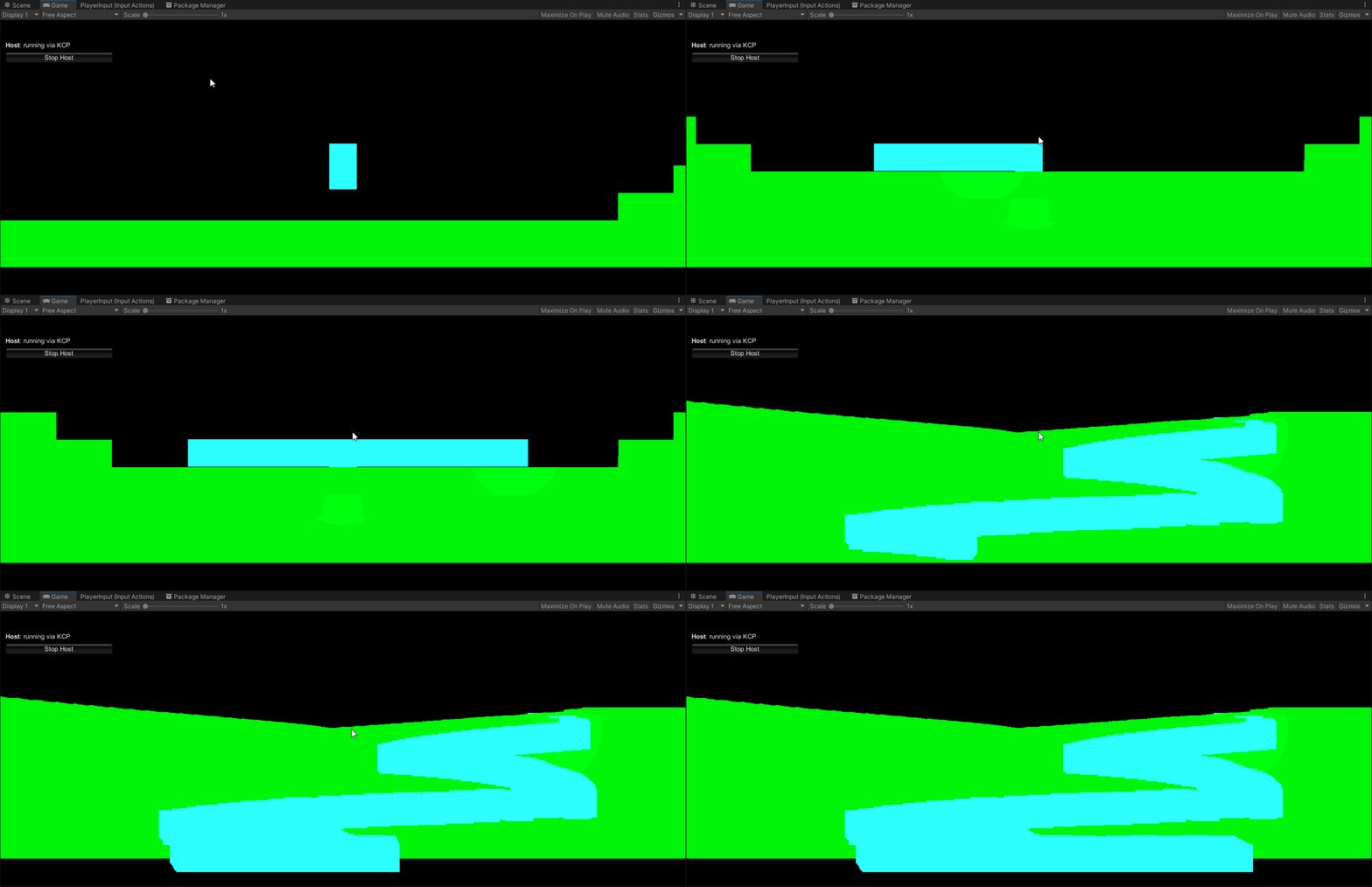
my scene is simple

a tilemap witha collider

and a player
the player can move left to right
and is a 2D rigidbody
but as you can see URP doesnt like this
can anyone tell the issue?
 nocturne nimbus
in URP, can you have a light inside a translucent sphere show up on the side of the sphere facing out
split turtle
(ping me if anyone knows how to fix this)
next crystal
What do i use to add URP postprocessing effects?
nocturne nimbus
@next crystal In the Hierarchy, right click -> Volume -> Global Volume
then there should be a button in the inspector to add a profile, click that, and then add post process effects
next crystal
Ah
next crystal
the tonemapping on URP is so limited....
2 settings and neither of them seem good xD
nocturne nimbus
oml I have two spheres, one is translucent and has a point light inside, and one is opaque. I want the light to not only bounce off of the opaque sphere, but also on the outside of the translucent sphere
 next crystal
what replaced the URP pbr shader graph?
glad tartan
next crystal
what replaced the URP pbr shader graph?
Lit Shader Graph. (This is so you can use the lit shader in either pipeline. Shader Graphs with HDRP specific nodes will be ignored in URP)
So the default is Universal Lit and in shader graph you have Lit Shader Graph (same as HDRP)
next crystal
Aha...
split turtle
nocturne nimbus
I get this when the skybox isnt using a skybox shader
hmm will try to change
yeah that fixed it!
iron flame
URP Temporal anti aliasing + Object Motion blur.
TAA (I added a motion vector) : https://github.com/sienaiwun/TAA_Unity_URP
Object Motion Blur : https://github.com/EsiNikko/kMotion
Samsung galaxy s20 2400x1080 30 fps
 iron flame
split turtle
30 fps wow
iron flame
split turtle
30 fps wow
actually 60fps. but no need to heat the device 😄
 weary fog
anyone touched volumetric clouds on 2021.2 yet?
volumetric cloud shadows are not working for me
nocturne nimbus
in hdrp can you have ambient light with a completely black gradient sky? Im trying to make outer space, but I dont want everything facing away from the sun to be pure black
next crystal
Does the FPS URP example have the weapon be occluded by object shadows in the scene? I did mine the same way basically but shadows dont seem to be affecting it
dawn sorrel
@iron flameyes summer heat i alway cap fps in games and editors
i also had to turn off turbo boost.
fallen monolith
iron flame
URP Temporal anti aliasing + Object Motion blur.
TAA (I added a motion vector) ...
How does object motion blur help when only the camera is moving?
iron flame
fallen monolith
How does object motion blur help when only the camera is moving?

With camera motion blur, car will also be blurred.
fallen monolith
iron flame
Still not grokking why this is the case. Perhaps it's badly named. the car is not moving. the walls and floor are not moving. The camera is moving. Surely a camera motion blur would blur all these things?
Or is "camera motion blur" called "object motion blur" in Unity? // I've never used motion blur in Unity
iron flame
Universal render pipeline only supports Camera motion blur (Motion vector support will come soon and then the object will be motion blur.). There is Object motion blur in HDRP or Build-in-RP.
fallen monolith
iron flame
Universal render pipeline only supports Camera motion blur (Motion vector suppor...
Again, I'm sorry if this is odd question: Why use object motion blur when no objects are moving?
iron flame
The car is moving. The camera is following the car. so i have to use object motion blur 🙂
iron flame
fallen monolith
Again, I'm sorry if this is odd question: Why use object motion blur when no obj...
months ago. I had a similar result with a different technique.
https://twitter.com/MuhammedEAydin/status/1367101836860284937?s=20



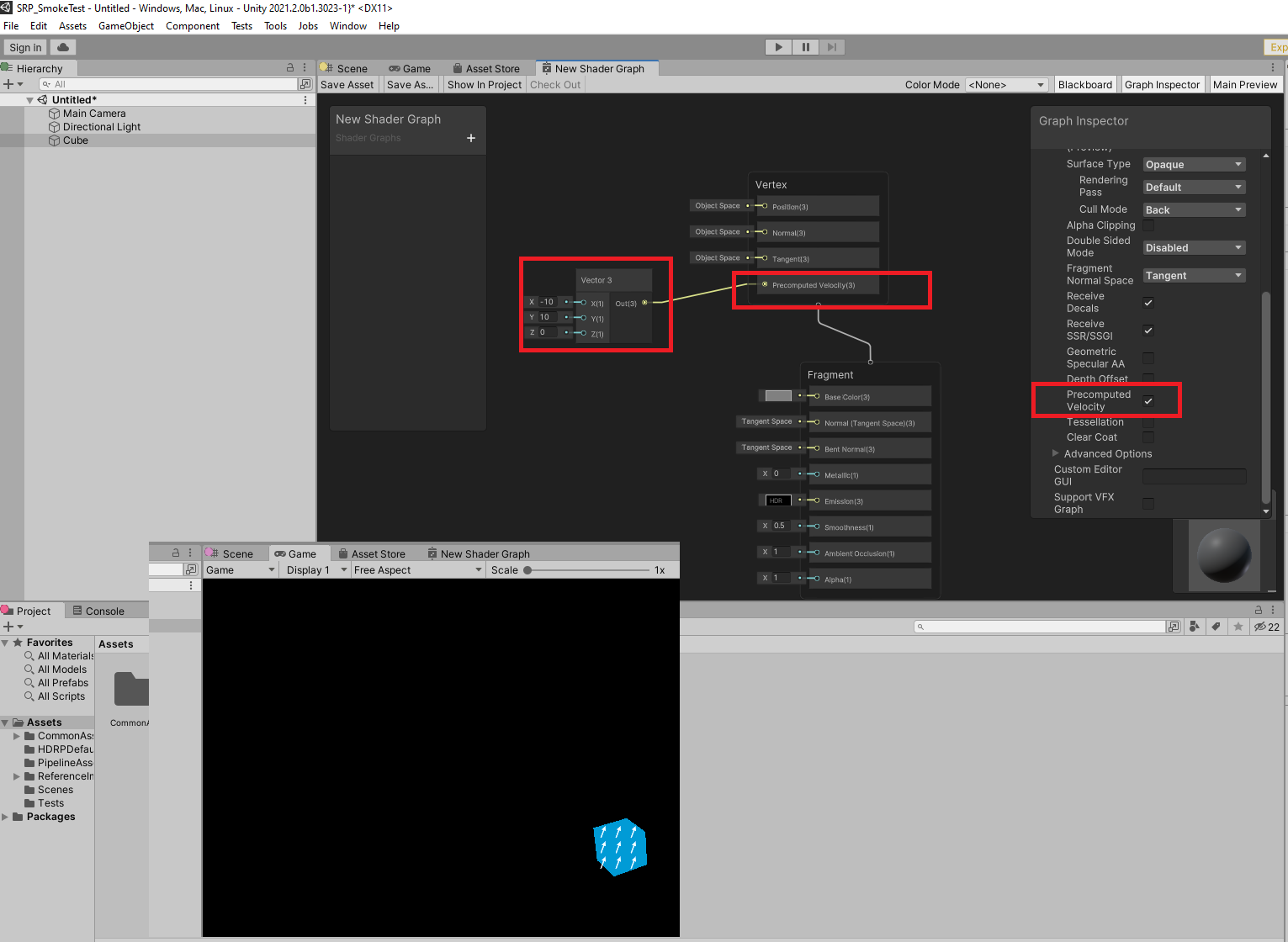


 fallen monolith
iron flame
months ago. I had a similar result with a different technique.
https://twitter.c...
fallen monolith
iron flame
months ago. I had a similar result with a different technique.
https://twitter.c...
In the video you posted directly underneath your comment about using Object Motion Blur, the camera is the only thing moving... orbiting the car. Perhaps this is why I'm confused.
iron flame
fallen monolith
In the video you posted directly underneath your comment about using Object Moti...
I show only TAA in video 😄
 sharp lion
Okay this should be a simple question to anyone using the render pipelines, is universal RP or lightweight RP the supported pipeline?
Everywhere I look says lightweight was deprecated and universal is the standard but my package manager is saying that the latest release of universal is 2020 and the latest release of lightweight is 2021...
iron flame
sharp lion
Okay this should be a simple question to anyone using the render pipelines, is u...
universal RP
sharp lion
iron flame
universal RP
Thought so, thanks
Just wondering why lightweight seems to have been repo last updated, seems odd
 eager fractal
I spent so much time on it and losing my mind over this - how do I replace terrain grass shader in HDRP?
I searches for it and NO SOLUTION works for it.
turbid matrix
@eager fractaldon't they have some solution for that on 2021.2 beta now? (also on some 2021.2 alphas)
I mean, if that's an option
I do get if people are not keen on using pre-releases
oh wait

New SRP render type to enable use of standard Unity Mesh Materials for details with HDRP (as well as URP). Use ShaderGraph to customize waving per grass type.
Note: This does not include support for the specific "grass texture details". Please use instanced mesh details for grass instead, which should be more flexible with good performance on...