#archived-hdrp
1 messages · Page 66 of 1
 marsh marsh
 elder shore
Sure, you could use a skybox without a sun, and move a object to emulate the sun, you wont have real time shadows tho
A classic approach can be found in Legend Of Zelda, where they load different scenes for different times of day
marsh marsh
So using that, I can only use baked lighting?
elder shore
🤔 That error only happens when you dont have the using directive present for the thing you want
elder shore
marsh marsh
So using that, I can only use baked lighting?
Yeah, you can have a morning, noon, evening, and night scene which is the same scene objects with four different light maps, and transfer the relevant data between scenes
elder shore
Well, you can always keep the scene size small with some less than 100 really effiecient game objects
Then real time lighting shouldnt be an issue
Recently, Sword Art Online just recently did a real time lighting scenario where they just reloaded the scene every 20-40 meters
To get past the issue
But the loading was so frequent it was a disaster
marsh marsh
right
but yea, like I said, its the day cycle that causes FPS drops
How would one make an efficient day cycle with real time lighting?
elder shore
Night cycles wont be inefficient because there are no shadows to bake in real time
To make day run more efficiently, you can reduce the shadow quality to very low, and keep the scene object count low
marsh marsh
Ok im gonna try that
elder shore
Im sad to say real time lighting is not "there" yet
Its computationally too expensive for most home computers
So you have to be really gentle about shadow quality and object count
marsh marsh
Im sad too, especially when the guy's that showed the tutorial for that day cycle script FPS didnt even budge
elder shore
Was he running it on a 6 thousand dollar computer?
If so, yeah you can push more shadows
Honestly real time lighting is a feature most gamers wont even notice, as they run threw towns in 50 seconds
elder shore
Id rather have high fidelity towns with a fixed day light bake
Then a low fidelity town with realtime lighting
If I need a night scene, I just copy the scene and give it a night bake, and have a manager to communicate what the day/night scenes need to have in common
elder shore
Yw
 elder merlin
I'm not comfortable with what's being presented as facts here
a lot of games use realtime lighting
Sometimes it's a necessity, like when dealing with open worlds, or with day/night cycles like are asked about here
And you don't need run a $6000 pc either, breath of the wild uses fully dynamic lighting
marsh marsh
Yea I was kind of thinking the same, games like GTA use real time, and the map is huge too
elder merlin
In those cases baked lighting is not even an option
marsh marsh
Yea but do you have an another solution for my FPS problem?
marsh marsh
HDRP, Ryzen 5 2600X with GTX1070 and 16gb of ram at 3,6ghz
that should be enough of computing power for developing this game
its low poly btw!!!
im going for a triple A low poly type of thing, it looks really nice even right now
elder merlin
When you run into these things you'll want to use the Frame Debugger to figure out what is eating up your FPS
The stats window in the game view will give you an indication but it's got some problems in HDRP
marsh marsh
this thing?
elder merlin
it will show you each step of the rendering process
marsh marsh
Ok, so how will I know something is wrong?
 dawn sorrel
marsh marsh
Ok, so how will I know something is wrong?
dawn sorrel
marsh marsh
Ok, so how will I know something is wrong?
Same as you tell how something is wrong in real life.
elder merlin
It won't tell you what's wrong, just what's happening
marsh marsh
Right, but how can I tell whats normal and whats not
or what should be happening and what not
elder merlin
If you have a specific issue with your day/night script then see what changes when it's enabled and when it's not
marsh marsh
alright
elder merlin
Also if you haven't used it before, watch some tutorials to get an understanding of what it's showing you
marsh marsh
I will thanks!
dawn sorrel
i can only add a single override to a volume, the second thing i add just disappears and it says SerializedProperty components.Array.data[1] has disappeared! in the console
does anyone know why this happens (im using hdrp but it also happened in urp)
or is this the wrong channel to ask
marsh marsh
I have a camera with a render texture for a sniper scope in HDRP, and it causes FPS drops when I swap to that sniper. Can anyone tell why?
 frigid quarry
 inner parcel
using 2nd camera isnt recommended for hdrp. depending on your unity version, try compositor @marsh marsh
marsh marsh
@inner parcel How are scopes and stuff like that done in HDRP?
inner parcel
compositor might work for you
marsh marsh
I looked that up in youtube, I dont get it, what does the compositor have to do with scopes?
 versed quarry
I just got this sinking feeling in my stomach... the default renderer is not URP as I gather now and I read that URP is more efficient? does that mean my work so far was on outdated tech?
 broken lichen
URP is more performant by default, but that doesn't mean you can't get the built-in render pipeline to perform just as well or even better.
It's easier to make something with URP and get good performance. It requires a bit more work and optimizations to get the same performance with the built-in render pipeline.
The main difference is in the realtime lighting and overall shader complexity
The default URP/Lit shader is supposedly not as complex as the Standard shader, but of course you don't have to use the Standard shader.
If you use a lot of realtime lights, URP is better than built-in. But you can make your own custom lighting system that performs similarly or even better than URP in the built-in render pipeline.
versed quarry
thanks for the info!
I dont have any real time lights at all, all custom stuff really
so that is a relief. I was really just trying to find out if there is an event that I can get when rendering is done for a frame and stumbled onto renderpipelinemanager that did not work at all.
as I guess it's limited to the custom renderpipeline what sucks a bit.
broken lichen
@versed quarry Camera.onPostRender
https://docs.unity3d.com/ScriptReference/Camera-onPostRender.html
 versed quarry
yeah I know about that, but I need the event after everything is rendered not just a camera. I wrote an android plugin and when I call it in post-render it still intereferes with unity rendering. the error is in a blit function within Unity after my plugin successfully finishes. The plugin creates an MP4 and also does some rendering. I'm not even sure if my idea will fix my problem though
thanks for taking the time to hear me out @broken lichen
 waxen lantern
broken lichen
URP is more performant by default, but that doesn't mean you can't get the built...
waxen lantern
broken lichen
URP is more performant by default, but that doesn't mean you can't get the built...
maybe so, but it depends on the particular use case. the SRP scriptable render pipeline core (that URP is built on) is more customizable and at a deeper level than the built in render pipeline ever was / will be.
waxen lantern
broken lichen
If you use a lot of realtime lights, URP is better than built-in. But you can ma...
this is also true to a point... building a custom RP via SRP scriptable render pipelines gives you deeper control than the API that is available to customize BRP (Built in) but some fundamental operations and overhead of BRP can't be changed --that's what the creation of SRP was meant to make available.
that said, Built in RP is still supported / not deprecated and is very tried and true, with a wealth of resources around it. There are many features that URP doesn't have parity on yet. So, many reasons that one might want to use BRP still today even if it's not the most optimized or doesn't have the latest features out of the box.
waxen lantern
versed quarry
yeah I know about that, but I need the event after everything is rendered not ju...
@versed quarry what is the effective end result to achieve here? what is the user / player meant to experience that is not currently happening as intended?
broken lichen
@waxen lantern I agree with all your points. I don't think they negate my points though. SRPs will always be able to outperform built-in in every use case because they can more easily be customized and optimized for the specific render pipeline you need. My point was more about unmodified URP and a "modified" built-in renderer being comparable in performance, at least in the forward renderer.
The forward renderer is so simple, there's only so many optimizations you can do. The built-in has a terrible way of handling realtime lights by doing additive passes. URP does it much better by doing it single pass.
But since all this is implemented in the object shaders and with some lighting data passed from script, it's not too difficult to implement your own single pass lighting in the built-in renderer. The Lab Renderer did this and I'm doing it in my own project.
Not that I'm recommending everyone should do that over using URP. My point was more about if you have an existing project using the built-in renderer, it's very possible to optimize it to the same level as URP's default performance.
 slow hawk
Does anyone happen to know if HDR within URP is supported by Nintendo Switch? I can't seem to find a definite answer online...
waxen lantern
broken lichen
<@!471083604135378975> I agree with all your points. I don't think they negate m...
oh yeah doesn't negate your points which are true for a large number of use cases. just complementary / playing devil's advocate for the use cases out there that might exceed the limits of BRP's extensibility that prompted the creation of SRP.
waxen lantern
slow hawk
Does anyone happen to know if HDR within URP is supported by Nintendo Switch? I ...
You can use HDR lighting internally in Unity and then Tonemap it to SDR --the Switch's Nvidia GPU is capable of computing HDR lighting, but the Nintendo Switch doesn't support HDR Display output at all. The internal screen is SDR and the Switch dock has only HDMI 1.4 with SDR... it would need HDMI 2.0a or higher to support HDR output to display.
versed quarry
https://t.co/4zTbtLiqID
this is what I am doing, here from the ios version
problem is I can't get the android version to run
idea is that the user can export an mp4 of what he has created
to encode the mp4 without adding extra libraries I need to use built-in encoder and it's been a real pain getting there. I've managed it on ios and I've successfully created videos on android. but after creating the video in java, unity crashes due to some null pointer exception in a blit function. the function is called right after my java code is done (after the share was successfull). I think the gl stuff in the java code is overlapping/interfering with unity rendering and I was hoping that if I can do all my operations when unity is done, that the problem will go away @waxen lantern
broken lichen
@versed quarry Rendering in Unity is done on a separate rendering thread. None of Unity's rendering events are invoked during this rendering thread. Instead, all GL commands done from C# script are queued to be executed later in the render thread.
But invoking GL commands in Android Java code will happen immediately.
The only way I've found to get a callback during the render thread is with a native plugin and GL.IssuePluginEvent
You can use the native plugin just as the hook and then either invoke Java code directly from the native plugin using JNI, or even call back into C# and do whatever there.
 grave geyser
any tips on making the horizontal plane less obvious when using the HDRP fog?
versed quarry
@broken lichen the blit causing the null reference exception does not originate in my code. but what you are saying might mean my idea of calling to a different time will probably not work. maybe I am somehow overriding/deleting a texture or framebuffer required by unity. I just assume that is possible.
thank you a lot for your help
broken lichen
That is possible. If you're calling into Android Java from OnPostRender and calling GL commands there, I believe those commands will run before Unity makes any of its own GL calls.
versed quarry
I guess I will have to find out which calls are creating the problem, tedious but... hopefully this will work
 restive perch
Is it okay to not explicitly release a temporary rt? I've two cameras, during Cam A rendering I copy a texture to _MyTexture, during Cam B rendering I need access to _MyTexture, if I use any cleanup event from the scriptable render pass to release the RT, it throws a warning saying it can't find the texture, otherwise it works fine
restive perch
I'll answer myself, seems it should be okay : https://docs.unity3d.com/2020.2/Documentation/ScriptReference/Rendering.CommandBuffer.GetTemporaryRT.html
 crude cliff
hello in hdrp we can not use terrain tools correctly so to place flowers and other stuff we need to use tree section but it makes game laggy and fps drops. is there any way to optimize this? or do it in other way
 flat zealot
Hello, I have an issue with drawing Instanced terrain since we moved our project to Unity 2020 when the heightmap is modified at runtime using SetHeightsDelayLOD and ApplyDelayedHeightmapModification
The terrain simply becomes flat. Does that rings a bell to anyone?
Everything is fine if I don't use Draw Instanced
 idle heart
how come a Orthographic camera is not affected by my Globe volume Object?
the only thing that is being affected it my scene view ?
nevermind found the magic button in the camera options xD
dawn sorrel
someone knows why after bake light on hdrp light looks like that?
like texture thing
 fluid knoll
what is going on here ?
my materials are showing white on the globe and looks like on the image i sent
i copied a scene from my other project into a new one, and got this result
 keen glen
fluid knoll
i copied a scene from my other project into a new one, and got this result
keen glen
fluid knoll
i copied a scene from my other project into a new one, and got this result
Does the project have the same settings as the other one? Like RenderPipeline and so on? Are you using/missing shaders?
 turbid matrix
this is now merged in master https://github.com/Unity-Technologies/Graphics/pull/3385

GitHub
Purpose of this PR
Reactivate Enlighten Realtime GI support for HDRP. Makes it easier to upgrade from builtin render pipeline or HDRP 7 and older.
Testing status
Manual testing by the developer usi...
meaning we'll get that on HDRP 12 on 2021.2
enlighten does appear to work on older versions too but there's no news if Unity will backport this or not
I've only tested this on 2021.1 beta
(there are no public 2021.2 alphas atm)
URP version is still WIP (but it's bigger task as URP never had Enlighten support in the first place - unlike HDRP): https://github.com/Unity-Technologies/Graphics/pull/3386
 bleak otter
Assumed they would move to some other solution
turbid matrix
everyone did after Unity said they would do so 😄
fluid knoll
keen glen
Does the project have the same settings as the other one? Like RenderPipeline an...
It appears to have been shader errors, i reset the imports and it solved
keen glen
Yeah, just copying over can do some weird stuff, cause the metadata is not like the same
 frigid swift
is it better to start of a project with the built in render pipeline and then later on convert to a different one?
turbid matrix
no
frigid swift
i updated my hdrp and i got this message and it wont let me clear it
Library\PackageCache\com.unity.render-pipelines.high-definition@7.3.1\Runtime\RenderPipeline\HDRenderPipeline.LookDev.cs(6,45): error CS0535: 'HDRenderPipeline' does not implement interface member 'IDataProvider.Cleanup(StageRuntimeInterface)'
nvm, it turns out i didn't finish importing it
 daring lodge
I'm trying to use the Collide with Depth Buffer node within the VFXGraph in URP. It seems supported but no matter what I do I cannot get it to work!
is it just silently not supported?
going to check if it's because I'm on the LTS
daring lodge
no longer on the LTS, and I get this handy message!
that's great, now to revert the upgrade
 crude cosmos
hello, why the requirement of URP is physics? can i change it?
keen glen
crude cosmos
hello, why the requirement of URP is physics? can i change it?
? What do you mean?
crude cosmos
keen glen
? What do you mean?
i can not disable engine physics and use URP
im not using 3d physics
keen glen
https://docs.unity3d.com/ScriptReference/Physics-autoSimulation.html did you try that?
crude cosmos
keen glen
https://docs.unity3d.com/ScriptReference/Physics-autoSimulation.html did you try...
no, the problem is URP, its required physics colliders at volumes scripts of URP
keen glen
So did you try it or not?
If you cant disable the package because of URP, just stop the simulation and the beginning of your app
crude cosmos
no, i can not run any code, i have compiler errors when removing physics.
I can disable physics, but i dont want editor physics components. because my team choosing them not 2d physics
keen glen
YOu are making a game but cannot run any code? I dont get your situation, sorry. Thats the solution I can think of. If urp needs components of physics, thats what you have to deal with.
I would let the physics enabled and just disable them by code.
crude cosmos
i need 2d physics and i want remove 3d physics components from engine components lists
bleak otter
I guess URP just isn't made to support this use case
keen glen
Jesus... URP NEEDS physics, so keep it enabled. but use the code I wrote above to disable the simulation of 3D physics.
physics2d will still be running
bleak otter
If it's just some high level components of URP depending on it, you probably could fork URP with them removed/changed.
 whole fossil
or make some sort of validator / editor tool that can help you with your use case
turbid matrix
it does sound a bit of an odd requirement though, considering we may want to run DOTS physics too (there's 3 differed 3D physics engines for Unity)
anyway, I can totally understand one wanting to get rid of that module. going for 2D and removing modules manually does suggest they want to do a mobile game and adding physx binaries to the build for no good reason will just make the installation size notably bigger
if it indeed is still required for 2D renderer on URP, I'd file a bug report @crude cosmos
 trim bone
i think at the least for any volume related things it needs a box collider which (3d)physics lends as well as gizmos. kind of a hacky dependency but then again there really shouldnt be a problem just leaving the builtin package enabled and disabling the autosim as twentacle stated
turbid matrix
only real downside is increased distribution size with mobile
well, and some other wasted resources at runtime since it still needs to create physics world for physx and consume some memory for it
waxen lantern
daring lodge
I'm trying to use the Collide with Depth Buffer node within the VFXGraph in URP....
VFX graph depth collision is not supported for URP (yet,) in any version of Unity. you can track this feature here on the VFX graph roadmap https://portal.productboard.com/unity/1-unity-graphics/c/97-urp-support-compute-capable-devices-only-lit-particles-and-various-features-and-fixes
We're working on support to make it possible for you to do things like render lit particles or using depth buffer collision using URP.
This will only be support for compute capable devices (platforms HDRP supports) - additional functionality is required to get VFX Graph working on wider range of devices.
daring lodge
waxen lantern
VFX graph depth collision is not supported for URP (yet,) in any version of Unit...
Thanks for the info! Another dev has told me that I could just pass in my own depth texture. So I'll poke around with that for a bit. You can find that post here: https://forum.unity.com/threads/vfx-collide-with-depth-buffer-in-urp.1059341/

Unity Forum
I spent some time trying to get the node to work within the LTS version of URP and the Visual Effects Graph (7.5.3). It didn't work, but it seems like...
waxen lantern
@daring lodge cool yeah i was thinking of mentioning that you could implement it yourself if you're comfortable with that. many people aren't or i don't want to give them unrealistic expectations if i don't know them well haha
 bold wadi
Anyone knows how to animate a shadow caster from URP ?
daring lodge
waxen lantern
<@209878321738153994> cool yeah i was thinking of mentioning that you could impl...
That's super understandable haha. Hopefully I'll figure it out, afaik the node requires a texture 2d array, but urp seems to just have a texture2d. So I either need to copy it every frame or change urp's backend. I'll look more into it
turbid matrix
this is now merged 🙂 https://github.com/Unity-Technologies/Graphics/pull/3199
GitHub
This PR adds a solution for volumetric clouds in HDRP. The tool can be found under the "Volumetric Clouds" volume component.
Note that most of the prameters can be found when exp...
it's still bit WIP according to PR comments:
Here's what needs fixing before beta :

* Metal Support
* XboxOne Support

And here's what can be added/fixed in the near future

* Multi-camera shadows
* Slight jump on clouds when entering a volume with volumetric fog
* Support for Planar / Probe / Ray Tracing
* Some Parameters like (Wind orientation, clouds altitude.. ) still aren't suited for blending properly
* Quality settings for primary steps and light steps
* Improved documentation with banner image and cloud LUT explanation
i kinda never expected to see them tackle this so cool beans
waxen lantern
@turbid matrix you notice that Unity 2021.2 Alpha just dropped in the Unity Hub last 24 hours as well?
turbid matrix
yeah, I tested it earlier 🙂
was really hoping PhysX contact modifications would have landed on it but it wasn't there :/
nobody promised that feat would land there but was hoping it would make it
that's not a huge deal, just annoyed by it
but yeah, getting off-topic now 🙂
 uneven roost
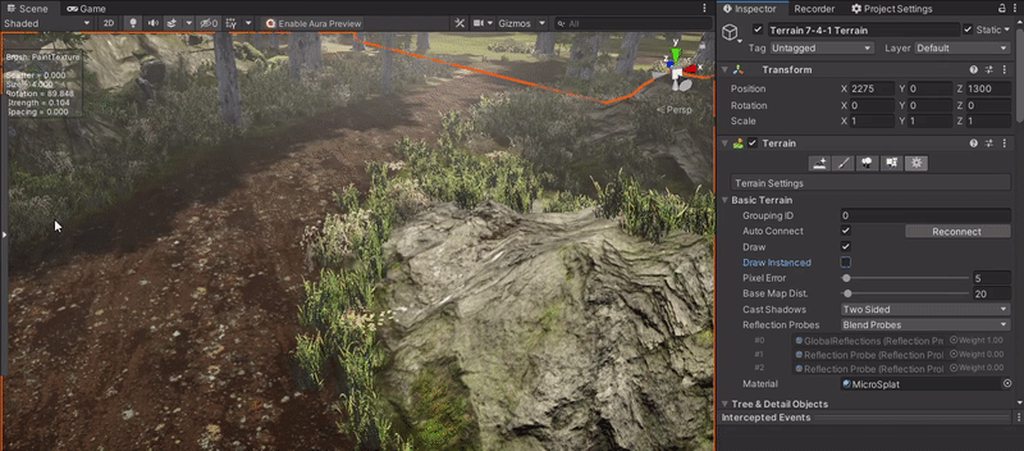
Does anyone know what could be causing this in my scene?
https://i.imgur.com/a6kASGa.gifv
I am using HDRP 7.5.3 with Unity 2019.4.20f1, it is driving me crazy 🤣
It is happening when I set the terrain to use 'Draw Instanced'
 daring lodge
waxen lantern
<@209878321738153994> cool yeah i was thinking of mentioning that you could impl...
daring lodge
waxen lantern
<@209878321738153994> cool yeah i was thinking of mentioning that you could impl...
haha I did it!
It is a dirty hack though, had to edit the Visual Effects package to change all Texture2DArrays references into Texture2Ds (just for the camera scripts though)
Then I just pipe a component.SetTexture((int)DepthBuffer, Shader.GetGlobalTexture("_CameraDepthTexture")); into a custom binder and it works fine 👌
waxen lantern
@daring lodge great work!
waxen lantern
daring lodge
It is a dirty hack though, had to edit the Visual Effects package to change all ...
@daring lodge i try to just override classes when possible rather than having to maintain a fork of the package, but sometimes more trouble than it's worth depending on the use case --and we're not immune to possible breaking changes with future package versions. so, whatever works for now as long as you're willing to maintain it for yourself until unity implements the feature officially.
daring lodge
oooh thanks actually. I was just googling how to fork the package properly 😅
overrides sounds much more clever
waxen lantern
yeah overrides are clever but if you end up going really deep then you might as well fork it lol
there's a threshhold
daring lodge
it should just be two classes
I'll whip it up and publish it somewhere so other people can benefit, thanks so much
waxen lantern
@daring lodge here are my vfx graph "hacks" if it helps https://github.com/landonth/unity-vfx-custom-addons

GitHub
Custom Add-ons for Unity Visual Effect Graph. Contribute to landonth/unity-vfx-custom-addons development by creating an account on GitHub.
daring lodge
oof, one of the things I modify is a struct used in basically everything, pretty sure it's easier to fork it
waxen lantern
@daring lodge yeah unless you want to duplicate or inherit from the struct
or rather.. C# structs don't support inheritance, i'm used to it in other languages. they do support interfaces at least
but yeah it can get squirrelly like this sometimes
@daring lodge fyi while you can do it without, this can be very handy for forking unity packages and install them from local or your own git repo (without even needing to clone / install them from UPM in a project first) https://github.com/needle-mirror/

GitHub
This repository group contains versions of packages available in UPM, without any changes. Not affiliated with Unity Technologies. Maintained by Needle. - Needle – Mirror of packages from the Unity...
daring lodge
waxen lantern
<@!209878321738153994> fyi while you can do it without, this can be very handy f...
Oh that's really smart, thank you
I'll fork it now and make my changes
daring lodge

GitHub
[Mirrored from UPM, without any changes. Maintained by Needle. Not affiliated with Unity Technologies.] 📦 The Visual Effect Graph is a node based visual effect editor. It allows you to author next ...
done and done
dawn sorrel
Should I choose URP or 2D for my 2d game
dawn sorrel
Which version do I need to get URP 11?
 zealous light
i want to render a canvas with a certain opacity uniformly, so no canvasgroup. Don't know much about rendering tho. Is a render pass or a grab pass what i'm looking for? if so which one is preferable?
 quick pelican
I'm having trouble getting a TrailRenderer material to work with the color gradient in URP. I've tried UniversalRenderPipeline/Particles/Lit as well as Unlit, and UniversalRenderPipeline/Lit, and neither shader is responding to the color gradient value. What shader do I need to actually get it to listen to the color property of a trailRenderer?
broken lichen
quick pelican
I'm having trouble getting a TrailRenderer material to work with the color gradi...
The trail renderer is probably putting vertex colors into the generated mesh, so the shader has to read that data and use it for color. Particle shaders do this, since the particle system also uses vertex colors, so a particle shader should work.
 deft pier
I am following Brackey's Cartoon Water tutorial but I am using HDRP
and i cannot find the Albedo in the shader editor
 turbid matrix
@deft pier #archived-shaders would be better place to ask this but base color = albedo
deft pier
oh thank you a lot
turbid matrix
Unity may have changed the naming along the way so newer versions have different naming (to make things easier to understand etc)
 main rune
I'm really struggling with trying to render a single unlit object in a performant way with HDRP, hoping somebody can miraculously help me
broken lichen
HDRP
performant
 main rune
I've tried:
- Single frame renders with a camera (set to not render any fancy things like light or shadows) > Had a HUGE performance overhead
- Command Buffers > did not respect calls to change the view and projection matrices of the camera, Unity haven't responded to my bug report yet
- Immediate GL > Does not actually draw immediately, meaning the changes to the camera / matrices have to persist over a frame for it to have any effect
Also custom passes > they can't access object data
Over the last week I was able to trivially get it working in Unreal Engine 4, so what I'm doing can't be that stupid
Though I'm not tooting unreal's horn here, that engine made me want to scream into a pillow
broken lichen
What's the reason you're not using a regular MeshRenderer for this?
main rune
Because I need to write the object's material output to an RT
broken lichen
Do you need any of HDRP's rendering with it?
main rune
Absolutely not
broken lichen
How were you using the command buffers?
main rune
Let me see if this is legible
broken lichen
Creating them and executing them with Graphics.ExecuteCommandBuffer?
main rune
        CBuffer = new CommandBuffer();
        CBuffer.name = $"{gameObject.name} Damage";
        CBuffer.BeginSample($"Damage {gameObject.name}");
        CBuffer.SetRenderTarget(Damage);
        CBuffer.ClearRenderTarget(true, true, Color.red);
        Matrix4x4 projMatrix = GL.GetGPUProjectionMatrix(ProjectionCamera.projectionMatrix, true);
        //CBuffer.SetViewProjectionMatrices(Matrix4x4.identity, projMatrix);
        CBuffer.SetViewProjectionMatrices(ProjectionCamera.worldToCameraMatrix, ProjectionCamera.projectionMatrix); // > This straight up doesn't work at all, nor any variation of parameters
        CBuffer.DrawMesh(GetComponent<MeshFilter>().mesh, Matrix4x4.identity, DamageMaterial, 0, -1);
        CBuffer.EndSample($"Damage {gameObject.name}");
And then in update calling Execute, yes
broken lichen
Btw, what's the solution for this in UE4? I was just recently looking for a simple DrawMesh function that I couldn't find.
main rune
Screen Capture Component 2D or something like that. You just isolate the object and perform a colour only render to a texture
broken lichen
What unlit shader are you using?
main rune
Which would be great in Unity if HDRP didn't for some reason give 9ms of overhead to Camera.render or whatever
In Unity?
broken lichen
Yes
main rune
It doesn't matter in general, but for context this:
https://hatebin.com/drslfqjvil
It just performs a UV unwrap and assigns the object position as colour
broken lichen
Okay, I was just making sure it wasn't an HDRP unlit shader. I think HDRP does some custom view projection matrix stuff that probably needs to be handles specifically in the shader.
Though now I'm wondering if just having HDRP assigned as the render pipeline changes the behavior of SetViewProjectionMatrices
main rune
If it does, it's entirely undocumented
broken lichen
Maybe try the HDRP/Unlit shader?
main rune
The shader doesn't matter
It's the perspective. The object renders fine
But it renders from the perspective of the main camera, and doesn't change
broken lichen
You could pass in the view projection matrix manually through a matrix property.
main rune
To the shader?
broken lichen
Yes
The UnityObjectToClipPos macro just gets a global matrix uniform that Unity provides
main rune
And then move the mesh to display correctly in front of the camera?
broken lichen
Move?
Oh, you're using Matrix4x4.identity in DrawMesh. Why not use the transform matrix of the object?
transform.localToWorldMatrix
broken lichen
Is the ProjectionCamera pointing towards 0,0,0?
main rune
Yes
But again, it's not the 'wrong' perspective in terms of math, It's just not moving the vp Matrices off the main camera
I tried to add it into the camera's rendering via addcommandbuffer but that doesn't run at all in HDRP IIRC
I also tried GL
None of this worked
Because the GL draw doesn't actually happen immediately I suppose, but a little bit later
And for some reason GraphicsFences are saying they're compatible with my system but causing exceptions when I try to use them
broken lichen
I would keep trying the command buffer route, but try passing in your own matrices.
UnityObjectToClipPos is defined as:
inline float4 UnityObjectToClipPos(in float3 pos)
{
    return mul(UNITY_MATRIX_VP, mul(unity_ObjectToWorld, float4(pos, 1.0)));
}
Since you want the object with no transformation, we can ignore the unity_ObjectToWorld matrix multiplication
You just need to replace UNITY_MATRIX_VP with your own view projection matrix that you pass in manually.
It should be GL.GetGPUProjectionMatrix(ProjectionCamera.projectionMatrix, true) * ProjectionCamera.worldToCameraMatrix
main rune
Hm I see, that sounds promising. Thanks for making the maths easy too, I understand matrices mathematically and functionally but not intuitively
broken lichen
I made it easy because I don't understand it intuitively either 😄
main rune
Ahahaha ah well. I had a teacher once tell me to suffix "for kids" when researching something to make it easy, so maybe there's something to it
broken lichen
I hope they aren't trying to teach matrices to kids :P
 tribal cipher
does anyone know why cmdBuffer.DrawMeshInstanced() would work in editor/play mode, but not in build?
I've like super duper triple checked that the material has instancing enabled, and it does
broken lichen
tribal cipher
does anyone know why `cmdBuffer.DrawMeshInstanced()` would work in editor/play m...
Unity might be stripping the instancing variant of the shader
tribal cipher
is the instancing flag a shader_feature rather than multi_compile?
broken lichen
There's a specific setting for it in Project Settings > Graphics. Default is Strip Unused.
There's multi_compile_instancing
Which is probably a shortcut for something else
tribal cipher
hm
I'll try it, thanks!
oh what there's a specific setting for instancing variants? the heck
 broken lichen
I think with Strip Unused, Unity must find a material with instancing enabled being referenced in some way in one of the included scenes to not strip it
tribal cipher
goodness it works, thanks a ton
broken lichen
👍
tribal cipher
then the next question is how I should solve this, I feel like forcing all my users to turn off strip unused would be a little too much to ask
is there a way to force them to be included? my shaders are already in a resources folder, which, I thought was enough to force include them, but I guess that skipped the variants anyway
broken lichen
If you don't have a ridiculous amount of variants in your shader, you could automatically add it in the Always Included Shaders list, which is also under Graphics in Project Settings.
tribal cipher
I do have a ridiculous amount of shaders and variants
broken lichen
👀
main rune
Freya... Shapes?
tribal cipher
(this is for shapes yeah)
broken lichen
Do you also have materials in Resources that have instancing enabled on them?
main rune
Ah, that makes sense.
tribal cipher
nope, just the shaders, so I guess that's why it doesn't consider it being in use then
I feel like there has to be a better way than to include a bunch of dummy materials
but I might have to do that regardless
broken lichen
I think you might be able to use the IPreprocessShaders interface to force it to include variants
https://docs.unity3d.com/ScriptReference/Build.IPreprocessShaders.OnProcessShader.html
tribal cipher
oh, cute
broken lichen
ShaderStripper uses it for complete control over shader stripping.
https://github.com/SixWays/UnityShaderStripper maybe some helpful examples of how to use it here

GitHub
Modular utilities for shader stripping to drastically improve Unity build times - SixWays/UnityShaderStripper
But forcing it to include all the variants is also a bit iffy. Either you preload all the variants at start and have loading time suffer for it, or have Unity compile each new variant as it sees it, meaning stutters each time it sees a new variant.
main rune
I mean the former isn't too out there these days
It's not great, but there's already precedent and not too much complaining. Horizon Zero Dawn and Detroit Become Human both have these ludicrously long shader compile times
tribal cipher
I just don't want more emails from people being sad about build/compile times ;-;
broken lichen
If you really wanted to, you could try to detect what variants the user needs based on what immediate calls they're using and only include those
tribal cipher
it's also weird to force that setting I feel like
that would be hard, I would have to write code analysis
(not to mention slow)
broken lichen
Yup. A little easier would be to show some checkboxes to the user about what features they want to include. Then at least they can blame themselves if they forget to enable some set of variants.
(but I'm sure they'll find a way to blame you)
tribal cipher
they always do
broken lichen
There is also ShaderVariantCollection and the "Preloaded Shaders" list in Graphics. I'm not sure if Unity will make sure to include all the variants in the collection there.
It's probably easier to create and fill in that ShaderVariantCollection than using IShaderPreprocessor
 warm crescent
I have a small doubt.
We are building this city tycoon and right now the buildings have a shader that doesnt allow Transparency.
Whenever i want to make the 1 building transparent i replace the material for one that allows transparency.
Would be a problem to have the buildings always with the material that allows transparency? If so, which tool should I use to measure how much heavier it is?

this is an example of how the map looks and the buildigs look like. I did read when a shader allows transparency, even if its not transparent, the pipeline has to render the stuff beneath
tribal cipher
what kind of transparency? alpha blending or are you discarding fragments?
warm crescent
alpha blending
tribal cipher
oh, then you will have a lot of issues
overdraw is just one of them, but sorting will be the biggest issue by far
warm crescent
when you zoom in and collide with a building gets transparent
well it will be just 1 🤔
sincce i dont think the user can collapse with 2 buildings at the same time with the cam
tribal cipher
you'll likely be better off using dithered alpha fading in this case
but if it's only one building you'll be okay perf wise most likely, but there will be a visible pop when it switches to the alpha blended shader
while dithered alpha fading can be smooth (albeit without support for proper partial transparency)
warm crescent
but what would be the best option? change between materials? or keep the material that allows transparency and modify the _Alpha whenever I want?
or that doesnt matter ?
tribal cipher
if you have a transparent material on all buildings even when they're not faded, you'll run into lots of sorting issues
and overdraw
tribal cipher
swapping materials is totally fine
warm crescent
thats what I was aksing
I see, thats what i was fearing
okay ill keep replacing them
thanksa lot
tribal cipher
having the dithered fade on all buildings would still be fine though
main rune
@broken lichen You sir, are a fucking genius
tribal cipher
since they still write to the depth buffer
warm crescent
anyway, i dont know whats the dithered alpha fading 😅 ill look into ut
main rune
 warm crescent
dithered
main rune
Working more or less as expected
warm crescent
does it belong to HDRP ?
main rune
Though it looks a bit squished
warm crescent
@tribal cipher , whats the difference between normal fading... 'modifying _Alpha value lerping its value' and dithered fading?
tribal cipher
alpha blending will disable writing to the depth buffer, which will cause all the overdraw issues, as well as the sorting issues mentioned earlier
dithered alpha blending is still an opaque shader, just like it was before, but you discard some fragments being rendered
the end result is that you don't have partial transparency in individual pixels, but on a macroscopic level it looks similar, if a bit pixelated
warm crescent
I see... well since theres not too many objects for the moment that will fade i guess ill be okay but i will keep in mind this dithered alpha bending
thanks a lot you have been very helpful
🙏
tribal cipher
example of dithered fading (make sure you open the pic 100% size)

so this can still be an opaque shader, with no sorting issues or overdraw involved
tribal cipher
rip me trying to find info on this online and I only found my own old shader forge posts, haha
full transparency is very hard to get right without any popping or sorting problems in a case like this
tribal cipher
there are some advanced techniques you can use, like render the building to a separate render target and then fade that full render instead of trying to fade on the fly, but uh, that is a whole mess just for that one feature
broken lichen
warm crescent
I have a small doubt.
We are building this city tycoon and right now the buildin...
Which part here is transparent? The windows?
tribal cipher
the whole building, fading when camera gets close
warm crescent
nooo, haha, the full building, when player zooms in too much and goes across the building
the windows so you can see people living inside 🤣
that would be nuts
broken lichen
Oh, yeah I've commonly seen dithering for that. I remember Human: Fall Flat did it.
warm crescent
thanks a lot, i got a bit smarter
main rune
tribal cipher
overdraw is just one of them, but sorting will be the biggest issue by far
You can fix sorting, but I have no clue how it goes on performance
I had a discussion regarding opaque transparent sorting a while back
tribal cipher
fix sorting how?
transparency sorting is like, still an unsolved problem in graphics~
main rune
Mixing and matching depth writing and sorting values IIRC. I got it to work pretty well. Have ship hulls which are opaque but in the transparent render queue surrounded by transparent shields with no sorting issues
I suppose 'fix' is the wrong term
tribal cipher
generally these are very special cases that have other artifacts
quick pelican
broken lichen
The trail renderer is probably putting vertex colors into the generated mesh, so...
I've tried the URP Particle shader and it's still only using the material's color. I know that the particle shader works for standard, but I can't seem to find one that works for URP.
main rune
It's situational but worth trying to fiddle with imo
tribal cipher
it can be yeah
broken lichen
I personally think dithering looks nicer in this case
warm crescent

Learn how to create a dithering transparency effect using Unity Shader Graph! This tutorial is also available in text format here: https://danielilett.com/2020-04-19-tut5-5-urp-dither-transparency/
💻 Get the source on GitHub:
https://github.com/daniel-ilett/dither-transparency-urp
✨ Get the Robot Sphere on the Asset Store:
https...
i didnt expect to look this good
5:09
tribal cipher
mind that you're watching this through the filter of video compression - in-game you will see the pixelation much more clearly
but yeah, this is pretty much industry standard for fading things like this
warm crescent
hmm, i see , im a bit of an analphabet on rendering stuff, never heard of
ill tell my partner to have it into accoun
thanks a lot
main rune
That does look very nice
broken lichen
tribal cipher
but yeah, this is pretty much industry standard for fading things like this
Partially because deferred rendering is pretty much industry standard and regular transparency is harder there. I've seen dithering used in some not nice ways, like for water.
tribal cipher
for water? oh no
warm crescent
do the problems you mentioned apply also when using the _Color property to blend between colors?
or thats not the same?
sorting, overdrawing.....
tribal cipher
it depends how that _Color property is used
blending between colors within the fragment shader is totally fine and has nothing to do with sorting/blending really
warm crescent
uhh okay 👍
tribal cipher
the issues arise specifically because:
- transparent shaders are order-dependent, which causes flickering/sorting issues, because the blend mode in the shader itself reads from the existing color/pixels "behind" what you're rendering (Blend SrcAlpha OneMinusSrcAlpha), so the order they render matters a lot in how it will look, unlike opaque shaders where the order doesn't cause a visual difference in this case
- transparent shaders don't write to the depth buffer, which is what opaque shaders use to not have sorting issues, so disabling that causes overdraw
and 3. enabling writing to the depth buffer in transparent shaders will instead cause other issues, because transparent shaders still read from the depth buffer, so other transparent objects will not struggle to render properly when they're in the same line of sight/overlap in screen space
warm crescent
thanks for the clarification. 👍
 dry solar
is it possible to change the weight of a post processing volume through a script with the urp?
 fiery marsh
dry solar
is it possible to change the weight of a post processing volume through a script...
fiery marsh
dry solar
is it possible to change the weight of a post processing volume through a script...
Should be. The Volume component is in the UnityEngine.Rendering namespace so you'll need to be using that at the top of the script. Should then be able to use GetComponent<Volume>(), and set the .weight
 mortal forge
Hey all, what render pipelines are people (predominantly) on at the moment? Wanting to drop support for 1 in my asset but not sure which. Can react if you want to vote:
🌇 HDRP
🌐 Universal RP
🧓 Legacy/Builtin RP
waxen lantern
mortal forge
Hey all, what render pipelines are people (predominantly) on at the moment? Want...
Standard/Legacy RP -> "Built-in RP" that's the official naming in reams of Unity documentation, anyway
mortal forge
waxen lantern
Standard/Legacy RP -> "Built-in RP" that's the official naming in reams of Unity...
Once Unity settle on a name for over 12 months, I might catch up 😄 But thanks
mortal forge
waxen lantern
<@!111104350486564864> it's been 3+ years. time flies :)
I must've missed one of those years as 2019.3 docs like this still used "Legacy" but admittedly that was when I stopped upgrading! https://docs.unity3d.com/Packages/com.unity.render-pipelines.high-definition@7.0/manual/Upgrading-To-HDRP.html
 true zealot
I think it's more the "Standard RP" that's abhorrent 😛
mortal forge
Fair enough 😄 Removed that
true zealot
Also this channel is for render pipelines so I'm not sure your result will be unbiased haha
waxen lantern
mortal forge
I must've missed one of those years as 2019.3 docs like this still used "Legacy"...
Yeah, the docs were using both "built-in" and "legacy" terms interchangeably here at the time, ha.
the Unity Hub also still doesn't make it clear what the Built-In Render Pipeline is and still confusingly calls it "2D" and "3D"  so I can't blame anyone using Unity for the "Built-in RP" name not getting picked up on. The hub template selection is the the most important place to clarify its existence by name from a user experience / onboarding point of view --much more so than if/when one is rummaging through documentation. Though, Charles Beauchemin @ Unity responded pretty fast at least to assure me this is being looked at. https://forum.unity.com/threads/templates-overview-details-and-request-for-feedback.514369/#post-6838580
Unity Forum
Templates! What are they?
Hello beta testers!
We want to know your thoughts on our new templates! (Templates are those things you can choose between...
bleak otter
As long as it's anything but SRP (Standard RP) 🙏
Kinda got that Scriptable RP going on already.
zealous light
i want to render a canvas with a certain opacity uniformly, so no canvas group. Don't know much about rendering tho. Is a render pass or a grab pass what i'm looking for? if so which one is preferable?
 cinder smelt
what's a pipeline
 fresh meadow
Ive downloaded the URP addon but I cant seem to find it when I go to change my RP for my project. What am i doing wrong?
fiery marsh
fresh meadow
Ive downloaded the URP addon but I cant seem to find it when I go to change my R...
You need to create a Universal Render Pipeline Asset before assigning it under the project settings. Full steps for setup are here :https://docs.unity3d.com/Packages/com.unity.render-pipelines.universal@11.0/manual/InstallURPIntoAProject.html
fresh meadow
fiery marsh
You need to create a Universal Render Pipeline Asset before assigning it under t...
Thanks
When I change the pipeline, all the gameObjects turn into the pink "error" material. How should I fix this, simply reload the project?
fiery marsh
fresh meadow
Thanks
When I change the pipeline, all the gameObjects turn into the pink "error...
Built-in shaders aren't compatible with URP. You can upgrade the Standard shaders (Edit > Render Pipeline > Universal Render Pipeline > Upgrade Project Materials to URP Materials), but any custom ones will need rewriting. https://docs.unity3d.com/Packages/com.unity.render-pipelines.universal@11.0/manual/upgrading-your-shaders.html
fresh meadow
thx
 indigo summit
So uh is this correct?
in this page
https://learn.unity.com/tutorial/working-with-the-srp-batcher#
mentioned

the higher the drawcall the more efficient it is?
i'm confused
 ripe fable
"how many draw calls have been batched"
indigo summit
oh. . . .oooohh. . . . . . oooooooh. . . . . .
i should've stop quick reading. . . .
 grizzled dust
Does anyone know how if theres a way to disable package reimporting? For example this issue https://forum.unity.com/threads/impossible-to-overwrite-terrain-grass-shader-in-urp.939516/ causes any changes to the universal render pipelines shaders to be reverted when you restart unity

Unity Forum
Hello,
I'm looking for a way to make changes to the billboard shader used by Unity's terrain for rendering detail. However, despite looking into the...
 kindred gale
grizzled dust
Does anyone know how if theres a way to disable package reimporting? For example...
kindred gale
grizzled dust
Does anyone know how if theres a way to disable package reimporting? For example...
you can download the package from the git repo and use the local version in your project
grizzled dust
Yes but if your redistributing it as its own package it will very quickly get difficult to maintain multiple forks as Unity updates the URP package you need to update the fork.
 urban mango
Does anyone know how exactly the HDRP PBS determines where to render the celestial body disk? I have a spherical world that the player can move around on, and I need to determine when to turn on shadows for sun and moon
grizzled dust
Had lots of people tell me Linear color space is the way to go, only it seems way worse? Is there some trick I'm missing https://cdn.discordapp.com/attachments/497873729578336276/812846692730667028/unknown.png
 urban mango
Afaik, it depends on what RP you use
 south peak
Hi! I started a new project with the HDRP template and was instructed to update. So I went to the package manage and hit update, and after about an hour of waiting (it was spinning my cursor like it was doing something), I finally got the following error. I closed and started a new project with the same template. Same thing, also after about an hour of waiting. No other package upgrades give me this error, only the HDRP one. I checked my firewall and disabled AdGuard after the first try, and got the same error again when I tried again with my firewall checked and AdGuard disabled. Here is the error (copied by hand):
Unable to add package [com.unity.render-pipelines.high-definition@7.5.3]: Cannot connect to 'download.packages.unity.com' (error code: ECONNRESET]. Verify your environment firewall policies allow connection to this host name. If your system is behind a proxy, verify your proxy environment variables (HTTP_PROXY and HTTPS_PROXY) are properly set.
Does anybody know how to fix this?
 true zealot
south peak
true zealot
south peak
Thanks, I'll check that out.

(checking the log now...)
The log is very short, so I will paste it inline in a code block:
[2021-02-21T09:10:52.961Z][ERROR] EISDIR: illegal operation on a directory, open 'C:\Program Files\Unity\Hub\Editor\2019.4.20f1\Editor\Data\Resources\PackageManager\Diagnostics'
[2021-02-21T09:10:52.963Z][ERROR] EISDIR: illegal operation on a directory, open 'C:\Program Files\Unity\Hub\Editor\2019.4.20f1\Editor\Data\Resources\PackageManager\Diagnostics'
I ran it by double-clicking the batch file called RunUnityPackageManagerDiagnostics.bat found in C:\Program Files\Unity\Hub\Editor\2019.4.20f1\Editor\Data\Resources\PackageManager\Diagnostics.
south peak
true zealot
https://docs.unity3d.com/Manual/upm-network.html
I have removed my old firewall rule (which had been set to Allow on Public networks) and created a new inbound/outbound rule pair by hand that allows absolutely all traffic, inbound and outbound, on all network types for this Unity version (Unity Editor 2019.4.20f1 LTS). I have just rebooted and will try the same steps as before on a new project.
Here's some additional information which may or may not be helpful while I wait for Unity to create the new project on my potato laptop:
- I'm using the latest LTS, Unity Editor version
2019.4.20f1. - I use URP regularly, but haven't touched HDRP in over a year, so don't rule out it being user error.
- I am working with fresh projects, created from the otherwise blank HDRP template.
- Unity Hub and Unity are both installed in the standard location on my system root drive (C:\).
- I am putting the projects on my external drive D:\ as I only have about 9 GB remaining on my system root drive.
- My internal drive and external drive are both SSDs, and my laptop is a modern but low spec device.
Unity is up now, I will try again.
south peak
Unity finally finished creating a new HDRP project. I don't know why it took so long. I will now try to upgrade to High Definition RP 7.5.3.


 glad lantern
I cant get a water shader to work can someone help
Was following this Tutorial:
https://www.youtube.com/watch?v=Vg0L9aCRWPE
The shader looks good in the URP Configuration thingy but it wont get on the plane

Let's make some simple cartoon water!
82% OFF for Web Hosting and FREE Domain included!: https://www.hostinger.com/brackeys
Coupon Code is "BRACKEYS" for an additional 15% discount.
The shader is based on this amazing video: https://youtu.be/jBmBb-je4Lg
GduX: https://www.gdux.me/
Game Dev Unchained: https://www.gamedevunchained.com/
·········...
elder merlin
glad lantern
Was following this Tutorial:
https://www.youtube.com/watch?v=Vg0L9aCRWPE
The s...
What do you mean by it wont get on the plane?
glad lantern
if i put the shader on a 3d model it doesnt work
elder merlin
Did you make a material?
glad lantern
yes, and i checked that its applied to the object
it just turns white and nothing else
elder merlin
Did you set the shader of the material to the one you just created?
elder merlin
show your material
 rich spade
glad lantern
does this work
rich spade
glad lantern
does this work
have you tried to "save" the shader? as it looks like you have not in the video 😉
glad lantern
i was expecting something like that but couldnt find any way to do that
where is the button
rich spade
button is top left, save asset
glad lantern
ah yes thanks
can i somehow put that into a normal 3D project now?
or how does this work or does that even work
because the camera in URP is so uncomfortable to work with
elder merlin
No you can not, Shader Graph is URP/HDRP only
 keen pivot
so, i'm trying to improve my frame rate a bit and i'm trying to work something out
the edit stats say this

bu the frame debugger says this

so, consider HDRP has the SRP batcher and what not, are the editor stats telling me anything useful these days?
i know lots of the profilers stats etc are for the old build in rendered and no longer produce proper numbers, but i also know that stuff is being worked on
elder merlin
I know at least the batches in the statistics window is broken @keen pivot, don't know about the rest
keen pivot
seems turning off the shadows doesnt really yeild any performance benefit despite there being 2000 casters
 bold robin
I upgraded to hdrp but certain materials stay pink, why? I Googled but I can't find a solution

also if I click fix then everything turns blue
 keen pivot
bold robin
I upgraded to hdrp but certain materials stay pink, why? I Googled but I can't f...
keen pivot
bold robin
I upgraded to hdrp but certain materials stay pink, why? I Googled but I can't f...
it means unity couldnt upgrade it, maybe its not a standard shader. this is why a large amount of people on the unity forums have the magenta material icon and #SRPLife as their profile picture
bold robin
well the shader is just this

mobile/diffuse
also that's funny how ppl have magenta icons lel
keen pivot
okay, so change it to HDRP Lit standard (or unlit, if you like) then reselect the base map
thats not a standard shader which is why unity ignored it. not saying its a complex one, it litterely isnt the 'standard' shader that they use nowadays
keen pivot
no, really not 😛
keen pivot
i've just walked down the road youre going down
i did exactly the same thing
and next you'll be re-doing all your lighting
THEN you'll be wondering why the hell your game runs so slow
but on the plus side, most of your materials will come back and using the standard is good
it also means when you try URP next you can easliy convert those too if they dont automatically work
but you can make things look really really nice in HDRP if you are targeting high end hardware
i'm, still using it but i really cant see me sticking with it once URP support deferred lights
also, if you dont have normal and mask maps on your lit materials, they likely wont look anywhere near nice enough to bother with HDRP anyway
best thing about HDRP for me is the lights look fantasic
legend has it the URP lights are still way better than the non SRP ones
bold robin
damn
okay I only gotta fix this one but uh

isn't it impossible to convert this one over
 keen pivot
i dont know as i dont know what the original shader does. its a custom shader not a standard one. you'll just need to experiment with that one i reckon
the diffuse one was easy as it was a basic diffuse shader
the speedtree shader is a URP one, you mentioned before you were using HDRP
your mileage may vary
 thin phoenix
I've been trying and failing to understand HDRP's eye shader. As soon as I apply it to my character's eyeball with similar topology and UVs to the demo mesh, it fails. What little information I could find in the documentation leads me to believe it's an issue with scale, something about the shader expecting an eyeball model that's 1 meter wide, which is obviously ridiculous. I can confirm this "1 meter wide" expectation is true as if I import my character with a scale factor to bring the eyeballs to that size, HDRP's eye material is now working, but that feels like such a filthy workaround. Is there a more proper way to correct the shader for eyeballs that are at a proper scale for a human character?
 stiff raft
I added the HDRP package to project, now there is a Debug script that runs while DontDestroyOnLoad in my scene in playmode. Is this normal, should I be worried, do I need to turn it off? Thank you
 wide kestrel
does post processing not work with Universal Render Pipeline?
i cant seem to enable post processing
if i disable URP, the post processing works
 grizzled flame
Check the stickies in #💥┃post-processing @wide kestrel
Postprocessing works differently in URP
wide kestrel
i gone through the doc and followed the steps already
broken lichen
@wide kestrel URP has its own post processing. If you're saying post processing is working when you disable URP, you're probably using the post processing stack
wide kestrel
oh ok.. so how do i enable custom override volume
grizzled flame
wide kestrel
oh ok.. so how do i enable custom override volume
Wrong one. Follow the URP post processing instructions
wide kestrel
im trying to add a cel shading effect
waxen lantern
thin phoenix
I've been trying and failing to understand HDRP's eye shader. As soon as I apply...
this sounds like it could be a local scale versus world scale discrepancy? may also want to try #archived-shaders
update: i did a quick google search for "hdrp eye shader scale local world" on this hunch and found that it's a known issue / bug and the reporter has documented a workaround: https://forum.unity.com/threads/hdrp-eye-shader-issue.1035739/

Unity Forum
Okay, here's an example scene that comes with HDRP package samples:
[IMG]
And here's a default cube. As far as I know, it roughly equals 1 meter...
stiff raft
grizzled flame
It's normal
OK thank you
 leaden basin
hey, I have URP 2D renderer and 2D lights setup with 2019.4.20f1. As soon as I enable my setup with two extra base cameras with each targeting to render texture, functioning as replay capture and playback, iOS (Metal) devices will start rendering random triangles starting from the center of the screen causing flickers. Any ideas or is there some bug with Metal?
leaden basin
here is sample screenshot
 stiff raft
What is the most painless way to extract the water system from the Boat Attack render pipeline demo? I would want to use a water system in my hobby game.
keen pivot
@waxen lantern would you consider yourself a good authority on being able to tell the capabilities of HDRP and URP visual fidelity. i.e could you identify from a screenshot or two, it something is beyond URP's ability to render?
waxen lantern
keen pivot
<@!471083604135378975> would you consider yourself a good authority on being abl...
it's pretty subjective i mean there are many scenes that will have little to no difference, and others that might have a tell that some state-of-the-art HDRP only feature is being used. we would also have to assume that no custom render features are being used to extend URP with features that would otherwise only be included with HDRP. there are a lot of caveats.
@keen pivot is this a test? lol.
turbid matrix
you can definitely tell the shading difference even on the workbench scenes... but does it matter for your artstyle? that's a totally another question
waxen lantern
yeah post the screenshots already
turbid matrix
HDRP is more featured, where URP is very bare bones.. but there are more 3rd party addons for URP to patch those missing feats
also... HDRP is way more perf heavy
(on simpler scenes anyway)
keen pivot
waxen lantern
it's pretty subjective i mean there are many scenes that will have little to no ...
yeah, i'm not yet able to post them publicly
waxen lantern
i wanna see if i'll win or if 0lento will guess right with a higher probability than i will
turbid matrix
but I'd debate that HDRP will always be more heavy perf wise, and it definitely has higher initial overhead
keen pivot
but watching you dudes scratch it out does sound cool 😛
waxen lantern
⚔️
turbid matrix
if you are fine with URP visuals and feats, it's pretty nobrainer to stick with it
HDRP comes with a cost
waxen lantern
turbid matrix
HDRP comes with a cost
 stiff raft
turbid matrix
HDRP comes with a cost
stiff raft
turbid matrix
HDRP comes with a cost
What are the main issues when dealing with HDRP?
turbid matrix
performance is the main issue.. if you target PC games, it's not easy to make it scale well... or even for PC VR
then there are all kinds of lighting and shadow bugs you deal with tech that isn't fully matured yet
I don't have tons of bad experience on that latter part lately (but I've faced these before, and I see forum threads popping up complaining about these things all the time)
waxen lantern
stiff raft
What are the main issues when dealing with HDRP?
yeah just heavy on performance cost. it's for high end platforms only... think.. next gen consoles (PS5, XSX) the latest high end PCs and up
turbid matrix
it's designed for PS4 and xbox one too, but you'd probably have better time with URP there
book of the dead ran 30fps on PS4 if I remember right
and I consider that higher end demo
keen pivot
the problem i have in general is that the usual tricks dont seem to work
i have 2400 shadow casters and if i kill a few lights i get 600 and the frame rate doesnt really change
keen pivot
thats the other thing, i'm not working on an FPS, so while a 30fps....FPS ( 😛 )... migth work out on an xbox one, its seems hitting 60 is a big ask even for a simple project
turbid matrix
I'm currently testing HDRP VR on Quest 2 via Oculus Link and it doesn't even run past 45 fps in the editor for me with scene that has mainly bunch of primitive meshes + scaled down HDRP settings 😄
it does get to 90 on actual build
keen pivot
thats fair the builds do run better
but like, the profiler just classes all the GPU stuff as 'other'
which is also seemed to so if you went DX12 on the old renderer
waxen lantern
keen pivot
but like, the profiler just classes all the GPU stuff as 'other'
HDRP relies on a lot of compute shaders, which end up in the "Other" category in the GPU profiler graph. fortunately the GPU profiler provides an extensive breakdown of each item in that category in the hierarchy and how many milliseconds each GPU compute dispatch / task took to compute.
 drifting vault
turbid matrix
I'm currently testing HDRP VR on Quest 2 via Oculus Link and it doesn't even run...
drifting vault
turbid matrix
I'm currently testing HDRP VR on Quest 2 via Oculus Link and it doesn't even run...
its a problem that i want to fight for a long time
XR.EarlyUpdate
Unity Forum
Hey all! Is there any news about case
• XR: [XR SDK][Oculus] EarlyUpdate.XRUpdate spikes inconsistently (1262597)
Wondering because this problem is...
keen pivot
thing that puts me off URP is that it may be the fastest platform for 'now' but it cant last, i dont know about PS5/XSX yet but you can bet your rear end the PS6/Xbox series X two One X will handle HDRP just fine for everything
turbid matrix
@drifting vault I haven't really looked into details here but it's acting up pretty randomly on my testing... should spend more time with this to grasp why it's failing to keep up the target framerate at times (on exactly same project)
for example I had URP running fine on both editor and build with this same test project, then I put HDRP there and only kept up in actual build... then reverted back to urp and now it can't even keep up in build (or editor) anymore 😄
there's only really small details changed so I'm assuming now it's more of some leftovers breaking it (will try clean project again later on)
I am testing this with OpenXR plugin though, so that's another unknown here as it's still not fully released thing
thin phoenix
waxen lantern
this sounds like it could be a local scale versus world scale discrepancy? may a...
Yep, the documented workaround is to change the models import scale like I said 😄
Here's hoping a proper solution comes soon though
I have to import my character as being in the range of 60m tall and scale them back down to get working eyes right now
Which means also making a new diffusion profile specifically for them, etc
versed quarry
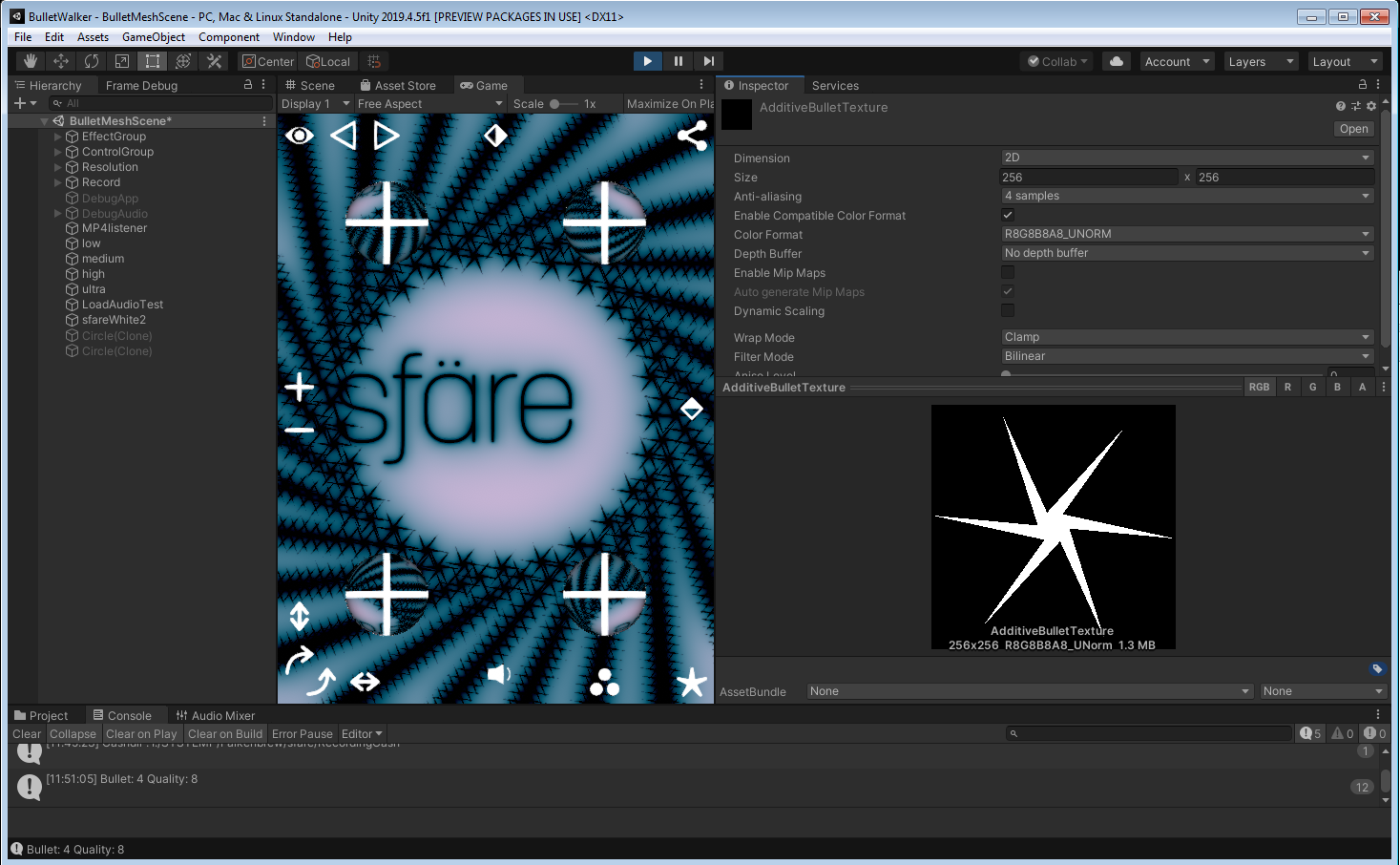
I have aliasing in my rendertexture and asked on the forum looking for a fix.
I received this reply: "Anti-aliasing works only on polygon edges, not on textures."
I have a hard time believing this is true, as a lot of stuff would look awful if it was true.
https://forum.unity.com/threads/blit-to-rendertexture-aliasing.1062527/#post-6864611
Unity Forum
I am using Graphics.Blit to fill a RenderTexture using a custom shader. The RenderTexture has Anti-Aliasing set to 4, QualitySettings.antiAliasing is...
grizzled flame
Yeah I don't think that's true either. There are two basic approaches to AA as far as I know:
- supersampling
- full screen postprocessing effects
neither of those approaches should care whether the boundary is actually geometry or just in the texture
versed quarry
I am just using Graphics.Blit into a RenderTexture. I assumed setting AA to 8 would do something, but I just get jaggies
I've tried various GraphicSettings but they don't change my result
 sand saffron
MSAA indeed only works on triangle edges
versed quarry
so how would I solve my problem?
and setting anit-aliasing to 8 samples on a rendertexture, what does it do??
"When a RenderTexture is using anti-aliasing, then any rendering into it will happen into the multi-sampled texture, which will be "resolved" into a regular texture when switching to another render target. To the rest of the system only this "resolved" surface is visible."
waxen lantern
versed quarry
"When a RenderTexture is using anti-aliasing, then any rendering into it will ha...
yeah, this is talking specifically about MSAA when forward rendering triangle meshes into a rendertexture
waxen lantern
versed quarry
so how would I solve my problem?
instead of using an anti-aliasing method that only works on triangle primitives (MSAA), use an anti-aliasing method that works in screenspace / texturespace like FXAA, SMAA, SSAA, TXAA, etc
some of the confusion here can come from documents that just assume you know references to regular plain old "anti-aliasing" is most likely MSAA.. because MSAA used to be the only anti-aliasing available from graphics APIs for real-time hw accelerated 3d rendering
versed quarry
@waxen lantern ok thanks! will check out those techs
 thorn hollow
How to avoid seeing the skybox with a second camera on the player with the HDRP pipeline? I know camera stacking isn't allowed, hence why I can't find how to disable the skybox. It should somehow be possible. Please ping me if answer
 turbid matrix
@thorn hollow set background type from second camera to none?
thorn hollow
it's set to that
when i change it to sky it becomes even worse, so much infact that you can't even see the objects anymore
turbid matrix
I suppose you can also set the sky in some global volume and not in default settings, add a layer to that volume and just ignore that layer in the secondary camera
thorn hollow
how do i do that @turbid matrix ?
turbid matrix
pretty much following those mentioned steps 🙂
take away the sky settings from projects settings->HDRP default settings->default volume (you may need to create new default volume if you are on older HDRP as it used to use asset from HDRP package itself in past)
then do similar setup on some volume you put on scene and mark that volume's gameobject with some layer you can use to identify it
then just choose not to render that layer on the second camera (just remove that option from that camera object)
I guess one could also do it the other way and just make a custom volume for the second camera if you can override the sky to be none on the sky volume setup (never done it this way)
thorn hollow
okay thank you i will take a look at it tomorrow. Done enough today 😅
 primal spruce
If anyone can help here. I am using URP. I have a cam pointed at the bucket pushing to a render texture. I am using that render texture on a quad (just to see the output). In the end I want to use an image of a group of objects on their own layer like the props here in the default scene. In the lower right it's saying this RT is 352mb. I can take a screenshot of the whole scene and it's 150kb. I need to keep the texture at 2048 to get the visual fidelity of what the cam sees, below that gets pixely. How do I take this rendertexture and spit out something that isn't bigger than the first hard drive I ever owned?
 waxen lantern
@primal spruce **render textures **are **uncompressed **and stored natively in gpu memory, that's why they are so fast and can be update every frame if need be. if you need the texture to update every frame you just have to put up with the uncompressed storage cost. --but if you don't need it to update and only need to "bake" it once or before scene load, you can store it in a **texture2d ** with **compression **as you only need to compress it once and decompress it once. this decompress is a slower process as it uses resources, but you can do it before the start of gameplay on scene load.
https://docs.unity3d.com/2020.2/Documentation/Manual/class-TextureImporterOverride.html
thin phoenix
Where can I go to learn more about rendering hair in Unity HDRP? I'm having trouble understanding the workflow for hair cards. In Blender's Eevee renderer, it's as simple as setting my hair material to use "alpha hashed" transparency and it looks beautiful. It doesn't seem to be possible to replicate "alpha hashed transparency" in Unity from my research, so what do I do?
 rigid stump
Hello! Is there a way to use text Mesh Pro in HDRP? I want to use it in 3d space
keen pivot
TMP works in HDRP
 tranquil saddle
In URP, using overlay cameras, I am struggeling with accessing the "Scene Depth" (shader graph node) from a previous overlay camera pass. It seems the depth buffer is not copied over in between overlay camera passes. Can I force this somehow?
I've outlined the problem here: https://forum.unity.com/threads/feeding-depth-into-the-next-pass-camera-stack-or-render-objects-feature.1062848/ but I've also found an earlier thread by someone else that remains unanswered: https://forum.unity.com/threads/overlay-cameras-are-missing-copy-opaque-and-copy-depth-passes.1024555/
I have found 4 threads now describing similar issues, all of them unanswered. Is this perhaps a bug?
rich spade
I would not say it's a bug as such, I would not expect the depth buffer to cumulatively add camera's together. This is something one would need to tackle manually with a custom renderer in my opinion. As with multiple camera's which depth texture is active when it's read by shader graph is not guaranteed to be the one you expect. A custom renderer writing to a separate texture for depth, while needing a little re-write in the shader gets around this and gives consistent results.
tranquil saddle
Yea, I agree that it's not a bug per se, but I feel that, looking at the 'camera stack' as a feature, it doesn't make a lot of sense that only the depth of the base camera end up in the texture. Especially since the docs specifically mention that "At the start of its render loop, an Overlay Camera receives a depth buffer containing depth data from the previous Cameras in the Camera Stack."
primal spruce
@waxen lantern thanks for the info. I am looking to take a snapshot of a group of dynamic meshes in game and then have that image available for the rest of the game. The cam and rendertexture are acting like a real life camera only for one frame (i think). So if I go cam -> rendertexture -> texture2d is that the most efficient way to get an image? Would it matter if I save the texture2d to the file system for the duration of the game or if I just keep it in memory? I have found this way is giving me the alpha I need to only show the meshes, not the camera background. Thanks for your insight!
rich spade
tranquil saddle
Yea, I agree that it's not a bug per se, but I feel that, looking at the 'camera...
just a quick thought, depending on your setup you can override depth texture on a per-camera basis. In theory if only one camera needs to render to depth, then you could switch the others to "off". But does depend on your situation and use case.
tranquil saddle
rich spade
just a quick thought, depending on your setup you can override depth texture on ...
How do you envision that? Because only the base camera has a property for using a Depth Texture. From the inspector at least. I can turn that off, but that leaves me without an option to have an overlay camera write to Unity's 'depth texture' instance.
rich spade
damn didn't think of that aspect, then your back to a render feature and manually stacking the output. Guess there's no simple way around it other than looking at why your using camera stacking and is there a better or alternative solution. Which you have probably already done and chosen camera stacking
tranquil saddle
Yea, I think a custom render feature for the depth copy is the way to go for now.
The reason I haven't been able to ditch the camera stack all-together is that I'm using a standardized Unity post processing stack in between two different passes, like so:
- render background things
- do post processing effects
- render more things
- do more final post processing
I realize that instead of (2) I can make a custom render feature that does a full screen shader pass or something, but I explicitly want to use the post processing stack that I have defined in the editor. I haven't found a way to cleanly interject that in between.
Thanks for your input, @rich spade Draydak!
dawn sorrel
Hope someone can help here. Is there a way to have runtime loaded Textures have MipMap Borders? This option only seems available within the Editor 😦
2019.4 / URP
broken lichen
dawn sorrel
Hope someone can help here. Is there a way to have runtime loaded Textures have ...
That sounds like an editor only import setting. Runtime generation of mip maps is done on the GPU and it doesn't have a setting like that.
dawn sorrel
broken lichen
That sounds like an editor only import setting. Runtime generation of mip maps i...
ok, thanks for the clarification
waxen lantern
thin phoenix
Where can I go to learn more about rendering hair in Unity HDRP? I'm having trou...
@thin phoenix the HDRP hair shader is used in this official tutorial project
the Hair master node is used to create realistic eyebrows, eyelashes, and stubble
from tweet: https://twitter.com/unity3d/status/1176185506620674049
link to tutorial project: https://assetstore.unity.com/packages/essentials/tutorial-projects/the-heretic-digital-human-168620


HDRP now ships with built-in master nodes for Hair, Eye, and Fabric. In The Heretic, the Hair master node is used to create realistic eyebrows, eyelashes, and stubble. #UniteCopenhagen
Brush up on HDRP: https://t.co/ekWuhltD4R https://t.co/azZrwtbX7m
Likes
143
 Twitter
·
Twitter
·

Get the The Heretic: Digital Human package from Unity Technologies and speed up your game development process. Find this & other Tutorial Projects options on the Unity Asset Store.
granted, the character is bald so at first i assumed it didn't use the hair shader
thin phoenix
Thanks for the assistance
I'm aware of this tutorial project and have already gone through it
Unfortunately it doesn't really translate to actual hair
waxen lantern
yeah i couldn't find any samples or tutorials of full heads of hair either
thin phoenix
My main trouble is alpha sorting
The hair cards I have are so dense that Unity doesn't know what to do I guess
This is why I draw the parallel to Blender
This so called "alpha hashed transparency" method automatically solves sorting issues, and with the immense popularity of both Blender and Unity it's surprised me greatly that I haven't been able to find information on this so far
waxen lantern
well i know of examples of hair rendering with VFX graph which does all the sorting on the GPU
thin phoenix
Would you be able to dig those up?
If it's VFX graph I assume it's particle systems though, wouldn't it be? Simulating hair strand by strand kind of like NVIDIA's Hairworks solution.
I'd have to completely rebuild my hair I would think
waxen lantern
@thin phoenix the vfx graph tutorial that peeweek released on youtube is individual strands of hair, yeah. though it could be cards / quads, quad strips
thin phoenix
I'm sorry, peeweek?
waxen lantern

This tutorial showcases interaction between Unity Visual Effect Graph and Houdini in order to bake point caches and signed distance fields.
Chapters:
00:00 Introduction
01:25 Houdini Setup
03:24 Houdini : Point Cache, Mesh, SDF
12:37 Unity : Set up Base Head / Hair
19:16 Growing Hair as Trails
27:34 Give Shape to the hair
29:42 Collide Hair wit...
peeweek = thomas iché. he works for unity on the vfx graph team in paris
thin phoenix
Ah, that would be why I wasn't finding him
Interestingly I got results for a channel also called "peeweek VFX" that was inactive and seemed incredibly amateurish lol
thin phoenix
You say VFX graph could take cards though? Where can I learn about that?
waxen lantern
@thin phoenix well this tutorial is already using particle quad strips, just 1 strip per hair. you could adjust by making the quad strip wider and texture mapping it with multiple hairs per strip instead of just one per strip
thin phoenix
Ah, but I would still have to groom from the ground up
I couldn't use my existing quad strips
waxen lantern
or if it's short hair just output particle quads instead of quad strips
waxen lantern
thin phoenix
Ah, but I would still have to groom from the ground up
you can provide VFX graph transformation and other attributes up front and just use it for instancing and rendering you don't have to use its particle simulator
it goes pretty deep in what you can do with it
it might require some custom property binder and or point cache baking to really integrate a groomed hair attribute content pipeline for vfx graph, though
thin phoenix
Hm, alright. I'll have to see what I can dig up I guess.
waxen lantern
@thin phoenix your other option is to find or write a sorting method for your existing system.
thin phoenix
My existing system is just the mesh imported from Blender with HDRP's Lit shader
I'm definitely a Unity beginner
HDRP's Hair shader produces even worse results with this particular mesh
waxen lantern
@thin phoenix you're not the only one anyway. we are left to do the sorting on our own currently https://forum.unity.com/threads/question-about-hair-master-node.971346/
Unity Forum
I am not familiar with the hair shader, and there is something I don't quite understand in the doc of the hair node,...
so it's expected that using alpha channel on hair cards will look bad without sorting, sadly
thin phoenix
I'm kind of back and forth between two engines right now. I've been essentially doing my entire project in both Unity and UE4 synchronously
UE4 does a far greater job at this hair stuff with a process that took me 2 minutes to do even as a beginner, it's a shame Unity is behind in this regard
waxen lantern
yeah unity is a behind in this regard i agree
vfx graph is the best bet i'd say i know work was or is being done to make it integrate with the hair shader
thin phoenix
I'm definitely not a fan of Unity's use of a so called "mask map"
I understand texture packing is good for shipping where optimized file compression and memory usage matters, but when the project is in its earliest stages where there's loads of iteration going on, having to pack my PBR textures into a "mask map" is really slowing me down
UE4 just takes my PBR maps as is
waxen lantern
@thin phoenix yeah i hear you... it should be part of the import process by default. and optionally you could (on import) select that you pre-channel-packed your texture data
@thin phoenix like these assets people made. but it should be built in https://assetstore.unity.com/en?q=channel packer
in some ways i think unity casts such a wide net to do "all the things" but it ends up being a much slower process to be making a product that does everything for everyone vs epic who focuses unreal engine on a certain segment of the market and a limited number of use cases and just doing that really well. then, whatever unity is behind on in those, it relies on its vast community to try and fill the gaps until they can catch up in that area.
@thin phoenix here is also a free texture channel packer tutorial, and download link in the second comment https://www.youtube.com/watch?v=Z7TysrGi0Z0

Let's create a texture channel packer for HDRP in 5 minutes. I hope you will enjoy it B-)
again it still 100% should be built into unity :P
thin phoenix
Ye I'm using one already
Just an annoying step
Very much a first world problem haha
It appears that I can get around it by creating my own shader graphs
waxen lantern
conversely unreal engine is really excellent if you fit into their target market / use cases, the workflows are amazing and rapid as you found with their hair tools. but then if you need something outside of the use cases that epic focuses unreal on, the community isn't quite as vast as unity's and the asset store for unreal is quite lacking. so it can be more of a challenge to find resources at times and for unique use cases.
so, by all means i recommend unreal for projects and teams that it happens to fit well for
for everything else.. there's unity™
thin phoenix
Sounds about right
waxen lantern
@thin phoenix i also encourage you to check out the graphics roadmap to see what's currently in development and what's planned or under consideration. you'll see there are 4 items about hair features on the HDRP roadmap. you can submit feedback to the graphics teams here by selecting one of those items and then selecting an option for "how important is this to you." a text input field will appear and you can explain your use case and/or tell them what blender eevee and unreal do that you'd like to see in unity, etc : https://portal.productboard.com/unity/1-unity-graphics/tabs/18-high-definition-render-pipeline
Product roadmap and feature requests. Welcome to our product portal.
@thin phoenix oh and speak of the devil! i just found the roadmap item for
Custom Texture Channel Packing
Allow to use or author separated material maps while still having an efficient texture packing at runtime.
thin phoenix
👌
 ruby siren
Hey guys.
Does anyone have some simple tricks & tips that could help me re-create HDRP shader graph for URP render pipeline? What to avoid, how to make the process a bit easier, and maybe there is some universal way to do so?
 eternal laurel
What version of the pipelines are you on? In most recent ones you simply add a urp target or something to the graph. Used to be called master node
 distant garnet
Hey guys. I'm using the panini projection postprocessing effect, but i can't find a way to properly project using WorldToViewportPoint for example. I'd need the inverse of the panini projection in the compute shader and I can't find any information about it. Anyone can help with that?
 blissful geode
Hello there, I have a problem with HDRP and VR. The planar reflection prob are bugged. Any idea how to fix this ?

The right and left eye doesn't reflect properly
 alpine zodiac
Can i get this shader to work in urp?

 scarlet hull
alpine zodiac
Can i get this shader to work in urp?
scarlet hull
alpine zodiac
Can i get this shader to work in urp?
Yes-ish. Unlit shader should work (you maybe have to give it a proper pass name)
You'll probably have a better chance by converting it to a shadergraph
whole fossil
guys, can someone explain what the hell happened to the volumetrics in hdrp 11.0.0? The visuals have degraded a lot for me and I cannot make it look as good as before. Event cranking all the settings up leaves me with the worse quality than in hdrp 8.2.0 - 10.0.0
this is on HDRP 10.0.0-preview.27

this is on HDRP 11.0.0

without changing any of the settings
 split quartz
How to do real time shadow blur in Universal Render Pipeline? From what I see, blur shadows are like a default in default pipeline
 strange maple
Hello guys
I am making a parkour FPS game
With URP
I tested it on my Comp and my laptop
It works fine
But is doesn’t on some other
Everything is pink
Btw the computers unable to run it
Have some low stats
 minor gust
maybe you need to update your materials?
strange maple
Like 2 gb Ram
strange maple
minor gust
maybe you need to update your materials?
Meaning?
minor gust
@strange maple would you mind sending a screenshot?
strange maple
My friend sent it a long while ago
And I can’t download it
But I can explain
Everything except the skybox and the UI is pink
Is it hardware?
minor gust
likely not
strange maple
Ok
minor gust
Go to: Edit > Render Pipeline > (ur render pipeline (I use URP)) > Upgrade project materials
eternal laurel
Is everything pink in a build? And the same build runs ok on other machines? Then his hardware probably does not support the shaders
turbid matrix
@whole fossil I didn't have time to do checks on the timeline of things but I do know volumetrics had this (and few related changes) https://github.com/Unity-Technologies/Graphics/pull/2272
GitHub
TL;DR Done various optimizations to volumetric lighting pass, in the template scene this lead to 4x times faster volumetric lighting pass. 6ms win on the template scene on PS4.
Note Anis' ...
for others, mentioning this because https://forum.unity.com/threads/volumetrics-quality-degraded-in-hdrp-10-2-2.1064645/
Unity Forum
Hi,
I would like to know what happened to the volumetrics in HDRP 10.2.2? The visuals have degraded a lot for me and I cannot make it look as good as...
whole fossil
hah, thanks! I strongly disagree with Visually is pretty much identical before/after (If desired can post the before after) 😄
turbid matrix
obviously they did test on the scenes they had in hand on their end
that doesn't mean there couldn't be regressions on some other scenes / settings..
 upbeat badger
change denoising mode to reprojection or both
alpine zodiac
scarlet hull
Yes-ish. Unlit shader should work (you maybe have to give it a proper pass name)...
I'm very familiar with blender's nodes but i have no idea how to use these
 final lichen
Hi, I would like to know if their is a way to "render the shadow" on another Camera using the 2D Renderer (URP). I would like to make the shadow rendered with a low resolution (using the Pixel Perfect component) while not using it for everything else in the scene
waxen lantern
whole fossil
hah, thanks! I strongly disagree with `Visually is pretty much identical before/...
i dealt with this as well and was able to get back to the desired quality. afaik this is something to do with the way quality settings profiles apply to volumetric lighting now instead of being limited to explicitly adjusting the volumetric fog override properties. the quality settings can be adjusted to look how you expect it's just that the properties have been reworked to be more implicit and flexible by default in a way that doesn't directly translate to the previously explicit / manual only properties .
or as pierred_unity at unity said in the forum thread @turbid matrix linked above
Using the new Balance mode is a lot easier, you just set the cost, and then the ratio, and it will maintain the cost constant. The previous Manual method was very tedious when trying to maintain the cost, as it was nearly impossible to tune the XY quality and Z quality easily.
granted it was frustrating to figure out what changed in the settings and defaults and adjust to this, but visually it can be identical. it just took some time to get familiar with the new quality settings / properties. i found that creating a new HDRP template project and using those quality settings as reference for what to set in my own project was helpful as well.
dawn sorrel
Hello?
 dawn sorrel
I hope i can get some help here, i am confused as to where and how to add SSAO to my scene, with barebones unity. I thought there would be a built in feature for it. ? Any kind of realtime ambient occlusion - unity 2019.4.1f1
I was told that i should bake it via GI, but i need it in real time
 lofty plinth
Hey guys, I am a complete beginner and midway through the project I found out that I need URP. But why is it that when I apply universal render pipeline, it screws up your lights, materials and post processing even after upgrading materials
waxen lantern
@dawn sorrel yeah SSAO is available as a post processing effect named "Ambient Occlusion" see here for more info on how to set it up: https://docs.unity3d.com/Manual/PostProcessingOverview.html
dawn sorrel
Ok so URP is not built in and i have to download and install it in my project
waxen lantern
lofty plinth
Hey guys, I am a complete beginner and midway through the project I found out th...
That's the nature of the beast. only so much can be automatically converted. Any materials with custom shaders have to be manually upgraded by hand / in code. Here are the material shaders that are auto upgraded. if it's not on list it's considered a "custom" shader and needs to be manually upgraded. if it's from an asset you purchased you can check if the asset publisher has already done so and has URP shaders available: https://docs.unity3d.com/Packages/com.unity.render-pipelines.universal@10.3/manual/upgrading-your-shaders.html
there are other improvements like with lighting that doesn't directly translate to how built-in RP works and need to be manually adjusted.
waxen lantern
dawn sorrel
Ok so URP is not built in and i have to download and install it in my project
built-in RP supports Ambient Occlusion as well. the post processing document i posted above goes over all this. though you may want to use URP or HDRP depending on the goals of your project and what platforms it is targeting. they all support Ambient Occlusion in any case
lofty plinth
waxen lantern
That's the nature of the beast. only so much can be automatically converted. Any...
Oh wow that's interesting.. Though what do you exactly mean with the lighting. I really did not think that simple unity point lights could be destroyed by URP
waxen lantern
@lofty plinth hmm the lights shouldn't be destroyed, but their properties likely need to be adjusted as the way lighting works was fundamentally changed.
dawn sorrel
I think im on the same page as Roxd at the moment, my entire scene is now purple.
waxen lantern
sounds about right
lofty plinth
Without URP and
With URP🥴
 waxen lantern
render pipeline migration is no small task unfortunately unless you were only ever using unity default materials / shaders.
the render pipeline is more of less one half of the entire engine. you're keeping the back end of the engine that manages behavior, logic, physics and replacing the entire front end of the engine. not much is directly compatible with the old Built-in RP... or if it had been Unity would have kept tacking band aids on to the Built-in RP but it was too "long in the tooth" to keep tacking features onto.. so they had to start over.
so in a way the difficulty of migration is similar to porting your game to another engine... but limited in how it appears not how it functions
dawn sorrel
ok uhm... uh... uhm.. Why are my legacy / mobile diffuse shaders all purple. What do i actually have to do to let URP work with it, all i literally need is realtime SSAO or AO.
waxen lantern
@dawn sorrel what i told @lofty plinth here is the most i can assist with this unfortunately. it's not easy in most cases: #archived-hdrp message
lofty plinth
Damn thank you so much @waxen lantern still, I am definitely noting it down had no idea how it works. Beginner mistakes starting without it
waxen lantern
@lofty plinth oh no worries i mean Unity advertises all the improvements for these new render pipelines and it's tempting to migrate your entire project but it's a large undertaking that may require significant graphics programming knowledge especially if there are non- default shaders involved which is very common. But honestly for many projects and teams... unless they have the resources for a render pipeline migration, they are better off sticking with Built-RP for their current project, but consider URP or HDRP when starting fresh for new projects.
dawn sorrel
ill follow the 'upgrade your shaders documentation' i guess
waxen lantern
similar to how changing engines mid project would be a major undertaking.. this is roughly 1/2 of that effort for the countless projects with custom shader and rendering code.
it's possible by all means but if you're not sure you have the time/resources to migrate to a new RP for the size of your project, i'd hold off or revert to your last backup and stick with built-in RP.
lofty plinth
waxen lantern
it's possible by all means but if you're not sure you have the time/resources to...
I personally wanted to create a water shader for my project so I am assuming there's no way to do that with built in RP?
waxen lantern
lofty plinth
I personally wanted to create a water shader for my project so I am assuming the...
you can totally do that with Built in RP
lofty plinth
waxen lantern
you can totally do that with Built in RP
I guess just need to browse older tutorials when URP wasn't a thing 🥴
waxen lantern
yeah fortunately there are still a ton of resources for Built-in RP and it's still supported by Unity
dawn sorrel
waxen lantern
yeah fortunately there are still a ton of resources for Built-in RP and it's sti...
scuse me London.vfx sorry to take your time further, ... i upgraded my shaders to urp, and most of them worked becaue they used a legacy standard diffuse in unity.
But how do i update the terrain?
ill fiddle with the terrain textures, theres a shader there - Nature/terrain/standard
waxen lantern
@dawn sorrel take a look at the URP terrain shader in the list here: https://docs.unity3d.com/Packages/com.unity.render-pipelines.universal@10.3/manual/upgrading-your-shaders.html
and try setting it to that
 dawn sorrel
waxen lantern
<@456226577798135808> take a look at the URP terrain shader in the list here: ht...
dawn sorrel
waxen lantern
<@456226577798135808> take a look at the URP terrain shader in the list here: ht...
Thank you, i upgraded the terrain shader
waxen lantern
dawn sorrel
Why do i not get a option to add SSAO as is in documentation?
hmm i think because SSAO only got added to URP recently. update: okay yeah Released - 2020.2 on the roadmap https://portal.productboard.com/unity/1-unity-engine-graphics/tabs/3-universal-render-pipeline
Product roadmap and feature requests. Welcome to our product portal.
alpine zodiac
scarlet hull
Yes-ish. Unlit shader should work (you maybe have to give it a proper pass name)...
I have no idea where to start with that..
dawn sorrel
waxen lantern
hmm i think because SSAO only got added to URP recently. update: okay yeah Relea...
uhm, .. are you saying that theres no SSAO for unity 2019.4.1f1
... i may just revert back to basic built in and bake i guess.
waxen lantern
dawn sorrel
uhm, .. are you saying that theres no SSAO for unity 2019.4.1f1
correct. you'd need to upgrade from 2019.4 to 2020.2. fortunately it's not that major of an upgrade it's just the next point release.
waxen lantern
dawn sorrel
... i may just revert back to basic built in and bake i guess.
but yeah you could certainly stay on 2019.4 LTS and Built-in RP. you don't have to bake to get AO, there is SSAO in Built-in RP
@dawn sorrel The information on that is all here in the post processing overview doc: https://docs.unity3d.com/Manual/PostProcessingOverview.html

you can also bake AO, but you don't have to
dawn sorrel
I have bit of trouble figuring out how to turn on AO or make AO appear in my scene, but ill delve into that deeper, again thank you very very much for your time.
waxen lantern
@dawn sorrel Sure thing. the items i circled should get you on the right track if you decide to stick with 2019.4 and Built-in RP. Or, if you decide to stick to URP, I think you'd just need to upgrade your project to Unity 2020.2 which you can do using Unity Hub. then the options should match the latest documentation
dawn sorrel
thank you, ill delve into the built in RP, i must have done something wrong, it didnt change much in my scene - the AO
mortal forge
Hey all, making a postpro effect on URP, and it seems as though the URP (or maybe it's 2020.2) editor window just rolls the dice on where it puts inspector variables, literally randomizing the order they go in (not alphabetical, not how they are listed in code). Does anyone know how it sorts them on the backend?
rigid stump
Hello, in my Project, TextMeshPro doesnt work anymore with HDRP. Instead of Text, there are just white boxes. How can i fix this?
 crystal pilot
 I think I broke it

Loaded a new HDRP 2021.2a6 project and the walls... got mismapped somehow
rigid stump
rigid stump
Hello, in my Project, TextMeshPro doesnt work anymore with HDRP. Instead of Text...
And the shader "distance Field (Overlay) just shows nothing
crystal pilot
rigid stump
Hello, in my Project, TextMeshPro doesnt work anymore with HDRP. Instead of Text...
Unsure what is going on per se, I just tried on my blank project (HDRP 12; Unity 2021.2.0a6) and text works fine

If you are using camera space, you may need to adjust your plane distance On the canvas
To something like 0.15 (this is dependent on your camera near plane)
 agile stirrup
some elements of the world-space UI you see here turn invisible when viewed from a certain angle.
can someone please tell me what's the reason for this behaviour or how to prevent it?
I noticed that assigning a material improves this effect, but it's still present even with most materials I chose
scarlet hull
alpine zodiac
I have no idea where to start with that..
Try adding Name "Unlit" at the begining of the pass, like in the URP lit shader here : https://github.com/Unity-Technologies/Graphics/blob/master/com.unity.render-pipelines.universal/Shaders/Unlit.shader
GitHub
Unity Graphics - Including Scriptable Render Pipeline - Unity-Technologies/Graphics
agile stirrup
it seems to have to do with the z-positioning, ordering or sorting of certain elements, but I dont get why it behaves different with a different material...
sorry to triple-post, but I needed to add this video too
trim bone
what happened to the shadow resolution setting in the urp asset? only cascades and no ability to set resolution directly?
turbid matrix
@trim bone I'm guessing either it's hidden somewhere or they moved the resolution to lights etc
last time I checked the resolution option was still there
(and it wasn't that long ago, more like on recent betas etc)
alpine zodiac
I installed URP but it won't let me select it as a rendering pipeline in my project settings
 turbid matrix
read "Getting started"
basically you are missing URP asset because you either haven't created one or your template didn't provides you one
alpine zodiac
I installed it from the package manager, and i didn't start the project in URP
Luckily, there's not toooo many shaders/materials in it
turbid matrix
you can convert or config it from scratch too even if you don't start with URP template
alpine zodiac
I've actually done this before, but i went back because franky it scared me with how new it was
turbid matrix
but docs should cover the steps
either way, your current project simply doesn't have URP asset to assign, URP package doesn't provide you one, it has to be on your project itself
turbid matrix
then you started with URP template or you had URP project to begin with
from the getting started section I mentioned: https://docs.unity3d.com/Packages/com.unity.render-pipelines.universal@11.0/manual/InstallURPIntoAProject.html#creating-the-universal-render-pipeline-asset
alpine zodiac
Aight thanks
 dusty depot
Can someone help me how i can address the color in this through my script, i can't figure how to change its values or even get the component in my script.

 scenic jay
you can use the set Color methode
https://docs.unity3d.com/ScriptReference/Material.SetColor.html
or use a MaterialPropertyBlock
https://docs.unity3d.com/ScriptReference/MaterialPropertyBlock.html
in either case you will need to know the name of the color property you like to change
@dusty depot
 gilded maple
I updated my HDRP project to the latest editor version
 dusty depot
scenic jay
you can use the set Color methode
https://docs.unity3d.com/ScriptReference/Mater...
dusty depot
scenic jay
you can use the set Color methode
https://docs.unity3d.com/ScriptReference/Mater...
I still can't get it to work, gonna tackle it tomorrow i guess, thanks for the help tho.
 supple orchid
I'm using the Universal Render Pipeline, and I am getting pretty low quality shadows when turning at certain angles, or sometimes constantly. Does anyone know why this is? I've turned up the Anti-aliasing and enabled HDR

 sage radish
I have a problem with my post-processing in URP, I can't see any glow or other effects. I have read in the unity doc that I have to turn on HDR rendering
where can I turn it on?
@ me if you have something 🙂
sage radish
I made firework with brackeys' tutorial, but I don't have this nice glow in the post processing

I also made a capsule as a reference for me with a glowing material and it also isn't glowing
broken lichen
You need bloom


 iron flame
sage radish
I have
iron flame
sage radish
I have
HDR active?
broken lichen
You're using URP? It looks like you are using the Post Processing Stack v2 package, but URP already has its own built in post processing.
I'd recommend using the built-in one.
sage radish
broken lichen
You're using URP? It looks like you are using the Post Processing Stack v2 packa...
I thought I need it
broken lichen
iron flame
this URP PP volume
 broken lichen
URP is not compatible with the post-processing version 2 package.
iron flame
broken lichen
> URP is not compatible with the post-processing version 2 package.
was supported in older versions.
sage radish
noooow it works thanks guys 🙂
thorn hollow
If I want to create a game with very good graphics, but also VR support, would it be better if I choose HDRP for its graphics or is URP also sufficient for creating great graphics? URP has better performance, which is important for VR, but I'm not sure about the graphics quality you can create with URP
broken lichen
@thorn hollow Could you name some examples of other VR games with the type of graphic quality you want to achieve?
thorn hollow
broken lichen
<@!297777621129756672> Could you name some examples of other VR games with the t...
half life alyx' lighting graphics and overall the forest type graphics is what i'm thinking about
broken lichen
Some things from Alyx will require some work to achieve in URP, such as volumetric lighting.
But I personally would never consider using HDRP for a VR game, because of the performance overhead.
I'd say Alyx render pipeline is closer to URP. Forward renderer, MSAA
thorn hollow
would it be possible to achieve stunning graphics in urp? I hear everyone saying it's for mobile devices, etc
broken lichen
It's absolutely possible, especially if you can bake most of the lighting
Alyx's stunning lighting is thanks to most of it being baked
thorn hollow
but what if I want to have a lot of non static lights like torches which can be lit/unlit?
broken lichen
Can you throw out an estimate of how many lights you'd need?
thorn hollow
maybe 50 per scene
broken lichen
Do you have any reference image for what this would look like so I can get a better idea? Preferably from another game, not necessarily VR.


 broken lichen
And you'd like for all of these to be dynamic? So they can be turned off and moved?
thorn hollow
exactly
broken lichen
Assuming the cave walls are mostly one mesh, that will not be possible in URP because URP has a limit of 8 realtime lights per object/mesh.
That is, until the deferred renderer is available in URP
Which I think maybe it is already?
thorn hollow
broken lichen
Which I think maybe it is already?
I am not sure
rich spade
don't believe deffered yet in URP.
shadows for point lights in URP is NOW available in beta though
broken lichen
*now you mean?
rich spade
sssh sneak edit
thorn hollow
hmm this makes it a tough decision
broken lichen
This lighting definitely looks like it fits better with deferred. I can't see that you can bake much of this.
But there are times where you have to sacrifice some of your vision to be more realistically achievable.
How important is it really that you can turn these lights off?
Are they meant to be placed by the user?
thorn hollow
It was meant to be a main feature, but I can rethink that decision
broken lichen
A game where the main feature is to turn lamps on and off?
thorn hollow
That’s not what i mean lol
Like when something happens in the environment all lights turn off
broken lichen
Oh well that's a little different.
thorn hollow
They don’t have to be movable
broken lichen
If you don't need to be able to control each light individually, you can do some tricks like swapping out lightmaps when they are supposed to turn off.
thorn hollow
And if they do have to go individually in an order?
broken lichen
That's more difficult
If you go with HDRP and make it fully dynamic, you're paying a high cost to avoid needing to do tricks like this.
But almost no AAA game has no baked lighting. It's just not possible to achieve that photorealistic lighting without baking it.
thorn hollow
Okay so if I’m understanding this correctly, I should either; - use hdrp and reduce the overall graphics to keep performance or - go with urp and bake lighting in a tricky way
If I want vr support*
Or just remove the dynamic lighting feature and go with urp
broken lichen
Oh, deferred rendering is apparently not supported in VR with HDRP
Not volumetrics either
thorn hollow
Which is important for vr?
broken lichen
No, most VR games are not using deferred rendering. But deferred rendering allows for many more realtime lights compared to forward.
thorn hollow
So neither urp or hdrp support deferred lighting for vr
broken lichen
Doesn't appear so. But most VR games use forward rendering anyway.
rich spade
IF it's a must have I'd be tempted to go with what MentallyStable said about breaking up the tunnel, I imagine 8 lights could go a fair distance and some creativity around any seems would hide any overlap.
broken lichen
Baked lighting in a tunnel like that would look soo much better though, because you're going to get all that global illumination bouncing around.
broken lichen
And you could fake some light flickering with a custom shader on the tunnel surface
thorn hollow
broken lichen
And you could fake some light flickering with a custom shader on the tunnel surf...
I’m losing track of the possibilities in both pipelines. Which would suit best if I just want all lights to turn off and flicker like that?
broken lichen
I'd say regardless of which pipeline you choose, baking the lighting will always ensure the highest quality. If that is your goal, then you should be able to achieve that in URP as well as HDRP.
thorn hollow
As for hdrp, I’m sure you can reduce the graphics to match urp performance, right?
broken lichen
No, highly unlikely
If that were possible, there would be no reason for URP to exist
thorn hollow
Aww man never thought this would be such a tough choice, haha
broken lichen
I'd say go with URP.
I've never considered HDRP a realistic choice for a VR application and I've yet to see someone use it outside of enterprise use-cases.
thorn hollow
Do you know any games which use urp?
broken lichen
Not off the top of my head. It's still so recent that it wasn't an option for developers of the games that are out today.
thorn hollow
Okay thank you for this conversation, I’ll most likely port my game from hdrp to urp soon
turbid matrix
@broken lichen you were looking at really old HDRP version, this is for current: https://docs.unity3d.com/Packages/com.unity.render-pipelines.high-definition@10.3/manual/VR-Overview.html
most of HDRP functionality works in VR too, including volumetrics (afaik anyway)
it's another thing which are actually feasible to use in VR perf wise
HDRP itself is notably slower
(than URP or built-in in VR)
@thorn hollow but yeah, pick URP or built-in for VR and you will be having a better time
that being said, there are perf issues atm on URP with 2020.2+ (on both desktop and VR, Unity is investigating it)
broken lichen
turbid matrix
<@!153952447516114944> you were looking at really old HDRP version, this is for ...
Thanks, this is not the first time Google has returned old documentation as the top result.
turbid matrix
yeah, google tends to do that :/
at least nowadays it suggests new enough pages to have that version dropdown so you can manually swap to recent release..
thorn hollow
turbid matrix
<@!297777621129756672> but yeah, pick URP or built-in for VR and you will be hav...
thanks, will do
that being said, how do I easily convert my hdrp project to urp?
turbid matrix
need to manually swap the shaders for your materials, unless you script it (or if you only use shader graphs, you can just swap the SG targets on the URP / HDRP 10)
waxen lantern
thorn hollow
So neither urp or hdrp support deferred lighting for vr
HDRP does support Deferred in VR
Here’s a very quick overview of the features available for your VR projects: Deferred and Forward rendering...
but like @broken lichen was saying, most VR projects still use Forward as the performance overhead of Deferred in VR is very high. And because you need Forward for MSAA which looks better in VR than other AA. aside from SSAA (super sampled) which is extremely expensive on performance . https://blogs.unity3d.com/2020/03/12/creating-immersive-photorealistic-vr-experiences-with-the-high-definition-render-pipeline/
this article is a bit older too when HDRP hit verified release. But safe to assume that that the feature support is at least what is described here.

Unity Technologies Blog
We’re officially bringing virtual reality to the High Definition Render Pipeline (HDRP). In 2019.3.6f1 and after with package version 7.3.1, HDRP is now verified and can be used in VR. This blog post takes a technical dive into using HDRP in your VR project. To learn more about all the possibilities that HDRP offers, take […]
 viscid solstice
Hey @turbid matrix, could you help me understand something with documentation?
If I read this correctly, https://docs.unity3d.com/Packages/com.unity.render-pipelines.high-definition@10.2/manual/Frame-Settings.html
With frame settings, you can override what current volume is being rendered to the camera, by forcing certain elements to be off correct?
waxen lantern
@viscid solstice you can disable volume rendering features like fog or volumetrics altogether in frame settings. but you can't override / change the current camera's volume from one volume profile to another volume profile in frame settings.
(i'm not exactly sure which you are asking about.)
viscid solstice
waxen lantern
<@209129015154311171> you can disable volume rendering features like fog or volu...
you can disable volume rendering features like fog or volumetric altogether in frame settings
This is all I needed to here. The logic of changing the setting is confusing tho
thorn hollow
waxen lantern
HDRP does support Deferred in VR
> Here’s a very quick overview of the features...
Okay thanks. I’ve already converted my project to urp since I decided I prefer compatibility over graphics quality.
waxen lantern
@thorn hollow sounds good. yeah URP seems like the best bet for mass market VR at least for this era anyway.
dawn sorrel
Good night everyone, did anybody face editor issues with a plain empty hdrp scene taking up 100% cpu usage?
I've spent all of yesterday's (friday) night and today's evening trying to understand why the Volvo HDRP Sample didn't "work" on my 2020.2.0f1 - 16GB - 1660ti - win10 PC. Guess what? Dx11 to blame! Changed to Vulkan API and Presto! Smooth as silk! 😄
Now, the real question: are we still going to wait much longer for anything like hdrp for android? 🙂
 pallid pike
Is it possible to achieve Blender Eevee level realism in Unity, even if not for a complete game, atleast for a realtime showcas?
drifting vault
pallid pike
Is it possible to achieve Blender Eevee level realism in Unity, even if not for ...
yea, use HDRP
trim bone
anyone know where Rebuild and resave all visual effect graphs got moved to in 2021.2.alpha / v12.0 of renderpipelines/vfxgraph?
waxen lantern
dawn sorrel
Now, the real question: are we still going to wait much longer for anything like...
the next generation (or gen after next gen, etc) of mobile hardware with sufficient API support and compute power increase on an order of magnitude must come before software support for HDRP can be delivered. mobile GPU vendors like Imagination / PowerVR are working on it. As is Qualcomm, Apple, Samsung, etc. The ball is in the vendors' court right now, so to speak : https://www.imaginationtech.com/blog/the-unity-high-definition-render-pipeline-powervr-meetup/
viscid solstice
In regards to FrameRender Settings, does anyone know how to modify cameraSettings.renderingPathCustomFrameSettingsOverrideMask.mask[(int)FrameSettingsField.MaterialQualityLevel] = true; on a per level basis?
viscid solstice
I understand this allows us to access the ability to set custom frame settings
but how does one access the ablity to SET them after enabling them?

You think you got any idea @waxen lantern
ruby siren
Hi. Does anyone know if there is an equivalent of HDRP DecalProjector in URP?
scarlet hull
ruby siren
Hi. Does anyone know if there is an equivalent of HDRP DecalProjector in URP?
Not provided. But some assets exsts.
 ruby siren
I've been looking at this one, wasn't sure if there is a native way to make it work. Thanks!
ruby siren
Unity doesn't seem to be able to read those Kink3d decals, using version 2020.2.1f1. Does anyone have any alternatives?
scarlet hull
Ultimate Decals in the asset store
rich spade
ruby siren
Unity doesn't seem to be able to read those Kink3d decals, using version 2020.2....
I use this for some basics initially, good version to get you started which does not have lighting is https://github.com/ColinLeung-NiloCat/UnityURPUnlitScreenSpaceDecalShader
For a shader graph version, which you can then add lighting and shadows too etc. I started with https://github.com/Harry-Heath/URP-Decal-Node
but I modified it slightly for better clipping and then built on that.
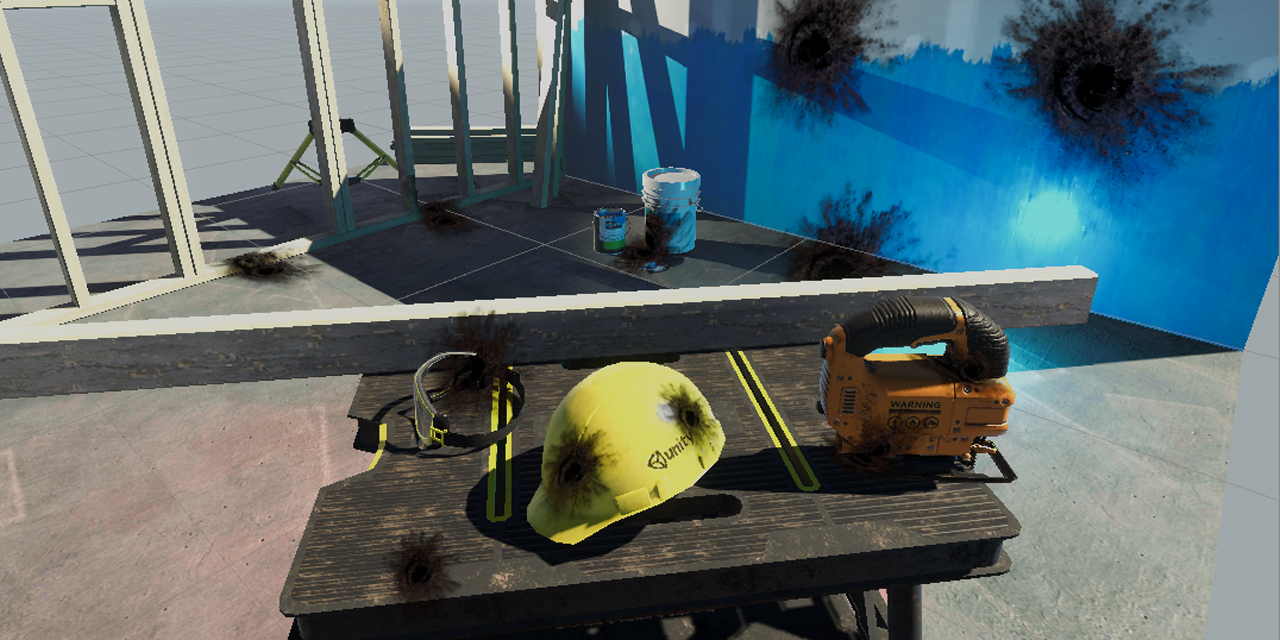
GitHub
Unity unlit screen space decal shader for URP. Just create a new material using this shader, then assign it to a new unity cube GameObject = DONE, now you have unlit decal working in URP - ColinLeu...

GitHub
A node for Shader Graph that allows you to create custom decals. - Harry-Heath/URP-Decal-Node
ruby siren
Thank you! Will check it out
 elfin aurora
I'm looking for some advice
I am developing for VR usinng steamVR.
I need to have realistic graphics, I tried using hdrp + vr but it caused problems with steamVR
Any suggestions?
elfin aurora
@turbid matrix I'm trying the regular URP righ tnow
The steamVR default controllers show pink, but other than that this seems enough for my project
 viscid solstice
Does anyone here knows how to access and modify the active render mask? for FrameSettings under HDCameraData
I'm trying to figure out how to change the camera bloom config
 real horizon
hm.

hmmm..

Well.
The pipeline is universal, unless im doing something worng
*wrong
but it's saying it's using hdrp's building thingy?
I don't know the technical terms :/
Don't you love it when you send something to get help, then realize what the problem was
turbid matrix

Unity Forum
Hi everyone,
We would like to update you on our plans for Global Illumination in 2021. Over the past year, we’ve received your feedback, and we truly...
TL:DR: Enlighten will be supported on 2021.2+ URP and HDRP, until Unity 2024 LTS ends
so... I guess they brought it back for 3 more years since they haven't come up with their own GI solution yet
I was hoping to hear more about that but blog post didn't mention anything but saying it's not happening on 2021 cycle
eternal laurel
just to make sure URP does not have a layered shader like HDRP right ?
I want to make sure before I go ahead and make one
scarlet hull
It doesn't
If you're going to make yourself a layered shader for URP, I'd suggest that you take a look to this if it's not already done 🙂
https://blogs.unity3d.com/2021/02/24/experimenting-with-shader-graph-doing-more-with-less/

Unity Technologies Blog
You can improve the runtime efficiency of your shader without sacrificing the quality of your graphics by packing physically based rendering (PBR) material information into a single texture map and layering it into a compact shader. Check out this experiment.
dawn sorrel
That one is more about crappifying your art pipeline to win some perf on mobile 😛
viscid solstice
   public void RemoveOpaqueObjectsFromRendering()
    {
        HDAdditionalCameraData hdCameraData = cameraToChange.GetComponent<HDAdditionalCameraData>();

        hdCameraData.renderingPathCustomFrameSettingsOverrideMask.mask[(int)FrameSettingsField.OpaqueObjects] = true;

        hdCameraData.renderingPathCustomFrameSettings.SetEnabled(FrameSettingsField.OpaqueObjects, false);
    }
I tried changing frame settings here, and it didn't seem to work at all
I'm using the HDRP Pipeline
 rich tide
First time using HDRP, I'm trying to add this to an existing project so that I can work on some shadergraphs and it's broken a lot of my pre existing textures , ive upgraded project mats, scene mats, terrian mats etc to HDRP, and yet I still have a tonnnnn of purple mats. Is there a way to cleanly import HDRP? I've tried everything available in the HDRP wizard
eternal laurel
@scarlet hull i have been looking at this for a couple of days. Do you think it's applicable for a floor in a VR game ? I think it might be.
scarlet hull
rich tide
First time using HDRP, I'm trying to add this to an existing project so that I c...
The materials upgrade only work for the built-in "standard" shaders. Anything else or custom will not be upgraded to HDRP and you'll have to do it manually
scarlet hull
eternal laurel
<@532477925250039820> i have been looking at this for a couple of days. Do you ...
If you're aiming for standalone VR (oculus quests) I think it's a good idea. Even with what @dawn sorrel said ( :p ), the performance gain is here, at the cost of a bit more manual work on the art pipeline : that could be automated in unity editor side with some custom importers, tools, or even just custom render textures.
Or Mixtures 😄
eternal laurel
It's not standalone VR but we still have a rather dense scene with lots of objects. Right now we have it down to 7ms on the index resolution. I might try moving the entire environment to this type of shader. We are already atlasing everything so it will be interesting if we get a perf boost out of it
 edgy tree
Hi. I'm using HDRP and I saw in some level design video someone using a huge projector with some wet/rain shader over the ground.
How bad is projector performance in HDRP if you put it over whole map?
My other options are smaller projectors for decals (there would be hundreds of them though) or maybe using compute shader to write to terrain splat or make custom terrain shader.
uneven roost
Are they custom shaders @rich tide ?
Unity will only convert the standard shaders over to HDRP
turbid matrix
https://github.com/Unity-Technologies/Graphics/pull/3747:
This PR Adds a new control mode for ray traced reflections and ray traced global illumination. This new mode combines both ray marching and ray tracing to solve visibility. This allows for both potiential peformance boost and access to details that cannot be stored in the RTAS (Decals or opaque particles). The option can be found on both volumes and are only comptaible with the performance mode.
 heavy ice
You even copy paste my typos
turbid matrix
wouldn't be a quote otherwise 🤔
turbid matrix
I still haven't tested this, is there notable difference when you go from SSR to RTR on the reflected surface?
heavy ice
Slight artifacts, but nothing major really
turbid matrix
pretty sure it looked quite different color wise when just toggling SSR and RTR itself
heavy ice
What i mean is you won't get much of a difference going from Ray Tracing To Hybrid
Hybrid is not SSR
SSR is its own thing
turbid matrix
oh? I thought it used SSR for parts that existed SS, my bad 🙂
heavy ice
Nupe, different implementation for many reasons
anyway give it a try and send some feedback if you find stuff not working good for your usecases
turbid matrix
does the hybrid work with vertex offset in shaders or is that still out of the question?
(yes I ask a lot about that)
turbid matrix
I'll try to give it ago tomorrow 🙂 this probably doesn't require engine side changes so it runs on 2021.2 alphas?
heavy ice
nah