#archived-hdrp
1 messages · Page 64 of 1
 dawn sorrel
 sinful locust
each green box is a seperate realm and each realm has its own skybox/renderingdomain/soundscape which I dynamically turn on and off as player moves through realms.
 round moss
also guys why is unity 2020 stuttering so much
dawn sorrel
Isn't for me
sinful locust
swirl - the above doesnt use any signifcant memory.
dawn sorrel
2020.2?
round moss
yeah
sinful locust
and I dont need to have anything running in the volumes the player isnt in.
dawn sorrel
sinful locust
swirl - the above doesnt use any signifcant memory.
Interesting. I've just never seen it done like this before.
sinful locust
well I have specific requiremetns that constrain me. Floating point accuracy from origin in a multiplayer game is a pain =). This lets me keep everything close to origin but allows me to hide everything from view that isnt needed for local player.
basically only render stuff that the player should see, or at least thats the plan 🙂
dawn sorrel
I thought those were post-processing volumes.. I think I'm just really confused lol 😅
sinful locust
physical skybox is overloaded in there as well for example
different day/night cycles, different skyboxes, different atmospheric effects etc..
dawn sorrel
dang
sounds complicated
mine's a singleplayer world so I don't have to worry about stuff like that lol
sinful locust
complicated is my middle name lol 🙂
dawn sorrel
I like just finding the best balance of visual/functional quality, and performance optimization/importance. Just that mental process alone is enjoyable, lol
Makes me feel like I'm actually making a thing
round moss
i'm using unity 2020.2 and i just got stuck why is the performance acting weird tho
i mean it was good at 2019 version
dawn sorrel
could you provide some context of what you're trying to do?
Is it a new project or an old one updated?
And which pipeline?
dawn sorrel
Ah yea
dawn sorrel
I tried using HDRP in 2020.2 and the results were laggier than I remembered
and also updating a project can cause some issues as well
URP though for me has been about the same
round moss
so should i create a new project?
dawn sorrel
I'd suggest just using 2019 if that was working fine for you
HDRP's updates in 2020.2 are less significant I think than URP's
It added SS Global Illumination and cloud distortion, but both of those are still in preview and probably fairly buggy.
 plain mural
ive had good experiences so far with ssgi
but i have another question; im trying to setup multiple cameras and camera stacking in hdrp, and it looks find before i enter playmode, then it looks like this in playmode (pictures coming)
dawn sorrel
Unless you're tryna make something photo-realistic for an animation or something, I see no need to update right now. Regular light probes work just fine for most cases.
plain mural
dawn sorrel
Unless you're tryna make something photo-realistic for an animation or something...
i upgraded from 2020.1 to 2020.2 and could not be happier. from the new template scene to the lightmapper improvements to reorderable lists, im enjoying it
anyways, you can see the 2 pictures above. im trying to render the scene with dynamic resolution on the main camera, and a second camera that outputs to a rendertexture with no dynamic resolution. then i have a third camera that i want to render just the quad with the render texture
and it just bugs out
any thoughts on how to fix?
wait a sec
it doesnt work because of the dynamic resolution scaling, the upscaling isnt being applied
round moss
yeah i think 2020.2 performance is not good on medium pcs
i tested the project on 2019
 cobalt idol
Cross posting here from shaders because I'm not really sure whether this is a render pipeline question or shader question. I'm trying to copy the depth buffer from one render target into another. It seems I can only access RT0 from the render target though #archived-shaders message
eg if I do buffer.SetGlobalTexture("_MainTex", _TempTarget); I can access the color (RT0) from the _TempTarget render target in my shader, as the _MainTex texture. Is there a way I can also access Depth from _TempTarget?
 cunning zodiac
Hello, i'm running into a bug where I have one camera rendering to a render texture, and I use that texture in a material that is rendered by the main camera. Works fine in the editor, but when I build it turns blank. When using the frame debugger I discovered that the build version is not calling RenderLoop.Draw. Does any one know why would that happen?
Using Unity 2020.1.7f, with URP and a 2D Renderer. Building for Windows using IL2CPP and .NET 4.X, using DX11 as Graphics API.
 main wigeon
Hey guys! So everytrime i build my lighting everything goes black
this is using 2019.4 and URP
anyone encountered this before?
 pale compass
Has anybody had experience with the camera not rendering anything but the canvas and particle systems when the game is built? I think that the Universal Pipeline Renderer might be the cause of it, but I really dont want to turn it off since it makes my game look sooo much better
Here is an example: when I just run my game in the editor, I get this
But whenever I build my game and run it, I get this:
Does anybody know why this might happen?
cunning zodiac
pale compass
Does anybody know why this might happen?
I'm experiencing something similar, not sure how to fix yours, but have you tried looking a the frame debugger? It might be a good way to find the problem
cunning zodiac
main wigeon
Hey guys! So everytrime i build my lighting everything goes black
have you generated lightmap uvs for your models?
pale compass
cunning zodiac
I'm experiencing something similar, not sure how to fix yours, but have you trie...
Seems like everything is fine in the Frame Debugger. The game is for a game jam so it's quite frustrating that this build error might do so I can't submit my game in time.
I think it has something to do with the Universal Rendering Pipeline shaders. I don't want to turn URP off though, since I loose all of the benefits art-wise from it. Really want a workaround instead.
Okay so I tried making a new small game to test if it was because of the URP, turns out it wasnt. I tried building a simple game that looks like this in the editor:
But when I built the program, it resulted in this:
Is it maybe a setting I've forgotten to turn on in the build settings or something? This seems quite peculiar for me
main wigeon
@cunning zodiac i have! yeah
 patent sun
Is there any way to make viewmodel not clip through walls other than making it really small?
 wind quiver
@patent sun viewmodel as in guns?
That should be on its own layer with a camera that only renders that specific layer
That's how almost every AAA fps does it
wind quiver
Optimize it then
If performance is tanking the viewmodel camera is calculating too much
cobalt idol
@pale compass just to check - are you certain all shaders are being correctly included in the build? you can try saving the shader variants and add that to always loaded under graphics
pale compass
@cobalt idol Do you mean that the shaders thats being used in the game should be in the assets folder? Thought I could just use one of Unity’s standard shaders with no problems when building
Or what did you mean by «add that to always loaded under graphics»
cobalt idol
Here is what I mean, under Project Settings > Graphics. I'll admit I am not entirely sure what the use case is, and if someone else does know I'd be grateful to hear it! I've found in the past that if I don't use the Save to asset button and stick the resources in that list, sometimes it has inadvertently stripped an in-use shader from the build and then my object doesn't render
pale compass
Okay, so what do I do, just click Save to asset or what should I add in the Element tab?
 pallid pike
yo
anyone know how to enable SSR in HDRP
for me it says 'the current render pipeline asset doesn't support SSR'
 dusk oyster
Hey! I'm using URP in Unity 2019. Is there a way to retrieve the current blend value of a Volume? I want to use it to modify other things with volumes too, not just post effects. is there a way?
 misty smelt
Im not sure if this is the right channel to ask, so please tell me if im wrong.
I am using a camera with Pixel Perfect component on URP 2d but as the video shows its really snappy. When I deactivate the Pixel Perfect component it becomes smooth.
Anyone has any idea why? **I posted the wrong file accidentally, this is the right on
 remote plume
@misty smelt check your Camera > Pixel Perfect Camera, you might have "Pixel Snapping" turned on
Lightweight Render Pipeline is causing long refresh times (after saving changes to a script). Are there any settings or methods for cutting down on this?
misty smelt
It behaves the same way with our without Pixel Snapping enabled. Unless you were talking about something else?
pallid pike
pallid pike
yo
anyone know how to enable SSR in HDRP
for me it says 'the current render pipe...
pleej help
sum1
dawn sorrel
@sinful locust Could you give some pointers maybe with improving HDRP's performance?
 turbid matrix
@pallid pike it probably means exactly that
you have to enable the SSR on HDRP asset you've assigned to Unity Graphics settings
other place to look at is the default frame settings
 candid basin
not sure if it has been shared here yet, but relevant

Unity Forum
Hi all, we hope you are enjoying your holidays, wherever you may be.
We would like to share an important update with you.
Effective 28th Dec 2020...
 turbid wadi
i just tried out HDRP and this code Graphics.DrawMeshNow(m_SphereMesh, Matrix4x4.identity * Matrix4x4.TRS(offsetCameraPos, Quaternion.identity, new Vector3(0.039f, 0.039f, 0.039f)), matIndex); that worked pefectly before i installed hdrp no longer draws anything. any ideas?
after doing some debugging it seems that OnPostRender is not being called
 dark sierra
hey guys how do I fix the pink texture problem in urp?
I tried to upgrade project materials to UniversalRP materials but if anything it just made them pink
turbid wadi
go into the material shader dropdown and goto HDRP then try shaders until one works
dark sierra
im in urp @turbid wadi
pallid pike
turbid matrix
you have to enable the SSR on HDRP asset you've assigned to Unity Graphics setti...
ok i see
im new to hdrp so...
turbid matrix
candid basin
https://forum.unity.com/threads/changes-to-the-graphics-github-repository.102950...
well... crap
I've been worried about this and messaging has been that they are not going to do that
this sucks big time as being able to access individual commits is golden
I wonder if people in charge of these things really understand the importance of having this level access
people have asked for more and they keep going to the other direction
 ripe fable
That's horrible
ripe fable
Me too, I'm always checking PR's / active branches and testing changes
candid basin
and honestly it was really useful for learning purposes as well, like seeing what changes they made between 8.X and 10.X helped me with updating my own scripts, where the docs are lacking...
ripe fable
Was this even discussed with all of the alpha/beta testers or is this just someone on the board having too many drinks for christmas and smashing the big red button?
turbid matrix
this has definitely been coming a long time now
pallid pike
turbid matrix
<@!479686573986676758> it probably means exactly that
where do i add it
im new to hdrp sorry again 😅
turbid matrix
you change it in HDRP asset like the error says
but since you are using the new HDRP template (this is going to confuse sooooo many new people to HDRP), there are actually three separate HDRP assets preset and they are selected by the quality option you have enabled
so that medium level HDRP asset may not even be the one active atm but one set in currently selected tier in quality settings
 rocky delta
turbid matrix
I wonder if people in charge of these things really understand the importance of...
rocky delta
turbid matrix
I wonder if people in charge of these things really understand the importance of...
I hate when that happens
 honest cypress
 waxen lantern
turbid matrix
I've been worried about this and messaging has been that they are not going to d...
waxen lantern
turbid matrix
I've been worried about this and messaging has been that they are not going to d...
worth noting that the Unity Cs Reference repo is not archived, though it isn't updated very often, either. I'd hope that there would at least be a mirror of the graphics repo on their public github like this. https://github.com/Unity-Technologies/UnityCsReference

GitHub
Unity C# reference source code. Contribute to Unity-Technologies/UnityCsReference development by creating an account on GitHub.
@turbid matrix i also took a moment to express my feelings on the "changes." may the cares not be forgotten 🥺 https://forum.unity.com/threads/changes-to-the-graphics-github-repository.1029502/#post-6669832
Unity Forum
Hi all, we hope you are enjoying your holidays, wherever you may be.
We would like to share an important update with you.
Effective 28th Dec 2020...
turbid matrix
@waxen lantern I feel like the c# reference thing is only there for two reasons:
- people did this before unofficially on github and Unity gave them c&d letter or something
- while users are allowed to decompile this part on their own for reference, it's super tedious and many will not want to do it because it requires questionable tools (altho nowadays you can do it even with rider I think)
There were a blog post on exact reasons but pretty sure the bottom line was that Unity wanted the unofficial repo with their managed source code to go away and not piss off too many users while doing it
waxen lantern
aha i see
turbid matrix
They did admit it was handy tho
waxen lantern
well i'm sure if there is no official graphics repo mirror, inevitably people will find out about @lyric ravine's upm package mirror and the circle of life continues? haha
turbid matrix
He has that?
waxen lantern
yeah iirc
turbid matrix
I have such thing for some packages put I keep them private as Unity never greenlighted on me putting them public (I've asked them few times if they would mind)
waxen lantern
@turbid matrix https://needle.tools/package-reference/
turbid matrix
There is no legal reason preventing such thing, only reason I didnt do it was just courtesy against Unity as it felt they did not want that
Having those upm diffs is super handy though, I've done it myself for same reason as fherbst
But this wont really fully substitute any real git repo with individual changes as commits - this is the main reason why I'm upset by the change
waxen lantern
yeah definitely not equivalent
i'm still upset, too
but at this point there is at least some chance that it will help create a front of community backlash
if a lot of us start using unofficial mirror(s) like this and rely on them
turbid matrix
Also time will tell if we even get srp packages through upm registry at all in future. These are now part of unity core so chances are that to get new package version, you might need to download EVERY unity editor version
Meaning like 2021.1f2 f3 f4 etc
waxen lantern
i hope it upsets some people at Unity that can actually do something about it, and go so far as to put together an NDA contributor license like Epic has for Unreal. and that's not even asking for full engine source lol.
waxen lantern
turbid matrix
Also time will tell if we even get srp packages through upm registry at all in f...
oh yeah I noticed the SRP core seems tied to the editor install now
turbid matrix
They wont have 10.x like numbering on srp packages on 2021 btw
SRP number will be tied to editor version
waxen lantern
turbid matrix
They wont have 10.x like numbering on srp packages on 2021 btw
that i'm actually fine with, it almost always coincided with an editor release anyway
turbid matrix
also... it's not just Graphics repo Unity archived, they did the same for PostProcessing repo as well now
waxen lantern
@turbid matrix hmm.. the mention that these "changes to Unity source code hosting policies" will be addressed in an upcoming "Unity blog post" makes me wonder if it it's just going to be a footnote in a general and varied status update post among other unrelated topics, or if this is actually very related to some bigger announcement that necessitates an entire official blog post. 
turbid matrix
I'm really keen to read the blog post when it's there
turbid matrix
in past the promised blog posts haven't really shed as much light into the topics users would have wanted but there's been some exceptions to it
I'm pretty sure they will say it's because of the SRPs going to core change and that public git repo wouldn't serve this purpose anymore - and then some reasoning how this is going to be better in the long run for the ecosystem
I can totally get how they would come to conclusion like that, it just really sucks to lose the access to individual commits and PRs
if you look at this from bit bigger perspective, power users or otherwise advanced use cases are not the main priority to Unity. Their main focus has always been to be approachable to all and lately things have gotten worse in that perspective. This is probably all part of the plan on making Unity more solid all around experience for majority of the users
 lyric ravine
Haha @turbid matrix I 100% thought I had shown you this before.
We were already in contact with Legal regardig some specific packages which we weren't allowed to mirror, so the rest should be relatively safe.
There's also a Twitter 🤖 (@NeedleMirror) and an RSS feed to watch each package release.
Also we're about to release some PackMan extensions that make using Mirror even easier - links to diffs etc
 true zealot
Gotta say, your work looks really clean and although I probably won't use it it's super cool to see
turbid matrix
@lyric ravine yeah afaik technically Unity Companion License doesn't prevent you from distributing these
I'm curious though, which packages were forbidden? (I'm now guessing the packages that were forbidden didn't fall under UCL)
 pseudo belfry
Hi! I want to convert a Texture2D to a rendertexture but it looks like it doesn't work on URP
any ideas about this?
 marsh marsh
I have had this problem for a while now. My shadows look very weird in URP even though my shadow distance is very low and shadow quality is 4K. I have a character in the scene which is 1.80m tall, so it's not a scale issue. Any ideas?
 austere bane
Anyone here have experience with VR and UniversalRenderingPipeline?
in my project everything was fine until I switch to URP, and now everything is black in the device which is Oculus quest.
I am using shader and many features of URP, so I am looking to fix it without reverting to normal rendering.
 eternal laurel
Wait wait wait why did they archive the graphics repo? Where am I going to look for pull requests that fix my problem ?
turbid matrix
you won't
you'll just wait for next engine release in a week or two and pray they have fix there
I doubt you can even upgrade SRPs manually anymore in 2021
(unless you do customized version but there's like no concept of getting upgrades like in past for all I know
so got a bug in version x, you have to upgrade the engine like in the crappy old days to get fix for bug x and then you get bugs y and z from the new version
happy days
I really hope we are missing something here because this really upsets me
I mean, we def should wait for the blog post they promised to write, maybe they have some alternative way to access same things but I'm not holding my breath
eternal laurel
but this move goes totally against the whole idea of moving more stuff to be open and come from the package manager
like are they worried some competitor will steal the top tier graphics tech haha
ah man 2020 keeps getting crappier and crappier
ripe fable
eternal laurel
but this move goes totally against the whole idea of moving more stuff to be ope...
Exactly
I can't believe they're doing this, I hope it will be reversed.
turbid matrix
eternal laurel
like are they worried some competitor will steal the top tier graphics tech haha
this exactly happened like a week ago
eternal laurel
who stole what ?
turbid matrix
same with TAA shader
I wonder if someone took action because this happened then few days after Flax Engine release: https://github.com/FlaxEngine/FlaxEngine/commit/cf0aeb79bff47e8a56a76930b4805ccd436e8d76
but the whole engine is filled with copy pasted stuff from unreal etc (and is offtopic in this channel)
I don't think the flax thing is related to this though, this thing feels like it was set in motion long time ago already
eternal laurel
well considering even the comments are the same, not to mention the variable names that is blatant theft, but still this would not cause a move like this
maybe they are going to surprise us with something really game changing haha
turbid matrix
yeah I don't think so
eternal laurel
like the unreal 5 demo but better hah
turbid matrix
well, if they would actually do UE4 style source code share even for c# packages, that would be quite amazing
but I'm still afraid it's just exact opposite
eternal laurel
if they open up to changes from the community unity will be industry leader in 2 years tops
turbid matrix
I don't really see that happening, UE is going super strong now
and Unity's latest actions just seem to push more people that way
eternal laurel
yeah sadly I have to say that even I have been looking towards UE lately and I have been defending unity for years
but they still seem to be doing one step forward and two back and about 3-4 sideways
 quiet quest
How does this affect hybrid render . Archiving SRP
turbid matrix
@quiet quest they only archive public srp repo, not srp itself
quiet quest
@turbid matrix Ahh ok ty
Do we know why ?
I also notice that the public roadmap no longer show the number of votes
Please tell me they are not scraping URP and HDRP
 faint nymph
I'm sure they're not scrapping urp/hdrp
They just seem to be reducing transparency even more
Which does not bode well
waxen lantern
faint nymph
They just seem to be reducing transparency even more
that seems the most likely outcome. however we still don't know until this forthcoming blog post explains what is really going to happen. in either case the very minimal messaging is a disaster here. very poorly planned that the plug didn't get pulled on the repo along with the blog post actually explaining what's happening and why. now the entire unity dev community is just left speculating and preparing for the worst. maybe the left hand just didn't know what the right was doing so the blog post didn't coincide as it should have?on the other hand, it was done in this low key manner around the holidays perhaps intentionally? or just something to cap off 2020 and legal agreements / policies. here's hoping it isn't as bad as we fear.
in any case i hope whatever executives directors, product managers actually calling the shots on this get hear about how strong the response is and think twice about doing something this major without complete messaging
faint nymph
Definitely agree, it's really bad messaging
waxen lantern
it's just gonna start terrible rumors
that are worse than whatever the truth ends up being
faint nymph
I'm guessing they will just chalk it up to people complaining and ignore it
The threads been locked now
waxen lantern
ahaha of course it has been
i'm glad to hear it had a strong enough response to get locked tbh.
turbid matrix
"Closing for arguing and off topic rambling. Check the Blog post when it happens for exact details, no point in getting all worked from guesses and speculation. "
I did mention this elsewhere but I really think Unity did make some mistake here
I genuinely don't think they were supposed to archive the repo before announcing it or at least didn't think people would care about it this much
so either they planned this really badly or someone jumped the trigger on archive button
@quiet quest like mentioned here already, all we can do is guess. My guess would be that this is just related to SRPs being part of Unity core (shipped with engine) and that Unity wants to keep such dev off the public git repo. I was always totally against the moving to core thing because it does hurt more advanced users from multiple angles but yeah, it doesn't seem like there's anything that can be done about it
SRPs are definitely not going away in short term, Unity has invested like 7 years to them now, they definitely will be part of Unity on 2021 cycle, meaning the SRPs will only now get updates when the engine gets updates (no more bugfixes through package manager for them)
that latter part alone does make me sad, them taking away the full source code access with all commits and PR's even more so but we really don't know for sure if they will still let people access their internal repo or if it's fully going away
I say this because I can see some potential scenario where Unity moves the git repos access behind paywall, like let Plus and Pro subscribers access it and rest just gets the source code along the package distribution
if we go back just few years, Joachim used to say DOTS package source code will only be available for Pro -subscribers but he never explained that and that never ever happened to this day
I'm not totally against of the subscribers extended source access thing altho that would still be a step backwards.. but that I'd understand as today the perks of Plus and Pro are quite weak, especially with Plus (you now only get rid of the forced splash screen - which is also (probably) going to be possible in free tier in the future as well - and bit higher max revenue limit)
 bleak otter
you now only get rid of the forced splash screen - which is also going to be possible in free tier in the future as well
TIL: Is this publicly mentioned somewhere?
turbid matrix
@bleak otter from: https://www.reddit.com/r/Unity3D/comments/i9meq1/unity_rd_team_2021_roadmap_ama/g1gl2ee
The world changes and so are we, that’s why putting cosmetics such as the theme behind a pay wall needed to change. I can see us doing the same with the logo in time, removing it from behind the pay wall. But when we do it we’ll make sure that we offer more functionality with the logo.
they already put dark theme to free last year
but yeah, it's not a hard promise
forced splash has always worked against Unity and they've openly admitted it was a mistake (lower effort games being forced to use it have given Unity a bad name as people associated Unity with shovelware titles where higher production value games systematically hid all Unity logos from the final product)
“We require free users to employ a Unity splash screen [in their games] but professional users are not required to show off the fact their game was made using our engine,” said Riccitiello in an interview with The Guardian. “Maybe in terms of how the engine is perceived we ought to do that the other way around.”
bleak otter
Yea the latter one I've heard of. Missed the reddit thread, thanks.
eternal laurel
Hey guys, Ive been wondering about possible ways to do a "detective" mode in HDRP. What would you consider the best way to completly change the way objects are rendered? Swap all materials? Have a global bool on the shaders that leads to a different pass?
turbid matrix
custom passes probably
eternal laurel
Yeah I was leaning towards that too.
waxen lantern
@eternal laurel what's the end goal here though? you say "detective" which for many cases using the render pipeline debug tools along with the frame debugger will sufficiently "detect" whatever it is you are looking for. You'd only need to implement a custom pass if for some reason you need to create your own custom debug mode that goes above or beyond what's already included. https://docs.unity3d.com/Packages/com.unity.render-pipelines.high-definition@10.2/manual/Render-Pipeline-Debug-Window.html
eternal laurel
I meant like the batman games to be more specific haha
waxen lantern
@eternal laurel oh like a detective game oh ahaha
eternal laurel
Yeah or witcher sense
waxen lantern
I understand now yeah custom pass then as 0lento already suggested https://docs.unity3d.com/Packages/com.unity.render-pipelines.high-definition@10.2/manual/Custom-Pass.html
eternal laurel
Yeah I was going with that already, just wanted a bit of conformation
waxen lantern
I just implemented my first custom pass in HDRP recently with 2020.2 the API and Editor UI is pretty nice at this point
turbid matrix
@eternal laurel you probably are aware of this already but linking here just in case: https://github.com/alelievr/HDRP-Custom-Passes
eternal laurel
ah thanks man I did know about this repo it has some good stuff 😄
turbid matrix
it's like best resource on custom passes right after the official docs (which actually explain how to use it)
 frosty spear
i am trying to convert one of my legacy pipeline shader to be SRP Batcher compatible. Based on the info provided here , https://blogs.unity3d.com/2019/02/28/srp-batcher-speed-up-your-rendering/
i am doing this to get rid of "builtin property found in another cbuffer" error for Spherical Harmonic block feature , however i am getting the error*** 'redefinition of unity_SHAr'***
`CBUFFER_START(UnityPerDraw)
float4 unity_SHAr;
float4 unity_SHAg;
float4 unity_SHAb;
float4 unity_SHBr;
float4 unity_SHBg;
float4 unity_SHBb;
float4 unity_SHC;
CBUFFER_END`

Unity Technologies Blog
In 2018, we’ve introduced a highly customizable rendering technology we call Scriptable Render Pipeline (SRP). A part of this is a new low-level engine rendering loop called SRP Batcher that can speed up your CPU during rendering by 1.2x to 4x, depending on the Scene. Let’s see how to use this feature at its best! […]
any clues?
 fiery marsh
frosty spear
i am trying to convert one of my legacy pipeline shader to be SRP Batcher compat...
fiery marsh
frosty spear
i am trying to convert one of my legacy pipeline shader to be SRP Batcher compat...
If the shader is using CGPROGRAM tags I believe it includes UnityShaderVariables.cginc (from the Built-in Shader CG includes https://github.com/TwoTailsGames/Unity-Built-in-Shaders/blob/master/CGIncludes/UnityShaderVariables.cginc), which is already defining a bunch of things, like unity_SHAr. That could be the problem? This is why the SRP shaders use HLSLPROGRAM instead.
Or, if you're already including files from URP / HDRP in the shader, they are probably already defining those cbuffers for you. You might just need a UnityPerMaterial one with properties.
 frigid quarry
I'm trying to make an effect for my 2D game but it isn't working.
Am I able to use a forward render while I'm using the 2D renderer in URP?
because the render feature I added into the custom forward renderer isn't doing anything
 elfin wigeon
How do I upgrade URP manually to latest? Packagemanage stuck at 8.2
But Latest is 10.x
ahh I can upgrade version of unity I just saw
dawn sorrel
hey
can you tell me why https://github.com/Unity-Technologies/Graphics
GitHub
Unity Graphics - Including Scriptable Render Pipeline - Unity-Technologies/Graphics
got archived ??
cobalt idol
There was a forum thread but not really a reason given. https://forum.unity.com/threads/changes-to-the-graphics-github-repository.1029502/
 dusky barn
so I want to make an isometric game but I use the universalrenderpipeline. the tiles won't show up on my tilemap and i'm a little confused
dusky barn
never mind I figured it out
waxen lantern
@dawn sorrel Ali (the Senior Technical Product manager) says in that forum post there will be a blog post in the next few days that explains more what this all entails beyond it having to do with "changes to Unity source code hosting policies" which is all we know at the moment.
 iron flame
I enabled HDRP Probe Volume in Unity 2021.1b. the result is fine. No lightmap, no light probe. several Probe volumes and reflection probes.
true zealot
@split badge #archived-unitytips is not for questions.
is there a tips video for getting rid of banding in HDRP? I have a project that I started using the default "3D" Template, and added HDRP afterwards.
dawn sorrel
@iron flame will you share the project with no car ?
@waxen lantern i hope its not that bad ?
i mean i hope it dont mean that the team is ending the srp ?
waxen lantern
@dawn sorrel not that at all. SRP has almost a decade of investment in it. they're just moving the repo where the code is hosted.
dawn sorrel
i think its because of the fact that hdrp will soon be modified internally as first step of making it built in in the editor 🙂
iron flame
dawn sorrel
<@!542613889909522447> will you share the project with no car ?
You can enable Probe Volume. Remember it's experimental. my scene is like this.
I had to reinstall Unity 2 times.
packages are in the engine now. that's why you need to define HDRP and HDRP-config as a local package in your project before enabling Probe Volume.
 weary fog
SRPs are becoming built into the editor? What happened to packages being independent from editor versions?
 split badge
true zealot
<@424786691321233418> <#530716058957643796> is not for questions.
>>> is there a...
split badge
true zealot
<@424786691321233418> <#530716058957643796> is not for questions.
>>> is there a...
I started a unity project from the default 3D template, I added HDRP, and I can't seem to get rid of the awful color banding. I enabled Dithering on the main camera, and I also changed the color buffer format to R16G16B16A16 and enabled Forward rendering. Just so you don't think I neglected my diligence I used the HDRP setup wizard to set all the requirements. Is there something else I'm missing?
waxen lantern
@split badge first, no point in using the "3D" i.e. Built-in RP template just to immediately change it to HDRP. if you want to Use the HDRP just start with the HDRP Template.
Second, the only way to completely eliminate the chance of color banding is by using HDR Output to Display. HDR meaning High Dynamic Range not HDRP which means High Definition Render Pipeline.
Even if you set the (internal) color buffer format to 16-bit, without HDR Display Output and a compatible HDR Display device + platform, the final output will still be reduced to 8-bit before being sent to the Display device.
https://docs.unity3d.com/2020.2/Documentation/Manual/HDR.html
turbid matrix
@weary fog SRP packages are already shipping with Unity on 2020 (at least on 2020.2)
on 2021 cycle, the messaging has been that they'll drop the old 10.x style versioning too (but they still have 11.x on current 2021 betas so we'll see)
basically Unity's idea is that you can't upgrade SRPs via PM anymore and that to upgrade SRP version, you have to upgrade the whole engine to newer version
meaning we are going backwards to the old horrible approach where to fix bug x you will have to get new bugs y and z
also if they really are going to remove git access from all, then it means fixing bug x ourselves in specific release will be ten times more tedious now
it is very alarming but better wait for the blog post where they explain the direction they are going before jumping into too big conclusions
 sand saffron
To be fair, a lot of people were glad that srps were being moved to core engine out of packages. Also, old forum post said: "You will still be able to override the graphics packages with a custom fork or branch from the git repository - just like you do now", don't know if it's still the plan.
split badge
waxen lantern
<@424786691321233418> first, no point in using the "3D" i.e. Built-in RP templat...
since I posted that I also realized that what I was seeing was the editor, when I ran the game it looked fine
waxen lantern
@split badge ah ok. Also, if you are using HDRP, Deferred rendering is recommended over Forward rendering in most cases That's why Deferred is the default lighting path for HDRP. If you only have a performance budget for forward rendering, you're better off using URP (in most cases.)
split badge
waxen lantern
<@424786691321233418> ah ok. Also, if you are using HDRP, Deferred rendering is ...
I only switched it to Forward because I read somewhere the image quality was better. sounds like they might have been mislead? idk.
waxen lantern
@split badge in most cases where HDRP is a good fit, Deferred will give you better results and many high end rendering and lighting effects rely on it. Deferred also allows you to render many many real-time lights at once without severely affecting performance like Forward rendering. There are some edge cases / exceptions for certain use cases like if you really want MSAA for an intricate CAD model or something but you're less likely to run into any of those.
 old apex
Can someone help me fix my URP asset settings so that my game actually has decent shadows please?
 hearty lodge
I upgraded to URP. My terrain materials are pink, I guess, because it has the old shaders. How do I update the Terrain Material to use a new shader?
plain mural
dude ssgi in hdrp 10 is insane
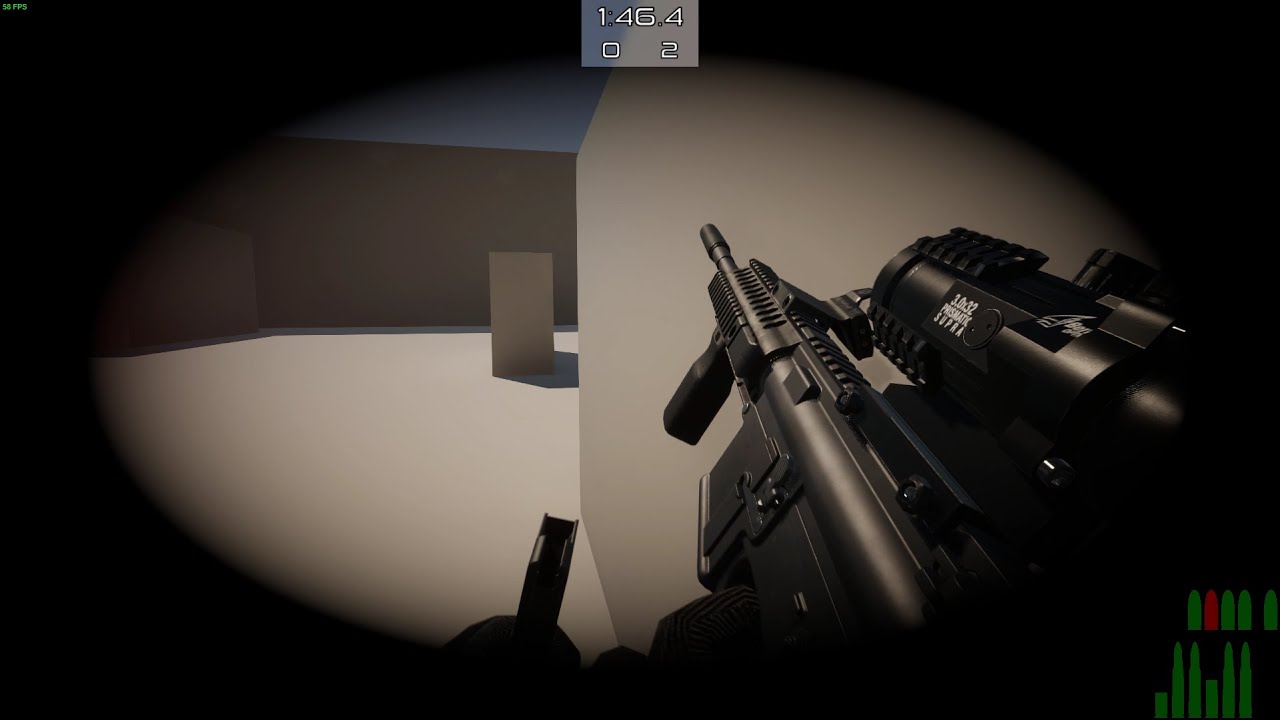
Some other things that are new but not title worthy are improved AI, ballistics system improvements and optimizations, and various bug fixes. development is going great :)
If you would like to test the project, join the discord and @me: discord.gg/SPVmPSM
like look at that
 prime merlin
can someone explain to me why unity use toolbag for DevLook instead of unity path tracer ?
 pallid granite
Does anyone know why all of my game objects are invisible ever since i upgraded to a newer unity and hdrp version?
turbid matrix
@waxen lantern @split badge HDRP forward vs deferred perf difference can vary a lot by your usage, you can't outright say one option will be slower for all use cases. HDRP forward is more visually correct but there are tradeoffs (and if you use MSAA from HDRP forward, you lose SSR)
### Visual differences

- Normal shadow bias: In Forward mode, HDRP uses the geometric normal (the vertex normal) of the Material for shadow bias, and Deferred mode uses the pixel normal. This means Forward mode produces less shadow artifacts than Deferred mode.
- Emissive Color: In Deferred mode, Ambient Occlusion affects Emissive Color due to technical constraints. This is not the Case in Forward mode.
- Ambient Occlusion: In Deferred mode, HDRP applies Ambient Occlusion on indirect diffuse lighting (Lightmaps and Light Probes) as well as the Screen Space Ambient Occlusion effect. This results in incorrect darkening. In Forward mode, HDRP applies the minimum amount of Ambient Occlusion and Screen Space Ambient Occlusion. This results in correct darkening.
- Material Quality: In Deferred mode, HDRP compresses Material properties, such as normals or tangents, in the GBuffer. This results in compression artifacts. In Forward mode, there is no compression, so there are no compression artifacts.

### Technical differences

- For Materials that use Forward mode, HDRP always renders a depth prepass, which outputs a depth and a normal buffer. This is optional in Deferred Mode, if you are not using Decals.
- In Forward mode, HDRP updates normal buffers after the decal DBuffer pass. HDRP uses the normal buffer for Screen Space Reflection and other effects.
I'd personally love to keep MSAA option but it does suck that you trade realtime reflections for it (planar and reflection probes still work but no SSR or DXR reflections)
you can force the reflections with MSAA back on but there used to be some artifacts (which was the reason Unity disabled this combo)
waxen lantern
@turbid matrix oh nice there is a comparison doc. and yeah that's why i said "most cases" i know there are a bunch of other cases especially for high contrast non-photo realistic rendering and highly intricate models where you just want geometric accuracy and the best anti-aliasing, material accuracy for architecture and mechanical engineering perhaps, etc. but a lot of these fall outside of the primary use cases HDRP is aimed at. e.g. videogames using physically based rendering with a ton of lights and effects. quantity over quality (of real-time rendered lights and effects.)
dawn sorrel
hey speaking of...
what about the road map ? didn't you guys notice that it don't show research development any more ?
waxen lantern
@dawn sorrel which roadmap? the main unity one?
dawn sorrel

Unity
Get insight into our future plans, and when you can expect access to new services, features and functionality in the Unity platform.
 upper apex
Hello I'm quite new with render pipelines and am running into some trouble
I want to create a gradient texture to use on Unity UI sprites like buttons and UI boxes
However when I do it like this the part that should be invisible png (the border)
ends up black and not invisible
Any idea to fix this (or a simpler way to make a gradient for Unity assets ) ?
I want to use it on this menu box
 scarlet hull
@upper apex Don't multiply the gradient with the alpha, but connect the alpha directly into the alpha value of the master node.
upper apex
Like this ?
It doesn't keep the shape of the sprite if I do it that way
Not sure if that's what you meant @scarlet hull
 glass goblet
Ok so this is a new one, it started after switching to URP 10.
When applying lightmap using lightmapIndex, all our meshes become super smooth!
Oh, the nicest thing: it only happens on BUILD
This only happens if using a metallic map.
Any hint on what might cause this? Nobody in the forums answered and it basically broke our project as of now.
Things we tried:
- Remove metallic map and use fixed Metallic / Smoothness values: no problem (although metallic surfaces now are non-metallic and opaque)
- Check if the metallic map has incorrect values in build: they are correct
- Check if the shader has a different smoothness source: no strange shader keyword found
scarlet hull
upper apex
That's indeed how I would do it.
Be sure to check that the master node is set to "transparent"
Also, usually to do UI you want to use the unlit master node, unless you specifically want it to be affected by lighting
eternal laurel
@glass goblet Interesting problem. I cant offer a solution since I've never encountered this, but if you dont mind me asking why are you setting the lightmaps manually via the index ?
glass goblet
Fair question @eternal laurel .
The game has procedurally generated 3D levels, so we store baked lightmaps inside the prefabs and then merge them all together and assign the offsetted indexes to the static renderers.
I have a feeling they changed something inside the lightmapIndex setter but unfortunately I can't dig there as it's an extern call 😦
eternal laurel
so you bake a lightmap for each prefab and then merge them into a atlas at runtime ?
glass goblet
No, we bake lightmaps for each prefab, then we merge their references in a single List of textures that we replace to the current scene lightmap texture list
just to avoid having duplicated textures (in case of same prefab being spawned multiple times)
This is the static property for all lightmaps
LightmapSettings.lightmaps = combinedLightmaps
And here we assign the lightmapIndex:
info.renderer.lightmapIndex = lightmapOffsetIndex[info.lightmapIndex];
eternal laurel
aha. Well we had a similar issue, at least visually, where certain parts of the mesh would start to glow like the sun after a bake, but that was due to wrong lightmap UVs.
glass goblet
Oh yup had that too but the fix is easy for that.
What makes me mad is that in editor everything is fine, even if we use the Addressable Built Groups to debug (to make sure textures are not corrupted).
Is there some kind of shader guru that can maybe point us in the right direction?
eternal laurel
Again I'm probably not being helpful. The docs says this "Note: this property is only serialized when building the player. In all the other cases it's the responsibility of the Unity lightmapping system (or a custom script that brings external lightmapping data) to set it when the Scene loads or playmode is entered." So your guess about something internal being changed might be right. Have you filled a bug report with unity? They tend to answer me quickly if I provide a repro project.
upper apex
scarlet hull
That's indeed how I would do it.
Be sure to check that the master node is set to...
The master node not set to transparent was the issue thanks. I'm using PBR because it's the only one with the albedo option for gradients
lyric ravine
Hey everyone, if you're working with ShaderGraph and have
- too many properties and
- too less time to make custom inspectors,
I'm happy to present a new & free thing:
ShaderGraph Markdown 📚
https://twitter.com/hybridherbst/status/1346124188642402307

I got carried away a bit over the last days 😅 and now proudly present a new @NeedleTools package:
📚ShaderGraph Markdown
Shiny inspectors for @unity3d ShaderGraphs, the easy way ✨
You can get it NOW from OpenUPM: https://t.co/6SxxB2DbeP
#madewithunity
More in thread ⚒:
1/

 Twitter
·
Twitter
·
 exotic plume
@lyric ravine Wow thats really cool ^^ thank you
Heya renderHeads- Sooooo I just came across this: https://youtu.be/FxvF3zncClA

We're going to take a dive into the latest and greatest Movie Render Queue, made production-ready in Unreal Engine 4.26. This is a must-know tool for VFX Artists and CG Artists alike.
--
Relevant links:
Cryptomatte/Object ID Tutorial: https://youtu.be/Ry4-Q8mBjdg
Render Comparison Images Download Links
Render Comparison A: https://imgur.com/...
Surrrrre would like to have somit like this in Unity
eternal laurel
closest thing is Recorder but it does not have the same feature set
exotic plume
ya not even close
especially when it comes to subsamples for things like AntiAliasing
which is REALLY a big deal for offline rendering!!!
I have been fighting everyone pestering me to learn Unreal because I've been a Unity user for so long.. But this is really making me reconsider....Really wish Unity would release more stuff for virtual production and offline rendering.......
eternal laurel
well I think you can still do the same stuff. Unity just lacks a handy place to set all the settings
exotic plume
Oh yeah? Please show me how to do subsampling of AA in an offline render in unity
scarlet hull
upper apex
The master node not set to transparent was the issue thanks. I'm using PBR becau...
Try the unlit one, like I said it's better suited for UI. Use the color input on the master node instead of albedo
dawn sorrel
Just found about this https://forum.unity.com/threads/changes-to-the-graphics-github-repository.1029502/

Unity Forum
Hi all, we hope you are enjoying your holidays, wherever you may be.
We would like to share an important update with you.
Effective 28th Dec 2020...
Dammit, Unity.
eternal laurel
@exotic plume well perhaps Octane can do that. Honestly I have not looked into the offline capabilities of unity.
upper apex
scarlet hull
Try the unlit one, like I said it's better suited for UI. Use the color input on...
I'll try it thanks a lot
turbid matrix
dawn sorrel
Dammit, Unity.
nobody has a positive reaction to that really but there are still chances their new approach isn't as horrible as everyone fears now
just wishing we'll get SRP blog post sooner than the DOTS roadmap blog post Unity promised to deliver "late 2020" (people are still waiting for it)
eternal laurel
I sooooo want to get into DOTS, but sadly did not have the balls to use it in production last year and I dont have time. I still dont see it as good for every type of game. Like if Im making a game like Devil may cry how do I benefit from DOTS
upper apex
scarlet hull
Try the unlit one, like I said it's better suited for UI. Use the color input on...
Sorry to bother you again but do you know how to create a circular gradient coming from the center of the texture using render pipelines ?
scarlet hull
upper apex
Sorry to bother you again but do you know how to create a circular gradient comi...
UV node -> Distance node with 0.5;0.5 -> multiply by 2 -> use as input with you gradient in a sample gradient node.
upper apex
scarlet hull
UV node -> Distance node with 0.5;0.5 -> multiply by 2 -> use as input with you ...
Thanks a bunch you're a lifesaver
upper apex
scarlet hull
UV node -> Distance node with 0.5;0.5 -> multiply by 2 -> use as input with you ...
Kind of stuck on how to do it from this point on
is it okay so far ?
scarlet hull
Hum, I'm a bit confused by the result of the gradient node, it should be black at the center end gray at the borders.
Try setting the Z and/or W values to 1 ?
You connect the output of the multiply to the time input of the gradient sample.
And set the gradient you want in the gradient input.
upper apex
well it didn't change much and the gradient sample is just a plain color not sure what I did wrong
scarlet hull
I'm opening unity to double check, it doesn't make sense :/
upper apex
Thank you
fiery marsh
You should use a Vector2 node with (0.5, 0.5). The UV has a W component of 1 so messes with the distance calculation if you use the full float4
scarlet hull
That why I said "Z and/or W" 🙂 Here it works nice :
Cyan vector 2 suggestion is maybe more bulletproof:
upper apex
Okay thanks I'll try this out
Seems to be working fine thank you all
you're very helpful
 amber ingot
Hey, could anybody point me to Default Frame Settings in the HDRP Asset? I'm tracking some problems (possibly) with subsurface scattering I wanted to find out if Subsurface Scattering is on and according to documentation
Within the HDRP Asset, locate the Default Frame Settings. Under the Lighting section, enable Subsurface Scattering and Transmission.
but I can't find it anywhere
turbid matrix
@amber ingot I'm assuming you are now using newer HDRP version than the docs are for that your are looking at currently
amber ingot
I just noticed there's a difference between 7.3.1 and 7.4 docs
turbid matrix
better pick the matching doc page to avoid confusion like that but basically the setting you are now looking for is at:
project settings->hdrp default settings
or at least that is my assumption anyway if you can't find frame settings on the hdrp asset anymore
amber ingot
anyway, thank you, you're right!
turbid matrix
(they used to be in hdrp asset but now they are in project settings)
you can also override frame setting per camera too, hence they call the ones in project settings "default"
but if you don't need to camera specific override, better use the default thing
amber ingot
ok, thanks!
btw, how can I confirm what HDRP version I'm using? because in package manager (and afair) I have 7.3.1, which would mean the docs are not correct after all (this was changed in 7.4 docs)
turbid matrix
it's also totally possible they forgot to update that doc page for the version you are using 😄
I think HDRP wizard tells you the current version
at least it does on recent versions, can't remember how it was on 7.3
amber ingot
ok, so the docs are not updated 🙂 thanks again --
turbid matrix
np
technically package manager should tell you currently installed version of the package as well but that's been recently super broken (but I think it's versioning is only broken for asset store assets so Unity's own packages probably still report right values)
 livid osprey
Anyone know how to get the material to wrap around smoothly?
 whole fossil
I know that it is really difficult question. but in your opinion how heavy in terms of performance are LightLayers in HDRP? Until HDRP 10.2 I didn't see a noticeable hit, but in a new fresh project my cpu went from ~7ms to around ~17ms inside the editor and it is awfuly a lot
dawn sorrel
@turbid matrix I guess the SRPLife people got they wanted. But in a monkey's paw kinda way 🤣
turbid matrix
I doubt they are happy about this either 🙂
because instead of 4-5 SRP versions to support, now they get like 10-20 versions for each major Unity version
only people I see on the winning side are less technically minded people starting to use the engine
exotic plume
@livid osprey looks like you need better UVs
cobalt idol
Can we get different channels for URP and HDRP? It seems like quite a broad umbrella right now
livid osprey
exotic plume
<@530838443798822925> looks like you need better UVs
What do you mean?
exotic plume
Spheres coming directly from a DCC package usually have a “pole” on top and bottom
A Pole is where too many edges come to one vertex point
Or you could use a tri-planar shader
Also if you expect real help you need to be more specific in your questions
Like what are you using it for?
What’s the end goal here?
livid osprey
Im using it as a sort of skybox and I hope to get the material divided evenly on the surface
exotic plume
Ok why not use a proper skybox instead?
livid osprey
I still want the my procedural skybox to be in the background of the clouds
livid osprey
Yeah i suppose i worded that wrong, I apologize
exotic plume
Ok my suggestion - use any 3D, modeling software and make a cube
The smooth sub divide it a couple of times
That will make the topology of the mesh have all even and square polys
Which won’t create that pinch 🤏 on the poles
Some dcc packages will even have a different mode for sphere primitives that gives you better topology with no poles
exotic plume
Ooof that’s still a cube
exotic plume
Ya depends on what 3D software your using as to how you do it exactly
livid osprey
Im modeling in Blender 2.8
I got a weird effect doing that
It only translates over some edges but some others get cut off still
exotic plume
Ok I’m not a blender user but if the mesh looks good in blender then you might need to UV unwrap your new sphere
Before bringing into unity
cobalt idol
presumably you are only going to see the upper hemisphere? so it might make sense to unwrap it as if you had laid a cloth over the top of the sphere (ie, keep any seams at the bottom)
exotic plume
Yup ^^
livid osprey
Thats true; the seams could just be hidden
Let me try something
Ok, I got something that works decently
You can kinda see the distortion if you look really hard, but I'll try to tackle that at a later date.
Thank you both, it really means a lot.
 slate shoal
Anyone know anything about finding an outline shader that works in HDRP? It seems so simple but I can't find anything
 dapper cedar
Hey i'm using URP and trying to take a picture from a camera and save it and i'm finding all of the docs to be of very little help... anyone know of any working way to do this?
I'm trying like this at the moment but get tons of very unhelpful errors:
none point to my code 😦
I've been digging for quite a while, and am very much a beginner with rendering and URP, so any help would be greatly appreciated thanks! ❤️
Some of the errors bring up 0 google results too so oof
turbid matrix
cobalt idol
Can we get different channels for URP and HDRP? It seems like quite a broad umbr...
you should ask that in #531949462411804679
dapper cedar
I've reduced the error to just this:
UnityEngine.GUIUtility:ProcessEvent (int,intptr,bool&)```
But i really don't know what that means, i'm guessing im setting something wrong in the render texture maybe on setup but i can't discern what.
Also i fixed the other 3 errors by removing `RenderTexture.active = null` rotund quiver
In SRP (more specifically, URP), where do camera overlays (from canvases) happen? Where do I start looking?
dapper cedar
rotund quiver
In SRP (more specifically, URP), where do camera overlays (from canvases) happen...
do you mean for camera stacking? URP uses a camera 'stack' stored in the Universal extra camera data component. You set the camera as a base, and then add cameras set as 'overlay' to that base cam's stack.
Is that what you mean?
cobalt idol
Found a bug upgrading from URP 8.2 to 10.2 - I can no longer change the camera transform during a beginCameraRendering event. Weirdly, it uses the new transform for frustum view culling, but the old transform for purposes of projection matrices. I was using this feature to snap the camera and objects to pixels on the camera. Anyone else using this event have a workaround?
still works fine if I use beginFrameRendering, but that's not really the same event and always feasible
rotund quiver
dapper cedar
do you mean for camera stacking? URP uses a camera 'stack' stored in the Univers...
No, not for camera stacking.
I want to do things to the camera overlay from the canvas. (i.e. the UI). Camera stacking is actually the reason why Screen Space - Camera doesn't properly work for me currently. (something something transforms are hard in my scenario)
cobalt idol
Cross posting from shaders - does anyone know how to conditionally check the version of a render pipeline from within shader hlsl? The changelog for URP mentions the introduction of statements like LWRP_5_3_0_OR_NEWER, but they don't actually seem to exist (I just grep'd my entire package cache and this string doesn't turn up anywhere). Is it possible using an asmdef, for instance?
turbid matrix
@cobalt idol I'd assume shader defines will need to be dealt separately, LWRP and URP should have some define itself on c# side if I remember right, HDRP has none
I don't know how URP does these things, but in HDRP I've seen Unity passing shader keywords to make a similar thing
cobalt idol
After some discussion in shaders, I think the best we can come up with for now is to instead test the SRP version (using VERSION_GREATER_EQUAL(10,0)) and then rely on SRP and URP being in sync
turbid matrix
for example: https://github.com/Unity-Technologies/Graphics/blob/978abc8b160be2123066a19c27ee3662d5d065b1/com.unity.render-pipelines.high-definition/Runtime/PostProcessing/PostProcessSystem.cs#L1141
and in shader
https://github.com/Unity-Technologies/Graphics/blob/v10.2.2/com.unity.render-pipelines.high-definition/Runtime/PostProcessing/Shaders/TemporalAntiAliasing.shader#L33
ah crap, these split discussions again
yeah, you said you were crossposting, just didn't realize it fully
but yeah, you can get the C# side define done with ASMDEF
I've done it in past and it has worked just fine for me but I've gotten some user reports where it's failed so I can't tell how reliable that is
impossible to tell without being to repro it failing myself so I'm just going to assume it's something that user did that made it fail
anyway, you'd still need to pass it to shader manually as a keyword I think
cobalt idol
turbid matrix
anyway, you'd still need to pass it to shader manually as a keyword I think
this is the main issue for me - my code is actually used in a custom node in ShaderGraph, and so I can't really define keywords from the C# side
I could obviously make a keyword on the shadergraph material that people tick or untick based on their SRP version - but that's not really user friendly and I don't think acceptable for an asset
turbid matrix
can't you like run some manager script always that sets the global keyword?
or.. do what many asset publishers do and just have bunch of unitypackages inside your asset where you give different variants of the shaders based on the major SRP version they unpack there
it's basically a mess Unity made by not giving you guys a better system
cobalt idol
I might move to the later one when it gets too ridiculous 😄
turbid matrix
if some day asset publishers can use the same upm package API as their own packages use, you could have like min versions per editor version
cobalt idol
yeah I would love that, asked for that already on the publisher forum
also because it would make better sense for distributing example projects and scenes
turbid matrix
I'd love to see all asset store content as upm packages really
cobalt idol
it always bugged me that I have to ship some test scene no one wants
turbid matrix
I hate having that stuff bloating my projects assets-folder
yeah, upm packages have already a mechanism to copy sample content to local project separately on demand
it would be great for use cases like this
it also has documentation separately
as another topic, https://github.com/Unity-Technologies/Graphics is no longer archived but we still don't know what this means for future SRP development
 idle oasis
This whole fiasco sums up the current state of unity pretty well honestly
turbid matrix
I'd still love to hear the intent and reasoning behind all this but chances are we will not get even any official explanation
(I still hope we do)
dawn sorrel
@slate shoal https://github.com/alelievr/HDRP-Custom-Passes

GitHub
A bunch of custom passes made for HDRP. Contribute to alelievr/HDRP-Custom-Passes development by creating an account on GitHub.
iron flame
decal smooth off (base color on)
decal smooth on
I just want the Decal AO effect but I guess the smoothness with the AO goes together.
only effect Ambient Occlusion not working 😦
turbid matrix
AO channel probably only applies in shadowed part
that's how it should be anyway unless you override it
eternal laurel
am I being dumb or is the Graphics repo no longer archived
turbid matrix
@eternal laurel #archived-hdrp message
eternal laurel
maybe they do listen haha
iron flame
AO has no effect when Smoothness is off.
turbid matrix
eternal laurel
maybe they do listen haha
or.. they just kept the repo public and only push already released stuff to it in the future.. we can't tell what this means yet
they do have some recent HDRP dev activity on the branches though
looking at the new stuff: cs [MenuItem("Assets/Create/Rendering/High Definition Default Settings Asset", priority = CoreUtils.assetCreateMenuPriority2)]
apparently default settings are going to a separate asset
I do like things going away from project setting but I'd still love to have like separate asset for frame settings separately
basically that way you could reuse the frame settings override for multiple cameras
and that's kinda tedious to config today
eternal laurel
that would be lovely yes
also a unified API to change quality settings at runtime would be nice too
turbid matrix
Unity Forum
Hi everyone,
Happy new year! As part of improving SRP Rendering APIs we are running a survey to understand your use cases for various API classes and...
cobalt idol
Is it possible to get the Depth buffer (or depth texture) from an overlay camera in URP? I need to do some post processing on a scene rendered with an overlay camera, but it doesn't produce a _CameraDepthTexture
 rich spade
cobalt idol
Is it possible to get the Depth buffer (or depth texture) from an overlay camera...
rich spade
cobalt idol
Is it possible to get the Depth buffer (or depth texture) from an overlay camera...
I find with two or more camera's the problem is that they overwrite the global texture _CameraDepthTexture hence you can never be sure which your effect will use in shadergraph. IMO the only safe way to ensure it's correct is to manually create a depth texture with a different global name, a little more involved but should do what you need
cobalt idol
I couldn't get it to work with a second depth texture, because there was no way to reliably blit the active render target's depth into my second depth texture
Instead I used two cameras, both setup as Base, and have one rendered to a Render Texture. I then made a render feature which composits the two together using an overlay material
so one camera renders the ui, the other renders the scene, and the material merges them together
turbid matrix
from https://forum.unity.com/threads/changes-to-the-graphics-github-repository.1029502/page-2#post-6697912: ```Hi everyone,
I'm part of the product team that owns/operates our internal tools and infrastructure including source code and Github. I totally understand the frustration around this and we did not intend to have this happen over the holiday break when a lot of us weren’t available to communicate with you. In light of this situation, we have reverted the change and set the graphics repository back to an active state.
For full disclosure, this was part of a larger source code policy change we were planning on rolling out internally to strengthen our programs and processes around source code and sensitive information. The plan was to migrate the existing source code repositories from Github.com to our GitHub Enterprise instance and set the public repos to read-only so they would still be available to reference and grok the code but not used for active development.
After evaluation, we’re going to put a pause on this whole transition and spend some time with the community to better understand your concerns and feedback.
Let's keep the discussion civil please and focused on the importance of these open repositories - what's the most important aspect for you with them? The full commit history? Being able to see all branches? Track release branches? ```
rotund quiver
In URP, how would I learn about the fundamentals of lightmapping? (the under the hood stuff - I have multiple objects, can I independently lightmap them or do they need to live in scenes; and will the lightmaps only ever be loaded when I load them as scene?)
I could build it with subscenes but how does a subscene's lightmap lighting work? (this may be very DOTS specific) Subscenes aren't really scenes even though you can light them as such.
turbid matrix
does hybrid renderer even support lightmaps yet?
rotund quiver
Perhaps not. 🙂
turbid matrix
but if it breaks, I'd totally expect that, it's quite limited
rotund quiver
Ok this may explain some of my problems.
Well. 😄
We all know what happened to point lights.
In 2020.
😶
turbid matrix
yeah, I just got to same page
rotund quiver
then I won't worry... maybe I can bake my own lightmap.
or perhaps I can make dynamic shadows work well enough so my geometry doesn't look broken
turbid matrix
there is another set of DOTS packages set to release but they had to stall it for some reason
they announced Entities 0.17 changelog a month ago already but they couldn't release entities package alone as they need rest of the DOTS packages to play ball with everything
rotund quiver
That shadow is JUST the directional shading, the object at this distance can't (and shouldn't) really work with the shadow map.
But because I was fixing some seams on the mesh I thought "wait, backfaces are poking through still?" but this is the lighting.
turbid matrix
the point I'm trying make really is that there could be update for hybrid renderer on next batch too that might help on this
I faintly remember seeing some work being done on the lightmaps
rotund quiver
I tried to lightmap it and it looks great in subscene editing but once it's converted they disappear ("of course")
I can wait, this is just a usability concern right now, doesn't need to look final.
turbid matrix
yeah, it's not in ECS side before conversion 😄
rotund quiver
I'll try higher shadow distance but then the smaller shadows will of course be a mess.
Maybe a crazy shadow cascade.
turbid matrix
it's like raytracing, it works with HDRP in the edit time but once things get converted to hybrid renderer, all that dissappears
rotund quiver
like 1-2-3-1000 m ;D
turbid matrix
of course raytracing struff is more niche thing than say.. lightmaps
rotund quiver
I've been very conservative with my shadow distances so far.
(btw. is there a straightforward way to have shadow pass use a different normal than the other lighting?)
Because the way my ships are - sharp edges - I either get shadow acne or gaps between shadows of polygons.
If I could use my smoothed set of normals for the shadows, that would help.
(well I could use the smooth normals and fake it out in the lighting step ... hmm turning my asset workflow a little bit on its head but it could be worthwhile)
goes to google "URP Shadergraph Face Normal"
eternal laurel
easiest way would be to create the fbx with two sets of meshes. One being the smooth shadowcaster mesh and set that to render only shandows and turn of shadows on the actual model
rotund quiver
Actually that might even free the vertex color channel up again.
eternal laurel
there is overhead to this
rotund quiver
eternal laurel
easiest way would be to create the fbx with two sets of meshes. One being the sm...
Damn nice idea.
Yes.
eternal laurel
but
rotund quiver
But nice.
rotund quiver
It is 10k ships 😄
eternal laurel
well then
rotund quiver
This is one of the largest ones though, at highest LOD.
eternal laurel
well if you already have the smooth mesh might as well give it a try and see if it's a performance problem
rotund quiver
And I don't expect more than a few hundred actually rendering.
(I have some custom culling going on with DisableRendering components)
rotund quiver
Yeah.
rotund quiver
It would mean I still need to maintain the Sharedcomponentdata etc. for a bunch of entities but that could be nearly free.
I'll try. Thank you for this simple suggestion.
Need to find a good way to import the same mesh twice, or perhaps like I said earlier to calculate face normals for lighting, or use the vertex color channel for the flat normals rather than the smooth normals. (I use smooth normals for outline rendering)
Thank you!
(just rubberducking at this point)
Hmm, I can't run a geometry shader alongside a shadergraph shader, right?
eternal laurel
I dont think shadergraph supports the geometry stage no
scarlet hull
↑ No, it doesn't
waxen lantern
@rotund quiver geometry shaders are dead, anyway. compute shaders + indirect draw, (and eventually mesh shaders) take their place. this is the feature you want https://portal.productboard.com/8ufdwj59ehtmsvxenjumxo82/c/61-support-for-drawindirect-drawprocedural
You would be able to modify the ShaderGraph's vertex shader to support custom vertex behavior for use with DrawIndirect or DrawProcedural.
eternal laurel
@scarlet hull Hey sorry for the ping. Perhaps you know the answer to my question. What happened to the distributed lan baking that was supposed to be a feature? I'm looking for a weekend project and Im wondering if I could tackle that. Is the Lightmaping API open enough for this ?
scarlet hull
I have no idea about this, sorry
 heavy ice
@turbid matrix can't remember who complained about this on the forum can't find the message back in the thread (too long) https://forum.unity.com/threads/unity-experimental-hdrp-dxr.656092/page-23#post-6699277 in case you know

Unity Forum
2021.1.0a9
Finally you got it. Best version of Unity DXR so far! :)
Background GI and direct light works as should do!
turbid matrix
@heavy ice I'm going to assume at least @ripe fable will appreciate this 🙂
heavy ice
Ok cool!
ripe fable
That's a pretty big difference in both RTGI and RTR. Looking good @heavy ice , I appreciate it 👍
 storm peak
What am I missing? I have gpu instancing enabled on my material and every time i duplicate default cube with the material assigned to it my batches go up by 4. I'm getting huge amounts of batches when running my game.
turbid matrix

Unity Technologies Blog
We are excited to share our brand-new template for the High Definition Render Pipeline (HDRP), which helps beginners get started with multi-room lighting setups, physically based lighting intensities, and much more. The scene has been created by a small group of game industry veterans composed of 3D environment artists, VFX artists, lighting art...
turbid matrix
I do like they finally explain a bit of the background for that template
I did not think about the 100mb limitation they had before
kinda wish they would have used more of the HDRP feature set there
but I can see why they didn't enable things like SSR there (there really isn't much highly reflective surfaces and there are artifacts from it)
 blissful geode
Is that something supposed to be normal to have monster spikes when using depth of field with HDRP ? It crush my frames from 60 to 8 ? https://gyazo.com/ce54418663b660cfa71120efa60c225a
waxen lantern
@blissful geode no idea if it's normal without knowing your hardware specs.
blissful geode
So it may be normal ? I have a gtx970 and a i7 4790k. Pretty old, but I still can use a lot of hdrp feature without my frames to be suddenly divided by 8
Is it that expensive to add a blur ?
waxen lantern
hmm, that seems especially poor performance even for a 900 series nvidia gpu. @blissful geode does setting the quality lower than "High" help?
realistic DoF is more than a simple blur but still
blissful geode
Yeah, setting it lower help
But setting it lower doesn't help me to blur the part of the screen I wanna get rid of (The two plane intersection)
waxen lantern
@blissful geode also just in case I would be making sure that the Intel HD Graphics 4600 built into that i7 4790k isn't being utilized as a gpu compute device for some reason. Disable the integrated GPU completely in the EFI / BIOS settings
waxen lantern
blissful geode
But setting it lower doesn't help me to blur the part of the screen I wanna get ...
ah ok so so that is the real task at hand here ha. i'll follow up in #🔀┃art-asset-workflow
 dapper python
does anyone know about emmision maps?
turbid matrix
@dapper python better ask the actual question instead
dapper python
ok
if I make an emmision map do I need to put every frame of all my animations in one picture?
turbid matrix
I have no idea on 2D stuff myself but I've seen people complain about the lack of emissive support on 2D renderer
dapper python
awe
well I doubt anyone else will answer for hours now lol
no one ever talks in here
I really want to know before I start you know I feel like ill have to redo it
 hardy lily
I knew this for a long time, but anyone tried going inside Unity's the URP folders that come with the package? I experimented with it to screw with the bloom shader in the postprocessing subfolder.
The plot thickens. After finding one of the uberpost file. I just went crazy with it. May I present alpha-blend bloom?
frosty spear
is it possible to define per instance material properties for an object rendered via a materrial override using Renderer Feature in URP?
rotund quiver
Oh, I'd like to know the same, especially if these objects are rendered via the Hybrid Renderer.
frosty spear
This seems to be the answer https://twitter.com/phi_lira/status/1188369061010382849?s=19

@noionl @unity3d You can do it by modifying that dither example. Instead of using a replacement material you render a custom shader pass. This will allow you to set a color/prop for each material that you use in your Dither pass. [1/2]
Twitter
·
cobalt idol
frosty spear
is it possible to define per instance material properties for an object rendered...
and also @rotund quiver - what you can do is define a made up Light Mode and define that pass in your materials
then render only that pass in your render feature
I use this to populate an outline buffer with object IDs
there's an outline material on each object, which has a unique ID (and things like color and style info for the outline), and when rendering my custom Light Mode it then can use per-object/per-instance material properties
eg like so
which uses Pass { Tags { "LightMode" = "Outlines" ...
in the shader
(ahh doh, that looks the same method as the tweet - sorry, late and headache)
dapper python
do you have to make an image for every sprite in every frame?
waxen lantern
dapper python
I really want to know before I start you know I feel like ill have to redo it
 waxen lantern
dapper python
do you have to make an image for every sprite in every frame?
waxen lantern
dapper python
do you have to make an image for every sprite in every frame?
i also recommend you provide some essential details in your questions such as:
- what type of project you're working on (e.g. a 2D fighting game for Mobile, a 3D VR music video experience for PC)
- what is the end goal you are trying to accomplish here exactly? (e.g. I want these particles to glow for a fire effect in the dungeon level)
- what render pipeline are you using? (HDRP, URP, Built-In RP)
- screenshot(s) or sketches of what you want to accomplish or what you have so far
the more of this you include in your questions, the more likely you are to get answers. with full context as to what you are working on, people don't have to try to read your mind to or guess to understand what you are asking about, and it shows that you've put in some effort to try to make your question easier to answer and more compelling.
dapper python
I am making a 2d Metroidvania I wanted some of my animations to glow. I have a fire sword that only comes out on a attack and I want it to glow. I saw brackeys guide but the way he has his sprite sheet it has every animation his character did on there and I was wonder if I had to do the same thing or if you can just do them separate.
 gloomy harbor
Is there any way to use post processing in unity5x?
true zealot
gloomy harbor
Is there any way to use post processing in unity5x?
A question for #💥┃post-processing
eternal laurel
@dapper python You can go both ways. Having a spritesheet for 2d animations is still considered the right way because you load 1 texture into memory so I would go with that aproach.
dapper python
I mean I have sprite sheets for my animations but they are all different sheets.
blissful geode
So i have a problem with my depth of field on HDRP. Actually my background is blured which is perfect because it's far. But my transparents meshs are blured too, which is unwanted because my meshs are not far.
In fact the transparent shader do not write in the Z buffer, so it end up beeing blured like the background.
Is there a way to write to the Z buffer with the standard transparent HDRP shader ?
 bold helm
So I was trying to make a custom SRP following this tutorial : https://catlikecoding.com/unity/tutorials/custom-srp/custom-render-pipeline/
However, even after 1:1 replicating the code, I still get 2 "no suitable method found to override" errors.
Have various method names maybe changed ?
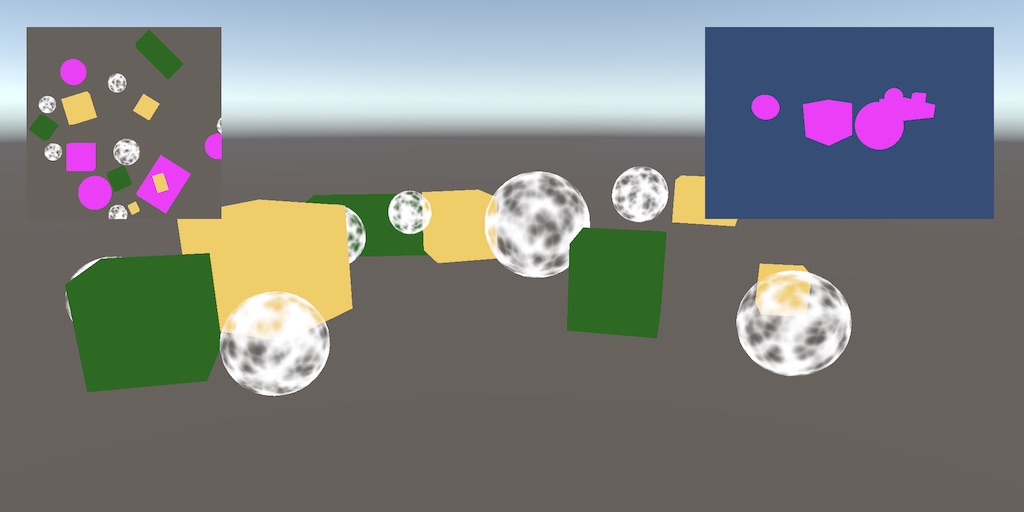
A Unity tutorial about creating a custom scriptable render pipeline.
 broken lichen
I doubt it's 1:1 because you're trying to override a method in a class that doesn't inherit anything
That Render method isn't supposed to go into that class
It goes in CustomRenderPipeline
bold helm
broken lichen
It goes in `CustomRenderPipeline`
But doesn't it already ?
broken lichen
The tutorial is showing you how you are supposed to edit this existing method to include the CameraRenderer type you just made.
bold helm
Sooo... why exactly is all of this happening ?
Custom Render Pipeline Script
CameraRenderer : https://hastebin.com/ulamohecot.csharp
broken lichen
@bold helm This is suspect
bool useDynamicBatching;
bool useGPUInstancing;
Inside CameraRenderer.Render
You already have parameters with those names, but then you define new undefined local variables with the same name
Which is why you are getting errors trying to use them.
And you were supposed to define renderer inside CustomRenderPipeline
bold helm
Oh. I am such an idiot, thank you sooo much !
bold helm
broken lichen
And you were supposed to define `renderer` inside CustomRenderPipeline
I managed to fix most of it up, but I still don't know about this one, I can't seem to find out where and how I am supposed to define it.
broken lichen
If I remember correctly, the tutorial wanted you to define this field:
CameraRenderer renderer = new CameraRenderer();
In the pipeline class
bold helm
Okay.
 analog lintel
Hey all! I'm trying to boost my FPS above 60-70ish to more like 80 or 90. I'm using HDRP. When I use the SRP batcher my "Saved by batching" number goes negative. Any ideas on how to fix this?
 low dirge
Anybody know how to use the fog noise texture in HDRP? Every Texture3D I've tried doesn't have any visible impact on the fog
I see docs and forum posts about a Texture3D creator but Windows>Rendering>Density Volume tool no longer shows that. Perhaps it was removed.
Replaced the Density Volume Texture Tool with the new 3D Texture Importer.

Okay, nvm, so setting import type to 3D is the new way. Got it working!
dapper python
So I made a glow with an emission map but it only works in scene not in game when I hit play
true zealot
bold helm
Custom Render Pipeline Script
That VS Code is also not underlining errors shows you should go through the configuration instructions pinned to #💻┃code-beginner
 dapper python
I turned on post processing on the camera and HDR on the URP
I dont understand
also when I build the game my whole char glows
 cinder root
this discord seems to be all questions and no answers
 elder merlin
analog lintel
Hey all! I'm trying to boost my FPS above 60-70ish to more like 80 or 90. I'm us...
elder merlin
analog lintel
Hey all! I'm trying to boost my FPS above 60-70ish to more like 80 or 90. I'm us...
I believe this is just a bug in the stats window. I’m not sure where to see the actual number unfortunately
dapper python
Sigh
dapper python
I dont understand why bloom isn't working its like I have a rare bug
waxen lantern
@dapper python try #💥┃post-processing
dapper python
oh..
waxen lantern
cinder root
this discord seems to be all questions and no answers
This discord is not some transactional Q&A service intended to answer questions or provide any official support. It's a free community chat for discussion and sharing ideas. If someone happens to be interested in answering someone's question or working on a similar problem, great. But if not, there's nothing wrong or unexpected about that. No one is getting paid to solve problems here. So let's temper our expectations accordingly.
@cinder root that said If you or anyone needs guaranteed answers or solutions to problems there are many people offering their guaranteed time and effort as a paid service on Unity Live Help https://livehelp.unity.com

Unity Connect
Learn about game development in Unity directly from a verified community expert. Choose a topic you want to find out more about and book a session that suits your schedule.
 dark tangle
Anybody know why this breaks the rendering?
    private void Awake() {
        portals = FindObjectsOfType<Portal>().ToList();
        RenderPipelineManager.beginCameraRendering += PreRender;
    }

    private void PreRender(ScriptableRenderContext context, Camera camera) {

        for (int i = 0; i < portals.Count; i++) {
            portals[i].Render();
        }
    }
    public void Render() {
        screenMeshRenderer.enabled = false;
        CreateRenderTexture();

        Matrix4x4 matrix = transform.localToWorldMatrix
            * sisterPortal.transform.worldToLocalMatrix
            * playerCam.transform.localToWorldMatrix;

        linkedCam.transform.SetPositionAndRotation(matrix.GetColumn(3), matrix.rotation);

        if (linkedCam.fieldOfView != playerCam.fieldOfView)
            linkedCam.fieldOfView = playerCam.fieldOfView;

        linkedCam.Render();
        screenMeshRenderer.enabled = true;
    }
I'm trying to figure out how to pull off the manual rendering that sebastian lague does w his portal cameras - he uses OnPreCull() but that's now depreciated in srp
Recursive rendering is not supported in SRP (are you calling Camera.Render from within a render pipeline?).
UnityEngine.Camera:Render()
Portal:Render() (at Assets/Scripts/NewPortals/Portal.cs:49)
 mellow condor
is anyone else getting shader errors in hdrp
on 2020.2.1f1?
undeclared identifier _ProbeVolumeAtlasSH in all shaders
compilation
cinder root
waxen lantern
This discord is not some transactional Q&A service intended to answer questions ...
No problem. I get that. It was just an observation comment. No expectations or hate attached
waxen lantern
@cinder root got it, no worries
waxen lantern
dark tangle
```cs
public void Render() {
screenMeshRenderer.enabled = false;
...
Which render pipeline are you using? URP, HDRP? Or is it a completely custom SRP?
dark tangle
HDRP
waxen lantern
@dark tangle Generally it's recommended to use the HDRP Custom pass API for this sort of thing now. Seb Lague may have made these examples before this public API was available. https://docs.unity3d.com/Packages/com.unity.render-pipelines.high-definition@10.2/manual/Custom-Pass.html
dark tangle
how tf do you use this stuff? I saw it earlier but wasn't sure if it was what I needed
waxen lantern
mellow condor
`undeclared identifier _ProbeVolumeAtlasSH` in all shaders
I haven't ever seen this error myself in 2020.2.1f1. If you create a fresh HDRP Template project do you still get this error? or is it only in your project? In any case if it's reproducible I'd recommend submitting a bug report.
dark tangle
ah this is a different one than what I looked at before
waxen lantern
dark tangle
how tf do you use this stuff? I saw it earlier but wasn't sure if it was what I ...
Well the docs i linked are a great place to start with code examples and explains the UI. There is this video tutorial also https://youtu.be/vBqSSXjQvCo

When using the High Definition Render Pipeline (HDRP) we can use a custom pass to change materials on scene geometry, change the draw order in which objects being are rendered, and read camera buffers to use in our shaders. In this video, we'll take a look at how we can build a Custom Pass in Unity and use it to manipulate our scene.
👇 Learn mo...
dark tangle
the other had a gif of custom pass stuff working
waxen lantern
dark tangle
the other had a gif of custom pass stuff working
maybe it was alelievr's custom pass example repo? he works at Unity https://github.com/alelievr/HDRP-Custom-Passes
GitHub
A bunch of custom passes made for HDRP. Contribute to alelievr/HDRP-Custom-Passes development by creating an account on GitHub.
dark tangle
it wasn't a repo but had one of these first few gifs, anyway ty I'll look through it
waxen lantern
@dark tangle might have just been an earlier version of the API and docs which were not as helpful ha
anyway, yw. glhf!
mellow condor
is there a way to disable motion blur in hdrp for some objects?
like a screen space ui
i can't use an overlay ui
i tried putting an hdrp volume that contained the ui with motion blur disabled in it
and that didn't do anything
turbid matrix
I don't remember if there was material flag for it but pretty sure I've put stencil check to it in past (unless it already had one)
it's not ideal (can cause issues in certain cases)
broken lichen
@still dagger I assume you mean the banding? Where it looks like many circles on top of each other, each a slightly different shade from the other?
 still dagger
Yep the banding
broken lichen
If you add some texture to the ground so it's not a solid color, the banding will be less noticeable.
still dagger
I dont know if its caused from different light sources , for example
trying to have only one light source here in this picture
broken lichen
Are you saying you're seeing multiple light sources in that picture?
Because I only see one
still dagger
No the opposite
broken lichen
Are you saying you're not seeing an issue with the second screenshot?
still dagger
I am seeing an issue , I thought you said
"Where it looks like many circles on top of each other"
as in the banding is caused from the different light sources
So I tried to showcase that there is banding even with only 1 source
broken lichen
No, this is happening because your screen has a limited amount of colors it can display
Around 16 million
That might sound like plenty, but in this example you're limiting the color to a couple of shades of a dark mossy green
And it only has about 255 of those
That's why you can see each individual step
If the grass had a texture on it, so each pixel is a slightly different shade of green, you unlock another set of 255 gradients for each shade you add
So you add way more colors the screen can work with, reducing the banding.
still dagger
Yeah I see what you mean, when the light radius is over different objects like the house
it gets better there
Well my floor is not done yet, so I will have to add some layers on top of it with different shades then?
Btw, with texture you mean this Material?
Im not sure if I can change that for the lights to work?
broken lichen
When I say texture, I mean instead of having the ground be one solid color, have it look like grass
broken lichen
@still dagger Just to prove the point, here's two images I made in Photoshop. The only difference between the two is the green background. The first is a solid color, the second has a repeating texture.
 unique torrent
good morning! Is it at all possible to modify my unity 2020.2.1f1 project without actually having the editor open? would i be able to change the color space from Gamma to Linear on the backend from either file explorer (somehow) or through scripting? I have a project that is in HDRP 10.2.2 and i reimported an asset (selectively, didnt allow all of it to import to avoid it overwriting changes i made to it) upon unity importing the updated asset i had to reupgrade all materials to the latest version and then after it did that i had to re-select my HDRenderPipelineAsset again and then i had an error in the console saying i need to switch from gamma to linear. that part makes sense, i do know that it must be linear but Unity keeps crashing now. i will open it and before i can get the cursor to project settings > player to edit it, the engine crashes (it has the box pop-up with the warning icon, it doesn't just suddenly cease functioning).
sand saffron
You can open ProjectSettings/ProjectSettings.asset file with notepad and change m_ActiveColorSpace to 1. Not sure if it will fix the crashing though.
unique torrent
i will try it, i fixed it cause i saw the release notes of an asset update which said to replace the .json file so that worked. but as i saw this response, Unity crashed again while updating project materials to HD again
Ah i ssee where it does say active color space though, that is super neat though to know thats there
waxen lantern
@unique torrent @sand saffron This seems like something the new Safe Mode could handle https://docs.unity3d.com/2020.2/Documentation/Manual/SafeMode.html
unique torrent
it appeared to be fixed, I've used safe mode before in 2020.2, this doesnt prompt it but it also doesnt stay open long enough to make changes either
 fickle shuttle
Where i change scene for preview ? (HDRP)
 hexed mantle
Does anyone know what is needed to access the namespace UnityEngine.Rendering.Universal? I'm attempting to write code that will add a camera to a stack of another camera, however all attempts to access that namespace fails. The error I get in Unity is this:
error CS0234: The type or namespace name 'Universal' does not exist in the namespace 'UnityEngine.Rendering' (are you missing an assembly reference?)
I'm using Universal Render Pipeline 7.3.1 in Unity 2019.4.9f1.
 grave mulch
does anyone know a way to write to the depth buffer in an OnRenderImage full screen shader? (with the [ImageEffectOpaque] queue modifier thingie if that makes any difference)
broken lichen
fickle shuttle
Where i change scene for preview ? (HDRP)
I think that's all somewhere in Project Settings or Preferences
dawn sorrel
Hello i have a problem with hdrp, it keeps turning up the sky exposure when i look at the ground. Does anyone know why?
turbid matrix
autoexposure
dawn sorrel
where do i turn that off
turbid matrix
it's enabled by default
override it yourself from global volume or change the current default from project settings->hdrp default settings
(volume -> exposure
it's set to autoexposure, you can change it to fixed for example
dawn sorrel
But isn't autoexposure usefull in some games, why doesn't it work
turbid matrix
it does work
like seen in your video, it does exactly what it's supposed to do
you can dial the limits from the exposure component if you don't like the behaviour you are seeing now
dawn sorrel
well thx
dawn sorrel
turbid matrix
it's set to autoexposure, you can change it to fixed for example
I'm not allowed to change it
How do i do that
dawn sorrel
I am not allowed to change anything
turbid matrix
again, checkboxes
dawn sorrel
turbid matrix
oh from default settings...
dawn sorrel
how else would i do it
dawn sorrel
ahhh ok
turbid matrix
for default volume thing, I don't know where that asset exists on your projects HDRP version
they were supposed to move that asset to your own assets folder when you run HDRP wizard but I doubt it does that in other than latest versions
you can copy / make new volume profile and assign it as default volume on that menu you shared screenshot from
but I wouldn't do that if you are new to this thing
better first understand how the volumes work etc
dawn sorrel
thank you
I made a global volume now but i can't find autoexposure
i think i found it now
hexed mantle
hexed mantle
Does anyone know what is needed to access the namespace UnityEngine.Rendering.Un...
Doing further research and tests into this, and it looks like there is no way to use the namespace of UnityEngine.Rendering.Universal. Unity seems to have locked this down somehow that even with AssemblyDefinitions there is no way to access it. Which means we cannot use things like Camera Stacking from code, which is kind of unfortunate.
turbid matrix
@hexed mantle you can def access that
if you have asmdefs, then you have to assign ref to URP package to the asmdef (like the error message suggests)
it also could be visual studio issue (if you use it)
hexed mantle
Aye I do use Visual Studio.
turbid matrix
there's been fixes to stuff like that on more recent versions of VS package on newer Unity versions
basically if you get the same error on both VS and Unity, it's not that
hexed mantle
Aye I get the same error in both, that neither can find it.
I mean, when I try and add the Using.
All the URP stuff works on its own. Just accessing the namespace fails.
turbid matrix
can you add asmdef to your assets folder where you need that and add the URP package ref to it
I dunno if it's supposed to even work without asmdef, pretty sure I've always had one when playing with this stuff but not for this reason...
hexed mantle
turbid matrix
can you add asmdef to your assets folder where you need that and add the URP pac...
You know what... I could have sworn I tried that. Apparently I didn't, as yes that makes it work. I think I was just staring at it too long. Thank you!!
turbid matrix
np
 tame herald
Is there any good tutorial out there to make some fancy toon shader outlines in URP i found just basic stuff and free assets. Thanks
dawn sorrel
hey all
what happen to do recent unity changes about github graphics being archived and a new blog post about it ?
cu the repo is no longer archived at its being updated as usual, so did unity team change there mind ?
turbid matrix
Unity Forum
Hi all, we hope you are enjoying your holidays, wherever you may be.
We would like to share an important update with you.
Effective 28th Dec 2020 and...
For full disclosure, this was part of a larger source code policy change we were planning on rolling out internally to strengthen our programs and processes around source code and sensitive information. The plan was to migrate the existing source code repositories from Github.com to our GitHub Enterprise instance and set the public repos to read-only so they would still be available to reference and grok the code but not used for active development.

After evaluation, we're going to put a pause on this whole transition and spend some time with the community to better understand your concerns and feedback. ```TL;DR: they backed off from the plan for now, doesn't mean they won't get rid of it later on
dawn sorrel
thats a good news 🙂
turbid matrix
I don't really see it that way since they still have the new policy, meaning they have to sort this out some how
I personally think Unity is just shooting it's own feet here with their new source code policy
but I am happy that graphics repo is live again
 crisp stag
Can anyone provide me with a working simple example of camera stacking in unity?
with HDRP's Compositor
Because I am getting weird issues with it...
 trail flower
I have been debugging for hours a problem in our code. It looks like this has been broken in the last 2020.2 URP 10. Can someone confirm? PROCEDURAL_INSTANCING_ON is not defined anymore, still investigating...
 dim quartz
Did anyone convert their existing project from the built-in renderer to Universal Render Pipeline? I managed to make it work on existing project but still can't get to make PBR Graph Shader to appear in the contextual menu. Obviously I'd rather avoid redoing everything in my current project by starting on fresh template... did anyone encounter PBR Graph Shader missing?
fiery marsh
dim quartz
Did anyone convert their existing project from the built-in renderer to Universa...
If URP is installed in the package manager then the graph options should appear. If you're in the newer v10+ versions, I think it's labelled as Lit Graph instead of PBR. Or you can create a Blank Graph and set it up as Lit via the Graph Settings.
dim quartz
oh ok thanks, I do have them then, though when I start new project from the template it's still called PBR Shader in the contextual menu
dawn sorrel
my game starts at 9% gpu usage
but after 10 seconds or so it jumps to 50%
any clues?
its just 9% cpu usage but 50% gpu usage
and my game isnt actually good visually
eg. Crossout much better graphically but takes 20% gpu on fullscreen when my game in small window takes 50% lol
 tribal cipher
does anyone know if there's a clean way to run a command buffer once?
I'd like to do something like:
onPreRender: add command buffer
onPostRender: remove command buffer
but this doesn't seem to work, the camera never renders with the command buffer, it's like it's added and then removed before any rendering happens
scarlet hull
tribal cipher
does anyone know if there's a clean way to run a command buffer once?
I'd like ...
Maybe in a regular coroutine called from a monobehaviour ?
Set command buffer
yield return null
Remove command buffer
tribal cipher
preferably not, since then it'll be frame based. I'd prefer a system that could support calling render on the camera manually!
rather than being locked to Unity's frames
 glad pecan
question, URP, in editor, my scene just started doing this
basically the buffer isn't clearing and it just redraws over and over
(see text, and around jaw of skull)
i nuked MainCamera and made new one, same thing
any idea whats happening and how to fix?
glad pecan
figured it out; need a skybox
dawn sorrel
Are there any tips on how to create this style of graphics in URP (I can't use HDRP because project i am working on is in VR and i seem to have problems with HDRP compatibility with SteamVR SDK), what i am looking for specifically are PBR materials, volumetric fog/lights, global illumination...
glad pecan
@dawn sorrel sure, lots of PBR materials, good lighting and wallah, done!
 glad tartan
@dawn sorrel This shot is also done with Raytracing (reflections) which is why you have the highlights on the walls reflecting the light which helps the shot to pop. With URP you will also need some good Reflection Probe placement to achieve something similar
iron flame
dawn sorrel
Are there any tips on how to create this style of graphics in URP (I can't use H...
There are 2 main reasons why good graphics cannot be made in URP.
-Motion vector support is not available. It means we can't use TAA and motion blur. Although MSAA 8x + FXAA is good in still images, it is never like TAA.
-Reflection probe does not support blend and box projection. This is why reflections like the screenshot you took cannot be done.
dawn sorrel
Aren’t just specular reflections possible?
broken lichen
@dawn sorrel Only way you're going to get those kind of graphics is if the scene is baked, which I assume you planned on doing
To get the reflection on the walls, you should be able to get that effect with baked specular highlights.
It's a technique used in Bakery and you can implement it yourself in your own shaders. It just requires baking a directional lightmap with your regular lightmap.
Volumetric is more difficult, but possible in URP. You'll want to look at third party assets, such as Aura 3, unless you think you can implement it yourself.
You wouldn't want to get anywhere near TAA in VR anyway, so I'd say it's a blessing that you're forced to use MSAA
It's better anyway
dawn sorrel
Yeah project i am working on gonna have static levels with baked lightning
broken lichen
@dawn sorrel This style reminds me of Half-Life: Alyx. Would you say that's an accurate comparison?
Would you want better graphics than HLA has?
dawn sorrel
Yes, thats exactly style of graphics i am aiming for, so, more or less realistic look with simple cubemap, specular reflections, pbr materials etc as levels are going to be static, without need for SSR/RT/RTGI to get good performance in VR
Aura 3, you meant Aura 2?
Aura 3 is still not out iirc?
broken lichen
Yeah, Aura 3 isn't out yet, but it will be the only one that supports URP
Aura 2 does not
dawn sorrel
I used 3D preset when creating game project, is that URP?
broken lichen
No, Universal Render Pipeline would be the URP template.
dawn sorrel
So which RP i am using then 😅
broken lichen
The standard/built-in one
dawn sorrel
Can i merge it without re-creating project, and is it worth it to do so?
broken lichen
@dawn sorrel The template is just that, a template. You can install the URP package from the Package Manager window and set it up yourself
 frozen shale
I'm using the HDRP decal projector but the cameras that are pointed directly at it don't see the projector. Only cameras rotated 45ish degrees away from the axis of projection show the projector. Is there a way to get cameras that are directly above the projector to show the projection?
dawn sorrel
I switched to URP however my materials are pink now, i used Edit -> RP -> URP -> Upgrade all materials, but it's still is pink as you can see
I can change it to use Standard/Legacy shaders but obviously that's not what i want, i want to use URP shaders
rich spade
dawn sorrel
I switched to URP however my materials are pink now, i used Edit -> RP -> URP ->...
check you have created and assigned an URP asset to your graphics settings
dawn sorrel
No i didn't, thanks
dawn sorrel
Where can i set render mode back to DX11 from DX12?
Nvm, found it in Edit > Project Settings -> Player -> Other Settings
waxen lantern
broken lichen
No, Universal Render Pipeline would be the URP template.
@dawn sorrel I don't blame anyone for being confused here. the Unity Hub team needs to make it clear in UI that the 2D and 3D Templates are the Built-In Render Pipeline to match all the documentation / naming conventions in the past few years. Hopefully already on their backlog.
dawn sorrel
Yeah...it doesn't specify it in the launcher
waxen lantern
I'll probably report it as a bug when I have a chance but feel free to beat me to it. I think they'll get to it this year probably anyway, I know the Unity Hub team has been working on improving the way templates work and have been responsive to me and others on the forums.
 stable acorn
I'm trying to make a drop down for a user to select what Anti aliasing level they would like. I'm using URP. but there is 4 million different ways to do the anti aliasing.
public void SetAntiAliasing(int Index)
{
QualitySettings.antiAliasing = AAValues[Index];
PlayerPrefs.SetInt(PREFS_AA, Index);
Debug.Log("AA: " + QualitySettings.antiAliasing);
}``` Is this correct? is `QualitySettings.antiAliasing` global? It will affect all Quality presets? `AAValues` is a list containing {0,2,4,8}. subtle zodiac
hello. I want to write a property binding for a box collider to control the position and size of an AABox by a gameobject with a box collider attached to it. can somebody tell me in which namespace the AABox class is implemented in?
oh. I talk about the VFX Graph 🙂
 vapid quarry
Sooo we created a HDRP project but we actually wanna run our game on mobile devices... sooo we need URP. Is there a way to replace HDRP with URP in an existing project ? If yes... any guides ?
Glad for any help ^
scarlet hull
vapid quarry
Sooo we created a HDRP project but we actually wanna run our game on mobile devi...
- Install the URP package from package manager.
- Create a URP asset and assign it in the graphic & quality settings (look at how the URP template is set up)
- Change all you materials shaders to a URP compatible one. You'll might have to rebind textures.
And if everything is ok, remove the HDRP package.
vapid quarry
@scarlet hull Thanks a lot ! It worked 🙂 It looks awfull now... especially the lightning... but it works ^^
Any idea how we can make URP nearly good looking as HDRP ? xD
frosty spear
so is it not possible to use Custom Provided light probes for renderer with URP since they need use of MaterialPropertyBlock and property blocks are not supported in URP? https://docs.unity3d.com/ScriptReference/Rendering.LightProbeUsage.CustomProvided.html
scarlet hull
vapid quarry
Any idea how we can make URP nearly good looking as HDRP ? xD
With effort
frosty spear
what sorts..
vapid quarry
Any idea why the right side of my cube is so dark ? Its kinda too dark... didnt had this problem with the HDRP lightning
elder merlin
Bake ambient lighting
vapid quarry
@elder merlin Thanks ! Where can i find this ? ^^
elder merlin
Windows>Rendering>Lighting settings
vapid quarry
@elder merlin Thanks that worked ! Is there no way to do this dynamic ? ^^
scarlet hull
You need to bake at lest once. Even if everything is dynamic, it will bake the skybox in an ambiant probe.
 vital vessel
Using URP. I have a realtime light that casts shadows when set to directional but doesn't when it's set to spotlight. Any thoughts?
 keen glen
Not sure if spotlights give you realtime lighting in URP, do you get any warning in the inspector of your spotlight?
vital vessel
keen glen
Not sure if spotlights give you realtime lighting in URP, do you get any warning...
I got it. Had to change this https://i.imgur.com/pGmwE3O.png
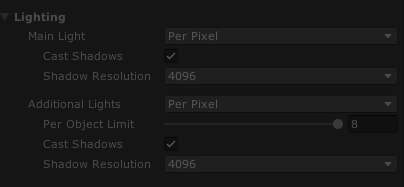
 stable acorn
I'm trying to make a drop down for a user to select what Anti aliasing level the...
stable acorn
stable acorn
I'm trying to make a drop down for a user to select what Anti aliasing level the...
Anyone know?
fiery marsh
stable acorn
Anyone know?
I would assume QualitySettings is for built-in as the MSAA setting for URP is on the pipeline asset. I'd try setting it via UniversalRenderPipeline.asset.msaaSampleCount = 2;
stable acorn
So if i change my quality preset. say from high to low. Would that AA amount i set carry across?
to the low preset, Since i dont want it to reset it i choose a different quality preset. i want the AA to be the same for all presets
I forget to @ people. lol. @fiery marsh
fiery marsh
I'm not sure. It probably depends if you have URP assets set up per quality preset, or just for the Project Settings Graphics.
fiery marsh
Then yeah, the AA might have to be set manually for each
stable acorn
Bruh how would i even begin
fiery marsh
@stable acorn Actually it looks like URP might also take into account the QualitySettings.antiAliasing, so might still work either way. https://github.com/Unity-Technologies/Graphics/blob/49c677d204efcbe8b8b2894286693bee01c430e3/com.unity.render-pipelines.universal/Runtime/UniversalRenderPipeline.cs#L149
(though maybe not at runtime / when it's changed, not really sure when this is called)
stable acorn
I didnt see any change in-editor
I tried in build, but my project is linked to steam so ifi build and try test, it just opens the version from steam instead lmao
@fiery marsh Can i dm you?
dark tangle
Can anyone help me figure out how to convert portal tutorials to the new srp stuff
I'm so overwhelmed by all of this shit, I looked into custom pass volumes for HDRP but I'm not sure what I need to use and how.
waxen lantern
@dark tangle this is for URP at least if you haven't seen this example yet https://youtu.be/TkzASwVgnj8

Learn how to create a portal effect in Unity's Lightweight Render Pipeline and Shader Graph.
Download the free sample project here: https://ole.unity.com/lightweightportals
dark tangle
Yeah I've already seen this. The problem is finding alternatives to the OnRenderImage() or OnPreCull() but I'm just going to buy an asset and use the parts I need
I tried using the RenderPipeline delegates and it broke everything, I posted here and was pointed elsewhere
dark tangle
Oh my god
The recursive rendering error comes from RenderPipelineManager.beginCameraRendering += Function() and inside Function() calling cam.Render()
And cam.Render() calls beginCameraRendering again for that cam 🤦
 obtuse cave
2020.1.7 URP How can I remove the clamping of values in the postprocess shaders?
I am exploring ways to fake a cylinder projection using the panini as a post fx, and want to see if a value higher than 1 will give me some interesting results.
dark tangle
Ok now I need to do this https://answers.unity.com/questions/1569021/how-to-use-onrenderimage-and-graphicsblit-with-hdr.html
Unity is the ultimate game development platform. Use Unity to build high-quality 3D and 2D games, deploy them across mobile, desktop, VR/AR, consoles or the Web, and connect with loyal and enthusiastic players and customers.
    public override void Render(CommandBuffer cmd, HDCamera camera, RTHandle source, RTHandle destination)
    {
        if (m_Material == null)
            return;

        tempTexture = camera.camera.targetTexture;
        Graphics.Blit(tempTexture, source, portalMaterial);

        Graphics.Blit(source, destination);
    }
Tried this w a C# Post process volume but I'm just guessing
waxen lantern
dark tangle
Ok now I need to do this https://answers.unity.com/questions/1569021/how-to-use-...
for HDRP, the Custom Pass API here is 100% confirmed what one is meant to use instead of these Built-in RP methods https://docs.unity3d.com/Packages/com.unity.render-pipelines.high-definition@10.2/manual/Custom-Pass.html
This has code examples as well as a code-less shader graph example. I'd suggest trying these out and getting familiar with how it works in general. and then apply that knowledge to implementing a portal effect, etc.
@dark tangle also note the injection points in HDRP are inherently different than the simpler URP or BRP injection.
Injection Points
Custom passes can be injected at 6 different places. Note that these injection points don't tell you exactly where you pass will be executed, the only guarantee we give is that a certain list of buffers will be available for Read or Write and will contain a certain subset of objects rendered before your pass. Unlike Universal Render Pipeline, we don't give you the guarantee that your passes will be executed before or after any HDRP internal operation (also due to our async rendering). However we guarantee that the injection points will be triggered from top to bottom in this order in a frame:
 proven breach
Addressable Assets Question (Steamworks):
What will be the remote path in the event I have my game on Steam with DLCs? It should be a local path, or remote path?
dark tangle
waxen lantern
for HDRP, the Custom Pass API here is 100% confirmed what one is meant to use in...
I take it I can use Graphics.Blit() at some point using that? The final part is combining the screenspace shader with the stencil shader so the cam can see past the portal surface
I was going off of antoinel_unity's answer here
Unity Forum
The original code, before using HDRP, essentially grabbed a screenshot of whatever the main camera was seeing and fed it to a shader. The shader would...
I don't want to change directions just to find out I shouldn't have, I've been reading through a lot of forums for this and it's exhausting
waxen lantern
@dark tangle it's all the same API basically.. the Post Process injection points (the green boxes in the diagram above) were just the only ones exposed to HDRP's public API at the time in late 2019. now you get the purple ones, too
and much more documentation, etc
dark tangle
Specifically looking at the source and destination params of the Render() method
is what made me go w that
ok
waxen lantern
dark tangle
I take it I can use Graphics.Blit() at some point using that? The final part is ...
as I understand, instead of using Blit() to write directly to the Target color buffer you would use what's exposed in that API to write to the Target color buffer (you can't do it directly because HDRP instead will determine when do it asynchronously as it is best for performance) e.g. if you want to "Blit" something to the entire screen on a "Fullscreen quad" you would implement a FullScreen Custom Pass
@dark tangle this part of the HDRP custom pass docs
Now that the custom pass is setup, you can start to edit the shader of the FullScreen Material. By default in the template you have a FullScreenPass function where you'll add your code:
float4 FullScreenPass(Varyings varyings) : SV_Target
{
    float depth = LoadCameraDepth(varyings.positionCS.xy);
    PositionInputs posInput = GetPositionInput(varyings.positionCS.xy, _ScreenSize.zw, depth, UNITY_MATRIX_I_VP, UNITY_MATRIX_V);
    float3 viewDirection = GetWorldSpaceNormalizeViewDir(posInput.positionWS);
    float4 color = float4(0.0, 0.0, 0.0, 0.0);

    // Load the camera color buffer at the mip 0 if we're not at the before rendering injection point
    if (_CustomPassInjectionPoint != CUSTOMPASSINJECTIONPOINT_BEFORE_RENDERING)
        color = float4(CustomPassLoadCameraColor(varyings.positionCS.xy, 0), 1);

    // Add your custom pass code here

    // Fade value allow you to increase the strength of the effect while the camera gets closer to the custom pass volume
    float f = 1 - abs(_FadeValue * 2 - 1);
    return float4(color.rgb + f, color.a);
}
@dark tangle the return value, the last line there.. is what determines what is blitted to the screen
dark tangle
ok ty
waxen lantern
so you'd put your code in this template
i'm not an expert on all this as I've only used HDRP custom passes for injecting my own compute buffers to snoop/read data out of the pipeline but not actually writing anything to the Targer color buffer, etc
but i'm pretty sure that's on the right track
dark tangle
I still have no idea what I'm doing w shader code and the jargon that comes with it but I'll give it a shot. I think I understand enough to kinda brute force my way to the right solution w what you've given
waxen lantern
@dark tangle there is also this example which just uses shadergraph and no code: https://docs.unity3d.com/Packages/com.unity.render-pipelines.high-definition@10.2/manual/Custom-Pass.html#example-glitch-effect-without-code
i'm not sure if you'll be able to do the Portal effect using just Shader Graph but you might be able to.
waxen lantern
depends on what is exposed to Shader Graph these days
there is the custom code node
but yeah if you'd rather just work with code and prefer that by all means
dark tangle
Yeah I might as well be learning programming for the first time again lol, don't want to make it any more potentially confusing
 agile furnace
I have some custom code that skips much of the usual render pipeline and instead renders to RenderTexture and then dumps the RenderTexture to display via Graphics.DrawTexture after "yield WaitOnFrame()", it can also do the same in OnGUI(), it works well in both cases. The problem is that if OnGUI() is implemented it generates a lot of garbage collector allocations per frame, and "yield WaitOnFrame" also creates a bit of unavoidable garbage. Is there a way to render to display in an earlier part of the frame life cycle, eg in OnPostRender()? I'm trying to figure out how Unity sets up render targets in OnGUI()/"yield WaitOnFrame", I've tried Graphics.SetRenderTarget(Displays.display[0].colorBuffer, Displays.display[0].depthBuffer) and RenderTexture.active = null. It's not working, I get nothing rendered to display. I verified in Frame Debugger that what I'm trying to render with Graphics.DrawTexture is a valid texture with the pixel content I want.
 viral grotto
Can someone help me? I have URP and Pro builder and the default Pro builder material is not assigned and i cant find a solution
 covert ether
I enabled SSGI in the HDRP Default Settings. Anybody know how to fix this?
whole fossil
Yes. Enable it on the hdrp asset (not only in the default settings)
covert ether
Where do I find those settings exactly?
 restive perch
viral grotto
Can someone help me? I have URP and Pro builder and the default Pro builder mate...
restive perch
viral grotto
Can someone help me? I have URP and Pro builder and the default Pro builder mate...
I think you have to import additional stuff for urp support from probuilder in the package manager, under the section where some packages put samples and stuff
viral grotto
restive perch
I think you have to import additional stuff for urp support from probuilder in t...
it's been a good 13hrs, i fixed it
turbid matrix
viral grotto
it's been a good 13hrs, i fixed it
then maybe report back and tell you solved it, instead of letting others waste their time trying to help on issue that has been fixed already 🙂
viral grotto
my bad
 opal bison
Does someone know the reason why I have only 100-200 fps in an empty scene in Unity 2020? URP
it went up to 1000+ on 2019
CPU main goes to 6+ ms
opal bison
ok after a restart it goes back to 500, should be about 1000 though
bleak otter
Profiler might tell. Probably wanna enable editor profiling
Alternatively you can probably just ignore it and make the game 😄
Wouldn't worry too much unless it affects the build or makes the editor experience bad
opal bison
profiler says sth about rendering
it doesn't seem to be related to vsync - i tried pretty much everything related to it
I worry because ms in the main thread are precious, and a empty scene should be running with 0ms instead of like 2 or 3 (500 fps)
if I knew this was a editor thing that would be helpful
bleak otter
They are precious in the build
bleak otter
2020 is a bad year. Just skip to 2021 😛
opal bison
like it would be fixed in 2021
ok i'm at 1400 in a build, ig that's better
it seems to be editor overhead
having 0ms main thread in editor is a feature though imho
cause that's how you find out whether or not you need to profile something in the first place
sand saffron
I think these kinds of empty scene in-editor fps measurements are kinda pointless, especially considering fps counter was only recently fixed (I've forgotten in what version)
 median vortex
hey guys i'm new to profiling, i have a very simple scene, i mostly worked on scripting the player controller and enemy ai still... launching the build is extremely slow (i'm running it on a mac but it has a dedicated GPU), i think the game is running on the CPU alone, is that the issue? How do i enable the GPU?
PS: I'm using URP w/ 2D renderer
bleak otter
@opal bison By deploying on the target device for testing? 😄
opal bison
you do that 1000 times and you eliminated 1 year worth of labour 👍
dawn sorrel
What causes transparent materials to behave like this? HDRP
It's not just this texture, it does for all of them
 eternal lynx
For some reason HDRP broke( black screen) after I ran git LFS migrate . I then upgrades the project to the beta 2021 and then downgraded it. Fixed the project
dawn sorrel
dawn sorrel
What causes transparent materials to behave like this? HDRP
Had to enable Alpha Clipping and it fixed itself
 compact sparrow
Moved my question to 3D
 north rover
Hey guys, I'm experimenting with some explosion flipbooks from Unity and added them in my particle system in the default HDRP sample scene. I've used an HDRP UNLIT material, but for some reason I get this flashing when I'm close to the explosion? I think I don't know about some basic HDRP things that are happening here, is this normal? It's less extreme the further away I move the camera from the effect.
Here's the material:
Ah, it's the exposure in the HDRP settings, which was causing this.
compact sparrow
Does this mean I'm doing 1397 different draw calls, or that it's already optimized to condense those 1397 draw calls into one draw?
broken lichen
@compact sparrow It has optimized those 1397 draw calls into one "SRP Batch". It's not accurate to say that it has been batched into one draw call. It's still separate draw calls. But SRP Batching is able to make draw calls much cheaper by minimizing the amount of data that needs to get uploaded to the GPU before each draw call.
Normally, Unity will upload all the material properties again before each draw call, every frame. This is what makes draw calls so expensive. SRP Batcher batches objects together that share the same material and properties, so it only has to do it once for all of them.
compact sparrow
broken lichen
Normally, Unity will upload all the material properties again before each draw c...
Thanks for the clarification. I'm so confused by it, because I don't really seem to see any performance increase when enabling the batcher, despite it claiming to optimize over 4000 draw calls, according to the SRPBatcherProfiler script.
broken lichen
The SRP Batcher only improves CPU performance. If your bottle neck is on the GPU side, you're not going to notice any performance improvement
compact sparrow
Oh, my grass shaders do have GPU instancing checked, could that be the cause?
broken lichen
But it's showing 8.96ms with SRP Batcher off and 14.21 ms with it on... 🤔
So it seems to be slower with it on
compact sparrow
broken lichen
But it's showing 8.96ms with SRP Batcher off and 14.21 ms with it on... 🤔
Yeah I think because it's not doing anything, the simple process of the batcher looking for something to do is upping the ms there.